

Articles


VERSION 1.19 RELEASED
The new update for Radiophobia is now live! As usual, it contains new features and lots of tweaks and fixes largely based on the feedback from the community. In this article, I’ll highlight some key features; you can find the complete detailed changelog here.
UPDATE: PATCH 1.20 OUT NOW
Full Version:

Patch For Existing Installs (1.18+):

Weapons

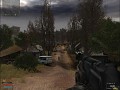
This update brings several weapons from the IWP mod, including the SV-98, AWM, MP9, VPO-101, F2000, G36, MG36, Taurus Raging Bull, and the DVL-10, including their upgraded versions if available. It also replaces the knife animations with much-improved ones from Anomaly Custom. Apart from the entirely new weapons, many previously unobtainable weapons already in the game were integrated into the game world. Engine support for fire mode changing animations was added, and all models that have them available will now use them.
NPC Models

All NPC models were replaced with ones more faithful to the originals, ported by nestandart_5443. Specifically, the optimized version was used, which brings the polycount range from 100-170k to 30-70k. The models were used in their original CoP format, with NPC animations modified to work correctly in SoC. This means that, for example, NPC models from Anomaly can now be used without issue, allowing the creation of addons porting other model packs such as DUX.
User Interface


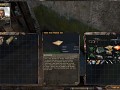
The HUD has been reworked to be more modern and higher quality while keeping the R3 layout. The compass was taken from EGUI (ty INC). Many item icons were replaced with higher-quality versions from various authors.
Quality of Life

Another batch of QoL features was added, some of which I will briefly describe here. Map markers were added to nearly all subtasks from the new questlines. Important NPCs such as traders, quest givers, and Hunters (guides) are now also marked on the map, like in CoP. Also, a custom system for optional autosaves upon quest updates or completion was added.
The in-game subtitles were replaced with an improved version by River, which was made specifically for use with the Ukrainian dubbing. Apart from improving the readability, it also adds subtitles for voice lines that previously had them missing, megaphones, and video cutscenes. The subtitles can also now be easily disabled from the menu, in case you're using the english dubbing.
Fixes and Tweaks

This patch fixes 20+ bugs ranging from quest softlocks and crashes to various glitches. Thankfully, the number of reported bugs is relatively low nowadays, and this patch only smooths the experience out further. Apart from that, many changes were made to polish the gameplay, removing various annoyances and unfinished features, improving game balance, and bringing the Zone together in a way that makes sense and allows for greater immersion.
Radiophobia 3 ver. 1.12 is out now!
NewsThe 1.12 version of Radiophobia 3 is now available for download. It is the biggest patch yet and includes a new weapon arsenal, new dynamic weather, a...

Players Choice – Best Upcoming Mod 2024
Feature 55 commentsAfter 20 days of voting, it is time to present the top still-in-development mods for 2024 as picked by you, the players!
Files

Radiophobia 3 ver. 1.20
Full Version 36 commentsThe full standalone mod updated to 1.20. New game is required if updating from 1.18 or earlier.

Radiophobia 3 - Patch 1.20
Patch 14 commentsPatch to version 1.20. This patch needs to be applied to the game patched to version 1.18 or later. Install by unpacking into the game folder and overwriting...
Radiophobia 3 - NPCs can't see through bushes
PatchMakes all bushes completely opaque to NPCs and bulletproof.
Radiophobia 3 - Traducción a Español 1.20
Patch 34 commentsLa traduccion ahora a pasado a estado Beta y dependo de ustedes para encontrar textos bugeados, favor dejar imagenes preferiblemente.

Radiophobia 3 - Traduction et voix Françaises
Patch 6 commentsTraduction Française (textes & voix) pour la version 1.20

Radiophobia 3 - 1.19 Hotfix 7
Patch 19 commentsHotfix for patch 1.19. Only necessary if you downloaded 1.19 before this hotfix was released, as the patch download has been already updated with it.
Post a comment
Profile

Tags
Embed Buttons
Link to Radiophobia 3 by selecting a button and using the embed code provided more...



You may also like
Thank you so much for making this mod. I really love it.
I ended up getting my companions killed a bit too often, and I can no longer recruit companions. :( Is there a reset possible without starting the game again?
Did anyone manage to figure this out? I miss my companions.
The game scales the window and makes it like Borderless windowed instead of Fullscreen when using lower resolution. Is there a way to make it actually Fullscreen?
From the dev/seaz1 - Jan 5 2026:
Fullscreen is not available in the current version of OGSR engine.
oh ok, thx.
is there any way to get the game on fullscreen mode when i lower the resolution? I tried many things
From the dev/seaz1 - Jan 5 2026:
Fullscreen is not available in the current version of OGSR engine.
Is this game only for Windows 10 above? I'm getting this api-ms-win-core-path-l1-1-0.dll error.
Unfortunately, yes. However, you can try older versions, which are still perfectly playable.