

Tremor RPG
Role PlayingOpen World MMO RPG using FTEQuake, has a running 24/7 server. Updated often! Discord: 7VQpDvy
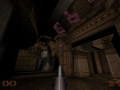
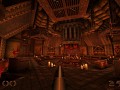
Rage through 32 single player levels and 6 deathmatch levels of sheer terror and fully immersive sound and lighting. Arm yourself against the cannibalistic Ogre, fiendish Vore and indestructible Schambler using lethal nails, fierce Thunderbolts and abominable Rocket and Grenade Launchers.

Open World MMO RPG using FTEQuake, has a running 24/7 server. Updated often! Discord: 7VQpDvy
Quake 2 Marines adds the whole Quake 2 arsenal to Quake 1 with a select menu to pick different marines and weapon loadouts. Full source code included...

New SuperQOT Darkplaces fork that actually ties time to movement rather than button-presses.

Ever played Quake Rally? Well guess what, that's what this is! Wait! Don't go! It's not exactly Qrally. It's a 'better' Qrally.
The one and only skating mod for Quake1! Load a map you like (there are skating maps included) and bust some tricks! Want to test your skills? Start a...

Was often called zero. Hardcore Doom-styled Quake mod with special entities and weapon features. This is currently in its private playtesting state due...
All the hardest work is done. Need to test everything thoroughly and review all the changes. Some of the test cases require complex setups.
I have been polishing up the "devinfo" UI during the refinement process. And adding new information panels. I have a hard line drawn, but everything before that line needs to be exactly how I would want it.
Update: An unsupported #148x is available. Probably the final UI adjustments in the deep UI code. I added context menu support and "tool tip" support (which is to say text will hover to say what it is, if indicated -- at least usually that is what it is used for). These just happened to be "in the neighborhood" -- I already worked on hard UI issues, and thought about handling these 2 additional UI issues before closing this type of coding out.
What seems likely now is I do refinement and testing and get out a Windows / Linux / Mac regular release version over the next few days.
Update: An unsupported #147x is available. "devinfo" entities and such can be filtered to show only rows containing specific text (like "door" to show only "func_door" as one example).
Working on "devinfo" having a textbox to filter results.
Should help narrow down looking for information. I have 2000 Q3 shaders and finding a specific one needs to be easy. QuakeC can have a lot of fields, and QuakeC can have a lot of global variables. Etc.
Managed to get all the "hard things" done. Will spend the next few days reviewing everything.
I expected a lot of unwanted surprises for the UI work I did today. And they happened -- but the end result is great. 😊😊
FTE: RenegadeC has made a Tremor RPG page: Tremor RPG page.
Update: An unsupported #146x is available. It is a work-in-progress version that needs some polishing and has not gone through all the testing yet because some features require complex test cases that are hard to setup.
Recent:
Going to close out this type of work for now after completing the following:
The shaderlist screenshot below takes 22 seconds to load in my debug environment (Visual Studio) and 6 seconds to load compiled with mingw64.
Rewrote everything to parse each scripts/something.shader file once and then use that data to fill in information. Now is nearly instant in the debug environment so it will be instant when compiled for release.
However, it finds 16 more shaders (these are duplicates). To do this proper, it must officially recognize the correct one that the engine uses and not the duplicate.
So have to rewrite that a bit more.
Update: There is no good way to de-duplicate the shader list. The speed and efficiency require writing out an unsorted, multicolumn list processing each scripts/myshader.shader file one at a time. That process cannot control the parse order. So I will have to de-duplicate it later and what I have to work with is a multicolumn column list (no direct sort method). Solution: Write a multicolumn sort (now done) and step through the list and eliminate duplicates.
This is a work in progress shot, that little window that shows the shader text -- I want to give it a "grip" so it can be moved and the "X" button needs to be "internalized" as a native part of the control.

Pictured: "devinfo" Zircon Beta console command. It is getting another upgrade.
The dungeon project has a ton of pieces and sometimes it can become very difficult to locate things, I am taking a little time to make the engine expose more information quickly to reduce the "can't find [x]" problem. Shader text is one of those things that can be hard to find and if you look carefully, you will notice the at the bottom of the shader list a couple of entries near the bottom ==> it shows the .pk3 file they are in (if they are in a pk3 file).
DarkPlaces has no way for Menu QC to do registercommand and, in fact, has no way to a command to access to Menu QC. CSQC can run commands through float CSQC_ConsoleCommand (string strMessage) provided the command is known (by doing registercommand("dothis") in CSQC_Init).
Now the reason it sucks that Menu QC cannot run commands is that Menu QC is *ALWAYS* running. It is the only permanently running progs.dat. In fact is also always drawing (except when the loading screen is up, but Zircon has m_drawloading) -- although an m_draw function usually has a first statement like "if (!menu_state) return;" but m_draw is always available to 2D draw.
So you might have a command that should always be available in the console and Menu QC is always running so it would be great to have Menu QC be able to run commands. But it can't.
There is a workaround ... "menu_cmd".
menu_cmd is the single exclusive command that Menu QC can run. Due to this, it should be possible to run commands in Menu QC through a "backdoor" -- like: alias my_command "menu_cmd my_command". menu_cmd routes the command and the arguments to GameCommand
// menu.qc
void GameCommand (string s) // menu_cmd
{
	print (strcat("Menu GameCommand: ", s, "\n"));

	float argc = tokenize_console(s);
	string cmd = argv(0);

	if (cmd == "my_command") {
		// Do something
	}
}
Briefly tried to allow entities to exclude themselves from dirt mapping with an entity key (this was a q3map2 modification). Coded about 80% of it before realizing that surfaces in the light compile stage do not know what entity they came from. There is already a q3map_noDirty shader keyword, but I wanted entity control because it is easier to work with. In the past, I made surfaceparm nomarks into an entity keyword ("_nodecals 1") so I thought this would be similarly easy. (I have some arches that -dirty argument in the -light phase causes a very bad looking line, so I want to exclude just those).
Also took a step back and realized that the lighting model I am using is too dark and the sizing model I am using is too narrow. I want multiple players to be able to traverse halls easily. The too dark thing matters because I want to have wide latitude to lighting approaches available.
Multiplayer: I would prefer to use the q3 standard lightmap that embeds in a bsp (size 128 lightmap) because the data is small (therefore the map is smaller) and the map compiler times are much faster. If I use larger lightmap sizes, the shadows are vast improved but there are external lightmaps that are large in size and fairly numerous in quantity (a map I compiled had 46 lightmaps of 0.7 MB. I'll have to decide which one to go with -- with DarkPlaces sticking with the size 128 lightmap might be ok because if you turn on real-time lighting, it will look better than the compiled lightmaps.
Extra note: DarkPlaces real-time lighting only works with "light" entities. q3map_surfacelight is great, but does not work with DarkPlaces real-time lighting -- DarkPlaces reads the light entities from the .bsp entities segment (_keeplights 1 must be in worldspawn during map compile, Q3 tools want to remove the lights which is opposite behavior of Quake 1).
Random: in the q3map2 BSP phase, as best I can tell -- always use -maxarea. This cuts up triangles in a GPU friendly way, and I noticed the triangle count is substantially reduced (15% to 20%). I tested it expecting a modest reduction in triangles, but 15% to 20% is very significant.
Random 2: q3map2 likes to warn about entities in solids -- for decal projection this is essentially the norm. The end point often needs to be in the ground or inside a wall. TODO: I want to check to see if decal projections end points could just be removed in q3map2.
Engine: made a way to print model information in the console. Should put in it devinfo. Should put shader script text in devinfo. Should make a textbox to filter in devinfo and pressing CTRL-C should copy information.
Engine coding is not always enough.
I am able to procedurally generate maps now, q3map2 has "func_group" (these are like func_wall except they are part of the world). When the Quake engine is used, those were converted to part of the world and they are no longer entities. But they are entities to q3map2.
I create a lot func_group entities (A LOT OF FUNC_GROUP). I make complex map parts into a func_group to keep them glued together as one piece if I need to move them.
I was working on a relatively simple modification to "tessellate" the floor (break it into blocks of 384x384) so decals project better. Then I can also remove unneeded floor.
Now nothing works right. And it seems there are no error messages.
I broke a limit in q3map2. Opened my custom q3map2 source code, increased the entities limit from 0x800 -- I don't know what 0x800 is off hand --- to 0x8000 // Baker: raised to 32768 old: 0x800 // 2048 entities.
While I was in there, q3map2 sometimes prints "entity 382 in world" type messages. No classname prints. No origin prints. So I made that more helpful by printing both the classname and the origin. I will likely occasionally make the warnings or notifications I actually see when compiling a map more helpful.
By adding the classname and the origin, it will reduce the human time to identify the offending entity greatly. Also the fairly useless "leaked" warning .. I expect to make that a bit improved and say the origin and maybe classname.
Fun History: LadyHavoc and Vortex both did a significant amount of work in the q3map2 source code. If you work with the q3map2 source code, you come across their comments in the code.
I finished off a major checkpoint today. There are more to go.
Today is a day for beer. Tomorrow is it back to the grind.
Update: An unsupported #144x is available. I was able to more deeply review and test some new functionality and double checked most things, but haven't entirely put it through all the right testing.
geri43 at Github submitted a DarkPlaces patch for better support for "v_flipped 1" and that is in 144x.

There is a modified DarkPlaces 2014 called SuperQot available for download that makes it so time stops when you aren't moving.
Flood fill is annoying. Here is my version of flood fill, which is non-recursive. Non-recursive is important otherwise you could stack overflow if the size gets large.
Something like this might become a QuakeC function in the future. I tried to get Google AI to write the code, it came up with something gross and you can never really trust AI code -- although most time it is helpful. I'm sure somehow out there, there is an equally streamlined and simple flood fill function -- but I couldn't find one with Google.
void Baker_Flood_Fill (int ch_fill, int ch_target, int x, int y, char *s_modify, int width, int height)
{
	int		numcells = width*height;
	int		cell_size = sizeof(point2d_s);
	point2d_s	*my_queue = (point2d_s *)calloc(numcells, cell_size);
	int		queue_count = 0;
	int		iters = 0;
	int		ox = 0, oy = 0;
	point2d_s	q = {0,0}; // point2d_s has int col, int row;

	my_queue[queue_count].col = x, my_queue[queue_count].row = y;
	queue_count ++;

	while (queue_count > 0) {
		q.col = my_queue[queue_count - 1].col, q.row = my_queue[queue_count - 1].row;
		queue_count --;

		s_modify[q.row * width + q.col] = ch_fill;

		ox = q.col + 0, oy = q.row - 1; // LOOK UP
		if (in_range_beyond (0, ox, width) && in_range_beyond (0, oy, height) && s_modify[oy * width + ox] == ch_target) {
			my_queue[queue_count].col = ox;
			my_queue[queue_count].row = oy;
			queue_count ++;
		}

		ox = q.col + 0, oy = q.row + 1; // LOOK DOWN
		if (in_range_beyond (0, ox, width) && in_range_beyond (0, oy, height) && s_modify[oy * width + ox] == ch_target) {
			my_queue[queue_count].col = ox;
			my_queue[queue_count].row = oy;
			queue_count ++;
		}

		ox = q.col - 1, oy = q.row + 0; // LOOK LEFT
		if (in_range_beyond (0, ox, width) && in_range_beyond (0, oy, height) && s_modify[oy * width + ox] == ch_target) {
			my_queue[queue_count].col = ox;
			my_queue[queue_count].row = oy;
			queue_count ++;
		}
		ox = q.col + 1, oy = q.row + 0; // LOOK RIGHT
		if (in_range_beyond (0, ox, width) && in_range_beyond (0, oy, height) && s_modify[oy * width + ox] == ch_target) {
			my_queue[queue_count].col = ox;
			my_queue[queue_count].row = oy;
			queue_count ++;
		}
	} // while

	freenull_ (my_queue);
} // FloodFill
Update: An unsupported #143x is available with the new QuakeC functions.
I'd post a pic, except because I had to change J.A.C.K. to use a different graphics card after a BIOS update, ShareX (the free video capture tool I use) cannot seem to capture the J.A.C.K. window any more --- haha.
This creates a .map with a single block of brick. The new QuakeC function map_entity_brush_add_cubeoid worked the first time. This small function creates a new .map, adds a world entity (#0) and then adds a brush with ambientcg/Bricks018 as the texture.

// Standard QuakeC ..
#define int float // standard QuakeC does not have int, only float, but makes code more legible
void Map_Make ()
{
	int hmap = map_create ();

	int entnum = map_entity_add(hmap, "classname", "worldspawn");
	printvarf (entnum);

	int brushnum;

	// Sides = 63
	int sides = TEXSIDE_NORTH_1 | TEXSIDE_SOUTH_2 | TEXSIDE_EAST_4 | TEXSIDE_WEST_8 | TEXSIDE_CEIL_16 | TEXSIDE_FLOOR_32;

	vector textures_scale = { 1/8.0, 1/8.0};
	// Returns brush # for entity (0 or greater) or -1 on failure
	// Texture scale if not specified is 0.125 which is 1/8 scale (high resolution texture size friendly like 1024 x 1024).
	brushnum = map_entity_brush_add_cubeoid (hmap,
		WORLD_ENTNUM_0,
		[-256,-256,-256],
		[ 256, 256, 256],
		"ambientcg/Bricks018",  // textures/ambientcg/Bricks018.jpg
		sides,
		textures_scale // 1/8.0 == 0.125 which is one eighth scale suitable for a 1024 x 1024 high resolution texture.
	);

	map_save_as (hmap, "maps/sample_block.map"); // Disallows path not named "maps/" and any extension not ".map"
	zpr ("Sample block written");
}
Yesterday, my HP Victus laptop decided to do a bios update and shut itself down without asking me and install the BIOS update. After that, the J.A.C.K. map editor 3D window no longer rendered, making J.A.C.K. useless and reinstall did not fix.
I ended up solving the issue by going (Windows 11) Settings > Display > Graphics and adding J.A.C.K. and specifying it force use of my ATI Radeon instead of the NVIDIA that machine has (10 years ago a computer having both ATI and NVIDIA would be crazy, but this laptop model has that).
The above sounds "simple", but for about 30 minutes it looked like I was totally up a creek.
Then I had the thought that maybe I could force a different video driver in the Control Panel and tried that as a random act of desperation, but it worked. As I understand it, J.A.C.K. uses Qt4 to render (TrenchBroom uses Qt6).
Short version: There was nothing "simple" about it. Only luck and intuition saved the day. By sharing this information, maybe someone else may find this helpful in the future.
I have been using a nearly empty .map created in J.A.C.K. and then filling with map pieces from other .map files and pasting them into the .map. But that method requires knowing the size of the map in advance and if I come up with an idea that requires a larger "shell" I have to make a new .map in J.A.C.K.
I don't want to do that. So adding a function to add a cube with specified mins and maxs and then with flags indicating what side or sides to texture (the other sides get common/caulk).
float map_entity_brush_add_cubeoid (float hmap, float entnum, vector brushmins, vector brushmaxs, string texture, float texture_flags, optional vector texture_size); // Return value is brush number
Texture_flags will be something like NORTH_1, SOUTH_2, EAST_4, WEST_8, CEIL_16, FLOOR_32 to indicate which side gets textured or send 63 for all of them to get textured.
(*) common/caulk is the "pink" Q3 map texture that indicates that the surface will be stripped from the BSP for rendering (it is solid for collision) and likewise that surface will not get a lightmapped. Good use of caulk reduces the size of a BSP and reduces the number of triangles rendered.
Unsupported Zircon Beta Release #142x is available for Windows -- hammered out maze_generate QuakeC function and made other adjustments including "buf_create Quake function shall never return 0 (to avoid confusion with uninitialized global variables which also have a value of zero)".
--------------------
The next version of Zircon Beta will never return "0" for buf_create. buf_create creates a stringlist array handle and DarkPlaces has it return 0 the first time it is called.
So you have a variable float my_stringlist_number = buf_create();
And it gets a value of 0.
Q: How does one distinguish an uninitialized variable with a value of zero from a handle to a valid stringlist array that has the value of 0?
A: You can't.
The next Zircon Beta will never return "0" for buf_create and avoiding this problem.
Unsupported Zircon Beta Release #141x is available for Windows in the downloads section with changes indicated in the description. It is probably ok, but has not gone through appropriate testing -- it has maze generation QuakeC functionality and it is complicated to setup test cases.

Implementing maze generation API into QuakeC. Probably should implement maze solve API into QuakeC while I am doing this.
Update: Nearly done with that. About as fun as walking across broken glass, but that is going to be "the norm" with almost every aspect of hammering out the "dungeon project". I expect dozens more of these types of challenges.
One year ago, attempted to complete "The Dungeon Project" and it led to much engine coding and no small amount of QuakeC work (the game logic in progs.dat), but was not able to get any true traction -- all efforts led to engine coding side quests instead.
Some 2025 Side Quests Spawned From The Dungeon Project:

Happy 2026 everyone! To celebrate the new year and the 1st anniversary of when this mod was started, I've created the first User Manual/Game Guide for...

Zircon Beta now has a Mac build -- and this makes a future Android build more likely. There are similarities between the Mac and Android builds in that...

New gifts: regifts? Maybe. New releases of More Dimensions, Mission Pack 3 + a minor update for Arcane Dimensions HD.

Zircon has Steam Integration on the way. Videos of first Steam-integrated game play.

Work in progress for future release: Zircon UI support for context menus, tooltips and rewired certain types of event handling.

Work in progress for future release: "devinfo" information can now be filtered (type "door" in the filter box and it will only show entries containing...

Work in progress for future release: Recent changes include "devinfo" re-work include multi-select and clipboard copy and viewing shader text.

Work in progress CSQC/Menu QC source code for a future release that has scaled, graphical user interface capabilities. Latest changes are random map creation...

Work in progress for future release: Recent changes include adding improved support for "v_flipped 1" from DarkPlaces Beta recent change by geri43 and...

Re-added DPI awareness from Quakespasm. Thanks to baker55 for preparing the patch.










Does anyone recall a mod for Quake 1 that made the weapons RPG like, and had some new maps? I recall playing it around 2003-2004 and there were some enemies praying in a church and when alerted they all stood up and turned around. The arrows seemed to be like scrag projectiles.
only thing right now that comes to my mind is :
FANTASY QUAKE
RISE OF THE PHOENIX
Beta 0.673
Release date:
12-21-97
That quake 3d for kill monsters,horror sounds very!
Quake is one of my all-time most favorite games. It’s amazing to see new mods and tech being released after all these years! Games like Wrath and new mods / expansions like QDoom fill me with newfound excitement for all-things Quake. I hope I can dig up and release some more ancient Quake gems from the vault.
After many years I returned to Quake and have been playing both the main game and the expansions on Nightmare, I'm almost finished. Great experience, pretty fair too, whatever you shoot stays down unlike DooM.
Извените что тревожу но подскажите как устанавливать ети моды на игру Quake?? Бо на игру half life както проще????
Закинь в корневую папку игры мод (не ID1, а корневую), например "Copper". Запусти игру и в консоли "~" (или Ё) набери "game copper". Игра переключится на мод. А можно сделать bat-файл и в нем прописать, например "quakespasm-spiked-win64.exe -game copper" и игра запустится сразу с модом.
OMG! The Creators of Arcane Dimensions are making a commercial FPS Game rrunning on the Quake Engine/idTech 1 Engine! 😺
And it's being published by 3D Realms! 😻
This has nothing to do with Arcane Dimensions.
Uhh yes it does, BloodShot is one of the level designers for this.
Hello, i am a level designer on Wrath and I wanna second what dumptruck said above. BloodShot was not on the AD team and we only ever had one(1) AD dev on the team. That individual has since taken a leave on the project so as it stands, no AD devs are working on Wrath. Hope this clears up some confusion.
DAMN! You're right my mistake, I dunno why I said BloodShot was involved with Wrath since he had no involvement on AD as you said.
Sorry for the misinformation, I must've been tired as hell when I wrote that. >.>
Aaaand it's out! 😺
Store.steampowered.com
Gog.com
no it isn't.
Yes it is it just has ****** reviews because its bad
Awesome!