In this lab, you will explore fundamental Python data structures: lists, tuples, sets, and dictionaries. Building upon your knowledge from previous labs, you will learn how to create, manipulate, and utilize these versatile data structures. This hands-on experience will deepen your understanding of Python's core concepts and prepare you for handling more complex data in your programs.
This is a Guided Lab, which provides step-by-step instructions to help you learn and practice. Follow the instructions carefully to complete each step and gain hands-on experience. Historical data shows that this is a beginner level lab with a 91% completion rate. It has received a 99% positive review rate from learners.
Working with Lists
In this step, you will learn about lists, which are ordered, mutable collections of items in Python.
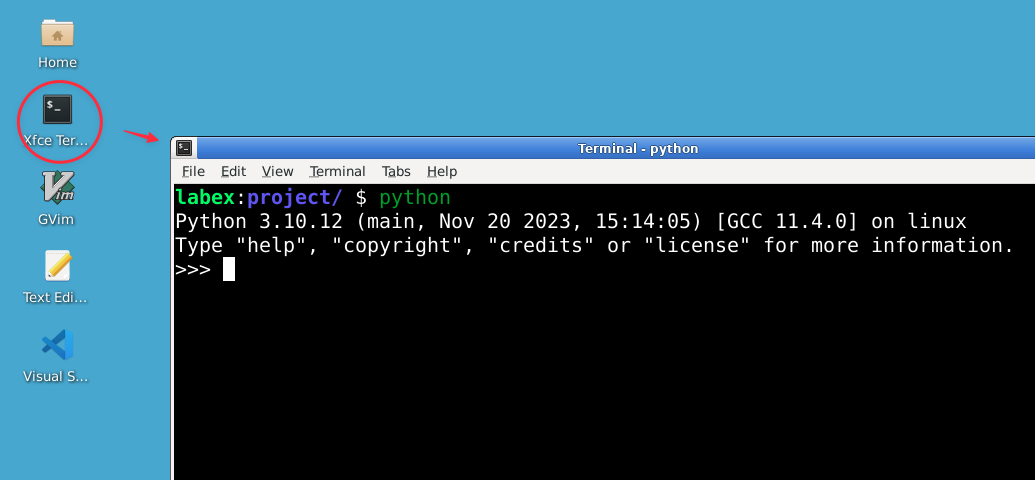
Open the Python interpreter by typing the following command in your terminal:
python
You should see the Python prompt (>>>), indicating that you're now in the Python interactive shell.
Let's start by creating a list. In the Python interpreter, type the following:
You can use dictionary comprehension to create dictionaries concisely:
squares = {x: x**2 for x in range(5)}
print(squares)
Output:
{0: 0, 1: 1, 2: 4, 3: 9, 4: 16}
Dictionaries are extremely useful for storing and retrieving data with unique keys.
Putting It All Together
In this final step, you will create a program that utilizes all the data structures you've learned in this lab.
Exit the Python interpreter by typing exit() or pressing Ctrl+D.
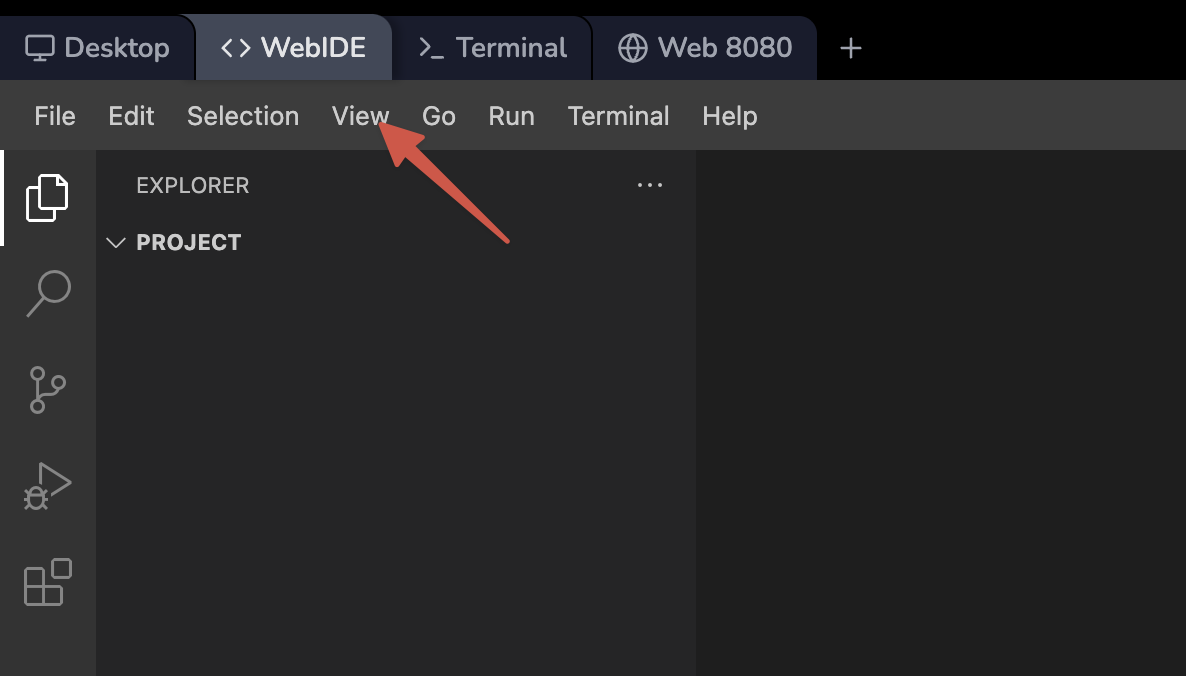
Open the WebIDE in the LabEx VM environment.
Create a new file named contact_manager.py in the ~/project directory:
touch ~/project/contact_manager.py
Open the newly created file in the WebIDE editor and add the following content:
def add_contact(contacts, name, phone, email):
    contacts[name] = {"phone": phone, "email": email}
    print(f"Contact {name} added successfully.")

def remove_contact(contacts, name):
    if name in contacts:
        del contacts[name]
        print(f"Contact {name} removed successfully.")
    else:
        print(f"Contact {name} not found.")

def display_contacts(contacts):
    if contacts:
        print("\nContact List:")
        for name, info in contacts.items():
            print(f"Name: {name}, Phone: {info['phone']}, Email: {info['email']}")
    else:
        print("Contact list is empty.")

def main():
    contacts = {}
    favorite_contacts = set()

    while True:
        print("\nContact Manager")
        print("1. Add Contact")
        print("2. Remove Contact")
        print("3. Display Contacts")
        print("4. Add to Favorites")
        print("5. Display Favorites")
        print("6. Exit")

        choice = input("Enter your choice (1-6): ")

        if choice == "1":
            name = input("Enter name: ")
            phone = input("Enter phone number: ")
            email = input("Enter email: ")
            add_contact(contacts, name, phone, email)
        elif choice == "2":
            name = input("Enter name to remove: ")
            remove_contact(contacts, name)
        elif choice == "3":
            display_contacts(contacts)
        elif choice == "4":
            name = input("Enter name to add to favorites: ")
            if name in contacts:
                favorite_contacts.add(name)
                print(f"{name} added to favorites.")
            else:
                print(f"Contact {name} not found.")
        elif choice == "5":
            print("\nFavorite Contacts:")
            for name in favorite_contacts:
                print(name)
        elif choice == "6":
            print("Thank you for using Contact Manager. Goodbye!")
            break
        else:
            print("Invalid choice. Please try again.")

if __name__ == "__main__":
    main()
This program demonstrates the use of dictionaries, sets, and lists to create a simple contact management system.
Save the file (auto-save is enabled in WebIDE) and run it using the following command in the terminal:
python ~/project/contact_manager.py
Interact with the program by adding contacts, removing contacts, displaying the contact list, adding contacts to favorites, and displaying favorite contacts. Here's an example interaction:
Contact Manager
1. Add Contact
2. Remove Contact
3. Display Contacts
4. Add to Favorites
5. Display Favorites
6. Exit
Enter your choice (1-6): 1
Enter name: Alice
Enter phone number: 123-456-7890
Enter email: alice@example.com
Contact Alice added successfully.

Contact Manager
1. Add Contact
2. Remove Contact
3. Display Contacts
4. Add to Favorites
5. Display Favorites
6. Exit
Enter your choice (1-6): 1
Enter name: Bob
Enter phone number: 987-654-3210
Enter email: bob@example.com
Contact Bob added successfully.

Contact Manager
1. Add Contact
2. Remove Contact
3. Display Contacts
4. Add to Favorites
5. Display Favorites
6. Exit
Enter your choice (1-6): 3

Contact List:
Name: Alice, Phone: 123-456-7890, Email: alice@example.com
Name: Bob, Phone: 987-654-3210, Email: bob@example.com

Contact Manager
1. Add Contact
2. Remove Contact
3. Display Contacts
4. Add to Favorites
5. Display Favorites
6. Exit
Enter your choice (1-6): 4
Enter name to add to favorites: Alice
Alice added to favorites.

Contact Manager
1. Add Contact
2. Remove Contact
3. Display Contacts
4. Add to Favorites
5. Display Favorites
6. Exit
Enter your choice (1-6): 5

Favorite Contacts:
Alice

Contact Manager
1. Add Contact
2. Remove Contact
3. Display Contacts
4. Add to Favorites
5. Display Favorites
6. Exit
Enter your choice (1-6): 6
Thank you for using Contact Manager. Goodbye!
This program demonstrates the practical use of dictionaries (for storing contact information), sets (for storing favorite contacts), and lists (implicitly used in the menu system).
Summary
In this lab, you have explored fundamental Python data structures: lists, tuples, sets, and dictionaries. You have learned how to create, manipulate, and utilize these versatile data structures, which are essential for efficient data management in Python programming.
You started by working with lists, learning how to create, access, and modify ordered collections of items. You then explored tuples, understanding their immutability and their use cases for representing fixed collections of elements. Next, you delved into sets, discovering their ability to store unique elements and perform mathematical set operations. Finally, you worked with dictionaries, learning how to manage key-value pairs for efficient data lookup and storage.
To reinforce these concepts, you created a practical contact management program that utilized multiple data structures. This program demonstrated how different data structures can work together in a real-world application, showcasing the power and flexibility of Python's data structures.
These data structures form the backbone of many Python programs, allowing you to organize and manipulate data efficiently. As you continue your Python journey, you'll find these structures invaluable for solving a wide range of programming problems. Remember to practice using these data structures in various scenarios to reinforce your understanding and become more proficient in Python programming.