X Tutup

Python Control Structures

PythonBeginner
Practice Now

Introduction

In this lab, you will explore fundamental Python control structures: conditional statements and loops. Building upon your knowledge from previous labs, you will learn how to control the flow of your programs using if-else statements, for loops, and while loops. This hands-on experience will deepen your understanding of Python's core concepts and prepare you for writing more complex and dynamic programs.

This is a Guided Lab, which provides step-by-step instructions to help you learn and practice. Follow the instructions carefully to complete each step and gain hands-on experience. Historical data shows that this is a intermediate level lab with a 79% completion rate. It has received a 97% positive review rate from learners.

Understanding Conditional Statements

In this step, you will learn about conditional statements in Python, specifically the if-else structure.

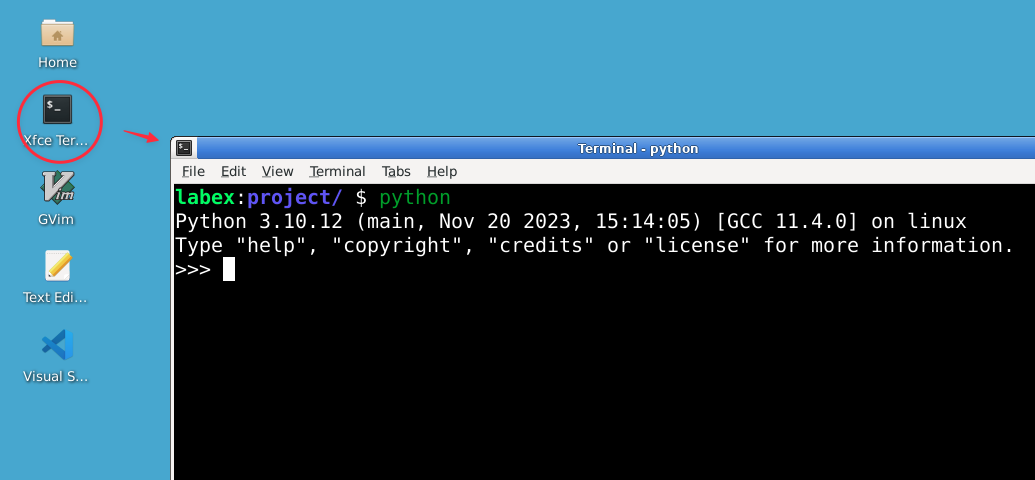
Open the Python interpreter by typing the following command in your terminal:

python

You should see the Python prompt (>>>), indicating that you're now in the Python interactive shell.

Python Interpreter

Let's start with a simple if statement. In the Python interpreter, type the following:

age = 20
if age >= 18:
    print("You are an adult.")

Output:

You are an adult.

Tips: Becareful with the indentation, it's important in Python. Using four spaces for indentation is recommended.

The if statement checks if the condition age >= 18 is true. If it is, the indented code block is executed.

Now, let's add an else clause:

age = 15
if age >= 18:
    print("You are an adult.")
else:
    print("You are a minor.")

Output:

You are a minor.

The else clause provides an alternative action when the condition is false.

For more complex conditions, we can use elif (else if) clauses:

age = 65
if age < 13:
    print("You are a child.")
elif age < 20:
    print("You are a teenager.")
elif age < 65:
    print("You are an adult.")
else:
    print("You are a senior citizen.")

Output:

You are a senior citizen.

The elif clauses allow you to check multiple conditions in sequence.

Remember, indentation is crucial in Python. It defines the code blocks associated with each condition.

Exploring "For" Loops

In this step, you will learn about "for" loops, which are used to iterate over sequences (like lists, strings, or ranges) in Python.

Let's start with a simple for loop using a range. In the Python interpreter, type:

for i in range(5):
    print(i)

Output:

0
1
2
3
4

The range(5) function generates a sequence of numbers from 0 to 4, and the loop iterates over each number.

range() can take multiple arguments to specify the start, end, and step values. Let's try a different range:

for i in range(1, 10, 2):
    print(i)

Output:

1
3
5
7
9
  • The range(1, 10, 2) function generates a sequence of numbers starting from 1, up to (but not including) 10, with a step of 2.

Now, let's iterate over a list:

fruits = ["apple", "banana", "cherry"]
for fruit in fruits:
    print(f"I like {fruit}")

Output:

I like apple
I like banana
I like cherry

Here, the loop iterates over each item in the fruits list.

You can also use for loops with strings:

for char in "Python":
    print(char.upper())

Output:

P
Y
T
H
O
N

This loop iterates over each character in the string "Python".

Let's combine a "for" loop with conditional statements:

numbers = [1, 2, 3, 4, 5, 6, 7, 8, 9, 10]
for num in numbers:
    if num % 2 == 0:
        print(f"{num} is even")
    else:
        print(f"{num} is odd")

Output:

1 is odd
2 is even
3 is odd
4 is even
5 is odd
6 is even
7 is odd
8 is even
9 is odd
10 is even

This loop checks each number in the list and prints whether it's even or odd.

Understanding the modulo operator (%): The % symbol is called the modulo operator (or modulus operator). It returns the remainder when one number is divided by another. For example:

  • 5 % 2 equals 1 (because 5 divided by 2 is 2 with a remainder of 1)
  • 4 % 2 equals 0 (because 4 divided by 2 is 2 with no remainder)
  • 10 % 3 equals 1 (because 10 divided by 3 is 3 with a remainder of 1)

When we check num % 2 == 0, we're asking: "Does dividing this number by 2 leave a remainder of 0?" If the answer is yes (the remainder equals 0), then the number is even. If the remainder is 1 (or any other number), then the number is odd. The == is the equality comparison operator that checks if two values are equal, returning True if they are and False if they are not.

Understanding "While" Loops

In this step, you will learn about "while" loops, which are used to repeat a block of code as long as a condition is true.

Let's start with a simple "while" loop. In the Python interpreter, type:

count = 0
while count < 5:
    print(count)
    count += 1

Output:

0
1
2
3
4

This loop continues to execute as long as count is less than 5.

"While" loops are often used when you don't know in advance how many times you need to iterate. Here's an example:

import random
number = random.randint(1, 10)
guess = 0
while guess != number:
    guess = int(input("Guess a number between 1 and 10: "))
    if guess < number:
        print("Too low!")
    elif guess > number:
        print("Too high!")
    else:
        print(f"Congratulations! You guessed the number {number}!")

This creates a simple guessing game where the user keeps guessing until they get the correct number. When the user's guess matches the number, the else clause executes and displays the congratulations message.

Be careful with "while" loops - if the condition never becomes false, you'll create an infinite loop. Let's see an example (but don't actually run this):

while True:
    print("This will print forever!")

If you accidentally run an infinite loop, you can stop it by pressing Ctrl+C.

You can use a break statement to exit a loop prematurely:

count = 0
while True:
    print(count)
    count += 1
    if count >= 5:
        break

Output:

0
1
2
3
4

This loop would normally run forever, but the break statement exits it when count reaches 5.

Nested Loops and Loop Control Statements

In this step, you will learn about nested loops and additional loop control statements.

Nested loops are loops inside other loops. Here's an example of nested for loops:

for i in range(3):
    for j in range(2):
        print(f"i: {i}, j: {j}")

Output:

i: 0, j: 0
i: 0, j: 1
i: 1, j: 0
i: 1, j: 1
i: 2, j: 0
i: 2, j: 1

The inner loop completes all its iterations for each iteration of the outer loop.

In addition to break, Python provides the continue statement, which skips the rest of the current iteration and moves to the next one:

for num in range(10):
    if num % 2 == 0:
        continue
    print(num)

Output:

1
3
5
7
9

This loop only prints odd numbers, skipping the even ones.

Understanding the modulo operator in this context: Here, num % 2 == 0 checks if the number is even (has a remainder of 0 when divided by 2). When this condition is True (the number is even), the continue statement skips the print(num) line and moves to the next iteration. This means only odd numbers (where num % 2 equals 1, not 0) reach the print(num) statement. The % operator calculates the remainder, == checks for equality, and 0 represents zero remainder (meaning the number is divisible by 2).

You can use else clauses with loops. The else block is executed if the loop completes normally (without encountering a break):

for num in range(2, 10):
    for i in range(2, num):
        if num % i == 0:
            print(f"{num} is not prime")
            break
    else:
        print(f"{num} is prime")

Output:

2 is prime
3 is prime
4 is not prime
5 is prime
6 is not prime
7 is prime
8 is not prime
9 is not prime

This nested loop checks for prime numbers. The else clause is executed when a number is prime.

Putting It All Together

In this final step, you will create a simple program that utilizes the control structures you've learned in this lab.

Exit the Python interpreter by typing exit() or pressing Ctrl+D.

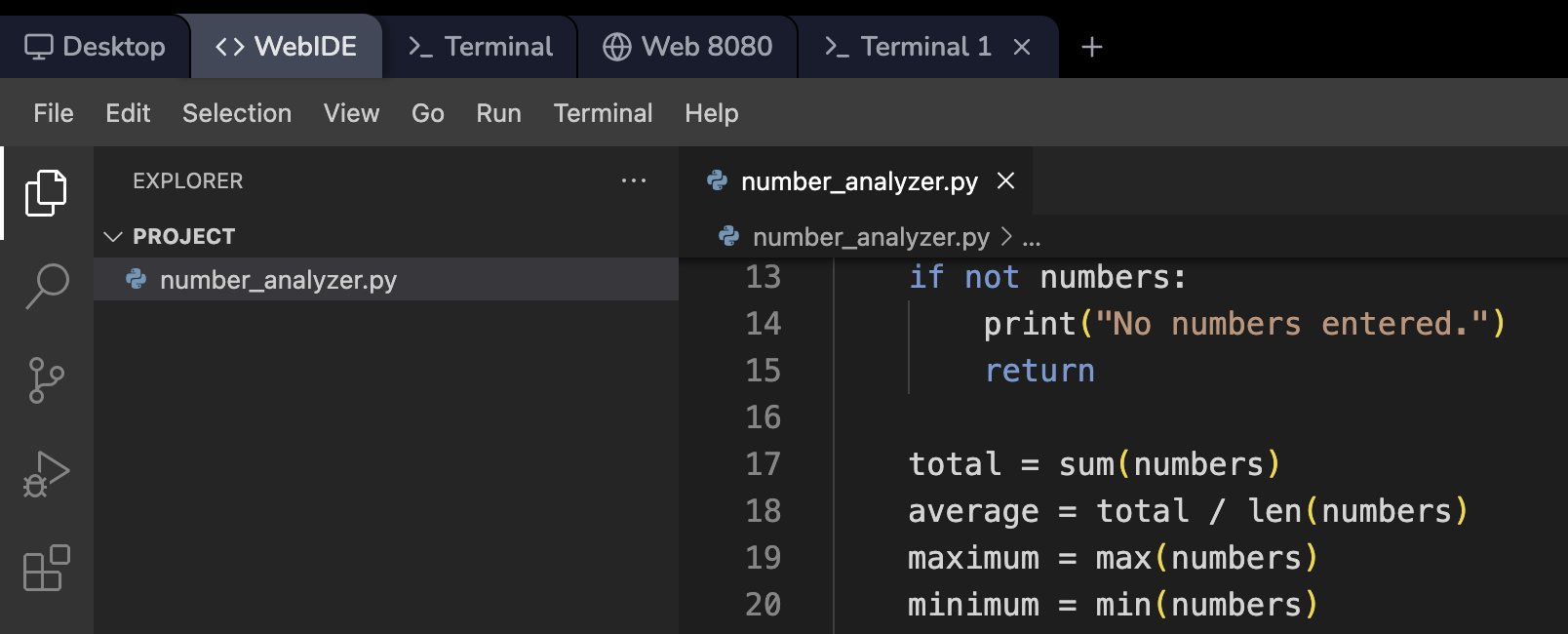
Open the WebIDE in the LabEx VM environment.

WebIDE LabEx VM interface

Create a new file named number_analyzer.py in the ~/project directory using the following command:

touch ~/project/number_analyzer.py

Open the newly created file in the WebIDE editor.

Copy and paste the following code into the file:

def analyze_numbers():
    numbers = []
    while True:
        user_input = input("Enter a number (or 'done' to finish): ")
        if user_input.lower() == 'done':
            break
        try:
            number = float(user_input)
            numbers.append(number)
        except ValueError:
            print("Invalid input. Please enter a number or 'done'.")

    if not numbers:
        print("No numbers entered.")
        return

    total = sum(numbers)
    average = total / len(numbers)
    maximum = max(numbers)
    minimum = min(numbers)

    print(f"\nAnalysis of {len(numbers)} numbers:")
    print(f"Total: {total}")
    print(f"Average: {average:.2f}")
    print(f"Maximum: {maximum}")
    print(f"Minimum: {minimum}")

    print("\nNumber distribution:")
    for num in numbers:
        if num < average:
            print(f"{num} is below average")
        elif num > average:
            print(f"{num} is above average")
        else:
            print(f"{num} is equal to average")

if __name__ == "__main__":
    analyze_numbers()

This program demonstrates the use of while loops, for loops, conditional statements, and exception handling.

Save the file (auto-save is enabled) and run it using the following command in the terminal:

python ~/project/number_analyzer.py

Enter some numbers when prompted, then type 'done' to see the analysis. You should see output similar to this:

Enter a number (or 'done' to finish): 10
Enter a number (or 'done' to finish): 20
Enter a number (or 'done' to finish): 30
Enter a number (or 'done' to finish): 40
Enter a number (or 'done' to finish): done

Analysis of 4 numbers:
Total: 100.0
Average: 25.00
Maximum: 40.0
Minimum: 10.0

Number distribution:
10.0 is below average
20.0 is below average
30.0 is above average
40.0 is above average

If you make a mistake while entering data, you can run the program again. This is a good opportunity to practice running Python scripts multiple times with different inputs.

Summary

In this lab, you have explored fundamental Python control structures: conditional statements (if-else), for loops, and while loops. You have learned how to control the flow of your programs, make decisions based on conditions, and iterate over sequences of data. You have also practiced using nested loops and loop control statements like break and continue.

These control structures form the backbone of Python programming, allowing you to create more complex and dynamic programs. You've seen how these concepts can be combined to create a useful program that analyzes a set of numbers input by the user.

As you continue your Python journey, you'll find these control structures essential in solving a wide variety of programming problems. Remember to practice these concepts regularly, experimenting with different combinations and use cases to reinforce your understanding.

X Tutup