


X Tutup
Skip to main content

Indie game storeFree gamesFun gamesHorror games
Game developmentAssetsComics
SalesBundles
Jobs
TagsGame Engines

Feniks

290
Posts
30
Topics
2,253
Followers
92
Following
A member registered Sep 25, 2019 · View creator page →

Creator of

Recent community posts

Hey there, yup this is possible! I suggest you put your animations into a screen which you reuse in your other UI screens as the background. For example:

screen falling_bg():
    add "example_snow_background"
    add "example_snow_midground"
    add "example_snow_midground2"
    add "example_snow_foreground"
screen preferences():
    tag menu
    use falling_bg() id 'falling_bg'

The key here is `use falling_bg id 'falling_bg'`- the ID will mean that Ren'Py knows it's the same background across any other screens you use it.

Note that if you're using the default Ren'Py template, you'll need to figure out where to put the background since by default the game menu screen that's reused everywhere comes with its own overlays.

Also there were some issues with Sprite animations in screens in earlier versions of 8.5 in particular; make sure you're on 8.5.2 or later if you can.

You're welcome to update the code however you like, but, would it not be sufficient to just have `if platinum_achievement.has()` for your gallery or any other screens?

Have you tried this with a general viewport? Ren'Py doesn't pass ATL events to displayables inside containers, so that may be what you're seeing. Otherwise, if it works with a regular viewport and not the controller viewport, if you can make me a short reproducible code section I'll look into debugging it.

Thank you! I'm glad the demonstration helped. There are a lot of possible ways to use the tool and properties to tweak it, so I wanted to have a visual way of demonstrating how it all works. Plus it's nice to have some preset examples to just plop into your scenes, like the fireflies!

If anything, this sounds like it would be a "situational"-category event, given that it's only active during minigames. You're also welcome to add your own categories and define their compatibilities when you add new events. Or, if you don't need your minigame keys to be remappable, it's fine to just hardcode it with pygame events.

Yikes, what a thing to have happen. Thanks for the updates!

A nifty little tool! I appreciate all the effort you put into documenting what the different values do and organizing the file into sections. Plus the example label making it simple to see how it all works. I hope to see some cool cinematic effects with this in the future. Thanks for making it!

What a lovely UI! I really like the animated squiggle effect underneath the buttons, and the quick menu icons. I don't usually see quick menus at the top of the screen, so it's a fun change. Thanks for submitting this!

Lots of variety here! The shader additions really make for some unique effects now, too and add a lot to the overall ImageDissolve effect. Like others here I immediately zeroed in on the halftone effects for a project I was working on - a great choice for any comic or manga inspired UI.

This is a HUGE accomplishment as a pack. Thank you so much for taking the time to not only organize all the voice talent, but also the files in an easily understandable way. There's an amazing amount of variety here. Thanks very much for making it!

Ooh this will for sure be handy for any kind of horror or murder mystery style VN. Excellent theming. I feel like you could have fun putting different filtered CGs in the photo buttons on the main menu too. Thank you for making it!

What an excellent pack! I love some good UI SFX, and I'm sure this will help a lot of people get started with adding sounds to their buttons. Thank you for making it!

Hello again! This isn't a feature I'm interested in implementing. You're welcome to grab the code from all examples seen during the tutorial in the labels themselves. All of the ImmersiveParticles declarations and such can be used exactly as-is, including the ones shown via show expression

Hello, the latest update to the code puts most of the backend into a namespace where reasonable.

The first one is really out of the scope of what I can help with for this tool. You can potentially look into nearrect for positioning the new screen appropriately, or style your buttons instead of opening a new screen.

For your second question, you can use buttons that have the Scroll action, if I understood you. Generally if they're using the mouse though, it won't make sense to have buttons which set focus elsewhere. You might be better served having a variable keep track of what button is "selected" and style it based off of selectedness rather than hover state. Then you can execute the appropriate button action based on which button is selected.

You're welcome to add back the navigation shortcuts via `key` or similar. You can also adjust the UI shown at the top to style it however you like in the screen itself. And yes, I understood you weren't looking for the name - hence the suggestion to make a dictionary so you can use the name to get a description, or a series of conditions. It's helpful to have the name so you know what image is displaying and can adjust the description accordingly.

Just played the game this was from! Great job on the aesthetics of this, and on the game! Very cohesive 💖

These are excellent! I'm particularly fond of "Swinging that Electro." And thanks for splitting up the tracks too - it's fun to experiment with dynamic audio like that. 

Excellent job with these! I particularly appreciate the time of day variations with the different light reflections. The balcony one reminds me of Cloud's sector 7 room in FF7R 😯 Better view though!

These backgrounds are lovely! I'm particularly fond of the foggy one. Thanks for including the preview PDF also to help choose which images to download.

Very lovely illustration! The texture on the gradient parts in particular gives it a printed-on-paper sort of aesthetic. Thanks for releasing this!

Very cool! Definitely reminds me of all the picrew creators you can spend hours in. I appreciate the free colour options also!

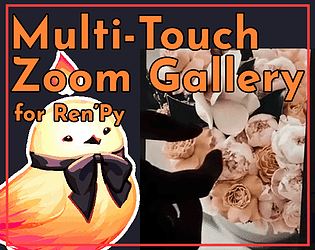
Sure! A ZoomGallery has the method tap_toggle_UI which will hide/show the UI when tapped. It's the default value of the single_tap_event property. At its most basic, that method is just toggling self.show_ui = not self.show_ui. So, you too can make a button with the action ToggleField(zg, "show_ui") in your ZoomGallery.

For your second question, you're welcome to style the screen you set with zg.screen or similar however you like. If you'd like an easy way to get the name/variant number of the currently showing image, you can add the following to the ZoomGallery class (I put it around line 978):

        def get_image_name(self):
            """
            Get the name of the image currently being displayed by the
            ZoomGallery.
            """
            return self.unlocked_images[self.current_index].name
        def get_image_variant(self):
            """
            Return the index of the currently showing image variant.
            """
            return self.unlocked_images[self.current_index].image_index

Then you can get the name you declared the image with via zg.get_image_name() and the index via zg.get_image_variant(). Mostly I'm envisioning you could use this information to make a dictionary of the descriptions you want for the images, or just a series of if/else statements.

For the RPA file - there's code at the end of the files that archives it. If you don't remove that, it'll package the files into an rpa file for release automatically.

Hey there! The bubbles assets are not included, but they are CC0 and you can find them at https://cassala.itch.io/bubble-sprites which is linked in the Credits section.

Yup! They can travel in any direction. You can have some particles travelling up and down and some left to right too, or whatever you like. 

What an incredibly charming pack! The theming is excellent, and I like that it includes so many extra screens like the music room. Glad my template was a helpful base also!

This turned out amazing! I love the customization with the colours, and that you covered some more unusual screens too. The tooltips for preferences is great too. Can't wait to see this in projects!

A lovely set of backgrounds! I appreciate the different time of day and weather variations also. Great spot for some dates ✨

These look excellent! I know a lot of games have leaned into phone UIs and such lately so I'm sure these will come in handy for that. The white makes them easy to recolour too. Thanks for releasing this!

You did a great job with this! Happy to see the code come together ✨ Hyperlinks can be confusing in Ren'Py so I'm sure many will be glad to have more examples of it too.

You did a great job with these! I spent some time solving the demo puzzles too haha, couldn't resist.

The styling on this is so excellent! And thank you for prepping it for my controller pack too - that's so thoughtful. I'd be happy to link it on the page for the controller pack if you like. I hope it sees lots of use!

The watercolour is soo nice in these. Reminds me of the old Disney animation backgrounds. Thanks so much for sharing!

Excellent template! I love the customization with the colours. The art deco vibe is sublime.

The art is so excellent! I appreciate the separated outfit pieces and different hair colour options also.

I love the style of this! I think you really nailed that 90s anime look, with the big eyes and poofy bangs.

Thanks so much! Wouldn't have been nearly as beautiful without all the lovely artwork. I'm so grateful to the community 🥰

Thank you! May you have even more falling leaves in your next project 😜

Ah, I'm sorry that happened! Itch sometimes has problems with this sort of thing. If there's another tool you're interested in a key to, I'm happy to send it to you! And it's no problem to initiate a refund when this happens either. But thank you very much for your kind words. I hope you find the tool helpful! 

Thank you for your kind words! I hope you find the tool useful. Donations are turned off for this tool as it was enhanced by the wonderful contributions made by various artists in addition to my code. So to avoid any revenue splitting or conflicts of interest, there is no payment. Please check out the artists' work as well! Several have games out or may be open for commission if you'd like to contribute financially, and you're welcome to take a look at my other paid and free tools. 

X Tutup