Thank you so much Michael🤗 We are so thrilled that you enjoyed it. That means a lot to us🙏 There will be some cool updates later this year after the Jam.
Lol. Never to old for amiga! We are thinking about moving over to Amiblitz on our next project. That tool is more up to date and less buggy than the old blitz basic 2.1. Always fun to learn new tooles, even if it is a struggle in the start! Good luck with Amiblitz and your plattform game! 🤗
Thank you so much for following us and for the donation. I know your work! Your name is Paul Golian, right? I have seen the Geo’s Quest games on YouTube. I think I will have to buy a copy of your game at Alinea shop and try it out myself. I love adventure games! You made those adventure games on real Amiga with AMOS? Just like we made our game with Blitz Basic. Amazing! 🤗
Thank you som much🤗 Really appreciate your comment🙏 That means a lot! Many hours have been put in to this, and we loved every minute of it! There is more to come after the Jam. Hope you will follow us! Thanks again!
Thank you som much for playing our game and for constructive feedback😊 The Jam had it’s time limits, but there will be updates and bug fixing in later versions🤗 Follow us for more updates. Thank you! 🙏
Thank you so much for playing our game🤗 once you learn the patterns it gets easier😊 Great to hear that it works well with your arcade stick! Is it a custom built stick?
Thank you so much for playing our game and making a review! So happy you enjoyed it😄. Good spotted! There is one samle taken from the very start of the Alien Breed intro, but mostly samles from various spiders in the PS2 version of Lord of the rings. So it’s a remix of many things😄
Saberman was really quick this time! Only two hours after release! But health must come first. We are so honored that you feature our games on your channel. We love the work and effort you put into it. If you have any questions about the game just ask😄
And thank you so much for the kind words. Indie game development is the best hobby we can imagine and we will definitely keep making games in the future.
Wow!! That was fast! 2 hours after we went live with this game and you have a video ready! This must be some kind of a record in news publishing. Thank you so much for this awesome video:) We are so happy you liked our new game. You rock Saberman! :)
Hi! Just got the big box! Loved the green floppy and tiny beer barrel! I’m really impressed that you are making the whole game all by your self!
I’m interested in how you make in game music for your games. What program do you use? We want to add some music to our next game and need some tips! I wanted to talk to you at Amiga 40 but it slipped away!
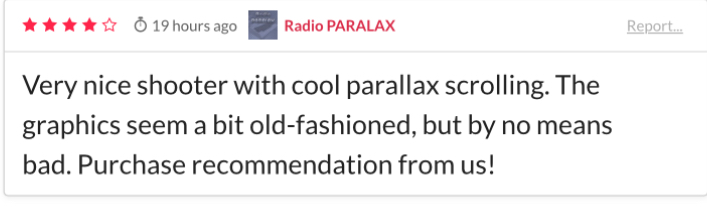
Nice! Thank you for doing a review and for nice comment. We really appreciate that! We wanted to make a shooter with classic 90’s vibe and graphical environment.
Hi. Thank you for posting. We are new to this platform. The intension was a price at 3.99 with the possibility to pay less. Technically itch seems to turn this upside down. Everyone must feel free to pay what they think it is worth:-) We are happy either way:-)