Conversation


|
👍
Yes. You can scroll it with the wheel, but I actually didn't think there was any real reason for the scrollbar to appear. I was wrong. The text can of course be longer than one line and then it would be useful. I can drop that change. |
|
This earlier code for scrollbar position is commented out. I've played along with it and it looks like it's working but I still think new messages on top is the way to go. Remove? pioneer/data/pigui/modules/comms.lua Lines 102 to 105 in cc7e945
I've tested it some more and I still think removing the scrollbar is better. It can still be scrolled with the mouse wheel and the text isn't persistent anyway. |
 sturnclaw
left a comment
sturnclaw
left a comment
sturnclaw
left a comment
There was a problem hiding this comment.
I agree that new messages on top and removing the scrollbar is better - if the player wants to see the whole message, there's a button right there to open the commslog window and scroll the entire thing. Overall this is a very short and clean PR, thank you @zonkmachine!
If you want to do some future work in another PR, you could add a new messages count to the commslog button - count the number of messages that have appeared since the comms log was last opened, set the imgui cursor pos to somewhere in the top right of the comms log button, and ui.text() the number. That might resolve any questions that messages could be potentially missed by the player.
I'll keep that in mind for future exploration. I haven't actually played around that much with Pioneer but it looks like most of the comms messages, at least at this point, are one liners and also pretty scarce in between. On my screen the small log is 6 lines long so the chance of it actually overflowing isn't that large. I could make it slightly larger to further reduce this chance. Today the size is |
|
OK. I think I'm done with comms log for this PR. |

3 participants


Two commits concerning the comms terminal.
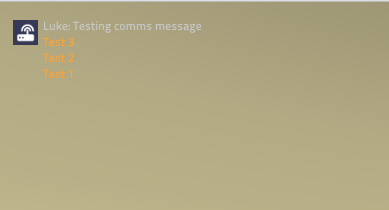
When new messages are pushed to the comms terminal they are eventually presented hidden after the old messages. Solved by showing the new messages on top. Pizzazz!
Fixes commslog does not move to last entry automatically #4688
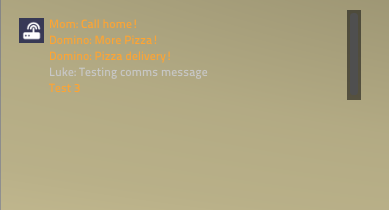
When the small window reaches its five maximum line a scrollbar appears to the right. Scrollbar removed.
Pictures of the comms log messages propagating top to bottom and with scrollbar with five messages.