| title | description | noIndex | noContent |
|---|---|---|---|
Deepnote API |
Run your notebooks programmatically |
false |
false |
The Deepnote API provides you with an endpoint to programmatically execute an existing notebook. This enables various automation use cases from customized scheduling to integrating notebooks deeper into your workflows together with other applications.
To use the API, first you need to create an API key in your workspace's Settings & members > Security > API keys.
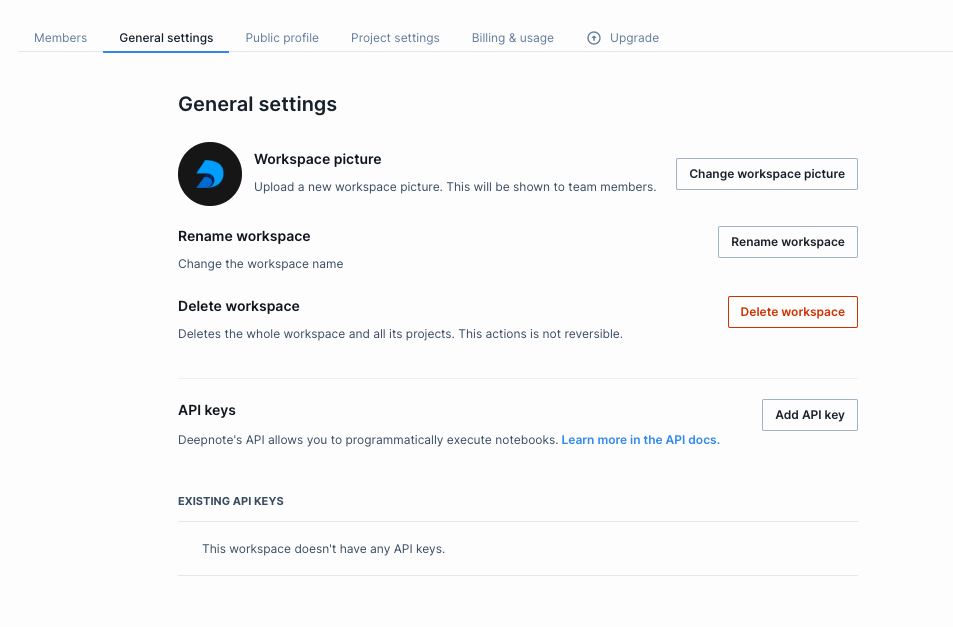
After creating your API key, you can use it to post requests to the Deepnote API. To use it, send it as bearer token in the Authorization header of your requests.
Authorization: Bearer INSERT_API_KEY
POST https://api.deepnote.com/v1/projects/{project_id}/notebooks/{notebook_id}/execute
If the project's machine is offline, this starts the machine. If the notebook is already running, triggering this endpoint has no effect.
To find the project ID and notebook ID, open a Deepnote notebook in your browser and inspect the URL, it should be in the following format:
https://deepnote.com/workspace/{workspace name}-{workspace ID}/project/{project name}-{project ID}/notebook/{notebook name}-{notebook ID}
The project ID is a UUID with dashes (e.g. 25fcb3b2-cf3d-4c08-9b24-4306f1518caa) and the notebook ID is a UUID without dashes (e.g. abaf726ac4c34589961a588de29cd665).
| Parameters | Example | Description |
|---|---|---|
| Path parameters | ||
project_id |
The ID of the project that the notebook is located in. | |
notebook_id |
The ID of the notebook. | |
| Header parameters | ||
Authorization |
Bearer {API_KEY} |
Your API key |
| Response code | Description |
|---|---|
202(Accepted) |
The request was successfully received and the notebook was staged for execution. |
401(Unauthorized) |
No API key was provided, or it's not associated with the workspace that owns the project, or the workspace is not on one of the required billing plans. |