Deltarune: Lightners Live Plus
Welcome to Deltarune: Lightners Live Plus, a fangame recreation of the rhythm game from Deltarune Chapter 3!
Scroll down to the bottom of this description for the downloadable build. You can use the Itch App to get auto-updates if you want.
Here's the link to the Custom Map Guide
Here's the link to the GameBanana page, where you can download and upload custom maps
Deltaurune: Lightners Live Plus has maps of ALL 38 Chapter 3 tracks, and most of the main tracks from Chapters 1 and 2, some unused tracks, and 15 Undertale tracks. It also has custom map support. I'm working on adding Chapter 4 maps for a future update. If you want more info on updates, follow me on Bluesky and Twitter, I'll be posting about this game on there. Also check out my youtube :) All of those are linked below. If you enjoy the game, feel free to share it if you want, including recording/streaming on YouTube/Twitch/wherever else if you want to! (also feel free to let me know, I'd love to watch!)
Controls are mostly the same as UTDR in the café. In the main rhythm game, the same controls as Deltarune's version will work as well as additional options: A&D, F&J, S&K (or any combination of those you want) or bumpers/triggers (on controller). To exit a map, press C (Y/Triangle on controller), you need to hold it while the map is in progress to prevent accidently pressing it. F4 (or Back/Share on controller) will toggle fullscreen. Holding Esc/Select/Options will close the game (mainly useful in the downloadable version, although it will still work on the web version). Controls in menus will generally be shown on the bottom of the screen, updating depending on your input method (keyboard or controller). Use left and right arrows/dpad to change which tab/map pack is shown in the map select menu.
FAQ:
Q: The notes aren't quite synced up with the music, how can I fix that?
A: There may be some latency depending on your setup (browser, device, input method). However, the game can account for this! There should have been a message telling you this when you the first time you booted it up, but if it's been a while and you forgot: to set this up, talk to Swatch in the café, and adjust the "Latency Offset" value. You can press C(/X/Square on controller) in that menu to load a map that's just a metronome with notes on the beats, that will let you change the value in real time so you can hone in on the perfect value for you.
Q: I'm having problems on Firefox, is that just me?
A: Unfortunately the game has some big issues on Firefox, the map just doesn't load sometimes (or always). I strongly recommend using Chrome/a Chromium based browser for this game, sorry.
Q: The game is lagging a lot and/or shows a warning about lots of lag, what can I do about this?
A: This can be caused by graphics acceleration being disabled in browser settings, try turning it on. To do this in desktop Chrome, click the three dots in the top right, then click settings. Then go to "System" on the left bar (or search "acceleration"), and turn ON the setting labelled "Use graphics acceleration when available". It'll probably be similar in other browsers (although again, Firefox is not recommended). You can also try the downloadable version, which should have better performance, causing this to be much less likely.
Q: So this is a browser game... if I open it on my phone's browser will that work?
A: Good question! It really depends. It doesn't work on my phone (which is pretty old and bad), but I've had other people test it and it works ok for them. So it's not something I'm officially supporting (since I can't really test it myself), but I added touch controls so you can play it if it works for you. Connecting a controller should work too if you'd rather have physical buttons.
Q: The game isn't taking up the full window, only part of it, how can I fix that?
A: This seems to be just a problem with some setups, this never happens for me but does happen for some other people. To fix, press F4 (or Back/Share on controller) twice (or just once to keep playing in fullscreen).
Q: The first few notes of some maps are slightly off timing, why is that?
A: Unfortunately that's just a problem I haven't been able to fully fix yet, I'll hopefully fix that (and some inconstancies with the hold notes) at some point. It's usually fine as long as the map has a gap of 2 seconds before the notes begin.
Q: Where is my save file?
A: There's not really an easy way to access it on web, but on Windows it'll be in C:\Users\[your name here]\AppData\Roaming\Godot\app_userdata\Deltarune Lightners Live
There's no "Plus" because that was the name I originally had before release, and I forgot to change it in the settings when first releasing the game. If I changed it now, people would lose their save data, especially on web where they can't just go into the files and copy it over.
Q: Why is there no native Linux version?
A: I wanted to have a Linux version ready to launch at the same time as the Windows build, but unfortunately it had some problems, specifically the metadata for the maps wasn't being read. It's still technically playable, but I'd ideally like to get that fixed before I release it, so I'm delaying the Linux version. Hopefully I can get this fixed at some point, and I'll release it then. If enough people ask I might just upload the broken version, with an in-game message explaining why it's broken, until it's fixed. However, you can use Proton or Wine to play! Note that there may be some bugs with this.
Q: The visuals are buggy, how can I fix it?
A: So apparently there was a buggy Nvidia driver (572.16) that caused this in Godot games. It should be fixed now, so try updating your graphics drivers and that should hopefully fix it!
Q: The downloadable version crashes at start up, what can I do to fix it?
A: Create a new text file inside the folder you extracted the game in, name it however you want, then open it and paste this:
"Deltarune Lightners Live Plus.exe" --rendering-driver opengl3
change the file extension from ".txt" to ".bat".
Now open the ".bat" file, which should run the game
If that still doesn't work, look in the command prompt window that will have also appeared when you ran that ".bat", and see if it outputs any errors when it crashes. Ignore the 3 red extension errors, and 1 yellow icon warning, they're known and shouldn't ever cause it to crash. But let me know if there's other ones, since that could explain the cause so I can fix it.
Q: I have some other problem, what can I do?
A: Sorry about that! I really rushed to get this released before Ch3&4, so I wasn't able to do quite as much bug testing as I would have liked. Let me know about it in the comments and I'll try to help/fix it.
Q: Where can I see more of the alternate music tracks?
A: They're all 8 bit covers made by me, I make them of UTDR and a bunch of other indie games too, here's a playlist of all my Deltarune covers on YouTube :)
I'll be making a bunch of Ch3&4 covers, so consider subscribing if that interests you :)
Here's some other places you can find me:
This game is primarily a solo project, but I couldn't have done it without some other people too!
Lateasusual https://bsky.app/profile/lateasusual.bsky.social : Occasional coding advice and testing
Two other IRL friends who aren't publicly online for testing
_imbit https://twitter.com/_imbit : recreations of the fun gang sprites
orodelta https://bsky.app/profile/orodelta.bsky.social and rvpine https://bsky.app/profile/rvpine.bsky.social : recreations of the stage sprites
Toby Fox and the rest of the Deltarune team: Creating Deltarune in the first place (to be clear this is an unofficial fangame, I am not affiliated with the Deltarune team in any way)
Godot Foundation and Godot's contributors: Creating the Godot engine
And thank you for playing! <3
Download
Development log
- V1.5: Undertale 10th Anniversary Map PackSep 15, 2025
- V1.4.1: Fix for new High Scores not updating in menuJul 22, 2025
- V1.4: Chapter 3 Maps and Tabs/Map PacksJul 22, 2025
- V1.3.1: Show name on score screen and Ghost TapsJun 24, 2025
- V1.3 : CUSTOM MAP SUPPORT!!!Jun 19, 2025
- V1.2 : Inherit score and small fixesMay 29, 2025
- V1.1 : Small fixesMay 25, 2025


Comments
Log in with itch.io to leave a comment.
I 100%ED TV TIME WITH A 501 COMBO OH MY GOD
OUT OF 501
SUGGESTION FOR SOMETHING TO ADD- A counter to tell you how much you have missed mid song
have you tried counting it yourself?
Problem- randomly crashes sometimes when I start a song
It takes forever to load so its really annoying
Edit- It only happens when I leave a song and quickly re enter
Edit 2- It crashes other tabs on my device as well!
Edit 3- It only crashes web ports of ut/dr fangames wtf
My current best at TV time is 99%
so peak broo
I LOVE this fangame
Easily second best Deltarune fangame I've ever played (First is deltatraveler)
Only problem- I am on Chromebook, so there is no way to go Fullscreen because the f4 key doesn't exist for some reason
https://www.howtogeek.com/713365/how-to-use-function-keys-on-a-chromebook-keyboa...
An awesome recreation of the original! I love all the new songs added, and the custom chart compatibility is the cherry on top!
so cool!!!!!!!!
the game seems to be limited to 144 fps, is this intentional or a bug with my monitor?
Yes it's not a bug, it's a hard limit I put on just to make sure there wasn't any bugs, especially on the web version. I'd like to just put an option in the menu so people can choose themselves, but the menu is already completely full (there's already another option in my dev build), so I'll need to do a proper revamp of the menu to allow scrolling or tabs, so that'll be in a later update so Ch4 maps aren't delayed any further
wouldn't 120 hz be a much better hard limit? it divides better with most monitor refresh rates
could you maybe add a way to turn off the moving spotlights in the background im pretty sure theyre giving me visual hallucinations? if i play the game for too long it looks like everything is shifting around me?? this could also be a me problem idk. insanely fun though the reason this is happening is bc im playing for long periods of time
Thanks, glad you like the game! That sounds like it's a "motion aftereffect" illusion, which if it's moving upwards is actually probably caused by the notes themselves, not the spotlights, since it requires constant movement in one direction (the notes in this case), not something moving up and down like the spotlights. So it would probably still happen if the spotlight were disabled.
That being said I'll still consider it for when I do a revamp of the settings menu. I would do it in the next update (Ch4 maps), but the menu already has a new setting coming that update, and the menu is now completely full, so to add another one I'll need to do a revamp to allow for more options, which will be a bunch more work than just adding a single option, so it'll be it's own update so Ch4 maps aren't delayed any further
thank youu :D yeah that makes more sense i just wont play the game for too long
Nah the jump scare was cool asf the adrenaline rush I got from that fueled me for the rest of the night. I loved it--felt like it was more of a surprise than a scare. Has been my favorite thing so far, made me love this game even more lol. Felt fitting for dr.
It seems that long notes can give different amounts of points on differents computers. A streamer i was watching got 150 points for a long note while i only got 120 for the same one.
I'm assuming it's a framerate related issue. If you speed the game up in cheat engine, long notes actually give MORE points for some reason, and at 0.5x speed, they give 0-2 points (not even that is consistent).
Yeah that's been a problem that I've been trying to fix for a while now (well tbh more like, wanting to fix it but dreading having to basically redo the scoring code so I kept putting it off lol), but I finally fixed it last week! It's consistent now in my dev build (apart from very very slight inconstancies that I'm pretty sure are just floating point imprecision, they're way too small to affect the score since it's shown as an integer in-game anyway, so it's basically negligible). It'll be in the next update, which will also have some other stuff like all Ch4 maps!
Just a small thing, but if you have a custom map with too long of a title AND the folder it's in has enough maps to need a vertical scrollbar, it cuts off the start of every map title in the list
↓ overflow w/o scrollbar
↓ overflow w/ scrollbar
Ah thanks, just fixed it. That'll be in fixed in the next update, the Ch4 map update.
absolute GAMING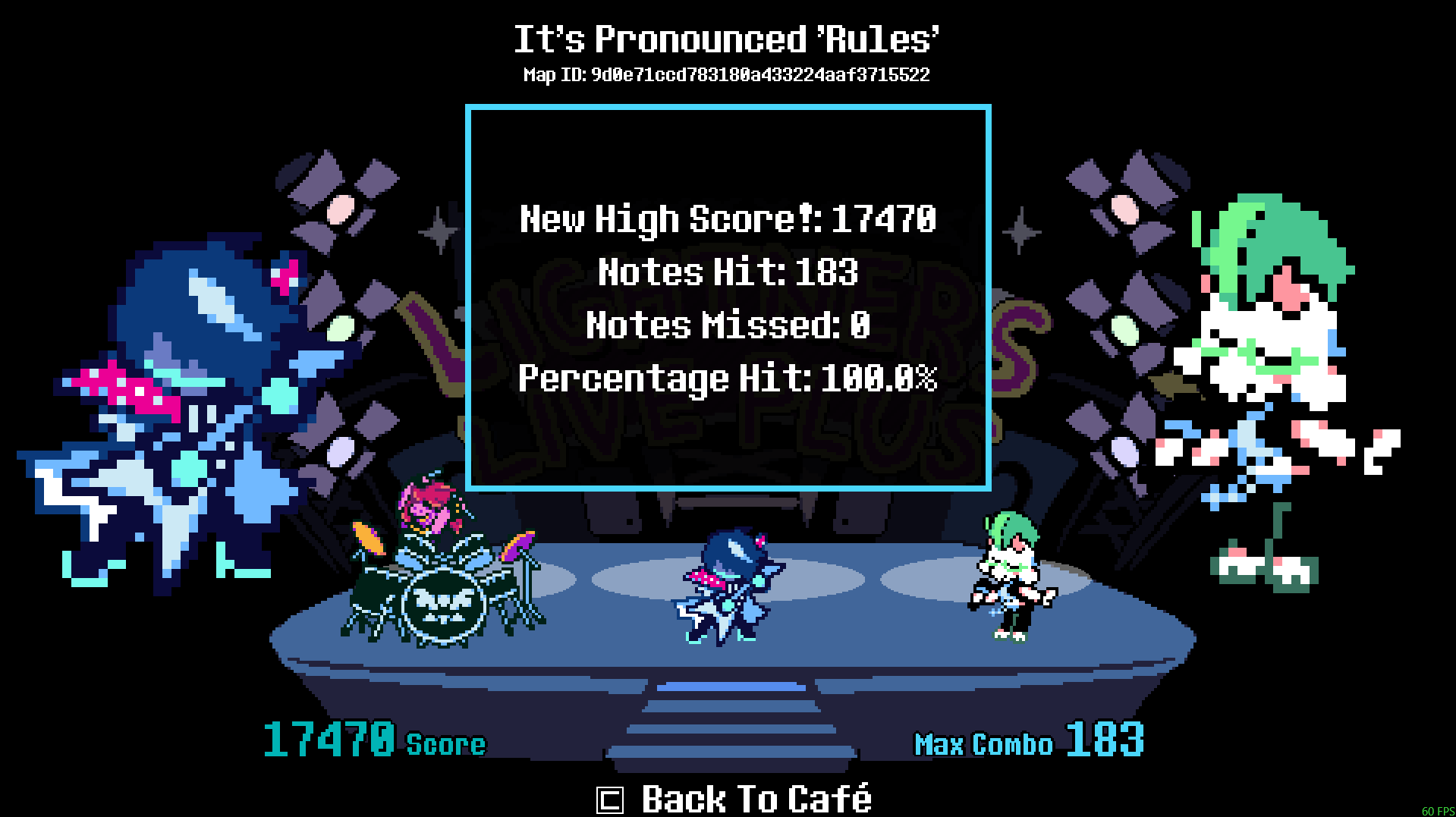
i...i 100%ed field of hopes and dreams,466 NOTES WITHOUT MISING ONE
Really fun and awesome! Thanks for making this.
im kinda just goated
also please add through the fire and flames it would be so funny
Congrats! That's some very impressive stuff right there.
1. those maps are difficulty hard tho?
2. There's already a custom map for that song, it has nothing to do with deltarune so it shouldn't be in the main game
Dude the friend jumpscare is just pure evil
97% CRICKEWTS LET S GOOO
imma a bad ass hardcore so i 93%ed raise up your bat first try 151 max combo hell yeah
also the entire game is good but i wish like we can with the npcs like in the original game
fc'd attack of the killer queen original 2nd try can u make chapter 4 harder?
good and needs more updates, it gets a out of
took me a solid day but i finally got 100% on raise up your bat hell yeah
This is super fun!! SWORD is my favorite to play out of them.
Please add an option to rebind the keys!
I'm focusing on Ch4 maps for now, but yes I'd like to add that at some point
Hey EzioEagle, dont know how to contact you in another way than this hehe. Anyways im working on a demake of this for the 3ds, and im at the point of needing the midi and mp3 files(not really since I got them from other sources), if your willing to share them I will be over the moon, if not no worries. I hope you have a nice day and thanks for reading this!
Hi, sounds cool! I'd be interested to see it if you finish it. I can't give out the mp3s, but sure here's the midis https://drive.google.com/drive/folders/15CVtfOD-icPs4pwP3hUSFjT_CBQyzc0o?usp=sha...
Thanks so much! I can try to attach a screenshot of how its going so far. Anyways huge help, I can get to actually implementing the main game part! :yipee: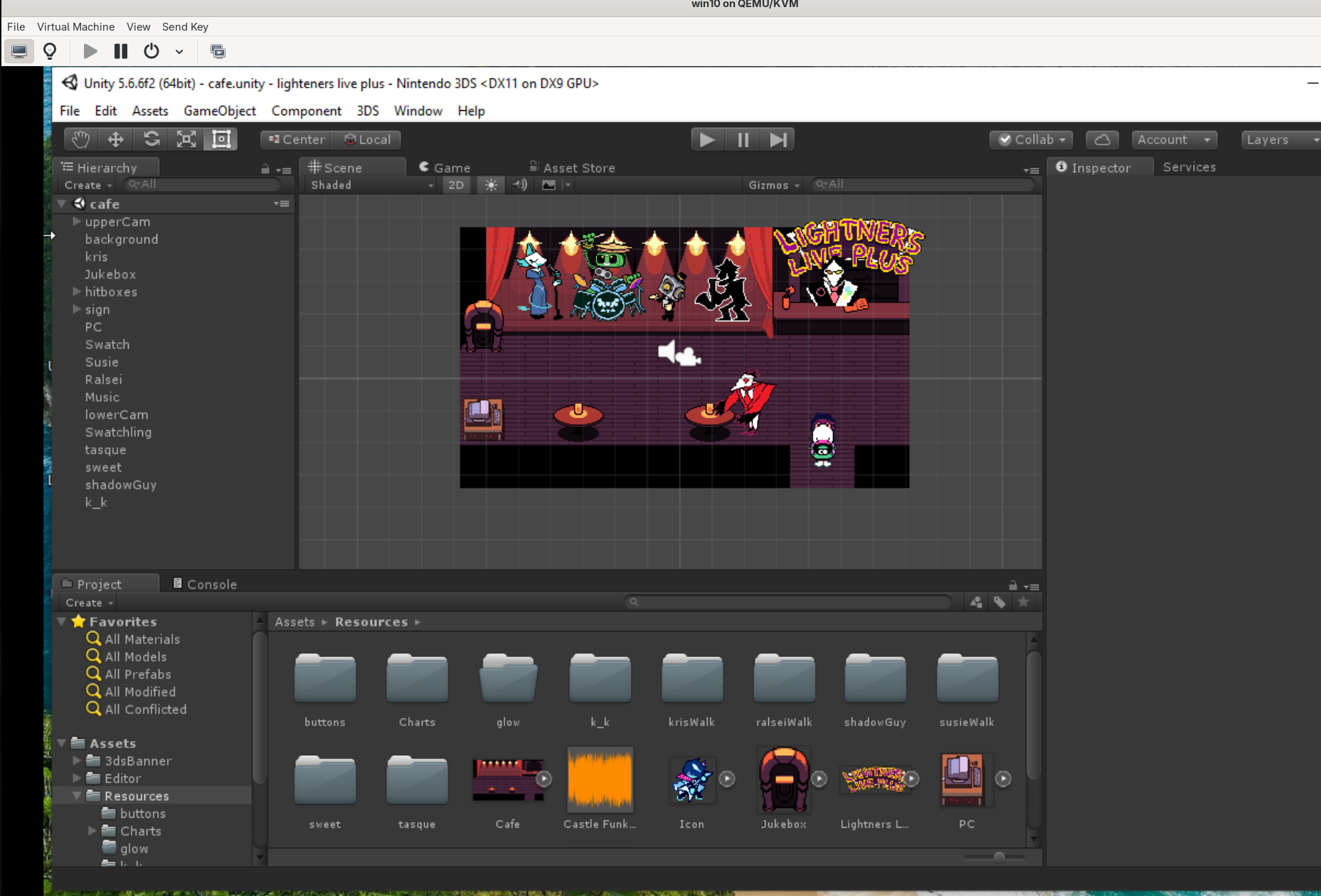
Looks good!
Just a quick little progress report! have notes spawning, song selection, and most of the game done now(only songs from chapter 1 & 2 because its already almost 70 mb in size) will add key binding in the near future and see how it goes from there!
Oh, also google drive needs viewing perms. Ill let you know how the game is going every now and then though
Oh sorry, should work now
Hey, this looks awesome! If you ever do consider it, a ps vita port would be also be sick!
I mean if there is a way to compile for ps vita using unity 5.6.6f2 then I might do it, but since I personally do not have a ps vita :sadge: I havent looked into this yet.
Real cool game. Will song that might play when you fight sans be added at some point? It's a real cool song.
that's what custom maps are for lol
I'm focusing on Ch4 maps for now, but I might add more Undertale maps eventually. For now, yeah a custom map could work
EZIO IF YOU ADD THE PIANO SONGS FROM NOELLES HOUSE LIKE WAITING ROOM AND LANCER WALTZ I WILL BE SO HAPPY!!!!!!!!!
I do love them too, but the Ch4 maps update will probably be just the OST tracks since there's already so many of them (40) and I don't want to delay it any more. I might do them after though, although making the maps will probably be a pain because they're played without a metronome, so I'll need to manually get the timing of each note perfect instead of just snapping them to the grid, which will take a lot longer.
when will 40. Hymn going to be added here??
The next update I'm working on is the Ch4 maps update, so it'll be in that!
so i downloaded some custom maps, unzipped them, put them in the custom maps folder but they just like.. don't show up in game lol. i wonder if maybe the game is looking for the files in the wrong location, since i've moved it since opening it for the first time. but even when i moved it back to its original location, nothing. am i doing something wrong cause apparently it's such an simple process and yet 😭 sorry i am pretty shit when it comes to stuff like this
Hmm yeah that should work. So just to confirm, the Custom Maps folder should be in the same folder as the exe, and then inside that should be all the folders with your maps (or folders containing folders with maps if they're sorted into map packs). So for example, the path of the midi file should be (game folder)\Custom Maps\Map\Map.mid, or (game folder)\Custom Maps\Map Pack\Map\Map.mid if it's in a map pack.
Maybe try just redownloading it completely, put the maps in there and try it
yeah no, still nothing :/ when i open the freshly downloaded copy i still have my previous game data/stats so that might have something to do with it maybe? even when the previous copy is deleted. also might be worth mentioning i have never even seen the tab for custom tracks in game either, i only found out there was supposed to be one already(?) via the custom map guide
hold up i may be stupid i was interacting with the jukebox instead of pc this whole time... oops lol. thank you anyway! i got em now ^^
Hi!! Is there a way to get the source code ? I'd like to try to make a ps-vita port if you're ok with it :3
Hi, sorry it's not open source, but glad you like it!
the game starts okay, but for some reason i can't move :( i tried to use arrow keys AND wasd, but neither works
Try clicking on the game, it might just be not focused. If that doesn't, work, are you playing the web version or the downloadable version?
The downloadable version! I tried clicking on the window and fullscreening it too, but it still didn't work. The web version works fine for me, though, so I've been playing that :3
I'm having an issue where I can't interact with anything with the enter key, and therefore can't play the game properly. Am I just pressing the wrong button or what?
Oh, I actually didn't know Enter worked for interact in Deltarune, I thought it was just Z like the menu says. But yes, use Z, and I'll add Enter (and Shift for Cancel) an an accepted input for interact in the next update
ilove ghthis game becaus i can do the frisk dance anyway i love tyhis game ecxept that its kinda laggy and i keep missing notes bc of it but still grat game after all!!!!!!!!!!!1111
Is custom map support ever planned on being added to the web version? I play via Mac so i can't download the game to use it.
I would like to, but none of the ways I've tried to do it have worked. As far as I can tell, there's no way for a web Godot game to access folders on your pc like the the downloadable build does. There is a Godot extension that lets it read a single file, which could theoretically work by having you input a zip of the map, but it doesn't work with files that are over a certain size, so it can't read the music files.
I think there are programs that let you run Windows exes on Mac, that might work for this game? I haven't tested it though since I don't have a Mac.
didn't though of that but it works surprisingly well. thought it'd just be way out of sync but no problem at all (at least with crossover, don't know for the rest).
Nice, glad it works!
undertale anniversary pack was a pleasant surprise! ty!! i made a google sheet to track my progress until there's a feature for that in the game: https://docs.google.com/spreadsheets/d/1DBQsE1RU-eTuMegd63oA4rQXnpoTXr_sj5fzm9a5... maybe it will be useful for somebody (you should make a copy to use it)
on the mobile controls at the end of a song it says c to exit but there is no button to press C pls fix i love the game:)
Oh oops I just forgot to change that text on mobile, you can just hold the X in the top right to exit. I'll fix that text in the next update
Hi, I’m boby dox.
rannoying dox
hey, EzioEagle. I was wondering when we will be able to play as susie, and ralsie (if i spelt any of their names wrong im sorry pls dont attack me, I haven't played deltarune, only played this.)
Edit: Also can you enable an option to turn on golden notes and such? aswell as an option to change the aesthetics of the outlines, borders, notes, the weird glowy thing that appears behind a note when you hit it, and a bunch of other stuff? because whenever i look at the middle of the screen, my vision goes blurry. i know this isnt just because i have bad eyesight, i have 20/20 vision, i checked a couple weeks ago. and it might have to do with the fact im colorblind
Hi, having Susie and Ralsei be playable would be cool, it's something I'd like to add at some point. More customisation is something I'd also like to add.