---
title: Agents · Cloudflare Agents docs
description: Most AI applications today are stateless — they process a request,
return a response, and forget everything. Real agents need more. They need to
remember conversations, act on schedules, call tools, coordinate with other
agents, and stay connected to users in real-time. The Agents SDK gives you all
of this as a TypeScript class.
lastUpdated: 2026-02-21T21:28:10.000Z
chatbotDeprioritize: false
tags: AI
source_url:
html: https://developers.cloudflare.com/agents/
md: https://developers.cloudflare.com/agents/index.md
---
Most AI applications today are stateless — they process a request, return a response, and forget everything. Real agents need more. They need to remember conversations, act on schedules, call tools, coordinate with other agents, and stay connected to users in real-time. The Agents SDK gives you all of this as a TypeScript class.
Each agent runs on a [Durable Object](https://developers.cloudflare.com/durable-objects/) — a stateful micro-server with its own SQL database, WebSocket connections, and scheduling. Deploy once and Cloudflare runs your agents across its global network, scaling to tens of millions of instances. No infrastructure to manage, no sessions to reconstruct, no state to externalize.
### Get started
Three commands to a running agent. No API keys required — the starter uses [Workers AI](https://developers.cloudflare.com/workers-ai/) by default.
```sh
npx create-cloudflare@latest --template cloudflare/agents-starter
cd agents-starter && npm install
npm run dev
```
The starter includes streaming AI chat, server-side and client-side tools, human-in-the-loop approval, and task scheduling — a foundation you can build on or tear apart. You can also swap in [OpenAI, Anthropic, Google Gemini, or any other provider](https://developers.cloudflare.com/agents/api-reference/using-ai-models/).
[Build a chat agent ](https://developers.cloudflare.com/agents/getting-started/build-a-chat-agent/)Step-by-step tutorial that walks through the starter and shows how to customize it.
[Add to an existing project ](https://developers.cloudflare.com/agents/getting-started/add-to-existing-project/)Install the agents package into a Workers project and wire up routing.
### What agents can do
* **Remember everything** — Every agent has a built-in [SQL database](https://developers.cloudflare.com/agents/api-reference/store-and-sync-state/) and key-value state that syncs to connected clients in real-time. State survives restarts, deploys, and hibernation.
* **Build AI chat** — [`AIChatAgent`](https://developers.cloudflare.com/agents/api-reference/chat-agents/) gives you streaming AI chat with automatic message persistence, resumable streams, and tool support. Pair it with the [`useAgentChat`](https://developers.cloudflare.com/agents/api-reference/chat-agents/) React hook to build chat UIs in minutes.
* **Think with any model** — Call [any AI model](https://developers.cloudflare.com/agents/api-reference/using-ai-models/) — Workers AI, OpenAI, Anthropic, Gemini — and stream responses over [WebSockets](https://developers.cloudflare.com/agents/api-reference/websockets/) or [Server-Sent Events](https://developers.cloudflare.com/agents/api-reference/http-sse/). Long-running reasoning models that take minutes to respond work out of the box.
* **Use and serve tools** — Define server-side tools, client-side tools that run in the browser, and [human-in-the-loop](https://developers.cloudflare.com/agents/concepts/human-in-the-loop/) approval flows. Expose your agent's tools to other agents and LLMs via [MCP](https://developers.cloudflare.com/agents/api-reference/mcp-agent-api/).
* **Act on their own** — [Schedule tasks](https://developers.cloudflare.com/agents/api-reference/schedule-tasks/) on a delay, at a specific time, or on a cron. Agents can wake themselves up, do work, and go back to sleep — without a user present.
* **Browse the web** — Spin up [headless browsers](https://developers.cloudflare.com/agents/api-reference/browse-the-web/) to scrape, screenshot, and interact with web pages.
* **Orchestrate work** — Run multi-step [workflows](https://developers.cloudflare.com/agents/api-reference/run-workflows/) with automatic retries, or coordinate across multiple agents.
* **React to events** — Handle [inbound email](https://developers.cloudflare.com/agents/api-reference/email/), HTTP requests, WebSocket messages, and state changes — all from the same class.
### How it works
An agent is a TypeScript class. Methods marked with `@callable()` become typed RPC that clients can call directly over WebSocket.
* JavaScript
```js
import { Agent, callable } from "agents";
export class CounterAgent extends Agent {
initialState = { count: 0 };
@callable()
increment() {
this.setState({ count: this.state.count + 1 });
return this.state.count;
}
}
```
* TypeScript
```ts
import { Agent, callable } from "agents";
export class CounterAgent extends Agent {
initialState = { count: 0 };
@callable()
increment() {
this.setState({ count: this.state.count + 1 });
return this.state.count;
}
}
```
```tsx
import { useAgent } from "agents/react";
function Counter() {
const [count, setCount] = useState(0);
const agent = useAgent({
agent: "CounterAgent",
onStateUpdate: (state) => setCount(state.count),
});
return ;
}
```
For AI chat, extend `AIChatAgent` instead. Messages are persisted automatically, streams resume on disconnect, and the React hook handles the UI.
* JavaScript
```js
import { AIChatAgent } from "@cloudflare/ai-chat";
import { createWorkersAI } from "workers-ai-provider";
import { streamText, convertToModelMessages } from "ai";
export class ChatAgent extends AIChatAgent {
async onChatMessage() {
const workersai = createWorkersAI({ binding: this.env.AI });
const result = streamText({
model: workersai("@cf/zai-org/glm-4.7-flash"),
messages: await convertToModelMessages(this.messages),
});
return result.toUIMessageStreamResponse();
}
}
```
* TypeScript
```ts
import { AIChatAgent } from "@cloudflare/ai-chat";
import { createWorkersAI } from "workers-ai-provider";
import { streamText, convertToModelMessages } from "ai";
export class ChatAgent extends AIChatAgent {
async onChatMessage() {
const workersai = createWorkersAI({ binding: this.env.AI });
const result = streamText({
model: workersai("@cf/zai-org/glm-4.7-flash"),
messages: await convertToModelMessages(this.messages),
});
return result.toUIMessageStreamResponse();
}
}
```
Refer to the [quick start](https://developers.cloudflare.com/agents/getting-started/quick-start/) for a full walkthrough, the [chat agents guide](https://developers.cloudflare.com/agents/api-reference/chat-agents/) for the full chat API, or the [Agents API reference](https://developers.cloudflare.com/agents/api-reference/agents-api/) for the complete SDK.
***
### Build on the Cloudflare Platform
**[Workers AI](https://developers.cloudflare.com/workers-ai/)**
Run machine learning models, powered by serverless GPUs, on Cloudflare's global network. No API keys required.
**[Workers](https://developers.cloudflare.com/workers/)**
Build serverless applications and deploy instantly across the globe for exceptional performance, reliability, and scale.
**[AI Gateway](https://developers.cloudflare.com/ai-gateway/)**
Observe and control your AI applications with caching, rate limiting, request retries, model fallback, and more.
**[Vectorize](https://developers.cloudflare.com/vectorize/)**
Build full-stack AI applications with Vectorize, Cloudflare's vector database for semantic search, recommendations, and providing context to LLMs.
**[Workflows](https://developers.cloudflare.com/workflows/)**
Build stateful agents that guarantee executions, including automatic retries, persistent state that runs for minutes, hours, days, or weeks.
---
title: Overview · Cloudflare AI Gateway docs
description: Cloudflare's AI Gateway allows you to gain visibility and control
over your AI apps. By connecting your apps to AI Gateway, you can gather
insights on how people are using your application with analytics and logging
and then control how your application scales with features such as caching,
rate limiting, as well as request retries, model fallback, and more. Better
yet - it only takes one line of code to get started.
lastUpdated: 2026-02-18T19:10:24.000Z
chatbotDeprioritize: false
tags: AI
source_url:
html: https://developers.cloudflare.com/ai-gateway/
md: https://developers.cloudflare.com/ai-gateway/index.md
---
Observe and control your AI applications.
Available on all plans
Cloudflare's AI Gateway allows you to gain visibility and control over your AI apps. By connecting your apps to AI Gateway, you can gather insights on how people are using your application with analytics and logging and then control how your application scales with features such as caching, rate limiting, as well as request retries, model fallback, and more. Better yet - it only takes one line of code to get started.
Check out the [Get started guide](https://developers.cloudflare.com/ai-gateway/get-started/) to learn how to configure your applications with AI Gateway.
## Features
### Analytics
View metrics such as the number of requests, tokens, and the cost it takes to run your application.
[View Analytics](https://developers.cloudflare.com/ai-gateway/observability/analytics/)
### Logging
Gain insight on requests and errors.
[View Logging](https://developers.cloudflare.com/ai-gateway/observability/logging/)
### Caching
Serve requests directly from Cloudflare's cache instead of the original model provider for faster requests and cost savings.
[Use Caching](https://developers.cloudflare.com/ai-gateway/features/caching/)
### Rate limiting
Control how your application scales by limiting the number of requests your application receives.
[Use Rate limiting](https://developers.cloudflare.com/ai-gateway/features/rate-limiting/)
### Request retry and fallback
Improve resilience by defining request retry and model fallbacks in case of an error.
[Use Request retry and fallback](https://developers.cloudflare.com/ai-gateway/features/dynamic-routing/)
### Your favorite providers
Workers AI, Anthropic, Google Gemini, OpenAI, Replicate, and more work with AI Gateway.
[Use Your favorite providers](https://developers.cloudflare.com/ai-gateway/usage/providers/)
***
## Related products
**[Workers AI](https://developers.cloudflare.com/workers-ai/)**
Run machine learning models, powered by serverless GPUs, on Cloudflare’s global network.
**[Vectorize](https://developers.cloudflare.com/vectorize/)**
Build full-stack AI applications with Vectorize, Cloudflare's vector database. Adding Vectorize enables you to perform tasks such as semantic search, recommendations, anomaly detection or can be used to provide context and memory to an LLM.
## More resources
[Developer Discord](https://discord.cloudflare.com)
Connect with the Workers community on Discord to ask questions, show what you are building, and discuss the platform with other developers.
[Use cases](https://developers.cloudflare.com/use-cases/ai/)
Learn how you can build and deploy ambitious AI applications to Cloudflare's global network.
[@CloudflareDev](https://x.com/cloudflaredev)
Follow @CloudflareDev on Twitter to learn about product announcements, and what is new in Cloudflare Workers.
---
title: Cloudflare AI Search · Cloudflare AI Search docs
description: Build scalable, fully-managed RAG applications with Cloudflare AI
Search. Create retrieval-augmented generation pipelines to deliver accurate,
context-aware AI without managing infrastructure.
lastUpdated: 2026-02-23T17:33:33.000Z
chatbotDeprioritize: false
tags: AI
source_url:
html: https://developers.cloudflare.com/ai-search/
md: https://developers.cloudflare.com/ai-search/index.md
---
Create AI-powered search for your data
Available on all plans
AI Search is Cloudflare’s managed search service. You can connect your data such as websites or unstructured content, and it automatically creates a continuously updating index that you can query with natural language in your applications or AI agents. It natively integrates with Cloudflare’s developer platform tools like Vectorize, AI Gateway, R2, Browser Rendering and Workers AI, while also supporting third-party providers and open standards.
It supports retrieval-augmented generation (RAG) patterns, enabling you to build enterprise search, natural language search, and AI-powered chat without managing infrastructure.
[Get started](https://developers.cloudflare.com/ai-search/get-started)
[Watch AI Search demo](https://www.youtube.com/watch?v=JUFdbkiDN2U)
***
## Features
### Automated indexing
Automatically and continuously index your data source, keeping your content fresh without manual reprocessing.
[View indexing](https://developers.cloudflare.com/ai-search/configuration/indexing/)
### Multitenancy support
Create multitenancy by scoping search to each tenant’s data using folder-based metadata filters.
[Add filters](https://developers.cloudflare.com/ai-search/how-to/multitenancy/)
### Workers Binding
Call your AI Search instance for search or AI Search directly from a Cloudflare Worker using the native binding integration.
[Add to Worker](https://developers.cloudflare.com/ai-search/usage/workers-binding/)
### Similarity caching
Cache repeated queries and results to improve latency and reduce compute on repeated requests.
[Use caching](https://developers.cloudflare.com/ai-search/configuration/cache/)
***
## Related products
**[Workers AI](https://developers.cloudflare.com/workers-ai/)**
Run machine learning models, powered by serverless GPUs, on Cloudflare’s global network.
**[AI Gateway](https://developers.cloudflare.com/ai-gateway/)**
Observe and control your AI applications with caching, rate limiting, request retries, model fallback, and more.
**[Vectorize](https://developers.cloudflare.com/vectorize/)**
Build full-stack AI applications with Vectorize, Cloudflare’s vector database.
**[Workers](https://developers.cloudflare.com/workers/)**
Build serverless applications and deploy instantly across the globe for exceptional performance, reliability, and scale.
**[R2](https://developers.cloudflare.com/r2/)**
Store large amounts of unstructured data without the costly egress bandwidth fees associated with typical cloud storage services.
***
## More resources
[Get started](https://developers.cloudflare.com/workers-ai/get-started/workers-wrangler/)
Build and deploy your first Workers AI application.
[Developer Discord](https://discord.cloudflare.com)
Connect with the Workers community on Discord to ask questions, share what you are building, and discuss the platform with other developers.
[@CloudflareDev](https://x.com/cloudflaredev)
Follow @CloudflareDev on Twitter to learn about product announcements, and what is new in Cloudflare Workers.
---
title: Browser Rendering · Cloudflare Browser Rendering docs
description: Control headless browsers with Cloudflare's Workers Browser
Rendering API. Automate tasks, take screenshots, convert pages to PDFs, and
test web apps.
lastUpdated: 2026-03-04T18:52:26.000Z
chatbotDeprioritize: false
source_url:
html: https://developers.cloudflare.com/browser-rendering/
md: https://developers.cloudflare.com/browser-rendering/index.md
---
Run headless Chrome on [Cloudflare's global network](https://developers.cloudflare.com/workers/) for browser automation, web scraping, testing, and content generation.
Available on Free and Paid plans
Browser Rendering enables developers to programmatically control and interact with headless browser instances running on Cloudflare’s global network.
## Use cases
Programmatically load and fully render dynamic webpages or raw HTML and capture specific outputs such as:
* [Markdown](https://developers.cloudflare.com/browser-rendering/rest-api/markdown-endpoint/)
* [Screenshots](https://developers.cloudflare.com/browser-rendering/rest-api/screenshot-endpoint/)
* [PDFs](https://developers.cloudflare.com/browser-rendering/rest-api/pdf-endpoint/)
* [Snapshots](https://developers.cloudflare.com/browser-rendering/rest-api/snapshot/)
* [Links](https://developers.cloudflare.com/browser-rendering/rest-api/links-endpoint/)
* [HTML elements](https://developers.cloudflare.com/browser-rendering/rest-api/scrape-endpoint/)
* [Structured data](https://developers.cloudflare.com/browser-rendering/rest-api/json-endpoint/)
## Integration methods
Browser Rendering offers multiple integration methods depending on your use case:
* **[REST API](https://developers.cloudflare.com/browser-rendering/rest-api/)**: Simple HTTP endpoints for stateless tasks like screenshots, PDFs, and scraping.
* **[Workers Bindings](https://developers.cloudflare.com/browser-rendering/workers-bindings/)**: Full browser automation within Workers using [Puppeteer](https://developers.cloudflare.com/browser-rendering/puppeteer/), [Playwright](https://developers.cloudflare.com/browser-rendering/playwright/), or [Stagehand](https://developers.cloudflare.com/browser-rendering/stagehand/).
| Use case | Recommended | Why |
| - | - | - |
| Simple screenshot, PDF, or scrape | [REST API](https://developers.cloudflare.com/browser-rendering/rest-api/) | No code deployment; single HTTP request |
| Browser automation | [Playwright](https://developers.cloudflare.com/browser-rendering/playwright/) | Full control with built-in tracing and assertions |
| Porting existing scripts | [Puppeteer](https://developers.cloudflare.com/browser-rendering/puppeteer/) or [Playwright](https://developers.cloudflare.com/browser-rendering/playwright/) | Minimal code changes from standard libraries |
| AI-powered data extraction | [JSON endpoint](https://developers.cloudflare.com/browser-rendering/rest-api/json-endpoint/) | Structured data via natural language prompts |
| AI agent browsing | [Playwright MCP](https://developers.cloudflare.com/browser-rendering/playwright/playwright-mcp/) | LLMs control browsers via MCP |
| Resilient scraping | [Stagehand](https://developers.cloudflare.com/browser-rendering/stagehand/) | AI finds elements by intent, not selectors |
## Key features
* **Scale to thousands of browsers**: Instant access to a global pool of browsers with low cold-start time, ideal for high-volume screenshot generation, data extraction, or automation at scale
* **Global by default**: Browser sessions run on Cloudflare's edge network, opening close to your users for better speed and availability worldwide
* **Easy to integrate**: [REST APIs](https://developers.cloudflare.com/browser-rendering/rest-api/) for common actions, while [Puppeteer](https://developers.cloudflare.com/browser-rendering/puppeteer/) and [Playwright](https://developers.cloudflare.com/browser-rendering/playwright/) provide familiar automation libraries for complex workflows
* **Session management**: [Reuse browser sessions](https://developers.cloudflare.com/browser-rendering/workers-bindings/reuse-sessions/) across requests to improve performance and reduce cold-start overhead
* **Flexible pricing**: Pay only for browser time used with generous free tier ([view pricing](https://developers.cloudflare.com/browser-rendering/pricing/))
## Related products
**[Workers](https://developers.cloudflare.com/workers/)**
Build serverless applications and deploy instantly across the globe for exceptional performance, reliability, and scale.
**[Durable Objects](https://developers.cloudflare.com/durable-objects/)**
A globally distributed coordination API with strongly consistent storage. Using Durable Objects to [persist browser sessions](https://developers.cloudflare.com/browser-rendering/workers-bindings/browser-rendering-with-do/) improves performance by eliminating the time that it takes to spin up a new browser session.
**[Agents](https://developers.cloudflare.com/agents/)**
Build AI-powered agents that autonomously navigate websites and perform tasks using [Playwright MCP](https://developers.cloudflare.com/browser-rendering/playwright/playwright-mcp/) or [Stagehand](https://developers.cloudflare.com/browser-rendering/stagehand/).
## More resources
[Get started](https://developers.cloudflare.com/browser-rendering/get-started/)
Choose between REST API and Workers Bindings, then deploy your first project.
[Limits](https://developers.cloudflare.com/browser-rendering/limits/)
Learn about Browser Rendering limits.
[Pricing](https://developers.cloudflare.com/browser-rendering/pricing/)
Learn about Browser Rendering pricing.
[Playwright API](https://developers.cloudflare.com/browser-rendering/playwright/)
Use Cloudflare's fork of Playwright for testing and automation.
[Developer Discord](https://discord.cloudflare.com)
Connect with the Workers community on Discord to ask questions, show what you are building, and discuss the platform with other developers.
[@CloudflareDev](https://x.com/cloudflaredev)
Follow @CloudflareDev on Twitter to learn about product announcements, and what is new in Cloudflare Workers.
---
title: Cloudflare for Platforms · Cloudflare for Platforms docs
description: "Cloudflare for Platforms is used by leading platforms big and small to:"
lastUpdated: 2025-12-29T17:29:32.000Z
chatbotDeprioritize: false
source_url:
html: https://developers.cloudflare.com/cloudflare-for-platforms/
md: https://developers.cloudflare.com/cloudflare-for-platforms/index.md
---
Build a platform where your customers can deploy code, each with their own subdomain or custom domain.
Cloudflare for Platforms is used by leading platforms big and small to:
* Build application development platforms tailored to specific domains, like ecommerce storefronts or mobile apps
* Power AI coding platforms that let anyone build and deploy software
* Customize product behavior by allowing any user to write a short code snippet
* Offer every customer their own isolated database
* Provide each customer with their own subdomain
***
## Deploy your own platform
Get a working platform running in minutes. Choose a template based on what you are building:
### Platform Starter Kit
[](https://deploy.workers.cloudflare.com/?url=https://github.com/cloudflare/templates/tree/main/worker-publisher-template)
An example of a platform where users can deploy code at scale. Each snippet becomes its own isolated Worker, served at `example.com/{app-name}`. Deploying this starter kit automatically configures Workers for Platforms with routing handled for you.
[View demo](https://worker-publisher-template.templates.workers.dev/)
[View on GitHub](https://github.com/cloudflare/templates/tree/main/worker-publisher-template)
### AI vibe coding platform
[](https://deploy.workers.cloudflare.com/?url=https://github.com/cloudflare/vibesdk)
Build an [AI vibe coding platform](https://developers.cloudflare.com/reference-architecture/diagrams/ai/ai-vibe-coding-platform/) where users describe what they want and AI generates and deploys working applications. Best for: AI-powered app builders, code generation tools, or internal platforms that empower teams to build applications & prototypes.
[VibeSDK](https://github.com/cloudflare/vibesdk) handles AI code generation, code execution in secure sandboxes, live previews, and deployment at scale.
[View demo](https://build.cloudflare.dev/)
[View on GitHub](https://github.com/cloudflare/vibesdk)
***
## Features
* **Isolation and multitenancy** — Each of your customers runs code in their own Worker, a [secure and isolated sandbox](https://developers.cloudflare.com/cloudflare-for-platforms/workers-for-platforms/reference/worker-isolation/).
* **Programmable routing, ingress, egress, and limits** — You write code that dispatches requests to your customers' code, and can control [ingress](https://developers.cloudflare.com/cloudflare-for-platforms/workers-for-platforms/configuration/dynamic-dispatch/), [egress](https://developers.cloudflare.com/cloudflare-for-platforms/workers-for-platforms/configuration/outbound-workers/), and set [per-customer limits](https://developers.cloudflare.com/cloudflare-for-platforms/workers-for-platforms/configuration/custom-limits/).
* **Databases and storage** — You can provide [databases, object storage, and more](https://developers.cloudflare.com/cloudflare-for-platforms/workers-for-platforms/configuration/bindings/) to your customers as APIs they can call directly, without API tokens, keys, or external dependencies.
* **Custom domains and subdomains** — You [call an API](https://developers.cloudflare.com/cloudflare-for-platforms/cloudflare-for-saas/domain-support/) to create custom subdomains or configure custom domains for each of your customers.
To learn how these components work together, refer to [How Workers for Platforms works](https://developers.cloudflare.com/cloudflare-for-platforms/workers-for-platforms/how-workers-for-platforms-works/).
---
title: Constellation · Constellation docs
description: Constellation allows you to run fast, low-latency inference tasks
on pre-trained machine learning models natively on Cloudflare Workers. It
supports some of the most popular machine learning (ML) and AI runtimes and
multiple classes of models.
lastUpdated: 2024-08-15T18:30:43.000Z
chatbotDeprioritize: false
source_url:
html: https://developers.cloudflare.com/constellation/
md: https://developers.cloudflare.com/constellation/index.md
---
Run machine learning models with Cloudflare Workers.
Constellation allows you to run fast, low-latency inference tasks on pre-trained machine learning models natively on Cloudflare Workers. It supports some of the most popular machine learning (ML) and AI runtimes and multiple classes of models.
Cloudflare provides a curated list of verified models, or you can train and upload your own.
Functionality you can deploy to your application with Constellation:
* Content generation, summarization, or similarity analysis
* Question answering
* Audio transcription
* Image or audio classification
* Object detection
* Anomaly detection
* Sentiment analysis
***
## More resources
[Developer Discord](https://discord.cloudflare.com)
Connect with the Workers community on Discord to ask questions, show what you are building, and discuss the platform with other developers.
[@CloudflareDev](https://x.com/cloudflaredev)
Follow @CloudflareDev on Twitter to learn about product announcements, and what is new in Cloudflare Workers.
---
title: Overview · Cloudflare Containers docs
description: Run code written in any programming language, built for any
runtime, as part of apps built on Workers.
lastUpdated: 2026-03-02T15:59:53.000Z
chatbotDeprioritize: false
source_url:
html: https://developers.cloudflare.com/containers/
md: https://developers.cloudflare.com/containers/index.md
---
Enhance your Workers with serverless containers
Available on Workers Paid plan
Run code written in any programming language, built for any runtime, as part of apps built on [Workers](https://developers.cloudflare.com/workers).
Deploy your container image to Region:Earth without worrying about managing infrastructure - just define your Worker and [`wrangler deploy`](https://developers.cloudflare.com/workers/wrangler/commands/#deploy).
With Containers you can run:
* Resource-intensive applications that require CPU cores running in parallel, large amounts of memory or disk space
* Applications and libraries that require a full filesystem, specific runtime, or Linux-like environment
* Existing applications and tools that have been distributed as container images
Container instances are spun up on-demand and controlled by code you write in your [Worker](https://developers.cloudflare.com/workers). Instead of chaining together API calls or writing Kubernetes operators, you just write JavaScript:
* Worker Code
```js
import { Container, getContainer } from "@cloudflare/containers";
export class MyContainer extends Container {
defaultPort = 4000; // Port the container is listening on
sleepAfter = "10m"; // Stop the instance if requests not sent for 10 minutes
}
export default {
async fetch(request, env) {
const { "session-id": sessionId } = await request.json();
// Get the container instance for the given session ID
const containerInstance = getContainer(env.MY_CONTAINER, sessionId);
// Pass the request to the container instance on its default port
return containerInstance.fetch(request);
},
};
```
* Worker Config
* wrangler.jsonc
```jsonc
{
"name": "container-starter",
"main": "src/index.js",
// Set this to today's date
"compatibility_date": "2026-03-09",
"containers": [
{
"class_name": "MyContainer",
"image": "./Dockerfile",
"max_instances": 5
}
],
"durable_objects": {
"bindings": [
{
"class_name": "MyContainer",
"name": "MY_CONTAINER"
}
]
},
"migrations": [
{
"new_sqlite_classes": ["MyContainer"],
"tag": "v1"
}
]
}
```
* wrangler.toml
```toml
name = "container-starter"
main = "src/index.js"
# Set this to today's date
compatibility_date = "2026-03-09"
[[containers]]
class_name = "MyContainer"
image = "./Dockerfile"
max_instances = 5
[[durable_objects.bindings]]
class_name = "MyContainer"
name = "MY_CONTAINER"
[[migrations]]
new_sqlite_classes = [ "MyContainer" ]
tag = "v1"
```
* wrangler.jsonc
```jsonc
{
"name": "container-starter",
"main": "src/index.js",
// Set this to today's date
"compatibility_date": "2026-03-09",
"containers": [
{
"class_name": "MyContainer",
"image": "./Dockerfile",
"max_instances": 5
}
],
"durable_objects": {
"bindings": [
{
"class_name": "MyContainer",
"name": "MY_CONTAINER"
}
]
},
"migrations": [
{
"new_sqlite_classes": ["MyContainer"],
"tag": "v1"
}
]
}
```
* wrangler.toml
```toml
name = "container-starter"
main = "src/index.js"
# Set this to today's date
compatibility_date = "2026-03-09"
[[containers]]
class_name = "MyContainer"
image = "./Dockerfile"
max_instances = 5
[[durable_objects.bindings]]
class_name = "MyContainer"
name = "MY_CONTAINER"
[[migrations]]
new_sqlite_classes = [ "MyContainer" ]
tag = "v1"
```
[Get started](https://developers.cloudflare.com/containers/get-started/)
[Containers dashboard](https://dash.cloudflare.com/?to=/:account/workers/containers)
***
## Next Steps
### Deploy your first Container
Build and push an image, call a Container from a Worker, and understand scaling and routing.
[Deploy a Container](https://developers.cloudflare.com/containers/get-started/)
### Container Examples
See examples of how to use a Container with a Worker, including stateless and stateful routing, regional placement, Workflow and Queue integrations, AI-generated code execution, and short-lived workloads.
[See Examples](https://developers.cloudflare.com/containers/examples/)
***
## More resources
[Beta Information](https://developers.cloudflare.com/containers/beta-info/)
Learn about the Containers Beta and upcoming features.
[Wrangler](https://developers.cloudflare.com/workers/wrangler/commands/#containers)
Learn more about the commands to develop, build and push images, and deploy containers with Wrangler.
[Limits](https://developers.cloudflare.com/containers/platform-details/#limits)
Learn about what limits Containers have and how to work within them.
[Containers Discord](https://discord.cloudflare.com)
Connect with other users of Containers on Discord. Ask questions, show what you are building, and discuss the platform with other developers.
---
title: Overview · Cloudflare D1 docs
description: D1 is Cloudflare's managed, serverless database with SQLite's SQL
semantics, built-in disaster recovery, and Worker and HTTP API access.
lastUpdated: 2025-08-18T14:27:42.000Z
chatbotDeprioritize: false
source_url:
html: https://developers.cloudflare.com/d1/
md: https://developers.cloudflare.com/d1/index.md
---
Create new serverless SQL databases to query from your Workers and Pages projects.
Available on Free and Paid plans
D1 is Cloudflare's managed, serverless database with SQLite's SQL semantics, built-in disaster recovery, and Worker and HTTP API access.
D1 is designed for horizontal scale out across multiple, smaller (10 GB) databases, such as per-user, per-tenant or per-entity databases. D1 allows you to build applications with thousands of databases at no extra cost for isolating with multiple databases. D1 pricing is based only on query and storage costs.
Create your first D1 database by [following the Get started guide](https://developers.cloudflare.com/d1/get-started/), learn how to [import data into a database](https://developers.cloudflare.com/d1/best-practices/import-export-data/), and how to [interact with your database](https://developers.cloudflare.com/d1/worker-api/) directly from [Workers](https://developers.cloudflare.com/workers/) or [Pages](https://developers.cloudflare.com/pages/functions/bindings/#d1-databases).
***
## Features
### Create your first D1 database
Create your first D1 database, establish a schema, import data and query D1 directly from an application [built with Workers](https://developers.cloudflare.com/workers/).
[Create your D1 database](https://developers.cloudflare.com/d1/get-started/)
### SQLite
Execute SQL with SQLite's SQL compatibility and D1 Client API.
[Execute SQL queries](https://developers.cloudflare.com/d1/sql-api/sql-statements/)
### Time Travel
Time Travel is D1’s approach to backups and point-in-time-recovery, and allows you to restore a database to any minute within the last 30 days.
[Learn about Time Travel](https://developers.cloudflare.com/d1/reference/time-travel/)
***
## Related products
**[Workers](https://developers.cloudflare.com/workers/)**
Build serverless applications and deploy instantly across the globe for exceptional performance, reliability, and scale.
**[Pages](https://developers.cloudflare.com/pages/)**
Deploy dynamic front-end applications in record time.
***
## More resources
[Pricing](https://developers.cloudflare.com/d1/platform/pricing/)
Learn about D1's pricing and how to estimate your usage.
[Limits](https://developers.cloudflare.com/d1/platform/limits/)
Learn about what limits D1 has and how to work within them.
[Community projects](https://developers.cloudflare.com/d1/reference/community-projects/)
Browse what developers are building with D1.
[Storage options](https://developers.cloudflare.com/workers/platform/storage-options/)
Learn more about the storage and database options you can build on with Workers.
[Developer Discord](https://discord.cloudflare.com)
Connect with the Workers community on Discord to ask questions, show what you are building, and discuss the platform with other developers.
[@CloudflareDev](https://x.com/cloudflaredev)
Follow @CloudflareDev on Twitter to learn about product announcements, and what is new in Cloudflare Developer Platform.
---
title: Overview · Cloudflare Durable Objects docs
description: Durable Objects provide a building block for stateful applications
and distributed systems.
lastUpdated: 2026-01-06T18:52:43.000Z
chatbotDeprioritize: false
source_url:
html: https://developers.cloudflare.com/durable-objects/
md: https://developers.cloudflare.com/durable-objects/index.md
---
Create AI agents, collaborative applications, real-time interactions like chat, and more without needing to coordinate state, have separate storage, or manage infrastructure.
Available on Free and Paid plans
Durable Objects provide a building block for stateful applications and distributed systems.
Use Durable Objects to build applications that need coordination among multiple clients, like collaborative editing tools, interactive chat, multiplayer games, live notifications, and deep distributed systems, without requiring you to build serialization and coordination primitives on your own.
[Get started](https://developers.cloudflare.com/durable-objects/get-started/)
Note
SQLite-backed Durable Objects are now available on the Workers Free plan with these [limits](https://developers.cloudflare.com/durable-objects/platform/pricing/).
[SQLite storage](https://developers.cloudflare.com/durable-objects/best-practices/access-durable-objects-storage/) and corresponding [Storage API](https://developers.cloudflare.com/durable-objects/api/sqlite-storage-api/) methods like `sql.exec` have moved from beta to general availability. New Durable Object classes should use wrangler configuration for [SQLite storage](https://developers.cloudflare.com/durable-objects/best-practices/access-durable-objects-storage/#wrangler-configuration-for-sqlite-durable-objects).
### What are Durable Objects?
A Durable Object is a special kind of [Cloudflare Worker](https://developers.cloudflare.com/workers/) which uniquely combines compute with storage. Like a Worker, a Durable Object is automatically provisioned geographically close to where it is first requested, starts up quickly when needed, and shuts down when idle. You can have millions of them around the world. However, unlike regular Workers:
* Each Durable Object has a **globally-unique name**, which allows you to send requests to a specific object from anywhere in the world. Thus, a Durable Object can be used to coordinate between multiple clients who need to work together.
* Each Durable Object has some **durable storage** attached. Since this storage lives together with the object, it is strongly consistent yet fast to access.
Therefore, Durable Objects enable **stateful** serverless applications.
For more information, refer to the full [What are Durable Objects?](https://developers.cloudflare.com/durable-objects/concepts/what-are-durable-objects/) page.
***
## Features
### In-memory State
Learn how Durable Objects coordinate connections among multiple clients or events.
[Use In-memory State](https://developers.cloudflare.com/durable-objects/reference/in-memory-state/)
### Storage API
Learn how Durable Objects provide transactional, strongly consistent, and serializable storage.
[Use Storage API](https://developers.cloudflare.com/durable-objects/api/sqlite-storage-api/)
### WebSocket Hibernation
Learn how WebSocket Hibernation allows you to manage the connections of multiple clients at scale.
[Use WebSocket Hibernation](https://developers.cloudflare.com/durable-objects/best-practices/websockets/#websocket-hibernation-api)
### Durable Objects Alarms
Learn how to use alarms to trigger a Durable Object and perform compute in the future at customizable intervals.
[Use Durable Objects Alarms](https://developers.cloudflare.com/durable-objects/api/alarms/)
***
## Related products
**[Workers](https://developers.cloudflare.com/workers/)**
Cloudflare Workers provides a serverless execution environment that allows you to create new applications or augment existing ones without configuring or maintaining infrastructure.
**[D1](https://developers.cloudflare.com/d1/)**
D1 is Cloudflare's SQL-based native serverless database. Create a database by importing data or defining your tables and writing your queries within a Worker or through the API.
**[R2](https://developers.cloudflare.com/r2/)**
Cloudflare R2 Storage allows developers to store large amounts of unstructured data without the costly egress bandwidth fees associated with typical cloud storage services.
***
## More resources
[Limits](https://developers.cloudflare.com/durable-objects/platform/limits/)
Learn about Durable Objects limits.
[Pricing](https://developers.cloudflare.com/durable-objects/platform/pricing/)
Learn about Durable Objects pricing.
[Storage options](https://developers.cloudflare.com/workers/platform/storage-options/)
Learn more about storage and database options you can build with Workers.
[Developer Discord](https://discord.cloudflare.com)
Connect with the Workers community on Discord to ask questions, show what you are building, and discuss the platform with other developers.
[@CloudflareDev](https://x.com/cloudflaredev)
Follow @CloudflareDev on Twitter to learn about product announcements, and what is new in Cloudflare Developer Platform.
---
title: Overview · Cloudflare Email Routing docs
description: Cloudflare Email Routing is designed to simplify the way you create
and manage email addresses, without needing to keep an eye on additional
mailboxes. With Email Routing, you can create any number of custom email
addresses to use in situations where you do not want to share your primary
email address, such as when you subscribe to a new service or newsletter.
Emails are then routed to your preferred email inbox, without you ever having
to expose your primary email address.
lastUpdated: 2025-10-27T15:00:52.000Z
chatbotDeprioritize: false
source_url:
html: https://developers.cloudflare.com/email-routing/
md: https://developers.cloudflare.com/email-routing/index.md
---
Create custom email addresses for your domain and route incoming emails to your preferred mailbox.
Available on all plans
Cloudflare Email Routing is designed to simplify the way you create and manage email addresses, without needing to keep an eye on additional mailboxes. With Email Routing, you can create any number of custom email addresses to use in situations where you do not want to share your primary email address, such as when you subscribe to a new service or newsletter. Emails are then routed to your preferred email inbox, without you ever having to expose your primary email address.
Email Routing is free and private by design. Cloudflare will not store or access the emails routed to your inbox.
It is available to all Cloudflare customers [using Cloudflare as an authoritative nameserver](https://developers.cloudflare.com/dns/zone-setups/full-setup/).
***
## Features
### Email Workers
Leverage the power of Cloudflare Workers to implement any logic you need to process your emails. Create rules as complex or simple as you need.
[Use Email Workers](https://developers.cloudflare.com/email-routing/email-workers/)
### Custom addresses
With Email Routing you can have many custom email addresses to use for specific situations.
[Use Custom addresses](https://developers.cloudflare.com/email-routing/get-started/enable-email-routing/)
### Analytics
Email Routing includes metrics to help you check on your email traffic history.
[Use Analytics](https://developers.cloudflare.com/email-routing/get-started/email-routing-analytics/)
***
## Related products
**[Email security](https://developers.cloudflare.com/cloudflare-one/email-security/)**
Cloudflare Email security is a cloud based service that stops phishing attacks, the biggest cybersecurity threat, across all traffic vectors - email, web and network.
**[DNS](https://developers.cloudflare.com/dns/)**
Email Routing is available to customers using Cloudflare as an authoritative nameserver.
---
title: Overview · Cloudflare Hyperdrive docs
description: Hyperdrive is a service that accelerates queries you make to
existing databases, making it faster to access your data from across the globe
from Cloudflare Workers, irrespective of your users' location.
lastUpdated: 2026-02-06T18:26:52.000Z
chatbotDeprioritize: false
source_url:
html: https://developers.cloudflare.com/hyperdrive/
md: https://developers.cloudflare.com/hyperdrive/index.md
---
Turn your existing regional database into a globally distributed database.
Available on Free and Paid plans
Hyperdrive is a service that accelerates queries you make to existing databases, making it faster to access your data from across the globe from [Cloudflare Workers](https://developers.cloudflare.com/workers/), irrespective of your users' location.
Hyperdrive supports any Postgres or MySQL database, including those hosted on AWS, Google Cloud, Azure, Neon and PlanetScale. Hyperdrive also supports Postgres-compatible databases like CockroachDB and Timescale. You do not need to write new code or replace your favorite tools: Hyperdrive works with your existing code and tools you use.
Use Hyperdrive's connection string from your Cloudflare Workers application with your existing Postgres drivers and object-relational mapping (ORM) libraries:
* PostgreSQL
* index.ts
```ts
import { Client } from "pg";
export default {
async fetch(request, env, ctx): Promise {
// Create a new client instance for each request. Hyperdrive maintains the
// underlying database connection pool, so creating a new client is fast.
const client = new Client({
connectionString: env.HYPERDRIVE.connectionString,
});
try {
// Connect to the database
await client.connect();
// Sample SQL query
const result = await client.query("SELECT * FROM pg_tables");
return Response.json(result.rows);
} catch (e) {
return Response.json({ error: e instanceof Error ? e.message : e }, { status: 500 });
}
},
} satisfies ExportedHandler<{ HYPERDRIVE: Hyperdrive }>;
```
* wrangler.jsonc
```json
{
"$schema": "node_modules/wrangler/config-schema.json",
"name": "WORKER-NAME",
"main": "src/index.ts",
"compatibility_date": "2025-02-04",
"compatibility_flags": [
"nodejs_compat"
],
"observability": {
"enabled": true
},
"hyperdrive": [
{
"binding": "HYPERDRIVE",
"id": "",
"localConnectionString": ""
}
]
}
```
* MySQL
* index.ts
```ts
import { createConnection } from 'mysql2/promise';
export default {
async fetch(request, env, ctx): Promise {
// Create a new connection on each request. Hyperdrive maintains the
// underlying database connection pool, so creating a new client is fast.
const connection = await createConnection({
host: env.HYPERDRIVE.host,
user: env.HYPERDRIVE.user,
password: env.HYPERDRIVE.password,
database: env.HYPERDRIVE.database,
port: env.HYPERDRIVE.port,
// This is needed to use mysql2 with Workers
// This configures mysql2 to use static parsing instead of eval() parsing (not available on Workers)
disableEval: true
});
const [results, fields] = await connection.query('SHOW tables;');
return new Response(JSON.stringify({ results, fields }), {
headers: {
'Content-Type': 'application/json',
'Access-Control-Allow-Origin': '\*',
},
});
}} satisfies ExportedHandler<{ HYPERDRIVE: Hyperdrive }>;
```
* wrangler.jsonc
```json
{
"$schema": "node_modules/wrangler/config-schema.json",
"name": "WORKER-NAME",
"main": "src/index.ts",
"compatibility_date": "2025-02-04",
"compatibility_flags": [
"nodejs_compat"
],
"observability": {
"enabled": true
},
"hyperdrive": [
{
"binding": "HYPERDRIVE",
"id": "",
"localConnectionString": ""
}
]
}
```
* index.ts
```ts
import { Client } from "pg";
export default {
async fetch(request, env, ctx): Promise {
// Create a new client instance for each request. Hyperdrive maintains the
// underlying database connection pool, so creating a new client is fast.
const client = new Client({
connectionString: env.HYPERDRIVE.connectionString,
});
try {
// Connect to the database
await client.connect();
// Sample SQL query
const result = await client.query("SELECT * FROM pg_tables");
return Response.json(result.rows);
} catch (e) {
return Response.json({ error: e instanceof Error ? e.message : e }, { status: 500 });
}
},
} satisfies ExportedHandler<{ HYPERDRIVE: Hyperdrive }>;
```
* wrangler.jsonc
```json
{
"$schema": "node_modules/wrangler/config-schema.json",
"name": "WORKER-NAME",
"main": "src/index.ts",
"compatibility_date": "2025-02-04",
"compatibility_flags": [
"nodejs_compat"
],
"observability": {
"enabled": true
},
"hyperdrive": [
{
"binding": "HYPERDRIVE",
"id": "",
"localConnectionString": ""
}
]
}
```
* index.ts
```ts
import { createConnection } from 'mysql2/promise';
export default {
async fetch(request, env, ctx): Promise {
// Create a new connection on each request. Hyperdrive maintains the
// underlying database connection pool, so creating a new client is fast.
const connection = await createConnection({
host: env.HYPERDRIVE.host,
user: env.HYPERDRIVE.user,
password: env.HYPERDRIVE.password,
database: env.HYPERDRIVE.database,
port: env.HYPERDRIVE.port,
// This is needed to use mysql2 with Workers
// This configures mysql2 to use static parsing instead of eval() parsing (not available on Workers)
disableEval: true
});
const [results, fields] = await connection.query('SHOW tables;');
return new Response(JSON.stringify({ results, fields }), {
headers: {
'Content-Type': 'application/json',
'Access-Control-Allow-Origin': '\*',
},
});
}} satisfies ExportedHandler<{ HYPERDRIVE: Hyperdrive }>;
```
* wrangler.jsonc
```json
{
"$schema": "node_modules/wrangler/config-schema.json",
"name": "WORKER-NAME",
"main": "src/index.ts",
"compatibility_date": "2025-02-04",
"compatibility_flags": [
"nodejs_compat"
],
"observability": {
"enabled": true
},
"hyperdrive": [
{
"binding": "HYPERDRIVE",
"id": "",
"localConnectionString": ""
}
]
}
```
[Get started](https://developers.cloudflare.com/hyperdrive/get-started/)
***
## Features
### Connect your database
Connect Hyperdrive to your existing database and deploy a [Worker](https://developers.cloudflare.com/workers/) that queries it.
[Connect Hyperdrive to your database](https://developers.cloudflare.com/hyperdrive/get-started/)
### PostgreSQL support
Hyperdrive allows you to connect to any PostgreSQL or PostgreSQL-compatible database.
[Connect Hyperdrive to your PostgreSQL database](https://developers.cloudflare.com/hyperdrive/examples/connect-to-postgres/)
### MySQL support
Hyperdrive allows you to connect to any MySQL database.
[Connect Hyperdrive to your MySQL database](https://developers.cloudflare.com/hyperdrive/examples/connect-to-mysql/)
### Query Caching
Default-on caching for your most popular queries executed against your database.
[Learn about Query Caching](https://developers.cloudflare.com/hyperdrive/concepts/query-caching/)
***
## Related products
**[Workers](https://developers.cloudflare.com/workers/)**
Build serverless applications and deploy instantly across the globe for exceptional performance, reliability, and scale.
**[Pages](https://developers.cloudflare.com/pages/)**
Deploy dynamic front-end applications in record time.
***
## More resources
[Pricing](https://developers.cloudflare.com/hyperdrive/platform/pricing/)
Learn about Hyperdrive's pricing.
[Limits](https://developers.cloudflare.com/hyperdrive/platform/limits/)
Learn about Hyperdrive limits.
[Storage options](https://developers.cloudflare.com/workers/platform/storage-options/)
Learn more about the storage and database options you can build on with Workers.
[Developer Discord](https://discord.cloudflare.com)
Connect with the Workers community on Discord to ask questions, show what you are building, and discuss the platform with other developers.
[@CloudflareDev](https://x.com/cloudflaredev)
Follow @CloudflareDev on Twitter to learn about product announcements, and what is new in Cloudflare Developer Platform.
---
title: Overview · Cloudflare Images docs
description: Streamline your image infrastructure with Cloudflare Images. Store,
transform, and deliver images efficiently using Cloudflare's global network.
lastUpdated: 2026-02-05T14:19:56.000Z
chatbotDeprioritize: false
source_url:
html: https://developers.cloudflare.com/images/
md: https://developers.cloudflare.com/images/index.md
---
Store, transform, optimize, and deliver images at scale
Available on all plans
Cloudflare Images provides an end-to-end solution designed to help you streamline your image infrastructure from a single API and runs on [Cloudflare's global network](https://www.cloudflare.com/network/).
There are two different ways to use Images:
* **Efficiently store and deliver images.** You can upload images into Cloudflare Images and dynamically deliver multiple variants of the same original image.
* **Optimize images that are stored outside of Images** You can make transformation requests to optimize any publicly available image on the Internet.
Cloudflare Images is available on both [Free and Paid plans](https://developers.cloudflare.com/images/pricing/). By default, all users have access to the Images Free plan, which includes limited usage of the transformations feature to optimize images in remote sources.
Image Resizing is now available as transformations
All Image Resizing features are available as transformations with Images. Each unique transformation is billed only once per calendar month.
If you are using a legacy plan with Image Resizing, visit the [dashboard](https://dash.cloudflare.com/) to switch to an Images plan.
***
## Features
### Storage
Use Cloudflare’s edge network to store your images.
[Use Storage](https://developers.cloudflare.com/images/upload-images/)
### Direct creator upload
Accept uploads directly and securely from your users by generating a one-time token.
[Use Direct creator upload](https://developers.cloudflare.com/images/upload-images/direct-creator-upload/)
### Variants
Add up to 100 variants to specify how images should be resized for various use cases.
[Create variants by transforming images](https://developers.cloudflare.com/images/transform-images)
### Signed URLs
Control access to your images by using signed URL tokens.
[Serve private images](https://developers.cloudflare.com/images/manage-images/serve-images/serve-private-images)
***
## More resources
[Community Forum](https://community.cloudflare.com/c/developers/images/63)
Engage with other users and the Images team on Cloudflare support forum.
---
title: Cloudflare Workers KV · Cloudflare Workers KV docs
description: Workers KV is a data storage that allows you to store and retrieve
data globally. With Workers KV, you can build dynamic and performant APIs and
websites that support high read volumes with low latency.
lastUpdated: 2025-07-02T08:12:56.000Z
chatbotDeprioritize: false
source_url:
html: https://developers.cloudflare.com/kv/
md: https://developers.cloudflare.com/kv/index.md
---
Create a global, low-latency, key-value data storage.
Available on Free and Paid plans
Workers KV is a data storage that allows you to store and retrieve data globally. With Workers KV, you can build dynamic and performant APIs and websites that support high read volumes with low latency.
For example, you can use Workers KV for:
* Caching API responses.
* Storing user configurations / preferences.
* Storing user authentication details.
Access your Workers KV namespace from Cloudflare Workers using [Workers Bindings](https://developers.cloudflare.com/workers/runtime-apis/bindings/) or from your external application using the REST API:
* Workers Binding API
* index.ts
```ts
export default {
async fetch(request, env, ctx): Promise {
// write a key-value pair
await env.KV.put('KEY', 'VALUE');
// read a key-value pair
const value = await env.KV.get('KEY');
// list all key-value pairs
const allKeys = await env.KV.list();
// delete a key-value pair
await env.KV.delete('KEY');
// return a Workers response
return new Response(
JSON.stringify({
value: value,
allKeys: allKeys,
}),
);
},
} satisfies ExportedHandler<{ KV: KVNamespace }>;
```
* wrangler.jsonc
```json
{
"$schema": "node_modules/wrangler/config-schema.json",
"name": "",
"main": "src/index.ts",
"compatibility_date": "2025-02-04",
"observability": {
"enabled": true
},
"kv_namespaces": [
{
"binding": "KV",
"id": ""
}
]
}
```
See the full [Workers KV binding API reference](https://developers.cloudflare.com/kv/api/read-key-value-pairs/).
* REST API
* cURL
```plaintext
curl https://api.cloudflare.com/client/v4/accounts/$ACCOUNT_ID/storage/kv/namespaces/$NAMESPACE_ID/values/$KEY_NAME \
-X PUT \
-H 'Content-Type: multipart/form-data' \
-H "X-Auth-Email: $CLOUDFLARE_EMAIL" \
-H "X-Auth-Key: $CLOUDFLARE_API_KEY" \
-d '{
"value": "Some Value"
}'
curl https://api.cloudflare.com/client/v4/accounts/$ACCOUNT_ID/storage/kv/namespaces/$NAMESPACE_ID/values/$KEY_NAME \
-H "X-Auth-Email: $CLOUDFLARE_EMAIL" \
-H "X-Auth-Key: $CLOUDFLARE_API_KEY"
```
* TypeScript
```ts
const client = new Cloudflare({
apiEmail: process.env['CLOUDFLARE_EMAIL'], // This is the default and can be omitted
apiKey: process.env['CLOUDFLARE_API_KEY'], // This is the default and can be omitted
});
const value = await client.kv.namespaces.values.update('', 'KEY', {
account_id: '',
value: 'VALUE',
});
const value = await client.kv.namespaces.values.get('', 'KEY', {
account_id: '',
});
const value = await client.kv.namespaces.values.delete('', 'KEY', {
account_id: '',
});
// Automatically fetches more pages as needed.
for await (const namespace of client.kv.namespaces.list({ account_id: '' })) {
console.log(namespace.id);
}
```
See the full Workers KV [REST API and SDK reference](https://developers.cloudflare.com/api/resources/kv/) for details on using REST API from external applications, with pre-generated SDK's for external TypeScript, Python, or Go applications.
* index.ts
```ts
export default {
async fetch(request, env, ctx): Promise {
// write a key-value pair
await env.KV.put('KEY', 'VALUE');
// read a key-value pair
const value = await env.KV.get('KEY');
// list all key-value pairs
const allKeys = await env.KV.list();
// delete a key-value pair
await env.KV.delete('KEY');
// return a Workers response
return new Response(
JSON.stringify({
value: value,
allKeys: allKeys,
}),
);
},
} satisfies ExportedHandler<{ KV: KVNamespace }>;
```
* wrangler.jsonc
```json
{
"$schema": "node_modules/wrangler/config-schema.json",
"name": "",
"main": "src/index.ts",
"compatibility_date": "2025-02-04",
"observability": {
"enabled": true
},
"kv_namespaces": [
{
"binding": "KV",
"id": ""
}
]
}
```
* cURL
```plaintext
curl https://api.cloudflare.com/client/v4/accounts/$ACCOUNT_ID/storage/kv/namespaces/$NAMESPACE_ID/values/$KEY_NAME \
-X PUT \
-H 'Content-Type: multipart/form-data' \
-H "X-Auth-Email: $CLOUDFLARE_EMAIL" \
-H "X-Auth-Key: $CLOUDFLARE_API_KEY" \
-d '{
"value": "Some Value"
}'
curl https://api.cloudflare.com/client/v4/accounts/$ACCOUNT_ID/storage/kv/namespaces/$NAMESPACE_ID/values/$KEY_NAME \
-H "X-Auth-Email: $CLOUDFLARE_EMAIL" \
-H "X-Auth-Key: $CLOUDFLARE_API_KEY"
```
* TypeScript
```ts
const client = new Cloudflare({
apiEmail: process.env['CLOUDFLARE_EMAIL'], // This is the default and can be omitted
apiKey: process.env['CLOUDFLARE_API_KEY'], // This is the default and can be omitted
});
const value = await client.kv.namespaces.values.update('', 'KEY', {
account_id: '',
value: 'VALUE',
});
const value = await client.kv.namespaces.values.get('', 'KEY', {
account_id: '',
});
const value = await client.kv.namespaces.values.delete('', 'KEY', {
account_id: '',
});
// Automatically fetches more pages as needed.
for await (const namespace of client.kv.namespaces.list({ account_id: '' })) {
console.log(namespace.id);
}
```
[Get started](https://developers.cloudflare.com/kv/get-started/)
***
## Features
### Key-value storage
Learn how Workers KV stores and retrieves data.
[Use Key-value storage](https://developers.cloudflare.com/kv/get-started/)
### Wrangler
The Workers command-line interface, Wrangler, allows you to [create](https://developers.cloudflare.com/workers/wrangler/commands/#init), [test](https://developers.cloudflare.com/workers/wrangler/commands/#dev), and [deploy](https://developers.cloudflare.com/workers/wrangler/commands/#publish) your Workers projects.
[Use Wrangler](https://developers.cloudflare.com/workers/wrangler/install-and-update/)
### Bindings
Bindings allow your Workers to interact with resources on the Cloudflare developer platform, including [R2](https://developers.cloudflare.com/r2/), [Durable Objects](https://developers.cloudflare.com/durable-objects/), and [D1](https://developers.cloudflare.com/d1/).
[Use Bindings](https://developers.cloudflare.com/kv/concepts/kv-bindings/)
***
## Related products
**[R2](https://developers.cloudflare.com/r2/)**
Cloudflare R2 Storage allows developers to store large amounts of unstructured data without the costly egress bandwidth fees associated with typical cloud storage services.
**[Durable Objects](https://developers.cloudflare.com/durable-objects/)**
Cloudflare Durable Objects allows developers to access scalable compute and permanent, consistent storage.
**[D1](https://developers.cloudflare.com/d1/)**
Built on SQLite, D1 is Cloudflare’s first queryable relational database. Create an entire database by importing data or defining your tables and writing your queries within a Worker or through the API.
***
### More resources
[Limits](https://developers.cloudflare.com/kv/platform/limits/)
Learn about KV limits.
[Pricing](https://developers.cloudflare.com/kv/platform/pricing/)
Learn about KV pricing.
[Discord](https://discord.com/channels/595317990191398933/893253103695065128)
Ask questions, show off what you are building, and discuss the platform with other developers.
[Twitter](https://x.com/cloudflaredev)
Learn about product announcements, new tutorials, and what is new in Cloudflare Developer Platform.
---
title: Overview · Cloudflare MoQ docs
description: MoQ (Media over QUIC) is a protocol for delivering live media
content using QUIC transport. It provides efficient, low-latency media
streaming by leveraging QUIC's multiplexing and connection management
capabilities.
lastUpdated: 2025-09-12T21:55:20.000Z
chatbotDeprioritize: false
source_url:
html: https://developers.cloudflare.com/moq/
md: https://developers.cloudflare.com/moq/index.md
---
MoQ (Media over QUIC) is a protocol for delivering live media content using QUIC transport. It provides efficient, low-latency media streaming by leveraging QUIC's multiplexing and connection management capabilities.
MoQ is designed to be an Internet infrastructure level service that provides media delivery to applications, similar to how HTTP provides content delivery and WebRTC provides real-time communication.
Cloudflare's implementation of MoQ currently supports a subset of the [draft-07 MoQ Transport specfication](https://datatracker.ietf.org/doc/html/draft-ietf-moq-transport-07).
For the most up-to-date documentation on the protocol, please visit the IETF working group documentation.
## Frequently Asked Questions
* What about Safari?
Safari does not yet have fully functional WebTransport support. Apple never publicly commits to timelines for new features like this. However, Apple has indicated their [intent to support WebTransport](https://github.com/WebKit/standards-positions/issues/18#issuecomment-1495890122). An Apple employee is even a co-author of the [WebTransport over HTTP/3](https://datatracker.ietf.org/doc/draft-ietf-webtrans-http3/) draft. Since Safari 18.4 (2025-03-31), an early (not yet fully functional) implementation of the WebTransport API has been available for testing behind a developer-mode / advanced settings feature flag (including on iOS).
Until Safari has a fully functional WebTransport implementation, some MoQ use cases may require a fallback to WebRTC, or, in some cases, WebSockets.
## Known Issues
* Extra Subgroup header field
The current implementation includes a `subscribe_id` field in Subgroup Headers which [`draft-ietf-moq-transport-07`](https://datatracker.ietf.org/doc/html/draft-ietf-moq-transport-07) omits.
In section 7.3.1, `draft-ietf-moq-transport-07` [specifies](https://www.ietf.org/archive/id/draft-ietf-moq-transport-07.html#section-7.3.1):
```txt
STREAM_HEADER_SUBGROUP Message {
Track Alias (i),
Group ID (i),
Subgroup ID (i),
Publisher Priority (8),
}
```
Whereas our implementation expects and produces:
```txt
STREAM_HEADER_SUBGROUP Message {
Subscribe ID (i),
Track Alias (i),
Group ID (i),
Subgroup ID (i),
Publisher Priority (8),
}
```
This was erroroneously left over from a previous draft version and will be fixed in a future release. Thank you to [@yuki-uchida](https://github.com/yuki-uchida) for reporting.
---
title: Overview · Cloudflare Pages docs
description: Deploy your Pages project by connecting to your Git provider,
uploading prebuilt assets directly to Pages with Direct Upload or using C3
from the command line.
lastUpdated: 2025-09-15T21:45:20.000Z
chatbotDeprioritize: false
source_url:
html: https://developers.cloudflare.com/pages/
md: https://developers.cloudflare.com/pages/index.md
---
Create full-stack applications that are instantly deployed to the Cloudflare global network.
Available on all plans
Deploy your Pages project by connecting to [your Git provider](https://developers.cloudflare.com/pages/get-started/git-integration/), uploading prebuilt assets directly to Pages with [Direct Upload](https://developers.cloudflare.com/pages/get-started/direct-upload/) or using [C3](https://developers.cloudflare.com/pages/get-started/c3/) from the command line.
***
## Features
### Pages Functions
Use Pages Functions to deploy server-side code to enable dynamic functionality without running a dedicated server.
[Use Pages Functions](https://developers.cloudflare.com/pages/functions/)
### Rollbacks
Rollbacks allow you to instantly revert your project to a previous production deployment.
[Use Rollbacks](https://developers.cloudflare.com/pages/configuration/rollbacks/)
### Redirects
Set up redirects for your Cloudflare Pages project.
[Use Redirects](https://developers.cloudflare.com/pages/configuration/redirects/)
***
## Related products
**[Workers](https://developers.cloudflare.com/workers/)**
Cloudflare Workers provides a serverless execution environment that allows you to create new applications or augment existing ones without configuring or maintaining infrastructure.
**[R2](https://developers.cloudflare.com/r2/)**
Cloudflare R2 Storage allows developers to store large amounts of unstructured data without the costly egress bandwidth fees associated with typical cloud storage services.
**[D1](https://developers.cloudflare.com/d1/)**
D1 is Cloudflare’s native serverless database. Create a database by importing data or defining your tables and writing your queries within a Worker or through the API.
**[Zaraz](https://developers.cloudflare.com/zaraz/)**
Offload third-party tools and services to the cloud and improve the speed and security of your website.
***
## More resources
[Limits](https://developers.cloudflare.com/pages/platform/limits/)
Learn about limits that apply to your Pages project (500 deploys per month on the Free plan).
[Framework guides](https://developers.cloudflare.com/pages/framework-guides/)
Deploy popular frameworks such as React, Hugo, and Next.js on Pages.
[Developer Discord](https://discord.cloudflare.com)
Connect with the Workers community on Discord to ask questions, show what you are building, and discuss the platform with other developers.
[@CloudflareDev](https://x.com/cloudflaredev)
Follow @CloudflareDev on Twitter to learn about product announcements, and what is new in Cloudflare Workers.
---
title: Pipelines · Cloudflare Pipelines Docs
description: Cloudflare Pipelines ingests events, transforms them with SQL, and
delivers them to R2 as Iceberg tables or as Parquet and JSON files.
lastUpdated: 2026-03-02T15:59:53.000Z
chatbotDeprioritize: false
source_url:
html: https://developers.cloudflare.com/pipelines/
md: https://developers.cloudflare.com/pipelines/index.md
---
Note
Pipelines is in **open beta**, and any developer with a [Workers Paid plan](https://developers.cloudflare.com/workers/platform/pricing/) can start using it. Currently, outside of standard R2 storage and operations, you will not be billed for your use of Pipelines.
Ingest, transform, and load streaming data into Apache Iceberg or Parquet in R2.
Available on Paid plans
Cloudflare Pipelines ingests events, transforms them with SQL, and delivers them to R2 as [Iceberg tables](https://developers.cloudflare.com/r2/data-catalog/) or as Parquet and JSON files.
Whether you're processing server logs, mobile application events, IoT telemetry, or clickstream data, Pipelines provides durable ingestion via HTTP endpoints or Worker bindings, SQL-based transformations, and exactly-once delivery to R2. This makes it easy to build analytics-ready data warehouses and lakehouses without managing streaming infrastructure.
Create your first pipeline by following the [getting started guide](https://developers.cloudflare.com/pipelines/getting-started) or running this [Wrangler](https://developers.cloudflare.com/workers/wrangler/) command:
```sh
npx wrangler pipelines setup
```
***
## Features
### Create your first pipeline
Build your first pipeline to ingest data via HTTP or Workers, apply SQL transformations, and deliver to R2 as Iceberg tables or Parquet files.
[Get started](https://developers.cloudflare.com/pipelines/getting-started/)
### Streams
Durable, buffered queues that receive events via HTTP endpoints or Worker bindings.
[Learn about Streams](https://developers.cloudflare.com/pipelines/streams/)
### Pipelines
Connect streams to sinks with SQL transformations that validate, filter, transform, and enrich your data at ingestion time.
[Learn about Pipelines](https://developers.cloudflare.com/pipelines/pipelines/)
### Sinks
Configure destinations for your data. Write Apache Iceberg tables to R2 Data Catalog or export as Parquet and JSON files.
[Learn about Sinks](https://developers.cloudflare.com/pipelines/sinks/)
***
## Related products
**[R2](https://developers.cloudflare.com/r2/)**
Cloudflare R2 Object Storage allows developers to store large amounts of unstructured data without the costly egress bandwidth fees associated with typical cloud storage services.
**[Workers](https://developers.cloudflare.com/workers/)**
Cloudflare Workers allows developers to build serverless applications and deploy instantly across the globe for exceptional performance, reliability, and scale.
***
## More resources
[Limits](https://developers.cloudflare.com/pipelines/platform/limits/)
Learn about pipelines limits.
[@CloudflareDev](https://x.com/cloudflaredev)
Follow @CloudflareDev on Twitter to learn about product announcements, and what is new in Cloudflare Workers.
[Developer Discord](https://discord.cloudflare.com)
Connect with the Workers community on Discord to ask questions, show what you are building, and discuss the platform with other developers.
---
title: Overview · Cloudflare Privacy Gateway docs
description: Privacy Gateway is a managed service deployed on Cloudflare’s
global network that implements part of the Oblivious HTTP (OHTTP) IETF
standard. The goal of Privacy Gateway and Oblivious HTTP is to hide the
client's IP address when interacting with an application backend.
lastUpdated: 2026-03-02T15:59:53.000Z
chatbotDeprioritize: false
source_url:
html: https://developers.cloudflare.com/privacy-gateway/
md: https://developers.cloudflare.com/privacy-gateway/index.md
---
Implements the Oblivious HTTP IETF standard to improve client privacy.
Enterprise-only
[Privacy Gateway](https://blog.cloudflare.com/building-privacy-into-internet-standards-and-how-to-make-your-app-more-private-today/) is a managed service deployed on Cloudflare’s global network that implements part of the [Oblivious HTTP (OHTTP) IETF](https://www.ietf.org/archive/id/draft-thomson-http-oblivious-01.html) standard. The goal of Privacy Gateway and Oblivious HTTP is to hide the client's IP address when interacting with an application backend.
OHTTP introduces a trusted third party between client and server, called a relay, whose purpose is to forward encrypted requests and responses between client and server. These messages are encrypted between client and server such that the relay learns nothing of the application data, beyond the length of the encrypted message and the server the client is interacting with.
***
## Availability
Privacy Gateway is currently in closed beta – available to select privacy-oriented companies and partners. If you are interested, [contact us](https://www.cloudflare.com/lp/privacy-edge/).
***
## Features
### Get started
Learn how to set up Privacy Gateway for your application.
[Get started](https://developers.cloudflare.com/privacy-gateway/get-started/)
### Legal
Learn about the different parties and data shared in Privacy Gateway.
[Learn more](https://developers.cloudflare.com/privacy-gateway/reference/legal/)
### Metrics
Learn about how to query Privacy Gateway metrics.
[Learn more](https://developers.cloudflare.com/privacy-gateway/reference/metrics/)
---
title: Overview · Cloudflare Queues docs
description: Cloudflare Queues integrate with Cloudflare Workers and enable you
to build applications that can guarantee delivery, offload work from a
request, send data from Worker to Worker, and buffer or batch data.
lastUpdated: 2026-02-04T18:31:25.000Z
chatbotDeprioritize: false
source_url:
html: https://developers.cloudflare.com/queues/
md: https://developers.cloudflare.com/queues/index.md
---
Send and receive messages with guaranteed delivery and no charges for egress bandwidth.
Available on Free and Paid plans
Cloudflare Queues integrate with [Cloudflare Workers](https://developers.cloudflare.com/workers/) and enable you to build applications that can [guarantee delivery](https://developers.cloudflare.com/queues/reference/delivery-guarantees/), [offload work from a request](https://developers.cloudflare.com/queues/reference/how-queues-works/), [send data from Worker to Worker](https://developers.cloudflare.com/queues/configuration/configure-queues/), and [buffer or batch data](https://developers.cloudflare.com/queues/configuration/batching-retries/).
[Get started](https://developers.cloudflare.com/queues/get-started/)
***
## Features
### Batching, Retries and Delays
Cloudflare Queues allows you to batch, retry and delay messages.
[Use Batching, Retries and Delays](https://developers.cloudflare.com/queues/configuration/batching-retries/)
### Dead Letter Queues
Redirect your messages when a delivery failure occurs.
[Use Dead Letter Queues](https://developers.cloudflare.com/queues/configuration/dead-letter-queues/)
### Pull consumers
Configure pull-based consumers to pull from a queue over HTTP from infrastructure outside of Cloudflare Workers.
[Use Pull consumers](https://developers.cloudflare.com/queues/configuration/pull-consumers/)
***
## Related products
**[R2](https://developers.cloudflare.com/r2/)**
Cloudflare R2 Storage allows developers to store large amounts of unstructured data without the costly egress bandwidth fees associated with typical cloud storage services.
**[Workers](https://developers.cloudflare.com/workers/)**
Cloudflare Workers allows developers to build serverless applications and deploy instantly across the globe for exceptional performance, reliability, and scale.
***
## More resources
[Pricing](https://developers.cloudflare.com/queues/platform/pricing/)
Learn about pricing.
[Limits](https://developers.cloudflare.com/queues/platform/limits/)
Learn about Queues limits.
[Try the Demo](https://github.com/Electroid/queues-demo#cloudflare-queues-demo)
Try Cloudflare Queues which can run on your local machine.
[@CloudflareDev](https://x.com/cloudflaredev)
Follow @CloudflareDev on Twitter to learn about product announcements, and what is new in Cloudflare Workers.
[Developer Discord](https://discord.cloudflare.com)
Connect with the Workers community on Discord to ask questions, show what you are building, and discuss the platform with other developers.
[Configuration](https://developers.cloudflare.com/queues/configuration/configure-queues/)
Learn how to configure Cloudflare Queues using Wrangler.
[JavaScript APIs](https://developers.cloudflare.com/queues/configuration/javascript-apis/)
Learn how to use JavaScript APIs to send and receive messages to a Cloudflare Queue.
[Event subscriptions](https://developers.cloudflare.com/queues/event-subscriptions/)
Learn how to configure and manage event subscriptions for your queues.
---
title: Overview · Cloudflare R2 docs
description: Cloudflare R2 is a cost-effective, scalable object storage solution
for cloud-native apps, web content, and data lakes without egress fees.
lastUpdated: 2025-08-18T14:27:42.000Z
chatbotDeprioritize: false
source_url:
html: https://developers.cloudflare.com/r2/
md: https://developers.cloudflare.com/r2/index.md
---
Object storage for all your data.
Cloudflare R2 Storage allows developers to store large amounts of unstructured data without the costly egress bandwidth fees associated with typical cloud storage services.
You can use R2 for multiple scenarios, including but not limited to:
* Storage for cloud-native applications
* Cloud storage for web content
* Storage for podcast episodes
* Data lakes (analytics and big data)
* Cloud storage output for large batch processes, such as machine learning model artifacts or datasets
[Get started](https://developers.cloudflare.com/r2/get-started/)
[Browse the examples](https://developers.cloudflare.com/r2/examples/)
***
## Features
### Location Hints
Location Hints are optional parameters you can provide during bucket creation to indicate the primary geographical location you expect data will be accessed from.
[Use Location Hints](https://developers.cloudflare.com/r2/reference/data-location/#location-hints)
### CORS
Configure CORS to interact with objects in your bucket and configure policies on your bucket.
[Use CORS](https://developers.cloudflare.com/r2/buckets/cors/)
### Public buckets
Public buckets expose the contents of your R2 bucket directly to the Internet.
[Use Public buckets](https://developers.cloudflare.com/r2/buckets/public-buckets/)
### Bucket scoped tokens
Create bucket scoped tokens for granular control over who can access your data.
[Use Bucket scoped tokens](https://developers.cloudflare.com/r2/api/tokens/)
***
## Related products
**[Workers](https://developers.cloudflare.com/workers/)**
A [serverless](https://www.cloudflare.com/learning/serverless/what-is-serverless/) execution environment that allows you to create entirely new applications or augment existing ones without configuring or maintaining infrastructure.
**[Stream](https://developers.cloudflare.com/stream/)**
Upload, store, encode, and deliver live and on-demand video with one API, without configuring or maintaining infrastructure.
**[Images](https://developers.cloudflare.com/images/)**
A suite of products tailored to your image-processing needs.
***
## More resources
[Pricing](https://developers.cloudflare.com/r2/pricing)
Understand pricing for free and paid tier rates.
[Discord](https://discord.cloudflare.com)
Ask questions, show off what you are building, and discuss the platform with other developers.
[Twitter](https://x.com/cloudflaredev)
Learn about product announcements, new tutorials, and what is new in Cloudflare Workers.
---
title: R2 SQL · R2 SQL docs
description: A distributed SQL engine for R2 Data Catalog
lastUpdated: 2026-03-02T15:59:53.000Z
chatbotDeprioritize: false
source_url:
html: https://developers.cloudflare.com/r2-sql/
md: https://developers.cloudflare.com/r2-sql/index.md
---
Note
R2 SQL is in **open beta**, and any developer with an [R2 subscription](https://developers.cloudflare.com/r2/pricing/) can start using it. Currently, outside of standard R2 storage and operations, you will not be billed for your use of R2 SQL. We will update [the pricing page](https://developers.cloudflare.com/r2-sql/platform/pricing) and provide at least 30 days notice before enabling billing.
Query Apache Iceberg tables managed by R2 Data Catalog using SQL.
R2 SQL is Cloudflare's serverless, distributed, analytics query engine for querying [Apache Iceberg](https://iceberg.apache.org/) tables stored in [R2 Data Catalog](https://developers.cloudflare.com/r2/data-catalog/). R2 SQL is designed to efficiently query large amounts of data by automatically utilizing file pruning, Cloudflare's distributed compute, and R2 object storage.
```sh
❯ npx wrangler r2 sql query "3373912de3f5202317188ae01300bd6_data-catalog" \
"SELECT * FROM default.transactions LIMIT 10"
⛅️ wrangler 4.38.0
────────────────────────────────────────────────────────────────────────────
▲ [WARNING] 🚧 `wrangler r2 sql query` is an open-beta command. Please report any issues to https://github.com/cloudflare/workers-sdk/issues/new/choose
┌─────────────────────────────┬──────────────────────────────────────┬─────────┬──────────┬──────────────────────────────────┬───────────────┬───────────────────┬──────────┐
│ __ingest_ts │ transaction_id │ user_id │ amount │ transaction_timestamp │ location │ merchant_category │ is_fraud │
├─────────────────────────────┼──────────────────────────────────────┼─────────┼──────────┼──────────────────────────────────┼───────────────┼───────────────────┼──────────┤
│ 2025-09-20T22:30:11.872554Z │ fdc1beed-157c-4d2d-90cf-630fdea58051 │ 1679 │ 13241.59 │ 2025-09-20T02:23:04.269988+00:00 │ NEW_YORK │ RESTAURANT │ false │
├─────────────────────────────┼──────────────────────────────────────┼─────────┼──────────┼──────────────────────────────────┼───────────────┼───────────────────┼──────────┤
│ 2025-09-20T22:30:11.724378Z │ ea7ef106-8284-4d08-9348-ad33989b6381 │ 1279 │ 17615.79 │ 2025-09-20T02:23:04.271090+00:00 │ MIAMI │ GAS_STATION │ true │
├─────────────────────────────┼──────────────────────────────────────┼─────────┼──────────┼──────────────────────────────────┼───────────────┼───────────────────┼──────────┤
│ 2025-09-20T22:30:11.724330Z │ afcdee4d-5c71-42be-97ec-e282b6937a8c │ 1843 │ 7311.65 │ 2025-09-20T06:23:04.267890+00:00 │ SEATTLE │ GROCERY │ true │
├─────────────────────────────┼──────────────────────────────────────┼─────────┼──────────┼──────────────────────────────────┼───────────────┼───────────────────┼──────────┤
│ 2025-09-20T22:30:11.657007Z │ b99d14e0-dbe0-49bc-a417-0ee57f8bed99 │ 1976 │ 15228.21 │ 2025-09-16T23:23:04.269426+00:00 │ NEW_YORK │ RETAIL │ false │
├─────────────────────────────┼──────────────────────────────────────┼─────────┼──────────┼──────────────────────────────────┼───────────────┼───────────────────┼──────────┤
│ 2025-09-20T22:30:11.656992Z │ 712cd094-ad4c-4d24-819a-0d3daaaceea1 │ 1184 │ 7570.89 │ 2025-09-20T00:23:04.269163+00:00 │ LOS_ANGELES │ RESTAURANT │ true │
├─────────────────────────────┼──────────────────────────────────────┼─────────┼──────────┼──────────────────────────────────┼───────────────┼───────────────────┼──────────┤
│ 2025-09-20T22:30:11.656912Z │ b5a1aab3-676d-4492-92b8-aabcde6db261 │ 1196 │ 46611.25 │ 2025-09-20T16:23:04.268693+00:00 │ NEW_YORK │ RETAIL │ true │
├─────────────────────────────┼──────────────────────────────────────┼─────────┼──────────┼──────────────────────────────────┼───────────────┼───────────────────┼──────────┤
│ 2025-09-20T22:30:11.613740Z │ 432d3976-8d89-4813-9099-ea2afa2c0e70 │ 1720 │ 21547.9 │ 2025-09-20T05:23:04.273681+00:00 │ SAN FRANCISCO │ GROCERY │ true │
├─────────────────────────────┼──────────────────────────────────────┼─────────┼──────────┼──────────────────────────────────┼───────────────┼───────────────────┼──────────┤
│ 2025-09-20T22:30:11.532068Z │ 25e0b851-3092-4ade-842f-e3189e07d4ee │ 1562 │ 29311.54 │ 2025-09-20T05:23:04.277405+00:00 │ NEW_YORK │ RETAIL │ false │
├─────────────────────────────┼──────────────────────────────────────┼─────────┼──────────┼──────────────────────────────────┼───────────────┼───────────────────┼──────────┤
│ 2025-09-20T22:30:11.526037Z │ 8001746d-05fe-42fe-a189-40caf81d7aa2 │ 1817 │ 15976.5 │ 2025-09-15T16:23:04.266632+00:00 │ SEATTLE │ RESTAURANT │ true │
└─────────────────────────────┴──────────────────────────────────────┴─────────┴──────────┴──────────────────────────────────┴───────────────┴───────────────────┴──────────┘
Read 11.3 kB across 4 files from R2
On average, 3.36 kB / s
```
Create an end-to-end data pipeline by following [this step by step guide](https://developers.cloudflare.com/r2-sql/get-started/), which shows you how to stream events into an Apache Iceberg table and query it with R2 SQL.
---
title: Overview · Cloudflare Realtime docs
description: RealtimeKit is a set of SDKs and APIs that lets you add
customizable live video and voice to web or mobile applications. It is fully
customisable and you sets up in just a few lines of code.
lastUpdated: 2025-12-01T15:18:21.000Z
chatbotDeprioritize: false
source_url:
html: https://developers.cloudflare.com/realtime/
md: https://developers.cloudflare.com/realtime/index.md
---
Cloudflare Realtime is a comprehensive suite of products designed to help you build powerful, scalable real-time applications.
### RealtimeKit
[RealtimeKit](https://developers.cloudflare.com/realtime/realtimekit/) is a set of SDKs and APIs that lets you add customizable live video and voice to web or mobile applications. It is fully customisable and you sets up in just a few lines of code.
It sits on top of the Realtime SFU, abstracting away the heavy lifting of media routing, peer management, and other complex WebRTC operations.
### Realtime SFU
The [Realtime SFU (Selective Forwarding Unit)](https://developers.cloudflare.com/realtime/sfu/) is a powerful media server that efficiently routes video and audio. The Realtime SFU runs on [Cloudflare's global cloud network](https://www.cloudflare.com/network/) in hundreds of cities worldwide.
For developers with WebRTC expertise, the SFU can be used independently to build highly custom applications that require full control over media streams. This is recommended only for those who want to leverage Cloudflare's network with their own WebRTC logic.
### TURN Service
The [TURN service](https://developers.cloudflare.com/realtime/turn/) is a managed service that acts as a relay for WebRTC traffic. It ensures connectivity for users behind restrictive firewalls or NATs by providing a public relay point for media streams.
## Choose the right Realtime product
Use this comparison table to quickly find the right Realtime product for your needs:
| | **RealtimeKit** | **Realtime SFU** | **TURN Service** |
| - | - | - | - |
| **What is it** | High-level SDKs and APIs with pre-built UI components for video/voice integration. Built on top of Realtime SFU. | Low-level WebRTC media server (Selective Forwarding Unit) that routes audio/video/data streams between participants. | Managed relay service for WebRTC traffic that ensures connectivity through restrictive firewalls and NATs. |
| **Who is it for** | Developers who want to quickly add video/voice features without handling WebRTC complexities. | Developers with WebRTC expertise who need full control over media streams and want to build highly custom applications. | Any WebRTC application needing reliable connectivity in restrictive network environments. |
| **Effort to get started** | Low - Just a few lines of code with UI Kit and Core SDK. | High - Requires deep WebRTC knowledge. No SDK provided (unopinionated). You manage sessions, tracks, and presence protocol. Works with every WebRTC library. | Low - Automatically used by WebRTC libraries (browser WebRTC, Pion, libwebrtc). No additional code needed. |
| **WebRTC expertise required** | None - Abstracts away WebRTC complexities. | Expert - You handle all WebRTC logic yourself. | None - Used transparently by WebRTC libraries. |
| **Primitives** | Meetings, Sessions, Participants, Presets (roles), Stage, Waiting Room | Sessions (PeerConnections), Tracks (MediaStreamTracks), pub/sub model - no rooms concept | TURN allocations, relayed transport addresses, protocols (UDP/TCP/TLS) |
| **Key use cases** | Team meetings, virtual classrooms, webinars, live streaming with interactive features, social video chat | Highly custom real-time apps, unique WebRTC architectures that don't fit standard patterns, leveraging Cloudflare's network with custom logic | Ensuring connectivity for all users regardless of firewall/NAT configuration, used alongside SFU or peer-to-peer WebRTC |
| **Key features** | Pre-built UI components, automatic track management, recording, chat, polls, breakout rooms, virtual backgrounds, transcription | Unopinionated architecture, no lock-in, globally scalable, full control over media routing, programmable "switchboard" | Anycast routing to nearest location, multiple protocol options |
| **Pricing** | Pricing by minute [view details](https://workers.cloudflare.com/pricing#media) | $0.05/GB egress | Free when used with Realtime SFU, otherwise $0.05/GB egress |
| **Free tier** | None | First 1,000 GB free each month | First 1,000 GB free each month |
## Related products
**[Workers AI](https://developers.cloudflare.com/workers-ai/)**
Run machine learning models, powered by serverless GPUs, on Cloudflare’s global network.
**[Stream](https://developers.cloudflare.com/stream/)**
Cloudflare Stream lets you or your end users upload, store, encode, and deliver live and on-demand video with one API, without configuring or maintaining infrastructure.
## More resources
[Developer Discord](https://discord.cloudflare.com)
Connect with the Realtime community on Discord to ask questions, show what you are building, and discuss the platform with other developers.
[Use cases](https://developers.cloudflare.com/realtime/realtimekit/introduction#use-cases)
Learn how you can build and deploy ambitious Realtime applications to Cloudflare's global network.
[@CloudflareDev](https://x.com/cloudflaredev)
Follow @CloudflareDev on Twitter to learn about product announcements, and what is new in Cloudflare Realtime.
---
title: Overview · Cloudflare Sandbox SDK docs
description: The Sandbox SDK enables you to run untrusted code securely in
isolated environments. Built on Containers, Sandbox SDK provides a simple API
for executing commands, managing files, running background processes, and
exposing services — all from your Workers applications.
lastUpdated: 2026-02-09T23:08:08.000Z
chatbotDeprioritize: false
source_url:
html: https://developers.cloudflare.com/sandbox/
md: https://developers.cloudflare.com/sandbox/index.md
---
Build secure, isolated code execution environments
Available on Workers Paid plan
The Sandbox SDK enables you to run untrusted code securely in isolated environments. Built on [Containers](https://developers.cloudflare.com/containers/), Sandbox SDK provides a simple API for executing commands, managing files, running background processes, and exposing services — all from your [Workers](https://developers.cloudflare.com/workers/) applications.
Sandboxes are ideal for building AI agents that need to execute code, interactive development environments, data analysis platforms, CI/CD systems, and any application that needs secure code execution at the edge. Each sandbox runs in its own isolated container with a full Linux environment, providing strong security boundaries while maintaining performance.
With Sandbox, you can execute Python scripts, run Node.js applications, analyze data, compile code, and perform complex computations — all with a simple TypeScript API and no infrastructure to manage.
* Execute Commands
```typescript
import { getSandbox } from '@cloudflare/sandbox';
export { Sandbox } from '@cloudflare/sandbox';
export default {
async fetch(request: Request, env: Env): Promise {
const sandbox = getSandbox(env.Sandbox, 'user-123');
// Execute a command and get the result
const result = await sandbox.exec('python --version');
return Response.json({
output: result.stdout,
exitCode: result.exitCode,
success: result.success
});
}
};
```
* Code Interpreter
```typescript
import { getSandbox } from '@cloudflare/sandbox';
export { Sandbox } from '@cloudflare/sandbox';
export default {
async fetch(request: Request, env: Env): Promise {
const sandbox = getSandbox(env.Sandbox, 'user-123');
// Create a Python execution context
const ctx = await sandbox.createCodeContext({ language: 'python' });
// Execute Python code with automatic result capture
const result = await sandbox.runCode(`
import pandas as pd
data = {'product': ['A', 'B', 'C'], 'sales': [100, 200, 150]}
df = pd.DataFrame(data)
df['sales'].sum() # Last expression is automatically returned
`, { context: ctx });
return Response.json({
result: result.results?.[0]?.text,
logs: result.logs
});
}
};
```
* File Operations
```typescript
import { getSandbox } from '@cloudflare/sandbox';
export { Sandbox } from '@cloudflare/sandbox';
export default {
async fetch(request: Request, env: Env): Promise {
const sandbox = getSandbox(env.Sandbox, 'user-123');
// Create a project structure
await sandbox.mkdir('/workspace/project/src', { recursive: true });
// Write files
await sandbox.writeFile(
'/workspace/project/package.json',
JSON.stringify({ name: 'my-app', version: '1.0.0' })
);
// Read a file back
const content = await sandbox.readFile('/workspace/project/package.json');
return Response.json({ content });
}
};
```
* File Watching
```typescript
import { getSandbox } from '@cloudflare/sandbox';
export { Sandbox } from '@cloudflare/sandbox';
export default {
async fetch(request: Request, env: Env): Promise {
const sandbox = getSandbox(env.Sandbox, 'user-123');
// Watch for file changes in real-time
const watcher = await sandbox.watch('/workspace/src', {
include: ['*.js', '*.ts'],
onEvent: (event) => {
console.log(`${event.type}: ${event.path}`);
if (event.type === 'modify') {
// Trigger rebuild or hot reload
console.log('Code changed, recompiling...');
}
},
onError: (error) => {
console.error('Watch error:', error);
}
});
// Stop watching when done
setTimeout(() => watcher.stop(), 60000);
return Response.json({ message: 'File watcher started' });
}
};
```
* Terminal Access
```typescript
import { getSandbox } from '@cloudflare/sandbox';
export { Sandbox } from '@cloudflare/sandbox';
export default {
async fetch(request: Request, env: Env): Promise {
const url = new URL(request.url);
// Terminal WebSocket connection
if (url.pathname === '/ws/terminal') {
const sandbox = getSandbox(env.Sandbox, 'user-123');
return sandbox.terminal(request, { cols: 80, rows: 24 });
}
return Response.json({ message: 'Terminal endpoint' });
}
};
```
Connect browser terminals directly to sandbox shells via WebSocket. Learn more: [Browser terminals](https://developers.cloudflare.com/sandbox/guides/browser-terminals/).
* WebSocket Connections
```typescript
import { getSandbox } from '@cloudflare/sandbox';
export { Sandbox } from '@cloudflare/sandbox';
export default {
async fetch(request: Request, env: Env): Promise {
// Connect to WebSocket services in sandbox
if (request.headers.get('Upgrade')?.toLowerCase() === 'websocket') {
const sandbox = getSandbox(env.Sandbox, 'user-123');
return await sandbox.wsConnect(request, 8080);
}
return Response.json({ message: 'WebSocket endpoint' });
}
};
```
Connect to WebSocket servers running in sandboxes. Learn more: [WebSocket Connections](https://developers.cloudflare.com/sandbox/guides/websocket-connections/).
[Get started](https://developers.cloudflare.com/sandbox/get-started/)
[API Reference](https://developers.cloudflare.com/sandbox/api/)
***
## Features
### Execute commands securely
Run shell commands, Python scripts, Node.js applications, and more with streaming output support and automatic timeout handling.
[Learn about command execution](https://developers.cloudflare.com/sandbox/guides/execute-commands/)
### Manage files and processes
Read, write, and manipulate files in the sandbox filesystem. Run background processes, monitor output, and manage long-running operations.
[Learn about file operations](https://developers.cloudflare.com/sandbox/guides/manage-files/)
### Expose services with preview URLs
Expose HTTP services running in your sandbox with automatically generated preview URLs, perfect for interactive development environments and application hosting.
[Learn about preview URLs](https://developers.cloudflare.com/sandbox/guides/expose-services/)
### Execute code directly
Execute Python and JavaScript code with rich outputs including charts, tables, and images. Maintain persistent state between executions for AI-generated code and interactive workflows.
[Learn about code execution](https://developers.cloudflare.com/sandbox/guides/code-execution/)
### Build interactive terminals
Create browser-based terminal interfaces that connect directly to sandbox shells via WebSocket. Build collaborative terminals, interactive development environments, and real-time shell access with automatic reconnection.
[Learn about terminal UIs](https://developers.cloudflare.com/sandbox/guides/browser-terminals/)
### Persistent storage with object storage
Mount S3-compatible object storage (R2, S3, GCS, and more) as local filesystems. Access buckets using standard file operations with data that persists across sandbox lifecycles. Production deployment required.
[Learn about bucket mounting](https://developers.cloudflare.com/sandbox/guides/mount-buckets/)
### Watch files for real-time changes
Monitor files and directories for changes using native filesystem events. Perfect for building hot reloading development servers, build automation systems, and configuration monitoring tools.
[Learn about file watching](https://developers.cloudflare.com/sandbox/guides/file-watching/)
***
## Use Cases
Build powerful applications with Sandbox:
### AI Code Execution
Execute code generated by Large Language Models safely and reliably. Native integration with [Workers AI](https://developers.cloudflare.com/workers-ai/) models like GPT-OSS enables function calling with sandbox execution. Perfect for AI agents, code assistants, and autonomous systems that need to run untrusted code.
### Data Analysis & Notebooks
Create interactive data analysis environments with pandas, NumPy, and Matplotlib. Generate charts, tables, and visualizations with automatic rich output formatting.
### Interactive Development Environments
Build cloud IDEs, coding playgrounds, and collaborative development tools with full Linux environments and preview URLs.
### CI/CD & Build Systems
Run tests, compile code, and execute build pipelines in isolated environments with parallel execution and streaming logs.
***
## Related products
**[Containers](https://developers.cloudflare.com/containers/)**
Serverless container runtime that powers Sandbox, enabling you to run any containerized workload on the edge.
**[Workers AI](https://developers.cloudflare.com/workers-ai/)**
Run machine learning models and LLMs on the network. Combine with Sandbox for secure AI code execution workflows.
**[Durable Objects](https://developers.cloudflare.com/durable-objects/)**
Stateful coordination layer that enables Sandbox to maintain persistent environments with strong consistency.
***
## More resources
[Tutorials](https://developers.cloudflare.com/sandbox/tutorials/)
Explore complete examples including AI code execution, data analysis, and interactive environments.
[How-to Guides](https://developers.cloudflare.com/sandbox/guides/)
Learn how to solve specific problems and implement features with the Sandbox SDK.
[API Reference](https://developers.cloudflare.com/sandbox/api/)
Explore the complete API documentation for the Sandbox SDK.
[Concepts](https://developers.cloudflare.com/sandbox/concepts/)
Learn about the key concepts and architecture of the Sandbox SDK.
[Configuration](https://developers.cloudflare.com/sandbox/configuration/)
Learn about the configuration options for the Sandbox SDK.
[GitHub Repository](https://github.com/cloudflare/sandbox-sdk)
View the SDK source code, report issues, and contribute to the project.
[Beta Information](https://developers.cloudflare.com/sandbox/platform/beta-info/)
Learn about the Sandbox Beta, current status, and upcoming features.
[Pricing](https://developers.cloudflare.com/sandbox/platform/pricing/)
Understand Sandbox pricing based on the underlying Containers platform.
[Limits](https://developers.cloudflare.com/sandbox/platform/limits/)
Learn about resource limits, quotas, and best practices for working within them.
[Discord Community](https://discord.cloudflare.com)
Connect with the community on Discord. Ask questions, share what you're building, and get help from other developers.
---
title: Overview · Cloudflare Stream docs
description: Cloudflare Stream lets you or your end users upload, store, encode,
and deliver live and on-demand video with one API, without configuring or
maintaining infrastructure.
lastUpdated: 2026-03-06T12:19:54.000Z
chatbotDeprioritize: false
source_url:
html: https://developers.cloudflare.com/stream/
md: https://developers.cloudflare.com/stream/index.md
---
Serverless live and on-demand video streaming
Cloudflare Stream lets you or your end users upload, store, encode, and deliver live and on-demand video with one API, without configuring or maintaining infrastructure.
You can use Stream to build your own video features in websites and native apps, from simple playback to an entire video platform.
Stream automatically encodes and delivers videos using the H.264 codec with adaptive bitrate streaming, supporting resolutions from 360p to 1080p. This ensures smooth playback across different devices and network conditions.
Cloudflare Stream runs on [Cloudflare’s global cloud network](https://www.cloudflare.com/network/) in hundreds of cities worldwide.
[Get started ](https://developers.cloudflare.com/stream/get-started/)[Stream dashboard](https://dash.cloudflare.com/?to=/:account/stream)
***
## Features
### Control access to video content
Restrict access to paid or authenticated content with signed URLs.
[Use Signed URLs](https://developers.cloudflare.com/stream/viewing-videos/securing-your-stream/)
### Let your users upload their own videos
Let users in your app upload videos directly to Stream with a unique, one-time upload URL.
[Direct Creator Uploads](https://developers.cloudflare.com/stream/uploading-videos/direct-creator-uploads/)
### Play video on any device
Play on-demand and live video on websites, in native iOS and Android apps, and dedicated streaming devices like Apple TV.
[Play videos](https://developers.cloudflare.com/stream/viewing-videos/)
### Get detailed analytics
Understand and analyze which videos and live streams are viewed most and break down metrics on a per-creator basis.
[Explore Analytics](https://developers.cloudflare.com/stream/getting-analytics/)
***
## More resources
[Discord](https://discord.cloudflare.com)
Join the Stream developer community
---
title: Overview · Cloudflare Vectorize docs
description: Vectorize is a globally distributed vector database that enables
you to build full-stack, AI-powered applications with Cloudflare Workers.
Vectorize makes querying embeddings — representations of values or objects
like text, images, audio that are designed to be consumed by machine learning
models and semantic search algorithms — faster, easier and more affordable.
lastUpdated: 2025-09-24T17:03:07.000Z
chatbotDeprioritize: false
tags: AI
source_url:
html: https://developers.cloudflare.com/vectorize/
md: https://developers.cloudflare.com/vectorize/index.md
---
Build full-stack AI applications with Vectorize, Cloudflare's powerful vector database.
Vectorize is a globally distributed vector database that enables you to build full-stack, AI-powered applications with [Cloudflare Workers](https://developers.cloudflare.com/workers/). Vectorize makes querying embeddings — representations of values or objects like text, images, audio that are designed to be consumed by machine learning models and semantic search algorithms — faster, easier and more affordable.
Vectorize is now Generally Available
To report bugs or give feedback, go to the [#vectorize Discord channel](https://discord.cloudflare.com). If you are having issues with Wrangler, report issues in the [Wrangler GitHub repository](https://github.com/cloudflare/workers-sdk/issues/new/choose).
For example, by storing the embeddings (vectors) generated by a machine learning model, including those built-in to [Workers AI](https://developers.cloudflare.com/workers-ai/) or by bringing your own from platforms like [OpenAI](#), you can build applications with powerful search, similarity, recommendation, classification and/or anomaly detection capabilities based on your own data.
The vectors returned can reference images stored in Cloudflare R2, documents in KV, and/or user profiles stored in D1 — enabling you to go from vector search result to concrete object all within the Workers platform, and without standing up additional infrastructure.
***
## Features
### Vector database
Learn how to create your first Vectorize database, upload vector embeddings, and query those embeddings from [Cloudflare Workers](https://developers.cloudflare.com/workers/).
[Create your Vector database](https://developers.cloudflare.com/vectorize/get-started/intro/)
### Vector embeddings using Workers AI
Learn how to use Vectorize to generate vector embeddings using Workers AI.
[Create vector embeddings using Workers AI](https://developers.cloudflare.com/vectorize/get-started/embeddings/)
### Search using Vectorize and AI Search
Learn how to automatically index your data and store it in Vectorize, then query it to generate context-aware responses using AI Search.
[Build a RAG with Vectorize](https://developers.cloudflare.com/ai-search/)
***
## Related products
**[Workers AI](https://developers.cloudflare.com/workers-ai/)**
Run machine learning models, powered by serverless GPUs, on Cloudflare’s global network.
**[R2 Storage](https://developers.cloudflare.com/r2/)**
Store large amounts of unstructured data without the costly egress bandwidth fees associated with typical cloud storage services.
***
## More resources
[Limits](https://developers.cloudflare.com/vectorize/platform/limits/)
Learn about Vectorize limits and how to work within them.
[Use cases](https://developers.cloudflare.com/use-cases/ai/)
Learn how you can build and deploy ambitious AI applications to Cloudflare's global network.
[Storage options](https://developers.cloudflare.com/workers/platform/storage-options/)
Learn more about the storage and database options you can build on with Workers.
[Developer Discord](https://discord.cloudflare.com)
Connect with the Workers community on Discord to ask questions, join the `#vectorize` channel to show what you are building, and discuss the platform with other developers.
[@CloudflareDev](https://x.com/cloudflaredev)
Follow @CloudflareDev on Twitter to learn about product announcements, and what is new in Cloudflare Developer Platform.
---
title: Overview · Cloudflare Workers docs
description: "With Cloudflare Workers, you can expect to:"
lastUpdated: 2026-01-26T13:23:46.000Z
chatbotDeprioritize: false
source_url:
html: https://developers.cloudflare.com/workers/
md: https://developers.cloudflare.com/workers/index.md
---
A serverless platform for building, deploying, and scaling apps across [Cloudflare's global network](https://www.cloudflare.com/network/) with a single command — no infrastructure to manage, no complex configuration
With Cloudflare Workers, you can expect to:
* Deliver fast performance with high reliability anywhere in the world
* Build full-stack apps with your framework of choice, including [React](https://developers.cloudflare.com/workers/framework-guides/web-apps/react/), [Vue](https://developers.cloudflare.com/workers/framework-guides/web-apps/vue/), [Svelte](https://developers.cloudflare.com/workers/framework-guides/web-apps/sveltekit/), [Next](https://developers.cloudflare.com/workers/framework-guides/web-apps/nextjs/), [Astro](https://developers.cloudflare.com/workers/framework-guides/web-apps/astro/), [React Router](https://developers.cloudflare.com/workers/framework-guides/web-apps/react-router/), [and more](https://developers.cloudflare.com/workers/framework-guides/)
* Use your preferred language, including [JavaScript](https://developers.cloudflare.com/workers/languages/javascript/), [TypeScript](https://developers.cloudflare.com/workers/languages/typescript/), [Python](https://developers.cloudflare.com/workers/languages/python/), [Rust](https://developers.cloudflare.com/workers/languages/rust/), [and more](https://developers.cloudflare.com/workers/runtime-apis/webassembly/)
* Gain deep visibility and insight with built-in [observability](https://developers.cloudflare.com/workers/observability/logs/)
* Get started for free and grow with flexible [pricing](https://developers.cloudflare.com/workers/platform/pricing/), affordable at any scale
Get started with your first project:
[Deploy a template](https://dash.cloudflare.com/?to=/:account/workers-and-pages/templates)
[Deploy with Wrangler CLI](https://developers.cloudflare.com/workers/get-started/guide/)
***
## Build with Workers
#### Front-end applications
Deploy [static assets](https://developers.cloudflare.com/workers/static-assets/) to Cloudflare's [CDN & cache](https://developers.cloudflare.com/cache/) for fast rendering
#### Back-end applications
Build APIs and connect to data stores with [Smart Placement](https://developers.cloudflare.com/workers/configuration/placement/) to optimize latency
#### Serverless AI inference
Run LLMs, generate images, and more with [Workers AI](https://developers.cloudflare.com/workers-ai/)
#### Background jobs
Schedule [cron jobs](https://developers.cloudflare.com/workers/configuration/cron-triggers/), run durable [Workflows](https://developers.cloudflare.com/workflows/), and integrate with [Queues](https://developers.cloudflare.com/queues/)
#### Observability & monitoring
Monitor performance, debug issues, and analyze traffic with [real-time logs](https://developers.cloudflare.com/workers/observability/logs/) and [analytics](https://developers.cloudflare.com/workers/observability/metrics-and-analytics/)
***
## Integrate with Workers
Connect to external services like databases, APIs, and storage via [Bindings](https://developers.cloudflare.com/workers/runtime-apis/bindings/), enabling functionality with just a few lines of code:
**Storage**
**[Durable Objects](https://developers.cloudflare.com/durable-objects/)**
Scalable stateful storage for real-time coordination.
**[D1](https://developers.cloudflare.com/d1/)**
Serverless SQL database built for fast, global queries.
**[KV](https://developers.cloudflare.com/kv/)**
Low-latency key-value storage for fast, edge-cached reads.
**[Queues](https://developers.cloudflare.com/queues/)**
Guaranteed delivery with no charges for egress bandwidth.
**[Hyperdrive](https://developers.cloudflare.com/hyperdrive/)**
Connect to your external database with accelerated queries, cached at the edge.
**Compute**
**[Workers AI](https://developers.cloudflare.com/workers-ai/)**
Machine learning models powered by serverless GPUs.
**[Workflows](https://developers.cloudflare.com/workflows/)**
Durable, long-running operations with automatic retries.
**[Vectorize](https://developers.cloudflare.com/vectorize/)**
Vector database for AI-powered semantic search.
**[R2](https://developers.cloudflare.com/r2/)**
Zero-egress object storage for cost-efficient data access.
**[Browser Rendering](https://developers.cloudflare.com/browser-rendering/)**
Programmatic serverless browser instances.
**Media**
**[Cache / CDN](https://developers.cloudflare.com/cache/)**
Global caching for high-performance, low-latency delivery.
**[Images](https://developers.cloudflare.com/images/)**
Streamlined image infrastructure from a single API.
***
Want to connect with the Workers community? [Join our Discord](https://discord.cloudflare.com)
---
title: Overview · Cloudflare Workers AI docs
description: Workers AI allows you to run AI models in a serverless way, without
having to worry about scaling, maintaining, or paying for unused
infrastructure. You can invoke models running on GPUs on Cloudflare's network
from your own code — from Workers, Pages, or anywhere via the Cloudflare API.
lastUpdated: 2025-08-20T18:47:44.000Z
chatbotDeprioritize: false
tags: AI
source_url:
html: https://developers.cloudflare.com/workers-ai/
md: https://developers.cloudflare.com/workers-ai/index.md
---
Run machine learning models, powered by serverless GPUs, on Cloudflare's global network.
Available on Free and Paid plans
Workers AI allows you to run AI models in a serverless way, without having to worry about scaling, maintaining, or paying for unused infrastructure. You can invoke models running on GPUs on Cloudflare's network from your own code — from [Workers](https://developers.cloudflare.com/workers/), [Pages](https://developers.cloudflare.com/pages/), or anywhere via [the Cloudflare API](https://developers.cloudflare.com/api/resources/ai/methods/run/).
Workers AI gives you access to:
* **50+ [open-source models](https://developers.cloudflare.com/workers-ai/models/)**, available as a part of our model catalog
* Serverless, **pay-for-what-you-use** [pricing model](https://developers.cloudflare.com/workers-ai/platform/pricing/)
* All as part of a **fully-featured developer platform**, including [AI Gateway](https://developers.cloudflare.com/ai-gateway/), [Vectorize](https://developers.cloudflare.com/vectorize/), [Workers](https://developers.cloudflare.com/workers/) and more...
[Get started](https://developers.cloudflare.com/workers-ai/get-started)
[Watch a Workers AI demo](https://youtu.be/cK_leoJsBWY?si=4u6BIy_uBOZf9Ve8)
Custom requirements
If you have custom requirements like private custom models or higher limits, complete the [Custom Requirements Form](https://forms.gle/axnnpGDb6xrmR31T6). Cloudflare will contact you with next steps.
Workers AI is now Generally Available
To report bugs or give feedback, go to the [#workers-ai Discord channel](https://discord.cloudflare.com). If you are having issues with Wrangler, report issues in the [Wrangler GitHub repository](https://github.com/cloudflare/workers-sdk/issues/new/choose).
***
## Features
### Models
Workers AI comes with a curated set of popular open-source models that enable you to do tasks such as image classification, text generation, object detection and more.
[Browse models](https://developers.cloudflare.com/workers-ai/models/)
***
## Related products
**[AI Gateway](https://developers.cloudflare.com/ai-gateway/)**
Observe and control your AI applications with caching, rate limiting, request retries, model fallback, and more.
**[Vectorize](https://developers.cloudflare.com/vectorize/)**
Build full-stack AI applications with Vectorize, Cloudflare’s vector database. Adding Vectorize enables you to perform tasks such as semantic search, recommendations, anomaly detection or can be used to provide context and memory to an LLM.
**[Workers](https://developers.cloudflare.com/workers/)**
Build serverless applications and deploy instantly across the globe for exceptional performance, reliability, and scale.
**[Pages](https://developers.cloudflare.com/pages/)**
Create full-stack applications that are instantly deployed to the Cloudflare global network.
**[R2](https://developers.cloudflare.com/r2/)**
Store large amounts of unstructured data without the costly egress bandwidth fees associated with typical cloud storage services.
**[D1](https://developers.cloudflare.com/d1/)**
Create new serverless SQL databases to query from your Workers and Pages projects.
**[Durable Objects](https://developers.cloudflare.com/durable-objects/)**
A globally distributed coordination API with strongly consistent storage.
**[KV](https://developers.cloudflare.com/kv/)**
Create a global, low-latency, key-value data storage.
***
## More resources
[Get started](https://developers.cloudflare.com/workers-ai/get-started/workers-wrangler/)
Build and deploy your first Workers AI application.
[Plans](https://developers.cloudflare.com/workers-ai/platform/pricing/)
Learn about Free and Paid plans.
[Limits](https://developers.cloudflare.com/workers-ai/platform/limits/)
Learn about Workers AI limits.
[Use cases](https://developers.cloudflare.com/use-cases/ai/)
Learn how you can build and deploy ambitious AI applications to Cloudflare's global network.
[Storage options](https://developers.cloudflare.com/workers/platform/storage-options/)
Learn which storage option is best for your project.
[Developer Discord](https://discord.cloudflare.com)
Connect with the Workers community on Discord to ask questions, share what you are building, and discuss the platform with other developers.
[@CloudflareDev](https://x.com/cloudflaredev)
Follow @CloudflareDev on Twitter to learn about product announcements, and what is new in Cloudflare Workers.
---
title: Overview · Cloudflare Workers VPC
description: Securely connect your private cloud to Cloudflare to build cross-cloud apps.
lastUpdated: 2026-03-02T15:59:53.000Z
chatbotDeprioritize: false
source_url:
html: https://developers.cloudflare.com/workers-vpc/
md: https://developers.cloudflare.com/workers-vpc/index.md
---
Securely connect your private cloud to Cloudflare to build cross-cloud apps.
Available on Free and Paid plans
Workers VPC allows you to connect your Workers to your private APIs and services in external clouds (AWS, Azure, GCP, on-premise, etc.) that are not accessible from the public Internet.
With Workers VPC, you can configure a [Cloudflare Tunnel](https://developers.cloudflare.com/cloudflare-one/networks/connectors/cloudflare-tunnel/) to establish secure, private connections from your private networks to Cloudflare. Then, you can configure a [VPC Service](https://developers.cloudflare.com/workers-vpc/configuration/vpc-services/) for each service in the external private network you need to connect to, and use [VPC Service bindings](https://developers.cloudflare.com/workers-vpc/api/) to connect from Workers.
Note
Workers VPC is currently in beta. Features and APIs may change before general availability. While in beta, Workers VPC is available for free to all Workers plans.
* index.ts
```ts
export default {
async fetch(request, env, ctx) {
// Access your private API through the service binding
const response = await env.PRIVATE_API.fetch(
"http://internal-api.company.local/data",
);
// Process the response from your private network
const data = await response.json();
return new Response(JSON.stringify(data), {
headers: { "content-type": "application/json" },
});
},
};
```
* wrangler.jsonc
```json
{
"$schema": "node_modules/wrangler/config-schema.json",
"name": "WORKER-NAME",
"main": "src/index.ts",
"compatibility_date": "2025-02-04",
"vpc_services": [
{
"binding": "PRIVATE_API",
"service_id": "ENTER_SERVICE_ID",
"remote": true
}
]
}
```
## Use cases
### Access private APIs from Workers applications
Deploy APIs or full-stack applications to Workers that connect to private authentication services, CMS systems, internals APIs, and more. Your Workers applications run globally with optimized access to the backend services of your private network.
### API gateway
Route requests to internal microservices in your private network based on URL paths. Centralize access control and load balancing for multiple private services on Workers.
### Internal tooling, agents, dashboards
Build employee-facing applications and MCP servers that aggregate data from multiple private services. Create unified dashboards, admin panels, and internal tools without exposing backend systems.
## Related products
**[Workers](https://developers.cloudflare.com/workers/)**
Build serverless applications and deploy instantly across the globe for exceptional performance, reliability, and scale.
**[Hyperdrive](https://developers.cloudflare.com/hyperdrive/)**
Connect to PostgreSQL and MySQL databases from Workers with connection pooling and caching built-in, available to all Workers plans.
---
title: Overview · Cloudflare Workflows docs
description: >-
With Workflows, you can build applications that chain together multiple steps,
automatically retry failed tasks,
and persist state for minutes, hours, or even weeks - with no infrastructure
to manage.
lastUpdated: 2025-12-11T17:16:40.000Z
chatbotDeprioritize: false
source_url:
html: https://developers.cloudflare.com/workflows/
md: https://developers.cloudflare.com/workflows/index.md
---
Build durable multi-step applications on Cloudflare Workers with Workflows.
Available on Free and Paid plans
With Workflows, you can build applications that chain together multiple steps, automatically retry failed tasks, and persist state for minutes, hours, or even weeks - with no infrastructure to manage.
Use Workflows to build reliable AI applications, process data pipelines, manage user lifecycle with automated emails and trial expirations, and implement human-in-the-loop approval systems.
**Workflows give you:**
* Durable multi-step execution without timeouts
* The ability to pause for external events or approvals
* Automatic retries and error handling
* Built-in observability and debugging
## Example
An image processing workflow that fetches from R2, generates an AI description, waits for approval, then publishes:
```ts
export class ImageProcessingWorkflow extends WorkflowEntrypoint {
async run(event: WorkflowEvent, step: WorkflowStep) {
const imageData = await step.do('fetch image', async () => {
const object = await this.env.BUCKET.get(event.params.imageKey);
return await object.arrayBuffer();
});
const description = await step.do('generate description', async () => {
const imageArray = Array.from(new Uint8Array(imageData));
return await this.env.AI.run('@cf/llava-hf/llava-1.5-7b-hf', {
image: imageArray,
prompt: 'Describe this image in one sentence',
max_tokens: 50,
});
});
await step.waitForEvent('await approval', {
event: 'approved',
timeout: '24 hours',
});
await step.do('publish', async () => {
await this.env.BUCKET.put(`public/${event.params.imageKey}`, imageData);
});
}
}
```
[Get started](https://developers.cloudflare.com/workflows/get-started/guide/)
[Browse the examples](https://developers.cloudflare.com/workflows/examples/)
***
## Features
### Durable step execution
Break complex operations into durable steps with automatic retries and error handling.
[Learn about steps](https://developers.cloudflare.com/workflows/build/workers-api/)
### Sleep and scheduling
Pause workflows for seconds, hours, or days with `step.sleep()` and `step.sleepUntil()`.
[Add delays](https://developers.cloudflare.com/workflows/build/sleeping-and-retrying/)
### Wait for external events
Wait for webhooks, user input, or external system responses before continuing execution.
[Handle events](https://developers.cloudflare.com/workflows/build/events-and-parameters/)
### Workflow lifecycle management
Trigger, pause, resume, and terminate workflow instances programmatically or via API.
[Manage instances](https://developers.cloudflare.com/workflows/build/trigger-workflows/)
***
## Related products
**[Workers](https://developers.cloudflare.com/workers/)**
Build serverless applications and deploy instantly across the globe for exceptional performance, reliability, and scale.
**[Pages](https://developers.cloudflare.com/pages/)**
Deploy dynamic front-end applications in record time.
***
## More resources
[Pricing](https://developers.cloudflare.com/workflows/reference/pricing/)
Learn more about how Workflows is priced.
[Limits](https://developers.cloudflare.com/workflows/reference/limits/)
Learn more about Workflow limits, and how to work within them.
[Storage options](https://developers.cloudflare.com/workers/platform/storage-options/)
Learn more about the storage and database options you can build on with Workers.
[Developer Discord](https://discord.cloudflare.com)
Connect with the Workers community on Discord to ask questions, show what you are building, and discuss the platform with other developers.
[@CloudflareDev](https://x.com/cloudflaredev)
Follow @CloudflareDev on Twitter to learn about product announcements, and what is new in Cloudflare Developer Platform.
---
title: Overview · Cloudflare Zaraz docs
description: Cloudflare Zaraz gives you complete control over third-party tools
and services for your website, and allows you to offload them to Cloudflare's
edge, improving the speed and security of your website. With Cloudflare Zaraz
you can load tools such as analytics tools, advertising pixels and scripts,
chatbots, marketing automation tools, and more, in the most optimized way.
lastUpdated: 2025-08-20T18:47:44.000Z
chatbotDeprioritize: false
source_url:
html: https://developers.cloudflare.com/zaraz/
md: https://developers.cloudflare.com/zaraz/index.md
---
Offload third-party tools and services to the cloud and improve the speed and security of your website.
Available on all plans
Cloudflare Zaraz gives you complete control over third-party tools and services for your website, and allows you to offload them to Cloudflare's edge, improving the speed and security of your website. With Cloudflare Zaraz you can load tools such as analytics tools, advertising pixels and scripts, chatbots, marketing automation tools, and more, in the most optimized way.
Cloudflare Zaraz is built for speed, privacy, and security, and you can use it to load as many tools as you need, with a near-zero performance hit.
***
## Features
### Third-party tools
You can add many third-party tools to Zaraz, and offload them from your website.
[Use Third-party tools](https://developers.cloudflare.com/zaraz/get-started/)
### Custom Managed Components
You can add Custom Managed Components to Zaraz and run them as a tool.
[Use Custom Managed Components](https://developers.cloudflare.com/zaraz/advanced/load-custom-managed-component/)
### Web API
Zaraz provides a client-side web API that you can use anywhere inside the `` tag of a page.
[Use Web API](https://developers.cloudflare.com/zaraz/web-api/)
### Consent management
Zaraz provides a Consent Management platform to help you address and manage required consents.
[Use Consent management](https://developers.cloudflare.com/zaraz/consent-management/)
***
## More resources
[Discord Channel](https://discord.cloudflare.com)
If you have any comments, questions, or bugs to report, contact the Zaraz team on their Discord channel.
[Community Forum](https://community.cloudflare.com/c/developers/zaraz/67)
Engage with other users and the Zaraz team on Cloudflare support forum.
---
title: 404 - Page Not Found · Cloudflare Agents docs
chatbotDeprioritize: false
source_url:
html: https://developers.cloudflare.com/agents/404/
md: https://developers.cloudflare.com/agents/404/index.md
---
# 404
Check the URL, try using our [search](https://developers.cloudflare.com/search/) or try our LLM-friendly [llms.txt directory](https://developers.cloudflare.com/llms.txt).
---
title: Concepts · Cloudflare Agents docs
lastUpdated: 2025-02-25T13:55:21.000Z
chatbotDeprioritize: true
source_url:
html: https://developers.cloudflare.com/agents/concepts/
md: https://developers.cloudflare.com/agents/concepts/index.md
---
* [What are agents?](https://developers.cloudflare.com/agents/concepts/what-are-agents/)
* [Workflows](https://developers.cloudflare.com/agents/concepts/workflows/)
* [Tools](https://developers.cloudflare.com/agents/concepts/tools/)
* [Agent class internals](https://developers.cloudflare.com/agents/concepts/agent-class/)
* [Human in the Loop](https://developers.cloudflare.com/agents/concepts/human-in-the-loop/)
* [Calling LLMs](https://developers.cloudflare.com/agents/concepts/calling-llms/)
---
title: Getting started · Cloudflare Agents docs
description: Start building agents that can remember context and make decisions.
This guide walks you through creating your first agent and understanding how
they work.
lastUpdated: 2026-02-10T12:16:43.000Z
chatbotDeprioritize: true
source_url:
html: https://developers.cloudflare.com/agents/getting-started/
md: https://developers.cloudflare.com/agents/getting-started/index.md
---
Start building agents that can remember context and make decisions. This guide walks you through creating your first agent and understanding how they work.
Agents maintain state across conversations and can execute workflows. Use them for customer support automation, personal assistants, or interactive experiences.
## What you will learn
Building with agents involves understanding a few core concepts:
* **State management**: How agents remember information across interactions.
* **Decision making**: How agents analyze requests and choose actions.
* **Tool integration**: How agents access external APIs and data sources.
* **Conversation flow**: How agents maintain context and personality.
- [Quick start](https://developers.cloudflare.com/agents/getting-started/quick-start/)
- [Add to existing project](https://developers.cloudflare.com/agents/getting-started/add-to-existing-project/)
- [Testing your Agents](https://developers.cloudflare.com/agents/getting-started/testing-your-agent/)
- [Build a chat agent](https://developers.cloudflare.com/agents/getting-started/build-a-chat-agent/)
- [Prompt an AI model](https://developers.cloudflare.com/workers/get-started/prompting/)
---
title: API Reference · Cloudflare Agents docs
description: "Learn more about what Agents can do, the Agent class, and the APIs
that Agents expose:"
lastUpdated: 2026-02-05T16:44:57.000Z
chatbotDeprioritize: true
source_url:
html: https://developers.cloudflare.com/agents/api-reference/
md: https://developers.cloudflare.com/agents/api-reference/index.md
---
Learn more about what Agents can do, the `Agent` class, and the APIs that Agents expose:
* [Agents API](https://developers.cloudflare.com/agents/api-reference/agents-api/)
* [Routing](https://developers.cloudflare.com/agents/api-reference/routing/)
* [Configuration](https://developers.cloudflare.com/agents/api-reference/configuration/)
* [Chat agents](https://developers.cloudflare.com/agents/api-reference/chat-agents/)
* [Client SDK](https://developers.cloudflare.com/agents/api-reference/client-sdk/)
* [Callable methods](https://developers.cloudflare.com/agents/api-reference/callable-methods/)
* [Store and sync state](https://developers.cloudflare.com/agents/api-reference/store-and-sync-state/)
* [Readonly connections](https://developers.cloudflare.com/agents/api-reference/readonly-connections/)
* [WebSockets](https://developers.cloudflare.com/agents/api-reference/websockets/)
* [HTTP and Server-Sent Events](https://developers.cloudflare.com/agents/api-reference/http-sse/)
* [Protocol messages](https://developers.cloudflare.com/agents/api-reference/protocol-messages/)
* [Schedule tasks](https://developers.cloudflare.com/agents/api-reference/schedule-tasks/)
* [Queue tasks](https://developers.cloudflare.com/agents/api-reference/queue-tasks/)
* [Retries](https://developers.cloudflare.com/agents/api-reference/retries/)
* [createMcpHandler](https://developers.cloudflare.com/agents/api-reference/mcp-handler-api/)
* [McpAgent](https://developers.cloudflare.com/agents/api-reference/mcp-agent-api/)
* [McpClient](https://developers.cloudflare.com/agents/api-reference/mcp-client-api/)
* [Run Workflows](https://developers.cloudflare.com/agents/api-reference/run-workflows/)
* [Using AI Models](https://developers.cloudflare.com/agents/api-reference/using-ai-models/)
* [Retrieval Augmented Generation](https://developers.cloudflare.com/agents/api-reference/rag/)
* [Browse the web](https://developers.cloudflare.com/agents/api-reference/browse-the-web/)
* [Email routing](https://developers.cloudflare.com/agents/api-reference/email/)
* [getCurrentAgent()](https://developers.cloudflare.com/agents/api-reference/get-current-agent/)
* [Observability](https://developers.cloudflare.com/agents/api-reference/observability/)
* [Codemode](https://developers.cloudflare.com/agents/api-reference/codemode/)
---
title: Guides · Cloudflare Agents docs
lastUpdated: 2026-02-05T16:44:57.000Z
chatbotDeprioritize: true
source_url:
html: https://developers.cloudflare.com/agents/guides/
md: https://developers.cloudflare.com/agents/guides/index.md
---
* [Implement Effective Agent Patterns](https://github.com/cloudflare/agents/tree/main/guides/anthropic-patterns)
* [Human-in-the-loop patterns](https://developers.cloudflare.com/agents/guides/human-in-the-loop/)
* [Webhooks](https://developers.cloudflare.com/agents/guides/webhooks/)
* [Build a Slack Agent](https://developers.cloudflare.com/agents/guides/slack-agent/)
* [Build an Interactive ChatGPT App](https://developers.cloudflare.com/agents/guides/chatgpt-app/)
* [Build a Remote MCP server](https://developers.cloudflare.com/agents/guides/remote-mcp-server/)
* [Test a Remote MCP Server](https://developers.cloudflare.com/agents/guides/test-remote-mcp-server/)
* [Securing MCP servers](https://developers.cloudflare.com/agents/guides/securing-mcp-server/)
* [Connect to an MCP server](https://developers.cloudflare.com/agents/guides/connect-mcp-client/)
* [Build a Remote MCP Client](https://github.com/cloudflare/ai/tree/main/demos/mcp-client)
* [Handle OAuth with MCP servers](https://developers.cloudflare.com/agents/guides/oauth-mcp-client/)
* [Cross-domain authentication](https://developers.cloudflare.com/agents/guides/cross-domain-authentication/)
---
title: Model Context Protocol (MCP) · Cloudflare Agents docs
description: You can build and deploy Model Context Protocol (MCP) servers on Cloudflare.
lastUpdated: 2026-02-21T21:28:10.000Z
chatbotDeprioritize: false
tags: MCP
source_url:
html: https://developers.cloudflare.com/agents/model-context-protocol/
md: https://developers.cloudflare.com/agents/model-context-protocol/index.md
---
You can build and deploy [Model Context Protocol (MCP)](https://modelcontextprotocol.io/) servers on Cloudflare.
## What is the Model Context Protocol (MCP)?
[Model Context Protocol (MCP)](https://modelcontextprotocol.io) is an open standard that connects AI systems with external applications. Think of MCP like a USB-C port for AI applications. Just as USB-C provides a standardized way to connect your devices to various accessories, MCP provides a standardized way to connect AI agents to different services.
### MCP Terminology
* **MCP Hosts**: AI assistants (like [Claude](https://claude.ai) or [Cursor](https://cursor.com)), AI agents, or applications that need to access external capabilities.
* **MCP Clients**: Clients embedded within the MCP hosts that connect to MCP servers and invoke tools. Each MCP client instance has a single connection to an MCP server.
* **MCP Servers**: Applications that expose [tools](https://developers.cloudflare.com/agents/model-context-protocol/tools/), [prompts](https://modelcontextprotocol.io/docs/concepts/prompts), and [resources](https://modelcontextprotocol.io/docs/concepts/resources) that MCP clients can use.
### Remote vs. local MCP connections
The MCP standard supports two modes of operation:
* **Remote MCP connections**: MCP clients connect to MCP servers over the Internet, establishing a connection using [Streamable HTTP](https://developers.cloudflare.com/agents/model-context-protocol/transport/), and authorizing the MCP client access to resources on the user's account using [OAuth](https://developers.cloudflare.com/agents/model-context-protocol/authorization/).
* **Local MCP connections**: MCP clients connect to MCP servers on the same machine, using [stdio](https://spec.modelcontextprotocol.io/specification/draft/basic/transports/#stdio) as a local transport method.
### Best Practices
* **Tool design**: Do not treat your MCP server as a wrapper around your full API schema. Instead, build tools that are optimized for specific user goals and reliable outcomes. Fewer, well-designed tools often outperform many granular ones, especially for agents with small context windows or tight latency budgets.
* **Scoped permissions**: Deploying several focused MCP servers, each with narrowly scoped permissions, reduces the risk of over-privileged access and makes it easier to manage and audit what each server is allowed to do.
* **Tool descriptions**: Detailed parameter descriptions help agents understand how to use your tools correctly — including what values are expected, how they affect behavior, and any important constraints. This reduces errors and improves reliability.
* **Evaluation tests**: Use evaluation tests ('evals') to measure the agent’s ability to use your tools correctly. Run these after any updates to your server or tool descriptions to catch regressions early and track improvements over time.
### Get Started
Go to the [Getting Started](https://developers.cloudflare.com/agents/guides/remote-mcp-server/) guide to learn how to build and deploy your first remote MCP server to Cloudflare.
---
title: Patterns · Cloudflare Agents docs
description: This page lists and defines common patterns for implementing AI
agents, based on Anthropic's patterns for building effective agents.
lastUpdated: 2026-02-05T16:44:57.000Z
chatbotDeprioritize: false
source_url:
html: https://developers.cloudflare.com/agents/patterns/
md: https://developers.cloudflare.com/agents/patterns/index.md
---
This page lists and defines common patterns for implementing AI agents, based on [Anthropic's patterns for building effective agents](https://www.anthropic.com/research/building-effective-agents).
Code samples use the [AI SDK](https://sdk.vercel.ai/docs/foundations/agents), running in [Durable Objects](https://developers.cloudflare.com/durable-objects).
## Prompt Chaining
Decomposes tasks into a sequence of steps, where each LLM call processes the output of the previous one.
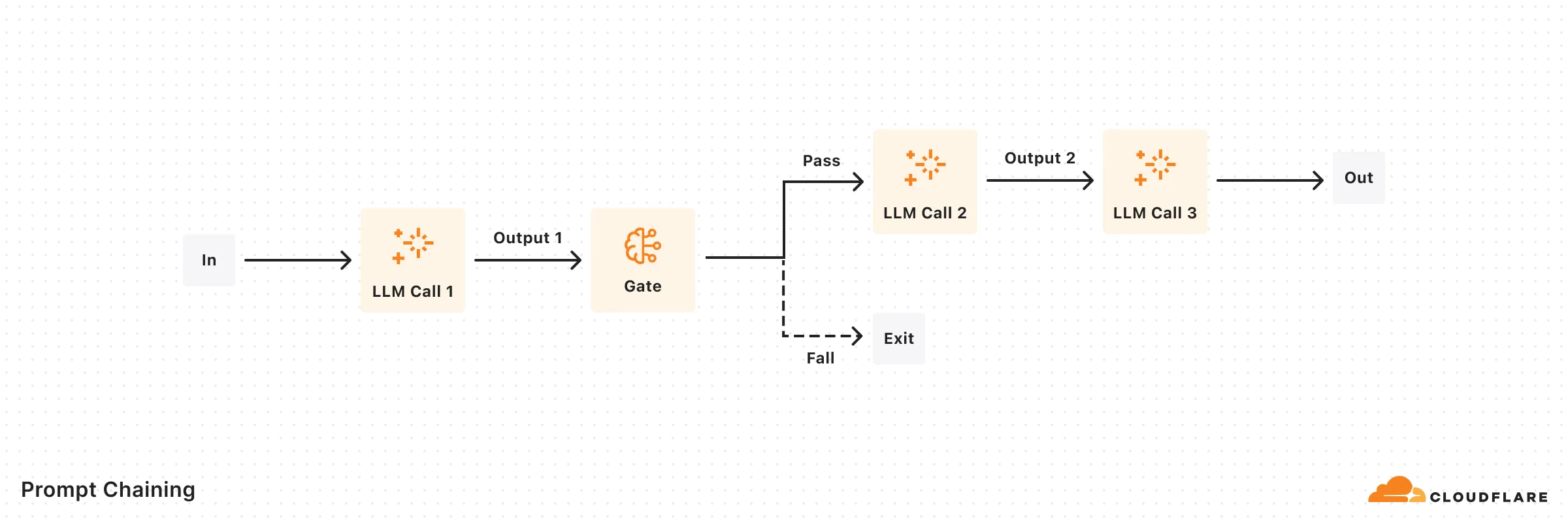
```ts
import { openai } from "@ai-sdk/openai";
import { generateText, generateObject } from "ai";
import { z } from "zod";
export default async function generateMarketingCopy(input: string) {
const model = openai("gpt-4o");
// First step: Generate marketing copy
const { text: copy } = await generateText({
model,
prompt: `Write persuasive marketing copy for: ${input}. Focus on benefits and emotional appeal.`,
});
// Perform quality check on copy
const { object: qualityMetrics } = await generateObject({
model,
schema: z.object({
hasCallToAction: z.boolean(),
emotionalAppeal: z.number().min(1).max(10),
clarity: z.number().min(1).max(10),
}),
prompt: `Evaluate this marketing copy for:
1. Presence of call to action (true/false)
2. Emotional appeal (1-10)
3. Clarity (1-10)
Copy to evaluate: ${copy}`,
});
// If quality check fails, regenerate with more specific instructions
if (
!qualityMetrics.hasCallToAction ||
qualityMetrics.emotionalAppeal < 7 ||
qualityMetrics.clarity < 7
) {
const { text: improvedCopy } = await generateText({
model,
prompt: `Rewrite this marketing copy with:
${!qualityMetrics.hasCallToAction ? "- A clear call to action" : ""}
${qualityMetrics.emotionalAppeal < 7 ? "- Stronger emotional appeal" : ""}
${qualityMetrics.clarity < 7 ? "- Improved clarity and directness" : ""}
Original copy: ${copy}`,
});
return { copy: improvedCopy, qualityMetrics };
}
return { copy, qualityMetrics };
}
```
## Routing
Classifies input and directs it to specialized followup tasks, allowing for separation of concerns.

```ts
import { openai } from '@ai-sdk/openai';
import { generateObject, generateText } from 'ai';
import { z } from 'zod';
async function handleCustomerQuery(query: string) {
const model = openai('gpt-4o');
// First step: Classify the query type
const { object: classification } = await generateObject({
model,
schema: z.object({
reasoning: z.string(),
type: z.enum(['general', 'refund', 'technical']),
complexity: z.enum(['simple', 'complex']),
}),
prompt: `Classify this customer query:
${query}
Determine:
1. Query type (general, refund, or technical)
2. Complexity (simple or complex)
3. Brief reasoning for classification`,
});
// Route based on classification
// Set model and system prompt based on query type and complexity
const { text: response } = await generateText({
model:
classification.complexity === 'simple'
? openai('gpt-4o-mini')
: openai('o1-mini'),
system: {
general:
'You are an expert customer service agent handling general inquiries.',
refund:
'You are a customer service agent specializing in refund requests. Follow company policy and collect necessary information.',
technical:
'You are a technical support specialist with deep product knowledge. Focus on clear step-by-step troubleshooting.',
}[classification.type],
prompt: query,
});
return { response, classification };
}
```
## Parallelization
Enables simultaneous task processing through sectioning or voting mechanisms.
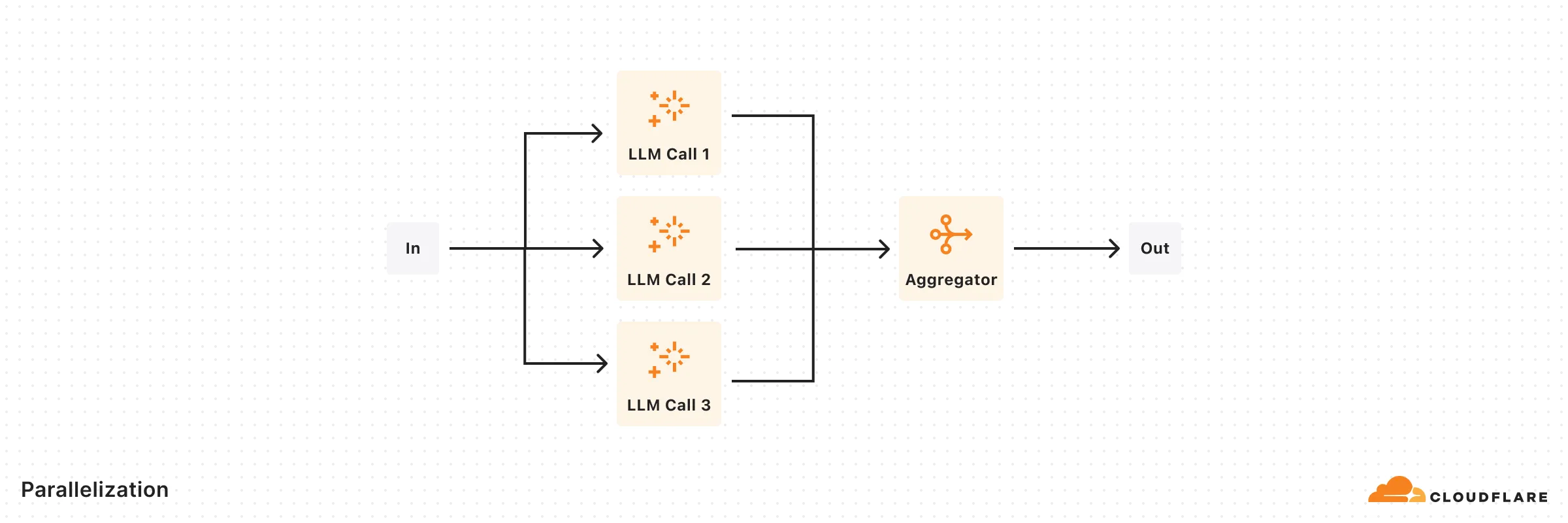
```ts
import { openai } from '@ai-sdk/openai';
import { generateText, generateObject } from 'ai';
import { z } from 'zod';
// Example: Parallel code review with multiple specialized reviewers
async function parallelCodeReview(code: string) {
const model = openai('gpt-4o');
// Run parallel reviews
const [securityReview, performanceReview, maintainabilityReview] =
await Promise.all([
generateObject({
model,
system:
'You are an expert in code security. Focus on identifying security vulnerabilities, injection risks, and authentication issues.',
schema: z.object({
vulnerabilities: z.array(z.string()),
riskLevel: z.enum(['low', 'medium', 'high']),
suggestions: z.array(z.string()),
}),
prompt: `Review this code:
${code}`,
}),
generateObject({
model,
system:
'You are an expert in code performance. Focus on identifying performance bottlenecks, memory leaks, and optimization opportunities.',
schema: z.object({
issues: z.array(z.string()),
impact: z.enum(['low', 'medium', 'high']),
optimizations: z.array(z.string()),
}),
prompt: `Review this code:
${code}`,
}),
generateObject({
model,
system:
'You are an expert in code quality. Focus on code structure, readability, and adherence to best practices.',
schema: z.object({
concerns: z.array(z.string()),
qualityScore: z.number().min(1).max(10),
recommendations: z.array(z.string()),
}),
prompt: `Review this code:
${code}`,
}),
]);
const reviews = [
{ ...securityReview.object, type: 'security' },
{ ...performanceReview.object, type: 'performance' },
{ ...maintainabilityReview.object, type: 'maintainability' },
];
// Aggregate results using another model instance
const { text: summary } = await generateText({
model,
system: 'You are a technical lead summarizing multiple code reviews.',
prompt: `Synthesize these code review results into a concise summary with key actions:
${JSON.stringify(reviews, null, 2)}`,
});
return { reviews, summary };
}
```
## Orchestrator-Workers
A central LLM dynamically breaks down tasks, delegates to Worker LLMs, and synthesizes results.

```ts
import { openai } from '@ai-sdk/openai';
import { generateObject } from 'ai';
import { z } from 'zod';
async function implementFeature(featureRequest: string) {
// Orchestrator: Plan the implementation
const { object: implementationPlan } = await generateObject({
model: openai('o1'),
schema: z.object({
files: z.array(
z.object({
purpose: z.string(),
filePath: z.string(),
changeType: z.enum(['create', 'modify', 'delete']),
}),
),
estimatedComplexity: z.enum(['low', 'medium', 'high']),
}),
system:
'You are a senior software architect planning feature implementations.',
prompt: `Analyze this feature request and create an implementation plan:
${featureRequest}`,
});
// Workers: Execute the planned changes
const fileChanges = await Promise.all(
implementationPlan.files.map(async file => {
// Each worker is specialized for the type of change
const workerSystemPrompt = {
create:
'You are an expert at implementing new files following best practices and project patterns.',
modify:
'You are an expert at modifying existing code while maintaining consistency and avoiding regressions.',
delete:
'You are an expert at safely removing code while ensuring no breaking changes.',
}[file.changeType];
const { object: change } = await generateObject({
model: openai('gpt-4o'),
schema: z.object({
explanation: z.string(),
code: z.string(),
}),
system: workerSystemPrompt,
prompt: `Implement the changes for ${file.filePath} to support:
${file.purpose}
Consider the overall feature context:
${featureRequest}`,
});
return {
file,
implementation: change,
};
}),
);
return {
plan: implementationPlan,
changes: fileChanges,
};
}
```
## Evaluator-Optimizer
One LLM generates responses while another provides evaluation and feedback in a loop.
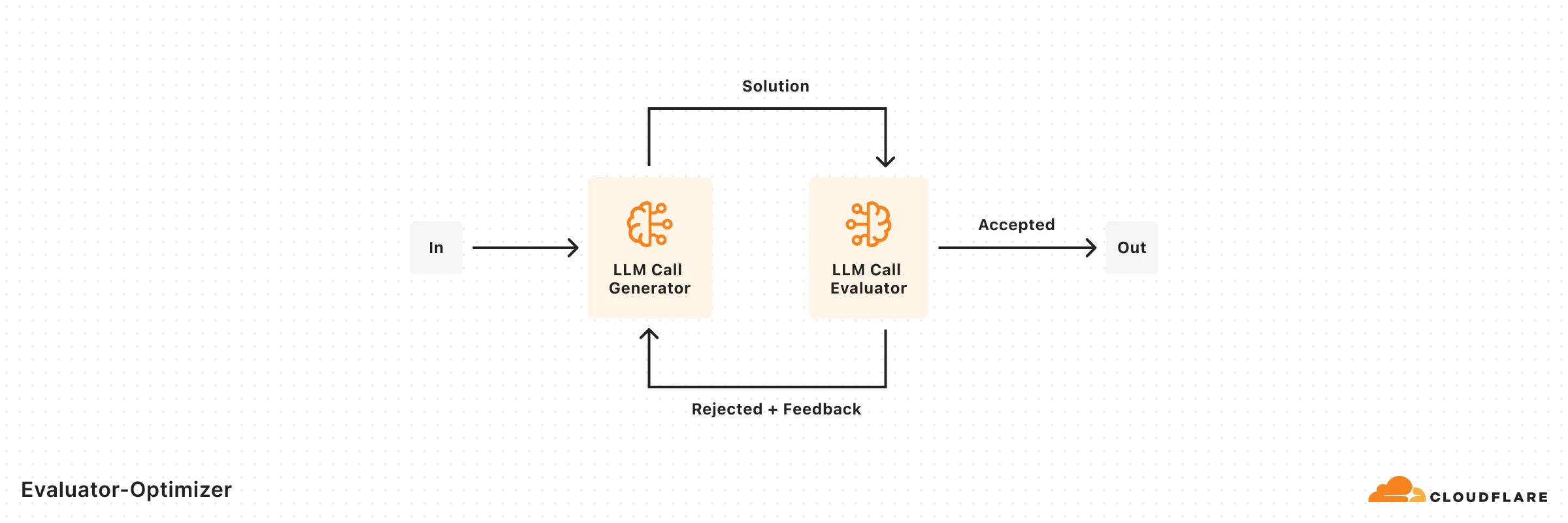
```ts
import { openai } from '@ai-sdk/openai';
import { generateText, generateObject } from 'ai';
import { z } from 'zod';
async function translateWithFeedback(text: string, targetLanguage: string) {
let currentTranslation = '';
let iterations = 0;
const MAX_ITERATIONS = 3;
// Initial translation
const { text: translation } = await generateText({
model: openai('gpt-4o-mini'), // use small model for first attempt
system: 'You are an expert literary translator.',
prompt: `Translate this text to ${targetLanguage}, preserving tone and cultural nuances:
${text}`,
});
currentTranslation = translation;
// Evaluation-optimization loop
while (iterations < MAX_ITERATIONS) {
// Evaluate current translation
const { object: evaluation } = await generateObject({
model: openai('gpt-4o'), // use a larger model to evaluate
schema: z.object({
qualityScore: z.number().min(1).max(10),
preservesTone: z.boolean(),
preservesNuance: z.boolean(),
culturallyAccurate: z.boolean(),
specificIssues: z.array(z.string()),
improvementSuggestions: z.array(z.string()),
}),
system: 'You are an expert in evaluating literary translations.',
prompt: `Evaluate this translation:
Original: ${text}
Translation: ${currentTranslation}
Consider:
1. Overall quality
2. Preservation of tone
3. Preservation of nuance
4. Cultural accuracy`,
});
// Check if quality meets threshold
if (
evaluation.qualityScore >= 8 &&
evaluation.preservesTone &&
evaluation.preservesNuance &&
evaluation.culturallyAccurate
) {
break;
}
// Generate improved translation based on feedback
const { text: improvedTranslation } = await generateText({
model: openai('gpt-4o'), // use a larger model
system: 'You are an expert literary translator.',
prompt: `Improve this translation based on the following feedback:
${evaluation.specificIssues.join('\n')}
${evaluation.improvementSuggestions.join('\n')}
Original: ${text}
Current Translation: ${currentTranslation}`,
});
currentTranslation = improvedTranslation;
iterations++;
}
return {
finalTranslation: currentTranslation,
iterationsRequired: iterations,
};
}
```
---
title: Platform · Cloudflare Agents docs
lastUpdated: 2026-02-05T16:44:57.000Z
chatbotDeprioritize: true
source_url:
html: https://developers.cloudflare.com/agents/platform/
md: https://developers.cloudflare.com/agents/platform/index.md
---
* [Limits](https://developers.cloudflare.com/agents/platform/limits/)
* [Prompt Engineering](https://developers.cloudflare.com/workers/get-started/prompting/)
* [prompt.txt](https://developers.cloudflare.com/workers/prompt.txt)
---
title: x402 · Cloudflare Agents docs
description: x402 is an open payment standard built around HTTP 402 (Payment
Required). Services return a 402 response with payment instructions, and
clients pay programmatically without accounts, sessions, or API keys.
lastUpdated: 2026-03-02T13:36:02.000Z
chatbotDeprioritize: false
source_url:
html: https://developers.cloudflare.com/agents/x402/
md: https://developers.cloudflare.com/agents/x402/index.md
---
[x402](https://www.x402.org/) is an open payment standard built around HTTP 402 (Payment Required). Services return a 402 response with payment instructions, and clients pay programmatically without accounts, sessions, or API keys.
## Charge for resources
[HTTP content ](https://developers.cloudflare.com/agents/x402/charge-for-http-content/)Gate APIs, web pages, and files with a Worker proxy
[MCP tools ](https://developers.cloudflare.com/agents/x402/charge-for-mcp-tools/)Charge per tool call using paidTool
## Pay for resources
[Agents SDK ](https://developers.cloudflare.com/agents/x402/pay-from-agents-sdk/)Wrap MCP clients with withX402Client
[Coding tools ](https://developers.cloudflare.com/agents/x402/pay-with-tool-plugins/)OpenCode plugin and Claude Code hook
## Related
* [x402.org](https://x402.org) — Protocol specification
* [Pay Per Crawl](https://developers.cloudflare.com/ai-crawl-control/features/pay-per-crawl/) — Cloudflare-native monetization
* [x402 examples](https://github.com/cloudflare/agents/tree/main/examples) — Complete working code
---
title: 404 - Page Not Found · Cloudflare AI Gateway docs
chatbotDeprioritize: false
source_url:
html: https://developers.cloudflare.com/ai-gateway/404/
md: https://developers.cloudflare.com/ai-gateway/404/index.md
---
# 404
Check the URL, try using our [search](https://developers.cloudflare.com/search/) or try our LLM-friendly [llms.txt directory](https://developers.cloudflare.com/llms.txt).
---
title: AI Assistant · Cloudflare AI Gateway docs
lastUpdated: 2024-10-30T16:07:34.000Z
chatbotDeprioritize: false
source_url:
html: https://developers.cloudflare.com/ai-gateway/ai/
md: https://developers.cloudflare.com/ai-gateway/ai/index.md
---
---
title: REST API reference · Cloudflare AI Gateway docs
lastUpdated: 2024-12-18T13:12:05.000Z
chatbotDeprioritize: false
source_url:
html: https://developers.cloudflare.com/ai-gateway/api-reference/
md: https://developers.cloudflare.com/ai-gateway/api-reference/index.md
---
---
title: Changelog · Cloudflare AI Gateway docs
description: Subscribe to RSS
lastUpdated: 2025-05-09T15:42:57.000Z
chatbotDeprioritize: false
source_url:
html: https://developers.cloudflare.com/ai-gateway/changelog/
md: https://developers.cloudflare.com/ai-gateway/changelog/index.md
---
[Subscribe to RSS](https://developers.cloudflare.com/ai-gateway/changelog/index.xml)
## 2025-11-21
Unified Billing now supports opt-in Zero Data Retention. This ensures supported upstream AI providers (eg [OpenAI ZDR](https://platform.openai.com/docs/guides/your-data#zero-data-retention)) do not retain request and response data.
## 2025-11-14
* Supports adding OpenAI compatible [Custom Providers](https://developers.cloudflare.com/ai-gateway/configuration/custom-providers/) for inferencing with AI providers that are not natively supported by AI Gateway
* Cost and usage tracking for voice models
* You can now use Workers AI via AI Gateway with no additional configuration. Previously, this required generating / passing additional Workers AI tokens.
## 2025-11-06
**Unified Billing**
* [Unified Billing](https://developers.cloudflare.com/ai-gateway/features/unified-billing/) is now in open beta. Connect multiple AI providers (e.g. OpenAI, Anthropic) without any additional setup and pay through a single Cloudflare invoice. To use it, purchase credits in the Cloudflare Dashboard and spend them across providers via AI Gateway.
## 2025-11-03
New supported providers
* [Baseten](https://developers.cloudflare.com/ai-gateway/usage/providers/baseten/)
* [Ideogram](https://developers.cloudflare.com/ai-gateway/usage/providers/ideogram/)
* [Deepgram](https://developers.cloudflare.com/ai-gateway/usage/providers/deepgram/)
## 2025-10-29
* Add support for pipecat model on Workers AI
* Fix OpenAI realtime websocket authentication.
## 2025-10-24
* Added cost tracking and observability support for async video generation requests for OpenAI Sora 2 and Google AI Studio Veo 3.
* `cf-aig-eventId` and `cf-aig-log-id` headers are now returned on all requests including failed requests
## 2025-10-14
The Model playground is now available in the AI Gateway Cloudflare Dashboard, allowing you to request and compare model behaviour across all models supported by AI Gateway.
## 2025-10-07
* Add support for [Deepgram on Workers AI](https://developers.cloudflare.com/ai-gateway/usage/websockets-api/realtime-api/#deepgram-workers-ai) using Websocket transport.
* Added [Parallel](https://developers.cloudflare.com/ai-gateway/usage/providers/parallel/) as a provider.
## 2025-09-24
**OTEL Tracing**
Added OpenTelemetry (OTEL) tracing export for better observability and debugging of AI Gateway requests.
## 2025-09-21
* Added support for [Fal AI](https://developers.cloudflare.com/ai-gateway/usage/providers/fal/) provider.
* You can now set up custom Stripe usage reporting, and report usage and costs for your users directly to Stripe from AI Gateway.
* Fixed incorrectly geoblocked requests for certain regions.
## 2025-09-19
* New API endpoint (`/compat/v1/models`) for listing available models along with their costs.
* Unified API now supports Google Vertex AI providers and all their models.
* BYOK support for requests using WebSocket transport.
## 2025-08-28
**Data Loss Prevention**
[Data loss prevention](https://developers.cloudflare.com/ai-gateway/features/dlp/) capabilities are now available to scan both incoming prompts and outgoing AI responses for sensitive information, ensuring your AI applications maintain security and compliance standards.
## 2025-08-25
**Dynamic routing**
Introduced [Dynamic routing](https://developers.cloudflare.com/ai-gateway/features/dynamic-routing/) that lets you visually or via JSON define flexible request flows that segment users, enforce quotas, and choose models with fallbacks—without changing application code.
## 2025-08-21
**Bring your own keys (BYOK)**
Introduced [Bring your own keys (BYOK)](https://developers.cloudflare.com/ai-gateway/configuration/bring-your-own-keys/) allowing you to save your AI provider keys securely with Cloudflare Secret Store and manage them through the Cloudflare dashboard.
## 2025-06-18
**New GA providers**
We have moved the following providers out of beta and into GA:
* [Cartesia](https://developers.cloudflare.com/ai-gateway/usage/providers/cartesia/)
* [Cerebras](https://developers.cloudflare.com/ai-gateway/usage/providers/cerebras/)
* [DeepSeek](https://developers.cloudflare.com/ai-gateway/usage/providers/deepseek/)
* [ElevenLabs](https://developers.cloudflare.com/ai-gateway/usage/providers/elevenlabs/)
* [OpenRouter](https://developers.cloudflare.com/ai-gateway/usage/providers/openrouter/)
## 2025-05-28
**OpenAI Compatibility**
* Introduced a new [OpenAI-compatible chat completions endpoint](https://developers.cloudflare.com/ai-gateway/usage/chat-completion/) to simplify switching between different AI providers without major code modifications.
## 2025-04-22
* Increased Max Number of Gateways per account: Raised the maximum number of gateways per account from 10 to 20 for paid users. This gives you greater flexibility in managing your applications as you build and scale.
* Streaming WebSocket Bug Fix: Resolved an issue affecting streaming responses over [WebSockets](https://developers.cloudflare.com/ai-gateway/configuration/websockets-api/). This fix ensures more reliable and consistent streaming behavior across all supported AI providers.
* Increased Timeout Limits: Extended the default timeout for AI Gateway requests beyond the previous 100-second limit. This enhancement improves support for long-running requests.
## 2025-04-02
**Cache Key Calculation Changes**
* We have updated how [cache](https://developers.cloudflare.com/ai-gateway/features/caching/) keys are calculated. As a result, new cache entries will be created, and you may experience more cache misses than usual during this transition. Please monitor your traffic and performance, and let us know if you encounter any issues.
## 2025-03-18
**WebSockets**
* Added [WebSockets API](https://developers.cloudflare.com/ai-gateway/configuration/websockets-api/) to provide a persistent connection for AI interactions, eliminating repeated handshakes and reducing latency.
## 2025-02-26
**Guardrails**
* Added [Guardrails](https://developers.cloudflare.com/ai-gateway/features/guardrails/) help deploy AI applications safely by intercepting and evaluating both user prompts and model responses for harmful content.
## 2025-02-19
**Updated Log Storage Settings**
* Introduced customizable log storage settings, enabling users to:
* Define the maximum number of logs stored per gateway.
* Choose how logs are handled when the storage limit is reached:
* **On** - Automatically delete the oldest logs to ensure new logs are always saved.
* **Off** - Stop saving new logs when the storage limit is reached.
## 2025-02-06
**Added request handling**
* Added [request handling options](https://developers.cloudflare.com/ai-gateway/configuration/request-handling/) to help manage AI provider interactions effectively, ensuring your applications remain responsive and reliable.
## 2025-02-05
**New AI Gateway providers**
* **Configuration**: Added [ElevenLabs](https://elevenlabs.io/), [Cartesia](https://docs.cartesia.ai/), and [Cerebras](https://inference-docs.cerebras.ai/) as new providers.
## 2025-01-02
**DeepSeek**
* **Configuration**: Added [DeepSeek](https://developers.cloudflare.com/ai-gateway/usage/providers/deepseek/) as a new provider.
## 2024-12-17
**AI Gateway Dashboard**
* Updated dashboard to view performance, costs, and stats across all gateways.
## 2024-12-13
**Bug Fixes**
* **Bug Fixes**: Fixed Anthropic errors being cached.
* **Bug Fixes**: Fixed `env.AI.run()` requests using authenticated gateways returning authentication error.
## 2024-11-28
**OpenRouter**
* **Configuration**: Added [OpenRouter](https://developers.cloudflare.com/ai-gateway/usage/providers/openrouter/) as a new provider.
## 2024-11-19
**WebSockets API**
* **Configuration**: Added [WebSockets API](https://developers.cloudflare.com/ai-gateway/configuration/websockets-api/) which provides a single persistent connection, enabling continuous communication.
## 2024-11-19
**Authentication**
* **Configuration**: Added [Authentication](https://developers.cloudflare.com/ai-gateway/configuration/authentication/) which adds security by requiring a valid authorization token for each request.
## 2024-10-28
**Grok**
* **Providers**: Added [Grok](https://developers.cloudflare.com/ai-gateway/usage/providers/grok/) as a new provider.
## 2024-10-17
**Vercel SDK**
Added [Vercel AI SDK](https://sdk.vercel.ai/). The SDK supports many different AI providers, tools for streaming completions, and more.
## 2024-09-26
**Persistent logs**
* **Logs**: AI Gateway now has [logs that persist](https://developers.cloudflare.com/ai-gateway/observability/logging/index), giving you the flexibility to store them for your preferred duration.
## 2024-09-26
**Logpush**
* **Logs**: Securely export logs to an external storage location using [Logpush](https://developers.cloudflare.com/ai-gateway/observability/logging/logpush).
## 2024-09-26
**Pricing**
* **Pricing**: Added [pricing](https://developers.cloudflare.com/ai-gateway/reference/pricing/) for storing logs persistently.
## 2024-09-26
**Evaluations**
* **Configurations**: Use AI Gateway’s [Evaluations](https://developers.cloudflare.com/ai-gateway/evaluations) to make informed decisions on how to optimize your AI application.
## 2024-09-10
**Custom costs**
* **Configuration**: AI Gateway now allows you to set custom costs at the request level [custom costs](https://developers.cloudflare.com/ai-gateway/configuration/custom-costs/) to requests, accurately reflect your unique pricing, overriding the default or public model costs.
## 2024-08-02
**Mistral AI**
* **Providers**: Added [Mistral AI](https://developers.cloudflare.com/ai-gateway/usage/providers/mistral/) as a new provider.
## 2024-07-23
**Google AI Studio**
* **Providers**: Added [Google AI Studio](https://developers.cloudflare.com/ai-gateway/usage/providers/google-ai-studio/) as a new provider.
## 2024-07-10
**Custom metadata**
AI Gateway now supports adding [custom metadata](https://developers.cloudflare.com/ai-gateway/configuration/custom-metadata/) to requests, improving tracking and analysis of incoming requests.
## 2024-07-09
**Logs**
[Logs](https://developers.cloudflare.com/ai-gateway/observability/analytics/#logging) are now available for the last 24 hours.
## 2024-06-24
**Custom cache key headers**
AI Gateway now supports [custom cache key headers](https://developers.cloudflare.com/ai-gateway/features/caching/#custom-cache-key-cf-aig-cache-key).
## 2024-06-18
**Access an AI Gateway through a Worker**
Workers AI now natively supports [AI Gateway](https://developers.cloudflare.com/ai-gateway/usage/providers/workersai/#worker).
## 2024-05-22
**AI Gateway is now GA**
AI Gateway is moving from beta to GA.
## 2024-05-16
* **Providers**: Added [Cohere](https://developers.cloudflare.com/ai-gateway/usage/providers/cohere/) and [Groq](https://developers.cloudflare.com/ai-gateway/usage/providers/groq/) as new providers.
## 2024-05-09
* Added new endpoints to the [REST API](https://developers.cloudflare.com/api/resources/ai_gateway/methods/create/).
## 2024-03-26
* [LLM Side Channel vulnerability fixed](https://blog.cloudflare.com/ai-side-channel-attack-mitigated)
* **Providers**: Added Anthropic, Google Vertex, Perplexity as providers.
## 2023-10-26
* **Real-time Logs**: Logs are now real-time, showing logs for the last hour. If you have a need for persistent logs, please let the team know on Discord. We are building out a persistent logs feature for those who want to store their logs for longer.
* **Providers**: Azure OpenAI is now supported as a provider!
* **Docs**: Added Azure OpenAI example.
* **Bug Fixes**: Errors with costs and tokens should be fixed.
## 2023-10-09
* **Logs**: Logs will now be limited to the last 24h. If you have a use case that requires more logging, please reach out to the team on Discord.
* **Dashboard**: Logs now refresh automatically.
* **Docs**: Fixed Workers AI example in docs and dash.
* **Caching**: Embedding requests are now cacheable. Rate limit will not apply for cached requests.
* **Bug Fixes**: Identical requests to different providers are not wrongly served from cache anymore. Streaming now works as expected, including for the Universal endpoint.
* **Known Issues**: There's currently a bug with costs that we are investigating.
---
title: Configuration · Cloudflare AI Gateway docs
description: Configure your AI Gateway with multiple options and customizations.
lastUpdated: 2025-05-28T19:49:34.000Z
chatbotDeprioritize: true
source_url:
html: https://developers.cloudflare.com/ai-gateway/configuration/
md: https://developers.cloudflare.com/ai-gateway/configuration/index.md
---
Configure your AI Gateway with multiple options and customizations.
* [BYOK (Store Keys)](https://developers.cloudflare.com/ai-gateway/configuration/bring-your-own-keys/)
* [Custom costs](https://developers.cloudflare.com/ai-gateway/configuration/custom-costs/)
* [Custom Providers](https://developers.cloudflare.com/ai-gateway/configuration/custom-providers/)
* [Manage gateways](https://developers.cloudflare.com/ai-gateway/configuration/manage-gateway/)
* [Request handling](https://developers.cloudflare.com/ai-gateway/configuration/request-handling/)
* [Fallbacks](https://developers.cloudflare.com/ai-gateway/configuration/fallbacks/)
* [Authenticated Gateway](https://developers.cloudflare.com/ai-gateway/configuration/authentication/)
---
title: Architectures · Cloudflare AI Gateway docs
description: Learn how you can use AI Gateway within your existing architecture.
lastUpdated: 2025-10-13T13:40:40.000Z
chatbotDeprioritize: true
source_url:
html: https://developers.cloudflare.com/ai-gateway/demos/
md: https://developers.cloudflare.com/ai-gateway/demos/index.md
---
Learn how you can use AI Gateway within your existing architecture.
## Reference architectures
Explore the following reference architectures that use AI Gateway:
[Fullstack applications](https://developers.cloudflare.com/reference-architecture/diagrams/serverless/fullstack-application/)
[A practical example of how these services come together in a real fullstack application architecture.](https://developers.cloudflare.com/reference-architecture/diagrams/serverless/fullstack-application/)
[Multi-vendor AI observability and control](https://developers.cloudflare.com/reference-architecture/diagrams/ai/ai-multivendor-observability-control/)
[By shifting features such as rate limiting, caching, and error handling to the proxy layer, organizations can apply unified configurations across services and inference service providers.](https://developers.cloudflare.com/reference-architecture/diagrams/ai/ai-multivendor-observability-control/)
[AI Vibe Coding Platform](https://developers.cloudflare.com/reference-architecture/diagrams/ai/ai-vibe-coding-platform/)
[Cloudflare's low-latency, fully serverless compute platform, Workers offers powerful capabilities to enable A/B testing using a server-side implementation.](https://developers.cloudflare.com/reference-architecture/diagrams/ai/ai-vibe-coding-platform/)
---
title: Evaluations · Cloudflare AI Gateway docs
description: Understanding your application's performance is essential for
optimization. Developers often have different priorities, and finding the
optimal solution involves balancing key factors such as cost, latency, and
accuracy. Some prioritize low-latency responses, while others focus on
accuracy or cost-efficiency.
lastUpdated: 2025-08-19T11:42:14.000Z
chatbotDeprioritize: true
source_url:
html: https://developers.cloudflare.com/ai-gateway/evaluations/
md: https://developers.cloudflare.com/ai-gateway/evaluations/index.md
---
Understanding your application's performance is essential for optimization. Developers often have different priorities, and finding the optimal solution involves balancing key factors such as cost, latency, and accuracy. Some prioritize low-latency responses, while others focus on accuracy or cost-efficiency.
AI Gateway's Evaluations provide the data needed to make informed decisions on how to optimize your AI application. Whether it is adjusting the model, provider, or prompt, this feature delivers insights into key metrics around performance, speed, and cost. It empowers developers to better understand their application's behavior, ensuring improved accuracy, reliability, and customer satisfaction.
Evaluations use datasets which are collections of logs stored for analysis. You can create datasets by applying filters in the Logs tab, which help narrow down specific logs for evaluation.
Our first step toward comprehensive AI evaluations starts with human feedback (currently in open beta). We will continue to build and expand AI Gateway with additional evaluators.
[Learn how to set up an evaluation](https://developers.cloudflare.com/ai-gateway/evaluations/set-up-evaluations/) including creating datasets, selecting evaluators, and running the evaluation process.
---
title: Features · Cloudflare AI Gateway docs
description: AI Gateway provides a comprehensive set of features to help you
build, deploy, and manage AI applications with confidence. From performance
optimization to security and observability, these features work together to
create a robust AI infrastructure.
lastUpdated: 2025-09-02T18:45:30.000Z
chatbotDeprioritize: false
source_url:
html: https://developers.cloudflare.com/ai-gateway/features/
md: https://developers.cloudflare.com/ai-gateway/features/index.md
---
AI Gateway provides a comprehensive set of features to help you build, deploy, and manage AI applications with confidence. From performance optimization to security and observability, these features work together to create a robust AI infrastructure.
## Core Features
### Performance & Cost Optimization
### Caching
Serve identical requests directly from Cloudflare's global cache, reducing latency by up to 90% and significantly cutting costs by avoiding repeated API calls to AI providers.
**Key benefits:**
* Reduced response times for repeated queries
* Lower API costs through cache hits
* Configurable TTL and per-request cache control
* Works across all supported AI providers
[Use Caching](https://developers.cloudflare.com/ai-gateway/features/caching/)
### Rate Limiting
Control application scaling and protect against abuse with flexible rate limiting options. Set limits based on requests per time window with sliding or fixed window techniques.
**Key benefits:**
* Prevent API quota exhaustion
* Control costs and usage patterns
* Configurable per gateway or per request
* Multiple rate limiting techniques available
[Use Rate Limiting](https://developers.cloudflare.com/ai-gateway/features/rate-limiting/)
### Dynamic Routing
Create sophisticated request routing flows without code changes. Route requests based on user segments, geography, content analysis, or A/B testing requirements through a visual interface.
**Key benefits:**
* Visual flow-based configuration
* User-based and geographic routing
* A/B testing and fractional traffic splitting
* Context-aware routing based on request content
* Dynamic rate limiting with automatic fallbacks
[Use Dynamic Routing](https://developers.cloudflare.com/ai-gateway/features/dynamic-routing/)
### Security & Safety
### Guardrails
Deploy AI applications safely with real-time content moderation. Automatically detect and block harmful content in both user prompts and model responses across all providers.
**Key benefits:**
* Consistent moderation across all AI providers
* Real-time prompt and response evaluation
* Configurable content categories and actions
* Compliance and audit capabilities
* Enhanced user safety and trust
[Use Guardrails](https://developers.cloudflare.com/ai-gateway/features/guardrails/)
### Data Loss Prevention (DLP)
Protect your organization from inadvertent exposure of sensitive data through AI interactions. Scan prompts and responses for PII, financial data, and other sensitive information.
**Key benefits:**
* Real-time scanning of AI prompts and responses
* Detection of PII, financial, healthcare, and custom data patterns
* Configurable actions: flag or block sensitive content
* Integration with Cloudflare's enterprise DLP solution
* Compliance support for GDPR, HIPAA, and PCI DSS
[Use Data Loss Prevention (DLP)](https://developers.cloudflare.com/ai-gateway/features/dlp/)
### Authentication
Secure your AI Gateway with token-based authentication. Control access to your gateways and protect against unauthorized usage.
**Key benefits:**
* Token-based access control
* Configurable per gateway
* Integration with Cloudflare's security infrastructure
* Audit trail for access attempts
[Use Authentication](https://developers.cloudflare.com/ai-gateway/configuration/authentication/)
### Bring Your Own Keys (BYOK)
Securely store and manage AI provider API keys in Cloudflare's encrypted infrastructure. Remove hardcoded keys from your applications while maintaining full control.
**Key benefits:**
* Encrypted key storage at rest and in transit
* Centralized key management across providers
* Easy key rotation without code changes
* Support for 20+ AI providers
* Enhanced security and compliance
[Use Bring Your Own Keys (BYOK)](https://developers.cloudflare.com/ai-gateway/configuration/bring-your-own-keys/)
### Observability & Analytics
### Analytics
Gain deep insights into your AI application usage with comprehensive analytics. Track requests, tokens, costs, errors, and performance across all providers.
**Key benefits:**
* Real-time usage metrics and trends
* Cost tracking and estimation across providers
* Error monitoring and troubleshooting
* Cache hit rates and performance insights
* GraphQL API for custom dashboards
[Use Analytics](https://developers.cloudflare.com/ai-gateway/observability/analytics/)
### Logging
Capture detailed logs of all AI requests and responses for debugging, compliance, and analysis. Configure log retention and export options.
**Key benefits:**
* Complete request/response logging
* Configurable log retention policies
* Export capabilities via Logpush
* Custom metadata support
* Compliance and audit support
[Use Logging](https://developers.cloudflare.com/ai-gateway/observability/logging/)
### Custom Metadata
Enrich your logs and analytics with custom metadata. Tag requests with user IDs, team information, or any custom data for enhanced filtering and analysis.
**Key benefits:**
* Enhanced request tracking and filtering
* User and team-based analytics
* Custom business logic integration
* Improved debugging and troubleshooting
[Use Custom Metadata](https://developers.cloudflare.com/ai-gateway/observability/custom-metadata/)
### Advanced Configuration
### Custom Costs
Override default pricing with your negotiated rates or custom cost models. Apply custom costs at the request level for accurate cost tracking.
**Key benefits:**
* Accurate cost tracking with negotiated rates
* Per-request cost customization
* Better budget planning and forecasting
* Support for enterprise pricing agreements
[Use Custom Costs](https://developers.cloudflare.com/ai-gateway/configuration/custom-costs/)
## Feature Comparison by Use Case
| Use Case | Recommended Features |
| - | - |
| **Cost Optimization** | Caching, Rate Limiting, Custom Costs |
| **High Availability** | Fallbacks using Dynamic Routing |
| **Security & Compliance** | Guardrails, DLP, Authentication, BYOK, Logging |
| **Performance Monitoring** | Analytics, Logging, Custom Metadata |
| **A/B Testing** | Dynamic Routing, Custom Metadata, Analytics |
## Getting Started with Features
1. **Start with the basics**: Enable [Caching](https://developers.cloudflare.com/ai-gateway/features/caching/) and [Analytics](https://developers.cloudflare.com/ai-gateway/observability/analytics/) for immediate benefits
2. **Add reliability**: Configure Fallbacks and Rate Limiting using [Dynamic routing](https://developers.cloudflare.com/ai-gateway/features/dynamic-routing/)
3. **Enhance security**: Implement [Guardrails](https://developers.cloudflare.com/ai-gateway/features/guardrails/), [DLP](https://developers.cloudflare.com/ai-gateway/features/dlp/), and [Authentication](https://developers.cloudflare.com/ai-gateway/configuration/authentication/)
***
*All features work seamlessly together and across all 20+ supported AI providers. Get started with [AI Gateway](https://developers.cloudflare.com/ai-gateway/get-started/) to begin using these features in your applications.*
---
title: Getting started · Cloudflare AI Gateway docs
description: In this guide, you will learn how to set up and use your first AI Gateway.
lastUpdated: 2026-03-03T02:30:03.000Z
chatbotDeprioritize: false
source_url:
html: https://developers.cloudflare.com/ai-gateway/get-started/
md: https://developers.cloudflare.com/ai-gateway/get-started/index.md
---
In this guide, you will learn how to set up and use your first AI Gateway.
## Get your account ID and authentication token
Before making requests, you need two things:
1. Your **Account ID** — find it in the [Cloudflare dashboard](https://developers.cloudflare.com/fundamentals/account/find-account-and-zone-ids/).
2. A **Cloudflare API token** — [create an API token](https://developers.cloudflare.com/fundamentals/api/get-started/create-token/) with `AI Gateway - Read` and `AI Gateway - Edit` permissions. The example below also uses Workers AI, so add `Workers AI - Read` as well.
## Send your first request
Run the following command to make your first request through AI Gateway:
```bash
curl -X POST https://gateway.ai.cloudflare.com/v1/$CLOUDFLARE_ACCOUNT_ID/default/compat/chat/completions \
--header "cf-aig-authorization: Bearer $CLOUDFLARE_API_TOKEN" \
--header 'Content-Type: application/json' \
--data '{
"model": "workers-ai/@cf/meta/llama-3.3-70b-instruct-fp8-fast",
"messages": [
{
"role": "user",
"content": "What is Cloudflare?"
}
]
}'
```
Note
AI Gateway automatically creates a gateway for you on the first request. The gateway is created with [authentication](https://developers.cloudflare.com/ai-gateway/configuration/authentication/) turned on, so the `cf-aig-authorization` header is required for all requests. For more details on how the default gateway works, refer to [Default gateway](https://developers.cloudflare.com/ai-gateway/configuration/manage-gateway/#default-gateway).
Create a gateway manually
You can also create gateways manually with a custom name and configuration through the dashboard or API.
* Dashboard
[Go to **AI Gateway**](https://dash.cloudflare.com/?to=/:account/ai/ai-gateway)
1. Log into the [Cloudflare dashboard](https://dash.cloudflare.com/) and select your account.
2. Go to **AI** > **AI Gateway**.
3. Select **Create Gateway**.
4. Enter your **Gateway name**. Note: Gateway name has a 64 character limit.
5. Select **Create**.
* API
To set up an AI Gateway using the API:
1. [Create an API token](https://developers.cloudflare.com/fundamentals/api/get-started/create-token/) with the following permissions:
* `AI Gateway - Read`
* `AI Gateway - Edit`
2. Get your [Account ID](https://developers.cloudflare.com/fundamentals/account/find-account-and-zone-ids/).
3. Using that API token and Account ID, send a [`POST` request](https://developers.cloudflare.com/api/resources/ai_gateway/methods/create/) to the Cloudflare API.
## Provider authentication
Authenticate with your upstream AI provider using one of the following options:
* **Unified Billing:** Use the AI Gateway billing to pay for and authenticate your inference requests. Refer to [Unified Billing](https://developers.cloudflare.com/ai-gateway/features/unified-billing/).
* **BYOK (Store Keys):** Store your own provider API Keys with Cloudflare, and AI Gateway will include them at runtime. Refer to [BYOK](https://developers.cloudflare.com/ai-gateway/configuration/bring-your-own-keys/).
* **Request headers:** Include your provider API Key in the request headers as you normally would (for example, `Authorization: Bearer `).
## Integration options
### Unified API Endpoint
OpenAI Compatible Recommended
The easiest way to get started with AI Gateway is through our OpenAI-compatible `/chat/completions` endpoint. This allows you to use existing OpenAI SDKs and tools with minimal code changes while gaining access to multiple AI providers.
`https://gateway.ai.cloudflare.com/v1/{account_id}/{gateway_id}/compat/chat/completions`
**Key benefits:**
* Drop-in replacement for OpenAI API, works with existing OpenAI SDKs and other OpenAI compliant clients
* Switch between providers by changing the `model` parameter
* Dynamic Routing - Define complex routing scenarios requiring conditional logic, conduct A/B tests, set rate / budget limits, etc
#### Example:
Make a request to
 OpenAI
using
OpenAI JS SDK
with
Stored Key (BYOK)
Refer to [Unified API](https://developers.cloudflare.com/ai-gateway/usage/chat-completion/) to learn more about OpenAI compatibility.
### Provider-specific endpoints
For direct integration with specific AI providers, use dedicated endpoints that maintain the original provider's API schema while adding AI Gateway features.
```txt
https://gateway.ai.cloudflare.com/v1/{account_id}/{gateway_id}/{provider}
```
**Available providers:**
* [OpenAI](https://developers.cloudflare.com/ai-gateway/usage/providers/openai/) - GPT models and embeddings
* [Anthropic](https://developers.cloudflare.com/ai-gateway/usage/providers/anthropic/) - Claude models
* [Google AI Studio](https://developers.cloudflare.com/ai-gateway/usage/providers/google-ai-studio/) - Gemini models
* [Workers AI](https://developers.cloudflare.com/ai-gateway/usage/providers/workersai/) - Cloudflare's inference platform
* [AWS Bedrock](https://developers.cloudflare.com/ai-gateway/usage/providers/bedrock/) - Amazon's managed AI service
* [Azure OpenAI](https://developers.cloudflare.com/ai-gateway/usage/providers/azureopenai/) - Microsoft's OpenAI service
* [and more...](https://developers.cloudflare.com/ai-gateway/usage/providers/)
## Next steps
* Learn more about [caching](https://developers.cloudflare.com/ai-gateway/features/caching/) for faster requests and cost savings and [rate limiting](https://developers.cloudflare.com/ai-gateway/features/rate-limiting/) to control how your application scales.
* Explore how to specify model or provider [fallbacks, ratelimits, A/B tests](https://developers.cloudflare.com/ai-gateway/features/dynamic-routing/) for resiliency.
* Learn how to use low-cost, open source models on [Workers AI](https://developers.cloudflare.com/ai-gateway/usage/providers/workersai/) - our AI inference service.
---
title: Header Glossary · Cloudflare AI Gateway docs
description: AI Gateway supports a variety of headers to help you configure,
customize, and manage your API requests. This page provides a complete list of
all supported headers, along with a short description
lastUpdated: 2025-08-19T11:42:14.000Z
chatbotDeprioritize: false
source_url:
html: https://developers.cloudflare.com/ai-gateway/glossary/
md: https://developers.cloudflare.com/ai-gateway/glossary/index.md
---
AI Gateway supports a variety of headers to help you configure, customize, and manage your API requests. This page provides a complete list of all supported headers, along with a short description
| Term | Definition |
| - | - |
| cf-aig-backoff | Header to customize the backoff type for [request retries](https://developers.cloudflare.com/ai-gateway/configuration/request-handling/#request-retries) of a request. |
| cf-aig-cache-key | The [cf-aig-cache-key-aig-cache-key](https://developers.cloudflare.com/ai-gateway/features/caching/#custom-cache-key-cf-aig-cache-key) let you override the default cache key in order to precisely set the cacheability setting for any resource. |
| cf-aig-cache-status | [Status indicator for caching](https://developers.cloudflare.com/ai-gateway/features/caching/#default-configuration), showing if a request was served from cache. |
| cf-aig-cache-ttl | Specifies the [cache time-to-live for responses](https://developers.cloudflare.com/ai-gateway/features/caching/#cache-ttl-cf-aig-cache-ttl). |
| cf-aig-collect-log | The [cf-aig-collect-log](https://developers.cloudflare.com/ai-gateway/observability/logging/#collect-logs-cf-aig-collect-log) header allows you to bypass the default log setting for the gateway. |
| cf-aig-custom-cost | Allows the [customization of request cost](https://developers.cloudflare.com/ai-gateway/configuration/custom-costs/#custom-cost) to reflect user-defined parameters. |
| cf-aig-dlp | A response header returned when a [DLP policy](https://developers.cloudflare.com/ai-gateway/features/dlp/set-up-dlp/#dlp-response-header) matches a request or response. Contains JSON with the action taken (Flag or Block), matched policy IDs, matched profile IDs, and detection entry IDs. |
| cf-aig-event-id | [cf-aig-event-id](https://developers.cloudflare.com/ai-gateway/evaluations/add-human-feedback-api/#3-retrieve-the-cf-aig-log-id) is a unique identifier for an event, used to trace specific events through the system. |
| cf-aig-log-id | The [cf-aig-log-id](https://developers.cloudflare.com/ai-gateway/evaluations/add-human-feedback-api/#3-retrieve-the-cf-aig-log-id) is a unique identifier for the specific log entry to which you want to add feedback. |
| cf-aig-max-attempts | Header to customize the number of max attempts for [request retries](https://developers.cloudflare.com/ai-gateway/configuration/request-handling/#request-retries) of a request. |
| cf-aig-metadata | [Custom metadata](https://developers.cloudflare.com/ai-gateway/configuration/custom-metadata/)allows you to tag requests with user IDs or other identifiers, enabling better tracking and analysis of your requests. |
| cf-aig-request-timeout | Header to trigger a fallback provider based on a [predetermined response time](https://developers.cloudflare.com/ai-gateway/configuration/fallbacks/#request-timeouts) (measured in milliseconds). |
| cf-aig-retry-delay | Header to customize the retry delay for [request retries](https://developers.cloudflare.com/ai-gateway/configuration/request-handling/#request-retries) of a request. |
| cf-aig-skip-cache | Header to [bypass caching for a specific request](https://developers.cloudflare.com/ai-gateway/features/caching/#skip-cache-cf-aig-skip-cache). |
| cf-aig-step | [cf-aig-step](https://developers.cloudflare.com/ai-gateway/configuration/fallbacks/#response-headercf-aig-step) identifies the processing step in the AI Gateway flow for better tracking and debugging. |
| cf-cache-ttl | Deprecated: This header is replaced by `cf-aig-cache-ttl`. It specifies cache time-to-live. |
| cf-skip-cache | Deprecated: This header is replaced by `cf-aig-skip-cache`. It bypasses caching for a specific request. |
## Configuration hierarchy
Settings in AI Gateway can be configured at three levels: **Provider**, **Request**, and **Gateway**. Since the same settings can be configured in multiple locations, the following hierarchy determines which value is applied:
1. **Provider-level headers**: Relevant only when using the [Universal Endpoint](https://developers.cloudflare.com/ai-gateway/usage/universal/), these headers take precedence over all other configurations.
2. **Request-level headers**: Apply if no provider-level headers are set.
3. **Gateway-level settings**: Act as the default if no headers are set at the provider or request levels.
This hierarchy ensures consistent behavior, prioritizing the most specific configurations. Use provider-level and request-level headers for more fine-tuned control, and gateway settings for general defaults.
---
title: Integrations · Cloudflare AI Gateway docs
lastUpdated: 2025-05-09T15:42:57.000Z
chatbotDeprioritize: true
source_url:
html: https://developers.cloudflare.com/ai-gateway/integrations/
md: https://developers.cloudflare.com/ai-gateway/integrations/index.md
---
---
title: MCP server · Cloudflare AI Gateway docs
lastUpdated: 2025-10-09T17:32:08.000Z
chatbotDeprioritize: false
source_url:
html: https://developers.cloudflare.com/ai-gateway/mcp-server/
md: https://developers.cloudflare.com/ai-gateway/mcp-server/index.md
---
---
title: Observability · Cloudflare AI Gateway docs
description: Observability is the practice of instrumenting systems to collect
metrics, and logs enabling better monitoring, troubleshooting, and
optimization of applications.
lastUpdated: 2025-05-09T15:42:57.000Z
chatbotDeprioritize: true
source_url:
html: https://developers.cloudflare.com/ai-gateway/observability/
md: https://developers.cloudflare.com/ai-gateway/observability/index.md
---
Observability is the practice of instrumenting systems to collect metrics, and logs enabling better monitoring, troubleshooting, and optimization of applications.
* [Analytics](https://developers.cloudflare.com/ai-gateway/observability/analytics/)
* [Costs](https://developers.cloudflare.com/ai-gateway/observability/costs/)
* [Custom metadata](https://developers.cloudflare.com/ai-gateway/observability/custom-metadata/)
* [OpenTelemetry](https://developers.cloudflare.com/ai-gateway/observability/otel-integration/)
* [Logging](https://developers.cloudflare.com/ai-gateway/observability/logging/)
---
title: Platform · Cloudflare AI Gateway docs
lastUpdated: 2025-05-09T15:42:57.000Z
chatbotDeprioritize: false
source_url:
html: https://developers.cloudflare.com/ai-gateway/reference/
md: https://developers.cloudflare.com/ai-gateway/reference/index.md
---
* [Audit logs](https://developers.cloudflare.com/ai-gateway/reference/audit-logs/)
* [Limits](https://developers.cloudflare.com/ai-gateway/reference/limits/)
* [Pricing](https://developers.cloudflare.com/ai-gateway/reference/pricing/)
---
title: Tutorials · Cloudflare AI Gateway docs
description: View tutorials to help you get started with AI Gateway.
lastUpdated: 2025-05-09T15:42:57.000Z
chatbotDeprioritize: false
source_url:
html: https://developers.cloudflare.com/ai-gateway/tutorials/
md: https://developers.cloudflare.com/ai-gateway/tutorials/index.md
---
View tutorials to help you get started with AI Gateway.
## Docs
| Name | Last Updated | Difficulty |
| - | - | - |
| [AI Gateway Binding Methods](https://developers.cloudflare.com/ai-gateway/integrations/worker-binding-methods/) | 11 months ago | |
| [Workers AI](https://developers.cloudflare.com/ai-gateway/integrations/aig-workers-ai-binding/) | over 1 year ago | |
| [Create your first AI Gateway using Workers AI](https://developers.cloudflare.com/ai-gateway/tutorials/create-first-aig-workers/) | over 1 year ago | Beginner |
| [Deploy a Worker that connects to OpenAI via AI Gateway](https://developers.cloudflare.com/ai-gateway/tutorials/deploy-aig-worker/) | over 2 years ago | Beginner |
| [Use Pruna P-video through AI Gateway](https://developers.cloudflare.com/ai-gateway/tutorials/pruna-p-video/) | | Beginner |
## Videos
Cloudflare Workflows | Introduction (Part 1 of 3)
In this video, we introduce Cloudflare Workflows, the Newest Developer Platform Primitive at Cloudflare.
Cloudflare Workflows | Batching and Monitoring Your Durable Execution (Part 2 of 3)
Workflows exposes metrics such as execution, error rates, steps, and total duration!
Welcome to the Cloudflare Developer Channel
Welcome to the Cloudflare Developers YouTube channel. We've got tutorials and working demos and everything you need to level up your projects. Whether you're working on your next big thing or just dorking around with some side projects, we've got you covered! So why don't you come hang out, subscribe to our developer channel and together we'll build something awesome. You're gonna love it.
Optimize your AI App & fine-tune models (AI Gateway, R2)
In this workshop, Kristian Freeman, Cloudflare Developer Advocate, shows how to optimize your existing AI applications with Cloudflare AI Gateway, and how to finetune OpenAI models using R2.
How to use Cloudflare AI models and inference in Python with Jupyter Notebooks
Cloudflare Workers AI provides a ton of AI models and inference capabilities. In this video, we will explore how to make use of Cloudflare’s AI model catalog using a Python Jupyter Notebook.
---
title: Using AI Gateway · Cloudflare AI Gateway docs
lastUpdated: 2025-08-19T11:42:14.000Z
chatbotDeprioritize: true
source_url:
html: https://developers.cloudflare.com/ai-gateway/usage/
md: https://developers.cloudflare.com/ai-gateway/usage/index.md
---
##
---
title: 404 - Page Not Found · Cloudflare AI Search docs
chatbotDeprioritize: false
source_url:
html: https://developers.cloudflare.com/ai-search/404/
md: https://developers.cloudflare.com/ai-search/404/index.md
---
# 404
Check the URL, try using our [search](https://developers.cloudflare.com/search/) or try our LLM-friendly [llms.txt directory](https://developers.cloudflare.com/llms.txt).
---
title: REST API · Cloudflare AI Search docs
lastUpdated: 2026-01-19T17:29:33.000Z
chatbotDeprioritize: false
source_url:
html: https://developers.cloudflare.com/ai-search/ai-search-api/
md: https://developers.cloudflare.com/ai-search/ai-search-api/index.md
---
---
title: Concepts · Cloudflare AI Search docs
lastUpdated: 2025-09-24T17:03:07.000Z
chatbotDeprioritize: true
source_url:
html: https://developers.cloudflare.com/ai-search/concepts/
md: https://developers.cloudflare.com/ai-search/concepts/index.md
---
* [What is RAG](https://developers.cloudflare.com/ai-search/concepts/what-is-rag/)
* [How AI Search works](https://developers.cloudflare.com/ai-search/concepts/how-ai-search-works/)
---
title: Configuration · Cloudflare AI Search docs
description: You can customize how your AI Search instance indexes your data,
and retrieves and generates responses for queries. Some settings can be
updated after the instance is created, while others are fixed at creation
time.
lastUpdated: 2026-01-19T17:29:33.000Z
chatbotDeprioritize: false
source_url:
html: https://developers.cloudflare.com/ai-search/configuration/
md: https://developers.cloudflare.com/ai-search/configuration/index.md
---
You can customize how your AI Search instance indexes your data, and retrieves and generates responses for queries. Some settings can be updated after the instance is created, while others are fixed at creation time.
The table below lists all available configuration options:
| Configuration | Editable after creation | Description |
| - | - | - |
| [Data source](https://developers.cloudflare.com/ai-search/configuration/data-source/) | no | The source where your knowledge base is stored |
| [Path filtering](https://developers.cloudflare.com/ai-search/configuration/path-filtering/) | yes | Include or exclude specific paths from indexing |
| [Chunk size](https://developers.cloudflare.com/ai-search/configuration/chunking/) | yes | Number of tokens per chunk |
| [Chunk overlap](https://developers.cloudflare.com/ai-search/configuration/chunking/) | yes | Number of overlapping tokens between chunks |
| [Embedding model](https://developers.cloudflare.com/ai-search/configuration/models/) | no | Model used to generate vector embeddings |
| [Query rewrite](https://developers.cloudflare.com/ai-search/configuration/query-rewriting/) | yes | Enable or disable query rewriting before retrieval |
| [Query rewrite model](https://developers.cloudflare.com/ai-search/configuration/models/) | yes | Model used for query rewriting |
| [Query rewrite system prompt](https://developers.cloudflare.com/ai-search/configuration/system-prompt/) | yes | Custom system prompt to guide query rewriting behavior |
| [Match threshold](https://developers.cloudflare.com/ai-search/configuration/retrieval-configuration/) | yes | Minimum similarity score required for a vector match |
| [Maximum number of results](https://developers.cloudflare.com/ai-search/configuration/retrieval-configuration/) | yes | Maximum number of vector matches returned (`top_k`) |
| [Reranking](https://developers.cloudflare.com/ai-search/configuration/reranking/) | yes | Rerank to reorder retrieved results by semantic relevance using a reranking model after initial retrieval |
| [Generation model](https://developers.cloudflare.com/ai-search/configuration/models/) | yes | Model used to generate the final response |
| [Generation system prompt](https://developers.cloudflare.com/ai-search/configuration/system-prompt/) | yes | Custom system prompt to guide response generation |
| [Similarity caching](https://developers.cloudflare.com/ai-search/configuration/cache/) | yes | Enable or disable caching of responses for similar (not just exact) prompts |
| [Similarity caching threshold](https://developers.cloudflare.com/ai-search/configuration/cache/) | yes | Controls how similar a new prompt must be to a previous one to reuse its cached response |
| [AI Gateway](https://developers.cloudflare.com/ai-gateway) | yes | AI Gateway for monitoring and controlling model usage |
| AI Search name | no | Name of your AI Search instance |
| [Service API token](https://developers.cloudflare.com/ai-search/configuration/service-api-token/) | yes | API token that grants AI Search permission to configure resources on your account |
---
title: Get started with AI Search · Cloudflare AI Search docs
description: Create fully-managed, retrieval-augmented generation pipelines with
Cloudflare AI Search.
lastUpdated: 2026-01-19T17:29:33.000Z
chatbotDeprioritize: false
source_url:
html: https://developers.cloudflare.com/ai-search/get-started/
md: https://developers.cloudflare.com/ai-search/get-started/index.md
---
AI Search is Cloudflare's managed search service. Connect your data such as websites or an R2 bucket, and it automatically creates a continuously updating index that you can query with natural language in your applications or AI agents.
## Prerequisites
AI Search integrates with R2 for storing your data. You must have an active R2 subscription before creating your first AI Search instance.
[Go to **R2 Overview**](https://dash.cloudflare.com/?to=/:account/r2/overview)
## Choose your setup method
[Dashboard ](https://developers.cloudflare.com/ai-search/get-started/dashboard/)Create and configure AI Search using the Cloudflare dashboard.
[API ](https://developers.cloudflare.com/ai-search/get-started/api/)Create AI Search instances programmatically using the REST API.
---
title: How to · Cloudflare AI Search docs
lastUpdated: 2026-01-19T17:29:33.000Z
chatbotDeprioritize: true
source_url:
html: https://developers.cloudflare.com/ai-search/how-to/
md: https://developers.cloudflare.com/ai-search/how-to/index.md
---
* [Bring your own generation model](https://developers.cloudflare.com/ai-search/how-to/bring-your-own-generation-model/)
* [Create a simple search engine](https://developers.cloudflare.com/ai-search/how-to/simple-search-engine/)
* [Create multitenancy](https://developers.cloudflare.com/ai-search/how-to/multitenancy/)
* [NLWeb](https://developers.cloudflare.com/ai-search/how-to/nlweb/)
---
title: MCP server · Cloudflare AI Search docs
lastUpdated: 2025-10-09T17:32:08.000Z
chatbotDeprioritize: false
source_url:
html: https://developers.cloudflare.com/ai-search/mcp-server/
md: https://developers.cloudflare.com/ai-search/mcp-server/index.md
---
---
title: Platform · Cloudflare AI Search docs
lastUpdated: 2025-09-24T17:03:07.000Z
chatbotDeprioritize: true
source_url:
html: https://developers.cloudflare.com/ai-search/platform/
md: https://developers.cloudflare.com/ai-search/platform/index.md
---
* [Limits & pricing](https://developers.cloudflare.com/ai-search/platform/limits-pricing/)
* [Release note](https://developers.cloudflare.com/ai-search/platform/release-note/)
---
title: Search API · Cloudflare AI Search docs
lastUpdated: 2026-01-19T17:29:33.000Z
chatbotDeprioritize: true
source_url:
html: https://developers.cloudflare.com/ai-search/usage/
md: https://developers.cloudflare.com/ai-search/usage/index.md
---
* [Workers Binding](https://developers.cloudflare.com/ai-search/usage/workers-binding/)
* [REST API](https://developers.cloudflare.com/ai-search/usage/rest-api/)
---
title: 404 - Page Not Found · Cloudflare Browser Rendering docs
chatbotDeprioritize: false
source_url:
html: https://developers.cloudflare.com/browser-rendering/404/
md: https://developers.cloudflare.com/browser-rendering/404/index.md
---
# 404
Check the URL, try using our [search](https://developers.cloudflare.com/search/) or try our LLM-friendly [llms.txt directory](https://developers.cloudflare.com/llms.txt).
---
title: Changelog · Cloudflare Browser Rendering docs
description: Review recent changes to Worker Browser Rendering.
lastUpdated: 2025-11-06T19:11:47.000Z
chatbotDeprioritize: false
source_url:
html: https://developers.cloudflare.com/browser-rendering/changelog/
md: https://developers.cloudflare.com/browser-rendering/changelog/index.md
---
This is a detailed changelog of every update to Browser Rendering. For a higher-level summary of major updates to every Cloudflare product, including Browser Rendering, visit [developers.cloudflare.com/changelog](https://developers.cloudflare.com/changelog/).
[Subscribe to RSS](https://developers.cloudflare.com/browser-rendering/changelog/index.xml)
## 2026-03-04
**Increased REST API rate limits**
* Increased [REST API rate limits](https://developers.cloudflare.com/browser-rendering/limits/#workers-paid) for Workers Paid plans from 180 requests per minute (3 per second) to 600 requests per minute (10 per second). No action is needed to benefit from the higher limits.
## 2026-02-26
**New tutorial: Generate OG images for Astro sites**
* Added a new tutorial on how to [generate OG images for Astro sites](https://developers.cloudflare.com/browser-rendering/how-to/og-images-astro/) using Browser Rendering. The tutorial walks through creating an Astro template, using Browser Rendering to screenshot it as a PNG, and serving the generated images.
## 2026-02-24
**Documentation updates for robots.txt and sitemaps**
* Added [robots.txt and sitemaps reference page](https://developers.cloudflare.com/browser-rendering/reference/robots-txt/) with guidance on configuring robots.txt and sitemaps for sites accessed by Browser Rendering, including sitemap index files and caching headers.
## 2026-02-18
**@cloudflare/playwright v1.1.1 released**
* Released version 1.1.1 of [`@cloudflare/playwright`](https://github.com/cloudflare/playwright/releases/tag/v1.1.1), which includes a bug fix that resolves a chunking issue that could occur when generating large PDFs. Upgrade to this version to avoid this issue.
## 2026-02-03
**@cloudflare/puppeteer v1.0.6 released**
* Released version 1.0.6 of [`@cloudflare/puppeteer`](https://github.com/cloudflare/puppeteer/releases/tag/v1.0.6), which includes a fix for rendering large text PDFs.
## 2026-01-21
**@cloudflare/puppeteer v1.0.5 released**
* Released version 1.0.5 of [`@cloudflare/puppeteer`](https://www.npmjs.com/package/@cloudflare/puppeteer/v/1.0.5), which includes a performance optimization for base64 decoding.
## 2026-01-08
**@cloudflare/playwright v1.1.0 released**
* Released version 1.1.0 of [`@cloudflare/playwright`](https://github.com/cloudflare/playwright), now upgraded to [Playwright v1.57.0](https://playwright.dev/docs/release-notes#version-157).
## 2026-01-07
**Bug fixes for JSON endpoint, waitForSelector timeout, and WebSocket rendering**
* Updated the [`/json` endpoint](https://developers.cloudflare.com/browser-rendering/rest-api/json-endpoint/) fallback model and improved error handling for when plan limits of Workers Free plan users are reached.
* REST API requests using `waitForSelector` will now correctly fail if the specified selector is not found within the time limit.
* Fixed an issue where pages using WebSockets were not rendering correctly.
## 2025-12-04
**Added guidance on allowlisting Browser Rendering in Bot Management**
* Added [FAQ guidance](https://developers.cloudflare.com/browser-rendering/faq/#how-do-i-allowlist-browser-rendering) on how to create a WAF skip rule to allowlist Browser Rendering requests when using Bot Management on your zone.
## 2025-12-03
**Improved AI JSON response parsing and debugging**
* Added `rawAiResponse` field to [`/json` endpoint](https://developers.cloudflare.com/browser-rendering/rest-api/json-endpoint/) error responses, allowing you to inspect the unparsed AI output when JSON parsing fails for easier debugging.
* Improved AI response handling to better distinguish between valid JSON objects, arrays, and invalid payloads, increasing type safety and reliability.
## 2025-10-21
**Added guidance on REST API timeouts and custom fonts**
* Added [REST API timeouts](https://developers.cloudflare.com/browser-rendering/reference/timeouts/) page explaining how Browser Rendering uses independent timers (for page load, selectors, and actions) and how to configure them.
* Updated [Supported fonts](https://developers.cloudflare.com/browser-rendering/reference/supported-fonts/) guide with instructions on using your own custom fonts via `addStyleTag()` in [Playwright](https://developers.cloudflare.com/browser-rendering/playwright/) or [Puppeteer](https://developers.cloudflare.com/browser-rendering/puppeteer/).
## 2025-09-25
**Updates to Playwright, new support for Stagehand, and increased limits**
* [Playwright](https://developers.cloudflare.com/browser-rendering/playwright/) support in Browser Rendering is now GA. We've upgraded to [Playwright v1.55](https://playwright.dev/docs/release-notes#version-155).
* Added support for [Stagehand](https://developers.cloudflare.com/browser-rendering/stagehand/), an open source browser automation framework, powered by [Workers AI](https://developers.cloudflare.com/workers-ai). Stagehand enables developers to build more reliably and flexibly by combining code with natural-language instructions.
* Increased [limits](https://developers.cloudflare.com/browser-rendering/limits/#workers-paid) for paid plans on both the [REST API](https://developers.cloudflare.com/browser-rendering/rest-api/) and [Workers Bindings](https://developers.cloudflare.com/browser-rendering/workers-bindings/).
## 2025-09-22
**Added \`excludeExternalLinks\` parameter to \`/links\` REST endpoint**
* Added `excludeExternalLinks` parameter when using the [`/links` endpoint](https://developers.cloudflare.com/browser-rendering/rest-api/links-endpoint/). When set to `true`, links pointing to outside the domain of the requested URL are excluded.
## 2025-09-02
**Added \`X-Browser-Ms-Used\` response header**
* Each REST API response now includes the `X-Browser-Ms-Used` response header, which reports the browser time (in milliseconds) used by the request.
## 2025-08-20
**Browser Rendering billing goes live**
* Billing for Browser Rendering begins today, August 20th, 2025. See [pricing page](https://developers.cloudflare.com/browser-rendering/pricing/) for full details. You can monitor usage via the [Cloudflare dashboard](https://dash.cloudflare.com/?to=/:account/workers/browser-rendering).
## 2025-08-18
**Wrangler updates to local dev**
* Improved the local development experience by updating the method for downloading the dev mode browser and added support for [`/v1/sessions` endpoint](https://developers.cloudflare.com/platform/puppeteer/#list-open-sessions), allowing you to list open browser rendering sessions. Upgrade to `wrangler@4.31.0` to get started.
## 2025-07-29
**Updates to Playwright, local dev support, and REST API**
* [Playwright](https://developers.cloudflare.com/browser-rendering/playwright/) upgraded to [Playwright v1.54.1](https://github.com/microsoft/playwright/releases/tag/v1.54.1) and [Playwright MCP](https://developers.cloudflare.com/browser-rendering/playwright/playwright-mcp/) upgraded to be in sync with upstream Playwright MCP v0.0.30.
* Local development with `npx wrangler dev` now supports [Playwright](https://developers.cloudflare.com/browser-rendering/playwright/) when using Browser Rendering. Upgrade to the latest version of wrangler to get started.
* The [`/content` endpoint](https://developers.cloudflare.com/browser-rendering/rest-api/content-endpoint/) now returns the page's title, making it easier to identify pages.
* The [`/json` endpoint](https://developers.cloudflare.com/browser-rendering/rest-api/json-endpoint/) now allows you to specify your own AI model for the extraction, using the `custom_ai` parameter.
* The default viewport size on the [`/screenshot` endpoint](https://developers.cloudflare.com/browser-rendering/rest-api/screenshot-endpoint/) has been increased from 800x600 to 1920x1080. You can still override the viewport via request options.
## 2025-07-25
**@cloudflare/puppeteer 1.0.4 released**
* We have released version 1.0.4 of [`@cloudflare/puppeteer`](https://github.com/cloudflare/puppeteer), now in sync with Puppeteer v22.13.1.
## 2025-07-24
**Playwright now supported in local development**
* You can now use Playwright with local development. Upgrade to to get started.
## 2025-07-16
**Pricing update to Browser Rendering**
* Billing for Browser Rendering starts on August 20, 2025, with usage beyond the included [limits](https://developers.cloudflare.com/browser-rendering/limits/) charged according to the new [pricing rates](https://developers.cloudflare.com/browser-rendering/pricing/).
## 2025-07-03
**Local development support**
* We added local development support to Browser Rendering, making it simpler than ever to test and iterate before deploying.
## 2025-06-30
**New Web Bot Auth headers**
* Browser Rendering now supports [Web Bot Auth](https://developers.cloudflare.com/bots/reference/bot-verification/web-bot-auth/) by automatically attaching `Signature-agent`, `Signature`, and `Signature-input `headers to verify that a request originates from Cloudflare Browser Rendering.
## 2025-06-27
**Bug fix to debug log noise in Workers**
* Fixed an issue where all debug logging was on by default and would flood logs. Debug logs is now off by default but can be re-enabled by setting [`process.env.DEBUG`](https://pptr.dev/guides/debugging#log-devtools-protocol-traffic) when needed.
## 2025-05-26
**Playwright MCP**
* You can now deploy [Playwright MCP](https://developers.cloudflare.com/browser-rendering/playwright/playwright-mcp/) and use any MCP client to get AI models to interact with Browser Rendering.
## 2025-04-30
**Automatic Request Headers**
* [Clarified Automatic Request headers](https://developers.cloudflare.com/browser-rendering/reference/automatic-request-headers/) in Browser Rendering. These headers are unique to Browser Rendering, and are automatically included and cannot be removed or overridden.
## 2025-04-07
**New free tier and REST API GA with additional endpoints**
* Browser Rendering now has a new free tier.
* The [REST API](https://developers.cloudflare.com/browser-rendering/rest-api/) is Generally Available.
* Released new endpoints [`/json`](https://developers.cloudflare.com/browser-rendering/rest-api/json-endpoint/), [`/links`](https://developers.cloudflare.com/browser-rendering/rest-api/links-endpoint/), and [`/markdown`](https://developers.cloudflare.com/browser-rendering/rest-api/markdown-endpoint/).
## 2025-04-04
**Playwright support**
* You can now use [Playwright's](https://developers.cloudflare.com/browser-rendering/playwright/) browser automation capabilities from Cloudflare Workers.
## 2025-02-27
**New Browser Rendering REST API**
* Released a new [REST API](https://developers.cloudflare.com/browser-rendering/rest-api/) in open beta. Available to all customers with a Workers Paid Plan.
## 2025-01-31
**Increased limits**
* Increased the limits on the number of concurrent browsers, and browsers per minute from 2 to 10.
## 2024-08-08
**Update puppeteer to 21.1.0**
* Rebased the fork on the original implementation up till version 21.1.0
## 2024-04-02
**Browser Rendering Available for everyone**
* Browser Rendering is now out of beta and available to all customers with Workers Paid Plan. Analytics and logs are available in Cloudflare's dashboard, under "Worker & Pages".
## 2023-05-19
**Browser Rendering Beta**
* Beta Launch
---
title: Examples · Cloudflare Browser Rendering docs
description: Use these REST API examples to perform quick, common tasks.
lastUpdated: 2026-03-09T17:52:36.000Z
chatbotDeprioritize: false
source_url:
html: https://developers.cloudflare.com/browser-rendering/examples/
md: https://developers.cloudflare.com/browser-rendering/examples/index.md
---
## REST API examples
Use these [REST API](https://developers.cloudflare.com/browser-rendering/rest-api/) examples to perform quick, common tasks.
[Fetch rendered HTML from a URL ](https://developers.cloudflare.com/browser-rendering/rest-api/content-endpoint/#fetch-rendered-html-from-a-url)Capture fully rendered HTML from a webpage after JavaScript execution.
[Take a screenshot of the visible viewport ](https://developers.cloudflare.com/browser-rendering/rest-api/screenshot-endpoint/#basic-usage)Capture a screenshot of a fully rendered webpage from a URL or custom HTML.
[Take a screenshot of the full page ](https://developers.cloudflare.com/browser-rendering/rest-api/screenshot-endpoint/#navigate-and-capture-a-full-page-screenshot)Capture a screenshot of an entire scrollable webpage, not just the visible viewport.
[Take a screenshot of an authenticated page ](https://developers.cloudflare.com/browser-rendering/rest-api/screenshot-endpoint/#capture-a-screenshot-of-an-authenticated-page)Capture a screenshot of a webpage that requires login using cookies, HTTP Basic Auth, or custom headers.
[Generate a PDF ](https://developers.cloudflare.com/browser-rendering/rest-api/pdf-endpoint/#basic-usage)Generate a PDF from a URL or custom HTML and CSS.
[Extract Markdown from a URL ](https://developers.cloudflare.com/browser-rendering/rest-api/markdown-endpoint/#convert-a-url-to-markdown)Convert a webpage's content into Markdown format.
[Capture a snapshot from a URL ](https://developers.cloudflare.com/browser-rendering/rest-api/snapshot/#capture-a-snapshot-from-a-url)Capture both the rendered HTML and a screenshot from a webpage in a single request.
[Scrape headings and links from a URL ](https://developers.cloudflare.com/browser-rendering/rest-api/scrape-endpoint/#extract-headings-and-links-from-a-url)Extract structured data from specific elements on a webpage using CSS selectors.
[Capture structured data with an AI prompt and JSON schema ](https://developers.cloudflare.com/browser-rendering/rest-api/json-endpoint/#with-a-prompt-and-json-schema)Extract structured data from a webpage using AI using a prompt or JSON schema.
[Retrieve links from a URL ](https://developers.cloudflare.com/browser-rendering/rest-api/links-endpoint/#get-all-links-on-a-page)Retrieve all links from a webpage, including hidden ones.
## Workers Bindings examples
Use [Workers Bindings](https://developers.cloudflare.com/browser-rendering/workers-bindings/) for dynamic, multi-step browser automation with [Puppeteer](https://developers.cloudflare.com/browser-rendering/puppeteer/), [Playwright](https://developers.cloudflare.com/browser-rendering/playwright/), or [Stagehand](https://developers.cloudflare.com/browser-rendering/stagehand/).
[Get page metrics with Puppeteer ](https://developers.cloudflare.com/browser-rendering/puppeteer/#use-puppeteer-in-a-worker)Use Puppeteer to navigate to a page and retrieve performance metrics in a Worker.
[Take a screenshot with Playwright ](https://developers.cloudflare.com/browser-rendering/playwright/#take-a-screenshot)Use Playwright to navigate to a page, interact with elements, and capture a screenshot.
[Run test assertions with Playwright ](https://developers.cloudflare.com/browser-rendering/playwright/#assertions)Use Playwright assertions to test web applications in a Worker.
[Generate a trace with Playwright ](https://developers.cloudflare.com/browser-rendering/playwright/#trace)Capture detailed execution logs for debugging with Playwright tracing.
[Reuse browser sessions ](https://developers.cloudflare.com/browser-rendering/workers-bindings/reuse-sessions/)Improve performance by reusing browser sessions across requests.
[Persist sessions with Durable Objects ](https://developers.cloudflare.com/browser-rendering/workers-bindings/browser-rendering-with-do/)Use Durable Objects to maintain long-running browser sessions.
[AI-powered browser automation with Stagehand ](https://developers.cloudflare.com/browser-rendering/stagehand/#use-stagehand-in-a-worker-with-workers-ai)Use natural language instructions to automate browser tasks with AI.
---
title: Frequently asked questions about Cloudflare Browser Rendering ·
Cloudflare Browser Rendering docs
description: Below you will find answers to our most commonly asked questions
about Browser Rendering.
lastUpdated: 2026-03-09T17:52:36.000Z
chatbotDeprioritize: false
source_url:
html: https://developers.cloudflare.com/browser-rendering/faq/
md: https://developers.cloudflare.com/browser-rendering/faq/index.md
---
Below you will find answers to our most commonly asked questions about Browser Rendering.
For pricing questions, visit the [pricing FAQ](https://developers.cloudflare.com/browser-rendering/pricing/#faq). For usage limits questions, visit the [limits FAQ](https://developers.cloudflare.com/browser-rendering/limits/#faq). If you cannot find the answer you are looking for, join us on [Discord](https://discord.cloudflare.com).
***
## Errors & Troubleshooting
### Error: Cannot read properties of undefined (reading 'fetch')
This error typically occurs because your Puppeteer launch is not receiving the browser binding. To resolve this error, pass your browser binding into `puppeteer.launch`.
### Error: 429 browser time limit exceeded
This error (`Unable to create new browser: code: 429: message: Browser time limit exceeded for today`) indicates you have hit the daily browser-instance limit on the Workers Free plan. [Workers Free plan accounts are capped at 10 minutes of browser use a day](https://developers.cloudflare.com/browser-rendering/limits/#workers-free). Once you exceed that limit, further creation attempts return a 429 error until the next UTC day.
To resolve this error, [upgrade to a Workers Paid plan](https://developers.cloudflare.com/workers/platform/pricing/) which allows for more than 10 minutes of usage a day and has higher [limits](https://developers.cloudflare.com/browser-rendering/limits/#workers-paid). If you recently upgraded but still see this error, try redeploying your Worker to ensure your usage is correctly associated with your new plan.
### Error: 422 unprocessable entity
A `422 Unprocessable Entity` error usually means that Browser Rendering wasn't able to complete an action because of an issue with the site.
This can happen if:
* The website consumes too much memory during rendering.
* The page itself crashed or returned an error before the action completed.
* The request exceeded one of the [timeout limits](https://developers.cloudflare.com/browser-rendering/reference/timeouts/) for page load, element load, or an action.
Most often, this error is caused by a timeout. You can review the different timers and their limits in the [REST API timeouts reference](https://developers.cloudflare.com/browser-rendering/reference/timeouts/).
### Why is my page content missing or incomplete?
If your screenshots, PDFs, or scraped content are missing elements that appear when viewing the page in a browser, the page likely has not finished loading before Browser Rendering captures the output.
JavaScript-heavy pages and Single Page Applications (SPAs) often load content dynamically after the initial HTML is parsed. By default, Browser Rendering waits for `domcontentloaded`, which fires before JavaScript has finished rendering the page.
To fix this, use the `goToOptions.waitUntil` parameter with one of these values:
| Value | Use when |
| - | - |
| `networkidle0` | The page must be completely idle (no network requests for 500 ms). Best for pages that load all content upfront. |
| `networkidle2` | The page can have up to 2 ongoing connections (like analytics or websockets). Best for most dynamic pages. |
REST API example:
```json
{
"url": "https://example.com",
"goToOptions": {
"waitUntil": "networkidle2"
}
}
```
If content is still missing:
* Use `waitForSelector` to wait for a specific element to appear before capturing.
* Increase `goToOptions.timeout` (up to 60 seconds) for slow-loading pages.
* Check if the page requires authentication or returns different content to bots.
For a complete reference, see [REST API timeouts](https://developers.cloudflare.com/browser-rendering/reference/timeouts/).
***
## Getting started & Development
### Does local development support all Browser Rendering features?
Not yet. Local development currently has the following limitation(s):
* Requests larger than 1 MB are not supported.
Use real headless browser during local development
To interact with a real headless browser during local development, set `"remote" : true` in the Browser binding configuration. Learn more in our [remote bindings documentation](https://developers.cloudflare.com/workers/development-testing/#remote-bindings).
### How do I render authenticated pages using the REST API?
If the page you are rendering requires authentication, you can pass credentials using one of the following methods. These parameters work with all [REST API](https://developers.cloudflare.com/browser-rendering/rest-api/) endpoints.
HTTP Basic Auth:
```json
{
"authenticate": {
"username": "user",
"password": "pass"
}
}
```
Cookie-based authentication:
```json
{
"cookies": [
{
"name": "session_id",
"value": "abc123",
"domain": "example.com",
"path": "/",
"secure": true,
"httpOnly": true
}
]
}
```
Token-based authentication:
```json
{
"setExtraHTTPHeaders": {
"Authorization": "Bearer your-token"
}
}
```
For complete working examples of all three methods, refer to [Capture a screenshot of an authenticated page](https://developers.cloudflare.com/browser-rendering/rest-api/screenshot-endpoint/#capture-a-screenshot-of-an-authenticated-page).
### Will Browser Rendering be detected by Bot Management?
Yes, Browser Rendering requests are always identified as bot traffic by Cloudflare. Cloudflare does not enforce bot protection by default — that is the customer's choice.
If you are attempting to scan your own zone and want Browser Rendering to access your website freely without your bot protection configuration interfering, you can create a WAF skip rule to [allowlist Browser Rendering](https://developers.cloudflare.com/browser-rendering/faq/#how-do-i-allowlist-browser-rendering).
### Can I allowlist Browser Rendering on my own website?
You must be on an Enterprise plan to allowlist Browser Rendering on your own website because WAF custom rules require access to [Bot Management](https://developers.cloudflare.com/bots/get-started/bot-management/) fields.
1. In the Cloudflare dashboard, go to the **Security rules** page of your account and domain.
[Go to **Security rules**](https://dash.cloudflare.com/?to=/:account/:zone/security/security-rules)
2. To create a new empty rule, select **Create rule** > **Custom rules**.
3. Enter a descriptive name for the rule in **Rule name**, such as `Allow Browser Rendering`.
4. Under **When incoming requests match**, use the **Field** dropdown to choose *Bot Detection ID*. For **Operator**, select *equals*. For **Value**, enter `128292352`.
5. Under **Then take action**, in the **Choose action** dropdown, select **Skip**.
6. Under **Place at**, select the order of the rule in the **Select order** dropdown to be **First**. Setting the order as **First** allows this rule to be applied before subsequent rules.
7. To save and deploy your rule, select **Deploy**.
### Does Browser Rendering rotate IP addresses for outbound requests?
No. Browser Rendering requests originate from Cloudflare's global network and you cannot configure per-request IP rotation. All rendering traffic comes from Cloudflare IP ranges and requests include [automatic headers](https://developers.cloudflare.com/browser-rendering/reference/automatic-request-headers/), such as `cf-biso-request-id` and `cf-biso-devtools` so origin servers can identify them.
### Is there a limit to how many requests a single browser session can handle?
There is no fixed limit on the number of requests per browser session. A single browser can handle multiple requests as long as it stays within available compute and memory limits.
### Can I use custom fonts in Browser Rendering?
Yes. If your webpage or PDF requires a font that is not pre-installed, you can load custom fonts at render time using `addStyleTag`. This works with both the [REST API](https://developers.cloudflare.com/browser-rendering/rest-api/) and [Workers Bindings](https://developers.cloudflare.com/browser-rendering/workers-bindings/). For instructions and examples, refer to [Custom fonts](https://developers.cloudflare.com/browser-rendering/features/custom-fonts/).
### How can I manage concurrency and session isolation with Browser Rendering?
If you are hitting concurrency [limits](https://developers.cloudflare.com/browser-rendering/limits/#workers-paid), or want to optimize concurrent browser usage with the [Workers Binding method](https://developers.cloudflare.com/browser-rendering/workers-bindings/), here are a few tips:
* Optimize with tabs or shared browsers: Instead of launching a new browser for each task, consider opening multiple tabs or running multiple actions within the same browser instance.
* [Reuse sessions](https://developers.cloudflare.com/browser-rendering/workers-bindings/reuse-sessions/): You can optimize your setup and decrease startup time by reusing sessions instead of launching a new browser every time. If you are concerned about maintaining test isolation (for example, for tests that depend on a clean environment), we recommend using [incognito browser contexts](https://pptr.dev/api/puppeteer.browser.createbrowsercontext), which isolate cookies and cache with other sessions.
If you are still running into concurrency limits you can [request a higher limit](https://forms.gle/CdueDKvb26mTaepa9).
***
## Security & Data Handling
### Does Cloudflare store or retain the HTML content I submit for rendering?
No. Cloudflare processes content ephemerally and does not retain customer-submitted HTML or generated output (such as PDFs or screenshots) beyond what is required to perform the rendering operation. Once the response is returned, the content is immediately discarded from the rendering environment.
This applies to both the [REST API](https://developers.cloudflare.com/browser-rendering/rest-api/) and [Workers Bindings](https://developers.cloudflare.com/browser-rendering/workers-bindings/) (using `@cloudflare/puppeteer` or `@cloudflare/playwright`).
### Is there any temporary caching of submitted content?
For the [REST API](https://developers.cloudflare.com/browser-rendering/rest-api/), generated content is cached by default for five seconds (configurable up to one day via the `cacheTTL` parameter, or set to `0` to disable caching). This cache protects against repeated requests for the same URL by the same account. Customer-submitted HTML content itself is not cached.
For [Workers Bindings](https://developers.cloudflare.com/browser-rendering/workers-bindings/), no caching is used. Content exists only in memory for the duration of the rendering operation and is discarded immediately after the response is returned.
---
title: Features · Cloudflare Browser Rendering docs
lastUpdated: 2026-03-04T16:00:10.000Z
chatbotDeprioritize: true
source_url:
html: https://developers.cloudflare.com/browser-rendering/features/
md: https://developers.cloudflare.com/browser-rendering/features/index.md
---
* [Custom fonts](https://developers.cloudflare.com/browser-rendering/features/custom-fonts/)
---
title: Get started · Cloudflare Browser Rendering docs
description: Cloudflare Browser Rendering allows you to programmatically control
a headless browser, enabling you to do things like take screenshots, generate
PDFs, and perform automated browser tasks. This guide will help you choose the
right integration method and get you started with your first project.
lastUpdated: 2026-03-04T18:52:26.000Z
chatbotDeprioritize: false
source_url:
html: https://developers.cloudflare.com/browser-rendering/get-started/
md: https://developers.cloudflare.com/browser-rendering/get-started/index.md
---
Cloudflare Browser Rendering allows you to programmatically control a headless browser, enabling you to do things like take screenshots, generate PDFs, and perform automated browser tasks. This guide will help you choose the right integration method and get you started with your first project.
Browser Rendering offers multiple integration methods depending on your use case:
* **[REST API](https://developers.cloudflare.com/browser-rendering/rest-api/)**: Simple HTTP endpoints for stateless tasks like screenshots, PDFs, and scraping.
* **[Workers Bindings](https://developers.cloudflare.com/browser-rendering/workers-bindings/)**: Full browser automation within Workers using [Puppeteer](https://developers.cloudflare.com/browser-rendering/puppeteer/), [Playwright](https://developers.cloudflare.com/browser-rendering/playwright/), or [Stagehand](https://developers.cloudflare.com/browser-rendering/stagehand/).
| Use case | Recommended | Why |
| - | - | - |
| Simple screenshot, PDF, or scrape | [REST API](https://developers.cloudflare.com/browser-rendering/rest-api/) | No code deployment; single HTTP request |
| Browser automation | [Playwright](https://developers.cloudflare.com/browser-rendering/playwright/) | Full control with built-in tracing and assertions |
| Porting existing scripts | [Puppeteer](https://developers.cloudflare.com/browser-rendering/puppeteer/) or [Playwright](https://developers.cloudflare.com/browser-rendering/playwright/) | Minimal code changes from standard libraries |
| AI-powered data extraction | [JSON endpoint](https://developers.cloudflare.com/browser-rendering/rest-api/json-endpoint/) | Structured data via natural language prompts |
| AI agent browsing | [Playwright MCP](https://developers.cloudflare.com/browser-rendering/playwright/playwright-mcp/) | LLMs control browsers via MCP |
| Resilient scraping | [Stagehand](https://developers.cloudflare.com/browser-rendering/stagehand/) | AI finds elements by intent, not selectors |
## REST API
### Prerequisites
* Sign up for a [Cloudflare account](https://dash.cloudflare.com/sign-up/workers-and-pages).
* Create a [Cloudflare API Token](https://developers.cloudflare.com/fundamentals/api/get-started/create-token/) with `Browser Rendering - Edit` permissions.
### Example: Take a screenshot of the Cloudflare homepage
```bash
curl -X POST 'https://api.cloudflare.com/client/v4/accounts//browser-rendering/screenshot' \
-H 'Authorization: Bearer ' \
-H 'Content-Type: application/json' \
-d '{
"url": "https://example.com"
}' \
--output "screenshot.png"
```
The REST API can also be used to:
* [Fetch HTML](https://developers.cloudflare.com/browser-rendering/rest-api/content-endpoint/)
* [Generate a PDF](https://developers.cloudflare.com/browser-rendering/rest-api/pdf-endpoint/)
* [Explore all REST API endpoints](https://developers.cloudflare.com/browser-rendering/rest-api/)
## Workers Bindings
### Prerequisites
1. Sign up for a [Cloudflare account](https://dash.cloudflare.com/sign-up/workers-and-pages).
2. Install [`Node.js`](https://docs.npmjs.com/downloading-and-installing-node-js-and-npm).
Node.js version manager
Use a Node version manager like [Volta](https://volta.sh/) or [nvm](https://github.com/nvm-sh/nvm) to avoid permission issues and change Node.js versions. [Wrangler](https://developers.cloudflare.com/workers/wrangler/install-and-update/), discussed later in this guide, requires a Node version of `16.17.0` or later.
### Example: Navigate to a URL, take a screenshot, and store in KV
#### 1. Create a Worker project
[Cloudflare Workers](https://developers.cloudflare.com/workers/) provides a serverless execution environment that allows you to create new applications or augment existing ones without configuring or maintaining infrastructure. Your Worker application is a container to interact with a headless browser to do actions, such as taking screenshots.
Create a new Worker project named `browser-worker` by running:
* npm
```sh
npm create cloudflare@latest -- browser-worker
```
* yarn
```sh
yarn create cloudflare browser-worker
```
* pnpm
```sh
pnpm create cloudflare@latest browser-worker
```
For setup, select the following options:
* For *What would you like to start with?*, choose `Hello World example`.
* For *Which template would you like to use?*, choose `Worker only`.
* For *Which language do you want to use?*, choose `JavaScript / TypeScript`.
* For *Do you want to use git for version control?*, choose `Yes`.
* For *Do you want to deploy your application?*, choose `No` (we will be making some changes before deploying).
#### 2. Install Puppeteer
In your `browser-worker` directory, install Cloudflare’s [fork of Puppeteer](https://developers.cloudflare.com/browser-rendering/puppeteer/):
* npm
```sh
npm i -D @cloudflare/puppeteer
```
* yarn
```sh
yarn add -D @cloudflare/puppeteer
```
* pnpm
```sh
pnpm add -D @cloudflare/puppeteer
```
#### 3. Create a KV namespace
Browser Rendering can be used with other developer products. You might need a [relational database](https://developers.cloudflare.com/d1/), an [R2 bucket](https://developers.cloudflare.com/r2/) to archive your crawled pages and assets, a [Durable Object](https://developers.cloudflare.com/durable-objects/) to keep your browser instance alive and share it with multiple requests, or [Queues](https://developers.cloudflare.com/queues/) to handle your jobs asynchronously.
For the purpose of this example, we will use a [KV store](https://developers.cloudflare.com/kv/concepts/kv-namespaces/) to cache your screenshots.
Create two namespaces, one for production and one for development.
```sh
npx wrangler kv namespace create BROWSER_KV_DEMO
npx wrangler kv namespace create BROWSER_KV_DEMO --preview
```
Take note of the IDs for the next step.
#### 4. Configure the Wrangler configuration file
Configure your `browser-worker` project's [Wrangler configuration file](https://developers.cloudflare.com/workers/wrangler/configuration/) by adding a browser [binding](https://developers.cloudflare.com/workers/runtime-apis/bindings/) and a [Node.js compatibility flag](https://developers.cloudflare.com/workers/configuration/compatibility-flags/#nodejs-compatibility-flag). Bindings allow your Workers to interact with resources on the Cloudflare developer platform. Your browser `binding` name is set by you, this guide uses the name `MYBROWSER`. Browser bindings allow for communication between a Worker and a headless browser which allows you to do actions such as taking a screenshot, generating a PDF, and more.
Update your [Wrangler configuration file](https://developers.cloudflare.com/workers/wrangler/configuration/) with the Browser Rendering API binding and the KV namespaces you created:
* wrangler.jsonc
```jsonc
{
"$schema": "./node_modules/wrangler/config-schema.json",
"name": "browser-worker",
"main": "src/index.js",
// Set this to today's date
"compatibility_date": "2026-03-09",
"compatibility_flags": [
"nodejs_compat"
],
"browser": {
"binding": "MYBROWSER"
},
"kv_namespaces": [
{
"binding": "BROWSER_KV_DEMO",
"id": "22cf855786094a88a6906f8edac425cd",
"preview_id": "e1f8b68b68d24381b57071445f96e623"
}
]
}
```
* wrangler.toml
```toml
"$schema" = "./node_modules/wrangler/config-schema.json"
name = "browser-worker"
main = "src/index.js"
# Set this to today's date
compatibility_date = "2026-03-09"
compatibility_flags = [ "nodejs_compat" ]
[browser]
binding = "MYBROWSER"
[[kv_namespaces]]
binding = "BROWSER_KV_DEMO"
id = "22cf855786094a88a6906f8edac425cd"
preview_id = "e1f8b68b68d24381b57071445f96e623"
```
#### 5. Code
* JavaScript
Update `src/index.js` with your Worker code:
```js
import puppeteer from "@cloudflare/puppeteer";
export default {
async fetch(request, env) {
const { searchParams } = new URL(request.url);
let url = searchParams.get("url");
let img;
if (url) {
url = new URL(url).toString(); // normalize
img = await env.BROWSER_KV_DEMO.get(url, { type: "arrayBuffer" });
if (img === null) {
const browser = await puppeteer.launch(env.MYBROWSER);
const page = await browser.newPage();
await page.goto(url);
img = await page.screenshot();
await env.BROWSER_KV_DEMO.put(url, img, {
expirationTtl: 60 * 60 * 24,
});
await browser.close();
}
return new Response(img, {
headers: {
"content-type": "image/jpeg",
},
});
} else {
return new Response("Please add an ?url=https://example.com/ parameter");
}
},
};
```
* TypeScript
Update `src/index.ts` with your Worker code:
```ts
import puppeteer from "@cloudflare/puppeteer";
interface Env {
MYBROWSER: Fetcher;
BROWSER_KV_DEMO: KVNamespace;
}
export default {
async fetch(request, env): Promise {
const { searchParams } = new URL(request.url);
let url = searchParams.get("url");
let img: Buffer;
if (url) {
url = new URL(url).toString(); // normalize
img = await env.BROWSER_KV_DEMO.get(url, { type: "arrayBuffer" });
if (img === null) {
const browser = await puppeteer.launch(env.MYBROWSER);
const page = await browser.newPage();
await page.goto(url);
img = (await page.screenshot()) as Buffer;
await env.BROWSER_KV_DEMO.put(url, img, {
expirationTtl: 60 * 60 * 24,
});
await browser.close();
}
return new Response(img, {
headers: {
"content-type": "image/jpeg",
},
});
} else {
return new Response("Please add an ?url=https://example.com/ parameter");
}
},
} satisfies ExportedHandler;
```
This Worker instantiates a browser using Puppeteer, opens a new page, navigates to the location of the 'url' parameter, takes a screenshot of the page, stores the screenshot in KV, closes the browser, and responds with the JPEG image of the screenshot.
If your Worker is running in production, it will store the screenshot to the production KV namespace. If you are running `wrangler dev`, it will store the screenshot to the dev KV namespace.
If the same `url` is requested again, it will use the cached version in KV instead, unless it expired.
#### 6. Test
Run `npx wrangler dev` to test your Worker locally.
Use real headless browser during local development
To interact with a real headless browser during local development, set `"remote" : true` in the Browser binding configuration. Learn more in our [remote bindings documentation](https://developers.cloudflare.com/workers/development-testing/#remote-bindings).
To test taking your first screenshot, go to the following URL:
`/?url=https://example.com`
#### 7. Deploy
Run `npx wrangler deploy` to deploy your Worker to the Cloudflare global network.
To take your first screenshot, go to the following URL:
`..workers.dev/?url=https://example.com`
## Next steps
* Check out all the [REST API endpoints](https://developers.cloudflare.com/browser-rendering/rest-api/)
* Try out the [Playwright MCP](https://developers.cloudflare.com/browser-rendering/playwright/playwright-mcp/)
* Learn more about Browser Rendering [limits](https://developers.cloudflare.com/browser-rendering/limits/) and [pricing](https://developers.cloudflare.com/browser-rendering/pricing/)
If you have any feature requests or notice any bugs, share your feedback directly with the Cloudflare team by joining the [Cloudflare Developers community on Discord](https://discord.cloudflare.com/).
---
title: Tutorials · Cloudflare Browser Rendering docs
lastUpdated: 2025-11-06T19:11:47.000Z
chatbotDeprioritize: true
source_url:
html: https://developers.cloudflare.com/browser-rendering/how-to/
md: https://developers.cloudflare.com/browser-rendering/how-to/index.md
---
* [Generate PDFs Using HTML and CSS](https://developers.cloudflare.com/browser-rendering/how-to/pdf-generation/)
* [Build a web crawler with Queues and Browser Rendering](https://developers.cloudflare.com/queues/tutorials/web-crawler-with-browser-rendering/)
* [Generate OG images for Astro sites](https://developers.cloudflare.com/browser-rendering/how-to/og-images-astro/)
* [Use browser rendering with AI](https://developers.cloudflare.com/browser-rendering/how-to/ai/)
---
title: Limits · Cloudflare Browser Rendering docs
description: Learn about the limits associated with Browser Rendering.
lastUpdated: 2026-03-04T18:40:04.000Z
chatbotDeprioritize: false
source_url:
html: https://developers.cloudflare.com/browser-rendering/limits/
md: https://developers.cloudflare.com/browser-rendering/limits/index.md
---
Browser Rendering limits are based on your [Cloudflare Workers plan](https://developers.cloudflare.com/workers/platform/pricing/).
For pricing information, refer to [Browser Rendering pricing](https://developers.cloudflare.com/browser-rendering/pricing/).
## Workers Free
Need higher limits?
If you are on a Workers Free plan and you want to increase your limits, upgrade to a Workers Paid plan in the **Workers plans** page of the Cloudflare dashboard:
[Go to **Workers plans**](https://dash.cloudflare.com/?to=/:account/workers/plans)
| Feature | Limit |
| - | - |
| Browser hours | 10 minutes per day |
| Concurrent browsers per account (Workers Bindings only) [1](#user-content-fn-1) | 3 per account |
| New browser instances (Workers Bindings only) | 3 per minute |
| Browser timeout | 60 seconds [2](#user-content-fn-2) |
| Total requests (REST API only) [3](#user-content-fn-3) | 6 per minute (1 every 10 seconds) |
## Workers Paid
Need higher limits?
If you are on a Workers Paid plan and you want to increase your limits beyond those listed here, Cloudflare will grant [requests for higher limits](https://forms.gle/CdueDKvb26mTaepa9) on a case-by-case basis.
| Feature | Limit |
| - | - |
| Browser hours | No limit ([See pricing](https://developers.cloudflare.com/browser-rendering/pricing/)) |
| Concurrent browsers per account (Workers Bindings only) [1](#user-content-fn-1) | 30 per account ([See pricing](https://developers.cloudflare.com/browser-rendering/pricing/)) |
| New browser instances per minute (Workers Bindings only) | 30 per minute |
| Browser timeout | 60 seconds [2](#user-content-fn-2) |
| Total requests per min (REST API only) [3](#user-content-fn-3) | 600 per minute (10 per second) |
## FAQ
### How can I manage concurrency and session isolation with Browser Rendering?
If you are hitting concurrency [limits](https://developers.cloudflare.com/browser-rendering/limits/#workers-paid), or want to optimize concurrent browser usage with the [Workers Binding method](https://developers.cloudflare.com/browser-rendering/workers-bindings/), here are a few tips:
* Optimize with tabs or shared browsers: Instead of launching a new browser for each task, consider opening multiple tabs or running multiple actions within the same browser instance.
* [Reuse sessions](https://developers.cloudflare.com/browser-rendering/workers-bindings/reuse-sessions/): You can optimize your setup and decrease startup time by reusing sessions instead of launching a new browser every time. If you are concerned about maintaining test isolation (for example, for tests that depend on a clean environment), we recommend using [incognito browser contexts](https://pptr.dev/api/puppeteer.browser.createbrowsercontext), which isolate cookies and cache with other sessions.
If you are still running into concurrency limits you can [request a higher limit](https://forms.gle/CdueDKvb26mTaepa9).
### Can I increase the browser timeout?
By default, a browser instance will time out after 60 seconds of inactivity. If you want to keep the browser open longer, you can use the [`keep_alive` option](https://developers.cloudflare.com/browser-rendering/puppeteer/#keep-alive), which allows you to extend the timeout to up to 10 minutes.
### Is there a maximum session duration?
There is no fixed maximum lifetime for a browser session as long as it remains active. By default, Browser Rendering closes sessions after one minute of inactivity to prevent unintended usage. You can [increase this inactivity timeout](https://developers.cloudflare.com/browser-rendering/puppeteer/#keep-alive) to up to 10 minutes.
If you need sessions to remain open longer, keep them active by sending a command at least once within your configured inactivity window (for example, every 10 minutes). Sessions also close when Browser Rendering rolls out a new release.
### I upgraded from the Workers Free plan, but I'm still hitting the 10-minute per day limit. What should I do?
If you recently upgraded to the [Workers Paid plan](https://developers.cloudflare.com/workers/platform/pricing/) but still encounter the 10-minute per day limit, redeploy your Worker to ensure your usage is correctly associated with the new plan.
### Why is my browser usage higher than expected?
If you are hitting the daily limit or seeing higher usage than expected, the most common cause is browser sessions that are not being closed properly. When a browser session is not explicitly closed with `browser.close()`, it remains open and continues to consume browser time until it times out (60 seconds by default, or up to 10 minutes if you use the `keep_alive` option).
To minimize usage:
* Always call `browser.close()` when you are finished with a browser session.
* Wrap your browser code in a `try/finally` block to ensure `browser.close()` is called even if an error occurs.
* Use [`puppeteer.history()`](https://developers.cloudflare.com/browser-rendering/puppeteer/#list-recent-sessions) or [`playwright.history()`](https://developers.cloudflare.com/browser-rendering/playwright/#list-recent-sessions) to review recent sessions and identify any that closed due to `BrowserIdle` instead of `NormalClosure`. Sessions that close due to idle timeout indicate the browser was not closed explicitly.
You can monitor your usage and view session close reasons in the Cloudflare dashboard on the **Browser Rendering** page:
[Go to **Browser Rendering**](https://dash.cloudflare.com/?to=/:account/workers/browser-rendering)
Refer to [Browser close reasons](https://developers.cloudflare.com/browser-rendering/reference/browser-close-reasons/) for more information.
## Troubleshooting
### Error: `429 Too many requests`
When you make too many requests in a short period of time, Browser Rendering will respond with HTTP status code `429 Too many requests`. You can view your account's rate limits in the [Workers Free](#workers-free) and [Workers Paid](#workers-paid) sections above.
The example below demonstrates how to handle rate limiting gracefully by reading the `Retry-After` value and retrying the request after that delay.
* REST API
```js
const response = await fetch('https://api.cloudflare.com/client/v4/accounts//browser-rendering/content', {
method: 'POST',
headers: {
'Content-Type': 'application/json',
'Authorization': 'Bearer ',
},
body: JSON.stringify({ url: 'https://example.com' })
});
if (response.status === 429) {
const retryAfter = response.headers.get('Retry-After');
console.log(`Rate limited. Waiting ${retryAfter} seconds...`);
await new Promise(resolve => setTimeout(resolve, retryAfter \* 1000));
// Retry the request
const retryResponse = await fetch(/* same request as above */);
}
```
* Workers Bindings
```js
import puppeteer from "@cloudflare/puppeteer";
try {
const browser = await puppeteer.launch(env.MYBROWSER);
const page = await browser.newPage();
await page.goto("https://example.com");
const content = await page.content();
await browser.close();
} catch (error) {
if (error.status === 429) {
const retryAfter = error.headers.get("Retry-After");
console.log(
`Browser instance limit reached. Waiting ${retryAfter} seconds...`,
);
await new Promise((resolve) => setTimeout(resolve, retryAfter * 1000));
// Retry launching browser
const browser = await puppeteer.launch(env.MYBROWSER);
}
}
```
### Error: `429 Browser time limit exceeded for today`
This `Error processing the request: Unable to create new browser: code: 429: message: Browser time limit exceeded for today` error indicates you have hit the daily browser limit on the Workers Free plan. [Workers Free plan accounts are limited](#workers-free) to 10 minutes of Browser Rendering usage per day. If you exceed that limit, you will receive a `429` error until the next UTC day.
You can [increase your limits](#workers-paid) by upgrading to a Workers Paid plan on the **Workers plans** page of the Cloudflare dashboard:
[Go to **Workers plans**](https://dash.cloudflare.com/?to=/:account/workers/plans)
If you recently upgraded but still encounter the 10-minute per day limit, redeploy your Worker to ensure your usage is correctly associated with the new plan.
## Footnotes
1. Browsers close upon task completion or sixty seconds of inactivity (if you do not [extend your browser timeout](#can-i-increase-the-browser-timeout)). Therefore, in practice, many workflows do not require a high number of concurrent browsers. [↩](#user-content-fnref-1) [↩2](#user-content-fnref-1-2)
2. By default, a browser will time out after 60 seconds of inactivity. You can extend this to up to 10 minutes using the [`keep_alive` option](https://developers.cloudflare.com/browser-rendering/puppeteer/#keep-alive). Call `browser.close()` to release the browser instance immediately. [↩](#user-content-fnref-2) [↩2](#user-content-fnref-2-2)
3. Enforced with a fixed per-second fill rate, not as a burst allowance. This means you cannot send all your requests at once. The API expects them to be spread evenly over the minute. If you exceed the limit, refer to [troubleshooting the `429 Too many requests` error](#error-429-too-many-requests). [↩](#user-content-fnref-3) [↩2](#user-content-fnref-3-2)
---
title: MCP server · Cloudflare Browser Rendering docs
lastUpdated: 2025-10-09T17:32:08.000Z
chatbotDeprioritize: false
source_url:
html: https://developers.cloudflare.com/browser-rendering/mcp-server/
md: https://developers.cloudflare.com/browser-rendering/mcp-server/index.md
---
---
title: Playwright · Cloudflare Browser Rendering docs
description: Learn how to use Playwright with Cloudflare Workers for browser
automation. Access Playwright API, manage sessions, and optimize browser
rendering.
lastUpdated: 2026-02-02T18:38:11.000Z
chatbotDeprioritize: false
source_url:
html: https://developers.cloudflare.com/browser-rendering/playwright/
md: https://developers.cloudflare.com/browser-rendering/playwright/index.md
---
[Playwright](https://playwright.dev/) is an open-source package developed by Microsoft that can do browser automation tasks; it is commonly used to write frontend tests, create screenshots, or crawl pages.
The Workers team forked a [version of Playwright](https://github.com/cloudflare/playwright) that was modified to be compatible with [Cloudflare Workers](https://developers.cloudflare.com/workers/) and [Browser Rendering](https://developers.cloudflare.com/browser-rendering/).
Our version is open sourced and can be found in [Cloudflare's fork of Playwright](https://github.com/cloudflare/playwright). The npm package can be installed from [npmjs](https://www.npmjs.com/) as [@cloudflare/playwright](https://www.npmjs.com/package/@cloudflare/playwright):
* npm
```sh
npm i -D @cloudflare/playwright
```
* yarn
```sh
yarn add -D @cloudflare/playwright
```
* pnpm
```sh
pnpm add -D @cloudflare/playwright
```
Note
The current version is [`@cloudflare/playwright` v1.1.0](https://github.com/cloudflare/playwright/releases/tag/v1.1.0), based on [Playwright v1.57.0](https://playwright.dev/docs/release-notes#version-157).
## Use Playwright in a Worker
In this [example](https://github.com/cloudflare/playwright/tree/main/packages/playwright-cloudflare/examples/todomvc), you will run Playwright tests in a Cloudflare Worker using the [todomvc](https://demo.playwright.dev/todomvc) application.
If you want to skip the steps and get started quickly, select **Deploy to Cloudflare** below.
[](https://deploy.workers.cloudflare.com/?url=https://github.com/cloudflare/playwright/tree/main/packages/playwright-cloudflare/examples/todomvc)
Make sure you have the [browser binding](https://developers.cloudflare.com/browser-rendering/reference/wrangler/#bindings) configured in your Wrangler configuration file:
Note
To use the latest version of `@cloudflare/playwright`, your Worker configuration must include the `nodejs_compat` compatibility flag and a `compatibility_date` of 2025-09-15 or later. This change is necessary because the library's functionality requires the native `node.fs` API.
* wrangler.jsonc
```jsonc
{
"$schema": "./node_modules/wrangler/config-schema.json",
"name": "cloudflare-playwright-example",
"main": "src/index.ts",
"workers_dev": true,
"compatibility_flags": [
"nodejs_compat"
],
// Set this to today's date
"compatibility_date": "2026-03-09",
"upload_source_maps": true,
"browser": {
"binding": "MYBROWSER"
}
}
```
* wrangler.toml
```toml
"$schema" = "./node_modules/wrangler/config-schema.json"
name = "cloudflare-playwright-example"
main = "src/index.ts"
workers_dev = true
compatibility_flags = [ "nodejs_compat" ]
# Set this to today's date
compatibility_date = "2026-03-09"
upload_source_maps = true
[browser]
binding = "MYBROWSER"
```
Install the npm package:
* npm
```sh
npm i -D @cloudflare/playwright
```
* yarn
```sh
yarn add -D @cloudflare/playwright
```
* pnpm
```sh
pnpm add -D @cloudflare/playwright
```
Let's look at some examples of how to use Playwright:
### Take a screenshot
Using browser automation to take screenshots of web pages is a common use case. This script tells the browser to navigate to , create some items, take a screenshot of the page, and return the image in the response.
```ts
import { launch } from "@cloudflare/playwright";
export default {
async fetch(request: Request, env: Env) {
const browser = await launch(env.MYBROWSER);
const page = await browser.newPage();
await page.goto("https://demo.playwright.dev/todomvc");
const TODO_ITEMS = [
"buy some cheese",
"feed the cat",
"book a doctors appointment",
];
const newTodo = page.getByPlaceholder("What needs to be done?");
for (const item of TODO_ITEMS) {
await newTodo.fill(item);
await newTodo.press("Enter");
}
const img = await page.screenshot();
await browser.close();
return new Response(img, {
headers: {
"Content-Type": "image/png",
},
});
},
};
```
### Trace
A Playwright trace is a detailed log of your workflow execution that captures information like user clicks and navigation actions, screenshots of the page, and any console messages generated and used for debugging. Developers can take a `trace.zip` file and either open it [locally](https://playwright.dev/docs/trace-viewer#opening-the-trace) or upload it to the [Playwright Trace Viewer](https://trace.playwright.dev/), a GUI tool that helps you explore the data.
Here's an example of a worker generating a trace file:
```ts
import fs from "fs";
import { launch } from "@cloudflare/playwright";
export default {
async fetch(request: Request, env: Env) {
const browser = await launch(env.MYBROWSER);
const page = await browser.newPage();
// Start tracing before navigating to the page
await page.context().tracing.start({ screenshots: true, snapshots: true });
await page.goto("https://demo.playwright.dev/todomvc");
const TODO_ITEMS = [
"buy some cheese",
"feed the cat",
"book a doctors appointment",
];
const newTodo = page.getByPlaceholder("What needs to be done?");
for (const item of TODO_ITEMS) {
await newTodo.fill(item);
await newTodo.press("Enter");
}
// Stop tracing and save the trace to a zip file
await page.context().tracing.stop({ path: "trace.zip" });
await browser.close();
const file = await fs.promises.readFile("trace.zip");
return new Response(file, {
status: 200,
headers: {
"Content-Type": "application/zip",
},
});
},
};
```
### Assertions
One of the most common use cases for using Playwright is software testing. Playwright includes test assertion features in its APIs; refer to [Assertions](https://playwright.dev/docs/test-assertions) in the Playwright documentation for details. Here's an example of a Worker doing `expect()` test assertions of the [todomvc](https://demo.playwright.dev/todomvc) demo page:
```ts
import { launch } from "@cloudflare/playwright";
import { expect } from "@cloudflare/playwright/test";
export default {
async fetch(request: Request, env: Env) {
const browser = await launch(env.MYBROWSER);
const page = await browser.newPage();
await page.goto("https://demo.playwright.dev/todomvc");
const TODO_ITEMS = [
"buy some cheese",
"feed the cat",
"book a doctors appointment",
];
const newTodo = page.getByPlaceholder("What needs to be done?");
for (const item of TODO_ITEMS) {
await newTodo.fill(item);
await newTodo.press("Enter");
}
await expect(page.getByTestId("todo-title")).toHaveCount(TODO_ITEMS.length);
await Promise.all(
TODO_ITEMS.map((value, index) =>
expect(page.getByTestId("todo-title").nth(index)).toHaveText(value),
),
);
},
};
```
### Storage state
Playwright supports [storage state](https://playwright.dev/docs/api/class-browsercontext#browsercontext-storage-state) to obtain and persist cookies and other storage data. In this example, you will use storage state to persist cookies and other storage data in [Workers KV](https://developers.cloudflare.com/kv).
First, ensure you have a KV namespace. You can create a new one with:
```bash
npx wrangler kv namespace create KV
```
Then, add the KV namespace to your Wrangler configuration file:
* wrangler.jsonc
```jsonc
{
"name": "storage-state-examples",
"main": "src/index.ts",
"compatibility_flags": ["nodejs_compat"],
// Set this to today's date
"compatibility_date": "2026-03-09",
"browser": {
"binding": "MYBROWSER"
},
"kv_namespaces": [
{
"binding": "KV",
"id": ""
}
]
}
```
* wrangler.toml
```toml
name = "storage-state-examples"
main = "src/index.ts"
compatibility_flags = [ "nodejs_compat" ]
# Set this to today's date
compatibility_date = "2026-03-09"
[browser]
binding = "MYBROWSER"
[[kv_namespaces]]
binding = "KV"
id = ""
```
Now, you can use the storage state to persist cookies and other storage data in KV:
```ts
// gets persisted storage state from KV or undefined if it does not exist
const storageStateJson = await env.KV.get('storageState');
const storageState = storageStateJson ? await JSON.parse(storageStateJson) as BrowserContextOptions['storageState'] : undefined;
await using browser = await launch(env.MYBROWSER);
// creates a new context with storage state persisted in KV
await using context = await browser.newContext({ storageState });
await using page = await context.newPage();
// do some actions on the page that may update client-side storage
// gets updated storage state: cookies, localStorage, and IndexedDB
const updatedStorageState = await context.storageState({ indexedDB: true });
// persists updated storage state in KV
await env.KV.put('storageState', JSON.stringify(updatedStorageState));
```
### Keep Alive
If users omit the `browser.close()` statement, the browser instance will stay open, ready to be connected to again and [re-used](https://developers.cloudflare.com/browser-rendering/workers-bindings/reuse-sessions/) but it will, by default, close automatically after 1 minute of inactivity. Users can optionally extend this idle time up to 10 minutes, by using the `keep_alive` option, set in milliseconds:
```js
const browser = await playwright.launch(env.MYBROWSER, { keep_alive: 600000 });
```
Using the above, the browser will stay open for up to 10 minutes, even if inactive.
Note
This is an inactivity timeout, not a maximum session duration. Sessions can remain open longer than 10 minutes as long as they stay active. To keep a session open beyond the inactivity timeout, send a command at least once within your configured window (for example, every 10 minutes). Refer to [session duration limits](https://developers.cloudflare.com/browser-rendering/limits/#is-there-a-maximum-session-duration) for more information.
### Session Reuse
The best way to improve the performance of your browser rendering Worker is to reuse sessions by keeping the browser open after you've finished with it, and connecting to that session each time you have a new request. Playwright handles [`browser.close`](https://playwright.dev/docs/api/class-browser#browser-close) differently from Puppeteer. In Playwright, if the browser was obtained using a `connect` session, the session will disconnect. If the browser was obtained using a `launch` session, the session will close.
```js
import { env } from "cloudflare:workers";
import { acquire, connect } from "@cloudflare/playwright";
async function reuseSameSession() {
// acquires a new session
const { sessionId } = await acquire(env.BROWSER);
for (let i = 0; i < 5; i++) {
// connects to the session that was previously acquired
const browser = await connect(env.BROWSER, sessionId);
// ...
// this will disconnect the browser from the session, but the session will be kept alive
await browser.close();
}
}
```
### Set a custom user agent
To specify a custom user agent in Playwright, set it in the options when creating a new browser context with `browser.newContext()`. All pages subsequently created from this context will use the new user agent. This is useful if the target website serves different content based on the user agent.
```js
const context = await browser.newContext({
userAgent:
"Mozilla/5.0 (Windows NT 10.0; Win64; x64) AppleWebKit/537.36 (KHTML, like Gecko) Chrome/119.0.0.0 Safari/537.36",
});
```
Note
The `userAgent` parameter does not bypass bot protection. Requests from Browser Rendering will always be identified as a bot.
## Session management
In order to facilitate browser session management, we have extended the Playwright API with new methods:
### List open sessions
`playwright.sessions()` lists the current running sessions. It will return an output similar to this:
```json
[
{
"connectionId": "2a2246fa-e234-4dc1-8433-87e6cee80145",
"connectionStartTime": 1711621704607,
"sessionId": "478f4d7d-e943-40f6-a414-837d3736a1dc",
"startTime": 1711621703708
},
{
"sessionId": "565e05fb-4d2a-402b-869b-5b65b1381db7",
"startTime": 1711621703808
}
]
```
Notice that the session `478f4d7d-e943-40f6-a414-837d3736a1dc` has an active worker connection (`connectionId=2a2246fa-e234-4dc1-8433-87e6cee80145`), while session `565e05fb-4d2a-402b-869b-5b65b1381db7` is free. While a connection is active, no other workers may connect to that session.
### List recent sessions
`playwright.history()` lists recent sessions, both open and closed. It is useful to get a sense of your current usage.
```json
[
{
"closeReason": 2,
"closeReasonText": "BrowserIdle",
"endTime": 1711621769485,
"sessionId": "478f4d7d-e943-40f6-a414-837d3736a1dc",
"startTime": 1711621703708
},
{
"closeReason": 1,
"closeReasonText": "NormalClosure",
"endTime": 1711123501771,
"sessionId": "2be00a21-9fb6-4bb2-9861-8cd48e40e771",
"startTime": 1711123430918
}
]
```
Session `2be00a21-9fb6-4bb2-9861-8cd48e40e771` was closed explicitly with `browser.close()` by the client, while session `478f4d7d-e943-40f6-a414-837d3736a1dc` was closed due to reaching the maximum idle time (check [limits](https://developers.cloudflare.com/browser-rendering/limits/)).
You should also be able to access this information in the dashboard, albeit with a slight delay.
### Active limits
`playwright.limits()` lists your active limits:
```json
{
"activeSessions": [
{ "id": "478f4d7d-e943-40f6-a414-837d3736a1dc" },
{ "id": "565e05fb-4d2a-402b-869b-5b65b1381db7" }
],
"allowedBrowserAcquisitions": 1,
"maxConcurrentSessions": 2,
"timeUntilNextAllowedBrowserAcquisition": 0
}
```
* `activeSessions` lists the IDs of the current open sessions
* `maxConcurrentSessions` defines how many browsers can be open at the same time
* `allowedBrowserAcquisitions` specifies if a new browser session can be opened according to the rate [limits](https://developers.cloudflare.com/browser-rendering/limits/) in place
* `timeUntilNextAllowedBrowserAcquisition` defines the waiting period before a new browser can be launched.
## Playwright API
The full Playwright API can be found at the [Playwright API documentation](https://playwright.dev/docs/api/class-playwright).
The following capabilities are not yet fully supported, but we’re actively working on them:
* [Playwright Test](https://playwright.dev/docs/test-configuration) except [Assertions](https://playwright.dev/docs/test-assertions)
* [Components](https://playwright.dev/docs/test-components)
* [Firefox](https://playwright.dev/docs/api/class-playwright#playwright-firefox), [Android](https://playwright.dev/docs/api/class-android) and [Electron](https://playwright.dev/docs/api/class-electron), as well as different versions of Chrome
* [Videos](https://playwright.dev/docs/next/videos)
This is **not an exhaustive list** — expect rapid changes as we work toward broader parity with the original feature set. You can also check [latest test results](https://playwright-full-test-report.pages.dev/) for a granular up to date list of the features that are fully supported.
---
title: Pricing · Cloudflare Browser Rendering docs
description: "There are two ways to use Browser Rendering. Depending on the
method you use, here is how billing works:"
lastUpdated: 2026-02-09T11:00:22.000Z
chatbotDeprioritize: false
source_url:
html: https://developers.cloudflare.com/browser-rendering/pricing/
md: https://developers.cloudflare.com/browser-rendering/pricing/index.md
---
Available on Free and Paid plans
There are two ways to use Browser Rendering. Depending on the method you use, here is how billing works:
* [**REST API**](https://developers.cloudflare.com/browser-rendering/rest-api/): Charged for browser hours only
* [**Workers Bindings**](https://developers.cloudflare.com/browser-rendering/workers-bindings/): Charged for both browser hours and concurrent browsers
Browser hours are shared across both methods (REST API and Workers Bindings).
| | Workers Free | Workers Paid |
| - | - | - |
| Browser hours | 10 minutes per day | 10 hours per month, then $0.09 per additional hour |
| Concurrent browsers (Workers Bindings only) | 3 browsers | 10 browsers ([averaged monthly](#how-is-the-number-of-concurrent-browsers-calculated)), then $2.00 per additional browser |
## Examples of Workers Paid pricing
#### Example: REST API pricing
If a Workers Paid user uses the REST API for 50 hours during the month, the estimated cost for the month is as follows.
For browser hours:\
50 hours - 10 hours (included in plan) = 40 hours\
40 hours × $0.09 per hour = $3.60
#### Example: Workers Bindings pricing
If a Workers Paid plan user uses the Workers Bindings method for 50 hours during the month, and uses 10 concurrent browsers for the first 15 days and 20 concurrent browsers the last 15 days, the estimated cost for the month is as follows.
For browser hours:\
50 hours - 10 hours (included in plan) = 40 hours\
40 hours × $0.09 per hour = $3.60
For concurrent browsers:\
((10 browsers × 15 days) + (20 browsers × 15 days)) = 450 total browsers used in month\
450 browsers used in month ÷ 30 days in month = 15 browsers (averaged monthly)\
15 browsers (averaged monthly) − 10 (included in plan) = 5 browsers\
5 browsers × $2.00 per browser = $10.00
For browser hours and concurrent browsers:\
$3.60 + $10.00 = $13.60
## Pricing FAQ
### How do I estimate my Browser Rendering costs?
You can monitor Browser Rendering usage in two ways:
* To monitor your Browser Rendering usage in the Cloudflare dashboard, go to the **Browser Rendering** page.
[Go to **Browser Rendering**](https://dash.cloudflare.com/?to=/:account/workers/browser-rendering)
* The `X-Browser-Ms-Used` header, which is returned in every REST API response, reports browser time used for the request (in milliseconds). You can also access this header using the Typescript SDK with the .asResponse() method:
```ts
const contentRes = await client.browserRendering.content.create({
account_id: 'account_id',
}).asResponse();
const browserMsUsed = parseInt(contentRes.headers.get('X-Browser-Ms-Used') || '');
```
You can then use the tables above to estimate your costs based on your usage.
### Do failed API calls, such as those that time out, add to billable browser hours?
No. If a request to the Browser Rendering REST API fails with a `waitForTimeout` error, the browser session is not charged.
### How is the number of concurrent browsers calculated?
Cloudflare calculates concurrent browsers as the monthly average of your daily peak usage. In other words, we record the peak number of concurrent browsers each day and then average those values over the month. This approach reflects your typical traffic and ensures you are not disproportionately charged for brief spikes in browser concurrency.
### How is billing time calculated?
At the end of each day, Cloudflare totals all of your browser usage for that day in seconds. At the end of each billing cycle, we add up all of the daily totals to find the monthly total of browser hours, rounded to the nearest whole hour. In other words, 1,800 seconds (30 minutes) or more is rounded up to the nearest hour, and 1,799 seconds or less is rounded down to the nearest whole hour.
For example, if you only use one minute of browser time in a day, that day counts as one minute. If you do that every day for a 30-day month, your total would be 30 minutes. For billing, we round that up to one browser hour.
---
title: Puppeteer · Cloudflare Browser Rendering docs
description: Learn how to use Puppeteer with Cloudflare Workers for browser
automation. Access Puppeteer API, manage sessions, and optimize browser
rendering.
lastUpdated: 2026-01-22T12:20:32.000Z
chatbotDeprioritize: false
source_url:
html: https://developers.cloudflare.com/browser-rendering/puppeteer/
md: https://developers.cloudflare.com/browser-rendering/puppeteer/index.md
---
[Puppeteer](https://pptr.dev/) is one of the most popular libraries that abstract the lower-level DevTools protocol from developers and provides a high-level API that you can use to easily instrument Chrome/Chromium and automate browsing sessions. Puppeteer is used for tasks like creating screenshots, crawling pages, and testing web applications.
Puppeteer typically connects to a local Chrome or Chromium browser using the DevTools port. Refer to the [Puppeteer API documentation on the `Puppeteer.connect()` method](https://pptr.dev/api/puppeteer.puppeteer.connect) for more information.
The Workers team forked a version of Puppeteer and patched it to connect to the Workers Browser Rendering API instead. After connecting, the developers can then use the full [Puppeteer API](https://github.com/cloudflare/puppeteer/blob/main/docs/api/index.md) as they would on a standard setup.
Our version is open sourced and can be found in [Cloudflare's fork of Puppeteer](https://github.com/cloudflare/puppeteer). The npm can be installed from [npmjs](https://www.npmjs.com/) as [@cloudflare/puppeteer](https://www.npmjs.com/package/@cloudflare/puppeteer):
* npm
```sh
npm i -D @cloudflare/puppeteer
```
* yarn
```sh
yarn add -D @cloudflare/puppeteer
```
* pnpm
```sh
pnpm add -D @cloudflare/puppeteer
```
Note
The current version is [`@cloudflare/puppeteer` v1.0.4](https://github.com/cloudflare/puppeteer/releases/tag/v1.0.4), based on [Puppeteer v22.13.1](https://pptr.dev/chromium-support).
## Use Puppeteer in a Worker
Once the [browser binding](https://developers.cloudflare.com/browser-rendering/reference/wrangler/#bindings) is configured and the `@cloudflare/puppeteer` library is installed, Puppeteer can be used in a Worker:
* JavaScript
```js
import puppeteer from "@cloudflare/puppeteer";
export default {
async fetch(request, env) {
const browser = await puppeteer.launch(env.MYBROWSER);
const page = await browser.newPage();
await page.goto("https://example.com");
const metrics = await page.metrics();
await browser.close();
return Response.json(metrics);
},
};
```
* TypeScript
```ts
import puppeteer from "@cloudflare/puppeteer";
interface Env {
MYBROWSER: Fetcher;
}
export default {
async fetch(request, env): Promise {
const browser = await puppeteer.launch(env.MYBROWSER);
const page = await browser.newPage();
await page.goto("https://example.com");
const metrics = await page.metrics();
await browser.close();
return Response.json(metrics);
},
} satisfies ExportedHandler;
```
This script [launches](https://pptr.dev/api/puppeteer.puppeteernode.launch) the `env.MYBROWSER` browser, opens a [new page](https://pptr.dev/api/puppeteer.browser.newpage), [goes to](https://pptr.dev/api/puppeteer.page.goto) , gets the page load [metrics](https://pptr.dev/api/puppeteer.page.metrics), [closes](https://pptr.dev/api/puppeteer.browser.close) the browser and prints metrics in JSON.
### Keep Alive
If users omit the `browser.close()` statement, it will stay open, ready to be connected to again and [re-used](https://developers.cloudflare.com/browser-rendering/workers-bindings/reuse-sessions/) but it will, by default, close automatically after 1 minute of inactivity. Users can optionally extend this idle time up to 10 minutes, by using the `keep_alive` option, set in milliseconds:
```js
const browser = await puppeteer.launch(env.MYBROWSER, { keep_alive: 600000 });
```
Using the above, the browser will stay open for up to 10 minutes, even if inactive.
Note
This is an inactivity timeout, not a maximum session duration. Sessions can remain open longer than 10 minutes as long as they stay active. To keep a session open beyond the inactivity timeout, send a command at least once within your configured window (for example, every 10 minutes). Refer to [session duration limits](https://developers.cloudflare.com/browser-rendering/limits/#is-there-a-maximum-session-duration) for more information.
### Set a custom user agent
To specify a custom user agent in Puppeteer, use the `page.setUserAgent()` method. This is useful if the target website serves different content based on the user agent.
```js
await page.setUserAgent(
"Mozilla/5.0 (Windows NT 10.0; Win64; x64) AppleWebKit/537.36 (KHTML, like Gecko) Chrome/119.0.0.0 Safari/537.36"
);
```
Note
The `userAgent` parameter does not bypass bot protection. Requests from Browser Rendering will always be identified as a bot.
## Element selection
Puppeteer provides multiple methods for selecting elements on a page. While CSS selectors work as expected, XPath selectors are not supported due to security constraints in the Workers runtime.
Instead of using Xpath selectors, you can use CSS selectors or `page.evaluate()` to run XPath queries in the browser context:
```ts
const innerHtml = await page.evaluate(() => {
return (
// @ts-ignore this runs on browser context
new XPathEvaluator()
.createExpression("/html/body/div/h1")
// @ts-ignore this runs on browser context
.evaluate(document, XPathResult.FIRST_ORDERED_NODE_TYPE).singleNodeValue
.innerHTML
);
});
```
Note
`page.evaluate()` can only return primitive types like strings, numbers, and booleans. Returning complex objects like `HTMLElement` will not work.
## Session management
In order to facilitate browser session management, we've added new methods to `puppeteer`:
### List open sessions
`puppeteer.sessions()` lists the current running sessions. It will return an output similar to this:
```json
[
{
"connectionId": "2a2246fa-e234-4dc1-8433-87e6cee80145",
"connectionStartTime": 1711621704607,
"sessionId": "478f4d7d-e943-40f6-a414-837d3736a1dc",
"startTime": 1711621703708
},
{
"sessionId": "565e05fb-4d2a-402b-869b-5b65b1381db7",
"startTime": 1711621703808
}
]
```
Notice that the session `478f4d7d-e943-40f6-a414-837d3736a1dc` has an active worker connection (`connectionId=2a2246fa-e234-4dc1-8433-87e6cee80145`), while session `565e05fb-4d2a-402b-869b-5b65b1381db7` is free. While a connection is active, no other workers may connect to that session.
### List recent sessions
`puppeteer.history()` lists recent sessions, both open and closed. It's useful to get a sense of your current usage.
```json
[
{
"closeReason": 2,
"closeReasonText": "BrowserIdle",
"endTime": 1711621769485,
"sessionId": "478f4d7d-e943-40f6-a414-837d3736a1dc",
"startTime": 1711621703708
},
{
"closeReason": 1,
"closeReasonText": "NormalClosure",
"endTime": 1711123501771,
"sessionId": "2be00a21-9fb6-4bb2-9861-8cd48e40e771",
"startTime": 1711123430918
}
]
```
Session `2be00a21-9fb6-4bb2-9861-8cd48e40e771` was closed explicitly with `browser.close()` by the client, while session `478f4d7d-e943-40f6-a414-837d3736a1dc` was closed due to reaching the maximum idle time (check [limits](https://developers.cloudflare.com/browser-rendering/limits/)).
You should also be able to access this information in the dashboard, albeit with a slight delay.
### Active limits
`puppeteer.limits()` lists your active limits:
```json
{
"activeSessions": [
{ "id": "478f4d7d-e943-40f6-a414-837d3736a1dc" },
{ "id": "565e05fb-4d2a-402b-869b-5b65b1381db7" }
],
"allowedBrowserAcquisitions": 1,
"maxConcurrentSessions": 2,
"timeUntilNextAllowedBrowserAcquisition": 0
}
```
* `activeSessions` lists the IDs of the current open sessions
* `maxConcurrentSessions` defines how many browsers can be open at the same time
* `allowedBrowserAcquisitions` specifies if a new browser session can be opened according to the rate [limits](https://developers.cloudflare.com/browser-rendering/limits/) in place
* `timeUntilNextAllowedBrowserAcquisition` defines the waiting period before a new browser can be launched.
## Puppeteer API
The full Puppeteer API can be found in the [Cloudflare's fork of Puppeteer](https://github.com/cloudflare/puppeteer/blob/main/docs/api/index.md).
---
title: Reference · Cloudflare Browser Rendering docs
lastUpdated: 2025-11-06T19:11:47.000Z
chatbotDeprioritize: true
source_url:
html: https://developers.cloudflare.com/browser-rendering/reference/
md: https://developers.cloudflare.com/browser-rendering/reference/index.md
---
* [Automatic request headers](https://developers.cloudflare.com/browser-rendering/reference/automatic-request-headers/)
* [Supported fonts](https://developers.cloudflare.com/browser-rendering/reference/supported-fonts/)
* [REST API timeouts](https://developers.cloudflare.com/browser-rendering/reference/timeouts/)
* [robots.txt and sitemaps](https://developers.cloudflare.com/browser-rendering/reference/robots-txt/)
* [Browser close reasons](https://developers.cloudflare.com/browser-rendering/reference/browser-close-reasons/)
* [Wrangler](https://developers.cloudflare.com/browser-rendering/reference/wrangler/)
---
title: REST API · Cloudflare Browser Rendering docs
description: >-
The REST API is a RESTful interface that provides endpoints for common browser
actions such as capturing screenshots, extracting HTML content, generating
PDFs, and more.
The following are the available options:
lastUpdated: 2026-02-27T17:29:59.000Z
chatbotDeprioritize: false
source_url:
html: https://developers.cloudflare.com/browser-rendering/rest-api/
md: https://developers.cloudflare.com/browser-rendering/rest-api/index.md
---
The REST API is a RESTful interface that provides endpoints for common browser actions such as capturing screenshots, extracting HTML content, generating PDFs, and more. The following are the available options:
* [/content - Fetch HTML](https://developers.cloudflare.com/browser-rendering/rest-api/content-endpoint/)
* [/screenshot - Capture screenshot](https://developers.cloudflare.com/browser-rendering/rest-api/screenshot-endpoint/)
* [/pdf - Render PDF](https://developers.cloudflare.com/browser-rendering/rest-api/pdf-endpoint/)
* [/markdown - Extract Markdown from a webpage](https://developers.cloudflare.com/browser-rendering/rest-api/markdown-endpoint/)
* [/snapshot - Take a webpage snapshot](https://developers.cloudflare.com/browser-rendering/rest-api/snapshot/)
* [/scrape - Scrape HTML elements](https://developers.cloudflare.com/browser-rendering/rest-api/scrape-endpoint/)
* [/json - Capture structured data using AI](https://developers.cloudflare.com/browser-rendering/rest-api/json-endpoint/)
* [/links - Retrieve links from a webpage](https://developers.cloudflare.com/browser-rendering/rest-api/links-endpoint/)
* [Reference](https://developers.cloudflare.com/api/resources/browser_rendering/)
Use the REST API when you need a fast, simple way to perform common browser tasks such as capturing screenshots, extracting HTML, or generating PDFs without writing complex scripts. If you require more advanced automation, custom workflows, or persistent browser sessions, [Workers Bindings](https://developers.cloudflare.com/browser-rendering/workers-bindings/) are the better choice.
## Before you begin
Before you begin, make sure you [create a custom API Token](https://developers.cloudflare.com/fundamentals/api/get-started/create-token/) with the following permissions:
* `Browser Rendering - Edit`
Note
You can monitor Browser Rendering usage in two ways:
* In the Cloudflare dashboard, go to the **Browser Rendering** page to view aggregate metrics, including total REST API requests and total browser hours used. [Go to **Browser Rendering**](https://dash.cloudflare.com/?to=/:account/workers/browser-rendering)
* `X-Browser-Ms-Used` header: Returned in every REST API response, reporting browser time used for that request (in milliseconds).
---
title: Stagehand · Cloudflare Browser Rendering docs
description: Deploy a Stagehand server that uses Browser Rendering to provide
browser automation capabilities to your agents.
lastUpdated: 2026-02-02T18:38:11.000Z
chatbotDeprioritize: false
source_url:
html: https://developers.cloudflare.com/browser-rendering/stagehand/
md: https://developers.cloudflare.com/browser-rendering/stagehand/index.md
---
[Stagehand](https://www.stagehand.dev/) is an open-source, AI-powered browser automation library. Stagehand lets you combine code with natural-language instructions powered by AI, eliminating the need to dictate exact steps or specify selectors. With Stagehand, your agents are more resilient to website changes and easier to maintain, helping you build more reliably and flexibly.
This guide shows you how to deploy a [Worker](https://developers.cloudflare.com/workers/) that uses Stagehand, Browser Rendering, and [Workers AI](https://developers.cloudflare.com/workers-ai/) to automate a web task.
Note
Browser Rendering currently supports `@browserbasehq/stagehand` `v2.5.x` only. Stagehand `v3` and later are not supported because they are not Playwright-based.
## Use Stagehand in a Worker with Workers AI
In this example, you will use Stagehand to search for a movie on this [example movie directory](https://demo.playwright.dev/movies), extract its details (title, year, rating, duration, and genre), and return the information along with a screenshot of the webpage.
See a video of this example
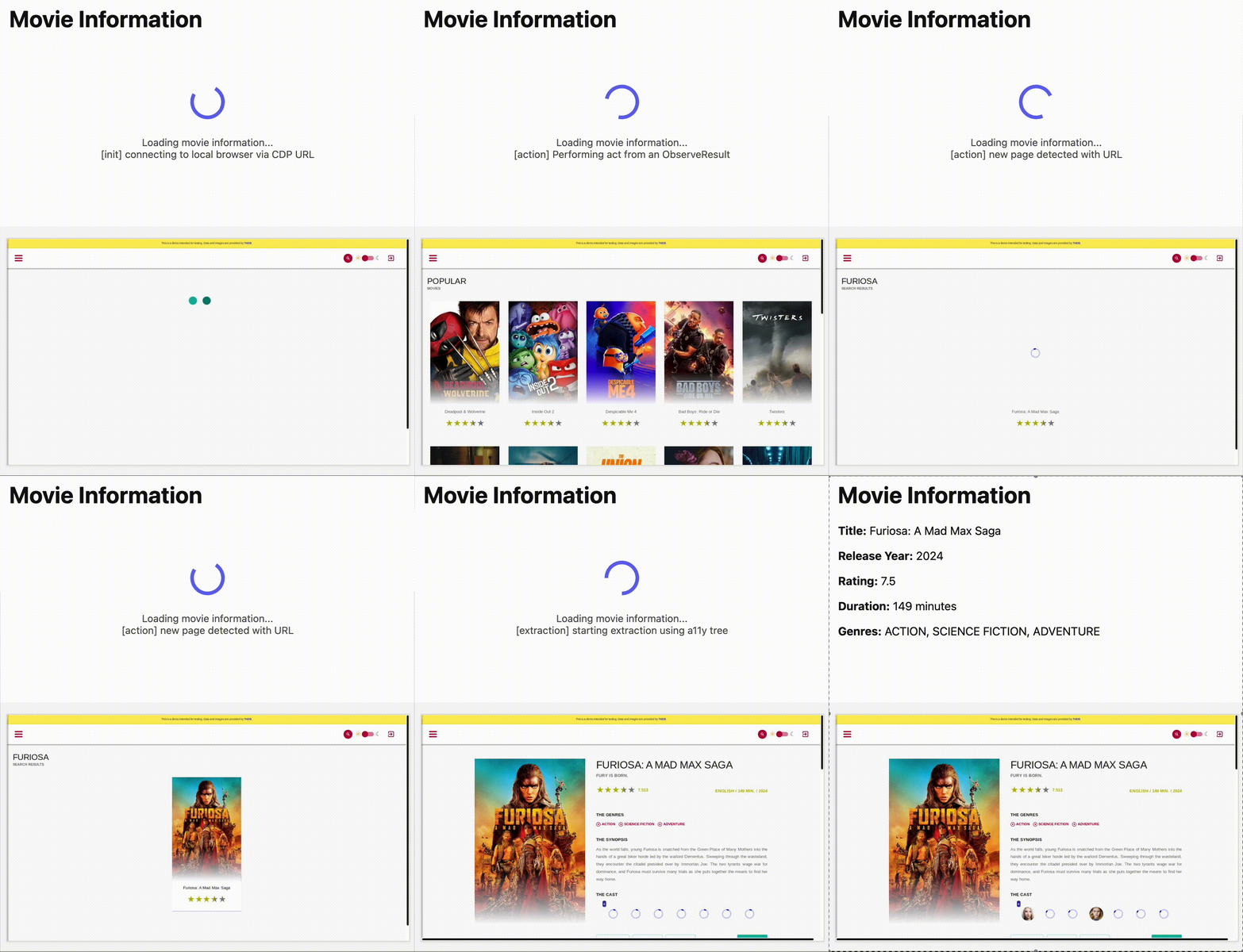 Output: 
If instead you want to skip the steps and get started right away, select **Deploy to Cloudflare** below.
[](https://deploy.workers.cloudflare.com/?url=https://github.com/cloudflare/playwright/tree/main/packages/playwright-cloudflare/examples/stagehand)
After you deploy, you can interact with the Worker using this URL pattern:
```plaintext
https://.workers.dev
```
### 1. Set up your project
Install the necessary dependencies:
```bash
npm ci
```
### 2. Configure your Worker
Update your Wrangler configuration file to include the bindings for Browser Rendering and [Workers AI](https://developers.cloudflare.com/workers-ai/):
Note
Your Worker configuration must include the `nodejs_compat` compatibility flag and a `compatibility_date` of 2025-09-15 or later.
* wrangler.jsonc
```jsonc
{
"name": "stagehand-example",
"main": "src/index.ts",
"compatibility_flags": ["nodejs_compat"],
// Set this to today's date
"compatibility_date": "2026-03-09",
"observability": {
"enabled": true
},
"browser": {
"binding": "BROWSER"
},
"ai": {
"binding": "AI"
}
}
```
* wrangler.toml
```toml
name = "stagehand-example"
main = "src/index.ts"
compatibility_flags = [ "nodejs_compat" ]
# Set this to today's date
compatibility_date = "2026-03-09"
[observability]
enabled = true
[browser]
binding = "BROWSER"
[ai]
binding = "AI"
```
If you are using the [Cloudflare Vite plugin](https://developers.cloudflare.com/workers/vite-plugin/), you need to include the following [alias](https://vite.dev/config/shared-options.html#resolve-alias) in `vite.config.ts`:
```ts
export default defineConfig({
// ...
resolve: {
alias: {
'playwright': '@cloudflare/playwright',
},
},
});
```
If you are not using the Cloudflare Vite plugin, you need to include the following [module alias](https://developers.cloudflare.com/workers/wrangler/configuration/#module-aliasing) to the wrangler configuration:
```jsonc
{
// ...
"alias": {
"playwright": "@cloudflare/playwright"
}
}
```
### 3. Write the Worker code
Copy [workersAIClient.ts](https://github.com/cloudflare/playwright/blob/main/packages/playwright-cloudflare/examples/stagehand/src/worker/workersAIClient.ts) to your project.
Then, in your Worker code, import the `workersAIClient.ts` file and use it to configure a new `Stagehand` instance:
```ts
import { Stagehand } from "@browserbasehq/stagehand";
import { z } from "zod";
import { endpointURLString } from "@cloudflare/playwright";
import { WorkersAIClient } from "./workersAIClient";
export default {
async fetch(request: Request, env: Env) {
if (new URL(request.url).pathname !== "/")
return new Response("Not found", { status: 404 });
const stagehand = new Stagehand({
env: "LOCAL",
localBrowserLaunchOptions: { cdpUrl: endpointURLString(env.BROWSER) },
llmClient: new WorkersAIClient(env.AI),
verbose: 1,
});
await stagehand.init();
const page = stagehand.page;
await page.goto('https://demo.playwright.dev/movies');
// if search is a multi-step action, stagehand will return an array of actions it needs to act on
const actions = await page.observe('Search for "Furiosa"');
for (const action of actions)
await page.act(action);
await page.act('Click the search result');
// normal playwright functions work as expected
await page.waitForSelector('.info-wrapper .cast');
let movieInfo = await page.extract({
instruction: 'Extract movie information',
schema: z.object({
title: z.string(),
year: z.number(),
rating: z.number(),
genres: z.array(z.string()),
duration: z.number().describe("Duration in minutes"),
}),
});
await stagehand.close();
return Response.json(movieInfo);
},
};
```
Note
The snippet above requires [Zod v3](https://v3.zod.dev/) and is currently not compatible with Zod v4.
Ensure your `package.json` has the following dependencies:
```json
{
// ...
"dependencies": {
"@browserbasehq/stagehand": "2.5.x",
"@cloudflare/playwright": "^1.0.0",
"zod": "^3.25.76",
"zod-to-json-schema": "^3.24.6"
// ...
}
}
```
### 4. Build the project
```bash
npm run build
```
### 5. Deploy to Cloudflare Workers
After you deploy, you can interact with the Worker using this URL pattern:
```plaintext
https://.workers.dev
```
```bash
npm run deploy
```
## Use Cloudflare AI Gateway with Workers AI
[AI Gateway](https://developers.cloudflare.com/ai-gateway/) is a service that adds observability to your AI applications. By routing your requests through AI Gateway, you can monitor and debug your AI applications.
To use AI Gateway with a third-party model, first create a gateway in the **AI Gateway** page of the Cloudflare dashboard.
[Go to **AI Gateway**](https://dash.cloudflare.com/?to=/:account/ai/ai-gateway)
In this example, we've named the gateway `stagehand-example-gateway`.
```typescript
const stagehand = new Stagehand({
env: "LOCAL",
localBrowserLaunchOptions: { cdpUrl },
llmClient: new WorkersAIClient(env.AI, {
gateway: {
id: "stagehand-example-gateway"
}
}),
});
```
## Use a third-party model
If you want to use a model outside of Workers AI, you can configure Stagehand to use models from supported [third-party providers](https://docs.stagehand.dev/configuration/models#supported-providers), including OpenAI and Anthropic, by providing your own credentials.
In this example, you will configure Stagehand to use [OpenAI](https://openai.com/). You will need an OpenAI API key. Cloudflare recommends storing your API key as a [secret](https://developers.cloudflare.com/workers/configuration/secrets/).
```bash
npx wrangler secret put OPENAI_API_KEY
```
Then, configure Stagehand with your provider, model, and API key.
```typescript
const stagehand = new Stagehand({
env: "LOCAL",
localBrowserLaunchOptions: { cdpUrl: endpointURLString(env.BROWSER) },
modelName: "openai/gpt-4.1",
modelClientOptions: {
apiKey: env.OPENAI_API_KEY,
},
});
```
## Use Cloudflare AI Gateway with a third-party model
[AI Gateway](https://developers.cloudflare.com/ai-gateway/) is a service that adds observability to your AI applications. By routing your requests through AI Gateway, you can monitor and debug your AI applications.
To use AI Gateway with a third-party model, first create a gateway in the **AI Gateway** page of the Cloudflare dashboard.
[Go to **AI Gateway**](https://dash.cloudflare.com/?to=/:account/ai/ai-gateway)
In this example, we are using [OpenAI with AI Gateway](https://developers.cloudflare.com/ai-gateway/usage/providers/openai/). Make sure to add the `baseURL` as shown below, with your own Account ID and Gateway ID.
You must specify the `apiKey` in the `modelClientOptions`:
```typescript
const stagehand = new Stagehand({
env: "LOCAL",
localBrowserLaunchOptions: { cdpUrl: endpointURLString(env.BROWSER) },
modelName: "openai/gpt-4.1",
modelClientOptions: {
apiKey: env.OPENAI_API_KEY,
baseURL: `https://gateway.ai.cloudflare.com/v1/{account_id}/{gateway_id}/openai`,
},
});
```
If you are using an authenticated AI Gateway, follow the instructions in [AI Gateway authentication](https://developers.cloudflare.com/ai-gateway/configuration/authentication/) and include `cf-aig-authorization` as a header.
## Stagehand API
For the full list of Stagehand methods and capabilities, refer to the official [Stagehand API documentation](https://docs.stagehand.dev/first-steps/introduction).
---
title: Workers Bindings · Cloudflare Browser Rendering docs
description: "Workers Bindings allow you to execute advanced browser rendering
scripts within Cloudflare Workers. They provide developers the flexibility to
automate and control complex workflows and browser interactions. The following
options are available for browser rendering tasks:"
lastUpdated: 2025-11-06T19:11:47.000Z
chatbotDeprioritize: false
tags: Bindings
source_url:
html: https://developers.cloudflare.com/browser-rendering/workers-bindings/
md: https://developers.cloudflare.com/browser-rendering/workers-bindings/index.md
---
Workers Bindings allow you to execute advanced browser rendering scripts within Cloudflare Workers. They provide developers the flexibility to automate and control complex workflows and browser interactions. The following options are available for browser rendering tasks:
* [Deploy a Browser Rendering Worker](https://developers.cloudflare.com/browser-rendering/workers-bindings/screenshots/)
* [Deploy a Browser Rendering Worker with Durable Objects](https://developers.cloudflare.com/browser-rendering/workers-bindings/browser-rendering-with-do/)
* [Reuse sessions](https://developers.cloudflare.com/browser-rendering/workers-bindings/reuse-sessions/)
Use Workers Bindings when you need advanced browser automation, custom workflows, or complex interactions beyond basic rendering. For quick, one-off tasks like capturing screenshots or extracting HTML, the [REST API](https://developers.cloudflare.com/browser-rendering/rest-api/) is the simpler choice.
---
title: 404 - Page Not Found · Cloudflare for Platforms docs
chatbotDeprioritize: false
source_url:
html: https://developers.cloudflare.com/cloudflare-for-platforms/404/
md: https://developers.cloudflare.com/cloudflare-for-platforms/404/index.md
---
# 404
Check the URL, try using our [search](https://developers.cloudflare.com/search/) or try our LLM-friendly [llms.txt directory](https://developers.cloudflare.com/llms.txt).
---
title: Cloudflare for SaaS · Cloudflare for Platforms docs
description: Cloudflare for SaaS allows you to extend the security and
performance benefits of Cloudflare's network to your customers via their own
custom or vanity domains.
lastUpdated: 2025-08-20T21:45:15.000Z
chatbotDeprioritize: false
source_url:
html: https://developers.cloudflare.com/cloudflare-for-platforms/cloudflare-for-saas/
md: https://developers.cloudflare.com/cloudflare-for-platforms/cloudflare-for-saas/index.md
---
Cloudflare for SaaS allows you to extend the security and performance benefits of Cloudflare's network to your customers via their own custom or vanity domains.
As a SaaS provider, you may want to support subdomains under your own zone in addition to letting your customers use their own domain names with your services. For example, a customer may want to use their vanity domain `app.customer.com` to point to an application hosted on your Cloudflare zone `service.saas.com`. Cloudflare for SaaS allows you to increase security, performance, and reliability of your customers' domains.
Note
Enterprise customers can preview this product as a [non-contract service](https://developers.cloudflare.com/billing/preview-services/), which provides full access, free of metered usage fees, limits, and certain other restrictions.
## Benefits
When you use Cloudflare for SaaS, it helps you to:
* Provide custom domain support.
* Keep your customers' traffic encrypted.
* Keep your customers online.
* Facilitate fast load times of your customers' domains.
* Gain insight through traffic analytics.
## Limitations
If your customers already have their applications on Cloudflare, they cannot control some Cloudflare features for hostnames managed by your Custom Hostnames configuration, including:
* Argo
* Early Hints
* Page Shield
* Spectrum
* Wildcard DNS
## How it works
As the SaaS provider, you can extend Cloudflare's products to customer-owned custom domains by adding them to your zone [as custom hostnames](https://developers.cloudflare.com/cloudflare-for-platforms/cloudflare-for-saas/domain-support/). Through a suite of easy-to-use products, Cloudflare for SaaS routes traffic from custom hostnames to an origin, set up on your domain. Cloudflare for SaaS is highly customizable. Three possible configurations are shown below.
### Standard Cloudflare for SaaS configuration:
Custom hostnames are routed to a default origin server called fallback origin. This configuration is available on all plans.
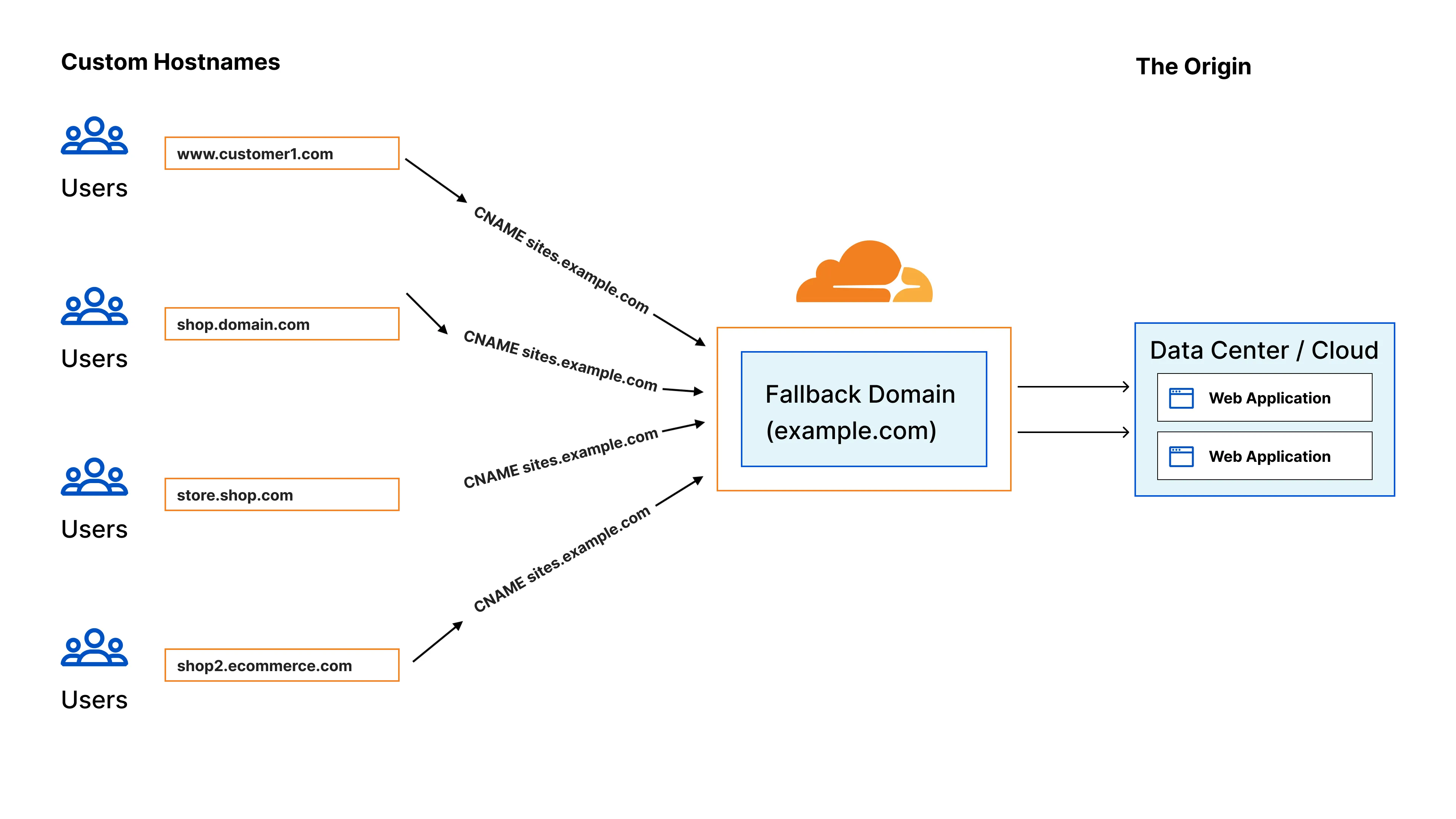
### Cloudflare for SaaS with Apex Proxying:
This allows you to support apex domains even if your customers are using a DNS provider that does not allow a CNAME at the apex. This is available as an add-on for Enterprise plans. For more details, refer to [Apex Proxying](https://developers.cloudflare.com/cloudflare-for-platforms/cloudflare-for-saas/start/advanced-settings/apex-proxying/).
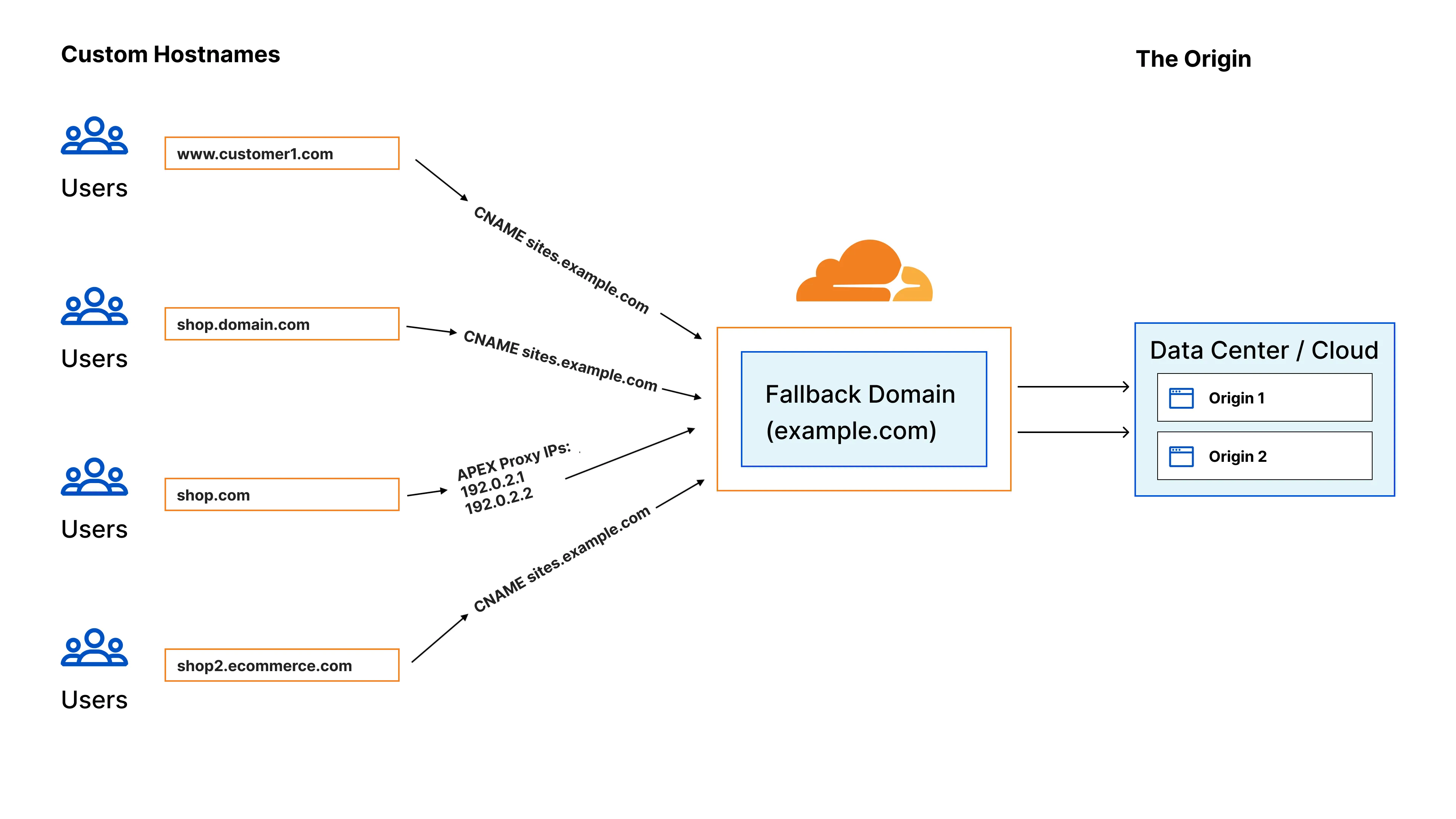
### Cloudflare for SaaS with BYOIP:
This allows you to support apex domains even if your customers are using a DNS provider that does not allow a CNAME at the apex. Also, you can point to your own IPs if you want to bring an IP range to Cloudflare (instead of Cloudflare provided IPs). This is available as an add-on for Enterprise plans.
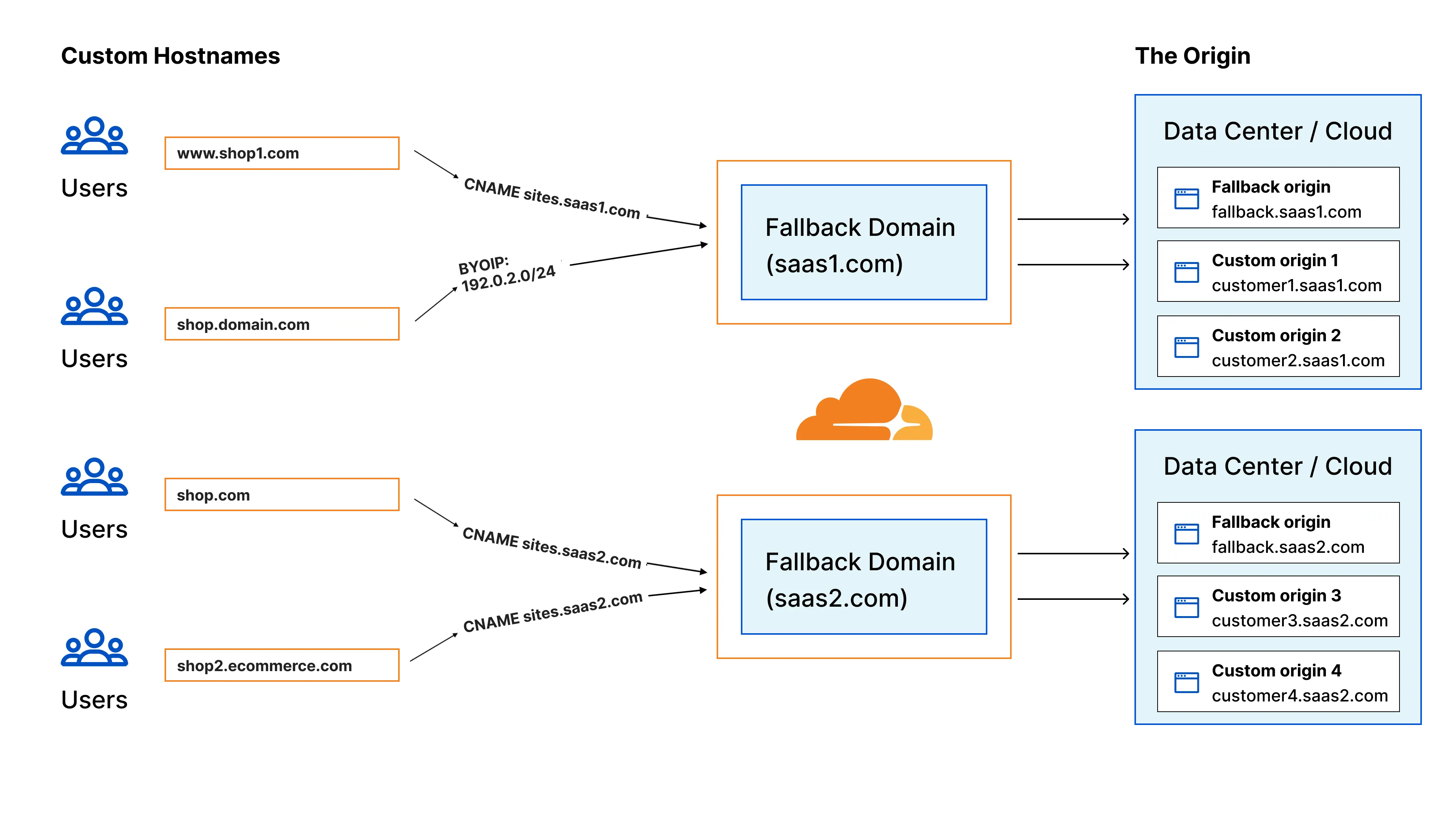
## Availability
Cloudflare for SaaS is bundled with non-Enterprise plans and available as an add-on for Enterprise plans. For more details, refer to [Plans](https://developers.cloudflare.com/cloudflare-for-platforms/cloudflare-for-saas/plans/).
## Next steps
[Get started](https://developers.cloudflare.com/cloudflare-for-platforms/cloudflare-for-saas/start/getting-started/)
[Learn more](https://blog.cloudflare.com/introducing-ssl-for-saas/)
---
title: Workers for Platforms · Cloudflare for Platforms docs
description: Workers for Platforms lets you run untrusted code written by your
customers, or by AI, in a secure hosted sandbox. Each customer runs code in
their own Worker, a secure and isolated environment.
lastUpdated: 2025-12-29T17:29:32.000Z
chatbotDeprioritize: false
source_url:
html: https://developers.cloudflare.com/cloudflare-for-platforms/workers-for-platforms/
md: https://developers.cloudflare.com/cloudflare-for-platforms/workers-for-platforms/index.md
---
Build a multi-tenant platform that runs untrusted code in secure, isolated sandboxes.
Workers for Platforms lets you run untrusted code written by your customers, or by AI, in a secure hosted sandbox. Each customer runs code in their own Worker, a secure and isolated environment.
## When to use Workers for Platforms
Use Workers for Platforms when you need to:
* **Run untrusted code at scale** - Execute code written by your customers or generated by AI in a secure sandbox, with the ability to deploy an unlimited number of applications.
* **Build multi-tenant platforms** - Give each customer their own isolated compute environment with complete separation between tenants.
* **Extend Cloudflare's developer platform to your customers** - Use [bindings](https://developers.cloudflare.com/cloudflare-for-platforms/workers-for-platforms/configuration/bindings/) to give each customer access to KV stores, D1 databases, R2 storage, and more. Your customers get the same powerful tools, managed through your platform.
* **Give each application its own domain** - Host applications under a subdomain of your domain (for example, `customer-name.myplatform.com`) or integrate with [custom hostnames](https://developers.cloudflare.com/cloudflare-for-platforms/cloudflare-for-saas/domain-support/) to allow customers to use their own domains.
## Features
Workers for Platforms provides tools to manage and control your customers' code:
* **[Custom limits](https://developers.cloudflare.com/cloudflare-for-platforms/workers-for-platforms/configuration/custom-limits/)** - Set per-customer limits on CPU time and subrequests.
* **[Observability](https://developers.cloudflare.com/cloudflare-for-platforms/workers-for-platforms/configuration/observability/)** - Collect logs and metrics across all user Workers in your namespace. Export to third-party platforms like Datadog, Splunk, and Grafana.
* **[Tags](https://developers.cloudflare.com/cloudflare-for-platforms/workers-for-platforms/configuration/tags/)** - Organize, search, and filter user Workers by custom tags like customer ID, plan type, or environment.
***
## Reference architectures
Explore reference architectures that use Workers for Platforms:
[Programmable Platforms](https://developers.cloudflare.com/reference-architecture/diagrams/serverless/programmable-platforms/)
[Workers for Platforms provide secure, scalable, cost-effective infrastructure for programmable platforms with global reach.](https://developers.cloudflare.com/reference-architecture/diagrams/serverless/programmable-platforms/)
[AI Vibe Coding Platform](https://developers.cloudflare.com/reference-architecture/diagrams/ai/ai-vibe-coding-platform/)
[Cloudflare's low-latency, fully serverless compute platform, Workers offers powerful capabilities to enable A/B testing using a server-side implementation.](https://developers.cloudflare.com/reference-architecture/diagrams/ai/ai-vibe-coding-platform/)
***
## Get started
[Get started](https://developers.cloudflare.com/cloudflare-for-platforms/workers-for-platforms/get-started/)
Set up a dispatch namespace, dynamic dispatch Worker, and user Worker.
[How Workers for Platforms works](https://developers.cloudflare.com/cloudflare-for-platforms/workers-for-platforms/how-workers-for-platforms-works/)
Understand the architecture: dispatch namespaces, dynamic dispatch Workers, user Workers, and outbound Workers.
---
title: 404 - Page Not Found · Constellation docs
chatbotDeprioritize: false
source_url:
html: https://developers.cloudflare.com/constellation/404/
md: https://developers.cloudflare.com/constellation/404/index.md
---
# 404
Check the URL, try using our [search](https://developers.cloudflare.com/search/) or try our LLM-friendly [llms.txt directory](https://developers.cloudflare.com/llms.txt).
---
title: Platform · Constellation docs
lastUpdated: 2024-08-13T19:56:56.000Z
chatbotDeprioritize: false
source_url:
html: https://developers.cloudflare.com/constellation/platform/
md: https://developers.cloudflare.com/constellation/platform/index.md
---
* [Client API](https://developers.cloudflare.com/constellation/platform/client-api/)
---
title: 404 - Page Not Found · Cloudflare Containers docs
chatbotDeprioritize: false
source_url:
html: https://developers.cloudflare.com/containers/404/
md: https://developers.cloudflare.com/containers/404/index.md
---
# 404
Check the URL, try using our [search](https://developers.cloudflare.com/search/) or try our LLM-friendly [llms.txt directory](https://developers.cloudflare.com/llms.txt).
---
title: Beta Info & Roadmap · Cloudflare Containers docs
description: "Currently, Containers are in beta. There are several changes we
plan to make prior to GA:"
lastUpdated: 2025-09-22T15:52:17.000Z
chatbotDeprioritize: false
source_url:
html: https://developers.cloudflare.com/containers/beta-info/
md: https://developers.cloudflare.com/containers/beta-info/index.md
---
Currently, Containers are in beta. There are several changes we plan to make prior to GA:
## Upcoming Changes and Known Gaps
### Limits
Container limits will be raised in the future. We plan to increase both maximum instance size and maximum number of instances in an account.
See the [Limits documentation](https://developers.cloudflare.com/containers/platform-details/#limits) for more information.
### Autoscaling and load balancing
Currently, Containers are not autoscaled or load balanced. Containers can be scaled manually by calling `get()` on their binding with a unique ID.
We plan to add official support for utilization-based autoscaling and latency-aware load balancing in the future.
See the [Autoscaling documentation](https://developers.cloudflare.com/containers/platform-details/scaling-and-routing) for more information.
### Reduction of log noise
Currently, the `Container` class uses Durable Object alarms to help manage Container shutdown. This results in unnecessary log noise in the Worker logs. You can filter these logs out in the dashboard by adding a Query, but this is not ideal.
We plan to automatically reduce log noise in the future.
### Dashboard Updates
The dashboard will be updated to show:
* links from Workers to their associated Containers
### Co-locating Durable Objects and Containers
Currently, Durable Objects are not co-located with their associated Container. When requesting a container, the Durable Object will find one close to it, but not on the same machine.
We plan to co-locate Durable Objects with their Container in the future.
### More advanced Container placement
We currently prewarm servers across our global network with container images to ensure quick start times. There are times in which you may request a new container and it will be started in a location that farther from the end user than is desired. We are optimizing this process to ensure that this happens as little as possible, but it may still occur.
### Atomic code updates across Workers and Containers
When deploying a Container with `wrangler deploy`, the Worker code will be immediately updated while the Container code will slowly be updated using a rolling deploy.
This means that you must ensure Worker code is backwards compatible with the old Container code.
In the future, Worker code in the Durable Object will only update when associated Container code updates.
## Feedback wanted
There are several areas where we wish to gather feedback from users:
* Do you want to integrate Containers with any other Cloudflare services? If so, which ones and how?
* Do you want more ways to interact with a Container via Workers? If so, how?
* Do you need different mechanisms for routing requests to containers?
* Do you need different mechanisms for scaling containers? (see [scaling documentation](https://developers.cloudflare.com/containers/platform-details/scaling-and-routing) for information on autoscaling plans)
At any point during the Beta, feel free to [give feedback using this form](https://forms.gle/CscdaEGuw5Hb6H2s7).
---
title: Container Package · Cloudflare Containers docs
description: >-
When writing code that interacts with a container instance, you can either use
a
Durable Object directly or use the Container class
importable from @cloudflare/containers.
lastUpdated: 2025-09-22T15:52:17.000Z
chatbotDeprioritize: false
source_url:
html: https://developers.cloudflare.com/containers/container-package/
md: https://developers.cloudflare.com/containers/container-package/index.md
---
When writing code that interacts with a container instance, you can either use a [Durable Object directly](https://developers.cloudflare.com/containers/platform-details/durable-object-methods) or use the [`Container` class](https://github.com/cloudflare/containers) importable from [`@cloudflare/containers`](https://www.npmjs.com/package/@cloudflare/containers).
We recommend using the `Container` class for most use cases.
* npm
```sh
npm i @cloudflare/containers
```
* yarn
```sh
yarn add @cloudflare/containers
```
* pnpm
```sh
pnpm add @cloudflare/containers
```
Then, you can define a class that extends `Container`, and use it in your Worker:
```javascript
import { Container } from "@cloudflare/containers";
class MyContainer extends Container {
defaultPort = 8080;
sleepAfter = "5m";
}
export default {
async fetch(request, env) {
// gets default instance and forwards request from outside Worker
return env.MY_CONTAINER.getByName("hello").fetch(request);
},
};
```
The `Container` class extends `DurableObject` so all [Durable Object](https://developers.cloudflare.com/durable-objects) functionality is available. It also provides additional functionality and a nice interface for common container behaviors, such as:
* sleeping instances after an inactivity timeout
* making requests to specific ports
* running status hooks on startup, stop, or error
* awaiting specific ports before making requests
* setting environment variables and secrets
See the [Containers GitHub repo](https://github.com/cloudflare/containers) for more details and the complete API.
---
title: Examples · Cloudflare Containers docs
description: "Explore the following examples of Container functionality:"
lastUpdated: 2025-08-18T14:27:42.000Z
chatbotDeprioritize: false
source_url:
html: https://developers.cloudflare.com/containers/examples/
md: https://developers.cloudflare.com/containers/examples/index.md
---
Explore the following examples of Container functionality:
[Mount R2 buckets with FUSE](https://developers.cloudflare.com/containers/examples/r2-fuse-mount/)
[Mount R2 buckets as filesystems using FUSE in Containers](https://developers.cloudflare.com/containers/examples/r2-fuse-mount/)
[Static Frontend, Container Backend](https://developers.cloudflare.com/containers/examples/container-backend/)
[A simple frontend app with a containerized backend](https://developers.cloudflare.com/containers/examples/container-backend/)
[Cron Container](https://developers.cloudflare.com/containers/examples/cron/)
[Running a container on a schedule using Cron Triggers](https://developers.cloudflare.com/containers/examples/cron/)
[Using Durable Objects Directly](https://developers.cloudflare.com/containers/examples/durable-object-interface/)
[Various examples calling Containers directly from Durable Objects](https://developers.cloudflare.com/containers/examples/durable-object-interface/)
[Env Vars and Secrets](https://developers.cloudflare.com/containers/examples/env-vars-and-secrets/)
[Pass in environment variables and secrets to your container](https://developers.cloudflare.com/containers/examples/env-vars-and-secrets/)
[Stateless Instances](https://developers.cloudflare.com/containers/examples/stateless/)
[Run multiple instances across Cloudflare's network](https://developers.cloudflare.com/containers/examples/stateless/)
[Status Hooks](https://developers.cloudflare.com/containers/examples/status-hooks/)
[Execute Workers code in reaction to Container status changes](https://developers.cloudflare.com/containers/examples/status-hooks/)
[Websocket to Container](https://developers.cloudflare.com/containers/examples/websocket/)
[Forwarding a Websocket request to a Container](https://developers.cloudflare.com/containers/examples/websocket/)
---
title: Frequently Asked Questions · Cloudflare Containers docs
description: "Frequently Asked Questions:"
lastUpdated: 2026-02-17T18:09:22.000Z
chatbotDeprioritize: false
source_url:
html: https://developers.cloudflare.com/containers/faq/
md: https://developers.cloudflare.com/containers/faq/index.md
---
Frequently Asked Questions:
## How do Container logs work?
To get logs in the Dashboard, including live tailing of logs, toggle `observability` to true in your Worker's wrangler config:
* wrangler.jsonc
```jsonc
{
"observability": {
"enabled": true
}
}
```
* wrangler.toml
```toml
[observability]
enabled = true
```
Logs are subject to the same [limits as Worker logs](https://developers.cloudflare.com/workers/observability/logs/workers-logs/#limits), which means that they are retained for 3 days on Free plans and 7 days on Paid plans.
See [Workers Logs Pricing](https://developers.cloudflare.com/workers/observability/logs/workers-logs/#pricing) for details on cost.
If you are an Enterprise user, you are able to export container logs via [Logpush](https://developers.cloudflare.com/logs/logpush/) to your preferred destination.
## How are container instance locations selected?
When initially deploying a Container, Cloudflare will select various locations across our network to deploy instances to. These locations will span multiple regions.
When a Container instance is requested with `this.ctx.container.start`, the nearest free container instance will be selected from the pre-initialized locations. This will likely be in the same region as the external request, but may not be. Once the container instance is running, any future requests will be routed to the initial location.
An Example:
* A user deploys a Container. Cloudflare automatically readies instances across its Network.
* A request is made from a client in Bariloche, Argentia. It reaches the Worker in Cloudflare's location in Neuquen, Argentina.
* This Worker request calls `MY_CONTAINER.get("session-1337")` which brings up a Durable Object, which then calls `this.ctx.container.start`.
* This requests the nearest free Container instance.
* Cloudflare recognizes that an instance is free in Buenos Aires, Argentina, and starts it there.
* A different user needs to route to the same container. This user's request reaches the Worker running in Cloudflare's location in San Diego.
* The Worker again calls `MY_CONTAINER.get("session-1337")`.
* If the initial container instance is still running, the request is routed to the location in Buenos Aires. If the initial container has gone to sleep, Cloudflare will once again try to find the nearest "free" instance of the Container, likely one in North America, and start an instance there.
## How do container updates and rollouts work?
See [rollout documentation](https://developers.cloudflare.com/containers/platform-details/rollouts/) for details.
## How does scaling work?
See [scaling & routing documentation](https://developers.cloudflare.com/containers/platform-details/scaling-and-routing/) for details.
## What are cold starts? How fast are they?
A cold start is when a container instance is started from a completely stopped state.
If you call `env.MY_CONTAINER.get(id)` with a completely novel ID and launch this instance for the first time, it will result in a cold start.
This will start the container image from its entrypoint for the first time. Depending on what this entrypoint does, it will take a variable amount of time to start.
Container cold starts can often be the 2-3 second range, but this is dependent on image size and code execution time, among other factors.
## How do I use an existing container image?
See [image management documentation](https://developers.cloudflare.com/containers/platform-details/image-management/#using-existing-images) for details.
## Is disk persistent? What happens to my disk when my container sleeps?
All disk is ephemeral. When a Container instance goes to sleep, the next time it is started, it will have a fresh disk as defined by its container image.
Persistent disk is something the Cloudflare team is exploring in the future, but is not slated for the near term.
## What happens if I run out of memory?
If you run out of memory, your instance will throw an Out of Memory (OOM) error and will be restarted.
Containers do not use swap memory.
## How long can instances run for? What happens when a host server is shutdown?
Cloudflare will not actively shut off a container instance after a specific amount of time. If you do not set `sleepAfter` on your Container class, or stop the instance manually, it will continue to run unless its host server is restarted. This happens on an irregular cadence, but frequently enough where Cloudflare does not guarantee that any instance will run for any set period of time.
When a container instance is going to be shut down, it is sent a `SIGTERM` signal, and then a `SIGKILL` signal after 15 minutes. You should perform any necessary cleanup to ensure a graceful shutdown in this time. The container instance will be rebooted elsewhere shortly after this.
## How can I pass secrets to my container?
You can use [Worker Secrets](https://developers.cloudflare.com/workers/configuration/secrets/) or the [Secrets Store](https://developers.cloudflare.com/secrets-store/integrations/workers/) to define secrets for your Workers.
Then you can pass these secrets to your Container using the `envVars` property:
```javascript
class MyContainer extends Container {
defaultPort = 5000;
envVars = {
MY_SECRET: this.env.MY_SECRET,
};
}
```
Or when starting a Container instance on a Durable Object:
```javascript
this.ctx.container.start({
env: {
MY_SECRET: this.env.MY_SECRET,
},
});
```
See [the Env Vars and Secrets Example](https://developers.cloudflare.com/containers/examples/env-vars-and-secrets/) for details.
## Can I run Docker inside a container (Docker-in-Docker)?
Yes. Use the `docker:dind-rootless` base image since Containers run without root privileges.
You must disable iptables when starting the Docker daemon because Containers do not support iptables manipulation:
```dockerfile
FROM docker:dind-rootless
# Start dockerd with iptables disabled, then run your app
ENTRYPOINT ["sh", "-c", "dockerd-entrypoint.sh dockerd --iptables=false --ip6tables=false & exec /path/to/your-app"]
```
If your application needs to wait for dockerd to become ready before using Docker, use an entrypoint script instead of the inline command above:
```sh
#!/bin/sh
set -eu
# Wait for dockerd to be ready
until docker version >/dev/null 2>&1; do
sleep 0.2
done
exec /path/to/your-app
```
Working with disabled iptables
Cloudflare Containers do not support iptables manipulation. The `--iptables=false` and `--ip6tables=false` flags prevent Docker from attempting to configure network rules, which would otherwise fail.
To send or receive traffic from a container running within Docker-in-Docker, use the `--network=host` flag when running Docker commands.
This allows you to connect to the container, but it means each inner container has access to your outer container's network stack. Ensure you understand the security implications of this setup before proceeding.
For a complete working example, see the [Docker-in-Docker Containers example](https://github.com/th0m/containers-dind).
## How do I allow or disallow egress from my container?
When booting a Container, you can specify `enableInternet`, which will toggle internet access on or off.
To disable it, configure it on your Container class:
```javascript
class MyContainer extends Container {
defaultPort = 7000;
enableInternet = false;
}
```
or when starting a Container instance on a Durable Object:
```javascript
this.ctx.container.start({
enableInternet: false,
});
```
---
title: Getting started · Cloudflare Containers docs
description: >-
In this guide, you will deploy a Worker that can make requests to one or more
Containers in response to end-user requests.
In this example, each container runs a small webserver written in Go.
lastUpdated: 2026-01-29T10:38:24.000Z
chatbotDeprioritize: false
source_url:
html: https://developers.cloudflare.com/containers/get-started/
md: https://developers.cloudflare.com/containers/get-started/index.md
---
In this guide, you will deploy a Worker that can make requests to one or more Containers in response to end-user requests. In this example, each container runs a small webserver written in Go.
This example Worker should give you a sense for simple Container use, and provide a starting point for more complex use cases.
## Prerequisites
### Ensure Docker is running locally
In this guide, we will build and push a container image alongside your Worker code. By default, this process uses [Docker](https://www.docker.com/) to do so.
You must have Docker running locally when you run `wrangler deploy`. For most people, the best way to install Docker is to follow the [docs for installing Docker Desktop](https://docs.docker.com/desktop/). Other tools like [Colima](https://github.com/abiosoft/colima) may also work.
You can check that Docker is running properly by running the `docker info` command in your terminal. If Docker is running, the command will succeed. If Docker is not running, the `docker info` command will hang or return an error including the message "Cannot connect to the Docker daemon".
## Deploy your first Container
Run the following command to create and deploy a new Worker with a container, from the starter template:
* npm
```sh
npm create cloudflare@latest -- --template=cloudflare/templates/containers-template
```
* yarn
```sh
yarn create cloudflare --template=cloudflare/templates/containers-template
```
* pnpm
```sh
pnpm create cloudflare@latest --template=cloudflare/templates/containers-template
```
When you want to deploy a code change to either the Worker or Container code, you can run the following command using [Wrangler CLI](https://developers.cloudflare.com/workers/wrangler/):
* npm
```sh
npx wrangler deploy
```
* yarn
```sh
yarn wrangler deploy
```
* pnpm
```sh
pnpm wrangler deploy
```
When you run `wrangler deploy`, the following things happen:
* Wrangler builds your container image using Docker.
* Wrangler pushes your image to a [Container Image Registry](https://developers.cloudflare.com/containers/platform-details/image-management/) that is automatically integrated with your Cloudflare account.
* Wrangler deploys your Worker, and configures Cloudflare's network to be ready to spawn instances of your container
The build and push usually take the longest on the first deploy. Subsequent deploys are faster, because they [reuse cached image layers](https://docs.docker.com/build/cache/).
Note
After you deploy your Worker for the first time, you will need to wait several minutes until it is ready to receive requests. Unlike Workers, Containers take a few minutes to be provisioned. During this time, requests are sent to the Worker, but calls to the Container will error.
### Check deployment status
After deploying, run the following command to show a list of containers containers in your Cloudflare account, and their deployment status:
* npm
```sh
npx wrangler containers list
```
* yarn
```sh
yarn wrangler containers list
```
* pnpm
```sh
pnpm wrangler containers list
```
And see images deployed to the Cloudflare Registry with the following command:
* npm
```sh
npx wrangler containers images list
```
* yarn
```sh
yarn wrangler containers images list
```
* pnpm
```sh
pnpm wrangler containers images list
```
### Make requests to Containers
Now, open the URL for your Worker. It should look something like `https://hello-containers.YOUR_ACCOUNT_NAME.workers.dev`.
If you make requests to the paths `/container/1` or `/container/2`, your Worker routes requests to specific containers. Each different path after "/container/" routes to a unique container.
If you make requests to `/lb`, you will load balanace requests to one of 3 containers chosen at random.
You can confirm this behavior by reading the output of each request.
## Understanding the Code
Now that you've deployed your first container, let's explain what is happening in your Worker's code, in your configuration file, in your container's code, and how requests are routed.
## Each Container is backed by its own Durable Object
Incoming requests are initially handled by the Worker, then passed to a container-enabled [Durable Object](https://developers.cloudflare.com/durable-objects). To simplify and reduce boilerplate code, Cloudflare provides a [`Container` class](https://github.com/cloudflare/containers) as part of the `@cloudflare/containers` NPM package.
You don't have to be familiar with Durable Objects to use Containers, but it may be helpful to understand the basics.
Each Durable Object runs alongside an individual container instance, manages starting and stopping it, and can interact with the container through its ports. Containers will likely run near the Worker instance requesting them, but not necessarily. Refer to ["How Locations are Selected"](https://developers.cloudflare.com/containers/platform-details/#how-are-locations-are-selected) for details.
In a simple app, the Durable Object may just boot the container and proxy requests to it.
In a more complex app, having container-enabled Durable Objects allows you to route requests to individual stateful container instances, manage the container lifecycle, pass in custom starting commands and environment variables to containers, run hooks on container status changes, and more.
See the [documentation for Durable Object container methods](https://developers.cloudflare.com/durable-objects/api/container/) and the [`Container` class repository](https://github.com/cloudflare/containers) for more details.
### Configuration
Your [Wrangler configuration file](https://developers.cloudflare.com/workers/wrangler/configuration/) defines the configuration for both your Worker and your container:
* wrangler.jsonc
```jsonc
{
"containers": [
{
"max_instances": 10,
"class_name": "MyContainer",
"image": "./Dockerfile"
}
],
"durable_objects": {
"bindings": [
{
"name": "MY_CONTAINER",
"class_name": "MyContainer"
}
]
},
"migrations": [
{
"tag": "v1",
"new_sqlite_classes": [
"MyContainer"
]
}
]
}
```
* wrangler.toml
```toml
[[containers]]
max_instances = 10
class_name = "MyContainer"
image = "./Dockerfile"
[[durable_objects.bindings]]
name = "MY_CONTAINER"
class_name = "MyContainer"
[[migrations]]
tag = "v1"
new_sqlite_classes = [ "MyContainer" ]
```
Important points about this config:
* `image` points to a Dockerfile or to a directory containing a Dockerfile.
* `class_name` must be a [Durable Object class name](https://developers.cloudflare.com/durable-objects/api/base/).
* `max_instances` declares the maximum number of simultaneously running container instances that will run.
* The Durable Object must use [`new_sqlite_classes`](https://developers.cloudflare.com/durable-objects/best-practices/access-durable-objects-storage/#create-sqlite-backed-durable-object-class) not `new_classes`.
### The Container Image
Your container image must be able to run on the `linux/amd64` architecture, but aside from that, has few limitations.
In the example you just deployed, it is a simple Golang server that responds to requests on port 8080 using the `MESSAGE` environment variable that will be set in the Worker and an [auto-generated environment variable](https://developers.cloudflare.com/containers/platform-details/#environment-variables) `CLOUDFLARE_DEPLOYMENT_ID.`
```go
func handler(w http.ResponseWriter, r *http.Request) {
message := os.Getenv("MESSAGE")
instanceId := os.Getenv("CLOUDFLARE_DEPLOYMENT_ID")
fmt.Fprintf(w, "Hi, I'm a container and this is my message: %s, and my instance ID is: %s", message, instanceId)
}
```
Note
After deploying the example code, to deploy a different image, you can replace the provided image with one of your own.
### Worker code
#### Container Configuration
First note `MyContainer` which extends the [`Container`](https://github.com/cloudflare/containers) class:
```js
export class MyContainer extends Container {
defaultPort = 8080;
sleepAfter = '10s';
envVars = {
MESSAGE: 'I was passed in via the container class!',
};
override onStart() {
console.log('Container successfully started');
}
override onStop() {
console.log('Container successfully shut down');
}
override onError(error: unknown) {
console.log('Container error:', error);
}
}
```
This defines basic configuration for the container:
* `defaultPort` sets the port that the `fetch` and `containerFetch` methods will use to communicate with the container. It also blocks requests until the container is listening on this port.
* `sleepAfter` sets the timeout for the container to sleep after it has been idle for a certain amount of time.
* `envVars` sets environment variables that will be passed to the container when it starts.
* `onStart`, `onStop`, and `onError` are hooks that run when the container starts, stops, or errors, respectively.
See the [Container class documentation](https://developers.cloudflare.com/containers/container-package) for more details and configuration options.
#### Routing to Containers
When a request enters Cloudflare, your Worker's [`fetch` handler](https://developers.cloudflare.com/workers/runtime-apis/handlers/fetch/) is invoked. This is the code that handles the incoming request. The fetch handler in the example code, launches containers in two ways, on different routes:
* Making requests to `/container/` passes requests to a new container for each path. This is done by spinning up a new Container instance. You may note that the first request to a new path takes longer than subsequent requests, this is because a new container is booting.
```js
if (pathname.startsWith("/container")) {
const container = env.MY_CONTAINER.getByName(pathname);
return await container.fetch(request);
}
```
* Making requests to `/lb` will load balance requests across several containers. This uses a simple `getRandom` helper method, which picks an ID at random from a set number (in this case 3), then routes to that Container instance. You can replace this with any routing or load balancing logic you choose to implement:
```js
if (pathname.startsWith("/lb")) {
const container = await getRandom(env.MY_CONTAINER, 3);
return await container.fetch(request);
}
```
This allows for multiple ways of using Containers:
* If you simply want to send requests to many stateless and interchangeable containers, you should load balance.
* If you have stateful services or need individually addressable containers, you should request specific Container instances.
* If you are running short-lived jobs, want fine-grained control over the container lifecycle, want to parameterize container entrypoint or env vars, or want to chain together multiple container calls, you should request specific Container instances.
Note
Currently, routing requests to one of many interchangeable Container instances is accomplished with the `getRandom` helper.
This is temporary — we plan to add native support for latency-aware autoscaling and load balancing in the coming months.
## View Containers in your Dashboard
The [Containers Dashboard](http://dash.cloudflare.com/?to=/:account/workers/containers) shows you helpful information about your Containers, including:
* Status and Health
* Metrics
* Logs
* A link to associated Workers and Durable Objects
After launching your Worker, navigate to the Containers Dashboard by clicking on "Containers" under "Workers & Pages" in your sidebar.
## Next Steps
To do more:
* Modify the image by changing the Dockerfile and calling `wrangler deploy`
* Review our [examples](https://developers.cloudflare.com/containers/examples) for more inspiration
* Get [more information on the Containers Beta](https://developers.cloudflare.com/containers/beta-info)
---
title: Local Development · Cloudflare Containers docs
description: You can run both your container and your Worker locally by simply
running npx wrangler dev (or vite dev for Vite projects using the Cloudflare
Vite plugin) in your project's directory.
lastUpdated: 2026-02-27T16:28:35.000Z
chatbotDeprioritize: false
source_url:
html: https://developers.cloudflare.com/containers/local-dev/
md: https://developers.cloudflare.com/containers/local-dev/index.md
---
You can run both your container and your Worker locally by simply running [`npx wrangler dev`](https://developers.cloudflare.com/workers/wrangler/commands/#dev) (or `vite dev` for Vite projects using the [Cloudflare Vite plugin](https://developers.cloudflare.com/workers/vite-plugin/)) in your project's directory.
To develop Container-enabled Workers locally, you will need to first ensure that a Docker compatible CLI tool and Engine are installed. For instance, you could use [Docker Desktop](https://docs.docker.com/desktop/) or [Colima](https://github.com/abiosoft/colima).
When you start a dev session, your container image will be built or downloaded. If your [Wrangler configuration](https://developers.cloudflare.com/workers/wrangler/configuration/#containers) sets the `image` attribute to a local path, the image will be built using the local Dockerfile. If the `image` attribute is set to a URL, the image will be pulled from the Cloudflare registry.
Note
Currently, the Cloudflare Vite-plugin does not support registry links in local development, unlike `wrangler dev`. As a workaround, you can create a minimal Dockerfile that uses `FROM `. Make sure to `EXPOSE` a port for local dev as well.
Container instances will be launched locally when your Worker code calls to create a new container. Requests will then automatically be routed to the correct locally-running container.
When the dev session ends, all associated container instances should be stopped, but local images are not removed, so that they can be reused in subsequent builds.
Note
If your Worker app creates many container instances, your local machine may not be able to run as many containers concurrently as is possible when you deploy to Cloudflare.
Also, `max_instances` configuration option does not apply during local development.
Additionally, if you regularly rebuild containers locally, you may want to clear out old container images (using `docker image prune` or similar) to reduce disk used.
## Iterating on Container code
When you develop with Wrangler or Vite, your Worker's code is automatically reloaded each time you save a change, but code running within the container is not.
To rebuild your container with new code changes, you can hit the `[r]` key on your keyboard, which triggers a rebuild. Container instances will then be restarted with the newly built images.
You may prefer to set up your own code watchers and reloading mechanisms, or mount a local directory into the local container images to sync code changes. This can be done, but there is no built-in mechanism for doing so, and best-practices will depend on the languages and frameworks you are using in your container code.
## Troubleshooting
### Exposing Ports
In production, all of your container's ports will be accessible by your Worker, so you do not need to specifically expose ports using the [`EXPOSE` instruction](https://docs.docker.com/reference/dockerfile/#expose) in your Dockerfile.
But for local development you will need to declare any ports you need to access in your Dockerfile with the EXPOSE instruction; for example: `EXPOSE 4000`, if you will be accessing port 4000.
If you have not exposed any ports, you will see the following error in local development:
```txt
The container "MyContainer" does not expose any ports. In your Dockerfile, please expose any ports you intend to connect to.
```
And if you try to connect to any port that you have not exposed in your `Dockerfile` you will see the following error:
```txt
connect(): Connection refused: container port not found. Make sure you exposed the port in your container definition.
```
You may also see this while the container is starting up and no ports are available yet. You should retry until the ports become available. This retry logic should be handled for you if you are using the [containers package](https://github.com/cloudflare/containers/tree/main/src).
### Socket configuration - `internal error`
If you see an opaque `internal error` when attempting to connect to your container, you may need to set the `DOCKER_HOST` environment variable to the socket path your container engine is listening on. Wrangler or Vite will attempt to automatically find the correct socket to use to communicate with your container engine, but if that does not work, you may have to set this environment variable to the appropriate socket path.
### SSL errors with Cloudflare WARP or a VPN
If you are running Cloudflare WARP or a VPN that performs TLS inspection, HTTPS requests made during the Docker build process may fail with SSL or certificate errors. This happens because the VPN intercepts HTTPS traffic and re-signs it with its own certificate authority, which Docker does not trust by default.
To resolve this, you can either:
* Disable WARP or your VPN while running `wrangler dev` or `wrangler deploy`, then re-enable it afterwards.
* Add the certificate to your Docker build context. Cloudflare WARP exposes its certificate via the `NODE_EXTRA_CA_CERTS` and `SSL_CERT_FILE` environment variables on your host machine. You can pass the certificate into your Docker build as an environment variable, so that it is available during the build without being baked into the final image.
```dockerfile
RUN if [ -n "$SSL_CERT_FILE" ]; then \
cp "$SSL_CERT_FILE" /usr/local/share/ca-certificates/Custom_CA.crt && \
update-ca-certificates; \
fi
```
Note
The above Dockerfile snippet is an example. Depending on your base image, the commands to install certificates may differ (for example, Alpine uses `apk add ca-certificates` and a different certificate path).
This snippet will store the certificate into the image. Depending on whether your production environment needs the certificate, you may choose to do this only during development or use it in production too.
Wrangler invokes Docker automatically when you run `wrangler dev` or `wrangler deploy`, so if you need to pass build secrets, you will need to build and push the image manually using `wrangler containers images push`.
---
title: Platform Reference · Cloudflare Containers docs
lastUpdated: 2025-09-22T15:52:17.000Z
chatbotDeprioritize: true
source_url:
html: https://developers.cloudflare.com/containers/platform-details/
md: https://developers.cloudflare.com/containers/platform-details/index.md
---
---
title: Pricing · Cloudflare Containers docs
description: "Containers are billed for every 10ms that they are actively
running at the following rates, with included monthly usage as part of the $5
USD per month Workers Paid plan:"
lastUpdated: 2026-02-13T19:03:00.000Z
chatbotDeprioritize: false
source_url:
html: https://developers.cloudflare.com/containers/pricing/
md: https://developers.cloudflare.com/containers/pricing/index.md
---
## vCPU, Memory and Disk
Containers are billed for every 10ms that they are actively running at the following rates, with included monthly usage as part of the $5 USD per month [Workers Paid plan](https://developers.cloudflare.com/workers/platform/pricing/):
| | Memory | CPU | Disk |
| - | - | - | - |
| **Free** | N/A | N/A | |
| **Workers Paid** | 25 GiB-hours/month included +$0.0000025 per additional GiB-second | 375 vCPU-minutes/month + $0.000020 per additional vCPU-second | 200 GB-hours/month +$0.00000007 per additional GB-second |
You only pay for what you use — charges start when a request is sent to the container or when it is manually started. Charges stop after the container instance goes to sleep, which can happen automatically after a timeout. This makes it easy to scale to zero, and allows you to get high utilization even with bursty traffic.
Memory and disk usage are based on the *provisioned resources* for the instance type you select, while CPU usage is based on *active usage* only.
#### Instance Types
When you deploy a container, you specify an [instance type](https://developers.cloudflare.com/containers/platform-details/#instance-types).
The instance type you select will impact your bill — larger instances include more memory and disk, incurring additional costs, and higher CPU capacity, which allows you to incur higher CPU costs based on active usage.
The following instance types are currently available:
| Instance Type | vCPU | Memory | Disk |
| - | - | - | - |
| lite | 1/16 | 256 MiB | 2 GB |
| basic | 1/4 | 1 GiB | 4 GB |
| standard-1 | 1/2 | 4 GiB | 8 GB |
| standard-2 | 1 | 6 GiB | 12 GB |
| standard-3 | 2 | 8 GiB | 16 GB |
| standard-4 | 4 | 12 GiB | 20 GB |
## Network Egress
Egress from Containers is priced at the following rates:
| Region | Price per GB | Included Allotment per month |
| - | - | - |
| North America & Europe | $0.025 | 1 TB |
| Oceania, Korea, Taiwan | $0.05 | 500 GB |
| Everywhere Else | $0.04 | 500 GB |
## Workers and Durable Objects Pricing
When you use Containers, incoming requests to your containers are handled by your [Worker](https://developers.cloudflare.com/workers/platform/pricing/), and each container has its own [Durable Object](https://developers.cloudflare.com/durable-objects/platform/pricing/). You are billed for your usage of both Workers and Durable Objects.
## Logs and Observability
Containers are integrated with the [Workers Logs](https://developers.cloudflare.com/workers/observability/logs/workers-logs/) platform, and billed at the same rate. Refer to [Workers Logs pricing](https://developers.cloudflare.com/workers/observability/logs/workers-logs/#pricing) for details.
When you [enable observability for your Worker](https://developers.cloudflare.com/workers/observability/logs/workers-logs/#enable-workers-logs) with a binding to a container, logs from your container will show in both the Containers and Observability sections of the Cloudflare dashboard.
---
title: Wrangler Commands · Cloudflare Containers docs
lastUpdated: 2025-09-22T15:52:17.000Z
chatbotDeprioritize: false
source_url:
html: https://developers.cloudflare.com/containers/wrangler-commands/
md: https://developers.cloudflare.com/containers/wrangler-commands/index.md
---
---
title: Wrangler Configuration · Cloudflare Containers docs
lastUpdated: 2025-09-22T15:52:17.000Z
chatbotDeprioritize: false
source_url:
html: https://developers.cloudflare.com/containers/wrangler-configuration/
md: https://developers.cloudflare.com/containers/wrangler-configuration/index.md
---
---
title: 404 - Page Not Found · Cloudflare D1 docs
chatbotDeprioritize: false
source_url:
html: https://developers.cloudflare.com/d1/404/
md: https://developers.cloudflare.com/d1/404/index.md
---
# 404
Check the URL, try using our [search](https://developers.cloudflare.com/search/) or try our LLM-friendly [llms.txt directory](https://developers.cloudflare.com/llms.txt).
---
title: Best practices · Cloudflare D1 docs
lastUpdated: 2024-12-11T09:43:45.000Z
chatbotDeprioritize: true
source_url:
html: https://developers.cloudflare.com/d1/best-practices/
md: https://developers.cloudflare.com/d1/best-practices/index.md
---
* [Import and export data](https://developers.cloudflare.com/d1/best-practices/import-export-data/)
* [Query a database](https://developers.cloudflare.com/d1/best-practices/query-d1/)
* [Retry queries](https://developers.cloudflare.com/d1/best-practices/retry-queries/)
* [Use indexes](https://developers.cloudflare.com/d1/best-practices/use-indexes/)
* [Local development](https://developers.cloudflare.com/d1/best-practices/local-development/)
* [Remote development](https://developers.cloudflare.com/d1/best-practices/remote-development/)
* [Use D1 from Pages](https://developers.cloudflare.com/pages/functions/bindings/#d1-databases)
* [Global read replication](https://developers.cloudflare.com/d1/best-practices/read-replication/)
---
title: Configuration · Cloudflare D1 docs
lastUpdated: 2025-04-09T22:35:27.000Z
chatbotDeprioritize: true
source_url:
html: https://developers.cloudflare.com/d1/configuration/
md: https://developers.cloudflare.com/d1/configuration/index.md
---
* [Data location](https://developers.cloudflare.com/d1/configuration/data-location/)
* [Environments](https://developers.cloudflare.com/d1/configuration/environments/)
---
title: REST API · Cloudflare D1 docs
lastUpdated: 2025-04-09T22:35:27.000Z
chatbotDeprioritize: false
source_url:
html: https://developers.cloudflare.com/d1/d1-api/
md: https://developers.cloudflare.com/d1/d1-api/index.md
---
---
title: Demos and architectures · Cloudflare D1 docs
description: Learn how you can use D1 within your existing application and architecture.
lastUpdated: 2025-10-13T13:40:40.000Z
chatbotDeprioritize: false
source_url:
html: https://developers.cloudflare.com/d1/demos/
md: https://developers.cloudflare.com/d1/demos/index.md
---
Learn how you can use D1 within your existing application and architecture.
## Featured Demos
* [Starter code for D1 Sessions API](https://github.com/cloudflare/templates/tree/main/d1-starter-sessions-api-template): An introduction to D1 Sessions API. This demo simulates purchase orders administration.
[](https://deploy.workers.cloudflare.com/?url=https://github.com/cloudflare/templates/tree/main/d1-starter-sessions-api-template)
Tip: Place your database further away for the read replication demo
To simulate how read replication can improve a worst case latency scenario, select your primary database location to be in a farther away region (one of the deployment steps).
You can find this in the **Database location hint** dropdown.
## Demos
Explore the following demo applications for D1.
* [Starter code for D1 Sessions API:](https://github.com/cloudflare/templates/tree/main/d1-starter-sessions-api-template) An introduction to D1 Sessions API. This demo simulates purchase orders administration.
* [Jobs At Conf:](https://github.com/harshil1712/jobs-at-conf-demo) A job lisiting website to add jobs you find at in-person conferences. Built with Cloudflare Pages, R2, D1, Queues, and Workers AI.
* [Remix Authentication Starter:](https://github.com/harshil1712/remix-d1-auth-template) Implement authenticating to a Remix app and store user data in Cloudflare D1.
* [JavaScript-native RPC on Cloudflare Workers <> Named Entrypoints:](https://github.com/cloudflare/js-rpc-and-entrypoints-demo) This is a collection of examples of communicating between multiple Cloudflare Workers using the remote-procedure call (RPC) system that is built into the Workers runtime.
* [Workers for Platforms Example Project:](https://github.com/cloudflare/workers-for-platforms-example) Explore how you could manage thousands of Workers with a single Cloudflare Workers account.
* [Staff Directory demo:](https://github.com/lauragift21/staff-directory) Built using the powerful combination of HonoX for backend logic, Cloudflare Pages for fast and secure hosting, and Cloudflare D1 for seamless database management.
* [Wildebeest:](https://github.com/cloudflare/wildebeest) Wildebeest is an ActivityPub and Mastodon-compatible server whose goal is to allow anyone to operate their Fediverse server and identity on their domain without needing to keep infrastructure, with minimal setup and maintenance, and running in minutes.
* [D1 Northwind Demo:](https://github.com/cloudflare/d1-northwind) This is a demo of the Northwind dataset, running on Cloudflare Workers, and D1 - Cloudflare's SQL database, running on SQLite.
## Reference architectures
Explore the following reference architectures that use D1:
[Fullstack applications](https://developers.cloudflare.com/reference-architecture/diagrams/serverless/fullstack-application/)
[A practical example of how these services come together in a real fullstack application architecture.](https://developers.cloudflare.com/reference-architecture/diagrams/serverless/fullstack-application/)
[Ingesting BigQuery Data into Workers AI](https://developers.cloudflare.com/reference-architecture/diagrams/ai/bigquery-workers-ai/)
[You can connect a Cloudflare Worker to get data from Google BigQuery and pass it to Workers AI, to run AI Models, powered by serverless GPUs.](https://developers.cloudflare.com/reference-architecture/diagrams/ai/bigquery-workers-ai/)
[Composable AI architecture](https://developers.cloudflare.com/reference-architecture/diagrams/ai/ai-composable/)
[The architecture diagram illustrates how AI applications can be built end-to-end on Cloudflare, or single services can be integrated with external infrastructure and services.](https://developers.cloudflare.com/reference-architecture/diagrams/ai/ai-composable/)
[Serverless global APIs](https://developers.cloudflare.com/reference-architecture/diagrams/serverless/serverless-global-apis/)
[An example architecture of a serverless API on Cloudflare and aims to illustrate how different compute and data products could interact with each other.](https://developers.cloudflare.com/reference-architecture/diagrams/serverless/serverless-global-apis/)
[Retrieval Augmented Generation (RAG)](https://developers.cloudflare.com/reference-architecture/diagrams/ai/ai-rag/)
[RAG combines retrieval with generative models for better text. It uses external knowledge to create factual, relevant responses, improving coherence and accuracy in NLP tasks like chatbots.](https://developers.cloudflare.com/reference-architecture/diagrams/ai/ai-rag/)
---
title: Examples · Cloudflare D1 docs
description: Explore the following examples for D1.
lastUpdated: 2025-08-18T14:27:42.000Z
chatbotDeprioritize: true
source_url:
html: https://developers.cloudflare.com/d1/examples/
md: https://developers.cloudflare.com/d1/examples/index.md
---
Explore the following examples for D1.
[Query D1 from Python Workers](https://developers.cloudflare.com/d1/examples/query-d1-from-python-workers/)
[Learn how to query D1 from a Python Worker](https://developers.cloudflare.com/d1/examples/query-d1-from-python-workers/)
[Query D1 from Hono](https://developers.cloudflare.com/d1/examples/d1-and-hono/)
[Query D1 from the Hono web framework](https://developers.cloudflare.com/d1/examples/d1-and-hono/)
[Query D1 from Remix](https://developers.cloudflare.com/d1/examples/d1-and-remix/)
[Query your D1 database from a Remix application.](https://developers.cloudflare.com/d1/examples/d1-and-remix/)
[Query D1 from SvelteKit](https://developers.cloudflare.com/d1/examples/d1-and-sveltekit/)
[Query a D1 database from a SvelteKit application.](https://developers.cloudflare.com/d1/examples/d1-and-sveltekit/)
---
title: Getting started · Cloudflare D1 docs
description: "This guide instructs you through:"
lastUpdated: 2026-01-29T10:38:24.000Z
chatbotDeprioritize: false
source_url:
html: https://developers.cloudflare.com/d1/get-started/
md: https://developers.cloudflare.com/d1/get-started/index.md
---
This guide instructs you through:
* Creating your first database using D1, Cloudflare's native serverless SQL database.
* Creating a schema and querying your database via the command-line.
* Connecting a [Cloudflare Worker](https://developers.cloudflare.com/workers/) to your D1 database using bindings, and querying your D1 database programmatically.
You can perform these tasks through the CLI or through the Cloudflare dashboard.
Note
If you already have an existing Worker and an existing D1 database, follow this tutorial from [3. Bind your Worker to your D1 database](https://developers.cloudflare.com/d1/get-started/#3-bind-your-worker-to-your-d1-database).
## Quick start
If you want to skip the steps and get started quickly, click on the button below.
[](https://deploy.workers.cloudflare.com/?url=https://github.com/cloudflare/docs-examples/tree/d1-get-started/d1/d1-get-started)
This creates a repository in your GitHub account and deploys the application to Cloudflare Workers. Use this option if you are familiar with Cloudflare Workers, and wish to skip the step-by-step guidance.
You may wish to manually follow the steps if you are new to Cloudflare Workers.
## Prerequisites
1. Sign up for a [Cloudflare account](https://dash.cloudflare.com/sign-up/workers-and-pages).
2. Install [`Node.js`](https://docs.npmjs.com/downloading-and-installing-node-js-and-npm).
Node.js version manager
Use a Node version manager like [Volta](https://volta.sh/) or [nvm](https://github.com/nvm-sh/nvm) to avoid permission issues and change Node.js versions. [Wrangler](https://developers.cloudflare.com/workers/wrangler/install-and-update/), discussed later in this guide, requires a Node version of `16.17.0` or later.
## 1. Create a Worker
Create a new Worker as the means to query your database.
* CLI
1. Create a new project named `d1-tutorial` by running:
* npm
```sh
npm create cloudflare@latest -- d1-tutorial
```
* yarn
```sh
yarn create cloudflare d1-tutorial
```
* pnpm
```sh
pnpm create cloudflare@latest d1-tutorial
```
For setup, select the following options:
* For *What would you like to start with?*, choose `Hello World example`.
* For *Which template would you like to use?*, choose `Worker only`.
* For *Which language do you want to use?*, choose `TypeScript`.
* For *Do you want to use git for version control?*, choose `Yes`.
* For *Do you want to deploy your application?*, choose `No` (we will be making some changes before deploying).
This creates a new `d1-tutorial` directory as illustrated below.
Your new `d1-tutorial` directory includes:
* A `"Hello World"` [Worker](https://developers.cloudflare.com/workers/get-started/guide/#3-write-code) in `index.ts`.
* A [Wrangler configuration file](https://developers.cloudflare.com/workers/wrangler/configuration/). This file is how your `d1-tutorial` Worker accesses your D1 database.
Note
If you are familiar with Cloudflare Workers, or initializing projects in a Continuous Integration (CI) environment, initialize a new project non-interactively by setting `CI=true` as an [environmental variable](https://developers.cloudflare.com/workers/configuration/environment-variables/) when running `create cloudflare@latest`.
For example: `CI=true npm create cloudflare@latest d1-tutorial --type=simple --git --ts --deploy=false` creates a basic "Hello World" project ready to build on.
* Dashboard
1. In the Cloudflare dashboard, go to the **Workers & Pages** page. [Go to **Workers & Pages**](https://dash.cloudflare.com/?to=/:account/workers-and-pages)
2. Select **Create application**.
3. Select **Start with Hello World!** > **Get started**.
4. Name your Worker. For this tutorial, name your Worker `d1-tutorial`.
5. Select **Deploy**.
* npm
```sh
npm create cloudflare@latest -- d1-tutorial
```
* yarn
```sh
yarn create cloudflare d1-tutorial
```
* pnpm
```sh
pnpm create cloudflare@latest d1-tutorial
```
## 2. Create a database
A D1 database is conceptually similar to many other SQL databases: a database may contain one or more tables, the ability to query those tables, and optional indexes. D1 uses the familiar [SQL query language](https://www.sqlite.org/lang.html) (as used by SQLite).
To create your first D1 database:
* CLI
1. Change into the directory you just created for your Workers project:
```sh
cd d1-tutorial
```
2. Run the following `wrangler@latest d1` command and give your database a name. In this tutorial, the database is named `prod-d1-tutorial`:
Note
The [Wrangler command-line interface](https://developers.cloudflare.com/workers/wrangler/) is Cloudflare's tool for managing and deploying Workers applications and D1 databases in your terminal. It was installed when you used `npm create cloudflare@latest` to initialize your new project.
While Wrangler gets installed locally to your project, you can use it outside the project by using the command `npx wrangler`.
```sh
npx wrangler@latest d1 create prod-d1-tutorial
```
```txt
✅ Successfully created DB 'prod-d1-tutorial' in region WEUR
Created your new D1 database.
{
"d1_databases": [
{
"binding": "prod_d1_tutorial",
"database_name": "prod-d1-tutorial",
"database_id": ""
}
]
}
```
3. When prompted: `Would you like Wrangler to add it on your behalf?`, select `Yes`. This will automatically add the binding to your Wrangler configuration file.
This creates a new D1 database and outputs the [binding](https://developers.cloudflare.com/workers/runtime-apis/bindings/) configuration needed in the next step.
* Dashboard
1. In the Cloudflare dashboard, go to the **D1 SQL database** page.
[Go to **D1 SQL database**](https://dash.cloudflare.com/?to=/:account/workers/d1)
2. Select **Create Database**.
3. Name your database. For this tutorial, name your D1 database `prod-d1-tutorial`.
4. (Optional) Provide a location hint. Location hint is an optional parameter you can provide to indicate your desired geographical location for your database. Refer to [Provide a location hint](https://developers.cloudflare.com/d1/configuration/data-location/#provide-a-location-hint) for more information.
5. Select **Create**.
Note
For reference, a good database name:
* Uses a combination of ASCII characters, shorter than 32 characters, and uses dashes (-) instead of spaces.
* Is descriptive of the use-case and environment. For example, "staging-db-web" or "production-db-backend".
* Only describes the database, and is not directly referenced in code.
## 3. Bind your Worker to your D1 database
You must create a binding for your Worker to connect to your D1 database. [Bindings](https://developers.cloudflare.com/workers/runtime-apis/bindings/) allow your Workers to access resources, like D1, on the Cloudflare developer platform.
To bind your D1 database to your Worker:
* CLI
You can automatically add the binding to your Wrangler configuration file when you run the `wrangler d1 create` command (step 3 of [2. Create a database](https://developers.cloudflare.com/d1/get-started/#2-create-a-database)).
But if you wish to add the binding manually, follow the steps below:
1. Copy the lines obtained from step 2 of [2. Create a database](https://developers.cloudflare.com/d1/get-started/#2-create-a-database) from your terminal.
2. Add them to the end of your Wrangler file.
* wrangler.jsonc
```jsonc
{
"d1_databases": [
{
"binding": "prod_d1_tutorial", // available in your Worker on env.DB
"database_name": "prod-d1-tutorial",
"database_id": ""
}
]
}
```
* wrangler.toml
```toml
[[d1_databases]]
binding = "prod_d1_tutorial"
database_name = "prod-d1-tutorial"
database_id = ""
```
Specifically:
* The value (string) you set for `binding` is the **binding name**, and is used to reference this database in your Worker. In this tutorial, name your binding `prod_d1_tutorial`.
* The binding name must be [a valid JavaScript variable name](https://developer.mozilla.org/en-US/docs/Web/JavaScript/Guide/Grammar_and_types#variables). For example, `binding = "MY_DB"` or `binding = "productionDB"` would both be valid names for the binding.
* Your binding is available in your Worker at `env.` and the D1 [Workers Binding API](https://developers.cloudflare.com/d1/worker-api/) is exposed on this binding.
Note
When you execute the `wrangler d1 create` command, the client API package (which implements the D1 API and database class) is automatically installed. For more information on the D1 Workers Binding API, refer to [Workers Binding API](https://developers.cloudflare.com/d1/worker-api/).
You can also bind your D1 database to a [Pages Function](https://developers.cloudflare.com/pages/functions/). For more information, refer to [Functions Bindings for D1](https://developers.cloudflare.com/pages/functions/bindings/#d1-databases).
* Dashboard
You create bindings by adding them to the Worker you have created.
1. In the Cloudflare dashboard, go to the **Workers & Pages** page. [Go to **Workers & Pages**](https://dash.cloudflare.com/?to=/:account/workers-and-pages)
2. Select the `d1-tutorial` Worker you created in [step 1](https://developers.cloudflare.com/d1/get-started/#1-create-a-worker).
3. Go to the **Bindings** tab.
4. Select **Add binding**.
5. Select **D1 database** > **Add binding**.
6. Name your binding in **Variable name**, then select the `prod-d1-tutorial` D1 database you created in [step 2](https://developers.cloudflare.com/d1/get-started/#2-create-a-database) from the dropdown menu. For this tutorial, name your binding `prod_d1_tutorial`.
7. Select **Add binding**.
* wrangler.jsonc
```jsonc
{
"d1_databases": [
{
"binding": "prod_d1_tutorial", // available in your Worker on env.DB
"database_name": "prod-d1-tutorial",
"database_id": ""
}
]
}
```
* wrangler.toml
```toml
[[d1_databases]]
binding = "prod_d1_tutorial"
database_name = "prod-d1-tutorial"
database_id = ""
```
## 4. Run a query against your D1 database
### Populate your D1 database
* CLI
After correctly preparing your [Wrangler configuration file](https://developers.cloudflare.com/workers/wrangler/configuration/), set up your database. Create a `schema.sql` file using the SQL syntax below to initialize your database.
1. Copy the following code and save it as a `schema.sql` file in the `d1-tutorial` Worker directory you created in step 1:
```sql
DROP TABLE IF EXISTS Customers;
CREATE TABLE IF NOT EXISTS Customers (CustomerId INTEGER PRIMARY KEY, CompanyName TEXT, ContactName TEXT);
INSERT INTO Customers (CustomerID, CompanyName, ContactName) VALUES (1, 'Alfreds Futterkiste', 'Maria Anders'), (4, 'Around the Horn', 'Thomas Hardy'), (11, 'Bs Beverages', 'Victoria Ashworth'), (13, 'Bs Beverages', 'Random Name');
```
2. Initialize your database to run and test locally first. Bootstrap your new D1 database by running:
```sh
npx wrangler d1 execute prod-d1-tutorial --local --file=./schema.sql
```
```txt
⛅️ wrangler 4.13.2
-------------------
🌀 Executing on local database prod-d1-tutorial () from .wrangler/state/v3/d1:
🌀 To execute on your remote database, add a --remote flag to your wrangler command.
🚣 3 commands executed successfully.
```
Note
The command `npx wrangler d1 execute` initializes your database locally, not on the remote database.
3. Validate that your data is in the database by running:
```sh
npx wrangler d1 execute prod-d1-tutorial --local --command="SELECT * FROM Customers"
```
```txt
🌀 Executing on local database jun-d1-db-gs-2025 (cf91ec5c-fa77-4d49-ad8e-e22921b996b2) from .wrangler/state/v3/d1:
🌀 To execute on your remote database, add a --remote flag to your wrangler command.
🚣 1 command executed successfully.
┌────────────┬─────────────────────┬───────────────────┐
│ CustomerId │ CompanyName │ ContactName │
├────────────┼─────────────────────┼───────────────────┤
│ 1 │ Alfreds Futterkiste │ Maria Anders │
├────────────┼─────────────────────┼───────────────────┤
│ 4 │ Around the Horn │ Thomas Hardy │
├────────────┼─────────────────────┼───────────────────┤
│ 11 │ Bs Beverages │ Victoria Ashworth │
├────────────┼─────────────────────┼───────────────────┤
│ 13 │ Bs Beverages │ Random Name │
└────────────┴─────────────────────┴───────────────────┘
```
* Dashboard
Use the Dashboard to create a table and populate it with data.
1. In the Cloudflare dashboard, go to the **D1 SQL database** page.
[Go to **D1 SQL database**](https://dash.cloudflare.com/?to=/:account/workers/d1)
2. Select the `prod-d1-tutorial` database you created in [step 2](https://developers.cloudflare.com/d1/get-started/#2-create-a-database).
3. Select **Console**.
4. Paste the following SQL snippet.
```sql
DROP TABLE IF EXISTS Customers;
CREATE TABLE IF NOT EXISTS Customers (CustomerId INTEGER PRIMARY KEY, CompanyName TEXT, ContactName TEXT);
INSERT INTO Customers (CustomerID, CompanyName, ContactName) VALUES (1, 'Alfreds Futterkiste', 'Maria Anders'), (4, 'Around the Horn', 'Thomas Hardy'), (11, 'Bs Beverages', 'Victoria Ashworth'), (13, 'Bs Beverages', 'Random Name');
```
5. Select **Execute**. This creates a table called `Customers` in your `prod-d1-tutorial` database.
6. Select **Tables**, then select the `Customers` table to view the contents of the table.
### Write queries within your Worker
After you have set up your database, run an SQL query from within your Worker.
* CLI
1. Navigate to your `d1-tutorial` Worker and open the `index.ts` file. The `index.ts` file is where you configure your Worker's interactions with D1.
2. Clear the content of `index.ts`.
3. Paste the following code snippet into your `index.ts` file:
* JavaScript
```js
export default {
async fetch(request, env) {
const { pathname } = new URL(request.url);
if (pathname === "/api/beverages") {
// If you did not use `DB` as your binding name, change it here
const { results } = await env.prod_d1_tutorial
.prepare("SELECT * FROM Customers WHERE CompanyName = ?")
.bind("Bs Beverages")
.run();
return Response.json(results);
}
return new Response(
"Call /api/beverages to see everyone who works at Bs Beverages",
);
},
};
```
* TypeScript
```ts
export interface Env {
// If you set another name in the Wrangler config file for the value for 'binding',
// replace "DB" with the variable name you defined.
prod_d1_tutorial: D1Database;
}
export default {
async fetch(request, env): Promise {
const { pathname } = new URL(request.url);
if (pathname === "/api/beverages") {
// If you did not use `DB` as your binding name, change it here
const { results } = await env.prod_d1_tutorial.prepare(
"SELECT * FROM Customers WHERE CompanyName = ?",
)
.bind("Bs Beverages")
.run();
return Response.json(results);
}
return new Response(
"Call /api/beverages to see everyone who works at Bs Beverages",
);
},
} satisfies ExportedHandler;
```
* Python
```python
from workers import Response, WorkerEntrypoint
from urllib.parse import urlparse
class Default(WorkerEntrypoint):
async def fetch(self, request):
pathname = urlparse(request.url).path
if pathname == "/api/beverages":
query = (
await self.env.prod_d1_tutorial.prepare(
"SELECT * FROM Customers WHERE CompanyName = ?",
)
.bind("Bs Beverages")
.run()
)
return Response.json(query.results)
return Response(
"Call /api/beverages to see everyone who works at Bs Beverages"
)
```
In the code above, you:
1. Define a binding to your D1 database in your code. This binding matches the `binding` value you set in the [Wrangler configuration file](https://developers.cloudflare.com/workers/wrangler/configuration/) under `d1_databases`.
2. Query your database using `env.prod_d1_tutorial.prepare` to issue a [prepared query](https://developers.cloudflare.com/d1/worker-api/d1-database/#prepare) with a placeholder (the `?` in the query).
3. Call `bind()` to safely and securely bind a value to that placeholder. In a real application, you would allow a user to pass the `CompanyName` they want to list results for. Using `bind()` prevents users from executing arbitrary SQL (known as "SQL injection") against your application and deleting or otherwise modifying your database.
4. Execute the query by calling [`run()`](https://developers.cloudflare.com/d1/worker-api/prepared-statements/#run) to return all rows (or none, if the query returns none).
5. Return your query results, if any, in JSON format with `Response.json(results)`.
After configuring your Worker, you can test your project locally before you deploy globally.
* Dashboard
You can query your D1 database using your Worker.
1. In the Cloudflare dashboard, go to the **Workers & Pages** page.
[Go to **Workers & Pages**](https://dash.cloudflare.com/?to=/:account/workers-and-pages)
2. Select the `d1-tutorial` Worker you created.
3. Select the **Edit code** icon (**\**).
4. Clear the contents of the `worker.js` file, then paste the following code:
```js
export default {
async fetch(request, env) {
const { pathname } = new URL(request.url);
if (pathname === "/api/beverages") {
// If you did not use `DB` as your binding name, change it here
const { results } = await env.prod_d1_tutorial.prepare(
"SELECT * FROM Customers WHERE CompanyName = ?"
)
.bind("Bs Beverages")
.run();
return new Response(JSON.stringify(results), {
headers: { 'Content-Type': 'application/json' }
});
}
return new Response(
"Call /api/beverages to see everyone who works at Bs Beverages"
);
},
};
```
5. Select **Save**.
* JavaScript
```js
export default {
async fetch(request, env) {
const { pathname } = new URL(request.url);
if (pathname === "/api/beverages") {
// If you did not use `DB` as your binding name, change it here
const { results } = await env.prod_d1_tutorial
.prepare("SELECT * FROM Customers WHERE CompanyName = ?")
.bind("Bs Beverages")
.run();
return Response.json(results);
}
return new Response(
"Call /api/beverages to see everyone who works at Bs Beverages",
);
},
};
```
* TypeScript
```ts
export interface Env {
// If you set another name in the Wrangler config file for the value for 'binding',
// replace "DB" with the variable name you defined.
prod_d1_tutorial: D1Database;
}
export default {
async fetch(request, env): Promise {
const { pathname } = new URL(request.url);
if (pathname === "/api/beverages") {
// If you did not use `DB` as your binding name, change it here
const { results } = await env.prod_d1_tutorial.prepare(
"SELECT * FROM Customers WHERE CompanyName = ?",
)
.bind("Bs Beverages")
.run();
return Response.json(results);
}
return new Response(
"Call /api/beverages to see everyone who works at Bs Beverages",
);
},
} satisfies ExportedHandler;
```
* Python
```python
from workers import Response, WorkerEntrypoint
from urllib.parse import urlparse
class Default(WorkerEntrypoint):
async def fetch(self, request):
pathname = urlparse(request.url).path
if pathname == "/api/beverages":
query = (
await self.env.prod_d1_tutorial.prepare(
"SELECT * FROM Customers WHERE CompanyName = ?",
)
.bind("Bs Beverages")
.run()
)
return Response.json(query.results)
return Response(
"Call /api/beverages to see everyone who works at Bs Beverages"
)
```
## 5. Deploy your application
Deploy your application on Cloudflare's global network.
* CLI
To deploy your Worker to production using Wrangler, you must first repeat the [database configuration](https://developers.cloudflare.com/d1/get-started/#populate-your-d1-database) steps after replacing the `--local` flag with the `--remote` flag to give your Worker data to read. This creates the database tables and imports the data into the production version of your database.
1. Create tables and add entries to your remote database with the `schema.sql` file you created in step 4. Enter `y` to confirm your decision.
```sh
npx wrangler d1 execute prod-d1-tutorial --remote --file=./schema.sql
```
```txt
🌀 Executing on remote database prod-d1-tutorial ():
🌀 To execute on your local development database, remove the --remote flag from your wrangler command.
Note: if the execution fails to complete, your DB will return to its original state and you can safely retry.
├ 🌀 Uploading .a7f10c4651cc3a26.sql
│ 🌀 Uploading complete.
│
🌀 Starting import...
🌀 Processed 3 queries.
🚣 Executed 3 queries in 0.00 seconds (5 rows read, 6 rows written)
Database is currently at bookmark 00000000-0000000a-00004f6d-b85c16a3dbcf077cb8f258b4d4eb965e.
┌────────────────────────┬───────────┬──────────────┬────────────────────┐
│ Total queries executed │ Rows read │ Rows written │ Database size (MB) │
├────────────────────────┼───────────┼──────────────┼────────────────────┤
│ 3 │ 5 │ 6 │ 0.02 │
└────────────────────────┴───────────┴──────────────┴────────────────────┘
```
2. Validate the data is in production by running:
```sh
npx wrangler d1 execute prod-d1-tutorial --remote --command="SELECT * FROM Customers"
```
```txt
⛅️ wrangler 4.33.1
───────────────────
🌀 Executing on remote database jun-d1-db-gs-2025 (cf91ec5c-fa77-4d49-ad8e-e22921b996b2):
🌀 To execute on your local development database, remove the --remote flag from your wrangler command.
🚣 Executed 1 command in 0.1797ms
┌────────────┬─────────────────────┬───────────────────┐
│ CustomerId │ CompanyName │ ContactName │
├────────────┼─────────────────────┼───────────────────┤
│ 1 │ Alfreds Futterkiste │ Maria Anders │
├────────────┼─────────────────────┼───────────────────┤
│ 4 │ Around the Horn │ Thomas Hardy │
├────────────┼─────────────────────┼───────────────────┤
│ 11 │ Bs Beverages │ Victoria Ashworth │
├────────────┼─────────────────────┼───────────────────┤
│ 13 │ Bs Beverages │ Random Name │
└────────────┴─────────────────────┴───────────────────┘
```
3. Deploy your Worker to make your project accessible on the Internet. Run:
```sh
npx wrangler deploy
```
```txt
⛅️ wrangler 4.33.1
────────────────────
Total Upload: 0.52 KiB / gzip: 0.33 KiB
Your Worker has access to the following bindings:
Binding Resource
env.prod_d1_tutorial (prod-d1-tutorial) D1 Database
Uploaded prod-d1-tutorial (4.17 sec)
Deployed prod-d1-tutorial triggers (3.49 sec)
https://prod-d1-tutorial.pcx-team.workers.dev
Current Version ID: 42c82f1c-ff2b-4dce-9ea2-265adcccd0d5
```
You can now visit the URL for your newly created project to query your live database.
For example, if the URL of your new Worker is `d1-tutorial..workers.dev`, accessing `https://d1-tutorial..workers.dev/api/beverages` sends a request to your Worker that queries your live database directly.
4. Test your database is running successfully. Add `/api/beverages` to the provided Wrangler URL. For example, `https://d1-tutorial..workers.dev/api/beverages`.
* Dashboard
1. In the Cloudflare dashboard, go to the **Workers & Pages** page. [Go to **Workers & Pages**](https://dash.cloudflare.com/?to=/:account/workers-and-pages)
2. Select your `d1-tutorial` Worker.
3. Select **Deployments**.
4. From the **Version History** table, select **Deploy version**.
5. From the **Deploy version** page, select **Deploy**.
This deploys the latest version of the Worker code to production.
## 6. (Optional) Develop locally with Wrangler
If you are using D1 with Wrangler, you can test your database locally. While in your project directory:
1. Run `wrangler dev`:
```sh
npx wrangler dev
```
When you run `wrangler dev`, Wrangler provides a URL (most likely `localhost:8787`) to review your Worker.
2. Go to the URL.
The page displays `Call /api/beverages to see everyone who works at Bs Beverages`.
3. Test your database is running successfully. Add `/api/beverages` to the provided Wrangler URL. For example, `localhost:8787/api/beverages`.
If successful, the browser displays your data.
Note
You can only develop locally if you are using Wrangler. You cannot develop locally through the Cloudflare dashboard.
## 7. (Optional) Delete your database
To delete your database:
* CLI
Run:
```sh
npx wrangler d1 delete prod-d1-tutorial
```
* Dashboard
1. In the Cloudflare dashboard, go to the **D1 SQL database** page.
[Go to **D1 SQL database**](https://dash.cloudflare.com/?to=/:account/workers/d1)
2. Select your `prod-d1-tutorial` D1 database.
3. Select **Settings**.
4. Select **Delete**.
5. Type the name of the database (`prod-d1-tutorial`) to confirm the deletion.
Warning
Note that deleting your D1 database will stop your application from functioning as before.
If you want to delete your Worker:
* CLI
Run:
```sh
npx wrangler delete d1-tutorial
```
* Dashboard
1. In the Cloudflare dashboard, go to the **Workers & Pages** page.
[Go to **Workers & Pages**](https://dash.cloudflare.com/?to=/:account/workers-and-pages)
2. Select your `d1-tutorial` Worker.
3. Select **Settings**.
4. Scroll to the bottom of the page, then select **Delete**.
5. Type the name of the Worker (`d1-tutorial`) to confirm the deletion.
## Summary
In this tutorial, you have:
* Created a D1 database
* Created a Worker to access that database
* Deployed your project globally
## Next steps
If you have any feature requests or notice any bugs, share your feedback directly with the Cloudflare team by joining the [Cloudflare Developers community on Discord](https://discord.cloudflare.com).
* See supported [Wrangler commands for D1](https://developers.cloudflare.com/workers/wrangler/commands/#d1).
* Learn how to use [D1 Worker Binding APIs](https://developers.cloudflare.com/d1/worker-api/) within your Worker, and test them from the [API playground](https://developers.cloudflare.com/d1/worker-api/#api-playground).
* Explore [community projects built on D1](https://developers.cloudflare.com/d1/reference/community-projects/).
---
title: Observability · Cloudflare D1 docs
lastUpdated: 2025-04-09T22:35:27.000Z
chatbotDeprioritize: true
source_url:
html: https://developers.cloudflare.com/d1/observability/
md: https://developers.cloudflare.com/d1/observability/index.md
---
* [Audit Logs](https://developers.cloudflare.com/d1/observability/audit-logs/)
* [Debug D1](https://developers.cloudflare.com/d1/observability/debug-d1/)
* [Metrics and analytics](https://developers.cloudflare.com/d1/observability/metrics-analytics/)
* [Billing](https://developers.cloudflare.com/d1/observability/billing/)
---
title: Platform · Cloudflare D1 docs
lastUpdated: 2025-04-09T22:35:27.000Z
chatbotDeprioritize: true
source_url:
html: https://developers.cloudflare.com/d1/platform/
md: https://developers.cloudflare.com/d1/platform/index.md
---
* [Pricing](https://developers.cloudflare.com/d1/platform/pricing/)
* [Limits](https://developers.cloudflare.com/d1/platform/limits/)
* [Alpha database migration guide](https://developers.cloudflare.com/d1/platform/alpha-migration/)
* [Choose a data or storage product](https://developers.cloudflare.com/workers/platform/storage-options/)
* [Release notes](https://developers.cloudflare.com/d1/platform/release-notes/)
---
title: Reference · Cloudflare D1 docs
lastUpdated: 2025-04-09T22:35:27.000Z
chatbotDeprioritize: true
source_url:
html: https://developers.cloudflare.com/d1/reference/
md: https://developers.cloudflare.com/d1/reference/index.md
---
* [Migrations](https://developers.cloudflare.com/d1/reference/migrations/)
* [Time Travel and backups](https://developers.cloudflare.com/d1/reference/time-travel/)
* [Community projects](https://developers.cloudflare.com/d1/reference/community-projects/)
* [Generated columns](https://developers.cloudflare.com/d1/reference/generated-columns/)
* [Data security](https://developers.cloudflare.com/d1/reference/data-security/)
* [Backups (Legacy)](https://developers.cloudflare.com/d1/reference/backups/)
* [FAQs](https://developers.cloudflare.com/d1/reference/faq/)
* [Glossary](https://developers.cloudflare.com/d1/reference/glossary/)
---
title: SQL API · Cloudflare D1 docs
lastUpdated: 2025-04-09T22:35:27.000Z
chatbotDeprioritize: true
source_url:
html: https://developers.cloudflare.com/d1/sql-api/
md: https://developers.cloudflare.com/d1/sql-api/index.md
---
* [SQL statements](https://developers.cloudflare.com/d1/sql-api/sql-statements/)
* [Define foreign keys](https://developers.cloudflare.com/d1/sql-api/foreign-keys/)
* [Query JSON](https://developers.cloudflare.com/d1/sql-api/query-json/)
---
title: Tutorials · Cloudflare D1 docs
description: View tutorials to help you get started with D1.
lastUpdated: 2025-08-18T14:27:42.000Z
chatbotDeprioritize: false
source_url:
html: https://developers.cloudflare.com/d1/tutorials/
md: https://developers.cloudflare.com/d1/tutorials/index.md
---
View tutorials to help you get started with D1.
## Docs
| Name | Last Updated | Difficulty |
| - | - | - |
| [Deploy an Express.js application on Cloudflare Workers](https://developers.cloudflare.com/workers/tutorials/deploy-an-express-app/) | 5 months ago | Beginner |
| [Query D1 using Prisma ORM](https://developers.cloudflare.com/d1/tutorials/d1-and-prisma-orm/) | 9 months ago | Beginner |
| [Using D1 Read Replication for your e-commerce website](https://developers.cloudflare.com/d1/tutorials/using-read-replication-for-e-com/) | 11 months ago | Beginner |
| [Build a Retrieval Augmented Generation (RAG) AI](https://developers.cloudflare.com/workers-ai/guides/tutorials/build-a-retrieval-augmented-generation-ai/) | over 1 year ago | Beginner |
| [Bulk import to D1 using REST API](https://developers.cloudflare.com/d1/tutorials/import-to-d1-with-rest-api/) | over 1 year ago | Beginner |
| [Build a Comments API](https://developers.cloudflare.com/d1/tutorials/build-a-comments-api/) | over 1 year ago | Intermediate |
| [Build an API to access D1 using a proxy Worker](https://developers.cloudflare.com/d1/tutorials/build-an-api-to-access-d1/) | over 1 year ago | Intermediate |
| [Build a Staff Directory Application](https://developers.cloudflare.com/d1/tutorials/build-a-staff-directory-app/) | almost 2 years ago | Intermediate |
## Videos
Cloudflare Workflows | Introduction (Part 1 of 3)
In this video, we introduce Cloudflare Workflows, the Newest Developer Platform Primitive at Cloudflare.
Cloudflare Workflows | Batching and Monitoring Your Durable Execution (Part 2 of 3)
Workflows exposes metrics such as execution, error rates, steps, and total duration!
Welcome to the Cloudflare Developer Channel
Welcome to the Cloudflare Developers YouTube channel. We've got tutorials and working demos and everything you need to level up your projects. Whether you're working on your next big thing or just dorking around with some side projects, we've got you covered! So why don't you come hang out, subscribe to our developer channel and together we'll build something awesome. You're gonna love it.
Stateful Apps with Cloudflare Workers
Learn how to access external APIs, cache and retrieve data using Workers KV, and create SQL-driven applications with Cloudflare D1.
---
title: Workers Binding API · Cloudflare D1 docs
description: "You can execute SQL queries on your D1 database from a Worker
using the Worker Binding API. To do this, you can perform the following
steps:"
lastUpdated: 2026-01-29T10:38:24.000Z
chatbotDeprioritize: false
source_url:
html: https://developers.cloudflare.com/d1/worker-api/
md: https://developers.cloudflare.com/d1/worker-api/index.md
---
You can execute SQL queries on your D1 database from a Worker using the Worker Binding API. To do this, you can perform the following steps:
1. [Bind the D1 Database](https://developers.cloudflare.com/d1/get-started/#3-bind-your-worker-to-your-d1-database).
2. [Prepare a statement](https://developers.cloudflare.com/d1/worker-api/d1-database/#prepare).
3. [Run the prepared statement](https://developers.cloudflare.com/d1/worker-api/prepared-statements).
4. Analyze the [return object](https://developers.cloudflare.com/d1/worker-api/return-object) (if necessary).
Refer to the relevant sections for the API documentation.
## TypeScript support
D1 Worker Bindings API is fully-typed via the runtime types generated by running [`wrangler types`](https://developers.cloudflare.com/workers/languages/typescript/#typescript) package, and also supports [generic types](https://www.typescriptlang.org/docs/handbook/2/generics.html#generic-types) as part of its TypeScript API. A generic type allows you to provide an optional `type parameter` so that a function understands the type of the data it is handling.
When using the query statement methods [`D1PreparedStatement::run`](https://developers.cloudflare.com/d1/worker-api/prepared-statements/#run), [`D1PreparedStatement::raw`](https://developers.cloudflare.com/d1/worker-api/prepared-statements/#raw) and [`D1PreparedStatement::first`](https://developers.cloudflare.com/d1/worker-api/prepared-statements/#first), you can provide a type representing each database row. D1's API will [return the result object](https://developers.cloudflare.com/d1/worker-api/return-object/#d1result) with the correct type.
For example, providing an `OrderRow` type as a type parameter to [`D1PreparedStatement::run`](https://developers.cloudflare.com/d1/worker-api/prepared-statements/#run) will return a typed `Array` object instead of the default `Record` type:
```ts
// Row definition
type OrderRow = {
Id: string;
CustomerName: string;
OrderDate: number;
};
// Elsewhere in your application
// env.MY_DB is the D1 database binding from your Wrangler configuration file
const result = await env.MY_DB.prepare(
"SELECT Id, CustomerName, OrderDate FROM [Order] ORDER BY ShippedDate DESC LIMIT 100",
).run();
```
## Type conversion
D1 automatically converts supported JavaScript (including TypeScript) types passed as parameters via the Workers Binding API to their associated D1 types 1. This conversion is permanent and one-way only. This means that when reading the written values back in your code, you will get the converted values rather than the originally inserted values.
Note
We recommend using [STRICT tables](https://www.sqlite.org/stricttables.html) in your SQL schema to avoid issues with mismatched types between values that are actually stored in your database compared to values defined by your schema.
The type conversion during writes is as follows:
| JavaScript (write) | D1 | JavaScript (read) |
| - | - | - |
| null | `NULL` | null |
| Number | `REAL` | Number |
| Number 2 | `INTEGER` | Number |
| String | `TEXT` | String |
| Boolean 3 | `INTEGER` | Number (`0`,`1`) |
| ArrayBuffer | `BLOB` | Array 4 |
| ArrayBuffer View | `BLOB` | Array 4 |
| undefined | Not supported. 5 | - |
1 D1 types correspond to the underlying [SQLite types](https://www.sqlite.org/datatype3.html).
2 D1 supports 64-bit signed `INTEGER` values internally, however [BigInts](https://developer.mozilla.org/en-US/docs/Web/JavaScript/Reference/Global_Objects/BigInt) are not currently supported in the API yet. JavaScript integers are safe up to [`Number.MAX_SAFE_INTEGER`](https://developer.mozilla.org/en-US/docs/Web/JavaScript/Reference/Global_Objects/Number/MAX_SAFE_INTEGER).
3 Booleans will be cast to an `INTEGER` type where `1` is `TRUE` and `0` is `FALSE`.
4 `ArrayBuffer` and [`ArrayBuffer` views](https://developer.mozilla.org/en-US/docs/Web/JavaScript/Reference/Global_Objects/ArrayBuffer/isView) are converted using [`Array.from`](https://developer.mozilla.org/en-US/docs/Web/JavaScript/Reference/Global_Objects/Array/from).
5 Queries with `undefined` values will return a `D1_TYPE_ERROR`.
## API playground
The D1 Worker Binding API playground is an `index.js` file where you can test each of the documented Worker Binding APIs for D1. The file builds from the end-state of the [Get started](https://developers.cloudflare.com/d1/get-started/#write-queries-within-your-worker) code.
You can use this alongside the API documentation to better understand how each API works.
Follow the steps to setup your API playground.
### 1. Complete the Get started tutorial
Complete the [Get started](https://developers.cloudflare.com/d1/get-started/#write-queries-within-your-worker) tutorial. Ensure you use JavaScript instead of TypeScript.
### 2. Modify the content of `index.js`
Replace the contents of your `index.js` file with the code below to view the effect of each API.
index.js
```js
// D1 API Playground - Test each D1 Worker Binding API method
// Change the URL pathname to test different methods (e.g., /RUN, /RAW, /FIRST)
export default {
async fetch(request, env) {
const { pathname } = new URL(request.url);
// Sample data for testing
const companyName1 = `Bs Beverages`;
const companyName2 = `Around the Horn`;
// Prepare reusable statements
const stmt = env.DB.prepare(`SELECT * FROM Customers WHERE CompanyName = ?`);
const stmtMulti = env.DB.prepare(`SELECT * FROM Customers; SELECT * FROM Customers WHERE CompanyName = ?`);
const session = env.DB.withSession("first-primary")
const sessionStmt = session.prepare(`SELECT * FROM Customers WHERE CompanyName = ?`);
// Test D1PreparedStatement::run - returns full D1Result object
if (pathname === `/RUN`){
const returnValue = await stmt.bind(companyName1).run();
return Response.json(returnValue);
// Test D1PreparedStatement::raw - returns array of arrays
} else if (pathname === `/RAW`){
const returnValue = await stmt.bind(companyName1).raw();
return Response.json(returnValue);
// Test D1PreparedStatement::first - returns first row only
} else if (pathname === `/FIRST`){
const returnValue = await stmt.bind(companyName1).first();
return Response.json(returnValue);
// Test D1Database::batch - execute multiple statements
} else if (pathname === `/BATCH`) {
const batchResult = await env.DB.batch([
stmt.bind(companyName1),
stmt.bind(companyName2)
]);
return Response.json(batchResult);
// Test D1Database::exec - execute raw SQL without parameters
} else if (pathname === `/EXEC`){
const returnValue = await env.DB.exec(`SELECT * FROM Customers WHERE CompanyName = "Bs Beverages"`);
return Response.json(returnValue);
// Test D1 Sessions API with read replication
} else if (pathname === `/WITHSESSION`){
const returnValue = await sessionStmt.bind(companyName1).run();
console.log("You're now using D1 Sessions!")
return Response.json(returnValue);
}
// Default response with instructions
return new Response(
`Welcome to the D1 API Playground!
\nChange the URL to test the various methods inside your index.js file.`,
);
},
};
```
### 3. Deploy the Worker
1. Navigate to your tutorial directory you created by following step 1.
2. Run `npx wrangler deploy`.
```sh
npx wrangler deploy
```
```sh
⛅️ wrangler 3.112.0
--------------------
Total Upload: 1.90 KiB / gzip: 0.59 KiB
Your worker has access to the following bindings:
- D1 Databases:
- DB: DATABASE_NAME ()
Uploaded WORKER_NAME (7.01 sec)
Deployed WORKER_NAME triggers (1.25 sec)
https://jun-d1-rr.d1-sandbox.workers.dev
Current Version ID: VERSION_ID
```
3. Open a browser at the specified address.
### 4. Test the APIs
Change the URL to test the various D1 Worker Binding APIs.
```plaintext
```
---
title: Wrangler commands · Cloudflare D1 docs
description: D1 Wrangler commands use REST APIs to interact with the control
plane. This page lists the Wrangler commands for D1.
lastUpdated: 2025-12-09T14:15:41.000Z
chatbotDeprioritize: false
source_url:
html: https://developers.cloudflare.com/d1/wrangler-commands/
md: https://developers.cloudflare.com/d1/wrangler-commands/index.md
---
D1 Wrangler commands use REST APIs to interact with the control plane. This page lists the Wrangler commands for D1.
## `d1 create`
Creates a new D1 database, and provides the binding and UUID that you will put in your config file
This command acts on remote D1 Databases.
* npm
```sh
npx wrangler d1 create [NAME]
```
* pnpm
```sh
pnpm wrangler d1 create [NAME]
```
* yarn
```sh
yarn wrangler d1 create [NAME]
```
- `[NAME]` string required
The name of the new D1 database
- `--location` string
A hint for the primary location of the new DB. Options: weur: Western Europe eeur: Eastern Europe apac: Asia Pacific oc: Oceania wnam: Western North America enam: Eastern North America
- `--jurisdiction` string
The location to restrict the D1 database to run and store data within to comply with local regulations. Note that if jurisdictions are set, the location hint is ignored. Options: eu: The European Union fedramp: FedRAMP-compliant data centers
- `--use-remote` boolean
Use a remote binding when adding the newly created resource to your config
- `--update-config` boolean
Automatically update your config file with the newly added resource
- `--binding` string
The binding name of this resource in your Worker
Global flags
* `--v` boolean alias: --version
Show version number
* `--cwd` string
Run as if Wrangler was started in the specified directory instead of the current working directory
* `--config` string alias: --c
Path to Wrangler configuration file
* `--env` string alias: --e
Environment to use for operations, and for selecting .env and .dev.vars files
* `--env-file` string
Path to an .env file to load - can be specified multiple times - values from earlier files are overridden by values in later files
* `--experimental-provision` boolean aliases: --x-provision default: true
Experimental: Enable automatic resource provisioning
* `--experimental-auto-create` boolean alias: --x-auto-create default: true
Automatically provision draft bindings with new resources
## `d1 info`
Get information about a D1 database, including the current database size and state
This command acts on remote D1 Databases.
* npm
```sh
npx wrangler d1 info [NAME]
```
* pnpm
```sh
pnpm wrangler d1 info [NAME]
```
* yarn
```sh
yarn wrangler d1 info [NAME]
```
- `[NAME]` string required
The name of the DB
- `--json` boolean default: false
Return output as clean JSON
Global flags
* `--v` boolean alias: --version
Show version number
* `--cwd` string
Run as if Wrangler was started in the specified directory instead of the current working directory
* `--config` string alias: --c
Path to Wrangler configuration file
* `--env` string alias: --e
Environment to use for operations, and for selecting .env and .dev.vars files
* `--env-file` string
Path to an .env file to load - can be specified multiple times - values from earlier files are overridden by values in later files
* `--experimental-provision` boolean aliases: --x-provision default: true
Experimental: Enable automatic resource provisioning
* `--experimental-auto-create` boolean alias: --x-auto-create default: true
Automatically provision draft bindings with new resources
## `d1 list`
List all D1 databases in your account
This command acts on remote D1 Databases.
* npm
```sh
npx wrangler d1 list
```
* pnpm
```sh
pnpm wrangler d1 list
```
* yarn
```sh
yarn wrangler d1 list
```
- `--json` boolean default: false
Return output as clean JSON
Global flags
* `--v` boolean alias: --version
Show version number
* `--cwd` string
Run as if Wrangler was started in the specified directory instead of the current working directory
* `--config` string alias: --c
Path to Wrangler configuration file
* `--env` string alias: --e
Environment to use for operations, and for selecting .env and .dev.vars files
* `--env-file` string
Path to an .env file to load - can be specified multiple times - values from earlier files are overridden by values in later files
* `--experimental-provision` boolean aliases: --x-provision default: true
Experimental: Enable automatic resource provisioning
* `--experimental-auto-create` boolean alias: --x-auto-create default: true
Automatically provision draft bindings with new resources
## `d1 delete`
Delete a D1 database
This command acts on remote D1 Databases.
* npm
```sh
npx wrangler d1 delete [NAME]
```
* pnpm
```sh
pnpm wrangler d1 delete [NAME]
```
* yarn
```sh
yarn wrangler d1 delete [NAME]
```
- `[NAME]` string required
The name or binding of the DB
- `--skip-confirmation` boolean alias: --y default: false
Skip confirmation
Global flags
* `--v` boolean alias: --version
Show version number
* `--cwd` string
Run as if Wrangler was started in the specified directory instead of the current working directory
* `--config` string alias: --c
Path to Wrangler configuration file
* `--env` string alias: --e
Environment to use for operations, and for selecting .env and .dev.vars files
* `--env-file` string
Path to an .env file to load - can be specified multiple times - values from earlier files are overridden by values in later files
* `--experimental-provision` boolean aliases: --x-provision default: true
Experimental: Enable automatic resource provisioning
* `--experimental-auto-create` boolean alias: --x-auto-create default: true
Automatically provision draft bindings with new resources
## `d1 execute`
Execute a command or SQL file
You must provide either --command or --file for this command to run successfully.
* npm
```sh
npx wrangler d1 execute [DATABASE]
```
* pnpm
```sh
pnpm wrangler d1 execute [DATABASE]
```
* yarn
```sh
yarn wrangler d1 execute [DATABASE]
```
- `[DATABASE]` string required
The name or binding of the DB
- `--command` string
The SQL query you wish to execute, or multiple queries separated by ';'
- `--file` string
A .sql file to ingest
- `--yes` boolean alias: --y
Answer "yes" to any prompts
- `--local` boolean
Execute commands/files against a local DB for use with wrangler dev
- `--remote` boolean
Execute commands/files against a remote D1 database for use with remote bindings or your deployed Worker
- `--persist-to` string
Specify directory to use for local persistence (for use with --local)
- `--json` boolean default: false
Return output as clean JSON
- `--preview` boolean default: false
Execute commands/files against a preview D1 database
Global flags
* `--v` boolean alias: --version
Show version number
* `--cwd` string
Run as if Wrangler was started in the specified directory instead of the current working directory
* `--config` string alias: --c
Path to Wrangler configuration file
* `--env` string alias: --e
Environment to use for operations, and for selecting .env and .dev.vars files
* `--env-file` string
Path to an .env file to load - can be specified multiple times - values from earlier files are overridden by values in later files
* `--experimental-provision` boolean aliases: --x-provision default: true
Experimental: Enable automatic resource provisioning
* `--experimental-auto-create` boolean alias: --x-auto-create default: true
Automatically provision draft bindings with new resources
## `d1 export`
Export the contents or schema of your database as a .sql file
* npm
```sh
npx wrangler d1 export [NAME]
```
* pnpm
```sh
pnpm wrangler d1 export [NAME]
```
* yarn
```sh
yarn wrangler d1 export [NAME]
```
- `[NAME]` string required
The name of the D1 database to export
- `--local` boolean
Export from your local DB you use with wrangler dev
- `--remote` boolean
Export from a remote D1 database
- `--output` string required
Path to the SQL file for your export
- `--table` string
Specify which tables to include in export
- `--no-schema` boolean
Only output table contents, not the DB schema
- `--no-data` boolean
Only output table schema, not the contents of the DBs themselves
Global flags
* `--v` boolean alias: --version
Show version number
* `--cwd` string
Run as if Wrangler was started in the specified directory instead of the current working directory
* `--config` string alias: --c
Path to Wrangler configuration file
* `--env` string alias: --e
Environment to use for operations, and for selecting .env and .dev.vars files
* `--env-file` string
Path to an .env file to load - can be specified multiple times - values from earlier files are overridden by values in later files
* `--experimental-provision` boolean aliases: --x-provision default: true
Experimental: Enable automatic resource provisioning
* `--experimental-auto-create` boolean alias: --x-auto-create default: true
Automatically provision draft bindings with new resources
## `d1 time-travel info`
Retrieve information about a database at a specific point-in-time using Time Travel
This command acts on remote D1 Databases.
For more information about Time Travel, see
* npm
```sh
npx wrangler d1 time-travel info [DATABASE]
```
* pnpm
```sh
pnpm wrangler d1 time-travel info [DATABASE]
```
* yarn
```sh
yarn wrangler d1 time-travel info [DATABASE]
```
- `[DATABASE]` string required
The name or binding of the DB
- `--timestamp` string
Accepts a Unix (seconds from epoch) or RFC3339 timestamp (e.g. 2023-07-13T08:46:42.228Z) to retrieve a bookmark for
- `--json` boolean default: false
Return output as clean JSON
Global flags
* `--v` boolean alias: --version
Show version number
* `--cwd` string
Run as if Wrangler was started in the specified directory instead of the current working directory
* `--config` string alias: --c
Path to Wrangler configuration file
* `--env` string alias: --e
Environment to use for operations, and for selecting .env and .dev.vars files
* `--env-file` string
Path to an .env file to load - can be specified multiple times - values from earlier files are overridden by values in later files
* `--experimental-provision` boolean aliases: --x-provision default: true
Experimental: Enable automatic resource provisioning
* `--experimental-auto-create` boolean alias: --x-auto-create default: true
Automatically provision draft bindings with new resources
## `d1 time-travel restore`
Restore a database back to a specific point-in-time
This command acts on remote D1 Databases.
For more information about Time Travel, see
* npm
```sh
npx wrangler d1 time-travel restore [DATABASE]
```
* pnpm
```sh
pnpm wrangler d1 time-travel restore [DATABASE]
```
* yarn
```sh
yarn wrangler d1 time-travel restore [DATABASE]
```
- `[DATABASE]` string required
The name or binding of the DB
- `--bookmark` string
Bookmark to use for time travel
- `--timestamp` string
Accepts a Unix (seconds from epoch) or RFC3339 timestamp (e.g. 2023-07-13T08:46:42.228Z) to retrieve a bookmark for (within the last 30 days)
- `--json` boolean default: false
Return output as clean JSON
Global flags
* `--v` boolean alias: --version
Show version number
* `--cwd` string
Run as if Wrangler was started in the specified directory instead of the current working directory
* `--config` string alias: --c
Path to Wrangler configuration file
* `--env` string alias: --e
Environment to use for operations, and for selecting .env and .dev.vars files
* `--env-file` string
Path to an .env file to load - can be specified multiple times - values from earlier files are overridden by values in later files
* `--experimental-provision` boolean aliases: --x-provision default: true
Experimental: Enable automatic resource provisioning
* `--experimental-auto-create` boolean alias: --x-auto-create default: true
Automatically provision draft bindings with new resources
## `d1 migrations create`
Create a new migration
This will generate a new versioned file inside the 'migrations' folder. Name your migration file as a description of your change. This will make it easier for you to find your migration in the 'migrations' folder. An example filename looks like:
```
0000_create_user_table.sql
```
The filename will include a version number and the migration name you specify.
* npm
```sh
npx wrangler d1 migrations create [DATABASE] [MESSAGE]
```
* pnpm
```sh
pnpm wrangler d1 migrations create [DATABASE] [MESSAGE]
```
* yarn
```sh
yarn wrangler d1 migrations create [DATABASE] [MESSAGE]
```
- `[DATABASE]` string required
The name or binding of the DB
- `[MESSAGE]` string required
The Migration message
Global flags
* `--v` boolean alias: --version
Show version number
* `--cwd` string
Run as if Wrangler was started in the specified directory instead of the current working directory
* `--config` string alias: --c
Path to Wrangler configuration file
* `--env` string alias: --e
Environment to use for operations, and for selecting .env and .dev.vars files
* `--env-file` string
Path to an .env file to load - can be specified multiple times - values from earlier files are overridden by values in later files
* `--experimental-provision` boolean aliases: --x-provision default: true
Experimental: Enable automatic resource provisioning
* `--experimental-auto-create` boolean alias: --x-auto-create default: true
Automatically provision draft bindings with new resources
## `d1 migrations list`
View a list of unapplied migration files
* npm
```sh
npx wrangler d1 migrations list [DATABASE]
```
* pnpm
```sh
pnpm wrangler d1 migrations list [DATABASE]
```
* yarn
```sh
yarn wrangler d1 migrations list [DATABASE]
```
- `[DATABASE]` string required
The name or binding of the DB
- `--local` boolean
Check migrations against a local DB for use with wrangler dev
- `--remote` boolean
Check migrations against a remote DB for use with wrangler dev --remote
- `--preview` boolean default: false
Check migrations against a preview D1 DB
- `--persist-to` string
Specify directory to use for local persistence (you must use --local with this flag)
Global flags
* `--v` boolean alias: --version
Show version number
* `--cwd` string
Run as if Wrangler was started in the specified directory instead of the current working directory
* `--config` string alias: --c
Path to Wrangler configuration file
* `--env` string alias: --e
Environment to use for operations, and for selecting .env and .dev.vars files
* `--env-file` string
Path to an .env file to load - can be specified multiple times - values from earlier files are overridden by values in later files
* `--experimental-provision` boolean aliases: --x-provision default: true
Experimental: Enable automatic resource provisioning
* `--experimental-auto-create` boolean alias: --x-auto-create default: true
Automatically provision draft bindings with new resources
## `d1 migrations apply`
Apply any unapplied D1 migrations
This command will prompt you to confirm the migrations you are about to apply. Confirm that you would like to proceed. After applying, a backup will be captured.
The progress of each migration will be printed in the console.
When running the apply command in a CI/CD environment or another non-interactive command line, the confirmation step will be skipped, but the backup will still be captured.
If applying a migration results in an error, this migration will be rolled back, and the previous successful migration will remain applied.
* npm
```sh
npx wrangler d1 migrations apply [DATABASE]
```
* pnpm
```sh
pnpm wrangler d1 migrations apply [DATABASE]
```
* yarn
```sh
yarn wrangler d1 migrations apply [DATABASE]
```
- `[DATABASE]` string required
The name or binding of the DB
- `--local` boolean
Execute commands/files against a local DB for use with wrangler dev
- `--remote` boolean
Execute commands/files against a remote DB for use with wrangler dev --remote
- `--preview` boolean default: false
Execute commands/files against a preview D1 DB
- `--persist-to` string
Specify directory to use for local persistence (you must use --local with this flag)
Global flags
* `--v` boolean alias: --version
Show version number
* `--cwd` string
Run as if Wrangler was started in the specified directory instead of the current working directory
* `--config` string alias: --c
Path to Wrangler configuration file
* `--env` string alias: --e
Environment to use for operations, and for selecting .env and .dev.vars files
* `--env-file` string
Path to an .env file to load - can be specified multiple times - values from earlier files are overridden by values in later files
* `--experimental-provision` boolean aliases: --x-provision default: true
Experimental: Enable automatic resource provisioning
* `--experimental-auto-create` boolean alias: --x-auto-create default: true
Automatically provision draft bindings with new resources
## `d1 insights`
Experimental
Get information about the queries run on a D1 database
This command acts on remote D1 Databases.
* npm
```sh
npx wrangler d1 insights [NAME]
```
* pnpm
```sh
pnpm wrangler d1 insights [NAME]
```
* yarn
```sh
yarn wrangler d1 insights [NAME]
```
- `[NAME]` string required
The name of the DB
- `--timePeriod` string default: 1d
Fetch data from now to the provided time period
- `--sort-type` string default: sum
Choose the operation you want to sort insights by
- `--sort-by` string default: time
Choose the field you want to sort insights by
- `--sort-direction` string default: DESC
Choose a sort direction
- `--limit` number default: 5
fetch insights about the first X queries
- `--json` boolean default: false
return output as clean JSON
Global flags
* `--v` boolean alias: --version
Show version number
* `--cwd` string
Run as if Wrangler was started in the specified directory instead of the current working directory
* `--config` string alias: --c
Path to Wrangler configuration file
* `--env` string alias: --e
Environment to use for operations, and for selecting .env and .dev.vars files
* `--env-file` string
Path to an .env file to load - can be specified multiple times - values from earlier files are overridden by values in later files
* `--experimental-provision` boolean aliases: --x-provision default: true
Experimental: Enable automatic resource provisioning
* `--experimental-auto-create` boolean alias: --x-auto-create default: true
Automatically provision draft bindings with new resources
---
title: 404 - Page Not Found · Cloudflare Durable Objects docs
chatbotDeprioritize: false
source_url:
html: https://developers.cloudflare.com/durable-objects/404/
md: https://developers.cloudflare.com/durable-objects/404/index.md
---
# 404
Check the URL, try using our [search](https://developers.cloudflare.com/search/) or try our LLM-friendly [llms.txt directory](https://developers.cloudflare.com/llms.txt).
---
title: Workers Binding API · Cloudflare Durable Objects docs
lastUpdated: 2025-01-31T11:01:46.000Z
chatbotDeprioritize: true
source_url:
html: https://developers.cloudflare.com/durable-objects/api/
md: https://developers.cloudflare.com/durable-objects/api/index.md
---
* [Durable Object Base Class](https://developers.cloudflare.com/durable-objects/api/base/)
* [Durable Object Container](https://developers.cloudflare.com/durable-objects/api/container/)
* [Durable Object Namespace](https://developers.cloudflare.com/durable-objects/api/namespace/)
* [Durable Object ID](https://developers.cloudflare.com/durable-objects/api/id/)
* [Durable Object Stub](https://developers.cloudflare.com/durable-objects/api/stub/)
* [Durable Object State](https://developers.cloudflare.com/durable-objects/api/state/)
* [SQLite-backed Durable Object Storage](https://developers.cloudflare.com/durable-objects/api/sqlite-storage-api/)
* [KV-backed Durable Object Storage (Legacy)](https://developers.cloudflare.com/durable-objects/api/legacy-kv-storage-api/)
* [Alarms](https://developers.cloudflare.com/durable-objects/api/alarms/)
* [WebGPU](https://developers.cloudflare.com/durable-objects/api/webgpu/)
* [Rust API](https://github.com/cloudflare/workers-rs?tab=readme-ov-file#durable-objects)
---
title: Best practices · Cloudflare Durable Objects docs
lastUpdated: 2025-01-31T11:01:46.000Z
chatbotDeprioritize: true
source_url:
html: https://developers.cloudflare.com/durable-objects/best-practices/
md: https://developers.cloudflare.com/durable-objects/best-practices/index.md
---
* [Rules of Durable Objects](https://developers.cloudflare.com/durable-objects/best-practices/rules-of-durable-objects/)
* [Invoke methods](https://developers.cloudflare.com/durable-objects/best-practices/create-durable-object-stubs-and-send-requests/)
* [Access Durable Objects Storage](https://developers.cloudflare.com/durable-objects/best-practices/access-durable-objects-storage/)
* [Use WebSockets](https://developers.cloudflare.com/durable-objects/best-practices/websockets/)
* [Error handling](https://developers.cloudflare.com/durable-objects/best-practices/error-handling/)
---
title: Concepts · Cloudflare Durable Objects docs
lastUpdated: 2025-07-30T08:17:23.000Z
chatbotDeprioritize: true
source_url:
html: https://developers.cloudflare.com/durable-objects/concepts/
md: https://developers.cloudflare.com/durable-objects/concepts/index.md
---
* [What are Durable Objects?](https://developers.cloudflare.com/durable-objects/concepts/what-are-durable-objects/)
* [Lifecycle of a Durable Object](https://developers.cloudflare.com/durable-objects/concepts/durable-object-lifecycle/)
---
title: Demos and architectures · Cloudflare Durable Objects docs
description: Learn how you can use a Durable Object within your existing
application and architecture.
lastUpdated: 2025-10-13T13:40:40.000Z
chatbotDeprioritize: false
source_url:
html: https://developers.cloudflare.com/durable-objects/demos/
md: https://developers.cloudflare.com/durable-objects/demos/index.md
---
Learn how you can use a Durable Object within your existing application and architecture.
## Demos
Explore the following demo applications for Durable Objects.
* [Cloudflare Workers Chat Demo:](https://github.com/cloudflare/workers-chat-demo) This is a demo app written on Cloudflare Workers utilizing Durable Objects to implement real-time chat with stored history.
* [Wildebeest:](https://github.com/cloudflare/wildebeest) Wildebeest is an ActivityPub and Mastodon-compatible server whose goal is to allow anyone to operate their Fediverse server and identity on their domain without needing to keep infrastructure, with minimal setup and maintenance, and running in minutes.
* [Multiplayer Doom Workers:](https://github.com/cloudflare/doom-workers) A WebAssembly Doom port with multiplayer support running on top of Cloudflare's global network using Workers, WebSockets, Pages, and Durable Objects.
## Reference architectures
Explore the following reference architectures that use Durable Objects:
[Fullstack applications](https://developers.cloudflare.com/reference-architecture/diagrams/serverless/fullstack-application/)
[A practical example of how these services come together in a real fullstack application architecture.](https://developers.cloudflare.com/reference-architecture/diagrams/serverless/fullstack-application/)
[Control and data plane architectural pattern for Durable Objects](https://developers.cloudflare.com/reference-architecture/diagrams/storage/durable-object-control-data-plane-pattern/)
[Separate the control plane from the data plane of your application to achieve great performance and reliability without compromising on functionality.](https://developers.cloudflare.com/reference-architecture/diagrams/storage/durable-object-control-data-plane-pattern/)
---
title: REST API · Cloudflare Durable Objects docs
lastUpdated: 2025-01-31T11:01:46.000Z
chatbotDeprioritize: false
source_url:
html: https://developers.cloudflare.com/durable-objects/durable-objects-rest-api/
md: https://developers.cloudflare.com/durable-objects/durable-objects-rest-api/index.md
---
---
title: Examples · Cloudflare Durable Objects docs
description: Explore the following examples for Durable Objects.
lastUpdated: 2025-08-14T13:46:41.000Z
chatbotDeprioritize: true
source_url:
html: https://developers.cloudflare.com/durable-objects/examples/
md: https://developers.cloudflare.com/durable-objects/examples/index.md
---
Explore the following examples for Durable Objects.
[Use ReadableStream with Durable Object and Workers](https://developers.cloudflare.com/durable-objects/examples/readable-stream/)
[Stream ReadableStream from Durable Objects.](https://developers.cloudflare.com/durable-objects/examples/readable-stream/)
[Use RpcTarget class to handle Durable Object metadata](https://developers.cloudflare.com/durable-objects/examples/reference-do-name-using-init/)
[Access the name from within a Durable Object using RpcTarget.](https://developers.cloudflare.com/durable-objects/examples/reference-do-name-using-init/)
[Durable Object Time To Live](https://developers.cloudflare.com/durable-objects/examples/durable-object-ttl/)
[Use the Durable Objects Alarms API to implement a Time To Live (TTL) for Durable Object instances.](https://developers.cloudflare.com/durable-objects/examples/durable-object-ttl/)
[Build a WebSocket server with WebSocket Hibernation](https://developers.cloudflare.com/durable-objects/examples/websocket-hibernation-server/)
[Build a WebSocket server using WebSocket Hibernation on Durable Objects and Workers.](https://developers.cloudflare.com/durable-objects/examples/websocket-hibernation-server/)
[Build a WebSocket server](https://developers.cloudflare.com/durable-objects/examples/websocket-server/)
[Build a WebSocket server using Durable Objects and Workers.](https://developers.cloudflare.com/durable-objects/examples/websocket-server/)
[Use the Alarms API](https://developers.cloudflare.com/durable-objects/examples/alarms-api/)
[Use the Durable Objects Alarms API to batch requests to a Durable Object.](https://developers.cloudflare.com/durable-objects/examples/alarms-api/)
[Durable Objects - Use KV within Durable Objects](https://developers.cloudflare.com/durable-objects/examples/use-kv-from-durable-objects/)
[Read and write to/from KV within a Durable Object](https://developers.cloudflare.com/durable-objects/examples/use-kv-from-durable-objects/)
[Testing Durable Objects](https://developers.cloudflare.com/durable-objects/examples/testing-with-durable-objects/)
[Write tests for Durable Objects using the Workers Vitest integration.](https://developers.cloudflare.com/durable-objects/examples/testing-with-durable-objects/)
[Build a counter](https://developers.cloudflare.com/durable-objects/examples/build-a-counter/)
[Build a counter using Durable Objects and Workers with RPC methods.](https://developers.cloudflare.com/durable-objects/examples/build-a-counter/)
[Durable Object in-memory state](https://developers.cloudflare.com/durable-objects/examples/durable-object-in-memory-state/)
[Create a Durable Object that stores the last location it was accessed from in-memory.](https://developers.cloudflare.com/durable-objects/examples/durable-object-in-memory-state/)
---
title: Getting started · Cloudflare Durable Objects docs
description: "This guide will instruct you through:"
lastUpdated: 2026-01-29T10:38:24.000Z
chatbotDeprioritize: false
source_url:
html: https://developers.cloudflare.com/durable-objects/get-started/
md: https://developers.cloudflare.com/durable-objects/get-started/index.md
---
This guide will instruct you through:
* Writing a JavaScript class that defines a Durable Object.
* Using Durable Objects SQL API to query a Durable Object's private, embedded SQLite database.
* Instantiating and communicating with a Durable Object from another Worker.
* Deploying a Durable Object and a Worker that communicates with a Durable Object.
If you wish to learn more about Durable Objects, refer to [What are Durable Objects?](https://developers.cloudflare.com/durable-objects/concepts/what-are-durable-objects/).
## Quick start
If you want to skip the steps and get started quickly, click on the button below.
[](https://deploy.workers.cloudflare.com/?url=https://github.com/cloudflare/templates/tree/main/hello-world-do-template)
This creates a repository in your GitHub account and deploys the application to Cloudflare Workers. Use this option if you are familiar with Cloudflare Workers, and wish to skip the step-by-step guidance.
You may wish to manually follow the steps if you are new to Cloudflare Workers.
## Prerequisites
1. Sign up for a [Cloudflare account](https://dash.cloudflare.com/sign-up/workers-and-pages).
2. Install [`Node.js`](https://docs.npmjs.com/downloading-and-installing-node-js-and-npm).
Node.js version manager
Use a Node version manager like [Volta](https://volta.sh/) or [nvm](https://github.com/nvm-sh/nvm) to avoid permission issues and change Node.js versions. [Wrangler](https://developers.cloudflare.com/workers/wrangler/install-and-update/), discussed later in this guide, requires a Node version of `16.17.0` or later.
## 1. Create a Worker project
You will access your Durable Object from a [Worker](https://developers.cloudflare.com/workers/). Your Worker application is an interface to interact with your Durable Object.
To create a Worker project, run:
* npm
```sh
npm create cloudflare@latest -- durable-object-starter
```
* yarn
```sh
yarn create cloudflare durable-object-starter
```
* pnpm
```sh
pnpm create cloudflare@latest durable-object-starter
```
Running `create cloudflare@latest` will install [Wrangler](https://developers.cloudflare.com/workers/wrangler/install-and-update/), the Workers CLI. You will use Wrangler to test and deploy your project.
For setup, select the following options:
* For *What would you like to start with?*, choose `Hello World example`.
* For *Which template would you like to use?*, choose `Worker + Durable Objects`.
* For *Which language do you want to use?*, choose `TypeScript`.
* For *Do you want to use git for version control?*, choose `Yes`.
* For *Do you want to deploy your application?*, choose `No` (we will be making some changes before deploying).
This will create a new directory, which will include either a `src/index.js` or `src/index.ts` file to write your code and a [`wrangler.jsonc`](https://developers.cloudflare.com/workers/wrangler/configuration/) configuration file.
Move into your new directory:
```sh
cd durable-object-starter
```
Adding a Durable Object to an existing Worker
To add a Durable Object to an existing Worker, you need to:
* Modify the code of the existing Worker to include the following:
```ts
export class MyDurableObject extends DurableObject {
constructor(ctx: DurableObjectState, env: Env) {
// Required, as we're extending the base class.
super(ctx, env)
}
{/* Define your Durable Object methods here */}
}
export default {
async fetch(request, env, ctx): Promise {
const stub = env.MY_DURABLE_OBJECT.getByName(new URL(request.url).pathname);
{/* Access your Durable Object methods here */}
},
} satisfies ExportedHandler;
```
* Update the Wrangler configuration file of your existing Worker to bind the Durable Object to the Worker.
## 2. Write a Durable Object class using SQL API
Before you create and access a Durable Object, its behavior must be defined by an ordinary exported JavaScript class.
Note
If you do not use JavaScript or TypeScript, you will need a [shim](https://developer.mozilla.org/en-US/docs/Glossary/Shim) to translate your class definition to a JavaScript class.
Your `MyDurableObject` class will have a constructor with two parameters. The first parameter, `ctx`, passed to the class constructor contains state specific to the Durable Object, including methods for accessing storage. The second parameter, `env`, contains any bindings you have associated with the Worker when you uploaded it.
* JavaScript
```js
export class MyDurableObject extends DurableObject {
constructor(ctx, env) {
// Required, as we're extending the base class.
super(ctx, env);
}
}
```
* TypeScript
```ts
export class MyDurableObject extends DurableObject {
constructor(ctx: DurableObjectState, env: Env) {
// Required, as we're extending the base class.
super(ctx, env)
}
}
```
* Python
```python
from workers import DurableObject
class MyDurableObject(DurableObject):
def __init__(self, ctx, env):
super().__init__(ctx, env)
```
Workers communicate with a Durable Object using [remote-procedure call](https://developers.cloudflare.com/workers/runtime-apis/rpc/#_top). Public methods on a Durable Object class are exposed as [RPC methods](https://developers.cloudflare.com/durable-objects/best-practices/create-durable-object-stubs-and-send-requests/) to be called by another Worker.
Your file should now look like:
* JavaScript
```js
export class MyDurableObject extends DurableObject {
constructor(ctx, env) {
// Required, as we're extending the base class.
super(ctx, env);
}
async sayHello() {
let result = this.ctx.storage.sql
.exec("SELECT 'Hello, World!' as greeting")
.one();
return result.greeting;
}
}
```
* TypeScript
```ts
export class MyDurableObject extends DurableObject {
constructor(ctx: DurableObjectState, env: Env) {
// Required, as we're extending the base class.
super(ctx, env)
}
async sayHello(): Promise {
let result = this.ctx.storage.sql
.exec("SELECT 'Hello, World!' as greeting")
.one();
return result.greeting;
}
}
```
* Python
```python
from workers import DurableObject
class MyDurableObject(DurableObject):
async def say_hello(self):
result = self.ctx.storage.sql.exec(
"SELECT 'Hello, World!' as greeting"
).one()
return result.greeting
```
In the code above, you have:
1. Defined a RPC method, `sayHello()`, that can be called by a Worker to communicate with a Durable Object.
2. Accessed a Durable Object's attached storage, which is a private SQLite database only accessible to the object, using [SQL API](https://developers.cloudflare.com/durable-objects/api/sqlite-storage-api/#exec) methods (`sql.exec()`) available on `ctx.storage` .
3. Returned an object representing the single row query result using `one()`, which checks that the query result has exactly one row.
4. Return the `greeting` column from the row object result.
## 3. Instantiate and communicate with a Durable Object
Note
Durable Objects do not receive requests directly from the Internet. Durable Objects receive requests from Workers or other Durable Objects. This is achieved by configuring a binding in the calling Worker for each Durable Object class that you would like it to be able to talk to. These bindings must be configured at upload time. Methods exposed by the binding can be used to communicate with particular Durable Objects.
A Worker is used to [access Durable Objects](https://developers.cloudflare.com/durable-objects/best-practices/create-durable-object-stubs-and-send-requests/).
To communicate with a Durable Object, the Worker's fetch handler should look like the following:
* JavaScript
```js
export default {
async fetch(request, env, ctx) {
const stub = env.MY_DURABLE_OBJECT.getByName(new URL(request.url).pathname);
const greeting = await stub.sayHello();
return new Response(greeting);
},
};
```
* TypeScript
```ts
export default {
async fetch(request, env, ctx): Promise {
const stub = env.MY_DURABLE_OBJECT.getByName(new URL(request.url).pathname);
const greeting = await stub.sayHello();
return new Response(greeting);
},
} satisfies ExportedHandler;
```
* Python
```python
from workers import handler, Response, WorkerEntrypoint
from urllib.parse import urlparse
class Default(WorkerEntrypoint):
async def fetch(request):
url = urlparse(request.url)
stub = self.env.MY_DURABLE_OBJECT.getByName(url.path)
greeting = await stub.say_hello()
return Response(greeting)
```
In the code above, you have:
1. Exported your Worker's main event handlers, such as the `fetch()` handler for receiving HTTP requests.
2. Passed `env` into the `fetch()` handler. Bindings are delivered as a property of the environment object passed as the second parameter when an event handler or class constructor is invoked.
3. Constructed a stub for a Durable Object instance based on the provided name. A stub is a client object used to send messages to the Durable Object.
4. Called a Durable Object by invoking a RPC method, `sayHello()`, on the Durable Object, which returns a `Hello, World!` string greeting.
5. Received an HTTP response back to the client by constructing a HTTP Response with `return new Response()`.
Refer to [Access a Durable Object from a Worker](https://developers.cloudflare.com/durable-objects/best-practices/create-durable-object-stubs-and-send-requests/) to learn more about communicating with a Durable Object.
## 4. Configure Durable Object bindings
[Bindings](https://developers.cloudflare.com/workers/runtime-apis/bindings/) allow your Workers to interact with resources on the Cloudflare developer platform. The Durable Object bindings in your Worker project's [Wrangler configuration file](https://developers.cloudflare.com/workers/wrangler/configuration/) will include a binding name (for this guide, use `MY_DURABLE_OBJECT`) and the class name (`MyDurableObject`).
* wrangler.jsonc
```jsonc
{
"durable_objects": {
"bindings": [
{
"name": "MY_DURABLE_OBJECT",
"class_name": "MyDurableObject"
}
]
}
}
```
* wrangler.toml
```toml
[[durable_objects.bindings]]
name = "MY_DURABLE_OBJECT"
class_name = "MyDurableObject"
```
The `bindings` section contains the following fields:
* `name` - Required. The binding name to use within your Worker.
* `class_name` - Required. The class name you wish to bind to.
* `script_name` - Optional. Defaults to the current [environment's](https://developers.cloudflare.com/durable-objects/reference/environments/) Worker code.
## 5. Configure Durable Object class with SQLite storage backend
A migration is a mapping process from a class name to a runtime state. You perform a migration when creating a new Durable Object class, or when renaming, deleting or transferring an existing Durable Object class.
Migrations are performed through the `[[migrations]]` configurations key in your Wrangler file.
The Durable Object migration to create a new Durable Object class with SQLite storage backend will look like the following in your Worker's Wrangler file:
* wrangler.jsonc
```jsonc
{
"migrations": [
{
"tag": "v1", // Should be unique for each entry
"new_sqlite_classes": [ // Array of new classes
"MyDurableObject"
]
}
]
}
```
* wrangler.toml
```toml
[[migrations]]
tag = "v1"
new_sqlite_classes = [ "MyDurableObject" ]
```
Refer to [Durable Objects migrations](https://developers.cloudflare.com/durable-objects/reference/durable-objects-migrations/) to learn more about the migration process.
## 6. Develop a Durable Object Worker locally
To test your Durable Object locally, run [`wrangler dev`](https://developers.cloudflare.com/workers/wrangler/commands/#dev):
```sh
npx wrangler dev
```
In your console, you should see a`Hello world` string returned by the Durable Object.
## 7. Deploy your Durable Object Worker
To deploy your Durable Object Worker:
```sh
npx wrangler deploy
```
Once deployed, you should be able to see your newly created Durable Object Worker on the Cloudflare dashboard.
[Go to **Workers & Pages**](https://dash.cloudflare.com/?to=/:account/workers-and-pages)
Preview your Durable Object Worker at `..workers.dev`.
## Summary and final code
Your final code should look like this:
* JavaScript
```js
import { DurableObject } from "cloudflare:workers";
export class MyDurableObject extends DurableObject {
constructor(ctx, env) {
// Required, as we are extending the base class.
super(ctx, env);
}
async sayHello() {
let result = this.ctx.storage.sql
.exec("SELECT 'Hello, World!' as greeting")
.one();
return result.greeting;
}
}
export default {
async fetch(request, env, ctx) {
const stub = env.MY_DURABLE_OBJECT.getByName(new URL(request.url).pathname);
const greeting = await stub.sayHello();
return new Response(greeting);
},
};
```
* TypeScript
```ts
import { DurableObject } from "cloudflare:workers";
export class MyDurableObject extends DurableObject {
constructor(ctx: DurableObjectState, env: Env) {
// Required, as we are extending the base class.
super(ctx, env)
}
async sayHello():Promise {
let result = this.ctx.storage.sql
.exec("SELECT 'Hello, World!' as greeting")
.one();
return result.greeting;
}
}
export default {
async fetch(request, env, ctx): Promise {
const stub = env.MY_DURABLE_OBJECT.getByName(new URL(request.url).pathname);
const greeting = await stub.sayHello();
return new Response(greeting);
},
} satisfies ExportedHandler;
```
* Python
```python
from workers import DurableObject, handler, Response
from urllib.parse import urlparse
class MyDurableObject(DurableObject):
async def say_hello(self):
result = self.ctx.storage.sql.exec(
"SELECT 'Hello, World!' as greeting"
).one()
return result.greeting
class Default(WorkerEntrypoint):
async def fetch(self, request):
url = urlparse(request.url)
stub = self.env.MY_DURABLE_OBJECT.getByName(url.path)
greeting = await stub.say_hello()
return Response(greeting)
```
By finishing this tutorial, you have:
* Successfully created a Durable Object
* Called the Durable Object by invoking a [RPC method](https://developers.cloudflare.com/workers/runtime-apis/rpc/)
* Deployed the Durable Object globally
## Related resources
* [Create Durable Object stubs](https://developers.cloudflare.com/durable-objects/best-practices/create-durable-object-stubs-and-send-requests/)
* [Access Durable Objects Storage](https://developers.cloudflare.com/durable-objects/best-practices/access-durable-objects-storage/)
* [Miniflare](https://github.com/cloudflare/workers-sdk/tree/main/packages/miniflare) - Helpful tools for mocking and testing your Durable Objects.
---
title: Observability · Cloudflare Durable Objects docs
lastUpdated: 2025-01-31T11:01:46.000Z
chatbotDeprioritize: true
source_url:
html: https://developers.cloudflare.com/durable-objects/observability/
md: https://developers.cloudflare.com/durable-objects/observability/index.md
---
* [Troubleshooting](https://developers.cloudflare.com/durable-objects/observability/troubleshooting/)
* [Metrics and analytics](https://developers.cloudflare.com/durable-objects/observability/metrics-and-analytics/)
* [Data Studio](https://developers.cloudflare.com/durable-objects/observability/data-studio/)
---
title: Platform · Cloudflare Durable Objects docs
lastUpdated: 2025-03-14T10:22:37.000Z
chatbotDeprioritize: true
source_url:
html: https://developers.cloudflare.com/durable-objects/platform/
md: https://developers.cloudflare.com/durable-objects/platform/index.md
---
* [Known issues](https://developers.cloudflare.com/durable-objects/platform/known-issues/)
* [Pricing](https://developers.cloudflare.com/durable-objects/platform/pricing/)
* [Limits](https://developers.cloudflare.com/durable-objects/platform/limits/)
* [Choose a data or storage product](https://developers.cloudflare.com/workers/platform/storage-options/)
---
title: Release notes · Cloudflare Durable Objects docs
description: Subscribe to RSS
lastUpdated: 2025-03-14T10:22:37.000Z
chatbotDeprioritize: false
source_url:
html: https://developers.cloudflare.com/durable-objects/release-notes/
md: https://developers.cloudflare.com/durable-objects/release-notes/index.md
---
[Subscribe to RSS](https://developers.cloudflare.com/durable-objects/release-notes/index.xml)
## 2026-01-07
**Billing for SQLite Storage**
Storage billing for SQLite-backed Durable Objects will be enabled in January 2026, with a target date of January 7, 2026 (no earlier). For more details, refer to the [Billing for SQLite Storage](https://developers.cloudflare.com/changelog/durable-objects/2026-01-07-durable-objects-sqlite-storage-billing/).
## 2025-10-25
* The maximum WebSocket message size limit has been increased from 1 MiB to 32 MiB.
## 2025-10-16
**Durable Objects can access stored data with UI editor**
Durable Objects stored data can be viewed and written using [Data Studio](https://developers.cloudflare.com/durable-objects/observability/data-studio/) on the Cloudflare dashboard. Only Durable Objects using [SQLite storage](https://developers.cloudflare.com/durable-objects/best-practices/access-durable-objects-storage/#create-sqlite-backed-durable-object-class) can use Data Studio.
## 2025-08-21
**Durable Objects stubs can now be directly constructed by name**
A [`DurableObjectStub`](https://developers.cloudflare.com/durable-objects/api/stub) can now be directly constructed by created directly with [`DurableObjectNamespace::getByName`](https://developers.cloudflare.com/durable-objects/api/namespace/#getbyname).
## 2025-04-07
**Durable Objects on Workers Free plan**
[SQLite-backed Durable Objects](https://developers.cloudflare.com/durable-objects/get-started/) are now available on the Workers Free plan with these [limits](https://developers.cloudflare.com/durable-objects/platform/pricing/).
## 2025-04-07
**SQLite in Durable Objects GA**
[SQLite-backed Durable Objects](https://developers.cloudflare.com/durable-objects/best-practices/access-durable-objects-storage/#create-sqlite-backed-durable-object-class) and corresponding [Storage API](https://developers.cloudflare.com/durable-objects/api/sqlite-storage-api/) methods like `sql.exec` have moved from beta to general availability. New Durable Object classes should use wrangler configuration for SQLite storage over key-value storage.
SQLite storage per Durable Object has increased to 10GB for all existing and new objects.
## 2025-02-19
SQLite-backed Durable Objects now support `PRAGMA optimize` command, which can improve database query performance. It is recommended to run this command after a schema change (for example, after creating an index). Refer to [`PRAGMA optimize`](https://developers.cloudflare.com/d1/sql-api/sql-statements/#pragma-optimize) for more information.
## 2025-02-11
When Durable Objects generate an "internal error" exception in response to certain failures, the exception message may provide a reference ID that customers can include in support communication for easier error identification. For example, an exception with the new message might look like: `internal error; reference = 0123456789abcdefghijklmn`.
## 2024-10-07
**Alarms re-enabled in (beta) SQLite-backed Durable Object classes**
The issue identified with [alarms](https://developers.cloudflare.com/durable-objects/api/alarms/) in [beta Durable Object classes with a SQLite storage backend](https://developers.cloudflare.com/durable-objects/best-practices/access-durable-objects-storage/#sqlite-storage-backend) has been resolved and alarms have been re-enabled.
## 2024-09-27
**Alarms disabled in (beta) SQLite-backed Durable Object classes**
An issue was identified with [alarms](https://developers.cloudflare.com/durable-objects/api/alarms/) in [beta Durable Object classes with a SQLite storage backend](https://developers.cloudflare.com/durable-objects/best-practices/access-durable-objects-storage/#sqlite-storage-backend). Alarms have been temporarily disabled for only SQLite-backed Durable Objects while a fix is implemented. Alarms in Durable Objects with default, key-value storage backend are unaffected and continue to operate.
## 2024-09-26
**(Beta) SQLite storage backend & SQL API available on new Durable Object classes**
The new beta version of Durable Objects is available where each Durable Object has a private, embedded SQLite database. When deploying a new Durable Object class, users can [opt-in to a SQLite storage backend](https://developers.cloudflare.com/durable-objects/best-practices/access-durable-objects-storage/#sqlite-storage-backend) in order to access new [SQL API](https://developers.cloudflare.com/durable-objects/api/sqlite-storage-api/#sql-api) and [point-in-time-recovery API](https://developers.cloudflare.com/durable-objects/api/sqlite-storage-api/#pitr-point-in-time-recovery-api), part of Durable Objects Storage API.
You cannot enable a SQLite storage backend on an existing, deployed Durable Object class. Automatic migration of deployed classes from their key-value storage backend to SQLite storage backend will be available in the future.
During the initial beta, Storage API billing is not enabled for Durable Object classes using SQLite storage backend. SQLite-backed Durable Objects will incur [charges for requests and duration](https://developers.cloudflare.com/durable-objects/platform/pricing/#billing-metrics). We plan to enable Storage API billing for Durable Objects using SQLite storage backend in the first half of 2025 after advance notice with the following [pricing](https://developers.cloudflare.com/durable-objects/platform/pricing/#sqlite-storage-backend).
## 2024-09-07
**New error message for overloaded Durable Objects**
Introduced a new overloaded error message for Durable Objects: "Durable Object is overloaded. Too many requests for the same object within a 10 second window."
This error message does not replace other types of overload messages that you may encounter for your Durable Object, and is only returned at more extreme levels of overload.
## 2024-06-24
[Exceptions](https://developers.cloudflare.com/durable-objects/best-practices/error-handling) thrown from Durable Object internal operations and tunneled to the caller may now be populated with a `.retryable: true` property if the exception was likely due to a transient failure, or populated with an `.overloaded: true` property if the exception was due to [overload](https://developers.cloudflare.com/durable-objects/observability/troubleshooting/#durable-object-is-overloaded).
## 2024-04-03
**Durable Objects support for Oceania region**
Durable Objects can reside in Oceania, lowering Durable Objects request latency for eyeball Workers in Oceania locations.
Refer to [Durable Objects](https://developers.cloudflare.com/durable-objects/reference/data-location/#provide-a-location-hint) to provide location hints to objects.
## 2024-04-01
**Billing reduction for WebSocket messages**
Durable Objects [request billing](https://developers.cloudflare.com/durable-objects/platform/pricing/#billing-metrics) applies a 20:1 ratio for incoming WebSocket messages. For example, 1 million Websocket received messages across connections would be charged as 50,000 Durable Objects requests.
This is a billing-only calculation and does not impact Durable Objects [metrics and analytics](https://developers.cloudflare.com/durable-objects/observability/metrics-and-analytics/).
## 2024-02-15
**Optional \`alarmInfo\` parameter for Durable Object Alarms**
Durable Objects [Alarms](https://developers.cloudflare.com/durable-objects/api/alarms/) now have a new `alarmInfo` argument that provides more details about an alarm invocation, including the `retryCount` and `isRetry` to signal if the alarm was retried.
---
title: Reference · Cloudflare Durable Objects docs
lastUpdated: 2025-03-14T10:22:37.000Z
chatbotDeprioritize: true
source_url:
html: https://developers.cloudflare.com/durable-objects/reference/
md: https://developers.cloudflare.com/durable-objects/reference/index.md
---
* [In-memory state in a Durable Object](https://developers.cloudflare.com/durable-objects/reference/in-memory-state/)
* [Durable Objects migrations](https://developers.cloudflare.com/durable-objects/reference/durable-objects-migrations/)
* [Data security](https://developers.cloudflare.com/durable-objects/reference/data-security/)
* [Data location](https://developers.cloudflare.com/durable-objects/reference/data-location/)
* [Environments](https://developers.cloudflare.com/durable-objects/reference/environments/)
* [Gradual Deployments](https://developers.cloudflare.com/workers/configuration/versions-and-deployments/gradual-deployments/#gradual-deployments-for-durable-objects)
* [FAQs](https://developers.cloudflare.com/durable-objects/reference/faq/)
* [Glossary](https://developers.cloudflare.com/durable-objects/reference/glossary/)
---
title: Tutorials · Cloudflare Durable Objects docs
description: View tutorials to help you get started with Durable Objects.
lastUpdated: 2025-08-18T14:27:42.000Z
chatbotDeprioritize: false
source_url:
html: https://developers.cloudflare.com/durable-objects/tutorials/
md: https://developers.cloudflare.com/durable-objects/tutorials/index.md
---
View tutorials to help you get started with Durable Objects.
| Name | Last Updated | Difficulty |
| - | - | - |
| [Build a seat booking app with SQLite in Durable Objects](https://developers.cloudflare.com/durable-objects/tutorials/build-a-seat-booking-app/) | over 1 year ago | Intermediate |
| [Deploy a Browser Rendering Worker with Durable Objects](https://developers.cloudflare.com/browser-rendering/workers-bindings/browser-rendering-with-do/) | over 2 years ago | Beginner |
| [Deploy a real-time chat application](https://developers.cloudflare.com/workers/tutorials/deploy-a-realtime-chat-app/) | over 2 years ago | Intermediate |
---
title: Videos · Cloudflare Durable Objects docs
lastUpdated: 2025-03-12T13:36:32.000Z
chatbotDeprioritize: false
source_url:
html: https://developers.cloudflare.com/durable-objects/video-tutorials/
md: https://developers.cloudflare.com/durable-objects/video-tutorials/index.md
---
[Introduction to Durable Objects ](https://developers.cloudflare.com/learning-paths/durable-objects-course/series/introduction-to-series-1/)Dive into a hands-on Durable Objects project and learn how to build stateful apps using serverless architecture
---
title: 404 - Page Not Found · Cloudflare Email Routing docs
chatbotDeprioritize: false
source_url:
html: https://developers.cloudflare.com/email-routing/404/
md: https://developers.cloudflare.com/email-routing/404/index.md
---
# 404
Check the URL, try using our [search](https://developers.cloudflare.com/search/) or try our LLM-friendly [llms.txt directory](https://developers.cloudflare.com/llms.txt).
---
title: API reference · Cloudflare Email Routing docs
lastUpdated: 2024-12-16T22:33:26.000Z
chatbotDeprioritize: false
source_url:
html: https://developers.cloudflare.com/email-routing/api-reference/
md: https://developers.cloudflare.com/email-routing/api-reference/index.md
---
---
title: Email Workers · Cloudflare Email Routing docs
description: With Email Workers you can leverage the power of Cloudflare Workers
to implement any logic you need to process your emails and create complex
rules. These rules determine what happens when you receive an email.
lastUpdated: 2025-05-05T15:05:59.000Z
chatbotDeprioritize: false
source_url:
html: https://developers.cloudflare.com/email-routing/email-workers/
md: https://developers.cloudflare.com/email-routing/email-workers/index.md
---
With Email Workers you can leverage the power of Cloudflare Workers to implement any logic you need to process your emails and create complex rules. These rules determine what happens when you receive an email.
Creating your own rules with Email Workers is as easy or complex as you want. You can begin using one of the starter templates that are pre-populated with code for popular use-cases. These templates allow you to create a blocklist, allowlist, or send notifications to Slack.
If you prefer, you can skip the templates and use custom code. You can, for example, create logic that only accepts messages from a specific address, and then forwards them to one or more of your verified email addresses, while also alerting you on Slack.
The following is an example of an allowlist Email Worker:
```js
export default {
async email(message, env, ctx) {
const allowList = ["friend@example.com", "coworker@example.com"];
if (allowList.indexOf(message.from) == -1) {
message.setReject("Address not allowed");
} else {
await message.forward("inbox@corp");
}
},
};
```
Refer to the [Workers Languages](https://developers.cloudflare.com/workers/languages/) for more information regarding the languages you can use with Workers.
## How to use Email Workers
To use Email Routing with Email Workers there are three steps involved:
1. Creating the Email Worker.
2. Adding the logic to your Email Worker (like email addresses allowed or blocked from sending you emails).
3. Binding the Email Worker to a route. This is the email address that forwards emails to the Worker.
The route, or email address, bound to the Worker forwards emails to your Email Worker. The logic in the Worker will then decide if the email is forwarded to its final destination or dropped, and what further actions (if any) will be applied.
For example, say that you create an allowlist Email Worker and bind it to a `hello@my-company.com` route. This route will be the email address you share with the world, to make sure that only email addresses on your allowlist are forwarded to your destination address. All other emails will be dropped.
## Resources
* [Limits](https://developers.cloudflare.com/email-routing/limits/#email-workers-size-limits)
* [Runtime API](https://developers.cloudflare.com/email-routing/email-workers/runtime-api/)
* [Local development](https://developers.cloudflare.com/email-routing/email-workers/local-development/)
---
title: Get started · Cloudflare Email Routing docs
description: To enable Email Routing, start by creating a custom email address
linked to a destination address or Email Worker. This forms an email rule. You
can enable or disable rules from the Cloudflare dashboard. Refer to Enable
Email Routing for more details.
lastUpdated: 2024-08-13T19:56:56.000Z
chatbotDeprioritize: false
source_url:
html: https://developers.cloudflare.com/email-routing/get-started/
md: https://developers.cloudflare.com/email-routing/get-started/index.md
---
To enable Email Routing, start by creating a custom email address linked to a destination address or Email Worker. This forms an **email rule**. You can enable or disable rules from the Cloudflare dashboard. Refer to [Enable Email Routing](https://developers.cloudflare.com/email-routing/get-started/enable-email-routing) for more details.
Custom addresses you create with Email Routing work as forward addresses only. Emails sent to custom addresses are forwarded by Email Routing to your destination inbox. Cloudflare does not process outbound email, and does not have an SMTP server.
The first time you access Email Routing, you will see a wizard guiding you through the process of creating email rules. You can skip the wizard and add rules manually.
If you need to pause Email Routing or offboard to another service, refer to [Disable Email Routing](https://developers.cloudflare.com/email-routing/setup/disable-email-routing/).
* [Enable Email Routing](https://developers.cloudflare.com/email-routing/get-started/enable-email-routing/)
* [Test Email Routing](https://developers.cloudflare.com/email-routing/get-started/test-email-routing/)
* [Analytics](https://developers.cloudflare.com/email-routing/get-started/email-routing-analytics/)
* [Audit logs](https://developers.cloudflare.com/email-routing/get-started/audit-logs/)
---
title: GraphQL examples · Cloudflare Email Routing docs
lastUpdated: 2026-01-20T12:56:28.000Z
chatbotDeprioritize: false
source_url:
html: https://developers.cloudflare.com/email-routing/graphql-example/
md: https://developers.cloudflare.com/email-routing/graphql-example/index.md
---
---
title: Limits · Cloudflare Email Routing docs
description: When you process emails with Email Workers and you are on Workers’
free pricing tier you might encounter an allocation error. This may happen due
to the size of the emails you are processing and/or the complexity of your
Email Worker. Refer to Worker limits for more information.
lastUpdated: 2024-09-29T02:03:11.000Z
chatbotDeprioritize: false
source_url:
html: https://developers.cloudflare.com/email-routing/limits/
md: https://developers.cloudflare.com/email-routing/limits/index.md
---
## Email Workers size limits
When you process emails with Email Workers and you are on [Workers’ free pricing tier](https://developers.cloudflare.com/workers/platform/pricing/) you might encounter an allocation error. This may happen due to the size of the emails you are processing and/or the complexity of your Email Worker. Refer to [Worker limits](https://developers.cloudflare.com/workers/platform/limits/#worker-limits) for more information.
You can use the [log functionality for Workers](https://developers.cloudflare.com/workers/observability/logs/) to look for messages related to CPU limits (such as `EXCEEDED_CPU`) and troubleshoot any issues regarding allocation errors.
If you encounter these error messages frequently, consider upgrading to the [Workers Paid plan](https://developers.cloudflare.com/workers/platform/pricing/) for higher usage limits.
## Message size
Currently, Email Routing does not support messages bigger than 25 MiB.
## Rules and addresses
| Feature | Limit |
| - | - |
| [Rules](https://developers.cloudflare.com/email-routing/setup/email-routing-addresses/) | 200 |
| [Addresses](https://developers.cloudflare.com/email-routing/setup/email-routing-addresses/#destination-addresses) | 200 |
Need a higher limit?
To request an adjustment to a limit, complete the [Limit Increase Request Form](https://forms.gle/ukpeZVLWLnKeixDu7). If the limit can be increased, Cloudflare will contact you with next steps.
## Email Routing summary for emails sent through Workers
Emails sent through Workers will show up in the Email Routing summary page as dropped even if they were successfully delivered.
---
title: Postmaster · Cloudflare Email Routing docs
description: Reference page with postmaster information for professionals, as
well as a known limitations section.
lastUpdated: 2025-07-21T21:33:14.000Z
chatbotDeprioritize: false
source_url:
html: https://developers.cloudflare.com/email-routing/postmaster/
md: https://developers.cloudflare.com/email-routing/postmaster/index.md
---
This page provides technical information about Email Routing to professionals who administer email systems, and other email providers.
Here you will find information regarding Email Routing, along with best practices, rules, guidelines, troubleshooting tools, as well as known limitations for Email Routing.
## Postmaster
### Authenticated Received Chain (ARC)
Email Routing supports [Authenticated Received Chain (ARC)](http://arc-spec.org/). ARC is an email authentication system designed to allow an intermediate email server (such as Email Routing) to preserve email authentication results. Google also supports ARC.
### Contact information
The best way to contact us is using our [community forum](https://community.cloudflare.com/new-topic?category=Feedback/Previews%20%26%20Betas\&tags=email) or our [Discord server](https://discord.com/invite/cloudflaredev).
### DKIM signature
[DKIM (DomainKeys Identified Mail)](https://en.wikipedia.org/wiki/DomainKeys_Identified_Mail) ensures that email messages are not altered in transit between the sender and the recipient's SMTP servers through public-key cryptography.
Through this standard, the sender publishes its public key to a domain's DNS once, and then signs the body of each message before it leaves the server. The recipient server reads the message, gets the domain public key from the domain's DNS, and validates the signature to ensure the message was not altered in transit.
Email Routing adds two new signatures to the emails in transit, one on behalf of the Cloudflare domain used for sender rewriting `email.cloudflare.net`, and another one on behalf of the customer's recipient domain.
Below is the DKIM key for `email.cloudflare.net`:
```sh
dig TXT cf2024-1._domainkey.email.cloudflare.net +short
```
```sh
"v=DKIM1; h=sha256; k=rsa; p=MIIBIjANBgkqhkiG9w0BAQEFAAOCAQ8AMIIBCgKCAQEAiweykoi+o48IOGuP7GR3X0MOExCUDY/BCRHoWBnh3rChl7WhdyCxW3jgq1daEjPPqoi7sJvdg5hEQVsgVRQP4DcnQDVjGMbASQtrY4WmB1VebF+RPJB2ECPsEDTpeiI5ZyUAwJaVX7r6bznU67g7LvFq35yIo4sdlmtZGV+i0H4cpYH9+3JJ78k" "m4KXwaf9xUJCWF6nxeD+qG6Fyruw1Qlbds2r85U9dkNDVAS3gioCvELryh1TxKGiVTkg4wqHTyHfWsp7KD3WQHYJn0RyfJJu6YEmL77zonn7p2SRMvTMP3ZEXibnC9gz3nnhR6wcYL8Q7zXypKTMD58bTixDSJwIDAQAB"
```
You can find the DKIM key for the customer's `example.com` domain by querying the following:
```sh
dig TXT cf2024-1._domainkey.example.com +short
```
### DMARC enforcing
Email Routing enforces Domain-based Message Authentication, Reporting & Conformance (DMARC). Depending on the sender's DMARC policy, Email Routing will reject emails when there is an authentication failure. Refer to [dmarc.org](https://dmarc.org/) for more information on this protocol. It is recommended that all senders implement the DMARC protocol in order to successfully deliver email to Cloudflare.
### Mail authentication requirement
Cloudflare requires emails to [pass some form of authentication](https://developers.cloudflare.com/changelog/2025-06-30-mail-authentication/), either pass SPF verification or be correctly DKIM-signed to forward them. Having DMARC configured will also have a positive impact and is recommended.
### IPv6 support
Currently, Email Routing will connect to the upstream SMTP servers using IPv6 if they provide AAAA records for their MX servers, and fall back to IPv4 if that is not possible.
Below is an example of a popular provider that supports IPv6:
```sh
dig mx gmail.com
```
```sh
gmail.com. 3084 IN MX 5 gmail-smtp-in.l.google.com.
gmail.com. 3084 IN MX 20 alt2.gmail-smtp-in.l.google.com.
gmail.com. 3084 IN MX 40 alt4.gmail-smtp-in.l.google.com.
gmail.com. 3084 IN MX 10 alt1.gmail-smtp-in.l.google.com.
gmail.com. 3084 IN MX 30 alt3.gmail-smtp-in.l.google.com.
```
```sh
dig AAAA gmail-smtp-in.l.google.com
```
```sh
gmail-smtp-in.l.google.com. 17 IN AAAA 2a00:1450:400c:c09::1b
```
Email Routing also supports IPv6 through Cloudflare’s inbound MX servers.
### MX, SPF, and DKIM records
Email Routing automatically adds a few DNS records to the zone when our customers enable Email Routing. If we take `example.com` as an example:
```txt
example.com. 300 IN MX 13 amir.mx.cloudflare.net.
example.com. 300 IN MX 86 linda.mx.cloudflare.net.
example.com. 300 IN MX 24 isaac.mx.cloudflare.net.
example.com. 300 IN TXT "v=spf1 include:_spf.mx.cloudflare.net ~all"
```
[The MX (mail exchange) records](https://www.cloudflare.com/learning/dns/dns-records/dns-mx-record/) tell the Internet where the inbound servers receiving email messages for the zone are. In this case, anyone who wants to send an email to `example.com` can use the `amir.mx.cloudflare.net`, `linda.mx.cloudflare.net`, or `isaac.mx.cloudflare.net` SMTP servers.
### Outbound prefixes
Email Routing sends its traffic using both IPv4 and IPv6 prefixes, when supported by the upstream SMTP server.
If you are a postmaster and are having trouble receiving Email Routing's emails, allow the following outbound IP addresses in your server configuration:
**IPv4**
`104.30.0.0/19`
**IPv6**
`2405:8100:c000::/38`
*Ranges last updated: December 13th, 2023*
### Outbound hostnames
In addition to the outbound prefixes, Email Routing will use the following outbound domains for the `HELO/EHLO` command:
* `cloudflare-email.net`
* `cloudflare-email.org`
* `cloudflare-email.com`
PTR records (reverse DNS) ensure that each hostname has an corresponding IP. For example:
```sh
dig a-h.cloudflare-email.net +short
```
```sh
104.30.0.7
```
```sh
dig -x 104.30.0.7 +short
```
```sh
a-h.cloudflare-email.net.
```
### Sender rewriting
Email Routing rewrites the SMTP envelope sender (`MAIL FROM`) to the forwarding domain to avoid issues with [SPF](#spf-record). Email Routing uses the [Sender Rewriting Scheme](https://en.wikipedia.org/wiki/Sender_Rewriting_Scheme) to achieve this.
This has no effect to the end user's experience, though. The message headers will still report the original sender's `From:` address.
### SMTP errors
In most cases, Email Routing forwards the upstream SMTP errors back to the sender client in-session.
### Realtime Block Lists
Email Routing uses an internal Domain Name System Blocklists (DNSBL) service to check if the sender's IP is present in one or more Realtime Block Lists (RBL) lists. When the system detects an abusive IP, it blocks the email and returns an SMTP error:
```txt
554 found on one or more RBLs (abusixip). Refer to https://developers.cloudflare.com/email-routing/postmaster/#spam-and-abusive-traffic/
```
We update our RBLs regularly. You can use combined block list lookup services like [MxToolbox](https://mxtoolbox.com/blacklists.aspx) to check if your IP matches other RBLs. IP reputation blocks are usually temporary, but if you feel your IP should be removed immediately, please contact the RBL's maintainer mentioned in the SMTP error directly.
### Anti-spam
In addition to DNSBL, Email Routing uses advanced heuristic and statistical analysis of the email's headers and text to calculate a spam score. We inject the score in the custom `X-Cf-Spamh-Score` header:
```plaintext
X-Cf-Spamh-Score: 2
```
This header is visible in the forwarded email. The higher the score, 5 being the maximum, the more likely the email is spam. Currently, this system is experimental and passive; we do not act on it and suggest that upstream servers and email clients don't act on it either.
We will update this page with more information as we fine-tune the system.
### SPF record
A SPF DNS record is an anti-spoofing mechanism that is used to specify which IP addresses and domains are allowed to send emails on behalf of your zone.
The Internet Engineering Task Force (IETF) tracks the SPFv1 specification [in RFC 7208](https://datatracker.ietf.org/doc/html/rfc7208). Refer to the [SPF Record Syntax](http://www.open-spf.org/SPF_Record_Syntax/) to learn the SPF syntax.
Email Routing's SPF record contains the following:
```txt
v=spf1 include:_spf.mx.cloudflare.net ~all
```
In the example above:
* `spf1`: Refers to SPF version 1, the most common and more widely adopted version of SPF.
* `include`: Include a second query to `_spf.mx.cloudflare.net` and allow its contents.
* `~all`: Otherwise [`SoftFail`](http://www.open-spf.org/SPF_Record_Syntax/) on all other origins. `SoftFail` means NOT allowed to send, but in transition. This instructs the upstream server to accept the email but mark it as suspicious if it came from any IP addresses outside of those defined in the SPF records.
If we do a TXT query to `_spf.mx.cloudflare.net`, we get:
```txt
_spf.mx.cloudflare.net. 300 IN TXT "v=spf1 ip4:104.30.0.0/20 ~all"
```
This response means:
* Allow all IPv4 IPs coming from the `104.30.0.0/20` subnet.
* Otherwise, `SoftFail`.
You can read more about SPF, DKIM, and DMARC in our [Tackling Email Spoofing and Phishing](https://blog.cloudflare.com/tackling-email-spoofing/) blog.
***
## Known limitations
Below, you will find information regarding known limitations for Email Routing.
### Email address internationalization (EAI)
Email Routing does not support [internationalized email addresses](https://en.wikipedia.org/wiki/International_email). Email Routing only supports [internationalized domain names](https://en.wikipedia.org/wiki/Internationalized_domain_name).
This means that you can have email addresses with an internationalized domain, but not an internationalized local-part (the first part of your email address, before the `@` symbol). Refer to the following examples:
* `info@piñata.es` - Supported.
* `piñata@piñata.es` - Not supported.
### Non-delivery reports (NDRs)
Email Routing does not forward non-delivery reports to the original sender. This means the sender will not receive a notification indicating that the email did not reach the intended destination.
### Restrictive DMARC policies can make forwarded emails fail
Due to the nature of email forwarding, restrictive DMARC policies might make forwarded emails fail to be delivered. Refer to [dmarc.org](https://dmarc.org/wiki/FAQ#My_users_often_forward_their_emails_to_another_mailbox.2C_how_do_I_keep_DMARC_valid.3F) for more information.
### Sending or replying to an email from your Cloudflare domain
Email Routing does not support sending or replying from your Cloudflare domain. When you reply to emails forwarded by Email Routing, the reply will be sent from your destination address (like `my-name@gmail.com`), not your custom address (like `info@my-company.com`).
### "`.`" is treated as normal characters for custom addresses
The `.` character, which perform special actions in email providers like Gmail, is treated as a normal character on custom addresses.
---
title: Setup · Cloudflare Email Routing docs
lastUpdated: 2024-08-13T19:56:56.000Z
chatbotDeprioritize: false
source_url:
html: https://developers.cloudflare.com/email-routing/setup/
md: https://developers.cloudflare.com/email-routing/setup/index.md
---
* [Configure rules and addresses](https://developers.cloudflare.com/email-routing/setup/email-routing-addresses/)
* [DNS records](https://developers.cloudflare.com/email-routing/setup/email-routing-dns-records/)
* [Disable Email Routing](https://developers.cloudflare.com/email-routing/setup/disable-email-routing/)
* [Configure MTA-STS](https://developers.cloudflare.com/email-routing/setup/mta-sts/)
* [Subdomains](https://developers.cloudflare.com/email-routing/setup/subdomains/)
---
title: Troubleshooting · Cloudflare Email Routing docs
description: Email Routing warns you when your DNS records are not properly
configured. In Email Routing's Overview page, you will see a message
explaining what type of problem your account's DNS records have.
lastUpdated: 2024-08-13T19:56:56.000Z
chatbotDeprioritize: false
source_url:
html: https://developers.cloudflare.com/email-routing/troubleshooting/
md: https://developers.cloudflare.com/email-routing/troubleshooting/index.md
---
Email Routing warns you when your DNS records are not properly configured. In Email Routing's **Overview** page, you will see a message explaining what type of problem your account's DNS records have.
Refer to Email Routing's **Settings** tab on the dashboard for more information. Email Routing will list missing DNS records or warn you about duplicate sender policy framework (SPF) records, for example.
* [DNS records](https://developers.cloudflare.com/email-routing/troubleshooting/email-routing-dns-records/)
* [SPF records](https://developers.cloudflare.com/email-routing/troubleshooting/email-routing-spf-records/)
---
title: 404 - Page Not Found · Cloudflare Hyperdrive docs
chatbotDeprioritize: false
source_url:
html: https://developers.cloudflare.com/hyperdrive/404/
md: https://developers.cloudflare.com/hyperdrive/404/index.md
---
# 404
Check the URL, try using our [search](https://developers.cloudflare.com/search/) or try our LLM-friendly [llms.txt directory](https://developers.cloudflare.com/llms.txt).
---
title: Concepts · Cloudflare Hyperdrive docs
description: Learn about the core concepts and architecture behind Hyperdrive.
lastUpdated: 2025-11-12T15:17:36.000Z
chatbotDeprioritize: true
source_url:
html: https://developers.cloudflare.com/hyperdrive/concepts/
md: https://developers.cloudflare.com/hyperdrive/concepts/index.md
---
Learn about the core concepts and architecture behind Hyperdrive.
---
title: Configuration · Cloudflare Hyperdrive docs
lastUpdated: 2024-09-06T08:27:36.000Z
chatbotDeprioritize: true
source_url:
html: https://developers.cloudflare.com/hyperdrive/configuration/
md: https://developers.cloudflare.com/hyperdrive/configuration/index.md
---
* [Connect to a private database using Tunnel](https://developers.cloudflare.com/hyperdrive/configuration/connect-to-private-database/)
* [Local development](https://developers.cloudflare.com/hyperdrive/configuration/local-development/)
* [SSL/TLS certificates](https://developers.cloudflare.com/hyperdrive/configuration/tls-ssl-certificates-for-hyperdrive/)
* [Firewall and networking configuration](https://developers.cloudflare.com/hyperdrive/configuration/firewall-and-networking-configuration/)
* [Tune connection pooling](https://developers.cloudflare.com/hyperdrive/configuration/tune-connection-pool/)
* [Rotating database credentials](https://developers.cloudflare.com/hyperdrive/configuration/rotate-credentials/)
---
title: Demos and architectures · Cloudflare Hyperdrive docs
description: Learn how you can use Hyperdrive within your existing application
and architecture.
lastUpdated: 2025-10-13T13:40:40.000Z
chatbotDeprioritize: false
source_url:
html: https://developers.cloudflare.com/hyperdrive/demos/
md: https://developers.cloudflare.com/hyperdrive/demos/index.md
---
Learn how you can use Hyperdrive within your existing application and architecture.
## Demos
Explore the following demo applications for Hyperdrive.
* [Hyperdrive demo:](https://github.com/cloudflare/hyperdrive-demo) A Remix app that connects to a database behind Cloudflare's Hyperdrive, making regional databases feel like they're globally distributed.
## Reference architectures
Explore the following reference architectures that use Hyperdrive:
[Serverless global APIs](https://developers.cloudflare.com/reference-architecture/diagrams/serverless/serverless-global-apis/)
[An example architecture of a serverless API on Cloudflare and aims to illustrate how different compute and data products could interact with each other.](https://developers.cloudflare.com/reference-architecture/diagrams/serverless/serverless-global-apis/)
---
title: Examples · Cloudflare Hyperdrive docs
lastUpdated: 2025-08-18T14:27:42.000Z
chatbotDeprioritize: true
source_url:
html: https://developers.cloudflare.com/hyperdrive/examples/
md: https://developers.cloudflare.com/hyperdrive/examples/index.md
---
* [Connect to PostgreSQL](https://developers.cloudflare.com/hyperdrive/examples/connect-to-postgres/)
* [Connect to MySQL](https://developers.cloudflare.com/hyperdrive/examples/connect-to-mysql/)
---
title: Getting started · Cloudflare Hyperdrive docs
description: Hyperdrive accelerates access to your existing databases from
Cloudflare Workers, making even single-region databases feel globally
distributed.
lastUpdated: 2026-02-06T18:26:52.000Z
chatbotDeprioritize: false
source_url:
html: https://developers.cloudflare.com/hyperdrive/get-started/
md: https://developers.cloudflare.com/hyperdrive/get-started/index.md
---
Hyperdrive accelerates access to your existing databases from Cloudflare Workers, making even single-region databases feel globally distributed.
By maintaining a connection pool to your database within Cloudflare's network, Hyperdrive reduces seven round-trips to your database before you can even send a query: the TCP handshake (1x), TLS negotiation (3x), and database authentication (3x).
Hyperdrive understands the difference between read and write queries to your database, and caches the most common read queries, improving performance and reducing load on your origin database.
This guide will instruct you through:
* Creating your first Hyperdrive configuration.
* Creating a [Cloudflare Worker](https://developers.cloudflare.com/workers/) and binding it to your Hyperdrive configuration.
* Establishing a database connection from your Worker to a public database.
Note
Hyperdrive currently works with PostgreSQL, MySQL and many compatible databases. This includes CockroachDB and Materialize (which are PostgreSQL-compatible), and PlanetScale.
Learn more about the [databases that Hyperdrive supports](https://developers.cloudflare.com/hyperdrive/reference/supported-databases-and-features).
## Prerequisites
Before you begin, ensure you have completed the following:
1. Sign up for a [Cloudflare account](https://dash.cloudflare.com/sign-up/workers-and-pages) if you have not already.
2. Install [`Node.js`](https://docs.npmjs.com/downloading-and-installing-node-js-and-npm). Use a Node version manager like [nvm](https://github.com/nvm-sh/nvm) or [Volta](https://volta.sh/) to avoid permission issues and change Node.js versions. [Wrangler](https://developers.cloudflare.com/workers/wrangler/install-and-update/) requires a Node version of `16.17.0` or later.
3. Have a publicly accessible PostgreSQL or MySQL (or compatible) database. *If your database is in a private network (like a VPC)*, refer to [Connect to a private database](https://developers.cloudflare.com/hyperdrive/configuration/connect-to-private-database/) for instructions on using Cloudflare Tunnel with Hyperdrive.
## 1. Log in
Before creating your Hyperdrive binding, log in with your Cloudflare account by running:
```sh
npx wrangler login
```
You will be directed to a web page asking you to log in to the Cloudflare dashboard. After you have logged in, you will be asked if Wrangler can make changes to your Cloudflare account. Scroll down and select **Allow** to continue.
## 2. Create a Worker
New to Workers?
Refer to [How Workers works](https://developers.cloudflare.com/workers/reference/how-workers-works/) to learn about the Workers serverless execution model works. Go to the [Workers Get started guide](https://developers.cloudflare.com/workers/get-started/guide/) to set up your first Worker.
Create a new project named `hyperdrive-tutorial` by running:
* npm
```sh
npm create cloudflare@latest -- hyperdrive-tutorial
```
* yarn
```sh
yarn create cloudflare hyperdrive-tutorial
```
* pnpm
```sh
pnpm create cloudflare@latest hyperdrive-tutorial
```
For setup, select the following options:
* For *What would you like to start with?*, choose `Hello World example`.
* For *Which template would you like to use?*, choose `Worker only`.
* For *Which language do you want to use?*, choose `TypeScript`.
* For *Do you want to use git for version control?*, choose `Yes`.
* For *Do you want to deploy your application?*, choose `No` (we will be making some changes before deploying).
This will create a new `hyperdrive-tutorial` directory. Your new `hyperdrive-tutorial` directory will include:
* A `"Hello World"` [Worker](https://developers.cloudflare.com/workers/get-started/guide/#3-write-code) at `src/index.ts`.
* A [`wrangler.jsonc`](https://developers.cloudflare.com/workers/wrangler/configuration/) configuration file. `wrangler.jsonc` is how your `hyperdrive-tutorial` Worker will connect to Hyperdrive.
### Enable Node.js compatibility
[Node.js compatibility](https://developers.cloudflare.com/workers/runtime-apis/nodejs/) is required for database drivers, and needs to be configured for your Workers project.
To enable both built-in runtime APIs and polyfills for your Worker or Pages project, add the [`nodejs_compat`](https://developers.cloudflare.com/workers/configuration/compatibility-flags/#nodejs-compatibility-flag) [compatibility flag](https://developers.cloudflare.com/workers/configuration/compatibility-flags/#nodejs-compatibility-flag) to your [Wrangler configuration file](https://developers.cloudflare.com/workers/wrangler/configuration/), and set your compatibility date to September 23rd, 2024 or later. This will enable [Node.js compatibility](https://developers.cloudflare.com/workers/runtime-apis/nodejs/) for your Workers project.
* wrangler.jsonc
```jsonc
{
"compatibility_flags": [
"nodejs_compat"
],
// Set this to today's date
"compatibility_date": "2026-03-09"
}
```
* wrangler.toml
```toml
compatibility_flags = [ "nodejs_compat" ]
# Set this to today's date
compatibility_date = "2026-03-09"
```
## 3. Connect Hyperdrive to a database
Hyperdrive works by connecting to your database, pooling database connections globally, and speeding up your database access through Cloudflare's network.
It will provide a secure connection string that is only accessible from your Worker which you can use to connect to your database through Hyperdrive. This means that you can use the Hyperdrive connection string with your existing drivers or ORM libraries without needing significant changes to your code.
To create your first Hyperdrive database configuration, change into the directory you just created for your Workers project:
```sh
cd hyperdrive-tutorial
```
To create your first Hyperdrive, you will need:
* The IP address (or hostname) and port of your database.
* The database username (for example, `hyperdrive-demo`).
* The password associated with that username.
* The name of the database you want Hyperdrive to connect to. For example, `postgres` or `mysql`.
Hyperdrive accepts the combination of these parameters in the common connection string format used by database drivers:
* PostgreSQL
```txt
postgres://USERNAME:PASSWORD@HOSTNAME_OR_IP_ADDRESS:PORT/database_name
```
Most database providers will provide a connection string you can copy-and-paste directly into Hyperdrive.
To create a Hyperdrive connection, run the `wrangler` command, replacing the placeholder values passed to the `--connection-string` flag with the values of your existing database:
```sh
npx wrangler hyperdrive create --connection-string="postgres://user:password@HOSTNAME_OR_IP_ADDRESS:PORT/database_name"
```
* MySQL
```txt
mysql://USERNAME:PASSWORD@HOSTNAME_OR_IP_ADDRESS:PORT/database_name
```
Most database providers will provide a connection string you can copy-and-paste directly into Hyperdrive.
To create a Hyperdrive connection, run the `wrangler` command, replacing the placeholder values passed to the `--connection-string` flag with the values of your existing database:
```sh
npx wrangler hyperdrive create --connection-string="mysql://user:password@HOSTNAME_OR_IP_ADDRESS:PORT/database_name"
```
Manage caching
By default, Hyperdrive will cache query results. If you wish to disable caching, pass the flag `--caching-disabled`.
Alternatively, you can use the `--max-age` flag to specify the maximum duration (in seconds) for which items should persist in the cache, before they are evicted. Default value is 60 seconds.
Refer to [Hyperdrive Wrangler commands](https://developers.cloudflare.com/hyperdrive/reference/wrangler-commands/) for more information.
If successful, the command will output your new Hyperdrive configuration:
```json
{
"hyperdrive": [
{
"binding": "HYPERDRIVE",
"id": ""
}
]
}
```
Copy the `id` field: you will use this in the next step to make Hyperdrive accessible from your Worker script.
Note
Hyperdrive will attempt to connect to your database with the provided credentials to verify they are correct before creating a configuration. If you encounter an error when attempting to connect, refer to Hyperdrive's [troubleshooting documentation](https://developers.cloudflare.com/hyperdrive/observability/troubleshooting/) to debug possible causes.
## 4. Bind your Worker to Hyperdrive
You must create a binding in your [Wrangler configuration file](https://developers.cloudflare.com/workers/wrangler/configuration/) for your Worker to connect to your Hyperdrive configuration. [Bindings](https://developers.cloudflare.com/workers/runtime-apis/bindings/) allow your Workers to access resources, like Hyperdrive, on the Cloudflare developer platform.
To bind your Hyperdrive configuration to your Worker, add the following to the end of your Wrangler file:
* wrangler.jsonc
```jsonc
{
"hyperdrive": [
{
"binding": "HYPERDRIVE",
"id": "" // the ID associated with the Hyperdrive you just created
}
]
}
```
* wrangler.toml
```toml
[[hyperdrive]]
binding = "HYPERDRIVE"
id = ""
```
Specifically:
* The value (string) you set for the `binding` (binding name) will be used to reference this database in your Worker. In this tutorial, name your binding `HYPERDRIVE`.
* The binding must be [a valid JavaScript variable name](https://developer.mozilla.org/en-US/docs/Web/JavaScript/Guide/Grammar_and_types#variables). For example, `binding = "hyperdrive"` or `binding = "productionDB"` would both be valid names for the binding.
* Your binding is available in your Worker at `env.`.
If you wish to use a local database during development, you can add a `localConnectionString` to your Hyperdrive configuration with the connection string of your database:
* wrangler.jsonc
```jsonc
{
"hyperdrive": [
{
"binding": "HYPERDRIVE",
"id": "", // the ID associated with the Hyperdrive you just created
"localConnectionString": ""
}
]
}
```
* wrangler.toml
```toml
[[hyperdrive]]
binding = "HYPERDRIVE"
id = ""
localConnectionString = ""
```
Note
Learn more about setting up [Hyperdrive for local development](https://developers.cloudflare.com/hyperdrive/configuration/local-development/).
## 5. Run a query against your database
Once you have created a Hyperdrive configuration and bound it to your Worker, you can run a query against your database.
### Install a database driver
* PostgreSQL
To connect to your database, you will need a database driver which allows you to authenticate and query your database. For this tutorial, you will use [node-postgres (pg)](https://node-postgres.com/), one of the most widely used PostgreSQL drivers.
To install `pg`, ensure you are in the `hyperdrive-tutorial` directory. Open your terminal and run the following command:
* npm
```sh
# This should install v8.13.0 or later
npm i pg
```
* yarn
```sh
# This should install v8.13.0 or later
yarn add pg
```
* pnpm
```sh
# This should install v8.13.0 or later
pnpm add pg
```
If you are using TypeScript, you should also install the type definitions for `pg`:
* npm
```sh
# This should install v8.13.0 or later
npm i -D @types/pg
```
* yarn
```sh
# This should install v8.13.0 or later
yarn add -D @types/pg
```
* pnpm
```sh
# This should install v8.13.0 or later
pnpm add -D @types/pg
```
With the driver installed, you can now create a Worker script that queries your database.
* MySQL
To connect to your database, you will need a database driver which allows you to authenticate and query your database. For this tutorial, you will use [mysql2](https://github.com/sidorares/node-mysql2), one of the most widely used MySQL drivers.
To install `mysql2`, ensure you are in the `hyperdrive-tutorial` directory. Open your terminal and run the following command:
* npm
```sh
# This should install v3.13.0 or later
npm i mysql2
```
* yarn
```sh
# This should install v3.13.0 or later
yarn add mysql2
```
* pnpm
```sh
# This should install v3.13.0 or later
pnpm add mysql2
```
With the driver installed, you can now create a Worker script that queries your database.
* npm
```sh
# This should install v8.13.0 or later
npm i pg
```
* yarn
```sh
# This should install v8.13.0 or later
yarn add pg
```
* pnpm
```sh
# This should install v8.13.0 or later
pnpm add pg
```
* npm
```sh
# This should install v8.13.0 or later
npm i -D @types/pg
```
* yarn
```sh
# This should install v8.13.0 or later
yarn add -D @types/pg
```
* pnpm
```sh
# This should install v8.13.0 or later
pnpm add -D @types/pg
```
* npm
```sh
# This should install v3.13.0 or later
npm i mysql2
```
* yarn
```sh
# This should install v3.13.0 or later
yarn add mysql2
```
* pnpm
```sh
# This should install v3.13.0 or later
pnpm add mysql2
```
### Write a Worker
* PostgreSQL
After you have set up your database, you will run a SQL query from within your Worker.
Go to your `hyperdrive-tutorial` Worker and open the `index.ts` file.
The `index.ts` file is where you configure your Worker's interactions with Hyperdrive.
Populate your `index.ts` file with the following code:
```typescript
// pg 8.13.0 or later is recommended
import { Client } from "pg";
export interface Env {
// If you set another name in the Wrangler config file as the value for 'binding',
// replace "HYPERDRIVE" with the variable name you defined.
HYPERDRIVE: Hyperdrive;
}
export default {
async fetch(request, env, ctx): Promise {
// Create a new client on each request. Hyperdrive maintains the underlying
// database connection pool, so creating a new client is fast.
const sql = new Client({
connectionString: env.HYPERDRIVE.connectionString,
});
try {
// Connect to the database
await sql.connect();
// Sample query
const results = await sql.query(`SELECT * FROM pg_tables`);
// Return result rows as JSON
return Response.json(results.rows);
} catch (e) {
console.error(e);
return Response.json(
{ error: e instanceof Error ? e.message : e },
{ status: 500 },
);
}
},
} satisfies ExportedHandler;
```
Upon receiving a request, the code above does the following:
1. Creates a new database client configured to connect to your database via Hyperdrive, using the Hyperdrive connection string.
2. Initiates a query via `await sql.query()` that outputs all tables (user and system created) in the database (as an example query).
3. Returns the response as JSON to the client. Hyperdrive automatically cleans up the client connection when the request ends, and keeps the underlying database connection open in its pool for reuse.
* MySQL
After you have set up your database, you will run a SQL query from within your Worker.
Go to your `hyperdrive-tutorial` Worker and open the `index.ts` file.
The `index.ts` file is where you configure your Worker's interactions with Hyperdrive.
Populate your `index.ts` file with the following code:
```typescript
// mysql2 v3.13.0 or later is required
import { createConnection } from 'mysql2/promise';
export interface Env {
// If you set another name in the Wrangler config file as the value for 'binding',
// replace "HYPERDRIVE" with the variable name you defined.
HYPERDRIVE: Hyperdrive;
}
export default {
async fetch(request, env, ctx): Promise {
// Create a new connection on each request. Hyperdrive maintains the underlying
// database connection pool, so creating a new connection is fast.
const connection = await createConnection({
host: env.HYPERDRIVE.host,
user: env.HYPERDRIVE.user,
password: env.HYPERDRIVE.password,
database: env.HYPERDRIVE.database,
port: env.HYPERDRIVE.port,
// The following line is needed for mysql2 compatibility with Workers
// mysql2 uses eval() to optimize result parsing for rows with > 100 columns
// Configure mysql2 to use static parsing instead of eval() parsing with disableEval
disableEval: true
});
try{
// Sample query
const [results, fields] = await connection.query(
'SHOW tables;'
);
// Return result rows as JSON
return new Response(JSON.stringify({ results, fields }), {
headers: {
'Content-Type': 'application/json',
'Access-Control-Allow-Origin': '*',
},
});
}
catch(e){
console.error(e);
return Response.json(
{ error: e instanceof Error ? e.message : e },
{ status: 500 },
);
}
},
} satisfies ExportedHandler;
```
Upon receiving a request, the code above does the following:
1. Creates a new database client configured to connect to your database via Hyperdrive, using the Hyperdrive connection string.
2. Initiates a query via `await connection.query` that outputs all tables (user and system created) in the database (as an example query).
3. Returns the response as JSON to the client. Hyperdrive automatically cleans up the client connection when the request ends, and keeps the underlying database connection open in its pool for reuse.
### Run in development mode (optional)
You can test your Worker locally before deploying by running `wrangler dev`. This runs your Worker code on your machine while connecting to your database.
The `localConnectionString` field works with both local and remote databases and allows you to connect directly to your database from your Worker project running locally. You must specify the SSL/TLS mode if required (`sslmode=require` for Postgres, `sslMode=REQUIRED` for MySQL).
To connect to a database during local development, configure `localConnectionString` in your `wrangler.jsonc`:
```jsonc
{
"hyperdrive": [
{
"binding": "HYPERDRIVE",
"id": "your-hyperdrive-id",
"localConnectionString": "postgres://user:password@your-database-host:5432/database",
},
],
}
```
Or set an environment variable:
```sh
export CLOUDFLARE_HYPERDRIVE_LOCAL_CONNECTION_STRING_HYPERDRIVE="postgres://user:password@your-database-host:5432/database"
```
Then start local development:
```sh
npx wrangler dev
```
Note
When using `wrangler dev` with `localConnectionString` or `CLOUDFLARE_HYPERDRIVE_LOCAL_CONNECTION_STRING_HYPERDRIVE`, Hyperdrive caching does not take effect locally.
Alternatively, you can run `wrangler dev --remote` to test against your deployed Hyperdrive configuration with caching enabled, but this runs your entire Worker in Cloudflare's network instead of locally.
Learn more about [local development with Hyperdrive](https://developers.cloudflare.com/hyperdrive/configuration/local-development/).
## 6. Deploy your Worker
You can now deploy your Worker to make your project accessible on the Internet. To deploy your Worker, run:
```sh
npx wrangler deploy
# Outputs: https://hyperdrive-tutorial..workers.dev
```
You can now visit the URL for your newly created project to query your live database.
For example, if the URL of your new Worker is `hyperdrive-tutorial..workers.dev`, accessing `https://hyperdrive-tutorial..workers.dev/` will send a request to your Worker that queries your database directly.
By finishing this tutorial, you have created a Hyperdrive configuration, a Worker to access that database and deployed your project globally.
Reduce latency with Placement
If your Worker makes **multiple sequential queries** per request, use [Placement](https://developers.cloudflare.com/workers/configuration/placement/) to run your Worker close to your database. Each query adds round-trip latency: 20-30ms from a distant region, or 1-3ms when placed nearby. Multiple queries compound this difference.
If your Worker makes only one query per request, placement does not improve end-to-end latency. The total round-trip time is the same whether it happens near the user or near the database.
```jsonc
{
"placement": {
"region": "aws:us-east-1", // Match your database region, for example "gcp:us-east4" or "azure:eastus"
},
}
```
## Next steps
* Learn more about [how Hyperdrive works](https://developers.cloudflare.com/hyperdrive/concepts/how-hyperdrive-works/).
* How to [configure query caching](https://developers.cloudflare.com/hyperdrive/concepts/query-caching/).
* [Troubleshooting common issues](https://developers.cloudflare.com/hyperdrive/observability/troubleshooting/) when connecting a database to Hyperdrive.
If you have any feature requests or notice any bugs, share your feedback directly with the Cloudflare team by joining the [Cloudflare Developers community on Discord](https://discord.cloudflare.com).
---
title: Hyperdrive REST API · Cloudflare Hyperdrive docs
lastUpdated: 2024-12-16T22:33:26.000Z
chatbotDeprioritize: false
source_url:
html: https://developers.cloudflare.com/hyperdrive/hyperdrive-rest-api/
md: https://developers.cloudflare.com/hyperdrive/hyperdrive-rest-api/index.md
---
---
title: Observability · Cloudflare Hyperdrive docs
lastUpdated: 2024-09-06T08:27:36.000Z
chatbotDeprioritize: true
source_url:
html: https://developers.cloudflare.com/hyperdrive/observability/
md: https://developers.cloudflare.com/hyperdrive/observability/index.md
---
* [Troubleshoot and debug](https://developers.cloudflare.com/hyperdrive/observability/troubleshooting/)
* [Metrics and analytics](https://developers.cloudflare.com/hyperdrive/observability/metrics/)
---
title: Platform · Cloudflare Hyperdrive docs
lastUpdated: 2024-09-06T08:27:36.000Z
chatbotDeprioritize: true
source_url:
html: https://developers.cloudflare.com/hyperdrive/platform/
md: https://developers.cloudflare.com/hyperdrive/platform/index.md
---
* [Pricing](https://developers.cloudflare.com/hyperdrive/platform/pricing/)
* [Limits](https://developers.cloudflare.com/hyperdrive/platform/limits/)
* [Choose a data or storage product](https://developers.cloudflare.com/workers/platform/storage-options/)
* [Release notes](https://developers.cloudflare.com/hyperdrive/platform/release-notes/)
---
title: Reference · Cloudflare Hyperdrive docs
lastUpdated: 2024-09-06T08:27:36.000Z
chatbotDeprioritize: true
source_url:
html: https://developers.cloudflare.com/hyperdrive/reference/
md: https://developers.cloudflare.com/hyperdrive/reference/index.md
---
* [Supported databases and features](https://developers.cloudflare.com/hyperdrive/reference/supported-databases-and-features/)
* [FAQ](https://developers.cloudflare.com/hyperdrive/reference/faq/)
* [Wrangler commands](https://developers.cloudflare.com/hyperdrive/reference/wrangler-commands/)
---
title: Tutorials · Cloudflare Hyperdrive docs
description: View tutorials to help you get started with Hyperdrive.
lastUpdated: 2025-08-18T14:27:42.000Z
chatbotDeprioritize: false
source_url:
html: https://developers.cloudflare.com/hyperdrive/tutorials/
md: https://developers.cloudflare.com/hyperdrive/tutorials/index.md
---
View tutorials to help you get started with Hyperdrive.
| Name | Last Updated | Difficulty |
| - | - | - |
| [Connect to a PostgreSQL database with Cloudflare Workers](https://developers.cloudflare.com/workers/tutorials/postgres/) | 8 months ago | Beginner |
| [Connect to a MySQL database with Cloudflare Workers](https://developers.cloudflare.com/workers/tutorials/mysql/) | 11 months ago | Beginner |
| [Create a serverless, globally distributed time-series API with Timescale](https://developers.cloudflare.com/hyperdrive/tutorials/serverless-timeseries-api-with-timescale/) | over 2 years ago | Beginner |
---
title: 404 - Page Not Found · Cloudflare Images docs
chatbotDeprioritize: false
source_url:
html: https://developers.cloudflare.com/images/404/
md: https://developers.cloudflare.com/images/404/index.md
---
# 404
Check the URL, try using our [search](https://developers.cloudflare.com/search/) or try our LLM-friendly [llms.txt directory](https://developers.cloudflare.com/llms.txt).
---
title: Demos and architectures · Cloudflare Images docs
description: Learn how you can use Images within your existing architecture.
lastUpdated: 2025-10-13T13:40:40.000Z
chatbotDeprioritize: false
source_url:
html: https://developers.cloudflare.com/images/demos/
md: https://developers.cloudflare.com/images/demos/index.md
---
Learn how you can use Images within your existing architecture.
## Demos
Explore the following demo applications for Images.
* [Wildebeest:](https://github.com/cloudflare/wildebeest) Wildebeest is an ActivityPub and Mastodon-compatible server whose goal is to allow anyone to operate their Fediverse server and identity on their domain without needing to keep infrastructure, with minimal setup and maintenance, and running in minutes.
## Reference architectures
Explore the following reference architectures that use Images:
[Fullstack applications](https://developers.cloudflare.com/reference-architecture/diagrams/serverless/fullstack-application/)
[A practical example of how these services come together in a real fullstack application architecture.](https://developers.cloudflare.com/reference-architecture/diagrams/serverless/fullstack-application/)
[Optimizing image delivery with Cloudflare image resizing and R2](https://developers.cloudflare.com/reference-architecture/diagrams/content-delivery/optimizing-image-delivery-with-cloudflare-image-resizing-and-r2/)
[Learn how to get a scalable, high-performance solution to optimizing image delivery.](https://developers.cloudflare.com/reference-architecture/diagrams/content-delivery/optimizing-image-delivery-with-cloudflare-image-resizing-and-r2/)
---
title: Examples · Cloudflare Images docs
lastUpdated: 2025-08-18T14:27:42.000Z
chatbotDeprioritize: false
source_url:
html: https://developers.cloudflare.com/images/examples/
md: https://developers.cloudflare.com/images/examples/index.md
---
[Transcode images](https://developers.cloudflare.com/images/examples/transcode-from-workers-ai/)
[Transcode an image from Workers AI before uploading to R2](https://developers.cloudflare.com/images/examples/transcode-from-workers-ai/)
[Watermarks](https://developers.cloudflare.com/images/examples/watermark-from-kv/)
[Draw a watermark from KV on an image from R2](https://developers.cloudflare.com/images/examples/watermark-from-kv/)
---
title: Getting started · Cloudflare Images docs
description: In this guide, you will get started with Cloudflare Images and make
your first API request.
lastUpdated: 2025-11-17T14:08:01.000Z
chatbotDeprioritize: false
source_url:
html: https://developers.cloudflare.com/images/get-started/
md: https://developers.cloudflare.com/images/get-started/index.md
---
In this guide, you will get started with Cloudflare Images and make your first API request.
## Prerequisites
Before you make your first API request, ensure that you have a Cloudflare Account ID and an API token.
Refer to [Find zone and account IDs](https://developers.cloudflare.com/fundamentals/account/find-account-and-zone-ids/) for help locating your Account ID and [Create an API token](https://developers.cloudflare.com/fundamentals/api/get-started/create-token/) to learn how to create an access your API token.
## Make your first API request
```bash
curl --request POST \
--url https://api.cloudflare.com/client/v4/accounts//images/v1 \
--header 'Authorization: Bearer ' \
--header 'Content-Type: multipart/form-data' \
--form file=@./
```
## Enable transformations on your zone
You can dynamically optimize images that are stored outside of Cloudflare Images and deliver them using [transformation URLs](https://developers.cloudflare.com/images/transform-images/transform-via-url/).
Cloudflare will automatically cache every transformed image on our global network so that you store only the original image at your origin.
To enable transformations on your zone:
1. In the Cloudflare dashboard, go to the **Transformations** page.
[Go to **Transformations**](https://dash.cloudflare.com/?to=/:account/images/transformations)
2. Go to the specific zone where you want to enable transformations.
3. Select **Enable for zone**. This will allow you to optimize and deliver remote images.
Note
With **Resize images from any origin** unchecked, only the initial URL passed will be checked. Any redirect returned will be followed, including if it leaves the zone, and the resulting image will be transformed.
Note
If you are using transformations in a Worker, you need to include the appropriate logic in your Worker code to prevent resizing images from any origin. Unchecking this option in the dash does not apply to transformation requests coming from Cloudflare Workers.
---
title: Images API Reference · Cloudflare Images docs
lastUpdated: 2024-12-16T22:33:26.000Z
chatbotDeprioritize: false
source_url:
html: https://developers.cloudflare.com/images/images-api/
md: https://developers.cloudflare.com/images/images-api/index.md
---
---
title: Manage uploaded images · Cloudflare Images docs
lastUpdated: 2024-08-30T16:09:27.000Z
chatbotDeprioritize: true
source_url:
html: https://developers.cloudflare.com/images/manage-images/
md: https://developers.cloudflare.com/images/manage-images/index.md
---
* [Browser TTL](https://developers.cloudflare.com/images/manage-images/browser-ttl/)
* [Configure webhooks](https://developers.cloudflare.com/images/manage-images/configure-webhooks/)
* [Create variants](https://developers.cloudflare.com/images/manage-images/create-variants/)
* [Enable flexible variants](https://developers.cloudflare.com/images/manage-images/enable-flexible-variants/)
* [Apply blur](https://developers.cloudflare.com/images/manage-images/blur-variants/)
* [Delete variants](https://developers.cloudflare.com/images/manage-images/delete-variants/)
* [Edit images](https://developers.cloudflare.com/images/manage-images/edit-images/)
* [Serve images](https://developers.cloudflare.com/images/manage-images/serve-images/)
* [Export images](https://developers.cloudflare.com/images/manage-images/export-images/)
* [Delete images](https://developers.cloudflare.com/images/manage-images/delete-images/)
---
title: Platform · Cloudflare Images docs
lastUpdated: 2024-11-12T19:01:32.000Z
chatbotDeprioritize: true
source_url:
html: https://developers.cloudflare.com/images/platform/
md: https://developers.cloudflare.com/images/platform/index.md
---
* [Changelog](https://developers.cloudflare.com/images/platform/changelog/)
---
title: Cloudflare Polish · Cloudflare Images docs
description: Cloudflare Polish is a one-click image optimization product that
automatically optimizes images in your site. Polish strips metadata from
images and reduces image size through lossy or lossless compression to
accelerate the speed of image downloads.
lastUpdated: 2024-08-13T19:56:56.000Z
chatbotDeprioritize: false
source_url:
html: https://developers.cloudflare.com/images/polish/
md: https://developers.cloudflare.com/images/polish/index.md
---
Cloudflare Polish is a one-click image optimization product that automatically optimizes images in your site. Polish strips metadata from images and reduces image size through lossy or lossless compression to accelerate the speed of image downloads.
When an image is fetched from your origin, our systems automatically optimize it in Cloudflare's cache. Subsequent requests for the same image will get the smaller, faster, optimized version of the image, improving the speed of your website.
## Comparison
* **Polish** automatically optimizes all images served from your origin server. It keeps the same image URLs, and does not require changing markup of your pages.
* **Cloudflare Images** API allows you to create new images with resizing, cropping, watermarks, and other processing applied. These images get their own new URLs, and you need to embed them on your pages to take advantage of this service. Images created this way are already optimized, and there is no need to apply Polish to them.
## Availability
| | Free | Pro | Business | Enterprise |
| - | - | - | - | - |
| Availability | No | Yes | Yes | Yes |
---
title: Pricing · Cloudflare Images docs
description: By default, all users are on the Images Free plan. The Free plan
includes access to the transformations feature, which lets you optimize images
stored outside of Images, like in R2.
lastUpdated: 2026-02-16T14:29:34.000Z
chatbotDeprioritize: false
source_url:
html: https://developers.cloudflare.com/images/pricing/
md: https://developers.cloudflare.com/images/pricing/index.md
---
By default, all users are on the Images Free plan. The Free plan includes access to the transformations feature, which lets you optimize images stored outside of Images, like in R2.
The Paid plan allows transformations, as well as access to storage in Images.
Pricing is dependent on which features you use. The table below shows which metrics are used for each use case.
| Use case | Metrics | Availability |
| - | - | - |
| Optimize images stored outside of Images | Images Transformed | Free and Paid plans |
| Optimized images that are stored in Cloudflare Images | Images Stored, Images Delivered | Only Paid plans |
## Images Free
On the Free plan, you can request up to 5,000 unique transformations each month for free.
Once you exceed 5,000 unique transformations:
* Existing transformations in cache will continue to be served as expected.
* New transformations will return a `9422` error. If your source image is from the same domain where the transformation is served, then you can use the [`onerror` parameter](https://developers.cloudflare.com/images/transform-images/transform-via-url/#onerror) to redirect to the original image.
* You will not be charged for exceeding the limits in the Free plan.
To request more than 5,000 unique transformations each month, you can purchase an Images Paid plan.
## Images Paid
When you purchase an Images Paid plan, you can choose your own storage or add storage in Images.
| Metric | Pricing |
| - | - |
| Images Transformed | First 5,000 unique transformations included + $0.50 / 1,000 unique transformations / month |
| Images Stored | $5 / 100,000 images stored / month |
| Images Delivered | $1 / 100,000 images delivered / month |
If you optimize an image stored outside of Images, then you will be billed only for Images Transformed.
Alternatively, Images Stored and Images Delivered apply only to images that are stored in your Images bucket. When you optimize an image that is stored in Images, then this counts toward Images Delivered — not Images Transformed.
## Metrics
### Images Transformed
A unique transformation is a request to transform an original image based on a set of [supported parameters](https://developers.cloudflare.com/images/transform-images/transform-via-url/#options). This metric is used only when optimizing images that are stored outside of Images. When using the [Images binding](https://developers.cloudflare.com/images/transform-images/bindings/) in Workers, every call to the binding counts as a transformation, regardless of whether the image or parameters are unique.
For example, if you transform `thumbnail.jpg` as 100x100, then this counts as one unique transformation. If you transform the same `thumbnail.jpg` as 200x200, then this counts as a separate unique transformation.
You are billed on the number of unique transformations that are requested within each calendar month. Repeat requests for the same transformation within the same month are counted only once for that month.
The `format` parameter counts as only one billable transformation, even if multiple copies of an image are served. In other words, if `width=100,format=auto/thumbnail.jpg` is served to some users as AVIF and to others as WebP, then this counts as one unique transformation instead of two.
#### Example #1
If you serve 2,000 remote images in five different sizes each month, then this results in 10,000 unique transformations. Your estimated cost for the month would be:
| | Usage | Included | Billable quantity | Price |
| - | - | - | - | - |
| Transformations | 10,000 unique transformations [1](#user-content-fn-5) | 5,000 | 5,000 | $2.50 [2](#user-content-fn-6) |
#### Example #2
If you use [R2](https://developers.cloudflare.com/r2/) for storage then your estimated monthly costs will be the sum of your monthly Images costs and monthly [R2 costs](https://developers.cloudflare.com/r2/pricing/#storage-usage).
For example, if you upload 5,000 images to R2 with an average size of 5 MB, and serve 2,000 of those images in five different sizes, then your estimated cost for the month would be:
| | Usage | Included | Billable quantity | Price |
| - | - | - | - | - |
| Storage | 25 GB [3](#user-content-fn-1) | 10 GB | 15 GB | $0.22 [4](#user-content-fn-7) |
| Class A operations | 5,000 writes [5](#user-content-fn-2) | 1 million | 0 | $0.00 [6](#user-content-fn-8) |
| Class B operations | 10,000 reads [7](#user-content-fn-3) | 10 million | 0 | $0.00 [8](#user-content-fn-9) |
| Transformations | 10,000 unique transformations [9](#user-content-fn-4) | 5,000 | 5,000 | $2.50 [10](#user-content-fn-10) |
| **Total** | | | | **$2.72** |
### Images Stored
Storage in Images is available only with an Images Paid plan. You can purchase storage in increments of $5 for every 100,000 images stored per month.
You can create predefined variants to specify how an image should be resized, such as `thumbnail` as 100x100 and `hero` as 1600x500.
Only uploaded images count toward Images Stored; defining variants will not impact your storage limit.
### Images Delivered
For images that are stored in Images, you will incur $1 for every 100,000 images delivered per month. This metric does not include transformed images that are stored in remote sources.
Every image requested by the browser counts as one billable request.
#### Example
A retail website has a product page that uses Images to serve 10 images. If the page was visited 10,000 times this month, then this results in 100,000 images delivered — or $1.00 in billable usage.
## Footnotes
1. 2,000 original images × 5 sizes [↩](#user-content-fnref-5)
2. (5,000 transformations / 1,000) × $0.50 [↩](#user-content-fnref-6)
3. 5,000 objects × 5 MB per object [↩](#user-content-fnref-1)
4. 15 GB × $0.015 / GB-month [↩](#user-content-fnref-7)
5. 5,000 objects × 1 write per object [↩](#user-content-fnref-2)
6. 0 × $4.50 / million requests [↩](#user-content-fnref-8)
7. 2,000 objects × 5 reads per object [↩](#user-content-fnref-3)
8. 0 × $0.36 / million requests [↩](#user-content-fnref-9)
9. 2,000 original images × 5 sizes [↩](#user-content-fnref-4)
10. (5,000 transformations / 1,000) × $0.50 [↩](#user-content-fnref-10)
---
title: Reference · Cloudflare Images docs
lastUpdated: 2024-08-30T13:02:26.000Z
chatbotDeprioritize: true
source_url:
html: https://developers.cloudflare.com/images/reference/
md: https://developers.cloudflare.com/images/reference/index.md
---
* [Troubleshooting](https://developers.cloudflare.com/images/reference/troubleshooting/)
* [Security](https://developers.cloudflare.com/images/reference/security/)
---
title: Transform images · Cloudflare Images docs
description: Transformations let you optimize and manipulate images stored
outside of the Cloudflare Images product. Transformed images are served from
one of your zones on Cloudflare.
lastUpdated: 2026-01-29T14:40:26.000Z
chatbotDeprioritize: false
source_url:
html: https://developers.cloudflare.com/images/transform-images/
md: https://developers.cloudflare.com/images/transform-images/index.md
---
Transformations let you optimize and manipulate images stored outside of the Cloudflare Images product. Transformed images are served from one of your zones on Cloudflare.
To transform an image, you must [enable transformations for your zone](https://developers.cloudflare.com/images/get-started/#enable-transformations-on-your-zone).
You can transform an image by using a [specially-formatted URL](https://developers.cloudflare.com/images/transform-images/transform-via-url/) or [through Workers](https://developers.cloudflare.com/images/transform-images/transform-via-workers/).
Learn about [pricing and limits for image transformation](https://developers.cloudflare.com/images/pricing/).
## Supported formats and limitations
### Supported input formats
* JPEG
* PNG
* GIF (including animations)
* WebP (including animations)
* SVG
* HEIC
Note
Cloudflare can ingest HEIC images for decoding, but they must be served in web-safe formats such as AVIF, WebP, JPG, or PNG.
### Supported output formats
* JPEG
* PNG
* GIF (including animations)
* WebP (including animations)
* SVG
* AVIF
### Supported features
Transformations can:
* Resize and generate JPEG and PNG images, and optionally AVIF or WebP.
* Save animations as GIF or animated WebP.
* Support ICC color profiles in JPEG and PNG images.
* Preserve JPEG metadata (metadata of other formats is discarded).
* Convert the first frame of GIF/WebP animations to a still image.
## SVG files
Cloudflare Images can deliver SVG files. However, as this is an [inherently scalable format](https://www.w3.org/TR/SVG2/), Cloudflare does not resize SVGs.
As such, Cloudflare Images variants cannot be used to resize SVG files. Variants, named or flexible, are intended to transform bitmap (raster) images into whatever size you want to serve them.
You can, nevertheless, use variants to serve SVGs, using any named variant as a placeholder to allow your image to be delivered. For example:
```txt
https://imagedelivery.net///public
```
Cloudflare recommends you use named variants with SVG files. If you use flexible variants, all your parameters will be ignored. In either case, Cloudflare applies SVG sanitizing to your files.
You can also use image transformations to sanitize SVG files stored in your origin. However, as stated above, transformations will ignore all transform parameters, as Cloudflare does not resize SVGs.
### Sanitized SVGs
Cloudflare sanitizes SVG files with `svg-hush` before serving them. This open-source tool developed by Cloudflare is intended to make SVGs as safe as possible. Because SVG files are XML documents, they can have links or JavaScript features that may pose a security concern. As such, `svg-hush` filters SVGs and removes any potential risky features, such as:
* **Scripting**: Prevents SVG files from being used for cross-site scripting attacks. Although browsers do not allow scripts in the `` tag, they do allow scripting when SVG files are opened directly as a top-level document.
* **Hyperlinks to other documents**: Makes SVG files less attractive for SEO spam and phishing.
* **References to cross-origin resources**: Stops third parties from tracking who is viewing the image.
SVG files can also contain embedded images in other formats, like JPEG and PNG, in the form of [Data URLs](https://developer.mozilla.org/en-US/docs/Web/HTTP/Basics_of_HTTP/Data_URLs). Cloudflare treats these embedded images just like other images that we process, and optimizes them too. Cloudflare does not support SVG files embedded in SVG recursively, though.
Cloudflare still uses Content Security Policy (CSP) headers to disable unwanted features, but filtering acts as a defense-in-depth in case these headers are lost (for instance, if the image was saved as a file and served elsewhere).
`svg-hush` is open-source. It is written in Rust and can filter SVG files in a streaming fashion without buffering, so it is fast enough for filtering on the fly.
For more information about `svg-hush`, refer to [Cloudflare GitHub repository](https://github.com/cloudflare/svg-hush).
### Format limitations
Since some image formats require longer computational times than others, Cloudflare has to find a proper balance between the time it takes to generate an image and to transfer it over the Internet.
Resizing requests might not be fulfilled with the format the user expects due to these trade-offs Cloudflare has to make. Images differ in size, transformations, codecs and all of these different aspects influence what compression codecs are used.
Cloudflare tries to choose the requested codec, but we operate on a best-effort basis and there are limits that our system needs to follow to satisfy all customers.
AVIF encoding, in particular, can be an order of magnitude slower than encoding to other formats. Cloudflare will fall back to WebP or JPEG if the image is too large to be encoded quickly.
#### Limits per format
Hard limits refers to the maximum image size to process. Soft limits refers to the limits existing when the system is overloaded.
| File format | Hard limits on the longest side (width or height) | Soft limits on the longest side (width or height) |
| - | - | - |
| AVIF | 1,200 pixels1 | 640 pixels |
| Other | 12,000 pixels | N/A |
| WebP | N/A | 2,560 pixels for lossy; 1920 pixels for lossless |
1Hard limit is 1,600 pixels when `format=avif` is explicitly used with [image transformations](https://developers.cloudflare.com/images/transform-images/).
All images have to be less than 70 MB. The maximum image area is limited to 100 megapixels (for example, 10,000 x 10,000 pixels large).
GIF/WebP animations are limited to a total of 50 megapixels (the sum of sizes of all frames). Animations that exceed this will be passed through unchanged without applying any transformations. Note that GIF is an outdated format and has very inefficient compression. High-resolution animations will be slow to process and will have very large file sizes. For video clips, Cloudflare recommends using [video formats like MP4 and WebM instead](https://developers.cloudflare.com/stream/).
Important
SVG files are passed through without resizing. This format is inherently scalable and does not need resizing.
AVIF format is supported on a best-effort basis. Images that cannot be compressed as AVIF will be served as WebP instead.
#### Progressive JPEG
While you can use the `format=jpeg` option to generate images in an interlaced progressive JPEG format, we will fallback to the baseline JPEG format for small and large images specified when:
* The area calculated by width x height is less than 150 x 150.
* The area calculated by width x height is greater than 3000 x 3000.
For example, a 50 x 50 tiny image is always formatted by `baseline-jpeg` even if you specify progressive jpeg (`format=jpeg`).
---
title: Tutorials · Cloudflare Images docs
lastUpdated: 2025-04-03T11:41:17.000Z
chatbotDeprioritize: true
source_url:
html: https://developers.cloudflare.com/images/tutorials/
md: https://developers.cloudflare.com/images/tutorials/index.md
---
* [Optimize mobile viewing](https://developers.cloudflare.com/images/tutorials/optimize-mobile-viewing/)
* [Transform user-uploaded images before uploading to R2](https://developers.cloudflare.com/images/tutorials/optimize-user-uploaded-image/)
---
title: Upload images · Cloudflare Images docs
description: Cloudflare Images allows developers to upload images using
different methods, for a wide range of use cases.
lastUpdated: 2025-10-30T11:07:38.000Z
chatbotDeprioritize: false
source_url:
html: https://developers.cloudflare.com/images/upload-images/
md: https://developers.cloudflare.com/images/upload-images/index.md
---
Cloudflare Images allows developers to upload images using different methods, for a wide range of use cases.
## Supported image formats
You can upload the following image formats to Cloudflare Images:
* PNG
* GIF (including animations)
* JPEG
* WebP (Cloudflare Images also supports uploading animated WebP files)
* SVG
* HEIC
Note
Cloudflare can ingest HEIC images for decoding, but they must be served in web-safe formats such as AVIF, WebP, JPG, or PNG.
## Dimensions and sizes
These are the maximum allowed sizes and dimensions when uploading to Images:
* Maximum image dimension is 12,000 pixels.
* Maximum image area is limited to 100 megapixels (for example, 10,000×10,000 pixels).
* Image metadata is limited to 1024 bytes (when uploaded and stored in Cloudflare).
* Images have a 10 megabyte (MB) size limit (when uploaded and stored in Cloudflare).
* Animated GIFs/WebP, including all frames, are limited to 50 megapixels (MP).
---
title: 404 - Page Not Found · Cloudflare Workers KV docs
chatbotDeprioritize: false
source_url:
html: https://developers.cloudflare.com/kv/404/
md: https://developers.cloudflare.com/kv/404/index.md
---
# 404
Check the URL, try using our [search](https://developers.cloudflare.com/search/) or try our LLM-friendly [llms.txt directory](https://developers.cloudflare.com/llms.txt).
---
title: Workers Binding API · Cloudflare Workers KV docs
lastUpdated: 2024-11-20T15:28:21.000Z
chatbotDeprioritize: true
source_url:
html: https://developers.cloudflare.com/kv/api/
md: https://developers.cloudflare.com/kv/api/index.md
---
* [Read key-value pairs](https://developers.cloudflare.com/kv/api/read-key-value-pairs/)
* [Write key-value pairs](https://developers.cloudflare.com/kv/api/write-key-value-pairs/)
* [Delete key-value pairs](https://developers.cloudflare.com/kv/api/delete-key-value-pairs/)
* [List keys](https://developers.cloudflare.com/kv/api/list-keys/)
---
title: Key concepts · Cloudflare Workers KV docs
lastUpdated: 2024-09-03T13:14:20.000Z
chatbotDeprioritize: true
source_url:
html: https://developers.cloudflare.com/kv/concepts/
md: https://developers.cloudflare.com/kv/concepts/index.md
---
* [How KV works](https://developers.cloudflare.com/kv/concepts/how-kv-works/)
* [KV bindings](https://developers.cloudflare.com/kv/concepts/kv-bindings/)
* [KV namespaces](https://developers.cloudflare.com/kv/concepts/kv-namespaces/)
---
title: Demos and architectures · Cloudflare Workers KV docs
description: Learn how you can use KV within your existing application and architecture.
lastUpdated: 2025-10-13T13:40:40.000Z
chatbotDeprioritize: false
source_url:
html: https://developers.cloudflare.com/kv/demos/
md: https://developers.cloudflare.com/kv/demos/index.md
---
Learn how you can use KV within your existing application and architecture.
## Demo applications
Explore the following demo applications for KV.
* [Queues Web Crawler:](https://github.com/cloudflare/queues-web-crawler) An example use-case for Queues, a web crawler built on Browser Rendering and Puppeteer. The crawler finds the number of links to Cloudflare.com on the site, and archives a screenshot to Workers KV.
## Reference architectures
Explore the following reference architectures that use KV:
[Fullstack applications](https://developers.cloudflare.com/reference-architecture/diagrams/serverless/fullstack-application/)
[A practical example of how these services come together in a real fullstack application architecture.](https://developers.cloudflare.com/reference-architecture/diagrams/serverless/fullstack-application/)
[Programmable Platforms](https://developers.cloudflare.com/reference-architecture/diagrams/serverless/programmable-platforms/)
[Workers for Platforms provide secure, scalable, cost-effective infrastructure for programmable platforms with global reach.](https://developers.cloudflare.com/reference-architecture/diagrams/serverless/programmable-platforms/)
[Ingesting BigQuery Data into Workers AI](https://developers.cloudflare.com/reference-architecture/diagrams/ai/bigquery-workers-ai/)
[You can connect a Cloudflare Worker to get data from Google BigQuery and pass it to Workers AI, to run AI Models, powered by serverless GPUs.](https://developers.cloudflare.com/reference-architecture/diagrams/ai/bigquery-workers-ai/)
[A/B-testing using Workers](https://developers.cloudflare.com/reference-architecture/diagrams/serverless/a-b-testing-using-workers/)
[Cloudflare's low-latency, fully serverless compute platform, Workers offers powerful capabilities to enable A/B testing using a server-side implementation.](https://developers.cloudflare.com/reference-architecture/diagrams/serverless/a-b-testing-using-workers/)
[Serverless global APIs](https://developers.cloudflare.com/reference-architecture/diagrams/serverless/serverless-global-apis/)
[An example architecture of a serverless API on Cloudflare and aims to illustrate how different compute and data products could interact with each other.](https://developers.cloudflare.com/reference-architecture/diagrams/serverless/serverless-global-apis/)
[Serverless image content management](https://developers.cloudflare.com/reference-architecture/diagrams/serverless/serverless-image-content-management/)
[Leverage various components of Cloudflare's ecosystem to construct a scalable image management solution](https://developers.cloudflare.com/reference-architecture/diagrams/serverless/serverless-image-content-management/)
---
title: Examples · Cloudflare Workers KV docs
description: Explore the following examples for KV.
lastUpdated: 2025-08-18T14:27:42.000Z
chatbotDeprioritize: true
source_url:
html: https://developers.cloudflare.com/kv/examples/
md: https://developers.cloudflare.com/kv/examples/index.md
---
Explore the following examples for KV.
[Cache data with Workers KV](https://developers.cloudflare.com/kv/examples/cache-data-with-workers-kv/)
[Example of how to use Workers KV to build a distributed application configuration store.](https://developers.cloudflare.com/kv/examples/cache-data-with-workers-kv/)
[Build a distributed configuration store](https://developers.cloudflare.com/kv/examples/distributed-configuration-with-workers-kv/)
[Example of how to use Workers KV to build a distributed application configuration store.](https://developers.cloudflare.com/kv/examples/distributed-configuration-with-workers-kv/)
[Route requests across various web servers](https://developers.cloudflare.com/kv/examples/routing-with-workers-kv/)
[Example of how to use Workers KV to build a distributed application configuration store.](https://developers.cloudflare.com/kv/examples/routing-with-workers-kv/)
[Store and retrieve static assets](https://developers.cloudflare.com/kv/examples/workers-kv-to-serve-assets/)
[Example of how to use Workers KV to store static assets](https://developers.cloudflare.com/kv/examples/workers-kv-to-serve-assets/)
---
title: Getting started · Cloudflare Workers KV docs
description: Workers KV provides low-latency, high-throughput global storage to
your Cloudflare Workers applications. Workers KV is ideal for storing user
configuration data, routing data, A/B testing configurations and
authentication tokens, and is well suited for read-heavy workloads.
lastUpdated: 2026-01-29T10:38:24.000Z
chatbotDeprioritize: false
source_url:
html: https://developers.cloudflare.com/kv/get-started/
md: https://developers.cloudflare.com/kv/get-started/index.md
---
Workers KV provides low-latency, high-throughput global storage to your [Cloudflare Workers](https://developers.cloudflare.com/workers/) applications. Workers KV is ideal for storing user configuration data, routing data, A/B testing configurations and authentication tokens, and is well suited for read-heavy workloads.
This guide instructs you through:
* Creating a KV namespace.
* Writing key-value pairs to your KV namespace from a Cloudflare Worker.
* Reading key-value pairs from a KV namespace.
You can perform these tasks through the Wrangler CLI or through the Cloudflare dashboard.
## Quick start
If you want to skip the setup steps and get started quickly, click on the button below.
[](https://deploy.workers.cloudflare.com/?url=https://github.com/cloudflare/docs-examples/tree/update/kv/kv/kv-get-started)
This creates a repository in your GitHub account and deploys the application to Cloudflare Workers. Use this option if you are familiar with Cloudflare Workers, and wish to skip the step-by-step guidance.
You may wish to manually follow the steps if you are new to Cloudflare Workers.
## Prerequisites
1. Sign up for a [Cloudflare account](https://dash.cloudflare.com/sign-up/workers-and-pages).
2. Install [`Node.js`](https://docs.npmjs.com/downloading-and-installing-node-js-and-npm).
Node.js version manager
Use a Node version manager like [Volta](https://volta.sh/) or [nvm](https://github.com/nvm-sh/nvm) to avoid permission issues and change Node.js versions. [Wrangler](https://developers.cloudflare.com/workers/wrangler/install-and-update/), discussed later in this guide, requires a Node version of `16.17.0` or later.
## 1. Create a Worker project
New to Workers?
Refer to [How Workers works](https://developers.cloudflare.com/workers/reference/how-workers-works/) to learn about the Workers serverless execution model works. Go to the [Workers Get started guide](https://developers.cloudflare.com/workers/get-started/guide/) to set up your first Worker.
* CLI
Create a new Worker to read and write to your KV namespace.
1. Create a new project named `kv-tutorial` by running:
* npm
```sh
npm create cloudflare@latest -- kv-tutorial
```
* yarn
```sh
yarn create cloudflare kv-tutorial
```
* pnpm
```sh
pnpm create cloudflare@latest kv-tutorial
```
For setup, select the following options:
* For *What would you like to start with?*, choose `Hello World example`.
* For *Which template would you like to use?*, choose `Worker only`.
* For *Which language do you want to use?*, choose `TypeScript`.
* For *Do you want to use git for version control?*, choose `Yes`.
* For *Do you want to deploy your application?*, choose `No` (we will be making some changes before deploying).
This creates a new `kv-tutorial` directory, illustrated below.
Your new `kv-tutorial` directory includes:
* A `"Hello World"` [Worker](https://developers.cloudflare.com/workers/get-started/guide/#3-write-code) in `index.ts`.
* A [`wrangler.jsonc`](https://developers.cloudflare.com/workers/wrangler/configuration/) configuration file. `wrangler.jsonc` is how your `kv-tutorial` Worker accesses your kv database.
2. Change into the directory you just created for your Worker project:
```sh
cd kv-tutorial
```
Note
If you are familiar with Cloudflare Workers, or initializing projects in a Continuous Integration (CI) environment, initialize a new project non-interactively by setting `CI=true` as an [environmental variable](https://developers.cloudflare.com/workers/configuration/environment-variables/) when running `create cloudflare@latest`.
For example: `CI=true npm create cloudflare@latest kv-tutorial --type=simple --git --ts --deploy=false` creates a basic "Hello World" project ready to build on.
* Dashboard
1. In the Cloudflare dashboard, go to the **Workers & Pages** page.
[Go to **Workers & Pages**](https://dash.cloudflare.com/?to=/:account/workers-and-pages)
2. Select **Create application**.
3. Select **Start with Hello World!** > **Get started**.
4. Name your Worker. For this tutorial, name your Worker `kv-tutorial`.
5. Select **Deploy**.
* npm
```sh
npm create cloudflare@latest -- kv-tutorial
```
* yarn
```sh
yarn create cloudflare kv-tutorial
```
* pnpm
```sh
pnpm create cloudflare@latest kv-tutorial
```
## 2. Create a KV namespace
A [KV namespace](https://developers.cloudflare.com/kv/concepts/kv-namespaces/) is a key-value database replicated to Cloudflare's global network.
* CLI
You can use [Wrangler](https://developers.cloudflare.com/workers/wrangler/) to create a new KV namespace. You can also use it to perform operations such as put, list, get, and delete within your KV namespace.
Note
KV operations are scoped to your account.
To create a KV namespace via Wrangler:
1. Open your terminal and run the following command:
```sh
npx wrangler kv namespace create
```
The `npx wrangler kv namespace create ` subcommand takes a new binding name as its argument. A KV namespace is created using a concatenation of your Worker's name (from your Wrangler file) and the binding name you provide. A `` is randomly generated for you.
For this tutorial, use the binding name `USERS_NOTIFICATION_CONFIG`.
```sh
npx wrangler kv namespace create
```
```sh
🌀 Creating namespace with title "USERS_NOTIFICATION_CONFIG"
✨ Success!
Add the following to your configuration file in your kv_namespaces array:
{
"kv_namespaces": [
{
"binding": "USERS_NOTIFICATION_CONFIG",
"id": ""
}
]
}
```
* Dashboard
1. In the Cloudflare dashboard, go to the **Workers KV** page.
[Go to **Workers KV**](https://dash.cloudflare.com/?to=/:account/workers/kv/namespaces)
2. Select **Create instance**.
3. Enter a name for your namespace. For this tutorial, use `kv_tutorial_namespace`.
4. Select **Create**.
## 3. Bind your Worker to your KV namespace
You must create a binding to connect your Worker with your KV namespace. [Bindings](https://developers.cloudflare.com/workers/runtime-apis/bindings/) allow your Workers to access resources, like KV, on the Cloudflare developer platform.
Bindings
A binding is how your Worker interacts with external resources such as [KV namespaces](https://developers.cloudflare.com/kv/concepts/kv-namespaces/). A binding is a runtime variable that the Workers runtime provides to your code. You can declare a variable name in your Wrangler file that binds to these resources at runtime, and interact with them through this variable. Every binding's variable name and behavior is determined by you when deploying the Worker.
Refer to [Environment](https://developers.cloudflare.com/kv/reference/environments/) for more information.
To bind your KV namespace to your Worker:
* CLI
1. In your Wrangler file, add the following with the values generated in your terminal from [step 2](https://developers.cloudflare.com/kv/get-started/#2-create-a-kv-namespace):
* wrangler.jsonc
```jsonc
{
"kv_namespaces": [
{
"binding": "USERS_NOTIFICATION_CONFIG",
"id": ""
}
]
}
```
* wrangler.toml
```toml
[[kv_namespaces]]
binding = "USERS_NOTIFICATION_CONFIG"
id = ""
```
Binding names do not need to correspond to the namespace you created. Binding names are only a reference. Specifically:
* The value (string) you set for `binding` is used to reference this KV namespace in your Worker. For this tutorial, this should be `USERS_NOTIFICATION_CONFIG`.
* The binding must be [a valid JavaScript variable name](https://developer.mozilla.org/en-US/docs/Web/JavaScript/Guide/Grammar_and_types#variables). For example, `binding = "MY_KV"` or `binding = "routingConfig"` would both be valid names for the binding.
* Your binding is available in your Worker at `env.` from within your Worker. For this tutorial, the binding is available at `env.USERS_NOTIFICATION_CONFIG`.
* Dashboard
1. In the Cloudflare dashboard, go to the **Workers & Pages** page.
[Go to **Workers & Pages**](https://dash.cloudflare.com/?to=/:account/workers-and-pages)
2. Select the `kv-tutorial` Worker you created in [step 1](https://developers.cloudflare.com/kv/get-started/#1-create-a-worker-project).
3. Got to the **Bindings** tab, then select **Add binding**.
4. Select **KV namespace** > **Add binding**.
5. Name your binding (`BINDING_NAME`) in **Variable name**, then select the KV namespace (`kv_tutorial_namespace`) you created in [step 2](https://developers.cloudflare.com/kv/get-started/#2-create-a-kv-namespace) from the dropdown menu.
6. Select **Add binding** to deploy your binding.
* wrangler.jsonc
```jsonc
{
"kv_namespaces": [
{
"binding": "USERS_NOTIFICATION_CONFIG",
"id": ""
}
]
}
```
* wrangler.toml
```toml
[[kv_namespaces]]
binding = "USERS_NOTIFICATION_CONFIG"
id = ""
```
## 4. Interact with your KV namespace
You can interact with your KV namespace via [Wrangler](https://developers.cloudflare.com/workers/wrangler/install-and-update/) or directly from your [Workers](https://developers.cloudflare.com/workers/) application.
### 4.1. Write a value
* CLI
To write a value to your empty KV namespace using Wrangler:
1. Run the `wrangler kv key put` subcommand in your terminal, and input your key and value respectively. `` and `` are values of your choice.
```sh
npx wrangler kv key put --binding= "" ""
```
In this tutorial, you will add a key `user_1` with value `enabled` to the KV namespace you created in [step 2](https://developers.cloudflare.com/kv/get-started/#2-create-a-kv-namespace).
```sh
npx wrangler kv key put --binding=USERS_NOTIFICATION_CONFIG "user_1" "enabled"
```
```sh
Writing the value "enabled" to key "user_1" on namespace .
```
Using `--namespace-id`
Instead of using `--binding`, you can also use `--namespace-id` to specify which KV namespace should receive the operation:
```sh
npx wrangler kv key put --namespace-id= "" ""
```
```sh
Writing the value "" to key "" on namespace .
```
Storing values in remote KV namespace
By default, the values are written locally. To create a key and a value in your remote KV namespace, add the `--remote` flag at the end of the command:
```sh
npx wrangler kv key put --namespace-id=xxxxxxxxxxxxxxxx "" ""
```
* Dashboard
1. In the Cloudflare dashboard, go to the **Workers KV** page.
[Go to **Workers KV**](https://dash.cloudflare.com/?to=/:account/workers/kv/namespaces)
2. Select the KV namespace you created (`kv_tutorial_namespace`).
3. Go to the **KV Pairs** tab.
4. Enter a `` of your choice.
5. Enter a `` of your choice.
6. Select **Add entry**.
### 4.2. Get a value
* CLI
To access the value from your KV namespace using Wrangler:
1. Run the `wrangler kv key get` subcommand in your terminal, and input your key value:
```sh
npx wrangler kv key get --binding= ""
```
In this tutorial, you will get the value of the key `user_1` from the KV namespace you created in [step 2](https://developers.cloudflare.com/kv/get-started/#2-create-a-kv-namespace).
Note
To view the value directly within the terminal, you use the `--text` flag.
```sh
npx wrangler kv key get --binding=USERS_NOTIFICATION_CONFIG "user_1" --text
```
Similar to the `put` command, the `get` command can also be used to access a KV namespace in two ways - with `--binding` or `--namespace-id`:
Warning
Exactly **one** of `--binding` or `--namespace-id` is required.
Refer to the [`kv bulk` documentation](https://developers.cloudflare.com/kv/reference/kv-commands/#kv-bulk) to write a file of multiple key-value pairs to a given KV namespace.
* Dashboard
You can view key-value pairs directly from the dashboard.
1. In the Cloudflare dashboard, go to the **Workers KV** page.
[Go to **Workers KV**](https://dash.cloudflare.com/?to=/:account/workers/kv/namespaces)
2. Go to the KV namespace you created (`kv_tutorial_namespace`).
3. Go to the **KV Pairs** tab.
## 5. Access your KV namespace from your Worker
* CLI
Note
When using [`wrangler dev`](https://developers.cloudflare.com/workers/wrangler/commands/#dev) to develop locally, Wrangler defaults to using a local version of KV to avoid interfering with any of your live production data in KV. This means that reading keys that you have not written locally returns null.
To have `wrangler dev` connect to your Workers KV namespace running on Cloudflare's global network, you can set `"remote" : true` in the KV binding configuration. Refer to the [remote bindings documentation](https://developers.cloudflare.com/workers/development-testing/#remote-bindings) for more information.
Also refer to [KV binding docs](https://developers.cloudflare.com/kv/concepts/kv-bindings/#use-kv-bindings-when-developing-locally).
1. In your Worker script, add your KV binding in the `Env` interface. If you have bootstrapped your project with JavaScript, this step is not required.
```ts
interface Env {
USERS_NOTIFICATION_CONFIG: KVNamespace;
// ... other binding types
}
```
2. Use the `put()` method on `USERS_NOTIFICATION_CONFIG` to create a new key-value pair. You will add a new key `user_2` with value `disabled` to your KV namespace.
```ts
let value = await env.USERS_NOTIFICATION_CONFIG.put("user_2", "disabled");
```
3. Use the KV `get()` method to fetch the data you stored in your KV namespace. You will fetch the value of the key `user_2` from your KV namespace.
```ts
let value = await env.USERS_NOTIFICATION_CONFIG.get("user_2");
```
Your Worker code should look like this:
* JavaScript
```js
export default {
async fetch(request, env, ctx) {
try {
await env.USERS_NOTIFICATION_CONFIG.put("user_2", "disabled");
const value = await env.USERS_NOTIFICATION_CONFIG.get("user_2");
if (value === null) {
return new Response("Value not found", { status: 404 });
}
return new Response(value);
} catch (err) {
console.error(`KV returned error:`, err);
const errorMessage =
err instanceof Error
? err.message
: "An unknown error occurred when accessing KV storage";
return new Response(errorMessage, {
status: 500,
headers: { "Content-Type": "text/plain" },
});
}
},
};
```
* TypeScript
```ts
export interface Env {
USERS_NOTIFICATION_CONFIG: KVNamespace;
}
export default {
async fetch(request, env, ctx): Promise {
try {
await env.USERS_NOTIFICATION_CONFIG.put("user_2", "disabled");
const value = await env.USERS_NOTIFICATION_CONFIG.get("user_2");
if (value === null) {
return new Response("Value not found", { status: 404 });
}
return new Response(value);
} catch (err) {
console.error(`KV returned error:`, err);
const errorMessage =
err instanceof Error
? err.message
: "An unknown error occurred when accessing KV storage";
return new Response(errorMessage, {
status: 500,
headers: { "Content-Type": "text/plain" },
});
}
},
} satisfies ExportedHandler;
```
The code above:
1. Writes a key to your KV namespace using KV's `put()` method.
2. Reads the same key using KV's `get()` method.
3. Checks if the key is null, and returns a `404` response if it is.
4. If the key is not null, it returns the value of the key.
5. Uses JavaScript's [`try...catch`](https://developer.mozilla.org/docs/Web/JavaScript/Reference/Statements/try...catch) exception handling to catch potential errors. When writing or reading from any service, such as Workers KV or external APIs using `fetch()`, you should expect to handle exceptions explicitly.
* Dashboard
1. In the Cloudflare dashboard, go to the **Workers & Pages** page.
[Go to **Workers & Pages**](https://dash.cloudflare.com/?to=/:account/workers-and-pages)
2. Go to the `kv-tutorial` Worker you created.
3. Select **Edit Code**.
4. Clear the contents of the `workers.js` file, then paste the following code.
* JavaScript
```js
export default {
async fetch(request, env, ctx) {
try {
await env.USERS_NOTIFICATION_CONFIG.put("user_2", "disabled");
const value = await env.USERS_NOTIFICATION_CONFIG.get("user_2");
if (value === null) {
return new Response("Value not found", { status: 404 });
}
return new Response(value);
} catch (err) {
console.error(`KV returned error:`, err);
const errorMessage =
err instanceof Error
? err.message
: "An unknown error occurred when accessing KV storage";
return new Response(errorMessage, {
status: 500,
headers: { "Content-Type": "text/plain" },
});
}
},
};
```
* TypeScript
```ts
export interface Env {
USERS_NOTIFICATION_CONFIG: KVNamespace;
}
export default {
async fetch(request, env, ctx): Promise {
try {
await env.USERS_NOTIFICATION_CONFIG.put("user_2", "disabled");
const value = await env.USERS_NOTIFICATION_CONFIG.get("user_2");
if (value === null) {
return new Response("Value not found", { status: 404 });
}
return new Response(value);
} catch (err) {
console.error(`KV returned error:`, err);
const errorMessage =
err instanceof Error
? err.message
: "An unknown error occurred when accessing KV storage";
return new Response(errorMessage, {
status: 500,
headers: { "Content-Type": "text/plain" },
});
}
},
} satisfies ExportedHandler;
```
The code above:
1. Writes a key to `BINDING_NAME` using KV's `put()` method.
2. Reads the same key using KV's `get()` method, and returns an error if the key is null (or in case the key is not set, or does not exist).
3. Uses JavaScript's [`try...catch`](https://developer.mozilla.org/en-US/docs/Web/JavaScript/Reference/Statements/try...catch) exception handling to catch potential errors. When writing or reading from any service, such as Workers KV or external APIs using `fetch()`, you should expect to handle exceptions explicitly.
The browser should simply return the `VALUE` corresponding to the `KEY` you have specified with the `get()` method.
5. Select the dropdown arrow next to **Deploy** and select **Save**.
* JavaScript
```js
export default {
async fetch(request, env, ctx) {
try {
await env.USERS_NOTIFICATION_CONFIG.put("user_2", "disabled");
const value = await env.USERS_NOTIFICATION_CONFIG.get("user_2");
if (value === null) {
return new Response("Value not found", { status: 404 });
}
return new Response(value);
} catch (err) {
console.error(`KV returned error:`, err);
const errorMessage =
err instanceof Error
? err.message
: "An unknown error occurred when accessing KV storage";
return new Response(errorMessage, {
status: 500,
headers: { "Content-Type": "text/plain" },
});
}
},
};
```
* TypeScript
```ts
export interface Env {
USERS_NOTIFICATION_CONFIG: KVNamespace;
}
export default {
async fetch(request, env, ctx): Promise {
try {
await env.USERS_NOTIFICATION_CONFIG.put("user_2", "disabled");
const value = await env.USERS_NOTIFICATION_CONFIG.get("user_2");
if (value === null) {
return new Response("Value not found", { status: 404 });
}
return new Response(value);
} catch (err) {
console.error(`KV returned error:`, err);
const errorMessage =
err instanceof Error
? err.message
: "An unknown error occurred when accessing KV storage";
return new Response(errorMessage, {
status: 500,
headers: { "Content-Type": "text/plain" },
});
}
},
} satisfies ExportedHandler;
```
* JavaScript
```js
export default {
async fetch(request, env, ctx) {
try {
await env.USERS_NOTIFICATION_CONFIG.put("user_2", "disabled");
const value = await env.USERS_NOTIFICATION_CONFIG.get("user_2");
if (value === null) {
return new Response("Value not found", { status: 404 });
}
return new Response(value);
} catch (err) {
console.error(`KV returned error:`, err);
const errorMessage =
err instanceof Error
? err.message
: "An unknown error occurred when accessing KV storage";
return new Response(errorMessage, {
status: 500,
headers: { "Content-Type": "text/plain" },
});
}
},
};
```
* TypeScript
```ts
export interface Env {
USERS_NOTIFICATION_CONFIG: KVNamespace;
}
export default {
async fetch(request, env, ctx): Promise {
try {
await env.USERS_NOTIFICATION_CONFIG.put("user_2", "disabled");
const value = await env.USERS_NOTIFICATION_CONFIG.get("user_2");
if (value === null) {
return new Response("Value not found", { status: 404 });
}
return new Response(value);
} catch (err) {
console.error(`KV returned error:`, err);
const errorMessage =
err instanceof Error
? err.message
: "An unknown error occurred when accessing KV storage";
return new Response(errorMessage, {
status: 500,
headers: { "Content-Type": "text/plain" },
});
}
},
} satisfies ExportedHandler;
```
## 6. Deploy your Worker
Deploy your Worker to Cloudflare's global network.
* CLI
1. Run the following command to deploy KV to Cloudflare's global network:
```sh
npm run deploy
```
2. Visit the URL for your newly created Workers KV application.
For example, if the URL of your new Worker is `kv-tutorial..workers.dev`, accessing `https://kv-tutorial..workers.dev/` sends a request to your Worker that writes (and reads) from Workers KV.
* Dashboard
1. In the Cloudflare dashboard, go to the **Workers & Pages** page.
[Go to **Workers & Pages**](https://dash.cloudflare.com/?to=/:account/workers-and-pages)
2. Select your `kv-tutorial` Worker.
3. Select **Deployments**.
4. From the **Version History** table, select **Deploy version**.
5. From the **Deploy version** page, select **Deploy**.
This deploys the latest version of the Worker code to production.
## Summary
By finishing this tutorial, you have:
1. Created a KV namespace
2. Created a Worker that writes and reads from that namespace
3. Deployed your project globally.
## Next steps
If you have any feature requests or notice any bugs, share your feedback directly with the Cloudflare team by joining the [Cloudflare Developers community on Discord](https://discord.cloudflare.com).
* Learn more about the [KV API](https://developers.cloudflare.com/kv/api/).
* Understand how to use [Environments](https://developers.cloudflare.com/kv/reference/environments/) with Workers KV.
* Read the Wrangler [`kv` command documentation](https://developers.cloudflare.com/kv/reference/kv-commands/).
---
title: Glossary · Cloudflare Workers KV docs
description: Review the definitions for terms used across Cloudflare's KV documentation.
lastUpdated: 2024-08-13T19:56:56.000Z
chatbotDeprioritize: false
source_url:
html: https://developers.cloudflare.com/kv/glossary/
md: https://developers.cloudflare.com/kv/glossary/index.md
---
Review the definitions for terms used across Cloudflare's KV documentation.
| Term | Definition |
| - | - |
| cacheTtl | CacheTtl is a parameter that defines the length of time in seconds that a KV result is cached in the global network location it is accessed from. |
| KV namespace | A KV namespace is a key-value database replicated to Cloudflare’s global network. A KV namespace must require a binding and an id. |
| metadata | A metadata is a serializable value you append to each KV entry. |
---
title: Observability · Cloudflare Workers KV docs
lastUpdated: 2024-09-17T08:47:06.000Z
chatbotDeprioritize: true
source_url:
html: https://developers.cloudflare.com/kv/observability/
md: https://developers.cloudflare.com/kv/observability/index.md
---
* [Metrics and analytics](https://developers.cloudflare.com/kv/observability/metrics-analytics/)
---
title: Platform · Cloudflare Workers KV docs
lastUpdated: 2024-09-03T13:14:20.000Z
chatbotDeprioritize: true
source_url:
html: https://developers.cloudflare.com/kv/platform/
md: https://developers.cloudflare.com/kv/platform/index.md
---
* [Pricing](https://developers.cloudflare.com/kv/platform/pricing/)
* [Limits](https://developers.cloudflare.com/kv/platform/limits/)
* [Choose a data or storage product](https://developers.cloudflare.com/workers/platform/storage-options/)
* [Release notes](https://developers.cloudflare.com/kv/platform/release-notes/)
* [Event subscriptions](https://developers.cloudflare.com/kv/platform/event-subscriptions/)
---
title: Reference · Cloudflare Workers KV docs
lastUpdated: 2024-09-03T13:14:20.000Z
chatbotDeprioritize: true
source_url:
html: https://developers.cloudflare.com/kv/reference/
md: https://developers.cloudflare.com/kv/reference/index.md
---
* [Wrangler KV commands](https://developers.cloudflare.com/kv/reference/kv-commands/)
* [Environments](https://developers.cloudflare.com/kv/reference/environments/)
* [Data security](https://developers.cloudflare.com/kv/reference/data-security/)
* [FAQ](https://developers.cloudflare.com/kv/reference/faq/)
---
title: Tutorials · Cloudflare Workers KV docs
description: View tutorials to help you get started with KV.
lastUpdated: 2025-05-06T17:35:57.000Z
chatbotDeprioritize: false
source_url:
html: https://developers.cloudflare.com/kv/tutorials/
md: https://developers.cloudflare.com/kv/tutorials/index.md
---
View tutorials to help you get started with KV.
## Docs
| Name | Last Updated | Difficulty |
| - | - | - |
| [Use Workers KV directly from Rust](https://developers.cloudflare.com/workers/tutorials/workers-kv-from-rust/) | almost 2 years ago | Intermediate |
| [Build a todo list Jamstack application](https://developers.cloudflare.com/workers/tutorials/build-a-jamstack-app/) | almost 2 years ago | Beginner |
## Videos
Cloudflare Workflows | Introduction (Part 1 of 3)
In this video, we introduce Cloudflare Workflows, the Newest Developer Platform Primitive at Cloudflare.
Cloudflare Workflows | Batching and Monitoring Your Durable Execution (Part 2 of 3)
Workflows exposes metrics such as execution, error rates, steps, and total duration!
Build a URL Shortener with an AI-based admin section
We are building a URL Shortener, shrty.dev, on Cloudflare. The apps uses Workers KV and Workers Analytics engine. Craig decided to build with Workers AI runWithTools to provide a chat interface for admins.
Build Rust Powered Apps
In this video, we will show you how to build a global database using workers-rs to keep track of every country and city you’ve visited.
Stateful Apps with Cloudflare Workers
Learn how to access external APIs, cache and retrieve data using Workers KV, and create SQL-driven applications with Cloudflare D1.
---
title: KV REST API · Cloudflare Workers KV docs
lastUpdated: 2025-05-20T08:19:56.000Z
chatbotDeprioritize: false
source_url:
html: https://developers.cloudflare.com/kv/workers-kv-api/
md: https://developers.cloudflare.com/kv/workers-kv-api/index.md
---
---
title: 404 - Page Not Found · Cloudflare MoQ docs
chatbotDeprioritize: false
source_url:
html: https://developers.cloudflare.com/moq/404/
md: https://developers.cloudflare.com/moq/404/index.md
---
# 404
Check the URL, try using our [search](https://developers.cloudflare.com/search/) or try our LLM-friendly [llms.txt directory](https://developers.cloudflare.com/llms.txt).
---
title: Background · Cloudflare MoQ docs
description: Over the years, efficient delivery of live media content has
attracted significant interest from the networking and media streaming
community. Many applications, including live streaming platforms, real-time
communication systems, gaming, and interactive media experiences, require
low-latency media delivery. However, it remained a major challenge to deliver
media content in a scalable, efficient, and robust way over the internet.
Currently, most solutions rely on proprietary protocols or repurpose existing
protocols like HTTP/2 or WebRTC that weren't specifically designed for media
streaming use cases.
lastUpdated: 2025-08-21T15:20:10.000Z
chatbotDeprioritize: false
source_url:
html: https://developers.cloudflare.com/moq/about/
md: https://developers.cloudflare.com/moq/about/index.md
---
Over the years, efficient delivery of live media content has attracted significant interest from the networking and media streaming community. Many applications, including live streaming platforms, real-time communication systems, gaming, and interactive media experiences, require low-latency media delivery. However, it remained a major challenge to deliver media content in a scalable, efficient, and robust way over the internet. Currently, most solutions rely on proprietary protocols or repurpose existing protocols like HTTP/2 or WebRTC that weren't specifically designed for media streaming use cases.
Realizing this gap, the IETF Media Over QUIC (MoQ) working group was formed to develop a standardized protocol for media delivery over QUIC transport. The working group brings together expertise from major technology companies, content delivery networks, and academic institutions to create a modern solution for media streaming.
The MoQ protocol leverages QUIC's advanced features such as multiplexing, connection migration, and built-in security to provide an efficient foundation for media delivery. Unlike traditional HTTP-based streaming that treats media as regular web content, MoQ is specifically designed to understand media semantics and optimize delivery accordingly.
Key benefits of MoQ include:
* **Low latency**: QUIC's 0-RTT connection establishment and reduced head-of-line blocking
* **Adaptive streaming**: Native support for different media qualities and bitrates
* **Reliability**: QUIC's connection migration and loss recovery mechanisms
* **Security**: Built-in encryption and authentication through QUIC
* **Efficiency**: Protocol designed specifically for media delivery patterns
The protocol addresses common challenges in live streaming such as handling network congestion, adapting to varying bandwidth conditions, and maintaining synchronization between audio and video streams. MoQ represents a significant step forward in standardizing media delivery for the modern internet.
---
title: 404 - Page Not Found · Cloudflare Pages docs
chatbotDeprioritize: false
source_url:
html: https://developers.cloudflare.com/pages/404/
md: https://developers.cloudflare.com/pages/404/index.md
---
# 404
Check the URL, try using our [search](https://developers.cloudflare.com/search/) or try our LLM-friendly [llms.txt directory](https://developers.cloudflare.com/llms.txt).
---
title: Configuration · Cloudflare Pages docs
lastUpdated: 2025-09-15T21:45:20.000Z
chatbotDeprioritize: true
source_url:
html: https://developers.cloudflare.com/pages/configuration/
md: https://developers.cloudflare.com/pages/configuration/index.md
---
* [Branch deployment controls](https://developers.cloudflare.com/pages/configuration/branch-build-controls/)
* [Build caching](https://developers.cloudflare.com/pages/configuration/build-caching/)
* [Build configuration](https://developers.cloudflare.com/pages/configuration/build-configuration/)
* [Build image](https://developers.cloudflare.com/pages/configuration/build-image/)
* [Build watch paths](https://developers.cloudflare.com/pages/configuration/build-watch-paths/)
* [Custom domains](https://developers.cloudflare.com/pages/configuration/custom-domains/)
* [Debugging Pages](https://developers.cloudflare.com/pages/configuration/debugging-pages/)
* [Deploy Hooks](https://developers.cloudflare.com/pages/configuration/deploy-hooks/)
* [Early Hints](https://developers.cloudflare.com/pages/configuration/early-hints/)
* [Git integration](https://developers.cloudflare.com/pages/configuration/git-integration/)
* [Headers](https://developers.cloudflare.com/pages/configuration/headers/)
* [Monorepos](https://developers.cloudflare.com/pages/configuration/monorepos/)
* [Preview deployments](https://developers.cloudflare.com/pages/configuration/preview-deployments/)
* [Redirects](https://developers.cloudflare.com/pages/configuration/redirects/)
* [REST API](https://developers.cloudflare.com/pages/configuration/api/)
* [Rollbacks](https://developers.cloudflare.com/pages/configuration/rollbacks/)
* [Serving Pages](https://developers.cloudflare.com/pages/configuration/serving-pages/)
---
title: Demos and architectures · Cloudflare Pages docs
description: Learn how you can use Pages within your existing application and architecture.
lastUpdated: 2025-10-13T13:40:40.000Z
chatbotDeprioritize: false
source_url:
html: https://developers.cloudflare.com/pages/demos/
md: https://developers.cloudflare.com/pages/demos/index.md
---
Learn how you can use Pages within your existing application and architecture.
## Demos
Explore the following demo applications for Pages.
* [Jobs At Conf:](https://github.com/harshil1712/jobs-at-conf-demo) A job lisiting website to add jobs you find at in-person conferences. Built with Cloudflare Pages, R2, D1, Queues, and Workers AI.
* [Upload Image to R2 starter:](https://github.com/harshil1712/nextjs-r2-demo) Upload images to Cloudflare R2 from a Next.js application.
* [Staff Directory demo:](https://github.com/lauragift21/staff-directory) Built using the powerful combination of HonoX for backend logic, Cloudflare Pages for fast and secure hosting, and Cloudflare D1 for seamless database management.
* [Wildebeest:](https://github.com/cloudflare/wildebeest) Wildebeest is an ActivityPub and Mastodon-compatible server whose goal is to allow anyone to operate their Fediverse server and identity on their domain without needing to keep infrastructure, with minimal setup and maintenance, and running in minutes.
* [Multiplayer Doom Workers:](https://github.com/cloudflare/doom-workers) A WebAssembly Doom port with multiplayer support running on top of Cloudflare's global network using Workers, WebSockets, Pages, and Durable Objects.
* [Queues Web Crawler:](https://github.com/cloudflare/queues-web-crawler) An example use-case for Queues, a web crawler built on Browser Rendering and Puppeteer. The crawler finds the number of links to Cloudflare.com on the site, and archives a screenshot to Workers KV.
* [Pages Functions with WebAssembly:](https://github.com/cloudflare/pages-fns-with-wasm-demo) This is a demo application that exemplifies the use of Wasm module imports inside Pages Functions code.
## Reference architectures
Explore the following reference architectures that use Pages:
[Fullstack applications](https://developers.cloudflare.com/reference-architecture/diagrams/serverless/fullstack-application/)
[A practical example of how these services come together in a real fullstack application architecture.](https://developers.cloudflare.com/reference-architecture/diagrams/serverless/fullstack-application/)
---
title: Framework guides · Cloudflare Pages docs
lastUpdated: 2025-09-15T21:45:20.000Z
chatbotDeprioritize: true
source_url:
html: https://developers.cloudflare.com/pages/framework-guides/
md: https://developers.cloudflare.com/pages/framework-guides/index.md
---
* [Analog](https://developers.cloudflare.com/pages/framework-guides/deploy-an-analog-site/)
* [Angular](https://developers.cloudflare.com/pages/framework-guides/deploy-an-angular-site/)
* [Astro](https://developers.cloudflare.com/pages/framework-guides/deploy-an-astro-site/)
* [Blazor](https://developers.cloudflare.com/pages/framework-guides/deploy-a-blazor-site/)
* [Brunch](https://developers.cloudflare.com/pages/framework-guides/deploy-a-brunch-site/)
* [Docusaurus](https://developers.cloudflare.com/pages/framework-guides/deploy-a-docusaurus-site/)
* [Elder.js](https://developers.cloudflare.com/pages/framework-guides/deploy-an-elderjs-site/)
* [Eleventy](https://developers.cloudflare.com/pages/framework-guides/deploy-an-eleventy-site/)
* [Ember](https://developers.cloudflare.com/pages/framework-guides/deploy-an-emberjs-site/)
* [Gatsby](https://developers.cloudflare.com/pages/framework-guides/deploy-a-gatsby-site/)
* [Gridsome](https://developers.cloudflare.com/pages/framework-guides/deploy-a-gridsome-site/)
* [Hexo](https://developers.cloudflare.com/pages/framework-guides/deploy-a-hexo-site/)
* [Hono](https://developers.cloudflare.com/pages/framework-guides/deploy-a-hono-site/)
* [Hugo](https://developers.cloudflare.com/pages/framework-guides/deploy-a-hugo-site/)
* [Jekyll](https://developers.cloudflare.com/pages/framework-guides/deploy-a-jekyll-site/)
* [MkDocs](https://developers.cloudflare.com/pages/framework-guides/deploy-an-mkdocs-site/)
* [Next.js](https://developers.cloudflare.com/pages/framework-guides/nextjs/)
* [Nuxt](https://developers.cloudflare.com/pages/framework-guides/deploy-a-nuxt-site/)
* [Pelican](https://developers.cloudflare.com/pages/framework-guides/deploy-a-pelican-site/)
* [Preact](https://developers.cloudflare.com/pages/framework-guides/deploy-a-preact-site/)
* [Qwik](https://developers.cloudflare.com/pages/framework-guides/deploy-a-qwik-site/)
* [React](https://developers.cloudflare.com/pages/framework-guides/deploy-a-react-site/)
* [Remix](https://developers.cloudflare.com/pages/framework-guides/deploy-a-remix-site/)
* [SolidStart](https://developers.cloudflare.com/pages/framework-guides/deploy-a-solid-start-site/)
* [Sphinx](https://developers.cloudflare.com/pages/framework-guides/deploy-a-sphinx-site/)
* [Static HTML](https://developers.cloudflare.com/pages/framework-guides/deploy-anything/)
* [SvelteKit](https://developers.cloudflare.com/pages/framework-guides/deploy-a-svelte-kit-site/)
* [Vite 3](https://developers.cloudflare.com/pages/framework-guides/deploy-a-vite3-project/)
* [VitePress](https://developers.cloudflare.com/pages/framework-guides/deploy-a-vitepress-site/)
* [Vue](https://developers.cloudflare.com/pages/framework-guides/deploy-a-vue-site/)
* [Zola](https://developers.cloudflare.com/pages/framework-guides/deploy-a-zola-site/)
---
title: Getting started · Cloudflare Pages docs
description: "Choose a setup method for your Pages project:"
lastUpdated: 2025-09-15T21:45:20.000Z
chatbotDeprioritize: false
source_url:
html: https://developers.cloudflare.com/pages/get-started/
md: https://developers.cloudflare.com/pages/get-started/index.md
---
Choose a setup method for your Pages project:
* [C3 CLI](https://developers.cloudflare.com/pages/get-started/c3/)
* [Direct Upload](https://developers.cloudflare.com/pages/get-started/direct-upload/)
* [Git integration](https://developers.cloudflare.com/pages/get-started/git-integration/)
---
title: Functions · Cloudflare Pages docs
description: Pages Functions allows you to build full-stack applications by
executing code on the Cloudflare network with Cloudflare Workers. With
Functions, you can introduce application aspects such as authenticating,
handling form submissions, or working with middleware. Workers runtime
features are configurable on Pages Functions, including compatibility with a
subset of Node.js APIs and the ability to set a compatibility date or
compatibility flag. Use Functions to deploy server-side code to enable dynamic
functionality without running a dedicated server.
lastUpdated: 2025-09-15T21:45:20.000Z
chatbotDeprioritize: false
source_url:
html: https://developers.cloudflare.com/pages/functions/
md: https://developers.cloudflare.com/pages/functions/index.md
---
Pages Functions allows you to build full-stack applications by executing code on the Cloudflare network with [Cloudflare Workers](https://developers.cloudflare.com/workers/). With Functions, you can introduce application aspects such as authenticating, handling form submissions, or working with middleware. [Workers runtime features](https://developers.cloudflare.com/workers/runtime-apis/) are configurable on Pages Functions, including [compatibility with a subset of Node.js APIs](https://developers.cloudflare.com/workers/runtime-apis/nodejs) and the ability to set a [compatibility date or compatibility flag](https://developers.cloudflare.com/workers/configuration/compatibility-dates/). Use Functions to deploy server-side code to enable dynamic functionality without running a dedicated server.
To provide feedback or ask questions on Functions, join the [Cloudflare Developers Discord](https://discord.com/invite/cloudflaredev) and connect with the Cloudflare team in the [#functions channel](https://discord.com/channels/595317990191398933/910978223968518144).
* [Get started](https://developers.cloudflare.com/pages/functions/get-started/)
* [Routing](https://developers.cloudflare.com/pages/functions/routing/)
* [API reference](https://developers.cloudflare.com/pages/functions/api-reference/)
* [Examples](https://developers.cloudflare.com/pages/functions/examples/)
* [Middleware](https://developers.cloudflare.com/pages/functions/middleware/)
* [Configuration](https://developers.cloudflare.com/pages/functions/wrangler-configuration/)
* [Local development](https://developers.cloudflare.com/pages/functions/local-development/)
* [Bindings](https://developers.cloudflare.com/pages/functions/bindings/)
* [TypeScript](https://developers.cloudflare.com/pages/functions/typescript/)
* [Advanced mode](https://developers.cloudflare.com/pages/functions/advanced-mode/)
* [Pages Plugins](https://developers.cloudflare.com/pages/functions/plugins/)
* [Metrics](https://developers.cloudflare.com/pages/functions/metrics/)
* [Debugging and logging](https://developers.cloudflare.com/pages/functions/debugging-and-logging/)
* [Pricing](https://developers.cloudflare.com/pages/functions/pricing/)
* [Module support](https://developers.cloudflare.com/pages/functions/module-support/)
* [Smart Placement](https://developers.cloudflare.com/pages/functions/smart-placement/)
* [Source maps and stack traces](https://developers.cloudflare.com/pages/functions/source-maps/)
---
title: Migrate to Workers · Cloudflare Pages docs
lastUpdated: 2025-05-09T17:32:11.000Z
chatbotDeprioritize: false
source_url:
html: https://developers.cloudflare.com/pages/migrate-to-workers/
md: https://developers.cloudflare.com/pages/migrate-to-workers/index.md
---
---
title: How to · Cloudflare Pages docs
lastUpdated: 2025-09-15T21:45:20.000Z
chatbotDeprioritize: true
source_url:
html: https://developers.cloudflare.com/pages/how-to/
md: https://developers.cloudflare.com/pages/how-to/index.md
---
* [Add a custom domain to a branch](https://developers.cloudflare.com/pages/how-to/custom-branch-aliases/)
* [Add custom HTTP headers](https://developers.cloudflare.com/pages/how-to/add-custom-http-headers/)
* [Deploy a static WordPress site](https://developers.cloudflare.com/pages/how-to/deploy-a-wordpress-site/)
* [Enable Web Analytics](https://developers.cloudflare.com/pages/how-to/web-analytics/)
* [Enable Zaraz](https://developers.cloudflare.com/pages/how-to/enable-zaraz/)
* [Install private packages](https://developers.cloudflare.com/pages/how-to/npm-private-registry/)
* [Preview Local Projects with Cloudflare Tunnel](https://developers.cloudflare.com/pages/how-to/preview-with-cloudflare-tunnel/)
* [Redirecting \*.pages.dev to a Custom Domain](https://developers.cloudflare.com/pages/how-to/redirect-to-custom-domain/)
* [Redirecting www to domain apex](https://developers.cloudflare.com/pages/how-to/www-redirect/)
* [Refactor a Worker to a Pages Function](https://developers.cloudflare.com/pages/how-to/refactor-a-worker-to-pages-functions/)
* [Set build commands per branch](https://developers.cloudflare.com/pages/how-to/build-commands-branches/)
* [Use Direct Upload with continuous integration](https://developers.cloudflare.com/pages/how-to/use-direct-upload-with-continuous-integration/)
* [Use Pages Functions for A/B testing](https://developers.cloudflare.com/pages/how-to/use-worker-for-ab-testing-in-pages/)
---
title: Migration guides · Cloudflare Pages docs
lastUpdated: 2025-09-15T21:45:20.000Z
chatbotDeprioritize: true
source_url:
html: https://developers.cloudflare.com/pages/migrations/
md: https://developers.cloudflare.com/pages/migrations/index.md
---
* [Migrating a Jekyll-based site from GitHub Pages](https://developers.cloudflare.com/pages/migrations/migrating-jekyll-from-github-pages/)
* [Migrating from Firebase](https://developers.cloudflare.com/pages/migrations/migrating-from-firebase/)
* [Migrating from Netlify to Pages](https://developers.cloudflare.com/pages/migrations/migrating-from-netlify/)
* [Migrating from Vercel to Pages](https://developers.cloudflare.com/pages/migrations/migrating-from-vercel/)
* [Migrating from Workers Sites to Pages](https://developers.cloudflare.com/pages/migrations/migrating-from-workers/)
---
title: Platform · Cloudflare Pages docs
lastUpdated: 2025-09-15T21:45:20.000Z
chatbotDeprioritize: true
source_url:
html: https://developers.cloudflare.com/pages/platform/
md: https://developers.cloudflare.com/pages/platform/index.md
---
* [Limits](https://developers.cloudflare.com/pages/platform/limits/)
* [Choose a data or storage product](https://developers.cloudflare.com/workers/platform/storage-options/)
* [Changelog](https://developers.cloudflare.com/pages/platform/changelog/)
* [Known issues](https://developers.cloudflare.com/pages/platform/known-issues/)
---
title: Tutorials · Cloudflare Pages docs
description: View tutorials to help you get started with Pages.
lastUpdated: 2025-08-18T14:27:42.000Z
chatbotDeprioritize: false
source_url:
html: https://developers.cloudflare.com/pages/tutorials/
md: https://developers.cloudflare.com/pages/tutorials/index.md
---
View tutorials to help you get started with Pages.
## Docs
| Name | Last Updated | Difficulty |
| - | - | - |
| [Point to Pages with a custom domain](https://developers.cloudflare.com/rules/origin-rules/tutorials/point-to-pages-with-custom-domain/) | 11 months ago | Beginner |
| [Migrating from Vercel to Pages](https://developers.cloudflare.com/pages/migrations/migrating-from-vercel/) | 11 months ago | Beginner |
| [Build an API for your front end using Pages Functions](https://developers.cloudflare.com/pages/tutorials/build-an-api-with-pages-functions/) | over 1 year ago | Intermediate |
| [Use R2 as static asset storage with Cloudflare Pages](https://developers.cloudflare.com/pages/tutorials/use-r2-as-static-asset-storage-for-pages/) | over 1 year ago | Intermediate |
| [Use Pages as an origin for Load Balancing](https://developers.cloudflare.com/load-balancing/pools/cloudflare-pages-origin/) | over 1 year ago | Beginner |
| [Localize a website with HTMLRewriter](https://developers.cloudflare.com/pages/tutorials/localize-a-website/) | almost 2 years ago | Intermediate |
| [Build a Staff Directory Application](https://developers.cloudflare.com/d1/tutorials/build-a-staff-directory-app/) | almost 2 years ago | Intermediate |
| [Deploy a static WordPress site](https://developers.cloudflare.com/pages/how-to/deploy-a-wordpress-site/) | almost 3 years ago | Intermediate |
| [Build a blog using Nuxt.js and Sanity.io on Cloudflare Pages](https://developers.cloudflare.com/pages/tutorials/build-a-blog-using-nuxt-and-sanity/) | over 3 years ago | Intermediate |
| [Create a HTML form](https://developers.cloudflare.com/pages/tutorials/forms/) | over 3 years ago | Beginner |
| [Migrating from Netlify to Pages](https://developers.cloudflare.com/pages/migrations/migrating-from-netlify/) | over 3 years ago | Beginner |
| [Add a React form with Formspree](https://developers.cloudflare.com/pages/tutorials/add-a-react-form-with-formspree/) | over 4 years ago | Beginner |
| [Add an HTML form with Formspree](https://developers.cloudflare.com/pages/tutorials/add-an-html-form-with-formspree/) | over 4 years ago | Beginner |
| [Migrating a Jekyll-based site from GitHub Pages](https://developers.cloudflare.com/pages/migrations/migrating-jekyll-from-github-pages/) | over 4 years ago | Beginner |
| [Migrating from Firebase](https://developers.cloudflare.com/pages/migrations/migrating-from-firebase/) | over 5 years ago | Beginner |
| [Migrating from Workers Sites to Pages](https://developers.cloudflare.com/pages/migrations/migrating-from-workers/) | over 5 years ago | Beginner |
## Videos
OpenAI Relay Server on Cloudflare Workers
In this video, Craig Dennis walks you through the deployment of OpenAI's relay server to use with their realtime API.
Deploy your React App to Cloudflare Workers
Learn how to deploy an existing React application to Cloudflare Workers.
Cloudflare Workflows | Schedule and Sleep For Your Apps (Part 3 of 3)
Cloudflare Workflows allows you to initiate sleep as an explicit step, which can be useful when you want a Workflow to wait, schedule work ahead, or pause until an input or other external state is ready.
---
title: 404 - Page Not Found · Cloudflare Pipelines Docs
chatbotDeprioritize: false
source_url:
html: https://developers.cloudflare.com/pipelines/404/
md: https://developers.cloudflare.com/pipelines/404/index.md
---
# 404
Check the URL, try using our [search](https://developers.cloudflare.com/search/) or try our LLM-friendly [llms.txt directory](https://developers.cloudflare.com/llms.txt).
---
title: Getting started · Cloudflare Pipelines Docs
description: Create your first pipeline to ingest streaming data and write to R2
Data Catalog as an Apache Iceberg table.
lastUpdated: 2026-02-24T14:35:21.000Z
chatbotDeprioritize: false
source_url:
html: https://developers.cloudflare.com/pipelines/getting-started/
md: https://developers.cloudflare.com/pipelines/getting-started/index.md
---
This guide will instruct you through:
* Creating an [API token](https://developers.cloudflare.com/r2/api/tokens/) needed for pipelines to authenticate with your data catalog.
* Creating your first pipeline with a simple ecommerce schema that writes to an [Apache Iceberg](https://iceberg.apache.org/) table managed by R2 Data Catalog.
* Sending sample ecommerce data via HTTP endpoint.
* Validating data in your bucket and querying it with R2 SQL.
## Prerequisites
1. Sign up for a [Cloudflare account](https://dash.cloudflare.com/sign-up/workers-and-pages).
2. Install [`Node.js`](https://docs.npmjs.com/downloading-and-installing-node-js-and-npm).
Node.js version manager
Use a Node version manager like [Volta](https://volta.sh/) or [nvm](https://github.com/nvm-sh/nvm) to avoid permission issues and change Node.js versions. [Wrangler](https://developers.cloudflare.com/workers/wrangler/install-and-update/), discussed later in this guide, requires a Node version of `16.17.0` or later.
## 1. Create an API token
Pipelines must authenticate to R2 Data Catalog with an [R2 API token](https://developers.cloudflare.com/r2/api/tokens/) that has catalog and R2 permissions.
1. In the Cloudflare dashboard, go to the **R2 object storage** page.
[Go to **Overview**](https://dash.cloudflare.com/?to=/:account/r2/overview)
2. Select **Manage API tokens**.
3. Select **Create Account API token**.
4. Give your API token a name.
5. Under **Permissions**, select the **Admin Read & Write** permission.
6. Select **Create Account API Token**.
7. Note the **Token value**.
Note
This token also includes the R2 SQL Read permission, which allows you to query your data with R2 SQL.
## 2. Create your first pipeline
* Wrangler CLI
First, create a schema file that defines your ecommerce data structure:
**Create `schema.json`:**
```json
{
"fields": [
{
"name": "user_id",
"type": "string",
"required": true
},
{
"name": "event_type",
"type": "string",
"required": true
},
{
"name": "product_id",
"type": "string",
"required": false
},
{
"name": "amount",
"type": "float64",
"required": false
}
]
}
```
Use the interactive setup to create a pipeline that writes to R2 Data Catalog:
```bash
npx wrangler pipelines setup
```
Note
The setup command automatically creates the [R2 bucket](https://developers.cloudflare.com/r2/buckets/) and enables [R2 Data Catalog](https://developers.cloudflare.com/r2/data-catalog/) if they do not already exist, so you do not need to create them beforehand.
Follow the prompts:
1. **Pipeline name**: Enter `ecommerce`
2. **Stream configuration**:
* Enable HTTP endpoint: `yes`
* Require authentication: `no` (for simplicity)
* Configure custom CORS origins: `no`
* Schema definition: `Load from file`
* Schema file path: `schema.json` (or your file path)
3. **Sink configuration**:
* Destination type: `Data Catalog (Iceberg)`
* Setup mode: `Simple (recommended defaults)`
* R2 bucket name: `pipelines-tutorial` (created automatically if it does not exist)
* Table name: `ecommerce`
* Catalog API token: Enter your token from step 1
4. **Review**: Confirm the summary and select `Create resources`
5. **SQL transformation**: Choose `Simple ingestion (SELECT * FROM stream)`
Note
If you make a mistake during setup (such as an invalid name or incorrect credentials), you will be prompted to retry rather than needing to restart the entire setup process.
Advanced mode options
If you select **Advanced** instead of **Simple** during sink configuration, you can customize the following additional options:
* **Format**: Output file format (for example, Parquet)
* **Compression**: Compression algorithm (for example, zstd)
* **Rolling policy**: File size threshold (minimum 5 MB) and time interval (minimum 10 seconds) for creating new files
* **Credentials**: Choose between automatic credential generation or manually entering R2 credentials
* **Namespace**: Data Catalog namespace (defaults to `default`)
After setup completes, the command outputs a configuration snippet for your Wrangler file, a Worker binding example with sample data, and a curl command for the HTTP endpoint. Note the HTTP endpoint URL and the `pipelines` configuration for use in the following steps.
You can also pre-set the pipeline name using the `--name` flag:
```bash
npx wrangler pipelines setup --name ecommerce
```
* Dashboard
1. In the Cloudflare dashboard, go to **R2 object storage**.
[Go to **Overview**](https://dash.cloudflare.com/?to=/:account/r2/overview)
2. Select **Create bucket** and enter the bucket name: `pipelines-tutorial`.
3. Select **Create bucket**.
4. Select the bucket, switch to the **Settings** tab, scroll down to **R2 Data Catalog**, and select **Enable**.
5. Once enabled, note the **Catalog URI** and **Warehouse name**.
6. Go to **Pipelines** > **Pipelines**.
[Go to **Pipelines**](https://dash.cloudflare.com/?to=/:account/pipelines/overview)
7. Select **Create Pipeline**.
8. **Connect to a Stream**:
* Pipeline name: `ecommerce`
* Enable HTTP endpoint for sending data: Enabled
* HTTP authentication: Disabled (default)
* Select **Next**
9. **Define Input Schema**:
* Select **JSON editor**
* Copy in the schema:
```json
{
"fields": [
{
"name": "user_id",
"type": "string",
"required": true
},
{
"name": "event_type",
"type": "string",
"required": true
},
{
"name": "product_id",
"type": "string",
"required": false
},
{
"name": "amount",
"type": "float64",
"required": false
}
]
}
```
* Select **Next**
10. **Define Sink**:
* Select your R2 bucket: `pipelines-tutorial`
* Storage type: **R2 Data Catalog**
* Namespace: `default`
* Table name: `ecommerce`
* **Advanced Settings**: Change **Maximum Time Interval** to `10 seconds`
* Select **Next**
11. **Credentials**:
* Disable **Automatically create an Account API token for your sink**
* Enter **Catalog Token** from step 1
* Select **Next**
12. **Pipeline Definition**:
* Leave the default SQL query:
```sql
INSERT INTO ecommerce_sink SELECT * FROM ecommerce_stream;
```
* Select **Create Pipeline**
13. After pipeline creation, note the **Stream ID** for the next step.
## 3. Send sample data
Send ecommerce events to your pipeline's HTTP endpoint:
```bash
curl -X POST https://{stream-id}.ingest.cloudflare.com \
-H "Content-Type: application/json" \
-d '[
{
"user_id": "user_12345",
"event_type": "purchase",
"product_id": "widget-001",
"amount": 29.99
},
{
"user_id": "user_67890",
"event_type": "view_product",
"product_id": "widget-002"
},
{
"user_id": "user_12345",
"event_type": "add_to_cart",
"product_id": "widget-003",
"amount": 15.50
}
]'
```
Replace `{stream-id}` with your actual stream endpoint from the pipeline setup.
## 4. Validate data in your bucket
1. In the Cloudflare dashboard, go to the **R2 object storage** page.
2. Select your bucket: `pipelines-tutorial`.
3. You should see Iceberg metadata files and data files created by your pipeline. If you are not seeing any files in your bucket, wait a couple of minutes and try again.
4. The data is organized in the Apache Iceberg format with metadata tracking table versions.
## 5. Query your data using R2 SQL
Set up your environment to use R2 SQL:
```bash
export WRANGLER_R2_SQL_AUTH_TOKEN=YOUR_API_TOKEN
```
Or create a `.env` file with:
```txt
WRANGLER_R2_SQL_AUTH_TOKEN=YOUR_API_TOKEN
```
Where `YOUR_API_TOKEN` is the token you created in step 1. For more information on setting environment variables, refer to [Wrangler system environment variables](https://developers.cloudflare.com/workers/wrangler/system-environment-variables/).
Query your data:
```bash
npx wrangler r2 sql query "YOUR_WAREHOUSE_NAME" "
SELECT
user_id,
event_type,
product_id,
amount
FROM default.ecommerce
WHERE event_type = 'purchase'
LIMIT 10"
```
Replace `YOUR_WAREHOUSE_NAME` with the warehouse name noted during pipeline setup. You can find it in the Cloudflare dashboard under **R2 object storage** > your bucket > **Settings** > **R2 Data Catalog**.
You can also query this table with any engine that supports Apache Iceberg. To learn more about connecting other engines to R2 Data Catalog, refer to [Connect to Iceberg engines](https://developers.cloudflare.com/r2/data-catalog/config-examples/).
## Learn more
[Streams ](https://developers.cloudflare.com/pipelines/streams/)Learn about configuring streams for data ingestion.
[Pipelines ](https://developers.cloudflare.com/pipelines/pipelines/)Understand SQL transformations and pipeline configuration.
[Sinks ](https://developers.cloudflare.com/pipelines/sinks/)Configure data destinations and output formats.
---
title: Observability · Cloudflare Pipelines Docs
lastUpdated: 2025-09-25T04:07:16.000Z
chatbotDeprioritize: true
source_url:
html: https://developers.cloudflare.com/pipelines/observability/
md: https://developers.cloudflare.com/pipelines/observability/index.md
---
* [Metrics and analytics](https://developers.cloudflare.com/pipelines/observability/metrics/)
---
title: Pipelines · Cloudflare Pipelines Docs
description: Pipelines connect streams and sinks via SQL transformations, which
can modify events before writing them to storage. This enables you to shift
left, pushing validation, schematization, and processing to your ingestion
layer to make your queries easy, fast, and correct.
lastUpdated: 2025-09-25T04:07:16.000Z
chatbotDeprioritize: false
source_url:
html: https://developers.cloudflare.com/pipelines/pipelines/
md: https://developers.cloudflare.com/pipelines/pipelines/index.md
---
Pipelines connect [streams](https://developers.cloudflare.com/pipelines/streams/) and [sinks](https://developers.cloudflare.com/pipelines/sinks/) via SQL transformations, which can modify events before writing them to storage. This enables you to shift left, pushing validation, schematization, and processing to your ingestion layer to make your queries easy, fast, and correct.
Pipelines enable you to filter, transform, enrich, and restructure events in real-time as data flows from streams to sinks.
## Learn more
[Manage pipelines ](https://developers.cloudflare.com/pipelines/pipelines/manage-pipelines/)Create, configure, and manage SQL transformations between streams and sinks.
---
title: Platform · Cloudflare Pipelines Docs
lastUpdated: 2025-09-25T04:07:16.000Z
chatbotDeprioritize: true
source_url:
html: https://developers.cloudflare.com/pipelines/platform/
md: https://developers.cloudflare.com/pipelines/platform/index.md
---
* [Pricing](https://developers.cloudflare.com/pipelines/platform/pricing/)
* [Limits](https://developers.cloudflare.com/pipelines/platform/limits/)
---
title: Reference · Cloudflare Pipelines Docs
description: Reference documentation for Cloudflare Pipelines.
lastUpdated: 2025-09-25T04:07:16.000Z
chatbotDeprioritize: true
source_url:
html: https://developers.cloudflare.com/pipelines/reference/
md: https://developers.cloudflare.com/pipelines/reference/index.md
---
[Pipelines](https://developers.cloudflare.com/pipelines/) reference documentation:
* [Legacy pipelines](https://developers.cloudflare.com/pipelines/reference/legacy-pipelines/)
* [Wrangler commands](https://developers.cloudflare.com/pipelines/reference/wrangler-commands/)
---
title: Sinks · Cloudflare Pipelines Docs
description: Sinks define destinations for your data in Cloudflare Pipelines.
They support writing to R2 Data Catalog as Apache Iceberg tables or to R2 as
raw JSON or Parquet files.
lastUpdated: 2025-09-25T04:07:16.000Z
chatbotDeprioritize: false
source_url:
html: https://developers.cloudflare.com/pipelines/sinks/
md: https://developers.cloudflare.com/pipelines/sinks/index.md
---
Sinks define destinations for your data in Cloudflare Pipelines. They support writing to [R2 Data Catalog](https://developers.cloudflare.com/r2/data-catalog/) as Apache Iceberg tables or to [R2](https://developers.cloudflare.com/r2/) as raw JSON or Parquet files.
Sinks provide exactly-once delivery guarantees, ensuring events are never duplicated or dropped. They can be configured to write files frequently for low-latency ingestion or to write larger, less frequent files for better query performance.
## Learn more
[Manage sinks ](https://developers.cloudflare.com/pipelines/sinks/manage-sinks/)Create, configure, and delete sinks using Wrangler or the API.
[Available sinks ](https://developers.cloudflare.com/pipelines/sinks/available-sinks/)Learn about supported sink destinations and their configuration options.
---
title: SQL reference · Cloudflare Pipelines Docs
description: Comprehensive reference for SQL syntax, data types, and functions
supported in Pipelines.
lastUpdated: 2025-09-25T04:07:16.000Z
chatbotDeprioritize: true
source_url:
html: https://developers.cloudflare.com/pipelines/sql-reference/
md: https://developers.cloudflare.com/pipelines/sql-reference/index.md
---
[Pipelines](https://developers.cloudflare.com/pipelines/) SQL reference documentation:
* [SQL data types](https://developers.cloudflare.com/pipelines/sql-reference/sql-data-types/)
* [SELECT statements](https://developers.cloudflare.com/pipelines/sql-reference/select-statements/)
* [Scalar functions](https://developers.cloudflare.com/pipelines/sql-reference/scalar-functions/)
---
title: Streams · Cloudflare Pipelines Docs
description: Streams are durable, buffered queues that receive and store events
for processing in Cloudflare Pipelines. They provide reliable data ingestion
via HTTP endpoints and Worker bindings, ensuring no data loss even during
downstream processing delays or failures.
lastUpdated: 2025-09-25T04:07:16.000Z
chatbotDeprioritize: false
source_url:
html: https://developers.cloudflare.com/pipelines/streams/
md: https://developers.cloudflare.com/pipelines/streams/index.md
---
Streams are durable, buffered queues that receive and store events for processing in [Cloudflare Pipelines](https://developers.cloudflare.com/pipelines/). They provide reliable data ingestion via HTTP endpoints and Worker bindings, ensuring no data loss even during downstream processing delays or failures.
A single stream can be read by multiple pipelines, allowing you to route the same data to different destinations or apply different transformations. For example, you might send user events to both a real-time analytics pipeline and a data warehouse pipeline.
Streams currently accept events in JSON format and support both structured events with defined schemas and unstructured JSON. When a schema is provided, streams will validate and enforce it for incoming events.
## Learn more
[Manage streams ](https://developers.cloudflare.com/pipelines/streams/manage-streams/)Create, configure, and delete streams using Wrangler or the API.
[Writing to streams ](https://developers.cloudflare.com/pipelines/streams/writing-to-streams/)Send events to streams via HTTP endpoints or Worker bindings.
---
title: 404 - Page Not Found · Cloudflare Privacy Gateway docs
chatbotDeprioritize: false
source_url:
html: https://developers.cloudflare.com/privacy-gateway/404/
md: https://developers.cloudflare.com/privacy-gateway/404/index.md
---
# 404
Check the URL, try using our [search](https://developers.cloudflare.com/search/) or try our LLM-friendly [llms.txt directory](https://developers.cloudflare.com/llms.txt).
---
title: Get started · Cloudflare Privacy Gateway docs
description: "Privacy Gateway implementation consists of three main parts:"
lastUpdated: 2024-08-13T19:56:56.000Z
chatbotDeprioritize: false
source_url:
html: https://developers.cloudflare.com/privacy-gateway/get-started/
md: https://developers.cloudflare.com/privacy-gateway/get-started/index.md
---
Privacy Gateway implementation consists of three main parts:
1. Application Gateway Server/backend configuration (operated by you).
2. Client configuration (operated by you).
3. Connection to a Privacy Gateway Relay Server (operated by Cloudflare).
***
## Before you begin
Privacy Gateway is currently in closed beta. If you are interested, [contact us](https://www.cloudflare.com/lp/privacy-edge/).
***
## Step 1 - Configure your server
As a customer of the Privacy Gateway, you also need to add server support for OHTTP by implementing an application gateway server. The application gateway is responsible for decrypting incoming requests, forwarding the inner requests to their destination, and encrypting the corresponding response back to the client.
The [server implementation](#resources) will handle incoming requests and produce responses, and it will also advertise its public key configuration for clients to access. The public key configuration is generated securely and made available via an API. Refer to the [README](https://github.com/cloudflare/privacy-gateway-server-go#readme) for details about configuration.
Applications can also implement this functionality themselves. Details about [public key configuration](https://datatracker.ietf.org/doc/html/draft-ietf-ohai-ohttp-05#section-3), HTTP message [encryption and decryption](https://datatracker.ietf.org/doc/html/draft-ietf-ohai-ohttp-05#section-4), and [server-specific details](https://datatracker.ietf.org/doc/html/draft-ietf-ohai-ohttp-05#section-5) can be found in the OHTTP specification.
### Resources
Use the following resources for help with server configuration:
* **Go**:
* [Sample gateway server](https://github.com/cloudflare/privacy-gateway-server-go)
* [Gateway library](https://github.com/chris-wood/ohttp-go)
* **Rust**: [Gateway library](https://github.com/martinthomson/ohttp/tree/main/ohttp-server)
* **JavaScript / TypeScript**: [Gateway library](https://github.com/chris-wood/ohttp-js)
***
## Step 2 - Configure your client
As a customer of the Privacy Gateway, you need to set up client-side support for the gateway. Clients are responsible for encrypting requests, sending them to the Cloudflare Privacy Gateway, and then decrypting the corresponding responses.
Additionally, app developers need to [configure the client](#resources-1) to fetch or otherwise discover the gateway’s public key configuration. How this is done depends on how the gateway makes its public key configuration available. If you need help with this configuration, [contact us](https://www.cloudflare.com/lp/privacy-edge/).
### Resources
Use the following resources for help with client configuration:
* **Objective C**: [Sample application](https://github.com/cloudflare/privacy-gateway-client-demo)
* **Rust**: [Client library](https://github.com/martinthomson/ohttp/tree/main/ohttp-client)
* **JavaScript / TypeScript**: [Client library](https://github.com/chris-wood/ohttp-js)
***
## Step 3 - Review your application
After you have configured your client and server, review your application to make sure you are only sending intended data to Cloudflare and the application backend. In particular, application data should not contain anything unique to an end-user, as this would invalidate the benefits that OHTTP provides.
* Applications should scrub identifying user data from requests forwarded through the Privacy Gateway. This includes, for example, names, email addresses, phone numbers, etc.
* Applications should encourage users to disable crash reporting when using Privacy Gateway. Crash reports can contain sensitive user information and data, including email addresses.
* Where possible, application data should be encrypted on the client device with a key known only to the client. For example, iOS generally has good support for [client-side encryption (and key synchronization via the KeyChain)](https://developer.apple.com/documentation/security/certificate_key_and_trust_services/keys). Android likely has similar features available.
***
## Step 4 - Relay requests through Cloudflare
Before sending any requests, you need to first set up your account with Cloudflare. That requires [contacting us](https://www.cloudflare.com/lp/privacy-edge/) and providing the URL of your application gateway server.
Then, make sure you are forwarding requests to a mutually agreed URL with the following conventions.
```txt
https://.privacy-gateway.cloudflare.com/
```
---
title: Reference · Cloudflare Privacy Gateway docs
lastUpdated: 2024-08-13T19:56:56.000Z
chatbotDeprioritize: false
source_url:
html: https://developers.cloudflare.com/privacy-gateway/reference/
md: https://developers.cloudflare.com/privacy-gateway/reference/index.md
---
* [Privacy Gateway Metrics](https://developers.cloudflare.com/privacy-gateway/reference/metrics/)
* [Product compatibility](https://developers.cloudflare.com/privacy-gateway/reference/product-compatibility/)
* [Legal](https://developers.cloudflare.com/privacy-gateway/reference/legal/)
* [Limitations](https://developers.cloudflare.com/privacy-gateway/reference/limitations/)
---
title: 404 - Page Not Found · Cloudflare Queues docs
chatbotDeprioritize: false
source_url:
html: https://developers.cloudflare.com/queues/404/
md: https://developers.cloudflare.com/queues/404/index.md
---
# 404
Check the URL, try using our [search](https://developers.cloudflare.com/search/) or try our LLM-friendly [llms.txt directory](https://developers.cloudflare.com/llms.txt).
---
title: Configuration · Cloudflare Queues docs
lastUpdated: 2024-08-13T19:56:56.000Z
chatbotDeprioritize: false
source_url:
html: https://developers.cloudflare.com/queues/configuration/
md: https://developers.cloudflare.com/queues/configuration/index.md
---
* [Configure Queues](https://developers.cloudflare.com/queues/configuration/configure-queues/)
* [Batching, Retries and Delays](https://developers.cloudflare.com/queues/configuration/batching-retries/)
* [Pause and Purge](https://developers.cloudflare.com/queues/configuration/pause-purge/)
* [Dead Letter Queues](https://developers.cloudflare.com/queues/configuration/dead-letter-queues/)
* [Pull consumers](https://developers.cloudflare.com/queues/configuration/pull-consumers/)
* [Consumer concurrency](https://developers.cloudflare.com/queues/configuration/consumer-concurrency/)
* [JavaScript APIs](https://developers.cloudflare.com/queues/configuration/javascript-apis/)
* [Local Development](https://developers.cloudflare.com/queues/configuration/local-development/)
* [R2 Event Notifications](https://developers.cloudflare.com/r2/buckets/event-notifications/)
---
title: Demos and architectures · Cloudflare Queues docs
description: Learn how you can use Queues within your existing application and architecture.
lastUpdated: 2026-01-29T15:12:58.000Z
chatbotDeprioritize: false
source_url:
html: https://developers.cloudflare.com/queues/demos/
md: https://developers.cloudflare.com/queues/demos/index.md
---
Learn how you can use Queues within your existing application and architecture.
## Reference architectures
Explore the following reference architectures that use Queues:
[Fullstack applications](https://developers.cloudflare.com/reference-architecture/diagrams/serverless/fullstack-application/)
[A practical example of how these services come together in a real fullstack application architecture.](https://developers.cloudflare.com/reference-architecture/diagrams/serverless/fullstack-application/)
[Serverless ETL pipelines](https://developers.cloudflare.com/reference-architecture/diagrams/serverless/serverless-etl/)
[Cloudflare enables fully serverless ETL pipelines, significantly reducing complexity, accelerating time to production, and lowering overall costs.](https://developers.cloudflare.com/reference-architecture/diagrams/serverless/serverless-etl/)
[Retrieval Augmented Generation (RAG)](https://developers.cloudflare.com/reference-architecture/diagrams/ai/ai-rag/)
[RAG combines retrieval with generative models for better text. It uses external knowledge to create factual, relevant responses, improving coherence and accuracy in NLP tasks like chatbots.](https://developers.cloudflare.com/reference-architecture/diagrams/ai/ai-rag/)
---
title: Event subscriptions overview · Cloudflare Queues docs
description: Subscribe to events from Cloudflare services to build custom
workflows, integrations, and logic with Workers.
lastUpdated: 2025-08-19T15:48:23.000Z
chatbotDeprioritize: false
source_url:
html: https://developers.cloudflare.com/queues/event-subscriptions/
md: https://developers.cloudflare.com/queues/event-subscriptions/index.md
---
Event subscriptions allow you to receive messages when events occur across your Cloudflare account. Cloudflare products (e.g., [KV](https://developers.cloudflare.com/kv/), [Workers AI](https://developers.cloudflare.com/workers-ai), [Workers](https://developers.cloudflare.com/workers)) can publish structured events to a queue, which you can then consume with Workers or [HTTP pull consumers](https://developers.cloudflare.com/queues/configuration/pull-consumers/) to build custom workflows, integrations, or logic.

## What is an event?
An event is a structured record of something happening in your Cloudflare account – like a Workers AI batch request being queued, a Worker build completing, or an R2 bucket being created. When you subscribe to these events, your queue will automatically start receiving messages when the events occur.
## Learn more
[Manage event subscriptions ](https://developers.cloudflare.com/queues/event-subscriptions/manage-event-subscriptions/)Learn how to create, configure, and manage event subscriptions for your queues.
[Events & schemas ](https://developers.cloudflare.com/queues/event-subscriptions/events-schemas/)Explore available event types and their corresponding data schemas.
---
title: Cloudflare Queues - Examples · Cloudflare Queues docs
lastUpdated: 2025-08-18T14:27:42.000Z
chatbotDeprioritize: false
source_url:
html: https://developers.cloudflare.com/queues/examples/
md: https://developers.cloudflare.com/queues/examples/index.md
---
[Queues - Publish Directly via HTTP](https://developers.cloudflare.com/queues/examples/publish-to-a-queue-via-http/)
[Publish to a Queue directly via HTTP and Workers.](https://developers.cloudflare.com/queues/examples/publish-to-a-queue-via-http/)
[Queues - Publish Directly via a Worker](https://developers.cloudflare.com/queues/examples/publish-to-a-queue-via-workers/)
[Publish to a Queue directly from your Worker.](https://developers.cloudflare.com/queues/examples/publish-to-a-queue-via-workers/)
[Queues - Use Queues and Durable Objects](https://developers.cloudflare.com/queues/examples/use-queues-with-durable-objects/)
[Publish to a queue from within a Durable Object.](https://developers.cloudflare.com/queues/examples/use-queues-with-durable-objects/)
[Cloudflare Queues - Listing and acknowledging messages from the dashboard](https://developers.cloudflare.com/queues/examples/list-messages-from-dash/)
[Use the dashboard to fetch and acknowledge the messages currently in a queue.](https://developers.cloudflare.com/queues/examples/list-messages-from-dash/)
[Cloudflare Queues - Sending messages from the dashboard](https://developers.cloudflare.com/queues/examples/send-messages-from-dash/)
[Use the dashboard to send messages to a queue.](https://developers.cloudflare.com/queues/examples/send-messages-from-dash/)
[Cloudflare Queues - Queues & R2](https://developers.cloudflare.com/queues/examples/send-errors-to-r2/)
[Example of how to use Queues to batch data and store it in an R2 bucket.](https://developers.cloudflare.com/queues/examples/send-errors-to-r2/)
---
title: Getting started · Cloudflare Queues docs
description: Cloudflare Queues is a flexible messaging queue that allows you to
queue messages for asynchronous processing. By following this guide, you will
create your first queue, a Worker to publish messages to that queue, and a
consumer Worker to consume messages from that queue.
lastUpdated: 2026-02-08T20:22:21.000Z
chatbotDeprioritize: false
source_url:
html: https://developers.cloudflare.com/queues/get-started/
md: https://developers.cloudflare.com/queues/get-started/index.md
---
Cloudflare Queues is a flexible messaging queue that allows you to queue messages for asynchronous processing. By following this guide, you will create your first queue, a Worker to publish messages to that queue, and a consumer Worker to consume messages from that queue.
## Prerequisites
To use Queues, you will need:
1. Sign up for a [Cloudflare account](https://dash.cloudflare.com/sign-up/workers-and-pages).
2. Install [`Node.js`](https://docs.npmjs.com/downloading-and-installing-node-js-and-npm).
Node.js version manager
Use a Node version manager like [Volta](https://volta.sh/) or [nvm](https://github.com/nvm-sh/nvm) to avoid permission issues and change Node.js versions. [Wrangler](https://developers.cloudflare.com/workers/wrangler/install-and-update/), discussed later in this guide, requires a Node version of `16.17.0` or later.
## 1. Create a Worker project
You will access your queue from a Worker, the producer Worker. You must create at least one producer Worker to publish messages onto your queue. If you are using [R2 Bucket Event Notifications](https://developers.cloudflare.com/r2/buckets/event-notifications/), then you do not need a producer Worker.
To create a producer Worker, run:
* npm
```sh
npm create cloudflare@latest -- producer-worker
```
* yarn
```sh
yarn create cloudflare producer-worker
```
* pnpm
```sh
pnpm create cloudflare@latest producer-worker
```
For setup, select the following options:
* For *What would you like to start with?*, choose `Hello World example`.
* For *Which template would you like to use?*, choose `Worker only`.
* For *Which language do you want to use?*, choose `TypeScript`.
* For *Do you want to use git for version control?*, choose `Yes`.
* For *Do you want to deploy your application?*, choose `No` (we will be making some changes before deploying).
This will create a new directory, which will include both a `src/index.ts` Worker script, and a [`wrangler.jsonc`](https://developers.cloudflare.com/workers/wrangler/configuration/) configuration file. After you create your Worker, you will create a Queue to access.
Move into the newly created directory:
```sh
cd producer-worker
```
## 2. Create a queue
To use queues, you need to create at least one queue to publish messages to and consume messages from.
To create a queue, run:
```sh
npx wrangler queues create
```
Choose a name that is descriptive and relates to the types of messages you intend to use this queue for. Descriptive queue names look like: `debug-logs`, `user-clickstream-data`, or `password-reset-prod`.
Queue names must be 1 to 63 characters long. Queue names cannot contain special characters outside dashes (`-`), and must start and end with a letter or number.
You cannot change your queue name after you have set it. After you create your queue, you will set up your producer Worker to access it.
## 3. Set up your producer Worker
To expose your queue to the code inside your Worker, you need to connect your queue to your Worker by creating a binding. [Bindings](https://developers.cloudflare.com/workers/runtime-apis/bindings/) allow your Worker to access resources, such as Queues, on the Cloudflare developer platform.
To create a binding, open your newly generated `wrangler.jsonc` file and add the following:
* wrangler.jsonc
```jsonc
{
"queues": {
"producers": [
{
"queue": "MY-QUEUE-NAME",
"binding": "MY_QUEUE"
}
]
}
}
```
* wrangler.toml
```toml
[[queues.producers]]
queue = "MY-QUEUE-NAME"
binding = "MY_QUEUE"
```
Replace `MY-QUEUE-NAME` with the name of the queue you created in [step 2](https://developers.cloudflare.com/queues/get-started/#2-create-a-queue). Next, replace `MY_QUEUE` with the name you want for your `binding`. The binding must be a valid JavaScript variable name. This is the variable you will use to reference this queue in your Worker.
### Write your producer Worker
You will now configure your producer Worker to create messages to publish to your queue. Your producer Worker will:
1. Take a request it receives from the browser.
2. Transform the request to JSON format.
3. Write the request directly to your queue.
In your Worker project directory, open the `src` folder and add the following to your `index.ts` file:
```ts
export default {
async fetch(request, env, ctx): Promise {
const log = {
url: request.url,
method: request.method,
headers: Object.fromEntries(request.headers),
};
await env..send(log);
return new Response("Success!");
},
} satisfies ExportedHandler;
```
Replace `MY_QUEUE` with the name you have set for your binding from your `wrangler.jsonc` file.
Also add the queue to `Env` interface in `index.ts`.
```ts
export interface Env {
: Queue;
}
```
If this write fails, your Worker will return an error (raise an exception). If this write works, it will return `Success` back with a HTTP `200` status code to the browser.
In a production application, you would likely use a [`try...catch`](https://developer.mozilla.org/en-US/docs/Web/JavaScript/Reference/Statements/try...catch) statement to catch the exception and handle it directly (for example, return a custom error or even retry).
### Publish your producer Worker
With your Wrangler file and `index.ts` file configured, you are ready to publish your producer Worker. To publish your producer Worker, run:
```sh
npx wrangler deploy
```
You should see output that resembles the below, with a `*.workers.dev` URL by default.
```plaintext
Uploaded (0.76 sec)
Published (0.29 sec)
https://..workers.dev
```
Copy your `*.workers.dev` subdomain and paste it into a new browser tab. Refresh the page a few times to start publishing requests to your queue. Your browser should return the `Success` response after writing the request to the queue each time.
You have built a queue and a producer Worker to publish messages to the queue. You will now create a consumer Worker to consume the messages published to your queue. Without a consumer Worker, the messages will stay on the queue until they expire, which defaults to four (4) days.
## 4. Create your consumer Worker
A consumer Worker receives messages from your queue. When the consumer Worker receives your queue's messages, it can write them to another source, such as a logging console or storage objects.
In this guide, you will create a consumer Worker and use it to log and inspect the messages with [`wrangler tail`](https://developers.cloudflare.com/workers/wrangler/commands/#tail). You will create your consumer Worker in the same Worker project that you created your producer Worker.
Note
Queues also supports [pull-based consumers](https://developers.cloudflare.com/queues/configuration/pull-consumers/), which allows any HTTP-based client to consume messages from a queue. This guide creates a push-based consumer using Cloudflare Workers.
To create a consumer Worker, open your `index.ts` file and add the following `queue` handler to your existing `fetch` handler:
```ts
export default {
async fetch(request, env, ctx): Promise {
const log = {
url: request.url,
method: request.method,
headers: Object.fromEntries(request.headers),
};
await env..send(log);
return new Response("Success!");
},
async queue(batch, env, ctx): Promise {
for (const message of batch.messages) {
console.log("consumed from our queue:", JSON.stringify(message.body));
}
},
} satisfies ExportedHandler;
```
Replace `MY_QUEUE` with the name you have set for your binding from your `wrangler.jsonc` file.
Every time messages are published to the queue, your consumer Worker's `queue` handler (`async queue`) is called and it is passed one or more messages.
In this example, your consumer Worker transforms the queue's JSON formatted message into a string and logs that output. In a real world application, your consumer Worker can be configured to write messages to object storage (such as [R2](https://developers.cloudflare.com/r2/)), write to a database (like [D1](https://developers.cloudflare.com/d1/)), further process messages before calling an external API (such as an [email API](https://developers.cloudflare.com/workers/tutorials/)) or a data warehouse with your legacy cloud provider.
When performing asynchronous tasks from within your consumer handler, use `waitUntil()` to ensure the response of the function is handled. Other asynchronous methods are not supported within the scope of this method.
### Connect the consumer Worker to your queue
After you have configured your consumer Worker, you are ready to connect it to your queue.
Each queue can only have one consumer Worker connected to it. If you try to connect multiple consumers to the same queue, you will encounter an error when attempting to publish that Worker.
To connect your queue to your consumer Worker, open your Wrangler file and add this to the bottom:
* wrangler.jsonc
```jsonc
{
"queues": {
"consumers": [
{
"queue": "",
// Required: this should match the name of the queue you created in step 3.
// If you misspell the name, you will receive an error when attempting to publish your Worker.
"max_batch_size": 10, // optional: defaults to 10
"max_batch_timeout": 5 // optional: defaults to 5 seconds
}
]
}
}
```
* wrangler.toml
```toml
[[queues.consumers]]
queue = ""
max_batch_size = 10
max_batch_timeout = 5
```
Replace `MY-QUEUE-NAME` with the queue you created in [step 2](https://developers.cloudflare.com/queues/get-started/#2-create-a-queue).
In your consumer Worker, you are using queues to auto batch messages using the `max_batch_size` option and the `max_batch_timeout` option. The consumer Worker will receive messages in batches of `10` or every `5` seconds, whichever happens first.
`max_batch_size` (defaults to 10) helps to reduce the amount of times your consumer Worker needs to be called. Instead of being called for every message, it will only be called after 10 messages have entered the queue.
`max_batch_timeout` (defaults to 5 seconds) helps to reduce wait time. If the producer Worker is not sending up to 10 messages to the queue for the consumer Worker to be called, the consumer Worker will be called every 5 seconds to receive messages that are waiting in the queue.
### Publish your consumer Worker
With your Wrangler file and `index.ts` file configured, publish your consumer Worker by running:
```sh
npx wrangler deploy
```
## 5. Read messages from your queue
After you set up consumer Worker, you can read messages from the queue.
Run `wrangler tail` to start waiting for our consumer to log the messages it receives:
```sh
npx wrangler tail
```
With `wrangler tail` running, open the Worker URL you opened in [step 3](https://developers.cloudflare.com/queues/get-started/#3-set-up-your-producer-worker).
You should receive a `Success` message in your browser window.
If you receive a `Success` message, refresh the URL a few times to generate messages and push them onto the queue.
With `wrangler tail` running, your consumer Worker will start logging the requests generated by refreshing.
If you refresh less than 10 times, it may take a few seconds for the messages to appear because batch timeout is configured for 10 seconds. After 10 seconds, messages should arrive in your terminal.
If you get errors when you refresh, check that the queue name you created in [step 2](https://developers.cloudflare.com/queues/get-started/#2-create-a-queue) and the queue you referenced in your Wrangler file is the same. You should ensure that your producer Worker is returning `Success` and is not returning an error.
By completing this guide, you have now created a queue, a producer Worker that publishes messages to that queue, and a consumer Worker that consumes those messages from it.
## Related resources
* Learn more about [Cloudflare Workers](https://developers.cloudflare.com/workers/) and the applications you can build on Cloudflare.
---
title: Glossary · Cloudflare Queues docs
description: Review the definitions for terms used across Cloudflare's Queues documentation.
lastUpdated: 2024-08-13T19:56:56.000Z
chatbotDeprioritize: false
source_url:
html: https://developers.cloudflare.com/queues/glossary/
md: https://developers.cloudflare.com/queues/glossary/index.md
---
Review the definitions for terms used across Cloudflare's Queues documentation.
| Term | Definition |
| - | - |
| consumer | A consumer is the term for a client that is subscribing to or consuming messages from a queue. |
| producer | A producer is the term for a client that is publishing or producing messages on to a queue. |
| queue | A queue is a buffer or list that automatically scales as messages are written to it, and allows a consumer Worker to pull messages from that same queue. |
---
title: Observability · Cloudflare Queues docs
lastUpdated: 2025-02-27T10:30:11.000Z
chatbotDeprioritize: true
source_url:
html: https://developers.cloudflare.com/queues/observability/
md: https://developers.cloudflare.com/queues/observability/index.md
---
* [Metrics](https://developers.cloudflare.com/queues/observability/metrics/)
---
title: Platform · Cloudflare Queues docs
lastUpdated: 2025-02-27T10:30:11.000Z
chatbotDeprioritize: true
source_url:
html: https://developers.cloudflare.com/queues/platform/
md: https://developers.cloudflare.com/queues/platform/index.md
---
* [Pricing](https://developers.cloudflare.com/queues/platform/pricing/)
* [Limits](https://developers.cloudflare.com/queues/platform/limits/)
* [Choose a data or storage product](https://developers.cloudflare.com/workers/platform/storage-options/)
* [Changelog](https://developers.cloudflare.com/queues/platform/changelog/)
* [Audit Logs](https://developers.cloudflare.com/queues/platform/audit-logs/)
---
title: Queues REST API · Cloudflare Queues docs
lastUpdated: 2024-12-16T22:33:26.000Z
chatbotDeprioritize: false
source_url:
html: https://developers.cloudflare.com/queues/queues-api/
md: https://developers.cloudflare.com/queues/queues-api/index.md
---
---
title: Reference · Cloudflare Queues docs
lastUpdated: 2025-02-27T10:30:11.000Z
chatbotDeprioritize: true
source_url:
html: https://developers.cloudflare.com/queues/reference/
md: https://developers.cloudflare.com/queues/reference/index.md
---
* [How Queues Works](https://developers.cloudflare.com/queues/reference/how-queues-works/)
* [Delivery guarantees](https://developers.cloudflare.com/queues/reference/delivery-guarantees/)
* [Wrangler commands](https://developers.cloudflare.com/queues/reference/wrangler-commands/)
* [Error codes](https://developers.cloudflare.com/queues/reference/error-codes/)
---
title: Tutorials · Cloudflare Queues docs
lastUpdated: 2025-08-18T14:27:42.000Z
chatbotDeprioritize: false
source_url:
html: https://developers.cloudflare.com/queues/tutorials/
md: https://developers.cloudflare.com/queues/tutorials/index.md
---
## Docs
| Name | Last Updated | Difficulty |
| - | - | - |
| [Use event notification to summarize PDF files on upload](https://developers.cloudflare.com/r2/tutorials/summarize-pdf/) | over 1 year ago | Intermediate |
| [Handle rate limits of external APIs](https://developers.cloudflare.com/queues/tutorials/handle-rate-limits/) | over 1 year ago | Beginner |
| [Build a web crawler with Queues and Browser Rendering](https://developers.cloudflare.com/queues/tutorials/web-crawler-with-browser-rendering/) | over 1 year ago | Intermediate |
| [Log and store upload events in R2 with event notifications](https://developers.cloudflare.com/r2/tutorials/upload-logs-event-notifications/) | almost 2 years ago | Beginner |
## Videos
Cloudflare Workflows | Introduction (Part 1 of 3)
In this video, we introduce Cloudflare Workflows, the Newest Developer Platform Primitive at Cloudflare.
Cloudflare Workflows | Batching and Monitoring Your Durable Execution (Part 2 of 3)
Workflows exposes metrics such as execution, error rates, steps, and total duration!
---
title: 404 - Page Not Found · Cloudflare R2 docs
chatbotDeprioritize: false
source_url:
html: https://developers.cloudflare.com/r2/404/
md: https://developers.cloudflare.com/r2/404/index.md
---
# 404
Check the URL, try using our [search](https://developers.cloudflare.com/search/) or try our LLM-friendly [llms.txt directory](https://developers.cloudflare.com/llms.txt).
---
title: API · Cloudflare R2 docs
lastUpdated: 2024-08-30T16:09:27.000Z
chatbotDeprioritize: true
source_url:
html: https://developers.cloudflare.com/r2/api/
md: https://developers.cloudflare.com/r2/api/index.md
---
* [Authentication](https://developers.cloudflare.com/r2/api/tokens/)
* [Workers API](https://developers.cloudflare.com/r2/api/workers/)
* [S3](https://developers.cloudflare.com/r2/api/s3/)
* [Error codes](https://developers.cloudflare.com/r2/api/error-codes/)
---
title: Buckets · Cloudflare R2 docs
description: With object storage, all of your objects are stored in buckets.
Buckets do not contain folders that group the individual files, but instead,
buckets have a flat structure which simplifies the way you access and retrieve
the objects in your bucket.
lastUpdated: 2024-08-13T19:56:56.000Z
chatbotDeprioritize: false
source_url:
html: https://developers.cloudflare.com/r2/buckets/
md: https://developers.cloudflare.com/r2/buckets/index.md
---
With object storage, all of your objects are stored in buckets. Buckets do not contain folders that group the individual files, but instead, buckets have a flat structure which simplifies the way you access and retrieve the objects in your bucket.
Learn more about bucket level operations from the items below.
* [Configure CORS](https://developers.cloudflare.com/r2/buckets/cors/)
* [Bucket locks](https://developers.cloudflare.com/r2/buckets/bucket-locks/)
* [Create new buckets](https://developers.cloudflare.com/r2/buckets/create-buckets/)
* [Event notifications](https://developers.cloudflare.com/r2/buckets/event-notifications/)
* [Local uploads](https://developers.cloudflare.com/r2/buckets/local-uploads/)
* [Object lifecycles](https://developers.cloudflare.com/r2/buckets/object-lifecycles/)
* [Public buckets](https://developers.cloudflare.com/r2/buckets/public-buckets/)
* [Storage classes](https://developers.cloudflare.com/r2/buckets/storage-classes/)
---
title: R2 Data Catalog · Cloudflare R2 docs
description: A managed Apache Iceberg data catalog built directly into R2 buckets.
lastUpdated: 2026-03-02T15:59:53.000Z
chatbotDeprioritize: false
source_url:
html: https://developers.cloudflare.com/r2/data-catalog/
md: https://developers.cloudflare.com/r2/data-catalog/index.md
---
Note
R2 Data Catalog is in **public beta**, and any developer with an [R2 subscription](https://developers.cloudflare.com/r2/pricing/) can start using it. Currently, outside of standard R2 storage and operations, you will not be billed for your use of R2 Data Catalog.
R2 Data Catalog is a managed [Apache Iceberg](https://iceberg.apache.org/) data catalog built directly into your R2 bucket. It exposes a standard Iceberg REST catalog interface, so you can connect the engines you already use, like [Spark](https://developers.cloudflare.com/r2/data-catalog/config-examples/spark-scala/), [Snowflake](https://developers.cloudflare.com/r2/data-catalog/config-examples/snowflake/), and [PyIceberg](https://developers.cloudflare.com/r2/data-catalog/config-examples/pyiceberg/).
R2 Data Catalog makes it easy to turn an R2 bucket into a data warehouse or lakehouse for a variety of analytical workloads including log analytics, business intelligence, and data pipelines. R2's zero-egress fee model means that data users and consumers can access and analyze data from different clouds, data platforms, or regions without incurring transfer costs.
To get started with R2 Data Catalog, refer to the [R2 Data Catalog: Getting started](https://developers.cloudflare.com/r2/data-catalog/get-started/).
## What is Apache Iceberg?
[Apache Iceberg](https://iceberg.apache.org/) is an open table format designed to handle large-scale analytics datasets stored in object storage. Key features include:
* ACID transactions - Ensures reliable, concurrent reads and writes with full data integrity.
* Optimized metadata - Avoids costly full table scans by using indexed metadata for faster queries.
* Full schema evolution - Allows adding, renaming, and deleting columns without rewriting data.
Iceberg is already [widely supported](https://iceberg.apache.org/vendors/) by engines like Apache Spark, Trino, Snowflake, DuckDB, and ClickHouse, with a fast-growing community behind it.
## Why do you need a data catalog?
Although the Iceberg data and metadata files themselves live directly in object storage (like [R2](https://developers.cloudflare.com/r2/)), the list of tables and pointers to the current metadata need to be tracked centrally by a data catalog.
Think of a data catalog as a library's index system. While books (your data) are physically distributed across shelves (object storage), the index provides a single source of truth about what books exist, their locations, and their latest editions. Without this index, readers (query engines) would waste time searching for books, might access outdated versions, or could accidentally shelve new books in ways that make them unfindable.
Similarly, data catalogs ensure consistent, coordinated access, which allows multiple query engines to safely read from and write to the same tables without conflicts or data corruption.
## Learn more
[Get started ](https://developers.cloudflare.com/r2/data-catalog/get-started/)Learn how to enable the R2 Data Catalog on your bucket, load sample data, and run your first query.
[Managing catalogs ](https://developers.cloudflare.com/r2/data-catalog/manage-catalogs/)Enable or disable R2 Data Catalog on your bucket, retrieve configuration details, and authenticate your Iceberg engine.
[Connect to Iceberg engines ](https://developers.cloudflare.com/r2/data-catalog/config-examples/)Find detailed setup instructions for Apache Spark and other common query engines.
---
title: Data migration · Cloudflare R2 docs
description: Quickly and easily migrate data from other cloud providers to R2.
Explore each option further by navigating to their respective documentation
page.
lastUpdated: 2025-05-15T13:16:23.000Z
chatbotDeprioritize: false
source_url:
html: https://developers.cloudflare.com/r2/data-migration/
md: https://developers.cloudflare.com/r2/data-migration/index.md
---
Quickly and easily migrate data from other cloud providers to R2. Explore each option further by navigating to their respective documentation page.
| Name | Description | When to use |
| - | - | - |
| [Super Slurper](https://developers.cloudflare.com/r2/data-migration/super-slurper/) | Quickly migrate large amounts of data from other cloud providers to R2. | * For one-time, comprehensive transfers. |
| [Sippy](https://developers.cloudflare.com/r2/data-migration/sippy/) | Incremental data migration, populating your R2 bucket as objects are requested. | - For gradual migration that avoids upfront egress fees.
- To start serving frequently accessed objects from R2 without a full migration. |
For information on how to leverage these tools effectively, refer to [Migration Strategies](https://developers.cloudflare.com/r2/data-migration/migration-strategies/)
---
title: Demos and architectures · Cloudflare R2 docs
description: Explore Cloudflare R2 demos and reference architectures for
fullstack applications, storage, and AI, with examples and use cases.
lastUpdated: 2025-10-30T16:19:51.000Z
chatbotDeprioritize: false
source_url:
html: https://developers.cloudflare.com/r2/demos/
md: https://developers.cloudflare.com/r2/demos/index.md
---
Learn how you can use R2 within your existing application and architecture.
## Demos
Explore the following demo applications for R2.
* [Jobs At Conf:](https://github.com/harshil1712/jobs-at-conf-demo) A job lisiting website to add jobs you find at in-person conferences. Built with Cloudflare Pages, R2, D1, Queues, and Workers AI.
* [Upload Image to R2 starter:](https://github.com/harshil1712/nextjs-r2-demo) Upload images to Cloudflare R2 from a Next.js application.
* [DMARC Email Worker:](https://github.com/cloudflare/dmarc-email-worker) A Cloudflare worker script to process incoming DMARC reports, store them, and produce analytics.
## Reference architectures
Explore the following reference architectures that use R2:
[Fullstack applications](https://developers.cloudflare.com/reference-architecture/diagrams/serverless/fullstack-application/)
[A practical example of how these services come together in a real fullstack application architecture.](https://developers.cloudflare.com/reference-architecture/diagrams/serverless/fullstack-application/)
[Storing user generated content](https://developers.cloudflare.com/reference-architecture/diagrams/storage/storing-user-generated-content/)
[Store user-generated content in R2 for fast, secure, and cost-effective architecture.](https://developers.cloudflare.com/reference-architecture/diagrams/storage/storing-user-generated-content/)
[Optimizing and securing connected transportation systems](https://developers.cloudflare.com/reference-architecture/diagrams/iot/optimizing-and-securing-connected-transportation-systems/)
[This diagram showcases Cloudflare components optimizing connected transportation systems. It illustrates how their technologies minimize latency, ensure reliability, and strengthen security for critical data flow.](https://developers.cloudflare.com/reference-architecture/diagrams/iot/optimizing-and-securing-connected-transportation-systems/)
[Ingesting BigQuery Data into Workers AI](https://developers.cloudflare.com/reference-architecture/diagrams/ai/bigquery-workers-ai/)
[You can connect a Cloudflare Worker to get data from Google BigQuery and pass it to Workers AI, to run AI Models, powered by serverless GPUs.](https://developers.cloudflare.com/reference-architecture/diagrams/ai/bigquery-workers-ai/)
[Event notifications for storage](https://developers.cloudflare.com/reference-architecture/diagrams/storage/event-notifications-for-storage/)
[Use Cloudflare Workers or an external service to monitor for notifications about data changes and then handle them appropriately.](https://developers.cloudflare.com/reference-architecture/diagrams/storage/event-notifications-for-storage/)
[On-demand Object Storage Data Migration](https://developers.cloudflare.com/reference-architecture/diagrams/storage/on-demand-object-storage-migration/)
[Use Cloudflare migration tools to migrate data between cloud object storage providers.](https://developers.cloudflare.com/reference-architecture/diagrams/storage/on-demand-object-storage-migration/)
[Optimizing image delivery with Cloudflare image resizing and R2](https://developers.cloudflare.com/reference-architecture/diagrams/content-delivery/optimizing-image-delivery-with-cloudflare-image-resizing-and-r2/)
[Learn how to get a scalable, high-performance solution to optimizing image delivery.](https://developers.cloudflare.com/reference-architecture/diagrams/content-delivery/optimizing-image-delivery-with-cloudflare-image-resizing-and-r2/)
[Composable AI architecture](https://developers.cloudflare.com/reference-architecture/diagrams/ai/ai-composable/)
[The architecture diagram illustrates how AI applications can be built end-to-end on Cloudflare, or single services can be integrated with external infrastructure and services.](https://developers.cloudflare.com/reference-architecture/diagrams/ai/ai-composable/)
[Serverless ETL pipelines](https://developers.cloudflare.com/reference-architecture/diagrams/serverless/serverless-etl/)
[Cloudflare enables fully serverless ETL pipelines, significantly reducing complexity, accelerating time to production, and lowering overall costs.](https://developers.cloudflare.com/reference-architecture/diagrams/serverless/serverless-etl/)
[Egress-free object storage in multi-cloud setups](https://developers.cloudflare.com/reference-architecture/diagrams/storage/egress-free-storage-multi-cloud/)
[Learn how to use R2 to get egress-free object storage in multi-cloud setups.](https://developers.cloudflare.com/reference-architecture/diagrams/storage/egress-free-storage-multi-cloud/)
[Automatic captioning for video uploads](https://developers.cloudflare.com/reference-architecture/diagrams/ai/ai-video-caption/)
[By integrating automatic speech recognition technology into video platforms, content creators, publishers, and distributors can reach a broader audience, including individuals with hearing impairments or those who prefer to consume content in different languages.](https://developers.cloudflare.com/reference-architecture/diagrams/ai/ai-video-caption/)
[Serverless image content management](https://developers.cloudflare.com/reference-architecture/diagrams/serverless/serverless-image-content-management/)
[Leverage various components of Cloudflare's ecosystem to construct a scalable image management solution](https://developers.cloudflare.com/reference-architecture/diagrams/serverless/serverless-image-content-management/)
---
title: Examples · Cloudflare R2 docs
description: Explore the following examples of how to use SDKs and other tools with R2.
lastUpdated: 2025-08-18T14:27:42.000Z
chatbotDeprioritize: false
source_url:
html: https://developers.cloudflare.com/r2/examples/
md: https://developers.cloudflare.com/r2/examples/index.md
---
Explore the following examples of how to use SDKs and other tools with R2.
* [Authenticate against R2 API using auth tokens](https://developers.cloudflare.com/r2/examples/authenticate-r2-auth-tokens/)
* [Use the Cache API](https://developers.cloudflare.com/r2/examples/cache-api/)
* [Multi-cloud setup](https://developers.cloudflare.com/reference-architecture/diagrams/storage/egress-free-storage-multi-cloud/)
* [Rclone](https://developers.cloudflare.com/r2/examples/rclone/)
* [S3 SDKs](https://developers.cloudflare.com/r2/examples/aws/)
* [Terraform](https://developers.cloudflare.com/r2/examples/terraform/)
* [Terraform (AWS)](https://developers.cloudflare.com/r2/examples/terraform-aws/)
* [Use SSE-C](https://developers.cloudflare.com/r2/examples/ssec/)
---
title: Get started · Cloudflare R2 docs
description: Create your first R2 bucket and store objects using the dashboard,
S3-compatible tools, or Workers.
lastUpdated: 2026-01-26T20:24:24.000Z
chatbotDeprioritize: false
source_url:
html: https://developers.cloudflare.com/r2/get-started/
md: https://developers.cloudflare.com/r2/get-started/index.md
---
Cloudflare R2 Storage allows developers to store large amounts of unstructured data without the costly egress bandwidth fees associated with typical cloud storage services.
## Before you begin
You need a Cloudflare account with an R2 subscription. If you do not have one:
1. Go to the [Cloudflare Dashboard](https://dash.cloudflare.com/).
2. Select **Storage & databases > R2 > Overview**
3. Complete the checkout flow to add an R2 subscription to your account.
R2 is free to get started with included free monthly usage. You are billed for your usage on a monthly basis. Refer to [Pricing](https://developers.cloudflare.com/r2/pricing/) for details.
[Go to **Overview**](https://dash.cloudflare.com/?to=/:account/r2/overview)
## Choose how to access R2
R2 supports multiple access methods, so you can choose the one that fits your use case best:
| Method | Use when |
| - | - |
| [Workers API](https://developers.cloudflare.com/r2/get-started/workers-api/) | You are building an application on Cloudflare Workers that needs to read or write from R2 |
| [S3](https://developers.cloudflare.com/r2/get-started/s3/) | You want to use S3-compatible SDKs to interact with R2 in your existing applications |
| [CLI tools](https://developers.cloudflare.com/r2/get-started/cli/) | You want to upload, download, or manage objects from your terminal |
| [Dashboard](https://dash.cloudflare.com/?to=/:account/r2/overview) | You want to quickly view and manage buckets and objects in the browser |
## Next steps
[Workers API ](https://developers.cloudflare.com/r2/get-started/workers-api/)Use R2 from Cloudflare Workers.
[S3 ](https://developers.cloudflare.com/r2/get-started/s3/)Use R2 with S3-compatible SDKs.
[CLI ](https://developers.cloudflare.com/r2/get-started/cli/)Use R2 from the command line.
---
title: How R2 works · Cloudflare R2 docs
description: Find out how R2 works.
lastUpdated: 2026-02-03T04:13:50.000Z
chatbotDeprioritize: false
source_url:
html: https://developers.cloudflare.com/r2/how-r2-works/
md: https://developers.cloudflare.com/r2/how-r2-works/index.md
---
Cloudflare R2 is an S3-compatible object storage service with no egress fees, built on Cloudflare's global network. It is [strongly consistent](https://developers.cloudflare.com/r2/reference/consistency/) and designed for high [data durability](https://developers.cloudflare.com/r2/reference/durability/).
R2 is ideal for storing and serving unstructured data that needs to be accessed frequently over the internet, without incurring egress fees. It's a good fit for workloads like serving web assets, training AI models, and managing user-generated content.
## Architecture
R2's architecture is composed of multiple components:
* **R2 Gateway:** The entry point for all API requests that handles authentication and routing logic. This service is deployed across Cloudflare's global network via [Cloudflare Workers](https://developers.cloudflare.com/workers/).
* **Metadata Service:** A distributed layer built on [Durable Objects](https://developers.cloudflare.com/durable-objects/) used to store and manage object metadata (e.g. object key, checksum) to ensure strong consistency of the object across the storage system. It includes a built-in cache layer to speed up access to metadata.
* **Tiered Read Cache:** A caching layer that sits in front of the Distributed Storage Infrastructure that speeds up object reads by using [Cloudflare Tiered Cache](https://developers.cloudflare.com/cache/how-to/tiered-cache/) to serve data closer to the client.
* **Distributed Storage Infrastructure:** The underlying infrastructure that persistently stores encrypted object data.
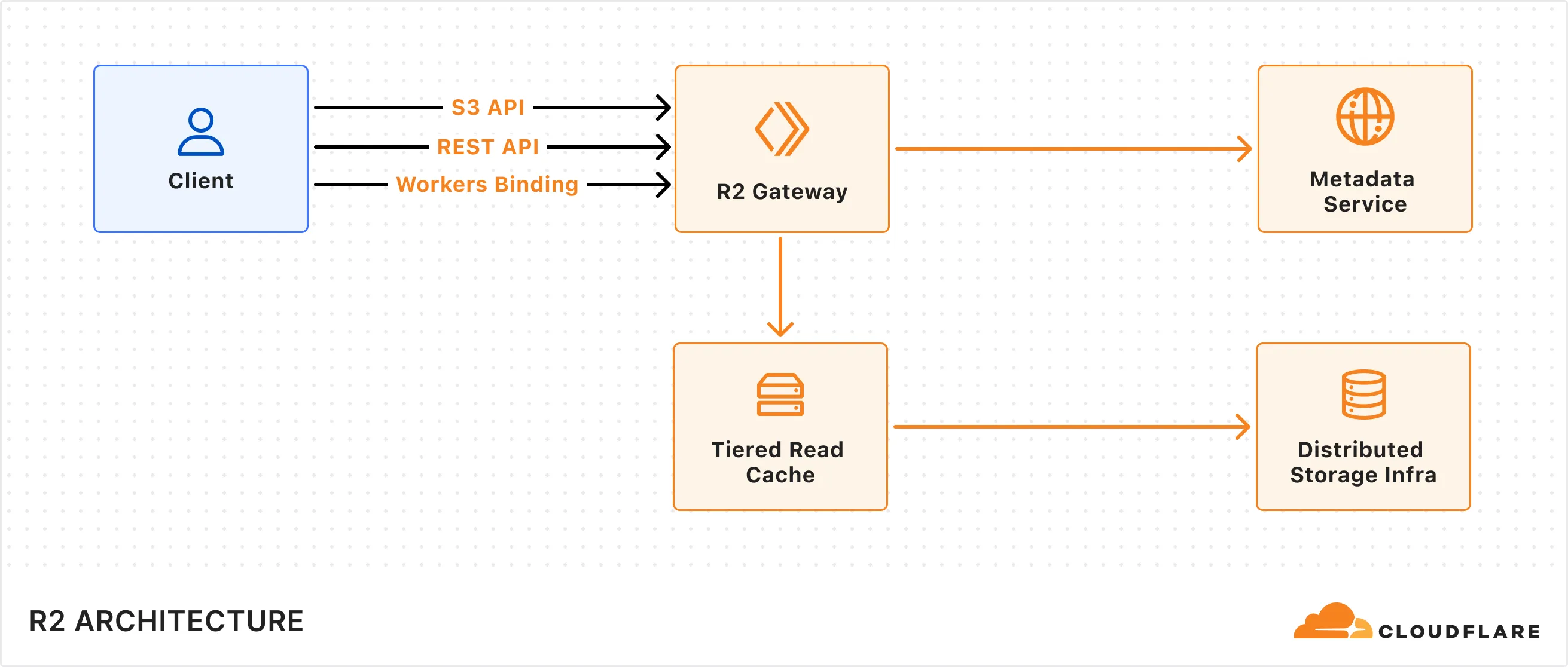
R2 supports multiple client interfaces including [Cloudflare Workers Binding](https://developers.cloudflare.com/r2/api/workers/workers-api-usage/), [S3-compatible API](https://developers.cloudflare.com/r2/api/s3/api/), and a [REST API](https://developers.cloudflare.com/api/resources/r2/) that powers the Cloudflare Dashboard and Wrangler CLI. All requests are routed through the R2 Gateway, which coordinates with the Metadata Service and Distributed Storage Infrastructure to retrieve the object data.
## Write data to R2
When a write request (e.g. uploading an object) is made to R2, the following sequence occurs:
1. **Request handling:** The request is received by the R2 Gateway at the edge, close to the user, where it is authenticated.
2. **Encryption and routing:** The Gateway reaches out to the Metadata Service to retrieve the [encryption key](https://developers.cloudflare.com/r2/reference/data-security/) and determines which storage cluster to write the encrypted data to within the [location](https://developers.cloudflare.com/r2/reference/data-location/) set for the bucket.
3. **Writing to storage:** The encrypted data is written and stored in the distributed storage infrastructure, and replicated within the region (e.g. ENAM) for [durability](https://developers.cloudflare.com/r2/reference/durability/).
4. **Metadata commit:** Finally, the Metadata Service commits the object's metadata, making it visible in subsequent reads. Only after this commit is an `HTTP 200` success response sent to the client, preventing unacknowledged writes.
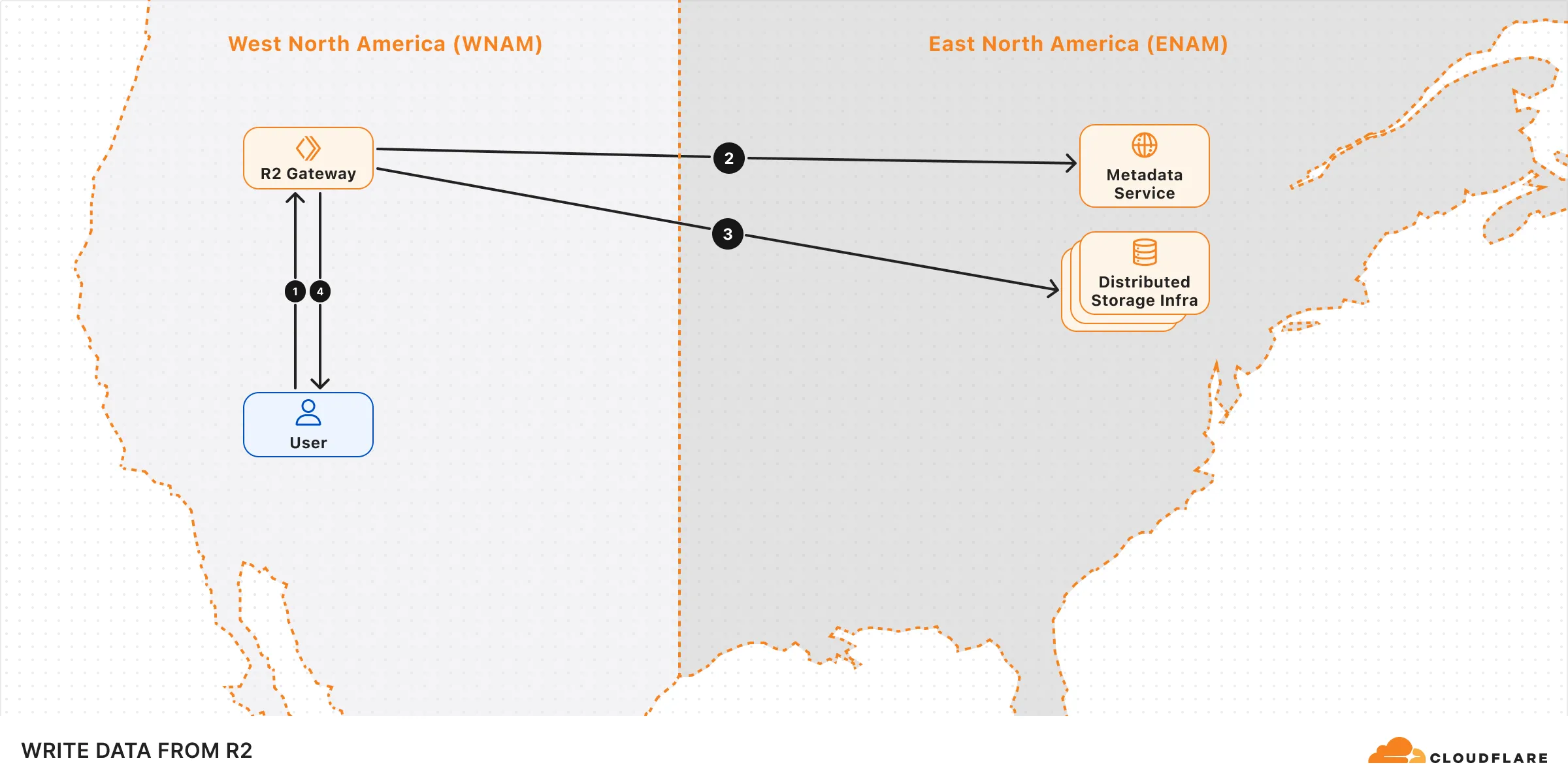
## Read data from R2
When a read request (e.g. fetching an object) is made to R2, the following sequence occurs:
1. **Request handling:** The request is received by the R2 Gateway at the edge, close to the user, where it is authenticated.
2. **Metadata lookup:** The Gateway asks the Metadata Service for the object metadata.
3. **Reading the object:** The Gateway attempts to retrieve the [encrypted](https://developers.cloudflare.com/r2/reference/data-security/) object from the tiered read cache. If it's not available, it retrieves the object from one of the distributed storage data centers within the region that holds the object data.
4. **Serving to client:** The object is decrypted and served to the user.
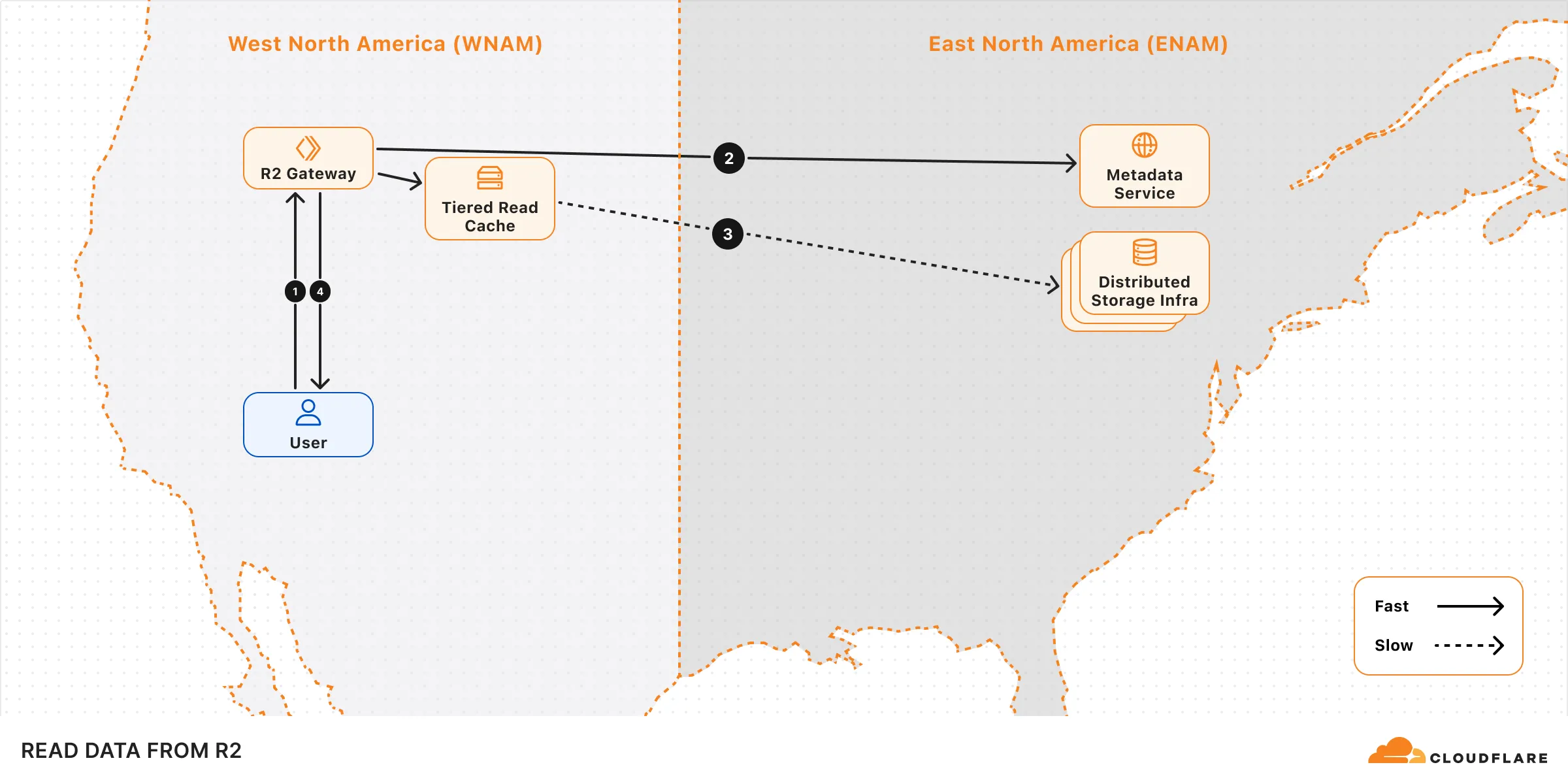
## Performance
The performance of your operations can be influenced by factors such as the bucket's geographical location, request origin, and access patterns.
To optimize upload performance for cross-region requests, enable [Local Uploads](https://developers.cloudflare.com/r2/buckets/local-uploads/) on your bucket.
To optimize read performance, enable [Cloudflare Cache](https://developers.cloudflare.com/cache/) when using a [custom domain](https://developers.cloudflare.com/r2/buckets/public-buckets/#custom-domains). When caching is enabled, read requests can bypass the R2 Gateway and be served directly from Cloudflare's edge cache, reducing latency. Note that cached data may not reflect the latest version immediately.
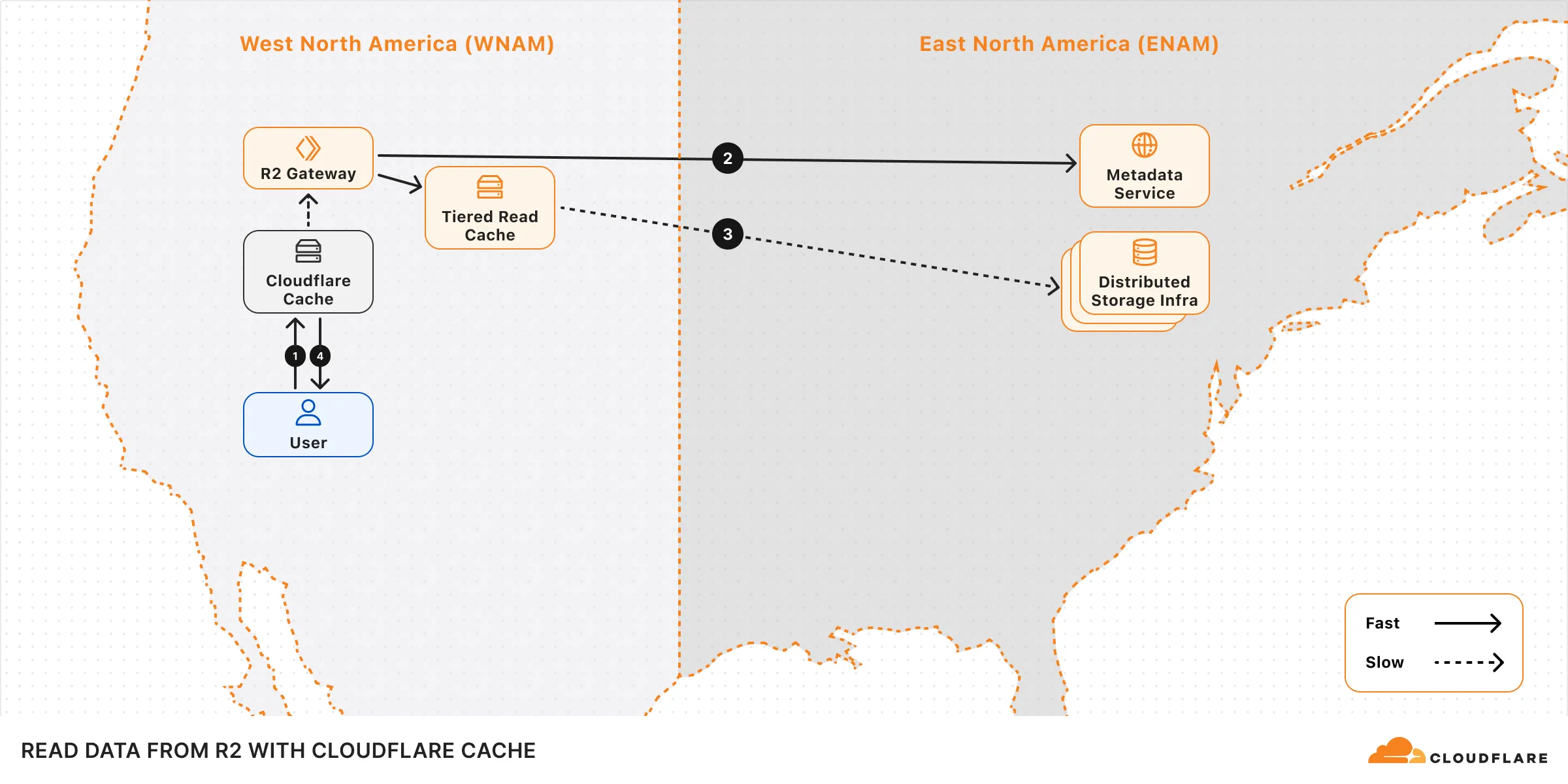
## Learn more
[Consistency ](https://developers.cloudflare.com/r2/reference/consistency/)Learn about R2's consistency model.
[Durability ](https://developers.cloudflare.com/r2/reference/durability/)Learn more about R2's durability guarantee.
[Data location ](https://developers.cloudflare.com/r2/reference/data-location/#jurisdictional-restrictions)Learn how R2 determines where data is stored, and details on jurisdiction restrictions.
[Data security ](https://developers.cloudflare.com/r2/reference/data-security/)Learn about R2's data security properties.
---
title: Objects · Cloudflare R2 docs
description: Objects are individual files or data that you store in an R2 bucket.
lastUpdated: 2025-05-28T15:17:46.000Z
chatbotDeprioritize: false
source_url:
html: https://developers.cloudflare.com/r2/objects/
md: https://developers.cloudflare.com/r2/objects/index.md
---
Objects are individual files or data that you store in an R2 bucket.
* [Upload objects](https://developers.cloudflare.com/r2/objects/upload-objects/)
* [Download objects](https://developers.cloudflare.com/r2/objects/download-objects/)
* [Delete objects](https://developers.cloudflare.com/r2/objects/delete-objects/)
## Other resources
For information on R2 Workers Binding API, refer to [R2 Workers API reference](https://developers.cloudflare.com/r2/api/workers/workers-api-reference/).
---
title: Platform · Cloudflare R2 docs
lastUpdated: 2025-04-09T22:46:56.000Z
chatbotDeprioritize: true
source_url:
html: https://developers.cloudflare.com/r2/platform/
md: https://developers.cloudflare.com/r2/platform/index.md
---
---
title: Pricing · Cloudflare R2 docs
description: "R2 charges based on the total volume of data stored, along with
two classes of operations on that data:"
lastUpdated: 2025-09-30T21:55:40.000Z
chatbotDeprioritize: false
source_url:
html: https://developers.cloudflare.com/r2/pricing/
md: https://developers.cloudflare.com/r2/pricing/index.md
---
R2 charges based on the total volume of data stored, along with two classes of operations on that data:
1. [Class A operations](#class-a-operations) which are more expensive and tend to mutate state.
2. [Class B operations](#class-b-operations) which tend to read existing state.
For the Infrequent Access storage class, [data retrieval](#data-retrieval) fees apply. There are no charges for egress bandwidth for any storage class.
All included usage is on a monthly basis.
Note
To learn about potential cost savings from using R2, refer to the [R2 pricing calculator](https://r2-calculator.cloudflare.com/).
## R2 pricing
| | Standard storage | Infrequent Access storage |
| - | - | - |
| Storage | $0.015 / GB-month | $0.01 / GB-month |
| Class A Operations | $4.50 / million requests | $9.00 / million requests |
| Class B Operations | $0.36 / million requests | $0.90 / million requests |
| Data Retrieval (processing) | None | $0.01 / GB |
| Egress (data transfer to Internet) | Free [1](#user-content-fn-1) | Free [1](#user-content-fn-1) |
Billable unit rounding
Cloudflare rounds up your usage to the next billing unit.
For example:
* If you have performed one million and one operations, you will be billed for two million operations.
* If you have used 1.1 GB-month, you will be billed for 2 GB-month.
* If you have retrieved data (for infrequent access storage) for 1.1 GB, you will be billed for 2 GB.
### Free tier
You can use the following amount of storage and operations each month for free.
| | Free |
| - | - |
| Storage | 10 GB-month / month |
| Class A Operations | 1 million requests / month |
| Class B Operations | 10 million requests / month |
| Egress (data transfer to Internet) | Free [1](#user-content-fn-1) |
Warning
The free tier only applies to Standard storage, and does not apply to Infrequent Access storage.
### Storage usage
Storage is billed using gigabyte-month (GB-month) as the billing metric. A GB-month is calculated by averaging the *peak* storage per day over a billing period (30 days).
For example:
* Storing 1 GB constantly for 30 days will be charged as 1 GB-month.
* Storing 3 GB constantly for 30 days will be charged as 3 GB-month.
* Storing 1 GB for 5 days, then 3 GB for the remaining 25 days will be charged as `1 GB * 5/30 month + 3 GB * 25/30 month = 2.66 GB-month`
For objects stored in Infrequent Access storage, you will be charged for the object for the minimum storage duration even if the object was deleted or moved before the duration specified.
### Class A operations
Class A Operations include `ListBuckets`, `PutBucket`, `ListObjects`, `PutObject`, `CopyObject`, `CompleteMultipartUpload`, `CreateMultipartUpload`, `LifecycleStorageTierTransition`, `ListMultipartUploads`, `UploadPart`, `UploadPartCopy`, `ListParts`, `PutBucketEncryption`, `PutBucketCors` and `PutBucketLifecycleConfiguration`.
### Class B operations
Class B Operations include `HeadBucket`, `HeadObject`, `GetObject`, `UsageSummary`, `GetBucketEncryption`, `GetBucketLocation`, `GetBucketCors` and `GetBucketLifecycleConfiguration`.
### Free operations
Free operations include `DeleteObject`, `DeleteBucket` and `AbortMultipartUpload`.
### Data retrieval
Data retrieval fees apply when you access or retrieve data from the Infrequent Access storage class. This includes any time objects are read or copied.
### Minimum storage duration
For objects stored in Infrequent Access storage, you will be charged for the object for the minimum storage duration even if the object was deleted, moved, or replaced before the specified duration.
| Storage class | Minimum storage duration |
| - | - |
| Standard storage | None |
| Infrequent Access storage | 30 days |
## R2 Data Catalog pricing
R2 Data Catalog is in **public beta**, and any developer with an [R2 subscription](https://developers.cloudflare.com/r2/pricing/) can start using it. Currently, outside of standard R2 storage and operations, you will not be billed for your use of R2 Data Catalog. We will provide at least 30 days' notice before we make any changes or start charging for usage.
To learn more about our thinking on future pricing, refer to the [R2 Data Catalog announcement blog](https://blog.cloudflare.com/r2-data-catalog-public-beta).
## Data migration pricing
### Super Slurper
Super Slurper is free to use. You are only charged for the Class A operations that Super Slurper makes to your R2 bucket. Objects with sizes < 100MiB are uploaded to R2 in a single Class A operation. Larger objects use multipart uploads to increase transfer success rates and will perform multiple Class A operations. Note that your source bucket might incur additional charges as Super Slurper copies objects over to R2.
Once migration completes, you are charged for storage & Class A/B operations as described in previous sections.
### Sippy
Sippy is free to use. You are only charged for the operations Sippy makes to your R2 bucket. If a requested object is not present in R2, Sippy will copy it over from your source bucket. Objects with sizes < 200MiB are uploaded to R2 in a single Class A operation. Larger objects use multipart uploads to increase transfer success rates, and will perform multiple Class A operations. Note that your source bucket might incur additional charges as Sippy copies objects over to R2.
As objects are migrated to R2, they are served from R2, and you are charged for storage & Class A/B operations as described in previous sections.
## Pricing calculator
To learn about potential cost savings from using R2, refer to the [R2 pricing calculator](https://r2-calculator.cloudflare.com/).
## R2 billing examples
### Standard storage example
If a user writes 1,000 objects in R2 **Standard storage** for 1 month with an average size of 1 GB and reads each object 1,000 times during the month, the estimated cost for the month would be:
| | Usage | Free Tier | Billable Quantity | Price |
| - | - | - | - | - |
| Storage | (1,000 objects) \* (1 GB per object) = 1,000 GB-months | 10 GB-months | 990 GB-months | $14.85 |
| Class A Operations | (1,000 objects) \* (1 write per object) = 1,000 writes | 1 million | 0 | $0.00 |
| Class B Operations | (1,000 objects) \* (1,000 reads per object) = 1 million reads | 10 million | 0 | $0.00 |
| Data retrieval (processing) | (1,000 objects) \* (1 GB per object) = 1,000 GB | NA | None | $0.00 |
| **TOTAL** | | | | **$14.85** |
### Infrequent access example
If a user writes 1,000 objects in R2 Infrequent Access storage with an average size of 1 GB, stores them for 5 days, and then deletes them (delete operations are free), and during those 5 days each object is read 1,000 times, the estimated cost for the month would be:
| | Usage | Free Tier | Billable Quantity | Price |
| - | - | - | - | - |
| Storage | (1,000 objects) \* (1 GB per object) = 1,000 GB-months | NA | 1,000 GB-months | $10.00 |
| Class A Operations | (1,000 objects) \* (1 write per object) = 1,000 writes | NA | 1,000 | $9.00 |
| Class B Operations | (1,000 objects) \* (1,000 reads per object) = 1 million reads | NA | 1 million | $0.90 |
| Data retrieval (processing) | (1,000 objects) \* (1 GB per object) = 1,000 GB | NA | 1,000 GB | $10.00 |
| **TOTAL** | | | | **$29.90** |
Note that the minimal storage duration for infrequent access storage is 30 days, which means the billable quantity is 1,000 GB-months, rather than 167 GB-months.
### Asset hosting
If a user writes 100,000 files with an average size of 100 KB object and reads 10,000,000 objects per day, the estimated cost in a month would be:
| | Usage | Free Tier | Billable Quantity | Price |
| - | - | - | - | - |
| Storage | (100,000 objects) \* (100KB per object) | 10 GB-months | 0 GB-months | $0.00 |
| Class A Operations | (100,000 writes) | 1 million | 0 | $0.00 |
| Class B Operations | (10,000,000 reads per day) \* (30 days) | 10 million | 290,000,000 | $104.40 |
| **TOTAL** | | | | **$104.40** |
## Cloudflare billing policy
To learn more about how usage is billed, refer to [Cloudflare Billing Policy](https://developers.cloudflare.com/billing/billing-policy/).
## Frequently asked questions
### Will I be charged for unauthorized requests to my R2 bucket?
No. You are not charged for operations when the caller does not have permission to make the request (HTTP 401 `Unauthorized` response status code).
## Footnotes
1. Egressing directly from R2, including via the [Workers API](https://developers.cloudflare.com/r2/api/workers/), [S3 API](https://developers.cloudflare.com/r2/api/s3/), and [`r2.dev` domains](https://developers.cloudflare.com/r2/buckets/public-buckets/#enable-managed-public-access) does not incur data transfer (egress) charges and is free. If you connect other metered services to an R2 bucket, you may be charged by those services. [↩](#user-content-fnref-1) [↩2](#user-content-fnref-1-2) [↩3](#user-content-fnref-1-3)
---
title: R2 SQL · Cloudflare R2 docs
description: R2 SQL is a serverless SQL interface for Cloudflare R2, enabling
querying and analyzing data.
lastUpdated: 2025-10-30T16:19:51.000Z
chatbotDeprioritize: false
source_url:
html: https://developers.cloudflare.com/r2/r2-sql/
md: https://developers.cloudflare.com/r2/r2-sql/index.md
---
---
title: Reference · Cloudflare R2 docs
lastUpdated: 2025-04-09T22:46:56.000Z
chatbotDeprioritize: true
source_url:
html: https://developers.cloudflare.com/r2/reference/
md: https://developers.cloudflare.com/r2/reference/index.md
---
* [Consistency model](https://developers.cloudflare.com/r2/reference/consistency/)
* [Data location](https://developers.cloudflare.com/r2/reference/data-location/)
* [Data security](https://developers.cloudflare.com/r2/reference/data-security/)
* [Durability](https://developers.cloudflare.com/r2/reference/durability/)
* [Unicode interoperability](https://developers.cloudflare.com/r2/reference/unicode-interoperability/)
* [Wrangler commands](https://developers.cloudflare.com/r2/reference/wrangler-commands/)
* [Partners](https://developers.cloudflare.com/r2/reference/partners/)
---
title: Tutorials · Cloudflare R2 docs
description: View tutorials to help you get started with R2.
lastUpdated: 2025-08-14T13:46:41.000Z
chatbotDeprioritize: false
source_url:
html: https://developers.cloudflare.com/r2/tutorials/
md: https://developers.cloudflare.com/r2/tutorials/index.md
---
View tutorials to help you get started with R2.
## Docs
| Name | Last Updated | Difficulty |
| - | - | - |
| [Generate OG images for Astro sites](https://developers.cloudflare.com/browser-rendering/how-to/og-images-astro/) | | Intermediate |
| [Build an end to end data pipeline](https://developers.cloudflare.com/r2-sql/tutorials/end-to-end-pipeline/) | 6 months ago | |
| [Point to R2 bucket with a custom domain](https://developers.cloudflare.com/rules/origin-rules/tutorials/point-to-r2-bucket-with-custom-domain/) | 11 months ago | Beginner |
| [Use event notification to summarize PDF files on upload](https://developers.cloudflare.com/r2/tutorials/summarize-pdf/) | over 1 year ago | Intermediate |
| [Use SSE-C](https://developers.cloudflare.com/r2/examples/ssec/) | over 1 year ago | Intermediate |
| [Use R2 as static asset storage with Cloudflare Pages](https://developers.cloudflare.com/pages/tutorials/use-r2-as-static-asset-storage-for-pages/) | over 1 year ago | Intermediate |
| [Create a fine-tuned OpenAI model with R2](https://developers.cloudflare.com/workers/tutorials/create-finetuned-chatgpt-ai-models-with-r2/) | almost 2 years ago | Intermediate |
| [Protect an R2 Bucket with Cloudflare Access](https://developers.cloudflare.com/r2/tutorials/cloudflare-access/) | almost 2 years ago | |
| [Log and store upload events in R2 with event notifications](https://developers.cloudflare.com/r2/tutorials/upload-logs-event-notifications/) | almost 2 years ago | Beginner |
| [Use Cloudflare R2 as a Zero Trust log destination](https://developers.cloudflare.com/cloudflare-one/tutorials/r2-logs/) | over 2 years ago | Beginner |
| [Deploy a Browser Rendering Worker with Durable Objects](https://developers.cloudflare.com/browser-rendering/workers-bindings/browser-rendering-with-do/) | over 2 years ago | Beginner |
| [Securely access and upload assets with Cloudflare R2](https://developers.cloudflare.com/workers/tutorials/upload-assets-with-r2/) | over 2 years ago | Beginner |
| [Mastodon](https://developers.cloudflare.com/r2/tutorials/mastodon/) | about 3 years ago | Beginner |
| [Postman](https://developers.cloudflare.com/r2/tutorials/postman/) | over 3 years ago | |
## Videos
Welcome to the Cloudflare Developer Channel
Welcome to the Cloudflare Developers YouTube channel. We've got tutorials and working demos and everything you need to level up your projects. Whether you're working on your next big thing or just dorking around with some side projects, we've got you covered! So why don't you come hang out, subscribe to our developer channel and together we'll build something awesome. You're gonna love it.
Optimize your AI App & fine-tune models (AI Gateway, R2)
In this workshop, Kristian Freeman, Cloudflare Developer Advocate, shows how to optimize your existing AI applications with Cloudflare AI Gateway, and how to finetune OpenAI models using R2.
---
title: Videos · Cloudflare R2 docs
lastUpdated: 2025-06-05T08:11:08.000Z
chatbotDeprioritize: false
source_url:
html: https://developers.cloudflare.com/r2/video-tutorials/
md: https://developers.cloudflare.com/r2/video-tutorials/index.md
---
[Introduction to R2 ](https://developers.cloudflare.com/learning-paths/r2-intro/series/r2-1/)Learn about Cloudflare R2, an object storage solution designed to handle your data and files efficiently. It is ideal for storing large media files, creating data lakes, or delivering web assets.
---
title: 404 - Page Not Found · R2 SQL docs
chatbotDeprioritize: false
source_url:
html: https://developers.cloudflare.com/r2-sql/404/
md: https://developers.cloudflare.com/r2-sql/404/index.md
---
# 404
Check the URL, try using our [search](https://developers.cloudflare.com/search/) or try our LLM-friendly [llms.txt directory](https://developers.cloudflare.com/llms.txt).
---
title: Getting started · R2 SQL docs
description: Create your first pipeline to ingest streaming data and write to R2
Data Catalog as an Apache Iceberg table.
lastUpdated: 2025-11-17T14:08:01.000Z
chatbotDeprioritize: false
source_url:
html: https://developers.cloudflare.com/r2-sql/get-started/
md: https://developers.cloudflare.com/r2-sql/get-started/index.md
---
This guide will instruct you through:
* Creating your first [R2 bucket](https://developers.cloudflare.com/r2/buckets/) and enabling its [data catalog](https://developers.cloudflare.com/r2/data-catalog/).
* Creating an [API token](https://developers.cloudflare.com/r2/api/tokens/) needed for pipelines to authenticate with your data catalog.
* Creating your first pipeline with a simple ecommerce schema that writes to an [Apache Iceberg](https://iceberg.apache.org/) table managed by R2 Data Catalog.
* Sending sample ecommerce data via HTTP endpoint.
* Validating data in your bucket and querying it with R2 SQL.
## Prerequisites
1. Sign up for a [Cloudflare account](https://dash.cloudflare.com/sign-up/workers-and-pages).
2. Install [`Node.js`](https://docs.npmjs.com/downloading-and-installing-node-js-and-npm).
Node.js version manager
Use a Node version manager like [Volta](https://volta.sh/) or [nvm](https://github.com/nvm-sh/nvm) to avoid permission issues and change Node.js versions. [Wrangler](https://developers.cloudflare.com/workers/wrangler/install-and-update/), discussed later in this guide, requires a Node version of `16.17.0` or later.
## 1. Create an R2 bucket
* Wrangler CLI
1. If not already logged in, run:
```plaintext
npx wrangler login
```
2. Create an R2 bucket:
```plaintext
npx wrangler r2 bucket create pipelines-tutorial
```
* Dashboard
1. In the Cloudflare dashboard, go to the **R2 object storage** page.
[Go to **Overview**](https://dash.cloudflare.com/?to=/:account/r2/overview)
2. Select **Create bucket**.
3. Enter the bucket name: pipelines-tutorial
4. Select **Create bucket**.
## 2. Enable R2 Data Catalog
* Wrangler CLI
Enable the catalog on your R2 bucket:
```plaintext
npx wrangler r2 bucket catalog enable pipelines-tutorial
```
When you run this command, take note of the "Warehouse" and "Catalog URI". You will need these later.
* Dashboard
1. In the Cloudflare dashboard, go to the **R2 object storage** page.
[Go to **Overview**](https://dash.cloudflare.com/?to=/:account/r2/overview)
2. Select the bucket: pipelines-tutorial.
3. Switch to the **Settings** tab, scroll down to **R2 Data Catalog**, and select **Enable**.
4. Once enabled, note the **Catalog URI** and **Warehouse name**.
## 3. Create an API token
Pipelines must authenticate to R2 Data Catalog with an [R2 API token](https://developers.cloudflare.com/r2/api/tokens/) that has catalog and R2 permissions.
1. In the Cloudflare dashboard, go to the **R2 object storage** page.
[Go to **Overview**](https://dash.cloudflare.com/?to=/:account/r2/overview)
2. Select **Manage API tokens**.
3. Select **Create Account API token**.
4. Give your API token a name.
5. Under **Permissions**, choose the **Admin Read & Write** permission.
6. Select **Create Account API Token**.
7. Note the **Token value**.
Note
This token also includes the R2 SQL Read permission, which allows you to query your data with R2 SQL.
## 4. Create a pipeline
* Wrangler CLI
First, create a schema file that defines your ecommerce data structure:
**Create `schema.json`:**
```json
{
"fields": [
{
"name": "user_id",
"type": "string",
"required": true
},
{
"name": "event_type",
"type": "string",
"required": true
},
{
"name": "product_id",
"type": "string",
"required": false
},
{
"name": "amount",
"type": "float64",
"required": false
}
]
}
```
Use the interactive setup to create a pipeline that writes to R2 Data Catalog:
```bash
npx wrangler pipelines setup
```
Follow the prompts:
1. **Pipeline name**: Enter `ecommerce`
2. **Stream configuration**:
* Enable HTTP endpoint: `yes`
* Require authentication: `no` (for simplicity)
* Configure custom CORS origins: `no`
* Schema definition: `Load from file`
* Schema file path: `schema.json` (or your file path)
3. **Sink configuration**:
* Destination type: `Data Catalog Table`
* R2 bucket name: `pipelines-tutorial`
* Namespace: `default`
* Table name: `ecommerce`
* Catalog API token: Enter your token from step 3
* Compression: `zstd`
* Roll file when size reaches (MB): `100`
* Roll file when time reaches (seconds): `10` (for faster data visibility in this tutorial)
4. **SQL transformation**: Choose `Use simple ingestion query` to use:
```sql
INSERT INTO ecommerce_sink SELECT * FROM ecommerce_stream
```
After setup completes, note the HTTP endpoint URL displayed in the final output.
* Dashboard
1. In the Cloudflare dashboard, go to **Pipelines** > **Pipelines**.
[Go to **Pipelines**](https://dash.cloudflare.com/?to=/:account/pipelines/overview)
2. Select **Create Pipeline**.
3. **Connect to a Stream**:
* Pipeline name: `ecommerce`
* Enable HTTP endpoint for sending data: Enabled
* HTTP authentication: Disabled (default)
* Select **Next**
4. **Define Input Schema**:
* Select **JSON editor**
* Copy in the schema:
```json
{
"fields": [
{
"name": "user_id",
"type": "string",
"required": true
},
{
"name": "event_type",
"type": "string",
"required": true
},
{
"name": "product_id",
"type": "string",
"required": false
},
{
"name": "amount",
"type": "f64",
"required": false
}
]
}
```
* Select **Next**
5. **Define Sink**:
* Select your R2 bucket: `pipelines-tutorial`
* Storage type: **R2 Data Catalog**
* Namespace: `default`
* Table name: `ecommerce`
* **Advanced Settings**: Change **Maximum Time Interval** to `10 seconds`
* Select **Next**
6. **Credentials**:
* Disable **Automatically create an Account API token for your sink**
* Enter **Catalog Token** from step 3
* Select **Next**
7. **Pipeline Definition**:
* Leave the default SQL query:
```sql
INSERT INTO ecommerce_sink SELECT * FROM ecommerce_stream;
```
* Select **Create Pipeline**
8. After pipeline creation, note the **Stream ID** for the next step.
## 5. Send sample data
Send ecommerce events to your pipeline's HTTP endpoint:
```bash
curl -X POST https://{stream-id}.ingest.cloudflare.com \
-H "Content-Type: application/json" \
-d '[
{
"user_id": "user_12345",
"event_type": "purchase",
"product_id": "widget-001",
"amount": 29.99
},
{
"user_id": "user_67890",
"event_type": "view_product",
"product_id": "widget-002"
},
{
"user_id": "user_12345",
"event_type": "add_to_cart",
"product_id": "widget-003",
"amount": 15.50
}
]'
```
Replace `{stream-id}` with your actual stream endpoint from the pipeline setup.
## 6. Validate data in your bucket
1. In the Cloudflare dashboard, go to the **R2 object storage** page.
2. Select your bucket: `pipelines-tutorial`.
3. You should see Iceberg metadata files and data files created by your pipeline. Note: If you aren't seeing any files in your bucket, try waiting a couple of minutes and trying again.
4. The data is organized in the Apache Iceberg format with metadata tracking table versions.
## 7. Query your data using R2 SQL
Set up your environment to use R2 SQL:
```bash
export WRANGLER_R2_SQL_AUTH_TOKEN=YOUR_API_TOKEN
```
Or create a `.env` file with:
```plaintext
WRANGLER_R2_SQL_AUTH_TOKEN=YOUR_API_TOKEN
```
Where `YOUR_API_TOKEN` is the token you created in step 3. For more information on setting environment variables, refer to [Wrangler system environment variables](https://developers.cloudflare.com/workers/wrangler/system-environment-variables/).
Query your data:
```bash
npx wrangler r2 sql query "YOUR_WAREHOUSE_NAME" "
SELECT
user_id,
event_type,
product_id,
amount
FROM default.ecommerce
WHERE event_type = 'purchase'
LIMIT 10"
```
Replace `YOUR_WAREHOUSE_NAME` with the warehouse name from step 2.
You can also query this table with any engine that supports Apache Iceberg. To learn more about connecting other engines to R2 Data Catalog, refer to [Connect to Iceberg engines](https://developers.cloudflare.com/r2/data-catalog/config-examples/).
## Learn more
[Managing R2 Data Catalogs ](https://developers.cloudflare.com/r2/data-catalog/manage-catalogs/)Enable or disable R2 Data Catalog on your bucket, retrieve configuration details, and authenticate your Iceberg engine.
[Try another example ](https://developers.cloudflare.com/r2-sql/tutorials/end-to-end-pipeline)Detailed tutorial for setting up a simple fraud detection data pipeline, and generate events for it in Python.
[Pipelines ](https://developers.cloudflare.com/pipelines/)Understand SQL transformations and pipeline configuration.
---
title: Platform · R2 SQL docs
lastUpdated: 2025-09-25T04:13:57.000Z
chatbotDeprioritize: true
source_url:
html: https://developers.cloudflare.com/r2-sql/platform/
md: https://developers.cloudflare.com/r2-sql/platform/index.md
---
---
title: Query data · R2 SQL docs
description: Understand how to query data with R2 SQL
lastUpdated: 2025-10-23T14:34:04.000Z
chatbotDeprioritize: false
source_url:
html: https://developers.cloudflare.com/r2-sql/query-data/
md: https://developers.cloudflare.com/r2-sql/query-data/index.md
---
Query [Apache Iceberg](https://iceberg.apache.org/) tables managed by [R2 Data Catalog](https://developers.cloudflare.com/r2/data-catalog/). R2 SQL queries can be made via [Wrangler](https://developers.cloudflare.com/workers/wrangler/) or HTTP API.
## Get your warehouse name
To query data with R2 SQL, you'll need your warehouse name associated with your [catalog](https://developers.cloudflare.com/r2/data-catalog/manage-catalogs/). To retrieve it, you can run the [`r2 bucket catalog get` command](https://developers.cloudflare.com/workers/wrangler/commands/#r2-bucket-catalog-get):
```bash
npx wrangler r2 bucket catalog get
```
Alternatively, you can find it in the dashboard by going to the **R2 object storage** page, selecting the bucket, switching to the **Settings** tab, scrolling to **R2 Data Catalog**, and finding **Warehouse name**.
## Query via Wrangler
To begin, install [`npm`](https://docs.npmjs.com/getting-started). Then [install Wrangler, the Developer Platform CLI](https://developers.cloudflare.com/workers/wrangler/install-and-update/).
Wrangler needs an API token with permissions to access R2 Data Catalog, R2 storage, and R2 SQL to execute queries. The `r2 sql query` command looks for the token in the `WRANGLER_R2_SQL_AUTH_TOKEN` environment variable.
Set up your environment:
```bash
export WRANGLER_R2_SQL_AUTH_TOKEN=YOUR_API_TOKEN
```
Or create a `.env` file with:
```plaintext
WRANGLER_R2_SQL_AUTH_TOKEN=YOUR_API_TOKEN
```
Where `YOUR_API_TOKEN` is the token you created with the [required permissions](#authentication). For more information on setting environment variables, refer to [Wrangler system environment variables](https://developers.cloudflare.com/workers/wrangler/system-environment-variables/).
To run a SQL query, run the [`r2 sql query` command](https://developers.cloudflare.com/workers/wrangler/commands/#r2-sql-query):
```bash
npx wrangler r2 sql query "SELECT * FROM namespace.table_name limit 10;"
```
For a full list of supported sql commands, refer to the [R2 SQL reference page](https://developers.cloudflare.com/r2-sql/sql-reference).
## Query via API
Below is an example of using R2 SQL via the REST endpoint:
```bash
curl -X POST \
"https://api.sql.cloudflarestorage.com/api/v1/accounts/{ACCOUNT_ID}/r2-sql/query/{BUCKET_NAME}" \
-H "Authorization: Bearer ${WRANGLER_R2_SQL_AUTH_TOKEN}" \
-H "Content-Type: application/json" \
-d '{
"query": "SELECT * FROM namespace.table_name limit 10;"
}'
```
The API requires an API token with the appropriate permissions in the Authorization header. Refer to [Authentication](#authentication) for details on creating a token.
For a full list of supported sql commands, refer to the [R2 SQL reference page](https://developers.cloudflare.com/r2-sql/sql-reference).
## Authentication
To query data with R2 SQL, you must provide a Cloudflare API token with R2 SQL, R2 Data Catalog, and R2 storage permissions. R2 SQL requires these permissions to access catalog metadata and read the underlying data files stored in R2.
### Create API token in the dashboard
Create an [R2 API token](https://developers.cloudflare.com/r2/api/tokens/#permissions) with the following permissions:
* Access to R2 Data Catalog (read-only)
* Access to R2 storage (Admin read/write)
* Access to R2 SQL (read-only)
Use this token value for the `WRANGLER_R2_SQL_AUTH_TOKEN` environment variable when querying with Wrangler, or in the Authorization header when using the REST API.
### Create API token via API
To create an API token programmatically for use with R2 SQL, you'll need to specify R2 SQL, R2 Data Catalog, and R2 storage permission groups in your [Access Policy](https://developers.cloudflare.com/r2/api/tokens/#access-policy).
#### Example Access Policy
```json
[
{
"id": "f267e341f3dd4697bd3b9f71dd96247f",
"effect": "allow",
"resources": {
"com.cloudflare.edge.r2.bucket.4793d734c0b8e484dfc37ec392b5fa8a_default_my-bucket": "*",
"com.cloudflare.edge.r2.bucket.4793d734c0b8e484dfc37ec392b5fa8a_eu_my-eu-bucket": "*"
},
"permission_groups": [
{
"id": "f45430d92e2b4a6cb9f94f2594c141b8",
"name": "Workers R2 SQL Read"
},
{
"id": "d229766a2f7f4d299f20eaa8c9b1fde9",
"name": "Workers R2 Data Catalog Write"
},
{
"id": "bf7481a1826f439697cb59a20b22293e",
"name": "Workers R2 Storage Write"
}
]
}
]
```
To learn more about how to create API tokens for R2 SQL using the API, including required permission groups and usage examples, refer to the [Create API tokens via API documentation](https://developers.cloudflare.com/r2/api/tokens/#create-api-tokens-via-api).
## Additional resources
[Manage R2 Data Catalogs ](https://developers.cloudflare.com/r2/data-catalog/manage-catalogs/)Enable or disable R2 Data Catalog on your bucket, retrieve configuration details, and authenticate your Iceberg engine.
[Build an end to end data pipeline ](https://developers.cloudflare.com/r2-sql/tutorials/end-to-end-pipeline)Detailed tutorial for setting up a simple fraud detection data pipeline, and generate events for it in Python.
---
title: Reference · R2 SQL docs
lastUpdated: 2025-09-25T04:13:57.000Z
chatbotDeprioritize: true
source_url:
html: https://developers.cloudflare.com/r2-sql/reference/
md: https://developers.cloudflare.com/r2-sql/reference/index.md
---
---
title: SQL reference · R2 SQL docs
description: Comprehensive reference for SQL syntax and data types supported in R2 SQL.
lastUpdated: 2026-02-10T21:36:18.000Z
chatbotDeprioritize: false
tags: SQL
source_url:
html: https://developers.cloudflare.com/r2-sql/sql-reference/
md: https://developers.cloudflare.com/r2-sql/sql-reference/index.md
---
Note
R2 SQL is in public beta. Supported SQL grammar may change over time.
This page documents the R2 SQL syntax based on the currently supported grammar in public beta.
***
## Query Syntax
```sql
SELECT column_list | aggregation_function | approximate_function
FROM table_name
WHERE conditions --optional
[GROUP BY column_list]
[HAVING conditions]
[ORDER BY column_name [DESC | ASC]]
[LIMIT number]
```
***
## Schema Discovery Commands
R2 SQL supports metadata queries to explore available namespaces and tables.
### SHOW DATABASES
Lists all available namespaces.
```sql
SHOW DATABASES;
```
### SHOW NAMESPACES
Alias for `SHOW DATABASES`. Lists all available namespaces.
```sql
SHOW NAMESPACES;
```
### SHOW TABLES
Lists all tables within a specific namespace.
```sql
SHOW TABLES IN namespace_name;
```
### DESCRIBE
Describes the structure of a table, showing column names and data types.
```sql
DESCRIBE namespace_name.table_name;
```
***
## SELECT Clause
### Syntax
```sql
SELECT column_specification [, column_specification, ...]
```
### Column Specification
* **Column name**: `column_name`
* **All columns**: `*`
### Examples
```sql
SELECT * FROM namespace_name.table_name
SELECT user_id FROM namespace_name.table_name
SELECT user_id, timestamp, status FROM namespace_name.table_name
SELECT timestamp, user_id, response_code FROM namespace_name.table_name
```
***
## Aggregation Functions
### Syntax
```sql
SELECT aggregation_function(column_name)
FROM table_name
GROUP BY column_list
```
### Supported Functions
* **COUNT(\*)**: Counts total rows **note**: only `*` is supported
* **SUM(column)**: Sums numeric values
* **AVG(column)**: Calculates average of numeric values
* **MIN(column)**: Finds minimum value
* **MAX(column)**: Finds maximum value
### Examples
```sql
-- Count rows by department
SELECT department, COUNT(*)
FROM my_namespace.sales_data
GROUP BY department
-- Sum decimal values
SELECT region, SUM(total_amount)
FROM my_namespace.sales_data
GROUP BY region
-- Average by category
SELECT category, AVG(price)
FROM my_namespace.products
GROUP BY category
-- Min and Max
SELECT department, MIN(salary), MAX(salary)
FROM my_namespace.employees
GROUP BY department
-- Invalid: No aliases
SELECT department, COUNT(*) AS total FROM my_namespace.sales_data GROUP BY department
-- Invalid: COUNT column name
SELECT COUNT(department) FROM my_namespace.sales_data
```
***
## Approximate Aggregation Functions
Approximate aggregation functions produce statistically estimated results while using significantly less memory and compute than their exact counterparts. On large datasets, approximate functions can return results orders of magnitude faster than equivalent exact aggregations such as `COUNT(DISTINCT ...)`, typically with an average relative error of only a few percent.
Use approximate functions when you are analyzing large datasets and an approximate result is acceptable — for example, understanding traffic distributions, identifying top values, or estimating cardinality across high-volume tables. Use exact aggregation functions when precise results are required, such as for billing or compliance reporting.
### Syntax
```sql
SELECT approximate_function(column_name [, ...])
FROM table_name
[WHERE conditions]
[GROUP BY column_list]
```
### Supported Functions
* **APPROX\_PERCENTILE\_CONT(column, percentile)**: Uses a t-digests algorithm to return the approximate value at the given percentile. The `percentile` parameter must be between `0.0` and `1.0` inclusive. Works on integer and decimal columns.
* **APPROX\_PERCENTILE\_CONT\_WITH\_WEIGHT(column, weight, percentile)**: Uses a t-digests algorithm to return the approximate percentile weighted by the `weight` column. The `percentile` parameter must be between `0.0` and `1.0` inclusive. Works on integer and decimal columns.
* **APPROX\_MEDIAN(column)**: Uses a t-digests algorithm to return the approximate median value. Equivalent to `APPROX_PERCENTILE_CONT(column, 0.5)`. Works on integer and decimal columns.
* **APPROX\_DISTINCT(column)**: Uses HyperLogLog to return the approximate number of distinct values in a column. Works on any column type.
* **APPROX\_TOP\_K(column, k)**: Uses a filtered space-saving algorithm to return the `k` most frequent values in a column along with their approximate counts. The `k` parameter must be a positive integer. Returns a JSON array of `\{"value", "count"\}` objects. Works on string columns.
### Examples
```sql
-- Approximate percentiles on a numeric column
SELECT approx_percentile_cont(total_amount, 0.25),
approx_percentile_cont(total_amount, 0.5),
approx_percentile_cont(total_amount, 0.75)
FROM my_namespace.sales_data
-- Percentile with GROUP BY
SELECT department, approx_percentile_cont(total_amount, 0.5)
FROM my_namespace.sales_data
GROUP BY department
-- Weighted percentile (rows weighted by quantity)
SELECT approx_percentile_cont_with_weight(unit_price, quantity, 0.5)
FROM my_namespace.sales_data
-- Approximate median
SELECT department, approx_median(total_amount)
FROM my_namespace.sales_data
GROUP BY department
-- Approximate distinct count
SELECT approx_distinct(customer_id)
FROM my_namespace.sales_data
-- Multiple distinct counts in one query
SELECT approx_distinct(department),
approx_distinct(region),
approx_distinct(customer_id)
FROM my_namespace.sales_data
-- Top-k most frequent values
SELECT approx_top_k(department, 3)
FROM my_namespace.sales_data
-- Combine approximate and standard aggregations
SELECT COUNT(*),
SUM(total_amount),
AVG(total_amount),
approx_percentile_cont(total_amount, 0.5)
FROM my_namespace.sales_data
-- With WHERE filter
SELECT approx_median(total_amount),
approx_distinct(customer_id)
FROM my_namespace.sales_data
WHERE region = 'North'
-- Invalid: percentile out of range
SELECT approx_percentile_cont(total_amount, 1.5) FROM my_namespace.sales_data
-- Invalid: k must be positive
SELECT approx_top_k(department, 0) FROM my_namespace.sales_data
```
***
## FROM Clause
### Syntax
```sql
SELECT * FROM table_name
```
***
## WHERE Clause
### Syntax
```sql
SELECT * WHERE condition [AND|OR condition ...]
```
### Conditions
#### Null Checks
* `column_name IS NULL`
* `column_name IS NOT NULL`
#### Value Comparisons
* `column_name BETWEEN value' AND 'value`
* `column_name = value`
* `column_name >= value`
* `column_name > value`
* `column_name <= value`
* `column_name < value`
* `column_name != value`
* `column_name LIKE 'value%'`
#### Logical Operators
* `AND` - Logical AND
* `OR` - Logical OR
### Data Types
* **integer** - Whole numbers
* **float** - Decimal numbers
* **string** - Text values (quoted)
* **timestamp** - RFC3339 format (`'YYYY-DD-MMT-HH:MM:SSZ'`)
* **date** - Date32/Data64 expressed as a string (`'YYYY-MM-DD'`)
* **boolean** - Explicitly valued (true, false)
### Examples
```sql
SELECT * FROM namespace_name.table_name WHERE timestamp BETWEEN '2025-09-24T01:00:00Z' AND '2025-09-25T01:00:00Z'
SELECT * FROM namespace_name.table_name WHERE status = 200
SELECT * FROM namespace_name.table_name WHERE response_time > 1000
SELECT * FROM namespace_name.table_name WHERE user_id IS NOT NULL
SELECT * FROM namespace_name.table_name WHERE method = 'GET' AND status >= 200 AND status < 300
SELECT * FROM namespace_name.table_name WHERE (status = 404 OR status = 500) AND timestamp > '2024-01-01'
```
***
## GROUP BY Clause
### Syntax
```sql
SELECT column_list, aggregation_function
FROM table_name
[WHERE conditions]
GROUP BY column_list
```
### Examples
```sql
-- Single column grouping
SELECT department, COUNT(*)
FROM my_namespace.sales_data
GROUP BY department
-- Multiple column grouping
SELECT department, category, COUNT(*)
FROM my_namespace.sales_data
GROUP BY department, category
-- With WHERE filter
SELECT region, COUNT(*)
FROM my_namespace.sales_data
WHERE status = 'completed'
GROUP BY region
-- With ORDER BY (COUNT only)
SELECT region, COUNT(*)
FROM my_namespace.sales_data
GROUP BY region
ORDER BY COUNT(*) DESC
LIMIT 10
-- ORDER BY SUM
SELECT department, SUM(amount)
FROM my_namespace.sales_data
GROUP BY department
ORDER BY SUM(amount) DESC
```
***
## HAVING Clause
### Syntax
```sql
SELECT column_list, COUNT(*)
FROM table_name
GROUP BY column_list
HAVING SUM/COUNT/MIN/MAX/AVG(column_name) comparison_operator value
```
### Examples
```sql
-- Filter by count threshold
SELECT department, COUNT(*)
FROM my_namespace.sales_data
GROUP BY department
HAVING COUNT(*) > 1000
-- Multiple conditions
SELECT region, COUNT(*)
FROM my_namespace.sales_data
GROUP BY region
HAVING COUNT(*) >= 100
-- HAVING with SUM
SELECT department, SUM(amount)
FROM my_namespace.sales_data
GROUP BY department
HAVING SUM(amount) > 1000000
```
***
## ORDER BY Clause
### Syntax
```sql
--Note: ORDER BY only supports ordering by the partition key
ORDER BY partition_key [DESC]
```
* **ASC**: Ascending order
* **DESC**: Descending order
* **Default**: DESC on all columns of the partition key
* Can contain any columns from the partition key
### Examples
```sql
SELECT * FROM namespace_name.table_name WHERE ... ORDER BY partition_key_A
SELECT * FROM namespace_name.table_name WHERE ... ORDER BY partition_key_B DESC
SELECT * FROM namespace_name.table_name WHERE ... ORDER BY partition_key_A ASC
```
***
## LIMIT Clause
### Syntax
```sql
LIMIT number
```
* **Range**: 1 to 10,000
* **Type**: Integer only
* **Default**: 500
### Examples
```sql
SELECT * FROM namespace_name.table_name WHERE ... LIMIT 100
```
***
## Complete Query Examples
### Basic Query
```sql
SELECT *
FROM my_namespace.http_requests
WHERE timestamp BETWEEN '2025-09-24T01:00:00Z' AND '2025-09-25T01:00:00Z'
LIMIT 100
```
### Filtered Query with Sorting
```sql
SELECT user_id, timestamp, status, response_time
FROM my_namespace.access_logs
WHERE status >= 400 AND response_time > 5000
ORDER BY response_time DESC
LIMIT 50
```
### Complex Conditions
```sql
SELECT timestamp, method, status, user_agent
FROM my_namespace.http_requests
WHERE (method = 'POST' OR method = 'PUT')
AND status BETWEEN 200 AND 299
AND user_agent IS NOT NULL
ORDER BY timestamp DESC
LIMIT 1000
```
### Null Handling
```sql
SELECT user_id, session_id, date_column
FROM my_namespace.user_events
WHERE session_id IS NOT NULL
AND date_column >= '2024-01-01'
ORDER BY timestamp
LIMIT 500
```
### Aggregation Query
```sql
SELECT department, COUNT(*)
FROM my_namespace.sales_data
WHERE sale_date >= '2024-01-01'
GROUP BY department
ORDER BY COUNT(*) DESC
LIMIT 10
```
### Aggregation with HAVING
```sql
SELECT region, COUNT(*)
FROM my_namespace.sales_data
WHERE status = 'completed'
GROUP BY region
HAVING COUNT(*) > 1000
LIMIT 20
```
### Multiple Column Grouping
```sql
SELECT department, category, MIN(price), MAX(price)
FROM my_namespace.products
GROUP BY department, category
LIMIT 100
```
***
## Data Type Reference
### Supported Types
| Type | Description | Example Values |
| - | - | - |
| `integer` | Whole numbers | `1`, `42`, `-10`, `0` |
| `float` | Decimal numbers | `1.5`, `3.14`, `-2.7`, `0.0` |
| `string` | Text values | `'hello'`, `'GET'`, `'2024-01-01'` |
| `boolean` | Boolean values | `true`, `false` |
| `timestamp` | RFC3339 | `'2025-09-24T01:00:00Z'` |
| `date` | 'YYYY-MM-DD' | `'2025-09-24'` |
### Type Usage in Conditions
```sql
-- Integer comparisons
SELECT * FROM namespace_name.table_name WHERE status = 200
SELECT * FROM namespace_name.table_name WHERE response_time > 1000
-- Float comparisons
SELECT * FROM namespace_name.table_name WHERE cpu_usage >= 85.5
SELECT * FROM namespace_name.table_name WHERE memory_ratio < 0.8
-- String comparisons
SELECT * FROM namespace_name.table_name WHERE method = 'POST'
SELECT * FROM namespace_name.table_name WHERE user_agent != 'bot'
SELECT * FROM namespace_name.table_name WHERE country_code = 'US'
```
***
## Operator Precedence
1. **Comparison operators**: `=`, `!=`, `<`, `<=`, `>`, `>=`, `LIKE`, `BETWEEN`, `IS NULL`, `IS NOT NULL`
2. **AND** (higher precedence)
3. **OR** (lower precedence)
Use parentheses to override default precedence:
```sql
SELECT * FROM namespace_name.table_name WHERE (status = 404 OR status = 500) AND method = 'GET'
```
***
---
title: Troubleshooting guide · R2 SQL docs
description: This guide covers potential errors and limitations you may
encounter when using R2 SQL. R2 SQL is in open beta, and supported
functionality will evolve and change over time.
lastUpdated: 2025-09-25T04:13:57.000Z
chatbotDeprioritize: false
tags: SQL
source_url:
html: https://developers.cloudflare.com/r2-sql/troubleshooting/
md: https://developers.cloudflare.com/r2-sql/troubleshooting/index.md
---
This guide covers potential errors and limitations you may encounter when using R2 SQL. R2 SQL is in open beta, and supported functionality will evolve and change over time.
## Query Structure Errors
### Missing Required Clauses
**Error**: `expected exactly 1 table in FROM clause`
**Problem**: R2 SQL requires specific clauses in your query.
```sql
-- Invalid - Missing FROM clause
SELECT user_id WHERE status = 200;
-- Valid
SELECT user_id
FROM http_requests
WHERE status = 200 AND timestamp BETWEEN '2025-09-24T01:00:00Z' AND '2025-09-25T01:00:00Z';
```
**Solution**: Always include `FROM` in your queries.
***
## SELECT Clause Issues
### Unsupported SQL Functions
**Error**: `Function not supported`
**Problem**: Cannot use aggregate or SQL functions in SELECT.
```sql
-- Invalid - Aggregate functions not supported
SELECT COUNT(*) FROM events WHERE timestamp > '2025-09-24T01:00:00Z'
SELECT AVG(response_time) FROM http_requests WHERE status = 200
SELECT MAX(timestamp) FROM logs WHERE user_id = '123'
```
**Solution**: Use basic column selection, and handle aggregation in your application code.
### JSON Field Access
**Error**: `Cannot access nested fields`
**Problem**: Cannot query individual fields from JSON objects.
```sql
-- Invalid - JSON field access not supported
SELECT metadata.user_id FROM events
SELECT json_field->>'property' FROM logs
-- Valid - Select entire JSON field
SELECT metadata FROM events
SELECT json_field FROM logs
```
**Solution**: Select the entire JSON column and parse it in your application.
### Synthetic Data
**Error**: `aliases (AS) are not supported`
**Problem**: Cannot create synthetic columns with literal values.
```sql
-- Invalid - Synthetic data not supported
SELECT user_id, 'active' as status, 1 as priority FROM users
-- Valid
SELECT user_id, status, priority FROM users WHERE status = 'active'
```
**Solution**: Add the required data to your table schema, or handle it in post-processing.
***
## FROM Clause Issues
### Multiple Tables
**Error**: `Multiple tables not supported` or `JOIN operations not allowed`
**Problem**: Cannot query multiple tables or use JOINs.
```sql
-- Invalid - Multiple tables not supported
SELECT a.*, b.* FROM table1 a, table2 b WHERE a.id = b.id
SELECT * FROM events JOIN users ON events.user_id = users.id
-- Valid - Separate queries
SELECT * FROM table1 WHERE id IN ('id1', 'id2', 'id3')
-- Then in application code, query table2 separately
SELECT * FROM table2 WHERE id IN ('id1', 'id2', 'id3')
```
**Solution**:
* Denormalize your data by including necessary fields in a single table.
* Perform multiple queries and join data in your application.
### Subqueries
**Error**: `only table name is supported in FROM clause`
**Problem**: Cannot use subqueries in FROM clause.
```sql
-- Invalid - Subqueries not supported
SELECT * FROM (SELECT user_id FROM events WHERE status = 200) as active_users
-- Valid - Use direct query with appropriate filters
SELECT user_id FROM events WHERE status = 200
```
**Solution**: Flatten your query logic or use multiple sequential queries.
***
## WHERE Clause Issues
### Array Filtering
**Error**: `This feature is not implemented: GetFieldAccess`
**Problem**: Cannot filter on array fields.
```sql
-- Invalid - Array filtering not supported
SELECT * FROM logs WHERE tags[0] = 'error'
SELECT * FROM events WHERE 'admin' = ANY(roles)
-- Valid alternatives - denormalize or use string contains
SELECT * FROM logs WHERE tags_string LIKE '%error%'
-- Or restructure data to avoid arrays
```
**Solution**:
* Denormalize array data into separate columns.
* Use string concatenation of array values for pattern matching.
* Restructure your schema to avoid array types.
### JSON Object Filtering
**Error**: `unsupported binary operator` or `Error during planning: could not parse compound`
**Problem**: Cannot filter on fields inside JSON objects.
```sql
-- Invalid - JSON field filtering not supported
SELECT * FROM requests WHERE metadata.country = 'US'
SELECT * FROM logs WHERE json_data->>'level' = 'error'
-- Valid alternatives
SELECT * FROM requests WHERE country = 'US' -- If denormalized
-- Or filter entire JSON field and parse in application
SELECT * FROM logs WHERE json_data IS NOT NULL
```
**Solution**:
* Denormalize frequently queried JSON fields into separate columns.
* Filter on the entire JSON field, and handle parsing in your application.
### Column Comparisons
**Error**: `right argument to a binary expression must be a literal`
**Problem**: Cannot compare one column to another in WHERE clause.
```sql
-- Invalid - Column comparisons not supported
SELECT * FROM events WHERE start_time < end_time
SELECT * FROM logs WHERE request_size > response_size
-- Valid - Use computed columns or application logic
-- Add a computed column 'duration' to your schema
SELECT * FROM events WHERE duration > 0
```
**Solution**: Handle comparisons in your application layer.
***
## LIMIT Clause Issues
### Invalid Limit Values
**Error**: `maximum LIMIT is 10000`
**Problem**: Cannot use invalid LIMIT values.
```sql
-- Invalid - Out of range limits
SELECT * FROM events LIMIT 50000 -- Maximum is 10,000
-- Valid
SELECT * FROM events LIMIT 1
SELECT * FROM events LIMIT 10000
```
**Solution**: Use LIMIT values between 1 and 10,000.
### Pagination Attempts
**Error**: `OFFSET not supported`
**Problem**: Cannot use pagination syntax.
```sql
-- Invalid - Pagination not supported
SELECT * FROM events LIMIT 100 OFFSET 200
SELECT * FROM events LIMIT 100, 100
-- Valid alternatives - Use ORDER BY with conditional filters
-- Page 1
SELECT * FROM events WHERE timestamp >= '2024-01-01' ORDER BY timestamp LIMIT 100
-- Page 2 - Use last timestamp from previous page
SELECT * FROM events WHERE timestamp > '2024-01-01T10:30:00Z' ORDER BY timestamp LIMIT 100
```
**Solution**: Implement cursor-based pagination using ORDER BY and WHERE conditions.
***
## Schema Issues
### Dynamic Schema Changes
**Error**: `invalid SQL: only top-level SELECT clause is supported`
**Problem**: Cannot modify table schema or reference non-existent columns.
```sql
-- Invalid - Schema changes not supported
ALTER TABLE events ADD COLUMN new_field STRING
UPDATE events SET status = 200 WHERE user_id = '123'
```
**Solution**:
* Plan your schema carefully before data ingestion.
* Ensure all column names exist in your current schema.
***
## Performance Optimization
### Query Performance Issues
If your queries are running slowly:
1. **Always include partition (timestamp) filters**: This is the most important optimization.
```sql
-- Good
WHERE timestamp BETWEEN '2024-01-01' AND '2024-01-02'
```
2. **Use selective filtering**: Include specific conditions to reduce result sets.
```sql
-- Good
WHERE status = 200 AND country = 'US' AND timestamp > '2024-01-01'
```
3. **Limit result size**: Use appropriate LIMIT values.
```sql
-- Good for exploration
SELECT * FROM events WHERE timestamp > '2024-01-01' LIMIT 100
```
---
title: Tutorials · R2 SQL docs
lastUpdated: 2025-09-25T04:13:57.000Z
chatbotDeprioritize: true
source_url:
html: https://developers.cloudflare.com/r2-sql/tutorials/
md: https://developers.cloudflare.com/r2-sql/tutorials/index.md
---
---
title: 404 - Page Not Found · Cloudflare Realtime docs
chatbotDeprioritize: false
source_url:
html: https://developers.cloudflare.com/realtime/404/
md: https://developers.cloudflare.com/realtime/404/index.md
---
# 404
Check the URL, try using our [search](https://developers.cloudflare.com/search/) or try our LLM-friendly [llms.txt directory](https://developers.cloudflare.com/llms.txt).
---
title: Realtime Agents · Cloudflare Realtime docs
lastUpdated: 2026-01-15T16:49:28.000Z
chatbotDeprioritize: true
source_url:
html: https://developers.cloudflare.com/realtime/agents/
md: https://developers.cloudflare.com/realtime/agents/index.md
---
* [Getting started](https://developers.cloudflare.com/realtime/agents/getting-started/)
---
title: Overview · Cloudflare Realtime docs
description: "With RealtimeKit, you can expect:"
lastUpdated: 2025-12-08T11:30:45.000Z
chatbotDeprioritize: false
source_url:
html: https://developers.cloudflare.com/realtime/realtimekit/
md: https://developers.cloudflare.com/realtime/realtimekit/index.md
---
Add live video and voice to your web or mobile apps in minutes — customizable SDKs, Integrate in just a few lines of code.
With RealtimeKit, you can expect:
* **Fast, simple integration:** Add live video and voice calling to any platform using our SDKs in minutes.
* **Customizable:** Tailor the experience to your needs.
* **Powered by WebRTC:** Built on top of modern, battle-tested WebRTC technology. RealtimeKit sits on top of [Realtime SFU](https://developers.cloudflare.com/realtime/sfu/) handling media track management, peer management, and other complicated tasks for you.
Experience the product:
[Try A Demo Meeting](https://demo.realtime.cloudflare.com)
[Build using Examples](https://github.com/cloudflare/realtimekit-web-examples)
[RealtimeKit Dashboard](https://dash.cloudflare.com/?to=/:account/realtime/kit)
## Build with RealtimeKit
RealtimeKit powers a wide range of usecases — here are the most common ones
#### Group Calls
Experience team meetings, virtual classrooms with interactive plugins, and seamless private or group video chats — all within your platform.
#### Webinars
Host large, interactive one-to-many events with virtual stage management, and engagement tools like plugins, chat, and polls — ideal for product demos, company all-hands, and live workshops
#### Audio Only Calls
Host audio-only calls — perfect for team discussions, support lines, and community hangouts— low bandwidth usage and features like mute controls, hand-raise, and role management.
## Product Suite
* [**UI Kit**](https://developers.cloudflare.com/realtime/realtimekit/ui-kit) UI library of pre-built, customizable components for rapid development — sits on top of the Core SDK.
* [**Core SDK**](https://developers.cloudflare.com/realtime/realtimekit/core) Client SDK built on top of Realtime SFU that provides a full set of APIs for managing video calls, from joining and leaving sessions to muting, unmuting, and toggling audio and video.
* [**Realtime SFU**](https://developers.cloudflare.com/realtime/sfu) efficiently routes media with low latency—all running on Cloudflare’s global network for reliability and scale.
The **Backend Infrastructure** Powering the SDKs is a robust layer that includes REST APIs for managing meetings, participants, recordings and more, along with webhooks for server-side events. A dedicated signalling server coordinates real-time updates.
---
title: Overview · Cloudflare Realtime docs
description: Cloudflare Realtime SFU is infrastructure for real-time
audio/video/data applications. It allows you to build real-time apps without
worrying about scaling or regions. It can act as a selective forwarding unit
(WebRTC SFU), as a fanout delivery system for broadcasting (WebRTC CDN) or
anything in between.
lastUpdated: 2025-08-18T10:34:43.000Z
chatbotDeprioritize: false
source_url:
html: https://developers.cloudflare.com/realtime/sfu/
md: https://developers.cloudflare.com/realtime/sfu/index.md
---
Build real-time serverless video, audio and data applications.
Cloudflare Realtime SFU is infrastructure for real-time audio/video/data applications. It allows you to build real-time apps without worrying about scaling or regions. It can act as a selective forwarding unit (WebRTC SFU), as a fanout delivery system for broadcasting (WebRTC CDN) or anything in between.
Cloudflare Realtime SFU runs on [Cloudflare's global cloud network](https://www.cloudflare.com/network/) in hundreds of cities worldwide.
[Get started](https://developers.cloudflare.com/realtime/sfu/get-started/)
[Realtime dashboard](https://dash.cloudflare.com/?to=/:account/calls)
[Orange Meets demo app](https://github.com/cloudflare/orange)
---
title: TURN Service · Cloudflare Realtime docs
description: Separately from the SFU, Realtime offers a managed TURN service.
TURN acts as a relay point for traffic between WebRTC clients like the browser
and SFUs, particularly in scenarios where direct communication is obstructed
by NATs or firewalls. TURN maintains an allocation of public IP addresses and
ports for each session, ensuring connectivity even in restrictive network
environments.
lastUpdated: 2025-11-26T14:06:25.000Z
chatbotDeprioritize: false
source_url:
html: https://developers.cloudflare.com/realtime/turn/
md: https://developers.cloudflare.com/realtime/turn/index.md
---
Separately from the SFU, Realtime offers a managed TURN service. TURN acts as a relay point for traffic between WebRTC clients like the browser and SFUs, particularly in scenarios where direct communication is obstructed by NATs or firewalls. TURN maintains an allocation of public IP addresses and ports for each session, ensuring connectivity even in restrictive network environments.
Using Cloudflare Realtime TURN service is available free of charge when used together with the Realtime SFU. Otherwise, it costs $0.05/real-time GB outbound from Cloudflare to the TURN client.
## Service address and ports
| Protocol | Primary address | Primary port | Alternate port |
| - | - | - | - |
| STUN over UDP | stun.cloudflare.com | 3478/udp | 53/udp |
| TURN over UDP | turn.cloudflare.com | 3478/udp | 53 udp |
| TURN over TCP | turn.cloudflare.com | 3478/tcp | 80/tcp |
| TURN over TLS | turn.cloudflare.com | 5349/tcp | 443/tcp |
Note
Use of alternate port 53 only by itself is not recommended. Port 53 is blocked by many ISPs, and by popular browsers such as [Chrome](https://chromium.googlesource.com/chromium/src.git/+/refs/heads/master/net/base/port_util.cc#44) and [Firefox](https://github.com/mozilla/gecko-dev/blob/master/netwerk/base/nsIOService.cpp#L132). It is useful only in certain specific scenerios.
## Regions
Cloudflare Realtime TURN service runs on [Cloudflare's global network](https://www.cloudflare.com/network) - a growing global network of thousands of machines distributed across hundreds of locations, with the notable exception of the Cloudflare's [China Network](https://developers.cloudflare.com/china-network/).
When a client tries to connect to `turn.cloudflare.com`, it *automatically* connects to the Cloudflare location closest to them. We achieve this using [anycast routing](https://www.cloudflare.com/learning/cdn/glossary/anycast-network/).
To learn more about the architecture that makes this possible, read this [technical deep-dive about Realtime](https://blog.cloudflare.com/cloudflare-calls-anycast-webrtc).
## Protocols and Ciphers for TURN over TLS
TLS versions supported include TLS 1.1, TLS 1.2, and TLS 1.3.
| OpenSSL Name | TLS 1.1 | TLS 1.2 | TLS 1.3 |
| - | - | - | - |
| AEAD-AES128-GCM-SHA256 | No | No | ✅ |
| AEAD-AES256-GCM-SHA384 | No | No | ✅ |
| AEAD-CHACHA20-POLY1305-SHA256 | No | No | ✅ |
| ECDHE-ECDSA-AES128-GCM-SHA256 | No | ✅ | No |
| ECDHE-RSA-AES128-GCM-SHA256 | No | ✅ | No |
| ECDHE-RSA-AES128-SHA | ✅ | ✅ | No |
| AES128-GCM-SHA256 | No | ✅ | No |
| AES128-SHA | ✅ | ✅ | No |
| AES256-SHA | ✅ | ✅ | No |
## MTU
There is no specific MTU limit for Cloudflare Realtime TURN service.
## Limits
Cloudflare Realtime TURN service places limits on:
* Unique IP address you can communicate with per relay allocation (>5 new IP/sec)
* Packet rate outbound and inbound to the relay allocation (>5-10 kpps)
* Data rate outbound and inbound to the relay allocation (>50-100 Mbps)
Limits apply to each TURN allocation independently
Each limit is for a single TURN allocation (single TURN user) and not account wide. Same limit will apply to each user regardless of the number of unique TURN users.
These limits are suitable for high-demand applications and also have burst rates higher than those documented above. Hitting these limits will result in packet drops.
---
title: 404 - Page Not Found · Cloudflare Sandbox SDK docs
chatbotDeprioritize: false
source_url:
html: https://developers.cloudflare.com/sandbox/404/
md: https://developers.cloudflare.com/sandbox/404/index.md
---
# 404
Check the URL, try using our [search](https://developers.cloudflare.com/search/) or try our LLM-friendly [llms.txt directory](https://developers.cloudflare.com/llms.txt).
---
title: API Reference · Cloudflare Sandbox SDK docs
description: The Sandbox SDK provides a comprehensive API for executing code,
managing files, running processes, and exposing services in isolated
sandboxes.
lastUpdated: 2026-02-23T16:27:38.000Z
chatbotDeprioritize: false
source_url:
html: https://developers.cloudflare.com/sandbox/api/
md: https://developers.cloudflare.com/sandbox/api/index.md
---
The Sandbox SDK provides a comprehensive API for executing code, managing files, running processes, and exposing services in isolated sandboxes.
[Lifecycle](https://developers.cloudflare.com/sandbox/api/lifecycle/)
Create and manage sandbox containers. Get sandbox instances, configure options, and clean up resources.
[Commands](https://developers.cloudflare.com/sandbox/api/commands/)
Execute commands and stream output. Run scripts, manage background processes, and capture execution results.
[Files](https://developers.cloudflare.com/sandbox/api/files/)
Read, write, and manage files in the sandbox filesystem. Includes directory operations and file metadata.
[File Watching](https://developers.cloudflare.com/sandbox/api/file-watching/)
Monitor real-time filesystem changes using native inotify. Build development tools, hot-reload systems, and responsive file processing.
[Code Interpreter](https://developers.cloudflare.com/sandbox/api/interpreter/)
Execute Python and JavaScript code with rich outputs including charts, tables, and formatted data.
[Ports](https://developers.cloudflare.com/sandbox/api/ports/)
Expose services running in the sandbox via preview URLs. Access web servers and APIs from the internet.
[Storage](https://developers.cloudflare.com/sandbox/api/storage/)
Mount S3-compatible buckets (R2, S3, GCS) as local filesystems for persistent data storage across sandbox lifecycles.
[Backups](https://developers.cloudflare.com/sandbox/api/backups/)
Create point-in-time snapshots of directories and restore them with copy-on-write overlays. Store backups in R2.
[Sessions](https://developers.cloudflare.com/sandbox/api/sessions/)
Create isolated execution contexts within a sandbox. Each session maintains its own shell state, environment variables, and working directory.
[Terminal](https://developers.cloudflare.com/sandbox/api/terminal/)
Connect browser-based terminal UIs to sandbox shells via WebSocket, with the xterm.js SandboxAddon for automatic reconnection and resize handling.
---
title: Concepts · Cloudflare Sandbox SDK docs
description: These pages explain how the Sandbox SDK works, why it's designed
the way it is, and the concepts you need to understand to use it effectively.
lastUpdated: 2026-02-09T23:08:08.000Z
chatbotDeprioritize: false
source_url:
html: https://developers.cloudflare.com/sandbox/concepts/
md: https://developers.cloudflare.com/sandbox/concepts/index.md
---
These pages explain how the Sandbox SDK works, why it's designed the way it is, and the concepts you need to understand to use it effectively.
* [Architecture](https://developers.cloudflare.com/sandbox/concepts/architecture/) - How the SDK is structured and why
* [Sandbox lifecycle](https://developers.cloudflare.com/sandbox/concepts/sandboxes/) - Understanding sandbox states and behavior
* [Container runtime](https://developers.cloudflare.com/sandbox/concepts/containers/) - How code executes in isolated containers
* [Session management](https://developers.cloudflare.com/sandbox/concepts/sessions/) - When and how to use sessions
* [Preview URLs](https://developers.cloudflare.com/sandbox/concepts/preview-urls/) - How service exposure works
* [Security model](https://developers.cloudflare.com/sandbox/concepts/security/) - Isolation, validation, and safety mechanisms
* [Terminal connections](https://developers.cloudflare.com/sandbox/concepts/terminal/) - How browser terminal connections work
## Related resources
* [Tutorials](https://developers.cloudflare.com/sandbox/tutorials/) - Learn by building complete applications
* [How-to guides](https://developers.cloudflare.com/sandbox/guides/) - Solve specific problems
* [API reference](https://developers.cloudflare.com/sandbox/api/) - Technical details and method signatures
---
title: Configuration · Cloudflare Sandbox SDK docs
description: Configure your Sandbox SDK deployment with Wrangler, customize
container images, and manage environment variables.
lastUpdated: 2026-02-10T11:20:23.000Z
chatbotDeprioritize: false
source_url:
html: https://developers.cloudflare.com/sandbox/configuration/
md: https://developers.cloudflare.com/sandbox/configuration/index.md
---
Configure your Sandbox SDK deployment with Wrangler, customize container images, and manage environment variables.
[Wrangler configuration](https://developers.cloudflare.com/sandbox/configuration/wrangler/)
Configure Durable Objects bindings, container images, and Worker settings in wrangler.jsonc.
[Dockerfile reference](https://developers.cloudflare.com/sandbox/configuration/dockerfile/)
Customize the sandbox container image with your own packages, tools, and configurations.
[Environment variables](https://developers.cloudflare.com/sandbox/configuration/environment-variables/)
Pass configuration and secrets to your sandboxes using environment variables.
[Transport modes](https://developers.cloudflare.com/sandbox/configuration/transport/)
Configure HTTP or WebSocket transport to optimize communication and avoid subrequest limits.
[Sandbox options](https://developers.cloudflare.com/sandbox/configuration/sandbox-options/)
Configure sandbox behavior with options like `keepAlive` for long-running processes.
## Related resources
* [Get Started guide](https://developers.cloudflare.com/sandbox/get-started/) - Initial setup walkthrough
* [Wrangler documentation](https://developers.cloudflare.com/workers/wrangler/) - Complete Wrangler reference
* [Docker documentation](https://docs.docker.com/engine/reference/builder/) - Dockerfile syntax
* [Security model](https://developers.cloudflare.com/sandbox/concepts/security/) - Understanding environment isolation
---
title: Getting started · Cloudflare Sandbox SDK docs
description: Build your first application with Sandbox SDK - a secure code
execution environment. In this guide, you'll create a Worker that can execute
Python code and work with files in isolated containers.
lastUpdated: 2026-02-06T17:12:25.000Z
chatbotDeprioritize: false
source_url:
html: https://developers.cloudflare.com/sandbox/get-started/
md: https://developers.cloudflare.com/sandbox/get-started/index.md
---
Build your first application with Sandbox SDK - a secure code execution environment. In this guide, you'll create a Worker that can execute Python code and work with files in isolated containers.
What you're building
A simple API that can safely execute Python code and perform file operations in isolated sandbox environments.
## Prerequisites
1. Sign up for a [Cloudflare account](https://dash.cloudflare.com/sign-up/workers-and-pages).
2. Install [`Node.js`](https://docs.npmjs.com/downloading-and-installing-node-js-and-npm).
Node.js version manager
Use a Node version manager like [Volta](https://volta.sh/) or [nvm](https://github.com/nvm-sh/nvm) to avoid permission issues and change Node.js versions. [Wrangler](https://developers.cloudflare.com/workers/wrangler/install-and-update/), discussed later in this guide, requires a Node version of `16.17.0` or later.
### Ensure Docker is running locally
Sandbox SDK uses [Docker](https://www.docker.com/) to build container images alongside your Worker.
You must have Docker running locally when you run `wrangler deploy`. For most people, the best way to install Docker is to follow the [docs for installing Docker Desktop](https://docs.docker.com/desktop/). Other tools like [Colima](https://github.com/abiosoft/colima) may also work.
You can check that Docker is running properly by running the `docker info` command in your terminal. If Docker is running, the command will succeed. If Docker is not running, the `docker info` command will hang or return an error including the message "Cannot connect to the Docker daemon".
## 1. Create a new project
Create a new Sandbox SDK project:
* npm
```sh
npm create cloudflare@latest -- my-sandbox --template=cloudflare/sandbox-sdk/examples/minimal
```
* yarn
```sh
yarn create cloudflare my-sandbox --template=cloudflare/sandbox-sdk/examples/minimal
```
* pnpm
```sh
pnpm create cloudflare@latest my-sandbox --template=cloudflare/sandbox-sdk/examples/minimal
```
This creates a `my-sandbox` directory with everything you need:
* `src/index.ts` - Worker with sandbox integration
* `wrangler.jsonc` - Configuration for Workers and Containers
* `Dockerfile` - Container environment definition
```sh
cd my-sandbox
```
## 2. Explore the template
The template provides a minimal Worker that demonstrates core sandbox capabilities:
```typescript
import { getSandbox, proxyToSandbox, type Sandbox } from "@cloudflare/sandbox";
export { Sandbox } from "@cloudflare/sandbox";
type Env = {
Sandbox: DurableObjectNamespace;
};
export default {
async fetch(request: Request, env: Env): Promise {
const url = new URL(request.url);
// Get or create a sandbox instance
const sandbox = getSandbox(env.Sandbox, "my-sandbox");
// Execute Python code
if (url.pathname === "/run") {
const result = await sandbox.exec('python3 -c "print(2 + 2)"');
return Response.json({
output: result.stdout,
error: result.stderr,
exitCode: result.exitCode,
success: result.success,
});
}
// Work with files
if (url.pathname === "/file") {
await sandbox.writeFile("/workspace/hello.txt", "Hello, Sandbox!");
const file = await sandbox.readFile("/workspace/hello.txt");
return Response.json({
content: file.content,
});
}
return new Response("Try /run or /file");
},
};
```
**Key concepts**:
* `getSandbox()` - Gets or creates a sandbox instance by ID. Use the same ID to reuse the same sandbox instance across requests.
* `sandbox.exec()` - Execute shell commands in the sandbox and capture stdout, stderr, and exit codes.
* `sandbox.writeFile()` / `readFile()` - Write and read files in the sandbox filesystem.
## 3. Test locally
Start the development server:
```sh
npm run dev
# If you expect to have multiple sandbox instances, you can increase `max_instances`.
```
Note
First run builds the Docker container (2-3 minutes). Subsequent runs are much faster due to caching.
Test the endpoints:
```sh
# Execute Python code
curl http://localhost:8787/run
# File operations
curl http://localhost:8787/file
```
You should see JSON responses with the command output and file contents.
## 4. Deploy to production
Deploy your Worker and container:
```sh
npx wrangler deploy
```
This will:
1. Build your container image using Docker
2. Push it to Cloudflare's Container Registry
3. Deploy your Worker globally
Wait for provisioning
After first deployment, wait 2-3 minutes before making requests. The Worker deploys immediately, but the container needs time to provision.
Check deployment status:
```sh
npx wrangler containers list
```
## 5. Test your deployment
Visit your Worker URL (shown in deploy output):
```sh
# Replace with your actual URL
curl https://my-sandbox.YOUR_SUBDOMAIN.workers.dev/run
```
Your sandbox is now deployed and can execute code in isolated containers.
Preview URLs require custom domain
If you plan to expose ports from sandboxes (using `exposePort()` for preview URLs), you will need to set up a custom domain with wildcard DNS routing. The `.workers.dev` domain does not support the subdomain patterns required for preview URLs. See [Production Deployment](https://developers.cloudflare.com/sandbox/guides/production-deployment/) when you are ready to expose services.
## Understanding the configuration
Your `wrangler.jsonc` connects three pieces together:
* wrangler.jsonc
```jsonc
{
"containers": [
{
"class_name": "Sandbox",
"image": "./Dockerfile",
"instance_type": "lite",
"max_instances": 1,
},
],
"durable_objects": {
"bindings": [
{
"class_name": "Sandbox",
"name": "Sandbox",
},
],
},
"migrations": [
{
"new_sqlite_classes": ["Sandbox"],
"tag": "v1",
},
],
}
```
* wrangler.toml
```toml
[[containers]]
class_name = "Sandbox"
image = "./Dockerfile"
instance_type = "lite"
max_instances = 1
[[durable_objects.bindings]]
class_name = "Sandbox"
name = "Sandbox"
[[migrations]]
new_sqlite_classes = [ "Sandbox" ]
tag = "v1"
```
- **containers** - Defines the [container image, instance type, and resource limits](https://developers.cloudflare.com/workers/wrangler/configuration/#containers) for your sandbox environment. If you expect to have multiple sandbox instances, you can increase `max_instances`.
- **durable\_objects** - You need not be familiar with [Durable Objects](https://developers.cloudflare.com/durable-objects) to use Sandbox SDK, but if you'd like, you can [learn more about Cloudflare Containers and Durable Objects](https://developers.cloudflare.com/containers/get-started/#each-container-is-backed-by-its-own-durable-object). This configuration creates a [binding](https://developers.cloudflare.com/workers/runtime-apis/bindings#what-is-a-binding) that makes the `Sandbox` Durable Object accessible in your Worker code.
- **migrations** - Registers the `Sandbox` class, implemented by the Sandbox SDK, with [SQLite storage backend](https://developers.cloudflare.com/durable-objects/best-practices/access-durable-objects-storage) (required once)
For detailed configuration options including environment variables, secrets, and custom images, see the [Wrangler configuration reference](https://developers.cloudflare.com/sandbox/configuration/wrangler/).
## Next steps
Now that you have a working sandbox, explore more capabilities:
* [Code interpreter with Workers AI](https://developers.cloudflare.com/sandbox/tutorials/workers-ai-code-interpreter/) - Build an AI-powered code execution system
* [Execute commands](https://developers.cloudflare.com/sandbox/guides/execute-commands/) - Run shell commands and stream output
* [Manage files](https://developers.cloudflare.com/sandbox/guides/manage-files/) - Work with files and directories
* [Expose services](https://developers.cloudflare.com/sandbox/guides/expose-services/) - Get public URLs for services running in your sandbox
* [Production Deployment](https://developers.cloudflare.com/sandbox/guides/production-deployment/) - Set up custom domains for preview URLs
* [API reference](https://developers.cloudflare.com/sandbox/api/) - Complete API documentation
---
title: How-to guides · Cloudflare Sandbox SDK docs
description: These guides show you how to solve specific problems and implement
features with the Sandbox SDK. Each guide focuses on a particular task and
provides practical, production-ready solutions.
lastUpdated: 2025-10-21T14:02:11.000Z
chatbotDeprioritize: false
source_url:
html: https://developers.cloudflare.com/sandbox/guides/
md: https://developers.cloudflare.com/sandbox/guides/index.md
---
These guides show you how to solve specific problems and implement features with the Sandbox SDK. Each guide focuses on a particular task and provides practical, production-ready solutions.
[Run background processes](https://developers.cloudflare.com/sandbox/guides/background-processes/)
[Start and manage long-running services and applications.](https://developers.cloudflare.com/sandbox/guides/background-processes/)
[Backup and restore](https://developers.cloudflare.com/sandbox/guides/backup-restore/)
[Create point-in-time backups and restore sandbox directories.](https://developers.cloudflare.com/sandbox/guides/backup-restore/)
[Use code interpreter](https://developers.cloudflare.com/sandbox/guides/code-execution/)
[Execute Python and JavaScript code with rich outputs.](https://developers.cloudflare.com/sandbox/guides/code-execution/)
[Browser terminals](https://developers.cloudflare.com/sandbox/guides/browser-terminals/)
[Connect browser-based terminals to sandbox shells using xterm.js or raw WebSockets.](https://developers.cloudflare.com/sandbox/guides/browser-terminals/)
[Run Docker-in-Docker](https://developers.cloudflare.com/sandbox/guides/docker-in-docker/)
[Run Docker commands inside a sandbox container.](https://developers.cloudflare.com/sandbox/guides/docker-in-docker/)
[Execute commands](https://developers.cloudflare.com/sandbox/guides/execute-commands/)
[Run commands with streaming output, error handling, and shell access.](https://developers.cloudflare.com/sandbox/guides/execute-commands/)
[Expose services](https://developers.cloudflare.com/sandbox/guides/expose-services/)
[Create preview URLs and expose ports for web services.](https://developers.cloudflare.com/sandbox/guides/expose-services/)
[Watch filesystem changes](https://developers.cloudflare.com/sandbox/guides/file-watching/)
[Monitor files and directories in real-time to build responsive development tools and automation workflows.](https://developers.cloudflare.com/sandbox/guides/file-watching/)
[Work with Git](https://developers.cloudflare.com/sandbox/guides/git-workflows/)
[Clone repositories, manage branches, and automate Git operations.](https://developers.cloudflare.com/sandbox/guides/git-workflows/)
[Manage files](https://developers.cloudflare.com/sandbox/guides/manage-files/)
[Read, write, organize, and synchronize files in the sandbox.](https://developers.cloudflare.com/sandbox/guides/manage-files/)
[Mount buckets](https://developers.cloudflare.com/sandbox/guides/mount-buckets/)
[Mount S3-compatible object storage as local filesystems for persistent data storage.](https://developers.cloudflare.com/sandbox/guides/mount-buckets/)
[Deploy to Production](https://developers.cloudflare.com/sandbox/guides/production-deployment/)
[Set up custom domains for preview URLs in production.](https://developers.cloudflare.com/sandbox/guides/production-deployment/)
[Stream output](https://developers.cloudflare.com/sandbox/guides/streaming-output/)
[Handle real-time output from commands and processes.](https://developers.cloudflare.com/sandbox/guides/streaming-output/)
[WebSocket Connections](https://developers.cloudflare.com/sandbox/guides/websocket-connections/)
[Connect to WebSocket servers running in sandboxes.](https://developers.cloudflare.com/sandbox/guides/websocket-connections/)
## Related resources
* [Tutorials](https://developers.cloudflare.com/sandbox/tutorials/) - Step-by-step learning paths
* [API reference](https://developers.cloudflare.com/sandbox/api/) - Complete method documentation
---
title: Platform · Cloudflare Sandbox SDK docs
description: Information about the Sandbox SDK platform, including pricing,
limits, and beta status.
lastUpdated: 2025-10-15T17:28:03.000Z
chatbotDeprioritize: false
source_url:
html: https://developers.cloudflare.com/sandbox/platform/
md: https://developers.cloudflare.com/sandbox/platform/index.md
---
Information about the Sandbox SDK platform, including pricing, limits, and beta status.
## Available resources
* [Pricing](https://developers.cloudflare.com/sandbox/platform/pricing/) - Understand costs based on the Containers platform
* [Limits](https://developers.cloudflare.com/sandbox/platform/limits/) - Resource limits and best practices
* [Beta Information](https://developers.cloudflare.com/sandbox/platform/beta-info/) - Current status and roadmap
Since Sandbox SDK is built on [Containers](https://developers.cloudflare.com/containers/), it shares the same underlying platform characteristics. Refer to these pages to understand how pricing and limits work for your sandbox deployments.
---
title: Tutorials · Cloudflare Sandbox SDK docs
description: Learn how to build applications with Sandbox SDK through
step-by-step tutorials. Each tutorial takes 20-30 minutes.
lastUpdated: 2025-10-21T14:02:11.000Z
chatbotDeprioritize: false
source_url:
html: https://developers.cloudflare.com/sandbox/tutorials/
md: https://developers.cloudflare.com/sandbox/tutorials/index.md
---
Learn how to build applications with Sandbox SDK through step-by-step tutorials. Each tutorial takes 20-30 minutes.
[Code interpreter with Workers AI](https://developers.cloudflare.com/sandbox/tutorials/workers-ai-code-interpreter/)
[Build a code interpreter using Workers AI GPT-OSS model with the official workers-ai-provider package.](https://developers.cloudflare.com/sandbox/tutorials/workers-ai-code-interpreter/)
[Data persistence with R2](https://developers.cloudflare.com/sandbox/tutorials/persistent-storage/)
[Mount R2 buckets as local filesystem paths to persist data across sandbox lifecycles.](https://developers.cloudflare.com/sandbox/tutorials/persistent-storage/)
[Run Claude Code on a Sandbox](https://developers.cloudflare.com/sandbox/tutorials/claude-code/)
[Use Claude Code to implement a task in your GitHub repository.](https://developers.cloudflare.com/sandbox/tutorials/claude-code/)
[Build an AI code executor](https://developers.cloudflare.com/sandbox/tutorials/ai-code-executor/)
[Use Claude to generate Python code from natural language and execute it securely in sandboxes.](https://developers.cloudflare.com/sandbox/tutorials/ai-code-executor/)
[Analyze data with AI](https://developers.cloudflare.com/sandbox/tutorials/analyze-data-with-ai/)
[Upload CSV files, generate analysis code with Claude, and return visualizations.](https://developers.cloudflare.com/sandbox/tutorials/analyze-data-with-ai/)
[Automated testing pipeline](https://developers.cloudflare.com/sandbox/tutorials/automated-testing-pipeline/)
[Build a testing pipeline that clones Git repositories, installs dependencies, runs tests, and reports results.](https://developers.cloudflare.com/sandbox/tutorials/automated-testing-pipeline/)
[Build a code review bot](https://developers.cloudflare.com/sandbox/tutorials/code-review-bot/)
[Clone repositories, analyze code with Claude, and post review comments to GitHub PRs.](https://developers.cloudflare.com/sandbox/tutorials/code-review-bot/)
## Before you start
All tutorials assume you have:
* Completed the [Get Started guide](https://developers.cloudflare.com/sandbox/get-started/)
* Basic familiarity with [Workers](https://developers.cloudflare.com/workers/)
* [Docker](https://www.docker.com/) installed and running
## Related resources
* [How-to guides](https://developers.cloudflare.com/sandbox/guides/) - Solve specific problems
* [API reference](https://developers.cloudflare.com/sandbox/api/) - Complete SDK reference
---
title: 404 - Page Not Found · Cloudflare Stream docs
chatbotDeprioritize: false
source_url:
html: https://developers.cloudflare.com/stream/404/
md: https://developers.cloudflare.com/stream/404/index.md
---
# 404
Check the URL, try using our [search](https://developers.cloudflare.com/search/) or try our LLM-friendly [llms.txt directory](https://developers.cloudflare.com/llms.txt).
---
title: Changelog · Cloudflare Stream docs
description: Subscribe to RSS
lastUpdated: 2025-02-13T19:35:19.000Z
chatbotDeprioritize: false
source_url:
html: https://developers.cloudflare.com/stream/changelog/
md: https://developers.cloudflare.com/stream/changelog/index.md
---
[Subscribe to RSS](https://developers.cloudflare.com/stream/changelog/index.xml)
## 2025-03-12
**Stream Live WebRTC WHIP/WHEP Upgrades**
Stream Live WHIP/WHEP will be progressively migrated to a new implementation powered by Cloudflare Realtime (Calls) starting Thursday 2025-03-13. No API or integration changes will be required as part of this upgrade. Customers can expect an improved playback experience. Otherwise, this should be a transparent change, although some error handling cases and status reporting may have changed.
For more information review the [Stream Live WebRTC beta](https://developers.cloudflare.com/stream/webrtc-beta/) documentation.
## 2025-02-10
**Stream Player ad support adjustments for Google Ad Exchange Verification**
Adjustments have been made to the Stream player UI when playing advertisements called by a customer-provided VAST or VMAP `ad-url` argument:
A small progress bar has been added along the bottom of the player, and the shadow behind player controls has been reduced. These changes have been approved for use with Google Ad Exchange.
This only impacts customers using the built-in Stream player and calling their own advertisements; Stream never shows ads by default. For more information, refer to [Using the Stream Player](https://developers.cloudflare.com/stream/viewing-videos/using-the-stream-player/#basic-options).
## 2025-01-30
**Expanded Language Support for Generated Captions**
Eleven new languages are now supported for transcription when using [generated captions](https://developers.cloudflare.com/stream/edit-videos/adding-captions/#generate-a-caption), available for free for video stored in Stream.
## 2024-08-15
**Full HD encoding for Portrait Videos**
Stream now supports full HD encoding for portrait/vertical videos. Videos with a height greater than their width will now be constrained and prepared for adaptive bitrate renditions based on their width. No changes are required to benefit from this update. For more information, refer to [the announcement](https://blog.cloudflare.com/introducing-high-definition-portrait-video-support-for-cloudflare-stream).
## 2024-08-09
**Hide Viewer Count in Live Streams**
A new property `hideLiveViewerCount` has been added to Live Inputs to block access to the count of viewers in a live stream and remove it from the player. For more information, refer to [Start a Live Stream](https://developers.cloudflare.com/stream/stream-live/start-stream-live/).
## 2024-07-23
**New Live Webhooks for Error States**
Stream has added a new notification event for Live broadcasts to alert (via email or webhook) on various error conditions including unsupported codecs, bad GOP/keyframe interval, or quota exhaustion.
When creating/editing a notification, subscribe to `live_input.errored` to receive the new event type. Existing notification subscriptions will not be changed automatically. For more information, refer to [Receive Live Webhooks](https://developers.cloudflare.com/stream/stream-live/webhooks/).
## 2024-06-20
**Generated Captions to Open beta**
Stream has introduced automatically generated captions to open beta for all subscribers at no additional cost. While in beta, only English is supported and videos must be less than 2 hours. For more information, refer to the [product announcement and deep dive](https://blog.cloudflare.com/stream-automatic-captions-with-ai) or refer to the [captions documentation](https://developers.cloudflare.com/stream/edit-videos/adding-captions/) to get started.
## 2024-06-11
**Updated response codes on requests for errored videos**
Stream will now return HTTP error status 424 (failed dependency) when requesting segments, manifests, thumbnails, downloads, or subtitles for videos that are in an errored state. Previously, Stream would return one of several 5xx codes for requests like this.
## 2024-04-11
**Live Instant Clipping for live broadcasts and recordings**
Clipping is now available in open beta for live broadcasts and recordings. For more information, refer to [Live instant clipping](https://developers.cloudflare.com/stream/stream-live/live-instant-clipping/) documentation.
## 2024-02-16
**Tonemapping improvements for HDR content**
In certain cases, videos uploaded with an HDR colorspace (such as footage from certain mobile devices) appeared washed out or desaturated when played back. This issue is resolved for new uploads.
## 2023-11-07
**HLS improvements for on-demand TS output**
HLS output from Cloudflare Stream on-demand videos that use Transport Stream file format now includes a 10 second offset to timestamps. This will have no impact on most customers. A small percentage of customers will see improved playback stability. Caption files were also adjusted accordingly.
## 2023-10-10
**SRT Audio Improvements**
In some cases, playback via SRT protocol was missing an audio track regardless of existence of audio in the broadcast. This issue is now resolved.
## 2023-09-25
**LL-HLS Beta**
Low-Latency HTTP Live Streaming (LL-HLS) is now in open beta. Enable LL-HLS on your [live input](https://developers.cloudflare.com/stream/stream-live/start-stream-live/) for automatic low-latency playback using the Stream built-in player where supported.
For more information, refer to [live input](https://developers.cloudflare.com/stream/stream-live/start-stream-live/) and [custom player](https://developers.cloudflare.com/stream/viewing-videos/using-own-player/) docs.
## 2023-08-08
**Scheduled Deletion**
Stream now supports adding a scheduled deletion date to new and existing videos. Live inputs support deletion policies for automatic recording deletion.
For more, refer to the [video on demand](https://developers.cloudflare.com/stream/uploading-videos/) or [live input](https://developers.cloudflare.com/stream/stream-live/) docs.
## 2023-05-16
**Multiple audio tracks now generally available**
Stream supports adding multiple audio tracks to an existing video.
For more, refer to the [documentation](https://developers.cloudflare.com/stream/edit-videos/adding-additional-audio-tracks/) to get started.
## 2023-04-26
**Player Enhancement Properties**
Cloudflare Stream now supports player enhancement properties.
With player enhancements, you can modify your video player to incorporate elements of your branding, such as your logo, and customize additional options to present to your viewers.
For more, refer to the [documentation](https://developers.cloudflare.com/stream/edit-videos/player-enhancements/) to get started.
## 2023-03-21
**Limits for downloadable MP4s for live recordings**
Previously, generating a download for a live recording exceeding four hours resulted in failure.
To fix the issue, now video downloads are only available for live recordings under four hours. Live recordings exceeding four hours can still be played but cannot be downloaded.
## 2023-01-04
**Earlier detection (and rejection) of non-video uploads**
Cloudflare Stream now detects non-video content on upload using [the POST API](https://developers.cloudflare.com/stream/uploading-videos/upload-video-file/) and returns a 400 Bad Request HTTP error with code `10059`.
Previously, if you or one of your users attempted to upload a file that is not a video (ex: an image), the request to upload would appear successful, but then fail to be encoded later on.
With this change, Stream responds to the upload request with an error, allowing you to give users immediate feedback if they attempt to upload non-video content.
## 2022-12-08
**Faster mp4 downloads of live recordings**
Generating MP4 downloads of live stream recordings is now significantly faster. For more, refer to [the docs](https://developers.cloudflare.com/stream/stream-live/download-stream-live-videos/).
## 2022-11-29
**Multiple audio tracks (closed beta)**
Stream now supports adding multiple audio tracks to an existing video upload. This allows you to:
* Provide viewers with audio tracks in multiple languages
* Provide dubbed audio tracks, or audio commentary tracks (ex: Director’s Commentary)
* Allow your users to customize the customize the audio mix, by providing separate audio tracks for music, speech or other audio tracks.
* Provide Audio Description tracks to ensure your content is accessible. ([WCAG 2.0 Guideline 1.2 1](https://www.w3.org/TR/WCAG20/#media-equiv-audio-desc-only))
To request an invite to the beta, refer to [this post](https://community.cloudflare.com/t/new-in-beta-support-for-multiple-audio-tracks/439629).
## 2022-11-22
**VP9 support for WebRTC live streams (beta)**
Cloudflare Stream now supports [VP9](https://developers.google.com/media/vp9) when streaming using [WebRTC (WHIP)](https://developers.cloudflare.com/stream/webrtc-beta/), currently in beta.
## 2022-11-08
**Reduced time to start WebRTC streaming and playback with Trickle ICE**
Cloudflare Stream's [WHIP](https://datatracker.ietf.org/doc/draft-ietf-wish-whip/) and [WHEP](https://www.ietf.org/archive/id/draft-murillo-whep-01.html) implementations now support [Trickle ICE](https://datatracker.ietf.org/doc/rfc8838/), reducing the time it takes to initialize WebRTC connections, and increasing compatibility with WHIP and WHEP clients.
For more, refer to [the docs](https://developers.cloudflare.com/stream/webrtc-beta/).
## 2022-11-07
**Deprecating the 'per-video' Analytics API**
The “per-video” analytics API is being deprecated. If you still use this API, you will need to switch to using the [GraphQL Analytics API](https://developers.cloudflare.com/stream/getting-analytics/fetching-bulk-analytics/) by February 1, 2023. After this date, the per-video analytics API will be no longer available.
The GraphQL Analytics API provides the same functionality and more, with additional filters and metrics, as well as the ability to fetch data about multiple videos in a single request. Queries are faster, more reliable, and built on a shared analytics system that you can [use across many Cloudflare products](https://developers.cloudflare.com/analytics/graphql-api/features/data-sets/).
For more about this change and how to migrate existing API queries, refer to [this post](https://community.cloudflare.com/t/migrate-to-the-stream-graphql-analytics-api-by-feb-1st-2023/433252) and the [GraphQL Analytics API docs](https://developers.cloudflare.com/stream/getting-analytics/fetching-bulk-analytics/).
## 2022-11-01
**Create an unlimited number of live inputs**
Cloudflare Stream now has no limit on the number of [live inputs](https://developers.cloudflare.com/api/resources/stream/subresources/live_inputs/methods/get/) you can create. Stream is designed to allow your end-users to go live — live inputs can be created quickly on-demand via a single API request for each of user of your platform or app.
For more on creating and managing live inputs, get started with the [docs](https://developers.cloudflare.com/stream/stream-live/).
## 2022-10-20
**More accurate bandwidth estimates for live video playback**
When playing live video, Cloudflare Stream now provides significantly more accurate estimates of the bandwidth needs of each quality level to client video players. This ensures that live video plays at the highest quality that viewers have adequate bandwidth to play.
As live video is streamed to Cloudflare, we transcode it to make it available to viewers at multiple quality levels. During transcoding, we learn about the real bandwidth needs of each segment of video at each quality level, and use this to provide an estimate of the bandwidth requirements of each quality level the in HLS (`.m3u8`) and DASH (`.mpd`) manifests.
If a live stream contains content with low visual complexity, like a slideshow presentation, the bandwidth estimates provided in the HLS manifest will be lower, ensuring that the most viewers possible view the highest quality level, since it requires relatively little bandwidth. Conversely, if a live stream contains content with high visual complexity, like live sports with motion and camera panning, the bandwidth estimates provided in the HLS manifest will be higher, ensuring that viewers with inadequate bandwidth switch down to a lower quality level, and their playback does not buffer.
This change is particularly helpful if you're building a platform or application that allows your end users to create their own live streams, where these end users have their own streaming software and hardware that you can't control. Because this new functionality adapts based on the live video we receive, rather than just the configuration advertised by the broadcaster, even in cases where your end users' settings are less than ideal, client video players will not receive excessively high estimates of bandwidth requirements, causing playback quality to decrease unnecessarily. Your end users don't have to be OBS Studio experts in order to get high quality video playback.
No work is required on your end — this change applies to all live inputs, for all customers of Cloudflare Stream. For more, refer to the [docs](https://developers.cloudflare.com/stream/stream-live/#bitrate-estimates-at-each-quality-level-bitrate-ladder).
## 2022-10-05
**AV1 Codec support for live streams and recordings (beta)**
Cloudflare Stream now supports playback of live videos and live recordings using the [AV1 codec](https://aomedia.org/av1/), which uses 46% less bandwidth than H.264.
For more, read the [blog post](https://blog.cloudflare.com/av1-cloudflare-stream-beta).
## 2022-09-27
**WebRTC live streaming and playback (beta)**
Cloudflare Stream now supports live video streaming over WebRTC, with sub-second latency, to unlimited concurrent viewers.
For more, read the [blog post](https://blog.cloudflare.com/webrtc-whip-whep-cloudflare-stream) or the get started with example code in the [docs](https://developers.cloudflare.com/stream/webrtc-beta).
## 2022-09-15
**Manually control when you start and stop simulcasting**
You can now enable and disable individual live outputs via the API or Stream dashboard, allowing you to control precisely when you start and stop simulcasting to specific destinations like YouTube and Twitch. For more, [read the docs](https://developers.cloudflare.com/stream/stream-live/simulcasting/#control-when-you-start-and-stop-simulcasting).
## 2022-08-15
**Unique subdomain for your Stream Account**
URLs in the Stream Dashboard and Stream API now use a subdomain specific to your Cloudflare Account: `customer-{CODE}.cloudflarestream.com`. This change allows you to:
1. Use [Content Security Policy](https://developer.mozilla.org/en-US/docs/Web/HTTP/CSP) (CSP) directives specific to your Stream subdomain, to ensure that only videos from your Cloudflare account can be played on your website.
2. Allowlist only your Stream account subdomain at the network-level to ensure that only videos from a specific Cloudflare account can be accessed on your network.
No action is required from you, unless you use Content Security Policy (CSP) on your website. For more on CSP, read the [docs](https://developers.cloudflare.com/stream/faq/#i-use-content-security-policy-csp-on-my-website-what-domains-do-i-need-to-add-to-which-directives).
## 2022-08-02
**Clip videos using the Stream API**
You can now change the start and end times of a video uploaded to Cloudflare Stream. For more information, refer to [Clip videos](https://developers.cloudflare.com/stream/edit-videos/video-clipping/).
## 2022-07-26
**Live inputs**
The Live Inputs API now supports optional pagination, search, and filter parameters. For more information, refer to the [Live Inputs API documentation](https://developers.cloudflare.com/api/resources/stream/subresources/live_inputs/methods/list/).
## 2022-05-24
**Picture-in-Picture support**
The [Stream Player](https://developers.cloudflare.com/stream/viewing-videos/using-the-stream-player/) now displays a button to activate Picture-in-Picture mode, if the viewer's web browser supports the [Picture-in-Picture API](https://developer.mozilla.org/en-US/docs/Web/API/Picture-in-Picture_API).
## 2022-05-13
**Creator ID property**
During or after uploading a video to Stream, you can now specify a value for a new field, `creator`. This field can be used to identify the creator of the video content, linking the way you identify your users or creators to videos in your Stream account. For more, read the [blog post](https://blog.cloudflare.com/stream-creator-management/).
## 2022-03-17
**Analytics panel in Stream Dashboard**
The Stream Dashboard now has an analytics panel that shows the number of minutes of both live and recorded video delivered. This view can be filtered by **Creator ID**, **Video UID**, and **Country**. For more in-depth analytics data, refer to the [bulk analytics documentation](https://developers.cloudflare.com/stream/getting-analytics/fetching-bulk-analytics/).
## 2022-03-16
**Custom letterbox color configuration option for Stream Player**
The Stream Player can now be configured to use a custom letterbox color, displayed around the video ('letterboxing' or 'pillarboxing') when the video's aspect ratio does not match the player's aspect ratio. Refer to the documentation on configuring the Stream Player [here](https://developers.cloudflare.com/stream/viewing-videos/using-the-stream-player/#basic-options).
## 2022-03-10
**Support for SRT live streaming protocol**
Cloudflare Stream now supports the SRT live streaming protocol. SRT is a modern, actively maintained streaming video protocol that delivers lower latency, and better resilience against unpredictable network conditions. SRT supports newer video codecs and makes it easier to use accessibility features such as captions and multiple audio tracks.
For more, read the [blog post](https://blog.cloudflare.com/stream-now-supports-srt-as-a-drop-in-replacement-for-rtmp/).
## 2022-02-17
**Faster video quality switching in Stream Player**
When viewers manually change the resolution of video they want to receive in the Stream Player, this change now happens immediately, rather than once the existing resolution playback buffer has finished playing.
## 2022-02-09
**Volume and playback controls accessible during playback of VAST Ads**
When viewing ads in the [VAST format](https://www.iab.com/guidelines/vast/#:~:text=VAST%20is%20a%20Video%20Ad,of%20the%20digital%20video%20marketplace.) in the Stream Player, viewers can now manually start and stop the video, or control the volume.
## 2022-01-25
**DASH and HLS manifest URLs accessible in Stream Dashboard**
If you choose to use a third-party player with Cloudflare Stream, you can now easily access HLS and DASH manifest URLs from within the Stream Dashboard. For more about using Stream with third-party players, read the docs [here](https://developers.cloudflare.com/stream/viewing-videos/using-own-player/).
## 2022-01-22
**Input health status in the Stream Dashboard**
When a live input is connected, the Stream Dashboard now displays technical details about the connection, which can be used to debug configuration issues.
## 2022-01-06
**Live viewer count in the Stream Player**
The [Stream Player](https://developers.cloudflare.com/stream/viewing-videos/using-the-stream-player/) now shows the total number of people currently watching a video live.
## 2022-01-04
**Webhook notifications for live stream connections events**
You can now configure Stream to send webhooks each time a live stream connects and disconnects. For more information, refer to the [Webhooks documentation](https://developers.cloudflare.com/stream/stream-live/webhooks).
## 2021-12-07
**FedRAMP Support**
The Stream Player can now be served from a [FedRAMP](https://www.cloudflare.com/press-releases/2021/cloudflare-hits-milestone-in-fedramp-approval/) compliant subdomain.
## 2021-11-23
**24/7 Live streaming support**
You can now use Cloudflare Stream for 24/7 live streaming.
## 2021-11-17
**Persistent Live Stream IDs**
You can now start and stop live broadcasts without having to provide a new video UID to the Stream Player (or your own player) each time the stream starts and stops. [Read the docs](https://developers.cloudflare.com/stream/stream-live/watch-live-stream/#view-by-live-input-id).
## 2021-10-14
**MP4 video file downloads for live videos**
Once a live video has ended and been recorded, you can now give viewers the option to download an MP4 video file of the live recording. For more, read the docs [here](https://developers.cloudflare.com/stream/stream-live/download-stream-live-videos/).
## 2021-09-30
**Serverless Live Streaming**
Stream now supports live video content! For more information, read the [blog post](https://blog.cloudflare.com/stream-live/) and get started by reading the [docs](https://developers.cloudflare.com/stream/stream-live/).
## 2021-07-26
**Thumbnail previews in Stream Player seek bar**
The Stream Player now displays preview images when viewers hover their mouse over the seek bar, making it easier to skip to a specific part of a video.
## 2021-07-26
**MP4 video file downloads (GA)**
All Cloudflare Stream customers can now give viewers the option to download videos uploaded to Stream as an MP4 video file. For more, read the docs [here](https://developers.cloudflare.com/stream/viewing-videos/download-videos/).
## 2021-07-10
**Stream Connect (open beta)**
You can now opt-in to the Stream Connect beta, and use Cloudflare Stream to restream live video to any platform that accepts RTMPS input, including Facebook, YouTube and Twitch.
For more, read the [blog post](https://blog.cloudflare.com/restream-with-stream-connect/) or the [docs](https://developers.cloudflare.com/stream/stream-live/simulcasting/).
## 2021-06-10
**Simplified signed URL token generation**
You can now obtain a signed URL token via a single API request, without needing to generate signed tokens in your own application. [Read the docs](https://developers.cloudflare.com/stream/viewing-videos/securing-your-stream).
## 2021-06-08
**Stream Connect (closed beta)**
You can now use Cloudflare Stream to restream or simulcast live video to any platform that accepts RTMPS input, including Facebook, YouTube and Twitch.
For more, read the [blog post](https://blog.cloudflare.com/restream-with-stream-connect/) or the [docs](https://developers.cloudflare.com/stream/stream-live/simulcasting/).
## 2021-05-03
**MP4 video file downloads (beta)**
You can now give your viewers the option to download videos uploaded to Stream as an MP4 video file. For more, read the docs [here](https://developers.cloudflare.com/stream/viewing-videos/download-videos/).
## 2021-03-29
**Picture quality improvements**
Cloudflare Stream now encodes videos with fewer artifacts, resulting in improved video quality for your viewers.
## 2021-03-25
**Improved client bandwidth hints for third-party video players**
If you use Cloudflare Stream with a third party player, and send the `clientBandwidthHint` parameter in requests to fetch video manifests, Cloudflare Stream now selects the ideal resolution to provide to your client player more intelligently. This ensures your viewers receive the ideal resolution for their network connection.
## 2021-03-25
**Improved client bandwidth hints for third-party video players**
If you use Cloudflare Stream with a third party player, and send the `clientBandwidthHint` parameter in requests to fetch video manifests, Cloudflare Stream now selects the ideal resolution to provide to your client player more intelligently. This ensures your viewers receive the ideal resolution for their network connection.
## 2021-03-17
**Less bandwidth, identical video quality**
Cloudflare Stream now delivers video using 3-10x less bandwidth, with no reduction in quality. This ensures faster playback for your viewers with less buffering, particularly when viewers have slower network connections.
## 2021-03-10
**Stream Player 2.0 (preview)**
A brand new version of the Stream Player is now available for preview. New features include:
* Unified controls across desktop and mobile devices
* Keyboard shortcuts
* Intelligent mouse cursor interactions with player controls
* Phased out support for Internet Explorer 11
For more, refer to [this post](https://community.cloudflare.com/t/announcing-the-preview-build-for-stream-player-2-0/243095) on the Cloudflare Community Forum.
## 2021-03-04
**Faster video encoding**
Videos uploaded to Cloudflare Stream are now available to view 5x sooner, reducing the time your users wait between uploading and viewing videos.
## 2021-01-17
**Removed weekly upload limit, increased max video upload size**
You can now upload videos up to 30GB in size to Cloudflare Stream and also now upload an unlimited number of videos to Cloudflare Stream each week
## 2020-12-14
**Tus support for direct creator uploads**
You can now use the [tus protocol](https://developers.cloudflare.com/stream/uploading-videos/direct-creator-uploads/#advanced-upload-flow-using-tus-for-large-videos) when allowing creators (your end users) to upload their own videos directly to Cloudflare Stream.
In addition, all uploads to Cloudflare Stream made using tus are now faster and more reliable as part of this change.
## 2020-12-09
**Multiple audio track mixdown**
Videos with multiple audio tracks (ex: 5.1 surround sound) are now mixed down to stereo when uploaded to Stream. The resulting video, with stereo audio, is now playable in the Stream Player.
## 2020-12-02
**Storage limit notifications**
Cloudflare now emails you if your account is using 75% or more of your prepaid video storage, so that you can take action and plan ahead.
---
title: Edit videos · Cloudflare Stream docs
lastUpdated: 2024-08-30T13:02:26.000Z
chatbotDeprioritize: true
source_url:
html: https://developers.cloudflare.com/stream/edit-videos/
md: https://developers.cloudflare.com/stream/edit-videos/index.md
---
* [Add additional audio tracks](https://developers.cloudflare.com/stream/edit-videos/adding-additional-audio-tracks/)
* [Add captions](https://developers.cloudflare.com/stream/edit-videos/adding-captions/)
* [Apply watermarks](https://developers.cloudflare.com/stream/edit-videos/applying-watermarks/)
* [Add player enhancements](https://developers.cloudflare.com/stream/edit-videos/player-enhancements/)
* [Clip videos](https://developers.cloudflare.com/stream/edit-videos/video-clipping/)
---
title: Examples · Cloudflare Stream docs
lastUpdated: 2025-08-18T14:27:42.000Z
chatbotDeprioritize: false
source_url:
html: https://developers.cloudflare.com/stream/examples/
md: https://developers.cloudflare.com/stream/examples/index.md
---
[Shaka Player](https://developers.cloudflare.com/stream/examples/shaka-player/)
[Example of video playback with Cloudflare Stream and Shaka Player](https://developers.cloudflare.com/stream/examples/shaka-player/)
[RTMPS playback](https://developers.cloudflare.com/stream/examples/rtmps_playback/)
[Example of sub 1s latency video playback using RTMPS and ffplay](https://developers.cloudflare.com/stream/examples/rtmps_playback/)
[SRT playback](https://developers.cloudflare.com/stream/examples/srt_playback/)
[Example of sub 1s latency video playback using SRT and ffplay](https://developers.cloudflare.com/stream/examples/srt_playback/)
[Android (ExoPlayer)](https://developers.cloudflare.com/stream/examples/android/)
[Example of video playback on Android using ExoPlayer](https://developers.cloudflare.com/stream/examples/android/)
[dash.js](https://developers.cloudflare.com/stream/examples/dash-js/)
[Example of video playback with Cloudflare Stream and the DASH reference player (dash.js)](https://developers.cloudflare.com/stream/examples/dash-js/)
[hls.js](https://developers.cloudflare.com/stream/examples/hls-js/)
[Example of video playback with Cloudflare Stream and the HLS reference player (hls.js)](https://developers.cloudflare.com/stream/examples/hls-js/)
[iOS (AVPlayer)](https://developers.cloudflare.com/stream/examples/ios/)
[Example of video playback on iOS using AVPlayer](https://developers.cloudflare.com/stream/examples/ios/)
[Stream Player](https://developers.cloudflare.com/stream/examples/stream-player/)
[Example of video playback with the Cloudflare Stream Player](https://developers.cloudflare.com/stream/examples/stream-player/)
[Video.js](https://developers.cloudflare.com/stream/examples/video-js/)
[Example of video playback with Cloudflare Stream and Video.js](https://developers.cloudflare.com/stream/examples/video-js/)
[Vidstack](https://developers.cloudflare.com/stream/examples/vidstack/)
[Example of video playback with Cloudflare Stream and Vidstack](https://developers.cloudflare.com/stream/examples/vidstack/)
[Test webhooks locally](https://developers.cloudflare.com/stream/examples/test-webhooks-locally/)
[Test Cloudflare Stream webhook notifications locally using a Cloudflare Worker and Cloudflare Tunnel.](https://developers.cloudflare.com/stream/examples/test-webhooks-locally/)
[First Live Stream with OBS](https://developers.cloudflare.com/stream/examples/obs-from-scratch/)
[Set up and start your first Live Stream using OBS (Open Broadcaster Software) Studio](https://developers.cloudflare.com/stream/examples/obs-from-scratch/)
---
title: Frequently asked questions about Cloudflare Stream · Cloudflare Stream docs
description: You cannot download the exact input file that you uploaded.
However, depending on your use case, you can use the Downloadable Videos
feature to get encoded MP4s for use cases like offline viewing.
lastUpdated: 2026-03-06T12:19:54.000Z
chatbotDeprioritize: false
source_url:
html: https://developers.cloudflare.com/stream/faq/
md: https://developers.cloudflare.com/stream/faq/index.md
---
## Stream
### Can I download original video files from Stream?
You cannot download the *exact* input file that you uploaded. However, depending on your use case, you can use the [Downloadable Videos](https://developers.cloudflare.com/stream/viewing-videos/download-videos/) feature to get encoded MP4s for use cases like offline viewing.
### Is there a limit to the amount of videos I can upload?
* By default, a video upload can be at most 30 GB.
* By default, you can have up to 120 videos queued or being encoded simultaneously. Videos in the `ready` status are playable but may still be encoding certain quality levels until the `pctComplete` reaches 100. Videos in the `error`, `ready`, or `pendingupload` state do not count toward this limit. If you need the concurrency limit raised, [contact Cloudflare support](https://developers.cloudflare.com/support/contacting-cloudflare-support/) explaining your use case and why you would like the limit raised.
Note
The limit to the number of videos only applies to videos being uploaded to Cloudflare Stream. This limit is not related to the number of end users streaming videos.
* An account cannot upload videos if the total video duration exceeds the video storage capacity purchased.
Limits apply to Direct Creator Uploads at the time of upload URL creation.
Uploads over these limits will receive a [429 (Too Many Requests)](https://developers.cloudflare.com/support/troubleshooting/http-status-codes/4xx-client-error/error-429/) or [413 (Payload too large)](https://developers.cloudflare.com/support/troubleshooting/http-status-codes/4xx-client-error/error-413/) HTTP status codes with more information in the response body. Please write to Cloudflare support or your customer success manager for higher limits.
### Can I embed videos on Stream even if my domain is not on Cloudflare?
Yes. Stream videos can be embedded on any domain, even domains not on Cloudflare.
### Does Stream support High Dynamic Range (HDR) video content?
When HDR videos are uploaded to Stream, they are re-encoded and delivered in SDR format, to ensure compatibility with the widest range of viewing devices.
### What are the recommended upload settings for video uploads?
If you are producing a brand new file for Cloudflare Stream, we recommend you use the following settings:
* MP4 containers, AAC audio codec, H264 video codec, 30 or below frames per second
* moov atom should be at the front of the file (Fast Start)
* H264 progressive scan (no interlacing)
* H264 high profile
* Closed GOP
* Content should be encoded and uploaded in the same frame rate it was recorded
* Mono or Stereo audio (Stream will mix audio tracks with more than 2 channels down to stereo)
Below are bitrate recommendations for encoding new videos for Stream:
### If I cancel my stream subscription, are the videos deleted?
Videos are removed if the subscription is not renewed within 30 days.
### I use Content Security Policy (CSP) on my website. What domains do I need to add to which directives?
If your website uses [Content Security Policy (CSP)](https://developer.mozilla.org/en-US/docs/Web/HTTP/Reference/Headers/Content-Security-Policy) directives, depending on your configuration, you may need to add Cloudflare Stream's domains to particular directives, in order to allow videos to be viewed or uploaded by your users.
If you use the provided [Stream Player](https://developers.cloudflare.com/stream/viewing-videos/using-the-stream-player/), `videodelivery.net` and `*.cloudflarestream.com` must be included in the `frame-src` or `default-src` directive to allow the player's `
```
The embed code above can also be found on the **Stream** page of the Cloudflare dashboard.
[Go to **Videos**](https://dash.cloudflare.com/?to=/:account/stream/videos)
### Next steps
* [Edit your video](https://developers.cloudflare.com/stream/edit-videos/) and add captions or watermarks
* [Customize the Stream player](https://developers.cloudflare.com/stream/viewing-videos/using-the-stream-player/)
## Start your first live stream
### Step 1: Create a live input
You can create a live input using the API or the **Live inputs** page of the Cloudflare dashboard.
[Go to **Live inputs**](https://dash.cloudflare.com/?to=/:account/stream/inputs)
To use the API, replace the `API_TOKEN` and `ACCOUNT_ID` values with your credentials in the example below.
```bash
curl -X POST \
-H "Authorization: Bearer " \
-D '{"meta": {"name":"test stream"},"recording": { "mode": "automatic" }}' \
https://api.cloudflare.com/client/v4/accounts//stream/live_inputs
```
```json
{
"uid": "f256e6ea9341d51eea64c9454659e576",
"rtmps": {
"url": "rtmps://live.cloudflare.com:443/live/",
"streamKey": "MTQ0MTcjM3MjI1NDE3ODIyNTI1MjYyMjE4NTI2ODI1NDcxMzUyMzcf256e6ea9351d51eea64c9454659e576"
},
"created": "2021-09-23T05:05:53.451415Z",
"modified": "2021-09-23T05:05:53.451415Z",
"meta": {
"name": "test stream"
},
"status": null,
"recording": {
"mode": "automatic",
"requireSignedURLs": false,
"allowedOrigins": null
}
}
```
### Step 2: Copy the RTMPS URL and key, and use them with your live streaming application.
We recommend using [Open Broadcaster Software (OBS)](https://obsproject.com/) to get started.
### Step 3: Play the live stream in your website or app
Live streams can be played on any device and platform, from websites to native apps, using the same video players as videos uploaded to Stream. See [Play videos](https://developers.cloudflare.com/stream/viewing-videos) for details and examples of video playback across platforms.
To play the live stream you just started on your website with the [Stream Player](https://developers.cloudflare.com/stream/viewing-videos/using-the-stream-player/), copy the `uid` of the live input from the request above, along with your unique customer code, and replace `` and `` in the embed code below:
```html
```
The embed code above can also be found on the **Stream** page of the Cloudflare dashboard.
[Go to **Videos**](https://dash.cloudflare.com/?to=/:account/stream/videos)
### Next steps
* [Secure your stream](https://developers.cloudflare.com/stream/viewing-videos/securing-your-stream/)
* [View live viewer counts](https://developers.cloudflare.com/stream/getting-analytics/live-viewer-count/)
## Accessibility considerations
To make your video content more accessible, include [captions](https://developers.cloudflare.com/stream/edit-videos/adding-captions/) and [high-quality audio recording](https://www.w3.org/WAI/media/av/av-content/).
---
title: Analytics · Cloudflare Stream docs
description: "Stream provides server-side analytics that can be used to:"
lastUpdated: 2025-09-09T16:21:39.000Z
chatbotDeprioritize: false
source_url:
html: https://developers.cloudflare.com/stream/getting-analytics/
md: https://developers.cloudflare.com/stream/getting-analytics/index.md
---
Stream provides server-side analytics that can be used to:
* Identify most viewed video content in your app or platform.
* Identify where content is viewed from and when it is viewed.
* Understand which creators on your platform are publishing the most viewed content, and analyze trends.
You can access data on either:
* The Stream **Analytics** page of the Cloudflare dashboard.
[Go to **Analytics**](https://dash.cloudflare.com/?to=/:account/stream/analytics)
* The [GraphQL Analytics API](https://developers.cloudflare.com/stream/getting-analytics/fetching-bulk-analytics).
Users will need the **Analytics** permission to access analytics via Dash or GraphQL.
---
title: Manage videos · Cloudflare Stream docs
lastUpdated: 2024-08-22T17:44:03.000Z
chatbotDeprioritize: true
source_url:
html: https://developers.cloudflare.com/stream/manage-video-library/
md: https://developers.cloudflare.com/stream/manage-video-library/index.md
---
---
title: Pricing · Cloudflare Stream docs
description: "Cloudflare Stream lets you broadcast, store, and deliver video
using a simple, unified API and simple pricing. Stream bills on two dimensions
only:"
lastUpdated: 2025-11-17T14:08:01.000Z
chatbotDeprioritize: false
source_url:
html: https://developers.cloudflare.com/stream/pricing/
md: https://developers.cloudflare.com/stream/pricing/index.md
---
Media Transformations is now GA:
Billing for Media Transformations will begin on November 1st, 2025.
## Pricing for Stream
Cloudflare Stream lets you broadcast, store, and deliver video using a simple, unified API and simple pricing. Stream bills on two dimensions only:
* **Minutes of video stored:** the total duration of uploaded video and live recordings
* **Minutes of video delivered:** the total duration of video delivered to end users
On-demand and live video are billed the same way.
Ingress (sending your content to us) and encoding are always free. Bandwidth is already included in "video delivered" with no additional egress (traffic/bandwidth) fees.
### Minutes of video stored
Storage is a prepaid pricing dimension purchased in increments of $5 per 1,000 minutes stored, regardless of file size. You can check how much storage you have and how much you have used on the **Stream** page of the Cloudflare dashboard.
[Go to **Videos**](https://dash.cloudflare.com/?to=/:account/stream/videos)
Storage is consumed by:
* Original videos uploaded to your account
* Recordings of live broadcasts
* The reserved `maxDurationSeconds` for Direct Creator and TUS uploads which have not been completed. After these uploads are complete or the upload link expires, this reservation is released.
Storage is not consumed by:
* Videos in an unplayable or errored state
* Expired Direct Creator upload links
* Deleted videos
* Downloadable files generated for [MP4 Downloads](https://developers.cloudflare.com/stream/viewing-videos/download-videos/)
* Multiple quality levels that Stream generates for each uploaded original
Storage consumption is rounded up to the second of video duration; file size does not matter. Video stored in Stream does not incur additional storage fees from other storage products such as R2.
Note
If you run out of storage, you will not be able to upload new videos or start new live streams until you purchase more storage or delete videos.
Enterprise customers *may* continue to upload new content beyond their contracted quota without interruption.
### Minutes of video delivered
Delivery is a post-paid, usage-based pricing dimension billed at $1 per 1,000 minutes delivered. You can check how much delivery you have used on the **Billing** page or the Stream **Analytics** page of the Cloudflare dashboard.
[Go to **Billing** ](https://dash.cloudflare.com/?to=/:account/billing)[Go to **Analytics**](https://dash.cloudflare.com/?to=/:account/stream/analytics)
Delivery is counted for the following uses:
* Playback on the web or an app using [Stream's built-in player](https://developers.cloudflare.com/stream/viewing-videos/using-the-stream-player/) or the [HLS or DASH manifests](https://developers.cloudflare.com/stream/viewing-videos/using-own-player/)
* MP4 Downloads
* Simulcasting via SRT or RTMP live outputs
Delivery is counted by HTTP requests for video segments or parts of the MP4. Therefore:
* Client-side preloading and buffering is counted as billable delivery.
* Content played from client-side/browser cache is *not* billable, like a short looping video. Some mobile app player libraries do not cache HLS segments by default.
* MP4 Downloads are billed by percentage of the file delivered.
Minutes delivered for web playback (Stream Player, HLS, and DASH) are rounded to the *segment* length: for uploaded content, segments are four seconds. Live broadcast and recording segments are determined by the keyframe interval or GOP size of the original broadcast.
### Example scenarios
**Two people each watch thirty minutes of a video or live broadcast. How much would it cost?**
This will result in 60 minutes of Minutes Delivered usage (or $0.06). Stream bills on total minutes of video delivered across all users.
**I have a really large file. Does that cost more?**
The cost to store a video is based only on its duration, not its file size. If the file is within the [30GB max file size limitation](https://developers.cloudflare.com/stream/faq/#is-there-a-limit-to-the-amount-of-videos-i-can-upload), it will be accepted. Be sure to use an [upload method](https://developers.cloudflare.com/stream/uploading-videos/) like Upload from Link or TUS that handles large files well.
**If I make a Direct Creator Upload link with a maximum duration (`maxDurationSeconds`) of 600 seconds which expires in 1 hour, how is storage consumed?**
* Ten minutes (600 seconds) will be subtracted from your available storage immediately.
* If the link is unused in one hour, those 10 minutes will be released.
* If the creator link is used to upload a five minute video, when the video is uploaded and processed, the 10 minute reservation will be released and the true five minute duration of the file will be counted.
* If the creator link is used to upload a five minute video but it fails to encode, the video will be marked as errored, the reserved storage will be released, and no storage use will be counted.
**I am broadcasting live, but no one is watching. How much does that cost?**
A live broadcast with no viewers will cost $0 for minutes delivered, but the recording of the broadcast will count toward minutes of video stored.
If someone watches the recording, that will be counted as minutes of video delivered.
If the recording is deleted, the storage use will be released.
**I want to store and deliver millions of minutes a month. Do you have volume pricing?**
Yes, contact our [Sales Team](https://www.cloudflare.com/plans/enterprise/contact/).
## Pricing for Media Transformations
After November 1st, 2025, Media Transforamtions and Image Transformations will use the same subscriptions and usage metrics.
* Generating a still frame (single image) from a video counts as 1 transformation.
* Generating an optimized video or extracting audio counts as 1 transformation *per second of the output* content.
* Each unique transformation, as determined by input and unique combination of flags, is only billed once per calendar month.
* All Media and Image Transformations cost $0.50 per 1,000 monthly unique transformation operations, with a free monthly allocation of 5,000.
---
title: Stream API Reference · Cloudflare Stream docs
lastUpdated: 2024-12-16T22:33:26.000Z
chatbotDeprioritize: false
source_url:
html: https://developers.cloudflare.com/stream/stream-api/
md: https://developers.cloudflare.com/stream/stream-api/index.md
---
---
title: Stream live video · Cloudflare Stream docs
description: Cloudflare Stream lets you or your users stream live video, and
play live video in your website or app, without managing and configuring any
of your own infrastructure.
lastUpdated: 2024-08-13T19:56:56.000Z
chatbotDeprioritize: false
source_url:
html: https://developers.cloudflare.com/stream/stream-live/
md: https://developers.cloudflare.com/stream/stream-live/index.md
---
Cloudflare Stream lets you or your users [stream live video](https://www.cloudflare.com/learning/video/what-is-live-streaming/), and play live video in your website or app, without managing and configuring any of your own infrastructure.
## How Stream works
Stream handles video streaming end-to-end, from ingestion through delivery.
1. For each live stream, you create a unique live input, either using the Stream Dashboard or API.
2. Each live input has a unique Stream Key, that you provide to the creator who is streaming live video.
3. Creators use this Stream Key to broadcast live video to Cloudflare Stream, over either RTMPS or SRT.
4. Cloudflare Stream encodes this live video at multiple resolutions and delivers it to viewers, using Cloudflare's Global Network. You can play video on your website using the [Stream Player](https://developers.cloudflare.com/stream/viewing-videos/using-the-stream-player/) or using [any video player that supports HLS or DASH](https://developers.cloudflare.com/stream/viewing-videos/using-own-player/).
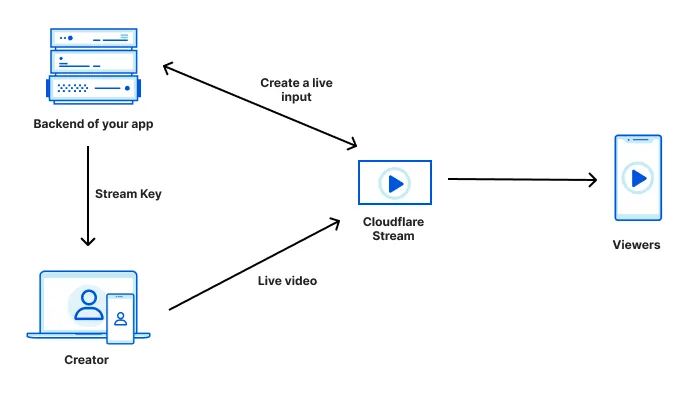
## RTMP reconnections
As long as your streaming software reconnects, Stream Live will continue to ingest and stream your live video. Make sure the streaming software you use to push RTMP feeds automatically reconnects if the connection breaks. Some apps like OBS reconnect automatically while other apps like FFmpeg require custom configuration.
## Bitrate estimates at each quality level (bitrate ladder)
Cloudflare Stream transcodes and makes live streams available to viewers at multiple quality levels. This is commonly referred to as [Adaptive Bitrate Streaming (ABR)](https://www.cloudflare.com/learning/video/what-is-adaptive-bitrate-streaming).
With ABR, client video players need to be provided with estimates of how much bandwidth will be needed to play each quality level (ex: 1080p). Stream creates and updates these estimates dynamically by analyzing the bitrate of your users' live streams. This ensures that live video plays at the highest quality a viewer has adequate bandwidth to play, even in cases where the broadcaster's software or hardware provides incomplete or inaccurate information about the bitrate of their live content.
### How it works
If a live stream contains content with low visual complexity, like a slideshow presentation, the bandwidth estimates provided in the HLS and DASH manifests will be lower — a stream like this has a low bitrate and requires relatively little bandwidth, even at high resolution. This ensures that as many viewers as possible view the highest quality level.
Conversely, if a live stream contains content with high visual complexity, like live sports with motion and camera panning, the bandwidth estimates provided in the manifest will be higher — a stream like this has a high bitrate and requires more bandwidth. This ensures that viewers with inadequate bandwidth switch down to a lower quality level, and their playback does not buffer.
### How you benefit
If you're building a creator platform or any application where your end users create their own live streams, your end users likely use streaming software or hardware that you cannot control. In practice, these live streaming setups often send inaccurate or incomplete information about the bitrate of a given live stream, or are misconfigured by end users.
Stream adapts based on the live video that we actually receive, rather than blindly trusting the advertised bitrate. This means that even in cases where your end users' settings are less than ideal, client video players will still receive the most accurate bitrate estimates possible, ensuring the highest quality video playback for your viewers, while avoiding pushing configuration complexity back onto your users.
## Transition from live playback to a recording
Recordings are available for live streams within 60 seconds after a live stream ends.
You can check a video's status to determine if it's ready to view by making a [`GET` request to the `stream` endpoint](https://developers.cloudflare.com/stream/stream-live/watch-live-stream/#use-the-api) and viewing the `state` or by [using the Cloudflare dashboard](https://developers.cloudflare.com/stream/stream-live/watch-live-stream/#use-the-dashboard).
After the live stream ends, you can [replay live stream recordings](https://developers.cloudflare.com/stream/stream-live/replay-recordings/) in the `ready` state by using one of the playback URLs.
## Billing
Stream Live is billed identically to the rest of Cloudflare Stream.
* You pay $5 per 1000 minutes of recorded video.
* You pay $1 per 1000 minutes of delivered video.
All Stream Live videos are automatically recorded. There is no additional cost for encoding and packaging live videos.
---
title: Transform videos · Cloudflare Stream docs
description: You can optimize and manipulate videos stored outside of Cloudflare
Stream with Media Transformations. Transformed videos and images are served
from one of your zones on Cloudflare.
lastUpdated: 2026-01-29T11:44:10.000Z
chatbotDeprioritize: false
source_url:
html: https://developers.cloudflare.com/stream/transform-videos/
md: https://developers.cloudflare.com/stream/transform-videos/index.md
---
Media Transformations is now GA:
Billing for Media Transformations will begin on November 1st, 2025.
You can optimize and manipulate videos stored *outside* of Cloudflare Stream with Media Transformations. Transformed videos and images are served from one of your zones on Cloudflare.
To transform a video or image, you must [enable transformations](https://developers.cloudflare.com/stream/transform-videos/#getting-started) for your zone. If your zone already has Image Transformations enabled, you can also optimize videos with Media Transformations.
## Getting started
You can dynamically optimize and generate still images from videos that are stored *outside* of Cloudflare Stream with Media Transformations.
Cloudflare will automatically cache every transformed video or image on our global network so that you store only the original image at your origin.
To enable transformations on your zone:
1. In the Cloudflare dashboard, go to the **Transformations** page.
[Go to **Transformations**](https://dash.cloudflare.com/?to=/:account/stream/video-transformations)
2. Locate the specific zone where you want to enable transformations.
3. Select **Enable** for the zone.
## Transform a video by URL
You can convert and resize videos by requesting them via a specially-formatted URL, without writing any code. The URL format is:
```plaintext
https://example.com/cdn-cgi/media//
```
* `example.com`: Your website or zone on Cloudflare, with Transformations enabled.
* `/cdn-cgi/media/`: A prefix that identifies a special path handled by Cloudflare's built-in media transformation service.
* ``: A comma-separated list of options. Refer to the available options below.
* ``: A full URL (starting with `https://` or `http://`) of the original asset to resize.
For example, this URL will source an HD video from an R2 bucket, shorten it, crop and resize it as a square, and remove the audio.
```plaintext
https://example.com/cdn-cgi/media/mode=video,time=5s,duration=5s,width=500,height=500,fit=crop,audio=false/https://pub-8613b7f94d6146408add8fefb52c52e8.r2.dev/aus-mobile-demo.mp4
```
The result is an MP4 that can be used in an HTML video element without a player library.
## Options
### `mode`
Specifies the kind of output to generate.
* `video`: Outputs an H.264/AAC optimized MP4 file.
* `frame`: Outputs a still image.
* `spritesheet`: Outputs a JPEG with multiple frames.
* `audio`: Outputs an AAC encoded M4A file.
### `time`
Specifies when to start extracting the output in the input file. Depends on `mode`:
* When `mode` is `spritesheet`, `video`, or `audio`, specifies the timestamp where the output will start.
* When `mode` is `frame`, specifies the timestamp from which to extract the still image.
* Formats as a time string, for example: 5s, 2m
* Acceptable range: 0 – 10m
* Default: 0
### `duration`
The duration of the output video or spritesheet. Depends on `mode`:
* When `mode` is `video` or `audio`, specifies the duration of the output.
* When `mode` is `spritesheet`, specifies the time range from which to select frames.
* Acceptable range: 1s - 60s (or 1m)
* Default: input duration or 60 seconds, whichever is shorter
### `fit`
In combination with `width` and `height`, specifies how to resize and crop the output. If the output is resized, it will always resize proportionally so content is not stretched.
* `contain`: Respecting aspect ratio, scales a video up or down to be entirely contained within output dimensions.
* `scale-down`: Same as contain, but downscales to fit only. Do not upscale.
* `cover`: Respecting aspect ratio, scales a video up or down to entirely cover the output dimensions, with a center-weighted crop of the remainder.
### `height`
Specifies maximum height of the output in pixels. Exact behavior depends on `fit`.
* Acceptable range: 10-2000 pixels
### `width`
Specifies the maximum width of the image in pixels. Exact behavior depends on `fit`.
* Acceptable range: 10-2000 pixels
### `audio`
When `mode` is `video`, specifies whether or not to include the source audio in the output.
* `true`: Includes source audio.
* `false`: Output will be silent.
* Default: `true`
When `mode` is `audio`, audio cannot be false.
### `format`
If `mode` is `frame`, specifies the image output format.
* Acceptable options: `jpg`, `png`
If `mode` is `audio`, specifies the audio output format.
* Acceptable options: `m4a` (default)
### `filename`
Specifies the filename to use in the returned Content-Disposition header. If not specified, the filename will be derived from the source URL.
* Acceptable values:
* Maximum of 120 characters in length.
* Can only contain lowercase letters (a-z), numbers (0-9), hyphens (-), underscores (\_), and an optional extension. A valid name satisfies this regular expression: `^[a-zA-Z0-9-_]+.?[a-zA-Z0-9-_]+$`.
* Examples: `default.mp4`, `shortened-clip_5s`
## Source video requirements
* Input video must be less than 100MB.
* Input video should be an MP4 with H.264 encoded video and AAC or MP3 encoded audio. Other formats may work but are untested.
* Origin must support either HTTP HEAD and range requests, and must return a Content-Range header.
## Limitations
* Maximum input file size is 100 MB. Maximum duration of input video is 10 minutes.
* Media Transformations are not compatible with [Bring Your Own IP (BYOIP)](https://developers.cloudflare.com/byoip/).
* Input video should be an MP4 with H.264 encoded video and AAC or MP3 encoded audio, or animated GIF. Other formats may work but are untested.
## Pricing
After November 1st, 2025, Media Transformations and Image Transformations will use the same subscriptions and usage metrics.
* Generating a still frame (single image) from a video counts as 1 transformation.
* Generating an optimized video or extracting audio counts as 1 transformation *per second of the output* content.
* Each unique transformation, as determined by input and unique combination of flags, is only billed once per calendar month.
* All Media and Image Transformations cost $0.50 per 1,000 monthly unique transformation operations, with a free monthly allocation of 5,000.
---
title: Upload videos · Cloudflare Stream docs
description: Before you upload your video, review the options for uploading a
video, supported formats, and recommendations.
lastUpdated: 2026-03-06T12:19:54.000Z
chatbotDeprioritize: false
source_url:
html: https://developers.cloudflare.com/stream/uploading-videos/
md: https://developers.cloudflare.com/stream/uploading-videos/index.md
---
Before you upload your video, review the options for uploading a video, supported formats, and recommendations.
## Upload options
| Upload method | When to use |
| - | - |
| [Stream Dashboard](https://dash.cloudflare.com/?to=/:account/stream) | Upload videos from the Stream Dashboard without writing any code. |
| [Upload with a link](https://developers.cloudflare.com/stream/uploading-videos/upload-via-link/) | Upload videos using a link, such as an S3 bucket or content management system. |
| [Upload video file](https://developers.cloudflare.com/stream/uploading-videos/upload-video-file/) | Upload videos stored on a computer. |
| [Direct creator uploads](https://developers.cloudflare.com/stream/uploading-videos/direct-creator-uploads/) | Allows end users of your website or app to upload videos directly to Cloudflare Stream. |
## Supported video formats
Note
Files must be less than 30 GB, and content should be encoded and uploaded in the same frame rate it was recorded.
* MP4
* MKV
* MOV
* AVI
* FLV
* MPEG-2 TS
* MPEG-2 PS
* MXF
* LXF
* GXF
* 3GP
* WebM
* MPG
* Quicktime
## Recommendations for on-demand videos
* Optional but ideal settings:
* MP4 containers
* AAC audio codec
* H264 video codec
* 60 or fewer frames per second
* Closed GOP (*Only required for live streaming.*)
* Mono or Stereo audio. Stream will mix audio tracks with more than two channels down to stereo.
## Frame rates
Stream accepts video uploads at any frame rate. During encoding, Stream re-encodes videos for a maximum of 70 FPS playback. If the original video has a frame rate lower than 70 FPS, Stream re-encodes at the original frame rate.
For variable frame rate content, Stream drops extra frames. For example, if there is more than one frame within a 1/30 second window, Stream drops the extra frames within that period.
---
title: Play video · Cloudflare Stream docs
lastUpdated: 2024-08-30T13:02:26.000Z
chatbotDeprioritize: true
source_url:
html: https://developers.cloudflare.com/stream/viewing-videos/
md: https://developers.cloudflare.com/stream/viewing-videos/index.md
---
* [Use your own player](https://developers.cloudflare.com/stream/viewing-videos/using-own-player/)
* [Use the Stream Player](https://developers.cloudflare.com/stream/viewing-videos/using-the-stream-player/)
* [Secure your Stream](https://developers.cloudflare.com/stream/viewing-videos/securing-your-stream/)
* [Display thumbnails](https://developers.cloudflare.com/stream/viewing-videos/displaying-thumbnails/)
* [Download video or audio](https://developers.cloudflare.com/stream/viewing-videos/download-videos/)
---
title: WebRTC · Cloudflare Stream docs
description: Sub-second latency live streaming (using WHIP) and playback (using
WHEP) to unlimited concurrent viewers.
lastUpdated: 2026-03-02T15:59:53.000Z
chatbotDeprioritize: false
source_url:
html: https://developers.cloudflare.com/stream/webrtc-beta/
md: https://developers.cloudflare.com/stream/webrtc-beta/index.md
---
Sub-second latency live streaming (using WHIP) and playback (using WHEP) to unlimited concurrent viewers.
WebRTC is ideal for when you need live video to playback in near real-time, such as:
* When the outcome of a live event is time-sensitive (live sports, financial news)
* When viewers interact with the live stream (live Q\&A, auctions, etc.)
* When you want your end users to be able to easily go live or create their own video content, from a web browser or native app
Note
WebRTC streaming is currently in beta, and we'd love to hear what you think. Join the Cloudflare Discord server [using this invite](https://discord.com/invite/cloudflaredev/) and hop into our [Discord channel](https://discord.com/channels/595317990191398933/893253103695065128) to let us know what you're building with WebRTC!
## Step 1: Create a live input
Create a live input using one of the two options:
* Use the **Live inputs** page of the Cloudflare dashboard.
[Go to **Live inputs**](https://dash.cloudflare.com/?to=/:account/stream/inputs)
* Make a POST request to the [`/live_inputs` API endpoint](https://developers.cloudflare.com/api/resources/stream/subresources/live_inputs/methods/create/)
```json
{
"uid": "1a553f11a88915d093d45eda660d2f8c",
...
"webRTC": {
"url": "https://customer-.cloudflarestream.com//webRTC/publish"
},
"webRTCPlayback": {
"url": "https://customer-.cloudflarestream.com//webRTC/play"
},
...
}
```
## Step 2: Go live using WHIP
Every live input has a unique URL that one creator can be stream to. This URL should *only* be shared with the creator — anyone with this URL has the ability to stream live video to this live input.
Copy the URL from either:
* The **Live inputs** page of the Cloudflare dashboard.
[Go to **Live inputs**](https://dash.cloudflare.com/?to=/:account/stream/inputs)
* The `webRTC` key in the API response (see above).
Paste this URL into the example code.
```javascript
// Add a
---
title: 404 - Page Not Found · Cloudflare Vectorize docs
chatbotDeprioritize: false
source_url:
html: https://developers.cloudflare.com/vectorize/404/
md: https://developers.cloudflare.com/vectorize/404/index.md
---
# 404
Check the URL, try using our [search](https://developers.cloudflare.com/search/) or try our LLM-friendly [llms.txt directory](https://developers.cloudflare.com/llms.txt).
---
title: Best practices · Cloudflare Vectorize docs
lastUpdated: 2025-02-21T09:48:48.000Z
chatbotDeprioritize: true
source_url:
html: https://developers.cloudflare.com/vectorize/best-practices/
md: https://developers.cloudflare.com/vectorize/best-practices/index.md
---
* [Create indexes](https://developers.cloudflare.com/vectorize/best-practices/create-indexes/)
* [Insert vectors](https://developers.cloudflare.com/vectorize/best-practices/insert-vectors/)
* [List vectors](https://developers.cloudflare.com/vectorize/best-practices/list-vectors/)
* [Query vectors](https://developers.cloudflare.com/vectorize/best-practices/query-vectors/)
---
title: Architectures · Cloudflare Vectorize docs
description: Learn how you can use Vectorize within your existing architecture.
lastUpdated: 2025-10-13T13:40:40.000Z
chatbotDeprioritize: false
source_url:
html: https://developers.cloudflare.com/vectorize/demos/
md: https://developers.cloudflare.com/vectorize/demos/index.md
---
Learn how you can use Vectorize within your existing architecture.
## Reference architectures
Explore the following reference architectures that use Vectorize:
[Fullstack applications](https://developers.cloudflare.com/reference-architecture/diagrams/serverless/fullstack-application/)
[A practical example of how these services come together in a real fullstack application architecture.](https://developers.cloudflare.com/reference-architecture/diagrams/serverless/fullstack-application/)
[Ingesting BigQuery Data into Workers AI](https://developers.cloudflare.com/reference-architecture/diagrams/ai/bigquery-workers-ai/)
[You can connect a Cloudflare Worker to get data from Google BigQuery and pass it to Workers AI, to run AI Models, powered by serverless GPUs.](https://developers.cloudflare.com/reference-architecture/diagrams/ai/bigquery-workers-ai/)
[Composable AI architecture](https://developers.cloudflare.com/reference-architecture/diagrams/ai/ai-composable/)
[The architecture diagram illustrates how AI applications can be built end-to-end on Cloudflare, or single services can be integrated with external infrastructure and services.](https://developers.cloudflare.com/reference-architecture/diagrams/ai/ai-composable/)
[Retrieval Augmented Generation (RAG)](https://developers.cloudflare.com/reference-architecture/diagrams/ai/ai-rag/)
[RAG combines retrieval with generative models for better text. It uses external knowledge to create factual, relevant responses, improving coherence and accuracy in NLP tasks like chatbots.](https://developers.cloudflare.com/reference-architecture/diagrams/ai/ai-rag/)
---
title: Examples · Cloudflare Vectorize docs
description: Explore the following examples for Vectorize.
lastUpdated: 2025-08-18T14:27:42.000Z
chatbotDeprioritize: true
source_url:
html: https://developers.cloudflare.com/vectorize/examples/
md: https://developers.cloudflare.com/vectorize/examples/index.md
---
Explore the following examples for Vectorize.
* [LangChain Integration](https://js.langchain.com/docs/integrations/vectorstores/cloudflare_vectorize/)
* [Retrieval Augmented Generation](https://developers.cloudflare.com/reference-architecture/diagrams/ai/ai-rag/)
* [Agents](https://developers.cloudflare.com/agents/)
---
title: Get started · Cloudflare Vectorize docs
lastUpdated: 2025-02-21T09:48:48.000Z
chatbotDeprioritize: true
source_url:
html: https://developers.cloudflare.com/vectorize/get-started/
md: https://developers.cloudflare.com/vectorize/get-started/index.md
---
* [Introduction to Vectorize](https://developers.cloudflare.com/vectorize/get-started/intro/)
* [Vectorize and Workers AI](https://developers.cloudflare.com/vectorize/get-started/embeddings/)
---
title: Platform · Cloudflare Vectorize docs
lastUpdated: 2025-02-21T09:48:48.000Z
chatbotDeprioritize: true
source_url:
html: https://developers.cloudflare.com/vectorize/platform/
md: https://developers.cloudflare.com/vectorize/platform/index.md
---
* [Pricing](https://developers.cloudflare.com/vectorize/platform/pricing/)
* [Limits](https://developers.cloudflare.com/vectorize/platform/limits/)
* [Choose a data or storage product](https://developers.cloudflare.com/workers/platform/storage-options/)
* [Changelog](https://developers.cloudflare.com/vectorize/platform/changelog/)
* [Event subscriptions](https://developers.cloudflare.com/vectorize/platform/event-subscriptions/)
---
title: Reference · Cloudflare Vectorize docs
lastUpdated: 2025-02-21T09:48:48.000Z
chatbotDeprioritize: true
source_url:
html: https://developers.cloudflare.com/vectorize/reference/
md: https://developers.cloudflare.com/vectorize/reference/index.md
---
* [Vector databases](https://developers.cloudflare.com/vectorize/reference/what-is-a-vector-database/)
* [Vectorize API](https://developers.cloudflare.com/vectorize/reference/client-api/)
* [Metadata filtering](https://developers.cloudflare.com/vectorize/reference/metadata-filtering/)
* [Transition legacy Vectorize indexes](https://developers.cloudflare.com/vectorize/reference/transition-vectorize-legacy/)
* [Wrangler commands](https://developers.cloudflare.com/vectorize/reference/wrangler-commands/)
---
title: Tutorials · Cloudflare Vectorize docs
description: View tutorials to help you get started with Vectorize.
lastUpdated: 2025-08-18T14:27:42.000Z
chatbotDeprioritize: false
source_url:
html: https://developers.cloudflare.com/vectorize/tutorials/
md: https://developers.cloudflare.com/vectorize/tutorials/index.md
---
View tutorials to help you get started with Vectorize.
## Docs
| Name | Last Updated | Difficulty |
| - | - | - |
| [Build a Retrieval Augmented Generation (RAG) AI](https://developers.cloudflare.com/workers-ai/guides/tutorials/build-a-retrieval-augmented-generation-ai/) | over 1 year ago | Beginner |
## Videos
Welcome to the Cloudflare Developer Channel
Welcome to the Cloudflare Developers YouTube channel. We've got tutorials and working demos and everything you need to level up your projects. Whether you're working on your next big thing or just dorking around with some side projects, we've got you covered! So why don't you come hang out, subscribe to our developer channel and together we'll build something awesome. You're gonna love it.
Use Vectorize to add additional context to your AI Applications through RAG
A RAG based AI Chat app that uses Vectorize to access video game data for employees of Gamertown.
Learn AI Development (models, embeddings, vectors)
In this workshop, Kristian Freeman, Cloudflare Developer Advocate, teaches the basics of AI Development - models, embeddings, and vectors (including vector databases).
---
title: Vectorize REST API · Cloudflare Vectorize docs
lastUpdated: 2024-12-16T22:33:26.000Z
chatbotDeprioritize: false
source_url:
html: https://developers.cloudflare.com/vectorize/vectorize-api/
md: https://developers.cloudflare.com/vectorize/vectorize-api/index.md
---
---
title: 404 - Page Not Found · Cloudflare Workers docs
chatbotDeprioritize: false
source_url:
html: https://developers.cloudflare.com/workers/404/
md: https://developers.cloudflare.com/workers/404/index.md
---
# 404
Check the URL, try using our [search](https://developers.cloudflare.com/search/) or try our LLM-friendly [llms.txt directory](https://developers.cloudflare.com/llms.txt).
---
title: AI Assistant · Cloudflare Workers docs
chatbotDeprioritize: false
source_url:
html: https://developers.cloudflare.com/workers/ai/
md: https://developers.cloudflare.com/workers/ai/index.md
---
 
# Meet your AI assistant, CursorAI Preview
Cursor is an experimental AI assistant, trained to answer questions about Cloudflare and powered by [Cloudflare Workers](https://developers.cloudflare.com/workers/), [Workers AI](https://developers.cloudflare.com/workers-ai/), [Vectorize](https://developers.cloudflare.com/vectorize/), and [AI Gateway](https://developers.cloudflare.com/ai-gateway/). Cursor is here to help answer your Cloudflare questions, so ask away!
Cursor is an experimental AI preview, meaning that the answers provided are often incorrect, incomplete, or lacking in context. Be sure to double-check what Cursor recommends using the linked sources provided.
Use of Cloudflare Cursor is subject to the Cloudflare Website and Online Services [Terms of Use](https://www.cloudflare.com/website-terms/). You acknowledge and agree that the output generated by Cursor has not been verified by Cloudflare for accuracy and does not represent Cloudflare’s views.
---
title: Best practices · Cloudflare Workers docs
lastUpdated: 2026-02-12T20:49:08.000Z
chatbotDeprioritize: true
source_url:
html: https://developers.cloudflare.com/workers/best-practices/
md: https://developers.cloudflare.com/workers/best-practices/index.md
---
* [Workers Best Practices](https://developers.cloudflare.com/workers/best-practices/workers-best-practices/)
---
title: CI/CD · Cloudflare Workers docs
description: Set up continuous integration and continuous deployment for your Workers.
lastUpdated: 2025-02-05T10:06:53.000Z
chatbotDeprioritize: false
source_url:
html: https://developers.cloudflare.com/workers/ci-cd/
md: https://developers.cloudflare.com/workers/ci-cd/index.md
---
You can set up continuous integration and continuous deployment (CI/CD) for your Workers by using either the integrated build system, [Workers Builds](#workers-builds), or using [external providers](#external-cicd) to optimize your development workflow.
## Why use CI/CD?
Using a CI/CD pipeline to deploy your Workers is a best practice because it:
* Automates the build and deployment process, removing the need for manual `wrangler deploy` commands.
* Ensures consistent builds and deployments across your team by using the same source control management (SCM) system.
* Reduces variability and errors by deploying in a uniform environment.
* Simplifies managing access to production credentials.
## Which CI/CD should I use?
Choose [Workers Builds](https://developers.cloudflare.com/workers/ci-cd/builds) if you want a fully integrated solution within Cloudflare's ecosystem that requires minimal setup and configuration for GitHub or GitLab users.
We recommend using [external CI/CD providers](https://developers.cloudflare.com/workers/ci-cd/external-cicd) if:
* You have a self-hosted instance of GitHub or GitLabs, which is currently not supported in Workers Builds' [Git integration](https://developers.cloudflare.com/workers/ci-cd/builds/git-integration/)
* You are using a Git provider that is not GitHub or GitLab
## Workers Builds
[Workers Builds](https://developers.cloudflare.com/workers/ci-cd/builds) is Cloudflare's native CI/CD system that allows you to integrate with GitHub or GitLab to automatically deploy changes with each new push to a selected branch (e.g. `main`).
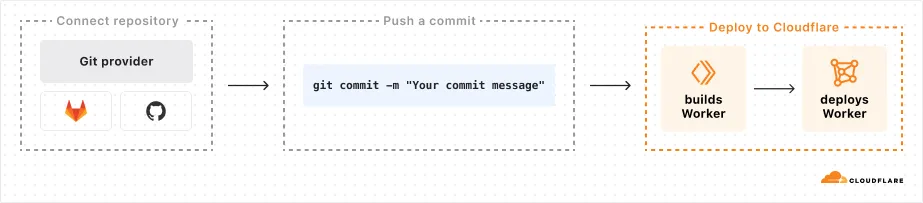
Ready to streamline your Workers deployments? Get started with [Workers Builds](https://developers.cloudflare.com/workers/ci-cd/builds/#get-started).
## External CI/CD
You can also choose to set up your CI/CD pipeline with an external provider.
* [GitHub Actions](https://developers.cloudflare.com/workers/ci-cd/external-cicd/github-actions/)
* [GitLab CI/CD](https://developers.cloudflare.com/workers/ci-cd/external-cicd/gitlab-cicd/)
---
title: Configuration · Cloudflare Workers docs
description: Worker configuration is managed through a Wrangler configuration
file, which defines your project settings, bindings, and deployment options.
Wrangler is the command-line tool used to develop, test, and deploy Workers.
lastUpdated: 2026-02-18T14:15:12.000Z
chatbotDeprioritize: false
source_url:
html: https://developers.cloudflare.com/workers/configuration/
md: https://developers.cloudflare.com/workers/configuration/index.md
---
Worker configuration is managed through a [Wrangler configuration file](https://developers.cloudflare.com/workers/wrangler/configuration/), which defines your project settings, bindings, and deployment options. Wrangler is the command-line tool used to develop, test, and deploy Workers.
For more information on Wrangler, refer to [Wrangler](https://developers.cloudflare.com/workers/wrangler/).
* [Bindings](https://developers.cloudflare.com/workers/runtime-apis/bindings/)
* [Compatibility dates](https://developers.cloudflare.com/workers/configuration/compatibility-dates/)
* [Compatibility flags](https://developers.cloudflare.com/workers/configuration/compatibility-flags/)
* [Cron Triggers](https://developers.cloudflare.com/workers/configuration/cron-triggers/)
* [Environment variables](https://developers.cloudflare.com/workers/configuration/environment-variables/)
* [Integrations](https://developers.cloudflare.com/workers/configuration/integrations/)
* [Multipart upload metadata](https://developers.cloudflare.com/workers/configuration/multipart-upload-metadata/)
* [Page Rules](https://developers.cloudflare.com/workers/configuration/workers-with-page-rules/)
* [Placement](https://developers.cloudflare.com/workers/configuration/placement/)
* [Preview URLs](https://developers.cloudflare.com/workers/configuration/previews/)
* [Routes and domains](https://developers.cloudflare.com/workers/configuration/routing/)
* [Secrets](https://developers.cloudflare.com/workers/configuration/secrets/)
* [Versions & Deployments](https://developers.cloudflare.com/workers/configuration/versions-and-deployments/)
* [Workers Sites](https://developers.cloudflare.com/workers/configuration/sites/)
---
title: Databases · Cloudflare Workers docs
description: Explore database integrations for your Worker projects.
lastUpdated: 2025-02-05T10:06:53.000Z
chatbotDeprioritize: true
source_url:
html: https://developers.cloudflare.com/workers/databases/
md: https://developers.cloudflare.com/workers/databases/index.md
---
Explore database integrations for your Worker projects.
* [Connect to databases](https://developers.cloudflare.com/workers/databases/connecting-to-databases/)
* [Analytics Engine](https://developers.cloudflare.com/analytics/analytics-engine/)
* [Vectorize (vector database)](https://developers.cloudflare.com/vectorize/)
* [Cloudflare D1](https://developers.cloudflare.com/d1/)
* [Hyperdrive](https://developers.cloudflare.com/hyperdrive/)
* [3rd Party Integrations](https://developers.cloudflare.com/workers/databases/third-party-integrations/)
---
title: Demos and architectures · Cloudflare Workers docs
description: Learn how you can use Workers within your existing application and
architecture.
lastUpdated: 2025-10-13T13:40:40.000Z
chatbotDeprioritize: false
source_url:
html: https://developers.cloudflare.com/workers/demos/
md: https://developers.cloudflare.com/workers/demos/index.md
---
Learn how you can use Workers within your existing application and architecture.
## Demos
Explore the following demo applications for Workers.
* [Starter code for D1 Sessions API:](https://github.com/cloudflare/templates/tree/main/d1-starter-sessions-api-template) An introduction to D1 Sessions API. This demo simulates purchase orders administration.
* [JavaScript-native RPC on Cloudflare Workers <> Named Entrypoints:](https://github.com/cloudflare/js-rpc-and-entrypoints-demo) This is a collection of examples of communicating between multiple Cloudflare Workers using the remote-procedure call (RPC) system that is built into the Workers runtime.
* [Workers for Platforms Example Project:](https://github.com/cloudflare/workers-for-platforms-example) Explore how you could manage thousands of Workers with a single Cloudflare Workers account.
* [Cloudflare Workers Chat Demo:](https://github.com/cloudflare/workers-chat-demo) This is a demo app written on Cloudflare Workers utilizing Durable Objects to implement real-time chat with stored history.
* [Turnstile Demo:](https://github.com/cloudflare/turnstile-demo-workers) A simple demo with a Turnstile-protected form, using Cloudflare Workers. With the code in this repository, we demonstrate implicit rendering and explicit rendering.
* [Wildebeest:](https://github.com/cloudflare/wildebeest) Wildebeest is an ActivityPub and Mastodon-compatible server whose goal is to allow anyone to operate their Fediverse server and identity on their domain without needing to keep infrastructure, with minimal setup and maintenance, and running in minutes.
* [D1 Northwind Demo:](https://github.com/cloudflare/d1-northwind) This is a demo of the Northwind dataset, running on Cloudflare Workers, and D1 - Cloudflare's SQL database, running on SQLite.
* [Multiplayer Doom Workers:](https://github.com/cloudflare/doom-workers) A WebAssembly Doom port with multiplayer support running on top of Cloudflare's global network using Workers, WebSockets, Pages, and Durable Objects.
* [Queues Web Crawler:](https://github.com/cloudflare/queues-web-crawler) An example use-case for Queues, a web crawler built on Browser Rendering and Puppeteer. The crawler finds the number of links to Cloudflare.com on the site, and archives a screenshot to Workers KV.
* [DMARC Email Worker:](https://github.com/cloudflare/dmarc-email-worker) A Cloudflare worker script to process incoming DMARC reports, store them, and produce analytics.
* [Access External Auth Rule Example Worker:](https://github.com/cloudflare/workers-access-external-auth-example) This is a worker that allows you to quickly setup an external evalutation rule in Cloudflare Access.
## Reference architectures
Explore the following reference architectures that use Workers:
[Fullstack applications](https://developers.cloudflare.com/reference-architecture/diagrams/serverless/fullstack-application/)
[A practical example of how these services come together in a real fullstack application architecture.](https://developers.cloudflare.com/reference-architecture/diagrams/serverless/fullstack-application/)
[Storing user generated content](https://developers.cloudflare.com/reference-architecture/diagrams/storage/storing-user-generated-content/)
[Store user-generated content in R2 for fast, secure, and cost-effective architecture.](https://developers.cloudflare.com/reference-architecture/diagrams/storage/storing-user-generated-content/)
[Optimizing and securing connected transportation systems](https://developers.cloudflare.com/reference-architecture/diagrams/iot/optimizing-and-securing-connected-transportation-systems/)
[This diagram showcases Cloudflare components optimizing connected transportation systems. It illustrates how their technologies minimize latency, ensure reliability, and strengthen security for critical data flow.](https://developers.cloudflare.com/reference-architecture/diagrams/iot/optimizing-and-securing-connected-transportation-systems/)
[Ingesting BigQuery Data into Workers AI](https://developers.cloudflare.com/reference-architecture/diagrams/ai/bigquery-workers-ai/)
[You can connect a Cloudflare Worker to get data from Google BigQuery and pass it to Workers AI, to run AI Models, powered by serverless GPUs.](https://developers.cloudflare.com/reference-architecture/diagrams/ai/bigquery-workers-ai/)
[Event notifications for storage](https://developers.cloudflare.com/reference-architecture/diagrams/storage/event-notifications-for-storage/)
[Use Cloudflare Workers or an external service to monitor for notifications about data changes and then handle them appropriately.](https://developers.cloudflare.com/reference-architecture/diagrams/storage/event-notifications-for-storage/)
[Extend ZTNA with external authorization and serverless computing](https://developers.cloudflare.com/reference-architecture/diagrams/sase/augment-access-with-serverless/)
[Cloudflare's ZTNA enhances access policies using external API calls and Workers for robust security. It verifies user authentication and authorization, ensuring only legitimate access to protected resources.](https://developers.cloudflare.com/reference-architecture/diagrams/sase/augment-access-with-serverless/)
[Cloudflare Security Architecture](https://developers.cloudflare.com/reference-architecture/architectures/security/)
[This document provides insight into how this network and platform are architected from a security perspective, how they are operated, and what services are available for businesses to address their own security challenges.](https://developers.cloudflare.com/reference-architecture/architectures/security/)
[Composable AI architecture](https://developers.cloudflare.com/reference-architecture/diagrams/ai/ai-composable/)
[The architecture diagram illustrates how AI applications can be built end-to-end on Cloudflare, or single services can be integrated with external infrastructure and services.](https://developers.cloudflare.com/reference-architecture/diagrams/ai/ai-composable/)
[A/B-testing using Workers](https://developers.cloudflare.com/reference-architecture/diagrams/serverless/a-b-testing-using-workers/)
[Cloudflare's low-latency, fully serverless compute platform, Workers offers powerful capabilities to enable A/B testing using a server-side implementation.](https://developers.cloudflare.com/reference-architecture/diagrams/serverless/a-b-testing-using-workers/)
[Serverless global APIs](https://developers.cloudflare.com/reference-architecture/diagrams/serverless/serverless-global-apis/)
[An example architecture of a serverless API on Cloudflare and aims to illustrate how different compute and data products could interact with each other.](https://developers.cloudflare.com/reference-architecture/diagrams/serverless/serverless-global-apis/)
[Serverless ETL pipelines](https://developers.cloudflare.com/reference-architecture/diagrams/serverless/serverless-etl/)
[Cloudflare enables fully serverless ETL pipelines, significantly reducing complexity, accelerating time to production, and lowering overall costs.](https://developers.cloudflare.com/reference-architecture/diagrams/serverless/serverless-etl/)
[Egress-free object storage in multi-cloud setups](https://developers.cloudflare.com/reference-architecture/diagrams/storage/egress-free-storage-multi-cloud/)
[Learn how to use R2 to get egress-free object storage in multi-cloud setups.](https://developers.cloudflare.com/reference-architecture/diagrams/storage/egress-free-storage-multi-cloud/)
[Retrieval Augmented Generation (RAG)](https://developers.cloudflare.com/reference-architecture/diagrams/ai/ai-rag/)
[RAG combines retrieval with generative models for better text. It uses external knowledge to create factual, relevant responses, improving coherence and accuracy in NLP tasks like chatbots.](https://developers.cloudflare.com/reference-architecture/diagrams/ai/ai-rag/)
[Automatic captioning for video uploads](https://developers.cloudflare.com/reference-architecture/diagrams/ai/ai-video-caption/)
[By integrating automatic speech recognition technology into video platforms, content creators, publishers, and distributors can reach a broader audience, including individuals with hearing impairments or those who prefer to consume content in different languages.](https://developers.cloudflare.com/reference-architecture/diagrams/ai/ai-video-caption/)
[Serverless image content management](https://developers.cloudflare.com/reference-architecture/diagrams/serverless/serverless-image-content-management/)
[Leverage various components of Cloudflare's ecosystem to construct a scalable image management solution](https://developers.cloudflare.com/reference-architecture/diagrams/serverless/serverless-image-content-management/)
---
title: Development & testing · Cloudflare Workers docs
description: Develop and test your Workers locally.
lastUpdated: 2025-12-29T17:29:32.000Z
chatbotDeprioritize: false
source_url:
html: https://developers.cloudflare.com/workers/development-testing/
md: https://developers.cloudflare.com/workers/development-testing/index.md
---
You can build, run, and test your Worker code on your own local machine before deploying it to Cloudflare's network. This is made possible through [Miniflare](https://developers.cloudflare.com/workers/testing/miniflare/), a simulator that executes your Worker code using the same runtime used in production, [`workerd`](https://github.com/cloudflare/workerd).
[By default](https://developers.cloudflare.com/workers/development-testing/#defaults), your Worker's bindings [connect to locally simulated resources](https://developers.cloudflare.com/workers/development-testing/#bindings-during-local-development), but can be configured to interact with the real, production resource with [remote bindings](https://developers.cloudflare.com/workers/development-testing/#remote-bindings).
## Core concepts
### Worker execution vs Bindings
When developing Workers, it's important to understand two distinct concepts:
* **Worker execution**: Where your Worker code actually runs (on your local machine vs on Cloudflare's infrastructure).
* [**Bindings**](https://developers.cloudflare.com/workers/runtime-apis/bindings/): How your Worker interacts with Cloudflare resources (like [KV namespaces](https://developers.cloudflare.com/kv), [R2 buckets](https://developers.cloudflare.com/r2), [D1 databases](https://developers.cloudflare.com/d1), [Queues](https://developers.cloudflare.com/queues/), [Durable Objects](https://developers.cloudflare.com/durable-objects/), etc). In your Worker code, these are accessed via the `env` object (such as `env.MY_KV`).
## Local development
**You can start a local development server using:**
1. The Cloudflare Workers CLI [**Wrangler**](https://developers.cloudflare.com/workers/wrangler/), using the built-in [`wrangler dev`](https://developers.cloudflare.com/workers/wrangler/commands/#dev) command.
* npm
```sh
npx wrangler dev
```
* yarn
```sh
yarn wrangler dev
```
* pnpm
```sh
pnpm wrangler dev
```
1. [**Vite**](https://vite.dev/), using the [**Cloudflare Vite plugin**](https://developers.cloudflare.com/workers/vite-plugin/).
* npm
```sh
npx vite dev
```
* yarn
```sh
yarn vite dev
```
* pnpm
```sh
pnpm vite dev
```
Both Wrangler and the Cloudflare Vite plugin use [Miniflare](https://developers.cloudflare.com/workers/testing/miniflare/) under the hood, and are developed and maintained by the Cloudflare team. For guidance on choosing when to use Wrangler versus Vite, see our guide [Choosing between Wrangler & Vite](https://developers.cloudflare.com/workers/development-testing/wrangler-vs-vite/).
* [Get started with Wrangler](https://developers.cloudflare.com/workers/wrangler/install-and-update/)
* [Get started with the Cloudflare Vite plugin](https://developers.cloudflare.com/workers/vite-plugin/get-started/)
### Defaults
By default, running `wrangler dev` / `vite dev` (when using the [Vite plugin](https://developers.cloudflare.com/workers/vite-plugin/get-started/)) means that:
* Your Worker code runs on your local machine.
* All resources your Worker is bound to in your [Wrangler configuration](https://developers.cloudflare.com/workers/wrangler/configuration/) are simulated locally.
### Bindings during local development
[Bindings](https://developers.cloudflare.com/workers/runtime-apis/bindings/) are interfaces that allow your Worker to interact with various Cloudflare resources (like [KV namespaces](https://developers.cloudflare.com/kv), [R2 buckets](https://developers.cloudflare.com/r2), [D1 databases](https://developers.cloudflare.com/d1), [Queues](https://developers.cloudflare.com/queues/), [Durable Objects](https://developers.cloudflare.com/durable-objects/), etc). In your Worker code, these are accessed via the `env` object (such as `env.MY_KV`).
During local development, your Worker code interacts with these bindings using the exact same API calls (such as `env.MY_KV.put()`) as it would in a deployed environment. These local resources are initially empty, but you can populate them with data, as documented in [Adding local data](https://developers.cloudflare.com/workers/development-testing/local-data/).
* By default, bindings connect to **local resource simulations** (except for [AI bindings](https://developers.cloudflare.com/workers-ai/configuration/bindings/), as AI models always run remotely).
* You can override this default behavior and **connect to the remote resource** on a per-binding basis with [remote bindings](https://developers.cloudflare.com/workers/development-testing/#remote-bindings). This lets you connect to real, production resources while still running your Worker code locally.
* When using `wrangler dev`, you can temporarily disable all [remote bindings](https://developers.cloudflare.com/workers/development-testing/#remote-bindings) (and connect only to local resources) by providing the `--local` flag (i.e. `wrangler dev --local`)
## Remote bindings
**Remote bindings** are bindings that are configured to connect to the deployed, remote resource during local development *instead* of the locally simulated resource. Remote bindings are supported by [**Wrangler**](https://developers.cloudflare.com/workers/wrangler/), the [**Cloudflare Vite plugin**](https://developers.cloudflare.com/workers/vite-plugin/), and the `@cloudflare/vitest-pool-workers` package. You can configure remote bindings by setting `remote: true` in the binding definition.
### Example configuration
* wrangler.jsonc
```jsonc
{
"name": "my-worker",
// Set this to today's date
"compatibility_date": "2026-03-09",
"r2_buckets": [
{
"bucket_name": "screenshots-bucket",
"binding": "screenshots_bucket",
"remote": true,
},
],
}
```
* wrangler.toml
```toml
name = "my-worker"
# Set this to today's date
compatibility_date = "2026-03-09"
[[r2_buckets]]
bucket_name = "screenshots-bucket"
binding = "screenshots_bucket"
remote = true
```
When remote bindings are configured, your Worker still **executes locally**, only the underlying resources your bindings connect to change. For all bindings marked with `remote: true`, Miniflare will route its operations (such as `env.MY_KV.put()`) to the deployed resource. All other bindings not explicitly configured with `remote: true` continue to use their default local simulations.
### Integration with environments
Remote Bindings work well together with [Workers Environments](https://developers.cloudflare.com/workers/wrangler/environments). To protect production data, you can create a development or staging environment and specify different resources in your [Wrangler configuration](https://developers.cloudflare.com/workers/wrangler/configuration/) than you would use for production.
**For example:**
* wrangler.jsonc
```jsonc
{
"name": "my-worker",
// Set this to today's date
"compatibility_date": "2026-03-09",
"env": {
"production": {
"r2_buckets": [
{
"bucket_name": "screenshots-bucket",
"binding": "screenshots_bucket",
},
],
},
"staging": {
"r2_buckets": [
{
"bucket_name": "preview-screenshots-bucket",
"binding": "screenshots_bucket",
"remote": true,
},
],
},
},
}
```
* wrangler.toml
```toml
name = "my-worker"
# Set this to today's date
compatibility_date = "2026-03-09"
[[env.production.r2_buckets]]
bucket_name = "screenshots-bucket"
binding = "screenshots_bucket"
[[env.staging.r2_buckets]]
bucket_name = "preview-screenshots-bucket"
binding = "screenshots_bucket"
remote = true
```
Running `wrangler dev -e staging` (or `CLOUDFLARE_ENV=staging vite dev`) with the above configuration means that:
* Your Worker code runs locally
* All calls made to `env.screenshots_bucket` will use the `preview-screenshots-bucket` resource, rather than the production `screenshots-bucket`.
### Recommended remote bindings
We recommend configuring specific bindings to connect to their remote counterparts. These services often rely on Cloudflare's network infrastructure or have complex backends that are not fully simulated locally.
The following bindings are recommended to have `remote: true` in your Wrangler configuration:
#### [Browser Rendering](https://developers.cloudflare.com/workers/wrangler/configuration/#browser-rendering):
To interact with a real headless browser for rendering. There is no current local simulation for Browser Rendering.
* wrangler.jsonc
```jsonc
{
"browser": {
"binding": "MY_BROWSER",
"remote": true
},
}
```
* wrangler.toml
```toml
[browser]
binding = "MY_BROWSER"
remote = true
```
#### [Workers AI](https://developers.cloudflare.com/workers/wrangler/configuration/#workers-ai):
To utilize actual AI models deployed on Cloudflare's network for inference. There is no current local simulation for Workers AI.
* wrangler.jsonc
```jsonc
{
"ai": {
"binding": "AI",
"remote": true
},
}
```
* wrangler.toml
```toml
[ai]
binding = "AI"
remote = true
```
#### [Vectorize](https://developers.cloudflare.com/workers/wrangler/configuration/#vectorize-indexes):
To connect to your production Vectorize indexes for accurate vector search and similarity operations. There is no current local simulation for Vectorize.
* wrangler.jsonc
```jsonc
{
"vectorize": [
{
"binding": "MY_VECTORIZE_INDEX",
"index_name": "my-prod-index",
"remote": true
}
],
}
```
* wrangler.toml
```toml
[[vectorize]]
binding = "MY_VECTORIZE_INDEX"
index_name = "my-prod-index"
remote = true
```
#### [mTLS](https://developers.cloudflare.com/workers/wrangler/configuration/#mtls-certificates):
To verify that the certificate exchange and validation process work as expected. There is no current local simulation for mTLS bindings.
* wrangler.jsonc
```jsonc
{
"mtls_certificates": [
{
"binding": "MY_CLIENT_CERT_FETCHER",
"certificate_id": "",
"remote": true
}
]
}
```
* wrangler.toml
```toml
[[mtls_certificates]]
binding = "MY_CLIENT_CERT_FETCHER"
certificate_id = ""
remote = true
```
#### [Images](https://developers.cloudflare.com/workers/wrangler/configuration/#images):
To connect to a high-fidelity version of the Images API, and verify that all transformations work as expected. Local simulation for Cloudflare Images is [limited with only a subset of features](https://developers.cloudflare.com/images/transform-images/bindings/#interact-with-your-images-binding-locally).
* wrangler.jsonc
```jsonc
{
"images": {
"binding": "IMAGES" ,
"remote": true
}
}
```
* wrangler.toml
```toml
[images]
binding = "IMAGES"
remote = true
```
Note
If `remote: true` is not specified for Browser Rendering, Vectorize, mTLS, or Images, Cloudflare **will issue a warning**. This prompts you to consider enabling it for a more production-like testing experience.
If a Workers AI binding has `remote` set to `false`, Cloudflare will **produce an error**. If the property is omitted, Cloudflare will connect to the remote resource and issue a warning to add the property to configuration.
#### [Dispatch Namespaces](https://developers.cloudflare.com/cloudflare-for-platforms/workers-for-platforms/reference/local-development/):
Workers for Platforms users can configure `remote: true` in dispatch namespace binding definitions:
* wrangler.jsonc
```jsonc
{
"dispatch_namespaces": [
{
"binding": "DISPATCH_NAMESPACE",
"namespace": "testing",
"remote":true
}
]
}
```
* wrangler.toml
```toml
[[dispatch_namespaces]]
binding = "DISPATCH_NAMESPACE"
namespace = "testing"
remote = true
```
This allows you to run your [dynamic dispatch Worker](https://developers.cloudflare.com/cloudflare-for-platforms/workers-for-platforms/how-workers-for-platforms-works/#dynamic-dispatch-worker) locally, while connecting it to your remote dispatch namespace binding. This allows you to test changes to your core dispatching logic against real, deployed [user Workers](https://developers.cloudflare.com/cloudflare-for-platforms/workers-for-platforms/how-workers-for-platforms-works/#user-workers).
### Unsupported remote bindings
Certain bindings are not supported for remote connections (i.e. with `remote: true`) during local development. These will always use local simulations or local values.
If `remote: true` is specified in Wrangler configuration for any of the following unsupported binding types, Cloudflare **will issue an error**. See [all supported and unsupported bindings for remote bindings](https://developers.cloudflare.com/workers/development-testing/bindings-per-env/).
* [**Durable Objects**](https://developers.cloudflare.com/workers/wrangler/configuration/#durable-objects): Enabling remote connections for Durable Objects may be supported in the future, but currently will always run locally. However, using Durable Objects in combination with remote bindings is possible. Refer to [Using remote resources with Durable Objects and Workflows](#using-remote-resources-with-durable-objects-and-workflows) below.
* [**Workflows**](https://developers.cloudflare.com/workflows/): Enabling remote connections for Workflows may be supported in the future, but currently will only run locally. However, using Workflows in combination with remote bindings is possible. Refer to [Using remote resources with Durable Objects and Workflows](#using-remote-resources-with-durable-objects-and-workflows) below.
* [**Environment Variables (`vars`)**](https://developers.cloudflare.com/workers/wrangler/configuration/#environment-variables): Environment variables are intended to be distinct between local development and deployed environments. They are easily configurable locally (such as in a `.dev.vars` file or directly in Wrangler configuration).
* [**Secrets**](https://developers.cloudflare.com/workers/wrangler/configuration/#secrets): Like environment variables, secrets are expected to have different values in local development versus deployed environments for security reasons. Use `.dev.vars` for local secret management.
* [**Static Assets**](https://developers.cloudflare.com/workers/wrangler/configuration/#assets) Static assets are always served from your local disk during development for speed and direct feedback on changes.
* [**Version Metadata**](https://developers.cloudflare.com/workers/runtime-apis/bindings/version-metadata/): Since your Worker code is running locally, version metadata (like commit hash, version tags) associated with a specific deployed version is not applicable or accurate.
* [**Analytics Engine**](https://developers.cloudflare.com/analytics/analytics-engine/): Local development sessions typically don't contribute data directly to production Analytics Engine.
* [**Hyperdrive**](https://developers.cloudflare.com/workers/wrangler/configuration/#hyperdrive): This is being actively worked on, but is currently unsupported.
* [**Rate Limiting**](https://developers.cloudflare.com/workers/runtime-apis/bindings/rate-limit/#configuration): Local development sessions typically should not share or affect rate limits of your deployed Workers. Rate limiting logic should be tested against local simulations.
Note
If you have use-cases for connecting to any of the remote resources above, please [open a feature request](https://github.com/cloudflare/workers-sdk/issues) in our [`workers-sdk` repository](https://github.com/cloudflare/workers-sdk).
#### Using remote resources with Durable Objects and Workflows
While Durable Object and Workflow bindings cannot currently be remote, you can still use them during local development and have them interact with remote resources.
There are two recommended patterns for this:
* **Local Durable Objects/Workflows with remote bindings:**
When you enable remote bindings in your [Wrangler configuration](https://developers.cloudflare.com/workers/wrangler/configuration), your locally running Durable Objects and Workflows can access remote resources. This allows such bindings, although run locally, to interact with remote resources during local development.
* **Accessing remote Durable Objects/Workflows via service bindings:**
To interact with remote Durable Object or Workflow instances, deploy a Worker that defines those. Then, in your local Worker, configure a remote [service binding](https://developers.cloudflare.com/workers/runtime-apis/bindings/service-bindings/) pointing to the deployed Worker. Your local Worker will be then able to interact with the remote deployed Worker, which in turn can communicate with the remote Durable Objects/Workflows. Using this method, you can create a communication channel via the remote service binding, effectively using the deployed Worker as a proxy interface to the remote bindings during local development.
### Important Considerations
* **Data modification**: Operations (writes, deletes, updates) on bindings connected remotely will affect your actual data in the targeted Cloudflare resource (be it preview or production).
* **Billing**: Interactions with remote Cloudflare services through these connections will incur standard operational costs for those services (such as KV operations, R2 storage/operations, AI requests, D1 usage).
* **Network latency**: Expect network latency for operations on these remotely connected bindings, as they involve communication over the internet.
### API
Wrangler provides programmatic utilities to help tooling authors support remote binding connections when running Workers code with [Miniflare](https://developers.cloudflare.com/workers/testing/miniflare/).
**Key APIs include:**
* [`startRemoteProxySession`](#startRemoteProxySession): Starts a proxy session that allows interaction with remote bindings.
* [`unstable_convertConfigBindingsToStartWorkerBindings`](#unstable_convertconfigbindingstostartworkerbindings): Utility for converting binding definitions.
* [`experimental_maybeStartOrUpdateProxySession`](#experimental_maybestartorupdatemixedmodesession): Convenience function to easily start or update a proxy session.
#### `startRemoteProxySession`
This function starts a proxy session for a given set of bindings. It accepts options to control session behavior, including an `auth` option with your Cloudflare account ID and API token for remote binding access.
It returns an object with:
* `ready` Promise\: Resolves when the session is ready.
* `dispose` () => Promise\: Stops the session.
* `updateBindings` (bindings: StartDevWorkerInput\['bindings']) => Promise\: Updates session bindings.
* `remoteProxyConnectionString` remoteProxyConnectionString: String to pass to Miniflare for remote binding access.
#### `unstable_convertConfigBindingsToStartWorkerBindings`
The `unstable_readConfig` utility returns an `Unstable_Config` object which includes the definition of the bindings included in the configuration file. These bindings definitions are however not directly compatible with `startRemoteProxySession`. It can be quite convenient to however read the binding declarations with `unstable_readConfig` and then pass them to `startRemoteProxySession`, so for this wrangler exposes `unstable_convertConfigBindingsToStartWorkerBindings` which is a simple utility to convert the bindings in an `Unstable_Config` object into a structure that can be passed to `startRemoteProxySession`.
Note
This type conversion is temporary. In the future, the types will be unified so you can pass the config object directly to `startRemoteProxySession`.
#### `maybeStartOrUpdateRemoteProxySession`
This wrapper simplifies proxy session management. It takes:
* An object that contains either:
* the path to a Wrangler configuration and a potential target environment
* the name of the Worker and the bindings it is using
* The current proxy session details (this parameter can be set to `null` or not being provided if none).
* Potentially the auth data to use for the remote proxy session.
It returns an object with the proxy session details if started or updated, or `null` if no proxy session is needed.
The function:
* Based on the first argument prepares the input arguments for the proxy session.
* If there are no remote bindings to be used (nor a pre-existing proxy session) it returns null, signaling that no proxy session is needed.
* If the details of an existing proxy session have been provided it updates the proxy session accordingly.
* Otherwise if starts a new proxy session.
* Returns the proxy session details (that can later be passed as the second argument to `maybeStartOrUpdateRemoteProxySession`).
#### Example
Here's a basic example of using Miniflare with `maybeStartOrUpdateRemoteProxySession` to provide a local dev session with remote bindings. This example uses a single hardcoded KV binding.
* JavaScript
```js
import { Miniflare, MiniflareOptions } from "miniflare";
import { maybeStartOrUpdateRemoteProxySession } from "wrangler";
let mf;
let remoteProxySessionDetails = null;
async function startOrUpdateDevSession() {
remoteProxySessionDetails = await maybeStartOrUpdateRemoteProxySession(
{
bindings: {
MY_KV: {
type: "kv_namespace",
id: "kv-id",
remote: true,
},
},
},
remoteProxySessionDetails,
);
const miniflareOptions = {
scriptPath: "./worker.js",
kvNamespaces: {
MY_KV: {
id: "kv-id",
remoteProxyConnectionString:
remoteProxySessionDetails?.session.remoteProxyConnectionString,
},
},
};
if (!mf) {
mf = new Miniflare(miniflareOptions);
} else {
mf.setOptions(miniflareOptions);
}
}
// ... tool logic that invokes `startOrUpdateDevSession()` ...
// ... once the dev session is no longer needed run
// `remoteProxySessionDetails?.session.dispose()`
```
* TypeScript
```ts
import { Miniflare, MiniflareOptions } from "miniflare";
import { maybeStartOrUpdateRemoteProxySession } from "wrangler";
let mf: Miniflare | null;
let remoteProxySessionDetails: Awaited<
ReturnType
> | null = null;
async function startOrUpdateDevSession() {
remoteProxySessionDetails = await maybeStartOrUpdateRemoteProxySession(
{
bindings: {
MY_KV: {
type: "kv_namespace",
id: "kv-id",
remote: true,
},
},
},
remoteProxySessionDetails,
);
const miniflareOptions: MiniflareOptions = {
scriptPath: "./worker.js",
kvNamespaces: {
MY_KV: {
id: "kv-id",
remoteProxyConnectionString:
remoteProxySessionDetails?.session.remoteProxyConnectionString,
},
},
};
if (!mf) {
mf = new Miniflare(miniflareOptions);
} else {
mf.setOptions(miniflareOptions);
}
}
// ... tool logic that invokes `startOrUpdateDevSession()` ...
// ... once the dev session is no longer needed run
// `remoteProxySessionDetails?.session.dispose()`
```
## `wrangler dev --remote` (Legacy)
Separate from Miniflare-powered local development, Wrangler also offers a fully remote development mode via [`wrangler dev --remote`](https://developers.cloudflare.com/workers/wrangler/commands/#dev). Remote development is [**not** supported in the Vite plugin](https://developers.cloudflare.com/workers/development-testing/wrangler-vs-vite/).
* npm
```sh
npx wrangler dev --remote
```
* yarn
```sh
yarn wrangler dev --remote
```
* pnpm
```sh
pnpm wrangler dev --remote
```
During **remote development**, all of your Worker code is uploaded to a temporary preview environment on Cloudflare's infrastructure, and changes to your code are automatically uploaded as you save.
When using remote development, all bindings automatically connect to their remote resources. Unlike local development, you cannot configure bindings to use local simulations - they will always use the deployed resources on Cloudflare's network.
### When to use Remote development
* For most development tasks, the most efficient and productive experience will be local development along with [remote bindings](https://developers.cloudflare.com/workers/development-testing/#remote-bindings) when needed.
* You may want to use `wrangler dev --remote` for testing features or behaviors that are highly specific to Cloudflare's network and cannot be adequately simulated locally or tested via remote bindings.
### Considerations
* Iteration is significantly slower than local development due to the upload/deployment step for each change.
### Limitations
* When you run a remote development session using the `--remote` flag, a limit of 50 [routes](https://developers.cloudflare.com/workers/configuration/routing/routes/) per zone is enforced. Learn more in[ Workers platform limits](https://developers.cloudflare.com/workers/platform/limits/#number-of-routes-per-zone-when-using-wrangler-dev---remote).
---
title: Examples · Cloudflare Workers docs
description: Explore the following examples for Workers.
lastUpdated: 2025-10-13T13:40:40.000Z
chatbotDeprioritize: false
source_url:
html: https://developers.cloudflare.com/workers/examples/
md: https://developers.cloudflare.com/workers/examples/index.md
---
Explore the following examples for Workers.
Filter resources...
[Single Page App (SPA) shell with bootstrap data](https://developers.cloudflare.com/workers/examples/spa-shell/)
[Use HTMLRewriter to inject prefetched bootstrap data into an SPA shell, eliminating client-side data fetching on initial load. Works with Workers Static Assets or an externally hosted SPA.](https://developers.cloudflare.com/workers/examples/spa-shell/)
[Write to Analytics Engine](https://developers.cloudflare.com/workers/examples/analytics-engine/)
[Write custom analytics events to Workers Analytics Engine for high-cardinality, time-series data.](https://developers.cloudflare.com/workers/examples/analytics-engine/)
[Stream large JSON](https://developers.cloudflare.com/workers/examples/streaming-json/)
[Parse and transform large JSON request and response bodies using streaming.](https://developers.cloudflare.com/workers/examples/streaming-json/)
[HTTP Basic Authentication](https://developers.cloudflare.com/workers/examples/basic-auth/)
[Shows how to restrict access using the HTTP Basic schema.](https://developers.cloudflare.com/workers/examples/basic-auth/)
[Fetch HTML](https://developers.cloudflare.com/workers/examples/fetch-html/)
[Send a request to a remote server, read HTML from the response, and serve that HTML.](https://developers.cloudflare.com/workers/examples/fetch-html/)
[Return small HTML page](https://developers.cloudflare.com/workers/examples/return-html/)
[Deliver an HTML page from an HTML string directly inside the Worker script.](https://developers.cloudflare.com/workers/examples/return-html/)
[Return JSON](https://developers.cloudflare.com/workers/examples/return-json/)
[Return JSON directly from a Worker script, useful for building APIs and middleware.](https://developers.cloudflare.com/workers/examples/return-json/)
[Sign requests](https://developers.cloudflare.com/workers/examples/signing-requests/)
[Verify a signed request using the HMAC and SHA-256 algorithms or return a 403.](https://developers.cloudflare.com/workers/examples/signing-requests/)
[Stream OpenAI API Responses](https://developers.cloudflare.com/workers/examples/openai-sdk-streaming/)
[Use the OpenAI v4 SDK to stream responses from OpenAI.](https://developers.cloudflare.com/workers/examples/openai-sdk-streaming/)
[Using timingSafeEqual](https://developers.cloudflare.com/workers/examples/protect-against-timing-attacks/)
[Protect against timing attacks by safely comparing values using `timingSafeEqual`.](https://developers.cloudflare.com/workers/examples/protect-against-timing-attacks/)
[Turnstile with Workers](https://developers.cloudflare.com/workers/examples/turnstile-html-rewriter/)
[Inject Turnstile implicitly into HTML elements using the HTMLRewriter runtime API.](https://developers.cloudflare.com/workers/examples/turnstile-html-rewriter/)
[Custom Domain with Images](https://developers.cloudflare.com/workers/examples/images-workers/)
[Set up custom domain for Images using a Worker or serve images using a prefix path and Cloudflare registered domain.](https://developers.cloudflare.com/workers/examples/images-workers/)
[103 Early Hints](https://developers.cloudflare.com/workers/examples/103-early-hints/)
[Allow a client to request static assets while waiting for the HTML response.](https://developers.cloudflare.com/workers/examples/103-early-hints/)
[Cache Tags using Workers](https://developers.cloudflare.com/workers/examples/cache-tags/)
[Send Additional Cache Tags using Workers](https://developers.cloudflare.com/workers/examples/cache-tags/)
[Accessing the Cloudflare Object](https://developers.cloudflare.com/workers/examples/accessing-the-cloudflare-object/)
[Access custom Cloudflare properties and control how Cloudflare features are applied to every request.](https://developers.cloudflare.com/workers/examples/accessing-the-cloudflare-object/)
[Aggregate requests](https://developers.cloudflare.com/workers/examples/aggregate-requests/)
[Send two GET request to two urls and aggregates the responses into one response.](https://developers.cloudflare.com/workers/examples/aggregate-requests/)
[Block on TLS](https://developers.cloudflare.com/workers/examples/block-on-tls/)
[Inspects the incoming request's TLS version and blocks if under TLSv1.2.](https://developers.cloudflare.com/workers/examples/block-on-tls/)
[Bulk redirects](https://developers.cloudflare.com/workers/examples/bulk-redirects/)
[Redirect requests to certain URLs based on a mapped object to the request's URL.](https://developers.cloudflare.com/workers/examples/bulk-redirects/)
[Cache POST requests](https://developers.cloudflare.com/workers/examples/cache-post-request/)
[Cache POST requests using the Cache API.](https://developers.cloudflare.com/workers/examples/cache-post-request/)
[Conditional response](https://developers.cloudflare.com/workers/examples/conditional-response/)
[Return a response based on the incoming request's URL, HTTP method, User Agent, IP address, ASN or device type.](https://developers.cloudflare.com/workers/examples/conditional-response/)
[Cookie parsing](https://developers.cloudflare.com/workers/examples/extract-cookie-value/)
[Given the cookie name, get the value of a cookie. You can also use cookies for A/B testing.](https://developers.cloudflare.com/workers/examples/extract-cookie-value/)
[Fetch JSON](https://developers.cloudflare.com/workers/examples/fetch-json/)
[Send a GET request and read in JSON from the response. Use to fetch external data.](https://developers.cloudflare.com/workers/examples/fetch-json/)
[Geolocation: Custom Styling](https://developers.cloudflare.com/workers/examples/geolocation-custom-styling/)
[Personalize website styling based on localized user time.](https://developers.cloudflare.com/workers/examples/geolocation-custom-styling/)
[Geolocation: Hello World](https://developers.cloudflare.com/workers/examples/geolocation-hello-world/)
[Get all geolocation data fields and display them in HTML.](https://developers.cloudflare.com/workers/examples/geolocation-hello-world/)
[Post JSON](https://developers.cloudflare.com/workers/examples/post-json/)
[Send a POST request with JSON data. Use to share data with external servers.](https://developers.cloudflare.com/workers/examples/post-json/)
[Redirect](https://developers.cloudflare.com/workers/examples/redirect/)
[Redirect requests from one URL to another or from one set of URLs to another set.](https://developers.cloudflare.com/workers/examples/redirect/)
[Rewrite links](https://developers.cloudflare.com/workers/examples/rewrite-links/)
[Rewrite URL links in HTML using the HTMLRewriter. This is useful for JAMstack websites.](https://developers.cloudflare.com/workers/examples/rewrite-links/)
[Set security headers](https://developers.cloudflare.com/workers/examples/security-headers/)
[Set common security headers (X-XSS-Protection, X-Frame-Options, X-Content-Type-Options, Permissions-Policy, Referrer-Policy, Strict-Transport-Security, Content-Security-Policy).](https://developers.cloudflare.com/workers/examples/security-headers/)
[Multiple Cron Triggers](https://developers.cloudflare.com/workers/examples/multiple-cron-triggers/)
[Set multiple Cron Triggers on three different schedules.](https://developers.cloudflare.com/workers/examples/multiple-cron-triggers/)
[Setting Cron Triggers](https://developers.cloudflare.com/workers/examples/cron-trigger/)
[Set a Cron Trigger for your Worker.](https://developers.cloudflare.com/workers/examples/cron-trigger/)
[Using the WebSockets API](https://developers.cloudflare.com/workers/examples/websockets/)
[Use the WebSockets API to communicate in real time with your Cloudflare Workers.](https://developers.cloudflare.com/workers/examples/websockets/)
[Geolocation: Weather application](https://developers.cloudflare.com/workers/examples/geolocation-app-weather/)
[Fetch weather data from an API using the user's geolocation data.](https://developers.cloudflare.com/workers/examples/geolocation-app-weather/)
[A/B testing with same-URL direct access](https://developers.cloudflare.com/workers/examples/ab-testing/)
[Set up an A/B test by controlling what response is served based on cookies. This version supports passing the request through to test and control on the origin, bypassing random assignment.](https://developers.cloudflare.com/workers/examples/ab-testing/)
[Alter headers](https://developers.cloudflare.com/workers/examples/alter-headers/)
[Example of how to add, change, or delete headers sent in a request or returned in a response.](https://developers.cloudflare.com/workers/examples/alter-headers/)
[Auth with headers](https://developers.cloudflare.com/workers/examples/auth-with-headers/)
[Allow or deny a request based on a known pre-shared key in a header. This is not meant to replace the WebCrypto API.](https://developers.cloudflare.com/workers/examples/auth-with-headers/)
[Bulk origin override](https://developers.cloudflare.com/workers/examples/bulk-origin-proxy/)
[Resolve requests to your domain to a set of proxy third-party origin URLs.](https://developers.cloudflare.com/workers/examples/bulk-origin-proxy/)
[Using the Cache API](https://developers.cloudflare.com/workers/examples/cache-api/)
[Use the Cache API to store responses in Cloudflare's cache.](https://developers.cloudflare.com/workers/examples/cache-api/)
[Cache using fetch](https://developers.cloudflare.com/workers/examples/cache-using-fetch/)
[Determine how to cache a resource by setting TTLs, custom cache keys, and cache headers in a fetch request.](https://developers.cloudflare.com/workers/examples/cache-using-fetch/)
[CORS header proxy](https://developers.cloudflare.com/workers/examples/cors-header-proxy/)
[Add the necessary CORS headers to a third party API response.](https://developers.cloudflare.com/workers/examples/cors-header-proxy/)
[Country code redirect](https://developers.cloudflare.com/workers/examples/country-code-redirect/)
[Redirect a response based on the country code in the header of a visitor.](https://developers.cloudflare.com/workers/examples/country-code-redirect/)
[Data loss prevention](https://developers.cloudflare.com/workers/examples/data-loss-prevention/)
[Protect sensitive data to prevent data loss, and send alerts to a webhooks server in the event of a data breach.](https://developers.cloudflare.com/workers/examples/data-loss-prevention/)
[Debugging logs](https://developers.cloudflare.com/workers/examples/debugging-logs/)
[Send debugging information in an errored response to a logging service.](https://developers.cloudflare.com/workers/examples/debugging-logs/)
[Hot-link protection](https://developers.cloudflare.com/workers/examples/hot-link-protection/)
[Block other websites from linking to your content. This is useful for protecting images.](https://developers.cloudflare.com/workers/examples/hot-link-protection/)
[Modify request property](https://developers.cloudflare.com/workers/examples/modify-request-property/)
[Create a modified request with edited properties based off of an incoming request.](https://developers.cloudflare.com/workers/examples/modify-request-property/)
[Logging headers to console](https://developers.cloudflare.com/workers/examples/logging-headers/)
[Examine the contents of a Headers object by logging to console with a Map.](https://developers.cloudflare.com/workers/examples/logging-headers/)
[Modify response](https://developers.cloudflare.com/workers/examples/modify-response/)
[Fetch and modify response properties which are immutable by creating a copy first.](https://developers.cloudflare.com/workers/examples/modify-response/)
[Read POST](https://developers.cloudflare.com/workers/examples/read-post/)
[Serve an HTML form, then read POST requests. Use also to read JSON or POST data from an incoming request.](https://developers.cloudflare.com/workers/examples/read-post/)
[Respond with another site](https://developers.cloudflare.com/workers/examples/respond-with-another-site/)
[Respond to the Worker request with the response from another website (example.com in this example).](https://developers.cloudflare.com/workers/examples/respond-with-another-site/)
---
title: Framework guides · Cloudflare Workers docs
description: Create full-stack applications deployed to Cloudflare Workers.
lastUpdated: 2025-06-05T13:25:05.000Z
chatbotDeprioritize: true
source_url:
html: https://developers.cloudflare.com/workers/framework-guides/
md: https://developers.cloudflare.com/workers/framework-guides/index.md
---
Create full-stack applications deployed to Cloudflare Workers.
* [Deploy an existing project](https://developers.cloudflare.com/workers/framework-guides/automatic-configuration/)
* [AI & agents](https://developers.cloudflare.com/workers/framework-guides/ai-and-agents/)
* [Agents SDK](https://developers.cloudflare.com/agents/)
* [LangChain](https://developers.cloudflare.com/workers/languages/python/packages/langchain/)
* [Web applications](https://developers.cloudflare.com/workers/framework-guides/web-apps/)
* [React + Vite](https://developers.cloudflare.com/workers/framework-guides/web-apps/react/)
* [Astro](https://developers.cloudflare.com/workers/framework-guides/web-apps/astro/)
* [React Router (formerly Remix)](https://developers.cloudflare.com/workers/framework-guides/web-apps/react-router/)
* [Next.js](https://developers.cloudflare.com/workers/framework-guides/web-apps/nextjs/)
* [Vue](https://developers.cloudflare.com/workers/framework-guides/web-apps/vue/)
* [RedwoodSDK](https://developers.cloudflare.com/workers/framework-guides/web-apps/redwoodsdk/)
* [TanStack Start](https://developers.cloudflare.com/workers/framework-guides/web-apps/tanstack-start/)
* [Microfrontends](https://developers.cloudflare.com/workers/framework-guides/web-apps/microfrontends/)
* [SvelteKit](https://developers.cloudflare.com/workers/framework-guides/web-apps/sveltekit/)
* [Vike](https://developers.cloudflare.com/workers/framework-guides/web-apps/vike/)
* [More guides...](https://developers.cloudflare.com/workers/framework-guides/web-apps/more-web-frameworks/)
* [Analog](https://developers.cloudflare.com/workers/framework-guides/web-apps/more-web-frameworks/analog/)
* [Angular](https://developers.cloudflare.com/workers/framework-guides/web-apps/more-web-frameworks/angular/)
* [Docusaurus](https://developers.cloudflare.com/workers/framework-guides/web-apps/more-web-frameworks/docusaurus/)
* [Gatsby](https://developers.cloudflare.com/workers/framework-guides/web-apps/more-web-frameworks/gatsby/)
* [Hono](https://developers.cloudflare.com/workers/framework-guides/web-apps/more-web-frameworks/hono/)
* [Nuxt](https://developers.cloudflare.com/workers/framework-guides/web-apps/more-web-frameworks/nuxt/)
* [Qwik](https://developers.cloudflare.com/workers/framework-guides/web-apps/more-web-frameworks/qwik/)
* [Solid](https://developers.cloudflare.com/workers/framework-guides/web-apps/more-web-frameworks/solid/)
* [Waku](https://developers.cloudflare.com/workers/framework-guides/web-apps/more-web-frameworks/waku/)
* [Mobile applications](https://developers.cloudflare.com/workers/framework-guides/mobile-apps/)
* [Expo](https://docs.expo.dev/eas/hosting/reference/worker-runtime/)
* [APIs](https://developers.cloudflare.com/workers/framework-guides/apis/)
* [FastAPI](https://developers.cloudflare.com/workers/languages/python/packages/fastapi/)
* [Hono](https://developers.cloudflare.com/workers/framework-guides/web-apps/more-web-frameworks/hono/)
---
title: Getting started · Cloudflare Workers docs
description: Build your first Worker.
lastUpdated: 2025-03-13T17:52:53.000Z
chatbotDeprioritize: true
source_url:
html: https://developers.cloudflare.com/workers/get-started/
md: https://developers.cloudflare.com/workers/get-started/index.md
---
Build your first Worker.
* [CLI](https://developers.cloudflare.com/workers/get-started/guide/)
* [Dashboard](https://developers.cloudflare.com/workers/get-started/dashboard/)
* [Prompting](https://developers.cloudflare.com/workers/get-started/prompting/)
* [Templates](https://developers.cloudflare.com/workers/get-started/quickstarts/)
---
title: Glossary · Cloudflare Workers docs
description: Review the definitions for terms used across Cloudflare's Workers
documentation.
lastUpdated: 2025-02-05T10:06:53.000Z
chatbotDeprioritize: false
source_url:
html: https://developers.cloudflare.com/workers/glossary/
md: https://developers.cloudflare.com/workers/glossary/index.md
---
Review the definitions for terms used across Cloudflare's Workers documentation.
| Term | Definition |
| - | - |
| Auxiliary Worker | A Worker created locally via the [Workers Vitest integration](https://developers.cloudflare.com/workers/testing/vitest-integration/) that runs in a separate isolate to the test runner, with a different global scope. |
| binding | [Bindings](https://developers.cloudflare.com/workers/runtime-apis/bindings/) allow your Workers to interact with resources on the Cloudflare Developer Platform. |
| C3 | [C3](https://developers.cloudflare.com/learning-paths/workers/get-started/c3-and-wrangler/) is a command-line tool designed to help you set up and deploy new applications to Cloudflare. |
| CPU time | [CPU time](https://developers.cloudflare.com/workers/platform/limits/#cpu-time) is the amount of time the central processing unit (CPU) actually spends doing work, during a given request. |
| Cron Triggers | [Cron Triggers](https://developers.cloudflare.com/workers/configuration/cron-triggers/) allow users to map a cron expression to a Worker using a [`scheduled()` handler](https://developers.cloudflare.com/workers/runtime-apis/handlers/scheduled/) that enables Workers to be executed on a schedule. |
| D1 | [D1](https://developers.cloudflare.com/d1/) is Cloudflare's native serverless database. |
| deployment | [Deployments](https://developers.cloudflare.com/workers/configuration/versions-and-deployments/#deployments) track the version(s) of your Worker that are actively serving traffic. |
| Durable Objects | [Durable Objects](https://developers.cloudflare.com/durable-objects/) is a globally distributed coordination API with strongly consistent storage. |
| duration | [Duration](https://developers.cloudflare.com/workers/platform/limits/#duration) is a measurement of wall-clock time — the total amount of time from the start to end of an invocation of a Worker. |
| environment | [Environments](https://developers.cloudflare.com/workers/wrangler/environments/) allow you to deploy the same Worker application with different configuration for each environment. Only available for use with a [Wrangler configuration file](https://developers.cloudflare.com/workers/wrangler/configuration/). |
| environment variable | [Environment variables](https://developers.cloudflare.com/workers/configuration/environment-variables/) are a type of binding that allow you to attach text strings or JSON values to your Worker. |
| handler | [Handlers](https://developers.cloudflare.com/workers/runtime-apis/handlers/) are methods on Workers that can receive and process external inputs, and can be invoked from outside your Worker. |
| isolate | [Isolates](https://developers.cloudflare.com/workers/reference/how-workers-works/#isolates) are lightweight contexts that provide your code with variables it can access and a safe environment to be executed within. |
| KV | [Workers KV](https://developers.cloudflare.com/kv/) is Cloudflare's key-value data storage. |
| module Worker | Refers to a Worker written in [module syntax](https://developers.cloudflare.com/workers/reference/migrate-to-module-workers/). |
| origin | [Origin](https://www.cloudflare.com/learning/cdn/glossary/origin-server/) generally refers to the web server behind Cloudflare where your application is hosted. |
| Pages | [Cloudflare Pages](https://developers.cloudflare.com/pages/) is Cloudflare's product offering for building and deploying full-stack applications. |
| Queues | [Queues](https://developers.cloudflare.com/queues/) integrates with Cloudflare Workers and enables you to build applications that can guarantee delivery. |
| R2 | [R2](https://developers.cloudflare.com/r2/) is an S3-compatible distributed object storage designed to eliminate the obstacles of sharing data across clouds. |
| rollback | [Rollbacks](https://developers.cloudflare.com/workers/configuration/versions-and-deployments/rollbacks/) are a way to deploy an older deployment to the Cloudflare global network. |
| secret | [Secrets](https://developers.cloudflare.com/workers/configuration/secrets/) are a type of binding that allow you to attach encrypted text values to your Worker. |
| service Worker | Refers to a Worker written in [service worker](https://developer.mozilla.org/en-US/docs/Web/API/Service_Worker_API) [syntax](https://developers.cloudflare.com/workers/reference/migrate-to-module-workers/). |
| subrequest | A subrequest is any request that a Worker makes to either Internet resources using the [Fetch API](https://developers.cloudflare.com/workers/runtime-apis/fetch/) or requests to other Cloudflare services like [R2](https://developers.cloudflare.com/r2/), [KV](https://developers.cloudflare.com/kv/), or [D1](https://developers.cloudflare.com/d1/). |
| Tail Worker | A [Tail Worker](https://developers.cloudflare.com/workers/observability/logs/tail-workers/) receives information about the execution of other Workers (known as producer Workers), such as HTTP statuses, data passed to `console.log()` or uncaught exceptions. |
| V8 | Chrome V8 is a [JavaScript engine](https://www.cloudflare.com/learning/serverless/glossary/what-is-chrome-v8/), which means that it [executes JavaScript code](https://developers.cloudflare.com/workers/reference/how-workers-works/). |
| version | A [version](https://developers.cloudflare.com/workers/configuration/versions-and-deployments/#versions) is defined by the state of code as well as the state of configuration in a Worker's Wrangler file. |
| wall-clock time | [Wall-clock time](https://developers.cloudflare.com/workers/platform/limits/#duration) is the total amount of time from the start to end of an invocation of a Worker. |
| workerd | [`workerd`](https://github.com/cloudflare/workerd?cf_target_id=D15F29F105B3A910EF4B2ECB12D02E2A) is a JavaScript / Wasm server runtime based on the same code that powers Cloudflare Workers. |
| Wrangler | [Wrangler](https://developers.cloudflare.com/learning-paths/workers/get-started/c3-and-wrangler/) is the Cloudflare Developer Platform command-line interface (CLI) that allows you to manage projects, such as Workers, created from the Cloudflare Developer Platform product offering. |
| wrangler.toml / wrangler.json / wrangler.jsonc | The [configuration](https://developers.cloudflare.com/workers/wrangler/configuration/) used to customize the development and deployment setup for a Worker or a Pages Function. |
---
title: Languages · Cloudflare Workers docs
description: Languages supported on Workers, a polyglot platform.
lastUpdated: 2025-02-05T10:06:53.000Z
chatbotDeprioritize: false
source_url:
html: https://developers.cloudflare.com/workers/languages/
md: https://developers.cloudflare.com/workers/languages/index.md
---
Workers is a polyglot platform, and provides first-class support for the following programming languages:
* [JavaScript](https://developers.cloudflare.com/workers/languages/javascript/)
* [TypeScript](https://developers.cloudflare.com/workers/languages/typescript/)
* [Python Workers](https://developers.cloudflare.com/workers/languages/python/)
* [Rust](https://developers.cloudflare.com/workers/languages/rust/)
Workers also supports [WebAssembly](https://developers.cloudflare.com/workers/runtime-apis/webassembly/) (abbreviated as "Wasm") — a binary format that many languages can be compiled to. This allows you to write Workers using programming language beyond the languages listed above, including C, C++, Kotlin, Go and more.
---
title: Observability · Cloudflare Workers docs
description: Understand how your Worker projects are performing via logs,
traces, metrics, and other data sources.
lastUpdated: 2026-01-22T14:52:26.000Z
chatbotDeprioritize: false
source_url:
html: https://developers.cloudflare.com/workers/observability/
md: https://developers.cloudflare.com/workers/observability/index.md
---
Cloudflare Workers provides comprehensive observability tools to help you understand how your applications are performing, diagnose issues, and gain insights into request flows. Whether you want to use Cloudflare's native observability platform or export telemetry data to your existing monitoring stack, Workers has you covered.
## Logs
Logs are essential for troubleshooting and understanding your application's behavior. Cloudflare offers several ways to access and manage your Worker logs.
[Workers Logs ](https://developers.cloudflare.com/workers/observability/logs/workers-logs/)Automatically collect, store, filter, and analyze logs in the Cloudflare dashboard.
[Real-time logs ](https://developers.cloudflare.com/workers/observability/logs/real-time-logs/)Access log events in near real-time for immediate feedback during development and deployments.
[Tail Workers ](https://developers.cloudflare.com/workers/observability/logs/tail-workers/)Apply custom filtering, sampling, and transformation logic to your telemetry data.
[Workers Logpush ](https://developers.cloudflare.com/workers/observability/logs/logpush/)Send Workers Trace Event Logs to supported destinations like R2, S3, or logging providers.
## Traces
[Tracing](https://developers.cloudflare.com/workers/observability/traces/) gives you end-to-end visibility into the life of a request as it travels through your Workers application and connected services. With automatic instrumentation, Cloudflare captures telemetry data for fetch calls, binding operations (KV, R2, Durable Objects), and handler invocations - no code changes required.
## Metrics and analytics
[Metrics and analytics](https://developers.cloudflare.com/workers/observability/metrics-and-analytics/) let you monitor your Worker's health with built-in metrics including request counts, error rates, CPU time, wall time, and execution duration. View metrics per Worker or aggregated across all Workers on a zone.
## Query Builder
The [Query Builder](https://developers.cloudflare.com/workers/observability/query-builder/) helps you write structured queries to investigate and visualize your telemetry data. Build queries with filters, aggregations, and groupings to analyze logs and identify patterns.
## Exporting data
[Export OpenTelemetry-compliant traces and logs](https://developers.cloudflare.com/workers/observability/exporting-opentelemetry-data/) from Workers to your existing observability stack. Workers supports exporting to any destination with an OTLP endpoint, including Honeycomb, Grafana Cloud, Axiom, and Sentry.
## Debugging
[Errors and exceptions ](https://developers.cloudflare.com/workers/observability/errors/)Understand Workers error codes and debug common issues.
[Source maps and stack traces ](https://developers.cloudflare.com/workers/observability/source-maps/)Get readable stack traces that map back to your original source code.
[DevTools ](https://developers.cloudflare.com/workers/observability/dev-tools/)Use Chrome DevTools for breakpoints, CPU profiling, and memory debugging during local development.
## Additional resources
[MCP server ](https://github.com/cloudflare/mcp-server-cloudflare/tree/main/apps/workers-observability)Query Workers observability data using the Model Context Protocol.
[Third-party integrations ](https://developers.cloudflare.com/workers/observability/third-party-integrations/)Integrate Workers with third-party observability platforms.
---
title: Platform · Cloudflare Workers docs
description: Pricing, limits and other information about the Workers platform.
lastUpdated: 2025-02-05T10:06:53.000Z
chatbotDeprioritize: false
source_url:
html: https://developers.cloudflare.com/workers/platform/
md: https://developers.cloudflare.com/workers/platform/index.md
---
Pricing, limits and other information about the Workers platform.
* [Pricing](https://developers.cloudflare.com/workers/platform/pricing/)
* [Changelog](https://developers.cloudflare.com/workers/platform/changelog/)
* [Limits](https://developers.cloudflare.com/workers/platform/limits/)
* [Choose a data or storage product](https://developers.cloudflare.com/workers/platform/storage-options/)
* [Betas](https://developers.cloudflare.com/workers/platform/betas/)
* [Deploy to Cloudflare buttons](https://developers.cloudflare.com/workers/platform/deploy-buttons/)
* [Built with Cloudflare button](https://developers.cloudflare.com/workers/platform/built-with-cloudflare/)
* [Known issues](https://developers.cloudflare.com/workers/platform/known-issues/)
* [Workers for Platforms](https://developers.cloudflare.com/cloudflare-for-platforms/workers-for-platforms/)
* [Infrastructure as Code (IaC)](https://developers.cloudflare.com/workers/platform/infrastructure-as-code/)
---
title: Playground · Cloudflare Workers docs
description: The quickest way to experiment with Cloudflare Workers is in the
Playground. It does not require any setup or authentication. The Playground is
a sandbox which gives you an instant way to preview and test a Worker directly
in the browser.
lastUpdated: 2026-03-04T17:22:19.000Z
chatbotDeprioritize: false
source_url:
html: https://developers.cloudflare.com/workers/playground/
md: https://developers.cloudflare.com/workers/playground/index.md
---
Browser support
The Cloudflare Workers Playground is currently only supported in Firefox and Chrome desktop browsers. In Safari, it will show a `PreviewRequestFailed` error message.
The quickest way to experiment with Cloudflare Workers is in the [Playground](https://workers.cloudflare.com/playground). It does not require any setup or authentication. The Playground is a sandbox which gives you an instant way to preview and test a Worker directly in the browser.
The Playground uses the same editor as the authenticated experience. The Playground provides the ability to [share](#share) the code you write as well as [deploy](#deploy) it instantly to Cloudflare's global network. This way, you can try new things out and deploy them when you are ready.
[Launch the Playground](https://workers.cloudflare.com/playground)
## Hello Cloudflare Workers
When you arrive in the Playground, you will see this default code:
```js
import welcome from "welcome.html";
/**
* @typedef {Object} Env
*/
export default {
/**
* @param {Request} request
* @param {Env} env
* @param {ExecutionContext} ctx
* @returns {Response}
*/
fetch(request, env, ctx) {
console.log("Hello Cloudflare Workers!");
return new Response(welcome, {
headers: {
"content-type": "text/html",
},
});
},
};
```
This is an example of a multi-module Worker that is receiving a [request](https://developers.cloudflare.com/workers/runtime-apis/request/), logging a message to the console, and then returning a [response](https://developers.cloudflare.com/workers/runtime-apis/response/) body containing the content from `welcome.html`.
Refer to the [Fetch handler documentation](https://developers.cloudflare.com/workers/runtime-apis/handlers/fetch/) to learn more.
## Use the Playground
As you edit the default code, the Worker will auto-update such that the preview on the right shows your Worker running just as it would in a browser. If your Worker uses URL paths, you can enter those in the input field on the right to navigate to them. The Playground provides type-checking via JSDoc comments and [`workers-types`](https://www.npmjs.com/package/@cloudflare/workers-types). The Playground also provides pretty error pages in the event of application errors.
To test a raw HTTP request (for example, to test a `POST` request), go to the **HTTP** tab and select **Send**. You can add and edit headers via this panel, as well as edit the body of a request.
## Log viewer
The Playground and the quick editor in the Workers dashboard include a lightweight log viewer at the bottom of the preview panel. The log viewer displays the output of any calls to `console.log` made during preview runs.
The log viewer supports the following:
* Logging primitive values, objects, and arrays.
* Clearing the log output between runs.
At this time, the log viewer does not support logging class instances or their properties (for example, `request.url`).
If you need a more complete development experience with full debugging capabilities, you can use [Wrangler](https://developers.cloudflare.com/workers/wrangler/install-and-update/) locally. To clone an existing Worker from your dashboard for local development, sign up and use the [`wrangler init --from-dash`](https://developers.cloudflare.com/workers/wrangler/commands/#init) command once your worker is deployed.
## Share
To share what you have created, select **Copy Link** in the top right of the screen. This will copy a unique URL to your clipboard that you can share with anyone. These links do not expire, so you can bookmark your creation and share it at any time. Users that open a shared link will see the Playground with the shared code and preview.
## Deploy
You can deploy a Worker from the Playground. If you are already logged in, you can review the Worker before deploying. Otherwise, you will be taken through the first-time user onboarding flow before you can review and deploy.
Once deployed, your Worker will get its own unique URL and be available almost instantly on Cloudflare's global network. From here, you can add [Custom Domains](https://developers.cloudflare.com/workers/configuration/routing/custom-domains/), [storage resources](https://developers.cloudflare.com/workers/platform/storage-options/), and more.
---
title: Reference · Cloudflare Workers docs
description: Conceptual knowledge about how Workers works.
lastUpdated: 2025-02-05T10:06:53.000Z
chatbotDeprioritize: true
source_url:
html: https://developers.cloudflare.com/workers/reference/
md: https://developers.cloudflare.com/workers/reference/index.md
---
Conceptual knowledge about how Workers works.
* [How the Cache works](https://developers.cloudflare.com/workers/reference/how-the-cache-works/)
* [How Workers works](https://developers.cloudflare.com/workers/reference/how-workers-works/)
* [Migrate from Service Workers to ES Modules](https://developers.cloudflare.com/workers/reference/migrate-to-module-workers/)
* [Protocols](https://developers.cloudflare.com/workers/reference/protocols/)
* [Security model](https://developers.cloudflare.com/workers/reference/security-model/)
---
title: Static Assets · Cloudflare Workers docs
description: Create full-stack applications deployed to Cloudflare Workers.
lastUpdated: 2026-02-19T20:16:31.000Z
chatbotDeprioritize: false
source_url:
html: https://developers.cloudflare.com/workers/static-assets/
md: https://developers.cloudflare.com/workers/static-assets/index.md
---
You can upload static assets (HTML, CSS, images and other files) as part of your Worker, and Cloudflare will handle caching and serving them to web browsers.
**Start from CLI** - Scaffold a React SPA with an API Worker, and use the [Cloudflare Vite plugin](https://developers.cloudflare.com/workers/vite-plugin/).
* npm
```sh
npm create cloudflare@latest -- my-react-app --framework=react
```
* yarn
```sh
yarn create cloudflare my-react-app --framework=react
```
* pnpm
```sh
pnpm create cloudflare@latest my-react-app --framework=react
```
***
**Or just deploy to Cloudflare**
[](https://dash.cloudflare.com/?to=/:account/workers-and-pages/create/deploy-to-workers\&repository=https://github.com/cloudflare/templates/tree/main/vite-react-template)
Learn more about supported frameworks on Workers.
[Supported frameworks ](https://developers.cloudflare.com/workers/framework-guides/)Start building on Workers with our framework guides.
### How it works
When you deploy your project, Cloudflare deploys both your Worker code and your static assets in a single operation. This deployment operates as a tightly integrated "unit" running across Cloudflare's network, combining static file hosting, custom logic, and global caching.
The **assets directory** specified in your [Wrangler configuration file](https://developers.cloudflare.com/workers/wrangler/configuration/#assets) is central to this design. During deployment, Wrangler automatically uploads the files from this directory to Cloudflare's infrastructure. Once deployed, requests for these assets are routed efficiently to locations closest to your users.
* wrangler.jsonc
```jsonc
{
"$schema": "./node_modules/wrangler/config-schema.json",
"name": "my-spa",
"main": "src/index.js",
// Set this to today's date
"compatibility_date": "2026-03-09",
"assets": {
"directory": "./dist",
"binding": "ASSETS"
}
}
```
* wrangler.toml
```toml
"$schema" = "./node_modules/wrangler/config-schema.json"
name = "my-spa"
main = "src/index.js"
# Set this to today's date
compatibility_date = "2026-03-09"
[assets]
directory = "./dist"
binding = "ASSETS"
```
Note
If you are using the [Cloudflare Vite plugin](https://developers.cloudflare.com/workers/vite-plugin/), you do not need to specify `assets.directory`. For more information about using static assets with the Vite plugin, refer to the [plugin documentation](https://developers.cloudflare.com/workers/vite-plugin/reference/static-assets/).
By adding an [**assets binding**](https://developers.cloudflare.com/workers/static-assets/binding/#binding), you can directly fetch and serve assets within your Worker code.
* JavaScript
```js
// index.js
export default {
async fetch(request, env) {
const url = new URL(request.url);
if (url.pathname.startsWith("/api/")) {
return new Response(JSON.stringify({ name: "Cloudflare" }), {
headers: { "Content-Type": "application/json" },
});
}
return env.ASSETS.fetch(request);
},
};
```
* Python
```python
from workers import WorkerEntrypoint, Response
from urllib.parse import urlparse
class Default(WorkerEntrypoint):
async def fetch(self, request):
# Example of serving static assets
url = urlparse(request.url)
if url.path.startswith("/api/):
return Response.json({"name": "Cloudflare"})
return await self.env.ASSETS.fetch(request)
```
### Routing behavior
By default, if a requested URL matches a file in the static assets directory, that file will be served — without invoking Worker code. If no matching asset is found and a Worker script is present, the request will be processed by the Worker. The Worker can return a response or choose to defer again to static assets by using the [assets binding](https://developers.cloudflare.com/workers/static-assets/binding/) (e.g. `env.ASSETS.fetch(request)`). If no Worker script is present, a `404 Not Found` response is returned.
The default behavior for requests which don't match a static asset can be changed by setting the [`not_found_handling` option under `assets`](https://developers.cloudflare.com/workers/wrangler/configuration/#assets) in your Wrangler configuration file:
* [`not_found_handling = "single-page-application"`](https://developers.cloudflare.com/workers/static-assets/routing/single-page-application/): Sets your application to return a `200 OK` response with `index.html` for requests which don't match a static asset. Use this if you have a Single Page Application. We recommend pairing this with selective routing using `run_worker_first` for [advanced routing control](https://developers.cloudflare.com/workers/static-assets/routing/single-page-application/#advanced-routing-control).
* [`not_found_handling = "404-page"`](https://developers.cloudflare.com/workers/static-assets/routing/static-site-generation/#custom-404-pages): Sets your application to return a `404 Not Found` response with the nearest `404.html` for requests which don't match a static asset.
- wrangler.jsonc
```jsonc
{
"assets": {
"directory": "./dist",
"not_found_handling": "single-page-application"
}
}
```
- wrangler.toml
```toml
[assets]
directory = "./dist"
not_found_handling = "single-page-application"
```
If you want the Worker code to execute before serving assets, you can use the `run_worker_first` option. This can be set to `true` to invoke the Worker script for all requests, or configured as an array of route patterns for selective Worker-script-first routing:
**Invoking your Worker script on specific paths:**
* wrangler.jsonc
```jsonc
{
"name": "my-spa-worker",
// Set this to today's date
"compatibility_date": "2026-03-09",
"main": "./src/index.ts",
"assets": {
"directory": "./dist/",
"not_found_handling": "single-page-application",
"binding": "ASSETS",
"run_worker_first": ["/api/*", "!/api/docs/*"]
}
}
```
* wrangler.toml
```toml
name = "my-spa-worker"
# Set this to today's date
compatibility_date = "2026-03-09"
main = "./src/index.ts"
[assets]
directory = "./dist/"
not_found_handling = "single-page-application"
binding = "ASSETS"
run_worker_first = [ "/api/*", "!/api/docs/*" ]
```
For a more advanced pattern, refer to [SPA shell with bootstrap data](https://developers.cloudflare.com/workers/examples/spa-shell/), which uses HTMLRewriter to inject prefetched API data into the HTML stream.
[Routing options ](https://developers.cloudflare.com/workers/static-assets/routing/)Learn more about how you can customize routing behavior.
### Caching behavior
Cloudflare provides automatic caching for static assets across its network, ensuring fast delivery to users worldwide. When a static asset is requested, it is automatically cached for future requests.
* **First Request:** When an asset is requested for the first time, it is fetched from storage and cached at the nearest Cloudflare location.
* **Subsequent Requests:** If a request for the same asset reaches a data center that does not have it cached, Cloudflare's [tiered caching system](https://developers.cloudflare.com/cache/how-to/tiered-cache/) allows it to be retrieved from a nearby cache rather than going back to storage. This improves cache hit ratio, reduces latency, and reduces unnecessary origin fetches.
## Try it out
[Vite + React SPA tutorial ](https://developers.cloudflare.com/workers/vite-plugin/tutorial/)Learn how to build and deploy a full-stack Single Page Application with static assets and API routes.
## Learn more
[Supported frameworks ](https://developers.cloudflare.com/workers/framework-guides/)Start building on Workers with our framework guides.
[Billing and limitations ](https://developers.cloudflare.com/workers/static-assets/billing-and-limitations/)Learn more about how requests are billed, current limitations, and troubleshooting.
---
title: Runtime APIs · Cloudflare Workers docs
description: The Workers runtime is designed to be JavaScript standards
compliant and web-interoperable. Wherever possible, it uses web platform APIs,
so that code can be reused across client and server, as well as across
WinterCG JavaScript runtimes.
lastUpdated: 2025-02-05T10:06:53.000Z
chatbotDeprioritize: false
source_url:
html: https://developers.cloudflare.com/workers/runtime-apis/
md: https://developers.cloudflare.com/workers/runtime-apis/index.md
---
The Workers runtime is designed to be [JavaScript standards compliant](https://ecma-international.org/publications-and-standards/standards/ecma-262/) and web-interoperable. Wherever possible, it uses web platform APIs, so that code can be reused across client and server, as well as across [WinterCG](https://wintercg.org/) JavaScript runtimes.
[Workers runtime features](https://developers.cloudflare.com/workers/runtime-apis/) are [compatible with a subset of Node.js APIs](https://developers.cloudflare.com/workers/runtime-apis/nodejs) and the ability to set a [compatibility date or compatibility flag](https://developers.cloudflare.com/workers/configuration/compatibility-dates/).
* [Bindings (env)](https://developers.cloudflare.com/workers/runtime-apis/bindings/)
* [Cache](https://developers.cloudflare.com/workers/runtime-apis/cache/)
* [Console](https://developers.cloudflare.com/workers/runtime-apis/console/)
* [Context (ctx)](https://developers.cloudflare.com/workers/runtime-apis/context/)
* [Encoding](https://developers.cloudflare.com/workers/runtime-apis/encoding/)
* [EventSource](https://developers.cloudflare.com/workers/runtime-apis/eventsource/)
* [Fetch](https://developers.cloudflare.com/workers/runtime-apis/fetch/)
* [Handlers](https://developers.cloudflare.com/workers/runtime-apis/handlers/)
* [Headers](https://developers.cloudflare.com/workers/runtime-apis/headers/)
* [HTMLRewriter](https://developers.cloudflare.com/workers/runtime-apis/html-rewriter/)
* [MessageChannel](https://developers.cloudflare.com/workers/runtime-apis/messagechannel/)
* [Node.js compatibility](https://developers.cloudflare.com/workers/runtime-apis/nodejs/)
* [Performance and timers](https://developers.cloudflare.com/workers/runtime-apis/performance/)
* [Remote-procedure call (RPC)](https://developers.cloudflare.com/workers/runtime-apis/rpc/)
* [Request](https://developers.cloudflare.com/workers/runtime-apis/request/)
* [Response](https://developers.cloudflare.com/workers/runtime-apis/response/)
* [Scheduler](https://developers.cloudflare.com/workers/runtime-apis/scheduler/)
* [Streams](https://developers.cloudflare.com/workers/runtime-apis/streams/)
* [TCP sockets](https://developers.cloudflare.com/workers/runtime-apis/tcp-sockets/)
* [Web Crypto](https://developers.cloudflare.com/workers/runtime-apis/web-crypto/)
* [Web standards](https://developers.cloudflare.com/workers/runtime-apis/web-standards/)
* [WebAssembly (Wasm)](https://developers.cloudflare.com/workers/runtime-apis/webassembly/)
* [WebSockets](https://developers.cloudflare.com/workers/runtime-apis/websockets/)
---
title: Testing · Cloudflare Workers docs
description: The Workers platform has a variety of ways to test your
applications, depending on your requirements. We recommend using the
Vitest integration, which allows you to run tests inside the Workers runtime,
and unit test individual functions within your Worker.
lastUpdated: 2025-08-16T18:06:50.000Z
chatbotDeprioritize: false
source_url:
html: https://developers.cloudflare.com/workers/testing/
md: https://developers.cloudflare.com/workers/testing/index.md
---
The Workers platform has a variety of ways to test your applications, depending on your requirements. We recommend using the [Vitest integration](https://developers.cloudflare.com/workers/testing/vitest-integration), which allows you to run tests *inside* the Workers runtime, and unit test individual functions within your Worker.
[Get started with Vitest](https://developers.cloudflare.com/workers/testing/vitest-integration/write-your-first-test/)
## Testing comparison matrix
However, if you don't use Vitest, both [Miniflare's API](https://developers.cloudflare.com/workers/testing/miniflare/writing-tests) and the [`unstable_startWorker()`](https://developers.cloudflare.com/workers/wrangler/api/#unstable_startworker) API provide options for testing your Worker in any testing framework.
| Feature | [Vitest integration](https://developers.cloudflare.com/workers/testing/vitest-integration) | [`unstable_startWorker()`](https://developers.cloudflare.com/workers/testing/unstable_startworker/) | [Miniflare's API](https://developers.cloudflare.com/workers/testing/miniflare/writing-tests/) |
| - | - | - | - |
| Unit testing | ✅ | ❌ | ❌ |
| Integration testing | ✅ | ✅ | ✅ |
| Loading Wrangler configuration files | ✅ | ✅ | ❌ |
| Use bindings directly in tests | ✅ | ❌ | ✅ |
| Isolated per-test storage | ✅ | ❌ | ❌ |
| Outbound request mocking | ✅ | ❌ | ✅ |
| Multiple Worker support | ✅ | ✅ | ✅ |
| Direct access to Durable Objects | ✅ | ❌ | ❌ |
| Run Durable Object alarms immediately | ✅ | ❌ | ❌ |
| List Durable Objects | ✅ | ❌ | ❌ |
| Testing service Workers | ❌ | ✅ | ✅ |
Pages Functions
The content described on this page is also applicable to [Pages Functions](https://developers.cloudflare.com/pages/functions/). Pages Functions are Cloudflare Workers and can be thought of synonymously with Workers in this context.
---
title: Tutorials · Cloudflare Workers docs
description: View tutorials to help you get started with Workers.
lastUpdated: 2025-10-31T11:34:53.000Z
chatbotDeprioritize: false
source_url:
html: https://developers.cloudflare.com/workers/tutorials/
md: https://developers.cloudflare.com/workers/tutorials/index.md
---
View tutorials to help you get started with Workers.
## Docs
| Name | Last Updated | Difficulty |
| - | - | - |
| [Generate OG images for Astro sites](https://developers.cloudflare.com/browser-rendering/how-to/og-images-astro/) | | Intermediate |
| [Deploy an Express.js application on Cloudflare Workers](https://developers.cloudflare.com/workers/tutorials/deploy-an-express-app/) | 5 months ago | Beginner |
| [Connect to a PostgreSQL database with Cloudflare Workers](https://developers.cloudflare.com/workers/tutorials/postgres/) | 8 months ago | Beginner |
| [Query D1 using Prisma ORM](https://developers.cloudflare.com/d1/tutorials/d1-and-prisma-orm/) | 9 months ago | Beginner |
| [Migrate from Netlify to Workers](https://developers.cloudflare.com/workers/static-assets/migration-guides/netlify-to-workers/) | 10 months ago | Beginner |
| [Migrate from Vercel to Workers](https://developers.cloudflare.com/workers/static-assets/migration-guides/vercel-to-workers/) | 11 months ago | Beginner |
| [Tutorial - React SPA with an API](https://developers.cloudflare.com/workers/vite-plugin/tutorial/) | 11 months ago | |
| [Connect to a MySQL database with Cloudflare Workers](https://developers.cloudflare.com/workers/tutorials/mysql/) | 11 months ago | Beginner |
| [Set up and use a Prisma Postgres database](https://developers.cloudflare.com/workers/tutorials/using-prisma-postgres-with-workers/) | about 1 year ago | Beginner |
| [Store and Catalog AI Generated Images with R2 (Part 3)](https://developers.cloudflare.com/workers-ai/guides/tutorials/image-generation-playground/image-generator-store-and-catalog/) | about 1 year ago | Beginner |
| [Build a Retrieval Augmented Generation (RAG) AI](https://developers.cloudflare.com/workers-ai/guides/tutorials/build-a-retrieval-augmented-generation-ai/) | over 1 year ago | Beginner |
| [Using BigQuery with Workers AI](https://developers.cloudflare.com/workers-ai/guides/tutorials/using-bigquery-with-workers-ai/) | over 1 year ago | Beginner |
| [Add New AI Models to your Playground (Part 2)](https://developers.cloudflare.com/workers-ai/guides/tutorials/image-generation-playground/image-generator-flux-newmodels/) | over 1 year ago | Beginner |
| [Build an AI Image Generator Playground (Part 1)](https://developers.cloudflare.com/workers-ai/guides/tutorials/image-generation-playground/image-generator-flux/) | over 1 year ago | Beginner |
| [How to Build an Image Generator using Workers AI](https://developers.cloudflare.com/workers-ai/guides/tutorials/image-generation-playground/) | over 1 year ago | Beginner |
| [Use event notification to summarize PDF files on upload](https://developers.cloudflare.com/r2/tutorials/summarize-pdf/) | over 1 year ago | Intermediate |
| [Build a Comments API](https://developers.cloudflare.com/d1/tutorials/build-a-comments-api/) | over 1 year ago | Intermediate |
| [Handle rate limits of external APIs](https://developers.cloudflare.com/queues/tutorials/handle-rate-limits/) | over 1 year ago | Beginner |
| [Build an API to access D1 using a proxy Worker](https://developers.cloudflare.com/d1/tutorials/build-an-api-to-access-d1/) | over 1 year ago | Intermediate |
| [Deploy a Worker](https://developers.cloudflare.com/pulumi/tutorial/hello-world/) | over 1 year ago | Beginner |
| [Build a web crawler with Queues and Browser Rendering](https://developers.cloudflare.com/queues/tutorials/web-crawler-with-browser-rendering/) | over 1 year ago | Intermediate |
| [Create a fine-tuned OpenAI model with R2](https://developers.cloudflare.com/workers/tutorials/create-finetuned-chatgpt-ai-models-with-r2/) | almost 2 years ago | Intermediate |
| [Build a Slackbot](https://developers.cloudflare.com/workers/tutorials/build-a-slackbot/) | almost 2 years ago | Beginner |
| [Use Workers KV directly from Rust](https://developers.cloudflare.com/workers/tutorials/workers-kv-from-rust/) | almost 2 years ago | Intermediate |
| [Build a todo list Jamstack application](https://developers.cloudflare.com/workers/tutorials/build-a-jamstack-app/) | almost 2 years ago | Beginner |
| [Send Emails With Postmark](https://developers.cloudflare.com/workers/tutorials/send-emails-with-postmark/) | almost 2 years ago | Beginner |
| [Send Emails With Resend](https://developers.cloudflare.com/workers/tutorials/send-emails-with-resend/) | almost 2 years ago | Beginner |
| [Log and store upload events in R2 with event notifications](https://developers.cloudflare.com/r2/tutorials/upload-logs-event-notifications/) | almost 2 years ago | Beginner |
| [Create custom headers for Cloudflare Access-protected origins with Workers](https://developers.cloudflare.com/cloudflare-one/tutorials/access-workers/) | over 2 years ago | Intermediate |
| [Create a serverless, globally distributed time-series API with Timescale](https://developers.cloudflare.com/hyperdrive/tutorials/serverless-timeseries-api-with-timescale/) | over 2 years ago | Beginner |
| [Deploy a Browser Rendering Worker with Durable Objects](https://developers.cloudflare.com/browser-rendering/workers-bindings/browser-rendering-with-do/) | over 2 years ago | Beginner |
| [GitHub SMS notifications using Twilio](https://developers.cloudflare.com/workers/tutorials/github-sms-notifications-using-twilio/) | over 2 years ago | Beginner |
| [Deploy a real-time chat application](https://developers.cloudflare.com/workers/tutorials/deploy-a-realtime-chat-app/) | over 2 years ago | Intermediate |
| [Build a QR code generator](https://developers.cloudflare.com/workers/tutorials/build-a-qr-code-generator/) | over 2 years ago | Beginner |
| [Securely access and upload assets with Cloudflare R2](https://developers.cloudflare.com/workers/tutorials/upload-assets-with-r2/) | over 2 years ago | Beginner |
| [OpenAI GPT function calling with JavaScript and Cloudflare Workers](https://developers.cloudflare.com/workers/tutorials/openai-function-calls-workers/) | over 2 years ago | Beginner |
| [Handle form submissions with Airtable](https://developers.cloudflare.com/workers/tutorials/handle-form-submissions-with-airtable/) | over 2 years ago | Beginner |
| [Connect to and query your Turso database using Workers](https://developers.cloudflare.com/workers/tutorials/connect-to-turso-using-workers/) | almost 3 years ago | Beginner |
| [Generate YouTube thumbnails with Workers and Cloudflare Image Resizing](https://developers.cloudflare.com/workers/tutorials/generate-youtube-thumbnails-with-workers-and-images/) | almost 3 years ago | Intermediate |
## Videos
OpenAI Relay Server on Cloudflare Workers
In this video, Craig Dennis walks you through the deployment of OpenAI's relay server to use with their realtime API.
Deploy your React App to Cloudflare Workers
Learn how to deploy an existing React application to Cloudflare Workers.
Cloudflare Workflows | Schedule and Sleep For Your Apps (Part 3 of 3)
Cloudflare Workflows allows you to initiate sleep as an explicit step, which can be useful when you want a Workflow to wait, schedule work ahead, or pause until an input or other external state is ready.
Cloudflare Workflows | Introduction (Part 1 of 3)
In this video, we introduce Cloudflare Workflows, the Newest Developer Platform Primitive at Cloudflare.
Cloudflare Workflows | Batching and Monitoring Your Durable Execution (Part 2 of 3)
Workflows exposes metrics such as execution, error rates, steps, and total duration!
Building Front-End Applications | Now Supported by Cloudflare Workers
You can now build front-end applications, just like you do on Cloudflare Pages, but with the added benefit of Workers.
Build a private AI chatbot using Meta's Llama 3.1
In this video, you will learn how to set up a private AI chat powered by Llama 3.1 for secure, fast interactions, deploy the model on Cloudflare Workers for serverless, scalable performance and use Cloudflare's Workers AI for seamless integration and edge computing benefits.
How to Build Event-Driven Applications with Cloudflare Queues
In this video, we demonstrate how to build an event-driven application using Cloudflare Queues. Event-driven system lets you decouple services, allowing them to process and scale independently.
Welcome to the Cloudflare Developer Channel
Welcome to the Cloudflare Developers YouTube channel. We've got tutorials and working demos and everything you need to level up your projects. Whether you're working on your next big thing or just dorking around with some side projects, we've got you covered! So why don't you come hang out, subscribe to our developer channel and together we'll build something awesome. You're gonna love it.
AI meets Maps | Using Cloudflare AI, Langchain, Mapbox, Folium and Streamlit
Welcome to RouteMe, a smart tool that helps you plan the most efficient route between landmarks in any city. Powered by Cloudflare Workers AI, Langchain and Mapbox. This Streamlit webapp uses LLMs and Mapbox off my scripts API to solve the classic traveling salesman problem, turning your sightseeing into an optimized adventure!
Use Vectorize to add additional context to your AI Applications through RAG
A RAG based AI Chat app that uses Vectorize to access video game data for employees of Gamertown.
Build Rust Powered Apps
In this video, we will show you how to build a global database using workers-rs to keep track of every country and city you’ve visited.
Stateful Apps with Cloudflare Workers
Learn how to access external APIs, cache and retrieve data using Workers KV, and create SQL-driven applications with Cloudflare D1.
Learn Cloudflare Workers - Full Course for Beginners
Learn how to build your first Cloudflare Workers application and deploy it to Cloudflare's global network.
Learn AI Development (models, embeddings, vectors)
In this workshop, Kristian Freeman, Cloudflare Developer Advocate, teaches the basics of AI Development - models, embeddings, and vectors (including vector databases).
Optimize your AI App & fine-tune models (AI Gateway, R2)
In this workshop, Kristian Freeman, Cloudflare Developer Advocate, shows how to optimize your existing AI applications with Cloudflare AI Gateway, and how to finetune OpenAI models using R2.
How to use Cloudflare AI models and inference in Python with Jupyter Notebooks
Cloudflare Workers AI provides a ton of AI models and inference capabilities. In this video, we will explore how to make use of Cloudflare’s AI model catalog using a Python Jupyter Notebook.
---
title: Vite plugin · Cloudflare Workers docs
description: A full-featured integration between Vite and the Workers runtime
lastUpdated: 2025-10-29T21:32:51.000Z
chatbotDeprioritize: false
source_url:
html: https://developers.cloudflare.com/workers/vite-plugin/
md: https://developers.cloudflare.com/workers/vite-plugin/index.md
---
The Cloudflare Vite plugin enables a full-featured integration between [Vite](https://vite.dev/) and the [Workers runtime](https://developers.cloudflare.com/workers/runtime-apis/). Your Worker code runs inside [workerd](https://github.com/cloudflare/workerd), matching the production behavior as closely as possible and providing confidence as you develop and deploy your applications.
## Features
* Uses the Vite [Environment API](https://vite.dev/guide/api-environment) to integrate Vite with the Workers runtime
* Provides direct access to [Workers runtime APIs](https://developers.cloudflare.com/workers/runtime-apis/) and [bindings](https://developers.cloudflare.com/workers/runtime-apis/bindings/)
* Builds your front-end assets for deployment to Cloudflare, enabling you to build static sites, SPAs, and full-stack applications
* Official support for [TanStack Start](https://tanstack.com/start/) and [React Router v7](https://reactrouter.com/) with server-side rendering
* Leverages Vite's hot module replacement for consistently fast updates
* Supports `vite preview` for previewing your build output in the Workers runtime prior to deployment
## Use cases
* [TanStack Start](https://tanstack.com/start/)
* [React Router v7](https://reactrouter.com/)
* Static sites, such as single-page applications, with or without an integrated backend API
* Standalone Workers
* Multi-Worker applications
## Get started
To create a new application from a ready-to-go template, refer to the [TanStack Start](https://developers.cloudflare.com/workers/framework-guides/web-apps/tanstack-start/), [React Router](https://developers.cloudflare.com/workers/framework-guides/web-apps/react-router/), [React](https://developers.cloudflare.com/workers/framework-guides/web-apps/react/) or [Vue](https://developers.cloudflare.com/workers/framework-guides/web-apps/vue/) framework guides.
To create a standalone Worker from scratch, refer to [Get started](https://developers.cloudflare.com/workers/vite-plugin/get-started/).
For a more in-depth look at adapting an existing Vite project and an introduction to key concepts, refer to the [Tutorial](https://developers.cloudflare.com/workers/vite-plugin/tutorial/).
---
title: 404 - Page Not Found · Cloudflare Workers AI docs
chatbotDeprioritize: false
source_url:
html: https://developers.cloudflare.com/workers-ai/404/
md: https://developers.cloudflare.com/workers-ai/404/index.md
---
# 404
Check the URL, try using our [search](https://developers.cloudflare.com/search/) or try our LLM-friendly [llms.txt directory](https://developers.cloudflare.com/llms.txt).
---
title: Wrangler · Cloudflare Workers docs
description: Wrangler, the Cloudflare Developer Platform command-line interface
(CLI), allows you to manage Worker projects.
lastUpdated: 2024-09-26T12:49:19.000Z
chatbotDeprioritize: false
source_url:
html: https://developers.cloudflare.com/workers/wrangler/
md: https://developers.cloudflare.com/workers/wrangler/index.md
---
Wrangler, the Cloudflare Developer Platform command-line interface (CLI), allows you to manage Worker projects.
* [API ](https://developers.cloudflare.com/workers/wrangler/api/): A set of programmatic APIs that can be integrated with local Cloudflare Workers-related workflows.
* [Bundling ](https://developers.cloudflare.com/workers/wrangler/bundling/): Review Wrangler's default bundling.
* [Commands ](https://developers.cloudflare.com/workers/wrangler/commands/): Create, develop, and deploy your Cloudflare Workers with Wrangler commands.
* [Configuration ](https://developers.cloudflare.com/workers/wrangler/configuration/): Use a configuration file to customize the development and deployment setup for your Worker project and other Developer Platform products.
* [Custom builds ](https://developers.cloudflare.com/workers/wrangler/custom-builds/): Customize how your code is compiled, before being processed by Wrangler.
* [Deprecations ](https://developers.cloudflare.com/workers/wrangler/deprecations/): The differences between Wrangler versions, specifically deprecations and breaking changes.
* [Environments ](https://developers.cloudflare.com/workers/wrangler/environments/): Use environments to create different configurations for the same Worker application.
* [Install/Update Wrangler ](https://developers.cloudflare.com/workers/wrangler/install-and-update/): Get started by installing Wrangler, and update to newer versions by following this guide.
* [Migrations ](https://developers.cloudflare.com/workers/wrangler/migration/): Review migration guides for specific versions of Wrangler.
* [System environment variables ](https://developers.cloudflare.com/workers/wrangler/system-environment-variables/): Local environment variables that can change Wrangler's behavior.
---
title: Agents · Cloudflare Workers AI docs
lastUpdated: 2025-04-03T16:21:18.000Z
chatbotDeprioritize: false
source_url:
html: https://developers.cloudflare.com/workers-ai/agents/
md: https://developers.cloudflare.com/workers-ai/agents/index.md
---
Build AI assistants that can perform complex tasks on behalf of your users using Cloudflare Workers AI and Agents.
[Go to Agents documentation](https://developers.cloudflare.com/agents/)
---
title: REST API reference · Cloudflare Workers AI docs
lastUpdated: 2024-12-16T22:33:26.000Z
chatbotDeprioritize: false
source_url:
html: https://developers.cloudflare.com/workers-ai/api-reference/
md: https://developers.cloudflare.com/workers-ai/api-reference/index.md
---
---
title: Changelog · Cloudflare Workers AI docs
description: Review recent changes to Cloudflare Workers AI.
lastUpdated: 2025-04-03T16:21:18.000Z
chatbotDeprioritize: false
source_url:
html: https://developers.cloudflare.com/workers-ai/changelog/
md: https://developers.cloudflare.com/workers-ai/changelog/index.md
---
[Subscribe to RSS](https://developers.cloudflare.com/workers-ai/changelog/index.xml)
## 2026-03-06
**Deepgram Nova-3 now supports 10 languages with regional variants**
* [`@cf/deepgram/nova-3`](https://developers.cloudflare.com/workers-ai/models/nova-3/) now supports 10 languages with regional variants for real-time transcription. Supported languages include English, Spanish, French, German, Hindi, Russian, Portuguese, Japanese, Italian, and Dutch — with regional variants like `en-GB`, `fr-CA`, and `pt-BR`.
## 2026-02-17
**Chat Completions API support for gpt-oss models and tool calling improvements**
* [`@cf/openai/gpt-oss-120b`](https://developers.cloudflare.com/workers-ai/models/gpt-oss-120b/) and [`@cf/openai/gpt-oss-20b`](https://developers.cloudflare.com/workers-ai/models/gpt-oss-20b/) now support Chat Completions API format. Use `/v1/chat/completions` with a `messages` array, or use `/ai/run` which dynamically detects your input format and accepts Chat Completions (`messages`), legacy Completions (`prompt`), or Responses API (`input`).
* **\[Bug fix]** Fixed a bug in the schema for multiple text generation models where the `content` field in message objects only accepted string values. The field now properly accepts both string content and array content (structured content parts for multi-modal inputs). This fix applies to all affected chat models including GPT-OSS models, Llama 3.x, Mistral, Qwen, and others.
* **\[Bug fix]** Tool call round-trips now work correctly. The binding no longer rejects `tool_call_id` values that it generated itself, fixing issues with multi-turn tool calling conversations.
* **\[Bug fix]** Assistant messages with `content: null` and `tool_calls` are now accepted in both the Workers AI binding and REST API (`/v1/chat/completions`), fixing tool call round-trip failures.
* **\[Bug fix]** Streaming responses now correctly report `finish_reason` only on the usage chunk, matching OpenAI's streaming behavior and preventing duplicate finish events.
* **\[Bug fix]** `/v1/chat/completions` now preserves original tool call IDs from models instead of regenerating them. Previously, the endpoint was generating new IDs which broke multi-turn tool calling because AI SDK clients could not match tool results to their original calls.
* **\[Bug fix]** `/v1/chat/completions` now correctly reports `finish_reason: "tool_calls"` in the final usage chunk when tools are used. Previously, it was hardcoding `finish_reason: "stop"` which caused AI SDK clients to think the conversation was complete instead of executing tool calls.
## 2026-02-13
**GLM-4.7-Flash, @cloudflare/tanstack-ai, and workers-ai-provider v3.1.1**
* [`@cf/zai-org/glm-4.7-flash`](https://developers.cloudflare.com/workers-ai/models/glm-4.7-flash/) is now available on Workers AI! A fast and efficient multilingual text generation model optimized for multi-turn tool calling across 100+ languages. Read [changelog](https://developers.cloudflare.com/changelog/2026-02-13-glm-4.7-flash-workers-ai/) to get started.
* New [`@cloudflare/tanstack-ai`](https://www.npmjs.com/package/@cloudflare/tanstack-ai) package for using Workers AI and AI Gateway with TanStack AI.
* [`workers-ai-provider v3.1.1`](https://www.npmjs.com/package/workers-ai-provider) adds transcription, text-to-speech, and reranking capabilities.
## 2026-01-28
**Black Forest Labs FLUX.2 \[klein] 9B now available**
* [`@cf/black-forest-labs/flux-2-klein-9b`](https://developers.cloudflare.com/workers-ai/models/flux-2-klein-9b/) now available on Workers AI! Read [changelog](https://developers.cloudflare.com/changelog/2026-01-28-flux-2-klein-9b-workers-ai/) to get started
## 2026-01-15
**Black Forest Labs FLUX.2 \[klein] 4b now available**
* [`@cf/black-forest-labs/flux-2-klein-4b`](https://developers.cloudflare.com/workers-ai/models/flux-2-klein-4b/) now available on Workers AI! Read [changelog](https://developers.cloudflare.com/changelog/2026-01-15-flux-2-klein-4b-workers-ai/) to get started
## 2025-12-03
**Deepgram Flux promotional period over on Dec 8, 2025 - now has pricing**
* Check out updated pricing on the [`@cf/deepgram/flux`](https://developers.cloudflare.com/workers-ai/models/flux/) model page or [pricing](https://developers.cloudflare.com/workers-ai/platform/pricing/) page
* Pricing will start Dec 8, 2025
## 2025-11-25
**Black Forest Labs FLUX.2 dev now available**
* [`@cf/black-forest-labs/flux-2-dev`](https://developers.cloudflare.com/workers-ai/models/flux-2-dev/) now available on Workers AI! Read [changelog](https://developers.cloudflare.com/changelog/2025-11-25-flux-2-dev-workers-ai/) to get started
## 2025-11-13
**Qwen3 LLM and Embeddings available on Workers AI**
* [`@cf/qwen/qwen3-30b-a3b-fp8`](https://developers.cloudflare.com/workers-ai/models/qwen3-30b-a3b-fp8/) and [`@cf/qwen/qwen3-embedding-0.6b`](https://developers.cloudflare.com/workers-ai/models/qwen3-embedding-0.6b) now available on Workers AI
## 2025-10-21
**New voice and LLM models on Workers AI**
* Deepgram Aura 2 brings new text-to-speech capabilities to Workers AI. Check out [`@cf/deepgram/aura-2-en`](https://developers.cloudflare.com/workers-ai/models/aura-2-en/) and [`@cf/deepgram/aura-2-es`](https://developers.cloudflare.com/workers-ai/models/aura-2-es/) on how to use the new models.
* IBM Granite model is also up! This new LLM model is small but mighty, take a look at the docs for more [`@cf/ibm-granite/granite-4.0-h-micro`](https://developers.cloudflare.com/workers-ai/models/granite-4.0-h-micro/)
## 2025-10-02
**Deepgram Flux now available on Workers AI**
* We're excited to be a launch partner with Deepgram and offer their new Speech Recognition model built specifically for enabling voice agents. Check out [Deepgram's blog](https://deepgram.com/flux) for more details on the release.
* Access the model through [`@cf/deepgram/flux`](https://developers.cloudflare.com/workers-ai/models/flux/) and check out the [changelog](https://developers.cloudflare.com/changelog/2025-10-02-deepgram-flux/) for in-depth examples.
## 2025-09-24
**New local models available on Workers AI**
* We've added support for some regional models on Workers AI in support of uplifting local AI labs and AI sovereignty. Check out the [full blog post here](https://blog.cloudflare.com/sovereign-ai-and-choice).
* [`@cf/pfnet/plamo-embedding-1b`](https://developers.cloudflare.com/workers-ai/models/plamo-embedding-1b) creates embeddings from Japanese text.
* [`@cf/aisingapore/gemma-sea-lion-v4-27b-it`](https://developers.cloudflare.com/workers-ai/models/gemma-sea-lion-v4-27b-it) is a fine-tuned model that supports multiple South East Asian languages, including Burmese, English, Indonesian, Khmer, Lao, Malay, Mandarin, Tagalog, Tamil, Thai, and Vietnamese.
* [`@cf/ai4bharat/indictrans2-en-indic-1B`](https://developers.cloudflare.com/workers-ai/models/indictrans2-en-indic-1B) is a translation model that can translate between 22 indic languages, including Bengali, Gujarati, Hindi, Tamil, Sanskrit and even traditionally low-resourced languages like Kashmiri, Manipuri and Sindhi.
## 2025-09-23
**New document formats supported by Markdown conversion utility**
* Our [Markdown conversion utility](https://developers.cloudflare.com/workers-ai/features/markdown-conversion/) now supports converting `.docx` and `.odt` files.
## 2025-09-18
**Model Catalog updates (types, EmbeddingGemma, model deprecation)**
* Workers AI types got updated in the upcoming wrangler release, please use `npm i -D wrangler@latest` to update your packages.
* EmbeddingGemma model accuracy has been improved, we recommend re-indexing data to take advantage of the improved accuracy
* Some older Workers AI models are being deprecated on October 1st, 2025. We reccommend you use the newer models such as [Llama 4](https://developers.cloudflare.com/workers-ai/models/llama-4-scout-17b-16e-instruct/) and [gpt-oss](https://developers.cloudflare.com/workers-ai/models/gpt-oss-120b/). The following models are being deprecated:
* @hf/thebloke/zephyr-7b-beta-awq
* @hf/thebloke/mistral-7b-instruct-v0.1-awq
* @hf/thebloke/llama-2-13b-chat-awq
* @hf/thebloke/openhermes-2.5-mistral-7b-awq
* @hf/thebloke/neural-chat-7b-v3-1-awq
* @hf/thebloke/llamaguard-7b-awq
* @hf/thebloke/deepseek-coder-6.7b-base-awq
* @hf/thebloke/deepseek-coder-6.7b-instruct-awq
* @cf/deepseek-ai/deepseek-math-7b-instruct
* @cf/openchat/openchat-3.5-0106
* @cf/tiiuae/falcon-7b-instruct
* @cf/thebloke/discolm-german-7b-v1-awq
* @cf/qwen/qwen1.5-0.5b-chat
* @cf/qwen/qwen1.5-7b-chat-awq
* @cf/qwen/qwen1.5-14b-chat-awq
* @cf/tinyllama/tinyllama-1.1b-chat-v1.0
* @cf/qwen/qwen1.5-1.8b-chat
* @hf/nexusflow/starling-lm-7b-beta
* @cf/fblgit/una-cybertron-7b-v2-bf16
## 2025-09-05
**Introducing EmbeddingGemma from Google**
* We’re excited to be a launch partner alongside Google to bring their newest embedding model to Workers AI. We're excited to introduce EmbeddingGemma delivers best-in-class performance for its size, enabling RAG and semantic search use cases. Take a look at [`@cf/google/embeddinggemma-300m`](https://developers.cloudflare.com/workers-ai/models/embeddinggemma-300m) for more details. Now available to use for embedding in AI Search too.
## 2025-08-27
**Introducing Partner models to the Workers AI catalog**
* Read the [blog](https://blog.cloudflare.com/workers-ai-partner-models) for more details
* [`@cf/deepgram/aura-1`](https://developers.cloudflare.com/workers-ai/models/aura-1) is a text-to-speech model that allows you to input text and have it come to life in a customizable voice
* [`@cf/deepgram/nova-3`](https://developers.cloudflare.com/workers-ai/models/nova-3) is speech-to-text model that transcribes multilingual audio at a blazingly fast speed
* [`@cf/pipecat-ai/smart-turn-v2`](https://developers.cloudflare.com/workers-ai/models/smart-turn-v2) helps you detect when someone is done speaking
* [`@cf/leonardo/lucid-origin`](https://developers.cloudflare.com/workers-ai/models/lucid-origin) is a text-to-image model that generates images with sharp graphic design, stunning full-HD renders, or highly specific creative direction
* [`@cf/leonardo/phoenix-1.0`](https://developers.cloudflare.com/workers-ai/models/phoenix-1.0) is a text-to-image model with exceptional prompt adherence and coherent text
* WebSocket support added for audio models like `@cf/deepgram/aura-1`, `@cf/deepgram/nova-3`, `@cf/pipecat-ai/smart-turn-v2`
## 2025-08-05
**Adding gpt-oss models to our catalog**
* Check out the [blog](https://blog.cloudflare.com/openai-gpt-oss-on-workers-ai) for more details about the new models
* Take a look at the [`gpt-oss-120b`](https://developers.cloudflare.com/workers-ai/models/gpt-oss-120b) and [`gpt-oss-20b`](https://developers.cloudflare.com/workers-ai/models/gpt-oss-20b) model pages for more information about schemas, pricing, and context windows
## 2025-04-09
**Pricing correction for @cf/myshell-ai/melotts**
* We've updated our documentation to reflect the correct pricing for melotts: $0.0002 per audio minute, which is actually cheaper than initially stated. The documented pricing was incorrect, where it said users would be charged based on input tokens.
## 2025-03-17
**Minor updates to the model schema for llama-3.2-1b-instruct, whisper-large-v3-turbo, llama-guard**
* [llama-3.2-1b-instruct](https://developers.cloudflare.com/workers-ai/models/llama-3.2-1b-instruct/) - updated context window to the accurate 60,000
* [whisper-large-v3-turbo](https://developers.cloudflare.com/workers-ai/models/whisper-large-v3-turbo/) - new hyperparameters available
* [llama-guard-3-8b](https://developers.cloudflare.com/workers-ai/models/llama-guard-3-8b/) - the messages array must alternate between `user` and `assistant` to function correctly
## 2025-02-21
**Workers AI bug fixes**
* We fixed a bug where `max_tokens` defaults were not properly being respected - `max_tokens` now correctly defaults to `256` as displayed on the model pages. Users relying on the previous behaviour may observe this as a breaking change. If you want to generate more tokens, please set the `max_tokens` parameter to what you need.
* We updated model pages to show context windows - which is defined as the tokens used in the prompt + tokens used in the response. If your prompt + response tokens exceed the context window, the request will error. Please set `max_tokens` accordingly depending on your prompt length and the context window length to ensure a successful response.
## 2024-09-26
**Workers AI Birthday Week 2024 announcements**
* Meta Llama 3.2 1B, 3B, and 11B vision is now available on Workers AI
* `@cf/black-forest-labs/flux-1-schnell` is now available on Workers AI
* Workers AI is fast! Powered by new GPUs and optimizations, you can expect faster inference on Llama 3.1, Llama 3.2, and FLUX models.
* No more neurons. Workers AI is moving towards [unit-based pricing](https://developers.cloudflare.com/workers-ai/platform/pricing)
* Model pages get a refresh with better documentation on parameters, pricing, and model capabilities
* Closed beta for our Run Any\* Model feature, [sign up here](https://forms.gle/h7FcaTF4Zo5dzNb68)
* Check out the [product announcements blog post](https://blog.cloudflare.com/workers-ai) for more information
* And the [technical blog post](https://blog.cloudflare.com/workers-ai/making-workers-ai-faster) if you want to learn about how we made Workers AI fast
## 2024-07-23
**Meta Llama 3.1 now available on Workers AI**
Workers AI now suppoorts [Meta Llama 3.1](https://developers.cloudflare.com/workers-ai/models/llama-3.1-8b-instruct/).
## 2024-06-27
**Introducing embedded function calling**
* A new way to do function calling with [Embedded function calling](https://developers.cloudflare.com/workers-ai/function-calling/embedded)
* Published new [`@cloudflare/ai-utils`](https://www.npmjs.com/package/@cloudflare/ai-utils) npm package
* Open-sourced [`ai-utils on Github`](https://github.com/cloudflare/ai-utils)
## 2024-06-19
**Added support for traditional function calling**
* [Function calling](https://developers.cloudflare.com/workers-ai/function-calling/) is now supported on enabled models
* Properties added on [models](https://developers.cloudflare.com/workers-ai/models/) page to show which models support function calling
## 2024-06-18
**Native support for AI Gateways**
Workers AI now natively supports [AI Gateway](https://developers.cloudflare.com/ai-gateway/usage/providers/workersai/#worker).
## 2024-06-11
**Deprecation announcement for \`@cf/meta/llama-2-7b-chat-int8\`**
We will be deprecating `@cf/meta/llama-2-7b-chat-int8` on 2024-06-30.
Replace the model ID in your code with a new model of your choice:
* [`@cf/meta/llama-3-8b-instruct`](https://developers.cloudflare.com/workers-ai/models/llama-3-8b-instruct/) is the newest model in the Llama family (and is currently free for a limited time on Workers AI).
* [`@cf/meta/llama-3-8b-instruct-awq`](https://developers.cloudflare.com/workers-ai/models/llama-3-8b-instruct-awq/) is the new Llama 3 in a similar precision to your currently selected model. This model is also currently free for a limited time.
If you do not switch to a different model by June 30th, we will automatically start returning inference from `@cf/meta/llama-3-8b-instruct-awq`.
## 2024-05-29
**Add new public LoRAs and note on LoRA routing**
* Added documentation on [new public LoRAs](https://developers.cloudflare.com/workers-ai/fine-tunes/public-loras/).
* Noted that you can now run LoRA inference with the base model rather than explicitly calling the `-lora` version
## 2024-05-17
**Add OpenAI compatible API endpoints**
Added OpenAI compatible API endpoints for `/v1/chat/completions` and `/v1/embeddings`. For more details, refer to [Configurations](https://developers.cloudflare.com/workers-ai/configuration/open-ai-compatibility/).
## 2024-04-11
**Add AI native binding**
* Added new AI native binding, you can now run models with `const resp = await env.AI.run(modelName, inputs)`
* Deprecated `@cloudflare/ai` npm package. While existing solutions using the @cloudflare/ai package will continue to work, no new Workers AI features will be supported. Moving to native AI bindings is highly recommended
---
title: Configuration · Cloudflare Workers AI docs
lastUpdated: 2024-09-04T15:34:55.000Z
chatbotDeprioritize: true
source_url:
html: https://developers.cloudflare.com/workers-ai/configuration/
md: https://developers.cloudflare.com/workers-ai/configuration/index.md
---
* [Workers Bindings](https://developers.cloudflare.com/workers-ai/configuration/bindings/)
* [OpenAI compatible API endpoints](https://developers.cloudflare.com/workers-ai/configuration/open-ai-compatibility/)
* [Vercel AI SDK](https://developers.cloudflare.com/workers-ai/configuration/ai-sdk/)
* [Hugging Face Chat UI](https://developers.cloudflare.com/workers-ai/configuration/hugging-face-chat-ui/)
---
title: Features · Cloudflare Workers AI docs
lastUpdated: 2025-04-03T16:21:18.000Z
chatbotDeprioritize: true
source_url:
html: https://developers.cloudflare.com/workers-ai/features/
md: https://developers.cloudflare.com/workers-ai/features/index.md
---
* [Asynchronous Batch API](https://developers.cloudflare.com/workers-ai/features/batch-api/)
* [Function calling](https://developers.cloudflare.com/workers-ai/features/function-calling/)
* [JSON Mode](https://developers.cloudflare.com/workers-ai/features/json-mode/)
* [Fine-tunes](https://developers.cloudflare.com/workers-ai/features/fine-tunes/)
* [Prompting](https://developers.cloudflare.com/workers-ai/features/prompting/)
* [Markdown Conversion](https://developers.cloudflare.com/workers-ai/features/markdown-conversion/)
---
title: Getting started · Cloudflare Workers AI docs
description: "There are several options to build your Workers AI projects on
Cloudflare. To get started, choose your preferred method:"
lastUpdated: 2025-04-03T16:21:18.000Z
chatbotDeprioritize: false
source_url:
html: https://developers.cloudflare.com/workers-ai/get-started/
md: https://developers.cloudflare.com/workers-ai/get-started/index.md
---
There are several options to build your Workers AI projects on Cloudflare. To get started, choose your preferred method:
* [Workers Bindings](https://developers.cloudflare.com/workers-ai/get-started/workers-wrangler/)
* [REST API](https://developers.cloudflare.com/workers-ai/get-started/rest-api/)
* [Dashboard](https://developers.cloudflare.com/workers-ai/get-started/dashboard/)
Note
These examples are geared towards creating new Workers AI projects. For help adding Workers AI to an existing Worker, refer to [Workers Bindings](https://developers.cloudflare.com/workers-ai/configuration/bindings/).
---
title: Guides · Cloudflare Workers AI docs
lastUpdated: 2025-04-03T16:21:18.000Z
chatbotDeprioritize: true
source_url:
html: https://developers.cloudflare.com/workers-ai/guides/
md: https://developers.cloudflare.com/workers-ai/guides/index.md
---
* [Demos and architectures](https://developers.cloudflare.com/workers-ai/guides/demos-architectures/)
* [Tutorials](https://developers.cloudflare.com/workers-ai/guides/tutorials/)
* [Agents](https://developers.cloudflare.com/agents/)
---
title: Platform · Cloudflare Workers AI docs
lastUpdated: 2024-09-04T15:34:55.000Z
chatbotDeprioritize: true
source_url:
html: https://developers.cloudflare.com/workers-ai/platform/
md: https://developers.cloudflare.com/workers-ai/platform/index.md
---
* [Pricing](https://developers.cloudflare.com/workers-ai/platform/pricing/)
* [Data usage](https://developers.cloudflare.com/workers-ai/platform/data-usage/)
* [Limits](https://developers.cloudflare.com/workers-ai/platform/limits/)
* [Glossary](https://developers.cloudflare.com/workers-ai/platform/glossary/)
* [AI Gateway](https://developers.cloudflare.com/ai-gateway/)
* [Errors](https://developers.cloudflare.com/workers-ai/platform/errors/)
* [Choose a data or storage product](https://developers.cloudflare.com/workers/platform/storage-options/)
* [Event subscriptions](https://developers.cloudflare.com/workers-ai/platform/event-subscriptions/)
---
title: Playground · Cloudflare Workers AI docs
lastUpdated: 2025-04-03T16:21:18.000Z
chatbotDeprioritize: false
source_url:
html: https://developers.cloudflare.com/workers-ai/playground/
md: https://developers.cloudflare.com/workers-ai/playground/index.md
---
---
title: Models · Cloudflare Workers AI docs
chatbotDeprioritize: false
source_url:
html: https://developers.cloudflare.com/workers-ai/models/
md: https://developers.cloudflare.com/workers-ai/models/index.md
---
Tasks
Capabilities
Authors
[📌](https://developers.cloudflare.com/workers-ai/models/gpt-oss-120b)
[gpt-oss-120b](https://developers.cloudflare.com/workers-ai/models/gpt-oss-120b)
[Text Generation • OpenAI](https://developers.cloudflare.com/workers-ai/models/gpt-oss-120b)
[OpenAI’s open-weight models designed for powerful reasoning, agentic tasks, and versatile developer use cases – gpt-oss-120b is for production, general purpose, high reasoning use-cases.](https://developers.cloudflare.com/workers-ai/models/gpt-oss-120b)
[](https://developers.cloudflare.com/workers-ai/models/gpt-oss-120b)
[📌](https://developers.cloudflare.com/workers-ai/models/gpt-oss-20b)
[gpt-oss-20b](https://developers.cloudflare.com/workers-ai/models/gpt-oss-20b)
[Text Generation • OpenAI](https://developers.cloudflare.com/workers-ai/models/gpt-oss-20b)
[OpenAI’s open-weight models designed for powerful reasoning, agentic tasks, and versatile developer use cases – gpt-oss-20b is for lower latency, and local or specialized use-cases.](https://developers.cloudflare.com/workers-ai/models/gpt-oss-20b)
[](https://developers.cloudflare.com/workers-ai/models/gpt-oss-20b)
[📌](https://developers.cloudflare.com/workers-ai/models/llama-4-scout-17b-16e-instruct)
[llama-4-scout-17b-16e-instruct](https://developers.cloudflare.com/workers-ai/models/llama-4-scout-17b-16e-instruct)
[Text Generation • Meta](https://developers.cloudflare.com/workers-ai/models/llama-4-scout-17b-16e-instruct)
[Meta's Llama 4 Scout is a 17 billion parameter model with 16 experts that is natively multimodal. These models leverage a mixture-of-experts architecture to offer industry-leading performance in text and image understanding.](https://developers.cloudflare.com/workers-ai/models/llama-4-scout-17b-16e-instruct)
[* Batch* Function calling](https://developers.cloudflare.com/workers-ai/models/llama-4-scout-17b-16e-instruct)
[📌](https://developers.cloudflare.com/workers-ai/models/llama-3.3-70b-instruct-fp8-fast)
[llama-3.3-70b-instruct-fp8-fast](https://developers.cloudflare.com/workers-ai/models/llama-3.3-70b-instruct-fp8-fast)
[Text Generation • Meta](https://developers.cloudflare.com/workers-ai/models/llama-3.3-70b-instruct-fp8-fast)
[Llama 3.3 70B quantized to fp8 precision, optimized to be faster.](https://developers.cloudflare.com/workers-ai/models/llama-3.3-70b-instruct-fp8-fast)
[* Batch* Function calling](https://developers.cloudflare.com/workers-ai/models/llama-3.3-70b-instruct-fp8-fast)
[📌](https://developers.cloudflare.com/workers-ai/models/llama-3.1-8b-instruct-fast)
[llama-3.1-8b-instruct-fast](https://developers.cloudflare.com/workers-ai/models/llama-3.1-8b-instruct-fast)
[Text Generation • Meta](https://developers.cloudflare.com/workers-ai/models/llama-3.1-8b-instruct-fast)
[\[Fast version\] The Meta Llama 3.1 collection of multilingual large language models (LLMs) is a collection of pretrained and instruction tuned generative models. The Llama 3.1 instruction tuned text only models are optimized for multilingual dialogue use cases and outperform many of the available open source and closed chat models on common industry benchmarks.](https://developers.cloudflare.com/workers-ai/models/llama-3.1-8b-instruct-fast)
[](https://developers.cloudflare.com/workers-ai/models/llama-3.1-8b-instruct-fast)
[z](https://developers.cloudflare.com/workers-ai/models/glm-4.7-flash)
[glm-4.7-flash](https://developers.cloudflare.com/workers-ai/models/glm-4.7-flash)
[Text Generation • zai-org](https://developers.cloudflare.com/workers-ai/models/glm-4.7-flash)
[GLM-4.7-Flash is a fast and efficient multilingual text generation model with a 131,072 token context window. Optimized for dialogue, instruction-following, and multi-turn tool calling across 100+ languages.](https://developers.cloudflare.com/workers-ai/models/glm-4.7-flash)
[* Function calling](https://developers.cloudflare.com/workers-ai/models/glm-4.7-flash)
[flux-2-klein-9b](https://developers.cloudflare.com/workers-ai/models/flux-2-klein-9b)
[Text-to-Image • Black Forest Labs](https://developers.cloudflare.com/workers-ai/models/flux-2-klein-9b)
[FLUX.2 \[klein\] 9B is an ultra-fast, distilled image model with enhanced quality. It unifies image generation and editing in a single model, delivering state-of-the-art quality enabling interactive workflows, real-time previews, and latency-critical applications.](https://developers.cloudflare.com/workers-ai/models/flux-2-klein-9b)
[* Partner](https://developers.cloudflare.com/workers-ai/models/flux-2-klein-9b)
[flux-2-klein-4b](https://developers.cloudflare.com/workers-ai/models/flux-2-klein-4b)
[Text-to-Image • Black Forest Labs](https://developers.cloudflare.com/workers-ai/models/flux-2-klein-4b)
[FLUX.2 \[klein\] is an ultra-fast, distilled image model. It unifies image generation and editing in a single model, delivering state-of-the-art quality enabling interactive workflows, real-time previews, and latency-critical applications.](https://developers.cloudflare.com/workers-ai/models/flux-2-klein-4b)
[* Partner](https://developers.cloudflare.com/workers-ai/models/flux-2-klein-4b)
[flux-2-dev](https://developers.cloudflare.com/workers-ai/models/flux-2-dev)
[Text-to-Image • Black Forest Labs](https://developers.cloudflare.com/workers-ai/models/flux-2-dev)
[FLUX.2 \[dev\] is an image model from Black Forest Labs where you can generate highly realistic and detailed images, with multi-reference support.](https://developers.cloudflare.com/workers-ai/models/flux-2-dev)
[* Partner](https://developers.cloudflare.com/workers-ai/models/flux-2-dev)
[aura-2-es](https://developers.cloudflare.com/workers-ai/models/aura-2-es)
[Text-to-Speech • Deepgram](https://developers.cloudflare.com/workers-ai/models/aura-2-es)
[Aura-2 is a context-aware text-to-speech (TTS) model that applies natural pacing, expressiveness, and fillers based on the context of the provided text. The quality of your text input directly impacts the naturalness of the audio output.](https://developers.cloudflare.com/workers-ai/models/aura-2-es)
[* Batch* Partner* Real-time](https://developers.cloudflare.com/workers-ai/models/aura-2-es)
[aura-2-en](https://developers.cloudflare.com/workers-ai/models/aura-2-en)
[Text-to-Speech • Deepgram](https://developers.cloudflare.com/workers-ai/models/aura-2-en)
[Aura-2 is a context-aware text-to-speech (TTS) model that applies natural pacing, expressiveness, and fillers based on the context of the provided text. The quality of your text input directly impacts the naturalness of the audio output.](https://developers.cloudflare.com/workers-ai/models/aura-2-en)
[* Batch* Partner* Real-time](https://developers.cloudflare.com/workers-ai/models/aura-2-en)
[granite-4.0-h-micro](https://developers.cloudflare.com/workers-ai/models/granite-4.0-h-micro)
[Text Generation • IBM](https://developers.cloudflare.com/workers-ai/models/granite-4.0-h-micro)
[Granite 4.0 instruct models deliver strong performance across benchmarks, achieving industry-leading results in key agentic tasks like instruction following and function calling. These efficiencies make the models well-suited for a wide range of use cases like retrieval-augmented generation (RAG), multi-agent workflows, and edge deployments.](https://developers.cloudflare.com/workers-ai/models/granite-4.0-h-micro)
[* Function calling](https://developers.cloudflare.com/workers-ai/models/granite-4.0-h-micro)
[flux](https://developers.cloudflare.com/workers-ai/models/flux)
[Automatic Speech Recognition • Deepgram](https://developers.cloudflare.com/workers-ai/models/flux)
[Flux is the first conversational speech recognition model built specifically for voice agents.](https://developers.cloudflare.com/workers-ai/models/flux)
[* Partner* Real-time](https://developers.cloudflare.com/workers-ai/models/flux)
[p](https://developers.cloudflare.com/workers-ai/models/plamo-embedding-1b)
[plamo-embedding-1b](https://developers.cloudflare.com/workers-ai/models/plamo-embedding-1b)
[Text Embeddings • pfnet](https://developers.cloudflare.com/workers-ai/models/plamo-embedding-1b)
[PLaMo-Embedding-1B is a Japanese text embedding model developed by Preferred Networks, Inc. It can convert Japanese text input into numerical vectors and can be used for a wide range of applications, including information retrieval, text classification, and clustering.](https://developers.cloudflare.com/workers-ai/models/plamo-embedding-1b)
[](https://developers.cloudflare.com/workers-ai/models/plamo-embedding-1b)
[a](https://developers.cloudflare.com/workers-ai/models/gemma-sea-lion-v4-27b-it)
[gemma-sea-lion-v4-27b-it](https://developers.cloudflare.com/workers-ai/models/gemma-sea-lion-v4-27b-it)
[Text Generation • aisingapore](https://developers.cloudflare.com/workers-ai/models/gemma-sea-lion-v4-27b-it)
[SEA-LION stands for Southeast Asian Languages In One Network, which is a collection of Large Language Models (LLMs) which have been pretrained and instruct-tuned for the Southeast Asia (SEA) region.](https://developers.cloudflare.com/workers-ai/models/gemma-sea-lion-v4-27b-it)
[](https://developers.cloudflare.com/workers-ai/models/gemma-sea-lion-v4-27b-it)
[a](https://developers.cloudflare.com/workers-ai/models/indictrans2-en-indic-1B)
[indictrans2-en-indic-1B](https://developers.cloudflare.com/workers-ai/models/indictrans2-en-indic-1B)
[Translation • ai4bharat](https://developers.cloudflare.com/workers-ai/models/indictrans2-en-indic-1B)
[IndicTrans2 is the first open-source transformer-based multilingual NMT model that supports high-quality translations across all the 22 scheduled Indic languages](https://developers.cloudflare.com/workers-ai/models/indictrans2-en-indic-1B)
[](https://developers.cloudflare.com/workers-ai/models/indictrans2-en-indic-1B)
[embeddinggemma-300m](https://developers.cloudflare.com/workers-ai/models/embeddinggemma-300m)
[Text Embeddings • Google](https://developers.cloudflare.com/workers-ai/models/embeddinggemma-300m)
[EmbeddingGemma is a 300M parameter, state-of-the-art for its size, open embedding model from Google, built from Gemma 3 (with T5Gemma initialization) and the same research and technology used to create Gemini models. EmbeddingGemma produces vector representations of text, making it well-suited for search and retrieval tasks, including classification, clustering, and semantic similarity search. This model was trained with data in 100+ spoken languages.](https://developers.cloudflare.com/workers-ai/models/embeddinggemma-300m)
[](https://developers.cloudflare.com/workers-ai/models/embeddinggemma-300m)
[aura-1](https://developers.cloudflare.com/workers-ai/models/aura-1)
[Text-to-Speech • Deepgram](https://developers.cloudflare.com/workers-ai/models/aura-1)
[Aura is a context-aware text-to-speech (TTS) model that applies natural pacing, expressiveness, and fillers based on the context of the provided text. The quality of your text input directly impacts the naturalness of the audio output.](https://developers.cloudflare.com/workers-ai/models/aura-1)
[* Batch* Partner* Real-time](https://developers.cloudflare.com/workers-ai/models/aura-1)
[lucid-origin](https://developers.cloudflare.com/workers-ai/models/lucid-origin)
[Text-to-Image • Leonardo](https://developers.cloudflare.com/workers-ai/models/lucid-origin)
[Lucid Origin from Leonardo.AI is their most adaptable and prompt-responsive model to date. Whether you're generating images with sharp graphic design, stunning full-HD renders, or highly specific creative direction, it adheres closely to your prompts, renders text with accuracy, and supports a wide array of visual styles and aesthetics – from stylized concept art to crisp product mockups.](https://developers.cloudflare.com/workers-ai/models/lucid-origin)
[* Partner](https://developers.cloudflare.com/workers-ai/models/lucid-origin)
[phoenix-1.0](https://developers.cloudflare.com/workers-ai/models/phoenix-1.0)
[Text-to-Image • Leonardo](https://developers.cloudflare.com/workers-ai/models/phoenix-1.0)
[Phoenix 1.0 is a model by Leonardo.Ai that generates images with exceptional prompt adherence and coherent text.](https://developers.cloudflare.com/workers-ai/models/phoenix-1.0)
[* Partner](https://developers.cloudflare.com/workers-ai/models/phoenix-1.0)
[p](https://developers.cloudflare.com/workers-ai/models/smart-turn-v2)
[smart-turn-v2](https://developers.cloudflare.com/workers-ai/models/smart-turn-v2)
[Voice Activity Detection • pipecat-ai](https://developers.cloudflare.com/workers-ai/models/smart-turn-v2)
[An open source, community-driven, native audio turn detection model in 2nd version](https://developers.cloudflare.com/workers-ai/models/smart-turn-v2)
[* Batch* Real-time](https://developers.cloudflare.com/workers-ai/models/smart-turn-v2)
[qwen3-embedding-0.6b](https://developers.cloudflare.com/workers-ai/models/qwen3-embedding-0.6b)
[Text Embeddings • Qwen](https://developers.cloudflare.com/workers-ai/models/qwen3-embedding-0.6b)
[The Qwen3 Embedding model series is the latest proprietary model of the Qwen family, specifically designed for text embedding and ranking tasks.](https://developers.cloudflare.com/workers-ai/models/qwen3-embedding-0.6b)
[](https://developers.cloudflare.com/workers-ai/models/qwen3-embedding-0.6b)
[nova-3](https://developers.cloudflare.com/workers-ai/models/nova-3)
[Automatic Speech Recognition • Deepgram](https://developers.cloudflare.com/workers-ai/models/nova-3)
[Transcribe audio using Deepgram’s speech-to-text model](https://developers.cloudflare.com/workers-ai/models/nova-3)
[* Batch* Partner* Real-time](https://developers.cloudflare.com/workers-ai/models/nova-3)
[qwen3-30b-a3b-fp8](https://developers.cloudflare.com/workers-ai/models/qwen3-30b-a3b-fp8)
[Text Generation • Qwen](https://developers.cloudflare.com/workers-ai/models/qwen3-30b-a3b-fp8)
[Qwen3 is the latest generation of large language models in Qwen series, offering a comprehensive suite of dense and mixture-of-experts (MoE) models. Built upon extensive training, Qwen3 delivers groundbreaking advancements in reasoning, instruction-following, agent capabilities, and multilingual support.](https://developers.cloudflare.com/workers-ai/models/qwen3-30b-a3b-fp8)
[* Batch* Function calling](https://developers.cloudflare.com/workers-ai/models/qwen3-30b-a3b-fp8)
[gemma-3-12b-it](https://developers.cloudflare.com/workers-ai/models/gemma-3-12b-it)
[Text Generation • Google](https://developers.cloudflare.com/workers-ai/models/gemma-3-12b-it)
[Gemma 3 models are well-suited for a variety of text generation and image understanding tasks, including question answering, summarization, and reasoning. Gemma 3 models are multimodal, handling text and image input and generating text output, with a large, 128K context window, multilingual support in over 140 languages, and is available in more sizes than previous versions.](https://developers.cloudflare.com/workers-ai/models/gemma-3-12b-it)
[* LoRA](https://developers.cloudflare.com/workers-ai/models/gemma-3-12b-it)
[mistral-small-3.1-24b-instruct](https://developers.cloudflare.com/workers-ai/models/mistral-small-3.1-24b-instruct)
[Text Generation • MistralAI](https://developers.cloudflare.com/workers-ai/models/mistral-small-3.1-24b-instruct)
[Building upon Mistral Small 3 (2501), Mistral Small 3.1 (2503) adds state-of-the-art vision understanding and enhances long context capabilities up to 128k tokens without compromising text performance. With 24 billion parameters, this model achieves top-tier capabilities in both text and vision tasks.](https://developers.cloudflare.com/workers-ai/models/mistral-small-3.1-24b-instruct)
[* Function calling](https://developers.cloudflare.com/workers-ai/models/mistral-small-3.1-24b-instruct)
[qwq-32b](https://developers.cloudflare.com/workers-ai/models/qwq-32b)
[Text Generation • Qwen](https://developers.cloudflare.com/workers-ai/models/qwq-32b)
[QwQ is the reasoning model of the Qwen series. Compared with conventional instruction-tuned models, QwQ, which is capable of thinking and reasoning, can achieve significantly enhanced performance in downstream tasks, especially hard problems. QwQ-32B is the medium-sized reasoning model, which is capable of achieving competitive performance against state-of-the-art reasoning models, e.g., DeepSeek-R1, o1-mini.](https://developers.cloudflare.com/workers-ai/models/qwq-32b)
[* LoRA](https://developers.cloudflare.com/workers-ai/models/qwq-32b)
[qwen2.5-coder-32b-instruct](https://developers.cloudflare.com/workers-ai/models/qwen2.5-coder-32b-instruct)
[Text Generation • Qwen](https://developers.cloudflare.com/workers-ai/models/qwen2.5-coder-32b-instruct)
[Qwen2.5-Coder is the latest series of Code-Specific Qwen large language models (formerly known as CodeQwen). As of now, Qwen2.5-Coder has covered six mainstream model sizes, 0.5, 1.5, 3, 7, 14, 32 billion parameters, to meet the needs of different developers. Qwen2.5-Coder brings the following improvements upon CodeQwen1.5:](https://developers.cloudflare.com/workers-ai/models/qwen2.5-coder-32b-instruct)
[* LoRA](https://developers.cloudflare.com/workers-ai/models/qwen2.5-coder-32b-instruct)
[b](https://developers.cloudflare.com/workers-ai/models/bge-reranker-base)
[bge-reranker-base](https://developers.cloudflare.com/workers-ai/models/bge-reranker-base)
[Text Classification • baai](https://developers.cloudflare.com/workers-ai/models/bge-reranker-base)
[Different from embedding model, reranker uses question and document as input and directly output similarity instead of embedding. You can get a relevance score by inputting query and passage to the reranker. And the score can be mapped to a float value in \[0,1\] by sigmoid function.](https://developers.cloudflare.com/workers-ai/models/bge-reranker-base)
[](https://developers.cloudflare.com/workers-ai/models/bge-reranker-base)
[llama-guard-3-8b](https://developers.cloudflare.com/workers-ai/models/llama-guard-3-8b)
[Text Generation • Meta](https://developers.cloudflare.com/workers-ai/models/llama-guard-3-8b)
[Llama Guard 3 is a Llama-3.1-8B pretrained model, fine-tuned for content safety classification. Similar to previous versions, it can be used to classify content in both LLM inputs (prompt classification) and in LLM responses (response classification). It acts as an LLM – it generates text in its output that indicates whether a given prompt or response is safe or unsafe, and if unsafe, it also lists the content categories violated.](https://developers.cloudflare.com/workers-ai/models/llama-guard-3-8b)
[* LoRA](https://developers.cloudflare.com/workers-ai/models/llama-guard-3-8b)
[deepseek-r1-distill-qwen-32b](https://developers.cloudflare.com/workers-ai/models/deepseek-r1-distill-qwen-32b)
[Text Generation • DeepSeek](https://developers.cloudflare.com/workers-ai/models/deepseek-r1-distill-qwen-32b)
[DeepSeek-R1-Distill-Qwen-32B is a model distilled from DeepSeek-R1 based on Qwen2.5. It outperforms OpenAI-o1-mini across various benchmarks, achieving new state-of-the-art results for dense models.](https://developers.cloudflare.com/workers-ai/models/deepseek-r1-distill-qwen-32b)
[](https://developers.cloudflare.com/workers-ai/models/deepseek-r1-distill-qwen-32b)
[llama-3.2-1b-instruct](https://developers.cloudflare.com/workers-ai/models/llama-3.2-1b-instruct)
[Text Generation • Meta](https://developers.cloudflare.com/workers-ai/models/llama-3.2-1b-instruct)
[The Llama 3.2 instruction-tuned text only models are optimized for multilingual dialogue use cases, including agentic retrieval and summarization tasks.](https://developers.cloudflare.com/workers-ai/models/llama-3.2-1b-instruct)
[](https://developers.cloudflare.com/workers-ai/models/llama-3.2-1b-instruct)
[llama-3.2-3b-instruct](https://developers.cloudflare.com/workers-ai/models/llama-3.2-3b-instruct)
[Text Generation • Meta](https://developers.cloudflare.com/workers-ai/models/llama-3.2-3b-instruct)
[The Llama 3.2 instruction-tuned text only models are optimized for multilingual dialogue use cases, including agentic retrieval and summarization tasks.](https://developers.cloudflare.com/workers-ai/models/llama-3.2-3b-instruct)
[](https://developers.cloudflare.com/workers-ai/models/llama-3.2-3b-instruct)
[llama-3.2-11b-vision-instruct](https://developers.cloudflare.com/workers-ai/models/llama-3.2-11b-vision-instruct)
[Text Generation • Meta](https://developers.cloudflare.com/workers-ai/models/llama-3.2-11b-vision-instruct)
[The Llama 3.2-Vision instruction-tuned models are optimized for visual recognition, image reasoning, captioning, and answering general questions about an image.](https://developers.cloudflare.com/workers-ai/models/llama-3.2-11b-vision-instruct)
[* LoRA](https://developers.cloudflare.com/workers-ai/models/llama-3.2-11b-vision-instruct)
[flux-1-schnell](https://developers.cloudflare.com/workers-ai/models/flux-1-schnell)
[Text-to-Image • Black Forest Labs](https://developers.cloudflare.com/workers-ai/models/flux-1-schnell)
[FLUX.1 \[schnell\] is a 12 billion parameter rectified flow transformer capable of generating images from text descriptions.](https://developers.cloudflare.com/workers-ai/models/flux-1-schnell)
[](https://developers.cloudflare.com/workers-ai/models/flux-1-schnell)
[llama-3.1-8b-instruct-awq](https://developers.cloudflare.com/workers-ai/models/llama-3.1-8b-instruct-awq)
[Text Generation • Meta](https://developers.cloudflare.com/workers-ai/models/llama-3.1-8b-instruct-awq)
[Quantized (int4) generative text model with 8 billion parameters from Meta.](https://developers.cloudflare.com/workers-ai/models/llama-3.1-8b-instruct-awq)
[](https://developers.cloudflare.com/workers-ai/models/llama-3.1-8b-instruct-awq)
[llama-3.1-8b-instruct-fp8](https://developers.cloudflare.com/workers-ai/models/llama-3.1-8b-instruct-fp8)
[Text Generation • Meta](https://developers.cloudflare.com/workers-ai/models/llama-3.1-8b-instruct-fp8)
[Llama 3.1 8B quantized to FP8 precision](https://developers.cloudflare.com/workers-ai/models/llama-3.1-8b-instruct-fp8)
[](https://developers.cloudflare.com/workers-ai/models/llama-3.1-8b-instruct-fp8)
[m](https://developers.cloudflare.com/workers-ai/models/melotts)
[melotts](https://developers.cloudflare.com/workers-ai/models/melotts)
[Text-to-Speech • myshell-ai](https://developers.cloudflare.com/workers-ai/models/melotts)
[MeloTTS is a high-quality multi-lingual text-to-speech library by MyShell.ai.](https://developers.cloudflare.com/workers-ai/models/melotts)
[](https://developers.cloudflare.com/workers-ai/models/melotts)
[llama-3.1-8b-instruct](https://developers.cloudflare.com/workers-ai/models/llama-3.1-8b-instruct)
[Text Generation • Meta](https://developers.cloudflare.com/workers-ai/models/llama-3.1-8b-instruct)
[The Meta Llama 3.1 collection of multilingual large language models (LLMs) is a collection of pretrained and instruction tuned generative models. The Llama 3.1 instruction tuned text only models are optimized for multilingual dialogue use cases and outperform many of the available open source and closed chat models on common industry benchmarks.](https://developers.cloudflare.com/workers-ai/models/llama-3.1-8b-instruct)
[](https://developers.cloudflare.com/workers-ai/models/llama-3.1-8b-instruct)
[b](https://developers.cloudflare.com/workers-ai/models/bge-m3)
[bge-m3](https://developers.cloudflare.com/workers-ai/models/bge-m3)
[Text Embeddings • baai](https://developers.cloudflare.com/workers-ai/models/bge-m3)
[Multi-Functionality, Multi-Linguality, and Multi-Granularity embeddings model.](https://developers.cloudflare.com/workers-ai/models/bge-m3)
[](https://developers.cloudflare.com/workers-ai/models/bge-m3)
[m](https://developers.cloudflare.com/workers-ai/models/meta-llama-3-8b-instruct)
[meta-llama-3-8b-instruct](https://developers.cloudflare.com/workers-ai/models/meta-llama-3-8b-instruct)
[Text Generation • meta-llama](https://developers.cloudflare.com/workers-ai/models/meta-llama-3-8b-instruct)
[Generation over generation, Meta Llama 3 demonstrates state-of-the-art performance on a wide range of industry benchmarks and offers new capabilities, including improved reasoning.](https://developers.cloudflare.com/workers-ai/models/meta-llama-3-8b-instruct)
[](https://developers.cloudflare.com/workers-ai/models/meta-llama-3-8b-instruct)
[whisper-large-v3-turbo](https://developers.cloudflare.com/workers-ai/models/whisper-large-v3-turbo)
[Automatic Speech Recognition • OpenAI](https://developers.cloudflare.com/workers-ai/models/whisper-large-v3-turbo)
[Whisper is a pre-trained model for automatic speech recognition (ASR) and speech translation.](https://developers.cloudflare.com/workers-ai/models/whisper-large-v3-turbo)
[* Batch](https://developers.cloudflare.com/workers-ai/models/whisper-large-v3-turbo)
[llama-3-8b-instruct-awq](https://developers.cloudflare.com/workers-ai/models/llama-3-8b-instruct-awq)
[Text Generation • Meta](https://developers.cloudflare.com/workers-ai/models/llama-3-8b-instruct-awq)
[Quantized (int4) generative text model with 8 billion parameters from Meta.](https://developers.cloudflare.com/workers-ai/models/llama-3-8b-instruct-awq)
[](https://developers.cloudflare.com/workers-ai/models/llama-3-8b-instruct-awq)
[l](https://developers.cloudflare.com/workers-ai/models/llava-1.5-7b-hf)
[llava-1.5-7b-hfBeta](https://developers.cloudflare.com/workers-ai/models/llava-1.5-7b-hf)
[Image-to-Text • llava-hf](https://developers.cloudflare.com/workers-ai/models/llava-1.5-7b-hf)
[LLaVA is an open-source chatbot trained by fine-tuning LLaMA/Vicuna on GPT-generated multimodal instruction-following data. It is an auto-regressive language model, based on the transformer architecture.](https://developers.cloudflare.com/workers-ai/models/llava-1.5-7b-hf)
[](https://developers.cloudflare.com/workers-ai/models/llava-1.5-7b-hf)
[f](https://developers.cloudflare.com/workers-ai/models/una-cybertron-7b-v2-bf16)
[una-cybertron-7b-v2-bf16Beta](https://developers.cloudflare.com/workers-ai/models/una-cybertron-7b-v2-bf16)
[Text Generation • fblgit](https://developers.cloudflare.com/workers-ai/models/una-cybertron-7b-v2-bf16)
[Cybertron 7B v2 is a 7B MistralAI based model, best on it's series. It was trained with SFT, DPO and UNA (Unified Neural Alignment) on multiple datasets.](https://developers.cloudflare.com/workers-ai/models/una-cybertron-7b-v2-bf16)
[* Deprecated](https://developers.cloudflare.com/workers-ai/models/una-cybertron-7b-v2-bf16)
[whisper-tiny-enBeta](https://developers.cloudflare.com/workers-ai/models/whisper-tiny-en)
[Automatic Speech Recognition • OpenAI](https://developers.cloudflare.com/workers-ai/models/whisper-tiny-en)
[Whisper is a pre-trained model for automatic speech recognition (ASR) and speech translation. Trained on 680k hours of labelled data, Whisper models demonstrate a strong ability to generalize to many datasets and domains without the need for fine-tuning. This is the English-only version of the Whisper Tiny model which was trained on the task of speech recognition.](https://developers.cloudflare.com/workers-ai/models/whisper-tiny-en)
[](https://developers.cloudflare.com/workers-ai/models/whisper-tiny-en)
[llama-3-8b-instruct](https://developers.cloudflare.com/workers-ai/models/llama-3-8b-instruct)
[Text Generation • Meta](https://developers.cloudflare.com/workers-ai/models/llama-3-8b-instruct)
[Generation over generation, Meta Llama 3 demonstrates state-of-the-art performance on a wide range of industry benchmarks and offers new capabilities, including improved reasoning.](https://developers.cloudflare.com/workers-ai/models/llama-3-8b-instruct)
[](https://developers.cloudflare.com/workers-ai/models/llama-3-8b-instruct)
[mistral-7b-instruct-v0.2Beta](https://developers.cloudflare.com/workers-ai/models/mistral-7b-instruct-v0.2)
[Text Generation • MistralAI](https://developers.cloudflare.com/workers-ai/models/mistral-7b-instruct-v0.2)
[The Mistral-7B-Instruct-v0.2 Large Language Model (LLM) is an instruct fine-tuned version of the Mistral-7B-v0.2. Mistral-7B-v0.2 has the following changes compared to Mistral-7B-v0.1: 32k context window (vs 8k context in v0.1), rope-theta = 1e6, and no Sliding-Window Attention.](https://developers.cloudflare.com/workers-ai/models/mistral-7b-instruct-v0.2)
[* LoRA](https://developers.cloudflare.com/workers-ai/models/mistral-7b-instruct-v0.2)
[gemma-7b-it-loraBeta](https://developers.cloudflare.com/workers-ai/models/gemma-7b-it-lora)
[Text Generation • Google](https://developers.cloudflare.com/workers-ai/models/gemma-7b-it-lora)
[This is a Gemma-7B base model that Cloudflare dedicates for inference with LoRA adapters. Gemma is a family of lightweight, state-of-the-art open models from Google, built from the same research and technology used to create the Gemini models.](https://developers.cloudflare.com/workers-ai/models/gemma-7b-it-lora)
[* LoRA](https://developers.cloudflare.com/workers-ai/models/gemma-7b-it-lora)
[gemma-2b-it-loraBeta](https://developers.cloudflare.com/workers-ai/models/gemma-2b-it-lora)
[Text Generation • Google](https://developers.cloudflare.com/workers-ai/models/gemma-2b-it-lora)
[This is a Gemma-2B base model that Cloudflare dedicates for inference with LoRA adapters. Gemma is a family of lightweight, state-of-the-art open models from Google, built from the same research and technology used to create the Gemini models.](https://developers.cloudflare.com/workers-ai/models/gemma-2b-it-lora)
[* LoRA](https://developers.cloudflare.com/workers-ai/models/gemma-2b-it-lora)
[m](https://developers.cloudflare.com/workers-ai/models/llama-2-7b-chat-hf-lora)
[llama-2-7b-chat-hf-loraBeta](https://developers.cloudflare.com/workers-ai/models/llama-2-7b-chat-hf-lora)
[Text Generation • meta-llama](https://developers.cloudflare.com/workers-ai/models/llama-2-7b-chat-hf-lora)
[This is a Llama2 base model that Cloudflare dedicated for inference with LoRA adapters. Llama 2 is a collection of pretrained and fine-tuned generative text models ranging in scale from 7 billion to 70 billion parameters. This is the repository for the 7B fine-tuned model, optimized for dialogue use cases and converted for the Hugging Face Transformers format.](https://developers.cloudflare.com/workers-ai/models/llama-2-7b-chat-hf-lora)
[* LoRA](https://developers.cloudflare.com/workers-ai/models/llama-2-7b-chat-hf-lora)
[gemma-7b-itBeta](https://developers.cloudflare.com/workers-ai/models/gemma-7b-it)
[Text Generation • Google](https://developers.cloudflare.com/workers-ai/models/gemma-7b-it)
[Gemma is a family of lightweight, state-of-the-art open models from Google, built from the same research and technology used to create the Gemini models. They are text-to-text, decoder-only large language models, available in English, with open weights, pre-trained variants, and instruction-tuned variants.](https://developers.cloudflare.com/workers-ai/models/gemma-7b-it)
[* LoRA](https://developers.cloudflare.com/workers-ai/models/gemma-7b-it)
[n](https://developers.cloudflare.com/workers-ai/models/starling-lm-7b-beta)
[starling-lm-7b-betaBeta](https://developers.cloudflare.com/workers-ai/models/starling-lm-7b-beta)
[Text Generation • nexusflow](https://developers.cloudflare.com/workers-ai/models/starling-lm-7b-beta)
[We introduce Starling-LM-7B-beta, an open large language model (LLM) trained by Reinforcement Learning from AI Feedback (RLAIF). Starling-LM-7B-beta is trained from Openchat-3.5-0106 with our new reward model Nexusflow/Starling-RM-34B and policy optimization method Fine-Tuning Language Models from Human Preferences (PPO).](https://developers.cloudflare.com/workers-ai/models/starling-lm-7b-beta)
[* Deprecated](https://developers.cloudflare.com/workers-ai/models/starling-lm-7b-beta)
[n](https://developers.cloudflare.com/workers-ai/models/hermes-2-pro-mistral-7b)
[hermes-2-pro-mistral-7bBeta](https://developers.cloudflare.com/workers-ai/models/hermes-2-pro-mistral-7b)
[Text Generation • nousresearch](https://developers.cloudflare.com/workers-ai/models/hermes-2-pro-mistral-7b)
[Hermes 2 Pro on Mistral 7B is the new flagship 7B Hermes! Hermes 2 Pro is an upgraded, retrained version of Nous Hermes 2, consisting of an updated and cleaned version of the OpenHermes 2.5 Dataset, as well as a newly introduced Function Calling and JSON Mode dataset developed in-house.](https://developers.cloudflare.com/workers-ai/models/hermes-2-pro-mistral-7b)
[* Function calling](https://developers.cloudflare.com/workers-ai/models/hermes-2-pro-mistral-7b)
[mistral-7b-instruct-v0.2-loraBeta](https://developers.cloudflare.com/workers-ai/models/mistral-7b-instruct-v0.2-lora)
[Text Generation • MistralAI](https://developers.cloudflare.com/workers-ai/models/mistral-7b-instruct-v0.2-lora)
[The Mistral-7B-Instruct-v0.2 Large Language Model (LLM) is an instruct fine-tuned version of the Mistral-7B-v0.2.](https://developers.cloudflare.com/workers-ai/models/mistral-7b-instruct-v0.2-lora)
[* LoRA](https://developers.cloudflare.com/workers-ai/models/mistral-7b-instruct-v0.2-lora)
[qwen1.5-1.8b-chatBeta](https://developers.cloudflare.com/workers-ai/models/qwen1.5-1.8b-chat)
[Text Generation • Qwen](https://developers.cloudflare.com/workers-ai/models/qwen1.5-1.8b-chat)
[Qwen1.5 is the improved version of Qwen, the large language model series developed by Alibaba Cloud.](https://developers.cloudflare.com/workers-ai/models/qwen1.5-1.8b-chat)
[* Deprecated](https://developers.cloudflare.com/workers-ai/models/qwen1.5-1.8b-chat)
[u](https://developers.cloudflare.com/workers-ai/models/uform-gen2-qwen-500m)
[uform-gen2-qwen-500mBeta](https://developers.cloudflare.com/workers-ai/models/uform-gen2-qwen-500m)
[Image-to-Text • unum](https://developers.cloudflare.com/workers-ai/models/uform-gen2-qwen-500m)
[UForm-Gen is a small generative vision-language model primarily designed for Image Captioning and Visual Question Answering. The model was pre-trained on the internal image captioning dataset and fine-tuned on public instructions datasets: SVIT, LVIS, VQAs datasets.](https://developers.cloudflare.com/workers-ai/models/uform-gen2-qwen-500m)
[](https://developers.cloudflare.com/workers-ai/models/uform-gen2-qwen-500m)
[f](https://developers.cloudflare.com/workers-ai/models/bart-large-cnn)
[bart-large-cnnBeta](https://developers.cloudflare.com/workers-ai/models/bart-large-cnn)
[Summarization • facebook](https://developers.cloudflare.com/workers-ai/models/bart-large-cnn)
[BART is a transformer encoder-encoder (seq2seq) model with a bidirectional (BERT-like) encoder and an autoregressive (GPT-like) decoder. You can use this model for text summarization.](https://developers.cloudflare.com/workers-ai/models/bart-large-cnn)
[](https://developers.cloudflare.com/workers-ai/models/bart-large-cnn)
[phi-2Beta](https://developers.cloudflare.com/workers-ai/models/phi-2)
[Text Generation • Microsoft](https://developers.cloudflare.com/workers-ai/models/phi-2)
[Phi-2 is a Transformer-based model with a next-word prediction objective, trained on 1.4T tokens from multiple passes on a mixture of Synthetic and Web datasets for NLP and coding.](https://developers.cloudflare.com/workers-ai/models/phi-2)
[](https://developers.cloudflare.com/workers-ai/models/phi-2)
[t](https://developers.cloudflare.com/workers-ai/models/tinyllama-1.1b-chat-v1.0)
[tinyllama-1.1b-chat-v1.0Beta](https://developers.cloudflare.com/workers-ai/models/tinyllama-1.1b-chat-v1.0)
[Text Generation • tinyllama](https://developers.cloudflare.com/workers-ai/models/tinyllama-1.1b-chat-v1.0)
[The TinyLlama project aims to pretrain a 1.1B Llama model on 3 trillion tokens. This is the chat model finetuned on top of TinyLlama/TinyLlama-1.1B-intermediate-step-1431k-3T.](https://developers.cloudflare.com/workers-ai/models/tinyllama-1.1b-chat-v1.0)
[* Deprecated](https://developers.cloudflare.com/workers-ai/models/tinyllama-1.1b-chat-v1.0)
[qwen1.5-14b-chat-awqBeta](https://developers.cloudflare.com/workers-ai/models/qwen1.5-14b-chat-awq)
[Text Generation • Qwen](https://developers.cloudflare.com/workers-ai/models/qwen1.5-14b-chat-awq)
[Qwen1.5 is the improved version of Qwen, the large language model series developed by Alibaba Cloud. AWQ is an efficient, accurate and blazing-fast low-bit weight quantization method, currently supporting 4-bit quantization.](https://developers.cloudflare.com/workers-ai/models/qwen1.5-14b-chat-awq)
[* Deprecated](https://developers.cloudflare.com/workers-ai/models/qwen1.5-14b-chat-awq)
[qwen1.5-7b-chat-awqBeta](https://developers.cloudflare.com/workers-ai/models/qwen1.5-7b-chat-awq)
[Text Generation • Qwen](https://developers.cloudflare.com/workers-ai/models/qwen1.5-7b-chat-awq)
[Qwen1.5 is the improved version of Qwen, the large language model series developed by Alibaba Cloud. AWQ is an efficient, accurate and blazing-fast low-bit weight quantization method, currently supporting 4-bit quantization.](https://developers.cloudflare.com/workers-ai/models/qwen1.5-7b-chat-awq)
[* Deprecated](https://developers.cloudflare.com/workers-ai/models/qwen1.5-7b-chat-awq)
[qwen1.5-0.5b-chatBeta](https://developers.cloudflare.com/workers-ai/models/qwen1.5-0.5b-chat)
[Text Generation • Qwen](https://developers.cloudflare.com/workers-ai/models/qwen1.5-0.5b-chat)
[Qwen1.5 is the improved version of Qwen, the large language model series developed by Alibaba Cloud.](https://developers.cloudflare.com/workers-ai/models/qwen1.5-0.5b-chat)
[* Deprecated](https://developers.cloudflare.com/workers-ai/models/qwen1.5-0.5b-chat)
[t](https://developers.cloudflare.com/workers-ai/models/discolm-german-7b-v1-awq)
[discolm-german-7b-v1-awqBeta](https://developers.cloudflare.com/workers-ai/models/discolm-german-7b-v1-awq)
[Text Generation • thebloke](https://developers.cloudflare.com/workers-ai/models/discolm-german-7b-v1-awq)
[DiscoLM German 7b is a Mistral-based large language model with a focus on German-language applications. AWQ is an efficient, accurate and blazing-fast low-bit weight quantization method, currently supporting 4-bit quantization.](https://developers.cloudflare.com/workers-ai/models/discolm-german-7b-v1-awq)
[* Deprecated](https://developers.cloudflare.com/workers-ai/models/discolm-german-7b-v1-awq)
[t](https://developers.cloudflare.com/workers-ai/models/falcon-7b-instruct)
[falcon-7b-instructBeta](https://developers.cloudflare.com/workers-ai/models/falcon-7b-instruct)
[Text Generation • tiiuae](https://developers.cloudflare.com/workers-ai/models/falcon-7b-instruct)
[Falcon-7B-Instruct is a 7B parameters causal decoder-only model built by TII based on Falcon-7B and finetuned on a mixture of chat/instruct datasets.](https://developers.cloudflare.com/workers-ai/models/falcon-7b-instruct)
[* Deprecated](https://developers.cloudflare.com/workers-ai/models/falcon-7b-instruct)
[o](https://developers.cloudflare.com/workers-ai/models/openchat-3.5-0106)
[openchat-3.5-0106Beta](https://developers.cloudflare.com/workers-ai/models/openchat-3.5-0106)
[Text Generation • openchat](https://developers.cloudflare.com/workers-ai/models/openchat-3.5-0106)
[OpenChat is an innovative library of open-source language models, fine-tuned with C-RLFT - a strategy inspired by offline reinforcement learning.](https://developers.cloudflare.com/workers-ai/models/openchat-3.5-0106)
[* Deprecated](https://developers.cloudflare.com/workers-ai/models/openchat-3.5-0106)
[d](https://developers.cloudflare.com/workers-ai/models/sqlcoder-7b-2)
[sqlcoder-7b-2Beta](https://developers.cloudflare.com/workers-ai/models/sqlcoder-7b-2)
[Text Generation • defog](https://developers.cloudflare.com/workers-ai/models/sqlcoder-7b-2)
[This model is intended to be used by non-technical users to understand data inside their SQL databases.](https://developers.cloudflare.com/workers-ai/models/sqlcoder-7b-2)
[](https://developers.cloudflare.com/workers-ai/models/sqlcoder-7b-2)
[deepseek-math-7b-instructBeta](https://developers.cloudflare.com/workers-ai/models/deepseek-math-7b-instruct)
[Text Generation • DeepSeek](https://developers.cloudflare.com/workers-ai/models/deepseek-math-7b-instruct)
[DeepSeekMath-Instruct 7B is a mathematically instructed tuning model derived from DeepSeekMath-Base 7B. DeepSeekMath is initialized with DeepSeek-Coder-v1.5 7B and continues pre-training on math-related tokens sourced from Common Crawl, together with natural language and code data for 500B tokens.](https://developers.cloudflare.com/workers-ai/models/deepseek-math-7b-instruct)
[* Deprecated](https://developers.cloudflare.com/workers-ai/models/deepseek-math-7b-instruct)
[f](https://developers.cloudflare.com/workers-ai/models/detr-resnet-50)
[detr-resnet-50Beta](https://developers.cloudflare.com/workers-ai/models/detr-resnet-50)
[Object Detection • facebook](https://developers.cloudflare.com/workers-ai/models/detr-resnet-50)
[DEtection TRansformer (DETR) model trained end-to-end on COCO 2017 object detection (118k annotated images).](https://developers.cloudflare.com/workers-ai/models/detr-resnet-50)
[](https://developers.cloudflare.com/workers-ai/models/detr-resnet-50)
[b](https://developers.cloudflare.com/workers-ai/models/stable-diffusion-xl-lightning)
[stable-diffusion-xl-lightningBeta](https://developers.cloudflare.com/workers-ai/models/stable-diffusion-xl-lightning)
[Text-to-Image • bytedance](https://developers.cloudflare.com/workers-ai/models/stable-diffusion-xl-lightning)
[SDXL-Lightning is a lightning-fast text-to-image generation model. It can generate high-quality 1024px images in a few steps.](https://developers.cloudflare.com/workers-ai/models/stable-diffusion-xl-lightning)
[](https://developers.cloudflare.com/workers-ai/models/stable-diffusion-xl-lightning)
[l](https://developers.cloudflare.com/workers-ai/models/dreamshaper-8-lcm)
[dreamshaper-8-lcm](https://developers.cloudflare.com/workers-ai/models/dreamshaper-8-lcm)
[Text-to-Image • lykon](https://developers.cloudflare.com/workers-ai/models/dreamshaper-8-lcm)
[Stable Diffusion model that has been fine-tuned to be better at photorealism without sacrificing range.](https://developers.cloudflare.com/workers-ai/models/dreamshaper-8-lcm)
[](https://developers.cloudflare.com/workers-ai/models/dreamshaper-8-lcm)
[r](https://developers.cloudflare.com/workers-ai/models/stable-diffusion-v1-5-img2img)
[stable-diffusion-v1-5-img2imgBeta](https://developers.cloudflare.com/workers-ai/models/stable-diffusion-v1-5-img2img)
[Text-to-Image • runwayml](https://developers.cloudflare.com/workers-ai/models/stable-diffusion-v1-5-img2img)
[Stable Diffusion is a latent text-to-image diffusion model capable of generating photo-realistic images. Img2img generate a new image from an input image with Stable Diffusion.](https://developers.cloudflare.com/workers-ai/models/stable-diffusion-v1-5-img2img)
[](https://developers.cloudflare.com/workers-ai/models/stable-diffusion-v1-5-img2img)
[r](https://developers.cloudflare.com/workers-ai/models/stable-diffusion-v1-5-inpainting)
[stable-diffusion-v1-5-inpaintingBeta](https://developers.cloudflare.com/workers-ai/models/stable-diffusion-v1-5-inpainting)
[Text-to-Image • runwayml](https://developers.cloudflare.com/workers-ai/models/stable-diffusion-v1-5-inpainting)
[Stable Diffusion Inpainting is a latent text-to-image diffusion model capable of generating photo-realistic images given any text input, with the extra capability of inpainting the pictures by using a mask.](https://developers.cloudflare.com/workers-ai/models/stable-diffusion-v1-5-inpainting)
[](https://developers.cloudflare.com/workers-ai/models/stable-diffusion-v1-5-inpainting)
[t](https://developers.cloudflare.com/workers-ai/models/deepseek-coder-6.7b-instruct-awq)
[deepseek-coder-6.7b-instruct-awqBeta](https://developers.cloudflare.com/workers-ai/models/deepseek-coder-6.7b-instruct-awq)
[Text Generation • thebloke](https://developers.cloudflare.com/workers-ai/models/deepseek-coder-6.7b-instruct-awq)
[Deepseek Coder is composed of a series of code language models, each trained from scratch on 2T tokens, with a composition of 87% code and 13% natural language in both English and Chinese.](https://developers.cloudflare.com/workers-ai/models/deepseek-coder-6.7b-instruct-awq)
[* Deprecated](https://developers.cloudflare.com/workers-ai/models/deepseek-coder-6.7b-instruct-awq)
[t](https://developers.cloudflare.com/workers-ai/models/deepseek-coder-6.7b-base-awq)
[deepseek-coder-6.7b-base-awqBeta](https://developers.cloudflare.com/workers-ai/models/deepseek-coder-6.7b-base-awq)
[Text Generation • thebloke](https://developers.cloudflare.com/workers-ai/models/deepseek-coder-6.7b-base-awq)
[Deepseek Coder is composed of a series of code language models, each trained from scratch on 2T tokens, with a composition of 87% code and 13% natural language in both English and Chinese.](https://developers.cloudflare.com/workers-ai/models/deepseek-coder-6.7b-base-awq)
[* Deprecated](https://developers.cloudflare.com/workers-ai/models/deepseek-coder-6.7b-base-awq)
[t](https://developers.cloudflare.com/workers-ai/models/llamaguard-7b-awq)
[llamaguard-7b-awqBeta](https://developers.cloudflare.com/workers-ai/models/llamaguard-7b-awq)
[Text Generation • thebloke](https://developers.cloudflare.com/workers-ai/models/llamaguard-7b-awq)
[Llama Guard is a model for classifying the safety of LLM prompts and responses, using a taxonomy of safety risks.](https://developers.cloudflare.com/workers-ai/models/llamaguard-7b-awq)
[* Deprecated](https://developers.cloudflare.com/workers-ai/models/llamaguard-7b-awq)
[t](https://developers.cloudflare.com/workers-ai/models/neural-chat-7b-v3-1-awq)
[neural-chat-7b-v3-1-awqBeta](https://developers.cloudflare.com/workers-ai/models/neural-chat-7b-v3-1-awq)
[Text Generation • thebloke](https://developers.cloudflare.com/workers-ai/models/neural-chat-7b-v3-1-awq)
[This model is a fine-tuned 7B parameter LLM on the Intel Gaudi 2 processor from the mistralai/Mistral-7B-v0.1 on the open source dataset Open-Orca/SlimOrca.](https://developers.cloudflare.com/workers-ai/models/neural-chat-7b-v3-1-awq)
[* Deprecated](https://developers.cloudflare.com/workers-ai/models/neural-chat-7b-v3-1-awq)
[t](https://developers.cloudflare.com/workers-ai/models/openhermes-2.5-mistral-7b-awq)
[openhermes-2.5-mistral-7b-awqBeta](https://developers.cloudflare.com/workers-ai/models/openhermes-2.5-mistral-7b-awq)
[Text Generation • thebloke](https://developers.cloudflare.com/workers-ai/models/openhermes-2.5-mistral-7b-awq)
[OpenHermes 2.5 Mistral 7B is a state of the art Mistral Fine-tune, a continuation of OpenHermes 2 model, which trained on additional code datasets.](https://developers.cloudflare.com/workers-ai/models/openhermes-2.5-mistral-7b-awq)
[* Deprecated](https://developers.cloudflare.com/workers-ai/models/openhermes-2.5-mistral-7b-awq)
[t](https://developers.cloudflare.com/workers-ai/models/llama-2-13b-chat-awq)
[llama-2-13b-chat-awqBeta](https://developers.cloudflare.com/workers-ai/models/llama-2-13b-chat-awq)
[Text Generation • thebloke](https://developers.cloudflare.com/workers-ai/models/llama-2-13b-chat-awq)
[Llama 2 13B Chat AWQ is an efficient, accurate and blazing-fast low-bit weight quantized Llama 2 variant.](https://developers.cloudflare.com/workers-ai/models/llama-2-13b-chat-awq)
[* Deprecated](https://developers.cloudflare.com/workers-ai/models/llama-2-13b-chat-awq)
[t](https://developers.cloudflare.com/workers-ai/models/mistral-7b-instruct-v0.1-awq)
[mistral-7b-instruct-v0.1-awqBeta](https://developers.cloudflare.com/workers-ai/models/mistral-7b-instruct-v0.1-awq)
[Text Generation • thebloke](https://developers.cloudflare.com/workers-ai/models/mistral-7b-instruct-v0.1-awq)
[Mistral 7B Instruct v0.1 AWQ is an efficient, accurate and blazing-fast low-bit weight quantized Mistral variant.](https://developers.cloudflare.com/workers-ai/models/mistral-7b-instruct-v0.1-awq)
[* Deprecated](https://developers.cloudflare.com/workers-ai/models/mistral-7b-instruct-v0.1-awq)
[t](https://developers.cloudflare.com/workers-ai/models/zephyr-7b-beta-awq)
[zephyr-7b-beta-awqBeta](https://developers.cloudflare.com/workers-ai/models/zephyr-7b-beta-awq)
[Text Generation • thebloke](https://developers.cloudflare.com/workers-ai/models/zephyr-7b-beta-awq)
[Zephyr 7B Beta AWQ is an efficient, accurate and blazing-fast low-bit weight quantized Zephyr model variant.](https://developers.cloudflare.com/workers-ai/models/zephyr-7b-beta-awq)
[* Deprecated](https://developers.cloudflare.com/workers-ai/models/zephyr-7b-beta-awq)
[stable-diffusion-xl-base-1.0Beta](https://developers.cloudflare.com/workers-ai/models/stable-diffusion-xl-base-1.0)
[Text-to-Image • Stability.ai](https://developers.cloudflare.com/workers-ai/models/stable-diffusion-xl-base-1.0)
[Diffusion-based text-to-image generative model by Stability AI. Generates and modify images based on text prompts.](https://developers.cloudflare.com/workers-ai/models/stable-diffusion-xl-base-1.0)
[](https://developers.cloudflare.com/workers-ai/models/stable-diffusion-xl-base-1.0)
[b](https://developers.cloudflare.com/workers-ai/models/bge-large-en-v1.5)
[bge-large-en-v1.5](https://developers.cloudflare.com/workers-ai/models/bge-large-en-v1.5)
[Text Embeddings • baai](https://developers.cloudflare.com/workers-ai/models/bge-large-en-v1.5)
[BAAI general embedding (Large) model that transforms any given text into a 1024-dimensional vector](https://developers.cloudflare.com/workers-ai/models/bge-large-en-v1.5)
[* Batch](https://developers.cloudflare.com/workers-ai/models/bge-large-en-v1.5)
[b](https://developers.cloudflare.com/workers-ai/models/bge-small-en-v1.5)
[bge-small-en-v1.5](https://developers.cloudflare.com/workers-ai/models/bge-small-en-v1.5)
[Text Embeddings • baai](https://developers.cloudflare.com/workers-ai/models/bge-small-en-v1.5)
[BAAI general embedding (Small) model that transforms any given text into a 384-dimensional vector](https://developers.cloudflare.com/workers-ai/models/bge-small-en-v1.5)
[* Batch](https://developers.cloudflare.com/workers-ai/models/bge-small-en-v1.5)
[llama-2-7b-chat-fp16](https://developers.cloudflare.com/workers-ai/models/llama-2-7b-chat-fp16)
[Text Generation • Meta](https://developers.cloudflare.com/workers-ai/models/llama-2-7b-chat-fp16)
[Full precision (fp16) generative text model with 7 billion parameters from Meta](https://developers.cloudflare.com/workers-ai/models/llama-2-7b-chat-fp16)
[](https://developers.cloudflare.com/workers-ai/models/llama-2-7b-chat-fp16)
[mistral-7b-instruct-v0.1](https://developers.cloudflare.com/workers-ai/models/mistral-7b-instruct-v0.1)
[Text Generation • MistralAI](https://developers.cloudflare.com/workers-ai/models/mistral-7b-instruct-v0.1)
[Instruct fine-tuned version of the Mistral-7b generative text model with 7 billion parameters](https://developers.cloudflare.com/workers-ai/models/mistral-7b-instruct-v0.1)
[* LoRA](https://developers.cloudflare.com/workers-ai/models/mistral-7b-instruct-v0.1)
[b](https://developers.cloudflare.com/workers-ai/models/bge-base-en-v1.5)
[bge-base-en-v1.5](https://developers.cloudflare.com/workers-ai/models/bge-base-en-v1.5)
[Text Embeddings • baai](https://developers.cloudflare.com/workers-ai/models/bge-base-en-v1.5)
[BAAI general embedding (Base) model that transforms any given text into a 768-dimensional vector](https://developers.cloudflare.com/workers-ai/models/bge-base-en-v1.5)
[* Batch](https://developers.cloudflare.com/workers-ai/models/bge-base-en-v1.5)
[distilbert-sst-2-int8](https://developers.cloudflare.com/workers-ai/models/distilbert-sst-2-int8)
[Text Classification • HuggingFace](https://developers.cloudflare.com/workers-ai/models/distilbert-sst-2-int8)
[Distilled BERT model that was finetuned on SST-2 for sentiment classification](https://developers.cloudflare.com/workers-ai/models/distilbert-sst-2-int8)
[](https://developers.cloudflare.com/workers-ai/models/distilbert-sst-2-int8)
[llama-2-7b-chat-int8](https://developers.cloudflare.com/workers-ai/models/llama-2-7b-chat-int8)
[Text Generation • Meta](https://developers.cloudflare.com/workers-ai/models/llama-2-7b-chat-int8)
[Quantized (int8) generative text model with 7 billion parameters from Meta](https://developers.cloudflare.com/workers-ai/models/llama-2-7b-chat-int8)
[](https://developers.cloudflare.com/workers-ai/models/llama-2-7b-chat-int8)
[m2m100-1.2b](https://developers.cloudflare.com/workers-ai/models/m2m100-1.2b)
[Translation • Meta](https://developers.cloudflare.com/workers-ai/models/m2m100-1.2b)
[Multilingual encoder-decoder (seq-to-seq) model trained for Many-to-Many multilingual translation](https://developers.cloudflare.com/workers-ai/models/m2m100-1.2b)
[* Batch](https://developers.cloudflare.com/workers-ai/models/m2m100-1.2b)
[resnet-50](https://developers.cloudflare.com/workers-ai/models/resnet-50)
[Image Classification • Microsoft](https://developers.cloudflare.com/workers-ai/models/resnet-50)
[50 layers deep image classification CNN trained on more than 1M images from ImageNet](https://developers.cloudflare.com/workers-ai/models/resnet-50)
[](https://developers.cloudflare.com/workers-ai/models/resnet-50)
[whisper](https://developers.cloudflare.com/workers-ai/models/whisper)
[Automatic Speech Recognition • OpenAI](https://developers.cloudflare.com/workers-ai/models/whisper)
[Whisper is a general-purpose speech recognition model. It is trained on a large dataset of diverse audio and is also a multitasking model that can perform multilingual speech recognition, speech translation, and language identification.](https://developers.cloudflare.com/workers-ai/models/whisper)
[](https://developers.cloudflare.com/workers-ai/models/whisper)
[llama-3.1-70b-instruct](https://developers.cloudflare.com/workers-ai/models/llama-3.1-70b-instruct)
[Text Generation • Meta](https://developers.cloudflare.com/workers-ai/models/llama-3.1-70b-instruct)
[The Meta Llama 3.1 collection of multilingual large language models (LLMs) is a collection of pretrained and instruction tuned generative models. The Llama 3.1 instruction tuned text only models are optimized for multilingual dialogue use cases and outperform many of the available open source and closed chat models on common industry benchmarks.](https://developers.cloudflare.com/workers-ai/models/llama-3.1-70b-instruct)
[](https://developers.cloudflare.com/workers-ai/models/llama-3.1-70b-instruct)
---
title: 404 - Page Not Found · Cloudflare Workers VPC
chatbotDeprioritize: false
source_url:
html: https://developers.cloudflare.com/workers-vpc/404/
md: https://developers.cloudflare.com/workers-vpc/404/index.md
---
# 404
Check the URL, try using our [search](https://developers.cloudflare.com/search/) or try our LLM-friendly [llms.txt directory](https://developers.cloudflare.com/llms.txt).
---
title: Workers Binding API · Cloudflare Workers VPC
description: VPC Service bindings provide a convenient API for accessing VPC
Services from your Worker. Each binding represents a connection to a service
in your private network through a Cloudflare Tunnel.
lastUpdated: 2026-01-29T10:38:24.000Z
chatbotDeprioritize: false
source_url:
html: https://developers.cloudflare.com/workers-vpc/api/
md: https://developers.cloudflare.com/workers-vpc/api/index.md
---
VPC Service bindings provide a convenient API for accessing VPC Services from your Worker. Each binding represents a connection to a service in your private network through a Cloudflare Tunnel.
Each request made on the binding will route to the specific service that was configured for the VPC Service, while restricting access to the rest of your private network.
Note
Workers VPC is currently in beta. Features and APIs may change before general availability. While in beta, Workers VPC is available for free to all Workers plans.
## VPC Service binding
A VPC Service binding is accessed via the `env` parameter in your Worker's fetch handler. It provides a `fetch()` method for making HTTP requests to your private service.
Required roles
To bind a VPC Service in a Worker, your user needs `Connectivity Directory Bind` (or `Connectivity Directory Admin`). For role definitions, refer to [Roles](https://developers.cloudflare.com/fundamentals/manage-members/roles/#account-scoped-roles).
## fetch()
Makes an HTTP request to the private service through the configured tunnel.
```js
const response = await env.VPC_SERVICE_BINDING.fetch(resource, options);
```
Note
The [VPC Service configurations](https://developers.cloudflare.com/workers-vpc/configuration/vpc-services/#vpc-service-configuration) will always be used to connect and route requests to your services in external networks, even if a different URL or host is present in the actual `fetch()` operation of the Worker code.
The host provided in the `fetch()` operation is not used to route requests, and instead only populates the `Host` field for a HTTP request that can be parsed by the server and used for Server Name Indication (SNI), when the `https` scheme is specified.
The port provided in the `fetch()` operation is ignored — the port specified in the VPC Service configuration will be used.
### Parameters
* `resource` (string | URL | Request) - The URL to fetch. This must be an absolute URL including protocol, host, and path (for example, `http://internal-api/api/users`)
* `options` (optional RequestInit) - Standard fetch options including:
* `method` - HTTP method (GET, POST, PUT, DELETE, etc.)
* `headers` - Request headers
* `body` - Request body
* `signal` - AbortSignal for request cancellation
Absolute URLs Required
VPC Service fetch requests must use absolute URLs including the protocol (`http`/`https`), host, and path. Relative paths are not supported.
### Return value
Returns a `Promise` that resolves to a [standard Fetch API Response object](https://developer.mozilla.org/en-US/docs/Web/API/Response).
### Examples
#### Basic GET request
```js
export default {
async fetch(request, env) {
const privateRequest = new Request(
"http://internal-api.company.local/users",
);
const response = await env.VPC_SERVICE_BINDING.fetch(privateRequest);
const users = await response.json();
return new Response(JSON.stringify(users), {
headers: { "Content-Type": "application/json" },
});
},
};
```
#### POST request with body
```js
export default {
async fetch(request, env) {
const privateRequest = new Request(
"http://internal-api.company.local/users",
{
method: "POST",
headers: {
"Content-Type": "application/json",
Authorization: `Bearer ${env.API_TOKEN}`,
},
body: JSON.stringify({
name: "John Doe",
email: "john@example.com",
}),
},
);
const response = await env.VPC_SERVICE_BINDING.fetch(privateRequest);
if (!response.ok) {
return new Response("Failed to create user", { status: response.status });
}
const user = await response.json();
return new Response(JSON.stringify(user), {
headers: { "Content-Type": "application/json" },
});
},
};
```
#### Request with HTTPS and IP address
```js
export default {
async fetch(request, env) {
const privateRequest = new Request("https://10.0.1.50/api/data");
const response = await env.VPC_SERVICE_BINDING.fetch(privateRequest);
return response;
},
};
```
## Next steps
* Configure [service bindings in your Wrangler configuration file](https://developers.cloudflare.com/workers-vpc/configuration/vpc-services/)
* Refer to [usage examples](https://developers.cloudflare.com/workers-vpc/examples/)
---
title: Configuration · Cloudflare Workers VPC
lastUpdated: 2025-11-04T21:03:20.000Z
chatbotDeprioritize: true
source_url:
html: https://developers.cloudflare.com/workers-vpc/configuration/
md: https://developers.cloudflare.com/workers-vpc/configuration/index.md
---
* [VPC Services](https://developers.cloudflare.com/workers-vpc/configuration/vpc-services/)
* [Cloudflare Tunnel](https://developers.cloudflare.com/workers-vpc/configuration/tunnel/)
---
title: Examples · Cloudflare Workers VPC
lastUpdated: 2025-11-04T21:03:20.000Z
chatbotDeprioritize: true
source_url:
html: https://developers.cloudflare.com/workers-vpc/examples/
md: https://developers.cloudflare.com/workers-vpc/examples/index.md
---
* [Access a private API or website](https://developers.cloudflare.com/workers-vpc/examples/private-api/)
* [Access a private S3 bucket](https://developers.cloudflare.com/workers-vpc/examples/private-s3-bucket/)
* [Route to private services from Workers](https://developers.cloudflare.com/workers-vpc/examples/route-across-private-services/)
---
title: Get started · Cloudflare Workers VPC
description: This guide will walk you through creating your first Workers VPC
Service, allowing your Worker to access resources in your private network.
lastUpdated: 2026-02-02T18:38:11.000Z
chatbotDeprioritize: false
source_url:
html: https://developers.cloudflare.com/workers-vpc/get-started/
md: https://developers.cloudflare.com/workers-vpc/get-started/index.md
---
This guide will walk you through creating your first Workers VPC Service, allowing your Worker to access resources in your private network.
You will create a Workers application, create a Tunnel in your private network to connect it to Cloudflare, and then configure VPC Services for the services on your private network you want to access from Workers.
Note
Workers VPC is currently in beta. Features and APIs may change before general availability. While in beta, Workers VPC is available for free to all Workers plans.
## Prerequisites
Before you begin, ensure you have completed the following:
1. Sign up for a [Cloudflare account](https://dash.cloudflare.com/sign-up/workers-and-pages).
2. Install [`Node.js`](https://docs.npmjs.com/downloading-and-installing-node-js-and-npm).
Node.js version manager
Use a Node version manager like [Volta](https://volta.sh/) or [nvm](https://github.com/nvm-sh/nvm) to avoid permission issues and change Node.js versions. [Wrangler](https://developers.cloudflare.com/workers/wrangler/install-and-update/), discussed later in this guide, requires a Node version of `16.17.0` or later.
Additionally, you will need:
* Access to a private network (your local network, AWS VPC, Azure VNet, GCP VPC, or on-premise networks)
* The **Connectivity Directory Bind** role to bind to existing VPC Services from Workers.
* Or, the **Connectivity Directory Admin** role to create VPC Services, and bind to them from Workers.
## 1. Create a new Worker project
Create a new Worker project using Wrangler:
* npm
```sh
npm create cloudflare@latest -- workers-vpc-app
```
* yarn
```sh
yarn create cloudflare workers-vpc-app
```
* pnpm
```sh
pnpm create cloudflare@latest workers-vpc-app
```
For setup, select the following options:
* For *What would you like to start with?*, choose `Hello World example`.
* For *Which template would you like to use?*, choose `Worker only`.
* For *Which language do you want to use?*, choose `TypeScript`.
* For *Do you want to use git for version control?*, choose `Yes`.
* For *Do you want to deploy your application?*, choose `No` (we will be making some changes before deploying).
Navigate to your project directory:
```sh
cd workers-vpc-app
```
## 2. Set up Cloudflare Tunnel
A Cloudflare Tunnel creates a secure connection from your private network to Cloudflare. This tunnel will allow Workers to securely access your private resources. You can create the tunnel on a virtual machine or container in your external cloud, or even on your local desktop for the sake of this tutorial.
1. Navigate to the [Workers VPC dashboard](https://dash.cloudflare.com/?to=/:account/workers/vpc/tunnels) and select the **Tunnels** tab.
2. Select **Create** to create a new tunnel.
3. Enter a name for your tunnel (for example, `workers-vpc-tunnel`) and select **Save tunnel**.
4. Choose your operating system and architecture. The dashboard will provide specific installation instructions for your environment.
5. Follow the provided commands to download and install `cloudflared`, and execute the service installation command with your unique token.
The dashboard will confirm when your tunnel is successfully connected.
### Configuring your private network for Cloudflare Tunnel
Once your tunnel is connected, you will need to ensure it can access the services that you want your Workers to have access to. The tunnel should be installed on a machine that can reach the internal resources you want to expose to Workers VPC. In external clouds, this may mean configuring Access-Control-Lists, Security Groups, or VPC Firewall Rules to ensure that the tunnel can access the desired services.
Note
This guide provides a quick setup for Workers VPC.
For comprehensive tunnel configuration, monitoring, and management, refer to the [full Cloudflare Tunnel documentation](https://developers.cloudflare.com/cloudflare-one/networks/connectors/cloudflare-tunnel/).
## 3. Create a VPC Service
Now that your tunnel is running, create a VPC Service that Workers can use to access your internal resources:
* Dashboard
1. Navigate to the [Workers VPC dashboard](https://dash.cloudflare.com/?to=/:account/workers/vpc) and select the **VPC Services** tab.
2. Select **Create** to create a new VPC Service.
3. Enter a **Service name** for your VPC Service (for example, `my-private-api`).
4. Select your tunnel from the **Tunnel** dropdown, or select **Create Tunnel** if you need to create a new one.
5. Enter the **Host or IP address** of your internal service (for example, `localhost`, `internal-api.company.local`, or `10.0.1.50`).
6. Configure **Ports**. Select either:
* **Use default ports** for standard HTTP (80) and HTTPS (443)
* **Provide port values** to specify custom HTTP and HTTPS ports
7. Configure **DNS Resolver**. Select either:
* **Use tunnel as resolver** to use the tunnel's built-in DNS resolution
* **Custom resolver** and enter your DNS resolver IP (for example, `8.8.8.8`)
8. Select **Create service** to create your VPC Service.
The dashboard will display your new VPC Service with a unique Service ID. Save this Service ID for the next step.
* Wrangler CLI
```sh
npx wrangler vpc service create my-private-api \
--type http \
--tunnel-id \
--hostname
```
Replace:
* `` with your tunnel ID from step 2
* `` with your internal service hostname (for example, `internal-api.company.local`)
You can also:
* Create services using IP addresses by replacing `--hostname ` with `--ipv4 ` (for example, `--ipv4 10.0.1.50`), `--ipv6 ` (for example, `--ipv6 fe80::1`), or both for dual-stack configuration (`--ipv4 10.0.1.50 --ipv6 fe80::1`)
* Specify custom ports by adding `--http-port ` and/or `--https-port ` (for example, `--http-port 8080 --https-port 8443`)
The command will return a service ID. Save this for the next step.
If you encounter permission errors, refer to [Required roles](https://developers.cloudflare.com/workers-vpc/configuration/vpc-services/#required-roles).
## 4. Configure your Worker
Add the VPC Service binding to your Wrangler configuration file:
* wrangler.jsonc
```jsonc
{
"$schema": "./node_modules/wrangler/config-schema.json",
"name": "workers-vpc-app",
"main": "src/index.ts",
// Set this to today's date
"compatibility_date": "2026-03-09",
"vpc_services": [
{
"binding": "VPC_SERVICE",
"service_id": ""
}
]
}
```
* wrangler.toml
```toml
"$schema" = "./node_modules/wrangler/config-schema.json"
name = "workers-vpc-app"
main = "src/index.ts"
# Set this to today's date
compatibility_date = "2026-03-09"
[[vpc_services]]
binding = "VPC_SERVICE"
service_id = ""
```
Replace `` with the service ID from step 3.
## 5. Write your Worker code
Update your Worker to use the VPC Service binding. The following example:
```ts
export default {
async fetch(request, env, ctx): Promise {
const url = new URL(request.url);
// This is a simple proxy scenario.
// In this case, you will need to replace the URL with the proper protocol (http vs. https), hostname and port of the service.
// For example, this could be "http://localhost:1111", "http://192.0.0.1:3000", "https://my-internal-api.example.com"
const targetUrl = new URL(`http://:${url.pathname}${url.search}`);
// Create new request with the target URL but preserve all other properties
const proxyRequest = new Request(targetUrl, {
method: request.method,
headers: request.headers,
body: request.body,
});
const response = await env.VPC_SERVICE.fetch(proxyRequest);
return response;
},
} satisfies ExportedHandler;
```
## 6. Test locally
Test your Worker locally. You must use remote VPC Services, using either [Workers remote bindings](https://developers.cloudflare.com/workers/development-testing/#remote-bindings) as was configured in your `wrangler.jsonc` configuration file, or using `npx wrangler dev --remote`:
```sh
npx wrangler dev
```
Visit `http://localhost:8787` to test your Worker's connection to your private network.
## 7. Deploy your Worker
Once testing is complete, deploy your Worker:
```sh
npx wrangler deploy
```
Your Worker is now deployed and can access your private network resources securely through the Cloudflare Tunnel. If you encounter permission errors, refer to [Required roles](https://developers.cloudflare.com/workers-vpc/configuration/vpc-services/#required-roles).
## Next steps
* Explore [configuration options](https://developers.cloudflare.com/workers-vpc/configuration/) for advanced setups
* Set up [high availability tunnels](https://developers.cloudflare.com/workers-vpc/configuration/tunnel/hardware-requirements/) for production
* View [platform-specific guides](https://developers.cloudflare.com/cloudflare-one/networks/connectors/cloudflare-tunnel/deployment-guides/) for AWS, Azure, GCP, and Kubernetes
* Check out [examples](https://developers.cloudflare.com/workers-vpc/examples/) for common use cases
---
title: Reference · Cloudflare Workers VPC
lastUpdated: 2025-11-04T21:03:20.000Z
chatbotDeprioritize: true
source_url:
html: https://developers.cloudflare.com/workers-vpc/reference/
md: https://developers.cloudflare.com/workers-vpc/reference/index.md
---
* [Limits](https://developers.cloudflare.com/workers-vpc/reference/limits/)
* [Pricing](https://developers.cloudflare.com/workers-vpc/reference/pricing/)
* [Troubleshoot and debug](https://developers.cloudflare.com/workers-vpc/reference/troubleshooting/)
---
title: 404 - Page Not Found · Cloudflare Workflows docs
chatbotDeprioritize: false
source_url:
html: https://developers.cloudflare.com/workflows/404/
md: https://developers.cloudflare.com/workflows/404/index.md
---
# 404
Check the URL, try using our [search](https://developers.cloudflare.com/search/) or try our LLM-friendly [llms.txt directory](https://developers.cloudflare.com/llms.txt).
---
title: Build with Workflows · Cloudflare Workflows docs
lastUpdated: 2024-10-24T11:52:00.000Z
chatbotDeprioritize: true
source_url:
html: https://developers.cloudflare.com/workflows/build/
md: https://developers.cloudflare.com/workflows/build/index.md
---
* [Workers API](https://developers.cloudflare.com/workflows/build/workers-api/)
* [Trigger Workflows](https://developers.cloudflare.com/workflows/build/trigger-workflows/)
* [Sleeping and retrying](https://developers.cloudflare.com/workflows/build/sleeping-and-retrying/)
* [Events and parameters](https://developers.cloudflare.com/workflows/build/events-and-parameters/)
* [Local Development](https://developers.cloudflare.com/workflows/build/local-development/)
* [Rules of Workflows](https://developers.cloudflare.com/workflows/build/rules-of-workflows/)
* [Call Workflows from Pages](https://developers.cloudflare.com/workflows/build/call-workflows-from-pages/)
* [Test Workflows](https://developers.cloudflare.com/workers/testing/vitest-integration/test-apis/#workflows)
* [Visualize Workflows](https://developers.cloudflare.com/workflows/build/visualizer/)
---
title: Examples · Cloudflare Workflows docs
description: Explore the following examples for Workflows.
lastUpdated: 2025-08-18T14:27:42.000Z
chatbotDeprioritize: true
source_url:
html: https://developers.cloudflare.com/workflows/examples/
md: https://developers.cloudflare.com/workflows/examples/index.md
---
Explore the following examples for Workflows.
[Human-in-the-Loop Image Tagging with waitForEvent](https://developers.cloudflare.com/workflows/examples/wait-for-event/)
[Human-in-the-loop Workflow with waitForEvent API](https://developers.cloudflare.com/workflows/examples/wait-for-event/)
[Export and save D1 database](https://developers.cloudflare.com/workflows/examples/backup-d1/)
[Send invoice when shopping cart is checked out and paid for](https://developers.cloudflare.com/workflows/examples/backup-d1/)
[Integrate Workflows with Twilio](https://developers.cloudflare.com/workflows/examples/twilio/)
[Integrate Workflows with Twilio. Learn how to receive and send text messages and phone calls via APIs and Webhooks.](https://developers.cloudflare.com/workflows/examples/twilio/)
[Pay cart and send invoice](https://developers.cloudflare.com/workflows/examples/send-invoices/)
[Send invoice when shopping cart is checked out and paid for](https://developers.cloudflare.com/workflows/examples/send-invoices/)
---
title: Get started · Cloudflare Workflows docs
lastUpdated: 2026-01-22T21:38:43.000Z
chatbotDeprioritize: true
source_url:
html: https://developers.cloudflare.com/workflows/get-started/
md: https://developers.cloudflare.com/workflows/get-started/index.md
---
* [Build your first Workflow](https://developers.cloudflare.com/workflows/get-started/guide/)
* [Build a Durable AI Agent](https://developers.cloudflare.com/workflows/get-started/durable-agents/)
---
title: Observability · Cloudflare Workflows docs
lastUpdated: 2024-10-24T11:52:00.000Z
chatbotDeprioritize: true
source_url:
html: https://developers.cloudflare.com/workflows/observability/
md: https://developers.cloudflare.com/workflows/observability/index.md
---
* [Metrics and analytics](https://developers.cloudflare.com/workflows/observability/metrics-analytics/)
---
title: Python Workflows SDK · Cloudflare Workflows docs
description: >-
Workflow entrypoints can be declared using Python. To achieve this, you can
export a WorkflowEntrypoint that runs on the Cloudflare Workers platform.
Refer to Python Workers for more information about Python on the Workers
runtime.
lastUpdated: 2026-02-25T16:31:40.000Z
chatbotDeprioritize: false
source_url:
html: https://developers.cloudflare.com/workflows/python/
md: https://developers.cloudflare.com/workflows/python/index.md
---
Workflow entrypoints can be declared using Python. To achieve this, you can export a `WorkflowEntrypoint` that runs on the Cloudflare Workers platform. Refer to [Python Workers](https://developers.cloudflare.com/workers/languages/python) for more information about Python on the Workers runtime.
Python Workflows are in beta, as well as the underlying platform.
Join the #python-workers channel in the [Cloudflare Developers Discord](https://discord.cloudflare.com/) and let us know what you'd like to see next.
## Get Started
The main entrypoint for a Python workflow is the [`WorkflowEntrypoint`](https://developers.cloudflare.com/workflows/build/workers-api/#workflowentrypoint) class. Your workflow logic should exist inside the [`run`](https://developers.cloudflare.com/workflows/build/workers-api/#run) handler.
```python
from workers import WorkflowEntrypoint
class MyWorkflow(WorkflowEntrypoint):
async def run(self, event, step):
# steps here
```
For example, a Workflow may be defined as:
```python
from workers import Response, WorkflowEntrypoint, WorkerEntrypoint
class PythonWorkflowStarter(WorkflowEntrypoint):
async def run(self, event, step):
@step.do('step1')
async def step_1():
# does stuff
print('executing step1')
@step.do('step2')
async def step_2():
# does stuff
print('executing step2')
await step_1()
await step_2()
class Default(WorkerEntrypoint):
async def fetch(self, request):
await self.env.MY_WORKFLOW.create()
return Response("Hello world!")
```
You must add both `python_workflows` and `python_workers` compatibility flags to your Wrangler configuration file.
* wrangler.jsonc
```jsonc
{
"$schema": "./node_modules/wrangler/config-schema.json",
"name": "hello-python",
"main": "src/entry.py",
"compatibility_flags": [
"python_workers",
"python_workflows"
],
// Set this to today's date
"compatibility_date": "2026-03-09",
"workflows": [
{
"name": "workflows-demo",
"binding": "MY_WORKFLOW",
"class_name": "PythonWorkflowStarter"
}
]
}
```
* wrangler.toml
```toml
"$schema" = "./node_modules/wrangler/config-schema.json"
name = "hello-python"
main = "src/entry.py"
compatibility_flags = [ "python_workers", "python_workflows" ]
# Set this to today's date
compatibility_date = "2026-03-09"
[[workflows]]
name = "workflows-demo"
binding = "MY_WORKFLOW"
class_name = "PythonWorkflowStarter"
```
To run a Python Workflow locally, use [Wrangler](https://developers.cloudflare.com/workers/wrangler/), the CLI for Cloudflare Workers:
```bash
npx wrangler@latest dev
```
To deploy a Python Workflow to Cloudflare, run [`wrangler deploy`](https://developers.cloudflare.com/workers/wrangler/commands/#deploy):
```bash
npx wrangler@latest deploy
```
Join the #python-workers channel in the [Cloudflare Developers Discord](https://discord.cloudflare.com/) and let us know what you would like to see next.
---
title: Platform · Cloudflare Workflows docs
lastUpdated: 2025-03-07T09:55:39.000Z
chatbotDeprioritize: true
source_url:
html: https://developers.cloudflare.com/workflows/reference/
md: https://developers.cloudflare.com/workflows/reference/index.md
---
* [Pricing](https://developers.cloudflare.com/workflows/reference/pricing/)
* [Limits](https://developers.cloudflare.com/workflows/reference/limits/)
* [Event subscriptions](https://developers.cloudflare.com/workflows/reference/event-subscriptions/)
* [Glossary](https://developers.cloudflare.com/workflows/reference/glossary/)
* [Wrangler commands](https://developers.cloudflare.com/workflows/reference/wrangler-commands/)
* [Changelog](https://developers.cloudflare.com/workflows/reference/changelog/)
---
title: Videos · Cloudflare Workflows docs
lastUpdated: 2025-05-08T09:06:01.000Z
chatbotDeprioritize: false
source_url:
html: https://developers.cloudflare.com/workflows/videos/
md: https://developers.cloudflare.com/workflows/videos/index.md
---
[Build an application using Cloudflare Workflows ](https://developers.cloudflare.com/learning-paths/workflows-course/series/workflows-1/)In this series, we introduce Cloudflare Workflows and the term 'Durable Execution' which comes from the desire to run applications that can resume execution from where they left off, even if the underlying host or compute fails.
---
title: Workflows REST API · Cloudflare Workflows docs
lastUpdated: 2024-12-16T22:33:26.000Z
chatbotDeprioritize: false
source_url:
html: https://developers.cloudflare.com/workflows/workflows-api/
md: https://developers.cloudflare.com/workflows/workflows-api/index.md
---
---
title: 404 - Page Not Found · Cloudflare Zaraz docs
chatbotDeprioritize: false
source_url:
html: https://developers.cloudflare.com/zaraz/404/
md: https://developers.cloudflare.com/zaraz/404/index.md
---
# 404
Check the URL, try using our [search](https://developers.cloudflare.com/search/) or try our LLM-friendly [llms.txt directory](https://developers.cloudflare.com/llms.txt).
---
title: Advanced options · Cloudflare Zaraz docs
lastUpdated: 2024-09-24T17:04:21.000Z
chatbotDeprioritize: false
source_url:
html: https://developers.cloudflare.com/zaraz/advanced/
md: https://developers.cloudflare.com/zaraz/advanced/index.md
---
* [Load Zaraz selectively](https://developers.cloudflare.com/zaraz/advanced/load-selectively/)
* [Blocking Triggers](https://developers.cloudflare.com/zaraz/advanced/blocking-triggers/)
* [Data layer compatibility mode](https://developers.cloudflare.com/zaraz/advanced/datalayer-compatibility/)
* [Domains not proxied by Cloudflare](https://developers.cloudflare.com/zaraz/advanced/domains-not-proxied/)
* [Google Consent Mode](https://developers.cloudflare.com/zaraz/advanced/google-consent-mode/)
* [Load Zaraz manually](https://developers.cloudflare.com/zaraz/advanced/load-zaraz-manually/)
* [Configuration Import & Export](https://developers.cloudflare.com/zaraz/advanced/import-export/)
* [Context Enricher](https://developers.cloudflare.com/zaraz/advanced/context-enricher/)
* [Using JSONata](https://developers.cloudflare.com/zaraz/advanced/using-jsonata/)
* [Send Zaraz logs to Logpush](https://developers.cloudflare.com/zaraz/advanced/logpush/)
* [Custom Managed Components](https://developers.cloudflare.com/zaraz/advanced/load-custom-managed-component/)
---
title: Changelog · Cloudflare Zaraz docs
description: Subscribe to RSS
lastUpdated: 2025-02-13T19:35:19.000Z
chatbotDeprioritize: false
source_url:
html: https://developers.cloudflare.com/zaraz/changelog/
md: https://developers.cloudflare.com/zaraz/changelog/index.md
---
[Subscribe to RSS](https://developers.cloudflare.com/zaraz/changelog/index.xml)
## 2025-02-11
* **Logpush**: Add Logpush support for Zaraz
## 2024-12-16
* **Consent Management**: Allow forcing the consent modal language
- **Zaraz Debugger**: Log the response status and body for server-side requests
* **Monitoring**: Introduce "Advanced Monitoring" with new reports such as geography, user timeline, funnel, retention and more
* **Monitoring**: Show information about server-side requests success rate
- **Zaraz Types**: Update the `zaraz-types` package
- **Custom HTML Managed Component**: Apply syntax highlighting for inlined JavaScript code
## 2024-11-12
* **Facebook Component**: Update to version 21 of the API, and fail gracefully when e-commerce payload doesn't match schema
- **Zaraz Monitoring**: Show all response status codes from the Zaraz server-side requests in the dashboard
- **Zaraz Debugger**: Fix a bug that broke the display when Custom HTML included backticks
- **Context Enricher**: It's now possible to programatically edit the Zaraz `config` itself, in addition to the `system` and `client` objects
- **Rocker Loader**: Issues with using Zaraz next to Rocket Loader were fixed
- **Automatic Actions**: The tools setup flow now fully supports configuring Automatic Actions
- **Bing Managed Component**: Issues with setting the currency field were fixed
- **Improvement**: The allowed size for a Zaraz config was increased by 250x
- **Improvement**: The Zaraz runtime should run faster due to multiple code optimizations
- **Bugfix**: Fixed an issue that caused the dashboard to sometimes show "E-commerce" option for tools that do not support it
## 2024-09-17
* **Automatic Actions**: E-commerce support is now integrated with Automatic Actions
* **Consent Management**: Support styling the Consent Modal when CSP is enabled
* **Consent Management**: Fix an issue that could cause tools to load before consent was granted when TCF is enabled
* **Zaraz Debugger**: Remove redundant messages related to empty values
* **Amplitude Managed Component**: Respect the EU endpoint setting
## 2024-08-23
* **Automatic Actions**: Automatic Event Tracking is now fully available
* **Consent Management**: Fixed issues with rendering the Consent modal on iOS
* **Zaraz Debugger**: Remove redundant messages related to `__zarazEcommerce`
* **Zaraz Debugger**: Fixed bug that prevented the debugger to load when certain Custom HTML tools were used
## 2024-08-15
* **Automatic Actions**: Automatic Pageview tracking is now fully available
* **Google Analytics 4**: Support Google Consent signals when using e-commerce tracking
* **HTTP Events API**: Ignore bot score detection on the HTTP Events API endpoint
* **Zaraz Debugger**: Show client-side network requests initiated by Managed Components
## 2024-08-12
* **Automatic Actions**: New tools now support Automatic Pageview tracking
* **HTTP Events API**: Respect Google consent signals
## 2024-07-23
* **Embeds**: Add support for server-side rendering of X (Twitter) and Instagram embeds
* **CSP Compliance**: Remove `eval` dependency
* **Google Analytics 4 Managed Component**: Allow customizing the document title and client ID fields
* **Custom HTML Managed Component**: Scripts included in a Custom HTML will preserve their running order
* **Google Ads Managed Component**: Allow linking data with Google Analytics 4 instances
* **TikTok Managed Component**: Use the new TikTok Events API v2
* **Reddit Managed Component**: Support custom events
* **Twitter Managed Component**: Support setting the `event_id`, using custom fields, and improve conversion tracking
* **Bugfix**: Cookie life-time cannot exceed one year anymore
* **Bugfix**: Zaraz Debugger UI does not break when presenting really long lines of information
## 2024-06-21
* **Dashboard**: Add an option to disable the automatic `Pageview` event
## 2024-06-18
* **Amplitude Managed Component**: Allow users to choose data center
* **Bing Managed Component**: Fix e-commerce events handling
* **Google Analytics 4 Managed Component**: Mark e-commerce events as conversions
* **Consent Management**: Fix IAB Consent Mode tools not showing with purposes
## 2024-05-03
* **Dashboard**: Add setting for Google Consent mode default
* **Bugfix**: Cookie values are now decoded
* **Bugfix**: Ensure context enricher worker can access the `context.system.consent` object
* **Google Ads Managed Component**: Add conversion linker on pageviews without sending a pageview event
* **Pinterest Conversion API Managed Component**: Bugfix handling of partial e-commerce event payloads
## 2024-04-19
* **Instagram Managed Component**: Improve performance of Instagram embeds
* **Mixpanel Managed Component**: Include `gclid` and `fbclid` values in Mixpanel requests if available
* **Consent Management**: Ensure consent platform is enabled when using IAB TCF compliant mode when there's at least one TCF-approved vendor configured
* **Bugfix**: Ensure track data payload keys take priority over preset-keys when using enrich-payload feature for custom actions
## 2024-04-08
* **Consent Management**: Add `consent` object to `context.system` for finer control over consent preferences
* **Consent Management**: Add support for IAB-compliant consent mode
* **Consent Management**: Add "zarazConsentChoicesUpdated" event
* **Consent Management**: Modal now respects system dark mode prefs when present
* **Google Analytics 4 Managed Component**: Add support for Google Consent Mode v2
* **Google Ads Managed Component**: Add support for Google Consent Mode v2
* **Twitter Managed Component**: Enable tweet embeds
* **Bing Managed Component**: Support running without setting cookies
* **Bugfix**: `client.get` for Custom Managed Components fixed
* **Bugfix**: Prevent duplicate pageviews in monitoring after consent granting
* **Bugfix**: Prevent Managed Component routes from blocking origin routes unintentionally
## 2024-02-15
* **Single Page Applications**: Introduce `zaraz.spaPageview()` for manually triggering SPA pageviews
* **Pinterest Managed Component**: Add ecommerce support
* **Google Ads Managed Component**: Append url and rnd params to pagead/landing endpoint
* **Bugfix**: Add noindex robots headers for Zaraz GET endpoint responses
* **Bugfix**: Gracefully handle responses from custom Managed Components without mapped endpoints
## 2024-02-05
* **Dashboard**: rename "tracks" to "events" for consistency
* **Pinterest Conversion API Managed Component**: update parameters sent to api
* **HTTP Managed Component**: update \_settings prefix usage handling
* **Bugfix**: better minification of client-side js
* **Bugfix**: fix bug where anchor link click events were not bubbling when using click listener triggers
* **API update**: begin migration support from deprecated `tool.neoEvents` array to `tool.actions` object config schema migration
## 2023-12-19
* **Google Analytics 4 Managed Component**: Fix Google Analytics 4 average engagement time metric.
## 2023-11-13
* **HTTP Request Managed Component**: Re-added `__zarazTrack` property.
## 2023-10-31
* **Google Analytics 4 Managed Component**: Remove `debug_mode` key if falsy or `false`.
## 2023-10-26
* **Custom HTML**: Added support for non-JavaScript script tags.
## 2023-10-20
* **Bing Managed Component**: Fixed an issue where some events were not being sent to Bing even after being triggered.
* **Dashboard**: Improved welcome screen for new Zaraz users.
## 2023-10-03
* **Bugfix**: Fixed an issue that prevented some server-side requests from arriving to their destination
* **Google Analytics 4 Managed Component**: Add support for `dbg` and `ir` fields.
## 2023-09-13
* **Consent Management**: Add support for custom button translations.
* **Consent Management**: Modal stays fixed when scrolling.
* **Google Analytics 4 Managed Component**: `hideOriginalIP` and `ga-audiences` can be set from tool event.
## 2023-09-11
* **Reddit Managed Component**: Support new "Account ID" formats (e.g. "ax\_xxxxx").
## 2023-09-06
* **Consent Management**: Consent cookie name can now be customized.
## 2023-09-05
* **Segment Managed Component**: API Endpoint can be customized.
## 2023-08-21
* **TikTok Managed Component**: Support setting `ttp` and `event_id`.
* **Consent Management**: Accessibility improvements.
* **Facebook Managed Component**: Support for using "Limited Data Use" features.
---
title: Zaraz Consent Management platform · Cloudflare Zaraz docs
description: Zaraz provides a Consent Management platform (CMP) to help you
address and manage required consents under the European General Data
Protection Regulation (GDPR) and the Directive on privacy and electronic
communications. This consent platform lets you easily create a consent modal
for your website based on the tools you have configured. With Zaraz CMP, you
can make sure Zaraz only loads tools under the umbrella of the specific
purposes your users have agreed to.
lastUpdated: 2025-09-23T20:48:09.000Z
chatbotDeprioritize: false
tags: Privacy
source_url:
html: https://developers.cloudflare.com/zaraz/consent-management/
md: https://developers.cloudflare.com/zaraz/consent-management/index.md
---
Zaraz provides a Consent Management platform (CMP) to help you address and manage required consents under the European [General Data Protection Regulation (GDPR)](https://gdpr-info.eu/) and the [Directive on privacy and electronic communications](https://eur-lex.europa.eu/legal-content/EN/TXT/HTML/?uri=CELEX:02002L0058-20091219\&from=EN#tocId7). This consent platform lets you easily create a consent modal for your website based on the tools you have configured. With Zaraz CMP, you can make sure Zaraz only loads tools under the umbrella of the specific purposes your users have agreed to.
The consent modal added to your website is concise and gives your users an easy way to opt-in to any purposes of data processing your tools need.
## Crucial vocabulary
The Zaraz Consent Management platform (CMP) has a **Purposes** section. This is where you will have to create purposes for the third-party tools your website uses. To better understand the terms involved in dealing with personal data, refer to these definitions:
* **Purpose**: The reason you are loading a given tool on your website, such as to track conversions or improve your website’s layout based on behavior tracking. One purpose can be assigned to many tools, but one tool can be assigned only to one purpose.
* **Consent**: An affirmative action that the user makes, required to store and access cookies (or other persistent data, like `LocalStorage`) on the users’ computer/browser.
Note
All tools use consent as a legal basis. This is due to the fact that they all use cookies that are not strictly necessary for the website’s correct operation. Due to this, all purposes are opt-in.
## Purposes and tools
When you add a new tool to your website, Zaraz does not assign any purpose to it. This means that this tool will skip consent by default. Remember to check the [Consent Management settings](https://developers.cloudflare.com/zaraz/consent-management/enable-consent-management/) every time you set up a new tool. This helps ensure you avoid a situation where your tool is triggered before the user gives consent.
The user’s consent preferences are stored within a first-party cookie. This cookie is a JSON file that maps the purposes’ ID to a `true`/`false`/missing value:
* `true` value: The user gave consent.
* `false`value: The user refused consent.
* Missing value: The user has not made a choice yet.
Important
Cloudflare cannot recommend nor assign by default any specific purpose for your tools. It is your responsibility to properly assign tools to purposes if you need to comply with GDPR.
## Important things to note
* Purposes that have no tools assigned will not show up in the CMP modal.
* If a tool is assigned to a purpose, it will not run unless the user gives consent for the purpose the tool is assigned for.
* Once your website loads for a given user for the first time, all the triggers you have configured for tools that are waiting for consent are cached in the browser. Then, they will be fired when/if the user gives consent, so they are not lost.
* If the user visits your website for the first time, the consent modal will automatically show up. This also happens if the user has previously visited your website, but in the meantime you have enabled CMP.
* On subsequent visits, the modal will not show up. You can make the modal show up by calling the function `zaraz.showConsentModal()` — for example, by binding it to a button.
---
title: Create a third-party tool action · Cloudflare Zaraz docs
description: Tools on Zaraz must have actions configured in order to do
something. Often, using Automatic Actions is enough for configuring a tool.
But you might want to use Custom Actions to create a more customized setup, or
perhaps you are using a tool that does not support Automatic Actions. In these
cases, you will need to configure Custom Actions manually.
lastUpdated: 2024-09-24T17:04:21.000Z
chatbotDeprioritize: false
source_url:
html: https://developers.cloudflare.com/zaraz/custom-actions/
md: https://developers.cloudflare.com/zaraz/custom-actions/index.md
---
Tools on Zaraz must have actions configured in order to do something. Often, using Automatic Actions is enough for configuring a tool. But you might want to use Custom Actions to create a more customized setup, or perhaps you are using a tool that does not support Automatic Actions. In these cases, you will need to configure Custom Actions manually.
Every action has firing triggers assigned to it. When the conditions of the firing triggers are met, the action will start. An action can be anything the tool can do - sending analytics information, showing a widget, adding a script and much more.
To start using actions, first [create a trigger](https://developers.cloudflare.com/zaraz/custom-actions/create-trigger/) to determine when this action will start. If you have already set up a trigger, or if you are using one of the built-in triggers, follow these steps to [create an action](https://developers.cloudflare.com/zaraz/custom-actions/create-action/).
---
title: Embeds · Cloudflare Zaraz docs
description: Embeds are tools for incorporating external content, like social
media posts, directly onto webpages, enhancing user engagement without
compromising site performance and security.
lastUpdated: 2025-09-05T07:54:06.000Z
chatbotDeprioritize: false
source_url:
html: https://developers.cloudflare.com/zaraz/embeds/
md: https://developers.cloudflare.com/zaraz/embeds/index.md
---
Embeds are tools for incorporating external content, like social media posts, directly onto webpages, enhancing user engagement without compromising site performance and security.
Cloudflare Zaraz introduces server-side rendering for embeds, avoiding third-party JavaScript to improve security, privacy, and page speed. This method processes content on the server side, removing the need for direct communication between the user's browser and third-party servers.
To add an Embed to Your Website:
1. In the Cloudflare dashboard, go to the **Tag Setup** page.
[Go to **Tag setup**](https://dash.cloudflare.com/?to=/:account/tag-management/zaraz)
2. Go to **Tools Configuration**.
3. Click "add new tool" and activate the desired tools on your Cloudflare Zaraz dashboard.
4. Add a placeholder in your HTML, specifying the necessary attributes. For a generic embed, the snippet looks like this:
```html
```
Replace `componentName`, `embedName` and `attribute="value"` with the specific Managed Component requirements. Zaraz automatically detects placeholders and replaces them with the content in a secure and efficient way.
## Examples
### X (Twitter) embed
```html
```
Replace `tweet-id` with the actual tweet ID for the content you wish to embed.
### Instagram embed
```html
```
Replace `post-url` with the actual URL for the content you wish to embed. To include posts captions set captions attribute to `true`.
---
title: FAQ · Cloudflare Zaraz docs
description: Below you will find answers to our most commonly asked questions.
If you cannot find the answer you are looking for, refer to the community page
or Discord channel to explore additional resources.
lastUpdated: 2025-09-05T07:54:06.000Z
chatbotDeprioritize: false
source_url:
html: https://developers.cloudflare.com/zaraz/faq/
md: https://developers.cloudflare.com/zaraz/faq/index.md
---
Below you will find answers to our most commonly asked questions. If you cannot find the answer you are looking for, refer to the [community page](https://community.cloudflare.com/) or [Discord channel](https://discord.cloudflare.com) to explore additional resources.
* [General](#general)
* [Tools](#tools)
* [Consent](#consent)
If you're looking for information regarding Zaraz Pricing, see the [Zaraz Pricing](https://developers.cloudflare.com/zaraz/pricing-info/) page.
***
## General
### Setting up Zaraz
#### Why is Zaraz not working?
If you are experiencing issues with Zaraz, there could be multiple reasons behind it. First, it's important to verify that the Zaraz script is loading properly on your website.
To check if the script is loading correctly, follow these steps:
1. Open your website in a web browser.
2. Open your browser's Developer Tools.
3. In the Console, type `zaraz`.
4. If you see an error message saying `zaraz is not defined`, it means that Zaraz failed to load.
If Zaraz is not loading, please verify the following:
* The domain running Zaraz [is proxied by Cloudflare](https://developers.cloudflare.com/dns/proxy-status/).
* Auto Injection is enabled in your [Zaraz Settings](https://developers.cloudflare.com/zaraz/reference/settings/#auto-inject-script).
* Your website's HTML is valid and includes `` and `` tags.
* You have at least [one enabled tool](https://developers.cloudflare.com/zaraz/get-started/) configured in Zaraz.
#### The browser extension I'm using cannot find the tool I have added. Why?
Zaraz is loading tools server-side, which means code running in the browser will not be able to see it. Running tools server-side is better for your website performance and privacy, but it also means you cannot use normal browser extensions to debug your Zaraz tools.
#### I'm seeing some data discrepancies. Is there a way to check what data reaches Zaraz?
Yes. You can use the metrics in [Zaraz Monitoring](https://developers.cloudflare.com/zaraz/monitoring/) and [Debug Mode](https://developers.cloudflare.com/zaraz/web-api/debug-mode/) to help you find where in the workflow the problem occurred.
#### Can I use Zaraz with Rocket Loader?
We recommend disabling [Rocket Loader](https://developers.cloudflare.com/speed/optimization/content/rocket-loader/) when using Zaraz. While Zaraz can be used together with Rocket Loader, there's usually no need to use both. Rocket Loader can sometimes delay data from reaching Zaraz, causing issues.
#### Is Zaraz compatible with Content Security Policies (CSP)?
Yes. To learn more about how Zaraz compatibility with [CSP](https://developers.cloudflare.com/fundamentals/reference/policies-compliances/content-security-policies/) configurations works, refer to the [Cloudflare Zaraz supports CSP](https://blog.cloudflare.com/cloudflare-zaraz-supports-csp/) blog post.
#### Does Cloudflare process my HTML, removing existing scripts and then injecting Zaraz?
Cloudflare Zaraz does not remove other third-party scripts from the page. Zaraz [can be auto-injected or not](https://developers.cloudflare.com/zaraz/reference/settings/#auto-inject-script), depending on your configuration, but if you have existing scripts that you intend to load with Zaraz, you should remove them.
#### Does Zaraz work with Cloudflare Page Shield?
Yes. Refer to [Page Shield](https://developers.cloudflare.com/page-shield/) for more information related to this product.
#### Is there a way to prevent Zaraz from loading on specific pages, like under `/wp-admin`?
To prevent Zaraz from loading on specific pages, refer to [Load Zaraz selectively](https://developers.cloudflare.com/zaraz/advanced/load-selectively/).
#### How can I remove my Zaraz configuration?
Resetting your Zaraz configuration will erase all of your configuration settings, including any tools, triggers, and variables you've set up. This action will disable Zaraz immediately. If you want to start over with a clean slate, you can always reset your configuration.
1. In the Cloudflare dashboard, go to the **Settings** page.
[Go to **Settings**](https://dash.cloudflare.com/?to=/:account/tag-management/settings)
2. Go to **Advanced**.
3. Click "Reset" and follow the instructions.
### Zaraz Web API
#### Why would the `zaraz.ecommerce()` method returns an undefined error?
E-commerce tracking needs to be enabled in [the Zaraz Settings page](https://developers.cloudflare.com/zaraz/reference/settings/#e-commerce-tracking) before you can start using the E-commerce Web API.
#### How would I trigger pageviews manually on a Single Page Application (SPA)?
Zaraz comes with built-in [Single Page Application (SPA) support](https://developers.cloudflare.com/zaraz/reference/settings/#single-page-application-support) that automatically sends pageview events when navigating through the pages of your SPA. However, if you have advanced use cases, you might want to build your own system to trigger pageviews. In such cases, you can use the internal SPA pageview event by calling `zaraz.spaPageview()`.
***
## Tools
### Google Analytics
#### After moving from Google Analytics 4 to Zaraz, I can no longer see demographics data. Why?
You probably have enabled **Hide Originating IP Address** in the [Settings option](https://developers.cloudflare.com/zaraz/custom-actions/edit-tools-and-actions/) for Google Analytics 4. This tells Zaraz to not send the IP address to Google. To have access to demographics data and anonymize your visitor's IP, you should use [**Anonymize Originating IP Address**](#i-see-two-ways-of-anonymizing-ip-address-information-on-the-third-party-tool-google-analytics-one-in-privacy-and-one-in-additional-fields-which-is-the-correct-one) instead.
#### I see two ways of anonymizing IP address information on the third-party tool Google Analytics: one in Privacy, and one in Additional fields. Which is the correct one?
There is not a correct option, as the two options available in Google Analytics (GA) do different things.
The "Hide Originating IP Address" option in [Tool Settings](https://developers.cloudflare.com/zaraz/custom-actions/edit-tools-and-actions/) prevents Zaraz from sending the IP address from a visitor to Google. This means that GA treats Zaraz's Worker's IP address as the visitor's IP address. This is often close in terms of location, but it might not be.
With the **Anonymize Originating IP Address** available in the [Add field](https://developers.cloudflare.com/zaraz/custom-actions/additional-fields/) option, Cloudflare sends the visitor's IP address to Google as is, and passes the 'aip' parameter to GA. This asks GA to anonymize the data.
#### If I set up Event Reporting (enhanced measurements) for Google Analytics, why does Zaraz only report Page View, Session Start, and First Visit?
This is not a bug. Zaraz does not offer all the automatic events the normal GA4 JavaScript snippets offer out of the box. You will need to build [triggers](https://developers.cloudflare.com/zaraz/custom-actions/create-trigger/) and [actions](https://developers.cloudflare.com/zaraz/custom-actions/) to capture those events. Refer to [Get started](https://developers.cloudflare.com/zaraz/get-started/) to learn more about how Zaraz works.
#### Can I set up custom dimensions for Google Analytics with Zaraz?
Yes. Refer to [Additional fields](https://developers.cloudflare.com/zaraz/custom-actions/additional-fields/) to learn how to send additional data to tools.
#### How do I attach a User Property to my events?
In your Google Analytics 4 action, select **Add field** > **Add custom field...** and enter a field name that starts with `up.` — for example, `up.name`. This will make Zaraz send the field as a User Property and not as an Event Property.
#### How can I enable Google Consent Mode signals?
Zaraz has built-in support for Google Consent Mode v2. Learn more on how to use it in [Google Consent Mode page](https://developers.cloudflare.com/zaraz/advanced/google-consent-mode/).
### Facebook Pixel
#### If I set up Facebook Pixel on my Zaraz account, why am I not seeing data coming through?
It can take between 15 minutes to several hours for data to appear on Facebook's interface, due the way Facebook Pixel works. You can also use [debug mode](https://developers.cloudflare.com/zaraz/web-api/debug-mode/) to confirm that data is being properly sent from your Zaraz account.
### Google Ads
#### What is the expected format for Conversion ID and Conversion Label
Conversion ID and Conversion Label are usually provided by Google Ads as a "gtag script". Here's an example for a $1 USD conversion:
```js
gtag("event", "conversion", {
send_to: "AW-123456789/AbC-D_efG-h12_34-567",
value: 1.0,
currency: "USD",
});
```
The Conversion ID is the first part of `send_to` parameter, without the `AW-`. In the above example it would be `123456789`. The Conversion Label is the second part of the `send_to` parameter, therefore `AbC-D_efG-h12_34-567` in the above example. When setting up your Google Ads conversions through Zaraz, take the information from the original scripts you were asked to implement.
### Custom HTML
#### Can I use Google Tag Manager together with Zaraz?
You can load Google Tag Manager using Zaraz, but it is not recommended. Tools configured inside Google Tag Manager cannot be optimized by Zaraz, and cannot be restricted by the Zaraz privacy controls. In addition, Google Tag Manager could slow down your website because it requires additional JavaScript, and its rules are evaluated client-side. If you are currently using Google Tag Manager, we recommend replacing it with Zaraz by configuring your tags directly as Zaraz tools.
#### Why should I prefer a native tool integration instead of an HTML snippet?
Adding a tool to your website via a native Zaraz integration is always better than using an HTML snippet. HTML snippets usually depends on additional client-side requests, and require client-side code execution, which can slow down your website. They are often a security risk, as they can be hacked. Moreover, it can be very difficult to control their affect on the privacy of your visitors. Tools included in the Zaraz library are not suffering from these issues - they are fast, executed at the edge, and be controlled and restricted because they are sandboxed.
#### How can I set my Custom HTML to be injected just once in my Single Page App (SPA) website?
If you have enabled "Single Page Application support" in Zaraz Settings, your Custom HTML code may be unnecessarily injected every time a new SPA page is loaded. This can result in duplicates. To avoid this, go to your Custom HTML action and select the "Add Field" option. Then, add the "Ignore SPA" field and enable the toggle switch. Doing so will prevent your code from firing on every SPA pageview and ensure that it is injected only once.
### Other tools
#### What if I want to use a tool that is not supported by Zaraz?
The Zaraz engineering team is adding support to new tools all the time. You can also refer to the [community space](https://community.cloudflare.com/c/developers/integrationrequest/68) to ask for new integrations.
#### I cannot get a tool to load when the website is loaded. Do I have to add code to my website?
If you proxy your domain through Cloudflare, you do not need to add any code to your website. By default, Zaraz includes an automated `Pageview` trigger. Some tools, like Google Analytics, automatically add a `Pageview` action that uses this trigger. With other tools, you will need to add it manually. Refer to [Get started](https://developers.cloudflare.com/zaraz/get-started/) for more information.
#### I am a vendor. How can I integrate my tool with Zaraz?
The Zaraz team is working with third-party vendors to build their own Zaraz integrations using the Zaraz SDK. To request a new tool integration, or to collaborate on our SDK, contact us at .
***
## Consent
### How do I show the consent modal again to all users?
In such a case, you can change the cookie name in the *Consent cookie name* field in the Zaraz Consent configuration. This will cause the consent modal to reappear for all users. Make sure to use a cookie name that has not been used for Zaraz on your site.
---
title: Get started · Cloudflare Zaraz docs
description: Before being able to use Zaraz, it is recommended that you proxy
your website through Cloudflare. Refer to Set up Cloudflare for more
information. If you do not want to proxy your website through Cloudflare,
refer to Use Zaraz on domains not proxied by Cloudflare.
lastUpdated: 2025-09-05T07:54:06.000Z
chatbotDeprioritize: false
source_url:
html: https://developers.cloudflare.com/zaraz/get-started/
md: https://developers.cloudflare.com/zaraz/get-started/index.md
---
Before being able to use Zaraz, it is recommended that you proxy your website through Cloudflare. Refer to [Set up Cloudflare](https://developers.cloudflare.com/fundamentals/account/) for more information. If you do not want to proxy your website through Cloudflare, refer to [Use Zaraz on domains not proxied by Cloudflare](https://developers.cloudflare.com/zaraz/advanced/domains-not-proxied/).
## Add a third-party tool to your website
You can add new third-party tools and load them into your website through the Cloudflare dashboard.
1. In the Cloudflare dashboard, go to the **Tag Setup** page.
[Go to **Tag setup**](https://dash.cloudflare.com/?to=/:account/tag-management/zaraz)
2. If you have already added a tool before, select **Third-party tools** and click on **Add new tool**.
3. Choose a tool from the tools catalog. Select **Continue** to confirm your selection.
4. In **Set up**, configure the settings for your new tool. The information you need to enter will depend on the tool you choose. If you want to use any dynamic properties or variables, select the `+` sign in the drop-down menu next to the relevant field.
5. In **Actions** setup the actions for your new tool. You should be able to select Pageviews, Events or E-Commerce [1](#user-content-fn-1).
6. Select **Save**.
## Events, triggers and actions
Zaraz relies on events, triggers and actions to determine when to load the tools you need in your website, and what action they need to perform. The way you configure Zaraz and where you start largely depend on the tool you wish to use. When using a tool that supports Automatic Actions, this process is largely done for you. If the tool you are adding doesn't support Automatic Actions, read more about configuring [Custom Actions](https://developers.cloudflare.com/zaraz/custom-actions).
When using Automatic Actions, the available actions are as follows:
* **Pageviews** - for tracking every pageview on your website
* **Events** - For tracking calls using the [`zaraz.track` Web API](https://developers.cloudflare.com/zaraz/web-api/track)
* **E-commerce** - For tracking calls to [`zaraz.ecommerce` Web API](https://developers.cloudflare.com/zaraz/web-api/ecommerce)
## Web API
If you need to programmatically start actions in your tools, Cloudflare Zaraz provides a unified Web API to send events to Zaraz, and from there, to third-party tools. This Web API includes the `zaraz.track()`, `zaraz.set()` and `zaraz.ecommerce()` methods.
[The Track method](https://developers.cloudflare.com/zaraz/web-api/track/) allows you to track custom events and actions on your website that might happen in real time. [The Set method](https://developers.cloudflare.com/zaraz/web-api/set/) is an easy shortcut to define a variable once and have it sent with every future Track call. [E-commerce](https://developers.cloudflare.com/zaraz/web-api/ecommerce/) is a unified method for sending e-commerce related data to multiple tools without needing to configure triggers and events. Refer to [Web API](https://developers.cloudflare.com/zaraz/web-api/) for more information.
## Troubleshooting
If you suspect that something is not working the way it should, or if you want to verify the operation of tools on your website, read more about [Debug Mode](https://developers.cloudflare.com/zaraz/web-api/debug-mode/) and [Zaraz Monitoring](https://developers.cloudflare.com/zaraz/monitoring/). Also, check the [FAQ](https://developers.cloudflare.com/zaraz/faq/) page to see if your question was already answered there.
## Platform plugins
Users and companies have developed plugins that make using Zaraz easier on specific platforms. We recommend checking out these plugins if you are using one of these platforms.
### WooCommerce
* [Beetle Tracking](https://beetle-tracking.com/) - Integrate Zaraz with your WordPress WooCommerce website to track e-commerce events with zero configuration. Beetle Tracking also supports consent management and other advanced features.
## Footnotes
1. Some tools do not supported Automatic Actions, see the section about [Custom Actions](https://developers.cloudflare.com/zaraz/custom-actions) if the tool you are adding doesn't present Automatic Actions. [↩](#user-content-fnref-1)
---
title: Versions & History · Cloudflare Zaraz docs
description: Zaraz can work in real-time. In this mode, every change you make is
instantly published. You can also enable Preview & Publish mode, which allows
you to test your changes before you commit to them.
lastUpdated: 2024-09-24T17:04:21.000Z
chatbotDeprioritize: false
source_url:
html: https://developers.cloudflare.com/zaraz/history/
md: https://developers.cloudflare.com/zaraz/history/index.md
---
Zaraz can work in real-time. In this mode, every change you make is instantly published. You can also enable [Preview & Publish mode](https://developers.cloudflare.com/zaraz/history/preview-mode/), which allows you to test your changes before you commit to them.
When enabling Preview & Publish mode, you will also have access to [Zaraz History](https://developers.cloudflare.com/zaraz/history/versions/). Zaraz History shows you a list of all the changes made to your settings, and allows you to revert to any previous settings.
* [Preview mode](https://developers.cloudflare.com/zaraz/history/preview-mode/)
* [Versions](https://developers.cloudflare.com/zaraz/history/versions/)
---
title: HTTP Events API · Cloudflare Zaraz docs
description: The Zaraz HTTP Events API allows you to send information to Zaraz
from places that cannot run the Web API, such as your server or your mobile
app. It is useful for tracking events that are happening outside the browser,
like successful transactions, sign-ups and more. The API also allows sending
multiple events in batches.
lastUpdated: 2025-09-05T07:54:06.000Z
chatbotDeprioritize: false
source_url:
html: https://developers.cloudflare.com/zaraz/http-events-api/
md: https://developers.cloudflare.com/zaraz/http-events-api/index.md
---
The Zaraz HTTP Events API allows you to send information to Zaraz from places that cannot run the [Web API](https://developers.cloudflare.com/zaraz/web-api/), such as your server or your mobile app. It is useful for tracking events that are happening outside the browser, like successful transactions, sign-ups and more. The API also allows sending multiple events in batches.
## Configure the API endpoint
The API is disabled unless you configure an endpoint for it. The endpoint determines under what URL the API will be accessible. For example, if you set the endpoint to be `/zaraz/api`, and your domain is `example.com`, requests to the API will go to `https://example.com/zaraz/api`.
To enable the API endpoint:
1. In the Cloudflare dashboard, go to the **Settings** page.
[Go to **Settings**](https://dash.cloudflare.com/?to=/:account/tag-management/settings)
2. Under **Endpoints** > **HTTP Events API**, set your desired path. Remember the path is relative to your domain, and it must start with a `/`.
Important
To avoid getting the API used by unwanted actors, Cloudflare recommends choosing a unique path.
## Send events
The endpoint you have configured for the API will receive `POST` requests with a JSON payload. Below, there is an example payload:
```json
{
"events": [
{
"client": {
"__zarazTrack": "transaction successful",
"value": "200"
}
}
]
}
```
The payload must contain an `events` array. Each Event Object in this array corresponds to one event you want Zaraz to process. The above example is similar to calling `zaraz.track('transaction successful', { value: "200" })` using the Web API.
The Event Object holds the `client` object, in which you can pass information about the event itself. Every key you include in the Event Object will be available as a *Track Property* in the Zaraz dashboard.
There are two reserved keys:
* `__zarazTrack`: The value of this key will be available as *Event Name*. This is what you will usually build your triggers around. In the above example, setting this to `transaction successful` is the same as [using the Web API](https://developers.cloudflare.com/zaraz/web-api/track/) and calling `zaraz.track("transaction successful")`.
* `__zarazEcommerce`: This key needs to be set to `true` if you want Zaraz to process the event as an e-commerce event.
### The `system` key
In addition to the `client` key, you can use the `system` key to include information about the device from which the event originated. For example, you can submit the `User-Agent` string, the cookies and the screen resolution. Zaraz will use this information when connecting to different third-party tools. Since some tools depend on certain fields, it is often useful to include all the information you can.
The same payload from before will resemble the following example, when we add the `system` information:
```json
{
"events": [
{
"client": {
"__zarazTrack": "transaction successful",
"value": "200"
},
"system": {
"page": {
"url": "https://example.com",
"title": "My website"
},
"device": {
"language": "en-US",
"ip": "192.168.0.1"
}
}
}
]
}
```
For all available system keys, refer to the table below:
| Property | Type | Description |
| - | - | - |
| `system.cookies` | Object | A key-value object holding cookies from the device associated with the event. |
| `system.device.ip` | String | The IP address of the device associated with the event. |
| `system.device.resolution` | String | The screen resolution of the device associated with the event, in a `WIDTHxHEIGHT` format. |
| `system.device.viewport` | String | The viewport of the device associated with the event, in a `WIDTHxHEIGHT` format. |
| `system.device.language` | String | The language code used by the device associated with the event. |
| `system.device.user-agent` | String | The `User-Agent` string of the device associated with the event. |
| `system.page.title` | String | The title of the page associated with the event. |
| `system.page.url` | String | The URL of the page associated with the event. |
| `system.page.referrer` | String | The URL of the referrer page in the time the event took place. |
| `system.page.encoding` | String | The encoding of the page associated with the event. |
Note
It is currently not possible to override location related properties, such as City, Country, and Continent.
## Process API responses
For each Event Object in your payload, Zaraz will respond with a Result Object. The Result Objects order matches the order of your Event Objects.
Depending on what tools you are loading using Zaraz, the body of the response coming from the API might include information you will want to process. This is because some tools do not have a complete server-side implementation and still depend on cookies, client-side JavaScript or similar mechanisms. Each Result Object can include the following information:
| Result key | Description |
| - | - |
| `fetch` | Fetch requests that tools want to send from the user browser. |
| `execute` | JavaScript code that tools want to execute in the user browser. |
| `return` | Information that tools return. |
| `cookies` | Cookies that tools want to set for the user. |
You do not have to process the information above, but some tools might depend on this to work properly. You can start using the HTTP Events API without processing the information in the table above, and adjust accordingly later.
---
title: Monitoring · Cloudflare Zaraz docs
description: Zaraz Monitoring shows you different metrics regarding Zaraz. This
helps you to detect issues when they occur. For example, if a third-party
analytics provider stops collecting data, you can use the information
presented by Zaraz Monitoring to find where in the workflow the problem
occurred.
lastUpdated: 2025-09-05T07:54:06.000Z
chatbotDeprioritize: false
source_url:
html: https://developers.cloudflare.com/zaraz/monitoring/
md: https://developers.cloudflare.com/zaraz/monitoring/index.md
---
Zaraz Monitoring shows you different metrics regarding Zaraz. This helps you to detect issues when they occur. For example, if a third-party analytics provider stops collecting data, you can use the information presented by Zaraz Monitoring to find where in the workflow the problem occurred.
You can also check activity data in the **Activity last 24hr** section, when you access [tools](https://developers.cloudflare.com/zaraz/get-started/), [actions](https://developers.cloudflare.com/zaraz/custom-actions/) and [triggers](https://developers.cloudflare.com/zaraz/custom-actions/create-trigger/) in the dashboard.
To use Zaraz Monitoring:
1. In the Cloudflare dashboard, go to the **Monitoring** page.
[Go to **Monitoring**](https://dash.cloudflare.com/?to=/:account/tag-management/monitoring)
2. Select one of the options (Loads, Events, Triggers, Actions). Zaraz Monitoring will show you how the traffic for that section evolved for the time period selected.
## Zaraz Monitoring options
* **Loads**: Counts how many times Zaraz was loaded on pages of your website. When [Single Page Application support](https://developers.cloudflare.com/zaraz/reference/settings/#single-page-application-support) is enabled, Loads will count every change of navigation as well.
* **Events**: Counts how many times a specific event was tracked by Zaraz. It includes the [Pageview event](https://developers.cloudflare.com/zaraz/get-started/), [Track events](https://developers.cloudflare.com/zaraz/web-api/track/), and [E-commerce events](https://developers.cloudflare.com/zaraz/web-api/ecommerce/).
* **Triggers**: Counts how many times a specific trigger was activated. It includes the built-in [Pageview trigger](https://developers.cloudflare.com/zaraz/custom-actions/create-trigger/) and any other trigger you set in Zaraz.
* **Actions**: Counts how many times a [specific action](https://developers.cloudflare.com/zaraz/custom-actions/) was activated. It includes the pre-configured Pageview action, and any other actions you set in Zaraz.
* **Server-side requests**: tracks the status codes returned from server-side requests that Zaraz makes to your third-party tools.
---
title: Pricing · Cloudflare Zaraz docs
description: Zaraz is available to all Cloudflare users, across all tiers. Each
month, every Cloudflare account gets 1,000,000 free Zaraz Events. For
additional usage, the Zaraz Paid plan costs $5 per month for each additional
1,000,000 Zaraz Events.
lastUpdated: 2025-09-23T13:15:19.000Z
chatbotDeprioritize: false
source_url:
html: https://developers.cloudflare.com/zaraz/pricing-info/
md: https://developers.cloudflare.com/zaraz/pricing-info/index.md
---
Zaraz is available to all Cloudflare users, across all tiers. Each month, every Cloudflare account gets 1,000,000 free Zaraz Events. For additional usage, the Zaraz Paid plan costs $5 per month for each additional 1,000,000 Zaraz Events.
All Zaraz features and tools are always available on all accounts. Learn more about our pricing in [the following pricing announcement](https://blog.cloudflare.com/zaraz-announces-new-pricing)
## The Zaraz Event unit
One Zaraz Event is an event you are sending to Zaraz, whether that is a page view, a `zaraz.track` event, or similar. You can easily see the total number of Zaraz Events you are currently using on the **Monitoring** page of the Cloudflare dashboard:
[Go to **Monitoring**](https://dash.cloudflare.com/?to=/:account/tag-management/monitoring)
## Enabling Zaraz Paid
1. In the Cloudflare dashboard, go to the **Zaraz plans** page.
[Go to **Zaraz plans**](https://dash.cloudflare.com/?to=/:account/tag-management/plans)
2. Click the **Enable Zaraz usage billing** button and follow the instructions.
## Using Zaraz Free
If you don't enable Zaraz Paid, you'll receive email notifications when you reach 50%, 80%, and 90% of your free allocation. Zaraz will be disabled until the next billing cycle if you exceed 1,000,000 events without enabling Zaraz Paid.
---
title: Reference · Cloudflare Zaraz docs
lastUpdated: 2024-08-13T19:56:56.000Z
chatbotDeprioritize: false
source_url:
html: https://developers.cloudflare.com/zaraz/reference/
md: https://developers.cloudflare.com/zaraz/reference/index.md
---
* [Zaraz Context](https://developers.cloudflare.com/zaraz/reference/context/)
* [Properties reference](https://developers.cloudflare.com/zaraz/reference/properties-reference/)
* [Settings](https://developers.cloudflare.com/zaraz/reference/settings/)
* [Third-party tools](https://developers.cloudflare.com/zaraz/reference/supported-tools/)
* [Triggers and rules](https://developers.cloudflare.com/zaraz/reference/triggers/)
---
title: Variables · Cloudflare Zaraz docs
lastUpdated: 2024-09-24T17:04:21.000Z
chatbotDeprioritize: false
source_url:
html: https://developers.cloudflare.com/zaraz/variables/
md: https://developers.cloudflare.com/zaraz/variables/index.md
---
* [Create a variable](https://developers.cloudflare.com/zaraz/variables/create-variables/)
* [Edit variables](https://developers.cloudflare.com/zaraz/variables/edit-variables/)
* [Worker Variables](https://developers.cloudflare.com/zaraz/variables/worker-variables/)
---
title: Web API · Cloudflare Zaraz docs
description: Zaraz provides a client-side web API that you can use anywhere
inside the tag of a page.
lastUpdated: 2024-08-13T19:56:56.000Z
chatbotDeprioritize: false
source_url:
html: https://developers.cloudflare.com/zaraz/web-api/
md: https://developers.cloudflare.com/zaraz/web-api/index.md
---
Zaraz provides a client-side web API that you can use anywhere inside the `` tag of a page.
This API allows you to send events and data to Zaraz, that you can later use when creating your triggers. Using the API lets you tailor the behavior of Zaraz to your needs: You can launch tools only when you need them, or send information you care about that is not otherwise automatically collected from your site.
* [Track](https://developers.cloudflare.com/zaraz/web-api/track/)
* [Set](https://developers.cloudflare.com/zaraz/web-api/set/)
* [E-commerce](https://developers.cloudflare.com/zaraz/web-api/ecommerce/)
* [Debug mode](https://developers.cloudflare.com/zaraz/web-api/debug-mode/)
---
title: Agent class internals · Cloudflare Agents docs
description: The core of the agents library is the Agent class. You extend it,
override a few methods, and get state management, WebSockets, scheduling, RPC,
and more for free. This page explains how Agent is built, layer by layer, so
you understand what is happening under the hood.
lastUpdated: 2026-02-25T11:07:14.000Z
chatbotDeprioritize: false
source_url:
html: https://developers.cloudflare.com/agents/concepts/agent-class/
md: https://developers.cloudflare.com/agents/concepts/agent-class/index.md
---
The core of the `agents` library is the `Agent` class. You extend it, override a few methods, and get state management, WebSockets, scheduling, RPC, and more for free. This page explains how `Agent` is built, layer by layer, so you understand what is happening under the hood.
The snippets shown here are illustrative and do not necessarily represent best practices. For the full API, refer to the [API reference](https://developers.cloudflare.com/agents/api-reference/) and the [source code](https://github.com/cloudflare/agents/blob/main/packages/agents/src/index.ts).
## What is the Agent?
The `Agent` class is an extension of `DurableObject` — agents *are* Durable Objects. If you are not familiar with Durable Objects, read [What are Durable Objects](https://developers.cloudflare.com/durable-objects/) first. At their core, Durable Objects are globally addressable (each instance has a unique ID), single-threaded compute instances with long-term storage (key-value and SQLite).
`Agent` does not extend `DurableObject` directly. It extends `Server` from the [`partyserver`](https://github.com/cloudflare/partykit/tree/main/packages/partyserver) package, which extends `DurableObject`. Think of it as layers: **DurableObject** > **Server** > **Agent**.
## Layer 0: Durable Object
Let's briefly consider which primitives are exposed by Durable Objects so we understand how the outer layers make use of them. The Durable Object class comes with:
### `constructor`
```ts
constructor(ctx: DurableObjectState, env: Env) {}
```
The Workers runtime always calls the constructor to handle things internally. This means two things:
1. While the constructor is called every time the Durable Object is initialized, the signature is fixed. Developers cannot add or update parameters from the constructor.
2. Instead of instantiating the class manually, developers must use the binding APIs and do it through the [DurableObjectNamespace](https://developers.cloudflare.com/durable-objects/api/namespace/).
### RPC
By writing a Durable Object class which inherits from the built-in type `DurableObject`, public methods are exposed as RPC methods, which developers can call using a [DurableObjectStub from a Worker](https://developers.cloudflare.com/durable-objects/best-practices/create-durable-object-stubs-and-send-requests/#invoking-methods-on-a-durable-object).
```ts
// This instance could've been active, hibernated,
// not initialized or maybe had never even been created!
const stub = env.MY_DO.getByName("foo");
// We can call any public method on the class. The runtime
// ensures the constructor is called if the instance was not active.
await stub.bar();
```
### `fetch()`
Durable Objects can take a `Request` from a Worker and send a `Response` back. This can only be done through the [`fetch`](https://developers.cloudflare.com/durable-objects/best-practices/create-durable-object-stubs-and-send-requests/#invoking-the-fetch-handler) method (which the developer must implement).
### WebSockets
Durable Objects include first-class support for [WebSockets](https://developers.cloudflare.com/durable-objects/best-practices/websockets/). A Durable Object can accept a WebSocket it receives from a `Request` in `fetch` and forget about it. The base class provides methods that developers can implement that are called as callbacks. They effectively replace the need for event listeners.
The base class provides `webSocketMessage(ws, message)`, `webSocketClose(ws, code, reason, wasClean)` and `webSocketError(ws , error)` ([API](https://developers.cloudflare.com/workers/runtime-apis/websockets)).
```ts
export class MyDurableObject extends DurableObject {
async fetch(request) {
// Creates two ends of a WebSocket connection.
const webSocketPair = new WebSocketPair();
const [client, server] = Object.values(webSocketPair);
// Calling `acceptWebSocket()` connects the WebSocket to the Durable Object, allowing the WebSocket to send and receive messages.
this.ctx.acceptWebSocket(server);
return new Response(null, {
status: 101,
webSocket: client,
});
}
async webSocketMessage(ws, message) {
ws.send(message);
}
}
```
### `alarm()`
HTTP and RPC requests are not the only entrypoints for a Durable Object. Alarms allow developers to schedule an event to trigger at a later time. Whenever the next alarm is due, the runtime will call the `alarm()` method, which is left to the developer to implement.
To schedule an alarm, you can use the `this.ctx.storage.setAlarm()` method. For more information, refer to [Alarms](https://developers.cloudflare.com/durable-objects/api/alarms/).
### `this.ctx`
The base `DurableObject` class sets the [DurableObjectState](https://developers.cloudflare.com/durable-objects/api/state/) into `this.ctx`. There are a lot of interesting methods and properties, but we will focus on `this.ctx.storage`.
### `this.ctx.storage`
[DurableObjectStorage](https://developers.cloudflare.com/durable-objects/api/sqlite-storage-api/) is the main interface with the Durable Object's persistence mechanisms, which include both a KV and SQLITE **synchronous** APIs.
```ts
const sql = this.ctx.storage.sql;
// Synchronous SQL query
const rows = sql.exec("SELECT * FROM contacts WHERE country = ?", "US");
// Key-value storage
const token = this.ctx.storage.get("someToken");
```
### `this.ctx.env`
Lastly, it is worth mentioning that the Durable Object also has the Worker `Env` in `this.env`. Learn more in [Bindings](https://developers.cloudflare.com/workers/runtime-apis/bindings).
## Layer 1: `Server` (partyserver)
Now that you have seen what Durable Objects provide out of the box, the `Server` class from [`partyserver`](https://github.com/cloudflare/partykit/tree/main/packages/partyserver) will make more sense. It is an opinionated `DurableObject` wrapper that replaces low-level primitives with developer-friendly callbacks.
`Server` does not add any storage operations of its own — it only wraps the Durable Object lifecycle.
### Addressing
`partyserver` exposes helpers to address Durable Objects by name instead of going through bindings manually. This includes a URL routing scheme (`/servers/:durableClass/:durableName`) that the Agent layer builds on.
```ts
// Note the await here!
const stub = await getServerByName(env.MY_DO, "foo");
// We can still call RPC methods.
await stub.bar();
```
The URL scheme also enables a request router. In the Agent layer, this is re-exported as `routeAgentRequest`:
```ts
async fetch(request: Request, env: Env, ctx: ExecutionContext) {
const res = await routeAgentRequest(request, env);
if (res) return res;
return new Response("Not found", { status: 404 });
}
```
### `onStart`
The addressing layer allows `Server` to expose an `onStart` callback that runs every time the Durable Object starts up (after eviction, hibernation, or first creation) and before any `fetch` or RPC call.
```ts
class MyServer extends Server {
onStart() {
// Some initialization logic that you wish
// to run every time the DO is started up.
const sql = this.ctx.storage.sql;
sql.exec(`...`);
}
}
```
### `onRequest` and `onConnect`
`Server` already implements `fetch` for the underlying Durable Object and exposes two different callbacks that developers can make use of, `onRequest` and `onConnect` for HTTP requests and incoming WS connections, respectively (WebSocket connections are accepted by default).
```ts
class MyServer extends Server {
async onRequest(request: Request) {
const url = new URL(request.url);
return new Response(`Hello from ${url.origin}!`);
}
async onConnect(conn, ctx) {
const { request } = ctx;
const url = new URL(request.url);
// Connections are a WebSocket wrapper
conn.send(`Hello from ${url.origin}!`);
}
}
```
### WebSockets
Just as `onConnect` is the callback for every new connection, `Server` also provides wrappers on top of the default callbacks from the `DurableObject` class: `onMessage`, `onClose` and `onError`.
There's also `this.broadcast` that sends a WS message to all connected clients (no magic, just a loop over `this.getConnections()`!).
### `this.name`
It is hard to get a Durable Object's `name` from within it. `partyserver` tries to make it available in `this.name` but it is not a perfect solution. Learn more about it in [this GitHub issue](https://github.com/cloudflare/workerd/issues/2240).
## Layer 2: Agent
Now finally, the `Agent` class. `Agent` extends `Server` and provides opinionated primitives for stateful, schedulable, and observable agents that can communicate via RPC, WebSockets, and (even!) email.
### `this.state` and `this.setState()`
One of the core features of `Agent` is **automatic state persistence**. Developers define the shape of their state via the generic parameter and `initialState` (which is only used if no state exists in storage), and the Agent handles loading, saving, and broadcasting state changes (check `Server`'s `this.broadcast()` above).
`this.state` is a getter that lazily loads state from storage (SQL). State is persisted across Durable Object evictions when it is updated with `this.setState()`, which automatically serializes the state and writes it back to storage.
There's also `this.onStateChanged` that you can override to react to state changes.
```ts
class MyAgent extends Agent {
initialState = { count: 0 };
increment() {
this.setState({ count: this.state.count + 1 });
}
onStateChanged(state, source) {
console.log("State updated:", state);
}
}
```
State is stored in the `cf_agents_state` SQL table. State messages are sent with `type: "cf_agent_state"` (both from the client and the server). Since `agents` provides [JS and React clients](https://developers.cloudflare.com/agents/api-reference/store-and-sync-state/#synchronizing-state), real-time state updates are available out of the box.
### `this.sql`
The Agent provides a convenient `sql` template tag for executing queries against the Durable Object's SQL storage. It constructs parameterized queries and executes them. This uses the **synchronous** SQL API from `this.ctx.storage.sql`.
```ts
class MyAgent extends Agent {
onStart() {
this.sql`
CREATE TABLE IF NOT EXISTS users (
id TEXT PRIMARY KEY,
name TEXT
)
`;
const userId = "1";
const userName = "Alice";
this.sql`INSERT INTO users (id, name) VALUES (${userId}, ${userName})`;
const users = this.sql<{ id: string; name: string }>`
SELECT * FROM users WHERE id = ${userId}
`;
console.log(users); // [{ id: "1", name: "Alice" }]
}
}
```
### RPC and Callable Methods
`agents` takes Durable Objects RPC one step further by implementing RPC through WebSockets, so clients can call methods on the Agent directly. To make a method callable through WebSocket, use the `@callable()` decorator. Methods can return a serializable value or a stream (when using `@callable({ stream: true })`).
```ts
class MyAgent extends Agent {
@callable({ description: "Add two numbers" })
async add(a: number, b: number) {
return a + b;
}
}
```
Clients can invoke this method by sending a WebSocket message:
```json
{
"type": "rpc",
"id": "unique-request-id",
"method": "add",
"args": [2, 3]
}
```
For example, with the provided `React` client, it is as easy as:
```ts
const { stub } = useAgent({ name: "my-agent" });
const result = await stub.add(2, 3);
console.log(result); // 5
```
### `this.queue` and friends
Agents include a built-in task queue for deferred execution. This is useful for offloading work or retrying operations. The available methods are `this.queue`, `this.dequeue`, `this.dequeueAll`, `this.dequeueAllByCallback`, `this.getQueue`, and `this.getQueues`.
```ts
class MyAgent extends Agent {
async onConnect() {
// Queue a task to be executed later
await this.queue("processTask", { userId: "123" });
}
async processTask(payload: { userId: string }, queueItem: QueueItem) {
console.log("Processing task for user:", payload.userId);
}
}
```
Tasks are stored in the `cf_agents_queues` SQL table and are automatically flushed in sequence. If a task succeeds, it is automatically dequeued.
### `this.schedule` and friends
Agents support scheduled execution of methods by wrapping the Durable Object's `alarm()`. The available methods are `this.schedule`, `this.getSchedule`, `this.getSchedules`, `this.cancelSchedule`. Schedules can be one-time, delayed, or recurring (using cron expressions).
Since Durable Objects only allow one alarm at a time, the `Agent` class works around this by managing multiple schedules in SQL and using a single alarm.
```ts
class MyAgent extends Agent {
async foo() {
// Schedule at a specific time
await this.schedule(new Date("2025-12-25T00:00:00Z"), "sendGreeting", {
message: "Merry Christmas!",
});
// Schedule with a delay (in seconds)
await this.schedule(60, "checkStatus", { check: "health" });
// Schedule with a cron expression
await this.schedule("0 0 * * *", "dailyTask", { type: "cleanup" });
}
async sendGreeting(payload: { message: string }) {
console.log(payload.message);
}
async checkStatus(payload: { check: string }) {
console.log("Running check:", payload.check);
}
async dailyTask(payload: { type: string }) {
console.log("Daily task:", payload.type);
}
}
```
Schedules are stored in the `cf_agents_schedules` SQL table. Cron schedules automatically reschedule themselves after execution, while one-time schedules are deleted.
### `this.mcp` and friends
`Agent` includes a multi-server MCP client. This enables your Agent to interact with external services that expose MCP interfaces. The MCP client is properly documented in [MCP client API](https://developers.cloudflare.com/agents/api-reference/mcp-client-api/).
```ts
class MyAgent extends Agent {
async onStart() {
// Add an HTTP MCP server (callbackHost only needed for OAuth servers)
await this.addMcpServer("GitHub", "https://mcp.github.com/mcp", {
callbackHost: "https://my-worker.example.workers.dev",
});
// Add an MCP server via RPC (Durable Object binding, no HTTP overhead)
await this.addMcpServer("internal-tools", this.env.MyMCP);
}
}
```
### Email Handling
Agents can receive and reply to emails using Cloudflare's [Email Routing](https://developers.cloudflare.com/email-routing/email-workers/).
```ts
class MyAgent extends Agent {
async onEmail(email: AgentEmail) {
console.log("Received email from:", email.from);
console.log("Subject:", email.headers.get("subject"));
const raw = await email.getRaw();
console.log("Raw email size:", raw.length);
// Reply to the email
await this.replyToEmail(email, {
fromName: "My Agent",
subject: "Re: " + email.headers.get("subject"),
body: "Thanks for your email!",
contentType: "text/plain",
});
}
}
```
To route emails to your Agent, use `routeAgentEmail` in your Worker's email handler:
```ts
export default {
async email(message, env, ctx) {
await routeAgentEmail(message, env, {
resolver: createAddressBasedEmailResolver("my-agent"),
});
},
} satisfies ExportedHandler;
```
### Context Management
`agents` wraps all your methods with an `AsyncLocalStorage` to maintain context throughout the request lifecycle. This allows you to access the current agent, connection, request, or email (depending on what event is being handled) from anywhere in your code:
```ts
import { getCurrentAgent } from "agents";
function someUtilityFunction() {
const { agent, connection, request, email } = getCurrentAgent();
if (agent) {
console.log("Current agent:", agent.name);
}
if (connection) {
console.log("WebSocket connection ID:", connection.id);
}
}
```
### `this.onError`
`Agent` extends `Server`'s `onError` so it can be used to handle errors that are not necessarily WebSocket errors. It is called with a `Connection` or `unknown` error.
```ts
class MyAgent extends Agent {
onError(connectionOrError: Connection | unknown, error?: unknown) {
if (error) {
// WebSocket connection error
console.error("Connection error:", error);
} else {
// Server error
console.error("Server error:", connectionOrError);
}
// Optionally throw to propagate the error
throw connectionOrError;
}
}
```
### `this.destroy`
`this.destroy()` drops all tables, deletes alarms, clears storage, and aborts the context. To ensure that the Durable Object is fully evicted, `this.ctx.abort()` is called asynchronously using `setTimeout()` to allow any currently executing handlers (like scheduled tasks) to complete their cleanup operations before the context is aborted.
This means `this.ctx.abort()` throws an uncatchable error that will show up in your logs, but it does so after yielding to the event loop (read more about it in [abort()](https://developers.cloudflare.com/durable-objects/api/state/#abort)).
The `destroy()` method can be safely called within scheduled tasks. When called from within a schedule callback, the Agent sets an internal flag to skip any remaining database updates, and yields `ctx.abort()` to the event loop to ensure the alarm handler completes cleanly before the Agent is evicted.
```ts
class MyAgent extends Agent {
async onStart() {
console.log("Agent is starting up...");
// Initialize your agent
}
async cleanup() {
// This wipes everything!
await this.destroy();
}
async selfDestruct() {
// Safe to call from within a scheduled task
await this.schedule(60, "destroyAfterDelay", {});
}
async destroyAfterDelay() {
// This will safely destroy the Agent even when
// called from within the alarm handler
await this.destroy();
}
}
```
Using destroy() in scheduled tasks
You can safely call `this.destroy()` from within a scheduled task callback. The Agent SDK sets an internal flag to prevent database updates after destruction and defers the context abort to ensure the alarm handler completes cleanly.
### Routing
The `Agent` class re-exports the [addressing helpers](#addressing) as `getAgentByName` and `routeAgentRequest`.
```ts
const stub = await getAgentByName(env.MY_DO, "foo");
await stub.someMethod();
const res = await routeAgentRequest(request, env);
if (res) return res;
return new Response("Not found", { status: 404 });
```
## Layer 3: `AIChatAgent`
The [`AIChatAgent`](https://developers.cloudflare.com/agents/api-reference/chat-agents/) class from `@cloudflare/ai-chat` extends `Agent` with an opinionated layer for AI chat. It adds automatic message persistence to SQLite, resumable streaming, tool support (server-side, client-side, and human-in-the-loop), and a React hook (`useAgentChat`) for building chat UIs.
The full hierarchy is: **DurableObject** > **Server** > **Agent** > **AIChatAgent**.
If you are building a chat agent, start with `AIChatAgent`. If you need lower-level control or are not building a chat interface, use `Agent` directly.
---
title: Calling LLMs · Cloudflare Agents docs
description: Agents change how you work with LLMs. In a stateless Worker, every
request starts from scratch — you reconstruct context, call a model, return
the response, and forget everything. An Agent keeps state between calls, stays
connected to clients over WebSocket, and can call models on its own schedule
without a user present.
lastUpdated: 2026-02-21T21:28:10.000Z
chatbotDeprioritize: false
tags: AI
source_url:
html: https://developers.cloudflare.com/agents/concepts/calling-llms/
md: https://developers.cloudflare.com/agents/concepts/calling-llms/index.md
---
Agents change how you work with LLMs. In a stateless Worker, every request starts from scratch — you reconstruct context, call a model, return the response, and forget everything. An Agent keeps state between calls, stays connected to clients over WebSocket, and can call models on its own schedule without a user present.
This page covers the patterns that become possible when your LLM calls happen inside a stateful Agent. For provider setup and code examples, refer to [Using AI Models](https://developers.cloudflare.com/agents/api-reference/using-ai-models/).
## State as context
Every Agent has a built-in [SQL database](https://developers.cloudflare.com/agents/api-reference/store-and-sync-state/) and key-value state. Instead of passing an entire conversation history from the client on every request, the Agent stores it and builds prompts from its own storage.
* JavaScript
```js
import { Agent } from "agents";
export class ResearchAgent extends Agent {
async buildPrompt(userMessage) {
const history = this.sql`
SELECT role, content FROM messages
ORDER BY timestamp DESC LIMIT 50`;
const preferences = this.sql`
SELECT key, value FROM user_preferences`;
return [
{ role: "system", content: this.systemPrompt(preferences) },
...history.reverse(),
{ role: "user", content: userMessage },
];
}
}
```
* TypeScript
```ts
import { Agent } from "agents";
export class ResearchAgent extends Agent {
async buildPrompt(userMessage: string) {
const history = this.sql<{ role: string; content: string }>`
SELECT role, content FROM messages
ORDER BY timestamp DESC LIMIT 50`;
const preferences = this.sql<{ key: string; value: string }>`
SELECT key, value FROM user_preferences`;
return [
{ role: "system", content: this.systemPrompt(preferences) },
...history.reverse(),
{ role: "user", content: userMessage },
];
}
}
```
This means the client does not need to send the full conversation on every message. The Agent owns the history, can prune it, enrich it with retrieved documents, or summarize older turns before sending to the model.
## Surviving disconnections
Reasoning models like DeepSeek R1 or GLM-4 can take 30 seconds to several minutes to respond. In a stateless request-response architecture, the client must stay connected the entire time. If the connection drops, the response is lost.
An Agent keeps running after the client disconnects. When the response arrives, the Agent can persist it to state and deliver it when the client reconnects — even hours or days later.
* JavaScript
```js
import { Agent } from "agents";
import { streamText } from "ai";
import { createWorkersAI } from "workers-ai-provider";
export class MyAgent extends Agent {
async onMessage(connection, message) {
const { prompt } = JSON.parse(message);
const workersai = createWorkersAI({ binding: this.env.AI });
const result = streamText({
model: workersai("@cf/zai-org/glm-4.7-flash"),
prompt,
});
for await (const chunk of result.textStream) {
connection.send(JSON.stringify({ type: "chunk", content: chunk }));
}
this.sql`INSERT INTO responses (prompt, response, timestamp)
VALUES (${prompt}, ${await result.text}, ${Date.now()})`;
}
}
```
* TypeScript
```ts
import { Agent } from "agents";
import { streamText } from "ai";
import { createWorkersAI } from "workers-ai-provider";
export class MyAgent extends Agent {
async onMessage(connection: Connection, message: WSMessage) {
const { prompt } = JSON.parse(message as string);
const workersai = createWorkersAI({ binding: this.env.AI });
const result = streamText({
model: workersai("@cf/zai-org/glm-4.7-flash"),
prompt,
});
for await (const chunk of result.textStream) {
connection.send(JSON.stringify({ type: "chunk", content: chunk }));
}
this.sql`INSERT INTO responses (prompt, response, timestamp)
VALUES (${prompt}, ${await result.text}, ${Date.now()})`;
}
}
```
With [`AIChatAgent`](https://developers.cloudflare.com/agents/api-reference/chat-agents/), this is handled automatically — messages are persisted to SQLite and streams resume on reconnect.
## Autonomous model calls
Agents do not need a user request to call a model. You can schedule model calls to run in the background — for nightly summarization, periodic classification, monitoring, or any task that should happen without human interaction.
* JavaScript
```js
import { Agent } from "agents";
export class DigestAgent extends Agent {
async onStart() {
this.schedule("0 8 * * *", "generateDailyDigest", {});
}
async generateDailyDigest() {
const articles = this.sql`
SELECT title, body FROM articles
WHERE created_at > datetime('now', '-1 day')`;
const workersai = createWorkersAI({ binding: this.env.AI });
const { text } = await generateText({
model: workersai("@cf/zai-org/glm-4.7-flash"),
prompt: `Summarize these articles:\n${articles.map((a) => a.title + ": " + a.body).join("\n\n")}`,
});
this.sql`INSERT INTO digests (summary, created_at)
VALUES (${text}, ${Date.now()})`;
this.broadcast(JSON.stringify({ type: "digest", summary: text }));
}
}
```
* TypeScript
```ts
import { Agent } from "agents";
export class DigestAgent extends Agent {
async onStart() {
this.schedule("0 8 * * *", "generateDailyDigest", {});
}
async generateDailyDigest() {
const articles = this.sql<{ title: string; body: string }>`
SELECT title, body FROM articles
WHERE created_at > datetime('now', '-1 day')`;
const workersai = createWorkersAI({ binding: this.env.AI });
const { text } = await generateText({
model: workersai("@cf/zai-org/glm-4.7-flash"),
prompt: `Summarize these articles:\n${articles.map((a) => a.title + ": " + a.body).join("\n\n")}`,
});
this.sql`INSERT INTO digests (summary, created_at)
VALUES (${text}, ${Date.now()})`;
this.broadcast(JSON.stringify({ type: "digest", summary: text }));
}
}
```
## Multi-model pipelines
Because an Agent maintains state across calls, you can chain multiple models in a single method — using a fast model for classification, a reasoning model for planning, and an embedding model for retrieval — without losing context between steps.
* JavaScript
```js
import { Agent } from "agents";
import { generateText, embed } from "ai";
import { createWorkersAI } from "workers-ai-provider";
export class TriageAgent extends Agent {
async triage(ticket) {
const workersai = createWorkersAI({ binding: this.env.AI });
const { text: category } = await generateText({
model: workersai("@cf/zai-org/glm-4.7-flash"),
prompt: `Classify this support ticket into one of: billing, technical, account. Ticket: ${ticket}`,
});
const { embedding } = await embed({
model: workersai("@cf/baai/bge-base-en-v1.5"),
value: ticket,
});
const similar = await this.env.VECTOR_DB.query(embedding, { topK: 5 });
const { text: response } = await generateText({
model: workersai("@cf/zai-org/glm-4.7-flash"),
prompt: `Draft a response for this ${category} ticket. Similar resolved tickets: ${JSON.stringify(similar)}. Ticket: ${ticket}`,
});
this.sql`INSERT INTO tickets (content, category, response, created_at)
VALUES (${ticket}, ${category}, ${response}, ${Date.now()})`;
return { category, response };
}
}
```
* TypeScript
```ts
import { Agent } from "agents";
import { generateText, embed } from "ai";
import { createWorkersAI } from "workers-ai-provider";
export class TriageAgent extends Agent {
async triage(ticket: string) {
const workersai = createWorkersAI({ binding: this.env.AI });
const { text: category } = await generateText({
model: workersai("@cf/zai-org/glm-4.7-flash"),
prompt: `Classify this support ticket into one of: billing, technical, account. Ticket: ${ticket}`,
});
const { embedding } = await embed({
model: workersai("@cf/baai/bge-base-en-v1.5"),
value: ticket,
});
const similar = await this.env.VECTOR_DB.query(embedding, { topK: 5 });
const { text: response } = await generateText({
model: workersai("@cf/zai-org/glm-4.7-flash"),
prompt: `Draft a response for this ${category} ticket. Similar resolved tickets: ${JSON.stringify(similar)}. Ticket: ${ticket}`,
});
this.sql`INSERT INTO tickets (content, category, response, created_at)
VALUES (${ticket}, ${category}, ${response}, ${Date.now()})`;
return { category, response };
}
}
```
Each intermediate result stays in the Agent's memory for the duration of the method, and the final result is persisted to SQL for future reference.
## Caching and cost control
Persistent storage means you can cache model responses and avoid redundant calls. This is especially useful for expensive operations like embeddings or long reasoning chains.
* JavaScript
```js
import { Agent } from "agents";
export class CachingAgent extends Agent {
async cachedGenerate(prompt) {
const cached = this.sql`
SELECT response FROM llm_cache WHERE prompt = ${prompt}`;
if (cached.length > 0) {
return cached[0].response;
}
const workersai = createWorkersAI({ binding: this.env.AI });
const { text } = await generateText({
model: workersai("@cf/zai-org/glm-4.7-flash"),
prompt,
});
this.sql`INSERT INTO llm_cache (prompt, response, created_at)
VALUES (${prompt}, ${text}, ${Date.now()})`;
return text;
}
}
```
* TypeScript
```ts
import { Agent } from "agents";
export class CachingAgent extends Agent {
async cachedGenerate(prompt: string) {
const cached = this.sql<{ response: string }>`
SELECT response FROM llm_cache WHERE prompt = ${prompt}`;
if (cached.length > 0) {
return cached[0].response;
}
const workersai = createWorkersAI({ binding: this.env.AI });
const { text } = await generateText({
model: workersai("@cf/zai-org/glm-4.7-flash"),
prompt,
});
this.sql`INSERT INTO llm_cache (prompt, response, created_at)
VALUES (${prompt}, ${text}, ${Date.now()})`;
return text;
}
}
```
For provider-level caching and rate limit management across multiple agents, use [AI Gateway](https://developers.cloudflare.com/ai-gateway/).
## Next steps
[Using AI Models ](https://developers.cloudflare.com/agents/api-reference/using-ai-models/)Provider setup, streaming, and code examples for Workers AI, OpenAI, Anthropic, and more.
[Chat agents ](https://developers.cloudflare.com/agents/api-reference/chat-agents/)AIChatAgent handles message persistence, resumable streaming, and tools automatically.
[Store and sync state ](https://developers.cloudflare.com/agents/api-reference/store-and-sync-state/)SQL database and key-value state APIs for building context and caching.
[Schedule tasks ](https://developers.cloudflare.com/agents/api-reference/schedule-tasks/)Run autonomous model calls on a delay, schedule, or cron.
---
title: Human in the Loop · Cloudflare Agents docs
description: Human-in-the-Loop (HITL) workflows integrate human judgment and
oversight into automated processes. These workflows pause at critical points
for human review, validation, or decision-making before proceeding.
lastUpdated: 2026-02-11T18:46:14.000Z
chatbotDeprioritize: false
source_url:
html: https://developers.cloudflare.com/agents/concepts/human-in-the-loop/
md: https://developers.cloudflare.com/agents/concepts/human-in-the-loop/index.md
---
Human-in-the-Loop (HITL) workflows integrate human judgment and oversight into automated processes. These workflows pause at critical points for human review, validation, or decision-making before proceeding.
## Why human-in-the-loop?
* **Compliance**: Regulatory requirements may mandate human approval for certain actions.
* **Safety**: High-stakes operations (payments, deletions, external communications) need oversight.
* **Quality**: Human review catches errors AI might miss.
* **Trust**: Users feel more confident when they can approve critical actions.
### Common use cases
| Use Case | Example |
| - | - |
| Financial approvals | Expense reports, payment processing |
| Content moderation | Publishing, email sending |
| Data operations | Bulk deletions, exports |
| AI tool execution | Confirming tool calls before running |
| Access control | Granting permissions, role changes |
## Patterns for human-in-the-loop
Cloudflare provides two main patterns for implementing human-in-the-loop:
### Workflow approval
For durable, multi-step processes with approval gates that can wait hours, days, or weeks. Use [Cloudflare Workflows](https://developers.cloudflare.com/workflows/) with the `waitForApproval()` method.
**Key APIs:**
* `waitForApproval(step, { timeout })` — Pause workflow until approved
* `approveWorkflow(instanceId, options)` — Approve a waiting workflow
* `rejectWorkflow(instanceId, options)` — Reject a waiting workflow
**Best for:** Expense approvals, content publishing pipelines, data export requests
### MCP elicitation
For MCP servers that need to request additional structured input from users during tool execution. The MCP client renders a form based on your JSON Schema.
**Key API:**
* `elicitInput(options, context)` — Request structured input from the user
**Best for:** Interactive tool confirmations, gathering additional parameters mid-execution
## How workflows handle approvals
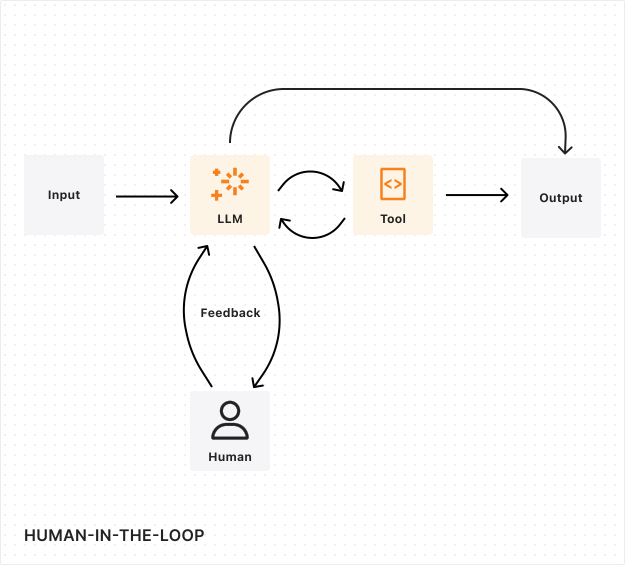
In a workflow-based approval:
1. The workflow reaches an approval step and calls `waitForApproval()`
2. The workflow pauses and reports progress to the agent
3. The agent updates its state with the pending approval
4. Connected clients see the pending approval and can approve or reject
5. When approved, the workflow resumes with the approval metadata
6. If rejected or timed out, the workflow handles the rejection appropriately
## Best practices
### Long-term state persistence
Human review processes do not operate on predictable timelines. A reviewer might need days or weeks to make a decision, especially for complex cases requiring additional investigation or multiple approvals. Your system needs to maintain perfect state consistency throughout this period, including:
* The original request and context
* All intermediate decisions and actions
* Any partial progress or temporary states
* Review history and feedback
Tip
[Durable Objects](https://developers.cloudflare.com/durable-objects/) provide an ideal solution for managing state in Human-in-the-Loop workflows, offering persistent compute instances that maintain state for hours, weeks, or months.
### Timeouts and escalation
Set timeouts to prevent workflows from waiting indefinitely. Use [scheduling](https://developers.cloudflare.com/agents/api-reference/schedule-tasks/) to:
* Send reminders after a period of inactivity
* Escalate to managers or alternative approvers
* Auto-reject or auto-approve based on business rules
### Audit trails
Maintain immutable audit logs of all approval decisions using the [SQL API](https://developers.cloudflare.com/agents/api-reference/store-and-sync-state/). Record:
* Who made the decision
* When the decision was made
* The reason or justification
* Any relevant metadata
### Continuous improvement
Human reviewers play a crucial role in evaluating and improving LLM performance. Implement a systematic evaluation process where human feedback is collected not just on the final output, but on the LLM's decision-making process:
* **Decision quality assessment**: Have reviewers evaluate the LLM's reasoning process and decision points.
* **Edge case identification**: Use human expertise to identify scenarios where performance could be improved.
* **Feedback collection**: Gather structured feedback that can be used to fine-tune the LLM. [AI Gateway](https://developers.cloudflare.com/ai-gateway/evaluations/add-human-feedback/) can help set up an LLM feedback loop.
### Error handling and recovery
Robust error handling is essential for maintaining workflow integrity. Your system should gracefully handle:
* Reviewer unavailability
* System outages
* Conflicting reviews
* Timeout expiration
Implement clear escalation paths for exceptional cases and automatic checkpointing that allows workflows to resume from the last stable state after any interruption.
## Next steps
[Human-in-the-loop patterns ](https://developers.cloudflare.com/agents/guides/human-in-the-loop/)Implementation examples for approval flows.
[Run Workflows ](https://developers.cloudflare.com/agents/api-reference/run-workflows/)Complete API for workflow approvals.
[MCP elicitation ](https://developers.cloudflare.com/agents/api-reference/mcp-agent-api/#elicitation-human-in-the-loop)Interactive input from MCP clients.
---
title: Tools · Cloudflare Agents docs
description: Tools enable AI systems to interact with external services and
perform actions. They provide a structured way for agents and workflows to
invoke APIs, manipulate data, and integrate with external systems. Tools form
the bridge between AI decision-making capabilities and real-world actions.
lastUpdated: 2026-02-05T16:44:57.000Z
chatbotDeprioritize: false
source_url:
html: https://developers.cloudflare.com/agents/concepts/tools/
md: https://developers.cloudflare.com/agents/concepts/tools/index.md
---
### What are tools?
Tools enable AI systems to interact with external services and perform actions. They provide a structured way for agents and workflows to invoke APIs, manipulate data, and integrate with external systems. Tools form the bridge between AI decision-making capabilities and real-world actions.
### Understanding tools
In an AI system, tools are typically implemented as function calls that the AI can use to accomplish specific tasks. For example, a travel booking agent might have tools for:
* Searching flight availability
* Checking hotel rates
* Processing payments
* Sending confirmation emails
Each tool has a defined interface specifying its inputs, outputs, and expected behavior. This allows the AI system to understand when and how to use each tool appropriately.
### Common tool patterns
#### API integration tools
The most common type of tools are those that wrap external APIs. These tools handle the complexity of API authentication, request formatting, and response parsing, presenting a clean interface to the AI system.
#### Model Context Protocol (MCP)
The [Model Context Protocol](https://modelcontextprotocol.io/introduction) provides a standardized way to define and interact with tools. Think of it as an abstraction on top of APIs designed for LLMs to interact with external resources. MCP defines a consistent interface for:
* **Tool Discovery**: Systems can dynamically discover available tools
* **Parameter Validation**: Tools specify their input requirements using JSON Schema
* **Error Handling**: Standardized error reporting and recovery
* **State Management**: Tools can maintain state across invocations
#### Data processing tools
Tools that handle data transformation and analysis are essential for many AI workflows. These might include:
* CSV parsing and analysis
* Image processing
* Text extraction
* Data validation
---
title: What are agents? · Cloudflare Agents docs
description: An agent is an AI system that can autonomously execute tasks by
making decisions about tool usage and process flow. Unlike traditional
automation that follows predefined paths, agents can dynamically adapt their
approach based on context and intermediate results. Agents are also distinct
from co-pilots (such as traditional chat applications) in that they can fully
automate a task, as opposed to simply augmenting and extending human input.
lastUpdated: 2026-02-05T16:44:57.000Z
chatbotDeprioritize: false
tags: AI,LLM
source_url:
html: https://developers.cloudflare.com/agents/concepts/what-are-agents/
md: https://developers.cloudflare.com/agents/concepts/what-are-agents/index.md
---
An agent is an AI system that can autonomously execute tasks by making decisions about tool usage and process flow. Unlike traditional automation that follows predefined paths, agents can dynamically adapt their approach based on context and intermediate results. Agents are also distinct from co-pilots (such as traditional chat applications) in that they can fully automate a task, as opposed to simply augmenting and extending human input.
* **Agents** → non-linear, non-deterministic (can change from run to run)
* **Workflows** → linear, deterministic execution paths
* **Co-pilots** → augmentative AI assistance requiring human intervention
## Example: Booking vacations
If this is your first time working with or interacting with agents, this example illustrates how an agent works within a context like booking a vacation.
Imagine you are trying to book a vacation. You need to research flights, find hotels, check restaurant reviews, and keep track of your budget.
### Traditional workflow automation
A traditional automation system follows a predetermined sequence:
* Takes specific inputs (dates, location, budget)
* Calls predefined API endpoints in a fixed order
* Returns results based on hardcoded criteria
* Cannot adapt if unexpected situations arise
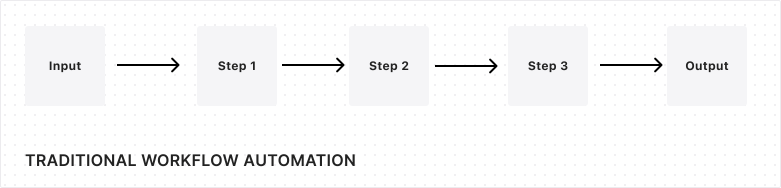
### AI Co-pilot
A co-pilot acts as an intelligent assistant that:
* Provides hotel and itinerary recommendations based on your preferences
* Can understand and respond to natural language queries
* Offers guidance and suggestions
* Requires human decision-making and action for execution
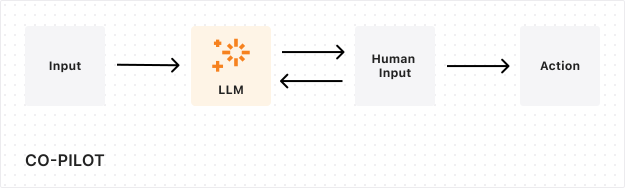
### Agent
An agent combines AI's ability to make judgments and call the relevant tools to execute the task. An agent's output will be nondeterministic given:
* Real-time availability and pricing changes
* Dynamic prioritization of constraints
* Ability to recover from failures
* Adaptive decision-making based on intermediate results
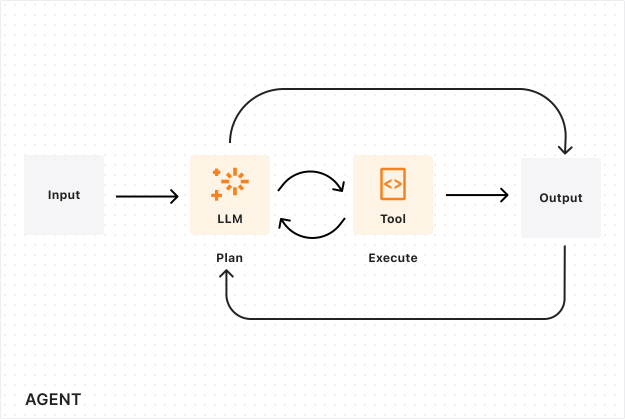
An agent can dynamically generate an itinerary and execute on booking reservations, similarly to what you would expect from a travel agent.
## Components of agent systems
Agent systems typically have three primary components:
* **Decision Engine**: Usually an LLM (Large Language Model) that determines action steps
* **Tool Integration**: APIs, functions, and services the agent can utilize — often via [MCP](https://developers.cloudflare.com/agents/model-context-protocol/)
* **Memory System**: Maintains context and tracks task progress
### How agents work
Agents operate in a continuous loop of:
1. **Observing** the current state or task
2. **Planning** what actions to take, using AI for reasoning
3. **Executing** those actions using available tools
4. **Learning** from the results (storing results in memory, updating task progress, and preparing for next iteration)
## Building agents on Cloudflare
The Cloudflare Agents SDK provides the infrastructure for building production agents:
* **Persistent state** — Each agent instance has its own SQLite database for storing context and memory
* **Real-time sync** — State changes automatically broadcast to all connected clients via WebSockets
* **Hibernation** — Agents sleep when idle and wake on demand, so you only pay for what you use
* **Global edge deployment** — Agents run close to your users on Cloudflare's network
* **Built-in capabilities** — Scheduling, task queues, workflows, email handling, and more
## Next steps
[Quick start ](https://developers.cloudflare.com/agents/getting-started/quick-start/)Build your first agent in 10 minutes.
[Agents API ](https://developers.cloudflare.com/agents/api-reference/agents-api/)Complete API reference for the Agents SDK.
[Using AI models ](https://developers.cloudflare.com/agents/api-reference/using-ai-models/)Integrate OpenAI, Anthropic, and other providers.
---
title: Workflows · Cloudflare Agents docs
description: Cloudflare Workflows provide durable, multi-step execution for
tasks that need to survive failures, retry automatically, and wait for
external events. When integrated with Agents, Workflows handle long-running
background processing while Agents manage real-time communication.
lastUpdated: 2026-02-05T16:44:57.000Z
chatbotDeprioritize: false
source_url:
html: https://developers.cloudflare.com/agents/concepts/workflows/
md: https://developers.cloudflare.com/agents/concepts/workflows/index.md
---
## What are Workflows?
[Cloudflare Workflows](https://developers.cloudflare.com/workflows/) provide durable, multi-step execution for tasks that need to survive failures, retry automatically, and wait for external events. When integrated with Agents, Workflows handle long-running background processing while Agents manage real-time communication.
### Agents vs. Workflows
Agents and Workflows have complementary strengths:
| Capability | Agents | Workflows |
| - | - | - |
| Execution model | Can run indefinitely | Run to completion |
| Real-time communication | WebSockets, HTTP streaming | Not supported |
| State persistence | Built-in SQL database | Step-level persistence |
| Failure handling | Application-defined | Automatic retries and recovery |
| External events | Direct handling | Pause and wait for events |
| User interaction | Direct (chat, UI) | Through Agent callbacks |
Agents can loop, branch, and interact directly with users. Workflows execute steps sequentially with guaranteed delivery and can pause for days waiting for approvals or external data.
### When to use each
**Use Agents alone for:**
* Chat and messaging applications
* Quick API calls and responses
* Real-time collaborative features
* Tasks under 30 seconds
**Use Agents with Workflows for:**
* Data processing pipelines
* Report generation
* Human-in-the-loop approval flows
* Tasks requiring guaranteed delivery
* Multi-step operations with retry requirements
**Use Workflows alone for:**
* Background jobs with or without user approval
* Scheduled data synchronization
* Event-driven processing pipelines
## How Agents and Workflows communicate
The `AgentWorkflow` class (imported from `agents/workflows`) provides bidirectional communication between Workflows and their originating Agent.
### Workflow to Agent
Workflows can communicate with Agents through several mechanisms:
* **RPC calls**: Directly call Agent methods with full type safety via `this.agent`
* **Progress reporting**: Send progress updates via `this.reportProgress()` that trigger Agent callbacks
* **State updates**: Modify Agent state via `step.updateAgentState()` or `step.mergeAgentState()`, which broadcasts to connected clients
* **Client broadcasts**: Send messages to all WebSocket clients via `this.broadcastToClients()`
- JavaScript
```js
// Inside a workflow's run() method
await this.agent.updateTaskStatus(taskId, "processing"); // RPC call
await this.reportProgress({ step: "process", percent: 0.5 }); // Progress (non-durable)
this.broadcastToClients({ type: "update", taskId }); // Broadcast (non-durable)
await step.mergeAgentState({ taskProgress: 0.5 }); // State update (durable)
```
- TypeScript
```ts
// Inside a workflow's run() method
await this.agent.updateTaskStatus(taskId, "processing"); // RPC call
await this.reportProgress({ step: "process", percent: 0.5 }); // Progress (non-durable)
this.broadcastToClients({ type: "update", taskId }); // Broadcast (non-durable)
await step.mergeAgentState({ taskProgress: 0.5 }); // State update (durable)
```
### Agent to Workflow
Agents can interact with running Workflows by:
* **Starting workflows**: Launch new workflow instances with `runWorkflow()`
* **Sending events**: Dispatch events with `sendWorkflowEvent()`
* **Approval/rejection**: Respond to approval requests with `approveWorkflow()` / `rejectWorkflow()`
* **Workflow control**: Pause, resume, terminate, or restart workflows
* **Status queries**: Check workflow progress with `getWorkflow()` / `getWorkflows()`
## Durable vs. non-durable operations
Understanding durability is key to using workflows effectively:
### Non-durable (may repeat on retry)
These operations are lightweight and suitable for frequent updates, but may execute multiple times if the workflow retries:
* `this.reportProgress()` — Progress reporting
* `this.broadcastToClients()` — WebSocket broadcasts
* Direct RPC calls to `this.agent`
### Durable (idempotent, won't repeat)
These operations use the `step` parameter and are guaranteed to execute exactly once:
* `step.do()` — Execute durable steps
* `step.reportComplete()` / `step.reportError()` — Completion reporting
* `step.sendEvent()` — Custom events
* `step.updateAgentState()` / `step.mergeAgentState()` — State synchronization
## Durability guarantees
Workflows provide durability through step-based execution:
1. **Step completion is permanent** — Once a step completes, it will not re-execute even if the workflow restarts
2. **Automatic retries** — Failed steps retry with configurable backoff
3. **Event persistence** — Workflows can wait for events for up to one year
4. **State recovery** — Workflow state survives infrastructure failures
This durability model means workflows are well-suited for tasks where partial completion must be preserved, such as multi-stage data processing or transactions spanning multiple systems.
## Workflow tracking
When an Agent starts a workflow using `runWorkflow()`, the workflow is automatically tracked in the Agent's internal database. This enables:
* Querying workflow status by ID, name, or metadata with cursor-based pagination
* Monitoring progress through lifecycle callbacks (`onWorkflowProgress`, `onWorkflowComplete`, `onWorkflowError`)
* Workflow control: pause, resume, terminate, restart
* Cleaning up completed workflow records with `deleteWorkflow()` / `deleteWorkflows()`
* Correlating workflows with users or sessions through metadata
## Common patterns
### Background processing with progress
An Agent receives a request, starts a Workflow for heavy processing, and broadcasts progress updates to connected clients as the Workflow executes each step.
* JavaScript
```js
// Workflow reports progress after each item
for (let i = 0; i < items.length; i++) {
await step.do(`process-${i}`, async () => processItem(items[i]));
await this.reportProgress({
step: `process-${i}`,
percent: (i + 1) / items.length,
message: `Processed ${i + 1}/${items.length}`,
});
}
```
* TypeScript
```ts
// Workflow reports progress after each item
for (let i = 0; i < items.length; i++) {
await step.do(`process-${i}`, async () => processItem(items[i]));
await this.reportProgress({
step: `process-${i}`,
percent: (i + 1) / items.length,
message: `Processed ${i + 1}/${items.length}`,
});
}
```
### Human-in-the-loop approval
A Workflow prepares a request, pauses to wait for approval using `waitForApproval()`, and the Agent provides UI for users to approve or reject via `approveWorkflow()` / `rejectWorkflow()`. The Workflow resumes or throws `WorkflowRejectedError` based on the decision.
### Resilient external API calls
A Workflow wraps external API calls in durable steps with retry logic. If the API fails or the workflow restarts, completed calls are not repeated and failed calls retry automatically.
* JavaScript
```js
const result = await step.do(
"call-api",
{
retries: { limit: 5, delay: "10 seconds", backoff: "exponential" },
timeout: "5 minutes",
},
async () => {
const response = await fetch("https://api.example.com/process");
if (!response.ok) throw new Error(`API error: ${response.status}`);
return response.json();
},
);
```
* TypeScript
```ts
const result = await step.do(
"call-api",
{
retries: { limit: 5, delay: "10 seconds", backoff: "exponential" },
timeout: "5 minutes",
},
async () => {
const response = await fetch("https://api.example.com/process");
if (!response.ok) throw new Error(`API error: ${response.status}`);
return response.json();
},
);
```
### State synchronization
A Workflow updates Agent state at key milestones using `step.updateAgentState()` or `step.mergeAgentState()`. These state changes broadcast to all connected clients, keeping UIs synchronized without polling.
## Related resources
[Run Workflows API ](https://developers.cloudflare.com/agents/api-reference/run-workflows/)Implementation details for agent workflows.
[Cloudflare Workflows ](https://developers.cloudflare.com/workflows/)Workflow fundamentals and documentation.
[Human-in-the-loop ](https://developers.cloudflare.com/agents/concepts/human-in-the-loop/)Approval flows and manual intervention.
---
title: Add to existing project · Cloudflare Agents docs
description: This guide shows how to add agents to an existing Cloudflare
Workers project. If you are starting fresh, refer to Building a chat agent
instead.
lastUpdated: 2026-02-17T11:38:12.000Z
chatbotDeprioritize: false
source_url:
html: https://developers.cloudflare.com/agents/getting-started/add-to-existing-project/
md: https://developers.cloudflare.com/agents/getting-started/add-to-existing-project/index.md
---
This guide shows how to add agents to an existing Cloudflare Workers project. If you are starting fresh, refer to [Building a chat agent](https://developers.cloudflare.com/agents/getting-started/build-a-chat-agent/) instead.
## Prerequisites
* An existing Cloudflare Workers project with a Wrangler configuration file
* Node.js 18 or newer
## 1. Install the package
* npm
```sh
npm i agents
```
* yarn
```sh
yarn add agents
```
* pnpm
```sh
pnpm add agents
```
For React applications, no additional packages are needed — React bindings are included.
For Hono applications:
* npm
```sh
npm i agents hono-agents
```
* yarn
```sh
yarn add agents hono-agents
```
* pnpm
```sh
pnpm add agents hono-agents
```
## 2. Create an Agent
Create a new file for your agent (for example, `src/agents/counter.ts`):
* JavaScript
```js
import { Agent, callable } from "agents";
export class CounterAgent extends Agent {
initialState = { count: 0 };
@callable()
increment() {
this.setState({ count: this.state.count + 1 });
return this.state.count;
}
@callable()
decrement() {
this.setState({ count: this.state.count - 1 });
return this.state.count;
}
}
```
* TypeScript
```ts
import { Agent, callable } from "agents";
export type CounterState = {
count: number;
};
export class CounterAgent extends Agent {
initialState: CounterState = { count: 0 };
@callable()
increment() {
this.setState({ count: this.state.count + 1 });
return this.state.count;
}
@callable()
decrement() {
this.setState({ count: this.state.count - 1 });
return this.state.count;
}
}
```
## 3. Update Wrangler configuration
Add the Durable Object binding and migration:
* wrangler.jsonc
```jsonc
{
"name": "my-existing-project",
"main": "src/index.ts",
// Set this to today's date
"compatibility_date": "2026-03-09",
"compatibility_flags": ["nodejs_compat"],
"durable_objects": {
"bindings": [
{
"name": "CounterAgent",
"class_name": "CounterAgent",
},
],
},
"migrations": [
{
"tag": "v1",
"new_sqlite_classes": ["CounterAgent"],
},
],
}
```
* wrangler.toml
```toml
name = "my-existing-project"
main = "src/index.ts"
# Set this to today's date
compatibility_date = "2026-03-09"
compatibility_flags = [ "nodejs_compat" ]
[[durable_objects.bindings]]
name = "CounterAgent"
class_name = "CounterAgent"
[[migrations]]
tag = "v1"
new_sqlite_classes = [ "CounterAgent" ]
```
**Key points:**
* `name` in bindings becomes the property on `env` (for example, `env.CounterAgent`)
* `class_name` must exactly match your exported class name
* `new_sqlite_classes` enables SQLite storage for state persistence
* `nodejs_compat` flag is required for the agents package
## 4. Export the Agent class
Your agent class must be exported from your main entry point. Update your `src/index.ts`:
* JavaScript
```js
// Export the agent class (required for Durable Objects)
export { CounterAgent } from "./agents/counter";
// Your existing exports...
export default {
// ...
};
```
* TypeScript
```ts
// Export the agent class (required for Durable Objects)
export { CounterAgent } from "./agents/counter";
// Your existing exports...
export default {
// ...
} satisfies ExportedHandler;
```
## 5. Wire up routing
Choose the approach that matches your project structure:
### Plain Workers (fetch handler)
* JavaScript
```js
import { routeAgentRequest } from "agents";
export { CounterAgent } from "./agents/counter";
export default {
async fetch(request, env, ctx) {
// Try agent routing first
const agentResponse = await routeAgentRequest(request, env);
if (agentResponse) return agentResponse;
// Your existing routing logic
const url = new URL(request.url);
if (url.pathname === "/api/hello") {
return Response.json({ message: "Hello!" });
}
return new Response("Not found", { status: 404 });
},
};
```
* TypeScript
```ts
import { routeAgentRequest } from "agents";
export { CounterAgent } from "./agents/counter";
export default {
async fetch(request: Request, env: Env, ctx: ExecutionContext) {
// Try agent routing first
const agentResponse = await routeAgentRequest(request, env);
if (agentResponse) return agentResponse;
// Your existing routing logic
const url = new URL(request.url);
if (url.pathname === "/api/hello") {
return Response.json({ message: "Hello!" });
}
return new Response("Not found", { status: 404 });
},
} satisfies ExportedHandler;
```
### Hono
* JavaScript
```js
import { Hono } from "hono";
import { agentsMiddleware } from "hono-agents";
export { CounterAgent } from "./agents/counter";
const app = new Hono();
// Add agents middleware - handles WebSocket upgrades and agent HTTP requests
app.use("*", agentsMiddleware());
// Your existing routes continue to work
app.get("/api/hello", (c) => c.json({ message: "Hello!" }));
export default app;
```
* TypeScript
```ts
import { Hono } from "hono";
import { agentsMiddleware } from "hono-agents";
export { CounterAgent } from "./agents/counter";
const app = new Hono<{ Bindings: Env }>();
// Add agents middleware - handles WebSocket upgrades and agent HTTP requests
app.use("*", agentsMiddleware());
// Your existing routes continue to work
app.get("/api/hello", (c) => c.json({ message: "Hello!" }));
export default app;
```
### With static assets
If you are serving static assets alongside agents, static assets are served first by default. Your Worker code only runs for paths that do not match a static asset:
* JavaScript
```js
import { routeAgentRequest } from "agents";
export { CounterAgent } from "./agents/counter";
export default {
async fetch(request, env, ctx) {
// Static assets are served automatically before this runs
// This only handles non-asset requests
// Route to agents
const agentResponse = await routeAgentRequest(request, env);
if (agentResponse) return agentResponse;
return new Response("Not found", { status: 404 });
},
};
```
* TypeScript
```ts
import { routeAgentRequest } from "agents";
export { CounterAgent } from "./agents/counter";
export default {
async fetch(request: Request, env: Env, ctx: ExecutionContext) {
// Static assets are served automatically before this runs
// This only handles non-asset requests
// Route to agents
const agentResponse = await routeAgentRequest(request, env);
if (agentResponse) return agentResponse;
return new Response("Not found", { status: 404 });
},
} satisfies ExportedHandler;
```
Configure assets in the Wrangler configuration file:
* wrangler.jsonc
```jsonc
{
"assets": {
"directory": "./public",
},
}
```
* wrangler.toml
```toml
[assets]
directory = "./public"
```
## 6. Generate TypeScript types
Do not hand-write your `Env` interface. Run [`wrangler types`](https://developers.cloudflare.com/workers/wrangler/commands/#types) to generate a type definition file that matches your Wrangler configuration. This catches mismatches between your config and code at compile time instead of at deploy time.
Re-run `wrangler types` whenever you add or rename a binding.
```sh
npx wrangler types
```
This creates a type definition file with all your bindings typed, including your agent Durable Object namespaces. The `Agent` class defaults to using the generated `Env` type, so you do not need to pass it as a type parameter — `extends Agent` is sufficient unless you need to pass a second type parameter for state (for example, `Agent`).
Refer to [Configuration](https://developers.cloudflare.com/agents/api-reference/configuration/#generating-types) for more details on type generation.
## 7. Connect from the frontend
### React
* JavaScript
```js
import { useState } from "react";
import { useAgent } from "agents/react";
function CounterWidget() {
const [count, setCount] = useState(0);
const agent = useAgent({
agent: "CounterAgent",
onStateUpdate: (state) => setCount(state.count),
});
return (
<>
{count}
);
}
```
* TypeScript
```ts
import { useState } from "react";
import { useAgent } from "agents/react";
import type { CounterAgent, CounterState } from "./agents/counter";
function CounterWidget() {
const [count, setCount] = useState(0);
const agent = useAgent({
agent: "CounterAgent",
onStateUpdate: (state) => setCount(state.count),
});
return (
<>
{count}
);
}
```
### Vanilla JavaScript
* JavaScript
```js
import { AgentClient } from "agents/client";
const agent = new AgentClient({
agent: "CounterAgent",
name: "user-123", // Optional: unique instance name
onStateUpdate: (state) => {
document.getElementById("count").textContent = state.count;
},
});
// Call methods
document.getElementById("increment").onclick = () => agent.call("increment");
```
* TypeScript
```ts
import { AgentClient } from "agents/client";
const agent = new AgentClient({
agent: "CounterAgent",
name: "user-123", // Optional: unique instance name
onStateUpdate: (state) => {
document.getElementById("count").textContent = state.count;
},
});
// Call methods
document.getElementById("increment").onclick = () => agent.call("increment");
```
## Adding multiple agents
Add more agents by extending the configuration:
* JavaScript
```js
// src/agents/chat.ts
export class Chat extends Agent {
// ...
}
// src/agents/scheduler.ts
export class Scheduler extends Agent {
// ...
}
```
* TypeScript
```ts
// src/agents/chat.ts
export class Chat extends Agent {
// ...
}
// src/agents/scheduler.ts
export class Scheduler extends Agent {
// ...
}
```
Update the Wrangler configuration file:
* wrangler.jsonc
```jsonc
{
"durable_objects": {
"bindings": [
{ "name": "CounterAgent", "class_name": "CounterAgent" },
{ "name": "Chat", "class_name": "Chat" },
{ "name": "Scheduler", "class_name": "Scheduler" },
],
},
"migrations": [
{
"tag": "v1",
"new_sqlite_classes": ["CounterAgent", "Chat", "Scheduler"],
},
],
}
```
* wrangler.toml
```toml
[[durable_objects.bindings]]
name = "CounterAgent"
class_name = "CounterAgent"
[[durable_objects.bindings]]
name = "Chat"
class_name = "Chat"
[[durable_objects.bindings]]
name = "Scheduler"
class_name = "Scheduler"
[[migrations]]
tag = "v1"
new_sqlite_classes = [ "CounterAgent", "Chat", "Scheduler" ]
```
Export all agents from your entry point:
* JavaScript
```js
export { CounterAgent } from "./agents/counter";
export { Chat } from "./agents/chat";
export { Scheduler } from "./agents/scheduler";
```
* TypeScript
```ts
export { CounterAgent } from "./agents/counter";
export { Chat } from "./agents/chat";
export { Scheduler } from "./agents/scheduler";
```
## Common integration patterns
### Agents behind authentication
Check auth before routing to agents:
* JavaScript
```js
export default {
async fetch(request, env) {
// Check auth for agent routes
if (request.url.includes("/agents/")) {
const authResult = await checkAuth(request, env);
if (!authResult.valid) {
return new Response("Unauthorized", { status: 401 });
}
}
const agentResponse = await routeAgentRequest(request, env);
if (agentResponse) return agentResponse;
// ... rest of routing
},
};
```
* TypeScript
```ts
export default {
async fetch(request: Request, env: Env) {
// Check auth for agent routes
if (request.url.includes("/agents/")) {
const authResult = await checkAuth(request, env);
if (!authResult.valid) {
return new Response("Unauthorized", { status: 401 });
}
}
const agentResponse = await routeAgentRequest(request, env);
if (agentResponse) return agentResponse;
// ... rest of routing
},
} satisfies ExportedHandler;
```
### Custom agent path prefix
By default, agents are routed at `/agents/{agent-name}/{instance-name}`. You can customize this:
* JavaScript
```js
import { routeAgentRequest } from "agents";
const agentResponse = await routeAgentRequest(request, env, {
prefix: "/api/agents", // Now routes at /api/agents/{agent-name}/{instance-name}
});
```
* TypeScript
```ts
import { routeAgentRequest } from "agents";
const agentResponse = await routeAgentRequest(request, env, {
prefix: "/api/agents", // Now routes at /api/agents/{agent-name}/{instance-name}
});
```
Refer to [Routing](https://developers.cloudflare.com/agents/api-reference/routing/) for more options including CORS, custom instance naming, and location hints.
### Accessing agents from server code
You can interact with agents directly from your Worker code:
* JavaScript
```js
import { getAgentByName } from "agents";
export default {
async fetch(request, env) {
if (request.url.endsWith("/api/increment")) {
// Get a specific agent instance
const counter = await getAgentByName(env.CounterAgent, "shared-counter");
const newCount = await counter.increment();
return Response.json({ count: newCount });
}
// ...
},
};
```
* TypeScript
```ts
import { getAgentByName } from "agents";
export default {
async fetch(request: Request, env: Env) {
if (request.url.endsWith("/api/increment")) {
// Get a specific agent instance
const counter = await getAgentByName(env.CounterAgent, "shared-counter");
const newCount = await counter.increment();
return Response.json({ count: newCount });
}
// ...
},
} satisfies ExportedHandler;
```
## Troubleshooting
### Agent not found, or 404 errors
1. **Check the export** - Agent class must be exported from your main entry point.
2. **Check the binding** - `class_name` in the Wrangler configuration file must exactly match the exported class name.
3. **Check the route** - Default route is `/agents/{agent-name}/{instance-name}`.
### No such Durable Object class error
Add the migration to the Wrangler configuration file:
* wrangler.jsonc
```jsonc
{
"migrations": [
{
"tag": "v1",
"new_sqlite_classes": ["YourAgentClass"],
},
],
}
```
* wrangler.toml
```toml
[[migrations]]
tag = "v1"
new_sqlite_classes = [ "YourAgentClass" ]
```
### WebSocket connection fails
Ensure your routing passes the response unchanged:
* JavaScript
```js
// Correct - return the response directly
const agentResponse = await routeAgentRequest(request, env);
if (agentResponse) return agentResponse;
// Wrong - this breaks WebSocket connections
if (agentResponse) return new Response(agentResponse.body);
```
* TypeScript
```ts
// Correct - return the response directly
const agentResponse = await routeAgentRequest(request, env);
if (agentResponse) return agentResponse;
// Wrong - this breaks WebSocket connections
if (agentResponse) return new Response(agentResponse.body);
```
### State not persisting
Check that:
1. You are using `this.setState()`, not mutating `this.state` directly.
2. The agent class is in `new_sqlite_classes` in migrations.
3. You are connecting to the same agent instance name.
## Next steps
[State management ](https://developers.cloudflare.com/agents/api-reference/store-and-sync-state/)Manage and synchronize agent state.
[Schedule tasks ](https://developers.cloudflare.com/agents/api-reference/schedule-tasks/)Background tasks and cron jobs.
[Agent class internals ](https://developers.cloudflare.com/agents/concepts/agent-class/)Full lifecycle and methods reference.
[Agents API ](https://developers.cloudflare.com/agents/api-reference/agents-api/)Complete API reference for the Agents SDK.
---
title: Build a chat agent · Cloudflare Agents docs
description: Build a streaming AI chat agent with tools using Workers AI — no
API keys required.
lastUpdated: 2026-02-21T21:28:10.000Z
chatbotDeprioritize: false
source_url:
html: https://developers.cloudflare.com/agents/getting-started/build-a-chat-agent/
md: https://developers.cloudflare.com/agents/getting-started/build-a-chat-agent/index.md
---
Build a chat agent that streams AI responses, calls server-side tools, executes client-side tools in the browser, and asks for user approval before sensitive actions.
**What you will build:** A chat agent powered by Workers AI with three tool types — automatic, client-side, and approval-gated.
**Time:** \~15 minutes
**Prerequisites:**
* Node.js 18+
* A Cloudflare account (free tier works)
## 1. Create the project
```sh
npm create cloudflare@latest chat-agent
```
Select **"Hello World" Worker** when prompted. Then install the dependencies:
```sh
cd chat-agent
npm install agents @cloudflare/ai-chat ai workers-ai-provider zod
```
## 2. Configure Wrangler
Replace your `wrangler.jsonc` with:
* wrangler.jsonc
```jsonc
{
"name": "chat-agent",
"main": "src/server.ts",
// Set this to today's date
"compatibility_date": "2026-03-09",
"compatibility_flags": ["nodejs_compat"],
"ai": { "binding": "AI" },
"durable_objects": {
"bindings": [{ "name": "ChatAgent", "class_name": "ChatAgent" }],
},
"migrations": [{ "tag": "v1", "new_sqlite_classes": ["ChatAgent"] }],
}
```
* wrangler.toml
```toml
name = "chat-agent"
main = "src/server.ts"
# Set this to today's date
compatibility_date = "2026-03-09"
compatibility_flags = [ "nodejs_compat" ]
[ai]
binding = "AI"
[[durable_objects.bindings]]
name = "ChatAgent"
class_name = "ChatAgent"
[[migrations]]
tag = "v1"
new_sqlite_classes = [ "ChatAgent" ]
```
Key settings:
* `ai` binds Workers AI — no API key needed
* `durable_objects` registers your chat agent class
* `new_sqlite_classes` enables SQLite storage for message persistence
## 3. Write the server
Create `src/server.ts`. This is where your agent lives:
* JavaScript
```js
import { AIChatAgent } from "@cloudflare/ai-chat";
import { routeAgentRequest } from "agents";
import { createWorkersAI } from "workers-ai-provider";
import {
streamText,
convertToModelMessages,
pruneMessages,
tool,
stepCountIs,
} from "ai";
import { z } from "zod";
export class ChatAgent extends AIChatAgent {
async onChatMessage() {
const workersai = createWorkersAI({ binding: this.env.AI });
const result = streamText({
model: workersai("@cf/meta/llama-4-scout-17b-16e-instruct"),
system:
"You are a helpful assistant. You can check the weather, " +
"get the user's timezone, and run calculations.",
messages: pruneMessages({
messages: await convertToModelMessages(this.messages),
toolCalls: "before-last-2-messages",
}),
tools: {
// Server-side tool: runs automatically on the server
getWeather: tool({
description: "Get the current weather for a city",
inputSchema: z.object({
city: z.string().describe("City name"),
}),
execute: async ({ city }) => {
// Replace with a real weather API in production
const conditions = ["sunny", "cloudy", "rainy"];
const temp = Math.floor(Math.random() * 30) + 5;
return {
city,
temperature: temp,
condition:
conditions[Math.floor(Math.random() * conditions.length)],
};
},
}),
// Client-side tool: no execute function — the browser handles it
getUserTimezone: tool({
description: "Get the user's timezone from their browser",
inputSchema: z.object({}),
}),
// Approval tool: requires user confirmation before executing
calculate: tool({
description:
"Perform a math calculation with two numbers. " +
"Requires user approval for large numbers.",
inputSchema: z.object({
a: z.number().describe("First number"),
b: z.number().describe("Second number"),
operator: z
.enum(["+", "-", "*", "/", "%"])
.describe("Arithmetic operator"),
}),
needsApproval: async ({ a, b }) =>
Math.abs(a) > 1000 || Math.abs(b) > 1000,
execute: async ({ a, b, operator }) => {
const ops = {
"+": (x, y) => x + y,
"-": (x, y) => x - y,
"*": (x, y) => x * y,
"/": (x, y) => x / y,
"%": (x, y) => x % y,
};
if (operator === "/" && b === 0) {
return { error: "Division by zero" };
}
return {
expression: `${a} ${operator} ${b}`,
result: ops[operator](a, b),
};
},
}),
},
stopWhen: stepCountIs(5),
});
return result.toUIMessageStreamResponse();
}
}
export default {
async fetch(request, env) {
return (
(await routeAgentRequest(request, env)) ||
new Response("Not found", { status: 404 })
);
},
};
```
* TypeScript
```ts
import { AIChatAgent } from "@cloudflare/ai-chat";
import { routeAgentRequest } from "agents";
import { createWorkersAI } from "workers-ai-provider";
import {
streamText,
convertToModelMessages,
pruneMessages,
tool,
stepCountIs,
} from "ai";
import { z } from "zod";
export class ChatAgent extends AIChatAgent {
async onChatMessage() {
const workersai = createWorkersAI({ binding: this.env.AI });
const result = streamText({
model: workersai("@cf/meta/llama-4-scout-17b-16e-instruct"),
system:
"You are a helpful assistant. You can check the weather, " +
"get the user's timezone, and run calculations.",
messages: pruneMessages({
messages: await convertToModelMessages(this.messages),
toolCalls: "before-last-2-messages",
}),
tools: {
// Server-side tool: runs automatically on the server
getWeather: tool({
description: "Get the current weather for a city",
inputSchema: z.object({
city: z.string().describe("City name"),
}),
execute: async ({ city }) => {
// Replace with a real weather API in production
const conditions = ["sunny", "cloudy", "rainy"];
const temp = Math.floor(Math.random() * 30) + 5;
return {
city,
temperature: temp,
condition:
conditions[Math.floor(Math.random() * conditions.length)],
};
},
}),
// Client-side tool: no execute function — the browser handles it
getUserTimezone: tool({
description: "Get the user's timezone from their browser",
inputSchema: z.object({}),
}),
// Approval tool: requires user confirmation before executing
calculate: tool({
description:
"Perform a math calculation with two numbers. " +
"Requires user approval for large numbers.",
inputSchema: z.object({
a: z.number().describe("First number"),
b: z.number().describe("Second number"),
operator: z
.enum(["+", "-", "*", "/", "%"])
.describe("Arithmetic operator"),
}),
needsApproval: async ({ a, b }) =>
Math.abs(a) > 1000 || Math.abs(b) > 1000,
execute: async ({ a, b, operator }) => {
const ops: Record number> = {
"+": (x, y) => x + y,
"-": (x, y) => x - y,
"*": (x, y) => x * y,
"/": (x, y) => x / y,
"%": (x, y) => x % y,
};
if (operator === "/" && b === 0) {
return { error: "Division by zero" };
}
return {
expression: `${a} ${operator} ${b}`,
result: ops[operator](a, b),
};
},
}),
},
stopWhen: stepCountIs(5),
});
return result.toUIMessageStreamResponse();
}
}
export default {
async fetch(request: Request, env: Env) {
return (
(await routeAgentRequest(request, env)) ||
new Response("Not found", { status: 404 })
);
},
} satisfies ExportedHandler;
```
### What each tool type does
| Tool | `execute`? | `needsApproval`? | Behavior |
| - | - | - | - |
| `getWeather` | Yes | No | Runs on the server automatically |
| `getUserTimezone` | No | No | Sent to the client; browser provides the result |
| `calculate` | Yes | Yes (large numbers) | Pauses for user approval, then runs on server |
## 4. Write the client
Create `src/client.tsx`:
* JavaScript
```js
import { useAgent } from "agents/react";
import { useAgentChat } from "@cloudflare/ai-chat/react";
function Chat() {
const agent = useAgent({ agent: "ChatAgent" });
const {
messages,
sendMessage,
clearHistory,
addToolApprovalResponse,
status,
} = useAgentChat({
agent,
// Handle client-side tools (tools with no server execute function)
onToolCall: async ({ toolCall, addToolOutput }) => {
if (toolCall.toolName === "getUserTimezone") {
addToolOutput({
toolCallId: toolCall.toolCallId,
output: {
timezone: Intl.DateTimeFormat().resolvedOptions().timeZone,
localTime: new Date().toLocaleTimeString(),
},
});
}
},
});
return (
{messages.map((msg) => (
{msg.role}:
{msg.parts.map((part, i) => {
if (part.type === "text") {
return {part.text};
}
// Render approval UI for tools that need confirmation
if (part.type === "tool" && part.state === "approval-required") {
return (
Approve {part.toolName}?
{JSON.stringify(part.input, null, 2)}
);
}
// Show completed tool results
if (part.type === "tool" && part.state === "output-available") {
return (
{part.toolName} result
{JSON.stringify(part.output, null, 2)}
);
}
return null;
})}
))}
);
}
export default function App() {
return ;
}
```
* TypeScript
```ts
import { useAgent } from "agents/react";
import { useAgentChat } from "@cloudflare/ai-chat/react";
function Chat() {
const agent = useAgent({ agent: "ChatAgent" });
const { messages, sendMessage, clearHistory, addToolApprovalResponse, status } =
useAgentChat({
agent,
// Handle client-side tools (tools with no server execute function)
onToolCall: async ({ toolCall, addToolOutput }) => {
if (toolCall.toolName === "getUserTimezone") {
addToolOutput({
toolCallId: toolCall.toolCallId,
output: {
timezone: Intl.DateTimeFormat().resolvedOptions().timeZone,
localTime: new Date().toLocaleTimeString(),
},
});
}
},
});
return (
{messages.map((msg) => (
{msg.role}:
{msg.parts.map((part, i) => {
if (part.type === "text") {
return {part.text};
}
// Render approval UI for tools that need confirmation
if (
part.type === "tool" &&
part.state === "approval-required"
) {
return (
Approve {part.toolName}?
{JSON.stringify(part.input, null, 2)}
);
}
// Show completed tool results
if (
part.type === "tool" &&
part.state === "output-available"
) {
return (
{part.toolName} result
{JSON.stringify(part.output, null, 2)}
);
}
return null;
})}
))}
);
}
export default function App() {
return ;
}
```
### Key client concepts
* **`useAgent`** connects to your `ChatAgent` over WebSocket
* **`useAgentChat`** manages the chat lifecycle (messages, streaming, tools)
* **`onToolCall`** handles client-side tools — when the LLM calls `getUserTimezone`, the browser provides the result and the conversation auto-continues
* **`addToolApprovalResponse`** approves or rejects tools that have `needsApproval`
* Messages, streaming, and resumption are all handled automatically
## 5. Run locally
Generate types and start the dev server:
```sh
npx wrangler types
npm run dev
```
Try these prompts:
* **"What is the weather in Tokyo?"** — calls the server-side `getWeather` tool
* **"What timezone am I in?"** — calls the client-side `getUserTimezone` tool (the browser provides the answer)
* **"What is 5000 times 3?"** — triggers the approval UI before executing (numbers over 1000)
## 6. Deploy
```sh
npx wrangler deploy
```
Your agent is now live on Cloudflare's global network. Messages persist in SQLite, streams resume on disconnect, and the agent hibernates when idle to save resources.
## What you built
Your chat agent has:
* **Streaming AI responses** via Workers AI (no API keys)
* **Message persistence** in SQLite — conversations survive restarts
* **Server-side tools** that execute automatically
* **Client-side tools** that run in the browser and feed results back to the LLM
* **Human-in-the-loop approval** for sensitive operations
* **Resumable streaming** — if a client disconnects mid-stream, it picks up where it left off
## Next steps
[Chat agents API reference ](https://developers.cloudflare.com/agents/api-reference/chat-agents/)Full reference for AIChatAgent and useAgentChat — providers, storage, advanced patterns.
[Store and sync state ](https://developers.cloudflare.com/agents/api-reference/store-and-sync-state/)Add real-time state beyond chat messages.
[Callable methods ](https://developers.cloudflare.com/agents/api-reference/callable-methods/)Expose agent methods as typed RPC for your client.
[Human-in-the-loop ](https://developers.cloudflare.com/agents/concepts/human-in-the-loop/)Deeper patterns for approval flows and manual intervention.
---
title: Prompt an AI model · Cloudflare Agents docs
description: Use the Workers "mega prompt" to build a Agents using your
preferred AI tools and/or IDEs. The prompt understands the Agents SDK APIs,
best practices and guidelines, and makes it easier to build valid Agents and
Workers.
lastUpdated: 2026-02-05T16:44:57.000Z
chatbotDeprioritize: false
source_url:
html: https://developers.cloudflare.com/agents/getting-started/prompting/
md: https://developers.cloudflare.com/agents/getting-started/prompting/index.md
---
---
title: Quick start · Cloudflare Agents docs
description: Build your first agent in 10 minutes — a counter with persistent
state that syncs to a React frontend in real-time.
lastUpdated: 2026-02-26T22:03:14.000Z
chatbotDeprioritize: false
source_url:
html: https://developers.cloudflare.com/agents/getting-started/quick-start/
md: https://developers.cloudflare.com/agents/getting-started/quick-start/index.md
---
Build AI agents that persist, think, and act. Agents run on Cloudflare's global network, maintain state across requests, and connect to clients in real-time via WebSockets.
**What you will build:** A counter agent with persistent state that syncs to a React frontend in real-time.
**Time:** \~10 minutes
## Create a new project
* npm
```sh
npm create cloudflare@latest -- --template cloudflare/agents-starter
```
* yarn
```sh
yarn create cloudflare --template cloudflare/agents-starter
```
* pnpm
```sh
pnpm create cloudflare@latest --template cloudflare/agents-starter
```
Then install dependencies and start the dev server:
```sh
cd my-agent
npm install
npm run dev
```
This creates a project with:
* `src/server.ts` — Your agent code
* `src/client.tsx` — React frontend
* `wrangler.jsonc` — Cloudflare configuration
Open to see your agent in action.
## Your first agent
Build a simple counter agent from scratch. Replace `src/server.ts`:
* JavaScript
```js
import { Agent, routeAgentRequest, callable } from "agents";
// Define the state shape
// Create the agent
export class CounterAgent extends Agent {
// Initial state for new instances
initialState = { count: 0 };
// Methods marked with @callable can be called from the client
@callable()
increment() {
this.setState({ count: this.state.count + 1 });
return this.state.count;
}
@callable()
decrement() {
this.setState({ count: this.state.count - 1 });
return this.state.count;
}
@callable()
reset() {
this.setState({ count: 0 });
}
}
// Route requests to agents
export default {
async fetch(request, env, ctx) {
return (
(await routeAgentRequest(request, env)) ??
new Response("Not found", { status: 404 })
);
},
};
```
* TypeScript
```ts
import { Agent, routeAgentRequest, callable } from "agents";
// Define the state shape
export type CounterState = {
count: number;
};
// Create the agent
export class CounterAgent extends Agent {
// Initial state for new instances
initialState: CounterState = { count: 0 };
// Methods marked with @callable can be called from the client
@callable()
increment() {
this.setState({ count: this.state.count + 1 });
return this.state.count;
}
@callable()
decrement() {
this.setState({ count: this.state.count - 1 });
return this.state.count;
}
@callable()
reset() {
this.setState({ count: 0 });
}
}
// Route requests to agents
export default {
async fetch(request: Request, env: Env, ctx: ExecutionContext) {
return (
(await routeAgentRequest(request, env)) ??
new Response("Not found", { status: 404 })
);
},
} satisfies ExportedHandler;
```
Update `wrangler.jsonc` to register the agent:
* wrangler.jsonc
```jsonc
{
"name": "my-agent",
"main": "src/server.ts",
// Set this to today's date
"compatibility_date": "2026-03-09",
"compatibility_flags": ["nodejs_compat"],
"durable_objects": {
"bindings": [
{
"name": "CounterAgent",
"class_name": "CounterAgent",
},
],
},
"migrations": [
{
"tag": "v1",
"new_sqlite_classes": ["CounterAgent"],
},
],
}
```
* wrangler.toml
```toml
name = "my-agent"
main = "src/server.ts"
# Set this to today's date
compatibility_date = "2026-03-09"
compatibility_flags = [ "nodejs_compat" ]
[[durable_objects.bindings]]
name = "CounterAgent"
class_name = "CounterAgent"
[[migrations]]
tag = "v1"
new_sqlite_classes = [ "CounterAgent" ]
```
## Connect from React
Replace `src/client.tsx`:
```tsx
import { useState } from "react";
import { useAgent } from "agents/react";
import type { CounterAgent, CounterState } from "./server";
export default function App() {
const [count, setCount] = useState(0);
// Connect to the Counter agent
const agent = useAgent({
agent: "CounterAgent",
onStateUpdate: (state) => setCount(state.count),
});
return (
Counter Agent
{count}
);
}
```
Key points:
* `useAgent` connects to your agent via WebSocket
* `onStateUpdate` fires whenever the agent's state changes
* `agent.stub.methodName()` calls methods marked with `@callable()` on your agent
## What just happened?
When you clicked the button:
1. **Client** called `agent.stub.increment()` over WebSocket
2. **Agent** ran `increment()`, updated state with `setState()`
3. **State** persisted to SQLite automatically
4. **Broadcast** sent to all connected clients
5. **React** updated via `onStateUpdate`
```mermaid
flowchart LR
A["Browser (React)"] <-->|WebSocket| B["Agent (Counter)"]
B --> C["SQLite (State)"]
```
### Key concepts
| Concept | What it means |
| - | - |
| **Agent instance** | Each unique name gets its own agent. `CounterAgent:user-123` is separate from `CounterAgent:user-456` |
| **Persistent state** | State survives restarts, deploys, and hibernation. It is stored in SQLite |
| **Real-time sync** | All clients connected to the same agent receive state updates instantly |
| **Hibernation** | When no clients are connected, the agent hibernates (no cost). It wakes on the next request |
## Connect from vanilla JavaScript
If you are not using React:
* JavaScript
```js
import { AgentClient } from "agents/client";
const agent = new AgentClient({
agent: "CounterAgent",
name: "my-counter", // optional, defaults to "default"
onStateUpdate: (state) => {
console.log("New count:", state.count);
},
});
// Call methods
await agent.call("increment");
await agent.call("reset");
```
* TypeScript
```ts
import { AgentClient } from "agents/client";
const agent = new AgentClient({
agent: "CounterAgent",
name: "my-counter", // optional, defaults to "default"
onStateUpdate: (state) => {
console.log("New count:", state.count);
},
});
// Call methods
await agent.call("increment");
await agent.call("reset");
```
## Deploy to Cloudflare
```sh
npm run deploy
```
Your agent is now live on Cloudflare's global network, running close to your users.
## Troubleshooting
### "Agent not found" or 404 errors
Make sure:
1. Agent class is exported from your server file
2. `wrangler.jsonc` has the binding and migration
3. Agent name in client matches the class name (case-insensitive)
### State not syncing
Check that:
1. You are calling `this.setState()`, not mutating `this.state` directly
2. The `onStateUpdate` callback is wired up in your client
3. WebSocket connection is established (check browser dev tools)
### "Method X is not callable" errors
Make sure your methods are decorated with `@callable()`:
* JavaScript
```js
import { Agent, callable } from "agents";
export class MyAgent extends Agent {
@callable()
increment() {
// ...
}
}
```
* TypeScript
```ts
import { Agent, callable } from "agents";
export class MyAgent extends Agent {
@callable()
increment() {
// ...
}
}
```
### Type errors with `agent.stub`
Add the agent and state type parameters:
* JavaScript
```js
import { useAgent } from "agents/react";
// Pass the agent and state types to useAgent
const agent = useAgent({
agent: "CounterAgent",
onStateUpdate: (state) => setCount(state.count),
});
// Now agent.stub is fully typed
agent.stub.increment();
```
* TypeScript
```ts
import { useAgent } from "agents/react";
import type { CounterAgent, CounterState } from "./server";
// Pass the agent and state types to useAgent
const agent = useAgent({
agent: "CounterAgent",
onStateUpdate: (state) => setCount(state.count),
});
// Now agent.stub is fully typed
agent.stub.increment();
```
### `SyntaxError: Invalid or unexpected token` with `@callable()`
If your dev server fails with `SyntaxError: Invalid or unexpected token`, set `"target": "ES2021"` in your `tsconfig.json`. This ensures that Vite's esbuild transpiler downlevels TC39 decorators instead of passing them through as native syntax.
```json
{
"compilerOptions": {
"target": "ES2021"
}
}
```
Warning
Do not set `"experimentalDecorators": true` in your `tsconfig.json`. The Agents SDK uses [TC39 standard decorators](https://github.com/tc39/proposal-decorators), not TypeScript legacy decorators. Enabling `experimentalDecorators` applies an incompatible transform that silently breaks `@callable()` at runtime.
## Next steps
Now that you have a working agent, explore these topics:
### Common patterns
| Learn how to | Refer to |
| - | - |
| Add AI/LLM capabilities | [Using AI models](https://developers.cloudflare.com/agents/api-reference/using-ai-models/) |
| Expose tools via MCP | [MCP servers](https://developers.cloudflare.com/agents/api-reference/mcp-agent-api/) |
| Run background tasks | [Schedule tasks](https://developers.cloudflare.com/agents/api-reference/schedule-tasks/) |
| Handle emails | [Email routing](https://developers.cloudflare.com/agents/api-reference/email/) |
| Use Cloudflare Workflows | [Run Workflows](https://developers.cloudflare.com/agents/api-reference/run-workflows/) |
### Explore more
[State management ](https://developers.cloudflare.com/agents/api-reference/store-and-sync-state/)Deep dive into setState(), initialState, and onStateChanged().
[Client SDK ](https://developers.cloudflare.com/agents/api-reference/client-sdk/)Full useAgent and AgentClient API reference.
[Callable methods ](https://developers.cloudflare.com/agents/api-reference/callable-methods/)Expose methods to clients with @callable().
[Schedule tasks ](https://developers.cloudflare.com/agents/api-reference/schedule-tasks/)Run tasks on a delay, schedule, or cron.
---
title: Testing your Agents · Cloudflare Agents docs
description: Because Agents run on Cloudflare Workers and Durable Objects, they
can be tested using the same tools and techniques as Workers and Durable
Objects.
lastUpdated: 2026-02-05T16:44:57.000Z
chatbotDeprioritize: false
source_url:
html: https://developers.cloudflare.com/agents/getting-started/testing-your-agent/
md: https://developers.cloudflare.com/agents/getting-started/testing-your-agent/index.md
---
Because Agents run on Cloudflare Workers and Durable Objects, they can be tested using the same tools and techniques as Workers and Durable Objects.
## Writing and running tests
### Setup
Note
The `agents-starter` template and new Cloudflare Workers projects already include the relevant `vitest` and `@cloudflare/vitest-pool-workers` packages, as well as a valid `vitest.config.js` file.
Before you write your first test, install the necessary packages:
```sh
npm install vitest@~3.0.0 --save-dev --save-exact
npm install @cloudflare/vitest-pool-workers --save-dev
```
Ensure that your `vitest.config.js` file is identical to the following:
```js
import { defineWorkersConfig } from "@cloudflare/vitest-pool-workers/config";
export default defineWorkersConfig({
test: {
poolOptions: {
workers: {
wrangler: { configPath: "./wrangler.jsonc" },
},
},
},
});
```
### Add the Agent configuration
Add a `durableObjects` configuration to `vitest.config.js` with the name of your Agent class:
```js
import { defineWorkersConfig } from "@cloudflare/vitest-pool-workers/config";
export default defineWorkersConfig({
test: {
poolOptions: {
workers: {
main: "./src/index.ts",
miniflare: {
durableObjects: {
NAME: "MyAgent",
},
},
},
},
},
});
```
### Write a test
Note
Review the [Vitest documentation](https://vitest.dev/) for more information on testing, including the test API reference and advanced testing techniques.
Tests use the `vitest` framework. A basic test suite for your Agent can validate how your Agent responds to requests, but can also unit test your Agent's methods and state.
```ts
import {
env,
createExecutionContext,
waitOnExecutionContext,
SELF,
} from "cloudflare:test";
import { describe, it, expect } from "vitest";
import worker from "../src";
import { Env } from "../src";
interface ProvidedEnv extends Env {}
describe("make a request to my Agent", () => {
// Unit testing approach
it("responds with state", async () => {
// Provide a valid URL that your Worker can use to route to your Agent
// If you are using routeAgentRequest, this will be /agent/:agent/:name
const request = new Request(
"http://example.com/agent/my-agent/agent-123",
);
const ctx = createExecutionContext();
const response = await worker.fetch(request, env, ctx);
await waitOnExecutionContext(ctx);
expect(await response.text()).toMatchObject({ hello: "from your agent" });
});
it("also responds with state", async () => {
const request = new Request("http://example.com/agent/my-agent/agent-123");
const response = await SELF.fetch(request);
expect(await response.text()).toMatchObject({ hello: "from your agent" });
});
});
```
### Run tests
Running tests is done using the `vitest` CLI:
```sh
$ npm run test
# or run vitest directly
$ npx vitest
```
```sh
MyAgent
✓ should return a greeting (1 ms)
Test Files 1 passed (1)
```
Review the [documentation on testing](https://developers.cloudflare.com/workers/testing/vitest-integration/write-your-first-test/) for additional examples and test configuration.
## Running Agents locally
You can also run an Agent locally using the `wrangler` CLI:
```sh
$ npx wrangler dev
```
```sh
Your Worker and resources are simulated locally via Miniflare. For more information, see: https://developers.cloudflare.com/workers/testing/local-development.
Your worker has access to the following bindings:
- Durable Objects:
- MyAgent: MyAgent
Starting local server...
[wrangler:inf] Ready on http://localhost:53645
```
This spins up a local development server that runs the same runtime as Cloudflare Workers, and allows you to iterate on your Agent's code and test it locally without deploying it.
Visit the [`wrangler dev`](https://developers.cloudflare.com/workers/wrangler/commands/#dev) docs to review the CLI flags and configuration options.
---
title: Agents API · Cloudflare Agents docs
description: This page provides an overview of the Agents SDK. For detailed
documentation on each feature, refer to the linked reference pages.
lastUpdated: 2026-03-02T11:49:12.000Z
chatbotDeprioritize: false
source_url:
html: https://developers.cloudflare.com/agents/api-reference/agents-api/
md: https://developers.cloudflare.com/agents/api-reference/agents-api/index.md
---
This page provides an overview of the Agents SDK. For detailed documentation on each feature, refer to the linked reference pages.
## Overview
The Agents SDK provides two main APIs:
| API | Description |
| - | - |
| **Server-side** `Agent` class | Encapsulates agent logic: connections, state, methods, AI models, error handling |
| **Client-side** SDK | `AgentClient`, `useAgent`, and `useAgentChat` for connecting from browsers |
Note
Agents require [Cloudflare Durable Objects](https://developers.cloudflare.com/durable-objects/). Refer to [Configuration](https://developers.cloudflare.com/agents/api-reference/configuration/) to learn how to add the required bindings.
## Agent class
An Agent is a class that extends the base `Agent` class:
```ts
import { Agent } from "agents";
class MyAgent extends Agent {
// Your agent logic
}
export default MyAgent;
```
Each Agent can have millions of instances. Each instance is a separate micro-server that runs independently, allowing horizontal scaling. Instances are addressed by a unique identifier (user ID, email, ticket number, etc.).
Note
An instance of an Agent is globally unique: given the same name (or ID), you will always get the same instance of an agent.
This allows you to avoid synchronizing state across requests: if an Agent instance represents a specific user, team, channel or other entity, you can use the Agent instance to store state for that entity. There is no need to set up a centralized session store.
If the client disconnects, you can always route the client back to the exact same Agent and pick up where they left off.
## Lifecycle
```mermaid
flowchart TD
A["onStart (instance wakes up)"] --> B["onRequest (HTTP)"]
A --> C["onConnect (WebSocket)"]
A --> D["onEmail"]
C --> E["onMessage ↔ send() onError (on failure)"]
E --> F["onClose"]
```
| Method | When it runs |
| - | - |
| `onStart(props?)` | When the instance starts, or wakes from hibernation. Receives optional [initialization props](https://developers.cloudflare.com/agents/api-reference/routing/#props) passed via `getAgentByName` or `routeAgentRequest`. |
| `onRequest(request)` | For each HTTP request to the instance |
| `onConnect(connection, ctx)` | When a WebSocket connection is established |
| `onMessage(connection, message)` | For each WebSocket message received |
| `onError(connection, error)` | When a WebSocket error occurs |
| `onClose(connection, code, reason, wasClean)` | When a WebSocket connection closes |
| `onEmail(email)` | When an email is routed to the instance |
| `onStateChanged(state, source)` | When state changes (from server or client) |
## Core properties
| Property | Type | Description |
| - | - | - |
| `this.env` | `Env` | Environment variables and bindings |
| `this.ctx` | `ExecutionContext` | Execution context for the request |
| `this.state` | `State` | Current persisted state |
| `this.sql` | Function | Execute SQL queries on embedded SQLite |
## Server-side API reference
| Feature | Methods | Documentation |
| - | - | - |
| **State** | `setState()`, `onStateChanged()`, `initialState` | [Store and sync state](https://developers.cloudflare.com/agents/api-reference/store-and-sync-state/) |
| **Callable methods** | `@callable()` decorator | [Callable methods](https://developers.cloudflare.com/agents/api-reference/callable-methods/) |
| **Scheduling** | `schedule()`, `scheduleEvery()`, `getSchedules()`, `cancelSchedule()`, `keepAlive()` | [Schedule tasks](https://developers.cloudflare.com/agents/api-reference/schedule-tasks/) |
| **Queue** | `queue()`, `dequeue()`, `dequeueAll()`, `getQueue()` | [Queue tasks](https://developers.cloudflare.com/agents/api-reference/queue-tasks/) |
| **WebSockets** | `onConnect()`, `onMessage()`, `onClose()`, `broadcast()` | [WebSockets](https://developers.cloudflare.com/agents/api-reference/websockets/) |
| **HTTP/SSE** | `onRequest()` | [HTTP and SSE](https://developers.cloudflare.com/agents/api-reference/http-sse/) |
| **Email** | `onEmail()`, `replyToEmail()` | [Email routing](https://developers.cloudflare.com/agents/api-reference/email/) |
| **Workflows** | `runWorkflow()`, `waitForApproval()` | [Run Workflows](https://developers.cloudflare.com/agents/api-reference/run-workflows/) |
| **MCP Client** | `addMcpServer()`, `removeMcpServer()`, `getMcpServers()` | [MCP Client API](https://developers.cloudflare.com/agents/api-reference/mcp-client-api/) |
| **AI Models** | Workers AI, OpenAI, Anthropic bindings | [Using AI models](https://developers.cloudflare.com/agents/api-reference/using-ai-models/) |
| **Protocol messages** | `shouldSendProtocolMessages()`, `isConnectionProtocolEnabled()` | [Protocol messages](https://developers.cloudflare.com/agents/api-reference/protocol-messages/) |
| **Context** | `getCurrentAgent()` | [getCurrentAgent()](https://developers.cloudflare.com/agents/api-reference/get-current-agent/) |
| **Observability** | `subscribe()`, diagnostics channels, Tail Workers | [Observability](https://developers.cloudflare.com/agents/api-reference/observability/) |
## SQL API
Each Agent instance has an embedded SQLite database accessed via `this.sql`:
```ts
// Create tables
this.sql`CREATE TABLE IF NOT EXISTS users (id TEXT PRIMARY KEY, name TEXT)`;
// Insert data
this.sql`INSERT INTO users (id, name) VALUES (${id}, ${name})`;
// Query data
const users = this.sql`SELECT * FROM users WHERE id = ${id}`;
```
For state that needs to sync with clients, use the [State API](https://developers.cloudflare.com/agents/api-reference/store-and-sync-state/) instead.
## Client-side API reference
| Feature | Methods | Documentation |
| - | - | - |
| **WebSocket client** | `AgentClient` | [Client SDK](https://developers.cloudflare.com/agents/api-reference/client-sdk/) |
| **HTTP client** | `agentFetch()` | [Client SDK](https://developers.cloudflare.com/agents/api-reference/client-sdk/#http-requests-with-agentfetch) |
| **React hook** | `useAgent()` | [Client SDK](https://developers.cloudflare.com/agents/api-reference/client-sdk/#react) |
| **Chat hook** | `useAgentChat()` | [Client SDK](https://developers.cloudflare.com/agents/api-reference/client-sdk/) |
### Quick example
```ts
import { useAgent } from "agents/react";
import type { MyAgent } from "./server";
function App() {
const agent = useAgent({
agent: "my-agent",
name: "user-123",
});
// Call methods on the agent
agent.stub.someMethod();
// Update state (syncs to server and all clients)
agent.setState({ count: 1 });
}
```
## Chat agents
For AI chat applications, extend `AIChatAgent` instead of `Agent`:
```ts
import { AIChatAgent } from "agents/ai-chat-agent";
class ChatAgent extends AIChatAgent {
async onChatMessage(onFinish) {
// this.messages contains the conversation history
// Return a streaming response
}
}
```
Features include:
* Built-in message persistence
* Automatic resumable streaming (reconnect mid-stream)
* Works with `useAgentChat` React hook
Refer to [Build a chat agent](https://developers.cloudflare.com/agents/getting-started/build-a-chat-agent/) for a complete tutorial.
## Routing
Agents are accessed via URL patterns:
```txt
https://your-worker.workers.dev/agents/:agent-name/:instance-name
```
Use `routeAgentRequest()` in your Worker to route requests:
```ts
import { routeAgentRequest } from "agents";
export default {
async fetch(request: Request, env: Env) {
return (
routeAgentRequest(request, env) ||
new Response("Not found", { status: 404 })
);
},
} satisfies ExportedHandler;
```
Refer to [Routing](https://developers.cloudflare.com/agents/api-reference/routing/) for custom paths, CORS, and instance naming patterns.
## Next steps
[Quick start ](https://developers.cloudflare.com/agents/getting-started/quick-start/)Build your first agent in about 10 minutes.
[Configuration ](https://developers.cloudflare.com/agents/api-reference/configuration/)Learn about wrangler.jsonc setup and deployment.
[WebSockets ](https://developers.cloudflare.com/agents/api-reference/websockets/)Real-time bidirectional communication with clients.
[Build a chat agent ](https://developers.cloudflare.com/agents/getting-started/build-a-chat-agent/)Build AI applications with AIChatAgent.
---
title: Browse the web · Cloudflare Agents docs
description: Agents can browse the web using the Browser Rendering API or your
preferred headless browser service.
lastUpdated: 2026-02-21T21:28:10.000Z
chatbotDeprioritize: false
source_url:
html: https://developers.cloudflare.com/agents/api-reference/browse-the-web/
md: https://developers.cloudflare.com/agents/api-reference/browse-the-web/index.md
---
Agents can browse the web using the [Browser Rendering](https://developers.cloudflare.com/browser-rendering/) API or your preferred headless browser service.
### Browser Rendering API
The [Browser Rendering](https://developers.cloudflare.com/browser-rendering/) allows you to spin up headless browser instances, render web pages, and interact with websites through your Agent.
You can define a method that uses Puppeteer to pull the content of a web page, parse the DOM, and extract relevant information by calling a model via [Workers AI](https://developers.cloudflare.com/workers-ai/):
* JavaScript
```js
export class MyAgent extends Agent {
async browse(browserInstance, urls) {
let responses = [];
for (const url of urls) {
const browser = await puppeteer.launch(browserInstance);
const page = await browser.newPage();
await page.goto(url);
await page.waitForSelector("body");
const bodyContent = await page.$eval(
"body",
(element) => element.innerHTML,
);
let resp = await this.env.AI.run("@cf/zai-org/glm-4.7-flash", {
messages: [
{
role: "user",
content: `Return a JSON object with the product names, prices and URLs with the following format: { "name": "Product Name", "price": "Price", "url": "URL" } from the website content below. ${bodyContent}`,
},
],
});
responses.push(resp);
await browser.close();
}
return responses;
}
}
```
* TypeScript
```ts
interface Env {
BROWSER: Fetcher;
AI: Ai;
}
export class MyAgent extends Agent {
async browse(browserInstance: Fetcher, urls: string[]) {
let responses = [];
for (const url of urls) {
const browser = await puppeteer.launch(browserInstance);
const page = await browser.newPage();
await page.goto(url);
await page.waitForSelector("body");
const bodyContent = await page.$eval(
"body",
(element) => element.innerHTML,
);
let resp = await this.env.AI.run("@cf/zai-org/glm-4.7-flash", {
messages: [
{
role: "user",
content: `Return a JSON object with the product names, prices and URLs with the following format: { "name": "Product Name", "price": "Price", "url": "URL" } from the website content below. ${bodyContent}`,
},
],
});
responses.push(resp);
await browser.close();
}
return responses;
}
}
```
You'll also need to add install the `@cloudflare/puppeteer` package and add the following to the wrangler configuration of your Agent:
* npm
```sh
npm i -D @cloudflare/puppeteer
```
* yarn
```sh
yarn add -D @cloudflare/puppeteer
```
* pnpm
```sh
pnpm add -D @cloudflare/puppeteer
```
- wrangler.jsonc
```jsonc
{
// ...
"ai": {
"binding": "AI",
},
"browser": {
"binding": "MYBROWSER",
},
// ...
}
```
- wrangler.toml
```toml
[ai]
binding = "AI"
[browser]
binding = "MYBROWSER"
```
### Browserbase
You can also use [Browserbase](https://docs.browserbase.com/integrations/cloudflare/typescript) by using the Browserbase API directly from within your Agent.
Once you have your [Browserbase API key](https://docs.browserbase.com/integrations/cloudflare/typescript), you can add it to your Agent by creating a [secret](https://developers.cloudflare.com/workers/configuration/secrets/):
```sh
cd your-agent-project-folder
npx wrangler@latest secret put BROWSERBASE_API_KEY
```
```sh
Enter a secret value: ******
Creating the secret for the Worker "agents-example"
Success! Uploaded secret BROWSERBASE_API_KEY
```
Install the `@cloudflare/puppeteer` package and use it from within your Agent to call the Browserbase API:
* npm
```sh
npm i @cloudflare/puppeteer
```
* yarn
```sh
yarn add @cloudflare/puppeteer
```
* pnpm
```sh
pnpm add @cloudflare/puppeteer
```
- JavaScript
```js
export class MyAgent extends Agent {
constructor(env) {
super(env);
}
}
```
- TypeScript
```ts
interface Env {
BROWSERBASE_API_KEY: string;
}
export class MyAgent extends Agent {
constructor(env: Env) {
super(env);
}
}
```
---
title: Callable methods · Cloudflare Agents docs
description: Callable methods let clients invoke agent methods over WebSocket
using RPC (Remote Procedure Call). Mark methods with @callable() to expose
them to external clients like browsers, mobile apps, or other services.
lastUpdated: 2026-02-17T11:38:12.000Z
chatbotDeprioritize: false
source_url:
html: https://developers.cloudflare.com/agents/api-reference/callable-methods/
md: https://developers.cloudflare.com/agents/api-reference/callable-methods/index.md
---
Callable methods let clients invoke agent methods over WebSocket using RPC (Remote Procedure Call). Mark methods with `@callable()` to expose them to external clients like browsers, mobile apps, or other services.
## Overview
* JavaScript
```js
import { Agent, callable } from "agents";
export class MyAgent extends Agent {
@callable()
async greet(name) {
return `Hello, ${name}!`;
}
}
```
* TypeScript
```ts
import { Agent, callable } from "agents";
export class MyAgent extends Agent {
@callable()
async greet(name: string): Promise {
return `Hello, ${name}!`;
}
}
```
- JavaScript
```js
// Client
const result = await agent.stub.greet("World");
console.log(result); // "Hello, World!"
```
- TypeScript
```ts
// Client
const result = await agent.stub.greet("World");
console.log(result); // "Hello, World!"
```
### How it works
```mermaid
sequenceDiagram
participant Client
participant Agent
Client->>Agent: agent.stub.greet("World")
Note right of Agent: Check @callable Execute method
Agent-->>Client: "Hello, World!"
```
### When to use `@callable()`
| Scenario | Use |
| - | - |
| Browser/mobile calling agent | `@callable()` |
| External service calling agent | `@callable()` |
| Worker calling agent (same codebase) | Durable Object RPC (no decorator needed) |
| Agent calling another agent | Durable Object RPC via `getAgentByName()` |
The `@callable()` decorator is specifically for WebSocket-based RPC from external clients. When calling from within the same Worker or another agent, use standard [Durable Object RPC](https://developers.cloudflare.com/durable-objects/best-practices/create-durable-object-stubs-and-send-requests/) directly.
## Basic usage
### Defining callable methods
Add the `@callable()` decorator to any method you want to expose:
* JavaScript
```js
import { Agent, callable } from "agents";
export class CounterAgent extends Agent {
initialState = { count: 0, items: [] };
@callable()
increment() {
this.setState({ ...this.state, count: this.state.count + 1 });
return this.state.count;
}
@callable()
decrement() {
this.setState({ ...this.state, count: this.state.count - 1 });
return this.state.count;
}
@callable()
async addItem(item) {
this.setState({ ...this.state, items: [...this.state.items, item] });
return this.state.items;
}
@callable()
getStats() {
return {
count: this.state.count,
itemCount: this.state.items.length,
};
}
}
```
* TypeScript
```ts
import { Agent, callable } from "agents";
export type CounterState = {
count: number;
items: string[];
};
export class CounterAgent extends Agent {
initialState: CounterState = { count: 0, items: [] };
@callable()
increment(): number {
this.setState({ ...this.state, count: this.state.count + 1 });
return this.state.count;
}
@callable()
decrement(): number {
this.setState({ ...this.state, count: this.state.count - 1 });
return this.state.count;
}
@callable()
async addItem(item: string): Promise {
this.setState({ ...this.state, items: [...this.state.items, item] });
return this.state.items;
}
@callable()
getStats(): { count: number; itemCount: number } {
return {
count: this.state.count,
itemCount: this.state.items.length,
};
}
}
```
### Calling from the client
There are two ways to call methods from the client:
#### Using `agent.stub` (recommended):
* JavaScript
```js
// Clean, typed syntax
const count = await agent.stub.increment();
const items = await agent.stub.addItem("new item");
const stats = await agent.stub.getStats();
```
* TypeScript
```ts
// Clean, typed syntax
const count = await agent.stub.increment();
const items = await agent.stub.addItem("new item");
const stats = await agent.stub.getStats();
```
#### Using `agent.call()`:
* JavaScript
```js
// Explicit method name as string
const count = await agent.call("increment");
const items = await agent.call("addItem", ["new item"]);
const stats = await agent.call("getStats");
```
* TypeScript
```ts
// Explicit method name as string
const count = await agent.call("increment");
const items = await agent.call("addItem", ["new item"]);
const stats = await agent.call("getStats");
```
The `stub` proxy provides better ergonomics and TypeScript support.
## Method signatures
### Serializable types
Arguments and return values must be JSON-serializable:
* JavaScript
```js
// Valid - primitives and plain objects
class MyAgent extends Agent {
@callable()
processData(input) {
return { result: true };
}
}
// Valid - arrays
class MyAgent extends Agent {
@callable()
processItems(items) {
return items.map((item) => item.length);
}
}
// Invalid - non-serializable types
// Functions, Dates, Maps, Sets, etc. cannot be serialized
```
* TypeScript
```ts
// Valid - primitives and plain objects
class MyAgent extends Agent {
@callable()
processData(input: { name: string; count: number }): { result: boolean } {
return { result: true };
}
}
// Valid - arrays
class MyAgent extends Agent {
@callable()
processItems(items: string[]): number[] {
return items.map((item) => item.length);
}
}
// Invalid - non-serializable types
// Functions, Dates, Maps, Sets, etc. cannot be serialized
```
### Async methods
Both sync and async methods work:
* JavaScript
```js
// Sync method
class MyAgent extends Agent {
@callable()
add(a, b) {
return a + b;
}
}
// Async method
class MyAgent extends Agent {
@callable()
async fetchUser(id) {
const user = await this.sql`SELECT * FROM users WHERE id = ${id}`;
return user[0];
}
}
```
* TypeScript
```ts
// Sync method
class MyAgent extends Agent {
@callable()
add(a: number, b: number): number {
return a + b;
}
}
// Async method
class MyAgent extends Agent {
@callable()
async fetchUser(id: string): Promise {
const user = await this.sql`SELECT * FROM users WHERE id = ${id}`;
return user[0];
}
}
```
### Void methods
Methods that do not return a value:
* JavaScript
```js
class MyAgent extends Agent {
@callable()
async logEvent(event) {
await this.sql`INSERT INTO events (name) VALUES (${event})`;
}
}
```
* TypeScript
```ts
class MyAgent extends Agent {
@callable()
async logEvent(event: string): Promise {
await this.sql`INSERT INTO events (name) VALUES (${event})`;
}
}
```
On the client, these still return a Promise that resolves when the method completes:
* JavaScript
```js
await agent.stub.logEvent("user-clicked");
// Resolves when the server confirms execution
```
* TypeScript
```ts
await agent.stub.logEvent("user-clicked");
// Resolves when the server confirms execution
```
## Streaming responses
For methods that produce data over time (like AI text generation), use streaming:
### Defining a streaming method
* JavaScript
```js
import { Agent, callable } from "agents";
export class AIAgent extends Agent {
@callable({ streaming: true })
async generateText(stream, prompt) {
// First parameter is always StreamingResponse for streaming methods
for await (const chunk of this.llm.stream(prompt)) {
stream.send(chunk); // Send each chunk to the client
}
stream.end(); // Signal completion
}
@callable({ streaming: true })
async streamNumbers(stream, count) {
for (let i = 0; i < count; i++) {
stream.send(i);
await new Promise((resolve) => setTimeout(resolve, 100));
}
stream.end(count); // Optional final value
}
}
```
* TypeScript
```ts
import { Agent, callable, type StreamingResponse } from "agents";
export class AIAgent extends Agent {
@callable({ streaming: true })
async generateText(stream: StreamingResponse, prompt: string) {
// First parameter is always StreamingResponse for streaming methods
for await (const chunk of this.llm.stream(prompt)) {
stream.send(chunk); // Send each chunk to the client
}
stream.end(); // Signal completion
}
@callable({ streaming: true })
async streamNumbers(stream: StreamingResponse, count: number) {
for (let i = 0; i < count; i++) {
stream.send(i);
await new Promise((resolve) => setTimeout(resolve, 100));
}
stream.end(count); // Optional final value
}
}
```
### Consuming streams on the client
* JavaScript
```js
// Preferred format (supports timeout and other options)
await agent.call("generateText", [prompt], {
stream: {
onChunk: (chunk) => {
// Called for each chunk
appendToOutput(chunk);
},
onDone: (finalValue) => {
// Called when stream ends
console.log("Stream complete", finalValue);
},
onError: (error) => {
// Called if an error occurs
console.error("Stream error:", error);
},
},
});
// Legacy format (still supported for backward compatibility)
await agent.call("generateText", [prompt], {
onChunk: (chunk) => appendToOutput(chunk),
onDone: (finalValue) => console.log("Done", finalValue),
onError: (error) => console.error("Error:", error),
});
```
* TypeScript
```ts
// Preferred format (supports timeout and other options)
await agent.call("generateText", [prompt], {
stream: {
onChunk: (chunk) => {
// Called for each chunk
appendToOutput(chunk);
},
onDone: (finalValue) => {
// Called when stream ends
console.log("Stream complete", finalValue);
},
onError: (error) => {
// Called if an error occurs
console.error("Stream error:", error);
},
},
});
// Legacy format (still supported for backward compatibility)
await agent.call("generateText", [prompt], {
onChunk: (chunk) => appendToOutput(chunk),
onDone: (finalValue) => console.log("Done", finalValue),
onError: (error) => console.error("Error:", error),
});
```
### StreamingResponse API
| Method | Description |
| - | - |
| `send(chunk)` | Send a chunk to the client |
| `end(finalChunk?)` | End the stream, optionally with a final value |
| `error(message)` | Send an error to the client and close the stream |
* JavaScript
```js
class MyAgent extends Agent {
@callable({ streaming: true })
async processWithProgress(stream, items) {
for (let i = 0; i < items.length; i++) {
await this.process(items[i]);
stream.send({ progress: (i + 1) / items.length, item: items[i] });
}
stream.end({ completed: true, total: items.length });
}
}
```
* TypeScript
```ts
class MyAgent extends Agent {
@callable({ streaming: true })
async processWithProgress(stream: StreamingResponse, items: string[]) {
for (let i = 0; i < items.length; i++) {
await this.process(items[i]);
stream.send({ progress: (i + 1) / items.length, item: items[i] });
}
stream.end({ completed: true, total: items.length });
}
}
```
## TypeScript integration
### Typed client calls
Pass your agent class as a type parameter for full type safety:
* JavaScript
```js
import { useAgent } from "agents/react";
function App() {
const agent = useAgent({
agent: "MyAgent",
name: "default",
});
async function handleGreet() {
// TypeScript knows the method signature
const result = await agent.stub.greet("World");
// ^? string
}
// TypeScript catches errors
// await agent.stub.greet(123); // Error: Argument of type 'number' is not assignable
// await agent.stub.nonExistent(); // Error: Property 'nonExistent' does not exist
}
```
* TypeScript
```ts
import { useAgent } from "agents/react";
import type { MyAgent } from "./server";
function App() {
const agent = useAgent({
agent: "MyAgent",
name: "default",
});
async function handleGreet() {
// TypeScript knows the method signature
const result = await agent.stub.greet("World");
// ^? string
}
// TypeScript catches errors
// await agent.stub.greet(123); // Error: Argument of type 'number' is not assignable
// await agent.stub.nonExistent(); // Error: Property 'nonExistent' does not exist
}
```
### Excluding non-callable methods
If you have methods that are not decorated with `@callable()`, you can exclude them from the type:
* JavaScript
```js
class MyAgent extends Agent {
@callable()
publicMethod() {
return "public";
}
// Not callable from clients
internalMethod() {
// internal logic
}
}
// Exclude internal methods from the client type
const agent = useAgent({
agent: "MyAgent",
});
agent.stub.publicMethod(); // Works
// agent.stub.internalMethod(); // TypeScript error
```
* TypeScript
```ts
class MyAgent extends Agent {
@callable()
publicMethod(): string {
return "public";
}
// Not callable from clients
internalMethod(): void {
// internal logic
}
}
// Exclude internal methods from the client type
const agent = useAgent>({
agent: "MyAgent",
});
agent.stub.publicMethod(); // Works
// agent.stub.internalMethod(); // TypeScript error
```
## Error handling
### Throwing errors in callable methods
Errors thrown in callable methods are propagated to the client:
* JavaScript
```js
class MyAgent extends Agent {
@callable()
async riskyOperation(data) {
if (!isValid(data)) {
throw new Error("Invalid data format");
}
try {
await this.processData(data);
} catch (e) {
throw new Error("Processing failed: " + e.message);
}
}
}
```
* TypeScript
```ts
class MyAgent extends Agent {
@callable()
async riskyOperation(data: unknown): Promise {
if (!isValid(data)) {
throw new Error("Invalid data format");
}
try {
await this.processData(data);
} catch (e) {
throw new Error("Processing failed: " + e.message);
}
}
}
```
### Client-side error handling
* JavaScript
```js
try {
const result = await agent.stub.riskyOperation(data);
} catch (error) {
// Error thrown by the agent method
console.error("RPC failed:", error.message);
}
```
* TypeScript
```ts
try {
const result = await agent.stub.riskyOperation(data);
} catch (error) {
// Error thrown by the agent method
console.error("RPC failed:", error.message);
}
```
### Streaming error handling
For streaming methods, use the `onError` callback:
* JavaScript
```js
await agent.call("streamData", [input], {
stream: {
onChunk: (chunk) => handleChunk(chunk),
onError: (errorMessage) => {
console.error("Stream error:", errorMessage);
showErrorUI(errorMessage);
},
onDone: (result) => handleComplete(result),
},
});
```
* TypeScript
```ts
await agent.call("streamData", [input], {
stream: {
onChunk: (chunk) => handleChunk(chunk),
onError: (errorMessage) => {
console.error("Stream error:", errorMessage);
showErrorUI(errorMessage);
},
onDone: (result) => handleComplete(result),
},
});
```
Server-side, you can use `stream.error()` to gracefully send an error mid-stream:
* JavaScript
```js
class MyAgent extends Agent {
@callable({ streaming: true })
async processItems(stream, items) {
for (const item of items) {
try {
const result = await this.process(item);
stream.send(result);
} catch (e) {
stream.error(`Failed to process ${item}: ${e.message}`);
return; // Stream is now closed
}
}
stream.end();
}
}
```
* TypeScript
```ts
class MyAgent extends Agent {
@callable({ streaming: true })
async processItems(stream: StreamingResponse, items: string[]) {
for (const item of items) {
try {
const result = await this.process(item);
stream.send(result);
} catch (e) {
stream.error(`Failed to process ${item}: ${e.message}`);
return; // Stream is now closed
}
}
stream.end();
}
}
```
### Connection errors
If the WebSocket connection closes while RPC calls are pending, they automatically reject with a "Connection closed" error:
* JavaScript
```js
try {
const result = await agent.call("longRunningMethod", []);
} catch (error) {
if (error.message === "Connection closed") {
// Handle disconnection
console.log("Lost connection to agent");
}
}
```
* TypeScript
```ts
try {
const result = await agent.call("longRunningMethod", []);
} catch (error) {
if (error.message === "Connection closed") {
// Handle disconnection
console.log("Lost connection to agent");
}
}
```
#### Retrying after reconnection
The client automatically reconnects after disconnection. To retry a failed call after reconnection, await `agent.ready` before retrying:
* JavaScript
```js
async function callWithRetry(agent, method, args = []) {
try {
return await agent.call(method, args);
} catch (error) {
if (error.message === "Connection closed") {
await agent.ready; // Wait for reconnection
return await agent.call(method, args); // Retry once
}
throw error;
}
}
// Usage
const result = await callWithRetry(agent, "processData", [data]);
```
* TypeScript
```ts
async function callWithRetry(
agent: AgentClient,
method: string,
args: unknown[] = [],
): Promise {
try {
return await agent.call(method, args);
} catch (error) {
if (error.message === "Connection closed") {
await agent.ready; // Wait for reconnection
return await agent.call(method, args); // Retry once
}
throw error;
}
}
// Usage
const result = await callWithRetry(agent, "processData", [data]);
```
Note
Only retry idempotent operations. If the server received the request but the connection dropped before the response arrived, retrying could cause duplicate execution.
## When NOT to use @callable
### Worker-to-Agent calls
When calling an agent from the same Worker (for example, in your `fetch` handler), use Durable Object RPC directly:
* JavaScript
```js
import { getAgentByName } from "agents";
export default {
async fetch(request, env) {
// Get the agent stub
const agent = await getAgentByName(env.MyAgent, "instance-name");
// Call methods directly - no @callable needed
const result = await agent.processData(data);
return Response.json(result);
},
};
```
* TypeScript
```ts
import { getAgentByName } from "agents";
export default {
async fetch(request: Request, env: Env) {
// Get the agent stub
const agent = await getAgentByName(env.MyAgent, "instance-name");
// Call methods directly - no @callable needed
const result = await agent.processData(data);
return Response.json(result);
},
} satisfies ExportedHandler;
```
### Agent-to-Agent calls
When one agent needs to call another:
* JavaScript
```js
class OrchestratorAgent extends Agent {
async delegateWork(taskId) {
// Get another agent
const worker = await getAgentByName(this.env.WorkerAgent, taskId);
// Call its methods directly
const result = await worker.doWork();
return result;
}
}
```
* TypeScript
```ts
class OrchestratorAgent extends Agent {
async delegateWork(taskId: string) {
// Get another agent
const worker = await getAgentByName(this.env.WorkerAgent, taskId);
// Call its methods directly
const result = await worker.doWork();
return result;
}
}
```
### Why the distinction?
| RPC Type | Transport | Use Case |
| - | - | - |
| `@callable` | WebSocket | External clients (browsers, apps) |
| Durable Object RPC | Internal | Worker to Agent, Agent to Agent |
Durable Object RPC is more efficient for internal calls since it does not go through WebSocket serialization. The `@callable` decorator adds the necessary WebSocket RPC handling for external clients.
## API reference
### @callable(metadata?) decorator
Marks a method as callable from external clients.
* JavaScript
```js
import { callable } from "agents";
class MyAgent extends Agent {
@callable()
method() {}
@callable({ streaming: true })
streamingMethod(stream) {}
@callable({ description: "Fetches user data" })
getUser(id) {}
}
```
* TypeScript
```ts
import { callable } from "agents";
class MyAgent extends Agent {
@callable()
method(): void {}
@callable({ streaming: true })
streamingMethod(stream: StreamingResponse): void {}
@callable({ description: "Fetches user data" })
getUser(id: string): User {}
}
```
### CallableMetadata type
```ts
type CallableMetadata = {
/** Optional description of what the method does */
description?: string;
/** Whether the method supports streaming responses */
streaming?: boolean;
};
```
### StreamingResponse class
Used in streaming callable methods to send data to the client.
* JavaScript
```js
import {} from "agents";
class MyAgent extends Agent {
@callable({ streaming: true })
async streamData(stream, input) {
stream.send("chunk 1");
stream.send("chunk 2");
stream.end("final");
}
}
```
* TypeScript
```ts
import { type StreamingResponse } from "agents";
class MyAgent extends Agent {
@callable({ streaming: true })
async streamData(stream: StreamingResponse, input: string) {
stream.send("chunk 1");
stream.send("chunk 2");
stream.end("final");
}
}
```
| Method | Signature | Description |
| - | - | - |
| `send` | `(chunk: unknown) => void` | Send a chunk to the client |
| `end` | `(finalChunk?: unknown) => void` | End the stream |
| `error` | `(message: string) => void` | Send an error and close the stream |
### Client methods
| Method | Signature | Description |
| - | - | - |
| `agent.call` | `(method, args?, options?) => Promise` | Call a method by name |
| `agent.stub` | `Proxy` | Typed method calls |
* JavaScript
```js
// Using call()
await agent.call("methodName", [arg1, arg2]);
await agent.call("streamMethod", [arg], {
stream: { onChunk, onDone, onError },
});
// With timeout (rejects if call does not complete in time)
await agent.call("slowMethod", [], { timeout: 5000 });
// Using stub
await agent.stub.methodName(arg1, arg2);
```
* TypeScript
```ts
// Using call()
await agent.call("methodName", [arg1, arg2]);
await agent.call("streamMethod", [arg], {
stream: { onChunk, onDone, onError },
});
// With timeout (rejects if call does not complete in time)
await agent.call("slowMethod", [], { timeout: 5000 });
// Using stub
await agent.stub.methodName(arg1, arg2);
```
### CallOptions type
```ts
type CallOptions = {
/** Timeout in milliseconds. Rejects if call does not complete in time. */
timeout?: number;
/** Streaming options */
stream?: {
onChunk?: (chunk: unknown) => void;
onDone?: (finalChunk: unknown) => void;
onError?: (error: string) => void;
};
};
```
Note
The legacy format `{ onChunk, onDone, onError }` (without nesting under `stream`) is still supported. The client automatically detects which format you are using.
### getCallableMethods() method
Returns a map of all callable methods on the agent with their metadata. Useful for introspection and automatic documentation.
* JavaScript
```js
const methods = agent.getCallableMethods();
// Map
for (const [name, meta] of methods) {
console.log(`${name}: ${meta.description || "(no description)"}`);
if (meta.streaming) console.log(" (streaming)");
}
```
* TypeScript
```ts
const methods = agent.getCallableMethods();
// Map
for (const [name, meta] of methods) {
console.log(`${name}: ${meta.description || "(no description)"}`);
if (meta.streaming) console.log(" (streaming)");
}
```
## Troubleshooting
### `SyntaxError: Invalid or unexpected token`
If your dev server fails with `SyntaxError: Invalid or unexpected token` when using `@callable()`, set `"target": "ES2021"` in your `tsconfig.json`. This ensures that Vite's esbuild transpiler downlevels TC39 decorators instead of passing them through as native syntax.
```json
{
"compilerOptions": {
"target": "ES2021"
}
}
```
Warning
Do not set `"experimentalDecorators": true` in your `tsconfig.json`. The Agents SDK uses [TC39 standard decorators](https://github.com/tc39/proposal-decorators), not TypeScript legacy decorators. Enabling `experimentalDecorators` applies an incompatible transform that silently breaks `@callable()` at runtime.
## Next steps
[Agents API ](https://developers.cloudflare.com/agents/api-reference/agents-api/)Complete API reference for the Agents SDK.
[WebSockets ](https://developers.cloudflare.com/agents/api-reference/websockets/)Real-time bidirectional communication with clients.
[State management ](https://developers.cloudflare.com/agents/api-reference/store-and-sync-state/)Sync state between agents and clients.
---
title: Chat agents · Cloudflare Agents docs
description: Build AI-powered chat interfaces with AIChatAgent and useAgentChat.
Messages are automatically persisted to SQLite, streams resume on disconnect,
and tool calls work across server and client.
lastUpdated: 2026-03-02T11:49:12.000Z
chatbotDeprioritize: false
source_url:
html: https://developers.cloudflare.com/agents/api-reference/chat-agents/
md: https://developers.cloudflare.com/agents/api-reference/chat-agents/index.md
---
Build AI-powered chat interfaces with `AIChatAgent` and `useAgentChat`. Messages are automatically persisted to SQLite, streams resume on disconnect, and tool calls work across server and client.
## Overview
The `@cloudflare/ai-chat` package provides two main exports:
| Export | Import | Purpose |
| - | - | - |
| `AIChatAgent` | `@cloudflare/ai-chat` | Server-side agent class with message persistence and streaming |
| `useAgentChat` | `@cloudflare/ai-chat/react` | React hook for building chat UIs |
Built on the [AI SDK](https://ai-sdk.dev) and Cloudflare Durable Objects, you get:
* **Automatic message persistence** — conversations stored in SQLite, survive restarts
* **Resumable streaming** — disconnected clients resume mid-stream without data loss
* **Real-time sync** — messages broadcast to all connected clients via WebSocket
* **Tool support** — server-side, client-side, and human-in-the-loop tool patterns
* **Data parts** — attach typed JSON (citations, progress, usage) to messages alongside text
* **Row size protection** — automatic compaction when messages approach SQLite limits
## Quick start
### Install
```sh
npm install @cloudflare/ai-chat agents ai
```
### Server
* JavaScript
```js
import { AIChatAgent } from "@cloudflare/ai-chat";
import { createWorkersAI } from "workers-ai-provider";
import { streamText, convertToModelMessages } from "ai";
export class ChatAgent extends AIChatAgent {
async onChatMessage() {
// Use any provicer such as workers-ai-provider, openai, anthropic, google, etc.
const workersai = createWorkersAI({ binding: this.env.AI });
const result = streamText({
model: workersai("@cf/zai-org/glm-4.7-flash"),
messages: await convertToModelMessages(this.messages),
});
return result.toUIMessageStreamResponse();
}
}
```
* TypeScript
```ts
import { AIChatAgent } from "@cloudflare/ai-chat";
import { createWorkersAI } from "workers-ai-provider";
import { streamText, convertToModelMessages } from "ai";
export class ChatAgent extends AIChatAgent {
async onChatMessage() {
// Use any provicer such as workers-ai-provider, openai, anthropic, google, etc.
const workersai = createWorkersAI({ binding: this.env.AI });
const result = streamText({
model: workersai("@cf/zai-org/glm-4.7-flash"),
messages: await convertToModelMessages(this.messages),
});
return result.toUIMessageStreamResponse();
}
}
```
### Client
* JavaScript
```js
import { useAgent } from "agents/react";
import { useAgentChat } from "@cloudflare/ai-chat/react";
function Chat() {
const agent = useAgent({ agent: "ChatAgent" });
const { messages, sendMessage, status } = useAgentChat({ agent });
return (
)),
);
}
```
#### Custom denial messages with `addToolOutput`
When a user rejects a tool, `addToolApprovalResponse({ id, approved: false })` sets the tool state to `output-denied` with a generic message. To give the LLM a more specific reason for the denial, use `addToolOutput` with `state: "output-error"` instead:
* JavaScript
```js
const { addToolOutput } = useAgentChat({ agent });
// Reject with a custom error message
addToolOutput({
toolCallId: part.toolCallId,
state: "output-error",
errorText: "User declined: insufficient budget for this quarter",
});
```
* TypeScript
```ts
const { addToolOutput } = useAgentChat({ agent });
// Reject with a custom error message
addToolOutput({
toolCallId: part.toolCallId,
state: "output-error",
errorText: "User declined: insufficient budget for this quarter",
});
```
This sends a `tool_result` to the LLM with your custom error text, so it can respond appropriately (for example, suggest an alternative or ask clarifying questions).
`addToolApprovalResponse` (with `approved: false`) auto-continues the conversation when `autoContinueAfterToolResult` is enabled (the default). `addToolOutput` with `state: "output-error"` does **not** auto-continue — call `sendMessage()` afterward if you want the LLM to respond to the error.
For more patterns, refer to [Human-in-the-loop](https://developers.cloudflare.com/agents/concepts/human-in-the-loop/).
## Custom request data
Include custom data with every chat request using the `body` option:
* JavaScript
```js
const { messages, sendMessage } = useAgentChat({
agent,
body: {
timezone: Intl.DateTimeFormat().resolvedOptions().timeZone,
userId: currentUser.id,
},
});
```
* TypeScript
```ts
const { messages, sendMessage } = useAgentChat({
agent,
body: {
timezone: Intl.DateTimeFormat().resolvedOptions().timeZone,
userId: currentUser.id,
},
});
```
For dynamic values, use a function:
* JavaScript
```js
body: () => ({
token: getAuthToken(),
timestamp: Date.now(),
});
```
* TypeScript
```ts
body: () => ({
token: getAuthToken(),
timestamp: Date.now(),
});
```
Access these fields on the server:
* JavaScript
```js
export class ChatAgent extends AIChatAgent {
async onChatMessage(_onFinish, options) {
const { timezone, userId } = options?.body ?? {};
// ...
}
}
```
* TypeScript
```ts
export class ChatAgent extends AIChatAgent {
async onChatMessage(_onFinish, options) {
const { timezone, userId } = options?.body ?? {};
// ...
}
}
```
For advanced per-request customization (custom headers, different body per request), use `prepareSendMessagesRequest`:
* JavaScript
```js
const { messages, sendMessage } = useAgentChat({
agent,
prepareSendMessagesRequest: async ({ messages, trigger }) => ({
headers: { Authorization: `Bearer ${await getToken()}` },
body: { requestedAt: Date.now() },
}),
});
```
* TypeScript
```ts
const { messages, sendMessage } = useAgentChat({
agent,
prepareSendMessagesRequest: async ({ messages, trigger }) => ({
headers: { Authorization: `Bearer ${await getToken()}` },
body: { requestedAt: Date.now() },
}),
});
```
## Data parts
Data parts let you attach typed JSON to messages alongside text — progress indicators, source citations, token usage, or any structured data your UI needs.
### Writing data parts (server)
Use `createUIMessageStream` with `writer.write()` to send data parts from the server:
* JavaScript
```js
import {
streamText,
convertToModelMessages,
createUIMessageStream,
createUIMessageStreamResponse,
} from "ai";
export class ChatAgent extends AIChatAgent {
async onChatMessage() {
const workersai = createWorkersAI({ binding: this.env.AI });
const stream = createUIMessageStream({
execute: async ({ writer }) => {
const result = streamText({
model: workersai("@cf/zai-org/glm-4.7-flash"),
messages: await convertToModelMessages(this.messages),
});
// Merge the LLM stream
writer.merge(result.toUIMessageStream());
// Write a data part — persisted to message.parts
writer.write({
type: "data-sources",
id: "src-1",
data: { query: "agents", status: "searching", results: [] },
});
// Later: update the same part in-place (same type + id)
writer.write({
type: "data-sources",
id: "src-1",
data: {
query: "agents",
status: "found",
results: ["Agents SDK docs", "Durable Objects guide"],
},
});
},
});
return createUIMessageStreamResponse({ stream });
}
}
```
* TypeScript
```ts
import {
streamText,
convertToModelMessages,
createUIMessageStream,
createUIMessageStreamResponse,
} from "ai";
export class ChatAgent extends AIChatAgent {
async onChatMessage() {
const workersai = createWorkersAI({ binding: this.env.AI });
const stream = createUIMessageStream({
execute: async ({ writer }) => {
const result = streamText({
model: workersai("@cf/zai-org/glm-4.7-flash"),
messages: await convertToModelMessages(this.messages),
});
// Merge the LLM stream
writer.merge(result.toUIMessageStream());
// Write a data part — persisted to message.parts
writer.write({
type: "data-sources",
id: "src-1",
data: { query: "agents", status: "searching", results: [] },
});
// Later: update the same part in-place (same type + id)
writer.write({
type: "data-sources",
id: "src-1",
data: {
query: "agents",
status: "found",
results: ["Agents SDK docs", "Durable Objects guide"],
},
});
},
});
return createUIMessageStreamResponse({ stream });
}
}
```
### Three patterns
| Pattern | How | Persisted? | Use case |
| - | - | - | - |
| **Reconciliation** | Same `type` + `id` → updates in-place | Yes | Progressive state (searching → found) |
| **Append** | No `id`, or different `id` → appends | Yes | Log entries, multiple citations |
| **Transient** | `transient: true` → not added to `message.parts` | No | Ephemeral status (thinking indicator) |
Transient parts are broadcast to connected clients in real time but excluded from SQLite persistence and `message.parts`. Use the `onData` callback to consume them.
### Reading data parts (client)
Non-transient data parts appear in `message.parts`. Use the `UIMessage` generic to type them:
* JavaScript
```js
import { useAgentChat } from "@cloudflare/ai-chat/react";
const { messages } = useAgentChat({ agent });
// Typed access — no casts needed
for (const msg of messages) {
for (const part of msg.parts) {
if (part.type === "data-sources") {
console.log(part.data.results); // string[]
}
}
}
```
* TypeScript
```ts
import { useAgentChat } from "@cloudflare/ai-chat/react";
import type { UIMessage } from "ai";
type ChatMessage = UIMessage<
unknown,
{
sources: { query: string; status: string; results: string[] };
usage: { model: string; inputTokens: number; outputTokens: number };
}
>;
const { messages } = useAgentChat({ agent });
// Typed access — no casts needed
for (const msg of messages) {
for (const part of msg.parts) {
if (part.type === "data-sources") {
console.log(part.data.results); // string[]
}
}
}
```
### Transient parts with `onData`
Transient data parts are not in `message.parts`. Use the `onData` callback instead:
* JavaScript
```js
const [thinking, setThinking] = useState(false);
const { messages } = useAgentChat({
agent,
onData(part) {
if (part.type === "data-thinking") {
setThinking(true);
}
},
});
```
* TypeScript
```ts
const [thinking, setThinking] = useState(false);
const { messages } = useAgentChat({
agent,
onData(part) {
if (part.type === "data-thinking") {
setThinking(true);
}
},
});
```
On the server, write transient parts with `transient: true`:
* JavaScript
```js
writer.write({
transient: true,
type: "data-thinking",
data: { model: "glm-4.7-flash", startedAt: new Date().toISOString() },
});
```
* TypeScript
```ts
writer.write({
transient: true,
type: "data-thinking",
data: { model: "glm-4.7-flash", startedAt: new Date().toISOString() },
});
```
`onData` fires on all code paths — new messages, stream resumption, and cross-tab broadcasts.
## Resumable streaming
Streams automatically resume when a client disconnects and reconnects. No configuration is needed — it works out of the box.
When streaming is active:
1. All chunks are buffered in SQLite as they are generated
2. If the client disconnects, the server continues streaming and buffering
3. When the client reconnects, it receives all buffered chunks and resumes live streaming
Disable with `resume: false`:
* JavaScript
```js
const { messages } = useAgentChat({ agent, resume: false });
```
* TypeScript
```ts
const { messages } = useAgentChat({ agent, resume: false });
```
## Storage management
### Row size protection
SQLite rows have a maximum size of 2 MB. When a message approaches this limit (for example, a tool returning a very large output), `AIChatAgent` automatically compacts the message:
1. **Tool output compaction** — Large tool outputs are replaced with an LLM-friendly summary that instructs the model to suggest re-running the tool
2. **Text truncation** — If the message is still too large after tool compaction, text parts are truncated with a note
Compacted messages include `metadata.compactedToolOutputs` so clients can detect and display this gracefully.
### Controlling LLM context vs storage
Storage (`maxPersistedMessages`) and LLM context are independent:
| Concern | Control | Scope |
| - | - | - |
| How many messages SQLite stores | `maxPersistedMessages` | Persistence |
| What the model sees | `pruneMessages()` | LLM context |
| Row size limits | Automatic compaction | Per-message |
* JavaScript
```js
export class ChatAgent extends AIChatAgent {
async onChatMessage() {
const result = streamText({
model: workersai("@cf/zai-org/glm-4.7-flash"),
messages: pruneMessages({
// LLM context limit
messages: await convertToModelMessages(this.messages),
reasoning: "before-last-message",
toolCalls: "before-last-2-messages",
}),
});
return result.toUIMessageStreamResponse();
}
}
```
* TypeScript
```ts
export class ChatAgent extends AIChatAgent {
async onChatMessage() {
const result = streamText({
model: workersai("@cf/zai-org/glm-4.7-flash"),
messages: pruneMessages({
// LLM context limit
messages: await convertToModelMessages(this.messages),
reasoning: "before-last-message",
toolCalls: "before-last-2-messages",
}),
});
return result.toUIMessageStreamResponse();
}
}
```
## Using different AI providers
`AIChatAgent` works with any AI SDK-compatible provider. The server code determines which model to use — the client does not need to change it manually.
### Workers AI (Cloudflare)
* JavaScript
```js
import { createWorkersAI } from "workers-ai-provider";
const workersai = createWorkersAI({ binding: this.env.AI });
const result = streamText({
model: workersai("@cf/zai-org/glm-4.7-flash"),
messages: await convertToModelMessages(this.messages),
});
```
* TypeScript
```ts
import { createWorkersAI } from "workers-ai-provider";
const workersai = createWorkersAI({ binding: this.env.AI });
const result = streamText({
model: workersai("@cf/zai-org/glm-4.7-flash"),
messages: await convertToModelMessages(this.messages),
});
```
### OpenAI
* JavaScript
```js
import { createOpenAI } from "@ai-sdk/openai";
const openai = createOpenAI({ apiKey: this.env.OPENAI_API_KEY });
const result = streamText({
model: openai.chat("gpt-4o"),
messages: await convertToModelMessages(this.messages),
});
```
* TypeScript
```ts
import { createOpenAI } from "@ai-sdk/openai";
const openai = createOpenAI({ apiKey: this.env.OPENAI_API_KEY });
const result = streamText({
model: openai.chat("gpt-4o"),
messages: await convertToModelMessages(this.messages),
});
```
### Anthropic
* JavaScript
```js
import { createAnthropic } from "@ai-sdk/anthropic";
const anthropic = createAnthropic({ apiKey: this.env.ANTHROPIC_API_KEY });
const result = streamText({
model: anthropic("claude-sonnet-4-20250514"),
messages: await convertToModelMessages(this.messages),
});
```
* TypeScript
```ts
import { createAnthropic } from "@ai-sdk/anthropic";
const anthropic = createAnthropic({ apiKey: this.env.ANTHROPIC_API_KEY });
const result = streamText({
model: anthropic("claude-sonnet-4-20250514"),
messages: await convertToModelMessages(this.messages),
});
```
## Advanced patterns
Since `onChatMessage` gives you full control over the `streamText` call, you can use any AI SDK feature directly. The patterns below all work out of the box — no special `AIChatAgent` configuration is needed.
### Dynamic model and tool control
Use [`prepareStep`](https://ai-sdk.dev/docs/agents/loop-control) to change the model, available tools, or system prompt between steps in a multi-step agent loop:
* JavaScript
```js
import { streamText, convertToModelMessages, tool, stepCountIs } from "ai";
import { z } from "zod";
export class ChatAgent extends AIChatAgent {
async onChatMessage() {
const result = streamText({
model: cheapModel, // Default model for simple steps
messages: await convertToModelMessages(this.messages),
tools: {
search: searchTool,
analyze: analyzeTool,
summarize: summarizeTool,
},
stopWhen: stepCountIs(10),
prepareStep: async ({ stepNumber, messages }) => {
// Phase 1: Search (steps 0-2)
if (stepNumber <= 2) {
return {
activeTools: ["search"],
toolChoice: "required", // Force tool use
};
}
// Phase 2: Analyze with a stronger model (steps 3-5)
if (stepNumber <= 5) {
return {
model: expensiveModel,
activeTools: ["analyze"],
};
}
// Phase 3: Summarize
return { activeTools: ["summarize"] };
},
});
return result.toUIMessageStreamResponse();
}
}
```
* TypeScript
```ts
import { streamText, convertToModelMessages, tool, stepCountIs } from "ai";
import { z } from "zod";
export class ChatAgent extends AIChatAgent {
async onChatMessage() {
const result = streamText({
model: cheapModel, // Default model for simple steps
messages: await convertToModelMessages(this.messages),
tools: {
search: searchTool,
analyze: analyzeTool,
summarize: summarizeTool,
},
stopWhen: stepCountIs(10),
prepareStep: async ({ stepNumber, messages }) => {
// Phase 1: Search (steps 0-2)
if (stepNumber <= 2) {
return {
activeTools: ["search"],
toolChoice: "required", // Force tool use
};
}
// Phase 2: Analyze with a stronger model (steps 3-5)
if (stepNumber <= 5) {
return {
model: expensiveModel,
activeTools: ["analyze"],
};
}
// Phase 3: Summarize
return { activeTools: ["summarize"] };
},
});
return result.toUIMessageStreamResponse();
}
}
```
`prepareStep` runs before each step and can return overrides for `model`, `activeTools`, `toolChoice`, `system`, and `messages`. Use it to:
* **Switch models** — use a cheap model for simple steps, escalate for reasoning
* **Phase tools** — restrict which tools are available at each step
* **Manage context** — prune or transform messages to stay within token limits
* **Force tool calls** — use `toolChoice: { type: "tool", toolName: "search" }` to require a specific tool
### Language model middleware
Use [`wrapLanguageModel`](https://ai-sdk.dev/docs/ai-sdk-core/middleware) to add guardrails, RAG, caching, or logging without modifying your chat logic:
* JavaScript
```js
import { streamText, convertToModelMessages, wrapLanguageModel } from "ai";
const guardrailMiddleware = {
wrapGenerate: async ({ doGenerate }) => {
const { text, ...rest } = await doGenerate();
// Filter PII or sensitive content from the response
const cleaned = text?.replace(/\b\d{3}-\d{2}-\d{4}\b/g, "[REDACTED]");
return { text: cleaned, ...rest };
},
};
export class ChatAgent extends AIChatAgent {
async onChatMessage() {
const model = wrapLanguageModel({
model: baseModel,
middleware: [guardrailMiddleware],
});
const result = streamText({
model,
messages: await convertToModelMessages(this.messages),
});
return result.toUIMessageStreamResponse();
}
}
```
* TypeScript
```ts
import { streamText, convertToModelMessages, wrapLanguageModel } from "ai";
import type { LanguageModelV3Middleware } from "@ai-sdk/provider";
const guardrailMiddleware: LanguageModelV3Middleware = {
wrapGenerate: async ({ doGenerate }) => {
const { text, ...rest } = await doGenerate();
// Filter PII or sensitive content from the response
const cleaned = text?.replace(/\b\d{3}-\d{2}-\d{4}\b/g, "[REDACTED]");
return { text: cleaned, ...rest };
},
};
export class ChatAgent extends AIChatAgent {
async onChatMessage() {
const model = wrapLanguageModel({
model: baseModel,
middleware: [guardrailMiddleware],
});
const result = streamText({
model,
messages: await convertToModelMessages(this.messages),
});
return result.toUIMessageStreamResponse();
}
}
```
The AI SDK includes built-in middlewares:
* `extractReasoningMiddleware` — surface chain-of-thought from models like DeepSeek R1
* `defaultSettingsMiddleware` — apply default temperature, max tokens, etc.
* `simulateStreamingMiddleware` — add streaming to non-streaming models
Multiple middlewares compose in order: `middleware: [first, second]` applies as `first(second(model))`.
### Structured output
Use [`generateObject`](https://ai-sdk.dev/docs/ai-sdk-core/generating-structured-data) inside tools for structured data extraction:
* JavaScript
```js
import {
streamText,
generateObject,
convertToModelMessages,
tool,
stepCountIs,
} from "ai";
import { z } from "zod";
export class ChatAgent extends AIChatAgent {
async onChatMessage() {
const result = streamText({
model: myModel,
messages: await convertToModelMessages(this.messages),
tools: {
extractContactInfo: tool({
description:
"Extract structured contact information from the conversation",
inputSchema: z.object({
text: z.string().describe("The text to extract contact info from"),
}),
execute: async ({ text }) => {
const { object } = await generateObject({
model: myModel,
schema: z.object({
name: z.string(),
email: z.string().email(),
phone: z.string().optional(),
}),
prompt: `Extract contact information from: ${text}`,
});
return object;
},
}),
},
stopWhen: stepCountIs(5),
});
return result.toUIMessageStreamResponse();
}
}
```
* TypeScript
```ts
import {
streamText,
generateObject,
convertToModelMessages,
tool,
stepCountIs,
} from "ai";
import { z } from "zod";
export class ChatAgent extends AIChatAgent {
async onChatMessage() {
const result = streamText({
model: myModel,
messages: await convertToModelMessages(this.messages),
tools: {
extractContactInfo: tool({
description:
"Extract structured contact information from the conversation",
inputSchema: z.object({
text: z.string().describe("The text to extract contact info from"),
}),
execute: async ({ text }) => {
const { object } = await generateObject({
model: myModel,
schema: z.object({
name: z.string(),
email: z.string().email(),
phone: z.string().optional(),
}),
prompt: `Extract contact information from: ${text}`,
});
return object;
},
}),
},
stopWhen: stepCountIs(5),
});
return result.toUIMessageStreamResponse();
}
}
```
### Subagent delegation
Tools can delegate work to focused sub-calls with their own context. Use [`ToolLoopAgent`](https://ai-sdk.dev/docs/reference/ai-sdk-core/tool-loop-agent) to define a reusable agent, then call it from a tool's `execute`:
* JavaScript
```js
import {
ToolLoopAgent,
streamText,
convertToModelMessages,
tool,
stepCountIs,
} from "ai";
import { z } from "zod";
// Define a reusable research agent with its own tools and instructions
const researchAgent = new ToolLoopAgent({
model: researchModel,
instructions: "You are a research assistant. Be thorough and cite sources.",
tools: { webSearch: webSearchTool },
stopWhen: stepCountIs(10),
});
export class ChatAgent extends AIChatAgent {
async onChatMessage() {
const result = streamText({
model: orchestratorModel,
messages: await convertToModelMessages(this.messages),
tools: {
deepResearch: tool({
description: "Research a topic in depth",
inputSchema: z.object({
topic: z.string().describe("The topic to research"),
}),
execute: async ({ topic }) => {
const { text } = await researchAgent.generate({
prompt: topic,
});
return { summary: text };
},
}),
},
stopWhen: stepCountIs(5),
});
return result.toUIMessageStreamResponse();
}
}
```
* TypeScript
```ts
import {
ToolLoopAgent,
streamText,
convertToModelMessages,
tool,
stepCountIs,
} from "ai";
import { z } from "zod";
// Define a reusable research agent with its own tools and instructions
const researchAgent = new ToolLoopAgent({
model: researchModel,
instructions: "You are a research assistant. Be thorough and cite sources.",
tools: { webSearch: webSearchTool },
stopWhen: stepCountIs(10),
});
export class ChatAgent extends AIChatAgent {
async onChatMessage() {
const result = streamText({
model: orchestratorModel,
messages: await convertToModelMessages(this.messages),
tools: {
deepResearch: tool({
description: "Research a topic in depth",
inputSchema: z.object({
topic: z.string().describe("The topic to research"),
}),
execute: async ({ topic }) => {
const { text } = await researchAgent.generate({
prompt: topic,
});
return { summary: text };
},
}),
},
stopWhen: stepCountIs(5),
});
return result.toUIMessageStreamResponse();
}
}
```
The research agent runs in its own context — its token budget is separate from the orchestrator's. Only the summary goes back to the parent model.
Note
`ToolLoopAgent` is best suited for subagents, not as a replacement for `streamText` in `onChatMessage` itself. The main `onChatMessage` benefits from direct access to `this.env`, `this.messages`, and `options.body` — things that a pre-configured `ToolLoopAgent` instance cannot reference.
#### Streaming progress with preliminary results
By default, a tool part appears as loading until `execute` returns. Use an async generator (`async function*`) to stream progress updates to the client while the tool is still working:
* JavaScript
```js
deepResearch: tool({
description: "Research a topic in depth",
inputSchema: z.object({
topic: z.string().describe("The topic to research"),
}),
async *execute({ topic }) {
// Preliminary result — the client sees "searching" immediately
yield { status: "searching", topic, summary: undefined };
const { text } = await researchAgent.generate({ prompt: topic });
// Final result — sent to the model for its next step
yield { status: "done", topic, summary: text };
},
});
```
* TypeScript
```ts
deepResearch: tool({
description: "Research a topic in depth",
inputSchema: z.object({
topic: z.string().describe("The topic to research"),
}),
async *execute({ topic }) {
// Preliminary result — the client sees "searching" immediately
yield { status: "searching", topic, summary: undefined };
const { text } = await researchAgent.generate({ prompt: topic });
// Final result — sent to the model for its next step
yield { status: "done", topic, summary: text };
},
});
```
Each `yield` updates the tool part on the client in real-time (with `preliminary: true`). The last yielded value becomes the final output that the model sees.
This pattern is useful when:
* A task requires exploring large amounts of information that would bloat the main context
* You want to show real-time progress for long-running tools
* You want to parallelize independent research (multiple tool calls run concurrently)
* You need different models or system prompts for different subtasks
For more, refer to the [AI SDK Agents docs](https://ai-sdk.dev/docs/agents/overview), [Subagents](https://ai-sdk.dev/docs/agents/subagents), and [Preliminary Tool Results](https://ai-sdk.dev/docs/ai-sdk-core/tools-and-tool-calling#preliminary-tool-results).
## Multi-client sync
When multiple clients connect to the same agent instance, messages are automatically broadcast to all connections. If one client sends a message, all other connected clients receive the updated message list.
```plaintext
Client A ──── sendMessage("Hello") ────▶ AIChatAgent
│
persist + stream
│
Client A ◀── CF_AGENT_USE_CHAT_RESPONSE ──────┤
Client B ◀── CF_AGENT_CHAT_MESSAGES ──────────┘
```
The originating client receives the streaming response. All other clients receive the final messages via a `CF_AGENT_CHAT_MESSAGES` broadcast.
## API reference
### Exports
| Import path | Exports |
| - | - |
| `@cloudflare/ai-chat` | `AIChatAgent`, `createToolsFromClientSchemas` |
| `@cloudflare/ai-chat/react` | `useAgentChat` |
| `@cloudflare/ai-chat/types` | `MessageType`, `OutgoingMessage`, `IncomingMessage` |
### WebSocket protocol
The chat protocol uses typed JSON messages over WebSocket:
| Message | Direction | Purpose |
| - | - | - |
| `CF_AGENT_USE_CHAT_REQUEST` | Client → Server | Send a chat message |
| `CF_AGENT_USE_CHAT_RESPONSE` | Server → Client | Stream response chunks |
| `CF_AGENT_CHAT_MESSAGES` | Server → Client | Broadcast updated messages |
| `CF_AGENT_CHAT_CLEAR` | Bidirectional | Clear conversation |
| `CF_AGENT_CHAT_REQUEST_CANCEL` | Client → Server | Cancel active stream |
| `CF_AGENT_TOOL_RESULT` | Client → Server | Provide tool output |
| `CF_AGENT_TOOL_APPROVAL` | Client → Server | Approve or reject a tool |
| `CF_AGENT_MESSAGE_UPDATED` | Server → Client | Notify of message update |
| `CF_AGENT_STREAM_RESUMING` | Server → Client | Notify of stream resumption |
| `CF_AGENT_STREAM_RESUME_REQUEST` | Client → Server | Request stream resume check |
## Deprecated APIs
The following APIs are deprecated and will emit a console warning when used. They will be removed in a future release.
| Deprecated | Replacement | Notes |
| - | - | - |
| `addToolResult({ toolCallId, result })` | `addToolOutput({ toolCallId, output })` | Renamed for consistency with AI SDK terminology |
| `createToolsFromClientSchemas()` | Client tools are now registered automatically | No manual schema conversion needed |
| `extractClientToolSchemas()` | Client tools are now registered automatically | Schemas are sent with tool results |
| `detectToolsRequiringConfirmation()` | Use `needsApproval` on the tool definition | Approval is now per-tool, not a global filter |
| `tools` option on `useAgentChat` | Define tools in `onChatMessage` on the server | All tool definitions belong on the server |
| `toolsRequiringConfirmation` option | Use `needsApproval` on individual tools | Per-tool approval replaces global list |
If you are upgrading from an earlier version, replace deprecated calls with their replacements. The deprecated APIs still work but will be removed in a future major version.
## Next steps
[Client SDK ](https://developers.cloudflare.com/agents/api-reference/client-sdk/)useAgent hook and AgentClient class.
[Human-in-the-loop ](https://developers.cloudflare.com/agents/concepts/human-in-the-loop/)Approval flows and manual intervention patterns.
[Build a chat agent ](https://developers.cloudflare.com/agents/getting-started/build-a-chat-agent/)Step-by-step tutorial for building your first chat agent.
---
title: Client SDK · Cloudflare Agents docs
description: Connect to agents from any JavaScript runtime — browsers, Node.js,
Deno, Bun, or edge functions — using WebSockets or HTTP. The SDK provides
real-time state synchronization, RPC method calls, and streaming responses.
lastUpdated: 2026-02-11T09:01:16.000Z
chatbotDeprioritize: false
source_url:
html: https://developers.cloudflare.com/agents/api-reference/client-sdk/
md: https://developers.cloudflare.com/agents/api-reference/client-sdk/index.md
---
Connect to agents from any JavaScript runtime — browsers, Node.js, Deno, Bun, or edge functions — using WebSockets or HTTP. The SDK provides real-time state synchronization, RPC method calls, and streaming responses.
## Overview
The client SDK offers two ways to connect with a WebSocket connection, and one way to make HTTP requests.
| Client | Use Case |
| - | - |
| `useAgent` | React hook with automatic reconnection and state management |
| `AgentClient` | Vanilla JavaScript/TypeScript class for any environment |
| `agentFetch` | HTTP requests when WebSocket is not needed |
All clients provide:
* **Bidirectional state sync** - Push and receive state updates in real-time
* **RPC calls** - Call agent methods with typed arguments and return values
* **Streaming** - Handle chunked responses for AI completions
* **Auto-reconnection** - Automatic reconnection with exponential backoff
## Quick start
### React
* JavaScript
```js
import { useAgent } from "agents/react";
function Chat() {
const agent = useAgent({
agent: "ChatAgent",
name: "room-123",
onStateUpdate: (state) => {
console.log("New state:", state);
},
});
const sendMessage = async () => {
const response = await agent.call("sendMessage", ["Hello!"]);
console.log("Response:", response);
};
return ;
}
```
* TypeScript
```ts
import { useAgent } from "agents/react";
function Chat() {
const agent = useAgent({
agent: "ChatAgent",
name: "room-123",
onStateUpdate: (state) => {
console.log("New state:", state);
},
});
const sendMessage = async () => {
const response = await agent.call("sendMessage", ["Hello!"]);
console.log("Response:", response);
};
return ;
}
```
### Vanilla JavaScript
* JavaScript
```js
import { AgentClient } from "agents/client";
const client = new AgentClient({
agent: "ChatAgent",
name: "room-123",
host: "your-worker.your-subdomain.workers.dev",
onStateUpdate: (state) => {
console.log("New state:", state);
},
});
// Call a method
const response = await client.call("sendMessage", ["Hello!"]);
```
* TypeScript
```ts
import { AgentClient } from "agents/client";
const client = new AgentClient({
agent: "ChatAgent",
name: "room-123",
host: "your-worker.your-subdomain.workers.dev",
onStateUpdate: (state) => {
console.log("New state:", state);
},
});
// Call a method
const response = await client.call("sendMessage", ["Hello!"]);
```
## Connecting to agents
### Agent naming
The `agent` parameter is your agent class name. It is automatically converted from camelCase to kebab-case for the URL:
* JavaScript
```js
// These are equivalent:
useAgent({ agent: "ChatAgent" }); // → /agents/chat-agent/...
useAgent({ agent: "MyCustomAgent" }); // → /agents/my-custom-agent/...
useAgent({ agent: "LOUD_AGENT" }); // → /agents/loud-agent/...
```
* TypeScript
```ts
// These are equivalent:
useAgent({ agent: "ChatAgent" }); // → /agents/chat-agent/...
useAgent({ agent: "MyCustomAgent" }); // → /agents/my-custom-agent/...
useAgent({ agent: "LOUD_AGENT" }); // → /agents/loud-agent/...
```
### Instance names
The `name` parameter identifies a specific agent instance. If omitted, defaults to `"default"`:
* JavaScript
```js
// Connect to a specific chat room
useAgent({ agent: "ChatAgent", name: "room-123" });
// Connect to a user's personal agent
useAgent({ agent: "UserAgent", name: userId });
// Uses "default" instance
useAgent({ agent: "ChatAgent" });
```
* TypeScript
```ts
// Connect to a specific chat room
useAgent({ agent: "ChatAgent", name: "room-123" });
// Connect to a user's personal agent
useAgent({ agent: "UserAgent", name: userId });
// Uses "default" instance
useAgent({ agent: "ChatAgent" });
```
### Connection options
Both `useAgent` and `AgentClient` accept connection options:
* JavaScript
```js
useAgent({
agent: "ChatAgent",
name: "room-123",
// Connection settings
host: "my-worker.workers.dev", // Custom host (defaults to current origin)
path: "/custom/path", // Custom path prefix
// Query parameters (sent on connection)
query: {
token: "abc123",
version: "2",
},
// Event handlers
onOpen: () => console.log("Connected"),
onClose: () => console.log("Disconnected"),
onError: (error) => console.error("Error:", error),
});
```
* TypeScript
```ts
useAgent({
agent: "ChatAgent",
name: "room-123",
// Connection settings
host: "my-worker.workers.dev", // Custom host (defaults to current origin)
path: "/custom/path", // Custom path prefix
// Query parameters (sent on connection)
query: {
token: "abc123",
version: "2",
},
// Event handlers
onOpen: () => console.log("Connected"),
onClose: () => console.log("Disconnected"),
onError: (error) => console.error("Error:", error),
});
```
### Async query parameters
For authentication tokens or other async data, pass a function that returns a Promise:
* JavaScript
```js
useAgent({
agent: "ChatAgent",
name: "room-123",
// Async query - called before connecting
query: async () => {
const token = await getAuthToken();
return { token };
},
// Dependencies that trigger re-fetching the query
queryDeps: [userId],
// Cache TTL for the query result (default: 5 minutes)
cacheTtl: 60 * 1000, // 1 minute
});
```
* TypeScript
```ts
useAgent({
agent: "ChatAgent",
name: "room-123",
// Async query - called before connecting
query: async () => {
const token = await getAuthToken();
return { token };
},
// Dependencies that trigger re-fetching the query
queryDeps: [userId],
// Cache TTL for the query result (default: 5 minutes)
cacheTtl: 60 * 1000, // 1 minute
});
```
The query function is cached and only re-called when:
* `queryDeps` change
* `cacheTtl` expires
* The WebSocket connection closes (automatic cache invalidation)
* The component remounts
Automatic cache invalidation on disconnect
When the WebSocket connection closes — whether due to network issues, server restarts, or explicit disconnection — the async query cache is automatically invalidated. This ensures that when the client reconnects, the query function is re-executed to fetch fresh data. This is particularly important for authentication tokens that may have expired during the disconnection period.
## State synchronization
Agents can maintain state that syncs bidirectionally with all connected clients.
### Receiving state updates
* JavaScript
```js
const agent = useAgent({
agent: "GameAgent",
name: "game-123",
onStateUpdate: (state, source) => {
// state: The new state from the agent
// source: "server" (agent pushed) or "client" (you pushed)
console.log(`State updated from ${source}:`, state);
setGameState(state);
},
});
```
* TypeScript
```ts
const agent = useAgent({
agent: "GameAgent",
name: "game-123",
onStateUpdate: (state, source) => {
// state: The new state from the agent
// source: "server" (agent pushed) or "client" (you pushed)
console.log(`State updated from ${source}:`, state);
setGameState(state);
},
});
```
### Pushing state updates
* JavaScript
```js
// Update the agent's state from the client
agent.setState({ score: 100, level: 5 });
```
* TypeScript
```ts
// Update the agent's state from the client
agent.setState({ score: 100, level: 5 });
```
When you call `setState()`:
1. The state is sent to the agent over WebSocket
2. The agent's `onStateChanged()` method is called
3. The agent broadcasts the new state to all connected clients
4. Your `onStateUpdate` callback fires with `source: "client"`
### State flow
```mermaid
sequenceDiagram
participant Client
participant Agent
Client->>Agent: setState()
Agent-->>Client: onStateUpdate (broadcast)
```
## Calling agent methods (RPC)
Call methods on your agent that are decorated with `@callable()`.
Note
The `@callable()` decorator is only required for methods called from external runtimes (browsers, other services). When calling from within the same Worker, you can use standard [Durable Object RPC](https://developers.cloudflare.com/durable-objects/best-practices/create-durable-object-stubs-and-send-requests/#invoke-rpc-methods) directly on the stub without the decorator.
### Using call()
* JavaScript
```js
// Basic call
const result = await agent.call("getUser", [userId]);
// Call with multiple arguments
const result = await agent.call("createPost", [title, content, tags]);
// Call with no arguments
const result = await agent.call("getStats");
```
* TypeScript
```ts
// Basic call
const result = await agent.call("getUser", [userId]);
// Call with multiple arguments
const result = await agent.call("createPost", [title, content, tags]);
// Call with no arguments
const result = await agent.call("getStats");
```
### Using the stub proxy
The `stub` property provides a cleaner syntax for method calls:
* JavaScript
```js
// Instead of:
const user = await agent.call("getUser", ["user-123"]);
// You can write:
const user = await agent.stub.getUser("user-123");
// Multiple arguments work naturally:
const post = await agent.stub.createPost(title, content, tags);
```
* TypeScript
```ts
// Instead of:
const user = await agent.call("getUser", ["user-123"]);
// You can write:
const user = await agent.stub.getUser("user-123");
// Multiple arguments work naturally:
const post = await agent.stub.createPost(title, content, tags);
```
### TypeScript integration
For full type safety, pass your Agent class as a type parameter:
* JavaScript
```js
const agent = useAgent({
agent: "MyAgent",
name: "instance-1",
});
// Now stub methods are fully typed
const result = await agent.stub.processData({ input: "test" });
```
* TypeScript
```ts
import type { MyAgent } from "./agents/my-agent";
const agent = useAgent({
agent: "MyAgent",
name: "instance-1",
});
// Now stub methods are fully typed
const result = await agent.stub.processData({ input: "test" });
```
### Streaming responses
For methods that return `StreamingResponse`, handle chunks as they arrive:
* JavaScript
```js
// Agent-side:
class MyAgent extends Agent {
@callable({ streaming: true })
async generateText(stream, prompt) {
for await (const chunk of llm.stream(prompt)) {
await stream.write(chunk);
}
}
}
// Client-side:
await agent.call("generateText", [prompt], {
onChunk: (chunk) => {
// Called for each chunk
appendToOutput(chunk);
},
onDone: (finalResult) => {
// Called when stream completes
console.log("Complete:", finalResult);
},
onError: (error) => {
// Called if streaming fails
console.error("Stream error:", error);
},
});
```
* TypeScript
```ts
// Agent-side:
class MyAgent extends Agent {
@callable({ streaming: true })
async generateText(stream: StreamingResponse, prompt: string) {
for await (const chunk of llm.stream(prompt)) {
await stream.write(chunk);
}
}
}
// Client-side:
await agent.call("generateText", [prompt], {
onChunk: (chunk) => {
// Called for each chunk
appendToOutput(chunk);
},
onDone: (finalResult) => {
// Called when stream completes
console.log("Complete:", finalResult);
},
onError: (error) => {
// Called if streaming fails
console.error("Stream error:", error);
},
});
```
## HTTP requests with agentFetch
For one-off requests without maintaining a WebSocket connection:
* JavaScript
```js
import { agentFetch } from "agents/client";
// GET request
const response = await agentFetch({
agent: "DataAgent",
name: "instance-1",
host: "my-worker.workers.dev",
});
const data = await response.json();
// POST request with body
const response = await agentFetch(
{
agent: "DataAgent",
name: "instance-1",
host: "my-worker.workers.dev",
},
{
method: "POST",
headers: { "Content-Type": "application/json" },
body: JSON.stringify({ action: "process" }),
},
);
```
* TypeScript
```ts
import { agentFetch } from "agents/client";
// GET request
const response = await agentFetch({
agent: "DataAgent",
name: "instance-1",
host: "my-worker.workers.dev",
});
const data = await response.json();
// POST request with body
const response = await agentFetch(
{
agent: "DataAgent",
name: "instance-1",
host: "my-worker.workers.dev",
},
{
method: "POST",
headers: { "Content-Type": "application/json" },
body: JSON.stringify({ action: "process" }),
},
);
```
**When to use `agentFetch` vs WebSocket:**
| Use `agentFetch` | Use `useAgent`/`AgentClient` |
| - | - |
| One-time requests | Real-time updates needed |
| Server-to-server calls | Bidirectional communication |
| Simple REST-style API | State synchronization |
| No persistent connection needed | Multiple RPC calls |
## MCP server integration
If your agent uses MCP (Model Context Protocol) servers, you can receive updates about their state:
* JavaScript
```js
const agent = useAgent({
agent: "AssistantAgent",
name: "session-123",
onMcpUpdate: (mcpServers) => {
// mcpServers is a record of server states
for (const [serverId, server] of Object.entries(mcpServers)) {
console.log(`${serverId}: ${server.connectionState}`);
console.log(`Tools: ${server.tools?.map((t) => t.name).join(", ")}`);
}
},
});
```
* TypeScript
```ts
const agent = useAgent({
agent: "AssistantAgent",
name: "session-123",
onMcpUpdate: (mcpServers) => {
// mcpServers is a record of server states
for (const [serverId, server] of Object.entries(mcpServers)) {
console.log(`${serverId}: ${server.connectionState}`);
console.log(`Tools: ${server.tools?.map((t) => t.name).join(", ")}`);
}
},
});
```
## Error handling
### Connection errors
* JavaScript
```js
const agent = useAgent({
agent: "MyAgent",
onError: (error) => {
console.error("WebSocket error:", error);
},
onClose: () => {
console.log("Connection closed, will auto-reconnect...");
},
});
```
* TypeScript
```ts
const agent = useAgent({
agent: "MyAgent",
onError: (error) => {
console.error("WebSocket error:", error);
},
onClose: () => {
console.log("Connection closed, will auto-reconnect...");
},
});
```
### RPC errors
* JavaScript
```js
try {
const result = await agent.call("riskyMethod", [data]);
} catch (error) {
// Error thrown by the agent method
console.error("RPC failed:", error.message);
}
```
* TypeScript
```ts
try {
const result = await agent.call("riskyMethod", [data]);
} catch (error) {
// Error thrown by the agent method
console.error("RPC failed:", error.message);
}
```
### Streaming errors
* JavaScript
```js
await agent.call("streamingMethod", [data], {
onChunk: (chunk) => handleChunk(chunk),
onError: (errorMessage) => {
// Stream-specific error handling
console.error("Stream error:", errorMessage);
},
});
```
* TypeScript
```ts
await agent.call("streamingMethod", [data], {
onChunk: (chunk) => handleChunk(chunk),
onError: (errorMessage) => {
// Stream-specific error handling
console.error("Stream error:", errorMessage);
},
});
```
## Best practices
### 1. Use typed stubs
* JavaScript
```js
// Prefer this:
const user = await agent.stub.getUser(id);
// Over this:
const user = await agent.call("getUser", [id]);
```
* TypeScript
```ts
// Prefer this:
const user = await agent.stub.getUser(id);
// Over this:
const user = await agent.call("getUser", [id]);
```
### 2. Reconnection is automatic
The client auto-reconnects and the agent automatically sends the current state on each connection. Your `onStateUpdate` callback will fire with the latest state — no manual re-sync is needed. If you use an async `query` function for authentication, the cache is automatically invalidated on disconnect, ensuring fresh tokens are fetched on reconnect.
### 3. Optimize query caching
* JavaScript
```js
// For auth tokens that expire hourly:
useAgent({
query: async () => ({ token: await getToken() }),
cacheTtl: 55 * 60 * 1000, // Refresh 5 min before expiry
queryDeps: [userId], // Refresh if user changes
});
```
* TypeScript
```ts
// For auth tokens that expire hourly:
useAgent({
query: async () => ({ token: await getToken() }),
cacheTtl: 55 * 60 * 1000, // Refresh 5 min before expiry
queryDeps: [userId], // Refresh if user changes
});
```
### 4. Clean up connections
In vanilla JS, close connections when done:
* JavaScript
```js
const client = new AgentClient({ agent: "MyAgent", host: "..." });
// When done:
client.close();
```
* TypeScript
```ts
const client = new AgentClient({ agent: "MyAgent", host: "..." });
// When done:
client.close();
```
React's `useAgent` handles cleanup automatically on unmount.
## React hook reference
### UseAgentOptions
```ts
type UseAgentOptions = {
// Required
agent: string; // Agent class name
// Optional
name?: string; // Instance name (default: "default")
host?: string; // Custom host
path?: string; // Custom path prefix
// Query parameters
query?: Record | (() => Promise>);
queryDeps?: unknown[]; // Dependencies for async query
cacheTtl?: number; // Query cache TTL in ms (default: 5 min)
// Callbacks
onStateUpdate?: (state: State, source: "server" | "client") => void;
onMcpUpdate?: (mcpServers: MCPServersState) => void;
onOpen?: () => void;
onClose?: () => void;
onError?: (error: Event) => void;
onMessage?: (message: MessageEvent) => void;
};
```
### Return value
The `useAgent` hook returns an object with the following properties and methods:
| Property/Method | Type | Description |
| - | - | - |
| `agent` | `string` | Kebab-case agent name |
| `name` | `string` | Instance name |
| `setState(state)` | `void` | Push state to agent |
| `call(method, args?, options?)` | `Promise` | Call agent method |
| `stub` | `Proxy` | Typed method calls |
| `send(data)` | `void` | Send raw WebSocket message |
| `close()` | `void` | Close connection |
| `reconnect()` | `void` | Force reconnection |
## Vanilla JS reference
### AgentClientOptions
```ts
type AgentClientOptions = {
// Required
agent: string; // Agent class name
host: string; // Worker host
// Optional
name?: string; // Instance name (default: "default")
path?: string; // Custom path prefix
query?: Record;
// Callbacks
onStateUpdate?: (state: State, source: "server" | "client") => void;
};
```
### AgentClient methods
| Property/Method | Type | Description |
| - | - | - |
| `agent` | `string` | Kebab-case agent name |
| `name` | `string` | Instance name |
| `setState(state)` | `void` | Push state to agent |
| `call(method, args?, options?)` | `Promise` | Call agent method |
| `send(data)` | `void` | Send raw WebSocket message |
| `close()` | `void` | Close connection |
| `reconnect()` | `void` | Force reconnection |
The client also supports WebSocket event listeners:
* JavaScript
```js
client.addEventListener("open", () => {});
client.addEventListener("close", () => {});
client.addEventListener("error", () => {});
client.addEventListener("message", () => {});
```
* TypeScript
```ts
client.addEventListener("open", () => {});
client.addEventListener("close", () => {});
client.addEventListener("error", () => {});
client.addEventListener("message", () => {});
```
## Next steps
[Routing ](https://developers.cloudflare.com/agents/api-reference/routing/)URL patterns and custom routing options.
[Callable methods ](https://developers.cloudflare.com/agents/api-reference/callable-methods/)RPC over WebSocket for client-server method calls.
[Cross-domain authentication ](https://developers.cloudflare.com/agents/guides/cross-domain-authentication/)Secure WebSocket connections across domains.
[Build a chat agent ](https://developers.cloudflare.com/agents/getting-started/build-a-chat-agent/)Complete client integration with AI chat.
---
title: Codemode · Cloudflare Agents docs
description: Codemode lets LLMs write and execute code that orchestrates your
tools, instead of calling them one at a time. Inspired by CodeAct, it works
because LLMs are better at writing code than making individual tool calls —
they have seen millions of lines of real-world code but only contrived
tool-calling examples.
lastUpdated: 2026-02-20T23:14:31.000Z
chatbotDeprioritize: false
tags: AI
source_url:
html: https://developers.cloudflare.com/agents/api-reference/codemode/
md: https://developers.cloudflare.com/agents/api-reference/codemode/index.md
---
Beta
Codemode lets LLMs write and execute code that orchestrates your tools, instead of calling them one at a time. Inspired by [CodeAct](https://machinelearning.apple.com/research/codeact), it works because LLMs are better at writing code than making individual tool calls — they have seen millions of lines of real-world code but only contrived tool-calling examples.
The `@cloudflare/codemode` package generates TypeScript type definitions from your tools, gives the LLM a single "write code" tool, and executes the generated JavaScript in a secure, isolated Worker sandbox.
Warning
Codemode is experimental and may have breaking changes in future releases. Use with caution in production.
## When to use Codemode
Codemode is most useful when the LLM needs to:
* **Chain multiple tool calls** with logic between them (conditionals, loops, error handling)
* **Compose results** from different tools before returning
* **Work with MCP servers** that expose many fine-grained operations
* **Perform multi-step workflows** that would require many round-trips with standard tool calling
For simple, single tool calls, standard AI SDK tool calling is simpler and sufficient.
## Installation
```sh
npm install @cloudflare/codemode ai zod
```
## Quick start
### 1. Define your tools
Use the standard AI SDK `tool()` function:
* JavaScript
```js
import { tool } from "ai";
import { z } from "zod";
const tools = {
getWeather: tool({
description: "Get weather for a location",
inputSchema: z.object({ location: z.string() }),
execute: async ({ location }) => `Weather in ${location}: 72°F, sunny`,
}),
sendEmail: tool({
description: "Send an email",
inputSchema: z.object({
to: z.string(),
subject: z.string(),
body: z.string(),
}),
execute: async ({ to, subject, body }) => `Email sent to ${to}`,
}),
};
```
* TypeScript
```ts
import { tool } from "ai";
import { z } from "zod";
const tools = {
getWeather: tool({
description: "Get weather for a location",
inputSchema: z.object({ location: z.string() }),
execute: async ({ location }) => `Weather in ${location}: 72°F, sunny`,
}),
sendEmail: tool({
description: "Send an email",
inputSchema: z.object({
to: z.string(),
subject: z.string(),
body: z.string(),
}),
execute: async ({ to, subject, body }) => `Email sent to ${to}`,
}),
};
```
### 2. Create the codemode tool
`createCodeTool` takes your tools and an executor, and returns a single AI SDK tool:
* JavaScript
```js
import { createCodeTool } from "@cloudflare/codemode/ai";
import { DynamicWorkerExecutor } from "@cloudflare/codemode";
const executor = new DynamicWorkerExecutor({
loader: env.LOADER,
});
const codemode = createCodeTool({ tools, executor });
```
* TypeScript
```ts
import { createCodeTool } from "@cloudflare/codemode/ai";
import { DynamicWorkerExecutor } from "@cloudflare/codemode";
const executor = new DynamicWorkerExecutor({
loader: env.LOADER,
});
const codemode = createCodeTool({ tools, executor });
```
### 3. Use with streamText
Pass the codemode tool to `streamText` or `generateText` like any other tool. You choose the model:
* JavaScript
```js
import { streamText } from "ai";
const result = streamText({
model,
system: "You are a helpful assistant.",
messages,
tools: { codemode },
});
```
* TypeScript
```ts
import { streamText } from "ai";
const result = streamText({
model,
system: "You are a helpful assistant.",
messages,
tools: { codemode },
});
```
When the LLM decides to use codemode, it writes an async arrow function like:
```js
async () => {
const weather = await codemode.getWeather({ location: "London" });
if (weather.includes("sunny")) {
await codemode.sendEmail({
to: "team@example.com",
subject: "Nice day!",
body: `It's ${weather}`,
});
}
return { weather, notified: true };
};
```
The code runs in an isolated Worker sandbox, tool calls are dispatched back to the host via Workers RPC, and the result is returned to the LLM.
## Configuration
### Wrangler bindings
Add a `worker_loaders` binding to your `wrangler.jsonc`. This is the only binding required:
* wrangler.jsonc
```jsonc
{
"$schema": "./node_modules/wrangler/config-schema.json",
"worker_loaders": [
{
"binding": "LOADER"
}
],
"compatibility_flags": [
"nodejs_compat"
]
}
```
* wrangler.toml
```toml
worker_loaders = [{ binding = "LOADER" }]
compatibility_flags = ["nodejs_compat"]
```
### Vite configuration
If you use `zod-to-ts` (which codemode depends on), add a `__filename` define to your Vite config:
* JavaScript
```js
export default defineConfig({
plugins: [react(), cloudflare(), tailwindcss()],
define: {
__filename: "'index.ts'",
},
});
```
* TypeScript
```ts
export default defineConfig({
plugins: [react(), cloudflare(), tailwindcss()],
define: {
__filename: "'index.ts'",
},
});
```
## How it works
1. `createCodeTool` generates TypeScript type definitions from your tools and builds a description the LLM can read.
2. The LLM writes an async arrow function that calls `codemode.toolName(args)`.
3. The code is normalized via AST parsing (acorn) and sent to the executor.
4. `DynamicWorkerExecutor` spins up an isolated Worker via `WorkerLoader`.
5. Inside the sandbox, a `Proxy` intercepts `codemode.*` calls and routes them back to the host via Workers RPC (`ToolDispatcher extends RpcTarget`).
6. Console output (`console.log`, `console.warn`, `console.error`) is captured and returned in the result.
### Network isolation
External `fetch()` and `connect()` are blocked by default — enforced at the Workers runtime level via `globalOutbound: null`. Sandboxed code can only interact with the host through `codemode.*` tool calls.
To allow controlled outbound access, pass a `Fetcher`:
* JavaScript
```js
const executor = new DynamicWorkerExecutor({
loader: env.LOADER,
globalOutbound: null, // default — fully isolated
// globalOutbound: env.MY_OUTBOUND_SERVICE // route through a Fetcher
});
```
* TypeScript
```ts
const executor = new DynamicWorkerExecutor({
loader: env.LOADER,
globalOutbound: null, // default — fully isolated
// globalOutbound: env.MY_OUTBOUND_SERVICE // route through a Fetcher
});
```
## Using with an Agent
The typical pattern is to create the executor and codemode tool inside an Agent's message handler:
* JavaScript
```js
import { Agent } from "agents";
import { createCodeTool } from "@cloudflare/codemode/ai";
import { DynamicWorkerExecutor } from "@cloudflare/codemode";
import { streamText, convertToModelMessages, stepCountIs } from "ai";
export class MyAgent extends Agent {
async onChatMessage() {
const executor = new DynamicWorkerExecutor({
loader: this.env.LOADER,
});
const codemode = createCodeTool({
tools: myTools,
executor,
});
const result = streamText({
model,
system: "You are a helpful assistant.",
messages: await convertToModelMessages(this.state.messages),
tools: { codemode },
stopWhen: stepCountIs(10),
});
// Stream response back to client...
}
}
```
* TypeScript
```ts
import { Agent } from "agents";
import { createCodeTool } from "@cloudflare/codemode/ai";
import { DynamicWorkerExecutor } from "@cloudflare/codemode";
import { streamText, convertToModelMessages, stepCountIs } from "ai";
export class MyAgent extends Agent {
async onChatMessage() {
const executor = new DynamicWorkerExecutor({
loader: this.env.LOADER,
});
const codemode = createCodeTool({
tools: myTools,
executor,
});
const result = streamText({
model,
system: "You are a helpful assistant.",
messages: await convertToModelMessages(this.state.messages),
tools: { codemode },
stopWhen: stepCountIs(10),
});
// Stream response back to client...
}
}
```
### With MCP tools
MCP tools work the same way — merge them into the tool set:
* JavaScript
```js
const codemode = createCodeTool({
tools: {
...myTools,
...this.mcp.getAITools(),
},
executor,
});
```
* TypeScript
```ts
const codemode = createCodeTool({
tools: {
...myTools,
...this.mcp.getAITools(),
},
executor,
});
```
Tool names with hyphens or dots (common in MCP) are automatically sanitized to valid JavaScript identifiers (for example, `my-server.list-items` becomes `my_server_list_items`).
## The Executor interface
The `Executor` interface is deliberately minimal — implement it to run code in any sandbox:
```ts
interface Executor {
execute(
code: string,
fns: Record Promise>,
): Promise;
}
interface ExecuteResult {
result: unknown;
error?: string;
logs?: string[];
}
```
`DynamicWorkerExecutor` is the built-in Cloudflare Workers implementation. You can build your own for Node VM, QuickJS, containers, or any other sandbox.
## API reference
### `createCodeTool(options)`
Returns an AI SDK compatible `Tool`.
| Option | Type | Default | Description |
| - | - | - | - |
| `tools` | `ToolSet \| ToolDescriptors` | required | Your tools (AI SDK `tool()` or raw descriptors) |
| `executor` | `Executor` | required | Where to run the generated code |
| `description` | `string` | auto-generated | Custom tool description. Use `\{\{types\}\}` for type defs |
### `DynamicWorkerExecutor`
Executes code in an isolated Cloudflare Worker via `WorkerLoader`.
| Option | Type | Default | Description |
| - | - | - | - |
| `loader` | `WorkerLoader` | required | Worker Loader binding from `env.LOADER` |
| `timeout` | `number` | `30000` | Execution timeout in ms |
| `globalOutbound` | `Fetcher \| null` | `null` | Network access control. `null` = blocked, `Fetcher` = routed |
### `generateTypes(tools)`
Generates TypeScript type definitions from your tools. Used internally by `createCodeTool` but exported for custom use (for example, displaying types in a frontend).
* JavaScript
```js
import { generateTypes } from "@cloudflare/codemode";
const types = generateTypes(myTools);
// Returns:
// type CreateProjectInput = { name: string; description?: string }
// declare const codemode: {
// createProject: (input: CreateProjectInput) => Promise;
// }
```
* TypeScript
```ts
import { generateTypes } from "@cloudflare/codemode";
const types = generateTypes(myTools);
// Returns:
// type CreateProjectInput = { name: string; description?: string }
// declare const codemode: {
// createProject: (input: CreateProjectInput) => Promise;
// }
```
### `sanitizeToolName(name)`
Converts tool names into valid JavaScript identifiers.
* JavaScript
```js
import { sanitizeToolName } from "@cloudflare/codemode";
sanitizeToolName("get-weather"); // "get_weather"
sanitizeToolName("3d-render"); // "_3d_render"
sanitizeToolName("delete"); // "delete_"
```
* TypeScript
```ts
import { sanitizeToolName } from "@cloudflare/codemode";
sanitizeToolName("get-weather"); // "get_weather"
sanitizeToolName("3d-render"); // "_3d_render"
sanitizeToolName("delete"); // "delete_"
```
## Security considerations
* Code runs in **isolated Worker sandboxes** — each execution gets its own Worker instance.
* External network access (`fetch`, `connect`) is **blocked by default** at the runtime level.
* Tool calls are dispatched via Workers RPC, not network requests.
* Execution has a configurable **timeout** (default 30 seconds).
* Console output is captured separately and does not leak to the host.
## Current limitations
* **Tool approval (`needsApproval`) is not supported yet.** Tools with `needsApproval: true` execute immediately inside the sandbox without pausing for approval. Support for approval flows within codemode is planned. For now, do not pass approval-required tools to `createCodeTool` — use them through standard AI SDK tool calling instead.
* Requires Cloudflare Workers environment for `DynamicWorkerExecutor`.
* Limited to JavaScript execution.
* The `zod-to-ts` dependency bundles the TypeScript compiler, which increases Worker size.
* LLM code quality depends on prompt engineering and model capability.
## Related resources
[Codemode example ](https://github.com/cloudflare/agents/tree/main/examples/codemode)Full working example — a project management assistant using codemode with SQLite.
[Using AI Models ](https://developers.cloudflare.com/agents/api-reference/using-ai-models/)Use AI models with your Agent.
[MCP Client ](https://developers.cloudflare.com/agents/api-reference/mcp-client-api/)Connect to MCP servers and use their tools with codemode.
---
title: Configuration · Cloudflare Agents docs
description: This guide covers everything you need to configure agents for local
development and production deployment, including Wrangler configuration file
setup, type generation, environment variables, and the Cloudflare dashboard.
lastUpdated: 2026-02-17T11:38:12.000Z
chatbotDeprioritize: false
source_url:
html: https://developers.cloudflare.com/agents/api-reference/configuration/
md: https://developers.cloudflare.com/agents/api-reference/configuration/index.md
---
This guide covers everything you need to configure agents for local development and production deployment, including Wrangler configuration file setup, type generation, environment variables, and the Cloudflare dashboard.
## Project structure
The typical file structure for an Agent project created from `npm create cloudflare@latest agents-starter -- --template cloudflare/agents-starter` follows:
## Wrangler configuration file
The `wrangler.jsonc` file configures your Cloudflare Worker and its bindings. Here is a complete example for an agents project:
* wrangler.jsonc
```jsonc
{
"$schema": "node_modules/wrangler/config-schema.json",
"name": "my-agent-app",
"main": "src/server.ts",
// Set this to today's date
"compatibility_date": "2026-03-09",
"compatibility_flags": ["nodejs_compat"],
// Static assets (optional)
"assets": {
"directory": "public",
"binding": "ASSETS",
},
// Durable Object bindings for agents
"durable_objects": {
"bindings": [
{
"name": "MyAgent",
"class_name": "MyAgent",
},
{
"name": "ChatAgent",
"class_name": "ChatAgent",
},
],
},
// Required: Enable SQLite storage for agents
"migrations": [
{
"tag": "v1",
"new_sqlite_classes": ["MyAgent", "ChatAgent"],
},
],
// AI binding (optional, for Workers AI)
"ai": {
"binding": "AI",
},
// Observability (recommended)
"observability": {
"enabled": true,
},
}
```
* wrangler.toml
```toml
"$schema" = "node_modules/wrangler/config-schema.json"
name = "my-agent-app"
main = "src/server.ts"
# Set this to today's date
compatibility_date = "2026-03-09"
compatibility_flags = [ "nodejs_compat" ]
[assets]
directory = "public"
binding = "ASSETS"
[[durable_objects.bindings]]
name = "MyAgent"
class_name = "MyAgent"
[[durable_objects.bindings]]
name = "ChatAgent"
class_name = "ChatAgent"
[[migrations]]
tag = "v1"
new_sqlite_classes = [ "MyAgent", "ChatAgent" ]
[ai]
binding = "AI"
[observability]
enabled = true
```
### Key fields
#### `compatibility_flags`
The `nodejs_compat` flag is required for agents:
* wrangler.jsonc
```jsonc
{
"compatibility_flags": ["nodejs_compat"],
}
```
* wrangler.toml
```toml
compatibility_flags = [ "nodejs_compat" ]
```
This enables Node.js compatibility mode, which agents depend on for crypto, streams, and other Node.js APIs.
#### `durable_objects.bindings`
Each agent class needs a binding:
* wrangler.jsonc
```jsonc
{
"durable_objects": {
"bindings": [
{
"name": "Counter",
"class_name": "Counter",
},
],
},
}
```
* wrangler.toml
```toml
[[durable_objects.bindings]]
name = "Counter"
class_name = "Counter"
```
| Field | Description |
| - | - |
| `name` | The property name on `env`. Use this in code: `env.Counter` |
| `class_name` | Must match the exported class name exactly |
When `name` and `class_name` differ
When `name` and `class_name` differ, follow the pattern shown below:
* wrangler.jsonc
```jsonc
{
"durable_objects": {
"bindings": [
{
"name": "COUNTER_DO",
"class_name": "CounterAgent",
},
],
},
}
```
* wrangler.toml
```toml
[[durable_objects.bindings]]
name = "COUNTER_DO"
class_name = "CounterAgent"
```
This is useful when you want environment variable-style naming (`COUNTER_DO`) but more descriptive class names (`CounterAgent`).
#### `migrations`
Migrations tell Cloudflare how to set up storage for your Durable Objects:
* wrangler.jsonc
```jsonc
{
"migrations": [
{
"tag": "v1",
"new_sqlite_classes": ["MyAgent"],
},
],
}
```
* wrangler.toml
```toml
[[migrations]]
tag = "v1"
new_sqlite_classes = [ "MyAgent" ]
```
| Field | Description |
| - | - |
| `tag` | Version identifier (for example, "v1", "v2"). Must be unique |
| `new_sqlite_classes` | Agent classes that use SQLite storage (state persistence) |
| `deleted_classes` | Classes being removed |
| `renamed_classes` | Classes being renamed |
#### `assets`
For serving static files (HTML, CSS, JS):
* wrangler.jsonc
```jsonc
{
"assets": {
"directory": "public",
"binding": "ASSETS",
},
}
```
* wrangler.toml
```toml
[assets]
directory = "public"
binding = "ASSETS"
```
With a binding, you can serve assets programmatically:
* JavaScript
```js
export default {
async fetch(request, env) {
// Static assets are served by the worker automatically by default
// Route the request to the appropriate agent
const agentResponse = await routeAgentRequest(request, env);
if (agentResponse) return agentResponse;
// Add your own routing logic here
return new Response("Not found", { status: 404 });
},
};
```
* TypeScript
```ts
export default {
async fetch(request: Request, env: Env) {
// Static assets are served by the worker automatically by default
// Route the request to the appropriate agent
const agentResponse = await routeAgentRequest(request, env);
if (agentResponse) return agentResponse;
// Add your own routing logic here
return new Response("Not found", { status: 404 });
},
} satisfies ExportedHandler;
```
#### `ai`
For Workers AI integration:
* wrangler.jsonc
```jsonc
{
"ai": {
"binding": "AI",
},
}
```
* wrangler.toml
```toml
[ai]
binding = "AI"
```
Access in your agent:
* JavaScript
```js
const response = await this.env.AI.run("@cf/meta/llama-3-8b-instruct", {
prompt: "Hello!",
});
```
* TypeScript
```ts
const response = await this.env.AI.run("@cf/meta/llama-3-8b-instruct", {
prompt: "Hello!",
});
```
## Generating types
Wrangler can generate TypeScript types for your bindings.
### Automatic generation
Run the types command:
```sh
npx wrangler types
```
This creates or updates `worker-configuration.d.ts` with your `Env` type.
### Custom output path
Specify a custom path:
```sh
npx wrangler types env.d.ts
```
### Without runtime types
For cleaner output (recommended for agents):
```sh
npx wrangler types env.d.ts --include-runtime false
```
This generates just your bindings without Cloudflare runtime types.
### Example generated output
```ts
// env.d.ts (generated)
declare namespace Cloudflare {
interface Env {
OPENAI_API_KEY: string;
Counter: DurableObjectNamespace;
ChatAgent: DurableObjectNamespace;
}
}
interface Env extends Cloudflare.Env {}
```
### Manual type definition
You can also define types manually:
* JavaScript
```js
// env.d.ts
```
* TypeScript
```ts
// env.d.ts
import type { Counter } from "./src/agents/counter";
import type { ChatAgent } from "./src/agents/chat";
interface Env {
// Secrets
OPENAI_API_KEY: string;
WEBHOOK_SECRET: string;
// Agent bindings
Counter: DurableObjectNamespace;
ChatAgent: DurableObjectNamespace;
// Other bindings
AI: Ai;
ASSETS: Fetcher;
MY_KV: KVNamespace;
}
```
### Adding to package.json
Add a script for easy regeneration:
```json
{
"scripts": {
"types": "wrangler types env.d.ts --include-runtime false"
}
}
```
## Environment variables and secrets
### Local development (`.env`)
Create a `.env` file for local secrets (add to `.gitignore`):
```sh
# .env
OPENAI_API_KEY=sk-...
GITHUB_WEBHOOK_SECRET=whsec_...
DATABASE_URL=postgres://...
```
Access in your agent:
* JavaScript
```js
class MyAgent extends Agent {
async onStart() {
const apiKey = this.env.OPENAI_API_KEY;
}
}
```
* TypeScript
```ts
class MyAgent extends Agent {
async onStart() {
const apiKey = this.env.OPENAI_API_KEY;
}
}
```
### Production secrets
Use `wrangler secret` for production:
```sh
# Add a secret
npx wrangler secret put OPENAI_API_KEY
# Enter value when prompted
# List secrets
npx wrangler secret list
# Delete a secret
npx wrangler secret delete OPENAI_API_KEY
```
### Non-secret variables
For non-sensitive configuration, use `vars` in the Wrangler configuration file:
* wrangler.jsonc
```jsonc
{
"vars": {
"API_BASE_URL": "https://api.example.com",
"MAX_RETRIES": "3",
"DEBUG_MODE": "false",
},
}
```
* wrangler.toml
```toml
[vars]
API_BASE_URL = "https://api.example.com"
MAX_RETRIES = "3"
DEBUG_MODE = "false"
```
All values must be strings. Parse numbers and booleans in code:
* JavaScript
```js
const maxRetries = parseInt(this.env.MAX_RETRIES, 10);
const debugMode = this.env.DEBUG_MODE === "true";
```
* TypeScript
```ts
const maxRetries = parseInt(this.env.MAX_RETRIES, 10);
const debugMode = this.env.DEBUG_MODE === "true";
```
### Environment-specific variables
Use `env` sections for different environments (for example, staging, production):
* wrangler.jsonc
```jsonc
{
"name": "my-agent",
"vars": {
"API_URL": "https://api.example.com",
},
"env": {
"staging": {
"vars": {
"API_URL": "https://staging-api.example.com",
},
},
"production": {
"vars": {
"API_URL": "https://api.example.com",
},
},
},
}
```
* wrangler.toml
```toml
name = "my-agent"
[vars]
API_URL = "https://api.example.com"
[env.staging.vars]
API_URL = "https://staging-api.example.com"
[env.production.vars]
API_URL = "https://api.example.com"
```
Deploy to specific environment:
```sh
npx wrangler deploy --env staging
npx wrangler deploy --env production
```
## Local development
### Starting the dev server
With Vite (recommended for full stack apps):
```sh
npx vite dev
```
Without Vite:
```sh
npx wrangler dev
```
### Local state persistence
Durable Object state is persisted locally in `.wrangler/state/`:
### Clearing local state
To reset all local Durable Object state:
```sh
rm -rf .wrangler/state
```
Or restart with fresh state:
```sh
npx wrangler dev --persist-to=""
```
### Inspecting local SQLite
You can inspect agent state directly:
```sh
# Find the SQLite file
ls .wrangler/state/v3/d1/
# Open with sqlite3
sqlite3 .wrangler/state/v3/d1/miniflare-D1DatabaseObject/*.sqlite
```
## Dashboard setup
### Automatic resources
When you deploy, Cloudflare automatically creates:
* **Worker** - Your deployed code
* **Durable Object namespaces** - One per agent class
* **SQLite storage** - Attached to each namespace
### Viewing Durable Objects
Log in to the Cloudflare dashboard, then go to Durable Objects.
[Go to **Durable Objects**](https://dash.cloudflare.com/?to=/:account/workers/durable-objects)
Here you can:
* See all Durable Object namespaces
* View individual object instances
* Inspect storage (keys and values)
* Delete objects
### Real-time logs
View live logs from your agents:
```sh
npx wrangler tail
```
Or in the dashboard:
1. Go to your Worker.
2. Select the **Observability** tab.
3. Enable real-time logs.
Filter by:
* Status (success, error)
* Search text
* Sampling rate
## Production deployment
### Basic deploy
```sh
npx wrangler deploy
```
This:
1. Bundles your code
2. Uploads to Cloudflare
3. Applies migrations
4. Makes it live on `*.workers.dev`
### Custom domain
Add a route in the Wrangler configuration file:
* wrangler.jsonc
```jsonc
{
"routes": [
{
"pattern": "agents.example.com/*",
"zone_name": "example.com",
},
],
}
```
* wrangler.toml
```toml
[[routes]]
pattern = "agents.example.com/*"
zone_name = "example.com"
```
Or use a custom domain (simpler):
* wrangler.jsonc
```jsonc
{
"routes": [
{
"pattern": "agents.example.com",
"custom_domain": true,
},
],
}
```
* wrangler.toml
```toml
[[routes]]
pattern = "agents.example.com"
custom_domain = true
```
### Preview deployments
Deploy without affecting production:
```sh
npx wrangler deploy --dry-run # See what would be uploaded
npx wrangler versions upload # Upload new version
npx wrangler versions deploy # Gradually roll out
```
### Rollbacks
Roll back to a previous version:
```sh
npx wrangler rollback
```
## Multi-environment setup
### Environment configuration
Define environments in the Wrangler configuration file:
* wrangler.jsonc
```jsonc
{
"name": "my-agent",
"main": "src/server.ts",
// Base configuration (shared)
// Set this to today's date
"compatibility_date": "2026-03-09",
"compatibility_flags": ["nodejs_compat"],
"durable_objects": {
"bindings": [{ "name": "MyAgent", "class_name": "MyAgent" }],
},
"migrations": [{ "tag": "v1", "new_sqlite_classes": ["MyAgent"] }],
// Environment overrides
"env": {
"staging": {
"name": "my-agent-staging",
"vars": {
"ENVIRONMENT": "staging",
},
},
"production": {
"name": "my-agent-production",
"vars": {
"ENVIRONMENT": "production",
},
},
},
}
```
* wrangler.toml
```toml
name = "my-agent"
main = "src/server.ts"
# Set this to today's date
compatibility_date = "2026-03-09"
compatibility_flags = [ "nodejs_compat" ]
[[durable_objects.bindings]]
name = "MyAgent"
class_name = "MyAgent"
[[migrations]]
tag = "v1"
new_sqlite_classes = [ "MyAgent" ]
[env.staging]
name = "my-agent-staging"
[env.staging.vars]
ENVIRONMENT = "staging"
[env.production]
name = "my-agent-production"
[env.production.vars]
ENVIRONMENT = "production"
```
### Deploying to environments
```sh
# Deploy to staging
npx wrangler deploy --env staging
# Deploy to production
npx wrangler deploy --env production
# Set secrets per environment
npx wrangler secret put OPENAI_API_KEY --env staging
npx wrangler secret put OPENAI_API_KEY --env production
```
### Separate Durable Objects
Each environment gets its own Durable Objects. Staging agents do not share state with production agents.
To explicitly separate:
* wrangler.jsonc
```jsonc
{
"env": {
"staging": {
"durable_objects": {
"bindings": [
{
"name": "MyAgent",
"class_name": "MyAgent",
"script_name": "my-agent-staging",
},
],
},
},
},
}
```
* wrangler.toml
```toml
[[env.staging.durable_objects.bindings]]
name = "MyAgent"
class_name = "MyAgent"
script_name = "my-agent-staging"
```
## Migrations
Migrations manage Durable Object storage schema changes.
### Adding a new agent
Add to `new_sqlite_classes` in a new migration:
* wrangler.jsonc
```jsonc
{
"migrations": [
{
"tag": "v1",
"new_sqlite_classes": ["ExistingAgent"],
},
{
"tag": "v2",
"new_sqlite_classes": ["NewAgent"],
},
],
}
```
* wrangler.toml
```toml
[[migrations]]
tag = "v1"
new_sqlite_classes = [ "ExistingAgent" ]
[[migrations]]
tag = "v2"
new_sqlite_classes = [ "NewAgent" ]
```
### Renaming an agent class
Use `renamed_classes`:
* wrangler.jsonc
```jsonc
{
"migrations": [
{
"tag": "v1",
"new_sqlite_classes": ["OldName"],
},
{
"tag": "v2",
"renamed_classes": [
{
"from": "OldName",
"to": "NewName",
},
],
},
],
}
```
* wrangler.toml
```toml
[[migrations]]
tag = "v1"
new_sqlite_classes = [ "OldName" ]
[[migrations]]
tag = "v2"
[[migrations.renamed_classes]]
from = "OldName"
to = "NewName"
```
Also update:
1. The class name in code
2. The `class_name` in bindings
3. Export statements
### Deleting an agent class
Use `deleted_classes`:
* wrangler.jsonc
```jsonc
{
"migrations": [
{
"tag": "v1",
"new_sqlite_classes": ["AgentToDelete", "AgentToKeep"],
},
{
"tag": "v2",
"deleted_classes": ["AgentToDelete"],
},
],
}
```
* wrangler.toml
```toml
[[migrations]]
tag = "v1"
new_sqlite_classes = [ "AgentToDelete", "AgentToKeep" ]
[[migrations]]
tag = "v2"
deleted_classes = [ "AgentToDelete" ]
```
Warning
This permanently deletes all data for that class.
### Migration best practices
1. **Never modify existing migrations** - Always add new ones.
2. **Use sequential tags** - v1, v2, v3 (or use dates: 2025-01-15).
3. **Test locally first** - Migrations run on deploy.
4. **Back up production data** - Before renaming or deleting.
## Troubleshooting
### No such Durable Object class
The class is not in migrations:
* wrangler.jsonc
```jsonc
{
"migrations": [
{
"tag": "v1",
"new_sqlite_classes": ["MissingClassName"],
},
],
}
```
* wrangler.toml
```toml
[[migrations]]
tag = "v1"
new_sqlite_classes = [ "MissingClassName" ]
```
### Cannot find module in types
Regenerate types:
```sh
npx wrangler types env.d.ts --include-runtime false
```
### Secrets not loading locally
Check that `.env` exists and contains the variable:
```sh
cat .env
# Should show: MY_SECRET=value
```
### Migration tag conflict
Migration tags must be unique. If you see conflicts:
* wrangler.jsonc
```jsonc
{
// Wrong - duplicate tags
"migrations": [
{ "tag": "v1", "new_sqlite_classes": ["A"] },
{ "tag": "v1", "new_sqlite_classes": ["B"] },
],
}
```
* wrangler.toml
```toml
[[migrations]]
tag = "v1"
new_sqlite_classes = [ "A" ]
[[migrations]]
tag = "v1"
new_sqlite_classes = [ "B" ]
```
- wrangler.jsonc
```jsonc
{
// Correct - sequential tags
"migrations": [
{ "tag": "v1", "new_sqlite_classes": ["A"] },
{ "tag": "v2", "new_sqlite_classes": ["B"] },
],
}
```
- wrangler.toml
```toml
[[migrations]]
tag = "v1"
new_sqlite_classes = [ "A" ]
[[migrations]]
tag = "v2"
new_sqlite_classes = [ "B" ]
```
## Next steps
[Agents API ](https://developers.cloudflare.com/agents/api-reference/agents-api/)Complete API reference for the Agents SDK.
[Routing ](https://developers.cloudflare.com/agents/api-reference/routing/)Route requests to your agent instances.
[Schedule tasks ](https://developers.cloudflare.com/agents/api-reference/schedule-tasks/)Background processing with delayed and cron-based tasks.
---
title: Email routing · Cloudflare Agents docs
description: Agents can receive and process emails using Cloudflare Email
Routing. This guide covers how to route inbound emails to your Agents and
handle replies securely.
lastUpdated: 2026-02-21T21:28:10.000Z
chatbotDeprioritize: false
source_url:
html: https://developers.cloudflare.com/agents/api-reference/email/
md: https://developers.cloudflare.com/agents/api-reference/email/index.md
---
Agents can receive and process emails using Cloudflare [Email Routing](https://developers.cloudflare.com/email-routing/email-workers/). This guide covers how to route inbound emails to your Agents and handle replies securely.
## Prerequisites
1. A domain configured with [Cloudflare Email Routing](https://developers.cloudflare.com/email-routing/).
2. An Email Worker configured to receive emails.
3. An Agent to process emails.
## Quick start
* JavaScript
```js
import { Agent, routeAgentEmail } from "agents";
import { createAddressBasedEmailResolver } from "agents/email";
// Your Agent that handles emails
export class EmailAgent extends Agent {
async onEmail(email) {
console.log("Received email from:", email.from);
console.log("Subject:", email.headers.get("subject"));
// Reply to the email
await this.replyToEmail(email, {
fromName: "My Agent",
body: "Thanks for your email!",
});
}
}
// Route emails to your Agent
export default {
async email(message, env) {
await routeAgentEmail(message, env, {
resolver: createAddressBasedEmailResolver("EmailAgent"),
});
},
};
```
* TypeScript
```ts
import { Agent, routeAgentEmail } from "agents";
import { createAddressBasedEmailResolver, type AgentEmail } from "agents/email";
// Your Agent that handles emails
export class EmailAgent extends Agent {
async onEmail(email: AgentEmail) {
console.log("Received email from:", email.from);
console.log("Subject:", email.headers.get("subject"));
// Reply to the email
await this.replyToEmail(email, {
fromName: "My Agent",
body: "Thanks for your email!",
});
}
}
// Route emails to your Agent
export default {
async email(message, env) {
await routeAgentEmail(message, env, {
resolver: createAddressBasedEmailResolver("EmailAgent"),
});
},
} satisfies ExportedHandler;
```
## Resolvers
Resolvers determine which Agent instance receives an incoming email. Choose the resolver that matches your use case.
### `createAddressBasedEmailResolver`
Recommended for inbound mail. Routes emails based on the recipient address.
* JavaScript
```js
import { createAddressBasedEmailResolver } from "agents/email";
const resolver = createAddressBasedEmailResolver("EmailAgent");
```
* TypeScript
```ts
import { createAddressBasedEmailResolver } from "agents/email";
const resolver = createAddressBasedEmailResolver("EmailAgent");
```
**Routing logic:**
| Recipient Address | Agent Name | Agent ID |
| - | - | - |
| `support@example.com` | `EmailAgent` (default) | `support` |
| `sales@example.com` | `EmailAgent` (default) | `sales` |
| `NotificationAgent+user123@example.com` | `NotificationAgent` | `user123` |
The sub-address format (`agent+id@domain`) allows routing to different agent namespaces and instances from a single email domain.
### `createSecureReplyEmailResolver`
For reply flows with signature verification. Verifies that incoming emails are authentic replies to your outbound emails, preventing attackers from routing emails to arbitrary agent instances.
* JavaScript
```js
import { createSecureReplyEmailResolver } from "agents/email";
const resolver = createSecureReplyEmailResolver(env.EMAIL_SECRET);
```
* TypeScript
```ts
import { createSecureReplyEmailResolver } from "agents/email";
const resolver = createSecureReplyEmailResolver(env.EMAIL_SECRET);
```
When your agent sends an email with `replyToEmail()` and a `secret`, it signs the routing headers with a timestamp. When a reply comes back, this resolver verifies the signature and checks that it has not expired before routing.
**Options:**
* JavaScript
```js
const resolver = createSecureReplyEmailResolver(env.EMAIL_SECRET, {
// Maximum age of signature in seconds (default: 30 days)
maxAge: 7 * 24 * 60 * 60, // 7 days
// Callback for logging/debugging signature failures
onInvalidSignature: (email, reason) => {
console.warn(`Invalid signature from ${email.from}: ${reason}`);
// reason can be: "missing_headers", "expired", "invalid", "malformed_timestamp"
},
});
```
* TypeScript
```ts
const resolver = createSecureReplyEmailResolver(env.EMAIL_SECRET, {
// Maximum age of signature in seconds (default: 30 days)
maxAge: 7 * 24 * 60 * 60, // 7 days
// Callback for logging/debugging signature failures
onInvalidSignature: (email, reason) => {
console.warn(`Invalid signature from ${email.from}: ${reason}`);
// reason can be: "missing_headers", "expired", "invalid", "malformed_timestamp"
},
});
```
**When to use:** If your agent initiates email conversations and you need replies to route back to the same agent instance securely.
### `createCatchAllEmailResolver`
For single-instance routing. Routes all emails to a specific agent instance regardless of the recipient address.
* JavaScript
```js
import { createCatchAllEmailResolver } from "agents/email";
const resolver = createCatchAllEmailResolver("EmailAgent", "default");
```
* TypeScript
```ts
import { createCatchAllEmailResolver } from "agents/email";
const resolver = createCatchAllEmailResolver("EmailAgent", "default");
```
**When to use:** When you have a single agent instance that handles all emails (for example, a shared inbox).
### Combining resolvers
You can combine resolvers to handle different scenarios:
* JavaScript
```js
export default {
async email(message, env) {
const secureReplyResolver = createSecureReplyEmailResolver(
env.EMAIL_SECRET,
);
const addressResolver = createAddressBasedEmailResolver("EmailAgent");
await routeAgentEmail(message, env, {
resolver: async (email, env) => {
// First, check if this is a signed reply
const replyRouting = await secureReplyResolver(email, env);
if (replyRouting) return replyRouting;
// Otherwise, route based on recipient address
return addressResolver(email, env);
},
// Handle emails that do not match any routing rule
onNoRoute: (email) => {
console.warn(`No route found for email from ${email.from}`);
email.setReject("Unknown recipient");
},
});
},
};
```
* TypeScript
```ts
export default {
async email(message, env) {
const secureReplyResolver = createSecureReplyEmailResolver(
env.EMAIL_SECRET,
);
const addressResolver = createAddressBasedEmailResolver("EmailAgent");
await routeAgentEmail(message, env, {
resolver: async (email, env) => {
// First, check if this is a signed reply
const replyRouting = await secureReplyResolver(email, env);
if (replyRouting) return replyRouting;
// Otherwise, route based on recipient address
return addressResolver(email, env);
},
// Handle emails that do not match any routing rule
onNoRoute: (email) => {
console.warn(`No route found for email from ${email.from}`);
email.setReject("Unknown recipient");
},
});
},
} satisfies ExportedHandler;
```
## Handling emails in your Agent
### The AgentEmail interface
When your agent's `onEmail` method is called, it receives an `AgentEmail` object:
```ts
type AgentEmail = {
from: string; // Sender's email address
to: string; // Recipient's email address
headers: Headers; // Email headers (subject, message-id, etc.)
rawSize: number; // Size of the raw email in bytes
getRaw(): Promise; // Get the full raw email content
reply(options): Promise; // Send a reply
forward(rcptTo, headers?): Promise; // Forward the email
setReject(reason): void; // Reject the email with a reason
};
```
### Parsing email content
Use a library like [postal-mime](https://www.npmjs.com/package/postal-mime) to parse the raw email:
* JavaScript
```js
import PostalMime from "postal-mime";
class MyAgent extends Agent {
async onEmail(email) {
const raw = await email.getRaw();
const parsed = await PostalMime.parse(raw);
console.log("Subject:", parsed.subject);
console.log("Text body:", parsed.text);
console.log("HTML body:", parsed.html);
console.log("Attachments:", parsed.attachments);
}
}
```
* TypeScript
```ts
import PostalMime from "postal-mime";
class MyAgent extends Agent {
async onEmail(email: AgentEmail) {
const raw = await email.getRaw();
const parsed = await PostalMime.parse(raw);
console.log("Subject:", parsed.subject);
console.log("Text body:", parsed.text);
console.log("HTML body:", parsed.html);
console.log("Attachments:", parsed.attachments);
}
}
```
### Detecting auto-reply emails
Use `isAutoReplyEmail()` to detect auto-reply emails and avoid mail loops:
* JavaScript
```js
import { isAutoReplyEmail } from "agents/email";
import PostalMime from "postal-mime";
class MyAgent extends Agent {
async onEmail(email) {
const raw = await email.getRaw();
const parsed = await PostalMime.parse(raw);
// Detect auto-reply emails to avoid sending duplicate responses
if (isAutoReplyEmail(parsed.headers)) {
console.log("Skipping auto-reply email");
return;
}
// Process the email...
}
}
```
* TypeScript
```ts
import { isAutoReplyEmail } from "agents/email";
import PostalMime from "postal-mime";
class MyAgent extends Agent {
async onEmail(email: AgentEmail) {
const raw = await email.getRaw();
const parsed = await PostalMime.parse(raw);
// Detect auto-reply emails to avoid sending duplicate responses
if (isAutoReplyEmail(parsed.headers)) {
console.log("Skipping auto-reply email");
return;
}
// Process the email...
}
}
```
This checks for standard RFC 3834 headers (`Auto-Submitted`, `X-Auto-Response-Suppress`, `Precedence`) that indicate an email is an auto-reply.
### Replying to emails
Use `this.replyToEmail()` to send a reply:
* JavaScript
```js
class MyAgent extends Agent {
async onEmail(email) {
await this.replyToEmail(email, {
fromName: "Support Bot", // Display name for the sender
subject: "Re: Your inquiry", // Optional, defaults to "Re: "
body: "Thanks for contacting us!", // Email body
contentType: "text/plain", // Optional, defaults to "text/plain"
headers: {
// Optional custom headers
"X-Custom-Header": "value",
},
secret: this.env.EMAIL_SECRET, // Optional, signs headers for secure reply routing
});
}
}
```
* TypeScript
```ts
class MyAgent extends Agent {
async onEmail(email: AgentEmail) {
await this.replyToEmail(email, {
fromName: "Support Bot", // Display name for the sender
subject: "Re: Your inquiry", // Optional, defaults to "Re: "
body: "Thanks for contacting us!", // Email body
contentType: "text/plain", // Optional, defaults to "text/plain"
headers: {
// Optional custom headers
"X-Custom-Header": "value",
},
secret: this.env.EMAIL_SECRET, // Optional, signs headers for secure reply routing
});
}
}
```
### Forwarding emails
* JavaScript
```js
class MyAgent extends Agent {
async onEmail(email) {
await email.forward("admin@example.com");
}
}
```
* TypeScript
```ts
class MyAgent extends Agent {
async onEmail(email: AgentEmail) {
await email.forward("admin@example.com");
}
}
```
### Rejecting emails
* JavaScript
```js
class MyAgent extends Agent {
async onEmail(email) {
if (isSpam(email)) {
email.setReject("Message rejected as spam");
return;
}
// Process the email...
}
}
```
* TypeScript
```ts
class MyAgent extends Agent {
async onEmail(email: AgentEmail) {
if (isSpam(email)) {
email.setReject("Message rejected as spam");
return;
}
// Process the email...
}
}
```
## Secure reply routing
When your agent sends emails and expects replies, use secure reply routing to prevent attackers from forging headers to route emails to arbitrary agent instances.
### How it works
1. **Outbound:** When you call `replyToEmail()` with a `secret`, the agent signs the routing headers (`X-Agent-Name`, `X-Agent-ID`) using HMAC-SHA256.
2. **Inbound:** `createSecureReplyEmailResolver` verifies the signature before routing.
3. **Enforcement:** If an email was routed via the secure resolver, `replyToEmail()` requires a secret (or explicit `null` to opt-out).
### Setup
1. Add a secret to your `wrangler.jsonc`:
* wrangler.jsonc
```jsonc
{
"vars": {
"EMAIL_SECRET": "change-me-in-production",
},
}
```
* wrangler.toml
```toml
[vars]
EMAIL_SECRET = "change-me-in-production"
```
For production, use Wrangler secrets instead:
```sh
npx wrangler secret put EMAIL_SECRET
```
2. Use the combined resolver pattern:
* JavaScript
```js
export default {
async email(message, env) {
const secureReplyResolver = createSecureReplyEmailResolver(
env.EMAIL_SECRET,
);
const addressResolver = createAddressBasedEmailResolver("EmailAgent");
await routeAgentEmail(message, env, {
resolver: async (email, env) => {
const replyRouting = await secureReplyResolver(email, env);
if (replyRouting) return replyRouting;
return addressResolver(email, env);
},
});
},
};
```
* TypeScript
```ts
export default {
async email(message, env) {
const secureReplyResolver = createSecureReplyEmailResolver(
env.EMAIL_SECRET,
);
const addressResolver = createAddressBasedEmailResolver("EmailAgent");
await routeAgentEmail(message, env, {
resolver: async (email, env) => {
const replyRouting = await secureReplyResolver(email, env);
if (replyRouting) return replyRouting;
return addressResolver(email, env);
},
});
},
} satisfies ExportedHandler;
```
3. Sign outbound emails:
* JavaScript
```js
class MyAgent extends Agent {
async onEmail(email) {
await this.replyToEmail(email, {
fromName: "My Agent",
body: "Thanks for your email!",
secret: this.env.EMAIL_SECRET, // Signs the routing headers
});
}
}
```
* TypeScript
```ts
class MyAgent extends Agent {
async onEmail(email: AgentEmail) {
await this.replyToEmail(email, {
fromName: "My Agent",
body: "Thanks for your email!",
secret: this.env.EMAIL_SECRET, // Signs the routing headers
});
}
}
```
### Enforcement behavior
When an email is routed via `createSecureReplyEmailResolver`, the `replyToEmail()` method enforces signing:
| `secret` value | Behavior |
| - | - |
| `"my-secret"` | Signs headers (secure) |
| `undefined` (omitted) | **Throws error** - must provide secret or explicit opt-out |
| `null` | Allowed but not recommended - explicitly opts out of signing |
## Complete example
Here is a complete email agent with secure reply routing:
* JavaScript
```js
import { Agent, routeAgentEmail } from "agents";
import {
createAddressBasedEmailResolver,
createSecureReplyEmailResolver,
} from "agents/email";
import PostalMime from "postal-mime";
export class EmailAgent extends Agent {
async onEmail(email) {
const raw = await email.getRaw();
const parsed = await PostalMime.parse(raw);
console.log(`Email from ${email.from}: ${parsed.subject}`);
// Store the email in state
const emails = this.state.emails || [];
emails.push({
from: email.from,
subject: parsed.subject,
receivedAt: new Date().toISOString(),
});
this.setState({ ...this.state, emails });
// Send auto-reply with signed headers
await this.replyToEmail(email, {
fromName: "Support Bot",
body: `Thanks for your email! We received: "${parsed.subject}"`,
secret: this.env.EMAIL_SECRET,
});
}
}
export default {
async email(message, env) {
const secureReplyResolver = createSecureReplyEmailResolver(
env.EMAIL_SECRET,
{
maxAge: 7 * 24 * 60 * 60, // 7 days
onInvalidSignature: (email, reason) => {
console.warn(`Invalid signature from ${email.from}: ${reason}`);
},
},
);
const addressResolver = createAddressBasedEmailResolver("EmailAgent");
await routeAgentEmail(message, env, {
resolver: async (email, env) => {
// Try secure reply routing first
const replyRouting = await secureReplyResolver(email, env);
if (replyRouting) return replyRouting;
// Fall back to address-based routing
return addressResolver(email, env);
},
onNoRoute: (email) => {
console.warn(`No route found for email from ${email.from}`);
email.setReject("Unknown recipient");
},
});
},
};
```
* TypeScript
```ts
import { Agent, routeAgentEmail } from "agents";
import {
createAddressBasedEmailResolver,
createSecureReplyEmailResolver,
type AgentEmail,
} from "agents/email";
import PostalMime from "postal-mime";
interface Env {
EmailAgent: DurableObjectNamespace;
EMAIL_SECRET: string;
}
export class EmailAgent extends Agent {
async onEmail(email: AgentEmail) {
const raw = await email.getRaw();
const parsed = await PostalMime.parse(raw);
console.log(`Email from ${email.from}: ${parsed.subject}`);
// Store the email in state
const emails = this.state.emails || [];
emails.push({
from: email.from,
subject: parsed.subject,
receivedAt: new Date().toISOString(),
});
this.setState({ ...this.state, emails });
// Send auto-reply with signed headers
await this.replyToEmail(email, {
fromName: "Support Bot",
body: `Thanks for your email! We received: "${parsed.subject}"`,
secret: this.env.EMAIL_SECRET,
});
}
}
export default {
async email(message, env: Env) {
const secureReplyResolver = createSecureReplyEmailResolver(
env.EMAIL_SECRET,
{
maxAge: 7 * 24 * 60 * 60, // 7 days
onInvalidSignature: (email, reason) => {
console.warn(`Invalid signature from ${email.from}: ${reason}`);
},
},
);
const addressResolver = createAddressBasedEmailResolver("EmailAgent");
await routeAgentEmail(message, env, {
resolver: async (email, env) => {
// Try secure reply routing first
const replyRouting = await secureReplyResolver(email, env);
if (replyRouting) return replyRouting;
// Fall back to address-based routing
return addressResolver(email, env);
},
onNoRoute: (email) => {
console.warn(`No route found for email from ${email.from}`);
email.setReject("Unknown recipient");
},
});
},
} satisfies ExportedHandler;
```
## API reference
### `routeAgentEmail`
```ts
function routeAgentEmail(
email: ForwardableEmailMessage,
env: Env,
options: {
resolver: EmailResolver;
onNoRoute?: (email: ForwardableEmailMessage) => void | Promise;
},
): Promise;
```
Routes an incoming email to the appropriate Agent based on the resolver's decision.
| Option | Description |
| - | - |
| `resolver` | Function that determines which agent to route the email to |
| `onNoRoute` | Optional callback invoked when no routing information is found. Use this to reject the email or perform custom handling. If not provided, a warning is logged and the email is dropped. |
### `createSecureReplyEmailResolver`
```ts
function createSecureReplyEmailResolver(
secret: string,
options?: {
maxAge?: number;
onInvalidSignature?: (
email: ForwardableEmailMessage,
reason: SignatureFailureReason,
) => void;
},
): EmailResolver;
type SignatureFailureReason =
| "missing_headers"
| "expired"
| "invalid"
| "malformed_timestamp";
```
Creates a resolver for routing email replies with signature verification.
| Option | Description |
| - | - |
| `secret` | Secret key for HMAC verification (must match the key used to sign) |
| `maxAge` | Maximum age of signature in seconds (default: 30 days / 2592000 seconds) |
| `onInvalidSignature` | Optional callback for logging when signature verification fails |
### `signAgentHeaders`
```ts
function signAgentHeaders(
secret: string,
agentName: string,
agentId: string,
): Promise>;
```
Manually sign agent routing headers. Returns an object with `X-Agent-Name`, `X-Agent-ID`, `X-Agent-Sig`, and `X-Agent-Sig-Ts` headers.
Useful when sending emails through external services while maintaining secure reply routing. The signature includes a timestamp and will be valid for 30 days by default.
## Next steps
[HTTP and SSE ](https://developers.cloudflare.com/agents/api-reference/http-sse/)Handle HTTP requests in your Agent.
[Webhooks ](https://developers.cloudflare.com/agents/guides/webhooks/)Receive events from external services.
[Agents API ](https://developers.cloudflare.com/agents/api-reference/agents-api/)Complete API reference for the Agents SDK.
---
title: getCurrentAgent() · Cloudflare Agents docs
description: The getCurrentAgent() function allows you to access the current
agent context from anywhere in your code, including external utility functions
and libraries. This is useful when you need agent information in functions
that do not have direct access to this.
lastUpdated: 2026-03-02T11:49:12.000Z
chatbotDeprioritize: false
source_url:
html: https://developers.cloudflare.com/agents/api-reference/get-current-agent/
md: https://developers.cloudflare.com/agents/api-reference/get-current-agent/index.md
---
The `getCurrentAgent()` function allows you to access the current agent context from anywhere in your code, including external utility functions and libraries. This is useful when you need agent information in functions that do not have direct access to `this`.
## Automatic context for custom methods
All custom methods automatically have full agent context. The framework automatically detects and wraps your custom methods during initialization, ensuring `getCurrentAgent()` works everywhere.
## How it works
* JavaScript
```js
import { AIChatAgent } from "agents/ai-chat-agent";
import { getCurrentAgent } from "agents";
export class MyAgent extends AIChatAgent {
async customMethod() {
const { agent } = getCurrentAgent();
// agent is automatically available
console.log(agent.name);
}
async anotherMethod() {
// This works too - no setup needed
const { agent } = getCurrentAgent();
return agent.state;
}
}
```
* TypeScript
```ts
import { AIChatAgent } from "agents/ai-chat-agent";
import { getCurrentAgent } from "agents";
export class MyAgent extends AIChatAgent {
async customMethod() {
const { agent } = getCurrentAgent();
// agent is automatically available
console.log(agent.name);
}
async anotherMethod() {
// This works too - no setup needed
const { agent } = getCurrentAgent();
return agent.state;
}
}
```
No configuration is required. The framework automatically:
1. Scans your agent class for custom methods.
2. Wraps them with agent context during initialization.
3. Ensures `getCurrentAgent()` works in all external functions called from your methods.
## Real-world example
* JavaScript
```js
import { AIChatAgent } from "agents/ai-chat-agent";
import { getCurrentAgent } from "agents";
import { generateText } from "ai";
import { openai } from "@ai-sdk/openai";
// External utility function that needs agent context
async function processWithAI(prompt) {
const { agent } = getCurrentAgent();
// External functions can access the current agent
return await generateText({
model: openai("gpt-4"),
prompt: `Agent ${agent?.name}: ${prompt}`,
});
}
export class MyAgent extends AIChatAgent {
async customMethod(message) {
// Use this.* to access agent properties directly
console.log("Agent name:", this.name);
console.log("Agent state:", this.state);
// External functions automatically work
const result = await processWithAI(message);
return result.text;
}
}
```
* TypeScript
```ts
import { AIChatAgent } from "agents/ai-chat-agent";
import { getCurrentAgent } from "agents";
import { generateText } from "ai";
import { openai } from "@ai-sdk/openai";
// External utility function that needs agent context
async function processWithAI(prompt: string) {
const { agent } = getCurrentAgent();
// External functions can access the current agent
return await generateText({
model: openai("gpt-4"),
prompt: `Agent ${agent?.name}: ${prompt}`,
});
}
export class MyAgent extends AIChatAgent {
async customMethod(message: string) {
// Use this.* to access agent properties directly
console.log("Agent name:", this.name);
console.log("Agent state:", this.state);
// External functions automatically work
const result = await processWithAI(message);
return result.text;
}
}
```
### Built-in vs custom methods
* **Built-in methods** (`onRequest`, `onEmail`, `onStateChanged`): Already have context.
* **Custom methods** (your methods): Automatically wrapped during initialization.
* **External functions**: Access context through `getCurrentAgent()`.
### The context flow
* JavaScript
```js
// When you call a custom method:
agent.customMethod();
// → automatically wrapped with agentContext.run()
// → your method executes with full context
// → external functions can use getCurrentAgent()
```
* TypeScript
```ts
// When you call a custom method:
agent.customMethod();
// → automatically wrapped with agentContext.run()
// → your method executes with full context
// → external functions can use getCurrentAgent()
```
## Common use cases
### Working with AI SDK tools
* JavaScript
```js
import { AIChatAgent } from "agents/ai-chat-agent";
import { generateText } from "ai";
import { openai } from "@ai-sdk/openai";
export class MyAgent extends AIChatAgent {
async generateResponse(prompt) {
// AI SDK tools automatically work
const response = await generateText({
model: openai("gpt-4"),
prompt,
tools: {
// Tools that use getCurrentAgent() work perfectly
},
});
return response.text;
}
}
```
* TypeScript
```ts
import { AIChatAgent } from "agents/ai-chat-agent";
import { generateText } from "ai";
import { openai } from "@ai-sdk/openai";
export class MyAgent extends AIChatAgent {
async generateResponse(prompt: string) {
// AI SDK tools automatically work
const response = await generateText({
model: openai("gpt-4"),
prompt,
tools: {
// Tools that use getCurrentAgent() work perfectly
},
});
return response.text;
}
}
```
### Calling external libraries
* JavaScript
```js
import { AIChatAgent } from "agents/ai-chat-agent";
import { getCurrentAgent } from "agents";
async function saveToDatabase(data) {
const { agent } = getCurrentAgent();
// Can access agent info for logging, context, etc.
console.log(`Saving data for agent: ${agent?.name}`);
}
export class MyAgent extends AIChatAgent {
async processData(data) {
// External functions automatically have context
await saveToDatabase(data);
}
}
```
* TypeScript
```ts
import { AIChatAgent } from "agents/ai-chat-agent";
import { getCurrentAgent } from "agents";
async function saveToDatabase(data: any) {
const { agent } = getCurrentAgent();
// Can access agent info for logging, context, etc.
console.log(`Saving data for agent: ${agent?.name}`);
}
export class MyAgent extends AIChatAgent {
async processData(data: any) {
// External functions automatically have context
await saveToDatabase(data);
}
}
```
### Accessing request and connection context
* JavaScript
```js
import { getCurrentAgent } from "agents";
function logRequestInfo() {
const { agent, connection, request } = getCurrentAgent();
if (request) {
console.log("Request URL:", request.url);
console.log("Request method:", request.method);
}
if (connection) {
console.log("Connection ID:", connection.id);
}
}
```
* TypeScript
```ts
import { getCurrentAgent } from "agents";
function logRequestInfo() {
const { agent, connection, request } = getCurrentAgent();
if (request) {
console.log("Request URL:", request.url);
console.log("Request method:", request.method);
}
if (connection) {
console.log("Connection ID:", connection.id);
}
}
```
## API reference
### `getCurrentAgent()`
Gets the current agent from any context where it is available.
* JavaScript
```js
import { getCurrentAgent } from "agents";
```
* TypeScript
```ts
import { getCurrentAgent } from "agents";
function getCurrentAgent(): {
agent: T | undefined;
connection: Connection | undefined;
request: Request | undefined;
email: AgentEmail | undefined;
};
```
#### Returns:
| Property | Type | Description |
| - | - | - |
| `agent` | `T \| undefined` | The current agent instance |
| `connection` | `Connection \| undefined` | The WebSocket connection (if called from a WebSocket handler) |
| `request` | `Request \| undefined` | The HTTP request (if called from a request handler) |
| `email` | `AgentEmail \| undefined` | The email (if called from an email handler) |
#### Usage:
* JavaScript
```js
import { AIChatAgent } from "agents/ai-chat-agent";
import { getCurrentAgent } from "agents";
export class MyAgent extends AIChatAgent {
async customMethod() {
const { agent, connection, request } = getCurrentAgent();
// agent is properly typed as MyAgent
// connection and request available if called from a request handler
}
}
```
* TypeScript
```ts
import { AIChatAgent } from "agents/ai-chat-agent";
import { getCurrentAgent } from "agents";
export class MyAgent extends AIChatAgent {
async customMethod() {
const { agent, connection, request } = getCurrentAgent();
// agent is properly typed as MyAgent
// connection and request available if called from a request handler
}
}
```
### Context availability
The context available depends on how the method was invoked:
| Invocation | `agent` | `connection` | `request` | `email` |
| - | - | - | - | - |
| `onRequest()` | Yes | No | Yes | No |
| `onConnect()` | Yes | Yes | Yes | No |
| `onMessage()` | Yes | Yes | No | No |
| `onEmail()` | Yes | No | No | Yes |
| Custom method (via RPC) | Yes | Yes | No | No |
| Scheduled task | Yes | No | No | No |
| Queue callback | Yes | Depends | Depends | Depends |
## Best practices
1. **Use `this` when possible**: Inside agent methods, prefer `this.name`, `this.state`, etc. over `getCurrentAgent()`.
2. **Use `getCurrentAgent()` in external functions**: When you need agent context in utility functions or libraries that do not have access to `this`.
3. **Check for undefined**: The returned values may be `undefined` if called outside an agent context.
* JavaScript
```js
const { agent } = getCurrentAgent();
if (agent) {
// Safe to use agent
console.log(agent.name);
}
```
* TypeScript
```ts
const { agent } = getCurrentAgent();
if (agent) {
// Safe to use agent
console.log(agent.name);
}
```
4. **Type the agent**: Pass your agent class as a type parameter for proper typing.
* JavaScript
```js
const { agent } = getCurrentAgent();
// agent is typed as MyAgent | undefined
```
* TypeScript
```ts
const { agent } = getCurrentAgent();
// agent is typed as MyAgent | undefined
```
## Next steps
[Agents API ](https://developers.cloudflare.com/agents/api-reference/agents-api/)Complete API reference for the Agents SDK.
[Callable methods ](https://developers.cloudflare.com/agents/api-reference/callable-methods/)Expose methods to clients via RPC.
[State management ](https://developers.cloudflare.com/agents/api-reference/store-and-sync-state/)Manage and sync agent state.
---
title: HTTP and Server-Sent Events · Cloudflare Agents docs
description: Agents can handle HTTP requests and stream responses using
Server-Sent Events (SSE). This page covers the onRequest method and SSE
patterns.
lastUpdated: 2026-02-21T21:28:10.000Z
chatbotDeprioritize: false
source_url:
html: https://developers.cloudflare.com/agents/api-reference/http-sse/
md: https://developers.cloudflare.com/agents/api-reference/http-sse/index.md
---
Agents can handle HTTP requests and stream responses using Server-Sent Events (SSE). This page covers the `onRequest` method and SSE patterns.
## Handling HTTP requests
Define the `onRequest` method to handle HTTP requests to your agent:
* JavaScript
```js
import { Agent } from "agents";
export class APIAgent extends Agent {
async onRequest(request) {
const url = new URL(request.url);
// Route based on path
if (url.pathname.endsWith("/status")) {
return Response.json({ status: "ok", state: this.state });
}
if (url.pathname.endsWith("/action")) {
if (request.method !== "POST") {
return new Response("Method not allowed", { status: 405 });
}
const data = await request.json();
await this.processAction(data.action);
return Response.json({ success: true });
}
return new Response("Not found", { status: 404 });
}
async processAction(action) {
// Handle the action
}
}
```
* TypeScript
```ts
import { Agent } from "agents";
export class APIAgent extends Agent {
async onRequest(request: Request): Promise {
const url = new URL(request.url);
// Route based on path
if (url.pathname.endsWith("/status")) {
return Response.json({ status: "ok", state: this.state });
}
if (url.pathname.endsWith("/action")) {
if (request.method !== "POST") {
return new Response("Method not allowed", { status: 405 });
}
const data = await request.json<{ action: string }>();
await this.processAction(data.action);
return Response.json({ success: true });
}
return new Response("Not found", { status: 404 });
}
async processAction(action: string) {
// Handle the action
}
}
```
## Server-Sent Events (SSE)
SSE allows you to stream data to clients over a long-running HTTP connection. This is ideal for AI model responses that generate tokens incrementally.
### Manual SSE
Create an SSE stream manually using `ReadableStream`:
* JavaScript
```js
export class StreamAgent extends Agent {
async onRequest(request) {
const encoder = new TextEncoder();
const stream = new ReadableStream({
async start(controller) {
// Send events
controller.enqueue(encoder.encode("data: Starting...\n\n"));
for (let i = 1; i <= 5; i++) {
await new Promise((r) => setTimeout(r, 500));
controller.enqueue(encoder.encode(`data: Step ${i} complete\n\n`));
}
controller.enqueue(encoder.encode("data: Done!\n\n"));
controller.close();
},
});
return new Response(stream, {
headers: {
"Content-Type": "text/event-stream",
"Cache-Control": "no-cache",
Connection: "keep-alive",
},
});
}
}
```
* TypeScript
```ts
export class StreamAgent extends Agent {
async onRequest(request: Request): Promise {
const encoder = new TextEncoder();
const stream = new ReadableStream({
async start(controller) {
// Send events
controller.enqueue(encoder.encode("data: Starting...\n\n"));
for (let i = 1; i <= 5; i++) {
await new Promise((r) => setTimeout(r, 500));
controller.enqueue(encoder.encode(`data: Step ${i} complete\n\n`));
}
controller.enqueue(encoder.encode("data: Done!\n\n"));
controller.close();
},
});
return new Response(stream, {
headers: {
"Content-Type": "text/event-stream",
"Cache-Control": "no-cache",
Connection: "keep-alive",
},
});
}
}
```
### SSE message format
SSE messages follow a specific format:
```txt
data: your message here\n\n
```
You can also include event types and IDs:
```txt
event: update\n
id: 123\n
data: {"count": 42}\n\n
```
### With AI SDK
The [AI SDK](https://sdk.vercel.ai/) provides built-in SSE streaming:
* JavaScript
```js
import { Agent } from "agents";
import { streamText } from "ai";
import { createWorkersAI } from "workers-ai-provider";
export class ChatAgent extends Agent {
async onRequest(request) {
const { prompt } = await request.json();
const workersai = createWorkersAI({ binding: this.env.AI });
const result = streamText({
model: workersai("@cf/zai-org/glm-4.7-flash"),
prompt: prompt,
});
return result.toTextStreamResponse();
}
}
```
* TypeScript
```ts
import { Agent } from "agents";
import { streamText } from "ai";
import { createWorkersAI } from "workers-ai-provider";
interface Env {
AI: Ai;
}
export class ChatAgent extends Agent {
async onRequest(request: Request): Promise {
const { prompt } = await request.json<{ prompt: string }>();
const workersai = createWorkersAI({ binding: this.env.AI });
const result = streamText({
model: workersai("@cf/zai-org/glm-4.7-flash"),
prompt: prompt,
});
return result.toTextStreamResponse();
}
}
```
## Connection handling
SSE connections can be long-lived. Handle client disconnects gracefully:
* **Persist progress** — Write to [agent state](https://developers.cloudflare.com/agents/api-reference/store-and-sync-state/) so clients can resume
* **Use agent routing** — Clients can [reconnect to the same agent instance](https://developers.cloudflare.com/agents/api-reference/routing/) without session stores
* **No timeout limits** — Cloudflare Workers have no effective limit on SSE response duration
- JavaScript
```js
export class ResumeAgent extends Agent {
async onRequest(request) {
const url = new URL(request.url);
const lastEventId = request.headers.get("Last-Event-ID");
if (lastEventId) {
// Client is resuming - send events after lastEventId
return this.resumeStream(lastEventId);
}
return this.startStream();
}
async startStream() {
// Start new stream, saving progress to this.state
}
async resumeStream(fromId) {
// Resume from saved state
}
}
```
- TypeScript
```ts
export class ResumeAgent extends Agent {
async onRequest(request: Request): Promise {
const url = new URL(request.url);
const lastEventId = request.headers.get("Last-Event-ID");
if (lastEventId) {
// Client is resuming - send events after lastEventId
return this.resumeStream(lastEventId);
}
return this.startStream();
}
async startStream(): Promise {
// Start new stream, saving progress to this.state
}
async resumeStream(fromId: string): Promise {
// Resume from saved state
}
}
```
## WebSockets vs SSE
| Feature | WebSockets | SSE |
| - | - | - |
| Direction | Bi-directional | Server → Client only |
| Protocol | `ws://` / `wss://` | HTTP |
| Binary data | Yes | No (text only) |
| Reconnection | Manual | Automatic (browser) |
| Best for | Interactive apps, chat | Streaming responses, notifications |
**Recommendation:** Use WebSockets for interactive applications. Use SSE for streaming AI responses or server-push notifications.
Refer to [WebSockets](https://developers.cloudflare.com/agents/api-reference/websockets/) for WebSocket documentation.
## Next steps
[WebSockets ](https://developers.cloudflare.com/agents/api-reference/websockets/)Bi-directional real-time communication.
[State management ](https://developers.cloudflare.com/agents/api-reference/store-and-sync-state/)Persist stream progress and agent state.
[Build a chat agent ](https://developers.cloudflare.com/agents/getting-started/build-a-chat-agent/)Streaming responses with AI chat.
---
title: McpAgent · Cloudflare Agents docs
description: "When you build MCP Servers on Cloudflare, you extend the McpAgent
class, from the Agents SDK:"
lastUpdated: 2026-02-21T21:28:10.000Z
chatbotDeprioritize: false
tags: MCP
source_url:
html: https://developers.cloudflare.com/agents/api-reference/mcp-agent-api/
md: https://developers.cloudflare.com/agents/api-reference/mcp-agent-api/index.md
---
When you build MCP Servers on Cloudflare, you extend the [`McpAgent` class](https://github.com/cloudflare/agents/blob/main/packages/agents/src/mcp.ts), from the Agents SDK:
* JavaScript
```js
import { McpAgent } from "agents/mcp";
import { McpServer } from "@modelcontextprotocol/sdk/server/mcp.js";
import { z } from "zod";
export class MyMCP extends McpAgent {
server = new McpServer({ name: "Demo", version: "1.0.0" });
async init() {
this.server.tool(
"add",
{ a: z.number(), b: z.number() },
async ({ a, b }) => ({
content: [{ type: "text", text: String(a + b) }],
}),
);
}
}
```
* TypeScript
```ts
import { McpAgent } from "agents/mcp";
import { McpServer } from "@modelcontextprotocol/sdk/server/mcp.js";
import { z } from "zod";
export class MyMCP extends McpAgent {
server = new McpServer({ name: "Demo", version: "1.0.0" });
async init() {
this.server.tool(
"add",
{ a: z.number(), b: z.number() },
async ({ a, b }) => ({
content: [{ type: "text", text: String(a + b) }],
}),
);
}
}
```
This means that each instance of your MCP server has its own durable state, backed by a [Durable Object](https://developers.cloudflare.com/durable-objects/), with its own [SQL database](https://developers.cloudflare.com/agents/api-reference/store-and-sync-state).
Your MCP server doesn't necessarily have to be an Agent. You can build MCP servers that are stateless, and just add [tools](https://developers.cloudflare.com/agents/model-context-protocol/tools) to your MCP server using the `@modelcontextprotocol/sdk` package.
But if you want your MCP server to:
* remember previous tool calls, and responses it provided
* provide a game to the MCP client, remembering the state of the game board, previous moves, and the score
* cache the state of a previous external API call, so that subsequent tool calls can reuse it
* do anything that an Agent can do, but allow MCP clients to communicate with it
You can use the APIs below in order to do so.
## API overview
| Property/Method | Description |
| - | - |
| `state` | Current state object (persisted) |
| `initialState` | Default state when instance starts |
| `setState(state)` | Update and persist state |
| `onStateChanged(state)` | Called when state changes |
| `sql` | Execute SQL queries on embedded database |
| `server` | The `McpServer` instance for registering tools |
| `props` | User identity and tokens from OAuth authentication |
| `elicitInput(options, context)` | Request structured input from user |
| `McpAgent.serve(path, options)` | Static method to create a Worker handler |
## Deploying with McpAgent.serve()
The `McpAgent.serve()` static method creates a Worker handler that routes requests to your MCP server:
* JavaScript
```js
import { McpAgent } from "agents/mcp";
import { McpServer } from "@modelcontextprotocol/sdk/server/mcp.js";
import { z } from "zod";
export class MyMCP extends McpAgent {
server = new McpServer({ name: "my-server", version: "1.0.0" });
async init() {
this.server.tool("square", { n: z.number() }, async ({ n }) => ({
content: [{ type: "text", text: String(n * n) }],
}));
}
}
// Export the Worker handler
export default MyMCP.serve("/mcp");
```
* TypeScript
```ts
import { McpAgent } from "agents/mcp";
import { McpServer } from "@modelcontextprotocol/sdk/server/mcp.js";
import { z } from "zod";
export class MyMCP extends McpAgent {
server = new McpServer({ name: "my-server", version: "1.0.0" });
async init() {
this.server.tool("square", { n: z.number() }, async ({ n }) => ({
content: [{ type: "text", text: String(n * n) }],
}));
}
}
// Export the Worker handler
export default MyMCP.serve("/mcp");
```
This is the simplest way to deploy an MCP server — about 15 lines of code. The `serve()` method handles Streamable HTTP transport automatically.
### With OAuth authentication
When using the [OAuth Provider Library](https://github.com/cloudflare/workers-oauth-provider), pass your MCP server to `apiHandlers`:
* JavaScript
```js
import { OAuthProvider } from "@cloudflare/workers-oauth-provider";
export default new OAuthProvider({
apiHandlers: { "/mcp": MyMCP.serve("/mcp") },
authorizeEndpoint: "/authorize",
tokenEndpoint: "/token",
clientRegistrationEndpoint: "/register",
defaultHandler: AuthHandler,
});
```
* TypeScript
```ts
import { OAuthProvider } from "@cloudflare/workers-oauth-provider";
export default new OAuthProvider({
apiHandlers: { "/mcp": MyMCP.serve("/mcp") },
authorizeEndpoint: "/authorize",
tokenEndpoint: "/token",
clientRegistrationEndpoint: "/register",
defaultHandler: AuthHandler,
});
```
## Data jurisdiction
For GDPR and data residency compliance, specify a jurisdiction to ensure your MCP server instances run in specific regions:
* JavaScript
```js
// EU jurisdiction for GDPR compliance
export default MyMCP.serve("/mcp", { jurisdiction: "eu" });
```
* TypeScript
```ts
// EU jurisdiction for GDPR compliance
export default MyMCP.serve("/mcp", { jurisdiction: "eu" });
```
With OAuth:
* JavaScript
```js
export default new OAuthProvider({
apiHandlers: {
"/mcp": MyMCP.serve("/mcp", { jurisdiction: "eu" }),
},
// ... other OAuth config
});
```
* TypeScript
```ts
export default new OAuthProvider({
apiHandlers: {
"/mcp": MyMCP.serve("/mcp", { jurisdiction: "eu" }),
},
// ... other OAuth config
});
```
When you specify `jurisdiction: "eu"`:
* All MCP session data stays within the EU
* User data processed by your tools remains in the EU
* State stored in the Durable Object stays in the EU
Available jurisdictions include `"eu"` (European Union) and `"fedramp"` (FedRAMP compliant locations). Refer to [Durable Objects data location](https://developers.cloudflare.com/durable-objects/reference/data-location/) for more options.
## Hibernation support
`McpAgent` instances automatically support [WebSockets Hibernation](https://developers.cloudflare.com/durable-objects/best-practices/websockets/#websocket-hibernation-api), allowing stateful MCP servers to sleep during inactive periods while preserving their state. This means your agents only consume compute resources when actively processing requests, optimizing costs while maintaining the full context and conversation history.
Hibernation is enabled by default and requires no additional configuration.
## Authentication and authorization
The McpAgent class provides seamless integration with the [OAuth Provider Library](https://github.com/cloudflare/workers-oauth-provider) for [authentication and authorization](https://developers.cloudflare.com/agents/model-context-protocol/authorization/).
When a user authenticates to your MCP server, their identity information and tokens are made available through the `props` parameter, allowing you to:
* access user-specific data
* check user permissions before performing operations
* customize responses based on user attributes
* use authentication tokens to make requests to external services on behalf of the user
## State synchronization APIs
The `McpAgent` class provides full access to the [Agent state APIs](https://developers.cloudflare.com/agents/api-reference/store-and-sync-state/):
* [`state`](https://developers.cloudflare.com/agents/api-reference/store-and-sync-state/) — Current persisted state
* [`initialState`](https://developers.cloudflare.com/agents/api-reference/store-and-sync-state/#set-the-initial-state-for-an-agent) — Default state when instance starts
* [`setState`](https://developers.cloudflare.com/agents/api-reference/store-and-sync-state/) — Update and persist state
* [`onStateChanged`](https://developers.cloudflare.com/agents/api-reference/store-and-sync-state/#synchronizing-state) — React to state changes
* [`sql`](https://developers.cloudflare.com/agents/api-reference/agents-api/#sql-api) — Execute SQL queries on embedded database
State resets after the session ends
Currently, each client session is backed by an instance of the `McpAgent` class. This is handled automatically for you, as shown in the [getting started guide](https://developers.cloudflare.com/agents/guides/remote-mcp-server). This means that when the same client reconnects, they will start a new session, and the state will be reset.
For example, the following code implements an MCP server that remembers a counter value, and updates the counter when the `add` tool is called:
* JavaScript
```js
import { McpAgent } from "agents/mcp";
import { McpServer } from "@modelcontextprotocol/sdk/server/mcp.js";
import { z } from "zod";
export class MyMCP extends McpAgent {
server = new McpServer({
name: "Demo",
version: "1.0.0",
});
initialState = {
counter: 1,
};
async init() {
this.server.resource(`counter`, `mcp://resource/counter`, (uri) => {
return {
contents: [{ uri: uri.href, text: String(this.state.counter) }],
};
});
this.server.tool(
"add",
"Add to the counter, stored in the MCP",
{ a: z.number() },
async ({ a }) => {
this.setState({ ...this.state, counter: this.state.counter + a });
return {
content: [
{
type: "text",
text: String(`Added ${a}, total is now ${this.state.counter}`),
},
],
};
},
);
}
onStateChanged(state) {
console.log({ stateUpdate: state });
}
}
```
* TypeScript
```ts
import { McpAgent } from "agents/mcp";
import { McpServer } from "@modelcontextprotocol/sdk/server/mcp.js";
import { z } from "zod";
type State = { counter: number };
export class MyMCP extends McpAgent {
server = new McpServer({
name: "Demo",
version: "1.0.0",
});
initialState: State = {
counter: 1,
};
async init() {
this.server.resource(`counter`, `mcp://resource/counter`, (uri) => {
return {
contents: [{ uri: uri.href, text: String(this.state.counter) }],
};
});
this.server.tool(
"add",
"Add to the counter, stored in the MCP",
{ a: z.number() },
async ({ a }) => {
this.setState({ ...this.state, counter: this.state.counter + a });
return {
content: [
{
type: "text",
text: String(`Added ${a}, total is now ${this.state.counter}`),
},
],
};
},
);
}
onStateChanged(state: State) {
console.log({ stateUpdate: state });
}
}
```
## Elicitation (human-in-the-loop)
MCP servers can request additional user input during tool execution using **elicitation**. The MCP client (like Claude Desktop) renders a form based on your JSON Schema and returns the user's response.
### When to use elicitation
* Request structured input that was not part of the original tool call
* Confirm high-stakes operations before proceeding
* Gather additional context or preferences mid-execution
### `elicitInput(options, context)`
Request structured input from the user during tool execution.
**Parameters:**
| Parameter | Type | Description |
| - | - | - |
| `options.message` | string | Message explaining what input is needed |
| `options.requestedSchema` | JSON Schema | Schema defining the expected input structure |
| `context.relatedRequestId` | string | The `extra.requestId` from the tool handler |
**Returns:** `Promise<{ action: "accept" | "decline", content?: object }>`
* JavaScript
```js
import { McpAgent } from "agents/mcp";
import { McpServer } from "@modelcontextprotocol/sdk/server/mcp.js";
import { z } from "zod";
export class CounterMCP extends McpAgent {
server = new McpServer({
name: "counter-server",
version: "1.0.0",
});
initialState = { counter: 0 };
async init() {
this.server.tool(
"increase-counter",
"Increase the counter by a user-specified amount",
{ confirm: z.boolean().describe("Do you want to increase the counter?") },
async ({ confirm }, extra) => {
if (!confirm) {
return { content: [{ type: "text", text: "Cancelled." }] };
}
// Request additional input from the user
const userInput = await this.server.server.elicitInput(
{
message: "By how much do you want to increase the counter?",
requestedSchema: {
type: "object",
properties: {
amount: {
type: "number",
title: "Amount",
description: "The amount to increase the counter by",
},
},
required: ["amount"],
},
},
{ relatedRequestId: extra.requestId },
);
// Check if user accepted or cancelled
if (userInput.action !== "accept" || !userInput.content) {
return { content: [{ type: "text", text: "Cancelled." }] };
}
// Use the input
const amount = Number(userInput.content.amount);
this.setState({
...this.state,
counter: this.state.counter + amount,
});
return {
content: [
{
type: "text",
text: `Counter increased by ${amount}, now at ${this.state.counter}`,
},
],
};
},
);
}
}
```
* TypeScript
```ts
import { McpAgent } from "agents/mcp";
import { McpServer } from "@modelcontextprotocol/sdk/server/mcp.js";
import { z } from "zod";
type State = { counter: number };
export class CounterMCP extends McpAgent {
server = new McpServer({
name: "counter-server",
version: "1.0.0",
});
initialState: State = { counter: 0 };
async init() {
this.server.tool(
"increase-counter",
"Increase the counter by a user-specified amount",
{ confirm: z.boolean().describe("Do you want to increase the counter?") },
async ({ confirm }, extra) => {
if (!confirm) {
return { content: [{ type: "text", text: "Cancelled." }] };
}
// Request additional input from the user
const userInput = await this.server.server.elicitInput(
{
message: "By how much do you want to increase the counter?",
requestedSchema: {
type: "object",
properties: {
amount: {
type: "number",
title: "Amount",
description: "The amount to increase the counter by",
},
},
required: ["amount"],
},
},
{ relatedRequestId: extra.requestId },
);
// Check if user accepted or cancelled
if (userInput.action !== "accept" || !userInput.content) {
return { content: [{ type: "text", text: "Cancelled." }] };
}
// Use the input
const amount = Number(userInput.content.amount);
this.setState({
...this.state,
counter: this.state.counter + amount,
});
return {
content: [
{
type: "text",
text: `Counter increased by ${amount}, now at ${this.state.counter}`,
},
],
};
},
);
}
}
```
### JSON Schema for forms
The `requestedSchema` defines the form structure shown to the user:
```ts
const schema = {
type: "object",
properties: {
// Text input
name: {
type: "string",
title: "Name",
description: "Enter your name",
},
// Number input
amount: {
type: "number",
title: "Amount",
minimum: 1,
maximum: 100,
},
// Boolean (checkbox)
confirm: {
type: "boolean",
title: "I confirm this action",
},
// Enum (dropdown)
priority: {
type: "string",
enum: ["low", "medium", "high"],
title: "Priority",
},
},
required: ["name", "amount"],
};
```
### Handling responses
* JavaScript
```js
const result = await this.server.server.elicitInput(
{ message: "Confirm action", requestedSchema: schema },
{ relatedRequestId: extra.requestId },
);
switch (result.action) {
case "accept":
// User submitted the form
const { name, amount } = result.content;
// Process the input...
break;
case "decline":
// User cancelled
return { content: [{ type: "text", text: "Operation cancelled." }] };
}
```
* TypeScript
```ts
const result = await this.server.server.elicitInput(
{ message: "Confirm action", requestedSchema: schema },
{ relatedRequestId: extra.requestId },
);
switch (result.action) {
case "accept":
// User submitted the form
const { name, amount } = result.content as { name: string; amount: number };
// Process the input...
break;
case "decline":
// User cancelled
return { content: [{ type: "text", text: "Operation cancelled." }] };
}
```
MCP client support
Elicitation requires MCP client support. Not all MCP clients implement the elicitation capability. Check the client documentation for compatibility.
For more human-in-the-loop patterns including workflow-based approval, refer to [Human-in-the-loop patterns](https://developers.cloudflare.com/agents/guides/human-in-the-loop/).
## Next steps
[Build a Remote MCP server ](https://developers.cloudflare.com/agents/guides/remote-mcp-server/)Get started with MCP servers on Cloudflare.
[MCP Tools ](https://developers.cloudflare.com/agents/model-context-protocol/tools/)Design and add tools to your MCP server.
[Authorization ](https://developers.cloudflare.com/agents/model-context-protocol/authorization/)Set up OAuth authentication.
[Securing MCP servers ](https://developers.cloudflare.com/agents/guides/securing-mcp-server/)Security best practices for production.
[createMcpHandler ](https://developers.cloudflare.com/agents/api-reference/mcp-handler-api/)Build stateless MCP servers.
---
title: McpClient · Cloudflare Agents docs
description: Connect your agent to external Model Context Protocol (MCP) servers
to use their tools, resources, and prompts. This enables your agent to
interact with GitHub, Slack, databases, and other services through a
standardized protocol.
lastUpdated: 2026-03-02T11:49:12.000Z
chatbotDeprioritize: false
tags: MCP
source_url:
html: https://developers.cloudflare.com/agents/api-reference/mcp-client-api/
md: https://developers.cloudflare.com/agents/api-reference/mcp-client-api/index.md
---
Connect your agent to external [Model Context Protocol (MCP)](https://developers.cloudflare.com/agents/model-context-protocol/) servers to use their tools, resources, and prompts. This enables your agent to interact with GitHub, Slack, databases, and other services through a standardized protocol.
## Overview
The MCP client capability lets your agent:
* **Connect to external MCP servers** - GitHub, Slack, databases, AI services
* **Use their tools** - Call functions exposed by MCP servers
* **Access resources** - Read data from MCP servers
* **Use prompts** - Leverage pre-built prompt templates
Note
This page covers connecting to MCP servers as a client. To create your own MCP server, refer to [Creating MCP servers](https://developers.cloudflare.com/agents/api-reference/mcp-agent-api/).
## Quick start
* JavaScript
```js
import { Agent } from "agents";
export class MyAgent extends Agent {
async onRequest(request) {
// Add an MCP server
const result = await this.addMcpServer(
"github",
"https://mcp.github.com/mcp",
);
if (result.state === "authenticating") {
// Server requires OAuth - redirect user to authorize
return Response.redirect(result.authUrl);
}
// Server is ready - tools are now available
const state = this.getMcpServers();
console.log(`Connected! ${state.tools.length} tools available`);
return new Response("MCP server connected");
}
}
```
* TypeScript
```ts
import { Agent } from "agents";
export class MyAgent extends Agent {
async onRequest(request: Request) {
// Add an MCP server
const result = await this.addMcpServer(
"github",
"https://mcp.github.com/mcp",
);
if (result.state === "authenticating") {
// Server requires OAuth - redirect user to authorize
return Response.redirect(result.authUrl);
}
// Server is ready - tools are now available
const state = this.getMcpServers();
console.log(`Connected! ${state.tools.length} tools available`);
return new Response("MCP server connected");
}
}
```
Connections persist in the agent's [SQL storage](https://developers.cloudflare.com/agents/api-reference/store-and-sync-state/), and when an agent connects to an MCP server, all tools from that server become available automatically.
## Adding MCP servers
Use `addMcpServer()` to connect to an MCP server. For non-OAuth servers, no options are needed:
* JavaScript
```js
// Non-OAuth server — no options required
await this.addMcpServer("notion", "https://mcp.notion.so/mcp");
// OAuth server — provide callbackHost for the OAuth redirect flow
await this.addMcpServer("github", "https://mcp.github.com/mcp", {
callbackHost: "https://my-worker.workers.dev",
});
```
* TypeScript
```ts
// Non-OAuth server — no options required
await this.addMcpServer("notion", "https://mcp.notion.so/mcp");
// OAuth server — provide callbackHost for the OAuth redirect flow
await this.addMcpServer("github", "https://mcp.github.com/mcp", {
callbackHost: "https://my-worker.workers.dev",
});
```
### Transport options
MCP supports multiple transport types:
* JavaScript
```js
await this.addMcpServer("server", "https://mcp.example.com/mcp", {
transport: {
type: "streamable-http",
},
});
```
* TypeScript
```ts
await this.addMcpServer("server", "https://mcp.example.com/mcp", {
transport: {
type: "streamable-http",
},
});
```
| Transport | Description |
| - | - |
| `auto` | Auto-detect based on server response (default) |
| `streamable-http` | HTTP with streaming |
| `sse` | Server-Sent Events - legacy/compatibility transport |
### Custom headers
For servers behind authentication (like Cloudflare Access) or using bearer tokens:
* JavaScript
```js
await this.addMcpServer("internal", "https://internal-mcp.example.com/mcp", {
transport: {
headers: {
Authorization: "Bearer my-token",
"CF-Access-Client-Id": "...",
"CF-Access-Client-Secret": "...",
},
},
});
```
* TypeScript
```ts
await this.addMcpServer("internal", "https://internal-mcp.example.com/mcp", {
transport: {
headers: {
Authorization: "Bearer my-token",
"CF-Access-Client-Id": "...",
"CF-Access-Client-Secret": "...",
},
},
});
```
### URL security
MCP server URLs are validated before connection to prevent Server-Side Request Forgery (SSRF). The following URL targets are blocked:
* Private/internal IP ranges (RFC 1918: `10.x`, `172.16-31.x`, `192.168.x`)
* Loopback addresses (`127.x`, `::1`)
* Link-local addresses (`169.254.x`, `fe80::`)
* Cloud metadata endpoints (`169.254.169.254`)
If you need to connect to an internal MCP server, use the [RPC transport](https://developers.cloudflare.com/agents/model-context-protocol/transport/) with a Durable Object binding instead of HTTP.
### Return value
`addMcpServer()` returns the connection state:
* `ready` - Server connected and tools discovered
* `authenticating` - Server requires OAuth; redirect user to `authUrl`
## OAuth authentication
Many MCP servers require OAuth authentication. The agent handles the OAuth flow automatically.
### How it works
```mermaid
sequenceDiagram
participant Client
participant Agent
participant MCPServer
Client->>Agent: addMcpServer(name, url)
Agent->>MCPServer: Connect
MCPServer-->>Agent: Requires OAuth
Agent-->>Client: state: authenticating, authUrl
Client->>MCPServer: User authorizes
MCPServer->>Agent: Callback with code
Agent->>MCPServer: Exchange for token
Agent-->>Client: onMcpUpdate (ready)
```
### Handling OAuth in your agent
* JavaScript
```js
class MyAgent extends Agent {
async onRequest(request) {
const result = await this.addMcpServer(
"github",
"https://mcp.github.com/mcp",
);
if (result.state === "authenticating") {
// Redirect the user to the OAuth authorization page
return Response.redirect(result.authUrl);
}
return Response.json({ status: "connected", id: result.id });
}
}
```
* TypeScript
```ts
class MyAgent extends Agent {
async onRequest(request: Request) {
const result = await this.addMcpServer(
"github",
"https://mcp.github.com/mcp",
);
if (result.state === "authenticating") {
// Redirect the user to the OAuth authorization page
return Response.redirect(result.authUrl);
}
return Response.json({ status: "connected", id: result.id });
}
}
```
### OAuth callback
The callback URL is automatically constructed:
```txt
https://{host}/{agentsPrefix}/{agent-name}/{instance-name}/callback
```
For example: `https://my-worker.workers.dev/agents/my-agent/default/callback`
OAuth tokens are securely stored in SQLite, and persist across agent restarts.
### Protecting instance names in OAuth callbacks
When using `sendIdentityOnConnect: false` to hide sensitive instance names (like session IDs or user IDs), the default OAuth callback URL would expose the instance name. To prevent this security issue, you must provide a custom `callbackPath`.
* JavaScript
```js
import { Agent, routeAgentRequest, getAgentByName } from "agents";
export class SecureAgent extends Agent {
static options = { sendIdentityOnConnect: false };
async onRequest(request) {
// callbackPath is required when sendIdentityOnConnect is false
const result = await this.addMcpServer(
"github",
"https://mcp.github.com/mcp",
{
callbackPath: "mcp-oauth-callback", // Custom path without instance name
},
);
if (result.state === "authenticating") {
return Response.redirect(result.authUrl);
}
return new Response("Connected!");
}
}
// Route the custom callback path to the agent
export default {
async fetch(request, env) {
const url = new URL(request.url);
// Route custom MCP OAuth callback to agent instance
if (url.pathname.startsWith("/mcp-oauth-callback")) {
// Implement this to extract the instance name from your session/auth mechanism
const instanceName = await getInstanceNameFromSession(request);
const agent = await getAgentByName(env.SecureAgent, instanceName);
return agent.fetch(request);
}
// Standard agent routing
return (
(await routeAgentRequest(request, env)) ??
new Response("Not found", { status: 404 })
);
},
};
```
* TypeScript
```ts
import { Agent, routeAgentRequest, getAgentByName } from "agents";
export class SecureAgent extends Agent {
static options = { sendIdentityOnConnect: false };
async onRequest(request: Request) {
// callbackPath is required when sendIdentityOnConnect is false
const result = await this.addMcpServer(
"github",
"https://mcp.github.com/mcp",
{
callbackPath: "mcp-oauth-callback", // Custom path without instance name
},
);
if (result.state === "authenticating") {
return Response.redirect(result.authUrl);
}
return new Response("Connected!");
}
}
// Route the custom callback path to the agent
export default {
async fetch(request: Request, env: Env) {
const url = new URL(request.url);
// Route custom MCP OAuth callback to agent instance
if (url.pathname.startsWith("/mcp-oauth-callback")) {
// Implement this to extract the instance name from your session/auth mechanism
const instanceName = await getInstanceNameFromSession(request);
const agent = await getAgentByName(env.SecureAgent, instanceName);
return agent.fetch(request);
}
// Standard agent routing
return (
(await routeAgentRequest(request, env)) ??
new Response("Not found", { status: 404 })
);
},
} satisfies ExportedHandler;
```
How callback matching works
OAuth callbacks are matched by the `state` query parameter (format: `{serverId}:{stateValue}`), not by URL path. This means your custom `callbackPath` can be any path you choose, as long as requests to that path are routed to the correct agent instance.
### Custom OAuth callback handling
Configure how OAuth completion is handled. By default, successful authentication redirects to your application origin, while failed authentication displays an HTML error page.
* JavaScript
```js
export class MyAgent extends Agent {
onStart() {
this.mcp.configureOAuthCallback({
// Redirect after successful auth
successRedirect: "https://myapp.com/success",
// Redirect on error with error message in query string
errorRedirect: "https://myapp.com/error",
// Or use a custom handler
customHandler: () => {
// Close popup window after auth completes
return new Response("", {
headers: { "content-type": "text/html" },
});
},
});
}
}
```
* TypeScript
```ts
export class MyAgent extends Agent {
onStart() {
this.mcp.configureOAuthCallback({
// Redirect after successful auth
successRedirect: "https://myapp.com/success",
// Redirect on error with error message in query string
errorRedirect: "https://myapp.com/error",
// Or use a custom handler
customHandler: () => {
// Close popup window after auth completes
return new Response("", {
headers: { "content-type": "text/html" },
});
},
});
}
}
```
## Using MCP capabilities
Once connected, access the server's capabilities:
### Getting available tools
* JavaScript
```js
const state = this.getMcpServers();
// All tools from all connected servers
for (const tool of state.tools) {
console.log(`Tool: ${tool.name}`);
console.log(` From server: ${tool.serverId}`);
console.log(` Description: ${tool.description}`);
}
```
* TypeScript
```ts
const state = this.getMcpServers();
// All tools from all connected servers
for (const tool of state.tools) {
console.log(`Tool: ${tool.name}`);
console.log(` From server: ${tool.serverId}`);
console.log(` Description: ${tool.description}`);
}
```
### Resources and prompts
* JavaScript
```js
const state = this.getMcpServers();
// Available resources
for (const resource of state.resources) {
console.log(`Resource: ${resource.name} (${resource.uri})`);
}
// Available prompts
for (const prompt of state.prompts) {
console.log(`Prompt: ${prompt.name}`);
}
```
* TypeScript
```ts
const state = this.getMcpServers();
// Available resources
for (const resource of state.resources) {
console.log(`Resource: ${resource.name} (${resource.uri})`);
}
// Available prompts
for (const prompt of state.prompts) {
console.log(`Prompt: ${prompt.name}`);
}
```
### Server status
* JavaScript
```js
const state = this.getMcpServers();
for (const [id, server] of Object.entries(state.servers)) {
console.log(`${server.name}: ${server.state}`);
// state: "ready" | "authenticating" | "connecting" | "connected" | "discovering" | "failed"
}
```
* TypeScript
```ts
const state = this.getMcpServers();
for (const [id, server] of Object.entries(state.servers)) {
console.log(`${server.name}: ${server.state}`);
// state: "ready" | "authenticating" | "connecting" | "connected" | "discovering" | "failed"
}
```
### Integration with AI SDK
To use MCP tools with the Vercel AI SDK, use `this.mcp.getAITools()` which converts MCP tools to AI SDK format:
* JavaScript
```js
import { generateText } from "ai";
import { createWorkersAI } from "workers-ai-provider";
export class MyAgent extends Agent {
async onRequest(request) {
const workersai = createWorkersAI({ binding: this.env.AI });
const response = await generateText({
model: workersai("@cf/zai-org/glm-4.7-flash"),
prompt: "What's the weather in San Francisco?",
tools: this.mcp.getAITools(),
});
return new Response(response.text);
}
}
```
* TypeScript
```ts
import { generateText } from "ai";
import { createWorkersAI } from "workers-ai-provider";
export class MyAgent extends Agent {
async onRequest(request: Request) {
const workersai = createWorkersAI({ binding: this.env.AI });
const response = await generateText({
model: workersai("@cf/zai-org/glm-4.7-flash"),
prompt: "What's the weather in San Francisco?",
tools: this.mcp.getAITools(),
});
return new Response(response.text);
}
}
```
Note
`getMcpServers().tools` returns raw MCP `Tool` objects for inspection. Use `this.mcp.getAITools()` when passing tools to the AI SDK.
## Managing servers
### Removing a server
* JavaScript
```js
await this.removeMcpServer(serverId);
```
* TypeScript
```ts
await this.removeMcpServer(serverId);
```
This disconnects from the server and removes it from storage.
### Persistence
MCP servers persist across agent restarts:
* Server configuration stored in SQLite
* OAuth tokens stored securely
* Connections restored automatically when agent wakes
### Listing all servers
* JavaScript
```js
const state = this.getMcpServers();
for (const [id, server] of Object.entries(state.servers)) {
console.log(`${id}: ${server.name} (${server.server_url})`);
}
```
* TypeScript
```ts
const state = this.getMcpServers();
for (const [id, server] of Object.entries(state.servers)) {
console.log(`${id}: ${server.name} (${server.server_url})`);
}
```
## Client-side integration
Connected clients receive real-time MCP updates via WebSocket:
* JavaScript
```js
import { useAgent } from "agents/react";
import { useState } from "react";
function Dashboard() {
const [tools, setTools] = useState([]);
const [servers, setServers] = useState({});
const agent = useAgent({
agent: "MyAgent",
onMcpUpdate: (mcpState) => {
setTools(mcpState.tools);
setServers(mcpState.servers);
},
});
return (
);
}
```
## API reference
### `addMcpServer()`
Add a connection to an MCP server and make its tools available to your agent.
Calling `addMcpServer` is idempotent when both the server name **and** URL match an existing active connection — the existing connection is returned without creating a duplicate. This makes it safe to call in `onStart()` without worrying about duplicate connections on restart.
If you call `addMcpServer` with the same name but a **different** URL, a new connection is created. Both connections remain active and their tools are merged in `getAITools()`. To replace a server, call `removeMcpServer(oldId)` first.
URLs are normalized before comparison (trailing slashes, default ports, and hostname case are handled), so `https://MCP.Example.com` and `https://mcp.example.com/` are treated as the same URL.
```ts
// HTTP transport (Streamable HTTP, SSE)
async addMcpServer(
serverName: string,
url: string,
options?: {
callbackHost?: string;
callbackPath?: string;
agentsPrefix?: string;
client?: ClientOptions;
transport?: {
headers?: HeadersInit;
type?: "sse" | "streamable-http" | "auto";
};
retry?: RetryOptions;
}
): Promise<
| { id: string; state: "authenticating"; authUrl: string }
| { id: string; state: "ready" }
>
// RPC transport (Durable Object binding — no HTTP overhead)
async addMcpServer(
serverName: string,
binding: DurableObjectNamespace,
options?: {
props?: Record;
client?: ClientOptions;
retry?: RetryOptions;
}
): Promise<{ id: string; state: "ready" }>
```
#### Parameters (HTTP transport)
* `serverName` (string, required) — Display name for the MCP server
* `url` (string, required) — URL of the MCP server endpoint
* `options` (object, optional) — Connection configuration:
* `callbackHost` — Host for OAuth callback URL. Only needed for OAuth-authenticated servers. If omitted, automatically derived from the incoming request
* `callbackPath` — Custom callback URL path that bypasses the default `/agents/{class}/{name}/callback` construction. **Required when `sendIdentityOnConnect` is `false`** to prevent leaking the instance name. When set, the callback URL becomes `{callbackHost}/{callbackPath}`. You must route this path to the agent instance via `getAgentByName`
* `agentsPrefix` — URL prefix for OAuth callback path. Default: `"agents"`. Ignored when `callbackPath` is provided
* `client` — MCP client configuration options (passed to `@modelcontextprotocol/sdk` Client constructor). By default, includes `CfWorkerJsonSchemaValidator` for validating tool parameters against JSON schemas
* `transport` — Transport layer configuration:
* `headers` — Custom HTTP headers for authentication
* `type` — Transport type: `"auto"` (default), `"streamable-http"`, or `"sse"`
* `retry` — Retry options for connection and reconnection attempts. Persisted and used when restoring connections after hibernation or after OAuth completion. Default: 3 attempts, 500ms base delay, 5s max delay. Refer to [Retries](https://developers.cloudflare.com/agents/api-reference/retries/) for details on `RetryOptions`.
#### Parameters (RPC transport)
* `serverName` (string, required) — Display name for the MCP server
* `binding` (`DurableObjectNamespace`, required) — The Durable Object binding for the `McpAgent` class
* `options` (object, optional) — Connection configuration:
* `props` — Initialization data passed to the `McpAgent`'s `onStart(props)`. Use this to pass user context, configuration, or other data to the MCP server instance
* `client` — MCP client configuration options
* `retry` — Retry options for the connection
RPC transport connects your Agent directly to an `McpAgent` via Durable Object bindings without HTTP overhead. Refer to [MCP Transport](https://developers.cloudflare.com/agents/model-context-protocol/transport/) for details on configuring RPC transport.
#### Returns
A Promise that resolves to a discriminated union based on connection state:
* When `state` is `"authenticating"`:
* `id` (string) — Unique identifier for this server connection
* `state` (`"authenticating"`) — Server is waiting for OAuth authorization
* `authUrl` (string) — OAuth authorization URL for user authentication
* When `state` is `"ready"`:
* `id` (string) — Unique identifier for this server connection
* `state` (`"ready"`) — Server is fully connected and operational
### `removeMcpServer()`
Disconnect from an MCP server and clean up its resources.
```ts
async removeMcpServer(id: string): Promise
```
#### Parameters
* `id` (string, required) — Server connection ID returned from `addMcpServer()`
### `getMcpServers()`
Get the current state of all MCP server connections.
```ts
getMcpServers(): MCPServersState
```
#### Returns
```ts
type MCPServersState = {
servers: Record<
string,
{
name: string;
server_url: string;
auth_url: string | null;
state:
| "authenticating"
| "connecting"
| "connected"
| "discovering"
| "ready"
| "failed";
capabilities: ServerCapabilities | null;
instructions: string | null;
error: string | null;
}
>;
tools: Array;
prompts: Array;
resources: Array;
resourceTemplates: Array;
};
```
The `state` field indicates the connection lifecycle:
* `authenticating` — Waiting for OAuth authorization to complete
* `connecting` — Establishing transport connection
* `connected` — Transport connection established
* `discovering` — Discovering server capabilities (tools, resources, prompts)
* `ready` — Fully connected and operational
* `failed` — Connection failed (see `error` field for details)
The `error` field contains an error message when `state` is `"failed"`. Error messages from external OAuth providers are automatically escaped to prevent XSS attacks, making them safe to display directly in your UI.
### `configureOAuthCallback()`
Configure OAuth callback behavior for MCP servers requiring authentication. This method allows you to customize what happens after a user completes OAuth authorization.
```ts
this.mcp.configureOAuthCallback(options: {
successRedirect?: string;
errorRedirect?: string;
customHandler?: () => Response | Promise;
}): void
```
#### Parameters
* `options` (object, required) — OAuth callback configuration:
* `successRedirect` (string, optional) — URL to redirect to after successful authentication
* `errorRedirect` (string, optional) — URL to redirect to after failed authentication. Error message is appended as `?error=` query parameter
* `customHandler` (function, optional) — Custom handler for complete control over the callback response. Must return a Response
#### Default behavior
When no configuration is provided:
* **Success**: Redirects to your application origin
* **Failure**: Displays an HTML error page with the error message
If OAuth fails, the connection state becomes `"failed"` and the error message is stored in the `server.error` field for display in your UI.
#### Usage
Configure in `onStart()` before any OAuth flows begin:
* JavaScript
```js
export class MyAgent extends Agent {
onStart() {
// Option 1: Simple redirects
this.mcp.configureOAuthCallback({
successRedirect: "/dashboard",
errorRedirect: "/auth-error",
});
// Option 2: Custom handler (e.g., for popup windows)
this.mcp.configureOAuthCallback({
customHandler: () => {
return new Response("", {
headers: { "content-type": "text/html" },
});
},
});
}
}
```
* TypeScript
```ts
export class MyAgent extends Agent {
onStart() {
// Option 1: Simple redirects
this.mcp.configureOAuthCallback({
successRedirect: "/dashboard",
errorRedirect: "/auth-error",
});
// Option 2: Custom handler (e.g., for popup windows)
this.mcp.configureOAuthCallback({
customHandler: () => {
return new Response("", {
headers: { "content-type": "text/html" },
});
},
});
}
}
```
## Custom OAuth provider
Override the default OAuth provider used when connecting to MCP servers by implementing `createMcpOAuthProvider()` on your Agent class. This enables custom authentication strategies such as pre-registered client credentials or mTLS, beyond the built-in dynamic client registration.
The override is used for both new connections (`addMcpServer`) and restored connections after a Durable Object restart.
* JavaScript
```js
import { Agent } from "agents";
export class MyAgent extends Agent {
createMcpOAuthProvider(callbackUrl) {
const env = this.env;
return {
get redirectUrl() {
return callbackUrl;
},
get clientMetadata() {
return {
client_id: env.MCP_CLIENT_ID,
client_secret: env.MCP_CLIENT_SECRET,
redirect_uris: [callbackUrl],
};
},
clientInformation() {
return {
client_id: env.MCP_CLIENT_ID,
client_secret: env.MCP_CLIENT_SECRET,
};
},
};
}
}
```
* TypeScript
```ts
import { Agent } from "agents";
import type { AgentMcpOAuthProvider } from "agents";
export class MyAgent extends Agent {
createMcpOAuthProvider(callbackUrl: string): AgentMcpOAuthProvider {
const env = this.env;
return {
get redirectUrl() {
return callbackUrl;
},
get clientMetadata() {
return {
client_id: env.MCP_CLIENT_ID,
client_secret: env.MCP_CLIENT_SECRET,
redirect_uris: [callbackUrl],
};
},
clientInformation() {
return {
client_id: env.MCP_CLIENT_ID,
client_secret: env.MCP_CLIENT_SECRET,
};
},
};
}
}
```
If you do not override this method, the agent uses the default provider which performs [OAuth 2.0 Dynamic Client Registration](https://datatracker.ietf.org/doc/html/rfc7591) with the MCP server.
### Custom storage backend
To keep the built-in OAuth logic (CSRF state, PKCE, nonce generation, token management) but route token storage to a different backend, import `DurableObjectOAuthClientProvider` and pass your own storage adapter:
* JavaScript
```js
import { Agent, DurableObjectOAuthClientProvider } from "agents";
export class MyAgent extends Agent {
createMcpOAuthProvider(callbackUrl) {
return new DurableObjectOAuthClientProvider(
myCustomStorage, // any DurableObjectStorage-compatible adapter
this.name,
callbackUrl,
);
}
}
```
* TypeScript
```ts
import { Agent, DurableObjectOAuthClientProvider } from "agents";
import type { AgentMcpOAuthProvider } from "agents";
export class MyAgent extends Agent {
createMcpOAuthProvider(callbackUrl: string): AgentMcpOAuthProvider {
return new DurableObjectOAuthClientProvider(
myCustomStorage, // any DurableObjectStorage-compatible adapter
this.name,
callbackUrl,
);
}
}
```
## Advanced: MCPClientManager
For fine-grained control, use `this.mcp` directly:
### Step-by-step connection
* JavaScript
```js
// 1. Register the server (saves to storage and creates in-memory connection)
const id = "my-server";
await this.mcp.registerServer(id, {
url: "https://mcp.example.com/mcp",
name: "My Server",
callbackUrl: "https://my-worker.workers.dev/agents/my-agent/default/callback",
transport: { type: "auto" },
});
// 2. Connect (initializes transport, handles OAuth if needed)
const connectResult = await this.mcp.connectToServer(id);
if (connectResult.state === "failed") {
console.error("Connection failed:", connectResult.error);
return;
}
if (connectResult.state === "authenticating") {
console.log("OAuth required:", connectResult.authUrl);
return;
}
// 3. Discover capabilities (transitions from "connected" to "ready")
if (connectResult.state === "connected") {
const discoverResult = await this.mcp.discoverIfConnected(id);
if (!discoverResult?.success) {
console.error("Discovery failed:", discoverResult?.error);
}
}
```
* TypeScript
```ts
// 1. Register the server (saves to storage and creates in-memory connection)
const id = "my-server";
await this.mcp.registerServer(id, {
url: "https://mcp.example.com/mcp",
name: "My Server",
callbackUrl: "https://my-worker.workers.dev/agents/my-agent/default/callback",
transport: { type: "auto" },
});
// 2. Connect (initializes transport, handles OAuth if needed)
const connectResult = await this.mcp.connectToServer(id);
if (connectResult.state === "failed") {
console.error("Connection failed:", connectResult.error);
return;
}
if (connectResult.state === "authenticating") {
console.log("OAuth required:", connectResult.authUrl);
return;
}
// 3. Discover capabilities (transitions from "connected" to "ready")
if (connectResult.state === "connected") {
const discoverResult = await this.mcp.discoverIfConnected(id);
if (!discoverResult?.success) {
console.error("Discovery failed:", discoverResult?.error);
}
}
```
### Event subscription
* JavaScript
```js
// Listen for state changes (onServerStateChanged is an Event)
const disposable = this.mcp.onServerStateChanged(() => {
console.log("MCP server state changed");
this.broadcastMcpServers(); // Notify connected clients
});
// Clean up the subscription when no longer needed
// disposable.dispose();
```
* TypeScript
```ts
// Listen for state changes (onServerStateChanged is an Event)
const disposable = this.mcp.onServerStateChanged(() => {
console.log("MCP server state changed");
this.broadcastMcpServers(); // Notify connected clients
});
// Clean up the subscription when no longer needed
// disposable.dispose();
```
Note
MCP server list broadcasts (`cf_agent_mcp_servers`) are automatically filtered to exclude connections where [`shouldSendProtocolMessages`](https://developers.cloudflare.com/agents/api-reference/protocol-messages/) returned `false`.
### Lifecycle methods
#### `this.mcp.registerServer()`
Register a server without immediately connecting.
```ts
async registerServer(
id: string,
options: {
url: string;
name: string;
callbackUrl: string;
clientOptions?: ClientOptions;
transportOptions?: TransportOptions;
}
): Promise
```
#### `this.mcp.connectToServer()`
Establish a connection to a previously registered server.
```ts
async connectToServer(id: string): Promise
type MCPConnectionResult =
| { state: "failed"; error: string }
| { state: "authenticating"; authUrl: string }
| { state: "connected" }
```
#### `this.mcp.discoverIfConnected()`
Check server capabilities if a connection is active.
```ts
async discoverIfConnected(
serverId: string,
options?: { timeoutMs?: number }
): Promise
type MCPDiscoverResult = {
success: boolean;
state: MCPConnectionState;
error?: string;
}
```
#### `this.mcp.waitForConnections()`
Wait for all in-flight MCP connection and discovery operations to settle. This is useful when you need `this.mcp.getAITools()` to return the full set of tools immediately after the agent wakes from hibernation.
```ts
// Wait indefinitely
await this.mcp.waitForConnections();
// Wait with a timeout (milliseconds)
await this.mcp.waitForConnections({ timeout: 10_000 });
```
Note
`AIChatAgent` calls this automatically via its [`waitForMcpConnections`](https://developers.cloudflare.com/agents/api-reference/chat-agents/#waitformcpconnections) property (defaults to `{ timeout: 10_000 }`). You only need `waitForConnections()` directly when using `Agent` with MCP, or when you want finer control inside `onChatMessage`.
#### `this.mcp.closeConnection()`
Close the connection to a specific server while keeping it registered.
```ts
async closeConnection(id: string): Promise
```
#### `this.mcp.closeAllConnections()`
Close all active server connections while preserving registrations.
```ts
async closeAllConnections(): Promise
```
#### `this.mcp.getAITools()`
Get all discovered MCP tools in a format compatible with the AI SDK.
```ts
getAITools(): ToolSet
```
Tools are automatically namespaced by server ID to prevent conflicts when multiple MCP servers expose tools with the same name.
## Error handling
Use error detection utilities to handle connection errors:
* JavaScript
```js
import { isUnauthorized, isTransportNotImplemented } from "agents";
export class MyAgent extends Agent {
async onRequest(request) {
try {
await this.addMcpServer("Server", "https://mcp.example.com/mcp");
} catch (error) {
if (isUnauthorized(error)) {
return new Response("Authentication required", { status: 401 });
} else if (isTransportNotImplemented(error)) {
return new Response("Transport not supported", { status: 400 });
}
throw error;
}
}
}
```
* TypeScript
```ts
import { isUnauthorized, isTransportNotImplemented } from "agents";
export class MyAgent extends Agent {
async onRequest(request: Request) {
try {
await this.addMcpServer("Server", "https://mcp.example.com/mcp");
} catch (error) {
if (isUnauthorized(error)) {
return new Response("Authentication required", { status: 401 });
} else if (isTransportNotImplemented(error)) {
return new Response("Transport not supported", { status: 400 });
}
throw error;
}
}
}
```
## Next steps
[Creating MCP servers ](https://developers.cloudflare.com/agents/api-reference/mcp-agent-api/)Build your own MCP server.
[Client SDK ](https://developers.cloudflare.com/agents/api-reference/client-sdk/)Connect from browsers with onMcpUpdate.
[Store and sync state ](https://developers.cloudflare.com/agents/api-reference/store-and-sync-state/)Learn about agent persistence.
---
title: createMcpHandler · Cloudflare Agents docs
description: The createMcpHandler function creates a fetch handler to serve your
MCP server. Use it when you want a stateless MCP server that runs in a plain
Worker (no Durable Object). For stateful MCP servers that persist state across
requests, use the McpAgent class instead.
lastUpdated: 2026-02-21T21:28:10.000Z
chatbotDeprioritize: false
tags: MCP
source_url:
html: https://developers.cloudflare.com/agents/api-reference/mcp-handler-api/
md: https://developers.cloudflare.com/agents/api-reference/mcp-handler-api/index.md
---
The `createMcpHandler` function creates a fetch handler to serve your [MCP server](https://developers.cloudflare.com/agents/model-context-protocol/). Use it when you want a stateless MCP server that runs in a plain Worker (no Durable Object). For stateful MCP servers that persist state across requests, use the [`McpAgent`](https://developers.cloudflare.com/agents/api-reference/mcp-agent-api) class instead.
It uses an implementation of the MCP Transport interface, `WorkerTransport`, built on top of web standards, which conforms to the [streamable-http](https://modelcontextprotocol.io/specification/draft/basic/transports/#streamable-http) transport specification.
```ts
import { createMcpHandler, type CreateMcpHandlerOptions } from "agents/mcp";
import { McpServer } from "@modelcontextprotocol/sdk/server/mcp.js";
function createMcpHandler(
server: McpServer,
options?: CreateMcpHandlerOptions,
): (request: Request, env: Env, ctx: ExecutionContext) => Promise;
```
#### Parameters
* **server** — An instance of [`McpServer`](https://modelcontextprotocol.io/docs/develop/build-server#node) from the `@modelcontextprotocol/sdk` package
* **options** — Optional configuration object (see [`CreateMcpHandlerOptions`](#createmcphandleroptions))
#### Returns
A Worker fetch handler function with the signature `(request: Request, env: unknown, ctx: ExecutionContext) => Promise`.
### CreateMcpHandlerOptions
Configuration options for creating an MCP handler.
```ts
interface CreateMcpHandlerOptions extends WorkerTransportOptions {
/**
* The route path that this MCP handler should respond to.
* If specified, the handler will only process requests that match this route.
* @default "/mcp"
*/
route?: string;
/**
* An optional auth context to use for handling MCP requests.
* If not provided, the handler will look for props in the execution context.
*/
authContext?: McpAuthContext;
/**
* An optional transport to use for handling MCP requests.
* If not provided, a WorkerTransport will be created with the provided WorkerTransportOptions.
*/
transport?: WorkerTransport;
// Inherited from WorkerTransportOptions:
sessionIdGenerator?: () => string;
enableJsonResponse?: boolean;
onsessioninitialized?: (sessionId: string) => void;
corsOptions?: CORSOptions;
storage?: MCPStorageApi;
}
```
#### Options
##### route
The URL path where the MCP handler responds. Requests to other paths return a 404 response.
**Default:** `"/mcp"`
* JavaScript
```js
const handler = createMcpHandler(server, {
route: "/api/mcp", // Only respond to requests at /api/mcp
});
```
* TypeScript
```ts
const handler = createMcpHandler(server, {
route: "/api/mcp", // Only respond to requests at /api/mcp
});
```
#### authContext
An authentication context object that will be available to MCP tools via [`getMcpAuthContext()`](https://developers.cloudflare.com/agents/api-reference/mcp-handler-api#authentication-context).
When using the [`OAuthProvider`](https://developers.cloudflare.com/agents/model-context-protocol/authorization/) from `@cloudflare/workers-oauth-provider`, the authentication context is automatically populated with information from the OAuth flow. You typically don't need to set this manually.
#### transport
A custom `WorkerTransport` instance. If not provided, a new transport is created on every request.
* JavaScript
```js
import { createMcpHandler, WorkerTransport } from "agents/mcp";
const transport = new WorkerTransport({
sessionIdGenerator: () => `session-${crypto.randomUUID()}`,
storage: {
get: () => myStorage.get("transport-state"),
set: (state) => myStorage.put("transport-state", state),
},
});
const handler = createMcpHandler(server, { transport });
```
* TypeScript
```ts
import { createMcpHandler, WorkerTransport } from "agents/mcp";
const transport = new WorkerTransport({
sessionIdGenerator: () => `session-${crypto.randomUUID()}`,
storage: {
get: () => myStorage.get("transport-state"),
set: (state) => myStorage.put("transport-state", state),
},
});
const handler = createMcpHandler(server, { transport });
```
## Stateless MCP Servers
Many MCP Servers are stateless, meaning they do not maintain any session state between requests. The `createMcpHandler` function is a lightweight alternative to the `McpAgent` class that can be used to serve an MCP server straight from a Worker. View the [complete example on GitHub](https://github.com/cloudflare/agents/tree/main/examples/mcp-worker).
Breaking change in MCP SDK 1.26.0
**Important:** If you are upgrading from MCP SDK versions before 1.26.0, you must update how you create `McpServer` instances in stateless servers.
MCP SDK 1.26.0 introduces a guard that prevents connecting to a server instance that has already been connected to a transport. This fixes a security vulnerability ([CVE](https://github.com/modelcontextprotocol/typescript-sdk/security/advisories/GHSA-345p-7cg4-v4c7)) where sharing server or transport instances could leak cross-client response data.
**If your stateless MCP server declares `McpServer` or transport instances in the global scope, you must create new instances per request.**
See the [migration guide](https://developers.cloudflare.com/agents/api-reference/mcp-handler-api/#migration-guide-for-mcp-sdk-1260) below for details.
* JavaScript
```js
import { createMcpHandler } from "agents/mcp";
import { McpServer } from "@modelcontextprotocol/sdk/server/mcp.js";
import { z } from "zod";
function createServer() {
const server = new McpServer({
name: "Hello MCP Server",
version: "1.0.0",
});
server.tool(
"hello",
"Returns a greeting message",
{ name: z.string().optional() },
async ({ name }) => {
return {
content: [
{
text: `Hello, ${name ?? "World"}!`,
type: "text",
},
],
};
},
);
return server;
}
export default {
fetch: async (request, env, ctx) => {
// Create new server instance per request
const server = createServer();
return createMcpHandler(server)(request, env, ctx);
},
};
```
* TypeScript
```ts
import { createMcpHandler } from "agents/mcp";
import { McpServer } from "@modelcontextprotocol/sdk/server/mcp.js";
import { z } from "zod";
function createServer() {
const server = new McpServer({
name: "Hello MCP Server",
version: "1.0.0",
});
server.tool(
"hello",
"Returns a greeting message",
{ name: z.string().optional() },
async ({ name }) => {
return {
content: [
{
text: `Hello, ${name ?? "World"}!`,
type: "text",
},
],
};
},
);
return server;
}
export default {
fetch: async (request: Request, env: Env, ctx: ExecutionContext) => {
// Create new server instance per request
const server = createServer();
return createMcpHandler(server)(request, env, ctx);
},
} satisfies ExportedHandler;
```
Each request to this MCP server creates a new session and server instance. The server does not maintain state between requests. This is the simplest way to implement an MCP server.
## Stateful MCP Servers
For stateful MCP servers that need to maintain session state across multiple requests, you can use the `createMcpHandler` function with a `WorkerTransport` instance directly in an `Agent`. This is useful if you want to make use of advanced client features like elicitation and sampling.
Provide a custom `WorkerTransport` with persistent storage. View the [complete example on GitHub](https://github.com/cloudflare/agents/tree/main/examples/mcp-elicitation).
* JavaScript
```js
import { Agent } from "agents";
import { createMcpHandler, WorkerTransport } from "agents/mcp";
import { McpServer } from "@modelcontextprotocol/sdk/server/mcp.js";
const STATE_KEY = "mcp-transport-state";
export class MyStatefulMcpAgent extends Agent {
server = new McpServer({
name: "Stateful MCP Server",
version: "1.0.0",
});
transport = new WorkerTransport({
sessionIdGenerator: () => this.name,
storage: {
get: () => {
return this.ctx.storage.get(STATE_KEY);
},
set: (state) => {
this.ctx.storage.put(STATE_KEY, state);
},
},
});
async onRequest(request) {
return createMcpHandler(this.server, {
transport: this.transport,
})(request, this.env, this.ctx);
}
}
```
* TypeScript
```ts
import { Agent } from "agents";
import {
createMcpHandler,
WorkerTransport,
type TransportState,
} from "agents/mcp";
import { McpServer } from "@modelcontextprotocol/sdk/server/mcp.js";
const STATE_KEY = "mcp-transport-state";
type State = { counter: number };
export class MyStatefulMcpAgent extends Agent {
server = new McpServer({
name: "Stateful MCP Server",
version: "1.0.0",
});
transport = new WorkerTransport({
sessionIdGenerator: () => this.name,
storage: {
get: () => {
return this.ctx.storage.get(STATE_KEY);
},
set: (state: TransportState) => {
this.ctx.storage.put(STATE_KEY, state);
},
},
});
async onRequest(request: Request) {
return createMcpHandler(this.server, {
transport: this.transport,
})(request, this.env, this.ctx as unknown as ExecutionContext);
}
}
```
In this case we are defining the `sessionIdGenerator` to return the Agent name as the session ID. To make sure we route to the correct Agent we can use `getAgentByName` in the Worker handler:
* JavaScript
```js
import { getAgentByName } from "agents";
export default {
async fetch(request, env, ctx) {
// Extract session ID from header or generate a new one
const sessionId =
request.headers.get("mcp-session-id") ?? crypto.randomUUID();
// Get the Agent instance by name/session ID
const agent = await getAgentByName(env.MyStatefulMcpAgent, sessionId);
// Route the MCP request to the agent
return await agent.onRequest(request);
},
};
```
* TypeScript
```ts
import { getAgentByName } from "agents";
export default {
async fetch(request: Request, env: Env, ctx: ExecutionContext) {
// Extract session ID from header or generate a new one
const sessionId =
request.headers.get("mcp-session-id") ?? crypto.randomUUID();
// Get the Agent instance by name/session ID
const agent = await getAgentByName(env.MyStatefulMcpAgent, sessionId);
// Route the MCP request to the agent
return await agent.onRequest(request);
},
} satisfies ExportedHandler;
```
With persistent storage, the transport preserves:
* Session ID across reconnections
* Protocol version negotiation state
* Initialization status
This allows MCP clients to reconnect and resume their session in the event of a connection loss.
## Migration Guide for MCP SDK 1.26.0
The MCP SDK 1.26.0 introduces a breaking change for stateless MCP servers that addresses a critical security vulnerability where responses from one client could leak to another client when using shared server or transport instances.
### Who is affected?
| Server Type | Affected? | Action Required |
| - | - | - |
| Stateful servers using `Agent`/Durable Object | No | No changes needed |
| Stateless servers using `createMcpHandler` | Yes | Create new `McpServer` per request |
| Stateless servers using raw SDK transport | Yes | Create new `McpServer` and transport per request |
### Why is this necessary?
The previous pattern of declaring `McpServer` instances in the global scope allowed responses from one client to leak to another client. This is a security vulnerability. The new SDK version prevents this by throwing an error if you try to connect a server that is already connected.
### Before (broken with SDK 1.26.0)
* JavaScript
```js
import { createMcpHandler } from "agents/mcp";
import { McpServer } from "@modelcontextprotocol/sdk/server/mcp.js";
// INCORRECT: Global server instance
const server = new McpServer({
name: "Hello MCP Server",
version: "1.0.0",
});
server.tool("hello", "Returns a greeting", {}, async () => {
return {
content: [{ text: "Hello, World!", type: "text" }],
};
});
export default {
fetch: async (request, env, ctx) => {
// This will fail on second request with MCP SDK 1.26.0+
return createMcpHandler(server)(request, env, ctx);
},
};
```
* TypeScript
```ts
import { createMcpHandler } from "agents/mcp";
import { McpServer } from "@modelcontextprotocol/sdk/server/mcp.js";
// INCORRECT: Global server instance
const server = new McpServer({
name: "Hello MCP Server",
version: "1.0.0",
});
server.tool("hello", "Returns a greeting", {}, async () => {
return {
content: [{ text: "Hello, World!", type: "text" }],
};
});
export default {
fetch: async (request: Request, env: Env, ctx: ExecutionContext) => {
// This will fail on second request with MCP SDK 1.26.0+
return createMcpHandler(server)(request, env, ctx);
},
} satisfies ExportedHandler;
```
### After (correct)
* JavaScript
```js
import { createMcpHandler } from "agents/mcp";
import { McpServer } from "@modelcontextprotocol/sdk/server/mcp.js";
// CORRECT: Factory function to create server instance
function createServer() {
const server = new McpServer({
name: "Hello MCP Server",
version: "1.0.0",
});
server.tool("hello", "Returns a greeting", {}, async () => {
return {
content: [{ text: "Hello, World!", type: "text" }],
};
});
return server;
}
export default {
fetch: async (request, env, ctx) => {
// Create new server instance per request
const server = createServer();
return createMcpHandler(server)(request, env, ctx);
},
};
```
* TypeScript
```ts
import { createMcpHandler } from "agents/mcp";
import { McpServer } from "@modelcontextprotocol/sdk/server/mcp.js";
// CORRECT: Factory function to create server instance
function createServer() {
const server = new McpServer({
name: "Hello MCP Server",
version: "1.0.0",
});
server.tool("hello", "Returns a greeting", {}, async () => {
return {
content: [{ text: "Hello, World!", type: "text" }],
};
});
return server;
}
export default {
fetch: async (request: Request, env: Env, ctx: ExecutionContext) => {
// Create new server instance per request
const server = createServer();
return createMcpHandler(server)(request, env, ctx);
},
} satisfies ExportedHandler;
```
### For raw SDK transport users
If you are using the raw SDK transport directly (not via `createMcpHandler`), you must also create new transport instances per request:
* JavaScript
```js
import { McpServer } from "@modelcontextprotocol/sdk/server/mcp.js";
import { WebStandardStreamableHTTPServerTransport } from "@modelcontextprotocol/sdk/server/webStandardStreamableHttp.js";
function createServer() {
const server = new McpServer({
name: "Hello MCP Server",
version: "1.0.0",
});
// Register tools...
return server;
}
export default {
async fetch(request) {
// Create new transport and server per request
const transport = new WebStandardStreamableHTTPServerTransport();
const server = createServer();
server.connect(transport);
return transport.handleRequest(request);
},
};
```
* TypeScript
```ts
import { McpServer } from "@modelcontextprotocol/sdk/server/mcp.js";
import { WebStandardStreamableHTTPServerTransport } from "@modelcontextprotocol/sdk/server/webStandardStreamableHttp.js";
function createServer() {
const server = new McpServer({
name: "Hello MCP Server",
version: "1.0.0",
});
// Register tools...
return server;
}
export default {
async fetch(request: Request) {
// Create new transport and server per request
const transport = new WebStandardStreamableHTTPServerTransport();
const server = createServer();
server.connect(transport);
return transport.handleRequest(request);
},
} satisfies ExportedHandler;
```
### WorkerTransport
The `WorkerTransport` class implements the MCP Transport interface, handling HTTP request/response cycles, Server-Sent Events (SSE) streaming, session management, and CORS.
```ts
class WorkerTransport implements Transport {
sessionId?: string;
started: boolean;
onclose?: () => void;
onerror?: (error: Error) => void;
onmessage?: (message: JSONRPCMessage, extra?: MessageExtraInfo) => void;
constructor(options?: WorkerTransportOptions);
async handleRequest(
request: Request,
parsedBody?: unknown,
): Promise;
async send(
message: JSONRPCMessage,
options?: TransportSendOptions,
): Promise;
async start(): Promise;
async close(): Promise;
}
```
#### Constructor Options
```ts
interface WorkerTransportOptions {
/**
* Function that generates a unique session ID.
* Called when a new session is initialized.
*/
sessionIdGenerator?: () => string;
/**
* Enable traditional Request/Response mode, disabling streaming.
* When true, responses are returned as JSON instead of SSE streams.
* @default false
*/
enableJsonResponse?: boolean;
/**
* Callback invoked when a session is initialized.
* Receives the generated or restored session ID.
*/
onsessioninitialized?: (sessionId: string) => void;
/**
* CORS configuration for cross-origin requests.
* Configures Access-Control-* headers.
*/
corsOptions?: CORSOptions;
/**
* Optional storage API for persisting transport state.
* Use this to store session state in Durable Object/Agent storage
* so it survives hibernation/restart.
*/
storage?: MCPStorageApi;
}
```
#### sessionIdGenerator
Provides a custom session identifier. This session identifier is used to identify the session in the MCP Client.
* JavaScript
```js
const transport = new WorkerTransport({
sessionIdGenerator: () => `user-${Date.now()}-${Math.random()}`,
});
```
* TypeScript
```ts
const transport = new WorkerTransport({
sessionIdGenerator: () => `user-${Date.now()}-${Math.random()}`,
});
```
#### enableJsonResponse
Disables SSE streaming and returns responses as standard JSON.
* JavaScript
```js
const transport = new WorkerTransport({
enableJsonResponse: true, // Disable streaming, return JSON responses
});
```
* TypeScript
```ts
const transport = new WorkerTransport({
enableJsonResponse: true, // Disable streaming, return JSON responses
});
```
#### onsessioninitialized
A callback that fires when a session is initialized, either by creating a new session or restoring from storage.
* JavaScript
```js
const transport = new WorkerTransport({
onsessioninitialized: (sessionId) => {
console.log(`MCP session initialized: ${sessionId}`);
},
});
```
* TypeScript
```ts
const transport = new WorkerTransport({
onsessioninitialized: (sessionId) => {
console.log(`MCP session initialized: ${sessionId}`);
},
});
```
#### corsOptions
Configure CORS headers for cross-origin requests.
```ts
interface CORSOptions {
origin?: string;
methods?: string;
headers?: string;
maxAge?: number;
exposeHeaders?: string;
}
```
* JavaScript
```js
const transport = new WorkerTransport({
corsOptions: {
origin: "https://example.com",
methods: "GET, POST, OPTIONS",
headers: "Content-Type, Authorization",
maxAge: 86400,
},
});
```
* TypeScript
```ts
const transport = new WorkerTransport({
corsOptions: {
origin: "https://example.com",
methods: "GET, POST, OPTIONS",
headers: "Content-Type, Authorization",
maxAge: 86400,
},
});
```
#### storage
Persist transport state to survive Durable Object hibernation or restarts.
```ts
interface MCPStorageApi {
get(): Promise | TransportState | undefined;
set(state: TransportState): Promise | void;
}
interface TransportState {
sessionId?: string;
initialized: boolean;
protocolVersion?: ProtocolVersion;
}
```
* JavaScript
```js
// Inside an Agent or Durable Object class method:
const transport = new WorkerTransport({
storage: {
get: async () => {
return await this.ctx.storage.get("mcp-state");
},
set: async (state) => {
await this.ctx.storage.put("mcp-state", state);
},
},
});
```
* TypeScript
```ts
// Inside an Agent or Durable Object class method:
const transport = new WorkerTransport({
storage: {
get: async () => {
return await this.ctx.storage.get("mcp-state");
},
set: async (state) => {
await this.ctx.storage.put("mcp-state", state);
},
},
});
```
## Authentication Context
When using [OAuth authentication](https://developers.cloudflare.com/agents/model-context-protocol/authorization/) with `createMcpHandler`, user information is made available to your MCP tools through `getMcpAuthContext()`. Under the hood this uses `AsyncLocalStorage` to pass the request to the tool handler, keeping the authentication context available.
```ts
interface McpAuthContext {
props: Record;
}
```
### getMcpAuthContext
Retrieve the current authentication context within an MCP tool handler. This returns user information that was populated by the OAuth provider. Note that if using `McpAgent`, this information is accessible directly on `this.props` instead.
```ts
import { getMcpAuthContext } from "agents/mcp";
function getMcpAuthContext(): McpAuthContext | undefined;
```
* JavaScript
```js
import { getMcpAuthContext } from "agents/mcp";
import { McpServer } from "@modelcontextprotocol/sdk/server/mcp.js";
function createServer() {
const server = new McpServer({ name: "Auth Server", version: "1.0.0" });
server.tool("getProfile", "Get the current user's profile", {}, async () => {
const auth = getMcpAuthContext();
const username = auth?.props?.username;
const email = auth?.props?.email;
return {
content: [
{
type: "text",
text: `User: ${username ?? "anonymous"}, Email: ${email ?? "none"}`,
},
],
};
});
return server;
}
```
* TypeScript
```ts
import { getMcpAuthContext } from "agents/mcp";
import { McpServer } from "@modelcontextprotocol/sdk/server/mcp.js";
function createServer() {
const server = new McpServer({ name: "Auth Server", version: "1.0.0" });
server.tool("getProfile", "Get the current user's profile", {}, async () => {
const auth = getMcpAuthContext();
const username = auth?.props?.username as string | undefined;
const email = auth?.props?.email as string | undefined;
return {
content: [
{
type: "text",
text: `User: ${username ?? "anonymous"}, Email: ${email ?? "none"}`,
},
],
};
});
return server;
}
```
Note
For a complete guide on setting up OAuth authentication with MCP servers, see the [MCP Authorization documentation](https://developers.cloudflare.com/agents/model-context-protocol/authorization/). View the [complete authenticated MCP server in a Worker example on GitHub](https://github.com/cloudflare/agents/tree/main/examples/mcp-worker-authenticated).
## Error Handling
The `createMcpHandler` automatically catches errors and returns JSON-RPC error responses with code `-32603` (Internal error).
* JavaScript
```js
server.tool("riskyOperation", "An operation that might fail", {}, async () => {
if (Math.random() > 0.5) {
throw new Error("Random failure occurred");
}
return {
content: [{ type: "text", text: "Success!" }],
};
});
// Errors are automatically caught and returned as:
// {
// "jsonrpc": "2.0",
// "error": {
// "code": -32603,
// "message": "Random failure occurred"
// },
// "id":
// }
```
* TypeScript
```ts
server.tool("riskyOperation", "An operation that might fail", {}, async () => {
if (Math.random() > 0.5) {
throw new Error("Random failure occurred");
}
return {
content: [{ type: "text", text: "Success!" }],
};
});
// Errors are automatically caught and returned as:
// {
// "jsonrpc": "2.0",
// "error": {
// "code": -32603,
// "message": "Random failure occurred"
// },
// "id":
// }
```
## Related Resources
[Building MCP Servers ](https://developers.cloudflare.com/agents/guides/remote-mcp-server/)Build and deploy MCP servers on Cloudflare.
[MCP Tools ](https://developers.cloudflare.com/agents/model-context-protocol/tools/)Add tools to your MCP server.
[MCP Authorization ](https://developers.cloudflare.com/agents/model-context-protocol/authorization/)Authenticate users with OAuth.
[McpAgent API ](https://developers.cloudflare.com/agents/api-reference/mcp-agent-api/)Build stateful MCP servers.
---
title: Observability · Cloudflare Agents docs
description: Agents emit structured events for every significant operation — RPC
calls, state changes, schedule execution, workflow transitions, MCP
connections, and more. These events are published to diagnostics channels and
are silent by default (zero overhead when nobody is listening).
lastUpdated: 2026-03-02T14:10:02.000Z
chatbotDeprioritize: false
source_url:
html: https://developers.cloudflare.com/agents/api-reference/observability/
md: https://developers.cloudflare.com/agents/api-reference/observability/index.md
---
Agents emit structured events for every significant operation — RPC calls, state changes, schedule execution, workflow transitions, MCP connections, and more. These events are published to [diagnostics channels](https://developers.cloudflare.com/workers/runtime-apis/nodejs/diagnostics-channel/) and are silent by default (zero overhead when nobody is listening).
## Event structure
Every event has these fields:
```ts
{
type: "rpc", // what happened
agent: "MyAgent", // which agent class emitted it
name: "user-123", // which agent instance (Durable Object name)
payload: { method: "getWeather" }, // details
timestamp: 1758005142787 // when (ms since epoch)
}
```
`agent` and `name` identify the source agent — `agent` is the class name and `name` is the Durable Object instance name.
## Channels
Events are routed to eight named channels based on their type:
| Channel | Event types | Description |
| - | - | - |
| `agents:state` | `state:update` | State sync events |
| `agents:rpc` | `rpc`, `rpc:error` | RPC method calls and failures |
| `agents:message` | `message:request`, `message:response`, `message:clear`, `message:cancel`, `message:error`, `tool:result`, `tool:approval` | Chat message and tool lifecycle |
| `agents:schedule` | `schedule:create`, `schedule:execute`, `schedule:cancel`, `schedule:retry`, `schedule:error`, `queue:create`, `queue:retry`, `queue:error` | Scheduled and queued task lifecycle |
| `agents:lifecycle` | `connect`, `disconnect`, `destroy` | Agent connection and teardown |
| `agents:workflow` | `workflow:start`, `workflow:event`, `workflow:approved`, `workflow:rejected`, `workflow:terminated`, `workflow:paused`, `workflow:resumed`, `workflow:restarted` | Workflow state transitions |
| `agents:mcp` | `mcp:client:preconnect`, `mcp:client:connect`, `mcp:client:authorize`, `mcp:client:discover` | MCP client operations |
| `agents:email` | `email:receive`, `email:reply` | Email processing |
## Subscribing to events
### Typed subscribe helper
The `subscribe()` function from `agents/observability` provides type-safe access to events on a specific channel:
* JavaScript
```js
import { subscribe } from "agents/observability";
const unsub = subscribe("rpc", (event) => {
if (event.type === "rpc") {
console.log(`RPC call: ${event.payload.method}`);
}
if (event.type === "rpc:error") {
console.error(
`RPC failed: ${event.payload.method} — ${event.payload.error}`,
);
}
});
// Clean up when done
unsub();
```
* TypeScript
```ts
import { subscribe } from "agents/observability";
const unsub = subscribe("rpc", (event) => {
if (event.type === "rpc") {
console.log(`RPC call: ${event.payload.method}`);
}
if (event.type === "rpc:error") {
console.error(
`RPC failed: ${event.payload.method} — ${event.payload.error}`,
);
}
});
// Clean up when done
unsub();
```
The callback is fully typed — `event` is narrowed to only the event types that flow through that channel.
### Raw diagnostics\_channel
You can also subscribe directly using the Node.js API:
* JavaScript
```js
import { subscribe } from "node:diagnostics_channel";
subscribe("agents:schedule", (event) => {
console.log(event);
});
```
* TypeScript
```ts
import { subscribe } from "node:diagnostics_channel";
subscribe("agents:schedule", (event) => {
console.log(event);
});
```
## Tail Workers (production)
In production, all diagnostics channel messages are automatically forwarded to [Tail Workers](https://developers.cloudflare.com/workers/observability/logs/tail-workers/). No subscription code is needed in the agent itself — attach a Tail Worker and access events via `event.diagnosticsChannelEvents`:
* JavaScript
```js
export default {
async tail(events) {
for (const event of events) {
for (const msg of event.diagnosticsChannelEvents) {
// msg.channel is "agents:rpc", "agents:workflow", etc.
// msg.message is the typed event payload
console.log(msg.timestamp, msg.channel, msg.message);
}
}
},
};
```
* TypeScript
```ts
export default {
async tail(events) {
for (const event of events) {
for (const msg of event.diagnosticsChannelEvents) {
// msg.channel is "agents:rpc", "agents:workflow", etc.
// msg.message is the typed event payload
console.log(msg.timestamp, msg.channel, msg.message);
}
}
},
};
```
This gives you structured, filterable observability in production with zero overhead in the agent hot path.
## Custom observability
You can override the default implementation by providing your own `Observability` interface:
* JavaScript
```js
import { Agent } from "agents";
const myObservability = {
emit(event) {
// Send to your logging service, filter events, etc.
if (event.type === "rpc:error") {
console.error(event.payload.method, event.payload.error);
}
},
};
class MyAgent extends Agent {
observability = myObservability;
}
```
* TypeScript
```ts
import { Agent } from "agents";
import type { Observability } from "agents/observability";
const myObservability: Observability = {
emit(event) {
// Send to your logging service, filter events, etc.
if (event.type === "rpc:error") {
console.error(event.payload.method, event.payload.error);
}
},
};
class MyAgent extends Agent {
override observability = myObservability;
}
```
Set `observability` to `undefined` to disable all event emission:
* JavaScript
```js
import { Agent } from "agents";
class MyAgent extends Agent {
observability = undefined;
}
```
* TypeScript
```ts
import { Agent } from "agents";
class MyAgent extends Agent {
override observability = undefined;
}
```
## Event reference
### RPC events
| Type | Payload | When |
| - | - | - |
| `rpc` | `{ method, streaming? }` | A `@callable` method is invoked |
| `rpc:error` | `{ method, error }` | A `@callable` method throws |
### State events
| Type | Payload | When |
| - | - | - |
| `state:update` | `{}` | `setState()` is called |
### Message and tool events (AIChatAgent)
These events are emitted by `AIChatAgent` from `@cloudflare/ai-chat`. They track the chat message lifecycle, including client-side tool interactions.
| Type | Payload | When |
| - | - | - |
| `message:request` | `{}` | A chat message is received |
| `message:response` | `{}` | A chat response stream completes |
| `message:clear` | `{}` | Chat history is cleared |
| `message:cancel` | `{ requestId }` | A streaming request is cancelled |
| `message:error` | `{ error }` | A chat stream fails |
| `tool:result` | `{ toolCallId, toolName }` | A client tool result is received |
| `tool:approval` | `{ toolCallId, approved }` | A tool call is approved or rejected |
### Schedule and queue events
| Type | Payload | When |
| - | - | - |
| `schedule:create` | `{ callback, id }` | A schedule is created |
| `schedule:execute` | `{ callback, id }` | A scheduled callback starts |
| `schedule:cancel` | `{ callback, id }` | A schedule is cancelled |
| `schedule:retry` | `{ callback, id, attempt, maxAttempts }` | A scheduled callback is retried |
| `schedule:error` | `{ callback, id, error, attempts }` | A scheduled callback fails after all retries |
| `queue:create` | `{ callback, id }` | A task is enqueued |
| `queue:retry` | `{ callback, id, attempt, maxAttempts }` | A queued callback is retried |
| `queue:error` | `{ callback, id, error, attempts }` | A queued callback fails after all retries |
### Lifecycle events
| Type | Payload | When |
| - | - | - |
| `connect` | `{ connectionId }` | A WebSocket connection is established |
| `disconnect` | `{ connectionId, code, reason }` | A WebSocket connection is closed |
| `destroy` | `{}` | The agent is destroyed |
### Workflow events
| Type | Payload | When |
| - | - | - |
| `workflow:start` | `{ workflowId, workflowName? }` | A workflow instance is started |
| `workflow:event` | `{ workflowId, eventType? }` | An event is sent to a workflow |
| `workflow:approved` | `{ workflowId, reason? }` | A workflow is approved |
| `workflow:rejected` | `{ workflowId, reason? }` | A workflow is rejected |
| `workflow:terminated` | `{ workflowId, workflowName? }` | A workflow is terminated |
| `workflow:paused` | `{ workflowId, workflowName? }` | A workflow is paused |
| `workflow:resumed` | `{ workflowId, workflowName? }` | A workflow is resumed |
| `workflow:restarted` | `{ workflowId, workflowName? }` | A workflow is restarted |
### MCP events
| Type | Payload | When |
| - | - | - |
| `mcp:client:preconnect` | `{ serverId }` | Before connecting to an MCP server |
| `mcp:client:connect` | `{ url, transport, state, error? }` | An MCP connection attempt completes or fails |
| `mcp:client:authorize` | `{ serverId, authUrl, clientId? }` | An MCP OAuth flow begins |
| `mcp:client:discover` | `{ url?, state?, error?, capability? }` | MCP capability discovery succeeds or fails |
### Email events
| Type | Payload | When |
| - | - | - |
| `email:receive` | `{ from, to, subject? }` | An email is received |
| `email:reply` | `{ from, to, subject? }` | A reply email is sent |
## Next steps
[Configuration ](https://developers.cloudflare.com/agents/api-reference/configuration/)wrangler.jsonc setup and deployment.
[Tail Workers ](https://developers.cloudflare.com/workers/observability/logs/tail-workers/)Forward diagnostics channel events to a Tail Worker for production monitoring.
[Agents API ](https://developers.cloudflare.com/agents/api-reference/agents-api/)Complete API reference for the Agents SDK.
---
title: Protocol messages · Cloudflare Agents docs
description: When a WebSocket client connects to an Agent, the framework
automatically sends several JSON text frames — identity, state, and MCP server
lists. You can suppress these per-connection protocol messages for clients
that cannot handle them.
lastUpdated: 2026-02-17T11:38:12.000Z
chatbotDeprioritize: false
source_url:
html: https://developers.cloudflare.com/agents/api-reference/protocol-messages/
md: https://developers.cloudflare.com/agents/api-reference/protocol-messages/index.md
---
When a WebSocket client connects to an Agent, the framework automatically sends several JSON text frames — identity, state, and MCP server lists. You can suppress these per-connection protocol messages for clients that cannot handle them.
## Overview
On every new connection, the Agent sends three protocol messages:
| Message type | Content |
| - | - |
| `cf_agent_identity` | Agent name and class |
| `cf_agent_state` | Current agent state |
| `cf_agent_mcp_servers` | Connected MCP server list |
State and MCP messages are also broadcast to all connections whenever they change.
For most web clients this is fine — the [Client SDK](https://developers.cloudflare.com/agents/api-reference/client-sdk/) and `useAgent` hook consume these messages automatically. However, some clients cannot handle JSON text frames:
* **Binary-only clients** — MQTT devices, IoT sensors, custom binary protocols
* **Lightweight clients** — Embedded systems with minimal WebSocket stacks
* **Non-browser clients** — Hardware devices connecting via WebSocket
For these connections, you can suppress protocol messages while keeping everything else (RPC, regular messages, broadcasts via `this.broadcast()`) working normally.
## Suppressing protocol messages
Override `shouldSendProtocolMessages` to control which connections receive protocol messages. Return `false` to suppress them.
* JavaScript
```js
import { Agent } from "agents";
export class IoTAgent extends Agent {
shouldSendProtocolMessages(connection, ctx) {
const url = new URL(ctx.request.url);
return url.searchParams.get("protocol") !== "false";
}
}
```
* TypeScript
```ts
import { Agent, type Connection, type ConnectionContext } from "agents";
export class IoTAgent extends Agent {
shouldSendProtocolMessages(
connection: Connection,
ctx: ConnectionContext,
): boolean {
const url = new URL(ctx.request.url);
return url.searchParams.get("protocol") !== "false";
}
}
```
This hook runs during `onConnect`, before any messages are sent. When it returns `false`:
* No `cf_agent_identity`, `cf_agent_state`, or `cf_agent_mcp_servers` messages are sent on connect
* The connection is excluded from state and MCP broadcasts going forward
* RPC calls, regular `onMessage` handling, and `this.broadcast()` still work normally
### Using WebSocket subprotocol
You can also check the WebSocket subprotocol header, which is the standard way to negotiate protocols over WebSocket:
* JavaScript
```js
export class MqttAgent extends Agent {
shouldSendProtocolMessages(connection, ctx) {
// MQTT-over-WebSocket clients negotiate via subprotocol
const subprotocol = ctx.request.headers.get("Sec-WebSocket-Protocol");
return subprotocol !== "mqtt";
}
}
```
* TypeScript
```ts
export class MqttAgent extends Agent {
shouldSendProtocolMessages(
connection: Connection,
ctx: ConnectionContext,
): boolean {
// MQTT-over-WebSocket clients negotiate via subprotocol
const subprotocol = ctx.request.headers.get("Sec-WebSocket-Protocol");
return subprotocol !== "mqtt";
}
}
```
## Checking protocol status
Use `isConnectionProtocolEnabled` to check whether a connection has protocol messages enabled:
* JavaScript
```js
export class MyAgent extends Agent {
@callable()
async getConnectionInfo() {
const { connection } = getCurrentAgent();
if (!connection) return null;
return {
protocolEnabled: this.isConnectionProtocolEnabled(connection),
readonly: this.isConnectionReadonly(connection),
};
}
}
```
* TypeScript
```ts
export class MyAgent extends Agent {
@callable()
async getConnectionInfo() {
const { connection } = getCurrentAgent();
if (!connection) return null;
return {
protocolEnabled: this.isConnectionProtocolEnabled(connection),
readonly: this.isConnectionReadonly(connection),
};
}
}
```
## What is and is not suppressed
The following table shows what still works when protocol messages are suppressed for a connection:
| Action | Works? |
| - | - |
| Receive `cf_agent_identity` on connect | **No** |
| Receive `cf_agent_state` on connect and broadcasts | **No** |
| Receive `cf_agent_mcp_servers` on connect and broadcasts | **No** |
| Send and receive regular WebSocket messages | Yes |
| Call `@callable()` RPC methods | Yes |
| Receive `this.broadcast()` messages | Yes |
| Send binary data | Yes |
| Mutate agent state via RPC | Yes |
## Combining with readonly
A connection can be both readonly and protocol-suppressed. This is useful for binary devices that should observe but not modify state:
* JavaScript
```js
export class SensorHub extends Agent {
shouldSendProtocolMessages(connection, ctx) {
const url = new URL(ctx.request.url);
// Binary sensors don't handle JSON protocol frames
return url.searchParams.get("type") !== "sensor";
}
shouldConnectionBeReadonly(connection, ctx) {
const url = new URL(ctx.request.url);
// Sensors can only report data via RPC, not modify shared state
return url.searchParams.get("type") === "sensor";
}
@callable()
async reportReading(sensorId, value) {
// This RPC still works for readonly+no-protocol connections
// because it writes to SQL, not agent state
this
.sql`INSERT INTO readings (sensor_id, value, ts) VALUES (${sensorId}, ${value}, ${Date.now()})`;
}
}
```
* TypeScript
```ts
export class SensorHub extends Agent {
shouldSendProtocolMessages(
connection: Connection,
ctx: ConnectionContext,
): boolean {
const url = new URL(ctx.request.url);
// Binary sensors don't handle JSON protocol frames
return url.searchParams.get("type") !== "sensor";
}
shouldConnectionBeReadonly(
connection: Connection,
ctx: ConnectionContext,
): boolean {
const url = new URL(ctx.request.url);
// Sensors can only report data via RPC, not modify shared state
return url.searchParams.get("type") === "sensor";
}
@callable()
async reportReading(sensorId: string, value: number) {
// This RPC still works for readonly+no-protocol connections
// because it writes to SQL, not agent state
this
.sql`INSERT INTO readings (sensor_id, value, ts) VALUES (${sensorId}, ${value}, ${Date.now()})`;
}
}
```
Both flags are stored in the connection's WebSocket attachment and hidden from `connection.state` — they do not interfere with each other or with user-defined connection state.
## API reference
### `shouldSendProtocolMessages`
An overridable hook that determines if a connection should receive protocol messages when it connects.
| Parameter | Type | Description |
| - | - | - |
| `connection` | `Connection` | The connecting client |
| `ctx` | `ConnectionContext` | Contains the upgrade request |
| **Returns** | `boolean` | `false` to suppress protocol messages |
Default: returns `true` (all connections receive protocol messages).
This hook is evaluated once on connect. The result is persisted in the connection's WebSocket attachment and survives [hibernation](https://developers.cloudflare.com/agents/api-reference/websockets/#hibernation).
### `isConnectionProtocolEnabled`
Check if a connection currently has protocol messages enabled.
| Parameter | Type | Description |
| - | - | - |
| `connection` | `Connection` | The connection to check |
| **Returns** | `boolean` | `true` if protocol messages are enabled |
Safe to call at any time, including after the agent wakes from hibernation.
## How it works
Protocol status is stored as an internal flag in the connection's WebSocket attachment — the same mechanism used by [readonly connections](https://developers.cloudflare.com/agents/api-reference/readonly-connections/). This means:
* **Survives hibernation** — the flag is serialized and restored when the agent wakes up
* **No cleanup needed** — connection state is automatically discarded when the connection closes
* **Zero overhead** — no database tables or queries, just the connection's built-in attachment
* **Safe from user code** — `connection.state` and `connection.setState()` never expose or overwrite the flag
Unlike [readonly](https://developers.cloudflare.com/agents/api-reference/readonly-connections/) which can be toggled dynamically with `setConnectionReadonly()`, protocol status is set once on connect and cannot be changed afterward. To change a connection's protocol status, the client must disconnect and reconnect.
## Related resources
* [Readonly connections](https://developers.cloudflare.com/agents/api-reference/readonly-connections/)
* [WebSockets](https://developers.cloudflare.com/agents/api-reference/websockets/)
* [Store and sync state](https://developers.cloudflare.com/agents/api-reference/store-and-sync-state/)
* [MCP Client API](https://developers.cloudflare.com/agents/api-reference/mcp-client-api/)
---
title: Queue tasks · Cloudflare Agents docs
description: The Agents SDK provides a built-in queue system that allows you to
schedule tasks for asynchronous execution. This is useful for background
processing, delayed operations, and managing workloads that do not need
immediate execution.
lastUpdated: 2026-02-25T11:07:14.000Z
chatbotDeprioritize: false
source_url:
html: https://developers.cloudflare.com/agents/api-reference/queue-tasks/
md: https://developers.cloudflare.com/agents/api-reference/queue-tasks/index.md
---
The Agents SDK provides a built-in queue system that allows you to schedule tasks for asynchronous execution. This is useful for background processing, delayed operations, and managing workloads that do not need immediate execution.
## Overview
The queue system is built into the base `Agent` class. Tasks are stored in a SQLite table and processed automatically in FIFO (First In, First Out) order.
## `QueueItem` type
```ts
type QueueItem = {
id: string; // Unique identifier for the queued task
payload: T; // Data to pass to the callback function
callback: keyof Agent; // Name of the method to call
created_at: number; // Timestamp when the task was created
};
```
## Core methods
### `queue()`
Adds a task to the queue for future execution.
```ts
async queue(callback: keyof this, payload: T): Promise
```
**Parameters:**
* `callback` - The name of the method to call when processing the task
* `payload` - Data to pass to the callback method
**Returns:** The unique ID of the queued task
**Example:**
* JavaScript
```js
class MyAgent extends Agent {
async processEmail(data) {
// Process the email
console.log(`Processing email: ${data.subject}`);
}
async onMessage(message) {
// Queue an email processing task
const taskId = await this.queue("processEmail", {
email: "user@example.com",
subject: "Welcome!",
});
console.log(`Queued task with ID: ${taskId}`);
}
}
```
* TypeScript
```ts
class MyAgent extends Agent {
async processEmail(data: { email: string; subject: string }) {
// Process the email
console.log(`Processing email: ${data.subject}`);
}
async onMessage(message: string) {
// Queue an email processing task
const taskId = await this.queue("processEmail", {
email: "user@example.com",
subject: "Welcome!",
});
console.log(`Queued task with ID: ${taskId}`);
}
}
```
### `dequeue()`
Removes a specific task from the queue by ID. This method is synchronous.
```ts
dequeue(id: string): void
```
**Parameters:**
* `id` - The ID of the task to remove
**Example:**
* JavaScript
```js
// Remove a specific task
agent.dequeue("abc123def");
```
* TypeScript
```ts
// Remove a specific task
agent.dequeue("abc123def");
```
### `dequeueAll()`
Removes all tasks from the queue. This method is synchronous.
```ts
dequeueAll(): void
```
**Example:**
* JavaScript
```js
// Clear the entire queue
agent.dequeueAll();
```
* TypeScript
```ts
// Clear the entire queue
agent.dequeueAll();
```
### `dequeueAllByCallback()`
Removes all tasks that match a specific callback method. This method is synchronous.
```ts
dequeueAllByCallback(callback: string): void
```
**Parameters:**
* `callback` - Name of the callback method
**Example:**
* JavaScript
```js
// Remove all email processing tasks
agent.dequeueAllByCallback("processEmail");
```
* TypeScript
```ts
// Remove all email processing tasks
agent.dequeueAllByCallback("processEmail");
```
### `getQueue()`
Retrieves a specific queued task by ID. This method is synchronous.
```ts
getQueue(id: string): QueueItem | undefined
```
**Parameters:**
* `id` - The ID of the task to retrieve
**Returns:** The `QueueItem` with parsed payload or `undefined` if not found
The payload is automatically parsed from JSON before being returned.
**Example:**
* JavaScript
```js
const task = agent.getQueue("abc123def");
if (task) {
console.log(`Task callback: ${task.callback}`);
console.log(`Task payload:`, task.payload);
}
```
* TypeScript
```ts
const task = agent.getQueue("abc123def");
if (task) {
console.log(`Task callback: ${task.callback}`);
console.log(`Task payload:`, task.payload);
}
```
### `getQueues()`
Retrieves all queued tasks that match a specific key-value pair in their payload. This method is synchronous.
```ts
getQueues(key: string, value: string): QueueItem[]
```
**Parameters:**
* `key` - The key to filter by in the payload
* `value` - The value to match
**Returns:** Array of matching `QueueItem` objects
This method fetches all queue items and filters them in memory by parsing each payload and checking if the specified key matches the value.
**Example:**
* JavaScript
```js
// Find all tasks for a specific user
const userTasks = agent.getQueues("userId", "12345");
```
* TypeScript
```ts
// Find all tasks for a specific user
const userTasks = agent.getQueues("userId", "12345");
```
## How queue processing works
1. **Validation**: When calling `queue()`, the method validates that the callback exists as a function on the agent.
2. **Automatic processing**: After queuing, the system automatically attempts to flush the queue.
3. **FIFO order**: Tasks are processed in the order they were created (`created_at` timestamp).
4. **Context preservation**: Each queued task runs with the same agent context (connection, request, email).
5. **Automatic dequeue**: Successfully executed tasks are automatically removed from the queue.
6. **Error handling**: If a callback method does not exist at execution time, an error is logged and the task is skipped.
7. **Persistence**: Tasks are stored in the `cf_agents_queues` SQL table and survive agent restarts.
## Queue callback methods
When defining callback methods for queued tasks, they must follow this signature:
```ts
async callbackMethod(payload: unknown, queueItem: QueueItem): Promise
```
**Example:**
* JavaScript
```js
class MyAgent extends Agent {
async sendNotification(payload, queueItem) {
console.log(`Processing task ${queueItem.id}`);
console.log(
`Sending notification to user ${payload.userId}: ${payload.message}`,
);
// Your notification logic here
await this.notificationService.send(payload.userId, payload.message);
}
async onUserSignup(userData) {
// Queue a welcome notification
await this.queue("sendNotification", {
userId: userData.id,
message: "Welcome to our platform!",
});
}
}
```
* TypeScript
```ts
class MyAgent extends Agent {
async sendNotification(
payload: { userId: string; message: string },
queueItem: QueueItem<{ userId: string; message: string }>,
) {
console.log(`Processing task ${queueItem.id}`);
console.log(
`Sending notification to user ${payload.userId}: ${payload.message}`,
);
// Your notification logic here
await this.notificationService.send(payload.userId, payload.message);
}
async onUserSignup(userData: any) {
// Queue a welcome notification
await this.queue("sendNotification", {
userId: userData.id,
message: "Welcome to our platform!",
});
}
}
```
## Use cases
### Background processing
* JavaScript
```js
class DataProcessor extends Agent {
async processLargeDataset(data) {
const results = await this.heavyComputation(data.datasetId);
await this.notifyUser(data.userId, results);
}
async onDataUpload(uploadData) {
// Queue the processing instead of doing it synchronously
await this.queue("processLargeDataset", {
datasetId: uploadData.id,
userId: uploadData.userId,
});
return { message: "Data upload received, processing started" };
}
}
```
* TypeScript
```ts
class DataProcessor extends Agent {
async processLargeDataset(data: { datasetId: string; userId: string }) {
const results = await this.heavyComputation(data.datasetId);
await this.notifyUser(data.userId, results);
}
async onDataUpload(uploadData: any) {
// Queue the processing instead of doing it synchronously
await this.queue("processLargeDataset", {
datasetId: uploadData.id,
userId: uploadData.userId,
});
return { message: "Data upload received, processing started" };
}
}
```
### Batch operations
* JavaScript
```js
class BatchProcessor extends Agent {
async processBatch(data) {
for (const item of data.items) {
await this.processItem(item);
}
console.log(`Completed batch ${data.batchId}`);
}
async onLargeRequest(items) {
// Split large requests into smaller batches
const batchSize = 10;
for (let i = 0; i < items.length; i += batchSize) {
const batch = items.slice(i, i + batchSize);
await this.queue("processBatch", {
items: batch,
batchId: `batch-${i / batchSize + 1}`,
});
}
}
}
```
* TypeScript
```ts
class BatchProcessor extends Agent {
async processBatch(data: { items: any[]; batchId: string }) {
for (const item of data.items) {
await this.processItem(item);
}
console.log(`Completed batch ${data.batchId}`);
}
async onLargeRequest(items: any[]) {
// Split large requests into smaller batches
const batchSize = 10;
for (let i = 0; i < items.length; i += batchSize) {
const batch = items.slice(i, i + batchSize);
await this.queue("processBatch", {
items: batch,
batchId: `batch-${i / batchSize + 1}`,
});
}
}
}
```
## Error handling
* JavaScript
```js
class RobustAgent extends Agent {
async reliableTask(payload, queueItem) {
try {
await this.doSomethingRisky(payload);
} catch (error) {
console.error(`Task ${queueItem.id} failed:`, error);
// Optionally re-queue with retry logic
if (payload.retryCount < 3) {
await this.queue("reliableTask", {
...payload,
retryCount: (payload.retryCount || 0) + 1,
});
}
}
}
}
```
* TypeScript
```ts
class RobustAgent extends Agent {
async reliableTask(payload: any, queueItem: QueueItem) {
try {
await this.doSomethingRisky(payload);
} catch (error) {
console.error(`Task ${queueItem.id} failed:`, error);
// Optionally re-queue with retry logic
if (payload.retryCount < 3) {
await this.queue("reliableTask", {
...payload,
retryCount: (payload.retryCount || 0) + 1,
});
}
}
}
}
```
## Best practices
1. **Keep payloads small**: Payloads are JSON-serialized and stored in the database.
2. **Idempotent operations**: Design callback methods to be safe to retry.
3. **Error handling**: Include proper error handling in callback methods.
4. **Monitoring**: Use logging to track queue processing.
5. **Cleanup**: Regularly clean up completed or failed tasks if needed.
## Integration with other features
The queue system works with other Agent SDK features:
* **State management**: Access agent state within queued callbacks.
* **Scheduling**: Combine with [`schedule()`](https://developers.cloudflare.com/agents/api-reference/schedule-tasks/) for time-based queue processing.
* **Context**: Queued tasks maintain the original request context.
* **Database**: Uses the same database as other agent data.
## Limitations
* Tasks are processed sequentially, not in parallel.
* No priority system (FIFO only).
* Queue processing happens during agent execution, not as separate background jobs.
Note
Queue tasks support built-in retries with exponential backoff. Pass `{ retry: { maxAttempts, baseDelayMs, maxDelayMs } }` as the third argument to `queue()`. Refer to [Retries](https://developers.cloudflare.com/agents/api-reference/retries/) for details.
## Queue vs Schedule
Use **queue** when you want tasks to execute as soon as possible in order. Use [**schedule**](https://developers.cloudflare.com/agents/api-reference/schedule-tasks/) when you need tasks to run at specific times or on a recurring basis.
| Feature | Queue | Schedule |
| - | - | - |
| Execution timing | Immediate (FIFO) | Specific time or cron |
| Use case | Background processing | Delayed or recurring tasks |
| Storage | `cf_agents_queues` table | `cf_agents_schedules` table |
## Next steps
[Agents API ](https://developers.cloudflare.com/agents/api-reference/agents-api/)Complete API reference for the Agents SDK.
[Schedule tasks ](https://developers.cloudflare.com/agents/api-reference/schedule-tasks/)Time-based execution with cron and delays.
[Run Workflows ](https://developers.cloudflare.com/agents/api-reference/run-workflows/)Durable multi-step background processing.
---
title: Retrieval Augmented Generation · Cloudflare Agents docs
description: Agents can use Retrieval Augmented Generation (RAG) to retrieve
relevant information and use it augment calls to AI models. Store a user's
chat history to use as context for future conversations, summarize documents
to bootstrap an Agent's knowledge base, and/or use data from your Agent's web
browsing tasks to enhance your Agent's capabilities.
lastUpdated: 2026-02-17T11:38:12.000Z
chatbotDeprioritize: false
source_url:
html: https://developers.cloudflare.com/agents/api-reference/rag/
md: https://developers.cloudflare.com/agents/api-reference/rag/index.md
---
Agents can use Retrieval Augmented Generation (RAG) to retrieve relevant information and use it augment [calls to AI models](https://developers.cloudflare.com/agents/api-reference/using-ai-models/). Store a user's chat history to use as context for future conversations, summarize documents to bootstrap an Agent's knowledge base, and/or use data from your Agent's [web browsing](https://developers.cloudflare.com/agents/api-reference/browse-the-web/) tasks to enhance your Agent's capabilities.
You can use the Agent's own [SQL database](https://developers.cloudflare.com/agents/api-reference/store-and-sync-state) as the source of truth for your data and store embeddings in [Vectorize](https://developers.cloudflare.com/vectorize/) (or any other vector-enabled database) to allow your Agent to retrieve relevant information.
### Vector search
Note
If you're brand-new to vector databases and Vectorize, visit the [Vectorize tutorial](https://developers.cloudflare.com/vectorize/get-started/intro/) to learn the basics, including how to create an index, insert data, and generate embeddings.
You can query a vector index (or indexes) from any method on your Agent: any Vectorize index you attach is available on `this.env` within your Agent. If you've [associated metadata](https://developers.cloudflare.com/vectorize/best-practices/insert-vectors/#metadata) with your vectors that maps back to data stored in your Agent, you can then look up the data directly within your Agent using `this.sql`.
Here's an example of how to give an Agent retrieval capabilities:
* JavaScript
```js
import { Agent } from "agents";
export class RAGAgent extends Agent {
// Other methods on our Agent
// ...
//
async queryKnowledge(userQuery) {
// Turn a query into an embedding
const queryVector = await this.env.AI.run("@cf/baai/bge-base-en-v1.5", {
text: [userQuery],
});
// Retrieve results from our vector index
let searchResults = await this.env.VECTOR_DB.query(queryVector.data[0], {
topK: 10,
returnMetadata: "all",
});
let knowledge = [];
for (const match of searchResults.matches) {
console.log(match.metadata);
knowledge.push(match.metadata);
}
// Use the metadata to re-associate the vector search results
// with data in our Agent's SQL database
let results = this
.sql`SELECT * FROM knowledge WHERE id IN (${knowledge.map((k) => k.id)})`;
// Return them
return results;
}
}
```
* TypeScript
```ts
import { Agent } from "agents";
interface Env {
AI: Ai;
VECTOR_DB: Vectorize;
}
export class RAGAgent extends Agent {
// Other methods on our Agent
// ...
//
async queryKnowledge(userQuery: string) {
// Turn a query into an embedding
const queryVector = await this.env.AI.run("@cf/baai/bge-base-en-v1.5", {
text: [userQuery],
});
// Retrieve results from our vector index
let searchResults = await this.env.VECTOR_DB.query(queryVector.data[0], {
topK: 10,
returnMetadata: "all",
});
let knowledge = [];
for (const match of searchResults.matches) {
console.log(match.metadata);
knowledge.push(match.metadata);
}
// Use the metadata to re-associate the vector search results
// with data in our Agent's SQL database
let results = this
.sql`SELECT * FROM knowledge WHERE id IN (${knowledge.map((k) => k.id)})`;
// Return them
return results;
}
}
```
You'll also need to connect your Agent to your vector indexes:
* wrangler.jsonc
```jsonc
{
// ...
"vectorize": [
{
"binding": "VECTOR_DB",
"index_name": "your-vectorize-index-name",
},
],
// ...
}
```
* wrangler.toml
```toml
[[vectorize]]
binding = "VECTOR_DB"
index_name = "your-vectorize-index-name"
```
If you have multiple indexes you want to make available, you can provide an array of `vectorize` bindings.
#### Next steps
* Learn more on how to [combine Vectorize and Workers AI](https://developers.cloudflare.com/vectorize/get-started/embeddings/)
* Review the [Vectorize query API](https://developers.cloudflare.com/vectorize/reference/client-api/)
* Use [metadata filtering](https://developers.cloudflare.com/vectorize/reference/metadata-filtering/) to add context to your results
---
title: Readonly connections · Cloudflare Agents docs
description: Readonly connections restrict certain WebSocket clients from
modifying agent state while still letting them receive state updates and call
non-mutating RPC methods.
lastUpdated: 2026-02-17T11:38:12.000Z
chatbotDeprioritize: false
source_url:
html: https://developers.cloudflare.com/agents/api-reference/readonly-connections/
md: https://developers.cloudflare.com/agents/api-reference/readonly-connections/index.md
---
Readonly connections restrict certain WebSocket clients from modifying agent state while still letting them receive state updates and call non-mutating RPC methods.
## Overview
When a connection is marked as readonly:
* It **receives** state updates from the server
* It **can call** RPC methods that do not modify state
* It **cannot** call `this.setState()` — neither via client-side `setState()` nor via a `@callable()` method that calls `this.setState()` internally
This is useful for scenarios like:
* **View-only modes**: Users who should only observe but not modify
* **Role-based access**: Restricting state modifications based on user roles
* **Multi-tenant scenarios**: Some tenants have read-only access
* **Audit and monitoring connections**: Observers that should not affect the system
- JavaScript
```js
import { Agent } from "agents";
export class DocAgent extends Agent {
shouldConnectionBeReadonly(connection, ctx) {
const url = new URL(ctx.request.url);
return url.searchParams.get("mode") === "view";
}
}
```
- TypeScript
```ts
import { Agent, type Connection, type ConnectionContext } from "agents";
export class DocAgent extends Agent {
shouldConnectionBeReadonly(connection: Connection, ctx: ConnectionContext) {
const url = new URL(ctx.request.url);
return url.searchParams.get("mode") === "view";
}
}
```
* JavaScript
```js
// Client - view-only mode
const agent = useAgent({
agent: "DocAgent",
name: "doc-123",
query: { mode: "view" },
onStateUpdateError: (error) => {
toast.error("You're in view-only mode");
},
});
```
* TypeScript
```ts
// Client - view-only mode
const agent = useAgent({
agent: "DocAgent",
name: "doc-123",
query: { mode: "view" },
onStateUpdateError: (error) => {
toast.error("You're in view-only mode");
},
});
```
## Marking connections as readonly
### On connect
Override `shouldConnectionBeReadonly` to evaluate each connection when it first connects. Return `true` to mark it readonly.
* JavaScript
```js
export class MyAgent extends Agent {
shouldConnectionBeReadonly(connection, ctx) {
const url = new URL(ctx.request.url);
const role = url.searchParams.get("role");
return role === "viewer" || role === "guest";
}
}
```
* TypeScript
```ts
export class MyAgent extends Agent {
shouldConnectionBeReadonly(
connection: Connection,
ctx: ConnectionContext,
): boolean {
const url = new URL(ctx.request.url);
const role = url.searchParams.get("role");
return role === "viewer" || role === "guest";
}
}
```
This hook runs before the initial state is sent to the client, so the connection is readonly from the very first message.
### At any time
Use `setConnectionReadonly` to change a connection's readonly status dynamically:
* JavaScript
```js
export class GameAgent extends Agent {
@callable()
async startSpectating() {
const { connection } = getCurrentAgent();
if (connection) {
this.setConnectionReadonly(connection, true);
}
}
@callable()
async joinAsPlayer() {
const { connection } = getCurrentAgent();
if (connection) {
this.setConnectionReadonly(connection, false);
}
}
}
```
* TypeScript
```ts
export class GameAgent extends Agent {
@callable()
async startSpectating() {
const { connection } = getCurrentAgent();
if (connection) {
this.setConnectionReadonly(connection, true);
}
}
@callable()
async joinAsPlayer() {
const { connection } = getCurrentAgent();
if (connection) {
this.setConnectionReadonly(connection, false);
}
}
}
```
### Letting a connection toggle its own status
A connection can toggle its own readonly status via a callable. This is useful for lock/unlock UIs where viewers can opt into editing mode:
* JavaScript
```js
import { Agent, callable, getCurrentAgent } from "agents";
export class CollabAgent extends Agent {
@callable()
async setMyReadonly(readonly) {
const { connection } = getCurrentAgent();
if (connection) {
this.setConnectionReadonly(connection, readonly);
}
}
}
```
* TypeScript
```ts
import { Agent, callable, getCurrentAgent } from "agents";
export class CollabAgent extends Agent {
@callable()
async setMyReadonly(readonly: boolean) {
const { connection } = getCurrentAgent();
if (connection) {
this.setConnectionReadonly(connection, readonly);
}
}
}
```
On the client:
* JavaScript
```js
// Toggle between readonly and writable
await agent.call("setMyReadonly", [true]); // lock
await agent.call("setMyReadonly", [false]); // unlock
```
* TypeScript
```ts
// Toggle between readonly and writable
await agent.call("setMyReadonly", [true]); // lock
await agent.call("setMyReadonly", [false]); // unlock
```
### Checking status
Use `isConnectionReadonly` to check a connection's current status:
* JavaScript
```js
export class MyAgent extends Agent {
@callable()
async getPermissions() {
const { connection } = getCurrentAgent();
if (connection) {
return { canEdit: !this.isConnectionReadonly(connection) };
}
}
}
```
* TypeScript
```ts
export class MyAgent extends Agent {
@callable()
async getPermissions() {
const { connection } = getCurrentAgent();
if (connection) {
return { canEdit: !this.isConnectionReadonly(connection) };
}
}
}
```
## Handling errors on the client
Errors surface in two ways depending on how the write was attempted:
* **Client-side `setState()`** — the server sends a `cf_agent_state_error` message. Handle it with the `onStateUpdateError` callback.
* **`@callable()` methods** — the RPC call rejects with an error. Handle it with a `try`/`catch` around `agent.call()`.
Note
`onStateUpdateError` also fires when `validateStateChange` rejects a client-originated state update (with the message `"State update rejected"`). This makes the callback useful for handling any rejected state write, not just readonly errors.
* JavaScript
```js
const agent = useAgent({
agent: "MyAgent",
name: "instance",
// Fires when client-side setState() is blocked
onStateUpdateError: (error) => {
setError(error);
},
});
// Fires when a callable that writes state is blocked
try {
await agent.call("updateSettings", [newSettings]);
} catch (e) {
setError(e instanceof Error ? e.message : String(e)); // "Connection is readonly"
}
```
* TypeScript
```ts
const agent = useAgent({
agent: "MyAgent",
name: "instance",
// Fires when client-side setState() is blocked
onStateUpdateError: (error) => {
setError(error);
},
});
// Fires when a callable that writes state is blocked
try {
await agent.call("updateSettings", [newSettings]);
} catch (e) {
setError(e instanceof Error ? e.message : String(e)); // "Connection is readonly"
}
```
To avoid showing errors in the first place, check permissions before rendering edit controls:
```tsx
function Editor() {
const [canEdit, setCanEdit] = useState(false);
const agent = useAgent({ agent: "MyAgent", name: "instance" });
useEffect(() => {
agent.call("getPermissions").then((p) => setCanEdit(p.canEdit));
}, []);
return ;
}
```
## API reference
### `shouldConnectionBeReadonly`
An overridable hook that determines if a connection should be marked as readonly when it connects.
| Parameter | Type | Description |
| - | - | - |
| `connection` | `Connection` | The connecting client |
| `ctx` | `ConnectionContext` | Contains the upgrade request |
| **Returns** | `boolean` | `true` to mark as readonly |
Default: returns `false` (all connections are writable).
### `setConnectionReadonly`
Mark or unmark a connection as readonly. Can be called at any time.
| Parameter | Type | Description |
| - | - | - |
| `connection` | `Connection` | The connection to update |
| `readonly` | `boolean` | `true` to make readonly (default: `true`) |
### `isConnectionReadonly`
Check if a connection is currently readonly.
| Parameter | Type | Description |
| - | - | - |
| `connection` | `Connection` | The connection to check |
| **Returns** | `boolean` | `true` if readonly |
### `onStateUpdateError` (client)
Callback on `AgentClient` and `useAgent` options. Called when the server rejects a state update.
| Parameter | Type | Description |
| - | - | - |
| `error` | `string` | Error message from the server |
## Examples
### Query parameter based access
* JavaScript
```js
export class DocumentAgent extends Agent {
shouldConnectionBeReadonly(connection, ctx) {
const url = new URL(ctx.request.url);
const mode = url.searchParams.get("mode");
return mode === "view";
}
}
// Client connects with readonly mode
const agent = useAgent({
agent: "DocumentAgent",
name: "doc-123",
query: { mode: "view" },
onStateUpdateError: (error) => {
toast.error("Document is in view-only mode");
},
});
```
* TypeScript
```ts
export class DocumentAgent extends Agent {
shouldConnectionBeReadonly(
connection: Connection,
ctx: ConnectionContext,
): boolean {
const url = new URL(ctx.request.url);
const mode = url.searchParams.get("mode");
return mode === "view";
}
}
// Client connects with readonly mode
const agent = useAgent({
agent: "DocumentAgent",
name: "doc-123",
query: { mode: "view" },
onStateUpdateError: (error) => {
toast.error("Document is in view-only mode");
},
});
```
### Role-based access control
* JavaScript
```js
export class CollaborativeAgent extends Agent {
shouldConnectionBeReadonly(connection, ctx) {
const url = new URL(ctx.request.url);
const role = url.searchParams.get("role");
return role === "viewer" || role === "guest";
}
onConnect(connection, ctx) {
const url = new URL(ctx.request.url);
const userId = url.searchParams.get("userId");
console.log(
`User ${userId} connected (readonly: ${this.isConnectionReadonly(connection)})`,
);
}
@callable()
async upgradeToEditor() {
const { connection } = getCurrentAgent();
if (!connection) return;
// Check permissions (pseudo-code)
const canUpgrade = await checkUserPermissions();
if (canUpgrade) {
this.setConnectionReadonly(connection, false);
return { success: true };
}
throw new Error("Insufficient permissions");
}
}
```
* TypeScript
```ts
export class CollaborativeAgent extends Agent {
shouldConnectionBeReadonly(
connection: Connection,
ctx: ConnectionContext,
): boolean {
const url = new URL(ctx.request.url);
const role = url.searchParams.get("role");
return role === "viewer" || role === "guest";
}
onConnect(connection: Connection, ctx: ConnectionContext) {
const url = new URL(ctx.request.url);
const userId = url.searchParams.get("userId");
console.log(
`User ${userId} connected (readonly: ${this.isConnectionReadonly(connection)})`,
);
}
@callable()
async upgradeToEditor() {
const { connection } = getCurrentAgent();
if (!connection) return;
// Check permissions (pseudo-code)
const canUpgrade = await checkUserPermissions();
if (canUpgrade) {
this.setConnectionReadonly(connection, false);
return { success: true };
}
throw new Error("Insufficient permissions");
}
}
```
### Admin dashboard
* JavaScript
```js
export class MonitoringAgent extends Agent {
shouldConnectionBeReadonly(connection, ctx) {
const url = new URL(ctx.request.url);
// Only admins can modify state
return url.searchParams.get("admin") !== "true";
}
onStateChanged(state, source) {
if (source !== "server") {
// Log who modified the state
console.log(`State modified by connection ${source.id}`);
}
}
}
// Admin client (can modify)
const adminAgent = useAgent({
agent: "MonitoringAgent",
name: "system",
query: { admin: "true" },
});
// Viewer client (readonly)
const viewerAgent = useAgent({
agent: "MonitoringAgent",
name: "system",
query: { admin: "false" },
onStateUpdateError: (error) => {
console.log("Viewer cannot modify state");
},
});
```
* TypeScript
```ts
export class MonitoringAgent extends Agent {
shouldConnectionBeReadonly(
connection: Connection,
ctx: ConnectionContext,
): boolean {
const url = new URL(ctx.request.url);
// Only admins can modify state
return url.searchParams.get("admin") !== "true";
}
onStateChanged(state: SystemState, source: Connection | "server") {
if (source !== "server") {
// Log who modified the state
console.log(`State modified by connection ${source.id}`);
}
}
}
// Admin client (can modify)
const adminAgent = useAgent({
agent: "MonitoringAgent",
name: "system",
query: { admin: "true" },
});
// Viewer client (readonly)
const viewerAgent = useAgent({
agent: "MonitoringAgent",
name: "system",
query: { admin: "false" },
onStateUpdateError: (error) => {
console.log("Viewer cannot modify state");
},
});
```
### Dynamic permission changes
* JavaScript
```js
export class GameAgent extends Agent {
@callable()
async startSpectatorMode() {
const { connection } = getCurrentAgent();
if (!connection) return;
this.setConnectionReadonly(connection, true);
return { mode: "spectator" };
}
@callable()
async joinAsPlayer() {
const { connection } = getCurrentAgent();
if (!connection) return;
const canJoin = this.state.players.length < 4;
if (canJoin) {
this.setConnectionReadonly(connection, false);
return { mode: "player" };
}
throw new Error("Game is full");
}
@callable()
async getMyPermissions() {
const { connection } = getCurrentAgent();
if (!connection) return null;
return {
canEdit: !this.isConnectionReadonly(connection),
connectionId: connection.id,
};
}
}
```
* TypeScript
```ts
export class GameAgent extends Agent {
@callable()
async startSpectatorMode() {
const { connection } = getCurrentAgent();
if (!connection) return;
this.setConnectionReadonly(connection, true);
return { mode: "spectator" };
}
@callable()
async joinAsPlayer() {
const { connection } = getCurrentAgent();
if (!connection) return;
const canJoin = this.state.players.length < 4;
if (canJoin) {
this.setConnectionReadonly(connection, false);
return { mode: "player" };
}
throw new Error("Game is full");
}
@callable()
async getMyPermissions() {
const { connection } = getCurrentAgent();
if (!connection) return null;
return {
canEdit: !this.isConnectionReadonly(connection),
connectionId: connection.id,
};
}
}
```
Client-side React component:
```tsx
function GameComponent() {
const [canEdit, setCanEdit] = useState(false);
const agent = useAgent({
agent: "GameAgent",
name: "game-123",
onStateUpdateError: (error) => {
toast.error("Cannot modify game state in spectator mode");
},
});
useEffect(() => {
agent.call("getMyPermissions").then((perms) => {
setCanEdit(perms?.canEdit ?? false);
});
}, [agent]);
return (
{canEdit ? "You can modify the game" : "You are spectating"}
);
}
```
## How it works
Readonly status is stored in the connection's WebSocket attachment, which persists through the WebSocket Hibernation API. The flag is namespaced internally so it cannot be accidentally overwritten by `connection.setState()`. The same mechanism is used by [protocol message control](https://developers.cloudflare.com/agents/api-reference/protocol-messages/) — both flag coexist safely in the attachment. This means:
* **Survives hibernation** — the flag is serialized and restored when the agent wakes up
* **No cleanup needed** — connection state is automatically discarded when the connection closes
* **Zero overhead** — no database tables or queries, just the connection's built-in attachment
* **Safe from user code** — `connection.state` and `connection.setState()` never expose or overwrite the readonly flag
When a readonly connection tries to modify state, the server blocks it — regardless of whether the write comes from client-side `setState()` or from a `@callable()` method:
```plaintext
Client (readonly) Agent
│ │
│ setState({ count: 1 }) │
│ ─────────────────────────────▶ │ Check readonly → blocked
│ ◀─────────────────────────── │
│ cf_agent_state_error │
│ │
│ call("increment") │
│ ─────────────────────────────▶ │ increment() calls this.setState()
│ │ Check readonly → throw
│ ◀─────────────────────────── │
│ RPC error: "Connection is │
│ readonly" │
│ │
│ call("getPermissions") │
│ ─────────────────────────────▶ │ getPermissions() — no setState()
│ ◀─────────────────────────── │
│ RPC result: { canEdit: false }│
```
### What readonly does and does not restrict
| Action | Allowed? |
| - | - |
| Receive state broadcasts | Yes |
| Call `@callable()` methods that do not write state | Yes |
| Call `@callable()` methods that call `this.setState()` | **No** |
| Send state updates via client-side `setState()` | **No** |
The enforcement happens inside `setState()` itself. When a `@callable()` method tries to call `this.setState()` and the current connection context is readonly, the framework throws an `Error("Connection is readonly")`. This means you do not need manual permission checks in your RPC methods — any callable that writes state is automatically blocked for readonly connections.
## Caveats
### Side effects in callables still run
The readonly check happens inside `this.setState()`, not at the start of the callable. If your method has side effects before the state write, those will still execute:
* JavaScript
```js
export class MyAgent extends Agent {
@callable()
async processOrder(orderId) {
await sendConfirmationEmail(orderId); // runs even for readonly connections
await chargePayment(orderId); // runs too
this.setState({ ...this.state, orders: [...this.state.orders, orderId] }); // throws
}
}
```
* TypeScript
```ts
export class MyAgent extends Agent {
@callable()
async processOrder(orderId: string) {
await sendConfirmationEmail(orderId); // runs even for readonly connections
await chargePayment(orderId); // runs too
this.setState({ ...this.state, orders: [...this.state.orders, orderId] }); // throws
}
}
```
To avoid this, either check permissions before side effects or structure your code so the state write comes first:
* JavaScript
```js
export class MyAgent extends Agent {
@callable()
async processOrder(orderId) {
// Write state first — throws immediately for readonly connections
this.setState({ ...this.state, orders: [...this.state.orders, orderId] });
// Side effects only run if setState succeeded
await sendConfirmationEmail(orderId);
await chargePayment(orderId);
}
}
```
* TypeScript
```ts
export class MyAgent extends Agent {
@callable()
async processOrder(orderId: string) {
// Write state first — throws immediately for readonly connections
this.setState({ ...this.state, orders: [...this.state.orders, orderId] });
// Side effects only run if setState succeeded
await sendConfirmationEmail(orderId);
await chargePayment(orderId);
}
}
```
## Best practices
### Combine with authentication
* JavaScript
```js
export class SecureAgent extends Agent {
shouldConnectionBeReadonly(connection, ctx) {
const url = new URL(ctx.request.url);
const token = url.searchParams.get("token");
// Verify token and get permissions
const permissions = this.verifyToken(token);
return !permissions.canWrite;
}
}
```
* TypeScript
```ts
export class SecureAgent extends Agent {
shouldConnectionBeReadonly(
connection: Connection,
ctx: ConnectionContext,
): boolean {
const url = new URL(ctx.request.url);
const token = url.searchParams.get("token");
// Verify token and get permissions
const permissions = this.verifyToken(token);
return !permissions.canWrite;
}
}
```
### Provide clear user feedback
* JavaScript
```js
const agent = useAgent({
agent: "MyAgent",
name: "instance",
onStateUpdateError: (error) => {
// User-friendly messages
if (error.includes("readonly")) {
showToast("You are in view-only mode. Upgrade to edit.");
}
},
});
```
* TypeScript
```ts
const agent = useAgent({
agent: "MyAgent",
name: "instance",
onStateUpdateError: (error) => {
// User-friendly messages
if (error.includes("readonly")) {
showToast("You are in view-only mode. Upgrade to edit.");
}
},
});
```
### Check permissions before UI actions
```tsx
function EditButton() {
const [canEdit, setCanEdit] = useState(false);
const agent = useAgent({
/* ... */
});
useEffect(() => {
agent.call("checkPermissions").then((perms) => {
setCanEdit(perms.canEdit);
});
}, []);
return ;
}
```
### Log access attempts
* JavaScript
```js
export class AuditedAgent extends Agent {
onStateChanged(state, source) {
if (source !== "server") {
this.audit({
action: "state_update",
connectionId: source.id,
readonly: this.isConnectionReadonly(source),
timestamp: Date.now(),
});
}
}
}
```
* TypeScript
```ts
export class AuditedAgent extends Agent {
onStateChanged(state: State, source: Connection | "server") {
if (source !== "server") {
this.audit({
action: "state_update",
connectionId: source.id,
readonly: this.isConnectionReadonly(source),
timestamp: Date.now(),
});
}
}
}
```
## Limitations
* Readonly status only applies to state updates using `setState()`
* RPC methods can still be called (implement your own checks if needed)
* Readonly is a per-connection flag, not tied to user identity
## Related resources
* [Store and sync state](https://developers.cloudflare.com/agents/api-reference/store-and-sync-state/)
* [Protocol messages](https://developers.cloudflare.com/agents/api-reference/protocol-messages/) — suppress JSON protocol frames for binary-only clients (can be combined with readonly)
* [WebSockets](https://developers.cloudflare.com/agents/api-reference/websockets/)
* [Callable methods](https://developers.cloudflare.com/agents/api-reference/callable-methods/)
---
title: Retries · Cloudflare Agents docs
description: Retry failed operations with exponential backoff and jitter. The
Agents SDK provides built-in retry support for scheduled tasks, queued tasks,
and a general-purpose this.retry() method for your own code.
lastUpdated: 2026-02-21T21:28:10.000Z
chatbotDeprioritize: false
source_url:
html: https://developers.cloudflare.com/agents/api-reference/retries/
md: https://developers.cloudflare.com/agents/api-reference/retries/index.md
---
Retry failed operations with exponential backoff and jitter. The Agents SDK provides built-in retry support for scheduled tasks, queued tasks, and a general-purpose `this.retry()` method for your own code.
## Overview
Transient failures are common when calling external APIs, interacting with other services, or running background tasks. The retry system handles these automatically:
* **Exponential backoff** — each retry waits longer than the last
* **Jitter** — randomized delays prevent thundering herd problems
* **Configurable** — tune attempts, delays, and caps per call site
* **Built-in** — schedule, queue, and workflow operations retry automatically
## Quick start
Use `this.retry()` to retry any async operation:
* JavaScript
```js
import { Agent } from "agents";
export class MyAgent extends Agent {
async fetchWithRetry(url) {
const response = await this.retry(async () => {
const res = await fetch(url);
if (!res.ok) throw new Error(`HTTP ${res.status}`);
return res.json();
});
return response;
}
}
```
* TypeScript
```ts
import { Agent } from "agents";
export class MyAgent extends Agent {
async fetchWithRetry(url: string) {
const response = await this.retry(async () => {
const res = await fetch(url);
if (!res.ok) throw new Error(`HTTP ${res.status}`);
return res.json();
});
return response;
}
}
```
By default, `this.retry()` retries up to three times with jittered exponential backoff.
## `this.retry()`
The `retry()` method is available on every `Agent` instance. It retries the provided function on any thrown error by default.
```ts
async retry(
fn: (attempt: number) => Promise,
options?: RetryOptions & {
shouldRetry?: (err: unknown, nextAttempt: number) => boolean;
}
): Promise
```
**Parameters:**
* `fn` — the async function to retry. Receives the current attempt number (1-indexed).
* `options` — optional retry configuration (refer to [RetryOptions](#retryoptions) below). Options are validated eagerly — invalid values throw immediately.
* `options.shouldRetry` — optional predicate called with the thrown error and the next attempt number. Return `false` to stop retrying immediately. If not provided, all errors are retried.
**Returns:** the result of `fn` on success.
**Throws:** the last error if all attempts fail or `shouldRetry` returns `false`.
### Examples
**Basic retry:**
* JavaScript
```js
const data = await this.retry(() => fetch("https://api.example.com/data"));
```
* TypeScript
```ts
const data = await this.retry(() => fetch("https://api.example.com/data"));
```
**Custom retry options:**
* JavaScript
```js
const data = await this.retry(
async () => {
const res = await fetch("https://slow-api.example.com/data");
if (!res.ok) throw new Error(`HTTP ${res.status}`);
return res.json();
},
{
maxAttempts: 5,
baseDelayMs: 500,
maxDelayMs: 10000,
},
);
```
* TypeScript
```ts
const data = await this.retry(
async () => {
const res = await fetch("https://slow-api.example.com/data");
if (!res.ok) throw new Error(`HTTP ${res.status}`);
return res.json();
},
{
maxAttempts: 5,
baseDelayMs: 500,
maxDelayMs: 10000,
},
);
```
**Using the attempt number:**
* JavaScript
```js
const result = await this.retry(async (attempt) => {
console.log(`Attempt ${attempt}...`);
return await this.callExternalService();
});
```
* TypeScript
```ts
const result = await this.retry(async (attempt) => {
console.log(`Attempt ${attempt}...`);
return await this.callExternalService();
});
```
**Selective retry with `shouldRetry`:**
Use `shouldRetry` to stop retrying on specific errors. The predicate receives both the error and the next attempt number:
* JavaScript
```js
const data = await this.retry(
async () => {
const res = await fetch("https://api.example.com/data");
if (!res.ok) throw new HttpError(res.status, await res.text());
return res.json();
},
{
maxAttempts: 5,
shouldRetry: (err, nextAttempt) => {
// Do not retry 4xx client errors — our request is wrong
if (err instanceof HttpError && err.status >= 400 && err.status < 500) {
return false;
}
return true; // retry everything else (5xx, network errors, etc.)
},
},
);
```
* TypeScript
```ts
const data = await this.retry(
async () => {
const res = await fetch("https://api.example.com/data");
if (!res.ok) throw new HttpError(res.status, await res.text());
return res.json();
},
{
maxAttempts: 5,
shouldRetry: (err, nextAttempt) => {
// Do not retry 4xx client errors — our request is wrong
if (err instanceof HttpError && err.status >= 400 && err.status < 500) {
return false;
}
return true; // retry everything else (5xx, network errors, etc.)
},
},
);
```
## Retries in schedules
Pass retry options when creating a schedule:
* JavaScript
```js
// Retry up to 5 times if the callback fails
await this.schedule(
"processTask",
60,
{ taskId: "123" },
{
retry: { maxAttempts: 5 },
},
);
// Retry with custom backoff
await this.schedule(
new Date("2026-03-01T09:00:00Z"),
"sendReport",
{},
{
retry: {
maxAttempts: 3,
baseDelayMs: 1000,
maxDelayMs: 30000,
},
},
);
// Cron with retries
await this.schedule(
"0 8 * * *",
"dailyDigest",
{},
{
retry: { maxAttempts: 3 },
},
);
// Interval with retries
await this.scheduleEvery(
30,
"poll",
{ source: "api" },
{
retry: { maxAttempts: 5, baseDelayMs: 200 },
},
);
```
* TypeScript
```ts
// Retry up to 5 times if the callback fails
await this.schedule(
"processTask",
60,
{ taskId: "123" },
{
retry: { maxAttempts: 5 },
},
);
// Retry with custom backoff
await this.schedule(
new Date("2026-03-01T09:00:00Z"),
"sendReport",
{},
{
retry: {
maxAttempts: 3,
baseDelayMs: 1000,
maxDelayMs: 30000,
},
},
);
// Cron with retries
await this.schedule(
"0 8 * * *",
"dailyDigest",
{},
{
retry: { maxAttempts: 3 },
},
);
// Interval with retries
await this.scheduleEvery(
30,
"poll",
{ source: "api" },
{
retry: { maxAttempts: 5, baseDelayMs: 200 },
},
);
```
If the callback throws, it is retried according to the retry options. If all attempts fail, the error is logged and routed through `onError()`. The schedule is still removed (for one-time schedules) or rescheduled (for cron/interval) regardless of success or failure.
## Retries in queues
Pass retry options when adding a task to the queue:
* JavaScript
```js
await this.queue(
"sendEmail",
{ to: "user@example.com" },
{
retry: { maxAttempts: 5 },
},
);
await this.queue("processWebhook", webhookData, {
retry: {
maxAttempts: 3,
baseDelayMs: 500,
maxDelayMs: 5000,
},
});
```
* TypeScript
```ts
await this.queue(
"sendEmail",
{ to: "user@example.com" },
{
retry: { maxAttempts: 5 },
},
);
await this.queue("processWebhook", webhookData, {
retry: {
maxAttempts: 3,
baseDelayMs: 500,
maxDelayMs: 5000,
},
});
```
If the callback throws, it is retried before the task is dequeued. After all attempts are exhausted, the task is dequeued and the error is logged.
## Validation
Retry options are validated eagerly when you call `this.retry()`, `queue()`, `schedule()`, or `scheduleEvery()`. Invalid options throw immediately instead of failing later at execution time:
* JavaScript
```js
// Throws immediately: "retry.maxAttempts must be >= 1"
await this.queue("sendEmail", data, {
retry: { maxAttempts: 0 },
});
// Throws immediately: "retry.baseDelayMs must be > 0"
await this.schedule(
60,
"process",
{},
{
retry: { baseDelayMs: -100 },
},
);
// Throws immediately: "retry.maxAttempts must be an integer"
await this.retry(() => fetch(url), { maxAttempts: 2.5 });
// Throws immediately: "retry.baseDelayMs must be <= retry.maxDelayMs"
// because baseDelayMs: 5000 exceeds the default maxDelayMs: 3000
await this.queue("sendEmail", data, {
retry: { baseDelayMs: 5000 },
});
```
* TypeScript
```ts
// Throws immediately: "retry.maxAttempts must be >= 1"
await this.queue("sendEmail", data, {
retry: { maxAttempts: 0 },
});
// Throws immediately: "retry.baseDelayMs must be > 0"
await this.schedule(
60,
"process",
{},
{
retry: { baseDelayMs: -100 },
},
);
// Throws immediately: "retry.maxAttempts must be an integer"
await this.retry(() => fetch(url), { maxAttempts: 2.5 });
// Throws immediately: "retry.baseDelayMs must be <= retry.maxDelayMs"
// because baseDelayMs: 5000 exceeds the default maxDelayMs: 3000
await this.queue("sendEmail", data, {
retry: { baseDelayMs: 5000 },
});
```
Validation resolves partial options against class-level or built-in defaults before checking cross-field constraints. This means `{ baseDelayMs: 5000 }` is caught immediately when the resolved `maxDelayMs` is 3000, rather than failing later at execution time.
## Default behavior
Even without explicit retry options, scheduled and queued callbacks are retried with sensible defaults:
| Setting | Default |
| - | - |
| `maxAttempts` | 3 |
| `baseDelayMs` | 100 |
| `maxDelayMs` | 3000 |
These defaults apply to `this.retry()`, `queue()`, `schedule()`, and `scheduleEvery()`. Per-call-site options override them.
### Class-level defaults
Override the defaults for your entire agent via `static options`:
* JavaScript
```js
class MyAgent extends Agent {
static options = {
retry: { maxAttempts: 5, baseDelayMs: 200, maxDelayMs: 5000 },
};
}
```
* TypeScript
```ts
class MyAgent extends Agent {
static options = {
retry: { maxAttempts: 5, baseDelayMs: 200, maxDelayMs: 5000 },
};
}
```
You only need to specify the fields you want to change — unset fields fall back to the built-in defaults:
* JavaScript
```js
class MyAgent extends Agent {
// Only override maxAttempts; baseDelayMs (100) and maxDelayMs (3000) stay default
static options = {
retry: { maxAttempts: 10 },
};
}
```
* TypeScript
```ts
class MyAgent extends Agent {
// Only override maxAttempts; baseDelayMs (100) and maxDelayMs (3000) stay default
static options = {
retry: { maxAttempts: 10 },
};
}
```
Class-level defaults are used as fallbacks when a call site does not specify retry options. Per-call-site options always take priority:
* JavaScript
```js
// Uses class-level defaults (10 attempts)
await this.retry(() => fetch(url));
// Overrides to 2 attempts for this specific call
await this.retry(() => fetch(url), { maxAttempts: 2 });
```
* TypeScript
```ts
// Uses class-level defaults (10 attempts)
await this.retry(() => fetch(url));
// Overrides to 2 attempts for this specific call
await this.retry(() => fetch(url), { maxAttempts: 2 });
```
To disable retries for a specific task, set `maxAttempts: 1`:
* JavaScript
```js
await this.schedule(
60,
"oneShot",
{},
{
retry: { maxAttempts: 1 },
},
);
```
* TypeScript
```ts
await this.schedule(
60,
"oneShot",
{},
{
retry: { maxAttempts: 1 },
},
);
```
## RetryOptions
```ts
interface RetryOptions {
/** Maximum number of attempts (including the first). Must be an integer >= 1. Default: 3 */
maxAttempts?: number;
/** Base delay in milliseconds for exponential backoff. Must be > 0 and <= maxDelayMs. Default: 100 */
baseDelayMs?: number;
/** Maximum delay cap in milliseconds. Must be > 0. Default: 3000 */
maxDelayMs?: number;
}
```
The delay between retries uses **full jitter exponential backoff**:
```plaintext
delay = random(0, min(2^attempt * baseDelayMs, maxDelayMs))
```
This means early retries are fast (often under 200ms), and later retries back off to avoid overwhelming a failing service. The randomization (jitter) prevents multiple agents from retrying at the exact same moment.
## How it works
### Backoff strategy
The retry system uses the "Full Jitter" strategy from the [AWS Architecture Blog](https://aws.amazon.com/blogs/architecture/exponential-backoff-and-jitter/). Given 3 attempts with default settings:
| Attempt | Upper Bound | Actual Delay |
| - | - | - |
| 1 | min(2^1 \* 100, 3000) = 200ms | random(0, 200ms) |
| 2 | min(2^2 \* 100, 3000) = 400ms | random(0, 400ms) |
| 3 | (no retry — final attempt) | — |
With `maxAttempts: 5` and `baseDelayMs: 500`:
| Attempt | Upper Bound | Actual Delay |
| - | - | - |
| 1 | min(2 \* 500, 3000) = 1000ms | random(0, 1000ms) |
| 2 | min(4 \* 500, 3000) = 2000ms | random(0, 2000ms) |
| 3 | min(8 \* 500, 3000) = 3000ms | random(0, 3000ms) |
| 4 | min(16 \* 500, 3000) = 3000ms | random(0, 3000ms) |
| 5 | (no retry — final attempt) | — |
### MCP server retries
When adding an MCP server, you can configure retry options for connection and reconnection attempts:
* JavaScript
```js
await this.addMcpServer("github", "https://mcp.github.com", {
retry: { maxAttempts: 5, baseDelayMs: 1000, maxDelayMs: 10000 },
});
```
* TypeScript
```ts
await this.addMcpServer("github", "https://mcp.github.com", {
retry: { maxAttempts: 5, baseDelayMs: 1000, maxDelayMs: 10000 },
});
```
These options are persisted and used when:
* Restoring server connections after hibernation
* Establishing connections after OAuth completion
Default: 3 attempts, 500ms base delay, 5s max delay.
## Patterns
### Retry with logging
* JavaScript
```js
class MyAgent extends Agent {
async resilientTask(payload) {
try {
const result = await this.retry(
async (attempt) => {
if (attempt > 1) {
console.log(`Retrying ${payload.url} (attempt ${attempt})...`);
}
const res = await fetch(payload.url);
if (!res.ok) throw new Error(`HTTP ${res.status}`);
return res.json();
},
{ maxAttempts: 5 },
);
console.log("Success:", result);
} catch (e) {
console.error("All retries failed:", e);
}
}
}
```
* TypeScript
```ts
class MyAgent extends Agent {
async resilientTask(payload: { url: string }) {
try {
const result = await this.retry(
async (attempt) => {
if (attempt > 1) {
console.log(`Retrying ${payload.url} (attempt ${attempt})...`);
}
const res = await fetch(payload.url);
if (!res.ok) throw new Error(`HTTP ${res.status}`);
return res.json();
},
{ maxAttempts: 5 },
);
console.log("Success:", result);
} catch (e) {
console.error("All retries failed:", e);
}
}
}
```
### Retry with fallback
* JavaScript
```js
class MyAgent extends Agent {
async fetchData() {
try {
return await this.retry(
() => fetch("https://primary-api.example.com/data"),
{ maxAttempts: 3, baseDelayMs: 200 },
);
} catch {
// Primary failed, try fallback
return await this.retry(
() => fetch("https://fallback-api.example.com/data"),
{ maxAttempts: 2 },
);
}
}
}
```
* TypeScript
```ts
class MyAgent extends Agent {
async fetchData() {
try {
return await this.retry(
() => fetch("https://primary-api.example.com/data"),
{ maxAttempts: 3, baseDelayMs: 200 },
);
} catch {
// Primary failed, try fallback
return await this.retry(
() => fetch("https://fallback-api.example.com/data"),
{ maxAttempts: 2 },
);
}
}
}
```
### Combining retries with scheduling
For operations that might take a long time to recover (minutes or hours), combine `this.retry()` for immediate retries with `this.schedule()` for delayed retries:
* JavaScript
```js
class MyAgent extends Agent {
async syncData(payload) {
const attempt = payload.attempt ?? 1;
try {
// Immediate retries for transient failures (seconds)
await this.retry(() => this.fetchAndProcess(payload.source), {
maxAttempts: 3,
baseDelayMs: 1000,
});
} catch (e) {
if (attempt >= 5) {
console.error("Giving up after 5 scheduled attempts");
return;
}
// Schedule a retry in 5 minutes for longer outages
const delaySeconds = 300 * attempt;
await this.schedule(delaySeconds, "syncData", {
source: payload.source,
attempt: attempt + 1,
});
console.log(`Scheduled retry ${attempt + 1} in ${delaySeconds}s`);
}
}
}
```
* TypeScript
```ts
class MyAgent extends Agent {
async syncData(payload: { source: string; attempt?: number }) {
const attempt = payload.attempt ?? 1;
try {
// Immediate retries for transient failures (seconds)
await this.retry(() => this.fetchAndProcess(payload.source), {
maxAttempts: 3,
baseDelayMs: 1000,
});
} catch (e) {
if (attempt >= 5) {
console.error("Giving up after 5 scheduled attempts");
return;
}
// Schedule a retry in 5 minutes for longer outages
const delaySeconds = 300 * attempt;
await this.schedule(delaySeconds, "syncData", {
source: payload.source,
attempt: attempt + 1,
});
console.log(`Scheduled retry ${attempt + 1} in ${delaySeconds}s`);
}
}
}
```
## Limitations
* **No dead-letter queue.** If a queued or scheduled task fails all retry attempts, it is removed. Implement your own persistence if you need to track failed tasks.
* **Retry delays block the agent.** During the backoff delay, the Durable Object is awake but idle. For short delays (under 3 seconds) this is fine. For longer recovery times, use `this.schedule()` instead.
* **Queue retries are head-of-line blocking.** Queue items are processed sequentially. If one item is being retried with long delays, it blocks all subsequent items. If you need independent retry behavior, use `this.retry()` inside the callback rather than per-task retry options on `queue()`.
* **No circuit breaker.** The retry system does not track failure rates across calls. If a service is persistently down, each task will exhaust its retry budget independently.
* **`shouldRetry` is only available on `this.retry()`.** The `shouldRetry` predicate cannot be used with `schedule()` or `queue()` because functions cannot be serialized to the database. For scheduled/queued tasks, handle non-retryable errors inside the callback itself.
## Next steps
[Schedule tasks ](https://developers.cloudflare.com/agents/api-reference/schedule-tasks/)Schedule tasks for future execution.
[Queue tasks ](https://developers.cloudflare.com/agents/api-reference/queue-tasks/)Background task queue for immediate processing.
[Run Workflows ](https://developers.cloudflare.com/agents/api-reference/run-workflows/)Durable multi-step processing with automatic retries.
---
title: Routing · Cloudflare Agents docs
description: This guide explains how requests are routed to agents, how naming
works, and patterns for organizing your agents.
lastUpdated: 2026-02-17T20:56:32.000Z
chatbotDeprioritize: false
source_url:
html: https://developers.cloudflare.com/agents/api-reference/routing/
md: https://developers.cloudflare.com/agents/api-reference/routing/index.md
---
This guide explains how requests are routed to agents, how naming works, and patterns for organizing your agents.
## How routing works
When a request comes in, `routeAgentRequest()` examines the URL and routes it to the appropriate agent instance:
```txt
https://your-worker.dev/agents/{agent-name}/{instance-name}
└────┬────┘ └─────┬─────┘
Class name Unique instance ID
(kebab-case)
```
**Example URLs:**
| URL | Agent Class | Instance |
| - | - | - |
| `/agents/counter/user-123` | `Counter` | `user-123` |
| `/agents/chat-room/lobby` | `ChatRoom` | `lobby` |
| `/agents/my-agent/default` | `MyAgent` | `default` |
## Name resolution
Agent class names are automatically converted to kebab-case for URLs:
| Class Name | URL Path |
| - | - |
| `Counter` | `/agents/counter/...` |
| `MyAgent` | `/agents/my-agent/...` |
| `ChatRoom` | `/agents/chat-room/...` |
| `AIAssistant` | `/agents/ai-assistant/...` |
The router matches both the original name and kebab-case version, so you can use either:
* `useAgent({ agent: "Counter" })` → `/agents/counter/...`
* `useAgent({ agent: "counter" })` → `/agents/counter/...`
## Using routeAgentRequest()
The `routeAgentRequest()` function is the main entry point for agent routing:
* JavaScript
```js
import { routeAgentRequest } from "agents";
export default {
async fetch(request, env, ctx) {
// Route to agents - returns Response or undefined
const agentResponse = await routeAgentRequest(request, env);
if (agentResponse) {
return agentResponse;
}
// No agent matched - handle other routes
return new Response("Not found", { status: 404 });
},
};
```
* TypeScript
```ts
import { routeAgentRequest } from "agents";
export default {
async fetch(request: Request, env: Env, ctx: ExecutionContext) {
// Route to agents - returns Response or undefined
const agentResponse = await routeAgentRequest(request, env);
if (agentResponse) {
return agentResponse;
}
// No agent matched - handle other routes
return new Response("Not found", { status: 404 });
},
} satisfies ExportedHandler;
```
## Instance naming patterns
The instance name (the last part of the URL) determines which agent instance handles the request. Each unique name gets its own isolated agent with its own state.
### Per-user agents
Each user gets their own agent instance:
* JavaScript
```js
// Client
const agent = useAgent({
agent: "UserProfile",
name: `user-${userId}`, // e.g., "user-abc123"
});
```
* TypeScript
```ts
// Client
const agent = useAgent({
agent: "UserProfile",
name: `user-${userId}`, // e.g., "user-abc123"
});
```
```txt
/agents/user-profile/user-abc123 → User abc123's agent
/agents/user-profile/user-xyz789 → User xyz789's agent (separate instance)
```
### Shared rooms
Multiple users share the same agent instance:
* JavaScript
```js
// Client
const agent = useAgent({
agent: "ChatRoom",
name: roomId, // e.g., "general" or "room-42"
});
```
* TypeScript
```ts
// Client
const agent = useAgent({
agent: "ChatRoom",
name: roomId, // e.g., "general" or "room-42"
});
```
```txt
/agents/chat-room/general → All users in "general" share this agent
```
### Global singleton
A single instance for the entire application:
* JavaScript
```js
// Client
const agent = useAgent({
agent: "AppConfig",
name: "default", // Or any consistent name
});
```
* TypeScript
```ts
// Client
const agent = useAgent({
agent: "AppConfig",
name: "default", // Or any consistent name
});
```
### Dynamic naming
Generate instance names based on context:
* JavaScript
```js
// Per-session
const agent = useAgent({
agent: "Session",
name: sessionId,
});
// Per-document
const agent = useAgent({
agent: "Document",
name: `doc-${documentId}`,
});
// Per-game
const agent = useAgent({
agent: "Game",
name: `game-${gameId}-${Date.now()}`,
});
```
* TypeScript
```ts
// Per-session
const agent = useAgent({
agent: "Session",
name: sessionId,
});
// Per-document
const agent = useAgent({
agent: "Document",
name: `doc-${documentId}`,
});
// Per-game
const agent = useAgent({
agent: "Game",
name: `game-${gameId}-${Date.now()}`,
});
```
## Custom URL routing
For advanced use cases where you need control over the URL structure, you can bypass the default `/agents/{agent}/{name}` pattern.
### Using basePath (client-side)
The `basePath` option lets clients connect to any URL path:
* JavaScript
```js
// Client connects to /user instead of /agents/user-agent/...
const agent = useAgent({
agent: "UserAgent", // Required but ignored when basePath is set
basePath: "user", // → connects to /user
});
```
* TypeScript
```ts
// Client connects to /user instead of /agents/user-agent/...
const agent = useAgent({
agent: "UserAgent", // Required but ignored when basePath is set
basePath: "user", // → connects to /user
});
```
This is useful when:
* You want clean URLs without the `/agents/` prefix
* The instance name is determined server-side (for example, from auth/session)
* You are integrating with an existing URL structure
### Server-side instance selection
When using `basePath`, the server must handle routing. Use `getAgentByName()` to get the agent instance, then forward the request with `fetch()`:
* JavaScript
```js
export default {
async fetch(request, env) {
const url = new URL(request.url);
// Custom routing - server determines instance from session
if (url.pathname.startsWith("/user/")) {
const session = await getSession(request);
const agent = await getAgentByName(env.UserAgent, session.userId);
return agent.fetch(request); // Forward request directly to agent
}
// Default routing for standard /agents/... paths
return (
(await routeAgentRequest(request, env)) ??
new Response("Not found", { status: 404 })
);
},
};
```
* TypeScript
```ts
export default {
async fetch(request: Request, env: Env) {
const url = new URL(request.url);
// Custom routing - server determines instance from session
if (url.pathname.startsWith("/user/")) {
const session = await getSession(request);
const agent = await getAgentByName(env.UserAgent, session.userId);
return agent.fetch(request); // Forward request directly to agent
}
// Default routing for standard /agents/... paths
return (
(await routeAgentRequest(request, env)) ??
new Response("Not found", { status: 404 })
);
},
} satisfies ExportedHandler;
```
### Custom path with dynamic instance
Route different paths to different instances:
* JavaScript
```js
// Route /chat/{room} to ChatRoom agent
if (url.pathname.startsWith("/chat/")) {
const roomId = url.pathname.replace("/chat/", "");
const agent = await getAgentByName(env.ChatRoom, roomId);
return agent.fetch(request);
}
// Route /doc/{id} to Document agent
if (url.pathname.startsWith("/doc/")) {
const docId = url.pathname.replace("/doc/", "");
const agent = await getAgentByName(env.Document, docId);
return agent.fetch(request);
}
```
* TypeScript
```ts
// Route /chat/{room} to ChatRoom agent
if (url.pathname.startsWith("/chat/")) {
const roomId = url.pathname.replace("/chat/", "");
const agent = await getAgentByName(env.ChatRoom, roomId);
return agent.fetch(request);
}
// Route /doc/{id} to Document agent
if (url.pathname.startsWith("/doc/")) {
const docId = url.pathname.replace("/doc/", "");
const agent = await getAgentByName(env.Document, docId);
return agent.fetch(request);
}
```
### Receiving the instance identity (client-side)
When using `basePath`, the client does not know which instance it connected to until the server returns this information. The agent automatically sends its identity on connection:
* JavaScript
```js
const agent = useAgent({
agent: "UserAgent",
basePath: "user",
onIdentity: (name, agentType) => {
console.log(`Connected to ${agentType} instance: ${name}`);
// e.g., "Connected to user-agent instance: user-123"
},
});
// Reactive state - re-renders when identity is received
return (
{agent.identified ? `Connected to: ${agent.name}` : "Connecting..."}
);
```
* TypeScript
```ts
const agent = useAgent({
agent: "UserAgent",
basePath: "user",
onIdentity: (name, agentType) => {
console.log(`Connected to ${agentType} instance: ${name}`);
// e.g., "Connected to user-agent instance: user-123"
},
});
// Reactive state - re-renders when identity is received
return (
{agent.identified ? `Connected to: ${agent.name}` : "Connecting..."}
);
```
For `AgentClient`:
* JavaScript
```js
const agent = new AgentClient({
agent: "UserAgent",
basePath: "user",
host: "example.com",
onIdentity: (name, agentType) => {
// Update UI with actual instance name
setInstanceName(name);
},
});
// Wait for identity before proceeding
await agent.ready;
console.log(agent.name); // Now has the server-determined name
```
* TypeScript
```ts
const agent = new AgentClient({
agent: "UserAgent",
basePath: "user",
host: "example.com",
onIdentity: (name, agentType) => {
// Update UI with actual instance name
setInstanceName(name);
},
});
// Wait for identity before proceeding
await agent.ready;
console.log(agent.name); // Now has the server-determined name
```
### Handling identity changes on reconnect
If the identity changes on reconnect (for example, session expired and user logs in as someone else), you can handle it with `onIdentityChange`:
* JavaScript
```js
const agent = useAgent({
agent: "UserAgent",
basePath: "user",
onIdentityChange: (oldName, newName, oldAgent, newAgent) => {
console.log(`Session changed: ${oldName} → ${newName}`);
// Refresh state, show notification, etc.
},
});
```
* TypeScript
```ts
const agent = useAgent({
agent: "UserAgent",
basePath: "user",
onIdentityChange: (oldName, newName, oldAgent, newAgent) => {
console.log(`Session changed: ${oldName} → ${newName}`);
// Refresh state, show notification, etc.
},
});
```
If `onIdentityChange` is not provided and identity changes, a warning is logged to help catch unexpected session changes.
### Disabling identity for security
If your instance names contain sensitive data (session IDs, internal user IDs), you can disable identity sending:
* JavaScript
```js
class SecureAgent extends Agent {
// Do not expose instance names to clients
static options = { sendIdentityOnConnect: false };
}
```
* TypeScript
```ts
class SecureAgent extends Agent {
// Do not expose instance names to clients
static options = { sendIdentityOnConnect: false };
}
```
When identity is disabled:
* `agent.identified` stays `false`
* `agent.ready` never resolves (use state updates instead)
* `onIdentity` and `onIdentityChange` are never called
### When to use custom routing
| Scenario | Approach |
| - | - |
| Standard agent access | Default `/agents/{agent}/{name}` |
| Instance from auth/session | `basePath` + `getAgentByName` + `fetch` |
| Clean URLs (no `/agents/` prefix) | `basePath` + custom routing |
| Legacy URL structure | `basePath` + custom routing |
| Complex routing logic | Custom routing in Worker |
## Routing options
Both `routeAgentRequest()` and `getAgentByName()` accept options for customizing routing behavior.
### CORS
For cross-origin requests (common when your frontend is on a different domain):
* JavaScript
```js
const response = await routeAgentRequest(request, env, {
cors: true, // Enable default CORS headers
});
```
* TypeScript
```ts
const response = await routeAgentRequest(request, env, {
cors: true, // Enable default CORS headers
});
```
Or with custom CORS headers:
* JavaScript
```js
const response = await routeAgentRequest(request, env, {
cors: {
"Access-Control-Allow-Origin": "https://myapp.com",
"Access-Control-Allow-Methods": "GET, POST, OPTIONS",
"Access-Control-Allow-Headers": "Content-Type, Authorization",
},
});
```
* TypeScript
```ts
const response = await routeAgentRequest(request, env, {
cors: {
"Access-Control-Allow-Origin": "https://myapp.com",
"Access-Control-Allow-Methods": "GET, POST, OPTIONS",
"Access-Control-Allow-Headers": "Content-Type, Authorization",
},
});
```
### Location hints
For latency-sensitive applications, hint where the agent should run:
* JavaScript
```js
// With getAgentByName
const agent = await getAgentByName(env.MyAgent, "instance-name", {
locationHint: "enam", // Eastern North America
});
// With routeAgentRequest (applies to all matched agents)
const response = await routeAgentRequest(request, env, {
locationHint: "enam",
});
```
* TypeScript
```ts
// With getAgentByName
const agent = await getAgentByName(env.MyAgent, "instance-name", {
locationHint: "enam", // Eastern North America
});
// With routeAgentRequest (applies to all matched agents)
const response = await routeAgentRequest(request, env, {
locationHint: "enam",
});
```
Available location hints: `wnam`, `enam`, `sam`, `weur`, `eeur`, `apac`, `oc`, `afr`, `me`
### Jurisdiction
For data residency requirements:
* JavaScript
```js
// With getAgentByName
const agent = await getAgentByName(env.MyAgent, "instance-name", {
jurisdiction: "eu", // EU jurisdiction
});
// With routeAgentRequest (applies to all matched agents)
const response = await routeAgentRequest(request, env, {
jurisdiction: "eu",
});
```
* TypeScript
```ts
// With getAgentByName
const agent = await getAgentByName(env.MyAgent, "instance-name", {
jurisdiction: "eu", // EU jurisdiction
});
// With routeAgentRequest (applies to all matched agents)
const response = await routeAgentRequest(request, env, {
jurisdiction: "eu",
});
```
### Props
Since agents are instantiated by the runtime rather than constructed directly, `props` provides a way to pass initialization arguments:
* JavaScript
```js
const agent = await getAgentByName(env.MyAgent, "instance-name", {
props: {
userId: session.userId,
config: { maxRetries: 3 },
},
});
```
* TypeScript
```ts
const agent = await getAgentByName(env.MyAgent, "instance-name", {
props: {
userId: session.userId,
config: { maxRetries: 3 },
},
});
```
Props are passed to the agent's `onStart` lifecycle method:
* JavaScript
```js
class MyAgent extends Agent {
userId;
config;
async onStart(props) {
this.userId = props?.userId;
this.config = props?.config;
}
}
```
* TypeScript
```ts
class MyAgent extends Agent {
private userId?: string;
private config?: { maxRetries: number };
async onStart(props?: { userId: string; config: { maxRetries: number } }) {
this.userId = props?.userId;
this.config = props?.config;
}
}
```
When using `props` with `routeAgentRequest`, the same props are passed to whichever agent matches the URL. This works well for universal context like authentication:
* JavaScript
```js
export default {
async fetch(request, env) {
const session = await getSession(request);
return routeAgentRequest(request, env, {
props: { userId: session.userId, role: session.role },
});
},
};
```
* TypeScript
```ts
export default {
async fetch(request, env) {
const session = await getSession(request);
return routeAgentRequest(request, env, {
props: { userId: session.userId, role: session.role },
});
},
} satisfies ExportedHandler;
```
For agent-specific initialization, use `getAgentByName` instead where you control exactly which agent receives the props.
Note
For `McpAgent`, props are automatically stored and accessible via `this.props`. Refer to [MCP servers](https://developers.cloudflare.com/agents/api-reference/mcp-agent-api/) for details.
### Hooks
`routeAgentRequest` supports hooks for intercepting requests before they reach agents:
* JavaScript
```js
const response = await routeAgentRequest(request, env, {
onBeforeConnect: (req, lobby) => {
// Called before WebSocket connections
// Return a Response to reject, Request to modify, or void to continue
},
onBeforeRequest: (req, lobby) => {
// Called before HTTP requests
// Return a Response to reject, Request to modify, or void to continue
},
});
```
* TypeScript
```ts
const response = await routeAgentRequest(request, env, {
onBeforeConnect: (req, lobby) => {
// Called before WebSocket connections
// Return a Response to reject, Request to modify, or void to continue
},
onBeforeRequest: (req, lobby) => {
// Called before HTTP requests
// Return a Response to reject, Request to modify, or void to continue
},
});
```
These hooks are useful for authentication and validation. Refer to [Cross-domain authentication](https://developers.cloudflare.com/agents/guides/cross-domain-authentication/) for detailed examples.
## Server-side agent access
You can access agents from your Worker code using `getAgentByName()` for RPC calls:
* JavaScript
```js
import { getAgentByName, routeAgentRequest } from "agents";
export default {
async fetch(request, env) {
const url = new URL(request.url);
// API endpoint that interacts with an agent
if (url.pathname === "/api/increment") {
const counter = await getAgentByName(env.Counter, "global-counter");
const newCount = await counter.increment();
return Response.json({ count: newCount });
}
// Regular agent routing
return (
(await routeAgentRequest(request, env)) ??
new Response("Not found", { status: 404 })
);
},
};
```
* TypeScript
```ts
import { getAgentByName, routeAgentRequest } from "agents";
export default {
async fetch(request: Request, env: Env) {
const url = new URL(request.url);
// API endpoint that interacts with an agent
if (url.pathname === "/api/increment") {
const counter = await getAgentByName(env.Counter, "global-counter");
const newCount = await counter.increment();
return Response.json({ count: newCount });
}
// Regular agent routing
return (
(await routeAgentRequest(request, env)) ??
new Response("Not found", { status: 404 })
);
},
} satisfies ExportedHandler;
```
For options like `locationHint`, `jurisdiction`, and `props`, refer to [Routing options](#routing-options).
## Sub-paths and HTTP methods
Requests can include sub-paths after the instance name. These are passed to your agent's `onRequest()` handler:
```txt
/agents/api/v1/users → agent: "api", instance: "v1", path: "/users"
/agents/api/v1/users/123 → agent: "api", instance: "v1", path: "/users/123"
```
Handle sub-paths in your agent:
* JavaScript
```js
export class API extends Agent {
async onRequest(request) {
const url = new URL(request.url);
// url.pathname contains the full path including /agents/api/v1/...
// Extract the sub-path after your agent's base path
const path = url.pathname.replace(/^\/agents\/api\/[^/]+/, "");
if (request.method === "GET" && path === "/users") {
return Response.json(await this.getUsers());
}
if (request.method === "POST" && path === "/users") {
const data = await request.json();
return Response.json(await this.createUser(data));
}
return new Response("Not found", { status: 404 });
}
}
```
* TypeScript
```ts
export class API extends Agent {
async onRequest(request: Request): Promise {
const url = new URL(request.url);
// url.pathname contains the full path including /agents/api/v1/...
// Extract the sub-path after your agent's base path
const path = url.pathname.replace(/^\/agents\/api\/[^/]+/, "");
if (request.method === "GET" && path === "/users") {
return Response.json(await this.getUsers());
}
if (request.method === "POST" && path === "/users") {
const data = await request.json();
return Response.json(await this.createUser(data));
}
return new Response("Not found", { status: 404 });
}
}
```
## Multiple agents
You can have multiple agent classes in one project. Each gets its own namespace:
* JavaScript
```js
// server.ts
export { Counter } from "./agents/counter";
export { ChatRoom } from "./agents/chat-room";
export { UserProfile } from "./agents/user-profile";
export default {
async fetch(request, env) {
return (
(await routeAgentRequest(request, env)) ??
new Response("Not found", { status: 404 })
);
},
};
```
* TypeScript
```ts
// server.ts
export { Counter } from "./agents/counter";
export { ChatRoom } from "./agents/chat-room";
export { UserProfile } from "./agents/user-profile";
export default {
async fetch(request: Request, env: Env) {
return (
(await routeAgentRequest(request, env)) ??
new Response("Not found", { status: 404 })
);
},
} satisfies ExportedHandler;
```
- wrangler.jsonc
```jsonc
{
"durable_objects": {
"bindings": [
{ "name": "Counter", "class_name": "Counter" },
{ "name": "ChatRoom", "class_name": "ChatRoom" },
{ "name": "UserProfile", "class_name": "UserProfile" },
],
},
"migrations": [
{
"tag": "v1",
"new_sqlite_classes": ["Counter", "ChatRoom", "UserProfile"],
},
],
}
```
- wrangler.toml
```toml
[[durable_objects.bindings]]
name = "Counter"
class_name = "Counter"
[[durable_objects.bindings]]
name = "ChatRoom"
class_name = "ChatRoom"
[[durable_objects.bindings]]
name = "UserProfile"
class_name = "UserProfile"
[[migrations]]
tag = "v1"
new_sqlite_classes = [ "Counter", "ChatRoom", "UserProfile" ]
```
Each agent is accessed via its own path:
```txt
/agents/counter/...
/agents/chat-room/...
/agents/user-profile/...
```
## Request flow
Here is how a request flows through the system:
```mermaid
flowchart TD
A["HTTP Request or WebSocket"] --> B["routeAgentRequest Parse URL path"]
B --> C["Find binding in env by name"]
C --> D["Get/create DO by instance ID"]
D --> E["Agent Instance"]
E --> F{"Protocol?"}
F -->|WebSocket| G["onConnect(), onMessage"]
F -->|HTTP| H["onRequest()"]
```
## Routing with authentication
There are several ways to authenticate requests before they reach your agent.
### Using authentication hooks
The `routeAgentRequest()` function provides `onBeforeConnect` and `onBeforeRequest` hooks for authentication:
* JavaScript
```js
import { Agent, routeAgentRequest } from "agents";
export default {
async fetch(request, env) {
return (
(await routeAgentRequest(request, env, {
// Run before WebSocket connections
onBeforeConnect: async (request) => {
const token = new URL(request.url).searchParams.get("token");
if (!(await verifyToken(token, env))) {
// Return a response to reject the connection
return new Response("Unauthorized", { status: 401 });
}
// Return nothing to allow the connection
},
// Run before HTTP requests
onBeforeRequest: async (request) => {
const auth = request.headers.get("Authorization");
if (!auth || !(await verifyAuth(auth, env))) {
return new Response("Unauthorized", { status: 401 });
}
},
// Optional: prepend a prefix to agent instance names
prefix: "user-",
})) ?? new Response("Not found", { status: 404 })
);
},
};
```
* TypeScript
```ts
import { Agent, routeAgentRequest } from "agents";
export default {
async fetch(request: Request, env: Env) {
return (
(await routeAgentRequest(request, env, {
// Run before WebSocket connections
onBeforeConnect: async (request) => {
const token = new URL(request.url).searchParams.get("token");
if (!(await verifyToken(token, env))) {
// Return a response to reject the connection
return new Response("Unauthorized", { status: 401 });
}
// Return nothing to allow the connection
},
// Run before HTTP requests
onBeforeRequest: async (request) => {
const auth = request.headers.get("Authorization");
if (!auth || !(await verifyAuth(auth, env))) {
return new Response("Unauthorized", { status: 401 });
}
},
// Optional: prepend a prefix to agent instance names
prefix: "user-",
})) ?? new Response("Not found", { status: 404 })
);
},
} satisfies ExportedHandler;
```
### Manual authentication
Check authentication before calling `routeAgentRequest()`:
* JavaScript
```js
export default {
async fetch(request, env) {
const url = new URL(request.url);
// Protect agent routes
if (url.pathname.startsWith("/agents/")) {
const user = await authenticate(request, env);
if (!user) {
return new Response("Unauthorized", { status: 401 });
}
// Optionally, enforce that users can only access their own agents
const instanceName = url.pathname.split("/")[3];
if (instanceName !== `user-${user.id}`) {
return new Response("Forbidden", { status: 403 });
}
}
return (
(await routeAgentRequest(request, env)) ??
new Response("Not found", { status: 404 })
);
},
};
```
* TypeScript
```ts
export default {
async fetch(request: Request, env: Env) {
const url = new URL(request.url);
// Protect agent routes
if (url.pathname.startsWith("/agents/")) {
const user = await authenticate(request, env);
if (!user) {
return new Response("Unauthorized", { status: 401 });
}
// Optionally, enforce that users can only access their own agents
const instanceName = url.pathname.split("/")[3];
if (instanceName !== `user-${user.id}`) {
return new Response("Forbidden", { status: 403 });
}
}
return (
(await routeAgentRequest(request, env)) ??
new Response("Not found", { status: 404 })
);
},
} satisfies ExportedHandler;
```
### Using a framework (Hono)
If you are using a framework like [Hono](https://hono.dev/), authenticate in middleware before calling the agent:
* JavaScript
```js
import { Agent, getAgentByName } from "agents";
import { Hono } from "hono";
const app = new Hono();
// Authentication middleware
app.use("/agents/*", async (c, next) => {
const token = c.req.header("Authorization")?.replace("Bearer ", "");
if (!token || !(await verifyToken(token, c.env))) {
return c.json({ error: "Unauthorized" }, 401);
}
await next();
});
// Route to a specific agent
app.all("/agents/code-review/:id/*", async (c) => {
const id = c.req.param("id");
const agent = await getAgentByName(c.env.CodeReviewAgent, id);
return agent.fetch(c.req.raw);
});
export default app;
```
* TypeScript
```ts
import { Agent, getAgentByName } from "agents";
import { Hono } from "hono";
const app = new Hono<{ Bindings: Env }>();
// Authentication middleware
app.use("/agents/*", async (c, next) => {
const token = c.req.header("Authorization")?.replace("Bearer ", "");
if (!token || !(await verifyToken(token, c.env))) {
return c.json({ error: "Unauthorized" }, 401);
}
await next();
});
// Route to a specific agent
app.all("/agents/code-review/:id/*", async (c) => {
const id = c.req.param("id");
const agent = await getAgentByName(c.env.CodeReviewAgent, id);
return agent.fetch(c.req.raw);
});
export default app;
```
For WebSocket authentication patterns (tokens in URLs, JWT refresh), refer to [Cross-domain authentication](https://developers.cloudflare.com/agents/guides/cross-domain-authentication/).
## Troubleshooting
### Agent namespace not found
The error message lists available agents. Check:
1. Agent class is exported from your entry point.
2. Class name in code matches `class_name` in `wrangler.jsonc`.
3. URL uses correct kebab-case name.
### Request returns 404
1. Verify the URL pattern: `/agents/{agent-name}/{instance-name}`.
2. Check that `routeAgentRequest()` is called before your 404 handler.
3. Ensure the response from `routeAgentRequest()` is returned (not just called).
### WebSocket connection fails
1. Do not modify the response from `routeAgentRequest()` for WebSocket upgrades.
2. Ensure CORS is enabled if connecting from a different origin.
3. Check browser dev tools for the actual error.
### `basePath` not working
1. Ensure your Worker handles the custom path and forwards to the agent.
2. Use `getAgentByName()` + `agent.fetch(request)` to forward requests.
3. The `agent` parameter is still required but ignored when `basePath` is set.
4. Check that the server-side route matches the client's `basePath`.
## API reference
### `routeAgentRequest(request, env, options?)`
Routes a request to the appropriate agent.
| Parameter | Type | Description |
| - | - | - |
| `request` | `Request` | The incoming request |
| `env` | `Env` | Environment with agent bindings |
| `options.cors` | `boolean \| HeadersInit` | Enable CORS headers |
| `options.props` | `Record` | Props passed to whichever agent handles request |
| `options.locationHint` | `string` | Preferred location for agent instances |
| `options.jurisdiction` | `string` | Data jurisdiction for agent instances |
| `options.onBeforeConnect` | `Function` | Callback before WebSocket connections |
| `options.onBeforeRequest` | `Function` | Callback before HTTP requests |
**Returns:** `Promise` - Response if matched, undefined if no agent route.
### `getAgentByName(namespace, name, options?)`
Get an agent instance by name for server-side RPC or request forwarding.
| Parameter | Type | Description |
| - | - | - |
| `namespace` | `DurableObjectNamespace` | Agent binding from env |
| `name` | `string` | Instance name |
| `options.locationHint` | `string` | Preferred location |
| `options.jurisdiction` | `string` | Data jurisdiction |
| `options.props` | `Record` | Initialization properties for onStart |
**Returns:** `Promise>` - Typed stub for calling agent methods or forwarding requests.
### `useAgent(options)` / `AgentClient` options
Client connection options for custom routing:
| Option | Type | Description |
| - | - | - |
| `agent` | `string` | Agent class name (required) |
| `name` | `string` | Instance name (default: `"default"`) |
| `basePath` | `string` | Full URL path - bypasses agent/name URL construction |
| `path` | `string` | Additional path to append to the URL |
| `onIdentity` | `(name, agent) => void` | Called when server sends identity |
| `onIdentityChange` | `(oldName, newName, oldAgent, newAgent) => void` | Called when identity changes on reconnect |
**Return value properties (React hook):**
| Property | Type | Description |
| - | - | - |
| `name` | `string` | Current instance name (reactive) |
| `agent` | `string` | Current agent class name (reactive) |
| `identified` | `boolean` | Whether identity has been received (reactive) |
| `ready` | `Promise` | Resolves when identity is received |
### `Agent.options` (server)
Static options for agent configuration:
| Option | Type | Default | Description |
| - | - | - | - |
| `hibernate` | `boolean` | `true` | Whether the agent should hibernate when inactive |
| `sendIdentityOnConnect` | `boolean` | `true` | Whether to send identity to clients on connect |
| `hungScheduleTimeoutSeconds` | `number` | `30` | Timeout before a running schedule is considered hung |
* JavaScript
```js
class SecureAgent extends Agent {
static options = { sendIdentityOnConnect: false };
}
```
* TypeScript
```ts
class SecureAgent extends Agent {
static options = { sendIdentityOnConnect: false };
}
```
## Next steps
[Client SDK ](https://developers.cloudflare.com/agents/api-reference/client-sdk/)Connect from browsers with useAgent and AgentClient.
[Cross-domain authentication ](https://developers.cloudflare.com/agents/guides/cross-domain-authentication/)WebSocket authentication patterns.
[Callable methods ](https://developers.cloudflare.com/agents/api-reference/callable-methods/)RPC from clients over WebSocket.
[Configuration ](https://developers.cloudflare.com/agents/api-reference/configuration/)Set up agent bindings in wrangler.jsonc.
---
title: Run Workflows · Cloudflare Agents docs
description: Integrate Cloudflare Workflows with Agents for durable, multi-step
background processing while Agents handle real-time communication.
lastUpdated: 2026-03-03T18:55:17.000Z
chatbotDeprioritize: false
source_url:
html: https://developers.cloudflare.com/agents/api-reference/run-workflows/
md: https://developers.cloudflare.com/agents/api-reference/run-workflows/index.md
---
Integrate [Cloudflare Workflows](https://developers.cloudflare.com/workflows/) with Agents for durable, multi-step background processing while Agents handle real-time communication.
Agents vs. Workflows
Agents excel at real-time communication and state management. Workflows excel at durable execution with automatic retries, failure recovery, and waiting for external events.
Use Agents alone for chat, messaging, and quick API calls. Use Agent + Workflow for long-running tasks (over 30 seconds), multi-step pipelines, and human approval flows.
## Quick start
### 1. Define a Workflow
Extend `AgentWorkflow` for typed access to the originating Agent:
* JavaScript
```js
import { AgentWorkflow } from "agents/workflows";
export class ProcessingWorkflow extends AgentWorkflow {
async run(event, step) {
const params = event.payload;
const result = await step.do("process-data", async () => {
return processData(params.data);
});
// Non-durable: progress reporting (may repeat on retry)
await this.reportProgress({
step: "process",
status: "complete",
percent: 0.5,
});
// Broadcast to connected WebSocket clients
this.broadcastToClients({ type: "update", taskId: params.taskId });
await step.do("save-results", async () => {
// Call Agent methods via RPC
await this.agent.saveResult(params.taskId, result);
});
// Durable: idempotent, won't repeat on retry
await step.reportComplete(result);
return result;
}
}
```
* TypeScript
```ts
import { AgentWorkflow } from "agents/workflows";
import type { AgentWorkflowEvent, AgentWorkflowStep } from "agents/workflows";
import type { MyAgent } from "./agent";
type TaskParams = { taskId: string; data: string };
export class ProcessingWorkflow extends AgentWorkflow {
async run(event: AgentWorkflowEvent, step: AgentWorkflowStep) {
const params = event.payload;
const result = await step.do("process-data", async () => {
return processData(params.data);
});
// Non-durable: progress reporting (may repeat on retry)
await this.reportProgress({
step: "process",
status: "complete",
percent: 0.5,
});
// Broadcast to connected WebSocket clients
this.broadcastToClients({ type: "update", taskId: params.taskId });
await step.do("save-results", async () => {
// Call Agent methods via RPC
await this.agent.saveResult(params.taskId, result);
});
// Durable: idempotent, won't repeat on retry
await step.reportComplete(result);
return result;
}
}
```
### 2. Start a Workflow from an Agent
Use `runWorkflow()` to start and track workflows:
* JavaScript
```js
import { Agent } from "agents";
export class MyAgent extends Agent {
async startTask(taskId, data) {
const instanceId = await this.runWorkflow("PROCESSING_WORKFLOW", {
taskId,
data,
});
return { instanceId };
}
async onWorkflowProgress(workflowName, instanceId, progress) {
this.broadcast(JSON.stringify({ type: "workflow-progress", progress }));
}
async onWorkflowComplete(workflowName, instanceId, result) {
console.log(`Workflow completed:`, result);
}
async saveResult(taskId, result) {
this
.sql`INSERT INTO results (task_id, data) VALUES (${taskId}, ${JSON.stringify(result)})`;
}
}
```
* TypeScript
```ts
import { Agent } from "agents";
export class MyAgent extends Agent {
async startTask(taskId: string, data: string) {
const instanceId = await this.runWorkflow("PROCESSING_WORKFLOW", {
taskId,
data,
});
return { instanceId };
}
async onWorkflowProgress(
workflowName: string,
instanceId: string,
progress: unknown,
) {
this.broadcast(JSON.stringify({ type: "workflow-progress", progress }));
}
async onWorkflowComplete(
workflowName: string,
instanceId: string,
result?: unknown,
) {
console.log(`Workflow completed:`, result);
}
async saveResult(taskId: string, result: unknown) {
this
.sql`INSERT INTO results (task_id, data) VALUES (${taskId}, ${JSON.stringify(result)})`;
}
}
```
### 3. Configure Wrangler
* wrangler.jsonc
```jsonc
{
"name": "my-app",
"main": "src/index.ts",
// Set this to today's date
"compatibility_date": "2026-03-09",
"durable_objects": {
"bindings": [{ "name": "MY_AGENT", "class_name": "MyAgent" }],
},
"workflows": [
{
"name": "processing-workflow",
"binding": "PROCESSING_WORKFLOW",
"class_name": "ProcessingWorkflow",
},
],
"migrations": [{ "tag": "v1", "new_sqlite_classes": ["MyAgent"] }],
}
```
* wrangler.toml
```toml
name = "my-app"
main = "src/index.ts"
# Set this to today's date
compatibility_date = "2026-03-09"
[[durable_objects.bindings]]
name = "MY_AGENT"
class_name = "MyAgent"
[[workflows]]
name = "processing-workflow"
binding = "PROCESSING_WORKFLOW"
class_name = "ProcessingWorkflow"
[[migrations]]
tag = "v1"
new_sqlite_classes = [ "MyAgent" ]
```
## AgentWorkflow class
Base class for Workflows that integrate with Agents.
### Type parameters
| Parameter | Description |
| - | - |
| `AgentType` | The Agent class type for typed RPC |
| `Params` | Parameters passed to the workflow |
| `ProgressType` | Type for progress reporting (defaults to `DefaultProgress`) |
| `Env` | Environment type (defaults to `Cloudflare.Env`) |
### Properties
| Property | Type | Description |
| - | - | - |
| `agent` | Stub | Typed stub for calling Agent methods |
| `instanceId` | string | The workflow instance ID |
| `workflowName` | string | The workflow binding name |
| `env` | Env | Environment bindings |
### Instance methods (non-durable)
These methods may repeat on retry. Use for lightweight, frequent updates.
#### reportProgress(progress)
Report progress to the Agent. Triggers `onWorkflowProgress` callback.
* JavaScript
```js
await this.reportProgress({
step: "processing",
status: "running",
percent: 0.5,
});
```
* TypeScript
```ts
await this.reportProgress({
step: "processing",
status: "running",
percent: 0.5,
});
```
#### broadcastToClients(message)
Broadcast a message to all WebSocket clients connected to the Agent.
* JavaScript
```js
this.broadcastToClients({ type: "update", data: result });
```
* TypeScript
```ts
this.broadcastToClients({ type: "update", data: result });
```
#### waitForApproval(step, options?)
Wait for an approval event. Throws `WorkflowRejectedError` if rejected.
* JavaScript
```js
const approval = await this.waitForApproval(step, {
timeout: "7 days",
});
```
* TypeScript
```ts
const approval = await this.waitForApproval<{ approvedBy: string }>(step, {
timeout: "7 days",
});
```
### Step methods (durable)
These methods are idempotent and will not repeat on retry. Use for state changes that must persist.
| Method | Description |
| - | - |
| `step.reportComplete(result?)` | Report successful completion |
| `step.reportError(error)` | Report an error |
| `step.sendEvent(event)` | Send a custom event to the Agent |
| `step.updateAgentState(state)` | Replace Agent state (broadcasts to clients) |
| `step.mergeAgentState(partial)` | Merge into Agent state (broadcasts to clients) |
| `step.resetAgentState()` | Reset Agent state to initialState |
### DefaultProgress type
```ts
type DefaultProgress = {
step?: string;
status?: "pending" | "running" | "complete" | "error";
message?: string;
percent?: number;
[key: string]: unknown;
};
```
## Agent workflow methods
Methods available on the `Agent` class for Workflow management.
### runWorkflow(workflowName, params, options?)
Start a workflow instance and track it in the Agent database.
**Parameters:**
| Parameter | Type | Description |
| - | - | - |
| `workflowName` | string | Workflow binding name from `env` |
| `params` | object | Parameters to pass to the workflow |
| `options.id` | string | Custom workflow ID (auto-generated if not provided) |
| `options.metadata` | object | Metadata stored for querying (not passed to workflow) |
| `options.agentBinding` | string | Agent binding name (auto-detected if not provided) |
**Returns:** `Promise` - Workflow instance ID
* JavaScript
```js
const instanceId = await this.runWorkflow(
"MY_WORKFLOW",
{ taskId: "123" },
{
metadata: { userId: "user-456", priority: "high" },
},
);
```
* TypeScript
```ts
const instanceId = await this.runWorkflow(
"MY_WORKFLOW",
{ taskId: "123" },
{
metadata: { userId: "user-456", priority: "high" },
},
);
```
### sendWorkflowEvent(workflowName, instanceId, event)
Send an event to a running workflow.
* JavaScript
```js
await this.sendWorkflowEvent("MY_WORKFLOW", instanceId, {
type: "custom-event",
payload: { action: "proceed" },
});
```
* TypeScript
```ts
await this.sendWorkflowEvent("MY_WORKFLOW", instanceId, {
type: "custom-event",
payload: { action: "proceed" },
});
```
### getWorkflowStatus(workflowName, instanceId)
Get the status of a workflow and update the tracking record.
* JavaScript
```js
const status = await this.getWorkflowStatus("MY_WORKFLOW", instanceId);
// { status: 'running', output: null, error: null }
```
* TypeScript
```ts
const status = await this.getWorkflowStatus("MY_WORKFLOW", instanceId);
// { status: 'running', output: null, error: null }
```
### getWorkflow(instanceId)
Get a tracked workflow by ID.
* JavaScript
```js
const workflow = this.getWorkflow(instanceId);
// { instanceId, workflowName, status, metadata, error, createdAt, ... }
```
* TypeScript
```ts
const workflow = this.getWorkflow(instanceId);
// { instanceId, workflowName, status, metadata, error, createdAt, ... }
```
### getWorkflows(criteria?)
Query tracked workflows with cursor-based pagination. Returns a `WorkflowPage` with workflows, total count, and cursor for the next page.
* JavaScript
```js
// Get running workflows (default limit is 50, max is 100)
const { workflows, total } = this.getWorkflows({ status: "running" });
// Filter by metadata
const { workflows: userWorkflows } = this.getWorkflows({
metadata: { userId: "user-456" },
});
// Pagination with cursor
const page1 = this.getWorkflows({
status: ["complete", "errored"],
limit: 20,
orderBy: "desc",
});
console.log(`Showing ${page1.workflows.length} of ${page1.total} workflows`);
// Get next page using cursor
if (page1.nextCursor) {
const page2 = this.getWorkflows({
status: ["complete", "errored"],
limit: 20,
orderBy: "desc",
cursor: page1.nextCursor,
});
}
```
* TypeScript
```ts
// Get running workflows (default limit is 50, max is 100)
const { workflows, total } = this.getWorkflows({ status: "running" });
// Filter by metadata
const { workflows: userWorkflows } = this.getWorkflows({
metadata: { userId: "user-456" },
});
// Pagination with cursor
const page1 = this.getWorkflows({
status: ["complete", "errored"],
limit: 20,
orderBy: "desc",
});
console.log(`Showing ${page1.workflows.length} of ${page1.total} workflows`);
// Get next page using cursor
if (page1.nextCursor) {
const page2 = this.getWorkflows({
status: ["complete", "errored"],
limit: 20,
orderBy: "desc",
cursor: page1.nextCursor,
});
}
```
The `WorkflowPage` type:
```ts
type WorkflowPage = {
workflows: WorkflowInfo[];
total: number; // Total matching workflows
nextCursor: string | null; // null when no more pages
};
```
### deleteWorkflow(instanceId)
Delete a single workflow instance tracking record. Returns `true` if deleted, `false` if not found.
### deleteWorkflows(criteria?)
Delete workflow instance tracking records matching criteria.
* JavaScript
```js
// Delete completed workflow instances older than 7 days
this.deleteWorkflows({
status: "complete",
createdBefore: new Date(Date.now() - 7 * 24 * 60 * 60 * 1000),
});
// Delete all errored and terminated workflows
this.deleteWorkflows({
status: ["errored", "terminated"],
});
```
* TypeScript
```ts
// Delete completed workflow instances older than 7 days
this.deleteWorkflows({
status: "complete",
createdBefore: new Date(Date.now() - 7 * 24 * 60 * 60 * 1000),
});
// Delete all errored and terminated workflows
this.deleteWorkflows({
status: ["errored", "terminated"],
});
```
### terminateWorkflow(instanceId)
Terminate a running workflow immediately. Sets status to `"terminated"`.
* JavaScript
```js
await this.terminateWorkflow(instanceId);
```
* TypeScript
```ts
await this.terminateWorkflow(instanceId);
```
Note
`terminate()` is not yet supported in local development with `wrangler dev`. It works when deployed to Cloudflare.
### pauseWorkflow(instanceId)
Pause a running workflow. The workflow can be resumed later with `resumeWorkflow()`.
* JavaScript
```js
await this.pauseWorkflow(instanceId);
```
* TypeScript
```ts
await this.pauseWorkflow(instanceId);
```
Note
`pause()` is not yet supported in local development with `wrangler dev`. It works when deployed to Cloudflare.
### resumeWorkflow(instanceId)
Resume a paused workflow.
* JavaScript
```js
await this.resumeWorkflow(instanceId);
```
* TypeScript
```ts
await this.resumeWorkflow(instanceId);
```
Note
`resume()` is not yet supported in local development with `wrangler dev`. It works when deployed to Cloudflare.
### restartWorkflow(instanceId, options?)
Restart a workflow instance from the beginning with the same ID.
* JavaScript
```js
// Reset tracking (default) - clears timestamps and error fields
await this.restartWorkflow(instanceId);
// Preserve original timestamps
await this.restartWorkflow(instanceId, { resetTracking: false });
```
* TypeScript
```ts
// Reset tracking (default) - clears timestamps and error fields
await this.restartWorkflow(instanceId);
// Preserve original timestamps
await this.restartWorkflow(instanceId, { resetTracking: false });
```
Note
`restart()` is not yet supported in local development with `wrangler dev`. It works when deployed to Cloudflare.
### approveWorkflow(instanceId, options?)
Approve a waiting workflow. Use with `waitForApproval()` in the workflow.
* JavaScript
```js
await this.approveWorkflow(instanceId, {
reason: "Approved by admin",
metadata: { approvedBy: userId },
});
```
* TypeScript
```ts
await this.approveWorkflow(instanceId, {
reason: "Approved by admin",
metadata: { approvedBy: userId },
});
```
### rejectWorkflow(instanceId, options?)
Reject a waiting workflow. Causes `waitForApproval()` to throw `WorkflowRejectedError`.
* JavaScript
```js
await this.rejectWorkflow(instanceId, { reason: "Request denied" });
```
* TypeScript
```ts
await this.rejectWorkflow(instanceId, { reason: "Request denied" });
```
### migrateWorkflowBinding(oldName, newName)
Migrate tracked workflows after renaming a workflow binding.
* JavaScript
```js
class MyAgent extends Agent {
async onStart() {
this.migrateWorkflowBinding("OLD_WORKFLOW", "NEW_WORKFLOW");
}
}
```
* TypeScript
```ts
class MyAgent extends Agent {
async onStart() {
this.migrateWorkflowBinding("OLD_WORKFLOW", "NEW_WORKFLOW");
}
}
```
## Lifecycle callbacks
Override these methods in your Agent to handle workflow events:
| Callback | Parameters | Description |
| - | - | - |
| `onWorkflowProgress` | `workflowName`, `instanceId`, `progress` | Called when workflow reports progress |
| `onWorkflowComplete` | `workflowName`, `instanceId`, `result?` | Called when workflow completes |
| `onWorkflowError` | `workflowName`, `instanceId`, `error` | Called when workflow errors |
| `onWorkflowEvent` | `workflowName`, `instanceId`, `event` | Called when workflow sends an event |
| `onWorkflowCallback` | `callback: WorkflowCallback` | Called for all callback types |
* JavaScript
```js
class MyAgent extends Agent {
async onWorkflowProgress(workflowName, instanceId, progress) {
this.broadcast(
JSON.stringify({ type: "progress", workflowName, instanceId, progress }),
);
}
async onWorkflowComplete(workflowName, instanceId, result) {
console.log(`${workflowName}/${instanceId} completed`);
}
async onWorkflowError(workflowName, instanceId, error) {
console.error(`${workflowName}/${instanceId} failed:`, error);
}
}
```
* TypeScript
```ts
class MyAgent extends Agent {
async onWorkflowProgress(
workflowName: string,
instanceId: string,
progress: unknown,
) {
this.broadcast(
JSON.stringify({ type: "progress", workflowName, instanceId, progress }),
);
}
async onWorkflowComplete(
workflowName: string,
instanceId: string,
result?: unknown,
) {
console.log(`${workflowName}/${instanceId} completed`);
}
async onWorkflowError(
workflowName: string,
instanceId: string,
error: string,
) {
console.error(`${workflowName}/${instanceId} failed:`, error);
}
}
```
## Workflow tracking
Workflows started with `runWorkflow()` are automatically tracked in the Agent's internal database. You can query, filter, and manage workflows using the methods described above (`getWorkflow()`, `getWorkflows()`, `deleteWorkflow()`, etc.).
### Status values
| Status | Description |
| - | - |
| `queued` | Waiting to start |
| `running` | Currently executing |
| `paused` | Paused by user |
| `waiting` | Waiting for event |
| `complete` | Finished successfully |
| `errored` | Failed with error |
| `terminated` | Manually terminated |
Use the `metadata` option in `runWorkflow()` to store queryable information (like user IDs or task types) that you can filter on later with `getWorkflows()`.
## Examples
### Human-in-the-loop approval
* JavaScript
```js
import { AgentWorkflow } from "agents/workflows";
export class ApprovalWorkflow extends AgentWorkflow {
async run(event, step) {
const request = await step.do("prepare", async () => {
return { ...event.payload, preparedAt: Date.now() };
});
await this.reportProgress({
step: "approval",
status: "pending",
message: "Awaiting approval",
});
// Throws WorkflowRejectedError if rejected
const approval = await this.waitForApproval(step, {
timeout: "7 days",
});
console.log("Approved by:", approval?.approvedBy);
const result = await step.do("execute", async () => {
return executeRequest(request);
});
await step.reportComplete(result);
return result;
}
}
class MyAgent extends Agent {
async handleApproval(instanceId, userId) {
await this.approveWorkflow(instanceId, {
reason: "Approved by admin",
metadata: { approvedBy: userId },
});
}
async handleRejection(instanceId, reason) {
await this.rejectWorkflow(instanceId, { reason });
}
}
```
* TypeScript
```ts
import { AgentWorkflow } from "agents/workflows";
import type { AgentWorkflowEvent, AgentWorkflowStep } from "agents/workflows";
export class ApprovalWorkflow extends AgentWorkflow {
async run(event: AgentWorkflowEvent, step: AgentWorkflowStep) {
const request = await step.do("prepare", async () => {
return { ...event.payload, preparedAt: Date.now() };
});
await this.reportProgress({
step: "approval",
status: "pending",
message: "Awaiting approval",
});
// Throws WorkflowRejectedError if rejected
const approval = await this.waitForApproval<{ approvedBy: string }>(step, {
timeout: "7 days",
});
console.log("Approved by:", approval?.approvedBy);
const result = await step.do("execute", async () => {
return executeRequest(request);
});
await step.reportComplete(result);
return result;
}
}
class MyAgent extends Agent {
async handleApproval(instanceId: string, userId: string) {
await this.approveWorkflow(instanceId, {
reason: "Approved by admin",
metadata: { approvedBy: userId },
});
}
async handleRejection(instanceId: string, reason: string) {
await this.rejectWorkflow(instanceId, { reason });
}
}
```
### Retry with backoff
* JavaScript
```js
import { AgentWorkflow } from "agents/workflows";
export class ResilientWorkflow extends AgentWorkflow {
async run(event, step) {
const result = await step.do(
"call-api",
{
retries: { limit: 5, delay: "10 seconds", backoff: "exponential" },
timeout: "5 minutes",
},
async () => {
const response = await fetch("https://api.example.com/process", {
method: "POST",
body: JSON.stringify(event.payload),
});
if (!response.ok) throw new Error(`API error: ${response.status}`);
return response.json();
},
);
await step.reportComplete(result);
return result;
}
}
```
* TypeScript
```ts
import { AgentWorkflow } from "agents/workflows";
import type { AgentWorkflowEvent, AgentWorkflowStep } from "agents/workflows";
export class ResilientWorkflow extends AgentWorkflow {
async run(event: AgentWorkflowEvent, step: AgentWorkflowStep) {
const result = await step.do(
"call-api",
{
retries: { limit: 5, delay: "10 seconds", backoff: "exponential" },
timeout: "5 minutes",
},
async () => {
const response = await fetch("https://api.example.com/process", {
method: "POST",
body: JSON.stringify(event.payload),
});
if (!response.ok) throw new Error(`API error: ${response.status}`);
return response.json();
},
);
await step.reportComplete(result);
return result;
}
}
```
### State synchronization
Workflows can update Agent state durably via `step`, which automatically broadcasts to all connected clients:
* JavaScript
```js
import { AgentWorkflow } from "agents/workflows";
export class StatefulWorkflow extends AgentWorkflow {
async run(event, step) {
// Replace entire state (durable, broadcasts to clients)
await step.updateAgentState({
currentTask: {
id: event.payload.taskId,
status: "processing",
startedAt: Date.now(),
},
});
const result = await step.do("process", async () =>
processTask(event.payload),
);
// Merge partial state (durable, keeps existing fields)
await step.mergeAgentState({
currentTask: { status: "complete", result, completedAt: Date.now() },
});
await step.reportComplete(result);
return result;
}
}
```
* TypeScript
```ts
import { AgentWorkflow } from "agents/workflows";
import type { AgentWorkflowEvent, AgentWorkflowStep } from "agents/workflows";
export class StatefulWorkflow extends AgentWorkflow {
async run(event: AgentWorkflowEvent, step: AgentWorkflowStep) {
// Replace entire state (durable, broadcasts to clients)
await step.updateAgentState({
currentTask: {
id: event.payload.taskId,
status: "processing",
startedAt: Date.now(),
},
});
const result = await step.do("process", async () =>
processTask(event.payload),
);
// Merge partial state (durable, keeps existing fields)
await step.mergeAgentState({
currentTask: { status: "complete", result, completedAt: Date.now() },
});
await step.reportComplete(result);
return result;
}
}
```
### Custom progress types
Define custom progress types for domain-specific reporting:
* JavaScript
```js
import { AgentWorkflow } from "agents/workflows";
// Custom progress type for data pipeline
// Workflow with custom progress type (3rd type parameter)
export class ETLWorkflow extends AgentWorkflow {
async run(event, step) {
await this.reportProgress({
stage: "extract",
recordsProcessed: 0,
totalRecords: 1000,
currentTable: "users",
});
// ... processing
}
}
// Agent receives typed progress
class MyAgent extends Agent {
async onWorkflowProgress(workflowName, instanceId, progress) {
const p = progress;
console.log(`Stage: ${p.stage}, ${p.recordsProcessed}/${p.totalRecords}`);
}
}
```
* TypeScript
```ts
import { AgentWorkflow } from "agents/workflows";
import type { AgentWorkflowEvent, AgentWorkflowStep } from "agents/workflows";
// Custom progress type for data pipeline
type PipelineProgress = {
stage: "extract" | "transform" | "load";
recordsProcessed: number;
totalRecords: number;
currentTable?: string;
};
// Workflow with custom progress type (3rd type parameter)
export class ETLWorkflow extends AgentWorkflow<
MyAgent,
ETLParams,
PipelineProgress
> {
async run(event: AgentWorkflowEvent, step: AgentWorkflowStep) {
await this.reportProgress({
stage: "extract",
recordsProcessed: 0,
totalRecords: 1000,
currentTable: "users",
});
// ... processing
}
}
// Agent receives typed progress
class MyAgent extends Agent {
async onWorkflowProgress(
workflowName: string,
instanceId: string,
progress: unknown,
) {
const p = progress as PipelineProgress;
console.log(`Stage: ${p.stage}, ${p.recordsProcessed}/${p.totalRecords}`);
}
}
```
### Cleanup strategy
The internal `cf_agents_workflows` table can grow unbounded, so implement a retention policy:
* JavaScript
```js
class MyAgent extends Agent {
// Option 1: Delete on completion
async onWorkflowComplete(workflowName, instanceId, result) {
// Process result first, then delete
this.deleteWorkflow(instanceId);
}
// Option 2: Scheduled cleanup (keep recent history)
async cleanupOldWorkflows() {
this.deleteWorkflows({
status: ["complete", "errored"],
createdBefore: new Date(Date.now() - 7 * 24 * 60 * 60 * 1000),
});
}
// Option 3: Keep all history for compliance/auditing
// Don't call deleteWorkflows() - query historical data as needed
}
```
* TypeScript
```ts
class MyAgent extends Agent {
// Option 1: Delete on completion
async onWorkflowComplete(
workflowName: string,
instanceId: string,
result?: unknown,
) {
// Process result first, then delete
this.deleteWorkflow(instanceId);
}
// Option 2: Scheduled cleanup (keep recent history)
async cleanupOldWorkflows() {
this.deleteWorkflows({
status: ["complete", "errored"],
createdBefore: new Date(Date.now() - 7 * 24 * 60 * 60 * 1000),
});
}
// Option 3: Keep all history for compliance/auditing
// Don't call deleteWorkflows() - query historical data as needed
}
```
## Bidirectional communication
### Workflow to Agent
* JavaScript
```js
// Direct RPC call (typed)
await this.agent.updateTaskStatus(taskId, "processing");
const data = await this.agent.getData(taskId);
// Non-durable callbacks (may repeat on retry, use for frequent updates)
await this.reportProgress({ step: "process", percent: 0.5 });
this.broadcastToClients({ type: "update", data });
// Durable callbacks via step (idempotent, won't repeat on retry)
await step.reportComplete(result);
await step.reportError("Something went wrong");
await step.sendEvent({ type: "custom", data: {} });
// Durable state synchronization via step (broadcasts to clients)
await step.updateAgentState({ status: "processing" });
await step.mergeAgentState({ progress: 0.5 });
```
* TypeScript
```ts
// Direct RPC call (typed)
await this.agent.updateTaskStatus(taskId, "processing");
const data = await this.agent.getData(taskId);
// Non-durable callbacks (may repeat on retry, use for frequent updates)
await this.reportProgress({ step: "process", percent: 0.5 });
this.broadcastToClients({ type: "update", data });
// Durable callbacks via step (idempotent, won't repeat on retry)
await step.reportComplete(result);
await step.reportError("Something went wrong");
await step.sendEvent({ type: "custom", data: {} });
// Durable state synchronization via step (broadcasts to clients)
await step.updateAgentState({ status: "processing" });
await step.mergeAgentState({ progress: 0.5 });
```
### Agent to Workflow
* JavaScript
```js
// Send event to waiting workflow
await this.sendWorkflowEvent("MY_WORKFLOW", instanceId, {
type: "custom-event",
payload: { action: "proceed" },
});
// Approve/reject workflows using convenience methods
await this.approveWorkflow(instanceId, {
reason: "Approved by admin",
metadata: { approvedBy: userId },
});
await this.rejectWorkflow(instanceId, { reason: "Request denied" });
```
* TypeScript
```ts
// Send event to waiting workflow
await this.sendWorkflowEvent("MY_WORKFLOW", instanceId, {
type: "custom-event",
payload: { action: "proceed" },
});
// Approve/reject workflows using convenience methods
await this.approveWorkflow(instanceId, {
reason: "Approved by admin",
metadata: { approvedBy: userId },
});
await this.rejectWorkflow(instanceId, { reason: "Request denied" });
```
## Best practices
1. **Keep workflows focused** — One workflow per logical task
2. **Use meaningful step names** — Helps with debugging and observability
3. **Report progress regularly** — Keeps users informed
4. **Handle errors gracefully** — Use `reportError()` before throwing
5. **Clean up completed workflows** — Implement a retention policy for the tracking table
6. **Handle workflow binding renames** — Use `migrateWorkflowBinding()` when renaming workflow bindings in `wrangler.jsonc`
## Limitations
| Constraint | Limit |
| - | - |
| Maximum steps | 10,000 per workflow (default) / configurable up to 25,000 |
| State size | 10 MB per workflow |
| Event wait time | 1 year maximum |
| Step execution time | 30 minutes per step |
Workflows cannot open WebSocket connections directly. Use `broadcastToClients()` to communicate with connected clients through the Agent.
## Related resources
[Workflows documentation ](https://developers.cloudflare.com/workflows/)Learn about Cloudflare Workflows fundamentals.
[Store and sync state ](https://developers.cloudflare.com/agents/api-reference/store-and-sync-state/)Persist and synchronize agent state.
[Schedule tasks ](https://developers.cloudflare.com/agents/api-reference/schedule-tasks/)Time-based task execution.
[Human-in-the-loop ](https://developers.cloudflare.com/agents/concepts/human-in-the-loop/)Approval flows and manual intervention patterns.
---
title: Schedule tasks · Cloudflare Agents docs
description: Schedule tasks to run in the future — whether that is seconds from
now, at a specific date/time, or on a recurring cron schedule. Scheduled tasks
survive agent restarts and are persisted to SQLite.
lastUpdated: 2026-03-02T11:49:12.000Z
chatbotDeprioritize: false
source_url:
html: https://developers.cloudflare.com/agents/api-reference/schedule-tasks/
md: https://developers.cloudflare.com/agents/api-reference/schedule-tasks/index.md
---
Schedule tasks to run in the future — whether that is seconds from now, at a specific date/time, or on a recurring cron schedule. Scheduled tasks survive agent restarts and are persisted to SQLite.
Scheduled tasks can do anything a request or message from a user can: make requests, query databases, send emails, read and write state. Scheduled tasks can invoke any regular method on your Agent.
## Overview
The scheduling system supports four modes:
| Mode | Syntax | Use case |
| - | - | - |
| **Delayed** | `this.schedule(60, ...)` | Run in 60 seconds |
| **Scheduled** | `this.schedule(new Date(...), ...)` | Run at specific time |
| **Cron** | `this.schedule("0 8 * * *", ...)` | Run on recurring schedule |
| **Interval** | `this.scheduleEvery(30, ...)` | Run every 30 seconds |
Under the hood, scheduling uses [Durable Object alarms](https://developers.cloudflare.com/durable-objects/api/alarms/) to wake the agent at the right time. Tasks are stored in a SQLite table and executed in order.
## Quick start
* JavaScript
```js
import { Agent } from "agents";
export class ReminderAgent extends Agent {
async onRequest(request) {
const url = new URL(request.url);
// Schedule in 30 seconds
await this.schedule(30, "sendReminder", {
message: "Check your email",
});
// Schedule at specific time
await this.schedule(new Date("2025-02-01T09:00:00Z"), "sendReminder", {
message: "Monthly report due",
});
// Schedule recurring (every day at 8am)
await this.schedule("0 8 * * *", "dailyDigest", {
userId: url.searchParams.get("userId"),
});
return new Response("Scheduled!");
}
async sendReminder(payload) {
console.log(`Reminder: ${payload.message}`);
// Send notification, email, etc.
}
async dailyDigest(payload) {
console.log(`Sending daily digest to ${payload.userId}`);
// Generate and send digest
}
}
```
* TypeScript
```ts
import { Agent } from "agents";
export class ReminderAgent extends Agent {
async onRequest(request: Request) {
const url = new URL(request.url);
// Schedule in 30 seconds
await this.schedule(30, "sendReminder", {
message: "Check your email",
});
// Schedule at specific time
await this.schedule(new Date("2025-02-01T09:00:00Z"), "sendReminder", {
message: "Monthly report due",
});
// Schedule recurring (every day at 8am)
await this.schedule("0 8 * * *", "dailyDigest", {
userId: url.searchParams.get("userId"),
});
return new Response("Scheduled!");
}
async sendReminder(payload: { message: string }) {
console.log(`Reminder: ${payload.message}`);
// Send notification, email, etc.
}
async dailyDigest(payload: { userId: string }) {
console.log(`Sending daily digest to ${payload.userId}`);
// Generate and send digest
}
}
```
## Scheduling modes
### Delayed execution
Pass a number to schedule a task to run after a delay in **seconds**:
* JavaScript
```js
// Run in 10 seconds
await this.schedule(10, "processTask", { taskId: "123" });
// Run in 5 minutes (300 seconds)
await this.schedule(300, "sendFollowUp", { email: "user@example.com" });
// Run in 1 hour
await this.schedule(3600, "checkStatus", { orderId: "abc" });
```
* TypeScript
```ts
// Run in 10 seconds
await this.schedule(10, "processTask", { taskId: "123" });
// Run in 5 minutes (300 seconds)
await this.schedule(300, "sendFollowUp", { email: "user@example.com" });
// Run in 1 hour
await this.schedule(3600, "checkStatus", { orderId: "abc" });
```
**Use cases:**
* Debouncing rapid events
* Delayed notifications ("You left items in your cart")
* Retry with backoff
* Rate limiting
### Scheduled execution
Pass a `Date` object to schedule a task at a specific time:
* JavaScript
```js
// Run tomorrow at noon
const tomorrow = new Date();
tomorrow.setDate(tomorrow.getDate() + 1);
tomorrow.setHours(12, 0, 0, 0);
await this.schedule(tomorrow, "sendReminder", { message: "Meeting time!" });
// Run at a specific timestamp
await this.schedule(new Date("2025-06-15T14:30:00Z"), "triggerEvent", {
eventId: "conference-2025",
});
// Run in 2 hours using Date math
const twoHoursFromNow = new Date(Date.now() + 2 * 60 * 60 * 1000);
await this.schedule(twoHoursFromNow, "checkIn", {});
```
* TypeScript
```ts
// Run tomorrow at noon
const tomorrow = new Date();
tomorrow.setDate(tomorrow.getDate() + 1);
tomorrow.setHours(12, 0, 0, 0);
await this.schedule(tomorrow, "sendReminder", { message: "Meeting time!" });
// Run at a specific timestamp
await this.schedule(new Date("2025-06-15T14:30:00Z"), "triggerEvent", {
eventId: "conference-2025",
});
// Run in 2 hours using Date math
const twoHoursFromNow = new Date(Date.now() + 2 * 60 * 60 * 1000);
await this.schedule(twoHoursFromNow, "checkIn", {});
```
**Use cases:**
* Appointment reminders
* Deadline notifications
* Scheduled content publishing
* Time-based triggers
### Recurring (cron)
Pass a cron expression string for recurring schedules:
* JavaScript
```js
// Every day at 8:00 AM
await this.schedule("0 8 * * *", "dailyReport", {});
// Every hour
await this.schedule("0 * * * *", "hourlyCheck", {});
// Every Monday at 9:00 AM
await this.schedule("0 9 * * 1", "weeklySync", {});
// Every 15 minutes
await this.schedule("*/15 * * * *", "pollForUpdates", {});
// First day of every month at midnight
await this.schedule("0 0 1 * *", "monthlyCleanup", {});
```
* TypeScript
```ts
// Every day at 8:00 AM
await this.schedule("0 8 * * *", "dailyReport", {});
// Every hour
await this.schedule("0 * * * *", "hourlyCheck", {});
// Every Monday at 9:00 AM
await this.schedule("0 9 * * 1", "weeklySync", {});
// Every 15 minutes
await this.schedule("*/15 * * * *", "pollForUpdates", {});
// First day of every month at midnight
await this.schedule("0 0 1 * *", "monthlyCleanup", {});
```
**Cron syntax:** `minute hour day month weekday`
| Field | Values | Special characters |
| - | - | - |
| Minute | 0-59 | `*` `,` `-` `/` |
| Hour | 0-23 | `*` `,` `-` `/` |
| Day of Month | 1-31 | `*` `,` `-` `/` |
| Month | 1-12 | `*` `,` `-` `/` |
| Day of Week | 0-6 (0=Sunday) | `*` `,` `-` `/` |
**Common patterns:**
* JavaScript
```js
"* * * * *"; // Every minute
"*/5 * * * *"; // Every 5 minutes
"0 * * * *"; // Every hour (on the hour)
"0 0 * * *"; // Every day at midnight
"0 8 * * 1-5"; // Weekdays at 8am
"0 0 * * 0"; // Every Sunday at midnight
"0 0 1 * *"; // First of every month
```
* TypeScript
```ts
"* * * * *"; // Every minute
"*/5 * * * *"; // Every 5 minutes
"0 * * * *"; // Every hour (on the hour)
"0 0 * * *"; // Every day at midnight
"0 8 * * 1-5"; // Weekdays at 8am
"0 0 * * 0"; // Every Sunday at midnight
"0 0 1 * *"; // First of every month
```
**Use cases:**
* Daily/weekly reports
* Periodic cleanup jobs
* Polling external services
* Health checks
* Subscription renewals
### Interval
Use `scheduleEvery()` to run a task at fixed intervals (in seconds). Unlike cron, intervals support sub-minute precision and arbitrary durations:
* JavaScript
```js
// Poll every 30 seconds
await this.scheduleEvery(30, "poll", { source: "api" });
// Health check every 45 seconds
await this.scheduleEvery(45, "healthCheck", {});
// Sync every 90 seconds (1.5 minutes - cannot be expressed in cron)
await this.scheduleEvery(90, "syncData", { destination: "warehouse" });
```
* TypeScript
```ts
// Poll every 30 seconds
await this.scheduleEvery(30, "poll", { source: "api" });
// Health check every 45 seconds
await this.scheduleEvery(45, "healthCheck", {});
// Sync every 90 seconds (1.5 minutes - cannot be expressed in cron)
await this.scheduleEvery(90, "syncData", { destination: "warehouse" });
```
**Key differences from cron:**
| Feature | Cron | Interval |
| - | - | - |
| Minimum granularity | 1 minute | 1 second |
| Arbitrary intervals | No (must fit cron pattern) | Yes |
| Fixed schedule | Yes (for example, "every day at 8am") | No (relative to start) |
| Overlap prevention | No | Yes (built-in) |
**Overlap prevention:**
If a callback takes longer than the interval, the next execution is skipped (not queued). This prevents runaway resource usage:
* JavaScript
```js
class PollingAgent extends Agent {
async poll() {
// If this takes 45 seconds and interval is 30 seconds,
// the next poll is skipped (with a warning logged)
const data = await slowExternalApi();
await this.processData(data);
}
}
// Set up 30-second interval
await this.scheduleEvery(30, "poll", {});
```
* TypeScript
```ts
class PollingAgent extends Agent {
async poll() {
// If this takes 45 seconds and interval is 30 seconds,
// the next poll is skipped (with a warning logged)
const data = await slowExternalApi();
await this.processData(data);
}
}
// Set up 30-second interval
await this.scheduleEvery(30, "poll", {});
```
When a skip occurs, you will see a warning in logs:
```txt
Skipping interval schedule abc123: previous execution still running
```
**Error resilience:**
If the callback throws an error, the interval continues — only that execution fails:
* JavaScript
```js
class SyncAgent extends Agent {
async syncData() {
// Even if this throws, the interval keeps running
const response = await fetch("https://api.example.com/data");
if (!response.ok) throw new Error("Sync failed");
// ...
}
}
```
* TypeScript
```ts
class SyncAgent extends Agent {
async syncData() {
// Even if this throws, the interval keeps running
const response = await fetch("https://api.example.com/data");
if (!response.ok) throw new Error("Sync failed");
// ...
}
}
```
**Use cases:**
* Sub-minute polling (every 10, 30, 45 seconds)
* Intervals that do not map to cron (every 90 seconds, every 7 minutes)
* Rate-limited API polling with precise control
* Real-time data synchronization
## Managing scheduled tasks
### Get a schedule
Retrieve a scheduled task by its ID:
* JavaScript
```js
const schedule = this.getSchedule(scheduleId);
if (schedule) {
console.log(
`Task ${schedule.id} will run at ${new Date(schedule.time * 1000)}`,
);
console.log(`Callback: ${schedule.callback}`);
console.log(`Type: ${schedule.type}`); // "scheduled" | "delayed" | "cron" | "interval"
} else {
console.log("Schedule not found");
}
```
* TypeScript
```ts
const schedule = this.getSchedule(scheduleId);
if (schedule) {
console.log(
`Task ${schedule.id} will run at ${new Date(schedule.time * 1000)}`,
);
console.log(`Callback: ${schedule.callback}`);
console.log(`Type: ${schedule.type}`); // "scheduled" | "delayed" | "cron" | "interval"
} else {
console.log("Schedule not found");
}
```
### List schedules
Query scheduled tasks with optional filters:
* JavaScript
```js
// Get all scheduled tasks
const allSchedules = this.getSchedules();
// Get only cron jobs
const cronJobs = this.getSchedules({ type: "cron" });
// Get tasks in the next hour
const upcoming = this.getSchedules({
timeRange: {
start: new Date(),
end: new Date(Date.now() + 60 * 60 * 1000),
},
});
// Get a specific task by ID
const specific = this.getSchedules({ id: "abc123" });
// Combine filters
const upcomingCronJobs = this.getSchedules({
type: "cron",
timeRange: {
start: new Date(),
end: new Date(Date.now() + 24 * 60 * 60 * 1000),
},
});
```
* TypeScript
```ts
// Get all scheduled tasks
const allSchedules = this.getSchedules();
// Get only cron jobs
const cronJobs = this.getSchedules({ type: "cron" });
// Get tasks in the next hour
const upcoming = this.getSchedules({
timeRange: {
start: new Date(),
end: new Date(Date.now() + 60 * 60 * 1000),
},
});
// Get a specific task by ID
const specific = this.getSchedules({ id: "abc123" });
// Combine filters
const upcomingCronJobs = this.getSchedules({
type: "cron",
timeRange: {
start: new Date(),
end: new Date(Date.now() + 24 * 60 * 60 * 1000),
},
});
```
### Cancel a schedule
Remove a scheduled task before it executes:
* JavaScript
```js
const cancelled = await this.cancelSchedule(scheduleId);
if (cancelled) {
console.log("Schedule cancelled successfully");
} else {
console.log("Schedule not found (may have already executed)");
}
```
* TypeScript
```ts
const cancelled = await this.cancelSchedule(scheduleId);
if (cancelled) {
console.log("Schedule cancelled successfully");
} else {
console.log("Schedule not found (may have already executed)");
}
```
**Example: Cancellable reminders**
* JavaScript
```js
class ReminderAgent extends Agent {
async setReminder(userId, message, delaySeconds) {
const schedule = await this.schedule(delaySeconds, "sendReminder", {
userId,
message,
});
// Store the schedule ID so user can cancel later
this.sql`
INSERT INTO user_reminders (user_id, schedule_id, message)
VALUES (${userId}, ${schedule.id}, ${message})
`;
return schedule.id;
}
async cancelReminder(scheduleId) {
const cancelled = await this.cancelSchedule(scheduleId);
if (cancelled) {
this.sql`DELETE FROM user_reminders WHERE schedule_id = ${scheduleId}`;
}
return cancelled;
}
async sendReminder(payload) {
// Send the reminder...
// Clean up the record
this.sql`DELETE FROM user_reminders WHERE user_id = ${payload.userId}`;
}
}
```
* TypeScript
```ts
class ReminderAgent extends Agent {
async setReminder(userId: string, message: string, delaySeconds: number) {
const schedule = await this.schedule(delaySeconds, "sendReminder", {
userId,
message,
});
// Store the schedule ID so user can cancel later
this.sql`
INSERT INTO user_reminders (user_id, schedule_id, message)
VALUES (${userId}, ${schedule.id}, ${message})
`;
return schedule.id;
}
async cancelReminder(scheduleId: string) {
const cancelled = await this.cancelSchedule(scheduleId);
if (cancelled) {
this.sql`DELETE FROM user_reminders WHERE schedule_id = ${scheduleId}`;
}
return cancelled;
}
async sendReminder(payload: { userId: string; message: string }) {
// Send the reminder...
// Clean up the record
this.sql`DELETE FROM user_reminders WHERE user_id = ${payload.userId}`;
}
}
```
## The Schedule object
When you create or retrieve a schedule, you get a `Schedule` object:
```ts
type Schedule = {
id: string; // Unique identifier
callback: string; // Method name to call
payload: T; // Data passed to the callback
time: number; // Unix timestamp (seconds) of next execution
} & (
| { type: "scheduled" } // One-time at specific date
| { type: "delayed"; delayInSeconds: number } // One-time after delay
| { type: "cron"; cron: string } // Recurring (cron expression)
| { type: "interval"; intervalSeconds: number } // Recurring (fixed interval)
);
```
**Example:**
* JavaScript
```js
const schedule = await this.schedule(60, "myTask", { foo: "bar" });
console.log(schedule);
// {
// id: "abc123xyz",
// callback: "myTask",
// payload: { foo: "bar" },
// time: 1706745600,
// type: "delayed",
// delayInSeconds: 60
// }
```
* TypeScript
```ts
const schedule = await this.schedule(60, "myTask", { foo: "bar" });
console.log(schedule);
// {
// id: "abc123xyz",
// callback: "myTask",
// payload: { foo: "bar" },
// time: 1706745600,
// type: "delayed",
// delayInSeconds: 60
// }
```
## Patterns
### Rescheduling from callbacks
For dynamic recurring schedules, schedule the next run from within the callback:
* JavaScript
```js
class PollingAgent extends Agent {
async startPolling(intervalSeconds) {
await this.schedule(intervalSeconds, "poll", { interval: intervalSeconds });
}
async poll(payload) {
try {
const data = await fetch("https://api.example.com/updates");
await this.processUpdates(await data.json());
} catch (error) {
console.error("Polling failed:", error);
}
// Schedule the next poll (regardless of success/failure)
await this.schedule(payload.interval, "poll", payload);
}
async stopPolling() {
// Cancel all polling schedules
const schedules = this.getSchedules({ type: "delayed" });
for (const schedule of schedules) {
if (schedule.callback === "poll") {
await this.cancelSchedule(schedule.id);
}
}
}
}
```
* TypeScript
```ts
class PollingAgent extends Agent {
async startPolling(intervalSeconds: number) {
await this.schedule(intervalSeconds, "poll", { interval: intervalSeconds });
}
async poll(payload: { interval: number }) {
try {
const data = await fetch("https://api.example.com/updates");
await this.processUpdates(await data.json());
} catch (error) {
console.error("Polling failed:", error);
}
// Schedule the next poll (regardless of success/failure)
await this.schedule(payload.interval, "poll", payload);
}
async stopPolling() {
// Cancel all polling schedules
const schedules = this.getSchedules({ type: "delayed" });
for (const schedule of schedules) {
if (schedule.callback === "poll") {
await this.cancelSchedule(schedule.id);
}
}
}
}
```
### Exponential backoff retry
* JavaScript
```js
class RetryAgent extends Agent {
async attemptTask(payload) {
try {
await this.doWork(payload.taskId);
console.log(
`Task ${payload.taskId} succeeded on attempt ${payload.attempt}`,
);
} catch (error) {
if (payload.attempt >= payload.maxAttempts) {
console.error(
`Task ${payload.taskId} failed after ${payload.maxAttempts} attempts`,
);
return;
}
// Exponential backoff: 2^attempt seconds (2s, 4s, 8s, 16s...)
const delaySeconds = Math.pow(2, payload.attempt);
await this.schedule(delaySeconds, "attemptTask", {
...payload,
attempt: payload.attempt + 1,
});
console.log(`Retrying task ${payload.taskId} in ${delaySeconds}s`);
}
}
async doWork(taskId) {
// Your actual work here
}
}
```
* TypeScript
```ts
class RetryAgent extends Agent {
async attemptTask(payload: {
taskId: string;
attempt: number;
maxAttempts: number;
}) {
try {
await this.doWork(payload.taskId);
console.log(
`Task ${payload.taskId} succeeded on attempt ${payload.attempt}`,
);
} catch (error) {
if (payload.attempt >= payload.maxAttempts) {
console.error(
`Task ${payload.taskId} failed after ${payload.maxAttempts} attempts`,
);
return;
}
// Exponential backoff: 2^attempt seconds (2s, 4s, 8s, 16s...)
const delaySeconds = Math.pow(2, payload.attempt);
await this.schedule(delaySeconds, "attemptTask", {
...payload,
attempt: payload.attempt + 1,
});
console.log(`Retrying task ${payload.taskId} in ${delaySeconds}s`);
}
}
async doWork(taskId: string) {
// Your actual work here
}
}
```
### Self-destructing agents
You can safely call `this.destroy()` from within a scheduled callback:
* JavaScript
```js
class TemporaryAgent extends Agent {
async onStart() {
// Self-destruct in 24 hours
await this.schedule(24 * 60 * 60, "cleanup", {});
}
async cleanup() {
// Perform final cleanup
console.log("Agent lifetime expired, cleaning up...");
// This is safe to call from a scheduled callback
await this.destroy();
}
}
```
* TypeScript
```ts
class TemporaryAgent extends Agent {
async onStart() {
// Self-destruct in 24 hours
await this.schedule(24 * 60 * 60, "cleanup", {});
}
async cleanup() {
// Perform final cleanup
console.log("Agent lifetime expired, cleaning up...");
// This is safe to call from a scheduled callback
await this.destroy();
}
}
```
Note
When `destroy()` is called from within a scheduled task, the Agent SDK defers the destruction to ensure the scheduled callback completes successfully. The Agent instance will be evicted immediately after the callback finishes executing.
## AI-assisted scheduling
The SDK includes utilities for parsing natural language scheduling requests with AI.
### `getSchedulePrompt()`
Returns a system prompt for parsing natural language into scheduling parameters:
* JavaScript
```js
import { getSchedulePrompt, scheduleSchema } from "agents";
import { generateObject } from "ai";
import { openai } from "@ai-sdk/openai";
class SmartScheduler extends Agent {
async parseScheduleRequest(userInput) {
const result = await generateObject({
model: openai("gpt-4o"),
system: getSchedulePrompt({ date: new Date() }),
prompt: userInput,
schema: scheduleSchema,
});
return result.object;
}
async handleUserRequest(input) {
// Parse: "remind me to call mom tomorrow at 3pm"
const parsed = await this.parseScheduleRequest(input);
// parsed = {
// description: "call mom",
// when: {
// type: "scheduled",
// date: "2025-01-30T15:00:00Z"
// }
// }
if (parsed.when.type === "scheduled" && parsed.when.date) {
await this.schedule(new Date(parsed.when.date), "sendReminder", {
message: parsed.description,
});
} else if (parsed.when.type === "delayed" && parsed.when.delayInSeconds) {
await this.schedule(parsed.when.delayInSeconds, "sendReminder", {
message: parsed.description,
});
} else if (parsed.when.type === "cron" && parsed.when.cron) {
await this.schedule(parsed.when.cron, "sendReminder", {
message: parsed.description,
});
}
}
async sendReminder(payload) {
console.log(`Reminder: ${payload.message}`);
}
}
```
* TypeScript
```ts
import { getSchedulePrompt, scheduleSchema } from "agents";
import { generateObject } from "ai";
import { openai } from "@ai-sdk/openai";
class SmartScheduler extends Agent {
async parseScheduleRequest(userInput: string) {
const result = await generateObject({
model: openai("gpt-4o"),
system: getSchedulePrompt({ date: new Date() }),
prompt: userInput,
schema: scheduleSchema,
});
return result.object;
}
async handleUserRequest(input: string) {
// Parse: "remind me to call mom tomorrow at 3pm"
const parsed = await this.parseScheduleRequest(input);
// parsed = {
// description: "call mom",
// when: {
// type: "scheduled",
// date: "2025-01-30T15:00:00Z"
// }
// }
if (parsed.when.type === "scheduled" && parsed.when.date) {
await this.schedule(new Date(parsed.when.date), "sendReminder", {
message: parsed.description,
});
} else if (parsed.when.type === "delayed" && parsed.when.delayInSeconds) {
await this.schedule(parsed.when.delayInSeconds, "sendReminder", {
message: parsed.description,
});
} else if (parsed.when.type === "cron" && parsed.when.cron) {
await this.schedule(parsed.when.cron, "sendReminder", {
message: parsed.description,
});
}
}
async sendReminder(payload: { message: string }) {
console.log(`Reminder: ${payload.message}`);
}
}
```
### `scheduleSchema`
A Zod schema for validating parsed scheduling data. Uses a discriminated union on `when.type` so each variant only contains the fields it needs:
* JavaScript
```js
import { scheduleSchema } from "agents";
// The schema is a discriminated union:
// {
// description: string,
// when:
// | { type: "scheduled", date: string } // ISO 8601 date string
// | { type: "delayed", delayInSeconds: number }
// | { type: "cron", cron: string }
// | { type: "no-schedule" }
// }
```
* TypeScript
```ts
import { scheduleSchema } from "agents";
// The schema is a discriminated union:
// {
// description: string,
// when:
// | { type: "scheduled", date: string } // ISO 8601 date string
// | { type: "delayed", delayInSeconds: number }
// | { type: "cron", cron: string }
// | { type: "no-schedule" }
// }
```
Note
Dates are returned as ISO 8601 strings (not `Date` objects) for compatibility with both Zod v3 and v4 JSON schema generation.
## Scheduling vs Queue vs Workflows
| Feature | Queue | Scheduling | Workflows |
| - | - | - | - |
| **When** | Immediately (FIFO) | Future time | Future time |
| **Execution** | Sequential | At scheduled time | Multi-step |
| **Retries** | Built-in | Built-in | Automatic |
| **Persistence** | SQLite | SQLite | Workflow engine |
| **Recurring** | No | Yes (cron) | No (use scheduling) |
| **Complex logic** | No | No | Yes |
| **Human approval** | No | No | Yes |
Use Queue when:
* You need background processing without blocking the response
* Tasks should run ASAP but do not need to block
* Order matters (FIFO)
Use Scheduling when:
* Tasks need to run at a specific time
* You need recurring jobs (cron)
* Delayed execution (debouncing, retries)
Use Workflows when:
* Multi-step processes with dependencies
* Automatic retries with backoff
* Human-in-the-loop approvals
* Long-running tasks (minutes to hours)
## API reference
### `schedule()`
```ts
async schedule(
when: Date | string | number,
callback: keyof this,
payload?: T,
options?: { retry?: RetryOptions }
): Promise>
```
Schedule a task for future execution.
**Parameters:**
* `when` - When to execute: `number` (seconds delay), `Date` (specific time), or `string` (cron expression)
* `callback` - Name of the method to call
* `payload` - Data to pass to the callback (must be JSON-serializable)
* `options.retry` - Optional retry configuration. Refer to [Retries](https://developers.cloudflare.com/agents/api-reference/retries/) for details.
**Returns:** A `Schedule` object with the task details
Warning
Tasks that set a callback for a method that does not exist will throw an exception. Ensure that the method named in the `callback` argument exists on your `Agent` class.
### `scheduleEvery()`
```ts
async scheduleEvery(
intervalSeconds: number,
callback: keyof this,
payload?: T,
options?: { retry?: RetryOptions }
): Promise>
```
Schedule a task to run repeatedly at a fixed interval.
**Parameters:**
* `intervalSeconds` - Number of seconds between executions (must be greater than 0)
* `callback` - Name of the method to call
* `payload` - Data to pass to the callback (must be JSON-serializable)
* `options.retry` - Optional retry configuration. Refer to [Retries](https://developers.cloudflare.com/agents/api-reference/retries/) for details.
**Returns:** A `Schedule` object with `type: "interval"`
**Behavior:**
* First execution occurs after `intervalSeconds` (not immediately)
* If callback is still running when next execution is due, it is skipped (overlap prevention)
* If callback throws an error, the interval continues
* Cancel with `cancelSchedule(id)` to stop the entire interval
### `getSchedule()`
```ts
getSchedule(id: string): Schedule | undefined
```
Get a scheduled task by ID. Returns `undefined` if not found. This method is synchronous.
### `getSchedules()`
```ts
getSchedules(criteria?: {
id?: string;
type?: "scheduled" | "delayed" | "cron" | "interval";
timeRange?: { start?: Date; end?: Date };
}): Schedule[]
```
Get scheduled tasks matching the criteria. This method is synchronous.
### `cancelSchedule()`
```ts
async cancelSchedule(id: string): Promise
```
Cancel a scheduled task. Returns `true` if cancelled, `false` if not found.
### `keepAlive()`
```ts
async keepAlive(): Promise<() => void>
```
Prevent the Durable Object from being evicted due to inactivity by creating a 30-second heartbeat schedule. Returns a disposer function that cancels the heartbeat when called. The disposer is idempotent — calling it multiple times is safe.
Always call the disposer when the work is done — otherwise the heartbeat continues indefinitely.
* JavaScript
```js
const dispose = await this.keepAlive();
try {
// Long-running work that must not be interrupted
const result = await longRunningComputation();
await sendResults(result);
} finally {
dispose();
}
```
* TypeScript
```ts
const dispose = await this.keepAlive();
try {
// Long-running work that must not be interrupted
const result = await longRunningComputation();
await sendResults(result);
} finally {
dispose();
}
```
### `keepAliveWhile()`
```ts
async keepAliveWhile(fn: () => Promise): Promise
```
Run an async function while keeping the Durable Object alive. The heartbeat is automatically started before the function runs and stopped when it completes (whether it succeeds or throws). Returns the value returned by the function.
This is the recommended way to use `keepAlive` — it guarantees cleanup.
* JavaScript
```js
const result = await this.keepAliveWhile(async () => {
const data = await longRunningComputation();
return data;
});
```
* TypeScript
```ts
const result = await this.keepAliveWhile(async () => {
const data = await longRunningComputation();
return data;
});
```
## Keeping the agent alive
Durable Objects are evicted after a period of inactivity (typically 70-140 seconds with no incoming requests, WebSocket messages, or alarms). During long-running operations — streaming LLM responses, waiting on external APIs, running multi-step computations — the agent can be evicted mid-flight.
`keepAlive()` prevents this by creating a 30-second heartbeat schedule. The internal heartbeat callback is a no-op — the alarm firing itself is what resets the inactivity timer. Because it uses the scheduling system:
* The heartbeat does not conflict with your own schedules (the scheduling system multiplexes through a single alarm slot)
* The heartbeat shows up in `getSchedules()` if you need to inspect it
* Multiple concurrent `keepAlive()` calls each get their own schedule, so they do not interfere with each other
### Multiple concurrent callers
Each `keepAlive()` call returns an independent disposer:
* JavaScript
```js
const dispose1 = await this.keepAlive();
const dispose2 = await this.keepAlive();
// Both heartbeats are active
dispose1(); // Only cancels the first heartbeat
// Agent is still alive via dispose2's heartbeat
dispose2(); // Now the agent can go idle
```
* TypeScript
```ts
const dispose1 = await this.keepAlive();
const dispose2 = await this.keepAlive();
// Both heartbeats are active
dispose1(); // Only cancels the first heartbeat
// Agent is still alive via dispose2's heartbeat
dispose2(); // Now the agent can go idle
```
### AIChatAgent
`AIChatAgent` automatically calls `keepAlive()` during streaming responses. You do not need to add it yourself when using `AIChatAgent` — every LLM stream is protected from idle eviction by default.
### When to use keepAlive
| Scenario | Use keepAlive? |
| - | - |
| Streaming LLM responses via `AIChatAgent` | No — already built in |
| Long-running computation in a custom Agent | Yes |
| Waiting on a slow external API call | Yes |
| Multi-step tool execution | Yes |
| Short request-response handlers | No — not needed |
| Background work via scheduling or workflows | No — alarms already keep the DO active |
Note
`keepAlive()` is marked `@experimental` and may change between releases.
## Limits
* **Maximum tasks:** Limited by SQLite storage (each task is a row). Practical limit is tens of thousands per agent.
* **Task size:** Each task (including payload) can be up to 2MB.
* **Minimum delay:** 0 seconds (runs on next alarm tick)
* **Cron precision:** Minute-level (not seconds)
* **Interval precision:** Second-level
* **Cron jobs:** After execution, automatically rescheduled for the next occurrence
* **Interval jobs:** After execution, rescheduled for `now + intervalSeconds`; skipped if still running
## Next steps
[Queue tasks ](https://developers.cloudflare.com/agents/api-reference/queue-tasks/)Immediate background task processing.
[Run Workflows ](https://developers.cloudflare.com/agents/api-reference/run-workflows/)Durable multi-step background processing.
[Agents API ](https://developers.cloudflare.com/agents/api-reference/agents-api/)Complete API reference for the Agents SDK.
---
title: Store and sync state · Cloudflare Agents docs
description: Agents provide built-in state management with automatic persistence
and real-time synchronization across all connected clients.
lastUpdated: 2026-03-02T11:49:12.000Z
chatbotDeprioritize: false
source_url:
html: https://developers.cloudflare.com/agents/api-reference/store-and-sync-state/
md: https://developers.cloudflare.com/agents/api-reference/store-and-sync-state/index.md
---
Agents provide built-in state management with automatic persistence and real-time synchronization across all connected clients.
## Overview
State within an Agent is:
* **Persistent** - Automatically saves to SQLite, survives restarts and hibernation
* **Synchronized** - Changes are broadcast to all connected WebSocket clients instantly
* **Bidirectional** - Both server and clients can update state
* **Type-safe** - Full TypeScript support with generics
* **Immediately consistent** - Read your own writes
* **Thread-safe** - Safe for concurrent updates
* **Fast** - State is colocated wherever the Agent is running
Agent state is stored in a SQL database embedded within each individual Agent instance. You can interact with it using the higher-level `this.setState` API (recommended), which allows you to sync state and trigger events on state changes, or by directly querying the database with `this.sql`.
State vs Props
**State** is persistent data that survives restarts and syncs across clients. **[Props](https://developers.cloudflare.com/agents/api-reference/routing/#props)** are one-time initialization arguments passed when an agent is instantiated - use props for configuration that does not need to persist.
* JavaScript
```js
import { Agent } from "agents";
export class GameAgent extends Agent {
// Default state for new agents
initialState = {
players: [],
score: 0,
status: "waiting",
};
// React to state changes
onStateChanged(state, source) {
if (source !== "server" && state.players.length >= 2) {
// Client added a player, start the game
this.setState({ ...state, status: "playing" });
}
}
addPlayer(name) {
this.setState({
...this.state,
players: [...this.state.players, name],
});
}
}
```
* TypeScript
```ts
import { Agent } from "agents";
type GameState = {
players: string[];
score: number;
status: "waiting" | "playing" | "finished";
};
export class GameAgent extends Agent {
// Default state for new agents
initialState: GameState = {
players: [],
score: 0,
status: "waiting",
};
// React to state changes
onStateChanged(state: GameState, source: Connection | "server") {
if (source !== "server" && state.players.length >= 2) {
// Client added a player, start the game
this.setState({ ...state, status: "playing" });
}
}
addPlayer(name: string) {
this.setState({
...this.state,
players: [...this.state.players, name],
});
}
}
```
## Defining initial state
Use the `initialState` property to define default values for new agent instances:
* JavaScript
```js
export class ChatAgent extends Agent {
initialState = {
messages: [],
settings: { theme: "dark", notifications: true },
lastActive: null,
};
}
```
* TypeScript
```ts
type State = {
messages: Message[];
settings: UserSettings;
lastActive: string | null;
};
export class ChatAgent extends Agent {
initialState: State = {
messages: [],
settings: { theme: "dark", notifications: true },
lastActive: null,
};
}
```
### Type safety
The second generic parameter to `Agent` defines your state type:
* JavaScript
```js
// State is fully typed
export class MyAgent extends Agent {
initialState = { count: 0 };
increment() {
// TypeScript knows this.state is MyState
this.setState({ count: this.state.count + 1 });
}
}
```
* TypeScript
```ts
// State is fully typed
export class MyAgent extends Agent {
initialState: MyState = { count: 0 };
increment() {
// TypeScript knows this.state is MyState
this.setState({ count: this.state.count + 1 });
}
}
```
### When initial state applies
Initial state is applied lazily on first access, not on every wake:
1. **New agent** - `initialState` is used and persisted
2. **Existing agent** - Persisted state is loaded from SQLite
3. **No `initialState` defined** - `this.state` is `undefined`
* JavaScript
```js
class MyAgent extends Agent {
initialState = { count: 0 };
async onStart() {
// Safe to access - returns initialState if new, or persisted state
console.log("Current count:", this.state.count);
}
}
```
* TypeScript
```ts
class MyAgent extends Agent {
initialState = { count: 0 };
async onStart() {
// Safe to access - returns initialState if new, or persisted state
console.log("Current count:", this.state.count);
}
}
```
## Reading state
Access the current state via the `this.state` getter:
* JavaScript
```js
class MyAgent extends Agent {
async onRequest(request) {
// Read current state
const { players, status } = this.state;
if (status === "waiting" && players.length < 2) {
return new Response("Waiting for players...");
}
return Response.json(this.state);
}
}
```
* TypeScript
```ts
class MyAgent extends Agent<
Env,
{ players: string[]; status: "waiting" | "playing" | "finished" }
> {
async onRequest(request: Request) {
// Read current state
const { players, status } = this.state;
if (status === "waiting" && players.length < 2) {
return new Response("Waiting for players...");
}
return Response.json(this.state);
}
}
```
### Undefined state
If you do not define `initialState`, `this.state` returns `undefined`:
* JavaScript
```js
export class MinimalAgent extends Agent {
// No initialState defined
async onConnect(connection) {
if (!this.state) {
// First time - initialize state
this.setState({ initialized: true });
}
}
}
```
* TypeScript
```ts
export class MinimalAgent extends Agent {
// No initialState defined
async onConnect(connection: Connection) {
if (!this.state) {
// First time - initialize state
this.setState({ initialized: true });
}
}
}
```
## Updating state
Use `setState()` to update state. This:
1. Saves to SQLite (persistent)
2. Broadcasts to all connected clients (excluding connections where [`shouldSendProtocolMessages`](https://developers.cloudflare.com/agents/api-reference/protocol-messages/) returned `false`)
3. Triggers `onStateChanged()` (after broadcast; best-effort)
* JavaScript
```js
// Replace entire state
this.setState({
players: ["Alice", "Bob"],
score: 0,
status: "playing",
});
// Update specific fields (spread existing state)
this.setState({
...this.state,
score: this.state.score + 10,
});
```
* TypeScript
```ts
// Replace entire state
this.setState({
players: ["Alice", "Bob"],
score: 0,
status: "playing",
});
// Update specific fields (spread existing state)
this.setState({
...this.state,
score: this.state.score + 10,
});
```
### State must be serializable
State is stored as JSON, so it must be serializable:
* JavaScript
```js
// Good - plain objects, arrays, primitives
this.setState({
items: ["a", "b", "c"],
count: 42,
active: true,
metadata: { key: "value" },
});
// Bad - functions, classes, circular references
// Functions do not serialize
// Dates become strings, lose methods
// Circular references fail
// For dates, use ISO strings
this.setState({
createdAt: new Date().toISOString(),
});
```
* TypeScript
```ts
// Good - plain objects, arrays, primitives
this.setState({
items: ["a", "b", "c"],
count: 42,
active: true,
metadata: { key: "value" },
});
// Bad - functions, classes, circular references
// Functions do not serialize
// Dates become strings, lose methods
// Circular references fail
// For dates, use ISO strings
this.setState({
createdAt: new Date().toISOString(),
});
```
## Responding to state changes
Override `onStateChanged()` to react when state changes (notifications/side-effects):
* JavaScript
```js
class MyAgent extends Agent {
onStateChanged(state, source) {
console.log("State updated:", state);
console.log("Updated by:", source === "server" ? "server" : source.id);
}
}
```
* TypeScript
```ts
class MyAgent extends Agent {
onStateChanged(state: GameState, source: Connection | "server") {
console.log("State updated:", state);
console.log("Updated by:", source === "server" ? "server" : source.id);
}
}
```
### The source parameter
The `source` shows who triggered the update:
| Value | Meaning |
| - | - |
| `"server"` | Agent called `setState()` |
| `Connection` | A client pushed state via WebSocket |
This is useful for:
* Avoiding infinite loops (do not react to your own updates)
* Validating client input
* Triggering side effects only on client actions
- JavaScript
```js
class MyAgent extends Agent {
onStateChanged(state, source) {
// Ignore server-initiated updates
if (source === "server") return;
// A client updated state - validate and process
const connection = source;
console.log(`Client ${connection.id} updated state`);
// Maybe trigger something based on the change
if (state.status === "submitted") {
this.processSubmission(state);
}
}
}
```
- TypeScript
```ts
class MyAgent extends Agent<
Env,
{ status: "waiting" | "playing" | "finished" }
> {
onStateChanged(state: GameState, source: Connection | "server") {
// Ignore server-initiated updates
if (source === "server") return;
// A client updated state - validate and process
const connection = source;
console.log(`Client ${connection.id} updated state`);
// Maybe trigger something based on the change
if (state.status === "submitted") {
this.processSubmission(state);
}
}
}
```
### Common pattern: Client-driven actions
* JavaScript
```js
class MyAgent extends Agent {
onStateChanged(state, source) {
if (source === "server") return;
// Client added a message
const lastMessage = state.messages[state.messages.length - 1];
if (lastMessage && !lastMessage.processed) {
// Process and update
this.setState({
...state,
messages: state.messages.map((m) =>
m.id === lastMessage.id ? { ...m, processed: true } : m,
),
});
}
}
}
```
* TypeScript
```ts
class MyAgent extends Agent {
onStateChanged(state: State, source: Connection | "server") {
if (source === "server") return;
// Client added a message
const lastMessage = state.messages[state.messages.length - 1];
if (lastMessage && !lastMessage.processed) {
// Process and update
this.setState({
...state,
messages: state.messages.map((m) =>
m.id === lastMessage.id ? { ...m, processed: true } : m,
),
});
}
}
}
```
## Validating state updates
If you want to validate or reject state updates, override `validateStateChange()`:
* Runs before persistence and broadcast
* Must be synchronous
* Throwing aborts the update
- JavaScript
```js
class MyAgent extends Agent {
validateStateChange(nextState, source) {
// Example: reject negative scores
if (nextState.score < 0) {
throw new Error("score cannot be negative");
}
// Example: only allow certain status transitions
if (this.state.status === "finished" && nextState.status !== "finished") {
throw new Error("Cannot restart a finished game");
}
}
}
```
- TypeScript
```ts
class MyAgent extends Agent {
validateStateChange(nextState: GameState, source: Connection | "server") {
// Example: reject negative scores
if (nextState.score < 0) {
throw new Error("score cannot be negative");
}
// Example: only allow certain status transitions
if (this.state.status === "finished" && nextState.status !== "finished") {
throw new Error("Cannot restart a finished game");
}
}
}
```
Note
`onStateChanged()` is not intended for validation; it is a notification hook and should not block broadcasts. Use `validateStateChange()` for validation.
## Client-side state sync
State synchronizes automatically with connected clients.
### React (useAgent)
* JavaScript
```js
import { useAgent } from "agents/react";
function GameUI() {
const agent = useAgent({
agent: "game-agent",
name: "room-123",
onStateUpdate: (state, source) => {
console.log("State updated:", state);
},
});
// Push state to agent
const addPlayer = (name) => {
agent.setState({
...agent.state,
players: [...agent.state.players, name],
});
};
return
;
}
```
### Vanilla JS (AgentClient)
* JavaScript
```js
import { AgentClient } from "agents/client";
const client = new AgentClient({
agent: "game-agent",
name: "room-123",
onStateUpdate: (state) => {
document.getElementById("score").textContent = state.score;
},
});
// Push state update
client.setState({ ...client.state, score: 100 });
```
* TypeScript
```ts
import { AgentClient } from "agents/client";
const client = new AgentClient({
agent: "game-agent",
name: "room-123",
onStateUpdate: (state) => {
document.getElementById("score").textContent = state.score;
},
});
// Push state update
client.setState({ ...client.state, score: 100 });
```
### State flow
```mermaid
flowchart TD
subgraph Agent
S["this.state (persisted in SQLite)"]
end
subgraph Clients
C1["Client 1"]
C2["Client 2"]
C3["Client 3"]
end
C1 & C2 & C3 -->|setState| S
S -->|broadcast via WebSocket| C1 & C2 & C3
```
## State from Workflows
When using [Workflows](https://developers.cloudflare.com/agents/api-reference/run-workflows/), you can update agent state from workflow steps:
* JavaScript
```js
// In your workflow
class MyWorkflow extends Workflow {
async run(event, step) {
// Replace entire state
await step.updateAgentState({ status: "processing", progress: 0 });
// Merge partial updates (preserves other fields)
await step.mergeAgentState({ progress: 50 });
// Reset to initialState
await step.resetAgentState();
return result;
}
}
```
* TypeScript
```ts
// In your workflow
class MyWorkflow extends Workflow {
async run(event: AgentWorkflowEvent, step: AgentWorkflowStep) {
// Replace entire state
await step.updateAgentState({ status: "processing", progress: 0 });
// Merge partial updates (preserves other fields)
await step.mergeAgentState({ progress: 50 });
// Reset to initialState
await step.resetAgentState();
return result;
}
}
```
These are durable operations - they persist even if the workflow retries.
## SQL API
Every individual Agent instance has its own SQL (SQLite) database that runs within the same context as the Agent itself. This means that inserting or querying data within your Agent is effectively zero-latency: the Agent does not have to round-trip across a continent or the world to access its own data.
You can access the SQL API within any method on an Agent via `this.sql`. The SQL API accepts template literals:
* JavaScript
```js
export class MyAgent extends Agent {
async onRequest(request) {
let userId = new URL(request.url).searchParams.get("userId");
// 'users' is just an example here: you can create arbitrary tables and define your own schemas
// within each Agent's database using SQL (SQLite syntax).
let [user] = this.sql`SELECT * FROM users WHERE id = ${userId}`;
return Response.json(user);
}
}
```
* TypeScript
```ts
export class MyAgent extends Agent {
async onRequest(request: Request) {
let userId = new URL(request.url).searchParams.get("userId");
// 'users' is just an example here: you can create arbitrary tables and define your own schemas
// within each Agent's database using SQL (SQLite syntax).
let [user] = this.sql`SELECT * FROM users WHERE id = ${userId}`;
return Response.json(user);
}
}
```
You can also supply a TypeScript type argument to the query, which will be used to infer the type of the result:
* JavaScript
```js
export class MyAgent extends Agent {
async onRequest(request) {
let userId = new URL(request.url).searchParams.get("userId");
// Supply the type parameter to the query when calling this.sql
// This assumes the results returns one or more User rows with "id", "name", and "email" columns
const [user] = this.sql`SELECT * FROM users WHERE id = ${userId}`;
return Response.json(user);
}
}
```
* TypeScript
```ts
type User = {
id: string;
name: string;
email: string;
};
export class MyAgent extends Agent {
async onRequest(request: Request) {
let userId = new URL(request.url).searchParams.get("userId");
// Supply the type parameter to the query when calling this.sql
// This assumes the results returns one or more User rows with "id", "name", and "email" columns
const [user] = this.sql`SELECT * FROM users WHERE id = ${userId}`;
return Response.json(user);
}
}
```
You do not need to specify an array type (`User[]` or `Array`), as `this.sql` will always return an array of the specified type.
Note
Providing a type parameter does not validate that the result matches your type definition. If you need to validate incoming events, we recommend a library such as [zod](https://zod.dev/) or your own validator logic.
The SQL API exposed to an Agent is similar to the one [within Durable Objects](https://developers.cloudflare.com/durable-objects/api/sqlite-storage-api/#sql-api). You can use the same SQL queries with the Agent's database. Create tables and query data, just as you would with Durable Objects or [D1](https://developers.cloudflare.com/d1/).
## Best practices
### Keep state small
State is broadcast to all clients on every change. For large data:
```ts
// Bad - storing large arrays in state
initialState = {
allMessages: [] // Could grow to thousands of items
};
// Good - store in SQL, keep state light
initialState = {
messageCount: 0,
lastMessageId: null
};
// Query SQL for full data
async getMessages(limit = 50) {
return this.sql`SELECT * FROM messages ORDER BY created_at DESC LIMIT ${limit}`;
}
```
### Optimistic updates
For responsive UIs, update client state immediately:
* JavaScript
```js
// Client-side
function sendMessage(text) {
const optimisticMessage = {
id: crypto.randomUUID(),
text,
pending: true,
};
// Update immediately
agent.setState({
...agent.state,
messages: [...agent.state.messages, optimisticMessage],
});
// Server will confirm/update
}
// Server-side
class MyAgent extends Agent {
onStateChanged(state, source) {
if (source === "server") return;
const pendingMessages = state.messages.filter((m) => m.pending);
for (const msg of pendingMessages) {
// Validate and confirm
this.setState({
...state,
messages: state.messages.map((m) =>
m.id === msg.id ? { ...m, pending: false, timestamp: Date.now() } : m,
),
});
}
}
}
```
* TypeScript
```ts
// Client-side
function sendMessage(text: string) {
const optimisticMessage = {
id: crypto.randomUUID(),
text,
pending: true,
};
// Update immediately
agent.setState({
...agent.state,
messages: [...agent.state.messages, optimisticMessage],
});
// Server will confirm/update
}
// Server-side
class MyAgent extends Agent {
onStateChanged(state: GameState, source: Connection | "server") {
if (source === "server") return;
const pendingMessages = state.messages.filter((m) => m.pending);
for (const msg of pendingMessages) {
// Validate and confirm
this.setState({
...state,
messages: state.messages.map((m) =>
m.id === msg.id ? { ...m, pending: false, timestamp: Date.now() } : m,
),
});
}
}
}
```
### State vs SQL
| Use State For | Use SQL For |
| - | - |
| UI state (loading, selected items) | Historical data |
| Real-time counters | Large collections |
| Active session data | Relationships |
| Configuration | Queryable data |
* JavaScript
```js
export class ChatAgent extends Agent {
// State: current UI state
initialState = {
typing: [],
unreadCount: 0,
activeUsers: [],
};
// SQL: message history
async getMessages(limit = 100) {
return this.sql`
SELECT * FROM messages
ORDER BY created_at DESC
LIMIT ${limit}
`;
}
async saveMessage(message) {
this.sql`
INSERT INTO messages (id, text, user_id, created_at)
VALUES (${message.id}, ${message.text}, ${message.userId}, ${Date.now()})
`;
// Update state for real-time UI
this.setState({
...this.state,
unreadCount: this.state.unreadCount + 1,
});
}
}
```
* TypeScript
```ts
export class ChatAgent extends Agent {
// State: current UI state
initialState = {
typing: [],
unreadCount: 0,
activeUsers: [],
};
// SQL: message history
async getMessages(limit = 100) {
return this.sql`
SELECT * FROM messages
ORDER BY created_at DESC
LIMIT ${limit}
`;
}
async saveMessage(message: Message) {
this.sql`
INSERT INTO messages (id, text, user_id, created_at)
VALUES (${message.id}, ${message.text}, ${message.userId}, ${Date.now()})
`;
// Update state for real-time UI
this.setState({
...this.state,
unreadCount: this.state.unreadCount + 1,
});
}
}
```
### Avoid infinite loops
Be careful not to trigger state updates in response to your own updates:
```ts
// Bad - infinite loop
onStateChanged(state: State) {
this.setState({ ...state, lastUpdated: Date.now() });
}
// Good - check source
onStateChanged(state: State, source: Connection | "server") {
if (source === "server") return; // Do not react to own updates
this.setState({ ...state, lastUpdated: Date.now() });
}
```
## Use Agent state as model context
You can combine the state and SQL APIs in your Agent with its ability to [call AI models](https://developers.cloudflare.com/agents/api-reference/using-ai-models/) to include historical context within your prompts to a model. Modern Large Language Models (LLMs) often have very large context windows (up to millions of tokens), which allows you to pull relevant context into your prompt directly.
For example, you can use an Agent's built-in SQL database to pull history, query a model with it, and append to that history ahead of the next call to the model:
* JavaScript
```js
export class ReasoningAgent extends Agent {
async callReasoningModel(prompt) {
let result = this
.sql`SELECT * FROM history WHERE user = ${prompt.userId} ORDER BY timestamp DESC LIMIT 1000`;
let context = [];
for (const row of result) {
context.push(row.entry);
}
const systemPrompt = prompt.system || "You are a helpful assistant.";
const userPrompt = `${prompt.user}\n\nUser history:\n${context.join("\n")}`;
try {
const response = await this.env.AI.run("@cf/zai-org/glm-4.7-flash", {
messages: [
{ role: "system", content: systemPrompt },
{ role: "user", content: userPrompt },
],
});
// Store the response in history
this
.sql`INSERT INTO history (timestamp, user, entry) VALUES (${new Date()}, ${prompt.userId}, ${response.response})`;
return response.response;
} catch (error) {
console.error("Error calling reasoning model:", error);
throw error;
}
}
}
```
* TypeScript
```ts
interface Env {
AI: Ai;
}
export class ReasoningAgent extends Agent {
async callReasoningModel(prompt: Prompt) {
let result = this
.sql`SELECT * FROM history WHERE user = ${prompt.userId} ORDER BY timestamp DESC LIMIT 1000`;
let context = [];
for (const row of result) {
context.push(row.entry);
}
const systemPrompt = prompt.system || "You are a helpful assistant.";
const userPrompt = `${prompt.user}\n\nUser history:\n${context.join("\n")}`;
try {
const response = await this.env.AI.run("@cf/zai-org/glm-4.7-flash", {
messages: [
{ role: "system", content: systemPrompt },
{ role: "user", content: userPrompt },
],
});
// Store the response in history
this
.sql`INSERT INTO history (timestamp, user, entry) VALUES (${new Date()}, ${prompt.userId}, ${response.response})`;
return response.response;
} catch (error) {
console.error("Error calling reasoning model:", error);
throw error;
}
}
}
```
This works because each instance of an Agent has its own database, and the state stored in that database is private to that Agent: whether it is acting on behalf of a single user, a room or channel, or a deep research tool. By default, you do not have to manage contention or reach out over the network to a centralized database to retrieve and store state.
## API reference
### Properties
| Property | Type | Description |
| - | - | - |
| `state` | `State` | Current state (getter) |
| `initialState` | `State` | Default state for new agents |
### Methods
| Method | Signature | Description |
| - | - | - |
| `setState` | `(state: State) => void` | Update state, persist, and broadcast |
| `onStateChanged` | `(state: State, source: Connection \| "server") => void` | Called when state changes |
| `validateStateChange` | `(nextState: State, source: Connection \| "server") => void` | Validate before persistence (throw to reject) |
### Workflow step methods
| Method | Description |
| - | - |
| `step.updateAgentState(state)` | Replace agent state from workflow |
| `step.mergeAgentState(partial)` | Merge partial state from workflow |
| `step.resetAgentState()` | Reset to `initialState` from workflow |
## Next steps
[Agents API ](https://developers.cloudflare.com/agents/api-reference/agents-api/)Complete API reference for the Agents SDK.
[Build a chat agent ](https://developers.cloudflare.com/agents/getting-started/build-a-chat-agent/)Build and deploy an AI chat agent.
[WebSockets ](https://developers.cloudflare.com/agents/api-reference/websockets/)Build interactive agents with real-time data streaming.
[Run Workflows ](https://developers.cloudflare.com/agents/api-reference/run-workflows/)Orchestrate asynchronous workflows from your agent.
---
title: Using AI Models · Cloudflare Agents docs
description: Agents can call AI models from any provider. Workers AI is built in
and requires no API keys. You can also use OpenAI, Anthropic, Google Gemini,
or any service that exposes an OpenAI-compatible API.
lastUpdated: 2026-02-21T21:28:10.000Z
chatbotDeprioritize: false
tags: AI
source_url:
html: https://developers.cloudflare.com/agents/api-reference/using-ai-models/
md: https://developers.cloudflare.com/agents/api-reference/using-ai-models/index.md
---
Agents can call AI models from any provider. [Workers AI](https://developers.cloudflare.com/workers-ai/) is built in and requires no API keys. You can also use [OpenAI](https://platform.openai.com/docs/quickstart?language=javascript), [Anthropic](https://docs.anthropic.com/en/api/client-sdks#typescript), [Google Gemini](https://ai.google.dev/gemini-api/docs/openai), or any service that exposes an OpenAI-compatible API.
The [AI SDK](https://sdk.vercel.ai/docs/introduction) provides a unified interface across all of these providers, and is what `AIChatAgent` and the starter template use under the hood. You can also use the model routing features in [AI Gateway](https://developers.cloudflare.com/ai-gateway/) to route across providers, eval responses, and manage rate limits.
## Calling AI Models
You can call models from any method within an Agent, including from HTTP requests using the [`onRequest`](https://developers.cloudflare.com/agents/api-reference/agents-api/) handler, when a [scheduled task](https://developers.cloudflare.com/agents/api-reference/schedule-tasks/) runs, when handling a WebSocket message in the [`onMessage`](https://developers.cloudflare.com/agents/api-reference/websockets/) handler, or from any of your own methods.
Agents can call AI models on their own — autonomously — and can handle long-running responses that take minutes (or longer) to respond in full. If a client disconnects mid-stream, the Agent keeps running and can catch the client up when it reconnects.
### Streaming over WebSockets
Modern reasoning models can take some time to both generate a response *and* stream the response back to the client. Instead of buffering the entire response, you can stream it back over [WebSockets](https://developers.cloudflare.com/agents/api-reference/websockets/).
* JavaScript
```js
import { Agent } from "agents";
import { streamText } from "ai";
import { createWorkersAI } from "workers-ai-provider";
export class MyAgent extends Agent {
async onConnect(connection, ctx) {
//
}
async onMessage(connection, message) {
let msg = JSON.parse(message);
await this.queryReasoningModel(connection, msg.prompt);
}
async queryReasoningModel(connection, userPrompt) {
try {
const workersai = createWorkersAI({ binding: this.env.AI });
const result = streamText({
model: workersai("@cf/zai-org/glm-4.7-flash"),
prompt: userPrompt,
});
for await (const chunk of result.textStream) {
if (chunk) {
connection.send(JSON.stringify({ type: "chunk", content: chunk }));
}
}
connection.send(JSON.stringify({ type: "done" }));
} catch (error) {
connection.send(JSON.stringify({ type: "error", error: error }));
}
}
}
```
* TypeScript
```ts
import { Agent } from "agents";
import { streamText } from "ai";
import { createWorkersAI } from "workers-ai-provider";
interface Env {
AI: Ai;
}
export class MyAgent extends Agent {
async onConnect(connection: Connection, ctx: ConnectionContext) {
//
}
async onMessage(connection: Connection, message: WSMessage) {
let msg = JSON.parse(message);
await this.queryReasoningModel(connection, msg.prompt);
}
async queryReasoningModel(connection: Connection, userPrompt: string) {
try {
const workersai = createWorkersAI({ binding: this.env.AI });
const result = streamText({
model: workersai("@cf/zai-org/glm-4.7-flash"),
prompt: userPrompt,
});
for await (const chunk of result.textStream) {
if (chunk) {
connection.send(JSON.stringify({ type: "chunk", content: chunk }));
}
}
connection.send(JSON.stringify({ type: "done" }));
} catch (error) {
connection.send(JSON.stringify({ type: "error", error: error }));
}
}
}
```
You can also persist AI model responses back to [Agent state](https://developers.cloudflare.com/agents/api-reference/store-and-sync-state/) using `this.setState`. If a user disconnects, read the message history back and send it to the user when they reconnect.
## Workers AI
You can use [any of the models available in Workers AI](https://developers.cloudflare.com/workers-ai/models/) within your Agent by [configuring a binding](https://developers.cloudflare.com/workers-ai/configuration/bindings/). No API keys are required.
Workers AI supports streaming responses by setting `stream: true`. Use streaming to avoid buffering and delaying responses, especially for larger models or reasoning models.
* JavaScript
```js
import { Agent } from "agents";
export class MyAgent extends Agent {
async onRequest(request) {
const stream = await this.env.AI.run(
"@cf/deepseek-ai/deepseek-r1-distill-qwen-32b",
{
prompt: "Build me a Cloudflare Worker that returns JSON.",
stream: true,
},
);
return new Response(stream, {
headers: { "content-type": "text/event-stream" },
});
}
}
```
* TypeScript
```ts
import { Agent } from "agents";
interface Env {
AI: Ai;
}
export class MyAgent extends Agent {
async onRequest(request: Request) {
const stream = await this.env.AI.run(
"@cf/deepseek-ai/deepseek-r1-distill-qwen-32b",
{
prompt: "Build me a Cloudflare Worker that returns JSON.",
stream: true,
},
);
return new Response(stream, {
headers: { "content-type": "text/event-stream" },
});
}
}
```
Your Wrangler configuration needs an `ai` binding:
* wrangler.jsonc
```jsonc
{
"ai": {
"binding": "AI",
},
}
```
* wrangler.toml
```toml
[ai]
binding = "AI"
```
### Model routing
You can use [AI Gateway](https://developers.cloudflare.com/ai-gateway/) directly from an Agent by specifying a [`gateway` configuration](https://developers.cloudflare.com/ai-gateway/usage/providers/workersai/) when calling the AI binding. Model routing lets you route requests across providers based on availability, rate limits, or cost budgets.
* JavaScript
```js
import { Agent } from "agents";
export class MyAgent extends Agent {
async onRequest(request) {
const response = await this.env.AI.run(
"@cf/deepseek-ai/deepseek-r1-distill-qwen-32b",
{
prompt: "Build me a Cloudflare Worker that returns JSON.",
},
{
gateway: {
id: "{gateway_id}",
skipCache: false,
cacheTtl: 3360,
},
},
);
return Response.json(response);
}
}
```
* TypeScript
```ts
import { Agent } from "agents";
interface Env {
AI: Ai;
}
export class MyAgent extends Agent {
async onRequest(request: Request) {
const response = await this.env.AI.run(
"@cf/deepseek-ai/deepseek-r1-distill-qwen-32b",
{
prompt: "Build me a Cloudflare Worker that returns JSON.",
},
{
gateway: {
id: "{gateway_id}",
skipCache: false,
cacheTtl: 3360,
},
},
);
return Response.json(response);
}
}
```
The `ai` binding in your Wrangler configuration is shared across both Workers AI and AI Gateway.
* wrangler.jsonc
```jsonc
{
"ai": {
"binding": "AI",
},
}
```
* wrangler.toml
```toml
[ai]
binding = "AI"
```
Visit the [AI Gateway documentation](https://developers.cloudflare.com/ai-gateway/) to learn how to configure a gateway and retrieve a gateway ID.
## AI SDK
The [AI SDK](https://sdk.vercel.ai/docs/introduction) provides a unified API for text generation, tool calling, structured responses, and more. It works with any provider that has an AI SDK adapter, including Workers AI via [`workers-ai-provider`](https://www.npmjs.com/package/workers-ai-provider).
* npm
```sh
npm i ai workers-ai-provider
```
* yarn
```sh
yarn add ai workers-ai-provider
```
* pnpm
```sh
pnpm add ai workers-ai-provider
```
- JavaScript
```js
import { Agent } from "agents";
import { generateText } from "ai";
import { createWorkersAI } from "workers-ai-provider";
export class MyAgent extends Agent {
async onRequest(request) {
const workersai = createWorkersAI({ binding: this.env.AI });
const { text } = await generateText({
model: workersai("@cf/zai-org/glm-4.7-flash"),
prompt: "Build me an AI agent on Cloudflare Workers",
});
return Response.json({ modelResponse: text });
}
}
```
- TypeScript
```ts
import { Agent } from "agents";
import { generateText } from "ai";
import { createWorkersAI } from "workers-ai-provider";
interface Env {
AI: Ai;
}
export class MyAgent extends Agent {
async onRequest(request: Request): Promise {
const workersai = createWorkersAI({ binding: this.env.AI });
const { text } = await generateText({
model: workersai("@cf/zai-org/glm-4.7-flash"),
prompt: "Build me an AI agent on Cloudflare Workers",
});
return Response.json({ modelResponse: text });
}
}
```
You can swap the provider to use OpenAI, Anthropic, or any other AI SDK-compatible adapter:
* npm
```sh
npm i ai @ai-sdk/openai
```
* yarn
```sh
yarn add ai @ai-sdk/openai
```
* pnpm
```sh
pnpm add ai @ai-sdk/openai
```
- JavaScript
```js
import { Agent } from "agents";
import { generateText } from "ai";
import { openai } from "@ai-sdk/openai";
export class MyAgent extends Agent {
async onRequest(request) {
const { text } = await generateText({
model: openai("gpt-4o"),
prompt: "Build me an AI agent on Cloudflare Workers",
});
return Response.json({ modelResponse: text });
}
}
```
- TypeScript
```ts
import { Agent } from "agents";
import { generateText } from "ai";
import { openai } from "@ai-sdk/openai";
export class MyAgent extends Agent {
async onRequest(request: Request): Promise {
const { text } = await generateText({
model: openai("gpt-4o"),
prompt: "Build me an AI agent on Cloudflare Workers",
});
return Response.json({ modelResponse: text });
}
}
```
## OpenAI-compatible endpoints
Agents can call models across any service that supports the OpenAI API. For example, you can use the OpenAI SDK to call one of [Google's Gemini models](https://ai.google.dev/gemini-api/docs/openai#node.js) directly from your Agent.
Agents can stream responses back over HTTP using Server-Sent Events (SSE) from within an `onRequest` handler, or by using the native [WebSocket API](https://developers.cloudflare.com/agents/api-reference/websockets/) to stream responses back to a client.
* JavaScript
```js
import { Agent } from "agents";
import { OpenAI } from "openai";
export class MyAgent extends Agent {
async onRequest(request) {
const client = new OpenAI({
apiKey: this.env.GEMINI_API_KEY,
baseURL: "https://generativelanguage.googleapis.com/v1beta/openai/",
});
let { readable, writable } = new TransformStream();
let writer = writable.getWriter();
const textEncoder = new TextEncoder();
this.ctx.waitUntil(
(async () => {
const stream = await client.chat.completions.create({
model: "gemini-2.0-flash",
messages: [
{ role: "user", content: "Write me a Cloudflare Worker." },
],
stream: true,
});
for await (const part of stream) {
writer.write(
textEncoder.encode(part.choices[0]?.delta?.content || ""),
);
}
writer.close();
})(),
);
return new Response(readable);
}
}
```
* TypeScript
```ts
import { Agent } from "agents";
import { OpenAI } from "openai";
export class MyAgent extends Agent {
async onRequest(request: Request): Promise {
const client = new OpenAI({
apiKey: this.env.GEMINI_API_KEY,
baseURL: "https://generativelanguage.googleapis.com/v1beta/openai/",
});
let { readable, writable } = new TransformStream();
let writer = writable.getWriter();
const textEncoder = new TextEncoder();
this.ctx.waitUntil(
(async () => {
const stream = await client.chat.completions.create({
model: "gemini-2.0-flash",
messages: [
{ role: "user", content: "Write me a Cloudflare Worker." },
],
stream: true,
});
for await (const part of stream) {
writer.write(
textEncoder.encode(part.choices[0]?.delta?.content || ""),
);
}
writer.close();
})(),
);
return new Response(readable);
}
}
```
---
title: WebSockets · Cloudflare Agents docs
description: Agents support WebSocket connections for real-time, bi-directional
communication. This page covers server-side WebSocket handling. For
client-side connection, refer to the Client SDK.
lastUpdated: 2026-02-21T21:28:10.000Z
chatbotDeprioritize: false
source_url:
html: https://developers.cloudflare.com/agents/api-reference/websockets/
md: https://developers.cloudflare.com/agents/api-reference/websockets/index.md
---
Agents support WebSocket connections for real-time, bi-directional communication. This page covers server-side WebSocket handling. For client-side connection, refer to the [Client SDK](https://developers.cloudflare.com/agents/api-reference/client-sdk/).
## Lifecycle hooks
Agents have several lifecycle hooks that fire at different points:
| Hook | When called |
| - | - |
| `onStart(props?)` | Once when the agent first starts (before any connections) |
| `onRequest(request)` | When an HTTP request is received (non-WebSocket) |
| `onConnect(connection, ctx)` | When a new WebSocket connection is established |
| `onMessage(connection, message)` | When a WebSocket message is received |
| `onClose(connection, code, reason, wasClean)` | When a WebSocket connection closes |
| `onError(connection, error)` | When a WebSocket error occurs |
### `onStart`
`onStart()` is called once when the agent first starts, before any connections are established:
* JavaScript
```js
export class MyAgent extends Agent {
async onStart() {
// Initialize resources
console.log(`Agent ${this.name} starting...`);
// Load data from storage
const savedData = this.sql`SELECT * FROM cache`;
for (const row of savedData) {
// Rebuild in-memory state from persistent storage
}
}
onConnect(connection) {
// By the time connections arrive, onStart has completed
}
}
```
* TypeScript
```ts
export class MyAgent extends Agent {
async onStart() {
// Initialize resources
console.log(`Agent ${this.name} starting...`);
// Load data from storage
const savedData = this.sql`SELECT * FROM cache`;
for (const row of savedData) {
// Rebuild in-memory state from persistent storage
}
}
onConnect(connection: Connection) {
// By the time connections arrive, onStart has completed
}
}
```
## Handling connections
Define `onConnect` and `onMessage` methods on your Agent to accept WebSocket connections:
* JavaScript
```js
import { Agent, Connection, ConnectionContext, WSMessage } from "agents";
export class ChatAgent extends Agent {
async onConnect(connection, ctx) {
// Connections are automatically accepted
// Access the original request for auth, headers, cookies
const url = new URL(ctx.request.url);
const token = url.searchParams.get("token");
if (!token) {
connection.close(4001, "Unauthorized");
return;
}
// Store user info on this connection
connection.setState({ authenticated: true });
}
async onMessage(connection, message) {
if (typeof message === "string") {
// Handle text message
const data = JSON.parse(message);
connection.send(JSON.stringify({ received: data }));
}
}
}
```
* TypeScript
```ts
import { Agent, Connection, ConnectionContext, WSMessage } from "agents";
export class ChatAgent extends Agent {
async onConnect(connection: Connection, ctx: ConnectionContext) {
// Connections are automatically accepted
// Access the original request for auth, headers, cookies
const url = new URL(ctx.request.url);
const token = url.searchParams.get("token");
if (!token) {
connection.close(4001, "Unauthorized");
return;
}
// Store user info on this connection
connection.setState({ authenticated: true });
}
async onMessage(connection: Connection, message: WSMessage) {
if (typeof message === "string") {
// Handle text message
const data = JSON.parse(message);
connection.send(JSON.stringify({ received: data }));
}
}
}
```
## Connection object
Each connected client has a unique `Connection` object:
| Property/Method | Type | Description |
| - | - | - |
| `id` | `string` | Unique identifier for this connection |
| `state` | `State` | Per-connection state object |
| `setState(state)` | `void` | Update connection state |
| `send(message)` | `void` | Send message to this client |
| `close(code?, reason?)` | `void` | Close the connection |
### Per-connection state
Store data specific to each connection (user info, preferences, etc.):
* JavaScript
```js
export class ChatAgent extends Agent {
async onConnect(connection, ctx) {
const userId = new URL(ctx.request.url).searchParams.get("userId");
connection.setState({
userId: userId || "anonymous",
role: "user",
joinedAt: Date.now(),
});
}
async onMessage(connection, message) {
// Access connection-specific state
console.log(`Message from ${connection.state.userId}`);
}
}
```
* TypeScript
```ts
interface ConnectionState {
userId: string;
role: "admin" | "user";
joinedAt: number;
}
export class ChatAgent extends Agent {
async onConnect(
connection: Connection,
ctx: ConnectionContext,
) {
const userId = new URL(ctx.request.url).searchParams.get("userId");
connection.setState({
userId: userId || "anonymous",
role: "user",
joinedAt: Date.now(),
});
}
async onMessage(connection: Connection, message: WSMessage) {
// Access connection-specific state
console.log(`Message from ${connection.state.userId}`);
}
}
```
## Broadcasting to all clients
Use `this.broadcast()` to send a message to all connected clients:
* JavaScript
```js
export class ChatAgent extends Agent {
async onMessage(connection, message) {
// Broadcast to all connected clients
this.broadcast(
JSON.stringify({
from: connection.id,
message: message,
timestamp: Date.now(),
}),
);
}
// Broadcast from any method
async notifyAll(event, data) {
this.broadcast(JSON.stringify({ event, data }));
}
}
```
* TypeScript
```ts
export class ChatAgent extends Agent {
async onMessage(connection: Connection, message: WSMessage) {
// Broadcast to all connected clients
this.broadcast(
JSON.stringify({
from: connection.id,
message: message,
timestamp: Date.now(),
}),
);
}
// Broadcast from any method
async notifyAll(event: string, data: unknown) {
this.broadcast(JSON.stringify({ event, data }));
}
}
```
### Excluding connections
Pass an array of connection IDs to exclude from the broadcast:
* JavaScript
```js
// Broadcast to everyone except the sender
this.broadcast(
JSON.stringify({ type: "user-typing", userId: "123" }),
[connection.id], // Do not send to the originator
);
```
* TypeScript
```ts
// Broadcast to everyone except the sender
this.broadcast(
JSON.stringify({ type: "user-typing", userId: "123" }),
[connection.id], // Do not send to the originator
);
```
## Connection tags
Tag connections for easy filtering. Override `getConnectionTags()` to assign tags when a connection is established:
* JavaScript
```js
export class ChatAgent extends Agent {
getConnectionTags(connection, ctx) {
const url = new URL(ctx.request.url);
const role = url.searchParams.get("role");
const tags = [];
if (role === "admin") tags.push("admin");
if (role === "moderator") tags.push("moderator");
return tags; // Up to 9 tags, max 256 chars each
}
// Later, broadcast only to admins
notifyAdmins(message) {
for (const conn of this.getConnections("admin")) {
conn.send(message);
}
}
}
```
* TypeScript
```ts
export class ChatAgent extends Agent {
getConnectionTags(connection: Connection, ctx: ConnectionContext): string[] {
const url = new URL(ctx.request.url);
const role = url.searchParams.get("role");
const tags: string[] = [];
if (role === "admin") tags.push("admin");
if (role === "moderator") tags.push("moderator");
return tags; // Up to 9 tags, max 256 chars each
}
// Later, broadcast only to admins
notifyAdmins(message: string) {
for (const conn of this.getConnections("admin")) {
conn.send(message);
}
}
}
```
### Connection management methods
| Method | Signature | Description |
| - | - | - |
| `getConnections` | `(tag?: string) => Iterable` | Get all connections, optionally by tag |
| `getConnection` | `(id: string) => Connection \| undefined` | Get connection by ID |
| `getConnectionTags` | `(connection, ctx) => string[]` | Override to tag connections |
| `broadcast` | `(message, without?: string[]) => void` | Send to all connections |
## Handling binary data
Messages can be strings or binary (`ArrayBuffer` / `ArrayBufferView`):
* JavaScript
```js
export class FileAgent extends Agent {
async onMessage(connection, message) {
if (message instanceof ArrayBuffer) {
// Handle binary upload
const bytes = new Uint8Array(message);
await this.processFile(bytes);
connection.send(
JSON.stringify({ status: "received", size: bytes.length }),
);
} else if (typeof message === "string") {
// Handle text command
const command = JSON.parse(message);
// ...
}
}
}
```
* TypeScript
```ts
export class FileAgent extends Agent {
async onMessage(connection: Connection, message: WSMessage) {
if (message instanceof ArrayBuffer) {
// Handle binary upload
const bytes = new Uint8Array(message);
await this.processFile(bytes);
connection.send(
JSON.stringify({ status: "received", size: bytes.length }),
);
} else if (typeof message === "string") {
// Handle text command
const command = JSON.parse(message);
// ...
}
}
}
```
Note
Agents automatically send JSON text frames (identity, state, MCP servers) to every connection. If your client only handles binary data and cannot process these frames, use [`shouldSendProtocolMessages`](https://developers.cloudflare.com/agents/api-reference/protocol-messages/) to suppress them.
## Error and close handling
Handle connection errors and disconnections:
* JavaScript
```js
export class ChatAgent extends Agent {
async onError(connection, error) {
console.error(`Connection ${connection.id} error:`, error);
// Clean up any resources for this connection
}
async onClose(connection, code, reason, wasClean) {
console.log(`Connection ${connection.id} closed: ${code} ${reason}`);
// Notify other clients
this.broadcast(
JSON.stringify({
event: "user-left",
userId: connection.state?.userId,
}),
);
}
}
```
* TypeScript
```ts
export class ChatAgent extends Agent {
async onError(connection: Connection, error: unknown) {
console.error(`Connection ${connection.id} error:`, error);
// Clean up any resources for this connection
}
async onClose(
connection: Connection,
code: number,
reason: string,
wasClean: boolean,
) {
console.log(`Connection ${connection.id} closed: ${code} ${reason}`);
// Notify other clients
this.broadcast(
JSON.stringify({
event: "user-left",
userId: connection.state?.userId,
}),
);
}
}
```
## Message types
| Type | Description |
| - | - |
| `string` | Text message (typically JSON) |
| `ArrayBuffer` | Binary data |
| `ArrayBufferView` | Typed array view of binary data |
## Hibernation
Agents support hibernation — they can sleep when inactive and wake when needed. This saves resources while maintaining WebSocket connections.
### Enabling hibernation
Hibernation is enabled by default. To disable:
* JavaScript
```js
export class AlwaysOnAgent extends Agent {
static options = { hibernate: false };
}
```
* TypeScript
```ts
export class AlwaysOnAgent extends Agent {
static options = { hibernate: false };
}
```
### How hibernation works
1. Agent is active, handling connections
2. After a period of inactivity with no messages, the agent hibernates (sleeps)
3. WebSocket connections remain open (handled by Cloudflare)
4. When a message arrives, the agent wakes up
5. `onMessage` is called as normal
### What persists across hibernation
| Persists | Does not persist |
| - | - |
| `this.state` (agent state) | In-memory variables |
| `connection.state` | Timers/intervals |
| SQLite data (`this.sql`) | Promises in flight |
| Connection metadata | Local caches |
Store important data in `this.state` or SQLite, not in class properties:
* JavaScript
```js
export class MyAgent extends Agent {
initialState = { counter: 0 };
// Do not do this - lost on hibernation
localCounter = 0;
onMessage(connection, message) {
// Persists across hibernation
this.setState({ counter: this.state.counter + 1 });
// Lost after hibernation
this.localCounter++;
}
}
```
* TypeScript
```ts
export class MyAgent extends Agent {
initialState = { counter: 0 };
// Do not do this - lost on hibernation
private localCounter = 0;
onMessage(connection: Connection, message: WSMessage) {
// Persists across hibernation
this.setState({ counter: this.state.counter + 1 });
// Lost after hibernation
this.localCounter++;
}
}
```
## Common patterns
### Presence tracking
Track who is online using per-connection state. Connection state is automatically cleaned up when users disconnect:
* JavaScript
```js
export class PresenceAgent extends Agent {
onConnect(connection, ctx) {
const url = new URL(ctx.request.url);
const name = url.searchParams.get("name") || "Anonymous";
connection.setState({
name,
joinedAt: Date.now(),
lastSeen: Date.now(),
});
// Send current presence to new user
connection.send(
JSON.stringify({
type: "presence",
users: this.getPresence(),
}),
);
// Notify others that someone joined
this.broadcastPresence();
}
onClose(connection) {
// No manual cleanup needed - connection state is automatically gone
this.broadcastPresence();
}
onMessage(connection, message) {
if (message === "ping") {
connection.setState((prev) => ({
...prev,
lastSeen: Date.now(),
}));
connection.send("pong");
}
}
getPresence() {
const users = {};
for (const conn of this.getConnections()) {
if (conn.state) {
users[conn.id] = {
name: conn.state.name,
lastSeen: conn.state.lastSeen,
};
}
}
return users;
}
broadcastPresence() {
this.broadcast(
JSON.stringify({
type: "presence",
users: this.getPresence(),
}),
);
}
}
```
* TypeScript
```ts
type UserState = {
name: string;
joinedAt: number;
lastSeen: number;
};
export class PresenceAgent extends Agent {
onConnect(connection: Connection, ctx: ConnectionContext) {
const url = new URL(ctx.request.url);
const name = url.searchParams.get("name") || "Anonymous";
connection.setState({
name,
joinedAt: Date.now(),
lastSeen: Date.now(),
});
// Send current presence to new user
connection.send(
JSON.stringify({
type: "presence",
users: this.getPresence(),
}),
);
// Notify others that someone joined
this.broadcastPresence();
}
onClose(connection: Connection) {
// No manual cleanup needed - connection state is automatically gone
this.broadcastPresence();
}
onMessage(connection: Connection, message: WSMessage) {
if (message === "ping") {
connection.setState((prev) => ({
...prev!,
lastSeen: Date.now(),
}));
connection.send("pong");
}
}
private getPresence() {
const users: Record = {};
for (const conn of this.getConnections()) {
if (conn.state) {
users[conn.id] = {
name: conn.state.name,
lastSeen: conn.state.lastSeen,
};
}
}
return users;
}
private broadcastPresence() {
this.broadcast(
JSON.stringify({
type: "presence",
users: this.getPresence(),
}),
);
}
}
```
### Chat room with broadcast
* JavaScript
```js
export class ChatRoom extends Agent {
onConnect(connection, ctx) {
const url = new URL(ctx.request.url);
const username = url.searchParams.get("username") || "Anonymous";
connection.setState({ username });
// Notify others
this.broadcast(
JSON.stringify({
type: "join",
user: username,
timestamp: Date.now(),
}),
[connection.id], // Do not send to the joining user
);
}
onMessage(connection, message) {
if (typeof message !== "string") return;
const { username } = connection.state;
this.broadcast(
JSON.stringify({
type: "message",
user: username,
text: message,
timestamp: Date.now(),
}),
);
}
onClose(connection) {
const { username } = connection.state || {};
if (username) {
this.broadcast(
JSON.stringify({
type: "leave",
user: username,
timestamp: Date.now(),
}),
);
}
}
}
```
* TypeScript
```ts
type Message = {
type: "message" | "join" | "leave";
user: string;
text?: string;
timestamp: number;
};
export class ChatRoom extends Agent {
onConnect(connection: Connection, ctx: ConnectionContext) {
const url = new URL(ctx.request.url);
const username = url.searchParams.get("username") || "Anonymous";
connection.setState({ username });
// Notify others
this.broadcast(
JSON.stringify({
type: "join",
user: username,
timestamp: Date.now(),
} satisfies Message),
[connection.id], // Do not send to the joining user
);
}
onMessage(connection: Connection, message: WSMessage) {
if (typeof message !== "string") return;
const { username } = connection.state as { username: string };
this.broadcast(
JSON.stringify({
type: "message",
user: username,
text: message,
timestamp: Date.now(),
} satisfies Message),
);
}
onClose(connection: Connection) {
const { username } = (connection.state as { username: string }) || {};
if (username) {
this.broadcast(
JSON.stringify({
type: "leave",
user: username,
timestamp: Date.now(),
} satisfies Message),
);
}
}
}
```
## Connecting from clients
For browser connections, use the Agents client SDK:
* **Vanilla JS**: `AgentClient` from `agents/client`
* **React**: `useAgent` hook from `agents/react`
Refer to [Client SDK](https://developers.cloudflare.com/agents/api-reference/client-sdk/) for full documentation.
## Next steps
[State synchronization ](https://developers.cloudflare.com/agents/api-reference/store-and-sync-state/)Sync state between agents and clients.
[Callable methods ](https://developers.cloudflare.com/agents/api-reference/callable-methods/)RPC over WebSockets for method calls.
[Cross-domain authentication ](https://developers.cloudflare.com/agents/guides/cross-domain-authentication/)Secure WebSocket connections across domains.
---
title: Implement Effective Agent Patterns · Cloudflare Agents docs
description: Implement common agent patterns using the Agents SDK framework.
lastUpdated: 2026-02-05T16:44:57.000Z
chatbotDeprioritize: false
source_url:
html: https://developers.cloudflare.com/agents/guides/anthropic-agent-patterns/
md: https://developers.cloudflare.com/agents/guides/anthropic-agent-patterns/index.md
---
---
title: Build a Remote MCP Client · Cloudflare Agents docs
description: Build an AI Agent that acts as a remote MCP client.
lastUpdated: 2026-02-05T16:44:57.000Z
chatbotDeprioritize: false
source_url:
html: https://developers.cloudflare.com/agents/guides/build-mcp-client/
md: https://developers.cloudflare.com/agents/guides/build-mcp-client/index.md
---
---
title: Build an Interactive ChatGPT App · Cloudflare Agents docs
description: "This guide will show you how to build and deploy an interactive
ChatGPT App on Cloudflare Workers that can:"
lastUpdated: 2026-02-21T21:28:10.000Z
chatbotDeprioritize: false
source_url:
html: https://developers.cloudflare.com/agents/guides/chatgpt-app/
md: https://developers.cloudflare.com/agents/guides/chatgpt-app/index.md
---
## Deploy your first ChatGPT App
This guide will show you how to build and deploy an interactive ChatGPT App on Cloudflare Workers that can:
* Render rich, interactive UI widgets directly in ChatGPT conversations
* Maintain real-time, multi-user state using Durable Objects
* Enable bidirectional communication between your app and ChatGPT
* Build multiplayer experiences that run entirely within ChatGPT
You will build a real-time multiplayer chess game that demonstrates these capabilities. Players can start or join games, make moves on an interactive chessboard, and even ask ChatGPT for strategic advice—all without leaving the conversation.
Your ChatGPT App will use the **Model Context Protocol (MCP)** to expose tools and UI resources that ChatGPT can invoke on your behalf.
You can view the full code for this example [here](https://github.com/cloudflare/agents/tree/main/openai-sdk/chess-app).
## Prerequisites
Before you begin, you will need:
* A [Cloudflare account](https://dash.cloudflare.com/sign-up)
* [Node.js](https://nodejs.org/) installed (v18 or later)
* A [ChatGPT Plus or Team account](https://chat.openai.com/) with developer mode enabled
* Basic knowledge of React and TypeScript
## 1. Enable ChatGPT Developer Mode
To use ChatGPT Apps (also called connectors), you need to enable developer mode:
1. Open [ChatGPT](https://chat.openai.com/).
2. Go to **Settings** > **Apps & Connectors** > **Advanced Settings**
3. Toggle **Developer mode ON**
Once enabled, you will be able to install custom apps during development and testing.
## 2. Create your ChatGPT App project
1. Create a new project for your Chess App:
* npm
```sh
npm create cloudflare@latest -- my-chess-app
```
* yarn
```sh
yarn create cloudflare my-chess-app
```
* pnpm
```sh
pnpm create cloudflare@latest my-chess-app
```
1. Navigate into your project:
```sh
cd my-chess-app
```
1. Install the required dependencies:
```sh
npm install agents @modelcontextprotocol/sdk chess.js react react-dom react-chessboard
```
1. Install development dependencies:
```sh
npm install -D @cloudflare/vite-plugin @vitejs/plugin-react vite vite-plugin-singlefile @types/react @types/react-dom
```
## 3. Configure your project
1. Update your `wrangler.jsonc` to configure Durable Objects and assets:
* wrangler.jsonc
```jsonc
{
"name": "my-chess-app",
"main": "src/index.ts",
// Set this to today's date
"compatibility_date": "2026-03-09",
"compatibility_flags": ["nodejs_compat"],
"durable_objects": {
"bindings": [
{
"name": "CHESS",
"class_name": "ChessGame",
},
],
},
"migrations": [
{
"tag": "v1",
"new_sqlite_classes": ["ChessGame"],
},
],
"assets": {
"directory": "dist",
"binding": "ASSETS",
},
}
```
* wrangler.toml
```toml
name = "my-chess-app"
main = "src/index.ts"
# Set this to today's date
compatibility_date = "2026-03-09"
compatibility_flags = [ "nodejs_compat" ]
[[durable_objects.bindings]]
name = "CHESS"
class_name = "ChessGame"
[[migrations]]
tag = "v1"
new_sqlite_classes = [ "ChessGame" ]
[assets]
directory = "dist"
binding = "ASSETS"
```
1. Create a `vite.config.ts` for building your React UI:
```ts
import { cloudflare } from "@cloudflare/vite-plugin";
import react from "@vitejs/plugin-react";
import { defineConfig } from "vite";
import { viteSingleFile } from "vite-plugin-singlefile";
export default defineConfig({
plugins: [react(), cloudflare(), viteSingleFile()],
build: {
minify: false,
},
});
```
1. Update your `package.json` scripts:
```json
{
"scripts": {
"dev": "vite",
"build": "vite build",
"deploy": "vite build && wrangler deploy"
}
}
```
## 4. Create the Chess game engine
1. Create the game logic using Durable Objects at `src/chess.tsx`:
```tsx
import { Agent, callable, getCurrentAgent } from "agents";
import { Chess } from "chess.js";
type Color = "w" | "b";
type ConnectionState = {
playerId: string;
};
export type State = {
board: string;
players: { w?: string; b?: string };
status: "waiting" | "active" | "mate" | "draw" | "resigned";
winner?: Color;
lastSan?: string;
};
export class ChessGame extends Agent {
initialState: State = {
board: new Chess().fen(),
players: {},
status: "waiting",
};
game = new Chess();
constructor(
ctx: DurableObjectState,
public env: Env,
) {
super(ctx, env);
this.game.load(this.state.board);
}
private colorOf(playerId: string): Color | undefined {
const { players } = this.state;
if (players.w === playerId) return "w";
if (players.b === playerId) return "b";
return undefined;
}
@callable()
join(params: { playerId: string; preferred?: Color | "any" }) {
const { playerId, preferred = "any" } = params;
const { connection } = getCurrentAgent();
if (!connection) throw new Error("Not connected");
connection.setState({ playerId });
const s = this.state;
// Already seated? Return seat
const already = this.colorOf(playerId);
if (already) {
return { ok: true, role: already as Color, state: s };
}
// Choose a seat
const free: Color[] = (["w", "b"] as const).filter((c) => !s.players[c]);
if (free.length === 0) {
return { ok: true, role: "spectator" as const, state: s };
}
let seat: Color = free[0];
if (preferred === "w" && free.includes("w")) seat = "w";
if (preferred === "b" && free.includes("b")) seat = "b";
s.players[seat] = playerId;
s.status = s.players.w && s.players.b ? "active" : "waiting";
this.setState(s);
return { ok: true, role: seat, state: s };
}
@callable()
move(
move: { from: string; to: string; promotion?: string },
expectedFen?: string,
) {
if (this.state.status === "waiting") {
return {
ok: false,
reason: "not-in-game",
fen: this.game.fen(),
status: this.state.status,
};
}
const { connection } = getCurrentAgent();
if (!connection) throw new Error("Not connected");
const { playerId } = connection.state as ConnectionState;
const seat = this.colorOf(playerId);
if (!seat) {
return {
ok: false,
reason: "not-in-game",
fen: this.game.fen(),
status: this.state.status,
};
}
if (seat !== this.game.turn()) {
return {
ok: false,
reason: "not-your-turn",
fen: this.game.fen(),
status: this.state.status,
};
}
// Optimistic sync guard
if (expectedFen && expectedFen !== this.game.fen()) {
return {
ok: false,
reason: "stale",
fen: this.game.fen(),
status: this.state.status,
};
}
const res = this.game.move(move);
if (!res) {
return {
ok: false,
reason: "illegal",
fen: this.game.fen(),
status: this.state.status,
};
}
const fen = this.game.fen();
let status: State["status"] = "active";
if (this.game.isCheckmate()) status = "mate";
else if (this.game.isDraw()) status = "draw";
this.setState({
...this.state,
board: fen,
lastSan: res.san,
status,
winner:
status === "mate" ? (this.game.turn() === "w" ? "b" : "w") : undefined,
});
return { ok: true, fen, san: res.san, status };
}
@callable()
resign() {
const { connection } = getCurrentAgent();
if (!connection) throw new Error("Not connected");
const { playerId } = connection.state as ConnectionState;
const seat = this.colorOf(playerId);
if (!seat) return { ok: false, reason: "not-in-game", state: this.state };
const winner = seat === "w" ? "b" : "w";
this.setState({ ...this.state, status: "resigned", winner });
return { ok: true, state: this.state };
}
}
```
## 5. Create the MCP server and UI resource
1. Create your main worker at `src/index.ts`:
```ts
import { createMcpHandler } from "agents/mcp";
import { routeAgentRequest } from "agents";
import { McpServer } from "@modelcontextprotocol/sdk/server/mcp.js";
import { env } from "cloudflare:workers";
const getWidgetHtml = async (host: string) => {
let html = await (await env.ASSETS.fetch("http://localhost/")).text();
html = html.replace(
"",
``,
);
return html;
};
function createServer() {
const server = new McpServer({ name: "Chess", version: "v1.0.0" });
// Register a UI resource that ChatGPT can render
server.registerResource(
"chess",
"ui://widget/index.html",
{},
async (_uri, extra) => {
return {
contents: [
{
uri: "ui://widget/index.html",
mimeType: "text/html+skybridge",
text: await getWidgetHtml(
extra.requestInfo?.headers.host as string,
),
},
],
};
},
);
// Register a tool that ChatGPT can call to render the UI
server.registerTool(
"playChess",
{
title: "Renders a chess game menu, ready to start or join a game.",
annotations: { readOnlyHint: true },
_meta: {
"openai/outputTemplate": "ui://widget/index.html",
"openai/toolInvocation/invoking": "Opening chess widget",
"openai/toolInvocation/invoked": "Chess widget opened",
},
},
async (_, _extra) => {
return {
content: [
{ type: "text", text: "Successfully rendered chess game menu" },
],
};
},
);
return server;
}
export default {
async fetch(req: Request, env: Env, ctx: ExecutionContext) {
const url = new URL(req.url);
if (url.pathname.startsWith("/mcp")) {
// Create a new server instance per request
const server = createServer();
return createMcpHandler(server)(req, env, ctx);
}
return (
(await routeAgentRequest(req, env)) ??
new Response("Not found", { status: 404 })
);
},
} satisfies ExportedHandler;
export { ChessGame } from "./chess";
```
## 6. Build the React UI
1. Create the HTML entry point at `index.html`:
```html
```
1. Create the React app at `src/app.tsx`:
```tsx
import { useEffect, useRef, useState } from "react";
import { useAgent } from "agents/react";
import { createRoot } from "react-dom/client";
import { Chess, type Square } from "chess.js";
import { Chessboard, type PieceDropHandlerArgs } from "react-chessboard";
import type { State as ServerState } from "./chess";
function usePlayerId() {
const [pid] = useState(() => {
const existing = localStorage.getItem("playerId");
if (existing) return existing;
const id = crypto.randomUUID();
localStorage.setItem("playerId", id);
return id;
});
return pid;
}
function App() {
const playerId = usePlayerId();
const [gameId, setGameId] = useState(null);
const [gameIdInput, setGameIdInput] = useState("");
const [menuError, setMenuError] = useState(null);
const gameRef = useRef(new Chess());
const [fen, setFen] = useState(gameRef.current.fen());
const [myColor, setMyColor] = useState<"w" | "b" | "spectator">("spectator");
const [pending, setPending] = useState(false);
const [serverState, setServerState] = useState(null);
const [joined, setJoined] = useState(false);
const host = window.HOST ?? "http://localhost:5173/";
const { stub } = useAgent({
host,
name: gameId ?? "__lobby__",
agent: "chess",
onStateUpdate: (s) => {
if (!gameId) return;
gameRef.current.load(s.board);
setFen(s.board);
setServerState(s);
},
});
useEffect(() => {
if (!gameId || joined) return;
(async () => {
try {
const res = await stub.join({ playerId, preferred: "any" });
if (!res?.ok) return;
setMyColor(res.role);
gameRef.current.load(res.state.board);
setFen(res.state.board);
setServerState(res.state);
setJoined(true);
} catch (error) {
console.error("Failed to join game", error);
}
})();
}, [playerId, gameId, stub, joined]);
async function handleStartNewGame() {
const newId = crypto.randomUUID();
setGameId(newId);
setGameIdInput(newId);
setMenuError(null);
setJoined(false);
}
async function handleJoinGame() {
const trimmed = gameIdInput.trim();
if (!trimmed) {
setMenuError("Enter a game ID to join.");
return;
}
setGameId(trimmed);
setMenuError(null);
setJoined(false);
}
const handleHelpClick = () => {
window.openai?.sendFollowUpMessage?.({
prompt: `Help me with my chess game. I am playing as ${myColor} and the board is: ${fen}. Please only offer written advice.`,
});
};
function onPieceDrop({ sourceSquare, targetSquare }: PieceDropHandlerArgs) {
if (!gameId || !sourceSquare || !targetSquare || pending) return false;
const game = gameRef.current;
if (myColor === "spectator" || game.turn() !== myColor) return false;
const piece = game.get(sourceSquare as Square);
if (!piece || piece.color !== myColor) return false;
const prevFen = game.fen();
try {
const local = game.move({
from: sourceSquare,
to: targetSquare,
promotion: "q",
});
if (!local) return false;
} catch {
return false;
}
const nextFen = game.fen();
setFen(nextFen);
setPending(true);
stub
.move({ from: sourceSquare, to: targetSquare, promotion: "q" }, prevFen)
.then((r) => {
if (!r.ok) {
game.load(r.fen);
setFen(r.fen);
}
})
.finally(() => setPending(false));
return true;
}
return (
);
}
const root = createRoot(document.getElementById("root")!);
root.render();
```
Note
This is a simplified version of the UI. For the complete implementation with player slots, better styling, and game state management, check out the [full example on GitHub](https://github.com/cloudflare/agents/tree/main/openai-sdk/chess-app/src/app.tsx).
## 7. Build and deploy
1. Build your React UI:
```sh
npm run build
```
This compiles your React app into a single HTML file in the `dist` directory.
1. Deploy to Cloudflare:
```sh
npx wrangler deploy
```
After deployment, you will see your app URL:
```plaintext
https://my-chess-app.YOUR_SUBDOMAIN.workers.dev
```
## 8. Connect to ChatGPT
Now connect your deployed app to ChatGPT:
1. Open [ChatGPT](https://chat.openai.com/).
2. Go to **Settings** > **Apps & Connectors** > **Create**
3. Give your app a **name**, and optionally a **description** and **icon**.
4. Enter your MCP endpoint: `https://my-chess-app.YOUR_SUBDOMAIN.workers.dev/mcp`.
5. Select **"No authentication"**.
6. Select **"Create"**.
## 9. Play chess in ChatGPT
Try it out:
1. In your ChatGPT conversation, type: "Let's play chess".
2. ChatGPT will call the `playChess` tool and render your interactive chess widget.
3. Select **"Start a new game"** to create a game.
4. Share the game ID with a friend who can join via their own ChatGPT conversation.
5. Make moves by dragging pieces on the board.
6. Select **"Ask for help"** to get strategic advice from ChatGPT
Note
You might need to manually select the connector in the prompt box the first time you use it. Select **"+"** > **"More"** > **\[App name]**.
## Key concepts
### MCP Server
The Model Context Protocol (MCP) server defines tools and resources that ChatGPT can access. Note that we create a new server instance per request to prevent cross-client response leakage:
```ts
function createServer() {
const server = new McpServer({ name: "Chess", version: "v1.0.0" });
// Register a UI resource that ChatGPT can render
server.registerResource(
"chess",
"ui://widget/index.html",
{},
async (_uri, extra) => {
return {
contents: [
{
uri: "ui://widget/index.html",
mimeType: "text/html+skybridge",
text: await getWidgetHtml(
extra.requestInfo?.headers.host as string,
),
},
],
};
},
);
// Register a tool that ChatGPT can call to render the UI
server.registerTool(
"playChess",
{
title: "Renders a chess game menu, ready to start or join a game.",
annotations: { readOnlyHint: true },
_meta: {
"openai/outputTemplate": "ui://widget/index.html",
"openai/toolInvocation/invoking": "Opening chess widget",
"openai/toolInvocation/invoked": "Chess widget opened",
},
},
async (_, _extra) => {
return {
content: [
{ type: "text", text: "Successfully rendered chess game menu" },
],
};
},
);
return server;
}
```
### Game Engine with Agents
The `ChessGame` class extends `Agent` to create a stateful game engine:
```tsx
export class ChessGame extends Agent {
initialState: State = {
board: new Chess().fen(),
players: {},
status: "waiting"
};
game = new Chess();
constructor(
ctx: DurableObjectState,
public env: Env
) {
super(ctx, env);
this.game.load(this.state.board);
}
```
Each game gets its own Agent instance, enabling:
* **Isolated state** per game
* **Real-time synchronization** across players
* **Persistent storage** that survives worker restarts
### Callable methods
Use the `@callable()` decorator to expose methods that clients can invoke:
```ts
@callable()
join(params: { playerId: string; preferred?: Color | "any" }) {
const { playerId, preferred = "any" } = params;
const { connection } = getCurrentAgent();
if (!connection) throw new Error("Not connected");
connection.setState({ playerId });
const s = this.state;
// Already seated? Return seat
const already = this.colorOf(playerId);
if (already) {
return { ok: true, role: already as Color, state: s };
}
// Choose a seat
const free: Color[] = (["w", "b"] as const).filter((c) => !s.players[c]);
if (free.length === 0) {
return { ok: true, role: "spectator" as const, state: s };
}
let seat: Color = free[0];
if (preferred === "w" && free.includes("w")) seat = "w";
if (preferred === "b" && free.includes("b")) seat = "b";
s.players[seat] = playerId;
s.status = s.players.w && s.players.b ? "active" : "waiting";
this.setState(s);
return { ok: true, role: seat, state: s };
}
```
### React integration
The `useAgent` hook connects your React app to the Durable Object:
```tsx
const { stub } = useAgent({
host,
name: gameId ?? "__lobby__",
agent: "chess",
onStateUpdate: (s) => {
gameRef.current.load(s.board);
setFen(s.board);
setServerState(s);
},
});
```
Call methods on the agent:
```tsx
const res = await stub.join({ playerId, preferred: "any" });
await stub.move({ from: "e2", to: "e4" });
```
### Bidirectional communication
Your app can send messages to ChatGPT:
```ts
const handleHelpClick = () => {
window.openai?.sendFollowUpMessage?.({
prompt: `Help me with my chess game. I am playing as ${myColor} and the board is: ${fen}. Please only offer written advice as there are no tools for you to use.`,
});
};
```
This creates a new message in the ChatGPT conversation with context about the current game state.
## Next steps
Now that you have a working ChatGPT App, you can:
* Add more tools: Expose additional capabilities and UIs through MCP tools and resources.
* Enhance the UI: Build more sophisticated interfaces with React.
## Related resources
[Agents API ](https://developers.cloudflare.com/agents/api-reference/agents-api/)Complete API reference for the Agents SDK.
[Durable Objects ](https://developers.cloudflare.com/durable-objects/)Learn about the underlying stateful infrastructure.
[Model Context Protocol ](https://modelcontextprotocol.io/)MCP specification and documentation.
[OpenAI Apps SDK ](https://developers.openai.com/apps-sdk/)Official OpenAI Apps SDK reference.
---
title: Connect to an MCP server · Cloudflare Agents docs
description: Your Agent can connect to external Model Context Protocol (MCP)
servers to access their tools and extend your Agent's capabilities. In this
tutorial, you'll create an Agent that connects to an MCP server and uses one
of its tools.
lastUpdated: 2026-02-21T21:28:10.000Z
chatbotDeprioritize: false
tags: MCP
source_url:
html: https://developers.cloudflare.com/agents/guides/connect-mcp-client/
md: https://developers.cloudflare.com/agents/guides/connect-mcp-client/index.md
---
Your Agent can connect to external [Model Context Protocol (MCP)](https://modelcontextprotocol.io) servers to access their tools and extend your Agent's capabilities. In this tutorial, you'll create an Agent that connects to an MCP server and uses one of its tools.
## What you will build
An Agent with endpoints to:
* Connect to an MCP server
* List available tools from connected servers
* Get the connection status
## Prerequisites
An MCP server to connect to (or use the public example in this tutorial).
## 1. Create a basic Agent
1. Create a new Agent project using the `hello-world` template:
* npm
```sh
npm create cloudflare@latest -- my-mcp-client --template=cloudflare/ai/demos/hello-world
```
* yarn
```sh
yarn create cloudflare my-mcp-client --template=cloudflare/ai/demos/hello-world
```
* pnpm
```sh
pnpm create cloudflare@latest my-mcp-client --template=cloudflare/ai/demos/hello-world
```
2. Move into the project directory:
```sh
cd my-mcp-client
```
Your Agent is ready! The template includes a minimal Agent in `src/index.ts`:
* JavaScript
```js
import { Agent, routeAgentRequest } from "agents";
export class HelloAgent extends Agent {
async onRequest(request) {
return new Response("Hello, Agent!", { status: 200 });
}
}
export default {
async fetch(request, env) {
return (
(await routeAgentRequest(request, env, { cors: true })) ||
new Response("Not found", { status: 404 })
);
},
};
```
* TypeScript
```ts
import { Agent, routeAgentRequest } from "agents";
type Env = {
HelloAgent: DurableObjectNamespace;
};
export class HelloAgent extends Agent {
async onRequest(request: Request): Promise {
return new Response("Hello, Agent!", { status: 200 });
}
}
export default {
async fetch(request: Request, env: Env) {
return (
(await routeAgentRequest(request, env, { cors: true })) ||
new Response("Not found", { status: 404 })
);
},
} satisfies ExportedHandler;
```
## 2. Add MCP connection endpoint
1. Add an endpoint to connect to MCP servers. Update your Agent class in `src/index.ts`:
* JavaScript
```js
export class HelloAgent extends Agent {
async onRequest(request) {
const url = new URL(request.url);
// Connect to an MCP server
if (url.pathname.endsWith("add-mcp") && request.method === "POST") {
const { serverUrl, name } = await request.json();
const { id, authUrl } = await this.addMcpServer(name, serverUrl);
if (authUrl) {
// OAuth required - return auth URL
return new Response(JSON.stringify({ serverId: id, authUrl }), {
headers: { "Content-Type": "application/json" },
});
}
return new Response(
JSON.stringify({ serverId: id, status: "connected" }),
{ headers: { "Content-Type": "application/json" } },
);
}
return new Response("Not found", { status: 404 });
}
}
```
* TypeScript
```ts
export class HelloAgent extends Agent {
async onRequest(request: Request): Promise {
const url = new URL(request.url);
// Connect to an MCP server
if (url.pathname.endsWith("add-mcp") && request.method === "POST") {
const { serverUrl, name } = (await request.json()) as {
serverUrl: string;
name: string;
};
const { id, authUrl } = await this.addMcpServer(name, serverUrl);
if (authUrl) {
// OAuth required - return auth URL
return new Response(
JSON.stringify({ serverId: id, authUrl }),
{ headers: { "Content-Type": "application/json" } },
);
}
return new Response(
JSON.stringify({ serverId: id, status: "connected" }),
{ headers: { "Content-Type": "application/json" } },
);
}
return new Response("Not found", { status: 404 });
}
}
```
The `addMcpServer()` method connects to an MCP server. If the server requires OAuth authentication, it returns an `authUrl` that users must visit to complete authorization.
## 3. Test the connection
1. Start your development server:
```sh
npm start
```
2. In a new terminal, connect to an MCP server (using a public example):
```sh
curl -X POST http://localhost:8788/agents/hello-agent/default/add-mcp \
-H "Content-Type: application/json" \
-d '{
"serverUrl": "https://docs.mcp.cloudflare.com/mcp",
"name": "Example Server"
}'
```
You should see a response with the server ID:
```json
{
"serverId": "example-server-id",
"status": "connected"
}
```
## 4. List available tools
1. Add an endpoint to see which tools are available from connected servers:
* JavaScript
```js
export class HelloAgent extends Agent {
async onRequest(request) {
const url = new URL(request.url);
// ... previous add-mcp endpoint ...
// List MCP state (servers, tools, etc)
if (url.pathname.endsWith("mcp-state") && request.method === "GET") {
const mcpState = this.getMcpServers();
return Response.json(mcpState);
}
return new Response("Not found", { status: 404 });
}
}
```
* TypeScript
```ts
export class HelloAgent extends Agent {
async onRequest(request: Request): Promise {
const url = new URL(request.url);
// ... previous add-mcp endpoint ...
// List MCP state (servers, tools, etc)
if (url.pathname.endsWith("mcp-state") && request.method === "GET") {
const mcpState = this.getMcpServers();
return Response.json(mcpState);
}
return new Response("Not found", { status: 404 });
}
}
```
2. Test it:
```sh
curl http://localhost:8788/agents/hello-agent/default/mcp-state
```
You'll see all connected servers, their connection states, and available tools:
```json
{
"servers": {
"example-server-id": {
"name": "Example Server",
"state": "ready",
"server_url": "https://docs.mcp.cloudflare.com/mcp",
...
}
},
"tools": [
{
"name": "add",
"description": "Add two numbers",
"serverId": "example-server-id",
...
}
]
}
```
## Summary
You created an Agent that can:
* Connect to external MCP servers dynamically
* Handle OAuth authentication flows when required
* List all available tools from connected servers
* Monitor connection status
Connections persist in the Agent's [SQL storage](https://developers.cloudflare.com/agents/api-reference/store-and-sync-state/), so they remain active across requests.
## Next steps
[Handle OAuth flows ](https://developers.cloudflare.com/agents/guides/oauth-mcp-client/)Configure OAuth callbacks and error handling.
[MCP Client API ](https://developers.cloudflare.com/agents/api-reference/mcp-client-api/)Complete API documentation for MCP clients.
---
title: Cross-domain authentication · Cloudflare Agents docs
description: When your Agents are deployed, to keep things secure, send a token
from the client, then verify it on the server. This guide covers
authentication patterns for WebSocket connections to agents.
lastUpdated: 2026-02-05T16:44:57.000Z
chatbotDeprioritize: false
source_url:
html: https://developers.cloudflare.com/agents/guides/cross-domain-authentication/
md: https://developers.cloudflare.com/agents/guides/cross-domain-authentication/index.md
---
When your Agents are deployed, to keep things secure, send a token from the client, then verify it on the server. This guide covers authentication patterns for WebSocket connections to agents.
## WebSocket authentication
WebSockets are not HTTP, so the handshake is limited when making cross-domain connections.
You cannot send:
* Custom headers during the upgrade
* `Authorization: Bearer ...` on connect
You can:
* Put a signed, short-lived token in the connection URL as query parameters
* Verify the token in your server's connect path
Note
Never place raw secrets in URLs. Use a JWT or a signed token that expires quickly, and is scoped to the user or room.
### Same origin
If the client and server share the origin, the browser will send cookies during the WebSocket handshake. Session-based auth can work here. Prefer HTTP-only cookies.
### Cross origin
Cookies do not help across origins. Pass credentials in the URL query, then verify on the server.
## Usage examples
### Static authentication
* JavaScript
```js
import { useAgent } from "agents/react";
function ChatComponent() {
const agent = useAgent({
agent: "my-agent",
query: {
token: "demo-token-123",
userId: "demo-user",
},
});
// Use agent to make calls, access state, etc.
}
```
* TypeScript
```ts
import { useAgent } from "agents/react";
function ChatComponent() {
const agent = useAgent({
agent: "my-agent",
query: {
token: "demo-token-123",
userId: "demo-user",
},
});
// Use agent to make calls, access state, etc.
}
```
### Async authentication
Build query values right before connect. Use Suspense for async setup.
* JavaScript
```js
import { useAgent } from "agents/react";
import { Suspense, useCallback } from "react";
function ChatComponent() {
const asyncQuery = useCallback(async () => {
const [token, user] = await Promise.all([getAuthToken(), getCurrentUser()]);
return {
token,
userId: user.id,
timestamp: Date.now().toString(),
};
}, []);
const agent = useAgent({
agent: "my-agent",
query: asyncQuery,
});
// Use agent to make calls, access state, etc.
}
function App() {
return (
Authenticating...}>
);
}
```
* TypeScript
```ts
import { useAgent } from "agents/react";
import { Suspense, useCallback } from "react";
function ChatComponent() {
const asyncQuery = useCallback(async () => {
const [token, user] = await Promise.all([getAuthToken(), getCurrentUser()]);
return {
token,
userId: user.id,
timestamp: Date.now().toString(),
};
}, []);
const agent = useAgent({
agent: "my-agent",
query: asyncQuery,
});
// Use agent to make calls, access state, etc.
}
function App() {
return (
Authenticating...}>
);
}
```
### JWT refresh pattern
Refresh the token when the connection fails due to authentication error.
* JavaScript
```js
import { useAgent } from "agents/react";
import { useCallback } from "react";
const validateToken = async (token) => {
// An example of how you might implement this
const res = await fetch(`${API_HOST}/api/users/me`, {
headers: {
Authorization: `Bearer ${token}`,
},
});
return res.ok;
};
const refreshToken = async () => {
// Depends on implementation:
// - You could use a longer-lived token to refresh the expired token
// - De-auth the app and prompt the user to log in manually
// - ...
};
function useJWTAgent(agentName) {
const asyncQuery = useCallback(async () => {
let token = localStorage.getItem("jwt");
// If no token OR the token is no longer valid
// request a fresh token
if (!token || !(await validateToken(token))) {
token = await refreshToken();
localStorage.setItem("jwt", token);
}
return {
token,
};
}, []);
const agent = useAgent({
agent: agentName,
query: asyncQuery,
queryDeps: [], // Run on mount
});
return agent;
}
```
* TypeScript
```ts
import { useAgent } from "agents/react";
import { useCallback } from "react";
const validateToken = async (token: string) => {
// An example of how you might implement this
const res = await fetch(`${API_HOST}/api/users/me`, {
headers: {
Authorization: `Bearer ${token}`,
},
});
return res.ok;
};
const refreshToken = async () => {
// Depends on implementation:
// - You could use a longer-lived token to refresh the expired token
// - De-auth the app and prompt the user to log in manually
// - ...
};
function useJWTAgent(agentName: string) {
const asyncQuery = useCallback(async () => {
let token = localStorage.getItem("jwt");
// If no token OR the token is no longer valid
// request a fresh token
if (!token || !(await validateToken(token))) {
token = await refreshToken();
localStorage.setItem("jwt", token);
}
return {
token,
};
}, []);
const agent = useAgent({
agent: agentName,
query: asyncQuery,
queryDeps: [], // Run on mount
});
return agent;
}
```
## Cross-domain authentication
Pass credentials in the URL when connecting to another host, then verify on the server.
### Static cross-domain auth
* JavaScript
```js
import { useAgent } from "agents/react";
function StaticCrossDomainAuth() {
const agent = useAgent({
agent: "my-agent",
host: "https://my-agent.example.workers.dev",
query: {
token: "demo-token-123",
userId: "demo-user",
},
});
// Use agent to make calls, access state, etc.
}
```
* TypeScript
```ts
import { useAgent } from "agents/react";
function StaticCrossDomainAuth() {
const agent = useAgent({
agent: "my-agent",
host: "https://my-agent.example.workers.dev",
query: {
token: "demo-token-123",
userId: "demo-user",
},
});
// Use agent to make calls, access state, etc.
}
```
### Async cross-domain auth
* JavaScript
```js
import { useAgent } from "agents/react";
import { useCallback } from "react";
function AsyncCrossDomainAuth() {
const asyncQuery = useCallback(async () => {
const [token, user] = await Promise.all([getAuthToken(), getCurrentUser()]);
return {
token,
userId: user.id,
timestamp: Date.now().toString(),
};
}, []);
const agent = useAgent({
agent: "my-agent",
host: "https://my-agent.example.workers.dev",
query: asyncQuery,
});
// Use agent to make calls, access state, etc.
}
```
* TypeScript
```ts
import { useAgent } from "agents/react";
import { useCallback } from "react";
function AsyncCrossDomainAuth() {
const asyncQuery = useCallback(async () => {
const [token, user] = await Promise.all([getAuthToken(), getCurrentUser()]);
return {
token,
userId: user.id,
timestamp: Date.now().toString(),
};
}, []);
const agent = useAgent({
agent: "my-agent",
host: "https://my-agent.example.workers.dev",
query: asyncQuery,
});
// Use agent to make calls, access state, etc.
}
```
## Server-side verification
On the server side, verify the token in the `onConnect` handler:
* JavaScript
```js
import { Agent, Connection, ConnectionContext } from "agents";
export class SecureAgent extends Agent {
async onConnect(connection, ctx) {
const url = new URL(ctx.request.url);
const token = url.searchParams.get("token");
const userId = url.searchParams.get("userId");
// Verify the token
if (!token || !(await this.verifyToken(token, userId))) {
connection.close(4001, "Unauthorized");
return;
}
// Store user info on the connection state
connection.setState({ userId, authenticated: true });
}
async verifyToken(token, userId) {
// Implement your token verification logic
// For example, verify a JWT signature, check expiration, etc.
try {
const payload = await verifyJWT(token, this.env.JWT_SECRET);
return payload.sub === userId && payload.exp > Date.now() / 1000;
} catch {
return false;
}
}
async onMessage(connection, message) {
// Check if connection is authenticated
if (!connection.state?.authenticated) {
connection.send(JSON.stringify({ error: "Not authenticated" }));
return;
}
// Process message for authenticated user
const userId = connection.state.userId;
// ...
}
}
```
* TypeScript
```ts
import { Agent, Connection, ConnectionContext } from "agents";
export class SecureAgent extends Agent {
async onConnect(connection: Connection, ctx: ConnectionContext) {
const url = new URL(ctx.request.url);
const token = url.searchParams.get("token");
const userId = url.searchParams.get("userId");
// Verify the token
if (!token || !(await this.verifyToken(token, userId))) {
connection.close(4001, "Unauthorized");
return;
}
// Store user info on the connection state
connection.setState({ userId, authenticated: true });
}
private async verifyToken(token: string, userId: string): Promise {
// Implement your token verification logic
// For example, verify a JWT signature, check expiration, etc.
try {
const payload = await verifyJWT(token, this.env.JWT_SECRET);
return payload.sub === userId && payload.exp > Date.now() / 1000;
} catch {
return false;
}
}
async onMessage(connection: Connection, message: string) {
// Check if connection is authenticated
if (!connection.state?.authenticated) {
connection.send(JSON.stringify({ error: "Not authenticated" }));
return;
}
// Process message for authenticated user
const userId = connection.state.userId;
// ...
}
}
```
## Best practices
1. **Use short-lived tokens** - Tokens in URLs may be logged. Keep expiration times short (minutes, not hours).
2. **Scope tokens appropriately** - Include the agent name or instance in the token claims to prevent token reuse across agents.
3. **Validate on every connection** - Always verify tokens in `onConnect`, not just once.
4. **Use HTTPS** - Always use secure WebSocket connections (`wss://`) in production.
5. **Rotate secrets** - Regularly rotate your JWT signing keys or token secrets.
6. **Log authentication failures** - Track failed authentication attempts for security monitoring.
## Next steps
[Routing ](https://developers.cloudflare.com/agents/api-reference/routing/)Routing and authentication hooks.
[WebSockets ](https://developers.cloudflare.com/agents/api-reference/websockets/)Real-time bidirectional communication.
[Agents API ](https://developers.cloudflare.com/agents/api-reference/agents-api/)Complete API reference for the Agents SDK.
---
title: Human-in-the-loop patterns · Cloudflare Agents docs
description: Implement human-in-the-loop functionality using Cloudflare Agents
for workflow approvals and MCP elicitation
lastUpdated: 2026-02-17T11:38:12.000Z
chatbotDeprioritize: false
source_url:
html: https://developers.cloudflare.com/agents/guides/human-in-the-loop/
md: https://developers.cloudflare.com/agents/guides/human-in-the-loop/index.md
---
Human-in-the-loop (HITL) patterns allow agents to pause execution and wait for human approval, confirmation, or input before proceeding. This is essential for compliance, safety, and oversight in agentic systems.
## Why human-in-the-loop?
* **Compliance**: Regulatory requirements may mandate human approval for certain actions
* **Safety**: High-stakes operations (payments, deletions, external communications) need oversight
* **Quality**: Human review catches errors AI might miss
* **Trust**: Users feel more confident when they can approve critical actions
### Common use cases
| Use Case | Example |
| - | - |
| Financial approvals | Expense reports, payment processing |
| Content moderation | Publishing, email sending |
| Data operations | Bulk deletions, exports |
| AI tool execution | Confirming tool calls before running |
| Access control | Granting permissions, role changes |
## Choosing a pattern
Cloudflare provides two main patterns for human-in-the-loop:
| Pattern | Best for | Key API |
| - | - | - |
| **Workflow approval** | Multi-step processes, durable approval gates | `waitForApproval()` |
| **MCP elicitation** | MCP servers requesting structured user input | `elicitInput()` |
Decision guide:
* Use **Workflow approval** when you need durable, multi-step processes with approval gates that can wait hours, days, or weeks
* Use **MCP elicitation** when building MCP servers that need to request additional structured input from users during tool execution
## Workflow-based approval
For durable, multi-step processes, use [Cloudflare Workflows](https://developers.cloudflare.com/workflows/) with the `waitForApproval()` method. The workflow pauses until a human approves or rejects.
### Basic pattern
* JavaScript
```js
import { Agent } from "agents";
import { AgentWorkflow } from "agents/workflows";
export class ExpenseWorkflow extends AgentWorkflow {
async run(event, step) {
const expense = event.payload;
// Step 1: Validate the expense
const validated = await step.do("validate", async () => {
if (expense.amount <= 0) {
throw new Error("Invalid expense amount");
}
return { ...expense, validatedAt: Date.now() };
});
// Step 2: Report that we are waiting for approval
await this.reportProgress({
step: "approval",
status: "pending",
message: `Awaiting approval for $${expense.amount}`,
});
// Step 3: Wait for human approval (pauses the workflow)
const approval = await this.waitForApproval(step, {
timeout: "7 days",
});
console.log(`Approved by: ${approval?.approvedBy}`);
// Step 4: Process the approved expense
const result = await step.do("process", async () => {
return { expenseId: crypto.randomUUID(), ...validated };
});
await step.reportComplete(result);
return result;
}
}
```
* TypeScript
```ts
import { Agent } from "agents";
import { AgentWorkflow } from "agents/workflows";
import type { AgentWorkflowEvent, AgentWorkflowStep } from "agents/workflows";
type ExpenseParams = {
amount: number;
description: string;
requestedBy: string;
};
export class ExpenseWorkflow extends AgentWorkflow<
ExpenseAgent,
ExpenseParams
> {
async run(event: AgentWorkflowEvent, step: AgentWorkflowStep) {
const expense = event.payload;
// Step 1: Validate the expense
const validated = await step.do("validate", async () => {
if (expense.amount <= 0) {
throw new Error("Invalid expense amount");
}
return { ...expense, validatedAt: Date.now() };
});
// Step 2: Report that we are waiting for approval
await this.reportProgress({
step: "approval",
status: "pending",
message: `Awaiting approval for $${expense.amount}`,
});
// Step 3: Wait for human approval (pauses the workflow)
const approval = await this.waitForApproval<{ approvedBy: string }>(step, {
timeout: "7 days",
});
console.log(`Approved by: ${approval?.approvedBy}`);
// Step 4: Process the approved expense
const result = await step.do("process", async () => {
return { expenseId: crypto.randomUUID(), ...validated };
});
await step.reportComplete(result);
return result;
}
}
```
### Agent methods for approval
The agent provides methods to approve or reject waiting workflows:
* JavaScript
```js
import { Agent, callable } from "agents";
export class ExpenseAgent extends Agent {
initialState = {
pendingApprovals: [],
};
// Approve a waiting workflow
@callable()
async approve(workflowId, approvedBy) {
await this.approveWorkflow(workflowId, {
reason: "Expense approved",
metadata: { approvedBy, approvedAt: Date.now() },
});
// Update state to reflect approval
this.setState({
...this.state,
pendingApprovals: this.state.pendingApprovals.filter(
(p) => p.workflowId !== workflowId,
),
});
}
// Reject a waiting workflow
@callable()
async reject(workflowId, reason) {
await this.rejectWorkflow(workflowId, { reason });
this.setState({
...this.state,
pendingApprovals: this.state.pendingApprovals.filter(
(p) => p.workflowId !== workflowId,
),
});
}
// Track workflow progress to update pending approvals
async onWorkflowProgress(workflowName, workflowId, progress) {
const p = progress;
if (p.step === "approval" && p.status === "pending") {
// Add to pending approvals list for UI display
this.setState({
...this.state,
pendingApprovals: [
...this.state.pendingApprovals,
{
workflowId,
amount: 0, // Would come from workflow params
description: p.message || "",
requestedBy: "user",
requestedAt: Date.now(),
},
],
});
}
}
}
```
* TypeScript
```ts
import { Agent, callable } from "agents";
type PendingApproval = {
workflowId: string;
amount: number;
description: string;
requestedBy: string;
requestedAt: number;
};
type ExpenseState = {
pendingApprovals: PendingApproval[];
};
export class ExpenseAgent extends Agent {
initialState: ExpenseState = {
pendingApprovals: [],
};
// Approve a waiting workflow
@callable()
async approve(workflowId: string, approvedBy: string): Promise {
await this.approveWorkflow(workflowId, {
reason: "Expense approved",
metadata: { approvedBy, approvedAt: Date.now() },
});
// Update state to reflect approval
this.setState({
...this.state,
pendingApprovals: this.state.pendingApprovals.filter(
(p) => p.workflowId !== workflowId,
),
});
}
// Reject a waiting workflow
@callable()
async reject(workflowId: string, reason: string): Promise {
await this.rejectWorkflow(workflowId, { reason });
this.setState({
...this.state,
pendingApprovals: this.state.pendingApprovals.filter(
(p) => p.workflowId !== workflowId,
),
});
}
// Track workflow progress to update pending approvals
async onWorkflowProgress(
workflowName: string,
workflowId: string,
progress: unknown,
): Promise {
const p = progress as { step: string; status: string; message?: string };
if (p.step === "approval" && p.status === "pending") {
// Add to pending approvals list for UI display
this.setState({
...this.state,
pendingApprovals: [
...this.state.pendingApprovals,
{
workflowId,
amount: 0, // Would come from workflow params
description: p.message || "",
requestedBy: "user",
requestedAt: Date.now(),
},
],
});
}
}
}
```
### Timeout handling
Set timeouts to prevent workflows from waiting indefinitely:
* JavaScript
```js
const approval = await this.waitForApproval(step, {
timeout: "7 days", // Also supports: "1 hour", "30 minutes", etc.
});
if (!approval) {
// Timeout expired - escalate or auto-reject
await step.reportError("Approval timeout - escalating to manager");
throw new Error("Approval timeout");
}
```
* TypeScript
```ts
const approval = await this.waitForApproval<{ approvedBy: string }>(step, {
timeout: "7 days", // Also supports: "1 hour", "30 minutes", etc.
});
if (!approval) {
// Timeout expired - escalate or auto-reject
await step.reportError("Approval timeout - escalating to manager");
throw new Error("Approval timeout");
}
```
### Escalation with scheduling
Use `schedule()` to set up escalation reminders:
* JavaScript
```js
import { Agent, callable } from "agents";
class ExpenseAgent extends Agent {
@callable()
async submitForApproval(expense) {
// Start the approval workflow
const workflowId = await this.runWorkflow("EXPENSE_WORKFLOW", expense);
// Schedule reminder after 4 hours
await this.schedule(Date.now() + 4 * 60 * 60 * 1000, "sendReminder", {
workflowId,
});
// Schedule escalation after 24 hours
await this.schedule(Date.now() + 24 * 60 * 60 * 1000, "escalateApproval", {
workflowId,
});
return workflowId;
}
async sendReminder(payload) {
const workflow = this.getWorkflow(payload.workflowId);
if (workflow?.status === "waiting") {
// Send reminder notification
console.log("Reminder: approval still pending");
}
}
async escalateApproval(payload) {
const workflow = this.getWorkflow(payload.workflowId);
if (workflow?.status === "waiting") {
// Escalate to manager
console.log("Escalating to manager");
}
}
}
```
* TypeScript
```ts
import { Agent, callable } from "agents";
class ExpenseAgent extends Agent {
@callable()
async submitForApproval(expense: ExpenseParams): Promise {
// Start the approval workflow
const workflowId = await this.runWorkflow("EXPENSE_WORKFLOW", expense);
// Schedule reminder after 4 hours
await this.schedule(Date.now() + 4 * 60 * 60 * 1000, "sendReminder", {
workflowId,
});
// Schedule escalation after 24 hours
await this.schedule(Date.now() + 24 * 60 * 60 * 1000, "escalateApproval", {
workflowId,
});
return workflowId;
}
async sendReminder(payload: { workflowId: string }) {
const workflow = this.getWorkflow(payload.workflowId);
if (workflow?.status === "waiting") {
// Send reminder notification
console.log("Reminder: approval still pending");
}
}
async escalateApproval(payload: { workflowId: string }) {
const workflow = this.getWorkflow(payload.workflowId);
if (workflow?.status === "waiting") {
// Escalate to manager
console.log("Escalating to manager");
}
}
}
```
### Audit trail with SQL
Use `this.sql` to maintain an immutable audit trail:
* JavaScript
```js
import { Agent, callable } from "agents";
class ExpenseAgent extends Agent {
async onStart() {
// Create audit table
this.sql`
CREATE TABLE IF NOT EXISTS approval_audit (
id INTEGER PRIMARY KEY AUTOINCREMENT,
workflow_id TEXT NOT NULL,
decision TEXT NOT NULL CHECK(decision IN ('approved', 'rejected')),
decided_by TEXT NOT NULL,
decided_at INTEGER NOT NULL,
reason TEXT
)
`;
}
@callable()
async approve(workflowId, userId, reason) {
// Record the decision in SQL (immutable audit log)
this.sql`
INSERT INTO approval_audit (workflow_id, decision, decided_by, decided_at, reason)
VALUES (${workflowId}, 'approved', ${userId}, ${Date.now()}, ${reason || null})
`;
// Process the approval
await this.approveWorkflow(workflowId, {
reason: reason || "Approved",
metadata: { approvedBy: userId },
});
}
}
```
* TypeScript
```ts
import { Agent, callable } from "agents";
class ExpenseAgent extends Agent {
async onStart() {
// Create audit table
this.sql`
CREATE TABLE IF NOT EXISTS approval_audit (
id INTEGER PRIMARY KEY AUTOINCREMENT,
workflow_id TEXT NOT NULL,
decision TEXT NOT NULL CHECK(decision IN ('approved', 'rejected')),
decided_by TEXT NOT NULL,
decided_at INTEGER NOT NULL,
reason TEXT
)
`;
}
@callable()
async approve(
workflowId: string,
userId: string,
reason?: string,
): Promise {
// Record the decision in SQL (immutable audit log)
this.sql`
INSERT INTO approval_audit (workflow_id, decision, decided_by, decided_at, reason)
VALUES (${workflowId}, 'approved', ${userId}, ${Date.now()}, ${reason || null})
`;
// Process the approval
await this.approveWorkflow(workflowId, {
reason: reason || "Approved",
metadata: { approvedBy: userId },
});
}
}
```
### Configuration
* wrangler.jsonc
```jsonc
{
"name": "expense-approval",
"main": "src/index.ts",
// Set this to today's date
"compatibility_date": "2026-03-09",
"compatibility_flags": ["nodejs_compat"],
"durable_objects": {
"bindings": [{ "name": "EXPENSE_AGENT", "class_name": "ExpenseAgent" }],
},
"workflows": [
{
"name": "expense-workflow",
"binding": "EXPENSE_WORKFLOW",
"class_name": "ExpenseWorkflow",
},
],
"migrations": [{ "tag": "v1", "new_sqlite_classes": ["ExpenseAgent"] }],
}
```
* wrangler.toml
```toml
name = "expense-approval"
main = "src/index.ts"
# Set this to today's date
compatibility_date = "2026-03-09"
compatibility_flags = [ "nodejs_compat" ]
[[durable_objects.bindings]]
name = "EXPENSE_AGENT"
class_name = "ExpenseAgent"
[[workflows]]
name = "expense-workflow"
binding = "EXPENSE_WORKFLOW"
class_name = "ExpenseWorkflow"
[[migrations]]
tag = "v1"
new_sqlite_classes = [ "ExpenseAgent" ]
```
## MCP elicitation
When building MCP servers with `McpAgent`, you can request additional user input during tool execution using **elicitation**. The MCP client renders a form based on your JSON Schema and returns the user's response.
### Basic pattern
* JavaScript
```js
import { McpAgent } from "agents/mcp";
import { McpServer } from "@modelcontextprotocol/sdk/server/mcp.js";
import { z } from "zod";
export class CounterMCP extends McpAgent {
server = new McpServer({
name: "counter-server",
version: "1.0.0",
});
initialState = { counter: 0 };
async init() {
this.server.tool(
"increase-counter",
"Increase the counter by a user-specified amount",
{ confirm: z.boolean().describe("Do you want to increase the counter?") },
async ({ confirm }, extra) => {
if (!confirm) {
return { content: [{ type: "text", text: "Cancelled." }] };
}
// Request additional input from the user
const userInput = await this.server.server.elicitInput(
{
message: "By how much do you want to increase the counter?",
requestedSchema: {
type: "object",
properties: {
amount: {
type: "number",
title: "Amount",
description: "The amount to increase the counter by",
},
},
required: ["amount"],
},
},
{ relatedRequestId: extra.requestId },
);
// Check if user accepted or cancelled
if (userInput.action !== "accept" || !userInput.content) {
return { content: [{ type: "text", text: "Cancelled." }] };
}
// Use the input
const amount = Number(userInput.content.amount);
this.setState({
...this.state,
counter: this.state.counter + amount,
});
return {
content: [
{
type: "text",
text: `Counter increased by ${amount}, now at ${this.state.counter}`,
},
],
};
},
);
}
}
```
* TypeScript
```ts
import { McpAgent } from "agents/mcp";
import { McpServer } from "@modelcontextprotocol/sdk/server/mcp.js";
import { z } from "zod";
type State = { counter: number };
export class CounterMCP extends McpAgent {
server = new McpServer({
name: "counter-server",
version: "1.0.0",
});
initialState: State = { counter: 0 };
async init() {
this.server.tool(
"increase-counter",
"Increase the counter by a user-specified amount",
{ confirm: z.boolean().describe("Do you want to increase the counter?") },
async ({ confirm }, extra) => {
if (!confirm) {
return { content: [{ type: "text", text: "Cancelled." }] };
}
// Request additional input from the user
const userInput = await this.server.server.elicitInput(
{
message: "By how much do you want to increase the counter?",
requestedSchema: {
type: "object",
properties: {
amount: {
type: "number",
title: "Amount",
description: "The amount to increase the counter by",
},
},
required: ["amount"],
},
},
{ relatedRequestId: extra.requestId },
);
// Check if user accepted or cancelled
if (userInput.action !== "accept" || !userInput.content) {
return { content: [{ type: "text", text: "Cancelled." }] };
}
// Use the input
const amount = Number(userInput.content.amount);
this.setState({
...this.state,
counter: this.state.counter + amount,
});
return {
content: [
{
type: "text",
text: `Counter increased by ${amount}, now at ${this.state.counter}`,
},
],
};
},
);
}
}
```
## Elicitation vs workflow approval
| Aspect | MCP Elicitation | Workflow Approval |
| - | - | - |
| **Context** | MCP server tool execution | Multi-step workflow processes |
| **Duration** | Immediate (within tool call) | Can wait hours/days/weeks |
| **UI** | JSON Schema-based form | Custom UI via agent state |
| **State** | MCP session state | Durable workflow state |
| **Use case** | Interactive input during tool | Approval gates in pipelines |
## Building approval UIs
### Pending approvals list
Use the agent's state to display pending approvals in your UI:
```tsx
import { useAgent } from "agents/react";
function PendingApprovals() {
const { state, agent } = useAgent({
agent: "expense-agent",
name: "main",
});
if (!state?.pendingApprovals?.length) {
return
No pending approvals
;
}
return (
{state.pendingApprovals.map((item) => (
${item.amount}
{item.description}
Requested by {item.requestedBy}
))}
);
}
```
## Multi-approver patterns
For sensitive operations requiring multiple approvers:
* JavaScript
```js
import { Agent, callable } from "agents";
class MultiApprovalAgent extends Agent {
@callable()
async approveMulti(workflowId, userId) {
const approval = this.state.pendingMultiApprovals.find(
(p) => p.workflowId === workflowId,
);
if (!approval) throw new Error("Approval not found");
// Check if user already approved
if (approval.currentApprovals.some((a) => a.userId === userId)) {
throw new Error("Already approved by this user");
}
// Add this user's approval
approval.currentApprovals.push({ userId, approvedAt: Date.now() });
// Check if we have enough approvals
if (approval.currentApprovals.length >= approval.requiredApprovals) {
// Execute the approved action
await this.approveWorkflow(workflowId, {
metadata: { approvers: approval.currentApprovals },
});
return true;
}
this.setState({ ...this.state });
return false; // Still waiting for more approvals
}
}
```
* TypeScript
```ts
import { Agent, callable } from "agents";
type MultiApproval = {
workflowId: string;
requiredApprovals: number;
currentApprovals: Array<{ userId: string; approvedAt: number }>;
rejections: Array<{ userId: string; rejectedAt: number; reason: string }>;
};
type State = {
pendingMultiApprovals: MultiApproval[];
};
class MultiApprovalAgent extends Agent {
@callable()
async approveMulti(workflowId: string, userId: string): Promise {
const approval = this.state.pendingMultiApprovals.find(
(p) => p.workflowId === workflowId,
);
if (!approval) throw new Error("Approval not found");
// Check if user already approved
if (approval.currentApprovals.some((a) => a.userId === userId)) {
throw new Error("Already approved by this user");
}
// Add this user's approval
approval.currentApprovals.push({ userId, approvedAt: Date.now() });
// Check if we have enough approvals
if (approval.currentApprovals.length >= approval.requiredApprovals) {
// Execute the approved action
await this.approveWorkflow(workflowId, {
metadata: { approvers: approval.currentApprovals },
});
return true;
}
this.setState({ ...this.state });
return false; // Still waiting for more approvals
}
}
```
## Best practices
1. **Define clear approval criteria** — Only require confirmation for actions with meaningful consequences (payments, emails, data changes)
2. **Provide detailed context** — Show users exactly what the action will do, including all arguments
3. **Implement timeouts** — Use `schedule()` to escalate or auto-reject after reasonable periods
4. **Maintain audit trails** — Use `this.sql` to record all approval decisions for compliance
5. **Handle connection drops** — Store pending approvals in agent state so they survive disconnections
6. **Graceful degradation** — Provide fallback behavior if approvals are rejected
## Next steps
[Run Workflows ](https://developers.cloudflare.com/agents/api-reference/run-workflows/)Complete waitForApproval() API reference.
[MCP servers ](https://developers.cloudflare.com/agents/api-reference/mcp-agent-api/)Build MCP agents with elicitation.
[Email notifications ](https://developers.cloudflare.com/email-routing/email-workers/send-email-workers/)Send notifications for pending approvals.
[Schedule tasks ](https://developers.cloudflare.com/agents/api-reference/schedule-tasks/)Implement approval timeouts with schedules.
---
title: Handle OAuth with MCP servers · Cloudflare Agents docs
description: When connecting to OAuth-protected MCP servers (like Slack or
Notion), your users need to authenticate before your Agent can access their
data. This guide covers implementing OAuth flows for seamless authorization.
lastUpdated: 2026-02-21T21:28:10.000Z
chatbotDeprioritize: false
tags: MCP
source_url:
html: https://developers.cloudflare.com/agents/guides/oauth-mcp-client/
md: https://developers.cloudflare.com/agents/guides/oauth-mcp-client/index.md
---
When connecting to OAuth-protected MCP servers (like Slack or Notion), your users need to authenticate before your Agent can access their data. This guide covers implementing OAuth flows for seamless authorization.
## How it works
1. Call `addMcpServer()` with the server URL
2. If OAuth is required, an `authUrl` is returned instead of connecting immediately
3. Present the `authUrl` to your user (redirect, popup, or link)
4. User authenticates on the provider's site
5. Provider redirects back to your Agent's callback URL
6. Your Agent completes the connection automatically
The MCP client uses a built-in `DurableObjectOAuthClientProvider` to manage OAuth state securely — storing a nonce and server ID, validating on callback, and cleaning up after use or expiration.
## Initiate OAuth
When connecting to an OAuth-protected server, check if `authUrl` is returned. If present, redirect your user to complete authorization:
* JavaScript
```js
export class MyAgent extends Agent {
async onRequest(request) {
const url = new URL(request.url);
if (url.pathname.endsWith("/connect") && request.method === "POST") {
const { id, authUrl } = await this.addMcpServer(
"Cloudflare Observability",
"https://observability.mcp.cloudflare.com/mcp",
);
if (authUrl) {
// OAuth required - redirect user to authorize
return Response.redirect(authUrl, 302);
}
// Already authenticated - connection complete
return Response.json({ serverId: id, status: "connected" });
}
return new Response("Not found", { status: 404 });
}
}
```
* TypeScript
```ts
export class MyAgent extends Agent {
async onRequest(request: Request): Promise {
const url = new URL(request.url);
if (url.pathname.endsWith("/connect") && request.method === "POST") {
const { id, authUrl } = await this.addMcpServer(
"Cloudflare Observability",
"https://observability.mcp.cloudflare.com/mcp",
);
if (authUrl) {
// OAuth required - redirect user to authorize
return Response.redirect(authUrl, 302);
}
// Already authenticated - connection complete
return Response.json({ serverId: id, status: "connected" });
}
return new Response("Not found", { status: 404 });
}
}
```
### Alternative approaches
Instead of an automatic redirect, you can present the `authUrl` to your user as a:
* **Popup window**: `window.open(authUrl, '_blank', 'width=600,height=700')` for dashboard-style apps
* **Clickable link**: Display as a button or link for multi-step flows
* **Deep link**: Use custom URL schemes for mobile apps
## Configure callback behavior
After OAuth completes, the provider redirects back to your Agent's callback URL. By default, successful authentication redirects to your application origin, while failed authentication displays an HTML error page with the error message.
### Redirect to your application
Redirect users back to your application after OAuth completes:
* JavaScript
```js
export class MyAgent extends Agent {
onStart() {
this.mcp.configureOAuthCallback({
successRedirect: "/dashboard",
errorRedirect: "/auth-error",
});
}
}
```
* TypeScript
```ts
export class MyAgent extends Agent {
onStart() {
this.mcp.configureOAuthCallback({
successRedirect: "/dashboard",
errorRedirect: "/auth-error",
});
}
}
```
Users return to `/dashboard` on success or `/auth-error?error=` on failure.
### Close popup window
If you opened OAuth in a popup, close it automatically when complete:
* JavaScript
```js
import { Agent } from "agents";
export class MyAgent extends Agent {
onStart() {
this.mcp.configureOAuthCallback({
customHandler: () => {
// Close the popup after OAuth completes
return new Response("", {
headers: { "content-type": "text/html" },
});
},
});
}
}
```
* TypeScript
```ts
import { Agent } from "agents";
export class MyAgent extends Agent {
onStart() {
this.mcp.configureOAuthCallback({
customHandler: () => {
// Close the popup after OAuth completes
return new Response("", {
headers: { "content-type": "text/html" },
});
},
});
}
}
```
Your main application can detect the popup closing and refresh the connection status. If OAuth fails, the connection state becomes `"failed"` and the error message is stored in `server.error` for display in your UI.
## Monitor connection status
### React applications
Use the `useAgent` hook for real-time updates via WebSocket:
* JavaScript
```js
import { useAgent } from "agents/react";
import { useState } from "react";
function App() {
const [mcpState, setMcpState] = useState({
prompts: [],
resources: [],
servers: {},
tools: [],
});
const agent = useAgent({
agent: "my-agent",
name: "session-id",
onMcpUpdate: (mcpServers) => {
// Automatically called when MCP state changes!
setMcpState(mcpServers);
},
});
return (
);
}
```
Common failure reasons:
* **User canceled**: Closed OAuth window before completing authorization
* **Invalid credentials**: Provider credentials were incorrect
* **Permission denied**: User lacks required permissions
* **Expired session**: OAuth session timed out
Failed connections remain in state until removed with `removeMcpServer(serverId)`. The error message is automatically escaped to prevent XSS attacks, so it is safe to display directly in your UI.
## Complete example
This example demonstrates a complete OAuth integration with Cloudflare Observability. Users connect, authorize in a popup window, and the connection becomes available. Errors are automatically stored in the connection state for display in your UI.
* JavaScript
```js
import { Agent, routeAgentRequest } from "agents";
export class MyAgent extends Agent {
onStart() {
this.mcp.configureOAuthCallback({
customHandler: () => {
// Close popup after OAuth completes (success or failure)
return new Response("", {
headers: { "content-type": "text/html" },
});
},
});
}
async onRequest(request) {
const url = new URL(request.url);
// Connect to MCP server
if (url.pathname.endsWith("/connect") && request.method === "POST") {
const { id, authUrl } = await this.addMcpServer(
"Cloudflare Observability",
"https://observability.mcp.cloudflare.com/mcp",
);
if (authUrl) {
return Response.json({
serverId: id,
authUrl: authUrl,
message: "Please authorize access",
});
}
return Response.json({ serverId: id, status: "connected" });
}
// Check connection status
if (url.pathname.endsWith("/status") && request.method === "GET") {
const mcpState = this.getMcpServers();
const connections = Object.entries(mcpState.servers).map(
([id, server]) => ({
serverId: id,
name: server.name,
state: server.state,
authUrl: server.auth_url,
}),
);
return Response.json(connections);
}
// Disconnect
if (url.pathname.endsWith("/disconnect") && request.method === "POST") {
const { serverId } = await request.json();
await this.removeMcpServer(serverId);
return Response.json({ message: "Disconnected" });
}
return new Response("Not found", { status: 404 });
}
}
export default {
async fetch(request, env) {
return (
(await routeAgentRequest(request, env, { cors: true })) ||
new Response("Not found", { status: 404 })
);
},
};
```
* TypeScript
```ts
import { Agent, routeAgentRequest } from "agents";
type Env = {
MyAgent: DurableObjectNamespace;
};
export class MyAgent extends Agent {
onStart() {
this.mcp.configureOAuthCallback({
customHandler: () => {
// Close popup after OAuth completes (success or failure)
return new Response("", {
headers: { "content-type": "text/html" },
});
},
});
}
async onRequest(request: Request): Promise {
const url = new URL(request.url);
// Connect to MCP server
if (url.pathname.endsWith("/connect") && request.method === "POST") {
const { id, authUrl } = await this.addMcpServer(
"Cloudflare Observability",
"https://observability.mcp.cloudflare.com/mcp",
);
if (authUrl) {
return Response.json({
serverId: id,
authUrl: authUrl,
message: "Please authorize access",
});
}
return Response.json({ serverId: id, status: "connected" });
}
// Check connection status
if (url.pathname.endsWith("/status") && request.method === "GET") {
const mcpState = this.getMcpServers();
const connections = Object.entries(mcpState.servers).map(
([id, server]) => ({
serverId: id,
name: server.name,
state: server.state,
authUrl: server.auth_url,
}),
);
return Response.json(connections);
}
// Disconnect
if (url.pathname.endsWith("/disconnect") && request.method === "POST") {
const { serverId } = (await request.json()) as { serverId: string };
await this.removeMcpServer(serverId);
return Response.json({ message: "Disconnected" });
}
return new Response("Not found", { status: 404 });
}
}
export default {
async fetch(request: Request, env: Env) {
return (
(await routeAgentRequest(request, env, { cors: true })) ||
new Response("Not found", { status: 404 })
);
},
} satisfies ExportedHandler;
```
## Related
[Connect to an MCP server ](https://developers.cloudflare.com/agents/guides/connect-mcp-client/)Get started without OAuth.
[MCP Client API ](https://developers.cloudflare.com/agents/api-reference/mcp-client-api/)Complete API documentation for MCP clients.
---
title: Build a Remote MCP server · Cloudflare Agents docs
description: "This guide will show you how to deploy your own remote MCP server
on Cloudflare using Streamable HTTP transport, the current MCP specification
standard. You have two options:"
lastUpdated: 2026-02-21T21:28:10.000Z
chatbotDeprioritize: false
tags: MCP
source_url:
html: https://developers.cloudflare.com/agents/guides/remote-mcp-server/
md: https://developers.cloudflare.com/agents/guides/remote-mcp-server/index.md
---
This guide will show you how to deploy your own remote MCP server on Cloudflare using [Streamable HTTP transport](https://developers.cloudflare.com/agents/model-context-protocol/transport/), the current MCP specification standard. You have two options:
* **Without authentication** — anyone can connect and use the server (no login required).
* **With [authentication and authorization](https://developers.cloudflare.com/agents/guides/remote-mcp-server/#add-authentication)** — users sign in before accessing tools, and you can control which tools an agent can call based on the user's permissions.
## Choosing an approach
The Agents SDK provides multiple ways to create MCP servers. Choose the approach that fits your use case:
| Approach | Stateful? | Requires Durable Objects? | Best for |
| - | - | - | - |
| [`createMcpHandler()`](https://developers.cloudflare.com/agents/api-reference/mcp-handler-api/) | No | No | Stateless tools, simplest setup |
| [`McpAgent`](https://developers.cloudflare.com/agents/api-reference/mcp-agent-api/) | Yes | Yes | Stateful tools, per-session state, elicitation |
| Raw `WebStandardStreamableHTTPServerTransport` | No | No | Full control, no SDK dependency |
* **`createMcpHandler()`** is the fastest way to get a stateless MCP server running. Use it when your tools do not need per-session state.
* **`McpAgent`** gives you a Durable Object per session with built-in state management, elicitation support, and both SSE and Streamable HTTP transports.
* **Raw transport** gives you full control if you want to use the `@modelcontextprotocol/sdk` directly without the Agents SDK helpers.
## Deploy your first MCP server
You can start by deploying a [public MCP server](https://github.com/cloudflare/ai/tree/main/demos/remote-mcp-authless) without authentication, then add user authentication and scoped authorization later. If you already know your server will require authentication, you can skip ahead to the [next section](https://developers.cloudflare.com/agents/guides/remote-mcp-server/#add-authentication).
### Via the dashboard
The button below will guide you through everything you need to do to deploy an [example MCP server](https://github.com/cloudflare/ai/tree/main/demos/remote-mcp-authless) to your Cloudflare account:
[](https://deploy.workers.cloudflare.com/?url=https://github.com/cloudflare/ai/tree/main/demos/remote-mcp-authless)
Once deployed, this server will be live at your `workers.dev` subdomain (for example, `remote-mcp-server-authless.your-account.workers.dev/mcp`). You can connect to it immediately using the [AI Playground](https://playground.ai.cloudflare.com/) (a remote MCP client), [MCP inspector](https://github.com/modelcontextprotocol/inspector) or [other MCP clients](https://developers.cloudflare.com/agents/guides/remote-mcp-server/#connect-your-remote-mcp-server-to-claude-and-other-mcp-clients-via-a-local-proxy).
A new git repository will be set up on your GitHub or GitLab account for your MCP server, configured to automatically deploy to Cloudflare each time you push a change or merge a pull request to the main branch of the repository. You can clone this repository, [develop locally](https://developers.cloudflare.com/agents/guides/remote-mcp-server/#local-development), and start customizing the MCP server with your own [tools](https://developers.cloudflare.com/agents/model-context-protocol/tools/).
### Via the CLI
You can use the [Wrangler CLI](https://developers.cloudflare.com/workers/wrangler) to create a new MCP Server on your local machine and deploy it to Cloudflare.
1. Open a terminal and run the following command:
* npm
```sh
npm create cloudflare@latest -- remote-mcp-server-authless --template=cloudflare/ai/demos/remote-mcp-authless
```
* yarn
```sh
yarn create cloudflare remote-mcp-server-authless --template=cloudflare/ai/demos/remote-mcp-authless
```
* pnpm
```sh
pnpm create cloudflare@latest remote-mcp-server-authless --template=cloudflare/ai/demos/remote-mcp-authless
```
During setup, select the following options: - For *Do you want to add an AGENTS.md file to help AI coding tools understand Cloudflare APIs?*, choose `No`. - For *Do you want to use git for version control?*, choose `No`. - For *Do you want to deploy your application?*, choose `No` (we will be testing the server before deploying).
Now, you have the MCP server setup, with dependencies installed.
2. Move into the project folder:
```sh
cd remote-mcp-server-authless
```
3. In the directory of your new project, run the following command to start the development server:
```sh
npm start
```
```sh
⎔ Starting local server...
[wrangler:info] Ready on http://localhost:8788
```
Check the command output for the local port. In this example, the MCP server runs on port `8788`, and the MCP endpoint URL is `http://localhost:8788/mcp`.
Note
You cannot interact with the MCP server by opening the `/mcp` URL directly in a web browser. The `/mcp` endpoint expects an MCP client to send MCP protocol messages, which a browser does not do by default. In the next step, we will demonstrate how to connect to the server using an MCP client.
4. To test the server locally:
1. In a new terminal, run the [MCP inspector](https://github.com/modelcontextprotocol/inspector). The MCP inspector is an interactive MCP client that allows you to connect to your MCP server and invoke tools from a web browser.
```sh
npx @modelcontextprotocol/inspector@latest
```
```sh
🚀 MCP Inspector is up and running at:
http://localhost:5173/?MCP_PROXY_AUTH_TOKEN=46ab..cd3
🌐 Opening browser...
```
The MCP Inspector will launch in your web browser. You can also launch it manually by opening a browser and going to `http://localhost:`. Check the command output for the local port where MCP Inspector is running. In this example, MCP Inspector is served on port `5173`.
2. In the MCP inspector, enter the URL of your MCP server (`http://localhost:8788/mcp`), and select **Connect**. Select **List Tools** to show the tools that your MCP server exposes.
5. You can now deploy your MCP server to Cloudflare. From your project directory, run:
```sh
npx wrangler@latest deploy
```
If you have already [connected a git repository](https://developers.cloudflare.com/workers/ci-cd/builds/) to the Worker with your MCP server, you can deploy your MCP server by pushing a change or merging a pull request to the main branch of the repository.
The MCP server will be deployed to your `*.workers.dev` subdomain at `https://remote-mcp-server-authless.your-account.workers.dev/mcp`.
6. To test the remote MCP server, take the URL of your deployed MCP server (`https://remote-mcp-server-authless.your-account.workers.dev/mcp`) and enter it in the MCP inspector running on `http://localhost:5173`.
You now have a remote MCP server that MCP clients can connect to.
## Connect from an MCP client via a local proxy
Now that your remote MCP server is running, you can use the [`mcp-remote` local proxy](https://www.npmjs.com/package/mcp-remote) to connect Claude Desktop or other MCP clients to it — even if your MCP client does not support remote transport or authorization on the client side. This lets you test what an interaction with your remote MCP server will be like with a real MCP client.
For example, to connect from Claude Desktop:
1. Update your Claude Desktop configuration to point to the URL of your MCP server:
```json
{
"mcpServers": {
"math": {
"command": "npx",
"args": [
"mcp-remote",
"https://remote-mcp-server-authless.your-account.workers.dev/mcp"
]
}
}
}
```
2. Restart Claude Desktop to load the MCP Server. Once this is done, Claude will be able to make calls to your remote MCP server.
3. To test, ask Claude to use one of your tools. For example:
```txt
Could you use the math tool to add 23 and 19?
```
Claude should invoke the tool and show the result generated by the remote MCP server.
To learn how to use remote MCP servers with other MCP clients, refer to [Test a Remote MCP Server](https://developers.cloudflare.com/agents/guides/test-remote-mcp-server).
## Add Authentication
The public MCP server example you deployed earlier allows any client to connect and invoke tools without logging in. To add user authentication to your MCP server, you can integrate Cloudflare Access or a third-party service as the OAuth provider. Your MCP server handles secure login flows and issues access tokens that MCP clients can use to make authenticated tool calls. Users sign in with the OAuth provider and grant their AI agent permission to interact with the tools exposed by your MCP server, using scoped permissions.
### Cloudflare Access OAuth
You can configure your MCP server to require user authentication through Cloudflare Access. Cloudflare Access acts as an identity aggregator and verifies user emails, signals from your existing [identity providers](https://developers.cloudflare.com/cloudflare-one/integrations/identity-providers/) (such as GitHub or Google), and other attributes such as IP address or device certificates. When users connect to the MCP server, they will be prompted to log in to the configured identity provider and are only granted access if they pass your [Access policies](https://developers.cloudflare.com/cloudflare-one/access-controls/policies/#selectors).
For a step-by-step deployment guide, refer to [Secure MCP servers with Access for SaaS](https://developers.cloudflare.com/cloudflare-one/access-controls/ai-controls/saas-mcp/).
### Third-party OAuth
You can connect your MCP server with any [OAuth provider](https://developers.cloudflare.com/agents/model-context-protocol/authorization/#2-third-party-oauth-provider) that supports the OAuth 2.0 specification, including GitHub, Google, Slack, [Stytch](https://developers.cloudflare.com/agents/model-context-protocol/authorization/#stytch), [Auth0](https://developers.cloudflare.com/agents/model-context-protocol/authorization/#auth0), [WorkOS](https://developers.cloudflare.com/agents/model-context-protocol/authorization/#workos), and more.
The following example demonstrates how to use GitHub as an OAuth provider.
#### Step 1 — Create a new MCP server
Run the following command to create a new MCP server with GitHub OAuth:
* npm
```sh
npm create cloudflare@latest -- my-mcp-server-github-auth --template=cloudflare/ai/demos/remote-mcp-github-oauth
```
* yarn
```sh
yarn create cloudflare my-mcp-server-github-auth --template=cloudflare/ai/demos/remote-mcp-github-oauth
```
* pnpm
```sh
pnpm create cloudflare@latest my-mcp-server-github-auth --template=cloudflare/ai/demos/remote-mcp-github-oauth
```
Now, you have the MCP server setup, with dependencies installed. Move into that project folder:
```sh
cd my-mcp-server-github-auth
```
You'll notice that in the example MCP server, if you open `src/index.ts`, the primary difference is that the `defaultHandler` is set to the `GitHubHandler`:
```ts
import GitHubHandler from "./github-handler";
export default new OAuthProvider({
apiRoute: "/mcp",
apiHandler: MyMCP.serve("/mcp"),
defaultHandler: GitHubHandler,
authorizeEndpoint: "/authorize",
tokenEndpoint: "/token",
clientRegistrationEndpoint: "/register",
});
```
This ensures that your users are redirected to GitHub to authenticate. To get this working though, you need to create OAuth client apps in the steps below.
#### Step 2 — Create an OAuth App
You'll need to create two [GitHub OAuth Apps](https://docs.github.com/en/apps/oauth-apps/building-oauth-apps/creating-an-oauth-app) to use GitHub as an authentication provider for your MCP server — one for local development, and one for production.
#### Step 2.1 — Create a new OAuth App for local development
1. Navigate to [github.com/settings/developers](https://github.com/settings/developers) to create a new OAuth App with the following settings:
* **Application name**: `My MCP Server (local)`
* **Homepage URL**: `http://localhost:8788`
* **Authorization callback URL**: `http://localhost:8788/callback`
2. For the OAuth app you just created, add the client ID of the OAuth app as `GITHUB_CLIENT_ID` and generate a client secret, adding it as `GITHUB_CLIENT_SECRET` to a `.env` file in the root of your project, which [will be used to set secrets in local development](https://developers.cloudflare.com/workers/configuration/secrets/).
```sh
touch .env
echo 'GITHUB_CLIENT_ID="your-client-id"' >> .env
echo 'GITHUB_CLIENT_SECRET="your-client-secret"' >> .env
cat .env
```
3. Run the following command to start the development server:
```sh
npm start
```
Your MCP server is now running on `http://localhost:8788/mcp`.
4. In a new terminal, run the [MCP inspector](https://github.com/modelcontextprotocol/inspector). The MCP inspector is an interactive MCP client that allows you to connect to your MCP server and invoke tools from a web browser.
```sh
npx @modelcontextprotocol/inspector@latest
```
5. Open the MCP inspector in your web browser:
```sh
open http://localhost:5173
```
6. In the inspector, enter the URL of your MCP server, `http://localhost:8788/mcp`
7. In the main panel on the right, click the **OAuth Settings** button and then click **Quick OAuth Flow**.
You should be redirected to a GitHub login or authorization page. After authorizing the MCP Client (the inspector) access to your GitHub account, you will be redirected back to the inspector.
8. Click **Connect** in the sidebar and you should see the "List Tools" button, which will list the tools that your MCP server exposes.
#### Step 2.2 — Create a new OAuth App for production
You'll need to repeat [Step 2.1](#step-21--create-a-new-oauth-app-for-local-development) to create a new OAuth App for production.
1. Navigate to [github.com/settings/developers](https://github.com/settings/developers) to create a new OAuth App with the following settings:
* **Application name**: `My MCP Server (production)`
* **Homepage URL**: Enter the workers.dev URL of your deployed MCP server (ex: `worker-name.account-name.workers.dev`)
* **Authorization callback URL**: Enter the `/callback` path of the workers.dev URL of your deployed MCP server (ex: `worker-name.account-name.workers.dev/callback`)
1. For the OAuth app you just created, add the client ID and client secret, using Wrangler CLI:
```sh
npx wrangler secret put GITHUB_CLIENT_ID
```
```sh
npx wrangler secret put GITHUB_CLIENT_SECRET
```
```plaintext
npx wrangler secret put COOKIE_ENCRYPTION_KEY # add any random string here e.g. openssl rand -hex 32
```
Warning
When you create the first secret, Wrangler will ask if you want to create a new Worker. Submit "Y" to create a new Worker and save the secret.
1. Set up a KV namespace
a. Create the KV namespace:
```bash
npx wrangler kv namespace create "OAUTH_KV"
```
b. Update the `wrangler.jsonc` file with the resulting KV ID:
```json
{
"kvNamespaces": [
{
"binding": "OAUTH_KV",
"id": ""
}
]
}
```
2. Deploy the MCP server to your Cloudflare `workers.dev` domain:
```bash
npm run deploy
```
3. Connect to your server running at `worker-name.account-name.workers.dev/mcp` using the [AI Playground](https://playground.ai.cloudflare.com/), MCP Inspector, or [other MCP clients](https://developers.cloudflare.com/agents/guides/test-remote-mcp-server/), and authenticate with GitHub.
## Next steps
[MCP Tools ](https://developers.cloudflare.com/agents/model-context-protocol/tools/)Add tools to your MCP server.
[Authorization ](https://developers.cloudflare.com/agents/model-context-protocol/authorization/)Customize authentication and authorization.
---
title: Securing MCP servers · Cloudflare Agents docs
description: MCP servers, like any web application, need to be secured so they
can be used by trusted users without abuse. The MCP specification uses OAuth
2.1 for authentication between MCP clients and servers.
lastUpdated: 2026-02-21T21:28:10.000Z
chatbotDeprioritize: false
tags: MCP
source_url:
html: https://developers.cloudflare.com/agents/guides/securing-mcp-server/
md: https://developers.cloudflare.com/agents/guides/securing-mcp-server/index.md
---
MCP servers, like any web application, need to be secured so they can be used by trusted users without abuse. The MCP specification uses OAuth 2.1 for authentication between MCP clients and servers.
This guide covers security best practices for MCP servers that act as OAuth proxies to third-party providers (like GitHub or Google).
## OAuth protection with workers-oauth-provider
Cloudflare's [`workers-oauth-provider`](https://github.com/cloudflare/workers-oauth-provider) handles token management, client registration, and access token validation:
* JavaScript
```js
import { OAuthProvider } from "@cloudflare/workers-oauth-provider";
import { MyMCP } from "./mcp";
export default new OAuthProvider({
authorizeEndpoint: "/authorize",
tokenEndpoint: "/token",
clientRegistrationEndpoint: "/register",
apiRoute: "/mcp",
apiHandler: MyMCP.serve("/mcp"),
defaultHandler: AuthHandler,
});
```
* TypeScript
```ts
import { OAuthProvider } from "@cloudflare/workers-oauth-provider";
import { MyMCP } from "./mcp";
export default new OAuthProvider({
authorizeEndpoint: "/authorize",
tokenEndpoint: "/token",
clientRegistrationEndpoint: "/register",
apiRoute: "/mcp",
apiHandler: MyMCP.serve("/mcp"),
defaultHandler: AuthHandler,
});
```
## Consent dialog security
When your MCP server proxies to third-party OAuth providers, you must implement your own consent dialog before forwarding users upstream. This prevents the "confused deputy" problem where attackers could exploit cached consent.
### CSRF protection
Without CSRF protection, attackers can trick users into approving malicious OAuth clients. Use a random token stored in a secure cookie:
* JavaScript
```js
// Generate CSRF token when showing consent form
function generateCSRFProtection() {
const token = crypto.randomUUID();
const setCookie = `__Host-CSRF_TOKEN=${token}; HttpOnly; Secure; Path=/; SameSite=Lax; Max-Age=600`;
return { token, setCookie };
}
// Validate CSRF token on form submission
function validateCSRFToken(formData, request) {
const tokenFromForm = formData.get("csrf_token");
const cookieHeader = request.headers.get("Cookie") || "";
const tokenFromCookie = cookieHeader
.split(";")
.find((c) => c.trim().startsWith("__Host-CSRF_TOKEN="))
?.split("=")[1];
if (!tokenFromForm || !tokenFromCookie || tokenFromForm !== tokenFromCookie) {
throw new Error("CSRF token mismatch");
}
// Clear cookie after use (one-time use)
return {
clearCookie: `__Host-CSRF_TOKEN=; HttpOnly; Secure; Path=/; SameSite=Lax; Max-Age=0`,
};
}
```
* TypeScript
```ts
// Generate CSRF token when showing consent form
function generateCSRFProtection() {
const token = crypto.randomUUID();
const setCookie = `__Host-CSRF_TOKEN=${token}; HttpOnly; Secure; Path=/; SameSite=Lax; Max-Age=600`;
return { token, setCookie };
}
// Validate CSRF token on form submission
function validateCSRFToken(formData: FormData, request: Request) {
const tokenFromForm = formData.get("csrf_token");
const cookieHeader = request.headers.get("Cookie") || "";
const tokenFromCookie = cookieHeader
.split(";")
.find((c) => c.trim().startsWith("__Host-CSRF_TOKEN="))
?.split("=")[1];
if (!tokenFromForm || !tokenFromCookie || tokenFromForm !== tokenFromCookie) {
throw new Error("CSRF token mismatch");
}
// Clear cookie after use (one-time use)
return {
clearCookie: `__Host-CSRF_TOKEN=; HttpOnly; Secure; Path=/; SameSite=Lax; Max-Age=0`,
};
}
```
Include the token as a hidden field in your consent form:
```html
```
### Input sanitization
User-controlled content (client names, logos, URIs) can execute malicious scripts if not sanitized:
* JavaScript
```js
function sanitizeText(text) {
return text
.replace(/&/g, "&")
.replace(//g, ">")
.replace(/"/g, """)
.replace(/'/g, "'");
}
function sanitizeUrl(url) {
if (!url) return "";
try {
const parsed = new URL(url);
// Only allow http/https - reject javascript:, data:, file:
if (!["http:", "https:"].includes(parsed.protocol)) {
return "";
}
return url;
} catch {
return "";
}
}
// Always sanitize before rendering
const clientName = sanitizeText(client.clientName);
const logoUrl = sanitizeText(sanitizeUrl(client.logoUri));
```
* TypeScript
```ts
function sanitizeText(text: string): string {
return text
.replace(/&/g, "&")
.replace(//g, ">")
.replace(/"/g, """)
.replace(/'/g, "'");
}
function sanitizeUrl(url: string): string {
if (!url) return "";
try {
const parsed = new URL(url);
// Only allow http/https - reject javascript:, data:, file:
if (!["http:", "https:"].includes(parsed.protocol)) {
return "";
}
return url;
} catch {
return "";
}
}
// Always sanitize before rendering
const clientName = sanitizeText(client.clientName);
const logoUrl = sanitizeText(sanitizeUrl(client.logoUri));
```
### Content Security Policy
CSP headers instruct browsers to block dangerous content:
* JavaScript
```js
function buildSecurityHeaders(setCookie, nonce) {
const cspDirectives = [
"default-src 'none'",
"script-src 'self'" + (nonce ? ` 'nonce-${nonce}'` : ""),
"style-src 'self' 'unsafe-inline'",
"img-src 'self' https:",
"font-src 'self'",
"form-action 'self'",
"frame-ancestors 'none'", // Prevent clickjacking
"base-uri 'self'",
"connect-src 'self'",
].join("; ");
return {
"Content-Security-Policy": cspDirectives,
"X-Frame-Options": "DENY",
"X-Content-Type-Options": "nosniff",
"Content-Type": "text/html; charset=utf-8",
"Set-Cookie": setCookie,
};
}
```
* TypeScript
```ts
function buildSecurityHeaders(setCookie: string, nonce?: string): HeadersInit {
const cspDirectives = [
"default-src 'none'",
"script-src 'self'" + (nonce ? ` 'nonce-${nonce}'` : ""),
"style-src 'self' 'unsafe-inline'",
"img-src 'self' https:",
"font-src 'self'",
"form-action 'self'",
"frame-ancestors 'none'", // Prevent clickjacking
"base-uri 'self'",
"connect-src 'self'",
].join("; ");
return {
"Content-Security-Policy": cspDirectives,
"X-Frame-Options": "DENY",
"X-Content-Type-Options": "nosniff",
"Content-Type": "text/html; charset=utf-8",
"Set-Cookie": setCookie,
};
}
```
## State handling
Between the consent dialog and the OAuth callback, you need to ensure it is the same user. Use a state token stored in KV with a short expiration:
* JavaScript
```js
// Create state token before redirecting to upstream provider
async function createOAuthState(oauthReqInfo, kv) {
const stateToken = crypto.randomUUID();
await kv.put(`oauth:state:${stateToken}`, JSON.stringify(oauthReqInfo), {
expirationTtl: 600, // 10 minutes
});
return { stateToken };
}
// Bind state to browser session with a hashed cookie
async function bindStateToSession(stateToken) {
const encoder = new TextEncoder();
const hashBuffer = await crypto.subtle.digest(
"SHA-256",
encoder.encode(stateToken),
);
const hashHex = Array.from(new Uint8Array(hashBuffer))
.map((b) => b.toString(16).padStart(2, "0"))
.join("");
return {
setCookie: `__Host-CONSENTED_STATE=${hashHex}; HttpOnly; Secure; Path=/; SameSite=Lax; Max-Age=600`,
};
}
// Validate state in callback
async function validateOAuthState(request, kv) {
const url = new URL(request.url);
const stateFromQuery = url.searchParams.get("state");
if (!stateFromQuery) {
throw new Error("Missing state parameter");
}
// Check state exists in KV
const storedData = await kv.get(`oauth:state:${stateFromQuery}`);
if (!storedData) {
throw new Error("Invalid or expired state");
}
// Validate state matches session cookie
// ... (hash comparison logic)
await kv.delete(`oauth:state:${stateFromQuery}`);
return JSON.parse(storedData);
}
```
* TypeScript
```ts
// Create state token before redirecting to upstream provider
async function createOAuthState(oauthReqInfo: AuthRequest, kv: KVNamespace) {
const stateToken = crypto.randomUUID();
await kv.put(`oauth:state:${stateToken}`, JSON.stringify(oauthReqInfo), {
expirationTtl: 600, // 10 minutes
});
return { stateToken };
}
// Bind state to browser session with a hashed cookie
async function bindStateToSession(stateToken: string) {
const encoder = new TextEncoder();
const hashBuffer = await crypto.subtle.digest(
"SHA-256",
encoder.encode(stateToken),
);
const hashHex = Array.from(new Uint8Array(hashBuffer))
.map((b) => b.toString(16).padStart(2, "0"))
.join("");
return {
setCookie: `__Host-CONSENTED_STATE=${hashHex}; HttpOnly; Secure; Path=/; SameSite=Lax; Max-Age=600`,
};
}
// Validate state in callback
async function validateOAuthState(request: Request, kv: KVNamespace) {
const url = new URL(request.url);
const stateFromQuery = url.searchParams.get("state");
if (!stateFromQuery) {
throw new Error("Missing state parameter");
}
// Check state exists in KV
const storedData = await kv.get(`oauth:state:${stateFromQuery}`);
if (!storedData) {
throw new Error("Invalid or expired state");
}
// Validate state matches session cookie
// ... (hash comparison logic)
await kv.delete(`oauth:state:${stateFromQuery}`);
return JSON.parse(storedData);
}
```
## Cookie security
### Why use the `__Host-` prefix?
The `__Host-` prefix prevents subdomain attacks, which is especially important on `*.workers.dev` domains:
* Must be set with `Secure` flag (HTTPS only)
* Must have `Path=/`
* Must not have a `Domain` attribute
Without `__Host-`, an attacker controlling `evil.workers.dev` could set cookies for your `mcp-server.workers.dev` domain.
### Multiple OAuth flows
If running multiple OAuth flows on the same domain, namespace your cookies:
```txt
__Host-CSRF_TOKEN_GITHUB
__Host-CSRF_TOKEN_GOOGLE
__Host-APPROVED_CLIENTS_GITHUB
__Host-APPROVED_CLIENTS_GOOGLE
```
## Approved clients registry
Maintain a registry of approved client IDs per user to avoid showing the consent dialog repeatedly:
* JavaScript
```js
async function addApprovedClient(request, clientId, cookieSecret) {
const existingClients =
(await getApprovedClientsFromCookie(request, cookieSecret)) || [];
const updatedClients = [...new Set([...existingClients, clientId])];
const payload = JSON.stringify(updatedClients);
const signature = await signData(payload, cookieSecret); // HMAC-SHA256
const cookieValue = `${signature}.${btoa(payload)}`;
return `__Host-APPROVED_CLIENTS=${cookieValue}; HttpOnly; Secure; Path=/; SameSite=Lax; Max-Age=2592000`;
}
```
* TypeScript
```ts
async function addApprovedClient(
request: Request,
clientId: string,
cookieSecret: string,
) {
const existingClients =
(await getApprovedClientsFromCookie(request, cookieSecret)) || [];
const updatedClients = [...new Set([...existingClients, clientId])];
const payload = JSON.stringify(updatedClients);
const signature = await signData(payload, cookieSecret); // HMAC-SHA256
const cookieValue = `${signature}.${btoa(payload)}`;
return `__Host-APPROVED_CLIENTS=${cookieValue}; HttpOnly; Secure; Path=/; SameSite=Lax; Max-Age=2592000`;
}
```
When reading the cookie, verify the HMAC signature before trusting the data. If the client is not in the approved list, show the consent dialog.
## Security checklist
| Protection | Purpose |
| - | - |
| CSRF tokens | Prevent forged consent approvals |
| Input sanitization | Prevent XSS in consent dialogs |
| CSP headers | Block injected scripts |
| State binding | Prevent session fixation |
| `__Host-` cookies | Prevent subdomain attacks |
| HMAC signatures | Verify cookie integrity |
## Next steps
[MCP authorization ](https://developers.cloudflare.com/agents/model-context-protocol/authorization/)OAuth and authentication for MCP servers.
[Build a remote MCP server ](https://developers.cloudflare.com/agents/guides/remote-mcp-server/)Deploy MCP servers on Cloudflare.
[MCP security best practices ](https://modelcontextprotocol.io/specification/draft/basic/security_best_practices)Official MCP specification security guide.
---
title: Build a Slack Agent · Cloudflare Agents docs
description: "This guide will show you how to build and deploy an AI-powered
Slack bot on Cloudflare Workers that can:"
lastUpdated: 2026-02-17T11:38:12.000Z
chatbotDeprioritize: false
source_url:
html: https://developers.cloudflare.com/agents/guides/slack-agent/
md: https://developers.cloudflare.com/agents/guides/slack-agent/index.md
---
## Deploy your first Slack Agent
This guide will show you how to build and deploy an AI-powered Slack bot on Cloudflare Workers that can:
* Respond to direct messages
* Reply when mentioned in channels
* Maintain conversation context in threads
* Use AI to generate intelligent responses
Your Slack Agent will be a multi-tenant application, meaning a single deployment can serve multiple Slack workspaces. Each workspace gets its own isolated agent instance with dedicated storage, powered by the [Agents SDK](https://developers.cloudflare.com/agents/).
You can view the full code for this example [here](https://github.com/cloudflare/awesome-agents/tree/69963298b359ddd66331e8b3b378bb9ae666629f/agents/slack).
## Prerequisites
Before you begin, you will need:
* A [Cloudflare account](https://dash.cloudflare.com/sign-up)
* [Node.js](https://nodejs.org/) installed (v18 or later)
* A [Slack workspace](https://slack.com/create) where you have permission to install apps
* An [OpenAI API key](https://platform.openai.com/api-keys) (or another LLM provider)
## 1. Create a Slack App
First, create a new Slack App that your agent will use to interact with Slack:
1. Go to [api.slack.com/apps](https://api.slack.com/apps) and select **Create New App**.
2. Select **From scratch**.
3. Give your app a name (for example, "My AI Assistant") and select your workspace.
4. Select **Create App**.
### Configure OAuth & Permissions
In your Slack App settings, go to **OAuth & Permissions** and add the following **Bot Token Scopes**:
* `chat:write` — Send messages as the bot
* `chat:write.public` — Send messages to channels without joining
* `channels:history` — View messages in public channels
* `app_mentions:read` — Receive mentions
* `im:write` — Send direct messages
* `im:history` — View direct message history
### Enable Event Subscriptions
You will later configure the Event Subscriptions URL after deploying your agent. But for now, go to **Event Subscriptions** in your Slack App settings and prepare to enable it.
Subscribe to the following bot events:
* `app_mention` — When the bot is @mentioned
* `message.im` — Direct messages to the bot
Do not enable it yet. You will enable it after deployment.
### Get your Slack credentials
From your Slack App settings, collect these values:
1. **Basic Information** > **App Credentials**:
* **Client ID**
* **Client Secret**
* **Signing Secret**
Keep these handy — you will need them in the next step.
## 2. Create your Slack Agent project
1. Create a new project for your Slack Agent:
* npm
```sh
npm create cloudflare@latest -- my-slack-agent
```
* yarn
```sh
yarn create cloudflare my-slack-agent
```
* pnpm
```sh
pnpm create cloudflare@latest my-slack-agent
```
1. Navigate into your project:
```sh
cd my-slack-agent
```
1. Install the required dependencies:
```sh
npm install agents openai
```
## 3. Set up your environment variables
1. Create a `.env` file in your project root for local development secrets:
```sh
touch .env
```
1. Add your credentials to `.env`:
```sh
SLACK_CLIENT_ID="your-slack-client-id"
SLACK_CLIENT_SECRET="your-slack-client-secret"
SLACK_SIGNING_SECRET="your-slack-signing-secret"
OPENAI_API_KEY="your-openai-api-key"
OPENAI_BASE_URL="https://gateway.ai.cloudflare.com/v1/YOUR_ACCOUNT_ID/YOUR_GATEWAY/openai"
```
Note
The `OPENAI_BASE_URL` is optional but recommended. Using [Cloudflare AI Gateway](https://developers.cloudflare.com/ai-gateway/) gives you caching, rate limiting, and analytics for your AI requests.
1. Update your `wrangler.jsonc` to configure your Agent:
* wrangler.jsonc
```jsonc
{
"$schema": "./node_modules/wrangler/config-schema.json",
"name": "my-slack-agent",
"main": "src/index.ts",
// Set this to today's date
"compatibility_date": "2026-03-09",
"compatibility_flags": [
"nodejs_compat"
],
"durable_objects": {
"bindings": [
{
"name": "MyAgent",
"class_name": "MyAgent",
"script_name": "my-slack-agent"
}
]
},
"migrations": [
{
"tag": "v1",
"new_classes": [
"MyAgent"
]
}
]
}
```
* wrangler.toml
```toml
"$schema" = "./node_modules/wrangler/config-schema.json"
name = "my-slack-agent"
main = "src/index.ts"
# Set this to today's date
compatibility_date = "2026-03-09"
compatibility_flags = [ "nodejs_compat" ]
[[durable_objects.bindings]]
name = "MyAgent"
class_name = "MyAgent"
script_name = "my-slack-agent"
[[migrations]]
tag = "v1"
new_classes = [ "MyAgent" ]
```
## 4. Create your Slack Agent
1. First, create the base `SlackAgent` class at `src/slack.ts`. This class handles OAuth, request verification, and event routing. You can view the [full implementation on GitHub](https://github.com/cloudflare/awesome-agents/blob/69963298b359ddd66331e8b3b378bb9ae666629f/agents/slack/src/slack.ts).
2. Now create your agent implementation at `src/index.ts`:
```ts
import { env } from "cloudflare:workers";
import { SlackAgent } from "./slack";
import { OpenAI } from "openai";
const openai = new OpenAI({
apiKey: env.OPENAI_API_KEY,
baseURL: env.OPENAI_BASE_URL,
});
type SlackMsg = {
user?: string;
text?: string;
ts: string;
thread_ts?: string;
subtype?: string;
bot_id?: string;
};
function normalizeForLLM(msgs: SlackMsg[], selfUserId: string) {
return msgs.map((m) => {
const role = m.user && m.user !== selfUserId ? "user" : "assistant";
const text = (m.text ?? "").replace(/<@([A-Z0-9]+)>/g, "@$1");
return { role, content: text };
});
}
export class MyAgent extends SlackAgent {
async generateAIReply(conversation: SlackMsg[]) {
const selfId = await this.ensureAppUserId();
const messages = normalizeForLLM(conversation, selfId);
const system = `You are a helpful AI assistant in Slack.
Be brief, specific, and actionable. If you're unsure, ask a single clarifying question.`;
const input = [{ role: "system", content: system }, ...messages];
const response = await openai.chat.completions.create({
model: "gpt-4o-mini",
messages: input,
});
const msg = response.choices[0].message.content;
if (!msg) throw new Error("No message from AI");
return msg;
}
async onSlackEvent(event: { type: string } & Record) {
// Ignore bot messages and subtypes (edits, joins, etc.)
if (event.bot_id || event.subtype) return;
// Handle direct messages
if (event.type === "message") {
const e = event as unknown as SlackMsg & { channel: string };
const isDM = (e.channel || "").startsWith("D");
const mentioned = (e.text || "").includes(
`<@${await this.ensureAppUserId()}>`,
);
if (!isDM && !mentioned) return;
const conversation = await this.fetchConversation(e.channel);
const content = await this.generateAIReply(conversation);
await this.sendMessage(content, { channel: e.channel });
return;
}
// Handle @mentions in channels
if (event.type === "app_mention") {
const e = event as unknown as SlackMsg & {
channel: string;
text?: string;
};
const thread = await this.fetchThread(e.channel, e.thread_ts || e.ts);
const content = await this.generateAIReply(thread);
await this.sendMessage(content, {
channel: e.channel,
thread_ts: e.thread_ts || e.ts,
});
return;
}
}
}
export default MyAgent.listen({
clientId: env.SLACK_CLIENT_ID,
clientSecret: env.SLACK_CLIENT_SECRET,
slackSigningSecret: env.SLACK_SIGNING_SECRET,
scopes: [
"chat:write",
"chat:write.public",
"channels:history",
"app_mentions:read",
"im:write",
"im:history",
],
});
```
## 5. Test locally
Start your development server:
```sh
npm run dev
```
Your agent is now running at `http://localhost:8787`.
### Configure Slack Event Subscriptions
Now that your agent is running locally, you need to expose it to Slack. Use [Cloudflare Tunnel](https://developers.cloudflare.com/cloudflare-one/networks/connectors/cloudflare-tunnel/do-more-with-tunnels/trycloudflare/) to create a secure tunnel:
```sh
npx cloudflared tunnel --url http://localhost:8787
```
This will output a public URL like `https://random-subdomain.trycloudflare.com`.
Go back to your Slack App settings:
1. Go to **Event Subscriptions**.
2. Toggle **Enable Events** to **On**.
3. Enter your Request URL: `https://random-subdomain.trycloudflare.com/slack`.
4. Slack will send a verification request — if your agent is running correctly, it should show **Verified**.
5. Under **Subscribe to bot events**, add:
* `app_mention`
* `message.im`
6. Select **Save Changes**.
Note
Cloudflare Tunnel URLs are temporary. When testing locally, you will need to update the Request URL each time you restart the tunnel.
### Install your app to Slack
Visit `http://localhost:8787/install` in your browser. This will redirect you to Slack's authorization page. Select **Allow** to install the app to your workspace.
After authorization, you should see "Successfully registered!" in your browser.
### Test your agent
Open Slack. Then:
1. Send a DM to your bot — it should respond with an AI-generated message.
2. Mention your bot in a channel (e.g., `@My AI Assistant hello`) — it should reply in a thread.
If everything works, you're ready to deploy to production!
## 6. Deploy to production
1. Before deploying, add your secrets to Cloudflare:
```sh
npx wrangler secret put SLACK_CLIENT_ID
npx wrangler secret put SLACK_CLIENT_SECRET
npx wrangler secret put SLACK_SIGNING_SECRET
npx wrangler secret put OPENAI_API_KEY
npx wrangler secret put OPENAI_BASE_URL
```
Note
You can skip `OPENAI_BASE_URL` if you're not using AI Gateway.
1. Deploy your agent:
```sh
npx wrangler deploy
```
After deploying, you will get a production URL like:
```plaintext
https://my-slack-agent.your-account.workers.dev
```
### Update Slack Event Subscriptions
Go back to your Slack App settings:
1. Go to **Event Subscriptions**.
2. Update the Request URL to your production URL: `https://my-slack-agent.your-account.workers.dev/slack`.
3. Select **Save Changes**.
### Distribute your app
Now that your agent is deployed, you can share it with others:
* **Single workspace**: Install it via `https://my-slack-agent.your-account.workers.dev/install`.
* **Public distribution**: Submit your app to the [Slack App Directory](https://api.slack.com/start/distributing).
Each workspace that installs your app will get its own isolated agent instance with dedicated storage.
## How it works
### Multi-tenancy with Durable Objects
Your Slack Agent uses [Durable Objects](https://developers.cloudflare.com/durable-objects/) to provide isolated, stateful instances for each Slack workspace:
* Each workspace's `team_id` is used as the Durable Object ID.
* Each agent instance stores its own Slack access token in KV storage.
* Conversations are fetched on-demand from Slack's API.
* All agent logic runs in an isolated, consistent environment.
### OAuth flow
The agent handles Slack's OAuth 2.0 flow:
1. User visits `/install` > redirected to Slack authorization.
2. User selects **Allow** > Slack redirects to `/accept` with an authorization code.
3. Agent exchanges code for access token.
4. Agent stores token in the workspace's Durable Object.
### Event handling
When Slack sends an event:
1. Request arrives at `/slack` endpoint.
2. Agent verifies the request signature using HMAC-SHA256.
3. Agent routes the event to the correct workspace's Durable Object.
4. `onSlackEvent` method processes the event and generates a response.
## Customizing your agent
### Change the AI model
Update the model in `src/index.ts`:
```ts
const response = await openai.chat.completions.create({
model: "gpt-4o", // or any other model
messages: input,
});
```
### Add conversation memory
Store conversation history in Durable Object storage:
```ts
async storeMessage(channel: string, message: SlackMsg) {
const history = await this.ctx.storage.kv.get(`history:${channel}`) || [];
history.push(message);
await this.ctx.storage.kv.put(`history:${channel}`, history);
}
```
### React to specific keywords
Add custom logic in `onSlackEvent`:
```ts
async onSlackEvent(event: { type: string } & Record) {
if (event.type === "message") {
const e = event as unknown as SlackMsg & { channel: string };
if (e.text?.includes("help")) {
await this.sendMessage("Here's how I can help...", {
channel: e.channel
});
return;
}
}
// ... rest of your event handling
}
```
### Use different LLM providers
Replace OpenAI with [Workers AI](https://developers.cloudflare.com/workers-ai/):
```ts
import { Ai } from "@cloudflare/ai";
export class MyAgent extends SlackAgent {
async generateAIReply(conversation: SlackMsg[]) {
const ai = new Ai(this.ctx.env.AI);
const response = await ai.run("@cf/meta/llama-3-8b-instruct", {
messages: normalizeForLLM(conversation, await this.ensureAppUserId()),
});
return response.response;
}
}
```
## Next steps
* Add [Slack Interactive Components](https://api.slack.com/interactivity) (buttons, modals)
* Connect your Agent to an [MCP server](https://developers.cloudflare.com/agents/api-reference/mcp-client-api/)
* Add rate limiting to prevent abuse
* Implement conversation state management
* Use [Workers Analytics Engine](https://developers.cloudflare.com/analytics/analytics-engine/) to track usage
* Add [schedules](https://developers.cloudflare.com/agents/api-reference/schedule-tasks/) for scheduled tasks
## Related resources
[Agents documentation ](https://developers.cloudflare.com/agents/)Complete Agents framework documentation.
[Durable Objects ](https://developers.cloudflare.com/durable-objects/)Learn about the underlying stateful infrastructure.
[Slack API ](https://api.slack.com/)Official Slack API documentation.
[OpenAI API ](https://platform.openai.com/docs/)Official OpenAI API documentation.
---
title: Test a Remote MCP Server · Cloudflare Agents docs
description: Remote, authorized connections are an evolving part of the Model
Context Protocol (MCP) specification. Not all MCP clients support remote
connections yet.
lastUpdated: 2026-02-21T21:28:10.000Z
chatbotDeprioritize: false
tags: MCP
source_url:
html: https://developers.cloudflare.com/agents/guides/test-remote-mcp-server/
md: https://developers.cloudflare.com/agents/guides/test-remote-mcp-server/index.md
---
Remote, authorized connections are an evolving part of the [Model Context Protocol (MCP) specification](https://spec.modelcontextprotocol.io/specification/draft/basic/authorization/). Not all MCP clients support remote connections yet.
This guide will show you options for how to start using your remote MCP server with MCP clients that support remote connections. If you haven't yet created and deployed a remote MCP server, you should follow the [Build a Remote MCP Server](https://developers.cloudflare.com/agents/guides/remote-mcp-server/) guide first.
## The Model Context Protocol (MCP) inspector
The [`@modelcontextprotocol/inspector` package](https://github.com/modelcontextprotocol/inspector) is a visual testing tool for MCP servers.
1. Open a terminal and run the following command:
```sh
npx @modelcontextprotocol/inspector
```
```sh
🚀 MCP Inspector is up and running at:
http://localhost:5173/?MCP_PROXY_AUTH_TOKEN=46ab..cd3
🌐 Opening browser...
```
The MCP Inspector will launch in your web browser. You can also launch it manually by opening a browser and going to `http://localhost:`. Check the command output for the local port where MCP Inspector is running. In this example, MCP Inspector is served on port `5173`.
2. In the MCP inspector, enter the URL of your MCP server (for example, `http://localhost:8788/mcp`). Select **Connect**.
You can connect to an MCP server running on your local machine or a remote MCP server running on Cloudflare.
3. If your server requires authentication, the connection will fail. To authenticate:
1. In MCP Inspector, select **Open Auth settings**.
2. Select **Quick OAuth Flow**.
3. Once you have authenticated with the OAuth provider, you will be redirected back to MCP Inspector. Select **Connect**.
You should see the **List tools** button, which will list the tools that your MCP server exposes.
## Connect your remote MCP server to Cloudflare Workers AI Playground
Visit the [Workers AI Playground](https://playground.ai.cloudflare.com/), enter your MCP server URL, and click "Connect". Once authenticated (if required), you should see your tools listed and they will be available to the AI model in the chat.
## Connect your remote MCP server to Claude Desktop via a local proxy
You can use the [`mcp-remote` local proxy](https://www.npmjs.com/package/mcp-remote) to connect Claude Desktop to your remote MCP server. This lets you test what an interaction with your remote MCP server will be like with a real-world MCP client.
1. Open Claude Desktop and navigate to Settings -> Developer -> Edit Config. This opens the configuration file that controls which MCP servers Claude can access.
2. Replace the content with a configuration like this:
```json
{
"mcpServers": {
"my-server": {
"command": "npx",
"args": ["mcp-remote", "http://my-mcp-server.my-account.workers.dev/mcp"]
}
}
}
```
1. Save the file and restart Claude Desktop (command/ctrl + R). When Claude restarts, a browser window will open showing your OAuth login page. Complete the authorization flow to grant Claude access to your MCP server.
Once authenticated, you'll be able to see your tools by clicking the tools icon in the bottom right corner of Claude's interface.
## Connect your remote MCP server to Cursor
Connect [Cursor](https://cursor.com/docs/context/mcp) to your remote MCP server by editing the project's `.cursor/mcp.json` file or a global `~/.cursor/mcp.json` file and adding the following configuration:
```json
{
"mcpServers": {
"my-server": {
"url": "http://my-mcp-server.my-account.workers.dev/mcp"
}
}
}
```
## Connect your remote MCP server to Windsurf
You can connect your remote MCP server to [Windsurf](https://docs.windsurf.com) by editing the [`mcp_config.json` file](https://docs.windsurf.com/windsurf/cascade/mcp), and adding the following configuration:
```json
{
"mcpServers": {
"my-server": {
"serverUrl": "http://my-mcp-server.my-account.workers.dev/mcp"
}
}
}
```
---
title: Webhooks · Cloudflare Agents docs
description: Receive webhook events from external services and route them to
dedicated agent instances. Each webhook source (repository, customer, device)
can have its own agent with isolated state, persistent storage, and real-time
client connections.
lastUpdated: 2026-02-17T11:38:12.000Z
chatbotDeprioritize: false
source_url:
html: https://developers.cloudflare.com/agents/guides/webhooks/
md: https://developers.cloudflare.com/agents/guides/webhooks/index.md
---
Receive webhook events from external services and route them to dedicated agent instances. Each webhook source (repository, customer, device) can have its own agent with isolated state, persistent storage, and real-time client connections.
## Quick start
* JavaScript
```js
import { Agent, getAgentByName, routeAgentRequest } from "agents";
// Agent that handles webhooks for a specific entity
export class WebhookAgent extends Agent {
async onRequest(request) {
if (request.method !== "POST") {
return new Response("Method not allowed", { status: 405 });
}
// Verify the webhook signature
const signature = request.headers.get("X-Hub-Signature-256");
const body = await request.text();
if (
!(await this.verifySignature(body, signature, this.env.WEBHOOK_SECRET))
) {
return new Response("Invalid signature", { status: 401 });
}
// Process the webhook payload
const payload = JSON.parse(body);
await this.processEvent(payload);
return new Response("OK", { status: 200 });
}
async verifySignature(payload, signature, secret) {
if (!signature) return false;
const encoder = new TextEncoder();
const key = await crypto.subtle.importKey(
"raw",
encoder.encode(secret),
{ name: "HMAC", hash: "SHA-256" },
false,
["sign"],
);
const signatureBytes = await crypto.subtle.sign(
"HMAC",
key,
encoder.encode(payload),
);
const expected = `sha256=${Array.from(new Uint8Array(signatureBytes))
.map((b) => b.toString(16).padStart(2, "0"))
.join("")}`;
return signature === expected;
}
async processEvent(payload) {
// Store event, update state, trigger actions...
}
}
// Route webhooks to the right agent instance
export default {
async fetch(request, env) {
const url = new URL(request.url);
// Webhook endpoint: POST /webhooks/:entityId
if (url.pathname.startsWith("/webhooks/") && request.method === "POST") {
const entityId = url.pathname.split("/")[2];
const agent = await getAgentByName(env.WebhookAgent, entityId);
return agent.fetch(request);
}
// Default routing for WebSocket connections
return (
(await routeAgentRequest(request, env)) ||
new Response("Not found", { status: 404 })
);
},
};
```
* TypeScript
```ts
import { Agent, getAgentByName, routeAgentRequest } from "agents";
// Agent that handles webhooks for a specific entity
export class WebhookAgent extends Agent {
async onRequest(request: Request): Promise {
if (request.method !== "POST") {
return new Response("Method not allowed", { status: 405 });
}
// Verify the webhook signature
const signature = request.headers.get("X-Hub-Signature-256");
const body = await request.text();
if (
!(await this.verifySignature(body, signature, this.env.WEBHOOK_SECRET))
) {
return new Response("Invalid signature", { status: 401 });
}
// Process the webhook payload
const payload = JSON.parse(body);
await this.processEvent(payload);
return new Response("OK", { status: 200 });
}
private async verifySignature(
payload: string,
signature: string | null,
secret: string,
): Promise {
if (!signature) return false;
const encoder = new TextEncoder();
const key = await crypto.subtle.importKey(
"raw",
encoder.encode(secret),
{ name: "HMAC", hash: "SHA-256" },
false,
["sign"],
);
const signatureBytes = await crypto.subtle.sign(
"HMAC",
key,
encoder.encode(payload),
);
const expected = `sha256=${Array.from(new Uint8Array(signatureBytes))
.map((b) => b.toString(16).padStart(2, "0"))
.join("")}`;
return signature === expected;
}
private async processEvent(payload: unknown) {
// Store event, update state, trigger actions...
}
}
// Route webhooks to the right agent instance
export default {
async fetch(request: Request, env: Env): Promise {
const url = new URL(request.url);
// Webhook endpoint: POST /webhooks/:entityId
if (url.pathname.startsWith("/webhooks/") && request.method === "POST") {
const entityId = url.pathname.split("/")[2];
const agent = await getAgentByName(env.WebhookAgent, entityId);
return agent.fetch(request);
}
// Default routing for WebSocket connections
return (
(await routeAgentRequest(request, env)) ||
new Response("Not found", { status: 404 })
);
},
} satisfies ExportedHandler;
```
## Use cases
Webhooks combined with agents enable patterns where each external entity gets its own isolated, stateful agent instance.
### Developer tools
| Use case | Description |
| - | - |
| **GitHub Repo Monitor** | One agent per repository tracking commits, PRs, issues, and stars |
| **CI/CD Pipeline Agent** | React to build/deploy events, notify on failures, track deployment history |
| **Linear/Jira Tracker** | Auto-triage issues, assign based on content, track resolution times |
### E-commerce and payments
| Use case | Description |
| - | - |
| **Stripe Customer Agent** | One agent per customer tracking payments, subscriptions, and disputes |
| **Shopify Order Agent** | Order lifecycle from creation to fulfillment with inventory sync |
| **Payment Reconciliation** | Match webhook events to internal records, flag discrepancies |
### Communication and notifications
| Use case | Description |
| - | - |
| **Twilio SMS/Voice** | Conversational agents triggered by inbound messages or calls |
| **Slack Bot** | Respond to slash commands, button clicks, and interactive messages |
| **Email Tracking** | SendGrid/Mailgun delivery events, bounce handling, engagement analytics |
### IoT and infrastructure
| Use case | Description |
| - | - |
| **Device Telemetry** | One agent per device processing sensor data streams |
| **Alert Aggregation** | Collect alerts from PagerDuty, Datadog, or custom monitoring |
| **Home Automation** | React to IFTTT/Zapier triggers with persistent state |
### SaaS integrations
| Use case | Description |
| - | - |
| **CRM Sync** | Salesforce/HubSpot contact and deal updates |
| **Calendar Agent** | Google Calendar event notifications and scheduling |
| **Form Submissions** | Typeform, Tally, or custom form webhooks with follow-up actions |
## Routing webhooks to agents
The key pattern is extracting an entity identifier from the webhook and using `getAgentByName()` to route to a dedicated agent instance.
### Extract entity from payload
Most webhooks include an identifier in the payload:
* JavaScript
```js
export default {
async fetch(request, env) {
if (request.method === "POST" && url.pathname === "/webhooks/github") {
const payload = await request.clone().json();
// Extract entity ID from payload
const repoFullName = payload.repository?.full_name;
if (!repoFullName) {
return new Response("Missing repository", { status: 400 });
}
// Sanitize for use as agent name
const agentName = repoFullName.toLowerCase().replace(/\//g, "-");
// Route to dedicated agent
const agent = await getAgentByName(env.RepoAgent, agentName);
return agent.fetch(request);
}
},
};
```
* TypeScript
```ts
export default {
async fetch(request: Request, env: Env): Promise {
if (request.method === "POST" && url.pathname === "/webhooks/github") {
const payload = await request.clone().json();
// Extract entity ID from payload
const repoFullName = payload.repository?.full_name;
if (!repoFullName) {
return new Response("Missing repository", { status: 400 });
}
// Sanitize for use as agent name
const agentName = repoFullName.toLowerCase().replace(/\//g, "-");
// Route to dedicated agent
const agent = await getAgentByName(env.RepoAgent, agentName);
return agent.fetch(request);
}
},
} satisfies ExportedHandler;
```
### Extract entity from URL
Alternatively, include the entity ID in the webhook URL:
* JavaScript
```js
// Webhook URL: https://your-worker.dev/webhooks/stripe/cus_123456
if (url.pathname.startsWith("/webhooks/stripe/")) {
const customerId = url.pathname.split("/")[3]; // "cus_123456"
const agent = await getAgentByName(env.StripeAgent, customerId);
return agent.fetch(request);
}
```
* TypeScript
```ts
// Webhook URL: https://your-worker.dev/webhooks/stripe/cus_123456
if (url.pathname.startsWith("/webhooks/stripe/")) {
const customerId = url.pathname.split("/")[3]; // "cus_123456"
const agent = await getAgentByName(env.StripeAgent, customerId);
return agent.fetch(request);
}
```
### Extract entity from headers
Some services include identifiers in headers:
* JavaScript
```js
// Slack sends workspace info in headers
const teamId = request.headers.get("X-Slack-Team-Id");
if (teamId) {
const agent = await getAgentByName(env.SlackAgent, teamId);
return agent.fetch(request);
}
```
* TypeScript
```ts
// Slack sends workspace info in headers
const teamId = request.headers.get("X-Slack-Team-Id");
if (teamId) {
const agent = await getAgentByName(env.SlackAgent, teamId);
return agent.fetch(request);
}
```
## Signature verification
Always verify webhook signatures to ensure requests are authentic. Most providers use HMAC-SHA256.
### HMAC-SHA256 pattern
* JavaScript
```js
async function verifySignature(payload, signature, secret) {
if (!signature) return false;
const encoder = new TextEncoder();
const key = await crypto.subtle.importKey(
"raw",
encoder.encode(secret),
{ name: "HMAC", hash: "SHA-256" },
false,
["sign"],
);
const signatureBytes = await crypto.subtle.sign(
"HMAC",
key,
encoder.encode(payload),
);
const expected = `sha256=${Array.from(new Uint8Array(signatureBytes))
.map((b) => b.toString(16).padStart(2, "0"))
.join("")}`;
// Use timing-safe comparison in production
return signature === expected;
}
```
* TypeScript
```ts
async function verifySignature(
payload: string,
signature: string | null,
secret: string,
): Promise {
if (!signature) return false;
const encoder = new TextEncoder();
const key = await crypto.subtle.importKey(
"raw",
encoder.encode(secret),
{ name: "HMAC", hash: "SHA-256" },
false,
["sign"],
);
const signatureBytes = await crypto.subtle.sign(
"HMAC",
key,
encoder.encode(payload),
);
const expected = `sha256=${Array.from(new Uint8Array(signatureBytes))
.map((b) => b.toString(16).padStart(2, "0"))
.join("")}`;
// Use timing-safe comparison in production
return signature === expected;
}
```
### Provider-specific headers
| Provider | Signature Header | Algorithm |
| - | - | - |
| GitHub | `X-Hub-Signature-256` | HMAC-SHA256 |
| Stripe | `Stripe-Signature` | HMAC-SHA256 (with timestamp) |
| Twilio | `X-Twilio-Signature` | HMAC-SHA1 |
| Slack | `X-Slack-Signature` | HMAC-SHA256 (with timestamp) |
| Shopify | `X-Shopify-Hmac-Sha256` | HMAC-SHA256 (base64) |
## Processing webhooks
### The onRequest handler
Use `onRequest()` to handle incoming webhooks in your agent:
* JavaScript
```js
export class WebhookAgent extends Agent {
async onRequest(request) {
// 1. Validate method
if (request.method !== "POST") {
return new Response("Method not allowed", { status: 405 });
}
// 2. Get event type from headers
const eventType = request.headers.get("X-Event-Type");
// 3. Verify signature
const signature = request.headers.get("X-Signature");
const body = await request.text();
if (!(await this.verifySignature(body, signature))) {
return new Response("Invalid signature", { status: 401 });
}
// 4. Parse and process
const payload = JSON.parse(body);
await this.handleEvent(eventType, payload);
// 5. Respond quickly
return new Response("OK", { status: 200 });
}
async handleEvent(type, payload) {
// Update state (broadcasts to connected clients)
this.setState({
...this.state,
lastEventType: type,
lastEventTime: new Date().toISOString(),
});
// Store in SQL for history
this
.sql`INSERT INTO events (type, payload, timestamp) VALUES (${type}, ${JSON.stringify(payload)}, ${Date.now()})`;
}
}
```
* TypeScript
```ts
export class WebhookAgent extends Agent {
async onRequest(request: Request): Promise {
// 1. Validate method
if (request.method !== "POST") {
return new Response("Method not allowed", { status: 405 });
}
// 2. Get event type from headers
const eventType = request.headers.get("X-Event-Type");
// 3. Verify signature
const signature = request.headers.get("X-Signature");
const body = await request.text();
if (!(await this.verifySignature(body, signature))) {
return new Response("Invalid signature", { status: 401 });
}
// 4. Parse and process
const payload = JSON.parse(body);
await this.handleEvent(eventType, payload);
// 5. Respond quickly
return new Response("OK", { status: 200 });
}
private async handleEvent(type: string, payload: unknown) {
// Update state (broadcasts to connected clients)
this.setState({
...this.state,
lastEventType: type,
lastEventTime: new Date().toISOString(),
});
// Store in SQL for history
this
.sql`INSERT INTO events (type, payload, timestamp) VALUES (${type}, ${JSON.stringify(payload)}, ${Date.now()})`;
}
}
```
## Storing webhook events
Use SQLite to persist webhook events for history and replay.
### Event table schema
* JavaScript
```js
class WebhookAgent extends Agent {
async onStart() {
this.sql`
CREATE TABLE IF NOT EXISTS events (
id TEXT PRIMARY KEY,
type TEXT NOT NULL,
action TEXT,
title TEXT NOT NULL,
description TEXT,
url TEXT,
actor TEXT,
payload TEXT,
timestamp TEXT NOT NULL
)
`;
this.sql`
CREATE INDEX IF NOT EXISTS idx_events_timestamp
ON events(timestamp DESC)
`;
}
}
```
* TypeScript
```ts
class WebhookAgent extends Agent {
async onStart(): Promise {
this.sql`
CREATE TABLE IF NOT EXISTS events (
id TEXT PRIMARY KEY,
type TEXT NOT NULL,
action TEXT,
title TEXT NOT NULL,
description TEXT,
url TEXT,
actor TEXT,
payload TEXT,
timestamp TEXT NOT NULL
)
`;
this.sql`
CREATE INDEX IF NOT EXISTS idx_events_timestamp
ON events(timestamp DESC)
`;
}
}
```
### Cleanup old events
Prevent unbounded growth by keeping only recent events:
* JavaScript
```js
// Keep last 100 events
this.sql`
DELETE FROM events WHERE id NOT IN (
SELECT id FROM events ORDER BY timestamp DESC LIMIT 100
)
`;
// Or delete events older than 30 days
this.sql`
DELETE FROM events
WHERE timestamp < datetime('now', '-30 days')
`;
```
* TypeScript
```ts
// Keep last 100 events
this.sql`
DELETE FROM events WHERE id NOT IN (
SELECT id FROM events ORDER BY timestamp DESC LIMIT 100
)
`;
// Or delete events older than 30 days
this.sql`
DELETE FROM events
WHERE timestamp < datetime('now', '-30 days')
`;
```
### Query events
* JavaScript
```js
import { Agent, callable } from "agents";
class WebhookAgent extends Agent {
@callable()
getEvents(limit = 20) {
return [
...this.sql`
SELECT * FROM events
ORDER BY timestamp DESC
LIMIT ${limit}
`,
];
}
@callable()
getEventsByType(type, limit = 20) {
return [
...this.sql`
SELECT * FROM events
WHERE type = ${type}
ORDER BY timestamp DESC
LIMIT ${limit}
`,
];
}
}
```
* TypeScript
```ts
import { Agent, callable } from "agents";
class WebhookAgent extends Agent {
@callable()
getEvents(limit = 20) {
return [
...this.sql`
SELECT * FROM events
ORDER BY timestamp DESC
LIMIT ${limit}
`,
];
}
@callable()
getEventsByType(type: string, limit = 20) {
return [
...this.sql`
SELECT * FROM events
WHERE type = ${type}
ORDER BY timestamp DESC
LIMIT ${limit}
`,
];
}
}
```
## Real-time broadcasting
When a webhook arrives, update agent state to automatically broadcast to connected WebSocket clients.
* JavaScript
```js
class WebhookAgent extends Agent {
async processWebhook(eventType, payload) {
// Update state - this automatically broadcasts to all connected clients
this.setState({
...this.state,
stats: payload.stats,
lastEvent: {
type: eventType,
timestamp: new Date().toISOString(),
},
});
}
}
```
* TypeScript
```ts
class WebhookAgent extends Agent {
private async processWebhook(eventType: string, payload: WebhookPayload) {
// Update state - this automatically broadcasts to all connected clients
this.setState({
...this.state,
stats: payload.stats,
lastEvent: {
type: eventType,
timestamp: new Date().toISOString(),
},
});
}
}
```
On the client side:
```tsx
import { useAgent } from "agents/react";
function Dashboard() {
const [state, setState] = useState(null);
const agent = useAgent({
agent: "webhook-agent",
name: "my-entity-id",
onStateUpdate: (newState) => {
setState(newState); // Automatically updates when webhooks arrive
},
});
return
Last event: {state?.lastEvent?.type}
;
}
```
## Patterns
### Event deduplication
Prevent processing duplicate events using event IDs:
* JavaScript
```js
class WebhookAgent extends Agent {
async handleEvent(eventId, payload) {
// Check if already processed
const existing = [
...this.sql`
SELECT id FROM events WHERE id = ${eventId}
`,
];
if (existing.length > 0) {
console.log(`Event ${eventId} already processed, skipping`);
return;
}
// Process and store
await this.processPayload(payload);
this.sql`INSERT INTO events (id, ...) VALUES (${eventId}, ...)`;
}
}
```
* TypeScript
```ts
class WebhookAgent extends Agent {
async handleEvent(eventId: string, payload: unknown) {
// Check if already processed
const existing = [
...this.sql`
SELECT id FROM events WHERE id = ${eventId}
`,
];
if (existing.length > 0) {
console.log(`Event ${eventId} already processed, skipping`);
return;
}
// Process and store
await this.processPayload(payload);
this.sql`INSERT INTO events (id, ...) VALUES (${eventId}, ...)`;
}
}
```
### Respond quickly, process asynchronously
Webhook providers expect fast responses. Use the queue for heavy processing:
* JavaScript
```js
class WebhookAgent extends Agent {
async onRequest(request) {
const payload = await request.json();
// Quick validation
if (!this.isValid(payload)) {
return new Response("Invalid", { status: 400 });
}
// Queue heavy processing
await this.queue("processWebhook", payload);
// Respond immediately
return new Response("Accepted", { status: 202 });
}
async processWebhook(payload) {
// Heavy processing happens here, after response sent
await this.enrichData(payload);
await this.notifyDownstream(payload);
await this.updateAnalytics(payload);
}
}
```
* TypeScript
```ts
class WebhookAgent extends Agent {
async onRequest(request: Request): Promise {
const payload = await request.json();
// Quick validation
if (!this.isValid(payload)) {
return new Response("Invalid", { status: 400 });
}
// Queue heavy processing
await this.queue("processWebhook", payload);
// Respond immediately
return new Response("Accepted", { status: 202 });
}
async processWebhook(payload: WebhookPayload) {
// Heavy processing happens here, after response sent
await this.enrichData(payload);
await this.notifyDownstream(payload);
await this.updateAnalytics(payload);
}
}
```
### Multi-provider routing
Handle webhooks from multiple services in one Worker:
* JavaScript
```js
export default {
async fetch(request, env) {
const url = new URL(request.url);
if (request.method === "POST") {
// GitHub webhooks
if (url.pathname.startsWith("/webhooks/github/")) {
const payload = await request.clone().json();
const repoName = payload.repository?.full_name?.replace("/", "-");
const agent = await getAgentByName(env.GitHubAgent, repoName);
return agent.fetch(request);
}
// Stripe webhooks
if (url.pathname.startsWith("/webhooks/stripe/")) {
const payload = await request.clone().json();
const customerId = payload.data?.object?.customer;
const agent = await getAgentByName(env.StripeAgent, customerId);
return agent.fetch(request);
}
// Slack webhooks
if (url.pathname === "/webhooks/slack") {
const teamId = request.headers.get("X-Slack-Team-Id");
const agent = await getAgentByName(env.SlackAgent, teamId);
return agent.fetch(request);
}
}
return (
(await routeAgentRequest(request, env)) ??
new Response("Not found", { status: 404 })
);
},
};
```
* TypeScript
```ts
export default {
async fetch(request: Request, env: Env): Promise {
const url = new URL(request.url);
if (request.method === "POST") {
// GitHub webhooks
if (url.pathname.startsWith("/webhooks/github/")) {
const payload = await request.clone().json();
const repoName = payload.repository?.full_name?.replace("/", "-");
const agent = await getAgentByName(env.GitHubAgent, repoName);
return agent.fetch(request);
}
// Stripe webhooks
if (url.pathname.startsWith("/webhooks/stripe/")) {
const payload = await request.clone().json();
const customerId = payload.data?.object?.customer;
const agent = await getAgentByName(env.StripeAgent, customerId);
return agent.fetch(request);
}
// Slack webhooks
if (url.pathname === "/webhooks/slack") {
const teamId = request.headers.get("X-Slack-Team-Id");
const agent = await getAgentByName(env.SlackAgent, teamId);
return agent.fetch(request);
}
}
return (
(await routeAgentRequest(request, env)) ??
new Response("Not found", { status: 404 })
);
},
} satisfies ExportedHandler;
```
## Sending outgoing webhooks
Agents can also send webhooks to external services:
* JavaScript
```js
export class NotificationAgent extends Agent {
async notifySlack(message) {
const response = await fetch(this.env.SLACK_WEBHOOK_URL, {
method: "POST",
headers: { "Content-Type": "application/json" },
body: JSON.stringify({ text: message }),
});
if (!response.ok) {
throw new Error(`Slack notification failed: ${response.status}`);
}
}
async sendSignedWebhook(url, payload) {
const body = JSON.stringify(payload);
const signature = await this.sign(body, this.env.WEBHOOK_SECRET);
await fetch(url, {
method: "POST",
headers: {
"Content-Type": "application/json",
"X-Signature": signature,
},
body,
});
}
}
```
* TypeScript
```ts
export class NotificationAgent extends Agent {
async notifySlack(message: string) {
const response = await fetch(this.env.SLACK_WEBHOOK_URL, {
method: "POST",
headers: { "Content-Type": "application/json" },
body: JSON.stringify({ text: message }),
});
if (!response.ok) {
throw new Error(`Slack notification failed: ${response.status}`);
}
}
async sendSignedWebhook(url: string, payload: unknown) {
const body = JSON.stringify(payload);
const signature = await this.sign(body, this.env.WEBHOOK_SECRET);
await fetch(url, {
method: "POST",
headers: {
"Content-Type": "application/json",
"X-Signature": signature,
},
body,
});
}
}
```
## Security best practices
1. **Always verify signatures** - Never trust unverified webhooks.
2. **Use environment secrets** - Store secrets with `wrangler secret put`, not in code.
3. **Respond quickly** - Return 200/202 within seconds to avoid retries.
4. **Validate payloads** - Check required fields before processing.
5. **Log rejections** - Track invalid signatures for security monitoring.
6. **Use HTTPS** - Webhook URLs should always use TLS.
* JavaScript
```js
// Store secrets securely
// wrangler secret put GITHUB_WEBHOOK_SECRET
// Access in agent
const secret = this.env.GITHUB_WEBHOOK_SECRET;
```
* TypeScript
```ts
// Store secrets securely
// wrangler secret put GITHUB_WEBHOOK_SECRET
// Access in agent
const secret = this.env.GITHUB_WEBHOOK_SECRET;
```
## Common webhook providers
| Provider | Documentation |
| - | - |
| GitHub | [Webhook events and payloads](https://docs.github.com/en/webhooks) |
| Stripe | [Webhook signatures](https://stripe.com/docs/webhooks/signatures) |
| Twilio | [Validate webhook requests](https://www.twilio.com/docs/usage/webhooks/webhooks-security) |
| Slack | [Verifying requests](https://api.slack.com/authentication/verifying-requests-from-slack) |
| Shopify | [Webhook verification](https://shopify.dev/docs/apps/webhooks/configuration/https#step-5-verify-the-webhook) |
| SendGrid | [Event webhook](https://docs.sendgrid.com/for-developers/tracking-events/getting-started-event-webhook) |
| Linear | [Webhooks](https://developers.linear.app/docs/graphql/webhooks) |
## Next steps
[Queue tasks ](https://developers.cloudflare.com/agents/api-reference/queue-tasks/)Background task processing.
[Email routing ](https://developers.cloudflare.com/agents/api-reference/email/)Handle inbound emails in your agent.
[Agents API ](https://developers.cloudflare.com/agents/api-reference/agents-api/)Complete API reference for the Agents SDK.
---
title: Authorization · Cloudflare Agents docs
description: When building a Model Context Protocol (MCP) server, you need both
a way to allow users to login (authentication) and allow them to grant the MCP
client access to resources on their account (authorization).
lastUpdated: 2026-02-21T21:28:10.000Z
chatbotDeprioritize: false
tags: MCP
source_url:
html: https://developers.cloudflare.com/agents/model-context-protocol/authorization/
md: https://developers.cloudflare.com/agents/model-context-protocol/authorization/index.md
---
When building a [Model Context Protocol (MCP)](https://modelcontextprotocol.io) server, you need both a way to allow users to login (authentication) and allow them to grant the MCP client access to resources on their account (authorization).
The Model Context Protocol uses [a subset of OAuth 2.1 for authorization](https://spec.modelcontextprotocol.io/specification/draft/basic/authorization/). OAuth allows your users to grant limited access to resources, without them having to share API keys or other credentials.
Cloudflare provides an [OAuth Provider Library](https://github.com/cloudflare/workers-oauth-provider) that implements the provider side of the OAuth 2.1 protocol, allowing you to easily add authorization to your MCP server.
You can use the OAuth Provider Library in four ways:
1. Use Cloudflare Access as an OAuth provider.
2. Integrate directly with a third-party OAuth provider, such as GitHub or Google.
3. Integrate with your own OAuth provider, including authorization-as-a-service providers you might already rely on, such as Stytch, Auth0, or WorkOS.
4. Your Worker handles authorization and authentication itself. Your MCP server, running on Cloudflare, handles the complete OAuth flow.
The following sections describe each of these options and link to runnable code examples for each.
## Authorization options
### (1) Cloudflare Access OAuth provider
Cloudflare Access allows you to add Single Sign-On (SSO) functionality to your MCP server. Users authenticate to your MCP server using a [configured identity provider](https://developers.cloudflare.com/cloudflare-one/integrations/identity-providers/) or a [one-time PIN](https://developers.cloudflare.com/cloudflare-one/integrations/identity-providers/one-time-pin/), and they are only granted access if their identity matches your [Access policies](https://developers.cloudflare.com/cloudflare-one/access-controls/policies/).
To deploy an [example MCP server](https://github.com/cloudflare/ai/tree/main/demos/remote-mcp-cf-access) with Cloudflare Access as the OAuth provider, refer to [Secure MCP servers with Access for SaaS](https://developers.cloudflare.com/cloudflare-one/access-controls/ai-controls/saas-mcp/).
### (2) Third-party OAuth Provider
The [OAuth Provider Library](https://github.com/cloudflare/workers-oauth-provider) can be configured to use a third-party OAuth provider, such as GitHub or Google. You can see a complete example of this in the [GitHub example](https://developers.cloudflare.com/agents/guides/remote-mcp-server/#add-authentication).
When you use a third-party OAuth provider, you must provide a handler to the `OAuthProvider` that implements the OAuth flow for the third-party provider.
```ts
import MyAuthHandler from "./auth-handler";
export default new OAuthProvider({
apiRoute: "/mcp",
// Your MCP server:
apiHandler: MyMCPServer.serve("/mcp"),
// Replace this handler with your own handler for authentication and authorization with the third-party provider:
authorizeEndpoint: "/authorize",
tokenEndpoint: "/token",
clientRegistrationEndpoint: "/register",
});
```
Note that as [defined in the Model Context Protocol specification](https://spec.modelcontextprotocol.io/specification/draft/basic/authorization/#292-flow-description) when you use a third-party OAuth provider, the MCP Server (your Worker) generates and issues its own token to the MCP client:
```mermaid
sequenceDiagram
participant B as User-Agent (Browser)
participant C as MCP Client
participant M as MCP Server (your Worker)
participant T as Third-Party Auth Server
C->>M: Initial OAuth Request
M->>B: Redirect to Third-Party /authorize
B->>T: Authorization Request
Note over T: User authorizes
T->>B: Redirect to MCP Server callback
B->>M: Authorization code
M->>T: Exchange code for token
T->>M: Third-party access token
Note over M: Generate bound MCP token
M->>B: Redirect to MCP Client callback
B->>C: MCP authorization code
C->>M: Exchange code for token
M->>C: MCP access token
```
Read the docs for the [Workers OAuth Provider Library](https://github.com/cloudflare/workers-oauth-provider) for more details.
### (3) Bring your own OAuth Provider
If your application already implements an OAuth Provider itself, or you use an authorization-as-a-service provider, you can use this in the same way that you would use a third-party OAuth provider, described above in [(2) Third-party OAuth Provider](#2-third-party-oauth-provider).
You can use the auth provider to:
* Allow users to authenticate to your MCP server through email, social logins, SSO (single sign-on), and MFA (multi-factor authentication).
* Define scopes and permissions that directly map to your MCP tools.
* Present users with a consent page corresponding with the requested permissions.
* Enforce the permissions so that agents can only invoke permitted tools.
#### Stytch
Get started with a [remote MCP server that uses Stytch](https://stytch.com/docs/guides/connected-apps/mcp-servers) to allow users to sign in with email, Google login or enterprise SSO and authorize their AI agent to view and manage their company's OKRs on their behalf. Stytch will handle restricting the scopes granted to the AI agent based on the user's role and permissions within their organization. When authorizing the MCP Client, each user will see a consent page that outlines the permissions that the agent is requesting that they are able to grant based on their role.
[](https://deploy.workers.cloudflare.com/?url=https://github.com/cloudflare/ai/tree/main/demos/mcp-stytch-b2b-okr-manager)
For more consumer use cases, deploy a remote MCP server for a To Do app that uses Stytch for authentication and MCP client authorization. Users can sign in with email and immediately access the To Do lists associated with their account, and grant access to any AI assistant to help them manage their tasks.
[](https://deploy.workers.cloudflare.com/?url=https://github.com/cloudflare/ai/tree/main/demos/mcp-stytch-consumer-todo-list)
#### Auth0
Get started with a remote MCP server that uses Auth0 to authenticate users through email, social logins, or enterprise SSO to interact with their todos and personal data through AI agents. The MCP server securely connects to API endpoints on behalf of users, showing exactly which resources the agent will be able to access once it gets consent from the user. In this implementation, access tokens are automatically refreshed during long running interactions.
To set it up, first deploy the protected API endpoint:
[](https://deploy.workers.cloudflare.com/?url=https://github.com/cloudflare/ai/tree/main/demos/remote-mcp-auth0/todos-api)
Then, deploy the MCP server that handles authentication through Auth0 and securely connects AI agents to your API endpoint.
[](https://deploy.workers.cloudflare.com/?url=https://github.com/cloudflare/ai/tree/main/demos/remote-mcp-auth0/mcp-auth0-oidc)
#### WorkOS
Get started with a remote MCP server that uses WorkOS's AuthKit to authenticate users and manage the permissions granted to AI agents. In this example, the MCP server dynamically exposes tools based on the user's role and access rights. All authenticated users get access to the `add` tool, but only users who have been assigned the `image_generation` permission in WorkOS can grant the AI agent access to the image generation tool. This showcases how MCP servers can conditionally expose capabilities to AI agents based on the authenticated user's role and permission.
[](https://deploy.workers.cloudflare.com/?url=https://github.com/cloudflare/ai/tree/main/demos/remote-mcp-authkit)
#### Descope
Get started with a remote MCP server that uses [Descope](https://www.descope.com/) Inbound Apps to authenticate and authorize users (for example, email, social login, SSO) to interact with their data through AI agents. Leverage Descope custom scopes to define and manage permissions for more fine-grained control.
[](https://deploy.workers.cloudflare.com/?url=https://github.com/cloudflare/ai/tree/main/demos/remote-mcp-server-descope-auth)
### (4) Your MCP Server handles authorization and authentication itself
Your MCP Server, using the [OAuth Provider Library](https://github.com/cloudflare/workers-oauth-provider), can handle the complete OAuth authorization flow, without any third-party involvement.
The [Workers OAuth Provider Library](https://github.com/cloudflare/workers-oauth-provider) is a Cloudflare Worker that implements a [`fetch()` handler](https://developers.cloudflare.com/workers/runtime-apis/handlers/fetch/), and handles incoming requests to your MCP server.
You provide your own handlers for your MCP Server's API, and authentication and authorization logic, and URI paths for the OAuth endpoints, as shown below:
```ts
export default new OAuthProvider({
apiRoute: "/mcp",
// Your MCP server:
apiHandler: MyMCPServer.serve("/mcp"),
// Your handler for authentication and authorization:
defaultHandler: MyAuthHandler,
authorizeEndpoint: "/authorize",
tokenEndpoint: "/token",
clientRegistrationEndpoint: "/register",
});
```
Refer to the [getting started example](https://developers.cloudflare.com/agents/guides/remote-mcp-server/) for a complete example of the `OAuthProvider` in use, with a mock authentication flow.
The authorization flow in this case works like this:
```mermaid
sequenceDiagram
participant B as User-Agent (Browser)
participant C as MCP Client
participant M as MCP Server (your Worker)
C->>M: MCP Request
M->>C: HTTP 401 Unauthorized
Note over C: Generate code_verifier and code_challenge
C->>B: Open browser with authorization URL + code_challenge
B->>M: GET /authorize
Note over M: User logs in and authorizes
M->>B: Redirect to callback URL with auth code
B->>C: Callback with authorization code
C->>M: Token Request with code + code_verifier
M->>C: Access Token (+ Refresh Token)
C->>M: MCP Request with Access Token
Note over C,M: Begin standard MCP message exchange
```
Remember — [authentication is different from authorization](https://www.cloudflare.com/learning/access-management/authn-vs-authz/). Your MCP Server can handle authorization itself, while still relying on an external authentication service to first authenticate users. The [example](https://developers.cloudflare.com/agents/guides/remote-mcp-server) in getting started provides a mock authentication flow. You will need to implement your own authentication handler — either handling authentication yourself, or using an external authentication services.
## Using authentication context in tools
When a user authenticates through the OAuth Provider, their identity information is available inside your tools. How you access it depends on whether you use `McpAgent` or `createMcpHandler`.
### With McpAgent
The third type parameter on `McpAgent` defines the shape of the authentication context. Access it via `this.props` inside `init()` and tool handlers.
```ts
import { McpAgent } from "agents/mcp";
import { McpServer } from "@modelcontextprotocol/sdk/server/mcp.js";
type AuthContext = {
claims: { sub: string; name: string; email: string };
permissions: string[];
};
export class MyMCP extends McpAgent {
server = new McpServer({ name: "Auth Demo", version: "1.0.0" });
async init() {
this.server.tool("whoami", "Get the current user", {}, async () => ({
content: [{ type: "text", text: `Hello, ${this.props.claims.name}!` }],
}));
}
}
```
### With createMcpHandler
Use `getMcpAuthContext()` to access the same information from within a tool handler. This uses `AsyncLocalStorage` under the hood.
```ts
import { createMcpHandler, getMcpAuthContext } from "agents/mcp";
import { McpServer } from "@modelcontextprotocol/sdk/server/mcp.js";
function createServer() {
const server = new McpServer({ name: "Auth Demo", version: "1.0.0" });
server.tool("whoami", "Get the current user", {}, async () => {
const auth = getMcpAuthContext();
const name = (auth?.props?.name as string) ?? "anonymous";
return {
content: [{ type: "text", text: `Hello, ${name}!` }],
};
});
return server;
}
```
## Permission-based tool access
You can control which tools are available based on user permissions. There are two approaches: check permissions inside the tool handler, or conditionally register tools.
```ts
export class MyMCP extends McpAgent {
server = new McpServer({ name: "Permissions Demo", version: "1.0.0" });
async init() {
this.server.tool("publicTool", "Available to all users", {}, async () => ({
content: [{ type: "text", text: "Public result" }],
}));
this.server.tool(
"adminAction",
"Requires admin permission",
{},
async () => {
if (!this.props.permissions?.includes("admin")) {
return {
content: [
{ type: "text", text: "Permission denied: requires admin" },
],
};
}
return {
content: [{ type: "text", text: "Admin action completed" }],
};
},
);
if (this.props.permissions?.includes("special_feature")) {
this.server.tool("specialTool", "Special feature", {}, async () => ({
content: [{ type: "text", text: "Special feature result" }],
}));
}
}
}
```
Checking inside the handler returns an error message to the LLM, which can explain the denial to the user. Conditionally registering tools means the LLM never sees tools the user cannot access — it cannot attempt to call them at all.
## Next steps
[Workers OAuth Provider ](https://github.com/cloudflare/workers-oauth-provider)OAuth provider library for Workers.
[MCP portals ](https://developers.cloudflare.com/cloudflare-one/access-controls/ai-controls/mcp-portals/)Set up MCP portals to provide governance and security.
---
title: MCP governance · Cloudflare Agents docs
description: Model Context Protocol (MCP) allows Large Language Models (LLMs) to
interact with proprietary data and internal tools. However, as MCP adoption
grows, organizations face security risks from "Shadow MCP", where employees
run unmanaged local MCP servers against sensitive internal resources. MCP
governance means that administrators have control over which MCP servers are
used in the organization, who can use them, and under what conditions.
lastUpdated: 2026-02-21T21:28:10.000Z
chatbotDeprioritize: true
tags: MCP
source_url:
html: https://developers.cloudflare.com/agents/model-context-protocol/governance/
md: https://developers.cloudflare.com/agents/model-context-protocol/governance/index.md
---
Model Context Protocol (MCP) allows Large Language Models (LLMs) to interact with proprietary data and internal tools. However, as MCP adoption grows, organizations face security risks from "Shadow MCP", where employees run unmanaged local MCP servers against sensitive internal resources. MCP governance means that administrators have control over which MCP servers are used in the organization, who can use them, and under what conditions.
## MCP server portals
Cloudflare Access provides a centralized governance layer for MCP, allowing you to vet, authorize, and audit every interaction between users and MCP servers.
The [MCP server portal](https://developers.cloudflare.com/cloudflare-one/access-controls/ai-controls/mcp-portals/) serves as the administrative hub for governance. From this portal, administrators can manage both third-party and internal MCP servers and define policies for:
* **Identity**: Which users or groups are authorized to access specific MCP servers.
* **Conditions**: The security posture (for example, device health or location) required for access.
* **Scope**: Which specific tools within an MCP server are authorized for use.
Cloudflare Access logs MCP server requests and tool executions made through the portal, providing administrators with visibility into MCP usage across the organization.
## Remote MCP servers
To maintain a modern security posture, Cloudflare recommends the use of [remote MCP servers](https://developers.cloudflare.com/agents/guides/remote-mcp-server/) over local installations. Running MCP servers locally introduces risks similar to unmanaged [shadow IT](https://www.cloudflare.com/learning/access-management/what-is-shadow-it/), making it difficult to audit data flow or verify the integrity of the server code. Remote MCP servers give administrators visibility into what servers are being used, along with the ability to control who access them and what tools are authorized for employee use.
You can [build your remote MCP servers](https://developers.cloudflare.com/agents/guides/remote-mcp-server/) directly on Cloudflare Workers. When both your [MCP server portal](#mcp-server-portals) and remote MCP servers run on Cloudflare's network, requests stay on the same infrastructure, minimizing latency and maximizing performance.
---
title: MCP server portals · Cloudflare Agents docs
description: Centralize multiple MCP servers onto a single endpoint and
customize the tools, prompts, and resources available to users.
lastUpdated: 2026-02-11T18:46:14.000Z
chatbotDeprioritize: false
tags: MCP
source_url:
html: https://developers.cloudflare.com/agents/model-context-protocol/mcp-portal/
md: https://developers.cloudflare.com/agents/model-context-protocol/mcp-portal/index.md
---
---
title: Cloudflare's own MCP servers · Cloudflare Agents docs
description: Cloudflare runs a catalog of managed remote MCP servers which you
can connect to using OAuth on clients like Claude, Windsurf, our own AI
Playground or any SDK that supports MCP.
lastUpdated: 2026-02-23T16:18:23.000Z
chatbotDeprioritize: false
tags: MCP
source_url:
html: https://developers.cloudflare.com/agents/model-context-protocol/mcp-servers-for-cloudflare/
md: https://developers.cloudflare.com/agents/model-context-protocol/mcp-servers-for-cloudflare/index.md
---
Cloudflare runs a catalog of managed remote MCP servers which you can connect to using OAuth on clients like [Claude](https://modelcontextprotocol.io/quickstart/user), [Windsurf](https://docs.windsurf.com/windsurf/cascade/mcp), our own [AI Playground](https://playground.ai.cloudflare.com/) or any [SDK that supports MCP](https://github.com/cloudflare/agents/tree/main/packages/agents/src/mcp).
These MCP servers allow your MCP client to read configurations from your account, process information, make suggestions based on data, and even make those suggested changes for you. All of these actions can happen across Cloudflare's many services including application development, security and performance. They support both the `streamable-http` transport via `/mcp` and the `sse` transport (deprecated) via `/sse`.
## Cloudflare API MCP server
The [Cloudflare API MCP server](https://github.com/cloudflare/mcp) provides access to the entire [Cloudflare API](https://developers.cloudflare.com/api/) — over 2,500 endpoints across DNS, Workers, R2, Zero Trust, and every other product — through just two tools: `search()` and `execute()`.
It uses [Codemode](https://developers.cloudflare.com/agents/api-reference/codemode/), a technique where the model writes JavaScript against a typed representation of the OpenAPI spec and the Cloudflare API client, rather than loading individual tool definitions for each endpoint. The generated code runs inside an isolated [Dynamic Worker](https://developers.cloudflare.com/workers/runtime-apis/bindings/worker-loader/) sandbox.
This approach uses approximately 1,000 tokens regardless of how many API endpoints exist. An equivalent MCP server that exposed every endpoint as a native tool would consume over 1 million tokens — more than the entire context window of most foundation models.
| Approach | Tools | Token cost |
| - | - | - |
| Native MCP (full schemas) | 2,594 | \~1,170,000 |
| Native MCP (required params only) | 2,594 | \~244,000 |
| Codemode | 2 | \~1,000 |
### Connect to the Cloudflare API MCP server
Add the following configuration to your MCP client:
```json
{
"mcpServers": {
"cloudflare-api": {
"url": "https://mcp.cloudflare.com/mcp"
}
}
}
```
When you connect, you will be redirected to Cloudflare to authorize via OAuth and select the permissions to grant to your agent.
For CI/CD or automation, you can create a [Cloudflare API token](https://dash.cloudflare.com/profile/api-tokens) with the permissions you need and pass it as a bearer token in the `Authorization` header. Both user tokens and account tokens are supported.
For more information, refer to the [Cloudflare MCP repository](https://github.com/cloudflare/mcp).
### Install via agent and IDE plugins
You can install the [Cloudflare Skills plugin](https://github.com/cloudflare/skills), which bundles the Cloudflare MCP servers alongside contextual skills and slash commands for building on Cloudflare. The plugin works with any agent that supports the Agent Skills standard, including Claude Code, OpenCode, OpenAI Codex, and Pi.
#### Claude Code
Install using the [plugin marketplace](https://code.claude.com/docs/en/discover-plugins#add-from-github):
```txt
/plugin marketplace add cloudflare/skills
```
#### Cursor
Install from the **Cursor Marketplace**, or add manually via **Settings** > **Rules** > **Add Rule** > **Remote Rule (Github)** with `cloudflare/skills`.
#### npx skills
Install using the [`npx skills`](https://skills.sh) CLI:
```sh
npx skills add https://github.com/cloudflare/skills
```
#### Clone or copy
Clone the [cloudflare/skills](https://github.com/cloudflare/skills) repository and copy the skill folders into the appropriate directory for your agent:
| Agent | Skill directory | Docs |
| - | - | - |
| Claude Code | `~/.claude/skills/` | [Claude Code skills](https://code.claude.com/docs/en/skills) |
| Cursor | `~/.cursor/skills/` | [Cursor skills](https://cursor.com/docs/context/skills) |
| OpenCode | `~/.config/opencode/skills/` | [OpenCode skills](https://opencode.ai/docs/skills/) |
| OpenAI Codex | `~/.codex/skills/` | [OpenAI Codex skills](https://developers.openai.com/codex/skills/) |
| Pi | `~/.pi/agent/skills/` | [Pi coding agent skills](https://github.com/badlogic/pi-mono/tree/main/packages/coding-agent#skills) |
## Product-specific MCP servers
In addition to the Cloudflare API MCP server, Cloudflare provides product-specific MCP servers for targeted use cases:
| Server Name | Description | Server URL |
| - | - | - |
| [Documentation server](https://github.com/cloudflare/mcp-server-cloudflare/tree/main/apps/docs-vectorize) | Get up to date reference information on Cloudflare | `https://docs.mcp.cloudflare.com/mcp` |
| [Workers Bindings server](https://github.com/cloudflare/mcp-server-cloudflare/tree/main/apps/workers-bindings) | Build Workers applications with storage, AI, and compute primitives | `https://bindings.mcp.cloudflare.com/mcp` |
| [Workers Builds server](https://github.com/cloudflare/mcp-server-cloudflare/tree/main/apps/workers-builds) | Get insights and manage your Cloudflare Workers Builds | `https://builds.mcp.cloudflare.com/mcp` |
| [Observability server](https://github.com/cloudflare/mcp-server-cloudflare/tree/main/apps/workers-observability) | Debug and get insight into your application's logs and analytics | `https://observability.mcp.cloudflare.com/mcp` |
| [Radar server](https://github.com/cloudflare/mcp-server-cloudflare/tree/main/apps/radar) | Get global Internet traffic insights, trends, URL scans, and other utilities | `https://radar.mcp.cloudflare.com/mcp` |
| [Container server](https://github.com/cloudflare/mcp-server-cloudflare/tree/main/apps/sandbox-container) | Spin up a sandbox development environment | `https://containers.mcp.cloudflare.com/mcp` |
| [Browser rendering server](https://github.com/cloudflare/mcp-server-cloudflare/tree/main/apps/browser-rendering) | Fetch web pages, convert them to markdown and take screenshots | `https://browser.mcp.cloudflare.com/mcp` |
| [Logpush server](https://github.com/cloudflare/mcp-server-cloudflare/tree/main/apps/logpush) | Get quick summaries for Logpush job health | `https://logs.mcp.cloudflare.com/mcp` |
| [AI Gateway server](https://github.com/cloudflare/mcp-server-cloudflare/tree/main/apps/ai-gateway) | Search your logs, get details about the prompts and responses | `https://ai-gateway.mcp.cloudflare.com/mcp` |
| [AI Search server](https://github.com/cloudflare/mcp-server-cloudflare/tree/main/apps/autorag) | List and search documents on your AI Searches | `https://autorag.mcp.cloudflare.com/mcp` |
| [Audit Logs server](https://github.com/cloudflare/mcp-server-cloudflare/tree/main/apps/auditlogs) | Query audit logs and generate reports for review | `https://auditlogs.mcp.cloudflare.com/mcp` |
| [DNS Analytics server](https://github.com/cloudflare/mcp-server-cloudflare/tree/main/apps/dns-analytics) | Optimize DNS performance and debug issues based on current set up | `https://dns-analytics.mcp.cloudflare.com/mcp` |
| [Digital Experience Monitoring server](https://github.com/cloudflare/mcp-server-cloudflare/tree/main/apps/dex-analysis) | Get quick insight on critical applications for your organization | `https://dex.mcp.cloudflare.com/mcp` |
| [Cloudflare One CASB server](https://github.com/cloudflare/mcp-server-cloudflare/tree/main/apps/cloudflare-one-casb) | Quickly identify any security misconfigurations for SaaS applications to safeguard users & data | `https://casb.mcp.cloudflare.com/mcp` |
| [GraphQL server](https://github.com/cloudflare/mcp-server-cloudflare/tree/main/apps/graphql/) | Get analytics data using Cloudflare's GraphQL API | `https://graphql.mcp.cloudflare.com/mcp` |
| [Agents SDK Documentation server](https://github.com/cloudflare/agents/tree/main/site/agents) | Token-efficient search of the Cloudflare Agents SDK documentation | `https://agents.cloudflare.com/mcp` |
Check the [GitHub page](https://github.com/cloudflare/mcp-server-cloudflare) to learn how to use Cloudflare's remote MCP servers with different MCP clients.
---
title: Tools · Cloudflare Agents docs
description: MCP tools are functions that an MCP server exposes for clients to
call. When an LLM decides it needs to take an action — look up data, run a
calculation, call an API — it invokes a tool. The MCP server executes the tool
and returns the result.
lastUpdated: 2026-02-21T21:28:10.000Z
chatbotDeprioritize: false
tags: MCP
source_url:
html: https://developers.cloudflare.com/agents/model-context-protocol/tools/
md: https://developers.cloudflare.com/agents/model-context-protocol/tools/index.md
---
MCP tools are functions that an [MCP server](https://developers.cloudflare.com/agents/model-context-protocol/) exposes for clients to call. When an LLM decides it needs to take an action — look up data, run a calculation, call an API — it invokes a tool. The MCP server executes the tool and returns the result.
Tools are defined using the `@modelcontextprotocol/sdk` package. The Agents SDK handles transport and lifecycle; the tool definitions are the same regardless of whether you use [`createMcpHandler`](https://developers.cloudflare.com/agents/api-reference/mcp-handler-api/) or [`McpAgent`](https://developers.cloudflare.com/agents/api-reference/mcp-agent-api/).
## Defining tools
Use `server.tool()` to register a tool on an `McpServer` instance. Each tool has a name, a description (used by the LLM to decide when to call it), an input schema defined with [Zod](https://zod.dev), and a handler function.
* JavaScript
```js
import { McpServer } from "@modelcontextprotocol/sdk/server/mcp.js";
import { z } from "zod";
function createServer() {
const server = new McpServer({ name: "Math", version: "1.0.0" });
server.tool(
"add",
"Add two numbers together",
{ a: z.number(), b: z.number() },
async ({ a, b }) => ({
content: [{ type: "text", text: String(a + b) }],
}),
);
return server;
}
```
* TypeScript
```ts
import { McpServer } from "@modelcontextprotocol/sdk/server/mcp.js";
import { z } from "zod";
function createServer() {
const server = new McpServer({ name: "Math", version: "1.0.0" });
server.tool(
"add",
"Add two numbers together",
{ a: z.number(), b: z.number() },
async ({ a, b }) => ({
content: [{ type: "text", text: String(a + b) }],
}),
);
return server;
}
```
The tool handler receives the validated input and must return an object with a `content` array. Each content item has a `type` (typically `"text"`) and the corresponding data.
## Tool results
Tool results are returned as an array of content parts. The most common type is `text`, but you can also return images and embedded resources.
* JavaScript
```js
server.tool(
"lookup",
"Look up a user by ID",
{ userId: z.string() },
async ({ userId }) => {
const user = await db.getUser(userId);
if (!user) {
return {
isError: true,
content: [{ type: "text", text: `User ${userId} not found` }],
};
}
return {
content: [{ type: "text", text: JSON.stringify(user, null, 2) }],
};
},
);
```
* TypeScript
```ts
server.tool(
"lookup",
"Look up a user by ID",
{ userId: z.string() },
async ({ userId }) => {
const user = await db.getUser(userId);
if (!user) {
return {
isError: true,
content: [{ type: "text", text: `User ${userId} not found` }],
};
}
return {
content: [{ type: "text", text: JSON.stringify(user, null, 2) }],
};
},
);
```
Set `isError: true` to signal that the tool call failed. The LLM receives the error message and can decide how to proceed.
## Tool descriptions
The `description` parameter is critical — it is what the LLM reads to decide whether and when to call your tool. Write descriptions that are:
* **Specific** about what the tool does: "Get the current weather for a city" is better than "Weather tool"
* **Clear about inputs**: "Requires a city name as a string" helps the LLM format the call correctly
* **Honest about limitations**: "Only supports US cities" prevents the LLM from calling it with unsupported inputs
## Input validation with Zod
Tool inputs are defined as Zod schemas and validated automatically before the handler runs. Use Zod's `.describe()` method to give the LLM context about each parameter.
* JavaScript
```js
server.tool(
"search",
"Search for documents by query",
{
query: z.string().describe("The search query"),
limit: z
.number()
.min(1)
.max(100)
.default(10)
.describe("Maximum number of results to return"),
category: z
.enum(["docs", "blog", "api"])
.optional()
.describe("Filter by content category"),
},
async ({ query, limit, category }) => {
const results = await searchIndex(query, { limit, category });
return {
content: [{ type: "text", text: JSON.stringify(results) }],
};
},
);
```
* TypeScript
```ts
server.tool(
"search",
"Search for documents by query",
{
query: z.string().describe("The search query"),
limit: z
.number()
.min(1)
.max(100)
.default(10)
.describe("Maximum number of results to return"),
category: z
.enum(["docs", "blog", "api"])
.optional()
.describe("Filter by content category"),
},
async ({ query, limit, category }) => {
const results = await searchIndex(query, { limit, category });
return {
content: [{ type: "text", text: JSON.stringify(results) }],
};
},
);
```
## Using tools with `createMcpHandler`
For stateless MCP servers, define tools inside a factory function and pass the server to [`createMcpHandler`](https://developers.cloudflare.com/agents/api-reference/mcp-handler-api/):
* JavaScript
```js
import { createMcpHandler } from "agents/mcp";
import { McpServer } from "@modelcontextprotocol/sdk/server/mcp.js";
import { z } from "zod";
function createServer() {
const server = new McpServer({ name: "My Tools", version: "1.0.0" });
server.tool("ping", "Check if the server is alive", {}, async () => ({
content: [{ type: "text", text: "pong" }],
}));
return server;
}
export default {
fetch: (request, env, ctx) => {
const server = createServer();
return createMcpHandler(server)(request, env, ctx);
},
};
```
* TypeScript
```ts
import { createMcpHandler } from "agents/mcp";
import { McpServer } from "@modelcontextprotocol/sdk/server/mcp.js";
import { z } from "zod";
function createServer() {
const server = new McpServer({ name: "My Tools", version: "1.0.0" });
server.tool("ping", "Check if the server is alive", {}, async () => ({
content: [{ type: "text", text: "pong" }],
}));
return server;
}
export default {
fetch: (request: Request, env: Env, ctx: ExecutionContext) => {
const server = createServer();
return createMcpHandler(server)(request, env, ctx);
},
} satisfies ExportedHandler;
```
## Using tools with `McpAgent`
For stateful MCP servers, define tools in the `init()` method of an [`McpAgent`](https://developers.cloudflare.com/agents/api-reference/mcp-agent-api/). Tools have access to the agent instance via `this`, which means they can read and write state.
* JavaScript
```js
import { McpAgent } from "agents/mcp";
import { McpServer } from "@modelcontextprotocol/sdk/server/mcp.js";
import { z } from "zod";
export class MyMCP extends McpAgent {
server = new McpServer({ name: "Stateful Tools", version: "1.0.0" });
async init() {
this.server.tool(
"incrementCounter",
"Increment and return a counter",
{},
async () => {
const count = (this.state?.count ?? 0) + 1;
this.setState({ count });
return {
content: [{ type: "text", text: `Counter: ${count}` }],
};
},
);
}
}
```
* TypeScript
```ts
import { McpAgent } from "agents/mcp";
import { McpServer } from "@modelcontextprotocol/sdk/server/mcp.js";
import { z } from "zod";
export class MyMCP extends McpAgent {
server = new McpServer({ name: "Stateful Tools", version: "1.0.0" });
async init() {
this.server.tool(
"incrementCounter",
"Increment and return a counter",
{},
async () => {
const count = (this.state?.count ?? 0) + 1;
this.setState({ count });
return {
content: [{ type: "text", text: `Counter: ${count}` }],
};
},
);
}
}
```
## Next steps
[Build a remote MCP server ](https://developers.cloudflare.com/agents/guides/remote-mcp-server/)Step-by-step guide to deploying an MCP server on Cloudflare.
[createMcpHandler API ](https://developers.cloudflare.com/agents/api-reference/mcp-handler-api/)Reference for stateless MCP servers.
[McpAgent API ](https://developers.cloudflare.com/agents/api-reference/mcp-agent-api/)Reference for stateful MCP servers.
[MCP authorization ](https://developers.cloudflare.com/agents/model-context-protocol/authorization/)Add OAuth authentication to your MCP server.
---
title: Transport · Cloudflare Agents docs
description: "The Model Context Protocol (MCP) specification defines two
standard transport mechanisms for communication between clients and servers:"
lastUpdated: 2026-03-02T11:49:12.000Z
chatbotDeprioritize: false
tags: MCP
source_url:
html: https://developers.cloudflare.com/agents/model-context-protocol/transport/
md: https://developers.cloudflare.com/agents/model-context-protocol/transport/index.md
---
The Model Context Protocol (MCP) specification defines two standard [transport mechanisms](https://spec.modelcontextprotocol.io/specification/draft/basic/transports/) for communication between clients and servers:
1. **stdio** — Communication over standard in and standard out, designed for local MCP connections.
2. **Streamable HTTP** — The standard transport method for remote MCP connections, [introduced](https://modelcontextprotocol.io/specification/2025-03-26/basic/transports#streamable-http) in March 2025. It uses a single HTTP endpoint for bidirectional messaging.
Note
Server-Sent Events (SSE) was previously used for remote MCP connections but has been deprecated in favor of Streamable HTTP. If you need SSE support for legacy clients, use the [`McpAgent`](https://developers.cloudflare.com/agents/api-reference/mcp-agent-api/) class.
MCP servers built with the [Agents SDK](https://developers.cloudflare.com/agents) use [`createMcpHandler`](https://developers.cloudflare.com/agents/api-reference/mcp-handler-api/) to handle Streamable HTTP transport.
## Implementing remote MCP transport
Use [`createMcpHandler`](https://developers.cloudflare.com/agents/api-reference/mcp-handler-api/) to create an MCP server that handles Streamable HTTP transport. This is the recommended approach for new MCP servers.
#### Get started quickly
You can use the "Deploy to Cloudflare" button to create a remote MCP server.
[](https://deploy.workers.cloudflare.com/?url=https://github.com/cloudflare/agents/tree/main/examples/mcp-worker)
#### Remote MCP server (without authentication)
Create an MCP server using `createMcpHandler`. View the [complete example on GitHub](https://github.com/cloudflare/agents/tree/main/examples/mcp-worker).
* JavaScript
```js
import { createMcpHandler } from "agents/mcp";
import { McpServer } from "@modelcontextprotocol/sdk/server/mcp.js";
import { z } from "zod";
function createServer() {
const server = new McpServer({
name: "My MCP Server",
version: "1.0.0",
});
server.registerTool(
"hello",
{
description: "Returns a greeting message",
inputSchema: { name: z.string().optional() },
},
async ({ name }) => {
return {
content: [{ text: `Hello, ${name ?? "World"}!`, type: "text" }],
};
},
);
return server;
}
export default {
fetch: (request, env, ctx) => {
// Create a new server instance per request
const server = createServer();
return createMcpHandler(server)(request, env, ctx);
},
};
```
* TypeScript
```ts
import { createMcpHandler } from "agents/mcp";
import { McpServer } from "@modelcontextprotocol/sdk/server/mcp.js";
import { z } from "zod";
function createServer() {
const server = new McpServer({
name: "My MCP Server",
version: "1.0.0",
});
server.registerTool(
"hello",
{
description: "Returns a greeting message",
inputSchema: { name: z.string().optional() },
},
async ({ name }) => {
return {
content: [{ text: `Hello, ${name ?? "World"}!`, type: "text" }],
};
},
);
return server;
}
export default {
fetch: (request: Request, env: Env, ctx: ExecutionContext) => {
// Create a new server instance per request
const server = createServer();
return createMcpHandler(server)(request, env, ctx);
},
} satisfies ExportedHandler;
```
#### MCP server with authentication
If your MCP server implements authentication & authorization using the [Workers OAuth Provider](https://github.com/cloudflare/workers-oauth-provider) library, use `createMcpHandler` with the `apiRoute` and `apiHandler` properties. View the [complete example on GitHub](https://github.com/cloudflare/agents/tree/main/examples/mcp-worker-authenticated).
* JavaScript
```js
export default new OAuthProvider({
apiRoute: "/mcp",
apiHandler: {
fetch: (request, env, ctx) => {
// Create a new server instance per request
const server = createServer();
return createMcpHandler(server)(request, env, ctx);
},
},
// ... other OAuth configuration
});
```
* TypeScript
```ts
export default new OAuthProvider({
apiRoute: "/mcp",
apiHandler: {
fetch: (request: Request, env: Env, ctx: ExecutionContext) => {
// Create a new server instance per request
const server = createServer();
return createMcpHandler(server)(request, env, ctx);
},
},
// ... other OAuth configuration
});
```
### Stateful MCP servers
If your MCP server needs to maintain state across requests, use `createMcpHandler` with a `WorkerTransport` inside an [Agent](https://developers.cloudflare.com/agents/) class. This allows you to persist session state in Durable Object storage and use advanced MCP features like [elicitation](https://modelcontextprotocol.io/specification/draft/client/elicitation) and [sampling](https://modelcontextprotocol.io/specification/draft/client/sampling).
See [Stateful MCP Servers](https://developers.cloudflare.com/agents/api-reference/mcp-handler-api#stateful-mcp-servers) for implementation details.
## RPC transport
The **RPC transport** is designed for internal applications where your MCP server and agent are both running on Cloudflare — they can even run in the same Worker. It sends JSON-RPC messages directly over Cloudflare's [RPC bindings](https://developers.cloudflare.com/workers/runtime-apis/bindings/service-bindings/rpc/) without going over the public internet.
* **Faster** — no network overhead, direct function calls between Durable Objects
* **Simpler** — no HTTP endpoints, no connection management
* **Internal only** — perfect for agents calling MCP servers within the same Worker
RPC transport does not support authentication. Use Streamable HTTP for external connections that require OAuth.
### Connecting an Agent to an McpAgent via RPC
#### 1. Define your MCP server
Create your `McpAgent` with the tools you want to expose:
* JavaScript
```js
import { McpAgent } from "agents/mcp";
import { McpServer } from "@modelcontextprotocol/sdk/server/mcp.js";
import { z } from "zod";
export class MyMCP extends McpAgent {
server = new McpServer({ name: "MyMCP", version: "1.0.0" });
initialState = { counter: 0 };
async init() {
this.server.tool(
"add",
"Add to the counter",
{ amount: z.number() },
async ({ amount }) => {
this.setState({ counter: this.state.counter + amount });
return {
content: [
{
type: "text",
text: `Added ${amount}, total is now ${this.state.counter}`,
},
],
};
},
);
}
}
```
* TypeScript
```ts
import { McpAgent } from "agents/mcp";
import { McpServer } from "@modelcontextprotocol/sdk/server/mcp.js";
import { z } from "zod";
type State = { counter: number };
export class MyMCP extends McpAgent {
server = new McpServer({ name: "MyMCP", version: "1.0.0" });
initialState: State = { counter: 0 };
async init() {
this.server.tool(
"add",
"Add to the counter",
{ amount: z.number() },
async ({ amount }) => {
this.setState({ counter: this.state.counter + amount });
return {
content: [
{
type: "text",
text: `Added ${amount}, total is now ${this.state.counter}`,
},
],
};
},
);
}
}
```
#### 2. Connect your Agent to the MCP server
In your `Agent`, call `addMcpServer()` with the Durable Object binding in `onStart()`:
* JavaScript
```js
import { AIChatAgent } from "@cloudflare/ai-chat";
export class Chat extends AIChatAgent {
async onStart() {
// Pass the DO namespace binding directly
await this.addMcpServer("my-mcp", this.env.MyMCP);
}
async onChatMessage(onFinish) {
const allTools = this.mcp.getAITools();
const result = streamText({
model,
tools: allTools,
// ...
});
return createUIMessageStreamResponse({ stream: result });
}
}
```
* TypeScript
```ts
import { AIChatAgent } from "@cloudflare/ai-chat";
export class Chat extends AIChatAgent {
async onStart(): Promise {
// Pass the DO namespace binding directly
await this.addMcpServer("my-mcp", this.env.MyMCP);
}
async onChatMessage(onFinish) {
const allTools = this.mcp.getAITools();
const result = streamText({
model,
tools: allTools,
// ...
});
return createUIMessageStreamResponse({ stream: result });
}
}
```
RPC connections are automatically restored after Durable Object hibernation, just like HTTP connections. The binding name and props are persisted to storage so the connection can be re-established without any extra code.
For RPC transport, if `addMcpServer` is called with a name that already has an active connection, the existing connection is returned instead of creating a duplicate. For HTTP transport, deduplication matches on both server name and URL (refer to [MCP Client API](https://developers.cloudflare.com/agents/api-reference/mcp-client-api/) for details). This makes it safe to call in `onStart()`.
#### 3. Configure Durable Object bindings
In your `wrangler.jsonc`, define bindings for both Durable Objects:
```jsonc
{
"durable_objects": {
"bindings": [
{ "name": "Chat", "class_name": "Chat" },
{ "name": "MyMCP", "class_name": "MyMCP" }
]
},
"migrations": [
{
"new_sqlite_classes": ["MyMCP", "Chat"],
"tag": "v1"
}
]
}
```
#### 4. Set up your Worker fetch handler
Route requests to your Chat agent:
* JavaScript
```js
import { routeAgentRequest } from "agents";
export default {
async fetch(request, env, ctx) {
const url = new URL(request.url);
// Optionally expose the MCP server via HTTP as well
if (url.pathname.startsWith("/mcp")) {
return MyMCP.serve("/mcp").fetch(request, env, ctx);
}
const response = await routeAgentRequest(request, env);
if (response) return response;
return new Response("Not found", { status: 404 });
},
};
```
* TypeScript
```ts
import { routeAgentRequest } from "agents";
export default {
async fetch(request: Request, env: Env, ctx: ExecutionContext) {
const url = new URL(request.url);
// Optionally expose the MCP server via HTTP as well
if (url.pathname.startsWith("/mcp")) {
return MyMCP.serve("/mcp").fetch(request, env, ctx);
}
const response = await routeAgentRequest(request, env);
if (response) return response;
return new Response("Not found", { status: 404 });
},
} satisfies ExportedHandler;
```
### Passing props to the MCP server
Since RPC transport does not have an OAuth flow, you can pass user context directly as props:
* JavaScript
```js
await this.addMcpServer("my-mcp", this.env.MyMCP, {
props: { userId: "user-123", role: "admin" },
});
```
* TypeScript
```ts
await this.addMcpServer("my-mcp", this.env.MyMCP, {
props: { userId: "user-123", role: "admin" },
});
```
Your `McpAgent` can then access these props:
* JavaScript
```js
export class MyMCP extends McpAgent {
async init() {
this.server.tool("whoami", "Get current user info", {}, async () => {
const userId = this.props?.userId || "anonymous";
const role = this.props?.role || "guest";
return {
content: [{ type: "text", text: `User ID: ${userId}, Role: ${role}` }],
};
});
}
}
```
* TypeScript
```ts
export class MyMCP extends McpAgent<
Env,
State,
{ userId?: string; role?: string }
> {
async init() {
this.server.tool("whoami", "Get current user info", {}, async () => {
const userId = this.props?.userId || "anonymous";
const role = this.props?.role || "guest";
return {
content: [
{ type: "text", text: `User ID: ${userId}, Role: ${role}` },
],
};
});
}
}
```
Props are type-safe (TypeScript extracts the Props type from your `McpAgent` generic), persistent (stored in Durable Object storage), and available immediately before any tool calls are made.
### Configuring RPC transport server timeout
The RPC transport has a configurable timeout for waiting for tool responses. By default, the server waits **60 seconds** for a tool handler to respond. You can customize this by overriding `getRpcTransportOptions()` in your `McpAgent`:
* JavaScript
```js
export class MyMCP extends McpAgent {
server = new McpServer({ name: "MyMCP", version: "1.0.0" });
getRpcTransportOptions() {
return { timeout: 120000 }; // 2 minutes
}
async init() {
this.server.tool(
"long-running-task",
"A tool that takes a while",
{ input: z.string() },
async ({ input }) => {
await longRunningOperation(input);
return {
content: [{ type: "text", text: "Task completed" }],
};
},
);
}
}
```
* TypeScript
```ts
export class MyMCP extends McpAgent {
server = new McpServer({ name: "MyMCP", version: "1.0.0" });
protected getRpcTransportOptions() {
return { timeout: 120000 }; // 2 minutes
}
async init() {
this.server.tool(
"long-running-task",
"A tool that takes a while",
{ input: z.string() },
async ({ input }) => {
await longRunningOperation(input);
return {
content: [{ type: "text", text: "Task completed" }],
};
},
);
}
}
```
## Choosing a transport
| Transport | Use when | Pros | Cons |
| - | - | - | - |
| **Streamable HTTP** | External MCP servers, production apps | Standard protocol, secure, supports auth | Slight network overhead |
| **RPC** | Internal agents on Cloudflare | Fastest, simplest setup | No auth, Durable Object bindings only |
| **SSE** | Legacy compatibility | Backwards compatible | Deprecated, use Streamable HTTP |
### Migrating from McpAgent
If you have an existing MCP server using the `McpAgent` class:
* **Not using state?** Replace your `McpAgent` class with `McpServer` from `@modelcontextprotocol/sdk` and use `createMcpHandler(server)` in a Worker `fetch` handler.
* **Using state?** Use `createMcpHandler` with a `WorkerTransport` inside an [Agent](https://developers.cloudflare.com/agents/) class. See [Stateful MCP Servers](https://developers.cloudflare.com/agents/api-reference/mcp-handler-api#stateful-mcp-servers) for details.
* **Need SSE support?** Continue using `McpAgent` with `serveSSE()` for legacy client compatibility. See the [McpAgent API reference](https://developers.cloudflare.com/agents/api-reference/mcp-agent-api/).
### Testing with MCP clients
You can test your MCP server using an MCP client that supports remote connections, or use [`mcp-remote`](https://www.npmjs.com/package/mcp-remote), an adapter that lets MCP clients that only support local connections work with remote MCP servers.
Follow [this guide](https://developers.cloudflare.com/agents/guides/test-remote-mcp-server/) for instructions on how to connect to your remote MCP server to Claude Desktop, Cursor, Windsurf, and other MCP clients.
---
title: Limits · Cloudflare Agents docs
description: Limits that apply to authoring, deploying, and running Agents are
detailed below.
lastUpdated: 2026-02-05T16:44:57.000Z
chatbotDeprioritize: false
source_url:
html: https://developers.cloudflare.com/agents/platform/limits/
md: https://developers.cloudflare.com/agents/platform/limits/index.md
---
Limits that apply to authoring, deploying, and running Agents are detailed below.
Many limits are inherited from those applied to Workers scripts and/or Durable Objects, and are detailed in the [Workers limits](https://developers.cloudflare.com/workers/platform/limits/) documentation.
| Feature | Limit |
| - | - |
| Max concurrent (running) Agents per account | Tens of millions+ [1](#user-content-fn-1) |
| Max definitions per account | \~250,000+ [2](#user-content-fn-2) |
| Max state stored per unique Agent | 1 GB |
| Max compute time per Agent | 30 seconds (refreshed per HTTP request / incoming WebSocket message) [3](#user-content-fn-3) |
| Duration (wall clock) per step [3](#user-content-fn-3) | Unlimited (for example, waiting on a database call or an LLM response) |
***
Need a higher limit?
To request an adjustment to a limit, complete the [Limit Increase Request Form](https://forms.gle/ukpeZVLWLnKeixDu7). If the limit can be increased, Cloudflare will contact you with next steps.
## Footnotes
1. Yes, really. You can have tens of millions of Agents running concurrently, as each Agent is mapped to a [unique Durable Object](https://developers.cloudflare.com/durable-objects/concepts/what-are-durable-objects/) (actor). [↩](#user-content-fnref-1)
2. You can deploy up to [500 scripts per account](https://developers.cloudflare.com/workers/platform/limits/), but each script (project) can define multiple Agents. Each deployed script can be up to 10 MB on the [Workers Paid Plan](https://developers.cloudflare.com/workers/platform/pricing/#workers) [↩](#user-content-fnref-2)
3. Compute (CPU) time per Agent is limited to 30 seconds, but this is refreshed when an Agent receives a new HTTP request, runs a [scheduled task](https://developers.cloudflare.com/agents/api-reference/schedule-tasks/), or an incoming WebSocket message. [↩](#user-content-fnref-3) [↩2](#user-content-fnref-3-2)
---
title: Prompt Engineering · Cloudflare Agents docs
description: Learn how to prompt engineer your AI models & tools when building
Agents & Workers on Cloudflare.
lastUpdated: 2025-02-25T13:55:21.000Z
chatbotDeprioritize: false
source_url:
html: https://developers.cloudflare.com/agents/platform/prompting/
md: https://developers.cloudflare.com/agents/platform/prompting/index.md
---
---
title: prompt.txt · Cloudflare Agents docs
description: Provide context to your AI models & tools when building on Cloudflare.
lastUpdated: 2025-02-28T08:13:41.000Z
chatbotDeprioritize: false
source_url:
html: https://developers.cloudflare.com/agents/platform/prompttxt/
md: https://developers.cloudflare.com/agents/platform/prompttxt/index.md
---
---
title: Charge for HTTP content · Cloudflare Agents docs
description: Gate HTTP endpoints with x402 payments using a Cloudflare Worker proxy.
lastUpdated: 2026-03-02T13:36:02.000Z
chatbotDeprioritize: false
source_url:
html: https://developers.cloudflare.com/agents/x402/charge-for-http-content/
md: https://developers.cloudflare.com/agents/x402/charge-for-http-content/index.md
---
The x402-proxy template is a Cloudflare Worker that sits in front of any HTTP backend. When a request hits a protected route, the proxy returns a 402 response with payment instructions. After the client pays, the proxy verifies the payment and forwards the request to your origin.
Deploy the x402-proxy template to your Cloudflare account:
[](https://deploy.workers.cloudflare.com/?url=https://github.com/cloudflare/templates/tree/main/x402-proxy-template)
## Prerequisites
* A [Cloudflare account](https://dash.cloudflare.com/sign-up)
* An HTTP backend to gate
* A wallet address to receive payments
## Configuration
Define protected routes in `wrangler.jsonc`:
```json
{
"vars": {
"PAY_TO": "0xYourWalletAddress",
"NETWORK": "base-sepolia",
"PROTECTED_PATTERNS": [
{
"pattern": "/api/premium/*",
"price": "$0.10",
"description": "Premium API access"
}
]
}
}
```
Note
`base-sepolia` is a test network. Change to `base` for production.
## Selective gating with Bot Management
With [Bot Management](https://developers.cloudflare.com/bots/), the proxy can charge crawlers while keeping the site free for humans:
```json
{
"pattern": "/content/*",
"price": "$0.10",
"description": "Content access",
"bot_score_threshold": 30,
"except_detection_ids": [117479730]
}
```
Requests with a bot score below `bot_score_threshold` are directed to the paywall. Use `except_detection_ids` to allowlist specific crawlers by [detection ID](https://developers.cloudflare.com/ai-crawl-control/reference/bots/).
## Deploy
Clone the template, edit `wrangler.jsonc`, and deploy:
```sh
git clone https://github.com/cloudflare/templates
cd templates/x402-proxy-template
npm install
npx wrangler deploy
```
For full configuration options and Bot Management examples, refer to the [template README](https://github.com/cloudflare/templates/tree/main/x402-proxy-template).
## Custom Worker endpoints
For more control, add x402 middleware directly to your Worker using Hono:
```ts
import { Hono } from "hono";
import { paymentMiddleware } from "x402-hono";
const app = new Hono<{ Bindings: Env }>();
app.use(
paymentMiddleware(
"0xYourWalletAddress" as `0x${string}`,
{
"/premium": {
price: "$0.10",
network: "base-sepolia",
config: { description: "Premium content" },
},
},
{ url: "https://x402.org/facilitator" },
),
);
app.get("/premium", (c) => c.json({ message: "Thanks for paying!" }));
export default app;
```
Refer to the [x402 Workers example](https://github.com/cloudflare/agents/tree/main/examples/x402) for a complete implementation.
## Related
* [Pay Per Crawl](https://developers.cloudflare.com/ai-crawl-control/features/pay-per-crawl/) — Native Cloudflare monetization without custom code
* [Charge for MCP tools](https://developers.cloudflare.com/agents/x402/charge-for-mcp-tools/) — Charge per tool call instead of per request
* [x402.org](https://x402.org) — Protocol specification
---
title: Charge for MCP tools · Cloudflare Agents docs
description: Charge per tool call in an MCP server using paidTool.
lastUpdated: 2026-03-02T13:36:02.000Z
chatbotDeprioritize: false
source_url:
html: https://developers.cloudflare.com/agents/x402/charge-for-mcp-tools/
md: https://developers.cloudflare.com/agents/x402/charge-for-mcp-tools/index.md
---
The Agents SDK provides `paidTool`, a drop-in replacement for `tool` that adds x402 payment requirements. Clients pay per tool call, and you can mix free and paid tools in the same server.
## Setup
Wrap your `McpServer` with `withX402` and use `paidTool` for tools you want to charge for:
```ts
import { McpServer } from "@modelcontextprotocol/sdk/server/mcp.js";
import { McpAgent } from "agents/mcp";
import { withX402, type X402Config } from "agents/x402";
import { z } from "zod";
const X402_CONFIG: X402Config = {
network: "base",
recipient: "0xYourWalletAddress",
facilitator: { url: "https://x402.org/facilitator" }, // Payment facilitator URL
// To learn more about facilitators: https://docs.x402.org/core-concepts/facilitator
};
export class PaidMCP extends McpAgent {
server = withX402(
new McpServer({ name: "PaidMCP", version: "1.0.0" }),
X402_CONFIG,
);
async init() {
// Paid tool — $0.01 per call
this.server.paidTool(
"square",
"Squares a number",
0.01, // USD
{ number: z.number() },
{},
async ({ number }) => {
return { content: [{ type: "text", text: String(number ** 2) }] };
},
);
// Free tool
this.server.tool(
"echo",
"Echo a message",
{ message: z.string() },
async ({ message }) => {
return { content: [{ type: "text", text: message }] };
},
);
}
}
```
## Configuration
| Field | Description |
| - | - |
| `network` | `base` for production, `base-sepolia` for testing |
| `recipient` | Wallet address to receive payments |
| `facilitator` | Payment facilitator URL (use `https://x402.org/facilitator`) |
## paidTool signature
```ts
this.server.paidTool(
name, // Tool name
description, // Tool description
price, // Price in USD (e.g., 0.01)
inputSchema, // Zod schema for inputs
annotations, // MCP annotations
handler, // Async function that executes the tool
);
```
When a client calls a paid tool without payment, the server returns 402 with payment requirements. The client pays via x402, retries with payment proof, and receives the result.
## Testing
Use `base-sepolia` and get test USDC from the [Circle faucet](https://faucet.circle.com/).
For a complete working example, refer to [x402-mcp on GitHub](https://github.com/cloudflare/agents/tree/main/examples/x402-mcp).
## Related
* [Pay from Agents SDK](https://developers.cloudflare.com/agents/x402/pay-from-agents-sdk/) — Build clients that pay for tools
* [Charge for HTTP content](https://developers.cloudflare.com/agents/x402/charge-for-http-content/) — Gate HTTP endpoints
* [MCP server guide](https://developers.cloudflare.com/agents/guides/remote-mcp-server/) — Build your first MCP server
---
title: Pay from Agents SDK · Cloudflare Agents docs
description: Use withX402Client to pay for resources from a Cloudflare Agent.
lastUpdated: 2026-03-02T13:36:02.000Z
chatbotDeprioritize: false
source_url:
html: https://developers.cloudflare.com/agents/x402/pay-from-agents-sdk/
md: https://developers.cloudflare.com/agents/x402/pay-from-agents-sdk/index.md
---
The Agents SDK includes an MCP client that can pay for x402-protected tools. Use it from your Agents or any MCP client connection.
```ts
import { Agent } from "agents";
import { withX402Client } from "agents/x402";
import { privateKeyToAccount } from "viem/accounts";
export class MyAgent extends Agent {
// Your Agent definitions...
async onStart() {
const { id } = await this.mcp.connect(`${this.env.WORKER_URL}/mcp`);
const account = privateKeyToAccount(this.env.MY_PRIVATE_KEY);
this.x402Client = withX402Client(this.mcp.mcpConnections[id].client, {
network: "base-sepolia",
account,
});
}
onPaymentRequired(paymentRequirements): Promise {
// Your human-in-the-loop confirmation flow...
}
async onToolCall(toolName: string, toolArgs: unknown) {
// The first parameter is the confirmation callback.
// Set to `null` for the agent to pay automatically.
return await this.x402Client.callTool(this.onPaymentRequired, {
name: toolName,
arguments: toolArgs,
});
}
}
```
For a complete working example, see [x402-mcp on GitHub](https://github.com/cloudflare/agents/tree/main/examples/x402-mcp).
## Environment setup
Store your private key securely:
```sh
# Local development (.dev.vars)
MY_PRIVATE_KEY="0x..."
# Production
npx wrangler secret put MY_PRIVATE_KEY
```
Use `base-sepolia` for testing. Get test USDC from the [Circle faucet](https://faucet.circle.com/).
## Related
* [Charge for MCP tools](https://developers.cloudflare.com/agents/x402/charge-for-mcp-tools/) — Build servers that charge for tools
* [Pay from coding tools](https://developers.cloudflare.com/agents/x402/pay-with-tool-plugins/) — Add payments to OpenCode or Claude Code
* [Human-in-the-loop guide](https://developers.cloudflare.com/agents/guides/human-in-the-loop/) — Implement approval workflows
---
title: Pay from coding tools · Cloudflare Agents docs
description: Add x402 payment handling to OpenCode and Claude Code.
lastUpdated: 2026-03-02T13:36:02.000Z
chatbotDeprioritize: false
source_url:
html: https://developers.cloudflare.com/agents/x402/pay-with-tool-plugins/
md: https://developers.cloudflare.com/agents/x402/pay-with-tool-plugins/index.md
---
The following examples show how to add x402 payment handling to AI coding tools. When the tool encounters a 402 response, it pays automatically and retries.
Both examples require:
* A wallet private key (set as `X402_PRIVATE_KEY` environment variable)
* The x402 packages: `@x402/fetch`, `@x402/evm`, and `viem`
## OpenCode plugin
OpenCode plugins expose tools to the agent. To create an `x402-fetch` tool that handles 402 responses, create `.opencode/plugins/x402-payment.ts`:
```ts
// Use base-sepolia for testing. Get test USDC from https://faucet.circle.com/
import type { Plugin } from "@opencode-ai/plugin";
import { tool } from "@opencode-ai/plugin";
import { x402Client, wrapFetchWithPayment } from "@x402/fetch";
import { registerExactEvmScheme } from "@x402/evm/exact/client";
import { privateKeyToAccount } from "viem/accounts";
export const X402PaymentPlugin: Plugin = async () => ({
tool: {
"x402-fetch": tool({
description:
"Fetch a URL with x402 payment. Use when webfetch returns 402.",
args: {
url: tool.schema.string().describe("The URL to fetch"),
timeout: tool.schema.number().optional().describe("Timeout in seconds"),
},
async execute(args) {
const privateKey = process.env.X402_PRIVATE_KEY;
if (!privateKey) {
throw new Error("X402_PRIVATE_KEY environment variable is not set.");
}
// Your human-in-the-loop confirmation flow...
// const approved = await confirmPayment(args.url, estimatedCost);
// if (!approved) throw new Error("Payment declined by user");
const account = privateKeyToAccount(privateKey as `0x${string}`);
const client = new x402Client();
registerExactEvmScheme(client, { signer: account });
const paidFetch = wrapFetchWithPayment(fetch, client);
const response = await paidFetch(args.url, {
method: "GET",
signal: args.timeout
? AbortSignal.timeout(args.timeout * 1000)
: undefined,
});
if (!response.ok) {
throw new Error(`${response.status} ${response.statusText}`);
}
return await response.text();
},
}),
},
});
```
When the built-in `webfetch` returns a 402, the agent calls `x402-fetch` to retry with payment.
## Claude Code hook
Claude Code hooks intercept tool results. To handle 402s transparently, create a script at `.claude/scripts/handle-x402.mjs`:
```js
// Use base-sepolia for testing. Get test USDC from https://faucet.circle.com/
import { x402Client, wrapFetchWithPayment } from "@x402/fetch";
import { registerExactEvmScheme } from "@x402/evm/exact/client";
import { privateKeyToAccount } from "viem/accounts";
const input = JSON.parse(await readStdin());
const haystack = JSON.stringify(input.tool_response ?? input.error ?? "");
if (!haystack.includes("402")) process.exit(0);
const url = input.tool_input?.url;
if (!url) process.exit(0);
const privateKey = process.env.X402_PRIVATE_KEY;
if (!privateKey) {
console.error("X402_PRIVATE_KEY not set.");
process.exit(2);
}
try {
// Your human-in-the-loop confirmation flow...
// const approved = await confirmPayment(url);
// if (!approved) process.exit(0);
const account = privateKeyToAccount(privateKey);
const client = new x402Client();
registerExactEvmScheme(client, { signer: account });
const paidFetch = wrapFetchWithPayment(fetch, client);
const res = await paidFetch(url, { method: "GET" });
const text = await res.text();
if (!res.ok) {
console.error(`Paid fetch failed: ${res.status}`);
process.exit(2);
}
console.log(
JSON.stringify({
hookSpecificOutput: {
hookEventName: "PostToolUse",
additionalContext: `Paid for "${url}" via x402:\n${text}`,
},
}),
);
} catch (err) {
console.error(`x402 payment failed: ${err.message}`);
process.exit(2);
}
function readStdin() {
return new Promise((resolve) => {
let data = "";
process.stdin.on("data", (chunk) => (data += chunk));
process.stdin.on("end", () => resolve(data));
});
}
```
Register the hook in `.claude/settings.json`:
```json
{
"hooks": {
"PostToolUse": [
{
"matcher": "WebFetch",
"hooks": [
{
"type": "command",
"command": "node .claude/scripts/handle-x402.mjs",
"timeout": 30
}
]
}
]
}
}
```
## Related
* [Pay from Agents SDK](https://developers.cloudflare.com/agents/x402/pay-from-agents-sdk/) — Use the Agents SDK for more control
* [Charge for HTTP content](https://developers.cloudflare.com/agents/x402/charge-for-http-content/) — Build the server side
* [Human-in-the-loop guide](https://developers.cloudflare.com/agents/guides/human-in-the-loop/) — Implement approval workflows
* [x402.org](https://x402.org) — Protocol specification
---
title: Authenticated Gateway · Cloudflare AI Gateway docs
description: Add security by requiring a valid authorization token for each request.
lastUpdated: 2025-10-07T18:26:33.000Z
chatbotDeprioritize: false
source_url:
html: https://developers.cloudflare.com/ai-gateway/configuration/authentication/
md: https://developers.cloudflare.com/ai-gateway/configuration/authentication/index.md
---
Using an Authenticated Gateway in AI Gateway adds security by requiring a valid authorization token for each request. This feature is especially useful when storing logs, as it prevents unauthorized access and protects against invalid requests that can inflate log storage usage and make it harder to find the data you need. With Authenticated Gateway enabled, only requests with the correct token are processed.
Note
We recommend enabling Authenticated Gateway when opting to store logs with AI Gateway.
If Authenticated Gateway is enabled but a request does not include the required `cf-aig-authorization` header, the request will fail. This setting ensures that only verified requests pass through the gateway. To bypass the need for the `cf-aig-authorization` header, make sure to disable Authenticated Gateway.
## Setting up Authenticated Gateway using the Dashboard
1. Go to the Settings for the specific gateway you want to enable authentication for.
2. Select **Create authentication token** to generate a custom token with the required `Run` permissions. Be sure to securely save this token, as it will not be displayed again.
3. Include the `cf-aig-authorization` header with your API token in each request for this gateway.
4. Return to the settings page and toggle on Authenticated Gateway.
## Example requests with OpenAI
```bash
curl https://gateway.ai.cloudflare.com/v1/{account_id}/{gateway_id}/openai/chat/completions \
--header 'cf-aig-authorization: Bearer {CF_AIG_TOKEN}' \
--header 'Authorization: Bearer OPENAI_TOKEN' \
--header 'Content-Type: application/json' \
--data '{"model": "gpt-5-mini", "messages": [{"role": "user", "content": "What is Cloudflare?"}]}'
```
Using the OpenAI SDK:
```javascript
import OpenAI from "openai";
const openai = new OpenAI({
apiKey: process.env.OPENAI_API_KEY,
baseURL: "https://gateway.ai.cloudflare.com/v1/account-id/gateway/openai",
defaultHeaders: {
"cf-aig-authorization": `Bearer {token}`,
},
});
```
## Example requests with the Vercel AI SDK
```javascript
import { createOpenAI } from "@ai-sdk/openai";
const openai = createOpenAI({
baseURL: "https://gateway.ai.cloudflare.com/v1/account-id/gateway/openai",
headers: {
"cf-aig-authorization": `Bearer {token}`,
},
});
```
## Expected behavior
Note
When an AI Gateway is accessed from a Cloudflare Worker using a **binding**, the `cf-aig-authorization` header does not need to be manually included.\
Requests made through bindings are **pre-authenticated** within the associated Cloudflare account.
The following table outlines gateway behavior based on the authentication settings and header status:
| Authentication Setting | Header Info | Gateway State | Response |
| - | - | - | - |
| On | Header present | Authenticated gateway | Request succeeds |
| On | No header | Error | Request fails due to missing authorization |
| Off | Header present | Unauthenticated gateway | Request succeeds |
| Off | No header | Unauthenticated gateway | Request succeeds |
---
title: BYOK (Store Keys) · Cloudflare AI Gateway docs
description: Bring your own keys (BYOK) is a feature in Cloudflare AI Gateway
that allows you to securely store your AI provider API keys directly in the
Cloudflare dashboard. Instead of including API keys in every request to your
AI models, you can configure them once in the dashboard, and reference them in
your gateway configuration.
lastUpdated: 2026-01-14T14:49:24.000Z
chatbotDeprioritize: false
source_url:
html: https://developers.cloudflare.com/ai-gateway/configuration/bring-your-own-keys/
md: https://developers.cloudflare.com/ai-gateway/configuration/bring-your-own-keys/index.md
---
## Introduction
Bring your own keys (BYOK) is a feature in Cloudflare AI Gateway that allows you to securely store your AI provider API keys directly in the Cloudflare dashboard. Instead of including API keys in every request to your AI models, you can configure them once in the dashboard, and reference them in your gateway configuration.
The keys are stored securely with [Secrets Store](https://developers.cloudflare.com/secrets-store/) and allows for:
* Secure storage and limit exposure
* Easier key rotation
* Rate limit, budget limit and other restrictions with [Dynamic Routes](https://developers.cloudflare.com/ai-gateway/features/dynamic-routing/)
## Setting up BYOK
### Prerequisites
* Ensure your gateway is [authenticated](https://developers.cloudflare.com/ai-gateway/configuration/authentication/).
* Ensure you have appropriate [permissions](https://developers.cloudflare.com/secrets-store/access-control/) to create and deploy secrets on Secrets Store.
### Configure API keys
1. Log into the [Cloudflare dashboard](https://dash.cloudflare.com/) and select your account.
2. Go to **AI** > **AI Gateway**.
3. Select your gateway or create a new one.
4. Go to the **Provider Keys** section.
5. Click **Add API Key**.
6. Select your AI provider from the dropdown.
7. Enter your API key and optionally provide a description.
8. Click **Save**.
### Update your applications
Once you've configured your API keys in the dashboard:
1. **Remove API keys from your code**: Delete any hardcoded API keys or environment variables.
2. **Update request headers**: Remove provider authorization headers from your requests. Note that you still need to pass `cf-aig-authorization`.
3. **Test your integration**: Verify that requests work without including API keys.
## Example
With BYOK enabled, your workflow changes from:
1. **Traditional approach**: Include API key in every request header
```bash
curl https://gateway.ai.cloudflare.com/v1/{account_id}/{gateway_id}/openai/chat/completions \
-H 'cf-aig-authorization: Bearer {CF_AIG_TOKEN}' \
-H "Authorization: Bearer YOUR_OPENAI_API_KEY" \
-H "Content-Type: application/json" \
-d '{"model": "gpt-4", "messages": [...]}'
```
2. **BYOK approach**: Configure key once in dashboard, make requests without exposing keys
```bash
curl https://gateway.ai.cloudflare.com/v1/{account_id}/{gateway_id}/openai/chat/completions \
-H 'cf-aig-authorization: Bearer {CF_AIG_TOKEN}' \
-H "Content-Type: application/json" \
-d '{"model": "gpt-4", "messages": [...]}'
```
## Managing API keys
### Viewing configured keys
In the AI Gateway dashboard, you can:
* View all configured API keys by provider
* See when each key was last used
* Check the status of each key (active, expired, invalid)
### Rotating keys
To rotate an API key:
1. Generate a new API key from your AI provider
2. In the Cloudflare dashboard, edit the existing key entry
3. Replace the old key with the new one
4. Save the changes
Your applications will immediately start using the new key without any code changes or downtime.
### Revoking access
To remove an API key:
1. In the AI Gateway dashboard, find the key you want to remove
2. Click the **Delete** button
3. Confirm the deletion
Impact of key deletion
Deleting an API key will immediately stop all requests that depend on it. Make sure to update your applications or configure alternative keys before deletion.
## Multiple keys per provider
AI Gateway supports storing multiple API keys for the same provider. This allows you to:
* Use different keys for different use cases (for example, development vs production)
* Gradually migrate between keys during rotation
### Key aliases
Each API key can be assigned an alias to identify it. When you add a key, you can specify a custom alias, or the system will use `default` as the alias.
When making requests, AI Gateway uses the key with the `default` alias by default. To use a different key, include the `cf-aig-byok-alias` header with the alias of the key you want to use.
### Example: Using a specific key alias
If you have multiple OpenAI keys configured with different aliases (for example, `default`, `production`, and `testing`), you can specify which one to use:
```bash
# Uses the key with alias "default" (no header needed)
curl https://gateway.ai.cloudflare.com/v1/{account_id}/{gateway_id}/openai/chat/completions \
-H 'cf-aig-authorization: Bearer {CF_AIG_TOKEN}' \
-H "Content-Type: application/json" \
-d '{"model": "gpt-4", "messages": [...]}'
```
```bash
# Uses the key with alias "production"
curl https://gateway.ai.cloudflare.com/v1/{account_id}/{gateway_id}/openai/chat/completions \
-H 'cf-aig-authorization: Bearer {CF_AIG_TOKEN}' \
-H 'cf-aig-byok-alias: production' \
-H "Content-Type: application/json" \
-d '{"model": "gpt-4", "messages": [...]}'
```
```bash
# Uses the key with alias "testing"
curl https://gateway.ai.cloudflare.com/v1/{account_id}/{gateway_id}/openai/chat/completions \
-H 'cf-aig-authorization: Bearer {CF_AIG_TOKEN}' \
-H 'cf-aig-byok-alias: testing' \
-H "Content-Type: application/json" \
-d '{"model": "gpt-4", "messages": [...]}'
```
---
title: Custom costs · Cloudflare AI Gateway docs
description: Override default or public model costs on a per-request basis.
lastUpdated: 2025-03-05T12:30:57.000Z
chatbotDeprioritize: false
source_url:
html: https://developers.cloudflare.com/ai-gateway/configuration/custom-costs/
md: https://developers.cloudflare.com/ai-gateway/configuration/custom-costs/index.md
---
AI Gateway allows you to set custom costs at the request level. By using this feature, the cost metrics can accurately reflect your unique pricing, overriding the default or public model costs.
Note
Custom costs will only apply to requests that pass tokens in their response. Requests without token information will not have costs calculated.
## Custom cost
To add custom costs to your API requests, use the `cf-aig-custom-cost` header. This header enables you to specify the cost per token for both input (tokens sent) and output (tokens received).
* **per\_token\_in**: The negotiated input token cost (per token).
* **per\_token\_out**: The negotiated output token cost (per token).
There is no limit to the number of decimal places you can include, ensuring precise cost calculations, regardless of how small the values are.
Custom costs will appear in the logs with an underline, making it easy to identify when custom pricing has been applied.
In this example, if you have a negotiated price of $1 per million input tokens and $2 per million output tokens, include the `cf-aig-custom-cost` header as shown below.
```bash
curl https://gateway.ai.cloudflare.com/v1/{account_id}/{gateway_id}/openai/chat/completions \
--header "Authorization: Bearer $TOKEN" \
--header 'Content-Type: application/json' \
--header 'cf-aig-custom-cost: {"per_token_in":0.000001,"per_token_out":0.000002}' \
--data ' {
"model": "gpt-4o-mini",
"messages": [
{
"role": "user",
"content": "When is Cloudflare’s Birthday Week?"
}
]
}'
```
Note
If a response is served from cache (cache hit), the cost is always `0`, even if you specified a custom cost. Custom costs only apply when the request reaches the model provider.
---
title: Custom Providers · Cloudflare AI Gateway docs
description: Create and manage custom AI providers for your account.
lastUpdated: 2026-02-17T16:17:11.000Z
chatbotDeprioritize: false
source_url:
html: https://developers.cloudflare.com/ai-gateway/configuration/custom-providers/
md: https://developers.cloudflare.com/ai-gateway/configuration/custom-providers/index.md
---
## Overview
Custom Providers allow you to integrate AI providers that are not natively supported by AI Gateway. This feature enables you to use AI Gateway's observability, caching, rate limiting, and other features with any AI provider that has an HTTPS API endpoint.
## Use cases
* **Internal AI models**: Connect to your organization's self-hosted AI models
* **Regional providers**: Integrate with AI providers specific to your region
* **Specialized models**: Use domain-specific AI services not available through standard providers
* **Custom endpoints**: Route requests to your own AI infrastructure
## Before you begin
### Prerequisites
* An active Cloudflare account with AI Gateway access
* A valid API key from your custom AI provider
* The HTTPS base URL for your provider's API
### Authentication
The API endpoints for creating, reading, updating, or deleting custom providers require authentication. You need to create a Cloudflare API token with the appropriate permissions.
To create an API token:
1. Go to the [Cloudflare dashboard API tokens page](https://dash.cloudflare.com/?to=:account/api-tokens)
2. Click **Create Token**
3. Select **Custom Token** and add the following permissions:
* `AI Gateway - Edit`
4. Click **Continue to summary** and then **Create Token**
5. Copy the token - you'll use it in the `Authorization: Bearer $CLOUDFLARE_API_TOKEN` header
## Create a custom provider
* API
To create a new custom provider using the API:
1. Get your [Account ID](https://developers.cloudflare.com/fundamentals/account/find-account-and-zone-ids/) and Account Tag.
2. Send a `POST` request to create a new custom provider:
```bash
curl -X POST "https://api.cloudflare.com/client/v4/accounts/$ACCOUNT_ID/ai-gateway/custom-providers" \
-H "Authorization: Bearer $CLOUDFLARE_API_TOKEN" \
-H "Content-Type: application/json" \
-d '{
"name": "My Custom Provider",
"slug": "some-provider",
"base_url": "https://api.myprovider.com",
"description": "Custom AI provider for internal models",
"enable": true
}'
```
**Required fields:**
* `name` (string): Display name for your provider
* `slug` (string): Unique identifier (alphanumeric with hyphens). Must be unique within your account.
* `base_url` (string): HTTPS URL for your provider's API endpoint. Must start with `https://`.
**Optional fields:**
* `description` (string): Description of the provider
* `link` (string): URL to provider documentation
* `enable` (boolean): Whether the provider is active (default: `false`)
* `beta` (boolean): Mark as beta feature (default: `false`)
* `curl_example` (string): Example cURL command for using the provider
* `js_example` (string): Example JavaScript code for using the provider
**Response:**
```json
{
"success": true,
"result": {
"id": "550e8400-e29b-41d4-a716-446655440000",
"account_id": "abc123def456",
"account_tag": "my-account",
"name": "My Custom Provider",
"slug": "some-provider",
"base_url": "https://api.myprovider.com",
"description": "Custom AI provider for internal models",
"enable": true,
"beta": false,
"logo": "Base64 encoded SVG logo",
"link": null,
"curl_example": null,
"js_example": null,
"created_at": 1700000000,
"modified_at": 1700000000
}
}
```
Auto-generated logo
A default SVG logo is automatically generated for each custom provider. The logo is returned as a base64-encoded string.
* Dashboard
To create a new custom provider using the dashboard:
1. Log in to the [Cloudflare dashboard](https://dash.cloudflare.com) and select your account.
2. Go to [**Compute & AI** > **AI Gateway** > **Custom Providers**](https://dash.cloudflare.com/?to=/:account/ai/ai-gateway/custom-providers).
3. Select **Add Custom Provider**.
4. Enter the following information:
* **Provider Name**: Display name for your provider
* **Provider Slug**: Unique identifier (alphanumeric with hyphens)
* **Base URL**: HTTPS URL for your provider's API endpoint (e.g., `https://api.myprovider.com/v1`)
5. Select **Save** to create your custom provider.
## List custom providers
* API
Retrieve all custom providers with optional filtering and pagination:
```bash
curl "https://api.cloudflare.com/client/v4/accounts/$ACCOUNT_ID/ai-gateway/custom-providers" \
-H "Authorization: Bearer $CLOUDFLARE_API_TOKEN"
```
**Query parameters:**
* `page` (number): Page number (default: `1`)
* `per_page` (number): Items per page (default: `20`, max: `100`)
* `enable` (boolean): Filter by enabled status
* `beta` (boolean): Filter by beta status
* `search` (string): Search in id, name, or slug fields
* `order_by` (string): Sort field and direction (default: `"name ASC"`)
**Examples:**
List only enabled providers:
```bash
curl "https://api.cloudflare.com/client/v4/accounts/$ACCOUNT_ID/ai-gateway/custom-providers?enable=true" \
-H "Authorization: Bearer $CLOUDFLARE_API_TOKEN"
```
Search for specific providers:
```bash
curl "https://api.cloudflare.com/client/v4/accounts/$ACCOUNT_ID/ai-gateway/custom-providers?search=custom" \
-H "Authorization: Bearer $CLOUDFLARE_API_TOKEN"
```
**Response:**
```json
{
"success": true,
"result": [
{
"id": "550e8400-e29b-41d4-a716-446655440000",
"name": "My Custom Provider",
"slug": "some-provider",
"base_url": "https://api.myprovider.com",
"enable": true,
"created_at": 1700000000,
"modified_at": 1700000000
}
],
"result_info": {
"page": 1,
"per_page": 20,
"total_count": 1,
"total_pages": 1
}
}
```
* Dashboard
To view all your custom providers:
1. Log in to the [Cloudflare dashboard](https://dash.cloudflare.com) and select your account.
2. Go to [**Compute & AI** > **AI Gateway** > **Custom Providers**](https://dash.cloudflare.com/?to=/:account/ai/ai-gateway/custom-providers).
3. You will see a list of all your custom providers with their names, slugs, base URLs, and status.
## Get a specific custom provider
* API
Retrieve details for a specific custom provider by its ID:
```bash
curl "https://api.cloudflare.com/client/v4/accounts/$ACCOUNT_ID/ai-gateway/custom-providers/{provider_id}" \
-H "Authorization: Bearer $CLOUDFLARE_API_TOKEN"
```
**Response:**
```json
{
"success": true,
"result": {
"id": "550e8400-e29b-41d4-a716-446655440000",
"account_id": "abc123def456",
"account_tag": "my-account",
"name": "My Custom Provider",
"slug": "some-provider",
"base_url": "https://api.myprovider.com",
"description": "Custom AI provider for internal models",
"enable": true,
"beta": false,
"logo": "Base64 encoded SVG logo",
"link": "https://docs.myprovider.com",
"curl_example": "curl -X POST https://api.myprovider.com/v1/chat ...",
"js_example": "fetch('https://api.myprovider.com/v1/chat', {...})",
"created_at": 1700000000,
"modified_at": 1700000000
}
}
```
## Update a custom provider
* API
Update an existing custom provider. All fields are optional - only include the fields you want to change:
```bash
curl -X PATCH "https://api.cloudflare.com/client/v4/accounts/$ACCOUNT_ID/ai-gateway/custom-providers/{provider_id}" \
-H "Authorization: Bearer $CLOUDFLARE_API_TOKEN" \
-H "Content-Type: application/json" \
-d '{
"name": "Updated Provider Name",
"enable": true,
"description": "Updated description"
}'
```
**Updatable fields:**
* `name` (string): Provider display name
* `slug` (string): Provider identifier
* `base_url` (string): API endpoint URL (must be HTTPS)
* `description` (string): Provider description
* `link` (string): Documentation URL
* `enable` (boolean): Active status
* `beta` (boolean): Beta flag
* `curl_example` (string): Example cURL command
* `js_example` (string): Example JavaScript code
**Examples:**
Enable a provider:
```bash
curl -X PATCH "https://api.cloudflare.com/client/v4/accounts/$ACCOUNT_ID/ai-gateway/custom-providers/{provider_id}" \
-H "Authorization: Bearer $CLOUDFLARE_API_TOKEN" \
-H "Content-Type: application/json" \
-d '{"enable": true}'
```
Update provider URL:
```bash
curl -X PATCH "https://api.cloudflare.com/client/v4/accounts/$ACCOUNT_ID/ai-gateway/custom-providers/{provider_id}" \
-H "Authorization: Bearer $CLOUDFLARE_API_TOKEN" \
-H "Content-Type: application/json" \
-d '{"base_url": "https://api.newprovider.com"}'
```
Cache invalidation
Updates to custom providers automatically invalidate any cached entries related to that provider.
* Dashboard
To update an existing custom provider:
1. Log in to the [Cloudflare dashboard](https://dash.cloudflare.com) and select your account.
2. Go to [**Compute & AI** > **AI Gateway** > **Custom Providers**](https://dash.cloudflare.com/?to=/:account/ai/ai-gateway/custom-providers).
3. Find the custom provider you want to update and select **Edit**.
4. Update the fields you want to change (name, slug, base URL, etc.).
5. Select **Save** to apply your changes.
## Delete a custom provider
* API
Delete a custom provider:
```bash
curl -X DELETE "https://api.cloudflare.com/client/v4/accounts/$ACCOUNT_ID/ai-gateway/custom-providers/{provider_id}" \
-H "Authorization: Bearer $CLOUDFLARE_API_TOKEN"
```
**Response:**
```json
{
"success": true,
"result": {
"id": "550e8400-e29b-41d4-a716-446655440000",
"name": "My Custom Provider",
"slug": "some-provider"
}
}
```
Impact of deletion
Deleting a custom provider will immediately stop all requests routed through it. Ensure you have updated your applications before deleting a provider. Cache entries related to the provider will also be invalidated.
* Dashboard
To delete a custom provider:
1. Log in to the [Cloudflare dashboard](https://dash.cloudflare.com) and select your account.
2. Go to [**Compute & AI** > **AI Gateway** > **Custom Providers**](https://dash.cloudflare.com/?to=/:account/ai/ai-gateway/custom-providers).
3. Find the custom provider you want to delete and select **Delete**.
4. Confirm the deletion when prompted.
Impact of deletion
Deleting a custom provider will immediately stop all requests routed through it. Ensure you have updated your applications before deleting a provider.
## Using custom providers with AI Gateway
Once you've created a custom provider, you can route requests through AI Gateway using one of two approaches: the **Unified API** or the **provider-specific endpoint**. When referencing your custom provider with either approach, you must prefix the slug with `custom-`.
Custom provider prefix
All custom provider slugs must be prefixed with `custom-` when making requests through AI Gateway. For example, if your provider slug is `some-provider`, you must use `custom-some-provider` in your requests.
### How URL routing works
When AI Gateway receives a request for a custom provider, it constructs the upstream URL by combining the provider's configured `base_url` with the path that comes after `custom-{slug}/` in the gateway URL.
**The `base_url` field should contain only the root domain** (or domain with a fixed prefix) of the provider's API. Any API-specific path segments (like `/v1/chat/completions`) go in the request URL, not in `base_url`.
The formula is:
```plaintext
Gateway URL: https://gateway.ai.cloudflare.com/v1/{account_id}/{gateway_id}/custom-{slug}/{provider-path}
Upstream URL: {base_url}/{provider-path}
```
Everything after `custom-{slug}/` in your request URL is appended directly to the `base_url` to form the final upstream URL. This means `{provider-path}` can include multiple path segments, query parameters, or any path structure your provider requires.
### Choosing between Unified API and provider-specific endpoint
| | Unified API (`/compat`) | Provider-specific endpoint |
| - | - | - |
| **Best for** | Providers with OpenAI-compatible APIs | Providers with any API structure |
| **Request format** | Must follow the OpenAI `/chat/completions` schema | Uses the provider's native request format |
| **Path control** | Fixed to `/compat/chat/completions` | Full control over the upstream path |
| **How to specify the provider** | `model` field: `custom-{slug}/{model-name}` | URL path: `/custom-{slug}/{path}` |
Use the **Unified API** when your custom provider accepts the OpenAI-compatible `/chat/completions` request format. This is the simplest option and works well with OpenAI SDKs.
Use the **provider-specific endpoint** when your custom provider uses a non-standard API path or request format. This gives you full control over both the URL path and the request body sent to the upstream provider.
### Via Unified API
The Unified API sends requests to the provider's chat completions endpoint using the OpenAI-compatible format. Specify the model using the format `custom-{slug}/{model-name}`.
```bash
curl https://gateway.ai.cloudflare.com/v1/{account_id}/{gateway_id}/compat/chat/completions \
-H "Authorization: Bearer $PROVIDER_API_KEY" \
-H "cf-aig-authorization: Bearer $CF_AIG_TOKEN" \
-H "Content-Type: application/json" \
-d '{
"model": "custom-some-provider/model-name",
"messages": [{"role": "user", "content": "Hello!"}]
}'
```
### Via provider-specific endpoint
The provider-specific endpoint gives you full control over the upstream path. Everything after `custom-{slug}/` in the URL is appended to the `base_url`.
```bash
curl https://gateway.ai.cloudflare.com/v1/{account_id}/{gateway_id}/custom-some-provider/v1/chat/completions \
-H "Authorization: Bearer $PROVIDER_API_KEY" \
-H "cf-aig-authorization: Bearer $CF_AIG_TOKEN" \
-H "Content-Type: application/json" \
-d '{
"model": "model-name",
"messages": [{"role": "user", "content": "Hello!"}]
}'
```
If `base_url` is `https://api.myprovider.com`, this request is proxied to: `https://api.myprovider.com/v1/chat/completions`
### Examples
The following examples show how to configure `base_url` and construct request URLs for different types of providers.
#### Example 1: OpenAI-compatible provider (standard `/v1/` path)
Many providers follow the OpenAI convention of hosting their API at `{domain}/v1/chat/completions`.
**Configuration:**
* `slug`: `my-openai-compat`
* `base_url`: `https://api.example-provider.com`
**Provider-specific endpoint:**
```bash
curl https://gateway.ai.cloudflare.com/v1/{account_id}/{gateway_id}/custom-my-openai-compat/v1/chat/completions \
-H "Authorization: Bearer $PROVIDER_API_KEY" \
-H "Content-Type: application/json" \
-d '{
"model": "example-model",
"messages": [{"role": "user", "content": "Hello!"}]
}'
```
**URL mapping:**
| Component | Value |
| - | - |
| Gateway URL | `https://gateway.ai.cloudflare.com/v1/{account_id}/{gateway_id}/custom-my-openai-compat/v1/chat/completions` |
| `base_url` | `https://api.example-provider.com` |
| Provider path | `/v1/chat/completions` |
| Upstream URL | `https://api.example-provider.com/v1/chat/completions` |
Since this provider is OpenAI-compatible, you could also use the Unified API:
```bash
curl https://gateway.ai.cloudflare.com/v1/{account_id}/{gateway_id}/compat/chat/completions \
-H "Authorization: Bearer $PROVIDER_API_KEY" \
-H "Content-Type: application/json" \
-d '{
"model": "custom-my-openai-compat/example-model",
"messages": [{"role": "user", "content": "Hello!"}]
}'
```
#### Example 2: Provider with a non-standard API path
Some providers use API paths that don't follow the `/v1/` convention. For example, a provider whose chat endpoint is at `https://api.custom-ai.com/api/coding/paas/v4/chat/completions`.
**Configuration:**
* `slug`: `custom-ai`
* `base_url`: `https://api.custom-ai.com`
**Provider-specific endpoint:**
```bash
curl https://gateway.ai.cloudflare.com/v1/{account_id}/{gateway_id}/custom-custom-ai/api/coding/paas/v4/chat/completions \
-H "Authorization: Bearer $PROVIDER_API_KEY" \
-H "Content-Type: application/json" \
-d '{
"model": "custom-ai-model",
"messages": [{"role": "user", "content": "Hello!"}]
}'
```
**URL mapping:**
| Component | Value |
| - | - |
| Gateway URL | `https://gateway.ai.cloudflare.com/v1/{account_id}/{gateway_id}/custom-custom-ai/api/coding/paas/v4/chat/completions` |
| `base_url` | `https://api.custom-ai.com` |
| Provider path | `/api/coding/paas/v4/chat/completions` |
| Upstream URL | `https://api.custom-ai.com/api/coding/paas/v4/chat/completions` |
Note
For providers with non-standard paths, you must use the provider-specific endpoint. The Unified API only supports the `/chat/completions` path and cannot route to custom API paths.
#### Example 3: Self-hosted model with a path prefix
If you host your own model behind a reverse proxy or on a platform that adds a path prefix, include only the fixed prefix portion in `base_url` if all your endpoints share it. Otherwise, keep `base_url` as just the domain.
**Configuration (domain-only `base_url`):**
* `slug`: `internal-llm`
* `base_url`: `https://ml.internal.example.com`
**Provider-specific endpoint:**
```bash
curl https://gateway.ai.cloudflare.com/v1/{account_id}/{gateway_id}/custom-internal-llm/serving/models/my-model:predict \
-H "Authorization: Bearer $INTERNAL_API_KEY" \
-H "Content-Type: application/json" \
-d '{
"instances": [{"prompt": "Summarize the following text:"}]
}'
```
**URL mapping:**
| Component | Value |
| - | - |
| Gateway URL | `https://gateway.ai.cloudflare.com/v1/{account_id}/{gateway_id}/custom-internal-llm/serving/models/my-model:predict` |
| `base_url` | `https://ml.internal.example.com` |
| Provider path | `/serving/models/my-model:predict` |
| Upstream URL | `https://ml.internal.example.com/serving/models/my-model:predict` |
#### Example 4: Provider using OpenAI SDK with a custom base URL
When using the OpenAI SDK to connect to a custom provider through AI Gateway, set the SDK's `base_url` to the gateway's provider-specific endpoint path (up to and including the API version prefix that your provider expects).
**Configuration:**
* `slug`: `alt-provider`
* `base_url`: `https://api.alt-provider.com`
**Python (OpenAI SDK):**
```python
from openai import OpenAI
client = OpenAI(
api_key="your-provider-api-key",
base_url="https://gateway.ai.cloudflare.com/v1/{account_id}/{gateway_id}/custom-alt-provider/v1",
default_headers={
"cf-aig-authorization": "Bearer {cf_aig_token}",
},
)
# The SDK appends /chat/completions to the base_url automatically.
# Final upstream URL: https://api.alt-provider.com/v1/chat/completions
response = client.chat.completions.create(
model="alt-model-v2",
messages=[{"role": "user", "content": "Hello!"}],
)
```
**URL mapping:**
| Component | Value |
| - | - |
| SDK `base_url` | `https://gateway.ai.cloudflare.com/v1/{account_id}/{gateway_id}/custom-alt-provider/v1` |
| SDK appends | `/chat/completions` |
| Full gateway URL | `https://gateway.ai.cloudflare.com/v1/{account_id}/{gateway_id}/custom-alt-provider/v1/chat/completions` |
| Provider `base_url` | `https://api.alt-provider.com` |
| Provider path | `/v1/chat/completions` |
| Upstream URL | `https://api.alt-provider.com/v1/chat/completions` |
## Common errors
### 409 Conflict - Duplicate slug
```json
{
"success": false,
"errors": [
{
"code": 1003,
"message": "A custom provider with this slug already exists",
"path": ["body", "slug"]
}
]
}
```
Each custom provider slug must be unique within your account. Choose a different slug or update the existing provider.
### 404 Not Found
```json
{
"success": false,
"errors": [
{
"code": 1004,
"message": "Custom Provider not found"
}
]
}
```
The specified provider ID does not exist or you don't have access to it. Verify the provider ID and your authentication credentials.
### 400 Bad Request - Invalid base\_url
```json
{
"success": false,
"errors": [
{
"code": 1002,
"message": "base_url must be a valid HTTPS URL starting with https://",
"path": ["body", "base_url"]
}
]
}
```
The `base_url` field must be a valid HTTPS URL. HTTP URLs are not supported for security reasons.
### 404 when making requests to a custom provider
If you receive a 404 from the upstream provider, the most common cause is an incorrect path mapping. Verify that:
1. Your `base_url` is set to the provider's **root domain** (for example, `https://api.provider.com`) rather than including API path segments.
2. Your request URL includes the **full API path** after `custom-{slug}/`. For example, if the upstream endpoint is `https://api.provider.com/api/v2/chat`, your gateway URL should end in `/custom-{slug}/api/v2/chat`.
3. There is no duplicate or missing path segment. A common mistake is including `/v1` in both `base_url` and the request path, resulting in the upstream receiving `/v1/v1/chat/completions`.
## Best practices
1. **Use descriptive slugs**: Choose slugs that clearly identify the provider (e.g., `internal-gpt`, `regional-ai`)
2. **Document your integrations**: Use the `curl_example` and `js_example` fields to provide usage examples
3. **Enable gradually**: Test with `enable: false` before making the provider active
4. **Monitor usage**: Use AI Gateway's analytics to track requests to your custom providers
5. **Secure your endpoints**: Ensure your custom provider's base URL implements proper authentication and authorization
6. **Use BYOK**: Store provider API keys securely using [BYOK](https://developers.cloudflare.com/ai-gateway/configuration/bring-your-own-keys/) instead of including them in every request
## Limitations
* Custom providers are account-specific and not shared across Cloudflare accounts
* The `base_url` must use HTTPS (HTTP is not supported)
* Provider slugs must be unique within each account
* Cache and rate limiting settings apply globally to the provider, not per-model
## Related resources
* [Get started with AI Gateway](https://developers.cloudflare.com/ai-gateway/get-started/)
* [Configure authentication](https://developers.cloudflare.com/ai-gateway/configuration/authentication/)
* [BYOK (Store Keys)](https://developers.cloudflare.com/ai-gateway/configuration/bring-your-own-keys/)
* [Dynamic routing](https://developers.cloudflare.com/ai-gateway/features/dynamic-routing/)
* [Caching](https://developers.cloudflare.com/ai-gateway/features/caching/)
* [Rate limiting](https://developers.cloudflare.com/ai-gateway/features/rate-limiting/)
---
title: Fallbacks · Cloudflare AI Gateway docs
description: Specify model or provider fallbacks with your Universal endpoint to
handle request failures and ensure reliability.
lastUpdated: 2025-08-20T18:25:25.000Z
chatbotDeprioritize: true
source_url:
html: https://developers.cloudflare.com/ai-gateway/configuration/fallbacks/
md: https://developers.cloudflare.com/ai-gateway/configuration/fallbacks/index.md
---
Specify model or provider fallbacks with your [Universal endpoint](https://developers.cloudflare.com/ai-gateway/usage/universal/) to handle request failures and ensure reliability.
Cloudflare can trigger your fallback provider in response to [request errors](#request-failures) or [predetermined request timeouts](https://developers.cloudflare.com/ai-gateway/configuration/request-handling#request-timeouts). The [response header `cf-aig-step`](#response-headercf-aig-step) indicates which step successfully processed the request.
## Request failures
By default, Cloudflare triggers your fallback if a model request returns an error.
### Example
In the following example, a request first goes to the [Workers AI](https://developers.cloudflare.com/workers-ai/) Inference API. If the request fails, it falls back to OpenAI. The response header `cf-aig-step` indicates which provider successfully processed the request.
1. Sends a request to Workers AI Inference API.
2. If that request fails, proceeds to OpenAI.
```mermaid
graph TD
A[AI Gateway] --> B[Request to Workers AI Inference API]
B -->|Success| C[Return Response]
B -->|Failure| D[Request to OpenAI API]
D --> E[Return Response]
```
You can add as many fallbacks as you need, just by adding another object in the array.
```bash
curl https://gateway.ai.cloudflare.com/v1/{account_id}/{gateway_id} \
--header 'Content-Type: application/json' \
--data '[
{
"provider": "workers-ai",
"endpoint": "@cf/meta/llama-3.1-8b-instruct",
"headers": {
"Authorization": "Bearer {cloudflare_token}",
"Content-Type": "application/json"
},
"query": {
"messages": [
{
"role": "system",
"content": "You are a friendly assistant"
},
{
"role": "user",
"content": "What is Cloudflare?"
}
]
}
},
{
"provider": "openai",
"endpoint": "chat/completions",
"headers": {
"Authorization": "Bearer {open_ai_token}",
"Content-Type": "application/json"
},
"query": {
"model": "gpt-4o-mini",
"stream": true,
"messages": [
{
"role": "user",
"content": "What is Cloudflare?"
}
]
}
}
]'
```
## Response header(cf-aig-step)
When using the [Universal endpoint](https://developers.cloudflare.com/ai-gateway/usage/universal/) with fallbacks, the response header `cf-aig-step` indicates which model successfully processed the request by returning the step number. This header provides visibility into whether a fallback was triggered and which model ultimately processed the response.
* `cf-aig-step:0` – The first (primary) model was used successfully.
* `cf-aig-step:1` – The request fell back to the second model.
* `cf-aig-step:2` – The request fell back to the third model.
* Subsequent steps – Each fallback increments the step number by 1.
---
title: Manage gateways · Cloudflare AI Gateway docs
description: You have several different options for managing an AI Gateway.
lastUpdated: 2026-03-02T16:30:54.000Z
chatbotDeprioritize: false
source_url:
html: https://developers.cloudflare.com/ai-gateway/configuration/manage-gateway/
md: https://developers.cloudflare.com/ai-gateway/configuration/manage-gateway/index.md
---
You have several different options for managing an AI Gateway.
## Create gateway
### Default gateway
AI Gateway can automatically create a gateway for you. When you use `default` as a gateway ID and no gateway with that ID exists in your account, AI Gateway creates it on the first authenticated request.
The request that triggers auto-creation must include a valid `cf-aig-authorization` header. An unauthenticated request to a `default` gateway that does not yet exist does not create the gateway.
The auto-created default gateway uses the following settings:
| Setting | Default value |
| - | - |
| Authentication | On |
| Log collection | On |
| Caching | Off (TTL of 0) |
| Rate limiting | Off |
After creation, you can edit the default gateway settings like any other gateway. If you delete the default gateway, sending a new authenticated request to the `default` gateway ID auto-creates it again.
Note
Auto-creation only applies to the gateway ID `default`. Using any other gateway ID requires creating the gateway first.
### Create a gateway manually
* Dashboard
[Go to **AI Gateway**](https://dash.cloudflare.com/?to=/:account/ai/ai-gateway)
1. Log into the [Cloudflare dashboard](https://dash.cloudflare.com/) and select your account.
2. Go to **AI** > **AI Gateway**.
3. Select **Create Gateway**.
4. Enter your **Gateway name**. Note: Gateway name has a 64 character limit.
5. Select **Create**.
* API
To set up an AI Gateway using the API:
1. [Create an API token](https://developers.cloudflare.com/fundamentals/api/get-started/create-token/) with the following permissions:
* `AI Gateway - Read`
* `AI Gateway - Edit`
2. Get your [Account ID](https://developers.cloudflare.com/fundamentals/account/find-account-and-zone-ids/).
3. Using that API token and Account ID, send a [`POST` request](https://developers.cloudflare.com/api/resources/ai_gateway/methods/create/) to the Cloudflare API.
## Edit gateway
* Dashboard
To edit an AI Gateway in the dashboard:
1. Log into the [Cloudflare dashboard](https://dash.cloudflare.com/) and select your account.
2. Go to **AI** > **AI Gateway**.
3. Select your gateway.
4. Go to **Settings** and update as needed.
* API
To edit an AI Gateway, send a [`PUT` request](https://developers.cloudflare.com/api/resources/ai_gateway/methods/update/) to the Cloudflare API.
Note
For more details about what settings are available for editing, refer to [Configuration](https://developers.cloudflare.com/ai-gateway/configuration/).
## Delete gateway
Deleting your gateway is permanent and can not be undone.
* Dashboard
To delete an AI Gateway in the dashboard:
1. Log into the [Cloudflare dashboard](https://dash.cloudflare.com/) and select your account.
2. Go to **AI** > **AI Gateway**.
3. Select your gateway from the list of available options.
4. Go to **Settings**.
5. For **Delete Gateway**, select **Delete** (and confirm your deletion).
* API
To delete an AI Gateway, send a [`DELETE` request](https://developers.cloudflare.com/api/resources/ai_gateway/methods/delete/) to the Cloudflare API.
---
title: Request handling · Cloudflare AI Gateway docs
description: Your AI gateway supports different strategies for handling requests
to providers, which allows you to manage AI interactions effectively and
ensure your applications remain responsive and reliable.
lastUpdated: 2025-08-19T11:42:14.000Z
chatbotDeprioritize: false
source_url:
html: https://developers.cloudflare.com/ai-gateway/configuration/request-handling/
md: https://developers.cloudflare.com/ai-gateway/configuration/request-handling/index.md
---
Deprecated
While the request handling features described on this page still work, [Dynamic Routing](https://developers.cloudflare.com/ai-gateway/features/dynamic-routing/) is now the preferred way to achieve advanced request handling, including timeouts, retries, and fallbacks. Dynamic Routing provides a more powerful and flexible approach with a visual interface for managing complex routing scenarios.
Your AI gateway supports different strategies for handling requests to providers, which allows you to manage AI interactions effectively and ensure your applications remain responsive and reliable.
## Request timeouts
A request timeout allows you to trigger fallbacks or a retry if a provider takes too long to respond.
These timeouts help:
* Improve user experience, by preventing users from waiting too long for a response
* Proactively handle errors, by detecting unresponsive providers and triggering a fallback option
Request timeouts can be set on a Universal Endpoint or directly on a request to any provider.
### Definitions
A timeout is set in milliseconds. Additionally, the timeout is based on when the first part of the response comes back. As long as the first part of the response returns within the specified timeframe - such as when streaming a response - your gateway will wait for the response.
### Configuration
#### Universal Endpoint
If set on a [Universal Endpoint](https://developers.cloudflare.com/ai-gateway/usage/universal/), a request timeout specifies the timeout duration for requests and triggers a fallback.
For a Universal Endpoint, configure the timeout value by setting a `requestTimeout` property within the provider-specific `config` object. Each provider can have a different `requestTimeout` value for granular customization.
```bash
curl 'https://gateway.ai.cloudflare.com/v1/{account_id}/{gateway_id}' \
--header 'Content-Type: application/json' \
--data '[
{
"provider": "workers-ai",
"endpoint": "@cf/meta/llama-3.1-8b-instruct",
"headers": {
"Authorization": "Bearer {cloudflare_token}",
"Content-Type": "application/json"
},
"config": {
"requestTimeout": 1000
},
"query": {
34 collapsed lines
"messages": [
{
"role": "system",
"content": "You are a friendly assistant"
},
{
"role": "user",
"content": "What is Cloudflare?"
}
]
}
},
{
"provider": "workers-ai",
"endpoint": "@cf/meta/llama-3.1-8b-instruct-fast",
"headers": {
"Authorization": "Bearer {cloudflare_token}",
"Content-Type": "application/json"
},
"query": {
"messages": [
{
"role": "system",
"content": "You are a friendly assistant"
},
{
"role": "user",
"content": "What is Cloudflare?"
}
]
},
"config": {
"requestTimeout": 3000
},
}
]'
```
#### Direct provider
If set on a [provider](https://developers.cloudflare.com/ai-gateway/usage/providers/) request, request timeout specifies the timeout duration for a request and - if exceeded - returns an error.
For a provider-specific endpoint, configure the timeout value by adding a `cf-aig-request-timeout` header.
```bash
curl https://gateway.ai.cloudflare.com/v1/{account_id}/{gateway_id}/workers-ai/@cf/meta/llama-3.1-8b-instruct \
--header 'Authorization: Bearer {cf_api_token}' \
--header 'Content-Type: application/json' \
--header 'cf-aig-request-timeout: 5000'
--data '{"prompt": "What is Cloudflare?"}'
```
***
## Request retries
AI Gateway also supports automatic retries for failed requests, with a maximum of five retry attempts.
This feature improves your application's resiliency, ensuring you can recover from temporary issues without manual intervention.
Request timeouts can be set on a Universal Endpoint or directly on a request to any provider.
### Definitions
With request retries, you can adjust a combination of three properties:
* Number of attempts (maximum of 5 tries)
* How long before retrying (in milliseconds, maximum of 5 seconds)
* Backoff method (constant, linear, or exponential)
On the final retry attempt, your gateway will wait until the request completes, regardless of how long it takes.
### Configuration
#### Universal endpoint
If set on a [Universal Endpoint](https://developers.cloudflare.com/ai-gateway/usage/universal/), a request retry will automatically retry failed requests up to five times before triggering any configured fallbacks.
For a Universal Endpoint, configure the retry settings with the following properties in the provider-specific `config`:
```json
config:{
maxAttempts?: number;
retryDelay?: number;
backoff?: "constant" | "linear" | "exponential";
}
```
As with the [request timeout](https://developers.cloudflare.com/ai-gateway/configuration/request-handling/#universal-endpoint), each provider can have a different retry settings for granular customization.
```bash
curl 'https://gateway.ai.cloudflare.com/v1/{account_id}/{gateway_id}' \
--header 'Content-Type: application/json' \
--data '[
{
"provider": "workers-ai",
"endpoint": "@cf/meta/llama-3.1-8b-instruct",
"headers": {
"Authorization": "Bearer {cloudflare_token}",
"Content-Type": "application/json"
},
"config": {
"maxAttempts": 2,
"retryDelay": 1000,
"backoff": "constant"
},
39 collapsed lines
"query": {
"messages": [
{
"role": "system",
"content": "You are a friendly assistant"
},
{
"role": "user",
"content": "What is Cloudflare?"
}
]
}
},
{
"provider": "workers-ai",
"endpoint": "@cf/meta/llama-3.1-8b-instruct-fast",
"headers": {
"Authorization": "Bearer {cloudflare_token}",
"Content-Type": "application/json"
},
"query": {
"messages": [
{
"role": "system",
"content": "You are a friendly assistant"
},
{
"role": "user",
"content": "What is Cloudflare?"
}
]
},
"config": {
"maxAttempts": 4,
"retryDelay": 1000,
"backoff": "exponential"
},
}
]'
```
#### Direct provider
If set on a [provider](https://developers.cloudflare.com/ai-gateway/usage/universal/) request, a request retry will automatically retry failed requests up to five times. On the final retry attempt, your gateway will wait until the request completes, regardless of how long it takes.
For a provider-specific endpoint, configure the retry settings by adding different header values:
* `cf-aig-max-attempts` (number)
* `cf-aig-retry-delay` (number)
* `cf-aig-backoff` ("constant" | "linear" | "exponential)
---
title: Add Human Feedback using Dashboard · Cloudflare AI Gateway docs
description: Human feedback is a valuable metric to assess the performance of
your AI models. By incorporating human feedback, you can gain deeper insights
into how the model's responses are perceived and how well it performs from a
user-centric perspective. This feedback can then be used in evaluations to
calculate performance metrics, driving optimization and ultimately enhancing
the reliability, accuracy, and efficiency of your AI application.
lastUpdated: 2025-09-05T08:34:36.000Z
chatbotDeprioritize: true
source_url:
html: https://developers.cloudflare.com/ai-gateway/evaluations/add-human-feedback/
md: https://developers.cloudflare.com/ai-gateway/evaluations/add-human-feedback/index.md
---
Human feedback is a valuable metric to assess the performance of your AI models. By incorporating human feedback, you can gain deeper insights into how the model's responses are perceived and how well it performs from a user-centric perspective. This feedback can then be used in evaluations to calculate performance metrics, driving optimization and ultimately enhancing the reliability, accuracy, and efficiency of your AI application.
Human feedback measures the performance of your dataset based on direct human input. The metric is calculated as the percentage of positive feedback (thumbs up) given on logs, which are annotated in the Logs tab of the Cloudflare dashboard. This feedback helps refine model performance by considering real-world evaluations of its output.
This tutorial will guide you through the process of adding human feedback to your evaluations in AI Gateway using the Cloudflare dashboard.
On the next guide, you can [learn how to add human feedback via the API](https://developers.cloudflare.com/ai-gateway/evaluations/add-human-feedback-api/).
## 1. Log in to the dashboard
In the Cloudflare dashboard, go to the **AI Gateway** page.
[Go to **AI Gateway**](https://dash.cloudflare.com/?to=/:account/ai/ai-gateway)
## 2. Access the Logs tab
1. Go to **Logs**.
2. The Logs tab displays all logs associated with your datasets. These logs show key information, including:
* Timestamp: When the interaction occurred.
* Status: Whether the request was successful, cached, or failed.
* Model: The model used in the request.
* Tokens: The number of tokens consumed by the response.
* Cost: The cost based on token usage.
* Duration: The time taken to complete the response.
* Feedback: Where you can provide human feedback on each log.
## 3. Provide human feedback
1. Click on the log entry you want to review. This expands the log, allowing you to see more detailed information.
2. In the expanded log, you can view additional details such as:
* The user prompt.
* The model response.
* HTTP response details.
* Endpoint information.
3. You will see two icons:
* Thumbs up: Indicates positive feedback.
* Thumbs down: Indicates negative feedback.
4. Click either the thumbs up or thumbs down icon based on how you rate the model response for that particular log entry.
## 4. Evaluate human feedback
After providing feedback on your logs, it becomes a part of the evaluation process.
When you run an evaluation (as outlined in the [Set Up Evaluations](https://developers.cloudflare.com/ai-gateway/evaluations/set-up-evaluations/) guide), the human feedback metric will be calculated based on the percentage of logs that received thumbs-up feedback.
Note
You need to select human feedback as an evaluator to receive its metrics.
## 5. Review results
After running the evaluation, review the results on the Evaluations tab. You will be able to see the performance of the model based on cost, speed, and now human feedback, represented as the percentage of positive feedback (thumbs up).
The human feedback score is displayed as a percentage, showing the distribution of positively rated responses from the database.
For more information on running evaluations, refer to the documentation [Set Up Evaluations](https://developers.cloudflare.com/ai-gateway/evaluations/set-up-evaluations/).
---
title: Add Human Feedback using API · Cloudflare AI Gateway docs
description: This guide will walk you through the steps of adding human feedback
to an AI Gateway request using the Cloudflare API. You will learn how to
retrieve the relevant request logs, and submit feedback using the API.
lastUpdated: 2025-08-19T11:42:14.000Z
chatbotDeprioritize: true
source_url:
html: https://developers.cloudflare.com/ai-gateway/evaluations/add-human-feedback-api/
md: https://developers.cloudflare.com/ai-gateway/evaluations/add-human-feedback-api/index.md
---
This guide will walk you through the steps of adding human feedback to an AI Gateway request using the Cloudflare API. You will learn how to retrieve the relevant request logs, and submit feedback using the API.
If you prefer to add human feedback via the dashboard, refer to [Add Human Feedback](https://developers.cloudflare.com/ai-gateway/evaluations/add-human-feedback/).
## 1. Create an API Token
1. [Create an API token](https://developers.cloudflare.com/fundamentals/api/get-started/create-token/) with the following permissions:
* `AI Gateway - Read`
* `AI Gateway - Edit`
1. Get your [Account ID](https://developers.cloudflare.com/fundamentals/account/find-account-and-zone-ids/).
2. Using that API token and Account ID, send a [`POST` request](https://developers.cloudflare.com/api/resources/ai_gateway/methods/create/) to the Cloudflare API.
## 2. Retrieve the `cf-aig-log-id`
The `cf-aig-log-id` is a unique identifier for the specific log entry to which you want to add feedback. Below are two methods to obtain this identifier.
### Method 1: Locate the `cf-aig-log-id` in the request response
This method allows you to directly find the `cf-aig-log-id` within the header of the response returned by the AI Gateway. This is the most straightforward approach if you have access to the original API response.
The steps below outline how to do this.
1. **Make a Request to the AI Gateway**: This could be a request your application sends to the AI Gateway. Once the request is made, the response will contain various pieces of metadata.
2. **Check the Response Headers**: The response will include a header named `cf-aig-log-id`. This is the identifier you will need to submit feedback.
In the example below, the `cf-aig-log-id` is `01JADMCQQQBWH3NXZ5GCRN98DP`.
```json
{
"status": "success",
"headers": {
"cf-aig-log-id": "01JADMCQQQBWH3NXZ5GCRN98DP"
},
"data": {
"response": "Sample response data"
}
}
```
### Method 2: Retrieve the `cf-aig-log-id` via API (GET request)
If you do not have the `cf-aig-log-id` in the response body or you need to access it after the fact, you are able to retrieve it by querying the logs using the [Cloudflare API](https://developers.cloudflare.com/api/resources/ai_gateway/subresources/logs/methods/list/).
Send a `GET` request to get a list of logs and then find a specific ID
Required API token permissions
At least one of the following [token permissions](https://developers.cloudflare.com/fundamentals/api/reference/permissions/) is required:
* `AI Gateway Write`
* `AI Gateway Read`
```bash
curl "https://api.cloudflare.com/client/v4/accounts/$ACCOUNT_ID/ai-gateway/gateways/$GATEWAY_ID/logs" \
--request GET \
--header "Authorization: Bearer $CLOUDFLARE_API_TOKEN"
```
```json
{
"result": [
{
"id": "01JADMCQQQBWH3NXZ5GCRN98DP",
"cached": true,
"created_at": "2019-08-24T14:15:22Z",
"custom_cost": true,
"duration": 0,
"id": "string",
"metadata": "string",
"model": "string",
"model_type": "string",
"path": "string",
"provider": "string",
"request_content_type": "string",
"request_type": "string",
"response_content_type": "string",
"status_code": 0,
"step": 0,
"success": true,
"tokens_in": 0,
"tokens_out": 0
}
]
}
```
### Method 3: Retrieve the `cf-aig-log-id` via a binding
You can also retrieve the `cf-aig-log-id` using a binding, which streamlines the process. Here's how to retrieve the log ID directly:
```js
const resp = await env.AI.run(
"@cf/meta/llama-3-8b-instruct",
{
prompt: "tell me a joke",
},
{
gateway: {
id: "my_gateway_id",
},
},
);
const myLogId = env.AI.aiGatewayLogId;
```
Note:
The `aiGatewayLogId` property, will only hold the last inference call log id.
## 3. Submit feedback via PATCH request
Once you have both the API token and the `cf-aig-log-id`, you can send a PATCH request to submit feedback.
Required API token permissions
At least one of the following [token permissions](https://developers.cloudflare.com/fundamentals/api/reference/permissions/) is required:
* `AI Gateway Write`
```bash
curl "https://api.cloudflare.com/client/v4/accounts/$ACCOUNT_ID/ai-gateway/gateways/$GATEWAY_ID/logs/$ID" \
--request PATCH \
--header "Authorization: Bearer $CLOUDFLARE_API_TOKEN" \
--json '{
"feedback": 1
}'
```
If you had negative feedback, adjust the body of the request to be `-1`.
```json
{
"feedback": -1
}
```
## 4. Verify the feedback submission
You can verify the feedback submission in two ways:
* **Through the [Cloudflare dashboard ](https://dash.cloudflare.com)**: check the updated feedback on the AI Gateway interface.
* **Through the API**: Send another GET request to retrieve the updated log entry and confirm the feedback has been recorded.
---
title: Add human feedback using Worker Bindings · Cloudflare AI Gateway docs
description: This guide explains how to provide human feedback for AI Gateway
evaluations using Worker bindings.
lastUpdated: 2025-08-19T11:42:14.000Z
chatbotDeprioritize: true
source_url:
html: https://developers.cloudflare.com/ai-gateway/evaluations/add-human-feedback-bindings/
md: https://developers.cloudflare.com/ai-gateway/evaluations/add-human-feedback-bindings/index.md
---
This guide explains how to provide human feedback for AI Gateway evaluations using Worker bindings.
## 1. Run an AI Evaluation
Start by sending a prompt to the AI model through your AI Gateway.
```javascript
const resp = await env.AI.run(
"@cf/meta/llama-3.1-8b-instruct",
{
prompt: "tell me a joke",
},
{
gateway: {
id: "my-gateway",
},
},
);
const myLogId = env.AI.aiGatewayLogId;
```
Let the user interact with or evaluate the AI response. This interaction will inform the feedback you send back to the AI Gateway.
## 2. Send Human Feedback
Use the [`patchLog()`](https://developers.cloudflare.com/ai-gateway/integrations/worker-binding-methods/#31-patchlog-send-feedback) method to provide feedback for the AI evaluation.
```javascript
await env.AI.gateway("my-gateway").patchLog(myLogId, {
feedback: 1, // all fields are optional; set values that fit your use case
score: 100,
metadata: {
user: "123", // Optional metadata to provide additional context
},
});
```
## Feedback parameters explanation
* `feedback`: is either `-1` for negative or `1` to positive, `0` is considered not evaluated.
* `score`: A number between 0 and 100.
* `metadata`: An object containing additional contextual information.
### patchLog: Send Feedback
The `patchLog` method allows you to send feedback, score, and metadata for a specific log ID. All object properties are optional, so you can include any combination of the parameters:
```javascript
gateway.patchLog("my-log-id", {
feedback: 1,
score: 100,
metadata: {
user: "123",
},
});
```
Returns: `Promise` (Make sure to `await` the request.)
---
title: Set up Evaluations · Cloudflare AI Gateway docs
description: This guide walks you through the process of setting up an
evaluation in AI Gateway. These steps are done in the Cloudflare dashboard.
lastUpdated: 2025-08-19T11:42:14.000Z
chatbotDeprioritize: true
source_url:
html: https://developers.cloudflare.com/ai-gateway/evaluations/set-up-evaluations/
md: https://developers.cloudflare.com/ai-gateway/evaluations/set-up-evaluations/index.md
---
This guide walks you through the process of setting up an evaluation in AI Gateway. These steps are done in the [Cloudflare dashboard](https://dash.cloudflare.com/).
## 1. Select or create a dataset
Datasets are collections of logs stored for analysis that can be used in an evaluation. You can create datasets by applying filters in the Logs tab. Datasets will update automatically based on the set filters.
### Set up a dataset from the Logs tab
1. Apply filters to narrow down your logs. Filter options include provider, number of tokens, request status, and more.
2. Select **Create Dataset** to store the filtered logs for future analysis.
You can manage datasets by selecting **Manage datasets** from the Logs tab.
Note
Please keep in mind that datasets currently use `AND` joins, so there can only be one item per filter (for example, one model or one provider). Future updates will allow more flexibility in dataset creation.
### List of available filters
| Filter category | Filter options | Filter by description |
| - | - | - |
| Status | error, status | error type or status. |
| Cache | cached, not cached | based on whether they were cached or not. |
| Provider | specific providers | the selected AI provider. |
| AI Models | specific models | the selected AI model. |
| Cost | less than, greater than | cost, specifying a threshold. |
| Request type | Universal, Workers AI Binding, WebSockets | the type of request. |
| Tokens | Total tokens, Tokens In, Tokens Out | token count (less than or greater than). |
| Duration | less than, greater than | request duration. |
| Feedback | equals, does not equal (thumbs up, thumbs down, no feedback) | feedback type. |
| Metadata Key | equals, does not equal | specific metadata keys. |
| Metadata Value | equals, does not equal | specific metadata values. |
| Log ID | equals, does not equal | a specific Log ID. |
| Event ID | equals, does not equal | a specific Event ID. |
## 2. Select evaluators
After creating a dataset, choose the evaluation parameters:
* Cost: Calculates the average cost of inference requests within the dataset (only for requests with [cost data](https://developers.cloudflare.com/ai-gateway/observability/costs/)).
* Speed: Calculates the average duration of inference requests within the dataset.
* Performance:
* Human feedback: measures performance based on human feedback, calculated by the % of thumbs up on the logs, annotated from the Logs tab.
Note
Additional evaluators will be introduced in future updates to expand performance analysis capabilities.
## 3. Name, review, and run the evaluation
1. Create a unique name for your evaluation to reference it in the dashboard.
2. Review the selected dataset and evaluators.
3. Select **Run** to start the process.
## 4. Review and analyze results
Evaluation results will appear in the Evaluations tab. The results show the status of the evaluation (for example, in progress, completed, or error). Metrics for the selected evaluators will be displayed, excluding any logs with missing fields. You will also see the number of logs used to calculate each metric.
While datasets automatically update based on filters, evaluations do not. You will have to create a new evaluation if you want to evaluate new logs.
Use these insights to optimize based on your application's priorities. Based on the results, you may choose to:
* Change the model or [provider](https://developers.cloudflare.com/ai-gateway/usage/providers/)
* Adjust your prompts
* Explore further optimizations, such as setting up [Retrieval Augmented Generation (RAG)](https://developers.cloudflare.com/reference-architecture/diagrams/ai/ai-rag/)
---
title: Caching · Cloudflare AI Gateway docs
description: Override caching settings on a per-request basis.
lastUpdated: 2026-01-21T09:55:14.000Z
chatbotDeprioritize: false
source_url:
html: https://developers.cloudflare.com/ai-gateway/features/caching/
md: https://developers.cloudflare.com/ai-gateway/features/caching/index.md
---
AI Gateway can cache responses from your AI model providers, serving them directly from Cloudflare's cache for identical requests.
## Benefits of Using Caching
* **Reduced Latency:** Serve responses faster to your users by avoiding a round trip to the origin AI provider for repeated requests.
* **Cost Savings:** Minimize the number of paid requests made to your AI provider, especially for frequently accessed or non-dynamic content.
* **Increased Throughput:** Offload repetitive requests from your AI provider, allowing it to handle unique requests more efficiently.
Note
Currently caching is supported only for text and image responses, and it applies only to identical requests.
This configuration benefits use cases with limited prompt options. For example, a support bot that asks "How can I help you?" and lets the user select an answer from a limited set of options works well with the current caching configuration. We plan on adding semantic search for caching in the future to improve cache hit rates.
## Default configuration
* Dashboard
To set the default caching configuration in the dashboard:
1. Log into the [Cloudflare dashboard](https://dash.cloudflare.com/) and select your account.
2. Select **AI** > **AI Gateway**.
3. Select **Settings**.
4. Enable **Cache Responses**.
5. Change the default caching to whatever value you prefer.
* API
To set the default caching configuration using the API:
1. [Create an API token](https://developers.cloudflare.com/fundamentals/api/get-started/create-token/) with the following permissions:
* `AI Gateway - Read`
* `AI Gateway - Edit`
1. Get your [Account ID](https://developers.cloudflare.com/fundamentals/account/find-account-and-zone-ids/).
2. Using that API token and Account ID, send a [`POST` request](https://developers.cloudflare.com/api/resources/ai_gateway/methods/create/) to create a new Gateway and include a value for the `cache_ttl`.
This caching behavior will be uniformly applied to all requests that support caching. If you need to modify the cache settings for specific requests, you have the flexibility to override this setting on a per-request basis.
To check whether a response comes from cache or not, **cf-aig-cache-status** will be designated as `HIT` or `MISS`.
## Per-request caching
While your gateway's default cache settings provide a good baseline, you might need more granular control. These situations could include data freshness, content with varying lifespans, or dynamic or personalized responses.
To address these needs, AI Gateway allows you to override default cache behaviors on a per-request basis using specific HTTP headers. This gives you the precision to optimize caching for individual API calls.
The following headers allow you to define this per-request cache behavior:
Note
The following headers have been updated to new names, though the old headers will still function. We recommend updating to the new headers to ensure future compatibility:
`cf-cache-ttl` is now `cf-aig-cache-ttl`
`cf-skip-cache` is now `cf-aig-skip-cache`
### Skip cache (cf-aig-skip-cache)
Skip cache refers to bypassing the cache and fetching the request directly from the original provider, without utilizing any cached copy.
You can use the header **cf-aig-skip-cache** to bypass the cached version of the request.
As an example, when submitting a request to OpenAI, include the header in the following manner:
```bash
curl https://gateway.ai.cloudflare.com/v1/{account_id}/{gateway_id}/openai/chat/completions \
--header "Authorization: Bearer $TOKEN" \
--header 'Content-Type: application/json' \
--header 'cf-aig-skip-cache: true' \
--data ' {
"model": "gpt-4o-mini",
"messages": [
{
"role": "user",
"content": "how to build a wooden spoon in 3 short steps? give as short as answer as possible"
}
]
}
'
```
### Cache TTL (cf-aig-cache-ttl)
Cache TTL, or Time To Live, is the duration a cached request remains valid before it expires and is refreshed from the original source. You can use **cf-aig-cache-ttl** to set the desired caching duration in seconds. The minimum TTL is 60 seconds and the maximum TTL is one month.
For example, if you set a TTL of one hour, it means that a request is kept in the cache for an hour. Within that hour, an identical request will be served from the cache instead of the original API. After an hour, the cache expires and the request will go to the original API for a fresh response, and that response will repopulate the cache for the next hour.
As an example, when submitting a request to OpenAI, include the header in the following manner:
```bash
curl https://gateway.ai.cloudflare.com/v1/{account_id}/{gateway_id}/openai/chat/completions \
--header "Authorization: Bearer $TOKEN" \
--header 'Content-Type: application/json' \
--header 'cf-aig-cache-ttl: 3600' \
--data ' {
"model": "gpt-4o-mini",
"messages": [
{
"role": "user",
"content": "how to build a wooden spoon in 3 short steps? give as short as answer as possible"
}
]
}
'
```
### Custom cache key (cf-aig-cache-key)
Custom cache keys let you override the default cache key in order to precisely set the cacheability setting for any resource. To override the default cache key, you can use the header **cf-aig-cache-key**.
When you use the **cf-aig-cache-key** header for the first time, you will receive a response from the provider. Subsequent requests with the same header will return the cached response. If the **cf-aig-cache-ttl** header is used, responses will be cached according to the specified Cache Time To Live. Otherwise, responses will be cached according to the cache settings in the dashboard. If caching is not enabled for the gateway, responses will be cached for 5 minutes by default.
As an example, when submitting a request to OpenAI, include the header in the following manner:
```bash
curl https://gateway.ai.cloudflare.com/v1/{account_id}/{gateway_id}/openai/chat/completions \
--header 'Authorization: Bearer {openai_token}' \
--header 'Content-Type: application/json' \
--header 'cf-aig-cache-key: responseA' \
--data ' {
"model": "gpt-4o-mini",
"messages": [
{
"role": "user",
"content": "how to build a wooden spoon in 3 short steps? give as short as answer as possible"
}
]
}
'
```
AI Gateway caching behavior
Cache in AI Gateway is volatile. If two identical requests are sent simultaneously, the first request may not cache in time for the second request to use it, which may result in the second request retrieving data from the original source.
---
title: Data Loss Prevention (DLP) · Cloudflare AI Gateway docs
description: Data Loss Prevention (DLP) for AI Gateway helps protect your
organization from inadvertent exposure of sensitive data through AI
interactions. By integrating with Cloudflare's proven DLP technology, AI
Gateway can scan both incoming prompts and outgoing AI responses for sensitive
information, ensuring your AI applications maintain security and compliance
standards.
lastUpdated: 2026-03-04T23:16:54.000Z
chatbotDeprioritize: false
source_url:
html: https://developers.cloudflare.com/ai-gateway/features/dlp/
md: https://developers.cloudflare.com/ai-gateway/features/dlp/index.md
---
Data Loss Prevention (DLP) for AI Gateway helps protect your organization from inadvertent exposure of sensitive data through AI interactions. By integrating with Cloudflare's proven DLP technology, AI Gateway can scan both incoming prompts and outgoing AI responses for sensitive information, ensuring your AI applications maintain security and compliance standards.
## How it works
AI Gateway DLP leverages the same powerful detection engines used in [Cloudflare's Data Loss Prevention](https://developers.cloudflare.com/cloudflare-one/data-loss-prevention/) solution to scan AI traffic in real-time. The system analyzes both user prompts sent to AI models and responses received from AI providers, identifying sensitive data patterns and taking appropriate protective actions.
## Key benefits
* **Prevent data leakage**: Stop sensitive information from being inadvertently shared with AI providers or exposed in AI responses
* **Maintain compliance**: Help meet regulatory requirements like GDPR, HIPAA, and PCI DSS
* **Consistent protection**: Apply the same DLP policies across all AI providers and models
* **Audit visibility**: Comprehensive logging and reporting for security and compliance teams
* **Zero-code integration**: Enable protection without modifying existing AI applications
## Supported AI traffic
AI Gateway DLP can scan:
* **User prompts** - Content submitted to AI models, including text, code, and structured data
* **AI responses** - Output generated by AI models before being returned to users
The system works with all AI providers supported by AI Gateway, providing consistent protection regardless of which models or services you use.
### Inspection scope
DLP inspects the text content of request and response bodies as they pass through AI Gateway. The following details apply:
* **Non-streaming requests and responses**: DLP scans the full request and response body.
* **Streaming (SSE) responses**: DLP buffers the full streamed response before scanning. This means DLP-scanned streaming responses are not delivered incrementally to the client. Expect increased time-to-first-token latency when DLP response scanning is enabled on streaming requests, because the entire response must be received from the provider before DLP can evaluate it and release it to the client.
* **Tool call arguments and results**: DLP scans the text content present in the message body, which includes tool call arguments and results if they appear in the JSON request or response payload.
* **Base64-encoded images and file attachments**: DLP does not decode base64-encoded content or follow external URLs. Only the raw text of the request and response body is inspected.
* **Multipart form data**: DLP scans the text portions of the request body. Binary data within multipart payloads is not inspected.
### Streaming behavior
When DLP response scanning is enabled and a client sends a streaming request (`"stream": true`), AI Gateway buffers the complete provider response before running DLP inspection. This differs from requests without DLP, where streamed chunks are forwarded to the client as they arrive.
Because of this buffering:
* **Time-to-first-token latency increases** proportionally to the full response generation time.
* **Request-only DLP scanning** (where the **Check** setting is set to **Request**) does not buffer the response and has no impact on streaming latency.
* If you need low-latency streaming for certain requests while still using DLP on the same gateway, consider setting the DLP policy **Check** to **Request** only, or use separate gateways for latency-sensitive and DLP-scanned traffic.
### Per-request DLP controls
DLP policies are configured at the gateway level and apply uniformly to all requests passing through that gateway. There is no per-request header to select specific DLP profiles or to bypass DLP scanning for individual requests.
If you need different DLP policies for different use cases (for example, per-tenant policy variance in a multi-tenant application), the recommended approach is to create separate gateways with different DLP configurations and route requests to the appropriate gateway based on your application logic.
## Integration with Cloudflare DLP
AI Gateway DLP uses the same [detection profiles](https://developers.cloudflare.com/cloudflare-one/data-loss-prevention/dlp-profiles/) as Cloudflare One's DLP solution. Profiles are shared account-level objects, so you can reuse existing predefined or custom profiles across both [Gateway HTTP policies](https://developers.cloudflare.com/cloudflare-one/data-loss-prevention/dlp-policies/) and AI Gateway DLP policies.
Key differences from Cloudflare One Gateway DLP:
* **No Gateway proxy or TLS decryption required** - AI Gateway inspects traffic directly as an AI proxy, so you do not need to set up [Gateway HTTP filtering](https://developers.cloudflare.com/cloudflare-one/traffic-policies/get-started/http/) or [TLS decryption](https://developers.cloudflare.com/cloudflare-one/traffic-policies/http-policies/tls-decryption/).
* **Separate policy management** - DLP policies for AI Gateway are configured per gateway in the AI Gateway dashboard, not in Cloudflare One traffic policies.
* **Separate logs** - DLP events for AI Gateway appear in [AI Gateway logs](https://developers.cloudflare.com/ai-gateway/observability/logging/), not in Cloudflare One HTTP request logs.
* **Shared profiles** - DLP detection profiles (predefined and custom) are shared across both products. Changes to a profile apply everywhere it is used.
For more information about Cloudflare's DLP capabilities, refer to the [Data Loss Prevention documentation](https://developers.cloudflare.com/cloudflare-one/data-loss-prevention/).
## Getting started
To enable DLP for your AI Gateway:
1. [Set up DLP policies](https://developers.cloudflare.com/ai-gateway/features/dlp/set-up-dlp/) for your AI Gateway
2. Configure detection profiles and response actions
3. Monitor DLP events through the Cloudflare dashboard
## Related resources
* [Set up DLP for AI Gateway](https://developers.cloudflare.com/ai-gateway/features/dlp/set-up-dlp/)
* [Cloudflare Data Loss Prevention](https://developers.cloudflare.com/cloudflare-one/data-loss-prevention/)
* [AI Gateway Security Features](https://developers.cloudflare.com/ai-gateway/features/guardrails/)
* [DLP Detection Profiles](https://developers.cloudflare.com/cloudflare-one/data-loss-prevention/dlp-profiles/)
---
title: Dynamic routing · Cloudflare AI Gateway docs
description: "Dynamic routing enables you to create request routing flows
through a visual interface or a JSON-based configuration. Instead of
hard-coding a single model, with Dynamic Routing you compose a small flow that
evaluates conditions, enforces quotas, and chooses models with fallbacks. You
can iterate without touching application code—publish a new route version and
you’re done. With dynamic routing, you can easily implement advanced use cases
such as:"
lastUpdated: 2026-01-10T06:11:22.000Z
chatbotDeprioritize: false
source_url:
html: https://developers.cloudflare.com/ai-gateway/features/dynamic-routing/
md: https://developers.cloudflare.com/ai-gateway/features/dynamic-routing/index.md
---
## Introduction
Dynamic routing enables you to create request routing flows through a **visual interface** or a **JSON-based configuration**. Instead of hard-coding a single model, with Dynamic Routing you compose a small flow that evaluates conditions, enforces quotas, and chooses models with fallbacks. You can iterate without touching application code—publish a new route version and you’re done. With dynamic routing, you can easily implement advanced use cases such as:
* Directing different segments (paid/not-paid user) to different models
* Restricting each user/project/team with budget/rate limits
* A/B and gradual rollouts
while making it accessible to both developers and non-technical team members.
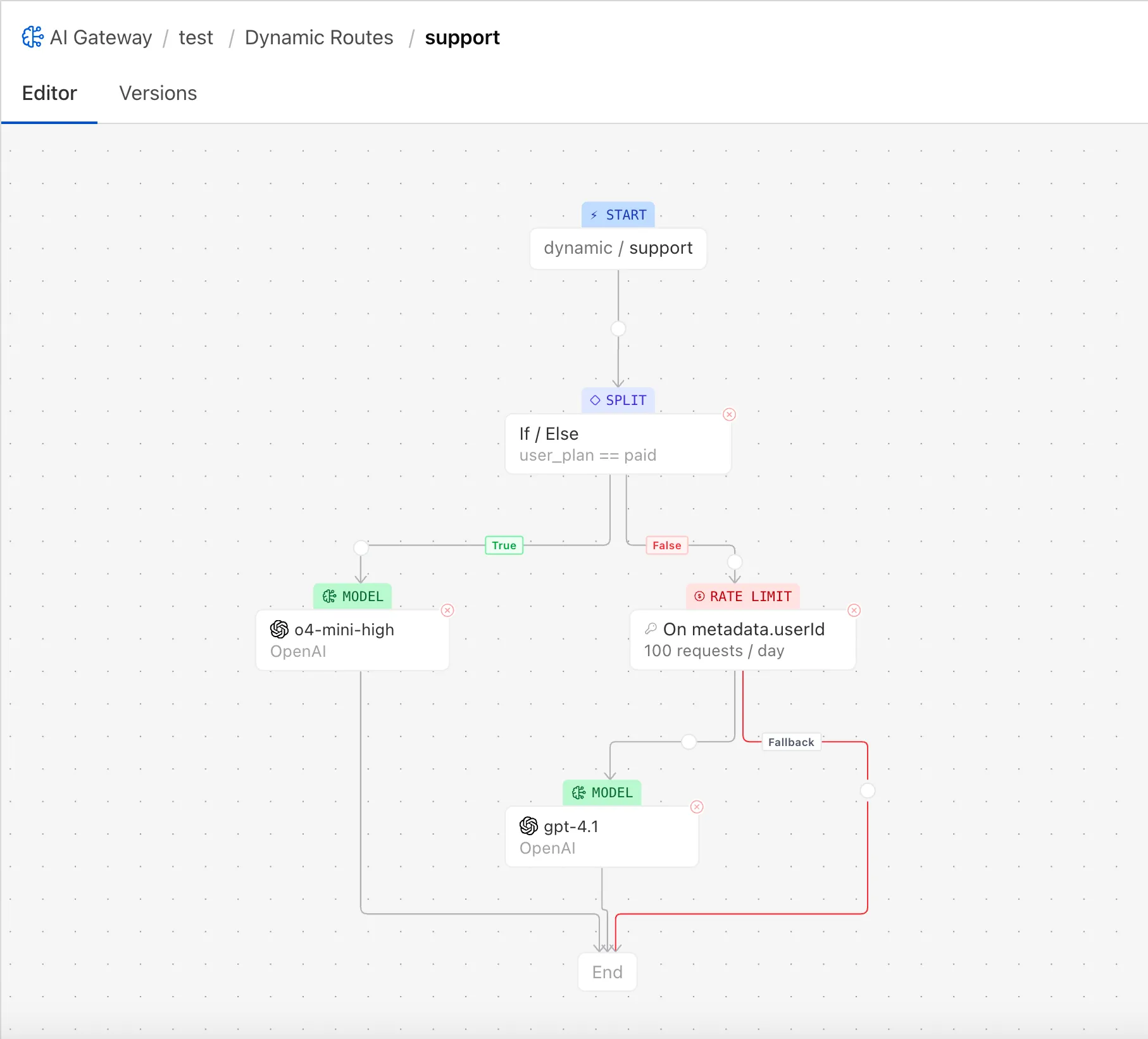
## Core Concepts
* **Route**: A named, versioned flow (for example, dynamic/support) that you can use as instead of the model name in your requests.
* **Nodes**
* **Start**: Entry point for the route.
* **Conditional**: If/Else branch based on expressions that reference request body, headers, or metadata (for example, user\_plan == "paid").
* **Percentage**: Routes requests probabilistically across multiple outputs, useful for A/B testing and gradual rollouts.
* **Model**: Calls a provider/model with the request parameters
* **Rate Limit**: Enforces number of requests quotas (per your key, per period) and switches to fallback when exceeded.
* **Budget Limit**: Enforces cost quotas (per your key, per period) and switches to fallback when exceeded.
* **End**: Terminates the flow and returns the final model response.
* **Metadata**: Arbitrary key-value context attached to the request (for example, userId, orgId, plan). You can pass this from your app so rules can reference it.
* **Versions**: Each change produces a new draft. Deploy to make it live with instant rollback.
## Getting Started
Warning
Ensure your gateway has [authentication](https://developers.cloudflare.com/ai-gateway/configuration/authentication/) turned on, and you have your upstream providers keys stored with [BYOK](https://developers.cloudflare.com/ai-gateway/configuration/bring-your-own-keys/).
1. Create a route.
* Go to **(Select your gateway)** > **Dynamic Routes** > **Add Route**, and name it (for example, `support`).
* Open **Editor**.
2. Define conditionals, limits and other settings.
* You can use [Custom Metadata](https://developers.cloudflare.com/ai-gateway/observability/custom-metadata/) in your conditionals.
3. Configure model nodes.
* Example:
* Node A: Provider OpenAI, Model `o4-mini-high`
* Node B: Provider OpenAI, Model `gpt-4.1`
4. Save a version.
* Click **Save** to save the state. You can always roll back to earlier versions from **Versions**.
* Deploy the version to make it live.
5. Call the route from your code.
* Use the [OpenAI compatible](https://developers.cloudflare.com/ai-gateway/usage/chat-completion/) endpoint, and use the route name in place of the model, for example, `dynamic/support`.
---
title: Guardrails · Cloudflare AI Gateway docs
description: Guardrails help you deploy AI applications safely by intercepting
and evaluating both user prompts and model responses for harmful content.
Acting as a proxy between your application and model providers (such as
OpenAI, Anthropic, DeepSeek, and others), AI Gateway's Guardrails ensure a
consistent and secure experience across your entire AI ecosystem.
lastUpdated: 2025-08-19T11:42:14.000Z
chatbotDeprioritize: false
tags: AI
source_url:
html: https://developers.cloudflare.com/ai-gateway/features/guardrails/
md: https://developers.cloudflare.com/ai-gateway/features/guardrails/index.md
---
Guardrails help you deploy AI applications safely by intercepting and evaluating both user prompts and model responses for harmful content. Acting as a proxy between your application and [model providers](https://developers.cloudflare.com/ai-gateway/usage/providers/) (such as OpenAI, Anthropic, DeepSeek, and others), AI Gateway's Guardrails ensure a consistent and secure experience across your entire AI ecosystem.
Guardrails proactively monitor interactions between users and AI models, giving you:
* **Consistent moderation**: Uniform moderation layer that works across models and providers.
* **Enhanced safety and user trust**: Proactively protect users from harmful or inappropriate interactions.
* **Flexibility and control over allowed content**: Specify which categories to monitor and choose between flagging or outright blocking.
* **Auditing and compliance capabilities**: Receive updates on evolving regulatory requirements with logs of user prompts, model responses, and enforced guardrails.
## Video demo
## How Guardrails work
AI Gateway inspects all interactions in real time by evaluating content against predefined safety parameters. Guardrails work by:
1. Intercepting interactions: AI Gateway proxies requests and responses, sitting between the user and the AI model.
2. Inspecting content:
* User prompts: AI Gateway checks prompts against safety parameters (for example, violence, hate, or sexual content). Based on your settings, prompts can be flagged or blocked before reaching the model.
* Model responses: Once processed, the AI model response is inspected. If hazardous content is detected, it can be flagged or blocked before being delivered to the user.
3. Applying actions: Depending on your configuration, flagged content is logged for review, while blocked content is prevented from proceeding.
## Related resource
* [Cloudflare Blog: Keep AI interactions secure and risk-free with Guardrails in AI Gateway](https://blog.cloudflare.com/guardrails-in-ai-gateway/)
---
title: Rate limiting · Cloudflare AI Gateway docs
description: Rate limiting controls the traffic that reaches your application,
which prevents expensive bills and suspicious activity.
lastUpdated: 2025-08-19T11:42:14.000Z
chatbotDeprioritize: false
source_url:
html: https://developers.cloudflare.com/ai-gateway/features/rate-limiting/
md: https://developers.cloudflare.com/ai-gateway/features/rate-limiting/index.md
---
Rate limiting controls the traffic that reaches your application, which prevents expensive bills and suspicious activity.
## Parameters
You can define rate limits as the number of requests that get sent in a specific time frame. For example, you can limit your application to 100 requests per 60 seconds.
You can also select if you would like a **fixed** or **sliding** rate limiting technique. With rate limiting, we allow a certain number of requests within a window of time. For example, if it is a fixed rate, the window is based on time, so there would be no more than `x` requests in a ten minute window. If it is a sliding rate, there would be no more than `x` requests in the last ten minutes.
To illustrate this, let us say you had a limit of ten requests per ten minutes, starting at 12:00. So the fixed window is 12:00-12:10, 12:10-12:20, and so on. If you sent ten requests at 12:09 and ten requests at 12:11, all 20 requests would be successful in a fixed window strategy. However, they would fail in a sliding window strategy since there were more than ten requests in the last ten minutes.
## Handling rate limits
When your requests exceed the allowed rate, you will encounter rate limiting. This means the server will respond with a `429 Too Many Requests` status code and your request will not be processed.
## Default configuration
* Dashboard
To set the default rate limiting configuration in the dashboard:
1. Log into the [Cloudflare dashboard](https://dash.cloudflare.com/) and select your account.
2. Go to **AI** > **AI Gateway**.
3. Go to **Settings**.
4. Enable **Rate-limiting**.
5. Adjust the rate, time period, and rate limiting method as desired.
* API
To set the default rate limiting configuration using the API:
1. [Create an API token](https://developers.cloudflare.com/fundamentals/api/get-started/create-token/) with the following permissions:
* `AI Gateway - Read`
* `AI Gateway - Edit`
1. Get your [Account ID](https://developers.cloudflare.com/fundamentals/account/find-account-and-zone-ids/).
2. Using that API token and Account ID, send a [`POST` request](https://developers.cloudflare.com/api/resources/ai_gateway/methods/create/) to create a new Gateway and include a value for the `rate_limiting_interval`, `rate_limiting_limit`, and `rate_limiting_technique`.
This rate limiting behavior will be uniformly applied to all requests for that gateway.
---
title: Unified Billing · Cloudflare AI Gateway docs
description: Use the Cloudflare billing to pay for and authenticate your inference requests.
lastUpdated: 2026-03-03T02:30:03.000Z
chatbotDeprioritize: false
source_url:
html: https://developers.cloudflare.com/ai-gateway/features/unified-billing/
md: https://developers.cloudflare.com/ai-gateway/features/unified-billing/index.md
---
Unified Billing allows users to connect to various AI providers (such as OpenAI, Anthropic, and Google AI Studio) and receive a single Cloudflare bill. To use Unified Billing, you must purchase and load credits into your Cloudflare account in the Cloudflare dashboard, which you can then spend with AI Gateway.
## Pre-requisites
* Ensure your Cloudflare account has [sufficient credits loaded](#load-credits).
* Ensure you have [authenticated](https://developers.cloudflare.com/ai-gateway/configuration/authentication/) your AI Gateway.
## Load credits
To load credits for AI Gateway:
1. In the Cloudflare dashboard, go to the **AI Gateway** page.
[Go to **AI Gateway**](https://dash.cloudflare.com/?to=/:account/ai/ai-gateway)
The **Credits Available** card on the top right shows how many AI gateway credits you have on your account currently.
2. In **Credits Available**, select **Manage**.
3. If your account does not have an available payment method, AI Gateway will prompt you to add a payment method to purchase credits. Add a payment method.
4. Select **Top-up credits**.
5. Add the amount of credits you want to purchase, then select **Confirm and pay**.
### Auto-top up
You can configure AI Gateway to automatically replenish your credits when they fall below a certain threshold. To configure auto top-up:
1. In the Cloudflare dashboard, go to the **AI Gateway** page.
[Go to **AI Gateway**](https://dash.cloudflare.com/?to=/:account/ai/ai-gateway)
2. In **Credits Available**, select **Manage**.
3. Select **Setup auto top-up credits**.
4. Choose a threshold and a recharge amount for auto top-up.
When your balance falls below the set threshold, AI Gateway will automatically apply the auto top-up amount to your account.
## Use Unified Billing
Call any supported provider without passing an API Key. The request will automatically use Cloudflare's key and deduct credits from your account.
For example, you can use the Unified API:
```bash
curl -X POST https://gateway.ai.cloudflare.com/v1/$CLOUDFLARE_ACCOUNT_ID/default/compat/chat/completions \
--header "cf-aig-authorization: Bearer $CLOUDFLARE_API_TOKEN" \
--header 'Content-Type: application/json' \
--data '{
"model": "google-ai-studio/gemini-2.5-pro",
"messages": [
{
"role": "user",
"content": "What is Cloudflare?"
}
]
}'
```
The `default` gateway is created automatically on your first request. Replace `default` with a specific gateway ID if you have already created one.
### Spend limits
Set spend limits to prevent unexpected charges on your loaded credits. You can define daily, weekly, or monthly limits. When a limit is reached, the AI Gateway automatically stops processing requests until the period resets or you increase the limit.
### Zero Data Retention (ZDR)
Zero Data Retention (ZDR) routes Unified Billing traffic through provider endpoints that do not retain prompts or responses. Enable it with the gateway-level `zdr` setting, which maps to ZDR-capable upstream provider configurations. This setting only applies to Unified Billing requests that use Cloudflare-managed credentials. It does not apply to BYOK or other AI Gateway requests.
ZDR does not control AI Gateway logging. To disable request/response logging in AI Gateway, update the logging settings separately in [Logging](https://developers.cloudflare.com/ai-gateway/observability/logging/).
ZDR is currently supported for:
* [OpenAI](https://developers.cloudflare.com/ai-gateway/usage/providers/openai/)
* [Anthropic](https://developers.cloudflare.com/ai-gateway/usage/providers/anthropic/)
If ZDR is enabled for a provider that does not support it, AI Gateway falls back to the standard (non-ZDR) Unified Billing configuration.
#### Default configuration
* Dashboard
To set ZDR as the default for Unified Billing in the dashboard:
1. Log into the [Cloudflare dashboard](https://dash.cloudflare.com/) and select your account.
2. Go to **AI** > **AI Gateway**.
3. Select your gateway.
4. Go to **Settings** and toggle **Zero Data Retention (ZDR)**.
* API
To set ZDR as the default for Unified Billing using the API:
1. [Create an API token](https://developers.cloudflare.com/fundamentals/api/get-started/create-token/) with the following permissions:
* `AI Gateway - Read`
* `AI Gateway - Edit`
2. Get your [Account ID](https://developers.cloudflare.com/fundamentals/account/find-account-and-zone-ids/).
3. Send a [`PUT` request](https://developers.cloudflare.com/api/resources/ai_gateway/methods/update/) to update the gateway and include `zdr: true` or `zdr: false` in the request body.
#### Per-request override (`cf-aig-zdr`)
Use the `cf-aig-zdr` header to override the gateway default for a single Unified Billing request. Set it to `true` to force ZDR, or `false` to disable ZDR for the request.
```bash
curl -X POST https://gateway.ai.cloudflare.com/v1/$CLOUDFLARE_ACCOUNT_ID/{gateway_id}/openai/chat/completions \
--header "cf-aig-authorization: Bearer $CLOUDFLARE_API_TOKEN" \
--header 'Content-Type: application/json' \
--header 'cf-aig-zdr: true' \
--data '{
"model": "gpt-4o-mini",
"messages": [
{
"role": "user",
"content": "Explain Zero Data Retention."
}
]
}'
```
### Supported providers
Unified Billing supports the following AI providers:
* [OpenAI](https://developers.cloudflare.com/ai-gateway/usage/providers/openai/)
* [Anthropic](https://developers.cloudflare.com/ai-gateway/usage/providers/anthropic/)
* [Google AI Studio](https://developers.cloudflare.com/ai-gateway/usage/providers/google-ai-studio/)
* [xAI](https://developers.cloudflare.com/ai-gateway/usage/providers/grok/)
* [Groq](https://developers.cloudflare.com/ai-gateway/usage/providers/groq/)
---
title: Agents · Cloudflare AI Gateway docs
description: Build AI-powered Agents on Cloudflare
lastUpdated: 2025-01-29T20:30:56.000Z
chatbotDeprioritize: false
source_url:
html: https://developers.cloudflare.com/ai-gateway/integrations/agents/
md: https://developers.cloudflare.com/ai-gateway/integrations/agents/index.md
---
---
title: Workers AI · Cloudflare AI Gateway docs
description: This guide will walk you through setting up and deploying a Workers
AI project. You will use Workers, an AI Gateway binding, and a large language
model (LLM) to deploy your first AI-powered application on the Cloudflare
global network.
lastUpdated: 2026-01-29T10:38:24.000Z
chatbotDeprioritize: false
source_url:
html: https://developers.cloudflare.com/ai-gateway/integrations/aig-workers-ai-binding/
md: https://developers.cloudflare.com/ai-gateway/integrations/aig-workers-ai-binding/index.md
---
This guide will walk you through setting up and deploying a Workers AI project. You will use [Workers](https://developers.cloudflare.com/workers/), an AI Gateway binding, and a large language model (LLM), to deploy your first AI-powered application on the Cloudflare global network.
## Prerequisites
1. Sign up for a [Cloudflare account](https://dash.cloudflare.com/sign-up/workers-and-pages).
2. Install [`Node.js`](https://docs.npmjs.com/downloading-and-installing-node-js-and-npm).
Node.js version manager
Use a Node version manager like [Volta](https://volta.sh/) or [nvm](https://github.com/nvm-sh/nvm) to avoid permission issues and change Node.js versions. [Wrangler](https://developers.cloudflare.com/workers/wrangler/install-and-update/), discussed later in this guide, requires a Node version of `16.17.0` or later.
## 1. Create a Worker Project
You will create a new Worker project using the create-Cloudflare CLI (C3). C3 is a command-line tool designed to help you set up and deploy new applications to Cloudflare.
Create a new project named `hello-ai` by running:
* npm
```sh
npm create cloudflare@latest -- hello-ai
```
* yarn
```sh
yarn create cloudflare hello-ai
```
* pnpm
```sh
pnpm create cloudflare@latest hello-ai
```
Running `npm create cloudflare@latest` will prompt you to install the create-cloudflare package and lead you through setup. C3 will also install [Wrangler](https://developers.cloudflare.com/workers/wrangler/), the Cloudflare Developer Platform CLI.
For setup, select the following options:
* For *What would you like to start with?*, choose `Hello World example`.
* For *Which template would you like to use?*, choose `Worker only`.
* For *Which language do you want to use?*, choose `TypeScript`.
* For *Do you want to use git for version control?*, choose `Yes`.
* For *Do you want to deploy your application?*, choose `No` (we will be making some changes before deploying).
This will create a new `hello-ai` directory. Your new `hello-ai` directory will include:
* A "Hello World" Worker at `src/index.ts`.
* A [Wrangler configuration file](https://developers.cloudflare.com/workers/wrangler/configuration/)
Go to your application directory:
```bash
cd hello-ai
```
## 2. Connect your Worker to Workers AI
You must create an AI binding for your Worker to connect to Workers AI. Bindings allow your Workers to interact with resources, like Workers AI, on the Cloudflare Developer Platform.
To bind Workers AI to your Worker, add the following to the end of your [Wrangler configuration file](https://developers.cloudflare.com/workers/wrangler/configuration/):
* wrangler.jsonc
```jsonc
{
"ai": {
"binding": "AI"
}
}
```
* wrangler.toml
```toml
[ai]
binding = "AI"
```
Your binding is [available in your Worker code](https://developers.cloudflare.com/workers/reference/migrate-to-module-workers/#bindings-in-es-modules-format) on [`env.AI`](https://developers.cloudflare.com/workers/runtime-apis/handlers/fetch/).
You will need to have your `gateway id` for the next step. You can learn [how to create an AI Gateway in this tutorial](https://developers.cloudflare.com/ai-gateway/get-started/).
## 3. Run an inference task containing AI Gateway in your Worker
You are now ready to run an inference task in your Worker. In this case, you will use an LLM, [`llama-3.1-8b-instruct-fast`](https://developers.cloudflare.com/workers-ai/models/llama-3.1-8b-instruct-fast/), to answer a question. Your gateway ID is found on the dashboard.
Update the `index.ts` file in your `hello-ai` application directory with the following code:
```typescript
export interface Env {
// If you set another name in the [Wrangler configuration file](/workers/wrangler/configuration/) as the value for 'binding',
// replace "AI" with the variable name you defined.
AI: Ai;
}
export default {
async fetch(request, env): Promise {
// Specify the gateway label and other options here
const response = await env.AI.run(
"@cf/meta/llama-3.1-8b-instruct-fast",
{
prompt: "What is the origin of the phrase Hello, World",
},
{
gateway: {
id: "GATEWAYID", // Use your gateway label here
skipCache: true, // Optional: Skip cache if needed
},
},
);
// Return the AI response as a JSON object
return new Response(JSON.stringify(response), {
headers: { "Content-Type": "application/json" },
});
},
} satisfies ExportedHandler;
```
Up to this point, you have created an AI binding for your Worker and configured your Worker to be able to execute the Llama 3.1 model. You can now test your project locally before you deploy globally.
## 4. Develop locally with Wrangler
While in your project directory, test Workers AI locally by running [`wrangler dev`](https://developers.cloudflare.com/workers/wrangler/commands/#dev):
```bash
npx wrangler dev
```
Workers AI local development usage charges
Using Workers AI always accesses your Cloudflare account in order to run AI models and will incur usage charges even in local development.
You will be prompted to log in after you run `wrangler dev`. When you run `npx wrangler dev`, Wrangler will give you a URL (most likely `localhost:8787`) to review your Worker. After you go to the URL Wrangler provides, you will see a message that resembles the following example:
````json
{
"response": "A fascinating question!\n\nThe phrase \"Hello, World!\" originates from a simple computer program written in the early days of programming. It is often attributed to Brian Kernighan, a Canadian computer scientist and a pioneer in the field of computer programming.\n\nIn the early 1970s, Kernighan, along with his colleague Dennis Ritchie, were working on the C programming language. They wanted to create a simple program that would output a message to the screen to demonstrate the basic structure of a program. They chose the phrase \"Hello, World!\" because it was a simple and recognizable message that would illustrate how a program could print text to the screen.\n\nThe exact code was written in the 5th edition of Kernighan and Ritchie's book \"The C Programming Language,\" published in 1988. The code, literally known as \"Hello, World!\" is as follows:\n\n```
main()
{
printf(\"Hello, World!\");
}
```\n\nThis code is still often used as a starting point for learning programming languages, as it demonstrates how to output a simple message to the console.\n\nThe phrase \"Hello, World!\" has since become a catch-all phrase to indicate the start of a new program or a small test program, and is widely used in computer science and programming education.\n\nSincerely, I'm glad I could help clarify the origin of this iconic phrase for you!"
}
````
## 5. Deploy your AI Worker
Before deploying your AI Worker globally, log in with your Cloudflare account by running:
```bash
npx wrangler login
```
You will be directed to a web page asking you to log in to the Cloudflare dashboard. After you have logged in, you will be asked if Wrangler can make changes to your Cloudflare account. Scroll down and select **Allow** to continue.
Finally, deploy your Worker to make your project accessible on the Internet. To deploy your Worker, run:
```bash
npx wrangler deploy
```
Once deployed, your Worker will be available at a URL like:
```bash
https://hello-ai..workers.dev
```
Your Worker will be deployed to your custom [`workers.dev`](https://developers.cloudflare.com/workers/configuration/routing/workers-dev/) subdomain. You can now visit the URL to run your AI Worker.
By completing this tutorial, you have created a Worker, connected it to Workers AI through an AI Gateway binding, and successfully ran an inference task using the Llama 3.1 model.
---
title: Vercel AI SDK · Cloudflare AI Gateway docs
description: >-
The Vercel AI SDK is a TypeScript library for building AI applications. The
SDK supports many different AI providers, tools for streaming completions, and
more.
To use Cloudflare AI Gateway with Vercel AI SDK, you will need to use the
ai-gateway-provider package.
lastUpdated: 2026-01-07T13:57:43.000Z
chatbotDeprioritize: false
source_url:
html: https://developers.cloudflare.com/ai-gateway/integrations/vercel-ai-sdk/
md: https://developers.cloudflare.com/ai-gateway/integrations/vercel-ai-sdk/index.md
---
The [Vercel AI SDK](https://sdk.vercel.ai/) is a TypeScript library for building AI applications. The SDK supports many different AI providers, tools for streaming completions, and more. To use Cloudflare AI Gateway with Vercel AI SDK, you will need to use the `ai-gateway-provider` package.
## Installation
```bash
npm install ai-gateway-provider
```
## Examples
Make a request to
 OpenAI
Unified
API with
Stored Key (BYOK)
### Fallback Providers
To specify model or provider fallbacks to handle request failures and ensure reliability, you can pass an array of models to the `model` option.
```js
const { text } = await generateText({
model: aigateway([
openai.chat("gpt-5.1"), anthropic("claude-sonnet-4-5")
]),
prompt: 'Write a vegetarian lasagna recipe for 4 people.',
});
```
---
title: AI Gateway Binding Methods · Cloudflare AI Gateway docs
description: This guide provides an overview of how to use the latest Cloudflare
Workers AI Gateway binding methods. You will learn how to set up an AI Gateway
binding, access new methods, and integrate them into your Workers.
lastUpdated: 2026-01-29T10:38:24.000Z
chatbotDeprioritize: false
tags: Bindings
source_url:
html: https://developers.cloudflare.com/ai-gateway/integrations/worker-binding-methods/
md: https://developers.cloudflare.com/ai-gateway/integrations/worker-binding-methods/index.md
---
This guide provides an overview of how to use the latest Cloudflare Workers AI Gateway binding methods. You will learn how to set up an AI Gateway binding, access new methods, and integrate them into your Workers.
## 1. Add an AI Binding to your Worker
To connect your Worker to Workers AI, add the following to your [Wrangler configuration file](https://developers.cloudflare.com/workers/wrangler/configuration/):
* wrangler.jsonc
```jsonc
{
"ai": {
"binding": "AI"
}
}
```
* wrangler.toml
```toml
[ai]
binding = "AI"
```
This configuration sets up the AI binding accessible in your Worker code as `env.AI`.
If you're using TypeScript, run [`wrangler types`](https://developers.cloudflare.com/workers/wrangler/commands/#types) whenever you modify your Wrangler configuration file. This generates types for the `env` object based on your bindings, as well as [runtime types](https://developers.cloudflare.com/workers/languages/typescript/).
## 2. Basic Usage with Workers AI + Gateway
To perform an inference task using Workers AI and an AI Gateway, you can use the following code:
```typescript
const resp = await env.AI.run(
"@cf/meta/llama-3.1-8b-instruct",
{
prompt: "tell me a joke",
},
{
gateway: {
id: "my-gateway",
},
},
);
```
Additionally, you can access the latest request log ID with:
```typescript
const myLogId = env.AI.aiGatewayLogId;
```
## 3. Access the Gateway Binding
You can access your AI Gateway binding using the following code:
```typescript
const gateway = env.AI.gateway("my-gateway");
```
Once you have the gateway instance, you can use the following methods:
### 3.1. `patchLog`: Send Feedback
The `patchLog` method allows you to send feedback, score, and metadata for a specific log ID. All object properties are optional, so you can include any combination of the parameters:
```typescript
gateway.patchLog("my-log-id", {
feedback: 1,
score: 100,
metadata: {
user: "123",
},
});
```
* **Returns**: `Promise` (Make sure to `await` the request.)
* **Example Use Case**: Update a log entry with user feedback or additional metadata.
### 3.2. `getLog`: Read Log Details
The `getLog` method retrieves details of a specific log ID. It returns an object of type `Promise`. If this type is missing, ensure you have run [`wrangler types`](https://developers.cloudflare.com/workers/languages/typescript/#generate-types).
```typescript
const log = await gateway.getLog("my-log-id");
```
* **Returns**: `Promise`
* **Example Use Case**: Retrieve log information for debugging or analytics.
### 3.3. `getUrl`: Get Gateway URLs
The `getUrl` method allows you to retrieve the base URL for your AI Gateway, optionally specifying a provider to get the provider-specific endpoint.
```typescript
// Get the base gateway URL
const baseUrl = await gateway.getUrl();
// Output: https://gateway.ai.cloudflare.com/v1/my-account-id/my-gateway/
// Get a provider-specific URL
const openaiUrl = await gateway.getUrl("openai");
// Output: https://gateway.ai.cloudflare.com/v1/my-account-id/my-gateway/openai
```
* **Parameters**: Optional `provider` (string or `AIGatewayProviders` enum)
* **Returns**: `Promise`
* **Example Use Case**: Dynamically construct URLs for direct API calls or debugging configurations.
#### SDK Integration Examples
The `getUrl` method is particularly useful for integrating with popular AI SDKs:
**OpenAI SDK:**
```typescript
import OpenAI from "openai";
const openai = new OpenAI({
apiKey: "my api key", // defaults to process.env["OPENAI_API_KEY"]
baseURL: await env.AI.gateway("my-gateway").getUrl("openai"),
});
```
**Vercel AI SDK with OpenAI:**
```typescript
import { createOpenAI } from "@ai-sdk/openai";
const openai = createOpenAI({
baseURL: await env.AI.gateway("my-gateway").getUrl("openai"),
});
```
**Vercel AI SDK with Anthropic:**
```typescript
import { createAnthropic } from "@ai-sdk/anthropic";
const anthropic = createAnthropic({
baseURL: await env.AI.gateway("my-gateway").getUrl("anthropic"),
});
```
### 3.4. `run`: Universal Requests
The `run` method allows you to execute universal requests. Users can pass either a single universal request object or an array of them. This method supports all AI Gateway providers.
Refer to the [Universal endpoint documentation](https://developers.cloudflare.com/ai-gateway/usage/universal/) for details about the available inputs.
```typescript
const resp = await gateway.run({
provider: "workers-ai",
endpoint: "@cf/meta/llama-3.1-8b-instruct",
headers: {
authorization: "Bearer my-api-token",
},
query: {
prompt: "tell me a joke",
},
});
```
* **Returns**: `Promise`
* **Example Use Case**: Perform a [universal request](https://developers.cloudflare.com/ai-gateway/usage/universal/) to any supported provider.
## Conclusion
With these AI Gateway binding methods, you can now:
* Send feedback and update metadata with `patchLog`.
* Retrieve detailed log information using `getLog`.
* Get gateway URLs for direct API access with `getUrl`, making it easy to integrate with popular AI SDKs.
* Execute universal requests to any AI Gateway provider with `run`.
These methods offer greater flexibility and control over your AI integrations, empowering you to build more sophisticated applications on the Cloudflare Workers platform.
---
title: Analytics · Cloudflare AI Gateway docs
description: >-
Your AI Gateway dashboard shows metrics on requests, tokens, caching, errors,
and cost. You can filter these metrics by time.
These analytics help you understand traffic patterns, token consumption, and
potential issues across AI providers. You can
view the following analytics:
lastUpdated: 2025-08-20T18:25:25.000Z
chatbotDeprioritize: false
source_url:
html: https://developers.cloudflare.com/ai-gateway/observability/analytics/
md: https://developers.cloudflare.com/ai-gateway/observability/analytics/index.md
---
Your AI Gateway dashboard shows metrics on requests, tokens, caching, errors, and cost. You can filter these metrics by time. These analytics help you understand traffic patterns, token consumption, and potential issues across AI providers. You can view the following analytics:
* **Requests**: Track the total number of requests processed by AI Gateway.
* **Token Usage**: Analyze token consumption across requests, giving insight into usage patterns.
* **Costs**: Gain visibility into the costs associated with using different AI providers, allowing you to track spending, manage budgets, and optimize resources.
* **Errors**: Monitor the number of errors across the gateway, helping to identify and troubleshoot issues.
* **Cached Responses**: View the percentage of responses served from cache, which can help reduce costs and improve speed.
## View analytics
* Dashboard
To view analytics in the dashboard:
1. Log into the [Cloudflare dashboard](https://dash.cloudflare.com) and select your account.
2. Go to **AI** > **AI Gateway**.
3. Make sure you have your gateway selected.
* graphql
You can use GraphQL to query your usage data outside of the AI Gateway dashboard. See the example query below. You will need to use your Cloudflare token when making the request, and change `{account_id}` to match your account tag.
```bash
curl https://api.cloudflare.com/client/v4/graphql \
--header 'Authorization: Bearer TOKEN \
--header 'Content-Type: application/json' \
--data '{
"query": "query{\n viewer {\n accounts(filter: { accountTag: \"{account_id}\" }) {\n requests: aiGatewayRequestsAdaptiveGroups(\n limit: $limit\n filter: { datetimeHour_geq: $start, datetimeHour_leq: $end }\n orderBy: [datetimeMinute_ASC]\n ) {\n count,\n dimensions {\n model,\n provider,\n gateway,\n ts: datetimeMinute\n }\n \n }\n \n }\n }\n}",
"variables": {
"limit": 1000,
"start": "2023-09-01T10:00:00.000Z",
"end": "2023-09-30T10:00:00.000Z",
"orderBy": "date_ASC"
}
}'
```
---
title: Costs · Cloudflare AI Gateway docs
description: Cost metrics are only available for endpoints where the models
return token data and the model name in their responses.
lastUpdated: 2025-05-15T16:26:01.000Z
chatbotDeprioritize: false
source_url:
html: https://developers.cloudflare.com/ai-gateway/observability/costs/
md: https://developers.cloudflare.com/ai-gateway/observability/costs/index.md
---
Cost metrics are only available for endpoints where the models return token data and the model name in their responses.
## Track costs across AI providers
AI Gateway makes it easier to monitor and estimate token based costs across all your AI providers. This can help you:
* Understand and compare usage costs between providers.
* Monitor trends and estimate spend using consistent metrics.
* Apply custom pricing logic to match negotiated rates.
Note
The cost metric is an **estimation** based on the number of tokens sent and received in requests. While this metric can help you monitor and predict cost trends, refer to your provider's dashboard for the most **accurate** cost details.
Caution
Providers may introduce new models or change their pricing. If you notice outdated cost data or are using a model not yet supported by our cost tracking, please [submit a request](https://forms.gle/8kRa73wRnvq7bxL48)
## Custom costs
AI Gateway allows users to set custom costs when operating under special pricing agreements or negotiated rates. Custom costs can be applied at the request level, and when applied, they will override the default or public model costs. For more information on configuration of custom costs, please visit the [Custom Costs](https://developers.cloudflare.com/ai-gateway/configuration/custom-costs/) configuration page.
---
title: Custom metadata · Cloudflare AI Gateway docs
description: Custom metadata in AI Gateway allows you to tag requests with user
IDs or other identifiers, enabling better tracking and analysis of your
requests. Metadata values can be strings, numbers, or booleans, and will
appear in your logs, making it easy to search and filter through your data.
lastUpdated: 2025-08-19T11:42:14.000Z
chatbotDeprioritize: false
source_url:
html: https://developers.cloudflare.com/ai-gateway/observability/custom-metadata/
md: https://developers.cloudflare.com/ai-gateway/observability/custom-metadata/index.md
---
Custom metadata in AI Gateway allows you to tag requests with user IDs or other identifiers, enabling better tracking and analysis of your requests. Metadata values can be strings, numbers, or booleans, and will appear in your logs, making it easy to search and filter through your data.
## Key Features
* **Custom Tagging**: Add user IDs, team names, test indicators, and other relevant information to your requests.
* **Enhanced Logging**: Metadata appears in your logs, allowing for detailed inspection and troubleshooting.
* **Search and Filter**: Use metadata to efficiently search and filter through logged requests.
Note
AI Gateway allows you to pass up to five custom metadata entries per request. If more than five entries are provided, only the first five will be saved; additional entries will be ignored. Ensure your custom metadata is limited to five entries to avoid unprocessed or lost data.
## Supported Metadata Types
* String
* Number
* Boolean
Note
Objects are not supported as metadata values.
## Implementations
### Using cURL
To include custom metadata in your request using cURL:
```bash
curl https://gateway.ai.cloudflare.com/v1/{account_id}/{gateway_id}/openai/chat/completions \
--header 'Authorization: Bearer {api_token}' \
--header 'Content-Type: application/json' \
--header 'cf-aig-metadata: {"team": "AI", "user": 12345, "test":true}' \
--data '{"model": "gpt-4o", "messages": [{"role": "user", "content": "What should I eat for lunch?"}]}'
```
### Using SDK
To include custom metadata in your request using the OpenAI SDK:
```javascript
import OpenAI from "openai";
export default {
async fetch(request, env, ctx) {
const openai = new OpenAI({
apiKey: env.OPENAI_API_KEY,
baseURL: "https://gateway.ai.cloudflare.com/v1/{account_id}/{gateway_id}/openai",
});
try {
const chatCompletion = await openai.chat.completions.create(
{
model: "gpt-4o",
messages: [{ role: "user", content: "What should I eat for lunch?" }],
max_tokens: 50,
},
{
headers: {
"cf-aig-metadata": JSON.stringify({
user: "JaneDoe",
team: 12345,
test: true
}),
},
}
);
const response = chatCompletion.choices[0].message;
return new Response(JSON.stringify(response));
} catch (e) {
console.log(e);
return new Response(e);
}
},
};
```
### Using Binding
To include custom metadata in your request using [Bindings](https://developers.cloudflare.com/workers/runtime-apis/bindings/):
```javascript
export default {
async fetch(request, env, ctx) {
const aiResp = await env.AI.run(
'@cf/mistral/mistral-7b-instruct-v0.1',
{ prompt: 'What should I eat for lunch?' },
{ gateway: { id: 'gateway_id', metadata: { "team": "AI", "user": 12345, "test": true} } }
);
return new Response(aiResp);
},
};
```
---
title: Logging · Cloudflare AI Gateway docs
description: Logging is a fundamental building block for application
development. Logs provide insights during the early stages of development and
are often critical to understanding issues occurring in production.
lastUpdated: 2026-03-04T23:16:54.000Z
chatbotDeprioritize: false
source_url:
html: https://developers.cloudflare.com/ai-gateway/observability/logging/
md: https://developers.cloudflare.com/ai-gateway/observability/logging/index.md
---
Logging is a fundamental building block for application development. Logs provide insights during the early stages of development and are often critical to understanding issues occurring in production.
Your AI Gateway dashboard shows logs of individual requests, including the user prompt, model response, provider, timestamp, request status, token usage, cost, and duration. When [DLP](https://developers.cloudflare.com/ai-gateway/features/dlp/) policies are configured, logs for requests that trigger a DLP match also include the DLP action taken (Flag or Block), matched policy IDs, matched profile IDs, and the specific detection entries that were triggered. These logs persist, giving you the flexibility to store them for your preferred duration and do more with valuable request data.
By default, each gateway can store up to 10 million logs. You can customize this limit per gateway in your gateway settings to align with your specific requirements. If your storage limit is reached, new logs will stop being saved. To continue saving logs, you must delete older logs to free up space for new logs. To learn more about your plan limits, refer to [Limits](https://developers.cloudflare.com/ai-gateway/reference/limits/).
We recommend using an authenticated gateway when storing logs to prevent unauthorized access and protects against invalid requests that can inflate log storage usage and make it harder to find the data you need. Learn more about setting up an [authenticated gateway](https://developers.cloudflare.com/ai-gateway/configuration/authentication/).
## Default configuration
Logs, which include metrics as well as request and response data, are enabled by default for each gateway. This logging behavior will be uniformly applied to all requests in the gateway. If you are concerned about privacy or compliance and want to turn log collection off, you can go to settings and opt out of logs. If you need to modify the log settings for specific requests, you can override this setting on a per-request basis.
To change the default log configuration in the dashboard:
1. In the Cloudflare dashboard, go to the **AI Gateway** page.
[Go to **AI Gateway**](https://dash.cloudflare.com/?to=/:account/ai/ai-gateway)
2. Select **Settings**.
3. Change the **Logs** setting to your preference.
## Per-request logging
To override the default logging behavior set in the settings tab, you can define headers on a per-request basis.
### Collect logs (`cf-aig-collect-log`)
The `cf-aig-collect-log` header allows you to bypass the default log setting for the gateway. If the gateway is configured to save logs, the header will exclude the log for that specific request. Conversely, if logging is disabled at the gateway level, this header will save the log for that request.
In the example below, we use `cf-aig-collect-log` to bypass the default setting to avoid saving the log.
```bash
curl https://gateway.ai.cloudflare.com/v1/{account_id}/{gateway_id}/openai/chat/completions \
--header "Authorization: Bearer $TOKEN" \
--header 'Content-Type: application/json' \
--header 'cf-aig-collect-log: false \
--data ' {
"model": "gpt-4o-mini",
"messages": [
{
"role": "user",
"content": "What is the email address and phone number of user123?"
}
]
}
'
```
## DLP fields in logs
When [Data Loss Prevention (DLP)](https://developers.cloudflare.com/ai-gateway/features/dlp/) policies are enabled on a gateway, log entries for requests that trigger a DLP policy match include additional fields:
| Field | Description |
| - | - |
| DLP Action | The action taken by the DLP policy: `FLAG` or `BLOCK` |
| DLP Policies Matched | The IDs of the DLP policies that matched |
| DLP Profiles Matched | The IDs of the DLP profiles that triggered within each matched policy |
| DLP Entries Matched | The specific detection entry IDs that matched within each profile |
| DLP Check | Whether the match occurred in the `REQUEST`, `RESPONSE`, or both |
These fields are available both in the dashboard log viewer and through the [Logs API](https://developers.cloudflare.com/api/resources/ai_gateway/subresources/logs/methods/list/). You can filter logs by **DLP Action** in the dashboard to view only flagged or blocked requests. For more details on DLP monitoring, refer to [Monitor DLP events](https://developers.cloudflare.com/ai-gateway/features/dlp/set-up-dlp/#monitor-dlp-events).
## Managing log storage
To manage your log storage effectively, you can:
* Set Storage Limits: Configure a limit on the number of logs stored per gateway in your gateway settings to ensure you only pay for what you need.
* Enable Automatic Log Deletion: Activate the Automatic Log Deletion feature in your gateway settings to automatically delete the oldest logs once the log limit you've set or the default storage limit of 10 million logs is reached. This ensures new logs are always saved without manual intervention.
## How to delete logs
To manage your log storage effectively and ensure continuous logging, you can delete logs using the following methods:
### Automatic Log Deletion
To maintain continuous logging within your gateway's storage constraints, enable Automatic Log Deletion in your Gateway settings. This feature automatically deletes the oldest logs once the log limit you've set or the default storage limit of 10 million logs is reached, ensuring new logs are saved without manual intervention.
### Manual deletion
To manually delete logs through the dashboard, navigate to the Logs tab in the dashboard. Use the available filters such as status, cache, provider, cost, or any other options in the dropdown to refine the logs you wish to delete. Once filtered, select Delete logs to complete the action.
See full list of available filters and their descriptions below:
| Filter category | Filter options | Filter by description |
| - | - | - |
| Status | error, status | error type or status. |
| Cache | cached, not cached | based on whether they were cached or not. |
| Provider | specific providers | the selected AI provider. |
| AI Models | specific models | the selected AI model. |
| Cost | less than, greater than | cost, specifying a threshold. |
| Request type | Universal, Workers AI Binding, WebSockets | the type of request. |
| Tokens | Total tokens, Tokens In, Tokens Out | token count (less than or greater than). |
| Duration | less than, greater than | request duration. |
| Feedback | equals, does not equal (thumbs up, thumbs down, no feedback) | feedback type. |
| Metadata Key | equals, does not equal | specific metadata keys. |
| Metadata Value | equals, does not equal | specific metadata values. |
| Log ID | equals, does not equal | a specific Log ID. |
| Event ID | equals, does not equal | a specific Event ID. |
| DLP Action | FLAG, BLOCK | the DLP action taken on the request. |
### API deletion
You can programmatically delete logs using the AI Gateway API. For more comprehensive information on the `DELETE` logs endpoint, check out the [Cloudflare API documentation](https://developers.cloudflare.com/api/resources/ai_gateway/subresources/logs/methods/delete/).
---
title: Audit logs · Cloudflare AI Gateway docs
description: Audit logs provide a comprehensive summary of changes made within
your Cloudflare account, including those made to gateways in AI Gateway. This
functionality is available on all plan types, free of charge, and is enabled
by default.
lastUpdated: 2025-09-05T08:34:36.000Z
chatbotDeprioritize: false
source_url:
html: https://developers.cloudflare.com/ai-gateway/reference/audit-logs/
md: https://developers.cloudflare.com/ai-gateway/reference/audit-logs/index.md
---
[Audit logs](https://developers.cloudflare.com/fundamentals/account/account-security/review-audit-logs/) provide a comprehensive summary of changes made within your Cloudflare account, including those made to gateways in AI Gateway. This functionality is available on all plan types, free of charge, and is enabled by default.
## Viewing Audit Logs
To view audit logs for AI Gateway, in the Cloudflare dashboard, go to the **Audit logs** page.
[Go to **Audit logs**](https://dash.cloudflare.com/?to=/:account/audit-log)
For more information on how to access and use audit logs, refer to [review audit logs documentation](https://developers.cloudflare.com/fundamentals/account/account-security/review-audit-logs/).
## Logged Operations
The following configuration actions are logged:
| Operation | Description |
| - | - |
| gateway created | Creation of a new gateway. |
| gateway deleted | Deletion of an existing gateway. |
| gateway updated | Edit of an existing gateway. |
## Example Log Entry
Below is an example of an audit log entry showing the creation of a new gateway:
```json
{
"action": {
"info": "gateway created",
"result": true,
"type": "create"
},
"actor": {
"email": "",
"id": "3f7b730e625b975bc1231234cfbec091",
"ip": "fe32:43ed:12b5:526::1d2:13",
"type": "user"
},
"id": "5eaeb6be-1234-406a-87ab-1971adc1234c",
"interface": "UI",
"metadata": {},
"newValue": "",
"newValueJson": {
"cache_invalidate_on_update": false,
"cache_ttl": 0,
"collect_logs": true,
"id": "test",
"rate_limiting_interval": 0,
"rate_limiting_limit": 0,
"rate_limiting_technique": "fixed"
},
"oldValue": "",
"oldValueJson": {},
"owner": {
"id": "1234d848c0b9e484dfc37ec392b5fa8a"
},
"resource": {
"id": "89303df8-1234-4cfa-a0f8-0bd848e831ca",
"type": "ai_gateway.gateway"
},
"when": "2024-07-17T14:06:11.425Z"
}
```
---
title: OpenTelemetry · Cloudflare AI Gateway docs
description: AI Gateway supports exporting traces to OpenTelemetry-compatible
backends, enabling you to monitor and analyze AI request performance alongside
your existing observability infrastructure.
lastUpdated: 2026-01-20T22:24:40.000Z
chatbotDeprioritize: false
source_url:
html: https://developers.cloudflare.com/ai-gateway/observability/otel-integration/
md: https://developers.cloudflare.com/ai-gateway/observability/otel-integration/index.md
---
AI Gateway supports exporting traces to OpenTelemetry-compatible backends, enabling you to monitor and analyze AI request performance alongside your existing observability infrastructure.
## Overview
The OpenTelemetry (OTEL) integration automatically exports trace spans for AI requests processed through your gateway. These spans include detailed information about:
* Request model and provider
* Token usage (input and output)
* Request prompts and completions
* Cost estimates
* Custom metadata
This integration follows the [OpenTelemetry specification](https://opentelemetry.io/docs/specs/otel/) for distributed tracing and uses the OTLP (OpenTelemetry Protocol) JSON format.
## Configuration
To enable OpenTelemetry tracing for your gateway, configure one or more OTEL exporters in your gateway settings. Each exporter requires:
* **URL**: The endpoint URL of your OTEL collector (must accept OTLP/JSON format)
* **Authorization** (optional): A reference to a secret containing your authorization header value
* **Headers** (optional): Additional custom headers to include in export requests
### Configuration via Dashboard
1. Navigate to your AI Gateway in the Cloudflare dashboard
2. Go to **Settings** tab
3. Add an OTEL exporter with your collector endpoint URL
4. If authentication is required, configure a secret for the authorization header
## Exported Span Attributes
AI Gateway exports spans with the following attributes following the [Semantic Conventions for Gen AI](https://opentelemetry.io/docs/specs/semconv/gen-ai/):
### Standard Attributes
| Attribute | Type | Description |
| - | - | - |
| `gen_ai.request.model` | string | The AI model used for the request |
| `gen_ai.model.provider` | string | The AI provider (e.g., `openai`, `anthropic`) |
| `gen_ai.usage.input_tokens` | int | Number of input tokens consumed |
| `gen_ai.usage.output_tokens` | int | Number of output tokens generated |
| `gen_ai.prompt_json` | string | JSON-encoded prompt/messages sent to the model |
| `gen_ai.completion_json` | string | JSON-encoded completion/response from the model |
| `gen_ai.usage.cost` | double | Estimated cost of the request |
### Custom Metadata
Any custom metadata added to your requests via the `cf-aig-metadata` header will also be included as span attributes. This allows you to correlate traces with user IDs, team names, or other business context.
```bash
curl https://gateway.ai.cloudflare.com/v1/{account_id}/{gateway_id}/openai/chat/completions \
--header 'Authorization: Bearer {api_token}' \
--header 'Content-Type: application/json' \
--header 'cf-aig-metadata: {"user_id": "user123", "team": "engineering"}' \
--data '{
"model": "gpt-4o",
"messages": [{"role": "user", "content": "Hello!"}]
}'
```
The above request will include `user_id` and `team` as additional span attributes in the exported trace.
Note
Custom metadata attributes that start with `gen_ai.` are reserved for standard GenAI semantic conventions and will not be added as custom attributes.
## Trace Context Propagation
AI Gateway supports trace context propagation, allowing you to link AI Gateway spans with your application's traces. You can provide trace context using custom headers:
* `cf-aig-otel-trace-id` (optional): A 32-character hex string to use as the trace ID
* `cf-aig-otel-parent-span-id` (optional): A 16-character hex string to use as the parent span ID
```bash
curl https://gateway.ai.cloudflare.com/v1/{account_id}/{gateway_id}/openai/chat/completions \
--header 'cf-aig-otel-trace-id: a1b2c3d4e5f6g7h8i9j0k1l2m3n4o5p6' \
--header 'cf-aig-otel-parent-span-id: a1b2c3d4e5f6g7h8' \
--header 'Authorization: Bearer {api_token}' \
--header 'Content-Type: application/json' \
--data '{
"model": "gpt-4o",
"messages": [{"role": "user", "content": "Hello!"}]
}'
```
When these headers are provided, the AI Gateway span will use them to link with your existing trace. If not provided, AI Gateway will generate a new trace ID automatically.
## Common OTEL Backends
AI Gateway's OTEL integration works with any OpenTelemetry-compatible backend that accepts OTLP/JSON format, including:
* [Honeycomb](https://www.honeycomb.io/)
* [Braintrust](https://www.braintrust.dev/docs/integrations/sdk-integrations/opentelemetry)
* [Langfuse](https://langfuse.com/integrations/native/opentelemetry)
Note
We do not support OTLP protobuf format, so providers that use it (e.g., Datadog) will not work with AI Gateway's OTEL integration.
Refer to your observability platform's documentation for the correct OTLP endpoint URL and authentication requirements.
---
title: Limits · Cloudflare AI Gateway docs
description: The following limits apply to gateway configurations, logs, and
related features in Cloudflare's platform.
lastUpdated: 2026-03-04T23:16:54.000Z
chatbotDeprioritize: false
source_url:
html: https://developers.cloudflare.com/ai-gateway/reference/limits/
md: https://developers.cloudflare.com/ai-gateway/reference/limits/index.md
---
The following limits apply to gateway configurations, logs, and related features in Cloudflare's platform.
## Gateway and log limits
| Feature | Limit |
| - | - |
| [Cacheable request size](https://developers.cloudflare.com/ai-gateway/features/caching/) | 25 MB per request |
| [Cache TTL](https://developers.cloudflare.com/ai-gateway/features/caching/#cache-ttl-cf-aig-cache-ttl) | 1 month |
| [Custom metadata](https://developers.cloudflare.com/ai-gateway/observability/custom-metadata/) | 5 entries per request |
| [Datasets](https://developers.cloudflare.com/ai-gateway/evaluations/set-up-evaluations/) | 10 per gateway |
| Gateways free plan | 10 per account |
| Gateways paid plan | 20 per account |
| Gateway name length | 64 characters |
| Log storage rate limit | 500 logs per second per gateway |
| Logs stored [paid plan](https://developers.cloudflare.com/ai-gateway/reference/pricing/) | 10 million per gateway 1 |
| Logs stored [free plan](https://developers.cloudflare.com/ai-gateway/reference/pricing/) | 100,000 per account 2 |
| [Log size stored](https://developers.cloudflare.com/ai-gateway/observability/logging/) | 10 MB per log 3 |
| [Logpush jobs](https://developers.cloudflare.com/ai-gateway/observability/logging/logpush/) | 4 per account |
| [Logpush size limit](https://developers.cloudflare.com/ai-gateway/observability/logging/logpush/) | 1MB per log |
1 If you have reached 10 million logs stored per gateway, new logs will stop being saved. To continue saving logs, you must delete older logs in that gateway to free up space or create a new gateway. Refer to [Auto Log Cleanup](https://developers.cloudflare.com/ai-gateway/observability/logging/#auto-log-cleanup) for more details on how to automatically delete logs.
2 If you have reached 100,000 logs stored per account, across all gateways, new logs will stop being saved. To continue saving logs, you must delete older logs. Refer to [Auto Log Cleanup](https://developers.cloudflare.com/ai-gateway/observability/logging/#auto-log-cleanup) for more details on how to automatically delete logs.
3 Logs larger than 10 MB will not be stored.
## DLP limits
[DLP](https://developers.cloudflare.com/ai-gateway/features/dlp/) for AI Gateway uses shared [Cloudflare One DLP profiles](https://developers.cloudflare.com/cloudflare-one/data-loss-prevention/dlp-profiles/). The following limits apply to DLP profiles and detection entries at the account level:
| Feature | Limit |
| - | - |
| Custom entries | 25 |
| Exact Data Match cells per spreadsheet | 100,000 |
| Custom Wordlist keywords per spreadsheet | 200 |
| Custom Wordlist keywords per account | 1,000 |
| Dataset cells per account | 1,000,000 |
DLP profiles are shared with Cloudflare One and are not coupled to individual gateways. You can apply the same DLP profiles across multiple gateways without additional profile limits. There is no separate limit on the number of DLP policies per gateway.
Need a higher limit?
To request an increase to a limit, complete the [Limit Increase Request Form](https://forms.gle/cuXu1QnQCrSNkkaS8). If the limit can be increased, Cloudflare will contact you with next steps.
---
title: Pricing · Cloudflare AI Gateway docs
description: AI Gateway is available to use on all plans.
lastUpdated: 2025-11-10T11:01:10.000Z
chatbotDeprioritize: false
source_url:
html: https://developers.cloudflare.com/ai-gateway/reference/pricing/
md: https://developers.cloudflare.com/ai-gateway/reference/pricing/index.md
---
AI Gateway is available to use on all plans.
AI Gateway's core features available today are offered for free, and all it takes is a Cloudflare account and one line of code to [get started](https://developers.cloudflare.com/ai-gateway/get-started/). Core features include: dashboard analytics, caching, and rate limiting.
We will continue to build and expand AI Gateway. Some new features may be additional core features that will be free while others may be part of a premium plan. We will announce these as they become available.
You can monitor your usage in the AI Gateway dashboard.
## Persistent logs
Persistent logs are available on all plans, with a free allocation for both free and paid plans. Charges for additional logs beyond those limits are based on the number of logs stored per month.
### Free allocation and overage pricing
| Plan | Free logs stored | Overage pricing |
| - | - | - |
| Workers Free | 100,000 logs total | N/A - Upgrade to Workers Paid |
| Workers Paid | 1,000,000 logs total | N/A |
Allocations are based on the total logs stored across all gateways. For guidance on managing or deleting logs, please see our [documentation](https://developers.cloudflare.com/ai-gateway/observability/logging).
## Logpush
Logpush is only available on the Workers Paid plan.
| | Paid plan |
| - | - |
| Requests | 10 million / month, +$0.05/million |
## Fine print
Prices subject to change. If you are an Enterprise customer, reach out to your account team to confirm pricing details.
---
title: Create your first AI Gateway using Workers AI · Cloudflare AI Gateway docs
description: This tutorial guides you through creating your first AI Gateway
using Workers AI on the Cloudflare dashboard.
lastUpdated: 2025-10-09T15:47:46.000Z
chatbotDeprioritize: false
source_url:
html: https://developers.cloudflare.com/ai-gateway/tutorials/create-first-aig-workers/
md: https://developers.cloudflare.com/ai-gateway/tutorials/create-first-aig-workers/index.md
---
This tutorial guides you through creating your first AI Gateway using Workers AI on the Cloudflare dashboard. The intended audience is beginners who are new to AI Gateway and Workers AI. Creating an AI Gateway enables the user to efficiently manage and secure AI requests, allowing them to utilize AI models for tasks such as content generation, data processing, or predictive analysis with enhanced control and performance.
## Sign up and log in
1. **Sign up**: If you do not have a Cloudflare account, [sign up](https://cloudflare.com/sign-up).
2. **Log in**: Access the Cloudflare dashboard by logging in to the [Cloudflare dashboard](https://dash.cloudflare.com/login).
## Create gateway
Then, create a new AI Gateway.
* Dashboard
[Go to **AI Gateway**](https://dash.cloudflare.com/?to=/:account/ai/ai-gateway)
1. Log into the [Cloudflare dashboard](https://dash.cloudflare.com/) and select your account.
2. Go to **AI** > **AI Gateway**.
3. Select **Create Gateway**.
4. Enter your **Gateway name**. Note: Gateway name has a 64 character limit.
5. Select **Create**.
* API
To set up an AI Gateway using the API:
1. [Create an API token](https://developers.cloudflare.com/fundamentals/api/get-started/create-token/) with the following permissions:
* `AI Gateway - Read`
* `AI Gateway - Edit`
2. Get your [Account ID](https://developers.cloudflare.com/fundamentals/account/find-account-and-zone-ids/).
3. Using that API token and Account ID, send a [`POST` request](https://developers.cloudflare.com/api/resources/ai_gateway/methods/create/) to the Cloudflare API.
## Connect Your AI Provider
1. In the AI Gateway section, select the gateway you created.
2. Select **Workers AI** as your provider to set up an endpoint specific to Workers AI. You will receive an endpoint URL for sending requests.
## Configure Your Workers AI
1. Go to **AI** > **Workers AI** in the Cloudflare dashboard.
2. Select **Use REST API** and follow the steps to create and copy the API token and Account ID.
3. **Send Requests to Workers AI**: Use the provided API endpoint. For example, you can run a model via the API using a curl command. Replace `{account_id}`, `{gateway_id}` and `{cf_api_token}` with your actual account ID and API token:
```bash
curl https://gateway.ai.cloudflare.com/v1/{account_id}/{gateway_id}/workers-ai/@cf/meta/llama-3.1-8b-instruct \
--header 'Authorization: Bearer {cf_api_token}' \
--header 'Content-Type: application/json' \
--data '{"prompt": "What is Cloudflare?"}'
```
The expected output would be similar to :
```bash
{"result":{"response":"I'd be happy to explain what Cloudflare is.\n\nCloudflare is a cloud-based service that provides a range of features to help protect and improve the performance, security, and reliability of websites, applications, and other online services. Think of it as a shield for your online presence!\n\nHere are some of the key things Cloudflare does:\n\n1. **Content Delivery Network (CDN)**: Cloudflare has a network of servers all over the world. When you visit a website that uses Cloudflare, your request is sent to the nearest server, which caches a copy of the website's content. This reduces the time it takes for the content to load, making your browsing experience faster.\n2. **DDoS Protection**: Cloudflare protects against Distributed Denial-of-Service (DDoS) attacks. This happens when a website is overwhelmed with traffic from multiple sources to make it unavailable. Cloudflare filters out this traffic, ensuring your site remains accessible.\n3. **Firewall**: Cloudflare acts as an additional layer of security, filtering out malicious traffic and hacking attempts, such as SQL injection or cross-site scripting (XSS) attacks.\n4. **SSL Encryption**: Cloudflare offers free SSL encryption, which secure sensitive information (like passwords, credit card numbers, and browsing data) with an HTTPS connection (the \"S\" stands for Secure).\n5. **Bot Protection**: Cloudflare has an AI-driven system that identifies and blocks bots trying to exploit vulnerabilities or scrape your content.\n6. **Analytics**: Cloudflare provides insights into website traffic, helping you understand your audience and make informed decisions.\n7. **Cybersecurity**: Cloudflare offers advanced security features, such as intrusion protection, DNS filtering, and Web Application Firewall (WAF) protection.\n\nOverall, Cloudflare helps protect against cyber threats, improves website performance, and enhances security for online businesses, bloggers, and individuals who need to establish a strong online presence.\n\nWould you like to know more about a specific aspect of Cloudflare?"},"success":true,"errors":[],"messages":[]}%
```
## View Analytics
Monitor your AI Gateway to view usage metrics.
1. Go to **AI** > **AI Gateway** in the dashboard.
2. Select your gateway to view metrics such as request counts, token usage, caching efficiency, errors, and estimated costs. You can also turn on additional configurations like logging and rate limiting.
## Optional - Next steps
To build more with Workers, refer to [Tutorials](https://developers.cloudflare.com/workers/tutorials/).
If you have any questions, need assistance, or would like to share your project, join the Cloudflare Developer community on [Discord](https://discord.cloudflare.com) to connect with other developers and the Cloudflare team.
---
title: Deploy a Worker that connects to OpenAI via AI Gateway · Cloudflare AI
Gateway docs
description: Learn how to deploy a Worker that makes calls to OpenAI through AI Gateway
lastUpdated: 2025-11-14T10:07:26.000Z
chatbotDeprioritize: false
tags: AI,JavaScript
source_url:
html: https://developers.cloudflare.com/ai-gateway/tutorials/deploy-aig-worker/
md: https://developers.cloudflare.com/ai-gateway/tutorials/deploy-aig-worker/index.md
---
In this tutorial, you will learn how to deploy a Worker that makes calls to OpenAI through AI Gateway. AI Gateway helps you better observe and control your AI applications with more analytics, caching, rate limiting, and logging.
This tutorial uses the most recent v4 OpenAI node library, an update released in August 2023.
## Before you start
All of the tutorials assume you have already completed the [Get started guide](https://developers.cloudflare.com/workers/get-started/guide/), which gets you set up with a Cloudflare Workers account, [C3](https://github.com/cloudflare/workers-sdk/tree/main/packages/create-cloudflare), and [Wrangler](https://developers.cloudflare.com/workers/wrangler/install-and-update/).
## 1. Create an AI Gateway and OpenAI API key
On the AI Gateway page in the Cloudflare dashboard, create a new AI Gateway by clicking the plus button on the top right. You should be able to name the gateway as well as the endpoint. Click on the API Endpoints button to copy the endpoint. You can choose from provider-specific endpoints such as OpenAI, HuggingFace, and Replicate. Or you can use the universal endpoint that accepts a specific schema and supports model fallback and retries.
For this tutorial, we will be using the OpenAI provider-specific endpoint, so select OpenAI in the dropdown and copy the new endpoint.
You will also need an OpenAI account and API key for this tutorial. If you do not have one, create a new OpenAI account and create an API key to continue with this tutorial. Make sure to store your API key somewhere safe so you can use it later.
## 2. Create a new Worker
Create a Worker project in the command line:
* npm
```sh
npm create cloudflare@latest -- openai-aig
```
* yarn
```sh
yarn create cloudflare openai-aig
```
* pnpm
```sh
pnpm create cloudflare@latest openai-aig
```
For setup, select the following options:
* For *What would you like to start with?*, choose `Hello World example`.
* For *Which template would you like to use?*, choose `Worker only`.
* For *Which language do you want to use?*, choose `JavaScript`.
* For *Do you want to use git for version control?*, choose `Yes`.
* For *Do you want to deploy your application?*, choose `No` (we will be making some changes before deploying).
Go to your new open Worker project:
```sh
cd openai-aig
```
Inside of your new openai-aig directory, find and open the `src/index.js` file. You will configure this file for most of the tutorial.
Initially, your generated `index.js` file should look like this:
```js
export default {
async fetch(request, env, ctx) {
return new Response("Hello World!");
},
};
```
## 3. Configure OpenAI in your Worker
With your Worker project created, we can learn how to make your first request to OpenAI. You will use the OpenAI node library to interact with the OpenAI API. Install the OpenAI node library with `npm`:
* npm
```sh
npm i openai
```
* yarn
```sh
yarn add openai
```
* pnpm
```sh
pnpm add openai
```
In your `src/index.js` file, add the import for `openai` above `export default`:
```js
import OpenAI from "openai";
```
Within your `fetch` function, set up the configuration and instantiate your `OpenAIApi` client with the AI Gateway endpoint you created:
```js
import OpenAI from "openai";
export default {
async fetch(request, env, ctx) {
const openai = new OpenAI({
apiKey: env.OPENAI_API_KEY,
baseURL:
"https://gateway.ai.cloudflare.com/v1/{account_id}/{gateway_id}/openai", // paste your AI Gateway endpoint here
});
},
};
```
To make this work, you need to use [`wrangler secret put`](https://developers.cloudflare.com/workers/wrangler/commands/#secret-put) to set your `OPENAI_API_KEY`. This will save the API key to your environment so your Worker can access it when deployed. This key is the API key you created earlier in the OpenAI dashboard:
* npm
```sh
npx wrangler secret put OPENAI_API_KEY
```
* yarn
```sh
yarn wrangler secret put OPENAI_API_KEY
```
* pnpm
```sh
pnpm wrangler secret put OPENAI_API_KEY
```
To make this work in local development, create a new file `.dev.vars` in your Worker project and add this line. Make sure to replace `OPENAI_API_KEY` with your own OpenAI API key:
```txt
OPENAI_API_KEY = ""
```
## 4. Make an OpenAI request
Now we can make a request to the OpenAI [Chat Completions API](https://platform.openai.com/docs/guides/gpt/chat-completions-api).
You can specify what model you'd like, the role and prompt, as well as the max number of tokens you want in your total request.
```js
import OpenAI from "openai";
export default {
async fetch(request, env, ctx) {
const openai = new OpenAI({
apiKey: env.OPENAI_API_KEY,
baseURL:
"https://gateway.ai.cloudflare.com/v1/{account_id}/{gateway_id}/openai",
});
try {
const chatCompletion = await openai.chat.completions.create({
model: "gpt-4o-mini",
messages: [{ role: "user", content: "What is a neuron?" }],
max_tokens: 100,
});
const response = chatCompletion.choices[0].message;
return new Response(JSON.stringify(response));
} catch (e) {
return new Response(e);
}
},
};
```
## 5. Deploy your Worker application
To deploy your application, run the `npx wrangler deploy` command to deploy your Worker application:
* npm
```sh
npx wrangler deploy
```
* yarn
```sh
yarn wrangler deploy
```
* pnpm
```sh
pnpm wrangler deploy
```
You can now preview your Worker at \.\.workers.dev.
## 6. Review your AI Gateway
When you go to AI Gateway in your Cloudflare dashboard, you should see your recent request being logged. You can also [tweak your settings](https://developers.cloudflare.com/ai-gateway/configuration/) to manage your logs, caching, and rate limiting settings.
---
title: Use Pruna P-video through AI Gateway · Cloudflare AI Gateway docs
description: Learn how to call prunaai/p-video on Replicate through AI Gateway
lastUpdated: 2026-02-26T16:05:39.000Z
chatbotDeprioritize: false
tags: AI
source_url:
html: https://developers.cloudflare.com/ai-gateway/tutorials/pruna-p-video/
md: https://developers.cloudflare.com/ai-gateway/tutorials/pruna-p-video/index.md
---
This tutorial shows how to call the [Pruna's P-video](https://replicate.com/prunaai/p-video) model on [Replicate](https://developers.cloudflare.com/ai-gateway/usage/providers/replicate/) through AI Gateway.
## Prerequisites
* A [Cloudflare account](https://cloudflare.com/sign-up)
* A [Replicate account](https://replicate.com/) with an API token
## 1. Get a Replicate API token
1. Go to [replicate.com](https://replicate.com/) and sign up for an account.
2. Once logged in, go to [replicate.com/settings/api-tokens](https://replicate.com/account/api-tokens).
3. Select **Create token** and give it a name.
4. Copy the token and store it somewhere safe.
## 2. Create an AI Gateway
* Dashboard
[Go to **AI Gateway**](https://dash.cloudflare.com/?to=/:account/ai/ai-gateway)
1. Log into the [Cloudflare dashboard](https://dash.cloudflare.com/) and select your account.
2. Go to **AI** > **AI Gateway**.
3. Select **Create Gateway**.
4. Enter your **Gateway name**. Note: Gateway name has a 64 character limit.
5. Select **Create**.
* API
To set up an AI Gateway using the API:
1. [Create an API token](https://developers.cloudflare.com/fundamentals/api/get-started/create-token/) with the following permissions:
* `AI Gateway - Read`
* `AI Gateway - Edit`
2. Get your [Account ID](https://developers.cloudflare.com/fundamentals/account/find-account-and-zone-ids/).
3. Using that API token and Account ID, send a [`POST` request](https://developers.cloudflare.com/api/resources/ai_gateway/methods/create/) to the Cloudflare API.
Note your **Account ID** and **Gateway name** for use in later steps.
To add authentication to your gateway, refer to [Authenticated Gateway](https://developers.cloudflare.com/ai-gateway/configuration/authentication/).
## 3. Construct the gateway URL
Replace the standard Replicate API base URL with the AI Gateway URL:
```txt
# Instead of:
https://api.replicate.com/v1
# Use:
https://gateway.ai.cloudflare.com/v1/{account_id}/{gateway_id}/replicate
```
For example, if your account ID is `abc123` and your gateway is `my-gateway`:
```txt
https://gateway.ai.cloudflare.com/v1/abc123/my-gateway/replicate
```
## 4. Generate a video
P-video predictions generally complete within 30 seconds. Because this is under Replicate's 60-second synchronous limit, you can use the `Prefer: wait` header to send a request and get the result in a single call:
```bash
curl https://gateway.ai.cloudflare.com/v1/{account_id}/{gateway_id}/replicate/predictions \
--header "Authorization: Bearer {replicate_api_token}" \
--header "cf-aig-authorization: Bearer {cloudflare_api_token}" \
--header "Content-Type: application/json" \
--header "Prefer: wait" \
--data '{
"version": "prunaai/p-video",
"input": {
"prompt": "A cat walking through a field of flowers in slow motion",
"duration": 5,
"aspect_ratio": "16:9",
"resolution": "720p",
"fps": 24
}
}'
```
* `Authorization` — your Replicate API token (authenticates with Replicate).
* `cf-aig-authorization` — your Cloudflare API token (for authenticated gateways).
* `Prefer: wait` — blocks until the prediction completes instead of returning immediately.
For a full list of available input parameters, check out the [prunaai/p-video model page](https://replicate.com/prunaai/p-video) on Replicate.
When the prediction completes, the response includes the `output` field with a URL to the generated video file.
## 5. (Optional) Use async polling for longer requests
If your request may exceed 60 seconds (for example, with longer durations or higher resolutions), use async mode instead. Send the request without the `Prefer: wait` header:
```bash
curl https://gateway.ai.cloudflare.com/v1/{account_id}/{gateway_id}/replicate/predictions \
--header "Authorization: Bearer {replicate_api_token}" \
--header "cf-aig-authorization: Bearer {cloudflare_api_token}" \
--header "Content-Type: application/json" \
--data '{
"version": "prunaai/p-video",
"input": {
"prompt": "A cat walking through a field of flowers in slow motion",
"duration": 5,
"aspect_ratio": "16:9",
"resolution": "720p",
"fps": 24
}
}'
```
The response includes a prediction `id`:
```json
{
"id": "xyz789...",
"status": "starting",
"urls": {
"get": "https://api.replicate.com/v1/predictions/xyz789...",
"cancel": "https://api.replicate.com/v1/predictions/xyz789.../cancel"
}
}
```
Poll the prediction status until it completes:
```bash
curl https://gateway.ai.cloudflare.com/v1/{account_id}/{gateway_id}/replicate/predictions/{prediction_id} \
--header "Authorization: Bearer {replicate_api_token}" \
--header "cf-aig-authorization: Bearer {cloudflare_api_token}"
```
Keep polling until `status` is `succeeded` (or `failed`). When complete, the `output` field contains a URL to the generated video file.
## Next steps
From here you can:
* Use [logging](https://developers.cloudflare.com/ai-gateway/observability/logging/) to monitor requests and debug issues.
* Set up [rate limiting](https://developers.cloudflare.com/ai-gateway/features/rate-limiting/) to control usage.
* Use other models on Replicate or our other [supported providers](https://developers.cloudflare.com/ai-gateway/usage/providers/) through AI Gateway.
---
title: Unified API (OpenAI compat) · Cloudflare AI Gateway docs
description: Cloudflare's AI Gateway offers an OpenAI-compatible
/chat/completions endpoint, enabling integration with multiple AI providers
using a single URL. This feature simplifies the integration process, allowing
for seamless switching between different models without significant code
modifications.
lastUpdated: 2026-03-03T02:30:03.000Z
chatbotDeprioritize: false
tags: AI
source_url:
html: https://developers.cloudflare.com/ai-gateway/usage/chat-completion/
md: https://developers.cloudflare.com/ai-gateway/usage/chat-completion/index.md
---
Cloudflare's AI Gateway offers an OpenAI-compatible `/chat/completions` endpoint, enabling integration with multiple AI providers using a single URL. This feature simplifies the integration process, allowing for seamless switching between different models without significant code modifications.
## Endpoint URL
```txt
https://gateway.ai.cloudflare.com/v1/{account_id}/default/compat/chat/completions
```
Replace `{account_id}` with your Cloudflare account ID. The `default` gateway is created automatically on your first request — no setup needed. You can also replace `default` with a specific gateway ID if you have already created one.
## Parameters
Switch providers by changing the `model` and `apiKey` parameters.
Specify the model using `{provider}/{model}` format. For example:
* `openai/gpt-5-mini`
* `google-ai-studio/gemini-2.5-flash`
* `anthropic/claude-sonnet-4-5`
## Examples
Make a request to
 OpenAI
using
OpenAI JS SDK
with
Stored Key (BYOK)
## Supported Providers
The OpenAI-compatible endpoint supports models from the following providers:
* [Anthropic](https://developers.cloudflare.com/ai-gateway/usage/providers/anthropic/)
* [OpenAI](https://developers.cloudflare.com/ai-gateway/usage/providers/openai/)
* [Groq](https://developers.cloudflare.com/ai-gateway/usage/providers/groq/)
* [Mistral](https://developers.cloudflare.com/ai-gateway/usage/providers/mistral/)
* [Cohere](https://developers.cloudflare.com/ai-gateway/usage/providers/cohere/)
* [Perplexity](https://developers.cloudflare.com/ai-gateway/usage/providers/perplexity/)
* [Workers AI](https://developers.cloudflare.com/ai-gateway/usage/providers/workersai/)
* [Google-AI-Studio](https://developers.cloudflare.com/ai-gateway/usage/providers/google-ai-studio/)
* [Google Vertex AI](https://developers.cloudflare.com/ai-gateway/usage/providers/vertex/)
* [xAI](https://developers.cloudflare.com/ai-gateway/usage/providers/grok/)
* [DeepSeek](https://developers.cloudflare.com/ai-gateway/usage/providers/deepseek/)
* [Cerebras](https://developers.cloudflare.com/ai-gateway/usage/providers/cerebras/)
* [Baseten](https://developers.cloudflare.com/ai-gateway/usage/providers/baseten/)
* [Parallel](https://developers.cloudflare.com/ai-gateway/usage/providers/parallel/)
---
title: Provider Native · Cloudflare AI Gateway docs
description: "Here is a quick list of the providers we support:"
lastUpdated: 2025-08-27T13:32:22.000Z
chatbotDeprioritize: true
source_url:
html: https://developers.cloudflare.com/ai-gateway/usage/providers/
md: https://developers.cloudflare.com/ai-gateway/usage/providers/index.md
---
Here is a quick list of the providers we support:
* [Amazon Bedrock](https://developers.cloudflare.com/ai-gateway/usage/providers/bedrock/)
* [Anthropic](https://developers.cloudflare.com/ai-gateway/usage/providers/anthropic/)
* [Azure OpenAI](https://developers.cloudflare.com/ai-gateway/usage/providers/azureopenai/)
* [Baseten](https://developers.cloudflare.com/ai-gateway/usage/providers/baseten/)
* [Cartesia](https://developers.cloudflare.com/ai-gateway/usage/providers/cartesia/)
* [Cerebras](https://developers.cloudflare.com/ai-gateway/usage/providers/cerebras/)
* [Cohere](https://developers.cloudflare.com/ai-gateway/usage/providers/cohere/)
* [Deepgram](https://developers.cloudflare.com/ai-gateway/usage/providers/deepgram/)
* [DeepSeek](https://developers.cloudflare.com/ai-gateway/usage/providers/deepseek/)
* [ElevenLabs](https://developers.cloudflare.com/ai-gateway/usage/providers/elevenlabs/)
* [Fal AI](https://developers.cloudflare.com/ai-gateway/usage/providers/fal/)
* [Google AI Studio](https://developers.cloudflare.com/ai-gateway/usage/providers/google-ai-studio/)
* [Google Vertex AI](https://developers.cloudflare.com/ai-gateway/usage/providers/vertex/)
* [Groq](https://developers.cloudflare.com/ai-gateway/usage/providers/groq/)
* [HuggingFace](https://developers.cloudflare.com/ai-gateway/usage/providers/huggingface/)
* [Ideogram](https://developers.cloudflare.com/ai-gateway/usage/providers/ideogram/)
* [Mistral AI](https://developers.cloudflare.com/ai-gateway/usage/providers/mistral/)
* [OpenAI](https://developers.cloudflare.com/ai-gateway/usage/providers/openai/)
* [OpenRouter](https://developers.cloudflare.com/ai-gateway/usage/providers/openrouter/)
* [Parallel](https://developers.cloudflare.com/ai-gateway/usage/providers/parallel/)
* [Perplexity](https://developers.cloudflare.com/ai-gateway/usage/providers/perplexity/)
* [Replicate](https://developers.cloudflare.com/ai-gateway/usage/providers/replicate/)
* [xAI](https://developers.cloudflare.com/ai-gateway/usage/providers/grok/)
* [Workers AI](https://developers.cloudflare.com/ai-gateway/usage/providers/workersai/)
---
title: Universal Endpoint · Cloudflare AI Gateway docs
description: You can use the Universal Endpoint to contact every provider.
lastUpdated: 2026-01-29T10:38:24.000Z
chatbotDeprioritize: true
source_url:
html: https://developers.cloudflare.com/ai-gateway/usage/universal/
md: https://developers.cloudflare.com/ai-gateway/usage/universal/index.md
---
Note
It is recommended to use the Dynamic Routes to implement model fallback feature
You can use the Universal Endpoint to contact every provider.
```txt
https://gateway.ai.cloudflare.com/v1/{account_id}/{gateway_id}
```
AI Gateway offers multiple endpoints for each Gateway you create - one endpoint per provider, and one Universal Endpoint. The Universal Endpoint requires some adjusting to your schema, but supports additional features. Some of these features are, for example, retrying a request if it fails the first time, or configuring a [fallback model/provider](https://developers.cloudflare.com/ai-gateway/configuration/fallbacks/).
You can use the Universal endpoint to contact every provider. The payload is expecting an array of message, and each message is an object with the following parameters:
* `provider` : the name of the provider you would like to direct this message to. Can be OpenAI, workers-ai, or any of our supported providers.
* `endpoint`: the pathname of the provider API you’re trying to reach. For example, on OpenAI it can be `chat/completions`, and for Workers AI this might be [`@cf/meta/llama-3.1-8b-instruct`](https://developers.cloudflare.com/workers-ai/models/llama-3.1-8b-instruct/). See more in the sections that are specific to [each provider](https://developers.cloudflare.com/ai-gateway/usage/providers/).
* `authorization`: the content of the Authorization HTTP Header that should be used when contacting this provider. This usually starts with 'Token' or 'Bearer'.
* `query`: the payload as the provider expects it in their official API.
## cURL example
```bash
curl https://gateway.ai.cloudflare.com/v1/{account_id}/{gateway_id} \
--header 'Content-Type: application/json' \
--data '[
{
"provider": "workers-ai",
"endpoint": "@cf/meta/llama-3.1-8b-instruct",
"headers": {
"Authorization": "Bearer {cloudflare_token}",
"Content-Type": "application/json"
},
"query": {
"messages": [
{
"role": "system",
"content": "You are a friendly assistant"
},
{
"role": "user",
"content": "What is Cloudflare?"
}
]
}
},
{
"provider": "openai",
"endpoint": "chat/completions",
"headers": {
"Authorization": "Bearer {open_ai_token}",
"Content-Type": "application/json"
},
"query": {
"model": "gpt-4o-mini",
"stream": true,
"messages": [
{
"role": "user",
"content": "What is Cloudflare?"
}
]
}
}
]'
```
The above will send a request to Workers AI Inference API, if it fails it will proceed to OpenAI. You can add as many fallbacks as you need, just by adding another JSON in the array.
## WebSockets API beta
The Universal Endpoint can also be accessed via a [WebSockets API](https://developers.cloudflare.com/ai-gateway/usage/websockets-api/) which provides a single persistent connection, enabling continuous communication. This API supports all AI providers connected to AI Gateway, including those that do not natively support WebSockets.
## WebSockets example
```javascript
import WebSocket from "ws";
const ws = new WebSocket(
"wss://gateway.ai.cloudflare.com/v1/my-account-id/my-gateway/",
{
headers: {
"cf-aig-authorization": "Bearer AI_GATEWAY_TOKEN",
},
},
);
ws.send(
JSON.stringify({
type: "universal.create",
request: {
eventId: "my-request",
provider: "workers-ai",
endpoint: "@cf/meta/llama-3.1-8b-instruct",
headers: {
Authorization: "Bearer WORKERS_AI_TOKEN",
"Content-Type": "application/json",
},
query: {
prompt: "tell me a joke",
},
},
}),
);
ws.on("message", function incoming(message) {
console.log(message.toString());
});
```
## Workers Binding example
* wrangler.jsonc
```jsonc
{
"ai": {
"binding": "AI",
},
}
```
* wrangler.toml
```toml
[ai]
binding = "AI"
```
```typescript
type Env = {
AI: Ai;
};
export default {
async fetch(request: Request, env: Env) {
return env.AI.gateway("my-gateway").run({
provider: "workers-ai",
endpoint: "@cf/meta/llama-3.1-8b-instruct",
headers: {
authorization: "Bearer my-api-token",
},
query: {
prompt: "tell me a joke",
},
});
},
};
```
## Header configuration hierarchy
The Universal Endpoint allows you to set fallback models or providers and customize headers for each provider or request. You can configure headers at three levels:
1. **Provider level**: Headers specific to a particular provider.
2. **Request level**: Headers included in individual requests.
3. **Gateway settings**: Default headers configured in your gateway dashboard.
Since the same settings can be configured in multiple locations, AI Gateway applies a hierarchy to determine which configuration takes precedence:
* **Provider-level headers** override all other configurations.
* **Request-level headers** are used if no provider-level headers are set.
* **Gateway-level settings** are used only if no headers are configured at the provider or request levels.
This hierarchy ensures consistent behavior, prioritizing the most specific configurations. Use provider-level and request-level headers for fine-tuned control, and gateway settings for general defaults.
## Hierarchy example
This example demonstrates how headers set at different levels impact caching behavior:
* **Request-level header**: The `cf-aig-cache-ttl` is set to `3600` seconds, applying this caching duration to the request by default.
* **Provider-level header**: For the fallback provider (OpenAI), `cf-aig-cache-ttl` is explicitly set to `0` seconds, overriding the request-level header and disabling caching for responses when OpenAI is used as the provider.
This shows how provider-level headers take precedence over request-level headers, allowing for granular control of caching behavior.
```bash
curl https://gateway.ai.cloudflare.com/v1/{account_id}/{gateway_id} \
--header 'Content-Type: application/json' \
--header 'cf-aig-cache-ttl: 3600' \
--data '[
{
"provider": "workers-ai",
"endpoint": "@cf/meta/llama-3.1-8b-instruct",
"headers": {
"Authorization": "Bearer {cloudflare_token}",
"Content-Type": "application/json"
},
"query": {
"messages": [
{
"role": "system",
"content": "You are a friendly assistant"
},
{
"role": "user",
"content": "What is Cloudflare?"
}
]
}
},
{
"provider": "openai",
"endpoint": "chat/completions",
"headers": {
"Authorization": "Bearer {open_ai_token}",
"Content-Type": "application/json",
"cf-aig-cache-ttl": "0"
},
"query": {
"model": "gpt-4o-mini",
"stream": true,
"messages": [
{
"role": "user",
"content": "What is Cloudflare?"
}
]
}
}
]'
```
---
title: WebSockets API · Cloudflare AI Gateway docs
description: "The AI Gateway WebSockets API provides a persistent connection for
AI interactions, eliminating repeated handshakes and reducing latency. This
API is divided into two categories:"
lastUpdated: 2025-08-19T11:42:14.000Z
chatbotDeprioritize: false
source_url:
html: https://developers.cloudflare.com/ai-gateway/usage/websockets-api/
md: https://developers.cloudflare.com/ai-gateway/usage/websockets-api/index.md
---
The AI Gateway WebSockets API provides a persistent connection for AI interactions, eliminating repeated handshakes and reducing latency. This API is divided into two categories:
* **Realtime APIs** - Designed for AI providers that offer low-latency, multimodal interactions over WebSockets.
* **Non-Realtime APIs** - Supports standard WebSocket communication for AI providers, including those that do not natively support WebSockets.
## When to use WebSockets
WebSockets are long-lived TCP connections that enable bi-directional, real-time and non realtime communication between client and server. Unlike HTTP connections, which require repeated handshakes for each request, WebSockets maintain the connection, supporting continuous data exchange with reduced overhead. WebSockets are ideal for applications needing low-latency, real-time data, such as voice assistants.
## Key benefits
* **Reduced overhead**: Avoid overhead of repeated handshakes and TLS negotiations by maintaining a single, persistent connection.
* **Provider compatibility**: Works with all AI providers in AI Gateway. Even if your chosen provider does not support WebSockets, Cloudflare handles it for you, managing the requests to your preferred AI provider.
## Key differences
| Feature | Realtime APIs | Non-Realtime APIs |
| - | - | - |
| **Purpose** | Enables real-time, multimodal AI interactions for providers that offer dedicated WebSocket endpoints. | Supports WebSocket-based AI interactions with providers that do not natively support WebSockets. |
| **Use Case** | Streaming responses for voice, video, and live interactions. | Text-based queries and responses, such as LLM requests. |
| **AI Provider Support** | [Limited to providers offering real-time WebSocket APIs.](https://developers.cloudflare.com/ai-gateway/usage/websockets-api/realtime-api/#supported-providers) | [All AI providers in AI Gateway.](https://developers.cloudflare.com/ai-gateway/usage/providers/) |
| **Streaming Support** | Providers natively support real-time data streaming. | AI Gateway handles streaming via WebSockets. |
For details on implementation, refer to the next sections:
* [Realtime WebSockets API](https://developers.cloudflare.com/ai-gateway/usage/websockets-api/realtime-api/)
* [Non-Realtime WebSockets API](https://developers.cloudflare.com/ai-gateway/usage/websockets-api/non-realtime-api/)
---
title: How AI Search works · Cloudflare AI Search docs
description: AI Search is Cloudflare’s managed search service. You can connect
your data such as websites or unstructured content, and it automatically
creates a continuously updating index that you can query with natural language
in your applications or AI agents.
lastUpdated: 2026-02-23T17:33:33.000Z
chatbotDeprioritize: false
source_url:
html: https://developers.cloudflare.com/ai-search/concepts/how-ai-search-works/
md: https://developers.cloudflare.com/ai-search/concepts/how-ai-search-works/index.md
---
AI Search is Cloudflare’s managed search service. You can connect your data such as websites or unstructured content, and it automatically creates a continuously updating index that you can query with natural language in your applications or AI agents.
AI Search consists of two core processes:
* **Indexing:** An asynchronous background process that monitors your data source for changes and converts your data into vectors for search.
* **Querying:** A synchronous process triggered by user queries. It retrieves the most relevant content and generates context-aware responses.
## How indexing works
Indexing begins automatically when you create an AI Search instance and connect a data source.
Here is what happens during indexing:
1. **Data ingestion:** AI Search reads from your connected data source.
2. **Markdown conversion:** AI Search uses [Workers AI’s Markdown Conversion](https://developers.cloudflare.com/workers-ai/features/markdown-conversion/) to convert [supported data types](https://developers.cloudflare.com/ai-search/configuration/data-source/) into structured Markdown. This ensures consistency across diverse file types. For images, Workers AI is used to perform object detection followed by vision-to-language transformation to convert images into Markdown text.
3. **Chunking:** The extracted text is [chunked](https://developers.cloudflare.com/ai-search/configuration/chunking/) into smaller pieces to improve retrieval granularity.
4. **Embedding:** Each chunk is embedded using Workers AI’s embedding model to transform the content into vectors.
5. **Vector storage:** The resulting vectors, along with metadata like file name, are stored in a the [Vectorize](https://developers.cloudflare.com/vectorize/) database created on your Cloudflare account.
After the initial data set is indexed, AI Search will regularly check for updates in your data source (e.g. additions, updates, or deletes) and index changes to ensure your vector database is up to date.
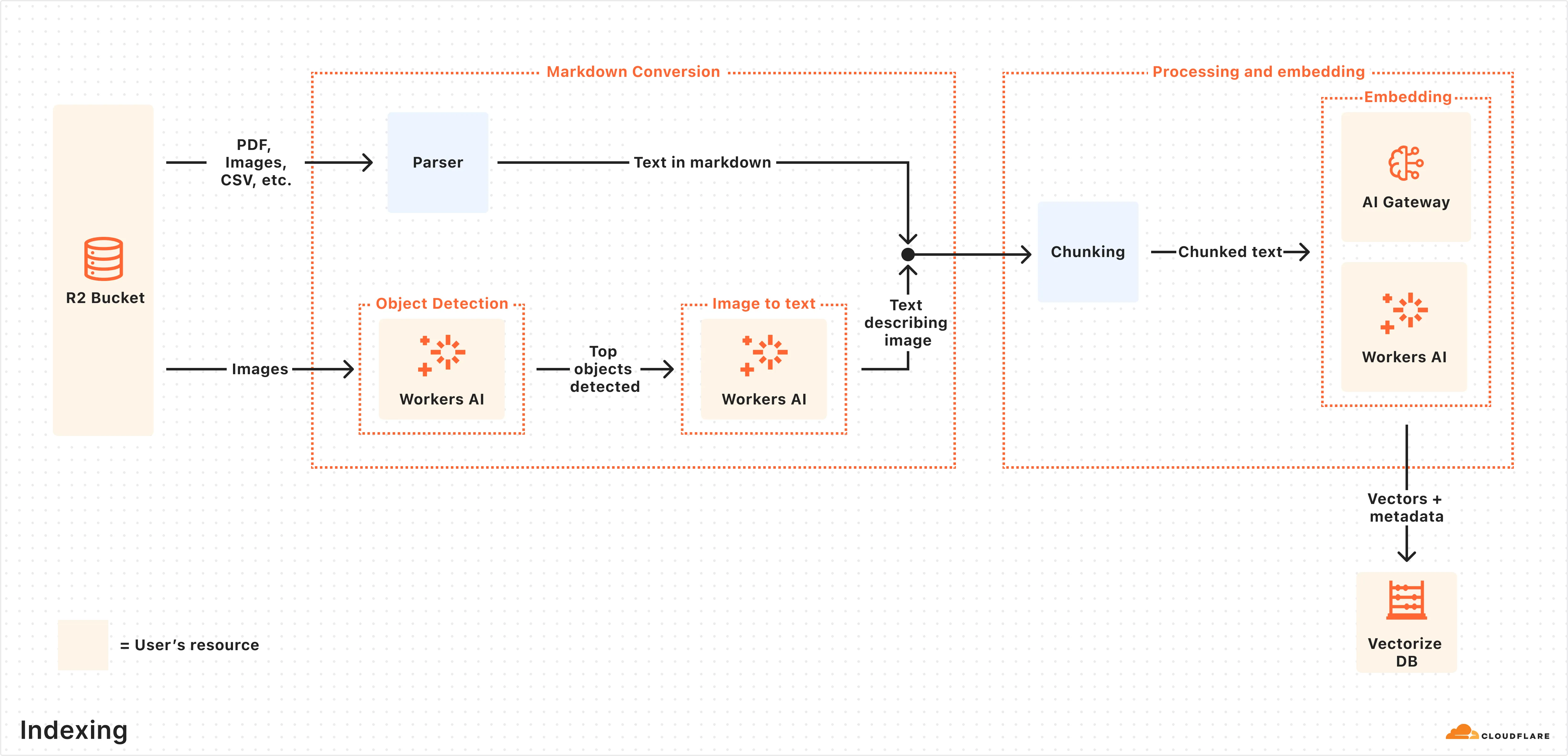
## How querying works
Once indexing is complete, AI Search is ready to respond to end-user queries in real time.
Here is how the querying pipeline works:
1. **Receive query from AI Search API:** The query workflow begins when you send a request to either the AI Search’s [AI Search](https://developers.cloudflare.com/ai-search/usage/rest-api/#ai-search) or [Search](https://developers.cloudflare.com/ai-search/usage/rest-api/#search) endpoints.
2. **Query rewriting (optional):** AI Search provides the option to [rewrite the input query](https://developers.cloudflare.com/ai-search/configuration/query-rewriting/) using one of Workers AI’s LLMs to improve retrieval quality by transforming the original query into a more effective search query.
3. **Embedding the query:** The rewritten (or original) query is transformed into a vector via the same embedding model used to embed your data so that it can be compared against your vectorized data to find the most relevant matches.
4. **Querying Vectorize index:** The query vector is [queried](https://developers.cloudflare.com/vectorize/best-practices/query-vectors/) against stored vectors in the associated Vectorize database for your AI Search.
5. **Content retrieval:** Vectorize returns the metadata of the most relevant chunks, and the original content is retrieved from the R2 bucket. If you are using the Search endpoint, the content is returned at this point.
6. **Response generation:** If you are using the AI Search endpoint, then a text-generation model from Workers AI is used to generate a response using the retrieved content and the original user’s query, combined via a [system prompt](https://developers.cloudflare.com/ai-search/configuration/system-prompt/). The context-aware response from the model is returned.
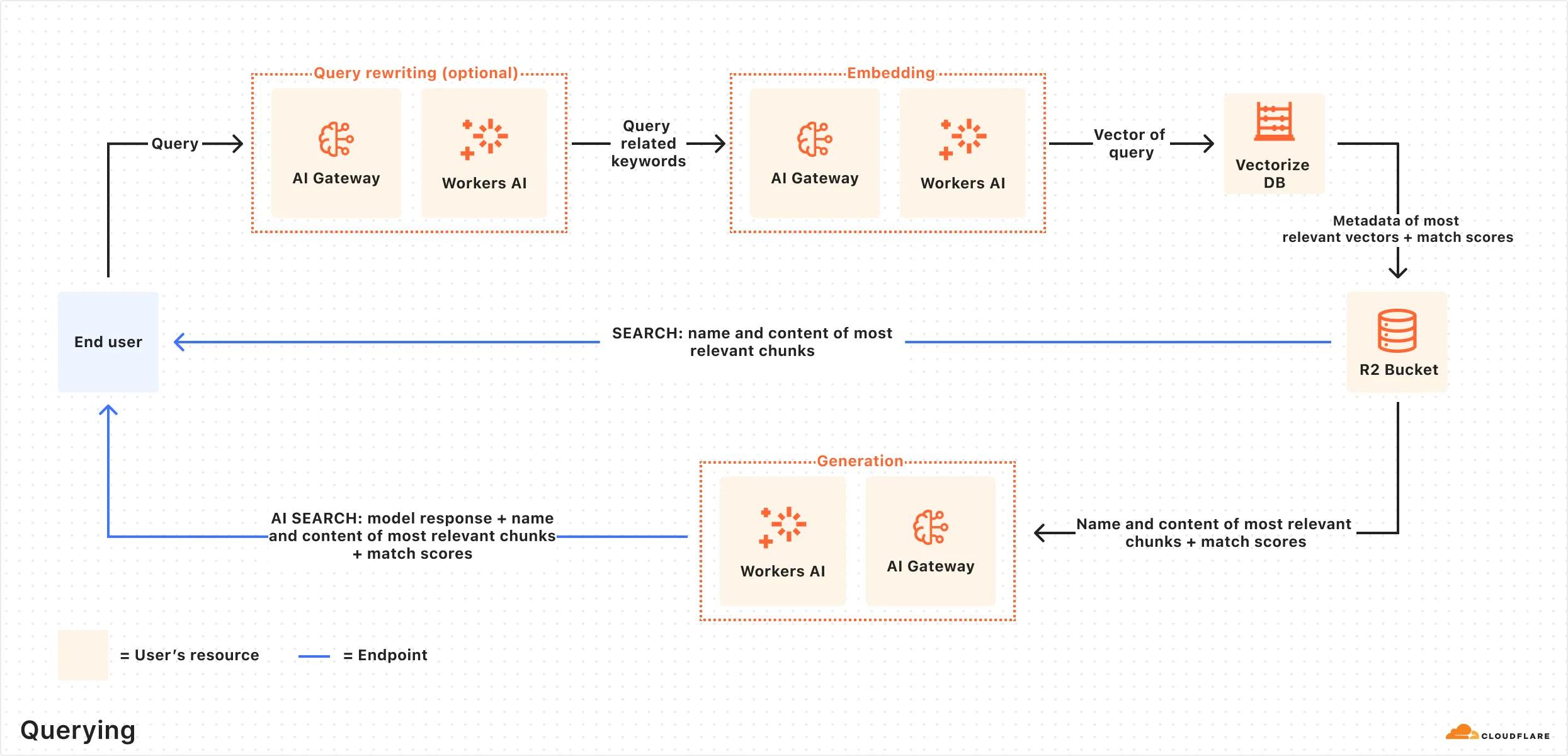
---
title: What is RAG · Cloudflare AI Search docs
description: Retrieval-Augmented Generation (RAG) is a way to use your own data
with a large language model (LLM). Instead of relying only on what the model
was trained on, RAG searches for relevant information from your data source
and uses it to help answer questions.
lastUpdated: 2025-09-24T17:03:07.000Z
chatbotDeprioritize: false
tags: LLM
source_url:
html: https://developers.cloudflare.com/ai-search/concepts/what-is-rag/
md: https://developers.cloudflare.com/ai-search/concepts/what-is-rag/index.md
---
Retrieval-Augmented Generation (RAG) is a way to use your own data with a large language model (LLM). Instead of relying only on what the model was trained on, RAG searches for relevant information from your data source and uses it to help answer questions.
## How RAG works
Here’s a simplified overview of the RAG pipeline:
1. **Indexing:** Your content (e.g. docs, wikis, product information) is split into smaller chunks and converted into vectors using an embedding model. These vectors are stored in a vector database.
2. **Retrieval:** When a user asks a question, it’s also embedded into a vector and used to find the most relevant chunks from the vector database.
3. **Generation:** The retrieved content and the user’s original question are combined into a single prompt. An LLM uses that prompt to generate a response.
The resulting response should be accurate, relevant, and based on your own data.
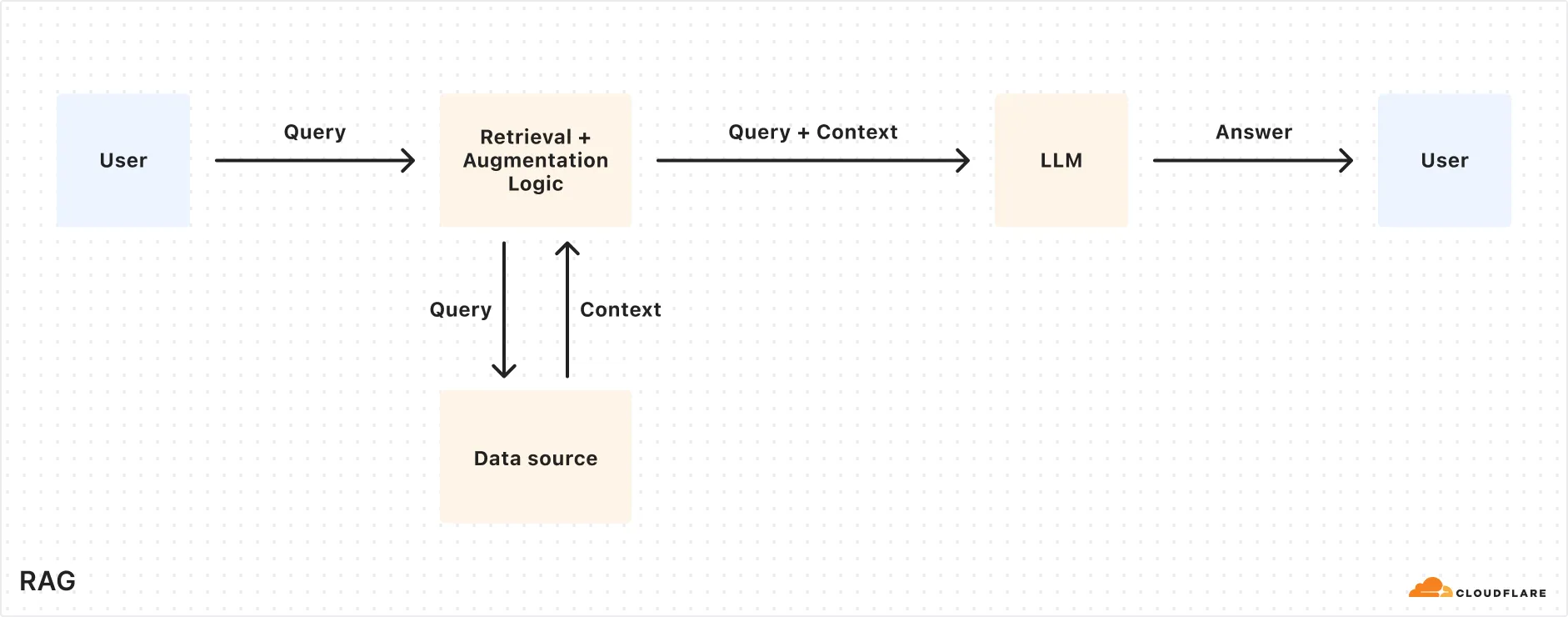
How does AI Search work
To learn more details about how AI Search uses RAG under the hood, reference [How AI Search works](https://developers.cloudflare.com/ai-search/concepts/how-ai-search-works/).
## Why use RAG?
RAG lets you bring your own data into LLM generation without retraining or fine-tuning a model. It improves both accuracy and trust by retrieving relevant content at query time and using that as the basis for a response.
Benefits of using RAG:
* **Accurate and current answers:** Responses are based on your latest content, not outdated training data.
* **Control over information sources:** You define the knowledge base so answers come from content you trust.
* **Fewer hallucinations:** Responses are grounded in real, retrieved data, reducing made-up or misleading answers.
* **No model training required:** You can get high-quality results without building or fine-tuning your own LLM which can be time consuming and costly.
RAG is ideal for building AI-powered apps like:
* AI assistants for internal knowledge
* Support chatbots connected to your latest content
* Enterprise search across documentation and files
---
title: Similarity cache · Cloudflare AI Search docs
description: Similarity-based caching in AI Search lets you serve responses from
Cloudflare’s cache for queries that are similar to previous requests, rather
than creating new, unique responses for every request. This speeds up response
times and cuts costs by reusing answers for questions that are close in
meaning.
lastUpdated: 2025-09-24T17:03:07.000Z
chatbotDeprioritize: false
source_url:
html: https://developers.cloudflare.com/ai-search/configuration/cache/
md: https://developers.cloudflare.com/ai-search/configuration/cache/index.md
---
Similarity-based caching in AI Search lets you serve responses from Cloudflare’s cache for queries that are similar to previous requests, rather than creating new, unique responses for every request. This speeds up response times and cuts costs by reusing answers for questions that are close in meaning.
## How It Works
Unlike with basic caching, which creates a new response with every request, this is what happens when a request is received using similarity-based caching:
1. AI Search checks if a *similar* prompt (based on your chosen threshold) has been answered before.
2. If a match is found, it returns the cached response instantly.
3. If no match is found, it generates a new response and caches it.
To see if a response came from the cache, check the `cf-aig-cache-status` header: `HIT` for cached and `MISS` for new.
## What to consider when using similarity cache
Consider these behaviors when using similarity caching:
* **Volatile Cache**: If two similar requests hit at the same time, the first might not cache in time for the second to use it, resulting in a `MISS`.
* **30-Day Cache**: Cached responses last 30 days, then expire automatically. No custom durations for now.
* **Data Dependency**: Cached responses are tied to specific document chunks. If those chunks change or get deleted, the cache clears to keep answers fresh.
## How similarity matching works
AI Search’s similarity cache uses **MinHash and Locality-Sensitive Hashing (LSH)** to find and reuse responses for prompts that are worded similarly.
Here’s how it works when a new prompt comes in:
1. The prompt is split into small overlapping chunks of words (called shingles), like “what’s the” or “the weather.”
2. These shingles are turned into a “fingerprint” using MinHash. The more overlap two prompts have, the more similar their fingerprints will be.
3. Fingerprints are placed into LSH buckets, which help AI Search quickly find similar prompts without comparing every single one.
4. If a past prompt in the same bucket is similar enough (based on your configured threshold), AI Search reuses its cached response.
## Choosing a threshold
The similarity threshold decides how close two prompts need to be to reuse a cached response. Here are the available thresholds:
| Threshold | Description | Example Match |
| - | - | - |
| Exact | Near-identical matches only | "What’s the weather like today?" matches with "What is the weather like today?" |
| Strong (default) | High semantic similarity | "What’s the weather like today?" matches with "How’s the weather today?" |
| Broad | Moderate match, more hits | "What’s the weather like today?" matches with "Tell me today’s weather" |
| Loose | Low similarity, max reuse | "What’s the weather like today?" matches with "Give me the forecast" |
Test these values to see which works best with your [RAG application](https://developers.cloudflare.com/ai-search/).
---
title: Chunking · Cloudflare AI Search docs
description: Chunking is the process of splitting large data into smaller
segments before embedding them for search. AI Search uses recursive chunking,
which breaks your content at natural boundaries (like paragraphs or
sentences), and then further splits it if the chunks are too large.
lastUpdated: 2026-02-23T17:33:33.000Z
chatbotDeprioritize: false
source_url:
html: https://developers.cloudflare.com/ai-search/configuration/chunking/
md: https://developers.cloudflare.com/ai-search/configuration/chunking/index.md
---
Chunking is the process of splitting large data into smaller segments before embedding them for search. AI Search uses **recursive chunking**, which breaks your content at natural boundaries (like paragraphs or sentences), and then further splits it if the chunks are too large.
## What is recursive chunking
Recursive chunking tries to keep chunks meaningful by:
* **Splitting at natural boundaries:** like paragraphs, then sentences.
* **Checking the size:** if a chunk is too long (based on token count), it’s split again into smaller parts.
This way, chunks are easy to embed and retrieve, without cutting off thoughts mid-sentence.
## Chunking controls
AI Search exposes two parameters to help you control chunking behavior:
* **Chunk size**: The number of tokens per chunk. The option range may vary depending on the model.
* **Chunk overlap**: The percentage of overlapping tokens between adjacent chunks.
* Minimum: `0%`
* Maximum: `30%`
These settings apply during the indexing step, before your data is embedded and stored in Vectorize.
## Choosing chunk size and overlap
Chunking affects both how your content is retrieved and how much context is passed into the generation model. Try out this external [chunk visualizer tool](https://huggingface.co/spaces/m-ric/chunk_visualizer) to help understand how different chunk settings could look.
### Additional considerations:
* **Vector index size:** Smaller chunk sizes produce more chunks and more total vectors. Refer to the [Vectorize limits](https://developers.cloudflare.com/vectorize/platform/limits/) to ensure your configuration stays within the maximum allowed vectors per index.
* **Generation model context window:** Generation models have a limited context window that must fit all retrieved chunks (`topK` × `chunk size`), the user query, and the model’s output. Be careful with large chunks or high topK values to avoid context overflows.
* **Cost and performance:** Larger chunks and higher topK settings result in more tokens passed to the model, which can increase latency and cost. You can monitor this usage in [AI Gateway](https://developers.cloudflare.com/ai-gateway/).
---
title: Data source · Cloudflare AI Search docs
description: "AI Search can directly ingest data from the following sources:"
lastUpdated: 2026-02-23T17:33:33.000Z
chatbotDeprioritize: false
source_url:
html: https://developers.cloudflare.com/ai-search/configuration/data-source/
md: https://developers.cloudflare.com/ai-search/configuration/data-source/index.md
---
AI Search can directly ingest data from the following sources:
| Data Source | Description |
| - | - |
| [Website](https://developers.cloudflare.com/ai-search/configuration/data-source/website/) | Connect a domain you own to index website pages. |
| [R2 Bucket](https://developers.cloudflare.com/ai-search/configuration/data-source/r2/) | Connect a Cloudflare R2 bucket to index stored documents. |
---
title: Indexing · Cloudflare AI Search docs
description: AI Search automatically indexes your data into vector embeddings
optimized for semantic search. Once a data source is connected, indexing runs
continuously in the background to keep your knowledge base fresh and
queryable.
lastUpdated: 2026-02-09T12:33:47.000Z
chatbotDeprioritize: false
source_url:
html: https://developers.cloudflare.com/ai-search/configuration/indexing/
md: https://developers.cloudflare.com/ai-search/configuration/indexing/index.md
---
AI Search automatically indexes your data into vector embeddings optimized for semantic search. Once a data source is connected, indexing runs continuously in the background to keep your knowledge base fresh and queryable.
## Jobs
AI Search automatically monitors your data source for updates and reindexes your content every **6 hours**. During each cycle, new or modified files are reprocessed to keep your Vectorize index up to date.
You can monitor the status and history of all indexing activity in the Jobs tab, including real-time logs for each job to help you troubleshoot and verify successful syncs.
## Controls
You can control indexing behavior through the following actions on the dashboard:
* **Sync Index**: Manually trigger AI Search to scan your data source for new, modified, or deleted files and initiate an indexing job to update the associated Vectorize index. A new indexing job can be initiated every 30 seconds.
* **Sync Individual File**: Trigger a sync for a specific file from the **Overview** page. Go to **Indexed Items** and select the sync icon next to the specific file you want to reindex.
* **Pause Indexing**: Temporarily stop all scheduled indexing checks and reprocessing. Useful for debugging or freezing your knowledge base.
## Performance
The total time to index depends on the number and type of files in your data source. Factors that affect performance include:
* Total number of files and their sizes
* File formats (for example, images take longer than plain text)
* Latency of Workers AI models used for embedding and image processing
## Best practices
To ensure smooth and reliable indexing:
* Make sure your files are within the [**size limit**](https://developers.cloudflare.com/ai-search/platform/limits-pricing/#limits) and in a supported format to avoid being skipped.
* Keep your Service API token valid to prevent indexing failures.
* Regularly clean up outdated or unnecessary content in your knowledge base to avoid hitting [Vectorize index limits](https://developers.cloudflare.com/vectorize/platform/limits/).
---
title: Metadata · Cloudflare AI Search docs
description: Use metadata to filter documents before retrieval and provide
context to guide AI responses. This page covers how to apply filters and
attach optional context metadata to your files.
lastUpdated: 2025-09-24T17:03:07.000Z
chatbotDeprioritize: false
source_url:
html: https://developers.cloudflare.com/ai-search/configuration/metadata/
md: https://developers.cloudflare.com/ai-search/configuration/metadata/index.md
---
Use metadata to filter documents before retrieval and provide context to guide AI responses. This page covers how to apply filters and attach optional context metadata to your files.
## Metadata filtering
Metadata filtering narrows down search results based on metadata, so only relevant content is retrieved. The filter narrows down results prior to retrieval, so that you only query the scope of documents that matter.
Here is an example of metadata filtering using [Workers Binding](https://developers.cloudflare.com/ai-search/usage/workers-binding/) but it can be easily adapted to use the [REST API](https://developers.cloudflare.com/ai-search/usage/rest-api/) instead.
```js
const answer = await env.AI.autorag("my-autorag").search({
query: "How do I train a llama to deliver coffee?",
filters: {
type: "and",
filters: [
{
type: "eq",
key: "folder",
value: "llama/logistics/",
},
{
type: "gte",
key: "timestamp",
value: "1735689600000", // unix timestamp for 2025-01-01
},
],
},
});
```
### Metadata attributes
| Attribute | Description | Example |
| - | - | - |
| `filename` | The name of the file. | `dog.png` or `animals/mammals/cat.png` |
| `folder` | The folder or prefix to the object. | For the object `animals/mammals/cat.png`, the folder is `animals/mammals/` |
| `timestamp` | The timestamp for when the object was last modified. Comparisons are supported using a 13-digit Unix timestamp (milliseconds), but values will be rounded down to 10 digits (seconds). | The timestamp `2025-01-01 00:00:00.999 UTC` is `1735689600999` and it will be rounded down to `1735689600000`, corresponding to `2025-01-01 00:00:00 UTC` |
### Filter schema
You can create simple comparison filters or an array of comparison filters using a compound filter.
#### Comparison filter
You can compare a metadata attribute (for example, `folder` or `timestamp`) with a target value using a comparison filter.
```js
filters: {
type: "operator",
key: "metadata_attribute",
value: "target_value"
}
```
The available operators for the comparison are:
| Operator | Description |
| - | - |
| `eq` | Equals |
| `ne` | Not equals |
| `gt` | Greater than |
| `gte` | Greater than or equals to |
| `lt` | Less than |
| `lte` | Less than or equals to |
#### Compound filter
You can use a compound filter to combine multiple comparison filters with a logical operator.
```js
filters: {
type: "compound_operator",
filters: [...]
}
```
The available compound operators are: `and`, `or`.
Note the following limitations with the compound operators:
* No nesting combinations of `and`'s and `or`'s, meaning you can only pick 1 `and` or 1 `or`.
* When using `or`:
* Only the `eq` operator is allowed.
* All conditions must filter on the **same key** (for example, all on `folder`)
#### "Starts with" filter for folders
You can use "starts with" filtering on the `folder` metadata attribute to search for all files and subfolders within a specific path.
For example, consider this file structure:
If you were to filter using an `eq` (equals) operator with `value: "customer-a/"`, it would only match files directly within that folder, like `profile.md`. It would not include files in subfolders like `customer-a/contracts/`.
To recursively filter for all items starting with the path `customer-a/`, you can use the following compound filter:
```js
filters: {
type: "and",
filters: [
{
type: "gt",
key: "folder",
value: "customer-a//",
},
{
type: "lte",
key: "folder",
value: "customer-a/z",
},
],
},
```
This filter identifies paths starting with `customer-a/` by using:
* The `and` condition to combine the effects of the `gt` and `lte` conditions.
* The `gt` condition to include paths greater than the `/` ASCII character.
* The `lte` condition to include paths less than and including the lower case `z` ASCII character.
Together, these conditions effectively select paths that begin with the provided path value.
## Add `context` field to guide AI Search
You can optionally include a custom metadata field named `context` when uploading an object to your R2 bucket.
The `context` field is attached to each chunk and passed to the LLM during an `/ai-search` query. It does not affect retrieval but helps the LLM interpret and frame the answer.
The field can be used for providing document summaries, source links, or custom instructions without modifying the file content.
You can add [custom metadata](https://developers.cloudflare.com/r2/api/workers/workers-api-reference/#r2putoptions) to an object in the `/PUT` operation when uploading the object to your R2 bucket. For example if you are using the [Workers binding with R2](https://developers.cloudflare.com/r2/api/workers/workers-api-usage/):
```javascript
await env.MY_BUCKET.put("cat.png", file, {
customMetadata: {
context: "This is a picture of Joe's cat. His name is Max."
}
});
```
During `/ai-search`, this context appears in the response under `attributes.file.context`, and is included in the data passed to the LLM for generating a response.
## Response
You can see the metadata attributes of your retrieved data in the response under the property `attributes` for each retrieved chunk. For example:
```js
"data": [
{
"file_id": "llama001",
"filename": "llama/logistics/llama-logistics.md",
"score": 0.45,
"attributes": {
"timestamp": 1735689600000, // unix timestamp for 2025-01-01
"folder": "llama/logistics/",
"file": {
"url": "www.llamasarethebest.com/logistics"
"context": "This file contains information about how llamas can logistically deliver coffee."
}
},
"content": [
{
"id": "llama001",
"type": "text",
"text": "Llamas can carry 3 drinks max."
}
]
}
]
```
---
title: Models · Cloudflare AI Search docs
description: AI Search uses models at multiple stages. You can configure which
models are used, or let AI Search automatically select a smart default for
you.
lastUpdated: 2026-02-23T17:33:33.000Z
chatbotDeprioritize: false
source_url:
html: https://developers.cloudflare.com/ai-search/configuration/models/
md: https://developers.cloudflare.com/ai-search/configuration/models/index.md
---
AI Search uses models at multiple stages. You can configure which models are used, or let AI Search automatically select a smart default for you.
## Models usage
AI Search leverages Workers AI models in the following stages:
* Image to markdown conversion (if images are in data source): Converts image content to Markdown using object detection and captioning models.
* Embedding: Transforms your documents and queries into vector representations for semantic search.
* Query rewriting (optional): Reformulates the user’s query to improve retrieval accuracy.
* Generation: Produces the final response from retrieved context.
## Model providers
All AI Search instances support models from [Workers AI](https://developers.cloudflare.com/workers-ai). You can use other providers (such as OpenAI or Anthropic) in AI Search by adding their API keys to an [AI Gateway](https://developers.cloudflare.com/ai-gateway) and connecting that gateway to your AI Search.
To use AI Search with other model providers:
1. Add provider keys to [AI Gateway](https://developers.cloudflare.com/ai-gateway/configuration/bring-your-own-keys/)
2. Connect the gateway to AI Search
* When creating a new AI Search, select the AI Gateway with your provider keys.
* For an existing AI Search, go to **Settings** and switch to a gateway that has your keys under **Resources**.
1. Select models
* Embedding model: Only available to be changed when creating a new AI Search.
* Generation model: Can be selected when creating a new AI Search and can be changed at any time in **Settings**.
AI Search supports a subset of models that have been selected to provide the best experience. See list of [supported models](https://developers.cloudflare.com/ai-search/configuration/models/supported-models/).
### Smart default
If you choose **Smart Default** in your model selection, then AI Search will select a Cloudflare recommended model and will update it automatically for you over time. You can switch to explicit model configuration at any time by visiting **Settings**.
### Per-request generation model override
While the generation model can be set globally at the AI Search instance level, you can also override it on a per-request basis in the [AI Search API](https://developers.cloudflare.com/ai-search/usage/rest-api/#ai-search). This is useful if your [RAG application](https://developers.cloudflare.com/ai-search/) requires dynamic selection of generation models based on context or user preferences.
## Model deprecation
AI Search may deprecate support for a given model in order to provide support for better-performing models with improved capabilities. When a model is being deprecated, we announce the change and provide an end-of-life date after which the model will no longer be accessible. Applications that depend on AI Search may therefore require occasional updates to continue working reliably.
### Model lifecycle
AI Search models follow a defined lifecycle to ensure stability and predictable deprecation:
1. **Production:** The model is actively supported and recommended for use. It is included in Smart Defaults and receives ongoing updates and maintenance.
2. **Announcement & Transition:** The model remains available but has been marked for deprecation. An end-of-life date is communicated through documentation, release notes, and other official channels. During this phase, users are encouraged to migrate to the recommended replacement model.
3. **Automatic Upgrade (if applicable):** If you have selected the Smart Default option, AI Search will automatically upgrade requests to a recommended replacement.
4. **End of life:** The model is no longer available. Any requests to the retired model return a clear error message, and the model is removed from documentation and Smart Defaults.
See models are their lifecycle status in [supported models](https://developers.cloudflare.com/ai-search/configuration/models/supported-models/).
### Best practices
* Regularly check the [release note](https://developers.cloudflare.com/ai-search/platform/release-note/) for updates.
* Plan migration efforts according to the communicated end-of-life date.
* Migrate and test the recommended replacement models before the end-of-life date.
---
title: Path filtering · Cloudflare AI Search docs
description: Path filtering allows you to control which files or URLs are
indexed by defining include and exclude patterns. Use this to limit indexing
to specific content or to skip files you do not want searchable.
lastUpdated: 2026-02-23T17:33:33.000Z
chatbotDeprioritize: false
source_url:
html: https://developers.cloudflare.com/ai-search/configuration/path-filtering/
md: https://developers.cloudflare.com/ai-search/configuration/path-filtering/index.md
---
Path filtering allows you to control which files or URLs are indexed by defining include and exclude patterns. Use this to limit indexing to specific content or to skip files you do not want searchable.
Path filtering works with both [website](https://developers.cloudflare.com/ai-search/configuration/data-source/website/) and [R2](https://developers.cloudflare.com/ai-search/configuration/data-source/r2/) data sources.
## Configuration
You can configure path filters when creating or editing an AI Search instance. In the dashboard, open **Path Filters** and add your include or exclude rules. You can also update path filters at any time from the **Settings** page of your instance.
When using the REST API, specify `include_items` and `exclude_items` in the `source_params` of your configuration:
| Parameter | Type | Limit | Description |
| - | - | - | - |
| `include_items` | `string[]` | Maximum 10 patterns | Only index items matching at least one of these patterns |
| `exclude_items` | `string[]` | Maximum 10 patterns | Skip items matching any of these patterns |
Both parameters are optional. If neither is specified, all items from the data source are indexed.
## Filtering behavior
### Wildcard rules
Exclude rules take precedence over include rules. Filtering is applied in this order:
1. **Exclude check**: If the item matches any exclude pattern, it is skipped.
2. **Include check**: If include patterns are defined and the item does not match any of them, it is skipped.
3. **Index**: The item proceeds to indexing.
| Scenario | Behavior |
| - | - |
| No rules defined | All items are indexed |
| Only `exclude_items` defined | All items except those matching exclude patterns are indexed |
| Only `include_items` defined | Only items matching at least one include pattern are indexed |
| Both defined | Exclude patterns are checked first, then remaining items must match an include pattern |
### Pattern syntax
Patterns use a case-sensitive wildcard syntax based on [micromatch](https://github.com/micromatch/micromatch):
| Wildcard | Meaning |
| - | - |
| `*` | Matches any characters except path separators (`/`) |
| `**` | Matches any characters including path separators (`/`) |
Patterns can contain:
* Letters, numbers, and underscores (`a-z`, `A-Z`, `0-9`, `_`)
* Hyphens (`-`) and dots (`.`)
* Path separators (`/`)
* URL characters (`?`, `:`, `=`, `&`, `%`)
* Wildcards (`*`, `**`)
### Indexing job status
Items skipped by filtering rules are recorded in job logs with the reason:
* Exclude match: `Skipped by rule: {pattern}`
* No include match: `Skipped by Include Rules`
You can view these in the Jobs tab of your AI Search instance to verify your filters are working as expected.
### Important notes
* **Case sensitivity:** Pattern matching is case-sensitive. `/Blog/*` does not match `/blog/post.html`.
* **Full path matching:** Patterns match the entire path or URL. Use `**` at the beginning for partial matching. For example, `docs/*` matches `docs/file.pdf` but not `site/docs/file.pdf`, while `**/docs/*` matches both.
* **Single `*` does not cross directories:** Use `**` to match across path separators. For example, `docs/*` matches `docs/file.pdf` but not `docs/sub/file.pdf`, while `docs/**` matches both.
* **Trailing slashes matter:** URLs are matched as-is without normalization. `/blog/` does not match `/blog`.
## Examples
### R2 data source
| Use case | Pattern | Indexed | Skipped |
| - | - | - | - |
| Index only PDFs in docs | Include: `/docs/**/*.pdf` | `/docs/guide.pdf`, `/docs/api/ref.pdf` | `/docs/guide.md`, `/images/logo.png` |
| Exclude temp and backup files | Exclude: `**/*.tmp`, `**/*.bak` | `/docs/guide.md` | `/data/cache.tmp`, `/old.bak` |
| Exclude temp and backup folders | Exclude: `/temp/**`, `/backup/**` | `/docs/guide.md` | `/temp/file.txt`, `/backup/data.json` |
| Index docs but exclude drafts | Include: `/docs/**`, Exclude: `/docs/drafts/**` | `/docs/guide.md` | `/docs/drafts/wip.md` |
### Website data source
| Use case | Pattern | Indexed | Skipped |
| - | - | - | - |
| Index only blog pages | Include: `**/blog/**` | `example.com/blog/post`, `example.com/en/blog/article` | `example.com/about` |
| Exclude admin pages | Exclude: `**/admin/**` | `example.com/blog/post` | `example.com/admin/settings` |
| Exclude login pages | Exclude: `**/login*` | `example.com/blog/post` | `example.com/login`, `example.com/auth/login-form` |
| Index docs but exclude drafts | Include: `**/docs/**`, Exclude: `**/docs/drafts/**` | `example.com/docs/guide` | `example.com/docs/drafts/wip` |
### API format
When using the API, specify patterns in `source_params`:
```json
{
"source_params": {
"include_items": ["", ""],
"exclude_items": ["", ""]
}
}
```
---
title: Query rewriting · Cloudflare AI Search docs
description: Query rewriting is an optional step in the AI Search pipeline that
improves retrieval quality by transforming the original user query into a more
effective search query.
lastUpdated: 2026-01-19T17:29:33.000Z
chatbotDeprioritize: false
source_url:
html: https://developers.cloudflare.com/ai-search/configuration/query-rewriting/
md: https://developers.cloudflare.com/ai-search/configuration/query-rewriting/index.md
---
Query rewriting is an optional step in the AI Search pipeline that improves retrieval quality by transforming the original user query into a more effective search query.
Instead of embedding the raw user input directly, AI Search can use a large language model (LLM) to rewrite the query based on a system prompt. The rewritten query is then used to perform the vector search.
## Why use query rewriting?
The wording of a user’s question may not match how your documents are written. Query rewriting helps bridge this gap by:
* Rephrasing informal or vague queries into precise, information-dense terms
* Adding synonyms or related keywords
* Removing filler words or irrelevant details
* Incorporating domain-specific terminology
This leads to more relevant vector matches which improves the accuracy of the final generated response.
## Example
**Original query:** `how do i make this work when my api call keeps failing?`
**Rewritten query:** `API call failure troubleshooting authentication headers rate limiting network timeout 500 error`
In this example, the original query is conversational and vague. The rewritten version extracts the core problem (API call failure) and expands it with relevant technical terms and likely causes. These terms are much more likely to appear in documentation or logs, improving semantic matching during vector search.
## How it works
If query rewriting is enabled, AI Search performs the following:
1. Sends the **original user query** and the **query rewrite system prompt** to the configured LLM
2. Receives the **rewritten query** from the model
3. Embeds the rewritten query using the selected embedding model
4. Performs vector search in your AI Search's Vectorize index
For details on how to guide model behavior during this step, see the [system prompt](https://developers.cloudflare.com/ai-search/configuration/system-prompt/) documentation.
Note
All AI Search requests are routed through [AI Gateway](https://developers.cloudflare.com/ai-gateway/) and logged there. If you do not select an AI Gateway during setup, AI Search creates a default gateway for your instance. You can view query rewrites, embeddings, text generation, and other model calls in the AI Gateway logs for monitoring and debugging.
---
title: Reranking · Cloudflare AI Search docs
description: Reranking can help improve the quality of AI Search results by
reordering retrieved documents based on semantic relevance to the user’s
query. It applies a secondary model after retrieval to "rerank" the top
results before they are outputted.
lastUpdated: 2026-02-23T17:33:33.000Z
chatbotDeprioritize: false
source_url:
html: https://developers.cloudflare.com/ai-search/configuration/reranking/
md: https://developers.cloudflare.com/ai-search/configuration/reranking/index.md
---
Reranking can help improve the quality of AI Search results by reordering retrieved documents based on semantic relevance to the user’s query. It applies a secondary model after retrieval to "rerank" the top results before they are outputted.
## How it works
By default, reranking is **disabled** for all AI Search instances. You can enable it during creation or later from the settings page.
When enabled, AI Search will:
1. Retrieve a set of relevant results from your index, constrained by your `max_num_of_results` and `score_threshold` parameters.
2. Pass those results through a [reranking model](https://developers.cloudflare.com/ai-search/configuration/models/supported-models/).
3. Return the reranked results, which the text generation model can use for answer generation.
Reranking helps improve accuracy, especially for large or noisy datasets where vector similarity alone may not produce the optimal ordering.
## Configuration
You can configure reranking in several ways:
### Configure via API
When you make a `/search` or `/ai-search` request using the [Workers Binding](https://developers.cloudflare.com/ai-search/usage/workers-binding/) or [REST API](https://developers.cloudflare.com/ai-search/usage/rest-api/), you can:
* Enable or disable reranking per request
* Specify the reranking model
For example:
```javascript
const answer = await env.AI.autorag("my-autorag").aiSearch({
query: "How do I train a llama to deliver coffee?",
model: "@cf/meta/llama-3.3-70b-instruct-fp8-fast",
reranking: {
enabled: true,
model: "@cf/baai/bge-reranker-base"
}
});
```
### Configure in dashboard for new AI Search
When creating a new RAG in the dashboard:
1. Go to **AI Search** in the Cloudflare dashboard.
[Go to **AI Search**](https://dash.cloudflare.com/?to=/:account/ai/ai-search)
2. Select **Create** > **Get started**.
3. In the **Retrieval configuration** step, open the **Reranking** dropdown.
4. Toggle **Reranking** on.
5. Select the reranking model.
6. Complete your setup.
### Configure in dashboard for existing AI Search
To update reranking for an existing instance:
1. Go to **AI Search** in the Cloudflare dashboard.
[Go to **AI Search**](https://dash.cloudflare.com/?to=/:account/ai/ai-search)
2. Select an existing AI Search instance.
3. Go to the **Settings** tab.
4. Under **Reranking**, toggle reranking on.
5. Select the reranking model.
### Considerations
Adding reranking will include an additional step to the query request, as a result, there may be an increase in the latency of the request.
---
title: Retrieval configuration · Cloudflare AI Search docs
description: "AI Search allows you to configure how content is retrieved from
your vector index and used to generate a final response. Two options control
this behavior:"
lastUpdated: 2025-09-24T17:03:07.000Z
chatbotDeprioritize: false
source_url:
html: https://developers.cloudflare.com/ai-search/configuration/retrieval-configuration/
md: https://developers.cloudflare.com/ai-search/configuration/retrieval-configuration/index.md
---
AI Search allows you to configure how content is retrieved from your vector index and used to generate a final response. Two options control this behavior:
* **Match threshold**: Minimum similarity score required for a vector match to be considered relevant.
* **Maximum number of results**: Maximum number of top-matching results to return (`top_k`).
AI Search uses the [`query()`](https://developers.cloudflare.com/vectorize/best-practices/query-vectors/) method from [Vectorize](https://developers.cloudflare.com/vectorize/) to perform semantic search. This function compares the embedded query vector against the stored vectors in your index and returns the most similar results.
## Match threshold
The `match_threshold` sets the minimum similarity score (for example, cosine similarity) that a document chunk must meet to be included in the results. Threshold values range from `0` to `1`.
* A higher threshold means stricter filtering, returning only highly similar matches.
* A lower threshold allows broader matches, increasing recall but possibly reducing precision.
## Maximum number of results
This setting controls the number of top-matching chunks returned by Vectorize after filtering by similarity score. It corresponds to the `topK` parameter in `query()`. The maximum allowed value is 50.
* Use a higher value if you want to synthesize across multiple documents. However, providing more input to the model can increase latency and cost.
* Use a lower value if you prefer concise answers with minimal context.
## How they work together
AI Search's retrieval step follows this sequence:
1. Your query is embedded using the configured Workers AI model.
2. `query()` is called to search the Vectorize index, with `topK` set to the `maximum_number_of_results`.
3. Results are filtered using the `match_threshold`.
4. The filtered results are passed into the generation step as context.
If no results meet the threshold, AI Search will not generate a response.
## Configuration
These values can be configured at the AI Search instance level or overridden on a per-request basis using the [REST API](https://developers.cloudflare.com/ai-search/usage/rest-api/) or the [Workers Binding](https://developers.cloudflare.com/ai-search/usage/workers-binding/).
Use the parameters `match_threshold` and `max_num_results` to customize retrieval behavior per request.
---
title: Service API token · Cloudflare AI Search docs
description: A service API token grants AI Search permission to access and
configure resources in your Cloudflare account. This token is different from
API tokens you use to interact with your AI Search instance.
lastUpdated: 2026-02-23T17:33:33.000Z
chatbotDeprioritize: false
source_url:
html: https://developers.cloudflare.com/ai-search/configuration/service-api-token/
md: https://developers.cloudflare.com/ai-search/configuration/service-api-token/index.md
---
A service API token grants AI Search permission to access and configure resources in your Cloudflare account. This token is different from API tokens you use to interact with your AI Search instance.
Beta
Service API tokens are required during the AI Search beta. This requirement may change in future releases.
## What is a service API token
When you create an AI Search instance, it needs to interact with other Cloudflare services on your behalf, such as [R2](https://developers.cloudflare.com/r2/), [Vectorize](https://developers.cloudflare.com/vectorize/), and [Workers AI](https://developers.cloudflare.com/workers-ai/). The service API token authorizes AI Search to perform these operations. Without it, AI Search cannot index your data or respond to queries.
This token requires the AI Search Index Engine permission (`9e9b428a0bcd46fd80e580b46a69963c`) which grants access to run AI Search Index Engine.
## Service API token vs. AI Search API token
AI Search uses two types of API tokens for different purposes:
| Token type | Purpose | Who uses it | When to create |
| - | - | - | - |
| Service API token | Grants AI Search permission to access R2, Vectorize, Browser Rendering and Workers AI | AI Search (internal) | Once per account, during first instance creation |
| AI Search API token | Authenticates your requests to query or manage AI Search instances | You (external) | When calling the AI Search REST API |
The **service API token** is used internally by AI Search to perform background operations like indexing your content and generating responses. You create it once and AI Search uses it automatically.
The **AI Search API token** is a standard [Cloudflare API token](https://developers.cloudflare.com/fundamentals/api/get-started/create-token/) that you create with AI Search permissions. You use this token to authenticate REST API requests, such as creating instances, updating configuration, or querying your AI Search.
## How it works
When you create an AI Search instance via the [dashboard](https://developers.cloudflare.com/ai-search/get-started/dashboard/), the service API token is created automatically as part of the setup flow.
When you create an instance via the [API](https://developers.cloudflare.com/ai-search/get-started/api/), you must create and register the service API token manually before creating your instance.
Once registered, the service API token is stored securely and reused across all AI Search instances in your account. You do not need to create a new token for each instance.
## Token lifecycle
The service API token remains active for as long as you have AI Search instances that depend on it.
Warning
Do not delete your service API token. If you revoke or delete the token, your AI Search instances will lose access to the underlying resources and stop functioning.
If you need a new service API token, you can create one via the dashboard or the API.
### Dashboard
1. Go to an existing AI Search instance in the [Cloudflare dashboard](https://dash.cloudflare.com/?to=/:account/ai/ai-search).
2. Select **Settings**.
3. Under **General**, find **Service API Token** and select the edit icon.
4. Select **Create a new token**.
5. Select **Save**.
### API
Follow steps 1-4 in the [API guide](https://developers.cloudflare.com/ai-search/get-started/api/) to create and register a new token programmatically.
## View registered tokens
You can view the service API tokens registered with AI Search in your account using the [List tokens API](https://developers.cloudflare.com/api/resources/ai_search/subresources/tokens/methods/list/). Replace `` with an API token that has AI Search read permissions.
```bash
curl https://api.cloudflare.com/client/v4/accounts//ai-search/tokens \
-H "Authorization: Bearer "
```
---
title: System prompt · Cloudflare AI Search docs
description: "System prompts allow you to guide the behavior of the
text-generation models used by AI Search at query time. AI Search supports
system prompt configuration in two steps:"
lastUpdated: 2026-02-23T17:33:33.000Z
chatbotDeprioritize: false
source_url:
html: https://developers.cloudflare.com/ai-search/configuration/system-prompt/
md: https://developers.cloudflare.com/ai-search/configuration/system-prompt/index.md
---
System prompts allow you to guide the behavior of the text-generation models used by AI Search at query time. AI Search supports system prompt configuration in two steps:
* **Query rewriting**: Reformulates the original user query to improve semantic retrieval. A system prompt can guide how the model interprets and rewrites the query.
* **Generation**: Generates the final response from retrieved context. A system prompt can help define how the model should format, filter, or prioritize information when constructing the answer.
## What is a system prompt?
A system prompt is a special instruction sent to a large language model (LLM) that guides how it behaves during inference. The system prompt defines the model's role, context, or rules it should follow.
System prompts are particularly useful for:
* Enforcing specific response formats
* Constraining behavior (for example, it only responds based on the provided content)
* Applying domain-specific tone or terminology
* Encouraging consistent, high-quality output
## System prompt configuration
### Default system prompt
When configuring your AI Search instance, you can provide your own system prompts. If you do not provide a system prompt, AI Search will use the **default system prompt** provided by Cloudflare.
You can view the effective system prompt used for any AI Search's model call through AI Gateway logs, where model inputs and outputs are recorded.
Note
The default system prompt can change and evolve over time to improve performance and quality.
### Configure via API
When you make a `/ai-search` request using the [Workers Binding](https://developers.cloudflare.com/ai-search/usage/workers-binding/) or [REST API](https://developers.cloudflare.com/ai-search/usage/rest-api/), you can set the system prompt programmatically.
For example:
```javascript
const answer = await env.AI.autorag("my-autorag").aiSearch({
query: "How do I train a llama to deliver coffee?",
model: "@cf/meta/llama-3.3-70b-instruct-fp8-fast",
system_prompt: "You are a helpful assistant."
});
```
### Configure via Dashboard
The system prompt for your AI Search can be set after it has been created:
1. Go to **AI Search** in the Cloudflare dashboard. [Go to **AI Search**](https://dash.cloudflare.com/?to=/:account/ai/ai-search)
2. Select an existing AI Search instance.
3. Go to the **Settings** tab.
4. Go to **Query rewrite** or **Generation**, and edit the **System prompt**.
## Generation system prompt
If you are using the AI Search API endpoint, you can use the system prompt to influence how the LLM responds to the final user query using the retrieved results. At this step, the model receives:
* The user's original query
* Retrieved document chunks (with metadata)
* The generation system prompt
The model uses these inputs to generate a context-aware response.
### Example
```plaintext
You are a helpful AI assistant specialized in answering questions using retrieved documents.
Your task is to provide accurate, relevant answers based on the matched content provided.
For each query, you will receive:
User's question/query
A set of matched documents, each containing:
- File name
- File content
You should:
1. Analyze the relevance of matched documents
2. Synthesize information from multiple sources when applicable
3. Acknowledge if the available documents don't fully answer the query
4. Format the response in a way that maximizes readability, in Markdown format
Answer only with direct reply to the user question, be concise, omit everything which is not directly relevant, focus on answering the question directly and do not redirect the user to read the content.
If the available documents don't contain enough information to fully answer the query, explicitly state this and provide an answer based on what is available.
Important:
- Cite which document(s) you're drawing information from
- Present information in order of relevance
- If documents contradict each other, note this and explain your reasoning for the chosen answer
- Do not repeat the instructions
```
## Query rewriting system prompt
If query rewriting is enabled, you can provide a custom system prompt to control how the model rewrites user queries. In this step, the model receives:
* The query rewrite system prompt
* The original user query
The model outputs a rewritten query optimized for semantic retrieval.
### Example
```text
You are a search query optimizer for vector database searches. Your task is to reformulate user queries into more effective search terms.
Given a user's search query, you must:
1. Identify the core concepts and intent
2. Add relevant synonyms and related terms
3. Remove irrelevant filler words
4. Structure the query to emphasize key terms
5. Include technical or domain-specific terminology if applicable
Provide only the optimized search query without any explanations, greetings, or additional commentary.
Example input: "how to fix a bike tire that's gone flat"
Example output: "bicycle tire repair puncture fix patch inflate maintenance flat tire inner tube replacement"
Constraints:
- Output only the enhanced search terms
- Keep focus on searchable concepts
- Include both specific and general related terms
- Maintain all important meaning from original query
```
---
title: API · Cloudflare AI Search docs
description: Create AI Search instances programmatically using the REST API.
lastUpdated: 2026-02-23T17:33:33.000Z
chatbotDeprioritize: false
source_url:
html: https://developers.cloudflare.com/ai-search/get-started/api/
md: https://developers.cloudflare.com/ai-search/get-started/api/index.md
---
This guide walks you through creating an AI Search instance programmatically using the REST API. This requires setting up a [service API token](https://developers.cloudflare.com/ai-search/configuration/service-api-token/) for system-to-system authentication.
Already have a service token?
If you have created an AI Search instance via the dashboard at least once, your account already has a [service API token](https://developers.cloudflare.com/ai-search/configuration/service-api-token/) registered. The `token_id` parameter is optional and you can skip to [Step 5: Create an AI Search instance](#5-create-an-ai-search-instance).
## Prerequisites
AI Search integrates with R2 for storing your data. You must have an active R2 subscription before creating your first AI Search instance.
[Go to **R2 Overview**](https://dash.cloudflare.com/?to=/:account/r2/overview)
## 1. Create an API token with token creation permissions
AI Search requires a service API token to access R2 and other resources on your behalf. To create this service token programmatically, you first need an [API token](https://developers.cloudflare.com/fundamentals/api/get-started/create-token/) with permission to create other tokens.
1. In the Cloudflare dashboard, go to **My Profile** > **API Tokens**.
2. Select **Create Token**.
3. Select **Create Custom Token**.
4. Enter a **Token name**, for example `Token Creator`.
5. Under **Permissions**, select **User** > **API Tokens** > **Edit**.
6. Select **Continue to summary**, then select **Create Token**.
7. Copy and save the token value. This is your `API_TOKEN` for the next step.
Note
The steps above create a user-owned token. You can also create an account-owned token. Refer to [Create tokens via API](https://developers.cloudflare.com/fundamentals/api/how-to/create-via-api/) for more information.
## 2. Create a service API token
Use the [Create token API](https://developers.cloudflare.com/api/resources/user/subresources/tokens/methods/create/) to create a [service API token](https://developers.cloudflare.com/ai-search/configuration/service-api-token/). This token allows AI Search to access resources in your account on your behalf, such as R2, Vectorize, and Workers AI.
1. Run the following request to create a service API token. Replace `` with the token from step 1 and `` with your [account ID](https://developers.cloudflare.com/fundamentals/account/find-account-and-zone-ids/).
```bash
curl -X POST "https://api.cloudflare.com/client/v4/user/tokens" \
-H "Authorization: Bearer " \
-H "Content-Type: application/json" \
--data '{
"name": "AI Search Service API Token",
"policies": [
{
"effect": "allow",
"resources": {
"com.cloudflare.api.account.": "*"
},
"permission_groups": [
{ "id": "9e9b428a0bcd46fd80e580b46a69963c" }
]
}
]
}'
```
This creates a token with the AI Search Index Engine permission (`9e9b428a0bcd46fd80e580b46a69963c`) which grants access to run AI Search Index Engine.
2. Save the `id` (``) and `value` (``) from the response. You will need these values in the next step.
Example response:
```json
{
"result": {
"id": "",
"name": "AI Search Service API Token",
"status": "active",
"issued_on": "2025-12-24T22:14:16Z",
"modified_on": "2025-12-24T22:14:16Z",
"last_used_on": null,
"value": "",
"policies": [
{
"id": "f56e6d5054e147e09ebe5c514f8a0f93",
"effect": "allow",
"resources": { "com.cloudflare.api.account.": "*" },
"permission_groups": [
{
"id": "9e9b428a0bcd46fd80e580b46a69963c",
"name": "AI Search Index Engine"
}
]
}
]
},
"success": true,
"errors": [],
"messages": []
}
```
## 3. Create an AI Search API token
To register the service token and create AI Search instances, you need an API token with AI Search edit permissions.
1. In the Cloudflare dashboard, go to **My Profile** > **API Tokens**.
2. Select **Create Token**.
3. Select **Create Custom Token**.
4. Enter a **Token name**, for example `AI Search Manager`.
5. Under **Permissions**, select **Account** > **AI Search** > **Edit**.
6. Select **Continue to summary**, then select **Create Token**.
7. Copy and save the token value. This is your `AI_SEARCH_API_TOKEN`.
## 4. Register the service token with AI Search
Use the [Create token API for AI Search](https://developers.cloudflare.com/api/resources/ai_search/subresources/tokens/methods/create/) to register the service token you created in step 2.
1. Run the following request to register the service token. Replace `` and `` with the values from step 2.
```bash
curl -X POST "https://api.cloudflare.com/client/v4/accounts//ai-search/tokens" \
-H "Authorization: Bearer " \
-H "Content-Type: application/json" \
--data '{
"cf_api_id": "",
"cf_api_key": "",
"name": "AI Search Service Token"
}'
```
2. Save the `id` (``) from the response. You will need this value to create instances.
Example response:
```json
{
"success": true,
"result": {
"id": "",
"name": "AI Search Service Token",
"cf_api_id": "",
"created_at": "2025-12-25 01:52:28",
"modified_at": "2025-12-25 01:52:28",
"enabled": true
}
}
```
## 5. Create an AI Search instance
Use the [Create instance API](https://developers.cloudflare.com/api/resources/ai_search/subresources/instances/methods/create/) to create an AI Search instance. Replace `` with your [account ID](https://developers.cloudflare.com/fundamentals/account/find-account-and-zone-ids/) and `` with the token from [step 3](#3-create-an-ai-search-api-token).
1. Choose your data source type and run the corresponding request.
**[R2 bucket](https://developers.cloudflare.com/ai-search/configuration/data-source/r2/):**
```bash
curl -X POST "https://api.cloudflare.com/client/v4/accounts//ai-search/instances" \
-H "Authorization: Bearer " \
-H "Content-Type: application/json" \
--data '{
"id": "my-r2-rag",
"token_id": "",
"type": "r2",
"source": ""
}'
```
**[Website](https://developers.cloudflare.com/ai-search/configuration/data-source/website/):**
```bash
curl -X POST "https://api.cloudflare.com/client/v4/accounts//ai-search/instances" \
-H "Authorization: Bearer " \
-H "Content-Type: application/json" \
--data '{
"id": "my-web-rag",
"token_id": "",
"type": "web-crawler",
"source": ""
}'
```
2. Wait for indexing to complete. You can monitor progress in the [Cloudflare dashboard](https://dash.cloudflare.com/?to=/:account/ai/ai-search).
Note
The `token_id` field is optional if you have previously created an AI Search instance, either via the [dashboard](https://developers.cloudflare.com/ai-search/get-started/dashboard/) or via API with `token_id` included.
## Try it out
Once indexing is complete, you can run your first query. You can check indexing status on the **Overview** tab of your instance.
1. Go to **Compute & AI** > **AI Search**.
2. Select your instance.
3. Select the **Playground** tab.
4. Select **Search with AI** or **Search**.
5. Enter a query to test the response.
## Add to your application
There are multiple ways you can connect AI Search to your application:
[Workers Binding ](https://developers.cloudflare.com/ai-search/usage/workers-binding/)Query AI Search directly from your Workers code.
[REST API ](https://developers.cloudflare.com/ai-search/usage/rest-api/)Query AI Search using HTTP requests.
---
title: Dashboard · Cloudflare AI Search docs
description: Create and configure AI Search using the Cloudflare dashboard.
lastUpdated: 2026-02-23T17:33:33.000Z
chatbotDeprioritize: false
source_url:
html: https://developers.cloudflare.com/ai-search/get-started/dashboard/
md: https://developers.cloudflare.com/ai-search/get-started/dashboard/index.md
---
This guide walks you through creating an AI Search instance using the Cloudflare dashboard.
## Prerequisites
AI Search integrates with R2 for storing your data. You must have an active R2 subscription before creating your first AI Search instance.
[Go to **R2 Overview**](https://dash.cloudflare.com/?to=/:account/r2/overview)
## Create an AI Search instance
[Go to **AI Search**](https://dash.cloudflare.com/?to=/:account/ai/ai-search)
1. In the Cloudflare Dashboard, go to **Compute & AI** > **AI Search**.
2. Select **Create**.
3. Choose how you want to connect your [data source](https://developers.cloudflare.com/ai-search/configuration/data-source/).
4. Configure [chunking](https://developers.cloudflare.com/ai-search/configuration/chunking/) and [embedding](https://developers.cloudflare.com/ai-search/configuration/models/) settings for how your content is processed.
5. Configure [retrieval settings](https://developers.cloudflare.com/ai-search/configuration/retrieval-configuration/) for how search results are returned.
6. Name your AI Search instance.
7. Create a [service API token](https://developers.cloudflare.com/ai-search/configuration/service-api-token/).
8. Select **Create**.
## Try it out
Once indexing is complete, you can run your first query. You can check indexing status on the **Overview** tab of your instance.
1. Go to **Compute & AI** > **AI Search**.
2. Select your instance.
3. Select the **Playground** tab.
4. Select **Search with AI** or **Search**.
5. Enter a query to test the response.
## Add to your application
There are multiple ways you can connect AI Search to your application:
[Workers Binding ](https://developers.cloudflare.com/ai-search/usage/workers-binding/)Query AI Search directly from your Workers code.
[REST API ](https://developers.cloudflare.com/ai-search/usage/rest-api/)Query AI Search using HTTP requests.
---
title: Bring your own generation model · Cloudflare AI Search docs
description: When using AI Search, AI Search leverages a Workers AI model to
generate the response. If you want to use a model outside of Workers AI, you
can use AI Search for search while leveraging a model outside of Workers AI to
generate responses.
lastUpdated: 2026-02-23T17:33:33.000Z
chatbotDeprioritize: false
tags: AI
source_url:
html: https://developers.cloudflare.com/ai-search/how-to/bring-your-own-generation-model/
md: https://developers.cloudflare.com/ai-search/how-to/bring-your-own-generation-model/index.md
---
When using `AI Search`, AI Search leverages a Workers AI model to generate the response. If you want to use a model outside of Workers AI, you can use AI Search for `search` while leveraging a model outside of Workers AI to generate responses.
Here is an example of how you can use an OpenAI model to generate your responses. This example uses [Workers Binding](https://developers.cloudflare.com/ai-search/usage/workers-binding/).
Note
AI Search now supports [bringing your own models natively](https://developers.cloudflare.com/ai-search/configuration/models/). You can attach provider keys through AI Gateway and select third-party models directly in your AI Search settings. The example below still works, but the recommended way is to configure your external model through AI Gateway.
* JavaScript
```js
import { openai } from "@ai-sdk/openai";
import { generateText } from "ai";
export default {
async fetch(request, env) {
// Parse incoming url
const url = new URL(request.url);
// Get the user query or default to a predefined one
const userQuery =
url.searchParams.get("query") ??
"How do I train a llama to deliver coffee?";
// Search for documents in AI Search
const searchResult = await env.AI.autorag("my-rag").search({
query: userQuery,
});
if (searchResult.data.length === 0) {
// No matching documents
return Response.json({ text: `No data found for query "${userQuery}"` });
}
// Join all document chunks into a single string
const chunks = searchResult.data
.map((item) => {
const data = item.content
.map((content) => {
return content.text;
})
.join("\n\n");
return `${data}`;
})
.join("\n\n");
// Send the user query + matched documents to openai for answer
const generateResult = await generateText({
model: openai("gpt-4o-mini"),
messages: [
{
role: "system",
content:
"You are a helpful assistant and your task is to answer the user question using the provided files.",
},
{ role: "user", content: chunks },
{ role: "user", content: userQuery },
],
});
// Return the generated answer
return Response.json({ text: generateResult.text });
},
};
```
* TypeScript
```ts
import { openai } from "@ai-sdk/openai";
import { generateText } from "ai";
export interface Env {
AI: Ai;
OPENAI_API_KEY: string;
}
export default {
async fetch(request, env): Promise {
// Parse incoming url
const url = new URL(request.url);
// Get the user query or default to a predefined one
const userQuery =
url.searchParams.get("query") ??
"How do I train a llama to deliver coffee?";
// Search for documents in AI Search
const searchResult = await env.AI.autorag("my-rag").search({
query: userQuery,
});
if (searchResult.data.length === 0) {
// No matching documents
return Response.json({ text: `No data found for query "${userQuery}"` });
}
// Join all document chunks into a single string
const chunks = searchResult.data
.map((item) => {
const data = item.content
.map((content) => {
return content.text;
})
.join("\n\n");
return `${data}`;
})
.join("\n\n");
// Send the user query + matched documents to openai for answer
const generateResult = await generateText({
model: openai("gpt-4o-mini"),
messages: [
{
role: "system",
content:
"You are a helpful assistant and your task is to answer the user question using the provided files.",
},
{ role: "user", content: chunks },
{ role: "user", content: userQuery },
],
});
// Return the generated answer
return Response.json({ text: generateResult.text });
},
} satisfies ExportedHandler;
```
---
title: Create multitenancy · Cloudflare AI Search docs
description: AI Search supports multitenancy by letting you segment content by
tenant, so each user, customer, or workspace can only access their own data.
This is typically done by organizing documents into per-tenant folders and
applying metadata filters at query time.
lastUpdated: 2025-09-24T17:03:07.000Z
chatbotDeprioritize: false
source_url:
html: https://developers.cloudflare.com/ai-search/how-to/multitenancy/
md: https://developers.cloudflare.com/ai-search/how-to/multitenancy/index.md
---
AI Search supports multitenancy by letting you segment content by tenant, so each user, customer, or workspace can only access their own data. This is typically done by organizing documents into per-tenant folders and applying [metadata filters](https://developers.cloudflare.com/ai-search/configuration/metadata/) at query time.
## 1. Organize Content by Tenant
When uploading files to R2, structure your content by tenant using unique folder paths.
Example folder structure:
When indexing, AI Search will automatically store the folder path as metadata under the `folder` attribute. It is recommended to enforce folder separation during upload or indexing to prevent accidental data access across tenants.
## 2. Search Using Folder Filters
To ensure a tenant only retrieves their own documents, apply a `folder` filter when performing a search.
Example using [Workers Binding](https://developers.cloudflare.com/ai-search/usage/workers-binding/):
```js
const response = await env.AI.autorag("my-autorag").search({
query: "When did I sign my agreement contract?",
filters: {
type: "eq",
key: "folder",
value: `customer-a/contracts/`,
},
});
```
To filter across multiple folders, or to add date-based filtering, you can use a compound filter with an array of [comparison filters](https://developers.cloudflare.com/ai-search/configuration/metadata/#compound-filter).
## Tip: Use "Starts with" filter
While an `eq` filter targets files at the specific folder, you'll often want to retrieve all documents belonging to a tenant regardless if there are files in its subfolders. For example, all files in `customer-a/` with a structure like:
To achieve this [starts with](https://developers.cloudflare.com/ai-search/configuration/metadata/#starts-with-filter-for-folders) behavior, use a compound filter like:
```js
filters: {
type: "and",
filters: [
{
type: "gt",
key: "folder",
value: "customer-a//",
},
{
type: "lte",
key: "folder",
value: "customer-a/z",
},
],
},
```
This filter identifies paths starting with `customer-a/` by using:
* The `and` condition to combine the effects of the `gt` and `lte` conditions.
* The `gt` condition to include paths greater than the `/` ASCII character.
* The `lte` condition to include paths less than and including the lower case `z` ASCII character.
This filter captures both files `profile.md` and `contract-1.pdf`.
---
title: NLWeb · Cloudflare AI Search docs
description: Enable conversational search on your website with NLWeb and
Cloudflare AI Search. This template crawls your site, indexes the content, and
deploys NLWeb-standard endpoints to serve both people and AI agents.
lastUpdated: 2026-03-06T09:53:24.000Z
chatbotDeprioritize: false
source_url:
html: https://developers.cloudflare.com/ai-search/how-to/nlweb/
md: https://developers.cloudflare.com/ai-search/how-to/nlweb/index.md
---
Enable conversational search on your website with NLWeb and Cloudflare AI Search. This template crawls your site, indexes the content, and deploys NLWeb-standard endpoints to serve both people and AI agents.
Note
This is a public preview ideal for experimentation. If you're interested in running this in production workflows, please contact us at .
## What is NLWeb
[NLWeb](https://github.com/nlweb-ai/NLWeb) is an open project developed by Microsoft that defines a standard protocol for natural language queries on websites. Its goal is to make every website as accessible and interactive as a conversational AI app, so both people and AI agents can reliably query site content. It does this by exposing two key endpoints:
* `/ask`: Conversational endpoint for user queries
* `/mcp`: Structured Model Context Protocol (MCP) endpoint for AI agents
## How to use it
You can deploy NLWeb on your website directly through the AI Search dashboard:
1. Log in to your [Cloudflare dashboard](https://dash.cloudflare.com/).
2. Go to **Compute & AI** > **AI Search**.
3. Select **Create**.
4. Select **Website** as a data source.
5. Follow the instructions to create an AI Search instance.
6. Go to the **Settings** for the instance
7. Find **NLWeb Worker** and select "Enable AI Search for your website".
Once complete, AI Search will deploy an NLWeb Worker for you that enables you to use the NLWeb API Endpoints.
## What this template includes
Choosing the NLWeb Website option extends a normal AI Search by tailoring it for content‑heavy websites and giving you everything that is required to adopt NLWeb as the standard for conversational search on your site. Specifically, the template provides:
* **Website as a data source:** Uses [Website](https://developers.cloudflare.com/ai-search/configuration/data-source/website/) as data source option to crawl and ingest pages with the Rendered Sites option.
* **Defaults for content-heavy websites:** Applies tuned embedding and retrieval configurations ideal for publishing and content‑rich websites.
* **NLWeb Worker deployment:** Automatically spins up a Cloudflare Worker from the [NLWeb Worker template](https://github.com/cloudflare/templates).
## What the Worker includes
Your deployed Worker provides two endpoints:
* `/ask` — NLWeb’s standard conversational endpoint
* Powers the conversational UI at the root (`/`)
* Powers the embeddable preview widget (`/snippet.html`)
* `/mcp` — NLWeb’s MCP server endpoint for trusted AI agents
These endpoints give both people and agents structured access to your content.
## Using It on Your Website
To integrate NLWeb search directly into your site you can:
1. Find your deployed Worker in the [Cloudflare dashboard](https://dash.cloudflare.com/):
* Go to **Compute & AI** > **AI Search**.
* Select **Connect**, then go to the **NLWeb** tab.
* Select **Go to Worker**.
1. Add a [custom domain](https://developers.cloudflare.com/workers/configuration/routing/custom-domains/) to your Worker (for example, ask.example.com)
2. Use the `/ask` endpoint on your custom domain to power the search (for example, ask.example.com/ask)
You can also use the embeddable snippet to add a search UI directly into your website. For example:
```html
```
This lets you serve conversational AI search directly from your own domain, with control over how people and agents access your content.
## Modifying or updating the Worker
You may want to customize your Worker, for example, to adjust the UI for the embeddable snippet. In those cases, we recommend calling the `/ask` endpoint for queries and building your own UI on top of it, however, you may also choose to modify the Worker's code for the embeddable UI.
If the NLWeb standard is updated, you can update your Worker to stay compatible and receive the latest updates.
The simplest way to apply changes or updates is to redeploy the Worker template:
[](https://deploy.workers.cloudflare.com/?url=https://github.com/cloudflare/templates/tree/main/nlweb-template)
To do so:
1. Select the **Deploy to Cloudflare** button from above to deploy the Worker template to your Cloudflare account.
2. Enter the name of your AI Search in the `RAG_ID` environment variable field.
3. Click **Deploy**.
4. Select the **GitHub/GitLab** icon on the Workers Dashboard.
5. Clone the repository that is created for your Worker.
6. Make your modifications, then commit and push changes to the repository to update your Worker.
Now you can use this Worker as the new NLWeb endpoint for your website.
---
title: Create a simple search engine · Cloudflare AI Search docs
description: By using the search method, you can implement a simple but fast
search engine. This example uses Workers Binding, but can be easily adapted to
use the REST API instead.
lastUpdated: 2025-09-24T17:03:07.000Z
chatbotDeprioritize: false
source_url:
html: https://developers.cloudflare.com/ai-search/how-to/simple-search-engine/
md: https://developers.cloudflare.com/ai-search/how-to/simple-search-engine/index.md
---
By using the `search` method, you can implement a simple but fast search engine. This example uses [Workers Binding](https://developers.cloudflare.com/ai-search/usage/workers-binding/), but can be easily adapted to use the [REST API](https://developers.cloudflare.com/ai-search/usage/rest-api/) instead.
To replicate this example remember to:
* Disable `rewrite_query`, as you want to match the original user query
* Configure your AI Search to have small chunk sizes, usually 256 tokens is enough
- JavaScript
```js
export default {
async fetch(request, env) {
const url = new URL(request.url);
const userQuery =
url.searchParams.get("query") ??
"How do I train a llama to deliver coffee?";
const searchResult = await env.AI.autorag("my-rag").search({
query: userQuery,
rewrite_query: false,
});
return Response.json({
files: searchResult.data.map((obj) => obj.filename),
});
},
};
```
- TypeScript
```ts
export interface Env {
AI: Ai;
}
export default {
async fetch(request, env): Promise {
const url = new URL(request.url);
const userQuery =
url.searchParams.get("query") ??
"How do I train a llama to deliver coffee?";
const searchResult = await env.AI.autorag("my-rag").search({
query: userQuery,
rewrite_query: false,
});
return Response.json({
files: searchResult.data.map((obj) => obj.filename),
});
},
} satisfies ExportedHandler;
```
---
title: Limits & pricing · Cloudflare AI Search docs
description: "During the open beta, AI Search is free to enable. When you create
an AI Search instance, it provisions and runs on top of Cloudflare services in
your account. These resources are billed as part of your Cloudflare usage, and
includes:"
lastUpdated: 2026-02-23T17:33:33.000Z
chatbotDeprioritize: false
source_url:
html: https://developers.cloudflare.com/ai-search/platform/limits-pricing/
md: https://developers.cloudflare.com/ai-search/platform/limits-pricing/index.md
---
## Pricing
During the open beta, AI Search is **free to enable**. When you create an AI Search instance, it provisions and runs on top of Cloudflare services in your account. These resources are **billed as part of your Cloudflare usage**, and includes:
| Service & Pricing | Description |
| - | - |
| [**R2**](https://developers.cloudflare.com/r2/pricing/) | Stores your source data |
| [**Vectorize**](https://developers.cloudflare.com/vectorize/platform/pricing/) | Stores vector embeddings and powers semantic search |
| [**Workers AI**](https://developers.cloudflare.com/workers-ai/platform/pricing/) | Handles image-to-Markdown conversion, embedding, query rewriting, and response generation |
| [**AI Gateway**](https://developers.cloudflare.com/ai-gateway/reference/pricing/) | Monitors and controls model usage |
| [**Browser Rendering**](https://developers.cloudflare.com/browser-rendering/pricing/) | Loads dynamic JavaScript content during [website](https://developers.cloudflare.com/ai-search/configuration/data-source/website/) crawling with the Render option |
For more information about how each resource is used within AI Search, reference [How AI Search works](https://developers.cloudflare.com/ai-search/concepts/how-ai-search-works/).
## Limits
The following limits currently apply to AI Search during the open beta:
Need a higher limit?
To request an adjustment to a limit, complete the [Limit Increase Request Form](https://forms.gle/wnizxrEUW33Y15CT8). If the limit can be increased, Cloudflare will contact you with next steps.
| Limit | Value |
| - | - |
| Max AI Search instances per account | 50 |
| Max files per AI Search | 1,000,000 |
| Max file size | 4 MB |
These limits are subject to change as AI Search evolves beyond open beta.
---
title: Release note · Cloudflare AI Search docs
description: Review recent changes to Cloudflare AI Search.
lastUpdated: 2025-09-24T17:03:07.000Z
chatbotDeprioritize: false
source_url:
html: https://developers.cloudflare.com/ai-search/platform/release-note/
md: https://developers.cloudflare.com/ai-search/platform/release-note/index.md
---
This release notes section covers regular updates and minor fixes. For major feature releases or significant updates, see the [changelog](https://developers.cloudflare.com/changelog).
## 2026-02-09
**Crawler user agent renamed**
The AI Search crawler user agent has been renamed from `Cloudflare-AutoRAG` to `Cloudflare-AI-Search`. You can continue using the previous user agent name, `Cloudflare-AutoRAG`, in your `robots.txt`. The Bot Detection ID, `122933950` for WAF rules remains unchanged.
## 2026-02-09
**Specify a single sitemap for website crawling**
You can now specify a single sitemap URL in **Parser options** to limit which pages are crawled. By default, AI Search crawls all sitemaps listed in your `robots.txt` from top to bottom.
## 2026-02-09
**Sync individual files**
You can now trigger a sync for a specific file from the dashboard. Go to **Overview** > **Indexed Items** and select the sync icon next to the file you want to reindex.
## 2026-01-22
**New file type support**
AI Search now supports EMACS Lisp (`.el`) files and the `.htm` extension for HTML documents.
## 2026-01-19
**Path filtering for website and R2 data sources**
You can now filter which paths to include or exclude from indexing for both website and R2 data sources.
## 2026-01-19
**Simplified API instance creation**
API instance creation is now simpler with optional token\_id and model fields.
## 2026-01-16
**Website crawler improvements**
Website instances now respect sitemap `` for indexing order and `` for re-crawl frequency. Added support for `.gz` compressed sitemaps and partial URLs in robots.txt and sitemaps.
## 2026-01-16
**Improved indexing performance**
We have improved indexing performance for all AI Search instances. Support for more and larger files is coming.
## 2025-12-10
**Query rewrite visibility in AI Gateway logs**
Fixed a bug where query rewrites were not visible in the AI Gateway logs.
## 2025-11-19
**Custom HTTP headers for website crawling**
AI Search now supports custom HTTP headers for website crawling, allowing you to index content behind authentication or access controls.
## 2025-10-28
**Reranking and API-based system prompts**
You can now enable reranking to reorder retrieved documents by semantic relevance and set system prompts directly in API requests for per-query control.
## 2025-09-25
**AI Search (formerly AutoRAG) now supports more models**
Connect your provider keys through AI Gateway to use models from OpenAI, Anthropic, and other providers for both embeddings and inference.
## 2025-09-23
**Support document file types in AutoRAG**
Our [conversion utility](https://developers.cloudflare.com/workers-ai/features/markdown-conversion/) can now convert `.docx` and `.odt` files to Markdown, making these files available to index inside your AutoRAG instance.
## 2025-09-19
**Metrics view for AI Search**
AI Search now includes a Metrics tab to track file indexing, search activity, and top retrievals.
## 2025-08-28
**Website data source and NLWeb integration**
AI Search now supports websites as a data source. Connect your domain to automatically crawl and index your site content with continuous re-crawling. Also includes NLWeb integration for conversational search with `/ask` and `/mcp` endpoints.
## 2025-08-20
**Increased maximum query results to 50**
The maximum number of results returned from a query has been increased from **20** to **50**. This allows you to surface more relevant matches in a single request.
## 2025-07-16
**Deleted files now removed from index on next sync**
When a file is deleted from your R2 bucket, its corresponding chunks are now automatically removed from the Vectorize index linked to your AI Search instance during the next sync.
## 2025-07-08
**Faster indexing and new Jobs view**
Indexing is now 3-5x faster. A new Jobs view lets you monitor indexing progress, view job status, and inspect real-time logs.
## 2025-07-08
**Reduced cooldown between syncs**
The cooldown period between sync jobs has been reduced to 3 minutes, allowing you to trigger syncs more frequently.
## 2025-06-19
**Filter search by file name**
You can now filter AI Search queries by file name using the `filename` attribute for more control over which files are searched.
## 2025-06-19
**Custom metadata in search responses**
AI Search now returns custom metadata in search responses. You can also add a `context` field to guide AI-generated answers.
## 2025-06-16
**Rich format file size limit increased to 4 MB**
You can now index rich format files (e.g., PDF) up to 4 MB in size, up from the previous 1 MB limit.
## 2025-06-12
**Index processing status displayed on dashboard**
The dashboard now includes a new “Processing” step for the indexing pipeline that displays the files currently being processed.
## 2025-06-12
**Sync AI Search REST API published**
You can now trigger a sync job for an AI Search using the [Sync REST API](https://developers.cloudflare.com/api/resources/ai-search/subresources/rags/methods/sync/). This scans your data source for changes and queues updated or previously errored files for indexing.
## 2025-06-10
**Files modified in the data source will now be updated**
Files modified in your source R2 bucket will now be updated in the AI Search index during the next sync. For example, if you upload a new version of an existing file, the changes will be reflected in the index after the subsequent sync job. Please note that deleted files are not yet removed from the index. We are actively working on this functionality.
## 2025-05-31
**Errored files will now be retried in next sync**
Files that failed to index will now be automatically retried in the next indexing job. For instance, if a file initially failed because it was oversized but was then corrected (e.g. replaced with a file of the same name/key within the size limit), it will be re-attempted during the next scheduled sync.
## 2025-05-31
**Fixed character cutoff in recursive chunking**
Resolved an issue where certain characters (e.g. '#') were being cut off during the recursive chunking and embedding process. This fix ensures complete character processing in the indexing process.
## 2025-05-25
**EU jurisdiction R2 buckets now supported**
AI Search now supports R2 buckets configured with European Union (EU) jurisdiction restrictions. Previously, files in EU-restricted R2 buckets would not index when linked. This issue has been resolved, and all EU-restricted R2 buckets should now function as expected.
## 2025-04-23
**Metadata filtering and multitenancy support**
Filter search results by `folder` and `timestamp` to enable multitenancy and control the scope of retrieved results.
## 2025-04-23
**Response streaming in AI Search binding added**
AI Search now supports response streaming in the `AI Search` method of the [Workers binding](https://developers.cloudflare.com/ai-search/usage/workers-binding/), allowing you to stream results as they're retrieved by setting `stream: true`.
## 2025-04-07
**AI Search is now in open beta!**
AI Search allows developers to create fully-managed retrieval-augmented generation (RAG) pipelines powered by Cloudflare allowing developers to integrate context-aware AI into their applications without managing infrastructure. Get started today on the [Cloudflare Dashboard](https://dash.cloudflare.com/?to=/:account/ai/autorag).
---
title: REST API · Cloudflare AI Search docs
description: This guide will instruct you through how to use the AI Search REST
API to make a query to your AI Search.
lastUpdated: 2026-02-23T17:33:33.000Z
chatbotDeprioritize: false
source_url:
html: https://developers.cloudflare.com/ai-search/usage/rest-api/
md: https://developers.cloudflare.com/ai-search/usage/rest-api/index.md
---
This guide will instruct you through how to use the AI Search REST API to make a query to your AI Search.
AI Search is the new name for AutoRAG
API endpoints may still reference `autorag` for the time being. Functionality remains the same, and support for the new naming will be introduced gradually.
## Prerequisite: Get AI Search API token
You need an API token with the `AI Search - Read` and `AI Search - Edit` permissions to use the REST API. To create a new token:
1. In the Cloudflare dashboard, go to the **AI Search** page.
[Go to **AI Search**](https://dash.cloudflare.com/?to=/:account/ai/ai-search)
1. Select your AI Search.
2. Select **Use AI Search** and then select **API**.
3. Select **Create an API Token**.
4. Review the prefilled information then select **Create API Token**.
5. Select **Copy API Token** and save that value for future use.
## AI Search
This REST API searches for relevant results from your data source and generates a response using the model and the retrieved relevant context:
```bash
curl https://api.cloudflare.com/client/v4/accounts/{ACCOUNT_ID}/autorag/rags/{AUTORAG_NAME}/ai-search \
-H 'Content-Type: application/json' \
-H "Authorization: Bearer {API_TOKEN}" \
-d '{
"query": "How do I train a llama to deliver coffee?",
"model": @cf/meta/llama-3.3-70b-instruct-fp8-fast,
"rewrite_query": false,
"max_num_results": 10,
"ranking_options": {
"score_threshold": 0.3,
},
"reranking": {
"enabled": true,
"model": "@cf/baai/bge-reranker-base"
},
"stream": true,
}'
```
Note
You can get your `ACCOUNT_ID` by navigating to [Workers & Pages on the dashboard](https://developers.cloudflare.com/fundamentals/account/find-account-and-zone-ids/#find-account-id-workers-and-pages).
### Parameters
`query` string required
The input query.
`model` string optional
The text-generation model that is used to generate the response for the query. For a list of valid options, check the AI Search Generation model Settings. Defaults to the generation model selected in the AI Search Settings.
`system_prompt` string optional
The system prompt for generating the answer.
`rewrite_query` boolean optional
Rewrites the original query into a search optimized query to improve retrieval accuracy. Defaults to `false`.
`max_num_results` number optional
The maximum number of results that can be returned from the Vectorize database. Defaults to `10`. Must be between `1` and `50`.
`ranking_options` object optional
Configurations for customizing result ranking. Defaults to `{}`.
* `score_threshold` number optional
* The minimum match score required for a result to be considered a match. Defaults to `0`. Must be between `0` and `1`.
`reranking` object optional
Configurations for customizing reranking. Defaults to `{}`.
* `enabled` boolean optional
* Enables or disables reranking, which reorders retrieved results based on semantic relevance using a reranking model. Defaults to `false`.
* `model` string optional
* The reranking model to use when reranking is enabled.
`stream` boolean optional
Returns a stream of results as they are available. Defaults to `false`.
`filters` object optional
Narrow down search results based on metadata, like folder and date, so only relevant content is retrieved. For more details, refer to [Metadata filtering](https://developers.cloudflare.com/ai-search/configuration/metadata/).
### Response
This is the response structure without `stream` enabled.
```sh
{
"success": true,
"result": {
"object": "vector_store.search_results.page",
"search_query": "How do I train a llama to deliver coffee?",
"response": "To train a llama to deliver coffee:\n\n1. **Build trust** — Llamas appreciate patience (and decaf).\n2. **Know limits** — Max 3 cups per llama, per `llama-logistics.md`.\n3. **Use voice commands** — Start with \"Espresso Express!\"\n4.",
"data": [
{
"file_id": "llama001",
"filename": "llama/logistics/llama-logistics.md",
"score": 0.45,
"attributes": {
"modified_date": 1735689600000, // unix timestamp for 2025-01-01
"folder": "llama/logistics/",
},
"content": [
{
"id": "llama001",
"type": "text",
"text": "Llamas can carry 3 drinks max."
}
]
},
{
"file_id": "llama042",
"filename": "llama/llama-commands.md",
"score": 0.4,
"attributes": {
"modified_date": 1735689600000, // unix timestamp for 2025-01-01
"folder": "llama/",
},
"content": [
{
"id": "llama042",
"type": "text",
"text": "Start with basic commands like 'Espresso Express!' Llamas love alliteration."
}
]
},
],
"has_more": false,
"next_page": null
}
}
```
## Search
This REST API searches for results from your data source and returns the relevant results:
```bash
curl https://api.cloudflare.com/client/v4/accounts/{ACCOUNT_ID}/autorag/rags/{AUTORAG_NAME}/search \
-H 'Content-Type: application/json' \
-H "Authorization: Bearer {API_TOKEN}" \
-d '{
"query": "How do I train a llama to deliver coffee?",
"rewrite_query": true,
"max_num_results": 10,
"ranking_options": {
"score_threshold": 0.3,
},
"reranking": {
"enabled": true,
"model": "@cf/baai/bge-reranker-base"
}'
```
Note
You can get your `ACCOUNT_ID` by navigating to Workers & Pages on the dashboard, and copying the Account ID under Account Details.
### Parameters
`query` string required
The input query.
`rewrite_query` boolean optional
Rewrites the original query into a search optimized query to improve retrieval accuracy. Defaults to `false`.
`max_num_results` number optional
The maximum number of results that can be returned from the Vectorize database. Defaults to `10`. Must be between `1` and `50`.
`ranking_options` object optional
Configurations for customizing result ranking. Defaults to `{}`.
* `score_threshold` number optional
* The minimum match score required for a result to be considered a match. Defaults to `0`. Must be between `0` and `1`.
`reranking` object optional
Configurations for customizing reranking. Defaults to `{}`.
* `enabled` boolean optional
* Enables or disables reranking, which reorders retrieved results based on semantic relevance using a reranking model. Defaults to `false`.
* `model` string optional
* The reranking model to use when reranking is enabled.
`filters` object optional
Narrow down search results based on metadata, like folder and date, so only relevant content is retrieved. For more details, refer to [Metadata filtering](https://developers.cloudflare.com/ai-search/configuration/metadata).
### Response
```sh
{
"success": true,
"result": {
"object": "vector_store.search_results.page",
"search_query": "How do I train a llama to deliver coffee?",
"data": [
{
"file_id": "llama001",
"filename": "llama/logistics/llama-logistics.md",
"score": 0.45,
"attributes": {
"modified_date": 1735689600000, // unix timestamp for 2025-01-01
"folder": "llama/logistics/",
},
"content": [
{
"id": "llama001",
"type": "text",
"text": "Llamas can carry 3 drinks max."
}
]
},
{
"file_id": "llama042",
"filename": "llama/llama-commands.md",
"score": 0.4,
"attributes": {
"modified_date": 1735689600000, // unix timestamp for 2025-01-01
"folder": "llama/",
},
"content": [
{
"id": "llama042",
"type": "text",
"text": "Start with basic commands like 'Espresso Express!' Llamas love alliteration."
}
]
},
],
"has_more": false,
"next_page": null
}
}
```
---
title: Workers Binding · Cloudflare AI Search docs
description: Cloudflare’s serverless platform allows you to run code at the edge
to build full-stack applications with Workers. A binding enables your Worker
or Pages Function to interact with resources on the Cloudflare Developer
Platform.
lastUpdated: 2026-01-29T10:38:24.000Z
chatbotDeprioritize: false
tags: Bindings
source_url:
html: https://developers.cloudflare.com/ai-search/usage/workers-binding/
md: https://developers.cloudflare.com/ai-search/usage/workers-binding/index.md
---
Cloudflare’s serverless platform allows you to run code at the edge to build full-stack applications with [Workers](https://developers.cloudflare.com/workers/). A [binding](https://developers.cloudflare.com/workers/runtime-apis/bindings/) enables your Worker or Pages Function to interact with resources on the Cloudflare Developer Platform.
To use your AI Search with Workers or Pages, create an AI binding either in the Cloudflare dashboard (refer to [AI bindings](https://developers.cloudflare.com/pages/functions/bindings/#workers-ai) for instructions), or you can update your [Wrangler file](https://developers.cloudflare.com/workers/wrangler/configuration/). To bind AI Search to your Worker, add the following to your Wrangler file:
* wrangler.jsonc
```jsonc
{
"ai": {
"binding": "AI" // i.e. available in your Worker on env.AI
}
}
```
* wrangler.toml
```toml
[ai]
binding = "AI"
```
AI Search is the new name for AutoRAG
API endpoints may still reference `autorag` for the time being. Functionality remains the same, and support for the new naming will be introduced gradually.
## `aiSearch()`
This method searches for relevant results from your data source and generates a response using your default model and the retrieved context, for an AI Search named `my-autorag`:
```js
const answer = await env.AI.autorag("my-autorag").aiSearch({
query: "How do I train a llama to deliver coffee?",
model: "@cf/meta/llama-3.3-70b-instruct-fp8-fast",
rewrite_query: true,
max_num_results: 2,
ranking_options: {
score_threshold: 0.3
},
reranking: {
enabled: true,
model: "@cf/baai/bge-reranker-base"
},
stream: true,
});
```
### Parameters
`query` string required
The input query.
`model` string optional
The text-generation model that is used to generate the response for the query. For a list of valid options, check the AI Search Generation model Settings. Defaults to the generation model selected in the AI Search Settings.
`system_prompt` string optional
The system prompt for generating the answer.
`rewrite_query` boolean optional
Rewrites the original query into a search optimized query to improve retrieval accuracy. Defaults to `false`.
`max_num_results` number optional
The maximum number of results that can be returned from the Vectorize database. Defaults to `10`. Must be between `1` and `50`.
`ranking_options` object optional
Configurations for customizing result ranking. Defaults to `{}`.
* `score_threshold` number optional
* The minimum match score required for a result to be considered a match. Defaults to `0`. Must be between `0` and `1`.
`reranking` object optional
Configurations for customizing reranking. Defaults to `{}`.
* `enabled` boolean optional
* Enables or disables reranking, which reorders retrieved results based on semantic relevance using a reranking model. Defaults to `false`.
* `model` string optional
* The reranking model to use when reranking is enabled.
`stream` boolean optional
Returns a stream of results as they are available. Defaults to `false`.
`filters` object optional
Narrow down search results based on metadata, like folder and date, so only relevant content is retrieved. For more details, refer to [Metadata filtering](https://developers.cloudflare.com/ai-search/configuration/metadata/).
### Response
This is the response structure without `stream` enabled.
```sh
{
"object": "vector_store.search_results.page",
"search_query": "How do I train a llama to deliver coffee?",
"response": "To train a llama to deliver coffee:\n\n1. **Build trust** — Llamas appreciate patience (and decaf).\n2. **Know limits** — Max 3 cups per llama, per `llama-logistics.md`.\n3. **Use voice commands** — Start with \"Espresso Express!\"\n4.",
"data": [
{
"file_id": "llama001",
"filename": "llama/logistics/llama-logistics.md",
"score": 0.45,
"attributes": {
"modified_date": 1735689600000, // unix timestamp for 2025-01-01
"folder": "llama/logistics/",
},
"content": [
{
"id": "llama001",
"type": "text",
"text": "Llamas can carry 3 drinks max."
}
]
},
{
"file_id": "llama042",
"filename": "llama/llama-commands.md",
"score": 0.4,
"attributes": {
"modified_date": 1735689600000, // unix timestamp for 2025-01-01
"folder": "llama/",
},
"content": [
{
"id": "llama042",
"type": "text",
"text": "Start with basic commands like 'Espresso Express!' Llamas love alliteration."
}
]
},
],
"has_more": false,
"next_page": null
}
```
## `search()`
This method searches for results from your corpus and returns the relevant results, for the AI Search instance named `my-autorag`:
```js
const answer = await env.AI.autorag("my-autorag").search({
query: "How do I train a llama to deliver coffee?",
rewrite_query: true,
max_num_results: 2,
ranking_options: {
score_threshold: 0.3
},
reranking: {
enabled: true,
model: "@cf/baai/bge-reranker-base"
}
});
```
### Parameters
`query` string required
The input query.
`rewrite_query` boolean optional
Rewrites the original query into a search optimized query to improve retrieval accuracy. Defaults to `false`.
`max_num_results` number optional
The maximum number of results that can be returned from the Vectorize database. Defaults to `10`. Must be between `1` and `50`.
`ranking_options` object optional
Configurations for customizing result ranking. Defaults to `{}`.
* `score_threshold` number optional
* The minimum match score required for a result to be considered a match. Defaults to `0`. Must be between `0` and `1`.
`reranking` object optional
Configurations for customizing reranking. Defaults to `{}`.
* `enabled` boolean optional
* Enables or disables reranking, which reorders retrieved results based on semantic relevance using a reranking model. Defaults to `false`.
* `model` string optional
* The reranking model to use when reranking is enabled.
`filters` object optional
Narrow down search results based on metadata, like folder and date, so only relevant content is retrieved. For more details, refer to [Metadata filtering](https://developers.cloudflare.com/ai-search/configuration/metadata).
### Response
```sh
{
"object": "vector_store.search_results.page",
"search_query": "How do I train a llama to deliver coffee?",
"data": [
{
"file_id": "llama001",
"filename": "llama/logistics/llama-logistics.md",
"score": 0.45,
"attributes": {
"modified_date": 1735689600000, // unix timestamp for 2025-01-01
"folder": "llama/logistics/",
},
"content": [
{
"id": "llama001",
"type": "text",
"text": "Llamas can carry 3 drinks max."
}
]
},
{
"file_id": "llama042",
"filename": "llama/llama-commands.md",
"score": 0.4,
"attributes": {
"modified_date": 1735689600000, // unix timestamp for 2025-01-01
"folder": "llama/",
},
"content": [
{
"id": "llama042",
"type": "text",
"text": "Start with basic commands like 'Espresso Express!' Llamas love alliteration."
}
]
},
],
"has_more": false,
"next_page": null
}
```
## Local development
Local development is supported by proxying requests to your deployed AI Search instance. When running in local mode, your application forwards queries to the configured remote AI Search instance and returns the generated responses as if they were served locally.
---
title: Custom fonts · Cloudflare Browser Rendering docs
description: Learn how to add custom fonts to Browser Rendering for use in
screenshots and PDFs.
lastUpdated: 2026-03-04T16:00:10.000Z
chatbotDeprioritize: false
source_url:
html: https://developers.cloudflare.com/browser-rendering/features/custom-fonts/
md: https://developers.cloudflare.com/browser-rendering/features/custom-fonts/index.md
---
Browser Rendering uses a managed Chromium environment that includes a [standard set of pre-installed fonts](https://developers.cloudflare.com/browser-rendering/reference/supported-fonts/). When you generate a screenshot or PDF, text is rendered using the fonts available in this environment. If your page specifies a font that is not pre-installed, Chromium will automatically fall back to a similar supported font.
If you need a specific font that is not pre-installed, you can inject it into the page at render time. You can load fonts from an external URL or embed them directly as a Base64 string.
How you add a custom font depends on how you are using Browser Rendering:
* If you are using [Workers Bindings](https://developers.cloudflare.com/browser-rendering/workers-bindings/) with [Puppeteer](https://developers.cloudflare.com/browser-rendering/puppeteer/) or [Playwright](https://developers.cloudflare.com/browser-rendering/playwright/), refer to the [Workers Bindings](#workers-bindings) section.
* If you are using the [REST API](https://developers.cloudflare.com/browser-rendering/rest-api/), refer to the [REST API](#rest-api) section.
## Workers Bindings
Use `addStyleTag` to inject a `@font-face` rule into the page before capturing your screenshot or PDF. You can load the font file from a CDN URL or embed it as a Base64-encoded string.
### From a CDN URL
* JavaScript
Example with [Puppeteer](https://developers.cloudflare.com/browser-rendering/puppeteer/) and a CDN source:
```js
const browser = await puppeteer.launch(env.MYBROWSER);
const page = await browser.newPage();
await page.addStyleTag({
content: `
@font-face {
font-family: 'CustomFont';
src: url('https://your-cdn.com/fonts/MyFont.woff2') format('woff2');
font-weight: normal;
font-style: normal;
}
body {
font-family: 'CustomFont', sans-serif;
}
`
});
```
* TypeScript
Example with [Puppeteer](https://developers.cloudflare.com/browser-rendering/puppeteer/) and a CDN source:
```ts
const browser = await puppeteer.launch(env.MYBROWSER);
const page = await browser.newPage();
await page.addStyleTag({
content: `
@font-face {
font-family: 'CustomFont';
src: url('https://your-cdn.com/fonts/MyFont.woff2') format('woff2');
font-weight: normal;
font-style: normal;
}
body {
font-family: 'CustomFont', sans-serif;
}
`
});
```
### Base64-encoded
The following examples use [Playwright](https://developers.cloudflare.com/browser-rendering/playwright/), but this method works the same way with [Puppeteer](https://developers.cloudflare.com/browser-rendering/puppeteer/).
* JavaScript
Example with a Base64-encoded data source:
```js
const browser = await playwright.launch(env.MYBROWSER);
const page = await browser.newPage();
await page.addStyleTag({
content: `
@font-face {
font-family: 'CustomFont';
src: url('data:font/woff2;base64,') format('woff2');
font-weight: normal;
font-style: normal;
}
body {
font-family: 'CustomFont', sans-serif;
}
`
});
```
* TypeScript
Example with a Base64-encoded data source:
```ts
const browser = await playwright.launch(env.MYBROWSER);
const page = await browser.newPage();
await page.addStyleTag({
content: `
@font-face {
font-family: 'CustomFont';
src: url('data:font/woff2;base64,') format('woff2');
font-weight: normal;
font-style: normal;
}
body {
font-family: 'CustomFont', sans-serif;
}
`
});
```
## REST API
When using the [REST API](https://developers.cloudflare.com/browser-rendering/rest-api/), you can load custom fonts by including the `addStyleTag` parameter in your request body. This works with both the [screenshot](https://developers.cloudflare.com/browser-rendering/rest-api/screenshot-endpoint/) and [PDF](https://developers.cloudflare.com/browser-rendering/rest-api/pdf-endpoint/) endpoints.
### From a CDN URL
```bash
curl -X POST 'https://api.cloudflare.com/client/v4/accounts//browser-rendering/screenshot' \
-H 'Authorization: Bearer ' \
-H 'Content-Type: application/json' \
-d '{
"url": "https://example.com/",
"addStyleTag": [
{
"content": "@font-face { font-family: '\''CustomFont'\''; src: url('\''https://your-cdn.com/fonts/MyFont.woff2'\'') format('\''woff2'\''); font-weight: normal; font-style: normal; } body { font-family: '\''CustomFont'\'', sans-serif; }"
}
]
}' \
--output "screenshot.png"
```
### Base64-encoded
```bash
curl -X POST 'https://api.cloudflare.com/client/v4/accounts//browser-rendering/screenshot' \
-H 'Authorization: Bearer ' \
-H 'Content-Type: application/json' \
-d '{
"url": "https://example.com/",
"addStyleTag": [
{
"content": "@font-face { font-family: '\''CustomFont'\''; src: url('\''data:font/woff2;base64,'\'') format('\''woff2'\''); font-weight: normal; font-style: normal; } body { font-family: '\''CustomFont'\'', sans-serif; }"
}
]
}' \
--output "screenshot.png"
```
For more details on using `addStyleTag` with the REST API, refer to [Customize CSS and embed custom JavaScript](https://developers.cloudflare.com/browser-rendering/rest-api/screenshot-endpoint/#customize-css-and-embed-custom-javascript).
---
title: Use browser rendering with AI · Cloudflare Browser Rendering docs
description: >-
The ability to browse websites can be crucial when building workflows with AI.
Here, we provide an example where we use Browser Rendering to visit
https://labs.apnic.net/ and then, using a machine learning model available in
Workers AI, extract the first post as JSON with a specified schema.
lastUpdated: 2026-01-29T10:38:24.000Z
chatbotDeprioritize: false
tags: AI,LLM
source_url:
html: https://developers.cloudflare.com/browser-rendering/how-to/ai/
md: https://developers.cloudflare.com/browser-rendering/how-to/ai/index.md
---
The ability to browse websites can be crucial when building workflows with AI. Here, we provide an example where we use Browser Rendering to visit `https://labs.apnic.net/` and then, using a machine learning model available in [Workers AI](https://developers.cloudflare.com/workers-ai/), extract the first post as JSON with a specified schema.
## Prerequisites
1. Use the `create-cloudflare` CLI to generate a new Hello World Cloudflare Worker script:
```sh
npm create cloudflare@latest -- browser-worker
```
1. Install `@cloudflare/puppeteer`, which allows you to control the Browser Rendering instance:
```sh
npm i @cloudflare/puppeteer
```
1. Install `zod` so we can define our output format and `zod-to-json-schema` so we can convert it into a JSON schema format:
```sh
npm i zod
npm i zod-to-json-schema
```
1. Activate the nodejs compatibility flag and add your Browser Rendering binding to your new Wrangler configuration:
* wrangler.jsonc
```jsonc
{
"compatibility_flags": [
"nodejs_compat"
]
}
```
* wrangler.toml
```toml
compatibility_flags = [ "nodejs_compat" ]
```
- wrangler.jsonc
```jsonc
{
"browser": {
"binding": "MY_BROWSER"
}
}
```
- wrangler.toml
```toml
[browser]
binding = "MY_BROWSER"
```
1. In order to use [Workers AI](https://developers.cloudflare.com/workers-ai/), you need to get your [Account ID and API token](https://developers.cloudflare.com/workers-ai/get-started/rest-api/#1-get-api-token-and-account-id). Once you have those, create a [`.dev.vars`](https://developers.cloudflare.com/workers/configuration/environment-variables/#add-environment-variables-via-wrangler) file and set them there:
```plaintext
ACCOUNT_ID=
API_TOKEN=
```
We use `.dev.vars` here since it's only for local development, otherwise you'd use [Secrets](https://developers.cloudflare.com/workers/configuration/secrets/).
## Load the page using Browser Rendering
In the code below, we launch a browser using `await puppeteer.launch(env.MY_BROWSER)`, extract the rendered text and close the browser. Then, with the user prompt, the desired output schema and the rendered text, prepare a prompt to send to the LLM.
Replace the contents of `src/index.ts` with the following skeleton script:
```ts
import { z } from "zod";
import puppeteer from "@cloudflare/puppeteer";
import zodToJsonSchema from "zod-to-json-schema";
export default {
async fetch(request, env) {
const url = new URL(request.url);
if (url.pathname != "/") {
return new Response("Not found");
}
// Your prompt and site to scrape
const userPrompt = "Extract the first post only.";
const targetUrl = "https://labs.apnic.net/";
// Launch browser
const browser = await puppeteer.launch(env.MY_BROWSER);
const page = await browser.newPage();
await page.goto(targetUrl);
// Get website text
const renderedText = await page.evaluate(() => {
// @ts-ignore js code to run in the browser context
const body = document.querySelector("body");
return body ? body.innerText : "";
});
// Close browser since we no longer need it
await browser.close();
// define your desired json schema
const outputSchema = zodToJsonSchema(
z.object({ title: z.string(), url: z.string(), date: z.string() })
);
// Example prompt
const prompt = `
You are a sophisticated web scraper. You are given the user data extraction goal and the JSON schema for the output data format.
Your task is to extract the requested information from the text and output it in the specified JSON schema format:
${JSON.stringify(outputSchema)}
DO NOT include anything else besides the JSON output, no markdown, no plaintext, just JSON.
User Data Extraction Goal: ${userPrompt}
Text extracted from the webpage: ${renderedText}`;
// TODO call llm
//const result = await getLLMResult(env, prompt, outputSchema);
//return Response.json(result);
}
} satisfies ExportedHandler;
```
## Call an LLM
Having the webpage text, the user's goal and output schema, we can now use an LLM to transform it to JSON according to the user's request. The example below uses `@hf/thebloke/deepseek-coder-6.7b-instruct-awq` but other [models](https://developers.cloudflare.com/workers-ai/models/) or services like OpenAI, could be used with minimal changes:
````ts
async function getLLMResult(env, prompt: string, schema?: any) {
const model = "@hf/thebloke/deepseek-coder-6.7b-instruct-awq"
const requestBody = {
messages: [{
role: "user",
content: prompt
}],
};
const aiUrl = `https://api.cloudflare.com/client/v4/accounts/${env.ACCOUNT_ID}/ai/run/${model}`
const response = await fetch(aiUrl, {
method: "POST",
headers: {
"Content-Type": "application/json",
Authorization: `Bearer ${env.API_TOKEN}`,
},
body: JSON.stringify(requestBody),
});
if (!response.ok) {
console.log(JSON.stringify(await response.text(), null, 2));
throw new Error(`LLM call failed ${aiUrl} ${response.status}`);
}
// process response
const data = await response.json();
const text = data.result.response || '';
const value = (text.match(/```(?:json)?\s*([\s\S]*?)\s*```/) || [null, text])[1];
try {
return JSON.parse(value);
} catch(e) {
console.error(`${e} . Response: ${value}`)
}
}
````
If you want to use Browser Rendering with OpenAI instead you'd just need to change the `aiUrl` endpoint and `requestBody` (or check out the [llm-scraper-worker](https://www.npmjs.com/package/llm-scraper-worker) package).
## Conclusion
The full Worker script now looks as follows:
````ts
import { z } from "zod";
import puppeteer from "@cloudflare/puppeteer";
import zodToJsonSchema from "zod-to-json-schema";
export default {
async fetch(request, env) {
const url = new URL(request.url);
if (url.pathname != "/") {
return new Response("Not found");
}
// Your prompt and site to scrape
const userPrompt = "Extract the first post only.";
const targetUrl = "https://labs.apnic.net/";
// Launch browser
const browser = await puppeteer.launch(env.MY_BROWSER);
const page = await browser.newPage();
await page.goto(targetUrl);
// Get website text
const renderedText = await page.evaluate(() => {
// @ts-ignore js code to run in the browser context
const body = document.querySelector("body");
return body ? body.innerText : "";
});
// Close browser since we no longer need it
await browser.close();
// define your desired json schema
const outputSchema = zodToJsonSchema(
z.object({ title: z.string(), url: z.string(), date: z.string() })
);
// Example prompt
const prompt = `
You are a sophisticated web scraper. You are given the user data extraction goal and the JSON schema for the output data format.
Your task is to extract the requested information from the text and output it in the specified JSON schema format:
${JSON.stringify(outputSchema)}
DO NOT include anything else besides the JSON output, no markdown, no plaintext, just JSON.
User Data Extraction Goal: ${userPrompt}
Text extracted from the webpage: ${renderedText}`;
// call llm
const result = await getLLMResult(env, prompt, outputSchema);
return Response.json(result);
}
} satisfies ExportedHandler;
async function getLLMResult(env, prompt: string, schema?: any) {
const model = "@hf/thebloke/deepseek-coder-6.7b-instruct-awq"
const requestBody = {
messages: [{
role: "user",
content: prompt
}],
};
const aiUrl = `https://api.cloudflare.com/client/v4/accounts/${env.ACCOUNT_ID}/ai/run/${model}`
const response = await fetch(aiUrl, {
method: "POST",
headers: {
"Content-Type": "application/json",
Authorization: `Bearer ${env.API_TOKEN}`,
},
body: JSON.stringify(requestBody),
});
if (!response.ok) {
console.log(JSON.stringify(await response.text(), null, 2));
throw new Error(`LLM call failed ${aiUrl} ${response.status}`);
}
// process response
const data = await response.json() as { result: { response: string }};
const text = data.result.response || '';
const value = (text.match(/```(?:json)?\s*([\s\S]*?)\s*```/) || [null, text])[1];
try {
return JSON.parse(value);
} catch(e) {
console.error(`${e} . Response: ${value}`)
}
}
````
You can run this script to test it via:
```sh
npx wrangler dev
```
With your script now running, you can go to `http://localhost:8787/` and should see something like the following:
```json
{
"title": "IP Addresses in 2024",
"url": "http://example.com/ip-addresses-in-2024",
"date": "11 Jan 2025"
}
```
For more complex websites or prompts, you might need a better model. Check out the latest models in [Workers AI](https://developers.cloudflare.com/workers-ai/models/).
---
title: Generate OG images for Astro sites · Cloudflare Browser Rendering docs
description: Open Graph (OG) images are the preview images that appear when you
share a link on social media. Instead of manually creating these images for
every blog post, you can use Cloudflare Browser Rendering to automatically
generate branded social preview images from an Astro template.
lastUpdated: 2026-02-26T14:46:38.000Z
chatbotDeprioritize: false
source_url:
html: https://developers.cloudflare.com/browser-rendering/how-to/og-images-astro/
md: https://developers.cloudflare.com/browser-rendering/how-to/og-images-astro/index.md
---
Open Graph (OG) images are the preview images that appear when you share a link on social media. Instead of manually creating these images for every blog post, you can use Cloudflare Browser Rendering to automatically generate branded social preview images from an Astro template.
In this tutorial, you will:
1. Create an Astro page that renders your OG image design.
2. Use Browser Rendering to screenshot that page as a PNG.
3. Serve the generated images to social media crawlers.
## Prerequisites
* A Cloudflare account with [Browser Rendering enabled](https://developers.cloudflare.com/browser-rendering/get-started/#rest-api)
* An Astro site deployed on [Cloudflare Workers](https://developers.cloudflare.com/workers/framework-guides/web-apps/astro/)
* Basic familiarity with Astro and Cloudflare Workers
## 1. Create the OG image template
Create an Astro route that renders your OG image design. This page serves as the source of truth for your image layout.
Create `src/pages/social-card.astro`:
```astro
---
export const prerender = false;
const title = Astro.url.searchParams.get("title") || "Untitled";
const image = Astro.url.searchParams.get("image");
const author = Astro.url.searchParams.get("author");
---
{title}
{author &&
By {author}
}
```
Start your Astro development server to test the template:
```sh
npm run dev
```
Test locally by visiting `http://localhost:4321/social-card?title=My%20Blog%20Post&author=Omar`.
Note
This tutorial assumes your markdown posts have frontmatter fields for `title`, `slug`, and optionally `author`. For example:
```yaml
---
title: "My First Post"
slug: "my-first-post"
author: "John Doe"
---
```
Adjust the `readPosts()` function in the script to match your frontmatter structure.
Before proceeding, deploy your site to ensure the `/social-card` route is live:
```sh
# For Cloudflare Workers
npx wrangler deploy
```
Update the `BASE_URL` in the script below to match your deployed site URL.
## 2. Generate OG images at build time
Generate all OG images during the Astro build process using the Cloudflare Browser Rendering REST API.
Create `scripts/generate-social-cards.ts`:
```ts
import { existsSync, mkdirSync, readdirSync, readFileSync, writeFileSync } from "fs";
import { join } from "path";
// Configuration
const BASE_URL = "https://your-site.com"; // Your deployed site URL
const CF_API = "https://api.cloudflare.com/client/v4/accounts";
const OUTPUT_DIR = "public/social-cards"; // Output directory for generated images
const POSTS_DIR = "src/data/posts"; // Directory containing your markdown posts (adjust to match your project)
interface Post {
slug: string;
title: string;
author?: string;
}
/** Extract a frontmatter field value from raw markdown content. */
function getFrontmatterField(content: string, field: string): string | null {
const match = content.match(new RegExp(`^${field}:\\s*"?([^"\\n]+)"?`, "m"));
return match ? match[1].trim() : null;
}
/**
* Read all post files and return { slug, title, author }[].
* This function scans the POSTS_DIR for markdown files, extracts frontmatter
* fields (slug, title, author), and returns an array of post objects.
* Falls back to filename for slug and slug for title if frontmatter is missing.
*/
function readPosts(): Post[] {
if (!existsSync(POSTS_DIR)) return [];
const files = readdirSync(POSTS_DIR).filter((f) => f.endsWith(".md"));
return files.map((file) => {
const raw = readFileSync(join(POSTS_DIR, file), "utf-8");
const slug = getFrontmatterField(raw, "slug") ?? file.replace(/\.md$/, "");
const title = getFrontmatterField(raw, "title") ?? slug;
const author = getFrontmatterField(raw, "author") ?? undefined;
return { slug, title, author };
});
}
/**
* Capture a screenshot using Cloudflare Browser Rendering REST API
*/
async function captureScreenshot(
accountId: string,
apiToken: string,
pageUrl: string
): Promise {
const endpoint = `${CF_API}/${accountId}/browser-rendering/screenshot`;
const res = await fetch(endpoint, {
method: "POST",
headers: {
Authorization: `Bearer ${apiToken}`,
"Content-Type": "application/json",
},
body: JSON.stringify({
url: pageUrl,
viewport: { width: 1200, height: 630 }, // Standard OG image size
gotoOptions: { waitUntil: "networkidle0" }, // Wait for page to fully load
}),
});
if (!res.ok) {
const text = await res.text();
throw new Error(`Screenshot API returned ${res.status}: ${text}`);
}
return res.arrayBuffer();
}
async function main() {
// Read credentials from environment variables
const accountId = process.env.CF_ACCOUNT_ID;
const apiToken = process.env.CF_API_TOKEN;
if (!accountId || !apiToken) {
console.error("Error: CF_ACCOUNT_ID and CF_API_TOKEN required");
process.exit(1);
}
// Check if --force flag is passed to regenerate all images
const force = process.argv.includes("--force");
// Read posts from markdown files
const posts = readPosts();
if (posts.length === 0) {
console.log("No posts found. Check your POSTS_DIR path.");
process.exit(0);
}
console.log(`Found ${posts.length} posts to process\n`);
// Ensure output directory exists
mkdirSync(OUTPUT_DIR, { recursive: true });
let generated = 0;
let skipped = 0;
// Generate social card for each post
for (let i = 0; i < posts.length; i++) {
const post = posts[i];
const outPath = join(OUTPUT_DIR, `${post.slug}.png`);
const label = `[${i + 1}/${posts.length}]`;
// Skip if file exists and --force flag not set
if (!force && existsSync(outPath)) {
console.log(`${label} ${post.slug}.png — skipped (exists)`);
skipped++;
continue;
}
// Build URL with query parameters for the OG template
const params = new URLSearchParams({
title: post.title,
author: post.author || "",
});
const url = `${BASE_URL}/social-card?${params}`;
try {
// Capture screenshot and save to file
const png = await captureScreenshot(accountId, apiToken, url);
writeFileSync(outPath, Buffer.from(png));
console.log(`${label} ${post.slug}.png — done`);
generated++;
} catch (err) {
console.error(`${label} ${post.slug}.png — failed:`, err);
}
// Rate limiting: small delay between requests
if (i < posts.length - 1) {
await new Promise((resolve) => setTimeout(resolve, 200));
}
}
console.log(`\nDone. Generated: ${generated}, Skipped: ${skipped}`);
}
main();
```
Set your Cloudflare credentials as environment variables:
```sh
export CF_ACCOUNT_ID=your_account_id
export CF_API_TOKEN=your_api_token
```
Note
Browser Rendering has [rate limits](https://developers.cloudflare.com/browser-rendering/limits/) that vary by plan. The script includes a 200ms delay between requests to help stay within these limits. For large sites, you may need to run the script in batches.
Run the script to generate images:
```sh
# Generate new images only
bun scripts/generate-social-cards.ts
# Regenerate all images
bun scripts/generate-social-cards.ts --force
```
Optionally, add to your build script in `package.json`:
```json
{
"scripts": {
"build": "bun scripts/generate-social-cards.ts && astro build"
}
}
```
## 3. Add OG meta tags to your pages
Update your blog post layout to reference the generated images:
```astro
---
// src/layouts/BlogPost.astro
const { title, slug, author } = Astro.props;
const ogImageUrl = `/social-cards/${slug}.png`;
---
```
## 4. Test your OG images
Before testing, make sure to deploy your site with the newly generated social card images:
```sh
# For Cloudflare Workers
npx wrangler deploy
```
Use these tools to verify your OG images render correctly:
* [Facebook Sharing Debugger](https://developers.facebook.com/tools/debug/)
* [Twitter Card Validator](https://cards-dev.twitter.com/validator)
* [LinkedIn Post Inspector](https://www.linkedin.com/post-inspector/)
## Customize the template
### Add a background image
```astro
---
const title = Astro.url.searchParams.get("title") || "Untitled";
const image = Astro.url.searchParams.get("image");
---
```
### Use custom fonts
```astro
```
### Add Tailwind CSS
If your Astro site uses Tailwind, you can use it in your OG template:
```astro
---
import "../styles/global.css";
---
{title}
```
## Performance considerations
### Image optimization
Consider running generated images through Cloudflare Images or Image Resizing for additional optimization:
```ts
const optimizedUrl = `https://your-domain.com/cdn-cgi/image/width=1200,format=auto/social-cards/${slug}.png`;
```
## Next steps
Your Astro site now automatically generates OG images using Browser Rendering. When you share a link on social media, crawlers will fetch the generated image from the static path.
From here, you can:
* Customize your template with [custom fonts](#use-custom-fonts), [Tailwind CSS](#add-tailwind-css), or [background images](#add-a-background-image).
* Add cache invalidation logic to regenerate images when post content changes.
* Use [Cloudflare Images](https://developers.cloudflare.com/images/) or [Image Resizing](https://developers.cloudflare.com/images/transform-images/) for additional optimization.
## Related resources
* [Browser Rendering documentation](https://developers.cloudflare.com/browser-rendering/)
* [R2 storage](https://developers.cloudflare.com/r2/)
* [Cloudflare Images](https://developers.cloudflare.com/images/)
---
title: Generate PDFs Using HTML and CSS · Cloudflare Browser Rendering docs
description: As seen in this Workers bindings guide, Browser Rendering can be
used to generate screenshots for any given URL. Alongside screenshots, you can
also generate full PDF documents for a given webpage, and can also provide the
webpage markup and style ourselves.
lastUpdated: 2026-01-29T10:38:24.000Z
chatbotDeprioritize: false
source_url:
html: https://developers.cloudflare.com/browser-rendering/how-to/pdf-generation/
md: https://developers.cloudflare.com/browser-rendering/how-to/pdf-generation/index.md
---
As seen in [this Workers bindings guide](https://developers.cloudflare.com/browser-rendering/workers-bindings/screenshots/), Browser Rendering can be used to generate screenshots for any given URL. Alongside screenshots, you can also generate full PDF documents for a given webpage, and can also provide the webpage markup and style ourselves.
You can generate PDFs with Browser Rendering in two ways:
* **[REST API](https://developers.cloudflare.com/browser-rendering/rest-api/)**: Use the the [/pdf endpoint](https://developers.cloudflare.com/browser-rendering/rest-api/pdf-endpoint/). This is ideal if you do not need to customize rendering behavior.
* **[Workers Bindings](https://developers.cloudflare.com/browser-rendering/workers-bindings/)**: Use [Puppeteer](https://developers.cloudflare.com/browser-rendering/puppeteer/) or [Playwright](https://developers.cloudflare.com/browser-rendering/playwright/) with Workers Bindings for additional control and customization.
Choose the method that best fits your use case.
The following example shows you how to generate a PDF using [Puppeteer](https://developers.cloudflare.com/browser-rendering/puppeteer/).
## Prerequisites
1. Use the `create-cloudflare` CLI to generate a new Hello World Cloudflare Worker script:
* npm
```sh
npm create cloudflare@latest -- browser-worker
```
* yarn
```sh
yarn create cloudflare browser-worker
```
* pnpm
```sh
pnpm create cloudflare@latest browser-worker
```
1. Install `@cloudflare/puppeteer`, which allows you to control the Browser Rendering instance:
* npm
```sh
npm i -D @cloudflare/puppeteer
```
* yarn
```sh
yarn add -D @cloudflare/puppeteer
```
* pnpm
```sh
pnpm add -D @cloudflare/puppeteer
```
1. Add your Browser Rendering binding to your new Wrangler configuration:
* wrangler.jsonc
```jsonc
{
"browser": {
"binding": "BROWSER"
}
}
```
* wrangler.toml
```toml
[browser]
binding = "BROWSER"
```
Use real headless browser during local development
To interact with a real headless browser during local development, set `"remote" : true` in the Browser binding configuration. Learn more in our [remote bindings documentation](https://developers.cloudflare.com/workers/development-testing/#remote-bindings).
1. Replace the contents of `src/index.ts` (or `src/index.js` for JavaScript projects) with the following skeleton script:
```ts
import puppeteer from "@cloudflare/puppeteer";
const generateDocument = (name: string) => {};
export default {
async fetch(request, env) {
const { searchParams } = new URL(request.url);
let name = searchParams.get("name");
if (!name) {
return new Response("Please provide a name using the ?name= parameter");
}
const browser = await puppeteer.launch(env.BROWSER);
const page = await browser.newPage();
// Step 1: Define HTML and CSS
const document = generateDocument(name);
// Step 2: Send HTML and CSS to our browser
await page.setContent(document);
// Step 3: Generate and return PDF
return new Response();
},
};
```
## 1. Define HTML and CSS
Rather than using Browser Rendering to navigate to a user-provided URL, manually generate a webpage, then provide that webpage to the Browser Rendering instance. This allows you to render any design you want.
Note
You can generate your HTML or CSS using any method you like. This example uses string interpolation, but the method is also fully compatible with web frameworks capable of rendering HTML on Workers such as React, Remix, and Vue.
For this example, we are going to take in user-provided content (via a '?name=' parameter), and have that name output in the final PDF document.
To start, fill out your `generateDocument` function with the following:
```ts
const generateDocument = (name: string) => {
return `
This is to certify that${name}has rendered a PDF using Cloudflare Workers
`;
};
```
This example HTML document should render a beige background imitating a certificate showing that the user-provided name has successfully rendered a PDF using Cloudflare Workers.
Note
It is usually best to avoid directly interpolating user-provided content into an image or PDF renderer in production applications. To render contents like an invoice, it would be best to validate the data input and fetch the data yourself using tools like [D1](https://developers.cloudflare.com/d1/) or [Workers KV](https://developers.cloudflare.com/kv/).
## 2. Load HTML and CSS Into Browser
Now that you have your fully styled HTML document, you can take the contents and send it to your browser instance. Create an empty page to store this document as follows:
```ts
const browser = await puppeteer.launch(env.BROWSER);
const page = await browser.newPage();
```
The [`page.setContent()`](https://github.com/cloudflare/puppeteer/blob/main/docs/api/puppeteer.page.setcontent.md) function can then be used to set the page's HTML contents from a string, so you can pass in your created document directly like so:
```ts
await page.setContent(document);
```
## 3. Generate and Return PDF
With your Browser Rendering instance now rendering your provided HTML and CSS, you can use the [`page.pdf()`](https://github.com/cloudflare/puppeteer/blob/main/docs/api/puppeteer.page.pdf.md) command to generate a PDF file and return it to the client.
```ts
let pdf = page.pdf({ printBackground: true });
```
The `page.pdf()` call supports a [number of options](https://github.com/cloudflare/puppeteer/blob/main/docs/api/puppeteer.pdfoptions.md), including setting the dimensions of the generated PDF to a specific paper size, setting specific margins, and allowing fully-transparent backgrounds. For now, you are only overriding the `printBackground` option to allow your `body` background styles to show up.
Now that you have your PDF data, return it to the client in the `Response` with an `application/pdf` content type:
```ts
return new Response(pdf, {
headers: {
"content-type": "application/pdf",
},
});
```
## Conclusion
The full Worker script now looks as follows:
```ts
import puppeteer from "@cloudflare/puppeteer";
const generateDocument = (name: string) => {
return `
This is to certify that${name}has rendered a PDF using Cloudflare Workers
`;
};
export default {
async fetch(request, env) {
const { searchParams } = new URL(request.url);
let name = searchParams.get("name");
if (!name) {
return new Response("Please provide a name using the ?name= parameter");
}
const browser = await puppeteer.launch(env.BROWSER);
const page = await browser.newPage();
// Step 1: Define HTML and CSS
const document = generateDocument(name);
// // Step 2: Send HTML and CSS to our browser
await page.setContent(document);
// // Step 3: Generate and return PDF
const pdf = await page.pdf({ printBackground: true });
// Close browser since we no longer need it
await browser.close();
return new Response(pdf, {
headers: {
"content-type": "application/pdf",
},
});
},
};
```
You can run this script to test it via:
* npm
```sh
npx wrangler dev
```
* yarn
```sh
yarn wrangler dev
```
* pnpm
```sh
pnpm wrangler dev
```
With your script now running, you can pass in a `?name` parameter to the local URL (such as `http://localhost:8787/?name=Harley`) and should see the following:

***
## Custom fonts
If your PDF requires a specific font that is not pre-installed in the Browser Rendering environment, you can load custom fonts using `addStyleTag`. This allows you to inject fonts from a CDN or embed them as Base64 strings before generating your PDF.
For detailed instructions and examples, refer to [Use your own custom font](https://developers.cloudflare.com/browser-rendering/reference/supported-fonts/#use-your-own-custom-font).
***
Dynamically generating PDF documents solves a number of common use-cases, from invoicing customers to archiving documents to creating dynamic certificates (as seen in the simple example here).
---
title: Build a web crawler with Queues and Browser Rendering · Cloudflare
Browser Rendering docs
lastUpdated: 2025-03-03T12:01:31.000Z
chatbotDeprioritize: false
source_url:
html: https://developers.cloudflare.com/browser-rendering/how-to/queues/
md: https://developers.cloudflare.com/browser-rendering/how-to/queues/index.md
---
---
title: Playwright MCP · Cloudflare Browser Rendering docs
description: Deploy a Playwright MCP server that uses Browser Rendering to
provide browser automation capabilities to your agents.
lastUpdated: 2026-02-20T00:31:46.000Z
chatbotDeprioritize: false
tags: MCP
source_url:
html: https://developers.cloudflare.com/browser-rendering/playwright/playwright-mcp/
md: https://developers.cloudflare.com/browser-rendering/playwright/playwright-mcp/index.md
---
[`@cloudflare/playwright-mcp`](https://github.com/cloudflare/playwright-mcp) is a [Playwright MCP](https://github.com/microsoft/playwright-mcp) server fork that provides browser automation capabilities using Playwright and Browser Rendering.
This server enables LLMs to interact with web pages through structured accessibility snapshots, bypassing the need for screenshots or visually-tuned models. Its key features are:
* Fast and lightweight. Uses Playwright's accessibility tree, not pixel-based input.
* LLM-friendly. No vision models needed, operates purely on structured data.
* Deterministic tool application. Avoids ambiguity common with screenshot-based approaches.
Note
The current version of Cloudflare Playwright MCP [v1.1.1](https://github.com/cloudflare/playwright/releases/tag/v1.1.1) is in sync with upstream Playwright MCP [v0.0.30](https://github.com/microsoft/playwright-mcp/releases/tag/v0.0.30).
## Quick start
If you are already familiar with Cloudflare Workers and you want to get started with Playwright MCP right away, select this button:
[](https://deploy.workers.cloudflare.com/?url=https://github.com/cloudflare/playwright-mcp/tree/main/cloudflare/example)
This creates a repository in your GitHub account and deploys the application to Cloudflare Workers. Use this option if you are familiar with Cloudflare Workers, and wish to skip the step-by-step guidance.
Check our [GitHub page](https://github.com/cloudflare/playwright-mcp) for more information on how to build and deploy Playwright MCP.
## Deploying
Follow these steps to deploy `@cloudflare/playwright-mcp`:
1. Install the Playwright MCP [npm package](https://www.npmjs.com/package/@cloudflare/playwright-mcp).
* npm
```sh
npm i -D @cloudflare/playwright-mcp
```
* yarn
```sh
yarn add -D @cloudflare/playwright-mcp
```
* pnpm
```sh
pnpm add -D @cloudflare/playwright-mcp
```
1. Make sure you have the [browser rendering](https://developers.cloudflare.com/browser-rendering/) and [durable object](https://developers.cloudflare.com/durable-objects/) bindings and [migrations](https://developers.cloudflare.com/durable-objects/reference/durable-objects-migrations/) in your Wrangler configuration file.
Note
Your Worker configuration must include the `nodejs_compat` compatibility flag and a `compatibility_date` of 2025-09-15 or later.
* wrangler.jsonc
```jsonc
{
"$schema": "./node_modules/wrangler/config-schema.json",
"name": "playwright-mcp-example",
"main": "src/index.ts",
// Set this to today's date
"compatibility_date": "2026-03-09",
"compatibility_flags": [
"nodejs_compat"
],
"browser": {
"binding": "BROWSER"
},
"migrations": [
{
"tag": "v1",
"new_sqlite_classes": [
"PlaywrightMCP"
]
}
],
"durable_objects": {
"bindings": [
{
"name": "MCP_OBJECT",
"class_name": "PlaywrightMCP"
}
]
}
}
```
* wrangler.toml
```toml
"$schema" = "./node_modules/wrangler/config-schema.json"
name = "playwright-mcp-example"
main = "src/index.ts"
# Set this to today's date
compatibility_date = "2026-03-09"
compatibility_flags = [ "nodejs_compat" ]
[browser]
binding = "BROWSER"
[[migrations]]
tag = "v1"
new_sqlite_classes = [ "PlaywrightMCP" ]
[[durable_objects.bindings]]
name = "MCP_OBJECT"
class_name = "PlaywrightMCP"
```
1. Edit the code.
```ts
import { env } from 'cloudflare:workers';
import { createMcpAgent } from '@cloudflare/playwright-mcp';
export const PlaywrightMCP = createMcpAgent(env.BROWSER);
export default {
fetch(request: Request, env: Env, ctx: ExecutionContext) {
const { pathname } = new URL(request.url);
switch (pathname) {
case '/sse':
case '/sse/message':
return PlaywrightMCP.serveSSE('/sse').fetch(request, env, ctx);
case '/mcp':
return PlaywrightMCP.serve('/mcp').fetch(request, env, ctx);
default:
return new Response('Not Found', { status: 404 });
}
},
};
```
1. Deploy the server.
```bash
npx wrangler deploy
```
The server is now available at `https://[my-mcp-url].workers.dev/sse` and you can use it with any MCP client.
## Using Playwright MCP
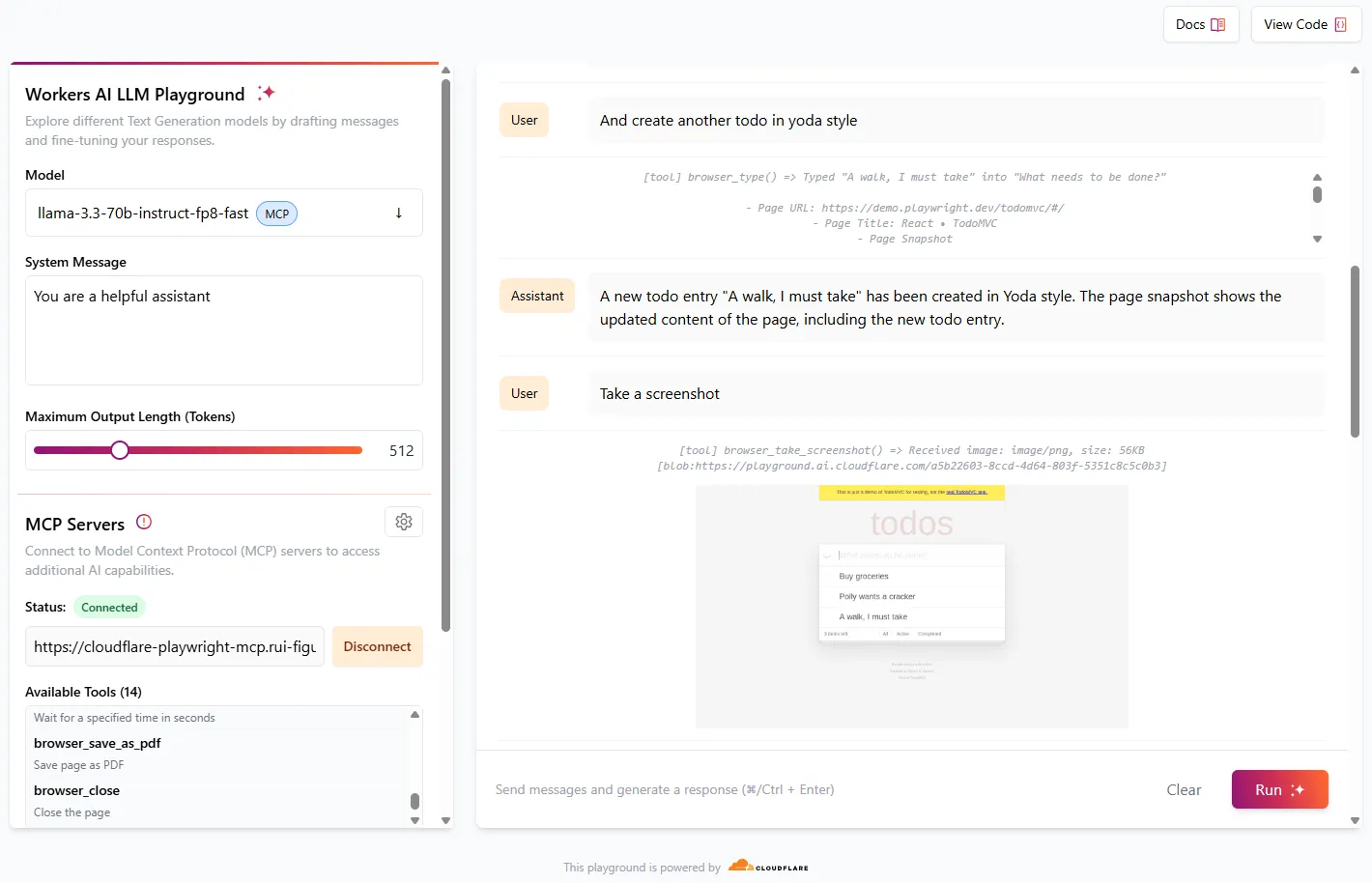
[Cloudflare AI Playground](https://playground.ai.cloudflare.com/) is a great way to test MCP servers using LLM models available in Workers AI.
* Navigate to
* Ensure that the model is set to `llama-3.3-70b-instruct-fp8-fast`
* In **MCP Servers**, set **URL** to `https://[my-mcp-url].workers.dev/sse`
* Click **Connect**
* Status should update to **Connected** and it should list 23 available tools
You can now start to interact with the model, and it will run necessary the tools to accomplish what was requested.
Note
For best results, give simple instructions consisting of one single action, e.g. "Create a new todo entry", "Go to cloudflare site", "Take a screenshot"
Try this sequence of instructions to see Playwright MCP in action:
1. "Go to demo.playwright.dev/todomvc"
2. "Create some todo entry"
3. "Nice. Now create a todo in parrot style"
4. "And create another todo in Yoda style"
5. "Take a screenshot"
You can also use other MCP clients like [Claude Desktop](https://github.com/cloudflare/playwright-mcp/blob/main/cloudflare/example/README.md#use-with-claude-desktop).
Check our [GitHub page](https://github.com/cloudflare/playwright-mcp) for more examples and MCP client configuration options and our developer documentation on how to [build Agents on Cloudflare](https://developers.cloudflare.com/agents/).
---
title: Automatic request headers · Cloudflare Browser Rendering docs
description: Cloudflare automatically attaches headers to every REST API request
made through Browser Rendering. These headers make it easy for destination
servers to identify that these requests came from Cloudflare.
lastUpdated: 2025-12-04T18:35:26.000Z
chatbotDeprioritize: false
source_url:
html: https://developers.cloudflare.com/browser-rendering/reference/automatic-request-headers/
md: https://developers.cloudflare.com/browser-rendering/reference/automatic-request-headers/index.md
---
Cloudflare automatically attaches headers to every [REST API](https://developers.cloudflare.com/browser-rendering/rest-api/) request made through Browser Rendering. These headers make it easy for destination servers to identify that these requests came from Cloudflare.
Note
These headers are meant to ensure transparency and cannot be removed or overridden (with `setExtraHTTPHeaders`, for example).
| Header | Description |
| - | - |
| `cf-brapi-request-id` | A unique identifier for the Browser Rendering request when using the [REST API](https://developers.cloudflare.com/browser-rendering/rest-api/) |
| `cf-brapi-devtools` | A unique identifier for the Browser Rendering request when using [Workers Bindings](https://developers.cloudflare.com/browser-rendering/workers-bindings/) |
| `cf-biso-devtools` | A flag indicating the request originated from Cloudflare's rendering infrastructure |
| `Signature-agent` | [The location of the bot public keys](https://web-bot-auth.cloudflare-browser-rendering-085.workers.dev), used to sign the request and verify it came from Cloudflare |
| `Signature` and `Signature-input` | A digital signature, used to validate requests, as shown in [this architecture document](https://datatracker.ietf.org/doc/html/draft-meunier-web-bot-auth-architecture) |
### About Web Bot Auth
The `Signature` headers use an authentication method called [Web Bot Auth](https://developers.cloudflare.com/bots/reference/bot-verification/web-bot-auth/). Web Bot Auth leverages cryptographic signatures in HTTP messages to verify that a request comes from an automated bot. To verify a request originated from Cloudflare Browser Rendering, use the keys found on [this directory](https://web-bot-auth.cloudflare-browser-rendering-085.workers.dev/.well-known/http-message-signatures-directory) to verify the `Signature` and `Signature-Input` found in the headers from the incoming request. A successful verification proves that the request originated from Cloudflare Browser Rendering and has not been tampered with in transit.
### Bot detection
The bot detection ID for Browser Rendering is `128292352`. If you are attempting to scan your own zone and want Browser Rendering to access your website freely without your bot protection configuration interfering, you can create a WAF skip rule to [allowlist Browser Rendering](https://developers.cloudflare.com/browser-rendering/faq/#how-do-i-allowlist-browser-rendering).
---
title: Browser close reasons · Cloudflare Browser Rendering docs
description: A browser session may close for a variety of reasons, occasionally
due to connection errors or errors in the headless browser instance. As a best
practice, wrap puppeteer.connect or puppeteer.launch in a try/catch statement.
lastUpdated: 2025-11-06T19:11:47.000Z
chatbotDeprioritize: false
source_url:
html: https://developers.cloudflare.com/browser-rendering/reference/browser-close-reasons/
md: https://developers.cloudflare.com/browser-rendering/reference/browser-close-reasons/index.md
---
A browser session may close for a variety of reasons, occasionally due to connection errors or errors in the headless browser instance. As a best practice, wrap `puppeteer.connect` or `puppeteer.launch` in a [`try/catch`](https://developer.mozilla.org/en-US/docs/Web/JavaScript/Reference/Statements/try...catch) statement.
To find the reason that a browser closed:
1. In the Cloudflare dashboard, go to the **Browser Rendering** page.
[Go to **Browser Rendering**](https://dash.cloudflare.com/?to=/:account/workers/browser-rendering)
2. Select the **Logs** tab.
Browser Rendering sessions are billed based on [usage](https://developers.cloudflare.com/browser-rendering/pricing/). We do not charge for sessions that error due to underlying Browser Rendering infrastructure.
| Reasons a session may end |
| - |
| User opens and closes browser normally. |
| Browser is idle for 60 seconds. |
| Chromium instance crashes. |
| Error connecting with the client, server, or Worker. |
| Browser session is evicted. |
---
title: robots.txt and sitemaps · Cloudflare Browser Rendering docs
description: This page provides general guidance on configuring robots.txt and
sitemaps for websites you plan to access with Browser Rendering.
lastUpdated: 2026-02-25T18:10:48.000Z
chatbotDeprioritize: false
source_url:
html: https://developers.cloudflare.com/browser-rendering/reference/robots-txt/
md: https://developers.cloudflare.com/browser-rendering/reference/robots-txt/index.md
---
This page provides general guidance on configuring `robots.txt` and sitemaps for websites you plan to access with Browser Rendering.
## Identifying Browser Rendering requests
Requests can be identified by the [automatic headers](https://developers.cloudflare.com/browser-rendering/reference/automatic-request-headers/) that Cloudflare attaches:
* `cf-brapi-request-id` — Unique identifier for REST API requests
* `Signature-agent` — Pointer to Cloudflare's bot verification keys
Browser Rendering has a bot detection ID of `128292352`. Use this to create WAF rules that allow or block Browser Rendering traffic. For the default user agent and other identification details, refer to [Automatic request headers](https://developers.cloudflare.com/browser-rendering/reference/automatic-request-headers/).
## Best practices for robots.txt
A well-configured `robots.txt` helps crawlers understand which parts of your site they can access.
### Reference your sitemap
Include a reference to your sitemap in `robots.txt` so crawlers can discover your URLs:
```txt
User-agent: *
Allow: /
Sitemap: https://example.com/sitemap.xml
```
You can list multiple sitemaps:
```txt
User-agent: *
Allow: /
Sitemap: https://example.com/sitemap.xml
Sitemap: https://example.com/blog-sitemap.xml
```
### Set a crawl delay
Use `crawl-delay` to control how frequently crawlers request pages from your server:
```txt
User-agent: *
Crawl-delay: 2
Allow: /
Sitemap: https://example.com/sitemap.xml
```
The value is in seconds. A `crawl-delay` of 2 means the crawler waits two seconds between requests.
## Best practices for sitemaps
Structure your sitemap to help crawlers process your site efficiently:
```xml
https://example.com/important-page2025-01-15T00:00:00+00:001.0https://example.com/other-page2025-01-10T00:00:00+00:000.5
```
| Attribute | Purpose | Recommendation |
| - | - | - |
| `` | URL of the page | Required. Use full URLs. |
| `` | Last modification date | Include to help the crawler identify updated content. Use ISO 8601 format. |
| `` | Relative importance (0.0-1.0) | Set higher values for important pages. The crawler will process pages in priority order. |
### Sitemap index files
For large sites with multiple sitemaps, use a sitemap index file. Browser Rendering uses the `depth` parameter to control how many levels of nested sitemaps are crawled:
```xml
...
https://www.example.com/sitemap-products.xmlhttps://www.example.com/sitemap-blog.xml
```
### Caching headers
Browser Rendering periodically refetches sitemaps to keep content fresh. Serve your sitemap with `Last-Modified` or `ETag` response headers so the crawler can detect whether the sitemap has changed since the last fetch.
### Recommendations
* Include `` on all URLs to help identify which pages have changed. Use ISO 8601 format (for example, `2025-01-15T00:00:00+00:00`).
* Use sitemap index files for large sites with multiple sitemaps.
* Compress large sitemaps using `.gz` format to reduce bandwidth.
* Keep sitemaps under 50 MB and 50,000 URLs per file (standard sitemap limits).
## Related resources
* [FAQ: Will Browser Rendering bypass Cloudflare's Bot Protection?](https://developers.cloudflare.com/browser-rendering/faq/#will-browser-rendering-bypass-cloudflares-bot-protection) — Instructions for creating a WAF skip rule
---
title: Supported fonts · Cloudflare Browser Rendering docs
description: Browser Rendering uses a managed Chromium environment that includes
a standard set of fonts. When you generate a screenshot or PDF, text is
rendered using the fonts available in this environment.
lastUpdated: 2026-03-04T16:00:10.000Z
chatbotDeprioritize: false
source_url:
html: https://developers.cloudflare.com/browser-rendering/reference/supported-fonts/
md: https://developers.cloudflare.com/browser-rendering/reference/supported-fonts/index.md
---
Browser Rendering uses a managed Chromium environment that includes a standard set of fonts. When you generate a screenshot or PDF, text is rendered using the fonts available in this environment.
If your webpage specifies a font that is not supported yet, Chromium will automatically fall back to a similar supported font. If you would like to use a font that is not currently supported, refer to [Custom fonts](https://developers.cloudflare.com/browser-rendering/features/custom-fonts/).
## Pre-installed fonts
The following sections list the fonts available in the Browser Rendering environment.
### Generic CSS font family support
The following generic CSS font families are supported:
* `serif`
* `sans-serif`
* `monospace`
* `cursive`
* `fantasy`
### Common system fonts
* Andale Mono
* Arial
* Arial Black
* Comic Sans MS
* Courier
* Courier New
* Georgia
* Helvetica
* Impact
* Lucida Handwriting
* Times
* Times New Roman
* Trebuchet MS
* Verdana
* Webdings
### Open source and extended fonts
* Bitstream Vera (Serif, Sans, Mono)
* Cyberbit
* DejaVu (Serif, Sans, Mono)
* FreeFont (FreeSerif, FreeSans, FreeMono)
* GFS Neohellenic
* Liberation (Serif, Sans, Mono)
* Open Sans
* Roboto
### International fonts
Browser Rendering includes additional font packages for non-Latin scripts and emoji:
* IPAfont Gothic (Japanese)
* Indic fonts (Devanagari, Bengali, Tamil, and others)
* KACST fonts (Arabic)
* Noto CJK (Chinese, Japanese, Korean)
* Noto Color Emoji
* TLWG Thai fonts
* WenQuanYi Zen Hei (Chinese)
---
title: REST API timeouts · Cloudflare Browser Rendering docs
description: >-
Browser Rendering uses several independent timers to manage how long different
parts of a request can take.
If any of these timers exceed their limit, the request returns a timeout
error.
lastUpdated: 2025-12-29T09:32:47.000Z
chatbotDeprioritize: false
source_url:
html: https://developers.cloudflare.com/browser-rendering/reference/timeouts/
md: https://developers.cloudflare.com/browser-rendering/reference/timeouts/index.md
---
Browser Rendering uses several independent timers to manage how long different parts of a request can take. If any of these timers exceed their limit, the request returns a timeout error.
Each timer controls a specific part of the rendering lifecycle — from page load, to selector load, to action.
| Timer | Scope | Default | Max |
| - | - | - | - |
| `goToOptions.timeout` | Time to wait for the page to load before timeout. | 30 s | 60 s |
| `goToOptions.waitUntil` | Determines when page load is considered complete. Refer to [`waitUntil` options](#waituntil-options) for details. | `domcontentloaded` | — |
| `waitForSelector` | Time to wait for a specific element (any CSS selector) to appear on the page. | null | 60 s |
| `waitForTimeout` | Additional amount of time to wait after the page has loaded to proceed with actions. | null | 60 s |
| `actionTimeout` | Time to wait for the action itself (for example: a screenshot, PDF, or scrape) to complete after the page has loaded. | null | 5 min |
| `PDFOptions.timeout` | Same as `actionTimeout`, but only applies to the [/pdf endpoint](https://developers.cloudflare.com/browser-rendering/rest-api/pdf-endpoint/). | 30 s | 5 min |
### `waitUntil` options
The `goToOptions.waitUntil` parameter controls when the browser considers page navigation complete. This is important for JavaScript-heavy pages where content is rendered dynamically after the initial page load.
| Value | Behavior |
| - | - |
| `load` | Waits for the `load` event, including all resources like images and stylesheets |
| `domcontentloaded` | Waits until the DOM content has been fully loaded, which fires before the `load` event (default) |
| `networkidle0` | Waits until there are no network connections for at least 500 ms |
| `networkidle2` | Waits until there are no more than two network connections for at least 500 ms |
For pages that rely on JavaScript to render content, use `networkidle0` or `networkidle2` to ensure the page is fully rendered before extraction.
## Notes and recommendations
You can set multiple timers — as long as one is complete, the request will fire.
If you are not getting the expected output:
* Try increasing `goToOptions.timeout` (up to 60 s).
* If waiting for a specific element, use `waitForSelector`. Otherwise, use `goToOptions.waitUntil` set to `networkidle2` to ensure the page has finished loading dynamic content.
* If you are getting a `422`, it may be the action itself (ex: taking a screenshot, extracting the html content) that takes a long time. Try increasing the `actionTimeout` instead.
---
title: Wrangler · Cloudflare Browser Rendering docs
description: Use Wrangler, a command-line tool, to deploy projects using
Cloudflare's Workers Browser Rendering API.
lastUpdated: 2026-01-29T10:38:24.000Z
chatbotDeprioritize: false
source_url:
html: https://developers.cloudflare.com/browser-rendering/reference/wrangler/
md: https://developers.cloudflare.com/browser-rendering/reference/wrangler/index.md
---
[Wrangler](https://developers.cloudflare.com/workers/wrangler/) is a command-line tool for building with Cloudflare developer products.
Use Wrangler to deploy projects that use the Workers Browser Rendering API.
## Install
To install Wrangler, refer to [Install and Update Wrangler](https://developers.cloudflare.com/workers/wrangler/install-and-update/).
## Bindings
[Bindings](https://developers.cloudflare.com/workers/runtime-apis/bindings/) allow your Workers to interact with resources on the Cloudflare developer platform. A browser binding will provide your Worker with an authenticated endpoint to interact with a dedicated Chromium browser instance.
To deploy a Browser Rendering Worker, you must declare a [browser binding](https://developers.cloudflare.com/workers/runtime-apis/bindings/) in your Worker's Wrangler configuration file.
Note
To enable built-in Node.js APIs and polyfills, add the nodejs\_compat compatibility flag to your [Wrangler configuration file](https://developers.cloudflare.com/workers/wrangler/configuration/). This also enables nodejs\_compat\_v2 as long as your compatibility date is 2024-09-23 or later. [Learn more about the Node.js compatibility flag and v2](https://developers.cloudflare.com/workers/configuration/compatibility-flags/#nodejs-compatibility-flag).
* wrangler.jsonc
```jsonc
{
"$schema": "./node_modules/wrangler/config-schema.json",
// Top-level configuration
"name": "browser-rendering",
"main": "src/index.ts",
"workers_dev": true,
"compatibility_flags": [
"nodejs_compat_v2"
],
"browser": {
"binding": "MYBROWSER"
}
}
```
* wrangler.toml
```toml
"$schema" = "./node_modules/wrangler/config-schema.json"
name = "browser-rendering"
main = "src/index.ts"
workers_dev = true
compatibility_flags = [ "nodejs_compat_v2" ]
[browser]
binding = "MYBROWSER"
```
After the binding is declared, access the DevTools endpoint using `env.MYBROWSER` in your Worker code:
```javascript
const browser = await puppeteer.launch(env.MYBROWSER);
```
Run `npx wrangler dev` to test your Worker locally.
Use real headless browser during local development
To interact with a real headless browser during local development, set `"remote" : true` in the Browser binding configuration. Learn more in our [remote bindings documentation](https://developers.cloudflare.com/workers/development-testing/#remote-bindings).
---
title: Reference · Cloudflare Browser Rendering docs
lastUpdated: 2025-04-04T13:14:40.000Z
chatbotDeprioritize: false
source_url:
html: https://developers.cloudflare.com/browser-rendering/rest-api/api-reference/
md: https://developers.cloudflare.com/browser-rendering/rest-api/api-reference/index.md
---
---
title: /content - Fetch HTML · Cloudflare Browser Rendering docs
description: The /content endpoint instructs the browser to navigate to a
website and capture the fully rendered HTML of a page, including the head
section, after JavaScript execution. This is ideal for capturing content from
JavaScript-heavy or interactive websites.
lastUpdated: 2025-12-29T09:32:47.000Z
chatbotDeprioritize: false
source_url:
html: https://developers.cloudflare.com/browser-rendering/rest-api/content-endpoint/
md: https://developers.cloudflare.com/browser-rendering/rest-api/content-endpoint/index.md
---
The `/content` endpoint instructs the browser to navigate to a website and capture the fully rendered HTML of a page, including the `head` section, after JavaScript execution. This is ideal for capturing content from JavaScript-heavy or interactive websites.
## Endpoint
```txt
https://api.cloudflare.com/client/v4/accounts//browser-rendering/content
```
## Required fields
You must provide either `url` or `html`:
* `url` (string)
* `html` (string)
## Common use cases
* Capture the fully rendered HTML of a dynamic page
* Extract HTML for parsing, scraping, or downstream processing
## Basic usage
### Fetch rendered HTML from a URL
* curl
Go to `https://developers.cloudflare.com/` and return the rendered HTML.
```bash
curl -X 'POST' 'https://api.cloudflare.com/client/v4/accounts//browser-rendering/content' \
-H 'Content-Type: application/json' \
-H 'Authorization: Bearer ' \
-d '{"url": "https://developers.cloudflare.com/"}'
```
* TypeScript SDK
```typescript
import Cloudflare from "cloudflare";
const client = new Cloudflare({
apiToken: process.env["CLOUDFLARE_API_TOKEN"],
});
const content = await client.browserRendering.content.create({
account_id: process.env["CLOUDFLARE_ACCOUNT_ID"],
url: "https://developers.cloudflare.com/",
});
console.log(content);
```
## Advanced usage
Looking for more parameters?
Visit the [Browser Rendering API reference](https://developers.cloudflare.com/api/resources/browser_rendering/subresources/content/methods/create/) for all available parameters, such as setting HTTP credentials using `authenticate`, setting `cookies`, and customizing load behavior using `gotoOptions`.
### Block specific resource types
Navigate to `https://cloudflare.com/` but block images and stylesheets from loading. Undesired requests can be blocked by resource type (`rejectResourceTypes`) or by using a regex pattern (`rejectRequestPattern`). The opposite can also be done, only allow requests that match `allowRequestPattern` or `allowResourceTypes`.
```bash
curl -X POST 'https://api.cloudflare.com/client/v4/accounts//browser-rendering/content' \
-H 'Authorization: Bearer ' \
-H 'Content-Type: application/json' \
-d '{
"url": "https://cloudflare.com/",
"rejectResourceTypes": ["image"],
"rejectRequestPattern": ["/^.*\\.(css)"]
}'
```
Many more options exist, like setting HTTP headers using `setExtraHTTPHeaders`, setting `cookies`, and using `gotoOptions` to control page load behaviour - check the endpoint [reference](https://developers.cloudflare.com/api/resources/browser_rendering/subresources/content/methods/create/) for all available parameters.
### Handling JavaScript-heavy pages
For JavaScript-heavy pages or Single Page Applications (SPAs), the default page load behavior may return empty or incomplete results. This happens because the browser considers the page loaded before JavaScript has finished rendering the content.
The simplest solution is to use the `gotoOptions.waitUntil` parameter set to `networkidle0` or `networkidle2`:
```json
{
"url": "https://example.com",
"gotoOptions": {
"waitUntil": "networkidle0"
}
}
```
For faster responses, advanced users can use `waitForSelector` to wait for a specific element instead of waiting for all network activity to stop. This requires knowing which CSS selector indicates the content you need has loaded. For more details, refer to [REST API timeouts](https://developers.cloudflare.com/browser-rendering/reference/timeouts/).
### Set a custom user agent
You can change the user agent at the page level by passing `userAgent` as a top-level parameter in the JSON body. This is useful if the target website serves different content based on the user agent.
Note
The `userAgent` parameter does not bypass bot protection. Requests from Browser Rendering will always be identified as a bot.
## Troubleshooting
If you have questions or encounter an error, see the [Browser Rendering FAQ and troubleshooting guide](https://developers.cloudflare.com/browser-rendering/faq/).
---
title: /json - Capture structured data using AI · Cloudflare Browser Rendering docs
description: The /json endpoint extracts structured data from a webpage. You can
specify the expected output using either a prompt or a response_format
parameter which accepts a JSON schema. The endpoint returns the extracted data
in JSON format. By default, this endpoint leverages Workers AI. If you would
like to specify your own AI model for the extraction, you can use the
custom_ai parameter.
lastUpdated: 2026-03-02T21:22:46.000Z
chatbotDeprioritize: false
tags: JSON
source_url:
html: https://developers.cloudflare.com/browser-rendering/rest-api/json-endpoint/
md: https://developers.cloudflare.com/browser-rendering/rest-api/json-endpoint/index.md
---
The `/json` endpoint extracts structured data from a webpage. You can specify the expected output using either a `prompt` or a `response_format` parameter which accepts a JSON schema. The endpoint returns the extracted data in JSON format. By default, this endpoint leverages [Workers AI](https://developers.cloudflare.com/workers-ai/). If you would like to specify your own AI model for the extraction, you can use the `custom_ai` parameter.
Note
By default, the `/json` endpoint leverages [Workers AI](https://developers.cloudflare.com/workers-ai/) for data extraction. Using this endpoint incurs usage on Workers AI, which you can monitor usage through the Workers AI Dashboard.
## Endpoint
```txt
https://api.cloudflare.com/client/v4/accounts//browser-rendering/json
```
## Required fields
You must provide either `url` or `html`:
* `url` (string)
* `html` (string)
And at least one of:
* `prompt` (string), or
* `response_format` (object with a JSON Schema)
## Common use cases
* Extract product info (title, price, availability) or listings (jobs, rentals)
* Normalize article metadata (title, author, publish date, canonical URL)
* Convert unstructured pages into typed JSON for downstream pipelines
## Basic Usage
### With a Prompt and JSON schema
* curl
This example captures webpage data by providing both a prompt and a JSON schema. The prompt guides the extraction process, while the JSON schema defines the expected structure of the output.
```bash
curl --request POST 'https://api.cloudflare.com/client/v4/accounts/CF_ACCOUNT_ID/browser-rendering/json' \
--header 'authorization: Bearer CF_API_TOKEN' \
--header 'content-type: application/json' \
--data '{
"url": "https://developers.cloudflare.com/",
"prompt": "Get me the list of AI products",
"response_format": {
"type": "json_schema",
"schema": {
"type": "object",
"properties": {
"products": {
"type": "array",
"items": {
"type": "object",
"properties": {
"name": {
"type": "string"
},
"link": {
"type": "string"
}
},
"required": [
"name"
]
}
}
}
}
}
}'
```
```json
{
"success": true,
"result": {
"products": [
{
"name": "Build a RAG app",
"link": "https://developers.cloudflare.com/workers-ai/tutorials/build-a-retrieval-augmented-generation-ai/"
},
{
"name": "Workers AI",
"link": "https://developers.cloudflare.com/workers-ai/"
},
{
"name": "Vectorize",
13 collapsed lines
"link": "https://developers.cloudflare.com/vectorize/"
},
{
"name": "AI Gateway",
"link": "https://developers.cloudflare.com/ai-gateway/"
},
{
"name": "AI Playground",
"link": "https://playground.ai.cloudflare.com/"
}
]
}
}
```
### With only a prompt
In this example, only a prompt is provided. The endpoint will use the prompt to extract the data, but the response will not be structured according to a JSON schema. This is useful for simple extractions where you do not need a specific format.
```bash
curl --request POST 'https://api.cloudflare.com/client/v4/accounts/CF_ACCOUNT_ID/browser-rendering/json' \
--header 'authorization: Bearer CF_API_TOKEN' \
--header 'content-type: application/json' \
--data '{
"url": "https://developers.cloudflare.com/",
"prompt": "get me the list of AI products"
}'
```
```json
"success": true,
"result": {
"AI Products": [
"Build a RAG app",
"Workers AI",
"Vectorize",
"AI Gateway",
"AI Playground"
]
}
}
```
### With only a JSON schema (no prompt)
In this case, you supply a JSON schema via the `response_format` parameter. The schema defines the structure of the extracted data.
```bash
curl --request POST 'https://api.cloudflare.com/client/v4/accounts/CF_ACCOUNT_ID/browser-rendering/json' \
--header 'authorization: Bearer CF_API_TOKEN' \
--header 'content-type: application/json' \
--data '"response_format": {
"type": "json_schema",
"schema": {
"type": "object",
"properties": {
"products": {
"type": "array",
"items": {
"type": "object",
"properties": {
"name": {
"type": "string"
},
"link": {
"type": "string"
}
},
"required": [
"name"
]
}
}
}
}
}'
```
```json
{
"success": true,
"result": {
"products": [
{
"name": "Workers",
"link": "https://developers.cloudflare.com/workers/"
},
{
"name": "Pages",
"link": "https://developers.cloudflare.com/pages/"
},
55 collapsed lines
{
"name": "R2",
"link": "https://developers.cloudflare.com/r2/"
},
{
"name": "Images",
"link": "https://developers.cloudflare.com/images/"
},
{
"name": "Stream",
"link": "https://developers.cloudflare.com/stream/"
},
{
"name": "Build a RAG app",
"link": "https://developers.cloudflare.com/workers-ai/tutorials/build-a-retrieval-augmented-generation-ai/"
},
{
"name": "Workers AI",
"link": "https://developers.cloudflare.com/workers-ai/"
},
{
"name": "Vectorize",
"link": "https://developers.cloudflare.com/vectorize/"
},
{
"name": "AI Gateway",
"link": "https://developers.cloudflare.com/ai-gateway/"
},
{
"name": "AI Playground",
"link": "https://playground.ai.cloudflare.com/"
},
{
"name": "Access",
"link": "https://developers.cloudflare.com/cloudflare-one/access-controls/policies/"
},
{
"name": "Tunnel",
"link": "https://developers.cloudflare.com/cloudflare-one/networks/connectors/cloudflare-tunnel/"
},
{
"name": "Gateway",
"link": "https://developers.cloudflare.com/cloudflare-one/traffic-policies/"
},
{
"name": "Browser Isolation",
"link": "https://developers.cloudflare.com/cloudflare-one/remote-browser-isolation/"
},
{
"name": "Replace your VPN",
"link": "https://developers.cloudflare.com/learning-paths/replace-vpn/concepts/"
}
]
}
}
```
* TypeScript SDK
Below is an example using the TypeScript SDK:
```typescript
import Cloudflare from "cloudflare";
const client = new Cloudflare({
apiToken: process.env["CLOUDFLARE_API_TOKEN"], // This is the default and can be omitted
});
const json = await client.browserRendering.json.create({
account_id: process.env["CLOUDFLARE_ACCOUNT_ID"],
url: "https://developers.cloudflare.com/",
prompt: "Get me the list of AI products",
response_format: {
type: "json_schema",
schema: {
type: "object",
properties: {
products: {
type: "array",
items: {
type: "object",
properties: {
name: {
type: "string",
},
link: {
type: "string",
},
},
required: ["name"],
},
},
},
},
},
});
console.log(json);
```
## Advanced Usage
Looking for more parameters?
Visit the [Browser Rendering API reference](https://developers.cloudflare.com/api/resources/browser_rendering/subresources/json/methods/create/) for all available parameters, such as setting HTTP credentials using `authenticate`, setting `cookies`, and customizing load behavior using `gotoOptions`.
### Using a custom model (BYO API Key)
Browser Rendering can use a custom model for which you supply credentials. List the model(s) in the `custom_ai` array:
* `model` should be formed as `/` and the provider must be one of these [supported providers](https://developers.cloudflare.com/ai-gateway/usage/chat-completion/#supported-providers).
* `authorization` is the bearer token or API key that allows Browser Rendering to call the provider on your behalf.
This example uses the `custom_ai` parameter to instruct Browser Rendering to use a Anthropic's Claude Sonnet 4 model. The prompt asks the model to extract the main `
` and `
` headings from the target URL and return them in a structured JSON object.
```bash
curl --request POST \
--url https://api.cloudflare.com/client/v4/accounts/CF_ACCOUNT_ID/browser-rendering/json \
--header 'authorization: Bearer CF_API_TOKEN' \
--header 'content-type: application/json' \
--data '{
"url": "http://demoto.xyz/headings",
"prompt": "Get the heading from the page in the form of an object like h1, h2. If there are many headings of the same kind then grab the first one.",
"response_format": {
"type": "json_schema",
"schema": {
"type": "object",
"properties": {
"h1": {
"type": "string"
},
"h2": {
"type": "string"
}
},
"required": [
"h1"
]
}
},
"custom_ai": [
{
"model": "anthropic/claude-sonnet-4-20250514",
"authorization": "Bearer "
}
]
}
```
```json
{
"success": true,
"result": {
"h1": "Heading 1",
"h2": "Heading 2"
}
}
```
### Using a custom model with fallbacks
You may specify multiple models to provide automatic failover. Browser Rendering will attempt the models in order until one succeeds. To add failover, list additional models in the `custom_ai` array.
In this example, Browser Rendering first calls Anthropic's Claude Sonnet 4 model. If that request returns an error, it automatically retries with Meta Llama 3.3 70B from [Workers AI](https://developers.cloudflare.com/workers-ai/), then OpenAI's GPT-4o.
```plaintext
"custom_ai": [
{
"model": "anthropic/claude-sonnet-4-20250514",
"authorization": "Bearer "
},
{
"model": "workers-ai/@cf/meta/llama-3.3-70b-instruct-fp8-fast",
"authorization": "Bearer "
},
{
"model": "openai/gpt-4o",
"authorization": "Bearer "
}
]
```
### Handling JavaScript-heavy pages
For JavaScript-heavy pages or Single Page Applications (SPAs), the default page load behavior may return empty or incomplete results. This happens because the browser considers the page loaded before JavaScript has finished rendering the content.
The simplest solution is to use the `gotoOptions.waitUntil` parameter set to `networkidle0` or `networkidle2`:
```json
{
"url": "https://example.com",
"gotoOptions": {
"waitUntil": "networkidle0"
}
}
```
For faster responses, advanced users can use `waitForSelector` to wait for a specific element instead of waiting for all network activity to stop. This requires knowing which CSS selector indicates the content you need has loaded. For more details, refer to [REST API timeouts](https://developers.cloudflare.com/browser-rendering/reference/timeouts/).
### Set a custom user agent
You can change the user agent at the page level by passing `userAgent` as a top-level parameter in the JSON body. This is useful if the target website serves different content based on the user agent.
Note
The `userAgent` parameter does not bypass bot protection. Requests from Browser Rendering will always be identified as a bot.
## Troubleshooting
If you have questions or encounter an error, see the [Browser Rendering FAQ and troubleshooting guide](https://developers.cloudflare.com/browser-rendering/faq/).
---
title: /links - Retrieve links from a webpage · Cloudflare Browser Rendering docs
description: The /links endpoint retrieves all links from a webpage. It can be
used to extract all links from a page, including those that are hidden.
lastUpdated: 2026-02-03T12:27:00.000Z
chatbotDeprioritize: false
source_url:
html: https://developers.cloudflare.com/browser-rendering/rest-api/links-endpoint/
md: https://developers.cloudflare.com/browser-rendering/rest-api/links-endpoint/index.md
---
The `/links` endpoint retrieves all links from a webpage. It can be used to extract all links from a page, including those that are hidden.
## Endpoint
```txt
https://api.cloudflare.com/client/v4/accounts//browser-rendering/links
```
## Required fields
You must provide either `url` or `html`:
* `url` (string)
* `html` (string)
## Common use cases
* Collect only user-visible links for UX or SEO analysis
* Crawl a site by discovering links on seed pages
* Validate navigation/footers and detect broken or external links
## Basic usage
### Get all links on a page
* curl
This example grabs all links from the [Cloudflare Doc's homepage](https://developers.cloudflare.com/). The response will be a JSON array containing the links found on the page.
```bash
curl -X POST 'https://api.cloudflare.com/client/v4/accounts//browser-rendering/links' \
-H 'Authorization: Bearer ' \
-H 'Content-Type: application/json' \
-d '{
"url": "https://developers.cloudflare.com/"
}'
```
```json
{
"success": true,
"result": [
"https://developers.cloudflare.com/",
"https://developers.cloudflare.com/products/",
"https://developers.cloudflare.com/api/",
"https://developers.cloudflare.com/fundamentals/api/reference/sdks/",
"https://dash.cloudflare.com/",
"https://developers.cloudflare.com/fundamentals/subscriptions-and-billing/",
"https://developers.cloudflare.com/api/",
"https://developers.cloudflare.com/changelog/",
64 collapsed lines
"https://developers.cloudflare.com/glossary/",
"https://developers.cloudflare.com/reference-architecture/",
"https://developers.cloudflare.com/web-analytics/",
"https://developers.cloudflare.com/support/troubleshooting/http-status-codes/",
"https://developers.cloudflare.com/registrar/",
"https://developers.cloudflare.com/1.1.1.1/setup/",
"https://developers.cloudflare.com/workers/",
"https://developers.cloudflare.com/pages/",
"https://developers.cloudflare.com/r2/",
"https://developers.cloudflare.com/images/",
"https://developers.cloudflare.com/stream/",
"https://developers.cloudflare.com/products/?product-group=Developer+platform",
"https://developers.cloudflare.com/workers-ai/tutorials/build-a-retrieval-augmented-generation-ai/",
"https://developers.cloudflare.com/workers-ai/",
"https://developers.cloudflare.com/vectorize/",
"https://developers.cloudflare.com/ai-gateway/",
"https://playground.ai.cloudflare.com/",
"https://developers.cloudflare.com/products/?product-group=AI",
"https://developers.cloudflare.com/cloudflare-one/access-controls/policies/",
"https://developers.cloudflare.com/cloudflare-one/networks/connectors/cloudflare-tunnel/",
"https://developers.cloudflare.com/cloudflare-one/traffic-policies/",
"https://developers.cloudflare.com/cloudflare-one/remote-browser-isolation/",
"https://developers.cloudflare.com/learning-paths/replace-vpn/concepts/",
"https://developers.cloudflare.com/products/?product-group=Cloudflare+One",
"https://workers.cloudflare.com/playground#LYVwNgLglgDghgJwgegGYHsHALQBM4RwDcABAEbogB2+CAngLzbPYZb6HbW5QDGU2AAwAmAIyiAzMIAsATlmi5ALhYs2wDnC40+AkeKlyFcgLAAoAMLoqEAKY3sAESgBnGOhdRo1pSXV4CYhIqOGBbBgAiKBpbAA8AOgArFwjSVCgwe1DwqJiE5IjzKxt7CGwAFToYW184GBgwPgIoa2REuAA3OBdeBFgIAGpgdFxwW3NzOPckElxbVDhwCBIAbzMSEm66Kl4-WwheAAsACgRbAEcQWxcIAEpV9Y2SXmsbkkOIYDASBhIAAwAPABCRwAeQs5QAmgAFACi70+YAAfI8NgCKLg6Cink8AYdREiABK2MBgdAkADqmDAuAByHx2JxJABMCR5UOrhIwEQAGsQDASAB3bokADm9lsCAItlw5DomxIFjJIFwqDAiFslMwPMl8TprNRzOQGKxfyIZkNZwgIAQVGCtkFJAAStd3FQXLZjh8vgAaB5M962OBzBAuXxrAMbCIvEoOCBVWwRXwROyxFDesBEI6ID0QBgAVXKADFsAAOCI+w0bAC+lZx1du5prlerRHMqmY6k02h4-CEYkkMnkilkRWsdgczjcHi8LSovn8mlIITCkTChE0qT8GSyq4iZDJZEKlnHpQqCdq9UavGarWS1gmZhWEW50QA+sNRpkk7k5vkUtW7Ydl2gQ9ro-YGEOxiyMwQA",
"https://workers.cloudflare.com/playground#LYVwNgLglgDghgJwgegGYHsHALQBM4RwDcABAEbogB2+CAngLzbPYZb6HbW5QDGU2AAwB2AMwAWAKyCAjMICc8meIBcLFm2Ac4XGnwEiJ0uYuUBYAFABhdFQgBTO9gAiUAM4x0bqNFsqSmngExCRUcMD2DABEUDT2AB4AdABWblGkqFBgjuGRMXFJqVGWNnaOENgAKnQw9v5wMDBgfARQtsjJcABucG68CLAQANTA6Ljg9paWCZ5IJLj2qHDgECQA3hYkJL10VLwB9hC8ABYAFAj2AI4g9m4QAJTrm1skvLZ388EkDE8vL8f2MBgdD+KIAd0wYFwUQANM8tgBfIgWeEkC4QEAIKgkABKt08VDc9hSblsp2092RiLhSMs6mYmm0uh4-CEYiksgUSnEJVsDicrg8Xh8bSo-kC2lIYQi0QihG06QCWRyMqiZGBZGK1j55SqNTq20azV4rXaqVsUwsayiwDgsQA+qNxtkoip8gtCmkEXT6Yzgsz9GyjJzTOJmEA",
"https://workers.cloudflare.com/playground#LYVwNgLglgDghgJwgegGYHsHALQBM4RwDcABAEbogB2+CAngLzbPYZb6HbW5QDGU2AAwBWABwBGAOyjRANgDMAFgCcygFwsWbYBzhcafASInS5S1QFgAUAGF0VCAFMH2ACJQAzjHQeo0e2ok2ngExCRUcMCODABEUDSOAB4AdABWHjGkqFBgzpHRcQkp6THWdg7OENgAKnQwjoFwMDBgfARQ9sipcABucB68CLAQANTA6LjgjtbWSd5IJLiOqHDgECQA3lYkJP10VLxBjhC8ABYAFAiOAI4gjh4QAJSb2zskyABUH69vHyQASo4WnBeI4SAADK7jJzgkgAdz8pxIEFOYNOPnWdEo8M8SIg6BIHmcuBIV1u9wgHmR6B+Ow+yFpvHsD1JjmhYIYJBipwgEBgHjUyGQSUiLUcySZwEyVlpVwgIAQVF2cLgfiOJwuUPQTgANKzyQ9HkRXgBfHVWE1EayaZjaXT6Hj8IRiKQyBQqZRlexOFzuLw+PwdKiBYK6UgRKKxKKEXSZII5PKRmJkMDoMilWzeyo1OoNXbNVq8dqddL2GZWDYxYCqqgAfXGk1yMTUhSWxQyJutNrtoQdhmdJjd5mUzCAA",
"https://workers.cloudflare.com/playground#LYVwNgLglgDghgJwgegGYHsHALQBM4RwDcABAEbogB2+CAngLzbPYZb6HbW5QDGU2AAwBmACyiAnBMFSAbIICMALhYs2wDnC40+AkeKkyJ8hQFgAUAGF0VCAFNb2ACJQAzjHSuo0G0pLq8AmISKjhgOwYAIigaOwAPADoAK1dI0lQoMAcwiOjYxJTIi2tbBwhsABU6GDs-OBgYMD4CKBtkJLgANzhXXgRYCABqYHRccDsLC3iPJBJcO1Q4cAgSAG9zEhIeuipefzsIXgALAAoEOwBHEDtXCABKNY3Nkl4bW7mb6FCfKgBVACUADIkBgkSJHCAQGCuJTIZDxMKNOwJV7ANJPTavKjvW4EECuazzEEkYSKIgYkjnCAgBBUEj-G4ebHI848c68CAnea3GItGwAwEAGhIuOpBNGdju5M2AF9BeYZUQLKpmOpNNoePwhGJJNI5IpijZ7I4XO5PN5WlQ-AFNKRQuEouFCJo0v5MtkHZEyGB0GQilYjWVKtValsGk1eHyqO1XDZJuZVpFgHAYgB9EZjLKRJR5eYFVIy5UqtVBDW6bUGPXGRTMIA",
"https://workers.cloudflare.com/playground#LYVwNgLglgDghgJwgegGYHsHALQBM4RwDcABAEbogB2+CAngLzbPYZb6HbW5QDGU2AAwAOAJwBmAIyiATKMkB2AKwyAXCxZtgHOFxp8BIidLmKVAWABQAYXRUIAU3vYAIlADOMdO6jQ7qki08AmISKjhgBwYAIigaBwAPADoAK3do0lQoMCcIqNj45LToq1t7JwhsABU6GAcAuBgYMD4CKDtkFLgANzh3XgRYCABqYHRccAcrK0SvJBJcB1Q4cAgSAG9LEhI+uipeQIcIXgALAAoEBwBHEAd3CABKDa3tnfc9g9RqXj8qEgBZI4ncYAOXQEAAgmAwOgAO4OXAXa63e5PTavV6XCAgBB-KgOWEkABKdy8VHcDjOAANARBgbgSAASdaXG53CBJSJ08YAXzC4J20LhCKSVIANM8MRj7gQQO4AgAWQRKMUvKUkE4OOCLBDyyXq15QmGwgLRADiAFEqtFVQaSDzbVKeQ8iGr7W7kMgSAB5KhgOgkS1VEislEQdwkWGYADWkd8JxIdI8JBgCHQCToSTdUFQJCRbPunKB4xIAEIGAwSOardEnlicX9afSwZChfDEaH2S63fXcYdjucqScIBAYPLPYkIs0HEleOhgFTu9sHZYeUQrBpmFodHoePwhGIpLJ5MoZKU7I5nG5PN5fO0qAEgjpSOFIjEudqQhlAtlcm-omQMJkCUNgXhU1S1PUOxNC0vBtB0aR2NMljrNEwBwHEAD6YwTDk0SqAUixFOkPIbpu24hLuBgHsYx5mDIzBAA",
"https://developers.cloudflare.com/cloudflare-one/team-and-resources/devices/warp/",
"https://developers.cloudflare.com/ssl/origin-configuration/origin-ca/",
"https://developers.cloudflare.com/dns/zone-setups/full-setup/setup/",
"https://developers.cloudflare.com/ssl/origin-configuration/ssl-modes/",
"https://developers.cloudflare.com/waf/custom-rules/use-cases/allow-traffic-from-specific-countries/",
"https://discord.cloudflare.com/",
"https://x.com/CloudflareDev",
"https://community.cloudflare.com/",
"https://github.com/cloudflare",
"https://developers.cloudflare.com/sponsorships/",
"https://developers.cloudflare.com/style-guide/",
"https://blog.cloudflare.com/",
"https://developers.cloudflare.com/fundamentals/",
"https://support.cloudflare.com/",
"https://www.cloudflarestatus.com/",
"https://www.cloudflare.com/trust-hub/compliance-resources/",
"https://www.cloudflare.com/trust-hub/gdpr/",
"https://www.cloudflare.com/",
"https://www.cloudflare.com/people/",
"https://www.cloudflare.com/careers/",
"https://radar.cloudflare.com/",
"https://speed.cloudflare.com/",
"https://isbgpsafeyet.com/",
"https://rpki.cloudflare.com/",
"https://ct.cloudflare.com/",
"https://x.com/cloudflare",
"http://discord.cloudflare.com/",
"https://www.youtube.com/cloudflare",
"https://github.com/cloudflare/cloudflare-docs",
"https://www.cloudflare.com/privacypolicy/",
"https://www.cloudflare.com/website-terms/",
"https://www.cloudflare.com/disclosure/",
"https://www.cloudflare.com/trademark/"
]
}
```
* TypeScript SDK
```typescript
import Cloudflare from "cloudflare";
const client = new Cloudflare({
apiToken: process.env["CLOUDFLARE_API_TOKEN"],
});
const links = await client.browserRendering.links.create({
account_id: process.env["CLOUDFLARE_ACCOUNT_ID"],
url: "https://developers.cloudflare.com/",
});
console.log(links);
```
## Advanced usage
Looking for more parameters?
Visit the [Browser Rendering API reference](https://developers.cloudflare.com/api/resources/browser_rendering/subresources/links/methods/create/) for all available parameters, such as setting HTTP credentials using `authenticate`, setting `cookies`, and customizing load behavior using `gotoOptions`.
### Retrieve only visible links
Set the `visibleLinksOnly` parameter to `true` to only return links that are visible on the page. By default, this is set to `false`.
```bash
curl -X POST 'https://api.cloudflare.com/client/v4/accounts//browser-rendering/links' \
-H 'Authorization: Bearer ' \
-H 'Content-Type: application/json' \
-d '{
"url": "https://developers.cloudflare.com/",
"visibleLinksOnly": true
}'
```
```json
{
"success": true,
"result": [
"https://developers.cloudflare.com/",
"https://developers.cloudflare.com/products/",
"https://developers.cloudflare.com/api/",
"https://developers.cloudflare.com/fundamentals/api/reference/sdks/",
"https://dash.cloudflare.com/",
"https://developers.cloudflare.com/fundamentals/subscriptions-and-billing/",
"https://developers.cloudflare.com/api/",
"https://developers.cloudflare.com/changelog/",
64 collapsed lines
"https://developers.cloudflare.com/glossary/",
"https://developers.cloudflare.com/reference-architecture/",
"https://developers.cloudflare.com/web-analytics/",
"https://developers.cloudflare.com/support/troubleshooting/http-status-codes/",
"https://developers.cloudflare.com/registrar/",
"https://developers.cloudflare.com/1.1.1.1/setup/",
"https://developers.cloudflare.com/workers/",
"https://developers.cloudflare.com/pages/",
"https://developers.cloudflare.com/r2/",
"https://developers.cloudflare.com/images/",
"https://developers.cloudflare.com/stream/",
"https://developers.cloudflare.com/products/?product-group=Developer+platform",
"https://developers.cloudflare.com/workers-ai/tutorials/build-a-retrieval-augmented-generation-ai/",
"https://developers.cloudflare.com/workers-ai/",
"https://developers.cloudflare.com/vectorize/",
"https://developers.cloudflare.com/ai-gateway/",
"https://playground.ai.cloudflare.com/",
"https://developers.cloudflare.com/products/?product-group=AI",
"https://developers.cloudflare.com/cloudflare-one/access-controls/policies/",
"https://developers.cloudflare.com/cloudflare-one/networks/connectors/cloudflare-tunnel/",
"https://developers.cloudflare.com/cloudflare-one/traffic-policies/",
"https://developers.cloudflare.com/cloudflare-one/remote-browser-isolation/",
"https://developers.cloudflare.com/learning-paths/replace-vpn/concepts/",
"https://developers.cloudflare.com/products/?product-group=Cloudflare+One",
"https://workers.cloudflare.com/playground#LYVwNgLglgDghgJwgegGYHsHALQBM4RwDcABAEbogB2+CAngLzbPYZb6HbW5QDGU2AAwAmAIyiAzMIAsATlmi5ALhYs2wDnC40+AkeKlyFcgLAAoAMLoqEAKY3sAESgBnGOhdRo1pSXV4CYhIqOGBbBgAiKBpbAA8AOgArFwjSVCgwe1DwqJiE5IjzKxt7CGwAFToYW184GBgwPgIoa2REuAA3OBdeBFgIAGpgdFxwW3NzOPckElxbVDhwCBIAbzMSEm66Kl4-WwheAAsACgRbAEcQWxcIAEpV9Y2SXmsbkkOIYDASBhIAAwAPABCRwAeQs5QAmgAFACi70+YAAfI8NgCKLg6Cink8AYdREiABK2MBgdAkADqmDAuAByHx2JxJABMCR5UOrhIwEQAGsQDASAB3bokADm9lsCAItlw5DomxIFjJIFwqDAiFslMwPMl8TprNRzOQGKxfyIZkNZwgIAQVGCtkFJAAStd3FQXLZjh8vgAaB5M962OBzBAuXxrAMbCIvEoOCBVWwRXwROyxFDesBEI6ID0QBgAVXKADFsAAOCI+w0bAC+lZx1du5prlerRHMqmY6k02h4-CEYkkMnkilkRWsdgczjcHi8LSovn8mlIITCkTChE0qT8GSyq4iZDJZEKlnHpQqCdq9UavGarWS1gmZhWEW50QA+sNRpkk7k5vkUtW7Ydl2gQ9ro-YGEOxiyMwQA",
"https://workers.cloudflare.com/playground#LYVwNgLglgDghgJwgegGYHsHALQBM4RwDcABAEbogB2+CAngLzbPYZb6HbW5QDGU2AAwB2AMwAWAKyCAjMICc8meIBcLFm2Ac4XGnwEiJ0uYuUBYAFABhdFQgBTO9gAiUAM4x0bqNFsqSmngExCRUcMD2DABEUDT2AB4AdABWblGkqFBgjuGRMXFJqVGWNnaOENgAKnQw9v5wMDBgfARQtsjJcABucG68CLAQANTA6Ljg9paWCZ5IJLj2qHDgECQA3hYkJL10VLwB9hC8ABYAFAj2AI4g9m4QAJTrm1skvLZ388EkDE8vL8f2MBgdD+KIAd0wYFwUQANM8tgBfIgWeEkC4QEAIKgkABKt08VDc9hSblsp2092RiLhSMs6mYmm0uh4-CEYiksgUSnEJVsDicrg8Xh8bSo-kC2lIYQi0QihG06QCWRyMqiZGBZGK1j55SqNTq20azV4rXaqVsUwsayiwDgsQA+qNxtkoip8gtCmkEXT6Yzgsz9GyjJzTOJmEA",
"https://workers.cloudflare.com/playground#LYVwNgLglgDghgJwgegGYHsHALQBM4RwDcABAEbogB2+CAngLzbPYZb6HbW5QDGU2AAwBWABwBGAOyjRANgDMAFgCcygFwsWbYBzhcafASInS5S1QFgAUAGF0VCAFMH2ACJQAzjHQeo0e2ok2ngExCRUcMCODABEUDSOAB4AdABWHjGkqFBgzpHRcQkp6THWdg7OENgAKnQwjoFwMDBgfARQ9sipcABucB68CLAQANTA6LjgjtbWSd5IJLiOqHDgECQA3lYkJP10VLxBjhC8ABYAFAiOAI4gjh4QAJSb2zskyABUH69vHyQASo4WnBeI4SAADK7jJzgkgAdz8pxIEFOYNOPnWdEo8M8SIg6BIHmcuBIV1u9wgHmR6B+Ow+yFpvHsD1JjmhYIYJBipwgEBgHjUyGQSUiLUcySZwEyVlpVwgIAQVF2cLgfiOJwuUPQTgANKzyQ9HkRXgBfHVWE1EayaZjaXT6Hj8IRiKQyBQqZRlexOFzuLw+PwdKiBYK6UgRKKxKKEXSZII5PKRmJkMDoMilWzeyo1OoNXbNVq8dqddL2GZWDYxYCqqgAfXGk1yMTUhSWxQyJutNrtoQdhmdJjd5mUzCAA",
"https://workers.cloudflare.com/playground#LYVwNgLglgDghgJwgegGYHsHALQBM4RwDcABAEbogB2+CAngLzbPYZb6HbW5QDGU2AAwBmACyiAnBMFSAbIICMALhYs2wDnC40+AkeKkyJ8hQFgAUAGF0VCAFNb2ACJQAzjHSuo0G0pLq8AmISKjhgOwYAIigaOwAPADoAK1dI0lQoMAcwiOjYxJTIi2tbBwhsABU6GDs-OBgYMD4CKBtkJLgANzhXXgRYCABqYHRccDsLC3iPJBJcO1Q4cAgSAG9zEhIeuipefzsIXgALAAoEOwBHEDtXCABKNY3Nkl4bW7mb6FCfKgBVACUADIkBgkSJHCAQGCuJTIZDxMKNOwJV7ANJPTavKjvW4EECuazzEEkYSKIgYkjnCAgBBUEj-G4ebHI848c68CAnea3GItGwAwEAGhIuOpBNGdju5M2AF9BeYZUQLKpmOpNNoePwhGJJNI5IpijZ7I4XO5PN5WlQ-AFNKRQuEouFCJo0v5MtkHZEyGB0GQilYjWVKtValsGk1eHyqO1XDZJuZVpFgHAYgB9EZjLKRJR5eYFVIy5UqtVBDW6bUGPXGRTMIA",
"https://workers.cloudflare.com/playground#LYVwNgLglgDghgJwgegGYHsHALQBM4RwDcABAEbogB2+CAngLzbPYZb6HbW5QDGU2AAwAOAJwBmAIyiATKMkB2AKwyAXCxZtgHOFxp8BIidLmKVAWABQAYXRUIAU3vYAIlADOMdO6jQ7qki08AmISKjhgBwYAIigaBwAPADoAK3do0lQoMCcIqNj45LToq1t7JwhsABU6GAcAuBgYMD4CKDtkFLgANzh3XgRYCABqYHRccAcrK0SvJBJcB1Q4cAgSAG9LEhI+uipeQIcIXgALAAoEBwBHEAd3CABKDa3tnfc9g9RqXj8qEgBZI4ncYAOXQEAAgmAwOgAO4OXAXa63e5PTavV6XCAgBB-KgOWEkABKdy8VHcDjOAANARBgbgSAASdaXG53CBJSJ08YAXzC4J20LhCKSVIANM8MRj7gQQO4AgAWQRKMUvKUkE4OOCLBDyyXq15QmGwgLRADiAFEqtFVQaSDzbVKeQ8iGr7W7kMgSAB5KhgOgkS1VEislEQdwkWGYADWkd8JxIdI8JBgCHQCToSTdUFQJCRbPunKB4xIAEIGAwSOardEnlicX9afSwZChfDEaH2S63fXcYdjucqScIBAYPLPYkIs0HEleOhgFTu9sHZYeUQrBpmFodHoePwhGIpLJ5MoZKU7I5nG5PN5fO0qAEgjpSOFIjEudqQhlAtlcm-omQMJkCUNgXhU1S1PUOxNC0vBtB0aR2NMljrNEwBwHEAD6YwTDk0SqAUixFOkPIbpu24hLuBgHsYx5mDIzBAA",
"https://developers.cloudflare.com/cloudflare-one/team-and-resources/devices/warp/",
"https://developers.cloudflare.com/ssl/origin-configuration/origin-ca/",
"https://developers.cloudflare.com/dns/zone-setups/full-setup/setup/",
"https://developers.cloudflare.com/ssl/origin-configuration/ssl-modes/",
"https://developers.cloudflare.com/waf/custom-rules/use-cases/allow-traffic-from-specific-countries/",
"https://discord.cloudflare.com/",
"https://x.com/CloudflareDev",
"https://community.cloudflare.com/",
"https://github.com/cloudflare",
"https://developers.cloudflare.com/sponsorships/",
"https://developers.cloudflare.com/style-guide/",
"https://blog.cloudflare.com/",
"https://developers.cloudflare.com/fundamentals/",
"https://support.cloudflare.com/",
"https://www.cloudflarestatus.com/",
"https://www.cloudflare.com/trust-hub/compliance-resources/",
"https://www.cloudflare.com/trust-hub/gdpr/",
"https://www.cloudflare.com/",
"https://www.cloudflare.com/people/",
"https://www.cloudflare.com/careers/",
"https://radar.cloudflare.com/",
"https://speed.cloudflare.com/",
"https://isbgpsafeyet.com/",
"https://rpki.cloudflare.com/",
"https://ct.cloudflare.com/",
"https://x.com/cloudflare",
"http://discord.cloudflare.com/",
"https://www.youtube.com/cloudflare",
"https://github.com/cloudflare/cloudflare-docs",
"https://www.cloudflare.com/privacypolicy/",
"https://www.cloudflare.com/website-terms/",
"https://www.cloudflare.com/disclosure/",
"https://www.cloudflare.com/trademark/"
]
}
```
### Retrieve only links from the same domain
Set the `excludeExternalLinks` parameter to `true` to exclude links pointing to external domains. By default, this is set to `false`.
```bash
curl -X POST 'https://api.cloudflare.com/client/v4/accounts//browser-rendering/links' \
-H 'Authorization: Bearer ' \
-H 'Content-Type: application/json' \
-d '{
"url": "https://developers.cloudflare.com/",
"excludeExternalLinks": true
}'
```
### Handling JavaScript-heavy pages
For JavaScript-heavy pages or Single Page Applications (SPAs), the default page load behavior may return empty or incomplete results. This happens because the browser considers the page loaded before JavaScript has finished rendering the content.
The simplest solution is to use the `gotoOptions.waitUntil` parameter set to `networkidle0` or `networkidle2`:
```json
{
"url": "https://example.com",
"gotoOptions": {
"waitUntil": "networkidle0"
}
}
```
For faster responses, advanced users can use `waitForSelector` to wait for a specific element instead of waiting for all network activity to stop. This requires knowing which CSS selector indicates the content you need has loaded. For more details, refer to [REST API timeouts](https://developers.cloudflare.com/browser-rendering/reference/timeouts/).
### Set a custom user agent
You can change the user agent at the page level by passing `userAgent` as a top-level parameter in the JSON body. This is useful if the target website serves different content based on the user agent.
Note
The `userAgent` parameter does not bypass bot protection. Requests from Browser Rendering will always be identified as a bot.
## Troubleshooting
If you have questions or encounter an error, see the [Browser Rendering FAQ and troubleshooting guide](https://developers.cloudflare.com/browser-rendering/faq/).
---
title: /markdown - Extract Markdown from a webpage · Cloudflare Browser Rendering docs
description: The /markdown endpoint retrieves a webpage's content and converts
it into Markdown format. You can specify a URL and optional parameters to
refine the extraction process.
lastUpdated: 2026-02-12T13:30:07.000Z
chatbotDeprioritize: false
source_url:
html: https://developers.cloudflare.com/browser-rendering/rest-api/markdown-endpoint/
md: https://developers.cloudflare.com/browser-rendering/rest-api/markdown-endpoint/index.md
---
The `/markdown` endpoint retrieves a webpage's content and converts it into Markdown format. You can specify a URL and optional parameters to refine the extraction process.
## Endpoint
```txt
https://api.cloudflare.com/client/v4/accounts//browser-rendering/markdown
```
## Required fields
You must provide either `url` or `html`:
* `url` (string)
* `html` (string)
## Common use cases
* Normalize content for downstream processing (summaries, diffs, embeddings)
* Save articles or docs for editing or storage
* Strip styling/scripts and keep readable content + links
## Basic usage
### Convert a URL to Markdown
* curl
This example fetches the Markdown representation of a webpage.
```bash
curl -X 'POST' 'https://api.cloudflare.com/client/v4/accounts//browser-rendering/markdown' \
-H 'Content-Type: application/json' \
-H 'Authorization: Bearer ' \
-d '{
"url": "https://example.com"
}'
```
```json
"success": true,
"result": "# Example Domain\n\nThis domain is for use in illustrative examples in documents. You may use this domain in literature without prior coordination or asking for permission.\n\n[More information...](https://www.iana.org/domains/example)"
}
```
* TypeScript SDK
```typescript
import Cloudflare from "cloudflare";
const client = new Cloudflare({
apiToken: process.env["CLOUDFLARE_API_TOKEN"],
});
const markdown = await client.browserRendering.markdown.create({
account_id: process.env["CLOUDFLARE_ACCOUNT_ID"],
url: "https://developers.cloudflare.com/",
});
console.log(markdown);
```
### Convert raw HTML to Markdown
Instead of fetching the content by specifying the URL, you can provide raw HTML content directly.
```bash
curl -X 'POST' 'https://api.cloudflare.com/client/v4/accounts//browser-rendering/markdown' \
-H 'Content-Type: application/json' \
-H 'Authorization: Bearer ' \
-d '{
"html": "
Hello World
"
}'
```
```json
{
"success": true,
"result": "Hello World"
}
```
## Advanced usage
Looking for more parameters?
Visit the [Browser Rendering API reference](https://developers.cloudflare.com/api/resources/browser_rendering/subresources/markdown/methods/create/) for all available parameters, such as setting HTTP credentials using `authenticate`, setting `cookies`, and customizing load behavior using `gotoOptions`.
### Exclude unwanted requests (for example, CSS)
You can refine the Markdown extraction by using the `rejectRequestPattern` parameter. In this example, requests matching the given regex pattern (such as CSS files) are excluded.
```bash
curl -X 'POST' 'https://api.cloudflare.com/client/v4/accounts//browser-rendering/markdown' \
-H 'Content-Type: application/json' \
-H 'Authorization: Bearer ' \
-d '{
"url": "https://example.com",
"rejectRequestPattern": ["/^.*\\.(css)/"]
}'
```
```json
{
"success": true,
"result": "# Example Domain\n\nThis domain is for use in illustrative examples in documents. You may use this domain in literature without prior coordination or asking for permission.\n\n[More information...](https://www.iana.org/domains/example)"
}
```
### Handling JavaScript-heavy pages
For JavaScript-heavy pages or Single Page Applications (SPAs), the default page load behavior may return empty or incomplete results. This happens because the browser considers the page loaded before JavaScript has finished rendering the content.
The simplest solution is to use the `gotoOptions.waitUntil` parameter set to `networkidle0` or `networkidle2`:
```json
{
"url": "https://example.com",
"gotoOptions": {
"waitUntil": "networkidle0"
}
}
```
For faster responses, advanced users can use `waitForSelector` to wait for a specific element instead of waiting for all network activity to stop. This requires knowing which CSS selector indicates the content you need has loaded. For more details, refer to [REST API timeouts](https://developers.cloudflare.com/browser-rendering/reference/timeouts/).
### Set a custom user agent
You can change the user agent at the page level by passing `userAgent` as a top-level parameter in the JSON body. This is useful if the target website serves different content based on the user agent.
Note
The `userAgent` parameter does not bypass bot protection. Requests from Browser Rendering will always be identified as a bot.
## Troubleshooting
If you have questions or encounter an error, see the [Browser Rendering FAQ and troubleshooting guide](https://developers.cloudflare.com/browser-rendering/faq/).
## Other Markdown conversion features
* Workers AI [AI.toMarkdown()](https://developers.cloudflare.com/workers-ai/features/markdown-conversion/) supports multiple document types and summarization.
* [Markdown for Agents](https://developers.cloudflare.com/fundamentals/reference/markdown-for-agents/) allows real-time document conversion for Cloudflare zones using content negotiation headers.
---
title: /pdf - Render PDF · Cloudflare Browser Rendering docs
description: The /pdf endpoint instructs the browser to generate a PDF of a
webpage or custom HTML using Cloudflare's headless browser rendering service.
lastUpdated: 2026-02-03T12:27:00.000Z
chatbotDeprioritize: false
source_url:
html: https://developers.cloudflare.com/browser-rendering/rest-api/pdf-endpoint/
md: https://developers.cloudflare.com/browser-rendering/rest-api/pdf-endpoint/index.md
---
The `/pdf` endpoint instructs the browser to generate a PDF of a webpage or custom HTML using Cloudflare's headless browser rendering service.
## Endpoint
```txt
https://api.cloudflare.com/client/v4/accounts//browser-rendering/pdf
```
## Required fields
You must provide either `url` or `html`:
* `url` (string)
* `html` (string)
## Common use cases
* Capture a PDF of a webpage
* Generate PDFs, such as invoices, licenses, reports, and certificates, directly from HTML
## Basic usage
### Convert a URL to PDF
* curl
Navigate to `https://example.com/` and inject custom CSS and an external stylesheet. Then return the rendered page as a PDF.
```bash
curl -X POST 'https://api.cloudflare.com/client/v4/accounts//browser-rendering/pdf' \
-H 'Authorization: Bearer ' \
-H 'Content-Type: application/json' \
-d '{
"url": "https://example.com/",
"addStyleTag": [
{ "content": "body { font-family: Arial; }" }
]
}' \
--output "output.pdf"
```
* TypeScript SDK
```typescript
import Cloudflare from "cloudflare";
const client = new Cloudflare({
apiToken: process.env["CLOUDFLARE_API_TOKEN"],
});
const pdf = await client.browserRendering.pdf.create({
account_id: process.env["CLOUDFLARE_ACCOUNT_ID"],
url: "https://example.com/",
addStyleTag: [
{ content: "body { font-family: Arial; }" }
]
});
console.log(pdf);
const content = await pdf.blob();
console.log(content);
```
### Convert custom HTML to PDF
If you have raw HTML you want to generate a PDF from, use the `html` option. You can still apply custom styles using the `addStyleTag` parameter.
```bash
curl -X POST https://api.cloudflare.com/client/v4/accounts//browser-rendering/pdf \
-H 'Authorization: Bearer ' \
-H 'Content-Type: application/json' \
-d '{
"html": "Advanced Snapshot",
"addStyleTag": [
{ "content": "body { font-family: Arial; }" },
{ "url": "https://cdn.jsdelivr.net/npm/bootstrap@3.3.7/dist/css/bootstrap.min.css" }
]
}' \
--output "invoice.pdf"
```
Request size limits
The PDF endpoint accepts request bodies up to 50 MB. Requests larger than this will fail with `Error: request entity too large`.
## Advanced usage
Looking for more parameters?
Visit the [Browser Rendering API reference](https://developers.cloudflare.com/api/resources/browser_rendering/subresources/pdf/methods/create/) for all available parameters, such as setting HTTP credentials using `authenticate`, setting `cookies`, and customizing load behavior using `gotoOptions`.
### Advanced page load with custom headers and viewport
Navigate to `https://example.com`, setting additional HTTP headers and configuring the page size (viewport). The PDF generation will wait until there are no more than two network connections for at least 500 ms, or until the maximum timeout of 4500 ms is reached, before rendering.
The `goToOptions` parameter exposes most of [Puppeteer's API](https://pptr.dev/api/puppeteer.gotooptions).
```bash
curl -X POST 'https://api.cloudflare.com/client/v4/accounts//browser-rendering/pdf' \
-H 'Authorization: Bearer ' \
-H 'Content-Type: application/json' \
-d '{
"url": "https://example.com/",
"setExtraHTTPHeaders": {
"X-Custom-Header": "value"
},
"viewport": {
"width": 1200,
"height": 800
},
"gotoOptions": {
"waitUntil": "networkidle2",
"timeout": 45000
}
}' \
--output "advanced-output.pdf"
```
### Blocking images and styles when generating a PDF
The options `rejectResourceTypes` and `rejectRequestPattern` can be used to block requests during rendering. The opposite can also be done, *only* allow certain requests using `allowResourceTypes` and `allowRequestPattern`.
```bash
curl -X POST https://api.cloudflare.com/client/v4/accounts//browser-rendering/pdf \
-H 'Authorization: Bearer ' \
-H 'Content-Type: application/json' \
-d '{
"url": "https://cloudflare.com/",
"rejectResourceTypes": ["image"],
"rejectRequestPattern": ["/^.*\\.(css)"]
}' \
--output "cloudflare.pdf"
```
### Customize page headers and footers
You can customize page headers and footers with HTML templates using the `headerTemplate` and `footerTemplate` options. Enable `displayHeaderFooter` to include them in your output. This example generates an A5 PDF with a branded header, a footer message, and page numbering.
```bash
curl -X POST 'https://api.cloudflare.com/client/v4/accounts//browser-rendering/pdf' \
-H 'Authorization: Bearer ' \
-H 'Content-Type: application/json' \
-d '{
"url": "https://example.com",
"pdfOptions": {
"format": "a5",
"headerTemplate": "
",
"margin": {
"top": "70px",
"bottom": "70px"
}
}
}' \
--output "header-footer.pdf"
```
### Include dynamic placeholders from page metadata
You can include dynamic placeholders such as `title`, `date`, `pageNumber`, and `totalPages` in the header or footer to display metadata on each page. This example produces an A4 PDF with a company-branded header, current date and title, and page numbering in the footer.
```bash
curl -X POST 'https://api.cloudflare.com/client/v4/accounts//browser-rendering/pdf' \
-H 'Authorization: Bearer ' \
-H 'Content-Type: application/json' \
-d '{
"url": "https://news.ycombinator.com",
"pdfOptions": {
"format": "a4",
"landscape": false,
"printBackground": true,
"preferCSSPageSize": true,
"displayHeaderFooter": true,
"scale": 1.0,
"headerTemplate": "
Company Name | |
",
"footerTemplate": "
Page of
",
"margin": {
"top": "100px",
"bottom": "80px",
"right": "30px",
"left": "30px"
},
"timeout": 30000
}
}' \
--output "dynamic-header-footer.pdf"
```
### Use custom fonts
If your PDF requires a font that is not pre-installed in the Browser Rendering environment, you can load custom fonts using the `addStyleTag` parameter. For instructions and examples, refer to [Use your own custom font](https://developers.cloudflare.com/browser-rendering/reference/supported-fonts/#rest-api).
### Handling JavaScript-heavy pages
For JavaScript-heavy pages or Single Page Applications (SPAs), the default page load behavior may return empty or incomplete results. This happens because the browser considers the page loaded before JavaScript has finished rendering the content.
The simplest solution is to use the `gotoOptions.waitUntil` parameter set to `networkidle0` or `networkidle2`:
```json
{
"url": "https://example.com",
"gotoOptions": {
"waitUntil": "networkidle0"
}
}
```
For faster responses, advanced users can use `waitForSelector` to wait for a specific element instead of waiting for all network activity to stop. This requires knowing which CSS selector indicates the content you need has loaded. For more details, refer to [REST API timeouts](https://developers.cloudflare.com/browser-rendering/reference/timeouts/).
### Set a custom user agent
You can change the user agent at the page level by passing `userAgent` as a top-level parameter in the JSON body. This is useful if the target website serves different content based on the user agent.
Note
The `userAgent` parameter does not bypass bot protection. Requests from Browser Rendering will always be identified as a bot.
## Troubleshooting
If you have questions or encounter an error, see the [Browser Rendering FAQ and troubleshooting guide](https://developers.cloudflare.com/browser-rendering/faq/).
---
title: /scrape - Scrape HTML elements · Cloudflare Browser Rendering docs
description: The /scrape endpoint extracts structured data from specific
elements on a webpage, returning details such as element dimensions and inner
HTML.
lastUpdated: 2025-12-29T09:32:47.000Z
chatbotDeprioritize: false
source_url:
html: https://developers.cloudflare.com/browser-rendering/rest-api/scrape-endpoint/
md: https://developers.cloudflare.com/browser-rendering/rest-api/scrape-endpoint/index.md
---
The `/scrape` endpoint extracts structured data from specific elements on a webpage, returning details such as element dimensions and inner HTML.
## Endpoint
```txt
https://api.cloudflare.com/client/v4/accounts//browser-rendering/scrape
```
## Required fields
You must provide either `url` or `elements`:
* `url` (string)
* `elements` (array of objects) — each object must include `selector` (string)
## Common use cases
* Extract headings, links, prices, or other repeated content with CSS selectors
* Collect metadata (for example, titles, descriptions, canonical links)
## Basic usage
### Extract headings and links from a URL
* curl
Go to `https://example.com` and extract metadata from all `h1` and `a` elements in the DOM.
```bash
curl -X POST 'https://api.cloudflare.com/client/v4/accounts//browser-rendering/scrape' \
-H 'Authorization: Bearer ' \
-H 'Content-Type: application/json' \
-d '{
"url": "https://example.com/",
"elements": [{
"selector": "h1"
},
{
"selector": "a"
}]
}'
```
```json
{
"success": true,
"result": [
{
"results": [
{
"attributes": [],
"height": 39,
"html": "Example Domain",
"left": 100,
"text": "Example Domain",
"top": 133.4375,
"width": 600
}
],
"selector": "h1"
},
{
"results": [
{
"attributes": [
{ "name": "href", "value": "https://www.iana.org/domains/example" }
],
"height": 20,
"html": "More information...",
"left": 100,
"text": "More information...",
"top": 249.875,
"width": 142
}
],
"selector": "a"
}
]
}
```
* TypeScript SDK
```typescript
import Cloudflare from "cloudflare";
const client = new Cloudflare({
apiToken: process.env["CLOUDFLARE_API_TOKEN"],
});
const scrapes = await client.browserRendering.scrape.create({
account_id: process.env["CLOUDFLARE_ACCOUNT_ID"],
elements: [
{ selector: "h1" },
{ selector: "a" }
]
});
console.log(scrapes);
```
Many more options exist, like setting HTTP credentials using `authenticate`, setting `cookies`, and using `gotoOptions` to control page load behaviour - check the endpoint [reference](https://developers.cloudflare.com/api/resources/browser_rendering/subresources/scrape/methods/create/) for all available parameters.
### Response fields
* `results` *(array of objects)* - Contains extracted data for each selector.
* `selector` *(string)* - The CSS selector used.
* `results` *(array of objects)* - List of extracted elements matching the selector.
* `text` *(string)* - Inner text of the element.
* `html` *(string)* - Inner HTML of the element.
* `attributes` *(array of objects)* - List of extracted attributes such as `href` for links.
* `height`, `width`, `top`, `left` *(number)* - Position and dimensions of the element.
## Advanced Usage
Looking for more parameters?
Visit the [Browser Rendering API reference](https://developers.cloudflare.com/api/resources/browser_rendering/subresources/scrape/methods/create/) for all available parameters, such as setting HTTP credentials using `authenticate`, setting `cookies`, and customizing load behavior using `gotoOptions`.
### Handling JavaScript-heavy pages
For JavaScript-heavy pages or Single Page Applications (SPAs), the default page load behavior may return empty or incomplete results. This happens because the browser considers the page loaded before JavaScript has finished rendering the content.
The simplest solution is to use the `gotoOptions.waitUntil` parameter set to `networkidle0` or `networkidle2`:
```json
{
"url": "https://example.com",
"gotoOptions": {
"waitUntil": "networkidle0"
}
}
```
For faster responses, advanced users can use `waitForSelector` to wait for a specific element instead of waiting for all network activity to stop. This requires knowing which CSS selector indicates the content you need has loaded. For more details, refer to [REST API timeouts](https://developers.cloudflare.com/browser-rendering/reference/timeouts/).
### Set a custom user agent
You can change the user agent at the page level by passing `userAgent` as a top-level parameter in the JSON body. This is useful if the target website serves different content based on the user agent.
Note
The `userAgent` parameter does not bypass bot protection. Requests from Browser Rendering will always be identified as a bot.
## Troubleshooting
If you have questions or encounter an error, see the [Browser Rendering FAQ and troubleshooting guide](https://developers.cloudflare.com/browser-rendering/faq/).
---
title: /screenshot - Capture screenshot · Cloudflare Browser Rendering docs
description: The /screenshot endpoint renders the webpage by processing its HTML
and JavaScript, then captures a screenshot of the fully rendered page.
lastUpdated: 2026-03-09T17:52:36.000Z
chatbotDeprioritize: false
source_url:
html: https://developers.cloudflare.com/browser-rendering/rest-api/screenshot-endpoint/
md: https://developers.cloudflare.com/browser-rendering/rest-api/screenshot-endpoint/index.md
---
The `/screenshot` endpoint renders the webpage by processing its HTML and JavaScript, then captures a screenshot of the fully rendered page.
## Endpoint
```txt
https://api.cloudflare.com/client/v4/accounts//browser-rendering/screenshot
```
## Required fields
You must provide either `url` or `html`:
* `url` (string)
* `html` (string)
## Common use cases
* Generate previews for websites, dashboards, or reports
* Capture screenshots for automated testing, QA, or visual regression
## Basic usage
### Take a screenshot from custom HTML
* curl
Sets the HTML content of the page to `Hello World!` and then takes a screenshot. The option `omitBackground` hides the default white background and allows capturing screenshots with transparency.
```bash
curl -X POST 'https://api.cloudflare.com/client/v4/accounts//browser-rendering/screenshot' \
-H 'Authorization: Bearer ' \
-H 'Content-Type: application/json' \
-d '{
"html": "Hello World!",
"screenshotOptions": {
"omitBackground": true
}
}' \
--output "screenshot.png"
```
* TypeScript SDK
```typescript
import Cloudflare from "cloudflare";
const client = new Cloudflare({
apiToken: process.env["CLOUDFLARE_API_TOKEN"],
});
const screenshot = await client.browserRendering.screenshot.create({
account_id: process.env["CLOUDFLARE_ACCOUNT_ID"],
html: "Hello World!",
screenshotOptions: {
omitBackground: true,
}
});
console.log(screenshot.status);
```
### Take a screenshot from a URL
```bash
curl -X POST 'https://api.cloudflare.com/client/v4/accounts//browser-rendering/screenshot' \
-H 'Authorization: Bearer ' \
-H 'Content-Type: application/json' \
-d '{
"url": "https://example.com"
}' \
--output "screenshot.png"
```
For more options to control the final screenshot, like `clip`, `captureBeyondViewport`, `fullPage` and others, check the endpoint [reference](https://developers.cloudflare.com/api/resources/browser_rendering/subresources/screenshot/methods/create/).
Notes for basic usage
* The `quality` parameter is not compatible with the default `.png` format and will return a 400 error. If you set `quality`, you must also set `type` to `.jpeg` or another supported format.
* By default, the browser viewport is set to **1920×1080**. You can override the default via request options.
## Advanced usage
Looking for more parameters?
Visit the [Browser Rendering API reference](https://developers.cloudflare.com/api/resources/browser_rendering/subresources/screenshot/methods/create/) for all available parameters, such as setting HTTP credentials using `authenticate`, setting `cookies`, and customizing load behavior using `gotoOptions`.
### Capture a screenshot of an authenticated page
Some webpages require authentication before you can view their content. Browser Rendering supports three authentication methods, which work across all [REST API](https://developers.cloudflare.com/browser-rendering/rest-api/) endpoints. For a quick reference of all methods, refer to [How do I render authenticated pages using the REST API?](https://developers.cloudflare.com/browser-rendering/faq/#how-do-i-render-authenticated-pages-using-the-rest-api).
#### Cookie-based authentication
Provide valid session cookies to access pages that require login:
```bash
curl -X POST 'https://api.cloudflare.com/client/v4/accounts//browser-rendering/screenshot' \
-H 'Authorization: Bearer ' \
-H 'Content-Type: application/json' \
-d '{
"url": "https://example.com/protected-page",
"cookies": [
{
"name": "session_id",
"value": "your-session-cookie-value",
"domain": "example.com",
"path": "/"
}
]
}' \
--output "authenticated-screenshot.png"
```
#### HTTP Basic Auth
Use the `authenticate` parameter for pages behind HTTP Basic Authentication:
```bash
curl -X POST 'https://api.cloudflare.com/client/v4/accounts//browser-rendering/screenshot' \
-H 'Authorization: Bearer ' \
-H 'Content-Type: application/json' \
-d '{
"url": "https://example.com/protected-page",
"authenticate": {
"username": "user",
"password": "pass"
}
}' \
--output "authenticated-screenshot.png"
```
#### Token-based authentication
Add custom authorization headers using `setExtraHTTPHeaders`:
```bash
curl -X POST 'https://api.cloudflare.com/client/v4/accounts//browser-rendering/screenshot' \
-H 'Authorization: Bearer ' \
-H 'Content-Type: application/json' \
-d '{
"url": "https://example.com/protected-page",
"setExtraHTTPHeaders": {
"Authorization": "Bearer your-token"
}
}' \
--output "authenticated-screenshot.png"
```
### Navigate and capture a full-page screenshot
Navigate to `https://cloudflare.com/`, change the page size (`viewport`) and wait until there are no active network connections (`waitUntil`) or up to a maximum of `4500ms` (`timeout`) before capturing a `fullPage` screenshot.
```bash
curl -X POST 'https://api.cloudflare.com/client/v4/accounts//browser-rendering/screenshot' \
-H 'Authorization: Bearer ' \
-H 'Content-Type: application/json' \
-d '{
"url": "https://cloudflare.com/",
"screenshotOptions": {
"fullPage": true
},
"viewport": {
"width": 1280,
"height": 720
},
"gotoOptions": {
"waitUntil": "networkidle0",
"timeout": 45000
}
}' \
--output "advanced-screenshot.png"
```
### Improve blurry screenshot resolution
If you set a large viewport width and height, your screenshot may appear blurry or pixelated. This can happen if your browser's default `deviceScaleFactor` (which defaults to 1) is not high enough for the viewport.
To fix this, increase the value of the `deviceScaleFactor`.
```json
{
"url": "https://cloudflare.com/",
"viewport": {
"width": 3600,
"height": 2400,
"deviceScaleFactor": 2
}
}
```
### Customize CSS and embed custom JavaScript
Instruct the browser to go to `https://example.com`, embed custom JavaScript (`addScriptTag`) and add extra styles (`addStyleTag`), both inline (`addStyleTag.content`) and by loading an external stylesheet (`addStyleTag.url`).
```bash
curl -X POST 'https://api.cloudflare.com/client/v4/accounts//browser-rendering/screenshot' \
-H 'Authorization: Bearer ' \
-H 'Content-Type: application/json' \
-d '{
"url": "https://example.com/",
"addScriptTag": [
{ "content": "document.querySelector(`h1`).innerText = `Hello World!!!`" }
],
"addStyleTag": [
{
"content": "div { background: linear-gradient(45deg, #2980b9 , #82e0aa ); }"
},
{
"url": "https://cdn.jsdelivr.net/npm/bootstrap@3.3.7/dist/css/bootstrap.min.css"
}
]
}' \
--output "screenshot.png"
```
### Capture a specific element using the selector option
To capture a screenshot of a specific element on a webpage, use the `selector` option with a valid CSS selector. You can also configure the `viewport` to control the page dimensions during rendering.
```bash
curl -X POST 'https://api.cloudflare.com/client/v4/accounts//browser-rendering/screenshot' \
-H 'Authorization: Bearer ' \
-H 'Content-Type: application/json' \
-d '{
"url": "https://example.com",
"selector": "#example_element_name",
"viewport": {
"width": 1200,
"height": 1600
}
}' \
--output "screenshot.png"
```
Many more options exist, like setting HTTP credentials using `authenticate`, setting `cookies`, and using `gotoOptions` to control page load behaviour - check the endpoint [reference](https://developers.cloudflare.com/api/resources/browser_rendering/subresources/screenshot/methods/create/) for all available parameters.
### Handling JavaScript-heavy pages
For JavaScript-heavy pages or Single Page Applications (SPAs), the default page load behavior may return empty or incomplete results. This happens because the browser considers the page loaded before JavaScript has finished rendering the content.
The simplest solution is to use the `gotoOptions.waitUntil` parameter set to `networkidle0` or `networkidle2`:
```json
{
"url": "https://example.com",
"gotoOptions": {
"waitUntil": "networkidle0"
}
}
```
For faster responses, advanced users can use `waitForSelector` to wait for a specific element instead of waiting for all network activity to stop. This requires knowing which CSS selector indicates the content you need has loaded. For more details, refer to [REST API timeouts](https://developers.cloudflare.com/browser-rendering/reference/timeouts/).
### Set a custom user agent
You can change the user agent at the page level by passing `userAgent` as a top-level parameter in the JSON body. This is useful if the target website serves different content based on the user agent.
Note
The `userAgent` parameter does not bypass bot protection. Requests from Browser Rendering will always be identified as a bot.
## Troubleshooting
If you have questions or encounter an error, see the [Browser Rendering FAQ and troubleshooting guide](https://developers.cloudflare.com/browser-rendering/faq/).
---
title: /snapshot - Take a webpage snapshot · Cloudflare Browser Rendering docs
description: The /snapshot endpoint captures both the HTML content and a
screenshot of the webpage in one request. It returns the HTML as a text string
and the screenshot as a Base64-encoded image.
lastUpdated: 2026-02-03T12:27:00.000Z
chatbotDeprioritize: false
source_url:
html: https://developers.cloudflare.com/browser-rendering/rest-api/snapshot/
md: https://developers.cloudflare.com/browser-rendering/rest-api/snapshot/index.md
---
The `/snapshot` endpoint captures both the HTML content and a screenshot of the webpage in one request. It returns the HTML as a text string and the screenshot as a Base64-encoded image.
## Endpoint
```txt
https://api.cloudflare.com/client/v4/accounts//browser-rendering/snapshot
```
## Required fields
You must provide either `url` or `html`:
* `url` (string)
* `html` (string)
## Common use cases
* Capture both the rendered HTML and a visual screenshot in a single API call
* Archive pages with visual and structural data together
* Build monitoring tools that compare visual and DOM differences over time
## Basic usage
### Capture a snapshot from a URL
* curl
1. Go to `https://example.com/`.
2. Inject custom JavaScript.
3. Capture the rendered HTML.
4. Take a screenshot.
```bash
curl -X POST 'https://api.cloudflare.com/client/v4/accounts//browser-rendering/snapshot' \
-H 'Authorization: Bearer ' \
-H 'Content-Type: application/json' \
-d '{
"url": "https://example.com/",
"addScriptTag": [
{ "content": "document.body.innerHTML = \"Snapshot Page\";" }
]
}'
```
```json
{
"success": true,
"result": {
"screenshot": "Base64EncodedScreenshotString",
"content": "..."
}
}
```
* TypeScript SDK
```typescript
import Cloudflare from "cloudflare";
const client = new Cloudflare({
apiToken: process.env["CLOUDFLARE_API_TOKEN"],
});
const snapshot = await client.browserRendering.snapshot.create({
account_id: process.env["CLOUDFLARE_ACCOUNT_ID"],
url: "https://example.com/",
addScriptTag: [
{ content: "document.body.innerHTML = \"Snapshot Page\";" }
]
});
console.log(snapshot.content);
```
## Advanced usage
Looking for more parameters?
Visit the [Browser Rendering API reference](https://developers.cloudflare.com/api/resources/browser_rendering/subresources/snapshot/methods/create/) for all available parameters, such as setting HTTP credentials using `authenticate`, setting `cookies`, and customizing load behavior using `gotoOptions`.
### Create a snapshot from custom HTML
The `html` property in the JSON payload, it sets the html to `Advanced Snapshot` then does the following steps:
1. Disable JavaScript.
2. Sets the screenshot to `fullPage`.
3. Changes the page size `(viewport)`.
4. Waits up to `30000ms` or until the `DOMContentLoaded` event fires.
5. Returns the rendered HTML content and a base-64 encoded screenshot of the page.
```bash
curl -X POST 'https://api.cloudflare.com/client/v4/accounts//browser-rendering/snapshot' \
-H 'Authorization: Bearer ' \
-H 'Content-Type: application/json' \
-d '{
"html": "Advanced Snapshot",
"setJavaScriptEnabled": false,
"screenshotOptions": {
"fullPage": true
},
"viewport": {
"width": 1200,
"height": 800
},
"gotoOptions": {
"waitUntil": "domcontentloaded",
"timeout": 30000
}
}'
```
```json
{
"success": true,
"result": {
"screenshot": "AdvancedBase64Screenshot",
"content": "Advanced Snapshot"
}
}
```
### Improve blurry screenshot resolution
If you set a large viewport width and height, your screenshot may appear blurry or pixelated. This can happen if your browser's default `deviceScaleFactor` (which defaults to 1) is not high enough for the viewport.
To fix this, increase the value of the `deviceScaleFactor`.
```json
{
"url": "https://cloudflare.com/",
"viewport": {
"width": 3600,
"height": 2400,
"deviceScaleFactor": 2
}
}
```
### Handling JavaScript-heavy pages
For JavaScript-heavy pages or Single Page Applications (SPAs), the default page load behavior may return empty or incomplete results. This happens because the browser considers the page loaded before JavaScript has finished rendering the content.
The simplest solution is to use the `gotoOptions.waitUntil` parameter set to `networkidle0` or `networkidle2`:
```json
{
"url": "https://example.com",
"gotoOptions": {
"waitUntil": "networkidle0"
}
}
```
For faster responses, advanced users can use `waitForSelector` to wait for a specific element instead of waiting for all network activity to stop. This requires knowing which CSS selector indicates the content you need has loaded. For more details, refer to [REST API timeouts](https://developers.cloudflare.com/browser-rendering/reference/timeouts/).
### Set a custom user agent
You can change the user agent at the page level by passing `userAgent` as a top-level parameter in the JSON body. This is useful if the target website serves different content based on the user agent.
Note
The `userAgent` parameter does not bypass bot protection. Requests from Browser Rendering will always be identified as a bot.
## Troubleshooting
If you have questions or encounter an error, see the [Browser Rendering FAQ and troubleshooting guide](https://developers.cloudflare.com/browser-rendering/faq/).
---
title: Deploy a Browser Rendering Worker with Durable Objects · Cloudflare
Browser Rendering docs
description: Use the Browser Rendering API along with Durable Objects to take
screenshots from web pages and store them in R2.
lastUpdated: 2026-02-02T18:38:11.000Z
chatbotDeprioritize: false
tags: JavaScript
source_url:
html: https://developers.cloudflare.com/browser-rendering/workers-bindings/browser-rendering-with-do/
md: https://developers.cloudflare.com/browser-rendering/workers-bindings/browser-rendering-with-do/index.md
---
By following this guide, you will create a Worker that uses the Browser Rendering API along with [Durable Objects](https://developers.cloudflare.com/durable-objects/) to take screenshots from web pages and store them in [R2](https://developers.cloudflare.com/r2/).
Using Durable Objects to persist browser sessions improves performance by eliminating the time that it takes to spin up a new browser session. Since Durable Objects re-uses sessions, it reduces the number of concurrent sessions needed.
1. Sign up for a [Cloudflare account](https://dash.cloudflare.com/sign-up/workers-and-pages).
2. Install [`Node.js`](https://docs.npmjs.com/downloading-and-installing-node-js-and-npm).
Node.js version manager
Use a Node version manager like [Volta](https://volta.sh/) or [nvm](https://github.com/nvm-sh/nvm) to avoid permission issues and change Node.js versions. [Wrangler](https://developers.cloudflare.com/workers/wrangler/install-and-update/), discussed later in this guide, requires a Node version of `16.17.0` or later.
## 1. Create a Worker project
[Cloudflare Workers](https://developers.cloudflare.com/workers/) provides a serverless execution environment that allows you to create new applications or augment existing ones without configuring or maintaining infrastructure. Your Worker application is a container to interact with a headless browser to do actions, such as taking screenshots.
Create a new Worker project named `browser-worker` by running:
* npm
```sh
npm create cloudflare@latest -- browser-worker
```
* yarn
```sh
yarn create cloudflare browser-worker
```
* pnpm
```sh
pnpm create cloudflare@latest browser-worker
```
## 2. Install Puppeteer
In your `browser-worker` directory, install Cloudflare’s [fork of Puppeteer](https://developers.cloudflare.com/browser-rendering/puppeteer/):
* npm
```sh
npm i -D @cloudflare/puppeteer
```
* yarn
```sh
yarn add -D @cloudflare/puppeteer
```
* pnpm
```sh
pnpm add -D @cloudflare/puppeteer
```
## 3. Create a R2 bucket
Create two R2 buckets, one for production, and one for development.
Note that bucket names must be lowercase and can only contain dashes.
```sh
wrangler r2 bucket create screenshots
wrangler r2 bucket create screenshots-test
```
To check that your buckets were created, run:
```sh
wrangler r2 bucket list
```
After running the `list` command, you will see all bucket names, including the ones you have just created.
## 4. Configure your Wrangler configuration file
Configure your `browser-worker` project's [Wrangler configuration file](https://developers.cloudflare.com/workers/wrangler/configuration/) by adding a browser [binding](https://developers.cloudflare.com/workers/runtime-apis/bindings/) and a [Node.js compatibility flag](https://developers.cloudflare.com/workers/configuration/compatibility-flags/#nodejs-compatibility-flag). Browser bindings allow for communication between a Worker and a headless browser which allows you to do actions such as taking a screenshot, generating a PDF and more.
Update your Wrangler configuration file with the Browser Rendering API binding, the R2 bucket you created and a Durable Object:
Note
Your Worker configuration must include the `nodejs_compat` compatibility flag and a `compatibility_date` of 2025-09-15 or later.
* wrangler.jsonc
```jsonc
{
"$schema": "./node_modules/wrangler/config-schema.json",
"name": "rendering-api-demo",
"main": "src/index.js",
// Set this to today's date
"compatibility_date": "2026-03-09",
"compatibility_flags": [
"nodejs_compat"
],
"account_id": "",
// Browser Rendering API binding
"browser": {
"binding": "MYBROWSER"
},
// Bind an R2 Bucket
"r2_buckets": [
{
"binding": "BUCKET",
"bucket_name": "screenshots",
"preview_bucket_name": "screenshots-test"
}
],
// Binding to a Durable Object
"durable_objects": {
"bindings": [
{
"name": "BROWSER",
"class_name": "Browser"
}
]
},
"migrations": [
{
"tag": "v1", // Should be unique for each entry
"new_sqlite_classes": [ // Array of new classes
"Browser"
]
}
]
}
```
* wrangler.toml
```toml
"$schema" = "./node_modules/wrangler/config-schema.json"
name = "rendering-api-demo"
main = "src/index.js"
# Set this to today's date
compatibility_date = "2026-03-09"
compatibility_flags = [ "nodejs_compat" ]
account_id = ""
[browser]
binding = "MYBROWSER"
[[r2_buckets]]
binding = "BUCKET"
bucket_name = "screenshots"
preview_bucket_name = "screenshots-test"
[[durable_objects.bindings]]
name = "BROWSER"
class_name = "Browser"
[[migrations]]
tag = "v1"
new_sqlite_classes = [ "Browser" ]
```
## 5. Code
The code below uses Durable Object to instantiate a browser using Puppeteer. It then opens a series of web pages with different resolutions, takes a screenshot of each, and uploads it to R2.
The Durable Object keeps a browser session open for 60 seconds after last use. If a browser session is open, any requests will re-use the existing session rather than creating a new one. Update your Worker code by copy and pasting the following:
* JavaScript
```js
import { DurableObject } from "cloudflare:workers";
import * as puppeteer from "@cloudflare/puppeteer";
export default {
async fetch(request, env) {
const obj = env.BROWSER.getByName("browser");
// Send a request to the Durable Object, then await its response
const resp = await obj.fetch(request);
return resp;
},
};
const KEEP_BROWSER_ALIVE_IN_SECONDS = 60;
export class Browser extends DurableObject {
browser;
keptAliveInSeconds = 0;
storage;
constructor(state, env) {
super(state, env);
this.storage = state.storage;
}
async fetch(request) {
// Screen resolutions to test out
const width = [1920, 1366, 1536, 360, 414];
const height = [1080, 768, 864, 640, 896];
// Use the current date and time to create a folder structure for R2
const nowDate = new Date();
const coeff = 1000 * 60 * 5;
const roundedDate = new Date(
Math.round(nowDate.getTime() / coeff) * coeff,
).toString();
const folder = roundedDate.split(" GMT")[0];
// If there is a browser session open, re-use it
if (!this.browser || !this.browser.isConnected()) {
console.log(`Browser DO: Starting new instance`);
try {
this.browser = await puppeteer.launch(this.env.MYBROWSER);
} catch (e) {
console.log(
`Browser DO: Could not start browser instance. Error: ${e}`,
);
}
}
// Reset keptAlive after each call to the DO
this.keptAliveInSeconds = 0;
// Check if browser exists before opening page
if (!this.browser)
return new Response("Browser launch failed", { status: 500 });
const page = await this.browser.newPage();
// Take screenshots of each screen size
for (let i = 0; i < width.length; i++) {
await page.setViewport({ width: width[i], height: height[i] });
await page.goto("https://workers.cloudflare.com/");
const fileName = `screenshot_${width[i]}x${height[i]}`;
const sc = await page.screenshot();
await this.env.BUCKET.put(`${folder}/${fileName}.jpg`, sc);
}
// Close tab when there is no more work to be done on the page
await page.close();
// Reset keptAlive after performing tasks to the DO
this.keptAliveInSeconds = 0;
// Set the first alarm to keep DO alive
const currentAlarm = await this.storage.getAlarm();
if (currentAlarm == null) {
console.log(`Browser DO: setting alarm`);
const TEN_SECONDS = 10 * 1000;
await this.storage.setAlarm(Date.now() + TEN_SECONDS);
}
return new Response("success");
}
async alarm() {
this.keptAliveInSeconds += 10;
// Extend browser DO life
if (this.keptAliveInSeconds < KEEP_BROWSER_ALIVE_IN_SECONDS) {
console.log(
`Browser DO: has been kept alive for ${this.keptAliveInSeconds} seconds. Extending lifespan.`,
);
await this.storage.setAlarm(Date.now() + 10 * 1000);
// You can ensure the ws connection is kept alive by requesting something
// or just let it close automatically when there is no work to be done
// for example, `await this.browser.version()`
} else {
console.log(
`Browser DO: exceeded life of ${KEEP_BROWSER_ALIVE_IN_SECONDS}s.`,
);
if (this.browser) {
console.log(`Closing browser.`);
await this.browser.close();
}
}
}
}
```
[Run Worker in Playground](https://workers.cloudflare.com/playground#LYVwNgLglgDghgJwgegGYHsHALQBM4RwDcABAEbogB2+CAngLzbPYZb6HbW5QDGU2AAyCAzIIAsggBwAmAOwBGAGwyAXCxZtgHOFxp8BwsZNmKVAWABQAYXRUIAU3vYAIlADOMdO6jQ7qki08AmISKjhgBwYAIigaBwAPADoAK3do0lQoMCcIqNj45LToq1t7JwhsABU6GAcAuBgYMD4CKDtkFLgANzh3XgRYCABqYHRccAcrKyhgLyQSAG8SFxAEODIcgHkyFIdeCBIAX0CEdGASaN4wSlxUMER6gHdMAGsHBHSiS1n5w4AqEh9EgwEBNByOD6nc6XAAC11u90eyFB4MhCAylksiT+JFwDlQcHAh0WlhIQPcdCovECEN4AAsABQIBwARxADncEAANCQnN0AJRLMnkki8OxckjoXYkBh8qjdJIAIQASlsAOoAZQAoiqkgBzCFKugAOTyjOiZDOT3cH2iAu+IvJyGQJE1TlwQJILPZnMOEHQJAg9IcKzWGxyJB2ewOvODTiBTzgvhIvnc3s5XiotqdYolhxZnllieTh2lKSSqDpTJ9HK5DqxoozEDWVAznm+5KO3MsR0d4uzhwA0trtQAFAD6qo1OpVE4AggAZACSADVtRPlyaJzrrFsTS5NcWlIJHTjMIdrn100rrbaEHyEo4aOnVutNg5o-sSSKregbR8nYkO8MAQPOLTdA4y5UO6A64OmcqniKXKYHAhqOuSA5cggIAHJgjJcgQDi8vyQqkk27hgh8BGEI4JEKg2TbBh4SQoeshrFoRjisQG7EOEBRyNhSVI0lWEAMsybJ1hAZG5i6boDA4CaFugYAgH42ZBoGjiSpQEC5lhhxPFAuDBsWADaCgAJwyIIvIKCIShKPZACsjm8o5dkkOICjiAAukBmH5iQIZQPq9KHHKlnSF5chKFIvJSEo4i8slXlSFZSgBUJzqugAqraQYhmKawsvYeJEUCNBBrMoYBmKLKVXAgSqfiD7YbhLYsi1D4qjIBnBVQ-4uJVcpUA4TwrERjKMaKhl5gSqDFgowiCCQgInutJAuYFeaDt6lDxLgI2OMW42TSdDiMrm5IALIEPSSRnNwjJDU8l0GhCVS1TNJCuuKi1CoCAOoKgPZNgKSQBpqECDFQ+ozbt80YGAbXFs9R0fZ4LQQBaJAAOK3VU9rmYI2Vya6y5LfG3UeF6f4Ae1nI+HYUp1FQvIslwhW+LmUBLYyACEzHuEkDP3iQAA+kskML9IseLHxJB4ZTjQcDi4DNslNkF2aqQ4SQ3AjAAGt7-hLLhbAEMOINA8NhBNqaDnA1IOMbs1MfQwo66KIti3eUJynASYpqidToobRLUkyfv8kkt0AJrTlquoe6KJy8AQDIkIyDjaz7e3uPrhvoAjN066bAcPpbAS2OAnpDYchELIrD5xIRrtJCQ2oIGcCABAAJIsDhHMb4MF2nXa5oJFMkCqnIQsBDigeBUCQUCqCOA+DhwNnmdgGAWlFaGlu5n7IFgRBUEwfsdjwcWSGz9YIa8K8qZLa3j4eBA6ZkASmChnQOzOI+oQRoQcHzAWcsFZVwFOXFkXU2znTnpmCUV1ohm0ZiQB41Bs6EmyBraIvJlhcRAO4AILlhDHAbANfa8AOJBxDv6eWotW5JHOmOcBiMcp-VdFUOA7wSD9BZE4dw9J0A-ylEtHe2dhFKTbD4AAXhApsbAc45EOFAB+pAtEAB4SDGVMo9HI8Ngw6OGMMfOTZg6ljAYaViEJVxQAmn8RkyxDHBgCB4+k5koB+V5KFcKEAAiBIir4vy1DdrkhsaHcBBoJHoAtBFCAMByEuheAgd4nwkgIhAHcB4LIcnnGQPaKJhdDhZByGaSIxZjZyNEeIiAE4h7ePCUcBIQ9QkQDacbMp81+jFhiYcehBt6nZkadw8uQyiosTjkqPK1gRxVCSKCXGxsh4ozakcZAGyCHVJHqkGA+ox5CN4GnGeTZ5LWBuIVQgZADEhjbDTUMdMhokDGN1DJb96p-zxHYQBTziojNzNMkZOSblXRoZc1089bSHAvqvdecBN5QjqAgLQICgx9FeOmeq8YVhbDPiwpICKr7QVgnfBCJBH7QrdIvfFWRPiHDgAUi49V3jLwJUCK+tDJS8FKhUcCiALiMNsX7NicTDSX2Fdwps-Mc78t7oK1lsoxrgDAFYuaEpi5G0ZJXc2UIa5CIhHbUBLLhXuz6cFKo2pty7n3IeZaa1AQrWEGU6Z4reJxLhUKrAjIPpvV+sMEgNq7Xaj3AeTU5yeEINbA7SasKsy2gtJRXgvBmalJFBc4S1JuUys1efZel817XwpS+Egww5QrQwqKeS2onwenIFXLlLQqyQJzoWleZKb5wXTPokc44pxqhTnOJca4Nxbh3OGh1UbvY6ywjq0u10C4kH1Vgo19JgR-wTBfblJaeokCHp24tkFyW3xfCcW0vau71ufDwe2rbMwuySGPcuk8Swpk9ahexPrWX+qIuw-8QaSArS2q6wQ775IJ0oGKF28pKLdXxTaPaasNKpnTLull+6yB0AzL6LkmKi6RGYvDcu8lMAkBSGQw4GjUyXghUCdS5w2j7zALhp4jzj603TG8r5R9fm4H+WR10ajEgRGaMRVdHriVsMgp8doVAZrG2nnyMAhVyLzu1TkEuZcV1rotlbR86aNYa2wfzQBS0h4DsnMnWcC4Vzrk3GGiNh4jii1fT7d98rGR+1bpqpsC7tO6uNtc7wmK2GWvLtEphMzWFV3Bd4SFZTBJNhS8cXsVgNDMC0DoPQPB+BCFEBIaQ8hlAyFKHYZ8lQ3CeDCxpAIQQdCkHCJEGIxG4A6AyIEAhLX8ibGlCUGwlWKjVFqPUIETQWiZw0p0IuVBpiWEWNEYAyYqATjGBMHI0RVAFHxEUdIRxMtZZyyEPLBhCvGBK2YGQzArBAA)
* TypeScript
```ts
import { DurableObject } from "cloudflare:workers";
import * as puppeteer from "@cloudflare/puppeteer";
interface Env {
MYBROWSER: Fetcher;
BUCKET: R2Bucket;
BROWSER: DurableObjectNamespace;
}
export default {
async fetch(request, env): Promise {
const obj = env.BROWSER.getByName("browser");
// Send a request to the Durable Object, then await its response
const resp = await obj.fetch(request);
return resp;
},
} satisfies ExportedHandler;
const KEEP_BROWSER_ALIVE_IN_SECONDS = 60;
export class Browser extends DurableObject {
private browser?: puppeteer.Browser;
private keptAliveInSeconds: number = 0;
private storage: DurableObjectStorage;
constructor(state: DurableObjectState, env: Env) {
super(state, env);
this.storage = state.storage;
}
async fetch(request: Request): Promise {
// Screen resolutions to test out
const width: number[] = [1920, 1366, 1536, 360, 414];
const height: number[] = [1080, 768, 864, 640, 896];
// Use the current date and time to create a folder structure for R2
const nowDate = new Date();
const coeff = 1000 * 60 * 5;
const roundedDate = new Date(
Math.round(nowDate.getTime() / coeff) * coeff,
).toString();
const folder = roundedDate.split(" GMT")[0];
// If there is a browser session open, re-use it
if (!this.browser || !this.browser.isConnected()) {
console.log(`Browser DO: Starting new instance`);
try {
this.browser = await puppeteer.launch(this.env.MYBROWSER);
} catch (e) {
console.log(
`Browser DO: Could not start browser instance. Error: ${e}`,
);
}
}
// Reset keptAlive after each call to the DO
this.keptAliveInSeconds = 0;
// Check if browser exists before opening page
if (!this.browser) return new Response("Browser launch failed", { status: 500 });
const page = await this.browser.newPage();
// Take screenshots of each screen size
for (let i = 0; i < width.length; i++) {
await page.setViewport({ width: width[i], height: height[i] });
await page.goto("https://workers.cloudflare.com/");
const fileName = `screenshot_${width[i]}x${height[i]}`;
const sc = await page.screenshot();
await this.env.BUCKET.put(`${folder}/${fileName}.jpg`, sc);
}
// Close tab when there is no more work to be done on the page
await page.close();
// Reset keptAlive after performing tasks to the DO
this.keptAliveInSeconds = 0;
// Set the first alarm to keep DO alive
const currentAlarm = await this.storage.getAlarm();
if (currentAlarm == null) {
console.log(`Browser DO: setting alarm`);
const TEN_SECONDS = 10 * 1000;
await this.storage.setAlarm(Date.now() + TEN_SECONDS);
}
return new Response("success");
}
async alarm(): Promise {
this.keptAliveInSeconds += 10;
// Extend browser DO life
if (this.keptAliveInSeconds < KEEP_BROWSER_ALIVE_IN_SECONDS) {
console.log(
`Browser DO: has been kept alive for ${this.keptAliveInSeconds} seconds. Extending lifespan.`,
);
await this.storage.setAlarm(Date.now() + 10 * 1000);
// You can ensure the ws connection is kept alive by requesting something
// or just let it close automatically when there is no work to be done
// for example, `await this.browser.version()`
} else {
console.log(
`Browser DO: exceeded life of ${KEEP_BROWSER_ALIVE_IN_SECONDS}s.`,
);
if (this.browser) {
console.log(`Closing browser.`);
await this.browser.close();
}
}
}
}
```
## 6. Test
Run `npx wrangler dev` to test your Worker locally.
Use real headless browser during local development
To interact with a real headless browser during local development, set `"remote" : true` in the Browser binding configuration. Learn more in our [remote bindings documentation](https://developers.cloudflare.com/workers/development-testing/#remote-bindings).
## 7. Deploy
Run [`npx wrangler deploy`](https://developers.cloudflare.com/workers/wrangler/commands/#deploy) to deploy your Worker to the Cloudflare global network.
## Related resources
* Other [Puppeteer examples](https://github.com/cloudflare/puppeteer/tree/main/examples)
* Get started with [Durable Objects](https://developers.cloudflare.com/durable-objects/get-started/)
* [Using R2 from Workers](https://developers.cloudflare.com/r2/api/workers/workers-api-usage/)
---
title: Reuse sessions · Cloudflare Browser Rendering docs
description: The best way to improve the performance of your browser rendering
Worker is to reuse sessions. One way to do that is via Durable Objects, which
allows you to keep a long running connection from a Worker to a browser.
Another way is to keep the browser open after you've finished with it, and
connect to that session each time you have a new request.
lastUpdated: 2026-02-02T18:38:11.000Z
chatbotDeprioritize: false
source_url:
html: https://developers.cloudflare.com/browser-rendering/workers-bindings/reuse-sessions/
md: https://developers.cloudflare.com/browser-rendering/workers-bindings/reuse-sessions/index.md
---
The best way to improve the performance of your browser rendering Worker is to reuse sessions. One way to do that is via [Durable Objects](https://developers.cloudflare.com/browser-rendering/workers-bindings/browser-rendering-with-do/), which allows you to keep a long running connection from a Worker to a browser. Another way is to keep the browser open after you've finished with it, and connect to that session each time you have a new request.
In short, this entails using `browser.disconnect()` instead of `browser.close()`, and, if there are available sessions, using `puppeteer.connect(env.MY_BROWSER, sessionID)` instead of launching a new browser session.
## 1. Create a Worker project
[Cloudflare Workers](https://developers.cloudflare.com/workers/) provides a serverless execution environment that allows you to create new applications or augment existing ones without configuring or maintaining infrastructure. Your Worker application is a container to interact with a headless browser to do actions, such as taking screenshots.
Create a new Worker project named `browser-worker` by running:
* npm
```sh
npm create cloudflare@latest -- browser-worker
```
* yarn
```sh
yarn create cloudflare browser-worker
```
* pnpm
```sh
pnpm create cloudflare@latest browser-worker
```
For setup, select the following options:
* For *What would you like to start with?*, choose `Hello World example`.
* For *Which template would you like to use?*, choose `Worker only`.
* For *Which language do you want to use?*, choose `TypeScript`.
* For *Do you want to use git for version control?*, choose `Yes`.
* For *Do you want to deploy your application?*, choose `No` (we will be making some changes before deploying).
## 2. Install Puppeteer
In your `browser-worker` directory, install Cloudflare's [fork of Puppeteer](https://developers.cloudflare.com/browser-rendering/puppeteer/):
* npm
```sh
npm i -D @cloudflare/puppeteer
```
* yarn
```sh
yarn add -D @cloudflare/puppeteer
```
* pnpm
```sh
pnpm add -D @cloudflare/puppeteer
```
## 3. Configure the [Wrangler configuration file](https://developers.cloudflare.com/workers/wrangler/configuration/)
Note
Your Worker configuration must include the `nodejs_compat` compatibility flag and a `compatibility_date` of 2025-09-15 or later.
* wrangler.jsonc
```jsonc
{
"$schema": "./node_modules/wrangler/config-schema.json",
"name": "browser-worker",
"main": "src/index.ts",
// Set this to today's date
"compatibility_date": "2026-03-09",
"compatibility_flags": [
"nodejs_compat"
],
"browser": {
"binding": "MYBROWSER"
}
}
```
* wrangler.toml
```toml
"$schema" = "./node_modules/wrangler/config-schema.json"
name = "browser-worker"
main = "src/index.ts"
# Set this to today's date
compatibility_date = "2026-03-09"
compatibility_flags = [ "nodejs_compat" ]
[browser]
binding = "MYBROWSER"
```
## 4. Code
The script below starts by fetching the current running sessions. If there are any that do not already have a worker connection, it picks a random session ID and attempts to connect (`puppeteer.connect(..)`) to it. If that fails or there were no running sessions to start with, it launches a new browser session (`puppeteer.launch(..)`). Then, it goes to the website and fetches the dom. Once that is done, it disconnects (`browser.disconnect()`), making the connection available to other workers.
Take into account that if the browser is idle, i.e. does not get any command, for more than the current [limit](https://developers.cloudflare.com/browser-rendering/limits/), it will close automatically, so you must have enough requests per minute to keep it alive.
* JavaScript
```js
import puppeteer from "@cloudflare/puppeteer";
export default {
async fetch(request, env) {
const url = new URL(request.url);
let reqUrl = url.searchParams.get("url") || "https://example.com";
reqUrl = new URL(reqUrl).toString(); // normalize
// Pick random session from open sessions
let sessionId = await this.getRandomSession(env.MYBROWSER);
let browser, launched;
if (sessionId) {
try {
browser = await puppeteer.connect(env.MYBROWSER, sessionId);
} catch (e) {
// another worker may have connected first
console.log(`Failed to connect to ${sessionId}. Error ${e}`);
}
}
if (!browser) {
// No open sessions, launch new session
browser = await puppeteer.launch(env.MYBROWSER);
launched = true;
}
sessionId = browser.sessionId(); // get current session id
// Do your work here
const page = await browser.newPage();
const response = await page.goto(reqUrl);
const html = await response.text();
// All work done, so free connection (IMPORTANT!)
browser.disconnect();
return new Response(
`${launched ? "Launched" : "Connected to"} ${sessionId} \n-----\n` + html,
{
headers: {
"content-type": "text/plain",
},
},
);
},
// Pick random free session
// Other custom logic could be used instead
async getRandomSession(endpoint) {
const sessions = await puppeteer.sessions(endpoint);
console.log(`Sessions: ${JSON.stringify(sessions)}`);
const sessionsIds = sessions
.filter((v) => {
return !v.connectionId; // remove sessions with workers connected to them
})
.map((v) => {
return v.sessionId;
});
if (sessionsIds.length === 0) {
return;
}
const sessionId =
sessionsIds[Math.floor(Math.random() * sessionsIds.length)];
return sessionId;
},
};
```
* TypeScript
```ts
import puppeteer from "@cloudflare/puppeteer";
interface Env {
MYBROWSER: Fetcher;
}
export default {
async fetch(request: Request, env: Env): Promise {
const url = new URL(request.url);
let reqUrl = url.searchParams.get("url") || "https://example.com";
reqUrl = new URL(reqUrl).toString(); // normalize
// Pick random session from open sessions
let sessionId = await this.getRandomSession(env.MYBROWSER);
let browser, launched;
if (sessionId) {
try {
browser = await puppeteer.connect(env.MYBROWSER, sessionId);
} catch (e) {
// another worker may have connected first
console.log(`Failed to connect to ${sessionId}. Error ${e}`);
}
}
if (!browser) {
// No open sessions, launch new session
browser = await puppeteer.launch(env.MYBROWSER);
launched = true;
}
sessionId = browser.sessionId(); // get current session id
// Do your work here
const page = await browser.newPage();
const response = await page.goto(reqUrl);
const html = await response!.text();
// All work done, so free connection (IMPORTANT!)
browser.disconnect();
return new Response(
`${launched ? "Launched" : "Connected to"} ${sessionId} \n-----\n` + html,
{
headers: {
"content-type": "text/plain",
},
},
);
},
// Pick random free session
// Other custom logic could be used instead
async getRandomSession(endpoint: puppeteer.BrowserWorker): Promise {
const sessions: puppeteer.ActiveSession[] =
await puppeteer.sessions(endpoint);
console.log(`Sessions: ${JSON.stringify(sessions)}`);
const sessionsIds = sessions
.filter((v) => {
return !v.connectionId; // remove sessions with workers connected to them
})
.map((v) => {
return v.sessionId;
});
if (sessionsIds.length === 0) {
return;
}
const sessionId =
sessionsIds[Math.floor(Math.random() * sessionsIds.length)];
return sessionId!;
},
};
```
Besides `puppeteer.sessions()`, we have added other methods to facilitate [Session Management](https://developers.cloudflare.com/browser-rendering/puppeteer/#session-management).
## 5. Test
Run `npx wrangler dev` to test your Worker locally.
Use real headless browser during local development
To interact with a real headless browser during local development, set `"remote" : true` in the Browser binding configuration. Learn more in our [remote bindings documentation](https://developers.cloudflare.com/workers/development-testing/#remote-bindings).
To test go to the following URL:
`/?url=https://example.com`
## 6. Deploy
Run `npx wrangler deploy` to deploy your Worker to the Cloudflare global network and then to go to the following URL:
`..workers.dev/?url=https://example.com`
---
title: Deploy a Browser Rendering Worker · Cloudflare Browser Rendering docs
description: By following this guide, you will create a Worker that uses the
Browser Rendering API to take screenshots from web pages. This is a common use
case for browser automation.
lastUpdated: 2025-09-23T16:44:41.000Z
chatbotDeprioritize: false
source_url:
html: https://developers.cloudflare.com/browser-rendering/workers-bindings/screenshots/
md: https://developers.cloudflare.com/browser-rendering/workers-bindings/screenshots/index.md
---
By following this guide, you will create a Worker that uses the Browser Rendering API to take screenshots from web pages. This is a common use case for browser automation.
1. Sign up for a [Cloudflare account](https://dash.cloudflare.com/sign-up/workers-and-pages).
2. Install [`Node.js`](https://docs.npmjs.com/downloading-and-installing-node-js-and-npm).
Node.js version manager
Use a Node version manager like [Volta](https://volta.sh/) or [nvm](https://github.com/nvm-sh/nvm) to avoid permission issues and change Node.js versions. [Wrangler](https://developers.cloudflare.com/workers/wrangler/install-and-update/), discussed later in this guide, requires a Node version of `16.17.0` or later.
#### 1. Create a Worker project
[Cloudflare Workers](https://developers.cloudflare.com/workers/) provides a serverless execution environment that allows you to create new applications or augment existing ones without configuring or maintaining infrastructure. Your Worker application is a container to interact with a headless browser to do actions, such as taking screenshots.
Create a new Worker project named `browser-worker` by running:
* npm
```sh
npm create cloudflare@latest -- browser-worker
```
* yarn
```sh
yarn create cloudflare browser-worker
```
* pnpm
```sh
pnpm create cloudflare@latest browser-worker
```
For setup, select the following options:
* For *What would you like to start with?*, choose `Hello World example`.
* For *Which template would you like to use?*, choose `Worker only`.
* For *Which language do you want to use?*, choose `JavaScript / TypeScript`.
* For *Do you want to use git for version control?*, choose `Yes`.
* For *Do you want to deploy your application?*, choose `No` (we will be making some changes before deploying).
#### 2. Install Puppeteer
In your `browser-worker` directory, install Cloudflare’s [fork of Puppeteer](https://developers.cloudflare.com/browser-rendering/puppeteer/):
* npm
```sh
npm i -D @cloudflare/puppeteer
```
* yarn
```sh
yarn add -D @cloudflare/puppeteer
```
* pnpm
```sh
pnpm add -D @cloudflare/puppeteer
```
#### 3. Create a KV namespace
Browser Rendering can be used with other developer products. You might need a [relational database](https://developers.cloudflare.com/d1/), an [R2 bucket](https://developers.cloudflare.com/r2/) to archive your crawled pages and assets, a [Durable Object](https://developers.cloudflare.com/durable-objects/) to keep your browser instance alive and share it with multiple requests, or [Queues](https://developers.cloudflare.com/queues/) to handle your jobs asynchronously.
For the purpose of this example, we will use a [KV store](https://developers.cloudflare.com/kv/concepts/kv-namespaces/) to cache your screenshots.
Create two namespaces, one for production and one for development.
```sh
npx wrangler kv namespace create BROWSER_KV_DEMO
npx wrangler kv namespace create BROWSER_KV_DEMO --preview
```
Take note of the IDs for the next step.
#### 4. Configure the Wrangler configuration file
Configure your `browser-worker` project's [Wrangler configuration file](https://developers.cloudflare.com/workers/wrangler/configuration/) by adding a browser [binding](https://developers.cloudflare.com/workers/runtime-apis/bindings/) and a [Node.js compatibility flag](https://developers.cloudflare.com/workers/configuration/compatibility-flags/#nodejs-compatibility-flag). Bindings allow your Workers to interact with resources on the Cloudflare developer platform. Your browser `binding` name is set by you, this guide uses the name `MYBROWSER`. Browser bindings allow for communication between a Worker and a headless browser which allows you to do actions such as taking a screenshot, generating a PDF, and more.
Update your [Wrangler configuration file](https://developers.cloudflare.com/workers/wrangler/configuration/) with the Browser Rendering API binding and the KV namespaces you created:
* wrangler.jsonc
```jsonc
{
"$schema": "./node_modules/wrangler/config-schema.json",
"name": "browser-worker",
"main": "src/index.js",
// Set this to today's date
"compatibility_date": "2026-03-09",
"compatibility_flags": [
"nodejs_compat"
],
"browser": {
"binding": "MYBROWSER"
},
"kv_namespaces": [
{
"binding": "BROWSER_KV_DEMO",
"id": "22cf855786094a88a6906f8edac425cd",
"preview_id": "e1f8b68b68d24381b57071445f96e623"
}
]
}
```
* wrangler.toml
```toml
"$schema" = "./node_modules/wrangler/config-schema.json"
name = "browser-worker"
main = "src/index.js"
# Set this to today's date
compatibility_date = "2026-03-09"
compatibility_flags = [ "nodejs_compat" ]
[browser]
binding = "MYBROWSER"
[[kv_namespaces]]
binding = "BROWSER_KV_DEMO"
id = "22cf855786094a88a6906f8edac425cd"
preview_id = "e1f8b68b68d24381b57071445f96e623"
```
#### 5. Code
* JavaScript
Update `src/index.js` with your Worker code:
```js
import puppeteer from "@cloudflare/puppeteer";
export default {
async fetch(request, env) {
const { searchParams } = new URL(request.url);
let url = searchParams.get("url");
let img;
if (url) {
url = new URL(url).toString(); // normalize
img = await env.BROWSER_KV_DEMO.get(url, { type: "arrayBuffer" });
if (img === null) {
const browser = await puppeteer.launch(env.MYBROWSER);
const page = await browser.newPage();
await page.goto(url);
img = await page.screenshot();
await env.BROWSER_KV_DEMO.put(url, img, {
expirationTtl: 60 * 60 * 24,
});
await browser.close();
}
return new Response(img, {
headers: {
"content-type": "image/jpeg",
},
});
} else {
return new Response("Please add an ?url=https://example.com/ parameter");
}
},
};
```
* TypeScript
Update `src/index.ts` with your Worker code:
```ts
import puppeteer from "@cloudflare/puppeteer";
interface Env {
MYBROWSER: Fetcher;
BROWSER_KV_DEMO: KVNamespace;
}
export default {
async fetch(request, env): Promise {
const { searchParams } = new URL(request.url);
let url = searchParams.get("url");
let img: Buffer;
if (url) {
url = new URL(url).toString(); // normalize
img = await env.BROWSER_KV_DEMO.get(url, { type: "arrayBuffer" });
if (img === null) {
const browser = await puppeteer.launch(env.MYBROWSER);
const page = await browser.newPage();
await page.goto(url);
img = (await page.screenshot()) as Buffer;
await env.BROWSER_KV_DEMO.put(url, img, {
expirationTtl: 60 * 60 * 24,
});
await browser.close();
}
return new Response(img, {
headers: {
"content-type": "image/jpeg",
},
});
} else {
return new Response("Please add an ?url=https://example.com/ parameter");
}
},
} satisfies ExportedHandler;
```
This Worker instantiates a browser using Puppeteer, opens a new page, navigates to the location of the 'url' parameter, takes a screenshot of the page, stores the screenshot in KV, closes the browser, and responds with the JPEG image of the screenshot.
If your Worker is running in production, it will store the screenshot to the production KV namespace. If you are running `wrangler dev`, it will store the screenshot to the dev KV namespace.
If the same `url` is requested again, it will use the cached version in KV instead, unless it expired.
#### 6. Test
Run `npx wrangler dev` to test your Worker locally.
Use real headless browser during local development
To interact with a real headless browser during local development, set `"remote" : true` in the Browser binding configuration. Learn more in our [remote bindings documentation](https://developers.cloudflare.com/workers/development-testing/#remote-bindings).
To test taking your first screenshot, go to the following URL:
`/?url=https://example.com`
#### 7. Deploy
Run `npx wrangler deploy` to deploy your Worker to the Cloudflare global network.
To take your first screenshot, go to the following URL:
`..workers.dev/?url=https://example.com`
## Related resources
* Other [Puppeteer examples](https://github.com/cloudflare/puppeteer/tree/main/examples)
---
title: API reference · Cloudflare for Platforms docs
lastUpdated: 2024-12-16T22:33:26.000Z
chatbotDeprioritize: false
source_url:
html: https://developers.cloudflare.com/cloudflare-for-platforms/cloudflare-for-saas/api-reference/
md: https://developers.cloudflare.com/cloudflare-for-platforms/cloudflare-for-saas/api-reference/index.md
---
---
title: Design guide · Cloudflare for Platforms docs
lastUpdated: 2024-08-29T16:36:52.000Z
chatbotDeprioritize: false
source_url:
html: https://developers.cloudflare.com/cloudflare-for-platforms/cloudflare-for-saas/design-guide/
md: https://developers.cloudflare.com/cloudflare-for-platforms/cloudflare-for-saas/design-guide/index.md
---
---
title: Custom hostnames · Cloudflare for Platforms docs
description: Cloudflare for SaaS allows you, as a SaaS provider, to extend the
benefits of Cloudflare products to custom domains by adding them to your zone
as custom hostnames. We support adding hostnames that are a subdomain of your
zone (for example, sub.serviceprovider.com) and vanity domains (for example,
customer.com) to your SaaS zone.
lastUpdated: 2024-09-20T16:41:42.000Z
chatbotDeprioritize: false
source_url:
html: https://developers.cloudflare.com/cloudflare-for-platforms/cloudflare-for-saas/domain-support/
md: https://developers.cloudflare.com/cloudflare-for-platforms/cloudflare-for-saas/domain-support/index.md
---
Cloudflare for SaaS allows you, as a SaaS provider, to extend the benefits of Cloudflare products to custom domains by adding them to your zone as custom hostnames. We support adding hostnames that are a subdomain of your zone (for example, `sub.serviceprovider.com`) and vanity domains (for example, `customer.com`) to your SaaS zone.
## Resources
* [Create custom hostnames](https://developers.cloudflare.com/cloudflare-for-platforms/cloudflare-for-saas/domain-support/create-custom-hostnames/)
* [Hostname validation](https://developers.cloudflare.com/cloudflare-for-platforms/cloudflare-for-saas/domain-support/hostname-validation/)
* [Move hostnames](https://developers.cloudflare.com/cloudflare-for-platforms/cloudflare-for-saas/domain-support/migrating-custom-hostnames/)
* [Remove custom hostnames](https://developers.cloudflare.com/cloudflare-for-platforms/cloudflare-for-saas/domain-support/remove-custom-hostnames/)
* [Custom metadata](https://developers.cloudflare.com/cloudflare-for-platforms/cloudflare-for-saas/domain-support/custom-metadata/)
---
title: Analytics · Cloudflare for Platforms docs
description: "You can use custom hostname analytics for two general purposes:
exploring how your customers use your product and sharing the benefits
provided by Cloudflare with your customers."
lastUpdated: 2025-07-25T16:42:51.000Z
chatbotDeprioritize: false
source_url:
html: https://developers.cloudflare.com/cloudflare-for-platforms/cloudflare-for-saas/hostname-analytics/
md: https://developers.cloudflare.com/cloudflare-for-platforms/cloudflare-for-saas/hostname-analytics/index.md
---
You can use custom hostname analytics for two general purposes: exploring how your customers use your product and sharing the benefits provided by Cloudflare with your customers.
These analytics include **Site Analytics**, **Bot Analytics**, **Cache Analytics**, **Security Events**, and [any other datasets](https://developers.cloudflare.com/analytics/graphql-api/features/data-sets/) with the `clientRequestHTTPHost` field.
Note
The plan of your Cloudflare for SaaS application determines the analytics available for your custom hostnames.
## Explore customer usage
Use custom hostname analytics to help your organization with billing and infrastructure decisions, answering questions like:
* "How many total requests is your service getting?"
* "Is one customer transferring significantly more data than the others?"
* "How many global customers do you have and where are they distributed?"
If you see one customer is using more data than another, you might increase their bill. If requests are increasing in a certain geographic region, you might want to increase the origin servers in that region.
To access custom hostname analytics, either [use the dashboard](https://developers.cloudflare.com/analytics/faq/about-analytics/) and filter by the `Host` field or [use the GraphQL API](https://developers.cloudflare.com/analytics/graphql-api/) and filter by the `clientRequestHTTPHost` field. For more details, refer to our tutorial on [Querying HTTP events by hostname with GraphQL](https://developers.cloudflare.com/analytics/graphql-api/tutorials/end-customer-analytics/).
## Share Cloudflare data with your customers
With custom hostname analytics, you can also share site information with your customers, including data about:
* How many pageviews their site is receiving.
* Whether their site has a large percentage of bot traffic.
* How fast their site is.
Build custom dashboards to share this information by specifying an individual custom hostname in `clientRequestHTTPHost` field of [any dataset](https://developers.cloudflare.com/analytics/graphql-api/features/data-sets/) that includes this field.
## Logpush
[Logpush](https://developers.cloudflare.com/logs/logpush/) sends metadata from Cloudflare products to your cloud storage destination or SIEM.
Using [filters](https://developers.cloudflare.com/logs/logpush/logpush-job/filters/), you can send set sample rates (or not include logs altogether) based on filter criteria. This flexibility allows you to maintain selective logs for custom hostnames without massively increasing your log volume.
Filtering is available for [all Cloudflare datasets](https://developers.cloudflare.com/logs/logpush/logpush-job/datasets/zone/).
Note
Filtering is not supported on the following data types: `objects`, `array[object]`.
For the Firewall events dataset, the following fields are not supported: `Action`, `Description`, `Kind`, `MatchIndex`, `Metadata`, `OriginatorRayID`, `RuleID`, and `Source`.
---
title: Performance · Cloudflare for Platforms docs
description: "Cloudflare for SaaS allows you to deliver the best performance to
your end customers by helping enable you to reduce latency through:"
lastUpdated: 2024-08-13T19:56:56.000Z
chatbotDeprioritize: false
source_url:
html: https://developers.cloudflare.com/cloudflare-for-platforms/cloudflare-for-saas/performance/
md: https://developers.cloudflare.com/cloudflare-for-platforms/cloudflare-for-saas/performance/index.md
---
Cloudflare for SaaS allows you to deliver the best performance to your end customers by helping enable you to reduce latency through:
* [Argo Smart Routing for SaaS](https://developers.cloudflare.com/cloudflare-for-platforms/cloudflare-for-saas/performance/argo-for-saas/) calculates and optimizes the fastest path for requests to travel to your origin.
* [Early Hints for SaaS](https://developers.cloudflare.com/cloudflare-for-platforms/cloudflare-for-saas/performance/early-hints-for-saas/) provides faster loading speeds for individual custom hostnames by allowing the browser to begin loading responses while the origin server is compiling the full response.
* [Cache for SaaS](https://developers.cloudflare.com/cloudflare-for-platforms/cloudflare-for-saas/performance/cache-for-saas/) makes customer websites faster by storing a copy of the website’s content on the servers of our globally distributed data centers.
* By using Cloudflare for SaaS, your customers automatically inherit the benefits of Cloudflare's vast [anycast network](https://www.cloudflare.com/network/).
---
title: Plans — Cloudflare for SaaS · Cloudflare for Platforms docs
description: Learn what features and limits are part of various Cloudflare plans.
lastUpdated: 2024-08-13T19:56:56.000Z
chatbotDeprioritize: false
source_url:
html: https://developers.cloudflare.com/cloudflare-for-platforms/cloudflare-for-saas/plans/
md: https://developers.cloudflare.com/cloudflare-for-platforms/cloudflare-for-saas/plans/index.md
---
| | Free | Pro | Business | Enterprise |
| - | - | - | - | - |
| Availability | Yes | Yes | Yes | Contact your account team |
| Hostnames included | 100 | 100 | 100 | Custom |
| Max hostnames | 50,000 | 50,000 | 50,000 | Unlimited, but contact sales if using over 50,000. |
| Price per additional hostname | $0.10 | $0.10 | $0.10 | Custom pricing |
| [Custom analytics](https://developers.cloudflare.com/cloudflare-for-platforms/cloudflare-for-saas/hostname-analytics/) | Yes | Yes | Yes | Yes |
| [Custom origin](https://developers.cloudflare.com/cloudflare-for-platforms/cloudflare-for-saas/start/advanced-settings/custom-origin/) | Yes | Yes | Yes | Yes |
| [SNI Rewrite for Custom Origin](https://developers.cloudflare.com/cloudflare-for-platforms/cloudflare-for-saas/start/advanced-settings/custom-origin/#sni-rewrites) | No | No | No | Contact your account team |
| [Custom certificates](https://developers.cloudflare.com/cloudflare-for-platforms/cloudflare-for-saas/security/certificate-management/custom-certificates/) | No | No | No | Yes |
| [CSR support](https://developers.cloudflare.com/cloudflare-for-platforms/cloudflare-for-saas/security/certificate-management/custom-certificates/certificate-signing-requests/) | No | No | No | Yes |
| [Selectable CA](https://developers.cloudflare.com/ssl/reference/certificate-authorities/) | No | No | No | Yes |
| Wildcard custom hostnames | No | No | No | Yes |
| Non-SNI support for SaaS zone | No | Yes | Yes | Yes |
| [mTLS support](https://developers.cloudflare.com/cloudflare-for-platforms/cloudflare-for-saas/security/certificate-management/enforce-mtls/) | No | No | No | Yes |
| [WAF for SaaS](https://developers.cloudflare.com/cloudflare-for-platforms/cloudflare-for-saas/security/waf-for-saas/) | WAF rules with current zone plan | WAF rules with current zone plan | WAF rules with current zone plan | Create and apply custom firewall rulesets. |
| [Apex proxying/BYOIP](https://developers.cloudflare.com/cloudflare-for-platforms/cloudflare-for-saas/start/advanced-settings/apex-proxying/) | No | No | No | Paid add-on |
| [Custom metadata](https://developers.cloudflare.com/cloudflare-for-platforms/cloudflare-for-saas/domain-support/custom-metadata/) | No | No | No | Paid add-on |
## Enterprise plan benefits
The Enterprise plan offers features that give SaaS providers flexibility when it comes to meeting their end customer's requirements. In addition to that, Enterprise customers are able to extend all of the benefits of the Enterprise plan to their customer's custom hostnames. This includes advanced Bot Mitigation, WAF rules, analytics, DDoS mitigation, and more.
In addition, large SaaS providers rely on Enterprise level support, multi-user accounts, SSO, and other benefits that are not provided in non-Enterprise plans.
Note
Enterprise customers can preview this product as a [non-contract service](https://developers.cloudflare.com/billing/preview-services/), which provides full access, free of metered usage fees, limits, and certain other restrictions.
---
title: Reference — Cloudflare for SaaS · Cloudflare for Platforms docs
lastUpdated: 2024-09-20T16:41:42.000Z
chatbotDeprioritize: true
source_url:
html: https://developers.cloudflare.com/cloudflare-for-platforms/cloudflare-for-saas/reference/
md: https://developers.cloudflare.com/cloudflare-for-platforms/cloudflare-for-saas/reference/index.md
---
* [Connection request details](https://developers.cloudflare.com/cloudflare-for-platforms/cloudflare-for-saas/reference/connection-details/)
* [Troubleshooting](https://developers.cloudflare.com/cloudflare-for-platforms/cloudflare-for-saas/reference/troubleshooting/)
* [Status codes](https://developers.cloudflare.com/cloudflare-for-platforms/cloudflare-for-saas/reference/status-codes/)
* [Token validity periods](https://developers.cloudflare.com/cloudflare-for-platforms/cloudflare-for-saas/reference/token-validity-periods/)
* [Deprecation - Version 1](https://developers.cloudflare.com/cloudflare-for-platforms/cloudflare-for-saas/reference/versioning/)
* [Certificate and hostname priority](https://developers.cloudflare.com/ssl/reference/certificate-and-hostname-priority/)
* [Certificate authorities](https://developers.cloudflare.com/ssl/reference/certificate-authorities/)
* [Certificate statuses](https://developers.cloudflare.com/ssl/reference/certificate-statuses/)
* [Domain control validation backoff schedule](https://developers.cloudflare.com/ssl/edge-certificates/changing-dcv-method/validation-backoff-schedule/)
---
title: Resources for SaaS customers · Cloudflare for Platforms docs
description: Cloudflare partners with many SaaS providers to extend our
performance and security benefits to your website.
lastUpdated: 2025-01-10T16:06:07.000Z
chatbotDeprioritize: false
source_url:
html: https://developers.cloudflare.com/cloudflare-for-platforms/cloudflare-for-saas/saas-customers/
md: https://developers.cloudflare.com/cloudflare-for-platforms/cloudflare-for-saas/saas-customers/index.md
---
Cloudflare partners with many [SaaS providers](https://developers.cloudflare.com/cloudflare-for-platforms/cloudflare-for-saas/saas-customers/provider-guides/) to extend our performance and security benefits to your website.
If you are a SaaS customer, you can take this process a step further by managing your own zone on Cloudflare. This setup - known as **Orange-to-Orange (O2O)** - allows you to benefit from your provider's setup but still customize how Cloudflare treats incoming traffic to your zone.
## Related resources
* [How it works](https://developers.cloudflare.com/cloudflare-for-platforms/cloudflare-for-saas/saas-customers/how-it-works/)
* [Provider guides](https://developers.cloudflare.com/cloudflare-for-platforms/cloudflare-for-saas/saas-customers/provider-guides/)
* [Product compatibility](https://developers.cloudflare.com/cloudflare-for-platforms/cloudflare-for-saas/saas-customers/product-compatibility/)
* [Remove domain](https://developers.cloudflare.com/cloudflare-for-platforms/cloudflare-for-saas/saas-customers/remove-domain/)
---
title: Security · Cloudflare for Platforms docs
description: "Cloudflare for SaaS provides increased security per custom hostname through:"
lastUpdated: 2024-08-13T19:56:56.000Z
chatbotDeprioritize: false
source_url:
html: https://developers.cloudflare.com/cloudflare-for-platforms/cloudflare-for-saas/security/
md: https://developers.cloudflare.com/cloudflare-for-platforms/cloudflare-for-saas/security/index.md
---
Cloudflare for SaaS provides increased security per custom hostname through:
* [Certificate management](https://developers.cloudflare.com/cloudflare-for-platforms/cloudflare-for-saas/security/certificate-management/)
* [Issue certificates through Cloudflare](https://developers.cloudflare.com/cloudflare-for-platforms/cloudflare-for-saas/security/certificate-management/issue-and-validate/)
* [Upload your own certificates](https://developers.cloudflare.com/cloudflare-for-platforms/cloudflare-for-saas/security/certificate-management/custom-certificates/)
* Control your traffic's level of encryption with [TLS settings](https://developers.cloudflare.com/cloudflare-for-platforms/cloudflare-for-saas/security/certificate-management/enforce-mtls/)
* Create and deploy WAF custom rules, rate limiting rules, and managed rulesets using [WAF for SaaS](https://developers.cloudflare.com/cloudflare-for-platforms/cloudflare-for-saas/security/waf-for-saas/)
---
title: Get started - Cloudflare for SaaS · Cloudflare for Platforms docs
lastUpdated: 2024-09-20T16:41:42.000Z
chatbotDeprioritize: true
source_url:
html: https://developers.cloudflare.com/cloudflare-for-platforms/cloudflare-for-saas/start/
md: https://developers.cloudflare.com/cloudflare-for-platforms/cloudflare-for-saas/start/index.md
---
* [Enable](https://developers.cloudflare.com/cloudflare-for-platforms/cloudflare-for-saas/start/enable/)
* [Configuring Cloudflare for SaaS](https://developers.cloudflare.com/cloudflare-for-platforms/cloudflare-for-saas/start/getting-started/)
* [Advanced Settings](https://developers.cloudflare.com/cloudflare-for-platforms/cloudflare-for-saas/start/advanced-settings/)
* [Common API Calls](https://developers.cloudflare.com/cloudflare-for-platforms/cloudflare-for-saas/start/common-api-calls/)
---
title: Configuration · Cloudflare for Platforms docs
lastUpdated: 2025-12-29T17:29:32.000Z
chatbotDeprioritize: true
source_url:
html: https://developers.cloudflare.com/cloudflare-for-platforms/workers-for-platforms/configuration/
md: https://developers.cloudflare.com/cloudflare-for-platforms/workers-for-platforms/configuration/index.md
---
* [Dynamic dispatch Worker](https://developers.cloudflare.com/cloudflare-for-platforms/workers-for-platforms/configuration/dynamic-dispatch/)
* [Hostname routing](https://developers.cloudflare.com/cloudflare-for-platforms/workers-for-platforms/configuration/hostname-routing/)
* [Bindings](https://developers.cloudflare.com/cloudflare-for-platforms/workers-for-platforms/configuration/bindings/)
* [Custom limits](https://developers.cloudflare.com/cloudflare-for-platforms/workers-for-platforms/configuration/custom-limits/)
* [Observability](https://developers.cloudflare.com/cloudflare-for-platforms/workers-for-platforms/configuration/observability/)
* [Outbound Workers](https://developers.cloudflare.com/cloudflare-for-platforms/workers-for-platforms/configuration/outbound-workers/)
* [Static assets](https://developers.cloudflare.com/cloudflare-for-platforms/workers-for-platforms/configuration/static-assets/)
* [Tags](https://developers.cloudflare.com/cloudflare-for-platforms/workers-for-platforms/configuration/tags/)
---
title: Get started · Cloudflare for Platforms docs
description: Get started with Workers for Platforms by deploying a starter kit
to your account.
lastUpdated: 2025-12-29T17:29:32.000Z
chatbotDeprioritize: false
source_url:
html: https://developers.cloudflare.com/cloudflare-for-platforms/workers-for-platforms/get-started/
md: https://developers.cloudflare.com/cloudflare-for-platforms/workers-for-platforms/get-started/index.md
---
Get started with Workers for Platforms by deploying a starter kit to your account.
## Deploy a platform
Deploy the [Platform Starter Kit](https://github.com/cloudflare/templates/tree/main/worker-publisher-template) to your Cloudflare account. This creates a complete Workers for Platforms setup with one click.
[](https://deploy.workers.cloudflare.com/?url=https://github.com/cloudflare/templates/tree/main/worker-publisher-template)
After deployment completes, open your Worker URL. You now have a platform where you can deploy code snippets.
### Try it out
1. Enter a script name, for example `my-worker`.
2. Write or paste Worker code in the editor.
3. Click **Deploy Worker**.
Once deployed, visit `/` on your Worker URL to run your code. For example, if you named your script `my-worker`, go to `https://..workers.dev/my-worker`.
Each script you deploy becomes its own isolated Worker. The platform calls the Cloudflare API to create the Worker and the dispatch Worker routes requests to it based on the URL path.
## Understand how it works
The template you deployed contains three components that work together:
### Dispatch namespace
A dispatch namespace is a collection of user Workers. Think of it as a container that holds all the Workers your platform deploys on behalf of your customers.
When you deployed the template, it created a dispatch namespace automatically. You can view it in the Cloudflare dashboard under **Workers for Platforms**.
### Dispatch Worker
The dispatch Worker receives incoming requests and routes them to the correct user Worker. It uses a [binding](https://developers.cloudflare.com/cloudflare-for-platforms/workers-for-platforms/configuration/bindings/) to access the dispatch namespace.
```js
export default {
async fetch(request, env) {
// Get the user Worker name from the URL path
const url = new URL(request.url);
const workerName = url.pathname.split("/")[1];
// Fetch the user Worker from the dispatch namespace
const userWorker = env.DISPATCHER.get(workerName);
// Forward the request to the user Worker
return userWorker.fetch(request);
},
};
```
The `env.DISPATCHER.get()` method retrieves a user Worker by name from the dispatch namespace.
### User Workers
User Workers contain the code your customers write and deploy. They run in isolated environments with no access to other customers' data or code.
In the template, user Workers are deployed programmatically through the API. In production, your platform would call the Cloudflare API or SDK to deploy user Workers when your customers save their code.
## Build your platform
Now that you understand how the components work together, customize the template for your use case:
* [Dynamic dispatch](https://developers.cloudflare.com/cloudflare-for-platforms/workers-for-platforms/configuration/dynamic-dispatch/) — Route requests by subdomain or hostname
* [Hostname routing](https://developers.cloudflare.com/cloudflare-for-platforms/workers-for-platforms/configuration/hostname-routing/) — Let customers use [custom domains](https://developers.cloudflare.com/cloudflare-for-platforms/cloudflare-for-saas/domain-support/) with their applications
* [Bindings](https://developers.cloudflare.com/cloudflare-for-platforms/workers-for-platforms/configuration/bindings/) — Give each customer access to their own [database](https://developers.cloudflare.com/d1/), [key-value store](https://developers.cloudflare.com/kv/), or [object storage](https://developers.cloudflare.com/r2/)
* [Outbound Workers](https://developers.cloudflare.com/cloudflare-for-platforms/workers-for-platforms/configuration/outbound-workers/) — Configure egress policies on outgoing requests from customer code
* [Custom limits](https://developers.cloudflare.com/cloudflare-for-platforms/workers-for-platforms/configuration/custom-limits/) — Set CPU time and subrequest limits per customer
* [API examples](https://developers.cloudflare.com/cloudflare-for-platforms/workers-for-platforms/reference/platform-examples/) — Examples for deploying and managing customer code programmatically
## Build an AI vibe coding platform
[](https://deploy.workers.cloudflare.com/?url=https://github.com/cloudflare/vibesdk)
Build an [AI vibe coding platform](https://developers.cloudflare.com/reference-architecture/diagrams/ai/ai-vibe-coding-platform/) where users describe what they want and AI generates and deploys applications.
With [VibeSDK](https://github.com/cloudflare/vibesdk), Cloudflare's open source vibe coding platform, you can get started with an example that handles AI code generation, code execution in secure sandboxes, live previews, and deployment at scale.
[View demo](https://build.cloudflare.dev)
[View on GitHub](https://github.com/cloudflare/vibesdk)
---
title: How Workers for Platforms works · Cloudflare for Platforms docs
description: "If you are familiar with Workers, Workers for Platforms introduces
four key components: dispatch namespaces, dynamic dispatch Workers, user
Workers, and optionally outbound Workers."
lastUpdated: 2025-12-29T17:29:32.000Z
chatbotDeprioritize: false
source_url:
html: https://developers.cloudflare.com/cloudflare-for-platforms/workers-for-platforms/how-workers-for-platforms-works/
md: https://developers.cloudflare.com/cloudflare-for-platforms/workers-for-platforms/how-workers-for-platforms-works/index.md
---
## Architecture
If you are familiar with [Workers](https://developers.cloudflare.com/workers/), Workers for Platforms introduces four key components: dispatch namespaces, dynamic dispatch Workers, user Workers, and optionally outbound Workers.
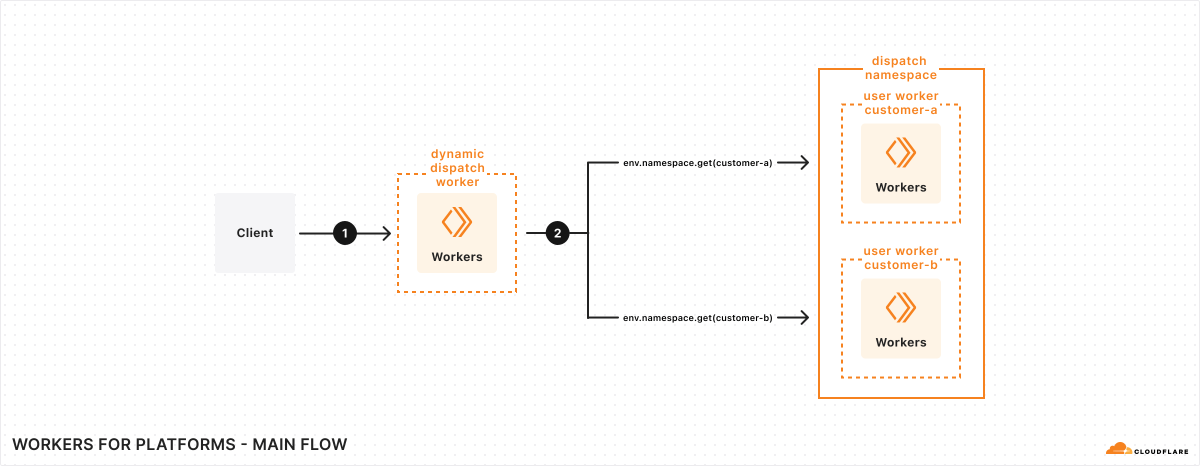
### Dispatch namespace
A dispatch namespace is a container that holds all of your customers' Workers. Your platform takes the code your customers write, and then makes an API request to deploy that code as a user Worker to a namespace — for example `staging` or `production`. Compared to [Workers](https://developers.cloudflare.com/workers/), this provides:
* **Unlimited number of Workers** - No per-account script limits apply to Workers in a namespace
* **Isolation by default** - Each user Worker in a namespace runs in [untrusted mode](https://developers.cloudflare.com/cloudflare-for-platforms/workers-for-platforms/reference/worker-isolation/) — user Workers never share a cache even when running on the same Cloudflare zone, and cannot access the `request.cf` object
* **Dynamic invocation** - Your dynamic dispatch Worker can call any Worker in the namespace using `env.DISPATCHER.get("worker-name")`
Best practice
All your customers' Workers should live in a single namespace (for example, `production`). Do not create a namespace per customer.
If you need to test changes safely, create a separate `staging` namespace.
### Dynamic dispatch Worker
A dynamic dispatch Worker is the entry point for all requests to your platform. Your dynamic dispatch Worker:
* **Routes requests** - Determines which customer Worker should handle each request based on hostname, path, headers, or any other criteria
* **Runs platform logic** - Executes authentication, rate limiting, or request validation before customer code runs
* **Sets per-customer limits** - Enforces [custom limits](https://developers.cloudflare.com/cloudflare-for-platforms/workers-for-platforms/configuration/custom-limits/) on CPU time and subrequests based on plan type
* **Sanitizes responses** - Modifies or filters responses from customer Workers
The dynamic dispatch Worker uses a [dispatch namespace binding](https://developers.cloudflare.com/cloudflare-for-platforms/workers-for-platforms/configuration/dynamic-dispatch/) to invoke user Workers:
```js
export default {
async fetch(request, env) {
// Determine which customer Worker to call
const customerName = new URL(request.url).hostname.split(".")[0];
// Get and invoke the customer's Worker
const userWorker = env.DISPATCHER.get(customerName);
return userWorker.fetch(request);
},
};
```
### User Workers
User Workers contain code written by your customers. Your customer sends their code to your platform, and then you make an API request to deploy a user Worker on their behalf. User Workers are deployed to a dispatch namespace and invoked by your dynamic dispatch Worker. You can provide user Workers with [bindings](https://developers.cloudflare.com/cloudflare-for-platforms/workers-for-platforms/configuration/bindings/) to access KV, D1, R2, and other Cloudflare resources.
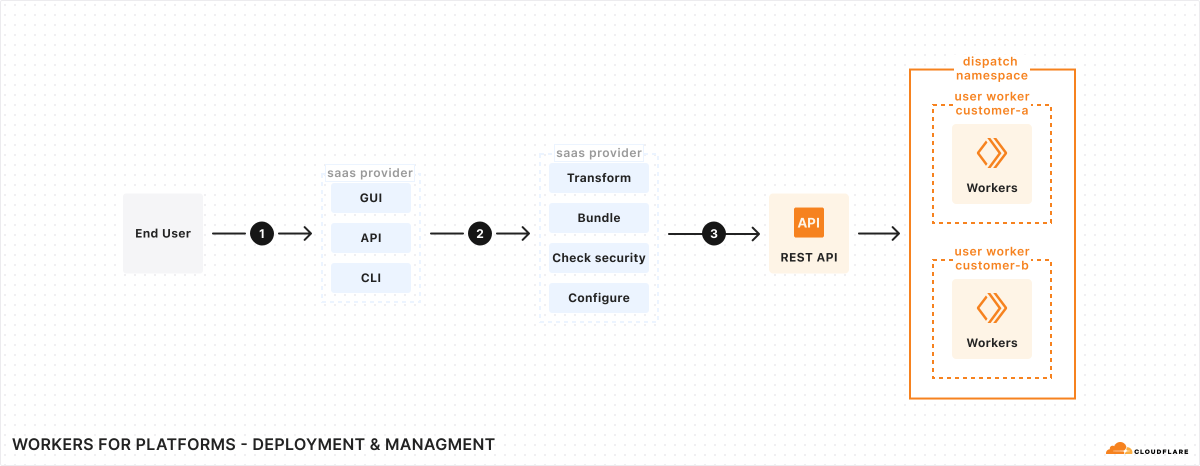
### Outbound Worker (optional)
An [outbound Worker](https://developers.cloudflare.com/cloudflare-for-platforms/workers-for-platforms/configuration/outbound-workers/) intercepts [`fetch()`](https://developers.cloudflare.com/workers/runtime-apis/fetch/) requests made by user Workers. Use it to:
* **Control egress** - Block or allow external API calls from customer code
* **Log requests** - Track what external services customers are calling
* **Modify requests** - Add authentication headers or transform requests before they leave your platform
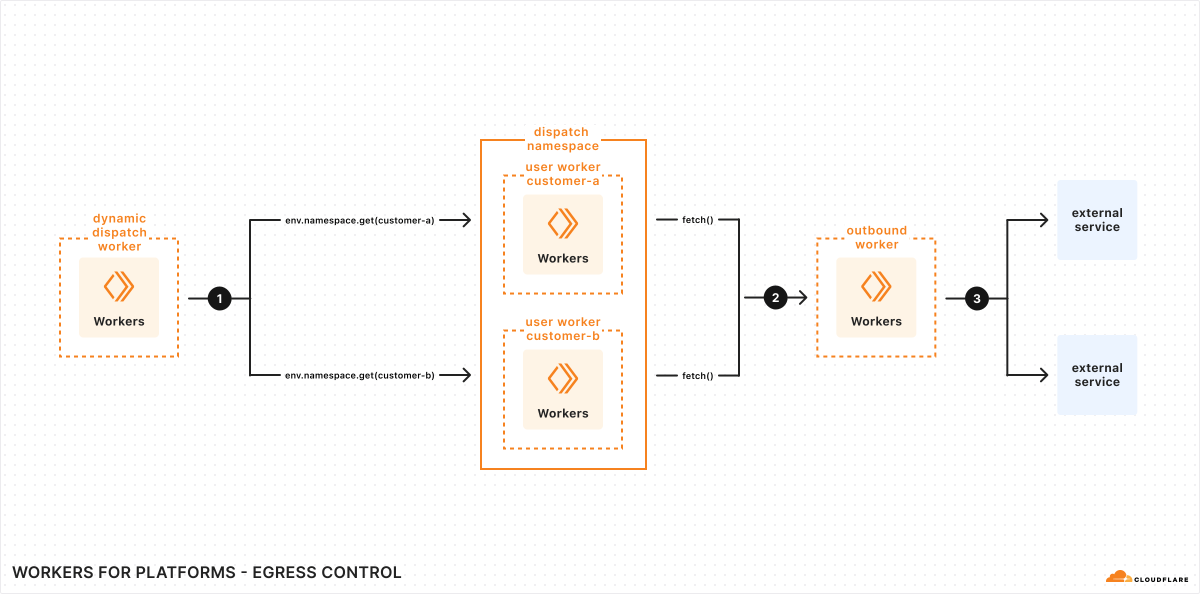
### Request lifecycle
1. A request arrives at your dynamic dispatch Worker (for example, `customer-a.example.com/api`)
2. Your dynamic dispatch Worker determines which user Worker should handle the request
3. The dynamic dispatch Worker calls `env.DISPATCHER.get("customer-a")` to get the user Worker
4. The user Worker executes. If it makes external `fetch()` calls and an outbound Worker is configured, those requests pass through the outbound Worker first.
5. The user Worker returns a response
6. Your dynamic dispatch Worker can optionally modify the response before returning it
***
## Workers for Platforms versus Service bindings
Both Workers for Platforms and [Service bindings](https://developers.cloudflare.com/workers/runtime-apis/bindings/service-bindings/) enable Worker-to-Worker communication. Use Service bindings when you know exactly which Workers need to communicate. Use Workers for Platforms when user Workers are uploaded dynamically by your customers.
You can use both simultaneously - your dynamic dispatch Worker can use Service bindings to call internal services while also dispatching to user Workers in a namespace.
---
title: Platform templates · Cloudflare for Platforms docs
description: Deploy a fully working platform to your Cloudflare account and
customize it for your use case.
lastUpdated: 2025-12-29T17:29:32.000Z
chatbotDeprioritize: true
source_url:
html: https://developers.cloudflare.com/cloudflare-for-platforms/workers-for-platforms/platform-templates/
md: https://developers.cloudflare.com/cloudflare-for-platforms/workers-for-platforms/platform-templates/index.md
---
Deploy a fully working platform to your Cloudflare account and customize it for your use case.
* [Platform Starter Kit](https://github.com/cloudflare/templates/tree/main/worker-publisher-template)
* [Deploy an AI vibe coding platform](https://github.com/cloudflare/vibesdk)
---
title: Reference · Cloudflare for Platforms docs
lastUpdated: 2025-12-29T17:29:32.000Z
chatbotDeprioritize: true
source_url:
html: https://developers.cloudflare.com/cloudflare-for-platforms/workers-for-platforms/reference/
md: https://developers.cloudflare.com/cloudflare-for-platforms/workers-for-platforms/reference/index.md
---
* [User Worker metadata](https://developers.cloudflare.com/workers/configuration/multipart-upload-metadata/)
* [Worker Isolation](https://developers.cloudflare.com/cloudflare-for-platforms/workers-for-platforms/reference/worker-isolation/)
* [Limits](https://developers.cloudflare.com/cloudflare-for-platforms/workers-for-platforms/reference/limits/)
* [Local development](https://developers.cloudflare.com/cloudflare-for-platforms/workers-for-platforms/reference/local-development/)
* [Pricing](https://developers.cloudflare.com/cloudflare-for-platforms/workers-for-platforms/reference/pricing/)
* [API examples](https://developers.cloudflare.com/cloudflare-for-platforms/workers-for-platforms/reference/platform-examples/)
---
title: WFP REST API · Cloudflare for Platforms docs
lastUpdated: 2024-12-16T22:33:26.000Z
chatbotDeprioritize: false
source_url:
html: https://developers.cloudflare.com/cloudflare-for-platforms/workers-for-platforms/wfp-api/
md: https://developers.cloudflare.com/cloudflare-for-platforms/workers-for-platforms/wfp-api/index.md
---
---
title: Client API · Constellation docs
description: The Constellation client API allows developers to interact with the
inference engine using the models configured for each project. Inference is
the process of running data inputs on a machine-learning model and generating
an output, or otherwise known as a prediction.
lastUpdated: 2025-01-29T12:28:42.000Z
chatbotDeprioritize: false
source_url:
html: https://developers.cloudflare.com/constellation/platform/client-api/
md: https://developers.cloudflare.com/constellation/platform/client-api/index.md
---
The Constellation client API allows developers to interact with the inference engine using the models configured for each project. Inference is the process of running data inputs on a machine-learning model and generating an output, or otherwise known as a prediction.
Before you use the Constellation client API, you need to:
* Sign up for a [Cloudflare account](https://dash.cloudflare.com/sign-up).
* Enable Constellation by logging into the Cloudflare dashboard > **Workers & Pages** > **Constellation**.
* Create a Constellation project and configure the binding.
* Import the `@cloudflare/constellation` library in your code:
```javascript
import { Tensor, run } from "@cloudflare/constellation";
```
## Tensor class
Tensors are essentially multidimensional numerical arrays used to represent any kind of data, like a piece of text, an image, or a time series. TensorFlow popularized the use of [Tensors](https://www.tensorflow.org/guide/tensor) in machine learning (hence the name). Other frameworks and runtimes have since followed the same concept.
Constellation also uses Tensors for model input.
Tensors have a data type, a shape, the data, and a name.
```typescript
enum TensorType {
Bool = "bool",
Float16 = "float16",
Float32 = "float32",
Int8 = "int8",
Int16 = "int16",
Int32 = "int32",
Int64 = "int64",
}
type TensorOpts = {
shape?: number[],
name?: string
}
declare class Tensor {
constructor(
type: T,
value: any | any[],
opts: TensorOpts = {}
)
}
```
### Create new Tensor
```typescript
new Tensor(
type:TensorType,
value:any | any[],
options?:TensorOpts
)
```
#### type
Defines the type of data represented in the Tensor. Options are:
* TensorType.Bool
* TensorType.Float16
* TensorType.Float32
* TensorType.Int8
* TensorType.Int16
* TensorType.Int32
* TensorType.Int64
#### value
This is the tensor's data. Example tensor values can include:
* scalar: 4
* vector: \[1, 2, 3]
* two-axes 3x2 matrix: \[\[1,2], \[2,4], \[5,6]]
* three-axes 3x2 matrix \[ \[\[1, 2], \[3, 4]], \[\[5, 6], \[7, 8]], \[\[9, 10], \[11, 12]] ]
#### options
You can pass options to your tensor:
##### shape
Tensors store multidimensional data. The shape of the data can be a scalar, a vector, a 2D matrix or multiple-axes matrixes. Some examples:
* \[] - scalar data
* \[3] - vector with 3 elements
* \[3, 2] - two-axes 3x2 matrix
* \[3, 2, 2] - three-axis 2x2 matrix
Refer to the [TensorFlow documentation](https://www.tensorflow.org/guide/tensor) for more information about shapes.
If you don't pass the shape, then we try to infer it from the value object. If we can't, we thrown an error.
##### name
Naming a tensor is optional, it can be a useful key for mapping operations when building the tensor inputs.
### Tensor examples
#### A scalar
```javascript
new Tensor(TensorType.Int16, 123);
```
#### Arrays
```javascript
new Tensor(TensorType.Int32, [1, 23]);
new Tensor(TensorType.Int32, [ [1, 2], [3, 4], ], { shape: [2, 2] });
new Tensor(TensorType.Int32, [1, 23], { shape: [1] });
```
#### Named
```javascript
new Tensor(TensorType.Int32, 1, { name: "foo" });
```
### Tensor properties
You can read the tensor's properties after it has been created:
```javascript
const tensor = new Tensor(TensorType.Int32, [ [1, 2], [3, 4], ], { shape: [2, 2], name: "test" });
console.log ( tensor.type );
// TensorType.Int32
console.log ( tensor.shape );
// [2, 2]
console.log ( tensor.name );
// test
console.log ( tensor.value );
// [ [1, 2], [3, 4], ]
```
### Tensor methods
#### async tensor.toJSON()
Serializes the tensor to a JSON object:
```javascript
const tensor = new Tensor(TensorType.Int32, [ [1, 2], [3, 4], ], { shape: [2, 2], name: "test" });
tensor.toJSON();
{
type: TensorType.Int32,
name: "test",
shape: [2, 2],
value: [ [1, 2], [3, 4], ]
}
```
#### async tensor.fromJSON()
Serializes a JSON object to a tensor:
```javascript
const tensor = Tensor.fromJSON(
{
type: TensorType.Int32,
name: "test",
shape: [2, 2],
value: [ [1, 2], [3, 4], ]
}
);
```
## InferenceSession class
Constellation requires an inference session before you can run a task. A session is locked to a specific project, defined in your binding, and the project model.
You can, and should, if possible, run multiple tasks under the same inference session. Reusing the same session, means that we instantiate the runtime and load the model to memory once.
```typescript
export class InferenceSession {
constructor(binding: any, modelId: string, options: SessionOptions = {})
}
export type InferenceSession = {
binding: any;
model: string;
options: SessionOptions;
};
```
### InferenceSession methods
#### new InferenceSession()
To create a new session:
```javascript
import { InferenceSession } from "@cloudflare/constellation";
const session = new InferenceSession(
env.PROJECT,
"0ae7bd14-a0df-4610-aa85-1928656d6e9e"
);
```
* **env.PROJECT** is the project binding defined in your Wrangler configuration.
* **0ae7bd14...** is the model ID inside the project. Use Wrangler to list the models and their IDs in a project.
#### async session.run()
Runs a task in the created inference session. Takes a list of tensors as the input.
```javascript
import { Tensor, InferenceSession, TensorType } from "@cloudflare/constellation";
const session = new InferenceSession(
env.PROJECT,
"0ae7bd14-a0df-4610-aa85-1998656d6e9e"
);
const tensorInputArray = [ new Tensor(TensorType.Int32, 1), new Tensor(TensorType.Int32, 2), new Tensor(TensorType.Int32, 3) ];
const out = await session.run(tensorInputArray);
```
You can also use an object and name your tensors.
```javascript
const tensorInputNamed = {
"tensor1": new Tensor(TensorType.Int32, 1),
"tensor2": new Tensor(TensorType.Int32, 2),
"tensor3": new Tensor(TensorType.Int32, 3)
};
out = await session.run(tensorInputNamed);
```
This is the same as using the name option when you create a tensor.
```javascript
{ "tensor1": new Tensor(TensorType.Int32, 1) } == [ new Tensor(TensorType.Int32, 1, { name: "tensor1" } ];
```
---
title: Static Frontend, Container Backend · Cloudflare Containers docs
description: A simple frontend app with a containerized backend
lastUpdated: 2026-01-27T21:11:25.000Z
chatbotDeprioritize: false
source_url:
html: https://developers.cloudflare.com/containers/examples/container-backend/
md: https://developers.cloudflare.com/containers/examples/container-backend/index.md
---
A common pattern is to serve a static frontend application (e.g., React, Vue, Svelte) using Static Assets, then pass backend requests to a containerized backend application.
In this example, we'll show an example using a simple `index.html` file served as a static asset, but you can select from one of many frontend frameworks. See our [Workers framework examples](https://developers.cloudflare.com/workers/framework-guides/web-apps/) for more information.
For a full example, see the [Static Frontend + Container Backend Template](https://github.com/mikenomitch/static-frontend-container-backend).
## Configure Static Assets and a Container
* wrangler.jsonc
```jsonc
{
"name": "cron-container",
"main": "src/index.ts",
"assets": {
"directory": "./dist",
"binding": "ASSETS"
},
"containers": [
{
"class_name": "Backend",
"image": "./Dockerfile",
"max_instances": 3
}
],
"durable_objects": {
"bindings": [
{
"class_name": "Backend",
"name": "BACKEND"
}
]
},
"migrations": [
{
"new_sqlite_classes": [
"Backend"
],
"tag": "v1"
}
]
}
```
* wrangler.toml
```toml
name = "cron-container"
main = "src/index.ts"
[assets]
directory = "./dist"
binding = "ASSETS"
[[containers]]
class_name = "Backend"
image = "./Dockerfile"
max_instances = 3
[[durable_objects.bindings]]
class_name = "Backend"
name = "BACKEND"
[[migrations]]
new_sqlite_classes = [ "Backend" ]
tag = "v1"
```
## Add a simple index.html file to serve
Create a simple `index.html` file in the `./dist` directory.
index.html
```html
Widgets
Widgets
Loading...
- (ID: )
No widgets found.
```
In this example, we are using [Alpine.js](https://alpinejs.dev/) to fetch a list of widgets from `/api/widgets`.
This is meant to be a very simple example, but you can get significantly more complex. See [examples of Workers integrating with frontend frameworks](https://developers.cloudflare.com/workers/framework-guides/web-apps/) for more information.
## Define a Worker
Your Worker needs to be able to both serve static assets and route requests to the containerized backend.
In this case, we will pass requests to one of three container instances if the route starts with `/api`, and all other requests will be served as static assets.
```javascript
import { Container, getRandom } from "@cloudflare/containers";
const INSTANCE_COUNT = 3;
class Backend extends Container {
defaultPort = 8080; // pass requests to port 8080 in the container
sleepAfter = "2h"; // only sleep a container if it hasn't gotten requests in 2 hours
}
export default {
async fetch(request, env) {
const url = new URL(request.url);
if (url.pathname.startsWith("/api")) {
// note: "getRandom" to be replaced with latency-aware routing in the near future
const containerInstance = await getRandom(env.BACKEND, INSTANCE_COUNT);
return containerInstance.fetch(request);
}
return env.ASSETS.fetch(request);
},
};
```
Note
This example uses the `getRandom` function, which is a temporary helper that will randomly select of of N instances of a Container to route requests to.
In the future, we will provide improved latency-aware load balancing and autoscaling.
This will make scaling stateless instances simple and routing more efficient. See the [autoscaling documentation](https://developers.cloudflare.com/containers/platform-details/scaling-and-routing) for more details.
## Define a backend container
Your container should be able to handle requests to `/api/widgets`.
In this case, we'll use a simple Golang backend that returns a hard-coded list of widgets.
server.go
```go
package main
import (
"encoding/json"
"log"
"net/http"
)
func handler(w http.ResponseWriter, r \*http.Request) {
widgets := []map[string]interface{}{
{"id": 1, "name": "Widget A"},
{"id": 2, "name": "Sprocket B"},
{"id": 3, "name": "Gear C"},
}
w.Header().Set("Content-Type", "application/json")
w.Header().Set("Access-Control-Allow-Origin", "*")
json.NewEncoder(w).Encode(widgets)
}
func main() {
http.HandleFunc("/api/widgets", handler)
log.Fatal(http.ListenAndServe(":8080", nil))
}
```
---
title: Cron Container · Cloudflare Containers docs
description: Running a container on a schedule using Cron Triggers
lastUpdated: 2026-01-27T21:11:25.000Z
chatbotDeprioritize: false
source_url:
html: https://developers.cloudflare.com/containers/examples/cron/
md: https://developers.cloudflare.com/containers/examples/cron/index.md
---
To launch a container on a schedule, you can use a Workers [Cron Trigger](https://developers.cloudflare.com/workers/configuration/cron-triggers/).
For a full example, see the [Cron Container Template](https://github.com/mikenomitch/cron-container/tree/main).
Use a cron expression in your Wrangler config to specify the schedule:
* wrangler.jsonc
```jsonc
{
"name": "cron-container",
"main": "src/index.ts",
"triggers": {
"crons": [
"*/2 * * * *" // Run every 2 minutes
]
},
"containers": [
{
"class_name": "CronContainer",
"image": "./Dockerfile"
}
],
"durable_objects": {
"bindings": [
{
"class_name": "CronContainer",
"name": "CRON_CONTAINER"
}
]
},
"migrations": [
{
"new_sqlite_classes": ["CronContainer"],
"tag": "v1"
}
]
}
```
* wrangler.toml
```toml
name = "cron-container"
main = "src/index.ts"
[triggers]
crons = [ "*/2 * * * *" ]
[[containers]]
class_name = "CronContainer"
image = "./Dockerfile"
[[durable_objects.bindings]]
class_name = "CronContainer"
name = "CRON_CONTAINER"
[[migrations]]
new_sqlite_classes = [ "CronContainer" ]
tag = "v1"
```
Then in your Worker, call your Container from the "scheduled" handler:
```ts
import { Container, getContainer } from '@cloudflare/containers';
export class CronContainer extends Container {
sleepAfter = '10s';
override onStart() {
console.log('Starting container');
}
override onStop() {
console.log('Container stopped');
}
}
export default {
async fetch(): Promise {
return new Response("This Worker runs a cron job to execute a container on a schedule.");
},
async scheduled(_controller: any, env: { CRON_CONTAINER: DurableObjectNamespace }) {
let container = getContainer(env.CRON_CONTAINER);
await container.start({
envVars: {
MESSAGE: "Start Time: " + new Date().toISOString(),
}
})
},
};
```
---
title: Using Durable Objects Directly · Cloudflare Containers docs
description: Various examples calling Containers directly from Durable Objects
lastUpdated: 2026-01-27T21:11:25.000Z
chatbotDeprioritize: false
source_url:
html: https://developers.cloudflare.com/containers/examples/durable-object-interface/
md: https://developers.cloudflare.com/containers/examples/durable-object-interface/index.md
---
---
title: Env Vars and Secrets · Cloudflare Containers docs
description: Pass in environment variables and secrets to your container
lastUpdated: 2026-01-27T21:11:25.000Z
chatbotDeprioritize: false
source_url:
html: https://developers.cloudflare.com/containers/examples/env-vars-and-secrets/
md: https://developers.cloudflare.com/containers/examples/env-vars-and-secrets/index.md
---
Environment variables can be passed into a Container using the `envVars` field in the [`Container`](https://developers.cloudflare.com/containers/container-package) class, or by setting manually when the Container starts.
Secrets can be passed into a Container by using [Worker Secrets](https://developers.cloudflare.com/workers/configuration/secrets/) or the [Secret Store](https://developers.cloudflare.com/secrets-store/integrations/workers/), then passing them into the Container as environment variables.
KV values can be passed into a Container by using [Workers KV](https://developers.cloudflare.com/kv/), then reading the values and passing them into the Container as environment variables.
These examples show the various ways to pass in secrets, KV values, and environment variables. In each, we will be passing in:
* the variable `"ENV_VAR"` as a hard-coded environment variable
* the secret `"WORKER_SECRET"` as a secret from Worker Secrets
* the secret `"SECRET_STORE_SECRET"` as a secret from the Secret Store
* the value `"KV_VALUE"` as a value from Workers KV
In practice, you may just use one of the methods for storing secrets and data, but we will show all methods for completeness.
## Creating secrets and KV data
First, let's create the `"WORKER_SECRET"` secret in Worker Secrets:
* npm
```sh
npx wrangler secret put WORKER_SECRET
```
* yarn
```sh
yarn wrangler secret put WORKER_SECRET
```
* pnpm
```sh
pnpm wrangler secret put WORKER_SECRET
```
Then, let's create a store called "demo" in the Secret Store, and add the `"SECRET_STORE_SECRET"` secret to it:
* npm
```sh
npx wrangler secrets-store store create demo --remote
```
* yarn
```sh
yarn wrangler secrets-store store create demo --remote
```
* pnpm
```sh
pnpm wrangler secrets-store store create demo --remote
```
- npm
```sh
npx wrangler secrets-store secret create demo --name SECRET_STORE_SECRET --scopes workers --remote
```
- yarn
```sh
yarn wrangler secrets-store secret create demo --name SECRET_STORE_SECRET --scopes workers --remote
```
- pnpm
```sh
pnpm wrangler secrets-store secret create demo --name SECRET_STORE_SECRET --scopes workers --remote
```
Next, let's create a KV namespace called `DEMO_KV` and add a key-value pair:
* npm
```sh
npx wrangler kv namespace create DEMO_KV
```
* yarn
```sh
yarn wrangler kv namespace create DEMO_KV
```
* pnpm
```sh
pnpm wrangler kv namespace create DEMO_KV
```
- npm
```sh
npx wrangler kv key put --binding DEMO_KV KV_VALUE 'Hello from KV!'
```
- yarn
```sh
yarn wrangler kv key put --binding DEMO_KV KV_VALUE 'Hello from KV!'
```
- pnpm
```sh
pnpm wrangler kv key put --binding DEMO_KV KV_VALUE 'Hello from KV!'
```
For full details on how to create secrets, see the [Workers Secrets documentation](https://developers.cloudflare.com/workers/configuration/secrets/) and the [Secret Store documentation](https://developers.cloudflare.com/secrets-store/integrations/workers/). For KV setup, see the [Workers KV documentation](https://developers.cloudflare.com/kv/).
## Adding bindings
Next, we need to add bindings to access our secrets, KV values, and environment variables in Wrangler configuration.
* wrangler.jsonc
```jsonc
{
"name": "my-container-worker",
"vars": {
"ENV_VAR": "my-env-var"
},
"secrets_store_secrets": [
{
"binding": "SECRET_STORE",
"store_id": "demo",
"secret_name": "SECRET_STORE_SECRET"
}
],
"kv_namespaces": [
{
"binding": "DEMO_KV",
"id": ""
}
]
// rest of the configuration...
}
```
* wrangler.toml
```toml
name = "my-container-worker"
[vars]
ENV_VAR = "my-env-var"
[[secrets_store_secrets]]
binding = "SECRET_STORE"
store_id = "demo"
secret_name = "SECRET_STORE_SECRET"
[[kv_namespaces]]
binding = "DEMO_KV"
id = ""
```
Note that `"WORKER_SECRET"` does not need to be specified in the Wrangler config file, as it is automatically added to `env`.
Also note that we did not configure anything specific for environment variables, secrets, or KV values in the *container-related* portion of the Wrangler configuration file.
## Using `envVars` on the Container class
Now, let's pass the env vars and secrets to our container using the `envVars` field in the `Container` class:
```js
// https://developers.cloudflare.com/workers/runtime-apis/bindings/#importing-env-as-a-global
import { env } from "cloudflare:workers";
export class MyContainer extends Container {
defaultPort = 8080;
sleepAfter = "10s";
envVars = {
WORKER_SECRET: env.WORKER_SECRET,
ENV_VAR: env.ENV_VAR,
// we can't set the secret store binding or KV values as defaults here, as getting their values is asynchronous
};
}
```
Every instance of this `Container` will now have these variables and secrets set as environment variables when it launches.
## Setting environment variables per-instance
But what if you want to set environment variables on a per-instance basis?
In this case, use the `startAndWaitForPorts()` method to pass in environment variables for each instance.
```js
export class MyContainer extends Container {
defaultPort = 8080;
sleepAfter = "10s";
}
export default {
async fetch(request, env) {
if (new URL(request.url).pathname === "/launch-instances") {
let instanceOne = env.MY_CONTAINER.getByName("foo");
let instanceTwo = env.MY_CONTAINER.getByName("bar");
// Each instance gets a different set of environment variables
await instanceOne.startAndWaitForPorts({
startOptions: {
envVars: {
ENV_VAR: env.ENV_VAR + "foo",
WORKER_SECRET: env.WORKER_SECRET,
SECRET_STORE_SECRET: await env.SECRET_STORE.get(),
KV_VALUE: await env.DEMO_KV.get("KV_VALUE"),
},
},
});
await instanceTwo.startAndWaitForPorts({
startOptions: {
envVars: {
ENV_VAR: env.ENV_VAR + "bar",
WORKER_SECRET: env.WORKER_SECRET,
SECRET_STORE_SECRET: await env.SECRET_STORE.get(),
KV_VALUE: await env.DEMO_KV.get("KV_VALUE"),
// You can also read different KV keys for different instances
INSTANCE_CONFIG: await env.DEMO_KV.get("instance-bar-config"),
},
},
});
return new Response("Container instances launched");
}
// ... etc ...
},
};
```
## Reading KV values in containers
KV values are particularly useful for configuration data that changes infrequently but needs to be accessible to your containers. Since KV operations are asynchronous, you must read the values at runtime when starting containers.
Here are common patterns for using KV with containers:
### Configuration data
```js
export default {
async fetch(request, env) {
if (new URL(request.url).pathname === "/configure-container") {
// Read configuration from KV
const config = await env.DEMO_KV.get("container-config", "json");
const apiUrl = await env.DEMO_KV.get("api-endpoint");
let container = env.MY_CONTAINER.getByName("configured");
await container.startAndWaitForPorts({
startOptions: {
envVars: {
CONFIG_JSON: JSON.stringify(config),
API_ENDPOINT: apiUrl,
DEPLOYMENT_ENV: await env.DEMO_KV.get("deployment-env"),
},
},
});
return new Response("Container configured and launched");
}
},
};
```
### Feature flags
```js
export default {
async fetch(request, env) {
if (new URL(request.url).pathname === "/launch-with-features") {
// Read feature flags from KV
const featureFlags = {
ENABLE_FEATURE_A: await env.DEMO_KV.get("feature-a-enabled"),
ENABLE_FEATURE_B: await env.DEMO_KV.get("feature-b-enabled"),
DEBUG_MODE: await env.DEMO_KV.get("debug-enabled"),
};
let container = env.MY_CONTAINER.getByName("features");
await container.startAndWaitForPorts({
startOptions: {
envVars: {
...featureFlags,
CONTAINER_VERSION: "1.2.3",
},
},
});
return new Response("Container launched with feature flags");
}
},
};
```
## Build-time environment variables
Finally, you can also set build-time environment variables that are only available when building the container image via the `image_vars` field in the Wrangler configuration.
---
title: Mount R2 buckets with FUSE · Cloudflare Containers docs
description: Mount R2 buckets as filesystems using FUSE in Containers
lastUpdated: 2026-01-27T21:11:25.000Z
chatbotDeprioritize: false
source_url:
html: https://developers.cloudflare.com/containers/examples/r2-fuse-mount/
md: https://developers.cloudflare.com/containers/examples/r2-fuse-mount/index.md
---
FUSE (Filesystem in Userspace) allows you to mount [R2 buckets](https://developers.cloudflare.com/r2/) as filesystems within Containers. Applications can then interact with R2 using standard filesystem operations rather than object storage APIs.
Common use cases include:
* **Bootstrapping containers with assets** - Mount datasets, models, or dependencies for sandboxes and agent environments
* **Persisting user state** - Store and access user configuration or application state without managing downloads
* **Large static files** - Avoid bloating container images or downloading files at startup
* **Editing files** - Make code or config available within the container and save edits across instances.
Performance considerations
Object storage is not a POSIX-compatible filesystem, nor is it local storage. While FUSE mounts provide a familiar interface, you should not expect native SSD-like performance.
Common use cases where this tradeoff is acceptable include reading shared assets, bootstrapping [agents](https://developers.cloudflare.com/agents/) or [sandboxes](https://developers.cloudflare.com/sandbox/) with initial data, persisting user state, and applications that require filesystem APIs but don't need high-performance I/O.
## Mounting buckets
To mount an R2 bucket, install a FUSE adapter in your Dockerfile and configure it to run at container startup.
This example uses [tigrisfs](https://github.com/tigrisdata/tigrisfs), which supports S3-compatible storage including R2:
Dockerfile
```dockerfile
FROM alpine:3.20
# Install FUSE and dependencies
RUN apk add --no-cache \
--repository http://dl-cdn.alpinelinux.org/alpine/v3.20/main \
ca-certificates fuse curl bash
# Install tigrisfs
RUN ARCH=$(uname -m) && \
if [ "$ARCH" = "x86_64" ]; then ARCH="amd64"; fi && \
if [ "$ARCH" = "aarch64" ]; then ARCH="arm64"; fi && \
VERSION=$(curl -s https://api.github.com/repos/tigrisdata/tigrisfs/releases/latest | grep -o '"tag_name": "[^"]*' | cut -d'"' -f4) && \
curl -L "https://github.com/tigrisdata/tigrisfs/releases/download/${VERSION}/tigrisfs_${VERSION#v}_linux_${ARCH}.tar.gz" -o /tmp/tigrisfs.tar.gz && \
tar -xzf /tmp/tigrisfs.tar.gz -C /usr/local/bin/ && \
rm /tmp/tigrisfs.tar.gz && \
chmod +x /usr/local/bin/tigrisfs
# Create startup script that mounts bucket and runs a command
RUN printf '#!/bin/sh\n\
set -e\n\
\n\
mkdir -p /mnt/r2\n\
\n\
R2_ENDPOINT="https://${R2_ACCOUNT_ID}.r2.cloudflarestorage.com"\n\
echo "Mounting bucket ${R2_BUCKET_NAME}..."\n\
/usr/local/bin/tigrisfs --endpoint "${R2_ENDPOINT}" -f "${R2_BUCKET_NAME}" /mnt/r2 &\n\
sleep 3\n\
\n\
echo "Contents of mounted bucket:"\n\
ls -lah /mnt/r2\n\
' > /startup.sh && chmod +x /startup.sh
EXPOSE 8080
CMD ["/startup.sh"]
```
The startup script creates a mount point, starts tigrisfs in the background to mount the bucket, and then lists the mounted directory contents.
### Passing credentials to the container
Your Container needs [R2 credentials](https://developers.cloudflare.com/r2/api/tokens/) and configuration passed as environment variables. Store credentials as [Worker secrets](https://developers.cloudflare.com/workers/configuration/secrets/), then pass them through the `envVars` property:
* JavaScript
```js
import { Container, getContainer } from "@cloudflare/containers";
export class FUSEDemo extends Container {
defaultPort = 8080;
sleepAfter = "10m";
envVars = {
AWS_ACCESS_KEY_ID: this.env.AWS_ACCESS_KEY_ID,
AWS_SECRET_ACCESS_KEY: this.env.AWS_SECRET_ACCESS_KEY,
R2_BUCKET_NAME: this.env.R2_BUCKET_NAME,
R2_ACCOUNT_ID: this.env.R2_ACCOUNT_ID,
};
}
```
* TypeScript
```ts
import { Container, getContainer } from "@cloudflare/containers";
interface Env {
FUSEDemo: DurableObjectNamespace;
AWS_ACCESS_KEY_ID: string;
AWS_SECRET_ACCESS_KEY: string;
R2_BUCKET_NAME: string;
R2_ACCOUNT_ID: string;
}
export class FUSEDemo extends Container {
defaultPort = 8080;
sleepAfter = "10m";
envVars = {
AWS_ACCESS_KEY_ID: this.env.AWS_ACCESS_KEY_ID,
AWS_SECRET_ACCESS_KEY: this.env.AWS_SECRET_ACCESS_KEY,
R2_BUCKET_NAME: this.env.R2_BUCKET_NAME,
R2_ACCOUNT_ID: this.env.R2_ACCOUNT_ID,
};
}
```
The `AWS_ACCESS_KEY_ID` and `AWS_SECRET_ACCESS_KEY` should be stored as secrets, while `R2_BUCKET_NAME` and `R2_ACCOUNT_ID` can be configured as variables in your `wrangler.jsonc`:
Creating your R2 AWS API keys
To get your `AWS_ACCESS_KEY_ID` and `AWS_SECRET_ACCESS_KEY`, [head to your R2 dashboard](https://dash.cloudflare.com/?to=/:account/r2/overview) and create a new R2 Access API key. Use the generated the `Access Key ID` as your `AWS_ACCESS_KEY_ID` and `Secret Access Key` is the `AWS_SECRET_ACCESS_KEY`.
```json
{
"vars": {
"R2_BUCKET_NAME": "my-bucket",
"R2_ACCOUNT_ID": "your-account-id"
}
}
```
### Other S3-compatible storage providers
Other S3-compatible storage providers, including AWS S3 and Google Cloud Storage, can be mounted using the same approach as R2. You will need to provide the appropriate endpoint URL and access credentials for the storage provider.
## Mounting bucket prefixes
To mount a specific prefix (subdirectory) within a bucket, most FUSE adapters require mounting the entire bucket and then accessing the prefix path within the mount.
With tigrisfs, mount the bucket and access the prefix via the filesystem path:
```dockerfile
RUN printf '#!/bin/sh\n\
set -e\n\
\n\
mkdir -p /mnt/r2\n\
\n\
R2_ENDPOINT="https://${R2_ACCOUNT_ID}.r2.cloudflarestorage.com"\n\
/usr/local/bin/tigrisfs --endpoint "${R2_ENDPOINT}" -f "${R2_BUCKET_NAME}" /mnt/r2 &\n\
sleep 3\n\
\n\
echo "Accessing prefix: ${BUCKET_PREFIX}"\n\
ls -lah "/mnt/r2/${BUCKET_PREFIX}"\n\
' > /startup.sh && chmod +x /startup.sh
```
Your application can then read from `/mnt/r2/${BUCKET_PREFIX}` to access only the files under that prefix. Pass `BUCKET_PREFIX` as an environment variable alongside your other R2 configuration.
## Mounting buckets as read-only
To prevent applications from writing to the mounted bucket, add the `-o ro` flag to mount the filesystem as read-only:
```dockerfile
RUN printf '#!/bin/sh\n\
set -e\n\
\n\
mkdir -p /mnt/r2\n\
\n\
R2_ENDPOINT="https://${R2_ACCOUNT_ID}.r2.cloudflarestorage.com"\n\
/usr/local/bin/tigrisfs --endpoint "${R2_ENDPOINT}" -o ro -f "${R2_BUCKET_NAME}" /mnt/r2 &\n\
sleep 3\n\
\n\
ls -lah /mnt/r2\n\
' > /startup.sh && chmod +x /startup.sh
```
This is useful for shared assets or configuration files where you want to ensure applications only read data.
## Related resources
* [Container environment variables](https://developers.cloudflare.com/containers/examples/env-vars-and-secrets/) - Learn how to pass secrets and variables to Containers
* [tigrisfs](https://github.com/tigrisdata/tigrisfs) - FUSE adapter for S3-compatible storage including R2
* [s3fs](https://github.com/s3fs-fuse/s3fs-fuse) - Alternative FUSE adapter for S3-compatible storage
* [gcsfuse](https://github.com/GoogleCloudPlatform/gcsfuse) - FUSE adapter for Google Cloud Storage buckets
---
title: Stateless Instances · Cloudflare Containers docs
description: Run multiple instances across Cloudflare's network
lastUpdated: 2026-01-27T21:11:25.000Z
chatbotDeprioritize: false
source_url:
html: https://developers.cloudflare.com/containers/examples/stateless/
md: https://developers.cloudflare.com/containers/examples/stateless/index.md
---
To simply proxy requests to one of multiple instances of a container, you can use the `getRandom` function:
```ts
import { Container, getRandom } from "@cloudflare/containers";
const INSTANCE_COUNT = 3;
class Backend extends Container {
defaultPort = 8080;
sleepAfter = "2h";
}
export default {
async fetch(request: Request, env: Env): Promise {
// note: "getRandom" to be replaced with latency-aware routing in the near future
const containerInstance = await getRandom(env.BACKEND, INSTANCE_COUNT);
return containerInstance.fetch(request);
},
};
```
Note
This example uses the `getRandom` function, which is a temporary helper that will randomly select one of N instances of a Container to route requests to.
In the future, we will provide improved latency-aware load balancing and autoscaling.
This will make scaling stateless instances simple and routing more efficient. See the [autoscaling documentation](https://developers.cloudflare.com/containers/platform-details/scaling-and-routing) for more details.
---
title: Status Hooks · Cloudflare Containers docs
description: Execute Workers code in reaction to Container status changes
lastUpdated: 2026-01-27T21:11:25.000Z
chatbotDeprioritize: false
source_url:
html: https://developers.cloudflare.com/containers/examples/status-hooks/
md: https://developers.cloudflare.com/containers/examples/status-hooks/index.md
---
When a Container starts, stops, and errors, it can trigger code execution in a Worker that has defined status hooks on the `Container` class. Refer to the [Container package docs](https://github.com/cloudflare/containers/blob/main/README.md#lifecycle-hooks) for more details.
```js
import { Container } from '@cloudflare/containers';
export class MyContainer extends Container {
defaultPort = 4000;
sleepAfter = '5m';
override onStart() {
console.log('Container successfully started');
}
override onStop(stopParams) {
if (stopParams.exitCode === 0) {
console.log('Container stopped gracefully');
} else {
console.log('Container stopped with exit code:', stopParams.exitCode);
}
console.log('Container stop reason:', stopParams.reason);
}
override onError(error: string) {
console.log('Container error:', error);
}
}
```
---
title: Websocket to Container · Cloudflare Containers docs
description: Forwarding a Websocket request to a Container
lastUpdated: 2026-01-27T21:11:25.000Z
chatbotDeprioritize: false
source_url:
html: https://developers.cloudflare.com/containers/examples/websocket/
md: https://developers.cloudflare.com/containers/examples/websocket/index.md
---
WebSocket requests are automatically forwarded to a container using the default `fetch` method on the `Container` class:
```js
import { Container, getContainer } from "@cloudflare/containers";
export class MyContainer extends Container {
defaultPort = 8080;
sleepAfter = "2m";
}
export default {
async fetch(request, env) {
// gets default instance and forwards websocket from outside Worker
return getContainer(env.MY_CONTAINER).fetch(request);
},
};
```
View a full example in the [Container class repository](https://github.com/cloudflare/containers/tree/main/examples/websocket).
---
title: Lifecycle of a Container · Cloudflare Containers docs
description: >-
After you deploy an application with a Container, your image is uploaded to
Cloudflare's Registry and distributed globally to Cloudflare's Network.
Cloudflare will pre-schedule instances and pre-fetch images across the globe
to ensure quick start
times when scaling up the number of concurrent container instances.
lastUpdated: 2026-01-26T13:23:46.000Z
chatbotDeprioritize: false
source_url:
html: https://developers.cloudflare.com/containers/platform-details/architecture/
md: https://developers.cloudflare.com/containers/platform-details/architecture/index.md
---
## Deployment
After you deploy an application with a Container, your image is uploaded to [Cloudflare's Registry](https://developers.cloudflare.com/containers/platform-details/image-management) and distributed globally to Cloudflare's Network. Cloudflare will pre-schedule instances and pre-fetch images across the globe to ensure quick start times when scaling up the number of concurrent container instances.
Unlike Workers, which are updated immediately on deploy, container instances are updated using a rolling deploy strategy. This allows you to gracefully shutdown any running instances during a rollout. Refer to [rollouts](https://developers.cloudflare.com/containers/platform-details/rollouts/) for more details.
## Lifecycle of a Request
### Client to Worker
Recall that Containers are backed by [Durable Objects](https://developers.cloudflare.com/durable-objects/) and [Workers](https://developers.cloudflare.com/workers/). Requests are first routed through a Worker, which is generally handled by a datacenter in a location with the best latency between itself and the requesting user. A different datacenter may be selected to optimize overall latency, if [Smart Placement](https://developers.cloudflare.com/workers/configuration/placement/) is on, or if the nearest location is under heavy load.
Because all Container requests are passed through a Worker, end-users cannot make non-HTTP TCP or UDP requests to a Container instance. If you have a use case that requires inbound TCP or UDP from an end-user, please [let us know](https://forms.gle/AGSq54VvUje6kmKu8).
### Worker to Durable Object
From the Worker, a request passes through a Durable Object instance (the [Container package](https://developers.cloudflare.com/containers/container-package) extends a Durable Object class). Each Durable Object instance is a globally routable isolate that can execute code and store state. This allows developers to easily address and route to specific container instances (no matter where they are placed), define and run hooks on container status changes, execute recurring checks on the instance, and store persistent state associated with each instance.
### Starting a Container
When a Durable Object instance requests to start a new container instance, the **nearest location with a pre-fetched image** is selected.
Note
Currently, Durable Objects may be co-located with their associated Container instance, but often are not.
Cloudflare is currently working on expanding the number of locations in which a Durable Object can run, which will allow container instances to always run in the same location as their Durable Object.
Starting additional container instances will use other locations with pre-fetched images, and Cloudflare will automatically begin prepping additional machines behind the scenes for additional scaling and quick cold starts. Because there are a finite number of pre-warmed locations, some container instances may be started in locations that are farther away from the end-user. This is done to ensure that the container instance starts quickly. You are only charged for actively running instances and not for any unused pre-warmed images.
#### Cold starts
A cold start is when a container instance is started from a completely stopped state. If you call `env.MY_CONTAINER.get(id)` with a completely novel ID and launch this instance for the first time, it will result in a cold start. This will start the container image from its entrypoint for the first time. Depending on what this entrypoint does, it will take a variable amount of time to start.
Container cold starts can often be the 2-3 second range, but this is dependent on image size and code execution time, among other factors.
### Requests to running Containers
When a request *starts* a new container instance, the nearest location with a pre-fetched image is selected. Subsequent requests to a particular instance, regardless of where they originate, will be routed to this location as long as the instance stays alive.
However, once that container instance stops and restarts, future requests could be routed to a *different* location. This location will again be the nearest location to the originating request with a pre-fetched image.
### Container runtime
Each container instance runs inside its own VM, which provides strong isolation from other workloads running on Cloudflare's network. Containers should be built for the `linux/amd64` architecture, and should stay within [size limits](https://developers.cloudflare.com/containers/platform-details/limits).
[Logging](https://developers.cloudflare.com/containers/faq/#how-do-container-logs-work), metrics collection, and [networking](https://developers.cloudflare.com/containers/faq/#how-do-i-allow-or-disallow-egress-from-my-container) are automatically set up on each container, as configured by the developer.
### Container shutdown
If you do not set [`sleepAfter`](https://github.com/cloudflare/containers/blob/main/README.md#properties) on your Container class, or stop the instance manually, the container will shut down soon after the container stops receiving requests. By setting `sleepAfter`, the container will stay alive for approximately the specified duration.
You can manually shutdown a container instance by calling `stop()` or `destroy()` on it - refer to the [Container package docs](https://github.com/cloudflare/containers/blob/main/README.md#container-methods) for more details.
When a container instance is going to be shut down, it is sent a `SIGTERM` signal, and then a `SIGKILL` signal after 15 minutes. You should perform any necessary cleanup to ensure a graceful shutdown in this time.
#### Persistent disk
All disk is ephemeral. When a Container instance goes to sleep, the next time it is started, it will have a fresh disk as defined by its container image. Persistent disk is something the Cloudflare team is exploring in the future, but is not slated for the near term.
## An example request
* A developer deploys a Container. Cloudflare automatically readies instances across its Network.
* A request is made from a client in Bariloche, Argentina. It reaches the Worker in a nearby Cloudflare location in Neuquen, Argentina.
* This Worker request calls `getContainer(env.MY_CONTAINER, "session-1337")`. Under the hood, this brings up a Durable Object, which then calls `this.ctx.container.start`.
* This requests the nearest free Container instance. Cloudflare recognizes that an instance is free in Buenos Aires, Argentina, and starts it there.
* A different user needs to route to the same container. This user's request reaches the Worker running in Cloudflare's location in San Diego, US.
* The Worker again calls `getContainer(env.MY_CONTAINER, "session-1337")`.
* If the initial container instance is still running, the request is routed to the original location in Buenos Aires. If the initial container has gone to sleep, Cloudflare will once again try to find the nearest "free" instance of the Container, likely one in North America, and start an instance there.
---
title: Durable Object Interface · Cloudflare Containers docs
lastUpdated: 2025-09-22T15:52:17.000Z
chatbotDeprioritize: false
source_url:
html: https://developers.cloudflare.com/containers/platform-details/durable-object-methods/
md: https://developers.cloudflare.com/containers/platform-details/durable-object-methods/index.md
---
---
title: Environment Variables · Cloudflare Containers docs
description: "The container runtime automatically sets the following variables:"
lastUpdated: 2025-09-22T15:52:17.000Z
chatbotDeprioritize: false
source_url:
html: https://developers.cloudflare.com/containers/platform-details/environment-variables/
md: https://developers.cloudflare.com/containers/platform-details/environment-variables/index.md
---
## Runtime environment variables
The container runtime automatically sets the following variables:
* `CLOUDFLARE_APPLICATION_ID` - the ID of the Containers application
* `CLOUDFLARE_COUNTRY_A2` - the [ISO 3166-1 Alpha 2 code](https://www.iso.org/obp/ui/#search/code/) of a country the container is placed in
* `CLOUDFLARE_LOCATION` - a name of a location the container is placed in
* `CLOUDFLARE_REGION` - a region name
* `CLOUDFLARE_DURABLE_OBJECT_ID` - the ID of the Durable Object instance that the container is bound to. You can use this to identify particular container instances on the dashboard.
## User-defined environment variables
You can set environment variables when defining a Container in your Worker, or when starting a container instance.
For example:
```javascript
class MyContainer extends Container {
defaultPort = 4000;
envVars = {
MY_CUSTOM_VAR: "value",
ANOTHER_VAR: "another_value",
};
}
```
More details about defining environment variables and secrets can be found in [this example](https://developers.cloudflare.com/containers/examples/env-vars-and-secrets).
---
title: Image Management · Cloudflare Containers docs
description: >-
When running wrangler deploy, if you set the image attribute in your Wrangler
configuration to a path to a Dockerfile, Wrangler will build your container
image locally using Docker, then push it to a registry run by Cloudflare.
This registry is integrated with your Cloudflare account and is backed by R2.
All authentication is handled automatically by
Cloudflare both when pushing and pulling images.
lastUpdated: 2026-01-15T19:09:21.000Z
chatbotDeprioritize: true
source_url:
html: https://developers.cloudflare.com/containers/platform-details/image-management/
md: https://developers.cloudflare.com/containers/platform-details/image-management/index.md
---
## Pushing images during `wrangler deploy`
When running `wrangler deploy`, if you set the `image` attribute in your [Wrangler configuration](https://developers.cloudflare.com/workers/wrangler/configuration/#containers) to a path to a Dockerfile, Wrangler will build your container image locally using Docker, then push it to a registry run by Cloudflare. This registry is integrated with your Cloudflare account and is backed by [R2](https://developers.cloudflare.com/r2/). All authentication is handled automatically by Cloudflare both when pushing and pulling images.
Just provide the path to your Dockerfile:
* wrangler.jsonc
```jsonc
{
"containers": {
"image": "./Dockerfile"
// ...rest of config...
}
}
```
* wrangler.toml
```toml
[containers]
image = "./Dockerfile"
```
And deploy your Worker with `wrangler deploy`. No other image management is necessary.
On subsequent deploys, Wrangler will only push image layers that have changed, which saves space and time.
Note
Docker or a Docker-compatible CLI tool must be running for Wrangler to build and push images. This is not necessary if you are using a pre-built image, as described below.
## Using pre-built container images
Currently, we support images stored in the Cloudflare managed registry at `registry.cloudflare.com` and in [Amazon ECR](https://aws.amazon.com/ecr/). Support for additional external registries is coming soon.
If you wish to use a pre-built image from another registry provider, first, make sure it exists locally, then push it to the Cloudflare Registry:
```plaintext
docker pull
docker tag :
```
Wrangler provides a command to push images to the Cloudflare Registry:
* npm
```sh
npx wrangler containers push :
```
* yarn
```sh
yarn wrangler containers push :
```
* pnpm
```sh
pnpm wrangler containers push :
```
Or, you can use the `-p` flag with `wrangler containers build` to build and push an image in one step:
* npm
```sh
npx wrangler containers build -p -t .
```
* yarn
```sh
yarn wrangler containers build -p -t .
```
* pnpm
```sh
pnpm wrangler containers build -p -t .
```
This will output an image registry URI that you can then use in your Wrangler configuration:
* wrangler.jsonc
```jsonc
{
"containers": {
"image": "registry.cloudflare.com/your-account-id/your-image:tag"
// ...rest of config...
}
}
```
* wrangler.toml
```toml
[containers]
image = "registry.cloudflare.com/your-account-id/your-image:tag"
```
### Using Amazon ECR container images
To use container images stored in [Amazon ECR](https://aws.amazon.com/ecr/), you will need to configure the ECR registry domain with credentials. These credentials get stored in [Secrets Store](https://developers.cloudflare.com/secrets-store) under the `containers` scope. When we prepare your container, these credentials will be used to generate an ephemeral token that can pull your image. We do not currently support public ECR images. To generate the necessary credentials for ECR, you will need to create an IAM user with a read-only policy. The following example grants access to all image repositories under AWS account `123456789012` in `us-east-1`.
```json
{
"Version": "2012-10-17",
"Statement": [
{
"Action": ["ecr:GetAuthorizationToken"],
"Effect": "Allow",
"Resource": "*"
},
{
"Effect": "Allow",
"Action": [
"ecr:BatchCheckLayerAvailability",
"ecr:GetDownloadUrlForLayer",
"ecr:BatchGetImage"
],
// arn:${Partition}:ecr:${Region}:${Account}:repository/${Repository-name}
"Resource": [
"arn:aws:ecr:us-east-1:123456789012:repository/*"
// "arn:aws:ecr:us-east-1:123456789012:repository/example-repo"
]
}
]
}
```
You can then use the credentials for the IAM User to [configure a registry in Wrangler](https://developers.cloudflare.com/workers/wrangler/commands/#containers-registries). Wrangler will prompt you to create a Secrets Store store if one does not already exist, and then create your secret.
* npm
```sh
npx wrangler containers registries configure 123456789012.dkr.ecr.us-east-1.amazonaws.com --aws-access-key-id=AKIAIOSFODNN7EXAMPLE
```
* yarn
```sh
yarn wrangler containers registries configure 123456789012.dkr.ecr.us-east-1.amazonaws.com --aws-access-key-id=AKIAIOSFODNN7EXAMPLE
```
* pnpm
```sh
pnpm wrangler containers registries configure 123456789012.dkr.ecr.us-east-1.amazonaws.com --aws-access-key-id=AKIAIOSFODNN7EXAMPLE
```
Once this is setup, you will be able to use ECR images in your wrangler config.
Note
We do not cache ECR images. We will pull images to prewarm and start containers. This may incur egress charges for AWS ECR.
We plan to add image caching in R2 in the future.
* wrangler.jsonc
```jsonc
{
"containers": {
"image": "123456789012.dkr.ecr.us-east-1.amazonaws.com/example-repo:tag"
// ...rest of config...
}
}
```
* wrangler.toml
```toml
[containers]
image = "123456789012.dkr.ecr.us-east-1.amazonaws.com/example-repo:tag"
```
Note
Currently, the Cloudflare Vite-plugin does not support registry links in local development, unlike `wrangler dev`. As a workaround, you can create a minimal Dockerfile that uses `FROM `. Make sure to `EXPOSE` a port in local dev as well.
## Pushing images with CI
To use an image built in a continuous integration environment, install `wrangler` then build and push images using either `wrangler containers build` with the `--push` flag, or using the `wrangler containers push` command.
## Registry Limits
Images are limited in size by available disk of the configured [instance type](https://developers.cloudflare.com/containers/platform-details/limits/#instance-types) for a Container.
Delete images with `wrangler containers images delete` to free up space, but reverting a Worker to a previous version that uses a deleted image will then error.
---
title: Limits and Instance Types · Cloudflare Containers docs
description: The memory, vCPU, and disk space for Containers are set through
instance types. You can use one of six predefined instance types or configure
a custom instance type.
lastUpdated: 2026-02-24T18:26:25.000Z
chatbotDeprioritize: false
source_url:
html: https://developers.cloudflare.com/containers/platform-details/limits/
md: https://developers.cloudflare.com/containers/platform-details/limits/index.md
---
## Instance Types
The memory, vCPU, and disk space for Containers are set through instance types. You can use one of six predefined instance types or configure a [custom instance type](#custom-instance-types).
| Instance Type | vCPU | Memory | Disk |
| - | - | - | - |
| lite | 1/16 | 256 MiB | 2 GB |
| basic | 1/4 | 1 GiB | 4 GB |
| standard-1 | 1/2 | 4 GiB | 8 GB |
| standard-2 | 1 | 6 GiB | 12 GB |
| standard-3 | 2 | 8 GiB | 16 GB |
| standard-4 | 4 | 12 GiB | 20 GB |
These are specified using the [`instance_type` property](https://developers.cloudflare.com/workers/wrangler/configuration/#containers) in your Worker's Wrangler configuration file.
Note
The `dev` and `standard` instance types are preserved for backward compatibility and are aliases for `lite` and `standard-1`, respectively.
### Custom Instance Types
In addition to the predefined instance types, you can configure custom instance types by specifying `vcpu`, `memory_mib`, and `disk_mb` values. See the [Wrangler configuration documentation](https://developers.cloudflare.com/workers/wrangler/configuration/#custom-instance-types) for configuration details.
Custom instance types have the following constraints:
| Resource | Limit |
| - | - |
| Minimum vCPU | 1 |
| Maximum vCPU | 4 |
| Maximum Memory | 12 GiB |
| Maximum Disk | 20 GB |
| Memory to vCPU ratio | Minimum 3 GiB memory per vCPU |
| Disk to Memory ratio | Maximum 2 GB disk per 1 GiB memory |
For workloads requiring less than 1 vCPU, use the predefined instance types such as `lite` or `basic`.
Looking for larger instances? [Give us feedback here](https://developers.cloudflare.com/containers/beta-info/#feedback-wanted) and tell us what size instances you need, and what you want to use them for.
## Limits
While in open beta, the following limits are currently in effect:
| Feature | Workers Paid |
| - | - |
| Memory for all concurrent live Container instances | 6TiB |
| vCPU for all concurrent live Container instances | 1,500 |
| TB Disk for all concurrent live Container instances | 30TB |
| Image size | Same as [instance disk space](#instance-types) |
| Total image storage per account | 50 GB [1](#user-content-fn-1) |
## Footnotes
1. Delete container images with `wrangler containers delete` to free up space. If you delete a container image and then [roll back](https://developers.cloudflare.com/workers/configuration/versions-and-deployments/rollbacks/) your Worker to a previous version, this version may no longer work. [↩](#user-content-fnref-1)
---
title: Rollouts · Cloudflare Containers docs
description: >-
When you run wrangler deploy, the Worker code is updated immediately and
Container
instances are updated using a rolling deploy strategy. The default rollout
configuration is two steps,
where the first step updates 10% of the instances, and the second step updates
the remaining 90%.
This can be configured in your Wrangler config file using the
rollout_step_percentage property.
lastUpdated: 2026-01-29T10:38:24.000Z
chatbotDeprioritize: false
source_url:
html: https://developers.cloudflare.com/containers/platform-details/rollouts/
md: https://developers.cloudflare.com/containers/platform-details/rollouts/index.md
---
## How rollouts work
When you run `wrangler deploy`, the Worker code is updated immediately and Container instances are updated using a rolling deploy strategy. The default rollout configuration is two steps, where the first step updates 10% of the instances, and the second step updates the remaining 90%. This can be configured in your Wrangler config file using the [`rollout_step_percentage`](https://developers.cloudflare.com/workers/wrangler/configuration#containers) property.
When deploying a change, you can also configure a [`rollout_active_grace_period`](https://developers.cloudflare.com/workers/wrangler/configuration#containers), which is the minimum number of seconds to wait before an active container instance becomes eligible for updating during a rollout. At that point, the container will be sent at `SIGTERM`, and still has 15 minutes to shut down gracefully. If the instance does not stop within 15 minutes, it is forcefully stopped with a `SIGKILL` signal. If you have cleanup that must occur before a Container instance is stopped, you should do it during this 15 minute period.
Once stopped, the instance is replaced with a new instance running the updated code. Requests may hang while the container is starting up again.
Here is an example configuration that sets a 5 minute grace period and a two step rollout where the first step updates 10% of instances and the second step updates 100% of instances:
* wrangler.jsonc
```jsonc
{
"containers": [
{
"max_instances": 10,
"class_name": "MyContainer",
"image": "./Dockerfile",
"rollout_active_grace_period": 300,
"rollout_step_percentage": [
10,
100
]
}
],
"durable_objects": {
"bindings": [
{
"name": "MY_CONTAINER",
"class_name": "MyContainer"
}
]
},
"migrations": [
{
"tag": "v1",
"new_sqlite_classes": [
"MyContainer"
]
}
]
}
```
* wrangler.toml
```toml
[[containers]]
max_instances = 10
class_name = "MyContainer"
image = "./Dockerfile"
rollout_active_grace_period = 300
rollout_step_percentage = [ 10, 100 ]
[[durable_objects.bindings]]
name = "MY_CONTAINER"
class_name = "MyContainer"
[[migrations]]
tag = "v1"
new_sqlite_classes = [ "MyContainer" ]
```
## Immediate rollouts
If you need to do a one-off deployment that rolls out to 100% of container instances in one step, you can deploy with:
* npm
```sh
npx wrangler deploy --containers-rollout=immediate
```
* yarn
```sh
yarn wrangler deploy --containers-rollout=immediate
```
* pnpm
```sh
pnpm wrangler deploy --containers-rollout=immediate
```
Note that `rollout_active_grace_period`, if configured, will still apply.
---
title: Scaling and Routing · Cloudflare Containers docs
description: >-
Currently, Containers are only scaled manually by getting containers with a
unique ID, then
starting the container. Note that getting a container does not automatically
start it.
lastUpdated: 2026-03-04T15:01:02.000Z
chatbotDeprioritize: false
source_url:
html: https://developers.cloudflare.com/containers/platform-details/scaling-and-routing/
md: https://developers.cloudflare.com/containers/platform-details/scaling-and-routing/index.md
---
### Scaling container instances with `get()`
Note
This section uses helpers from the [Container package](https://developers.cloudflare.com/containers/container-package).
Currently, Containers are only scaled manually by getting containers with a unique ID, then starting the container. Note that getting a container does not automatically start it.
```typescript
// get and start two container instances
const containerOne = getContainer(
env.MY_CONTAINER,
idOne,
).startAndWaitForPorts();
const containerTwo = getContainer(
env.MY_CONTAINER,
idTwo,
).startAndWaitForPorts();
```
Each instance will run until its `sleepAfter` time has elapsed, or until it is manually stopped.
This behavior is very useful when you want explicit control over the lifecycle of container instances. For instance, you may want to spin up a container backend instance for a specific user, or you may briefly run a code sandbox to isolate AI-generated code, or you may want to run a short-lived batch job.
#### The `getRandom` helper function
However, sometimes you want to run multiple instances of a container and easily route requests to them.
Currently, the best way to achieve this is with the *temporary* `getRandom` helper function:
```javascript
import { Container, getRandom } from "@cloudflare/containers";
const INSTANCE_COUNT = 3;
class Backend extends Container {
defaultPort = 8080;
sleepAfter = "2h";
}
export default {
async fetch(request: Request, env: Env): Promise {
// note: "getRandom" to be replaced with latency-aware routing in the near future
const containerInstance = getRandom(env.BACKEND, INSTANCE_COUNT)
return containerInstance.fetch(request);
},
};
```
We have provided the getRandom function as a stopgap solution to route to multiple stateless container instances. It will randomly select one of N instances for each request and route to it. Unfortunately, it has two major downsides:
* It requires that the user set a fixed number of instances to route to.
* It will randomly select each instance, regardless of location.
We plan to fix these issues with built-in autoscaling and routing features in the near future.
### Autoscaling and routing (unreleased)
Note
This is an unreleased feature. It is subject to change.
You will be able to turn autoscaling on for a Container, by setting the `autoscale` property to on the Container class:
```javascript
class MyBackend extends Container {
autoscale = true;
defaultPort = 8080;
}
```
This instructs the platform to automatically scale instances based on incoming traffic and resource usage (memory, CPU).
Container instances will be launched automatically to serve local traffic, and will be stopped when they are no longer needed.
To route requests to the correct instance, you will use the `getContainer()` helper function to get a container instance, then pass requests to it:
```javascript
export default {
async fetch(request, env) {
return getContainer(env.MY_BACKEND).fetch(request);
},
};
```
This will send traffic to the nearest ready instance of a container. If a container is overloaded or has not yet launched, requests will be routed to potentially more distant container. Container readiness can be automatically determined based on resource use, but will also be configurable with custom readiness checks.
Autoscaling and latency-aware routing will be available in the near future, and will be documented in more detail when released. Until then, you can use the `getRandom` helper function to route requests to multiple container instances.
---
title: Import and export data · Cloudflare D1 docs
description: D1 allows you to import existing SQLite tables and their data
directly, enabling you to migrate existing data into D1 quickly and easily.
This can be useful when migrating applications to use Workers and D1, or when
you want to prototype a schema locally before importing it to your D1
database(s).
lastUpdated: 2025-04-16T16:17:28.000Z
chatbotDeprioritize: false
source_url:
html: https://developers.cloudflare.com/d1/best-practices/import-export-data/
md: https://developers.cloudflare.com/d1/best-practices/import-export-data/index.md
---
D1 allows you to import existing SQLite tables and their data directly, enabling you to migrate existing data into D1 quickly and easily. This can be useful when migrating applications to use Workers and D1, or when you want to prototype a schema locally before importing it to your D1 database(s).
D1 also allows you to export a database. This can be useful for [local development](https://developers.cloudflare.com/d1/best-practices/local-development/) or testing.
## Import an existing database
To import an existing SQLite database into D1, you must have:
1. The Cloudflare [Wrangler CLI installed](https://developers.cloudflare.com/workers/wrangler/install-and-update/).
2. A database to use as the target.
3. An existing SQLite (version 3.0+) database file to import.
Note
You cannot import a raw SQLite database (`.sqlite3` files) directly. Refer to [how to convert an existing SQLite file](#convert-sqlite-database-files) first.
For example, consider the following `users_export.sql` schema & values, which includes a `CREATE TABLE IF NOT EXISTS` statement:
```sql
CREATE TABLE IF NOT EXISTS users (
id VARCHAR(50),
full_name VARCHAR(50),
created_on DATE
);
INSERT INTO users (id, full_name, created_on) VALUES ('01GREFXCN9519NRVXWTPG0V0BF', 'Catlaina Harbar', '2022-08-20 05:39:52');
INSERT INTO users (id, full_name, created_on) VALUES ('01GREFXCNBYBGX2GC6ZGY9FMP4', 'Hube Bilverstone', '2022-12-15 21:56:13');
INSERT INTO users (id, full_name, created_on) VALUES ('01GREFXCNCWAJWRQWC2863MYW4', 'Christin Moss', '2022-07-28 04:13:37');
INSERT INTO users (id, full_name, created_on) VALUES ('01GREFXCNDGQNBQAJG1AP0TYXZ', 'Vlad Koche', '2022-11-29 17:40:57');
INSERT INTO users (id, full_name, created_on) VALUES ('01GREFXCNF67KV7FPPSEJVJMEW', 'Riane Zamora', '2022-12-24 06:49:04');
```
With your `users_export.sql` file in the current working directory, you can pass the `--file=users_export.sql` flag to `d1 execute` to execute (import) our table schema and values:
```sh
npx wrangler d1 execute example-db --remote --file=users_export.sql
```
To confirm your table was imported correctly and is queryable, execute a `SELECT` statement to fetch all the tables from your D1 database:
```sh
npx wrangler d1 execute example-db --remote --command "SELECT name FROM sqlite_schema WHERE type='table' ORDER BY name;"
```
```sh
...
🌀 To execute on your local development database, remove the --remote flag from your wrangler command.
🚣 Executed 1 commands in 0.3165ms
┌────────┐
│ name │
├────────┤
│ _cf_KV │
├────────┤
│ users │
└────────┘
```
Note
The `_cf_KV` table is a reserved table used by D1's underlying storage system. It cannot be queried and does not incur read/write operations charges against your account.
From here, you can now query our new table from our Worker [using the D1 Workers Binding API](https://developers.cloudflare.com/d1/worker-api/).
Known limitations
For imports, `wrangler d1 execute --file` is limited to 5GiB files, the same as the [R2 upload limit](https://developers.cloudflare.com/r2/platform/limits/). For imports larger than 5GiB, we recommend splitting the data into multiple files.
### Convert SQLite database files
Note
In order to convert a raw SQLite3 database dump (a `.sqlite3` file) you will need the [sqlite command-line tool](https://sqlite.org/cli.html) installed on your system.
If you have an existing SQLite database from another system, you can import its tables into a D1 database. Using the `sqlite` command-line tool, you can convert an `.sqlite3` file into a series of SQL statements that can be imported (executed) against a D1 database.
For example, if you have a raw SQLite dump called `db_dump.sqlite3`, run the following `sqlite` command to convert it:
```sh
sqlite3 db_dump.sqlite3 .dump > db.sql
```
Once you have run the above command, you will need to edit the output SQL file to be compatible with D1:
1. Remove `BEGIN TRANSACTION` and `COMMIT;` from the file
2. Remove the following table creation statement (if present):
```sql
CREATE TABLE _cf_KV (
key TEXT PRIMARY KEY,
value BLOB
) WITHOUT ROWID;
```
You can then follow the steps to [import an existing database](#import-an-existing-database) into D1 by using the `.sql` file you generated from the database dump as the input to `wrangler d1 execute`.
## Export an existing D1 database
In addition to importing existing SQLite databases, you might want to export a D1 database for local development or testing. You can export a D1 database to a `.sql` file using [wrangler d1 export](https://developers.cloudflare.com/workers/wrangler/commands/#d1-export) and then execute (import) with `d1 execute --file`.
To export full D1 database schema and data:
```sh
npx wrangler d1 export --remote --output=./database.sql
```
To export single table schema and data:
```sh
npx wrangler d1 export --remote --table= --output=./table.sql
```
To export only D1 database schema:
```sh
npx wrangler d1 export --remote --output=./schema.sql --no-data
```
To export only D1 table schema:
```sh
npx wrangler d1 export --remote --table= --output=./schema.sql --no-data
```
To export only D1 database data:
```sh
npx wrangler d1 export --remote --output=./data.sql --no-schema
```
To export only D1 table data:
```sh
npx wrangler d1 export --remote --table= --output=./data.sql --no-schema
```
### Known limitations
* Export is not supported for virtual tables, including databases with virtual tables. D1 supports virtual tables for full-text search using SQLite's [FTS5 module](https://www.sqlite.org/fts5.html). As a workaround, delete any virtual tables, export, and then recreate virtual tables.
* A running export will block other database requests.
* Any numeric value in a column is affected by JavaScript's 52-bit precision for numbers. If you store a very large number (in `int64`), then retrieve the same value, the returned value may be less precise than your original number.
## Troubleshooting
If you receive an error when trying to import an existing schema and/or dataset into D1:
* Ensure you are importing data in SQL format (typically with a `.sql` file extension). Refer to [how to convert SQLite files](#convert-sqlite-database-files) if you have a `.sqlite3` database dump.
* Make sure the schema is [SQLite3](https://www.sqlite.org/docs.html) compatible. You cannot import data from a MySQL or PostgreSQL database into D1, as the types and SQL syntax are not directly compatible.
* If you have foreign key relationships between tables, ensure you are importing the tables in the right order. You cannot refer to a table that does not yet exist.
* If you receive a `"cannot start a transaction within a transaction"` error, make sure you have removed `BEGIN TRANSACTION` and `COMMIT` from your dumped SQL statements.
### Resolve `Statement too long` error
If you encounter a `Statement too long` error when trying to import a large SQL file into D1, it means that one of the SQL statements in your file exceeds the maximum allowed length.
To resolve this issue, convert the single large `INSERT` statement into multiple smaller `INSERT` statements. For example, instead of inserting 1,000 rows in one statement, split it into four groups of 250 rows, as illustrated in the code below.
Before:
```sql
INSERT INTO users (id, full_name, created_on)
VALUES
('1', 'Jacquelin Elara', '2022-08-20 05:39:52'),
('2', 'Hubert Simmons', '2022-12-15 21:56:13'),
...
('1000', 'Boris Pewter', '2022-12-24 07:59:54');
```
After:
```sql
INSERT INTO users (id, full_name, created_on)
VALUES
('1', 'Jacquelin Elara', '2022-08-20 05:39:52'),
...
('100', 'Eddy Orelo', '2022-12-15 22:16:15');
...
INSERT INTO users (id, full_name, created_on)
VALUES
('901', 'Roran Eroi', '2022-08-20 05:39:52'),
...
('1000', 'Boris Pewter', '2022-12-15 22:16:15');
```
## Foreign key constraints
When importing data, you may need to temporarily disable [foreign key constraints](https://developers.cloudflare.com/d1/sql-api/foreign-keys/). To do so, call `PRAGMA defer_foreign_keys = true` before making changes that would violate foreign keys.
Refer to the [foreign key documentation](https://developers.cloudflare.com/d1/sql-api/foreign-keys/) to learn more about how to work with foreign keys and D1.
## Next Steps
* Read the SQLite [`CREATE TABLE`](https://www.sqlite.org/lang_createtable.html) documentation.
* Learn how to [use the D1 Workers Binding API](https://developers.cloudflare.com/d1/worker-api/) from within a Worker.
* Understand how [database migrations work](https://developers.cloudflare.com/d1/reference/migrations/) with D1.
---
title: Local development · Cloudflare D1 docs
description: D1 has fully-featured support for local development, running the
same version of D1 as Cloudflare runs globally. Local development uses
Wrangler, the command-line interface for Workers, to manage local development
sessions and state.
lastUpdated: 2026-01-29T10:38:24.000Z
chatbotDeprioritize: false
source_url:
html: https://developers.cloudflare.com/d1/best-practices/local-development/
md: https://developers.cloudflare.com/d1/best-practices/local-development/index.md
---
D1 has fully-featured support for local development, running the same version of D1 as Cloudflare runs globally. Local development uses [Wrangler](https://developers.cloudflare.com/workers/wrangler/install-and-update/), the command-line interface for Workers, to manage local development sessions and state.
## Start a local development session
Note
This guide assumes you are using [Wrangler v3.0](https://blog.cloudflare.com/wrangler3/) or later.
Users new to D1 and/or Cloudflare Workers should visit the [D1 tutorial](https://developers.cloudflare.com/d1/get-started/) to install `wrangler` and deploy their first database.
Local development sessions create a standalone, local-only environment that mirrors the production environment D1 runs in so that you can test your Worker and D1 *before* you deploy to production.
An existing [D1 binding](https://developers.cloudflare.com/workers/wrangler/configuration/#d1-databases) of `DB` would be available to your Worker when running locally.
To start a local development session:
1. Confirm you are using wrangler v3.0+.
```sh
wrangler --version
```
```sh
⛅️ wrangler 3.0.0
```
2. Start a local development session
```sh
wrangler dev
```
```sh
------------------
wrangler dev now uses local mode by default, powered by 🔥 Miniflare and 👷 workerd.
To run an edge preview session for your Worker, use wrangler dev --remote
Your worker has access to the following bindings:
- D1 Databases:
- DB: test-db (c020574a-5623-407b-be0c-cd192bab9545)
⎔ Starting local server...
[mf:inf] Ready on http://127.0.0.1:8787/
[b] open a browser, [d] open Devtools, [l] turn off local mode, [c] clear console, [x] to exit
```
In this example, the Worker has access to local-only D1 database. The corresponding D1 binding in your [Wrangler configuration file](https://developers.cloudflare.com/workers/wrangler/configuration/) would resemble the following:
* wrangler.jsonc
```jsonc
{
"d1_databases": [
{
"binding": "DB",
"database_name": "test-db",
"database_id": "c020574a-5623-407b-be0c-cd192bab9545"
}
]
}
```
* wrangler.toml
```toml
[[d1_databases]]
binding = "DB"
database_name = "test-db"
database_id = "c020574a-5623-407b-be0c-cd192bab9545"
```
Note that `wrangler dev` separates local and production (remote) data. A local session does not have access to your production data by default. To access your production (remote) database, set `"remote" : true` in the D1 binding configuration. Refer to the [remote bindings documentation](https://developers.cloudflare.com/workers/development-testing/#remote-bindings) for more information. Any changes you make when running against a remote database cannot be undone.
Refer to the [`wrangler dev` documentation](https://developers.cloudflare.com/workers/wrangler/commands/#dev) to learn more about how to configure a local development session.
## Develop locally with Pages
You can only develop against a *local* D1 database when using [Cloudflare Pages](https://developers.cloudflare.com/pages/) by creating a minimal [Wrangler configuration file](https://developers.cloudflare.com/workers/wrangler/configuration/) in the root of your Pages project. This can be useful when creating schemas, seeding data or otherwise managing a D1 database directly, without adding to your application logic.
Local development for remote databases
It is currently not possible to develop against a *remote* D1 database when using [Cloudflare Pages](https://developers.cloudflare.com/pages/).
Your [Wrangler configuration file](https://developers.cloudflare.com/workers/wrangler/configuration/) should resemble the following:
* wrangler.jsonc
```jsonc
{
// If you are only using Pages + D1, you only need the below in your Wrangler config file to interact with D1 locally.
"d1_databases": [
{
"binding": "DB", // Should match preview_database_id
"database_name": "YOUR_DATABASE_NAME",
"database_id": "the-id-of-your-D1-database-goes-here", // wrangler d1 info YOUR_DATABASE_NAME
"preview_database_id": "DB" // Required for Pages local development
}
]
}
```
* wrangler.toml
```toml
[[d1_databases]]
binding = "DB"
database_name = "YOUR_DATABASE_NAME"
database_id = "the-id-of-your-D1-database-goes-here"
preview_database_id = "DB"
```
You can then execute queries and/or run migrations against a local database as part of your local development process by passing the `--local` flag to wrangler:
```bash
wrangler d1 execute YOUR_DATABASE_NAME \
--local --command "CREATE TABLE IF NOT EXISTS users ( user_id INTEGER PRIMARY KEY, email_address TEXT, created_at INTEGER, deleted INTEGER, settings TEXT);"
```
The preceding command would execute queries the **local only** version of your D1 database. Without the `--local` flag, the commands are executed against the remote version of your D1 database running on Cloudflare's network.
## Persist data
Note
By default, in Wrangler v3 and above, data is persisted across each run of `wrangler dev`. If your local development and testing requires or assumes an empty database, you should start with a `DROP TABLE ` statement to delete existing tables before using `CREATE TABLE` to re-create them.
Use `wrangler dev --persist-to=/path/to/file` to persist data to a specific location. This can be useful when working in a team (allowing you to share) the same copy, when deploying via CI/CD (to ensure the same starting state), or as a way to keep data when migrating across machines.
Users of wrangler `2.x` must use the `--persist` flag: previous versions of wrangler did not persist data by default.
## Test programmatically
### Miniflare
[Miniflare](https://miniflare.dev/) allows you to simulate a Workers and resources like D1 using the same underlying runtime and code as used in production.
You can use Miniflare's [support for D1](https://miniflare.dev/storage/d1) to create D1 databases you can use for testing:
* wrangler.jsonc
```jsonc
{
"d1_databases": [
{
"binding": "DB",
"database_name": "test-db",
"database_id": "xxxxxxxx-xxxx-xxxx-xxxx-xxxxxxxxxxxx"
}
]
}
```
* wrangler.toml
```toml
[[d1_databases]]
binding = "DB"
database_name = "test-db"
database_id = "xxxxxxxx-xxxx-xxxx-xxxx-xxxxxxxxxxxx"
```
```js
const mf = new Miniflare({
d1Databases: {
DB: "xxxxxxxx-xxxx-xxxx-xxxx-xxxxxxxxxxxx",
},
});
```
You can then use the `getD1Database()` method to retrieve the simulated database and run queries against it as if it were your real production D1 database:
```js
const db = await mf.getD1Database("DB");
const stmt = db.prepare("SELECT name, age FROM users LIMIT 3");
const { results } = await stmt.run();
console.log(results);
```
### `unstable_dev`
Wrangler exposes an [`unstable_dev()`](https://developers.cloudflare.com/workers/wrangler/api/) that allows you to run a local HTTP server for testing Workers and D1. Run [migrations](https://developers.cloudflare.com/d1/reference/migrations/) against a local database by setting a `preview_database_id` in your Wrangler configuration.
Given the below Wrangler configuration:
* wrangler.jsonc
```jsonc
{
"d1_databases": [
{
"binding": "DB", // i.e. if you set this to "DB", it will be available in your Worker at `env.DB`
"database_name": "your-database", // the name of your D1 database, set when created
"database_id": "", // The unique ID of your D1 database, returned when you create your database or run `
"preview_database_id": "local-test-db" // A user-defined ID for your local test database.
}
]
}
```
* wrangler.toml
```toml
[[d1_databases]]
binding = "DB"
database_name = "your-database"
database_id = ""
preview_database_id = "local-test-db"
```
Migrations can be run locally as part of your CI/CD setup by passing the `--local` flag to `wrangler`:
```sh
wrangler d1 migrations apply your-database --local
```
### Usage example
The following example shows how to use Wrangler's `unstable_dev()` API to:
* Run migrations against your local test database, as defined by `preview_database_id`.
* Make a request to an endpoint defined in your Worker. This example uses `/api/users/?limit=2`.
* Validate the returned results match, including the `Response.status` and the JSON our API returns.
```ts
import { unstable_dev } from "wrangler";
import type { UnstableDevWorker } from "wrangler";
describe("Test D1 Worker endpoint", () => {
let worker: UnstableDevWorker;
beforeAll(async () => {
// Optional: Run any migrations to set up your `--local` database
// By default, this will default to the preview_database_id
execSync(`NO_D1_WARNING=true wrangler d1 migrations apply db --local`);
worker = await unstable_dev("src/index.ts", {
experimental: { disableExperimentalWarning: true },
});
});
afterAll(async () => {
await worker.stop();
});
it("should return an array of users", async () => {
// Our expected results
const expectedResults = `{"results": [{"user_id": 1234, "email": "foo@example.com"},{"user_id": 6789, "email": "bar@example.com"}]}`;
// Pass an optional URL to fetch to trigger any routing within your Worker
const resp = await worker.fetch("/api/users/?limit=2");
if (resp) {
// https://jestjs.io/docs/expect#tobevalue
expect(resp.status).toBe(200);
const data = await resp.json();
// https://jestjs.io/docs/expect#tomatchobjectobject
expect(data).toMatchObject(expectedResults);
}
});
});
```
Review the [`unstable_dev()`](https://developers.cloudflare.com/workers/wrangler/api/#usage) documentation for more details on how to use the API within your tests.
## Related resources
* Use [`wrangler dev`](https://developers.cloudflare.com/workers/wrangler/commands/#dev) to run your Worker and D1 locally and debug issues before deploying.
* Learn [how to debug D1](https://developers.cloudflare.com/d1/observability/debug-d1/).
* Understand how to [access logs](https://developers.cloudflare.com/workers/observability/logs/) generated from your Worker and D1.
---
title: Query a database · Cloudflare D1 docs
description: D1 is compatible with most SQLite's SQL convention since it
leverages SQLite's query engine. You can use SQL commands to query D1.
lastUpdated: 2025-03-07T11:07:33.000Z
chatbotDeprioritize: false
source_url:
html: https://developers.cloudflare.com/d1/best-practices/query-d1/
md: https://developers.cloudflare.com/d1/best-practices/query-d1/index.md
---
D1 is compatible with most SQLite's SQL convention since it leverages SQLite's query engine. You can use SQL commands to query D1.
There are a number of ways you can interact with a D1 database:
1. Using [D1 Workers Binding API](https://developers.cloudflare.com/d1/worker-api/) in your code.
2. Using [D1 REST API](https://developers.cloudflare.com/api/resources/d1/subresources/database/methods/create/).
3. Using [D1 Wrangler commands](https://developers.cloudflare.com/d1/wrangler-commands/).
## Use SQL to query D1
D1 understands SQLite semantics, which allows you to query a database using SQL statements via Workers BindingAPI or REST API (including Wrangler commands). Refer to [D1 SQL API](https://developers.cloudflare.com/d1/sql-api/sql-statements/) to learn more about supported SQL statements.
### Use foreign key relationships
When using SQL with D1, you may wish to define and enforce foreign key constraints across tables in a database. Foreign key constraints allow you to enforce relationships across tables, or prevent you from deleting rows that reference rows in other tables. An example of a foreign key relationship is shown below.
```sql
CREATE TABLE users (
user_id INTEGER PRIMARY KEY,
email_address TEXT,
name TEXT,
metadata TEXT
)
CREATE TABLE orders (
order_id INTEGER PRIMARY KEY,
status INTEGER,
item_desc TEXT,
shipped_date INTEGER,
user_who_ordered INTEGER,
FOREIGN KEY(user_who_ordered) REFERENCES users(user_id)
)
```
Refer to [Define foreign keys](https://developers.cloudflare.com/d1/sql-api/foreign-keys/) for more information.
### Query JSON
D1 allows you to query and parse JSON data stored within a database. For example, you can extract a value inside a JSON object.
Given the following JSON object (`type:blob`) in a column named `sensor_reading`, you can extract values from it directly.
```json
{
"measurement": {
"temp_f": "77.4",
"aqi": [21, 42, 58],
"o3": [18, 500],
"wind_mph": "13",
"location": "US-NY"
}
}
```
```sql
-- Extract the temperature value
SELECT json_extract(sensor_reading, '$.measurement.temp_f')-- returns "77.4" as TEXT
```
Refer to [Query JSON](https://developers.cloudflare.com/d1/sql-api/query-json/) to learn more about querying JSON objects.
## Query D1 with Workers Binding API
Workers Binding API primarily interacts with the data plane, and allows you to query your D1 database from your Worker.
This requires you to:
1. Bind your D1 database to your Worker.
2. Prepare a statement.
3. Run the statement.
```js
export default {
async fetch(request, env) {
const {pathname} = new URL(request.url);
const companyName1 = `Bs Beverages`;
const companyName2 = `Around the Horn`;
const stmt = env.DB.prepare(`SELECT * FROM Customers WHERE CompanyName = ?`);
if (pathname === `/RUN`) {
const returnValue = await stmt.bind(companyName1).run();
return Response.json(returnValue);
}
return new Response(
`Welcome to the D1 API Playground!
\nChange the URL to test the various methods inside your index.js file.`,
);
},
};
```
Refer to [Workers Binding API](https://developers.cloudflare.com/d1/worker-api/) for more information.
## Query D1 with REST API
REST API primarily interacts with the control plane, and allows you to create/manage your D1 database.
Refer to [D1 REST API](https://developers.cloudflare.com/api/resources/d1/subresources/database/methods/create/) for D1 REST API documentation.
## Query D1 with Wrangler commands
You can use Wrangler commands to query a D1 database. Note that Wrangler commands use REST APIs to perform its operations.
```sh
npx wrangler d1 execute prod-d1-tutorial --command="SELECT * FROM Customers"
```
```sh
🌀 Mapping SQL input into an array of statements
🌀 Executing on local database production-db-backend () from .wrangler/state/v3/d1:
┌────────────┬─────────────────────┬───────────────────┐
│ CustomerId │ CompanyName │ ContactName │
├────────────┼─────────────────────┼───────────────────┤
│ 1 │ Alfreds Futterkiste │ Maria Anders │
├────────────┼─────────────────────┼───────────────────┤
│ 4 │ Around the Horn │ Thomas Hardy │
├────────────┼─────────────────────┼───────────────────┤
│ 11 │ Bs Beverages │ Victoria Ashworth │
├────────────┼─────────────────────┼───────────────────┤
│ 13 │ Bs Beverages │ Random Name │
└────────────┴─────────────────────┴───────────────────┘
```
---
title: Global read replication · Cloudflare D1 docs
description: D1 read replication can lower latency for read queries and scale
read throughput by adding read-only database copies, called read replicas,
across regions globally closer to clients.
lastUpdated: 2025-09-08T09:38:20.000Z
chatbotDeprioritize: false
source_url:
html: https://developers.cloudflare.com/d1/best-practices/read-replication/
md: https://developers.cloudflare.com/d1/best-practices/read-replication/index.md
---
D1 read replication can lower latency for read queries and scale read throughput by adding read-only database copies, called read replicas, across regions globally closer to clients.
To use read replication, you must use the [D1 Sessions API](https://developers.cloudflare.com/d1/worker-api/d1-database/#withsession), otherwise all queries will continue to be executed only by the primary database.
A session encapsulates all the queries from one logical session for your application. For example, a session may correspond to all queries coming from a particular web browser session. All queries within a session read from a database instance which is as up-to-date as your query needs it to be. Sessions API ensures [sequential consistency](https://developers.cloudflare.com/d1/best-practices/read-replication/#replica-lag-and-consistency-model) for all queries in a session.
To checkout D1 read replication, deploy the following Worker code using Sessions API, which will prompt you to create a D1 database and enable read replication on said database.
[](https://deploy.workers.cloudflare.com/?url=https://github.com/cloudflare/templates/tree/main/d1-starter-sessions-api-template)
Tip: Place your database further away for the read replication demo
To simulate how read replication can improve a worst case latency scenario, set your D1 database location hint to be in a farther away region. For example, if you are in Europe create your database in Western North America (WNAM).
* JavaScript
```js
export default {
async fetch(request, env, ctx) {
const url = new URL(request.url);
// A. Create the Session.
// When we create a D1 Session, we can continue where we left off from a previous
// Session if we have that Session's last bookmark or use a constraint.
const bookmark =
request.headers.get("x-d1-bookmark") ?? "first-unconstrained";
const session = env.DB01.withSession(bookmark);
try {
// Use this Session for all our Workers' routes.
const response = await withTablesInitialized(
request,
session,
handleRequest,
);
// B. Return the bookmark so we can continue the Session in another request.
response.headers.set("x-d1-bookmark", session.getBookmark() ?? "");
return response;
} catch (e) {
console.error({
message: "Failed to handle request",
error: String(e),
errorProps: e,
url,
bookmark,
});
return Response.json(
{ error: String(e), errorDetails: e },
{ status: 500 },
);
}
},
};
```
* TypeScript
```ts
export default {
async fetch(request, env, ctx): Promise {
const url = new URL(request.url);
// A. Create the Session.
// When we create a D1 Session, we can continue where we left off from a previous
// Session if we have that Session's last bookmark or use a constraint.
const bookmark =
request.headers.get("x-d1-bookmark") ?? "first-unconstrained";
const session = env.DB01.withSession(bookmark);
try {
// Use this Session for all our Workers' routes.
const response = await withTablesInitialized(
request,
session,
handleRequest,
);
// B. Return the bookmark so we can continue the Session in another request.
response.headers.set("x-d1-bookmark", session.getBookmark() ?? "");
return response;
} catch (e) {
console.error({
message: "Failed to handle request",
error: String(e),
errorProps: e,
url,
bookmark,
});
return Response.json(
{ error: String(e), errorDetails: e },
{ status: 500 },
);
}
},
} satisfies ExportedHandler;
```
## Primary database instance vs read replicas

When using D1 without read replication, D1 routes all queries (both read and write) to a specific database instance in [one location in the world](https://developers.cloudflare.com/d1/configuration/data-location/), known as the primary database instance . D1 request latency is dependent on the physical proximity of a user to the primary database instance. Users located further away from the primary database instance experience longer request latency due to [network round-trip time](https://www.cloudflare.com/learning/cdn/glossary/round-trip-time-rtt/).
When using read replication, D1 creates multiple asynchronously replicated copies of the primary database instance, which only serve read requests, called read replicas . D1 creates the read replicas in [multiple regions](https://developers.cloudflare.com/d1/best-practices/read-replication/#read-replica-locations) throughout the world across Cloudflare's network.
Even though a user may be located far away from the primary database instance, they could be close to a read replica. When D1 routes read requests to the read replica instead of the primary database instance, the user enjoys faster responses for their read queries.
D1 asynchronously replicates changes from the primary database instance to all read replicas. This means that at any given time, a read replica may be arbitrarily out of date. The time it takes for the latest committed data in the primary database instance to be replicated to the read replica is known as the replica lag . Replica lag and non-deterministic routing to individual replicas can lead to application data consistency issues. The D1 Sessions API solves this by ensuring sequential consistency. For more information, refer to [replica lag and consistency model](https://developers.cloudflare.com/d1/best-practices/read-replication/#replica-lag-and-consistency-model).
Note
All write queries are still forwarded to the primary database instance. Read replication only improves the response time for read query requests.
| Type of database instance | Description | How it handles write queries | How it handles read queries |
| - | - | - | - |
| Primary database instance | The database instance containing the “original” copy of the database | Can serve write queries | Can serve read queries |
| Read replica database instance | A database instance containing a copy of the original database which asynchronously receives updates from the primary database instance | Forwards any write queries to the primary database instance | Can serve read queries using its own copy of the database |
## Benefits of read replication
A system with multiple read replicas located around the world improves the performance of databases:
* The query latency decreases for users located close to the read replicas. By shortening the physical distance between a the database instance and the user, read query latency decreases, resulting in a faster application.
* The read throughput increases by distributing load across multiple replicas. Since multiple database instances are able to serve read-only requests, your application can serve a larger number of queries at any given time.
## Use Sessions API
By using [Sessions API](https://developers.cloudflare.com/d1/worker-api/d1-database/#withsession) for read replication, all of your queries from a single session read from a version of the database which ensures sequential consistency. This ensures that the version of the database you are reading is logically consistent even if the queries are handled by different read replicas.
D1 read replication achieves this by attaching a bookmark to each query within a session. For more information, refer to [Bookmarks](https://developers.cloudflare.com/d1/reference/time-travel/#bookmarks).
### Enable read replication
Read replication can be enabled at the database level in the Cloudflare dashboard. Check **Settings** for your D1 database to view if read replication is enabled.
1. In the Cloudflare dashboard, go to the **D1** page.
[Go to **D1 SQL database**](https://dash.cloudflare.com/?to=/:account/workers/d1)
2. Select an existing database > **Settings** > **Enable Read Replication**.
### Start a session without constraints
To create a session from any available database version, use `withSession()` without any parameters, which will route the first query to any database instance, either the primary database instance or a read replica.
```ts
const session = env.DB.withSession() // synchronous
// query executes on either primary database or a read replica
const result = await session
.prepare(`SELECT * FROM Customers WHERE CompanyName = 'Bs Beverages'`)
.run()
```
* `withSession()` is the same as `withSession("first-unconstrained")`
* This approach is best when your application does not require the latest database version. All queries in a session ensure sequential consistency.
* Refer to the [D1 Workers Binding API documentation](https://developers.cloudflare.com/d1/worker-api/d1-database#withsession).
### Start a session with all latest data
To create a session from the latest database version, use `withSession("first-primary")`, which will route the first query to the primary database instance.
```ts
const session = env.DB.withSession(`first-primary`) // synchronous
// query executes on primary database
const result = await session
.prepare(`SELECT * FROM Customers WHERE CompanyName = 'Bs Beverages'`)
.run()
```
* This approach is best when your application requires the latest database version. All queries in a session ensure sequential consistency.
* Refer to the [D1 Workers Binding API documentation](https://developers.cloudflare.com/d1/worker-api/d1-database#withsession).
### Start a session from previous context (bookmark)
To create a new session from the context of a previous session, pass a `bookmark` parameter to guarantee that the session starts with a database version that is at least as up-to-date as the provided `bookmark`.
```ts
// retrieve bookmark from previous session stored in HTTP header
const bookmark = request.headers.get('x-d1-bookmark') ?? 'first-unconstrained';
const session = env.DB.withSession(bookmark)
const result = await session
.prepare(`SELECT * FROM Customers WHERE CompanyName = 'Bs Beverages'`)
.run()
// store bookmark for a future session
response.headers.set('x-d1-bookmark', session.getBookmark() ?? "")
```
* Starting a session with a `bookmark` ensures the new session will be at least as up-to-date as the previous session that generated the given `bookmark`.
* Refer to the [D1 Workers Binding API documentation](https://developers.cloudflare.com/d1/worker-api/d1-database#withsession).
### Check where D1 request was processed
To see how D1 requests are processed by the addition of read replicas, `served_by_region` and `served_by_primary` fields are returned in the `meta` object of [D1 Result](https://developers.cloudflare.com/d1/worker-api/return-object/#d1result).
```ts
const result = await env.DB.withSession()
.prepare(`SELECT * FROM Customers WHERE CompanyName = 'Bs Beverages'`)
.run();
console.log({
servedByRegion: result.meta.served_by_region ?? "",
servedByPrimary: result.meta.served_by_primary ?? "",
});
```
* `served_by_region` and `served_by_primary` fields are present for all D1 remote requests, regardless of whether read replication is enabled or if the Sessions API is used. On local development, `npx wrangler dev`, these fields are `undefined`.
### Enable read replication via REST API
With the REST API, set `read_replication.mode: auto` to enable read replication on a D1 database.
For this REST endpoint, you need to have an API token with `D1:Edit` permission. If you do not have an API token, follow the guide: [Create API token](https://developers.cloudflare.com/fundamentals/api/get-started/create-token/).
* cURL
```sh
curl -X PUT "https://api.cloudflare.com/client/v4/accounts/{account_id}/d1/database/{database_id}" \
-H "Authorization: Bearer $TOKEN" \
-H "Content-Type: application/json" \
-d '{"read_replication": {"mode": "auto"}}'
```
* TypeScript
```ts
const headers = new Headers({
"Authorization": `Bearer ${TOKEN}`
});
await fetch ("/v4/accounts/{account_id}/d1/database/{database_id}", {
method: "PUT",
headers: headers,
body: JSON.stringify(
{ "read_replication": { "mode": "auto" } }
)
}
)
```
### Disable read replication via REST API
With the REST API, set `read_replication.mode: disabled` to disable read replication on a D1 database.
For this REST endpoint, you need to have an API token with `D1:Edit` permission. If you do not have an API token, follow the guide: [Create API token](https://developers.cloudflare.com/fundamentals/api/get-started/create-token/).
Note
Disabling read replication takes up to 24 hours for replicas to stop processing requests. Sessions API works with databases that do not have read replication enabled, so it is safe to run code with Sessions API even after disabling read replication.
* cURL
```sh
curl -X PUT "https://api.cloudflare.com/client/v4/accounts/{account_id}/d1/database/{database_id}" \
-H "Authorization: Bearer $TOKEN" \
-H "Content-Type: application/json" \
-d '{"read_replication": {"mode": "disabled"}}'
```
* TypeScript
```ts
const headers = new Headers({
"Authorization": `Bearer ${TOKEN}`
});
await fetch ("/v4/accounts/{account_id}/d1/database/{database_id}", {
method: "PUT",
headers: headers,
body: JSON.stringify(
{ "read_replication": { "mode": "disabled" } }
)
}
)
```
### Check if read replication is enabled
On the Cloudflare dashboard, check **Settings** for your D1 database to view if read replication is enabled.
Alternatively, `GET` D1 database REST endpoint returns if read replication is enabled or disabled.
For this REST endpoint, you need to have an API token with `D1:Read` permission. If you do not have an API token, follow the guide: [Create API token](https://developers.cloudflare.com/fundamentals/api/get-started/create-token/).
* cURL
```sh
curl -X GET "https://api.cloudflare.com/client/v4/accounts/{account_id}/d1/database/{database_id}" \
-H "Authorization: Bearer $TOKEN"
```
* TypeScript
```ts
const headers = new Headers({
"Authorization": `Bearer ${TOKEN}`
});
const response = await fetch("/v4/accounts/{account_id}/d1/database/{database_id}", {
method: "GET",
headers: headers
});
const data = await response.json();
console.log(data.read_replication.mode);
```
- Check the `read_replication` property of the `result` object
* `"mode": "auto"` indicates read replication is enabled
* `"mode": "disabled"` indicates read replication is disabled
## Read replica locations
Currently, D1 automatically creates a read replica in [every supported region](https://developers.cloudflare.com/d1/configuration/data-location/#available-location-hints), including the region where the primary database instance is located. These regions are:
* ENAM
* WNAM
* WEUR
* EEUR
* APAC
* OC
Note
Read replica locations are subject to change at Cloudflare's discretion.
## Observability
To see the impact of read replication and check the how D1 requests are processed by additional database instances, you can use:
* The `meta` object within the [`D1Result`](https://developers.cloudflare.com/d1/worker-api/return-object/#d1result) return object, which includes new fields:
* `served_by_region`
* `served_by_primary`
* The Cloudflare dashboard, where you can view your database metrics breakdown by region that processed D1 requests.
## Pricing
D1 read replication is built into D1, so you don’t pay extra storage or compute costs for read replicas. You incur the exact same D1 [usage billing](https://developers.cloudflare.com/d1/platform/pricing/#billing-metrics) with or without replicas, based on `rows_read` and `rows_written` by your queries.
## Known limitations
There are some known limitations for D1 read replication.
* Sessions API is only available via the [D1 Worker Binding](https://developers.cloudflare.com/d1/worker-api/d1-database/#withsession) and not yet available via the REST API.
## Background information
### Replica lag and consistency model
To account for replica lag, it is important to consider the consistency model for D1. A consistency model is a logical framework that governs how a database system serves user queries (how the data is updated and accessed) when there are multiple database instances. Different models can be useful in different use cases. Most database systems provide [read committed](https://jepsen.io/consistency/models/read-committed), [snapshot isolation](https://jepsen.io/consistency/models/snapshot-isolation), or [serializable](https://jepsen.io/consistency/models/serializable) consistency models, depending on their configuration.
#### Without Sessions API
Consider what could happen in a distributed database system.

1. Your SQL write query is processed by the primary database instance.
2. You obtain a response acknowledging the write query.
3. Your subsequent SQL read query goes to a read replica.
4. The read replica has not yet been updated, so does not contain changes from your SQL write query. The returned results are inconsistent from your perspective.
#### With Sessions API
When using D1 Sessions API, your queries obtain bookmarks which allows the read replica to only serve sequentially consistent data.

1. SQL write query is processed by the primary database instance.
2. You obtain a response acknowledging the write query. You also obtain a bookmark (100) which identifies the state of the database after the write query.
3. Your subsequent SQL read query goes to a read replica, and also provides the bookmark (100).
4. The read replica will wait until it has been updated to be at least as up-to-date as the provided bookmark (100).
5. Once the read replica has been updated (bookmark 104), it serves your read query, which is now sequentially consistent.
In the diagram, the returned bookmark is bookmark 104, which is different from the one provided in your read query (bookmark 100). This can happen if there were other writes from other client requests that also got replicated to the read replica in between the two write/read queries you executed.
#### Sessions API provides sequential consistency
D1 read replication offers [sequential consistency](https://jepsen.io/consistency/models/sequential). D1 creates a global order of all operations which have taken place on the database, and can identify the latest version of the database that a query has seen, using [bookmarks](https://developers.cloudflare.com/d1/reference/time-travel/#bookmarks). It then serves the query with a database instance that is at least as up-to-date as the bookmark passed along with the query to execute.
Sequential consistency has properties such as:
* **Monotonic reads**: If you perform two reads one after the other (read-1, then read-2), read-2 cannot read a version of the database prior to read-1.
* **Monotonic writes**: If you perform write-1 then write-2, all processes observe write-1 before write-2.
* **Writes follow reads**: If you read a value, then perform a write, the subsequent write must be based on the value that was just read.
* **Read my own writes**: If you write to the database, all subsequent reads will see the write.
## Supplementary information
You may wish to refer to the following resources:
* Blog: [Sequential consistency without borders: How D1 implements global read replication](https://blog.cloudflare.com/d1-read-replication-beta/)
* Blog: [Building D1: a Global Database](https://blog.cloudflare.com/building-d1-a-global-database/)
* [D1 Sessions API documentation](https://developers.cloudflare.com/d1/worker-api/d1-database#withsession)
* [Starter code for D1 Sessions API demo](https://github.com/cloudflare/templates/tree/main/d1-starter-sessions-api-template)
* [E-commerce store read replication tutorial](https://developers.cloudflare.com/d1/tutorials/using-read-replication-for-e-com)
---
title: Remote development · Cloudflare D1 docs
description: D1 supports remote development using the dashboard playground. The
dashboard playground uses a browser version of Visual Studio Code, allowing
you to rapidly iterate on your Worker entirely in your browser.
lastUpdated: 2025-09-03T16:40:54.000Z
chatbotDeprioritize: false
source_url:
html: https://developers.cloudflare.com/d1/best-practices/remote-development/
md: https://developers.cloudflare.com/d1/best-practices/remote-development/index.md
---
D1 supports remote development using the [dashboard playground](https://developers.cloudflare.com/workers/playground/#use-the-playground). The dashboard playground uses a browser version of Visual Studio Code, allowing you to rapidly iterate on your Worker entirely in your browser.
## 1. Bind a D1 database to a Worker
Note
This guide assumes you have previously created a Worker, and a D1 database.
Users new to D1 and/or Cloudflare Workers should read the [D1 tutorial](https://developers.cloudflare.com/d1/get-started/) to install `wrangler` and deploy their first database.
1. In the Cloudflare dashboard, go to the **Workers & Pages** page.
[Go to **Workers & Pages**](https://dash.cloudflare.com/?to=/:account/workers-and-pages)
2. Select an existing Worker.
3. Go to the **Bindings** tab.
4. Select **Add binding**.
5. Select **D1 database** > **Add binding**.
6. Enter a variable name, such as `DB`, and select the D1 database you wish to access from this Worker.
7. Select **Add binding**.
## 2. Start a remote development session
1. On the Worker's page on the Cloudflare dashboard, select **Edit Code** at the top of the page.
2. Your Worker now has access to D1.
Use the following Worker script to verify that the Worker has access to the bound D1 database:
```js
export default {
async fetch(request, env, ctx) {
const res = await env.DB.prepare("SELECT 1;").run();
return new Response(JSON.stringify(res, null, 2));
},
};
```
## Related resources
* Learn [how to debug D1](https://developers.cloudflare.com/d1/observability/debug-d1/).
* Understand how to [access logs](https://developers.cloudflare.com/workers/observability/logs/) generated from your Worker and D1.
---
title: Retry queries · Cloudflare D1 docs
description: It is useful to retry write queries from your application when you
encounter a transient error. From the list of D1_ERRORs, refer to the
Recommended action column to determine if a query should be retried.
lastUpdated: 2025-09-11T13:59:52.000Z
chatbotDeprioritize: false
source_url:
html: https://developers.cloudflare.com/d1/best-practices/retry-queries/
md: https://developers.cloudflare.com/d1/best-practices/retry-queries/index.md
---
It is useful to retry write queries from your application when you encounter a transient [error](https://developers.cloudflare.com/d1/observability/debug-d1/#error-list). From the list of `D1_ERROR`s, refer to the Recommended action column to determine if a query should be retried.
Note
D1 automatically retries read-only queries up to two more times when it encounters a retryable error.
## Example of retrying queries
Consider the following example of a `shouldRetry(...)` function, taken from the [D1 read replication starter template](https://github.com/cloudflare/templates/blob/main/d1-starter-sessions-api-template/src/index.ts#L108).
You should make sure your retries apply an exponential backoff with jitter strategy for more successful retries. You can use libraries abstracting that already like [`@cloudflare/actors`](https://github.com/cloudflare/actors), or [copy the retry logic](https://github.com/cloudflare/actors/blob/9ba112503132ddf6b5cef37ff145e7a2dd5ffbfc/packages/core/src/retries.ts#L18) in your own code directly.
```ts
import { tryWhile } from "@cloudflare/actors";
function queryD1Example(d1: D1Database, sql: string) {
return await tryWhile(async () => {
return await d1.prepare(sql).run();
}, shouldRetry);
}
function shouldRetry(err: unknown, nextAttempt: number) {
const errMsg = String(err);
const isRetryableError =
errMsg.includes("Network connection lost") ||
errMsg.includes("storage caused object to be reset") ||
errMsg.includes("reset because its code was updated");
if (nextAttempt <= 5 && isRetryableError) {
return true;
}
return false;
}
```
---
title: Use D1 from Pages · Cloudflare D1 docs
lastUpdated: 2024-12-11T09:43:45.000Z
chatbotDeprioritize: false
source_url:
html: https://developers.cloudflare.com/d1/best-practices/use-d1-from-pages/
md: https://developers.cloudflare.com/d1/best-practices/use-d1-from-pages/index.md
---
---
title: Use indexes · Cloudflare D1 docs
description: Indexes enable D1 to improve query performance over the indexed
columns for common (popular) queries by reducing the amount of data (number of
rows) the database has to scan when running a query.
lastUpdated: 2025-02-24T09:30:25.000Z
chatbotDeprioritize: false
source_url:
html: https://developers.cloudflare.com/d1/best-practices/use-indexes/
md: https://developers.cloudflare.com/d1/best-practices/use-indexes/index.md
---
Indexes enable D1 to improve query performance over the indexed columns for common (popular) queries by reducing the amount of data (number of rows) the database has to scan when running a query.
## When is an index useful?
Indexes are useful:
* When you want to improve the read performance over columns that are regularly used in predicates - for example, a `WHERE email_address = ?` or `WHERE user_id = 'a793b483-df87-43a8-a057-e5286d3537c5'` - email addresses, usernames, user IDs and/or dates are good choices for columns to index in typical web applications or services.
* For enforcing uniqueness constraints on a column or columns - for example, an email address or user ID via the `CREATE UNIQUE INDEX`.
* In cases where you query over multiple columns together - `(customer_id, transaction_date)`.
Indexes are automatically updated when the table and column(s) they reference are inserted, updated or deleted. You do not need to manually update an index after you write to the table it references.
## Create an index
Note
Tables that use the default primary key (an `INTEGER` based `ROWID`), or that define their own `INTEGER PRIMARY KEY`, do not need to create an index for that column.
To create an index on a D1 table, use the `CREATE INDEX` SQL command and specify the table and column(s) to create the index over.
For example, given the following `orders` table, you may want to create an index on `customer_id`. Nearly all of your queries against that table filter on `customer_id`, and you would see a performance improvement by creating an index for it.
```sql
CREATE TABLE IF NOT EXISTS orders (
order_id INTEGER PRIMARY KEY,
customer_id STRING NOT NULL, -- for example, a unique ID aba0e360-1e04-41b3-91a0-1f2263e1e0fb
order_date STRING NOT NULL,
status INTEGER NOT NULL,
last_updated_date STRING NOT NULL
)
```
To create the index on the `customer_id` column, execute the below statement against your database:
Note
A common naming format for indexes is `idx_TABLE_NAME_COLUMN_NAMES`, so that you can identify the table and column(s) your indexes are for when managing your database.
```sql
CREATE INDEX IF NOT EXISTS idx_orders_customer_id ON orders(customer_id)
```
Queries that reference the `customer_id` column will now benefit from the index:
```sql
-- Uses the index: the indexed column is referenced by the query.
SELECT * FROM orders WHERE customer_id = ?
-- Does not use the index: customer_id is not in the query.
SELECT * FROM orders WHERE order_date = '2023-05-01'
```
In more complex cases, you can confirm whether an index was used by D1 by [analyzing a query](#test-an-index) directly.
### Run `PRAGMA optimize`
After creating an index, run the `PRAGMA optimize` command to improve your database performance.
`PRAGMA optimize` runs `ANALYZE` command on each table in the database, which collects statistics on the tables and indices. These statistics allows the query planner to generate the most efficient query plan when executing the user query.
For more information, refer to [`PRAGMA optimize`](https://developers.cloudflare.com/d1/sql-api/sql-statements/#pragma-optimize).
## List indexes
List the indexes on a database, as well as the SQL definition, by querying the `sqlite_schema` system table:
```sql
SELECT name, type, sql FROM sqlite_schema WHERE type IN ('index');
```
This will return output resembling the below:
```txt
┌──────────────────────────────────┬───────┬────────────────────────────────────────┐
│ name │ type │ sql │
├──────────────────────────────────┼───────┼────────────────────────────────────────┤
│ idx_users_id │ index │ CREATE INDEX idx_users_id ON users(id) │
└──────────────────────────────────┴───────┴────────────────────────────────────────┘
```
Note that you cannot modify this table, or an existing index. To modify an index, [delete it first](#remove-indexes) and [create a new index](#create-an-index) with the updated definition.
## Test an index
Validate that an index was used for a query by prepending a query with [`EXPLAIN QUERY PLAN`](https://www.sqlite.org/eqp.html). This will output a query plan for the succeeding statement, including which (if any) indexes were used.
For example, if you assume the `users` table has an `email_address TEXT` column and you created an index `CREATE UNIQUE INDEX idx_email_address ON users(email_address)`, any query with a predicate on `email_address` should use your index.
```sql
EXPLAIN QUERY PLAN SELECT * FROM users WHERE email_address = 'foo@example.com';
QUERY PLAN
`--SEARCH users USING INDEX idx_email_address (email_address=?)
```
Review the `USING INDEX ` output from the query planner, confirming the index was used.
This is also a fairly common use-case for an index. Finding a user based on their email address is often a very common query type for login (authentication) systems.
Using an index can reduce the number of rows read by a query. Use the `meta` object to estimate your usage. Refer to ["Can I use an index to reduce the number of rows read by a query?"](https://developers.cloudflare.com/d1/platform/pricing/#can-i-use-an-index-to-reduce-the-number-of-rows-read-by-a-query) and ["How can I estimate my (eventual) bill?"](https://developers.cloudflare.com/d1/platform/pricing/#how-can-i-estimate-my-eventual-bill).
## Multi-column indexes
For a multi-column index (an index that specifies multiple columns), queries will only use the index if they specify either *all* of the columns, or a subset of the columns provided all columns to the "left" are also within the query.
Given an index of `CREATE INDEX idx_customer_id_transaction_date ON transactions(customer_id, transaction_date)`, the following table shows when the index is used (or not):
| Query | Index Used? |
| - | - |
| `SELECT * FROM transactions WHERE customer_id = '1234' AND transaction_date = '2023-03-25'` | Yes: specifies both columns in the index. |
| `SELECT * FROM transactions WHERE transaction_date = '2023-03-28'` | No: only specifies `transaction_date`, and does not include other leftmost columns from the index. |
| `SELECT * FROM transactions WHERE customer_id = '56789'` | Yes: specifies `customer_id`, which is the leftmost column in the index. |
Notes:
* If you created an index over three columns instead — `customer_id`, `transaction_date` and `shipping_status` — a query that uses both `customer_id` and `transaction_date` would use the index, as you are including all columns "to the left".
* With the same index, a query that uses only `transaction_date` and `shipping_status` would *not* use the index, as you have not used `customer_id` (the leftmost column) in the query.
## Partial indexes
Partial indexes are indexes over a subset of rows in a table. Partial indexes are defined by the use of a `WHERE` clause when creating the index. A partial index can be useful to omit certain rows, such as those where values are `NULL` or where rows with a specific value are present across queries.
* A concrete example of a partial index would be on a table with a `order_status INTEGER` column, where `6` might represent `"order complete"` in your application code.
* This would allow queries against orders that are yet to be fulfilled, shipped or are in-progress, which are likely to be some of the most common users (users checking their order status).
* Partial indexes also keep the index from growing unbounded over time. The index does not need to keep a row for every completed order, and completed orders are likely to be queried far fewer times than in-progress orders.
A partial index that filters out completed orders from the index would resemble the following:
```sql
CREATE INDEX idx_order_status_not_complete ON orders(order_status) WHERE order_status != 6
```
Partial indexes can be faster at read time (less rows in the index) and at write time (fewer writes to the index) than full indexes. You can also combine a partial index with a [multi-column index](#multi-column-indexes).
## Remove indexes
Use `DROP INDEX` to remove an index. Dropped indexes cannot be restored.
## Considerations
Take note of the following considerations when creating indexes:
* Indexes are not always a free performance boost. You should create indexes only on columns that reflect your most-queried columns. Indexes themselves need to be maintained. When you write to an indexed column, the database needs to write to the table and the index. The performance benefit of an index and reduction in rows read will, in nearly all cases, offset this additional write.
* You cannot create indexes that reference other tables or use non-deterministic functions, since the index would not be stable.
* Indexes cannot be updated. To add or remove a column from an index, [remove](#remove-indexes) the index and then [create a new index](#create-an-index) with the new columns.
* Indexes contribute to the overall storage required by your database: an index is effectively a table itself.
---
title: Data location · Cloudflare D1 docs
description: Learn how the location of data stored in D1 is determined,
including where the database runs and how you optimize that location based on
your needs.
lastUpdated: 2025-11-05T14:19:08.000Z
chatbotDeprioritize: false
source_url:
html: https://developers.cloudflare.com/d1/configuration/data-location/
md: https://developers.cloudflare.com/d1/configuration/data-location/index.md
---
Learn how the location of data stored in D1 is determined, including where the database runs and how you optimize that location based on your needs.
## Automatic (recommended)
By default, D1 will automatically create your primary database instance in a location close to where you issued the request to create a database. In most cases this allows D1 to choose the optimal location for your database on your behalf.
## Restrict database to a jurisdiction
Jurisdictions are used to create D1 databases that only run and store data within a region to help comply with data locality regulations such as the [GDPR](https://gdpr-info.eu/) or [FedRAMP](https://blog.cloudflare.com/cloudflare-achieves-fedramp-authorization/).
Workers may still access the database constrained to a jurisdiction from anywhere in the world. The jurisdiction constraint only controls where the database itself runs and persists data. Consider using [Regional Services](https://developers.cloudflare.com/data-localization/regional-services/) to control the regions from which Cloudflare responds to requests.
Note
Jurisdictions can only be set on database creation and cannot be added or updated after the database exists. If a jurisdiction and a location hint are both provided, the jurisdiction takes precedence and the location hint is ignored.
### Supported jurisdictions
| Parameter | Location |
| - | - |
| eu | The European Union |
| fedramp | FedRAMP-compliant data centers |
### Use the dashboard
1. In the Cloudflare dashboard, go to the **D1 SQL Database** page.
[Go to **D1 SQL database**](https://dash.cloudflare.com/?to=/:account/workers/d1)
2. Select **Create Database**.
3. Under **Data location**, select **Specify jurisdiction** and choose a jurisdiction from the list.
4. Select **Create** to create your database.
### Use wrangler
```sh
npx wrangler@latest d1 create db-with-jurisdiction --jurisdiction=eu
```
### Use REST API
```curl
curl -X POST "https://api.cloudflare.com/client/v4/accounts//d1/database" \
-H "Authorization: Bearer $TOKENn" \
-H "Content-Type: application/json" \
--data '{"name": "db-wth-jurisdiction", "jurisdiction": "eu" }'
```
## Provide a location hint
Location hint is an optional parameter you can provide to indicate your desired geographical location for your primary database instance.
You may want to explicitly provide a location hint in cases where the majority of your writes to a specific database come from a different location than where you are creating the database from. Location hints can be useful when:
* Working in a distributed team.
* Creating databases specific to users in specific locations.
* Using continuous deployment (CD) or Infrastructure as Code (IaC) systems to programmatically create your databases.
Provide a location hint when creating a D1 database when:
* Using [`wrangler d1`](https://developers.cloudflare.com/workers/wrangler/commands/#d1) to create a database.
* Creating a database [via the Cloudflare dashboard](https://dash.cloudflare.com/?to=/:account/workers/d1).
Warning
Providing a location hint does not guarantee that D1 runs in your preferred location. Instead, it will run in the nearest possible location (by latency) to your preference.
### Use wrangler
Note
To install wrangler, the command-line interface for D1 and Workers, refer to [Install and Update Wrangler](https://developers.cloudflare.com/workers/wrangler/install-and-update/).
To provide a location hint when creating a new database, pass the `--location` flag with a valid location hint:
```sh
wrangler d1 create new-database --location=weur
```
### Use the dashboard
To provide a location hint when creating a database via the dashboard:
1. In the Cloudflare dashboard, go to the **D1 SQL Database** page.
[Go to **D1 SQL database**](https://dash.cloudflare.com/?to=/:account/workers/d1)
2. Select **Create database**.
3. Provide a database name and an optional **Location**.
4. Select **Create** to create your database.
### Available location hints
D1 supports the following location hints:
| Hint | Hint description |
| - | - |
| wnam | Western North America |
| enam | Eastern North America |
| weur | Western Europe |
| eeur | Eastern Europe |
| apac | Asia-Pacific |
| oc | Oceania |
Warning
D1 location hints are not currently supported for South America (`sam`), Africa (`afr`), and the Middle East (`me`). D1 databases do not run in these locations.
## Read replica locations
With read replication enabled, D1 creates and distributes read-only copies of the primary database instance around the world. This reduces the query latency for users located far away from the primary database instance.
When using D1 read replication, D1 automatically creates a read replica in [every available region](https://developers.cloudflare.com/d1/configuration/data-location#available-location-hints), including the region where the primary database instance is located.
If a jurisdiction is configured, read replicas are only created within the jurisdiction set on database creation.
Refer to [D1 read replication](https://developers.cloudflare.com/d1/best-practices/read-replication/) for more information.
---
title: Environments · Cloudflare D1 docs
description: Environments are different contexts that your code runs in.
Cloudflare Developer Platform allows you to create and manage different
environments. Through environments, you can deploy the same project to
multiple places under multiple names.
lastUpdated: 2026-01-29T10:38:24.000Z
chatbotDeprioritize: false
source_url:
html: https://developers.cloudflare.com/d1/configuration/environments/
md: https://developers.cloudflare.com/d1/configuration/environments/index.md
---
[Environments](https://developers.cloudflare.com/workers/wrangler/environments/) are different contexts that your code runs in. Cloudflare Developer Platform allows you to create and manage different environments. Through environments, you can deploy the same project to multiple places under multiple names.
To specify different D1 databases for different environments, use the following syntax in your Wrangler file:
* wrangler.jsonc
```jsonc
{
"env": {
// This is a staging environment
"staging": {
"d1_databases": [
{
"binding": "",
"database_name": "",
"database_id": ""
}
]
},
// This is a production environment
"production": {
"d1_databases": [
{
"binding": "",
"database_name": "",
"database_id": ""
}
]
}
}
}
```
* wrangler.toml
```toml
[[env.staging.d1_databases]]
binding = ""
database_name = ""
database_id = ""
[[env.production.d1_databases]]
binding = ""
database_name = ""
database_id = ""
```
In the code above, the `staging` environment is using a different database (`DATABASE_NAME_1`) than the `production` environment (`DATABASE_NAME_2`).
## Anatomy of Wrangler file
If you need to specify different D1 databases for different environments, your [Wrangler configuration file](https://developers.cloudflare.com/workers/wrangler/configuration/) may contain bindings that resemble the following:
* wrangler.jsonc
```jsonc
{
"production": {
"d1_databases": [
{
"binding": "DB",
"database_name": "DATABASE_NAME",
"database_id": "DATABASE_ID"
}
]
}
}
```
* wrangler.toml
```toml
[[production.d1_databases]]
binding = "DB"
database_name = "DATABASE_NAME"
database_id = "DATABASE_ID"
```
In the above configuration:
* `[[production.d1_databases]]` creates an object `production` with a property `d1_databases`, where `d1_databases` is an array of objects, since you can create multiple D1 bindings in case you have more than one database.
* Any property below the line in the form ` = ` is a property of an object within the `d1_databases` array.
Therefore, the above binding is equivalent to:
```json
{
"production": {
"d1_databases": [
{
"binding": "DB",
"database_name": "DATABASE_NAME",
"database_id": "DATABASE_ID"
}
]
}
}
```
### Example
* wrangler.jsonc
```jsonc
{
"env": {
"staging": {
"d1_databases": [
{
"binding": "BINDING_NAME_1",
"database_name": "DATABASE_NAME_1",
"database_id": "UUID_1"
}
]
},
"production": {
"d1_databases": [
{
"binding": "BINDING_NAME_2",
"database_name": "DATABASE_NAME_2",
"database_id": "UUID_2"
}
]
}
}
}
```
* wrangler.toml
```toml
[[env.staging.d1_databases]]
binding = "BINDING_NAME_1"
database_name = "DATABASE_NAME_1"
database_id = "UUID_1"
[[env.production.d1_databases]]
binding = "BINDING_NAME_2"
database_name = "DATABASE_NAME_2"
database_id = "UUID_2"
```
The above is equivalent to the following structure in JSON:
```json
{
"env": {
"production": {
"d1_databases": [
{
"binding": "BINDING_NAME_2",
"database_id": "UUID_2",
"database_name": "DATABASE_NAME_2"
}
]
},
"staging": {
"d1_databases": [
{
"binding": "BINDING_NAME_1",
"database_id": "UUID_1",
"database_name": "DATABASE_NAME_1"
}
]
}
}
}
```
---
title: Query D1 from Hono · Cloudflare D1 docs
description: Query D1 from the Hono web framework
lastUpdated: 2026-01-27T21:11:25.000Z
chatbotDeprioritize: false
tags: Hono
source_url:
html: https://developers.cloudflare.com/d1/examples/d1-and-hono/
md: https://developers.cloudflare.com/d1/examples/d1-and-hono/index.md
---
Hono is a fast web framework for building API-first applications, and it includes first-class support for both [Workers](https://developers.cloudflare.com/workers/) and [Pages](https://developers.cloudflare.com/pages/).
When using Workers:
* Ensure you have configured your [Wrangler configuration file](https://developers.cloudflare.com/d1/get-started/#3-bind-your-worker-to-your-d1-database) to bind your D1 database to your Worker.
* You can access your D1 databases via Hono's [`Context`](https://hono.dev/api/context) parameter: [bindings](https://hono.dev/getting-started/cloudflare-workers#bindings) are exposed on `context.env`. If you configured a [binding](https://developers.cloudflare.com/pages/functions/bindings/#d1-databases) named `DB`, then you would access [D1 Workers Binding API](https://developers.cloudflare.com/d1/worker-api/prepared-statements/) methods via `c.env.DB`.
* Refer to the Hono documentation for [Cloudflare Workers](https://hono.dev/getting-started/cloudflare-workers).
If you are using [Pages Functions](https://developers.cloudflare.com/pages/functions/):
1. Bind a D1 database to your [Pages Function](https://developers.cloudflare.com/pages/functions/bindings/#d1-databases).
2. Pass the `--d1 BINDING_NAME=DATABASE_ID` flag to `wrangler dev` when developing locally. `BINDING_NAME` should match what call in your code, and `DATABASE_ID` should match the `database_id` defined in your Wrangler configuration file: for example, `--d1 DB=xxxx-xxxx-xxxx-xxxx-xxxx`.
3. Refer to the Hono guide for [Cloudflare Pages](https://hono.dev/getting-started/cloudflare-pages).
The following examples show how to access a D1 database bound to `DB` from both a Workers script and a Pages Function:
* workers
```ts
import { Hono } from "hono";
// This ensures c.env.DB is correctly typed
type Bindings = {
DB: D1Database;
};
const app = new Hono<{ Bindings: Bindings }>();
// Accessing D1 is via the c.env.YOUR_BINDING property
app.get("/query/users/:id", async (c) => {
const userId = c.req.param("id");
try {
let { results } = await c.env.DB.prepare(
"SELECT * FROM users WHERE user_id = ?",
)
.bind(userId)
.run();
return c.json(results);
} catch (e) {
return c.json({ err: "Failed to query user" }, 500);
}
});
// Export our Hono app: Hono automatically exports a
// Workers 'fetch' handler for you
export default app;
```
* pages
```ts
import { Hono } from "hono";
import { handle } from "hono/cloudflare-pages";
// This ensures c.env.DB is correctly typed
type Bindings = {
DB: D1Database;
};
const app = new Hono<{ Bindings: Bindings }>().basePath("/api");
// Accessing D1 is via the c.env.YOUR_BINDING property
app.get("/query/users/:id", async (c) => {
const userId = c.req.param("id");
try {
let { results } = await c.env.DB.prepare(
"SELECT * FROM users WHERE user_id = ?",
)
.bind(userId)
.run();
return c.json(results);
} catch (e) {
return c.json({ err: "Failed to query user" }, 500);
}
});
// Export the Hono instance as a Pages onRequest function
export const onRequest = handle(app);
```
---
title: Query D1 from Remix · Cloudflare D1 docs
description: Query your D1 database from a Remix application.
lastUpdated: 2026-01-28T16:18:50.000Z
chatbotDeprioritize: false
tags: Remix
source_url:
html: https://developers.cloudflare.com/d1/examples/d1-and-remix/
md: https://developers.cloudflare.com/d1/examples/d1-and-remix/index.md
---
Note
Remix is no longer recommended for new projects. For new applications, use [React Router](https://developers.cloudflare.com/workers/framework-guides/web-apps/react-router) instead. If you have an existing Remix application, consider [migrating to React Router](https://reactrouter.com/upgrading/remix).
Remix is a full-stack web framework that operates on both client and server. You can query your D1 database(s) from Remix using Remix's [data loading](https://remix.run/docs/en/main/guides/data-loading) API with the [`useLoaderData`](https://remix.run/docs/en/main/hooks/use-loader-data) hook.
To set up a new Remix site on Cloudflare Pages that can query D1:
1. **Refer to [the Remix guide](https://developers.cloudflare.com/pages/framework-guides/deploy-a-remix-site/)**.
2. Bind a D1 database to your [Pages Function](https://developers.cloudflare.com/pages/functions/bindings/#d1-databases).
3. Pass the `--d1 BINDING_NAME=DATABASE_ID` flag to `wrangler dev` when developing locally. `BINDING_NAME` should match what call in your code, and `DATABASE_ID` should match the `database_id` defined in your [Wrangler configuration file](https://developers.cloudflare.com/workers/wrangler/configuration/): for example, `--d1 DB=xxxx-xxxx-xxxx-xxxx-xxxx`.
The following example shows you how to define a Remix [`loader`](https://remix.run/docs/en/main/route/loader) that has a binding to a D1 database.
* Bindings are passed through on the `context.cloudflare.env` parameter passed to a `LoaderFunction`.
* If you configured a [binding](https://developers.cloudflare.com/pages/functions/bindings/#d1-databases) named `DB`, then you would access [D1 Workers Binding API](https://developers.cloudflare.com/d1/worker-api/prepared-statements/) methods via `context.cloudflare.env.DB`.
- TypeScript
```ts
import type { LoaderFunction } from "@remix-run/cloudflare";
import { json } from "@remix-run/cloudflare";
import { useLoaderData } from "@remix-run/react";
interface Env {
DB: D1Database;
}
export const loader: LoaderFunction = async ({ context, params }) => {
let env = context.cloudflare.env as Env;
try {
let { results } = await env.DB.prepare("SELECT * FROM users LIMIT 5").run();
return json(results);
} catch (error) {
return json({ error: "Failed to fetch users" }, { status: 500 });
}
};
export default function Index() {
const results = useLoaderData();
return (
Welcome to Remix
A value from D1:
{JSON.stringify(results)}
);
}
```
---
title: Query D1 from SvelteKit · Cloudflare D1 docs
description: Query a D1 database from a SvelteKit application.
lastUpdated: 2026-01-27T21:11:25.000Z
chatbotDeprioritize: false
tags: SvelteKit,Svelte
source_url:
html: https://developers.cloudflare.com/d1/examples/d1-and-sveltekit/
md: https://developers.cloudflare.com/d1/examples/d1-and-sveltekit/index.md
---
[SvelteKit](https://kit.svelte.dev/) is a full-stack framework that combines the Svelte front-end framework with Vite for server-side capabilities and rendering. You can query D1 from SvelteKit by configuring a [server endpoint](https://kit.svelte.dev/docs/routing#server) with a binding to your D1 database(s).
To set up a new SvelteKit site on Cloudflare Pages that can query D1:
1. **Refer to [the SvelteKit guide](https://developers.cloudflare.com/pages/framework-guides/deploy-a-svelte-kit-site/) and Svelte's [Cloudflare adapter](https://kit.svelte.dev/docs/adapter-cloudflare)**.
2. Install the Cloudflare adapter within your SvelteKit project: `npm i -D @sveltejs/adapter-cloudflare`.
3. Bind a D1 database [to your Pages Function](https://developers.cloudflare.com/pages/functions/bindings/#d1-databases).
4. Pass the `--d1 BINDING_NAME=DATABASE_ID` flag to `wrangler dev` when developing locally. `BINDING_NAME` should match what call in your code, and `DATABASE_ID` should match the `database_id` defined in your [Wrangler configuration file](https://developers.cloudflare.com/workers/wrangler/configuration/): for example, `--d1 DB=xxxx-xxxx-xxxx-xxxx-xxxx`.
The following example shows you how to create a server endpoint configured to query D1.
* Bindings are available on the `platform` parameter passed to each endpoint, via `platform.env.BINDING_NAME`.
* With SvelteKit's [file-based routing](https://kit.svelte.dev/docs/routing), the server endpoint defined in `src/routes/api/users/+server.ts` is available at `/api/users` within your SvelteKit app.
The example also shows you how to configure both your app-wide types within `src/app.d.ts` to recognize your `D1Database` binding, import the `@sveltejs/adapter-cloudflare` adapter into `svelte.config.js`, and configure it to apply to all of your routes.
* TypeScript
```ts
import type { RequestHandler } from "@sveltejs/kit";
export async function GET({ request, platform }) {
try {
let result = await platform.env.DB.prepare(
"SELECT * FROM users LIMIT 5",
).run();
return new Response(JSON.stringify(result), {
headers: { "Content-Type": "application/json" },
});
} catch (error) {
return Response.json({ error: "Failed to fetch users" }, {
status: 500
});
}
}
```
```ts
// See https://kit.svelte.dev/docs/types#app
// for information about these interfaces
declare global {
namespace App {
// interface Error {}
// interface Locals {}
// interface PageData {}
interface Platform {
env: {
DB: D1Database;
};
context: {
waitUntil(promise: Promise): void;
};
caches: CacheStorage & { default: Cache };
}
}
}
export {};
```
```js
import adapter from "@sveltejs/adapter-cloudflare";
export default {
kit: {
adapter: adapter({
// See below for an explanation of these options
routes: {
include: ["/*"],
exclude: [""],
},
}),
},
};
```
---
title: Export and save D1 database · Cloudflare D1 docs
lastUpdated: 2025-02-19T10:27:52.000Z
chatbotDeprioritize: false
source_url:
html: https://developers.cloudflare.com/d1/examples/export-d1-into-r2/
md: https://developers.cloudflare.com/d1/examples/export-d1-into-r2/index.md
---
---
title: Query D1 from Python Workers · Cloudflare D1 docs
description: Learn how to query D1 from a Python Worker
lastUpdated: 2026-02-02T18:38:11.000Z
chatbotDeprioritize: false
tags: Python
source_url:
html: https://developers.cloudflare.com/d1/examples/query-d1-from-python-workers/
md: https://developers.cloudflare.com/d1/examples/query-d1-from-python-workers/index.md
---
The Cloudflare Workers platform supports [multiple languages](https://developers.cloudflare.com/workers/languages/), including TypeScript, JavaScript, Rust and Python. This guide shows you how to query a D1 database from [Python](https://developers.cloudflare.com/workers/languages/python/) and deploy your application globally.
Note
Support for Python in Cloudflare Workers is in beta. Review the [documentation on Python support](https://developers.cloudflare.com/workers/languages/python/) to understand how Python works within the Workers platform.
## Prerequisites
Before getting started, you should:
1. Review the [D1 tutorial](https://developers.cloudflare.com/d1/get-started/) for TypeScript and JavaScript to learn how to **create a D1 database and configure a Workers project**.
2. Refer to the [Python language guide](https://developers.cloudflare.com/workers/languages/python/) to understand how Python support works on the Workers platform.
3. Have basic familiarity with the Python language.
If you are new to Cloudflare Workers, refer to the [Get started guide](https://developers.cloudflare.com/workers/get-started/guide/) first before continuing with this example.
## Query from Python
This example assumes you have an existing D1 database. To allow your Python Worker to query your database, you first need to create a [binding](https://developers.cloudflare.com/workers/runtime-apis/bindings/) between your Worker and your D1 database and define this in your [Wrangler configuration file](https://developers.cloudflare.com/workers/wrangler/configuration/).
You will need the `database_name` and `database_id` for a D1 database. You can use the `wrangler` CLI to create a new database or fetch the ID for an existing database as follows:
```sh
npx wrangler d1 create my-first-db
```
```sh
npx wrangler d1 info some-existing-db
```
```sh
# ┌───────────────────┬──────────────────────────────────────┐
# │ │ c89db32e-83f4-4e62-8cd7-7c8f97659029 │
# ├───────────────────┼──────────────────────────────────────┤
# │ name │ db-enam │
# ├───────────────────┼──────────────────────────────────────┤
# │ created_at │ 2023-06-12T16:52:03.071Z │
# └───────────────────┴──────────────────────────────────────┘
```
### 1. Configure bindings
In your Wrangler file, create a new `[[d1_databases]]` configuration block and set `database_name` and `database_id` to the name and id (respectively) of the D1 database you want to query:
* wrangler.jsonc
```jsonc
{
"$schema": "./node_modules/wrangler/config-schema.json",
"name": "python-and-d1",
"main": "src/entry.py",
"compatibility_flags": [ // Required for Python Workers
"python_workers"
],
// Set this to today's date
"compatibility_date": "2026-03-09",
"d1_databases": [
{
"binding": "DB", // This will be how you refer to your database in your Worker
"database_name": "YOUR_DATABASE_NAME",
"database_id": "YOUR_DATABASE_ID"
}
]
}
```
* wrangler.toml
```toml
"$schema" = "./node_modules/wrangler/config-schema.json"
name = "python-and-d1"
main = "src/entry.py"
compatibility_flags = [ "python_workers" ]
# Set this to today's date
compatibility_date = "2026-03-09"
[[d1_databases]]
binding = "DB"
database_name = "YOUR_DATABASE_NAME"
database_id = "YOUR_DATABASE_ID"
```
The value of `binding` is how you will refer to your database from within your Worker. If you change this, you must change this in your Worker script as well.
### 2. Create your Python Worker
To create a Python Worker, create an empty file at `src/entry.py`, matching the value of `main` in your Wrangler file with the contents below:
```python
from workers import Response, WorkerEntrypoint
class Default(WorkerEntrypoint):
async def fetch(self, request):
# Do anything else you'd like on request here!
try:
# Query D1 - we'll list all tables in our database in this example
results = await self.env.DB.prepare("PRAGMA table_list").run()
# Return a JSON response
return Response.json(results)
except Exception as e:
return Response.json({"error": "Database query failed"}, status=500)
```
The value of `binding` in your Wrangler file exactly must match the name of the variable in your Python code. This example refers to the database via a `DB` binding, and query this binding via `await env.DB.prepare(...)`.
You can then deploy your Python Worker directly:
```sh
npx wrangler deploy
```
```sh
# Example output
#
# Your worker has access to the following bindings:
# - D1 Databases:
# - DB: db-enam (c89db32e-83f4-4e62-8cd7-7c8f97659029)
# Total Upload: 0.18 KiB / gzip: 0.17 KiB
# Uploaded python-and-d1 (4.93 sec)
# Published python-and-d1 (0.51 sec)
# https://python-and-d1.YOUR_SUBDOMAIN.workers.dev
# Current Deployment ID: 80b72e19-da82-4465-83a2-c12fb11ccc72
```
Your Worker will be available at `https://python-and-d1.YOUR_SUBDOMAIN.workers.dev`.
If you receive an error deploying:
* Make sure you have configured your [Wrangler configuration file](https://developers.cloudflare.com/workers/wrangler/configuration/) with the `database_id` and `database_name` of a valid D1 database.
* Ensure `compatibility_flags = ["python_workers"]` is set in your [Wrangler configuration file](https://developers.cloudflare.com/workers/wrangler/configuration/), which is required for Python.
* Review the [list of error codes](https://developers.cloudflare.com/workers/observability/errors/), and ensure your code does not throw an uncaught exception.
## Next steps
* Refer to [Workers Python documentation](https://developers.cloudflare.com/workers/languages/python/) to learn more about how to use Python in Workers.
* Review the [D1 Workers Binding API](https://developers.cloudflare.com/d1/worker-api/) and how to query D1 databases.
* Learn [how to import data](https://developers.cloudflare.com/d1/best-practices/import-export-data/) to your D1 database.
---
title: Audit Logs · Cloudflare D1 docs
description: Audit logs provide a comprehensive summary of changes made within
your Cloudflare account, including those made to D1 databases. This
functionality is available on all plan types, free of charge, and is always
enabled.
lastUpdated: 2025-09-03T16:40:54.000Z
chatbotDeprioritize: false
source_url:
html: https://developers.cloudflare.com/d1/observability/audit-logs/
md: https://developers.cloudflare.com/d1/observability/audit-logs/index.md
---
[Audit logs](https://developers.cloudflare.com/fundamentals/account/account-security/review-audit-logs/) provide a comprehensive summary of changes made within your Cloudflare account, including those made to D1 databases. This functionality is available on all plan types, free of charge, and is always enabled.
## Viewing audit logs
To view audit logs for your D1 databases, go to the **Audit Logs** page.
[Go to **Audit logs**](https://dash.cloudflare.com/?to=/:account/audit-log)
For more information on how to access and use audit logs, refer to [Review audit logs](https://developers.cloudflare.com/fundamentals/account/account-security/review-audit-logs/).
## Logged operations
The following configuration actions are logged:
| Operation | Description |
| - | - |
| CreateDatabase | Creation of a new database. |
| DeleteDatabase | Deletion of an existing database. |
| [TimeTravel](https://developers.cloudflare.com/d1/reference/time-travel) | Restoration of a past database version. |
## Example log entry
Below is an example of an audit log entry showing the creation of a new database:
```json
{
"action": { "info": "CreateDatabase", "result": true, "type": "create" },
"actor": {
"email": "",
"id": "b1ab1021a61b1b12612a51b128baa172",
"ip": "1b11:a1b2:12b1:12a::11a:1b",
"type": "user"
},
"id": "a123b12a-ab11-1212-ab1a-a1aa11a11abb",
"interface": "API",
"metadata": {},
"newValue": "",
"newValueJson": { "database_name": "my-db" },
"oldValue": "",
"oldValueJson": {},
"owner": { "id": "211b1a74121aa32a19121a88a712aa12" },
"resource": {
"id": "11a21122-1a11-12bb-11ab-1aa2aa1ab12a",
"type": "d1.database"
},
"when": "2024-08-09T04:53:55.752Z"
}
```
---
title: Billing · Cloudflare D1 docs
description: D1 exposes analytics to track billing metrics (rows read, rows
written, and total storage) across all databases in your account.
lastUpdated: 2025-09-03T16:40:54.000Z
chatbotDeprioritize: false
source_url:
html: https://developers.cloudflare.com/d1/observability/billing/
md: https://developers.cloudflare.com/d1/observability/billing/index.md
---
D1 exposes analytics to track billing metrics (rows read, rows written, and total storage) across all databases in your account.
The metrics displayed in the [Cloudflare dashboard](https://dash.cloudflare.com/) are sourced from Cloudflare's [GraphQL Analytics API](https://developers.cloudflare.com/analytics/graphql-api/). You can access the metrics [programmatically](https://developers.cloudflare.com/d1/observability/metrics-analytics/#query-via-the-graphql-api) via GraphQL or HTTP client.
## View metrics in the dashboard
Total account billable usage analytics for D1 are available in the Cloudflare dashboard. To view current and past metrics for an account:
1. In the Cloudflare dashboard, go to the **Billing** page.
[Go to **Billing**](https://dash.cloudflare.com/?to=/:account/billing)
2. Go to **Billable Usage**.
From here you can view charts of your account's D1 usage on a daily or month-to-date timeframe.
Note that billable usage history is stored for a maximum of 30 days.
## Billing Notifications
Usage-based billing notifications are available within the [Cloudflare dashboard](https://dash.cloudflare.com) for users looking to monitor their total account usage.
Notifications on the following metrics are available:
* Rows Read
* Rows Written
---
title: Debug D1 · Cloudflare D1 docs
description: D1 allows you to capture exceptions and log errors returned when
querying a database. To debug D1, you will use the same tools available when
debugging Workers.
lastUpdated: 2025-09-17T08:55:05.000Z
chatbotDeprioritize: false
source_url:
html: https://developers.cloudflare.com/d1/observability/debug-d1/
md: https://developers.cloudflare.com/d1/observability/debug-d1/index.md
---
D1 allows you to capture exceptions and log errors returned when querying a database. To debug D1, you will use the same tools available when [debugging Workers](https://developers.cloudflare.com/workers/observability/).
D1's [`stmt.`](https://developers.cloudflare.com/d1/worker-api/prepared-statements/) and [`db.`](https://developers.cloudflare.com/d1/worker-api/d1-database/) methods throw an [Error object](https://developer.mozilla.org/en-US/docs/Web/JavaScript/Reference/Global_Objects/Error) whenever an error occurs. To capture exceptions, log the `e.message` value.
For example, the code below has a query with an invalid keyword - `INSERTZ` instead of `INSERT`:
```js
try {
// This is an intentional misspelling
await db.exec("INSERTZ INTO my_table (name, employees) VALUES ()");
} catch (e: any) {
console.error({
message: e.message
});
}
```
The code above throws the following error message:
```json
{
"message": "D1_EXEC_ERROR: Error in line 1: INSERTZ INTO my_table (name, employees) VALUES (): sql error: near \"INSERTZ\": syntax error in INSERTZ INTO my_table (name, employees) VALUES () at offset 0"
}
```
Note
Prior to [`wrangler` 3.1.1](https://github.com/cloudflare/workers-sdk/releases/tag/wrangler%403.1.1), D1 JavaScript errors used the [cause property](https://developer.mozilla.org/en-US/docs/Web/JavaScript/Reference/Global_Objects/Error/cause) for detailed error messages.
To inspect these errors when using older versions of `wrangler`, you should log `error?.cause?.message`.
## Error list
D1 returns the following error constants, in addition to the extended (detailed) error message:
| Error message | Description | Recommended action |
| - | - | - |
| `D1_ERROR` | Prefix of a specific D1 error. | Refer to "List of D1\_ERRORs" below for more detail about your specific error. |
| `D1_EXEC_ERROR` | Exec error in line x: y error. | |
| `D1_TYPE_ERROR` | Returned when there is a mismatch in the type between a column and a value. A common cause is supplying an `undefined` variable (unsupported) instead of `null`. | Ensure the type of the value and the column match. |
| `D1_COLUMN_NOTFOUND` | Column not found. | Ensure you have selected a column which exists in the database. |
The following table lists specific instances of `D1_ERROR`.
List of D1\_ERRORs
Retry operations
While some D1 errors can be resolved by retrying the operation, retrying is only safe if your query is idempotent (produces the same result when executed multiple times).
Before retrying any failed operation:
* Verify your query is idempotent (for example, read-only operations, or queries such as `CREATE TABLE IF NOT EXISTS`).
* Consider [implementing application-level checks](https://developers.cloudflare.com/d1/best-practices/retry-queries/) to identify if the operation can be retried, and retrying only when it is safe and necessary.
| `D1_ERROR` type | Description | Recommended action |
| - | - | - |
| `No SQL statements detected.` | The input query does not contain any SQL statements. | App action: Ensure the query contains at least one valid SQL statement. |
| `Your account has exceeded D1's maximum account storage limit, please contact Cloudflare to raise your limit.` | The total storage across all D1 databases in the account has exceeded the [account storage limit](https://developers.cloudflare.com/d1/platform/limits/). | App action: Delete unused databases, or upgrade your account to a paid plan. |
| `Exceeded maximum DB size.` | The D1 database has exceeded its [storage limit](https://developers.cloudflare.com/d1/platform/limits/). | App action: Delete data rows from the database, or shard your data into multiple databases. |
| `D1 DB reset because its code was updated.` | Cloudflare has updated the code for D1 (or the underlying Durable Object), and the Durable Object which contains the D1 database is restarting. | Retry the operation. |
| `Internal error while starting up D1 DB storage caused object to be reset.` | The Durable Object containing the D1 database is failing to start. | Retry the operation. |
| `Network connection lost.` | A network error. | Retry the operation. Refer to the "Retry operation" note above. |
| `Internal error in D1 DB storage caused object to be reset.` | An error has caused the D1 database to restart. | Retry the operation. |
| `Cannot resolve D1 DB due to transient issue on remote node.` | The query cannot reach the Durable Object containing the D1 database. | Retry the operation. Refer to the "Retry operation" note above. |
| `Can't read from request stream because client disconnected.` | A query request was made (e.g. uploading a SQL query), but the connection was closed during the query was fully executed. | App action: Retry the operation, and ensure the connection stays open. |
| `D1 DB storage operation exceeded timeout which caused object to be reset.` | A query is trying to write a large amount of information (e.g. GBs), and is taking too long. | App action: Optimize the queries (so that each query takes less time), send fewer requests by spreading the load over time, or shard the queries. |
| `D1 DB is overloaded. Requests queued for too long.` | The requests to the D1 database are queued for too long, either because there are too many requests, or the queued requests are taking too long. | App action: Optimize the queries (so that each query takes less time), send fewer requests by spreading the load over time, or shard the queries. |
| `D1 DB is overloaded. Too many requests queued.` | The request queue to the D1 database is too long, either because there are too many requests, or the queued requests are taking too long. | App action: Optimize the queries (so that each query takes less time), send fewer requests by spreading the load over time, or shard the queries. |
| `D1 DB's isolate exceeded its memory limit and was reset.` | A query loaded too much into memory, causing the D1 database to crash. | App action: Optimize the queries (so that each query takes less time), send fewer requests by spreading the load over time, or shard the queries. |
| `D1 DB exceeded its CPU time limit and was reset.` | A query is taking up a lot of CPU time (e.g. scanning over 9 GB table, or attempting a large import/export). | App action: Split the query into smaller shards. |
## Automatic retries
D1 detects read-only queries and automatically attempts up to two retries to execute those queries in the event of failures with retryable errors.
D1 ensures that any retry attempt does not cause database writes, making the automatic retries safe from side-effects, even if a query causing modifications slips through the read-only detection. D1 achieves this by checking for modifications after every query execution, and if any write occurred due to a retry attempt, the query is rolled back.
Note
Only read-only queries (queries containing only the following SQLite keywords: `SELECT`, `EXPLAIN`, `WITH`) are retried. Queries containing any [SQLite keyword](https://sqlite.org/lang_keywords.html) that leads to database writes are not retried.
## View logs
View a stream of live logs from your Worker by using [`wrangler tail`](https://developers.cloudflare.com/workers/observability/logs/real-time-logs#view-logs-using-wrangler-tail) or via the [Cloudflare dashboard](https://developers.cloudflare.com/workers/observability/logs/real-time-logs#view-logs-from-the-dashboard).
## Report issues
* To report bugs or request features, go to the [Cloudflare Community Forums](https://community.cloudflare.com/c/developers/d1/85).
* To give feedback, go to the [D1 Discord channel](https://discord.com/invite/cloudflaredev).
* If you are having issues with Wrangler, report issues in the [Wrangler GitHub repository](https://github.com/cloudflare/workers-sdk/issues/new/choose).
You should include as much of the following in any bug report:
* The ID of your database. Use `wrangler d1 list` to match a database name to its ID.
* The query (or queries) you ran when you encountered an issue. Ensure you redact any personally identifying information (PII).
* The Worker code that makes the query, including any calls to `bind()` using the [Workers Binding API](https://developers.cloudflare.com/d1/worker-api/).
* The full error text, including the content of [`error.cause.message`](#handle-errors).
## Related resources
* Learn [how to debug Workers](https://developers.cloudflare.com/workers/observability/).
* Understand how to [access logs](https://developers.cloudflare.com/workers/observability/logs/) generated from your Worker and D1.
* Use [`wrangler dev`](https://developers.cloudflare.com/workers/wrangler/commands/#dev) to run your Worker and D1 locally and [debug issues before deploying](https://developers.cloudflare.com/workers/development-testing/).
---
title: Metrics and analytics · Cloudflare D1 docs
description: D1 exposes database analytics that allow you to inspect query
volume, query latency, and storage size across all and/or each database in
your account.
lastUpdated: 2025-09-03T16:40:54.000Z
chatbotDeprioritize: false
source_url:
html: https://developers.cloudflare.com/d1/observability/metrics-analytics/
md: https://developers.cloudflare.com/d1/observability/metrics-analytics/index.md
---
D1 exposes database analytics that allow you to inspect query volume, query latency, and storage size across all and/or each database in your account.
The metrics displayed in the [Cloudflare dashboard](https://dash.cloudflare.com/) charts are queried from Cloudflare’s [GraphQL Analytics API](https://developers.cloudflare.com/analytics/graphql-api/). You can access the metrics [programmatically](#query-via-the-graphql-api) via GraphQL or HTTP client.
## Metrics
D1 currently exports the below metrics:
| Metric | GraphQL Field Name | Description |
| - | - | - |
| Read Queries (qps) | `readQueries` | The number of read queries issued against a database. This is the raw number of read queries, and is not used for billing. |
| Write Queries (qps) | `writeQueries` | The number of write queries issued against a database. This is the raw number of write queries, and is not used for billing. |
| Rows read (count) | `rowsRead` | The number of rows read (scanned) across your queries. See [Pricing](https://developers.cloudflare.com/d1/platform/pricing/) for more details on how rows are counted. |
| Rows written (count) | `rowsWritten` | The number of rows written across your queries. |
| Query Response (bytes) | `queryBatchResponseBytes` | The total response size of the serialized query response, including any/all column names, rows and metadata. Reported in bytes. |
| Query Latency (ms) | `queryBatchTimeMs` | The total query response time, including response serialization, on the server-side. Reported in milliseconds. |
| Storage (Bytes) | `databaseSizeBytes` | Maximum size of a database. Reported in bytes. |
Metrics can be queried (and are retained) for the past 31 days.
### Row counts
D1 returns the number of rows read, rows written (or both) in response to each individual query via [the Workers Binding API](https://developers.cloudflare.com/d1/worker-api/return-object/).
Row counts are a precise count of how many rows were read (scanned) or written by that query. Inspect row counts to understand the performance and cost of a given query, including whether you can reduce the rows read [using indexes](https://developers.cloudflare.com/d1/best-practices/use-indexes/). Use query counts to understand the total volume of traffic against your databases and to discern which databases are actively in-use.
Refer to the [Pricing documentation](https://developers.cloudflare.com/d1/platform/pricing/) for more details on how rows are counted.
## View metrics in the dashboard
Per-database analytics for D1 are available in the Cloudflare dashboard. To view current and historical metrics for a database:
1. In the Cloudflare dashboard, go to the **D1** page.
[Go to **D1 SQL database**](https://dash.cloudflare.com/?to=/:account/workers/d1)
2. Select an existing D1 database.
3. Select the **Metrics** tab.
You can optionally select a time window to query. This defaults to the last 24 hours.
## Query via the GraphQL API
You can programmatically query analytics for your D1 databases via the [GraphQL Analytics API](https://developers.cloudflare.com/analytics/graphql-api/). This API queries the same datasets as the Cloudflare dashboard, and supports GraphQL [introspection](https://developers.cloudflare.com/analytics/graphql-api/features/discovery/introspection/).
D1's GraphQL datasets require an `accountTag` filter with your Cloudflare account ID and include:
* `d1AnalyticsAdaptiveGroups`
* `d1StorageAdaptiveGroups`
* `d1QueriesAdaptiveGroups`
### Examples
To query the sum of `readQueries`, `writeQueries` for a given `$databaseId`, grouping by `databaseId` and `date`:
```graphql
query D1ObservabilitySampleQuery(
$accountTag: string!
$start: Date
$end: Date
$databaseId: string
) {
viewer {
accounts(filter: { accountTag: $accountTag }) {
d1AnalyticsAdaptiveGroups(
limit: 10000
filter: { date_geq: $start, date_leq: $end, databaseId: $databaseId }
orderBy: [date_DESC]
) {
sum {
readQueries
writeQueries
}
dimensions {
date
databaseId
}
}
}
}
}
```
[Run in GraphQL API Explorer](https://graphql.cloudflare.com/explorer?query=I4VwpgTgngBAIgRgPICMDOkBuBDFBLAGzwBcoBlbAWwAcCwBFcaACgCgYYASbAYx4HsQAO2IAVbAHMAXDDTEIeIRICE7LnOwRiMuNmJg1nMEIAmOvQY6cTe3NgwBJM7PmKJrAJQwA3msx4wAHdIHzUOXgFhYjRmADNCfQgZbxgIwRFxaS40qMyYAF8vXw4SmBMEAEEhbAIoYjweNAqbanrMMABxCEFqGLDSmCJKEhkEAAYJsf7S+IJE5LKLAH0JMGAZTg0tABpF-SW6da5jE12bYjtHZ2tbFHswJwLpkv4IE0gAISgZAG1zsCWcAAomQAMIAXWeRWeHDQIEooQGAwgYGwJkYkACaBhJUCCn0GIUYGxSI4+RxJjwlGMaDw-CEaERpI4-xxLNu9ycOPJSJ5JT55PyQA\&variables=N4IghgxhD2CuB2AXAKmA5iAXCAggYTwHkBVAOWQH0BJAERABoQBnRMAJ0SxACYAGbgGwBaXgGYRADgYgApvAAmXPoJHjeATmnywrAEZgmMqouwAlAKIAFADL5zFAOpVkACWp0AvkA)
To query both the average `queryBatchTimeMs` and the 90th percentile `queryBatchTimeMs` per database:
```graphql
query D1ObservabilitySampleQuery2(
$accountTag: string!
$start: Date
$end: Date
$databaseId: string
) {
viewer {
accounts(filter: { accountTag: $accountId }) {
d1AnalyticsAdaptiveGroups(
limit: 10000
filter: { date_geq: $start, date_leq: $end, databaseId: $databaseId }
orderBy: [date_DESC]
) {
quantiles {
queryBatchTimeMsP90
}
dimensions {
date
databaseId
}
}
}
}
}
```
[Run in GraphQL API Explorer](https://graphql.cloudflare.com/explorer?query=I4VwpgTgngBAIgRgPICMDOkBuBDFBLAGzwBcoBlbAWwAcCwBFcaAJgAoAoGGAEmwGM+AexAA7YgBVsAcwBcMNMQh4RUgISceC7BGJy42YmA3cwIgCZ6DRrtzMHc2DAEkL8xcqnsAlDADeGzDwwAHdIPw0ufiFRYjRWADNCQwg5Xxgo4TFJWR4MmJcYAF8ffy4ymDMEAEERbAIoYjw+NCq7akbMMABxCGFqOIjymCJKEjkEAAYpicHyxIJk1IqrAH0pMGA5bi0dABplwxW6TZ5TM327YgdnV1t7FEcwAsLZssEIM0gAISg5AG1LmAVnAAKJkADCAF1XiVXlxQNgxIQwGhwkMhqBIFAvgY+AALcR4ShgACyaAACgBOGborgvWkVImmNB4QQiVGlBkHaxcy7XJ5mOFFV70sqil6FIA\&variables=N4IghgxhD2CuB2AXAKmA5iAXCAggYTwHkBVAOWQH0BJAERABoQBnRMAJ0SxACYAGbgGwBaXgGYRADgYgApvAAmXPoJHjeATmnywrAEZgmMqouwAlAKIAFADL5zFAOpVkACWp0AvkA)
To query your account-wide `readQueries` and `writeQueries`:
```graphql
query D1ObservabilitySampleQuery3(
$accountTag: string!
$start: Date
$end: Date
$databaseId: string
) {
viewer {
accounts(filter: { accountTag: $accountTag }) {
d1AnalyticsAdaptiveGroups(
limit: 10000
filter: { date_geq: $start, date_leq: $end, databaseId: $databaseId }
) {
sum {
readQueries
writeQueries
}
}
}
}
}
```
[Run in GraphQL API Explorer](https://graphql.cloudflare.com/explorer?query=I4VwpgTgngBAIgRgPICMDOkBuBDFBLAGzwBcoBlbAWwAcCwBFcaAZgAoAoGGAEmwGM+AexAA7YgBVsAcwBcMNMQh4RUgISceC7BGJy42YmA3cwIgCZ6DRrtzMHc2DAEkL8xcqnsAlDADeGzDwwAHdIPw0ufiFRYjRWADNCQwg5Xxgo4TFJWR4MmOyYAF8ffy4ymDMEAEERbAIoYjw+NCq7akbMMABxCGFqOIjymCJKEjkEAAYpicHyxIJk1IqrAH0pMGA5bi0dABplwxW6TZ5TM327YgdnV1t7FEcwFyLZmBLXrjQQSnChoYgwNgzIxIEE0B8ysElIYQUowOC-lxCq9keVUS9CkA\&variables=N4IghgxhD2CuB2AXAKmA5iAXCAggYTwHkBVAOWQH0BJAERABoQBnRMAJ0SxACYAGbgGwBaXgGYRADgYgApvAAmXPoJHjeATmnywrAEZgmMqouwAlAKIAFADL5zFAOpVkACWp0AvkA)
## Query `insights`
D1 provides metrics that let you understand and debug query performance. You can access these via GraphQL's `d1QueriesAdaptiveGroups` or `wrangler d1 insights` command.
D1 captures your query strings to make it easier to analyze metrics across query executions. [Bound parameters](https://developers.cloudflare.com/d1/worker-api/prepared-statements/#guidance) are not captured to remove any sensitive information.
Note
`wrangler d1 insights` is an experimental Wrangler command. Its options and output may change.
Run `wrangler d1 insights --help` to view current options.
| Option | Description |
| - | - |
| `--timePeriod` | Fetch data from now to the provided time period (default: `1d`). |
| `--sort-type` | The operation you want to sort insights by. Select between `sum` and `avg` (default: `sum`). |
| `--sort-by` | The field you want to sort insights by. Select between `time`, `reads`, `writes`, and `count` (default: `time`). |
| `--sort-direction` | The sort direction. Select between `ASC` and `DESC` (default: `DESC`). |
| `--json` | A boolean value to specify whether to return the result as clean JSON (default: `false`). |
| `--limit` | The maximum number of queries to be fetched. |
To find top 3 queries by execution count:
```sh
npx wrangler d1 insights --sort-type=sum --sort-by=count --limit=3
```
```sh
⛅️ wrangler 3.95.0
-------------------
-------------------
🚧 `wrangler d1 insights` is an experimental command.
🚧 Flags for this command, their descriptions, and output may change between wrangler versions.
-------------------
[
{
"query": "SELECT tbl_name as name,\n (SELECT ncol FROM pragma_table_list(tbl_name)) as num_columns\n FROM sqlite_master\n WHERE TYPE = \"table\"\n AND tbl_name NOT LIKE \"sqlite_%\"\n AND tbl_name NOT LIKE \"d1_%\"\n AND tbl_name NOT LIKE \"_cf_%\"\n ORDER BY tbl_name ASC;",
"avgRowsRead": 2,
"totalRowsRead": 4,
"avgRowsWritten": 0,
"totalRowsWritten": 0,
"avgDurationMs": 0.49505,
"totalDurationMs": 0.9901,
"numberOfTimesRun": 2,
"queryEfficiency": 0
},
{
"query": "SELECT * FROM Customers",
"avgRowsRead": 4,
"totalRowsRead": 4,
"avgRowsWritten": 0,
"totalRowsWritten": 0,
"avgDurationMs": 0.1873,
"totalDurationMs": 0.1873,
"numberOfTimesRun": 1,
"queryEfficiency": 1
},
{
"query": "SELECT * From Customers",
"avgRowsRead": 0,
"totalRowsRead": 0,
"avgRowsWritten": 0,
"totalRowsWritten": 0,
"avgDurationMs": 1.0225,
"totalDurationMs": 1.0225,
"numberOfTimesRun": 1,
"queryEfficiency": 0
}
]
```
To find top 3 queries by average execution time:
```sh
npx wrangler d1 insights --sort-type=avg --sort-by=time --limit=3
```
```sh
⛅️ wrangler 3.95.0
-------------------
-------------------
🚧 `wrangler d1 insights` is an experimental command.
🚧 Flags for this command, their descriptions, and output may change between wrangler versions.
-------------------
[
{
"query": "SELECT * From Customers",
"avgRowsRead": 0,
"totalRowsRead": 0,
"avgRowsWritten": 0,
"totalRowsWritten": 0,
"avgDurationMs": 1.0225,
"totalDurationMs": 1.0225,
"numberOfTimesRun": 1,
"queryEfficiency": 0
},
{
"query": "SELECT tbl_name as name,\n (SELECT ncol FROM pragma_table_list(tbl_name)) as num_columns\n FROM sqlite_master\n WHERE TYPE = \"table\"\n AND tbl_name NOT LIKE \"sqlite_%\"\n AND tbl_name NOT LIKE \"d1_%\"\n AND tbl_name NOT LIKE \"_cf_%\"\n ORDER BY tbl_name ASC;",
"avgRowsRead": 2,
"totalRowsRead": 4,
"avgRowsWritten": 0,
"totalRowsWritten": 0,
"avgDurationMs": 0.49505,
"totalDurationMs": 0.9901,
"numberOfTimesRun": 2,
"queryEfficiency": 0
},
{
"query": "SELECT * FROM Customers",
"avgRowsRead": 4,
"totalRowsRead": 4,
"avgRowsWritten": 0,
"totalRowsWritten": 0,
"avgDurationMs": 0.1873,
"totalDurationMs": 0.1873,
"numberOfTimesRun": 1,
"queryEfficiency": 1
}
]
```
To find top 10 queries by rows written in last 7 days:
```sh
npx wrangler d1 insights --sort-type=sum --sort-by=writes --limit=10 --timePeriod=7d
```
```sh
⛅️ wrangler 3.95.0
-------------------
-------------------
🚧 `wrangler d1 insights` is an experimental command.
🚧 Flags for this command, their descriptions, and output may change between wrangler versions.
-------------------
[
{
"query": "SELECT * FROM Customers",
"avgRowsRead": 4,
"totalRowsRead": 4,
"avgRowsWritten": 0,
"totalRowsWritten": 0,
"avgDurationMs": 0.1873,
"totalDurationMs": 0.1873,
"numberOfTimesRun": 1,
"queryEfficiency": 1
},
{
"query": "SELECT * From Customers",
"avgRowsRead": 0,
"totalRowsRead": 0,
"avgRowsWritten": 0,
"totalRowsWritten": 0,
"avgDurationMs": 1.0225,
"totalDurationMs": 1.0225,
"numberOfTimesRun": 1,
"queryEfficiency": 0
},
{
"query": "SELECT tbl_name as name,\n (SELECT ncol FROM pragma_table_list(tbl_name)) as num_columns\n FROM sqlite_master\n WHERE TYPE = \"table\"\n AND tbl_name NOT LIKE \"sqlite_%\"\n AND tbl_name NOT LIKE \"d1_%\"\n AND tbl_name NOT LIKE \"_cf_%\"\n ORDER BY tbl_name ASC;",
"avgRowsRead": 2,
"totalRowsRead": 4,
"avgRowsWritten": 0,
"totalRowsWritten": 0,
"avgDurationMs": 0.49505,
"totalDurationMs": 0.9901,
"numberOfTimesRun": 2,
"queryEfficiency": 0
}
]
```
Note
The quantity `queryEfficiency` measures how efficient your query was. It is calculated as: the number of rows returned divided by the number of rows read.
Generally, you should try to get `queryEfficiency` as close to `1` as possible. Refer to [Use indexes](https://developers.cloudflare.com/d1/best-practices/use-indexes/) for more information on efficient querying.
---
title: Alpha database migration guide · Cloudflare D1 docs
description: D1's open beta launched in October 2023, and newly created
databases use a different underlying architecture that is significantly more
reliable and performant, with increased database sizes, improved query
throughput, and reduced latency.
lastUpdated: 2025-07-23T15:37:48.000Z
chatbotDeprioritize: false
source_url:
html: https://developers.cloudflare.com/d1/platform/alpha-migration/
md: https://developers.cloudflare.com/d1/platform/alpha-migration/index.md
---
Warning
D1 alpha databases stopped accepting live SQL queries on August 22, 2024.
D1's open beta launched in October 2023, and newly created databases use a different underlying architecture that is significantly more reliable and performant, with increased database sizes, improved query throughput, and reduced latency.
This guide will instruct you to recreate alpha D1 databases on our production-ready system.
## Prerequisites
1. You have the [`wrangler` command-line tool](https://developers.cloudflare.com/workers/wrangler/install-and-update/) installed
2. You are using `wrangler` version `3.33.0` or later (released March 2024) as earlier versions do not have the [`--remote` flag](https://developers.cloudflare.com/d1/platform/release-notes/#2024-03-12) required as part of this guide
3. An 'alpha' D1 database. All databases created before July 27th, 2023 ([release notes](https://developers.cloudflare.com/d1/platform/release-notes/#2024-03-12)) use the alpha storage backend, which is no longer supported and was not recommended for production.
## 1. Verify that a database is alpha
```sh
npx wrangler d1 info
```
If the database is alpha, the output of the command will include `version` set to `alpha`:
```plaintext
...
│ version │ alpha │
...
```
## 2. Create a manual backup
```sh
npx wrangler d1 backup create
```
## 3. Download the manual backup
The command below will download the manual backup of the alpha database as `.sqlite3` file:
```sh
npx wrangler d1 backup download # See available backups with wrangler d1 backup list
```
## 4. Convert the manual backup into SQL statements
The command below will convert the manual backup of the alpha database from the downloaded `.sqlite3` file into SQL statements which can then be imported into the new database:
```sh
sqlite3 db_dump.sqlite3 .dump > db.sql
```
Once you have run the above command, you will need to edit the output SQL file to be compatible with D1:
1. Remove `BEGIN TRANSACTION` and `COMMIT;` from the file.
2. Remove the following table creation statement:
```sql
CREATE TABLE _cf_KV (
key TEXT PRIMARY KEY,
value BLOB
) WITHOUT ROWID;
```
## 5. Create a new D1 database
All new D1 databases use the updated architecture by default.
Run the following command to create a new database:
```sh
npx wrangler d1 create
```
## 6. Run SQL statements against the new D1 database
```sh
npx wrangler d1 execute --remote --file=./db.sql
```
## 7. Delete your alpha database
To delete your previous alpha database, run:
```sh
npx wrangler d1 delete
```
---
title: Limits · Cloudflare D1 docs
description: Cloudflare also offers other storage solutions such as Workers KV,
Durable Objects, and R2. Each product has different advantages and limits.
Refer to Choose a data or storage product to review which storage option is
right for your use case.
lastUpdated: 2026-02-08T13:47:49.000Z
chatbotDeprioritize: false
source_url:
html: https://developers.cloudflare.com/d1/platform/limits/
md: https://developers.cloudflare.com/d1/platform/limits/index.md
---
| Feature | Limit |
| - | - |
| Databases per account | 50,000 (Workers Paid) [1](#user-content-fn-1) / 10 (Free) |
| Maximum database size | 10 GB (Workers Paid) / 500 MB (Free) |
| Maximum storage per account | 1 TB (Workers Paid) [2](#user-content-fn-2) / 5 GB (Free) |
| [Time Travel](https://developers.cloudflare.com/d1/reference/time-travel/) duration (point-in-time recovery) | 30 days (Workers Paid) / 7 days (Free) |
| Maximum Time Travel restore operations | 10 restores per 10 minutes (per database) |
| Queries per Worker invocation (read [subrequest limits](https://developers.cloudflare.com/workers/platform/limits/#how-many-subrequests-can-i-make)) | 1000 (Workers Paid) / 50 (Free) |
| Maximum number of columns per table | 100 |
| Maximum number of rows per table | Unlimited (excluding per-database storage limits) |
| Maximum string, `BLOB` or table row size | 2,000,000 bytes (2 MB) |
| Maximum SQL statement length | 100,000 bytes (100 KB) |
| Maximum bound parameters per query | 100 |
| Maximum arguments per SQL function | 32 |
| Maximum characters (bytes) in a `LIKE` or `GLOB` pattern | 50 bytes |
| Maximum bindings per Workers script | Approximately 5,000 [3](#user-content-fn-3) |
| Maximum SQL query duration | 30 seconds [4](#user-content-fn-4) |
| Maximum file import (`d1 execute`) size | 5 GB [5](#user-content-fn-5) |
Batch limits
Limits for individual queries (listed above) apply to each individual statement contained within a batch statement. For example, the maximum SQL statement length of 100 KB applies to each statement inside a `db.batch()`.
Cloudflare also offers other storage solutions such as [Workers KV](https://developers.cloudflare.com/kv/api/), [Durable Objects](https://developers.cloudflare.com/durable-objects/), and [R2](https://developers.cloudflare.com/r2/get-started/). Each product has different advantages and limits. Refer to [Choose a data or storage product](https://developers.cloudflare.com/workers/platform/storage-options/) to review which storage option is right for your use case.
Need a higher limit?
To request an adjustment to a limit, complete the [Limit Increase Request Form](https://forms.gle/ukpeZVLWLnKeixDu7). If the limit can be increased, Cloudflare will contact you with next steps.
## Frequently Asked Questions
Frequently asked questions related to D1 limits:
### How much work can a D1 database do?
D1 is designed for horizontal scale out across multiple, smaller (10 GB) databases, such as per-user, per-tenant or per-entity databases. D1 allows you to build applications with thousands of databases at no extra cost, as the pricing is based only on query and storage costs.
#### Storage
Each D1 database can store up to 10 GB of data.
Warning
Note that the 10 GB limit of a D1 database cannot be further increased.
#### Concurrency and throughput
Each individual D1 database is inherently single-threaded, and processes queries one at a time.
Your maximum throughput is directly related to the duration of your queries.
* If your average query takes 1 ms, you can run approximately 1,000 queries per second.
* If your average query takes 100 ms, you can run 10 queries per second.
A database that receives too many concurrent requests will first attempt to queue them. If the queue becomes full, the database will return an ["overloaded" error](https://developers.cloudflare.com/d1/observability/debug-d1/#error-list).
Each individual D1 database is backed by a single [Durable Object](https://developers.cloudflare.com/durable-objects/concepts/what-are-durable-objects/). When using [D1 read replication](https://developers.cloudflare.com/d1/best-practices/read-replication/#primary-database-instance-vs-read-replicas) each replica instance is a different Durable Object and the guidelines apply to each replica instance independently.
#### Query performance
Query performance is the most important factor for throughput. As a rough guideline:
* Read queries like `SELECT name FROM users WHERE id = ?` with an appropriate index on `id` will take less than a millisecond for SQL duration.
* Write queries like `INSERT` or `UPDATE` can take several milliseconds for SQL duration, and depend on the number of rows written. Writes need to be durably persisted across several locations - learn more on [how D1 persists data under the hood](https://blog.cloudflare.com/d1-read-replication-beta/#under-the-hood-how-d1-read-replication-is-implemented).
* Data migrations like a large `UPDATE` or `DELETE` affecting millions of rows must be run in batches. A single query that attempts to modify hundreds of thousands of rows or hundreds of MBs of data at once will exceed execution limits. Break the work into smaller chunks (e.g., processing 1,000 rows at a time) to stay within platform limits.
To ensure your queries are fast and efficient, [use appropriate indexes in your SQL schema](https://developers.cloudflare.com/d1/best-practices/use-indexes/).
#### CPU and memory
Operations on a D1 database, including query execution and result serialization, run within the [Workers platform CPU and memory limits](https://developers.cloudflare.com/workers/platform/limits/#memory).
Exceeding these limits, or hitting other platform limits, will generate errors. Refer to the [D1 error list for more details](https://developers.cloudflare.com/d1/observability/debug-d1/#error-list).
### How many simultaneous connections can a Worker open to D1?
You can open up to six connections (to D1) simultaneously for each invocation of your Worker.
For more information on a Worker's simultaneous connections, refer to [Simultaneous open connections](https://developers.cloudflare.com/workers/platform/limits/#simultaneous-open-connections).
## Footnotes
1. The maximum number of databases per account can be increased by request on Workers Paid and Enterprise plans, with support for millions to tens-of-millions of databases (or more) per account. Refer to the guidance on limit increases on this page to request an increase. [↩](#user-content-fnref-1)
2. The maximum storage per account can be increased by request on Workers Paid and Enterprise plans. Refer to the guidance on limit increases on this page to request an increase. [↩](#user-content-fnref-2)
3. A single Worker script can have up to 1 MB of script metadata. A binding is defined as a binding to a resource, such as a D1 database, KV namespace, [environmental variable](https://developers.cloudflare.com/workers/configuration/environment-variables/), or secret. Each resource binding is approximately 150-bytes, however environmental variables and secrets are controlled by the size of the value you provide. Excluding environmental variables, you can bind up to \~5,000 D1 databases to a single Worker script. [↩](#user-content-fnref-3)
4. Requests to Cloudflare API must resolve in 30 seconds. Therefore, this duration limit also applies to the entire batch call. [↩](#user-content-fnref-4)
5. The imported file is uploaded to R2. Refer to [R2 upload limit](https://developers.cloudflare.com/r2/platform/limits). [↩](#user-content-fnref-5)
---
title: Release notes · Cloudflare D1 docs
description: Subscribe to RSS
lastUpdated: 2025-07-23T15:37:48.000Z
chatbotDeprioritize: false
source_url:
html: https://developers.cloudflare.com/d1/platform/release-notes/
md: https://developers.cloudflare.com/d1/platform/release-notes/index.md
---
[Subscribe to RSS](https://developers.cloudflare.com/d1/platform/release-notes/index.xml)
## 2025-11-05
**D1 can configure jurisdictions for data localization**
You can now set a [jurisdiction](https://developers.cloudflare.com/d1/configuration/data-location/) when creating a D1 database to guarantee where your database runs and stores data.
## 2025-09-11
**D1 automatically retries read-only queries**
D1 now detects read-only queries and automatically attempts up to two retries to execute those queries in the event of failures with retryable errors. You can access the number of execution attempts in the returned [response metadata](https://developers.cloudflare.com/d1/worker-api/return-object/#d1result) property `total_attempts`.
At the moment, only read-only queries are retried, that is, queries containing only the following SQLite keywords: `SELECT`, `EXPLAIN`, `WITH`. Queries containing any [SQLite keyword](https://sqlite.org/lang_keywords.html) that leads to database writes are not retried.
The retry success ratio among read-only retryable errors varies from 5% all the way up to 95%, depending on the underlying error and its duration (like network errors or other internal errors).
The retry success ratio among all retryable errors is lower, indicating that there are write-queries that could be retried. Therefore, we recommend D1 users to continue applying [retries in their own code](https://developers.cloudflare.com/d1/best-practices/retry-queries/) for queries that are not read-only but are idempotent according to the business logic of the application.

D1 ensures that any retry attempt does not cause database writes, making the automatic retries safe from side-effects, even if a query causing changes slips through the read-only detection. D1 achieves this by checking for modifications after every query execution, and if any write occurred due to a retry attempt, the query is rolled back.
The read-only query detection heuristics are simple for now, and there is room for improvement to capture more cases of queries that can be retried, so this is just the beginning.
## 2025-07-01
**Maximum D1 storage per account for the Workers paid plan is now 1 TB**
The maximum D1 storage per account for users on the Workers paid plan has been increased from 250 GB to 1 TB.
## 2025-07-01
**D1 alpha database backup access removed**
Following the removal of query access to D1 alpha databases on [2024-08-23](https://developers.cloudflare.com/d1/platform/release-notes/#2024-08-23), D1 alpha database backups can no longer be accessed or created with [`wrangler d1 backup`](https://developers.cloudflare.com/d1/reference/backups/), available with wrangler v3.
If you want to retain a backup of your D1 alpha database, please use `wrangler d1 backup` before 2025-07-01. A D1 alpha backup can be used to [migrate](https://developers.cloudflare.com/d1/platform/alpha-migration/#5-create-a-new-d1-database) to a newly created D1 database in its generally available state.
## 2025-05-30
**50-500ms Faster D1 REST API Requests**
Users using Cloudflare's [REST API](https://developers.cloudflare.com/api/resources/d1/) to query their D1 database can see lower end-to-end request latency now that D1 authentication is performed at the closest Cloudflare network data center that received the request. Previously, authentication required D1 REST API requests to proxy to Cloudflare's core, centralized data centers, which added network round trips and latency.
Latency improvements range from 50-500 ms depending on request location and [database location](https://developers.cloudflare.com/d1/configuration/data-location/) and only apply to the REST API. REST API requests and databases outside the United States see a bigger benefit since Cloudflare's primary core data centers reside in the United States.
D1 query endpoints like `/query` and `/raw` have the most noticeable improvements since they no longer access Cloudflare's core data centers. D1 control plane endpoints such as those to create and delete databases see smaller improvements, since they still require access to Cloudflare's core data centers for other control plane metadata.
## 2025-05-02
**D1 HTTP API permissions bug fix**
A permissions bug that allowed Cloudflare account and user [API tokens](https://developers.cloudflare.com/fundamentals/api/get-started/account-owned-tokens/) with `D1:Read` permission and `Edit` permission on another Cloudflare product to perform D1 database writes is fixed. `D1:Edit` permission is required for any database writes via HTTP API.
If you were using an existing API token without `D1:Edit` permission to make edits to a D1 database via the HTTP API, then you will need to [create or edit API tokens](https://developers.cloudflare.com/fundamentals/api/get-started/create-token/) to explicitly include `D1:Edit` permission.
## 2025-04-10
**D1 Read Replication Public Beta**
D1 read replication is available in public beta to help lower average latency and increase overall throughput for read-heavy applications like e-commerce websites or content management tools.
Workers can leverage read-only database copies, called read replicas, by using D1 [Sessions API](https://developers.cloudflare.com/d1/best-practices/read-replication). A session encapsulates all the queries from one logical session for your application. For example, a session may correspond to all queries coming from a particular web browser session. With Sessions API, D1 queries in a session are guaranteed to be [sequentially consistent](https://developers.cloudflare.com/d1/best-practices/read-replication/#replica-lag-and-consistency-model) to avoid data consistency pitfalls. D1 [bookmarks](https://developers.cloudflare.com/d1/reference/time-travel/#bookmarks) can be used from a previous session to ensure logical consistency between sessions.
```ts
// retrieve bookmark from previous session stored in HTTP header
const bookmark = request.headers.get("x-d1-bookmark") ?? "first-unconstrained";
const session = env.DB.withSession(bookmark);
const result = await session
.prepare(`SELECT * FROM Customers WHERE CompanyName = 'Bs Beverages'`)
.run();
// store bookmark for a future session
response.headers.set("x-d1-bookmark", session.getBookmark() ?? "");
```
Read replicas are automatically created by Cloudflare (currently one in each supported [D1 region](https://developers.cloudflare.com/d1/best-practices/read-replication/#read-replica-locations)), are active/inactive based on query traffic, and are transparently routed to by Cloudflare at no additional cost.
To checkout D1 read replication, deploy the following Worker code using Sessions API, which will prompt you to create a D1 database and enable read replication on said database.
[](https://deploy.workers.cloudflare.com/?url=https://github.com/cloudflare/templates/tree/main/d1-starter-sessions-api)
To learn more about how read replication was implemented, go to our [blog post](https://blog.cloudflare.com/d1-read-replication-beta).
## 2025-02-19
**D1 supports \`PRAGMA optimize\`**
D1 now supports `PRAGMA optimize` command, which can improve database query performance. It is recommended to run this command after a schema change (for example, after creating an index). Refer to [`PRAGMA optimize`](https://developers.cloudflare.com/d1/sql-api/sql-statements/#pragma-optimize) for more information.
## 2025-02-04
**Fixed bug with D1 read-only access via UI and /query REST API.**
Fixed a bug with D1 permissions which allowed users with read-only roles via the UI and users with read-only API tokens via the `/query` [REST API](https://developers.cloudflare.com/api/resources/d1/subresources/database/methods/query/) to execute queries that modified databases. UI actions via the `Tables` tab, such as creating and deleting tables, were incorrectly allowed with read-only access. However, UI actions via the `Console` tab were not affected by this bug and correctly required write access.
Write queries with read-only access will now fail. If you relied on the previous incorrect behavior, please assign the correct roles to users or permissions to API tokens to perform D1 write queries.
## 2025-01-13
**D1 will begin enforcing its free tier limits from the 10th of February 2025.**
D1 will begin enforcing the daily [free tier limits](https://developers.cloudflare.com/d1/platform/limits) from 2025-02-10. These limits only apply to accounts on the Workers Free plan.
From 2025-02-10, if you do not take any action and exceed the daily free tier limits, queries to D1 databases via the Workers API and/or REST API will return errors until limits reset daily at 00:00 UTC.
To ensure uninterrupted service, upgrade your account to the [Workers Paid plan](https://developers.cloudflare.com/workers/platform/pricing/) from the [plans page](https://dash.cloudflare.com/?account=/workers/plans). The minimum monthly billing amount is $5. Refer to [Workers Paid plan](https://developers.cloudflare.com/workers/platform/pricing/) and [D1 limits](https://developers.cloudflare.com/d1/platform/limits/).
For better insight into your current usage, refer to your [billing metrics](https://developers.cloudflare.com/d1/observability/billing/) for rows read and rows written, which can be found on the [D1 dashboard](https://dash.cloudflare.com/?account=/workers/d1) or GraphQL API.
## 2025-01-07
**D1 Worker API request latency decreases by 40-60%.**
D1 lowered end-to-end Worker API request latency by 40-60% by eliminating redundant network round trips for each request.
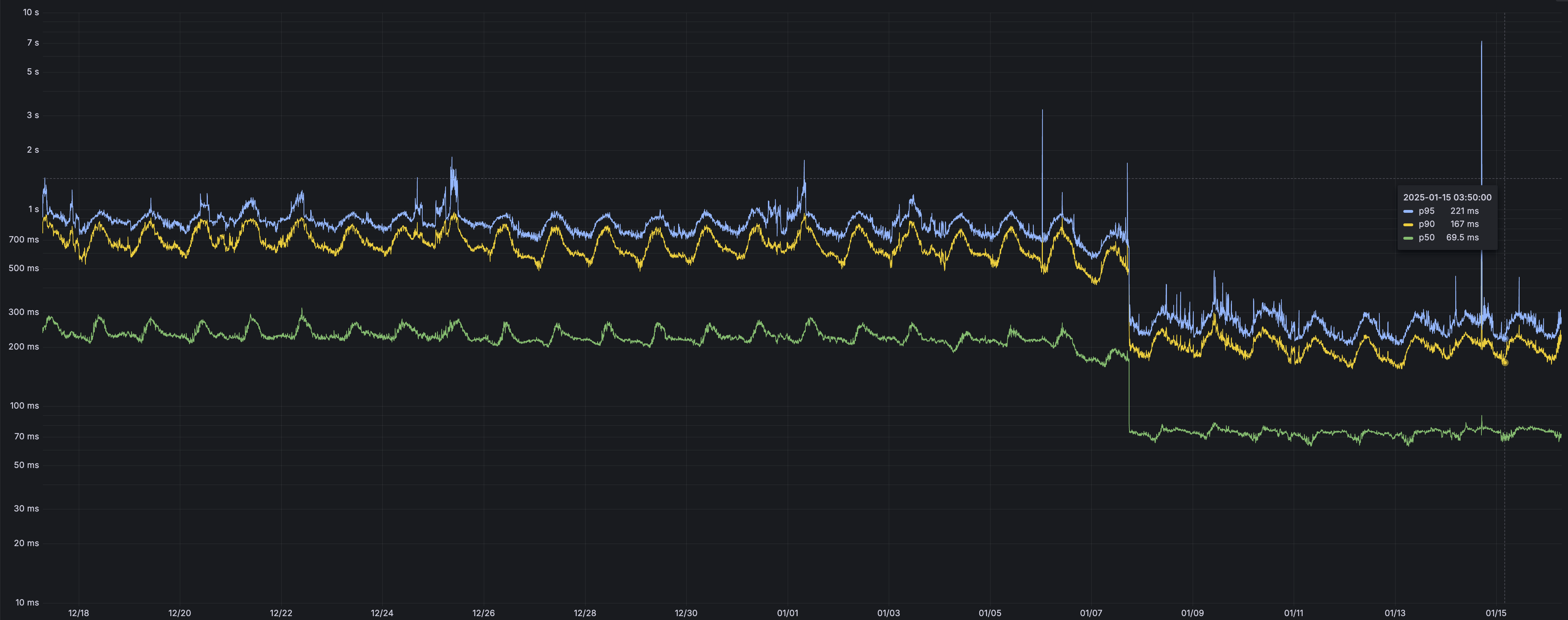
*p50, p90, and p95 request latency aggregated across entire D1 service. These latencies are a reference point and should not be viewed as your exact workload improvement.*
For each request to a D1 database, at least two network round trips were eliminated. One round trip was due to a bug that is now fixed. The remaining removed round trips are due to avoiding creating a new TCP connection for each request when reaching out to the datacenter hosting the database.
The removal of redundant network round trips also applies to D1's [REST API](https://developers.cloudflare.com/api/resources/d1/subresources/database/methods/query/). However, the REST API still depends on Cloudflare's centralized datacenters for authentication, which reduces the relative performance improvement.
## 2024-08-23
**D1 alpha databases have stopped accepting SQL queries**
Following the [deprecation warning](https://developers.cloudflare.com/d1/platform/release-notes/#2024-04-30) on 2024-04-30, D1 alpha databases have stopped accepting queries (you are still able to create and retrieve backups).
Requests to D1 alpha databases now respond with a HTTP 400 error, containing the following text:
`You can no longer query a D1 alpha database. Please follow https://developers.cloudflare.com/d1/platform/alpha-migration/ to migrate your alpha database and resume querying.`
You can upgrade to the new, generally available version of D1 by following the [alpha database migration guide](https://developers.cloudflare.com/d1/platform/alpha-migration/).
## 2024-07-26
**Fixed bug in TypeScript typings for run() API**
The `run()` method as part of the [D1 Client API](https://developers.cloudflare.com/d1/worker-api/) had an incorrect (outdated) type definition, which has now been addressed as of [`@cloudflare/workers-types`](https://www.npmjs.com/package/@cloudflare/workers-types) version `4.20240725.0`.
The correct type definition is `stmt.run(): D1Result`, as `run()` returns the result rows of the query. The previously *incorrect* type definition was `stmt.run(): D1Response`, which only returns query metadata and no results.
## 2024-06-17
**HTTP API now returns a HTTP 429 error for overloaded D1 databases**
Previously, D1's [HTTP API](https://developers.cloudflare.com/api/resources/d1/subresources/database/methods/query/) returned a HTTP `500 Internal Server` error for queries that came in while a D1 database was overloaded. These requests now correctly return a `HTTP 429 Too Many Requests` error.
D1's [Workers API](https://developers.cloudflare.com/d1/worker-api/) is unaffected by this change.
## 2024-04-30
**D1 alpha databases will stop accepting live SQL queries on August 15, 2024**
Previously [deprecated alpha](https://developers.cloudflare.com/d1/platform/release-notes/#2024-04-05) D1 databases need to be migrated by August 15, 2024 to accept new queries.
Refer to [alpha database migration guide](https://developers.cloudflare.com/d1/platform/alpha-migration/) to migrate to the new, generally available, database architecture.
## 2024-04-12
**HTTP API now returns a HTTP 400 error for invalid queries**
Previously, D1's [HTTP API](https://developers.cloudflare.com/api/resources/d1/subresources/database/methods/query/) returned a HTTP `500 Internal Server` error for an invalid query. An invalid SQL query now correctly returns a `HTTP 400 Bad Request` error.
D1's [Workers API](https://developers.cloudflare.com/d1/worker-api/) is unaffected by this change.
## 2024-04-05
**D1 alpha databases are deprecated**
Now that D1 is generally available and production ready, alpha D1 databases are deprecated and should be migrated for better performance, reliability, and ongoing support.
Refer to [alpha database migration guide](https://developers.cloudflare.com/d1/platform/alpha-migration/) to migrate to the new, generally available, database architecture.
## 2024-04-01
**D1 is generally available**
D1 is now generally available and production ready. Read the [blog post](https://blog.cloudflare.com/building-d1-a-global-database/) for more details on new features in GA and to learn more about the upcoming D1 read replication API.
* Developers with a Workers Paid plan now have a 10GB GB per-database limit (up from 2GB), which can be combined with existing limit of 50,000 databases per account.
* Developers with a Workers Free plan retain the 500 MB per-database limit and can create up to 10 databases per account.
* D1 databases can be [exported](https://developers.cloudflare.com/d1/best-practices/import-export-data/#export-an-existing-d1-database) as a SQL file.
## 2024-03-12
**Change in \`wrangler d1 execute\` default**
As of `wrangler@3.33.0`, `wrangler d1 execute` and `wrangler d1 migrations apply` now default to using a local database, to match the default behavior of `wrangler dev`.
It is also now possible to specify one of `--local` or `--remote` to explicitly tell wrangler which environment you wish to run your commands against.
## 2024-03-05
**Billing for D1 usage**
As of 2024-03-05, D1 usage will start to be counted and may incur charges for an account's future billing cycle.
Developers on the Workers Paid plan with D1 usage beyond [included limits](https://developers.cloudflare.com/d1/platform/pricing/#billing-metrics) will incur charges according to [D1's pricing](https://developers.cloudflare.com/d1/platform/pricing).
Developers on the Workers Free plan can use up to the included limits. Usage beyond the limits below requires signing up for the $5/month Workers Paid plan.
Account billable metrics are available in the [Cloudflare Dashboard](https://dash.cloudflare.com) and [GraphQL API](https://developers.cloudflare.com/d1/observability/metrics-analytics/#metrics).
## 2024-02-16
**API changes to \`run()\`**
A previous change (made on 2024-02-13) to the `run()` [query statement method](https://developers.cloudflare.com/d1/worker-api/prepared-statements/#run) has been reverted.
`run()` now returns a `D1Result`, including the result rows, matching its original behavior prior to the change on 2024-02-13.
Future change to `run()` to return a [`D1ExecResult`](https://developers.cloudflare.com/d1/worker-api/return-object/#d1execresult), as originally intended and documented, will be gated behind a [compatibility date](https://developers.cloudflare.com/workers/configuration/compatibility-dates/) as to avoid breaking existing Workers relying on the way `run()` currently works.
## 2024-02-13
**API changes to \`raw()\`, \`all()\` and \`run()\`**
D1's `raw()`, `all()` and `run()` [query statement methods](https://developers.cloudflare.com/d1/worker-api/prepared-statements/) have been updated to reflect their intended behavior and improve compatibility with ORM libraries.
`raw()` now correctly returns results as an array of arrays, allowing the correct handling of duplicate column names (such as when joining tables), as compared to `all()`, which is unchanged and returns an array of objects. To include an array of column names in the results when using `raw()`, use `raw({columnNames: true})`.
`run()` no longer incorrectly returns a `D1Result` and instead returns a [`D1ExecResult`](https://developers.cloudflare.com/d1/worker-api/return-object/#d1execresult) as originally intended and documented.
This may be a breaking change for some applications that expected `raw()` to return an array of objects.
Refer to [D1 client API](https://developers.cloudflare.com/d1/worker-api/) to review D1's query methods, return types and TypeScript support in detail.
## 2024-01-18
**Support for LIMIT on UPDATE and DELETE statements**
D1 now supports adding a `LIMIT` clause to `UPDATE` and `DELETE` statements, which allows you to limit the impact of a potentially dangerous operation.
## 2023-12-18
**Legacy alpha automated backups disabled**
Databases using D1's legacy alpha backend will no longer run automated [hourly backups](https://developers.cloudflare.com/d1/reference/backups/). You may still choose to take manual backups of these databases.
The D1 team recommends moving to D1's new [production backend](https://developers.cloudflare.com/d1/platform/release-notes/#2023-09-28), which will require you to export and import your existing data. D1's production backend is faster than the original alpha backend. The new backend also supports [Time Travel](https://developers.cloudflare.com/d1/reference/time-travel/), which allows you to restore your database to any minute in the past 30 days without relying on hourly or manual snapshots.
## 2023-10-03
**Create up to 50,000 D1 databases**
Developers using D1 on a Workers Paid plan can now create up to 50,000 databases as part of ongoing increases to D1's limits.
* This further enables database-per-user use-cases and allows you to isolate data between customers.
* Total storage per account is now 50 GB.
* D1's [analytics and metrics](https://developers.cloudflare.com/d1/observability/metrics-analytics/) provide per-database usage data.
If you need to create more than 50,000 databases or need more per-account storage, [reach out](https://developers.cloudflare.com/d1/platform/limits/) to the D1 team to discuss.
## 2023-09-28
**The D1 public beta is here**
D1 is now in public beta, and storage limits have been increased:
* Developers with a Workers Paid plan now have a 2 GB per-database limit (up from 500 MB) and can create 25 databases per account (up from 10). These limits will continue to increase automatically during the public beta.
* Developers with a Workers Free plan retain the 500 MB per-database limit and can create up to 10 databases per account.
Databases must be using D1's [new storage subsystem](https://developers.cloudflare.com/d1/platform/release-notes/#2023-07-27) to benefit from the increased database limits.
Read the [announcement blog](https://blog.cloudflare.com/d1-open-beta-is-here/) for more details about what is new in the beta and what is coming in the future for D1.
## 2023-08-19
**Row count now returned per query**
D1 now returns a count of `rows_written` and `rows_read` for every query executed, allowing you to assess the cost of query for both [pricing](https://developers.cloudflare.com/d1/platform/pricing/) and [index optimization](https://developers.cloudflare.com/d1/best-practices/use-indexes/) purposes.
The `meta` object returned in [D1's Client API](https://developers.cloudflare.com/d1/worker-api/return-object/#d1result) contains a total count of the rows read (`rows_read`) and rows written (`rows_written`) by that query. For example, a query that performs a full table scan (for example, `SELECT * FROM users`) from a table with 5000 rows would return a `rows_read` value of `5000`:
```json
"meta": {
"duration": 0.20472300052642825,
"size_after": 45137920,
"rows_read": 5000,
"rows_written": 0
}
```
Refer to [D1 pricing documentation](https://developers.cloudflare.com/d1/platform/pricing/) to understand how reads and writes are measured. D1 remains free to use during the alpha period.
## 2023-08-09
**Bind D1 from the Cloudflare dashboard**
You can now [bind a D1 database](https://developers.cloudflare.com/d1/get-started/#3-bind-your-worker-to-your-d1-database) to your Workers directly in the [Cloudflare dashboard](https://dash.cloudflare.com). To bind D1 from the Cloudflare dashboard, select your Worker project -> **Settings** -> **Variables** -> and select **D1 Database Bindings**.
Note: If you have previously deployed a Worker with a D1 database binding with a version of `wrangler` prior to `3.5.0`, you must upgrade to [`wrangler v3.5.0`](https://github.com/cloudflare/workers-sdk/releases/tag/wrangler%403.5.0) first before you can edit your D1 database bindings in the Cloudflare dashboard. New Workers projects do not have this limitation.
Legacy D1 alpha users who had previously prefixed their database binding manually with `__D1_BETA__` should remove this as part of this upgrade. Your Worker scripts should call your D1 database via `env.BINDING_NAME` only. Refer to the latest [D1 getting started guide](https://developers.cloudflare.com/d1/get-started/#3-bind-your-worker-to-your-d1-database) for best practices.
We recommend all D1 alpha users begin using wrangler `3.5.0` (or later) to benefit from improved TypeScript types and future D1 API improvements.
## 2023-08-01
**Per-database limit now 500 MB**
Databases using D1's [new storage subsystem](https://developers.cloudflare.com/d1/platform/release-notes/#2023-07-27) can now grow to 500 MB each, up from the previous 100 MB limit. This applies to both existing and newly created databases.
Refer to [Limits](https://developers.cloudflare.com/d1/platform/limits/) to learn about D1's limits.
## 2023-07-27
**New default storage subsystem**
Databases created via the Cloudflare dashboard and Wrangler (as of `v3.4.0`) now use D1's new storage subsystem by default. The new backend can [be 6 - 20x faster](https://blog.cloudflare.com/d1-turning-it-up-to-11/) than D1's original alpha backend.
To understand which storage subsystem your database uses, run `wrangler d1 info YOUR_DATABASE` and inspect the version field in the output.
Databases with `version: beta` use the new storage backend and support the [Time Travel](https://developers.cloudflare.com/d1/reference/time-travel/) API. Databases with `version: alpha` only use D1's older, legacy backend.
## 2023-07-27
**Time Travel**
[Time Travel](https://developers.cloudflare.com/d1/reference/time-travel/) is now available. Time Travel allows you to restore a D1 database back to any minute within the last 30 days (Workers Paid plan) or 7 days (Workers Free plan), at no additional cost for storage or restore operations.
Refer to the [Time Travel](https://developers.cloudflare.com/d1/reference/time-travel/) documentation to learn how to travel backwards in time.
Databases using D1's [new storage subsystem](https://blog.cloudflare.com/d1-turning-it-up-to-11/) can use Time Travel. Time Travel replaces the [snapshot-based backups](https://developers.cloudflare.com/d1/reference/backups/) used for legacy alpha databases.
## 2023-06-28
**Metrics and analytics**
You can now view [per-database metrics](https://developers.cloudflare.com/d1/observability/metrics-analytics/) via both the [Cloudflare dashboard](https://dash.cloudflare.com/) and the [GraphQL Analytics API](https://developers.cloudflare.com/analytics/graphql-api/).
D1 currently exposes read & writes per second, query response size, and query latency percentiles.
## 2023-06-16
**Generated columns documentation**
New documentation has been published on how to use D1's support for [generated columns](https://developers.cloudflare.com/d1/reference/generated-columns/) to define columns that are dynamically generated on write (or read). Generated columns allow you to extract data from [JSON objects](https://developers.cloudflare.com/d1/sql-api/query-json/) or use the output of other SQL functions.
## 2023-06-12
**Deprecating Error.cause**
As of [`wrangler v3.1.1`](https://github.com/cloudflare/workers-sdk/releases/tag/wrangler%403.1.1) the [D1 client API](https://developers.cloudflare.com/d1/worker-api/) now returns [detailed error messages](https://developers.cloudflare.com/d1/observability/debug-d1/) within the top-level `Error.message` property, and no longer requires developers to inspect the `Error.cause.message` property.
To facilitate a transition from the previous `Error.cause` behaviour, detailed error messages will continue to be populated within `Error.cause` as well as the top-level `Error` object until approximately July 14th, 2023. Future versions of both `wrangler` and the D1 client API will no longer populate `Error.cause` after this date.
## 2023-05-19
**New experimental backend**
D1 has a new experimental storage back end that dramatically improves query throughput, latency and reliability. The experimental back end will become the default back end in the near future. To create a database using the experimental backend, use `wrangler` and set the `--experimental-backend` flag when creating a database:
```sh
$ wrangler d1 create your-database --experimental-backend
```
Read more about the experimental back end in the [announcement blog](https://blog.cloudflare.com/d1-turning-it-up-to-11/).
## 2023-05-19
**Location hints**
You can now provide a [location hint](https://developers.cloudflare.com/d1/configuration/data-location/) when creating a D1 database, which will influence where the leader (writer) is located. By default, D1 will automatically create your database in a location close to where you issued the request to create a database. In most cases this allows D1 to choose the optimal location for your database on your behalf.
## 2023-05-17
**Query JSON**
[New documentation](https://developers.cloudflare.com/d1/sql-api/query-json/) has been published that covers D1's extensive JSON function support. JSON functions allow you to parse, query and modify JSON directly from your SQL queries, reducing the number of round trips to your database, or data queried.
---
title: Pricing · Cloudflare D1 docs
description: "D1 bills based on:"
lastUpdated: 2025-07-23T15:37:48.000Z
chatbotDeprioritize: false
source_url:
html: https://developers.cloudflare.com/d1/platform/pricing/
md: https://developers.cloudflare.com/d1/platform/pricing/index.md
---
D1 bills based on:
* **Usage**: Queries you run against D1 will count as rows read, rows written, or both (for transactions or batches).
* **Scale-to-zero**: You are not billed for hours or capacity units. If you are not running queries against your database, you are not billed for compute.
* **Storage**: You are only billed for storage above the included [limits](https://developers.cloudflare.com/d1/platform/limits/) of your plan.
## Billing metrics
| | [Workers Free](https://developers.cloudflare.com/workers/platform/pricing/#workers) | [Workers Paid](https://developers.cloudflare.com/workers/platform/pricing/#workers) |
| - | - | - |
| Rows read | 5 million / day | First 25 billion / month included + $0.001 / million rows |
| Rows written | 100,000 / day | First 50 million / month included + $1.00 / million rows |
| Storage (per GB stored) | 5 GB (total) | First 5 GB included + $0.75 / GB-mo |
Track your D1 usage
To accurately track your usage, use the [meta object](https://developers.cloudflare.com/d1/worker-api/return-object/), [GraphQL Analytics API](https://developers.cloudflare.com/d1/observability/metrics-analytics/#query-via-the-graphql-api), or the [Cloudflare dashboard](https://dash.cloudflare.com/?to=/:account/workers/d1/). Select your D1 database, then view: Metrics > Row Metrics.
### Definitions
1. Rows read measure how many rows a query reads (scans), regardless of the size of each row. For example, if you have a table with 5000 rows and run a `SELECT * FROM table` as a full table scan, this would count as 5,000 rows read. A query that filters on an [unindexed column](https://developers.cloudflare.com/d1/best-practices/use-indexes/) may return fewer rows to your Worker, but is still required to read (scan) more rows to determine which subset to return.
2. Rows written measure how many rows were written to D1 database. Write operations include `INSERT`, `UPDATE`, and `DELETE`. Each of these operations contribute towards rows written. A query that `INSERT` 10 rows into a `users` table would count as 10 rows written.
3. DDL operations (for example, `CREATE`, `ALTER`, and `DROP`) are used to define or modify the structure of a database. They may contribute to a mix of read rows and write rows. Ensure you are accurately tracking your usage through the available tools ([meta object](https://developers.cloudflare.com/d1/worker-api/return-object/), [GraphQL Analytics API](https://developers.cloudflare.com/d1/observability/metrics-analytics/#query-via-the-graphql-api), or the [Cloudflare dashboard](https://dash.cloudflare.com/?to=/:account/workers/d1/)).
4. Row size or the number of columns in a row does not impact how rows are counted. A row that is 1 KB and a row that is 100 KB both count as one row.
5. Defining [indexes](https://developers.cloudflare.com/d1/best-practices/use-indexes/) on your table(s) reduces the number of rows read by a query when filtering on that indexed field. For example, if the `users` table has an index on a timestamp column `created_at`, the query `SELECT * FROM users WHERE created_at > ?1` would only need to read a subset of the table.
6. Indexes will add an additional written row when writes include the indexed column, as there are two rows written: one to the table itself, and one to the index. The performance benefit of an index and reduction in rows read will, in nearly all cases, offset this additional write.
7. Storage is based on gigabytes stored per month, and is based on the sum of all databases in your account. Tables and indexes both count towards storage consumed.
8. Free limits reset daily at 00:00 UTC. Monthly included limits reset based on your monthly subscription renewal date, which is determined by the day you first subscribed.
9. There are no data transfer (egress) or throughput (bandwidth) charges for data accessed from D1.
10. [Read replication](https://developers.cloudflare.com/d1/best-practices/read-replication/) does not charge extra for read replicas. You incur the same usage billing based on `rows_read` and `rows_written` by your queries.
## Frequently Asked Questions
Frequently asked questions related to D1 pricing:
### Will D1 always have a Free plan?
Yes, the [Workers Free plan](https://developers.cloudflare.com/workers/platform/pricing/#workers) will always include the ability to prototype and experiment with D1 for free.
### What happens if I exceed the daily limits on reads and writes, or the total storage limit, on the Free plan?
When your account hits the daily read and/or write limits, you will not be able to run queries against D1. D1 API will return errors to your client indicating that your daily limits have been exceeded. Once you have reached your included storage limit, you will need to delete unused databases or clean up stale data before you can insert new data, create or alter tables or create indexes and triggers.
Upgrading to the Workers Paid plan will remove these limits, typically within minutes.
### What happens if I exceed the monthly included reads, writes and/or storage on the paid tier?
You will be billed for the additional reads, writes and storage according to [D1's pricing metrics](#billing-metrics).
### How can I estimate my (eventual) bill?
Every query returns a `meta` object that contains a total count of the rows read (`rows_read`) and rows written (`rows_written`) by that query. For example, a query that performs a full table scan (for instance, `SELECT * FROM users`) from a table with 5000 rows would return a `rows_read` value of `5000`:
```json
"meta": {
"duration": 0.20472300052642825,
"size_after": 45137920,
"rows_read": 5000,
"rows_written": 0
}
```
These are also included in the D1 [Cloudflare dashboard](https://dash.cloudflare.com) and the [analytics API](https://developers.cloudflare.com/d1/observability/metrics-analytics/), allowing you to attribute read and write volumes to specific databases, time periods, or both.
### Does D1 charge for data transfer / egress?
No.
### Does D1 charge additional for additional compute?
D1 itself does not charge for additional compute. Workers querying D1 and computing results: for example, serializing results into JSON and/or running queries, are billed per [Workers pricing](https://developers.cloudflare.com/workers/platform/pricing/#workers), in addition to your D1 specific usage.
### Do queries I run from the dashboard or Wrangler (the CLI) count as billable usage?
Yes, any queries you run against your database, including inserting (`INSERT`) existing data into a new database, table scans (`SELECT * FROM table`), or creating indexes count as either reads or writes.
### Can I use an index to reduce the number of rows read by a query?
Yes, you can use an index to reduce the number of rows read by a query. [Creating indexes](https://developers.cloudflare.com/d1/best-practices/use-indexes/) for your most queried tables and filtered columns reduces how much data is scanned and improves query performance at the same time. If you have a read-heavy workload (most common), this can be particularly advantageous. Writing to columns referenced in an index will add at least one (1) additional row written to account for updating the index, but this is typically offset by the reduction in rows read due to the benefits of an index.
### Does a freshly created database, and/or an empty table with no rows, contribute to my storage?
Yes, although minimal. An empty table consumes at least a few kilobytes, based on the number of columns (table width) in the table. An empty database consumes approximately 12 KB of storage.
---
title: Choose a data or storage product · Cloudflare D1 docs
lastUpdated: 2025-07-23T15:37:48.000Z
chatbotDeprioritize: false
source_url:
html: https://developers.cloudflare.com/d1/platform/storage-options/
md: https://developers.cloudflare.com/d1/platform/storage-options/index.md
---
---
title: Backups (Legacy) · Cloudflare D1 docs
description: D1 has built-in support for creating and restoring backups of your
databases with wrangler v3, including support for scheduled automatic backups
and manual backup management.
lastUpdated: 2025-06-20T15:14:49.000Z
chatbotDeprioritize: false
source_url:
html: https://developers.cloudflare.com/d1/reference/backups/
md: https://developers.cloudflare.com/d1/reference/backups/index.md
---
D1 has built-in support for creating and restoring backups of your databases with wrangler v3, including support for scheduled automatic backups and manual backup management.
Planned removal
Access to snapshot based backups for D1 alpha databases described in this documentation will be removed on [2025-07-01](https://developers.cloudflare.com/d1/platform/release-notes/#2025-07-01).
Time Travel
Databases using D1's [production storage subsystem](https://blog.cloudflare.com/d1-turning-it-up-to-11/) can use Time Travel point-in-time recovery. [Time Travel](https://developers.cloudflare.com/d1/reference/time-travel/) replaces the snapshot based backups used for legacy alpha databases.
To understand which storage subsystem your database uses, run `wrangler d1 info YOUR_DATABASE` and check for the `version` field in the output.Databases with `version: alpha` only support the older, snapshot based backup API.
## Automatic backups
D1 automatically backs up your databases every hour on your behalf, and [retains backups for 24 hours](https://developers.cloudflare.com/d1/platform/limits/). Backups will block access to the DB while they are running. In most cases this should only be a second or two, and any requests that arrive during the backup will be queued.
To view and manage these backups, including any manual backups you have made, you can use the `d1 backup list ` command to list each backup.
For example, to list all of the backups of a D1 database named `existing-db`:
```sh
wrangler d1 backup list existing-db
```
```sh
┌──────────────┬──────────────────────────────────────┬────────────┬─────────┐
│ created_at │ id │ num_tables │ size │
├──────────────┼──────────────────────────────────────┼────────────┼─────────┤
│ 1 hour ago │ 54a23309-db00-4c5c-92b1-c977633b937c │ 1 │ 95.3 kB │
├──────────────┼──────────────────────────────────────┼────────────┼─────────┤
│ <...> │ <...> │ <...> │ <...> │
├──────────────┼──────────────────────────────────────┼────────────┼─────────┤
│ 2 months ago │ 8433a91e-86d0-41a3-b1a3-333b080bca16 │ 1 │ 65.5 kB │
└──────────────┴──────────────────────────────────────┴────────────┴─────────┘%
```
The `id` of each backup allows you to download or restore a specific backup.
## Manually back up a database
Creating a manual backup of your database before making large schema changes, manually inserting or deleting data, or otherwise modifying a database you are actively using is a good practice to get into. D1 allows you to make a backup of a database at any time, and stores the backup on your behalf. You should also consider [using migrations](https://developers.cloudflare.com/d1/reference/migrations/) to simplify changes to an existing database.
To back up a D1 database, you must have:
1. The Cloudflare [Wrangler CLI installed](https://developers.cloudflare.com/workers/wrangler/install-and-update/)
2. An existing D1 database you want to back up.
For example, to create a manual backup of a D1 database named `example-db`, call `d1 backup create`.
```sh
wrangler d1 backup create example-db
```
```sh
┌─────────────────────────────┬──────────────────────────────────────┬────────────┬─────────┬───────┐
│ created_at │ id │ num_tables │ size │ state │
├─────────────────────────────┼──────────────────────────────────────┼────────────┼─────────┼───────┤
│ 2023-02-04T15:49:36.113753Z │ 123a81a2-ab91-4c2e-8ebc-64d69633faf1 │ 1 │ 65.5 kB │ done │
└─────────────────────────────┴──────────────────────────────────────┴────────────┴─────────┴───────┘
```
Larger databases, especially those that are several megabytes (MB) in size with many tables, may take a few seconds to backup. The `state` column in the output will let you know when the backup is done.
## Downloading a backup locally
To download a backup locally, call `wrangler d1 backup download `. Use `wrangler d1 backup list ` to list the available backups, including their IDs, for a given D1 database.
For example, to download a specific backup for a database named `example-db`:
```sh
wrangler d1 backup download example-db 123a81a2-ab91-4c2e-8ebc-64d69633faf1
```
```sh
🌀 Downloading backup 123a81a2-ab91-4c2e-8ebc-64d69633faf1 from 'example-db'
🌀 Saving to /Users/you/projects/example-db.123a81a2.sqlite3
🌀 Done!
```
The database backup will be download to the current working directory in native SQLite3 format. To import a local database, read [the documentation on importing data](https://developers.cloudflare.com/d1/best-practices/import-export-data/) to D1.
## Restoring a backup
Warning
Restoring a backup will overwrite the existing version of your D1 database in-place. We recommend you make a manual backup before you restore a database, so that you have a backup to revert to if you accidentally restore the wrong backup or break your application.
Restoring a backup will overwrite the current running version of a database with the backup. Database tables (and their data) that do not exist in the backup will no longer exist in the current version of the database, and queries that rely on them will fail.
To restore a previous backup of a D1 database named `existing-db`, pass the ID of that backup to `d1 backup restore`:
```sh
wrangler d1 backup restore existing-db 6cceaf8c-ceab-4351-ac85-7f9e606973e3
```
```sh
Restoring existing-db from backup 6cceaf8c-ceab-4351-ac85-7f9e606973e3....
Done!
```
Any queries against the database will immediately query the current (restored) version once the restore has completed.
---
title: Community projects · Cloudflare D1 docs
description: Members of the Cloudflare developer community and broader developer
ecosystem have built and/or contributed tooling — including ORMs (Object
Relational Mapper) libraries, query builders, and CLI tools — that build on
top of D1.
lastUpdated: 2026-02-12T10:46:30.000Z
chatbotDeprioritize: false
source_url:
html: https://developers.cloudflare.com/d1/reference/community-projects/
md: https://developers.cloudflare.com/d1/reference/community-projects/index.md
---
Members of the Cloudflare developer community and broader developer ecosystem have built and/or contributed tooling — including ORMs (Object Relational Mapper) libraries, query builders, and CLI tools — that build on top of D1.
Note
Community projects are not maintained by the Cloudflare D1 team. They are managed and updated by the project authors.
## Projects
### Sutando ORM
Sutando is an ORM designed for Node.js. With Sutando, each table in a database has a corresponding model that handles CRUD (Create, Read, Update, Delete) operations.
* [GitHub](https://github.com/sutandojs/sutando)
* [D1 with Sutando ORM Example](https://github.com/sutandojs/sutando-examples/tree/main/typescript/rest-hono-cf-d1)
### knex-cloudflare-d1
knex-cloudflare-d1 is the Cloudflare D1 dialect for Knex.js. Note that this is not an official dialect provided by Knex.js.
* [GitHub](https://github.com/kiddyuchina/knex-cloudflare-d1)
### Prisma ORM
[Prisma ORM](https://www.prisma.io/orm) is a next-generation JavaScript and TypeScript ORM that unlocks a new level of developer experience when working with databases thanks to its intuitive data model, automated migrations, type-safety and auto-completion.
* [Tutorial](https://developers.cloudflare.com/d1/tutorials/d1-and-prisma-orm/)
* [Docs](https://www.prisma.io/docs/orm/prisma-client/deployment/edge/deploy-to-cloudflare#d1)
### D1 adapter for Kysely ORM
Kysely is a type-safe and autocompletion-friendly typescript SQL query builder. With this adapter you can interact with D1 with the familiar Kysely interface.
* [Kysely GitHub](https://github.com/koskimas/kysely)
* [D1 adapter](https://github.com/aidenwallis/kysely-d1)
### feathers-kysely
The `feathers-kysely` database adapter follows the FeathersJS Query Syntax standard and works with any framework. It is built on the D1 adapter for Kysely and supports passing queries directly from client applications. Since the FeathersJS query syntax is a subset of MongoDB's syntax, this is a great tool for MongoDB users to use Cloudflare D1 without previous SQL experience.
* [feathers-kysely on npm](https://www.npmjs.com/package/feathers-kysely)
* [feathers-kysely on GitHub](https://github.com/marshallswain/feathers-kysely)
### Drizzle ORM
Drizzle is a headless TypeScript ORM with a head which runs on Node, Bun and Deno. Drizzle ORM lives on the Edge and it is a JavaScript ORM too. It comes with a drizzle-kit CLI companion for automatic SQL migrations generation. Drizzle automatically generates your D1 schema based on types you define in TypeScript, and exposes an API that allows you to query your database directly.
* [Docs](https://orm.drizzle.team/docs)
* [GitHub](https://github.com/drizzle-team/drizzle-orm)
* [D1 example](https://orm.drizzle.team/docs/connect-cloudflare-d1)
### workers-qb
`workers-qb` is a zero-dependency query builder that provides a simple standardized interface while keeping the benefits and speed of using raw queries over a traditional ORM. While not intended to provide ORM-like functionality, `workers-qb` makes it easier to interact with your database from code for direct SQL access.
* [GitHub](https://github.com/G4brym/workers-qb)
* [Documentation](https://workers-qb.massadas.com/)
### d1-console
Instead of running the `wrangler d1 execute` command in your terminal every time you want to interact with your database, you can interact with D1 from within the `d1-console`. Created by a Discord Community Champion, this gives the benefit of executing multi-line queries, obtaining command history, and viewing a cleanly formatted table output.
* [GitHub](https://github.com/isaac-mcfadyen/d1-console)
### L1
`L1` is a package that brings some Cloudflare Worker ecosystem bindings into PHP and Laravel via the Cloudflare API. It provides interaction with D1 via PDO, KV and Queues, with more services to add in the future, making PHP integration with Cloudflare a real breeze.
* [GitHub](https://github.com/renoki-co/l1)
* [Packagist](https://packagist.org/packages/renoki-co/l1)
### Staff Directory - a D1-based demo
Staff Directory is a demo project using D1, [HonoX](https://github.com/honojs/honox), and [Cloudflare Pages](https://developers.cloudflare.com/pages/). It uses D1 to store employee data, and is an example of a full-stack application built on top of D1.
* [GitHub](https://github.com/lauragift21/staff-directory)
* [D1 functionality](https://github.com/lauragift21/staff-directory/blob/main/app/db.ts)
### NuxtHub
`NuxtHub` is a Nuxt module that brings Cloudflare Worker bindings into your Nuxt application with no configuration. It leverages the [Wrangler Platform Proxy](https://developers.cloudflare.com/workers/wrangler/api/#getplatformproxy) in development and direct binding in production to interact with [D1](https://developers.cloudflare.com/d1/), [KV](https://developers.cloudflare.com/kv/) and [R2](https://developers.cloudflare.com/r2/) with server composables (`hubDatabase()`, `hubKV()` and `hubBlob()`).
`NuxtHub` also provides a way to use your remote D1 database in development using the `npx nuxt dev --remote` command.
* [GitHub](https://github.com/nuxt-hub/core)
* [Documentation](https://hub.nuxt.com)
* [Example](https://github.com/Atinux/nuxt-todos-edge)
## Feedback
To report a bug or file feature requests for these community projects, create an issue directly on the project's repository.
---
title: FAQs · Cloudflare D1 docs
description: Yes, the Workers Free plan will always include the ability to
prototype and experiment with D1 for free.
lastUpdated: 2025-07-23T15:37:48.000Z
chatbotDeprioritize: false
source_url:
html: https://developers.cloudflare.com/d1/reference/faq/
md: https://developers.cloudflare.com/d1/reference/faq/index.md
---
## Pricing
### Will D1 always have a Free plan?
Yes, the [Workers Free plan](https://developers.cloudflare.com/workers/platform/pricing/#workers) will always include the ability to prototype and experiment with D1 for free.
### What happens if I exceed the daily limits on reads and writes, or the total storage limit, on the Free plan?
When your account hits the daily read and/or write limits, you will not be able to run queries against D1. D1 API will return errors to your client indicating that your daily limits have been exceeded. Once you have reached your included storage limit, you will need to delete unused databases or clean up stale data before you can insert new data, create or alter tables or create indexes and triggers.
Upgrading to the Workers Paid plan will remove these limits, typically within minutes.
### What happens if I exceed the monthly included reads, writes and/or storage on the paid tier?
You will be billed for the additional reads, writes and storage according to [D1's pricing metrics](#billing-metrics).
### How can I estimate my (eventual) bill?
Every query returns a `meta` object that contains a total count of the rows read (`rows_read`) and rows written (`rows_written`) by that query. For example, a query that performs a full table scan (for instance, `SELECT * FROM users`) from a table with 5000 rows would return a `rows_read` value of `5000`:
```json
"meta": {
"duration": 0.20472300052642825,
"size_after": 45137920,
"rows_read": 5000,
"rows_written": 0
}
```
These are also included in the D1 [Cloudflare dashboard](https://dash.cloudflare.com) and the [analytics API](https://developers.cloudflare.com/d1/observability/metrics-analytics/), allowing you to attribute read and write volumes to specific databases, time periods, or both.
### Does D1 charge for data transfer / egress?
No.
### Does D1 charge additional for additional compute?
D1 itself does not charge for additional compute. Workers querying D1 and computing results: for example, serializing results into JSON and/or running queries, are billed per [Workers pricing](https://developers.cloudflare.com/workers/platform/pricing/#workers), in addition to your D1 specific usage.
### Do queries I run from the dashboard or Wrangler (the CLI) count as billable usage?
Yes, any queries you run against your database, including inserting (`INSERT`) existing data into a new database, table scans (`SELECT * FROM table`), or creating indexes count as either reads or writes.
### Can I use an index to reduce the number of rows read by a query?
Yes, you can use an index to reduce the number of rows read by a query. [Creating indexes](https://developers.cloudflare.com/d1/best-practices/use-indexes/) for your most queried tables and filtered columns reduces how much data is scanned and improves query performance at the same time. If you have a read-heavy workload (most common), this can be particularly advantageous. Writing to columns referenced in an index will add at least one (1) additional row written to account for updating the index, but this is typically offset by the reduction in rows read due to the benefits of an index.
### Does a freshly created database, and/or an empty table with no rows, contribute to my storage?
Yes, although minimal. An empty table consumes at least a few kilobytes, based on the number of columns (table width) in the table. An empty database consumes approximately 12 KB of storage.
## Limits
### How much work can a D1 database do?
D1 is designed for horizontal scale out across multiple, smaller (10 GB) databases, such as per-user, per-tenant or per-entity databases. D1 allows you to build applications with thousands of databases at no extra cost, as the pricing is based only on query and storage costs.
#### Storage
Each D1 database can store up to 10 GB of data.
Warning
Note that the 10 GB limit of a D1 database cannot be further increased.
#### Concurrency and throughput
Each individual D1 database is inherently single-threaded, and processes queries one at a time.
Your maximum throughput is directly related to the duration of your queries.
* If your average query takes 1 ms, you can run approximately 1,000 queries per second.
* If your average query takes 100 ms, you can run 10 queries per second.
A database that receives too many concurrent requests will first attempt to queue them. If the queue becomes full, the database will return an ["overloaded" error](https://developers.cloudflare.com/d1/observability/debug-d1/#error-list).
Each individual D1 database is backed by a single [Durable Object](https://developers.cloudflare.com/durable-objects/concepts/what-are-durable-objects/). When using [D1 read replication](https://developers.cloudflare.com/d1/best-practices/read-replication/#primary-database-instance-vs-read-replicas) each replica instance is a different Durable Object and the guidelines apply to each replica instance independently.
#### Query performance
Query performance is the most important factor for throughput. As a rough guideline:
* Read queries like `SELECT name FROM users WHERE id = ?` with an appropriate index on `id` will take less than a millisecond for SQL duration.
* Write queries like `INSERT` or `UPDATE` can take several milliseconds for SQL duration, and depend on the number of rows written. Writes need to be durably persisted across several locations - learn more on [how D1 persists data under the hood](https://blog.cloudflare.com/d1-read-replication-beta/#under-the-hood-how-d1-read-replication-is-implemented).
* Data migrations like a large `UPDATE` or `DELETE` affecting millions of rows must be run in batches. A single query that attempts to modify hundreds of thousands of rows or hundreds of MBs of data at once will exceed execution limits. Break the work into smaller chunks (e.g., processing 1,000 rows at a time) to stay within platform limits.
To ensure your queries are fast and efficient, [use appropriate indexes in your SQL schema](https://developers.cloudflare.com/d1/best-practices/use-indexes/).
#### CPU and memory
Operations on a D1 database, including query execution and result serialization, run within the [Workers platform CPU and memory limits](https://developers.cloudflare.com/workers/platform/limits/#memory).
Exceeding these limits, or hitting other platform limits, will generate errors. Refer to the [D1 error list for more details](https://developers.cloudflare.com/d1/observability/debug-d1/#error-list).
### How many simultaneous connections can a Worker open to D1?
You can open up to six connections (to D1) simultaneously for each invocation of your Worker.
For more information on a Worker's simultaneous connections, refer to [Simultaneous open connections](https://developers.cloudflare.com/workers/platform/limits/#simultaneous-open-connections).
---
title: Data security · Cloudflare D1 docs
description: "This page details the data security properties of D1, including:"
lastUpdated: 2024-08-13T19:56:56.000Z
chatbotDeprioritize: false
source_url:
html: https://developers.cloudflare.com/d1/reference/data-security/
md: https://developers.cloudflare.com/d1/reference/data-security/index.md
---
This page details the data security properties of D1, including:
* Encryption-at-rest (EAR).
* Encryption-in-transit (EIT).
* Cloudflare's compliance certifications.
## Encryption at Rest
All objects stored in D1, including metadata, live databases, and inactive databases are encrypted at rest. Encryption and decryption are automatic, do not require user configuration to enable, and do not impact the effective performance of D1.
Encryption keys are managed by Cloudflare and securely stored in the same key management systems we use for managing encrypted data across Cloudflare internally.
Objects are encrypted using [AES-256](https://www.cloudflare.com/learning/ssl/what-is-encryption/), a widely tested, highly performant and industry-standard encryption algorithm. D1 uses GCM (Galois/Counter Mode) as its preferred mode.
## Encryption in Transit
Data transfer between a Cloudflare Worker, and/or between nodes within the Cloudflare network and D1 is secured using the same [Transport Layer Security](https://www.cloudflare.com/learning/ssl/transport-layer-security-tls/) (TLS/SSL).
API access via the HTTP API or using the [wrangler](https://developers.cloudflare.com/workers/wrangler/install-and-update/) command-line interface is also over TLS/SSL (HTTPS).
## Compliance
To learn more about Cloudflare's adherence to industry-standard security compliance certifications, visit the Cloudflare [Trust Hub](https://www.cloudflare.com/trust-hub/compliance-resources/).
---
title: Generated columns · Cloudflare D1 docs
description: D1 allows you to define generated columns based on the values of
one or more other columns, SQL functions, or even extracted JSON values.
lastUpdated: 2024-12-11T09:43:45.000Z
chatbotDeprioritize: false
source_url:
html: https://developers.cloudflare.com/d1/reference/generated-columns/
md: https://developers.cloudflare.com/d1/reference/generated-columns/index.md
---
D1 allows you to define generated columns based on the values of one or more other columns, SQL functions, or even [extracted JSON values](https://developers.cloudflare.com/d1/sql-api/query-json/).
This allows you to normalize your data as you write to it or read it from a table, making it easier to query and reducing the need for complex application logic.
Generated columns can also have [indexes defined](https://developers.cloudflare.com/d1/best-practices/use-indexes/) against them, which can dramatically increase query performance over frequently queried fields.
## Types of generated columns
There are two types of generated columns:
* `VIRTUAL` (default): the column is generated when read. This has the benefit of not consuming storage, but can increase compute time (and thus reduce query performance), especially for larger queries.
* `STORED`: the column is generated when the row is written. The column takes up storage space just as a regular column would, but the column does not need to be generated on every read, which can improve read query performance.
When omitted from a generated column expression, generated columns default to the `VIRTUAL` type. The `STORED` type is recommended when the generated column is compute intensive. For example, when parsing large JSON structures.
## Define a generated column
Generated columns can be defined during table creation in a `CREATE TABLE` statement or afterwards via the `ALTER TABLE` statement.
To create a table that defines a generated column, you use the `AS` keyword:
```sql
CREATE TABLE some_table (
-- other columns omitted
some_generated_column AS
)
```
As a concrete example, to automatically extract the `location` value from the following JSON sensor data, you can define a generated column called `location` (of type `TEXT`), based on a `raw_data` column that stores the raw representation of our JSON data.
```json
{
"measurement": {
"temp_f": "77.4",
"aqi": [21, 42, 58],
"o3": [18, 500],
"wind_mph": "13",
"location": "US-NY"
}
}
```
To define a generated column with the value of `$.measurement.location`, you can use the [`json_extract`](https://developers.cloudflare.com/d1/sql-api/query-json/#extract-values) function to extract the value from the `raw_data` column each time you write to that row:
```sql
CREATE TABLE sensor_readings (
event_id INTEGER PRIMARY KEY,
timestamp INTEGER NOT NULL,
raw_data TEXT,
location as (json_extract(raw_data, '$.measurement.location')) STORED
);
```
Generated columns can optionally be specified with the `column_name GENERATED ALWAYS AS [STORED|VIRTUAL]` syntax. The `GENERATED ALWAYS` syntax is optional and does not change the behavior of the generated column when omitted.
## Add a generated column to an existing table
A generated column can also be added to an existing table. If the `sensor_readings` table did not have the generated `location` column, you could add it by running an `ALTER TABLE` statement:
```sql
ALTER TABLE sensor_readings
ADD COLUMN location as (json_extract(raw_data, '$.measurement.location'));
```
This defines a `VIRTUAL` generated column that runs `json_extract` on each read query.
Generated column definitions cannot be directly modified. To change how a generated column generates its data, you can use `ALTER TABLE table_name REMOVE COLUMN` and then `ADD COLUMN` to re-define the generated column, or `ALTER TABLE table_name RENAME COLUMN current_name TO new_name` to rename the existing column before calling `ADD COLUMN` with a new definition.
## Examples
Generated columns are not just limited to JSON functions like `json_extract`: you can use almost any available function to define how a generated column is generated.
For example, you could generate a `date` column based on the `timestamp` column from the previous `sensor_reading` table, automatically converting a Unix timestamp into a `YYYY-MM-dd` format within your database:
```sql
ALTER TABLE your_table
-- date(timestamp, 'unixepoch') converts a Unix timestamp to a YYYY-MM-dd formatted date
ADD COLUMN formatted_date AS (date(timestamp, 'unixepoch'))
```
Alternatively, you could define an `expires_at` column that calculates a future date, and filter on that date in your queries:
```sql
-- Filter out "expired" results based on your generated column:
-- SELECT * FROM your_table WHERE current_date() > expires_at
ALTER TABLE your_table
-- calculates a date (YYYY-MM-dd) 30 days from the timestamp.
ADD COLUMN expires_at AS (date(timestamp, '+30 days'));
```
## Additional considerations
* Tables must have at least one non-generated column. You cannot define a table with only generated column(s).
* Expressions can only reference other columns in the same table and row, and must only use [deterministic functions](https://www.sqlite.org/deterministic.html). Functions like `random()`, sub-queries or aggregation functions cannot be used to define a generated column.
* Columns added to an existing table via `ALTER TABLE ... ADD COLUMN` must be `VIRTUAL`. You cannot add a `STORED` column to an existing table.
---
title: Glossary · Cloudflare D1 docs
description: Review the definitions for terms used across Cloudflare's D1 documentation.
lastUpdated: 2025-02-24T09:30:25.000Z
chatbotDeprioritize: false
source_url:
html: https://developers.cloudflare.com/d1/reference/glossary/
md: https://developers.cloudflare.com/d1/reference/glossary/index.md
---
Review the definitions for terms used across Cloudflare's D1 documentation.
| Term | Definition |
| - | - |
| bookmark | A bookmark represents the state of a database at a specific point in time.- Bookmarks are lexicographically sortable. Sorting orders a list of bookmarks from oldest-to-newest. |
| primary database instance | The primary database instance is the original instance of a database. This database instance only exists in one location in the world. |
| query planner | A component in a database management system which takes a user query and generates the most efficient plan of executing that query (the query plan). For example, the query planner decides which indices to use, or which table to access first. |
| read replica | A read replica is an eventually-replicated copy of the primary database instance which only serve read requests. There may be multiple read replicas for a single primary database instance. |
| replica lag | The time it takes for the primary database instance to replicate its changes to a specific read replica. |
| session | A session encapsulates all the queries from one logical session for your application. For example, a session may correspond to all queries coming from a particular web browser session. |
---
title: Migrations · Cloudflare D1 docs
description: Database migrations are a way of versioning your database. Each
migration is stored as an .sql file in your migrations folder. The migrations
folder is created in your project directory when you create your first
migration. This enables you to store and track changes throughout database
development.
lastUpdated: 2026-01-29T10:38:24.000Z
chatbotDeprioritize: false
source_url:
html: https://developers.cloudflare.com/d1/reference/migrations/
md: https://developers.cloudflare.com/d1/reference/migrations/index.md
---
Database migrations are a way of versioning your database. Each migration is stored as an `.sql` file in your `migrations` folder. The `migrations` folder is created in your project directory when you create your first migration. This enables you to store and track changes throughout database development.
## Features
Currently, the migrations system aims to be simple yet effective. With the current implementation, you can:
* [Create](https://developers.cloudflare.com/workers/wrangler/commands/#d1-migrations-create) an empty migration file.
* [List](https://developers.cloudflare.com/workers/wrangler/commands/#d1-migrations-list) unapplied migrations.
* [Apply](https://developers.cloudflare.com/workers/wrangler/commands/#d1-migrations-apply) remaining migrations.
Every migration file in the `migrations` folder has a specified version number in the filename. Files are listed in sequential order. Every migration file is an SQL file where you can specify queries to be run.
Binding name vs Database name
When running a migration script, you can use either the binding name or the database name.
However, the binding name can change, whereas the database name cannot. Therefore, to avoid accidentally running migrations on the wrong binding, you may wish to use the database name for D1 migrations.
## Wrangler customizations
By default, migrations are created in the `migrations/` folder in your Worker project directory. Creating migrations will keep a record of applied migrations in the `d1_migrations` table found in your database.
This location and table name can be customized in your Wrangler file, inside the D1 binding.
* wrangler.jsonc
```jsonc
{
"d1_databases": [
{
"binding": "", // i.e. if you set this to "DB", it will be available in your Worker at `env.DB`
"database_name": "",
"database_id": "",
"preview_database_id": "",
"migrations_table": "", // Customize this value to change your applied migrations table name
"migrations_dir": "" // Specify your custom migration directory
}
]
}
```
* wrangler.toml
```toml
[[d1_databases]]
binding = ""
database_name = ""
database_id = ""
preview_database_id = ""
migrations_table = ""
migrations_dir = ""
```
## Foreign key constraints
When applying a migration, you may need to temporarily disable [foreign key constraints](https://developers.cloudflare.com/d1/sql-api/foreign-keys/). To do so, call `PRAGMA defer_foreign_keys = true` before making changes that would violate foreign keys.
Refer to the [foreign key documentation](https://developers.cloudflare.com/d1/sql-api/foreign-keys/) to learn more about how to work with foreign keys and D1.
---
title: Time Travel and backups · Cloudflare D1 docs
description: Time Travel is D1's approach to backups and point-in-time-recovery,
and allows you to restore a database to any minute within the last 30 days.
lastUpdated: 2025-07-07T12:53:47.000Z
chatbotDeprioritize: false
source_url:
html: https://developers.cloudflare.com/d1/reference/time-travel/
md: https://developers.cloudflare.com/d1/reference/time-travel/index.md
---
Time Travel is D1's approach to backups and point-in-time-recovery, and allows you to restore a database to any minute within the last 30 days.
* You do not need to enable Time Travel. It is always on.
* Database history and restoring a database incur no additional costs.
* Time Travel automatically creates [bookmarks](#bookmarks) on your behalf. You do not need to manually trigger or remember to initiate a backup.
By not having to rely on scheduled backups and/or manually initiated backups, you can go back in time and restore a database prior to a failed migration or schema change, a `DELETE` or `UPDATE` statement without a specific `WHERE` clause, and in the future, fork/copy a production database directly.
Support for Time Travel
Databases using D1's [new storage subsystem](https://blog.cloudflare.com/d1-turning-it-up-to-11/) can use Time Travel. Time Travel replaces the [snapshot-based backups](https://developers.cloudflare.com/d1/reference/backups/) used for legacy alpha databases.
To understand which storage subsystem your database uses, run `wrangler d1 info YOUR_DATABASE` and inspect the `version` field in the output. Databases with `version: production` support the new Time Travel API. Databases with `version: alpha` only support the older, snapshot-based backup API.
## Bookmarks
Time Travel leverages D1's concept of a bookmark to restore to a point in time.
* Bookmarks older than 30 days are invalid and cannot be used as a restore point.
* Restoring a database to a specific bookmark does not remove or delete older bookmarks. For example, if you restore to a bookmark representing the state of your database 10 minutes ago, and determine that you needed to restore to an earlier point in time, you can still do so.
* Bookmarks are lexicographically sortable. Sorting orders a list of bookmarks from oldest-to-newest.
* Bookmarks can be derived from a [Unix timestamp](https://en.wikipedia.org/wiki/Unix_time) (seconds since Jan 1st, 1970), and conversion between a specific timestamp and a bookmark is deterministic (stable).
Bookmarks are also leveraged by [Sessions API](https://developers.cloudflare.com/d1/best-practices/read-replication/#sessions-api-examples) to ensure sequential consistency within a Session.
## Timestamps
Time Travel supports two timestamp formats:
* [Unix timestamps](https://developer.mozilla.org/en-US/docs/Glossary/Unix_time), which correspond to seconds since January 1st, 1970 at midnight. This is always in UTC.
* The [JavaScript date-time string format](https://developer.mozilla.org/en-US/docs/Web/JavaScript/Reference/Global_Objects/Date#date_time_string_format), which is a simplified version of the ISO-8601 timestamp format. An valid date-time string for the July 27, 2023 at 11:18AM in Americas/New\_York (EST) would look like `2023-07-27T11:18:53.000-04:00`.
## Requirements
* [`Wrangler`](https://developers.cloudflare.com/workers/wrangler/install-and-update/) `v3.4.0` or later installed to use Time Travel commands.
* A database on D1's production backend. You can check whether a database is using this backend via `wrangler d1 info DB_NAME` - the output show `version: production`.
## Retrieve a bookmark
You can retrieve a bookmark for the current timestamp by calling the `d1 info` command, which defaults to returning the current bookmark:
```sh
wrangler d1 time-travel info YOUR_DATABASE
```
```sh
🚧 Time Traveling...
⚠️ The current bookmark is '00000085-0000024c-00004c6d-8e61117bf38d7adb71b934ebbf891683'
⚡️ To restore to this specific bookmark, run:
`wrangler d1 time-travel restore YOUR_DATABASE --bookmark=00000085-0000024c-00004c6d-8e61117bf38d7adb71b934ebbf891683`
```
To retrieve the bookmark for a timestamp in the past, pass the `--timestamp` flag with a valid Unix or RFC3339 timestamp:
```sh
wrangler d1 time-travel info YOUR_DATABASE --timestamp="2023-07-09T17:31:11+00:00"
```
## Restore a database
To restore a database to a specific point-in-time:
Warning
Restoring a database to a specific point-in-time is a *destructive* operation, and overwrites the database in place. In the future, D1 will support branching & cloning databases using Time Travel.
```sh
wrangler d1 time-travel restore YOUR_DATABASE --timestamp=UNIX_TIMESTAMP
```
```sh
🚧 Restoring database YOUR_DATABASE from bookmark 00000080-ffffffff-00004c60-390376cb1c4dd679b74a19d19f5ca5be
⚠️ This will overwrite all data in database YOUR_DATABASE.
In-flight queries and transactions will be cancelled.
✔ OK to proceed (y/N) … yes
⚡️ Time travel in progress...
✅ Database YOUR_DATABASE restored back to bookmark 00000080-ffffffff-00004c60-390376cb1c4dd679b74a19d19f5ca5be
↩️ To undo this operation, you can restore to the previous bookmark: 00000085-ffffffff-00004c6d-2510c8b03a2eb2c48b2422bb3b33fad5
```
Note that:
* Timestamps are converted to a deterministic, stable bookmark. The same timestamp will always represent the same bookmark.
* Queries in flight will be cancelled, and an error returned to the client.
* The restore operation will return a [bookmark](#bookmarks) that allows you to [undo](#undo-a-restore) and revert the database.
## Undo a restore
You can undo a restore by:
* Taking note of the previous bookmark returned as part of a `wrangler d1 time-travel restore` operation
* Restoring directly to a bookmark in the past, prior to your last restore.
To fetch a bookmark from an earlier state:
```sh
wrangler d1 time-travel info YOUR_DATABASE
```
```sh
🚧 Time Traveling...
⚠️ The current bookmark is '00000085-0000024c-00004c6d-8e61117bf38d7adb71b934ebbf891683'
⚡️ To restore to this specific bookmark, run:
`wrangler d1 time-travel restore YOUR_DATABASE --bookmark=00000085-0000024c-00004c6d-8e61117bf38d7adb71b934ebbf891683`
```
## Export D1 into R2 using Workflows
You can automatically export your D1 database into R2 storage via REST API and Cloudflare Workflows. This may be useful if you wish to store a state of your D1 database for longer than 30 days.
Refer to the guide [Export and save D1 database](https://developers.cloudflare.com/workflows/examples/backup-d1/).
## Notes
* You can quickly get the Unix timestamp from the command-line in macOS and Windows via `date +%s`.
* Time Travel does not yet allow you to clone or fork an existing database to a new copy. In the future, Time Travel will allow you to fork (clone) an existing database into a new database, or overwrite an existing database.
* You can restore a database back to a point in time up to 30 days in the past (Workers Paid plan) or 7 days (Workers Free plan). Refer to [Limits](https://developers.cloudflare.com/d1/platform/limits/) for details on Time Travel's limits.
---
title: Define foreign keys · Cloudflare D1 docs
description: D1 supports defining and enforcing foreign key constraints across
tables in a database.
lastUpdated: 2025-04-15T12:29:32.000Z
chatbotDeprioritize: false
source_url:
html: https://developers.cloudflare.com/d1/sql-api/foreign-keys/
md: https://developers.cloudflare.com/d1/sql-api/foreign-keys/index.md
---
D1 supports defining and enforcing foreign key constraints across tables in a database.
Foreign key constraints allow you to enforce relationships across tables. For example, you can use foreign keys to create a strict binding between a `user_id` in a `users` table and the `user_id` in an `orders` table, so that no order can be created against a user that does not exist.
Foreign key constraints can also prevent you from deleting rows that reference rows in other tables. For example, deleting rows from the `users` table when rows in the `orders` table refer to them.
By default, D1 enforces that foreign key constraints are valid within all queries and migrations. This is identical to the behaviour you would observe when setting `PRAGMA foreign_keys = on` in SQLite for every transaction.
## Defer foreign key constraints
When running a [query](https://developers.cloudflare.com/d1/worker-api/), [migration](https://developers.cloudflare.com/d1/reference/migrations/) or [importing data](https://developers.cloudflare.com/d1/best-practices/import-export-data/) against a D1 database, there may be situations in which you need to disable foreign key validation during table creation or changes to your schema.
D1's foreign key enforcement is equivalent to SQLite's `PRAGMA foreign_keys = on` directive. Because D1 runs every query inside an implicit transaction, user queries cannot change this during a query or migration.
Instead, D1 allows you to call `PRAGMA defer_foreign_keys = on` or `off`, which allows you to violate foreign key constraints temporarily (until the end of the current transaction).
Calling `PRAGMA defer_foreign_keys = off` does not disable foreign key enforcement outside of the current transaction. If you have not resolved outstanding foreign key violations at the end of your transaction, it will fail with a `FOREIGN KEY constraint failed` error.
To defer foreign key enforcement, set `PRAGMA defer_foreign_keys = on` at the start of your transaction, or ahead of changes that would violate constraints:
```sql
-- Defer foreign key enforcement in this transaction.
PRAGMA defer_foreign_keys = on
-- Run your CREATE TABLE or ALTER TABLE / COLUMN statements
ALTER TABLE users ...
-- This is implicit if not set by the end of the transaction.
PRAGMA defer_foreign_keys = off
```
You can also explicitly set `PRAGMA defer_foreign_keys = off` immediately after you have resolved outstanding foreign key constraints. If there are still outstanding foreign key constraints, you will receive a `FOREIGN KEY constraint failed` error and will need to resolve the violation.
## Define a foreign key relationship
A foreign key relationship can be defined when creating a table via `CREATE TABLE` or when adding a column to an existing table via an `ALTER TABLE` statement.
To illustrate this with an example based on an e-commerce website with two tables:
* A `users` table that defines common properties about a user account, including a unique `user_id` identifier.
* An `orders` table that maps an order back to a `user_id` in the user table.
This mapping is defined as `FOREIGN KEY`, which ensures that:
* You cannot delete a row from the `users` table that would violate the foreign key constraint. This means that you cannot end up with orders that do not have a valid user to map back to.
* `orders` are always defined against a valid `user_id`, mitigating the risk of creating orders that refer to invalid (or non-existent) users.
```sql
CREATE TABLE users (
user_id INTEGER PRIMARY KEY,
email_address TEXT,
name TEXT,
metadata TEXT
)
CREATE TABLE orders (
order_id INTEGER PRIMARY KEY,
status INTEGER,
item_desc TEXT,
shipped_date INTEGER,
user_who_ordered INTEGER,
FOREIGN KEY(user_who_ordered) REFERENCES users(user_id)
)
```
You can define multiple foreign key relationships per-table, and foreign key definitions can reference multiple tables within your overall database schema.
## Foreign key actions
You can define *actions* as part of your foreign key definitions to either limit or propagate changes to a parent row (`REFERENCES table(column)`). Defining *actions* makes using foreign key constraints in your application easier to reason about, and help either clean up related data or prevent data from being islanded.
There are five actions you can set when defining the `ON UPDATE` and/or `ON DELETE` clauses as part of a foreign key relationship. You can also define different actions for `ON UPDATE` and `ON DELETE` depending on your requirements.
* `CASCADE` - Updating or deleting a parent key deletes all child keys (rows) associated to it.
* `RESTRICT` - A parent key cannot be updated or deleted when *any* child key refers to it. Unlike the default foreign key enforcement, relationships with `RESTRICT` applied return errors immediately, and not at the end of the transaction.
* `SET DEFAULT` - Set the child column(s) referred to by the foreign key definition to the `DEFAULT` value defined in the schema. If no `DEFAULT` is set on the child columns, you cannot use this action.
* `SET NULL` - Set the child column(s) referred to by the foreign key definition to SQL `NULL`.
* `NO ACTION` - Take no action.
CASCADE usage
Although `CASCADE` can be the desired behavior in some cases, deleting child rows across tables can have undesirable effects and/or result in unintended side effects for your users.
In the following example, deleting a user from the `users` table will delete all related rows in the `scores` table as you have defined `ON DELETE CASCADE`. Delete all related rows in the `scores` table if you do not want to retain the scores for any users you have deleted entirely. This might mean that *other* users can no longer look up or refer to scores that were still valid.
```sql
CREATE TABLE users (
user_id INTEGER PRIMARY KEY,
email_address TEXT,
)
CREATE TABLE scores (
score_id INTEGER PRIMARY KEY,
game TEXT,
score INTEGER,
player_id INTEGER,
FOREIGN KEY(player_id) REFERENCES users(user_id) ON DELETE CASCADE
)
```
## Next Steps
* Read the SQLite [`FOREIGN KEY`](https://www.sqlite.org/foreignkeys.html) documentation.
* Learn how to [use the D1 Workers Binding API](https://developers.cloudflare.com/d1/worker-api/) from within a Worker.
* Understand how [database migrations work](https://developers.cloudflare.com/d1/reference/migrations/) with D1.
---
title: Query JSON · Cloudflare D1 docs
description: "D1 has built-in support for querying and parsing JSON data stored
within a database. This enables you to:"
lastUpdated: 2025-08-15T20:11:52.000Z
chatbotDeprioritize: false
tags: JSON
source_url:
html: https://developers.cloudflare.com/d1/sql-api/query-json/
md: https://developers.cloudflare.com/d1/sql-api/query-json/index.md
---
D1 has built-in support for querying and parsing JSON data stored within a database. This enables you to:
* [Query paths](#extract-values) within a stored JSON object - for example, extracting the value of named key or array index directly, which is especially useful with larger JSON objects.
* Insert and/or replace values within an object or array.
* [Expand the contents of a JSON object](#expand-arrays-for-in-queries) or array into multiple rows - for example, for use as part of a `WHERE ... IN` predicate.
* Create [generated columns](https://developers.cloudflare.com/d1/reference/generated-columns/) that are automatically populated with values from JSON objects you insert.
One of the biggest benefits to parsing JSON within D1 directly is that it can directly reduce the number of round-trips (queries) to your database. It reduces the cases where you have to read a JSON object into your application (1), parse it, and then write it back (2).
This allows you to more precisely query over data and reduce the result set your application needs to additionally parse and filter on.
## Types
JSON data is stored as a `TEXT` column in D1. JSON types follow the same [type conversion rules](https://developers.cloudflare.com/d1/worker-api/#type-conversion) as D1 in general, including:
* A JSON null is treated as a D1 `NULL`.
* A JSON number is treated as an `INTEGER` or `REAL`.
* Booleans are treated as `INTEGER` values: `true` as `1` and `false` as `0`.
* Object and array values as `TEXT`.
## Supported functions
The following table outlines the JSON functions built into D1 and example usage.
* The `json` argument placeholder can be a JSON object, array, string, number or a null value.
* The `value` argument accepts string literals (only) and treats input as a string, even if it is well-formed JSON. The exception to this rule is when nesting `json_*` functions: the outer (wrapping) function will interpret the inner (wrapped) functions return value as JSON.
* The `path` argument accepts path-style traversal syntax - for example, `$` to refer to the top-level object/array, `$.key1.key2` to refer to a nested object, and `$.key[2]` to index into an array.
| Function | Description | Example |
| - | - | - |
| `json(json)` | Validates the provided string is JSON and returns a minified version of that JSON object. | `json('{"hello":["world" ,"there"] }')` returns `{"hello":["world","there"]}` |
| `json_array(value1, value2, value3, ...)` | Return a JSON array from the values. | `json_array(1, 2, 3)` returns `[1, 2, 3]` |
| `json_array_length(json)` - `json_array_length(json, path)` | Return the length of the JSON array | `json_array_length('{"data":["x", "y", "z"]}', '$.data')` returns `3` |
| `json_extract(json, path)` | Extract the value(s) at the given path using `$.path.to.value` syntax. | `json_extract('{"temp":"78.3", "sunset":"20:44"}', '$.temp')` returns `"78.3"` |
| `json -> path` | Extract the value(s) at the given path using path syntax and return it as JSON. | |
| `json ->> path` | Extract the value(s) at the given path using path syntax and return it as a SQL type. | |
| `json_insert(json, path, value)` | Insert a value at the given path. Does not overwrite an existing value. | |
| `json_object(label1, value1, ...)` | Accepts pairs of (keys, values) and returns a JSON object. | `json_object('temp', 45, 'wind_speed_mph', 13)` returns `{"temp":45,"wind_speed_mph":13}` |
| `json_patch(target, patch)` | Uses a JSON [MergePatch](https://tools.ietf.org/html/rfc7396) approach to merge the provided patch into the target JSON object. | |
| `json_remove(json, path, ...)` | Remove the key and value at the specified path. | `json_remove('[60,70,80,90]', '$[0]')` returns `70,80,90]` |
| `json_replace(json, path, value)` | Insert a value at the given path. Overwrites an existing value, but does not create a new key if it doesn't exist. | |
| `json_set(json, path, value)` | Insert a value at the given path. Overwrites an existing value. | |
| `json_type(json)` - `json_type(json, path)` | Return the type of the provided value or value at the specified path. Returns one of `null`, `true`, `false`, `integer`, `real`, `text`, `array`, or `object`. | `json_type('{"temperatures":[73.6, 77.8, 80.2]}', '$.temperatures')` returns `array` |
| `json_valid(json)` | Returns 0 (false) for invalid JSON, and 1 (true) for valid JSON. | `json_valid({invalid:json})`returns`0\` |
| `json_quote(value)` | Converts the provided SQL value into its JSON representation. | `json_quote('[1, 2, 3]')` returns `[1,2,3]` |
| `json_group_array(value)` | Returns the provided value(s) as a JSON array. | |
| `json_each(value)` - `json_each(value, path)` | Returns each element within the object as an individual row. It will only traverse the top-level object. | |
| `json_tree(value)` - `json_tree(value, path)` | Returns each element within the object as an individual row. It traverses the full object. | |
The SQLite [JSON extension](https://www.sqlite.org/json1.html), on which D1 builds on, has additional usage examples.
## Error Handling
JSON functions will return a `malformed JSON` error when operating over data that isn't JSON and/or is not valid JSON. D1 considers valid JSON to be [RFC 7159](https://www.rfc-editor.org/rfc/rfc7159.txt) conformant.
In the following example, calling `json_extract` over a string (not valid JSON) will cause the query to return a `malformed JSON` error:
```sql
SELECT json_extract('not valid JSON: just a string', '$')
```
This will return an error:
```txt
ERROR 9015: SQL engine error: query error: Error code 1: SQL error or missing database (malformed
JSON)`
```
## Generated columns
D1's support for [generated columns](https://developers.cloudflare.com/d1/reference/generated-columns/) allows you to create dynamic columns that are generated based on the values of other columns, including extracted or calculated values of JSON data.
These columns can be queried like any other column, and can have [indexes](https://developers.cloudflare.com/d1/best-practices/use-indexes/) defined on them. If you have JSON data that you frequently query and filter over, creating a generated column and an index can dramatically improve query performance.
For example, to define a column based on a value within a larger JSON object, use the `AS` keyword combined with a [JSON function](#supported-functions) to generate a typed column:
```sql
CREATE TABLE some_table (
-- other columns omitted
raw_data TEXT -- JSON: {"measurement":{"aqi":[21,42,58],"wind_mph":"13","location":"US-NY"}}
location AS (json_extract(raw_data, '$.measurement.location')) STORED
)
```
Refer to [Generated columns](https://developers.cloudflare.com/d1/reference/generated-columns/) to learn more about how to generate columns.
## Example usage
### Extract values
There are three ways to extract a value from a JSON object in D1:
* The `json_extract()` function - for example, `json_extract(text_column_containing_json, '$.path.to.value)`.
* The `->` operator, which returns a JSON representation of the value.
* The `->>` operator, which returns an SQL representation of the value.
The `->` and `->>` operators functions both operate similarly to the same operators in PostgreSQL and MySQL/MariaDB.
Given the following JSON object in a column named `sensor_reading`, you can extract values from it directly.
```json
{
"measurement": {
"temp_f": "77.4",
"aqi": [21, 42, 58],
"o3": [18, 500],
"wind_mph": "13",
"location": "US-NY"
}
}
```
```sql
-- Extract the temperature value
json_extract(sensor_reading, '$.measurement.temp_f')-- returns "77.4" as TEXT
```
```sql
-- Extract the maximum PM2.5 air quality reading
sensor_reading -> '$.measurement.aqi[3]' -- returns 58 as a JSON number
```
```sql
-- Extract the o3 (ozone) array in full
sensor_reading -\-> '$.measurement.o3' -- returns '[18, 500]' as TEXT
```
### Get the length of an array
You can get the length of a JSON array in two ways:
1. By calling `json_array_length(value)` directly
2. By calling `json_array_length(value, path)` to specify the path to an array within an object or outer array.
For example, given the following JSON object stored in a column called `login_history`, you could get a count of the last logins directly:
```json
{
"user_id": "abc12345",
"previous_logins": ["2023-03-31T21:07:14-05:00", "2023-03-28T08:21:02-05:00", "2023-03-28T05:52:11-05:00"]
}
```
```sql
json_array_length(login_history, '$.previous_logins') --> returns 3 as an INTEGER
```
You can also use `json_array_length` as a predicate in a more complex query - for example, `WHERE json_array_length(some_column, '$.path.to.value') >= 5`.
### Insert a value into an existing object
You can insert a value into an existing JSON object or array using `json_insert()`. For example, if you have a `TEXT` column called `login_history` in a `users` table containing the following object:
```json
{"history": ["2023-05-13T15:13:02+00:00", "2023-05-14T07:11:22+00:00", "2023-05-15T15:03:51+00:00"]}
```
To add a new timestamp to the `history` array within our `login_history` column, write a query resembling the following:
```sql
UPDATE users
SET login_history = json_insert(login_history, '$.history[#]', '2023-05-15T20:33:06+00:00')
WHERE user_id = 'aba0e360-1e04-41b3-91a0-1f2263e1e0fb'
```
Provide three arguments to `json_insert`:
1. The name of our column containing the JSON you want to modify.
2. The path to the key within the object to modify.
3. The JSON value to insert. Using `[#]` tells `json_insert` to append to the end of your array.
To replace an existing value, use `json_replace()`, which will overwrite an existing key-value pair if one already exists. To set a value regardless of whether it already exists, use `json_set()`.
### Expand arrays for IN queries
Use `json_each` to expand an array into multiple rows. This can be useful when composing a `WHERE column IN (?)` query over several values. For example, if you wanted to update a list of users by their integer `id`, use `json_each` to return a table with each value as a column called `value`:
```sql
UPDATE users
SET last_audited = '2023-05-16T11:24:08+00:00'
WHERE id IN (SELECT value FROM json_each('[183183, 13913, 94944]'))
```
This would extract only the `value` column from the table returned by `json_each`, with each row representing the user IDs you passed in as an array.
`json_each` effectively returns a table with multiple columns, with the most relevant being:
* `key` - the key (or index).
* `value` - the literal value of each element parsed by `json_each`.
* `type` - the type of the value: one of `null`, `true`, `false`, `integer`, `real`, `text`, `array`, or `object`.
* `fullkey` - the full path to the element: e.g. `$[1]` for the second element in an array, or `$.path.to.key` for a nested object.
* `path` - the top-level path - `$` as the path for an element with a `fullkey` of `$[0]`.
In this example, `SELECT * FROM json_each('[183183, 13913, 94944]')` would return a table resembling the below:
```sql
key|value|type|id|fullkey|path
0|183183|integer|1|$[0]|$
1|13913|integer|2|$[1]|$
2|94944|integer|3|$[2]|$
```
You can use `json_each` with [D1 Workers Binding API](https://developers.cloudflare.com/d1/worker-api/) in a Worker by creating a statement and using `JSON.stringify` to pass an array as a [bound parameter](https://developers.cloudflare.com/d1/worker-api/d1-database/#guidance):
```ts
const stmt = context.env.DB
.prepare("UPDATE users SET last_audited = ? WHERE id IN (SELECT value FROM json_each(?1))")
const resp = await stmt.bind(
"2023-05-16T11:24:08+00:00",
JSON.stringify([183183, 13913, 94944])
).run()
```
This would only update rows in your `users` table where the `id` matches one of the three provided.
---
title: SQL statements · Cloudflare D1 docs
description: D1 is compatible with most SQLite's SQL convention since it
leverages SQLite's query engine. D1 supports a number of database-level
statements that allow you to list tables, indexes, and inspect the schema for
a given table or index.
lastUpdated: 2025-09-01T15:12:51.000Z
chatbotDeprioritize: false
source_url:
html: https://developers.cloudflare.com/d1/sql-api/sql-statements/
md: https://developers.cloudflare.com/d1/sql-api/sql-statements/index.md
---
D1 is compatible with most SQLite's SQL convention since it leverages SQLite's query engine. D1 supports a number of database-level statements that allow you to list tables, indexes, and inspect the schema for a given table or index.
You can execute any of these statements via the D1 console in the Cloudflare dashboard, [`wrangler d1 execute`](https://developers.cloudflare.com/workers/wrangler/commands/#d1), or with the [D1 Worker Bindings API](https://developers.cloudflare.com/d1/worker-api/d1-database).
## Supported SQLite extensions
D1 supports a subset of SQLite extensions for added functionality, including:
* [FTS5 module](https://www.sqlite.org/fts5.html) for full-text search (including `fts5vocab`).
* [JSON extension](https://www.sqlite.org/json1.html) for JSON functions and operators.
* [Math functions](https://sqlite.org/lang_mathfunc.html).
Refer to the [source code](https://github.com/cloudflare/workerd/blob/4c42a4a9d3390c88e9bd977091c9d3395a6cd665/src/workerd/util/sqlite.c%2B%2B#L269) for the full list of supported functions.
## Compatible PRAGMA statements
D1 supports some [SQLite PRAGMA](https://www.sqlite.org/pragma.html) statements. The PRAGMA statement is an SQL extension for SQLite. PRAGMA commands can be used to:
* Modify the behavior of certain SQLite operations.
* Query the SQLite library for internal data about schemas or tables (but note that PRAGMA statements cannot query the contents of a table).
* Control [environmental variables](https://developers.cloudflare.com/workers/configuration/environment-variables/).
The PRAGMA statement examples on this page use the following SQL.
```sql
PRAGMA foreign_keys=off;
DROP TABLE IF EXISTS "Employee";
DROP TABLE IF EXISTS "Category";
DROP TABLE IF EXISTS "Customer";
DROP TABLE IF EXISTS "Shipper";
DROP TABLE IF EXISTS "Supplier";
DROP TABLE IF EXISTS "Order";
DROP TABLE IF EXISTS "Product";
DROP TABLE IF EXISTS "OrderDetail";
DROP TABLE IF EXISTS "CustomerCustomerDemo";
DROP TABLE IF EXISTS "CustomerDemographic";
DROP TABLE IF EXISTS "Region";
DROP TABLE IF EXISTS "Territory";
DROP TABLE IF EXISTS "EmployeeTerritory";
DROP VIEW IF EXISTS [ProductDetails_V];
CREATE TABLE IF NOT EXISTS "Employee" ( "Id" INTEGER PRIMARY KEY, "LastName" VARCHAR(8000) NULL, "FirstName" VARCHAR(8000) NULL, "Title" VARCHAR(8000) NULL, "TitleOfCourtesy" VARCHAR(8000) NULL, "BirthDate" VARCHAR(8000) NULL, "HireDate" VARCHAR(8000) NULL, "Address" VARCHAR(8000) NULL, "City" VARCHAR(8000) NULL, "Region" VARCHAR(8000) NULL, "PostalCode" VARCHAR(8000) NULL, "Country" VARCHAR(8000) NULL, "HomePhone" VARCHAR(8000) NULL, "Extension" VARCHAR(8000) NULL, "Photo" BLOB NULL, "Notes" VARCHAR(8000) NULL, "ReportsTo" INTEGER NULL, "PhotoPath" VARCHAR(8000) NULL);
CREATE TABLE IF NOT EXISTS "Category" ( "Id" INTEGER PRIMARY KEY, "CategoryName" VARCHAR(8000) NULL, "Description" VARCHAR(8000) NULL);
CREATE TABLE IF NOT EXISTS "Customer" ( "Id" VARCHAR(8000) PRIMARY KEY, "CompanyName" VARCHAR(8000) NULL, "ContactName" VARCHAR(8000) NULL, "ContactTitle" VARCHAR(8000) NULL, "Address" VARCHAR(8000) NULL, "City" VARCHAR(8000) NULL, "Region" VARCHAR(8000) NULL, "PostalCode" VARCHAR(8000) NULL, "Country" VARCHAR(8000) NULL, "Phone" VARCHAR(8000) NULL, "Fax" VARCHAR(8000) NULL);
CREATE TABLE IF NOT EXISTS "Shipper" ( "Id" INTEGER PRIMARY KEY, "CompanyName" VARCHAR(8000) NULL, "Phone" VARCHAR(8000) NULL);
CREATE TABLE IF NOT EXISTS "Supplier" ( "Id" INTEGER PRIMARY KEY, "CompanyName" VARCHAR(8000) NULL, "ContactName" VARCHAR(8000) NULL, "ContactTitle" VARCHAR(8000) NULL, "Address" VARCHAR(8000) NULL, "City" VARCHAR(8000) NULL, "Region" VARCHAR(8000) NULL, "PostalCode" VARCHAR(8000) NULL, "Country" VARCHAR(8000) NULL, "Phone" VARCHAR(8000) NULL, "Fax" VARCHAR(8000) NULL, "HomePage" VARCHAR(8000) NULL);
CREATE TABLE IF NOT EXISTS "Order" ( "Id" INTEGER PRIMARY KEY, "CustomerId" VARCHAR(8000) NULL, "EmployeeId" INTEGER NOT NULL, "OrderDate" VARCHAR(8000) NULL, "RequiredDate" VARCHAR(8000) NULL, "ShippedDate" VARCHAR(8000) NULL, "ShipVia" INTEGER NULL, "Freight" DECIMAL NOT NULL, "ShipName" VARCHAR(8000) NULL, "ShipAddress" VARCHAR(8000) NULL, "ShipCity" VARCHAR(8000) NULL, "ShipRegion" VARCHAR(8000) NULL, "ShipPostalCode" VARCHAR(8000) NULL, "ShipCountry" VARCHAR(8000) NULL);
CREATE TABLE IF NOT EXISTS "Product" ( "Id" INTEGER PRIMARY KEY, "ProductName" VARCHAR(8000) NULL, "SupplierId" INTEGER NOT NULL, "CategoryId" INTEGER NOT NULL, "QuantityPerUnit" VARCHAR(8000) NULL, "UnitPrice" DECIMAL NOT NULL, "UnitsInStock" INTEGER NOT NULL, "UnitsOnOrder" INTEGER NOT NULL, "ReorderLevel" INTEGER NOT NULL, "Discontinued" INTEGER NOT NULL);
CREATE TABLE IF NOT EXISTS "OrderDetail" ( "Id" VARCHAR(8000) PRIMARY KEY, "OrderId" INTEGER NOT NULL, "ProductId" INTEGER NOT NULL, "UnitPrice" DECIMAL NOT NULL, "Quantity" INTEGER NOT NULL, "Discount" DOUBLE NOT NULL);
CREATE TABLE IF NOT EXISTS "CustomerCustomerDemo" ( "Id" VARCHAR(8000) PRIMARY KEY, "CustomerTypeId" VARCHAR(8000) NULL);
CREATE TABLE IF NOT EXISTS "CustomerDemographic" ( "Id" VARCHAR(8000) PRIMARY KEY, "CustomerDesc" VARCHAR(8000) NULL);
CREATE TABLE IF NOT EXISTS "Region" ( "Id" INTEGER PRIMARY KEY, "RegionDescription" VARCHAR(8000) NULL);
CREATE TABLE IF NOT EXISTS "Territory" ( "Id" VARCHAR(8000) PRIMARY KEY, "TerritoryDescription" VARCHAR(8000) NULL, "RegionId" INTEGER NOT NULL);
CREATE TABLE IF NOT EXISTS "EmployeeTerritory" ( "Id" VARCHAR(8000) PRIMARY KEY, "EmployeeId" INTEGER NOT NULL, "TerritoryId" VARCHAR(8000) NULL);
CREATE VIEW [ProductDetails_V] as select p.*, c.CategoryName, c.Description as [CategoryDescription], s.CompanyName as [SupplierName], s.Region as [SupplierRegion] from [Product] p join [Category] c on p.CategoryId = c.id join [Supplier] s on s.id = p.SupplierId;
```
Warning
D1 PRAGMA statements only apply to the current transaction.
### `PRAGMA table_list`
Lists the tables and views in the database. This includes the system tables maintained by D1.
#### Return values
One row per each table. Each row contains:
1. `Schema`: the schema in which the table appears (for example, `main` or `temp`)
2. `name`: the name of the table
3. `type`: the type of the object (one of `table`, `view`, `shadow`, `virtual`)
4. `ncol`: the number of columns in the table, including generated or hidden columns
5. `wr`: `1` if the table is a WITHOUT ROWID table, `0` otherwise
6. `strict`: `1` if the table is a STRICT table, `0` otherwise
Example of `PRAGMA table_list`
```sh
npx wrangler d1 execute [DATABASE_NAME] --command='PRAGMA table_list'
```
```sh
🌀 Executing on remote database [DATABASE_NAME] (DATABASE_ID):
🌀 To execute on your local development database, remove the --remote flag from your wrangler command.
🚣 Executed 1 commands in 0.5874ms
┌────────┬──────────────────────┬───────┬──────┬────┬────────┐
│ schema │ name │ type │ ncol │ wr │ strict │
├────────┼──────────────────────┼───────┼──────┼────┼────────┤
│ main │ Territory │ table │ 3 │ 0 │ 0 │
├────────┼──────────────────────┼───────┼──────┼────┼────────┤
│ main │ CustomerDemographic │ table │ 2 │ 0 │ 0 │
├────────┼──────────────────────┼───────┼──────┼────┼────────┤
│ main │ OrderDetail │ table │ 6 │ 0 │ 0 │
├────────┼──────────────────────┼───────┼──────┼────┼────────┤
│ main │ sqlite_schema │ table │ 5 │ 0 │ 0 │
├────────┼──────────────────────┼───────┼──────┼────┼────────┤
│ main │ Region │ table │ 2 │ 0 │ 0 │
├────────┼──────────────────────┼───────┼──────┼────┼────────┤
│ main │ _cf_KV │ table │ 2 │ 1 │ 0 │
├────────┼──────────────────────┼───────┼──────┼────┼────────┤
│ main │ ProductDetails_V │ view │ 14 │ 0 │ 0 │
├────────┼──────────────────────┼───────┼──────┼────┼────────┤
│ main │ EmployeeTerritory │ table │ 3 │ 0 │ 0 │
├────────┼──────────────────────┼───────┼──────┼────┼────────┤
│ main │ Employee │ table │ 18 │ 0 │ 0 │
├────────┼──────────────────────┼───────┼──────┼────┼────────┤
│ main │ Category │ table │ 3 │ 0 │ 0 │
├────────┼──────────────────────┼───────┼──────┼────┼────────┤
│ main │ Customer │ table │ 11 │ 0 │ 0 │
├────────┼──────────────────────┼───────┼──────┼────┼────────┤
│ main │ Shipper │ table │ 3 │ 0 │ 0 │
├────────┼──────────────────────┼───────┼──────┼────┼────────┤
│ main │ Supplier │ table │ 12 │ 0 │ 0 │
├────────┼──────────────────────┼───────┼──────┼────┼────────┤
│ main │ Order │ table │ 14 │ 0 │ 0 │
├────────┼──────────────────────┼───────┼──────┼────┼────────┤
│ main │ CustomerCustomerDemo │ table │ 2 │ 0 │ 0 │
├────────┼──────────────────────┼───────┼──────┼────┼────────┤
│ main │ Product │ table │ 10 │ 0 │ 0 │
├────────┼──────────────────────┼───────┼──────┼────┼────────┤
│ temp │ sqlite_temp_schema │ table │ 5 │ 0 │ 0 │
└────────┴──────────────────────┴───────┴──────┴────┴────────┘
```
### `PRAGMA table_info("TABLE_NAME")`
Shows the schema (columns, types, null, default values) for the given `TABLE_NAME`.
#### Return values
One row for each column in the specified table. Each row contains:
1. `cid`: a row identifier
2. `name`: the name of the column
3. `type`: the data type (if provided), `''` otherwise
4. `notnull`: `1` if the column can be NULL, `0` otherwise
5. `dflt_value`: the default value of the column
6. `pk`: `1` if the column is a primary key, `0` otherwise
Example of `PRAGMA table_info`
```sh
npx wrangler d1 execute [DATABASE_NAME] --command='PRAGMA table_info("Order")'
```
```sh
🌀 Executing on remote database [DATABASE_NAME] (DATABASE_ID):
🌀 To execute on your local development database, remove the --remote flag from your wrangler command.
🚣 Executed 1 commands in 0.8502ms
┌─────┬────────────────┬───────────────┬─────────┬────────────┬────┐
│ cid │ name │ type │ notnull │ dflt_value │ pk │
├─────┼────────────────┼───────────────┼─────────┼────────────┼────┤
│ 0 │ Id │ INTEGER │ 0 │ │ 1 │
├─────┼────────────────┼───────────────┼─────────┼────────────┼────┤
│ 1 │ CustomerId │ VARCHAR(8000) │ 0 │ │ 0 │
├─────┼────────────────┼───────────────┼─────────┼────────────┼────┤
│ 2 │ EmployeeId │ INTEGER │ 1 │ │ 0 │
├─────┼────────────────┼───────────────┼─────────┼────────────┼────┤
│ 3 │ OrderDate │ VARCHAR(8000) │ 0 │ │ 0 │
├─────┼────────────────┼───────────────┼─────────┼────────────┼────┤
│ 4 │ RequiredDate │ VARCHAR(8000) │ 0 │ │ 0 │
├─────┼────────────────┼───────────────┼─────────┼────────────┼────┤
│ 5 │ ShippedDate │ VARCHAR(8000) │ 0 │ │ 0 │
├─────┼────────────────┼───────────────┼─────────┼────────────┼────┤
│ 6 │ ShipVia │ INTEGER │ 0 │ │ 0 │
├─────┼────────────────┼───────────────┼─────────┼────────────┼────┤
│ 7 │ Freight │ DECIMAL │ 1 │ │ 0 │
├─────┼────────────────┼───────────────┼─────────┼────────────┼────┤
│ 8 │ ShipName │ VARCHAR(8000) │ 0 │ │ 0 │
├─────┼────────────────┼───────────────┼─────────┼────────────┼────┤
│ 9 │ ShipAddress │ VARCHAR(8000) │ 0 │ │ 0 │
├─────┼────────────────┼───────────────┼─────────┼────────────┼────┤
│ 10 │ ShipCity │ VARCHAR(8000) │ 0 │ │ 0 │
├─────┼────────────────┼───────────────┼─────────┼────────────┼────┤
│ 11 │ ShipRegion │ VARCHAR(8000) │ 0 │ │ 0 │
├─────┼────────────────┼───────────────┼─────────┼────────────┼────┤
│ 12 │ ShipPostalCode │ VARCHAR(8000) │ 0 │ │ 0 │
├─────┼────────────────┼───────────────┼─────────┼────────────┼────┤
│ 13 │ ShipCountry │ VARCHAR(8000) │ 0 │ │ 0 │
└─────┴────────────────┴───────────────┴─────────┴────────────┴────┘
```
### `PRAGMA table_xinfo("TABLE_NAME")`
Similar to `PRAGMA table_info(TABLE_NAME)` but also includes [generated columns](https://developers.cloudflare.com/d1/reference/generated-columns/).
Example of `PRAGMA table_xinfo`
```sh
npx wrangler d1 execute [DATABASE_NAME] --command='PRAGMA table_xinfo("Order")'
```
```sh
🌀 Executing on remote database [DATABASE_NAME] (DATABASE_ID):
🌀 To execute on your local development database, remove the --remote flag from your wrangler command.
🚣 Executed 1 commands in 0.3854ms
┌─────┬────────────────┬───────────────┬─────────┬────────────┬────┬────────┐
│ cid │ name │ type │ notnull │ dflt_value │ pk │ hidden │
├─────┼────────────────┼───────────────┼─────────┼────────────┼────┼────────┤
│ 0 │ Id │ INTEGER │ 0 │ │ 1 │ 0 │
├─────┼────────────────┼───────────────┼─────────┼────────────┼────┼────────┤
│ 1 │ CustomerId │ VARCHAR(8000) │ 0 │ │ 0 │ 0 │
├─────┼────────────────┼───────────────┼─────────┼────────────┼────┼────────┤
│ 2 │ EmployeeId │ INTEGER │ 1 │ │ 0 │ 0 │
├─────┼────────────────┼───────────────┼─────────┼────────────┼────┼────────┤
│ 3 │ OrderDate │ VARCHAR(8000) │ 0 │ │ 0 │ 0 │
├─────┼────────────────┼───────────────┼─────────┼────────────┼────┼────────┤
│ 4 │ RequiredDate │ VARCHAR(8000) │ 0 │ │ 0 │ 0 │
├─────┼────────────────┼───────────────┼─────────┼────────────┼────┼────────┤
│ 5 │ ShippedDate │ VARCHAR(8000) │ 0 │ │ 0 │ 0 │
├─────┼────────────────┼───────────────┼─────────┼────────────┼────┼────────┤
│ 6 │ ShipVia │ INTEGER │ 0 │ │ 0 │ 0 │
├─────┼────────────────┼───────────────┼─────────┼────────────┼────┼────────┤
│ 7 │ Freight │ DECIMAL │ 1 │ │ 0 │ 0 │
├─────┼────────────────┼───────────────┼─────────┼────────────┼────┼────────┤
│ 8 │ ShipName │ VARCHAR(8000) │ 0 │ │ 0 │ 0 │
├─────┼────────────────┼───────────────┼─────────┼────────────┼────┼────────┤
│ 9 │ ShipAddress │ VARCHAR(8000) │ 0 │ │ 0 │ 0 │
├─────┼────────────────┼───────────────┼─────────┼────────────┼────┼────────┤
│ 10 │ ShipCity │ VARCHAR(8000) │ 0 │ │ 0 │ 0 │
├─────┼────────────────┼───────────────┼─────────┼────────────┼────┼────────┤
│ 11 │ ShipRegion │ VARCHAR(8000) │ 0 │ │ 0 │ 0 │
├─────┼────────────────┼───────────────┼─────────┼────────────┼────┼────────┤
│ 12 │ ShipPostalCode │ VARCHAR(8000) │ 0 │ │ 0 │ 0 │
├─────┼────────────────┼───────────────┼─────────┼────────────┼────┼────────┤
│ 13 │ ShipCountry │ VARCHAR(8000) │ 0 │ │ 0 │ 0 │
└─────┴────────────────┴───────────────┴─────────┴────────────┴────┴────────┘
```
### `PRAGMA index_list("TABLE_NAME")`
Show the indexes for the given `TABLE_NAME`.
#### Return values
One row for each index associated with the specified table. Each row contains:
1. `seq`: a sequence number for internal tracking
2. `name`: the name of the index
3. `unique`: `1` if the index is UNIQUE, `0` otherwise
4. `origin`: the origin of the index (`c` if created by `CREATE INDEX` statement, `u` if created by UNIQUE constraint, `pk` if created by a PRIMARY KEY constraint)
5. `partial`: `1` if the index is a partial index, `0` otherwise
Example of `PRAGMA index_list`
```sh
npx wrangler d1 execute [DATABASE_NAME] --command='PRAGMA index_list("Territory")'
```
```sh
🌀 Executing on remote database d1-pragma-db (DATABASE_ID):
🌀 To execute on your local development database, remove the --remote flag from your wrangler command.
🚣 Executed 1 commands in 0.2177ms
┌─────┬──────────────────────────────┬────────┬────────┬─────────┐
│ seq │ name │ unique │ origin │ partial │
├─────┼──────────────────────────────┼────────┼────────┼─────────┤
│ 0 │ sqlite_autoindex_Territory_1 │ 1 │ pk │ 0 │
└─────┴──────────────────────────────┴────────┴────────┴─────────┘
```
### `PRAGMA index_info(INDEX_NAME)`
Show the indexed column(s) for the given `INDEX_NAME`.
#### Return values
One row for each key column in the specified index. Each row contains:
1. `seqno`: the rank of the column within the index
2. `cid`: the rank of the column within the table being indexed
3. `name`: the name of the column being indexed
Example of `PRAGMA index_info`
```sh
npx wrangler d1 execute [DATABASE_NAME] --command='PRAGMA index_info("sqlite_autoindex_Territory_1")'
```
```sh
🌀 Executing on remote database d1-pragma-db (DATABASE_ID):
🌀 To execute on your local development database, remove the --remote flag from your wrangler command.
🚣 Executed 1 commands in 0.2523ms
┌───────┬─────┬──────┐
│ seqno │ cid │ name │
├───────┼─────┼──────┤
│ 0 │ 0 │ Id │
└───────┴─────┴──────┘
```
### `PRAGMA index_xinfo("INDEX_NAME")`
Similar to `PRAGMA index_info("TABLE_NAME")` but also includes hidden columns.
Example of `PRAGMA index_xinfo`
```sh
npx wrangler d1 execute [DATABASE_NAME] --command='PRAGMA index_xinfo("sqlite_autoindex_Territory_1")'
```
```sh
🌀 Executing on remote database d1-pragma-db (DATABASE_ID):
🌀 To execute on your local development database, remove the --remote flag from your wrangler command.
🚣 Executed 1 commands in 0.6034ms
┌───────┬─────┬──────┬──────┬────────┬─────┐
│ seqno │ cid │ name │ desc │ coll │ key │
├───────┼─────┼──────┼──────┼────────┼─────┤
│ 0 │ 0 │ Id │ 0 │ BINARY │ 1 │
├───────┼─────┼──────┼──────┼────────┼─────┤
│ 1 │ -1 │ │ 0 │ BINARY │ 0 │
└───────┴─────┴──────┴──────┴────────┴─────┘
```
### `PRAGMA quick_check`
Checks the formatting and consistency of the table, including:
* Incorrectly formatted records
* Missing pages
* Sections of the database which are used multiple times, or are not used at all.
#### Return values
* **If there are no errors:** a single row with the value `OK`
* **If there are errors:** a string which describes the issues flagged by the check
Example of `PRAGMA quick_check`
```sh
npx wrangler d1 execute [DATABASE_NAME] --command='PRAGMA quick_check'
```
```sh
🌀 Executing on remote database [DATABASE_NAME] (DATABASE_ID):
🌀 To execute on your local development database, remove the --remote flag from your wrangler command.
🚣 Executed 1 commands in 1.4073ms
┌─────────────┐
│ quick_check │
├─────────────┤
│ ok │
└─────────────┘
```
### `PRAGMA foreign_key_check`
Checks for invalid references of foreign keys in the selected table.
### `PRAGMA foreign_key_list("TABLE_NAME")`
Lists the foreign key constraints in the selected table.
### `PRAGMA case_sensitive_like = (on|off)`
Toggles case sensitivity for LIKE operators. When `PRAGMA case_sensitive_like` is set to:
* `ON`: 'a' LIKE 'A' is false
* `OFF`: 'a' LIKE 'A' is true (this is the default behavior of the LIKE operator)
### `PRAGMA ignore_check_constraints = (on|off)`
Toggles the enforcement of CHECK constraints. When `PRAGMA ignore_check_constraints` is set to:
* `ON`: check constraints are ignored
* `OFF`: check constraints are enforced (this is the default behavior)
### `PRAGMA legacy_alter_table = (on|off)`
Toggles the ALTER TABLE RENAME command behavior before/after the legacy version of SQLite (3.24.0). When `PRAGMA legacy_alter_table` is set to:
* `ON`: ALTER TABLE RENAME only rewrites the initial occurrence of the table name in its CREATE TABLE statement and any associated CREATE INDEX and CREATE TRIGGER statements. All other occurrences are unmodified.
* `OFF`: ALTER TABLE RENAME rewrites all references to the table name in the schema (this is the default behavior).
### `PRAGMA recursive_triggers = (on|off)`
Toggles the recursive trigger capability. When `PRAGMA recursive_triggers` is set to:
* `ON`: triggers which fire can activate other triggers (a single trigger can fire multiple times over the same row)
* `OFF`: triggers which fire cannot activate other triggers
### `PRAGMA reverse_unordered_selects = (on|off)`
Toggles the order of the results of a SELECT statement without an ORDER BY clause. When `PRAGMA reverse_unordered_selects` is set to:
* `ON`: reverses the order of results of a SELECT statement
* `OFF`: returns the results of a SELECT statement in the usual order
### `PRAGMA foreign_keys = (on|off)`
Toggles the foreign key constraint enforcement. When `PRAGMA foreign_keys` is set to:
* `ON`: stops operations which violate foreign key constraints
* `OFF`: allows operations which violate foreign key constraints
### `PRAGMA defer_foreign_keys = (on|off)`
Allows you to defer the enforcement of [foreign key constraints](https://developers.cloudflare.com/d1/sql-api/foreign-keys/) until the end of the current transaction. This can be useful during [database migrations](https://developers.cloudflare.com/d1/reference/migrations/), as schema changes may temporarily violate constraints depending on the order in which they are applied.
This does not disable foreign key enforcement outside of the current transaction. If you have not resolved outstanding foreign key violations at the end of your transaction, it will fail with a `FOREIGN KEY constraint failed` error.
Note that setting `PRAGMA defer_foreign_keys = ON` does not prevent `ON DELETE CASCADE` actions from being executed. While foreign key constraint checks are deferred until the end of a transaction, `ON DELETE CASCADE` operations will remain active, consistent with SQLite's behavior.
To defer foreign key enforcement, set `PRAGMA defer_foreign_keys = on` at the start of your transaction, or ahead of changes that would violate constraints:
```sql
-- Defer foreign key enforcement in this transaction.
PRAGMA defer_foreign_keys = on
-- Run your CREATE TABLE or ALTER TABLE / COLUMN statements
ALTER TABLE users ...
-- This is implicit if not set by the end of the transaction.
PRAGMA defer_foreign_keys = off
```
Refer to the [foreign key documentation](https://developers.cloudflare.com/d1/sql-api/foreign-keys/) to learn more about how to work with foreign keys.
### `PRAGMA optimize`
Attempts to optimize all schemas in a database by running the `ANALYZE` command for each table, if necessary. `ANALYZE` updates an internal table which contain statistics about tables and indices. These statistics helps the query planner to execute the input query more efficiently.
When `PRAGMA optimize` runs `ANALYZE`, it sets a limit to ensure the command does not take too long to execute. Alternatively, `PRAGMA optimize` may deem it unnecessary to run `ANALYZE` (for example, if the schema has not changed significantly). In this scenario, no optimizations are made.
We recommend running this command after making any changes to the schema (for example, after [creating an index](https://developers.cloudflare.com/d1/best-practices/use-indexes/)).
Note
Currently, D1 does not support `PRAGMA optimize(-1)`.
`PRAGMA optimize(-1)` is a command which displays all optimizations that would have been performed without actually executing them.
Refer to [SQLite PRAGMA optimize documentation](https://www.sqlite.org/pragma.html#pragma_optimize) for more information on how `PRAGMA optimize` optimizes a database.
## Query `sqlite_master`
You can also query the `sqlite_master` table to show all tables, indexes, and the original SQL used to generate them:
```sql
SELECT name, sql FROM sqlite_master
```
```json
{
"name": "users",
"sql": "CREATE TABLE users ( user_id INTEGER PRIMARY KEY, email_address TEXT, created_at INTEGER, deleted INTEGER, settings TEXT)"
},
{
"name": "idx_ordered_users",
"sql": "CREATE INDEX idx_ordered_users ON users(created_at DESC)"
},
{
"name": "Order",
"sql": "CREATE TABLE \"Order\" ( \"Id\" INTEGER PRIMARY KEY, \"CustomerId\" VARCHAR(8000) NULL, \"EmployeeId\" INTEGER NOT NULL, \"OrderDate\" VARCHAR(8000) NULL, \"RequiredDate\" VARCHAR(8000) NULL, \"ShippedDate\" VARCHAR(8000) NULL, \"ShipVia\" INTEGER NULL, \"Freight\" DECIMAL NOT NULL, \"ShipName\" VARCHAR(8000) NULL, \"ShipAddress\" VARCHAR(8000) NULL, \"ShipCity\" VARCHAR(8000) NULL, \"ShipRegion\" VARCHAR(8000) NULL, \"ShipPostalCode\" VARCHAR(8000) NULL, \"ShipCountry\" VARCHAR(8000) NULL)"
},
{
"name": "Product",
"sql": "CREATE TABLE \"Product\" ( \"Id\" INTEGER PRIMARY KEY, \"ProductName\" VARCHAR(8000) NULL, \"SupplierId\" INTEGER NOT NULL, \"CategoryId\" INTEGER NOT NULL, \"QuantityPerUnit\" VARCHAR(8000) NULL, \"UnitPrice\" DECIMAL NOT NULL, \"UnitsInStock\" INTEGER NOT NULL, \"UnitsOnOrder\" INTEGER NOT NULL, \"ReorderLevel\" INTEGER NOT NULL, \"Discontinued\" INTEGER NOT NULL)"
}
```
## Search with LIKE
You can perform a search using SQL's `LIKE` operator:
```js
const { results } = await env.DB.prepare(
"SELECT * FROM Customers WHERE CompanyName LIKE ?",
)
.bind("%eve%")
.run();
console.log("results: ", results);
```
```js
results: [...]
```
## Related resources
* Learn [how to create indexes](https://developers.cloudflare.com/d1/best-practices/use-indexes/#list-indexes) in D1.
* Use D1's [JSON functions](https://developers.cloudflare.com/d1/sql-api/query-json/) to query JSON data.
* Use [`wrangler dev`](https://developers.cloudflare.com/workers/wrangler/commands/#dev) to run your Worker and D1 locally and debug issues before deploying.
---
title: Build a Comments API · Cloudflare D1 docs
description: In this tutorial, you will learn how to use D1 to add comments to a
static blog site. You will construct a new D1 database, and build a JSON API
that allows the creation and retrieval of comments.
lastUpdated: 2026-02-02T18:38:11.000Z
chatbotDeprioritize: false
tags: Hono,JavaScript,SQL
source_url:
html: https://developers.cloudflare.com/d1/tutorials/build-a-comments-api/
md: https://developers.cloudflare.com/d1/tutorials/build-a-comments-api/index.md
---
In this tutorial, you will learn how to use D1 to add comments to a static blog site. To do this, you will construct a new D1 database, and build a JSON API that allows the creation and retrieval of comments.
## Prerequisites
Use [C3](https://developers.cloudflare.com/learning-paths/workers/get-started/c3-and-wrangler/#c3), the command-line tool for Cloudflare's developer products, to create a new directory and initialize a new Worker project:
* npm
```sh
npm create cloudflare@latest -- d1-example
```
* yarn
```sh
yarn create cloudflare d1-example
```
* pnpm
```sh
pnpm create cloudflare@latest d1-example
```
For setup, select the following options:
* For *What would you like to start with?*, choose `Hello World example`.
* For *Which template would you like to use?*, choose `Worker only`.
* For *Which language do you want to use?*, choose `JavaScript`.
* For *Do you want to use git for version control?*, choose `Yes`.
* For *Do you want to deploy your application?*, choose `No` (we will be making some changes before deploying).
To start developing your Worker, `cd` into your new project directory:
```sh
cd d1-example
```
## Video Tutorial
## 1. Install Hono
In this tutorial, you will use [Hono](https://github.com/honojs/hono), an Express.js-style framework, to build your API. To use Hono in this project, install it using `npm`:
* npm
```sh
npm i hono
```
* yarn
```sh
yarn add hono
```
* pnpm
```sh
pnpm add hono
```
## 2. Initialize your Hono application
In `src/worker.js`, initialize a new Hono application, and define the following endpoints:
* `GET /api/posts/:slug/comments`.
* `POST /api/posts/:slug/comments`.
```js
import { Hono } from "hono";
const app = new Hono();
app.get("/api/posts/:slug/comments", async (c) => {
// Do something and return an HTTP response
// Optionally, do something with `c.req.param("slug")`
});
app.post("/api/posts/:slug/comments", async (c) => {
// Do something and return an HTTP response
// Optionally, do something with `c.req.param("slug")`
});
export default app;
```
## 3. Create a database
You will now create a D1 database. In Wrangler, there is support for the `wrangler d1` subcommand, which allows you to create and query your D1 databases directly from the command line. Create a new database with `wrangler d1 create`:
```sh
npx wrangler d1 create d1-example
```
Reference your created database in your Worker code by creating a [binding](https://developers.cloudflare.com/workers/runtime-apis/bindings/) inside of your [Wrangler configuration file](https://developers.cloudflare.com/workers/wrangler/configuration/). Bindings allow us to access Cloudflare resources, like D1 databases, KV namespaces, and R2 buckets, using a variable name in code. In the Wrangler configuration file, set up the binding `DB` and connect it to the `database_name` and `database_id`:
* wrangler.jsonc
```jsonc
{
"d1_databases": [
{
"binding": "DB", // available in your Worker on `env.DB`
"database_name": "d1-example",
"database_id": "4e1c28a9-90e4-41da-8b4b-6cf36e5abb29"
}
]
}
```
* wrangler.toml
```toml
[[d1_databases]]
binding = "DB"
database_name = "d1-example"
database_id = "4e1c28a9-90e4-41da-8b4b-6cf36e5abb29"
```
With your binding configured in your Wrangler file, you can interact with your database from the command line, and inside your Workers function.
## 4. Interact with D1
Interact with D1 by issuing direct SQL commands using `wrangler d1 execute`:
```sh
npx wrangler d1 execute d1-example --remote --command "SELECT name FROM sqlite_schema WHERE type ='table'"
```
```sh
Executing on d1-example:
┌───────┐
│ name │
├───────┤
│ d1_kv │
└───────┘
```
You can also pass a SQL file - perfect for initial data seeding in a single command. Create `schemas/schema.sql`, which will create a new `comments` table for your project:
```sql
DROP TABLE IF EXISTS comments;
CREATE TABLE IF NOT EXISTS comments (
id integer PRIMARY KEY AUTOINCREMENT,
author text NOT NULL,
body text NOT NULL,
post_slug text NOT NULL
);
CREATE INDEX idx_comments_post_slug ON comments (post_slug);
-- Optionally, uncomment the below query to create data
-- INSERT INTO COMMENTS (author, body, post_slug) VALUES ('Kristian', 'Great post!', 'hello-world');
```
With the file created, execute the schema file against the D1 database by passing it with the flag `--file`:
```sh
npx wrangler d1 execute d1-example --remote --file schemas/schema.sql
```
## 5. Execute SQL
In earlier steps, you created a SQL database and populated it with initial data. Now, you will add a route to your Workers function to retrieve data from that database. Based on your Wrangler configuration in previous steps, your D1 database is now accessible via the `DB` binding. In your code, use the binding to prepare SQL statements and execute them, for example, to retrieve comments:
```js
app.get("/api/posts/:slug/comments", async (c) => {
const { slug } = c.req.param();
const { results } = await c.env.DB.prepare(
`
select * from comments where post_slug = ?
`,
)
.bind(slug)
.run();
return c.json(results);
});
```
The above code makes use of the `prepare`, `bind`, and `run` functions on a D1 binding to prepare and execute a SQL statement. Refer to [D1 Workers Binding API](https://developers.cloudflare.com/d1/worker-api/) for a list of all methods available.
In this function, you accept a `slug` URL query parameter and set up a new SQL statement where you select all comments with a matching `post_slug` value to your query parameter. You can then return it as a JSON response.
## 6. Insert data
The previous steps grant read-only access to your data. To create new comments by inserting data into the database, define another endpoint in `src/worker.js`:
```js
app.post("/api/posts/:slug/comments", async (c) => {
const { slug } = c.req.param();
const { author, body } = await c.req.json();
if (!author) return c.text("Missing author value for new comment");
if (!body) return c.text("Missing body value for new comment");
const { success } = await c.env.DB.prepare(
`
insert into comments (author, body, post_slug) values (?, ?, ?)
`,
)
.bind(author, body, slug)
.run();
if (success) {
c.status(201);
return c.text("Created");
} else {
c.status(500);
return c.text("Something went wrong");
}
});
```
## 7. Deploy your Hono application
With your application ready for deployment, use Wrangler to build and deploy your project to the Cloudflare network.
Begin by running `wrangler whoami` to confirm that you are logged in to your Cloudflare account. If you are not logged in, Wrangler will prompt you to login, creating an API key that you can use to make authenticated requests automatically from your local machine.
After you have logged in, confirm that your Wrangler file is configured similarly to what is seen below. You can change the `name` field to a project name of your choice:
* wrangler.jsonc
```jsonc
{
"$schema": "./node_modules/wrangler/config-schema.json",
"name": "d1-example",
"main": "src/worker.js",
// Set this to today's date
"compatibility_date": "2026-03-09",
"d1_databases": [
{
"binding": "DB", // available in your Worker on env.DB
"database_name": "",
"database_id": ""
}
]
}
```
* wrangler.toml
```toml
"$schema" = "./node_modules/wrangler/config-schema.json"
name = "d1-example"
main = "src/worker.js"
# Set this to today's date
compatibility_date = "2026-03-09"
[[d1_databases]]
binding = "DB"
database_name = ""
database_id = ""
```
Now, run `npx wrangler deploy` to deploy your project to Cloudflare.
```sh
npx wrangler deploy
```
When it has successfully deployed, test the API by making a `GET` request to retrieve comments for an associated post. Since you have no posts yet, this response will be empty, but it will still make a request to the D1 database regardless, which you can use to confirm that the application has deployed correctly:
```sh
# Note: Your workers.dev deployment URL may be different
curl https://d1-example.signalnerve.workers.dev/api/posts/hello-world/comments
[
{
"id": 1,
"author": "Kristian",
"body": "Hello from the comments section!",
"post_slug": "hello-world"
}
]
```
## 8. Test with an optional frontend
This application is an API back-end, best served for use with a front-end UI for creating and viewing comments. To test this back-end with a prebuild front-end UI, refer to the example UI in the [example-frontend directory](https://github.com/cloudflare/workers-sdk/tree/main/templates/worker-d1-api/example-frontend). Notably, the [`loadComments` and `submitComment` functions](https://github.com/cloudflare/workers-sdk/tree/main/templates/worker-d1-api/example-frontend/src/views/PostView.vue#L57-L82) make requests to a deployed version of this site, meaning you can take the frontend and replace the URL with your deployed version of the codebase in this tutorial to use your own data.
Interacting with this API from a front-end will require enabling specific Cross-Origin Resource Sharing (or *CORS*) headers in your back-end API. Hono allows you to enable Cross-Origin Resource Sharing for your application. Import the `cors` module and add it as middleware to your API in `src/worker.js`:
```typescript
import { Hono } from "hono";
import { cors } from "hono/cors";
const app = new Hono();
app.use("/api/*", cors());
```
Now, when you make requests to `/api/*`, Hono will automatically generate and add CORS headers to responses from your API, allowing front-end UIs to interact with it without erroring.
## Conclusion
In this example, you built a comments API for powering a blog. To see the full source for this D1-powered comments API, you can visit [cloudflare/workers-sdk/templates/worker-d1-api](https://github.com/cloudflare/workers-sdk/tree/main/templates/worker-d1-api).
---
title: Build a Staff Directory Application · Cloudflare D1 docs
description: Build a staff directory using D1. Users access employee info;
admins add new employees within the app.
lastUpdated: 2026-02-02T18:38:11.000Z
chatbotDeprioritize: false
tags: Hono,TypeScript,SQL
source_url:
html: https://developers.cloudflare.com/d1/tutorials/build-a-staff-directory-app/
md: https://developers.cloudflare.com/d1/tutorials/build-a-staff-directory-app/index.md
---
In this tutorial, you will learn how to use D1 to build a staff directory. This application will allow users to access information about an organization's employees and give admins the ability to add new employees directly within the app. To do this, you will first need to set up a [D1 database](https://developers.cloudflare.com/d1/get-started/) to manage data seamlessly, then you will develop and deploy your application using the [HonoX Framework](https://github.com/honojs/honox) and [Cloudflare Pages](https://developers.cloudflare.com/pages).
## Prerequisites
Before moving forward with this tutorial, make sure you have the following:
* A Cloudflare account, if you do not have one, [sign up](https://dash.cloudflare.com/sign-up/workers-and-pages) before continuing.
* A recent version of [npm](https://docs.npmjs.com/getting-started) installed.
If you do not want to go through with the setup now, [view the completed code](https://github.com/lauragift21/staff-directory) on GitHub.
## 1. Install HonoX
In this tutorial, you will use [HonoX](https://github.com/honojs/honox), a meta-framework for creating full-stack websites and Web APIs to build your application. To use HonoX in your project, run the `hono-create` command.
To get started, run the following command:
```sh
npm create hono@latest
```
During the setup process, you will be asked to provide a name for your project directory and to choose a template. When making your selection, choose the `x-basic` template.
## 2. Initialize your HonoX application
Once your project is set up, you can see a list of generated files as below. This is a typical project structure for a HonoX application:
```plaintext
.
├── app
│ ├── global.d.ts // global type definitions
│ ├── routes
│ │ ├── _404.tsx // not found page
│ │ ├── _error.tsx // error page
│ │ ├── _renderer.tsx // renderer definition
│ │ ├── about
│ │ │ └── [name].tsx // matches `/about/:name`
│ │ └── index.tsx // matches `/`
│ └── server.ts // server entry file
├── package.json
├── tsconfig.json
└── vite.config.ts
```
The project includes directories for app code, routes, and server setup, alongside configuration files for package management, TypeScript, and Vite.
## 3. Create a database
To create a database for your project, use the Cloudflare CLI tool, [Wrangler](https://developers.cloudflare.com/workers/wrangler), which supports the `wrangler d1` command for D1 database operations. Create a new database named `staff-directory` with the following command:
```sh
npx wrangler d1 create staff-directory
```
After creating your database, you will need to set up a [binding](https://developers.cloudflare.com/workers/runtime-apis/bindings/) in the [Wrangler configuration file](https://developers.cloudflare.com/workers/wrangler/configuration/) to integrate your database with your application.
This binding enables your application to interact with Cloudflare resources such as D1 databases, KV namespaces, and R2 buckets. To configure this, create a Wrangler file in your project's root directory and input the basic setup information:
* wrangler.jsonc
```jsonc
{
"$schema": "./node_modules/wrangler/config-schema.json",
"name": "staff-directory",
// Set this to today's date
"compatibility_date": "2026-03-09"
}
```
* wrangler.toml
```toml
"$schema" = "./node_modules/wrangler/config-schema.json"
name = "staff-directory"
# Set this to today's date
compatibility_date = "2026-03-09"
```
Next, add the database binding details to your Wrangler file. This involves specifying a binding name (in this case, `DB`), which will be used to reference the database within your application, along with the `database_name` and `database_id` provided when you created the database:
* wrangler.jsonc
```jsonc
{
"d1_databases": [
{
"binding": "DB",
"database_name": "staff-directory",
"database_id": "f495af5f-dd71-4554-9974-97bdda7137b3"
}
]
}
```
* wrangler.toml
```toml
[[d1_databases]]
binding = "DB"
database_name = "staff-directory"
database_id = "f495af5f-dd71-4554-9974-97bdda7137b3"
```
You have now configured your application to access and interact with your D1 database, either through the command line or directly within your codebase.
You will also need to make adjustments to your Vite config file in `vite.config.js`. Add the following config settings to ensure that Vite is properly set up to work with Cloudflare bindings in local environment:
```ts
import adapter from "@hono/vite-dev-server/cloudflare";
export default defineConfig(({ mode }) => {
if (mode === "client") {
return {
plugins: [client()],
};
} else {
return {
plugins: [
honox({
devServer: {
adapter,
},
}),
pages(),
],
};
}
});
```
## 4. Interact with D1
To interact with your D1 database, you can directly issue SQL commands using the `wrangler d1 execute` command:
```sh
wrangler d1 execute staff-directory --command "SELECT name FROM sqlite_schema WHERE type ='table'"
```
The command above allows you to run queries or operations directly from the command line.
For operations such as initial data seeding or batch processing, you can pass a SQL file with your commands. To do this, create a `schema.sql` file in the root directory of your project and insert your SQL queries into this file:
```sql
CREATE TABLE locations (
location_id INTEGER PRIMARY KEY AUTOINCREMENT,
location_name VARCHAR(255) NOT NULL
);
CREATE TABLE departments (
department_id INTEGER PRIMARY KEY AUTOINCREMENT,
department_name VARCHAR(255) NOT NULL
);
CREATE TABLE employees (
employee_id INTEGER PRIMARY KEY AUTOINCREMENT,
name VARCHAR(255) NOT NULL,
position VARCHAR(255) NOT NULL,
image_url VARCHAR(255) NOT NULL,
join_date DATE NOT NULL,
location_id INTEGER REFERENCES locations(location_id),
department_id INTEGER REFERENCES departments(department_id)
);
INSERT INTO locations (location_name) VALUES ('London, UK'), ('Paris, France'), ('Berlin, Germany'), ('Lagos, Nigeria'), ('Nairobi, Kenya'), ('Cairo, Egypt'), ('New York, NY'), ('San Francisco, CA'), ('Chicago, IL');
INSERT INTO departments (department_name) VALUES ('Software Engineering'), ('Product Management'), ('Information Technology (IT)'), ('Quality Assurance (QA)'), ('User Experience (UX)/User Interface (UI) Design'), ('Sales and Marketing'), ('Human Resources (HR)'), ('Customer Support'), ('Research and Development (R&D)'), ('Finance and Accounting');
```
The above queries will create three tables: `Locations`, `Departments`, and `Employees`. To populate these tables with initial data, use the `INSERT INTO` command. After preparing your schema file with these commands, you can apply it to the D1 database. Do this by using the `--file` flag to specify the schema file for execution:
```sh
wrangler d1 execute staff-directory --file=./schema.sql
```
To execute the schema locally and seed data into your local directory, pass the `--local` flag to the above command.
## 5. Create SQL statements
After setting up your D1 database and configuring the Wrangler file as outlined in previous steps, your database is accessible in your code through the `DB` binding. This allows you to directly interact with the database by preparing and executing SQL statements. In the following step, you will learn how to use this binding to perform common database operations such as retrieving data and inserting new records.
### Retrieve data from database
```ts
export const findAllEmployees = async (db: D1Database) => {
const query = `
SELECT employees.*, locations.location_name, departments.department_name
FROM employees
JOIN locations ON employees.location_id = locations.location_id
JOIN departments ON employees.department_id = departments.department_id
`;
const { results } = await db.prepare(query).run();
const employees = results;
return employees;
};
```
### Insert data into the database
```ts
export const createEmployee = async (db: D1Database, employee: Employee) => {
const query = `
INSERT INTO employees (name, position, join_date, image_url, department_id, location_id)
VALUES (?, ?, ?, ?, ?, ?)`;
const results = await db
.prepare(query)
.bind(
employee.name,
employee.position,
employee.join_date,
employee.image_url,
employee.department_id,
employee.location_id,
)
.run();
const employees = results;
return employees;
};
```
For a complete list of all the queries used in the application, refer to the [db.ts](https://github.com/lauragift21/staff-directory/blob/main/app/db.ts) file in the codebase.
## 6. Develop the UI
The application uses `hono/jsx` for rendering. You can set up a Renderer in `app/routes/_renderer.tsx` using the JSX-rendered middleware, serving as the entry point for your application:
```ts
import { jsxRenderer } from 'hono/jsx-renderer'
import { Script } from 'honox/server'
export default jsxRenderer(({ children, title }) => {
return (
{title}
```
Create a new `public/product-details.html` file to display a single product.
public/product-details.html
```html
Product Details - E-commerce StoreE-commerce Store← Back to products
Product Name
Product description goes here.
$0.00
0 in stock
Added to cart!
```
You now have a frontend that lists products and displays a single product. However, the frontend is not yet connected to the D1 database. If you start the development server now, you will see no products. In the next steps, you will create a D1 database and create APIs to fetch products and display them on the frontend.
## Step 3: Create a D1 database and enable read replication
Create a new D1 database by running the following command:
```sh
npx wrangler d1 create fast-commerce
```
Add the D1 bindings returned in the terminal to the `wrangler` file:
* wrangler.jsonc
```jsonc
{
"d1_databases": [
{
"binding": "DB",
"database_name": "fast-commerce",
"database_id": "YOUR_DATABASE_ID"
}
]
}
```
* wrangler.toml
```toml
[[d1_databases]]
binding = "DB"
database_name = "fast-commerce"
database_id = "YOUR_DATABASE_ID"
```
Run the following command to update the `Env` interface in the `worker-configuration.d.ts` file.
```sh
npm run cf-typegen
```
Next, enable read replication for the D1 database. Navigate to [**Workers & Pages** > **D1**](https://dash.cloudflare.com/?to=/:account/workers/d1), then select an existing database > **Settings** > **Enable Read Replication**.
## Step 4: Create the API routes
Update the `src/index.ts` file to import the Hono library and create the API routes.
```ts
import { Hono } from "hono";
// Set db session bookmark in the cookie
import { getCookie, setCookie } from "hono/cookie";
const app = new Hono<{ Bindings: Env }>();
// Get all products
app.get("/api/products", async (c) => {
return c.json({ message: "get list of products" });
});
// Get a single product
app.get("/api/products/:id", async (c) => {
return c.json({ message: "get a single product" });
});
// Upsert a product
app.post("/api/product", async (c) => {
return c.json({ message: "create or update a product" });
});
export default app;
```
The above code creates three API routes:
* `GET /api/products`: Returns a list of products.
* `GET /api/products/:id`: Returns a single product.
* `POST /api/product`: Creates or updates a product.
However, the API routes are not connected to the D1 database yet. In the next steps, you will create a products table in the D1 database, and update the API routes to connect to the D1 database.
## Step 5: Create local D1 database schema
Create a products table in the D1 database by running the following command:
```sh
npx wrangler d1 execute fast-commerce --command "CREATE TABLE IF NOT EXISTS products (id INTEGER PRIMARY KEY, name TEXT NOT NULL, description TEXT, price DECIMAL(10, 2) NOT NULL, inventory INTEGER NOT NULL DEFAULT 0, category TEXT NOT NULL, created_at TIMESTAMP NOT NULL DEFAULT CURRENT_TIMESTAMP, last_updated TIMESTAMP NOT NULL DEFAULT CURRENT_TIMESTAMP)"
```
Next, create an index on the products table by running the following command:
```sh
npx wrangler d1 execute fast-commerce --command "CREATE INDEX IF NOT EXISTS idx_products_id ON products (id)"
```
For development purposes, you can also execute the insert statements on the local D1 database by running the following command:
```sh
npx wrangler d1 execute fast-commerce --command "INSERT INTO products (id, name, description, price, inventory, category) VALUES (1, 'Fast Ergonomic Chair', 'A comfortable chair for your home or office', 100.00, 10, 'Furniture'), (2, 'Fast Organic Cotton T-shirt', 'A comfortable t-shirt for your home or office', 20.00, 100, 'Clothing'), (3, 'Fast Wooden Desk', 'A wooden desk for your home or office', 150.00, 5, 'Furniture'), (4, 'Fast Leather Sofa', 'A leather sofa for your home or office', 300.00, 3, 'Furniture'), (5, 'Fast Organic Cotton T-shirt', 'A comfortable t-shirt for your home or office', 20.00, 100, 'Clothing')"
```
## Step 6: Add retry logic
To make the application more resilient, you can add retry logic to the API routes. Create a new file called `retry.ts` in the `src` directory.
```ts
export interface RetryConfig {
maxRetries: number;
initialDelay: number;
maxDelay: number;
backoffFactor: number;
}
const shouldRetry = (error: unknown): boolean => {
const errMsg = error instanceof Error ? error.message : String(error);
return (
errMsg.includes("Network connection lost") ||
errMsg.includes("storage caused object to be reset") ||
errMsg.includes("reset because its code was updated")
);
};
// Helper function for sleeping
const sleep = (ms: number): Promise => {
return new Promise((resolve) => setTimeout(resolve, ms));
};
export const defaultRetryConfig: RetryConfig = {
maxRetries: 3,
initialDelay: 100,
maxDelay: 1000,
backoffFactor: 2,
};
export async function withRetry(
operation: () => Promise,
config: Partial = defaultRetryConfig,
): Promise {
const maxRetries = config.maxRetries ?? defaultRetryConfig.maxRetries;
const initialDelay = config.initialDelay ?? defaultRetryConfig.initialDelay;
const maxDelay = config.maxDelay ?? defaultRetryConfig.maxDelay;
const backoffFactor =
config.backoffFactor ?? defaultRetryConfig.backoffFactor;
let lastError: Error | unknown;
let delay = initialDelay;
for (let attempt = 0; attempt <= maxRetries; attempt++) {
try {
const result = await operation();
return result;
} catch (error) {
lastError = error;
if (!shouldRetry(error) || attempt === maxRetries) {
throw error;
}
// Add randomness to avoid synchronizing retries
// Wait for a random delay between delay and delay*2
await sleep(delay * (1 + Math.random()));
// Calculate next delay with exponential backoff
delay = Math.min(delay * backoffFactor, maxDelay);
}
}
throw lastError;
}
```
The `withRetry` function is a utility function that retries a given operation with exponential backoff. It takes a configuration object as an argument, which allows you to customize the number of retries, initial delay, maximum delay, and backoff factor. It will only retry the operation if the error is due to a network connection loss, storage reset, or code update.
Warning
In a distrubed system, retry mechanisms can have certain risks. Read the article [Retry Strategies in Distributed Systems: Identifying and Addressing Key Pitfalls](https://www.computer.org/publications/tech-news/trends/retry-strategies-avoiding-pitfalls) to learn more about the risks of retry mechanisms and how to avoid them.
Retries can sometimes lead to data inconsistency. Make sure to handle the retry logic carefully.
Next, update the `src/index.ts` file to import the `withRetry` function and use it in the API routes.
```ts
import { withRetry } from "./retry";
```
## Step 7: Update the API routes
Update the API routes to connect to the D1 database.
### 1. POST /api/product
```ts
app.post("/api/product", async (c) => {
const product = await c.req.json();
if (!product) {
return c.json({ message: "No data passed" }, 400);
}
const db = c.env.DB;
const session = db.withSession("first-primary");
const { id } = product;
try {
return await withRetry(async () => {
// Check if the product exists
const { results } = await session
.prepare("SELECT * FROM products where id = ?")
.bind(id)
.run();
if (results.length === 0) {
const fields = [...Object.keys(product)];
const values = [...Object.values(product)];
// Insert the product
await session
.prepare(
`INSERT INTO products (${fields.join(", ")}) VALUES (${fields.map(() => "?").join(", ")})`,
)
.bind(...values)
.run();
const latestBookmark = session.getBookmark();
latestBookmark &&
setCookie(c, "product_bookmark", latestBookmark, {
maxAge: 60 * 60, // 1 hour
});
return c.json({ message: "Product inserted" });
}
// Update the product
const updates = Object.entries(product)
.filter(([_, value]) => value !== undefined)
.map(([key, _]) => `${key} = ?`)
.join(", ");
if (!updates) {
throw new Error("No valid fields to update");
}
const values = Object.entries(product)
.filter(([_, value]) => value !== undefined)
.map(([_, value]) => value);
await session
.prepare(`UPDATE products SET ${updates} WHERE id = ?`)
.bind(...[...values, id])
.run();
const latestBookmark = session.getBookmark();
latestBookmark &&
setCookie(c, "product_bookmark", latestBookmark, {
maxAge: 60 * 60, // 1 hour
});
return c.json({ message: "Product updated" });
});
} catch (e) {
console.error(e);
return c.json({ message: "Error upserting product" }, 500);
}
});
```
In the above code:
* You get the product data from the request body.
* You then check if the product exists in the database.
* If it does, you update the product.
* If it doesn't, you insert the product.
* You then set the bookmark in the cookie.
* Finally, you return the response.
Since you want to start the session with the latest data, you use the `first-primary` constraint. Even if you use the `first-unconstrained` constraint or pass a bookmark, the write request will always be routed to the primary database.
The bookmark set in the cookie can be used to guarantee that a new session reads a database version that is at least as up-to-date as the provided bookmark.
If you are using an external platform to manage your products, you can connect this API to the external platform, such that, when a product is created or updated in the external platform, the D1 database automatically updates the product details.
### 2. GET /api/products
```ts
app.get("/api/products", async (c) => {
const db = c.env.DB;
// Get bookmark from the cookie
const bookmark = getCookie(c, "product_bookmark") || "first-unconstrained";
const session = db.withSession(bookmark);
try {
return await withRetry(async () => {
const { results } = await session.prepare("SELECT * FROM products").run();
const latestBookmark = session.getBookmark();
// Set the bookmark in the cookie
latestBookmark &&
setCookie(c, "product_bookmark", latestBookmark, {
maxAge: 60 * 60, // 1 hour
});
return c.json(results);
});
} catch (e) {
console.error(e);
return c.json([]);
}
});
```
In the above code:
* You get the database session bookmark from the cookie.
* If the bookmark is not set, you use the `first-unconstrained` constraint.
* You then create a database session with the bookmark.
* You fetch all the products from the database and get the latest bookmark.
* You then set this bookmark in the cookie.
* Finally, you return the results.
### 3. GET /api/products/:id
```ts
app.get("/api/products/:id", async (c) => {
const id = c.req.param("id");
if (!id) {
return c.json({ message: "Invalid id" }, 400);
}
const db = c.env.DB;
// Get bookmark from the cookie
const bookmark = getCookie(c, "product_bookmark") || "first-unconstrained";
const session = db.withSession(bookmark);
try {
return await withRetry(async () => {
const { results } = await session
.prepare("SELECT * FROM products where id = ?")
.bind(id)
.run();
const latestBookmark = session.getBookmark();
// Set the bookmark in the cookie
latestBookmark &&
setCookie(c, "product_bookmark", latestBookmark, {
maxAge: 60 * 60, // 1 hour
});
console.log(results);
return c.json(results);
});
} catch (e) {
console.error(e);
return c.json([]);
}
});
```
In the above code:
* You get the product ID from the request parameters.
* You then create a database session with the bookmark.
* You fetch the product from the database and get the latest bookmark.
* You then set this bookmark in the cookie.
* Finally, you return the results.
## Step 8: Test the application
You have now updated the API routes to connect to the D1 database. You can now test the application by starting the development server and navigating to the frontend.
```sh
npm run dev
```
Navigate to \`. You should see the products listed. Click on a product to view the product details.
To insert a new product, use the following command (while the development server is running):
```sh
curl -X POST http://localhost:8787/api/product \
-H "Content-Type: application/json" \
-d '{"id": 6, "name": "Fast Computer", "description": "A computer for your home or office", "price": 1000.00, "inventory": 10, "category": "Electronics"}'
```
Navigate to `http://localhost:8787/product-details?id=6`. You should see the new product.
Update the product using the following command, and navigate to `http://localhost:8787/product-details?id=6` again. You will see the updated product.
```sh
curl -X POST http://localhost:8787/api/product \
-H "Content-Type: application/json" \
-d '{"id": 6, "name": "Fast Computer", "description": "A computer for your home or office", "price": 1050.00, "inventory": 10, "category": "Electronics"}'
```
Note
Read replication is only used when the application has been [deployed](https://developers.cloudflare.com/d1/tutorials/using-read-replication-for-e-com/#step-9-deploy-the-application). D1 does not create read replicas when you develop locally.
To test it locally, you can set `"remote" : true` in the D1 binding configuration. Refer to the [remote bindings documentation](https://developers.cloudflare.com/workers/development-testing/#remote-bindings) for more information.
## Step 9: Deploy the application
Since the database you used in the previous steps is local, you need to create the products table in the remote database. Execute the following D1 commands to create the products table in the remote database.
```sh
npx wrangler d1 execute fast-commerce --remote --command "CREATE TABLE IF NOT EXISTS products (id INTEGER PRIMARY KEY, name TEXT NOT NULL, description TEXT, price DECIMAL(10, 2) NOT NULL, inventory INTEGER NOT NULL DEFAULT 0, category TEXT NOT NULL, created_at TIMESTAMP NOT NULL DEFAULT CURRENT_TIMESTAMP, last_updated TIMESTAMP NOT NULL DEFAULT CURRENT_TIMESTAMP)"
```
Next, create an index on the products table by running the following command:
```sh
npx wrangler d1 execute fast-commerce --remote --command "CREATE INDEX IF NOT EXISTS idx_products_id ON products (id)"
```
Optionally, you can insert the products into the remote database by running the following command:
```sh
npx wrangler d1 execute fast-commerce --remote --command "INSERT INTO products (id, name, description, price, inventory, category) VALUES (1, 'Fast Ergonomic Chair', 'A comfortable chair for your home or office', 100.00, 10, 'Furniture'), (2, 'Fast Organic Cotton T-shirt', 'A comfortable t-shirt for your home or office', 20.00, 100, 'Clothing'), (3, 'Fast Wooden Desk', 'A wooden desk for your home or office', 150.00, 5, 'Furniture'), (4, 'Fast Leather Sofa', 'A leather sofa for your home or office', 300.00, 3, 'Furniture'), (5, 'Fast Organic Cotton T-shirt', 'A comfortable t-shirt for your home or office', 20.00, 100, 'Clothing')"
```
Now, you can deploy the application with the following command:
```sh
npm run deploy
```
This will deploy the application to Workers and the D1 database will be replicated to the remote regions. If a user requests the application from any region, the request will be redirected to the nearest region where the database is replicated.
## Conclusion
In this tutorial, you learned how to use D1 Read Replication for your e-commerce website. You created a D1 database and enabled read replication for it. You then created an API to create and update products in the database. You also learned how to use the bookmark to get the latest data from the database.
You then created the products table in the remote database and deployed the application.
You can use the same approach for your existing read heavy application to reduce read latencies and improve read throughput. If you are using an external platform to manage the content, you can connect the external platform to the D1 database, so that the content is automatically updated in the database.
You can find the complete code for this tutorial in the [GitHub repository](https://github.com/harshil1712/e-com-d1-hono).
---
title: D1 Database · Cloudflare D1 docs
description: To interact with your D1 database from your Worker, you need to
access it through the environment bindings provided to the Worker (env).
lastUpdated: 2026-01-19T15:44:45.000Z
chatbotDeprioritize: false
source_url:
html: https://developers.cloudflare.com/d1/worker-api/d1-database/
md: https://developers.cloudflare.com/d1/worker-api/d1-database/index.md
---
To interact with your D1 database from your Worker, you need to access it through the environment bindings provided to the Worker (`env`).
* JavaScript
```js
async fetch(request, env) {
// D1 database is 'env.DB', where "DB" is the binding name from the Wrangler configuration file.
}
```
* Python
```py
from workers import WorkerEntrypoint
class Default(WorkerEntrypoint):
async def fetch(self, request):
# D1 database is 'self.env.DB', where "DB" is the binding name from the Wrangler configuration file.
pass
```
A D1 binding has the type `D1Database`, and supports a number of methods, as listed below.
## Methods
### `prepare()`
Prepares a query statement to be later executed.
* JavaScript
```js
const someVariable = `Bs Beverages`;
const stmt = env.DB.prepare("SELECT * FROM Customers WHERE CompanyName = ?").bind(someVariable);
```
* Python
```py
some_variable = "Bs Beverages"
stmt = self.env.DB.prepare("SELECT * FROM Customers WHERE CompanyName = ?").bind(some_variable)
```
#### Parameters
* `query`: String Required
* The SQL query you wish to execute on the database.
#### Return values
* `D1PreparedStatement`: Object
* An object which only contains methods. Refer to [Prepared statement methods](https://developers.cloudflare.com/d1/worker-api/prepared-statements/).
#### Guidance
You can use the `bind` method to dynamically bind a value into the query statement, as shown below.
* Example of a static statement without using `bind`:
* JavaScript
```js
const stmt = db
.prepare("SELECT * FROM Customers WHERE CompanyName = 'Alfreds Futterkiste' AND CustomerId = 1")
```
* Python
```py
stmt = db.prepare("SELECT * FROM Customers WHERE CompanyName = 'Alfreds Futterkiste' AND CustomerId = 1")
```
* Example of an ordered statement using `bind`:
* JavaScript
```js
const stmt = db
.prepare("SELECT * FROM Customers WHERE CompanyName = ? AND CustomerId = ?")
.bind("Alfreds Futterkiste", 1);
```
* Python
```py
stmt = db.prepare("SELECT * FROM Customers WHERE CompanyName = ? AND CustomerId = ?").bind("Alfreds Futterkiste", 1)
```
Refer to the [`bind` method documentation](https://developers.cloudflare.com/d1/worker-api/prepared-statements/#bind) for more information.
### `batch()`
Sends multiple SQL statements inside a single call to the database. This can have a huge performance impact as it reduces latency from network round trips to D1. D1 operates in auto-commit. Our implementation guarantees that each statement in the list will execute and commit, sequentially, non-concurrently.
Batched statements are [SQL transactions](https://www.sqlite.org/lang_transaction.html). If a statement in the sequence fails, then an error is returned for that specific statement, and it aborts or rolls back the entire sequence.
To send batch statements, provide `D1Database::batch` a list of prepared statements and get the results in the same order.
* JavaScript
```js
const companyName1 = `Bs Beverages`;
const companyName2 = `Around the Horn`;
const stmt = env.DB.prepare(`SELECT * FROM Customers WHERE CompanyName = ?`);
const batchResult = await env.DB.batch([
stmt.bind(companyName1),
stmt.bind(companyName2)
]);
```
* Python
```py
from pyodide.ffi import to_js
company_name1 = "Bs Beverages"
company_name2 = "Around the Horn"
stmt = self.env.DB.prepare("SELECT * FROM Customers WHERE CompanyName = ?")
batch_result = await self.env.DB.batch(to_js([
stmt.bind(company_name1),
stmt.bind(company_name2)
]))
```
#### Parameters
* `statements`: Array
* An array of [`D1PreparedStatement`](#prepare)s.
#### Return values
* `results`: Array
* An array of `D1Result` objects containing the results of the [`D1Database::prepare`](#prepare) statements. Each object is in the array position corresponding to the array position of the initial [`D1Database::prepare`](#prepare) statement within the `statements`.
* Refer to [`D1Result`](https://developers.cloudflare.com/d1/worker-api/return-object/#d1result) for more information about this object.
Example of return values
* JavaScript
```js
const companyName1 = `Bs Beverages`;
const companyName2 = `Around the Horn`;
const stmt = await env.DB.batch([
env.DB.prepare(`SELECT * FROM Customers WHERE CompanyName = ?`).bind(companyName1),
env.DB.prepare(`SELECT * FROM Customers WHERE CompanyName = ?`).bind(companyName2)
]);
return Response.json(stmt)
```
* Python
```py
from pyodide.ffi import to_js
from workers import Response
company_name1 = "Bs Beverages"
company_name2 = "Around the Horn"
stmt = await self.env.DB.batch(to_js([
self.env.DB.prepare("SELECT * FROM Customers WHERE CompanyName = ?").bind(company_name1),
self.env.DB.prepare("SELECT * FROM Customers WHERE CompanyName = ?").bind(company_name2)
]))
return Response.json(stmt)
```
```json
[
{
"success": true,
"meta": {
"served_by": "miniflare.db",
"duration": 0,
"changes": 0,
"last_row_id": 0,
"changed_db": false,
"size_after": 8192,
"rows_read": 4,
"rows_written": 0
},
"results": [
{
"CustomerId": 11,
"CompanyName": "Bs Beverages",
"ContactName": "Victoria Ashworth"
},
{
"CustomerId": 13,
"CompanyName": "Bs Beverages",
"ContactName": "Random Name"
}
]
},
{
"success": true,
"meta": {
"served_by": "miniflare.db",
"duration": 0,
"changes": 0,
"last_row_id": 0,
"changed_db": false,
"size_after": 8192,
"rows_read": 4,
"rows_written": 0
},
"results": [
{
"CustomerId": 4,
"CompanyName": "Around the Horn",
"ContactName": "Thomas Hardy"
}
]
}
]
```
* JavaScript
```js
console.log(stmt[1].results);
```
* Python
```py
print(stmt[1].results.to_py())
```
```json
[
{
"CustomerId": 4,
"CompanyName": "Around the Horn",
"ContactName": "Thomas Hardy"
}
]
```
#### Guidance
* You can construct batches reusing the same prepared statement:
* JavaScript
```js
const companyName1 = `Bs Beverages`;
const companyName2 = `Around the Horn`;
const stmt = env.DB.prepare(`SELECT * FROM Customers WHERE CompanyName = ?`);
const batchResult = await env.DB.batch([
stmt.bind(companyName1),
stmt.bind(companyName2)
]);
return Response.json(batchResult);
```
* Python
```py
from pyodide.ffi import to_js
from workers import Response
company_name1 = "Bs Beverages"
company_name2 = "Around the Horn"
stmt = self.env.DB.prepare("SELECT * FROM Customers WHERE CompanyName = ?")
batch_result = await self.env.DB.batch(to_js([
stmt.bind(company_name1),
stmt.bind(company_name2)
]))
return Response.json(batch_result)
```
### `exec()`
Executes one or more queries directly without prepared statements or parameter bindings.
* JavaScript
```js
const returnValue = await env.DB.exec(`SELECT * FROM Customers WHERE CompanyName = "Bs Beverages"`);
```
* Python
```py
return_value = await self.env.DB.exec('SELECT * FROM Customers WHERE CompanyName = "Bs Beverages"')
```
#### Parameters
* `query`: String Required
* The SQL query statement without parameter binding.
#### Return values
* `D1ExecResult`: Object
* The `count` property contains the number of executed queries.
* The `duration` property contains the duration of operation in milliseconds.
* Refer to [`D1ExecResult`](https://developers.cloudflare.com/d1/worker-api/return-object/#d1execresult) for more information.
Example of return values
* JavaScript
```js
const returnValue = await env.DB.exec(`SELECT * FROM Customers WHERE CompanyName = "Bs Beverages"`);
return Response.json(returnValue);
```
* Python
```py
from workers import Response
return_value = await self.env.DB.exec('SELECT * FROM Customers WHERE CompanyName = "Bs Beverages"')
return Response.json(return_value)
```
```json
{
"count": 1,
"duration": 1
}
```
#### Guidance
* If an error occurs, an exception is thrown with the query and error messages, execution stops and further statements are not executed. Refer to [Errors](https://developers.cloudflare.com/d1/observability/debug-d1/#errors) to learn more.
* This method can have poorer performance (prepared statements can be reused in some cases) and, more importantly, is less safe.
* Only use this method for maintenance and one-shot tasks (for example, migration jobs).
* The input can be one or multiple queries separated by `\n`.
### `dump`
Warning
This API only works on databases created during D1's alpha period. Check which version your database uses with `wrangler d1 info `.
Dumps the entire D1 database to an SQLite compatible file inside an ArrayBuffer.
* JavaScript
```js
const dump = await db.dump();
return new Response(dump, {
status: 200,
headers: {
"Content-Type": "application/octet-stream",
},
});
```
* Python
```py
from workers import Response
dump = await db.dump()
return Response(dump, status=200, headers={"Content-Type": "application/octet-stream"})
```
#### Parameters
* None.
#### Return values
* None.
### `withSession()`
Starts a D1 session which maintains sequential consistency among queries executed on the returned `D1DatabaseSession` object.
* JavaScript
```js
const session = env.DB.withSession("");
```
* Python
```py
session = self.env.DB.withSession("")
```
#### Parameters
* `first-primary`: StringOptional
* Directs the first query in the Session (whether read or write) to the primary database instance. Use this option if you need to start the Session with the most up-to-date data from the primary database instance.
* Subsequent queries in the Session may use read replicas.
* Subsequent queries in the Session have sequential consistency.
* `first-unconstrained`: StringOptional
* Directs the first query in the Session (whether read or write) to any database instance. Use this option if you do not need to start the Session with the most up-to-date data, and wish to prioritize minimizing query latency from the very start of the Session.
* Subsequent queries in the Session have sequential consistency.
* This is the default behavior when no parameter is provided.
* `bookmark`: StringOptional
* A [`bookmark`](https://developers.cloudflare.com/d1/reference/time-travel/#bookmarks) from a previous D1 Session. This allows you to start a new Session from at least the provided `bookmark`.
* Subsequent queries in the Session have sequential consistency.
#### Return values
* `D1DatabaseSession`: Object
* An object which contains the methods [`prepare()`](https://developers.cloudflare.com/d1/worker-api/d1-database#prepare) and [`batch()`](https://developers.cloudflare.com/d1/worker-api/d1-database#batch) similar to `D1Database`, along with the additional [`getBookmark`](https://developers.cloudflare.com/d1/worker-api/d1-database#getbookmark) method.
#### Guidance
* To use read replication, you have to use the D1 Sessions API, otherwise all queries will continue to be executed only by the primary database.
* You can return the last encountered `bookmark` for a given Session using [`session.getBookmark()`](https://developers.cloudflare.com/d1/worker-api/d1-database/#getbookmark).
## `D1DatabaseSession` methods
### `getBookmark`
Retrieves the latest `bookmark` from the D1 Session.
* JavaScript
```js
const session = env.DB.withSession("first-primary");
const result = await session
.prepare(`SELECT * FROM Customers WHERE CompanyName = 'Bs Beverages'`)
.run()
const { bookmark } = session.getBookmark();
return bookmark;
```
* Python
```py
session = self.env.DB.withSession("first-primary")
result = await session.prepare(
"SELECT * FROM Customers WHERE CompanyName = 'Bs Beverages'"
).run()
bookmark = session.getBookmark()
```
#### Parameters
* None
#### Return values
* `bookmark`: String | null
* A [`bookmark`](https://developers.cloudflare.com/d1/reference/time-travel/#bookmarks) which identifies the latest version of the database seen by the last query executed within the Session.
* Returns `null` if no query is executed within a Session.
### `prepare()`
This method is equivalent to [`D1Database::prepare`](https://developers.cloudflare.com/d1/worker-api/d1-database/#prepare).
### `batch()`
This method is equivalent to [`D1Database::batch`](https://developers.cloudflare.com/d1/worker-api/d1-database/#batch).
---
title: Prepared statement methods · Cloudflare D1 docs
description: This chapter documents the various ways you can run and retrieve
the results of a query after you have prepared your statement.
lastUpdated: 2026-01-19T15:44:45.000Z
chatbotDeprioritize: false
source_url:
html: https://developers.cloudflare.com/d1/worker-api/prepared-statements/
md: https://developers.cloudflare.com/d1/worker-api/prepared-statements/index.md
---
This chapter documents the various ways you can run and retrieve the results of a query after you have [prepared your statement](https://developers.cloudflare.com/d1/worker-api/d1-database/#prepare).
## Methods
### `bind()`
Binds a parameter to the prepared statement.
* JavaScript
```js
const someVariable = `Bs Beverages`;
const stmt = env.DB.prepare("SELECT * FROM Customers WHERE CompanyName = ?").bind(someVariable);
```
* Python
```py
some_variable = "Bs Beverages"
stmt = self.env.DB.prepare(
"SELECT * FROM Customers WHERE CompanyName = ?"
).bind(some_variable)
```
#### Parameter
* `Variable`: string
* The variable to be appended into the prepared statement. See [guidance](#guidance) below.
#### Return values
* `D1PreparedStatement`: Object
* A `D1PreparedStatement` where the input parameter has been included in the statement.
#### Guidance
* D1 follows the [SQLite convention](https://www.sqlite.org/lang_expr.html#varparam) for prepared statements parameter binding. Currently, D1 only supports Ordered (`?NNNN`) and Anonymous (`?`) parameters. In the future, D1 will support named parameters as well.
| Syntax | Type | Description |
| - | - | - |
| `?NNN` | Ordered | A question mark followed by a number `NNN` holds a spot for the `NNN`-th parameter. `NNN` must be between `1` and `SQLITE_MAX_VARIABLE_NUMBER` |
| `?` | Anonymous | A question mark that is not followed by a number creates a parameter with a number one greater than the largest parameter number already assigned. If this means the parameter number is greater than `SQLITE_MAX_VARIABLE_NUMBER`, it is an error. This parameter format is provided for compatibility with other database engines. But because it is easy to miscount the question marks, the use of this parameter format is discouraged. Programmers are encouraged to use one of the symbolic formats below or the `?NNN` format above instead. |
To bind a parameter, use the `.bind` method.
Order and anonymous examples:
* JavaScript
```js
const stmt = db.prepare("SELECT * FROM Customers WHERE CompanyName = ?").bind("");
```
* Python
```py
stmt = db.prepare("SELECT * FROM Customers WHERE CompanyName = ?").bind("")
```
- JavaScript
```js
const stmt = db
.prepare("SELECT * FROM Customers WHERE CompanyName = ? AND CustomerId = ?")
.bind("Alfreds Futterkiste", 1);
```
- Python
```py
stmt = db.prepare(
"SELECT * FROM Customers WHERE CompanyName = ? AND CustomerId = ?"
).bind("Alfreds Futterkiste", 1)
```
* JavaScript
```js
const stmt = db
.prepare(
"SELECT * FROM Customers WHERE CompanyName = ?2 AND CustomerId = ?1"
).bind(1, "Alfreds Futterkiste");
```
* Python
```py
stmt = db.prepare("SELECT * FROM Customers WHERE CompanyName = ?2 AND CustomerId = ?1").bind(1, "Alfreds Futterkiste")
```
#### Static statements
D1 API supports static statements. Static statements are SQL statements where the variables have been hard coded. When writing a static statement, you manually type the variable within the statement string.
Advantages of prepared statements
The recommended approach is to use [prepared statements](https://developers.cloudflare.com/d1/worker-api/d1-database/#prepare) to run the SQL and bind parameters to them. Binding parameters using [`bind()`](https://developers.cloudflare.com/d1/worker-api/prepared-statements/#bind) to prepared statements allows you to reuse the prepared statements in your code, and prevents SQL injection attacks.
Example of a prepared statement with dynamically bound value:
* JavaScript
```js
const someVariable = `Bs Beverages`;
const stmt = env.DB.prepare("SELECT * FROM Customers WHERE CompanyName = ?").bind(someVariable);
// A variable (someVariable) will replace the placeholder '?' in the query.
// `stmt` is a prepared statement.
```
* Python
```py
some_variable = "Bs Beverages"
stmt = self.env.DB.prepare("SELECT * FROM Customers WHERE CompanyName = ?").bind(some_variable)
# A variable (some_variable) will replace the placeholder '?' in the query.
# `stmt` is a prepared statement.
```
Example of a static statement:
* JavaScript
```js
const stmt = env.DB.prepare("SELECT * FROM Customers WHERE CompanyName = 'Bs Beverages'");
// "Bs Beverages" is hard-coded into the query.
// `stmt` is a static statement.
```
* Python
```py
stmt = self.env.DB.prepare("SELECT * FROM Customers WHERE CompanyName = 'Bs Beverages'")
# "Bs Beverages" is hard-coded into the query.
# `stmt` is a static statement.
```
### `run()`
Runs the prepared query (or queries) and returns results. The returned results includes metadata.
* JavaScript
```js
const returnValue = await stmt.run();
```
* Python
```py
return_value = await stmt.run()
```
#### Parameter
* None.
#### Return values
* `D1Result`: Object
* An object containing the success status, a meta object, and an array of objects containing the query results.
* For more information on the object, refer to [`D1Result`](https://developers.cloudflare.com/d1/worker-api/return-object/#d1result).
Example of return values
* JavaScript
```js
const someVariable = `Bs Beverages`;
const stmt = env.DB.prepare("SELECT * FROM Customers WHERE CompanyName = ?").bind(someVariable);
const returnValue = await stmt.run();
return Response.json(returnValue);
```
* Python
```py
from workers import Response
some_variable = "Bs Beverages"
stmt = self.env.DB.prepare("SELECT * FROM Customers WHERE CompanyName = ?").bind(some_variable)
return_value = await stmt.run()
return Response.json(return_value)
```
```json
{
"success": true,
"meta": {
"served_by": "miniflare.db",
"duration": 1,
"changes": 0,
"last_row_id": 0,
"changed_db": false,
"size_after": 8192,
"rows_read": 4,
"rows_written": 0
},
"results": [
{
"CustomerId": 11,
"CompanyName": "Bs Beverages",
"ContactName": "Victoria Ashworth"
},
{
"CustomerId": 13,
"CompanyName": "Bs Beverages",
"ContactName": "Random Name"
}
]
}
```
#### Guidance
* `results` is empty for write operations such as `UPDATE`, `DELETE`, or `INSERT`.
* When using TypeScript, you can pass a [type parameter](https://developers.cloudflare.com/d1/worker-api/#typescript-support) to [`D1PreparedStatement::run`](#run) to return a typed result object.
* [`D1PreparedStatement::run`](#run) is functionally equivalent to `D1PreparedStatement::all`, and can be treated as an alias.
* You can choose to extract only the results you expect from the statement by simply returning the `results` property of the return object.
Example of returning only the `results`
* JavaScript
```js
return Response.json(returnValue.results);
```
* Python
```py
from workers import Response
return Response.json(return_value.results)
```
```json
[
{
"CustomerId": 11,
"CompanyName": "Bs Beverages",
"ContactName": "Victoria Ashworth"
},
{
"CustomerId": 13,
"CompanyName": "Bs Beverages",
"ContactName": "Random Name"
}
]
```
### `raw()`
Runs the prepared query (or queries), and returns the results as an array of arrays. The returned results do not include metadata.
Column names are not included in the result set by default. To include column names as the first row of the result array, set `.raw({columnNames: true})`.
* JavaScript
```js
const returnValue = await stmt.raw();
```
* Python
```py
return_value = await stmt.raw()
```
#### Parameters
* `columnNames`: Object Optional
* A boolean object which includes column names as the first row of the result array.
#### Return values
* `Array`: Array
* An array of arrays. Each sub-array represents a row.
Example of return values
* JavaScript
```js
const someVariable = `Bs Beverages`;
const stmt = env.DB.prepare("SELECT * FROM Customers WHERE CompanyName = ?").bind(someVariable);
const returnValue = await stmt.raw();
return Response.json(returnValue);
```
* Python
```py
from workers import Response
some_variable = "Bs Beverages"
stmt = self.env.DB.prepare("SELECT * FROM Customers WHERE CompanyName = ?").bind(some_variable)
return_value = await stmt.raw()
return Response.json(return_value)
```
```json
[
[11, "Bs Beverages",
"Victoria Ashworth"
],
[13, "Bs Beverages",
"Random Name"
]
]
```
With parameter `columnNames: true`:
* JavaScript
```js
const someVariable = `Bs Beverages`;
const stmt = env.DB.prepare("SELECT * FROM Customers WHERE CompanyName = ?").bind(someVariable);
const returnValue = await stmt.raw({columnNames:true});
return Response.json(returnValue)
```
* Python
```py
from pyodide.ffi import to_js
from workers import Response
some_variable = "Bs Beverages"
stmt = self.env.DB.prepare("SELECT * FROM Customers WHERE CompanyName = ?").bind(some_variable)
return_value = await stmt.raw(columnNames=True)
return Response.json(return_value)
```
```json
[
[
"CustomerId",
"CompanyName",
"ContactName"
],
[11, "Bs Beverages",
"Victoria Ashworth"
],
[13, "Bs Beverages",
"Random Name"
]
]
```
#### Guidance
* When using TypeScript, you can pass a [type parameter](https://developers.cloudflare.com/d1/worker-api/#typescript-support) to [`D1PreparedStatement::raw`](#raw) to return a typed result array.
### `first()`
Runs the prepared query (or queries), and returns the first row of the query result as an object. This does not return any metadata. Instead, it directly returns the object.
* JavaScript
```js
const values = await stmt.first();
```
* Python
```py
values = await stmt.first()
```
#### Parameters
* `columnName`: String Optional
* Specify a `columnName` to return a value from a specific column in the first row of the query result.
* None.
* Do not pass a parameter to obtain all columns from the first row.
#### Return values
* `firstRow`: Object Optional
* An object containing the first row of the query result.
* The return value will be further filtered to a specific attribute if `columnName` was specified.
* `null`: null
* If the query returns no rows.
Example of return values
Get all the columns from the first row:
* JavaScript
```js
const someVariable = `Bs Beverages`;
const stmt = env.DB.prepare("SELECT * FROM Customers WHERE CompanyName = ?").bind(someVariable);
const returnValue = await stmt.first();
return Response.json(returnValue)
```
* Python
```py
from workers import Response
some_variable = "Bs Beverages"
stmt = self.env.DB.prepare("SELECT * FROM Customers WHERE CompanyName = ?").bind(some_variable)
return_value = await stmt.first()
return Response.json(return_value)
```
```json
{
"CustomerId": 11,
"CompanyName": "Bs Beverages",
"ContactName": "Victoria Ashworth"
}
```
Get a specific column from the first row:
* JavaScript
```js
const someVariable = `Bs Beverages`;
const stmt = env.DB.prepare("SELECT * FROM Customers WHERE CompanyName = ?").bind(someVariable);
const returnValue = await stmt.first("CustomerId");
return Response.json(returnValue)
```
* Python
```py
from workers import Response
some_variable = "Bs Beverages"
stmt = self.env.DB.prepare("SELECT * FROM Customers WHERE CompanyName = ?").bind(some_variable)
return_value = await stmt.first("CustomerId")
return Response.json(return_value)
```
```json
11
```
#### Guidance
* If the query returns rows but `column` does not exist, then [`D1PreparedStatement::first`](#first) throws the `D1_ERROR` exception.
* [`D1PreparedStatement::first`](#first) does not alter the SQL query. To improve performance, consider appending `LIMIT 1` to your statement.
* When using TypeScript, you can pass a [type parameter](https://developers.cloudflare.com/d1/worker-api/#typescript-support) to [`D1PreparedStatement::first`](#first) to return a typed result object.
---
title: Return objects · Cloudflare D1 docs
description: Some D1 Worker Binding APIs return a typed object.
lastUpdated: 2025-12-02T18:27:05.000Z
chatbotDeprioritize: false
source_url:
html: https://developers.cloudflare.com/d1/worker-api/return-object/
md: https://developers.cloudflare.com/d1/worker-api/return-object/index.md
---
Some D1 Worker Binding APIs return a typed object.
| D1 Worker Binding API | Return object |
| - | - |
| [`D1PreparedStatement::run`](https://developers.cloudflare.com/d1/worker-api/prepared-statements/#run), [`D1Database::batch`](https://developers.cloudflare.com/d1/worker-api/d1-database/#batch) | `D1Result` |
| [`D1Database::exec`](https://developers.cloudflare.com/d1/worker-api/d1-database/#exec) | `D1ExecResult` |
## `D1Result`
The methods [`D1PreparedStatement::run`](https://developers.cloudflare.com/d1/worker-api/prepared-statements/#run) and [`D1Database::batch`](https://developers.cloudflare.com/d1/worker-api/d1-database/#batch) return a typed [`D1Result`](#d1result) object for each query statement. This object contains:
* The success status
* A meta object with the internal duration of the operation in milliseconds
* The results (if applicable) as an array
```js
{
success: boolean, // true if the operation was successful, false otherwise
meta: {
served_by: string // the version of Cloudflare's backend Worker that returned the result
served_by_region: string // the region of the database instance that executed the query
served_by_primary: boolean // true if (and only if) the database instance that executed the query was the primary
timings: {
sql_duration_ms: number // the duration of the SQL query execution by the database instance (not including any network time)
}
duration: number, // the duration of the SQL query execution only, in milliseconds
changes: number, // the number of changes made to the database
last_row_id: number, // the last inserted row ID, only applies when the table is defined without the `WITHOUT ROWID` option
changed_db: boolean, // true if something on the database was changed
size_after: number, // the size of the database after the query is successfully applied
rows_read: number, // the number of rows read (scanned) by this query
rows_written: number // the number of rows written by this query
total_attempts: number //the number of total attempts to successfully execute the query, including retries
}
results: array | null, // [] if empty, or null if it does not apply
}
```
### Example
* JavaScript
```js
const someVariable = `Bs Beverages`;
const stmt = env.DB.prepare("SELECT * FROM Customers WHERE CompanyName = ?").bind(someVariable);
const returnValue = await stmt.run();
return Response.json(returnValue)
```
* Python
```py
from workers import Response
some_variable = "Bs Beverages"
stmt = self.env.DB.prepare("SELECT * FROM Customers WHERE CompanyName = ?").bind(some_variable)
return_value = await stmt.run()
return Response.json(return_value)
```
```json
{
"success": true,
"meta": {
"served_by": "miniflare.db",
"served_by_region": "WEUR",
"served_by_primary": true,
"timings": {
"sql_duration_ms": 0.2552
},
"duration": 0.2552,
"changes": 0,
"last_row_id": 0,
"changed_db": false,
"size_after": 16384,
"rows_read": 4,
"rows_written": 0
},
"results": [
{
"CustomerId": 11,
"CompanyName": "Bs Beverages",
"ContactName": "Victoria Ashworth"
},
{
"CustomerId": 13,
"CompanyName": "Bs Beverages",
"ContactName": "Random Name"
}
]
}
```
## `D1ExecResult`
The method [`D1Database::exec`](https://developers.cloudflare.com/d1/worker-api/d1-database/#exec) returns a typed [`D1ExecResult`](#d1execresult) object for each query statement. This object contains:
* The number of executed queries
* The duration of the operation in milliseconds
```js
{
"count": number, // the number of executed queries
"duration": number // the duration of the operation, in milliseconds
}
```
### Example
* JavaScript
```js
const returnValue = await env.DB.exec(`SELECT * FROM Customers WHERE CompanyName = "Bs Beverages"`);
return Response.json(returnValue);
```
* Python
```py
from workers import Response
return_value = await self.env.DB.exec('SELECT * FROM Customers WHERE CompanyName = "Bs Beverages"')
return Response.json(return_value)
```
```json
{
"count": 1,
"duration": 1
}
```
Storing large numbers
Any numeric value in a column is affected by JavaScript's 52-bit precision for numbers. If you store a very large number (in `int64`), then retrieve the same value, the returned value may be less precise than your original number.
---
title: Alarms · Cloudflare Durable Objects docs
description: Durable Objects alarms allow you to schedule the Durable Object to
be woken up at a time in the future. When the alarm's scheduled time comes,
the alarm() handler method will be called. Alarms are modified using the
Storage API, and alarm operations follow the same rules as other storage
operations.
lastUpdated: 2026-02-05T20:26:57.000Z
chatbotDeprioritize: false
source_url:
html: https://developers.cloudflare.com/durable-objects/api/alarms/
md: https://developers.cloudflare.com/durable-objects/api/alarms/index.md
---
## Background
Durable Objects alarms allow you to schedule the Durable Object to be woken up at a time in the future. When the alarm's scheduled time comes, the `alarm()` handler method will be called. Alarms are modified using the Storage API, and alarm operations follow the same rules as other storage operations.
Notably:
* Each Durable Object is able to schedule a single alarm at a time by calling `setAlarm()`.
* Alarms have guaranteed at-least-once execution and are retried automatically when the `alarm()` handler throws.
* Retries are performed using exponential backoff starting at a 2 second delay from the first failure with up to 6 retries allowed.
How are alarms different from Cron Triggers?
Alarms are more fine grained than [Cron Triggers](https://developers.cloudflare.com/workers/configuration/cron-triggers/). A Worker can have up to three Cron Triggers configured at once, but it can have an unlimited amount of Durable Objects, each of which can have an alarm set.
Alarms are directly scheduled from within your Durable Object. Cron Triggers, on the other hand, are not programmatic. [Cron Triggers](https://developers.cloudflare.com/workers/configuration/cron-triggers/) execute based on their schedules, which have to be configured through the Cloudflare dashboard or API.
Alarms can be used to build distributed primitives, like queues or batching of work atop Durable Objects. Alarms also provide a mechanism to guarantee that operations within a Durable Object will complete without relying on incoming requests to keep the Durable Object alive. For a complete example, refer to [Use the Alarms API](https://developers.cloudflare.com/durable-objects/examples/alarms-api/).
## Scheduling multiple events with a single alarm
Although each Durable Object can only have one alarm set at a time, you can manage many scheduled and recurring events by storing your event schedule in storage and having the `alarm()` handler process due events, then reschedule itself for the next one.
```js
import { DurableObject } from "cloudflare:workers";
export class AgentServer extends DurableObject {
// Schedule a one-time or recurring event
async scheduleEvent(id, runAt, repeatMs = null) {
await this.ctx.storage.put(`event:${id}`, { id, runAt, repeatMs });
const currentAlarm = await this.ctx.storage.getAlarm();
if (!currentAlarm || runAt < currentAlarm) {
await this.ctx.storage.setAlarm(runAt);
}
}
async alarm() {
const now = Date.now();
const events = await this.ctx.storage.list({ prefix: "event:" });
let nextAlarm = null;
for (const [key, event] of events) {
if (event.runAt <= now) {
await this.processEvent(event);
if (event.repeatMs) {
event.runAt = now + event.repeatMs;
await this.ctx.storage.put(key, event);
} else {
await this.ctx.storage.delete(key);
}
}
// Track the next event time
if (event.runAt > now && (!nextAlarm || event.runAt < nextAlarm)) {
nextAlarm = event.runAt;
}
}
if (nextAlarm) await this.ctx.storage.setAlarm(nextAlarm);
}
async processEvent(event) {
// Your event handling logic here
}
}
```
## Storage methods
### `getAlarm`
* `getAlarm()`: number | null
* If there is an alarm set, then return the currently set alarm time as the number of milliseconds elapsed since the UNIX epoch. Otherwise, return `null`.
* If `getAlarm` is called while an [`alarm`](https://developers.cloudflare.com/durable-objects/api/alarms/#alarm) is already running, it returns `null` unless `setAlarm` has also been called since the alarm handler started running.
### `setAlarm`
* `setAlarm(scheduledTimeMs number) `: void
* Set the time for the alarm to run. Specify the time as the number of milliseconds elapsed since the UNIX epoch.
* If you call `setAlarm` when there is already one scheduled, it will override the existing alarm.
Calling `setAlarm` inside the constructor
If you wish to call `setAlarm` inside the constructor of a Durable Object, ensure that you are first checking whether an alarm has already been set.
This is due to the fact that, if the Durable Object wakes up after being inactive, the constructor is invoked before the [`alarm` handler](https://developers.cloudflare.com/durable-objects/api/alarms/#alarm). Therefore, if the constructor calls `setAlarm`, it could interfere with the next alarm which has already been set.
### `deleteAlarm`
* `deleteAlarm()`: void
* Unset the alarm if there is a currently set alarm.
* Calling `deleteAlarm()` inside the `alarm()` handler may prevent retries on a best-effort basis, but is not guaranteed.
## Handler methods
### `alarm`
* `alarm(alarmInfo Object)`: void
* Called by the system when a scheduled alarm time is reached.
* The optional parameter `alarmInfo` object has two properties:
* `retryCount` number: The number of times this alarm event has been retried.
* `isRetry` boolean: A boolean value to indicate if the alarm has been retried. This value is `true` if this alarm event is a retry.
* Only one instance of `alarm()` will ever run at a given time per Durable Object instance.
* The `alarm()` handler has guaranteed at-least-once execution and will be retried upon failure using exponential backoff, starting at 2 second delays for up to 6 retries. This only applies to the most recent `setAlarm()` call. Retries will be performed if the method fails with an uncaught exception.
* This method can be `async`.
Catching exceptions in alarm handlers
Because alarms are only retried up to 6 times on error, it's recommended to catch any exceptions inside your `alarm()` handler and schedule a new alarm before returning if you want to make sure your alarm handler will be retried indefinitely. Otherwise, a sufficiently long outage in a downstream service that you depend on or a bug in your code that goes unfixed for hours can exhaust the limited number of retries, causing the alarm to not be re-run in the future until the next time you call `setAlarm`.
## Example
This example shows how to both set alarms with the `setAlarm(timestamp)` method and handle alarms with the `alarm()` handler within your Durable Object.
* The `alarm()` handler will be called once every time an alarm fires.
* If an unexpected error terminates the Durable Object, the `alarm()` handler may be re-instantiated on another machine.
* Following a short delay, the `alarm()` handler will run from the beginning on the other machine.
- JavaScript
```js
import { DurableObject } from "cloudflare:workers";
export default {
async fetch(request, env) {
return await env.ALARM_EXAMPLE.getByName("foo").fetch(request);
},
};
const SECONDS = 1000;
export class AlarmExample extends DurableObject {
constructor(ctx, env) {
super(ctx, env);
this.storage = ctx.storage;
}
async fetch(request) {
// If there is no alarm currently set, set one for 10 seconds from now
let currentAlarm = await this.storage.getAlarm();
if (currentAlarm == null) {
this.storage.setAlarm(Date.now() + 10 * SECONDS);
}
}
async alarm() {
// The alarm handler will be invoked whenever an alarm fires.
// You can use this to do work, read from the Storage API, make HTTP calls
// and set future alarms to run using this.storage.setAlarm() from within this handler.
}
}
```
- Python
```python
import time
from workers import DurableObject, WorkerEntrypoint
class Default(WorkerEntrypoint):
async def fetch(self, request):
return await self.env.ALARM_EXAMPLE.getByName("foo").fetch(request)
SECONDS = 1000
class AlarmExample(DurableObject):
def __init__(self, ctx, env):
super().__init__(ctx, env)
self.storage = ctx.storage
async def fetch(self, request):
# If there is no alarm currently set, set one for 10 seconds from now
current_alarm = await self.storage.getAlarm()
if current_alarm is None:
self.storage.setAlarm(int(time.time() * 1000) + 10 * SECONDS)
async def alarm(self):
# The alarm handler will be invoked whenever an alarm fires.
# You can use this to do work, read from the Storage API, make HTTP calls
# and set future alarms to run using self.storage.setAlarm() from within this handler.
pass
```
The following example shows how to use the `alarmInfo` property to identify if the alarm event has been attempted before.
* JavaScript
```js
class MyDurableObject extends DurableObject {
async alarm(alarmInfo) {
if (alarmInfo?.retryCount != 0) {
console.log(
"This alarm event has been attempted ${alarmInfo?.retryCount} times before.",
);
}
}
}
```
* Python
```python
class MyDurableObject(DurableObject):
async def alarm(self, alarm_info):
if alarm_info and alarm_info.get('retryCount', 0) != 0:
print(f"This alarm event has been attempted {alarm_info.get('retryCount')} times before.")
```
## Related resources
* Understand how to [use the Alarms API](https://developers.cloudflare.com/durable-objects/examples/alarms-api/) in an end-to-end example.
* Read the [Durable Objects alarms announcement blog post](https://blog.cloudflare.com/durable-objects-alarms/).
* Review the [Storage API](https://developers.cloudflare.com/durable-objects/api/sqlite-storage-api/) documentation for Durable Objects.
---
title: Durable Object Base Class · Cloudflare Durable Objects docs
description: The DurableObject base class is an abstract class which all Durable
Objects inherit from. This base class provides a set of optional methods,
frequently referred to as handler methods, which can respond to events, for
example a webSocketMessage when using the WebSocket Hibernation API. To
provide a concrete example, here is a Durable Object MyDurableObject which
extends DurableObject and implements the fetch handler to return "Hello,
World!" to the calling Worker.
lastUpdated: 2026-02-03T14:07:02.000Z
chatbotDeprioritize: false
source_url:
html: https://developers.cloudflare.com/durable-objects/api/base/
md: https://developers.cloudflare.com/durable-objects/api/base/index.md
---
The `DurableObject` base class is an abstract class which all Durable Objects inherit from. This base class provides a set of optional methods, frequently referred to as handler methods, which can respond to events, for example a `webSocketMessage` when using the [WebSocket Hibernation API](https://developers.cloudflare.com/durable-objects/best-practices/websockets/#durable-objects-hibernation-websocket-api). To provide a concrete example, here is a Durable Object `MyDurableObject` which extends `DurableObject` and implements the fetch handler to return "Hello, World!" to the calling Worker.
* JavaScript
```js
export class MyDurableObject extends DurableObject {
constructor(ctx, env) {
super(ctx, env);
}
async fetch(request) {
return new Response("Hello, World!");
}
}
```
* TypeScript
```ts
export class MyDurableObject extends DurableObject {
constructor(ctx: DurableObjectState, env: Env) {
super(ctx, env);
}
async fetch(request: Request) {
return new Response("Hello, World!");
}
}
```
* Python
```python
from workers import DurableObject, Response
class MyDurableObject(DurableObject):
def __init__(self, ctx, env):
super().__init__(ctx, env)
async def fetch(self, request):
return Response("Hello, World!")
```
## Methods
### `fetch`
* `fetch(request Request)`: Response | Promise\- Takes an HTTP [Request](https://developers.cloudflare.com/workers/runtime-apis/request/) and returns an HTTP [Response](https://developers.cloudflare.com/workers/runtime-apis/response/). This method allows the Durable Object to emulate an HTTP server where a Worker with a binding to that object is the client. - This method can be `async`.
* Durable Objects support [RPC calls](https://developers.cloudflare.com/durable-objects/best-practices/create-durable-object-stubs-and-send-requests/) as of compatibility date [2024-04-03](https://developers.cloudflare.com/workers/configuration/compatibility-flags/#durable-object-stubs-and-service-bindings-support-rpc). RPC methods are preferred over `fetch()` when your application does not follow HTTP request/response flow.
#### Parameters
* `request` Request - the incoming HTTP request object.
#### Return values
* A Response or Promise\.
#### Example
* JavaScript
```js
export class MyDurableObject extends DurableObject {
async fetch(request) {
const url = new URL(request.url);
if (url.pathname === "/hello") {
return new Response("Hello, World!");
}
return new Response("Not found", { status: 404 });
}
}
```
* TypeScript
```ts
export class MyDurableObject extends DurableObject {
async fetch(request: Request): Promise {
const url = new URL(request.url);
if (url.pathname === "/hello") {
return new Response("Hello, World!");
}
return new Response("Not found", { status: 404 });
}
}
```
### `alarm`
* `alarm(alarmInfo? AlarmInvocationInfo)`: void | Promise\
* Called by the system when a scheduled alarm time is reached.
* The `alarm()` handler has guaranteed at-least-once execution and will be retried upon failure using exponential backoff, starting at two second delays for up to six retries. Retries will be performed if the method fails with an uncaught exception.
* This method can be `async`.
* Refer to [Alarms](https://developers.cloudflare.com/durable-objects/api/alarms/) for more information.
#### Parameters
* `alarmInfo` AlarmInvocationInfo (optional) - an object containing retry information:
* `retryCount` number - the number of times this alarm event has been retried.
* `isRetry` boolean - `true` if this alarm event is a retry, `false` otherwise.
#### Return values
* None.
#### Example
* JavaScript
```js
export class MyDurableObject extends DurableObject {
async alarm(alarmInfo) {
if (alarmInfo?.isRetry) {
console.log(`Alarm retry attempt ${alarmInfo.retryCount}`);
}
await this.processScheduledTask();
}
}
```
* TypeScript
```ts
export class MyDurableObject extends DurableObject {
async alarm(alarmInfo?: AlarmInvocationInfo): Promise {
if (alarmInfo?.isRetry) {
console.log(`Alarm retry attempt ${alarmInfo.retryCount}`);
}
await this.processScheduledTask();
}
}
```
### `webSocketMessage`
* `webSocketMessage(ws WebSocket, message string | ArrayBuffer)`: void | Promise\- Called by the system when an accepted WebSocket receives a message. - This method is not called for WebSocket control frames. The system will respond to an incoming [WebSocket protocol ping](https://www.rfc-editor.org/rfc/rfc6455#section-5.5.2) automatically without interrupting hibernation.
* This method can be `async`.
#### Parameters
* `ws` WebSocket - the [WebSocket](https://developer.mozilla.org/en-US/docs/Web/API/WebSocket) that received the message. Use this reference to send responses or access serialized attachments.
* `message` string | ArrayBuffer - the message data. Text messages arrive as `string`, binary messages as `ArrayBuffer`.
#### Return values
* None.
#### Example
* JavaScript
```js
export class MyDurableObject extends DurableObject {
async webSocketMessage(ws, message) {
if (typeof message === "string") {
ws.send(`Received: ${message}`);
} else {
ws.send(`Received ${message.byteLength} bytes`);
}
}
}
```
* TypeScript
```ts
export class MyDurableObject extends DurableObject {
async webSocketMessage(ws: WebSocket, message: string | ArrayBuffer) {
if (typeof message === "string") {
ws.send(`Received: ${message}`);
} else {
ws.send(`Received ${message.byteLength} bytes`);
}
}
}
```
### `webSocketClose`
* `webSocketClose(ws WebSocket, code number, reason string, wasClean boolean)`: void | Promise\- Called by the system when a WebSocket connection is closed. - You **must** call `ws.close(code, reason)` inside this handler to complete the WebSocket close handshake. Failing to reciprocate the close will result in `1006` errors on the client, representing an abnormal closure per the WebSocket specification.
* This method can be `async`.
#### Parameters
* `ws` WebSocket - the [WebSocket](https://developer.mozilla.org/en-US/docs/Web/API/WebSocket) that was closed.
* `code` number - the [WebSocket close code](https://developer.mozilla.org/en-US/docs/Web/API/CloseEvent/code) sent by the peer (e.g., `1000` for normal closure, `1001` for going away).
* `reason` string - a string indicating why the connection was closed. May be empty.
* `wasClean` boolean - `true` if the connection closed cleanly with a proper closing handshake, `false` otherwise.
#### Return values
* None.
#### Example
* JavaScript
```js
export class MyDurableObject extends DurableObject {
async webSocketClose(ws, code, reason, wasClean) {
// Complete the WebSocket close handshake
ws.close(code, reason);
console.log(`WebSocket closed: code=${code}, reason=${reason}`);
}
}
```
* TypeScript
```ts
export class MyDurableObject extends DurableObject {
async webSocketClose(ws: WebSocket, code: number, reason: string, wasClean: boolean) {
// Complete the WebSocket close handshake
ws.close(code, reason);
console.log(`WebSocket closed: code=${code}, reason=${reason}`);
}
}
```
### `webSocketError`
* `webSocketError(ws WebSocket, error unknown)`: void | Promise\- Called by the system when a non-disconnection error occurs on a WebSocket connection. - This method can be `async`.
#### Parameters
* `ws` WebSocket - the [WebSocket](https://developer.mozilla.org/en-US/docs/Web/API/WebSocket) that encountered an error.
* `error` unknown - the error that occurred. May be an `Error` object or another type depending on the error source.
#### Return values
* None.
#### Example
* JavaScript
```js
export class MyDurableObject extends DurableObject {
async webSocketError(ws, error) {
const message = error instanceof Error ? error.message : String(error);
console.error(`WebSocket error: ${message}`);
}
}
```
* TypeScript
```ts
export class MyDurableObject extends DurableObject {
async webSocketError(ws: WebSocket, error: unknown) {
const message = error instanceof Error ? error.message : String(error);
console.error(`WebSocket error: ${message}`);
}
}
```
## Properties
### `ctx`
`ctx` is a readonly property of type [`DurableObjectState`](https://developers.cloudflare.com/durable-objects/api/state/) providing access to storage, WebSocket management, and other instance-specific functionality.
### `env`
`env` contains the environment bindings available to this Durable Object, as defined in your Wrangler configuration.
## Related resources
* [Use WebSockets](https://developers.cloudflare.com/durable-objects/best-practices/websockets/) for WebSocket handler best practices.
* [Alarms API](https://developers.cloudflare.com/durable-objects/api/alarms/) for scheduling future work.
* [RPC methods](https://developers.cloudflare.com/durable-objects/best-practices/create-durable-object-stubs-and-send-requests/) for type-safe method calls.
---
title: Durable Object Container · Cloudflare Durable Objects docs
description: >-
When using a Container-enabled Durable Object, you can access the Durable
Object's associated container via
the container object which is on the ctx property. This allows you to start,
stop, and interact with the container.
lastUpdated: 2025-12-08T15:50:53.000Z
chatbotDeprioritize: false
source_url:
html: https://developers.cloudflare.com/durable-objects/api/container/
md: https://developers.cloudflare.com/durable-objects/api/container/index.md
---
## Description
When using a [Container-enabled Durable Object](https://developers.cloudflare.com/containers), you can access the Durable Object's associated container via the `container` object which is on the `ctx` property. This allows you to start, stop, and interact with the container.
Note
It is likely preferable to use the official `Container` class, which provides helper methods and a more idiomatic API for working with containers on top of Durable Objects.
* JavaScript
```js
export class MyDurableObject extends DurableObject {
constructor(ctx, env) {
super(ctx, env);
// boot the container when starting the DO
this.ctx.blockConcurrencyWhile(async () => {
this.ctx.container.start();
});
}
}
```
* TypeScript
```ts
export class MyDurableObject extends DurableObject {
constructor(ctx: DurableObjectState, env: Env) {
super(ctx, env);
// boot the container when starting the DO
this.ctx.blockConcurrencyWhile(async () => {
this.ctx.container.start();
});
}
}
```
## Attributes
### `running`
`running` returns `true` if the container is currently running. It does not ensure that the container has fully started and ready to accept requests.
```js
this.ctx.container.running;
```
## Methods
### `start`
`start` boots a container. This method does not block until the container is fully started. You may want to confirm the container is ready to accept requests before using it.
```js
this.ctx.container.start({
env: {
FOO: "bar",
},
enableInternet: false,
entrypoint: ["node", "server.js"],
});
```
#### Parameters
* `options` (optional): An object with the following properties:
* `env`: An object containing environment variables to pass to the container. This is useful for passing configuration values or secrets to the container.
* `entrypoint`: An array of strings representing the command to run in the container.
* `enableInternet`: A boolean indicating whether to enable internet access for the container.
#### Return values
* None.
### `destroy`
`destroy` stops the container and optionally returns a custom error message to the `monitor()` error callback.
```js
this.ctx.container.destroy("Manually Destroyed");
```
#### Parameters
* `error` (optional): A string that will be sent to the error handler of the `monitor` method. This is useful for logging or debugging purposes.
#### Return values
* A promise that returns once the container is destroyed.
### `signal`
`signal` sends an IPC signal to the container, such as SIGKILL or SIGTERM. This is useful for stopping the container gracefully or forcefully.
```js
const SIGTERM = 15;
this.ctx.container.signal(SIGTERM);
```
#### Parameters
* `signal`: a number representing the signal to send to the container. This is typically a POSIX signal number, such as SIGTERM (15) or SIGKILL (9).
#### Return values
* None.
### `getTcpPort`
`getTcpPort` returns a TCP port from the container. This can be used to communicate with the container over TCP and HTTP.
```js
const port = this.ctx.container.getTcpPort(8080);
const res = await port.fetch("http://container/set-state", {
body: initialState,
method: "POST",
});
```
```js
const conn = this.ctx.container.getTcpPort(8080).connect('10.0.0.1:8080');
await conn.opened;
try {
if (request.body) {
await request.body.pipeTo(conn.writable);
}
return new Response(conn.readable);
} catch (err) {
console.error("Request body piping failed:", err);
return new Response("Failed to proxy request body", { status: 502 });
}
```
#### Parameters
* `port` (number): a TCP port number to use for communication with the container.
#### Return values
* `TcpPort`: a `TcpPort` object representing the TCP port. This object can be used to send requests to the container over TCP and HTTP.
### `monitor`
`monitor` returns a promise that resolves when a container exits and errors if a container errors. This is useful for setting up callbacks to handle container status changes in your Workers code.
```js
class MyContainer extends DurableObject {
constructor(ctx, env) {
super(ctx, env);
function onContainerExit() {
console.log("Container exited");
}
// the "err" value can be customized by the destroy() method
async function onContainerError(err) {
console.log("Container errored", err);
}
this.ctx.container.start();
this.ctx.container.monitor().then(onContainerExit).catch(onContainerError);
}
}
```
#### Parameters
* None
#### Return values
* A promise that resolves when the container exits.
## Related resources
* [Containers](https://developers.cloudflare.com/containers)
* [Get Started With Containers](https://developers.cloudflare.com/containers/get-started)
---
title: Durable Object ID · Cloudflare Durable Objects docs
description: A Durable Object ID is a 64-digit hexadecimal number used to
identify a Durable Object. Not all 64-digit hex numbers are valid IDs. Durable
Object IDs are constructed indirectly via the DurableObjectNamespace
interface.
lastUpdated: 2025-12-08T15:50:53.000Z
chatbotDeprioritize: false
source_url:
html: https://developers.cloudflare.com/durable-objects/api/id/
md: https://developers.cloudflare.com/durable-objects/api/id/index.md
---
## Description
A Durable Object ID is a 64-digit hexadecimal number used to identify a Durable Object. Not all 64-digit hex numbers are valid IDs. Durable Object IDs are constructed indirectly via the [`DurableObjectNamespace`](https://developers.cloudflare.com/durable-objects/api/namespace) interface.
The `DurableObjectId` interface refers to a new or existing Durable Object. This interface is most frequently used by [`DurableObjectNamespace::get`](https://developers.cloudflare.com/durable-objects/api/namespace/#get) to obtain a [`DurableObjectStub`](https://developers.cloudflare.com/durable-objects/api/stub) for submitting requests to a Durable Object. Note that creating an ID for a Durable Object does not create the Durable Object. The Durable Object is created lazily after creating a stub from a `DurableObjectId`. This ensures that objects are not constructed until they are actually accessed.
Logging
If you are experiencing an issue with a particular Durable Object, you may wish to log the `DurableObjectId` from your Worker and include it in your Cloudflare support request.
## Methods
### `toString`
`toString` converts a `DurableObjectId` to a 64 digit hex string. This string is useful for logging purposes or storing the `DurableObjectId` elsewhere, for example, in a session cookie. This string can be used to reconstruct a `DurableObjectId` via `DurableObjectNamespace::idFromString`.
```js
// Create a new unique ID
const id = env.MY_DURABLE_OBJECT.newUniqueId();
// Convert the ID to a string to be saved elsewhere, e.g. a session cookie
const session_id = id.toString();
...
// Recreate the ID from the string
const id = env.MY_DURABLE_OBJECT.idFromString(session_id);
```
#### Parameters
* None.
#### Return values
* A 64 digit hex string.
### `equals`
`equals` is used to compare equality between two instances of `DurableObjectId`.
* JavaScript
```js
const id1 = env.MY_DURABLE_OBJECT.newUniqueId();
const id2 = env.MY_DURABLE_OBJECT.newUniqueId();
console.assert(!id1.equals(id2), "Different unique ids should never be equal.");
```
* Python
```python
id1 = env.MY_DURABLE_OBJECT.newUniqueId()
id2 = env.MY_DURABLE_OBJECT.newUniqueId()
assert not id1.equals(id2), "Different unique ids should never be equal."
```
#### Parameters
* A required `DurableObjectId` to compare against.
#### Return values
* A boolean. True if equal and false otherwise.
## Properties
### `name`
`name` is an optional property of a `DurableObjectId`, which returns the name that was used to create the `DurableObjectId` via [`DurableObjectNamespace::idFromName`](https://developers.cloudflare.com/durable-objects/api/namespace/#idfromname). This value is undefined if the `DurableObjectId` was constructed using [`DurableObjectNamespace::newUniqueId`](https://developers.cloudflare.com/durable-objects/api/namespace/#newuniqueid). This value is also undefined within the `ctx.id` passed into the Durable Object constructor (refer to [GitHub issue](https://github.com/cloudflare/workerd/issues/2240) for discussion).
* JavaScript
```js
const uniqueId = env.MY_DURABLE_OBJECT.newUniqueId();
const fromNameId = env.MY_DURABLE_OBJECT.idFromName("foo");
console.assert(uniqueId.name === undefined, "unique ids have no name");
console.assert(
fromNameId.name === "foo",
"name matches parameter to idFromName",
);
```
* Python
```python
unique_id = env.MY_DURABLE_OBJECT.newUniqueId()
from_name_id = env.MY_DURABLE_OBJECT.idFromName("foo")
assert unique_id.name is None, "unique ids have no name"
assert from_name_id.name == "foo", "name matches parameter to idFromName"
```
## Related resources
* [Durable Objects: Easy, Fast, Correct – Choose Three](https://blog.cloudflare.com/durable-objects-easy-fast-correct-choose-three/).
---
title: KV-backed Durable Object Storage (Legacy) · Cloudflare Durable Objects docs
description: The Durable Object Storage API allows Durable Objects to access
transactional and strongly consistent storage. A Durable Object's attached
storage is private to its unique instance and cannot be accessed by other
objects.
lastUpdated: 2025-12-08T15:50:53.000Z
chatbotDeprioritize: false
source_url:
html: https://developers.cloudflare.com/durable-objects/api/legacy-kv-storage-api/
md: https://developers.cloudflare.com/durable-objects/api/legacy-kv-storage-api/index.md
---
Note
This page documents the storage API for legacy KV-backed Durable Objects.
For the newer SQLite-backed Durable Object storage API, refer to [SQLite-backed Durable Object Storage](https://developers.cloudflare.com/durable-objects/api/sqlite-storage-api).
The Durable Object Storage API allows Durable Objects to access transactional and strongly consistent storage. A Durable Object's attached storage is private to its unique instance and cannot be accessed by other objects.
The Durable Object Storage API comes with several methods, including SQL, point-in-time recovery (PITR), key-value (KV), and alarm APIs. Available API methods depend on the storage backend for a Durable Objects class, either [SQLite](https://developers.cloudflare.com/durable-objects/best-practices/access-durable-objects-storage/#create-sqlite-backed-durable-object-class) or [KV](https://developers.cloudflare.com/durable-objects/reference/durable-objects-migrations/#create-durable-object-class-with-key-value-storage).
| Methods 1 | SQLite-backed Durable Object class | KV-backed Durable Object class |
| - | - | - |
| SQL API | ✅ | ❌ |
| PITR API | ✅ | ❌ |
| Synchronous KV API | ✅ 2, 3 | ❌ |
| Asynchronous KV API | ✅ 3 | ✅ |
| Alarms API | ✅ | ✅ |
Footnotes
1 Each method is implicitly wrapped inside a transaction, such that its results are atomic and isolated from all other storage operations, even when accessing multiple key-value pairs.
2 KV API methods like `get()`, `put()`, `delete()`, or `list()` store data in a hidden SQLite table `__cf_kv`. Note that you will be able to view this table when listing all tables, but you will not be able to access its content through the SQL API.
3 SQLite-backed Durable Objects also use [synchronous KV API methods](https://developers.cloudflare.com/durable-objects/api/sqlite-storage-api/#synchronous-kv-api) using `ctx.storage.kv`, whereas KV-backed Durable Objects only provide [asynchronous KV API methods](https://developers.cloudflare.com/durable-objects/api/legacy-kv-storage-api/#asynchronous-kv-api).
Recommended SQLite-backed Durable Objects
Cloudflare recommends all new Durable Object namespaces use the [SQLite storage backend](https://developers.cloudflare.com/durable-objects/best-practices/access-durable-objects-storage/#create-sqlite-backed-durable-object-class). These Durable Objects can continue to use storage [key-value API](https://developers.cloudflare.com/durable-objects/api/sqlite-storage-api/#synchronous-kv-api).
Additionally, SQLite-backed Durable Objects allow you to store more types of data (such as tables), and offer Point In Time Recovery API which can restore a Durable Object's embedded SQLite database contents (both SQL data and key-value data) to any point in the past 30 days.
The [key-value storage backend](https://developers.cloudflare.com/durable-objects/reference/durable-objects-migrations/#create-durable-object-class-with-key-value-storage) remains for backwards compatibility, and a migration path from KV storage backend to SQLite storage backend for existing Durable Object namespaces will be available in the future.
## Access storage
Durable Objects gain access to Storage API via the `DurableObjectStorage` interface and accessed by the `DurableObjectState::storage` property. This is frequently accessed via `this.ctx.storage` with the `ctx` parameter passed to the Durable Object constructor.
The following code snippet shows you how to store and retrieve data using the Durable Object Storage API.
* JavaScript
```js
export class Counter extends DurableObject {
constructor(ctx, env) {
super(ctx, env);
}
async increment() {
let value = (await this.ctx.storage.get("value")) || 0;
value += 1;
await this.ctx.storage.put("value", value);
return value;
}
}
```
* TypeScript
```ts
export class Counter extends DurableObject {
constructor(ctx: DurableObjectState, env: Env) {
super(ctx, env);
}
async increment(): Promise {
let value: number = (await this.ctx.storage.get("value")) || 0;
value += 1;
await this.ctx.storage.put("value", value);
return value;
}
}
```
* Python
```python
from workers import DurableObject
class Counter(DurableObject):
def __init__(self, ctx, env):
super().__init__(ctx, env)
async def increment(self):
value = (await self.ctx.storage.get("value")) or 0
value += 1
await self.ctx.storage.put("value", value)
return value
```
JavaScript is a single-threaded and event-driven programming language. This means that JavaScript runtimes, by default, allow requests to interleave with each other which can lead to concurrency bugs. The Durable Objects runtime uses a combination of input gates and output gates to avoid this type of concurrency bug when performing storage operations. Learn more in our [blog post](https://blog.cloudflare.com/durable-objects-easy-fast-correct-choose-three/).
## Asynchronous KV API
KV-backed Durable Objects provide KV API methods which are asynchronous.
### get
* `ctx.storage.get(key string, options Object optional)`: Promise\
* Retrieves the value associated with the given key. The type of the returned value will be whatever was previously written for the key, or undefined if the key does not exist.
* `ctx.storage.get(keys Array, options Object optional)`: Promise\>
* Retrieves the values associated with each of the provided keys. The type of each returned value in the [`Map`](https://developer.mozilla.org/en-US/docs/Web/JavaScript/Reference/Global_Objects/Map) will be whatever was previously written for the corresponding key. Results in the `Map` will be sorted in increasing order of their UTF-8 encodings, with any requested keys that do not exist being omitted. Supports up to 128 keys at a time.
#### Supported options
* `allowConcurrency`: boolean
* By default, the system will pause delivery of I/O events to the Object while a storage operation is in progress, in order to avoid unexpected race conditions. Pass `allowConcurrency: true` to opt out of this behavior and allow concurrent events to be delivered.
* `noCache`: boolean
* If true, then the key/value will not be inserted into the in-memory cache. If the key is already in the cache, the cached value will be returned, but its last-used time will not be updated. Use this when you expect this key will not be used again in the near future. This flag is only a hint. This flag will never change the semantics of your code, but it may affect performance.
### put
* `put(key string, value any, options Object optional)`: Promise
* Stores the value and associates it with the given key. The value can be any type supported by the [structured clone algorithm](https://developer.mozilla.org/en-US/docs/Web/API/Web_Workers_API/Structured_clone_algorithm), which is true of most types.
The size of keys and values have different limits depending on the Durable Object storage backend you are using. Refer to either:
* [SQLite-backed Durable Object limits](https://developers.cloudflare.com/durable-objects/platform/limits/#sqlite-backed-durable-objects-general-limits)
* [KV-backed Durable Object limits](https://developers.cloudflare.com/durable-objects/platform/limits/#key-value-backed-durable-objects-general-limits).
* `put(entries Object, options Object optional)`: Promise
* Takes an Object and stores each of its keys and values to storage.
* Each value can be any type supported by the [structured clone algorithm](https://developer.mozilla.org/en-US/docs/Web/API/Web_Workers_API/Structured_clone_algorithm), which is true of most types.
* Supports up to 128 key-value pairs at a time. The size of keys and values have different limits depending on the flavor of Durable Object you are using. Refer to either:
* [SQLite-backed Durable Object limits](https://developers.cloudflare.com/durable-objects/platform/limits/#sqlite-backed-durable-objects-general-limits)
* [KV-backed Durable Object limits](https://developers.cloudflare.com/durable-objects/platform/limits/#key-value-backed-durable-objects-general-limits)
### delete
* `delete(key string, options Object optional)`: Promise\
* Deletes the key and associated value. Returns `true` if the key existed or `false` if it did not.
* `delete(keys Array, options Object optional)`: Promise\
* Deletes the provided keys and their associated values. Supports up to 128 keys at a time. Returns a count of the number of key-value pairs deleted.
#### Supported options
* `put()`, `delete()` and `deleteAll()` support the following options:
* `allowUnconfirmed` boolean
* By default, the system will pause outgoing network messages from the Durable Object until all previous writes have been confirmed flushed to disk. If the write fails, the system will reset the Object, discard all outgoing messages, and respond to any clients with errors instead.
* This way, Durable Objects can continue executing in parallel with a write operation, without having to worry about prematurely confirming writes, because it is impossible for any external party to observe the Object's actions unless the write actually succeeds.
* After any write, subsequent network messages may be slightly delayed. Some applications may consider it acceptable to communicate on the basis of unconfirmed writes. Some programs may prefer to allow network traffic immediately. In this case, set `allowUnconfirmed` to `true` to opt out of the default behavior.
* If you want to allow some outgoing network messages to proceed immediately but not others, you can use the allowUnconfirmed option to avoid blocking the messages that you want to proceed and then separately call the [`sync()`](#sync) method, which returns a promise that only resolves once all previous writes have successfully been persisted to disk.
* `noCache` boolean
* If true, then the key/value will be discarded from memory as soon as it has completed writing to disk.
* Use `noCache` if the key will not be used again in the near future. `noCache` will never change the semantics of your code, but it may affect performance.
* If you use `get()` to retrieve the key before the write has completed, the copy from the write buffer will be returned, thus ensuring consistency with the latest call to `put()`.
Automatic write coalescing
If you invoke `put()` (or `delete()`) multiple times without performing any `await` in the meantime, the operations will automatically be combined and submitted atomically. In case of a machine failure, either all of the writes will have been stored to disk or none of the writes will have been stored to disk.
Write buffer behavior
The `put()` method returns a `Promise`, but most applications can discard this promise without using `await`. The `Promise` usually completes immediately, because `put()` writes to an in-memory write buffer that is flushed to disk asynchronously. However, if an application performs a large number of `put()` without waiting for any I/O, the write buffer could theoretically grow large enough to cause the isolate to exceed its 128 MB memory limit. To avoid this scenario, such applications should use `await` on the `Promise` returned by `put()`. The system will then apply backpressure onto the application, slowing it down so that the write buffer has time to flush. Using `await` will disable automatic write coalescing.
### list
* `list(options Object optional)`: Promise\>
* Returns all keys and values associated with the current Durable Object in ascending sorted order based on the keys' UTF-8 encodings.
* The type of each returned value in the [`Map`](https://developer.mozilla.org/en-US/docs/Web/JavaScript/Reference/Global_Objects/Map) will be whatever was previously written for the corresponding key.
* Be aware of how much data may be stored in your Durable Object before calling this version of `list` without options because all the data will be loaded into the Durable Object's memory, potentially hitting its [limit](https://developers.cloudflare.com/durable-objects/platform/limits/). If that is a concern, pass options to `list` as documented below.
#### Supported options
* `start` string
* Key at which the list results should start, inclusive.
* `startAfter` string
* Key after which the list results should start, exclusive. Cannot be used simultaneously with `start`.
* `end` string
* Key at which the list results should end, exclusive.
* `prefix` string
* Restricts results to only include key-value pairs whose keys begin with the prefix.
* `reverse` boolean
* If true, return results in descending order instead of the default ascending order.
* Enabling `reverse` does not change the meaning of `start`, `startKey`, or `endKey`. `start` still defines the smallest key in lexicographic order that can be returned (inclusive), effectively serving as the endpoint for a reverse-order list. `end` still defines the largest key in lexicographic order that the list should consider (exclusive), effectively serving as the starting point for a reverse-order list.
* `limit` number
* Maximum number of key-value pairs to return.
* `allowConcurrency` boolean
* Same as the option to [`get()`](#do-kv-async-get), above.
* `noCache` boolean
* Same as the option to [`get()`](#do-kv-async-get), above.
## Alarms
### `getAlarm`
* `getAlarm(options Object optional)`: Promise\
* Retrieves the current alarm time (if set) as integer milliseconds since epoch. The alarm is considered to be set if it has not started, or if it has failed and any retry has not begun. If no alarm is set, `getAlarm()` returns `null`.
#### Supported options
* Same options as [`get()`](#get), but without `noCache`.
### `setAlarm`
* `setAlarm(scheduledTime Date | number, options Object optional)`: Promise
* Sets the current alarm time, accepting either a JavaScript `Date`, or integer milliseconds since epoch.
If `setAlarm()` is called with a time equal to or before `Date.now()`, the alarm will be scheduled for asynchronous execution in the immediate future. If the alarm handler is currently executing in this case, it will not be canceled. Alarms can be set to millisecond granularity and will usually execute within a few milliseconds after the set time, but can be delayed by up to a minute due to maintenance or failures while failover takes place.
### `deleteAlarm`
* `deleteAlarm(options Object optional)`: Promise
* Deletes the alarm if one exists. Does not cancel the alarm handler if it is currently executing.
#### Supported options
* `setAlarm()` and `deleteAlarm()` support the same options as [`put()`](#put), but without `noCache`.
## Other
### `deleteAll`
* `deleteAll(options Object optional)`: Promise
* Deletes all stored data, effectively deallocating all storage used by the Durable Object. For Durable Objects with a key-value storage backend, `deleteAll()` removes all keys and associated values for an individual Durable Object. For Durable Objects with a [SQLite storage backend](https://developers.cloudflare.com/durable-objects/best-practices/access-durable-objects-storage/#create-sqlite-backed-durable-object-class), `deleteAll()` removes the entire contents of a Durable Object's private SQLite database, including both SQL data and key-value data.
* For Durable Objects with a key-value storage backend, an in-progress `deleteAll()` operation can fail, which may leave a subset of data undeleted. Durable Objects with a SQLite storage backend do not have a partial `deleteAll()` issue because `deleteAll()` operations are atomic (all or nothing).
* For Workers with a compatibility date of `2026-02-24` or later, `deleteAll()` also deletes any active [alarm](https://developers.cloudflare.com/durable-objects/api/alarms/). For earlier compatibility dates, `deleteAll()` does not delete alarms. Use [`deleteAlarm()`](https://developers.cloudflare.com/durable-objects/api/alarms/#deletealarm) separately, or enable the `delete_all_deletes_alarm` [compatibility flag](https://developers.cloudflare.com/workers/configuration/compatibility-flags/).
### `transactionSync`
* `transactionSync(callback)`: any
* Only available when using SQLite-backed Durable Objects.
* Invokes `callback()` wrapped in a transaction, and returns its result.
* If `callback()` throws an exception, the transaction will be rolled back.
* The callback must complete synchronously, that is, it should not be declared `async` nor otherwise return a Promise. Only synchronous storage operations can be part of the transaction. This is intended for use with SQL queries using [`ctx.storage.sql.exec()`](https://developers.cloudflare.com/durable-objects/api/sqlite-storage-api/#exec), which complete sychronously.
### `transaction`
* `transaction(closureFunction(txn))`: Promise
* Runs the sequence of storage operations called on `txn` in a single transaction that either commits successfully or aborts.
* Explicit transactions are no longer necessary. Any series of write operations with no intervening `await` will automatically be submitted atomically, and the system will prevent concurrent events from executing while `await` a read operation (unless you use `allowConcurrency: true`). Therefore, a series of reads followed by a series of writes (with no other intervening I/O) are automatically atomic and behave like a transaction.
* `txn`
* Provides access to the `put()`, `get()`, `delete()`, and `list()` methods documented above to run in the current transaction context. In order to get transactional behavior within a transaction closure, you must call the methods on the `txn` Object instead of on the top-level `ctx.storage` Object.\
\
Also supports a `rollback()` function that ensures any changes made during the transaction will be rolled back rather than committed. After `rollback()` is called, any subsequent operations on the `txn` Object will fail with an exception. `rollback()` takes no parameters and returns nothing to the caller.
* When using [the SQLite-backed storage engine](https://developers.cloudflare.com/durable-objects/best-practices/access-durable-objects-storage/#sqlite-storage-backend), the `txn` object is obsolete. Any storage operations performed directly on the `ctx.storage` object, including SQL queries using [`ctx.storage.sql.exec()`](https://developers.cloudflare.com/durable-objects/api/sqlite-storage-api/#exec), will be considered part of the transaction.
### `sync`
* `sync()`: Promise
* Synchronizes any pending writes to disk.
* This is similar to normal behavior from automatic write coalescing. If there are any pending writes in the write buffer (including those submitted with [the `allowUnconfirmed` option](#supported-options-1)), the returned promise will resolve when they complete. If there are no pending writes, the returned promise will be already resolved.
## Related resources
* [Durable Objects: Easy, Fast, Correct Choose Three](https://blog.cloudflare.com/durable-objects-easy-fast-correct-choose-three/)
* [Zero-latency SQLite storage in every Durable Object blog](https://blog.cloudflare.com/sqlite-in-durable-objects/)
* [WebSockets API](https://developers.cloudflare.com/durable-objects/best-practices/websockets/)
---
title: Durable Object Namespace · Cloudflare Durable Objects docs
description: A Durable Object namespace is a set of Durable Objects that are
backed by the same Durable Object class. There is only one Durable Object
namespace per class. A Durable Object namespace can contain any number of
Durable Objects.
lastUpdated: 2025-12-08T15:50:53.000Z
chatbotDeprioritize: false
source_url:
html: https://developers.cloudflare.com/durable-objects/api/namespace/
md: https://developers.cloudflare.com/durable-objects/api/namespace/index.md
---
## Description
A Durable Object namespace is a set of Durable Objects that are backed by the same Durable Object class. There is only one Durable Object namespace per class. A Durable Object namespace can contain any number of Durable Objects.
The `DurableObjectNamespace` interface is used to obtain a reference to new or existing Durable Objects. The interface is accessible from the fetch handler on a Cloudflare Worker via the `env` parameter, which is the standard interface when referencing bindings declared in the [Wrangler configuration file](https://developers.cloudflare.com/workers/wrangler/configuration/).
This interface defines several [methods](https://developers.cloudflare.com/durable-objects/api/namespace/#methods) that can be used to create an ID for a Durable Object. Note that creating an ID for a Durable Object does not create the Durable Object. The Durable Object is created lazily after calling [`DurableObjectNamespace::get`](https://developers.cloudflare.com/durable-objects/api/namespace/#get) to create a [`DurableObjectStub`](https://developers.cloudflare.com/durable-objects/api/stub) from a `DurableObjectId`. This ensures that objects are not constructed until they are actually accessed.
* JavaScript
```js
import { DurableObject } from "cloudflare:workers";
// Durable Object
export class MyDurableObject extends DurableObject {
...
}
// Worker
export default {
async fetch(request, env) {
// A stub is a client Object used to invoke methods defined by the Durable Object
const stub = env.MY_DURABLE_OBJECT.getByName("foo");
...
}
}
```
* TypeScript
```ts
import { DurableObject } from "cloudflare:workers";
export interface Env {
MY_DURABLE_OBJECT: DurableObjectNamespace;
}
// Durable Object
export class MyDurableObject extends DurableObject {
...
}
// Worker
export default {
async fetch(request, env) {
// A stub is a client Object used to invoke methods defined by the Durable Object
const stub = env.MY_DURABLE_OBJECT.getByName("foo");
...
}
} satisfies ExportedHandler;
```
* Python
```python
from workers import DurableObject, WorkerEntrypoint
# Durable Object
class MyDurableObject(DurableObject):
pass
# Worker
class Default(WorkerEntrypoint):
async def fetch(self, request):
# A stub is a client Object used to invoke methods defined by the Durable Object
stub = self.env.MY_DURABLE_OBJECT.getByName("foo")
# ...
```
## Methods
### `idFromName`
`idFromName` creates a unique [`DurableObjectId`](https://developers.cloudflare.com/durable-objects/api/id) which refers to an individual instance of the Durable Object class. Named Durable Objects are the most common method of referring to Durable Objects.
```js
const fooId = env.MY_DURABLE_OBJECT.idFromName("foo");
const barId = env.MY_DURABLE_OBJECT.idFromName("bar");
```
#### Parameters
* A required string to be used to generate a [`DurableObjectId`](https://developers.cloudflare.com/durable-objects/api/id) corresponding to the name of a Durable Object.
#### Return values
* A [`DurableObjectId`](https://developers.cloudflare.com/durable-objects/api/id) referring to an instance of a Durable Object class.
### `newUniqueId`
`newUniqueId` creates a randomly generated and unique [`DurableObjectId`](https://developers.cloudflare.com/durable-objects/api/id) which refers to an individual instance of the Durable Object class. IDs created using `newUniqueId`, will need to be stored as a string in order to refer to the same Durable Object again in the future. For example, the ID can be stored in Workers KV, another Durable Object, or in a cookie in the user's browser.
```js
const id = env.MY_DURABLE_OBJECT.newUniqueId();
const euId = env.MY_DURABLE_OBJECT.newUniqueId({ jurisdiction: "eu" });
```
`newUniqueId` results in lower request latency at first use
The first time you get a Durable Object stub based on an ID derived from a name, the system has to take into account the possibility that a Worker on the opposite side of the world could have coincidentally accessed the same named Durable Object at the same time. To guarantee that only one instance of the Durable Object is created, the system must check that the Durable Object has not been created anywhere else. Due to the inherent limit of the speed of light, this round-the-world check can take up to a few hundred milliseconds. `newUniqueId` can skip this check.
After this first use, the location of the Durable Object will be cached around the world so that subsequent lookups are faster.
#### Parameters
* An optional object with the key `jurisdiction` and value of a [jurisdiction](https://developers.cloudflare.com/durable-objects/reference/data-location/#restrict-durable-objects-to-a-jurisdiction) string.
#### Return values
* A [`DurableObjectId`](https://developers.cloudflare.com/durable-objects/api/id) referring to an instance of the Durable Object class.
### `idFromString`
`idFromString` creates a [`DurableObjectId`](https://developers.cloudflare.com/durable-objects/api/id) from a previously generated ID that has been converted to a string. This method throws an exception if the ID is invalid, for example, if the ID was not created from the same `DurableObjectNamespace`.
```js
// Create a new unique ID
const id = env.MY_DURABLE_OBJECT.newUniqueId();
// Convert the ID to a string to be saved elsewhere, e.g. a session cookie
const session_id = id.toString();
...
// Recreate the ID from the string
const id = env.MY_DURABLE_OBJECT.idFromString(session_id);
```
#### Parameters
* A required string corresponding to a [`DurableObjectId`](https://developers.cloudflare.com/durable-objects/api/id) previously generated either by `newUniqueId` or `idFromName`.
#### Return values
* A [`DurableObjectId`](https://developers.cloudflare.com/durable-objects/api/id) referring to an instance of a Durable Object class.
### `get`
`get` obtains a [`DurableObjectStub`](https://developers.cloudflare.com/durable-objects/api/stub) from a [`DurableObjectId`](https://developers.cloudflare.com/durable-objects/api/id) which can be used to invoke methods on a Durable Object.
This method returns the stub immediately, often before a connection has been established to the Durable Object. This allows requests to be sent to the instance right away, without waiting for a network round trip.
```js
const id = env.MY_DURABLE_OBJECT.newUniqueId();
const stub = env.MY_DURABLE_OBJECT.get(id);
```
#### Parameters
* A required [`DurableObjectId`](https://developers.cloudflare.com/durable-objects/api/id)
* An optional object with the key `locationHint` and value of a [locationHint](https://developers.cloudflare.com/durable-objects/reference/data-location/#provide-a-location-hint) string.
#### Return values
* A [`DurableObjectStub`](https://developers.cloudflare.com/durable-objects/api/stub) referring to an instance of a Durable Object class.
### `getByName`
`getByName` obtains a [`DurableObjectStub`](https://developers.cloudflare.com/durable-objects/api/stub) from a provided name, which can be used to invoke methods on a Durable Object.
This method returns the stub immediately, often before a connection has been established to the Durable Object. This allows requests to be sent to the instance right away, without waiting for a network round trip.
```js
const fooStub = env.MY_DURABLE_OBJECT.getByName("foo");
const barStub = env.MY_DURABLE_OBJECT.getByName("bar");
```
#### Parameters
* A required string to be used to generate a [`DurableObjectStub`](https://developers.cloudflare.com/durable-objects/api/stub) corresponding to an instance of the Durable Object class with the provided name.
#### Return values
* A [`DurableObjectStub`](https://developers.cloudflare.com/durable-objects/api/stub) referring to an instance of a Durable Object class.
### `jurisdiction`
`jurisdiction` creates a subnamespace from a namespace where all Durable Object IDs and references created from that subnamespace will be restricted to the specified [jurisdiction](https://developers.cloudflare.com/durable-objects/reference/data-location/#restrict-durable-objects-to-a-jurisdiction).
```js
const subnamespace = env.MY_DURABLE_OBJECT.jurisdiction("eu");
const euStub = subnamespace.getByName("foo");
```
#### Parameters
* A required [jurisdiction](https://developers.cloudflare.com/durable-objects/reference/data-location/#restrict-durable-objects-to-a-jurisdiction) string.
#### Return values
* A `DurableObjectNamespace` scoped to a particular regulatory or geographic jurisdiction. Additional geographic jurisdictions are continuously evaluated, so share requests in the [Durable Objects Discord channel](https://discord.com/channels/595317990191398933/773219443911819284).
## Related resources
* [Durable Objects: Easy, Fast, Correct – Choose Three](https://blog.cloudflare.com/durable-objects-easy-fast-correct-choose-three/).
---
title: SQLite-backed Durable Object Storage · Cloudflare Durable Objects docs
description: The Durable Object Storage API allows Durable Objects to access
transactional and strongly consistent storage. A Durable Object's attached
storage is private to its unique instance and cannot be accessed by other
objects.
lastUpdated: 2026-01-09T16:09:30.000Z
chatbotDeprioritize: false
source_url:
html: https://developers.cloudflare.com/durable-objects/api/sqlite-storage-api/
md: https://developers.cloudflare.com/durable-objects/api/sqlite-storage-api/index.md
---
Note
This page documents the storage API for the newer SQLite-backed Durable Objects.
For the legacy KV-backed Durable Object storage API, refer to [KV-backed Durable Object Storage (Legacy)](https://developers.cloudflare.com/durable-objects/api/legacy-kv-storage-api/).
The Durable Object Storage API allows Durable Objects to access transactional and strongly consistent storage. A Durable Object's attached storage is private to its unique instance and cannot be accessed by other objects.
The Durable Object Storage API comes with several methods, including SQL, point-in-time recovery (PITR), key-value (KV), and alarm APIs. Available API methods depend on the storage backend for a Durable Objects class, either [SQLite](https://developers.cloudflare.com/durable-objects/best-practices/access-durable-objects-storage/#create-sqlite-backed-durable-object-class) or [KV](https://developers.cloudflare.com/durable-objects/reference/durable-objects-migrations/#create-durable-object-class-with-key-value-storage).
| Methods 1 | SQLite-backed Durable Object class | KV-backed Durable Object class |
| - | - | - |
| SQL API | ✅ | ❌ |
| PITR API | ✅ | ❌ |
| Synchronous KV API | ✅ 2, 3 | ❌ |
| Asynchronous KV API | ✅ 3 | ✅ |
| Alarms API | ✅ | ✅ |
Footnotes
1 Each method is implicitly wrapped inside a transaction, such that its results are atomic and isolated from all other storage operations, even when accessing multiple key-value pairs.
2 KV API methods like `get()`, `put()`, `delete()`, or `list()` store data in a hidden SQLite table `__cf_kv`. Note that you will be able to view this table when listing all tables, but you will not be able to access its content through the SQL API.
3 SQLite-backed Durable Objects also use [synchronous KV API methods](https://developers.cloudflare.com/durable-objects/api/sqlite-storage-api/#synchronous-kv-api) using `ctx.storage.kv`, whereas KV-backed Durable Objects only provide [asynchronous KV API methods](https://developers.cloudflare.com/durable-objects/api/legacy-kv-storage-api/#asynchronous-kv-api).
Recommended SQLite-backed Durable Objects
Cloudflare recommends all new Durable Object namespaces use the [SQLite storage backend](https://developers.cloudflare.com/durable-objects/best-practices/access-durable-objects-storage/#create-sqlite-backed-durable-object-class). These Durable Objects can continue to use storage [key-value API](https://developers.cloudflare.com/durable-objects/api/sqlite-storage-api/#synchronous-kv-api).
Additionally, SQLite-backed Durable Objects allow you to store more types of data (such as tables), and offer Point In Time Recovery API which can restore a Durable Object's embedded SQLite database contents (both SQL data and key-value data) to any point in the past 30 days.
The [key-value storage backend](https://developers.cloudflare.com/durable-objects/reference/durable-objects-migrations/#create-durable-object-class-with-key-value-storage) remains for backwards compatibility, and a migration path from KV storage backend to SQLite storage backend for existing Durable Object namespaces will be available in the future.
Storage billing on SQLite-backed Durable Objects
Storage billing for SQLite-backed Durable Objects will be enabled in January 2026, with a target date of January 7, 2026 (no earlier). Only SQLite storage usage on and after the billing target date will incur charges. For more information, refer to [Billing for SQLite Storage](https://developers.cloudflare.com/changelog/2025-12-12-durable-objects-sqlite-storage-billing/).
## Access storage
Durable Objects gain access to Storage API via the `DurableObjectStorage` interface and accessed by the `DurableObjectState::storage` property. This is frequently accessed via `this.ctx.storage` with the `ctx` parameter passed to the Durable Object constructor.
The following code snippet shows you how to store and retrieve data using the Durable Object Storage API.
* JavaScript
```js
export class Counter extends DurableObject {
constructor(ctx, env) {
super(ctx, env);
}
async increment() {
let value = (await this.ctx.storage.get("value")) || 0;
value += 1;
await this.ctx.storage.put("value", value);
return value;
}
}
```
* TypeScript
```ts
export class Counter extends DurableObject {
constructor(ctx: DurableObjectState, env: Env) {
super(ctx, env);
}
async increment(): Promise {
let value: number = (await this.ctx.storage.get('value')) || 0;
value += 1;
await this.ctx.storage.put('value', value);
return value;
}
}
```
* Python
```python
from workers import DurableObject
class Counter(DurableObject):
def __init__(self, ctx, env):
super().__init__(ctx, env)
async def increment(self):
value = (await self.ctx.storage.get('value')) or 0
value += 1
await self.ctx.storage.put('value', value)
return value
```
JavaScript is a single-threaded and event-driven programming language. This means that JavaScript runtimes, by default, allow requests to interleave with each other which can lead to concurrency bugs. The Durable Objects runtime uses a combination of input gates and output gates to avoid this type of concurrency bug when performing storage operations. Learn more in our [blog post](https://blog.cloudflare.com/durable-objects-easy-fast-correct-choose-three/).
## SQL API
The `SqlStorage` interface encapsulates methods that modify the SQLite database embedded within a Durable Object. The `SqlStorage` interface is accessible via the [`sql` property](https://developers.cloudflare.com/durable-objects/api/sqlite-storage-api/#sql) of `DurableObjectStorage` class.
For example, using `sql.exec()` a user can create a table and insert rows.
* TypeScript
```ts
import { DurableObject } from "cloudflare:workers";
export class MyDurableObject extends DurableObject {
sql: SqlStorage;
constructor(ctx: DurableObjectState, env: Env) {
super(ctx, env);
this.sql = ctx.storage.sql;
this.sql.exec(`
CREATE TABLE IF NOT EXISTS artist(
artistid INTEGER PRIMARY KEY,
artistname TEXT
);
INSERT INTO artist (artistid, artistname) VALUES
(123, 'Alice'),
(456, 'Bob'),
(789, 'Charlie');
`);
}
}
```
* Python
```python
from workers import DurableObject
class MyDurableObject(DurableObject):
def __init__(self, ctx, env):
super().__init__(ctx, env)
self.sql = ctx.storage.sql
self.sql.exec("""
CREATE TABLE IF NOT EXISTS artist(
artistid INTEGER PRIMARY KEY,
artistname TEXT
);
INSERT INTO artist (artistid, artistname) VALUES
(123, 'Alice'),
(456, 'Bob'),
(789, 'Charlie');
""")
```
- SQL API methods accessed with `ctx.storage.sql` are only allowed on [Durable Object classes with SQLite storage backend](https://developers.cloudflare.com/durable-objects/best-practices/access-durable-objects-storage/#create-sqlite-backed-durable-object-class) and will return an error if called on Durable Object classes with a KV-storage backend.
- When writing data, every row update of an index counts as an additional row. However, indexes may be beneficial for read-heavy use cases. Refer to [Index for SQLite Durable Objects](https://developers.cloudflare.com/durable-objects/best-practices/access-durable-objects-storage/#index-for-sqlite-durable-objects).
- Writing data to [SQLite virtual tables](https://www.sqlite.org/vtab.html) also counts towards rows written.
Durable Objects support a subset of SQLite extensions for added functionality, including:
* [FTS5 module](https://www.sqlite.org/fts5.html) for full-text search (including `fts5vocab`).
* [JSON extension](https://www.sqlite.org/json1.html) for JSON functions and operators.
* [Math functions](https://sqlite.org/lang_mathfunc.html).
Refer to the [source code](https://github.com/cloudflare/workerd/blob/4c42a4a9d3390c88e9bd977091c9d3395a6cd665/src/workerd/util/sqlite.c%2B%2B#L269) for the full list of supported functions.
### `exec`
`exec(query: string, ...bindings: any[])`: SqlStorageCursor
#### Parameters
* `query`: string
* The SQL query string to be executed. `query` can contain `?` placeholders for parameter bindings. Multiple SQL statements, separated with a semicolon, can be executed in the `query`. With multiple SQL statements, any parameter bindings are applied to the last SQL statement in the `query`, and the returned cursor is only for the last SQL statement.
* `...bindings`: any\[] Optional
* Optional variable number of arguments that correspond to the `?` placeholders in `query`.
#### Returns
A cursor (`SqlStorageCursor`) to iterate over query row results as objects. `SqlStorageCursor` is a JavaScript [Iterable](https://developer.mozilla.org/en-US/docs/Web/JavaScript/Reference/Iteration_protocols#the_iterable_protocol), which supports iteration using `for (let row of cursor)`. `SqlStorageCursor` is also a JavaScript [Iterator](https://developer.mozilla.org/en-US/docs/Web/JavaScript/Reference/Iteration_protocols#the_iterator_protocol), which supports iteration using `cursor.next()`.
`SqlStorageCursor` supports the following methods:
* `next()`
* Returns an object representing the next value of the cursor. The returned object has `done` and `value` properties adhering to the JavaScript [Iterator](https://developer.mozilla.org/en-US/docs/Web/JavaScript/Reference/Iteration_protocols#the_iterator_protocol). `done` is set to `false` when a next value is present, and `value` is set to the next row object in the query result. `done` is set to `true` when the entire cursor is consumed, and no `value` is set.
* `toArray()`
* Iterates through remaining cursor value(s) and returns an array of returned row objects.
* `one()`
* Returns a row object if query result has exactly one row. If query result has zero rows or more than one row, `one()` throws an exception.
* `raw()`: Iterator
* Returns an Iterator over the same query results, with each row as an array of column values (with no column names) rather than an object.
* Returned Iterator supports `next()` and `toArray()` methods above.
* Returned cursor and `raw()` iterator iterate over the same query results and can be combined. For example:
- TypeScript
```ts
let cursor = this.sql.exec("SELECT * FROM artist ORDER BY artistname ASC;");
let rawResult = cursor.raw().next();
if (!rawResult.done) {
console.log(rawResult.value); // prints [ 123, 'Alice' ]
} else {
// query returned zero results
}
console.log(cursor.toArray()); // prints [{ artistid: 456, artistname: 'Bob' },{ artistid: 789, artistname: 'Charlie' }]
```
- Python
```python
cursor = self.sql.exec("SELECT * FROM artist ORDER BY artistname ASC;")
raw_result = cursor.raw().next()
if not raw_result.done:
print(raw_result.value) # prints [ 123, 'Alice' ]
else:
# query returned zero results
pass
print(cursor.toArray()) # prints [{ artistid: 456, artistname: 'Bob' },{ artistid: 789, artistname: 'Charlie' }]
```
`SqlStorageCursor` has the following properties:
* `columnNames`: string\[]
* The column names of the query in the order they appear in each row array returned by the `raw` iterator.
* `rowsRead`: number
* The number of rows read so far as part of this SQL `query`. This may increase as you iterate the cursor. The final value is used for [SQL billing](https://developers.cloudflare.com/durable-objects/platform/pricing/#sqlite-storage-backend).
* `rowsWritten`: number
* The number of rows written so far as part of this SQL `query`. This may increase as you iterate the cursor. The final value is used for [SQL billing](https://developers.cloudflare.com/durable-objects/platform/pricing/#sqlite-storage-backend).
* Any numeric value in a column is affected by JavaScript's 52-bit precision for numbers. If you store a very large number (in `int64`), then retrieve the same value, the returned value may be less precise than your original number.
SQL transactions
Note that `sql.exec()` cannot execute transaction-related statements like `BEGIN TRANSACTION` or `SAVEPOINT`. Instead, use the [`ctx.storage.transaction()`](https://developers.cloudflare.com/durable-objects/api/sqlite-storage-api/#transaction) or [`ctx.storage.transactionSync()`](https://developers.cloudflare.com/durable-objects/api/sqlite-storage-api/#transactionsync) APIs to start a transaction, and then execute SQL queries in your callback.
#### Examples
[SQL API](https://developers.cloudflare.com/durable-objects/api/sqlite-storage-api/#exec) examples below use the following SQL schema:
```ts
import { DurableObject } from "cloudflare:workers";
export class MyDurableObject extends DurableObject {
sql: SqlStorage
constructor(ctx: DurableObjectState, env: Env) {
super(ctx, env);
this.sql = ctx.storage.sql;
this.sql.exec(`CREATE TABLE IF NOT EXISTS artist(
artistid INTEGER PRIMARY KEY,
artistname TEXT
);INSERT INTO artist (artistid, artistname) VALUES
(123, 'Alice'),
(456, 'Bob'),
(789, 'Charlie');`
);
}
}
```
Iterate over query results as row objects:
```ts
let cursor = this.sql.exec("SELECT * FROM artist;");
for (let row of cursor) {
// Iterate over row object and do something
}
```
Convert query results to an array of row objects:
```ts
// Return array of row objects: [{"artistid":123,"artistname":"Alice"},{"artistid":456,"artistname":"Bob"},{"artistid":789,"artistname":"Charlie"}]
let resultsArray1 = this.sql.exec("SELECT * FROM artist;").toArray();
// OR
let resultsArray2 = Array.from(this.sql.exec("SELECT * FROM artist;"));
// OR
let resultsArray3 = [...this.sql.exec("SELECT * FROM artist;")]; // JavaScript spread syntax
```
Convert query results to an array of row values arrays:
```ts
// Returns [[123,"Alice"],[456,"Bob"],[789,"Charlie"]]
let cursor = this.sql.exec("SELECT * FROM artist;");
let resultsArray = cursor.raw().toArray();
// Returns ["artistid","artistname"]
let columnNameArray = this.sql.exec("SELECT * FROM artist;").columnNames.toArray();
```
Get first row object of query results:
```ts
// Returns {"artistid":123,"artistname":"Alice"}
let firstRow = this.sql.exec("SELECT * FROM artist ORDER BY artistname DESC;").toArray()[0];
```
Check if query results have exactly one row:
```ts
// returns error
this.sql.exec("SELECT * FROM artist ORDER BY artistname ASC;").one();
// returns { artistid: 123, artistname: 'Alice' }
let oneRow = this.sql.exec("SELECT * FROM artist WHERE artistname = ?;", "Alice").one()
```
Returned cursor behavior:
```ts
let cursor = this.sql.exec("SELECT * FROM artist ORDER BY artistname ASC;");
let result = cursor.next();
if (!result.done) {
console.log(result.value); // prints { artistid: 123, artistname: 'Alice' }
} else {
// query returned zero results
}
let remainingRows = cursor.toArray();
console.log(remainingRows); // prints [{ artistid: 456, artistname: 'Bob' },{ artistid: 789, artistname: 'Charlie' }]
```
Returned cursor and `raw()` iterator iterate over the same query results:
```ts
let cursor = this.sql.exec("SELECT * FROM artist ORDER BY artistname ASC;");
let result = cursor.raw().next();
if (!result.done) {
console.log(result.value); // prints [ 123, 'Alice' ]
} else {
// query returned zero results
}
console.log(cursor.toArray()); // prints [{ artistid: 456, artistname: 'Bob' },{ artistid: 789, artistname: 'Charlie' }]
```
`sql.exec().rowsRead()`:
```ts
let cursor = this.sql.exec("SELECT * FROM artist;");
cursor.next()
console.log(cursor.rowsRead); // prints 1
cursor.toArray(); // consumes remaining cursor
console.log(cursor.rowsRead); // prints 3
```
### `databaseSize`
`databaseSize`: number
#### Returns
The current SQLite database size in bytes.
* TypeScript
```ts
let size = ctx.storage.sql.databaseSize;
```
* Python
```python
size = ctx.storage.sql.databaseSize
```
## PITR (Point In Time Recovery) API
For [SQLite-backed Durable Objects](https://developers.cloudflare.com/durable-objects/best-practices/access-durable-objects-storage/#create-sqlite-backed-durable-object-class), the following point-in-time-recovery (PITR) API methods are available to restore a Durable Object's embedded SQLite database to any point in time in the past 30 days. These methods apply to the entire SQLite database contents, including both the object's stored SQL data and stored key-value data using the key-value `put()` API. The PITR API is not supported in local development because a durable log of data changes is not stored locally.
The PITR API represents points in time using 'bookmarks'. A bookmark is a mostly alphanumeric string like `0000007b-0000b26e-00001538-0c3e87bb37b3db5cc52eedb93cd3b96b`. Bookmarks are designed to be lexically comparable: a bookmark representing an earlier point in time compares less than one representing a later point, using regular string comparison.
### `getCurrentBookmark`
`ctx.storage.getCurrentBookmark()`: Promise\
* Returns a bookmark representing the current point in time in the object's history.
### `getBookmarkForTime`
`ctx.storage.getBookmarkForTime(timestamp: number | Date)`: Promise\
* Returns a bookmark representing approximately the given point in time, which must be within the last 30 days. If the timestamp is represented as a number, it is converted to a date as if using `new Date(timestamp)`.
### `onNextSessionRestoreBookmark`
`ctx.storage.onNextSessionRestoreBookmark(bookmark: string)`: Promise\
* Configures the Durable Object so that the next time it restarts, it should restore its storage to exactly match what the storage contained at the given bookmark. After calling this, the application should typically invoke `ctx.abort()` to restart the Durable Object, thus completing the point-in-time recovery.
This method returns a special bookmark representing the point in time immediately before the recovery takes place (even though that point in time is still technically in the future). Thus, after the recovery completes, it can be undone by performing a second recovery to this bookmark.
* TypeScript
```ts
const DAY_MS = 24*60*60*1000;
// restore to 2 days ago
let bookmark = ctx.storage.getBookmarkForTime(Date.now() - 2 * DAYS_MS);
ctx.storage.onNextSessionRestoreBookmark(bookmark);
```
* Python
```python
from datetime import datetime, timedelta
now = datetime.now()
# restore to 2 days ago
bookmark = ctx.storage.getBookmarkForTime(now - timedelta(days=2))
ctx.storage.onNextSessionRestoreBookmark(bookmark)
```
## Synchronous KV API
### `get`
* `ctx.storage.kv.get(key string)`: Any, undefined
* Retrieves the value associated with the given key. The type of the returned value will be whatever was previously written for the key, or undefined if the key does not exist.
### `put`
* `ctx.storage.kv.put(key string, value any)`: void
* Stores the value and associates it with the given key. The value can be any type supported by the [structured clone algorithm](https://developer.mozilla.org/en-US/docs/Web/API/Web_Workers_API/Structured_clone_algorithm), which is true of most types.
For the size of keys and values refer to [SQLite-backed Durable Object limits](https://developers.cloudflare.com/durable-objects/platform/limits/#sqlite-backed-durable-objects-general-limits)
### `delete`
* `ctx.storage.kv.delete(key string)`: boolean
* Deletes the key and associated value. Returns `true` if the key existed or `false` if it did not.
### `list`
* `ctx.storage.kv.list(options Object optional)`: Iterable\
* Returns all keys and values associated with the current Durable Object in ascending sorted order based on the keys' UTF-8 encodings.
* The type of each returned value in the [`Iterable`](https://developer.mozilla.org/en-US/docs/Web/JavaScript/Reference/Iteration_protocols#the_iterable_protocol) will be whatever was previously written for the corresponding key.
* Be aware of how much data may be stored in your Durable Object before calling this version of `list` without options because all the data will be loaded into the Durable Object's memory, potentially hitting its [limit](https://developers.cloudflare.com/durable-objects/platform/limits/). If that is a concern, pass options to `list` as documented below.
#### Supported options
* `start` string
* Key at which the list results should start, inclusive.
* `startAfter` string
* Key after which the list results should start, exclusive. Cannot be used simultaneously with `start`.
* `end` string
* Key at which the list results should end, exclusive.
* `prefix` string
* Restricts results to only include key-value pairs whose keys begin with the prefix.
* `reverse` boolean
* If true, return results in descending order instead of the default ascending order.
* Enabling `reverse` does not change the meaning of `start`, `startKey`, or `endKey`. `start` still defines the smallest key in lexicographic order that can be returned (inclusive), effectively serving as the endpoint for a reverse-order list. `end` still defines the largest key in lexicographic order that the list should consider (exclusive), effectively serving as the starting point for a reverse-order list.
* `limit` number
* Maximum number of key-value pairs to return.
## Asynchronous KV API
### get
* `ctx.storage.get(key string, options Object optional)`: Promise\
* Retrieves the value associated with the given key. The type of the returned value will be whatever was previously written for the key, or undefined if the key does not exist.
* `ctx.storage.get(keys Array, options Object optional)`: Promise\>
* Retrieves the values associated with each of the provided keys. The type of each returned value in the [`Map`](https://developer.mozilla.org/en-US/docs/Web/JavaScript/Reference/Global_Objects/Map) will be whatever was previously written for the corresponding key. Results in the `Map` will be sorted in increasing order of their UTF-8 encodings, with any requested keys that do not exist being omitted. Supports up to 128 keys at a time.
#### Supported options
* `allowConcurrency`: boolean
* By default, the system will pause delivery of I/O events to the Object while a storage operation is in progress, in order to avoid unexpected race conditions. Pass `allowConcurrency: true` to opt out of this behavior and allow concurrent events to be delivered.
* `noCache`: boolean
* If true, then the key/value will not be inserted into the in-memory cache. If the key is already in the cache, the cached value will be returned, but its last-used time will not be updated. Use this when you expect this key will not be used again in the near future. This flag is only a hint. This flag will never change the semantics of your code, but it may affect performance.
### put
* `put(key string, value any, options Object optional)`: Promise
* Stores the value and associates it with the given key. The value can be any type supported by the [structured clone algorithm](https://developer.mozilla.org/en-US/docs/Web/API/Web_Workers_API/Structured_clone_algorithm), which is true of most types.
The size of keys and values have different limits depending on the Durable Object storage backend you are using. Refer to either:
* [SQLite-backed Durable Object limits](https://developers.cloudflare.com/durable-objects/platform/limits/#sqlite-backed-durable-objects-general-limits)
* [KV-backed Durable Object limits](https://developers.cloudflare.com/durable-objects/platform/limits/#key-value-backed-durable-objects-general-limits).
* `put(entries Object, options Object optional)`: Promise
* Takes an Object and stores each of its keys and values to storage.
* Each value can be any type supported by the [structured clone algorithm](https://developer.mozilla.org/en-US/docs/Web/API/Web_Workers_API/Structured_clone_algorithm), which is true of most types.
* Supports up to 128 key-value pairs at a time. The size of keys and values have different limits depending on the flavor of Durable Object you are using. Refer to either:
* [SQLite-backed Durable Object limits](https://developers.cloudflare.com/durable-objects/platform/limits/#sqlite-backed-durable-objects-general-limits)
* [KV-backed Durable Object limits](https://developers.cloudflare.com/durable-objects/platform/limits/#key-value-backed-durable-objects-general-limits)
### delete
* `delete(key string, options Object optional)`: Promise\
* Deletes the key and associated value. Returns `true` if the key existed or `false` if it did not.
* `delete(keys Array, options Object optional)`: Promise\
* Deletes the provided keys and their associated values. Supports up to 128 keys at a time. Returns a count of the number of key-value pairs deleted.
#### Supported options
* `put()`, `delete()` and `deleteAll()` support the following options:
* `allowUnconfirmed` boolean
* By default, the system will pause outgoing network messages from the Durable Object until all previous writes have been confirmed flushed to disk. If the write fails, the system will reset the Object, discard all outgoing messages, and respond to any clients with errors instead.
* This way, Durable Objects can continue executing in parallel with a write operation, without having to worry about prematurely confirming writes, because it is impossible for any external party to observe the Object's actions unless the write actually succeeds.
* After any write, subsequent network messages may be slightly delayed. Some applications may consider it acceptable to communicate on the basis of unconfirmed writes. Some programs may prefer to allow network traffic immediately. In this case, set `allowUnconfirmed` to `true` to opt out of the default behavior.
* If you want to allow some outgoing network messages to proceed immediately but not others, you can use the allowUnconfirmed option to avoid blocking the messages that you want to proceed and then separately call the [`sync()`](#sync) method, which returns a promise that only resolves once all previous writes have successfully been persisted to disk.
* `noCache` boolean
* If true, then the key/value will be discarded from memory as soon as it has completed writing to disk.
* Use `noCache` if the key will not be used again in the near future. `noCache` will never change the semantics of your code, but it may affect performance.
* If you use `get()` to retrieve the key before the write has completed, the copy from the write buffer will be returned, thus ensuring consistency with the latest call to `put()`.
Automatic write coalescing
If you invoke `put()` (or `delete()`) multiple times without performing any `await` in the meantime, the operations will automatically be combined and submitted atomically. In case of a machine failure, either all of the writes will have been stored to disk or none of the writes will have been stored to disk.
Write buffer behavior
The `put()` method returns a `Promise`, but most applications can discard this promise without using `await`. The `Promise` usually completes immediately, because `put()` writes to an in-memory write buffer that is flushed to disk asynchronously. However, if an application performs a large number of `put()` without waiting for any I/O, the write buffer could theoretically grow large enough to cause the isolate to exceed its 128 MB memory limit. To avoid this scenario, such applications should use `await` on the `Promise` returned by `put()`. The system will then apply backpressure onto the application, slowing it down so that the write buffer has time to flush. Using `await` will disable automatic write coalescing.
### list
* `list(options Object optional)`: Promise\>
* Returns all keys and values associated with the current Durable Object in ascending sorted order based on the keys' UTF-8 encodings.
* The type of each returned value in the [`Map`](https://developer.mozilla.org/en-US/docs/Web/JavaScript/Reference/Global_Objects/Map) will be whatever was previously written for the corresponding key.
* Be aware of how much data may be stored in your Durable Object before calling this version of `list` without options because all the data will be loaded into the Durable Object's memory, potentially hitting its [limit](https://developers.cloudflare.com/durable-objects/platform/limits/). If that is a concern, pass options to `list` as documented below.
#### Supported options
* `start` string
* Key at which the list results should start, inclusive.
* `startAfter` string
* Key after which the list results should start, exclusive. Cannot be used simultaneously with `start`.
* `end` string
* Key at which the list results should end, exclusive.
* `prefix` string
* Restricts results to only include key-value pairs whose keys begin with the prefix.
* `reverse` boolean
* If true, return results in descending order instead of the default ascending order.
* Enabling `reverse` does not change the meaning of `start`, `startKey`, or `endKey`. `start` still defines the smallest key in lexicographic order that can be returned (inclusive), effectively serving as the endpoint for a reverse-order list. `end` still defines the largest key in lexicographic order that the list should consider (exclusive), effectively serving as the starting point for a reverse-order list.
* `limit` number
* Maximum number of key-value pairs to return.
* `allowConcurrency` boolean
* Same as the option to [`get()`](#do-kv-async-get), above.
* `noCache` boolean
* Same as the option to [`get()`](#do-kv-async-get), above.
## Alarms
### `getAlarm`
* `getAlarm(options Object optional)`: Promise\
* Retrieves the current alarm time (if set) as integer milliseconds since epoch. The alarm is considered to be set if it has not started, or if it has failed and any retry has not begun. If no alarm is set, `getAlarm()` returns `null`.
#### Supported options
* Same options as [`get()`](#get), but without `noCache`.
### `setAlarm`
* `setAlarm(scheduledTime Date | number, options Object optional)`: Promise
* Sets the current alarm time, accepting either a JavaScript `Date`, or integer milliseconds since epoch.
If `setAlarm()` is called with a time equal to or before `Date.now()`, the alarm will be scheduled for asynchronous execution in the immediate future. If the alarm handler is currently executing in this case, it will not be canceled. Alarms can be set to millisecond granularity and will usually execute within a few milliseconds after the set time, but can be delayed by up to a minute due to maintenance or failures while failover takes place.
### `deleteAlarm`
* `deleteAlarm(options Object optional)`: Promise
* Deletes the alarm if one exists. Does not cancel the alarm handler if it is currently executing.
#### Supported options
* `setAlarm()` and `deleteAlarm()` support the same options as [`put()`](#put), but without `noCache`.
## Other
### `deleteAll`
* `deleteAll(options Object optional)`: Promise
* Deletes all stored data, effectively deallocating all storage used by the Durable Object. For Durable Objects with a key-value storage backend, `deleteAll()` removes all keys and associated values for an individual Durable Object. For Durable Objects with a [SQLite storage backend](https://developers.cloudflare.com/durable-objects/best-practices/access-durable-objects-storage/#create-sqlite-backed-durable-object-class), `deleteAll()` removes the entire contents of a Durable Object's private SQLite database, including both SQL data and key-value data.
* For Durable Objects with a key-value storage backend, an in-progress `deleteAll()` operation can fail, which may leave a subset of data undeleted. Durable Objects with a SQLite storage backend do not have a partial `deleteAll()` issue because `deleteAll()` operations are atomic (all or nothing).
* For Workers with a compatibility date of `2026-02-24` or later, `deleteAll()` also deletes any active [alarm](https://developers.cloudflare.com/durable-objects/api/alarms/). For earlier compatibility dates, `deleteAll()` does not delete alarms. Use [`deleteAlarm()`](https://developers.cloudflare.com/durable-objects/api/alarms/#deletealarm) separately, or enable the `delete_all_deletes_alarm` [compatibility flag](https://developers.cloudflare.com/workers/configuration/compatibility-flags/).
### `transactionSync`
* `transactionSync(callback)`: any
* Only available when using SQLite-backed Durable Objects.
* Invokes `callback()` wrapped in a transaction, and returns its result.
* If `callback()` throws an exception, the transaction will be rolled back.
* The callback must complete synchronously, that is, it should not be declared `async` nor otherwise return a Promise. Only synchronous storage operations can be part of the transaction. This is intended for use with SQL queries using [`ctx.storage.sql.exec()`](https://developers.cloudflare.com/durable-objects/api/sqlite-storage-api/#exec), which complete sychronously.
### `transaction`
* `transaction(closureFunction(txn))`: Promise
* Runs the sequence of storage operations called on `txn` in a single transaction that either commits successfully or aborts.
* Explicit transactions are no longer necessary. Any series of write operations with no intervening `await` will automatically be submitted atomically, and the system will prevent concurrent events from executing while `await` a read operation (unless you use `allowConcurrency: true`). Therefore, a series of reads followed by a series of writes (with no other intervening I/O) are automatically atomic and behave like a transaction.
* `txn`
* Provides access to the `put()`, `get()`, `delete()`, and `list()` methods documented above to run in the current transaction context. In order to get transactional behavior within a transaction closure, you must call the methods on the `txn` Object instead of on the top-level `ctx.storage` Object.\
\
Also supports a `rollback()` function that ensures any changes made during the transaction will be rolled back rather than committed. After `rollback()` is called, any subsequent operations on the `txn` Object will fail with an exception. `rollback()` takes no parameters and returns nothing to the caller.
* When using [the SQLite-backed storage engine](https://developers.cloudflare.com/durable-objects/best-practices/access-durable-objects-storage/#sqlite-storage-backend), the `txn` object is obsolete. Any storage operations performed directly on the `ctx.storage` object, including SQL queries using [`ctx.storage.sql.exec()`](https://developers.cloudflare.com/durable-objects/api/sqlite-storage-api/#exec), will be considered part of the transaction.
### `sync`
* `sync()`: Promise
* Synchronizes any pending writes to disk.
* This is similar to normal behavior from automatic write coalescing. If there are any pending writes in the write buffer (including those submitted with [the `allowUnconfirmed` option](#supported-options-1)), the returned promise will resolve when they complete. If there are no pending writes, the returned promise will be already resolved.
## Storage properties
### `sql`
`sql` is a readonly property of type `DurableObjectStorage` encapsulating the [SQL API](https://developers.cloudflare.com/durable-objects/api/sqlite-storage-api/#synchronous-sql-api).
## Related resources
* [Durable Objects: Easy, Fast, Correct Choose Three](https://blog.cloudflare.com/durable-objects-easy-fast-correct-choose-three/)
* [Zero-latency SQLite storage in every Durable Object blog](https://blog.cloudflare.com/sqlite-in-durable-objects/)
* [WebSockets API](https://developers.cloudflare.com/durable-objects/best-practices/websockets/)
---
title: Durable Object State · Cloudflare Durable Objects docs
description: The DurableObjectState interface is accessible as an instance
property on the Durable Object class. This interface encapsulates methods that
modify the state of a Durable Object, for example which WebSockets are
attached to a Durable Object or how the runtime should handle concurrent
Durable Object requests.
lastUpdated: 2026-01-22T13:08:42.000Z
chatbotDeprioritize: false
source_url:
html: https://developers.cloudflare.com/durable-objects/api/state/
md: https://developers.cloudflare.com/durable-objects/api/state/index.md
---
## Description
The `DurableObjectState` interface is accessible as an instance property on the Durable Object class. This interface encapsulates methods that modify the state of a Durable Object, for example which WebSockets are attached to a Durable Object or how the runtime should handle concurrent Durable Object requests.
The `DurableObjectState` interface is different from the Storage API in that it does not have top-level methods which manipulate persistent application data. These methods are instead encapsulated in the [`DurableObjectStorage`](https://developers.cloudflare.com/durable-objects/api/sqlite-storage-api/) interface and accessed by [`DurableObjectState::storage`](https://developers.cloudflare.com/durable-objects/api/state/#storage).
* JavaScript
```js
import { DurableObject } from "cloudflare:workers";
// Durable Object
export class MyDurableObject extends DurableObject {
// DurableObjectState is accessible via the ctx instance property
constructor(ctx, env) {
super(ctx, env);
}
...
}
```
* TypeScript
```ts
import { DurableObject } from "cloudflare:workers";
export interface Env {
MY_DURABLE_OBJECT: DurableObjectNamespace;
}
// Durable Object
export class MyDurableObject extends DurableObject {
// DurableObjectState is accessible via the ctx instance property
constructor(ctx: DurableObjectState, env: Env) {
super(ctx, env);
}
...
}
```
* Python
```python
from workers import DurableObject
# Durable Object
class MyDurableObject(DurableObject):
# DurableObjectState is accessible via the ctx instance property
def __init__(self, ctx, env):
super().__init__(ctx, env)
# ...
```
## Methods and Properties
### `exports`
Contains loopback bindings to the Worker's own top-level exports. This has exactly the same meaning as [`ExecutionContext`'s `ctx.exports`](https://developers.cloudflare.com/workers/runtime-apis/context/#exports).
### `waitUntil`
`waitUntil` waits until the promise which is passed as a parameter resolves, and can extend a request context even after the last client disconnects. Refer to [Lifecycle of a Durable Object](https://developers.cloudflare.com/durable-objects/concepts/durable-object-lifecycle/) for more information.
`waitUntil` has no effect in Durable Objects
Unlike in Workers, `waitUntil` has no effect in Durable Objects. It exists only for API compatibility with the [Workers Runtime APIs](https://developers.cloudflare.com/workers/runtime-apis/context/#waituntil).
Durable Objects automatically remain active as long as there is ongoing work or pending I/O, so `waitUntil` is not needed. Refer to [Lifecycle of a Durable Object](https://developers.cloudflare.com/durable-objects/concepts/durable-object-lifecycle/) for more information.
#### Parameters
* A required promise of any type.
#### Return values
* None.
### `blockConcurrencyWhile`
`blockConcurrencyWhile` executes an async callback while blocking any other events from being delivered to the Durable Object until the callback completes. This method guarantees ordering and prevents concurrent requests. All events that were not explicitly initiated as part of the callback itself will be blocked. Once the callback completes, all other events will be delivered.
* `blockConcurrencyWhile` is commonly used within the constructor of the Durable Object class to enforce initialization to occur before any requests are delivered.
* Another use case is executing `async` operations based on the current state of the Durable Object and using `blockConcurrencyWhile` to prevent that state from changing while yielding the event loop.
* If the callback throws an exception, the object will be terminated and reset. This ensures that the object cannot be left stuck in an uninitialized state if something fails unexpectedly.
* To avoid this behavior, enclose the body of your callback in a `try...catch` block to ensure it cannot throw an exception.
To help mitigate deadlocks there is a 30 second timeout applied when executing the callback. If this timeout is exceeded, the Durable Object will be reset. It is best practice to have the callback do as little work as possible to improve overall request throughput to the Durable Object.
When to use `blockConcurrencyWhile`
Use `blockConcurrencyWhile` in the constructor to run schema migrations or initialize state before any requests are processed. This ensures your Durable Object is fully ready before handling traffic.
For regular request handling, you rarely need `blockConcurrencyWhile`. SQLite storage operations are synchronous and do not yield the event loop, so they execute atomically without it. For asynchronous KV storage operations, input gates already prevent other requests from interleaving during storage calls.
Reserve `blockConcurrencyWhile` outside the constructor for cases where you make external async calls (such as `fetch()`) and cannot tolerate state changes while the event loop yields.
* JavaScript
```js
// Durable Object
export class MyDurableObject extends DurableObject {
initialized = false;
constructor(ctx, env) {
super(ctx, env);
// blockConcurrencyWhile will ensure that initialized will always be true
this.ctx.blockConcurrencyWhile(async () => {
this.initialized = true;
});
}
...
}
```
* Python
```python
# Durable Object
class MyDurableObject(DurableObject):
def __init__(self, ctx, env):
super().__init__(ctx, env)
self.initialized = False
# blockConcurrencyWhile will ensure that initialized will always be true
async def set_initialized():
self.initialized = True
self.ctx.blockConcurrencyWhile(set_initialized)
# ...
```
#### Parameters
* A required callback which returns a `Promise`.
#### Return values
* A `Promise` returned by the callback.
### `acceptWebSocket`
`acceptWebSocket` is part of the [WebSocket Hibernation API](https://developers.cloudflare.com/durable-objects/best-practices/websockets/#websocket-hibernation-api), which allows a Durable Object to be removed from memory to save costs while keeping its WebSockets connected.
`acceptWebSocket` adds a WebSocket to the set of WebSockets attached to the Durable Object. Once called, any incoming messages will be delivered by calling the Durable Object's `webSocketMessage` handler, and `webSocketClose` will be invoked upon disconnect. After calling `acceptWebSocket`, the WebSocket is accepted and its `send` and `close` methods can be used.
The [WebSocket Hibernation API](https://developers.cloudflare.com/durable-objects/best-practices/websockets/#websocket-hibernation-api) takes the place of the standard [WebSockets API](https://developers.cloudflare.com/workers/runtime-apis/websockets/). Therefore, `ws.accept` must not have been called separately and `ws.addEventListener` method will not receive events as they will instead be delivered to the Durable Object.
The WebSocket Hibernation API permits a maximum of 32,768 WebSocket connections per Durable Object, but the CPU and memory usage of a given workload may further limit the practical number of simultaneous connections.
#### Parameters
* A required `WebSocket` with name `ws`.
* An optional `Array` of associated tags. Tags can be used to retrieve WebSockets via [`DurableObjectState::getWebSockets`](https://developers.cloudflare.com/durable-objects/api/state/#getwebsockets). Each tag is a maximum of 256 characters and there can be at most 10 tags associated with a WebSocket.
#### Return values
* None.
### `getWebSockets`
`getWebSockets` is part of the [WebSocket Hibernation API](https://developers.cloudflare.com/durable-objects/best-practices/websockets/#websocket-hibernation-api), which allows a Durable Object to be removed from memory to save costs while keeping its WebSockets connected.
`getWebSockets` returns an `Array` which is the set of WebSockets attached to the Durable Object. An optional tag argument can be used to filter the list according to tags supplied when calling [`DurableObjectState::acceptWebSocket`](https://developers.cloudflare.com/durable-objects/api/state/#acceptwebsocket).
`waitUntil` is not necessary
Disconnected WebSockets are not returned by this method, but `getWebSockets` may still return WebSockets even after `ws.close` has been called. For example, if the server-side WebSocket sends a close, but does not receive one back (and has not detected a disconnect from the client), then the connection is in the CLOSING 'readyState'. The client might send more messages, so the WebSocket is technically not disconnected.
#### Parameters
* An optional tag of type `string`.
#### Return values
* An `Array`.
### `setWebSocketAutoResponse`
`setWebSocketAutoResponse` is part of the [WebSocket Hibernation API](https://developers.cloudflare.com/durable-objects/best-practices/websockets/#websocket-hibernation-api), which allows a Durable Object to be removed from memory to save costs while keeping its WebSockets connected.
`setWebSocketAutoResponse` sets an automatic response, auto-response, for the request provided for all WebSockets attached to the Durable Object. If a request is received matching the provided request then the auto-response will be returned without waking WebSockets in hibernation and incurring billable duration charges.
`setWebSocketAutoResponse` is a common alternative to setting up a server for static ping/pong messages because this can be handled without waking hibernating WebSockets.
#### Parameters
* An optional `WebSocketRequestResponsePair(request string, response string)` enabling any WebSocket accepted via [`DurableObjectState::acceptWebSocket`](https://developers.cloudflare.com/durable-objects/api/state/#acceptwebsocket) to automatically reply to the provided response when it receives the provided request. Both request and response are limited to 2,048 characters each. If the parameter is omitted, any previously set auto-response configuration will be removed. [`DurableObjectState::getWebSocketAutoResponseTimestamp`](https://developers.cloudflare.com/durable-objects/api/state/#getwebsocketautoresponsetimestamp) will still reflect the last timestamp that an auto-response was sent.
#### Return values
* None.
### `getWebSocketAutoResponse`
`getWebSocketAutoResponse` returns the `WebSocketRequestResponsePair` object last set by [`DurableObjectState::setWebSocketAutoResponse`](https://developers.cloudflare.com/durable-objects/api/state/#setwebsocketautoresponse), or null if not auto-response has been set.
inspect `WebSocketRequestResponsePair`
`WebSocketRequestResponsePair` can be inspected further by calling `getRequest` and `getResponse` methods.
#### Parameters
* None.
#### Return values
* A `WebSocketRequestResponsePair` or null.
### `getWebSocketAutoResponseTimestamp`
`getWebSocketAutoResponseTimestamp` is part of the [WebSocket Hibernation API](https://developers.cloudflare.com/durable-objects/best-practices/websockets/#websocket-hibernation-api), which allows a Durable Object to be removed from memory to save costs while keeping its WebSockets connected.
`getWebSocketAutoResponseTimestamp` gets the most recent `Date` on which the given WebSocket sent an auto-response, or null if the given WebSocket never sent an auto-response.
#### Parameters
* A required `WebSocket`.
#### Return values
* A `Date` or null.
### `setHibernatableWebSocketEventTimeout`
`setHibernatableWebSocketEventTimeout` is part of the [WebSocket Hibernation API](https://developers.cloudflare.com/durable-objects/best-practices/websockets/#websocket-hibernation-api), which allows a Durable Object to be removed from memory to save costs while keeping its WebSockets connected.
`setHibernatableWebSocketEventTimeout` sets the maximum amount of time in milliseconds that a WebSocket event can run for.
If no parameter or a parameter of `0` is provided and a timeout has been previously set, then the timeout will be unset. The maximum value of timeout is 604,800,000 ms (7 days).
#### Parameters
* An optional `number`.
#### Return values
* None.
### `getHibernatableWebSocketEventTimeout`
`getHibernatableWebSocketEventTimeout` is part of the [WebSocket Hibernation API](https://developers.cloudflare.com/durable-objects/best-practices/websockets/#websocket-hibernation-api), which allows a Durable Object to be removed from memory to save costs while keeping its WebSockets connected.
`getHibernatableWebSocketEventTimeout` gets the currently set hibernatable WebSocket event timeout if one has been set via [`DurableObjectState::setHibernatableWebSocketEventTimeout`](https://developers.cloudflare.com/durable-objects/api/state/#sethibernatablewebsocketeventtimeout).
#### Parameters
* None.
#### Return values
* A number, or null if the timeout has not been set.
### `getTags`
`getTags` is part of the [WebSocket Hibernation API](https://developers.cloudflare.com/durable-objects/best-practices/websockets/#websocket-hibernation-api), which allows a Durable Object to be removed from memory to save costs while keeping its WebSockets connected.
`getTags` returns tags associated with a given WebSocket. This method throws an exception if the WebSocket has not been associated with the Durable Object via [`DurableObjectState::acceptWebSocket`](https://developers.cloudflare.com/durable-objects/api/state/#acceptwebsocket).
#### Parameters
* A required `WebSocket`.
#### Return values
* An `Array` of tags.
### `abort`
`abort` is used to forcibly reset a Durable Object. A JavaScript `Error` with the message passed as a parameter will be logged. This error is not able to be caught within the application code.
* TypeScript
```js
// Durable Object
export class MyDurableObject extends DurableObject {
constructor(ctx: DurableObjectState, env: Env) {
super(ctx, env);
}
async sayHello() {
// Error: Hello, World! will be logged
this.ctx.abort("Hello, World!");
}
}
```
* Python
```python
# Durable Object
class MyDurableObject(DurableObject):
def __init__(self, ctx, env):
super().__init__(ctx, env)
async def say_hello(self):
# Error: Hello, World! will be logged
self.ctx.abort("Hello, World!")
```
Not available in local development
`abort` is not available in local development with the `wrangler dev` CLI command.
#### Parameters
* An optional `string` .
#### Return values
* None.
## Properties
### `id`
`id` is a readonly property of type `DurableObjectId` corresponding to the [`DurableObjectId`](https://developers.cloudflare.com/durable-objects/api/id) of the Durable Object.
### `storage`
`storage` is a readonly property of type `DurableObjectStorage` encapsulating the [Storage API](https://developers.cloudflare.com/durable-objects/api/sqlite-storage-api/).
## Related resources
* [Durable Objects: Easy, Fast, Correct - Choose Three](https://blog.cloudflare.com/durable-objects-easy-fast-correct-choose-three/).
---
title: Durable Object Stub · Cloudflare Durable Objects docs
description: The DurableObjectStub interface is a client used to invoke methods
on a remote Durable Object. The type of DurableObjectStub is generic to allow
for RPC methods to be invoked on the stub.
lastUpdated: 2025-12-08T15:50:53.000Z
chatbotDeprioritize: false
source_url:
html: https://developers.cloudflare.com/durable-objects/api/stub/
md: https://developers.cloudflare.com/durable-objects/api/stub/index.md
---
## Description
The `DurableObjectStub` interface is a client used to invoke methods on a remote Durable Object. The type of `DurableObjectStub` is generic to allow for RPC methods to be invoked on the stub.
Durable Objects implement E-order semantics, a concept deriving from the [E distributed programming language](https://en.wikipedia.org/wiki/E_\(programming_language\)). When you make multiple calls to the same Durable Object, it is guaranteed that the calls will be delivered to the remote Durable Object in the order in which you made them. E-order semantics makes many distributed programming problems easier. E-order is implemented by the [Cap'n Proto](https://capnproto.org) distributed object-capability RPC protocol, which Cloudflare Workers uses for internal communications.
If an exception is thrown by a Durable Object stub all in-flight calls and future calls will fail with [exceptions](https://developers.cloudflare.com/durable-objects/observability/troubleshooting/). To continue invoking methods on a remote Durable Object a Worker must recreate the stub. There are no ordering guarantees between different stubs.
* JavaScript
```js
import { DurableObject } from "cloudflare:workers";
// Durable Object
export class MyDurableObject extends DurableObject {
constructor(ctx, env) {
super(ctx, env);
}
async sayHello() {
return "Hello, World!";
}
}
// Worker
export default {
async fetch(request, env) {
// A stub is a client used to invoke methods on the Durable Object
const stub = env.MY_DURABLE_OBJECT.getByName("foo");
// Methods on the Durable Object are invoked via the stub
const rpcResponse = await stub.sayHello();
return new Response(rpcResponse);
},
};
```
* TypeScript
```ts
import { DurableObject } from "cloudflare:workers";
export interface Env {
MY_DURABLE_OBJECT: DurableObjectNamespace;
}
// Durable Object
export class MyDurableObject extends DurableObject {
constructor(ctx: DurableObjectState, env: Env) {
super(ctx, env);
}
async sayHello(): Promise {
return "Hello, World!";
}
}
// Worker
export default {
async fetch(request, env) {
// A stub is a client used to invoke methods on the Durable Object
const stub = env.MY_DURABLE_OBJECT.getByName("foo");
// Methods on the Durable Object are invoked via the stub
const rpcResponse = await stub.sayHello();
return new Response(rpcResponse);
},
} satisfies ExportedHandler;
```
## Properties
### `id`
`id` is a property of the `DurableObjectStub` corresponding to the [`DurableObjectId`](https://developers.cloudflare.com/durable-objects/api/id) used to create the stub.
* JavaScript
```js
const id = env.MY_DURABLE_OBJECT.newUniqueId();
const stub = env.MY_DURABLE_OBJECT.get(id);
console.assert(id.equals(stub.id), "This should always be true");
```
* Python
```python
id = env.MY_DURABLE_OBJECT.newUniqueId()
stub = env.MY_DURABLE_OBJECT.get(id)
assert id.equals(stub.id), "This should always be true"
```
### `name`
`name` is an optional property of a `DurableObjectStub`, which returns a name if it was provided upon stub creation either directly via [`DurableObjectNamespace::getByName`](https://developers.cloudflare.com/durable-objects/api/namespace/#getbyname) or indirectly via a [`DurableObjectId`](https://developers.cloudflare.com/durable-objects/api/id) created by [`DurableObjectNamespace::idFromName`](https://developers.cloudflare.com/durable-objects/api/namespace/#idfromname). This value is undefined if the [`DurableObjectId`](https://developers.cloudflare.com/durable-objects/api/id) used to create the `DurableObjectStub` was constructed using [`DurableObjectNamespace::newUniqueId`](https://developers.cloudflare.com/durable-objects/api/namespace/#newuniqueid).
* JavaScript
```js
const stub = env.MY_DURABLE_OBJECT.getByName("foo");
console.assert(stub.name === "foo", "This should always be true");
```
* Python
```python
stub = env.MY_DURABLE_OBJECT.getByName("foo")
assert stub.name == "foo", "This should always be true"
```
## Related resources
* [Durable Objects: Easy, Fast, Correct – Choose Three](https://blog.cloudflare.com/durable-objects-easy-fast-correct-choose-three/).
---
title: WebGPU · Cloudflare Durable Objects docs
description: The WebGPU API allows you to use the GPU directly from JavaScript.
lastUpdated: 2025-02-12T13:41:31.000Z
chatbotDeprioritize: false
source_url:
html: https://developers.cloudflare.com/durable-objects/api/webgpu/
md: https://developers.cloudflare.com/durable-objects/api/webgpu/index.md
---
Warning
The WebGPU API is only available in local development. You cannot deploy Durable Objects to Cloudflare that rely on the WebGPU API. See [Workers AI](https://developers.cloudflare.com/workers-ai/) for information on running machine learning models on the GPUs in Cloudflare's global network.
The [WebGPU API](https://developer.mozilla.org/en-US/docs/Web/API/WebGPU_API) allows you to use the GPU directly from JavaScript.
The WebGPU API is only accessible from within [Durable Objects](https://developers.cloudflare.com/durable-objects/). You cannot use the WebGPU API from within Workers.
To use the WebGPU API in local development, enable the `experimental` and `webgpu` [compatibility flags](https://developers.cloudflare.com/workers/configuration/compatibility-flags/) in the [Wrangler configuration file](https://developers.cloudflare.com/workers/wrangler/configuration/) of your Durable Object.
```plaintext
compatibility_flags = ["experimental", "webgpu"]
```
The following subset of the WebGPU API is available from within Durable Objects:
| API | Supported? | Notes |
| - | - | - |
| [`navigator.gpu`](https://developer.mozilla.org/en-US/docs/Web/API/Navigator/gpu) | ✅ | |
| [`GPU.requestAdapter`](https://developer.mozilla.org/en-US/docs/Web/API/GPU/requestAdapter) | ✅ | |
| [`GPUAdapterInfo`](https://developer.mozilla.org/en-US/docs/Web/API/GPUAdapterInfo) | ✅ | |
| [`GPUAdapter`](https://developer.mozilla.org/en-US/docs/Web/API/GPUAdapter) | ✅ | |
| [`GPUBindGroupLayout`](https://developer.mozilla.org/en-US/docs/Web/API/GPUBindGroupLayout) | ✅ | |
| [`GPUBindGroup`](https://developer.mozilla.org/en-US/docs/Web/API/GPUBindGroup) | ✅ | |
| [`GPUBuffer`](https://developer.mozilla.org/en-US/docs/Web/API/GPUBuffer) | ✅ | |
| [`GPUCommandBuffer`](https://developer.mozilla.org/en-US/docs/Web/API/GPUCommandBuffer) | ✅ | |
| [`GPUCommandEncoder`](https://developer.mozilla.org/en-US/docs/Web/API/GPUCommandEncoder) | ✅ | |
| [`GPUComputePassEncoder`](https://developer.mozilla.org/en-US/docs/Web/API/GPUComputePassEncoder) | ✅ | |
| [`GPUComputePipeline`](https://developer.mozilla.org/en-US/docs/Web/API/GPUComputePipeline) | ✅ | |
| [`GPUComputePipelineError`](https://developer.mozilla.org/en-US/docs/Web/API/GPUPipelineError) | ✅ | |
| [`GPUDevice`](https://developer.mozilla.org/en-US/docs/Web/API/GPUDevice) | ✅ | |
| [`GPUOutOfMemoryError`](https://developer.mozilla.org/en-US/docs/Web/API/GPUOutOfMemoryError) | ✅ | |
| [`GPUValidationError`](https://developer.mozilla.org/en-US/docs/Web/API/GPUValidationError) | ✅ | |
| [`GPUInternalError`](https://developer.mozilla.org/en-US/docs/Web/API/GPUInternalError) | ✅ | |
| [`GPUDeviceLostInfo`](https://developer.mozilla.org/en-US/docs/Web/API/GPUDeviceLostInfo) | ✅ | |
| [`GPUPipelineLayout`](https://developer.mozilla.org/en-US/docs/Web/API/GPUPipelineLayout) | ✅ | |
| [`GPUQuerySet`](https://developer.mozilla.org/en-US/docs/Web/API/GPUQuerySet) | ✅ | |
| [`GPUQueue`](https://developer.mozilla.org/en-US/docs/Web/API/GPUQueue) | ✅ | |
| [`GPUSampler`](https://developer.mozilla.org/en-US/docs/Web/API/GPUSampler) | ✅ | |
| [`GPUCompilationMessage`](https://developer.mozilla.org/en-US/docs/Web/API/GPUCompilationMessage) | ✅ | |
| [`GPUShaderModule`](https://developer.mozilla.org/en-US/docs/Web/API/GPUShaderModule) | ✅ | |
| [`GPUSupportedFeatures`](https://developer.mozilla.org/en-US/docs/Web/API/GPUSupportedFeatures) | ✅ | |
| [`GPUSupportedLimits`](https://developer.mozilla.org/en-US/docs/Web/API/GPUSupportedLimits) | ✅ | |
| [`GPUMapMode`](https://developer.mozilla.org/en-US/docs/Web/API/WebGPU_API#reading_the_results_back_to_javascript) | ✅ | |
| [`GPUShaderStage`](https://developer.mozilla.org/en-US/docs/Web/API/WebGPU_API#create_a_bind_group_layout) | ✅ | |
| [`GPUUncapturedErrorEvent`](https://developer.mozilla.org/en-US/docs/Web/API/GPUUncapturedErrorEvent) | ✅ | |
The following subset of the WebGPU API is not yet supported:
| API | Supported? | Notes |
| - | - | - |
| [`GPU.getPreferredCanvasFormat`](https://developer.mozilla.org/en-US/docs/Web/API/GPU/getPreferredCanvasFormat) | | |
| [`GPURenderBundle`](https://developer.mozilla.org/en-US/docs/Web/API/GPURenderBundle) | | |
| [`GPURenderBundleEncoder`](https://developer.mozilla.org/en-US/docs/Web/API/GPURenderBundleEncoder) | | |
| [`GPURenderPassEncoder`](https://developer.mozilla.org/en-US/docs/Web/API/GPURenderPassEncoder) | | |
| [`GPURenderPipeline`](https://developer.mozilla.org/en-US/docs/Web/API/GPURenderPipeline) | | |
| [`GPUShaderModule`](https://developer.mozilla.org/en-US/docs/Web/API/GPUShaderModule) | | |
| [`GPUTexture`](https://developer.mozilla.org/en-US/docs/Web/API/GPUTexture) | | |
| [`GPUTextureView`](https://developer.mozilla.org/en-US/docs/Web/API/GPUTextureView) | | |
| [`GPUExternalTexture`](https://developer.mozilla.org/en-US/docs/Web/API/GPUExternalTexture) | | |
## Examples
* [workers-wonnx](https://github.com/cloudflare/workers-wonnx/) — Image classification, running on a GPU via the WebGPU API, using the [wonnx](https://github.com/webonnx/wonnx) model inference runtime.
---
title: Rust API · Cloudflare Durable Objects docs
lastUpdated: 2024-12-04T15:21:02.000Z
chatbotDeprioritize: false
source_url:
html: https://developers.cloudflare.com/durable-objects/api/workers-rs/
md: https://developers.cloudflare.com/durable-objects/api/workers-rs/index.md
---
---
title: Access Durable Objects Storage · Cloudflare Durable Objects docs
description: |-
Durable Objects are a
powerful compute API that provides a compute with storage building block. Each
Durable Object has its own private, transactional, and strongly consistent
storage. Durable Objects
Storage API provides
access to a Durable Object's attached storage.
lastUpdated: 2026-01-29T10:38:24.000Z
chatbotDeprioritize: false
source_url:
html: https://developers.cloudflare.com/durable-objects/best-practices/access-durable-objects-storage/
md: https://developers.cloudflare.com/durable-objects/best-practices/access-durable-objects-storage/index.md
---
Durable Objects are a powerful compute API that provides a compute with storage building block. Each Durable Object has its own private, transactional, and strongly consistent storage. Durable Objects Storage API provides access to a Durable Object's attached storage.
A Durable Object's [in-memory state](https://developers.cloudflare.com/durable-objects/reference/in-memory-state/) is preserved as long as the Durable Object is not evicted from memory. Inactive Durable Objects with no incoming request traffic can be evicted. There are normal operations like [code deployments](https://developers.cloudflare.com/workers/configuration/versions-and-deployments/) that trigger Durable Objects to restart and lose their in-memory state. For these reasons, you should use Storage API to persist state durably on disk that needs to survive eviction or restart of Durable Objects.
## Access storage
Recommended SQLite-backed Durable Objects
Cloudflare recommends all new Durable Object namespaces use the [SQLite storage backend](https://developers.cloudflare.com/durable-objects/best-practices/access-durable-objects-storage/#create-sqlite-backed-durable-object-class). These Durable Objects can continue to use storage [key-value API](https://developers.cloudflare.com/durable-objects/api/sqlite-storage-api/#synchronous-kv-api).
Additionally, SQLite-backed Durable Objects allow you to store more types of data (such as tables), and offer Point In Time Recovery API which can restore a Durable Object's embedded SQLite database contents (both SQL data and key-value data) to any point in the past 30 days.
The [key-value storage backend](https://developers.cloudflare.com/durable-objects/reference/durable-objects-migrations/#create-durable-object-class-with-key-value-storage) remains for backwards compatibility, and a migration path from KV storage backend to SQLite storage backend for existing Durable Object namespaces will be available in the future.
Storage billing on SQLite-backed Durable Objects
Storage billing for SQLite-backed Durable Objects will be enabled in January 2026, with a target date of January 7, 2026 (no earlier). Only SQLite storage usage on and after the billing target date will incur charges. For more information, refer to [Billing for SQLite Storage](https://developers.cloudflare.com/changelog/2025-12-12-durable-objects-sqlite-storage-billing/).
[Storage API methods](https://developers.cloudflare.com/durable-objects/api/sqlite-storage-api/) are available on `ctx.storage` parameter passed to the Durable Object constructor. Storage API has several methods, including SQL, point-in-time recovery (PITR), key-value (KV), and alarm APIs.
Only Durable Object classes with a SQLite storage backend can access SQL API.
### Create SQLite-backed Durable Object class
Use `new_sqlite_classes` on the migration in your Worker's Wrangler file:
* wrangler.jsonc
```jsonc
{
"migrations": [
{
"tag": "v1", // Should be unique for each entry
"new_sqlite_classes": [ // Array of new classes
"MyDurableObject"
]
}
]
}
```
* wrangler.toml
```toml
[[migrations]]
tag = "v1"
new_sqlite_classes = [ "MyDurableObject" ]
```
[SQL API](https://developers.cloudflare.com/durable-objects/api/sqlite-storage-api/#exec) is available on `ctx.storage.sql` parameter passed to the Durable Object constructor.
SQLite-backed Durable Objects also offer [point-in-time recovery API](https://developers.cloudflare.com/durable-objects/api/sqlite-storage-api/#pitr-point-in-time-recovery-api), which uses bookmarks to allow you to restore a Durable Object's embedded SQLite database to any point in time in the past 30 days.
### Initialize instance variables from storage
A common pattern is to initialize a Durable Object from [persistent storage](https://developers.cloudflare.com/durable-objects/api/sqlite-storage-api/) and set instance variables the first time it is accessed. Since future accesses are routed to the same Durable Object, it is then possible to return any initialized values without making further calls to persistent storage.
```ts
import { DurableObject } from "cloudflare:workers";
export class Counter extends DurableObject {
value: number;
constructor(ctx: DurableObjectState, env: Env) {
super(ctx, env);
// `blockConcurrencyWhile()` ensures no requests are delivered until
// initialization completes.
ctx.blockConcurrencyWhile(async () => {
// After initialization, future reads do not need to access storage.
this.value = (await ctx.storage.get("value")) || 0;
});
}
async getCounterValue() {
return this.value;
}
}
```
### Remove a Durable Object's storage
A Durable Object fully ceases to exist if, when it shuts down, its storage is empty. If you never write to a Durable Object's storage at all (including setting alarms), then storage remains empty, and so the Durable Object will no longer exist once it shuts down.
However if you ever write using [Storage API](https://developers.cloudflare.com/durable-objects/api/sqlite-storage-api/), including setting alarms, then you must explicitly call [`storage.deleteAll()`](https://developers.cloudflare.com/durable-objects/api/sqlite-storage-api/#deleteall) to empty storage and [`storage.deleteAlarm()`](https://developers.cloudflare.com/durable-objects/api/sqlite-storage-api/#deletealarm) if you've configured an alarm. It is not sufficient to simply delete the specific data that you wrote, such as deleting a key or dropping a table, as some metadata may remain. The only way to remove all storage is to call `deleteAll()`. Calling `deleteAll()` ensures that a Durable Object will not be billed for storage.
```ts
export class MyDurableObject extends DurableObject {
constructor(ctx: DurableObjectState, env: Env) {
super(ctx, env);
}
// Clears Durable Object storage
async clearDo(): Promise {
// If you've configured a Durable Object alarm
await this.ctx.storage.deleteAlarm();
// This will delete all the storage associated with this Durable Object instance
// This will also delete the Durable Object instance itself
await this.ctx.storage.deleteAll();
}
}
```
## SQL API Examples
[SQL API](https://developers.cloudflare.com/durable-objects/api/sqlite-storage-api/#exec) examples below use the following SQL schema:
```ts
import { DurableObject } from "cloudflare:workers";
export class MyDurableObject extends DurableObject {
sql: SqlStorage
constructor(ctx: DurableObjectState, env: Env) {
super(ctx, env);
this.sql = ctx.storage.sql;
this.sql.exec(`CREATE TABLE IF NOT EXISTS artist(
artistid INTEGER PRIMARY KEY,
artistname TEXT
);INSERT INTO artist (artistid, artistname) VALUES
(123, 'Alice'),
(456, 'Bob'),
(789, 'Charlie');`
);
}
}
```
Iterate over query results as row objects:
```ts
let cursor = this.sql.exec("SELECT * FROM artist;");
for (let row of cursor) {
// Iterate over row object and do something
}
```
Convert query results to an array of row objects:
```ts
// Return array of row objects: [{"artistid":123,"artistname":"Alice"},{"artistid":456,"artistname":"Bob"},{"artistid":789,"artistname":"Charlie"}]
let resultsArray1 = this.sql.exec("SELECT * FROM artist;").toArray();
// OR
let resultsArray2 = Array.from(this.sql.exec("SELECT * FROM artist;"));
// OR
let resultsArray3 = [...this.sql.exec("SELECT * FROM artist;")]; // JavaScript spread syntax
```
Convert query results to an array of row values arrays:
```ts
// Returns [[123,"Alice"],[456,"Bob"],[789,"Charlie"]]
let cursor = this.sql.exec("SELECT * FROM artist;");
let resultsArray = cursor.raw().toArray();
// Returns ["artistid","artistname"]
let columnNameArray = this.sql.exec("SELECT * FROM artist;").columnNames.toArray();
```
Get first row object of query results:
```ts
// Returns {"artistid":123,"artistname":"Alice"}
let firstRow = this.sql.exec("SELECT * FROM artist ORDER BY artistname DESC;").toArray()[0];
```
Check if query results have exactly one row:
```ts
// returns error
this.sql.exec("SELECT * FROM artist ORDER BY artistname ASC;").one();
// returns { artistid: 123, artistname: 'Alice' }
let oneRow = this.sql.exec("SELECT * FROM artist WHERE artistname = ?;", "Alice").one()
```
Returned cursor behavior:
```ts
let cursor = this.sql.exec("SELECT * FROM artist ORDER BY artistname ASC;");
let result = cursor.next();
if (!result.done) {
console.log(result.value); // prints { artistid: 123, artistname: 'Alice' }
} else {
// query returned zero results
}
let remainingRows = cursor.toArray();
console.log(remainingRows); // prints [{ artistid: 456, artistname: 'Bob' },{ artistid: 789, artistname: 'Charlie' }]
```
Returned cursor and `raw()` iterator iterate over the same query results:
```ts
let cursor = this.sql.exec("SELECT * FROM artist ORDER BY artistname ASC;");
let result = cursor.raw().next();
if (!result.done) {
console.log(result.value); // prints [ 123, 'Alice' ]
} else {
// query returned zero results
}
console.log(cursor.toArray()); // prints [{ artistid: 456, artistname: 'Bob' },{ artistid: 789, artistname: 'Charlie' }]
```
`sql.exec().rowsRead()`:
```ts
let cursor = this.sql.exec("SELECT * FROM artist;");
cursor.next()
console.log(cursor.rowsRead); // prints 1
cursor.toArray(); // consumes remaining cursor
console.log(cursor.rowsRead); // prints 3
```
## TypeScript and query results
You can use TypeScript [type parameters](https://www.typescriptlang.org/docs/handbook/2/generics.html#working-with-generic-type-variables) to provide a type for your results, allowing you to benefit from type hints and checks when iterating over the results of a query.
Warning
Providing a type parameter does *not* validate that the query result matches your type definition. In TypeScript, properties (fields) that do not exist in your result type will be silently dropped.
Your type must conform to the shape of a TypeScript [Record](https://www.typescriptlang.org/docs/handbook/utility-types.html#recordkeys-type) type representing the name (`string`) of the column and the type of the column. The column type must be a valid `SqlStorageValue`: one of `ArrayBuffer | string | number | null`.
For example,
```ts
type User = {
id: string;
name: string;
email_address: string;
version: number;
};
```
This type can then be passed as the type parameter to a `sql.exec()` call:
```ts
// The type parameter is passed between angle brackets before the function argument:
const result = this.ctx.storage.sql
.exec(
"SELECT id, name, email_address, version FROM users WHERE id = ?",
user_id,
)
.one();
// result will now have a type of "User"
// Alternatively, if you are iterating over results using a cursor
let cursor = this.sql.exec(
"SELECT id, name, email_address, version FROM users WHERE id = ?",
user_id,
);
for (let row of cursor) {
// Each row object will be of type User
}
// Or, if you are using raw() to convert results into an array, define an array type:
type UserRow = [
id: string,
name: string,
email_address: string,
version: number,
];
// ... and then pass it as the type argument to the raw() method:
let cursor = sql
.exec(
"SELECT id, name, email_address, version FROM users WHERE id = ?",
user_id,
)
.raw();
for (let row of cursor) {
// row is of type User
}
```
You can represent the shape of any result type you wish, including more complex types. If you are performing a `JOIN` across multiple tables, you can compose a type that reflects the results of your queries.
## Indexes in SQLite
Creating indexes for your most queried tables and filtered columns reduces how much data is scanned and improves query performance at the same time. If you have a read-heavy workload (most common), this can be particularly advantageous. Writing to columns referenced in an index will add at least one (1) additional row written to account for updating the index, but this is typically offset by the reduction in rows read due to the benefits of an index.
## SQL in Durable Objects vs D1
Cloudflare Workers offers a SQLite-backed serverless database product - [D1](https://developers.cloudflare.com/d1/). How should you compare [SQLite in Durable Objects](https://developers.cloudflare.com/durable-objects/best-practices/access-durable-objects-storage/) and D1?
**D1 is a managed database product.**
D1 fits into a familiar architecture for developers, where application servers communicate with a database over the network. Application servers are typically Workers; however, D1 also supports external, non-Worker access via an [HTTP API](https://developers.cloudflare.com/api/resources/d1/subresources/database/methods/query/), which helps unlock [third-party tooling](https://developers.cloudflare.com/d1/reference/community-projects/#_top) support for D1.
D1 aims for a "batteries included" feature set, including the above HTTP API, [database schema management](https://developers.cloudflare.com/d1/reference/migrations/#_top), [data import/export](https://developers.cloudflare.com/d1/best-practices/import-export-data/), and [database query insights](https://developers.cloudflare.com/d1/observability/metrics-analytics/#query-insights).
With D1, your application code and SQL database queries are not colocated which can impact application performance. If performance is a concern with D1, Workers has [Smart Placement](https://developers.cloudflare.com/workers/configuration/placement/#_top) to dynamically run your Worker in the best location to reduce total Worker request latency, considering everything your Worker talks to, including D1.
**SQLite in Durable Objects is a lower-level compute with storage building block for distributed systems.**
By design, Durable Objects are accessed with Workers-only.
Durable Objects require a bit more effort, but in return, give you more flexibility and control. With Durable Objects, you must implement two pieces of code that run in different places: a front-end Worker which routes incoming requests from the Internet to a unique Durable Object, and the Durable Object itself, which runs on the same machine as the SQLite database. You get to choose what runs where, and it may be that your application benefits from running some application business logic right next to the database.
With SQLite in Durable Objects, you may also need to build some of your own database tooling that comes out-of-the-box with D1.
SQL query pricing and limits are intended to be identical between D1 ([pricing](https://developers.cloudflare.com/d1/platform/pricing/), [limits](https://developers.cloudflare.com/d1/platform/limits/)) and SQLite in Durable Objects ([pricing](https://developers.cloudflare.com/durable-objects/platform/pricing/#sql-storage-billing), [limits](https://developers.cloudflare.com/durable-objects/platform/limits/)).
## Related resources
* [Zero-latency SQLite storage in every Durable Object blog post](https://blog.cloudflare.com/sqlite-in-durable-objects)
---
title: Invoke methods · Cloudflare Durable Objects docs
description: All new projects and existing projects with a compatibility date
greater than or equal to 2024-04-03 should prefer to invoke Remote Procedure
Call (RPC) methods defined on a Durable Object class.
lastUpdated: 2025-09-23T20:48:09.000Z
chatbotDeprioritize: false
tags: RPC
source_url:
html: https://developers.cloudflare.com/durable-objects/best-practices/create-durable-object-stubs-and-send-requests/
md: https://developers.cloudflare.com/durable-objects/best-practices/create-durable-object-stubs-and-send-requests/index.md
---
## Invoking methods on a Durable Object
All new projects and existing projects with a compatibility date greater than or equal to [`2024-04-03`](https://developers.cloudflare.com/workers/configuration/compatibility-flags/#durable-object-stubs-and-service-bindings-support-rpc) should prefer to invoke [Remote Procedure Call (RPC)](https://developers.cloudflare.com/workers/runtime-apis/rpc/) methods defined on a Durable Object class.
Projects requiring HTTP request/response flows or legacy projects can continue to invoke the `fetch()` handler on the Durable Object class.
### Invoke RPC methods
By writing a Durable Object class which inherits from the built-in type `DurableObject`, public methods on the Durable Objects class are exposed as [RPC methods](https://developers.cloudflare.com/workers/runtime-apis/rpc/), which you can call using a [DurableObjectStub](https://developers.cloudflare.com/durable-objects/api/stub) from a Worker.
All RPC calls are [asynchronous](https://developers.cloudflare.com/workers/runtime-apis/rpc/lifecycle/), accept and return [serializable types](https://developers.cloudflare.com/workers/runtime-apis/rpc/), and [propagate exceptions](https://developers.cloudflare.com/workers/runtime-apis/rpc/error-handling/) to the caller without a stack trace. Refer to [Workers RPC](https://developers.cloudflare.com/workers/runtime-apis/rpc/) for complete details.
* JavaScript
```js
import { DurableObject } from "cloudflare:workers";
// Durable Object
export class MyDurableObject extends DurableObject {
constructor(ctx, env) {
super(ctx, env);
}
async sayHello() {
return "Hello, World!";
}
}
// Worker
export default {
async fetch(request, env) {
// A stub is a client used to invoke methods on the Durable Object
const stub = env.MY_DURABLE_OBJECT.getByName("foo");
// Methods on the Durable Object are invoked via the stub
const rpcResponse = await stub.sayHello();
return new Response(rpcResponse);
},
};
```
* TypeScript
```ts
import { DurableObject } from "cloudflare:workers";
export interface Env {
MY_DURABLE_OBJECT: DurableObjectNamespace;
}
// Durable Object
export class MyDurableObject extends DurableObject {
constructor(ctx: DurableObjectState, env: Env) {
super(ctx, env);
}
async sayHello(): Promise {
return "Hello, World!";
}
}
// Worker
export default {
async fetch(request, env) {
// A stub is a client used to invoke methods on the Durable Object
const stub = env.MY_DURABLE_OBJECT.getByName("foo");
// Methods on the Durable Object are invoked via the stub
const rpcResponse = await stub.sayHello();
return new Response(rpcResponse);
},
} satisfies ExportedHandler;
```
Note
With RPC, the `DurableObject` superclass defines `ctx` and `env` as class properties. What was previously called `state` is now called `ctx` when you extend the `DurableObject` class. The name `ctx` is adopted rather than `state` for the `DurableObjectState` interface to be consistent between `DurableObject` and `WorkerEntrypoint` objects.
Refer to [Build a Counter](https://developers.cloudflare.com/durable-objects/examples/build-a-counter/) for a complete example.
### Invoking the `fetch` handler
If your project is stuck on a compatibility date before [`2024-04-03`](https://developers.cloudflare.com/workers/configuration/compatibility-flags/#durable-object-stubs-and-service-bindings-support-rpc), or has the need to send a [`Request`](https://developers.cloudflare.com/workers/runtime-apis/request/) object and return a `Response` object, then you should send requests to a Durable Object via the fetch handler.
* JavaScript
```js
import { DurableObject } from "cloudflare:workers";
// Durable Object
export class MyDurableObject extends DurableObject {
constructor(ctx, env) {
super(ctx, env);
}
async fetch(request) {
return new Response("Hello, World!");
}
}
// Worker
export default {
async fetch(request, env) {
// A stub is a client used to invoke methods on the Durable Object
const stub = env.MY_DURABLE_OBJECT.getByName("foo");
// Methods on the Durable Object are invoked via the stub
const response = await stub.fetch(request);
return response;
},
};
```
* TypeScript
```ts
import { DurableObject } from "cloudflare:workers";
export interface Env {
MY_DURABLE_OBJECT: DurableObjectNamespace;
}
// Durable Object
export class MyDurableObject extends DurableObject {
constructor(ctx: DurableObjectState, env: Env) {
super(ctx, env);
}
async fetch(request: Request): Promise {
return new Response("Hello, World!");
}
}
// Worker
export default {
async fetch(request, env) {
// A stub is a client used to invoke methods on the Durable Object
const stub = env.MY_DURABLE_OBJECT.getByName("foo");
// Methods on the Durable Object are invoked via the stub
const response = await stub.fetch(request);
return response;
},
} satisfies ExportedHandler;
```
The `URL` associated with the [`Request`](https://developers.cloudflare.com/workers/runtime-apis/request/) object passed to the `fetch()` handler of your Durable Object must be a well-formed URL, but does not have to be a publicly-resolvable hostname.
Without RPC, customers frequently construct requests which corresponded to private methods on the Durable Object and dispatch requests from the `fetch` handler. RPC is obviously more ergonomic in this example.
* JavaScript
```js
import { DurableObject } from "cloudflare:workers";
// Durable Object
export class MyDurableObject extends DurableObject {
constructor(ctx: DurableObjectState, env: Env) {
super(ctx, env);
}
private hello(name) {
return new Response(`Hello, ${name}!`);
}
private goodbye(name) {
return new Response(`Goodbye, ${name}!`);
}
async fetch(request) {
const url = new URL(request.url);
let name = url.searchParams.get("name");
if (!name) {
name = "World";
}
switch (url.pathname) {
case "/hello":
return this.hello(name);
case "/goodbye":
return this.goodbye(name);
default:
return new Response("Bad Request", { status: 400 });
}
}
}
// Worker
export default {
async fetch(_request, env, _ctx) {
// A stub is a client used to invoke methods on the Durable Object
const stub = env.MY_DURABLE_OBJECT.getByName("foo");
// Invoke the fetch handler on the Durable Object stub
let response = await stub.fetch("http://do/hello?name=World");
return response;
},
};
```
* TypeScript
```ts
import { DurableObject } from "cloudflare:workers";
export interface Env {
MY_DURABLE_OBJECT: DurableObjectNamespace;
}
// Durable Object
export class MyDurableObject extends DurableObject {
constructor(ctx: DurableObjectState, env: Env) {
super(ctx, env);
}
private hello(name: string) {
return new Response(`Hello, ${name}!`);
}
private goodbye(name: string) {
return new Response(`Goodbye, ${name}!`);
}
async fetch(request: Request): Promise {
const url = new URL(request.url);
let name = url.searchParams.get("name");
if (!name) {
name = "World";
}
switch (url.pathname) {
case "/hello":
return this.hello(name);
case "/goodbye":
return this.goodbye(name);
default:
return new Response("Bad Request", { status: 400 });
}
}
}
// Worker
export default {
async fetch(_request, env, _ctx) {
// A stub is a client used to invoke methods on the Durable Object
const stub = env.MY_DURABLE_OBJECT.getByName("foo");
// Invoke the fetch handler on the Durable Object stub
let response = await stub.fetch("http://do/hello?name=World");
return response;
},
} satisfies ExportedHandler;
```
---
title: Error handling · Cloudflare Durable Objects docs
description: Any uncaught exceptions thrown by a Durable Object or thrown by
Durable Objects' infrastructure (such as overloads or network errors) will be
propagated to the callsite of the client. Catching these exceptions allows you
to retry creating the DurableObjectStub and sending requests.
lastUpdated: 2025-09-29T13:29:31.000Z
chatbotDeprioritize: false
source_url:
html: https://developers.cloudflare.com/durable-objects/best-practices/error-handling/
md: https://developers.cloudflare.com/durable-objects/best-practices/error-handling/index.md
---
Any uncaught exceptions thrown by a Durable Object or thrown by Durable Objects' infrastructure (such as overloads or network errors) will be propagated to the callsite of the client. Catching these exceptions allows you to retry creating the [`DurableObjectStub`](https://developers.cloudflare.com/durable-objects/api/stub) and sending requests.
JavaScript Errors with the property `.retryable` set to True are suggested to be retried if requests to the Durable Object are idempotent, or can be applied multiple times without changing the response. If requests are not idempotent, then you will need to decide what is best for your application. It is strongly recommended to apply exponential backoff when retrying requests.
JavaScript Errors with the property `.overloaded` set to True should not be retried. If a Durable Object is overloaded, then retrying will worsen the overload and increase the overall error rate.
Recreating the DurableObjectStub after exceptions
Many exceptions leave the [`DurableObjectStub`](https://developers.cloudflare.com/durable-objects/api/stub) in a "broken" state, such that all attempts to send additional requests will just fail immediately with the original exception. To avoid this, you should avoid reusing a `DurableObjectStub` after it throws an exception. You should instead create a new one for any subsequent requests.
## How exceptions are thrown
Durable Objects can throw exceptions in one of two ways:
* An exception can be thrown within the user code which implements a Durable Object class. The resulting exception will have a `.remote` property set to `True` in this case.
* An exception can be generated by Durable Object's infrastructure. Some sources of infrastructure exceptions include: transient internal errors, sending too many requests to a single Durable Object, and too many requests being queued due to slow or excessive I/O (external API calls or storage operations) within an individual Durable Object. Some infrastructure exceptions may also have the `.remote` property set to `True` -- for example, when the Durable Object exceeds its memory or CPU limits.
Refer to [Troubleshooting](https://developers.cloudflare.com/durable-objects/observability/troubleshooting/) to review the types of errors returned by a Durable Object and/or Durable Objects infrastructure and how to prevent them.
## Example
This example demonstrates retrying requests using the recommended exponential backoff algorithm.
```ts
import { DurableObject } from "cloudflare:workers";
export interface Env {
ErrorThrowingObject: DurableObjectNamespace;
}
export default {
async fetch(request, env, ctx) {
let userId = new URL(request.url).searchParams.get("userId") || "";
// Retry behavior can be adjusted to fit your application.
let maxAttempts = 3;
let baseBackoffMs = 100;
let maxBackoffMs = 20000;
let attempt = 0;
while (true) {
// Try sending the request
try {
// Create a Durable Object stub for each attempt, because certain types of
// errors will break the Durable Object stub.
const doStub = env.ErrorThrowingObject.getByName(userId);
const resp = await doStub.fetch("http://your-do/");
return Response.json(resp);
} catch (e: any) {
if (!e.retryable) {
// Failure was not a transient internal error, so don't retry.
break;
}
}
let backoffMs = Math.min(
maxBackoffMs,
baseBackoffMs * Math.random() * Math.pow(2, attempt),
);
attempt += 1;
if (attempt >= maxAttempts) {
// Reached max attempts, so don't retry.
break;
}
await scheduler.wait(backoffMs);
}
return new Response("server error", { status: 500 });
},
} satisfies ExportedHandler;
export class ErrorThrowingObject extends DurableObject {
constructor(state: DurableObjectState, env: Env) {
super(state, env);
// Any exceptions that are raised in your constructor will also set the
// .remote property to True
throw new Error("no good");
}
async fetch(req: Request) {
// Generate an uncaught exception
// A .remote property will be added to the exception propagated to the caller
// and will be set to True
throw new Error("example error");
// We never reach this
return Response.json({});
}
}
```
---
title: Rules of Durable Objects · Cloudflare Durable Objects docs
description: Durable Objects provide a powerful primitive for building stateful,
coordinated applications. Each Durable Object is a single-threaded,
globally-unique instance with its own persistent storage. Understanding how to
design around these properties is essential for building effective
applications.
lastUpdated: 2026-02-24T15:18:56.000Z
chatbotDeprioritize: false
source_url:
html: https://developers.cloudflare.com/durable-objects/best-practices/rules-of-durable-objects/
md: https://developers.cloudflare.com/durable-objects/best-practices/rules-of-durable-objects/index.md
---
Durable Objects provide a powerful primitive for building stateful, coordinated applications. Each Durable Object is a single-threaded, globally-unique instance with its own persistent storage. Understanding how to design around these properties is essential for building effective applications.
This is a guidebook on how to build more effective and correct Durable Object applications.
## When to use Durable Objects
### Use Durable Objects for stateful coordination, not stateless request handling
Workers are stateless functions: each request may run on a different instance, in a different location, with no shared memory between requests. Durable Objects are stateful compute: each instance has a unique identity, runs in a single location, and maintains state across requests.
Use Durable Objects when you need:
* **Coordination** — Multiple clients need to interact with shared state (chat rooms, multiplayer games, collaborative documents)
* **Strong consistency** — Operations must be serialized to avoid race conditions (inventory management, booking systems, turn-based games)
* **Per-entity storage** — Each user, tenant, or resource needs its own isolated database (multi-tenant SaaS, per-user data)
* **Persistent connections** — Long-lived WebSocket connections that survive across requests (real-time notifications, live updates)
* **Scheduled work per entity** — Each entity needs its own timer or scheduled task (subscription renewals, game timeouts)
Use plain Workers when you need:
* **Stateless request handling** — API endpoints, proxies, or transformations with no shared state
* **Maximum global distribution** — Requests should be handled at the nearest edge location
* **High fan-out** — Each request is independent and can be processed in parallel
- JavaScript
```js
import { DurableObject } from "cloudflare:workers";
// ✅ Good use of Durable Objects: Seat booking requires coordination
// All booking requests for a venue must be serialized to prevent double-booking
export class SeatBooking extends DurableObject {
async bookSeat(seatId, userId) {
// Check if seat is already booked
const existing = this.ctx.storage.sql
.exec("SELECT user_id FROM bookings WHERE seat_id = ?", seatId)
.toArray();
if (existing.length > 0) {
return { success: false, message: "Seat already booked" };
}
// Book the seat - this is safe because Durable Objects are single-threaded
this.ctx.storage.sql.exec(
"INSERT INTO bookings (seat_id, user_id, booked_at) VALUES (?, ?, ?)",
seatId,
userId,
Date.now(),
);
return { success: true, message: "Seat booked successfully" };
}
}
export default {
async fetch(request, env) {
const url = new URL(request.url);
const eventId = url.searchParams.get("event") ?? "default";
// Route to a Durable Object by event ID
// All bookings for the same event go to the same instance
const id = env.BOOKING.idFromName(eventId);
const booking = env.BOOKING.get(id);
const { seatId, userId } = await request.json();
const result = await booking.bookSeat(seatId, userId);
return Response.json(result, {
status: result.success ? 200 : 409,
});
},
};
```
- TypeScript
```ts
import { DurableObject } from "cloudflare:workers";
export interface Env {
BOOKING: DurableObjectNamespace;
}
// ✅ Good use of Durable Objects: Seat booking requires coordination
// All booking requests for a venue must be serialized to prevent double-booking
export class SeatBooking extends DurableObject {
async bookSeat(
seatId: string,
userId: string
): Promise<{ success: boolean; message: string }> {
// Check if seat is already booked
const existing = this.ctx.storage.sql
.exec<{ user_id: string }>(
"SELECT user_id FROM bookings WHERE seat_id = ?",
seatId
)
.toArray();
if (existing.length > 0) {
return { success: false, message: "Seat already booked" };
}
// Book the seat - this is safe because Durable Objects are single-threaded
this.ctx.storage.sql.exec(
"INSERT INTO bookings (seat_id, user_id, booked_at) VALUES (?, ?, ?)",
seatId,
userId,
Date.now()
);
return { success: true, message: "Seat booked successfully" };
}
}
export default {
async fetch(request: Request, env: Env): Promise {
const url = new URL(request.url);
const eventId = url.searchParams.get("event") ?? "default";
// Route to a Durable Object by event ID
// All bookings for the same event go to the same instance
const id = env.BOOKING.idFromName(eventId);
const booking = env.BOOKING.get(id);
const { seatId, userId } = await request.json<{
seatId: string;
userId: string;
}>();
const result = await booking.bookSeat(seatId, userId);
return Response.json(result, {
status: result.success ? 200 : 409,
});
},
};
```
A common pattern is to use Workers as the stateless entry point that routes requests to Durable Objects when coordination is needed. The Worker handles authentication, validation, and response formatting, while the Durable Object handles the stateful logic.
## Design and sharding
### Model your Durable Objects around your "atom" of coordination
The most important design decision is choosing what each Durable Object represents. Create one Durable Object per logical unit that needs coordination: a chat room, a game session, a document, a user's data, or a tenant's workspace.
This is the key insight that makes Durable Objects powerful. Instead of a shared database with locks, each "atom" of your application gets its own single-threaded execution environment with private storage.
* JavaScript
```js
import { DurableObject } from "cloudflare:workers";
// Each chat room is its own Durable Object instance
export class ChatRoom extends DurableObject {
async sendMessage(userId, message) {
// All messages to this room are processed sequentially by this single instance.
// No race conditions, no distributed locks needed.
this.ctx.storage.sql.exec(
"INSERT INTO messages (user_id, content, created_at) VALUES (?, ?, ?)",
userId,
message,
Date.now(),
);
}
}
export default {
async fetch(request, env) {
const url = new URL(request.url);
const roomId = url.searchParams.get("room") ?? "lobby";
// Each room ID maps to exactly one Durable Object instance globally
const id = env.CHAT_ROOM.idFromName(roomId);
const stub = env.CHAT_ROOM.get(id);
await stub.sendMessage("user-123", "Hello, room!");
return new Response("Message sent");
},
};
```
* TypeScript
```ts
import { DurableObject } from "cloudflare:workers";
export interface Env {
CHAT_ROOM: DurableObjectNamespace;
}
// Each chat room is its own Durable Object instance
export class ChatRoom extends DurableObject {
async sendMessage(userId: string, message: string) {
// All messages to this room are processed sequentially by this single instance.
// No race conditions, no distributed locks needed.
this.ctx.storage.sql.exec(
"INSERT INTO messages (user_id, content, created_at) VALUES (?, ?, ?)",
userId,
message,
Date.now()
);
}
}
export default {
async fetch(request: Request, env: Env): Promise {
const url = new URL(request.url);
const roomId = url.searchParams.get("room") ?? "lobby";
// Each room ID maps to exactly one Durable Object instance globally
const id = env.CHAT_ROOM.idFromName(roomId);
const stub = env.CHAT_ROOM.get(id);
await stub.sendMessage("user-123", "Hello, room!");
return new Response("Message sent");
},
};
```
Note
If you have global application or user configuration that you need to access frequently (on every request), consider using [Workers KV](https://developers.cloudflare.com/kv/) instead.
Do not create a single "global" Durable Object that handles all requests:
* JavaScript
```js
import { DurableObject } from "cloudflare:workers";
// 🔴 Bad: A single Durable Object handling ALL chat rooms
export class ChatRoom extends DurableObject {
async sendMessage(roomId, userId, message) {
// All messages for ALL rooms go through this single instance.
// This becomes a bottleneck as traffic grows.
this.ctx.storage.sql.exec(
"INSERT INTO messages (room_id, user_id, content) VALUES (?, ?, ?)",
roomId,
userId,
message,
);
}
}
export default {
async fetch(request, env) {
// 🔴 Bad: Always using the same ID means one global instance
const id = env.CHAT_ROOM.idFromName("global");
const stub = env.CHAT_ROOM.get(id);
await stub.sendMessage("room-123", "user-456", "Hello!");
return new Response("Sent");
},
};
```
* TypeScript
```ts
import { DurableObject } from "cloudflare:workers";
export interface Env {
CHAT_ROOM: DurableObjectNamespace;
}
// 🔴 Bad: A single Durable Object handling ALL chat rooms
export class ChatRoom extends DurableObject {
async sendMessage(roomId: string, userId: string, message: string) {
// All messages for ALL rooms go through this single instance.
// This becomes a bottleneck as traffic grows.
this.ctx.storage.sql.exec(
"INSERT INTO messages (room_id, user_id, content) VALUES (?, ?, ?)",
roomId,
userId,
message
);
}
}
export default {
async fetch(request: Request, env: Env): Promise {
// 🔴 Bad: Always using the same ID means one global instance
const id = env.CHAT_ROOM.idFromName("global");
const stub = env.CHAT_ROOM.get(id);
await stub.sendMessage("room-123", "user-456", "Hello!");
return new Response("Sent");
},
};
```
### Message throughput limits
A single Durable Object can handle approximately **500-1,000 requests per second** for simple operations. This limit varies based on the work performed per request:
| Operation type | Throughput |
| - | - |
| Simple pass-through (minimal parsing) | \~1,000 req/sec |
| Moderate processing (JSON parsing, validation) | \~500-750 req/sec |
| Complex operations (transformation, storage writes) | \~200-500 req/sec |
When modeling your "atom," factor in the expected request rate. If your use case exceeds these limits, shard your workload across multiple Durable Objects.
For example, consider a real-time game with 50,000 concurrent players sending 10 updates per second. This generates 500,000 requests per second total. You would need 500-1,000 game session Durable Objects—not one global coordinator.
Calculate your sharding requirements:
```plaintext
Required DOs = (Total requests/second) / (Requests per DO capacity)
```
### Use deterministic IDs for predictable routing
Use `getByName()` with meaningful, deterministic strings for consistent routing. The same input always produces the same Durable Object ID, ensuring requests for the same logical entity always reach the same instance.
* JavaScript
```js
import { DurableObject } from "cloudflare:workers";
export class GameSession extends DurableObject {
async join(playerId) {
// Game logic here
}
}
export default {
async fetch(request, env) {
const url = new URL(request.url);
const gameId = url.searchParams.get("game");
if (!gameId) {
return new Response("Missing game ID", { status: 400 });
}
// ✅ Good: Deterministic ID from a meaningful string
// All requests for "game-abc123" go to the same Durable Object
const stub = env.GAME_SESSION.getByName(gameId);
await stub.join("player-xyz");
return new Response("Joined game");
},
};
```
* TypeScript
```ts
import { DurableObject } from "cloudflare:workers";
export interface Env {
GAME_SESSION: DurableObjectNamespace;
}
export class GameSession extends DurableObject {
async join(playerId: string) {
// Game logic here
}
}
export default {
async fetch(request: Request, env: Env): Promise {
const url = new URL(request.url);
const gameId = url.searchParams.get("game");
if (!gameId) {
return new Response("Missing game ID", { status: 400 });
}
// ✅ Good: Deterministic ID from a meaningful string
// All requests for "game-abc123" go to the same Durable Object
const stub = env.GAME_SESSION.getByName(gameId);
await stub.join("player-xyz");
return new Response("Joined game");
},
};
```
Creating a stub does not instantiate or wake up the Durable Object. The Durable Object is only activated when you call a method on the stub.
Use `newUniqueId()` only when you need a new, random instance and will store the mapping externally:
* JavaScript
```js
import { DurableObject } from "cloudflare:workers";
export class GameSession extends DurableObject {
async join(playerId) {
// Game logic here
}
}
export default {
async fetch(request, env) {
// newUniqueId() creates a random ID - useful when creating new instances
// You must store this ID somewhere (e.g., D1) to find it again later
const id = env.GAME_SESSION.newUniqueId();
const stub = env.GAME_SESSION.get(id);
// Store the mapping: gameCode -> id.toString()
// await env.DB.prepare("INSERT INTO games (code, do_id) VALUES (?, ?)").bind(gameCode, id.toString()).run();
return Response.json({ gameId: id.toString() });
},
};
```
* TypeScript
```ts
import { DurableObject } from "cloudflare:workers";
export interface Env {
GAME_SESSION: DurableObjectNamespace;
}
export class GameSession extends DurableObject {
async join(playerId: string) {
// Game logic here
}
}
export default {
async fetch(request: Request, env: Env): Promise {
// newUniqueId() creates a random ID - useful when creating new instances
// You must store this ID somewhere (e.g., D1) to find it again later
const id = env.GAME_SESSION.newUniqueId();
const stub = env.GAME_SESSION.get(id);
// Store the mapping: gameCode -> id.toString()
// await env.DB.prepare("INSERT INTO games (code, do_id) VALUES (?, ?)").bind(gameCode, id.toString()).run();
return Response.json({ gameId: id.toString() });
},
};
```
### Use parent-child relationships for related entities
Do not put all your data in a single Durable Object. When you have hierarchical data (workspaces containing projects, game servers managing matches), create separate child Durable Objects for each entity. The parent coordinates and tracks children, while children handle their own state independently.
This enables parallelism: operations on different children can happen concurrently, while each child maintains its own single-threaded consistency ([read more about this pattern](https://developers.cloudflare.com/reference-architecture/diagrams/storage/durable-object-control-data-plane-pattern/)).
* JavaScript
```js
import { DurableObject } from "cloudflare:workers";
// Parent: Coordinates matches, but doesn't store match data
export class GameServer extends DurableObject {
async createMatch(matchName) {
const matchId = crypto.randomUUID();
// Store reference to the child in parent's database
this.ctx.storage.sql.exec(
"INSERT INTO matches (id, name, created_at) VALUES (?, ?, ?)",
matchId,
matchName,
Date.now(),
);
// Initialize the child Durable Object
const childId = this.env.GAME_MATCH.idFromName(matchId);
const childStub = this.env.GAME_MATCH.get(childId);
await childStub.init(matchId, matchName);
return matchId;
}
async listMatches() {
// Parent knows about all matches without waking up each child
const cursor = this.ctx.storage.sql.exec(
"SELECT id, name FROM matches ORDER BY created_at DESC",
);
return cursor.toArray();
}
}
// Child: Handles its own game state independently
export class GameMatch extends DurableObject {
async init(matchId, matchName) {
await this.ctx.storage.put("matchId", matchId);
await this.ctx.storage.put("matchName", matchName);
this.ctx.storage.sql.exec(`
CREATE TABLE IF NOT EXISTS players (
id TEXT PRIMARY KEY,
name TEXT NOT NULL,
score INTEGER DEFAULT 0
)
`);
}
async addPlayer(playerId, playerName) {
this.ctx.storage.sql.exec(
"INSERT INTO players (id, name, score) VALUES (?, ?, 0)",
playerId,
playerName,
);
}
async updateScore(playerId, score) {
this.ctx.storage.sql.exec(
"UPDATE players SET score = ? WHERE id = ?",
score,
playerId,
);
}
}
```
* TypeScript
```ts
import { DurableObject } from "cloudflare:workers";
export interface Env {
GAME_SERVER: DurableObjectNamespace;
GAME_MATCH: DurableObjectNamespace;
}
// Parent: Coordinates matches, but doesn't store match data
export class GameServer extends DurableObject {
async createMatch(matchName: string): Promise {
const matchId = crypto.randomUUID();
// Store reference to the child in parent's database
this.ctx.storage.sql.exec(
"INSERT INTO matches (id, name, created_at) VALUES (?, ?, ?)",
matchId,
matchName,
Date.now()
);
// Initialize the child Durable Object
const childId = this.env.GAME_MATCH.idFromName(matchId);
const childStub = this.env.GAME_MATCH.get(childId);
await childStub.init(matchId, matchName);
return matchId;
}
async listMatches(): Promise<{ id: string; name: string }[]> {
// Parent knows about all matches without waking up each child
const cursor = this.ctx.storage.sql.exec<{ id: string; name: string }>(
"SELECT id, name FROM matches ORDER BY created_at DESC"
);
return cursor.toArray();
}
}
// Child: Handles its own game state independently
export class GameMatch extends DurableObject {
async init(matchId: string, matchName: string) {
await this.ctx.storage.put("matchId", matchId);
await this.ctx.storage.put("matchName", matchName);
this.ctx.storage.sql.exec(`
CREATE TABLE IF NOT EXISTS players (
id TEXT PRIMARY KEY,
name TEXT NOT NULL,
score INTEGER DEFAULT 0
)
`);
}
async addPlayer(playerId: string, playerName: string) {
this.ctx.storage.sql.exec(
"INSERT INTO players (id, name, score) VALUES (?, ?, 0)",
playerId,
playerName
);
}
async updateScore(playerId: string, score: number) {
this.ctx.storage.sql.exec(
"UPDATE players SET score = ? WHERE id = ?",
score,
playerId
);
}
}
```
With this pattern:
* Listing matches only queries the parent (children stay hibernated)
* Different matches process player actions in parallel
* Each match has its own SQLite database for player data
### Consider location hints for latency-sensitive applications
By default, a Durable Object is created near the location of the first request it receives. For most applications, this works well. However, you can provide a location hint to influence where the Durable Object is created.
* JavaScript
```js
import { DurableObject } from "cloudflare:workers";
export class GameSession extends DurableObject {
// Game session logic
}
export default {
async fetch(request, env) {
const url = new URL(request.url);
const gameId = url.searchParams.get("game") ?? "default";
const region = url.searchParams.get("region") ?? "wnam"; // Western North America
// Provide a location hint for where this Durable Object should be created
const id = env.GAME_SESSION.idFromName(gameId);
const stub = env.GAME_SESSION.get(id, { locationHint: region });
return new Response("Connected to game session");
},
};
```
* TypeScript
```ts
import { DurableObject } from "cloudflare:workers";
export interface Env {
GAME_SESSION: DurableObjectNamespace;
}
export class GameSession extends DurableObject {
// Game session logic
}
export default {
async fetch(request: Request, env: Env): Promise {
const url = new URL(request.url);
const gameId = url.searchParams.get("game") ?? "default";
const region = url.searchParams.get("region") ?? "wnam"; // Western North America
// Provide a location hint for where this Durable Object should be created
const id = env.GAME_SESSION.idFromName(gameId);
const stub = env.GAME_SESSION.get(id, { locationHint: region });
return new Response("Connected to game session");
},
};
```
Location hints are suggestions, not guarantees. Refer to [Data location](https://developers.cloudflare.com/durable-objects/reference/data-location/) for available regions and details.
## Storage and state
### Use SQLite-backed Durable Objects
[SQLite storage](https://developers.cloudflare.com/durable-objects/api/sqlite-storage-api/) is the recommended storage backend for new Durable Objects. It provides a familiar SQL API for relational queries, indexes, transactions, and better performance than the legacy key-value storage backed Durable Objects. SQLite Durable Objects also support the KV API in synchronous and asynchronous versions.
Configure your Durable Object class to use SQLite storage in your Wrangler configuration:
* wrangler.jsonc
```jsonc
{
"migrations": [
{ "tag": "v1", "new_sqlite_classes": ["ChatRoom"] }
]
}
```
* wrangler.toml
```toml
[[migrations]]
tag = "v1"
new_sqlite_classes = [ "ChatRoom" ]
```
Then use the SQL API in your Durable Object:
* JavaScript
```js
import { DurableObject } from "cloudflare:workers";
export class ChatRoom extends DurableObject {
constructor(ctx, env) {
super(ctx, env);
// Create tables on first instantiation
this.ctx.storage.sql.exec(`
CREATE TABLE IF NOT EXISTS messages (
id INTEGER PRIMARY KEY AUTOINCREMENT,
user_id TEXT NOT NULL,
content TEXT NOT NULL,
created_at INTEGER NOT NULL
)
`);
}
async addMessage(userId, content) {
this.ctx.storage.sql.exec(
"INSERT INTO messages (user_id, content, created_at) VALUES (?, ?, ?)",
userId,
content,
Date.now(),
);
}
async getRecentMessages(limit = 50) {
// Use type parameter for typed results
const cursor = this.ctx.storage.sql.exec(
"SELECT * FROM messages ORDER BY created_at DESC LIMIT ?",
limit,
);
return cursor.toArray();
}
}
```
* TypeScript
```ts
import { DurableObject } from "cloudflare:workers";
export interface Env {
CHAT_ROOM: DurableObjectNamespace;
}
type Message = {
id: number;
user_id: string;
content: string;
created_at: number;
};
export class ChatRoom extends DurableObject {
constructor(ctx: DurableObjectState, env: Env) {
super(ctx, env);
// Create tables on first instantiation
this.ctx.storage.sql.exec(`
CREATE TABLE IF NOT EXISTS messages (
id INTEGER PRIMARY KEY AUTOINCREMENT,
user_id TEXT NOT NULL,
content TEXT NOT NULL,
created_at INTEGER NOT NULL
)
`);
}
async addMessage(userId: string, content: string) {
this.ctx.storage.sql.exec(
"INSERT INTO messages (user_id, content, created_at) VALUES (?, ?, ?)",
userId,
content,
Date.now()
);
}
async getRecentMessages(limit: number = 50): Promise {
// Use type parameter for typed results
const cursor = this.ctx.storage.sql.exec(
"SELECT * FROM messages ORDER BY created_at DESC LIMIT ?",
limit
);
return cursor.toArray();
}
}
```
Refer to [Access Durable Objects storage](https://developers.cloudflare.com/durable-objects/best-practices/access-durable-objects-storage/) for more details on the SQL API.
### Initialize storage and run migrations in the constructor
Use `blockConcurrencyWhile()` in the constructor to run migrations and initialize state before any requests are processed. This ensures your schema is ready and prevents race conditions during initialization.
Note
`PRAGMA user_version` is not supported by Durable Objects SQLite storage. You must use an alternative approach to track your schema version.
For production applications, use a migration library that handles version tracking and execution automatically:
* [`durable-utils`](https://github.com/lambrospetrou/durable-utils#sqlite-schema-migrations) — provides a `SQLSchemaMigrations` class that tracks executed migrations both in memory and in storage.
* [`@cloudflare/actors` storage utilities](https://github.com/cloudflare/actors/blob/main/packages/storage/src/sql-schema-migrations.ts) — a reference implementation of the same pattern used by the Cloudflare Actors framework.
If you prefer not to use a library, you can track schema versions manually using a `_sql_schema_migrations` table. The following example demonstrates this approach:
* JavaScript
```js
import { DurableObject } from "cloudflare:workers";
export class ChatRoom extends DurableObject {
constructor(ctx, env) {
super(ctx, env);
// blockConcurrencyWhile() ensures no requests are processed until this completes
ctx.blockConcurrencyWhile(async () => {
await this.migrate();
});
}
async migrate() {
// Create the migrations tracking table if it does not exist
this.ctx.storage.sql.exec(`
CREATE TABLE IF NOT EXISTS _sql_schema_migrations (
id INTEGER PRIMARY KEY,
applied_at TEXT NOT NULL DEFAULT (datetime('now'))
);
`);
// Determine the current schema version
const version = this.ctx.storage.sql
.exec(
"SELECT COALESCE(MAX(id), 0) as version FROM _sql_schema_migrations",
)
.one().version;
if (version < 1) {
this.ctx.storage.sql.exec(`
CREATE TABLE IF NOT EXISTS messages (
id INTEGER PRIMARY KEY AUTOINCREMENT,
user_id TEXT NOT NULL,
content TEXT NOT NULL,
created_at INTEGER NOT NULL
);
CREATE INDEX IF NOT EXISTS idx_messages_created_at ON messages(created_at);
INSERT INTO _sql_schema_migrations (id) VALUES (1);
`);
}
if (version < 2) {
// Future migration: add a new column
this.ctx.storage.sql.exec(`
ALTER TABLE messages ADD COLUMN edited_at INTEGER;
INSERT INTO _sql_schema_migrations (id) VALUES (2);
`);
}
}
}
```
* TypeScript
```ts
import { DurableObject } from "cloudflare:workers";
export interface Env {
CHAT_ROOM: DurableObjectNamespace;
}
export class ChatRoom extends DurableObject {
constructor(ctx: DurableObjectState, env: Env) {
super(ctx, env);
// blockConcurrencyWhile() ensures no requests are processed until this completes
ctx.blockConcurrencyWhile(async () => {
await this.migrate();
});
}
private async migrate() {
// Create the migrations tracking table if it does not exist
this.ctx.storage.sql.exec(`
CREATE TABLE IF NOT EXISTS _sql_schema_migrations (
id INTEGER PRIMARY KEY,
applied_at TEXT NOT NULL DEFAULT (datetime('now'))
);
`);
// Determine the current schema version
const version =
this.ctx.storage.sql
.exec<{ version: number }>(
"SELECT COALESCE(MAX(id), 0) as version FROM _sql_schema_migrations",
)
.one().version;
if (version < 1) {
this.ctx.storage.sql.exec(`
CREATE TABLE IF NOT EXISTS messages (
id INTEGER PRIMARY KEY AUTOINCREMENT,
user_id TEXT NOT NULL,
content TEXT NOT NULL,
created_at INTEGER NOT NULL
);
CREATE INDEX IF NOT EXISTS idx_messages_created_at ON messages(created_at);
INSERT INTO _sql_schema_migrations (id) VALUES (1);
`);
}
if (version < 2) {
// Future migration: add a new column
this.ctx.storage.sql.exec(`
ALTER TABLE messages ADD COLUMN edited_at INTEGER;
INSERT INTO _sql_schema_migrations (id) VALUES (2);
`);
}
}
}
```
### Understand the difference between in-memory state and persistent storage
Durable Objects provide multiple state management layers, each with different characteristics:
| Type | Speed | Persistence | Use Case |
| - | - | - | - |
| In-memory (class properties) | Fastest | Lost on eviction or crash | Caching, active connections |
| SQLite storage | Fast | Durable across restarts | Primary data storage |
| External (R2, D1) | Variable | Durable, cross-DO accessible | Large files, shared data |
In-memory state is **not preserved** if the Durable Object is evicted from memory due to inactivity, or if it crashes from an uncaught exception. Always persist important state to SQLite storage.
* JavaScript
```js
import { DurableObject } from "cloudflare:workers";
export class ChatRoom extends DurableObject {
// In-memory cache - fast but NOT preserved across evictions or crashes
messageCache = null;
async getRecentMessages() {
// Return from cache if available (only valid while DO is in memory)
if (this.messageCache !== null) {
return this.messageCache;
}
// Otherwise, load from durable storage
const cursor = this.ctx.storage.sql.exec(
"SELECT * FROM messages ORDER BY created_at DESC LIMIT 100",
);
this.messageCache = cursor.toArray();
return this.messageCache;
}
async addMessage(userId, content) {
// ✅ Always persist to durable storage first
this.ctx.storage.sql.exec(
"INSERT INTO messages (user_id, content, created_at) VALUES (?, ?, ?)",
userId,
content,
Date.now(),
);
// Then update the cache (if it exists)
// If the DO crashes here, the message is still saved in SQLite
this.messageCache = null; // Invalidate cache
}
}
```
* TypeScript
```ts
import { DurableObject } from "cloudflare:workers";
export interface Env {
CHAT_ROOM: DurableObjectNamespace;
}
type Message = {
id: number;
user_id: string;
content: string;
created_at: number;
};
export class ChatRoom extends DurableObject {
// In-memory cache - fast but NOT preserved across evictions or crashes
private messageCache: Message[] | null = null;
async getRecentMessages(): Promise {
// Return from cache if available (only valid while DO is in memory)
if (this.messageCache !== null) {
return this.messageCache;
}
// Otherwise, load from durable storage
const cursor = this.ctx.storage.sql.exec(
"SELECT * FROM messages ORDER BY created_at DESC LIMIT 100"
);
this.messageCache = cursor.toArray();
return this.messageCache;
}
async addMessage(userId: string, content: string) {
// ✅ Always persist to durable storage first
this.ctx.storage.sql.exec(
"INSERT INTO messages (user_id, content, created_at) VALUES (?, ?, ?)",
userId,
content,
Date.now()
);
// Then update the cache (if it exists)
// If the DO crashes here, the message is still saved in SQLite
this.messageCache = null; // Invalidate cache
}
}
```
Warning
If an uncaught exception occurs in your Durable Object, the runtime may terminate the instance. Any in-memory state will be lost, but SQLite storage remains intact. Always persist critical state to storage before performing operations that might fail.
### Create indexes for frequently-queried columns
Just like any database, indexes dramatically improve read performance for frequently-filtered columns. The cost is slightly more storage and marginally slower writes.
* JavaScript
```js
import { DurableObject } from "cloudflare:workers";
export class ChatRoom extends DurableObject {
constructor(ctx, env) {
super(ctx, env);
ctx.blockConcurrencyWhile(async () => {
this.ctx.storage.sql.exec(`
CREATE TABLE IF NOT EXISTS messages (
id INTEGER PRIMARY KEY AUTOINCREMENT,
user_id TEXT NOT NULL,
content TEXT NOT NULL,
created_at INTEGER NOT NULL
);
-- Index for queries filtering by user
CREATE INDEX IF NOT EXISTS idx_messages_user_id ON messages(user_id);
-- Index for time-based queries (recent messages)
CREATE INDEX IF NOT EXISTS idx_messages_created_at ON messages(created_at);
-- Composite index for user + time queries
CREATE INDEX IF NOT EXISTS idx_messages_user_time ON messages(user_id, created_at);
`);
});
}
// This query benefits from idx_messages_user_time
async getUserMessages(userId, since) {
return this.ctx.storage.sql
.exec(
"SELECT * FROM messages WHERE user_id = ? AND created_at > ? ORDER BY created_at",
userId,
since,
)
.toArray();
}
}
```
* TypeScript
```ts
import { DurableObject } from "cloudflare:workers";
export interface Env {
CHAT_ROOM: DurableObjectNamespace;
}
export class ChatRoom extends DurableObject {
constructor(ctx: DurableObjectState, env: Env) {
super(ctx, env);
ctx.blockConcurrencyWhile(async () => {
this.ctx.storage.sql.exec(`
CREATE TABLE IF NOT EXISTS messages (
id INTEGER PRIMARY KEY AUTOINCREMENT,
user_id TEXT NOT NULL,
content TEXT NOT NULL,
created_at INTEGER NOT NULL
);
-- Index for queries filtering by user
CREATE INDEX IF NOT EXISTS idx_messages_user_id ON messages(user_id);
-- Index for time-based queries (recent messages)
CREATE INDEX IF NOT EXISTS idx_messages_created_at ON messages(created_at);
-- Composite index for user + time queries
CREATE INDEX IF NOT EXISTS idx_messages_user_time ON messages(user_id, created_at);
`);
});
}
// This query benefits from idx_messages_user_time
async getUserMessages(userId: string, since: number) {
return this.ctx.storage.sql
.exec(
"SELECT * FROM messages WHERE user_id = ? AND created_at > ? ORDER BY created_at",
userId,
since
)
.toArray();
}
}
```
### Understand how input and output gates work
While Durable Objects are single-threaded, JavaScript's `async`/`await` can allow multiple requests to interleave execution while a request waits for the result of an asynchronous operation. Cloudflare's runtime uses **input gates** and **output gates** to prevent data races and ensure correctness by default.
**Input gates** block new events (incoming requests, fetch responses) while synchronous JavaScript execution is in progress. Awaiting async operations like `fetch()` or KV storage methods opens the input gate, allowing other requests to interleave. However, storage operations provide special protection:
* JavaScript
```js
import { DurableObject } from "cloudflare:workers";
export class Counter extends DurableObject {
// This code is safe due to input gates
async increment() {
// While these storage operations execute, no other requests
// can interleave - input gate blocks new events
const value = (await this.ctx.storage.get("count")) ?? 0;
await this.ctx.storage.put("count", value + 1);
return value + 1;
}
}
```
* TypeScript
```ts
import { DurableObject } from "cloudflare:workers";
export interface Env {
COUNTER: DurableObjectNamespace;
}
export class Counter extends DurableObject {
// This code is safe due to input gates
async increment(): Promise {
// While these storage operations execute, no other requests
// can interleave - input gate blocks new events
const value = (await this.ctx.storage.get("count")) ?? 0;
await this.ctx.storage.put("count", value + 1);
return value + 1;
}
}
```
**Output gates** hold outgoing network messages (responses, fetch requests) until pending storage writes complete. This ensures clients never see confirmation of data that has not been persisted:
* JavaScript
```js
import { DurableObject } from "cloudflare:workers";
export class ChatRoom extends DurableObject {
async sendMessage(userId, content) {
// Write to storage - don't need to await for correctness
this.ctx.storage.sql.exec(
"INSERT INTO messages (user_id, content, created_at) VALUES (?, ?, ?)",
userId,
content,
Date.now(),
);
// This response is held by the output gate until the write completes.
// The client only receives "Message sent" after data is safely persisted.
return "Message sent";
}
}
```
* TypeScript
```ts
import { DurableObject } from "cloudflare:workers";
export interface Env {
CHAT_ROOM: DurableObjectNamespace;
}
export class ChatRoom extends DurableObject {
async sendMessage(userId: string, content: string): Promise {
// Write to storage - don't need to await for correctness
this.ctx.storage.sql.exec(
"INSERT INTO messages (user_id, content, created_at) VALUES (?, ?, ?)",
userId,
content,
Date.now()
);
// This response is held by the output gate until the write completes.
// The client only receives "Message sent" after data is safely persisted.
return "Message sent";
}
}
```
**Write coalescing:** Multiple storage writes without intervening `await` calls are automatically batched into a single atomic implicit transaction:
* JavaScript
```js
import { DurableObject } from "cloudflare:workers";
export class Account extends DurableObject {
async transfer(fromId, toId, amount) {
// ✅ Good: These writes are coalesced into one atomic transaction
this.ctx.storage.sql.exec(
"UPDATE accounts SET balance = balance - ? WHERE id = ?",
amount,
fromId,
);
this.ctx.storage.sql.exec(
"UPDATE accounts SET balance = balance + ? WHERE id = ?",
amount,
toId,
);
this.ctx.storage.sql.exec(
"INSERT INTO transfers (from_id, to_id, amount, created_at) VALUES (?, ?, ?, ?)",
fromId,
toId,
amount,
Date.now(),
);
// All three writes commit together atomically
}
// 🔴 Bad: await on KV operations breaks coalescing
async transferBrokenKV(fromId, toId, amount) {
const fromBalance = (await this.ctx.storage.get(`balance:${fromId}`)) ?? 0;
await this.ctx.storage.put(`balance:${fromId}`, fromBalance - amount);
// If the next write fails, the debit already committed!
const toBalance = (await this.ctx.storage.get(`balance:${toId}`)) ?? 0;
await this.ctx.storage.put(`balance:${toId}`, toBalance + amount);
}
}
```
* TypeScript
```ts
import { DurableObject } from "cloudflare:workers";
export interface Env {
ACCOUNT: DurableObjectNamespace;
}
export class Account extends DurableObject {
async transfer(fromId: string, toId: string, amount: number) {
// ✅ Good: These writes are coalesced into one atomic transaction
this.ctx.storage.sql.exec(
"UPDATE accounts SET balance = balance - ? WHERE id = ?",
amount,
fromId
);
this.ctx.storage.sql.exec(
"UPDATE accounts SET balance = balance + ? WHERE id = ?",
amount,
toId
);
this.ctx.storage.sql.exec(
"INSERT INTO transfers (from_id, to_id, amount, created_at) VALUES (?, ?, ?, ?)",
fromId,
toId,
amount,
Date.now()
);
// All three writes commit together atomically
}
// 🔴 Bad: await on KV operations breaks coalescing
async transferBrokenKV(fromId: string, toId: string, amount: number) {
const fromBalance = (await this.ctx.storage.get(`balance:${fromId}`)) ?? 0;
await this.ctx.storage.put(`balance:${fromId}`, fromBalance - amount);
// If the next write fails, the debit already committed!
const toBalance = (await this.ctx.storage.get(`balance:${toId}`)) ?? 0;
await this.ctx.storage.put(`balance:${toId}`, toBalance + amount);
}
}
```
For more details, see [Durable Objects: Easy, Fast, Correct — Choose three](https://blog.cloudflare.com/durable-objects-easy-fast-correct-choose-three/) and the [glossary](https://developers.cloudflare.com/durable-objects/reference/glossary/).
### Avoid race conditions with non-storage I/O
Input gates only protect during storage operations. Non-storage I/O like `fetch()` or writing to R2 allows other requests to interleave, which can cause race conditions:
* JavaScript
```js
import { DurableObject } from "cloudflare:workers";
export class Processor extends DurableObject {
// ⚠️ Potential race condition: fetch() allows interleaving
async processItem(id) {
const item = await this.ctx.storage.get(`item:${id}`);
if (item?.status === "pending") {
// During this fetch, other requests CAN execute and modify storage
const result = await fetch("https://api.example.com/process");
// Another request may have already processed this item!
await this.ctx.storage.put(`item:${id}`, { status: "completed" });
}
}
}
```
* TypeScript
```ts
import { DurableObject } from "cloudflare:workers";
export interface Env {
PROCESSOR: DurableObjectNamespace;
}
export class Processor extends DurableObject {
// ⚠️ Potential race condition: fetch() allows interleaving
async processItem(id: string) {
const item = await this.ctx.storage.get<{ status: string }>(`item:${id}`);
if (item?.status === "pending") {
// During this fetch, other requests CAN execute and modify storage
const result = await fetch("https://api.example.com/process");
// Another request may have already processed this item!
await this.ctx.storage.put(`item:${id}`, { status: "completed" });
}
}
}
```
To handle this, use optimistic locking (check-and-set) patterns: read a version number before the external call, then verify it has not changed before writing.
Note
With the legacy KV storage backend, use the [`transaction()`](https://developers.cloudflare.com/durable-objects/api/sqlite-storage-api/#transaction) method for atomic read-modify-write operations across async boundaries.
### Use `blockConcurrencyWhile()` sparingly
The [`blockConcurrencyWhile()`](https://developers.cloudflare.com/durable-objects/api/state/#blockconcurrencywhile) method guarantees that no other events are processed until the provided callback completes, even if the callback performs asynchronous I/O. This is useful for operations that must be atomic, such as state initialization from storage in the constructor:
* JavaScript
```js
import { DurableObject } from "cloudflare:workers";
export class ChatRoom extends DurableObject {
constructor(ctx, env) {
super(ctx, env);
// ✅ Good: Use blockConcurrencyWhile for one-time initialization
ctx.blockConcurrencyWhile(async () => {
this.ctx.storage.sql.exec(`
CREATE TABLE IF NOT EXISTS messages (
id INTEGER PRIMARY KEY,
content TEXT
)
`);
});
}
// 🔴 Bad: Don't use blockConcurrencyWhile on every request
async sendMessageSlow(content) {
await this.ctx.blockConcurrencyWhile(async () => {
this.ctx.storage.sql.exec(
"INSERT INTO messages (content) VALUES (?)",
content,
);
});
// If this takes ~5ms, you're limited to ~200 requests/second
}
// ✅ Good: Let output gates handle consistency
async sendMessageFast(content) {
this.ctx.storage.sql.exec(
"INSERT INTO messages (content) VALUES (?)",
content,
);
// Output gate ensures write completes before response is sent
// Other requests can be processed concurrently
}
}
```
* TypeScript
```ts
import { DurableObject } from "cloudflare:workers";
export interface Env {
CHAT_ROOM: DurableObjectNamespace;
}
export class ChatRoom extends DurableObject {
constructor(ctx: DurableObjectState, env: Env) {
super(ctx, env);
// ✅ Good: Use blockConcurrencyWhile for one-time initialization
ctx.blockConcurrencyWhile(async () => {
this.ctx.storage.sql.exec(`
CREATE TABLE IF NOT EXISTS messages (
id INTEGER PRIMARY KEY,
content TEXT
)
`);
});
}
// 🔴 Bad: Don't use blockConcurrencyWhile on every request
async sendMessageSlow(content: string) {
await this.ctx.blockConcurrencyWhile(async () => {
this.ctx.storage.sql.exec(
"INSERT INTO messages (content) VALUES (?)",
content
);
});
// If this takes ~5ms, you're limited to ~200 requests/second
}
// ✅ Good: Let output gates handle consistency
async sendMessageFast(content: string) {
this.ctx.storage.sql.exec(
"INSERT INTO messages (content) VALUES (?)",
content
);
// Output gate ensures write completes before response is sent
// Other requests can be processed concurrently
}
}
```
Because `blockConcurrencyWhile()` blocks *all* concurrency unconditionally, it significantly reduces throughput. If each call takes \~5ms, that individual Durable Object is limited to approximately 200 requests/second. Reserve it for initialization and migrations, not regular request handling. For normal operations, rely on input/output gates and write coalescing instead.
For atomic read-modify-write operations during request handling, prefer [`transaction()`](https://developers.cloudflare.com/durable-objects/api/sqlite-storage-api/#transaction) over `blockConcurrencyWhile()`. Transactions provide atomicity for storage operations without blocking unrelated concurrent requests.
Warning
Using `blockConcurrencyWhile()` across I/O operations (such as `fetch()`, KV, R2, or other external API calls) is an anti-pattern. This is equivalent to holding a lock across I/O in other languages or concurrency frameworks — it blocks all other requests while waiting for slow external operations, severely degrading throughput. Keep `blockConcurrencyWhile()` callbacks fast and limited to local storage operations.
## Communication and API design
### Use RPC methods instead of the `fetch()` handler
Projects with a [compatibility date](https://developers.cloudflare.com/workers/configuration/compatibility-flags/) of `2024-04-03` or later should use RPC methods. RPC is more ergonomic, provides better type safety, and eliminates manual request/response parsing.
Define public methods on your Durable Object class, and call them directly from stubs with full TypeScript support:
* JavaScript
```js
import { DurableObject } from "cloudflare:workers";
export class ChatRoom extends DurableObject {
// Public methods are automatically exposed as RPC endpoints
async sendMessage(userId, content) {
const createdAt = Date.now();
const result = this.ctx.storage.sql.exec(
"INSERT INTO messages (user_id, content, created_at) VALUES (?, ?, ?) RETURNING id",
userId,
content,
createdAt,
);
const { id } = result.one();
return { id, userId, content, createdAt };
}
async getMessages(limit = 50) {
const cursor = this.ctx.storage.sql.exec(
"SELECT * FROM messages ORDER BY created_at DESC LIMIT ?",
limit,
);
return cursor.toArray().map((row) => ({
id: row.id,
userId: row.user_id,
content: row.content,
createdAt: row.created_at,
}));
}
}
export default {
async fetch(request, env) {
const url = new URL(request.url);
const roomId = url.searchParams.get("room") ?? "lobby";
const id = env.CHAT_ROOM.idFromName(roomId);
// stub is typed as DurableObjectStub
const stub = env.CHAT_ROOM.get(id);
if (request.method === "POST") {
const { userId, content } = await request.json();
// Direct method call with full type checking
const message = await stub.sendMessage(userId, content);
return Response.json(message);
}
// TypeScript knows getMessages() returns Promise
const messages = await stub.getMessages(100);
return Response.json(messages);
},
};
```
* TypeScript
```ts
import { DurableObject } from "cloudflare:workers";
export interface Env {
// Type parameter provides typed method calls on the stub
CHAT_ROOM: DurableObjectNamespace;
}
type Message = {
id: number;
userId: string;
content: string;
createdAt: number;
};
export class ChatRoom extends DurableObject {
// Public methods are automatically exposed as RPC endpoints
async sendMessage(userId: string, content: string): Promise {
const createdAt = Date.now();
const result = this.ctx.storage.sql.exec<{ id: number }>(
"INSERT INTO messages (user_id, content, created_at) VALUES (?, ?, ?) RETURNING id",
userId,
content,
createdAt
);
const { id } = result.one();
return { id, userId, content, createdAt };
}
async getMessages(limit: number = 50): Promise {
const cursor = this.ctx.storage.sql.exec<{
id: number;
user_id: string;
content: string;
created_at: number;
}>("SELECT * FROM messages ORDER BY created_at DESC LIMIT ?", limit);
return cursor.toArray().map((row) => ({
id: row.id,
userId: row.user_id,
content: row.content,
createdAt: row.created_at,
}));
}
}
export default {
async fetch(request: Request, env: Env): Promise {
const url = new URL(request.url);
const roomId = url.searchParams.get("room") ?? "lobby";
const id = env.CHAT_ROOM.idFromName(roomId);
// stub is typed as DurableObjectStub
const stub = env.CHAT_ROOM.get(id);
if (request.method === "POST") {
const { userId, content } = await request.json<{
userId: string;
content: string;
}>();
// Direct method call with full type checking
const message = await stub.sendMessage(userId, content);
return Response.json(message);
}
// TypeScript knows getMessages() returns Promise
const messages = await stub.getMessages(100);
return Response.json(messages);
},
};
```
Refer to [Invoke methods](https://developers.cloudflare.com/durable-objects/best-practices/create-durable-object-stubs-and-send-requests/) for more details on RPC and the legacy `fetch()` handler.
### Initialize Durable Objects explicitly with an `init()` method
Durable Objects do not know their own name or ID from within. If your Durable Object needs to know its identity (for example, to store a reference to itself or to communicate with related objects), you must explicitly initialize it.
* JavaScript
```js
import { DurableObject } from "cloudflare:workers";
export class ChatRoom extends DurableObject {
roomId = null;
// Call this after creating the Durable Object for the first time
async init(roomId, createdBy) {
// Check if already initialized
const existing = await this.ctx.storage.get("roomId");
if (existing) {
return; // Already initialized
}
// Store the identity
await this.ctx.storage.put("roomId", roomId);
await this.ctx.storage.put("createdBy", createdBy);
await this.ctx.storage.put("createdAt", Date.now());
// Cache in memory for this session
this.roomId = roomId;
}
async getRoomId() {
if (this.roomId) {
return this.roomId;
}
const stored = await this.ctx.storage.get("roomId");
if (!stored) {
throw new Error("ChatRoom not initialized. Call init() first.");
}
this.roomId = stored;
return stored;
}
}
export default {
async fetch(request, env) {
const url = new URL(request.url);
const roomId = url.searchParams.get("room") ?? "lobby";
const id = env.CHAT_ROOM.idFromName(roomId);
const stub = env.CHAT_ROOM.get(id);
// Initialize on first access
await stub.init(roomId, "system");
return new Response(`Room ${await stub.getRoomId()} ready`);
},
};
```
* TypeScript
```ts
import { DurableObject } from "cloudflare:workers";
export interface Env {
CHAT_ROOM: DurableObjectNamespace;
}
export class ChatRoom extends DurableObject {
private roomId: string | null = null;
// Call this after creating the Durable Object for the first time
async init(roomId: string, createdBy: string) {
// Check if already initialized
const existing = await this.ctx.storage.get("roomId");
if (existing) {
return; // Already initialized
}
// Store the identity
await this.ctx.storage.put("roomId", roomId);
await this.ctx.storage.put("createdBy", createdBy);
await this.ctx.storage.put("createdAt", Date.now());
// Cache in memory for this session
this.roomId = roomId;
}
async getRoomId(): Promise {
if (this.roomId) {
return this.roomId;
}
const stored = await this.ctx.storage.get("roomId");
if (!stored) {
throw new Error("ChatRoom not initialized. Call init() first.");
}
this.roomId = stored;
return stored;
}
}
export default {
async fetch(request: Request, env: Env): Promise {
const url = new URL(request.url);
const roomId = url.searchParams.get("room") ?? "lobby";
const id = env.CHAT_ROOM.idFromName(roomId);
const stub = env.CHAT_ROOM.get(id);
// Initialize on first access
await stub.init(roomId, "system");
return new Response(`Room ${await stub.getRoomId()} ready`);
},
};
```
### Always `await` RPC calls
When calling methods on a Durable Object stub, always use `await`. Unawaited calls create dangling promises, causing errors to be swallowed and return values to be lost.
* JavaScript
```js
import { DurableObject } from "cloudflare:workers";
export class ChatRoom extends DurableObject {
async sendMessage(userId, content) {
const result = this.ctx.storage.sql.exec(
"INSERT INTO messages (user_id, content, created_at) VALUES (?, ?, ?) RETURNING id",
userId,
content,
Date.now(),
);
return result.one().id;
}
}
export default {
async fetch(request, env) {
const id = env.CHAT_ROOM.idFromName("lobby");
const stub = env.CHAT_ROOM.get(id);
// 🔴 Bad: Not awaiting the call
// The message ID is lost, and any errors are swallowed
stub.sendMessage("user-123", "Hello");
// ✅ Good: Properly awaited
const messageId = await stub.sendMessage("user-123", "Hello");
return Response.json({ messageId });
},
};
```
* TypeScript
```ts
import { DurableObject } from "cloudflare:workers";
export interface Env {
CHAT_ROOM: DurableObjectNamespace;
}
export class ChatRoom extends DurableObject {
async sendMessage(userId: string, content: string): Promise {
const result = this.ctx.storage.sql.exec<{ id: number }>(
"INSERT INTO messages (user_id, content, created_at) VALUES (?, ?, ?) RETURNING id",
userId,
content,
Date.now()
);
return result.one().id;
}
}
export default {
async fetch(request: Request, env: Env): Promise {
const id = env.CHAT_ROOM.idFromName("lobby");
const stub = env.CHAT_ROOM.get(id);
// 🔴 Bad: Not awaiting the call
// The message ID is lost, and any errors are swallowed
stub.sendMessage("user-123", "Hello");
// ✅ Good: Properly awaited
const messageId = await stub.sendMessage("user-123", "Hello");
return Response.json({ messageId });
},
};
```
## Error handling
### Handle errors and use exception boundaries
Uncaught exceptions in a Durable Object can leave it in an unknown state and may cause the runtime to terminate the instance. Wrap risky operations in try/catch blocks, and handle errors appropriately.
* JavaScript
```js
import { DurableObject } from "cloudflare:workers";
export class ChatRoom extends DurableObject {
async processMessage(userId, content) {
// ✅ Good: Wrap risky operations in try/catch
try {
// Validate input before processing
if (!content || content.length > 10000) {
throw new Error("Invalid message content");
}
this.ctx.storage.sql.exec(
"INSERT INTO messages (user_id, content, created_at) VALUES (?, ?, ?)",
userId,
content,
Date.now(),
);
// External call that might fail
await this.notifySubscribers(content);
} catch (error) {
// Log the error for debugging
console.error("Failed to process message:", error);
// Re-throw if it's a validation error (don't retry)
if (error instanceof Error && error.message.includes("Invalid")) {
throw error;
}
// For transient errors, you might want to handle differently
throw error;
}
}
async notifySubscribers(content) {
// External notification logic
}
}
```
* TypeScript
```ts
import { DurableObject } from "cloudflare:workers";
export interface Env {
CHAT_ROOM: DurableObjectNamespace;
}
export class ChatRoom extends DurableObject {
async processMessage(userId: string, content: string) {
// ✅ Good: Wrap risky operations in try/catch
try {
// Validate input before processing
if (!content || content.length > 10000) {
throw new Error("Invalid message content");
}
this.ctx.storage.sql.exec(
"INSERT INTO messages (user_id, content, created_at) VALUES (?, ?, ?)",
userId,
content,
Date.now()
);
// External call that might fail
await this.notifySubscribers(content);
} catch (error) {
// Log the error for debugging
console.error("Failed to process message:", error);
// Re-throw if it's a validation error (don't retry)
if (error instanceof Error && error.message.includes("Invalid")) {
throw error;
}
// For transient errors, you might want to handle differently
throw error;
}
}
private async notifySubscribers(content: string) {
// External notification logic
}
}
```
When calling Durable Objects from a Worker, errors may include `.retryable` and `.overloaded` properties indicating whether the operation can be retried. For transient failures, implement exponential backoff to avoid overwhelming the system.
Refer to [Error handling](https://developers.cloudflare.com/durable-objects/best-practices/error-handling/) for details on error properties, retry strategies, and exponential backoff patterns.
## WebSockets and real-time
### Use the Hibernatable WebSockets API for cost efficiency
The Hibernatable WebSockets API allows Durable Objects to sleep while maintaining WebSocket connections. This significantly reduces costs for applications with many idle connections.
* JavaScript
```js
import { DurableObject } from "cloudflare:workers";
export class ChatRoom extends DurableObject {
async fetch(request) {
const url = new URL(request.url);
if (url.pathname === "/websocket") {
// Check for WebSocket upgrade
if (request.headers.get("Upgrade") !== "websocket") {
return new Response("Expected WebSocket", { status: 400 });
}
const pair = new WebSocketPair();
const [client, server] = Object.values(pair);
// Accept the WebSocket with Hibernation API
this.ctx.acceptWebSocket(server);
return new Response(null, { status: 101, webSocket: client });
}
return new Response("Not found", { status: 404 });
}
// Called when a message is received (even after hibernation)
async webSocketMessage(ws, message) {
const data = typeof message === "string" ? message : "binary data";
// Broadcast to all connected clients
for (const client of this.ctx.getWebSockets()) {
if (client !== ws && client.readyState === WebSocket.OPEN) {
client.send(data);
}
}
}
// Called when a WebSocket is closed
async webSocketClose(ws, code, reason, wasClean) {
// Calling close() completes the WebSocket handshake
ws.close(code, reason);
console.log(`WebSocket closed: ${code} ${reason}`);
}
// Called when a WebSocket error occurs
async webSocketError(ws, error) {
console.error("WebSocket error:", error);
}
}
```
* TypeScript
```ts
import { DurableObject } from "cloudflare:workers";
export interface Env {
CHAT_ROOM: DurableObjectNamespace;
}
export class ChatRoom extends DurableObject {
async fetch(request: Request): Promise {
const url = new URL(request.url);
if (url.pathname === "/websocket") {
// Check for WebSocket upgrade
if (request.headers.get("Upgrade") !== "websocket") {
return new Response("Expected WebSocket", { status: 400 });
}
const pair = new WebSocketPair();
const [client, server] = Object.values(pair);
// Accept the WebSocket with Hibernation API
this.ctx.acceptWebSocket(server);
return new Response(null, { status: 101, webSocket: client });
}
return new Response("Not found", { status: 404 });
}
// Called when a message is received (even after hibernation)
async webSocketMessage(ws: WebSocket, message: string | ArrayBuffer) {
const data = typeof message === "string" ? message : "binary data";
// Broadcast to all connected clients
for (const client of this.ctx.getWebSockets()) {
if (client !== ws && client.readyState === WebSocket.OPEN) {
client.send(data);
}
}
}
// Called when a WebSocket is closed
async webSocketClose(
ws: WebSocket,
code: number,
reason: string,
wasClean: boolean
) {
// Calling close() completes the WebSocket handshake
ws.close(code, reason);
console.log(`WebSocket closed: ${code} ${reason}`);
}
// Called when a WebSocket error occurs
async webSocketError(ws: WebSocket, error: unknown) {
console.error("WebSocket error:", error);
}
}
```
With the Hibernation API, your Durable Object can go to sleep when there is no active JavaScript execution, but WebSocket connections remain open. When a message arrives, the Durable Object wakes up automatically.
Best practices:
* The [WebSocket Hibernation API](https://developers.cloudflare.com/durable-objects/best-practices/websockets/#durable-objects-hibernation-websocket-api) exposes `webSocketError`, `webSocketMessage`, and `webSocketClose` handlers for their respective WebSocket events.
* When implementing `webSocketClose`, you **must** reciprocate the close by calling `ws.close()` to avoid swallowing the WebSocket close frame. Failing to do so results in `1006` errors, representing an abnormal close per the WebSocket specification.
Refer to [WebSockets](https://developers.cloudflare.com/durable-objects/best-practices/websockets/) for more details.
### Use `serializeAttachment()` to persist per-connection state
WebSocket attachments let you store metadata for each connection that survives hibernation. Use this for user IDs, session tokens, or other per-connection data.
* JavaScript
```js
import { DurableObject } from "cloudflare:workers";
export class ChatRoom extends DurableObject {
async fetch(request) {
const url = new URL(request.url);
if (url.pathname === "/websocket") {
if (request.headers.get("Upgrade") !== "websocket") {
return new Response("Expected WebSocket", { status: 400 });
}
const userId = url.searchParams.get("userId") ?? "anonymous";
const username = url.searchParams.get("username") ?? "Anonymous";
const pair = new WebSocketPair();
const [client, server] = Object.values(pair);
this.ctx.acceptWebSocket(server);
// Store per-connection state that survives hibernation
const state = {
userId,
username,
joinedAt: Date.now(),
};
server.serializeAttachment(state);
// Broadcast join message
this.broadcast(`${username} joined the chat`);
return new Response(null, { status: 101, webSocket: client });
}
return new Response("Not found", { status: 404 });
}
async webSocketMessage(ws, message) {
// Retrieve the connection state (works even after hibernation)
const state = ws.deserializeAttachment();
const chatMessage = JSON.stringify({
userId: state.userId,
username: state.username,
content: message,
timestamp: Date.now(),
});
this.broadcast(chatMessage);
}
async webSocketClose(ws, code, reason) {
// Calling close() completes the WebSocket handshake
ws.close(code, reason);
const state = ws.deserializeAttachment();
this.broadcast(`${state.username} left the chat`);
}
broadcast(message) {
for (const client of this.ctx.getWebSockets()) {
if (client.readyState === WebSocket.OPEN) {
client.send(message);
}
}
}
}
```
* TypeScript
```ts
import { DurableObject } from "cloudflare:workers";
export interface Env {
CHAT_ROOM: DurableObjectNamespace;
}
type ConnectionState = {
userId: string;
username: string;
joinedAt: number;
};
export class ChatRoom extends DurableObject {
async fetch(request: Request): Promise {
const url = new URL(request.url);
if (url.pathname === "/websocket") {
if (request.headers.get("Upgrade") !== "websocket") {
return new Response("Expected WebSocket", { status: 400 });
}
const userId = url.searchParams.get("userId") ?? "anonymous";
const username = url.searchParams.get("username") ?? "Anonymous";
const pair = new WebSocketPair();
const [client, server] = Object.values(pair);
this.ctx.acceptWebSocket(server);
// Store per-connection state that survives hibernation
const state: ConnectionState = {
userId,
username,
joinedAt: Date.now(),
};
server.serializeAttachment(state);
// Broadcast join message
this.broadcast(`${username} joined the chat`);
return new Response(null, { status: 101, webSocket: client });
}
return new Response("Not found", { status: 404 });
}
async webSocketMessage(ws: WebSocket, message: string | ArrayBuffer) {
// Retrieve the connection state (works even after hibernation)
const state = ws.deserializeAttachment() as ConnectionState;
const chatMessage = JSON.stringify({
userId: state.userId,
username: state.username,
content: message,
timestamp: Date.now(),
});
this.broadcast(chatMessage);
}
async webSocketClose(ws: WebSocket, code: number, reason: string) {
// Calling close() completes the WebSocket handshake
ws.close(code, reason);
const state = ws.deserializeAttachment() as ConnectionState;
this.broadcast(`${state.username} left the chat`);
}
private broadcast(message: string) {
for (const client of this.ctx.getWebSockets()) {
if (client.readyState === WebSocket.OPEN) {
client.send(message);
}
}
}
}
```
## Scheduling and lifecycle
### Use alarms for per-entity scheduled tasks
Each Durable Object can schedule its own future work using the [Alarms API](https://developers.cloudflare.com/durable-objects/api/alarms/), allowing a Durable Object to execute background tasks on any interval without an incoming request, RPC call, or WebSocket message.
Key points about alarms:
* **`setAlarm(timestamp)`** schedules the `alarm()` handler to run at any time in the future (millisecond precision)
* **Alarms do not repeat automatically** — you must call `setAlarm()` again to schedule the next execution
* **Only schedule alarms when there is work to do** — avoid waking up every Durable Object on short intervals (seconds), as each alarm invocation incurs costs
- JavaScript
```js
import { DurableObject } from "cloudflare:workers";
export class GameMatch extends DurableObject {
async startGame(durationMs = 60000) {
await this.ctx.storage.put("gameStarted", Date.now());
await this.ctx.storage.put("gameActive", true);
// Schedule the game to end after the duration
await this.ctx.storage.setAlarm(Date.now() + durationMs);
}
// Called when the alarm fires
async alarm(alarmInfo) {
const isActive = await this.ctx.storage.get("gameActive");
if (!isActive) {
return; // Game was already ended
}
// End the game
await this.ctx.storage.put("gameActive", false);
await this.ctx.storage.put("gameEnded", Date.now());
// Calculate final scores, notify players, etc.
try {
await this.calculateFinalScores();
} catch (err) {
// If we're almost out of retries but still have work to do, schedule a new alarm
// rather than letting our retries run out to ensure we keep getting invoked.
if (alarmInfo && alarmInfo.retryCount >= 5) {
await this.ctx.storage.setAlarm(Date.now() + 30 * 1000);
return;
}
throw err;
}
// Schedule the next alarm only if there's more work to do
// In this case, schedule cleanup in 24 hours
await this.ctx.storage.setAlarm(Date.now() + 24 * 60 * 60 * 1000);
}
async calculateFinalScores() {
// Game ending logic
}
}
```
- TypeScript
```ts
import { DurableObject } from "cloudflare:workers";
export interface Env {
GAME_MATCH: DurableObjectNamespace;
}
export class GameMatch extends DurableObject {
async startGame(durationMs: number = 60000) {
await this.ctx.storage.put("gameStarted", Date.now());
await this.ctx.storage.put("gameActive", true);
// Schedule the game to end after the duration
await this.ctx.storage.setAlarm(Date.now() + durationMs);
}
// Called when the alarm fires
async alarm(alarmInfo?: AlarmInvocationInfo) {
const isActive = await this.ctx.storage.get("gameActive");
if (!isActive) {
return; // Game was already ended
}
// End the game
await this.ctx.storage.put("gameActive", false);
await this.ctx.storage.put("gameEnded", Date.now());
// Calculate final scores, notify players, etc.
try {
await this.calculateFinalScores();
} catch (err) {
// If we're almost out of retries but still have work to do, schedule a new alarm
// rather than letting our retries run out to ensure we keep getting invoked.
if (alarmInfo && alarmInfo.retryCount >= 5) {
await this.ctx.storage.setAlarm(Date.now() + 30 * 1000);
return;
}
throw err;
}
// Schedule the next alarm only if there's more work to do
// In this case, schedule cleanup in 24 hours
await this.ctx.storage.setAlarm(Date.now() + 24 * 60 * 60 * 1000);
}
private async calculateFinalScores() {
// Game ending logic
}
}
```
### Make alarm handlers idempotent
In rare cases, alarms may fire more than once. Your `alarm()` handler should be safe to run multiple times without causing issues.
* JavaScript
```js
import { DurableObject } from "cloudflare:workers";
export class Subscription extends DurableObject {
async alarm() {
// ✅ Good: Check state before performing the action
const lastRenewal = await this.ctx.storage.get("lastRenewal");
const renewalPeriod = 30 * 24 * 60 * 60 * 1000; // 30 days
// If we already renewed recently, don't do it again
if (lastRenewal && Date.now() - lastRenewal < renewalPeriod - 60000) {
console.log("Already renewed recently, skipping");
return;
}
// Perform the renewal
const success = await this.processRenewal();
if (success) {
// Record the renewal time
await this.ctx.storage.put("lastRenewal", Date.now());
// Schedule the next renewal
await this.ctx.storage.setAlarm(Date.now() + renewalPeriod);
} else {
// Retry in 1 hour
await this.ctx.storage.setAlarm(Date.now() + 60 * 60 * 1000);
}
}
async processRenewal() {
// Payment processing logic
return true;
}
}
```
* TypeScript
```ts
import { DurableObject } from "cloudflare:workers";
export interface Env {
SUBSCRIPTION: DurableObjectNamespace;
}
export class Subscription extends DurableObject {
async alarm() {
// ✅ Good: Check state before performing the action
const lastRenewal = await this.ctx.storage.get("lastRenewal");
const renewalPeriod = 30 * 24 * 60 * 60 * 1000; // 30 days
// If we already renewed recently, don't do it again
if (lastRenewal && Date.now() - lastRenewal < renewalPeriod - 60000) {
console.log("Already renewed recently, skipping");
return;
}
// Perform the renewal
const success = await this.processRenewal();
if (success) {
// Record the renewal time
await this.ctx.storage.put("lastRenewal", Date.now());
// Schedule the next renewal
await this.ctx.storage.setAlarm(Date.now() + renewalPeriod);
} else {
// Retry in 1 hour
await this.ctx.storage.setAlarm(Date.now() + 60 * 60 * 1000);
}
}
private async processRenewal(): Promise {
// Payment processing logic
return true;
}
}
```
### Clean up storage with `deleteAll()`
To fully clear a Durable Object's storage, call `deleteAll()`. Simply deleting individual keys or dropping tables is not sufficient, as some internal metadata may remain. Workers with a compatibility date before [2026-02-24](https://developers.cloudflare.com/workers/configuration/compatibility-flags/#delete-all-deletes-alarms) and an alarm set should delete the alarm first with `deleteAlarm()`.
* JavaScript
```js
import { DurableObject } from "cloudflare:workers";
export class ChatRoom extends DurableObject {
async clearStorage() {
// Delete all storage, including any set alarm
await this.ctx.storage.deleteAll();
// The Durable Object instance still exists, but with empty storage
// A subsequent request will find no data
}
}
```
* TypeScript
```ts
import { DurableObject } from "cloudflare:workers";
export interface Env {
CHAT_ROOM: DurableObjectNamespace;
}
export class ChatRoom extends DurableObject {
async clearStorage() {
// Delete all storage, including any set alarm
await this.ctx.storage.deleteAll();
// The Durable Object instance still exists, but with empty storage
// A subsequent request will find no data
}
}
```
### Design for unexpected shutdowns
Durable Objects may shut down at any time due to deployments, inactivity, or runtime decisions. Rather than relying on shutdown hooks (which are not provided), design your application to write state incrementally.
Durable Objects may shut down due to deployments, inactivity, or runtime decisions. Rather than relying on shutdown hooks (which are not provided), design your application to write state incrementally.
Shutdown hooks or lifecycle callbacks that run before shutdown are not provided because Cloudflare cannot guarantee these hooks would execute in all cases, and external software may rely too heavily on these (unreliable) hooks.
Instead of relying on shutdown hooks, you can regularly write to storage to recover gracefully from shutdowns.
For example, if you are processing a stream of data and need to save your progress, write your position to storage as you go rather than waiting to persist it at the end:
```js
// Good: Write progress as you go
async processData(data) {
data.forEach(async (item, index) => {
await this.processItem(item);
// Save progress frequently
await this.ctx.storage.put("lastProcessedIndex", index);
});
}
```
While this may feel unintuitive, Durable Object storage writes are fast and synchronous, so you can persist state with minimal performance concerns.
This approach ensures your Durable Object can safely resume from any point, even if it shuts down unexpectedly.
## Anti-patterns to avoid
### Do not use a single Durable Object as a global singleton
A single Durable Object handling all traffic becomes a bottleneck. While async operations allow request interleaving, all synchronous JavaScript execution is single-threaded, and storage operations provide serialization guarantees that limit throughput.
A common mistake is using a Durable Object for global rate limiting or global counters. This funnels all traffic through a single instance:
* JavaScript
```js
import { DurableObject } from "cloudflare:workers";
// 🔴 Bad: Global rate limiter - ALL requests go through one instance
export class RateLimiter extends DurableObject {
async checkLimit(ip) {
const key = `rate:${ip}`;
const count = (await this.ctx.storage.get(key)) ?? 0;
await this.ctx.storage.put(key, count + 1);
return count < 100;
}
}
// 🔴 Bad: Always using the same ID creates a global bottleneck
export default {
async fetch(request, env) {
// Every single request to your application goes through this one DO
const limiter = env.RATE_LIMITER.get(env.RATE_LIMITER.idFromName("global"));
const ip = request.headers.get("CF-Connecting-IP") ?? "unknown";
const allowed = await limiter.checkLimit(ip);
if (!allowed) {
return new Response("Rate limited", { status: 429 });
}
return new Response("OK");
},
};
```
* TypeScript
```ts
import { DurableObject } from "cloudflare:workers";
export interface Env {
RATE_LIMITER: DurableObjectNamespace;
}
// 🔴 Bad: Global rate limiter - ALL requests go through one instance
export class RateLimiter extends DurableObject {
async checkLimit(ip: string): Promise {
const key = `rate:${ip}`;
const count = (await this.ctx.storage.get(key)) ?? 0;
await this.ctx.storage.put(key, count + 1);
return count < 100;
}
}
// 🔴 Bad: Always using the same ID creates a global bottleneck
export default {
async fetch(request: Request, env: Env): Promise {
// Every single request to your application goes through this one DO
const limiter = env.RATE_LIMITER.get(
env.RATE_LIMITER.idFromName("global")
);
const ip = request.headers.get("CF-Connecting-IP") ?? "unknown";
const allowed = await limiter.checkLimit(ip);
if (!allowed) {
return new Response("Rate limited", { status: 429 });
}
return new Response("OK");
},
};
```
This pattern does not scale. As traffic increases, the single Durable Object becomes a chokepoint. Instead, identify natural coordination boundaries in your application (per user, per room, per document) and create separate Durable Objects for each.
## Testing and migrations
### Test with Vitest and plan for class migrations
Use `@cloudflare/vitest-pool-workers` for testing Durable Objects. The integration provides isolated storage per test and utilities for direct instance access.
* JavaScript
```js
import {
env,
runInDurableObject,
runDurableObjectAlarm,
} from "cloudflare:test";
import { describe, it, expect } from "vitest";
describe("ChatRoom", () => {
// Each test gets isolated storage automatically
it("should send and retrieve messages", async () => {
const id = env.CHAT_ROOM.idFromName("test-room");
const stub = env.CHAT_ROOM.get(id);
// Call RPC methods directly on the stub
await stub.sendMessage("user-1", "Hello!");
await stub.sendMessage("user-2", "Hi there!");
const messages = await stub.getMessages(10);
expect(messages).toHaveLength(2);
});
it("can access instance internals and trigger alarms", async () => {
const id = env.CHAT_ROOM.idFromName("test-room");
const stub = env.CHAT_ROOM.get(id);
// Access storage directly for verification
await runInDurableObject(stub, async (instance, state) => {
const count = state.storage.sql
.exec("SELECT COUNT(*) as count FROM messages")
.one();
expect(count.count).toBe(0); // Fresh instance due to test isolation
});
// Trigger alarms immediately without waiting
const alarmRan = await runDurableObjectAlarm(stub);
expect(alarmRan).toBe(false); // No alarm was scheduled
});
});
```
* TypeScript
```ts
import {
env,
runInDurableObject,
runDurableObjectAlarm,
} from "cloudflare:test";
import { describe, it, expect } from "vitest";
describe("ChatRoom", () => {
// Each test gets isolated storage automatically
it("should send and retrieve messages", async () => {
const id = env.CHAT_ROOM.idFromName("test-room");
const stub = env.CHAT_ROOM.get(id);
// Call RPC methods directly on the stub
await stub.sendMessage("user-1", "Hello!");
await stub.sendMessage("user-2", "Hi there!");
const messages = await stub.getMessages(10);
expect(messages).toHaveLength(2);
});
it("can access instance internals and trigger alarms", async () => {
const id = env.CHAT_ROOM.idFromName("test-room");
const stub = env.CHAT_ROOM.get(id);
// Access storage directly for verification
await runInDurableObject(stub, async (instance, state) => {
const count = state.storage.sql
.exec<{ count: number }>("SELECT COUNT(*) as count FROM messages")
.one();
expect(count.count).toBe(0); // Fresh instance due to test isolation
});
// Trigger alarms immediately without waiting
const alarmRan = await runDurableObjectAlarm(stub);
expect(alarmRan).toBe(false); // No alarm was scheduled
});
});
```
Configure Vitest in your `vitest.config.ts`:
```ts
import { defineWorkersConfig } from "@cloudflare/vitest-pool-workers/config";
export default defineWorkersConfig({
test: {
poolOptions: {
workers: {
wrangler: { configPath: "./wrangler.jsonc" },
},
},
},
});
```
For schema changes, run migrations in the constructor using `blockConcurrencyWhile()`. For class renames or deletions, use Wrangler migrations:
* wrangler.jsonc
```jsonc
{
"migrations": [
// Rename a class
{ "tag": "v2", "renamed_classes": [{ "from": "OldChatRoom", "to": "ChatRoom" }] },
// Delete a class (removes all data!)
{ "tag": "v3", "deleted_classes": ["DeprecatedRoom"] }
]
}
```
* wrangler.toml
```toml
[[migrations]]
tag = "v2"
[[migrations.renamed_classes]]
from = "OldChatRoom"
to = "ChatRoom"
[[migrations]]
tag = "v3"
deleted_classes = [ "DeprecatedRoom" ]
```
Refer to [Durable Objects migrations](https://developers.cloudflare.com/durable-objects/reference/durable-objects-migrations/) for more details on class migrations, and [Testing with Durable Objects](https://developers.cloudflare.com/durable-objects/examples/testing-with-durable-objects/) for comprehensive testing patterns including SQLite queries and alarm testing.
## Related resources
* [Workers Best Practices](https://developers.cloudflare.com/workers/best-practices/workers-best-practices/): code patterns for request handling, observability, and security that apply to the Workers calling your Durable Objects.
* [Rules of Workflows](https://developers.cloudflare.com/workflows/build/rules-of-workflows/): best practices for durable, multi-step Workflows — useful when combining Workflows with Durable Objects for long-running orchestration.
---
title: Use WebSockets · Cloudflare Durable Objects docs
description: Durable Objects can act as WebSocket servers that connect thousands
of clients per instance. You can also use WebSockets as a client to connect to
other servers or Durable Objects.
lastUpdated: 2026-02-03T14:07:02.000Z
chatbotDeprioritize: false
source_url:
html: https://developers.cloudflare.com/durable-objects/best-practices/websockets/
md: https://developers.cloudflare.com/durable-objects/best-practices/websockets/index.md
---
Durable Objects can act as WebSocket servers that connect thousands of clients per instance. You can also use WebSockets as a client to connect to other servers or Durable Objects.
Two WebSocket APIs are available:
1. **Hibernation WebSocket API** - Allows the Durable Object to hibernate without disconnecting clients when idle. **(recommended)**
2. **Web Standard WebSocket API** - Uses the familiar `addEventListener` event pattern.
## What are WebSockets?
WebSockets are long-lived TCP connections that enable bi-directional, real-time communication between client and server.
Key characteristics:
* Both Workers and Durable Objects can act as WebSocket endpoints (client or server)
* WebSocket sessions are long-lived, making Durable Objects ideal for accepting connections
* A single Durable Object instance can coordinate between multiple clients (for example, chat rooms or multiplayer games)
Refer to [Cloudflare Edge Chat Demo](https://github.com/cloudflare/workers-chat-demo) for an example of using Durable Objects with WebSockets.
### Why use Hibernation?
The Hibernation WebSocket API reduces costs by allowing Durable Objects to sleep when idle:
* Clients remain connected while the Durable Object is not in memory
* [Billable Duration (GB-s) charges](https://developers.cloudflare.com/durable-objects/platform/pricing/) do not accrue during hibernation
* When a message arrives, the Durable Object wakes up automatically
## Durable Objects Hibernation WebSocket API
The Hibernation WebSocket API extends the [Web Standard WebSocket API](https://developers.cloudflare.com/workers/runtime-apis/websockets/) to reduce costs during periods of inactivity.
### How hibernation works
When a Durable Object receives no events (such as alarms or messages) for a short period, it is evicted from memory. During hibernation:
* WebSocket clients remain connected to the Cloudflare network
* In-memory state is reset
* When an event arrives, the Durable Object is re-initialized and its `constructor` runs
To restore state after hibernation, use [`serializeAttachment`](#websocketserializeattachment) and [`deserializeAttachment`](#websocketdeserializeattachment) to persist data with each WebSocket connection.
Refer to [Lifecycle of a Durable Object](https://developers.cloudflare.com/durable-objects/concepts/durable-object-lifecycle/) for more information.
### Hibernation example
To use WebSockets with Durable Objects:
1. Proxy the request from the Worker to the Durable Object
2. Call [`DurableObjectState::acceptWebSocket`](https://developers.cloudflare.com/durable-objects/api/state/#acceptwebsocket) to accept the server side connection
3. Define handler methods on the Durable Object class for relevant events
If an event occurs for a hibernated Durable Object, the runtime re-initializes it by calling the constructor. Minimize work in the constructor when using hibernation.
* JavaScript
```js
import { DurableObject } from "cloudflare:workers";
// Durable Object
export class WebSocketHibernationServer extends DurableObject {
async fetch(request) {
// Creates two ends of a WebSocket connection.
const webSocketPair = new WebSocketPair();
const [client, server] = Object.values(webSocketPair);
// Calling `acceptWebSocket()` connects the WebSocket to the Durable Object, allowing the WebSocket to send and receive messages.
// Unlike `ws.accept()`, `state.acceptWebSocket(ws)` allows the Durable Object to be hibernated
// When the Durable Object receives a message during Hibernation, it will run the `constructor` to be re-initialized
this.ctx.acceptWebSocket(server);
return new Response(null, {
status: 101,
webSocket: client,
});
}
async webSocketMessage(ws, message) {
// Upon receiving a message from the client, reply with the same message,
// but will prefix the message with "[Durable Object]: " and return the number of connections.
ws.send(
`[Durable Object] message: ${message}, connections: ${this.ctx.getWebSockets().length}`,
);
}
async webSocketClose(ws, code, reason, wasClean) {
// Calling close() on the server completes the WebSocket close handshake
ws.close(code, reason);
}
}
```
* TypeScript
```ts
import { DurableObject } from "cloudflare:workers";
export interface Env {
WEBSOCKET_HIBERNATION_SERVER: DurableObjectNamespace;
}
// Durable Object
export class WebSocketHibernationServer extends DurableObject {
async fetch(request: Request): Promise {
// Creates two ends of a WebSocket connection.
const webSocketPair = new WebSocketPair();
const [client, server] = Object.values(webSocketPair);
// Calling `acceptWebSocket()` connects the WebSocket to the Durable Object, allowing the WebSocket to send and receive messages.
// Unlike `ws.accept()`, `state.acceptWebSocket(ws)` allows the Durable Object to be hibernated
// When the Durable Object receives a message during Hibernation, it will run the `constructor` to be re-initialized
this.ctx.acceptWebSocket(server);
return new Response(null, {
status: 101,
webSocket: client,
});
}
async webSocketMessage(ws: WebSocket, message: ArrayBuffer | string) {
// Upon receiving a message from the client, reply with the same message,
// but will prefix the message with "[Durable Object]: " and return the number of connections.
ws.send(
`[Durable Object] message: ${message}, connections: ${this.ctx.getWebSockets().length}`,
);
}
async webSocketClose(
ws: WebSocket,
code: number,
reason: string,
wasClean: boolean,
) {
// Calling close() on the server completes the WebSocket close handshake
ws.close(code, reason);
}
}
```
* Python
```python
from workers import Response, DurableObject
from js import WebSocketPair
# Durable Object
class WebSocketHibernationServer(DurableObject):
def **init**(self, state, env):
super().**init**(state, env)
self.ctx = state
async def fetch(self, request):
# Creates two ends of a WebSocket connection.
client, server = WebSocketPair.new().object_values()
# Calling `acceptWebSocket()` connects the WebSocket to the Durable Object, allowing the WebSocket to send and receive messages.
# Unlike `ws.accept()`, `state.acceptWebSocket(ws)` allows the Durable Object to be hibernated
# When the Durable Object receives a message during Hibernation, it will run the `__init__` to be re-initialized
self.ctx.acceptWebSocket(server)
return Response(
None,
status=101,
web_socket=client
)
async def webSocketMessage(self, ws, message):
# Upon receiving a message from the client, reply with the same message,
# but will prefix the message with "[Durable Object]: " and return the number of connections.
ws.send(
f"[Durable Object] message: {message}, connections: {len(self.ctx.get_websockets())}"
)
async def webSocketClose(self, ws, code, reason, was_clean):
# Calling close() on the server completes the WebSocket close handshake
ws.close(code, reason)
```
Configure your Wrangler file with a Durable Object [binding](https://developers.cloudflare.com/durable-objects/get-started/#4-configure-durable-object-bindings) and [migration](https://developers.cloudflare.com/durable-objects/reference/durable-objects-migrations/):
* wrangler.jsonc
```jsonc
{
"$schema": "./node_modules/wrangler/config-schema.json",
"name": "websocket-hibernation-server",
"durable_objects": {
"bindings": [
{
"name": "WEBSOCKET_HIBERNATION_SERVER",
"class_name": "WebSocketHibernationServer"
}
]
},
"migrations": [
{
"tag": "v1",
"new_sqlite_classes": ["WebSocketHibernationServer"]
}
]
}
```
* wrangler.toml
```toml
"$schema" = "./node_modules/wrangler/config-schema.json"
name = "websocket-hibernation-server"
[[durable_objects.bindings]]
name = "WEBSOCKET_HIBERNATION_SERVER"
class_name = "WebSocketHibernationServer"
[[migrations]]
tag = "v1"
new_sqlite_classes = [ "WebSocketHibernationServer" ]
```
A full example is available in [Build a WebSocket server with WebSocket Hibernation](https://developers.cloudflare.com/durable-objects/examples/websocket-hibernation-server/).
Local development support
Prior to `wrangler@3.13.2` and Miniflare `v3.20231016.0`, WebSockets did not hibernate in local development. Hibernatable WebSocket events like [`webSocketMessage()`](https://developers.cloudflare.com/durable-objects/api/base/#websocketmessage) are still delivered. However, the Durable Object is never evicted from memory.
### Automatic ping/pong handling
The Cloudflare runtime automatically handles WebSocket protocol ping frames:
* Incoming [ping frames](https://www.rfc-editor.org/rfc/rfc6455#section-5.5.2) receive automatic pong responses
* Ping/pong handling does not interrupt hibernation
* The `webSocketMessage` handler is not called for control frames
This behavior keeps connections alive without waking the Durable Object.
### Batch messages to reduce overhead
Each WebSocket message incurs processing overhead from context switches between the JavaScript runtime and the underlying system. Sending many small messages can overwhelm a single Durable Object. This happens even if the total data volume is small.
To maximize throughput:
* **Batch multiple logical messages** into a single WebSocket frame
* **Use a simple envelope format** to pack and unpack batched messages
* **Target fewer, larger messages** rather than many small ones
- JavaScript
```js
import { DurableObject } from "cloudflare:workers";
// Define a batch envelope format
// Client-side: batch messages before sending
function sendBatch(ws, messages) {
const batch = {
messages,
timestamp: Date.now(),
};
ws.send(JSON.stringify(batch));
}
// Durable Object: process batched messages
export class GameRoom extends DurableObject {
async webSocketMessage(ws, message) {
if (typeof message !== "string") return;
const batch = JSON.parse(message);
// Process all messages in the batch in a single handler invocation
for (const msg of batch.messages) {
this.handleMessage(ws, msg);
}
}
handleMessage(ws, msg) {
// Handle individual message logic
}
}
```
- TypeScript
```ts
import { DurableObject } from "cloudflare:workers";
// Define a batch envelope format
interface BatchedMessage {
messages: Array<{ type: string; payload: unknown }>;
timestamp: number;
}
// Client-side: batch messages before sending
function sendBatch(
ws: WebSocket,
messages: Array<{ type: string; payload: unknown }>,
) {
const batch: BatchedMessage = {
messages,
timestamp: Date.now(),
};
ws.send(JSON.stringify(batch));
}
// Durable Object: process batched messages
export class GameRoom extends DurableObject {
async webSocketMessage(ws: WebSocket, message: string | ArrayBuffer) {
if (typeof message !== "string") return;
const batch = JSON.parse(message) as BatchedMessage;
// Process all messages in the batch in a single handler invocation
for (const msg of batch.messages) {
this.handleMessage(ws, msg);
}
}
private handleMessage(ws: WebSocket, msg: { type: string; payload: unknown }) {
// Handle individual message logic
}
}
```
#### Why batching helps
WebSocket reads require context switches between the kernel and JavaScript runtime. Each individual message triggers this overhead. Batching 10-100 logical messages into a single WebSocket frame reduces context switches proportionally.
For high-frequency data like sensor readings or game state updates, use time-based or count-based batching. Batch every 50-100ms or every 50-100 messages, whichever comes first.
Note
Hibernation is only supported when a Durable Object acts as a WebSocket server. Outgoing WebSockets do not hibernate.
Events such as [alarms](https://developers.cloudflare.com/durable-objects/api/alarms/), incoming requests, and scheduled callbacks prevent hibernation. This includes `setTimeout` and `setInterval` usage. Read more about [when a Durable Object incurs duration charges](https://developers.cloudflare.com/durable-objects/platform/pricing/#when-does-a-durable-object-incur-duration-charges).
### Extended methods
The following methods are available on the Hibernation WebSocket API. Use them to persist and restore state before and after hibernation.
#### `WebSocket.serializeAttachment`
* `serializeAttachment(value any)`: void
Keeps a copy of `value` associated with the WebSocket connection.
Key behaviors:
* Serialized attachments persist through hibernation as long as the WebSocket remains healthy
* If either side closes the connection, attachments are lost
* Modifications to `value` after calling this method are not retained unless you call it again
* The `value` can be any type supported by the [structured clone algorithm](https://developer.mozilla.org/en-US/docs/Web/API/Web_Workers_API/Structured_clone_algorithm)
* Maximum serialized size is 2,048 bytes
For larger values or data that must persist beyond WebSocket lifetime, use the [Storage API](https://developers.cloudflare.com/durable-objects/api/sqlite-storage-api/) and store the corresponding key as an attachment.
#### `WebSocket.deserializeAttachment`
* `deserializeAttachment()`: any
Retrieves the most recent value passed to `serializeAttachment()`, or `null` if none exists.
#### Attachment example
Use `serializeAttachment` and `deserializeAttachment` to persist per-connection state across hibernation:
* JavaScript
```js
import { DurableObject } from "cloudflare:workers";
export class WebSocketServer extends DurableObject {
async fetch(request) {
const url = new URL(request.url);
const orderId = url.searchParams.get("orderId") ?? "anonymous";
const webSocketPair = new WebSocketPair();
const [client, server] = Object.values(webSocketPair);
this.ctx.acceptWebSocket(server);
// Persist per-connection state that survives hibernation
const state = {
orderId,
joinedAt: Date.now(),
};
server.serializeAttachment(state);
return new Response(null, { status: 101, webSocket: client });
}
async webSocketMessage(ws, message) {
// Restore state after potential hibernation
const state = ws.deserializeAttachment();
ws.send(`Hello ${state.orderId}, you joined at ${state.joinedAt}`);
}
async webSocketClose(ws, code, reason, wasClean) {
const state = ws.deserializeAttachment();
console.log(`${state.orderId} disconnected`);
ws.close(code, reason);
}
}
```
* TypeScript
```ts
import { DurableObject } from "cloudflare:workers";
interface ConnectionState {
orderId: string;
joinedAt: number;
}
export class WebSocketServer extends DurableObject {
async fetch(request: Request): Promise {
const url = new URL(request.url);
const orderId = url.searchParams.get("orderId") ?? "anonymous";
const webSocketPair = new WebSocketPair();
const [client, server] = Object.values(webSocketPair);
this.ctx.acceptWebSocket(server);
// Persist per-connection state that survives hibernation
const state: ConnectionState = {
orderId,
joinedAt: Date.now(),
};
server.serializeAttachment(state);
return new Response(null, { status: 101, webSocket: client });
}
async webSocketMessage(ws: WebSocket, message: string | ArrayBuffer) {
// Restore state after potential hibernation
const state = ws.deserializeAttachment() as ConnectionState;
ws.send(`Hello ${state.orderId}, you joined at ${state.joinedAt}`);
}
async webSocketClose(ws: WebSocket, code: number, reason: string, wasClean: boolean) {
const state = ws.deserializeAttachment() as ConnectionState;
console.log(`${state.orderId} disconnected`);
ws.close(code, reason);
}
}
```
## WebSocket Standard API
WebSocket connections are established by making an HTTP GET request with the `Upgrade: websocket` header.
The typical flow:
1. A Worker validates the upgrade request
2. The Worker proxies the request to the Durable Object
3. The Durable Object accepts the server side connection
4. The Worker returns the client side connection in the response
Validate requests in a Worker
Both Workers and Durable Objects are billed based on the number of requests. Validate requests in your Worker to avoid billing for invalid requests against a Durable Object.
* JavaScript
```js
// Worker
export default {
async fetch(request, env, ctx) {
if (request.method === "GET" && request.url.endsWith("/websocket")) {
// Expect to receive a WebSocket Upgrade request.
// If there is one, accept the request and return a WebSocket Response.
const upgradeHeader = request.headers.get("Upgrade");
if (!upgradeHeader || upgradeHeader !== "websocket") {
return new Response(null, {
status: 426,
statusText: "Durable Object expected Upgrade: websocket",
headers: {
"Content-Type": "text/plain",
},
});
}
// This example will refer to a single Durable Object instance, since the name "foo" is
// hardcoded
let stub = env.WEBSOCKET_SERVER.getByName("foo");
// The Durable Object's fetch handler will accept the server side connection and return
// the client
return stub.fetch(request);
}
return new Response(null, {
status: 400,
statusText: "Bad Request",
headers: {
"Content-Type": "text/plain",
},
});
},
};
```
* TypeScript
```ts
// Worker
export default {
async fetch(request, env, ctx): Promise {
if (request.method === "GET" && request.url.endsWith("/websocket")) {
// Expect to receive a WebSocket Upgrade request.
// If there is one, accept the request and return a WebSocket Response.
const upgradeHeader = request.headers.get("Upgrade");
if (!upgradeHeader || upgradeHeader !== "websocket") {
return new Response(null, {
status: 426,
statusText: "Durable Object expected Upgrade: websocket",
headers: {
"Content-Type": "text/plain",
},
});
}
// This example will refer to a single Durable Object instance, since the name "foo" is
// hardcoded
let stub = env.WEBSOCKET_SERVER.getByName("foo");
// The Durable Object's fetch handler will accept the server side connection and return
// the client
return stub.fetch(request);
}
return new Response(null, {
status: 400,
statusText: "Bad Request",
headers: {
"Content-Type": "text/plain",
},
});
},
} satisfies ExportedHandler;
```
* Python
```python
from workers import Response, WorkerEntrypoint
# Worker
class Default(WorkerEntrypoint):
async def fetch(self, request):
if request.method == "GET" and request.url.endswith("/websocket"): # Expect to receive a WebSocket Upgrade request. # If there is one, accept the request and return a WebSocket Response.
upgrade_header = request.headers.get("Upgrade")
if not upgrade_header or upgrade_header != "websocket":
return Response(
None,
status=426,
status_text="Durable Object expected Upgrade: websocket",
headers={
"Content-Type": "text/plain",
},
)
# This example will refer to a single Durable Object instance, since the name "foo" is
# hardcoded
stub = self.env.WEBSOCKET_SERVER.getByName("foo")
# The Durable Object's fetch handler will accept the server side connection and return
# the client
return await stub.fetch(request)
return Response(
None,
status=400,
status_text="Bad Request",
headers={
"Content-Type": "text/plain",
},
)
```
The following Durable Object creates a WebSocket connection and responds to messages with the total number of connections:
* JavaScript
```js
import { DurableObject } from "cloudflare:workers";
// Durable Object
export class WebSocketServer extends DurableObject {
currentlyConnectedWebSockets;
constructor(ctx, env) {
super(ctx, env);
this.currentlyConnectedWebSockets = 0;
}
async fetch(request) {
// Creates two ends of a WebSocket connection.
const webSocketPair = new WebSocketPair();
const [client, server] = Object.values(webSocketPair);
// Calling `accept()` connects the WebSocket to this Durable Object
server.accept();
this.currentlyConnectedWebSockets += 1;
// Upon receiving a message from the client, the server replies with the same message,
// and the total number of connections with the "[Durable Object]: " prefix
server.addEventListener("message", (event) => {
server.send(
`[Durable Object] currentlyConnectedWebSockets: ${this.currentlyConnectedWebSockets}`,
);
});
// If the client closes the connection, the runtime will close the connection too.
server.addEventListener("close", (cls) => {
this.currentlyConnectedWebSockets -= 1;
server.close(cls.code, "Durable Object is closing WebSocket");
});
return new Response(null, {
status: 101,
webSocket: client,
});
}
}
```
* TypeScript
```ts
// Durable Object
export class WebSocketServer extends DurableObject {
currentlyConnectedWebSockets: number;
constructor(ctx: DurableObjectState, env: Env) {
super(ctx, env);
this.currentlyConnectedWebSockets = 0;
}
async fetch(request: Request): Promise {
// Creates two ends of a WebSocket connection.
const webSocketPair = new WebSocketPair();
const [client, server] = Object.values(webSocketPair);
// Calling `accept()` connects the WebSocket to this Durable Object
server.accept();
this.currentlyConnectedWebSockets += 1;
// Upon receiving a message from the client, the server replies with the same message,
// and the total number of connections with the "[Durable Object]: " prefix
server.addEventListener("message", (event: MessageEvent) => {
server.send(
`[Durable Object] currentlyConnectedWebSockets: ${this.currentlyConnectedWebSockets}`,
);
});
// If the client closes the connection, the runtime will close the connection too.
server.addEventListener("close", (cls: CloseEvent) => {
this.currentlyConnectedWebSockets -= 1;
server.close(cls.code, "Durable Object is closing WebSocket");
});
return new Response(null, {
status: 101,
webSocket: client,
});
}
}
```
* Python
```python
from workers import Response, DurableObject
from js import WebSocketPair
from pyodide.ffi import create_proxy
# Durable Object
class WebSocketServer(DurableObject):
def **init**(self, ctx, env):
super().**init**(ctx, env)
self.currently_connected_websockets = 0
async def fetch(self, request):
# Creates two ends of a WebSocket connection.
client, server = WebSocketPair.new().object_values()
# Calling `accept()` connects the WebSocket to this Durable Object
server.accept()
self.currently_connected_websockets += 1
# Upon receiving a message from the client, the server replies with the same message,
# and the total number of connections with the "[Durable Object]: " prefix
def on_message(event):
server.send(
f"[Durable Object] currentlyConnectedWebSockets: {self.currently_connected_websockets}"
)
server.addEventListener("message", create_proxy(on_message))
# If the client closes the connection, the runtime will close the connection too.
def on_close(event):
self.currently_connected_websockets -= 1
server.close(event.code, "Durable Object is closing WebSocket")
server.addEventListener("close", create_proxy(on_close))
return Response(
None,
status=101,
web_socket=client,
)
```
Configure your Wrangler file with a Durable Object [binding](https://developers.cloudflare.com/durable-objects/get-started/#4-configure-durable-object-bindings) and [migration](https://developers.cloudflare.com/durable-objects/reference/durable-objects-migrations/):
* wrangler.jsonc
```jsonc
{
"$schema": "./node_modules/wrangler/config-schema.json",
"name": "websocket-server",
"durable_objects": {
"bindings": [
{
"name": "WEBSOCKET_SERVER",
"class_name": "WebSocketServer"
}
]
},
"migrations": [
{
"tag": "v1",
"new_sqlite_classes": ["WebSocketServer"]
}
]
}
```
* wrangler.toml
```toml
"$schema" = "./node_modules/wrangler/config-schema.json"
name = "websocket-server"
[[durable_objects.bindings]]
name = "WEBSOCKET_SERVER"
class_name = "WebSocketServer"
[[migrations]]
tag = "v1"
new_sqlite_classes = [ "WebSocketServer" ]
```
A full example is available in [Build a WebSocket server](https://developers.cloudflare.com/durable-objects/examples/websocket-server/).
WebSocket disconnection on deploy
Code updates disconnect all WebSockets. Deploying a new version restarts every Durable Object, which disconnects any existing connections.
## Related resources
* [Mozilla Developer Network's (MDN) documentation on the WebSocket class](https://developer.mozilla.org/en-US/docs/Web/API/WebSocket)
* [Cloudflare's WebSocket template for building applications on Workers using WebSockets](https://github.com/cloudflare/websocket-template)
* [Durable Object base class](https://developers.cloudflare.com/durable-objects/api/base/)
* [Durable Object State interface](https://developers.cloudflare.com/durable-objects/api/state/)
```plaintext
```
---
title: Lifecycle of a Durable Object · Cloudflare Durable Objects docs
description: This section describes the lifecycle of a Durable Object.
lastUpdated: 2026-01-30T21:23:46.000Z
chatbotDeprioritize: false
source_url:
html: https://developers.cloudflare.com/durable-objects/concepts/durable-object-lifecycle/
md: https://developers.cloudflare.com/durable-objects/concepts/durable-object-lifecycle/index.md
---
This section describes the lifecycle of a [Durable Object](https://developers.cloudflare.com/durable-objects/concepts/what-are-durable-objects/).
To use a Durable Object you need to create a [Durable Object Stub](https://developers.cloudflare.com/durable-objects/api/stub/). Simply creating the Durable Object Stub does not send a request to the Durable Object, and therefore the Durable Object is not yet instantiated. A request is sent to the Durable Object and its lifecycle begins only once a method is invoked on the Durable Object Stub.
```js
const stub = env.MY_DURABLE_OBJECT.getByName("foo");
// Now the request is sent to the remote Durable Object.
const rpcResponse = await stub.sayHello();
```
## Durable Object Lifecycle state transitions
A Durable Object can be in one of the following states at any moment:
| State | Description |
| - | - |
| **Active, in-memory** | The Durable Object runs, in memory, and handles incoming requests. |
| **Idle, in-memory non-hibernateable** | The Durable Object waits for the next incoming request/event, but does not satisfy the criteria for hibernation. |
| **Idle, in-memory hibernateable** | The Durable Object waits for the next incoming request/event and satisfies the criteria for hibernation. It is up to the runtime to decide when to hibernate the Durable Object. Currently, it is after 10 seconds of inactivity while in this state. |
| **Hibernated** | The Durable Object is removed from memory. Hibernated WebSocket connections stay connected. |
| **Inactive** | The Durable Object is completely removed from the host process and might need to cold start. This is the initial state of all Durable Objects. |
This is how a Durable Object transitions among these states (each state is in a rounded rectangle).
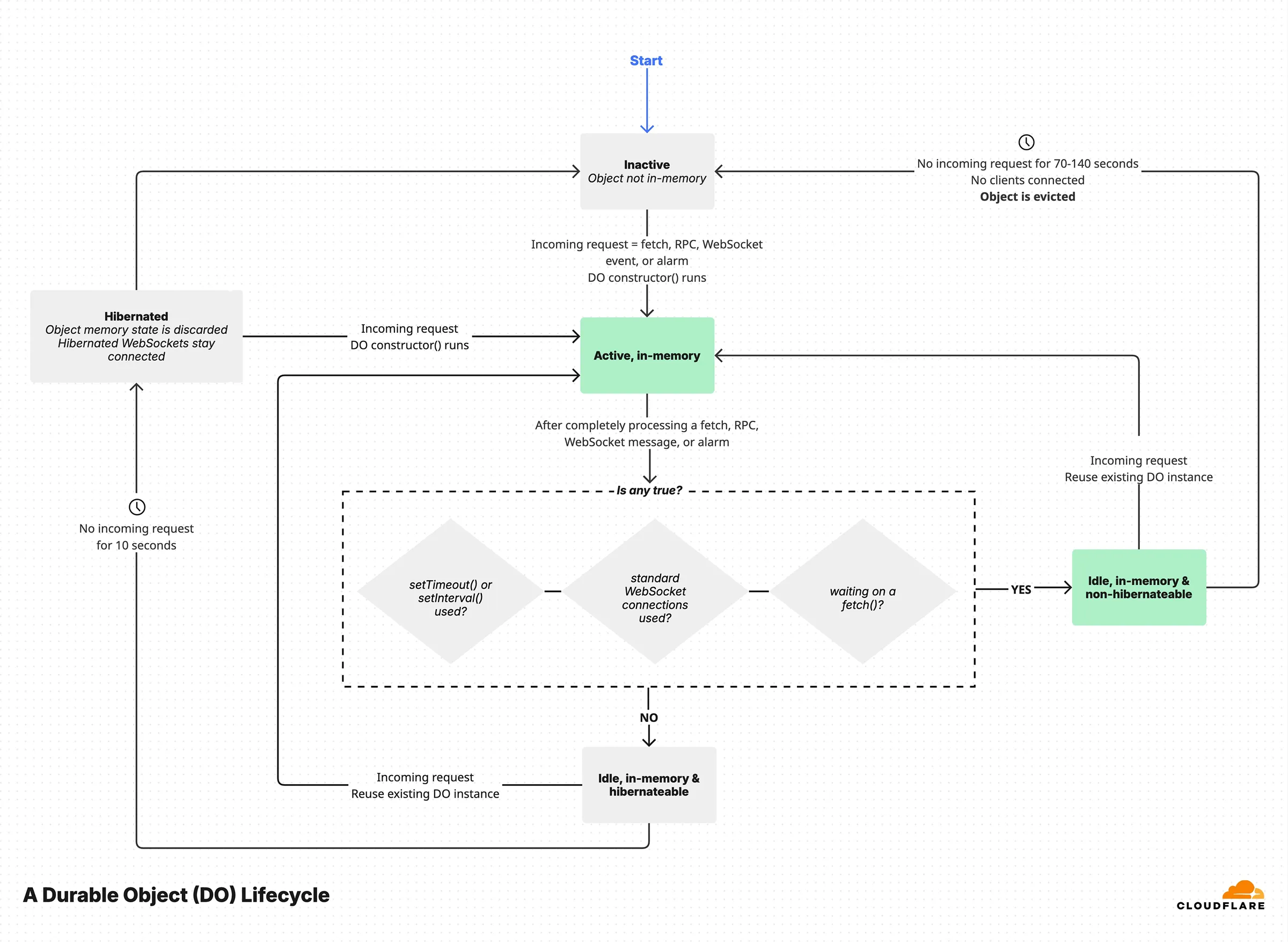
Assuming a Durable Object does not run, the first incoming request or event (like an alarm) will execute the `constructor()` of the Durable Object class, then run the corresponding function invoked.
At this point the Durable Object is in the **active in-memory state**.
Once all incoming requests or events have been processed, the Durable Object remains idle in-memory for a few seconds either in a hibernateable state or in a non-hibernateable state.
Hibernation can only occur if **all** of the conditions below are true:
* No `setTimeout`/`setInterval` scheduled callbacks are set, since there would be no way to recreate the callback after hibernating.
* No in-progress awaited `fetch()` exists, since it is considered to be waiting for I/O.
* No WebSocket standard API is used.
* No request/event is still being processed, because hibernating would mean losing track of the async function which is eventually supposed to return a response to that request.
After 10 seconds of no incoming request or event, and all the above conditions satisfied, the Durable Object will transition into the **hibernated** state.
Warning
When hibernated, the in-memory state is discarded, so ensure you persist all important information in the Durable Object's storage.
If any of the above conditions is false, the Durable Object remains in-memory, in the **idle, in-memory, non-hibernateable** state.
In case of an incoming request or event while in the **hibernated** state, the `constructor()` will run again, and the Durable Object will transition to the **active, in-memory** state and execute the invoked function.
While in the **idle, in-memory, non-hibernateable** state, after 70-140 seconds of inactivity (no incoming requests or events), the Durable Object will be evicted entirely from memory and potentially from the Cloudflare host and transition to the **inactive** state.
Objects in the **hibernated** state keep their Websocket clients connected, and the runtime decides if and when to transition the object to the **inactive** state (for example deciding to move the object to a different host) thus restarting the lifecycle.
The next incoming request or event starts the cycle again.
Lifecycle states incurring duration charges
A Durable Object incurs charges only when it is **actively running in-memory**, or when it is **idle in-memory and non-hibernateable** (indicated as green rectangles in the diagram).
## Shutdown behavior
Durable Objects will occasionally shut down and objects are restarted, which will run your Durable Object class constructor. This can happen for various reasons, including:
* New Worker [deployments](https://developers.cloudflare.com/workers/configuration/versions-and-deployments/) with code updates
* Lack of requests to an object following the state transitions documented above
* Cloudflare updates to the Workers runtime system
* Workers runtime decisions on where to host objects
When a Durable Object is shut down, the object instance is automatically restarted and new requests are routed to the new instance. In-flight requests are handled as follows:
* **HTTP requests**: In-flight requests are allowed to finish for up to 30 seconds. However, if a request attempts to access a Durable Object's storage during this grace period, it will be stopped immediately to maintain Durable Objects global uniqueness property.
* **WebSocket connections**: WebSocket requests are terminated automatically during shutdown. This is so that the new instance can take over the connection as soon as possible.
* **Other invocations (email, cron)**: Other invocations are treated similarly to HTTP requests.
It is important to ensure that any services using Durable Objects are designed to handle the possibility of a Durable Object being shut down.
### Code updates
When your Durable Object code is updated, your Worker and Durable Objects are released globally in an eventually consistent manner. This will cause a Durable Object to shut down, with the behavior described above. Updates can also create a situation where a request reaches a new version of your Worker in one location, and calls to a Durable Object still running a previous version elsewhere. Refer to [Code updates](https://developers.cloudflare.com/durable-objects/platform/known-issues/#code-updates) for more information about handling this scenario.
### Working without shutdown hooks
Durable Objects may shut down due to deployments, inactivity, or runtime decisions. Rather than relying on shutdown hooks (which are not provided), design your application to write state incrementally.
Shutdown hooks or lifecycle callbacks that run before shutdown are not provided because Cloudflare cannot guarantee these hooks would execute in all cases, and external software may rely too heavily on these (unreliable) hooks.
Instead of relying on shutdown hooks, you can regularly write to storage to recover gracefully from shutdowns.
For example, if you are processing a stream of data and need to save your progress, write your position to storage as you go rather than waiting to persist it at the end:
```js
// Good: Write progress as you go
async processData(data) {
data.forEach(async (item, index) => {
await this.processItem(item);
// Save progress frequently
await this.ctx.storage.put("lastProcessedIndex", index);
});
}
```
While this may feel unintuitive, Durable Object storage writes are fast and synchronous, so you can persist state with minimal performance concerns.
This approach ensures your Durable Object can safely resume from any point, even if it shuts down unexpectedly.
---
title: What are Durable Objects? · Cloudflare Durable Objects docs
description: "A Durable Object is a special kind of Cloudflare Worker which
uniquely combines compute with storage. Like a Worker, a Durable Object is
automatically provisioned geographically close to where it is first requested,
starts up quickly when needed, and shuts down when idle. You can have millions
of them around the world. However, unlike regular Workers:"
lastUpdated: 2025-09-24T13:21:38.000Z
chatbotDeprioritize: false
source_url:
html: https://developers.cloudflare.com/durable-objects/concepts/what-are-durable-objects/
md: https://developers.cloudflare.com/durable-objects/concepts/what-are-durable-objects/index.md
---
A Durable Object is a special kind of [Cloudflare Worker](https://developers.cloudflare.com/workers/) which uniquely combines compute with storage. Like a Worker, a Durable Object is automatically provisioned geographically close to where it is first requested, starts up quickly when needed, and shuts down when idle. You can have millions of them around the world. However, unlike regular Workers:
* Each Durable Object has a **globally-unique name**, which allows you to send requests to a specific object from anywhere in the world. Thus, a Durable Object can be used to coordinate between multiple clients who need to work together.
* Each Durable Object has some **durable storage** attached. Since this storage lives together with the object, it is strongly consistent yet fast to access.
Therefore, Durable Objects enable **stateful** serverless applications.
## Durable Objects highlights
Durable Objects have properties that make them a great fit for distributed stateful scalable applications.
**Serverless compute, zero infrastructure management**
* Durable Objects are built on-top of the Workers runtime, so they support exactly the same code (JavaScript and WASM), and similar memory and CPU limits.
* Each Durable Object is [implicitly created on first access](https://developers.cloudflare.com/durable-objects/api/namespace/#get). User applications are not concerned with their lifecycle, creating them or destroying them. Durable Objects migrate among healthy servers, and therefore applications never have to worry about managing them.
* Each Durable Object stays alive as long as requests are being processed, and remains alive for several seconds after being idle before hibernating, allowing applications to [exploit in-memory caching](https://developers.cloudflare.com/durable-objects/reference/in-memory-state/) while handling many consecutive requests and boosting their performance.
**Storage colocated with compute**
* Each Durable Object has its own [durable, transactional, and strongly consistent storage](https://developers.cloudflare.com/durable-objects/api/sqlite-storage-api/) (up to 10 GB[1](#user-content-fn-1)), persisted across requests, and accessible only within that object.
**Single-threaded concurrency**
* Each [Durable Object instance has an identifier](https://developers.cloudflare.com/durable-objects/api/id/), either randomly-generated or user-generated, which allows you to globally address which Durable Object should handle a specific action or request.
* Durable Objects are single-threaded and cooperatively multi-tasked, just like code running in a web browser. For more details on how safety and correctness are achieved, refer to the blog post ["Durable Objects: Easy, Fast, Correct — Choose three"](https://blog.cloudflare.com/durable-objects-easy-fast-correct-choose-three/).
**Elastic horizontal scaling across Cloudflare's global network**
* Durable Objects can be spread around the world, and you can [optionally influence where each instance should be located](https://developers.cloudflare.com/durable-objects/reference/data-location/#provide-a-location-hint). Durable Objects are not yet available in every Cloudflare data center; refer to the [where.durableobjects.live](https://where.durableobjects.live/) project for live locations.
* Each Durable Object type (or ["Namespace binding"](https://developers.cloudflare.com/durable-objects/api/namespace/) in Cloudflare terms) corresponds to a JavaScript class implementing the actual logic. There is no hard limit on how many Durable Objects can be created for each namespace.
* Durable Objects scale elastically as your application creates millions of objects. There is no need for applications to manage infrastructure or plan ahead for capacity.
## Durable Objects features
### In-memory state
Each Durable Object has its own [in-memory state](https://developers.cloudflare.com/durable-objects/reference/in-memory-state/). Applications can use this in-memory state to optimize the performance of their applications by keeping important information in-memory, thereby avoiding the need to access the durable storage at all.
Useful cases for in-memory state include batching and aggregating information before persisting it to storage, or for immediately rejecting/handling incoming requests meeting certain criteria, and more.
In-memory state is reset when the Durable Object hibernates after being idle for some time. Therefore, it is important to persist any in-memory data to the durable storage if that data will be needed at a later time when the Durable Object receives another request.
### Storage API
The [Durable Object Storage API](https://developers.cloudflare.com/durable-objects/api/sqlite-storage-api/) allows Durable Objects to access fast, transactional, and strongly consistent storage. A Durable Object's attached storage is private to its unique instance and cannot be accessed by other objects.
There are two flavors of the storage API, a [key-value (KV) API](https://developers.cloudflare.com/durable-objects/api/legacy-kv-storage-api/) and an [SQL API](https://developers.cloudflare.com/durable-objects/api/sqlite-storage-api/).
When using the [new SQLite in Durable Objects storage backend](https://developers.cloudflare.com/durable-objects/reference/durable-objects-migrations/#enable-sqlite-storage-backend-on-new-durable-object-class-migration), you have access to both the APIs. However, if you use the previous storage backend you only have access to the key-value API.
### Alarms API
Durable Objects provide an [Alarms API](https://developers.cloudflare.com/durable-objects/api/alarms/) which allows you to schedule the Durable Object to be woken up at a time in the future. This is useful when you want to do certain work periodically, or at some specific point in time, without having to manually manage infrastructure such as job scheduling runners on your own.
You can combine Alarms with in-memory state and the durable storage API to build batch and aggregation applications such as queues, workflows, or advanced data pipelines.
### WebSockets
WebSockets are long-lived TCP connections that enable bi-directional, real-time communication between client and server. Because WebSocket sessions are long-lived, applications commonly use Durable Objects to accept either the client or server connection.
Because Durable Objects provide a single-point-of-coordination between Cloudflare Workers, a single Durable Object instance can be used in parallel with WebSockets to coordinate between multiple clients, such as participants in a chat room or a multiplayer game.
Durable Objects support the [WebSocket Standard API](https://developers.cloudflare.com/durable-objects/best-practices/websockets/#websocket-standard-api), as well as the [WebSockets Hibernation API](https://developers.cloudflare.com/durable-objects/best-practices/websockets/#websocket-hibernation-api) which extends the Web Standard WebSocket API to reduce costs by not incurring billing charges during periods of inactivity.
### RPC
Durable Objects support Workers [Remote-Procedure-Call (RPC)](https://developers.cloudflare.com/workers/runtime-apis/rpc/) which allows applications to use JavaScript-native methods and objects to communicate between Workers and Durable Objects.
Using RPC for communication makes application development easier and simpler to reason about, and more efficient.
## Actor programming model
Another way to describe and think about Durable Objects is through the lens of the [Actor programming model](https://en.wikipedia.org/wiki/Actor_model). There are several popular examples of the Actor model supported at the programming language level through runtimes or library frameworks, like [Erlang](https://www.erlang.org/), [Elixir](https://elixir-lang.org/), [Akka](https://akka.io/), or [Microsoft Orleans for .NET](https://learn.microsoft.com/en-us/dotnet/orleans/overview).
The Actor model simplifies a lot of problems in distributed systems by abstracting away the communication between actors using RPC calls (or message sending) that could be implemented on-top of any transport protocol, and it avoids most of the concurrency pitfalls you get when doing concurrency through shared memory such as race conditions when multiple processes/threads access the same data in-memory.
Each Durable Object instance can be seen as an Actor instance, receiving messages (incoming HTTP/RPC requests), executing some logic in its own single-threaded context using its attached durable storage or in-memory state, and finally sending messages to the outside world (outgoing HTTP/RPC requests or responses), even to another Durable Object instance.
Each Durable Object has certain capabilities in terms of [how much work it can do](https://developers.cloudflare.com/durable-objects/platform/limits/#how-much-work-can-a-single-durable-object-do), which should influence the application's [architecture to fully take advantage of the platform](https://developers.cloudflare.com/reference-architecture/diagrams/storage/durable-object-control-data-plane-pattern/).
Durable Objects are natively integrated into Cloudflare's infrastructure, giving you the ultimate serverless platform to build distributed stateful applications exploiting the entirety of Cloudflare's network.
## Durable Objects in Cloudflare
Many of Cloudflare's products use Durable Objects. Some of our technical blog posts showcase real-world applications and use-cases where Durable Objects make building applications easier and simpler.
These blog posts may also serve as inspiration on how to architect scalable applications using Durable Objects, and how to integrate them with the rest of Cloudflare Developer Platform.
* [Durable Objects aren't just durable, they're fast: a 10x speedup for Cloudflare Queues](https://blog.cloudflare.com/how-we-built-cloudflare-queues/)
* [Behind the scenes with Stream Live, Cloudflare's live streaming service](https://blog.cloudflare.com/behind-the-scenes-with-stream-live-cloudflares-live-streaming-service/)
* [DO it again: how we used Durable Objects to add WebSockets support and authentication to AI Gateway](https://blog.cloudflare.com/do-it-again/)
* [Workers Builds: integrated CI/CD built on the Workers platform](https://blog.cloudflare.com/workers-builds-integrated-ci-cd-built-on-the-workers-platform/)
* [Build durable applications on Cloudflare Workers: you write the Workflows, we take care of the rest](https://blog.cloudflare.com/building-workflows-durable-execution-on-workers/)
* [Building D1: a Global Database](https://blog.cloudflare.com/building-d1-a-global-database/)
* [Billions and billions (of logs): scaling AI Gateway with the Cloudflare Developer Platform](https://blog.cloudflare.com/billions-and-billions-of-logs-scaling-ai-gateway-with-the-cloudflare/)
* [Indexing millions of HTTP requests using Durable Objects](https://blog.cloudflare.com/r2-rayid-retrieval/)
Finally, the following blog posts may help you learn some of the technical implementation aspects of Durable Objects, and how they work.
* [Durable Objects: Easy, Fast, Correct — Choose three](https://blog.cloudflare.com/durable-objects-easy-fast-correct-choose-three/)
* [Zero-latency SQLite storage in every Durable Object](https://blog.cloudflare.com/sqlite-in-durable-objects/)
* [Workers Durable Objects Beta: A New Approach to Stateful Serverless](https://blog.cloudflare.com/introducing-workers-durable-objects/)
## Get started
Get started now by following the ["Get started" guide](https://developers.cloudflare.com/durable-objects/get-started/) to create your first application using Durable Objects.
## Footnotes
1. Storage per Durable Object with SQLite is currently 1 GB. This will be raised to 10 GB for general availability. [↩](#user-content-fnref-1)
---
title: Agents · Cloudflare Durable Objects docs
description: Build AI-powered Agents on Cloudflare
lastUpdated: 2025-04-06T14:39:24.000Z
chatbotDeprioritize: false
source_url:
html: https://developers.cloudflare.com/durable-objects/examples/agents/
md: https://developers.cloudflare.com/durable-objects/examples/agents/index.md
---
---
title: Use the Alarms API · Cloudflare Durable Objects docs
description: Use the Durable Objects Alarms API to batch requests to a Durable Object.
lastUpdated: 2026-01-29T10:38:24.000Z
chatbotDeprioritize: false
source_url:
html: https://developers.cloudflare.com/durable-objects/examples/alarms-api/
md: https://developers.cloudflare.com/durable-objects/examples/alarms-api/index.md
---
This example implements an `alarm()` handler that allows batching of requests to a single Durable Object.
When a request is received and no alarm is set, it sets an alarm for 10 seconds in the future. The `alarm()` handler processes all requests received within that 10-second window.
If no new requests are received, no further alarms will be set until the next request arrives.
* JavaScript
```js
import { DurableObject } from "cloudflare:workers";
// Worker
export default {
async fetch(request, env) {
return await env.BATCHER.getByName("foo").fetch(request);
},
};
// Durable Object
export class Batcher extends DurableObject {
constructor(ctx, env) {
super(ctx, env);
this.storage = ctx.storage;
this.ctx.blockConcurrencyWhile(async () => {
let vals = await this.storage.list({ reverse: true, limit: 1 });
this.count = vals.size == 0 ? 0 : parseInt(vals.keys().next().value);
});
}
async fetch(request) {
this.count++;
// If there is no alarm currently set, set one for 10 seconds from now
// Any further POSTs in the next 10 seconds will be part of this batch.
let currentAlarm = await this.storage.getAlarm();
if (currentAlarm == null) {
this.storage.setAlarm(Date.now() + 1000 * 10);
}
// Add the request to the batch.
await this.storage.put(this.count, await request.text());
return new Response(JSON.stringify({ queued: this.count }), {
headers: {
"content-type": "application/json;charset=UTF-8",
},
});
}
async alarm() {
let vals = await this.storage.list();
await fetch("http://example.com/some-upstream-service", {
method: "POST",
body: Array.from(vals.values()),
});
await this.storage.deleteAll();
this.count = 0;
}
}
```
* Python
```py
from workers import DurableObject, Response, WorkerEntrypoint, fetch
import time
# Worker
class Default(WorkerEntrypoint):
async def fetch(self, request):
stub = self.env.BATCHER.getByName("foo")
return await stub.fetch(request)
# Durable Object
class Batcher(DurableObject):
def __init__(self, ctx, env):
super().__init__(ctx, env)
self.storage = ctx.storage
@self.ctx.blockConcurrencyWhile
async def initialize():
vals = await self.storage.list(reverse=True, limit=1)
self.count = 0
if len(vals) > 0:
self.count = int(vals.keys().next().value)
async def fetch(self, request):
self.count += 1
# If there is no alarm currently set, set one for 10 seconds from now
# Any further POSTs in the next 10 seconds will be part of this batch.
current_alarm = await self.storage.getAlarm()
if current_alarm is None:
self.storage.setAlarm(int(time.time() * 1000) + 1000 * 10)
# Add the request to the batch.
await self.storage.put(self.count, await request.text())
return Response.json(
{"queued": self.count}
)
async def alarm(self):
vals = await self.storage.list()
await fetch(
"http://example.com/some-upstream-service",
method="POST",
body=list(vals.values())
)
await self.storage.deleteAll()
self.count = 0
```
The `alarm()` handler will be called once every 10 seconds. If an unexpected error terminates the Durable Object, the `alarm()` handler will be re-instantiated on another machine. Following a short delay, the `alarm()` handler will run from the beginning on the other machine.
Finally, configure your Wrangler file to include a Durable Object [binding](https://developers.cloudflare.com/durable-objects/get-started/#4-configure-durable-object-bindings) and [migration](https://developers.cloudflare.com/durable-objects/reference/durable-objects-migrations/) based on the namespace and class name chosen previously.
* wrangler.jsonc
```jsonc
{
"$schema": "./node_modules/wrangler/config-schema.json",
"name": "durable-object-alarm",
"main": "src/index.ts",
"durable_objects": {
"bindings": [
{
"name": "BATCHER",
"class_name": "Batcher"
}
]
},
"migrations": [
{
"tag": "v1",
"new_sqlite_classes": [
"Batcher"
]
}
]
}
```
* wrangler.toml
```toml
"$schema" = "./node_modules/wrangler/config-schema.json"
name = "durable-object-alarm"
main = "src/index.ts"
[[durable_objects.bindings]]
name = "BATCHER"
class_name = "Batcher"
[[migrations]]
tag = "v1"
new_sqlite_classes = [ "Batcher" ]
```
---
title: Build a counter · Cloudflare Durable Objects docs
description: Build a counter using Durable Objects and Workers with RPC methods.
lastUpdated: 2026-01-29T10:38:24.000Z
chatbotDeprioritize: false
source_url:
html: https://developers.cloudflare.com/durable-objects/examples/build-a-counter/
md: https://developers.cloudflare.com/durable-objects/examples/build-a-counter/index.md
---
This example shows how to build a counter using Durable Objects and Workers with [RPC methods](https://developers.cloudflare.com/workers/runtime-apis/rpc) that can print, increment, and decrement a `name` provided by the URL query string parameter, for example, `?name=A`.
* JavaScript
```js
import { DurableObject } from "cloudflare:workers";
// Worker
export default {
async fetch(request, env) {
let url = new URL(request.url);
let name = url.searchParams.get("name");
if (!name) {
return new Response(
"Select a Durable Object to contact by using" +
" the `name` URL query string parameter, for example, ?name=A",
);
}
// A stub is a client Object used to send messages to the Durable Object.
let stub = env.COUNTERS.getByName(name);
// Send a request to the Durable Object using RPC methods, then await its response.
let count = null;
switch (url.pathname) {
case "/increment":
count = await stub.increment();
break;
case "/decrement":
count = await stub.decrement();
break;
case "/":
// Serves the current value.
count = await stub.getCounterValue();
break;
default:
return new Response("Not found", { status: 404 });
}
return new Response(`Durable Object '${name}' count: ${count}`);
},
};
// Durable Object
export class Counter extends DurableObject {
async getCounterValue() {
let value = (await this.ctx.storage.get("value")) || 0;
return value;
}
async increment(amount = 1) {
let value = (await this.ctx.storage.get("value")) || 0;
value += amount;
// You do not have to worry about a concurrent request having modified the value in storage.
// "input gates" will automatically protect against unwanted concurrency.
// Read-modify-write is safe.
await this.ctx.storage.put("value", value);
return value;
}
async decrement(amount = 1) {
let value = (await this.ctx.storage.get("value")) || 0;
value -= amount;
await this.ctx.storage.put("value", value);
return value;
}
}
```
* TypeScript
```ts
import { DurableObject } from "cloudflare:workers";
export interface Env {
COUNTERS: DurableObjectNamespace;
}
// Worker
export default {
async fetch(request, env) {
let url = new URL(request.url);
let name = url.searchParams.get("name");
if (!name) {
return new Response(
"Select a Durable Object to contact by using" +
" the `name` URL query string parameter, for example, ?name=A",
);
}
// A stub is a client Object used to send messages to the Durable Object.
let stub = env.COUNTERS.get(name);
let count = null;
switch (url.pathname) {
case "/increment":
count = await stub.increment();
break;
case "/decrement":
count = await stub.decrement();
break;
case "/":
// Serves the current value.
count = await stub.getCounterValue();
break;
default:
return new Response("Not found", { status: 404 });
}
return new Response(`Durable Object '${name}' count: ${count}`);
},
} satisfies ExportedHandler;
// Durable Object
export class Counter extends DurableObject {
async getCounterValue() {
let value = (await this.ctx.storage.get("value")) || 0;
return value;
}
async increment(amount = 1) {
let value: number = (await this.ctx.storage.get("value")) || 0;
value += amount;
// You do not have to worry about a concurrent request having modified the value in storage.
// "input gates" will automatically protect against unwanted concurrency.
// Read-modify-write is safe.
await this.ctx.storage.put("value", value);
return value;
}
async decrement(amount = 1) {
let value: number = (await this.ctx.storage.get("value")) || 0;
value -= amount;
await this.ctx.storage.put("value", value);
return value;
}
}
```
* Python
```py
from workers import DurableObject, Response, WorkerEntrypoint
from urllib.parse import urlparse, parse_qs
# Worker
class Default(WorkerEntrypoint):
async def fetch(self, request):
parsed_url = urlparse(request.url)
query_params = parse_qs(parsed_url.query)
name = query_params.get('name', [None])[0]
if not name:
return Response(
"Select a Durable Object to contact by using"
+ " the `name` URL query string parameter, for example, ?name=A"
)
# A stub is a client Object used to send messages to the Durable Object.
stub = self.env.COUNTERS.getByName(name)
# Send a request to the Durable Object using RPC methods, then await its response.
count = None
if parsed_url.path == "/increment":
count = await stub.increment()
elif parsed_url.path == "/decrement":
count = await stub.decrement()
elif parsed_url.path == "" or parsed_url.path == "/":
# Serves the current value.
count = await stub.getCounterValue()
else:
return Response("Not found", status=404)
return Response(f"Durable Object '{name}' count: {count}")
# Durable Object
class Counter(DurableObject):
def __init__(self, ctx, env):
super().__init__(ctx, env)
async def getCounterValue(self):
value = await self.ctx.storage.get("value")
return value if value is not None else 0
async def increment(self, amount=1):
value = await self.ctx.storage.get("value")
value = (value if value is not None else 0) + amount
# You do not have to worry about a concurrent request having modified the value in storage.
# "input gates" will automatically protect against unwanted concurrency.
# Read-modify-write is safe.
await self.ctx.storage.put("value", value)
return value
async def decrement(self, amount=1):
value = await self.ctx.storage.get("value")
value = (value if value is not None else 0) - amount
await self.ctx.storage.put("value", value)
return value
```
Finally, configure your Wrangler file to include a Durable Object [binding](https://developers.cloudflare.com/durable-objects/get-started/#4-configure-durable-object-bindings) and [migration](https://developers.cloudflare.com/durable-objects/reference/durable-objects-migrations/) based on the namespace and class name chosen previously.
* wrangler.jsonc
```jsonc
{
"$schema": "./node_modules/wrangler/config-schema.json",
"name": "my-counter",
"main": "src/index.ts",
"durable_objects": {
"bindings": [
{
"name": "COUNTERS",
"class_name": "Counter"
}
]
},
"migrations": [
{
"tag": "v1",
"new_sqlite_classes": [
"Counter"
]
}
]
}
```
* wrangler.toml
```toml
"$schema" = "./node_modules/wrangler/config-schema.json"
name = "my-counter"
main = "src/index.ts"
[[durable_objects.bindings]]
name = "COUNTERS"
class_name = "Counter"
[[migrations]]
tag = "v1"
new_sqlite_classes = [ "Counter" ]
```
### Related resources
* [Workers RPC](https://developers.cloudflare.com/workers/runtime-apis/rpc/)
* [Durable Objects: Easy, Fast, Correct — Choose three](https://blog.cloudflare.com/durable-objects-easy-fast-correct-choose-three/).
---
title: Durable Object in-memory state · Cloudflare Durable Objects docs
description: Create a Durable Object that stores the last location it was
accessed from in-memory.
lastUpdated: 2026-01-29T10:38:24.000Z
chatbotDeprioritize: false
source_url:
html: https://developers.cloudflare.com/durable-objects/examples/durable-object-in-memory-state/
md: https://developers.cloudflare.com/durable-objects/examples/durable-object-in-memory-state/index.md
---
This example shows you how Durable Objects are stateful, meaning in-memory state can be retained between requests. After a brief period of inactivity, the Durable Object will be evicted, and all in-memory state will be lost. The next request will reconstruct the object, but instead of showing the city of the previous request, it will display a message indicating that the object has been reinitialized. If you need your applications state to survive eviction, write the state to storage by using the [Storage API](https://developers.cloudflare.com/durable-objects/api/sqlite-storage-api/), or by storing your data elsewhere.
* JavaScript
```js
import { DurableObject } from "cloudflare:workers";
// Worker
export default {
async fetch(request, env) {
return await handleRequest(request, env);
},
};
async function handleRequest(request, env) {
let stub = env.LOCATION.getByName("A");
// Forward the request to the remote Durable Object.
let resp = await stub.fetch(request);
// Return the response to the client.
return new Response(await resp.text());
}
// Durable Object
export class Location extends DurableObject {
constructor(state, env) {
super(state, env);
// Upon construction, you do not have a location to provide.
// This value will be updated as people access the Durable Object.
// When the Durable Object is evicted from memory, this will be reset.
this.location = null;
}
// Handle HTTP requests from clients.
async fetch(request) {
let response = null;
if (this.location == null) {
response = new String(`
This is the first request, you called the constructor, so this.location was null.
You will set this.location to be your city: (${request.cf.city}). Try reloading the page.`);
} else {
response = new String(`
The Durable Object was already loaded and running because it recently handled a request.
Previous Location: ${this.location}
New Location: ${request.cf.city}`);
}
// You set the new location to be the new city.
this.location = request.cf.city;
console.log(response);
return new Response(response);
}
}
```
* Python
```py
from workers import DurableObject, Response, WorkerEntrypoint
# Worker
class Default(WorkerEntrypoint):
async def fetch(self, request):
return await handle_request(request, self.env)
async def handle_request(request, env):
stub = env.LOCATION.getByName("A")
# Forward the request to the remote Durable Object.
resp = await stub.fetch(request)
# Return the response to the client.
return Response(await resp.text())
# Durable Object
class Location(DurableObject):
def __init__(self, ctx, env):
super().__init__(ctx, env)
# Upon construction, you do not have a location to provide.
# This value will be updated as people access the Durable Object.
# When the Durable Object is evicted from memory, this will be reset.
self.location = None
# Handle HTTP requests from clients.
async def fetch(self, request):
response = None
if self.location is None:
response = f"""
This is the first request, you called the constructor, so this.location was null.
You will set this.location to be your city: ({request.js_object.cf.city}). Try reloading the page."""
else:
response = f"""
The Durable Object was already loaded and running because it recently handled a request.
Previous Location: {self.location}
New Location: {request.js_object.cf.city}"""
# You set the new location to be the new city.
self.location = request.js_object.cf.city
print(response)
return Response(response)
```
Finally, configure your Wrangler file to include a Durable Object [binding](https://developers.cloudflare.com/durable-objects/get-started/#4-configure-durable-object-bindings) and [migration](https://developers.cloudflare.com/durable-objects/reference/durable-objects-migrations/) based on the namespace and class name chosen previously.
* wrangler.jsonc
```jsonc
{
"$schema": "./node_modules/wrangler/config-schema.json",
"name": "durable-object-in-memory-state",
"main": "src/index.ts",
"durable_objects": {
"bindings": [
{
"name": "LOCATION",
"class_name": "Location"
}
]
},
"migrations": [
{
"tag": "v1",
"new_sqlite_classes": [
"Location"
]
}
]
}
```
* wrangler.toml
```toml
"$schema" = "./node_modules/wrangler/config-schema.json"
name = "durable-object-in-memory-state"
main = "src/index.ts"
[[durable_objects.bindings]]
name = "LOCATION"
class_name = "Location"
[[migrations]]
tag = "v1"
new_sqlite_classes = [ "Location" ]
```
---
title: Durable Object Time To Live · Cloudflare Durable Objects docs
description: Use the Durable Objects Alarms API to implement a Time To Live
(TTL) for Durable Object instances.
lastUpdated: 2026-01-29T10:38:24.000Z
chatbotDeprioritize: false
source_url:
html: https://developers.cloudflare.com/durable-objects/examples/durable-object-ttl/
md: https://developers.cloudflare.com/durable-objects/examples/durable-object-ttl/index.md
---
A common feature request for Durable Objects is a Time To Live (TTL) for Durable Object instances. Durable Objects give developers the tools to implement a custom TTL in only a few lines of code. This example demonstrates how to implement a TTL making use of `alarms`. While this TTL will be extended upon every new request to the Durable Object, this can be customized based on a particular use case.
Be careful when calling `setAlarm` in the Durable Object class constructor
In this example the TTL is extended upon every new fetch request to the Durable Object. It might be tempting to instead extend the TTL in the constructor of the Durable Object. This is not advised because the Durable Object's constructor will be called before invoking the alarm handler if the alarm wakes the Durable Object up from hibernation. This approach will naively result in the constructor continually extending the TTL without running the alarm handler. If you must call `setAlarm` in the Durable Object class constructor be sure to check that there is no alarm previously set.
* JavaScript
```js
import { DurableObject } from "cloudflare:workers";
// Durable Object
export class MyDurableObject extends DurableObject {
// Time To Live (TTL) in milliseconds
timeToLiveMs = 1000;
constructor(ctx, env) {
super(ctx, env);
}
async fetch(_request) {
// Extend the TTL immediately following every fetch request to a Durable Object.
await this.ctx.storage.setAlarm(Date.now() + this.timeToLiveMs);
...
}
async alarm() {
await this.ctx.storage.deleteAll();
}
}
// Worker
export default {
async fetch(request, env) {
const stub = env.MY_DURABLE_OBJECT.getByName("foo");
return await stub.fetch(request);
},
};
```
* TypeScript
```ts
import { DurableObject } from "cloudflare:workers";
export interface Env {
MY_DURABLE_OBJECT: DurableObjectNamespace;
}
// Durable Object
export class MyDurableObject extends DurableObject {
// Time To Live (TTL) in milliseconds
timeToLiveMs = 1000;
constructor(ctx: DurableObjectState, env: Env) {
super(ctx, env);
}
async fetch(_request: Request) {
// Extend the TTL immediately following every fetch request to a Durable Object.
await this.ctx.storage.setAlarm(Date.now() + this.timeToLiveMs);
...
}
async alarm() {
await this.ctx.storage.deleteAll();
}
}
// Worker
export default {
async fetch(request, env) {
const stub = env.MY_DURABLE_OBJECT.getByName("foo");
return await stub.fetch(request);
},
} satisfies ExportedHandler;
```
* Python
```py
from workers import DurableObject, Response, WorkerEntrypoint
import time
# Durable Object
class MyDurableObject(DurableObject):
# Time To Live (TTL) in milliseconds
timeToLiveMs = 1000
def __init__(self, ctx, env):
super().__init__(ctx, env)
async def fetch(self, _request):
# Extend the TTL immediately following every fetch request to a Durable Object.
await self.ctx.storage.setAlarm(int(time.time() * 1000) + self.timeToLiveMs)
...
async def alarm(self):
await self.ctx.storage.deleteAll()
# Worker
class Default(WorkerEntrypoint):
async def fetch(self, request):
stub = self.env.MY_DURABLE_OBJECT.getByName("foo")
return await stub.fetch(request)
```
To test and deploy this example, configure your Wrangler file to include a Durable Object [binding](https://developers.cloudflare.com/durable-objects/get-started/#4-configure-durable-object-bindings) and [migration](https://developers.cloudflare.com/durable-objects/reference/durable-objects-migrations/) based on the namespace and class name chosen previously.
* wrangler.jsonc
```jsonc
{
"$schema": "./node_modules/wrangler/config-schema.json",
"name": "durable-object-ttl",
"main": "src/index.ts",
"durable_objects": {
"bindings": [
{
"name": "MY_DURABLE_OBJECT",
"class_name": "MyDurableObject"
}
]
},
"migrations": [
{
"tag": "v1",
"new_sqlite_classes": [
"MyDurableObject"
]
}
]
}
```
* wrangler.toml
```toml
"$schema" = "./node_modules/wrangler/config-schema.json"
name = "durable-object-ttl"
main = "src/index.ts"
[[durable_objects.bindings]]
name = "MY_DURABLE_OBJECT"
class_name = "MyDurableObject"
[[migrations]]
tag = "v1"
new_sqlite_classes = [ "MyDurableObject" ]
```
---
title: Use ReadableStream with Durable Object and Workers · Cloudflare Durable
Objects docs
description: Stream ReadableStream from Durable Objects.
lastUpdated: 2026-01-27T21:11:25.000Z
chatbotDeprioritize: false
source_url:
html: https://developers.cloudflare.com/durable-objects/examples/readable-stream/
md: https://developers.cloudflare.com/durable-objects/examples/readable-stream/index.md
---
This example demonstrates:
* A Worker receives a request, and forwards it to a Durable Object `my-id`.
* The Durable Object streams an incrementing number every second, until it receives `AbortSignal`.
* The Worker reads and logs the values from the stream.
* The Worker then cancels the stream after 5 values.
- JavaScript
```js
import { DurableObject } from "cloudflare:workers";
// Send incremented counter value every second
async function* dataSource(signal) {
let counter = 0;
while (!signal.aborted) {
yield counter++;
await new Promise((resolve) => setTimeout(resolve, 1_000));
}
console.log("Data source cancelled");
}
export class MyDurableObject extends DurableObject {
async fetch(request) {
const abortController = new AbortController();
const stream = new ReadableStream({
async start(controller) {
if (request.signal.aborted) {
controller.close();
abortController.abort();
return;
}
for await (const value of dataSource(abortController.signal)) {
controller.enqueue(new TextEncoder().encode(String(value)));
}
},
cancel() {
console.log("Stream cancelled");
abortController.abort();
},
});
const headers = new Headers({
"Content-Type": "application/octet-stream",
});
return new Response(stream, { headers });
}
}
export default {
async fetch(request, env, ctx) {
const stub = env.MY_DURABLE_OBJECT.getByName("foo");
const response = await stub.fetch(request, { ...request });
if (!response.ok || !response.body) {
return new Response("Invalid response", { status: 500 });
}
const reader = response.body
.pipeThrough(new TextDecoderStream())
.getReader();
let data = [];
let i = 0;
while (true) {
// Cancel the stream after 5 messages
if (i > 5) {
reader.cancel();
break;
}
const { value, done } = await reader.read();
if (value) {
console.log(`Got value ${value}`);
data = [...data, value];
}
if (done) {
break;
}
i++;
}
return Response.json(data);
},
};
```
- TypeScript
```ts
import { DurableObject } from 'cloudflare:workers';
// Send incremented counter value every second
async function* dataSource(signal: AbortSignal) {
let counter = 0;
while (!signal.aborted) {
yield counter++;
await new Promise((resolve) => setTimeout(resolve, 1_000));
}
console.log('Data source cancelled');
}
export class MyDurableObject extends DurableObject {
async fetch(request: Request): Promise {
const abortController = new AbortController();
const stream = new ReadableStream({
async start(controller) {
if (request.signal.aborted) {
controller.close();
abortController.abort();
return;
}
for await (const value of dataSource(abortController.signal)) {
controller.enqueue(new TextEncoder().encode(String(value)));
}
},
cancel() {
console.log('Stream cancelled');
abortController.abort();
},
});
const headers = new Headers({
'Content-Type': 'application/octet-stream',
});
return new Response(stream, { headers });
}
}
export default {
async fetch(request, env, ctx): Promise {
const stub = env.MY_DURABLE_OBJECT.getByName("foo");
const response = await stub.fetch(request, { ...request });
if (!response.ok || !response.body) {
return new Response('Invalid response', { status: 500 });
}
const reader = response.body.pipeThrough(new TextDecoderStream()).getReader();
let data = [] as string[];
let i = 0;
while (true) {
// Cancel the stream after 5 messages
if (i > 5) {
reader.cancel();
break;
}
const { value, done } = await reader.read();
if (value) {
console.log(`Got value ${value}`);
data = [...data, value];
}
if (done) {
break;
}
i++;
}
return Response.json(data);
},
} satisfies ExportedHandler;
```
Note
In a setup where a Durable Object returns a readable stream to a Worker, if the Worker cancels the Durable Object's readable stream, the cancellation propagates to the Durable Object.
---
title: Use RpcTarget class to handle Durable Object metadata · Cloudflare
Durable Objects docs
description: Access the name from within a Durable Object using RpcTarget.
lastUpdated: 2026-01-27T21:11:25.000Z
chatbotDeprioritize: false
source_url:
html: https://developers.cloudflare.com/durable-objects/examples/reference-do-name-using-init/
md: https://developers.cloudflare.com/durable-objects/examples/reference-do-name-using-init/index.md
---
When working with Durable Objects, you will need to access the name that was used to create the Durable Object via `idFromName()`. This name is typically a meaningful identifier that represents what the Durable Object is responsible for (like a user ID, room name, or resource identifier).
However, there is a limitation in the current implementation: even though you can create a Durable Object with `.idFromName(name)`, you cannot directly access this name inside the Durable Object via `this.ctx.id.name`.
The `RpcTarget` pattern shown below offers a solution by creating a communication layer that automatically carries the name with each method call. This keeps your API clean while ensuring the Durable Object has access to its own name.
Based on your needs, you can either store the metadata temporarily in the `RpcTarget` class, or use Durable Object storage to persist the metadata for the lifetime of the object.
This example does not persist the Durable Object metadata. It demonstrates how to:
1. Create an `RpcTarget` class
2. Set the Durable Object metadata (identifier in this example) in the `RpcTarget` class
3. Pass the metadata to a Durable Object method
4. Clean up the `RpcTarget` class after use
```ts
import { DurableObject, RpcTarget } from "cloudflare:workers";
// * Create an RpcDO class that extends RpcTarget
// * Use this class to set the Durable Object metadata
// * Pass the metadata in the Durable Object methods
// * @param mainDo - The main Durable Object class
// * @param doIdentifier - The identifier of the Durable Object
export class RpcDO extends RpcTarget {
constructor(
private mainDo: MyDurableObject,
private doIdentifier: string,
) {
super();
}
// * Pass the user's name to the Durable Object method
// * @param userName - The user's name to pass to the Durable Object method
async computeMessage(userName: string): Promise {
// Call the Durable Object method and pass the user's name and the Durable Object identifier
return this.mainDo.computeMessage(userName, this.doIdentifier);
}
// * Call the Durable Object method without using the Durable Object identifier
// * @param userName - The user's name to pass to the Durable Object method
async simpleGreeting(userName: string) {
return this.mainDo.simpleGreeting(userName);
}
}
// * Create a Durable Object class
// * You can use the RpcDO class to set the Durable Object metadata
export class MyDurableObject extends DurableObject {
constructor(ctx: DurableObjectState, env: Env) {
super(ctx, env);
}
// * Initialize the RpcDO class
// * You can set the Durable Object metadata here
// * It returns an instance of the RpcDO class
// * @param doIdentifier - The identifier of the Durable Object
async setMetaData(doIdentifier: string) {
return new RpcDO(this, doIdentifier);
}
// * Function that computes a greeting message using the user's name and DO identifier
// * @param userName - The user's name to include in the greeting
// * @param doIdentifier - The identifier of the Durable Object
async computeMessage(
userName: string,
doIdentifier: string,
): Promise {
console.log({
userName: userName,
durableObjectIdentifier: doIdentifier,
});
return `Hello, ${userName}! The identifier of this DO is ${doIdentifier}`;
}
// * Function that is not in the RpcTarget
// * Not every function has to be in the RpcTarget
private async notInRpcTarget() {
return "This is not in the RpcTarget";
}
// * Function that takes the user's name and does not use the Durable Object identifier
// * @param userName - The user's name to include in the greeting
async simpleGreeting(userName: string) {
// Call the private function that is not in the RpcTarget
console.log(this.notInRpcTarget());
return `Hello, ${userName}! This doesn't use the DO identifier.`;
}
}
export default {
async fetch(request, env, ctx): Promise {
let id: DurableObjectId = env.MY_DURABLE_OBJECT.idFromName(
new URL(request.url).pathname,
);
let stub = env.MY_DURABLE_OBJECT.get(id);
// * Set the Durable Object metadata using the RpcTarget
// * Notice that no await is needed here
const rpcTarget = stub.setMetaData(id.name ?? "default");
// Call the Durable Object method using the RpcTarget.
// The DO identifier is passed in the RpcTarget
const greeting = await rpcTarget.computeMessage("world");
// Call the Durable Object method that does not use the Durable Object identifier
const simpleGreeting = await rpcTarget.simpleGreeting("world");
// Clean up the RpcTarget.
try {
(await rpcTarget)[Symbol.dispose]?.();
console.log("RpcTarget cleaned up.");
} catch (e) {
console.error({
message: "RpcTarget could not be cleaned up.",
error: String(e),
errorProperties: e,
});
}
return new Response(greeting, { status: 200 });
},
} satisfies ExportedHandler;
```
This example persists the Durable Object metadata. It demonstrates similar steps as the previous example, but uses Durable Object storage to store the identifier, eliminating the need to pass it through the RpcTarget.
```ts
import { DurableObject, RpcTarget } from "cloudflare:workers";
// * Create an RpcDO class that extends RpcTarget
// * Use this class to set the Durable Object metadata
// * Pass the metadata in the Durable Object methods
// * @param mainDo - The main Durable Object class
// * @param doIdentifier - The identifier of the Durable Object
export class RpcDO extends RpcTarget {
constructor(
private mainDo: MyDurableObject,
private doIdentifier: string,
) {
super();
}
// * Pass the user's name to the Durable Object method
// * @param userName - The user's name to pass to the Durable Object method
async computeMessage(userName: string): Promise {
// Call the Durable Object method and pass the user's name and the Durable Object identifier
return this.mainDo.computeMessage(userName, this.doIdentifier);
}
// * Call the Durable Object method without using the Durable Object identifier
// * @param userName - The user's name to pass to the Durable Object method
async simpleGreeting(userName: string) {
return this.mainDo.simpleGreeting(userName);
}
}
// * Create a Durable Object class
// * You can use the RpcDO class to set the Durable Object metadata
export class MyDurableObject extends DurableObject {
constructor(ctx: DurableObjectState, env: Env) {
super(ctx, env);
}
// * Initialize the RpcDO class
// * You can set the Durable Object metadata here
// * It returns an instance of the RpcDO class
// * @param doIdentifier - The identifier of the Durable Object
async setMetaData(doIdentifier: string) {
// Use DO storage to store the Durable Object identifier
await this.ctx.storage.put("doIdentifier", doIdentifier);
return new RpcDO(this, doIdentifier);
}
// * Function that computes a greeting message using the user's name and DO identifier
// * @param userName - The user's name to include in the greeting
async computeMessage(userName: string): Promise {
// Get the DO identifier from storage
const doIdentifier = await this.ctx.storage.get("doIdentifier");
console.log({
userName: userName,
durableObjectIdentifier: doIdentifier,
});
return `Hello, ${userName}! The identifier of this DO is ${doIdentifier}`;
}
// * Function that is not in the RpcTarget
// * Not every function has to be in the RpcTarget
private async notInRpcTarget() {
return "This is not in the RpcTarget";
}
// * Function that takes the user's name and does not use the Durable Object identifier
// * @param userName - The user's name to include in the greeting
async simpleGreeting(userName: string) {
// Call the private function that is not in the RpcTarget
console.log(this.notInRpcTarget());
return `Hello, ${userName}! This doesn't use the DO identifier.`;
}
}
export default {
async fetch(request, env, ctx): Promise {
let id: DurableObjectId = env.MY_DURABLE_OBJECT.idFromName(
new URL(request.url).pathname,
);
let stub = env.MY_DURABLE_OBJECT.get(id);
// * Set the Durable Object metadata using the RpcTarget
// * Notice that no await is needed here
const rpcTarget = stub.setMetaData(id.name ?? "default");
// Call the Durable Object method using the RpcTarget.
// The DO identifier is stored in the Durable Object's storage
const greeting = await rpcTarget.computeMessage("world");
// Call the Durable Object method that does not use the Durable Object identifier
const simpleGreeting = await rpcTarget.simpleGreeting("world");
// Clean up the RpcTarget.
try {
(await rpcTarget)[Symbol.dispose]?.();
console.log("RpcTarget cleaned up.");
} catch (e) {
console.error({
message: "RpcTarget could not be cleaned up.",
error: String(e),
errorProperties: e,
});
}
return new Response(greeting, { status: 200 });
},
} satisfies ExportedHandler;
```
---
title: Testing Durable Objects · Cloudflare Durable Objects docs
description: Write tests for Durable Objects using the Workers Vitest integration.
lastUpdated: 2026-02-02T18:38:11.000Z
chatbotDeprioritize: false
source_url:
html: https://developers.cloudflare.com/durable-objects/examples/testing-with-durable-objects/
md: https://developers.cloudflare.com/durable-objects/examples/testing-with-durable-objects/index.md
---
Use the [`@cloudflare/vitest-pool-workers`](https://www.npmjs.com/package/@cloudflare/vitest-pool-workers) package to write tests for your Durable Objects. This integration runs your tests inside the Workers runtime, giving you direct access to Durable Object bindings and APIs.
## Prerequisites
Install Vitest and the Workers Vitest integration as dev dependencies:
* npm
```sh
npm i -D vitest@~3.2.0 @cloudflare/vitest-pool-workers
```
* pnpm
```sh
pnpm add -D vitest@~3.2.0 @cloudflare/vitest-pool-workers
```
* yarn
```sh
yarn add -D vitest@~3.2.0 @cloudflare/vitest-pool-workers
```
## Example Durable Object
This example tests a simple counter Durable Object with SQLite storage:
* JavaScript
```js
import { DurableObject } from "cloudflare:workers";
export class Counter extends DurableObject {
constructor(ctx, env) {
super(ctx, env);
ctx.blockConcurrencyWhile(async () => {
this.ctx.storage.sql.exec(`
CREATE TABLE IF NOT EXISTS counters (
name TEXT PRIMARY KEY,
value INTEGER NOT NULL DEFAULT 0
)
`);
});
}
async increment(name = "default") {
this.ctx.storage.sql.exec(
`INSERT INTO counters (name, value) VALUES (?, 1)
ON CONFLICT(name) DO UPDATE SET value = value + 1`,
name,
);
const result = this.ctx.storage.sql
.exec("SELECT value FROM counters WHERE name = ?", name)
.one();
return result.value;
}
async getCount(name = "default") {
const result = this.ctx.storage.sql
.exec("SELECT value FROM counters WHERE name = ?", name)
.toArray();
return result[0]?.value ?? 0;
}
async reset(name = "default") {
this.ctx.storage.sql.exec("DELETE FROM counters WHERE name = ?", name);
}
}
export default {
async fetch(request, env) {
const url = new URL(request.url);
const counterId = url.searchParams.get("id") ?? "default";
const id = env.COUNTER.idFromName(counterId);
const stub = env.COUNTER.get(id);
if (request.method === "POST") {
const count = await stub.increment();
return Response.json({ count });
}
const count = await stub.getCount();
return Response.json({ count });
},
};
```
* TypeScript
```ts
import { DurableObject } from "cloudflare:workers";
export interface Env {
COUNTER: DurableObjectNamespace;
}
export class Counter extends DurableObject {
constructor(ctx: DurableObjectState, env: Env) {
super(ctx, env);
ctx.blockConcurrencyWhile(async () => {
this.ctx.storage.sql.exec(`
CREATE TABLE IF NOT EXISTS counters (
name TEXT PRIMARY KEY,
value INTEGER NOT NULL DEFAULT 0
)
`);
});
}
async increment(name: string = "default"): Promise {
this.ctx.storage.sql.exec(
`INSERT INTO counters (name, value) VALUES (?, 1)
ON CONFLICT(name) DO UPDATE SET value = value + 1`,
name
);
const result = this.ctx.storage.sql
.exec<{ value: number }>("SELECT value FROM counters WHERE name = ?", name)
.one();
return result.value;
}
async getCount(name: string = "default"): Promise {
const result = this.ctx.storage.sql
.exec<{ value: number }>("SELECT value FROM counters WHERE name = ?", name)
.toArray();
return result[0]?.value ?? 0;
}
async reset(name: string = "default"): Promise {
this.ctx.storage.sql.exec("DELETE FROM counters WHERE name = ?", name);
}
}
export default {
async fetch(request: Request, env: Env): Promise {
const url = new URL(request.url);
const counterId = url.searchParams.get("id") ?? "default";
const id = env.COUNTER.idFromName(counterId);
const stub = env.COUNTER.get(id);
if (request.method === "POST") {
const count = await stub.increment();
return Response.json({ count });
}
const count = await stub.getCount();
return Response.json({ count });
},
};
```
## Configure Vitest
Create a `vitest.config.ts` file that uses `defineWorkersConfig`:
```ts
import { defineWorkersConfig } from "@cloudflare/vitest-pool-workers/config";
export default defineWorkersConfig({
test: {
poolOptions: {
workers: {
wrangler: { configPath: "./wrangler.jsonc" },
},
},
},
});
```
Make sure your Wrangler configuration includes the Durable Object binding and SQLite migration:
* wrangler.jsonc
```jsonc
{
"name": "counter-worker",
"main": "src/index.ts",
// Set this to today's date
"compatibility_date": "2026-03-09",
"durable_objects": {
"bindings": [
{ "name": "COUNTER", "class_name": "Counter" }
]
},
"migrations": [
{ "tag": "v1", "new_sqlite_classes": ["Counter"] }
]
}
```
* wrangler.toml
```toml
name = "counter-worker"
main = "src/index.ts"
# Set this to today's date
compatibility_date = "2026-03-09"
[[durable_objects.bindings]]
name = "COUNTER"
class_name = "Counter"
[[migrations]]
tag = "v1"
new_sqlite_classes = [ "Counter" ]
```
## Define types for tests
Create a `test/tsconfig.json` to configure TypeScript for your tests:
```jsonc
{
"extends": "../tsconfig.json",
"compilerOptions": {
"moduleResolution": "bundler",
"types": ["@cloudflare/vitest-pool-workers"]
},
"include": ["./**/*.ts", "../src/worker-configuration.d.ts"]
}
```
Create an `env.d.ts` file to type the test environment:
```ts
declare module "cloudflare:test" {
interface ProvidedEnv extends Env {}
}
```
## Writing tests
### Unit tests with direct Durable Object access
You can get a stub to a Durable Object directly from the `env` object provided by `cloudflare:test`:
* JavaScript
```js
import { env } from "cloudflare:test";
import { describe, it, expect, beforeEach } from "vitest";
describe("Counter Durable Object", () => {
// Each test gets isolated storage automatically
it("should increment the counter", async () => {
const id = env.COUNTER.idFromName("test-counter");
const stub = env.COUNTER.get(id);
// Call RPC methods directly on the stub
const count1 = await stub.increment();
expect(count1).toBe(1);
const count2 = await stub.increment();
expect(count2).toBe(2);
const count3 = await stub.increment();
expect(count3).toBe(3);
});
it("should track separate counters independently", async () => {
const id = env.COUNTER.idFromName("test-counter");
const stub = env.COUNTER.get(id);
await stub.increment("counter-a");
await stub.increment("counter-a");
await stub.increment("counter-b");
expect(await stub.getCount("counter-a")).toBe(2);
expect(await stub.getCount("counter-b")).toBe(1);
expect(await stub.getCount("counter-c")).toBe(0);
});
it("should reset a counter", async () => {
const id = env.COUNTER.idFromName("test-counter");
const stub = env.COUNTER.get(id);
await stub.increment("my-counter");
await stub.increment("my-counter");
expect(await stub.getCount("my-counter")).toBe(2);
await stub.reset("my-counter");
expect(await stub.getCount("my-counter")).toBe(0);
});
it("should isolate different Durable Object instances", async () => {
const id1 = env.COUNTER.idFromName("counter-1");
const id2 = env.COUNTER.idFromName("counter-2");
const stub1 = env.COUNTER.get(id1);
const stub2 = env.COUNTER.get(id2);
await stub1.increment();
await stub1.increment();
await stub2.increment();
// Each Durable Object instance has its own storage
expect(await stub1.getCount()).toBe(2);
expect(await stub2.getCount()).toBe(1);
});
});
```
* TypeScript
```ts
import { env } from "cloudflare:test";
import { describe, it, expect, beforeEach } from "vitest";
describe("Counter Durable Object", () => {
// Each test gets isolated storage automatically
it("should increment the counter", async () => {
const id = env.COUNTER.idFromName("test-counter");
const stub = env.COUNTER.get(id);
// Call RPC methods directly on the stub
const count1 = await stub.increment();
expect(count1).toBe(1);
const count2 = await stub.increment();
expect(count2).toBe(2);
const count3 = await stub.increment();
expect(count3).toBe(3);
});
it("should track separate counters independently", async () => {
const id = env.COUNTER.idFromName("test-counter");
const stub = env.COUNTER.get(id);
await stub.increment("counter-a");
await stub.increment("counter-a");
await stub.increment("counter-b");
expect(await stub.getCount("counter-a")).toBe(2);
expect(await stub.getCount("counter-b")).toBe(1);
expect(await stub.getCount("counter-c")).toBe(0);
});
it("should reset a counter", async () => {
const id = env.COUNTER.idFromName("test-counter");
const stub = env.COUNTER.get(id);
await stub.increment("my-counter");
await stub.increment("my-counter");
expect(await stub.getCount("my-counter")).toBe(2);
await stub.reset("my-counter");
expect(await stub.getCount("my-counter")).toBe(0);
});
it("should isolate different Durable Object instances", async () => {
const id1 = env.COUNTER.idFromName("counter-1");
const id2 = env.COUNTER.idFromName("counter-2");
const stub1 = env.COUNTER.get(id1);
const stub2 = env.COUNTER.get(id2);
await stub1.increment();
await stub1.increment();
await stub2.increment();
// Each Durable Object instance has its own storage
expect(await stub1.getCount()).toBe(2);
expect(await stub2.getCount()).toBe(1);
});
});
```
### Integration tests with SELF
Use the `SELF` fetcher to test your Worker's HTTP handler, which routes requests to Durable Objects:
* JavaScript
```js
import { SELF } from "cloudflare:test";
import { describe, it, expect } from "vitest";
describe("Counter Worker integration", () => {
it("should increment via HTTP POST", async () => {
const response = await SELF.fetch("http://example.com?id=http-test", {
method: "POST",
});
expect(response.status).toBe(200);
const data = await response.json();
expect(data.count).toBe(1);
});
it("should get count via HTTP GET", async () => {
// First increment the counter
await SELF.fetch("http://example.com?id=get-test", { method: "POST" });
await SELF.fetch("http://example.com?id=get-test", { method: "POST" });
// Then get the count
const response = await SELF.fetch("http://example.com?id=get-test");
const data = await response.json();
expect(data.count).toBe(2);
});
it("should use different counters for different IDs", async () => {
await SELF.fetch("http://example.com?id=counter-a", { method: "POST" });
await SELF.fetch("http://example.com?id=counter-a", { method: "POST" });
await SELF.fetch("http://example.com?id=counter-b", { method: "POST" });
const responseA = await SELF.fetch("http://example.com?id=counter-a");
const responseB = await SELF.fetch("http://example.com?id=counter-b");
const dataA = await responseA.json();
const dataB = await responseB.json();
expect(dataA.count).toBe(2);
expect(dataB.count).toBe(1);
});
});
```
* TypeScript
```ts
import { SELF } from "cloudflare:test";
import { describe, it, expect } from "vitest";
describe("Counter Worker integration", () => {
it("should increment via HTTP POST", async () => {
const response = await SELF.fetch("http://example.com?id=http-test", {
method: "POST",
});
expect(response.status).toBe(200);
const data = await response.json<{ count: number }>();
expect(data.count).toBe(1);
});
it("should get count via HTTP GET", async () => {
// First increment the counter
await SELF.fetch("http://example.com?id=get-test", { method: "POST" });
await SELF.fetch("http://example.com?id=get-test", { method: "POST" });
// Then get the count
const response = await SELF.fetch("http://example.com?id=get-test");
const data = await response.json<{ count: number }>();
expect(data.count).toBe(2);
});
it("should use different counters for different IDs", async () => {
await SELF.fetch("http://example.com?id=counter-a", { method: "POST" });
await SELF.fetch("http://example.com?id=counter-a", { method: "POST" });
await SELF.fetch("http://example.com?id=counter-b", { method: "POST" });
const responseA = await SELF.fetch("http://example.com?id=counter-a");
const responseB = await SELF.fetch("http://example.com?id=counter-b");
const dataA = await responseA.json<{ count: number }>();
const dataB = await responseB.json<{ count: number }>();
expect(dataA.count).toBe(2);
expect(dataB.count).toBe(1);
});
});
```
### Direct access to Durable Object internals
Use `runInDurableObject()` to access instance properties and storage directly. This is useful for verifying internal state or testing private methods:
* JavaScript
```js
import { env, runInDurableObject, listDurableObjectIds } from "cloudflare:test";
import { describe, it, expect } from "vitest";
import { Counter } from "../src";
describe("Direct Durable Object access", () => {
it("can access instance internals and storage", async () => {
const id = env.COUNTER.idFromName("direct-test");
const stub = env.COUNTER.get(id);
// First, interact normally via RPC
await stub.increment();
await stub.increment();
// Then use runInDurableObject to inspect internals
await runInDurableObject(stub, async (instance, state) => {
// Access the exact same class instance
expect(instance).toBeInstanceOf(Counter);
// Access storage directly for verification
const result = state.storage.sql
.exec("SELECT value FROM counters WHERE name = ?", "default")
.one();
expect(result.value).toBe(2);
});
});
it("can list all Durable Object IDs in a namespace", async () => {
// Create some Durable Objects
const id1 = env.COUNTER.idFromName("list-test-1");
const id2 = env.COUNTER.idFromName("list-test-2");
await env.COUNTER.get(id1).increment();
await env.COUNTER.get(id2).increment();
// List all IDs in the namespace
const ids = await listDurableObjectIds(env.COUNTER);
expect(ids.length).toBe(2);
expect(ids.some((id) => id.equals(id1))).toBe(true);
expect(ids.some((id) => id.equals(id2))).toBe(true);
});
});
```
* TypeScript
```ts
import {
env,
runInDurableObject,
listDurableObjectIds,
} from "cloudflare:test";
import { describe, it, expect } from "vitest";
import { Counter } from "../src";
describe("Direct Durable Object access", () => {
it("can access instance internals and storage", async () => {
const id = env.COUNTER.idFromName("direct-test");
const stub = env.COUNTER.get(id);
// First, interact normally via RPC
await stub.increment();
await stub.increment();
// Then use runInDurableObject to inspect internals
await runInDurableObject(stub, async (instance: Counter, state) => {
// Access the exact same class instance
expect(instance).toBeInstanceOf(Counter);
// Access storage directly for verification
const result = state.storage.sql
.exec<{ value: number }>(
"SELECT value FROM counters WHERE name = ?",
"default"
)
.one();
expect(result.value).toBe(2);
});
});
it("can list all Durable Object IDs in a namespace", async () => {
// Create some Durable Objects
const id1 = env.COUNTER.idFromName("list-test-1");
const id2 = env.COUNTER.idFromName("list-test-2");
await env.COUNTER.get(id1).increment();
await env.COUNTER.get(id2).increment();
// List all IDs in the namespace
const ids = await listDurableObjectIds(env.COUNTER);
expect(ids.length).toBe(2);
expect(ids.some((id) => id.equals(id1))).toBe(true);
expect(ids.some((id) => id.equals(id2))).toBe(true);
});
});
```
### Test isolation
Each test automatically gets isolated storage. Durable Objects created in one test do not affect other tests:
* JavaScript
```js
import { env, listDurableObjectIds } from "cloudflare:test";
import { describe, it, expect } from "vitest";
describe("Test isolation", () => {
it("first test: creates a Durable Object", async () => {
const id = env.COUNTER.idFromName("isolated-counter");
const stub = env.COUNTER.get(id);
await stub.increment();
await stub.increment();
expect(await stub.getCount()).toBe(2);
});
it("second test: previous Durable Object does not exist", async () => {
// The Durable Object from the previous test is automatically cleaned up
const ids = await listDurableObjectIds(env.COUNTER);
expect(ids.length).toBe(0);
// Creating the same ID gives a fresh instance
const id = env.COUNTER.idFromName("isolated-counter");
const stub = env.COUNTER.get(id);
expect(await stub.getCount()).toBe(0);
});
});
```
* TypeScript
```ts
import { env, listDurableObjectIds } from "cloudflare:test";
import { describe, it, expect } from "vitest";
describe("Test isolation", () => {
it("first test: creates a Durable Object", async () => {
const id = env.COUNTER.idFromName("isolated-counter");
const stub = env.COUNTER.get(id);
await stub.increment();
await stub.increment();
expect(await stub.getCount()).toBe(2);
});
it("second test: previous Durable Object does not exist", async () => {
// The Durable Object from the previous test is automatically cleaned up
const ids = await listDurableObjectIds(env.COUNTER);
expect(ids.length).toBe(0);
// Creating the same ID gives a fresh instance
const id = env.COUNTER.idFromName("isolated-counter");
const stub = env.COUNTER.get(id);
expect(await stub.getCount()).toBe(0);
});
});
```
### Testing SQLite storage
SQLite-backed Durable Objects work seamlessly in tests. The SQL API is available when your Durable Object class is configured with `new_sqlite_classes` in your Wrangler configuration:
* JavaScript
```js
import { env, runInDurableObject } from "cloudflare:test";
import { describe, it, expect } from "vitest";
describe("SQLite in Durable Objects", () => {
it("can query and verify SQLite storage", async () => {
const id = env.COUNTER.idFromName("sqlite-test");
const stub = env.COUNTER.get(id);
// Increment the counter a few times via RPC
await stub.increment("page-views");
await stub.increment("page-views");
await stub.increment("api-calls");
// Verify the data directly in SQLite
await runInDurableObject(stub, async (instance, state) => {
// Query the database directly
const rows = state.storage.sql
.exec("SELECT name, value FROM counters ORDER BY name")
.toArray();
expect(rows).toEqual([
{ name: "api-calls", value: 1 },
{ name: "page-views", value: 2 },
]);
// Check database size is non-zero
expect(state.storage.sql.databaseSize).toBeGreaterThan(0);
});
});
});
```
* TypeScript
```ts
import { env, runInDurableObject } from "cloudflare:test";
import { describe, it, expect } from "vitest";
describe("SQLite in Durable Objects", () => {
it("can query and verify SQLite storage", async () => {
const id = env.COUNTER.idFromName("sqlite-test");
const stub = env.COUNTER.get(id);
// Increment the counter a few times via RPC
await stub.increment("page-views");
await stub.increment("page-views");
await stub.increment("api-calls");
// Verify the data directly in SQLite
await runInDurableObject(stub, async (instance, state) => {
// Query the database directly
const rows = state.storage.sql
.exec<{ name: string; value: number }>("SELECT name, value FROM counters ORDER BY name")
.toArray();
expect(rows).toEqual([
{ name: "api-calls", value: 1 },
{ name: "page-views", value: 2 },
]);
// Check database size is non-zero
expect(state.storage.sql.databaseSize).toBeGreaterThan(0);
});
});
});
```
### Testing alarms
Use `runDurableObjectAlarm()` to immediately trigger a scheduled alarm without waiting for the timer. This allows you to test alarm handlers synchronously:
* JavaScript
```js
import {
env,
runInDurableObject,
runDurableObjectAlarm,
} from "cloudflare:test";
import { describe, it, expect } from "vitest";
import { Counter } from "../src";
describe("Durable Object alarms", () => {
it("can trigger alarms immediately", async () => {
const id = env.COUNTER.idFromName("alarm-test");
const stub = env.COUNTER.get(id);
// Increment counter and schedule a reset alarm
await stub.increment();
await stub.increment();
expect(await stub.getCount()).toBe(2);
// Schedule an alarm (in a real app, this might be hours in the future)
await runInDurableObject(stub, async (instance, state) => {
await state.storage.setAlarm(Date.now() + 60_000); // 1 minute from now
});
// Immediately execute the alarm without waiting
const alarmRan = await runDurableObjectAlarm(stub);
expect(alarmRan).toBe(true); // Alarm was scheduled and executed
// Verify the alarm handler ran (assuming it resets the counter)
// Note: You'll need an alarm() method in your Durable Object that handles resets
// expect(await stub.getCount()).toBe(0);
// Trying to run the alarm again returns false (no alarm scheduled)
const alarmRanAgain = await runDurableObjectAlarm(stub);
expect(alarmRanAgain).toBe(false);
});
});
```
* TypeScript
```ts
import {
env,
runInDurableObject,
runDurableObjectAlarm,
} from "cloudflare:test";
import { describe, it, expect } from "vitest";
import { Counter } from "../src";
describe("Durable Object alarms", () => {
it("can trigger alarms immediately", async () => {
const id = env.COUNTER.idFromName("alarm-test");
const stub = env.COUNTER.get(id);
// Increment counter and schedule a reset alarm
await stub.increment();
await stub.increment();
expect(await stub.getCount()).toBe(2);
// Schedule an alarm (in a real app, this might be hours in the future)
await runInDurableObject(stub, async (instance, state) => {
await state.storage.setAlarm(Date.now() + 60_000); // 1 minute from now
});
// Immediately execute the alarm without waiting
const alarmRan = await runDurableObjectAlarm(stub);
expect(alarmRan).toBe(true); // Alarm was scheduled and executed
// Verify the alarm handler ran (assuming it resets the counter)
// Note: You'll need an alarm() method in your Durable Object that handles resets
// expect(await stub.getCount()).toBe(0);
// Trying to run the alarm again returns false (no alarm scheduled)
const alarmRanAgain = await runDurableObjectAlarm(stub);
expect(alarmRanAgain).toBe(false);
});
});
```
To test alarms, add an `alarm()` method to your Durable Object:
* JavaScript
```js
import { DurableObject } from "cloudflare:workers";
export class Counter extends DurableObject {
// ... other methods ...
async alarm() {
// This method is called when the alarm fires
// Reset all counters
this.ctx.storage.sql.exec("DELETE FROM counters");
}
async scheduleReset(afterMs) {
await this.ctx.storage.setAlarm(Date.now() + afterMs);
}
}
```
* TypeScript
```ts
import { DurableObject } from "cloudflare:workers";
export class Counter extends DurableObject {
// ... other methods ...
async alarm() {
// This method is called when the alarm fires
// Reset all counters
this.ctx.storage.sql.exec("DELETE FROM counters");
}
async scheduleReset(afterMs: number) {
await this.ctx.storage.setAlarm(Date.now() + afterMs);
}
}
```
## Running tests
Run your tests with:
```sh
npx vitest
```
Or add a script to your `package.json`:
```json
{
"scripts": {
"test": "vitest"
}
}
```
## Related resources
* [Workers Vitest integration](https://developers.cloudflare.com/workers/testing/vitest-integration/) - Full documentation for the Vitest integration
* [Durable Objects testing recipe](https://github.com/cloudflare/workers-sdk/tree/main/fixtures/vitest-pool-workers-examples/durable-objects) - Example from the Workers SDK
* [RPC testing recipe](https://github.com/cloudflare/workers-sdk/tree/main/fixtures/vitest-pool-workers-examples/rpc) - Testing JSRPC with Durable Objects
---
title: Durable Objects - Use KV within Durable Objects · Cloudflare Durable
Objects docs
description: Read and write to/from KV within a Durable Object
lastUpdated: 2026-01-29T10:38:24.000Z
chatbotDeprioritize: false
source_url:
html: https://developers.cloudflare.com/durable-objects/examples/use-kv-from-durable-objects/
md: https://developers.cloudflare.com/durable-objects/examples/use-kv-from-durable-objects/index.md
---
The following Worker script shows you how to configure a Durable Object to read from and/or write to a [Workers KV namespace](https://developers.cloudflare.com/kv/concepts/how-kv-works/). This is useful when using a Durable Object to coordinate between multiple clients, and allows you to serialize writes to KV and/or broadcast a single read from KV to hundreds or thousands of clients connected to a single Durable Object [using WebSockets](https://developers.cloudflare.com/durable-objects/best-practices/websockets/).
Prerequisites:
* A [KV namespace](https://developers.cloudflare.com/kv/api/) created via the Cloudflare dashboard or the [wrangler CLI](https://developers.cloudflare.com/workers/wrangler/install-and-update/).
* A [configured binding](https://developers.cloudflare.com/kv/concepts/kv-bindings/) for the `kv_namespace` in the Cloudflare dashboard or Wrangler file.
* A [Durable Object namespace binding](https://developers.cloudflare.com/workers/wrangler/configuration/#durable-objects).
Configure your Wrangler file as follows:
* wrangler.jsonc
```jsonc
{
"$schema": "./node_modules/wrangler/config-schema.json",
"name": "my-worker",
"main": "src/index.ts",
"kv_namespaces": [
{
"binding": "YOUR_KV_NAMESPACE",
"id": ""
}
],
"durable_objects": {
"bindings": [
{
"name": "YOUR_DO_CLASS",
"class_name": "YourDurableObject"
}
]
}
}
```
* wrangler.toml
```toml
"$schema" = "./node_modules/wrangler/config-schema.json"
name = "my-worker"
main = "src/index.ts"
[[kv_namespaces]]
binding = "YOUR_KV_NAMESPACE"
id = ""
[[durable_objects.bindings]]
name = "YOUR_DO_CLASS"
class_name = "YourDurableObject"
```
- TypeScript
```ts
import { DurableObject } from "cloudflare:workers";
interface Env {
YOUR_KV_NAMESPACE: KVNamespace;
YOUR_DO_CLASS: DurableObjectNamespace;
}
export default {
async fetch(req: Request, env: Env): Promise {
// Assume each Durable Object is mapped to a roomId in a query parameter
// In a production application, this will likely be a roomId defined by your application
// that you validate (and/or authenticate) first.
let url = new URL(req.url);
let roomIdParam = url.searchParams.get("roomId");
if (roomIdParam) {
// Get a stub that allows you to call that Durable Object
let durableObjectStub = env.YOUR_DO_CLASS.getByName(roomIdParam);
// Pass the request to that Durable Object and await the response
// This invokes the constructor once on your Durable Object class (defined further down)
// on the first initialization, and the fetch method on each request.
//
// You could pass the original Request to the Durable Object's fetch method
// or a simpler URL with just the roomId.
let response = await durableObjectStub.fetch(`http://do/${roomId}`);
// This would return the value you read from KV *within* the Durable Object.
return response;
}
},
};
export class YourDurableObject extends DurableObject {
constructor(
public state: DurableObjectState,
env: Env,
) {
super(state, env);
}
async fetch(request: Request) {
// Error handling elided for brevity.
// Write to KV
await this.env.YOUR_KV_NAMESPACE.put("some-key");
// Fetch from KV
let val = await this.env.YOUR_KV_NAMESPACE.get("some-other-key");
return Response.json(val);
}
}
```
- Python
```py
from workers import DurableObject, Response, WorkerEntrypoint
from urllib.parse import urlparse, parse_qs
class Default(WorkerEntrypoint):
async def fetch(self, req):
# Assume each Durable Object is mapped to a roomId in a query parameter
# In a production application, this will likely be a roomId defined by your application
# that you validate (and/or authenticate) first.
url = req.url
parsed_url = urlparse(url)
room_id_param = parse_qs(parsed_url.query).get('roomId', [None])[0]
if room_id_param:
# Get a stub that allows you to call that Durable Object
durable_object_stub = self.env.YOUR_DO_CLASS.getByName(room_id_param)
# Pass the request to that Durable Object and await the response
# This invokes the constructor once on your Durable Object class (defined further down)
# on the first initialization, and the fetch method on each request.
#
# You could pass the original Request to the Durable Object's fetch method
# or a simpler URL with just the roomId.
response = await durable_object_stub.fetch(f"http://do/{room_id_param}")
# This would return the value you read from KV *within* the Durable Object.
return response
class YourDurableObject(DurableObject):
def __init__(self, state, env):
super().__init__(state, env)
async def fetch(self, request):
# Error handling elided for brevity.
# Write to KV
await self.env.YOUR_KV_NAMESPACE.put("some-key", "some-value")
# Fetch from KV
val = await self.env.YOUR_KV_NAMESPACE.get("some-other-key")
return Response.json(val)
```
---
title: Build a WebSocket server with WebSocket Hibernation · Cloudflare Durable
Objects docs
description: Build a WebSocket server using WebSocket Hibernation on Durable
Objects and Workers.
lastUpdated: 2026-01-29T15:36:19.000Z
chatbotDeprioritize: false
tags: WebSockets
source_url:
html: https://developers.cloudflare.com/durable-objects/examples/websocket-hibernation-server/
md: https://developers.cloudflare.com/durable-objects/examples/websocket-hibernation-server/index.md
---
This example is similar to the [Build a WebSocket server](https://developers.cloudflare.com/durable-objects/examples/websocket-server/) example, but uses the WebSocket Hibernation API. The WebSocket Hibernation API should be preferred for WebSocket server applications built on Durable Objects, since it significantly decreases duration charge, and provides additional features that pair well with WebSocket applications. For more information, refer to [Use Durable Objects with WebSockets](https://developers.cloudflare.com/durable-objects/best-practices/websockets/).
Note
WebSocket Hibernation is unavailable for outgoing WebSocket use cases. Hibernation is only supported when the Durable Object acts as a server. For use cases where outgoing WebSockets are required, refer to [Write a WebSocket client](https://developers.cloudflare.com/workers/examples/websockets/#write-a-websocket-client).
* JavaScript
```js
import { DurableObject } from "cloudflare:workers";
// Worker
export default {
async fetch(request, env, ctx) {
if (request.url.endsWith("/websocket")) {
// Expect to receive a WebSocket Upgrade request.
// If there is one, accept the request and return a WebSocket Response.
const upgradeHeader = request.headers.get("Upgrade");
if (!upgradeHeader || upgradeHeader !== "websocket") {
return new Response("Worker expected Upgrade: websocket", {
status: 426,
});
}
if (request.method !== "GET") {
return new Response("Worker expected GET method", {
status: 400,
});
}
// Since we are hard coding the Durable Object ID by providing the constant name 'foo',
// all requests to this Worker will be sent to the same Durable Object instance.
let stub = env.WEBSOCKET_HIBERNATION_SERVER.getByName("foo");
return stub.fetch(request);
}
return new Response(
`Supported endpoints:
/websocket: Expects a WebSocket upgrade request`,
{
status: 200,
headers: {
"Content-Type": "text/plain",
},
},
);
},
};
// Durable Object
export class WebSocketHibernationServer extends DurableObject {
// Keeps track of all WebSocket connections
// When the DO hibernates, gets reconstructed in the constructor
sessions;
constructor(ctx, env) {
super(ctx, env);
this.sessions = new Map();
// As part of constructing the Durable Object,
// we wake up any hibernating WebSockets and
// place them back in the `sessions` map.
// Get all WebSocket connections from the DO
this.ctx.getWebSockets().forEach((ws) => {
let attachment = ws.deserializeAttachment();
if (attachment) {
// If we previously attached state to our WebSocket,
// let's add it to `sessions` map to restore the state of the connection.
this.sessions.set(ws, { ...attachment });
}
});
// Sets an application level auto response that does not wake hibernated WebSockets.
this.ctx.setWebSocketAutoResponse(
new WebSocketRequestResponsePair("ping", "pong"),
);
}
async fetch(request) {
// Creates two ends of a WebSocket connection.
const webSocketPair = new WebSocketPair();
const [client, server] = Object.values(webSocketPair);
// Calling `acceptWebSocket()` informs the runtime that this WebSocket is to begin terminating
// request within the Durable Object. It has the effect of "accepting" the connection,
// and allowing the WebSocket to send and receive messages.
// Unlike `ws.accept()`, `this.ctx.acceptWebSocket(ws)` informs the Workers Runtime that the WebSocket
// is "hibernatable", so the runtime does not need to pin this Durable Object to memory while
// the connection is open. During periods of inactivity, the Durable Object can be evicted
// from memory, but the WebSocket connection will remain open. If at some later point the
// WebSocket receives a message, the runtime will recreate the Durable Object
// (run the `constructor`) and deliver the message to the appropriate handler.
this.ctx.acceptWebSocket(server);
// Generate a random UUID for the session.
const id = crypto.randomUUID();
// Attach the session ID to the WebSocket connection and serialize it.
// This is necessary to restore the state of the connection when the Durable Object wakes up.
server.serializeAttachment({ id });
// Add the WebSocket connection to the map of active sessions.
this.sessions.set(server, { id });
return new Response(null, {
status: 101,
webSocket: client,
});
}
async webSocketMessage(ws, message) {
// Get the session associated with the WebSocket connection.
const session = this.sessions.get(ws);
// Upon receiving a message from the client, the server replies with the same message, the session ID of the connection,
// and the total number of connections with the "[Durable Object]: " prefix
ws.send(
`[Durable Object] message: ${message}, from: ${session.id}, to: the initiating client. Total connections: ${this.sessions.size}`,
);
// Send a message to all WebSocket connections, loop over all the connected WebSockets.
this.sessions.forEach((attachment, connectedWs) => {
connectedWs.send(
`[Durable Object] message: ${message}, from: ${session.id}, to: all clients. Total connections: ${this.sessions.size}`,
);
});
// Send a message to all WebSocket connections except the connection (ws),
// loop over all the connected WebSockets and filter out the connection (ws).
this.sessions.forEach((attachment, connectedWs) => {
if (connectedWs !== ws) {
connectedWs.send(
`[Durable Object] message: ${message}, from: ${session.id}, to: all clients except the initiating client. Total connections: ${this.sessions.size}`,
);
}
});
}
async webSocketClose(ws, code, reason, wasClean) {
// Calling close() on the server completes the WebSocket close handshake
ws.close(code, reason);
this.sessions.delete(ws);
}
}
```
* TypeScript
```ts
import { DurableObject } from 'cloudflare:workers';
// Worker
export default {
async fetch(request: Request, env: Env, ctx: ExecutionContext): Promise {
if (request.url.endsWith('/websocket')) {
// Expect to receive a WebSocket Upgrade request.
// If there is one, accept the request and return a WebSocket Response.
const upgradeHeader = request.headers.get('Upgrade');
if (!upgradeHeader || upgradeHeader !== 'websocket') {
return new Response('Worker expected Upgrade: websocket', {
status: 426,
});
}
if (request.method !== 'GET') {
return new Response('Worker expected GET method', {
status: 400,
});
}
// Since we are hard coding the Durable Object ID by providing the constant name 'foo',
// all requests to this Worker will be sent to the same Durable Object instance.
let stub = env.WEBSOCKET_HIBERNATION_SERVER.getByName("foo");
return stub.fetch(request);
}
return new Response(
`Supported endpoints:
/websocket: Expects a WebSocket upgrade request`,
{
status: 200,
headers: {
'Content-Type': 'text/plain',
},
}
);
},
};
// Durable Object
export class WebSocketHibernationServer extends DurableObject {
// Keeps track of all WebSocket connections
// When the DO hibernates, gets reconstructed in the constructor
sessions: Map;
constructor(ctx: DurableObjectState, env: Env) {
super(ctx, env);
this.sessions = new Map();
// As part of constructing the Durable Object,
// we wake up any hibernating WebSockets and
// place them back in the `sessions` map.
// Get all WebSocket connections from the DO
this.ctx.getWebSockets().forEach((ws) => {
let attachment = ws.deserializeAttachment();
if (attachment) {
// If we previously attached state to our WebSocket,
// let's add it to `sessions` map to restore the state of the connection.
this.sessions.set(ws, { ...attachment });
}
});
// Sets an application level auto response that does not wake hibernated WebSockets.
this.ctx.setWebSocketAutoResponse(new WebSocketRequestResponsePair('ping', 'pong'));
}
async fetch(request: Request): Promise {
// Creates two ends of a WebSocket connection.
const webSocketPair = new WebSocketPair();
const [client, server] = Object.values(webSocketPair);
// Calling `acceptWebSocket()` informs the runtime that this WebSocket is to begin terminating
// request within the Durable Object. It has the effect of "accepting" the connection,
// and allowing the WebSocket to send and receive messages.
// Unlike `ws.accept()`, `this.ctx.acceptWebSocket(ws)` informs the Workers Runtime that the WebSocket
// is "hibernatable", so the runtime does not need to pin this Durable Object to memory while
// the connection is open. During periods of inactivity, the Durable Object can be evicted
// from memory, but the WebSocket connection will remain open. If at some later point the
// WebSocket receives a message, the runtime will recreate the Durable Object
// (run the `constructor`) and deliver the message to the appropriate handler.
this.ctx.acceptWebSocket(server);
// Generate a random UUID for the session.
const id = crypto.randomUUID();
// Attach the session ID to the WebSocket connection and serialize it.
// This is necessary to restore the state of the connection when the Durable Object wakes up.
server.serializeAttachment({ id });
// Add the WebSocket connection to the map of active sessions.
this.sessions.set(server, { id });
return new Response(null, {
status: 101,
webSocket: client,
});
}
async webSocketMessage(ws: WebSocket, message: ArrayBuffer | string) {
// Get the session associated with the WebSocket connection.
const session = this.sessions.get(ws)!;
// Upon receiving a message from the client, the server replies with the same message, the session ID of the connection,
// and the total number of connections with the "[Durable Object]: " prefix
ws.send(`[Durable Object] message: ${message}, from: ${session.id}, to: the initiating client. Total connections: ${this.sessions.size}`);
// Send a message to all WebSocket connections, loop over all the connected WebSockets.
this.sessions.forEach((attachment, connectedWs) => {
connectedWs.send(`[Durable Object] message: ${message}, from: ${session.id}, to: all clients. Total connections: ${this.sessions.size}`);
});
// Send a message to all WebSocket connections except the connection (ws),
// loop over all the connected WebSockets and filter out the connection (ws).
this.sessions.forEach((attachment, connectedWs) => {
if (connectedWs !== ws) {
connectedWs.send(`[Durable Object] message: ${message}, from: ${session.id}, to: all clients except the initiating client. Total connections: ${this.sessions.size}`);
}
});
}
async webSocketClose(ws: WebSocket, code: number, reason: string, wasClean: boolean) {
// Calling close() on the server completes the WebSocket close handshake
ws.close(code, reason);
this.sessions.delete(ws);
}
}
```
* Python
```py
from workers import DurableObject, Response, WorkerEntrypoint
from js import WebSocketPair, WebSocketRequestResponsePair
import uuid
class Session:
def __init__(self, *, ws):
self.ws = ws
# Worker
class Default(WorkerEntrypoint):
async def fetch(self, request):
if request.url.endswith('/websocket'):
# Expect to receive a WebSocket Upgrade request.
# If there is one, accept the request and return a WebSocket Response.
upgrade_header = request.headers.get('Upgrade')
if not upgrade_header or upgrade_header != 'websocket':
return Response('Worker expected Upgrade: websocket', status=426)
if request.method != 'GET':
return Response('Worker expected GET method', status=400)
# Since we are hard coding the Durable Object ID by providing the constant name 'foo',
# all requests to this Worker will be sent to the same Durable Object instance.
stub = self.env.WEBSOCKET_HIBERNATION_SERVER.getByName("foo")
return await stub.fetch(request)
return Response(
"""Supported endpoints:
/websocket: Expects a WebSocket upgrade request""",
status=200,
headers={'Content-Type': 'text/plain'}
)
# Durable Object
class WebSocketHibernationServer(DurableObject):
def __init__(self, ctx, env):
super().__init__(ctx, env)
# Keeps track of all WebSocket connections, keyed by session ID
# When the DO hibernates, gets reconstructed in the constructor
self.sessions = {}
# As part of constructing the Durable Object,
# we wake up any hibernating WebSockets and
# place them back in the `sessions` map.
# Get all WebSocket connections from the DO
for ws in self.ctx.getWebSockets():
attachment = ws.deserializeAttachment()
if attachment:
# If we previously attached state to our WebSocket,
# let's add it to `sessions` map to restore the state of the connection.
# Use the session ID as the key
self.sessions[attachment] = Session(ws=ws)
# Sets an application level auto response that does not wake hibernated WebSockets.
self.ctx.setWebSocketAutoResponse(WebSocketRequestResponsePair.new('ping', 'pong'))
async def fetch(self, request):
# Creates two ends of a WebSocket connection.
client, server = WebSocketPair.new().object_values()
# Calling `acceptWebSocket()` informs the runtime that this WebSocket is to begin terminating
# request within the Durable Object. It has the effect of "accepting" the connection,
# and allowing the WebSocket to send and receive messages.
# Unlike `ws.accept()`, `this.ctx.acceptWebSocket(ws)` informs the Workers Runtime that the WebSocket
# is "hibernatable", so the runtime does not need to pin this Durable Object to memory while
# the connection is open. During periods of inactivity, the Durable Object can be evicted
# from memory, but the WebSocket connection will remain open. If at some later point the
# WebSocket receives a message, the runtime will recreate the Durable Object
# (run the `constructor`) and deliver the message to the appropriate handler.
self.ctx.acceptWebSocket(server)
# Generate a random UUID for the session.
id = str(uuid.uuid4())
# Attach the session ID to the WebSocket connection and serialize it.
# This is necessary to restore the state of the connection when the Durable Object wakes up.
server.serializeAttachment(id)
# Add the WebSocket connection to the map of active sessions, keyed by session ID.
self.sessions[id] = Session(ws=server)
return Response(None, status=101, web_socket=client)
async def webSocketMessage(self, ws, message):
# Get the session ID associated with the WebSocket connection.
session_id = ws.deserializeAttachment()
# Upon receiving a message from the client, the server replies with the same message, the session ID of the connection,
# and the total number of connections with the "[Durable Object]: " prefix
ws.send(f"[Durable Object] message: {message}, from: {session_id}, to: the initiating client. Total connections: {len(self.sessions)}")
# Send a message to all WebSocket connections, loop over all the connected WebSockets.
for session in self.sessions.values():
session.ws.send(f"[Durable Object] message: {message}, from: {session_id}, to: all clients. Total connections: {len(self.sessions)}")
# Send a message to all WebSocket connections except the connection (ws),
# loop over all the connected WebSockets and filter out the connection (ws).
for session in self.sessions.values():
if session.ws != ws:
session.ws.send(f"[Durable Object] message: {message}, from: {session_id}, to: all clients except the initiating client. Total connections: {len(self.sessions)}")
async def webSocketClose(self, ws, code, reason, wasClean):
# Calling close() on the server completes the WebSocket close handshake
ws.close(code, reason)
# Get the session ID from the WebSocket attachment to remove it from sessions
session_id = ws.deserializeAttachment()
if session_id:
self.sessions.pop(session_id, None)
```
Finally, configure your Wrangler file to include a Durable Object [binding](https://developers.cloudflare.com/durable-objects/get-started/#4-configure-durable-object-bindings) and [migration](https://developers.cloudflare.com/durable-objects/reference/durable-objects-migrations/) based on the namespace and class name chosen previously.
* wrangler.jsonc
```jsonc
{
"$schema": "./node_modules/wrangler/config-schema.json",
"name": "websocket-hibernation-server",
"main": "src/index.ts",
"durable_objects": {
"bindings": [
{
"name": "WEBSOCKET_HIBERNATION_SERVER",
"class_name": "WebSocketHibernationServer"
}
]
},
"migrations": [
{
"tag": "v1",
"new_sqlite_classes": [
"WebSocketHibernationServer"
]
}
]
}
```
* wrangler.toml
```toml
"$schema" = "./node_modules/wrangler/config-schema.json"
name = "websocket-hibernation-server"
main = "src/index.ts"
[[durable_objects.bindings]]
name = "WEBSOCKET_HIBERNATION_SERVER"
class_name = "WebSocketHibernationServer"
[[migrations]]
tag = "v1"
new_sqlite_classes = [ "WebSocketHibernationServer" ]
```
### Related resources
* [Durable Objects: Edge Chat Demo with Hibernation](https://github.com/cloudflare/workers-chat-demo/).
---
title: Build a WebSocket server · Cloudflare Durable Objects docs
description: Build a WebSocket server using Durable Objects and Workers.
lastUpdated: 2026-01-29T10:38:24.000Z
chatbotDeprioritize: false
tags: WebSockets
source_url:
html: https://developers.cloudflare.com/durable-objects/examples/websocket-server/
md: https://developers.cloudflare.com/durable-objects/examples/websocket-server/index.md
---
This example shows how to build a WebSocket server using Durable Objects and Workers. The example exposes an endpoint to create a new WebSocket connection. This WebSocket connection echos any message while including the total number of WebSocket connections currently established. For more information, refer to [Use Durable Objects with WebSockets](https://developers.cloudflare.com/durable-objects/best-practices/websockets/).
Warning
WebSocket connections pin your Durable Object to memory, and so duration charges will be incurred so long as the WebSocket is connected (regardless of activity). To avoid duration charges during periods of inactivity, use the [WebSocket Hibernation API](https://developers.cloudflare.com/durable-objects/examples/websocket-hibernation-server/), which only charges for duration when JavaScript is actively executing.
* JavaScript
```js
import { DurableObject } from "cloudflare:workers";
// Worker
export default {
async fetch(request, env, ctx) {
if (request.url.endsWith("/websocket")) {
// Expect to receive a WebSocket Upgrade request.
// If there is one, accept the request and return a WebSocket Response.
const upgradeHeader = request.headers.get("Upgrade");
if (!upgradeHeader || upgradeHeader !== "websocket") {
return new Response("Worker expected Upgrade: websocket", {
status: 426,
});
}
if (request.method !== "GET") {
return new Response("Worker expected GET method", {
status: 400,
});
}
// Since we are hard coding the Durable Object ID by providing the constant name 'foo',
// all requests to this Worker will be sent to the same Durable Object instance.
let id = env.WEBSOCKET_SERVER.idFromName("foo");
let stub = env.WEBSOCKET_SERVER.get(id);
return stub.fetch(request);
}
return new Response(
`Supported endpoints:
/websocket: Expects a WebSocket upgrade request`,
{
status: 200,
headers: {
"Content-Type": "text/plain",
},
},
);
},
};
// Durable Object
export class WebSocketServer extends DurableObject {
// Keeps track of all WebSocket connections
sessions;
constructor(ctx, env) {
super(ctx, env);
this.sessions = new Map();
}
async fetch(request) {
// Creates two ends of a WebSocket connection.
const webSocketPair = new WebSocketPair();
const [client, server] = Object.values(webSocketPair);
// Calling `accept()` tells the runtime that this WebSocket is to begin terminating
// request within the Durable Object. It has the effect of "accepting" the connection,
// and allowing the WebSocket to send and receive messages.
server.accept();
// Generate a random UUID for the session.
const id = crypto.randomUUID();
// Add the WebSocket connection to the map of active sessions.
this.sessions.set(server, { id });
server.addEventListener("message", (event) => {
this.handleWebSocketMessage(server, event.data);
});
// If the client closes the connection, the runtime will close the connection too.
server.addEventListener("close", () => {
this.handleConnectionClose(server);
});
return new Response(null, {
status: 101,
webSocket: client,
});
}
async handleWebSocketMessage(ws, message) {
const connection = this.sessions.get(ws);
// Reply back with the same message to the connection
ws.send(
`[Durable Object] message: ${message}, from: ${connection.id}, to: the initiating client. Total connections: ${this.sessions.size}`,
);
// Broadcast the message to all the connections,
// except the one that sent the message.
this.sessions.forEach((_, session) => {
if (session !== ws) {
session.send(
`[Durable Object] message: ${message}, from: ${connection.id}, to: all clients except the initiating client. Total connections: ${this.sessions.size}`,
);
}
});
// Broadcast the message to all the connections,
// including the one that sent the message.
this.sessions.forEach((_, session) => {
session.send(
`[Durable Object] message: ${message}, from: ${connection.id}, to: all clients. Total connections: ${this.sessions.size}`,
);
});
}
async handleConnectionClose(ws) {
this.sessions.delete(ws);
ws.close(1000, "Durable Object is closing WebSocket");
}
}
```
* TypeScript
```ts
import { DurableObject } from 'cloudflare:workers';
// Worker
export default {
async fetch(request: Request, env: Env, ctx: ExecutionContext): Promise {
if (request.url.endsWith('/websocket')) {
// Expect to receive a WebSocket Upgrade request.
// If there is one, accept the request and return a WebSocket Response.
const upgradeHeader = request.headers.get('Upgrade');
if (!upgradeHeader || upgradeHeader !== 'websocket') {
return new Response('Worker expected Upgrade: websocket', {
status: 426,
});
}
if (request.method !== 'GET') {
return new Response('Worker expected GET method', {
status: 400,
});
}
// Since we are hard coding the Durable Object ID by providing the constant name 'foo',
// all requests to this Worker will be sent to the same Durable Object instance.
let id = env.WEBSOCKET_SERVER.idFromName('foo');
let stub = env.WEBSOCKET_SERVER.get(id);
return stub.fetch(request);
}
return new Response(
`Supported endpoints:
/websocket: Expects a WebSocket upgrade request`,
{
status: 200,
headers: {
'Content-Type': 'text/plain',
},
}
);
},
};
// Durable Object
export class WebSocketServer extends DurableObject {
// Keeps track of all WebSocket connections
sessions: Map;
constructor(ctx: DurableObjectState, env: Env) {
super(ctx, env);
this.sessions = new Map();
}
async fetch(request: Request): Promise {
// Creates two ends of a WebSocket connection.
const webSocketPair = new WebSocketPair();
const [client, server] = Object.values(webSocketPair);
// Calling `accept()` tells the runtime that this WebSocket is to begin terminating
// request within the Durable Object. It has the effect of "accepting" the connection,
// and allowing the WebSocket to send and receive messages.
server.accept();
// Generate a random UUID for the session.
const id = crypto.randomUUID();
// Add the WebSocket connection to the map of active sessions.
this.sessions.set(server, { id });
server.addEventListener('message', (event) => {
this.handleWebSocketMessage(server, event.data);
});
// If the client closes the connection, the runtime will close the connection too.
server.addEventListener('close', () => {
this.handleConnectionClose(server);
});
return new Response(null, {
status: 101,
webSocket: client,
});
}
async handleWebSocketMessage(ws: WebSocket, message: string | ArrayBuffer) {
const connection = this.sessions.get(ws)!;
// Reply back with the same message to the connection
ws.send(`[Durable Object] message: ${message}, from: ${connection.id}, to: the initiating client. Total connections: ${this.sessions.size}`);
// Broadcast the message to all the connections,
// except the one that sent the message.
this.sessions.forEach((_, session) => {
if (session !== ws) {
session.send(`[Durable Object] message: ${message}, from: ${connection.id}, to: all clients except the initiating client. Total connections: ${this.sessions.size}`);
}
});
// Broadcast the message to all the connections,
// including the one that sent the message.
this.sessions.forEach((_, session) => {
session.send(`[Durable Object] message: ${message}, from: ${connection.id}, to: all clients. Total connections: ${this.sessions.size}`);
});
}
async handleConnectionClose(ws: WebSocket) {
this.sessions.delete(ws);
ws.close(1000, 'Durable Object is closing WebSocket');
}
}
```
* Python
```py
from workers import DurableObject, Response, WorkerEntrypoint
from js import WebSocketPair
from pyodide.ffi import create_proxy
import uuid
class Session:
def __init__(self, *, ws):
self.ws = ws
# Worker
class Default(WorkerEntrypoint):
async def fetch(self, request):
if request.url.endswith('/websocket'):
# Expect to receive a WebSocket Upgrade request.
# If there is one, accept the request and return a WebSocket Response.
upgrade_header = request.headers.get('Upgrade')
if not upgrade_header or upgrade_header != 'websocket':
return Response('Worker expected Upgrade: websocket', status=426)
if request.method != 'GET':
return Response('Worker expected GET method', status=400)
# Since we are hard coding the Durable Object ID by providing the constant name 'foo',
# all requests to this Worker will be sent to the same Durable Object instance.
id = self.env.WEBSOCKET_SERVER.idFromName('foo')
stub = self.env.WEBSOCKET_SERVER.get(id)
return await stub.fetch(request)
return Response(
"""Supported endpoints:
/websocket: Expects a WebSocket upgrade request""",
status=200,
headers={'Content-Type': 'text/plain'}
)
# Durable Object
class WebSocketServer(DurableObject):
def __init__(self, ctx, env):
super().__init__(ctx, env)
# Keeps track of all WebSocket connections, keyed by session ID
self.sessions = {}
async def fetch(self, request):
# Creates two ends of a WebSocket connection.
client, server = WebSocketPair.new().object_values()
# Calling `accept()` tells the runtime that this WebSocket is to begin terminating
# request within the Durable Object. It has the effect of "accepting" the connection,
# and allowing the WebSocket to send and receive messages.
server.accept()
# Generate a random UUID for the session.
id = str(uuid.uuid4())
# Create proxies for event handlers (must be destroyed when socket closes)
async def on_message(event):
await self.handleWebSocketMessage(id, event.data)
message_proxy = create_proxy(on_message)
server.addEventListener('message', message_proxy)
# If the client closes the connection, the runtime will close the connection too.
async def on_close(event):
await self.handleConnectionClose(id)
# Clean up proxies
message_proxy.destroy()
close_proxy.destroy()
close_proxy = create_proxy(on_close)
server.addEventListener('close', close_proxy)
# Add the WebSocket connection to the map of active sessions, keyed by session ID.
self.sessions[id] = Session(ws=server)
return Response(None, status=101, web_socket=client)
async def handleWebSocketMessage(self, session_id, message):
session = self.sessions[session_id]
# Reply back with the same message to the connection
session.ws.send(f"[Durable Object] message: {message}, from: {session_id}, to: the initiating client. Total connections: {len(self.sessions)}")
# Broadcast the message to all the connections,
# except the one that sent the message.
for id, conn in self.sessions.items():
if id != session_id:
conn.ws.send(f"[Durable Object] message: {message}, from: {session_id}, to: all clients except the initiating client. Total connections: {len(self.sessions)}")
# Broadcast the message to all the connections,
# including the one that sent the message.
for id, conn in self.sessions.items():
conn.ws.send(f"[Durable Object] message: {message}, from: {session_id}, to: all clients. Total connections: {len(self.sessions)}")
async def handleConnectionClose(self, session_id):
session = self.sessions.pop(session_id, None)
if session:
session.ws.close(1000, 'Durable Object is closing WebSocket')
```
Finally, configure your Wrangler file to include a Durable Object [binding](https://developers.cloudflare.com/durable-objects/get-started/#4-configure-durable-object-bindings) and [migration](https://developers.cloudflare.com/durable-objects/reference/durable-objects-migrations/) based on the namespace and class name chosen previously.
* wrangler.jsonc
```jsonc
{
"$schema": "./node_modules/wrangler/config-schema.json",
"name": "websocket-server",
"main": "src/index.ts",
"durable_objects": {
"bindings": [
{
"name": "WEBSOCKET_SERVER",
"class_name": "WebSocketServer"
}
]
},
"migrations": [
{
"tag": "v1",
"new_sqlite_classes": [
"WebSocketServer"
]
}
]
}
```
* wrangler.toml
```toml
"$schema" = "./node_modules/wrangler/config-schema.json"
name = "websocket-server"
main = "src/index.ts"
[[durable_objects.bindings]]
name = "WEBSOCKET_SERVER"
class_name = "WebSocketServer"
[[migrations]]
tag = "v1"
new_sqlite_classes = [ "WebSocketServer" ]
```
### Related resources
* [Durable Objects: Edge Chat Demo](https://github.com/cloudflare/workers-chat-demo).
---
title: Data Studio · Cloudflare Durable Objects docs
description: Each Durable Object can access private storage using Storage API
available on ctx.storage. To view and write to an object's stored data, you
can use Durable Objects Data Studio as a UI editor available on the Cloudflare
dashboard.
lastUpdated: 2025-10-16T13:57:27.000Z
chatbotDeprioritize: false
source_url:
html: https://developers.cloudflare.com/durable-objects/observability/data-studio/
md: https://developers.cloudflare.com/durable-objects/observability/data-studio/index.md
---
Each Durable Object can access private storage using [Storage API](https://developers.cloudflare.com/durable-objects/api/sqlite-storage-api/) available on `ctx.storage`. To view and write to an object's stored data, you can use Durable Objects Data Studio as a UI editor available on the Cloudflare dashboard.
Data Studio only supported for SQLite-backed objects
You can only use Data Studio to access data for [SQLite-backed Durable Objects](https://developers.cloudflare.com/durable-objects/best-practices/access-durable-objects-storage/#create-sqlite-backed-durable-object-class).
At the moment, you can only read/write data persisted using the [SQL API](https://developers.cloudflare.com/durable-objects/api/sqlite-storage-api/#sql-api). Key-value data persisted using the KV API will be made read-only in the future.
## View Data Studio
You need to have at least the `Workers Platform Admin` [role](https://developers.cloudflare.com/fundamentals/manage-members/roles/) to access Data Studio.
1. In the Cloudflare dashboard, go to the **Durable Objects** page.
[Go to **Durable Objects**](https://dash.cloudflare.com/?to=/:account/workers/durable-objects)
2. Select an existing Durable Object namespace.
3. Select the **Data Studio** button.
4. Provide a Durable Object identifier, either a user-provided [unique name](https://developers.cloudflare.com/durable-objects/api/namespace/#getbyname) or a Cloudflare-generated [Durable Object ID](https://developers.cloudflare.com/durable-objects/api/id/).
* Queries executed by Data Studio send requests to your remote, deployed objects and incur [usage billing](https://developers.cloudflare.com/durable-objects/platform/pricing/) for requests, duration, rows read, and rows written. You should use Data Studio as you would handle your production, running objects.
* In the **Query** tab when running all statements, each SQL statement is sent as a separate Durable Object request.
## Audit logging
All queries issued by the Data Studio are logged with [audit logging v1](https://developers.cloudflare.com/fundamentals/account/account-security/review-audit-logs/) for your security and compliance needs.
* Each query emits two audit logs, a `query executed` action and a `query completed` action indicating query success or failure. `query_id` in the log event can be used to correlate the two events per query.
---
title: Metrics and analytics · Cloudflare Durable Objects docs
description: Durable Objects expose analytics for Durable Object namespace-level
and request-level metrics.
lastUpdated: 2025-09-17T14:35:09.000Z
chatbotDeprioritize: false
source_url:
html: https://developers.cloudflare.com/durable-objects/observability/metrics-and-analytics/
md: https://developers.cloudflare.com/durable-objects/observability/metrics-and-analytics/index.md
---
Durable Objects expose analytics for Durable Object namespace-level and request-level metrics.
The metrics displayed in the [Cloudflare dashboard](https://dash.cloudflare.com/) charts are queried from Cloudflare's [GraphQL Analytics API](https://developers.cloudflare.com/analytics/graphql-api/). You can access the metrics [programmatically via GraphQL](#query-via-the-graphql-api) or HTTP client.
Durable Object namespace
A Durable Object namespace is a set of Durable Objects that can be addressed by name, backed by the same class. There is only one Durable Object namespace per class. A Durable Object namespace can contain any number of Durable Objects.
## View metrics and analytics
Per-namespace analytics for Durable Objects are available in the Cloudflare dashboard. To view current and historical metrics for a namespace:
1. In the Cloudflare dashboard, go to the **Durable Objects** page.
[Go to **Durable Objects**](https://dash.cloudflare.com/?to=/:account/workers/durable-objects)
2. View account-level Durable Objects usage.
3. Select an existing Durable Object namespace.
4. Select the **Metrics** tab.
You can optionally select a time window to query. This defaults to the last 24 hours.
## View logs
You can view Durable Object logs from the Cloudflare dashboard. Logs are aggregated by the script name and the Durable Object class name.
To start using Durable Object logging:
1. Enable Durable Object logging in the Wrangler configuration file of the Worker that defines your Durable Object class:
* wrangler.jsonc
```jsonc
{
"observability": {
"enabled": true
}
}
```
* wrangler.toml
```toml
[observability]
enabled = true
```
2. Deploy the latest version of the Worker with the updated binding.
3. Go to the **Durable Objects** page.
[Go to **Durable Objects**](https://dash.cloudflare.com/?to=/:account/workers/durable-objects)
4. Select an existing Durable Object namespace.
5. Select the **Logs** tab.
Note
For information on log limits (such as maximum log retention period), refer to the [Workers Logs documentation](https://developers.cloudflare.com/workers/observability/logs/workers-logs/#limits).
## Query via the GraphQL API
Durable Object metrics are powered by GraphQL.
The datasets that include Durable Object metrics include:
* `durableObjectsInvocationsAdaptiveGroups`
* `durableObjectsPeriodicGroups`
* `durableObjectsStorageGroups`
* `durableObjectsSubrequestsAdaptiveGroups`
Use [GraphQL Introspection](https://developers.cloudflare.com/analytics/graphql-api/features/discovery/introspection/) to get information on the fields exposed by each datasets.
### WebSocket metrics
Durable Objects using [WebSockets](https://developers.cloudflare.com/durable-objects/best-practices/websockets/) will see request metrics across several GraphQL datasets because WebSockets have different types of requests.
* Metrics for a WebSocket connection itself is represented in `durableObjectsInvocationsAdaptiveGroups` once the connection closes. Since WebSocket connections are long-lived, connections often do not terminate until the Durable Object terminates.
* Metrics for incoming and outgoing WebSocket messages on a WebSocket connection are available in `durableObjectsPeriodicGroups`. If a WebSocket connection uses [WebSocket Hibernation](https://developers.cloudflare.com/durable-objects/best-practices/websockets/#websocket-hibernation-api), incoming WebSocket messages are instead represented in `durableObjectsInvocationsAdaptiveGroups`.
## Example GraphQL query for Durable Objects
```js
viewer {
/*
Replace with your account tag, the 32 hex character id visible at the beginning of any url
when logged in to dash.cloudflare.com or under "Account ID" on the sidebar of the Workers & Pages Overview
*/
accounts(filter: {accountTag: "your account tag here"}) {
// Replace dates with a recent date
durableObjectsInvocationsAdaptiveGroups(filter: {date_gt: "2023-05-23"}, limit: 1000) {
sum {
// Any other fields found through introspection can be added here
requests
responseBodySize
}
}
durableObjectsPeriodicGroups(filter: {date_gt: "2023-05-23"}, limit: 1000) {
sum {
cpuTime
}
}
durableObjectsStorageGroups(filter: {date_gt: "2023-05-23"}, limit: 1000) {
max {
storedBytes
}
}
}
}
```
Refer to the [Querying Workers Metrics with GraphQL](https://developers.cloudflare.com/analytics/graphql-api/tutorials/querying-workers-metrics/) tutorial for authentication and to learn more about querying Workers datasets.
## Additional resources
* For instructions on setting up a Grafana dashboard to query Cloudflare's GraphQL Analytics API, refer to [Grafana Dashboard starter for Durable Object metrics](https://github.com/TimoWilhelm/grafana-do-dashboard).
## FAQs
### How can I identify which Durable Object instance generated a log entry?
You can use `$workers.durableObjectId` to identify the specific Durable Object instance that generated the log entry.
---
title: Troubleshooting · Cloudflare Durable Objects docs
description: wrangler dev and wrangler tail are both available to help you debug
your Durable Objects.
lastUpdated: 2025-02-12T13:41:31.000Z
chatbotDeprioritize: false
source_url:
html: https://developers.cloudflare.com/durable-objects/observability/troubleshooting/
md: https://developers.cloudflare.com/durable-objects/observability/troubleshooting/index.md
---
## Debugging
[`wrangler dev`](https://developers.cloudflare.com/workers/wrangler/commands/#dev) and [`wrangler tail`](https://developers.cloudflare.com/workers/wrangler/commands/#tail) are both available to help you debug your Durable Objects.
The `wrangler dev --remote` command opens a tunnel from your local development environment to Cloudflare's global network, letting you test your Durable Objects code in the Workers environment as you write it.
`wrangler tail` displays a live feed of console and exception logs for each request served by your Worker code, including both normal Worker requests and Durable Object requests. After running `npx wrangler deploy`, you can use `wrangler tail` in the root directory of your Worker project and visit your Worker URL to see console and error logs in your terminal.
## Common errors
### No event handlers were registered. This script does nothing.
In your Wrangler file, make sure the `dir` and `main` entries point to the correct file containing your Worker code, and that the file extension is `.mjs` instead of `.js` if using ES modules syntax.
### Cannot apply `--delete-class` migration to class.
When deleting a migration using `npx wrangler deploy --delete-class `, you may encounter this error: `"Cannot apply --delete-class migration to class without also removing the binding that references it"`. You should remove the corresponding binding under `[durable_objects]` in the [Wrangler configuration file](https://developers.cloudflare.com/workers/wrangler/configuration/) before attempting to apply `--delete-class` again.
### Durable Object is overloaded.
A single instance of a Durable Object cannot do more work than is possible on a single thread. These errors mean the Durable Object has too much work to keep up with incoming requests:
* `Error: Durable Object is overloaded. Too many requests queued.` The total count of queued requests is too high.
* `Error: Durable Object is overloaded. Too much data queued.` The total size of data in queued requests is too high.
* `Error: Durable Object is overloaded. Requests queued for too long.` The oldest request has been in the queue too long.
* `Error: Durable Object is overloaded. Too many requests for the same object within a 10 second window.` The number of requests for a Durable Object is too high within a short span of time (10 seconds). This error indicates a more extreme level of overload.
To solve this error, you can either do less work per request, or send fewer requests. For example, you can split the requests among more instances of the Durable Object.
These errors and others that are due to overload will have an [`.overloaded` property](https://developers.cloudflare.com/durable-objects/best-practices/error-handling) set on their exceptions, which can be used to avoid retrying overloaded operations.
### Your account is generating too much load on Durable Objects. Please back off and try again later.
There is a limit on how quickly you can create new [stubs](https://developers.cloudflare.com/durable-objects/api/stub) for new or existing Durable Objects. Those lookups are usually cached, meaning attempts for the same set of recently accessed Durable Objects should be successful, so catching this error and retrying after a short wait is safe. If possible, also consider spreading those lookups across multiple requests.
### Durable Object reset because its code was updated.
Reset in error messages refers to in-memory state. Any durable state that has already been successfully persisted via `state.storage` is not affected.
Refer to [Global Uniqueness](https://developers.cloudflare.com/durable-objects/platform/known-issues/#global-uniqueness).
### Durable Object storage operation exceeded timeout which caused object to be reset.
To prevent indefinite blocking, there is a limit on how much time storage operations can take. In Durable Objects containing a sufficiently large number of key-value pairs, `deleteAll()` may hit that time limit and fail. When this happens, note that each `deleteAll()` call does make progress and that it is safe to retry until it succeeds. Otherwise contact [Cloudflare support](https://developers.cloudflare.com/support/contacting-cloudflare-support/).
### Your account is doing too many concurrent storage operations. Please back off and try again later.
Besides the suggested approach of backing off, also consider changing your code to use `state.storage.get(keys Array)` rather than multiple individual `state.storage.get(key)` calls where possible.
---
title: Known issues · Cloudflare Durable Objects docs
description: Durable Objects is generally available. However, there are some known issues.
lastUpdated: 2025-02-19T09:34:35.000Z
chatbotDeprioritize: false
source_url:
html: https://developers.cloudflare.com/durable-objects/platform/known-issues/
md: https://developers.cloudflare.com/durable-objects/platform/known-issues/index.md
---
Durable Objects is generally available. However, there are some known issues.
## Global uniqueness
Global uniqueness guarantees there is only a single instance of a Durable Object class with a given ID running at once, across the world.
Uniqueness is enforced upon starting a new event (such as receiving an HTTP request), and upon accessing storage.
After an event is received, if the event takes some time to execute and does not ever access its durable storage, then it is possible that the Durable Object may no longer be current, and some other instance of the same Durable Object ID will have been created elsewhere. If the event accesses storage at this point, it will receive an [exception](https://developers.cloudflare.com/durable-objects/observability/troubleshooting/). If the event completes without ever accessing storage, it may not ever realize that the Durable Object was no longer current.
A Durable Object may be replaced in the event of a network partition or a software update (including either an update of the Durable Object's class code, or of the Workers system itself). Enabling `wrangler tail` or [Cloudflare dashboard](https://dash.cloudflare.com/) logs requires a software update.
## Code updates
Code changes for Workers and Durable Objects are released globally in an eventually consistent manner. Because each Durable Object is globally unique, the situation can arise that a request arrives to the latest version of your Worker (running in one part of the world), which then calls to a unique Durable Object running the previous version of your code for a short period of time (typically seconds to minutes). If you create a [gradual deployment](https://developers.cloudflare.com/workers/configuration/versions-and-deployments/gradual-deployments/), this period of time is determined by how long your live deployment is configured to use more than one version.
For this reason, it is best practice to ensure that API changes between your Workers and Durable Objects are forward and backward compatible across code updates.
## Development tools
[`wrangler tail`](https://developers.cloudflare.com/workers/wrangler/commands/#tail) logs from requests that are upgraded to WebSockets are delayed until the WebSocket is closed. `wrangler tail` should not be connected to a Worker that you expect will receive heavy volumes of traffic.
The Workers editor in the [Cloudflare dashboard](https://dash.cloudflare.com/) allows you to interactively edit and preview your Worker and Durable Objects. In the editor, Durable Objects can only be talked to by a preview request if the Worker being previewed both exports the Durable Object class and binds to it. Durable Objects exported by other Workers cannot be talked to in the editor preview.
[`wrangler dev`](https://developers.cloudflare.com/workers/wrangler/commands/#dev) has read access to Durable Object storage, but writes will be kept in memory and will not affect persistent data. However, if you specify the `script_name` explicitly in the [Durable Object binding](https://developers.cloudflare.com/workers/runtime-apis/bindings/), then writes will affect persistent data. Wrangler will emit a warning in that case.
## Alarms in local development
Currently, when developing locally (using `npx wrangler dev`), Durable Object [alarm methods](https://developers.cloudflare.com/durable-objects/api/alarms) may fail after a hot reload (if you edit the code while the code is running locally).
To avoid this issue, when using Durable Object alarms, close and restart your `wrangler dev` command after editing your code.
---
title: Limits · Cloudflare Durable Objects docs
description: Durable Objects are a special kind of Worker, so Workers Limits
apply according to your Workers plan. In addition, Durable Objects have
specific limits as listed in this page.
lastUpdated: 2026-02-23T16:08:58.000Z
chatbotDeprioritize: false
source_url:
html: https://developers.cloudflare.com/durable-objects/platform/limits/
md: https://developers.cloudflare.com/durable-objects/platform/limits/index.md
---
Durable Objects are a special kind of Worker, so [Workers Limits](https://developers.cloudflare.com/workers/platform/limits/) apply according to your Workers plan. In addition, Durable Objects have specific limits as listed in this page.
## SQLite-backed Durable Objects general limits
| Feature | Limit |
| - | - |
| Number of Objects | Unlimited (within an account or of a given class) |
| Maximum Durable Object classes (per account) | 500 (Workers Paid) / 100 (Free) [1](#user-content-fn-1) |
| Storage per account | Unlimited (Workers Paid) / 5GB (Free) [2](#user-content-fn-2) |
| Storage per class | Unlimited [3](#user-content-fn-3) |
| Storage per Durable Object | 10 GB [3](#user-content-fn-3) |
| Key size | Key and value combined cannot exceed 2 MB |
| Value size | Key and value combined cannot exceed 2 MB |
| WebSocket message size | 32 MiB (only for received messages) |
| CPU per request | 30 seconds (default) / configurable to 5 minutes of [active CPU time](https://developers.cloudflare.com/workers/platform/limits/#cpu-time) [4](#user-content-fn-4) |
### SQL storage limits
For Durable Object classes with [SQLite storage](https://developers.cloudflare.com/durable-objects/api/sqlite-storage-api/) these SQL limits apply:
| SQL | Limit |
| - | - |
| Maximum number of columns per table | 100 |
| Maximum number of rows per table | Unlimited (excluding per-object storage limits) |
| Maximum string, `BLOB` or table row size | 2 MB |
| Maximum SQL statement length | 100 KB |
| Maximum bound parameters per query | 100 |
| Maximum arguments per SQL function | 32 |
| Maximum characters (bytes) in a `LIKE` or `GLOB` pattern | 50 bytes |
## Key-value backed Durable Objects general limits
Note
Durable Objects are available both on Workers Free and Workers Paid plans.
* **Workers Free plan**: Only Durable Objects with [SQLite storage backend](https://developers.cloudflare.com/durable-objects/best-practices/access-durable-objects-storage/#wrangler-configuration-for-sqlite-backed-durable-objects) are available.
* **Workers Paid plan**: Durable Objects with either SQLite storage backend or [key-value storage backend](https://developers.cloudflare.com/durable-objects/reference/durable-objects-migrations/#create-durable-object-class-with-key-value-storage) are available.
If you wish to downgrade from a Workers Paid plan to a Workers Free plan, you must first ensure that you have deleted all Durable Object namespaces with the key-value storage backend.
| Feature | Limit for class with key-value storage backend |
| - | - |
| Number of Objects | Unlimited (within an account or of a given class) |
| Maximum Durable Object classes (per account) | 500 (Workers Paid) / 100 (Free) [5](#user-content-fn-5) |
| Storage per account | 50 GB (can be raised by contacting Cloudflare) [6](#user-content-fn-6) |
| Storage per class | Unlimited |
| Storage per Durable Object | Unlimited |
| Key size | 2 KiB (2048 bytes) |
| Value size | 128 KiB (131072 bytes) |
| WebSocket message size | 32 MiB (only for received messages) |
| CPU per request | 30s (including WebSocket messages) [7](#user-content-fn-7) |
Need a higher limit?
To request an adjustment to a limit, complete the [Limit Increase Request Form](https://forms.gle/ukpeZVLWLnKeixDu7). If the limit can be increased, Cloudflare will contact you with next steps.
## Frequently Asked Questions
### How much work can a single Durable Object do?
Durable Objects can scale horizontally across many Durable Objects. Each individual Object is inherently single-threaded.
* An individual Object has a soft limit of 1,000 requests per second. You can have an unlimited number of individual objects per namespace.
* A simple [storage](https://developers.cloudflare.com/durable-objects/api/sqlite-storage-api/) `get()` on a small value that directly returns the response may realize a higher request throughput compared to a Durable Object that (for example) serializes and/or deserializes large JSON values.
* Similarly, a Durable Object that performs multiple `list()` operations may be more limited in terms of request throughput.
A Durable Object that receives too many requests will, after attempting to queue them, return an [overloaded](https://developers.cloudflare.com/durable-objects/observability/troubleshooting/#durable-object-is-overloaded) error to the caller.
### How many Durable Objects can I create?
Durable Objects are designed such that the number of individual objects in the system do not need to be limited, and can scale horizontally.
* You can create and run as many separate Durable Objects as you want within a given Durable Object namespace.
* There are no limits for storage per account when using SQLite-backed Durable Objects on a Workers Paid plan.
* Each SQLite-backed Durable Object has a storage limit of 10 GB on a Workers Paid plan.
* Refer to [Durable Object limits](https://developers.cloudflare.com/durable-objects/platform/limits/) for more information.
### Can I increase Durable Objects' CPU limit?
Durable Objects are Worker scripts, and have the same [per invocation CPU limits](https://developers.cloudflare.com/workers/platform/limits/#worker-limits) as any Workers do. Note that CPU time is active processing time: not time spent waiting on network requests, storage calls, or other general I/O, which don't count towards your CPU time or Durable Objects compute consumption.
By default, the maximum CPU time per Durable Objects invocation (HTTP request, WebSocket message, or Alarm) is set to 30 seconds, but can be increased for all Durable Objects associated with a Durable Object definition by setting `limits.cpu_ms` in your Wrangler configuration:
* wrangler.jsonc
```jsonc
{
// ...rest of your configuration...
"limits": {
"cpu_ms": 300000, // 300,000 milliseconds = 5 minutes
},
// ...rest of your configuration...
}
```
* wrangler.toml
```toml
[limits]
cpu_ms = 300_000
```
## Wall time limits by invocation type
Wall time (also called wall-clock time) is the total elapsed time from the start to end of an invocation, including time spent waiting on network requests, I/O, and other asynchronous operations. This is distinct from [CPU time](https://developers.cloudflare.com/workers/platform/limits/#cpu-time), which only measures time the CPU spends actively executing your code.
The following table summarizes the wall time limits for different types of Worker invocations across the developer platform:
| Invocation type | Wall time limit | Details |
| - | - | - |
| Incoming HTTP request | Unlimited | No hard limit while the client remains connected. When the client disconnects, tasks are canceled unless you call [`waitUntil()`](https://developers.cloudflare.com/workers/runtime-apis/handlers/fetch/) to extend execution by up to 30 seconds. |
| [Cron Triggers](https://developers.cloudflare.com/workers/configuration/cron-triggers/) | 15 minutes | Scheduled Workers have a maximum wall time of 15 minutes per invocation. |
| [Queue consumers](https://developers.cloudflare.com/queues/configuration/javascript-apis/#consumer) | 15 minutes | Each consumer invocation has a maximum wall time of 15 minutes. |
| [Durable Object alarm handlers](https://developers.cloudflare.com/durable-objects/api/alarms/) | 15 minutes | Alarm handler invocations have a maximum wall time of 15 minutes. |
| [Durable Objects](https://developers.cloudflare.com/durable-objects/) (RPC / HTTP) | Unlimited | No hard limit while the caller stays connected to the Durable Object. |
| [Workflows](https://developers.cloudflare.com/workflows/) (per step) | Unlimited | Each step can run for an unlimited wall time. Individual steps are subject to the configured [CPU time limit](https://developers.cloudflare.com/workers/platform/limits/#cpu-time). |
## Footnotes
1. Identical to the Workers [script limit](https://developers.cloudflare.com/workers/platform/limits/). [↩](#user-content-fnref-1)
2. Durable Objects both bills and measures storage based on a gigabyte\
(1 GB = 1,000,000,000 bytes) and not a gibibyte (GiB).\
[↩](#user-content-fnref-2)
3. Accounts on the Workers Free plan are limited to 5 GB total Durable Objects storage. [↩](#user-content-fnref-3) [↩2](#user-content-fnref-3-2)
4. Each incoming HTTP request or WebSocket *message* resets the remaining available CPU time to 30 seconds. This allows the Durable Object to consume up to 30 seconds of compute after each incoming network request, with each new network request resetting the timer. If you consume more than 30 seconds of compute between incoming network requests, there is a heightened chance that the individual Durable Object is evicted and reset. CPU time per request invocation [can be increased](https://developers.cloudflare.com/durable-objects/platform/limits/#can-i-increase-durable-objects-cpu-limit). [↩](#user-content-fnref-4)
5. Identical to the Workers [script limit](https://developers.cloudflare.com/workers/platform/limits/). [↩](#user-content-fnref-5)
6. Durable Objects both bills and measures storage based on a gigabyte\
(1 GB = 1,000,000,000 bytes) and not a gibibyte (GiB).\
[↩](#user-content-fnref-6)
7. Each incoming HTTP request or WebSocket *message* resets the remaining available CPU time to 30 seconds. This allows the Durable Object to consume up to 30 seconds of compute after each incoming network request, with each new network request resetting the timer. If you consume more than 30 seconds of compute between incoming network requests, there is a heightened chance that the individual Durable Object is evicted and reset. CPU time per request invocation [can be increased](https://developers.cloudflare.com/durable-objects/platform/limits/#can-i-increase-durable-objects-cpu-limit). [↩](#user-content-fnref-7)
---
title: Pricing · Cloudflare Durable Objects docs
description: "Durable Objects can incur two types of billing: compute and storage."
lastUpdated: 2025-08-22T14:24:45.000Z
chatbotDeprioritize: false
source_url:
html: https://developers.cloudflare.com/durable-objects/platform/pricing/
md: https://developers.cloudflare.com/durable-objects/platform/pricing/index.md
---
Durable Objects can incur two types of billing: compute and storage.
Note
Durable Objects are available both on Workers Free and Workers Paid plans.
* **Workers Free plan**: Only Durable Objects with [SQLite storage backend](https://developers.cloudflare.com/durable-objects/best-practices/access-durable-objects-storage/#wrangler-configuration-for-sqlite-backed-durable-objects) are available.
* **Workers Paid plan**: Durable Objects with either SQLite storage backend or [key-value storage backend](https://developers.cloudflare.com/durable-objects/reference/durable-objects-migrations/#create-durable-object-class-with-key-value-storage) are available.
If you wish to downgrade from a Workers Paid plan to a Workers Free plan, you must first ensure that you have deleted all Durable Object namespaces with the key-value storage backend.
On Workers Free plan:
* If you exceed any one of the free tier limits, further operations of that type will fail with an error.
* Daily free limits reset at 00:00 UTC.
## Compute billing
Durable Objects are billed for compute duration (wall-clock time) while the Durable Object is actively running or is idle in memory but unable to [hibernate](https://developers.cloudflare.com/durable-objects/concepts/durable-object-lifecycle/). Durable Objects that are idle and eligible for hibernation are not billed for duration, even before the runtime has hibernated them. Requests to a Durable Object keep it active or create the object if it was inactive.
| | Free plan | Paid plan |
| - | - | - |
| Requests | 100,000 / day | 1 million, + $0.15/million Includes HTTP requests, RPC sessions1, WebSocket messages2, and alarm invocations |
| Duration3 | 13,000 GB-s / day | 400,000 GB-s, + $12.50/million GB-s4,5 |
Footnotes
1 Each [RPC session](https://developers.cloudflare.com/workers/runtime-apis/rpc/lifecycle/) is billed as one request to your Durable Object. Every [RPC method call](https://developers.cloudflare.com/durable-objects/best-practices/create-durable-object-stubs-and-send-requests/) on a [Durable Objects stub](https://developers.cloudflare.com/durable-objects/) is its own RPC session and therefore a single billed request.
RPC method calls can return objects (stubs) extending [`RpcTarget`](https://developers.cloudflare.com/workers/runtime-apis/rpc/lifecycle/#lifetimes-memory-and-resource-management) and invoke calls on those stubs. Subsequent calls on the returned stub are part of the same RPC session and are not billed as separate requests. For example:
```js
let durableObjectStub = OBJECT_NAMESPACE.get(id); // retrieve Durable Object stub
using foo = await durableObjectStub.bar(); // billed as a request
await foo.baz(); // treated as part of the same RPC session created by calling bar(), not billed as a request
await durableObjectStub.cat(); // billed as a request
```
2 A request is needed to create a WebSocket connection. There is no charge for outgoing WebSocket messages, nor for incoming [WebSocket protocol pings](https://www.rfc-editor.org/rfc/rfc6455#section-5.5.2). For compute requests billing-only, a 20:1 ratio is applied to incoming WebSocket messages to factor in smaller messages for real-time communication. For example, 100 WebSocket incoming messages would be charged as 5 requests for billing purposes. The 20:1 ratio does not affect Durable Object metrics and analytics, which reflect actual usage.
3 Application level auto-response messages handled by [`state.setWebSocketAutoResponse()`](https://developers.cloudflare.com/durable-objects/best-practices/websockets/) will not incur additional wall-clock time, and so they will not be charged.
4 Duration is billed in wall-clock time as long as the Object is active and not eligible for hibernation, but is shared across all requests active on an Object at once. Calling `accept()` on a WebSocket in an Object will incur duration charges for the entire time the WebSocket is connected. It is recommended to use the WebSocket Hibernation API to avoid incurring duration charges once all event handlers finish running. For a complete explanation, refer to [When does a Durable Object incur duration charges?](https://developers.cloudflare.com/durable-objects/platform/pricing/#when-does-a-durable-object-incur-duration-charges).
5 Duration billing charges for the 128 MB of memory your Durable Object is allocated, regardless of actual usage. If your account creates many instances of a single Durable Object class, Durable Objects may run in the same isolate on the same physical machine and share the 128 MB of memory. These Durable Objects are still billed as if they are allocated a full 128 MB of memory.
## Storage billing
The [Durable Objects Storage API](https://developers.cloudflare.com/durable-objects/api/sqlite-storage-api/) is only accessible from within Durable Objects. Pricing depends on the storage backend of your Durable Objects.
* **SQLite-backed Durable Objects (recommended)**: [SQLite storage backend](https://developers.cloudflare.com/durable-objects/best-practices/access-durable-objects-storage/#create-sqlite-backed-durable-object-class) is recommended for all new Durable Object classes. Workers Free plan can only create and access SQLite-backed Durable Objects.
* **Key-value backed Durable Objects**: [Key-value storage backend](https://developers.cloudflare.com/durable-objects/reference/durable-objects-migrations/#create-durable-object-class-with-key-value-storage) is only available on the Workers Paid plan.
### SQLite storage backend
Storage billing on SQLite-backed Durable Objects
Storage billing for SQLite-backed Durable Objects will be enabled in January 2026, with a target date of January 7, 2026 (no earlier). Only SQLite storage usage on and after the billing target date will incur charges. For more information, refer to [Billing for SQLite Storage](https://developers.cloudflare.com/changelog/2025-12-12-durable-objects-sqlite-storage-billing/).
| | Workers Free plan | Workers Paid plan |
| - | - | - |
| Rows reads 1,2 | 5 million / day | First 25 billion / month included + $0.001 / million rows |
| Rows written 1,2,3,4 | 100,000 / day | First 50 million / month included + $1.00 / million rows |
| SQL Stored data 5 | 5 GB (total) | 5 GB-month, + $0.20/ GB-month |
Footnotes
1 Rows read and rows written included limits and rates match [D1 pricing](https://developers.cloudflare.com/d1/platform/pricing/), Cloudflare's serverless SQL database.
2 Key-value methods like `get()`, `put()`, `delete()`, or `list()` store and query data in a hidden SQLite table and are billed as rows read and rows written.
3 Each `setAlarm()` is billed as a single row written.
4 Deletes are counted as rows written.
5 Durable Objects will be billed for stored data until the [data is removed](https://developers.cloudflare.com/durable-objects/best-practices/access-durable-objects-storage/#remove-a-durable-objects-storage). Once the data is removed, the object will be cleaned up automatically by the system.
### Key-value storage backend
| | Workers Paid plan |
| - | - |
| Read request units1,2 | 1 million, + $0.20/million |
| Write request units3 | 1 million, + $1.00/million |
| Delete requests4 | 1 million, + $1.00/million |
| Stored data5 | 1 GB, + $0.20/ GB-month |
Footnotes
1 A request unit is defined as 4 KB of data read or written. A request that writes or reads more than 4 KB will consume multiple units, for example, a 9 KB write will consume 3 write request units.
2 List operations are billed by read request units, based on the amount of data examined. For example, a list request that returns a combined 80 KB of keys and values will be billed 20 read request units. A list request that does not return anything is billed for 1 read request unit.
3 Each `setAlarm` is billed as a single write request unit.
4 Delete requests are unmetered. For example, deleting a 100 KB value will be charged one delete request.
5 Durable Objects will be billed for stored data until the data is removed. Once the data is removed, the object will be cleaned up automatically by the system.
Requests that hit the [Durable Objects in-memory cache](https://developers.cloudflare.com/durable-objects/reference/in-memory-state/) or that use the [multi-key versions of `get()`/`put()`/`delete()` methods](https://developers.cloudflare.com/durable-objects/api/sqlite-storage-api/) are billed the same as if they were a normal, individual request for each key.
## Compute billing examples
These examples exclude the costs for the Workers calling the Durable Objects. When modelling the costs of a Durable Object, note that:
* Inactive objects receiving no requests do not incur any duration charges.
* The [WebSocket Hibernation API](https://developers.cloudflare.com/durable-objects/best-practices/websockets/#websocket-hibernation-api) can dramatically reduce duration-related charges for Durable Objects communicating with clients over the WebSocket protocol, especially if messages are only transmitted occasionally at sparse intervals.
### Example 1
This example represents a simple Durable Object used as a co-ordination service invoked via HTTP.
* A single Durable Object was called by a Worker 1.5 million times
* It is active for 1,000,000 seconds in the month
In this scenario, the estimated monthly cost would be calculated as:
**Requests**:
* (1.5 million requests - included 1 million requests) x $0.15 / 1,000,000 = $0.075
**Compute Duration**:
* 1,000,000 seconds \* 128 MB / 1 GB = 128,000 GB-s
* (128,000 GB-s - included 400,000 GB-s) x $12.50 / 1,000,000 = $0.00
**Estimated total**: \~$0.075 (requests) + $0.00 (compute duration) + minimum $5/mo usage = $5.08 per month
### Example 2
This example represents a moderately trafficked Durable Objects based application using WebSockets to broadcast game, chat or real-time user state across connected clients:
* 100 Durable Objects have 50 WebSocket connections established to each of them.
* Clients send approximately one message a minute for eight active hours a day, every day of the month.
In this scenario, the estimated monthly cost would be calculated as:
**Requests**:
* 50 WebSocket connections \* 100 Durable Objects to establish the WebSockets = 5,000 connections created each day \* 30 days = 150,000 WebSocket connection requests.
* 50 messages per minute \* 100 Durable Objects \* 60 minutes \* 8 hours \* 30 days = 72,000,000 WebSocket message requests.
* 150,000 + (72 million requests / 20 for WebSocket message billing ratio) = 3.75 million billing request.
* (3.75 million requests - included 1 million requests) x $0.15 / 1,000,000 = $0.41.
**Compute Duration**:
* 100 Durable Objects \* 60 seconds \* 60 minutes \* 8 hours \* 30 days = 86,400,000 seconds.
* 86,400,000 seconds \* 128 MB / 1 GB = 11,059,200 GB-s.
* (11,059,200 GB-s - included 400,000 GB-s) x $12.50 / 1,000,000 = $133.24.
**Estimated total**: $0.41 (requests) + $133.24 (compute duration) + minimum $5/mo usage = $138.65 per month.
### Example 3
This example represents a horizontally scaled Durable Objects based application using WebSockets to communicate user-specific state to a single client connected to each Durable Object.
* 100 Durable Objects each have a single WebSocket connection established to each of them.
* Clients sent one message every second of the month so that the Durable Objects were active for the entire month.
In this scenario, the estimated monthly cost would be calculated as:
**Requests**:
* 100 WebSocket connection requests.
* 1 message per second \* 100 connections \* 60 seconds \* 60 minutes \* 24 hours \* 30 days = 259,200,000 WebSocket message requests.
* 100 + (259.2 million requests / 20 for WebSocket billing ratio) = 12,960,100 requests.
* (12.9 million requests - included 1 million requests) x $0.15 / 1,000,000 = $1.79.
**Compute Duration**:
* 100 Durable Objects \* 60 seconds \* 60 minutes \* 24 hours \* 30 days = 259,200,000 seconds
* 259,200,000 seconds \* 128 MB / 1 GB = 33,177,600 GB-s
* (33,177,600 GB-s - included 400,000 GB-s) x $12.50 / 1,000,000 = $409.72
**Estimated total**: $1.79 (requests) + $409.72 (compute duration) + minimum $5/mo usage = $416.51 per month
### Example 4
This example represents a moderately trafficked Durable Objects based application using WebSocket Hibernation to broadcast game, chat or real-time user state across connected clients:
* 100 Durable Objects each have 100 Hibernatable WebSocket connections established to each of them.
* Clients send one message per minute, and it takes 10ms to process a single message in the `webSocketMessage()` handler. Since each Durable Object handles 100 WebSockets, cumulatively each Durable Object will be actively executing JS for 1 second each minute (100 WebSockets \* 10ms).
In this scenario, the estimated monthly cost would be calculated as:
**Requests**:
* 100 WebSocket connections \* 100 Durable Objects to establish the WebSockets = 10,000 initial WebSocket connection requests.
* 100 messages per minute1 \* 100 Durable Objects \* 60 minutes \* 24 hours \* 30 days = 432,000,000 requests.
* 10,000 + (432 million requests / 20 for WebSocket billing ratio) = 21,610,000 million requests.
* (21.6 million requests - included 1 million requests) x $0.15 / 1,000,000 = $3.09.
**Compute Duration**:
* 100 Durable Objects \* 1 second2 \* 60 minutes \* 24 hours \* 30 days = 4,320,000 seconds
* 4,320,000 seconds \* 128 MB / 1 GB = 552,960 GB-s
* (552,960 GB-s - included 400,000 GB-s) x $12.50 / 1,000,000 = $1.91
**Estimated total**: $3.09 (requests) + $1.91 (compute duration) + minimum $5/mo usage = $10.00 per month
1 100 messages per minute comes from the fact that 100 clients connect to each DO, and each sends 1 message per minute.
2 The example uses 1 second because each Durable Object is active for 1 second per minute. This can also be thought of as 432 million requests that each take 10 ms to execute (4,320,000 seconds).
## Frequently Asked Questions
### When does a Durable Object incur duration charges?
A Durable Object incurs duration charges when it is actively executing JavaScript — either handling a request or running event handlers — or when it is idle but does not meet the [conditions for hibernation](https://developers.cloudflare.com/durable-objects/concepts/durable-object-lifecycle/). An idle Durable Object that qualifies for hibernation does not incur duration charges, even during the brief window before the runtime hibernates it.
Once an object has been evicted from memory, the next time it is needed, it will be recreated (calling the constructor again).
There are several factors that can prevent a Durable Object from hibernating and cause it to continue incurring duration charges.
Find more information in [Lifecycle of a Durable Object](https://developers.cloudflare.com/durable-objects/concepts/durable-object-lifecycle/).
### Does an empty table / SQLite database contribute to my storage?
Yes, although minimal. Empty tables can consume at least a few kilobytes, based on the number of columns (table width) in the table. An empty SQLite database consumes approximately 12 KB of storage.
### Does metadata stored in Durable Objects count towards my storage?
All writes to a SQLite-backed Durable Object stores nominal amounts of metadata in internal tables in the Durable Object, which counts towards your billable storage.
The metadata remains in the Durable Object until you call [`deleteAll()`](https://developers.cloudflare.com/durable-objects/api/sqlite-storage-api/#deleteall).
---
title: Choose a data or storage product · Cloudflare Durable Objects docs
lastUpdated: 2024-08-13T19:56:56.000Z
chatbotDeprioritize: false
source_url:
html: https://developers.cloudflare.com/durable-objects/platform/storage-options/
md: https://developers.cloudflare.com/durable-objects/platform/storage-options/index.md
---
---
title: Data location · Cloudflare Durable Objects docs
description: Jurisdictions are used to create Durable Objects that only run and
store data within a region to comply with local regulations such as the GDPR
or FedRAMP.
lastUpdated: 2025-05-30T16:32:37.000Z
chatbotDeprioritize: false
source_url:
html: https://developers.cloudflare.com/durable-objects/reference/data-location/
md: https://developers.cloudflare.com/durable-objects/reference/data-location/index.md
---
## Restrict Durable Objects to a jurisdiction
Jurisdictions are used to create Durable Objects that only run and store data within a region to comply with local regulations such as the [GDPR](https://gdpr-info.eu/) or [FedRAMP](https://blog.cloudflare.com/cloudflare-achieves-fedramp-authorization/).
Workers may still access Durable Objects constrained to a jurisdiction from anywhere in the world. The jurisdiction constraint only controls where the Durable Object itself runs and persists data. Consider using [Regional Services](https://developers.cloudflare.com/data-localization/regional-services/) to control the regions from which Cloudflare responds to requests.
Logging
A [`DurableObjectId`](https://developers.cloudflare.com/durable-objects/api/id) will be logged outside of the specified jurisdiction for billing and debugging purposes.
Durable Objects can be restricted to a specific jurisdiction by creating a [`DurableObjectNamespace`](https://developers.cloudflare.com/durable-objects/api/namespace/) restricted to a jurisdiction. All [Durable Object ID methods](https://developers.cloudflare.com/durable-objects/api/id/) are valid on IDs within a namespace restricted to a jurisdiction.
```js
const euSubnamespace = env.MY_DURABLE_OBJECT.jurisdiction("eu");
const euId = euSubnamespace.newUniqueId();
```
* It is possible to have the same name represent different IDs in different jurisdictions.
```js
const euId1 = env.MY_DURABLE_OBJECT.idFromName("my-name");
const euId2 = env.MY_DURABLE_OBJECT.jurisdiction("eu").idFromName("my-name");
console.assert(!euId1.equal(euId2), "This should always be true");
```
* You will run into an error if the jurisdiction on your [`DurableObjectNamespace`](https://developers.cloudflare.com/durable-objects/api/namespace/) and the jurisdiction on [`DurableObjectId`](https://developers.cloudflare.com/durable-objects/api/id) are different.
* You will not run into an error if the [`DurableObjectNamespace`](https://developers.cloudflare.com/durable-objects/api/namespace/) is not associated with a jurisdiction.
* All [Durable Object ID methods](https://developers.cloudflare.com/durable-objects/api/id/) are valid on IDs within a namespace restricted to a jurisdiction.
```js
const euSubnamespace = env.MY_DURABLE_OBJECT.jurisdiction("eu");
const euId = euSubnamespace.idFromName(name);
const stub = env.MY_DURABLE_OBJECT.get(euId);
```
Use `DurableObjectNamespace.jurisdiction`
When specifying a jurisdiction, Cloudflare recommends you first create a namespace restricted to a jurisdiction, using `const euSubnamespace = env.MY_DURABLE_OBJECT.jurisdiction("eu")`.
Note that it is also possible to specify a jurisdiction by creating an individual [`DurableObjectId`](https://developers.cloudflare.com/durable-objects/api/id) restricted to a jurisdiction, using `const euId = env.MY_DURABLE_OBJECT.newUniqueId({ jurisdiction: "eu" })`.
**However, Cloudflare does not recommend this approach.**
### Supported locations
| Parameter | Location |
| - | - |
| eu | The European Union |
| fedramp | FedRAMP-compliant data centers |
## Provide a location hint
Durable Objects, as with any stateful API, will often add response latency as requests must be forwarded to the data center where the Durable Object, or state, is located.
Durable Objects do not currently change locations after they are created1. By default, a Durable Object is instantiated in a data center close to where the initial `get()` request is made. This may not be in the same data center that the `get()` request is made from, but in most cases, it will be in close proximity.
Initial requests to Durable Objects
It can negatively impact latency to pre-create Durable Objects prior to the first client request or when the first client request is not representative of where the majority of requests will come from. It is better for latency to create Durable Objects in response to actual production traffic or provide explicit location hints.
Location hints are the mechanism provided to specify the location that a Durable Object should be located regardless of where the initial `get()` request comes from.
To manually create Durable Objects in another location, provide an optional `locationHint` parameter to `get()`. Only the first call to `get()` for a particular Object will respect the hint.
```js
let durableObjectStub = OBJECT_NAMESPACE.get(id, { locationHint: "enam" });
```
Warning
Hints are a best effort and not a guarantee. Unlike with jurisdictions, Durable Objects will not necessarily be instantiated in the hinted location, but instead instantiated in a data center selected to minimize latency from the hinted location.
### Supported locations
| Parameter | Location |
| - | - |
| wnam | Western North America |
| enam | Eastern North America |
| sam | South America 2 |
| weur | Western Europe |
| eeur | Eastern Europe |
| apac | Asia-Pacific |
| oc | Oceania |
| afr | Africa 2 |
| me | Middle East 2 |
1 Dynamic relocation of existing Durable Objects is planned for the future.
2 Durable Objects currently do not spawn in this location. Instead, the Durable Object will spawn in a nearby location which does support Durable Objects. For example, Durable Objects hinted to South America spawn in Eastern North America instead.
## Additional resources
* You can find our more about where Durable Objects are located using the website: [Where Durable Objects Live](https://where.durableobjects.live/).
---
title: Gradual Deployments · Cloudflare Durable Objects docs
description: Gradually deploy changes to Durable Objects.
lastUpdated: 2024-08-13T19:56:56.000Z
chatbotDeprioritize: false
source_url:
html: https://developers.cloudflare.com/durable-objects/reference/durable-object-gradual-deployments/
md: https://developers.cloudflare.com/durable-objects/reference/durable-object-gradual-deployments/index.md
---
---
title: Data security · Cloudflare Durable Objects docs
description: "This page details the data security properties of Durable Objects, including:"
lastUpdated: 2024-08-13T19:56:56.000Z
chatbotDeprioritize: false
source_url:
html: https://developers.cloudflare.com/durable-objects/reference/data-security/
md: https://developers.cloudflare.com/durable-objects/reference/data-security/index.md
---
This page details the data security properties of Durable Objects, including:
* Encryption-at-rest (EAR).
* Encryption-in-transit (EIT).
* Cloudflare's compliance certifications.
## Encryption at Rest
All Durable Object data, including metadata, is encrypted at rest. Encryption and decryption are automatic, do not require user configuration to enable, and do not impact the effective performance of Durable Objects.
Encryption keys are managed by Cloudflare and securely stored in the same key management systems we use for managing encrypted data across Cloudflare internally.
Encryption at rest is implemented using the Linux Unified Key Setup (LUKS) disk encryption specification and [AES-256](https://www.cloudflare.com/learning/ssl/what-is-encryption/), a widely tested, highly performant and industry-standard encryption algorithm.
## Encryption in Transit
Data transfer between a Cloudflare Worker, and/or between nodes within the Cloudflare network and Durable Objects is secured using the same [Transport Layer Security](https://www.cloudflare.com/learning/ssl/transport-layer-security-tls/) (TLS/SSL).
API access via the HTTP API or using the [wrangler](https://developers.cloudflare.com/workers/wrangler/install-and-update/) command-line interface is also over TLS/SSL (HTTPS).
## Compliance
To learn more about Cloudflare's adherence to industry-standard security compliance certifications, visit the Cloudflare [Trust Hub](https://www.cloudflare.com/trust-hub/compliance-resources/).
---
title: Durable Objects migrations · Cloudflare Durable Objects docs
description: A migration is a mapping process from a class name to a runtime
state. This process communicates the changes to the Workers runtime and
provides the runtime with instructions on how to deal with those changes.
lastUpdated: 2026-01-29T10:38:24.000Z
chatbotDeprioritize: false
source_url:
html: https://developers.cloudflare.com/durable-objects/reference/durable-objects-migrations/
md: https://developers.cloudflare.com/durable-objects/reference/durable-objects-migrations/index.md
---
A migration is a mapping process from a class name to a runtime state. This process communicates the changes to the Workers runtime and provides the runtime with instructions on how to deal with those changes.
To apply a migration, you need to:
1. Edit your Wrangler configuration file, as explained below.
2. Re-deploy your Worker using `npx wrangler deploy`.
You must initiate a migration process when you:
* Create a new Durable Object class.
* Rename a Durable Object class.
* Delete a Durable Object class.
* Transfer an existing Durable Objects class.
Note
Updating the code for an existing Durable Object class does not require a migration. To update the code for an existing Durable Object class, run [`npx wrangler deploy`](https://developers.cloudflare.com/workers/wrangler/commands/#deploy). This is true even for changes to how the code interacts with persistent storage. Because of [global uniqueness](https://developers.cloudflare.com/durable-objects/platform/known-issues/#global-uniqueness), you do not have to be concerned about old and new code interacting with the same storage simultaneously. However, it is your responsibility to ensure that the new code is backwards compatible with existing stored data.
## Create migration
The most common migration performed is a new class migration, which informs the runtime that a new Durable Object class is being uploaded. This is also the migration you need when creating your first Durable Object class.
To apply a Create migration:
1. Add the following lines to your Wrangler configuration file:
* wrangler.jsonc
```jsonc
{
"migrations": [
{
"tag": "", // Migration identifier. This should be unique for each migration entry
"new_sqlite_classes": [ // Array of new classes
""
]
}
]
}
```
* wrangler.toml
```toml
[[migrations]]
tag = ""
new_sqlite_classes = [ "" ]
```
The Create migration contains:
* A `tag` to identify the migration.
* The array `new_sqlite_classes`, which contains the new Durable Object class.
2. Ensure you reference the correct name of the Durable Object class in your Worker code.
3. Deploy the Worker.
Create migration example
To create a new Durable Object binding `DURABLE_OBJECT_A`, your Wrangler configuration file should look like the following:
* wrangler.jsonc
```jsonc
{
// Creating a new Durable Object class
"durable_objects": {
"bindings": [
{
"name": "DURABLE_OBJECT_A",
"class_name": "DurableObjectAClass"
}
]
},
// Add the lines below for a Create migration.
"migrations": [
{
"tag": "v1",
"new_sqlite_classes": [
"DurableObjectAClass"
]
}
]
}
```
* wrangler.toml
```toml
[[durable_objects.bindings]]
name = "DURABLE_OBJECT_A"
class_name = "DurableObjectAClass"
[[migrations]]
tag = "v1"
new_sqlite_classes = [ "DurableObjectAClass" ]
```
### Create Durable Object class with key-value storage
Recommended SQLite-backed Durable Objects
Cloudflare recommends all new Durable Object namespaces use the [SQLite storage backend](https://developers.cloudflare.com/durable-objects/best-practices/access-durable-objects-storage/#create-sqlite-backed-durable-object-class). These Durable Objects can continue to use storage [key-value API](https://developers.cloudflare.com/durable-objects/api/sqlite-storage-api/#synchronous-kv-api).
Additionally, SQLite-backed Durable Objects allow you to store more types of data (such as tables), and offer Point In Time Recovery API which can restore a Durable Object's embedded SQLite database contents (both SQL data and key-value data) to any point in the past 30 days.
The [key-value storage backend](https://developers.cloudflare.com/durable-objects/reference/durable-objects-migrations/#create-durable-object-class-with-key-value-storage) remains for backwards compatibility, and a migration path from KV storage backend to SQLite storage backend for existing Durable Object namespaces will be available in the future.
Use `new_classes` on the migration in your Worker's Wrangler file to create a Durable Object class with the key-value storage backend:
* wrangler.jsonc
```jsonc
{
"migrations": [
{
"tag": "v1", // Should be unique for each entry
"new_classes": [
// Array of new classes
"MyDurableObject",
],
},
],
}
```
* wrangler.toml
```toml
[[migrations]]
tag = "v1"
new_classes = [ "MyDurableObject" ]
```
Note
Durable Objects are available both on Workers Free and Workers Paid plans.
* **Workers Free plan**: Only Durable Objects with [SQLite storage backend](https://developers.cloudflare.com/durable-objects/best-practices/access-durable-objects-storage/#wrangler-configuration-for-sqlite-backed-durable-objects) are available.
* **Workers Paid plan**: Durable Objects with either SQLite storage backend or [key-value storage backend](https://developers.cloudflare.com/durable-objects/reference/durable-objects-migrations/#create-durable-object-class-with-key-value-storage) are available.
If you wish to downgrade from a Workers Paid plan to a Workers Free plan, you must first ensure that you have deleted all Durable Object namespaces with the key-value storage backend.
## Delete migration
Running a Delete migration will delete all Durable Objects associated with the deleted class, including all of their stored data.
* Do not run a Delete migration on a class without first ensuring that you are not relying on the Durable Objects within that Worker anymore, that is, first remove the binding from the Worker.
* Copy any important data to some other location before deleting.
* You do not have to run a Delete migration on a class that was renamed or transferred.
To apply a Delete migration:
1. Remove the binding for the class you wish to delete from the Wrangler configuration file.
2. Remove references for the class you wish to delete from your Worker code.
3. Add the following lines to your Wrangler configuration file.
* wrangler.jsonc
```jsonc
{
"migrations": [
{
"tag": "", // Migration identifier. This should be unique for each migration entry
"deleted_classes": [ // Array of deleted class names
""
]
}
]
}
```
* wrangler.toml
```toml
[[migrations]]
tag = ""
deleted_classes = [ "" ]
```
The Delete migration contains:
* A `tag` to identify the migration.
* The array `deleted_classes`, which contains the deleted Durable Object classes.
4. Deploy the Worker.
Delete migration example
To delete a Durable Object binding `DEPRECATED_OBJECT`, your Wrangler configuration file should look like the following:
* wrangler.jsonc
```jsonc
{
// Remove the binding for the DeprecatedObjectClass DO
// {"durable_objects": {"bindings": [
// {
// "name": "DEPRECATED_OBJECT",
// "class_name": "DeprecatedObjectClass"
// }
// ]}}
"migrations": [
{
"tag": "v3", // Should be unique for each entry
"deleted_classes": [ // Array of deleted classes
"DeprecatedObjectClass"
]
}
]
}
```
* wrangler.toml
```toml
[[migrations]]
tag = "v3"
deleted_classes = [ "DeprecatedObjectClass" ]
```
## Rename migration
Rename migrations are used to transfer stored Durable Objects between two Durable Object classes in the same Worker code file.
To apply a Rename migration:
1. Update the previous class name to the new class name by editing your Wrangler configuration file in the following way:
* wrangler.jsonc
```jsonc
{
"durable_objects": {
"bindings": [
{
"name": "",
"class_name": "" // Update the class name to the new class name
}
]
},
"migrations": [
{
"tag": "", // Migration identifier. This should be unique for each migration entry
"renamed_classes": [ // Array of rename directives
{
"from": "",
"to": ""
}
]
}
]
}
```
* wrangler.toml
```toml
[[durable_objects.bindings]]
name = ""
class_name = ""
[[migrations]]
tag = ""
[[migrations.renamed_classes]]
from = ""
to = ""
```
The Rename migration contains:
* A `tag` to identify the migration.
* The `renamed_classes` array, which contains objects with `from` and `to` properties.
* `from` property is the old Durable Object class name.
* `to` property is the renamed Durable Object class name.
2. Reference the new Durable Object class name in your Worker code.
3. Deploy the Worker.
Rename migration example
To rename a Durable Object class, from `OldName` to `UpdatedName`, your Wrangler configuration file should look like the following:
* wrangler.jsonc
```jsonc
{
// Before deleting the `DeprecatedClass` remove the binding for the `DeprecatedClass`.
// Update the binding for the `DurableObjectExample` to the new class name `UpdatedName`.
"durable_objects": {
"bindings": [
{
"name": "MY_DURABLE_OBJECT",
"class_name": "UpdatedName"
}
]
},
// Renaming classes
"migrations": [
{
"tag": "v3",
"renamed_classes": [ // Array of rename directives
{
"from": "OldName",
"to": "UpdatedName"
}
]
}
]
}
```
* wrangler.toml
```toml
[[durable_objects.bindings]]
name = "MY_DURABLE_OBJECT"
class_name = "UpdatedName"
[[migrations]]
tag = "v3"
[[migrations.renamed_classes]]
from = "OldName"
to = "UpdatedName"
```
## Transfer migration
Transfer migrations are used to transfer stored Durable Objects between two Durable Object classes in different Worker code files.
If you want to transfer stored Durable Objects between two Durable Object classes in the same Worker code file, use [Rename migrations](#rename-migration) instead.
Note
Do not run a [Create migration](#create-migration) for the destination class before running a Transfer migration. The Transfer migration will create the destination class for you.
To apply a Transfer migration:
1. Edit your Wrangler configuration file in the following way:
* wrangler.jsonc
```jsonc
{
"durable_objects": {
"bindings": [
{
"name": "",
"class_name": ""
}
]
},
"migrations": [
{
"tag": "", // Migration identifier. This should be unique for each migration entry
"transferred_classes": [
{
"from": "",
"from_script": "",
"to": ""
}
]
}
]
}
```
* wrangler.toml
```toml
[[durable_objects.bindings]]
name = ""
class_name = ""
[[migrations]]
tag = ""
[[migrations.transferred_classes]]
from = ""
from_script = ""
to = ""
```
The Transfer migration contains:
* A `tag` to identify the migration.
* The `transferred_class` array, which contains objects with `from`, `from_script`, and `to` properties.
* `from` property is the name of the source Durable Object class.
* `from_script` property is the name of the source Worker script.
* `to` property is the name of the destination Durable Object class.
2. Ensure you reference the name of the new, destination Durable Object class in your Worker code.
3. Deploy the Worker.
Transfer migration example
You can transfer stored Durable Objects from `DurableObjectExample` to `TransferredClass` from a Worker script named `OldWorkerScript`. The configuration of the Wrangler configuration file for your new Worker code (destination Worker code) would look like this:
* wrangler.jsonc
```jsonc
{
// destination worker
"durable_objects": {
"bindings": [
{
"name": "MY_DURABLE_OBJECT",
"class_name": "TransferredClass"
}
]
},
// Transferring class
"migrations": [
{
"tag": "v4",
"transferred_classes": [
{
"from": "DurableObjectExample",
"from_script": "OldWorkerScript",
"to": "TransferredClass"
}
]
}
]
}
```
* wrangler.toml
```toml
[[durable_objects.bindings]]
name = "MY_DURABLE_OBJECT"
class_name = "TransferredClass"
[[migrations]]
tag = "v4"
[[migrations.transferred_classes]]
from = "DurableObjectExample"
from_script = "OldWorkerScript"
to = "TransferredClass"
```
## Migration Wrangler configuration
* Migrations are performed through the `[[migrations]]` configurations key in your `wrangler.toml` file or `migration` key in your `wrangler.jsonc` file.
* Migrations require a migration tag, which is defined by the `tag` property in each migration entry.
* Migration tags are treated like unique names and are used to determine which migrations have already been applied. Once a given Worker code has a migration tag set on it, all future Worker code deployments must include a migration tag.
* The migration list is an ordered array of tables, specified as a key in your Wrangler configuration file.
* You can define the migration for each environment, as well as at the top level.
* Top-level migration is specified at the top-level `migrations` key in the Wrangler configuration file.
* Environment-level migration is specified by a `migrations` key inside the `env` key of the Wrangler configuration file (`[env..migrations]`).
* Example Wrangler file:
```jsonc
{
// top-level default migrations
"migrations": [{ ... }],
"env": {
"staging": {
// migration override for staging
"migrations": [{...}]
}
}
}
```
* If a migration is only specified at the top-level, but not at the environment-level, the environment will inherit the top-level migration.
* Migrations at at the environment-level override migrations at the top level.
* All migrations are applied at deployment. Each migration can only be applied once per [environment](https://developers.cloudflare.com/durable-objects/reference/environments/).
* Each migration in the list can have multiple directives, and multiple migrations can be specified as your project grows in complexity.
Important
* The destination class (the class that stored Durable Objects are being transferred to) for a Rename or Transfer migration must be exported by the deployed Worker.
* You should not create the destination Durable Object class before running a Rename or Transfer migration. The migration will create the destination class for you.
* After a Rename or Transfer migration, requests to the destination Durable Object class will have access to the source Durable Object's stored data.
* After a migration, any existing bindings to the original Durable Object class (for example, from other Workers) will automatically forward to the updated destination class. However, any Workers bound to the updated Durable Object class must update their Durable Object binding configuration in the `wrangler` configuration file for their next deployment.
Note
Note that `.toml` files do not allow line breaks in inline tables (the `{key = "value"}` syntax), but line breaks in the surrounding inline array are acceptable.
You cannot enable a SQLite storage backend on an existing, deployed Durable Object class, so setting `new_sqlite_classes` on later migrations will fail with an error. Automatic migration of deployed classes from their key-value storage backend to SQLite storage backend will be available in the future.
Important
Durable Object migrations are atomic operations and cannot be gradually deployed. To provide early feedback to developers, new Worker versions with new migrations cannot be uploaded. Refer to [Gradual deployments for Durable Objects](https://developers.cloudflare.com/workers/configuration/versions-and-deployments/gradual-deployments/#gradual-deployments-for-durable-objects) for more information.
---
title: Environments · Cloudflare Durable Objects docs
description: Environments provide isolated spaces where your code runs with
specific dependencies and configurations. This can be useful for a number of
reasons, such as compatibility testing or version management. Using different
environments can help with code consistency, testing, and production
segregation, which reduces the risk of errors when deploying code.
lastUpdated: 2026-01-29T10:38:24.000Z
chatbotDeprioritize: false
source_url:
html: https://developers.cloudflare.com/durable-objects/reference/environments/
md: https://developers.cloudflare.com/durable-objects/reference/environments/index.md
---
Environments provide isolated spaces where your code runs with specific dependencies and configurations. This can be useful for a number of reasons, such as compatibility testing or version management. Using different environments can help with code consistency, testing, and production segregation, which reduces the risk of errors when deploying code.
## Wrangler environments
[Wrangler](https://developers.cloudflare.com/workers/wrangler/install-and-update/) allows you to deploy the same Worker application with different configuration for each [environment](https://developers.cloudflare.com/workers/wrangler/environments/).
If you are using Wrangler environments, you must specify any [Durable Object bindings](https://developers.cloudflare.com/workers/runtime-apis/bindings/) you wish to use on a per-environment basis.
Durable Object bindings are not inherited. For example, you can define an environment named `staging` as below:
* wrangler.jsonc
```jsonc
{
"env": {
"staging": {
"durable_objects": {
"bindings": [
{
"name": "EXAMPLE_CLASS",
"class_name": "DurableObjectExample"
}
]
}
}
}
}
```
* wrangler.toml
```toml
[[env.staging.durable_objects.bindings]]
name = "EXAMPLE_CLASS"
class_name = "DurableObjectExample"
```
Because Wrangler appends the [environment name](https://developers.cloudflare.com/workers/wrangler/environments/) to the top-level name when publishing, for a Worker named `worker-name` the above example is equivalent to:
* wrangler.jsonc
```jsonc
{
"env": {
"staging": {
"durable_objects": {
"bindings": [
{
"name": "EXAMPLE_CLASS",
"class_name": "DurableObjectExample",
"script_name": "worker-name-staging"
}
]
}
}
}
}
```
* wrangler.toml
```toml
[[env.staging.durable_objects.bindings]]
name = "EXAMPLE_CLASS"
class_name = "DurableObjectExample"
script_name = "worker-name-staging"
```
`"EXAMPLE_CLASS"` in the staging environment is bound to a different Worker code name compared to the top-level `"EXAMPLE_CLASS"` binding, and will therefore access different Durable Objects with different persistent storage.
If you want an environment-specific binding that accesses the same Objects as the top-level binding, specify the top-level Worker code name explicitly using `script_name`:
* wrangler.jsonc
```jsonc
{
"env": {
"another": {
"durable_objects": {
"bindings": [
{
"name": "EXAMPLE_CLASS",
"class_name": "DurableObjectExample",
"script_name": "worker-name"
}
]
}
}
}
}
```
* wrangler.toml
```toml
[[env.another.durable_objects.bindings]]
name = "EXAMPLE_CLASS"
class_name = "DurableObjectExample"
script_name = "worker-name"
```
### Migration environments
You can define a Durable Object migration for each environment, as well as at the top level. Migrations at at the environment-level override migrations at the top level.
For more information, refer to [Migration Wrangler Configuration](https://developers.cloudflare.com/durable-objects/reference/durable-objects-migrations/#migration-wrangler-configuration).
## Local development
Local development sessions create a standalone, local-only environment that mirrors the production environment, so that you can test your Worker and Durable Objects before you deploy to production.
An existing Durable Object binding of `DB` would be available to your Worker when running locally.
Refer to Workers [Local development](https://developers.cloudflare.com/workers/development-testing/bindings-per-env/).
## Remote development
KV-backed Durable Objects support remote development using the dashboard playground. The dashboard playground uses a browser version of Visual Studio Code, allowing you to rapidly iterate on your Worker entirely in your browser.
To start remote development:
1. In the Cloudflare dashboard, go to the **Workers & Pages** page.
[Go to **Workers & Pages**](https://dash.cloudflare.com/?to=/:account/workers-and-pages)
2. Select an existing Worker.
3. Select the **Edit code** icon located on the upper-right of the screen.
Warning
Remote development is only available for KV-backed Durable Objects. SQLite-backed Durable Objects do not support remote development.
---
title: Glossary · Cloudflare Durable Objects docs
description: Review the definitions for terms used across Cloudflare's Durable
Objects documentation.
lastUpdated: 2024-10-31T15:59:06.000Z
chatbotDeprioritize: false
source_url:
html: https://developers.cloudflare.com/durable-objects/reference/glossary/
md: https://developers.cloudflare.com/durable-objects/reference/glossary/index.md
---
Review the definitions for terms used across Cloudflare's Durable Objects documentation.
| Term | Definition |
| - | - |
| alarm | A Durable Object alarm is a mechanism that allows you to schedule the Durable Object to be woken up at a time in the future. |
| bookmark | A bookmark is a mostly alphanumeric string like `0000007b-0000b26e-00001538-0c3e87bb37b3db5cc52eedb93cd3b96b` which represents a specific state of a SQLite database at a certain point in time. Bookmarks are designed to be lexically comparable: a bookmark representing an earlier point in time compares less than one representing a later point, using regular string comparison. |
| Durable Object | A Durable Object is an individual instance of a Durable Object class. A Durable Object is globally unique (referenced by ID), provides a global point of coordination for all methods/requests sent to it, and has private, persistent storage that is not shared with other Durable Objects within a namespace. |
| Durable Object class | The JavaScript class that defines the methods (RPC) and handlers (`fetch`, `alarm`) as part of your Durable Object, and/or an optional `constructor`. All Durable Objects within a single namespace share the same class definition. |
| Durable Objects | The product name, or the collective noun referring to more than one Durable Object. |
| input gate | While a storage operation is executing, no events shall be delivered to a Durable Object except for storage completion events. Any other events will be deferred until such a time as the object is no longer executing JavaScript code and is no longer waiting for any storage operations. We say that these events are waiting for the "input gate" to open. |
| instance | See "Durable Object". |
| KV API | API methods part of Storage API that support persisting key-value data. |
| migration | A Durable Object migration is a mapping process from a class name to a runtime state. Initiate a Durable Object migration when you need to:- Create a new Durable Object class.
- Rename a Durable Object class.
- Delete a Durable Object class.
- Transfer an existing Durable Objects class. |
| namespace | A logical collection of Durable Objects that all share the same Durable Object (class) definition. A single namespace can have (tens of) millions of Durable Objects. Metrics are scoped per namespace.- The binding name of the namespace (as it will be exposed inside Worker code) is defined in the Wrangler file under the `durable_objects.bindings.name` key. Note that the binding name may not uniquely identify a namespace within an account. Instead, each namespace has a unique namespace ID, which you can view from the Cloudflare dashboard.
- You can instantiate a unique Durable Object within a namespace using [Durable Object namespace methods](https://developers.cloudflare.com/durable-objects/api/namespace/#methods). |
| output gate | When a storage write operation is in progress, any new outgoing network messages will be held back until the write has completed. We say that these messages are waiting for the "output gate" to open. If the write ultimately fails, the outgoing network messages will be discarded and replaced with errors, while the Durable Object will be shut down and restarted from scratch. |
| SQL API | API methods part of Storage API that support SQL querying. |
| Storage API | The transactional and strongly consistent (serializable) [Storage API](https://developers.cloudflare.com/durable-objects/api/sqlite-storage-api/) for persisting data within each Durable Object. State stored within a unique Durable Object is "private" to that Durable Object, and not accessible from other Durable Objects.Storage API includes key-value (KV) API, SQL API, and point-in-time-recovery (PITR) API.- Durable Object classes with the key-value storage backend can use KV API.
- Durable Object classes with the SQLite storage backend can use KV API, SQL API, and PITR API. |
| Storage Backend | By default, a Durable Object class can use Storage API that leverages a key-value storage backend. New Durable Object classes can opt-in to using a [SQLite storage backend](https://developers.cloudflare.com/durable-objects/best-practices/access-durable-objects-storage/#sqlite-storage-backend). |
| stub | An object that refers to a unique Durable Object within a namespace and allows you to call into that Durable Object via RPC methods or the `fetch` API. For example, `let stub = env.MY_DURABLE_OBJECT.get(id)` |
---
title: In-memory state in a Durable Object · Cloudflare Durable Objects docs
description: In-memory state means that each Durable Object has one active
instance at any particular time. All requests sent to that Durable Object are
handled by that same instance. You can store some state in memory.
lastUpdated: 2025-09-24T13:21:38.000Z
chatbotDeprioritize: false
source_url:
html: https://developers.cloudflare.com/durable-objects/reference/in-memory-state/
md: https://developers.cloudflare.com/durable-objects/reference/in-memory-state/index.md
---
In-memory state means that each Durable Object has one active instance at any particular time. All requests sent to that Durable Object are handled by that same instance. You can store some state in memory.
Variables in a Durable Object will maintain state as long as your Durable Object is not evicted from memory.
A common pattern is to initialize a Durable Object from [persistent storage](https://developers.cloudflare.com/durable-objects/api/sqlite-storage-api/) and set instance variables the first time it is accessed. Since future accesses are routed to the same Durable Object, it is then possible to return any initialized values without making further calls to persistent storage.
```js
import { DurableObject } from "cloudflare:workers";
export class Counter extends DurableObject {
constructor(ctx, env) {
super(ctx, env);
// `blockConcurrencyWhile()` ensures no requests are delivered until
// initialization completes.
this.ctx.blockConcurrencyWhile(async () => {
let stored = await this.ctx.storage.get("value");
// After initialization, future reads do not need to access storage.
this.value = stored || 0;
});
}
// Handle HTTP requests from clients.
async fetch(request) {
// use this.value rather than storage
}
}
```
A given instance of a Durable Object may share global memory with other instances defined in the same Worker code.
In the example above, using a global variable `value` instead of the instance variable `this.value` would be incorrect. Two different instances of `Counter` will each have their own separate memory for `this.value`, but might share memory for the global variable `value`, leading to unexpected results. Because of this, it is best to avoid global variables.
Built-in caching
The Durable Object's storage has a built-in in-memory cache of its own. If you use `get()` to retrieve a value that was read or written recently, the result will be instantly returned from cache. Instead of writing initialization code like above, you could use `get("value")` whenever you need it, and rely on the built-in cache to make this fast. Refer to the [Build a counter example](https://developers.cloudflare.com/durable-objects/examples/build-a-counter/) to learn more about this approach.
However, in applications with more complex state, explicitly storing state in your Object may be easier than making Storage API calls on every access. Depending on the configuration of your project, write your code in the way that is easiest for you.
---
title: FAQs · Cloudflare Durable Objects docs
description: A Durable Object incurs duration charges when it is actively
executing JavaScript — either handling a request or running event handlers —
or when it is idle but does not meet the conditions for hibernation. An idle
Durable Object that qualifies for hibernation does not incur duration charges,
even during the brief window before the runtime hibernates it.
lastUpdated: 2025-09-17T14:35:09.000Z
chatbotDeprioritize: false
source_url:
html: https://developers.cloudflare.com/durable-objects/reference/faq/
md: https://developers.cloudflare.com/durable-objects/reference/faq/index.md
---
## Pricing
### When does a Durable Object incur duration charges?
A Durable Object incurs duration charges when it is actively executing JavaScript — either handling a request or running event handlers — or when it is idle but does not meet the [conditions for hibernation](https://developers.cloudflare.com/durable-objects/concepts/durable-object-lifecycle/). An idle Durable Object that qualifies for hibernation does not incur duration charges, even during the brief window before the runtime hibernates it.
Once an object has been evicted from memory, the next time it is needed, it will be recreated (calling the constructor again).
There are several factors that can prevent a Durable Object from hibernating and cause it to continue incurring duration charges.
Find more information in [Lifecycle of a Durable Object](https://developers.cloudflare.com/durable-objects/concepts/durable-object-lifecycle/).
### Does an empty table / SQLite database contribute to my storage?
Yes, although minimal. Empty tables can consume at least a few kilobytes, based on the number of columns (table width) in the table. An empty SQLite database consumes approximately 12 KB of storage.
### Does metadata stored in Durable Objects count towards my storage?
All writes to a SQLite-backed Durable Object stores nominal amounts of metadata in internal tables in the Durable Object, which counts towards your billable storage.
The metadata remains in the Durable Object until you call [`deleteAll()`](https://developers.cloudflare.com/durable-objects/api/sqlite-storage-api/#deleteall).
## Limits
### How much work can a single Durable Object do?
Durable Objects can scale horizontally across many Durable Objects. Each individual Object is inherently single-threaded.
* An individual Object has a soft limit of 1,000 requests per second. You can have an unlimited number of individual objects per namespace.
* A simple [storage](https://developers.cloudflare.com/durable-objects/api/sqlite-storage-api/) `get()` on a small value that directly returns the response may realize a higher request throughput compared to a Durable Object that (for example) serializes and/or deserializes large JSON values.
* Similarly, a Durable Object that performs multiple `list()` operations may be more limited in terms of request throughput.
A Durable Object that receives too many requests will, after attempting to queue them, return an [overloaded](https://developers.cloudflare.com/durable-objects/observability/troubleshooting/#durable-object-is-overloaded) error to the caller.
### How many Durable Objects can I create?
Durable Objects are designed such that the number of individual objects in the system do not need to be limited, and can scale horizontally.
* You can create and run as many separate Durable Objects as you want within a given Durable Object namespace.
* There are no limits for storage per account when using SQLite-backed Durable Objects on a Workers Paid plan.
* Each SQLite-backed Durable Object has a storage limit of 10 GB on a Workers Paid plan.
* Refer to [Durable Object limits](https://developers.cloudflare.com/durable-objects/platform/limits/) for more information.
### Can I increase Durable Objects' CPU limit?
Durable Objects are Worker scripts, and have the same [per invocation CPU limits](https://developers.cloudflare.com/workers/platform/limits/#worker-limits) as any Workers do. Note that CPU time is active processing time: not time spent waiting on network requests, storage calls, or other general I/O, which don't count towards your CPU time or Durable Objects compute consumption.
By default, the maximum CPU time per Durable Objects invocation (HTTP request, WebSocket message, or Alarm) is set to 30 seconds, but can be increased for all Durable Objects associated with a Durable Object definition by setting `limits.cpu_ms` in your Wrangler configuration:
* wrangler.jsonc
```jsonc
{
// ...rest of your configuration...
"limits": {
"cpu_ms": 300000, // 300,000 milliseconds = 5 minutes
},
// ...rest of your configuration...
}
```
* wrangler.toml
```toml
[limits]
cpu_ms = 300_000
```
## Metrics and analytics
### How can I identify which Durable Object instance generated a log entry?
You can use `$workers.durableObjectId` to identify the specific Durable Object instance that generated the log entry.
---
title: Build a seat booking app with SQLite in Durable Objects · Cloudflare
Durable Objects docs
description: This tutorial shows you how to build a seat reservation app using
Durable Objects.
lastUpdated: 2026-01-29T10:38:24.000Z
chatbotDeprioritize: false
tags: TypeScript,SQL
source_url:
html: https://developers.cloudflare.com/durable-objects/tutorials/build-a-seat-booking-app/
md: https://developers.cloudflare.com/durable-objects/tutorials/build-a-seat-booking-app/index.md
---
In this tutorial, you will learn how to build a seat reservation app using Durable Objects. This app will allow users to book a seat for a flight. The app will be written in TypeScript and will use the new [SQLite storage backend in Durable Object](https://developers.cloudflare.com/durable-objects/best-practices/access-durable-objects-storage/#sqlite-storage-backend) to store the data.
Using Durable Objects, you can write reusable code that can handle coordination and state management for multiple clients. Moreover, writing data to SQLite in Durable Objects is synchronous and uses local disks, therefore all queries are executed with great performance. You can learn more about SQLite storage in Durable Objects in the [SQLite in Durable Objects blog post](https://blog.cloudflare.com/sqlite-in-durable-objects).
SQLite in Durable Objects
SQLite in Durable Objects is currently in beta. You can learn more about the limitations of SQLite in Durable Objects in the [SQLite in Durable Objects documentation](https://developers.cloudflare.com/durable-objects/best-practices/access-durable-objects-storage/#sqlite-storage-backend).
The application will function as follows:
* A user navigates to the application with a flight number passed as a query parameter.
* The application will create a new Durable Object for the flight number, if it does not already exist.
* If the Durable Object already exists, the application will retrieve the seats information from the SQLite database.
* If the Durable Object does not exist, the application will create a new Durable Object and initialize the SQLite database with the seats information. For the purpose of this tutorial, the seats information is hard-coded in the application.
* When a user selects a seat, the application asks for their name. The application will then reserve the seat and store the name in the SQLite database.
* The application also broadcasts any changes to the seats to all clients.
Let's get started!
## Prerequisites
1. Sign up for a [Cloudflare account](https://dash.cloudflare.com/sign-up/workers-and-pages).
2. Install [`Node.js`](https://docs.npmjs.com/downloading-and-installing-node-js-and-npm).
Node.js version manager
Use a Node version manager like [Volta](https://volta.sh/) or [nvm](https://github.com/nvm-sh/nvm) to avoid permission issues and change Node.js versions. [Wrangler](https://developers.cloudflare.com/workers/wrangler/install-and-update/), discussed later in this guide, requires a Node version of `16.17.0` or later.
## 1. Create a new project
Create a new Worker project to create and deploy your app.
1. Create a Worker named `seat-booking` by running:
* npm
```sh
npm create cloudflare@latest -- seat-booking
```
* yarn
```sh
yarn create cloudflare seat-booking
```
* pnpm
```sh
pnpm create cloudflare@latest seat-booking
```
For setup, select the following options:
* For *What would you like to start with?*, choose `Hello World example`.
* For *Which template would you like to use?*, choose `Worker + Durable Objects`.
* For *Which language do you want to use?*, choose `TypeScript`.
* For *Do you want to use git for version control?*, choose `Yes`.
* For *Do you want to deploy your application?*, choose `No` (we will be making some changes before deploying).
2. Change into your new project directory to start developing:
```sh
cd seat-booking
```
## 2. Create the frontend
The frontend of the application is a simple HTML page that allows users to select a seat and enter their name. The application uses [Workers Static Assets](https://developers.cloudflare.com/workers/static-assets/binding/) to serve the frontend.
1. Create a new directory named `public` in the project root.
2. Create a new file named `index.html` in the `public` directory.
3. Add the following HTML code to the `index.html` file:
public/index.html
```html
Flight Seat Booking
```
* The frontend makes an HTTP `GET` request to the `/seats` endpoint to retrieve the available seats for the flight.
* It also uses a WebSocket connection to receive updates about the available seats.
* When a user clicks on a seat, the `bookSeat()` function is called that prompts the user to enter their name and then makes a `POST` request to the `/book-seat` endpoint.
1. Update the bindings in the [Wrangler configuration file](https://developers.cloudflare.com/workers/wrangler/configuration/) to configure `assets` to serve the `public` directory.
* wrangler.jsonc
```jsonc
{
"assets": {
"directory": "public"
}
}
```
* wrangler.toml
```toml
[assets]
directory = "public"
```
1. If you start the development server using the following command, the frontend will be served at `http://localhost:8787`. However, it will not work because the backend is not yet implemented.
```bash
npm run dev
```
Workers Static Assets
[Workers Static Assets](https://developers.cloudflare.com/workers/static-assets/binding/) is currently in beta. You can also use Cloudflare Pages to serve the frontend. However, you will need a separate Worker for the backend.
## 3. Create table for each flight
The application already has the binding for the Durable Objects class configured in the [Wrangler configuration file](https://developers.cloudflare.com/workers/wrangler/configuration/). If you update the name of the Durable Objects class in `src/index.ts`, make sure to also update the binding in the [Wrangler configuration file](https://developers.cloudflare.com/workers/wrangler/configuration/).
1. Update the binding to use the SQLite storage in Durable Objects. In the [Wrangler configuration file](https://developers.cloudflare.com/workers/wrangler/configuration/), replace `new_classes=["Flight"]` with `new_sqlite_classes=["Flight"]`, `name = "FLIGHT"` with `name = "FLIGHT"`, and `class_name = "MyDurableObject"` with `class_name = "Flight"`. your [Wrangler configuration file](https://developers.cloudflare.com/workers/wrangler/configuration/) should look similar to this:
* wrangler.jsonc
```jsonc
{
"durable_objects": {
"bindings": [
{
"name": "FLIGHT",
"class_name": "Flight"
}
]
},
// Durable Object migrations.
// Docs: https://developers.cloudflare.com/workers/wrangler/configuration/#migrations
"migrations": [
{
"tag": "v1",
"new_sqlite_classes": [
"Flight"
]
}
]
}
```
* wrangler.toml
```toml
[[durable_objects.bindings]]
name = "FLIGHT"
class_name = "Flight"
[[migrations]]
tag = "v1"
new_sqlite_classes = [ "Flight" ]
```
Your application can now use the SQLite storage in Durable Objects.
1. Add the `initializeSeats()` function to the `Flight` class. This function will be called when the Durable Object is initialized. It will check if the table exists, and if not, it will create it. It will also insert seats information in the table.
For this tutorial, the function creates an identical seating plan for all the flights. However, in production, you would want to update this function to insert seats based on the flight type.
Replace the `Flight` class with the following code:
```ts
import { DurableObject } from "cloudflare:workers";
export class Flight extends DurableObject {
sql = this.ctx.storage.sql;
constructor(ctx: DurableObjectState, env: Env) {
super(ctx, env);
this.initializeSeats();
}
private initializeSeats() {
const cursor = this.sql.exec(`PRAGMA table_list`);
// Check if a table exists.
if ([...cursor].find((t) => t.name === "seats")) {
console.log("Table already exists");
return;
}
this.sql.exec(`
CREATE TABLE IF NOT EXISTS seats (
seatId TEXT PRIMARY KEY,
occupant TEXT
)
`);
// For this demo, we populate the table with 60 seats.
// Since SQLite in DOs is fast, we can do a query per INSERT instead of batching them in a transaction.
for (let row = 1; row <= 10; row++) {
for (let col = 0; col < 6; col++) {
const seatNumber = `${row}${String.fromCharCode(65 + col)}`;
this.sql.exec(`INSERT INTO seats VALUES (?, null)`, seatNumber);
}
}
}
}
```
1. Add a `fetch` handler to the `Flight` class. This handler will return a text response. In [Step 5](#5-handle-websocket-connections) You will update the `fetch` handler to handle the WebSocket connection.
```ts
import { DurableObject } from "cloudflare:workers";
export class Flight extends DurableObject {
...
async fetch(request: Request): Promise {
return new Response("Hello from Durable Object!", { status: 200 });
}
}
```
1. Next, update the Worker's fetch handler to create a unique Durable Object for each flight.
```ts
export default {
async fetch(request, env, ctx): Promise {
// Get flight id from the query parameter
const url = new URL(request.url);
const flightId = url.searchParams.get("flightId");
if (!flightId) {
return new Response(
"Flight ID not found. Provide flightId in the query parameter",
{ status: 404 },
);
}
const stub = env.FLIGHT.getByName(flightId);
return stub.fetch(request);
},
} satisfies ExportedHandler;
```
Using the flight ID, from the query parameter, a unique Durable Object is created. This Durable Object is initialized with a table if it does not exist.
## 4. Add methods to the Durable Object
1. Add the `getSeats()` function to the `Flight` class. This function returns all the seats in the table.
```ts
import { DurableObject } from "cloudflare:workers";
export class Flight extends DurableObject {
...
private initializeSeats() {
...
}
// Get all seats.
getSeats() {
let results = [];
// Query returns a cursor.
let cursor = this.sql.exec(`SELECT seatId, occupant FROM seats`);
// Cursors are iterable.
for (let row of cursor) {
// Each row is an object with a property for each column.
results.push({ seatNumber: row.seatId, occupant: row.occupant });
}
return results;
}
}
```
1. Add the `assignSeat()` function to the `Flight` class. This function will assign a seat to a passenger. It takes the seat number and the passenger name as parameters.
```ts
import { DurableObject } from "cloudflare:workers";
export class Flight extends DurableObject {
...
private initializeSeats() {
...
}
// Get all seats.
getSeats() {
...
}
// Assign a seat to a passenger.
assignSeat(seatId: string, occupant: string) {
// Check that seat isn't occupied.
let cursor = this.sql.exec(
`SELECT occupant FROM seats WHERE seatId = ?`,
seatId,
);
let result = cursor.toArray()[0]; // Get the first result from the cursor.
if (!result) {
return {message: 'Seat not available', status: 400 };
}
if (result.occupant !== null) {
return {message: 'Seat not available', status: 400 };
}
// If the occupant is already in a different seat, remove them.
this.sql.exec(
`UPDATE seats SET occupant = null WHERE occupant = ?`,
occupant,
);
// Assign the seat. Note: We don't have to worry that a concurrent request may
// have grabbed the seat between the two queries, because the code is synchronous
// (no `await`s) and the database is private to this Durable Object. Nothing else
// could have changed since we checked that the seat was available earlier!
this.sql.exec(
`UPDATE seats SET occupant = ? WHERE seatId = ?`,
occupant,
seatId,
);
// Broadcast the updated seats.
this.broadcastSeats();
return {message: `Seat ${seatId} booked successfully`, status: 200 };
}
}
```
The above function uses the `broadcastSeats()` function to broadcast the updated seats to all the connected clients. In the next section, we will add the `broadcastSeats()` function.
## 5. Handle WebSocket connections
All the clients will connect to the Durable Object using WebSockets. The Durable Object will broadcast the updated seats to all the connected clients. This allows the clients to update the UI in real time.
1. Add the `handleWebSocket()` function to the `Flight` class. This function handles the WebSocket connections.
```ts
import { DurableObject } from "cloudflare:workers";
export class Flight extends DurableObject {
...
private initializeSeats() {
...
}
// Get all seats.
getSeats() {
...
}
// Assign a seat to a passenger.
assignSeat(seatId: string, occupant: string) {
...
}
private handleWebSocket(request: Request) {
console.log('WebSocket connection requested');
const [client, server] = Object.values(new WebSocketPair());
this.ctx.acceptWebSocket(server);
console.log('WebSocket connection established');
return new Response(null, { status: 101, webSocket: client });
}
}
```
1. Add the `broadcastSeats()` function to the `Flight` class. This function will broadcast the updated seats to all the connected clients.
```ts
import { DurableObject } from "cloudflare:workers";
export class Flight extends DurableObject {
...
private initializeSeats() {
...
}
// Get all seats.
getSeats() {
...
}
// Assign a seat to a passenger.
assignSeat(seatId: string, occupant: string) {
...
}
private handleWebSocket(request: Request) {
...
}
private broadcastSeats() {
this.ctx.getWebSockets().forEach((ws) => ws.send(this.getSeats()));
}
}
```
1. Next, update the `fetch` handler in the `Flight` class. This handler will handle all the incoming requests from the Worker and handle the WebSocket connections using the `handleWebSocket()` method.
```ts
import { DurableObject } from "cloudflare:workers";
export class Flight extends DurableObject {
...
private initializeSeats() {
...
}
// Get all seats.
getSeats() {
...
}
// Assign a seat to a passenger.
assignSeat(seatId: string, occupant: string) {
...
}
private handleWebSocket(request: Request) {
...
}
private broadcastSeats() {
...
}
async fetch(request: Request) {
return this.handleWebSocket(request);
}
}
```
1. Finally, update the `fetch` handler of the Worker.
```ts
export default {
...
async fetch(request, env, ctx): Promise {
// Get flight id from the query parameter
...
if (request.method === "GET" && url.pathname === "/seats") {
return new Response(JSON.stringify(await stub.getSeats()), {
headers: { 'Content-Type': 'application/json' },
});
} else if (request.method === "POST" && url.pathname === "/book-seat") {
const { seatNumber, name } = (await request.json()) as {
seatNumber: string;
name: string;
};
const result = await stub.assignSeat(seatNumber, name);
return new Response(JSON.stringify(result));
} else if (request.headers.get("Upgrade") === "websocket") {
return stub.fetch(request);
}
return new Response("Not found", { status: 404 });
},
} satisfies ExportedHandler;
```
The `fetch` handler in the Worker now calls appropriate Durable Object function to handle the incoming request. If the request is a `GET` request to `/seats`, the Worker returns the seats from the Durable Object. If the request is a `POST` request to `/book-seat`, the Worker calls the `bookSeat` method of the Durable Object to assign the seat to the passenger. If the request is a WebSocket connection, the Durable Object handles the WebSocket connection.
## 6. Test the application
You can test the application locally by running the following command:
```sh
npm run dev
```
This starts a local development server that runs the application. The application is served at `http://localhost:8787`.
Navigate to the application at `http://localhost:8787` in your browser. Since the flight ID is not specified, the application displays an error message.
Update the URL with the flight ID as `http://localhost:8787?flightId=1234`. The application displays the seats for the flight with the ID `1234`.
## 7. Deploy the application
To deploy the application, run the following command:
```sh
npm run deploy
```
```sh
⛅️ wrangler 3.78.8
-------------------
🌀 Building list of assets...
🌀 Starting asset upload...
🌀 Found 1 new or modified file to upload. Proceeding with upload...
+ /index.html
Uploaded 1 of 1 assets
✨ Success! Uploaded 1 file (1.93 sec)
Total Upload: 3.45 KiB / gzip: 1.39 KiB
Your worker has access to the following bindings:
- Durable Objects:
- FLIGHT: Flight
Uploaded seat-book (12.12 sec)
Deployed seat-book triggers (5.54 sec)
[DEPLOYED_APP_LINK]
Current Version ID: [BINDING_ID]
```
Navigate to the `[DEPLOYED_APP_LINK]` to see the application. Again, remember to pass the flight ID as a query string parameter.
## Summary
In this tutorial, you have:
* used the SQLite storage backend in Durable Objects to store the seats for a flight.
* created a Durable Object class to manage the seat booking.
* deployed the application to Cloudflare Workers!
The full code for this tutorial is available on [GitHub](https://github.com/harshil1712/seat-booking-app).
---
title: Demos · Cloudflare Email Routing docs
description: Learn how you can use Email Workers within your existing architecture.
lastUpdated: 2025-04-08T15:14:04.000Z
chatbotDeprioritize: false
source_url:
html: https://developers.cloudflare.com/email-routing/email-workers/demos/
md: https://developers.cloudflare.com/email-routing/email-workers/demos/index.md
---
Learn how you can use Email Workers within your existing architecture.
## Demos
Explore the following demo applications for Email Workers.
* [DMARC Email Worker:](https://github.com/cloudflare/dmarc-email-worker) A Cloudflare worker script to process incoming DMARC reports, store them, and produce analytics.
---
title: Edit Email Workers · Cloudflare Email Routing docs
description: Adding or editing Email Workers is straightforward. You can rename,
delete or edit Email Workers, as well as change the routes bound to a specific
Email Worker.
lastUpdated: 2025-12-03T22:57:02.000Z
chatbotDeprioritize: false
source_url:
html: https://developers.cloudflare.com/email-routing/email-workers/edit-email-workers/
md: https://developers.cloudflare.com/email-routing/email-workers/edit-email-workers/index.md
---
Adding or editing Email Workers is straightforward. You can rename, delete or edit Email Workers, as well as change the routes bound to a specific Email Worker.
## Add an Email worker
1. In the Cloudflare dashboard, go to the **Email Routing** page.
[Go to **Email Routing**](https://dash.cloudflare.com/?to=/:account/:zone/email/routing)
2. Select **Email Workers**.
3. Select **Create**.
1) (Optional) Enter a descriptive Email Worker name in **Create a worker name**.
2) In **Select a starter**, select the starter template that best suits your needs. You can also start from scratch and build your own Email Worker with **Create my own**. After choosing your template, select **Create**.
3) Now, configure your code on the left side of the screen. For example, if you are creating an Email Worker from the Allowlist template:
1. In `const allow = ["friend@example.com", "coworker@example.com"];` replace the email examples with the addresses you want to allow emails from.
2. In `await message.forward("inbox@corp");` replace the email address example with the address where emails should be forwarded to.
4) (Optional) You can test your logic on the right side of the screen. In the **From** field, enter either an email address from your approved senders list or one that is not on the approved list. When you select **Trigger email event** you should see a message telling you if the email address is allowed or rejected.
5) Select **Save and deploy** to save your Email Worker when you are finished.
6) Select the arrow next to the name of your Email Worker to go back to the main screen.
7) Find the Email Worker you have just created, and select **Create route**. This binds the Email Worker to a route (or email address) you can share. All emails received in this route will be forwarded to and processed by the Email Worker.
Note
You have to create a new route to use with the Email Worker you created. You can have more than one route bound to the same Email Worker.
1. Select **Save** to finish setting up your Email Worker.
You have successfully created your Email Worker. In the Email Worker’s card, select the **route** field to expand it and check the routes associated with the Worker.
## Edit an Email Worker
1. In the Cloudflare dashboard, go to the **Email Routing** page.
[Go to **Email Routing**](https://dash.cloudflare.com/?to=/:account/:zone/email/routing)
2. Select **Email Workers**.
3. Find the Email Worker you want to rename, and select the three-dot button next to it.
4. Select **Code editor**.
5. Make the appropriate changes to your code.
6. Select **Save and deploy** when you are finished editing.
## Rename Email Worker
When you rename an Email Worker, you will lose the route that was previously bound to it. You will need to configure the route again after renaming the Email Worker.
1. In the Cloudflare dashboard, go to the **Email Routing** page.
[Go to **Email Routing**](https://dash.cloudflare.com/?to=/:account/:zone/email/routing)
2. Select **Email Workers**.
3. Find the Email Worker you want to rename, and select the three-dot button next to it.
4. From the drop-down menu, select **Manage Worker**.
5. Select **Manage Service** > **Rename service**, and fill in the new Email Worker’s name.
6. Select **Continue** > **Move**.
7. Acknowledge the warning and select **Finish**.
8. Now, go back to **Email** > **Email Routing**.
9. In **Routes** find the custom address you previously had associated with your Email Worker, and select **Edit**.
10. In the **Destination** drop-down menu, select your renamed Email Worker.
11. Select **Save**.
## Edit route
The following steps show how to change a route associated with an Email Worker.
1. In the Cloudflare dashboard, go to the **Email Routing** page.
[Go to **Email Routing**](https://dash.cloudflare.com/?to=/:account/:zone/email/routing)
2. Select **Email Workers**.
3. Find the Email Worker you want to change the associated route, and select **route** on its card.
4. Select **Edit** to make the required changes.
5. Select **Save** to finish.
## Delete an Email Worker
1. In the Cloudflare dashboard, go to the **Email Routing** page.
[Go to **Email Routing**](https://dash.cloudflare.com/?to=/:account/:zone/email/routing)
2. Select **Email Workers**.
3. Find the Email Worker you want to delete, and select the three-dot button next to it.
4. From the drop-down menu, select **Manage Worker**.
5. Select **Manage Service** > **Delete**.
6. Type the name of the Email Worker to confirm you want to delete it, and select **Delete**.
---
title: Enable Email Workers · Cloudflare Email Routing docs
description: Follow these steps to enable and add your first Email Worker. If
you have never used Cloudflare Workers before, Cloudflare will create a
subdomain for you, and assign you to the Workers free pricing plan.
lastUpdated: 2025-12-03T22:57:02.000Z
chatbotDeprioritize: false
source_url:
html: https://developers.cloudflare.com/email-routing/email-workers/enable-email-workers/
md: https://developers.cloudflare.com/email-routing/email-workers/enable-email-workers/index.md
---
Follow these steps to enable and add your first Email Worker. If you have never used Cloudflare Workers before, Cloudflare will create a subdomain for you, and assign you to the Workers [free pricing plan](https://developers.cloudflare.com/workers/platform/pricing/).
1. In the Cloudflare dashboard, go to the **Email Routing** page.
[Go to **Email Routing**](https://dash.cloudflare.com/?to=/:account/:zone/email/routing)
2. Select **Get started**.
3. In **Custom address**, enter the custom email address you want to use (for example, `my-new-email`).
4. In **Destination**, choose the email address or Email Worker you want your emails to be forwarded to — for example, `your-name@gmail.com`. You can only choose a destination address you have already verified. To add a new destination address, refer to [Destination addresses](#destination-addresses).
5. Select **Create and continue**.
6. Verify your destination address and select **Continue**.
7. Configure your DNS records and select **Add records and enable**.
You have successfully created your Email Worker. In the Email Worker’s card, select the **route** field to expand it and check the routes associated with the Worker.
---
title: Local Development · Cloudflare Email Routing docs
description: You can test the behavior of an Email Worker script in local
development using Wrangler with wrangler dev, or using the Cloudflare Vite
plugin.
lastUpdated: 2025-08-22T15:29:09.000Z
chatbotDeprioritize: false
source_url:
html: https://developers.cloudflare.com/email-routing/email-workers/local-development/
md: https://developers.cloudflare.com/email-routing/email-workers/local-development/index.md
---
You can test the behavior of an Email Worker script in local development using Wrangler with [wrangler dev](https://developers.cloudflare.com/workers/wrangler/commands/#dev), or using the [Cloudflare Vite plugin](https://developers.cloudflare.com/workers/vite-plugin/).
This is the minimal wrangler configuration required to run an Email Worker locally:
* wrangler.jsonc
```jsonc
{
"send_email": [
{
"name": "EMAIL"
}
]
}
```
* wrangler.toml
```toml
[[send_email]]
name = "EMAIL"
```
Note
If you want to deploy your script you need to [enable Email Routing](https://developers.cloudflare.com/email-routing/get-started/enable-email-routing/) and have at least one verified [destination address](https://developers.cloudflare.com/email-routing/setup/email-routing-addresses/#destination-addresses).
You can now test receiving, replying, and sending emails in your local environment.
## Receive an email
Consider this example Email Worker script that uses the open source [`postal-mime`](https://www.npmjs.com/package/postal-mime) email parser:
```ts
import * as PostalMime from 'postal-mime';
export default {
async email(message, env, ctx) {
const parser = new PostalMime.default();
const rawEmail = new Response(message.raw);
const email = await parser.parse(await rawEmail.arrayBuffer());
console.log(email);
},
};
```
Now when you run `npx wrangler dev`, wrangler will expose a local `/cdn-cgi/handler/email` endpoint that you can `POST` email messages to and trigger your Worker's `email()` handler:
```bash
curl --request POST 'http://localhost:8787/cdn-cgi/handler/email' \
--url-query 'from=sender@example.com' \
--url-query 'to=recipient@example.com' \
--header 'Content-Type: application/json' \
--data-raw 'Received: from smtp.example.com (127.0.0.1)
by cloudflare-email.com (unknown) id 4fwwffRXOpyR
for ; Tue, 27 Aug 2024 15:50:20 +0000
From: "John"
Reply-To: sender@example.com
To: recipient@example.com
Subject: Testing Email Workers Local Dev
Content-Type: text/html; charset="windows-1252"
X-Mailer: Curl
Date: Tue, 27 Aug 2024 08:49:44 -0700
Message-ID: <6114391943504294873000@ZSH-GHOSTTY>
Hi there'
```
This is what you get in the console:
```json
{
headers: [
{
key: 'received',
value: 'from smtp.example.com (127.0.0.1) by cloudflare-email.com (unknown) id 4fwwffRXOpyR for ; Tue, 27 Aug 2024 15:50:20 +0000'
},
{ key: 'from', value: '"John" ' },
{ key: 'reply-to', value: 'sender@example.com' },
{ key: 'to', value: 'recipient@example.com' },
{ key: 'subject', value: 'Testing Email Workers Local Dev' },
{ key: 'content-type', value: 'text/html; charset="windows-1252"' },
{ key: 'x-mailer', value: 'Curl' },
{ key: 'date', value: 'Tue, 27 Aug 2024 08:49:44 -0700' },
{
key: 'message-id',
value: '<6114391943504294873000@ZSH-GHOSTTY>'
}
],
from: { address: 'sender@example.com', name: 'John' },
to: [ { address: 'recipient@example.com', name: '' } ],
replyTo: [ { address: 'sender@example.com', name: '' } ],
subject: 'Testing Email Workers Local Dev',
messageId: '<6114391943504294873000@ZSH-GHOSTTY>',
date: '2024-08-27T15:49:44.000Z',
html: 'Hi there\n',
attachments: []
}
```
## Send an email
Wrangler can also simulate sending emails locally. Consider this example Email Worker script that uses the [`mimetext`](https://www.npmjs.com/package/mimetext) npm package:
```ts
import { EmailMessage } from "cloudflare:email";
import { createMimeMessage } from 'mimetext';
export default {
async fetch(request, env, ctx) {
const msg = createMimeMessage();
msg.setSender({ name: 'Sending email test', addr: 'sender@example.com' });
msg.setRecipient('recipient@example.com');
msg.setSubject('An email generated in a worker');
msg.addMessage({
contentType: 'text/plain',
data: `Congratulations, you just sent an email from a worker.`,
});
var message = new EmailMessage('sender@example.com', 'recipient@example.com', msg.asRaw());
await env.EMAIL.send(message);
return Response.json({ ok: true });
}
};
```
Now when you run `npx wrangler dev`, go to to trigger the `fetch()` handler and send the email. You will see the follow message in your terminal:
```txt
⎔ Starting local server...
[wrangler:inf] Ready on http://localhost:8787
[wrangler:inf] GET / 200 OK (19ms)
[wrangler:inf] send_email binding called with the following message:
/var/folders/33/pn86qymd0w50htvsjp93rys40000gn/T/miniflare-f9be031ff417b2e67f2ac4cf94cb1b40/files/email/33e0a255-a7df-4f40-b712-0291806ed2b3.eml
```
Wrangler simulated `env.EMAIL.send()` by writing the email to a local file in [eml](https://datatracker.ietf.org/doc/html/rfc5322) format. The file contains the raw email message:
```plaintext
Date: Fri, 04 Apr 2025 12:27:08 +0000
From: =?utf-8?B?U2VuZGluZyBlbWFpbCB0ZXN0?=
To:
Message-ID: <2s95plkazox@example.com>
Subject: =?utf-8?B?QW4gZW1haWwgZ2VuZXJhdGVkIGluIGEgd29ya2Vy?=
MIME-Version: 1.0
Content-Type: text/plain; charset=UTF-8
Content-Transfer-Encoding: 7bit
Congratulations, you just sent an email from a worker.
```
## Reply to and forward messages
Likewise, [`EmailMessage`](https://developers.cloudflare.com/email-routing/email-workers/runtime-api/#emailmessage-definition)'s `forward()` and `reply()` methods are also simulated locally. Consider this Worker that receives an email, parses it, replies to the sender, and forwards the original message to one your verified recipient addresses:
```ts
import * as PostalMime from 'postal-mime';
import { createMimeMessage } from 'mimetext';
import { EmailMessage } from 'cloudflare:email';
export default {
async email(message, env: any, ctx: any) {
// parses incoming message
const parser = new PostalMime.default();
const rawEmail = new Response(message.raw);
const email = await parser.parse(await rawEmail.arrayBuffer());
// creates some ticket
// const ticket = await createTicket(email);
// creates reply message
const msg = createMimeMessage();
msg.setSender({ name: 'Thank you for your contact', addr: 'sender@example.com' });
msg.setRecipient(message.from);
msg.setHeader('In-Reply-To', message.headers.get('Message-ID'));
msg.setSubject('An email generated in a worker');
msg.addMessage({
contentType: 'text/plain',
data: `This is an automated reply. We received you email with the subject "${email.subject}", and will handle it as soon as possible.`,
});
const replyMessage = new EmailMessage('sender@example.com', message.from, msg.asRaw());
await message.reply(replyMessage);
await message.forward("recipient@example.com");
},
};
```
Run `npx wrangler dev` and use curl to `POST` the same message from the [Receive an email](#receive-an-email) example. Your terminal will show you where to find the replied message in your local disk and to whom the email was forwarded:
```txt
⎔ Starting local server...
[wrangler:inf] Ready on http://localhost:8787
[wrangler:inf] Email handler replied to sender with the following message:
/var/folders/33/pn86qymd0w50htvsjp93rys40000gn/T/miniflare-381a79d7efa4e991607b30a079f6b17d/files/email/a1db7ebb-ccb4-45ef-b315-df49c6d820c0.eml
[wrangler:inf] Email handler forwarded message with
rcptTo: recipient@example.com
```
---
title: Reply to emails from Workers · Cloudflare Email Routing docs
description: You can reply to incoming emails with another new message and
implement smart auto-responders programmatically, adding any content and
context in the main body of the message. Think of a customer support email
automatically generating a ticket and returning the link to the sender, an
out-of-office reply with instructions when you are on vacation, or a detailed
explanation of why you rejected an email.
lastUpdated: 2025-03-12T19:09:43.000Z
chatbotDeprioritize: false
source_url:
html: https://developers.cloudflare.com/email-routing/email-workers/reply-email-workers/
md: https://developers.cloudflare.com/email-routing/email-workers/reply-email-workers/index.md
---
You can reply to incoming emails with another new message and implement smart auto-responders programmatically, adding any content and context in the main body of the message. Think of a customer support email automatically generating a ticket and returning the link to the sender, an out-of-office reply with instructions when you are on vacation, or a detailed explanation of why you rejected an email.
Reply to emails is a new method of the [`EmailMessage` object](https://developers.cloudflare.com/email-routing/email-workers/runtime-api/#emailmessage-definition) in the Runtime API. Here is how it works:
```js
import { EmailMessage } from "cloudflare:email";
import { createMimeMessage } from "mimetext";
export default {
async email(message, env, ctx) {
const ticket = createTicket(message);
const msg = createMimeMessage();
msg.setHeader("In-Reply-To", message.headers.get("Message-ID"));
msg.setSender({ name: "Thank you for your contact", addr: "@example.com" });
msg.setRecipient(message.from);
msg.setSubject("Email Routing Auto-reply");
msg.addMessage({
contentType: 'text/plain',
data: `We got your message, your ticket number is ${ ticket.id }`
});
const replyMessage = new EmailMessage(
"@example.com",
message.from,
msg.asRaw()
);
await message.reply(replyMessage);
}
}
```
To mitigate security risks and abuse, replying to incoming emails has a few requirements and limits:
* The incoming email has to have valid [DMARC](https://www.cloudflare.com/learning/dns/dns-records/dns-dmarc-record/).
* The email can only be replied to once in the same `EmailMessage` event.
* The recipient in the reply must match the incoming sender.
* The outgoing sender domain must match the same domain that received the email.
* Every time an email passes through Email Routing or another MTA, an entry is added to the `References` list. We stop accepting replies to emails with more than 100 `References` entries to prevent abuse or accidental loops.
If these and other internal conditions are not met, `reply()` will fail with an exception. Otherwise, you can freely compose your reply message, send it back to the original sender, and receive subsequent replies multiple times.
---
title: Runtime API · Cloudflare Email Routing docs
description: An EmailEvent is the event type to programmatically process your
emails with a Worker. You can reject, forward, or drop emails according to the
logic you construct in your Worker.
lastUpdated: 2025-05-07T07:45:00.000Z
chatbotDeprioritize: false
source_url:
html: https://developers.cloudflare.com/email-routing/email-workers/runtime-api/
md: https://developers.cloudflare.com/email-routing/email-workers/runtime-api/index.md
---
## Background
An `EmailEvent` is the event type to programmatically process your emails with a Worker. You can reject, forward, or drop emails according to the logic you construct in your Worker.
***
## Syntax: ES modules
`EmailEvent` can be handled in Workers functions written using the [ES modules format](https://developers.cloudflare.com/workers/reference/migrate-to-module-workers/) by adding an `email` function to your module's exported handlers:
```js
export default {
async email(message, env, ctx) {
await message.forward("");
},
};
```
### Parameters
* `message` ForwardableEmailMessage
* A [`ForwardableEmailMessage` object](#forwardableemailmessage-definition).
* `env` object
* An object containing the bindings associated with your Worker using ES modules format, such as KV namespaces and Durable Objects.
* `ctx` object
* An object containing the context associated with your Worker using ES modules format. Currently, this object just contains the `waitUntil` function.
***
## Syntax: Service Worker
Service Workers are deprecated
Service Workers are deprecated but still supported. We recommend using [Module Workers](https://developers.cloudflare.com/workers/reference/migrate-to-module-workers/) instead. New features may not be supported for Service Workers.
`EmailEvent` can be handled in Workers functions written using the Service Worker syntax by attaching to the `email` event with `addEventListener`:
```js
addEventListener("email", async (event) => {
await event.message.forward("");
});
```
### Properties
* `event.message` ForwardableEmailMessage
* An [`ForwardableEmailMessage` object](#forwardableemailmessage-definition).
***
## `ForwardableEmailMessage` definition
```ts
interface ForwardableEmailMessage {
readonly from: string;
readonly to: string;
readonly headers: Headers;
readonly raw: ReadableStream;
readonly rawSize: number;
public constructor(from: string, to: string, raw: ReadableStream | string);
setReject(reason: string): void;
forward(rcptTo: string, headers?: Headers): Promise;
reply(message: EmailMessage): Promise;
}
```
An email message that is sent to a consumer Worker and can be rejected/forwarded.
* `from` string
* `Envelope From` attribute of the email message.
* `to` string
* `Envelope To` attribute of the email message.
* `headers` Headers
* A [`Headers` object](https://developer.mozilla.org/en-US/docs/Web/API/Headers).
* `raw` ReadableStream
* [Stream](https://developers.cloudflare.com/workers/runtime-apis/streams/readablestream) of the email message content.
* `rawSize` number
* Size of the email message content.
* `setReject(reasonstring)` : void
* Reject this email message by returning a permanent SMTP error back to the connecting client, including the given reason.
* `forward(rcptTostring, headersHeadersoptional)` : Promise
* Forward this email message to a verified destination address of the account. If you want, you can add extra headers to the email message. Only `X-*` headers are allowed.
* When the promise resolves, the message is confirmed to be forwarded to a verified destination address.
* `reply(EmailMessage)` : Promise
* Reply to the sender of this email message with a new EmailMessage object.
* When the promise resolves, the message is confirmed to be replied.
## `EmailMessage` definition
```ts
interface EmailMessage {
readonly from: string;
readonly to: string;
}
```
An email message that can be sent from a Worker.
* `from` string
* `Envelope From` attribute of the email message.
* `to` string
* `Envelope To` attribute of the email message.
---
title: Send emails from Workers · Cloudflare Email Routing docs
description: You can send an email about your Worker's activity from your Worker
to an email address verified on Email Routing. This is useful for when you
want to know about certain types of events being triggered, for example.
lastUpdated: 2026-01-29T10:38:24.000Z
chatbotDeprioritize: false
source_url:
html: https://developers.cloudflare.com/email-routing/email-workers/send-email-workers/
md: https://developers.cloudflare.com/email-routing/email-workers/send-email-workers/index.md
---
You can send an email about your Worker's activity from your Worker to an email address verified on [Email Routing](https://developers.cloudflare.com/email-routing/setup/email-routing-addresses/#destination-addresses). This is useful for when you want to know about certain types of events being triggered, for example.
Before you can bind an email address to your Worker, you need to [enable Email Routing](https://developers.cloudflare.com/email-routing/get-started/) and have at least one [verified email address](https://developers.cloudflare.com/email-routing/setup/email-routing-addresses/#destination-addresses). Then, create a new binding in the Wrangler configuration file:
* wrangler.jsonc
```jsonc
{
"send_email": [
{
"name": "",
"destination_address": "@example.com"
}
]
}
```
* wrangler.toml
```toml
[[send_email]]
name = ""
destination_address = "@example.com"
```
## Types of bindings
There are several types of restrictions you can configure in the bindings:
* **No attribute defined**: When you do not define an attribute, the binding has no restrictions in place. You can use it to send emails to any verified email address [through Email Routing](https://developers.cloudflare.com/email-routing/setup/email-routing-addresses/#destination-addresses).
* **`destination_address`**: When you define the `destination_address` attribute, you create a targeted binding. This means you can only send emails to the chosen email address. For example, `{type = "send_email", name = "", destination_address = "@example.com"}`.\
For this particular binding, when you call the `send_email` function you can pass `null` or `undefined` to your Worker and it will assume the email address specified in the binding.
* **`allowed_destination_addresses`**: When you specify this attribute, you create an allowlist, and can send emails to any email address on the list.
* **`allowed_sender_addresses`**: When you specify this attribute, you create a sender allowlist, and can only send emails from an email address on the list.
You can add one or more types of bindings to your Wrangler file. However, each attribute must be on its own line:
* wrangler.jsonc
```jsonc
{
"send_email": [
{
"name": ""
},
{
"name": "",
"destination_address": "@example.com"
},
{
"name": "",
"allowed_destination_addresses": [
"@example.com",
"@example.com"
]
}
]
}
```
* wrangler.toml
```toml
[[send_email]]
name = ""
[[send_email]]
name = ""
destination_address = "@example.com"
[[send_email]]
name = ""
allowed_destination_addresses = [ "@example.com", "@example.com" ]
```
## Example Worker
Refer to the example below to learn how to construct a Worker capable of sending emails. This example uses [MIMEText](https://www.npmjs.com/package/mimetext):
Note
The sender has to be an email from the domain where you have Email Routing active.
```js
import { EmailMessage } from "cloudflare:email";
import { createMimeMessage } from "mimetext";
export default {
async fetch(request, env) {
const msg = createMimeMessage();
msg.setSender({ name: "GPT-4", addr: "@example.com" });
msg.setRecipient("@example.com");
msg.setSubject("An email generated in a worker");
msg.addMessage({
contentType: "text/plain",
data: `Congratulations, you just sent an email from a worker.`,
});
var message = new EmailMessage(
"@example.com",
"@example.com",
msg.asRaw(),
);
try {
await env.SEB.send(message);
} catch (e) {
return new Response(e.message);
}
return new Response("Hello Send Email World!");
},
};
```
---
title: Email Routing audit logs · Cloudflare Email Routing docs
description: "Audit logs for Email Routing are available in the Cloudflare
dashboard. The following changes to Email Routing will be displayed:"
lastUpdated: 2025-05-29T18:16:56.000Z
chatbotDeprioritize: false
source_url:
html: https://developers.cloudflare.com/email-routing/get-started/audit-logs/
md: https://developers.cloudflare.com/email-routing/get-started/audit-logs/index.md
---
Audit logs for Email Routing are available in the [Cloudflare dashboard](https://dash.cloudflare.com/?account=audit-log). The following changes to Email Routing will be displayed:
* Add/edit Rule
* Add address
* Address change status
* Enable/disable/unlock zone
Refer to [Review audit logs](https://developers.cloudflare.com/fundamentals/account/account-security/review-audit-logs/) for more information.
---
title: Email Routing analytics · Cloudflare Email Routing docs
description: The Overview page shows you a summary of your account. You can
check details such as how many custom and destination addresses you have
configured, as well as the status of your routing service.
lastUpdated: 2024-08-13T19:56:56.000Z
chatbotDeprioritize: false
source_url:
html: https://developers.cloudflare.com/email-routing/get-started/email-routing-analytics/
md: https://developers.cloudflare.com/email-routing/get-started/email-routing-analytics/index.md
---
The Overview page shows you a summary of your account. You can check details such as how many custom and destination addresses you have configured, as well as the status of your routing service.
## Email Routing summary
In Email Routing summary you can check metrics related the number of emails received, forwarded, dropped, and rejected. To filter this information by time interval, select the drop-down menu. You can choose preset periods between the previous 30 minutes and 30 days, as well as a custom date range.
## Activity Log
This section allows you to sort through emails received, and check Email Routing actions - for example, `Forwarded`, `Dropped`, or `Rejected`. Select a specific email to expand its details and check information regarding the [SPF](https://datatracker.ietf.org/doc/html/rfc7208), [DKIM](https://datatracker.ietf.org/doc/html/rfc6376), and [DMARC](https://datatracker.ietf.org/doc/html/rfc7489) statuses. Depending on the information shown, you can opt to mark an email as spam or block the sender.
---
title: Enable Email Routing · Cloudflare Email Routing docs
description: Email Routing is now enabled. You can add other custom addresses to
your account.
lastUpdated: 2025-12-03T22:57:02.000Z
chatbotDeprioritize: false
source_url:
html: https://developers.cloudflare.com/email-routing/get-started/enable-email-routing/
md: https://developers.cloudflare.com/email-routing/get-started/enable-email-routing/index.md
---
Important
Enabling Email Routing adds the appropriate `MX` records to the DNS settings of your zone in order for the service to work. You can [change these `MX` records](https://developers.cloudflare.com/email-routing/setup/email-routing-dns-records/) at any time. However, depending on how you configure them, Email Routing might stop working.
1. In the Cloudflare dashboard, go to the **Email Routing** page.
[Go to **Email Routing**](https://dash.cloudflare.com/?to=/:account/:zone/email/routing)
2. Review the records that will be added to your zone.
3. Select **Add records and enable**.
4. Go to **Routing rules**.
5. For **Custom addresses**, select **Create address**.
6. Enter the custom email address you want to use (for example, `my-new-email@example.com`).
7. In **Destination addresses**, enter the full email address you want your emails to be forwarded to — for example, `your-name@example.com`.
Notes
If you have several destination addresses linked to the same custom email address (rule), Email Routing will only process the most recent rule. To avoid this, do not link several destination addresses to the same custom address.
The current implementation of email forwarding only supports a single destination address per custom address. To forward a custom address to multiple destinations you must create a Workers script to redirect the email to each destination. All the destinations used in the Workers script must be already validated.
8. Select **Save**.
9. Cloudflare will send a verification email to the address provided in the **Destination address** field. You must verify your email address before being able to proceed.
10. In the verification email Cloudflare sent you, select **Verify email address** > **Go to Email Routing** to activate Email Routing.
11. Your Destination address should now show **Verified**, under **Status**. Select **Continue**.
12. Cloudflare needs to add the relevant `MX` and `TXT` records to DNS records for Email Routing to work. This step is automatic and is only needed the first time you configure Email Routing. It is meant to ensure you have the proper records configured in your zone. Select **Add records and finish**.
Email Routing is now enabled. You can add other custom addresses to your account.
Note
When Email Routing is configured and running, no other email services can be active in the domain you are configuring. If there are other `MX` records already configured in DNS, Cloudflare will ask you if you wish to delete them. If you do not delete existing `MX` records, Email Routing will not be enabled.
---
title: Test Email Routing · Cloudflare Email Routing docs
description: To test that your configuration is working properly, send an email
to the custom address you set up in the dashboard. You should send your test
email from a different address than the one you specified as the destination
address.
lastUpdated: 2026-03-09T11:42:15.000Z
chatbotDeprioritize: false
source_url:
html: https://developers.cloudflare.com/email-routing/get-started/test-email-routing/
md: https://developers.cloudflare.com/email-routing/get-started/test-email-routing/index.md
---
To test that your configuration is working properly, send an email to the custom address [you set up in the dashboard](https://developers.cloudflare.com/email-routing/get-started/enable-email-routing/). You should send your test email from a different address than the one you specified as the destination address.
For example, if you set up `your-name@gmail.com` as the destination address, do not send your test email from that same email account. Send a test email to that destination address from another email account (for example, `your-name@outlook.com`).
The reason for this is that some email providers will discard what they interpret as an incoming duplicate email and will not show it in your inbox, making it seem like Email Routing is not working properly.
---
title: Disable Email Routing · Cloudflare Email Routing docs
description: "Email Routing provides two options for disabling the service:"
lastUpdated: 2025-12-03T22:57:02.000Z
chatbotDeprioritize: false
source_url:
html: https://developers.cloudflare.com/email-routing/setup/disable-email-routing/
md: https://developers.cloudflare.com/email-routing/setup/disable-email-routing/index.md
---
Email Routing provides two options for disabling the service:
* **Delete and Disable**: This option will immediately disable Email Routing and remove its `MX` records. Your custom email addresses will stop working, and your email will not be routed to its final destination.
* **Unlock and keep DNS records**: (Advanced) This option is recommended if you plan to migrate to another provider. It allows you to add new `MX` records before disabling the service. Email Routing will stop working when you change your `MX` records.
## Delete and disable Email Routing
1. In the Cloudflare dashboard, go to the **Email Routing** page.
[Go to **Email Routing**](https://dash.cloudflare.com/?to=/:account/:zone/email/routing)
2. Select **Settings**.
3. Select **Start disabling** > **Delete and Disable**. Email Routing will show you the list of records associated with your account that will be deleted.
4. Select **Delete records**.
Email Routing is now disabled for your account and will stop forwarding email. To enable the service again, select **Enable Email Routing** and follow the wizard.
## Unlock and keep DNS records
1. In the Cloudflare dashboard, go to the **Email Routing** page.
[Go to **Email Routing**](https://dash.cloudflare.com/?to=/:account/:zone/email/routing)
2. Select **Settings**.
3. Select **Start disabling** > **Unlock records and continue**.
4. Select **Edit records on DNS**.
You now have the option to edit your DNS records to migrate your service to another provider.
Warning
Changing your DNS records will make Email Routing stop working. If you changed your mind and want to keep Email Routing working with your account, select **Lock DNS records**.
---
title: Configure rules and addresses · Cloudflare Email Routing docs
description: An email rule is a pair of a custom email address and a destination
address, or a custom email address with an Email Worker. This allows you to
route emails to your preferred inbox, or apply logic through Email Workers
before deciding what should happen to your emails. You can have multiple
custom addresses, to route email from specific providers to specific mail
inboxes.
lastUpdated: 2025-12-03T22:57:02.000Z
chatbotDeprioritize: false
source_url:
html: https://developers.cloudflare.com/email-routing/setup/email-routing-addresses/
md: https://developers.cloudflare.com/email-routing/setup/email-routing-addresses/index.md
---
An email rule is a pair of a custom email address and a destination address, or a custom email address with an Email Worker. This allows you to route emails to your preferred inbox, or apply logic through Email Workers before deciding what should happen to your emails. You can have multiple custom addresses, to route email from specific providers to specific mail inboxes.
## Custom addresses
1. In the Cloudflare dashboard, go to the **Email Routing** page.
[Go to **Email Routing**](https://dash.cloudflare.com/?to=/:account/:zone/email/routing)
2. Select **Routing rules**.
3. Select **Create address**.
4. In **Custom address**, enter the custom email address you want to use (for example, `my-new-email`).
5. In the **Action** drop-down menu, choose what this email rule should do. Refer to [Email rule actions](#email-rule-actions) for more information.
6. In **Destination**, choose the email address or Email Worker you want your emails to be forwarded to — for example, `your-name@gmail.com`. You can only choose a destination address you have already verified. To add a new destination address, refer to [Destination addresses](#destination-addresses).
Note
If you have more than one destination address linked to the same custom address, Email Routing will only process the most recent rule. This means only the most recent pair of custom address and destination address (rule) will receive your forwarded emails. To avoid this, do not link more than one destination address to the same custom address.
### Email rule actions
When creating an email rule, you must specify an **Action**:
* *Send to an email*: Emails will be routed to your destination address. This is the default action.
* *Send to a Worker*: Emails will be processed by the logic in your [Email Worker](https://developers.cloudflare.com/email-routing/email-workers).
* *Drop*: Deletes emails sent to the custom address without routing them. This can be useful if you want to make an email address appear valid for privacy reasons.
Note
To prevent spamming unintended recipients, all email rules are automatically disabled until the destination address is validated by the user.
### Disable an email rule
1. In the Cloudflare dashboard, go to the **Email Routing** page.
[Go to **Email Routing**](https://dash.cloudflare.com/?to=/:account/:zone/email/routing)
2. Select **Routing rules**.
3. In **Custom addresses**, identify the email rule you want to pause, and toggle the status button to **Disabled**.
Your email rule is now disabled. It will not forward emails to a destination address or Email Worker. To forward emails again, toggle the email rule status button to **Active**.
### Edit custom addresses
1. Log in to the [Cloudflare dashboard](https://dash.cloudflare.com/) and select your account and domain.
2. Go to **Email** > **Email Routing** > **Routes**.
3. In **Custom addresses**, identify the email rule you want to edit, and select **Edit**.
4. Make the appropriate changes to this custom address.
## Catch-all address
When you enable this feature, Email Routing will catch variations of email addresses to make them valid for the specified domain. For example, if you created an email rule for `info@example.com` and a sender accidentally types `ifno@example.com`, the email will still be correctly handled if you have **Catch-all addresses** enabled.
To enable Catch-all addresses:
1. Log in to the [Cloudflare dashboard](https://dash.cloudflare.com/) and select your account and domain.
2. Go to **Email** > **Email Routing** > **Routes**.
3. Enable **Catch-all address**, so it shows as **Active**.
4. In the **Action** drop-down menu, select what to do with these emails. Refer to [Email rule actions](#email-rule-actions) for more information.
5. Select **Save**.
## Subaddressing
Email Routing supports subaddressing, also known as plus addressing, as defined in [RFC 5233](https://www.rfc-editor.org/rfc/rfc5233). This enables using the "+" separator to augment your custom addresses with arbitrary detail information.
You can enable subaddressing at **Email** > **Email Routing** > **Settings**.
Once enabled, you can use subaddressing with any of your custom addresses. For example, if you send an email to `user+detail@example.com` it will be captured by the `user@example.com` custom address. The `+detail` part is ignored by Email Routing, but it can be captured next in the processing chain in the logs, an [Email Worker](https://developers.cloudflare.com/email-routing/email-workers/) or an [Agent application](https://github.com/cloudflare/agents/tree/main/examples/email-agent).
If a custom address `user+detail@example.com` already exists, it will take precedence over `user@example.com`. This prevents breaking existing routing rules for users, and allows certain sub-addresses to be captured by a specific rule.
## Destination addresses
This section lets you manage your destination addresses. It lists all email addresses already verified, as well as email addresses pending verification. You can resend verification emails or delete destination addresses.
Destination addresses are shared at the account level, and can be reused with any other domain in your account. This means the same destination address will be available to different domains in your account.
To prevent spam, email rules do not become active until after the destination address has been verified. Cloudflare sends a verification email to destination addresses specified in **Custom addresses**. You have to select **Verify email address** in that email to activate a destination address.
Note
Deleting a destination address automatically disables all email rules that use that email address as destination.
---
title: Email DNS records · Cloudflare Email Routing docs
description: You can check the status of your DNS records in the Settings
section of Email Routing. This section also allows you to troubleshoot any
potential problems you might have with DNS records.
lastUpdated: 2024-08-13T19:56:56.000Z
chatbotDeprioritize: false
source_url:
html: https://developers.cloudflare.com/email-routing/setup/email-routing-dns-records/
md: https://developers.cloudflare.com/email-routing/setup/email-routing-dns-records/index.md
---
You can check the status of your DNS records in the **Settings** section of Email Routing. This section also allows you to troubleshoot any potential problems you might have with DNS records.
## Email DNS records
Check the status of your account's DNS records in the **Email DNS records** card:
* **Email DNS records configured** - DNS records are properly configured.
* **Email DNS records misconfigured** - There is a problem with your accounts DNS records. Select **Enable Email Routing** to [start troubleshooting problems](https://developers.cloudflare.com/email-routing/troubleshooting/).
### Start disabling
When you successfully configure Email Routing, your DNS records will be locked and the dashboard will show a **Start disabling** button in the Email DNS records card. This locked status is the recommended setting by Cloudflare. It means that the DNS records required for Email Routing to work are locked and can only be changed if you disable Email Routing on your domain.
If you need to delete Email Routing or migrate to another provider, select **Start disabling**. Refer to [Disable Email Routing](https://developers.cloudflare.com/email-routing/setup/disable-email-routing/) for more information.
### Lock DNS records
Depending on your zone configuration, you might have your DNS records unlocked. This will also be true if, for some reason, you have unlocked your DNS records. Select **Lock DNS records** to lock your DNS records and protect them from being accidentally changed or deleted.
## View DNS records
Select **View DNS records** for a list of the required `MX` and sender policy framework (SPF) records Email Routing is using.
If you are having trouble with your account's DNS records, refer to the [Troubleshooting](https://developers.cloudflare.com/email-routing/troubleshooting/) section.
---
title: Configure MTA-STS · Cloudflare Email Routing docs
description: MTA Strict Transport Security (MTA-STS) was introduced by email
service providers including Microsoft, Google and Yahoo as a solution to
protect against downgrade and man-in-the-middle attacks in SMTP sessions, as
well as solving the lack of security-first communication standards in email.
lastUpdated: 2025-12-03T22:57:02.000Z
chatbotDeprioritize: false
source_url:
html: https://developers.cloudflare.com/email-routing/setup/mta-sts/
md: https://developers.cloudflare.com/email-routing/setup/mta-sts/index.md
---
MTA Strict Transport Security ([MTA-STS](https://datatracker.ietf.org/doc/html/rfc8461)) was introduced by email service providers including Microsoft, Google and Yahoo as a solution to protect against downgrade and man-in-the-middle attacks in SMTP sessions, as well as solving the lack of security-first communication standards in email.
Suppose that `example.com` is your domain and uses Email Routing. Here is how you can enable MTA-STS for it.
1. In the Cloudflare dashboard, go to the **Records** page.
[Go to **Records**](https://dash.cloudflare.com/?to=/:account/:zone/dns/records)
2. Create a new CNAME record with the name `_mta-sts` that points to Cloudflare’s record `_mta-sts.mx.cloudflare.net`. Make sure to disable the proxy mode.

1. Confirm that the record was created:
```sh
dig txt _mta-sts.example.com
```
```sh
_mta-sts.example.com. 300 IN CNAME _mta-sts.mx.cloudflare.net.
_mta-sts.mx.cloudflare.net. 300 IN TXT "v=STSv1; id=20230615T153000;"
```
This tells the other end client that is trying to connect to us that we support MTA-STS.
Next you need an HTTPS endpoint at `mta-sts.example.com` to serve your policy file. This file defines the mail servers in the domain that use MTA-STS. The reason why HTTPS is used here instead of DNS is because not everyone uses DNSSEC yet, so we want to avoid another MITM attack vector.
To do this you need to deploy a Worker that allows email clients to pull Cloudflare’s Email Routing policy file using the “well-known” URI convention.
1. Go to your **Account** > **Workers & Pages** and select **Create**. Pick the default "Hello World" option button, and replace the sample worker code with the following:
```js
export default {
async fetch(request, env, ctx) {
return await fetch(
"https://mta-sts.mx.cloudflare.net/.well-known/mta-sts.txt",
);
},
};
```
This Worker proxies `https://mta-sts.mx.cloudflare.net/.well-known/mta-sts.txt` to your own domain.
1. After deploying it, go to the Worker configuration, then **Settings** > **Domains & Routes** > **+Add**. Type the subdomain `mta-sts.example.com`.
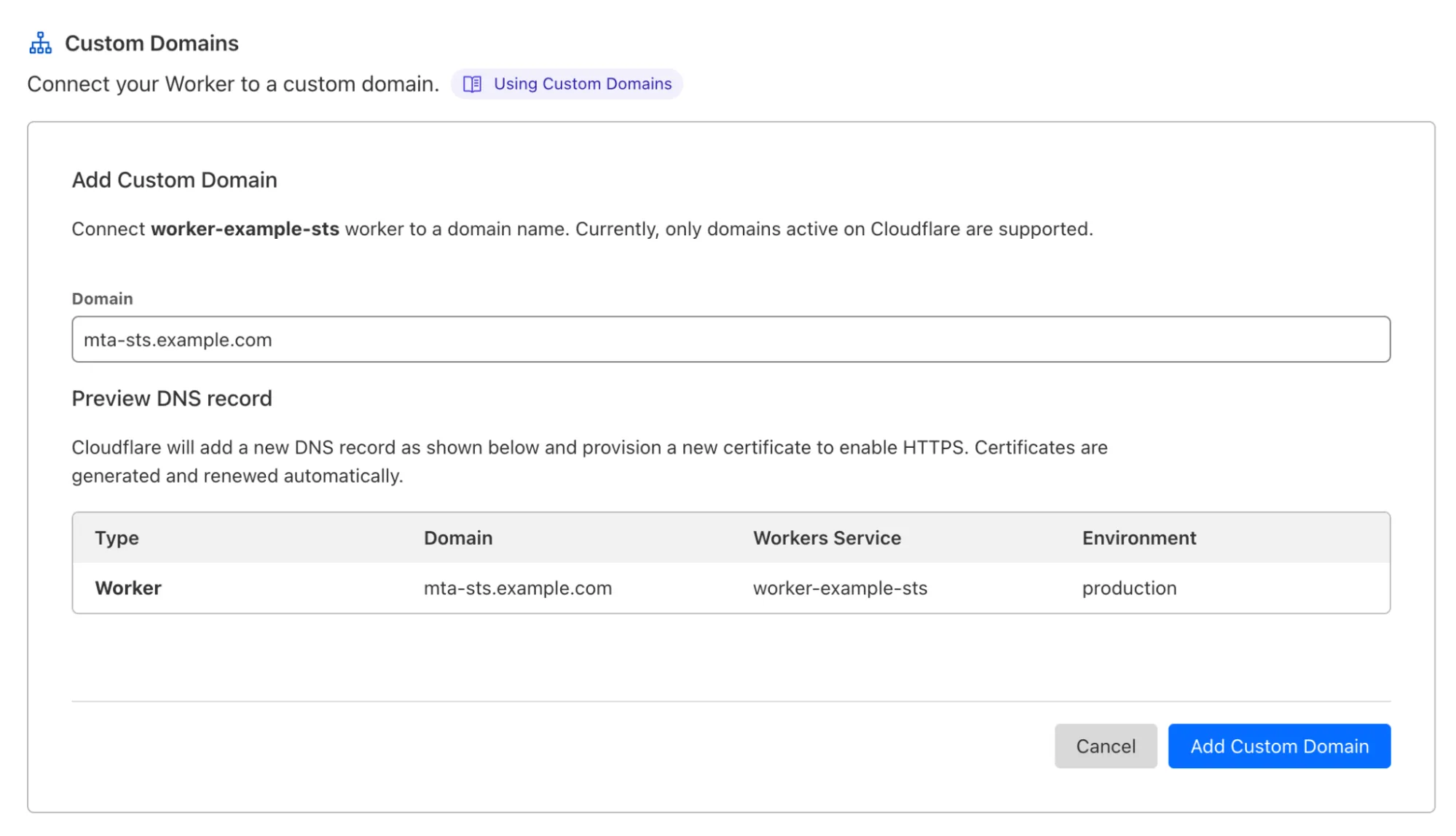
You can then confirm that your policy file is working with the following:
```sh
curl https://mta-sts.example.com/.well-known/mta-sts.txt
```
```sh
version: STSv1
mode: enforce
mx: *.mx.cloudflare.net
max_age: 86400
```
This says that you domain `example.com` enforces MTA-STS. Capable email clients will only deliver email to this domain over a secure connection to the specified MX servers. If no secure connection can be established the email will not be delivered.
Email Routing also supports MTA-STS upstream, which greatly improves security when forwarding your Emails to service providers like Gmail, Microsoft, and others.
While enabling MTA-STS involves a few steps today, we aim to simplify things for you and automatically configure MTA-STS for your domains from the Email Routing dashboard as a future improvement.
---
title: Subdomains · Cloudflare Email Routing docs
description: Email Routing is a zone-level feature. A zone has a top-level
domain (the same as the zone name) and it can have subdomains (managed under
the DNS feature.) As an example, you can have the example.com zone, and then
the mail.example.com and corp.example.com sub-domains under it.
lastUpdated: 2025-12-03T22:57:02.000Z
chatbotDeprioritize: false
source_url:
html: https://developers.cloudflare.com/email-routing/setup/subdomains/
md: https://developers.cloudflare.com/email-routing/setup/subdomains/index.md
---
Email Routing is a [zone-level](https://developers.cloudflare.com/fundamentals/concepts/accounts-and-zones/#zones) feature. A zone has a top-level domain (the same as the zone name) and it can have subdomains (managed under the DNS feature.) As an example, you can have the `example.com` zone, and then the `mail.example.com` and `corp.example.com` sub-domains under it.
You can use Email Routing with any subdomain of any zone in your account. Follow these steps to add Email Routing features to a new subdomain:
1. In the Cloudflare dashboard, go to the **Email Routing** page.
[Go to **Email Routing**](https://dash.cloudflare.com/?to=/:account/:zone/email/routing)
2. Go to **Settings**, and select **Add subdomain**.
Once the subdomain is added and the DNS records are configured, you can see it in the **Settings** list under the **Subdomains** section.
Now you can go to **Email** > **Email Routing** > **Routing rules** and create new custom addresses that will show you the option of using either the top domain of the zone or any other configured subdomain.
---
title: Troubleshooting misconfigured DNS records · Cloudflare Email Routing docs
description: If there is a problem with your SPF records, refer to
Troubleshooting SPF records.
lastUpdated: 2025-12-03T22:57:02.000Z
chatbotDeprioritize: false
source_url:
html: https://developers.cloudflare.com/email-routing/troubleshooting/email-routing-dns-records/
md: https://developers.cloudflare.com/email-routing/troubleshooting/email-routing-dns-records/index.md
---
1. In the Cloudflare dashboard, go to the **Email Routing** page.
[Go to **Email Routing**](https://dash.cloudflare.com/?to=/:account/:zone/email/routing)
2. Go to **Settings**. Email Routing will show you the status of your DNS records, such as `Missing`.
3. Select **Enable Email Routing**.
4. The next page will show you what kind of action is needed. For example, if you are missing DNS records, select **Add records and enable**.
If there is a problem with your SPF records, refer to [Troubleshooting SPF records](https://developers.cloudflare.com/email-routing/troubleshooting/email-routing-spf-records/).
Note
If you are not using Email Routing but notice an Email Routing DNS record in your zone that you cannot delete, you can use the [Disable Email Routing API call](https://developers.cloudflare.com/api/resources/email_routing/subresources/dns/methods/delete/). It will remove any unexpected records, such as DKIM TXT records like `cf2024-1._domainkey.`.
---
title: Troubleshooting SPF records · Cloudflare Email Routing docs
description: "Having multiple sender policy framework (SPF) records on your
account is not allowed, and will prevent Email Routing from working properly.
If your account has multiple SPF records, follow these steps to solve the
issue:"
lastUpdated: 2025-12-03T22:57:02.000Z
chatbotDeprioritize: false
source_url:
html: https://developers.cloudflare.com/email-routing/troubleshooting/email-routing-spf-records/
md: https://developers.cloudflare.com/email-routing/troubleshooting/email-routing-spf-records/index.md
---
Having multiple [sender policy framework (SPF) records](https://www.cloudflare.com/learning/dns/dns-records/dns-spf-record/) on your account is not allowed, and will prevent Email Routing from working properly. If your account has multiple SPF records, follow these steps to solve the issue:
1. In the Cloudflare dashboard, go to the **Email Routing** page. Email Routing will warn you that you have multiple SPF records.
[Go to **Email Routing**](https://dash.cloudflare.com/?to=/:account/:zone/email/routing)
2. Under **View DNS records**, select **Fix records**.
3. Delete the incorrect SPF record.
You should now have your SPF records correctly configured. If you are unsure of which SPF record to delete:
1. In the Cloudflare dashboard, go to the **Email Routing** page. Email Routing will warn you that you have multiple SPF records.
[Go to **Email Routing**](https://dash.cloudflare.com/?to=/:account/:zone/email/routing)
2. Under **View DNS records**, select **Fix records**.
3. Delete all SPF records.
4. Select **Add records and enable**.
---
title: Connection lifecycle · Cloudflare Hyperdrive docs
description: Understanding how connections work between Workers, Hyperdrive, and
your origin database is essential for building efficient applications with
Hyperdrive.
lastUpdated: 2026-02-06T18:26:52.000Z
chatbotDeprioritize: false
source_url:
html: https://developers.cloudflare.com/hyperdrive/concepts/connection-lifecycle/
md: https://developers.cloudflare.com/hyperdrive/concepts/connection-lifecycle/index.md
---
Understanding how connections work between Workers, Hyperdrive, and your origin database is essential for building efficient applications with Hyperdrive.
By maintaining a connection pool to your database within Cloudflare's network, Hyperdrive reduces seven round-trips to your database before you can even send a query: the TCP handshake (1x), TLS negotiation (3x), and database authentication (3x).
## How connections are managed
When you use a database client in a Cloudflare Worker, the connection lifecycle works differently than in traditional server environments. Here's what happens:
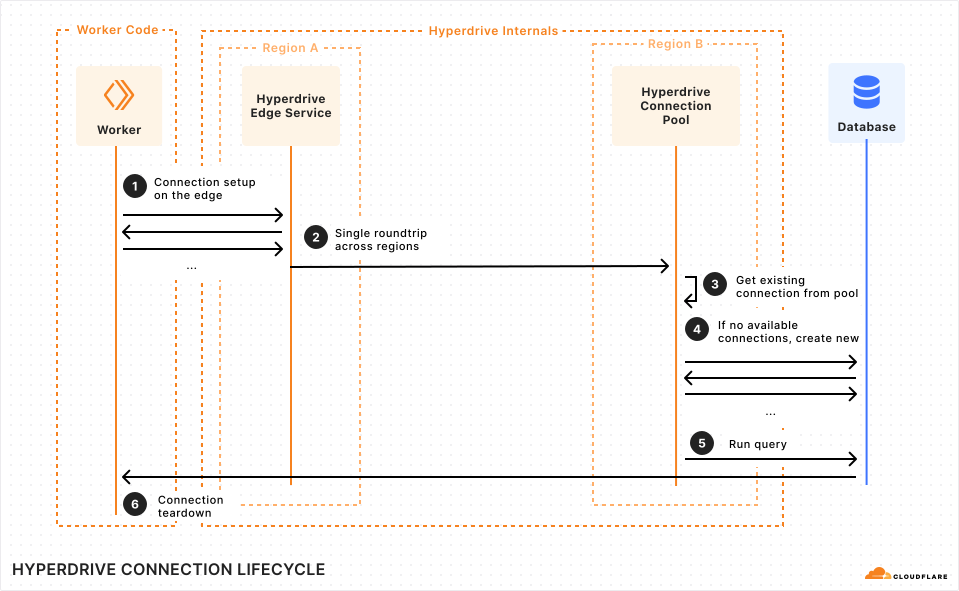
Without Hyperdrive, every Worker invocation would need to establish a new connection directly to your origin database. This connection setup process requires multiple roundtrips across the Internet to complete the TCP handshake, TLS negotiation, and database authentication — that's 7x round trips and added latency before your query can even execute.
Hyperdrive solves this by splitting the connection setup into two parts: a fast edge connection and an optimized path to your database.
1. **Connection setup on the edge**: The database driver in your Worker code establishes a connection to the Hyperdrive instance. This happens at the edge, colocated with your Worker, making it extremely fast to create connections. This is why you use Hyperdrive's special connection string.
2. **Single roundtrip across regions**: Since authentication has already been completed at the edge, Hyperdrive only needs a single round trip across regions to your database, instead of the multiple roundtrips that would be incurred during connection setup.
3. **Get existing connection from pool**: Hyperdrive uses an existing connection from the pool that is colocated close to your database, minimizing latency.
4. **If no available connections, create new**: When needed, new connections are created from a region close to your database to reduce the latency of establishing new connections.
5. **Run query**: Your query is executed against the database and results are returned to your Worker through Hyperdrive.
6. **Connection teardown**: When your Worker finishes processing the request, the database client connection in your Worker is automatically garbage collected. However, Hyperdrive keeps the connection to your origin database open in the pool, ready to be reused by the next Worker invocation. This means subsequent requests will still perform the fast edge connection setup, but will reuse one of the existing connections from Hyperdrive's pool near your database.
Note
In a Cloudflare Worker, database client connections within the Worker are only kept alive for the duration of a single invocation. With Hyperdrive, creating a new client on each invocation is fast and recommended because Hyperdrive maintains the underlying database connections for you, pooled in an optimal location and shared across Workers to maximize scale.
## Cleaning up client connections
When your Worker finishes processing a request, the database client is automatically garbage collected and the edge connection to Hyperdrive is cleaned up. Hyperdrive keeps the underlying connection to your origin database open in its pool for reuse.
You do **not** need to call `client.end()`, `sql.end()`, `connection.end()` (or similar) to clean up database clients. Workers-to-Hyperdrive connections are automatically cleaned up when the request or invocation ends, including when a [Workflow](https://developers.cloudflare.com/workflows/) or [Queue consumer](https://developers.cloudflare.com/queues/) completes, or when a [Durable Object](https://developers.cloudflare.com/durable-objects/) hibernates or is evicted when idle.
```ts
import { Client } from "pg";
export default {
async fetch(request, env, ctx): Promise {
const client = new Client({
connectionString: env.HYPERDRIVE.connectionString,
});
await client.connect();
const result = await client.query("SELECT * FROM pg_tables");
// No need to call client.end() — Hyperdrive automatically cleans
// up the client connection when the request ends. The underlying
// pooled connection to your origin database remains open for reuse.
return Response.json(result.rows);
},
} satisfies ExportedHandler;
```
Create database clients inside your handlers
You should always create database clients inside your request handlers (`fetch`, `queue`, and similar), not in the global scope. Workers do not allow [I/O across requests](https://developers.cloudflare.com/workers/runtime-apis/bindings/#making-changes-to-bindings), and Hyperdrive's distributed connection pooling already solves for connection startup latency. Using a driver-level pool (such as `new Pool()` or `createPool()`) in the global script scope will leave you with stale connections that result in failed queries and hard errors.
Do not create database clients or connection pools in the global scope. Instead, create a new client inside each handler invocation — Hyperdrive's connection pool ensures this is fast:
* JavaScript
```js
import { Client } from "pg";
// 🔴 Bad: Client created in the global scope persists across requests.
// Workers do not allow I/O across request contexts, so this client
// becomes stale and subsequent queries will throw hard errors.
const globalClient = new Client({
connectionString: env.HYPERDRIVE.connectionString,
});
await globalClient.connect();
export default {
async fetch(request, env, ctx) {
// ✅ Good: Client created inside the handler, scoped to this request.
// Hyperdrive pools the underlying connection to your origin database,
// so creating a new client per request is fast and reliable.
const client = new Client({
connectionString: env.HYPERDRIVE.connectionString,
});
await client.connect();
const result = await client.query("SELECT * FROM pg_tables");
return Response.json(result.rows);
},
};
```
* TypeScript
```ts
import { Client } from "pg";
// 🔴 Bad: Client created in the global scope persists across requests.
// Workers do not allow I/O across request contexts, so this client
// becomes stale and subsequent queries will throw hard errors.
const globalClient = new Client({
connectionString: env.HYPERDRIVE.connectionString,
});
await globalClient.connect();
export default {
async fetch(request, env, ctx): Promise {
// ✅ Good: Client created inside the handler, scoped to this request.
// Hyperdrive pools the underlying connection to your origin database,
// so creating a new client per request is fast and reliable.
const client = new Client({
connectionString: env.HYPERDRIVE.connectionString,
});
await client.connect();
const result = await client.query("SELECT * FROM pg_tables");
return Response.json(result.rows);
},
} satisfies ExportedHandler;
```
## Connection lifecycle considerations
### Durable Objects and persistent connections
Unlike regular Workers, [Durable Objects](https://developers.cloudflare.com/durable-objects/) can maintain state across multiple requests. If you keep a database client open in a Durable Object, the connection will remain allocated from Hyperdrive's connection pool. Long-lived Durable Objects can exhaust available connections if many objects keep connections open simultaneously.
Warning
Be careful when maintaining persistent database connections in Durable Objects. Each open connection consumes resources from Hyperdrive's connection pool, which could impact other parts of your application. Close connections when not actively in use, use connection timeouts, and limit the number of Durable Objects that maintain database connections.
### Long-running transactions
Hyperdrive operates in [transaction pooling mode](https://developers.cloudflare.com/hyperdrive/concepts/how-hyperdrive-works/#pooling-mode), where a connection is held for the duration of a transaction. Long-running transactions that contain multiple queries can exhaust Hyperdrive's available connections more quickly because each transaction holds a connection from the pool until it completes.
Tip
Keep transactions as short as possible. Perform only the essential queries within a transaction, and avoid including non-database operations (like external API calls or complex computations) inside transaction blocks.
Refer to [Limits](https://developers.cloudflare.com/hyperdrive/platform/limits/) to understand how many connections are available for your Hyperdrive configuration based on your Workers plan.
## Related resources
* [How Hyperdrive works](https://developers.cloudflare.com/hyperdrive/concepts/how-hyperdrive-works/)
* [Connection pooling](https://developers.cloudflare.com/hyperdrive/concepts/connection-pooling/)
* [Limits](https://developers.cloudflare.com/hyperdrive/platform/limits/)
* [Durable Objects](https://developers.cloudflare.com/durable-objects/)
---
title: Connection pooling · Cloudflare Hyperdrive docs
description: >-
Hyperdrive maintains a pool of connections to your database. These are
optimally placed to minimize the latency for your applications. You can
configure
the amount of connections your Hyperdrive configuration uses to connect to
your origin database. This enables you to right-size your connection pool
based on your database capacity and application requirements.
lastUpdated: 2025-11-12T15:17:36.000Z
chatbotDeprioritize: false
source_url:
html: https://developers.cloudflare.com/hyperdrive/concepts/connection-pooling/
md: https://developers.cloudflare.com/hyperdrive/concepts/connection-pooling/index.md
---
Hyperdrive maintains a pool of connections to your database. These are optimally placed to minimize the latency for your applications. You can configure the amount of connections your Hyperdrive configuration uses to connect to your origin database. This enables you to right-size your connection pool based on your database capacity and application requirements.
For instance, if your Worker makes many queries to your database (which cannot be resolved by Hyperdrive's caching), you may want to allow Hyperdrive to make more connections to your database. Conversely, if your Worker makes few queries that actually need to reach your database or if your database allows a small number of database connections, you can reduce the amount of connections Hyperdrive will make to your database.
All configurations have a minimum of 5 connections, and with a maximum depending on your Workers plan. Refer to the [limits](https://developers.cloudflare.com/hyperdrive/platform/limits/) for details.
## How Hyperdrive pools database connections
Hyperdrive will automatically scale the amount of database connections held open by Hyperdrive depending on your traffic and the amount of load that is put on your database.
The `max_size` parameter acts as a soft limit - Hyperdrive may temporarily create additional connections during network issues or high traffic periods to ensure high availability and resiliency.
## Pooling mode
The Hyperdrive connection pooler operates in transaction mode, where the client that executes the query communicates through a single connection for the duration of a transaction. When that transaction has completed, the connection is returned to the pool.
Hyperdrive supports [`SET` statements](https://www.postgresql.org/docs/current/sql-set.html) for the duration of a transaction or a query. For instance, if you manually create a transaction with `BEGIN`/`COMMIT`, `SET` statements within the transaction will take effect. Moreover, a query that includes a `SET` command (`SET X; SELECT foo FROM bar;`) will also apply the `SET` command. When a connection is returned to the pool, the connection is `RESET` such that the `SET` commands will not take effect on subsequent queries.
This implies that a single Worker invocation may obtain multiple connections to perform its database operations and may need to `SET` any configurations for every query or transaction. It is not recommended to wrap multiple database operations with a single transaction to maintain the `SET` state. Doing so will affect the performance and scaling of Hyperdrive, as the connection cannot be reused by other Worker isolates for the duration of the transaction.
Hyperdrive supports named prepared statements as implemented in the `postgres.js` and `node-postgres` drivers. Named prepared statements in other drivers may have worse performance or may not be supported.
## Best practices
You can configure connection counts using the Cloudflare dashboard or the Cloudflare API. Consider the following best practices to determine the right limit for your use-case:
* **Start conservatively**: Begin with a lower connection count and increase as needed based on your application's performance.
* **Monitor database metrics**: Watch your database's connection usage and performance metrics to optimize the connection count.
* **Consider database limits**: Ensure your configured connection count doesn't exceed your database's maximum connection limit.
* **Account for multiple configurations**: If you have multiple Hyperdrive configurations connecting to the same database, consider the total connection count across all configurations.
## Next steps
* Learn more about [How Hyperdrive works](https://developers.cloudflare.com/hyperdrive/concepts/how-hyperdrive-works/).
* Review [Hyperdrive limits](https://developers.cloudflare.com/hyperdrive/platform/limits/) for your Workers plan.
* Learn how to [Connect to PostgreSQL](https://developers.cloudflare.com/hyperdrive/examples/connect-to-postgres/) from Hyperdrive.
---
title: How Hyperdrive works · Cloudflare Hyperdrive docs
description: Connecting to traditional centralized databases from Cloudflare's
global network which consists of over 300 data center locations presents a few
challenges as queries can originate from any of these locations.
lastUpdated: 2026-01-26T13:23:46.000Z
chatbotDeprioritize: false
source_url:
html: https://developers.cloudflare.com/hyperdrive/concepts/how-hyperdrive-works/
md: https://developers.cloudflare.com/hyperdrive/concepts/how-hyperdrive-works/index.md
---
Connecting to traditional centralized databases from Cloudflare's global network which consists of over [300 data center locations](https://www.cloudflare.com/network/) presents a few challenges as queries can originate from any of these locations.
If your database is centrally located, queries can take a long time to get to the database and back. Queries can take even longer in situations where you have to establish new connections from stateless environments like Workers, requiring multiple round trips for each Worker invocation.
Traditional databases usually handle a maximum number of connections. With any reasonably large amount of distributed traffic, it becomes easy to exhaust these connections.
Hyperdrive solves these challenges by managing the number of global connections to your origin database, selectively parsing and choosing which query response to cache while reducing loading on your database and accelerating your database queries.
## How Hyperdrive makes databases fast globally
Hyperdrive accelerates database queries by:
* Performing the connection setup for new database connections near your Workers
* Pooling existing connections near your database
* Caching query results
This ensures you have optimal performance when connecting to your database from Workers (whether your queries are cached or not).
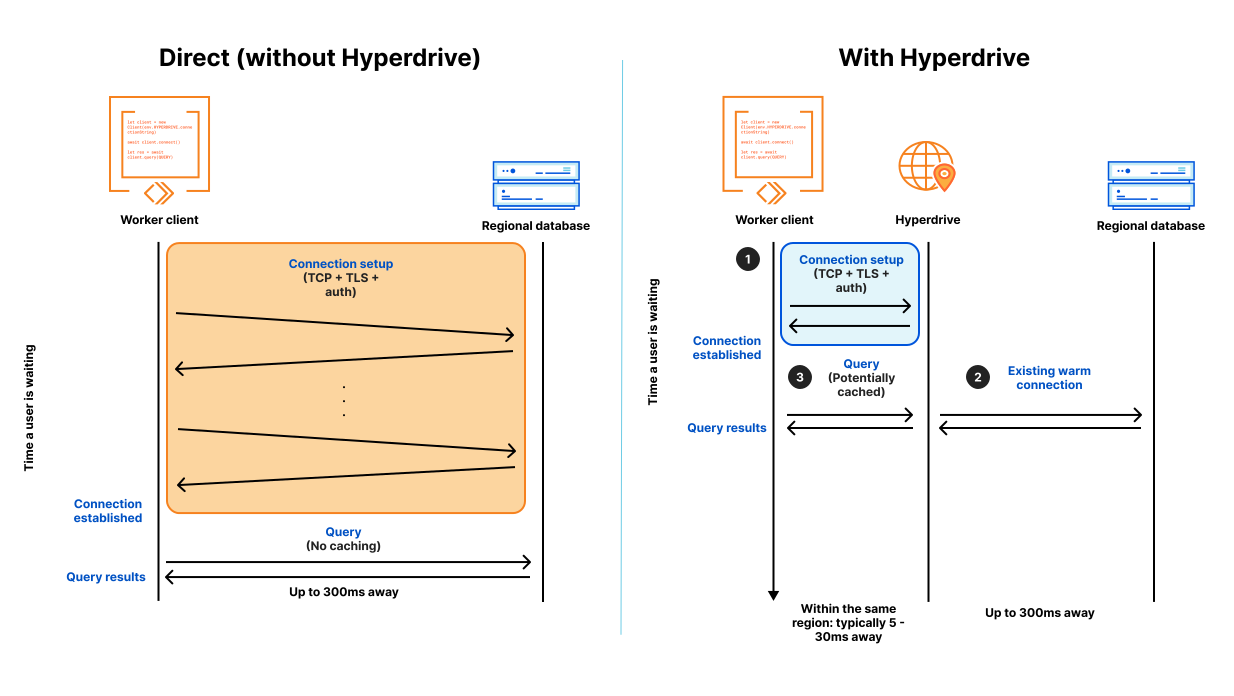
### 1. Edge connection setup
When a database driver connects to a database from a Cloudflare Worker **directly**, it will first go through the connection setup. This may require multiple round trips to the database in order to verify and establish a secure connection. This can incur additional network latency due to the distance between your Cloudflare Worker and your database.
**With Hyperdrive**, this connection setup occurs between your Cloudflare Worker and Hyperdrive on the edge, as close to your Worker as possible (see diagram, label *1. Connection setup*). This incurs significantly less latency, since the connection setup is completed within the same location.
Learn more about how connections work between Workers and Hyperdrive in [Connection lifecycle](https://developers.cloudflare.com/hyperdrive/concepts/connection-lifecycle/).
### 2. Connection Pooling
Hyperdrive creates a pool of connections to your database that can be reused as your application executes queries against your database.
The pool of database connections is placed in one or more regions closest to your origin database. This minimizes the latency incurred by roundtrips between your Cloudflare Workers and database to establish new connections. This also ensures that as little network latency is incurred for uncached queries.
If the connection pool has pre-existing connections, the connection pool will try and reuse that connection (see diagram, label *2. Existing warm connection*). If the connection pool does not have pre-existing connections, it will establish a new connection to your database and use that to route your query. This aims at reusing and creating the least number of connections possible as required to operate your application.
Note
Hyperdrive automatically manages the connection pool properties for you, including limiting the total number of connections to your origin database. Refer to [Limits](https://developers.cloudflare.com/hyperdrive/platform/limits/) to learn more.
Learn more about connection pooling behavior and configuration in [Connection pooling](https://developers.cloudflare.com/hyperdrive/concepts/connection-pooling/).
Reduce latency with Placement
If your Worker makes **multiple sequential queries** per request, use [Placement](https://developers.cloudflare.com/workers/configuration/placement/) to run your Worker close to your database. Each query adds round-trip latency: 20-30ms from a distant region, or 1-3ms when placed nearby. Multiple queries compound this difference.
If your Worker makes only one query per request, placement does not improve end-to-end latency. The total round-trip time is the same whether it happens near the user or near the database.
```jsonc
{
"placement": {
"region": "aws:us-east-1", // Match your database region, for example "gcp:us-east4" or "azure:eastus"
},
}
```
### 3. Query Caching
Hyperdrive supports caching of non-mutating (read) queries to your database.
When queries are sent via Hyperdrive, Hyperdrive parses the query and determines whether the query is a mutating (write) or non-mutating (read) query.
For non-mutating queries, Hyperdrive will cache the response for the configured `max_age`, and whenever subsequent queries are made that match the original, Hyperdrive will return the cached response, bypassing the need to issue the query back to the origin database.
Caching reduces the burden on your origin database and accelerates the response times for your queries.
Learn more about query caching behavior and configuration in [Query caching](https://developers.cloudflare.com/hyperdrive/concepts/query-caching/).
## Pooling mode
The Hyperdrive connection pooler operates in transaction mode, where the client that executes the query communicates through a single connection for the duration of a transaction. When that transaction has completed, the connection is returned to the pool.
Hyperdrive supports [`SET` statements](https://www.postgresql.org/docs/current/sql-set.html) for the duration of a transaction or a query. For instance, if you manually create a transaction with `BEGIN`/`COMMIT`, `SET` statements within the transaction will take effect. Moreover, a query that includes a `SET` command (`SET X; SELECT foo FROM bar;`) will also apply the `SET` command. When a connection is returned to the pool, the connection is `RESET` such that the `SET` commands will not take effect on subsequent queries.
This implies that a single Worker invocation may obtain multiple connections to perform its database operations and may need to `SET` any configurations for every query or transaction. It is not recommended to wrap multiple database operations with a single transaction to maintain the `SET` state. Doing so will affect the performance and scaling of Hyperdrive, as the connection cannot be reused by other Worker isolates for the duration of the transaction.
Hyperdrive supports named prepared statements as implemented in the `postgres.js` and `node-postgres` drivers. Named prepared statements in other drivers may have worse performance or may not be supported.
## Related resources
* [Connection lifecycle](https://developers.cloudflare.com/hyperdrive/concepts/connection-lifecycle/)
* [Query caching](https://developers.cloudflare.com/hyperdrive/concepts/query-caching/)
* [Connection pooling](https://developers.cloudflare.com/hyperdrive/concepts/connection-pooling/)
---
title: Query caching · Cloudflare Hyperdrive docs
description: Hyperdrive automatically caches all cacheable queries executed
against your database when query caching is turned on, reducing the need to go
back to your database (incurring latency and database load) for every query
which can be especially useful for popular queries. Query caching is enabled
by default.
lastUpdated: 2026-02-26T21:58:35.000Z
chatbotDeprioritize: false
source_url:
html: https://developers.cloudflare.com/hyperdrive/concepts/query-caching/
md: https://developers.cloudflare.com/hyperdrive/concepts/query-caching/index.md
---
Hyperdrive automatically caches all cacheable queries executed against your database when query caching is turned on, reducing the need to go back to your database (incurring latency and database load) for every query which can be especially useful for popular queries. Query caching is enabled by default.
## What does Hyperdrive cache?
Because Hyperdrive uses database protocols, it can differentiate between a mutating query (a query that writes to the database) and a non-mutating query (a read-only query), allowing Hyperdrive to safely cache read-only queries.
Besides determining the difference between a `SELECT` and an `INSERT`, Hyperdrive also parses the database wire-protocol and uses it to differentiate between a mutating or non-mutating query.
For example, a read query that populates the front page of a news site would be cached:
* PostgreSQL
```sql
-- Cacheable: uses a parameterized date value instead of CURRENT_DATE
SELECT * FROM articles WHERE DATE(published_time) = $1
ORDER BY published_time DESC LIMIT 50
```
* MySQL
```sql
-- Cacheable: uses a parameterized date value instead of CURDATE()
SELECT * FROM articles WHERE DATE(published_time) = ?
ORDER BY published_time DESC LIMIT 50
```
Mutating queries (including `INSERT`, `UPSERT`, or `CREATE TABLE`) and queries that use functions designated as [`volatile`](https://www.postgresql.org/docs/current/xfunc-volatility.html) or [`stable`](https://www.postgresql.org/docs/current/xfunc-volatility.html) by PostgreSQL are not cached:
* PostgreSQL
```sql
-- Not cached: mutating queries
INSERT INTO users(id, name, email) VALUES(555, 'Matt', 'hello@example.com');
-- Not cached: LASTVAL() is a volatile function
SELECT LASTVAL(), * FROM articles LIMIT 50;
-- Not cached: NOW() is a stable function
SELECT * FROM events WHERE created_at > NOW() - INTERVAL '1 hour';
```
* MySQL
```sql
-- Not cached: mutating queries
INSERT INTO users(id, name, email) VALUES(555, 'Thomas', 'hello@example.com');
-- Not cached: LAST_INSERT_ID() is a volatile function
SELECT LAST_INSERT_ID(), * FROM articles LIMIT 50;
-- Not cached: NOW() returns a non-deterministic value
SELECT * FROM events WHERE created_at > NOW() - INTERVAL 1 HOUR;
```
Common PostgreSQL functions that are **not cacheable** include:
| Function | PostgreSQL volatility category | Cached |
| - | - | - |
| `NOW()` | STABLE | No |
| `CURRENT_TIMESTAMP` | STABLE | No |
| `CURRENT_DATE` | STABLE | No |
| `CURRENT_TIME` | STABLE | No |
| `LOCALTIME` | STABLE | No |
| `LOCALTIMESTAMP` | STABLE | No |
| `TIMEOFDAY()` | VOLATILE | No |
| `RANDOM()` | VOLATILE | No |
| `LASTVAL()` | VOLATILE | No |
| `TXID_CURRENT()` | STABLE | No |
Only functions designated as `IMMUTABLE` by PostgreSQL (functions whose return value never changes for the same inputs) are compatible with Hyperdrive caching. If your query uses a `STABLE` or `VOLATILE` function, move the function call to your application code and pass the resulting value as a query parameter instead.
Function detection is text-based
Hyperdrive uses text-based pattern matching to detect uncacheable functions in your queries. This means that even references to function names inside SQL comments will cause the query to be marked as uncacheable.
For example, the following query would **not** be cached because `NOW()` appears in the comment:
```sql
-- We removed NOW() to keep this query cacheable
SELECT * FROM api_keys WHERE hash = $1 AND deleted = false;
```
Avoid referencing uncacheable function names anywhere in your query text, including comments.
## Default cache settings
The default caching behaviour for Hyperdrive is defined as below:
* `max_age` = 60 seconds (1 minute)
* `stale_while_revalidate` = 15 seconds
The `max_age` setting determines the maximum lifetime a query response will be served from cache. Cached responses may be evicted from the cache prior to this time if they are rarely used.
The `stale_while_revalidate` setting allows Hyperdrive to continue serving stale cache results for an additional period of time while it is revalidating the cache. In most cases, revalidation should happen rapidly.
You can set a maximum `max_age` of 1 hour.
## Disable caching
Disable caching on a per-Hyperdrive basis by using the [Wrangler](https://developers.cloudflare.com/workers/wrangler/install-and-update/) CLI to set the `--caching-disabled` option to `true`.
For example:
```sh
# wrangler v3.11 and above required
npx wrangler hyperdrive update my-hyperdrive-id --origin-password my-db-password --caching-disabled true
```
You can also configure multiple Hyperdrive connections from a single application: one connection that enables caching for popular queries, and a second connection where you do not want to cache queries, but still benefit from Hyperdrive's latency benefits and connection pooling.
For example, using database drivers:
* PostgreSQL
```ts
export default {
async fetch(request, env, ctx): Promise {
// Create clients inside your handler — not in global scope
const client = postgres(env.HYPERDRIVE.connectionString);
// ...
const clientNoCache = postgres(env.HYPERDRIVE_CACHE_DISABLED.connectionString);
// ...
},
} satisfies ExportedHandler;
```
* MySQL
```ts
export default {
async fetch(request, env, ctx): Promise {
// Create connections inside your handler — not in global scope
const connection = await createConnection({
host: env.HYPERDRIVE.host,
user: env.HYPERDRIVE.user,
password: env.HYPERDRIVE.password,
database: env.HYPERDRIVE.database,
port: env.HYPERDRIVE.port,
});
// ...
const connectionNoCache = await createConnection({
host: env.HYPERDRIVE_CACHE_DISABLED.host,
user: env.HYPERDRIVE_CACHE_DISABLED.user,
password: env.HYPERDRIVE_CACHE_DISABLED.password,
database: env.HYPERDRIVE_CACHE_DISABLED.database,
port: env.HYPERDRIVE_CACHE_DISABLED.port,
});
// ...
},
} satisfies ExportedHandler;
```
The Wrangler configuration remains the same both for PostgreSQL and MySQL.
* wrangler.jsonc
```jsonc
{
"hyperdrive": [
{
"binding": "HYPERDRIVE",
"id": "",
},
{
"binding": "HYPERDRIVE_CACHE_DISABLED",
"id": "",
},
],
}
```
* wrangler.toml
```toml
[[hyperdrive]]
binding = "HYPERDRIVE"
id = ""
[[hyperdrive]]
binding = "HYPERDRIVE_CACHE_DISABLED"
id = ""
```
## Next steps
* For more information, refer to [How Hyperdrive works](https://developers.cloudflare.com/hyperdrive/concepts/how-hyperdrive-works/).
* To connect to PostgreSQL, refer to [Connect to PostgreSQL](https://developers.cloudflare.com/hyperdrive/examples/connect-to-postgres/).
* For troubleshooting guidance, refer to [Troubleshoot and debug](https://developers.cloudflare.com/hyperdrive/observability/troubleshooting/).
---
title: Connect to a private database using Tunnel · Cloudflare Hyperdrive docs
description: Hyperdrive can securely connect to your private databases using
Cloudflare Tunnel and Cloudflare Access.
lastUpdated: 2026-02-06T11:48:20.000Z
chatbotDeprioritize: false
source_url:
html: https://developers.cloudflare.com/hyperdrive/configuration/connect-to-private-database/
md: https://developers.cloudflare.com/hyperdrive/configuration/connect-to-private-database/index.md
---
Hyperdrive can securely connect to your private databases using [Cloudflare Tunnel](https://developers.cloudflare.com/cloudflare-one/networks/connectors/cloudflare-tunnel/) and [Cloudflare Access](https://developers.cloudflare.com/cloudflare-one/access-controls/policies/).
## How it works
When your database is isolated within a private network (such as a [virtual private cloud](https://www.cloudflare.com/learning/cloud/what-is-a-virtual-private-cloud) or an on-premise network), you must enable a secure connection from your network to Cloudflare.
* [Cloudflare Tunnel](https://developers.cloudflare.com/cloudflare-one/networks/connectors/cloudflare-tunnel/) is used to establish the secure tunnel connection.
* [Cloudflare Access](https://developers.cloudflare.com/cloudflare-one/access-controls/policies/) is used to restrict access to your tunnel such that only specific Hyperdrive configurations can access it.
A request from the Cloudflare Worker to the origin database goes through Hyperdrive, Cloudflare Access, and the Cloudflare Tunnel established by `cloudflared`. `cloudflared` must be running in the private network in which your database is accessible.
The Cloudflare Tunnel will establish an outbound bidirectional connection from your private network to Cloudflare. Cloudflare Access will secure your Cloudflare Tunnel to be only accessible by your Hyperdrive configuration.

## Before you start
All of the tutorials assume you have already completed the [Get started guide](https://developers.cloudflare.com/workers/get-started/guide/), which gets you set up with a Cloudflare Workers account, [C3](https://github.com/cloudflare/workers-sdk/tree/main/packages/create-cloudflare), and [Wrangler](https://developers.cloudflare.com/workers/wrangler/install-and-update/).
Warning
If your organization also uses [Super Bot Fight Mode](https://developers.cloudflare.com/bots/get-started/super-bot-fight-mode/), keep **Definitely Automated** set to **Allow**. Otherwise, tunnels might fail with a `websocket: bad handshake` error.
## Prerequisites
* A database in your private network, [configured to use TLS/SSL](https://developers.cloudflare.com/hyperdrive/examples/connect-to-postgres/#supported-tls-ssl-modes).
* A hostname on your Cloudflare account, which will be used to route requests to your database.
## 1. Create a tunnel in your private network
### 1.1. Create a tunnel
First, create a [Cloudflare Tunnel](https://developers.cloudflare.com/cloudflare-one/networks/connectors/cloudflare-tunnel/) in your private network to establish a secure connection between your network and Cloudflare. Your network must be configured such that the tunnel has permissions to egress to the Cloudflare network and access the database within your network.
1. Log in to [Cloudflare One](https://one.dash.cloudflare.com) and go to **Networks** > **Connectors** > **Cloudflare Tunnels**.
2. Select **Create a tunnel**.
3. Choose **Cloudflared** for the connector type and select **Next**.
4. Enter a name for your tunnel. We suggest choosing a name that reflects the type of resources you want to connect through this tunnel (for example, `enterprise-VPC-01`).
5. Select **Save tunnel**.
6. Next, you will need to install `cloudflared` and run it. To do so, check that the environment under **Choose an environment** reflects the operating system on your machine, then copy the command in the box below and paste it into a terminal window. Run the command.
7. Once the command has finished running, your connector will appear in Cloudflare One.
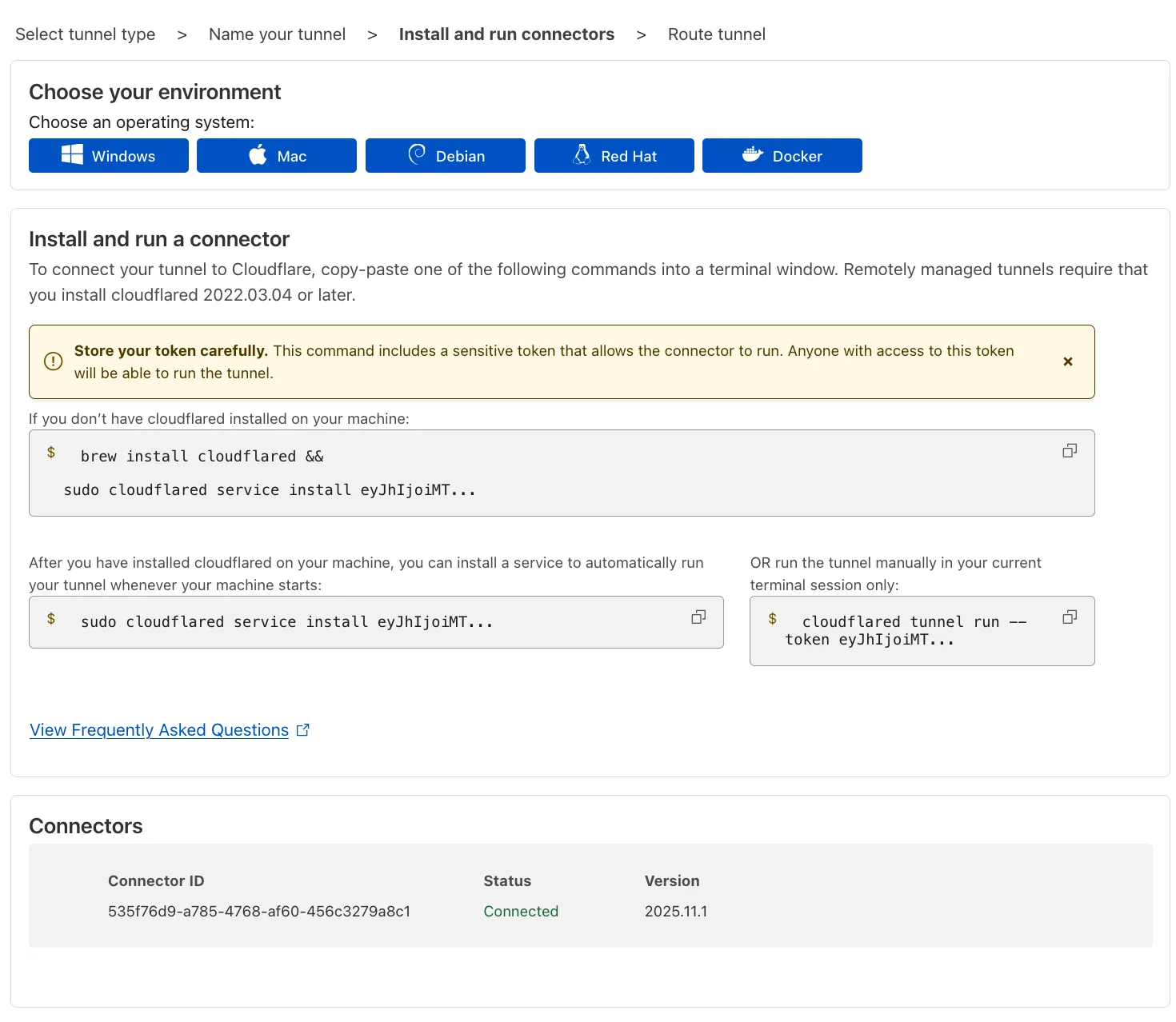
8. Select **Next**.
### 1.2. Connect your database using a public hostname
Your tunnel must be configured to use a public hostname on Cloudflare so that Hyperdrive can route requests to it. If you don't have a hostname on Cloudflare yet, you will need to [register a new hostname](https://developers.cloudflare.com/registrar/get-started/register-domain/) or [add a zone](https://developers.cloudflare.com/dns/zone-setups/) to Cloudflare to proceed.
1. In the **Published application routes** tab, choose a **Domain** and specify any subdomain or path information. This will be used in your Hyperdrive configuration to route to this tunnel.
2. In the **Service** section, specify **Type** `TCP` and the URL and configured port of your database, such as `localhost:5432` or `my-database-host.database-provider.com:5432`. This address will be used by the tunnel to route requests to your database.
3. Select **Save tunnel**.
Note
If you are setting up the tunnel through the CLI instead ([locally-managed tunnel](https://developers.cloudflare.com/cloudflare-one/networks/connectors/cloudflare-tunnel/do-more-with-tunnels/local-management/)), you will have to complete these steps manually. Follow the Cloudflare Zero Trust documentation to [add a public hostname to your tunnel](https://developers.cloudflare.com/cloudflare-one/networks/connectors/cloudflare-tunnel/routing-to-tunnel/dns/) and [configure the public hostname to route to the address of your database](https://developers.cloudflare.com/cloudflare-one/networks/connectors/cloudflare-tunnel/do-more-with-tunnels/local-management/configuration-file/).
## 2. Create and configure Hyperdrive to connect to the Cloudflare Tunnel
To restrict access to the Cloudflare Tunnel to Hyperdrive, a [Cloudflare Access application](https://developers.cloudflare.com/cloudflare-one/access-controls/applications/http-apps/) must be configured with a [Policy](https://developers.cloudflare.com/cloudflare-one/traffic-policies/) that requires requests to contain a valid [Service Auth token](https://developers.cloudflare.com/cloudflare-one/access-controls/policies/#service-auth).
The Cloudflare dashboard can automatically create and configure the underlying [Cloudflare Access application](https://developers.cloudflare.com/cloudflare-one/access-controls/applications/http-apps/), [Service Auth token](https://developers.cloudflare.com/cloudflare-one/access-controls/policies/#service-auth), and [Policy](https://developers.cloudflare.com/cloudflare-one/traffic-policies/) on your behalf. Alternatively, you can manually create the Access application and configure the Policies.
Automatic creation
### 2.1. (Automatic) Create a Hyperdrive configuration in the Cloudflare dashboard
Create a Hyperdrive configuration in the Cloudflare dashboard to automatically configure Hyperdrive to connect to your Cloudflare Tunnel.
1. In the [Cloudflare dashboard](https://dash.cloudflare.com/?to=/:account/workers/hyperdrive), navigate to **Storage & Databases > Hyperdrive** and click **Create configuration**.
2. Select **Private database**.
3. In the **Networking details** section, select the tunnel you are connecting to.
4. In the **Networking details** section, select the hostname associated to the tunnel. If there is no hostname for your database, return to step [1.2. Connect your database using a public hostname](https://developers.cloudflare.com/hyperdrive/configuration/connect-to-private-database/#12-connect-your-database-using-a-public-hostname).
5. In the **Access Service Authentication Token** section, select **Create new (automatic)**.
6. In the **Access Application** section, select **Create new (automatic)**.
7. In the **Database connection details** section, enter the database **name**, **user**, and **password**.
Manual creation
### 2.1. (Manual) Create a service token
The service token will be used to restrict requests to the tunnel, and is needed for the next step.
1. In [Cloudflare One](https://one.dash.cloudflare.com), go to **Access controls** > **Service credentials** > **Service Tokens**.
2. Select **Create Service Token**.
3. Name the service token. The name allows you to easily identify events related to the token in the logs and to revoke the token individually.
4. Set a **Service Token Duration** of `Non-expiring`. This prevents the service token from expiring, ensuring it can be used throughout the life of the Hyperdrive configuration.
5. Select **Generate token**. You will see the generated Client ID and Client Secret for the service token, as well as their respective request headers.
6. Copy the Access Client ID and Access Client Secret. These will be used when creating the Hyperdrive configuration.
Warning
This is the only time Cloudflare Access will display the Client Secret. If you lose the Client Secret, you must regenerate the service token.
### 2.2. (Manual) Create an Access application to secure the tunnel
[Cloudflare Access](https://developers.cloudflare.com/cloudflare-one/access-controls/policies/) will be used to verify that requests to the tunnel originate from Hyperdrive using the service token created above.
1. In [Cloudflare One](https://one.dash.cloudflare.com), go to **Access controls** > **Applications**.
2. Select **Add an application**.
3. Select **Self-hosted**.
4. Enter any name for the application.
5. In **Session Duration**, select `No duration, expires immediately`.
6. Select **Add public hostname**. and enter the subdomain and domain that was previously set for the tunnel application.
7. Select **Create new policy**.
8. Enter a **Policy name** and set the **Action** to *Service Auth*.
9. Create an **Include** rule. Specify a **Selector** of *Service Token* and the **Value** of the service token you created in step [2. Create a service token](#21-create-a-service-token).
10. Save the policy.
11. Go back to the application configuration and add the newly created Access policy.
12. In **Login methods**, turn off *Accept all available identity providers* and clear all identity providers.
13. Select **Next**.
14. In **Application Appearance**, turn off **Show application in App Launcher**.
15. Select **Next**.
16. Select **Next**.
17. Save the application.
### 2.3. (Manual) Create a Hyperdrive configuration
To create a Hyperdrive configuration for your private database, you'll need to specify the Access application and Cloudflare Tunnel information upon creation.
* Wrangler
```sh
# wrangler v3.65 and above required
npx wrangler hyperdrive create --host= --user= --password= --database= --access-client-id= --access-client-secret=
```
* Terraform
```terraform
resource "cloudflare_hyperdrive_config" "" {
account_id = ""
name = ""
origin = {
host = ""
database = ""
user = ""
password = ""
scheme = "postgres"
access_client_id = ""
access_client_secret = ""
}
caching = {
disabled = false
}
}
```
This will create a Hyperdrive configuration using the usual database information (database name, database host, database user, and database password).
In addition, it will also set the Access Client ID and the Access Client Secret of the Service Token. When Hyperdrive makes requests to the tunnel, requests will be intercepted by Access and validated using the credentials of the Service Token.
Note
When creating the Hyperdrive configuration for the private database, you must enter the `access-client-id` and the `access-client-secret`, and omit the `port`. Hyperdrive will route database messages to the public hostname of the tunnel, and the tunnel will rely on its service configuration (as configured in [1.2. Connect your database using a public hostname](#12-connect-your-database-using-a-public-hostname)) to route requests to the database within your private network.
## 3. Query your Hyperdrive configuration from a Worker (optional)
To test your Hyperdrive configuration to the database using Cloudflare Tunnel and Access, use the Hyperdrive configuration ID in your Worker and deploy it.
### 3.1. Create a Hyperdrive binding
You must create a binding in your [Wrangler configuration file](https://developers.cloudflare.com/workers/wrangler/configuration/) for your Worker to connect to your Hyperdrive configuration. [Bindings](https://developers.cloudflare.com/workers/runtime-apis/bindings/) allow your Workers to access resources, like Hyperdrive, on the Cloudflare developer platform.
To bind your Hyperdrive configuration to your Worker, add the following to the end of your Wrangler file:
* wrangler.jsonc
```jsonc
{
"hyperdrive": [
{
"binding": "HYPERDRIVE",
"id": "" // the ID associated with the Hyperdrive you just created
}
]
}
```
* wrangler.toml
```toml
[[hyperdrive]]
binding = "HYPERDRIVE"
id = ""
```
Specifically:
* The value (string) you set for the `binding` (binding name) will be used to reference this database in your Worker. In this tutorial, name your binding `HYPERDRIVE`.
* The binding must be [a valid JavaScript variable name](https://developer.mozilla.org/en-US/docs/Web/JavaScript/Guide/Grammar_and_types#variables). For example, `binding = "hyperdrive"` or `binding = "productionDB"` would both be valid names for the binding.
* Your binding is available in your Worker at `env.`.
If you wish to use a local database during development, you can add a `localConnectionString` to your Hyperdrive configuration with the connection string of your database:
* wrangler.jsonc
```jsonc
{
"hyperdrive": [
{
"binding": "HYPERDRIVE",
"id": "", // the ID associated with the Hyperdrive you just created
"localConnectionString": ""
}
]
}
```
* wrangler.toml
```toml
[[hyperdrive]]
binding = "HYPERDRIVE"
id = ""
localConnectionString = ""
```
Note
Learn more about setting up [Hyperdrive for local development](https://developers.cloudflare.com/hyperdrive/configuration/local-development/).
### 3.2. Query your database
Validate that you can connect to your database from Workers and make queries.
* PostgreSQL
Use [node-postgres](https://node-postgres.com/) (`pg`) to send a test query to validate that the connection has been successful.
Install the `node-postgres` driver:
* npm
```sh
npm i pg@>8.16.3
```
* yarn
```sh
yarn add pg@>8.16.3
```
* pnpm
```sh
pnpm add pg@>8.16.3
```
Note
The minimum version of `node-postgres` required for Hyperdrive is `8.16.3`.
If using TypeScript, install the types package:
* npm
```sh
npm i -D @types/pg
```
* yarn
```sh
yarn add -D @types/pg
```
* pnpm
```sh
pnpm add -D @types/pg
```
Add the required Node.js compatibility flags and Hyperdrive binding to your `wrangler.jsonc` file:
* wrangler.jsonc
```jsonc
{
// required for database drivers to function
"compatibility_flags": [
"nodejs_compat"
],
// Set this to today's date
"compatibility_date": "2026-03-09",
"hyperdrive": [
{
"binding": "HYPERDRIVE",
"id": ""
}
]
}
```
* wrangler.toml
```toml
compatibility_flags = [ "nodejs_compat" ]
# Set this to today's date
compatibility_date = "2026-03-09"
[[hyperdrive]]
binding = "HYPERDRIVE"
id = ""
```
Create a new `Client` instance and pass the Hyperdrive `connectionString`:
```ts
// filepath: src/index.ts
import { Client } from "pg";
export default {
async fetch(
request: Request,
env: Env,
ctx: ExecutionContext,
): Promise {
// Create a new client instance for each request. Hyperdrive maintains the
// underlying database connection pool, so creating a new client is fast.
const client = new Client({
connectionString: env.HYPERDRIVE.connectionString,
});
try {
// Connect to the database
await client.connect();
// Perform a simple query
const result = await client.query("SELECT * FROM pg_tables");
return Response.json({
success: true,
result: result.rows,
});
} catch (error: any) {
console.error("Database error:", error.message);
return new Response("Internal error occurred", { status: 500 });
}
},
};
```
Now, deploy your Worker:
```bash
npx wrangler deploy
```
If you successfully receive the list of `pg_tables` from your database when you access your deployed Worker, your Hyperdrive has now been configured to securely connect to a private database using [Cloudflare Tunnel](https://developers.cloudflare.com/cloudflare-one/networks/connectors/cloudflare-tunnel/) and [Cloudflare Access](https://developers.cloudflare.com/cloudflare-one/access-controls/policies/).
* MySQL
Use [mysql2](https://github.com/sidorares/node-mysql2) to send a test query to validate that the connection has been successful.
Install the [mysql2](https://github.com/sidorares/node-mysql2) driver:
* npm
```sh
npm i mysql2@>3.13.0
```
* yarn
```sh
yarn add mysql2@>3.13.0
```
* pnpm
```sh
pnpm add mysql2@>3.13.0
```
Note
`mysql2` v3.13.0 or later is required
Add the required Node.js compatibility flags and Hyperdrive binding to your `wrangler.jsonc` file:
* wrangler.jsonc
```jsonc
{
// required for database drivers to function
"compatibility_flags": [
"nodejs_compat"
],
// Set this to today's date
"compatibility_date": "2026-03-09",
"hyperdrive": [
{
"binding": "HYPERDRIVE",
"id": ""
}
]
}
```
* wrangler.toml
```toml
compatibility_flags = [ "nodejs_compat" ]
# Set this to today's date
compatibility_date = "2026-03-09"
[[hyperdrive]]
binding = "HYPERDRIVE"
id = ""
```
Create a new `connection` instance and pass the Hyperdrive parameters:
```ts
// mysql2 v3.13.0 or later is required
import { createConnection } from "mysql2/promise";
export default {
async fetch(request, env, ctx): Promise {
// Create a new connection on each request. Hyperdrive maintains the underlying
// database connection pool, so creating a new connection is fast.
const connection = await createConnection({
host: env.HYPERDRIVE.host,
user: env.HYPERDRIVE.user,
password: env.HYPERDRIVE.password,
database: env.HYPERDRIVE.database,
port: env.HYPERDRIVE.port,
// Required to enable mysql2 compatibility for Workers
disableEval: true,
});
try {
// Sample query
const [results, fields] = await connection.query("SHOW tables;");
// Return result rows as JSON
return Response.json({ results, fields });
} catch (e) {
console.error(e);
return Response.json(
{ error: e instanceof Error ? e.message : e },
{ status: 500 },
);
}
},
} satisfies ExportedHandler;
```
Note
The minimum version of `mysql2` required for Hyperdrive is `3.13.0`.
Now, deploy your Worker:
```bash
npx wrangler deploy
```
If you successfully receive the list of tables from your database when you access your deployed Worker, your Hyperdrive has now been configured to securely connect to a private database using [Cloudflare Tunnel](https://developers.cloudflare.com/cloudflare-one/networks/connectors/cloudflare-tunnel/) and [Cloudflare Access](https://developers.cloudflare.com/cloudflare-one/access-controls/policies/).
* npm
```sh
npm i pg@>8.16.3
```
* yarn
```sh
yarn add pg@>8.16.3
```
* pnpm
```sh
pnpm add pg@>8.16.3
```
* npm
```sh
npm i -D @types/pg
```
* yarn
```sh
yarn add -D @types/pg
```
* pnpm
```sh
pnpm add -D @types/pg
```
* wrangler.jsonc
```jsonc
{
// required for database drivers to function
"compatibility_flags": [
"nodejs_compat"
],
// Set this to today's date
"compatibility_date": "2026-03-09",
"hyperdrive": [
{
"binding": "HYPERDRIVE",
"id": ""
}
]
}
```
* wrangler.toml
```toml
compatibility_flags = [ "nodejs_compat" ]
# Set this to today's date
compatibility_date = "2026-03-09"
[[hyperdrive]]
binding = "HYPERDRIVE"
id = ""
```
* npm
```sh
npm i mysql2@>3.13.0
```
* yarn
```sh
yarn add mysql2@>3.13.0
```
* pnpm
```sh
pnpm add mysql2@>3.13.0
```
* wrangler.jsonc
```jsonc
{
// required for database drivers to function
"compatibility_flags": [
"nodejs_compat"
],
// Set this to today's date
"compatibility_date": "2026-03-09",
"hyperdrive": [
{
"binding": "HYPERDRIVE",
"id": ""
}
]
}
```
* wrangler.toml
```toml
compatibility_flags = [ "nodejs_compat" ]
# Set this to today's date
compatibility_date = "2026-03-09"
[[hyperdrive]]
binding = "HYPERDRIVE"
id = ""
```
## Troubleshooting
If you encounter issues when setting up your Hyperdrive configuration with tunnels to a private database, consider these common solutions, in addition to [general troubleshooting steps](https://developers.cloudflare.com/hyperdrive/observability/troubleshooting/) for Hyperdrive:
* Ensure your database is configured to use TLS (SSL). Hyperdrive requires TLS (SSL) to connect.
---
title: Firewall and networking configuration · Cloudflare Hyperdrive docs
description: Hyperdrive uses the Cloudflare IP address ranges to connect to your
database. If you decide to restrict the IP addresses that can access your
database with firewall rules, the IP address ranges listed in this reference
need to be allow-listed in your database's firewall and networking
configurations.
lastUpdated: 2025-03-07T16:07:28.000Z
chatbotDeprioritize: false
source_url:
html: https://developers.cloudflare.com/hyperdrive/configuration/firewall-and-networking-configuration/
md: https://developers.cloudflare.com/hyperdrive/configuration/firewall-and-networking-configuration/index.md
---
Hyperdrive uses the [Cloudflare IP address ranges](https://www.cloudflare.com/ips/) to connect to your database. If you decide to restrict the IP addresses that can access your database with firewall rules, the IP address ranges listed in this reference need to be allow-listed in your database's firewall and networking configurations.
You can connect to your database from Hyperdrive using any of the 3 following networking configurations:
1. Configure your database to allow inbound connectivity from the public Internet (all IP address ranges).
2. Configure your database to allow inbound connectivity from the public Internet, with only the IP address ranges used by Hyperdrive allow-listed in an IP access control list (ACL).
3. Configure your database to allow inbound connectivity from a private network, and run a Cloudflare Tunnel instance in your private network to enable Hyperdrive to connect from the Cloudflare network to your private network. Refer to [documentation on connecting to a private database using Tunnel](https://developers.cloudflare.com/hyperdrive/configuration/connect-to-private-database/).
---
title: Local development · Cloudflare Hyperdrive docs
description: "Hyperdrive can be used when developing and testing your Workers
locally. Wrangler, the command-line interface for Workers, provides two
options for local development:"
lastUpdated: 2026-01-29T10:38:24.000Z
chatbotDeprioritize: false
source_url:
html: https://developers.cloudflare.com/hyperdrive/configuration/local-development/
md: https://developers.cloudflare.com/hyperdrive/configuration/local-development/index.md
---
Hyperdrive can be used when developing and testing your Workers locally. [Wrangler](https://developers.cloudflare.com/workers/wrangler/install-and-update/), the command-line interface for Workers, provides two options for local development:
* **`wrangler dev`** (default): Runs your Worker code locally on your machine. You configure a `localConnectionString` to connect directly to a database (either local or remote). Hyperdrive query caching does not take effect in this mode.
* **`wrangler dev --remote`**: Runs your Worker on Cloudflare's using your deployed Hyperdrive configuration. This is useful for testing with Hyperdrive's connection pooling and query caching enabled.
## Use `wrangler dev`
By default, `wrangler dev` runs your Worker code locally on your machine. To connect to a database during local development, configure a `localConnectionString` that points directly to your database.
The `localConnectionString` works with both local and remote databases:
* **Local databases**: Connect to a database instance running on your machine (for example, `postgres://user:password@localhost:5432/database`)
* **Remote databases**: Connect directly to remote databases over TLS (for example, `postgres://user:password@remote-host.example.com:5432/database?sslmode=require` or `mysql://user:password@remote-host.example.com:3306/database?sslMode=required`). You must specify the SSL/TLS mode if required.
Note
When using `localConnectionString`, Hyperdrive's connection pooling and query caching do not take effect. Your Worker connects directly to the database without going through Hyperdrive.
### Configure with environment variable
The recommended approach is to use an environment variable to avoid committing credentials to source control:
```sh
# Your configured Hyperdrive binding is "HYPERDRIVE"
export CLOUDFLARE_HYPERDRIVE_LOCAL_CONNECTION_STRING_HYPERDRIVE="postgres://user:password@your-database-host:5432/database"
npx wrangler dev
```
The environment variable format is `CLOUDFLARE_HYPERDRIVE_LOCAL_CONNECTION_STRING_`, where `` is the name of the binding assigned to your Hyperdrive in your [Wrangler configuration file](https://developers.cloudflare.com/workers/wrangler/configuration/).
To unset an environment variable: `unset CLOUDFLARE_HYPERDRIVE_LOCAL_CONNECTION_STRING_`
For example, to set the connection string for a local database:
```sh
export CLOUDFLARE_HYPERDRIVE_LOCAL_CONNECTION_STRING_HYPERDRIVE="postgres://user:password@localhost:5432/databasename"
npx wrangler dev
```
### Configure in Wrangler configuration file
Alternatively, you can set `localConnectionString` in your [Wrangler configuration file](https://developers.cloudflare.com/workers/wrangler/configuration/):
* wrangler.jsonc
```jsonc
{
"hyperdrive": [
{
"binding": "HYPERDRIVE",
"id": "c020574a-5623-407b-be0c-cd192bab9545",
"localConnectionString": "postgres://user:password@localhost:5432/databasename"
}
]
}
```
* wrangler.toml
```toml
[[hyperdrive]]
binding = "HYPERDRIVE"
id = "c020574a-5623-407b-be0c-cd192bab9545"
localConnectionString = "postgres://user:password@localhost:5432/databasename"
```
If both an environment variable and `localConnectionString` in the Wrangler configuration file are set, the environment variable takes precedence.
## Use `wrangler dev --remote`
When you run `wrangler dev --remote`, your Worker runs in Cloudflare's network and uses your deployed Hyperdrive configuration. This means:
* Your Worker code executes in Cloudflare's production environment, not locally
* Hyperdrive's connection pooling and query caching are active
* You connect to the database configured in your Hyperdrive configuration (created with `wrangler hyperdrive create`)
* Changes made during the session interact with remote resources
This mode is useful for testing how your Worker behaves with Hyperdrive's features enabled before deploying.
Configure your Hyperdrive binding in `wrangler.jsonc`:
* wrangler.jsonc
```jsonc
{
"hyperdrive": [
{
"binding": "HYPERDRIVE",
"id": "your-hyperdrive-id",
},
],
}
```
* wrangler.toml
```toml
[[hyperdrive]]
binding = "HYPERDRIVE"
id = "your-hyperdrive-id"
```
To start a remote development session:
```sh
npx wrangler dev --remote
```
Note
The `localConnectionString` field is not used with `wrangler dev --remote`. Instead, your Worker connects to the database configured in your deployed Hyperdrive configuration.
Warning
Use `wrangler dev --remote` with caution. Since your Worker runs in Cloudflare's production environment, any database writes or side effects will affect your production data.
Refer to the [`wrangler dev` documentation](https://developers.cloudflare.com/workers/wrangler/commands/#dev) to learn more about how to configure a local development session.
## Related resources
* Use [`wrangler dev`](https://developers.cloudflare.com/workers/wrangler/commands/#dev) to run your Worker and Hyperdrive locally and debug issues before deploying.
* Learn [how Hyperdrive works](https://developers.cloudflare.com/hyperdrive/concepts/how-hyperdrive-works/).
* Understand how to [configure query caching in Hyperdrive](https://developers.cloudflare.com/hyperdrive/concepts/query-caching/).
---
title: Rotating database credentials · Cloudflare Hyperdrive docs
description: "You can change the connection information and credentials of your
Hyperdrive configuration in one of two ways:"
lastUpdated: 2026-02-02T18:38:11.000Z
chatbotDeprioritize: false
source_url:
html: https://developers.cloudflare.com/hyperdrive/configuration/rotate-credentials/
md: https://developers.cloudflare.com/hyperdrive/configuration/rotate-credentials/index.md
---
You can change the connection information and credentials of your Hyperdrive configuration in one of two ways:
1. Create a new Hyperdrive configuration with the new connection information, and update your Worker to use the new Hyperdrive configuration.
2. Update the existing Hyperdrive configuration with the new connection information and credentials.
## Use a new Hyperdrive configuration
Creating a new Hyperdrive configuration to update your database credentials allows you to keep your existing Hyperdrive configuration unchanged, gradually migrate your Worker to the new Hyperdrive configuration, and easily roll back to the previous configuration if needed.
To create a Hyperdrive configuration that connects to an existing PostgreSQL or MySQL database, use the [Wrangler](https://developers.cloudflare.com/workers/wrangler/install-and-update/) CLI or the [Cloudflare dashboard](https://dash.cloudflare.com/?to=/:account/workers/hyperdrive).
```sh
# wrangler v3.11 and above required
npx wrangler hyperdrive create my-updated-hyperdrive --connection-string=""
```
The command above will output the ID of your Hyperdrive. Set this ID in the [Wrangler configuration file](https://developers.cloudflare.com/workers/wrangler/configuration/) for your Workers project:
* wrangler.jsonc
```jsonc
{
// required for database drivers to function
"compatibility_flags": [
"nodejs_compat"
],
// Set this to today's date
"compatibility_date": "2026-03-09",
"hyperdrive": [
{
"binding": "HYPERDRIVE",
"id": ""
}
]
}
```
* wrangler.toml
```toml
compatibility_flags = [ "nodejs_compat" ]
# Set this to today's date
compatibility_date = "2026-03-09"
[[hyperdrive]]
binding = "HYPERDRIVE"
id = ""
```
To update your Worker to use the new Hyperdrive configuration, redeploy your Worker or use [gradual deployments](https://developers.cloudflare.com/workers/configuration/versions-and-deployments/gradual-deployments/).
## Update the existing Hyperdrive configuration
You can update the configuration of an existing Hyperdrive configuration using the [wrangler CLI](https://developers.cloudflare.com/workers/wrangler/install-and-update/).
```sh
# wrangler v3.11 and above required
npx wrangler hyperdrive update --origin-host --origin-password --origin-user --database --origin-port
```
Note
Updating the settings of an existing Hyperdrive configuration does not purge Hyperdrive's cache and does not tear down the existing database connection pool. New connections will be established using the new connection information.
---
title: SSL/TLS certificates · Cloudflare Hyperdrive docs
description: "Hyperdrive provides additional ways to secure connectivity to your
database. Hyperdrive supports:"
lastUpdated: 2025-09-03T16:40:54.000Z
chatbotDeprioritize: false
source_url:
html: https://developers.cloudflare.com/hyperdrive/configuration/tls-ssl-certificates-for-hyperdrive/
md: https://developers.cloudflare.com/hyperdrive/configuration/tls-ssl-certificates-for-hyperdrive/index.md
---
Hyperdrive provides additional ways to secure connectivity to your database. Hyperdrive supports:
1. **Server certificates** for TLS (SSL) modes such as `verify-ca` and `verify-full` for increased security. When configured, Hyperdrive will verify that the certificates have been signed by the expected certificate authority (CA) to avoid man-in-the-middle attacks.
2. **Client certificates** for Hyperdrive to authenticate itself to your database with credentials beyond beyond username/password. To properly use client certificates, your database must be configured to verify the client certificates provided by a client, such as Hyperdrive, to allow access to the database.
Hyperdrive can be configured to use only server certificates, only client certificates, or both depending on your security requirements and database configurations.
Note
Support for server certificates and client certificates is not available for MySQL (beta). Support for server certificates and client certificates is only available for local development using `npx wrangler dev --remote` which runs your Workers and Hyperdrive in Cloudflare's network with local debugging.
## Server certificates (TLS/SSL modes)
Hyperdrive supports 3 common encryption [TLS/SSL modes](https://www.postgresql.org/docs/current/libpq-ssl.html) to connect to your database:
* `require` (default): TLS is required for encrypted connectivity and server certificates are validated (based on WebPKI).
* `verify-ca`: Hyperdrive will verify that the database server is trustworthy by verifying that the certificates of the server have been signed by the expected root certificate authority or intermediate certificate authority.
* `verify-full`: Identical to `verify-ca`, but Hyperdrive also requires the database hostname to match a Subject Alternative Name (SAN) present on the certificate.
By default, all Hyperdrive configurations are encrypted with SSL/TLS (`require`). This requires your database to be configured to accept encrypted connections (with SSL/TLS).
You can configure Hyperdrive to use `verify-ca` and `verify-full` for a more stringent security configuration, which provide additional verification checks of the server's certificates. This helps guard against man-in-the-middle attacks.
To configure Hyperdrive to verify the certificates of the server, you must provide Hyperdrive with the certificate of the root certificate authority (CA) or an intermediate certificate which has been used to sign the certificate of your database.
### Step 1: Upload your the root certificate authority (CA) certificate
Using Wrangler, you can upload your root certificate authority (CA) certificate:
```bash
# requires Wrangler 4.9.0 or greater
npx wrangler cert upload certificate-authority --ca-cert \.pem --name \
---
Uploading CA Certificate tmp-cert...
Success! Uploaded CA Certificate
ID:
...
```
Note
You must use the CA certificate bundle that is for your specific region. You can not use a CA certificate bundle that contains more than one CA certificate, such as a global bundle of CA certificates containing each region's certificate.
### Step 2: Create your Hyperdrive configuration using the CA certificate and the SSL mode
Once your CA certificate has been created, you can create a Hyperdrive configuration with the newly created certificates using either the dashboard or Wrangler. You must also specify the SSL mode of `verify-ca` or `verify-full` to use.
* Wrangler
Using Wrangler, enter the following command in your terminal to create a Hyperdrive configuration with the CA certificate and a `verify-full` SSL mode:
```bash
npx wrangler hyperdrive create --connection-string="postgres://user:password@HOSTNAME_OR_IP_ADDRESS:PORT/database_name" --ca-certificate-id --sslmode verify-full
```
* Dashboard
From the dashboard, follow these steps to create a Hyperdrive configuration with server certificates:
1. In the Cloudflare dashboard, go to the **Hyperdrive** page.
[Go to **Hyperdrive**](https://dash.cloudflare.com/?to=/:account/workers/hyperdrive)
2. Select **Create configuration**.
3. Select **Server certificates**.
4. Specify a SSL mode of **Verify CA** or **Verify full**.
5. Select the SSL certificate of the certificate authority (CA) of your database that you have previously uploaded with Wrangler.
When creating the Hyperdrive configuration, Hyperdrive will attempt to connect to the database with the provided credentials. If the command provides successful results, you have properly configured your Hyperdrive configuration to verify the certificates provided by your database server.
Note
Hyperdrive will attempt to connect to your database with the provided credentials to verify they are correct before creating a configuration. If you encounter an error when attempting to connect, refer to Hyperdrive's [troubleshooting documentation](https://developers.cloudflare.com/hyperdrive/observability/troubleshooting/) to debug possible causes.
## Client certificates
Your database can be configured to [verify a certificate provided by the client](https://www.postgresql.org/docs/current/libpq-ssl.html#LIBPQ-SSL-CLIENTCERT), in this case, Hyperdrive. This serves as an additional factor to authenticate clients (in addition to the username and password).
For the database server to be able to verify the client certificates, Hyperdrive must be configured to provide a certificate file (`client-cert.pem`) and a private key with which the certificate was generated (`private-key.pem`).
### Step 1: Upload your client certificates (mTLS certificates)
Upload your client certificates to be used by Hyperdrive using Wrangler:
```bash
# requires Wrangler 4.9.0 or greater
npx wrangler cert upload mtls-certificate --cert client-cert.pem --key client-key.pem --name
---
Uploading client certificate ...
Success! Uploaded client certificate
ID:
...
```
### Step 2: Create a Hyperdrive configuration
You can now create a Hyperdrive configuration using the newly created client certificate bundle using the dashboard or Wrangler.
* Wrangler
Using Wrangler, enter the following command in your terminal to create a Hyperdrive configuration with using the client certificate pair:
```bash
npx wrangler hyperdrive create --connection-string="postgres://user:password@HOSTNAME_OR_IP_ADDRESS:PORT/database_name" --mtls-certificate-id
```
* Dashboard
From the dashboard, follow these steps to create a Hyperdrive configuration with server certificates:
1. In the Cloudflare dashboard, go to the **Hyperdrive** page.
[Go to **Hyperdrive**](https://dash.cloudflare.com/?to=/:account/workers/hyperdrive)
2. Select **Create configuration**.
3. Select **Client certificates**.
4. Select the SSL client certificate and private key pair for Hyperdrive to use during the connection setup with your database server.
When Hyperdrive connects to your database, it will provide a client certificate signed with the private key to the database server. This allows the database server to confirm that the client, in this case Hyperdrive, has both the private key and the client certificate. By using client certificates, you can add an additional authentication layer for your database to ensures that only Hyperdrive can connect to it.
Note
Hyperdrive will attempt to connect to your database with the provided credentials to verify they are correct before creating a configuration. If you encounter an error when attempting to connect, refer to Hyperdrive's [troubleshooting documentation](https://developers.cloudflare.com/hyperdrive/observability/troubleshooting/) to debug possible causes.
---
title: Tune connection pooling · Cloudflare Hyperdrive docs
description: Hyperdrive maintains a pool of connections to your database that
are shared across Worker invocations. You can configure the maximum number of
these connections based on your database capacity and application
requirements.
lastUpdated: 2025-11-14T21:53:29.000Z
chatbotDeprioritize: false
source_url:
html: https://developers.cloudflare.com/hyperdrive/configuration/tune-connection-pool/
md: https://developers.cloudflare.com/hyperdrive/configuration/tune-connection-pool/index.md
---
Hyperdrive maintains a pool of connections to your database that are shared across Worker invocations. You can configure the maximum number of these connections based on your database capacity and application requirements.
Note
Hyperdrive does not have a limit on the number of concurrent *client* connections made from your Workers to Hyperdrive.
Hyperdrive does have a limit of *origin* connections that can be made from Hyperdrive to your database. These are shared across Workers, with each Worker using one of these connections over the course of a database transaction. Refer to [transaction pooling mode](https://developers.cloudflare.com/hyperdrive/concepts/connection-pooling/#pooling-mode) for more information.
## Configure connection pool size
You can configure the connection pool size using the Cloudflare dashboard, the Wrangler CLI, or the Cloudflare API.
* Dashboard
To configure connection pool size via the dashboard:
1. Log in to the [Cloudflare dashboard](https://dash.cloudflare.com) and select your account.
2. Go to **Storage & databases** > **Hyperdrive**.
[Go to **Hyperdrive**](https://dash.cloudflare.com/?to=/:account/workers/hyperdrive)
3. Select your Hyperdrive configuration.
4. Select **Settings**.
5. In the **Origin connection limit** section, adjust the **Maximum connections** value.
6. Select **Save**.
* Wrangler
Use the [`wrangler hyperdrive update`](https://developers.cloudflare.com/hyperdrive/reference/wrangler-commands/#hyperdrive-update) command with the `--origin-connection-limit` flag:
```sh
npx wrangler hyperdrive update --origin-connection-limit=
```
* API
Use the [Hyperdrive REST API](https://developers.cloudflare.com/api/resources/hyperdrive/subresources/configs/methods/update/) to update your configuration:
```sh
curl --request PATCH \
--url https://api.cloudflare.com/client/v4/accounts//hyperdrive/configs/ \
--header 'Content-Type: application/json' \
--header 'Authorization: Bearer ' \
--data '{
"origin_connection_limit":
}'
```
All Hyperdrive configurations have a minimum of 5 connections. The maximum connection count depends on your [Workers plan](https://developers.cloudflare.com/hyperdrive/platform/limits/).
Note
The Hyperdrive connection pool limit is a "soft limit". This means that it is possible for Hyperdrive to make more connections to your database than this limit in the event of network failure to ensure high availability. We recommend that you set the Hyperdrive connection limit to be lower than the limit of your origin database to account for occasions where Hyperdrive needs to create more connections for resiliency.
Note
You can request adjustments to Hyperdrive's origin connection limits. To request an increase, submit a [Limit Increase Request](https://forms.gle/ukpeZVLWLnKeixDu7) and Cloudflare will contact you with next steps. Cloudflare also regularly monitors the Hyperdrive channel in [Cloudflare's Discord community](https://discord.cloudflare.com/) and can answer questions regarding limits and requests.
## Best practices
* **Start conservatively**: Begin with a lower connection count and gradually increase it based on your application's performance.
* **Monitor database metrics**: Watch your database's connection usage and performance metrics to optimize the connection count.
* **Consider database limits**: Ensure your configured connection count does not exceed your database's maximum connection limit.
* **Account for multiple configurations**: If you have multiple Hyperdrive configurations connecting to the same database, consider the total connection count across all configurations.
## Related resources
* [Connection pooling concepts](https://developers.cloudflare.com/hyperdrive/concepts/connection-pooling/)
* [Connection lifecycle](https://developers.cloudflare.com/hyperdrive/concepts/connection-lifecycle/)
* [Metrics and analytics](https://developers.cloudflare.com/hyperdrive/observability/metrics/)
* [Hyperdrive limits](https://developers.cloudflare.com/hyperdrive/platform/limits/)
* [Query caching](https://developers.cloudflare.com/hyperdrive/concepts/query-caching/)
---
title: Connect to MySQL · Cloudflare Hyperdrive docs
description: Hyperdrive supports MySQL and MySQL-compatible databases, popular
drivers, and Object Relational Mapper (ORM) libraries that use those drivers.
lastUpdated: 2026-01-27T21:11:25.000Z
chatbotDeprioritize: false
source_url:
html: https://developers.cloudflare.com/hyperdrive/examples/connect-to-mysql/
md: https://developers.cloudflare.com/hyperdrive/examples/connect-to-mysql/index.md
---
Hyperdrive supports MySQL and MySQL-compatible databases, [popular drivers](#supported-drivers), and Object Relational Mapper (ORM) libraries that use those drivers.
## Create a Hyperdrive
Note
New to Hyperdrive? Refer to the [Get started guide](https://developers.cloudflare.com/hyperdrive/get-started/) to learn how to set up your first Hyperdrive.
To create a Hyperdrive that connects to an existing MySQL database, use the [Wrangler](https://developers.cloudflare.com/workers/wrangler/install-and-update/) CLI or the [Cloudflare dashboard](https://dash.cloudflare.com/?to=/:account/workers/hyperdrive).
When using Wrangler, replace the placeholder value provided to `--connection-string` with the connection string for your database:
```sh
# wrangler v3.11 and above required
npx wrangler hyperdrive create my-first-hyperdrive --connection-string="mysql://user:password@database.host.example.com:3306/databasenamehere"
```
The command above will output the ID of your Hyperdrive, which you will need to set in the [Wrangler configuration file](https://developers.cloudflare.com/workers/wrangler/configuration/) for your Workers project:
* wrangler.jsonc
```jsonc
{
// required for database drivers to function
"compatibility_flags": [
"nodejs_compat"
],
// Set this to today's date
"compatibility_date": "2026-03-09",
"hyperdrive": [
{
"binding": "HYPERDRIVE",
"id": ""
}
]
}
```
* wrangler.toml
```toml
compatibility_flags = [ "nodejs_compat" ]
# Set this to today's date
compatibility_date = "2026-03-09"
[[hyperdrive]]
binding = "HYPERDRIVE"
id = ""
```
This will allow Hyperdrive to generate a dynamic connection string within your Worker that you can pass to your existing database driver. Refer to [Driver examples](#driver-examples) to learn how to set up a database driver with Hyperdrive.
Refer to the [Examples documentation](https://developers.cloudflare.com/hyperdrive/examples/) for step-by-step guides on how to set up Hyperdrive with several popular database providers.
## Supported drivers
Hyperdrive uses Workers [TCP socket support](https://developers.cloudflare.com/workers/runtime-apis/tcp-sockets/#connect) to support TCP connections to databases. The following table lists the supported database drivers and the minimum version that works with Hyperdrive:
| Driver | Documentation | Minimum Version Required | Notes |
| - | - | - | - |
| mysql2 (**recommended**) | [mysql2 documentation](https://github.com/sidorares/node-mysql2) | `mysql2@3.13.0` | Supported in both Workers & Pages. Using the Promise API is recommended. |
| mysql | [mysql documentation](https://github.com/mysqljs/mysql) | `mysql@2.18.0` | Requires `compatibility_flags = ["nodejs_compat"]` and `compatibility_date = "2024-09-23"` - refer to [Node.js compatibility](https://developers.cloudflare.com/workers/runtime-apis/nodejs). Requires wrangler `3.78.7` or later. |
| Drizzle | [Drizzle documentation](https://orm.drizzle.team/) | Requires `mysql2@3.13.0` | |
| Kysely | [Kysely documentation](https://kysely.dev/) | Requires `mysql2@3.13.0` | |
^ *The marked libraries can use either mysql or mysql2 as a dependency.*
Other drivers and ORMs not listed may also be supported: this list is not exhaustive.
### Database drivers and Node.js compatibility
[Node.js compatibility](https://developers.cloudflare.com/workers/runtime-apis/nodejs/) is required for database drivers, including mysql and mysql2, and needs to be configured for your Workers project.
To enable both built-in runtime APIs and polyfills for your Worker or Pages project, add the [`nodejs_compat`](https://developers.cloudflare.com/workers/configuration/compatibility-flags/#nodejs-compatibility-flag) [compatibility flag](https://developers.cloudflare.com/workers/configuration/compatibility-flags/#nodejs-compatibility-flag) to your [Wrangler configuration file](https://developers.cloudflare.com/workers/wrangler/configuration/), and set your compatibility date to September 23rd, 2024 or later. This will enable [Node.js compatibility](https://developers.cloudflare.com/workers/runtime-apis/nodejs/) for your Workers project.
* wrangler.jsonc
```jsonc
{
"compatibility_flags": [
"nodejs_compat"
],
// Set this to today's date
"compatibility_date": "2026-03-09"
}
```
* wrangler.toml
```toml
compatibility_flags = [ "nodejs_compat" ]
# Set this to today's date
compatibility_date = "2026-03-09"
```
## Supported TLS (SSL) modes
Hyperdrive supports the following MySQL TLS/SSL connection modes when connecting to your origin database:
| Mode | Supported | Details |
| - | - | - |
| `DISABLED` | No | Hyperdrive does not support insecure plain text connections. |
| `PREFERRED` | No (use `required`) | Hyperdrive will always use TLS. |
| `REQUIRED` | Yes (default) | TLS is required, and server certificates are validated (based on WebPKI). |
| `VERIFY_CA` | Not currently supported in beta | Verifies the server's TLS certificate is signed by a root CA on the client. |
| `VERIFY_IDENTITY` | Not currently supported in beta | Identical to `VERIFY_CA`, but also requires that the database hostname matches the certificate's Common Name (CN). |
Note
Hyperdrive does not currently support `VERIFY_CA` or `VERIFY_IDENTITY` for MySQL (beta).
## Driver examples
The following examples show you how to:
1. Create a database client with a database driver.
2. Pass the Hyperdrive connection string and connect to the database.
3. Query your database via Hyperdrive.
### `mysql2`
The following Workers code shows you how to use [mysql2](https://github.com/sidorares/node-mysql2) with Hyperdrive using the Promise API.
Install the [mysql2](https://github.com/sidorares/node-mysql2) driver:
* npm
```sh
npm i mysql2@>3.13.0
```
* yarn
```sh
yarn add mysql2@>3.13.0
```
* pnpm
```sh
pnpm add mysql2@>3.13.0
```
Note
`mysql2` v3.13.0 or later is required
Add the required Node.js compatibility flags and Hyperdrive binding to your `wrangler.jsonc` file:
* wrangler.jsonc
```jsonc
{
// required for database drivers to function
"compatibility_flags": [
"nodejs_compat"
],
// Set this to today's date
"compatibility_date": "2026-03-09",
"hyperdrive": [
{
"binding": "HYPERDRIVE",
"id": ""
}
]
}
```
* wrangler.toml
```toml
compatibility_flags = [ "nodejs_compat" ]
# Set this to today's date
compatibility_date = "2026-03-09"
[[hyperdrive]]
binding = "HYPERDRIVE"
id = ""
```
Create a new `connection` instance and pass the Hyperdrive parameters:
```ts
// mysql2 v3.13.0 or later is required
import { createConnection } from "mysql2/promise";
export default {
async fetch(request, env, ctx): Promise {
// Create a new connection on each request. Hyperdrive maintains the underlying
// database connection pool, so creating a new connection is fast.
const connection = await createConnection({
host: env.HYPERDRIVE.host,
user: env.HYPERDRIVE.user,
password: env.HYPERDRIVE.password,
database: env.HYPERDRIVE.database,
port: env.HYPERDRIVE.port,
// Required to enable mysql2 compatibility for Workers
disableEval: true,
});
try {
// Sample query
const [results, fields] = await connection.query("SHOW tables;");
// Return result rows as JSON
return Response.json({ results, fields });
} catch (e) {
console.error(e);
return Response.json(
{ error: e instanceof Error ? e.message : e },
{ status: 500 },
);
}
},
} satisfies ExportedHandler;
```
Note
The minimum version of `mysql2` required for Hyperdrive is `3.13.0`.
### `mysql`
The following Workers code shows you how to use [mysql](https://github.com/mysqljs/mysql) with Hyperdrive.
Install the [mysql](https://github.com/mysqljs/mysql) driver:
* npm
```sh
npm i mysql
```
* yarn
```sh
yarn add mysql
```
* pnpm
```sh
pnpm add mysql
```
Add the required Node.js compatibility flags and Hyperdrive binding to your `wrangler.jsonc` file:
* wrangler.jsonc
```jsonc
{
// required for database drivers to function
"compatibility_flags": [
"nodejs_compat"
],
// Set this to today's date
"compatibility_date": "2026-03-09",
"hyperdrive": [
{
"binding": "HYPERDRIVE",
"id": ""
}
]
}
```
* wrangler.toml
```toml
compatibility_flags = [ "nodejs_compat" ]
# Set this to today's date
compatibility_date = "2026-03-09"
[[hyperdrive]]
binding = "HYPERDRIVE"
id = ""
```
Create a new connection and pass the Hyperdrive parameters:
```ts
import { createConnection } from "mysql";
export default {
async fetch(request, env, ctx): Promise {
const result = await new Promise((resolve) => {
// Create a connection using the mysql driver with the Hyperdrive credentials (only accessible from your Worker).
const connection = createConnection({
host: env.HYPERDRIVE.host,
user: env.HYPERDRIVE.user,
password: env.HYPERDRIVE.password,
database: env.HYPERDRIVE.database,
port: env.HYPERDRIVE.port,
});
connection.connect((error: { message: string }) => {
if (error) {
throw new Error(error.message);
}
// Sample query
connection.query("SHOW tables;", [], (error, rows, fields) => {
resolve({ fields, rows });
});
});
});
// Return result as JSON
return new Response(JSON.stringify(result), {
headers: {
"Content-Type": "application/json",
},
});
},
} satisfies ExportedHandler;
```
## Identify connections from Hyperdrive
To identify active connections to your MySQL database server from Hyperdrive:
* Hyperdrive's connections to your database will show up with `Cloudflare Hyperdrive` in the `PROGRAM_NAME` column in the `performance_schema.threads` table.
* Run `SELECT DISTINCT USER, HOST, PROGRAM_NAME FROM performance_schema.threads WHERE PROGRAM_NAME = 'Cloudflare Hyperdrive'` to show whether Hyperdrive is currently holding a connection (or connections) open to your database.
## Next steps
* Refer to the list of [supported database integrations](https://developers.cloudflare.com/workers/databases/connecting-to-databases/) to understand other ways to connect to existing databases.
* Learn more about how to use the [Socket API](https://developers.cloudflare.com/workers/runtime-apis/tcp-sockets) in a Worker.
* Understand the [protocols supported by Workers](https://developers.cloudflare.com/workers/reference/protocols/).
---
title: Connect to PostgreSQL · Cloudflare Hyperdrive docs
description: Hyperdrive supports PostgreSQL and PostgreSQL-compatible databases,
popular drivers and Object Relational Mapper (ORM) libraries that use those
drivers.
lastUpdated: 2026-02-06T11:48:20.000Z
chatbotDeprioritize: false
source_url:
html: https://developers.cloudflare.com/hyperdrive/examples/connect-to-postgres/
md: https://developers.cloudflare.com/hyperdrive/examples/connect-to-postgres/index.md
---
Hyperdrive supports PostgreSQL and PostgreSQL-compatible databases, [popular drivers](#supported-drivers) and Object Relational Mapper (ORM) libraries that use those drivers.
## Create a Hyperdrive
Note
New to Hyperdrive? Refer to the [Get started guide](https://developers.cloudflare.com/hyperdrive/get-started/) to learn how to set up your first Hyperdrive.
To create a Hyperdrive that connects to an existing PostgreSQL database, use the [wrangler](https://developers.cloudflare.com/workers/wrangler/install-and-update/) CLI or the [Cloudflare dashboard](https://dash.cloudflare.com/?to=/:account/workers/hyperdrive).
When using wrangler, replace the placeholder value provided to `--connection-string` with the connection string for your database:
```sh
# wrangler v3.11 and above required
npx wrangler hyperdrive create my-first-hyperdrive --connection-string="postgres://user:password@database.host.example.com:5432/databasenamehere"
```
The command above will output the ID of your Hyperdrive, which you will need to set in the [Wrangler configuration file](https://developers.cloudflare.com/workers/wrangler/configuration/) for your Workers project:
* wrangler.jsonc
```jsonc
{
// required for database drivers to function
"compatibility_flags": [
"nodejs_compat"
],
// Set this to today's date
"compatibility_date": "2026-03-09",
"hyperdrive": [
{
"binding": "HYPERDRIVE",
"id": ""
}
]
}
```
* wrangler.toml
```toml
compatibility_flags = [ "nodejs_compat" ]
# Set this to today's date
compatibility_date = "2026-03-09"
[[hyperdrive]]
binding = "HYPERDRIVE"
id = ""
```
This will allow Hyperdrive to generate a dynamic connection string within your Worker that you can pass to your existing database driver. Refer to [Driver examples](#driver-examples) to learn how to set up a database driver with Hyperdrive.
Refer to the [Examples documentation](https://developers.cloudflare.com/hyperdrive/examples/) for step-by-step guides on how to set up Hyperdrive with several popular database providers.
## Supported drivers
Hyperdrive uses Workers [TCP socket support](https://developers.cloudflare.com/workers/runtime-apis/tcp-sockets/#connect) to support TCP connections to databases. The following table lists the supported database drivers and the minimum version that works with Hyperdrive:
| Driver | Documentation | Minimum Version Required | Notes |
| - | - | - | - |
| node-postgres - `pg` (recommended) | [node-postgres - `pg` documentation](https://node-postgres.com/) | `pg@8.13.0` | `8.11.4` introduced a bug with URL parsing and will not work. `8.11.5` fixes this. Requires `compatibility_flags = ["nodejs_compat"]` and `compatibility_date = "2024-09-23"` - refer to [Node.js compatibility](https://developers.cloudflare.com/workers/runtime-apis/nodejs). Requires wrangler `3.78.7` or later. |
| Postgres.js | [Postgres.js documentation](https://github.com/porsager/postgres) | `postgres@3.4.4` | Supported in both Workers & Pages. |
| Drizzle | [Drizzle documentation](https://orm.drizzle.team/) | `0.26.2`^ | |
| Kysely | [Kysely documentation](https://kysely.dev/) | `0.26.3`^ | |
| [rust-postgres](https://github.com/sfackler/rust-postgres) | [rust-postgres documentation](https://docs.rs/postgres/latest/postgres/) | `v0.19.8` | Use the [`query_typed`](https://docs.rs/postgres/latest/postgres/struct.Client.html#method.query_typed) method for best performance. |
^ *The marked libraries use `node-postgres` as a dependency.*
Other drivers and ORMs not listed may also be supported: this list is not exhaustive.
Recommended driver
[Node-postgres](https://node-postgres.com/) (`pg`) is the recommended driver for connecting to your Postgres database from JavaScript or TypeScript Workers. It has the best compatibility with Hyperdrive's caching and is commonly available with popular ORM libraries. [Postgres.js](https://github.com/porsager/postgres) is also supported.
### Database drivers and Node.js compatibility
[Node.js compatibility](https://developers.cloudflare.com/workers/runtime-apis/nodejs/) is required for database drivers, including Postgres.js, and needs to be configured for your Workers project.
To enable both built-in runtime APIs and polyfills for your Worker or Pages project, add the [`nodejs_compat`](https://developers.cloudflare.com/workers/configuration/compatibility-flags/#nodejs-compatibility-flag) [compatibility flag](https://developers.cloudflare.com/workers/configuration/compatibility-flags/#nodejs-compatibility-flag) to your [Wrangler configuration file](https://developers.cloudflare.com/workers/wrangler/configuration/), and set your compatibility date to September 23rd, 2024 or later. This will enable [Node.js compatibility](https://developers.cloudflare.com/workers/runtime-apis/nodejs/) for your Workers project.
* wrangler.jsonc
```jsonc
{
"compatibility_flags": [
"nodejs_compat"
],
// Set this to today's date
"compatibility_date": "2026-03-09"
}
```
* wrangler.toml
```toml
compatibility_flags = [ "nodejs_compat" ]
# Set this to today's date
compatibility_date = "2026-03-09"
```
## Driver examples
The following examples show you how to:
1. Create a database client with a database driver.
2. Pass the Hyperdrive connection string and connect to the database.
3. Query your database via Hyperdrive.
### node-postgres / pg
Install the `node-postgres` driver:
* npm
```sh
npm i pg@>8.16.3
```
* yarn
```sh
yarn add pg@>8.16.3
```
* pnpm
```sh
pnpm add pg@>8.16.3
```
Note
The minimum version of `node-postgres` required for Hyperdrive is `8.16.3`.
If using TypeScript, install the types package:
* npm
```sh
npm i -D @types/pg
```
* yarn
```sh
yarn add -D @types/pg
```
* pnpm
```sh
pnpm add -D @types/pg
```
Add the required Node.js compatibility flags and Hyperdrive binding to your `wrangler.jsonc` file:
* wrangler.jsonc
```jsonc
{
// required for database drivers to function
"compatibility_flags": [
"nodejs_compat"
],
// Set this to today's date
"compatibility_date": "2026-03-09",
"hyperdrive": [
{
"binding": "HYPERDRIVE",
"id": ""
}
]
}
```
* wrangler.toml
```toml
compatibility_flags = [ "nodejs_compat" ]
# Set this to today's date
compatibility_date = "2026-03-09"
[[hyperdrive]]
binding = "HYPERDRIVE"
id = ""
```
Create a new `Client` instance and pass the Hyperdrive `connectionString`:
```ts
// filepath: src/index.ts
import { Client } from "pg";
export default {
async fetch(
request: Request,
env: Env,
ctx: ExecutionContext,
): Promise {
// Create a new client instance for each request. Hyperdrive maintains the
// underlying database connection pool, so creating a new client is fast.
const client = new Client({
connectionString: env.HYPERDRIVE.connectionString,
});
try {
// Connect to the database
await client.connect();
// Perform a simple query
const result = await client.query("SELECT * FROM pg_tables");
return Response.json({
success: true,
result: result.rows,
});
} catch (error: any) {
console.error("Database error:", error.message);
return new Response("Internal error occurred", { status: 500 });
}
},
};
```
### Postgres.js
Install [Postgres.js](https://github.com/porsager/postgres):
* npm
```sh
npm i postgres@>3.4.5
```
* yarn
```sh
yarn add postgres@>3.4.5
```
* pnpm
```sh
pnpm add postgres@>3.4.5
```
Note
The minimum version of `postgres-js` required for Hyperdrive is `3.4.5`.
Add the required Node.js compatibility flags and Hyperdrive binding to your `wrangler.jsonc` file:
* wrangler.jsonc
```jsonc
{
// required for database drivers to function
"compatibility_flags": [
"nodejs_compat"
],
// Set this to today's date
"compatibility_date": "2026-03-09",
"hyperdrive": [
{
"binding": "HYPERDRIVE",
"id": ""
}
]
}
```
* wrangler.toml
```toml
compatibility_flags = [ "nodejs_compat" ]
# Set this to today's date
compatibility_date = "2026-03-09"
[[hyperdrive]]
binding = "HYPERDRIVE"
id = ""
```
Create a Worker that connects to your PostgreSQL database via Hyperdrive:
```ts
// filepath: src/index.ts
import postgres from "postgres";
export default {
async fetch(
request: Request,
env: Env,
ctx: ExecutionContext,
): Promise {
// Create a database client that connects to your database via Hyperdrive.
// Hyperdrive maintains the underlying database connection pool,
// so creating a new client on each request is fast and recommended.
const sql = postgres(env.HYPERDRIVE.connectionString, {
// Limit the connections for the Worker request to 5 due to Workers' limits on concurrent external connections
max: 5,
// If you are not using array types in your Postgres schema, disable `fetch_types` to avoid an additional round-trip (unnecessary latency)
fetch_types: false,
// This is set to true by default, but certain query generators such as Kysely or queries using sql.unsafe() will set this to false. Hyperdrive will not cache prepared statements when this option is set to false and will require additional round-trips.
prepare: true,
});
try {
// A very simple test query
const result = await sql`select * from pg_tables`;
// Return result rows as JSON
return Response.json({ success: true, result: result });
} catch (e: any) {
console.error("Database error:", e.message);
return Response.error();
}
},
} satisfies ExportedHandler;
```
## Identify connections from Hyperdrive
To identify active connections to your Postgres database server from Hyperdrive:
* Hyperdrive's connections to your database will show up with `Cloudflare Hyperdrive` as the `application_name` in the `pg_stat_activity` table.
* Run `SELECT DISTINCT usename, application_name FROM pg_stat_activity WHERE application_name = 'Cloudflare Hyperdrive'` to show whether Hyperdrive is currently holding a connection (or connections) open to your database.
## Next steps
* Refer to the list of [supported database integrations](https://developers.cloudflare.com/workers/databases/connecting-to-databases/) to understand other ways to connect to existing databases.
* Learn more about how to use the [Socket API](https://developers.cloudflare.com/workers/runtime-apis/tcp-sockets) in a Worker.
* Understand the [protocols supported by Workers](https://developers.cloudflare.com/workers/reference/protocols/).
---
title: Metrics and analytics · Cloudflare Hyperdrive docs
description: Hyperdrive exposes analytics that allow you to inspect query
volume, query latency, and cache hit ratios for each Hyperdrive configuration
in your account.
lastUpdated: 2026-02-26T21:58:35.000Z
chatbotDeprioritize: false
source_url:
html: https://developers.cloudflare.com/hyperdrive/observability/metrics/
md: https://developers.cloudflare.com/hyperdrive/observability/metrics/index.md
---
Hyperdrive exposes analytics that allow you to inspect query volume, query latency, and cache hit ratios for each Hyperdrive configuration in your account.
## Metrics
Hyperdrive currently exports the below metrics as part of the `hyperdriveQueriesAdaptiveGroups` GraphQL dataset:
| Metric | GraphQL Field Name | Description |
| - | - | - |
| Queries | `count` | The number of queries issued against your Hyperdrive in the given time period. |
| Cache Status | `cacheStatus` | Whether the query was cached or not. Can be one of `disabled`, `hit`, `miss`, `uncacheable`, `multiplestatements`, `notaquery`, `oversizedquery`, `oversizedresult`, `parseerror`, `transaction`, and `volatile`. |
| Query Bytes | `queryBytes` | The size of your queries, in bytes. |
| Result Bytes | `resultBytes` | The size of your query *results*, in bytes. |
| Connection Latency | `connectionLatency` | The time (in milliseconds) required to establish new connections from Hyperdrive to your database, as measured from your Hyperdrive connection pool(s). |
| Query Latency | `queryLatency` | The time (in milliseconds) required to query (and receive results) from your database, as measured from your Hyperdrive connection pool(s). |
| Event Status | `eventStatus` | Whether a query responded successfully (`complete`) or failed (`error`). |
The `volatile` cache status indicates the query contains a PostgreSQL function categorized as `STABLE` or `VOLATILE` (for example, `NOW()`, `RANDOM()`). Refer to [Query caching](https://developers.cloudflare.com/hyperdrive/concepts/query-caching/) for details on which functions affect cacheability.
Metrics can be queried (and are retained) for the past 31 days.
## View metrics in the dashboard
Per-database analytics for Hyperdrive are available in the Cloudflare dashboard. To view current and historical metrics for a Hyperdrive configuration:
1. In the Cloudflare dashboard, go to the **Hyperdrive** page.
[Go to **Hyperdrive**](https://dash.cloudflare.com/?to=/:account/workers/hyperdrive)
2. Select an existing Hyperdrive configuration.
3. Select the **Metrics** tab.
You can optionally select a time window to query. This defaults to the last 24 hours.
## Query via the GraphQL API
You can programmatically query analytics for your Hyperdrive configurations via the [GraphQL Analytics API](https://developers.cloudflare.com/analytics/graphql-api/). This API queries the same datasets as the Cloudflare dashboard, and supports GraphQL [introspection](https://developers.cloudflare.com/analytics/graphql-api/features/discovery/introspection/).
Hyperdrive's GraphQL datasets require an `accountTag` filter with your Cloudflare account ID. Hyperdrive exposes the `hyperdriveQueriesAdaptiveGroups` dataset.
## Write GraphQL queries
Examples of how to explore your Hyperdrive metrics.
### Get the number of queries handled via your Hyperdrive config by cache status
```graphql
query HyperdriveQueries(
$accountTag: string!
$configId: string!
$datetimeStart: Time!
$datetimeEnd: Time!
) {
viewer {
accounts(filter: { accountTag: $accountTag }) {
hyperdriveQueriesAdaptiveGroups(
limit: 10000
filter: {
configId: $configId
datetime_geq: $datetimeStart
datetime_leq: $datetimeEnd
}
) {
count
dimensions {
cacheStatus
}
}
}
}
}
```
[Run in GraphQL API Explorer](https://graphql.cloudflare.com/explorer?query=I4VwpgTgngBAElADpAJhAlgNzARXBsAZwAoAoGGAEgEMBjWgexADsAXAFWoHMAuGQ1hmZcAhOSqNmAM3RcAkij4Cho8ZRTVWYVugC2YAMqtqEVn3Z6wYius3bLAUWaKYF-WICUMAN7jM6MAB3SB9xCjpGFlYSGQAbLQg+bxgIpjZOXipUqIyYAF8vXwpimAALJFQMbDxIAMIAQQ1EHWwAcQgmRBIwkphYvXQzGABGAAZx0Z6SuISkqd7JGXkXSkXZBXmSjS0dfQB9LjBgPlsdyyMTVk3i7ft92KOT292wJxRrvPnC68i2a5RLMxCOgGEDQr0FnRSoZjKwQIQPvNPiVkflSHkgA\&variables=N4IghgxhD2CuB2AXAKmA5iAXCAggYTwHkBVAOWQH0BJAERABoQZ4AzASzSoBMsQAlAKIAFADL4BFAOpVkACWp1GXMIgCmiNgFtVAZURgATol4AmAAwmAbAFozAZlsBOZAEY7mAKwAOTABYTAFoMIMpqGtoC8DzY5la2DmbOLo6ePv5BAL5AA)
### Get the average query and connection latency for queries handled via your Hyperdrive config within a range of time, excluding queries that failed due to an error
```graphql
query AverageHyperdriveLatencies(
$accountTag: string!
$configId: string!
$datetimeStart: Time!
$datetimeEnd: Time!
) {
viewer {
accounts(filter: { accountTag: $accountTag }) {
hyperdriveQueriesAdaptiveGroups(
limit: 10000
filter: {
configId: $configId
eventStatus: "complete"
datetime_geq: $datetimeStart
datetime_leq: $datetimeEnd
}
) {
avg {
connectionLatency
queryLatency
}
}
}
}
}
```
[Run in GraphQL API Explorer](https://graphql.cloudflare.com/explorer?query=I4VwpgTgngBAggN0gQwOZgBJQA6QCYQCWSAMsgC5gB2AxoWAM4AUAUDDACTI00D2IVcgBU0ALhgNyRKqgCEbTnyoAzQqgCSecZOlyFHPBTDlCAWzABlcsgjlxQs2HnsDRk+YCiVLTAfn5AJQwAN4KCPQA7pAhCuzcfALkzKoANpQQ4sEw8fyCIqjiXDy5wmgwAL5Boew1MAAWOPhESACK4ESMcIbYJkgA4hD82MyxtTApZoR2MACMAAwLc6O1qemZy2NKqho+HFtqmhu1YEiCVhQgDOIARHym2CnGYNdHNYaU7mAA+ujAhe-GRznWyvdgAz5fR5-TjgxxePCvcobKqvZAIVAxMabXhUKhgGgmHFkSi0KCgmCgSBQYnUGhkrHsJFYpk1FlI8pAA\&variables=N4IghgxhD2CuB2AXAKmA5iAXCAggYTwHkBVAOWQH0BJAERABoQZ4AzASzSoBMsQAlAKIAFADL4BFAOpVkACWp1GXMIgCmiNgFtVAZURgATol4AmAAwmAbAFozAZlsBOZAEY7mAKwAOT2YBaDCDKahraAvA82OZWtg5mzi6Onj4e-iAAvkA)
### Get the total amount of query and result bytes flowing through your Hyperdrive config
```graphql
query HyperdriveQueryAndResultBytesForSuccessfulQueries(
$accountTag: string!
$configId: string!
$datetimeStart: Date!
$datetimeEnd: Date!
) {
viewer {
accounts(filter: { accountTag: $accountTag }) {
hyperdriveQueriesAdaptiveGroups(
limit: 10000
filter: {
configId: $configId
datetime_geq: $datetimeStart
datetime_leq: $datetimeEnd
}
) {
sum {
queryBytes
resultBytes
}
}
}
}
}
```
[Run in GraphQL API Explorer](https://graphql.cloudflare.com/explorer?query=I4VwpgTgngBAElADpAJhAlgNzARXNAQQDsUAlMAZxABsAXAISlsoDEB7CAZRAGMfKKAMxp5I6SgAoAUDBgASAIZ82IIrQAqCgOYAuGBVoYiWgIQz5PNkUHotASRR6DR0+bkoFzWugC2YTrQKELR6ACKeYGay7hHefgCiJGERZgCUMADe5pjiAO6QmeaySpaqtBQSNnSQehkwJSpqmrryDWXNMAC+6VmyfTAAFkioGNiiGJQEHoje2ADiECqIFUX9MNS+6CEwAIwADAd7q-1VzBC1x2uW1rYOenLXNvYol-0eXr5gAPpaYMD37zAcX8gWCrz6gOBX2ofwBsU+iReaz6nUuPXBVB8hWR-VAkCgjGYFHBsgglBoDCYlHBqORtJR5lRnSAA\&variables=N4IghgxhD2CuB2AXAKmA5iAXCAggYTwHkBVAOWQH0BJAERABoQZ4AzASzSoBMsQAlAKIAFADL4BFAOpVkACWp1GXMIgCmiNgFtVAZURgATol4AmAAwmAbAFozAZlsAOBiGVqN2gfB7ZzV2w5mAJwgAL5AA)
---
title: Troubleshoot and debug · Cloudflare Hyperdrive docs
description: Troubleshoot and debug errors commonly associated with connecting
to a database with Hyperdrive.
lastUpdated: 2026-02-26T21:58:35.000Z
chatbotDeprioritize: false
source_url:
html: https://developers.cloudflare.com/hyperdrive/observability/troubleshooting/
md: https://developers.cloudflare.com/hyperdrive/observability/troubleshooting/index.md
---
Troubleshoot and debug errors commonly associated with connecting to a database with Hyperdrive.
## Configuration errors
When creating a new Hyperdrive configuration, or updating the connection parameters associated with an existing configuration, Hyperdrive performs a test connection to your database in the background before creating or updating the configuration.
Hyperdrive will also issue an empty test query, a `;` in PostgreSQL, to validate that it can pass queries to your database.
| Error Code | Details | Recommended fixes |
| - | - | - |
| `2008` | Bad hostname. | Hyperdrive could not resolve the database hostname. Confirm it exists in public DNS. |
| `2009` | The hostname does not resolve to a public IP address, or the IP address is not a public address. | Hyperdrive can only connect to public IP addresses. Private IP addresses, like `10.1.5.0` or `192.168.2.1`, are not currently supported. |
| `2010` | Cannot connect to the host:port. | Hyperdrive could not route to the hostname: ensure it has a public DNS record that resolves to a public IP address. Check that the hostname is not misspelled. |
| `2011` | Connection refused. | A network firewall or access control list (ACL) is likely rejecting requests from Hyperdrive. Ensure you have allowed connections from the public Internet. |
| `2012` | TLS (SSL) not supported by the database. | Hyperdrive requires TLS (SSL) to connect. Configure TLS on your database. |
| `2013` | Invalid database credentials. | Ensure your username is correct (and exists), and the password is correct (case-sensitive). |
| `2014` | The specified database name does not exist. | Check that the database (not table) name you provided exists on the database you are asking Hyperdrive to connect to. |
| `2015` | Generic error. | Hyperdrive failed to connect and could not determine a reason. Open a support ticket so Cloudflare can investigate. |
| `2016` | Test query failed. | Confirm that the user Hyperdrive is connecting as has permissions to issue read and write queries to the given database. |
### Failure to connect
Hyperdrive may also emit `Failed to connect to the provided database` when it fails to connect to the database when attempting to create a Hyperdrive configuration. This is possible when the TLS (SSL) certificates are misconfigured. Here is a non-exhaustive table of potential failure to connect errors:
| Error message | Details | Recommended fixes |
| - | - | - |
| Server return error and closed connection. | This message occurs when you attempt to connect to a database that has client certificate verification enabled. | Ensure you are configuring your Hyperdrive with [client certificates](https://developers.cloudflare.com/hyperdrive/configuration/tls-ssl-certificates-for-hyperdrive/) if your database requires them. |
| TLS handshake failed: cert validation failed. | This message occurs when Hyperdrive has been configured with server CA certificates and is indicating that the certificate provided by the server has not been signed by the expected CA certificate. | Ensure you are using the expected the correct CA certificate for Hyperdrive, or ensure you are connecting to the right database. |
## Connection errors
Hyperdrive may also return errors at runtime. This can happen during initial connection setup, or in response to a query or other wire-protocol command sent by your driver.
These errors are returned as `ErrorResponse` wire protocol messages, which are handled by most drivers by throwing from the responsible query or by triggering an error event. Hyperdrive errors that do not map 1:1 with an error message code [documented by PostgreSQL](https://www.postgresql.org/docs/current/errcodes-appendix.html) use the `58000` error code.
Hyperdrive may also encounter `ErrorResponse` wire protocol messages sent by your database. Hyperdrive will pass these errors through unchanged when possible.
### Hyperdrive specific errors
| Error Message | Details | Recommended fixes |
| - | - | - |
| `Internal error.` | Something is broken on our side. | Check for an ongoing incident affecting Hyperdrive, and [contact Cloudflare Support](https://developers.cloudflare.com/support/contacting-cloudflare-support/). Retrying the query is appropriate, if it makes sense for your usage pattern. |
| `Failed to acquire a connection from the pool.` | Hyperdrive timed out while waiting for a connection to your database, or cannot connect at all. | If you are seeing this error intermittently, your Hyperdrive pool is being exhausted because too many connections are being held open for too long by your worker. This can be caused by a myriad of different issues, but long-running queries/transactions are a common offender. |
| `Server connection attempt failed: connection_refused` | Hyperdrive is unable to create new connections to your origin database. | A network firewall or access control list (ACL) is likely rejecting requests from Hyperdrive. Ensure you have allowed connections from the public Internet. Sometimes, this can be caused by your database host provider refusing incoming connections when you go over your connection limit. |
| `Hyperdrive does not currently support MySQL COM_STMT_PREPARE messages` | Hyperdrive does not support prepared statements for MySQL databases. | Remove prepared statements from your MySQL queries. |
### Node errors
| Error Message | Details | Recommended fixes |
| - | - | - |
| `Uncaught Error: No such module "node:"` | Your Cloudflare Workers project or a library that it imports is trying to access a Node module that is not available. | Enable [Node.js compatibility](https://developers.cloudflare.com/workers/runtime-apis/nodejs/) for your Cloudflare Workers project to maximize compatibility. |
### Uncached queries
If your queries are not being cached despite Hyperdrive having caching enabled, check the following:
* **Stable or volatile PostgreSQL functions in your query**: Queries that contain PostgreSQL functions categorized as `STABLE` or `VOLATILE` are not cacheable. Common examples include `NOW()`, `CURRENT_TIMESTAMP`, `CURRENT_DATE`, `RANDOM()`, and `LASTVAL()`. To resolve this, move the function call to your application code and pass the result as a query parameter. For example, instead of `WHERE created_at > NOW()`, compute the timestamp in your Worker and pass it as a parameter: `WHERE created_at > $1`. Refer to [Query caching](https://developers.cloudflare.com/hyperdrive/concepts/query-caching/) for a full list of uncacheable functions.
**Function names in SQL comments**: Hyperdrive uses text-based pattern matching to detect uncacheable functions. References to function names like `NOW()` in SQL comments cause the query to be treated as uncacheable, even if the function is not actually called. Remove any references to uncacheable function names from your query text, including comments.
* **Driver configuration**: Your driver may be configured such that your queries are not cacheable by Hyperdrive. This may happen if you are using the [Postgres.js](https://github.com/porsager/postgres) driver with [`prepare: false`](https://github.com/porsager/postgres?tab=readme-ov-file#prepared-statements). To resolve this, enable prepared statements with `prepare: true`.
### Driver errors
| Error Message | Details | Recommended fixes |
| - | - | - |
| `Code generation from strings disallowed for this context` | The database driver you are using is attempting to use the `eval()` command, which is unsupported on Cloudflare Workers (common in `mysql2` driver). | Configure the database driver to not use `eval()`. See how to [configure `mysql2` to disable the usage of `eval()`](https://developers.cloudflare.com/hyperdrive/examples/connect-to-mysql/mysql-drivers-and-libraries/mysql2/). |
### Stale connection and I/O context errors
These errors occur when a database client or connection is created in the global scope (outside of a request handler) or is reused across requests. Workers do not allow [I/O across requests](https://developers.cloudflare.com/workers/runtime-apis/bindings/#making-changes-to-bindings), and database connections from a previous request context become unusable. Always [create database clients inside your handlers](https://developers.cloudflare.com/hyperdrive/concepts/connection-lifecycle/#cleaning-up-client-connections).
#### Workers runtime errors
| Error Message | Details | Recommended fixes |
| - | - | - |
| `Disallowed operation called within global scope. Asynchronous I/O (ex: fetch() or connect()), setting a timeout, and generating random values are not allowed within global scope.` | Your Worker is attempting to open a database connection or perform I/O during script startup, outside of a request handler. | Move the database client creation into your `fetch`, `queue`, or other handler function. |
| `Cannot perform I/O on behalf of a different request. I/O objects (such as streams, request/response bodies, and others) created in the context of one request handler cannot be accessed from a different request's handler.` | A database connection or client created during one request is being reused in a subsequent request. | Create a new database client on every request instead of caching it in a global variable. Hyperdrive's connection pooling already eliminates the connection startup overhead. |
#### node-postgres (`pg`) errors
| Error Message | Details | Recommended fixes |
| - | - | - |
| `Connection terminated` | The client's `.end()` method was called, or the connection was cleaned up at the end of a previous request. | Create a new `Client` inside your handler instead of reusing one from a prior request. |
| `Connection terminated unexpectedly` | The underlying connection was dropped without an explicit `.end()` call — for example, when a previous request's context was garbage collected. | Create a new `Client` inside your handler for every request. |
| `Client has encountered a connection error and is not queryable` | A socket-level error occurred on the connection (common when reusing a client across requests). | Create a new `Client` inside your handler. Do not store clients in global variables. |
| `Client was closed and is not queryable` | A query was attempted on a client whose `.end()` method was already called. | Create a new `Client` inside your handler instead of reusing one. |
| `Cannot use a pool after calling end on the pool` | `pool.connect()` was called on a `Pool` instance that has already been ended. | Do not use `new Pool()` in the global scope. Create a `new Client()` inside your handler — Hyperdrive handles connection pooling for you. |
| `Client has already been connected. You cannot reuse a client.` | `client.connect()` was called on a client that was already connected in a previous invocation. | Create a new `Client` per request. node-postgres clients cannot be reconnected once connected. |
#### Postgres.js (`postgres`) errors
Postgres.js error messages include the error code and the target host. The `code` property on the error object contains the error code.
| Error Message | Details | Recommended fixes |
| - | - | - |
| `write CONNECTION_ENDED :` | A query was attempted after `sql.end()` was called, or the connection was cleaned up from a prior request. Error code: `CONNECTION_ENDED`. | Create a new `postgres()` instance inside your handler. |
| `write CONNECTION_DESTROYED :` | The connection was forcefully terminated — for example, during `sql.end({ timeout })` expiration, or because the connection was already terminated. Error code: `CONNECTION_DESTROYED`. | Create a new `postgres()` instance inside your handler for every request. |
| `write CONNECTION_CLOSED :` | The underlying socket was closed unexpectedly while queries were still pending. Error code: `CONNECTION_CLOSED`. | Create a new `postgres()` instance inside your handler. If this occurs within a single request, check for network issues or query timeouts. |
#### mysql2 errors
| Error Message | Details | Recommended fixes |
| - | - | - |
| `Can't add new command when connection is in closed state` | A query was attempted on a connection that has already been closed or encountered a fatal error. | Create a new connection inside your handler instead of reusing one from global scope. |
| `Connection lost: The server closed the connection.` | The underlying socket was closed by the server or was garbage collected between requests. Error code: `PROTOCOL_CONNECTION_LOST`. | Create a new connection inside your handler for every request. |
| `Pool is closed.` | `pool.getConnection()` was called on a pool that has already been closed. | Do not use `createPool()` in the global scope. Create a new `createConnection()` inside your handler — Hyperdrive handles pooling for you. |
#### mysql errors
| Error Message | Details | Recommended fixes |
| - | - | - |
| `Cannot enqueue Query after fatal error.` | A query was attempted on a connection that previously encountered a fatal error. Error code: `PROTOCOL_ENQUEUE_AFTER_FATAL_ERROR`. | Create a new connection inside your handler instead of reusing one from global scope. |
| `Cannot enqueue Query after invoking quit.` | A query was attempted on a connection after `.end()` was called. Error code: `PROTOCOL_ENQUEUE_AFTER_QUIT`. | Create a new connection inside your handler for every request. |
| `Cannot enqueue Handshake after already enqueuing a Handshake.` | `.connect()` was called on a connection that was already connected in a previous request. Error code: `PROTOCOL_ENQUEUE_HANDSHAKE_TWICE`. | Create a new connection per request. mysql connections cannot be reconnected once connected. |
### Improve performance
Having query traffic written as transactions can limit performance. This is because in the case of a transaction, the connection must be held for the duration of the transaction, which limits connection multiplexing. If there are multiple queries per transaction, this can be particularly impactful on connection multiplexing. Where possible, we recommend not wrapping queries in transactions to allow the connections to be shared more aggressively.
---
title: Limits · Cloudflare Hyperdrive docs
description: The following limits apply to Hyperdrive configurations,
connections, and queries made to your configured origin databases.
lastUpdated: 2025-12-27T11:04:24.000Z
chatbotDeprioritize: false
source_url:
html: https://developers.cloudflare.com/hyperdrive/platform/limits/
md: https://developers.cloudflare.com/hyperdrive/platform/limits/index.md
---
The following limits apply to Hyperdrive configurations, connections, and queries made to your configured origin databases.
## Configuration limits
These limits apply when creating or updating Hyperdrive configurations.
| Limit | Free | Paid |
| - | - | - |
| Maximum configured databases | 10 per account | 25 per account |
| Maximum username length [1](#user-content-fn-1) | 63 characters (bytes) | 63 characters (bytes) |
| Maximum database name length [1](#user-content-fn-1) | 63 characters (bytes) | 63 characters (bytes) |
## Connection limits
These limits apply to connections between Hyperdrive and your origin database.
| Limit | Free | Paid |
| - | - | - |
| Initial connection timeout | 15 seconds | 15 seconds |
| Idle connection timeout | 10 minutes | 10 minutes |
| Maximum origin database connections (per configuration) [2](#user-content-fn-2) | \~20 connections | \~100 connections |
Hyperdrive does not limit the number of concurrent client connections from your Workers. However, Hyperdrive limits connections to your origin database because most hosted databases have connection limits.
### Connection errors
When Hyperdrive cannot acquire a connection to your origin database, you may see one of the following errors:
| Error message | Cause |
| - | - |
| `Failed to acquire a connection from the pool.` | The connection pool is exhausted because connections are held open too long. Long-running queries or transactions are a common cause. |
| `Server connection attempt failed: connection_refused` | Your origin database is rejecting connections. This can occur when a firewall blocks Hyperdrive, or when your database provider's connection limit is exceeded. |
For a complete list of error codes, refer to [Troubleshoot and debug](https://developers.cloudflare.com/hyperdrive/observability/troubleshooting/).
## Query limits
These limits apply to queries sent through Hyperdrive.
| Limit | Free | Paid |
| - | - | - |
| Maximum query (statement) duration | 60 seconds | 60 seconds |
| Maximum cached query response size | 50 MB | 50 MB |
Queries exceeding the maximum duration are terminated. Query responses larger than 50 MB are not cached but are still returned to your Worker.
## Request a limit increase
You can request adjustments to limits that conflict with your project goals by contacting Cloudflare. Not all limits can be increased.
To request an increase, submit a [Limit Increase Request form](https://forms.gle/ukpeZVLWLnKeixDu7). You can also ask questions in the Hyperdrive channel on [Cloudflare's Discord community](https://discord.cloudflare.com/).
## Footnotes
1. This is a limit enforced by PostgreSQL. Some database providers may enforce smaller limits. [↩](#user-content-fnref-1) [↩2](#user-content-fnref-1-2)
2. Hyperdrive is a distributed system, so a client may be unable to reach an existing pool. In this scenario, a new pool is established with its own connection allocation. This prioritizes availability over strict limit enforcement, which means connection counts may occasionally exceed the listed limits. [↩](#user-content-fnref-2)
---
title: Pricing · Cloudflare Hyperdrive docs
description: Hyperdrive is included in both the Free and Paid Workers plans.
lastUpdated: 2025-11-12T15:17:36.000Z
chatbotDeprioritize: false
source_url:
html: https://developers.cloudflare.com/hyperdrive/platform/pricing/
md: https://developers.cloudflare.com/hyperdrive/platform/pricing/index.md
---
Hyperdrive is included in both the Free and Paid [Workers plans](https://developers.cloudflare.com/workers/platform/pricing/).
| | Free plan[1](#user-content-fn-1) | Paid plan |
| - | - | - |
| Database queries[2](#user-content-fn-2) | 100,000 / day | Unlimited |
Footnotes
1: The Workers Free plan includes limited Hyperdrive usage. All limits reset daily at 00:00 UTC. If you exceed any one of these limits, further operations of that type will fail with an error.
2: Database queries refers to any database statement made via Hyperdrive, whether a query (`SELECT`), a modification (`INSERT`,`UPDATE`, or `DELETE`) or a schema change (`CREATE`, `ALTER`, `DROP`).
## Footnotes
1. The Workers Free plan includes limited Hyperdrive usage. All limits reset daily at 00:00 UTC. If you exceed any one of these limits, further operations of that type will fail with an error. [↩](#user-content-fnref-1)
2. Database queries refers to any database statement made via Hyperdrive, whether a query (`SELECT`), a modification (`INSERT`,`UPDATE`, or `DELETE`) or a schema change (`CREATE`, `ALTER`, `DROP`). [↩](#user-content-fnref-2)
Hyperdrive limits are automatically adjusted when subscribed to a Workers Paid plan. Hyperdrive's [connection pooling and query caching](https://developers.cloudflare.com/hyperdrive/concepts/how-hyperdrive-works/) are included in Workers Paid plan, so do not incur any additional charges.
## Pricing FAQ
### Does connection pooling or query caching incur additional charges?
No. Hyperdrive's built-in cache and connection pooling are included within the stated plans above. There are no hidden limits other than those [published](https://developers.cloudflare.com/hyperdrive/platform/limits/).
### Are cached queries counted the same as uncached queries?
Yes, any query made through Hyperdrive, whether cached or uncached, whether query or mutation, is counted according to the limits above.
### Does Hyperdrive charge for data transfer / egress?
No.
Note
For questions about pricing, refer to the [pricing FAQs](https://developers.cloudflare.com/hyperdrive/reference/faq/#pricing).
---
title: Release notes · Cloudflare Hyperdrive docs
description: Subscribe to RSS
lastUpdated: 2025-03-11T16:58:07.000Z
chatbotDeprioritize: false
source_url:
html: https://developers.cloudflare.com/hyperdrive/platform/release-notes/
md: https://developers.cloudflare.com/hyperdrive/platform/release-notes/index.md
---
[Subscribe to RSS](https://developers.cloudflare.com/hyperdrive/platform/release-notes/index.xml)
## 2025-12-04
**Connect to remote databases during local development with wrangler dev**
The `localConnectionString` configuration field and `CLOUDFLARE_HYPERDRIVE_LOCAL_CONNECTION_STRING_` environment variable now support connecting to remote databases over TLS during local development with `wrangler dev`.
When using a remote database connection string, your Worker code runs locally on your machine while connecting directly to the remote database. Hyperdrive caching does not take effect.
Refer to [Local development](https://developers.cloudflare.com/hyperdrive/configuration/local-development/) for instructions on how to configure remote database connections for local development.
## 2025-07-03
**Hyperdrive now supports configurable connection counts**
Hyperdrive configurations can now be set to use a specific number of connections to your origin database. There is a minimum of 5 connections for all configurations and a maximum according to your [Workers plan](https://developers.cloudflare.com/hyperdrive/platform/limits/).
This limit is a soft maximum. Hyperdrive may make more than this amount of connections in the event of unexpected networking issues in order to ensure high availability and resiliency.
## 2025-05-05
**Hyperdrive improves regional caching for prepared statements for faster cache hits**
Hyperdrive now better caches prepared statements closer to your Workers. This results in up to 5x faster cache hits by reducing the roundtrips needed between your Worker and Hyperdrive's connection pool.
## 2025-03-07
**Hyperdrive connects to your database using Cloudflare's IP address ranges**
Hyperdrive now uses [Cloudflare's IP address ranges](https://www.cloudflare.com/ips/) for egress.
This enables you to configure the firewall policies on your database to allow access to this limited IP address range.
Learn more about [configuring your database networking for Hyperdrive](https://developers.cloudflare.com/hyperdrive/configuration/firewall-and-networking-configuration/).
## 2025-03-07
**Hyperdrive improves connection pool placement, decreasing query latency by up to 90%**
Hyperdrive now pools all database connections in one or more regions as close to your database as possible. This means that your uncached queries and new database connections have up to 90% less latency as measured from Hyperdrive connection pools.
With improved placement for Hyperdrive connection pools, Workers' Smart Placement is more effective by ensuring that your Worker and Hyperdrive database connection pool are placed as close to your database as possible.
See [the announcement](https://developers.cloudflare.com/changelog/2025-03-04-hyperdrive-pooling-near-database-and-ip-range-egress/) for more details.
## 2025-01-28
**Hyperdrive automatically configures your Cloudflare Tunnel to connect to your private database.**
When creating a Hyperdrive configuration for a private database, you only need to provide your database credentials and set up a Cloudflare Tunnel within the private network where your database is accessible.
Hyperdrive will automatically create the Cloudflare Access, Service Token and Policies needed to secure and restrict your Cloudflare Tunnel to the Hyperdrive configuration.
Refer to [documentation on how to configure Hyperdrive to connect to a private database](https://developers.cloudflare.com/hyperdrive/configuration/connect-to-private-database/).
## 2024-12-11
**Hyperdrive now caches queries in all Cloudflare locations decreasing cache hit latency by up to 90%**
Hyperdrive query caching now happens in all locations where Hyperdrive can be accessed. When making a query in a location that has cached the query result, your latency may be decreased by up to 90%.
Refer to [documentation on how Hyperdrive caches query results](https://developers.cloudflare.com/hyperdrive/concepts/how-hyperdrive-works/#query-caching).
## 2024-11-19
**Hyperdrive now supports clear-text password authentication**
When connecting to a database that requires secure clear-text password authentication over TLS, Hyperdrive will now support this authentication method.
Refer to the documentation to see [all PostgreSQL authentication modes supported by Hyperdrive](https://developers.cloudflare.com/hyperdrive/reference/supported-databases-and-features#supported-postgresql-authentication-modes).
## 2024-10-30
**New Hyperdrive configurations to private databases using Tunnels are validated before creation**
When creating a new Hyperdrive configuration to a private database using Tunnels, Hyperdrive will verify that it can connect to the database to ensure that your Tunnel and Access application have been properly configured. This makes it easier to debug connectivity issues.
Refer to [documentation on connecting to private databases](https://developers.cloudflare.com/hyperdrive/configuration/connect-to-private-database/) for more information.
## 2024-09-20
**The \`node-postgres\` (pg) driver is now supported for Pages applications using Hyperdrive.**
The popular `pg` ([node-postgres](https://github.com/brianc/node-postgres) driver no longer requires the legacy `node_compat` mode, and can now be used in both Workers and Pages for connecting to Hyperdrive. This uses the new (improved) Node.js compatibility in Workers and Pages.
You can set [`compatibility_flags = ["nodejs_compat_v2"]`](https://developers.cloudflare.com/workers/runtime-apis/nodejs/) in your `wrangler.toml` or via the Pages dashboard to benefit from this change. Visit the [Hyperdrive documentation on supported drivers](https://developers.cloudflare.com/hyperdrive/examples/connect-to-postgres/#supported-drivers) to learn more about the driver versions supported by Hyperdrive.
## 2024-08-19
**Improved caching for Postgres.js**
Hyperdrive now better caches [Postgres.js](https://github.com/porsager/postgres) queries to reduce queries to the origin database.
## 2024-08-13
**Hyperdrive audit logs now available in the Cloudflare Dashboard**
Actions that affect Hyperdrive configs in an account will now appear in the audit logs for that account.
## 2024-05-24
**Increased configuration limits**
You can now create up to 25 Hyperdrive configurations per account, up from the previous maximum of 10.
Refer to [Limits](https://developers.cloudflare.com/hyperdrive/platform/limits/) to review the limits that apply to Hyperdrive.
## 2024-05-22
**Driver performance improvements**
Compatibility improvements to how Hyperdrive interoperates with the popular [Postgres.js](https://github.com/porsager/postgres) driver have been released. These improvements allow queries made via Postgres.js to be correctly cached (when enabled) in Hyperdrive.
Developers who had previously set `prepare: false` can remove this configuration when establishing a new Postgres.js client instance.
Read the [documentation on supported drivers](https://developers.cloudflare.com/hyperdrive/examples/connect-to-postgres/#supported-drivers) to learn more about database driver interoperability with Hyperdrive.
## 2024-04-01
**Hyperdrive is now Generally Available**
Hyperdrive is now Generally Available and ready for production applications.
Read the [announcement blog](https://blog.cloudflare.com/making-full-stack-easier-d1-ga-hyperdrive-queues) to learn more about the Hyperdrive and the roadmap, including upcoming support for MySQL databases.
## 2024-03-19
**Improved local development configuration**
Hyperdrive now supports a `WRANGLER_HYPERDRIVE_LOCAL_CONNECTION_STRING_` environmental variable for configuring local development to use a test/non-production database, in addition to the `localConnectionString` configuration in `wrangler.toml`.
Refer to [Local development](https://developers.cloudflare.com/hyperdrive/configuration/local-development/) for instructions on how to configure Hyperdrive locally.
## 2023-09-28
**Hyperdrive now available**
Hyperdrive is now available in public beta to any developer with a Workers Paid plan.
To start using Hyperdrive, visit the [get started](https://developers.cloudflare.com/hyperdrive/get-started/) guide or read the [announcement blog](https://blog.cloudflare.com/hyperdrive-making-regional-databases-feel-distributed/) to learn more.
---
title: Choose a data or storage product · Cloudflare Hyperdrive docs
lastUpdated: 2024-08-13T19:56:56.000Z
chatbotDeprioritize: false
source_url:
html: https://developers.cloudflare.com/hyperdrive/platform/storage-options/
md: https://developers.cloudflare.com/hyperdrive/platform/storage-options/index.md
---
---
title: FAQ · Cloudflare Hyperdrive docs
description: Below you will find answers to our most commonly asked questions
regarding Hyperdrive.
lastUpdated: 2026-01-26T13:23:46.000Z
chatbotDeprioritize: false
source_url:
html: https://developers.cloudflare.com/hyperdrive/reference/faq/
md: https://developers.cloudflare.com/hyperdrive/reference/faq/index.md
---
Below you will find answers to our most commonly asked questions regarding Hyperdrive.
## Connectivity
### Does Hyperdrive use specific IP addresses to connect to my database?
Hyperdrive connects to your database using [Cloudflare's IP address ranges](https://www.cloudflare.com/ips/). These are shared by all Hyperdrive configurations and other Cloudflare products.
You can use this to configure restrictions in your database firewall to restrict the IP addresses that can access your database.
### Does Hyperdrive support connecting to D1 databases?
Hyperdrive does not support [D1](https://developers.cloudflare.com/d1) because D1 provides fast connectivity from Workers by design.
Hyperdrive is designed to speed up connectivity to traditional, regional SQL databases such as PostgreSQL. These databases are typically accessed using database drivers that communicate over TCP/IP. Unlike D1, creating a secure database connection to a traditional SQL database involves multiple round trips between the client (your Worker) and your database server. See [How Hyperdrive works](https://developers.cloudflare.com/hyperdrive/concepts/how-hyperdrive-works/) for more detail on why round trips are needed and how Hyperdrive solves this.
D1 does not require round trips to create database connections. D1 is designed to be performant for access from Workers by default, without needing Hyperdrive.
### Should I use Placement with Hyperdrive?
Yes, if your Worker makes multiple queries per request. [Placement](https://developers.cloudflare.com/workers/configuration/placement/) runs your Worker near your database, reducing per-query latency from 20-30ms to 1-3ms. Hyperdrive handles connection pooling and setup. Placement reduces the network distance for query execution.
Use `placement.region` if your database runs in AWS, GCP, or Azure. Use `placement.host` for databases hosted elsewhere.
## Pricing
### Does Hyperdrive charge for data transfer / egress?
No.
### Is Hyperdrive available on the [Workers Free](https://developers.cloudflare.com/workers/platform/pricing/#workers) plan?
Yes. Refer to [pricing](https://developers.cloudflare.com/hyperdrive/platform/pricing/).
### Does Hyperdrive charge for additional compute?
Hyperdrive itself does not charge for compute (CPU) or processing (wall clock) time. Workers querying Hyperdrive and computing results: for example, serializing results into JSON and/or issuing queries, are billed per [Workers pricing](https://developers.cloudflare.com/workers/platform/pricing/#workers).
## Limits
### Are there any limits to Hyperdrive?
Refer to the published [limits](https://developers.cloudflare.com/hyperdrive/platform/limits/) documentation.
---
title: Supported databases and features · Cloudflare Hyperdrive docs
description: The following table shows which database engines and/or specific
database providers are supported.
lastUpdated: 2025-09-09T08:38:23.000Z
chatbotDeprioritize: false
source_url:
html: https://developers.cloudflare.com/hyperdrive/reference/supported-databases-and-features/
md: https://developers.cloudflare.com/hyperdrive/reference/supported-databases-and-features/index.md
---
## Database support
The following table shows which database engines and/or specific database providers are supported.
| Database Engine | Supported | Known supported versions | Details |
| - | - | - | - |
| PostgreSQL | ✅ | `9.0` to `17.x` | Both self-hosted and managed (AWS, Azure, Google Cloud, Oracle) instances are supported. |
| MySQL | ✅ | `5.7` to `8.x` | Both self-hosted and managed (AWS, Azure, Google Cloud, Oracle) instances are supported. MariaDB is also supported. |
| SQL Server | Not currently supported. | | |
| MongoDB | Not currently supported. | | |
## Supported database providers
Hyperdrive supports managed Postgres and MySQL databases provided by various providers, including AWS, Azure, and GCP. Refer to [Examples](https://developers.cloudflare.com/hyperdrive/examples/connect-to-postgres/) to see how to connect to various database providers.
Hyperdrive also supports databases that are compatible with the Postgres or MySQL protocol. The following is a non-exhaustive list of Postgres or MySQL-compatible database providers:
| Database Engine | Supported | Known supported versions | Details |
| - | - | - | - |
| AWS Aurora | ✅ | All | Postgres-compatible and MySQL-compatible. Refer to AWS Aurora examples for [MySQL](https://developers.cloudflare.com/hyperdrive/examples/connect-to-mysql/mysql-database-providers/aws-rds-aurora/) and [Postgres](https://developers.cloudflare.com/hyperdrive/examples/connect-to-postgres/postgres-database-providers/aws-rds-aurora/). |
| Neon | ✅ | All | Neon currently runs Postgres 15.x |
| Supabase | ✅ | All | Supabase currently runs Postgres 15.x |
| Timescale | ✅ | All | See the [Timescale guide](https://developers.cloudflare.com/hyperdrive/examples/connect-to-postgres/postgres-database-providers/timescale/) to connect. |
| Materialize | ✅ | All | Postgres-compatible. Refer to the [Materialize guide](https://developers.cloudflare.com/hyperdrive/examples/connect-to-postgres/postgres-database-providers/materialize/) to connect. |
| CockroachDB | ✅ | All | Postgres-compatible. Refer to the [CockroachDB](https://developers.cloudflare.com/hyperdrive/examples/connect-to-postgres/postgres-database-providers/cockroachdb/) guide to connect. |
| PlanetScale | ✅ | All | PlanetScale provides MySQL-compatible and PostgreSQL databases |
| MariaDB | ✅ | All | MySQL-compatible. |
## Supported TLS (SSL) modes
Hyperdrive supports the following [PostgreSQL TLS (SSL)](https://www.postgresql.org/docs/current/libpq-ssl.html) connection modes when connecting to your origin database:
| Mode | Supported | Details |
| - | - | - |
| `none` | No | Hyperdrive does not support insecure plain text connections. |
| `prefer` | No (use `require`) | Hyperdrive will always use TLS. |
| `require` | Yes (default) | TLS is required, and server certificates are validated (based on WebPKI). |
| `verify-ca` | Yes | Verifies the server's TLS certificate is signed by a root CA on the client. This ensures the server has a certificate the client trusts. |
| `verify-full` | Yes | Identical to `verify-ca`, but also requires the database hostname must match a Subject Alternative Name (SAN) present on the certificate. |
Refer to [SSL/TLS certificates](https://developers.cloudflare.com/hyperdrive/configuration/tls-ssl-certificates-for-hyperdrive/) documentation for details on how to configure `verify-ca` or `verify-full` TLS (SSL) modes for Hyperdrive.
Note
Hyperdrive support for `verify-ca` and `verify-full` is not available for MySQL (beta).
## Supported PostgreSQL authentication modes
Hyperdrive supports the following [authentication modes](https://www.postgresql.org/docs/current/auth-methods.html) for connecting to PostgreSQL databases:
* Password Authentication (`md5`)
* Password Authentication (`password`) (clear-text password)
* SASL Authentication (`SCRAM-SHA-256`)
## Unsupported PostgreSQL features:
Hyperdrive does not support the following PostgreSQL features:
* SQL-level management of prepared statements, such as using `PREPARE`, `DISCARD`, `DEALLOCATE`, or `EXECUTE`.
* Advisory locks ([PostgreSQL documentation](https://www.postgresql.org/docs/current/explicit-locking.html#ADVISORY-LOCKS)).
* `LISTEN` and `NOTIFY`.
* `PREPARE` and `DEALLOCATE`.
* Any modification to per-session state not explicitly documented as supported elsewhere.
## Unsupported MySQL features:
Hyperdrive does not support the following MySQL features:
* Non-UTF8 characters in queries
* `USE` statements
* Multi-statement queries
* Prepared statement queries via SQL (using `PREPARE` and `EXECUTE` statements) and [protocol-level prepared statements](https://sidorares.github.io/node-mysql2/docs/documentation/prepared-statements).
* `COM_INIT_DB` messages
* [Authentication plugins](https://dev.mysql.com/doc/refman/8.4/en/authentication-plugins.html) other than `caching_sha2_password` or `mysql_native_password`
In cases where you need to issue these unsupported statements from your application, the Hyperdrive team recommends setting up a second, direct client without Hyperdrive.
---
title: Wrangler commands · Cloudflare Hyperdrive docs
description: The following Wrangler commands apply to Hyperdrive.
lastUpdated: 2025-08-29T13:37:42.000Z
chatbotDeprioritize: false
source_url:
html: https://developers.cloudflare.com/hyperdrive/reference/wrangler-commands/
md: https://developers.cloudflare.com/hyperdrive/reference/wrangler-commands/index.md
---
The following [Wrangler commands](https://developers.cloudflare.com/workers/wrangler/) apply to Hyperdrive.
## `hyperdrive create`
Create a Hyperdrive config
* npm
```sh
npx wrangler hyperdrive create [NAME]
```
* pnpm
```sh
pnpm wrangler hyperdrive create [NAME]
```
* yarn
```sh
yarn wrangler hyperdrive create [NAME]
```
- `[NAME]` string required
The name of the Hyperdrive config
- `--connection-string` string
The connection string for the database you want Hyperdrive to connect to - ex: protocol://user:password\@host:port/database
- `--origin-host` string alias: --host
The host of the origin database
- `--origin-port` number alias: --port
The port number of the origin database
- `--origin-scheme` string alias: --scheme default: postgresql
The scheme used to connect to the origin database
- `--database` string
The name of the database within the origin database
- `--origin-user` string alias: --user
The username used to connect to the origin database
- `--origin-password` string alias: --password
The password used to connect to the origin database
- `--access-client-id` string
The Client ID of the Access token to use when connecting to the origin database
- `--access-client-secret` string
The Client Secret of the Access token to use when connecting to the origin database
- `--caching-disabled` boolean
Disables the caching of SQL responses
- `--max-age` number
Specifies max duration for which items should persist in the cache, cannot be set when caching is disabled
- `--swr` number
Indicates the number of seconds cache may serve the response after it becomes stale, cannot be set when caching is disabled
- `--ca-certificate-id` string alias: --ca-certificate-uuid
Sets custom CA certificate when connecting to origin database. Must be valid UUID of already uploaded CA certificate.
- `--mtls-certificate-id` string alias: --mtls-certificate-uuid
Sets custom mTLS client certificates when connecting to origin database. Must be valid UUID of already uploaded public/private key certificates.
- `--sslmode` string
Sets CA sslmode for connecting to database.
- `--origin-connection-limit` number
The (soft) maximum number of connections that Hyperdrive may establish to the origin database
- `--binding` string
The binding name of this resource in your Worker
- `--use-remote` boolean
Use a remote binding when adding the newly created resource to your config
- `--update-config` boolean
Automatically update your config file with the newly added resource
Global flags
* `--v` boolean alias: --version
Show version number
* `--cwd` string
Run as if Wrangler was started in the specified directory instead of the current working directory
* `--config` string alias: --c
Path to Wrangler configuration file
* `--env` string alias: --e
Environment to use for operations, and for selecting .env and .dev.vars files
* `--env-file` string
Path to an .env file to load - can be specified multiple times - values from earlier files are overridden by values in later files
* `--experimental-provision` boolean aliases: --x-provision default: true
Experimental: Enable automatic resource provisioning
* `--experimental-auto-create` boolean alias: --x-auto-create default: true
Automatically provision draft bindings with new resources
## `hyperdrive delete`
Delete a Hyperdrive config
* npm
```sh
npx wrangler hyperdrive delete [ID]
```
* pnpm
```sh
pnpm wrangler hyperdrive delete [ID]
```
* yarn
```sh
yarn wrangler hyperdrive delete [ID]
```
- `[ID]` string required
The ID of the Hyperdrive config
Global flags
* `--v` boolean alias: --version
Show version number
* `--cwd` string
Run as if Wrangler was started in the specified directory instead of the current working directory
* `--config` string alias: --c
Path to Wrangler configuration file
* `--env` string alias: --e
Environment to use for operations, and for selecting .env and .dev.vars files
* `--env-file` string
Path to an .env file to load - can be specified multiple times - values from earlier files are overridden by values in later files
* `--experimental-provision` boolean aliases: --x-provision default: true
Experimental: Enable automatic resource provisioning
* `--experimental-auto-create` boolean alias: --x-auto-create default: true
Automatically provision draft bindings with new resources
## `hyperdrive get`
Get a Hyperdrive config
* npm
```sh
npx wrangler hyperdrive get [ID]
```
* pnpm
```sh
pnpm wrangler hyperdrive get [ID]
```
* yarn
```sh
yarn wrangler hyperdrive get [ID]
```
- `[ID]` string required
The ID of the Hyperdrive config
Global flags
* `--v` boolean alias: --version
Show version number
* `--cwd` string
Run as if Wrangler was started in the specified directory instead of the current working directory
* `--config` string alias: --c
Path to Wrangler configuration file
* `--env` string alias: --e
Environment to use for operations, and for selecting .env and .dev.vars files
* `--env-file` string
Path to an .env file to load - can be specified multiple times - values from earlier files are overridden by values in later files
* `--experimental-provision` boolean aliases: --x-provision default: true
Experimental: Enable automatic resource provisioning
* `--experimental-auto-create` boolean alias: --x-auto-create default: true
Automatically provision draft bindings with new resources
## `hyperdrive list`
List Hyperdrive configs
* npm
```sh
npx wrangler hyperdrive list
```
* pnpm
```sh
pnpm wrangler hyperdrive list
```
* yarn
```sh
yarn wrangler hyperdrive list
```
Global flags
* `--v` boolean alias: --version
Show version number
* `--cwd` string
Run as if Wrangler was started in the specified directory instead of the current working directory
* `--config` string alias: --c
Path to Wrangler configuration file
* `--env` string alias: --e
Environment to use for operations, and for selecting .env and .dev.vars files
* `--env-file` string
Path to an .env file to load - can be specified multiple times - values from earlier files are overridden by values in later files
* `--experimental-provision` boolean aliases: --x-provision default: true
Experimental: Enable automatic resource provisioning
* `--experimental-auto-create` boolean alias: --x-auto-create default: true
Automatically provision draft bindings with new resources
## `hyperdrive update`
Update a Hyperdrive config
* npm
```sh
npx wrangler hyperdrive update [ID]
```
* pnpm
```sh
pnpm wrangler hyperdrive update [ID]
```
* yarn
```sh
yarn wrangler hyperdrive update [ID]
```
- `[ID]` string required
The ID of the Hyperdrive config
- `--name` string
Give your config a new name
- `--connection-string` string
The connection string for the database you want Hyperdrive to connect to - ex: protocol://user:password\@host:port/database
- `--origin-host` string alias: --host
The host of the origin database
- `--origin-port` number alias: --port
The port number of the origin database
- `--origin-scheme` string alias: --scheme
The scheme used to connect to the origin database
- `--database` string
The name of the database within the origin database
- `--origin-user` string alias: --user
The username used to connect to the origin database
- `--origin-password` string alias: --password
The password used to connect to the origin database
- `--access-client-id` string
The Client ID of the Access token to use when connecting to the origin database
- `--access-client-secret` string
The Client Secret of the Access token to use when connecting to the origin database
- `--caching-disabled` boolean
Disables the caching of SQL responses
- `--max-age` number
Specifies max duration for which items should persist in the cache, cannot be set when caching is disabled
- `--swr` number
Indicates the number of seconds cache may serve the response after it becomes stale, cannot be set when caching is disabled
- `--ca-certificate-id` string alias: --ca-certificate-uuid
Sets custom CA certificate when connecting to origin database. Must be valid UUID of already uploaded CA certificate.
- `--mtls-certificate-id` string alias: --mtls-certificate-uuid
Sets custom mTLS client certificates when connecting to origin database. Must be valid UUID of already uploaded public/private key certificates.
- `--sslmode` string
Sets CA sslmode for connecting to database.
- `--origin-connection-limit` number
The (soft) maximum number of connections that Hyperdrive may establish to the origin database
Global flags
* `--v` boolean alias: --version
Show version number
* `--cwd` string
Run as if Wrangler was started in the specified directory instead of the current working directory
* `--config` string alias: --c
Path to Wrangler configuration file
* `--env` string alias: --e
Environment to use for operations, and for selecting .env and .dev.vars files
* `--env-file` string
Path to an .env file to load - can be specified multiple times - values from earlier files are overridden by values in later files
* `--experimental-provision` boolean aliases: --x-provision default: true
Experimental: Enable automatic resource provisioning
* `--experimental-auto-create` boolean alias: --x-auto-create default: true
Automatically provision draft bindings with new resources
---
title: Create a serverless, globally distributed time-series API with Timescale
· Cloudflare Hyperdrive docs
description: In this tutorial, you will learn to build an API on Workers which
will ingest and query time-series data stored in Timescale.
lastUpdated: 2026-02-06T18:26:52.000Z
chatbotDeprioritize: false
tags: Postgres,TypeScript,SQL
source_url:
html: https://developers.cloudflare.com/hyperdrive/tutorials/serverless-timeseries-api-with-timescale/
md: https://developers.cloudflare.com/hyperdrive/tutorials/serverless-timeseries-api-with-timescale/index.md
---
In this tutorial, you will learn to build an API on Workers which will ingest and query time-series data stored in [Timescale](https://www.timescale.com/) (they make PostgreSQL faster in the cloud).
You will create and deploy a Worker function that exposes API routes for ingesting data, and use [Hyperdrive](https://developers.cloudflare.com/hyperdrive/) to proxy your database connection from the edge and maintain a connection pool to prevent us having to make a new database connection on every request.
You will learn how to:
* Build and deploy a Cloudflare Worker.
* Use Worker secrets with the Wrangler CLI.
* Deploy a Timescale database service.
* Connect your Worker to your Timescale database service with Hyperdrive.
* Query your new API.
You can learn more about Timescale by reading their [documentation](https://docs.timescale.com/getting-started/latest/services/).
***
## 1. Create a Worker project
Run the following command to create a Worker project from the command line:
* npm
```sh
npm create cloudflare@latest -- timescale-api
```
* yarn
```sh
yarn create cloudflare timescale-api
```
* pnpm
```sh
pnpm create cloudflare@latest timescale-api
```
For setup, select the following options:
* For *What would you like to start with?*, choose `Hello World example`.
* For *Which template would you like to use?*, choose `Worker only`.
* For *Which language do you want to use?*, choose `TypeScript`.
* For *Do you want to use git for version control?*, choose `Yes`.
* For *Do you want to deploy your application?*, choose `No` (we will be making some changes before deploying).
Make note of the URL that your application was deployed to. You will be using it when you configure your GitHub webhook.
Change into the directory you just created for your Worker project:
```sh
cd timescale-api
```
## 2. Prepare your Timescale Service
Note
If you have not signed up for Timescale, go to the [signup page](https://timescale.com/signup) where you can start a free 30 day trial with no credit card.
If you are creating a new service, go to the [Timescale Console](https://console.cloud.timescale.com/) and follow these steps:
1. Select **Create Service** by selecting the black plus in the upper right.
2. Choose **Time Series** as the service type.
3. Choose your desired region and instance size. 1 CPU will be enough for this tutorial.
4. Set a service name to replace the randomly generated one.
5. Select **Create Service**.
6. On the right hand side, expand the **Connection Info** dialog and copy the **Service URL**.
7. Copy the password which is displayed. You will not be able to retrieve this again.
8. Select **I stored my password, go to service overview**.
If you are using a service you created previously, you can retrieve your service connection information in the [Timescale Console](https://console.cloud.timescale.com/):
1. Select the service (database) you want Hyperdrive to connect to.
2. Expand **Connection info**.
3. Copy the **Service URL**. The Service URL is the connection string that Hyperdrive will use to connect. This string includes the database hostname, port number and database name.
Note
If you do not have your password stored, you will need to select **Forgot your password?** and set a new **SCRAM** password. Save this password, as Timescale will only display it once.
You should ensure that you do not break any existing clients if when you reset the password.
Insert your password into the **Service URL** as follows (leaving the portion after the @ untouched):
```txt
postgres://tsdbadmin:YOURPASSWORD@...
```
This will be referred to as **SERVICEURL** in the following sections.
## 3. Create your Hypertable
Timescale allows you to convert regular PostgreSQL tables into [hypertables](https://docs.timescale.com/use-timescale/latest/hypertables/), tables used to deal with time-series, events, or analytics data. Once you have made this change, Timescale will seamlessly manage the hypertable's partitioning, as well as allow you to apply other features like compression or continuous aggregates.
Connect to your Timescale database using the Service URL you copied in the last step (it has the password embedded).
If you are using the default PostgreSQL CLI tool [**psql**](https://www.timescale.com/blog/how-to-install-psql-on-mac-ubuntu-debian-windows/) to connect, you would run psql like below (substituting your **Service URL** from the previous step). You could also connect using a graphical tool like [PgAdmin](https://www.pgadmin.org/).
```sh
psql
```
Once you are connected, create your table by pasting the following SQL:
```sql
CREATE TABLE readings(
ts timestamptz DEFAULT now() NOT NULL,
sensor UUID NOT NULL,
metadata jsonb,
value numeric NOT NULL
);
SELECT create_hypertable('readings', 'ts');
```
Timescale will manage the rest for you as you ingest and query data.
## 4. Create a database configuration
To create a new Hyperdrive instance you will need:
* Your **SERVICEURL** from [step 2](https://developers.cloudflare.com/hyperdrive/tutorials/serverless-timeseries-api-with-timescale/#2-prepare-your-timescale-service).
* A name for your Hyperdrive service. For this tutorial, you will use **hyperdrive**.
Hyperdrive uses the `create` command with the `--connection-string` argument to pass this information. Run it as follows:
```sh
npx wrangler hyperdrive create hyperdrive --connection-string="SERVICEURL"
```
Note
Hyperdrive will attempt to connect to your database with the provided credentials to verify they are correct before creating a configuration. If you encounter an error when attempting to connect, refer to Hyperdrive's [troubleshooting documentation](https://developers.cloudflare.com/hyperdrive/observability/troubleshooting/) to debug possible causes.
This command outputs your Hyperdrive ID. You can now bind your Hyperdrive configuration to your Worker in your Wrangler configuration by replacing the content with the following:
* wrangler.jsonc
```jsonc
{
"$schema": "./node_modules/wrangler/config-schema.json",
"name": "timescale-api",
"main": "src/index.ts",
// Set this to today's date
"compatibility_date": "2026-03-09",
"compatibility_flags": [
"nodejs_compat"
],
"hyperdrive": [
{
"binding": "HYPERDRIVE",
"id": "your-id-here"
}
]
}
```
* wrangler.toml
```toml
"$schema" = "./node_modules/wrangler/config-schema.json"
name = "timescale-api"
main = "src/index.ts"
# Set this to today's date
compatibility_date = "2026-03-09"
compatibility_flags = [ "nodejs_compat" ]
[[hyperdrive]]
binding = "HYPERDRIVE"
id = "your-id-here"
```
Install the Postgres driver into your Worker project:
* npm
```sh
npm i pg
```
* yarn
```sh
yarn add pg
```
* pnpm
```sh
pnpm add pg
```
Now copy the below Worker code, and replace the current code in `./src/index.ts`. The code below:
1. Uses Hyperdrive to connect to Timescale using the connection string generated from `env.HYPERDRIVE.connectionString` directly to the driver.
2. Creates a `POST` route which accepts an array of JSON readings to insert into Timescale in one transaction.
3. Creates a `GET` route which takes a `limit` parameter and returns the most recent readings. This could be adapted to filter by ID or by timestamp.
```ts
import { Client } from "pg";
export interface Env {
HYPERDRIVE: Hyperdrive;
}
export default {
async fetch(request, env, ctx): Promise {
// Create a new client on each request. Hyperdrive maintains the underlying
// database connection pool, so creating a new client is fast.
const client = new Client({
connectionString: env.HYPERDRIVE.connectionString,
});
await client.connect();
const url = new URL(request.url);
// Create a route for inserting JSON as readings
if (request.method === "POST" && url.pathname === "/readings") {
// Parse the request's JSON payload
const productData = await request.json();
// Write the raw query. You are using jsonb_to_recordset to expand the JSON
// to PG INSERT format to insert all items at once, and using coalesce to
// insert with the current timestamp if no ts field exists
const insertQuery = `
INSERT INTO readings (ts, sensor, metadata, value)
SELECT coalesce(ts, now()), sensor, metadata, value FROM jsonb_to_recordset($1::jsonb)
AS t(ts timestamptz, sensor UUID, metadata jsonb, value numeric)
`;
const insertResult = await client.query(insertQuery, [
JSON.stringify(productData),
]);
// Collect the raw row count inserted to return
const resp = new Response(JSON.stringify(insertResult.rowCount), {
headers: { "Content-Type": "application/json" },
});
return resp;
// Create a route for querying within a time-frame
} else if (request.method === "GET" && url.pathname === "/readings") {
const limit = url.searchParams.get("limit");
// Query the readings table using the limit param passed
const result = await client.query(
"SELECT * FROM readings ORDER BY ts DESC LIMIT $1",
[limit],
);
// Return the result as JSON
const resp = new Response(JSON.stringify(result.rows), {
headers: { "Content-Type": "application/json" },
});
return resp;
}
},
} satisfies ExportedHandler;
```
## 5. Deploy your Worker
Run the following command to redeploy your Worker:
```sh
npx wrangler deploy
```
Your application is now live and accessible at `timescale-api..workers.dev`. The exact URI will be shown in the output of the wrangler command you just ran.
After deploying, you can interact with your Timescale IoT readings database using your Cloudflare Worker. Connection from the edge will be faster because you are using Cloudflare Hyperdrive to connect from the edge.
You can now use your Cloudflare Worker to insert new rows into the `readings` table. To test this functionality, send a `POST` request to your Worker’s URL with the `/readings` path, along with a JSON payload containing the new product data:
```json
[
{ "sensor": "6f3e43a4-d1c1-4cb6-b928-0ac0efaf84a5", "value": 0.3 },
{ "sensor": "d538f9fa-f6de-46e5-9fa2-d7ee9a0f0a68", "value": 10.8 },
{ "sensor": "5cb674a0-460d-4c80-8113-28927f658f5f", "value": 18.8 },
{ "sensor": "03307bae-d5b8-42ad-8f17-1c810e0fbe63", "value": 20.0 },
{ "sensor": "64494acc-4aa5-413c-bd09-2e5b3ece8ad7", "value": 13.1 },
{ "sensor": "0a361f03-d7ec-4e61-822f-2857b52b74b3", "value": 1.1 },
{ "sensor": "50f91cdc-fd19-40d2-b2b0-c90db3394981", "value": 10.3 }
]
```
This tutorial omits the `ts` (the timestamp) and `metadata` (the JSON blob) so they will be set to `now()` and `NULL` respectively.
Once you have sent the `POST` request you can also issue a `GET` request to your Worker’s URL with the `/readings` path. Set the `limit` parameter to control the amount of returned records.
If you have **curl** installed you can test with the following commands (replace `` with your subdomain from the deploy command above):
```bash
curl --request POST --data @- 'https://timescale-api..workers.dev/readings' <.workers.dev/readings?limit=10"
```
In this tutorial, you have learned how to create a working example to ingest and query readings from the edge with Timescale, Workers, Hyperdrive, and TypeScript.
## Next steps
* Learn more about [How Hyperdrive Works](https://developers.cloudflare.com/hyperdrive/concepts/how-hyperdrive-works/).
* Learn more about [Timescale](https://timescale.com).
* Refer to the [troubleshooting guide](https://developers.cloudflare.com/hyperdrive/observability/troubleshooting/) to debug common issues.
---
title: Transcode images · Cloudflare Images docs
description: Transcode an image from Workers AI before uploading to R2
lastUpdated: 2026-01-27T21:11:25.000Z
chatbotDeprioritize: false
source_url:
html: https://developers.cloudflare.com/images/examples/transcode-from-workers-ai/
md: https://developers.cloudflare.com/images/examples/transcode-from-workers-ai/index.md
---
```js
const stream = await env.AI.run(
"@cf/bytedance/stable-diffusion-xl-lightning",
{
prompt: YOUR_PROMPT_HERE
}
);
// Convert to AVIF
const image = (
await env.IMAGES.input(stream)
.output({format: "image/avif"})
).response();
const fileName = "image.avif";
// Upload to R2
await env.R2.put(fileName, image.body);
```
---
title: Watermarks · Cloudflare Images docs
description: Draw a watermark from KV on an image from R2
lastUpdated: 2026-02-23T16:12:44.000Z
chatbotDeprioritize: false
source_url:
html: https://developers.cloudflare.com/images/examples/watermark-from-kv/
md: https://developers.cloudflare.com/images/examples/watermark-from-kv/index.md
---
* JavaScript
```js
export default {
async fetch(request, env, ctx) {
const watermarkKey = "my-watermark";
const sourceKey = "my-source-image";
const cache = await caches.open("transformed-images");
const cacheKey = new URL(sourceKey + "/" + watermarkKey, request.url);
const cacheResponse = await cache.match(cacheKey);
if (cacheResponse) {
return cacheResponse;
}
let watermark = await env.NAMESPACE.get(watermarkKey, "stream");
let source = await env.BUCKET.get(sourceKey);
if (!watermark || !source) {
return new Response("Not found", { status: 404 });
}
const result = await env.IMAGES.input(source.body)
.draw(watermark)
.output({ format: "image/jpeg" });
const response = result.response();
ctx.waitUntil(cache.put(cacheKey, response.clone()));
return response;
},
};
```
* TypeScript
```ts
interface Env {
BUCKET: R2Bucket;
NAMESPACE: KVNamespace;
IMAGES: ImagesBinding;
}
export default {
async fetch(request, env, ctx): Promise {
const watermarkKey = "my-watermark";
const sourceKey = "my-source-image";
const cache = await caches.open("transformed-images");
const cacheKey = new URL(sourceKey + "/" + watermarkKey, request.url);
const cacheResponse = await cache.match(cacheKey);
if (cacheResponse) {
return cacheResponse;
}
let watermark = await env.NAMESPACE.get(watermarkKey, "stream");
let source = await env.BUCKET.get(sourceKey);
if (!watermark || !source) {
return new Response("Not found", { status: 404 });
}
const result = await env.IMAGES.input(source.body)
.draw(watermark)
.output({ format: "image/jpeg" });
const response = result.response();
ctx.waitUntil(cache.put(cacheKey, response.clone()));
return response;
},
} satisfies ExportedHandler;
```
---
title: Apply blur · Cloudflare Images docs
description: You can apply blur to image variants by creating a specific variant
for this effect first or by editing a previously created variant. Note that
you cannot blur an SVG file.
lastUpdated: 2025-11-17T14:08:01.000Z
chatbotDeprioritize: false
source_url:
html: https://developers.cloudflare.com/images/manage-images/blur-variants/
md: https://developers.cloudflare.com/images/manage-images/blur-variants/index.md
---
You can apply blur to image variants by creating a specific variant for this effect first or by editing a previously created variant. Note that you cannot blur an SVG file.
Refer to [Resize images](https://developers.cloudflare.com/images/manage-images/create-variants/) for help creating variants. You can also refer to the API to learn how to use blur using flexible variants.
To blur an image:
1. In the Cloudflare dashboard, got to the **Hosted Images** page.
[Go to **Hosted images**](https://dash.cloudflare.com/?to=/:account/images/hosted)
2. Select the **Delivery** tab.
3. Find the variant you want to blur and select **Edit** > **Customization Options**.
4. Use the slider to adjust the blurring effect. You can use the preview image to see how strong the blurring effect will be.
5. Select **Save**.
The image should now display the blurred effect.
---
title: Browser TTL · Cloudflare Images docs
description: Browser TTL controls how long an image stays in a browser's cache
and specifically configures the cache-control response header.
lastUpdated: 2024-08-13T19:56:56.000Z
chatbotDeprioritize: false
source_url:
html: https://developers.cloudflare.com/images/manage-images/browser-ttl/
md: https://developers.cloudflare.com/images/manage-images/browser-ttl/index.md
---
Browser TTL controls how long an image stays in a browser's cache and specifically configures the `cache-control` response header.
### Default TTL
By default, an image's TTL is set to two days to meet user needs, such as re-uploading an image under the same [Custom ID](https://developers.cloudflare.com/images/upload-images/upload-custom-path/).
## Custom setting
You can use two custom settings to control the Browser TTL, an account or a named variant. To adjust how long a browser should keep an image in the cache, set the TTL in seconds, similar to how the `max-age` header is set. The value should be an interval between one hour to one year.
### Browser TTL for an account
Setting the Browser TTL per account overrides the default TTL.
```bash
curl --request PATCH 'https://api.cloudflare.com/client/v4/accounts/{account_id}/images/v1/config' \
--header "Authorization: Bearer " \
--header "Content-Type: application/json" \
--data '{
"browser_ttl": 31536000
}'
```
When the Browser TTL is set to one year for all images, the response for the `cache-control` header is essentially `public`, `max-age=31536000`, `stale-while-revalidate=7200`.
### Browser TTL for a named variant
Setting the Browser TTL for a named variant is a more granular option that overrides all of the above when creating or updating an image variant, specifically the `browser_ttl` option in seconds.
```bash
curl 'https://api.cloudflare.com/client/v4/accounts//images/v1/variants' \
--header "Authorization: Bearer " \
--header "Content-Type: application/json" \
--data '{
"id":"avatar",
"options": {
"width":100,
"browser_ttl": 86400
}
}'
```
When the Browser TTL is set to one day for images requested with this variant, the response for the `cache-control` header is essentially `public`, `max-age=86400`, `stale-while-revalidate=7200`.
Note
[Private images](https://developers.cloudflare.com/images/manage-images/serve-images/serve-private-images/) do not respect default or custom TTL settings. The private images cache time is set according to the expiration time and can be as short as one hour.
---
title: Configure webhooks · Cloudflare Images docs
description: You can set up webhooks to receive notifications about your upload
workflow. This will send an HTTP POST request to a specified endpoint when an
image either successfully uploads or fails to upload.
lastUpdated: 2025-09-05T07:54:14.000Z
chatbotDeprioritize: false
source_url:
html: https://developers.cloudflare.com/images/manage-images/configure-webhooks/
md: https://developers.cloudflare.com/images/manage-images/configure-webhooks/index.md
---
You can set up webhooks to receive notifications about your upload workflow. This will send an HTTP POST request to a specified endpoint when an image either successfully uploads or fails to upload.
Currently, webhooks are supported only for [direct creator uploads](https://developers.cloudflare.com/images/upload-images/direct-creator-upload/).
To receive notifications for direct creator uploads:
1. In the Cloudflare dashboard, go to the **Notifications** pages.
[Go to **Notifications**](https://dash.cloudflare.com/?to=/:account/notifications)
2. Select **Destinations**.
3. From the Webhooks card, select **Create**.
4. Enter information for your webhook and select **Save and Test**. The new webhook will appear in the **Webhooks** card and can be attached to notifications.
5. Next, go to **Notifications** > **All Notifications** and select **Add**.
6. Under the list of products, locate **Images** and select **Select**.
7. Give your notification a name and optional description.
8. Under the **Webhooks** field, select the webhook that you recently created.
9. Select **Save**.
---
title: Create variants · Cloudflare Images docs
description: Variants let you specify how images should be resized for different
use cases. By default, images are served with a public variant, but you can
create up to 100 variants to fit your needs. Follow these steps to create a
variant.
lastUpdated: 2025-11-17T14:08:01.000Z
chatbotDeprioritize: false
source_url:
html: https://developers.cloudflare.com/images/manage-images/create-variants/
md: https://developers.cloudflare.com/images/manage-images/create-variants/index.md
---
Variants let you specify how images should be resized for different use cases. By default, images are served with a `public` variant, but you can create up to 100 variants to fit your needs. Follow these steps to create a variant.
Note
Cloudflare Images can deliver SVG files but will not resize them because it is an inherently scalable format. Resize via the Cloudflare dashboard.
1. In the Cloudflare dashboard, got to the **Hosted Images** page.
[Go to **Hosted images**](https://dash.cloudflare.com/?to=/:account/images/hosted)
2. Select the **Delivery** tab.
3. Select **Create variant**.
4. Name your variant and select **Create**.
5. Define variables for your new variant, such as resizing options, type of fit, and specific metadata options.
## Resize via the API
Make a `POST` request to [create a variant](https://developers.cloudflare.com/api/resources/images/subresources/v1/subresources/variants/methods/create/).
```bash
curl "https://api.cloudflare.com/client/v4/accounts/{account_id}/images/v1/variants" \
--header "Authorization: Bearer " \
--header "Content-Type: application/json" \
--data '{"id":"","options":{"fit":"scale-down","metadata":"none","width":1366,"height":768},"neverRequireSignedURLs":true}
```
## Fit options
The `Fit` property describes how the width and height dimensions should be interpreted. The chart below describes each of the options.
| Fit Options | Behavior |
| - | - |
| Scale down | The image is shrunk in size to fully fit within the given width or height, but will not be enlarged. |
| Contain | The image is resized (shrunk or enlarged) to be as large as possible within the given width or height while preserving the aspect ratio. |
| Cover | The image is resized to exactly fill the entire area specified by width and height and will be cropped if necessary. |
| Crop | The image is shrunk and cropped to fit within the area specified by the width and height. The image will not be enlarged. For images smaller than the given dimensions, it is the same as `scale-down`. For images larger than the given dimensions, it is the same as `cover`. |
| Pad | The image is resized (shrunk or enlarged) to be as large as possible within the given width or height while preserving the aspect ratio. The extra area is filled with a background color (white by default). |
## Metadata options
Variants allow you to choose what to do with your image’s metadata information. From the **Metadata** dropdown, choose:
* Strip all metadata
* Strip all metadata except copyright
* Keep all metadata
## Public access
When the **Always allow public access** option is selected, particular variants will always be publicly accessible, even when images are made private through the use of [signed URLs](https://developers.cloudflare.com/images/manage-images/serve-images/serve-private-images).
---
title: Delete images · Cloudflare Images docs
description: You can delete an image from the Cloudflare Images storage using
the dashboard or the API.
lastUpdated: 2025-11-17T14:08:01.000Z
chatbotDeprioritize: false
source_url:
html: https://developers.cloudflare.com/images/manage-images/delete-images/
md: https://developers.cloudflare.com/images/manage-images/delete-images/index.md
---
You can delete an image from the Cloudflare Images storage using the dashboard or the API.
## Delete images via the Cloudflare dashboard
1. In the Cloudflare dashboard, go to **Transformations** page.
[Go to **Transformations**](https://dash.cloudflare.com/?to=/:account/images/transformations)
2. Find the image you want to remove and select **Delete**.
3. (Optional) To delete more than one image, select the checkbox next to the images you want to delete and then **Delete selected**.
Your image will be deleted from your account.
## Delete images via the API
Make a `DELETE` request to the [delete image endpoint](https://developers.cloudflare.com/api/resources/images/subresources/v1/methods/delete/). `{image_id}` must be fully URL encoded in the API call URL.
```bash
curl --request DELETE https://api.cloudflare.com/client/v4/accounts/{account_id}/images/v1/{image_id} \
--header "Authorization: Bearer "
```
After the image has been deleted, the response returns `"success": true`.
---
title: Delete variants · Cloudflare Images docs
description: You can delete variants via the Images dashboard or API. The only
variant you cannot delete is public.
lastUpdated: 2025-11-17T14:08:01.000Z
chatbotDeprioritize: false
source_url:
html: https://developers.cloudflare.com/images/manage-images/delete-variants/
md: https://developers.cloudflare.com/images/manage-images/delete-variants/index.md
---
You can delete variants via the Images dashboard or API. The only variant you cannot delete is public.
Warning
Deleting a variant is a global action that will affect other images that contain that variant.
## Delete variants via the Cloudflare dashboard
1. In the Cloudflare dashboard, got to the **Hosted Images** page.
[Go to **Hosted images**](https://dash.cloudflare.com/?to=/:account/images/hosted)
2. Select the **Delivery** tab.
3. Find the variant you want to remove and select **Delete**.
## Delete variants via the API
Make a `DELETE` request to the delete variant endpoint.
```bash
curl --request DELETE https://api.cloudflare.com/client/v4/account/{account_id}/images/v1/variants/{variant_name} \
--header "Authorization: Bearer "
```
After the variant has been deleted, the response returns `"success": true.`
---
title: Edit images · Cloudflare Images docs
description: "The Edit option provides you available options to modify a
specific image. After choosing to edit an image, you can:"
lastUpdated: 2025-11-17T14:08:01.000Z
chatbotDeprioritize: false
source_url:
html: https://developers.cloudflare.com/images/manage-images/edit-images/
md: https://developers.cloudflare.com/images/manage-images/edit-images/index.md
---
The Edit option provides you available options to modify a specific image. After choosing to edit an image, you can:
* Require signed URLs to use with that particular image.
* Use a cURL command you can use as an example to access the image.
* Use fully-formed URLs for all the variants configured in your account.
To edit an image:
1. In the Cloudflare dashboard, go to the **Transformations** page.
[Go to **Transformations**](https://dash.cloudflare.com/?to=/:account/images/transformations)
2. Locate the image you want to modify and select **Edit**.
---
title: Enable flexible variants · Cloudflare Images docs
description: Flexible variants allow you to create variants with dynamic
resizing which can provide more options than regular variants allow. This
option is not enabled by default.
lastUpdated: 2025-12-15T15:19:35.000Z
chatbotDeprioritize: false
source_url:
html: https://developers.cloudflare.com/images/manage-images/enable-flexible-variants/
md: https://developers.cloudflare.com/images/manage-images/enable-flexible-variants/index.md
---
Flexible variants allow you to create variants with dynamic resizing which can provide more options than regular variants allow. This option is not enabled by default.
## Enable flexible variants via the Cloudflare dashboard
1. In the Cloudflare dashboard, got to the **Hosted Images** page.
[Go to **Hosted images**](https://dash.cloudflare.com/?to=/:account/images/hosted)
2. Select the **Delivery** tab.
3. Enable **Flexible variants**.
## Enable flexible variants via the API
Make a `PATCH` request to the [Update a variant endpoint](https://developers.cloudflare.com/api/resources/images/subresources/v1/subresources/variants/methods/edit/).
```bash
curl --request PATCH https://api.cloudflare.com/client/v4/accounts/{account_id}/images/v1/config \
--header "Authorization: Bearer " \
--header "Content-Type: application/json" \
--data '{"flexible_variants": true}'
```
After activation, you can use [transformation parameters](https://developers.cloudflare.com/images/transform-images/transform-via-url/#options) on any Cloudflare image. For example,
`https://imagedelivery.net/{account_hash}/{image_id}/w=400,sharpen=3`
Note
Flexible variants cannot be used for images that require a [signed delivery URL](https://developers.cloudflare.com/images/manage-images/serve-images/serve-private-images).
---
title: Export images · Cloudflare Images docs
description: Cloudflare Images supports image exports via the Cloudflare
dashboard and API which allows you to get the original version of your image.
lastUpdated: 2025-11-17T14:08:01.000Z
chatbotDeprioritize: false
source_url:
html: https://developers.cloudflare.com/images/manage-images/export-images/
md: https://developers.cloudflare.com/images/manage-images/export-images/index.md
---
Cloudflare Images supports image exports via the Cloudflare dashboard and API which allows you to get the original version of your image.
## Export images via the Cloudflare dashboard
1. In the Cloudflare dashboard, go to the **Transformations** page.
[Go to **Transformations**](https://dash.cloudflare.com/?to=/:account/images/transformations)
2. Find the image or images you want to export.
3. To export a single image, select **Export** from its menu. To export several images, select the checkbox next to each image and then select **Export selected**.
Your images are downloaded to your machine.
## Export images via the API
Make a `GET` request as shown in the example below. `` must be fully URL encoded in the API call URL.
`GET accounts//images/v1//blob`
---
title: Serve images · Cloudflare Images docs
lastUpdated: 2024-08-30T16:09:27.000Z
chatbotDeprioritize: true
source_url:
html: https://developers.cloudflare.com/images/manage-images/serve-images/
md: https://developers.cloudflare.com/images/manage-images/serve-images/index.md
---
* [Serve uploaded images](https://developers.cloudflare.com/images/manage-images/serve-images/serve-uploaded-images/)
* [Serve images from custom domains](https://developers.cloudflare.com/images/manage-images/serve-images/serve-from-custom-domains/)
* [Serve private images](https://developers.cloudflare.com/images/manage-images/serve-images/serve-private-images/)
---
title: Changelog · Cloudflare Images docs
description: Subscribe to RSS
lastUpdated: 2025-02-13T19:35:19.000Z
chatbotDeprioritize: false
source_url:
html: https://developers.cloudflare.com/images/platform/changelog/
md: https://developers.cloudflare.com/images/platform/changelog/index.md
---
[Subscribe to RSS](https://developers.cloudflare.com/images/platform/changelog/index.xml)
## 2024-04-04
**Images upload widget**
Use the upload widget to integrate Cloudflare Images into your application by embedding the script into a static HTML page or installing a package that works with your preferred framework. To try out the upload widget, [sign up for the closed beta](https://forms.gle/vBu47y3638k8fkGF8).
## 2024-04-04
**Face cropping**
Crop and resize images of people's faces at scale using the existing gravity parameter and saliency detection, which sets the focal point of an image based on the most visually interesting pixels. To apply face cropping to your image optimization, [sign up for the closed beta](https://forms.gle/2bPbuijRoqGi6Qn36).
## 2024-01-15
**Cloudflare Images and Images Resizing merge**
Cloudflare Images and Images Resizing merged to create a more centralized and unified experience for Cloudflare Images. To learn more about the merge, refer to the [blog post](https://blog.cloudflare.com/merging-images-and-image-resizing/).
---
title: Activate Polish · Cloudflare Images docs
description: Images in the cache must be purged or expired before seeing any
changes in Polish settings.
lastUpdated: 2025-10-02T09:01:53.000Z
chatbotDeprioritize: false
source_url:
html: https://developers.cloudflare.com/images/polish/activate-polish/
md: https://developers.cloudflare.com/images/polish/activate-polish/index.md
---
Images in the [cache must be purged](https://developers.cloudflare.com/cache/how-to/purge-cache/) or expired before seeing any changes in Polish settings.
Warning
Do not activate Polish and [image transformations](https://developers.cloudflare.com/images/transform-images/) simultaneously. Image transformations already apply lossy compression, which makes Polish redundant.
1. In the Cloudflare dashboard, go to the **Account home** page.
[Go to **Account home**](https://dash.cloudflare.com/?to=/:account/home)
2. Select the domain where you want to activate Polish.
3. Select ****Speed** > **Settings**** > **Image Optimization**.
4. Under **Polish**, select *Lossy* or *Lossless* from the drop-down menu. [*Lossy*](https://developers.cloudflare.com/images/polish/compression/#lossy) gives greater file size savings.
5. (Optional) Select **WebP**. Enable this option if you want to further optimize PNG and JPEG images stored in the origin server, and serve them as WebP files to browsers that support this format.
To ensure WebP is not served from cache to a browser without WebP support, disable any WebP conversion utilities at your origin web server when using Polish.
Note
To use this feature on specific hostnames - instead of across your entire zone - use a [configuration rule](https://developers.cloudflare.com/rules/configuration-rules/).
---
title: Cf-Polished statuses · Cloudflare Images docs
description: Learn about Cf-Polished statuses in Cloudflare Images. Understand
how to handle missing headers, optimize image formats, and troubleshoot common
issues.
lastUpdated: 2025-04-02T16:11:44.000Z
chatbotDeprioritize: false
source_url:
html: https://developers.cloudflare.com/images/polish/cf-polished-statuses/
md: https://developers.cloudflare.com/images/polish/cf-polished-statuses/index.md
---
If a `Cf-Polished` header is not returned, try [using single-file cache purge](https://developers.cloudflare.com/cache/how-to/purge-cache) to purge the image. The `Cf-Polished` header may also be missing if the origin is sending non-image `Content-Type`, or non-cacheable `Cache-Control`.
* `input_too_large`: The input image is too large or complex to process, and needs a lower resolution. Cloudflare recommends using PNG or JPEG images that are less than 4,000 pixels in any dimension, and smaller than 20 MB.
* `not_compressed` or `not_needed`: The image was fully optimized at the origin server and no compression was applied.
* `webp_bigger`: Polish attempted to convert to WebP, but the WebP image was not better than the original format. Because the WebP version does not exist, the status is set on the JPEG/PNG version of the response. Refer to [the reasons why Polish chooses not to use WebP](https://developers.cloudflare.com/images/polish/no-webp/).
* `cannot_optimize` or `internal_error`: The input image is corrupted or incomplete at the origin server. Upload a new version of the image to the origin server.
* `format_not_supported`: The input image format is not supported (for example, BMP or TIFF) or the origin server is using additional optimization software that is not compatible with Polish. Try converting the input image to a web-compatible format (like PNG or JPEG) and/or disabling additional optimization software at the origin server.
* `vary_header_present`: The origin web server has sent a `Vary` header with a value other than `accept-encoding`. If the origin web server is attempting to support WebP, disable WebP at the origin web server and let Polish perform the WebP conversion. Polish will still work if `accept-encoding` is the only header listed within the `Vary` header. Polish skips image URLs processed by [Cloudflare Images](https://developers.cloudflare.com/images/transform-images/).
---
title: Polish compression · Cloudflare Images docs
description: Learn about Cloudflare's Polish compression options, including
Lossless, Lossy, and WebP, to optimize image file sizes while managing
metadata effectively.
lastUpdated: 2025-04-02T16:11:44.000Z
chatbotDeprioritize: false
source_url:
html: https://developers.cloudflare.com/images/polish/compression/
md: https://developers.cloudflare.com/images/polish/compression/index.md
---
With Lossless and Lossy modes, Cloudflare attempts to strip as much metadata as possible. However, Cloudflare cannot guarantee stripping all metadata because other factors, such as caching status, might affect which metadata is finally sent in the response.
Warning
Polish may not be applied to origin responses that contain a `Vary` header. The only accepted `Vary` header is `Vary: Accept-Encoding`.
## Compression options
### Off
Polish is disabled and no compression is applied. Disabling Polish does not revert previously polished images to original, until they expire or are purged from the cache.
### Lossless
The Lossless option attempts to reduce file sizes without changing any of the image pixels, keeping images identical to the original. It removes most metadata, like EXIF data, and losslessly recompresses image data. JPEG images may be converted to progressive format. On average, lossless compression reduces file sizes by 21 percent compared to unoptimized image files.
The Lossless option prevents conversion of JPEG to WebP, because this is always a lossy operation.
### Lossy
The Lossy option applies significantly better compression to images than the Lossless option, at a cost of small quality loss. When uncompressed, some of the redundant information from the original image is lost. On average, using Lossy mode reduces file sizes by 48 percent.
This option also removes metadata from images. The Lossy option mainly affects JPEG images, but PNG images may also be compressed in a lossy way, or converted to JPEG when this improves compression.
### WebP
When enabled, in addition to other optimizations, Polish creates versions of images converted to the WebP format.
WebP compression is quite effective on PNG images, reducing file sizes by approximately 26 percent. It may reduce file sizes of JPEG images by around 17 percent, but this [depends on several factors](https://developers.cloudflare.com/images/polish/no-webp/). WebP is supported in all browsers except for Internet Explorer and KaiOS. You can learn more in our [blog post](https://blog.cloudflare.com/a-very-webp-new-year-from-cloudflare/).
The WebP version is served only when the `Accept` header from the browser includes WebP, and the WebP image is significantly smaller than the lossy or lossless recompression of the original format:
```txt
Accept: image/avif,image/webp,image/*,*/*;q=0.8
```
Polish only converts standard image formats *to* the WebP format. If the origin server serves WebP images, Polish will not convert them, and will not optimize them.
#### File size, image quality, and WebP
Lossy formats like JPEG and WebP are able to generate files of any size, and every image could theoretically be made smaller. However, reduction in file size comes at a cost of reduction in image quality. Reduction of file sizes below each format's optimal size limit causes disproportionally large losses in quality. Re-encoding of files that are already optimized reduces their quality more than it reduces their file size.
Cloudflare will not convert from JPEG to WebP when the conversion would make the file bigger, or would reduce image quality by more than it would save in file size.
If you choose the Lossless Polish setting, then WebP will be used very rarely. This is due to the fact that, in this mode, WebP is only adequate for PNG images, and cannot improve compression for JPEG images.
Although WebP compresses better than JPEG on average, there are exceptions, and in some occasions JPEG compresses better than WebP. Cloudflare tries to detect these cases and keep the JPEG format.
If you serve low-quality JPEG images at the origin (quality setting 60 or lower), it may not be beneficial to convert them to WebP. This is because low-quality JPEG images have blocky edges and noise caused by compression, and these distortions increase file size of WebP images. We recommend serving high-quality JPEG images (quality setting between 80 and 90) at your origin server to avoid this issue.
If your server or Content Management System (CMS) has a built-in image converter or optimizer, it may interfere with Polish. It does not make sense to apply lossy optimizations twice to images, because quality degradation will be larger than the savings in file size.
## Polish interaction with Image optimization
Polish will not be applied to URLs using image transformations. Resized images already have lossy compression applied where possible, so they do not need the optimizations provided by Polish. Use the `format=auto` option to allow use of WebP and AVIF formats.
---
title: WebP may be skipped · Cloudflare Images docs
description: >-
Polish avoids converting images to the WebP format when such conversion would
increase the file size, or significantly degrade image quality.
Polish also optimizes JPEG images, and the WebP format is not always better
than a well-optimized JPEG.
lastUpdated: 2024-08-13T19:56:56.000Z
chatbotDeprioritize: false
source_url:
html: https://developers.cloudflare.com/images/polish/no-webp/
md: https://developers.cloudflare.com/images/polish/no-webp/index.md
---
Polish avoids converting images to the WebP format when such conversion would increase the file size, or significantly degrade image quality. Polish also optimizes JPEG images, and the WebP format is not always better than a well-optimized JPEG.
To enhance the use of WebP in Polish, enable the [Lossy option](https://developers.cloudflare.com/images/polish/compression/#lossy). When you create new JPEG images, save them with a slightly higher quality than usually necessary. We recommend JPEG quality settings between 85 and 95, but not higher. This gives Polish enough headroom for lossy conversion to WebP and optimized JPEG.
## In the **lossless** mode, it is not feasible to convert JPEG to WebP
WebP is actually a name for two quite different image formats: WebP-lossless (similar to PNG) and WebP-VP8 (similar to JPEG).
When the [Lossless option](https://developers.cloudflare.com/images/polish/compression/#lossless) is enabled, Polish will not perform any optimizations that change image pixels. This allows Polish to convert only between lossless image formats, such as PNG, GIF, and WebP-lossless. JPEG images will not be converted though, because the WebP-VP8 format does not support the conversion from JPEG without quality loss, and the WebP-lossless format does not compress images as heavily as JPEG.
In the lossless mode, Polish can still apply lossless optimizations to JPEG images. This is a unique feature of the JPEG format that does not have an equivalent in WebP.
## Low-quality JPEG images do not convert well to WebP
When JPEG files are already heavily compressed (for example, saved with a low quality setting like `q=50`, or re-saved many times), the conversion to WebP may not be beneficial, and may actually increase the file size. This is because lossy formats add distortions to images (for example, JPEG makes images blocky and adds noise around sharp edges), and the WebP format can not tell the difference between details of the image it needs to preserve and unwanted distortions caused by a previous compression. This forces WebP to wastefully use bytes on keeping the added noise and blockyness, which increases the file size, and makes compression less beneficial overall.
Polish never makes files larger. When we see that the conversion to WebP increases the file size, we skip it, and keep the smaller original file format.
## For some images conversion to WebP can degrade quality too much
The WebP format, in its more efficient VP8 mode, always loses some quality when compressing images. This means that the conversion from JPEG always makes WebP images look slightly worse. Polish ensures that file size savings from the conversion outweigh the quality loss.
Lossy WebP has a significant limitation: it can only keep one shade of color per 4 pixels. The color information is always stored at half of the image resolution. In high-resolution photos this degradation is rarely noticeable. However, in images with highly saturated colors and sharp edges, this limitation can result in the WebP format having noticeably pixelated or smudged edges.
Additionally, the WebP format applies smoothing to images. This feature hides blocky distortions that are a characteristic of low-quality JPEG images, but on the other hand it can cause loss of fine textures and details in high-quality images, making them look airbrushed.
Polish tries to avoid degrading images for too little gain. Polish keeps the JPEG format when it has about the same size as WebP, but better quality.
## Sometimes older formats are better than WebP
The WebP format has an advantage over JPEG when saving images with soft or blurry content, and when using low quality settings. WebP has fewer advantages when storing high-quality images with fine textures or noise. Polish applies optimizations to JPEG images too, and sometimes well-optimized JPEG is simply better than WebP, and gives a better quality and smaller file size at the same time. We try to detect these cases, and keep the JPEG format when it works better. Sometimes animations with little motion are more efficient as GIF than animated WebP.
The WebP format does not support progressive rendering. With [HTTP/2 prioritization](https://developers.cloudflare.com/speed/optimization/protocol/enhanced-http2-prioritization/) enabled, progressive JPEG images may appear to load quicker, even if their file sizes are larger.
## Beware of compression that is not better, only more of the same
With a lossy format like JPEG or WebP, it is always possible to take an existing image, save it with a slightly lower quality, and get an image that looks *almost* the same, but has a smaller file size. It is the [heap paradox](https://en.wikipedia.org/wiki/Sorites_paradox): you can remove a grain of sand from a heap, and still have a heap of sand. There is no point when you can not make the heap smaller, except when there is no sand left. It is always possible to make an image with a slightly lower quality, all the way until all the accumulated losses degrade the image beyond recognition.
Avoid applying multiple lossy optimization tools to images, before or after Polish. Multiple lossy operations degrade quality disproportionally more than what they save in file sizes.
For this reason Polish will not create the smallest possible file sizes. Instead, Polish aims to maximize the quality to file size ratio, to create the smallest possible files while preserving good quality. The quality level we stop at is carefully chosen to minimize visual distortion, while still having a high compression ratio.
---
title: Security · Cloudflare Images docs
description: To further ensure the security and efficiency of image optimization
services, you can adopt Cloudflare products that safeguard against malicious
activities.
lastUpdated: 2025-04-03T20:17:30.000Z
chatbotDeprioritize: false
source_url:
html: https://developers.cloudflare.com/images/reference/security/
md: https://developers.cloudflare.com/images/reference/security/index.md
---
To further ensure the security and efficiency of image optimization services, you can adopt Cloudflare products that safeguard against malicious activities.
Cloudflare security products like [Cloudflare WAF](https://developers.cloudflare.com/waf/), [Cloudflare Bot Management](https://developers.cloudflare.com/bots/get-started/bot-management/) and [Cloudflare Rate Limiting](https://developers.cloudflare.com/waf/rate-limiting-rules/) can enhance the protection of your image optimization requests against abuse. This proactive approach ensures a reliable and efficient experience for all legitimate users.
---
title: Troubleshooting · Cloudflare Images docs
description: "Does the response have a Cf-Resized header? If not, then resizing
has not been attempted. Possible causes:"
lastUpdated: 2025-10-30T11:07:38.000Z
chatbotDeprioritize: false
source_url:
html: https://developers.cloudflare.com/images/reference/troubleshooting/
md: https://developers.cloudflare.com/images/reference/troubleshooting/index.md
---
## Requests without resizing enabled
Does the response have a `Cf-Resized` header? If not, then resizing has not been attempted. Possible causes:
* The feature is not enabled in the Cloudflare Dashboard.
* There is another Worker running on the same request. Resizing is "forgotten" as soon as one Worker calls another. Do not use Workers scoped to the entire domain `/*`.
* Preview in the Editor in Cloudflare Dashboard does not simulate image resizing. You must deploy the Worker and test from another browser tab instead.
***
## Error responses from resizing
When resizing fails, the response body contains an error message explaining the reason, as well as the `Cf-Resized` header containing `err=code`:
* 9401 — The required arguments in `{cf:image{…}}` options are missing or are invalid. Try again. Refer to [Fetch options](https://developers.cloudflare.com/images/transform-images/transform-via-workers/#fetch-options) for supported arguments.
* 9402 — The image was too large or the connection was interrupted. Refer to [Supported formats and limitations](https://developers.cloudflare.com/images/transform-images/) for more information.
* 9403 — A [request loop](https://developers.cloudflare.com/images/transform-images/transform-via-workers/#prevent-request-loops) occurred because the image was already resized or the Worker fetched its own URL. Verify your Worker path and image path on the server do not overlap.
* 9406 & 9419 — The image URL is a non-HTTPS URL or the URL has spaces or unescaped Unicode. Check your URL and try again.
* 9407 — A lookup error occurred with the origin server's domain name. Check your DNS settings and try again.
* 9404 — The image does not exist on the origin server or the URL used to resize the image is wrong. Verify the image exists and check the URL.
* 9408 — The origin server returned an HTTP 4xx status code and may be denying access to the image. Confirm your image settings and try again.
* 9509 — The origin server returned an HTTP 5xx status code. This is most likely a problem with the origin server-side software, not the resizing.
* 9412 — The origin server returned a non-image, for example, an HTML page. This usually happens when an invalid URL is specified or server-side software has printed an error or presented a login page.
* 9413 — The image exceeds the maximum image area of 100 megapixels. Use a smaller image and try again.
* 9420 — The origin server redirected to an invalid URL. Confirm settings at your origin and try again.
* 9421 — The origin server redirected too many times. Confirm settings at your origin and try again.
* 9422 - The transformation request is rejected because the usage limit was reached. If you need to request more than 5,000 unique transformations, upgrade to an Images Paid plan.
* 9432 — The Images Binding is not available using legacy billing. Your account is using the legacy Image Resizing subscription. To bind Images to your Worker, you will need to update your plan to the Images subscription in the dashboard.
* 9504, 9505, & 9510 — The origin server could not be contacted because the origin server may be down or overloaded. Try again later.
* 9523 — The `/cdn-cgi/image/` resizing service could not perform resizing. This may happen when an image has invalid format. Use correctly formatted image and try again.
* 9524 — The `/cdn-cgi/image/` resizing service could not perform resizing. This may happen when an image URL is intercepted by a Worker. As an alternative you can [resize within the Worker](https://developers.cloudflare.com/images/transform-images/transform-via-workers/). This can also happen when using a `pages.dev` URL of a [Cloudflare Pages](https://developers.cloudflare.com/pages/) project. In that case, you can use a [Custom Domain](https://developers.cloudflare.com/pages/configuration/custom-domains/) instead.
* 9520 — The image format is not supported. Refer to [Supported formats and limitations](https://developers.cloudflare.com/images/transform-images/) to learn about supported input and output formats.
* 9522 — The image exceeded the processing limit. This may happen briefly after purging an entire zone or when files with very large dimensions are requested. If the problem persists, contact support.
* 9529 - The image timed out while processing. This may happen when files with very large dimensions are requested or the server is overloaded.
* 9422, 9424, 9516, 9517, 9518, 9522 & 9523 — Internal errors. Please contact support if you encounter these errors.
***
## Limits
These are the limits for images that are stored outside of Images:
* Maximum image size is 100 megapixels (for example, 10,000×10,000 pixels large). Maximum file size is 70 megabytes (MB). GIF/WebP animations are limited to 50 megapixels total (sum of sizes of all frames).
* Image Resizing is not compatible with [Bring Your Own IP (BYOIP)](https://developers.cloudflare.com/byoip/).
* When Polish can't optimize an image the Response Header `Warning: cf-images 299 "original is smaller"` is returned.
***
## Authorization and cookies are not supported
Image requests to the origin will be anonymized (no cookies, no auth, no custom headers). This is because we have to have one public cache for resized images, and it would be unsafe to share images that are personalized for individual visitors.
However, in cases where customers agree to store such images in public cache, Cloudflare supports resizing images through Workers [on authenticated origins](https://developers.cloudflare.com/images/transform-images/transform-via-workers/).
***
## Caching and purging
Changes to image dimensions or other resizing options always take effect immediately — no purging necessary.
Image requests consists of two parts: running Worker code, and image processing. The Worker code is always executed and uncached. Results of image processing are cached for one hour or longer if origin server's `Cache-Control` header allows. Source image is cached using regular caching rules. Resizing follows redirects internally, so the redirects are cached too.
Because responses from Workers themselves are not cached at the edge, purging of *Worker URLs* does nothing. Resized image variants are cached together under their source’s URL. When purging, use the (full-size) source image’s URL, rather than URLs of the Worker that requested resizing.
If the origin server sends an `Etag` HTTP header, the resized images will have an `Etag` HTTP header that has a format `cf-:`. You can compare the second part with the `Etag` header of the source image URL to check if the resized image is up to date.
---
title: Bind to Workers API · Cloudflare Images docs
description: A binding connects your Worker to external resources on the
Developer Platform, like Images, R2 buckets, or KV Namespaces.
lastUpdated: 2026-02-23T16:12:44.000Z
chatbotDeprioritize: false
source_url:
html: https://developers.cloudflare.com/images/transform-images/bindings/
md: https://developers.cloudflare.com/images/transform-images/bindings/index.md
---
A [binding](https://developers.cloudflare.com/workers/runtime-apis/bindings/) connects your [Worker](https://developers.cloudflare.com/workers/) to external resources on the Developer Platform, like [Images](https://developers.cloudflare.com/images/transform-images/transform-via-workers/), [R2 buckets](https://developers.cloudflare.com/r2/buckets/), or [KV Namespaces](https://developers.cloudflare.com/kv/concepts/kv-namespaces/).
You can bind the Images API to your Worker to transform, resize, and encode images without requiring them to be accessible through a URL.
For example, when you allow Workers to interact with Images, you can:
* Transform an image, then upload the output image directly into R2 without serving to the browser.
* Optimize an image stored in R2 by passing the blob of bytes representing the image, instead of fetching the public URL for the image.
* Resize an image, overlay the output over a second image as a watermark, then resize this output into a final result.
Bindings can be configured in the Cloudflare dashboard for your Worker or in the Wrangler configuration file in your project's directory.
Billing
Every call to the Images binding counts as one unique transformation. Refer to [Images pricing](https://developers.cloudflare.com/images/pricing/) for more information about transformation billing.
## Setup
The Images binding is enabled on a per-Worker basis.
You can define variables in the Wrangler configuration file of your Worker project's directory. These variables are bound to external resources at runtime, and you can then interact with them through this variable.
To bind Images to your Worker, add the following to the end of your Wrangler configuration file:
* wrangler.jsonc
```jsonc
{
"images": {
"binding": "IMAGES", // i.e. available in your Worker on env.IMAGES
},
}
```
* wrangler.toml
```toml
[images]
binding = "IMAGES"
```
Within your Worker code, you can interact with this binding by using `env.IMAGES.input()` to build an object that can manipulate the image (passed as a `ReadableStream`).
## Methods
### `.transform()`
* Defines how an image should be optimized and manipulated through [parameters](https://developers.cloudflare.com/images/transform-images/transform-via-workers/#fetch-options) such as `width`, `height`, and `blur`.
### `.draw()`
* Allows [drawing an image](https://developers.cloudflare.com/images/transform-images/draw-overlays/) over another image.
* The drawn image can be a stream, or another image returned from `.input()` that has been manipulated.
* The overlaid image can be manipulated using `opacity`, `repeat`, `top`, `left`, `bottom`, and `right`. To apply other parameters, you can pass a child `.transform()` function inside this method.
For example, to draw a resized watermark on an image:
* JavaScript
```js
// Fetch the watermark from Workers Assets, R2, KV etc
const watermark = getWatermarkStream();
// Fetch the main image
const image = getImageStream();
const response = (
await env.IMAGES.input(image)
.draw(env.IMAGES.input(watermark).transform({ width: 32, height: 32 }), {
bottom: 32,
right: 32,
})
.output({ format: "image/avif" })
).response();
return response;
```
* TypeScript
```ts
// Fetch the watermark from Workers Assets, R2, KV etc
const watermark: ReadableStream = getWatermarkStream();
// Fetch the main image
const image: ReadableStream = getImageStream();
const response = (
await env.IMAGES.input(image)
.draw(env.IMAGES.input(watermark).transform({ width: 32, height: 32 }), {
bottom: 32,
right: 32,
})
.output({ format: "image/avif" })
).response();
return response;
```
### `.output()`
* You must define [a supported format](https://developers.cloudflare.com/images/transform-images/#supported-output-formats) such as AVIF, WebP, or JPEG for the [transformed image](https://developers.cloudflare.com/images/transform-images/).
* This is required since there is no default format to fallback to.
* [Image quality](https://developers.cloudflare.com/images/transform-images/transform-via-url/#quality) can be altered by specifying `quality` on a 1-100 scale.
* [Animation preservation](https://developers.cloudflare.com/images/transform-images/transform-via-url/#anim) can be controlled with the `anim` parameter. Set `anim: false` to reduce animations to still images.
For example, to rotate, resize, and blur an image, then output the image as AVIF:
* JavaScript
```js
const info = await env.IMAGES.info(stream);
// Stream contains a valid image, and width/height is available on the info object
// You can determine the format based on the use case
const outputFormat = "image/avif";
const response = (
await env.IMAGES.input(stream)
.transform({ rotate: 90 })
.transform({ width: 128 })
.transform({ blur: 20 })
.output({ format: outputFormat })
).response();
return response;
```
* TypeScript
```ts
const info = await env.IMAGES.info(stream);
// Stream contains a valid image, and width/height is available on the info object
// You can determine the format based on the use case
const outputFormat = "image/avif";
const response = (
await env.IMAGES.input(stream)
.transform({ rotate: 90 })
.transform({ width: 128 })
.transform({ blur: 20 })
.output({ format: outputFormat })
).response();
return response;
```
### `.info()`
* Outputs information about the image, such as `format`, `fileSize`, `width`, and `height`.
Note
Responses from the Images binding are not automatically cached. Workers lets you interact directly with the [Cache API](https://developers.cloudflare.com/workers/runtime-apis/cache/) to customize cache behavior. You can implement logic in your script to store transformations in Cloudflare's cache.
## Interact with your Images binding locally
The Images API can be used in local development through [Wrangler](https://developers.cloudflare.com/workers/wrangler/install-and-update/), the command-line interface for Workers. Using the Images binding in local development will not incur usage charges.
Wrangler supports two different versions of the Images API:
* A high-fidelity version that supports all features that are available through the Images API. This is the same version that Cloudflare runs globally in production.
* A low-fidelity offline version that supports only a subset of features, such as resizing and rotation.
To test the low-fidelity version of Images, you can run `wrangler dev`:
```txt
npx wrangler dev
```
Currently, this version supports only `width`, `height`, `rotate`, and `format`.
To test the high-fidelity remote version of Images, you can use the `--remote` flag:
```txt
npx wrangler dev --remote
```
When testing with the [Workers Vitest integration](https://developers.cloudflare.com/workers/testing/vitest-integration/), the low-fidelity offline version is used by default, to avoid hitting the Cloudflare API in tests.
---
title: Control origin access · Cloudflare Images docs
description: You can serve resized images without giving access to the original
image. Images can be hosted on another server outside of your zone, and the
true source of the image can be entirely hidden. The origin server may require
authentication to disclose the original image, without needing visitors to be
aware of it. Access to the full-size image may be prevented by making it
impossible to manipulate resizing parameters.
lastUpdated: 2026-02-23T16:12:44.000Z
chatbotDeprioritize: false
source_url:
html: https://developers.cloudflare.com/images/transform-images/control-origin-access/
md: https://developers.cloudflare.com/images/transform-images/control-origin-access/index.md
---
You can serve resized images without giving access to the original image. Images can be hosted on another server outside of your zone, and the true source of the image can be entirely hidden. The origin server may require authentication to disclose the original image, without needing visitors to be aware of it. Access to the full-size image may be prevented by making it impossible to manipulate resizing parameters.
All these behaviors are completely customizable, because they are handled by custom code of a script running [on the edge in a Cloudflare Worker](https://developers.cloudflare.com/images/transform-images/transform-via-workers/).
```js
export default {
async fetch(request, env, ctx) {
// Here you can compute arbitrary imageURL and
// resizingOptions from any request data ...
return fetch(imageURL, { cf: { image: resizingOptions } });
},
};
```
This code will be run for every request, but the source code will not be accessible to website visitors. This allows the code to perform security checks and contain secrets required to access the images in a controlled manner.
The examples below are only suggestions, and do not have to be followed exactly. You can compute image URLs and resizing options in many other ways.
Warning
When testing image transformations, make sure you deploy the script and test it from a regular web browser window. The preview in the dashboard does not simulate transformations.
## Hiding the image server
```js
export default {
async fetch(request, env, ctx) {
const resizingOptions = {
/* resizing options will be demonstrated in the next example */
};
const hiddenImageOrigin = "https://secret.example.com/hidden-directory";
const requestURL = new URL(request.url);
// Append the request path such as "/assets/image1.jpg" to the hiddenImageOrigin.
// You could also process the path to add or remove directories, modify filenames, etc.
const imageURL = hiddenImageOrigin + requestURL.pathname;
// This will fetch image from the given URL, but to the website's visitors this
// will appear as a response to the original request. Visitor’s browser will
// not see this URL.
return fetch(imageURL, { cf: { image: resizingOptions } });
},
};
```
## Preventing access to full-size images
On top of protecting the original image URL, you can also validate that only certain image sizes are allowed:
```js
export default {
async fetch(request, env, ctx) {
const imageURL = … // detail omitted in this example, see the previous example
const requestURL = new URL(request.url)
const width = parseInt(requestURL.searchParams.get("width"), 10);
const resizingOptions = { width }
// If someone tries to manipulate your image URLs to reveal higher-resolution images,
// you can catch that and refuse to serve the request (or enforce a smaller size, etc.)
if (resizingOptions.width > 1000) {
return new Response("We don't allow viewing images larger than 1000 pixels wide", { status: 400 })
}
return fetch(imageURL, {cf:{image:resizingOptions}})
},};
```
## Avoid image dimensions in URLs
You do not have to include actual pixel dimensions in the URL. You can embed sizes in the Worker script, and select the size in some other way — for example, by naming a preset in the URL:
```js
export default {
async fetch(request, env, ctx) {
const requestURL = new URL(request.url);
const resizingOptions = {};
// The regex selects the first path component after the "images"
// prefix, and the rest of the path (e.g. "/images/first/rest")
const match = requestURL.pathname.match(/images\/([^/]+)\/(.+)/);
// You can require the first path component to be one of the
// predefined sizes only, and set actual dimensions accordingly.
switch (match && match[1]) {
case "small":
resizingOptions.width = 300;
break;
case "medium":
resizingOptions.width = 600;
break;
case "large":
resizingOptions.width = 900;
break;
default:
throw Error("invalid size");
}
// The remainder of the path may be used to locate the original
// image, e.g. here "/images/small/image1.jpg" would map to
// "https://storage.example.com/bucket/image1.jpg" resized to 300px.
const imageURL = "https://storage.example.com/bucket/" + match[2];
return fetch(imageURL, { cf: { image: resizingOptions } });
},
};
```
## Authenticated origin
Cloudflare image transformations cache resized images to aid performance. Images stored with restricted access are generally not recommended for resizing because sharing images customized for individual visitors is unsafe. However, in cases where the customer agrees to store such images in public cache, Cloudflare supports resizing images through Workers. At the moment, this is supported on authenticated AWS, Azure, Google Cloud, SecureAuth origins and origins behind Cloudflare Access.
```js
// generate signed headers (application specific)
const signedHeaders = generatedSignedHeaders();
fetch(private_url, {
headers: signedHeaders,
cf: {
image: {
format: "auto",
"origin-auth": "share-publicly",
},
},
});
```
When using this code, the following headers are passed through to the origin, and allow your request to be successful:
* `Authorization`
* `Cookie`
* `x-amz-content-sha256`
* `x-amz-date`
* `x-ms-date`
* `x-ms-version`
* `x-sa-date`
* `cf-access-client-id`
* `cf-access-client-secret`
For more information, refer to:
* [AWS docs](https://docs.aws.amazon.com/AmazonS3/latest/API/sig-v4-authenticating-requests.html)
* [Azure docs](https://docs.microsoft.com/en-us/rest/api/storageservices/List-Containers2#request-headers)
* [Google Cloud docs](https://cloud.google.com/storage/docs/aws-simple-migration)
* [Cloudflare Zero Trust docs](https://developers.cloudflare.com/cloudflare-one/access-controls/service-credentials/service-tokens/)
* [SecureAuth docs](https://docs.secureauth.com/2104/en/authentication-api-guide.html)
---
title: Draw overlays and watermarks · Cloudflare Images docs
description: You can draw additional images on top of a resized image, with
transparency and blending effects. This enables adding of watermarks, logos,
signatures, vignettes, and other effects to resized images.
lastUpdated: 2026-02-23T16:12:44.000Z
chatbotDeprioritize: false
source_url:
html: https://developers.cloudflare.com/images/transform-images/draw-overlays/
md: https://developers.cloudflare.com/images/transform-images/draw-overlays/index.md
---
You can draw additional images on top of a resized image, with transparency and blending effects. This enables adding of watermarks, logos, signatures, vignettes, and other effects to resized images.
This feature is available only in [Workers](https://developers.cloudflare.com/images/transform-images/transform-via-workers/). To draw overlay images, add an array of drawing commands to options of `fetch()` requests. The drawing options are nested in `options.cf.image.draw`, like in the following example:
```js
fetch(imageURL, {
cf: {
image: {
width: 800,
height: 600,
draw: [
{
url: "https://example.com/branding/logo.png", // draw this image
bottom: 5, // 5 pixels from the bottom edge
right: 5, // 5 pixels from the right edge
fit: "contain", // make it fit within 100x50 area
width: 100,
height: 50,
opacity: 0.8, // 20% transparent
},
],
},
},
});
```
## Draw options
The `draw` property is an array. Overlays are drawn in the order they appear in the array (the last array entry is the topmost layer). Each item in the `draw` array is an object, which can have the following properties:
* `url`
* Absolute URL of the image file to use for the drawing. It can be any of the supported file formats. For drawing watermarks or non-rectangular overlays, Cloudflare recommends that you use PNG or WebP images.
* `width` and `height`
* Maximum size of the overlay image, in pixels. It must be an integer.
* `fit` and `gravity`
* Affects interpretation of `width` and `height`. Same as [for the main image](https://developers.cloudflare.com/images/transform-images/transform-via-workers/#fetch-options).
* `opacity`
* Floating-point number between `0` (transparent) and `1` (opaque). For example, `opacity: 0.5` makes overlay semitransparent.
* `repeat`
* If set to `true`, the overlay image will be tiled to cover the entire area. This is useful for stock-photo-like watermarks.
* If set to `"x"`, the overlay image will be tiled horizontally only (form a line).
* If set to `"y"`, the overlay image will be tiled vertically only (form a line).
* `top`, `left`, `bottom`, `right`
* Position of the overlay image relative to a given edge. Each property is an offset in pixels. `0` aligns exactly to the edge. For example, `left: 10` positions left side of the overlay 10 pixels from the left edge of the image it is drawn over. `bottom: 0` aligns bottom of the overlay with bottom of the background image.
Setting both `left` and `right`, or both `top` and `bottom` is an error.
If no position is specified, the image will be centered.
* `background`
* Background color to add underneath the overlay image. Same as [for the main image](https://developers.cloudflare.com/images/transform-images/transform-via-workers/#fetch-options).
* `rotate`
* Number of degrees to rotate the overlay image by. Same as [for the main image](https://developers.cloudflare.com/images/transform-images/transform-via-workers/#fetch-options).
## Draw using the Images binding
When [interacting with Images through a binding](https://developers.cloudflare.com/images/transform-images/bindings/), the Images API supports a `.draw()` method.
The accepted options for the overlaid image are `opacity`, `repeat`, `top`, `left`, `bottom`, and `right`.
```js
// Fetch image and watermark
const img = await fetch("https://example.com/image.png");
const watermark = await fetch("https://example.com/watermark.png");
const response = (
await env.IMAGES.input(img.body)
.transform({ width: 1024 })
.draw(watermark.body, { opacity: 0.25, repeat: true })
.output({ format: "image/avif" })
).response();
return response;
```
To apply [parameters](https://developers.cloudflare.com/images/transform-images/transform-via-workers/) to the overlaid image, you can pass a child `.transform()` function inside the `.draw()` request.
In the example below, the watermark is manipulated with `rotate` and `width` before being drawn over the base image with the `opacity` and `rotate` options.
```js
// Fetch image and watermark
const response = (
await env.IMAGES.input(img.body)
.transform({ width: 1024 })
.draw(watermark.body, { opacity: 0.25, repeat: true })
.output({ format: "image/avif" })
).response();
```
## Examples
### Stock Photo Watermark
```js
image: {
draw: [
{
url: 'https://example.com/watermark.png',
repeat: true, // Tiled over entire image
opacity: 0.2, // and subtly blended
},
],
}
```
### Signature
```js
image: {
draw: [
{
url: 'https://example.com/by-me.png', // Predefined logo/signature
bottom: 5, // Positioned near bottom right corner
right: 5,
},
],
}
```
### Centered icon
```js
image: {
draw: [
{
url: 'https://example.com/play-button.png',
// Center position is the default
},
],
}
```
### Combined
Multiple operations can be combined in one image:
```js
image: {
draw: [
{ url: 'https://example.com/watermark.png', repeat: true, opacity: 0.2 },
{ url: 'https://example.com/play-button.png' },
{ url: 'https://example.com/by-me.png', bottom: 5, right: 5 },
],
}
```
---
title: Integrate with frameworks · Cloudflare Images docs
description: Image transformations can be used automatically with the Next.js
component.
lastUpdated: 2025-11-20T15:35:46.000Z
chatbotDeprioritize: false
source_url:
html: https://developers.cloudflare.com/images/transform-images/integrate-with-frameworks/
md: https://developers.cloudflare.com/images/transform-images/integrate-with-frameworks/index.md
---
## Next.js
Image transformations can be used automatically with the Next.js [`` component](https://nextjs.org/docs/api-reference/next/image).
To use image transformations, define a global image loader or multiple custom loaders for each `` component.
Next.js will request the image with the correct parameters for width and quality.
Image transformations will be responsible for caching and serving an optimal format to the client.
### Global Loader
To use Images with **all** your app's images, define a global [loaderFile](https://nextjs.org/docs/pages/api-reference/components/image#loaderfile) for your app.
Add the following settings to the **next.config.js** file located at the root our your Next.js application.
```ts
module.exports = {
images: {
loader: 'custom',
loaderFile: './imageLoader.ts',
},
}
```
Next, create the `imageLoader.ts` file in the specified path (relative to the root of your Next.js application).
```ts
import type { ImageLoaderProps } from "next/image";
const normalizeSrc = (src: string) => {
return src.startsWith("/") ? src.slice(1) : src;
};
export default function cloudflareLoader({
src,
width,
quality,
}: ImageLoaderProps) {
const params = [`width=${width}`];
if (quality) {
params.push(`quality=${quality}`);
}
if (process.env.NODE_ENV === "development") {
return `${src}?${params.join("&")}`;
}
return `/cdn-cgi/image/${params.join(",")}/${normalizeSrc(src)}`;
}
```
### Custom Loaders
Alternatively, define a loader for each `` component.
```js
import Image from 'next/image';
const normalizeSrc = (src) => {
return src.startsWith('/') ? src.slice(1) : src;
};
const cloudflareLoader = ({ src, width, quality }) => {
const params = [`width=${width}`];
if (quality) {
params.push(`quality=${quality}`);
}
if (process.env.NODE_ENV === "development") {
return `${src}?${params.join("&")}`;
}
return `/cdn-cgi/image/${params.join(",")}/${normalizeSrc(src)}`;
};
const MyImage = (props) => {
return (
);
};
```
Note
For local development, you can enable [Resize images from any origin checkbox](https://developers.cloudflare.com/images/get-started/) for your zone. Then, replace `/cdn-cgi/image/${paramsString}/${normalizeSrc(src)}` with an absolute URL path:
`https:///cdn-cgi/image/${paramsString}/${normalizeSrc(src)}`
---
title: Make responsive images · Cloudflare Images docs
description: Learn how to serve responsive images using HTML srcset and
width=auto for optimal display on various devices. Ideal for high-DPI and
fluid layouts.
lastUpdated: 2025-04-07T16:12:42.000Z
chatbotDeprioritize: false
source_url:
html: https://developers.cloudflare.com/images/transform-images/make-responsive-images/
md: https://developers.cloudflare.com/images/transform-images/make-responsive-images/index.md
---
You can serve responsive images in two different ways:
* Use the HTML `srcset` feature to allow browsers to choose the most optimal image. This is the most reliable solution to serve responsive images.
* Use the `width=auto` option to serve the most optimal image based on the available browser and device information. This is a server-side solution that is supported only by Chromium-based browsers.
## Transform with HTML `srcset`
The `srcset` [feature of HTML](https://developer.mozilla.org/en-US/docs/Learn/HTML/Multimedia_and_embedding/Responsive_images) allows browsers to automatically choose an image that is best suited for user’s screen resolution.
`srcset` requires providing multiple resized versions of every image, and with Cloudflare’s image transformations this is an easy task to accomplish.
There are two different scenarios where it is useful to use `srcset`:
* Images with a fixed size in terms of CSS pixels, but adapting to high-DPI screens (also known as Retina displays). These images take the same amount of space on the page regardless of screen size, but are sharper on high-resolution displays. This is appropriate for icons, thumbnails, and most images on pages with fixed-width layouts.
* Responsive images that stretch to fill a certain percentage of the screen (usually full width). This is best for hero images and pages with fluid layouts, including pages using media queries to adapt to various screen sizes.
### `srcset` for high-DPI displays
For high-DPI display you need two versions of every image. One for `1x` density, suitable for typical desktop displays (such as HD/1080p monitors or low-end laptops), and one for `2x` high-density displays used by almost all mobile phones, high-end laptops, and 4K desktop displays. Some mobile phones have very high-DPI displays and could use even a `3x` resolution. However, while the jump from `1x` to `2x` is a clear improvement, there are diminishing returns from increasing the resolution further. The difference between `2x` and `3x` is visually insignificant, but `3x` files are two times larger than `2x` files.
Assuming you have an image `product.jpg` in the `assets` folder and you want to display it at a size of `960px`, the code is as follows:
```html
```
In the URL path used in this example, the `src` attribute is for images with the usual "1x" density. `/cdn-cgi/image/` is a special path for resizing images. This is followed by `width=960` which resizes the image to have a width of 960 pixels. `/assets/product.jpg` is a URL to the source image on the server.
The `srcset` attribute adds another, high-DPI image. The browser will automatically select between the images in the `src` and `srcset`. In this case, specifying `width=1920` (two times 960 pixels) and adding `2x` at the end, informs the browser that this is a double-density image. It will be displayed at the same size as a 960 pixel image, but with double the number of pixels which will make it look twice as sharp on high-DPI displays.
Note that it does not make sense to scale images up for use in `srcset`. That would only increase file sizes without improving visual quality. The source images you should use with `srcset` must be high resolution, so that they are only scaled down for `1x` displays, and displayed as-is or also scaled down for `2x` displays.
### `srcset` for responsive images
When you want to display an image that takes a certain percentage of the window or screen width, the image should have dimensions that are appropriate for a visitor’s screen size. Screen sizes vary a lot, typically from 320 pixels to 3840 pixels, so there is not a single image size that fits all cases. With `` you can offer the browser several possible sizes and let it choose the most appropriate size automatically.
By default, the browser assumes the image will be stretched to the full width of the screen, and will pick a size that is closest to a visitor’s screen size. In the `src` attribute the browser will pick any size that is a good fallback for older browsers that do not understand `srcset`.
```html
```
In the previous case, the number followed by `x` described *screen* density. In this case the number followed by `w` describes the *image* size. There is no need to specify screen density here (`2x`, etc.), because the browser automatically takes it into account and picks a higher-resolution image when necessary.
If the image is not displayed at full width of the screen (or browser window), you have two options:
* If the image is displayed at full width of a fixed-width column, use the first technique that uses one specific image size.
* If it takes a specific percentage of the screen, or stretches to full width only sometimes (using CSS media queries), then add the `sizes` attribute as described below.
#### The `sizes` attribute
If the image takes 50% of the screen (or window) width:
```html
```
The `vw` unit is a percentage of the viewport (screen or window) width. If the image can have a different size depending on media queries or other CSS properties, such as `max-width`, then specify all the conditions in the `sizes` attribute:
```html
```
In this example, `sizes` says that for screens smaller than 640 pixels the image is displayed at full viewport width; on all larger screens the image stays at 640px. Note that one of the options in `srcset` is 1280 pixels, because an image displayed at 640 CSS pixels may need twice as many image pixels on a high-dpi (`2x`) display.
## WebP images
`srcset` is useful for pixel-based formats such as PNG, JPEG, and WebP. It is unnecessary for vector-based SVG images.
HTML also [supports the `` element](https://developer.mozilla.org/en-US/docs/Web/HTML/Element/picture) that can optionally request an image in the WebP format, but you do not need it. Cloudflare can serve WebP images automatically whenever you use `/cdn-cgi/image/format=auto` URLs in `src` or `srcset`.
If you want to use WebP images, but do not need resizing, you have two options:
* You can enable the automatic [WebP conversion in Polish](https://developers.cloudflare.com/images/polish/activate-polish/). This will convert all images on the site.
* Alternatively, you can change specific image paths on the site to start with `/cdn-cgi/image/format=auto/`. For example, change `https://example.com/assets/hero.jpg` to `https://example.com/cdn-cgi/image/format=auto/assets/hero.jpg`.
## Transform with `width` parameter
When setting up a [transformation URL](https://developers.cloudflare.com/images/transform-images/transform-via-url/#width), you can apply the `width=auto` option to serve the most optimal image based on the available information about the user's browser and device.
This method can serve multiple sizes from a single URL. Currently, images will be served in one of four sizes:
* 1200 (large desktop/monitor)
* 960 (desktop)
* 768 (tablet)
* 320 (mobile)
Each width is counted as a separate transformation. For example, if you use `width=auto` and the image is delivered with a width of 320px to one user and 960px to another user, then this counts as two unique transformations.
By default, this feature uses information from the user agent, which detects the platform type (for example, iOS or Android) and browser.
### Client hints
For more accurate results, you can use client hints to send the user's browser information as request headers.
This method currently works only on Chromium-based browsers such as Chrome, Edge, and Opera.
You can enable client hints via HTML by adding the following tag in the `` tag of your page before any other elements:
```txt
```
Replace `https://example.com` with your Cloudflare zone where transformations are enabled.
Alternatively, you can enable client hints via HTTP by adding the following headers to your HTML page's response:
```txt
critical-ch: sec-ch-viewport-width, sec-ch-dpr
permissions-policy: ch-dpr=("https://example.com"), ch-viewport-width=("https://example.com")
```
Replace `https://example.com` with your Cloudflare zone where transformations are enabled.
---
title: Preserve Content Credentials · Cloudflare Images docs
description: Content Credentials (or C2PA metadata) are a type of metadata that
includes the full provenance chain of a digital asset. This provides
information about an image's creation, authorship, and editing flow. This data
is cryptographically authenticated and can be verified using an open-source
verification service.
lastUpdated: 2025-02-03T14:37:08.000Z
chatbotDeprioritize: false
source_url:
html: https://developers.cloudflare.com/images/transform-images/preserve-content-credentials/
md: https://developers.cloudflare.com/images/transform-images/preserve-content-credentials/index.md
---
[Content Credentials](https://contentcredentials.org/) (or C2PA metadata) are a type of metadata that includes the full provenance chain of a digital asset. This provides information about an image's creation, authorship, and editing flow. This data is cryptographically authenticated and can be verified using an [open-source verification service](https://contentcredentials.org/verify).
You can preserve Content Credentials when optimizing images stored in remote sources.
## Enable
You can configure how Content Credentials are handled for each zone where transformations are served.
In the Cloudflare dashboard under **Images** > **Transformations**, navigate to a specific zone and enable the toggle to preserve Content Credentials:
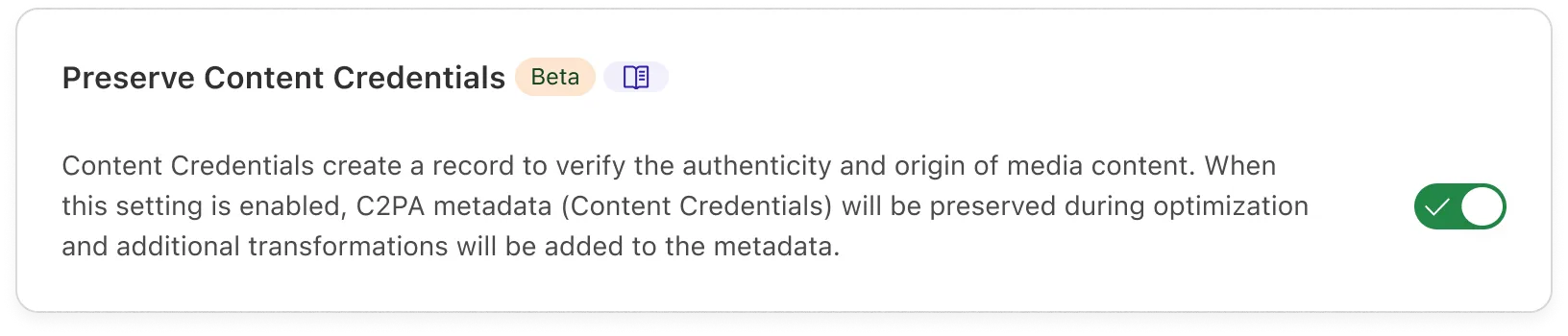
The behavior of this setting is determined by the [`metadata`](https://developers.cloudflare.com/images/transform-images/transform-via-url/#metadata) parameter for each transformation.
For example, if a transformation specifies `metadata=copyright`, then the EXIF copyright tag and all Content Credentials will be preserved in the resulting image and all other metadata will be discarded.
When Content Credentials are preserved in a transformation, Cloudflare will keep any existing Content Credentials embedded in the source image and automatically append and cryptographically sign additional actions.
When this setting is disabled, any existing Content Credentials will always be discarded.
---
title: Serve images from custom paths · Cloudflare Images docs
description: You can use Transform Rules to rewrite URLs for every image that
you transform through Images.
lastUpdated: 2025-09-11T13:39:56.000Z
chatbotDeprioritize: false
source_url:
html: https://developers.cloudflare.com/images/transform-images/serve-images-custom-paths/
md: https://developers.cloudflare.com/images/transform-images/serve-images-custom-paths/index.md
---
You can use Transform Rules to rewrite URLs for every image that you transform through Images.
This page covers examples for the following scenarios:
* Serve images from custom paths
* Modify existing URLs to be compatible with transformations in Images
* Transform every image requested on your zone with Images
To create a rule:
1. In the Cloudflare dashboard, go to the **Rules Overview** page.
[Go to **Overview**](https://dash.cloudflare.com/?to=/:account/:zone/rules/overview)
2. Select **Create rule** next to **URL Rewrite Rules**.
## Before you start
Every rule runs before and after the transformation request.
If the path for the request matches the path where the original images are stored on your server, this may cause the request to fetch the original image to loop.
To direct the request to the origin server, you can check for the string `image-resizing` in the `Via` header:
`...and (not (any(http.request.headers["via"][*] contains "image-resizing")))`
## Serve images from custom paths
By default, requests to transform images through Images are served from the `/cdn-cgi/image/` path. You can use Transform Rules to rewrite URLs.
### Basic version
Free and Pro plans support string matching rules (including wildcard operations) that do not require regular expressions.
This example lets you rewrite a request from `example.com/images` to `example.com/cdn-cgi/image/`:
```txt
(starts_with(http.request.uri.path, "/images")) and (not (any(http.request.headers["via"][*] contains "image-resizing")))
```
```txt
concat("/cdn-cgi/image", substring(http.request.uri.path, 7))
```
### Advanced version
Note
This feature requires a Business or Enterprise plan to enable regex in Transform Rules. Refer to [Cloudflare Transform Rules Availability](https://developers.cloudflare.com/rules/transform/#availability) for more information.
There is an advanced version of Transform Rules supporting regular expressions.
This example lets you rewrite a request from `example.com/images` to `example.com/cdn-cgi/image/`:
```txt
(http.request.uri.path matches "^/images/.*$") and (not (any(http.request.headers["via"][*] contains "image-resizing")))
```
```txt
regex_replace(http.request.uri.path, "^/images/", "/cdn-cgi/image/")
```
## Modify existing URLs to be compatible with transformations in Images
Note
This feature requires a Business or Enterprise plan to enable regex in Transform Rules. Refer to [Cloudflare Transform Rules Availability](https://developers.cloudflare.com/rules/transform/#availability) for more information.
This example lets you rewrite your URL parameters to be compatible with Images:
```txt
(http.request.uri matches "^/(.*)\\?width=([0-9]+)&height=([0-9]+)$")
```
```txt
regex_replace(
http.request.uri,
"^/(.*)\\?width=([0-9]+)&height=([0-9]+)$",
"/cdn-cgi/image/width=${2},height=${3}/${1}"
)
```
Leave the **Query** > **Rewrite to** > *Static* field empty.
## Pass every image requested on your zone through Images
Note
This feature requires a Business or Enterprise plan to enable regular expressions in Transform Rules. Refer to [Cloudflare Transform Rules Availability](https://developers.cloudflare.com/rules/transform/#availability) for more information.
This example lets you transform every image that is requested on your zone with the `format=auto` option:
```txt
(http.request.uri.path.extension matches "(jpg)|(jpeg)|(png)|(gif)") and (not (any(http.request.headers["via"][*] contains "image-resizing")))
```
```txt
regex_replace(http.request.uri.path, "/(.*)", "/cdn-cgi/image/format=auto/${1}")
```
---
title: Define source origin · Cloudflare Images docs
description: When optimizing remote images, you can specify which origins can be
used as the source for transformed images. By default, Cloudflare accepts only
source images from the zone where your transformations are served.
lastUpdated: 2025-03-11T13:51:28.000Z
chatbotDeprioritize: false
source_url:
html: https://developers.cloudflare.com/images/transform-images/sources/
md: https://developers.cloudflare.com/images/transform-images/sources/index.md
---
When optimizing remote images, you can specify which origins can be used as the source for transformed images. By default, Cloudflare accepts only source images from the zone where your transformations are served.
On this page, you will learn how to define and manage the origins for the source images that you want to optimize.
Note
The allowed origins setting applies to requests from Cloudflare Workers.
If you use a Worker to optimize remote images via a `fetch()` subrequest, then this setting may conflict with existing logic that handles source images.
## How it works
In the Cloudflare dashboard, go to **Images** > **Transformations** and select the zone where you want to serve transformations.
To get started, you must have [transformations enabled on your zone](https://developers.cloudflare.com/images/get-started/#enable-transformations-on-your-zone).
In **Sources**, you can configure the origins for transformations on your zone.
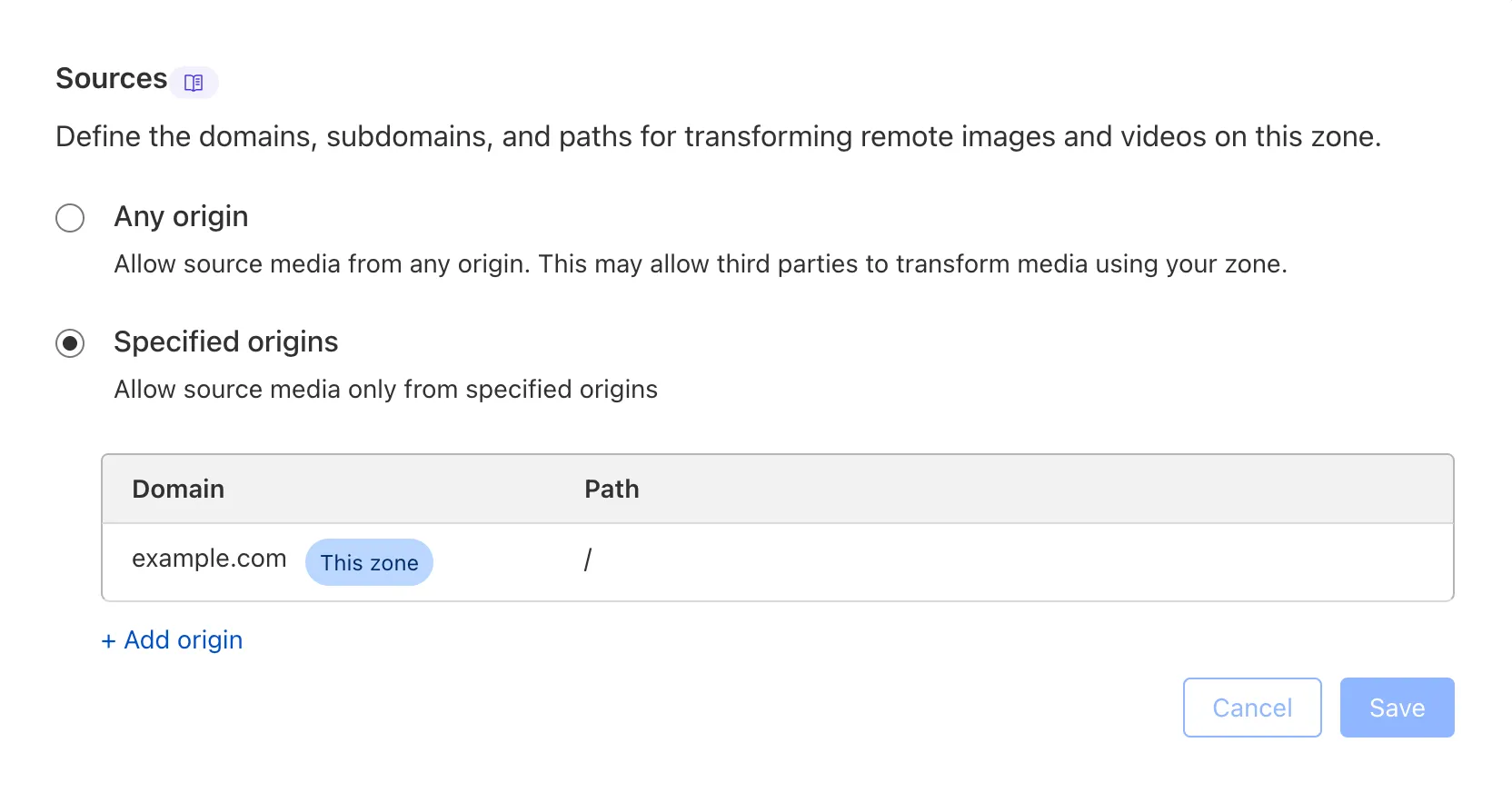
## Allow source images only from allowed origins
You can restrict source images to **allowed origins**, which applies transformations only to source images from a defined list.
By default, your accepted sources are set to **allowed origins**. Cloudflare will always allow source images from the same zone where your transformations are served.
If you request a transformation with a source image from outside your **allowed origins**, then the image will be rejected. For example, if you serve transformations on your zone `a.com` and do not define any additional origins, then `a.com/image.png` can be used as a source image, but `b.com/image.png` will return an error.
To define a new origin:
1. From **Sources**, select **Add origin**.
2. Under **Domain**, specify the domain for the source image. Only valid web URLs will be accepted.
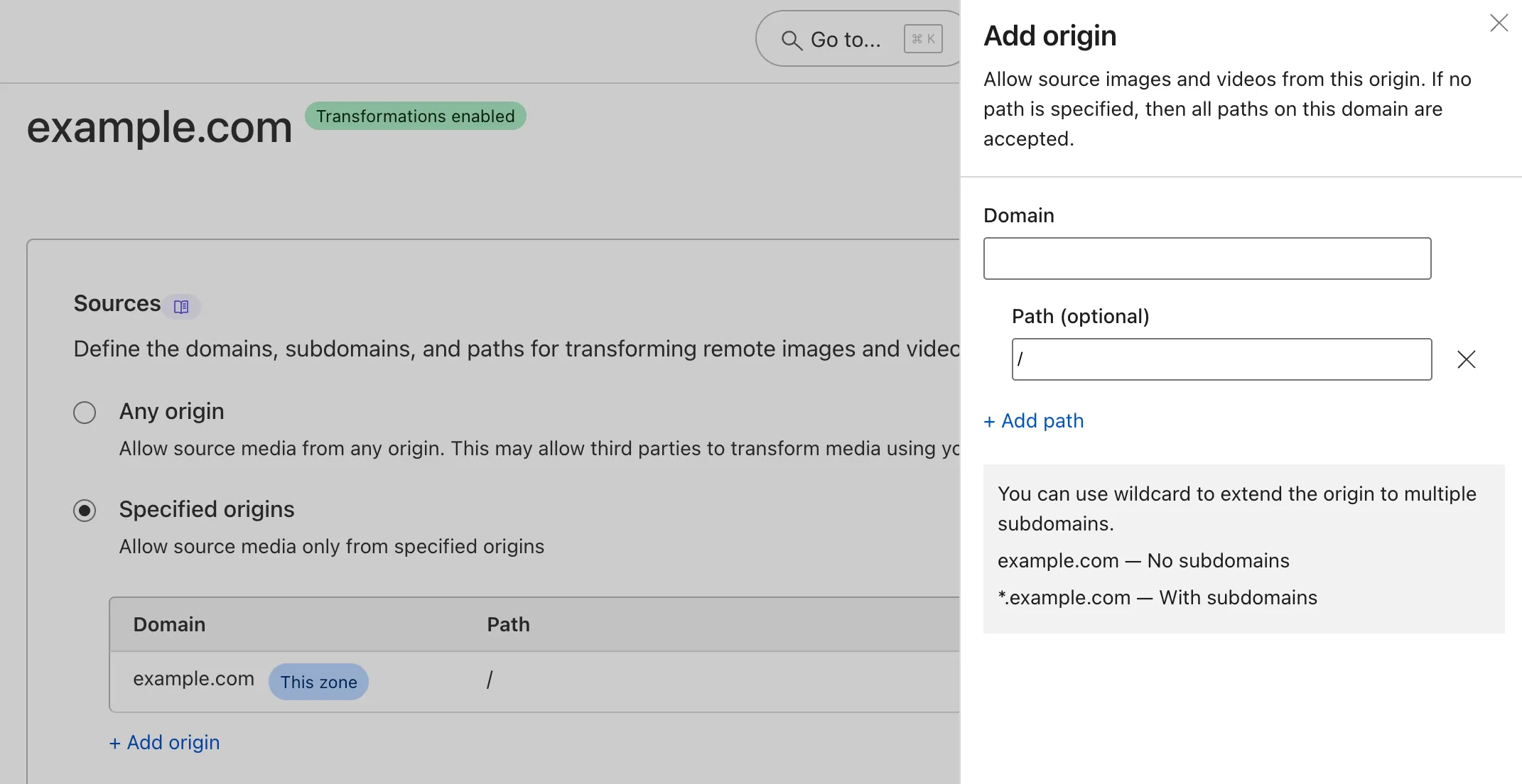
When you add a root domain, subdomains are not accepted. In other words, if you add `b.com`, then source images from `media.b.com` will be rejected.
To support individual subdomains, define an additional origin such as `media.b.com`. If you add only `media.b.com` and not the root domain, then source images from the root domain (`b.com`) and other subdomains (`cdn.b.com`) will be rejected.
To support all subdomains, use the `*` wildcard at the beginning of the root domain. For example, `*.b.com` will accept source images from the root domain (like `b.com/image.png`) as well as from subdomains (like `media.b.com/image.png` or `cdn.b.com/image.png`).
1. Optionally, you can specify the **Path** for the source image. If no path is specified, then source images from all paths on this domain are accepted.
Cloudflare checks whether the defined path is at the beginning of the source path. If the defined path is not present at the beginning of the path, then the source image will be rejected.
For example, if you define an origin with domain `b.com` and path `/themes`, then `b.com/themes/image.png` will be accepted but `b.com/media/themes/image.png` will be rejected.
1. Select **Add**. Your origin will now appear in your list of allowed origins.
2. Select **Save**. These changes will take effect immediately.
When you configure **allowed origins**, only the initial URL of the source image is checked. Any redirects, including URLs that leave your zone, will be followed, and the resulting image will be transformed.
If you change your accepted sources to **any origin**, then your list of sources will be cleared and reset to default.
## Allow source images from any origin
When your accepted sources are set to **any origin**, any publicly available image can be used as the source image for transformations on this zone.
**Any origin** is less secure and may allow third parties to serve transformations on your zone.
---
title: Transform via URL · Cloudflare Images docs
description: "You can convert and resize images by requesting them via a
specially-formatted URL. This way you do not need to write any code, only
change HTML markup of your website to use the new URLs. The format is:"
lastUpdated: 2025-08-28T12:51:13.000Z
chatbotDeprioritize: false
source_url:
html: https://developers.cloudflare.com/images/transform-images/transform-via-url/
md: https://developers.cloudflare.com/images/transform-images/transform-via-url/index.md
---
You can convert and resize images by requesting them via a specially-formatted URL. This way you do not need to write any code, only change HTML markup of your website to use the new URLs. The format is:
```txt
https:///cdn-cgi/image//
```
Here is a breakdown of each part of the URL:
* ``
* Your domain name on Cloudflare. Unlike other third-party image resizing services, image transformations do not use a separate domain name for an API. Every Cloudflare zone with image transformations enabled can handle resizing itself. In URLs used on your website this part can be omitted, so that URLs start with `/cdn-cgi/image/`.
* `/cdn-cgi/image/`
* A fixed prefix that identifies that this is a special path handled by Cloudflare's built-in Worker.
* ``
* A comma-separated list of options such as `width`, `height`, and `quality`.
* ``
* An absolute path on the origin server, or an absolute URL (starting with `https://` or `http://`), pointing to an image to resize. The path is not URL-encoded, so the resizing URL can be safely constructed by concatenating `/cdn-cgi/image/options` and the original image URL. For example: `/cdn-cgi/image/width=100/https://s3.example.com/bucket/image.png`.
Here is an example of an URL with `` set to `width=80,quality=75` and a `` of `uploads/avatar1.jpg`:
```html
```
Note
You can use image transformations to sanitize SVGs, but not to resize them. Refer to [Resize with Workers](https://developers.cloudflare.com/images/transform-images/transform-via-workers/) for more information.
## Options
You must specify at least one option. Options are comma-separated (spaces are not allowed anywhere). Names of options can be specified in full or abbreviated.
### `anim`
Whether to preserve animation frames from input files. Default is `true`. Setting it to `false` reduces animations to still images. This setting is recommended when enlarging images or processing arbitrary user content, because large GIF animations can weigh tens or even hundreds of megabytes. It is also useful to set `anim:false` when using `format:"json"` to get the response quicker without the number of frames.
* URL format
```txt
anim=false
```
* Workers
```js
cf: {image: {anim: false}}
```
### `background`
Background color to add underneath the image. Applies to images with transparency (for example, PNG) and images resized with `fit=pad`. Accepts any CSS color using CSS4 modern syntax, such as `rgb(255 255 0)` and `rgba(255 255 0 100)`.
* URL format
```txt
background=%23RRGGBB
OR
background=red
OR
background=rgb%28240%2C40%2C145%29
```
* Workers
```js
cf: {image: {background: "#RRGGBB"}}
OR
cf:{image: {background: "rgba(240,40,145,0)"}}
```
### `blur`
Blur radius between `1` (slight blur) and `250` (maximum). Be aware that you cannot use this option to reliably obscure image content, because savvy users can modify an image's URL and remove the blur option. Use Workers to control which options can be set.
* URL format
```txt
blur=50
```
* Workers
```js
cf: {image: {blur: 50}}
```
### `border`
Adds a border around the image. The border is added after resizing. Border width takes `dpr` into account, and can be specified either using a single `width` property, or individually for each side.
* Workers
```js
cf: {image: {border: {color: "rgb(0,0,0,0)", top: 5, right: 10, bottom: 5, left: 10}}}
cf: {image: {border: {color: "#FFFFFF", width: 10}}}
```
### `brightness`
Increase brightness by a factor. A value of `1.0` equals no change, a value of `0.5` equals half brightness, and a value of `2.0` equals twice as bright. `0` is ignored.
* URL format
```txt
brightness=0.5
```
* Workers
```js
cf: {image: {brightness: 0.5}}
```
### `compression`
Slightly reduces latency on a cache miss by selecting a quickest-to-compress file format, at a cost of increased file size and lower image quality. It will usually override the `format` option and choose JPEG over WebP or AVIF. We do not recommend using this option, except in unusual circumstances like resizing uncacheable dynamically-generated images.
* URL format
```txt
compression=fast
```
* Workers
```js
cf: {image: {compression: "fast"}}
```
### `contrast`
Increase contrast by a factor. A value of `1.0` equals no change, a value of `0.5` equals low contrast, and a value of `2.0` equals high contrast. `0` is ignored.
* URL format
```txt
contrast=0.5
```
* Workers
```js
cf: {image: {contrast: 0.5}}
```
### `dpr`
Device Pixel Ratio. Default is `1`. Multiplier for `width`/`height` that makes it easier to specify higher-DPI sizes in ``.
* URL format
```txt
dpr=1
```
* Workers
```js
cf: {image: {dpr: 1}}
```
### `fit`
Affects interpretation of `width` and `height`. All resizing modes preserve aspect ratio. Used as a string in Workers integration. Available modes are:
* `scale-down`\
Similar to `contain`, but the image is never enlarged. If the image is larger than given `width` or `height`, it will be resized. Otherwise its original size will be kept.
* `contain`\
Image will be resized (shrunk or enlarged) to be as large as possible within the given `width` or `height` while preserving the aspect ratio. If you only provide a single dimension (for example, only `width`), the image will be shrunk or enlarged to exactly match that dimension.
* `cover`\
Resizes (shrinks or enlarges) to fill the entire area of `width` and `height`. If the image has an aspect ratio different from the ratio of `width` and `height`, it will be cropped to fit.
* `crop`\
Image will be shrunk and cropped to fit within the area specified by `width` and `height`. The image will not be enlarged. For images smaller than the given dimensions, it is the same as `scale-down`. For images larger than the given dimensions, it is the same as `cover`. See also [`trim`](#trim)
* `pad`\
Resizes to the maximum size that fits within the given `width` and `height`, and then fills the remaining area with a `background` color (white by default). This mode is not recommended, since you can achieve the same effect more efficiently with the `contain` mode and the CSS `object-fit: contain` property.
* `squeeze` Resizes the image to the exact width and height specified. This mode does not preserve the original aspect ratio and will cause the image to appear stretched or squashed.
- URL format
```txt
fit=scale-down
```
- Workers
```js
cf: {image: {fit: "scale-down"}}
```
### `flip`
Flips the image horizontally, vertically, or both. Can be used with the `rotate` parameter to set the orientation of an image.
Flipping is performed before rotation. For example, if you apply `flip=h,rotate=90,` then the image will be flipped horizontally, then rotated by 90 degrees.
Available options are:
* `h`: Flips the image horizontally.
* `v`: Flips the image vertically.
* `hv`: Flips the image vertically and horizontally.
- URL format
```txt
flip=h
```
- Workers
```js
cf: {image: {flip: "h"}}
```
### `format`
The `auto` option will serve the WebP or AVIF format to browsers that support it. If this option is not specified, a standard format like JPEG or PNG will be used. Cloudflare will default to JPEG when possible due to the large size of PNG files.
Other supported options:
* `avif`: Generate images in AVIF format if possible (with WebP as a fallback).
* `webp`: Generate images in Google WebP format. Set the quality to `100` to get the WebP lossless format.
* `jpeg`: Generate images in interlaced progressive JPEG format, in which data is compressed in multiple passes of progressively higher detail.
* `baseline-jpeg`: Generate images in baseline sequential JPEG format. It should be used in cases when target devices don't support progressive JPEG or other modern file formats.
* `json`: Instead of generating an image, outputs information about the image in JSON format. The JSON object will contain data such as image size (before and after resizing), source image's MIME type, and file size.
**Alias:** `f`
* URL format
```txt
format=auto
```
* URL format alias
```txt
f=auto
```
* Workers
```js
cf: {image: {format: "avif"}}
```
For the `format:auto` option to work with a custom Worker, you need to parse the `Accept` header. Refer to [this example Worker](https://developers.cloudflare.com/images/transform-images/transform-via-workers/#an-example-worker) for a complete overview of how to set up an image transformation Worker.
```js
const accept = request.headers.get("accept");
let image = {};
if (/image\/avif/.test(accept)) {
image.format = "avif";
} else if (/image\/webp/.test(accept)) {
image.format = "webp";
}
return fetch(url, { cf: { image } });
```
### `gamma`
Increase exposure by a factor. A value of `1.0` equals no change, a value of `0.5` darkens the image, and a value of `2.0` lightens the image. `0` is ignored.
* URL format
```txt
gamma=0.5
```
* Workers
```js
cf: {image: {gamma: 0.5}}
```
### `gravity`
Specifies how an image should be cropped when used with `fit=cover` and `fit=crop`. Available options are `auto`, `face`, a side (`left`, `right`, `top`, `bottom`), and relative coordinates (`XxY` with a valid range of `0.0` to `1.0`):
* `auto`\
Selects focal point based on saliency detection (using maximum symmetric surround algorithm).
* `side`\
A side (`"left"`, `"right"`, `"top"`, `"bottom"`) or coordinates specified on a scale from `0.0` (top or left) to `1.0` (bottom or right), `0.5` being the center. The X and Y coordinates are separated by lowercase `x` in the URL format. For example, `0x1` means left and bottom, `0.5x0.5` is the center, `0.5x0.33` is a point in the top third of the image.
For the Workers integration, use an object `{x, y}` to specify coordinates. It contains focal point coordinates in the original image expressed as fractions ranging from `0.0` (top or left) to `1.0` (bottom or right), with `0.5` being the center. `{fit: "cover", gravity: {x:0.5, y:0.2}}` will crop each side to preserve as much as possible around a point at 20% of the height of the source image.
Note
You must subtract the height of the image before you calculate the focal point.
* `face`\
Automatically sets the focal point based on detected faces in an image. This can be combined with the `zoom` parameter to specify how closely the image should be cropped towards the faces.
The new focal point is determined by a minimum bounding box that surrounds all detected faces. If no faces are found, then the focal point will fall back to the center of the image.
This feature uses an open-source model called RetinaFace through WorkersAI. Our model pipeline is limited only to facial detection, or identifying the pixels that represent a human face. We do not support facial identification or recognition. Read more about Cloudflare's [approach to responsible AI](https://www.cloudflare.com/trust-hub/responsible-ai/).
**Alias:** `g`
* URL format
```txt
gravity=auto
OR
gravity=left
OR
gravity=0x1
OR
gravity=face
```
* URL format alias
```txt
g=auto
OR
g=left
OR
g=0x1
OR
g=face
```
* Workers
```js
cf: {image: {gravity: "auto"}}
OR
cf: {image: {gravity: "right"}}
OR
cf: {image: {gravity: {x:0.5, y:0.2}}}
OR
cf: {image: {gravity: "face"}}
```
```plaintext
```
### `height`
Specifies maximum height of the image in pixels. Exact behavior depends on the `fit` mode (described below).
**Alias:** `h`
* URL format
```txt
height=250
```
* URL format alias
```txt
h=250
```
* Workers
```js
cf: {image: {height: 250}}
```
### `metadata`
Controls amount of invisible metadata (EXIF data) that should be preserved. Color profiles and EXIF rotation are applied to the image even if the metadata is discarded. Content Credentials (C2PA metadata) may be preserved if the [setting is enabled](https://developers.cloudflare.com/images/transform-images/preserve-content-credentials).
Available options are `copyright`, `keep`, and `none`. The default for all JPEG images is `copyright`. WebP and PNG output formats will always discard EXIF metadata.
Note
* If [Polish](https://developers.cloudflare.com/images/polish/) is enabled, then all metadata may already be removed and this option will have no effect.
* Even when choosing to keep EXIF metadata, Cloudflare will modify JFIF data (potentially invalidating it) to avoid the known incompatibility between the two standards. For more details, refer to [JFIF Compatibility](https://en.wikipedia.org/wiki/JPEG_File_Interchange_Format#Compatibility).
Options include:
* `copyright`\
Discards all EXIF metadata except copyright tag. If C2PA metadata preservation is enabled, then this option will preserve all Content Credentials.
* `keep`\
Preserves most of EXIF metadata, including GPS location if present. If C2PA metadata preservation is enabled, then this option will preserve all Content Credentials.
* `none`\
Discards all invisible EXIF and C2PA metadata. If the output format is WebP or PNG, then all metadata will be discarded.
- URL format
```txt
metadata=none
```
- Workers
```js
cf: {image: {metadata: "none"}}
```
### `onerror`
Note
This setting only works directly with [image transformations](https://developers.cloudflare.com/images/transform-images/) and does not support resizing with Cloudflare Workers.
In case of a [fatal error](https://developers.cloudflare.com/images/reference/troubleshooting/#error-responses-from-resizing) that prevents the image from being resized, redirects to the unresized source image URL. This may be useful in case some images require user authentication and cannot be fetched anonymously via Worker. This option should not be used if there is a chance the source image is very large. This option is ignored if the image is from another domain, but you can use it with subdomains.
* URL format
```txt
onerror=redirect
```
### `quality`
Specifies quality for images in JPEG, WebP, and AVIF formats. The quality is in a 1-100 scale, but useful values are between `50` (low quality, small file size) and `90` (high quality, large file size). `85` is the default. When using the PNG format, an explicit quality setting allows use of PNG8 (palette) variant of the format. Use the `format=auto` option to allow use of WebP and AVIF formats.
We also allow setting one of the perceptual quality levels `high|medium-high|medium-low|low`
**Alias:** `q`
* URL format
```txt
quality=50
OR
quality=low
```
* URL format alias
```txt
q=50
OR
q=medium-high
```
* Workers
```js
cf: {image: {quality: 50}}
OR
cf: {image: {quality: "high"}}
```
### `rotate`
Number of degrees (`90`, `180`, or `270`) to rotate the image by. `width` and `height` options refer to axes after rotation.
* URL format
```txt
rotate=90
```
* Workers
```js
cf: {image: {rotate: 90}}
```
### `saturation`
Increases saturation by a factor. A value of `1.0` equals no change, a value of `0.5` equals half saturation, and a value of `2.0` equals twice as saturated. A value of `0` will convert the image to grayscale.
* URL format
```txt
saturation=0.5
```
* Workers
```js
cf: {image: {saturation: 0.5}}
```
### `segment`
Automatically isolates the subject of an image by replacing the background with transparent pixels.
This feature uses an open-source model called BiRefNet through Workers AI. Read more about Cloudflare's [approach to responsible AI](https://www.cloudflare.com/trust-hub/responsible-ai/).
* URL format
```txt
segment=foreground
```
* Workers
```js
cf: {segment: "foreground"}
```
### `sharpen`
Specifies strength of sharpening filter to apply to the image. The value is a floating-point number between `0` (no sharpening, default) and `10` (maximum). `1` is a recommended value for downscaled images.
* URL format
```txt
sharpen=2
```
* Workers
```js
cf: {image: {sharpen: 2}}
```
### `slow-connection-quality`
Allows overriding `quality` value whenever a slow connection is detected.
Available options are same as [quality](https://developers.cloudflare.com/images/transform-images/transform-via-url/#quality).
**Alias:** `scq`
* URL format
```txt
slow-connection-quality=50
```
* URL format alias
```txt
scq=50
```
Detecting slow connections is currently only supported on Chromium-based browsers such as Chrome, Edge, and Opera.
You can enable any of the following client hints via HTTP in a header
```txt
accept-ch: rtt, save-data, ect, downlink
```
slow-connection-quality applies whenever any of the following is true and the client hint is present:
* [rtt](https://developer.mozilla.org/en-US/docs/Web/HTTP/Reference/Headers/RTT): Greater than 150ms.
* [save-data](https://developer.mozilla.org/en-US/docs/Web/HTTP/Reference/Headers/Save-Data): Value is "on".
* [ect](https://developer.mozilla.org/en-US/docs/Web/HTTP/Reference/Headers/ECT): Value is one of `slow-2g|2g|3g`.
* [downlink](https://developer.mozilla.org/en-US/docs/Web/HTTP/Reference/Headers/Downlink): Less than 5Mbps.
### `trim`
Specifies a number of pixels to cut off on each side. Allows removal of borders or cutting out a specific fragment of an image. Trimming is performed before resizing or rotation. Takes `dpr` into account. For image transformations and Cloudflare Images, use as four numbers in pixels separated by a semicolon, in the form of `top;right;bottom;left` or via separate values `trim.width`,`trim.height`, `trim.left`,`trim.top`. For the Workers integration, specify an object with properties: `{top, right, bottom, left, width, height}`.
* URL format
```txt
trim=20;30;20;0
trim.width=678
trim.height=678
trim.left=30
trim.top=40
```
* Workers
```js
cf: {image: {trim: {top: 12, right: 78, bottom: 34, left: 56, width:678, height:678}}}
```
The API also supports automatic border removal based on color. This can be enabled by setting `trim=border` for automatic color detection, or customized with the parameters below.
`trim.border.color` The border color to trim. Accepts any CSS color using CSS4 modern syntax, such as `rgb(255 255 0)`. If omitted, the color is detected automatically.
`trim.border.tolerance` The matching tolerance for the color, on a scale of 0 to 255.
`trim.border.keep` The number of pixels of the original border to leave untrimmed.
* URL format
```txt
trim=border
OR
trim.border.color=%23000000
trim.border.tolerance=5
trim.border.keep=10
```
* Workers
```js
cf: {image: {trim: "border"}}
OR
cf: {image: {trim: {border: {color: "#000000", tolerance: 5, keep: 10}}}}
```
### `width`
Specifies maximum width of the image. Exact behavior depends on the `fit` mode; use the `fit=scale-down` option to ensure that the image will not be enlarged unnecessarily.
Available options are a specified width in pixels or `auto`.
**Alias:** `w`
* URL format
```txt
width=250
```
* URL format alias
```txt
w=250
```
* Workers
```js
cf: {image: {width: 250}}
```
Ideally, image sizes should match the exact dimensions at which they are displayed on the page. If the page contains thumbnails with markup such as ``, then you can resize the image by applying `width=200`.
[To serve responsive images](https://developers.cloudflare.com/images/transform-images/make-responsive-images/#transform-with-html-srcset), you can use the HTML `srcset` element and apply width parameters.
`auto` - Automatically serves the image in the most optimal width based on available information about the browser and device. This method is supported only by Chromium browsers. For more information about this works, refer to [Transform width parameter](https://developers.cloudflare.com/images/transform-images/make-responsive-images/#transform-with-width-parameter).
### `zoom`
Specifies how closely the image is cropped toward the face when combined with the `gravity=face` option. Valid range is from `0` (includes as much of the background as possible) to `1` (crops the image as closely to the face as possible), decimals allowed. The default is `0`.
This controls the threshold for how much of the surrounding pixels around the face will be included in the image and takes effect only if face(s) are detected in the image.
* URL format
```txt
zoom=0.1
```
* URL format alias
```txt
zoom=0.2
OR
face-zoom=0.2
```
* Workers
```js
cf: {image: {zoom: 0.5}}
```
## Recommended image sizes
Ideally, image sizes should match exactly the size they are displayed on the page. If the page contains thumbnails with markup such as ``, then images should be resized to `width=200`. If the exact size is not known ahead of time, use the [responsive images technique](https://developers.cloudflare.com/images/manage-images/create-variants/).
If you cannot use the `` markup, and have to hardcode specific maximum sizes, Cloudflare recommends the following sizes:
* Maximum of 1920 pixels for desktop browsers.
* Maximum of 960 pixels for tablets.
* Maximum of 640 pixels for mobile phones.
Here is an example of markup to configure a maximum size for your image:
```txt
/cdn-cgi/image/fit=scale-down,width=1920/
```
The `fit=scale-down` option ensures that the image will not be enlarged unnecessarily.
You can detect device type by enabling the `CF-Device-Type` header [via Cache Rule](https://developers.cloudflare.com/cache/how-to/cache-rules/examples/cache-device-type/).
## Caching
Resizing causes the original image to be fetched from the origin server and cached — following the usual rules of HTTP caching, `Cache-Control` header, etc.. Requests for multiple different image sizes are likely to reuse the cached original image, without causing extra transfers from the origin server.
Note
If Custom Cache Keys are used for the origin image, the origin image might not be cached and might result in more calls to the origin.
Resized images follow the same caching rules as the original image they were resized from, except the minimum cache time is one hour. If you need images to be updated more frequently, add `must-revalidate` to the `Cache-Control` header. Resizing supports cache revalidation, so we recommend serving images with the `Etag` header. Refer to the [Cache docs for more information](https://developers.cloudflare.com/cache/concepts/cache-control/#revalidation).
Cloudflare Images does not support purging resized variants individually. URLs starting with `/cdn-cgi/` cannot be purged. However, purging of the original image's URL will also purge all of its resized variants.
---
title: Transform via Workers · Cloudflare Images docs
description: Using Cloudflare Workers to transform with a custom URL scheme
gives you powerful programmatic control over every image request.
lastUpdated: 2026-02-23T16:12:44.000Z
chatbotDeprioritize: false
source_url:
html: https://developers.cloudflare.com/images/transform-images/transform-via-workers/
md: https://developers.cloudflare.com/images/transform-images/transform-via-workers/index.md
---
Using Cloudflare Workers to transform with a custom URL scheme gives you powerful programmatic control over every image request.
Here are a few examples of the flexibility Workers give you:
* **Use a custom URL scheme**. Instead of specifying pixel dimensions in image URLs, use preset names such as `thumbnail` and `large`.
* **Hide the actual location of the original image**. You can store images in an external S3 bucket or a hidden folder on your server without exposing that information in URLs.
* **Implement content negotiation**. This is useful to adapt image sizes, formats and quality dynamically based on the device and condition of the network.
The resizing feature is accessed via the [options](https://developers.cloudflare.com/workers/runtime-apis/request/#the-cf-property-requestinitcfproperties) of a `fetch()` [subrequest inside a Worker](https://developers.cloudflare.com/workers/runtime-apis/fetch/).
Note
You can use Cloudflare Images to sanitize SVGs but not to resize them.
## Fetch options
The `fetch()` function accepts parameters in the second argument inside the `{cf: {image: {…}}}` object.
### `anim`
Whether to preserve animation frames from input files. Default is `true`. Setting it to `false` reduces animations to still images. This setting is recommended when enlarging images or processing arbitrary user content, because large GIF animations can weigh tens or even hundreds of megabytes. It is also useful to set `anim:false` when using `format:"json"` to get the response quicker without the number of frames.
* URL format
```txt
anim=false
```
* Workers
```js
cf: {image: {anim: false}}
```
### `background`
Background color to add underneath the image. Applies to images with transparency (for example, PNG) and images resized with `fit=pad`. Accepts any CSS color using CSS4 modern syntax, such as `rgb(255 255 0)` and `rgba(255 255 0 100)`.
* URL format
```txt
background=%23RRGGBB
OR
background=red
OR
background=rgb%28240%2C40%2C145%29
```
* Workers
```js
cf: {image: {background: "#RRGGBB"}}
OR
cf:{image: {background: "rgba(240,40,145,0)"}}
```
### `blur`
Blur radius between `1` (slight blur) and `250` (maximum). Be aware that you cannot use this option to reliably obscure image content, because savvy users can modify an image's URL and remove the blur option. Use Workers to control which options can be set.
* URL format
```txt
blur=50
```
* Workers
```js
cf: {image: {blur: 50}}
```
### `border`
Adds a border around the image. The border is added after resizing. Border width takes `dpr` into account, and can be specified either using a single `width` property, or individually for each side.
* Workers
```js
cf: {image: {border: {color: "rgb(0,0,0,0)", top: 5, right: 10, bottom: 5, left: 10}}}
cf: {image: {border: {color: "#FFFFFF", width: 10}}}
```
### `brightness`
Increase brightness by a factor. A value of `1.0` equals no change, a value of `0.5` equals half brightness, and a value of `2.0` equals twice as bright. `0` is ignored.
* URL format
```txt
brightness=0.5
```
* Workers
```js
cf: {image: {brightness: 0.5}}
```
### `compression`
Slightly reduces latency on a cache miss by selecting a quickest-to-compress file format, at a cost of increased file size and lower image quality. It will usually override the `format` option and choose JPEG over WebP or AVIF. We do not recommend using this option, except in unusual circumstances like resizing uncacheable dynamically-generated images.
* URL format
```txt
compression=fast
```
* Workers
```js
cf: {image: {compression: "fast"}}
```
### `contrast`
Increase contrast by a factor. A value of `1.0` equals no change, a value of `0.5` equals low contrast, and a value of `2.0` equals high contrast. `0` is ignored.
* URL format
```txt
contrast=0.5
```
* Workers
```js
cf: {image: {contrast: 0.5}}
```
### `dpr`
Device Pixel Ratio. Default is `1`. Multiplier for `width`/`height` that makes it easier to specify higher-DPI sizes in ``.
* URL format
```txt
dpr=1
```
* Workers
```js
cf: {image: {dpr: 1}}
```
### `fit`
Affects interpretation of `width` and `height`. All resizing modes preserve aspect ratio. Used as a string in Workers integration. Available modes are:
* `scale-down`\
Similar to `contain`, but the image is never enlarged. If the image is larger than given `width` or `height`, it will be resized. Otherwise its original size will be kept.
* `contain`\
Image will be resized (shrunk or enlarged) to be as large as possible within the given `width` or `height` while preserving the aspect ratio. If you only provide a single dimension (for example, only `width`), the image will be shrunk or enlarged to exactly match that dimension.
* `cover`\
Resizes (shrinks or enlarges) to fill the entire area of `width` and `height`. If the image has an aspect ratio different from the ratio of `width` and `height`, it will be cropped to fit.
* `crop`\
Image will be shrunk and cropped to fit within the area specified by `width` and `height`. The image will not be enlarged. For images smaller than the given dimensions, it is the same as `scale-down`. For images larger than the given dimensions, it is the same as `cover`. See also [`trim`](#trim)
* `pad`\
Resizes to the maximum size that fits within the given `width` and `height`, and then fills the remaining area with a `background` color (white by default). This mode is not recommended, since you can achieve the same effect more efficiently with the `contain` mode and the CSS `object-fit: contain` property.
* `squeeze` Resizes the image to the exact width and height specified. This mode does not preserve the original aspect ratio and will cause the image to appear stretched or squashed.
- URL format
```txt
fit=scale-down
```
- Workers
```js
cf: {image: {fit: "scale-down"}}
```
### `flip`
Flips the image horizontally, vertically, or both. Can be used with the `rotate` parameter to set the orientation of an image.
Flipping is performed before rotation. For example, if you apply `flip=h,rotate=90,` then the image will be flipped horizontally, then rotated by 90 degrees.
Available options are:
* `h`: Flips the image horizontally.
* `v`: Flips the image vertically.
* `hv`: Flips the image vertically and horizontally.
- URL format
```txt
flip=h
```
- Workers
```js
cf: {image: {flip: "h"}}
```
### `format`
The `auto` option will serve the WebP or AVIF format to browsers that support it. If this option is not specified, a standard format like JPEG or PNG will be used. Cloudflare will default to JPEG when possible due to the large size of PNG files.
Other supported options:
* `avif`: Generate images in AVIF format if possible (with WebP as a fallback).
* `webp`: Generate images in Google WebP format. Set the quality to `100` to get the WebP lossless format.
* `jpeg`: Generate images in interlaced progressive JPEG format, in which data is compressed in multiple passes of progressively higher detail.
* `baseline-jpeg`: Generate images in baseline sequential JPEG format. It should be used in cases when target devices don't support progressive JPEG or other modern file formats.
* `json`: Instead of generating an image, outputs information about the image in JSON format. The JSON object will contain data such as image size (before and after resizing), source image's MIME type, and file size.
**Alias:** `f`
* URL format
```txt
format=auto
```
* URL format alias
```txt
f=auto
```
* Workers
```js
cf: {image: {format: "avif"}}
```
For the `format:auto` option to work with a custom Worker, you need to parse the `Accept` header. Refer to [this example Worker](https://developers.cloudflare.com/images/transform-images/transform-via-workers/#an-example-worker) for a complete overview of how to set up an image transformation Worker.
```js
const accept = request.headers.get("accept");
let image = {};
if (/image\/avif/.test(accept)) {
image.format = "avif";
} else if (/image\/webp/.test(accept)) {
image.format = "webp";
}
return fetch(url, { cf: { image } });
```
### `gamma`
Increase exposure by a factor. A value of `1.0` equals no change, a value of `0.5` darkens the image, and a value of `2.0` lightens the image. `0` is ignored.
* URL format
```txt
gamma=0.5
```
* Workers
```js
cf: {image: {gamma: 0.5}}
```
### `gravity`
Specifies how an image should be cropped when used with `fit=cover` and `fit=crop`. Available options are `auto`, `face`, a side (`left`, `right`, `top`, `bottom`), and relative coordinates (`XxY` with a valid range of `0.0` to `1.0`):
* `auto`\
Selects focal point based on saliency detection (using maximum symmetric surround algorithm).
* `side`\
A side (`"left"`, `"right"`, `"top"`, `"bottom"`) or coordinates specified on a scale from `0.0` (top or left) to `1.0` (bottom or right), `0.5` being the center. The X and Y coordinates are separated by lowercase `x` in the URL format. For example, `0x1` means left and bottom, `0.5x0.5` is the center, `0.5x0.33` is a point in the top third of the image.
For the Workers integration, use an object `{x, y}` to specify coordinates. It contains focal point coordinates in the original image expressed as fractions ranging from `0.0` (top or left) to `1.0` (bottom or right), with `0.5` being the center. `{fit: "cover", gravity: {x:0.5, y:0.2}}` will crop each side to preserve as much as possible around a point at 20% of the height of the source image.
Note
You must subtract the height of the image before you calculate the focal point.
* `face`\
Automatically sets the focal point based on detected faces in an image. This can be combined with the `zoom` parameter to specify how closely the image should be cropped towards the faces.
The new focal point is determined by a minimum bounding box that surrounds all detected faces. If no faces are found, then the focal point will fall back to the center of the image.
This feature uses an open-source model called RetinaFace through WorkersAI. Our model pipeline is limited only to facial detection, or identifying the pixels that represent a human face. We do not support facial identification or recognition. Read more about Cloudflare's [approach to responsible AI](https://www.cloudflare.com/trust-hub/responsible-ai/).
**Alias:** `g`
* URL format
```txt
gravity=auto
OR
gravity=left
OR
gravity=0x1
OR
gravity=face
```
* URL format alias
```txt
g=auto
OR
g=left
OR
g=0x1
OR
g=face
```
* Workers
```js
cf: {image: {gravity: "auto"}}
OR
cf: {image: {gravity: "right"}}
OR
cf: {image: {gravity: {x:0.5, y:0.2}}}
OR
cf: {image: {gravity: "face"}}
```
```plaintext
```
### `height`
Specifies maximum height of the image in pixels. Exact behavior depends on the `fit` mode (described below).
**Alias:** `h`
* URL format
```txt
height=250
```
* URL format alias
```txt
h=250
```
* Workers
```js
cf: {image: {height: 250}}
```
### `metadata`
Controls amount of invisible metadata (EXIF data) that should be preserved. Color profiles and EXIF rotation are applied to the image even if the metadata is discarded. Content Credentials (C2PA metadata) may be preserved if the [setting is enabled](https://developers.cloudflare.com/images/transform-images/preserve-content-credentials).
Available options are `copyright`, `keep`, and `none`. The default for all JPEG images is `copyright`. WebP and PNG output formats will always discard EXIF metadata.
Note
* If [Polish](https://developers.cloudflare.com/images/polish/) is enabled, then all metadata may already be removed and this option will have no effect.
* Even when choosing to keep EXIF metadata, Cloudflare will modify JFIF data (potentially invalidating it) to avoid the known incompatibility between the two standards. For more details, refer to [JFIF Compatibility](https://en.wikipedia.org/wiki/JPEG_File_Interchange_Format#Compatibility).
Options include:
* `copyright`\
Discards all EXIF metadata except copyright tag. If C2PA metadata preservation is enabled, then this option will preserve all Content Credentials.
* `keep`\
Preserves most of EXIF metadata, including GPS location if present. If C2PA metadata preservation is enabled, then this option will preserve all Content Credentials.
* `none`\
Discards all invisible EXIF and C2PA metadata. If the output format is WebP or PNG, then all metadata will be discarded.
- URL format
```txt
metadata=none
```
- Workers
```js
cf: {image: {metadata: "none"}}
```
### `onerror`
Note
This setting only works directly with [image transformations](https://developers.cloudflare.com/images/transform-images/) and does not support resizing with Cloudflare Workers.
In case of a [fatal error](https://developers.cloudflare.com/images/reference/troubleshooting/#error-responses-from-resizing) that prevents the image from being resized, redirects to the unresized source image URL. This may be useful in case some images require user authentication and cannot be fetched anonymously via Worker. This option should not be used if there is a chance the source image is very large. This option is ignored if the image is from another domain, but you can use it with subdomains.
* URL format
```txt
onerror=redirect
```
### `quality`
Specifies quality for images in JPEG, WebP, and AVIF formats. The quality is in a 1-100 scale, but useful values are between `50` (low quality, small file size) and `90` (high quality, large file size). `85` is the default. When using the PNG format, an explicit quality setting allows use of PNG8 (palette) variant of the format. Use the `format=auto` option to allow use of WebP and AVIF formats.
We also allow setting one of the perceptual quality levels `high|medium-high|medium-low|low`
**Alias:** `q`
* URL format
```txt
quality=50
OR
quality=low
```
* URL format alias
```txt
q=50
OR
q=medium-high
```
* Workers
```js
cf: {image: {quality: 50}}
OR
cf: {image: {quality: "high"}}
```
### `rotate`
Number of degrees (`90`, `180`, or `270`) to rotate the image by. `width` and `height` options refer to axes after rotation.
* URL format
```txt
rotate=90
```
* Workers
```js
cf: {image: {rotate: 90}}
```
### `saturation`
Increases saturation by a factor. A value of `1.0` equals no change, a value of `0.5` equals half saturation, and a value of `2.0` equals twice as saturated. A value of `0` will convert the image to grayscale.
* URL format
```txt
saturation=0.5
```
* Workers
```js
cf: {image: {saturation: 0.5}}
```
### `segment`
Automatically isolates the subject of an image by replacing the background with transparent pixels.
This feature uses an open-source model called BiRefNet through Workers AI. Read more about Cloudflare's [approach to responsible AI](https://www.cloudflare.com/trust-hub/responsible-ai/).
* URL format
```txt
segment=foreground
```
* Workers
```js
cf: {segment: "foreground"}
```
### `sharpen`
Specifies strength of sharpening filter to apply to the image. The value is a floating-point number between `0` (no sharpening, default) and `10` (maximum). `1` is a recommended value for downscaled images.
* URL format
```txt
sharpen=2
```
* Workers
```js
cf: {image: {sharpen: 2}}
```
### `trim`
Specifies a number of pixels to cut off on each side. Allows removal of borders or cutting out a specific fragment of an image. Trimming is performed before resizing or rotation. Takes `dpr` into account. For image transformations and Cloudflare Images, use as four numbers in pixels separated by a semicolon, in the form of `top;right;bottom;left` or via separate values `trim.width`,`trim.height`, `trim.left`,`trim.top`. For the Workers integration, specify an object with properties: `{top, right, bottom, left, width, height}`.
* URL format
```txt
trim=20;30;20;0
trim.width=678
trim.height=678
trim.left=30
trim.top=40
```
* Workers
```js
cf: {image: {trim: {top: 12, right: 78, bottom: 34, left: 56, width:678, height:678}}}
```
The API also supports automatic border removal based on color. This can be enabled by setting `trim=border` for automatic color detection, or customized with the parameters below.
`trim.border.color` The border color to trim. Accepts any CSS color using CSS4 modern syntax, such as `rgb(255 255 0)`. If omitted, the color is detected automatically.
`trim.border.tolerance` The matching tolerance for the color, on a scale of 0 to 255.
`trim.border.keep` The number of pixels of the original border to leave untrimmed.
* URL format
```txt
trim=border
OR
trim.border.color=%23000000
trim.border.tolerance=5
trim.border.keep=10
```
* Workers
```js
cf: {image: {trim: "border"}}
OR
cf: {image: {trim: {border: {color: "#000000", tolerance: 5, keep: 10}}}}
```
### `width`
Specifies maximum width of the image. Exact behavior depends on the `fit` mode; use the `fit=scale-down` option to ensure that the image will not be enlarged unnecessarily.
Available options are a specified width in pixels or `auto`.
**Alias:** `w`
* URL format
```txt
width=250
```
* URL format alias
```txt
w=250
```
* Workers
```js
cf: {image: {width: 250}}
```
Ideally, image sizes should match the exact dimensions at which they are displayed on the page. If the page contains thumbnails with markup such as ``, then you can resize the image by applying `width=200`.
[To serve responsive images](https://developers.cloudflare.com/images/transform-images/make-responsive-images/#transform-with-html-srcset), you can use the HTML `srcset` element and apply width parameters.
`auto` - Automatically serves the image in the most optimal width based on available information about the browser and device. This method is supported only by Chromium browsers. For more information about this works, refer to [Transform width parameter](https://developers.cloudflare.com/images/transform-images/make-responsive-images/#transform-with-width-parameter).
### `zoom`
Specifies how closely the image is cropped toward the face when combined with the `gravity=face` option. Valid range is from `0` (includes as much of the background as possible) to `1` (crops the image as closely to the face as possible), decimals allowed. The default is `0`.
This controls the threshold for how much of the surrounding pixels around the face will be included in the image and takes effect only if face(s) are detected in the image.
* URL format
```txt
zoom=0.1
```
* URL format alias
```txt
zoom=0.2
OR
face-zoom=0.2
```
* Workers
```js
cf: {image: {zoom: 0.5}}
```
In your worker, where you would fetch the image using `fetch(request)`, add options like in the following example:
```js
fetch(imageURL, {
cf: {
image: {
fit: "scale-down",
width: 800,
height: 600,
},
},
});
```
These typings are also available in [our Workers TypeScript definitions library](https://github.com/cloudflare/workers-types).
## Configure a Worker
Create a new script in the Workers section of the Cloudflare dashboard. Scope your Worker script to a path dedicated to serving assets, such as `/images/*` or `/assets/*`. Only supported image formats can be resized. Attempting to resize any other type of resource (CSS, HTML) will result in an error.
Warning
Do not set up the Image Resizing worker for the entire zone (`/*`). This will block all non-image requests and make your website inaccessible.
It is best to keep the path handled by the Worker separate from the path to original (unresized) images, to avoid request loops caused by the image resizing worker calling itself. For example, store your images in `example.com/originals/` directory, and handle resizing via `example.com/thumbnails/*` path that fetches images from the `/originals/` directory. If source images are stored in a location that is handled by a Worker, you must prevent the Worker from creating an infinite loop.
### Prevent request loops
To perform resizing and optimizations, the Worker must be able to fetch the original, unresized image from your origin server. If the path handled by your Worker overlaps with the path where images are stored on your server, it could cause an infinite loop by the Worker trying to request images from itself.
You must detect which requests must go directly to the origin server. When the `image-resizing` string is present in the `Via` header, it means that it is a request coming from another Worker and should be directed to the origin server:
```js
export default {
async fetch(request) {
// If this request is coming from image resizing worker,
// avoid causing an infinite loop by resizing it again:
if (/image-resizing/.test(request.headers.get("via"))) {
return fetch(request);
}
// Now you can safely use image resizing here
},
};
```
## Lack of preview in the dashboard
Note
Image transformations are not simulated in the preview of in the Workers dashboard editor.
The script preview of the Worker editor ignores `fetch()` options, and will always fetch unresized images. To see the effect of image transformations you must deploy the Worker script and use it outside of the editor.
## Error handling
When an image cannot be resized — for example, because the image does not exist or the resizing parameters were invalid — the response will have an HTTP status indicating an error (for example, `400`, `404`, or `502`).
By default, the error will be forwarded to the browser, but you can decide how to handle errors. For example, you can redirect the browser to the original, unresized image instead:
```js
const response = await fetch(imageURL, options);
if (response.ok || response.redirected) {
// fetch() may respond with status 304
return response;
} else {
return Response.redirect(imageURL, 307);
}
```
Keep in mind that if the original images on your server are very large, it may be better not to display failing images at all, than to fall back to overly large images that could use too much bandwidth, memory, or break page layout.
You can also replace failed images with a placeholder image:
```js
const response = await fetch(imageURL, options);
if (response.ok || response.redirected) {
return response;
} else {
// Change to a URL on your server
return fetch("https://img.example.com/blank-placeholder.png");
}
```
## An example worker
Assuming you [set up a Worker](https://developers.cloudflare.com/workers/get-started/guide/) on `https://example.com/image-resizing` to handle URLs like `https://example.com/image-resizing?width=80&image=https://example.com/uploads/avatar1.jpg`:
```js
/**
* Fetch and log a request
* @param {Request} request
*/
export default {
async fetch(request) {
// Parse request URL to get access to query string
let url = new URL(request.url);
// Cloudflare-specific options are in the cf object.
let options = { cf: { image: {} } };
// Copy parameters from query string to request options.
// You can implement various different parameters here.
if (url.searchParams.has("fit"))
options.cf.image.fit = url.searchParams.get("fit");
if (url.searchParams.has("width"))
options.cf.image.width = parseInt(url.searchParams.get("width"), 10);
if (url.searchParams.has("height"))
options.cf.image.height = parseInt(url.searchParams.get("height"), 10);
if (url.searchParams.has("quality"))
options.cf.image.quality = parseInt(url.searchParams.get("quality"), 10);
// Your Worker is responsible for automatic format negotiation. Check the Accept header.
const accept = request.headers.get("Accept");
if (/image\/avif/.test(accept)) {
options.cf.image.format = "avif";
} else if (/image\/webp/.test(accept)) {
options.cf.image.format = "webp";
}
// Get URL of the original (full size) image to resize.
// You could adjust the URL here, e.g., prefix it with a fixed address of your server,
// so that user-visible URLs are shorter and cleaner.
const imageURL = url.searchParams.get("image");
if (!imageURL)
return new Response('Missing "image" value', { status: 400 });
try {
// TODO: Customize validation logic
const { hostname, pathname } = new URL(imageURL);
// Optionally, only allow URLs with JPEG, PNG, GIF, or WebP file extensions
// @see https://developers.cloudflare.com/images/url-format#supported-formats-and-limitations
if (!/\.(jpe?g|png|gif|webp)$/i.test(pathname)) {
return new Response("Disallowed file extension", { status: 400 });
}
// Demo: Only accept "example.com" images
if (hostname !== "example.com") {
return new Response('Must use "example.com" source images', {
status: 403,
});
}
} catch (err) {
return new Response('Invalid "image" value', { status: 400 });
}
// Build a request that passes through request headers
const imageRequest = new Request(imageURL, {
headers: request.headers,
});
// Returning fetch() with resizing options will pass through response with the resized image.
return fetch(imageRequest, options);
},
};
```
When testing image resizing, please deploy the script first. Resizing will not be active in the online editor in the dashboard.
## Warning about `cacheKey`
Resized images are always cached. They are cached as additional variants under a cache entry for the URL of the full-size source image in the `fetch` subrequest. Do not worry about using many different Workers or many external URLs — they do not influence caching of resized images, and you do not need to do anything for resized images to be cached correctly.
If you use the `cacheKey` fetch option to unify the caches of multiple source URLs, do not include any resizing options in the `cacheKey`. Doing so will fragment the cache and hurt caching performance. The `cacheKey` should reference only the full-size source image URL, not any of its resized versions.
---
title: Optimize mobile viewing · Cloudflare Images docs
description: Lazy loading is an easy way to optimize the images on your webpages
for mobile devices, with faster page load times and lower costs.
lastUpdated: 2026-01-27T21:11:25.000Z
chatbotDeprioritize: false
source_url:
html: https://developers.cloudflare.com/images/tutorials/optimize-mobile-viewing/
md: https://developers.cloudflare.com/images/tutorials/optimize-mobile-viewing/index.md
---
You can use lazy loading to optimize the images on your webpages for mobile viewing. This helps address common challenges of mobile viewing, like slow network connections or weak processing capabilities.
Lazy loading has two main advantages:
* **Faster page load times** — Images are loaded as the user scrolls down the page, instead of all at once when the page is opened.
* **Lower costs for image delivery** — When using Cloudflare Images, you only pay to load images that the user actually sees. With lazy loading, images that are not scrolled into view do not count toward your billable Images requests.
Lazy loading is natively supported on all Chromium-based browsers like Chrome, Safari, Firefox, Opera, and Edge.
Note
If you use older methods, involving custom JavaScript or a JavaScript library, lazy loading may increase the initial load time of the page since the browser needs to download, parse, and execute JavaScript.
## Modify your loading attribute
Without modifying your loading attribute, most browsers will fetch all images on a page, prioritizing the images that are closest to the viewport by default. You can override this by modifying your `loading` attribute.
There are two possible `loading` attributes for your `` tags: `lazy` and `eager`.
### Lazy loading
Lazy loading is recommended for most images. With Lazy loading, resources like images are deferred until they reach a certain distance from the viewport. If an image does not reach the threshold, then it does not get loaded.
Example of modifying the `loading` attribute of your `` tags to be `"lazy"`:
```html
```
### Eager loading
If you have images that are in the viewport, eager loading, instead of lazy loading, is recommended. Eager loading loads the asset at the initial page load, regardless of its location on the page.
Example of modifying the `loading` attribute of your `` tags to be `"eager"`:
```html
```
---
title: Transform user-uploaded images before uploading to R2 · Cloudflare Images docs
description: Set up bindings to connect Images, R2, and Assets to your Worker
lastUpdated: 2026-02-23T16:12:44.000Z
chatbotDeprioritize: false
source_url:
html: https://developers.cloudflare.com/images/tutorials/optimize-user-uploaded-image/
md: https://developers.cloudflare.com/images/tutorials/optimize-user-uploaded-image/index.md
---
In this guide, you will build an app that accepts image uploads, overlays the image with a visual watermark, then stores the transformed image in your R2 bucket.
***
With Images, you have the flexibility to choose where your original images are stored. You can transform images that are stored outside of the Images product, like in [R2](https://developers.cloudflare.com/r2/).
When you store user-uploaded media in R2, you may want to optimize or manipulate images before they are uploaded to your R2 bucket.
You will learn how to connect Developer Platform services to your Worker through bindings, as well as use various optimization features in the Images API.
## Prerequisites
Before you begin, you will need to do the following:
* Add an [Images Paid](https://developers.cloudflare.com/images/pricing/#images-paid) subscription to your account. This allows you to bind the Images API to your Worker.
* Create an [R2 bucket](https://developers.cloudflare.com/r2/get-started/#2-create-a-bucket), where the transformed images will be uploaded.
* Create a new Worker project.
If you are new, review how to [create your first Worker](https://developers.cloudflare.com/workers/get-started/guide/).
## 1: Set up your Worker project
To start, you will need to set up your project to use the following resources on the Developer Platform:
* [Images](https://developers.cloudflare.com/images/transform-images/bindings/) to transform, resize, and encode images directly from your Worker.
* [R2](https://developers.cloudflare.com/r2/api/workers/workers-api-usage/) to connect the bucket for storing transformed images.
* [Assets](https://developers.cloudflare.com/workers/static-assets/binding/) to access a static image that will be used as the visual watermark.
### Add the bindings to your Wrangler configuration
Configure your Wrangler configuration file to add the Images, R2, and Assets bindings:
* wrangler.jsonc
```jsonc
{
"images": {
"binding": "IMAGES"
},
"r2_buckets": [
{
"binding": "R2",
"bucket_name": ""
}
],
"assets": {
"directory": "./",
"binding": "ASSETS"
}
}
```
* wrangler.toml
```toml
[images]
binding = "IMAGES"
[[r2_buckets]]
binding = "R2"
bucket_name = ""
[assets]
directory = "./"
binding = "ASSETS"
```
Replace `` with the name of the R2 bucket where you will upload the images after they are transformed. In your Worker code, you will be able to refer to this bucket using `env.R2.`
Replace `./` with the name of the project's directory where the overlay image will be stored. In your Worker code, you will be able to refer to these assets using `env.ASSETS`.
### Set up your assets directory
Because we want to apply a visual watermark to every uploaded image, you need a place to store the overlay image.
The assets directory of your project lets you upload static assets as part of your Worker. When you deploy your project, these uploaded files, along with your Worker code, are deployed to Cloudflare's infrastructure in a single operation.
After you configure your Wrangler file, upload the overlay image to the specified directory. In our example app, the directory `./assets` contains the overlay image.
## 2: Build your frontend
You will need to build the interface for the app that lets users upload images.
In this example, the frontend is rendered directly from the Worker script.
To do this, make a new `html` variable, which contains a `form` element for accepting uploads. In `fetch`, construct a new `Response` with a `Content-Type: text/html` header to serve your static HTML site to the client:
* JavaScript
```js
const html = `
Upload Image
Upload an image
`;
export default {
async fetch(request, env) {
if (request.method === "GET") {
return new Response(html, { headers: { "Content-Type": "text/html" } });
}
if (request.method === "POST") {
// This is called when the user submits the form
}
},
};
```
* TypeScript
```ts
const html = `
Upload Image
Upload an image
`;
interface Env {
IMAGES: ImagesBinding;
R2: R2Bucket;
ASSETS: Fetcher;
}
export default {
async fetch(request: Request, env: Env): Promise {
if (request.method === "GET") {
return new Response(html, { headers: { "Content-Type": "text/html" } });
}
if (request.method === "POST") {
// This is called when the user submits the form
}
},
} satisfies ExportedHandler;
```
## 3: Read the uploaded image
After you have a `form`, you need to make sure you can transform the uploaded images.
Because the `form` lets users upload directly from their disk, you cannot use `fetch()` to get an image from a URL. Instead, you will operate on the body of the image as a stream of bytes.
To do this, parse the uploaded file from the `form` and get its stream:
* JavaScript
```js
export default {
async fetch(request, env) {
if (request.method === "GET") {
return new Response(html, { headers: { "Content-Type": "text/html" } });
}
if (request.method === "POST") {
try {
// Parse form data
const formData = await request.formData();
const file = formData.get("image");
if (!file || typeof file.stream !== "function") {
return new Response("No image file provided", { status: 400 });
}
// Get uploaded image as a readable stream
const fileStream = file.stream();
} catch (err) {
console.log(err.message);
}
}
},
};
```
* TypeScript
```ts
export default {
async fetch(request: Request, env: Env): Promise {
if (request.method === "GET") {
return new Response(html, { headers: { "Content-Type": "text/html" } });
}
if (request.method === "POST") {
try {
// Parse form data
const formData = await request.formData();
const file = formData.get("image");
if (!file || typeof file.stream !== "function") {
return new Response("No image file provided", { status: 400 });
}
// Get uploaded image as a readable stream
const fileStream = file.stream();
} catch (err) {
console.log((err as Error).message);
}
}
},
} satisfies ExportedHandler;
```
Prevent potential errors when accessing request.body
The body of a [Request](https://developer.mozilla.org/en-US/docs/Web/API/Request) can only be accessed once. If you previously used `request.formData()` in the same request, you may encounter a TypeError when attempting to access `request.body`.
To avoid errors, create a clone of the Request object with `request.clone()` for each subsequent attempt to access a Request's body. Keep in mind that Workers have a [memory limit of 128 MB per Worker](https://developers.cloudflare.com/workers/platform/limits#worker-limits) and loading particularly large files into a Worker's memory multiple times may reach this limit. To ensure memory usage does not reach this limit, consider using [Streams](https://developers.cloudflare.com/workers/runtime-apis/streams/).
## 4: Transform the image
For every uploaded image, you want to perform the following actions:
* Overlay the visual watermark that we added to our assets directory.
* Transcode the image — with its watermark — to `AVIF`. This compresses the image and reduces its file size.
* Upload the transformed image to R2.
### Set up the overlay image
To fetch the overlay image from the assets directory, create a function `assetUrl` then use `env.ASSETS` to retrieve the `watermark.png` image:
* JavaScript
```js
function assetUrl(request, path) {
const url = new URL(request.url);
url.pathname = path;
return url;
}
export default {
async fetch(request, env) {
if (request.method === "GET") {
return new Response(html, { headers: { "Content-Type": "text/html" } });
}
if (request.method === "POST") {
try {
// Parse form data
const formData = await request.formData();
const file = formData.get("image");
if (!file || typeof file.stream !== "function") {
return new Response("No image file provided", { status: 400 });
}
// Get uploaded image as a readable stream
const fileStream = file.stream();
// Fetch image as watermark
const watermarkResponse = await env.ASSETS.fetch(
assetUrl(request, "watermark.png"),
);
const watermarkStream = watermarkResponse.body;
} catch (err) {
console.log(err.message);
}
}
},
};
```
* TypeScript
```ts
function assetUrl(request: Request, path: string): URL {
const url = new URL(request.url);
url.pathname = path;
return url;
}
export default {
async fetch(request: Request, env: Env): Promise {
if (request.method === "GET") {
return new Response(html, { headers: { "Content-Type": "text/html" } });
}
if (request.method === "POST") {
try {
// Parse form data
const formData = await request.formData();
const file = formData.get("image");
if (!file || typeof file.stream !== "function") {
return new Response("No image file provided", { status: 400 });
}
// Get uploaded image as a readable stream
const fileStream = file.stream();
// Fetch image as watermark
const watermarkResponse = await env.ASSETS.fetch(
assetUrl(request, "watermark.png"),
);
const watermarkStream = watermarkResponse.body;
} catch (err) {
console.log((err as Error).message);
}
}
},
} satisfies ExportedHandler;
```
### Watermark and transcode the image
You can interact with the Images binding through `env.IMAGES`.
This is where you will put all of the optimization operations you want to perform on the image. Here, you will use the `.draw()` function to apply a visual watermark over the uploaded image, then use `.output()` to encode the image as AVIF:
* JavaScript
```js
function assetUrl(request, path) {
const url = new URL(request.url);
url.pathname = path;
return url;
}
export default {
async fetch(request, env) {
if (request.method === "GET") {
return new Response(html, { headers: { "Content-Type": "text/html" } });
}
if (request.method === "POST") {
try {
// Parse form data
const formData = await request.formData();
const file = formData.get("image");
if (!file || typeof file.stream !== "function") {
return new Response("No image file provided", { status: 400 });
}
// Get uploaded image as a readable stream
const fileStream = file.stream();
// Fetch image as watermark
const watermarkResponse = await env.ASSETS.fetch(
assetUrl(request, "watermark.png"),
);
const watermarkStream = watermarkResponse.body;
if (!watermarkStream) {
return new Response("Failed to fetch watermark", { status: 500 });
}
// Apply watermark and convert to AVIF
const imageResponse = (
await env.IMAGES.input(fileStream)
// Draw the watermark on top of the image
.draw(
env.IMAGES.input(watermarkStream).transform({
width: 100,
height: 100,
}),
{ bottom: 10, right: 10, opacity: 0.75 },
)
// Output the final image as AVIF
.output({ format: "image/avif" })
).response();
} catch (err) {
console.log(err.message);
}
}
},
};
```
* TypeScript
```ts
function assetUrl(request: Request, path: string): URL {
const url = new URL(request.url);
url.pathname = path;
return url;
}
export default {
async fetch(request: Request, env: Env): Promise {
if (request.method === "GET") {
return new Response(html, { headers: { "Content-Type": "text/html" } });
}
if (request.method === "POST") {
try {
// Parse form data
const formData = await request.formData();
const file = formData.get("image");
if (!file || typeof file.stream !== "function") {
return new Response("No image file provided", { status: 400 });
}
// Get uploaded image as a readable stream
const fileStream = file.stream();
// Fetch image as watermark
const watermarkResponse = await env.ASSETS.fetch(
assetUrl(request, "watermark.png"),
);
const watermarkStream = watermarkResponse.body;
if (!watermarkStream) {
return new Response("Failed to fetch watermark", { status: 500 });
}
// Apply watermark and convert to AVIF
const imageResponse = (
await env.IMAGES.input(fileStream)
// Draw the watermark on top of the image
.draw(
env.IMAGES.input(watermarkStream).transform({
width: 100,
height: 100,
}),
{ bottom: 10, right: 10, opacity: 0.75 },
)
// Output the final image as AVIF
.output({ format: "image/avif" })
).response();
} catch (err) {
console.log((err as Error).message);
}
}
},
} satisfies ExportedHandler;
```
## 5: Upload to R2
Upload the transformed image to R2.
By creating a `fileName` variable, you can specify the name of the transformed image. In this example, you append the date to the name of the original image before uploading to R2.
Here is the full code for the example:
* JavaScript
```js
const html = `
Upload Image
Upload an image
`;
function assetUrl(request, path) {
const url = new URL(request.url);
url.pathname = path;
return url;
}
export default {
async fetch(request, env) {
if (request.method === "GET") {
return new Response(html, { headers: { "Content-Type": "text/html" } });
}
if (request.method === "POST") {
try {
// Parse form data
const formData = await request.formData();
const file = formData.get("image");
if (!file || typeof file.stream !== "function") {
return new Response("No image file provided", { status: 400 });
}
// Get uploaded image as a readable stream
const fileStream = file.stream();
// Fetch image as watermark
const watermarkResponse = await env.ASSETS.fetch(
assetUrl(request, "watermark.png"),
);
const watermarkStream = watermarkResponse.body;
if (!watermarkStream) {
return new Response("Failed to fetch watermark", { status: 500 });
}
// Apply watermark and convert to AVIF
const imageResponse = (
await env.IMAGES.input(fileStream)
// Draw the watermark on top of the image
.draw(
env.IMAGES.input(watermarkStream).transform({
width: 100,
height: 100,
}),
{ bottom: 10, right: 10, opacity: 0.75 },
)
// Output the final image as AVIF
.output({ format: "image/avif" })
).response();
// Add timestamp to file name
const fileName = `image-${Date.now()}.avif`;
// Upload to R2
await env.R2.put(fileName, imageResponse.body);
return new Response(`Image uploaded successfully as ${fileName}`, {
status: 200,
});
} catch (err) {
console.log(err.message);
return new Response("Internal error", { status: 500 });
}
}
return new Response("Method not allowed", { status: 405 });
},
};
```
* TypeScript
```ts
interface Env {
IMAGES: ImagesBinding;
R2: R2Bucket;
ASSETS: Fetcher;
}
const html = `
Upload Image
Upload an image
`;
function assetUrl(request: Request, path: string): URL {
const url = new URL(request.url);
url.pathname = path;
return url;
}
export default {
async fetch(request: Request, env: Env): Promise {
if (request.method === "GET") {
return new Response(html, { headers: { "Content-Type": "text/html" } });
}
if (request.method === "POST") {
try {
// Parse form data
const formData = await request.formData();
const file = formData.get("image");
if (!file || typeof file.stream !== "function") {
return new Response("No image file provided", { status: 400 });
}
// Get uploaded image as a readable stream
const fileStream = file.stream();
// Fetch image as watermark
const watermarkResponse = await env.ASSETS.fetch(
assetUrl(request, "watermark.png"),
);
const watermarkStream = watermarkResponse.body;
if (!watermarkStream) {
return new Response("Failed to fetch watermark", { status: 500 });
}
// Apply watermark and convert to AVIF
const imageResponse = (
await env.IMAGES.input(fileStream)
// Draw the watermark on top of the image
.draw(
env.IMAGES.input(watermarkStream).transform({
width: 100,
height: 100,
}),
{ bottom: 10, right: 10, opacity: 0.75 },
)
// Output the final image as AVIF
.output({ format: "image/avif" })
).response();
// Add timestamp to file name
const fileName = `image-${Date.now()}.avif`;
// Upload to R2
await env.R2.put(fileName, imageResponse.body);
return new Response(`Image uploaded successfully as ${fileName}`, {
status: 200,
});
} catch (err) {
console.log((err as Error).message);
return new Response("Internal error", { status: 500 });
}
}
return new Response("Method not allowed", { status: 405 });
},
} satisfies ExportedHandler;
```
## Next steps
In this tutorial, you learned how to connect your Worker to various resources on the Developer Platform to build an app that accepts image uploads, transform images, and uploads the output to R2.
Next, you can [set up a transformation URL](https://developers.cloudflare.com/images/transform-images/transform-via-url/) to dynamically optimize images that are stored in R2.
---
title: Accept user-uploaded images · Cloudflare Images docs
description: The Direct Creator Upload feature in Cloudflare Images lets your
users upload images with a one-time upload URL without exposing your API key
or token to the client. Using a direct creator upload also eliminates the need
for an intermediary storage bucket and the storage/egress costs associated
with it.
lastUpdated: 2024-12-20T15:30:14.000Z
chatbotDeprioritize: false
source_url:
html: https://developers.cloudflare.com/images/upload-images/direct-creator-upload/
md: https://developers.cloudflare.com/images/upload-images/direct-creator-upload/index.md
---
The Direct Creator Upload feature in Cloudflare Images lets your users upload images with a one-time upload URL without exposing your API key or token to the client. Using a direct creator upload also eliminates the need for an intermediary storage bucket and the storage/egress costs associated with it.
You can set up [webhooks](https://developers.cloudflare.com/images/manage-images/configure-webhooks/) to receive notifications on your direct creator upload workflow.
## Request a one-time upload URL
Make a `POST` request to the `direct_upload` endpoint using the example below as reference.
Note
The `metadata` included in the request is never shared with end users.
```bash
curl --request POST \
https://api.cloudflare.com/client/v4/accounts/{account_id}/images/v2/direct_upload \
--header "Authorization: Bearer " \
--form 'requireSignedURLs=true' \
--form 'metadata={"key":"value"}'
```
After a successful request, you will receive a response similar to the example below. The `id` field is a future image identifier that will be uploaded by a creator.
```json
{
"result": {
"id": "2cdc28f0-017a-49c4-9ed7-87056c83901",
"uploadURL": "https://upload.imagedelivery.net/Vi7wi5KSItxGFsWRG2Us6Q/2cdc28f0-017a-49c4-9ed7-87056c83901"
},
"result_info": null,
"success": true,
"errors": [],
"messages": []
}
```
After calling the endpoint, a new draft image record is created, but the image will not appear in the list of images. If you want to check the status of the image record, you can make a request to the one-time upload URL using the `direct_upload` endpoint.
## Check the image record status
To check the status of a new draft image record, use the one-time upload URL as shown in the example below.
```bash
curl https://api.cloudflare.com/client/v4/accounts/{account_id}/images/v1/{image_id} \
--header "Authorization: Bearer "
```
After a successful request, you should receive a response similar to the example below. The `draft` field is set to `true` until a creator uploads an image. After an image is uploaded, the draft field is removed.
```json
{
"result": {
"id": "2cdc28f0-017a-49c4-9ed7-87056c83901",
"metadata": {
"key": "value"
},
"uploaded": "2022-01-31T16:39:28.458Z",
"requireSignedURLs": true,
"variants": [
"https://imagedelivery.net/Vi7wi5KSItxGFsWRG2Us6Q/2cdc28f0-017a-49c4-9ed7-87056c83901/public",
"https://imagedelivery.net/Vi7wi5KSItxGFsWRG2Us6Q/2cdc28f0-017a-49c4-9ed7-87056c83901/thumbnail"
],
"draft": true
},
"success": true,
"errors": [],
"messages": []
}
```
The backend endpoint should return the `uploadURL` property to the client, which uploads the image without needing to pass any authentication information with it.
Below is an example of an HTML page that takes a one-time upload URL and uploads any image the user selects.
```html
```
By default, the `uploadURL` expires after 30 minutes if unused. To override this option, add the following argument to the cURL command:
```txt
--data '{"expiry":"2021-09-14T16:00:00Z"}'
```
The expiry value must be a minimum of two minutes and maximum of six hours in the future.
## Direct Creator Upload with custom ID
You can specify a [custom ID](https://developers.cloudflare.com/images/upload-images/upload-custom-path/) when you first request a one-time upload URL, instead of using the automatically generated ID for your image. Note that images with a custom ID cannot be made private with the [signed URL tokens](https://developers.cloudflare.com/images/manage-images/serve-images/serve-private-images) feature (`--requireSignedURLs=true`).
To specify a custom ID, pass a form field with the name ID and corresponding custom ID value as shown in the example below.
```txt
--form 'id=this/is/my-customid'
```
---
title: Upload via batch API · Cloudflare Images docs
description: The Images batch API lets you make several requests in sequence
while bypassing Cloudflare’s global API rate limits.
lastUpdated: 2025-02-10T14:44:19.000Z
chatbotDeprioritize: false
source_url:
html: https://developers.cloudflare.com/images/upload-images/images-batch/
md: https://developers.cloudflare.com/images/upload-images/images-batch/index.md
---
The Images batch API lets you make several requests in sequence while bypassing Cloudflare’s global API rate limits.
To use the Images batch API, you will need to obtain a batch token and use the token to make several requests. The requests authorized by this batch token are made to a separate endpoint and do not count toward the global API rate limits. Each token is subject to a rate limit of 200 requests per second. You can use multiple tokens if you require higher throughput to the Cloudflare Images API.
To obtain a token, you can use the new `images/v1/batch_token` endpoint as shown in the example below.
```bash
curl "https://api.cloudflare.com/client/v4/accounts/{account_id}/images/v1/batch_token" \
--header "Authorization: Bearer "
# Response:
{
"result": {
"token": "",
"expiresAt": "2023-08-09T15:33:56.273411222Z"
},
"success": true,
"errors": [],
"messages": []
}
```
After getting your token, use it to make requests for:
* [Upload an image](https://developers.cloudflare.com/api/resources/images/subresources/v1/methods/create/) - `POST /images/v1`
* [Delete an image](https://developers.cloudflare.com/api/resources/images/subresources/v1/methods/delete/) - `DELETE /images/v1/{identifier}`
* [Image details](https://developers.cloudflare.com/api/resources/images/subresources/v1/methods/get/) - `GET /images/v1/{identifier}`
* [Update image](https://developers.cloudflare.com/api/resources/images/subresources/v1/methods/edit/) - `PATCH /images/v1/{identifier}`
* [List images V2](https://developers.cloudflare.com/api/resources/images/subresources/v2/methods/list/) - `GET /images/v2`
* [Direct upload V2](https://developers.cloudflare.com/api/resources/images/subresources/v2/subresources/direct_uploads/methods/create/) - `POST /images/v2/direct_upload`
These options use a different host and a different path with the same method, request, and response bodies.
```bash
curl "https://api.cloudflare.com/client/v4/accounts/{account_id}/images/v2" \
--header "Authorization: Bearer "
```
```bash
curl "https://batch.imagedelivery.net/images/v1" \
--header "Authorization: Bearer "
```
---
title: Upload via Sourcing Kit · Cloudflare Images docs
description: With Sourcing Kit you can define one or multiple repositories of
images to bulk import from Amazon S3. Once you have these set up, you can
reuse those sources and import only new images to your Cloudflare Images
account. This helps you make sure that only usable images are imported, and
skip any other objects or files that might exist in that source.
lastUpdated: 2025-10-30T17:09:11.000Z
chatbotDeprioritize: false
source_url:
html: https://developers.cloudflare.com/images/upload-images/sourcing-kit/
md: https://developers.cloudflare.com/images/upload-images/sourcing-kit/index.md
---
With Sourcing Kit you can define one or multiple repositories of images to bulk import from Amazon S3. Once you have these set up, you can reuse those sources and import only new images to your Cloudflare Images account. This helps you make sure that only usable images are imported, and skip any other objects or files that might exist in that source.
Sourcing Kit also lets you target paths, define prefixes for imported images, and obtain error logs for bulk operations.
## When to use Sourcing Kit
Sourcing Kit can be a good choice if the Amazon S3 bucket you are importing consists primarily of images stored using non-archival storage classes, as images stored using [archival storage classes](https://aws.amazon.com/s3/storage-classes/#Archive) will be skipped and need to be imported separately. Specifically:
* Images stored using S3 Glacier tiers (not including Glacier Instant Retrieval) will be skipped and logged in the migration log.
* Images stored using S3 Intelligent Tiering and placed in Deep Archive tier will be skipped and logged in the migration log.
---
title: Upload via custom path · Cloudflare Images docs
description: You can use a custom ID path to upload an image instead of the path
automatically generated by Cloudflare Images’ Universal Unique Identifier
(UUID).
lastUpdated: 2025-04-07T16:12:42.000Z
chatbotDeprioritize: false
source_url:
html: https://developers.cloudflare.com/images/upload-images/upload-custom-path/
md: https://developers.cloudflare.com/images/upload-images/upload-custom-path/index.md
---
You can use a custom ID path to upload an image instead of the path automatically generated by Cloudflare Images’ Universal Unique Identifier (UUID).
Custom paths support:
* Up to 1,024 characters.
* Any number of subpaths.
* The [UTF-8 encoding standard](https://en.wikipedia.org/wiki/UTF-8) for characters.
Note
Images with custom ID paths cannot be made private using [signed URL tokens](https://developers.cloudflare.com/images/manage-images/serve-images/serve-private-images). Additionally, when [serving images](https://developers.cloudflare.com/images/manage-images/serve-images/), any `%` characters present in Custom IDs must be encoded to `%25` in the image delivery URLs.
Make a `POST` request using the example below as reference. You can use custom ID paths when you upload via a URL or with a direct file upload.
```bash
curl --request POST https://api.cloudflare.com/client/v4/accounts/{account_id}/images/v1 \
--header "Authorization: Bearer " \
--form 'url=https://' \
--form 'id='
```
After successfully uploading the image, you will receive a response similar to the example below.
```json
{
"result": {
"id": "",
"filename": "",
"uploaded": "2022-04-20T09:51:09.559Z",
"requireSignedURLs": false,
"variants": ["https://imagedelivery.net/Vi7wi5KSItxGFsWRG2Us6Q//public"]
},
"result_info": null,
"success": true,
"errors": [],
"messages": []
}
```
---
title: Upload via dashboard · Cloudflare Images docs
description: Before you upload an image, check the list of supported formats and
dimensions to confirm your image will be accepted.
lastUpdated: 2025-11-17T14:08:01.000Z
chatbotDeprioritize: false
source_url:
html: https://developers.cloudflare.com/images/upload-images/upload-dashboard/
md: https://developers.cloudflare.com/images/upload-images/upload-dashboard/index.md
---
Before you upload an image, check the list of [supported formats and dimensions](https://developers.cloudflare.com/images/upload-images/#supported-image-formats) to confirm your image will be accepted.
To upload an image from the Cloudflare dashboard:
1. In the Cloudflare dashboard, go to the **Transformations** page.
[Go to **Transformations**](https://dash.cloudflare.com/?to=/:account/images/transformations)
2. Drag and drop your image into the **Quick Upload** section. Alternatively, you can select **Drop images here** or browse to select your image locally.
3. After the upload finishes, your image appears in the list of files.
---
title: Upload via a Worker · Cloudflare Images docs
description: Learn how to upload images to Cloudflare using Workers. This guide
provides code examples for uploading both standard and AI-generated images
efficiently.
lastUpdated: 2026-02-23T16:12:44.000Z
chatbotDeprioritize: false
source_url:
html: https://developers.cloudflare.com/images/upload-images/upload-file-worker/
md: https://developers.cloudflare.com/images/upload-images/upload-file-worker/index.md
---
You can use a Worker to upload your image to Cloudflare Images.
Refer to the example below or refer to the [Workers documentation](https://developers.cloudflare.com/workers/) for more information.
* JavaScript
```js
const API_URL =
"https://api.cloudflare.com/client/v4/accounts//images/v1";
const TOKEN = "";
const image = await fetch("https://example.com/image.png");
const bytes = await image.bytes();
const formData = new FormData();
formData.append("file", new File([bytes], "image.png"));
const response = await fetch(API_URL, {
method: "POST",
headers: {
Authorization: `Bearer ${TOKEN}`,
},
body: formData,
});
```
* TypeScript
```ts
const API_URL =
"https://api.cloudflare.com/client/v4/accounts//images/v1";
const TOKEN = "";
const image = await fetch("https://example.com/image.png");
const bytes = await image.bytes();
const formData = new FormData();
formData.append("file", new File([bytes], "image.png"));
const response = await fetch(API_URL, {
method: "POST",
headers: {
Authorization: `Bearer ${TOKEN}`,
},
body: formData,
});
```
## Upload from AI generated images
You can use an AI Worker to generate an image and then upload that image to store it in Cloudflare Images. For more information about using Workers AI to generate an image, refer to the [SDXL-Lightning Model](https://developers.cloudflare.com/workers-ai/models/stable-diffusion-xl-lightning).
* JavaScript
```js
const API_URL =
"https://api.cloudflare.com/client/v4/accounts//images/v1";
const TOKEN = "YOUR_TOKEN_HERE";
const stream = await env.AI.run("@cf/bytedance/stable-diffusion-xl-lightning", {
prompt: YOUR_PROMPT_HERE,
});
const bytes = await new Response(stream).bytes();
const formData = new FormData();
formData.append("file", new File([bytes], "image.jpg"));
const response = await fetch(API_URL, {
method: "POST",
headers: {
Authorization: `Bearer ${TOKEN}`,
},
body: formData,
});
```
* TypeScript
```ts
const API_URL =
"https://api.cloudflare.com/client/v4/accounts//images/v1";
const TOKEN = "YOUR_TOKEN_HERE";
const stream = await env.AI.run("@cf/bytedance/stable-diffusion-xl-lightning", {
prompt: YOUR_PROMPT_HERE,
});
const bytes = await new Response(stream).bytes();
const formData = new FormData();
formData.append("file", new File([bytes], "image.jpg"));
const response = await fetch(API_URL, {
method: "POST",
headers: {
Authorization: `Bearer ${TOKEN}`,
},
body: formData,
});
```
---
title: Upload via URL · Cloudflare Images docs
description: Before you upload an image, check the list of supported formats and
dimensions to confirm your image will be accepted.
lastUpdated: 2024-10-07T14:21:49.000Z
chatbotDeprioritize: false
source_url:
html: https://developers.cloudflare.com/images/upload-images/upload-url/
md: https://developers.cloudflare.com/images/upload-images/upload-url/index.md
---
Before you upload an image, check the list of [supported formats and dimensions](https://developers.cloudflare.com/images/upload-images/#supported-image-formats) to confirm your image will be accepted.
You can use the Images API to use a URL of an image instead of uploading the data.
Make a `POST` request using the example below as reference. Keep in mind that the `--form 'file='` and `--form 'url='` fields are mutually exclusive.
Note
The `metadata` included in the request is never shared with end users.
```bash
curl --request POST \
https://api.cloudflare.com/client/v4/accounts/{account_id}/images/v1 \
--header "Authorization: Bearer " \
--form 'url=https://[user:password@]example.com/' \
--form 'metadata={"key":"value"}' \
--form 'requireSignedURLs=false'
```
After successfully uploading the image, you will receive a response similar to the example below.
```json
{
"result": {
"id": "2cdc28f0-017a-49c4-9ed7-87056c83901",
"filename": "image.jpeg",
"metadata": {
"key": "value"
},
"uploaded": "2022-01-31T16:39:28.458Z",
"requireSignedURLs": false,
"variants": [
"https://imagedelivery.net/Vi7wi5KSItxGFsWRG2Us6Q/2cdc28f0-017a-49c4-9ed7-87056c83901/public",
"https://imagedelivery.net/Vi7wi5KSItxGFsWRG2Us6Q/2cdc28f0-017a-49c4-9ed7-87056c83901/thumbnail"
]
},
"success": true,
"errors": [],
"messages": []
}
```
If your origin server returns an error while fetching the images, the API response will return a 4xx error.
---
title: Delete key-value pairs · Cloudflare Workers KV docs
description: "To delete a key-value pair, call the delete() method of the KV
binding on any KV namespace you have bound to your Worker code:"
lastUpdated: 2025-05-20T08:19:56.000Z
chatbotDeprioritize: false
source_url:
html: https://developers.cloudflare.com/kv/api/delete-key-value-pairs/
md: https://developers.cloudflare.com/kv/api/delete-key-value-pairs/index.md
---
To delete a key-value pair, call the `delete()` method of the [KV binding](https://developers.cloudflare.com/kv/concepts/kv-bindings/) on any [KV namespace](https://developers.cloudflare.com/kv/concepts/kv-namespaces/) you have bound to your Worker code:
```js
env.NAMESPACE.delete(key);
```
#### Example
An example of deleting a key-value pair from within a Worker:
```js
export default {
async fetch(request, env, ctx) {
try {
await env.NAMESPACE.delete("first-key");
return new Response("Successful delete", {
status: 200
});
}
catch (e)
{
return new Response(e.message, {status: 500});
}
},
};
```
## Reference
The following method is provided to delete from KV:
* [delete()](#delete-method)
### `delete()` method
To delete a key-value pair, call the `delete()` method of the [KV binding](https://developers.cloudflare.com/kv/concepts/kv-bindings/) on any KV namespace you have bound to your Worker code:
```js
env.NAMESPACE.delete(key);
```
#### Parameters
* `key`: `string`
* The key to associate with the value.
#### Response
* `response`: `Promise`
* A `Promise` that resolves if the delete is successful.
This method returns a promise that you should `await` on to verify successful deletion. Calling `delete()` on a non-existing key is returned as a successful delete.
Calling the `delete()` method will remove the key and value from your KV namespace. As with any operations, it may take some time for the key to be deleted from various points in the Cloudflare global network.
## Guidance
### Delete data in bulk
Delete more than one key-value pair at a time with Wrangler or [via the REST API](https://developers.cloudflare.com/api/resources/kv/subresources/namespaces/subresources/keys/methods/bulk_delete/).
The bulk REST API can accept up to 10,000 KV pairs at once. Bulk writes are not supported using the [KV binding](https://developers.cloudflare.com/kv/concepts/kv-bindings/).
## Other methods to access KV
You can also [delete key-value pairs from the command line with Wrangler](https://developers.cloudflare.com/kv/reference/kv-commands/#kv-namespace-delete) or [with the REST API](https://developers.cloudflare.com/api/resources/kv/subresources/namespaces/subresources/values/methods/delete/).
---
title: List keys · Cloudflare Workers KV docs
description: "To list all the keys in your KV namespace, call the list() method
of the KV binding on any KV namespace you have bound to your Worker code:"
lastUpdated: 2025-01-15T10:21:15.000Z
chatbotDeprioritize: false
source_url:
html: https://developers.cloudflare.com/kv/api/list-keys/
md: https://developers.cloudflare.com/kv/api/list-keys/index.md
---
To list all the keys in your KV namespace, call the `list()` method of the [KV binding](https://developers.cloudflare.com/kv/concepts/kv-bindings/) on any [KV namespace](https://developers.cloudflare.com/kv/concepts/kv-namespaces/) you have bound to your Worker code:
```js
env.NAMESPACE.list();
```
The `list()` method returns a promise you can `await` on to get the value.
#### Example
An example of listing keys from within a Worker:
```js
export default {
async fetch(request, env, ctx) {
try {
const value = await env.NAMESPACE.list();
return new Response(JSON.stringify(value.keys), {
status: 200
});
}
catch (e)
{
return new Response(e.message, {status: 500});
}
},
};
```
## Reference
The following method is provided to list the keys of KV:
* [list()](#list-method)
### `list()` method
To list all the keys in your KV namespace, call the `list()` method of the [KV binding](https://developers.cloudflare.com/kv/concepts/kv-bindings/) on any KV namespace you have bound to your Worker code:
```ts
env.NAMESPACE.list(options?)
```
#### Parameters
* `options`: `{ prefix?: string, limit?: string, cursor?: string }`
* An object with attributes `prefix` (optional), `limit` (optional), or `cursor` (optional).
* `prefix` is a `string` that represents a prefix you can use to filter all keys.
* `limit` is the maximum number of keys returned. The default is 1,000, which is the maximum. It is unlikely that you will want to change this default but it is included for completeness.
* `cursor` is a `string` used for paginating responses.
#### Response
* `response`: `Promise<{ keys: { name: string, expiration?: number, metadata?: object }[], list_complete: boolean, cursor: string }>`
* A `Promise` that resolves to an object containing `keys`, `list_complete`, and `cursor` attributes.
* `keys` is an array that contains an object for each key listed. Each object has attributes `name`, `expiration` (optional), and `metadata` (optional). If the key-value pair has an expiration set, the expiration will be present and in absolute value form (even if it was set in TTL form). If the key-value pair has non-null metadata set, the metadata will be present.
* `list_complete` is a boolean, which will be `false` if there are more keys to fetch, even if the `keys` array is empty.
* `cursor` is a `string` used for paginating responses.
The `list()` method returns a promise which resolves with an object that looks like the following:
```json
{
"keys": [
{
"name": "foo",
"expiration": 1234,
"metadata": { "someMetadataKey": "someMetadataValue" }
}
],
"list_complete": false,
"cursor": "6Ck1la0VxJ0djhidm1MdX2FyD"
}
```
The `keys` property will contain an array of objects describing each key. That object will have one to three keys of its own: the `name` of the key, and optionally the key's `expiration` and `metadata` values.
The `name` is a `string`, the `expiration` value is a number, and `metadata` is whatever type was set initially. The `expiration` value will only be returned if the key has an expiration and will be in the absolute value form, even if it was set in the TTL form. Any `metadata` will only be returned if the given key has non-null associated metadata.
If `list_complete` is `false`, there are more keys to fetch, even if the `keys` array is empty. You will use the `cursor` property to get more keys. Refer to [Pagination](#pagination) for more details.
Consider storing your values in metadata if your values fit in the [metadata-size limit](https://developers.cloudflare.com/kv/platform/limits/). Storing values in metadata is more efficient than a `list()` followed by a `get()` per key. When using `put()`, leave the `value` parameter empty and instead include a property in the metadata object:
```js
await NAMESPACE.put(key, "", {
metadata: { value: value },
});
```
Changes may take up to 60 seconds (or the value set with `cacheTtl` of the `get()` or `getWithMetadata()` method) to be reflected on the application calling the method on the KV namespace.
## Guidance
### List by prefix
List all the keys starting with a particular prefix.
For example, you may have structured your keys with a user, a user ID, and key names, separated by colons (such as `user:1:`). You could get the keys for user number one by using the following code:
```js
export default {
async fetch(request, env, ctx) {
const value = await env.NAMESPACE.list({ prefix: "user:1:" });
return new Response(value.keys);
},
};
```
This will return all keys starting with the `"user:1:"` prefix.
### Ordering
Keys are always returned in lexicographically sorted order according to their UTF-8 bytes.
### Pagination
If there are more keys to fetch, the `list_complete` key will be set to `false` and a `cursor` will also be returned. In this case, you can call `list()` again with the `cursor` value to get the next batch of keys:
```js
const value = await NAMESPACE.list();
const cursor = value.cursor;
const next_value = await NAMESPACE.list({ cursor: cursor });
```
Checking for an empty array in `keys` is not sufficient to determine whether there are more keys to fetch. Instead, use `list_complete`.
It is possible to have an empty array in `keys`, but still have more keys to fetch, because [recently expired or deleted keys](https://en.wikipedia.org/wiki/Tombstone_%28data_store%29) must be iterated through but will not be included in the returned `keys`.
When de-paginating a large result set while also providing a `prefix` argument, the `prefix` argument must be provided in all subsequent calls along with the initial arguments.
### Optimizing storage with metadata for `list()` operations
Consider storing your values in metadata if your values fit in the [metadata-size limit](https://developers.cloudflare.com/kv/platform/limits/). Storing values in metadata is more efficient than a `list()` followed by a `get()` per key. When using `put()`, leave the `value` parameter empty and instead include a property in the metadata object:
```js
await NAMESPACE.put(key, "", {
metadata: { value: value },
});
```
## Other methods to access KV
You can also [list keys on the command line with Wrangler](https://developers.cloudflare.com/kv/reference/kv-commands/#kv-namespace-list) or [with the REST API](https://developers.cloudflare.com/api/resources/kv/subresources/namespaces/subresources/keys/methods/list/).
---
title: Read key-value pairs · Cloudflare Workers KV docs
description: "To get the value for a given key, call the get() method of the KV
binding on any KV namespace you have bound to your Worker code:"
lastUpdated: 2026-01-30T16:08:20.000Z
chatbotDeprioritize: false
source_url:
html: https://developers.cloudflare.com/kv/api/read-key-value-pairs/
md: https://developers.cloudflare.com/kv/api/read-key-value-pairs/index.md
---
To get the value for a given key, call the `get()` method of the [KV binding](https://developers.cloudflare.com/kv/concepts/kv-bindings/) on any [KV namespace](https://developers.cloudflare.com/kv/concepts/kv-namespaces/) you have bound to your Worker code:
```js
// Read individual key
env.NAMESPACE.get(key);
// Read multiple keys
env.NAMESPACE.get(keys);
```
The `get()` method returns a promise you can `await` on to get the value.
If you request a single key as a string, you will get a single response in the promise. If the key is not found, the promise will resolve with the literal value `null`.
You can also request an array of keys. The return value with be a `Map` of the key-value pairs found, with keys not found having `null` values.
```js
export default {
async fetch(request, env, ctx) {
try {
// Read single key, returns value or null
const value = await env.NAMESPACE.get("first-key");
// Read multiple keys, returns Map of values
const values = await env.NAMESPACE.get(["first-key", "second-key"]);
// Read single key with metadata, returns value or null
const valueWithMetadata = await env.NAMESPACE.getWithMetadata("first-key");
// Read multiple keys with metadata, returns Map of values
const valuesWithMetadata = await env.NAMESPACE.getWithMetadata(["first-key", "second-key"]);
return new Response({
value: value,
values: Object.fromEntries(values),
valueWithMetadata: valueWithMetadata,
valuesWithMetadata: Object.fromEntries(valuesWithMetadata)
});
} catch (e) {
return new Response(e.message, { status: 500 });
}
},
};
```
Note
`get()` and `getWithMetadata()` methods may return stale values. If a given key has recently been read in a given location, writes or updates to the key made in other locations may take up to 60 seconds (or the duration of the `cacheTtl`) to display.
## Reference
The following methods are provided to read from KV:
* [get()](#request-a-single-key-with-getkey-string)
* [getWithMetadata()](#request-multiple-keys-with-getkeys-string)
### `get()` method
Use the `get()` method to get a single value, or multiple values if given multiple keys:
* Read single keys with [get(key: string)](#request-a-single-key-with-getkey-string)
* Read multiple keys with [get(keys: string\[\])](#request-multiple-keys-with-getkeys-string)
#### Request a single key with `get(key: string)`
To get the value for a single key, call the `get()` method on any KV namespace you have bound to your Worker code with:
```js
env.NAMESPACE.get(key, type?);
// OR
env.NAMESPACE.get(key, options?);
```
##### Parameters
* `key`: `string`
* The key of the KV pair.
* `type`: `"text" | "json" | "arrayBuffer" | "stream"`
* Optional. The type of the value to be returned. `text` is the default.
* `options`: `{ cacheTtl?: number, type?: "text" | "json" | "arrayBuffer" | "stream" }`
* Optional. Object containing the optional `cacheTtl` and `type` properties. The `cacheTtl` property defines the length of time in seconds that a KV result is cached in the global network location it is accessed from (minimum: 30). The `type` property defines the type of the value to be returned.
##### Response
* `response`: `Promise`
* The value for the requested KV pair. The response type will depend on the `type` parameter provided for the `get()` command as follows:
* `text`: A `string` (default).
* `json`: An object decoded from a JSON string.
* `arrayBuffer`: An [`ArrayBuffer`](https://developer.mozilla.org/en-US/docs/Web/JavaScript/Reference/Global_Objects/ArrayBuffer) instance.
* `stream`: A [`ReadableStream`](https://developer.mozilla.org/en-US/docs/Web/API/ReadableStream).
#### Request multiple keys with `get(keys: string[])`
To get the values for multiple keys, call the `get()` method on any KV namespace you have bound to your Worker code with:
```js
env.NAMESPACE.get(keys, type?);
// OR
env.NAMESPACE.get(keys, options?);
```
##### Parameters
* `keys`: `string[]`
* The keys of the KV pairs. Max: 100 keys
* `type`: `"text" | "json"`
* Optional. The type of the value to be returned. `text` is the default.
* `options`: `{ cacheTtl?: number, type?: "text" | "json" }`
* Optional. Object containing the optional `cacheTtl` and `type` properties. The `cacheTtl` property defines the length of time in seconds that a KV result is cached in the global network location it is accessed from (minimum: 30). The `type` property defines the type of the value to be returned.
Note
The `.get()` function to read multiple keys does not support `arrayBuffer` or `stream` return types. If you need to read multiple keys of `arrayBuffer` or `stream` types, consider using the `.get()` function to read individual keys in parallel with `Promise.all()`.
##### Response
* `response`: `Promise>`
* The value for the requested KV pair. If no key is found, `null` is returned for the key. The response type will depend on the `type` parameter provided for the `get()` command as follows:
* `text`: A `string` (default).
* `json`: An object decoded from a JSON string.
The limit of the response size is 25 MB. Responses above this size will fail with a `413 Error` error message.
### `getWithMetadata()` method
Use the `getWithMetadata()` method to get a single value along with its metadata, or multiple values with their metadata:
* Read single keys with [getWithMetadata(key: string)](#request-a-single-key-with-getwithmetadatakey-string)
* Read multiple keys with [getWithMetadata(keys: string\[\])](#request-multiple-keys-with-getwithmetadatakeys-string)
#### Request a single key with `getWithMetadata(key: string)`
To get the value for a given key along with its metadata, call the `getWithMetadata()` method on any KV namespace you have bound to your Worker code:
```js
env.NAMESPACE.getWithMetadata(key, type?);
// OR
env.NAMESPACE.getWithMetadata(key, options?);
```
Metadata is a serializable value you append to each KV entry.
##### Parameters
* `key`: `string`
* The key of the KV pair.
* `type`: `"text" | "json" | "arrayBuffer" | "stream"`
* Optional. The type of the value to be returned. `text` is the default.
* `options`: `{ cacheTtl?: number, type?: "text" | "json" | "arrayBuffer" | "stream" }`
* Optional. Object containing the optional `cacheTtl` and `type` properties. The `cacheTtl` property defines the length of time in seconds that a KV result is cached in the global network location it is accessed from (minimum: 30). The `type` property defines the type of the value to be returned.
##### Response
* `response`: `Promise<{ value: string | Object | ArrayBuffer | ReadableStream | null, metadata: string | null }>`
* An object containing the value and the metadata for the requested KV pair. The type of the value attribute will depend on the `type` parameter provided for the `getWithMetadata()` command as follows:
* `text`: A `string` (default).
* `json`: An object decoded from a JSON string.
* `arrayBuffer`: An [`ArrayBuffer`](https://developer.mozilla.org/en-US/docs/Web/JavaScript/Reference/Global_Objects/ArrayBuffer) instance.
* `stream`: A [`ReadableStream`](https://developer.mozilla.org/en-US/docs/Web/API/ReadableStream).
If there is no metadata associated with the requested key-value pair, `null` will be returned for metadata.
#### Request multiple keys with `getWithMetadata(keys: string[])`
To get the values for a given set of keys along with their metadata, call the `getWithMetadata()` method on any KV namespace you have bound to your Worker code with:
```js
env.NAMESPACE.getWithMetadata(keys, type?);
// OR
env.NAMESPACE.getWithMetadata(keys, options?);
```
##### Parameters
* `keys`: `string[]`
* The keys of the KV pairs. Max: 100 keys
* `type`: `"text" | "json"`
* Optional. The type of the value to be returned. `text` is the default.
* `options`: `{ cacheTtl?: number, type?: "text" | "json" }`
* Optional. Object containing the optional `cacheTtl` and `type` properties. The `cacheTtl` property defines the length of time in seconds that a KV result is cached in the global network location it is accessed from (minimum: 30). The `type` property defines the type of the value to be returned.
Note
The `.get()` function to read multiple keys does not support `arrayBuffer` or `stream` return types. If you need to read multiple keys of `arrayBuffer` or `stream` types, consider using the `.get()` function to read individual keys in parallel with `Promise.all()`.
##### Response
* `response`: `Promise`
* An object containing the value and the metadata for the requested KV pair. The type of the value attribute will depend on the `type` parameter provided for the `getWithMetadata()` command as follows:
* `text`: A `string` (default).
* `json`: An object decoded from a JSON string.
* The type of the metadata will just depend on what is stored, which can be either a string or an object.
If there is no metadata associated with the requested key-value pair, `null` will be returned for metadata.
The limit of the response size is 25 MB. Responses above this size will fail with a `413 Error` error message.
## Guidance
### Type parameter
For simple values, use the default `text` type which provides you with your value as a `string`. For convenience, a `json` type is also specified which will convert a JSON value into an object before returning the object to you. For large values, use `stream` to request a `ReadableStream`. For binary values, use `arrayBuffer` to request an `ArrayBuffer`.
For large values, the choice of `type` can have a noticeable effect on latency and CPU usage. For reference, the `type` can be ordered from fastest to slowest as `stream`, `arrayBuffer`, `text`, and `json`.
### CacheTtl parameter
`cacheTtl` is a parameter that defines the length of time in seconds that a KV result is cached in the global network location it is accessed from.
Defining the length of time in seconds is useful for reducing cold read latency on keys that are read relatively infrequently. `cacheTtl` is useful if your data is write-once or write-rarely.
Hot and cold read
A hot read means that the data is cached on Cloudflare's edge network using the [CDN](https://developers.cloudflare.com/cache/), whether it is in a local cache or a regional cache. A cold read means that the data is not cached, so the data must be fetched from the central stores. Both existing key-value pairs and non-existent key-value pairs (also known as negative lookups) are cached at the edge.
`cacheTtl` is not recommended if your data is updated often and you need to see updates shortly after they are written, because writes that happen from other global network locations will not be visible until the cached value expires.
The `cacheTtl` parameter must be an integer greater than or equal to `30`. `60` is the default. The maximum value for `cacheTtl` is [`Number.MAX_SAFE_INTEGER`](https://developer.mozilla.org/en-US/docs/Web/JavaScript/Reference/Global_Objects/Number/MAX_SAFE_INTEGER).
Once a key has been read with a given `cacheTtl` in a region, it will remain cached in that region until the end of the `cacheTtl` or eviction. This affects regional and central tiers of KV's built-in caching layers. When writing to Workers KV, the regions in the regional and central caching layers internal to KV will get revalidated with the newly written result.
### Requesting more keys per Worker invocation with bulk requests
Workers are limited to 1,000 operations to external services per invocation. This applies to Workers KV, as documented in [Workers KV limits](https://developers.cloudflare.com/kv/platform/limits/).
To read more than 1,000 keys per operation, you can use the bulk read operations to read multiple keys in a single operation. These count as a single operation against the 1,000 operation limit.
### Reducing cardinality by coalescing keys
If you have a set of related key-value pairs that have a mixed usage pattern (some hot keys and some cold keys), consider coalescing them. By coalescing cold keys with hot keys, cold keys will be cached alongside hot keys which can provide faster reads than if they were uncached as individual keys.
#### Merging into a "super" KV entry
One coalescing technique is to make all the keys and values part of a super key-value object. An example is shown below.
```plaintext
key1: value1
key2: value2
key3: value3
```
becomes
```plaintext
coalesced: {
key1: value1,
key2: value2,
key3: value3,
}
```
By coalescing the values, the cold keys benefit from being kept warm in the cache because of access patterns of the warmer keys.
This works best if you are not expecting the need to update the values independently of each other, which can pose race conditions.
* **Advantage**: Infrequently accessed keys are kept in the cache.
* **Disadvantage**: Size of the resultant value can push your worker out of its memory limits. Safely updating the value requires a [locking mechanism](https://developers.cloudflare.com/kv/api/write-key-value-pairs/#concurrent-writes-to-the-same-key) of some kind.
## Other methods to access KV
You can [read key-value pairs from the command line with Wrangler](https://developers.cloudflare.com/kv/reference/kv-commands/#kv-key-get) and [from the REST API](https://developers.cloudflare.com/api/resources/kv/subresources/namespaces/subresources/values/methods/get/).
---
title: Write key-value pairs · Cloudflare Workers KV docs
description: "To create a new key-value pair, or to update the value for a
particular key, call the put() method of the KV binding on any KV namespace
you have bound to your Worker code:"
lastUpdated: 2026-01-30T16:08:20.000Z
chatbotDeprioritize: false
source_url:
html: https://developers.cloudflare.com/kv/api/write-key-value-pairs/
md: https://developers.cloudflare.com/kv/api/write-key-value-pairs/index.md
---
To create a new key-value pair, or to update the value for a particular key, call the `put()` method of the [KV binding](https://developers.cloudflare.com/kv/concepts/kv-bindings/) on any [KV namespace](https://developers.cloudflare.com/kv/concepts/kv-namespaces/) you have bound to your Worker code:
```js
env.NAMESPACE.put(key, value);
```
#### Example
An example of writing a key-value pair from within a Worker:
```js
export default {
async fetch(request, env, ctx) {
try {
await env.NAMESPACE.put("first-key", "This is the value for the key");
return new Response("Successful write", {
status: 201,
});
} catch (e) {
return new Response(e.message, { status: 500 });
}
},
};
```
## Reference
The following method is provided to write to KV:
* [put()](#put-method)
### `put()` method
To create a new key-value pair, or to update the value for a particular key, call the `put()` method on any KV namespace you have bound to your Worker code:
```js
env.NAMESPACE.put(key, value, options?);
```
#### Parameters
* `key`: `string`
* The key to associate with the value. A key cannot be empty or be exactly equal to `.` or `..`. All other keys are valid. Keys have a maximum length of 512 bytes.
* `value`: `string` | `ReadableStream` | `ArrayBuffer`
* The value to store. The type is inferred. The maximum size of a value is 25 MiB.
* `options`: `{ expiration?: number, expirationTtl?: number, metadata?: object }`
* Optional. An object containing the `expiration` (optional), `expirationTtl` (optional), and `metadata` (optional) attributes.
* `expiration` is the number that represents when to expire the key-value pair in seconds since epoch.
* `expirationTtl` is the number that represents when to expire the key-value pair in seconds from now. The minimum value is 60.
* `metadata` is an object that must serialize to JSON. The maximum size of the serialized JSON representation of the metadata object is 1024 bytes.
#### Response
* `response`: `Promise`
* A `Promise` that resolves if the update is successful.
The put() method returns a Promise that you should `await` on to verify a successful update.
## Guidance
### Concurrent writes to the same key
Due to the eventually consistent nature of KV, concurrent writes to the same key can end up overwriting one another. It is a common pattern to write data from a single process with Wrangler, Durable Objects, or the API. This avoids competing concurrent writes because of the single stream. All data is still readily available within all Workers bound to the namespace.
If concurrent writes are made to the same key, the last write will take precedence.
Writes are immediately visible to other requests in the same global network location, but can take up to 60 seconds (or the value of the `cacheTtl` parameter of the `get()` or `getWithMetadata()` methods) to be visible in other parts of the world.
Refer to [How KV works](https://developers.cloudflare.com/kv/concepts/how-kv-works/) for more information on this topic.
### Write data in bulk
Write more than one key-value pair at a time with Wrangler or [via the REST API](https://developers.cloudflare.com/api/resources/kv/subresources/namespaces/subresources/keys/methods/bulk_update/).
The bulk API can accept up to 10,000 KV pairs at once.
A `key` and a `value` are required for each KV pair. The entire request size must be less than 100 megabytes. Bulk writes are not supported using the [KV binding](https://developers.cloudflare.com/kv/concepts/kv-bindings/).
### Expiring keys
KV offers the ability to create keys that automatically expire. You may configure expiration to occur either at a particular point in time (using the `expiration` option), or after a certain amount of time has passed since the key was last modified (using the `expirationTtl` option).
Once the expiration time of an expiring key is reached, it will be deleted from the system. After its deletion, attempts to read the key will behave as if the key does not exist. The deleted key will not count against the KV namespace’s storage usage for billing purposes.
Note
An `expiration` setting on a key will result in that key being deleted, even in cases where the `cacheTtl` is set to a higher (longer duration) value. Expiration always takes precedence.
There are two ways to specify when a key should expire:
* Set a key's expiration using an absolute time specified in a number of [seconds since the UNIX epoch](https://en.wikipedia.org/wiki/Unix_time). For example, if you wanted a key to expire at 12:00AM UTC on April 1, 2019, you would set the key’s expiration to `1554076800`.
* Set a key's expiration time to live (TTL) using a relative number of seconds from the current time. For example, if you wanted a key to expire 10 minutes after creating it, you would set its expiration TTL to `600`.
Expiration targets that are less than 60 seconds into the future are not supported. This is true for both expiration methods.
#### Create expiring keys
To create expiring keys, set `expiration` in the `put()` options to a number representing the seconds since epoch, or set `expirationTtl` in the `put()` options to a number representing the seconds from now:
```js
await env.NAMESPACE.put(key, value, {
expiration: secondsSinceEpoch,
});
await env.NAMESPACE.put(key, value, {
expirationTtl: secondsFromNow,
});
```
These assume that `secondsSinceEpoch` and `secondsFromNow` are variables defined elsewhere in your Worker code.
### Metadata
To associate metadata with a key-value pair, set `metadata` in the `put()` options to an object (serializable to JSON):
```js
await env.NAMESPACE.put(key, value, {
metadata: { someMetadataKey: "someMetadataValue" },
});
```
### Limits to KV writes to the same key
Workers KV has a maximum of 1 write to the same key per second. Writes made to the same key within 1 second will cause rate limiting (`429`) errors to be thrown.
You should not write more than once per second to the same key. Consider consolidating your writes to a key within a Worker invocation to a single write, or wait at least 1 second between writes.
The following example serves as a demonstration of how multiple writes to the same key may return errors by forcing concurrent writes within a single Worker invocation. This is not a pattern that should be used in production.
```typescript
export default {
async fetch(request, env, ctx): Promise {
// Rest of code omitted
const key = "common-key";
const parallelWritesCount = 20;
// Helper function to attempt a write to KV and handle errors
const attemptWrite = async (i: number) => {
try {
await env.YOUR_KV_NAMESPACE.put(key, `Write attempt #${i}`);
return { attempt: i, success: true };
} catch (error) {
// An error may be thrown if a write to the same key is made within 1 second with a message. For example:
// error: {
// "message": "KV PUT failed: 429 Too Many Requests"
// }
return {
attempt: i,
success: false,
error: { message: (error as Error).message },
};
}
};
// Send all requests in parallel and collect results
const results = await Promise.all(
Array.from({ length: parallelWritesCount }, (_, i) =>
attemptWrite(i + 1),
),
);
// Results will look like:
// [
// {
// "attempt": 1,
// "success": true
// },
// {
// "attempt": 2,
// "success": false,
// "error": {
// "message": "KV PUT failed: 429 Too Many Requests"
// }
// },
// ...
// ]
return new Response(JSON.stringify(results), {
headers: { "Content-Type": "application/json" },
});
},
};
```
To handle these errors, we recommend implementing a retry logic, with exponential backoff. Here is a simple approach to add retries to the above code.
```typescript
export default {
async fetch(request, env, ctx): Promise {
// Rest of code omitted
const key = "common-key";
const parallelWritesCount = 20;
// Helper function to attempt a write to KV with retries
const attemptWrite = async (i: number) => {
return await retryWithBackoff(async () => {
await env.YOUR_KV_NAMESPACE.put(key, `Write attempt #${i}`);
return { attempt: i, success: true };
});
};
// Send all requests in parallel and collect results
const results = await Promise.all(
Array.from({ length: parallelWritesCount }, (_, i) =>
attemptWrite(i + 1),
),
);
return new Response(JSON.stringify(results), {
headers: { "Content-Type": "application/json" },
});
},
};
async function retryWithBackoff(
fn: Function,
maxAttempts = 5,
initialDelay = 1000,
) {
let attempts = 0;
let delay = initialDelay;
while (attempts < maxAttempts) {
try {
// Attempt the function
return await fn();
} catch (error) {
// Check if the error is a rate limit error
if (
(error as Error).message.includes(
"KV PUT failed: 429 Too Many Requests",
)
) {
attempts++;
if (attempts >= maxAttempts) {
throw new Error("Max retry attempts reached");
}
// Wait for the backoff period
console.warn(`Attempt ${attempts} failed. Retrying in ${delay} ms...`);
await new Promise((resolve) => setTimeout(resolve, delay));
// Exponential backoff
delay *= 2;
} else {
// If it's a different error, rethrow it
throw error;
}
}
}
}
```
## Other methods to access KV
You can also [write key-value pairs from the command line with Wrangler](https://developers.cloudflare.com/kv/reference/kv-commands/#kv-namespace-create) and [write data via the REST API](https://developers.cloudflare.com/api/resources/kv/subresources/namespaces/subresources/values/methods/update/).
---
title: How KV works · Cloudflare Workers KV docs
description: KV is a global, low-latency, key-value data store. It stores data
in a small number of centralized data centers, then caches that data in
Cloudflare's data centers after access.
lastUpdated: 2025-03-14T14:36:56.000Z
chatbotDeprioritize: false
source_url:
html: https://developers.cloudflare.com/kv/concepts/how-kv-works/
md: https://developers.cloudflare.com/kv/concepts/how-kv-works/index.md
---
KV is a global, low-latency, key-value data store. It stores data in a small number of centralized data centers, then caches that data in Cloudflare's data centers after access.
KV supports exceptionally high read volumes with low latency, making it possible to build dynamic APIs that scale thanks to KV's built-in caching and global distribution. Requests which are not in cache and need to access the central stores can experience higher latencies.
## Write data to KV and read data from KV
When you write to KV, your data is written to central data stores. Your data is not sent automatically to every location's cache.
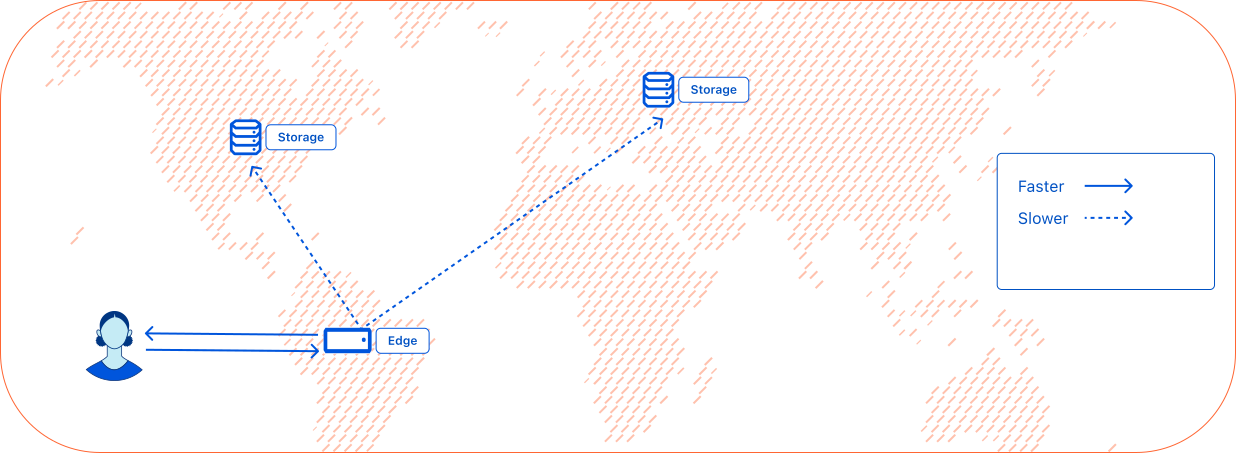
Initial reads from a location do not have a cached value. Data must be read from the nearest regional tier, followed by a central tier, degrading finally to the central stores for a truly cold global read. While the first access is slow globally, subsequent requests are faster, especially if requests are concentrated in a single region.
Hot and cold read
A hot read means that the data is cached on Cloudflare's edge network using the [CDN](https://developers.cloudflare.com/cache/), whether it is in a local cache or a regional cache. A cold read means that the data is not cached, so the data must be fetched from the central stores.
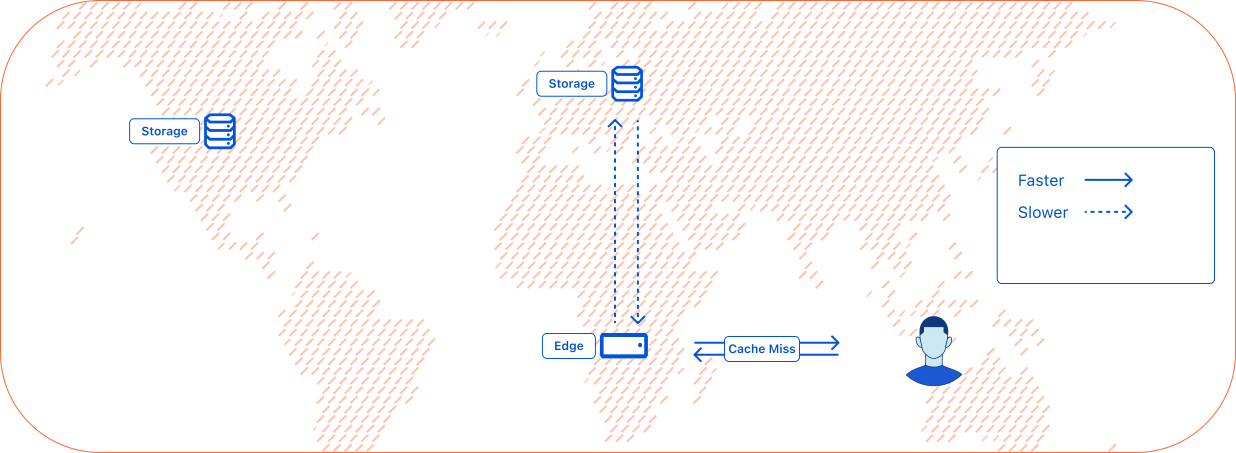
Frequent reads from the same location return the cached value without reading from anywhere else, resulting in the fastest response times. KV operates diligently to update the cached values by refreshing from upper tier caches and central data stores before cache expires in the background.
Refreshing from upper tiers and the central data stores in the background is done carefully so that assets that are being accessed continue to be kept served from the cache without any stalls.
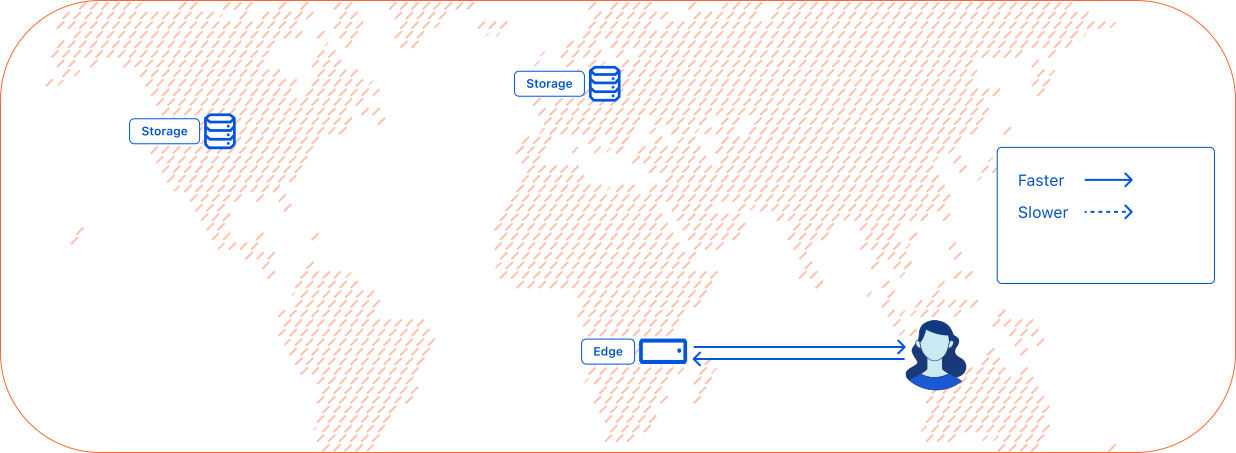
KV is optimized for high-read applications. It stores data centrally and uses a hybrid push/pull-based replication to store data in cache. KV is suitable for use cases where you need to write relatively infrequently, but read quickly and frequently. Infrequently read values are pulled from other data centers or the central stores, while more popular values are cached in the data centers they are requested from.
## Performance
To improve KV performance, increase the [`cacheTtl` parameter](https://developers.cloudflare.com/kv/api/read-key-value-pairs/#cachettl-parameter) up from its default 60 seconds.
KV achieves high performance by [caching](https://www.cloudflare.com/en-gb/learning/cdn/what-is-caching/) which makes reads eventually-consistent with writes.
Changes are usually immediately visible in the Cloudflare global network location at which they are made. Changes may take up to 60 seconds or more to be visible in other global network locations as their cached versions of the data time out.
Negative lookups indicating that the key does not exist are also cached, so the same delay exists noticing a value is created as when a value is changed.
## Consistency
KV achieves high performance by being eventually-consistent. At the Cloudflare global network location at which changes are made, these changes are usually immediately visible. However, this is not guaranteed and therefore it is not advised to rely on this behaviour. In other global network locations changes may take up to 60 seconds or more to be visible as their cached versions of the data time-out.
Visibility of changes takes longer in locations which have recently read a previous version of a given key (including reads that indicated the key did not exist, which are also cached locally).
Note
KV is not ideal for applications where you need support for atomic operations or where values must be read and written in a single transaction. If you need stronger consistency guarantees, consider using [Durable Objects](https://developers.cloudflare.com/durable-objects/).
An approach to achieve write-after-write consistency is to send all of your writes for a given KV key through a corresponding instance of a Durable Object, and then read that value from KV in other Workers. This is useful if you need more control over writes, but are satisfied with KV's read characteristics described above.
## Guidance
Workers KV is an eventually-consistent edge key-value store. That makes it ideal for **read-heavy**, highly cacheable workloads such as:
* Serving static assets
* Storing application configuration
* Storing user preferences
* Implementing allow-lists/deny-lists
* Caching
In these scenarios, Workers are invoked in a data center closest to the user and Workers KV data will be cached in that region for subsequent requests to minimize latency.
If you have a **write-heavy** [Redis](https://redis.io)-type workload where you are updating the same key tens or hundreds of times per second, KV will not be an ideal fit. If you can revisit how your application writes to single key-value pairs and spread your writes across several discrete keys, Workers KV can suit your needs. Alternatively, [Durable Objects](https://developers.cloudflare.com/durable-objects/) provides a key-value API with higher writes per key rate limits.
## Security
Refer to [Data security documentation](https://developers.cloudflare.com/kv/reference/data-security/) to understand how Workers KV secures data.
---
title: KV bindings · Cloudflare Workers KV docs
description: KV bindings allow for communication between a Worker and a KV namespace.
lastUpdated: 2026-01-29T10:38:24.000Z
chatbotDeprioritize: false
tags: Bindings
source_url:
html: https://developers.cloudflare.com/kv/concepts/kv-bindings/
md: https://developers.cloudflare.com/kv/concepts/kv-bindings/index.md
---
KV [bindings](https://developers.cloudflare.com/workers/runtime-apis/bindings/) allow for communication between a Worker and a KV namespace.
Configure KV bindings in the [Wrangler configuration file](https://developers.cloudflare.com/workers/wrangler/configuration/).
## Access KV from Workers
A [KV namespace](https://developers.cloudflare.com/kv/concepts/kv-namespaces/) is a key-value database replicated to Cloudflare's global network.
To connect to a KV namespace from within a Worker, you must define a binding that points to the namespace's ID.
The name of your binding does not need to match the KV namespace's name. Instead, the binding should be a valid JavaScript identifier, because the identifier will exist as a global variable within your Worker.
A KV namespace will have a name you choose (for example, `My tasks`), and an assigned ID (for example, `06779da6940b431db6e566b4846d64db`).
To execute your Worker, define the binding.
In the following example, the binding is called `TODO`. In the `kv_namespaces` portion of your Wrangler configuration file, add:
* wrangler.jsonc
```jsonc
{
"$schema": "./node_modules/wrangler/config-schema.json",
"name": "worker",
// ...
"kv_namespaces": [
{
"binding": "TODO",
"id": "06779da6940b431db6e566b4846d64db"
}
]
}
```
* wrangler.toml
```toml
"$schema" = "./node_modules/wrangler/config-schema.json"
name = "worker"
[[kv_namespaces]]
binding = "TODO"
id = "06779da6940b431db6e566b4846d64db"
```
With this, the deployed Worker will have a `TODO` field in their environment object (the second parameter of the `fetch()` request handler). Any methods on the `TODO` binding will map to the KV namespace with an ID of `06779da6940b431db6e566b4846d64db` – which you called `My Tasks` earlier.
```js
export default {
async fetch(request, env, ctx) {
// Get the value for the "to-do:123" key
// NOTE: Relies on the `TODO` KV binding that maps to the "My Tasks" namespace.
let value = await env.TODO.get("to-do:123");
// Return the value, as is, for the Response
return new Response(value);
},
};
```
## Use KV bindings when developing locally
When you use Wrangler to develop locally with the `wrangler dev` command, Wrangler will default to using a local version of KV to avoid interfering with any of your live production data in KV. This means that reading keys that you have not written locally will return `null`.
To have `wrangler dev` connect to your Workers KV namespace running on Cloudflare's global network, set `"remote" : true` in the KV binding configuration. Refer to the [remote bindings documentation](https://developers.cloudflare.com/workers/development-testing/#remote-bindings) for more information.
* wrangler.jsonc
```jsonc
{
"$schema": "./node_modules/wrangler/config-schema.json",
"name": "worker",
// ...
"kv_namespaces": [
{
"binding": "TODO",
"id": "06779da6940b431db6e566b4846d64db"
}
]
}
```
* wrangler.toml
```toml
"$schema" = "./node_modules/wrangler/config-schema.json"
name = "worker"
[[kv_namespaces]]
binding = "TODO"
id = "06779da6940b431db6e566b4846d64db"
```
## Access KV from Durable Objects and Workers using ES modules format
[Durable Objects](https://developers.cloudflare.com/durable-objects/) use ES modules format. Instead of a global variable, bindings are available as properties of the `env` parameter [passed to the constructor](https://developers.cloudflare.com/durable-objects/get-started/#2-write-a-durable-object-class).
An example might look like:
```js
import { DurableObject } from "cloudflare:workers";
export class MyDurableObject extends DurableObject {
constructor(ctx, env) {
super(ctx, env);
}
async fetch(request) {
const valueFromKV = await this.env.NAMESPACE.get("someKey");
return new Response(valueFromKV);
}
}
```
---
title: KV namespaces · Cloudflare Workers KV docs
description: A KV namespace is a key-value database replicated to Cloudflare’s
global network.
lastUpdated: 2026-01-29T10:38:24.000Z
chatbotDeprioritize: false
source_url:
html: https://developers.cloudflare.com/kv/concepts/kv-namespaces/
md: https://developers.cloudflare.com/kv/concepts/kv-namespaces/index.md
---
A KV namespace is a key-value database replicated to Cloudflare’s global network.
Bind your KV namespaces through Wrangler or via the Cloudflare dashboard.
Note
KV namespace IDs are public and bound to your account.
## Bind your KV namespace through Wrangler
To bind KV namespaces to your Worker, assign an array of the below object to the `kv_namespaces` key.
* `binding` string required
* The binding name used to refer to the KV namespace.
* `id` string required
* The ID of the KV namespace.
* `preview_id` string optional
* The ID of the KV namespace used during `wrangler dev`.
Example:
* wrangler.jsonc
```jsonc
{
"kv_namespaces": [
{
"binding": "",
"id": ""
}
]
}
```
* wrangler.toml
```toml
[[kv_namespaces]]
binding = ""
id = ""
```
## Bind your KV namespace via the dashboard
To bind the namespace to your Worker in the Cloudflare dashboard:
1. In the Cloudflare dashboard, go to the **Workers & Pages** page.
[Go to **Workers & Pages**](https://dash.cloudflare.com/?to=/:account/workers-and-pages)
2. Select your **Worker**.
3. Select **Settings** > **Bindings**.
4. Select **Add**.
5. Select **KV Namespace**.
6. Enter your desired variable name (the name of the binding).
7. Select the KV namespace you wish to bind the Worker to.
8. Select **Deploy**.
---
title: Cache data with Workers KV · Cloudflare Workers KV docs
description: Example of how to use Workers KV to build a distributed application
configuration store.
lastUpdated: 2026-01-30T16:08:20.000Z
chatbotDeprioritize: false
source_url:
html: https://developers.cloudflare.com/kv/examples/cache-data-with-workers-kv/
md: https://developers.cloudflare.com/kv/examples/cache-data-with-workers-kv/index.md
---
Workers KV can be used as a persistent, single, global cache accessible from Cloudflare Workers to speed up your application. Data cached in Workers KV is accessible from all other Cloudflare locations as well, and persists until expiry or deletion.
After fetching data from external resources in your Workers application, you can write the data to Workers KV. On subsequent Worker requests (in the same region or in other regions), you can read the cached data from Workers KV instead of calling the external API. This improves your Worker application's performance and resilience while reducing load on external resources.
This example shows how you can cache data in Workers KV and read cached data from Workers KV in a Worker application.
Note
You can also cache data in Workers with the [Cache API](https://developers.cloudflare.com/workers/runtime-apis/cache/). With the Cache API, the contents of the cache do not replicate outside of the originating data center and the cache is ephemeral (can be evicted).
With Workers KV, the data is persisted by default to [central stores](https://developers.cloudflare.com/kv/concepts/how-kv-works/) (or can be set to [expire](https://developers.cloudflare.com/kv/api/write-key-value-pairs/#expiring-keys), and can be accessed from other Cloudflare locations.
## Cache data in Workers KV from your Worker application
In the following `index.ts` file, the Worker fetches data from an external server and caches the response in Workers KV. If the data is already cached in Workers KV, the Worker reads the cached data from Workers KV instead of calling the external API.
* index.ts
```js
interface Env {
CACHE_KV: KVNamespace;
}
export default {
async fetch(request, env, ctx): Promise {
const EXPIRATION_TTL = 30; // Cache expiration in seconds
const url = 'https://example.com';
const cacheKey = "cache-json-example";
// Try to get data from KV cache first
let data = await env.CACHE_KV.get(cacheKey, { type: 'json' });
let fromCache = true;
// If data is not in cache, fetch it from example.com
if (!data) {
console.log('Cache miss. Fetching fresh data from example.com');
fromCache = false;
// In this example, we are fetching HTML content but it can also be API responses or any other data
const response = await fetch(url);
const htmlData = await response.text();
// In this example, we are converting HTML to JSON to demonstrate caching JSON data with Workers KV
// You could cache any type of data, or even cache the HTML data directly
data = helperConvertToJSON(htmlData);
// The expirationTtl option is used to set the expiration time for the cache entry (in seconds), otherwise it will be stored indefinitely
await env.CACHE_KV.put(cacheKey, JSON.stringify(data), { expirationTtl: EXPIRATION_TTL });
}
// Return the appropriate response format
return new Response(JSON.stringify({
data,
fromCache
}), {
headers: { 'Content-Type': 'application/json' }
});
}
} satisfies ExportedHandler;
31 collapsed lines
// Helper function to convert HTML to JSON
function helperConvertToJSON(html: string) {
// Parse HTML and extract relevant data
const title = helperExtractTitle(html);
const content = helperExtractContent(html);
const lastUpdated = new Date().toISOString();
return { title, content, lastUpdated };
}
// Helper function to extract title from HTML
function helperExtractTitle(html: string) {
const titleMatch = html.match(/(.\*?)<\/title>/i);
return titleMatch ? titleMatch[1] : 'No title found';
}
// Helper function to extract content from HTML
function helperExtractContent(html: string) {
const bodyMatch = html.match(/<body>(.\*?)<\/body>/is);
if (!bodyMatch) return 'No content found';
// Strip HTML tags for a simple text representation
const textContent = bodyMatch[1].replace(/<[^>]*>/g, ' ')
.replace(/\s+/g, ' ')
.trim();
return textContent;
}
```
* wrangler.jsonc
```json
{
"$schema": "node_modules/wrangler/config-schema.json",
"name": "<ENTER_WORKER_NAME>",
"main": "src/index.ts",
"compatibility_date": "2025-03-03",
"observability": {
"enabled": true
},
"kv_namespaces": [
{
"binding": "CACHE_KV",
"id": "<YOUR_BINDING_ID>"
}
]
}
```
This code snippet demonstrates how to read and update cached data in Workers KV from your Worker. If the data is not in the Workers KV cache, the Worker fetches the data from an external server and caches it in Workers KV.
In this example, we convert HTML to JSON to demonstrate how to cache JSON data with Workers KV, but any type of data can be cached in Workers KV. For instance, you could cache API responses, HTML content, or any other data that you want to persist across requests.
## Related resources
* [Rust support in Workers](https://developers.cloudflare.com/workers/languages/rust/).
* [Using KV in Workers](https://developers.cloudflare.com/kv/get-started/).
</page>
<page>
---
title: Build a distributed configuration store · Cloudflare Workers KV docs
description: Example of how to use Workers KV to build a distributed application
configuration store.
lastUpdated: 2026-01-27T21:11:25.000Z
chatbotDeprioritize: false
source_url:
html: https://developers.cloudflare.com/kv/examples/distributed-configuration-with-workers-kv/
md: https://developers.cloudflare.com/kv/examples/distributed-configuration-with-workers-kv/index.md
---
Storing application configuration data is an ideal use case for Workers KV. Configuration data can include data to personalize an application for each user or tenant, enable features for user groups, restrict access with allow-lists/deny-lists, etc. These use-cases can have high read volumes that are highly cacheable by Workers KV, which can ensure low-latency reads from your Workers application.
In this example, application configuration data is used to personalize the Workers application for each user. The configuration data is stored in an external application and database, and written to Workers KV using the REST API.
## Write your configuration from your external application to Workers KV
In some cases, your source-of-truth for your configuration data may be stored elsewhere than Workers KV. If this is the case, use the Workers KV REST API to write the configuration data to your Workers KV namespace.
The following external Node.js application demonstrates a simple scripts that reads user data from a database and writes it to Workers KV using the REST API library.
* index.js
```js
const postgres = require('postgres');
const { Cloudflare } = require('cloudflare');
const { backOff } = require('exponential-backoff');
if(!process.env.DATABASE_CONNECTION_STRING || !process.env.CLOUDFLARE_EMAIL || !process.env.CLOUDFLARE_API_KEY || !process.env.CLOUDFLARE_WORKERS_KV_NAMESPACE_ID || !process.env.CLOUDFLARE_ACCOUNT_ID) {
console.error('Missing required environment variables.');
process.exit(1);
}
// Setup Postgres connection
const sql = postgres(process.env.DATABASE_CONNECTION_STRING);
// Setup Cloudflare REST API client
const client = new Cloudflare({
apiEmail: process.env.CLOUDFLARE_EMAIL,
apiKey: process.env.CLOUDFLARE_API_KEY,
});
// Function to sync Postgres data to Workers KV
async function syncPreviewStatus() {
console.log('Starting sync of user preview status...');
try {
// Get all users and their preview status
const users = await sql`SELECT id, preview_features_enabled FROM users`;
console.log(users);
// Create the bulk update body
const bulkUpdateBody = users.map(user => ({
key: user.id,
value: JSON.stringify({
preview_features_enabled: user.preview_features_enabled
})
}));
const response = await backOff(async () => {
console.log("trying to update")
try{
const response = await client.kv.namespaces.bulkUpdate(process.env.CLOUDFLARE_WORKERS_KV_NAMESPACE_ID, {
account_id: process.env.CLOUDFLARE_ACCOUNT_ID,
body: bulkUpdateBody
});
}
catch(e){
// Implement your error handling and logging here
console.log(e);
throw e; // Rethrow the error to retry
}
});
console.log(`Sync complete. Updated ${users.length} users.`);
} catch (error) {
console.error('Error syncing preview status:', error);
}
}
// Run the sync function
syncPreviewStatus()
.catch(console.error)
.finally(() => process.exit(0));
```
* .env
```md
DATABASE_CONNECTION_STRING = <DB_CONNECTION_STRING_HERE>
CLOUDFLARE_EMAIL = <CLOUDFLARE_EMAIL_HERE>
CLOUDFLARE_API_KEY = <CLOUDFLARE_API_KEY_HERE>
CLOUDFLARE_ACCOUNT_ID = <CLOUDFLARE_ACCOUNT_ID_HERE>
CLOUDFLARE_WORKERS_KV_NAMESPACE_ID = <CLOUDFLARE_WORKERS_KV_NAMESPACE_ID_HERE>
```
* db.sql
```sql
-- Create users table with preview_features_enabled flag
CREATE TABLE users (
id UUID PRIMARY KEY DEFAULT gen_random_uuid(),
username VARCHAR(100) NOT NULL,
email VARCHAR(255) NOT NULL,
preview_features_enabled BOOLEAN DEFAULT false
);
-- Insert sample users
INSERT INTO users (username, email, preview_features_enabled) VALUES
('alice', 'alice@example.com', true),
('bob', 'bob@example.com', false),
('charlie', 'charlie@example.com', true);
```
In this code snippet, the Node.js application reads user data from a Postgres database and writes the user data to be used for configuration in our Workers application to Workers KV using the Cloudflare REST API Node.js library. The application also uses exponential backoff to handle retries in case of errors.
## Use configuration data from Workers KV in your Worker application
With the configuration data now in the Workers KV namespace, we can use it in our Workers application to personalize the application for each user.
* index.ts
```js
// Example configuration data stored in Workers KV:
// Key: "user-id-abc" | Value: {"preview_features_enabled": false}
// Key: "user-id-def" | Value: {"preview_features_enabled": true}
interface Env {
USER_CONFIGURATION: KVNamespace;
}
export default {
async fetch(request, env) {
// Get user ID from query parameter
const url = new URL(request.url);
const userId = url.searchParams.get('userId');
if (!userId) {
return new Response('Please provide a userId query parameter', {
status: 400,
headers: { 'Content-Type': 'text/plain' }
});
}
const userConfiguration = await env.USER_CONFIGURATION.get<{
preview_features_enabled: boolean;
}>(userId, {type: "json"});
console.log(userConfiguration);
// Build HTML response
const html = `
<!DOCTYPE html>
<html>
<head>
<title>My App
${userConfiguration?.preview_features_enabled ? `
🎉 You have early access to preview features! 🎉
` : ''}
Welcome to My App
This is the regular content everyone sees.
`;
return new Response(html, {
headers: { "Content-Type": "text/html; charset=utf-8" }
});
}
} satisfies ExportedHandler;
```
* wrangler.jsonc
```json
{
"$schema": "node_modules/wrangler/config-schema.json",
"name": "",
"main": "src/index.ts",
"compatibility_date": "2025-03-03",
"observability": {
"enabled": true
},
"kv_namespaces": [
{
"binding": "USER_CONFIGURATION",
"id": ""
}
]
}
```
This code will use the path within the URL and find the file associated to the path within the KV store. It also sets the proper MIME type in the response to inform the browser how to handle the response. To retrieve the value from the KV store, this code uses `arrayBuffer` to properly handle binary data such as images, documents, and video/audio files.
## Optimize performance for configuration
To optimize performance, you may opt to consolidate values in fewer key-value pairs. By doing so, you may benefit from higher caching efficiency and lower latency.
For example, instead of storing each user's configuration in a separate key-value pair, you may store all users' configurations in a single key-value pair. This approach may be suitable for use-cases where the configuration data is small and can be easily managed in a single key-value pair (the [size limit for a Workers KV value is 25 MiB](https://developers.cloudflare.com/kv/platform/limits/)).
## Related resources
* [Rust support in Workers](https://developers.cloudflare.com/workers/languages/rust/)
* [Using KV in Workers](https://developers.cloudflare.com/kv/get-started/)
---
title: A/B testing with Workers KV · Cloudflare Workers KV docs
lastUpdated: 2025-08-18T14:27:42.000Z
chatbotDeprioritize: false
source_url:
html: https://developers.cloudflare.com/kv/examples/implement-ab-testing-with-workers-kv/
md: https://developers.cloudflare.com/kv/examples/implement-ab-testing-with-workers-kv/index.md
---
---
title: Route requests across various web servers · Cloudflare Workers KV docs
description: Example of how to use Workers KV to build a distributed application
configuration store.
lastUpdated: 2026-01-27T21:11:25.000Z
chatbotDeprioritize: false
source_url:
html: https://developers.cloudflare.com/kv/examples/routing-with-workers-kv/
md: https://developers.cloudflare.com/kv/examples/routing-with-workers-kv/index.md
---
Using Workers KV to store routing data to route requests across various web servers with Workers is an ideal use case for Workers KV. Routing workloads can have high read volume, and Workers KV's low-latency reads can help ensure that routing decisions are made quickly and efficiently.
Routing can be helpful to route requests coming into a single Cloudflare Worker application to different web servers based on the request's path, hostname, or other request attributes.
In single-tenant applications, this can be used to route requests to various origin servers based on the business domain (for example, requests to `/admin` routed to administration server, `/store` routed to storefront server, `/api` routed to the API server).
In multi-tenant applications, requests can be routed to the tenant's respective origin resources (for example, requests to `tenantA.your-worker-hostname.com` routed to server for Tenant A, `tenantB.your-worker-hostname.com` routed to server for Tenant B).
Routing can also be used to implement [A/B testing](https://developers.cloudflare.com/reference-architecture/diagrams/serverless/a-b-testing-using-workers/), canary deployments, or [blue-green deployments](https://en.wikipedia.org/wiki/Blue%E2%80%93green_deployment) for your own external applications. If you are looking to implement canary or blue-green deployments of applications built fully on Cloudflare Workers, see [Workers gradual deployments](https://developers.cloudflare.com/workers/configuration/versions-and-deployments/gradual-deployments/).
## Route requests with Workers KV
In this example, a multi-tenant e-Commerce application is built on Cloudflare Workers. Each storefront is a different tenant and has its own external web server. Our Cloudflare Worker is responsible for receiving all requests for all storefronts and routing requests to the correct origin web server according to the storefront ID.
For simplicity of demonstration, the storefront will be identified with a path element containing the storefront ID, where `https:////...` is the URL pattern for the storefront. You may prefer to use subdomains to identify storefronts in a real-world scenario.
* index.ts
```js
// Example routing data stored in Workers KV:
// Key: "storefrontA" | Value: {"origin": "https://storefrontA-server.example.com"}
// Key: "storefrontB" | Value: {"origin": "https://storefrontB-server.example.com"}
interface Env {
ROUTING_CONFIG: KVNamespace;
}
export default {
async fetch(request, env, ctx) {
// Parse the URL to extract the storefront ID from the path
const url = new URL(request.url);
const pathParts = url.pathname.split('/').filter(part => part !== '');
// Check if a storefront ID is provided in the path, otherwise return 400
6 collapsed lines
if (pathParts.length === 0) {
return new Response('Welcome to our multi-tenant platform. Please specify a storefront ID in the URL path.', {
status: 400,
headers: { 'Content-Type': 'text/plain' }
});
}
// Extract the storefront ID from the first path segment
const storefrontId = pathParts[0];
try {
// Look up the storefront configuration in KV using env.ROUTING_CONFIG
const storefrontConfig = await env.ROUTING_CONFIG.get<{
origin: string;
}>(storefrontId, {type: "json"});
// If no configuration is found, return a 404
6 collapsed lines
if (!storefrontConfig) {
return new Response(`Storefront "${storefrontId}" not found.`, {
status: 404,
headers: { 'Content-Type': 'text/plain' }
});
}
// Construct the new URL for the origin server
// Remove the storefront ID from the path when forwarding
const newPathname = '/' + pathParts.slice(1).join('/');
const originUrl = new URL(newPathname, storefrontConfig.origin);
originUrl.search = url.search;
// Create a new request to the origin server
const originRequest = new Request(originUrl, {
method: request.method,
headers: request.headers,
body: request.body,
redirect: 'follow'
});
// Send the request to the origin server
const response = await fetch(originRequest);
console.log(response.status)
// Clone the response and add a custom header
const modifiedResponse = new Response(response.body, response);
modifiedResponse.headers.set('X-Served-By', 'Cloudflare Worker');
modifiedResponse.headers.set('X-Storefront-ID', storefrontId);
return modifiedResponse;
} catch (error) {
// Handle any errors
5 collapsed lines
console.error(`Error processing request for storefront ${storefrontId}:`, error);
return new Response('An error occurred while processing your request.', {
status: 500,
headers: { 'Content-Type': 'text/plain' }
});
}
}
} satisfies ExportedHandler;
```
* wrangler.jsonc
```json
{
"$schema": "node_modules/wrangler/config-schema.json",
"name": "",
"main": "src/index.ts",
"compatibility_date": "2025-03-03",
"observability": {
"enabled": true
},
"kv_namespaces": [
{
"binding": "ROUTING_CONFIG",
"id": ""
}
]
}
```
In this example, the Cloudflare Worker receives a request and extracts the storefront ID from the URL path. The storefront ID is used to look up the origin server URL from Workers KV using the `get()` method. The request is then forwarded to the origin server, and the response is modified to include custom headers before being returned to the client.
## Related resources
* [Rust support in Workers](https://developers.cloudflare.com/workers/languages/rust/).
* [Using KV in Workers](https://developers.cloudflare.com/kv/get-started/).
---
title: Store and retrieve static assets · Cloudflare Workers KV docs
description: Example of how to use Workers KV to store static assets
lastUpdated: 2026-02-06T10:14:51.000Z
chatbotDeprioritize: false
source_url:
html: https://developers.cloudflare.com/kv/examples/workers-kv-to-serve-assets/
md: https://developers.cloudflare.com/kv/examples/workers-kv-to-serve-assets/index.md
---
By storing static assets in Workers KV, you can retrieve these assets globally with low-latency and high throughput. You can then serve these assets directly, or use them to dynamically generate responses. This can be useful when serving files such as custom scripts, small images that fit within [KV limits](https://developers.cloudflare.com/kv/platform/limits/), or when generating dynamic HTML responses from static assets such as translations.
Note
If you need to **host a front-end or full-stack web application**, **use [Cloudflare Workers static assets](https://developers.cloudflare.com/workers/static-assets/) or [Cloudflare Pages](https://developers.cloudflare.com/pages/)**, which provide a purpose-built deployment experience for web applications and their assets.
[Workers KV](https://developers.cloudflare.com/kv/) provides a more flexible API which allows you to access, edit, and store assets directly from your [Worker](https://developers.cloudflare.com/workers/) without requiring deployments. This can be helpful for serving custom assets that are not included in your deployment bundle, such as uploaded media assets or custom scripts and files generated at runtime.
## Write static assets to Workers KV using Wrangler
To store static assets in Workers KV, you can use the [Wrangler CLI](https://developers.cloudflare.com/workers/wrangler/) (commonly used during development), the [Workers KV binding](https://developers.cloudflare.com/kv/concepts/kv-bindings/) from a Workers application, or the [Workers KV REST API](https://developers.cloudflare.com/api/resources/kv/subresources/namespaces/methods/list/) (commonly used to access Workers KV from an external application). We will demonstrate how to use the Wrangler CLI.
For this scenario, we will store a sample HTML file within our Workers KV store.
Create a new file `index.html` with the following content:
```html
Hello World!
```
We can then use the following Wrangler commands to create a KV pair for this file within our production and preview namespaces:
```sh
npx wrangler kv key put index.html --path index.html --namespace-id=
```
This will create a KV pair with the filename as key and the file content as value, within the our production and preview namespaces specified by your binding in your Wrangler file.
## Serve static assets from KV from your Worker application
In this example, our Workers application will accept any key name as the path of the HTTP request and return the value stored in the KV store for that key.
* index.ts
```js
import mime from "mime";
interface Env {
assets: KVNamespace;
}
export default {
async fetch(request, env, ctx): Promise {
// Return error if not a get request
if(request.method !== 'GET'){
return new Response('Method Not Allowed', {
status: 405,
})
}
// Get the key from the url & return error if key missing
const parsedUrl = new URL(request.url)
const key = parsedUrl.pathname.replace(/^\/+/, '') // Strip any preceding /'s
if(!key){
return new Response('Missing path in URL', {
status: 400
})
}
// Get the mimetype from the key path
const extension = key.split('.').pop();
let mimeType = mime.getType(extension) || "text/plain";
if (mimeType.startsWith("text") || mimeType === "application/javascript") {
mimeType += "; charset=utf-8";
}
// Get the value from the Workers KV store and return it if found
const value = await env.assets.get(key, 'arrayBuffer')
if(!value){
return new Response("Not found", {
status: 404
})
}
// Return the response from the Workers application with the value from the KV store
return new Response(value, {
status: 200,
headers: new Headers({
"Content-Type": mimeType
})
});
},
} satisfies ExportedHandler;
```
* wrangler.jsonc
```json
{
"$schema": "node_modules/wrangler/config-schema.json",
"name": "",
"main": "src/index.ts",
"compatibility_date": "2025-03-03",
"observability": {
"enabled": true
},
"kv_namespaces": [
{
"binding": "assets",
"id": ""
}
]
}
```
This code parses the key name for the key-value pair to fetch from the HTTP request. Then, it determines the proper MIME type for the response to inform the browser how to handle the response. To retrieve the value from the KV store, this code uses `arrayBuffer` to properly handle binary data such as images, documents, and video/audio files.
Given a sample key-value pair with key `index.html` with value containing some HTML content in our Workers KV namespace store, we can access our Workers application at `https:///index.html` to see the contents of the `index.html` file.
Try it out with an image or a document and you will see that this Worker is also properly serving those assets from KV.
## Generate dynamic responses from your key-value pairs
In addition to serving static assets, we can also generate dynamic HTML or API responses based on the values stored in our KV store.
1. Start by creating this file in the root of your project:
```json
[
{
"language_code": "en",
"message": "Hello World!"
},
{
"language_code": "es",
"message": "¡Hola Mundo!"
},
{
"language_code": "fr",
"message": "Bonjour le monde!"
},
{
"language_code": "de",
"message": "Hallo Welt!"
},
{
"language_code": "zh",
"message": "你好,世界!"
},
{
"language_code": "ja",
"message": "こんにちは、世界!"
},
{
"language_code": "hi",
"message": "नमस्ते दुनिया!"
},
{
"language_code": "ar",
"message": "مرحبا بالعالم!"
}
]
```
1. Open a terminal and enter the following KV command to create a KV entry for the translations file:
```sh
npx wrangler kv key put hello-world.json --path hello-world.json --namespace-id=
```
1. Update your Workers code to add logic to serve a translated HTML file based on the language of the Accept-Language header of the request:
* index.ts
```js
import mime from 'mime';
import parser from 'accept-language-parser'
interface Env {
assets: KVNamespace;
}
export default {
async fetch(request, env, ctx): Promise {
// Return error if not a get request
if(request.method !== 'GET'){
return new Response('Method Not Allowed', {
status: 405,
})
}
// Get the key from the url & return error if key missing
const parsedUrl = new URL(request.url)
const key = parsedUrl.pathname.replace(/^\/+/, '') // Strip any preceding /'s
if(!key){
return new Response('Missing path in URL', {
status: 400
})
}
// Add handler for translation path (with early return)
if(key === 'hello-world'){
// Retrieve the language header from the request and the translations from Workers KV
const languageHeader = request.headers.get('Accept-Language') || 'en' // Default to English
const translations : {
"language_code": string,
"message": string
}[] = await env.assets.get('hello-world.json', 'json') || [];
// Extract the requested language
const supportedLanguageCodes = translations.map(item => item.language_code)
const languageCode = parser.pick(supportedLanguageCodes, languageHeader, {
loose: true
})
// Get the message for the selected language
let selectedTranslation = translations.find(item => item.language_code === languageCode)
if(!selectedTranslation) selectedTranslation = translations.find(item => item.language_code === "en")
const helloWorldTranslated = selectedTranslation!['message'];
// Generate and return the translated html
const html = `
Hello World translation
${helloWorldTranslated}
`
return new Response(html, {
status: 200,
headers: {
'Content-Type': 'text/html; charset=utf-8'
}
})
}
// Get the mimetype from the key path
const extension = key.split('.').pop();
let mimeType = mime.getType(extension) || "text/plain";
if (mimeType.startsWith("text") || mimeType === "application/javascript") {
mimeType += "; charset=utf-8";
}
// Get the value from the Workers KV store and return it if found
const value = await env.assets.get(key, 'arrayBuffer')
if(!value){
return new Response("Not found", {
status: 404
})
}
// Return the response from the Workers application with the value from the KV store
return new Response(value, {
status: 200,
headers: new Headers({
"Content-Type": mimeType
})
});
},
} satisfies ExportedHandler;
```
* wrangler.jsonc
```json
{
"$schema": "node_modules/wrangler/config-schema.json",
"name": "",
"main": "src/index.ts",
"compatibility_date": "2025-03-03",
"observability": {
"enabled": true
},
"kv_namespaces": [
{
"binding": "assets",
"id": ""
}
]
}
```
This new code provides a specific endpoint, `/hello-world`, which will provide translated responses. When this URL is accessed, our Worker code will first retrieve the language that is requested by the client in the `Accept-Language` request header and the translations from our KV store for the `hello-world.json` key. It then gets the translated message and returns the generated HTML.
When accessing the Worker application at `https:///hello-world`, we can notice that our application is now returning the properly translated "Hello World" message.
From your browser's developer console, change the locale language (on Chromium browsers, Run `Show Sensors` to get a dropdown selection for locales). You will see that the Worker is now returning the translated message based on the locale language.
## Related resources
* [Rust support in Workers](https://developers.cloudflare.com/workers/languages/rust/).
* [Using KV in Workers](https://developers.cloudflare.com/kv/get-started/).
---
title: Metrics and analytics · Cloudflare Workers KV docs
description: KV exposes analytics that allow you to inspect requests and storage
across all namespaces in your account.
lastUpdated: 2025-09-03T16:40:54.000Z
chatbotDeprioritize: false
source_url:
html: https://developers.cloudflare.com/kv/observability/metrics-analytics/
md: https://developers.cloudflare.com/kv/observability/metrics-analytics/index.md
---
KV exposes analytics that allow you to inspect requests and storage across all namespaces in your account.
The metrics displayed in the [Cloudflare dashboard](https://dash.cloudflare.com/) charts are queried from Cloudflare’s [GraphQL Analytics API](https://developers.cloudflare.com/analytics/graphql-api/). You can access the metrics [programmatically](#query-via-the-graphql-api) via GraphQL or HTTP client.
## Metrics
KV currently exposes the below metrics:
| Dataset | GraphQL Dataset Name | Description |
| - | - | - |
| Operations | `kvOperationsAdaptiveGroups` | This dataset consists of the operations made to your KV namespaces. |
| Storage | `kvStorageAdaptiveGroups` | This dataset consists of the storage details of your KV namespaces. |
Metrics can be queried (and are retained) for the past 31 days.
## View metrics in the dashboard
Per-namespace analytics for KV are available in the Cloudflare dashboard. To view current and historical metrics for a database:
1. In the Cloudflare dashboard, go to the **Workers KV** page.
[Go to **Workers KV**](https://dash.cloudflare.com/?to=/:account/workers/kv/namespaces)
2. Select an existing namespace.
3. Select the **Metrics** tab.
You can optionally select a time window to query. This defaults to the last 24 hours.
## Query via the GraphQL API
You can programmatically query analytics for your KV namespaces via the [GraphQL Analytics API](https://developers.cloudflare.com/analytics/graphql-api/). This API queries the same datasets as the Cloudflare dashboard, and supports GraphQL [introspection](https://developers.cloudflare.com/analytics/graphql-api/features/discovery/introspection/).
To get started using the [GraphQL Analytics API](https://developers.cloudflare.com/analytics/graphql-api/), follow the documentation to setup [Authentication for the GraphQL Analytics API](https://developers.cloudflare.com/analytics/graphql-api/getting-started/authentication/).
To use the GraphQL API to retrieve KV's datasets, you must provide the `accountTag` filter with your Cloudflare Account ID. The GraphQL datasets for KV include:
* `kvOperationsAdaptiveGroups`
* `kvStorageAdaptiveGroups`
### Examples
The following are common GraphQL queries that you can use to retrieve information about KV analytics. These queries make use of variables `$accountTag`, `$date_geq`, `$date_leq`, and `$namespaceId`, which should be set as GraphQL variables or replaced in line. These variables should look similar to these:
```json
{
"accountTag": "",
"namespaceId": "",
"date_geq": "2024-07-15",
"date_leq": "2024-07-30"
}
```
#### Operations
To query the sum of read, write, delete, and list operations for a given `namespaceId` and for a given date range (`start` and `end`), grouped by `date` and `actionType`:
```graphql
query KvOperationsSample(
$accountTag: string!
$namespaceId: string
$start: Date
$end: Date
) {
viewer {
accounts(filter: { accountTag: $accountTag }) {
kvOperationsAdaptiveGroups(
filter: { namespaceId: $namespaceId, date_geq: $start, date_leq: $end }
limit: 10000
orderBy: [date_DESC]
) {
sum {
requests
}
dimensions {
date
actionType
}
}
}
}
}
```
[Run in GraphQL API Explorer](https://graphql.cloudflare.com/explorer?query=I4VwpgTgngBA0gNwPIAdIEMAuBLA9gOwGcBldAWxQBswAKAKBhgBJ0BjV3EfTAFXQHMAXDEKYI2fPwCEDZvnJhCKNmACSAE2Gjxk2U1HoImYQBEsYPWHyaYZzBYCUMAN6yE2MAHdIL2YzYcXJiENABm2JT2EMLOMAGc3HxCzPFBSTAAvk6ujLkwANbIaBBYeEQAguroKDgIYADiEJwoIX55MOGRkDEw8mSKyqxqNkx9AyoaADQwVfYA+vxgwML6mIaY07Ngc9TLzFbqmW15lNhk2MYwAIwADHc3x7m4EOqQAEJQwgDaW3MmAKLEADCAF1HtlHoxCCAyL52u0IEtwKJCJCjvDGOozlZCGVCHCMZjzGj-KwcAQeFA0GiMo9aXl6UcMkA\&variables=N4IghgxhD2CuB2AXAKmA5iAXCAggYTwHkBVAOWQH0BJAERABoR4wBbAUwGcAHSNqgEywgASgFEACgBl8oigHUqyABLU6jDojAAnREIBMABj0A2ALQGAzOYAcDEG3iDshk+asGAnCAC+QA)
To query the distribution of the latency for read operations for a given `namespaceId` within a given date range (`start`, `end`):
```graphql
query KvOperationsSample2(
$accountTag: string!
$namespaceId: string
$start: Date
$end: Date
) {
viewer {
accounts(filter: { accountTag: $accountTag }) {
kvOperationsAdaptiveGroups(
filter: {
namespaceId: $namespaceId
date_geq: $start
date_leq: $end
actionType: "read"
}
limit: 10000
) {
sum {
requests
}
dimensions {
actionType
}
quantiles {
latencyMsP25
latencyMsP50
latencyMsP75
latencyMsP90
latencyMsP99
latencyMsP999
}
}
}
}
}
```
[Run in GraphQL API Explorer](https://graphql.cloudflare.com/explorer?query=I4VwpgTgngBA0gNwPIAdIEMAuBLA9gOwGcBldAWxQBswAmACgCgYYASdAY3dxH0wBV0AcwBcMQpgjZ8ggIRNW+cmEIoOYAJIATUeMnT5LcegiZRAESxgDYfNpgXMVgJQwA3vITYwAd0hv5zBxcPJiEdABm2JSOEKKuMEHcvAIirIkhKTAAvi7uzPkwANbIaBBYeEQAgproKDgIYADiENwoYQEFMJHRkHEdnTCKZMqq7Bp2LEMjalr9nTWOAPqCYMCihpjGmHMFC2CL1GusNpo7+Rw4BHxQaKIARBBg6Jp3Z1lnlNhk2KYwAIwABiBALmuTOhBAZH8AwKj1AylCbzOmi+NkIFUI0JhgXYl3w1zQSOxoHQvCiyix2Molnw7CgAFlCAAFGgAVjOzGpjlpDOZrJB2M5NLpjKZAHZ2YKYFybCLmQBOAWCmU80Xy+Uc6XC3lM9Ua7HvAaG-LG95ZIA\&variables=N4IghgxhD2CuB2AXAKmA5iAXCAggYTwHkBVAOWQH0BJAERABoR4wBbAUwGcAHSNqgEywgASgFEACgBl8oigHUqyABLU6jDojAAnREIBMABj0A2ALQGAzOYAcDEG3iDshk+asGAnCAC+QA)
To query your account-wide read, write, delete, and list operations across all KV namespaces:
```graphql
query KvOperationsAllSample($accountTag: string!, $start: Date, $end: Date) {
viewer {
accounts(filter: { accountTag: $accountTag }) {
kvOperationsAdaptiveGroups(
filter: { date_geq: $start, date_leq: $end }
limit: 10000
) {
sum {
requests
}
dimensions {
actionType
}
}
}
}
}
```
[Run in GraphQL API Explorer](https://graphql.cloudflare.com/explorer?query=I4VwpgTgngBA0gNwPIAdIEMAuBLA9gOwGcBBAG1IGV0BbFUsACgBJ0BjV3EfTAFXQHMAXDEKYI2fPwCEAGhhNR6CJmEARLGDlMw+ACZqNAShgBvAFAwYCbGADukUxcsw2HLpkIMAZtlKZIwiYu7JzcfELyrqG8AjAAvsbmzs4A1shoEFh4RMS66Cg4CGAA4hCcKJ5OyZY+fgGmMHn+APr8YMDCCphKmHJNYM30HfI6uvFV1aTY1NgqMACMAAzLixOWiWvOhCDUjtXVEO3gooSblnFnjdM6hNmEe-vObDgEPFBolxf7X84-F3FAA\&variables=N4IghgxhD2CuB2AXAKmA5iAXCAggYTwHkBVAOWQH0BJAERABoQBnRMAJ0SxACYAGbgGwBaXgGYRADgYgApvAAmXPoJHjeAThABfIA)
#### Storage
To query the storage details (`keyCount` and `byteCount`) of a KV namespace for every day of a given date range:
```graphql
query Viewer(
$accountTag: string!
$namespaceId: string
$start: Date
$end: Date
) {
viewer {
accounts(filter: { accountTag: $accountTag }) {
kvStorageAdaptiveGroups(
filter: { date_geq: $start, date_leq: $end, namespaceId: $namespaceId }
limit: 10000
orderBy: [date_DESC]
) {
max {
keyCount
byteCount
}
dimensions {
date
}
}
}
}
}
```
[Run in GraphQL API Explorer](https://graphql.cloudflare.com/explorer?query=I4VwpgTgngBAagSzAd0gCgFAxgEgIYDGBA9iAHYAuAKngOYBcMAzhRAmbQIRa5l4C2YJgAdCYAJIATRizYceOFnggVGAETwUwCsGWkwNWjAEoYAbx4A3JKgjme2QiXIUmaAGYIANloiMzME6klDQMuEEuoTAAvqYW2AkwANaWAMoUxBB0YACCknjCFAiWYADiEKTCbg6JMJ4+kP4w+VoA+rRgwIyKFMoUADTNmmCtXp3dupKDfIIiYlLdM0KiBBKSMTWJXgj8CKowAIwADCdHmwmZkpAAQlCMANotI2oAoqkAwgC653Hn2Px4AAe9lqtSSYCg72CFD+CQARlAtFCXLDorDJDtdEwEMQyEwQaCEk9Uec0YkyRtokA\&variables=N4IghgxhD2CuB2AXAKmA5iAXCAggYTwHkBVAOWQH0BJAERABoR4wBbAUwGcAHSNqgEywgASgFEACgBl8oigHUqyABLU6jDojAAnREIBMABj0A2ALQGAzOYAcDEG3iDshk+asGAnCAC+QA)
---
title: Event subscriptions · Cloudflare Workers KV docs
description: Event subscriptions allow you to receive messages when events occur
across your Cloudflare account. Cloudflare products (e.g., KV, Workers AI,
Workers) can publish structured events to a queue, which you can then consume
with Workers or HTTP pull consumers to build custom workflows, integrations,
or logic.
lastUpdated: 2025-11-06T01:33:23.000Z
chatbotDeprioritize: false
source_url:
html: https://developers.cloudflare.com/kv/platform/event-subscriptions/
md: https://developers.cloudflare.com/kv/platform/event-subscriptions/index.md
---
[Event subscriptions](https://developers.cloudflare.com/queues/event-subscriptions/) allow you to receive messages when events occur across your Cloudflare account. Cloudflare products (e.g., [KV](https://developers.cloudflare.com/kv/), [Workers AI](https://developers.cloudflare.com/workers-ai/), [Workers](https://developers.cloudflare.com/workers/)) can publish structured events to a [queue](https://developers.cloudflare.com/queues/), which you can then consume with Workers or [HTTP pull consumers](https://developers.cloudflare.com/queues/configuration/pull-consumers/) to build custom workflows, integrations, or logic.
For more information on [Event Subscriptions](https://developers.cloudflare.com/queues/event-subscriptions/), refer to the [management guide](https://developers.cloudflare.com/queues/event-subscriptions/manage-event-subscriptions/).
## Available KV events
#### `namespace.created`
Triggered when a namespace is created.
**Example:**
```json
{
"type": "cf.kv.namespace.created",
"source": {
"type": "kv"
},
"payload": {
"id": "ns-12345678-90ab-cdef-1234-567890abcdef",
"name": "my-kv-namespace"
},
"metadata": {
"accountId": "f9f79265f388666de8122cfb508d7776",
"eventSubscriptionId": "1830c4bb612e43c3af7f4cada31fbf3f",
"eventSchemaVersion": 1,
"eventTimestamp": "2025-05-01T02:48:57.132Z"
}
}
```
#### `namespace.deleted`
Triggered when a namespace is deleted.
**Example:**
```json
{
"type": "cf.kv.namespace.deleted",
"source": {
"type": "kv"
},
"payload": {
"id": "ns-12345678-90ab-cdef-1234-567890abcdef",
"name": "my-kv-namespace"
},
"metadata": {
"accountId": "f9f79265f388666de8122cfb508d7776",
"eventSubscriptionId": "1830c4bb612e43c3af7f4cada31fbf3f",
"eventSchemaVersion": 1,
"eventTimestamp": "2025-05-01T02:48:57.132Z"
}
}
```
---
title: Limits · Cloudflare Workers KV docs
lastUpdated: 2026-02-08T13:47:49.000Z
chatbotDeprioritize: false
source_url:
html: https://developers.cloudflare.com/kv/platform/limits/
md: https://developers.cloudflare.com/kv/platform/limits/index.md
---
| Feature | Free | Paid |
| - | - | - |
| Reads | 100,000 reads per day | Unlimited |
| Writes to different keys | 1,000 writes per day | Unlimited |
| Writes to same key | 1 per second | 1 per second |
| Operations/Worker invocation [1](#user-content-fn-1) | 1000 | 1000 |
| Namespaces per account | 1,000 | 1,000 |
| Storage/account | 1 GB | Unlimited |
| Storage/namespace | 1 GB | Unlimited |
| Keys/namespace | Unlimited | Unlimited |
| Key size | 512 bytes | 512 bytes |
| Key metadata | 1024 bytes | 1024 bytes |
| Value size | 25 MiB | 25 MiB |
| Minimum [`cacheTtl`](https://developers.cloudflare.com/kv/api/read-key-value-pairs/#cachettl-parameter) [2](#user-content-fn-2) | 30 seconds | 30 seconds |
Need a higher limit?
To request an adjustment to a limit, complete the [Limit Increase Request Form](https://forms.gle/ukpeZVLWLnKeixDu7). If the limit can be increased, Cloudflare will contact you with next steps.
Free versus Paid plan pricing
Refer to [KV pricing](https://developers.cloudflare.com/kv/platform/pricing/) to review the specific KV operations you are allowed under each plan with their pricing.
Workers KV REST API limits
Using the REST API to access Cloudflare Workers KV is subject to the [rate limits that apply to all operations of the Cloudflare REST API](https://developers.cloudflare.com/fundamentals/api/reference/limits).
## Footnotes
1. Within a single invocation, a Worker can make up to 1,000 operations to external services (for example, 500 Workers KV reads and 500 R2 reads). A bulk request to Workers KV counts for 1 request to an external service. [↩](#user-content-fnref-1)
2. The maximum value is [`Number.MAX_SAFE_INTEGER`](https://developer.mozilla.org/en-US/docs/Web/JavaScript/Reference/Global_Objects/Number/MAX_SAFE_INTEGER). [↩](#user-content-fnref-2)
---
title: Pricing · Cloudflare Workers KV docs
description: Workers KV is included in both the Free and Paid Workers plans.
lastUpdated: 2026-02-06T12:01:41.000Z
chatbotDeprioritize: false
source_url:
html: https://developers.cloudflare.com/kv/platform/pricing/
md: https://developers.cloudflare.com/kv/platform/pricing/index.md
---
Workers KV is included in both the Free and Paid [Workers plans](https://developers.cloudflare.com/workers/platform/pricing/).
| | Free plan1 | Paid plan |
| - | - | - |
| Keys read | 100,000 / day | 10 million/month, + $0.50/million |
| Keys written | 1,000 / day | 1 million/month, + $5.00/million |
| Keys deleted | 1,000 / day | 1 million/month, + $5.00/million |
| List requests | 1,000 / day | 1 million/month, + $5.00/million |
| Stored data | 1 GB | 1 GB, + $0.50/ GB-month |
1 The Workers Free plan includes limited Workers KV usage. All limits reset daily at 00:00 UTC. If you exceed any one of these limits, further operations of that type will fail with an error.
Note
Workers KV pricing for read, write and delete operations is on a per-key basis. Bulk read operations are billed by the amount of keys read in a bulk read operation.
## Pricing FAQ
#### When writing via KV's [REST API](https://developers.cloudflare.com/api/resources/kv/subresources/namespaces/subresources/keys/methods/bulk_update/), how are writes charged?
Each key-value pair in the `PUT` request is counted as a single write, identical to how each call to `PUT` in the Workers API counts as a write. Writing 5,000 keys via the REST API incurs the same write costs as making 5,000 `PUT` calls in a Worker.
#### Do queries I issue from the dashboard or wrangler (the CLI) count as billable usage?
Yes, any operations via the Cloudflare dashboard or wrangler, including updating (writing) keys, deleting keys, and listing the keys in a namespace count as billable KV usage.
#### Does Workers KV charge for data transfer / egress?
No.
#### What operations incur operations charges?
All operations incur charges, including fetches for non-existent keys that return a `null` (Workers API) or `HTTP 404` (REST API). These operations still traverse KV's infrastructure.
---
title: Release notes · Cloudflare Workers KV docs
description: Subscribe to RSS
lastUpdated: 2025-03-11T16:39:16.000Z
chatbotDeprioritize: false
source_url:
html: https://developers.cloudflare.com/kv/platform/release-notes/
md: https://developers.cloudflare.com/kv/platform/release-notes/index.md
---
[Subscribe to RSS](https://developers.cloudflare.com/kv/platform/release-notes/index.xml)
## 2024-11-14
**Workers KV REST API bulk operations provide granular errors**
The REST API endpoints for bulk operations ([write](https://developers.cloudflare.com/api/resources/kv/subresources/namespaces/subresources/keys/methods/bulk_update/), [delete](https://developers.cloudflare.com/api/resources/kv/subresources/namespaces/subresources/keys/methods/bulk_delete/)) now return the keys of operations that failed during the bulk operation. The updated response bodies are documented in the [REST API documentation](https://developers.cloudflare.com/api/resources/kv/subresources/namespaces/methods/list/) and contain the following information in the `result` field:
```
{
"successful_key_count": number,
"unsuccessful_keys": string[]
}
```
The unsuccessful keys are an array of keys that were not written successfully to all storage backends and therefore should be retried.
## 2024-08-08
**New KV Analytics API**
Workers KV now has a new [metrics dashboard](https://developers.cloudflare.com/kv/observability/metrics-analytics/#view-metrics-in-the-dashboard) and [analytics API](https://developers.cloudflare.com/kv/observability/metrics-analytics/#query-via-the-graphql-api) that leverages the [GraphQL Analytics API](https://developers.cloudflare.com/analytics/graphql-api/) used by many other Cloudflare products. The new analytics API provides per-account and per-namespace metrics for both operations and storage, including latency metrics for read and write operations to Workers KV.
The legacy Workers KV analytics REST API will be turned off as of January 31st, 2025. Developers using this API will receive a series of email notifications prior to the shutdown of the legacy API.
---
title: Choose a data or storage product · Cloudflare Workers KV docs
lastUpdated: 2024-08-13T19:56:56.000Z
chatbotDeprioritize: false
source_url:
html: https://developers.cloudflare.com/kv/platform/storage-options/
md: https://developers.cloudflare.com/kv/platform/storage-options/index.md
---
---
title: Data security · Cloudflare Workers KV docs
description: "This page details the data security properties of KV, including:"
lastUpdated: 2024-08-13T19:56:56.000Z
chatbotDeprioritize: false
source_url:
html: https://developers.cloudflare.com/kv/reference/data-security/
md: https://developers.cloudflare.com/kv/reference/data-security/index.md
---
This page details the data security properties of KV, including:
* Encryption-at-rest (EAR).
* Encryption-in-transit (EIT).
* Cloudflare's compliance certifications.
## Encryption at Rest
All values stored in KV are encrypted at rest. Encryption and decryption are automatic, do not require user configuration to enable, and do not impact the effective performance of KV.
Values are only decrypted by the process executing your Worker code or responding to your API requests.
Encryption keys are managed by Cloudflare and securely stored in the same key management systems we use for managing encrypted data across Cloudflare internally.
Objects are encrypted using [AES-256](https://www.cloudflare.com/learning/ssl/what-is-encryption/), a widely tested, highly performant and industry-standard encryption algorithm. KV uses GCM (Galois/Counter Mode) as its preferred mode.
## Encryption in Transit
Data transfer between a Cloudflare Worker, and/or between nodes within the Cloudflare network and KV is secured using the same [Transport Layer Security](https://www.cloudflare.com/learning/ssl/transport-layer-security-tls/) (TLS/SSL).
API access via the HTTP API or using the [wrangler](https://developers.cloudflare.com/workers/wrangler/install-and-update/) command-line interface is also over TLS/SSL (HTTPS).
## Compliance
To learn more about Cloudflare's adherence to industry-standard security compliance certifications, refer to Cloudflare's [Trust Hub](https://www.cloudflare.com/trust-hub/compliance-resources/).
---
title: Environments · Cloudflare Workers KV docs
description: KV namespaces can be used with environments. This is useful when
you have code in your Worker that refers to a KV binding like MY_KV, and you
want to have these bindings point to different KV namespaces (for example, one
for staging and one for production).
lastUpdated: 2026-01-29T10:38:24.000Z
chatbotDeprioritize: false
source_url:
html: https://developers.cloudflare.com/kv/reference/environments/
md: https://developers.cloudflare.com/kv/reference/environments/index.md
---
KV namespaces can be used with [environments](https://developers.cloudflare.com/workers/wrangler/environments/). This is useful when you have code in your Worker that refers to a KV binding like `MY_KV`, and you want to have these bindings point to different KV namespaces (for example, one for staging and one for production).
The following code in the Wrangler file shows you how to have two environments that have two different KV namespaces but the same binding name:
* wrangler.jsonc
```jsonc
{
"env": {
"staging": {
"kv_namespaces": [
{
"binding": "MY_KV",
"id": "e29b263ab50e42ce9b637fa8370175e8"
}
]
},
"production": {
"kv_namespaces": [
{
"binding": "MY_KV",
"id": "a825455ce00f4f7282403da85269f8ea"
}
]
}
}
}
```
* wrangler.toml
```toml
[[env.staging.kv_namespaces]]
binding = "MY_KV"
id = "e29b263ab50e42ce9b637fa8370175e8"
[[env.production.kv_namespaces]]
binding = "MY_KV"
id = "a825455ce00f4f7282403da85269f8ea"
```
Using the same binding name for two different KV namespaces keeps your Worker code more readable.
In the `staging` environment, `MY_KV.get("KEY")` will read from the namespace ID `e29b263ab50e42ce9b637fa8370175e8`. In the `production` environment, `MY_KV.get("KEY")` will read from the namespace ID `a825455ce00f4f7282403da85269f8ea`.
To insert a value into a `staging` KV namespace, run:
```sh
wrangler kv key put --env=staging --binding= "" ""
```
Since `--namespace-id` is always unique (unlike binding names), you do not need to specify an `--env` argument:
```sh
wrangler kv key put --namespace-id= "" ""
```
Warning
Since version 3.60.0, Wrangler KV commands support the `kv ...` syntax. If you are using versions of Wrangler below 3.60.0, the command follows the `kv:...` syntax. Learn more about the deprecation of the `kv:...` syntax in the [Wrangler commands](https://developers.cloudflare.com/kv/reference/kv-commands/) for KV page.
Most `kv` subcommands also allow you to specify an environment with the optional `--env` flag.
Specifying an environment with the optional `--env` flag allows you to publish Workers running the same code but with different KV namespaces.
For example, you could use separate staging and production KV namespaces for KV data in your Wrangler file:
* wrangler.jsonc
```jsonc
{
"$schema": "./node_modules/wrangler/config-schema.json",
"type": "webpack",
"name": "my-worker",
"account_id": "",
"route": "staging.example.com/*",
"workers_dev": false,
"kv_namespaces": [
{
"binding": "MY_KV",
"id": "06779da6940b431db6e566b4846d64db"
}
],
"env": {
"production": {
"route": "example.com/*",
"kv_namespaces": [
{
"binding": "MY_KV",
"id": "07bc1f3d1f2a4fd8a45a7e026e2681c6"
}
]
}
}
}
```
* wrangler.toml
```toml
"$schema" = "./node_modules/wrangler/config-schema.json"
type = "webpack"
name = "my-worker"
account_id = ""
route = "staging.example.com/*"
workers_dev = false
[[kv_namespaces]]
binding = "MY_KV"
id = "06779da6940b431db6e566b4846d64db"
[env.production]
route = "example.com/*"
[[env.production.kv_namespaces]]
binding = "MY_KV"
id = "07bc1f3d1f2a4fd8a45a7e026e2681c6"
```
With the Wrangler file above, you can specify `--env production` when you want to perform a KV action on the KV namespace `MY_KV` under `env.production`.
For example, with the Wrangler file above, you can get a value out of a production KV instance with:
```sh
wrangler kv key get --binding "MY_KV" --env=production ""
```
---
title: FAQ · Cloudflare Workers KV docs
description: Frequently asked questions regarding Workers KV.
lastUpdated: 2026-02-21T14:47:01.000Z
chatbotDeprioritize: false
source_url:
html: https://developers.cloudflare.com/kv/reference/faq/
md: https://developers.cloudflare.com/kv/reference/faq/index.md
---
Frequently asked questions regarding Workers KV.
## General
### Can I use Workers KV without using Workers?
Yes, you can use Workers KV outside of Workers by using the [REST API](https://developers.cloudflare.com/api/resources/kv/) or the associated [Cloudflare SDKs](https://developers.cloudflare.com/fundamentals/api/reference/sdks/) for the REST API. It is important to note the [limits of the REST API](https://developers.cloudflare.com/fundamentals/api/reference/limits/) that apply.
### What are the key considerations when choosing how to access KV?
When choosing how to access Workers KV, consider the following:
* **Performance**: Accessing Workers KV via the [Workers Binding API](https://developers.cloudflare.com/kv/api/write-key-value-pairs/) is generally faster than using the [REST API](https://developers.cloudflare.com/api/resources/kv/), as it avoids the overhead of HTTP requests.
* **Rate Limits**: Be aware of the different rate limits for each access method. [REST API](https://developers.cloudflare.com/api/resources/kv/) has a lower write rate limit compared to Workers Binding API. Refer to [What is the rate limit of Workers KV?](https://developers.cloudflare.com/kv/reference/faq/#what-is-the-rate-limit-of-workers-kv)
### Why can I not immediately see the updated value of a key-value pair?
Workers KV heavily caches data across the Cloudflare network. Therefore, it is possible that you read a cached value for up to the [cache TTL](https://developers.cloudflare.com/kv/api/read-key-value-pairs/#cachettl-parameter) duration.
### Is Workers KV eventually consistent or strongly consistent?
Workers KV is eventually consistent.
Workers KV stores data in central stores and replicates the data to all Cloudflare locations through a hybrid push/pull replication approach. This means that the previous value of the key-value pair may be seen in a location for as long as the [cache TTL](https://developers.cloudflare.com/kv/api/read-key-value-pairs/#cachettl-parameter). This means that Workers KV is eventually consistent.
Refer to [How KV works](https://developers.cloudflare.com/kv/concepts/how-kv-works/).
### If a Worker makes a bulk request to Workers KV, would each individual key get counted against the [Worker subrequest limit (of 1000)](https://developers.cloudflare.com/kv/platform/limits/)?
No. A bulk request to Workers KV, regardless of the amount of keys included in the request, will count as a single operation. For example, you could make 500 bulk KV requests and 500 R2 requests for a total of 1000 operations.
### What is the rate limit of Workers KV?
Workers KV's rate limit differs depending on the way you access it.
Operations to Workers KV via the [REST API](https://developers.cloudflare.com/api/resources/kv/) are bound by the same [limits of the REST API](https://developers.cloudflare.com/fundamentals/api/reference/limits/). This limit is shared across all Cloudflare REST API requests.
When writing to Workers KV via the [Workers Binding API](https://developers.cloudflare.com/kv/api/write-key-value-pairs/), the write rate limit is 1 write per second, per key, unlimited across KV keys.
## Pricing
### When writing via Workers KV's [REST API](https://developers.cloudflare.com/api/resources/kv/subresources/namespaces/subresources/keys/methods/bulk_update/), how are writes charged?
Each key-value pair in the `PUT` request is counted as a single write, identical to how each call to `PUT` in the Workers API counts as a write. Writing 5,000 keys via the REST API incurs the same write costs as making 5,000 `PUT` calls in a Worker.
### Do queries I issue from the dashboard or wrangler (the CLI) count as billable usage?
Yes, any operations via the Cloudflare dashboard or wrangler, including updating (writing) keys, deleting keys, and listing the keys in a namespace count as billable Workers KV usage.
### Does Workers KV charge for data transfer / egress?
No.
### Are key expirations billed as delete operations?
No. Key expirations are not billable operations.
---
title: Wrangler KV commands · Cloudflare Workers KV docs
description: Manage Workers KV namespaces.
lastUpdated: 2024-09-05T08:56:02.000Z
chatbotDeprioritize: false
source_url:
html: https://developers.cloudflare.com/kv/reference/kv-commands/
md: https://developers.cloudflare.com/kv/reference/kv-commands/index.md
---
## `kv namespace`
Manage Workers KV namespaces.
Note
The `kv ...` commands allow you to manage your Workers KV resources in the Cloudflare network. Learn more about using Workers KV with Wrangler in the [Workers KV guide](https://developers.cloudflare.com/kv/get-started/).
Warning
Since version 3.60.0, Wrangler supports the `kv ...` syntax. If you are using versions below 3.60.0, the command follows the `kv:...` syntax. Learn more about the deprecation of the `kv:...` syntax in the [Wrangler commands](https://developers.cloudflare.com/kv/reference/kv-commands/#deprecations) for KV page.
### `kv namespace create`
Create a new namespace
* npm
```sh
npx wrangler kv namespace create [NAMESPACE]
```
* pnpm
```sh
pnpm wrangler kv namespace create [NAMESPACE]
```
* yarn
```sh
yarn wrangler kv namespace create [NAMESPACE]
```
- `[NAMESPACE]` string required
The name of the new namespace
- `--preview` boolean
Interact with a preview namespace
- `--use-remote` boolean
Use a remote binding when adding the newly created resource to your config
- `--update-config` boolean
Automatically update your config file with the newly added resource
- `--binding` string
The binding name of this resource in your Worker
Global flags
* `--v` boolean alias: --version
Show version number
* `--cwd` string
Run as if Wrangler was started in the specified directory instead of the current working directory
* `--config` string alias: --c
Path to Wrangler configuration file
* `--env` string alias: --e
Environment to use for operations, and for selecting .env and .dev.vars files
* `--env-file` string
Path to an .env file to load - can be specified multiple times - values from earlier files are overridden by values in later files
* `--experimental-provision` boolean aliases: --x-provision default: true
Experimental: Enable automatic resource provisioning
* `--experimental-auto-create` boolean alias: --x-auto-create default: true
Automatically provision draft bindings with new resources
### `kv namespace list`
Output a list of all KV namespaces associated with your account id
* npm
```sh
npx wrangler kv namespace list
```
* pnpm
```sh
pnpm wrangler kv namespace list
```
* yarn
```sh
yarn wrangler kv namespace list
```
Global flags
* `--v` boolean alias: --version
Show version number
* `--cwd` string
Run as if Wrangler was started in the specified directory instead of the current working directory
* `--config` string alias: --c
Path to Wrangler configuration file
* `--env` string alias: --e
Environment to use for operations, and for selecting .env and .dev.vars files
* `--env-file` string
Path to an .env file to load - can be specified multiple times - values from earlier files are overridden by values in later files
* `--experimental-provision` boolean aliases: --x-provision default: true
Experimental: Enable automatic resource provisioning
* `--experimental-auto-create` boolean alias: --x-auto-create default: true
Automatically provision draft bindings with new resources
### `kv namespace delete`
Delete a given namespace.
* npm
```sh
npx wrangler kv namespace delete
```
* pnpm
```sh
pnpm wrangler kv namespace delete
```
* yarn
```sh
yarn wrangler kv namespace delete
```
- `--binding` string
The binding name to the namespace to delete from
- `--namespace-id` string
The id of the namespace to delete
- `--preview` boolean
Interact with a preview namespace
- `--skip-confirmation` boolean alias: --y default: false
Skip confirmation
Global flags
* `--v` boolean alias: --version
Show version number
* `--cwd` string
Run as if Wrangler was started in the specified directory instead of the current working directory
* `--config` string alias: --c
Path to Wrangler configuration file
* `--env` string alias: --e
Environment to use for operations, and for selecting .env and .dev.vars files
* `--env-file` string
Path to an .env file to load - can be specified multiple times - values from earlier files are overridden by values in later files
* `--experimental-provision` boolean aliases: --x-provision default: true
Experimental: Enable automatic resource provisioning
* `--experimental-auto-create` boolean alias: --x-auto-create default: true
Automatically provision draft bindings with new resources
### `kv namespace rename`
Rename a KV namespace
* npm
```sh
npx wrangler kv namespace rename [OLD-NAME]
```
* pnpm
```sh
pnpm wrangler kv namespace rename [OLD-NAME]
```
* yarn
```sh
yarn wrangler kv namespace rename [OLD-NAME]
```
- `[OLD-NAME]` string
The current name (title) of the namespace to rename
- `--namespace-id` string
The id of the namespace to rename
- `--new-name` string required
The new name for the namespace
Global flags
* `--v` boolean alias: --version
Show version number
* `--cwd` string
Run as if Wrangler was started in the specified directory instead of the current working directory
* `--config` string alias: --c
Path to Wrangler configuration file
* `--env` string alias: --e
Environment to use for operations, and for selecting .env and .dev.vars files
* `--env-file` string
Path to an .env file to load - can be specified multiple times - values from earlier files are overridden by values in later files
* `--experimental-provision` boolean aliases: --x-provision default: true
Experimental: Enable automatic resource provisioning
* `--experimental-auto-create` boolean alias: --x-auto-create default: true
Automatically provision draft bindings with new resources
## `kv key`
Manage key-value pairs within a Workers KV namespace.
Note
The `kv ...` commands allow you to manage your Workers KV resources in the Cloudflare network. Learn more about using Workers KV with Wrangler in the [Workers KV guide](https://developers.cloudflare.com/kv/get-started/).
Warning
Since version 3.60.0, Wrangler supports the `kv ...` syntax. If you are using versions below 3.60.0, the command follows the `kv:...` syntax. Learn more about the deprecation of the `kv:...` syntax in the [Wrangler commands](https://developers.cloudflare.com/kv/reference/kv-commands/) for KV page.
### `kv key put`
Write a single key/value pair to the given namespace
* npm
```sh
npx wrangler kv key put [KEY] [VALUE]
```
* pnpm
```sh
pnpm wrangler kv key put [KEY] [VALUE]
```
* yarn
```sh
yarn wrangler kv key put [KEY] [VALUE]
```
- `[KEY]` string required
The key to write to
- `[VALUE]` string
The value to write
- `--path` string
Read value from the file at a given path
- `--binding` string
The binding name to the namespace to write to
- `--namespace-id` string
The id of the namespace to write to
- `--preview` boolean
Interact with a preview namespace
- `--ttl` number
Time for which the entries should be visible
- `--expiration` number
Time since the UNIX epoch after which the entry expires
- `--metadata` string
Arbitrary JSON that is associated with a key
- `--local` boolean
Interact with local storage
- `--remote` boolean
Interact with remote storage
- `--persist-to` string
Directory for local persistence
Global flags
* `--v` boolean alias: --version
Show version number
* `--cwd` string
Run as if Wrangler was started in the specified directory instead of the current working directory
* `--config` string alias: --c
Path to Wrangler configuration file
* `--env` string alias: --e
Environment to use for operations, and for selecting .env and .dev.vars files
* `--env-file` string
Path to an .env file to load - can be specified multiple times - values from earlier files are overridden by values in later files
* `--experimental-provision` boolean aliases: --x-provision default: true
Experimental: Enable automatic resource provisioning
* `--experimental-auto-create` boolean alias: --x-auto-create default: true
Automatically provision draft bindings with new resources
### `kv key list`
Output a list of all keys in a given namespace
* npm
```sh
npx wrangler kv key list
```
* pnpm
```sh
pnpm wrangler kv key list
```
* yarn
```sh
yarn wrangler kv key list
```
- `--binding` string
The binding name to the namespace to list
- `--namespace-id` string
The id of the namespace to list
- `--preview` boolean default: false
Interact with a preview namespace
- `--prefix` string
A prefix to filter listed keys
- `--local` boolean
Interact with local storage
- `--remote` boolean
Interact with remote storage
- `--persist-to` string
Directory for local persistence
Global flags
* `--v` boolean alias: --version
Show version number
* `--cwd` string
Run as if Wrangler was started in the specified directory instead of the current working directory
* `--config` string alias: --c
Path to Wrangler configuration file
* `--env` string alias: --e
Environment to use for operations, and for selecting .env and .dev.vars files
* `--env-file` string
Path to an .env file to load - can be specified multiple times - values from earlier files are overridden by values in later files
* `--experimental-provision` boolean aliases: --x-provision default: true
Experimental: Enable automatic resource provisioning
* `--experimental-auto-create` boolean alias: --x-auto-create default: true
Automatically provision draft bindings with new resources
### `kv key get`
Read a single value by key from the given namespace
* npm
```sh
npx wrangler kv key get [KEY]
```
* pnpm
```sh
pnpm wrangler kv key get [KEY]
```
* yarn
```sh
yarn wrangler kv key get [KEY]
```
- `[KEY]` string required
The key value to get.
- `--text` boolean default: false
Decode the returned value as a utf8 string
- `--binding` string
The binding name to the namespace to get from
- `--namespace-id` string
The id of the namespace to get from
- `--preview` boolean default: false
Interact with a preview namespace
- `--local` boolean
Interact with local storage
- `--remote` boolean
Interact with remote storage
- `--persist-to` string
Directory for local persistence
Global flags
* `--v` boolean alias: --version
Show version number
* `--cwd` string
Run as if Wrangler was started in the specified directory instead of the current working directory
* `--config` string alias: --c
Path to Wrangler configuration file
* `--env` string alias: --e
Environment to use for operations, and for selecting .env and .dev.vars files
* `--env-file` string
Path to an .env file to load - can be specified multiple times - values from earlier files are overridden by values in later files
* `--experimental-provision` boolean aliases: --x-provision default: true
Experimental: Enable automatic resource provisioning
* `--experimental-auto-create` boolean alias: --x-auto-create default: true
Automatically provision draft bindings with new resources
### `kv key delete`
Remove a single key value pair from the given namespace
* npm
```sh
npx wrangler kv key delete [KEY]
```
* pnpm
```sh
pnpm wrangler kv key delete [KEY]
```
* yarn
```sh
yarn wrangler kv key delete [KEY]
```
- `[KEY]` string required
The key value to delete.
- `--binding` string
The binding name to the namespace to delete from
- `--namespace-id` string
The id of the namespace to delete from
- `--preview` boolean
Interact with a preview namespace
- `--local` boolean
Interact with local storage
- `--remote` boolean
Interact with remote storage
- `--persist-to` string
Directory for local persistence
Global flags
* `--v` boolean alias: --version
Show version number
* `--cwd` string
Run as if Wrangler was started in the specified directory instead of the current working directory
* `--config` string alias: --c
Path to Wrangler configuration file
* `--env` string alias: --e
Environment to use for operations, and for selecting .env and .dev.vars files
* `--env-file` string
Path to an .env file to load - can be specified multiple times - values from earlier files are overridden by values in later files
* `--experimental-provision` boolean aliases: --x-provision default: true
Experimental: Enable automatic resource provisioning
* `--experimental-auto-create` boolean alias: --x-auto-create default: true
Automatically provision draft bindings with new resources
## `kv bulk`
Manage multiple key-value pairs within a Workers KV namespace in batches.
Note
The `kv ...` commands allow you to manage your Workers KV resources in the Cloudflare network. Learn more about using Workers KV with Wrangler in the [Workers KV guide](https://developers.cloudflare.com/kv/get-started/).
Warning
Since version 3.60.0, Wrangler supports the `kv ...` syntax. If you are using versions below 3.60.0, the command follows the `kv:...` syntax. Learn more about the deprecation of the `kv:...` syntax in the [Wrangler commands](https://developers.cloudflare.com/kv/reference/kv-commands/) for KV page.
### `kv bulk get`
Gets multiple key-value pairs from a namespace
* npm
```sh
npx wrangler kv bulk get [FILENAME]
```
* pnpm
```sh
pnpm wrangler kv bulk get [FILENAME]
```
* yarn
```sh
yarn wrangler kv bulk get [FILENAME]
```
- `[FILENAME]` string required
The file containing the keys to get
- `--binding` string
The binding name to the namespace to get from
- `--namespace-id` string
The id of the namespace to get from
- `--preview` boolean default: false
Interact with a preview namespace
- `--local` boolean
Interact with local storage
- `--remote` boolean
Interact with remote storage
- `--persist-to` string
Directory for local persistence
Global flags
* `--v` boolean alias: --version
Show version number
* `--cwd` string
Run as if Wrangler was started in the specified directory instead of the current working directory
* `--config` string alias: --c
Path to Wrangler configuration file
* `--env` string alias: --e
Environment to use for operations, and for selecting .env and .dev.vars files
* `--env-file` string
Path to an .env file to load - can be specified multiple times - values from earlier files are overridden by values in later files
* `--experimental-provision` boolean aliases: --x-provision default: true
Experimental: Enable automatic resource provisioning
* `--experimental-auto-create` boolean alias: --x-auto-create default: true
Automatically provision draft bindings with new resources
### `kv bulk put`
Upload multiple key-value pairs to a namespace
* npm
```sh
npx wrangler kv bulk put [FILENAME]
```
* pnpm
```sh
pnpm wrangler kv bulk put [FILENAME]
```
* yarn
```sh
yarn wrangler kv bulk put [FILENAME]
```
- `[FILENAME]` string required
The file containing the key/value pairs to write
- `--binding` string
The binding name to the namespace to write to
- `--namespace-id` string
The id of the namespace to write to
- `--preview` boolean
Interact with a preview namespace
- `--ttl` number
Time for which the entries should be visible
- `--expiration` number
Time since the UNIX epoch after which the entry expires
- `--metadata` string
Arbitrary JSON that is associated with a key
- `--local` boolean
Interact with local storage
- `--remote` boolean
Interact with remote storage
- `--persist-to` string
Directory for local persistence
Global flags
* `--v` boolean alias: --version
Show version number
* `--cwd` string
Run as if Wrangler was started in the specified directory instead of the current working directory
* `--config` string alias: --c
Path to Wrangler configuration file
* `--env` string alias: --e
Environment to use for operations, and for selecting .env and .dev.vars files
* `--env-file` string
Path to an .env file to load - can be specified multiple times - values from earlier files are overridden by values in later files
* `--experimental-provision` boolean aliases: --x-provision default: true
Experimental: Enable automatic resource provisioning
* `--experimental-auto-create` boolean alias: --x-auto-create default: true
Automatically provision draft bindings with new resources
### `kv bulk delete`
Delete multiple key-value pairs from a namespace
* npm
```sh
npx wrangler kv bulk delete [FILENAME]
```
* pnpm
```sh
pnpm wrangler kv bulk delete [FILENAME]
```
* yarn
```sh
yarn wrangler kv bulk delete [FILENAME]
```
- `[FILENAME]` string required
The file containing the keys to delete
- `--force` boolean alias: --f
Do not ask for confirmation before deleting
- `--binding` string
The binding name to the namespace to delete from
- `--namespace-id` string
The id of the namespace to delete from
- `--preview` boolean
Interact with a preview namespace
- `--local` boolean
Interact with local storage
- `--remote` boolean
Interact with remote storage
- `--persist-to` string
Directory for local persistence
Global flags
* `--v` boolean alias: --version
Show version number
* `--cwd` string
Run as if Wrangler was started in the specified directory instead of the current working directory
* `--config` string alias: --c
Path to Wrangler configuration file
* `--env` string alias: --e
Environment to use for operations, and for selecting .env and .dev.vars files
* `--env-file` string
Path to an .env file to load - can be specified multiple times - values from earlier files are overridden by values in later files
* `--experimental-provision` boolean aliases: --x-provision default: true
Experimental: Enable automatic resource provisioning
* `--experimental-auto-create` boolean alias: --x-auto-create default: true
Automatically provision draft bindings with new resources
## Deprecations
Below are deprecations to Wrangler commands for Workers KV.
### `kv:...` syntax deprecation
Since version 3.60.0, Wrangler supports the `kv ...` syntax. If you are using versions below 3.60.0, the command follows the `kv:...` syntax.
The `kv:...` syntax is deprecated in versions 3.60.0 and beyond and will be removed in a future major version.
For example, commands using the `kv ...` syntax look as such:
```sh
wrangler kv namespace list
wrangler kv key get
wrangler kv bulk put
```
The same commands using the `kv:...` syntax look as such:
```sh
wrangler kv:namespace list
wrangler kv:key get
wrangler kv:bulk put
```
---
title: REST API · Cloudflare Pages docs
description: The Pages API empowers you to build automations and integrate Pages
with your development workflow. At a high level, the API endpoints let you
manage deployments and builds and configure projects. Cloudflare supports
Deploy Hooks for headless CMS deployments. Refer to the API documentation for
a full breakdown of object types and endpoints.
lastUpdated: 2025-09-15T21:45:20.000Z
chatbotDeprioritize: false
source_url:
html: https://developers.cloudflare.com/pages/configuration/api/
md: https://developers.cloudflare.com/pages/configuration/api/index.md
---
The [Pages API](https://developers.cloudflare.com/api/resources/pages/subresources/projects/methods/list/) empowers you to build automations and integrate Pages with your development workflow. At a high level, the API endpoints let you manage deployments and builds and configure projects. Cloudflare supports [Deploy Hooks](https://developers.cloudflare.com/pages/configuration/deploy-hooks/) for headless CMS deployments. Refer to the [API documentation](https://api.cloudflare.com/) for a full breakdown of object types and endpoints.
## How to use the API
### Get an API token
To create an API token:
1. In the Cloudflare dashboard, go to the **Account API tokens** page.
[Go to **Account API tokens**](https://dash.cloudflare.com/?to=/:account/api-tokens)
2. Select **Create Token**.
3. You can go to **Edit Cloudflare Workers** template > **Use template** or go to **Create Custom Token** > **Get started**. If you create a custom token, you will need to make sure to add the **Cloudflare Pages** permission with **Edit** access.
### Make requests
After creating your token, you can authenticate and make requests to the API using your API token in the request headers. For example, here is an API request to get all deployments in a project.
Required API token permissions
At least one of the following [token permissions](https://developers.cloudflare.com/fundamentals/api/reference/permissions/) is required:
* `Pages Read`
* `Pages Write`
```bash
curl "https://api.cloudflare.com/client/v4/accounts/$ACCOUNT_ID/pages/projects/$PROJECT_NAME/deployments" \
--request GET \
--header "Authorization: Bearer $CLOUDFLARE_API_TOKEN"
```
Try it with one of your projects by replacing `{account_id}`, `{project_name}`, and ``. Refer to [Find your account ID](https://developers.cloudflare.com/fundamentals/account/find-account-and-zone-ids/) for more information.
## Examples
The API is even more powerful when combined with Cloudflare Workers: the easiest way to deploy serverless functions on Cloudflare's global network. The following section includes three code examples on how to use the Pages API. To build and deploy these samples, refer to the [Get started guide](https://developers.cloudflare.com/workers/get-started/guide/).
### Triggering a new build every hour
Suppose we have a CMS that pulls data from live sources to compile a static output. You can keep the static content as recent as possible by triggering new builds periodically using the API.
```js
const endpoint =
"https://api.cloudflare.com/client/v4/accounts/{account_id}/pages/projects/{project_name}/deployments";
export default {
async scheduled(_, env) {
const init = {
method: "POST",
headers: {
"Content-Type": "application/json;charset=UTF-8",
// We recommend you store the API token as a secret using the Workers dashboard or using Wrangler as documented here: https://developers.cloudflare.com/workers/wrangler/commands/#secret
Authorization: `Bearer ${env.API_TOKEN}`,
},
};
await fetch(endpoint, init);
},
};
```
After you have deployed the JavaScript Worker, set a cron trigger in your Worker to run this script periodically. Refer to [Cron Triggers](https://developers.cloudflare.com/workers/configuration/cron-triggers/) for more details.
### Deleting old deployments after a week
Cloudflare Pages hosts and serves all project deployments on preview links. Suppose you want to keep your project private and prevent access to your old deployments. You can use the API to delete deployments after a month, so that they are no longer public online. The latest deployment for a branch cannot be deleted.
```js
const endpoint =
"https://api.cloudflare.com/client/v4/accounts/{account_id}/pages/projects/{project_name}/deployments";
const expirationDays = 7;
export default {
async scheduled(_, env) {
const init = {
headers: {
"Content-Type": "application/json;charset=UTF-8",
// We recommend you store the API token as a secret using the Workers dashboard or using Wrangler as documented here: https://developers.cloudflare.com/workers/wrangler/commands/#secret
Authorization: `Bearer ${env.API_TOKEN}`,
},
};
const response = await fetch(endpoint, init);
const deployments = await response.json();
for (const deployment of deployments.result) {
// Check if the deployment was created within the last x days (as defined by `expirationDays` above)
if (
(Date.now() - new Date(deployment.created_on)) / 86400000 >
expirationDays
) {
// Delete the deployment
await fetch(`${endpoint}/${deployment.id}`, {
method: "DELETE",
headers: {
"Content-Type": "application/json;charset=UTF-8",
Authorization: `Bearer ${env.API_TOKEN}`,
},
});
}
}
},
};
```
After you have deployed the JavaScript Worker, you can set a cron trigger in your Worker to run this script periodically. Refer to the [Cron Triggers guide](https://developers.cloudflare.com/workers/configuration/cron-triggers/) for more details.
### Sharing project information
Imagine you are working on a development team using Pages to build your websites. You would want an easy way to share deployment preview links and build status without having to share Cloudflare accounts. Using the API, you can easily share project information, including deployment status and preview links, and serve this content as HTML from a Cloudflare Worker.
```js
const deploymentsEndpoint =
"https://api.cloudflare.com/client/v4/accounts/{account_id}/pages/projects/{project_name}/deployments";
const projectEndpoint =
"https://api.cloudflare.com/client/v4/accounts/{account_id}/pages/projects/{project_name}";
export default {
async fetch(request, env) {
const init = {
headers: {
"content-type": "application/json;charset=UTF-8",
// We recommend you store the API token as a secret using the Workers dashboard or using Wrangler as documented here: https://developers.cloudflare.com/workers/wrangler/commands/#secret
Authorization: `Bearer ${env.API_TOKEN}`,
},
};
const style = `body { padding: 6em; font-family: sans-serif; } h1 { color: #f6821f }`;
let content = "
`;
return new Response(html, {
headers: {
"Content-Type": "text/html;charset=UTF-8",
},
});
},
};
```
## Related resources
* [Pages API Docs](https://developers.cloudflare.com/api/resources/pages/subresources/projects/methods/list/)
* [Workers Getting Started Guide](https://developers.cloudflare.com/workers/get-started/guide/)
* [Workers Cron Triggers](https://developers.cloudflare.com/workers/configuration/cron-triggers/)
---
title: Branch deployment controls · Cloudflare Pages docs
description: When connected to your git repository, Pages allows you to control
which environments and branches you would like to automatically deploy to. By
default, Pages will trigger a deployment any time you commit to either your
production or preview environment. However, with branch deployment controls,
you can configure automatic deployments to suit your preference on a per
project basis.
lastUpdated: 2025-09-15T21:45:20.000Z
chatbotDeprioritize: false
source_url:
html: https://developers.cloudflare.com/pages/configuration/branch-build-controls/
md: https://developers.cloudflare.com/pages/configuration/branch-build-controls/index.md
---
When connected to your git repository, Pages allows you to control which environments and branches you would like to automatically deploy to. By default, Pages will trigger a deployment any time you commit to either your production or preview environment. However, with branch deployment controls, you can configure automatic deployments to suit your preference on a per project basis.
## Production branch control
Direct Upload
If your project is a [Direct Upload](https://developers.cloudflare.com/pages/get-started/direct-upload/) project, you will not have the option to configure production branch controls. To update your production branch, you will need to manually call the [Update Project](https://developers.cloudflare.com/api/resources/pages/subresources/projects/methods/edit/) endpoint in the API.
```bash
curl --request PATCH \
"https://api.cloudflare.com/client/v4/accounts/{account_id}/pages/projects/{project_name}" \
--header "Authorization: Bearer " \
--header "Content-Type: application/json" \
--data "{\"production_branch\": \"main\"}"
```
To configure deployment options, go to your Pages project > **Settings** > **Builds & deployments** > **Configure Production deployments**. Pages will default to setting your production environment to the branch you first push, but you can set your production to another branch if you choose.
You can also enable or disable automatic deployment behavior on the production branch by checking the **Enable automatic production branch deployments** box. You must save your settings in order for the new production branch controls to take effect.
## Preview branch control
When configuring automatic preview deployments, there are three options to choose from.
* **All non-Production branches**: By default, Pages will automatically deploy any and every commit to a preview branch.
* **None**: Turns off automatic builds for all preview branches.
* **Custom branches**: Customize the automatic deployments of certain preview branches.
### Custom preview branch control
By selecting **Custom branches**, you can specify branches you wish to include and exclude from automatic deployments in the provided configuration fields. The configuration fields can be filled in two ways:
* **Static branch names**: Enter the precise name of the branch you are looking to include or exclude (for example, staging or dev).
* **Wildcard syntax**: Use wildcards to match multiple branches. You can specify wildcards at the start or end of your rule. The order of execution for the configuration is (1) Excludes, (2) Includes, (3) Skip. Pages will process the exclude configuration first, then go to the include configuration. If a branch does not match either then it will be skipped.
Wildcard syntax
A wildcard (`*`) is a character that is used within rules. It can be placed alone to match anything or placed at the start or end of a rule to allow for better control over branch configuration. A wildcard will match zero or more characters.For example, if you wanted to match all branches that started with `fix/` then you would create the rule `fix/*` to match strings like `fix/1`, `fix/bugs`or `fix/`.
**Example 1:**
If you want to enforce branch prefixes such as `fix/`, `feat/`, or `chore/` with wildcard syntax, you can include and exclude certain branches with the following rules:
* Include Preview branches: `fix/*`, `feat/*`, `chore/*`
* Exclude Preview branches: \`\`
Here Pages will include any branches with the indicated prefixes and exclude everything else. In this example, the excluding option is left empty.
**Example 2:**
If you wanted to prevent [dependabot](https://github.com/dependabot) from creating a deployment for each PR it creates, you can exclude those branches with the following:
* Include Preview branches: `*`
* Exclude Preview branches: `dependabot/*`
Here Pages will include all branches except any branch starting with `dependabot`. In this example, the excluding option means any `dependabot/` branches will not be built.
**Example 3:**
If you only want to deploy release-prefixed branches, then you could use the following rules:
* Include Preview branches: `release/*`
* Exclude Preview branches: `*`
This will deploy only branches starting with `release/`.
---
title: Build caching · Cloudflare Pages docs
description: Improve Pages build times by caching dependencies and build output
between builds with a project-wide shared cache.
lastUpdated: 2025-09-17T11:00:27.000Z
chatbotDeprioritize: false
source_url:
html: https://developers.cloudflare.com/pages/configuration/build-caching/
md: https://developers.cloudflare.com/pages/configuration/build-caching/index.md
---
Improve Pages build times by caching dependencies and build output between builds with a project-wide shared cache.
The first build to occur after enabling build caching on your Pages project will save to cache. Every subsequent build will restore from cache unless configured otherwise.
## About build cache
When enabled, the build cache will automatically detect and cache data from each build. Refer to [Frameworks](https://developers.cloudflare.com/pages/configuration/build-caching/#frameworks) to review what directories are automatically saved and restored from the build cache.
### Requirements
Build caching requires the [V2 build system](https://developers.cloudflare.com/pages/configuration/build-image/#v2-build-system) or later. To update from V1, refer to the [V2 build system migration instructions](https://developers.cloudflare.com/pages/configuration/build-image/#v1-to-v2-migration).
### Package managers
Pages will cache the global cache directories of the following package managers:
| Package Manager | Directories cached |
| - | - |
| [npm](https://www.npmjs.com/) | `.npm` |
| [yarn](https://yarnpkg.com/) | `.cache/yarn` |
| [pnpm](https://pnpm.io/) | `.pnpm-store` |
| [bun](https://bun.sh/) | `.bun/install/cache` |
### Frameworks
Some frameworks provide a cache directory that is typically populated by the framework with intermediate build outputs or dependencies during build time. Pages will automatically detect the framework you are using and cache this directory for reuse in subsequent builds.
The following frameworks support build output caching:
| Framework | Directories cached |
| - | - |
| Astro | `node_modules/.astro` |
| Docusaurus | `node_modules/.cache`, `.docusaurus`, `build` |
| Eleventy | `.cache` |
| Gatsby | `.cache`, `public` |
| Next.js | `.next/cache` |
| Nuxt | `node_modules/.cache/nuxt` |
### Limits
The following limits are imposed for build caching:
* **Retention**: Cache is purged seven days after its last read date. Unread cache artifacts are purged seven days after creation.
* **Storage**: Every project is allocated 10 GB. If the project cache exceeds this limit, the project will automatically start deleting artifacts that were read least recently.
## Enable build cache
To enable build caching :
1. Go to the **Workers & Pages** in the Cloudflare dashboard.
[Go to **Workers & Pages**](https://dash.cloudflare.com/?to=/:account/workers-and-pages)
2. Find your Pages project.
3. Go to **Settings** > **Build** > **Build cache**.
4. Select **Enable** to turn on build caching.
## Clear build cache
The build cache can be cleared for a project if needed, such as when debugging build issues. To clear the build cache:
1. Go to the **Workers & Pages** in the Cloudflare dashboard.
[Go to **Workers & Pages**](https://dash.cloudflare.com/?to=/:account/workers-and-pages)
2. Find your Pages project.
3. Go to **Settings** > **Build** > **Build cache**.
4. Select **Clear Cache** to clear the build cache.
---
title: Build configuration · Cloudflare Pages docs
description: You may tell Cloudflare Pages how your site needs to be built as
well as where its output files will be located.
lastUpdated: 2025-09-15T21:45:20.000Z
chatbotDeprioritize: false
source_url:
html: https://developers.cloudflare.com/pages/configuration/build-configuration/
md: https://developers.cloudflare.com/pages/configuration/build-configuration/index.md
---
You may tell Cloudflare Pages how your site needs to be built as well as where its output files will be located.
## Build commands and directories
You should provide a build command to tell Cloudflare Pages how to build your application. For projects not listed here, consider reading the tool's documentation or framework, and submit a pull request to add it here.
Build directories indicates where your project's build command outputs the built version of your Cloudflare Pages site. Often, this defaults to the industry-standard `public`, but you may find that you need to customize it.
Understanding your build configuration
The build command is provided by your framework. For example, the Gatsby framework uses `gatsby build` as its build command. When you are working without a framework, leave the **Build command** field blank. Pages determines whether a build has succeeded or failed by reading the exit code returned from the user supplied build command. Any non-zero return code will cause a build to be marked as failed. An exit code of 0 will cause the Pages build to be marked as successful and assets will be uploaded regardless of if error logs are written to standard error.
The build directory is generated from the build command. Each framework has its own naming convention, for example, the build output directory is named `/public` for many frameworks.
The root directory is where your site’s content lives. If not specified, Cloudflare assumes that your linked git repository is the root directory. The root directory needs to be specified in cases like monorepos, where there may be multiple projects in one repository.
## Framework presets
Cloudflare maintains a list of build configurations for popular frameworks and tools. These are accessible during project creation. Below are some standard build commands and directories for popular frameworks and tools.
If you are not using a preset, use `exit 0` as your **Build command**.
| Framework/tool | Build command | Build directory |
| - | - | - |
| React (Vite) | `npm run build` | `dist` |
| Gatsby | `npx gatsby build` | `public` |
| Next.js | `npx @cloudflare/next-on-pages@1` | `.vercel/output/static` |
| Next.js (Static HTML Export) | `npx next build` | `out` |
| Nuxt.js | `npm run build` | `dist` |
| Qwik | `npm run build` | `dist` |
| Remix | `npm run build` | `build/client` |
| Svelte | `npm run build` | `public` |
| SvelteKit | `npm run build` | `.svelte-kit/cloudflare` |
| Vue | `npm run build` | `dist` |
| Analog | `npm run build` | `dist/analog/public` |
| Astro | `npm run build` | `dist` |
| Angular | `npm run build` | `dist/cloudflare` |
| Brunch | `npx brunch build --production` | `public` |
| Docusaurus | `npm run build` | `build` |
| Elder.js | `npm run build` | `public` |
| Eleventy | `npx @11ty/eleventy` | `_site` |
| Ember.js | `npx ember-cli build` | `dist` |
| GitBook | `npx gitbook-cli build` | `_book` |
| Gridsome | `npx gridsome build` | `dist` |
| Hugo | `hugo` | `public` |
| Jekyll | `jekyll build` | `_site` |
| MkDocs | `mkdocs build` | `site` |
| Pelican | `pelican content` | `output` |
| React Static | `react-static build` | `dist` |
| Slate | `./deploy.sh` | `build` |
| Umi | `npx umi build` | `dist` |
| VitePress | `npx vitepress build` | `.vitepress/dist` |
| Zola | `zola build` | `public` |
## Environment variables
If your project makes use of environment variables to build your site, you can provide custom environment variables:
1. In the Cloudflare dashboard, go to the **Workers & Pages** page.
[Go to **Workers & Pages**](https://dash.cloudflare.com/?to=/:account/workers-and-pages)
2. Select your Pages project.
3. Select **Settings** > **Environment variables**.
The following system environment variables are injected by default (but can be overridden):
| Environment Variable | Injected value | Example use-case |
| - | - | - |
| `CI` | `true` | Changing build behaviour when run on CI versus locally |
| `CF_PAGES` | `1` | Changing build behaviour when run on Pages versus locally |
| `CF_PAGES_COMMIT_SHA` | `` | Passing current commit ID to error reporting, for example, Sentry |
| `CF_PAGES_BRANCH` | `` | Customizing build based on branch, for example, disabling debug logging on `production` |
| `CF_PAGES_URL` | `` | Allowing build tools to know the URL the page will be deployed at |
---
title: Build image · Cloudflare Pages docs
description: Cloudflare Pages' build environment has broad support for a variety
of languages, such as Ruby, Node.js, Python, PHP, and Go.
lastUpdated: 2026-03-05T20:18:16.000Z
chatbotDeprioritize: false
source_url:
html: https://developers.cloudflare.com/pages/configuration/build-image/
md: https://developers.cloudflare.com/pages/configuration/build-image/index.md
---
Cloudflare Pages' build environment has broad support for a variety of languages, such as Ruby, Node.js, Python, PHP, and Go.
If you need to use a [specific version](#override-default-versions) of a language, (for example, Node.js or Ruby) you can specify it by providing an associated environment variable in your build configuration, or setting the relevant file in your source code.
## Supported languages and tools
In the following tables, review the preinstalled versions for languages and tools included in the Cloudflare Pages' build image, and the environment variables and/or files available for [overriding the preinstalled version](#override-default-versions):
### Languages and runtime
* v3
| Tool | Default version | Supported versions | Environment variable | File |
| - | - | - | - | - |
| **Go** | 1.24.3 | Any version | `GO_VERSION` | |
| **Node.js** | 22.16.0 | Any version | `NODE_VERSION` | .nvmrc, .node-version |
| **Bun** | 1.2.15 | Any version | `BUN_VERSION` | |
| **Python** | 3.13.3 | Any version | `PYTHON_VERSION` | .python-version, runtime.txt |
| **Ruby** | 3.4.4 | Any version | `RUBY_VERSION` | .ruby-version |
* v2
| Tool | Default version | Supported versions | Environment variable | File |
| - | - | - | - | - |
| **Go** | 1.21.0 | Any version | `GO_VERSION` | |
| **Node.js** | 18.17.1 | Any version | `NODE_VERSION` | .nvmrc, .node-version |
| **Bun** | 1.1.33 | Any version | `BUN_VERSION` | |
| **Python** | 3.11.5 | Any version | `PYTHON_VERSION` | .python-version, runtime.txt |
| **Ruby** | 3.2.2 | Any version | `RUBY_VERSION` | .ruby-version |
* v1
| Tool | Default version | Supported versions | Environment variable | File |
| - | - | - | - | - |
| **Clojure** | | | | |
| **Elixir** | 1.7 | 1.7 only | | |
| **Erlang** | 21 | 21 only | | |
| **Go** | 1.14.4 | Any version | `GO_VERSION` | |
| **Java** | 8 | 8 only | | |
| **Node.js** | 12.18.0 | Any version | `NODE_VERSION` | .nvmrc, .node-version |
| **PHP** | 5.6 | 5.6, 7.2, 7.4 only | `PHP_VERSION` | |
| **Python** | 2.7 | 2.7, 3.5, 3.7 only | `PYTHON_VERSION` | runtime.txt, Pipfile |
| **Ruby** | 2.7.1 | Any version between 2.6.2 and 2.7.5 | `RUBY_VERSION` | .ruby-version |
| **Swift** | 5.2.5 | Any 5.x version | `SWIFT_VERSION` | .swift-version |
| **.NET** | 3.1.302 | | | |
Any version
Under Supported versions, "Any version" refers to support for all versions of the language or tool including versions newer than the Default version.
### Tools
* v3
| Tool | Default version | Supported versions | Environment variable |
| - | - | - | - |
| **Bundler** | 2.6.9 | Corresponds with Ruby version | |
| **Embedded Dart Sass** | 1.62.1 | Up to 1.62.1 | `EMBEDDED_DART_SASS_VERSION` |
| **gem** | 3.6.9 | Corresponds with Ruby version | |
| **Hugo** | 0.147.7 | Any version | `HUGO_VERSION` |
| **npm** | 10.9.2 | Corresponds with Node.js version | |
| **pip** | 25.1.1 | Corresponds with Python version | |
| **pipx** | 1.7.1 | | |
| **pnpm** | 10.11.1 | Any version | `PNPM_VERSION` |
| **Poetry** | 2.1.3 | | |
| **Yarn** | 4.9.1 | Any version | `YARN_VERSION` |
* v2
| Tool | Default version | Supported versions | Environment variable |
| - | - | - | - |
| **Bundler** | 2.4.10 | Corresponds with Ruby version | |
| **Embedded Dart Sass** | 1.62.1 | Up to 1.62.1 | `EMBEDDED_DART_SASS_VERSION` |
| **gem** | 3.4.10 | Corresponds with Ruby version | |
| **Hugo** | 0.118.2 | Any version | `HUGO_VERSION` |
| **npm** | 9.6.7 | Corresponds with Node.js version | |
| **pip** | 23.2.1 | Corresponds with Python version | |
| **pipx** | 1.2.0 | | |
| **pnpm** | 8.7.1 | Any version | `PNPM_VERSION` |
| **Poetry** | 1.6.1 | | |
| **Yarn** | 3.6.3 | Any version | `YARN_VERSION` |
* v1
| Tool | Default version | Supported versions | Environment variable |
| - | - | - | - |
| **Boot** | 2.5.2 | 2.5.2 | |
| **Bower** | | | |
| **Cask** | | | |
| **Composer** | | | |
| **Doxygen** | 1.8.6 | | |
| **Emacs** | 25 | | |
| **Gutenberg** | (requires environment variable) | Any version | `GUTENBERG_VERSION` |
| **Hugo** | 0.54.0 | Any version | `HUGO_VERSION` |
| **GNU Make** | 3.8.1 | | |
| **ImageMagick** | 6.7.7 | | |
| **jq** | 1.5 | | |
| **Leiningen** | | | |
| **OptiPNG** | 0.6.4 | | |
| **npm** | Corresponds with Node.js version | Any version | `NPM_VERSION` |
| **pip** | Corresponds with Python version | | |
| **Pipenv** | Latest version | | |
| **sqlite3** | 3.11.0 | | |
| **Yarn** | 1.22.4 | Any version from 0.2.0 to 1.22.19 | `YARN_VERSION` |
| **Zola** | (requires environment variable) | Any version from 0.5.0 and up | `ZOLA_VERSION` |
Any version
Under Supported versions, "Any version" refers to support for all versions of the language or tool including versions newer than the Default version.
### Frameworks
To use a specific version of a framework, specify it in the project's package manager configuration file. For example, if you use Gatsby, your `package.json` should include the following:
```plaintext
"dependencies": {
"gatsby": "^5.13.7",
}
```
When your build starts, if not already [cached](https://developers.cloudflare.com/pages/configuration/build-caching/), version 5.13.7 of Gatsby will be installed using `npm install`.
## Advanced Settings
### Override default versions
To override default versions of languages and tools in the build system, you can either set the desired version through environment variables or by adding files to your project.
To set the version using environment variables, you can:
1. Find the environment variable name for the language or tool in [this table](https://developers.cloudflare.com/pages/configuration/build-image/#supported-languages-and-tools).
2. Add the environment variable on the dashboard by going to **Settings** > **Environment variables** in your Pages project, or [add the environment variable via Wrangler](https://developers.cloudflare.com/workers/configuration/environment-variables/#add-environment-variables-via-wrangler).
Or, to set the version by adding a file to your project, you can:
1. Find the file name for the language or tool in [this table](https://developers.cloudflare.com/pages/configuration/build-image/#supported-languages-and-tools).
2. Add the specified file name to the root directory of your project, and add the desired version number as the contents of the file.
For example, if you were previously relying on the default version of Node.js in the v1 build system, to migrate to v2, you must specify that you need Node.js `12.18.0` by setting a `NODE_VERSION = 12.18.0` environment variable or by adding a `.node-version` or `.nvmrc` file to your project with `12.18.0` added as the contents to the file.
### Skip dependency install
You can add the following environment variable to disable automatic dependency installation, and run a custom install command instead.
| Build variable | Value |
| - | - |
| `SKIP_DEPENDENCY_INSTALL` | `1` or `true` |
## v3 build system
The v3 build system updates the default tools, libraries and languages to their LTS versions, as of May 2025.
### v2 to v3 Migration
To migrate to this new version, configure your Pages project settings in the dashboard:
1. In the Cloudflare dashboard, go to the **Workers & Pages** page.
[Go to **Workers & Pages**](https://dash.cloudflare.com/?to=/:account/workers-and-pages)
2. Select your Pages project.
3. Go to **Deployments** > **All deployments** > and select the latest version.
If you were previously relying on the default versions of any languages or tools in the build system, your build may fail when migrating to v3. To fix this, you must specify the version you wish to use by [overriding](https://developers.cloudflare.com/pages/configuration/build-image/#overriding-default-versions) the default versions.
### Limitations
The following features are not currently supported when using the v3 build system:
* Specifying Node.js versions as codenames (for example, `hydrogen` or `lts/hydrogen`).
* Detecting Yarn version from `yarn.lock` file version.
* Detecting pnpm version detection based `pnpm-lock.yaml` file version.
* Detecting Node.js and package managers from `package.json` -> `"engines"`.
* `pipenv` and `Pipfile` support.
## Build environment
Cloudflare Pages builds are run in a [gVisor](https://gvisor.dev/docs/) container.
* v3
| | |
| - | - |
| **Build environment** | Ubuntu `22.04.2` |
| **Architecture** | x86\_64 |
* v2
| | |
| - | - |
| **Build environment** | Ubuntu `22.04.2` |
| **Architecture** | x86\_64 |
* v1
| | |
| - | - |
| **Build environment** | Ubuntu `20.04.5` |
| **Architecture** | x86\_64 |
## Build Image Policy
### Build Image Version Deprecation
If you are currently using the v1 or v2 build image, your project will be automatically moved to v3:
* **v1 build image**: If you are using the Pages v1 build image, your project will be automatically moved to v3 on September 15, 2026.
* **v2 build image**: If you are using the Pages v2 build image, your project will be automatically moved to v3 on February 23, 2027.
You will receive 6 months’ notice before the deprecation date via the [Cloudflare Changelog](https://developers.cloudflare.com/changelog/), dashboard notifications, and email.
Going forward, the v3 build image will receive rolling updates to preinstalled software per the policy below. There will be no further build image version changes.
### Preinstalled Software Updates
Preinstalled software (languages and tools) will be updated before reaching end-of-life (EOL). These updates apply only if you have not [overridden the default version](https://developers.cloudflare.com/pages/configuration/build-image/#override-default-versions).
* **Minor version updates**: May be updated to the latest available minor version without notice. For tools that do not follow semantic versioning (e.g., Bun or Hugo), updates that may contain breaking changes will receive 3 months’ notice.
* **Major version updates**: Updated to the next stable long-term support (LTS) version with 3 months’ notice.
**How you'll be notified (for changes requiring notice):**
* [Cloudflare Changelog](https://developers.cloudflare.com/changelog/)
* Dashboard notifications for projects that will receive the update
* Email notifications to project owners
To maintain a specific version and avoid automatic updates, [override the default version](https://developers.cloudflare.com/pages/configuration/build-image/#override-default-versions).
### Best Practices
To avoid unexpected build failures:
* **Monitor announcements** via the [Cloudflare Changelog](https://developers.cloudflare.com/changelog/), dashboard notifications, and email
* **Plan for migration** when you receive update notices
* **Pin specific versions** of critical preinstalled software by [overriding default versions](https://developers.cloudflare.com/pages/configuration/build-image/#override-default-versions)
---
title: Build watch paths · Cloudflare Pages docs
description: When you connect a git repository to Pages, by default a change to
any file in the repository will trigger a Pages build. You can configure Pages
to include or exclude specific paths to specify if Pages should skip a build
for a given path. This can be especially helpful if you are using a monorepo
project structure and want to limit the amount of builds being kicked off.
lastUpdated: 2026-02-13T21:29:52.000Z
chatbotDeprioritize: false
source_url:
html: https://developers.cloudflare.com/pages/configuration/build-watch-paths/
md: https://developers.cloudflare.com/pages/configuration/build-watch-paths/index.md
---
When you connect a git repository to Pages, by default a change to any file in the repository will trigger a Pages build. You can configure Pages to include or exclude specific paths to specify if Pages should skip a build for a given path. This can be especially helpful if you are using a monorepo project structure and want to limit the amount of builds being kicked off.
## Configure paths
To configure which paths are included and excluded:
1. Go to the **Workers & Pages** in the Cloudflare dashboard.
[Go to **Workers & Pages**](https://dash.cloudflare.com/?to=/:account/workers-and-pages)
2. Find your Pages project.
3. Go to **Settings** > **Build** > **Build watch paths**. Pages will default to setting your project's includes paths to everything (\[\*]) and excludes paths to nothing (`[]`).
The configuration fields can be filled in two ways:
* **Static filepaths**: Enter the precise name of the file you are looking to include or exclude (for example, `docs/README.md`).
* **Wildcard syntax:** Use wildcards to match multiple paths. You can specify wildcards at the start or end of your rule.
Wildcard syntax
A wildcard (`*`) matches zero or more characters, **including path separators (`/`)**. This means a single `*` at the end of a path pattern will match files in nested subdirectories as well. For example:
* `docs/*` matches `docs/README.md`, `docs/guides/setup.md`, and `docs/guides/advanced/config.md`.
* `*.md` matches `README.md`, `docs/README.md`, and `src/content/guide.md`.
* `*` alone matches all files in the repository.
For each path in a push event, build watch paths will be evaluated as follows:
* Paths satisfying excludes conditions are ignored first
* Any remaining paths are checked against includes conditions
* If any matching path is found, a build is triggered. Otherwise the build is skipped
Pages will bypass the path matching for a push event and default to building the project if:
* A push event contains 0 file changes, in case a user pushes an empty push event to trigger a build
* A push event contains 3000+ file changes or 20+ commits
## Examples
### Trigger builds for specific directories (monorepo)
If you want to trigger a build only when files change within specific directories, such as `project-a/` and `packages/`. Because `*` matches across path separators, this includes changes in nested subdirectories like `project-a/src/index.js` or `packages/utils/lib/helpers.ts`.
* Include paths: `project-a/*, packages/*`
* Exclude paths: \`\`
### Exclude a directory from triggering builds
If you want to trigger a build for any changes, but want to exclude changes to a certain directory, such as all changes in a `docs/` directory (including nested paths like `docs/guides/setup.md`).
* Include paths: `*`
* Exclude paths: `docs/*`
### Trigger builds for a specific filetype
If you want to trigger a build for a specific file or specific filetype, for example all `.md` files anywhere in the repository.
* Include paths: `*.md`
* Exclude paths: \`\`
### Trigger builds for a directory but exclude a subdirectory
If you want to trigger a build for changes in `src/` but want to ignore changes in `src/tests/`.
* Include paths: `src/*`
* Exclude paths: `src/tests/*`
---
title: Custom domains · Cloudflare Pages docs
description: When deploying your Pages project, you may wish to point custom
domains (or subdomains) to your site.
lastUpdated: 2026-02-24T13:06:49.000Z
chatbotDeprioritize: false
source_url:
html: https://developers.cloudflare.com/pages/configuration/custom-domains/
md: https://developers.cloudflare.com/pages/configuration/custom-domains/index.md
---
When deploying your Pages project, you may wish to point custom domains (or subdomains) to your site.
## Add a custom domain
To add a custom domain:
1. In the Cloudflare dashboard, go to the **Workers & Pages** page.
[Go to **Workers & Pages**](https://dash.cloudflare.com/?to=/:account/workers-and-pages)
2. Select your Pages project > **Custom domains**.
3. Select **Set up a domain**.
4. Provide the domain that you would like to serve your Cloudflare Pages site on and select **Continue**.
### Add a custom apex domain
If you are deploying to an apex domain (for example, `example.com`), then you will need to add your site as a Cloudflare zone and [configure your nameservers](#configure-nameservers).
#### Configure nameservers
To use a custom apex domain (for example, `example.com`) with your Pages project, [configure your nameservers to point to Cloudflare's nameservers](https://developers.cloudflare.com/dns/zone-setups/full-setup/setup/). If your nameservers are successfully pointed to Cloudflare, Cloudflare will proceed by creating a CNAME record for you.
### Add a custom subdomain
If you are deploying to a subdomain, it is not necessary for your site to be a Cloudflare zone. You will need to [add a custom CNAME record](#add-a-custom-cname-record) to point the domain to your Cloudflare Pages site. To deploy your Pages project to a custom apex domain, that custom domain must be a zone on the Cloudflare account you have created your Pages project on.
Note
If the zone is on the Enterprise plan, make sure that you [release the zone hold](https://developers.cloudflare.com/fundamentals/account/account-security/zone-holds/#release-zone-holds) before adding the custom domain. A zone hold would prevent the custom subdomain from activating.
#### Add a custom CNAME record
If you do not want to point your nameservers to Cloudflare, you must create a custom CNAME record to use a subdomain with Cloudflare Pages. After logging in to your DNS provider, add a CNAME record for your desired subdomain, for example, `shop.example.com`. This record should point to your custom Pages subdomain, for example, `.pages.dev`.
| Type | Name | Content |
| - | - | - |
| `CNAME` | `shop.example.com` | `.pages.dev` |
If your site is already managed as a Cloudflare zone, the CNAME record will be added automatically after you confirm your DNS record.
Note
To ensure a custom domain is added successfully, you must go through the [Add a custom domain](#add-a-custom-domain) process described above. Manually adding a custom CNAME record pointing to your Cloudflare Pages site - without first associating the domain (or subdomains) in the Cloudflare Pages dashboard - will result in your domain failing to resolve at the CNAME record address, and display a [`522` error](https://developers.cloudflare.com/support/troubleshooting/http-status-codes/cloudflare-5xx-errors/error-522/).
## Delete a custom domain
To detach a custom domain from your Pages project, you must modify your zone's DNS records.
1. Go to the **DNS Records** page for your website in the Cloudflare dashboard.
[Go to **Records**](https://dash.cloudflare.com/?to=/:account/:zone/dns/records)
2. Locate your Pages project's CNAME record.
3. Select **Edit**.
4. Select **Delete**.
5. In the Cloudflare dashboard, go to the **Workers & Pages** page.
[Go to **Workers & Pages**](https://dash.cloudflare.com/?to=/:account/workers-and-pages)
6. Select your Pages project.
7. Go to **Custom domains**.
8. Select the **three dot icon** next to your custom domain > **Remove domain**.
After completing these steps, your Pages project will only be accessible through the `*.pages.dev` subdomain you chose when creating your project.
## Disable access to `*.pages.dev` subdomain
To disable access to your project's provided `*.pages.dev` subdomain:
1. Use Cloudflare Access over your previews (`*.{project}.pages.dev`). Refer to [Customize preview deployments access](https://developers.cloudflare.com/pages/configuration/preview-deployments/#customize-preview-deployments-access).
2. Redirect the `*.pages.dev` URL associated with your production Pages project to a custom domain. You can use the account-level [Bulk Redirect](https://developers.cloudflare.com/rules/url-forwarding/bulk-redirects/) feature to redirect your `*.pages.dev` URL to a custom domain.
## Caching
For guidelines on caching, refer to [Caching and performance](https://developers.cloudflare.com/pages/configuration/serving-pages/#caching-and-performance).
## Known issues
### CAA records
Certification Authority Authorization (CAA) records allow you to restrict certificate issuance to specific Certificate Authorities (CAs).
This can cause issues when adding a [custom domain](https://developers.cloudflare.com/pages/configuration/custom-domains/) to your Pages project if you have CAA records that do not allow Cloudflare to issue a certificate for your custom domain.
To resolve this, add the necessary CAA records to allow Cloudflare to issue a certificate for your custom domain.
```plaintext
example.com. 300 IN CAA 0 issue "letsencrypt.org"
example.com. 300 IN CAA 0 issue "pki.goog; cansignhttpexchanges=yes"
example.com. 300 IN CAA 0 issue "ssl.com"
example.com. 300 IN CAA 0 issuewild "letsencrypt.org"
example.com. 300 IN CAA 0 issuewild "pki.goog; cansignhttpexchanges=yes"
example.com. 300 IN CAA 0 issuewild "ssl.com"
```
Refer to the [Certification Authority Authorization (CAA) FAQ](https://developers.cloudflare.com/ssl/faq/#caa-records) for more information.
### Change DNS entry away from Pages and then back again
Once a custom domain is set up, if you change the DNS entry to point to something else (for example, your origin), the custom domain will become inactive. If you then change that DNS entry to point back at your custom domain, anybody using that DNS entry to visit your website will get errors until it becomes active again. If you want to redirect traffic away from your Pages project temporarily instead of changing the DNS entry, it would be better to use an [Origin rule](https://developers.cloudflare.com/rules/origin-rules/) or a [redirect rule](https://developers.cloudflare.com/rules/url-forwarding/single-redirects/create-dashboard/) instead.
## Relevant resources
* [Debugging Pages](https://developers.cloudflare.com/pages/configuration/debugging-pages/) - Review common errors when deploying your Pages project.
---
title: Debugging Pages · Cloudflare Pages docs
description: When setting up your Pages project, you may encounter various
errors that prevent you from successfully deploying your site. This guide
gives an overview of some common errors and solutions.
lastUpdated: 2025-10-22T21:11:06.000Z
chatbotDeprioritize: false
source_url:
html: https://developers.cloudflare.com/pages/configuration/debugging-pages/
md: https://developers.cloudflare.com/pages/configuration/debugging-pages/index.md
---
When setting up your Pages project, you may encounter various errors that prevent you from successfully deploying your site. This guide gives an overview of some common errors and solutions.
## Check your build log
You can review build errors in your Pages build log. To access your build log:
1. In the Cloudflare dashboard, go to the **Workers & Pages** page.
[Go to **Workers & Pages**](https://dash.cloudflare.com/?to=/:account/workers-and-pages)
2. Select your Pages project.
3. Go to **Deployments** > **View details** > **Build log**.
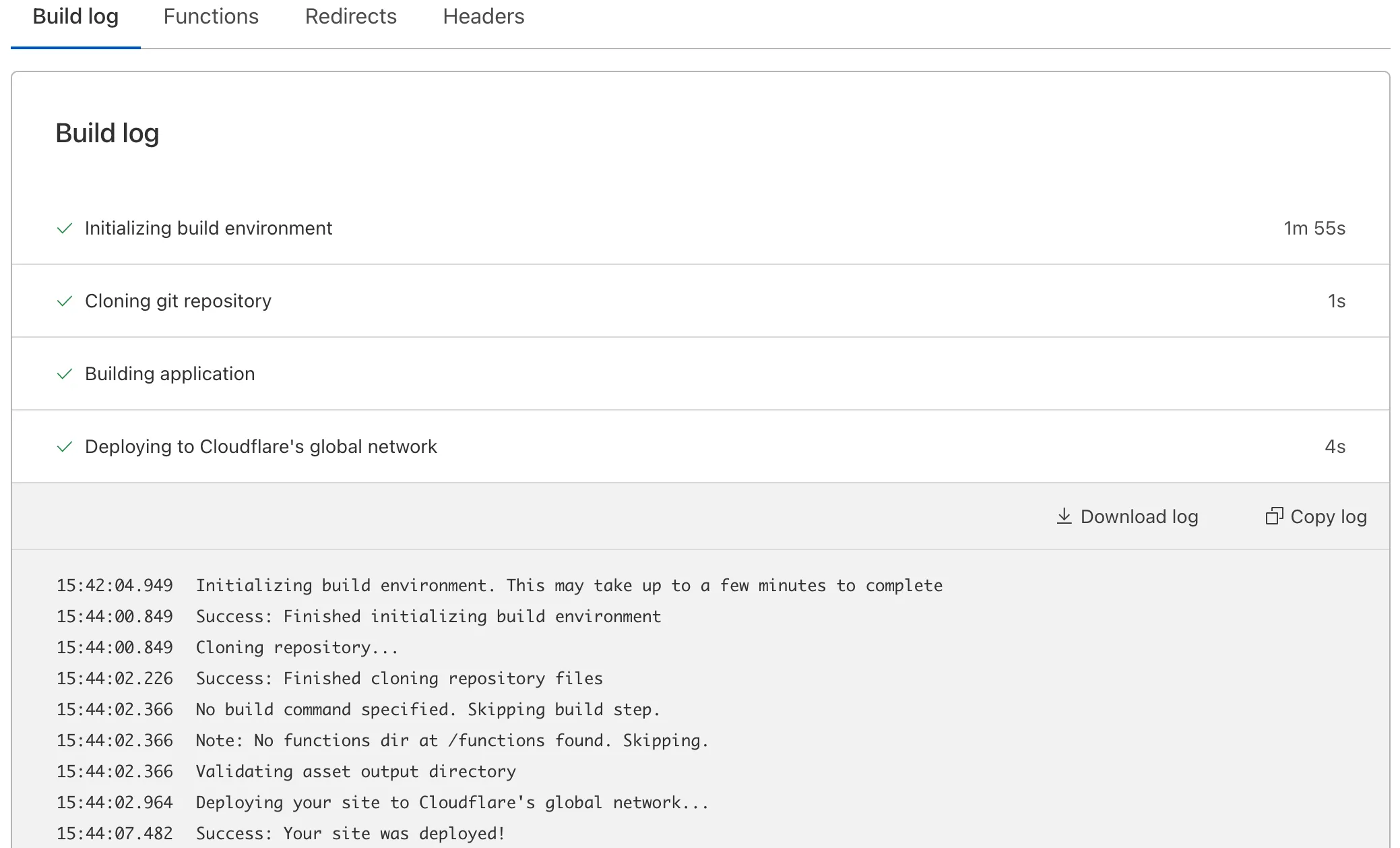
Possible errors in your build log are included in the following sections.
### Initializing build environment
Possible errors in this step could be caused by improper installation during Git integration.
To fix this in GitHub:
1. Log in to your GitHub account.
2. Go to **Settings** from your user icon > find **Applications** under Integrations.
3. Find **Cloudflare Pages** > **Configure** > scroll down and select **Uninstall**.
4. Re-authorize your GitHub user/organization on the Cloudflare dashboard.
To fix this in GitLab:
1. Log in to your GitLab account.
2. Go to **Preferences** from your user icon > **Applications**.
3. Find **Cloudflare Pages** > scroll down and select **Revoke**.
Be aware that you need a role of **Maintainer** or above to successfully link your repository, otherwise the build will fail.
### Cloning git repository
Possible errors in this step could be caused by lack of Git Large File Storage (LFS). Check your LFS usage by referring to the [GitHub](https://docs.github.com/en/billing/managing-billing-for-git-large-file-storage/viewing-your-git-large-file-storage-usage) and [GitLab](https://docs.gitlab.com/ee/topics/git/lfs/) documentation.
Make sure to also review your submodule configuration by going to the `.gitmodules` file in your root directory. This file needs to contain both a `path` and a `url` property.
Example of a valid configuration:
```js
[submodule "example"]
path = example/path
url = git://github.com/example/repo.git
```
Example of an invalid configuration:
```js
[submodule "example"]
path = example/path
```
or
```js
[submodule "example"]
url = git://github.com/example/repo.git
```
### Building application
Possible errors in this step could be caused by faulty setup in your Pages project. Review your build command, output folder and environment variables for any incorrect configuration.
Note
Make sure there are no emojis or special characters as part of your commit message in a Pages project that is integrated with GitHub or GitLab as it can potentially cause issues when building the project.
### Deploying to Cloudflare's global network
Possible errors in this step could be caused by incorrect Pages Functions configuration. Refer to the [Functions](https://developers.cloudflare.com/pages/functions/) documentation for more information on Functions setup.
If you are not using Functions or have reviewed that your Functions configuration does not contain any errors, review the [Cloudflare Status site](https://www.cloudflarestatus.com/) for Cloudflare network issues that could be causing the build failure.
## Differences between `pages.dev` and custom domains
If your custom domain is proxied (orange-clouded) through Cloudflare, your zone's settings, like caching, will apply.
If you are experiencing issues with new content not being shown, go to **Rules** > **Page Rules** in the Cloudflare dashboard and check for a Page Rule with **Cache Everything** enabled. If present, remove this rule as Pages handles its own cache.
If you are experiencing errors on your custom domain but not on your `pages.dev` domain, go to **DNS** > **Records** in the Cloudflare dashboard and set the DNS record for your project to be **DNS Only** (grey cloud). If the error persists, review your zone's configuration.
## Domain stuck in verification
If your [custom domain](https://developers.cloudflare.com/pages/configuration/custom-domains/) has not moved from the **Verifying** stage in the Cloudflare dashboard, refer to the following debugging steps.
### Blocked HTTP validation
Pages uses HTTP validation and needs to hit an HTTP endpoint during validation. If another Cloudflare product is in the way (such as [Access](https://developers.cloudflare.com/cloudflare-one/access-controls/policies/), [a redirect](https://developers.cloudflare.com/rules/url-forwarding/), [a Worker](https://developers.cloudflare.com/workers/), etc.), validation cannot be completed.
To check this, run a `curl` command against your domain hitting `/.well-known/acme-challenge/randomstring`. For example:
```sh
curl -I https://example.com/.well-known/acme-challenge/randomstring
```
```sh
HTTP/2 302
date: Mon, 03 Apr 2023 08:37:39 GMT
location: https://example.cloudflareaccess.com/cdn-cgi/access/login/example.com?kid=...&redirect_url=%2F.well-known%2Facme-challenge%2F...
access-control-allow-credentials: true
cache-control: private, max-age=0, no-store, no-cache, must-revalidate, post-check=0, pre-check=0
server: cloudflare
cf-ray: 7b1ffdaa8ad60693-MAN
```
In the example above, you are redirecting to Cloudflare Access (as shown by the `Location` header). In this case, you need to disable Access over the domain until the domain is verified. After the domain is verified, Access can be re-enabled.
You will need to do the same kind of thing for Redirect Rules or a Worker example too.
### Missing CAA records
If nothing is blocking the HTTP validation, then you may be missing Certification Authority Authorization (CAA) records. This is likely if you have disabled [Universal SSL](https://developers.cloudflare.com/ssl/edge-certificates/universal-ssl/) or use an external provider.
To check this, run a `dig` on the custom domain's apex (or zone, if this is a [subdomain zone](https://developers.cloudflare.com/dns/zone-setups/subdomain-setup/)). For example:
```sh
dig CAA example.com
```
```sh
; <<>> DiG 9.10.6 <<>> CAA example.com
;; global options: +cmd
;; Got answer:
;; ->>HEADER<<- opcode: QUERY, status: NOERROR, id: 59018
;; flags: qr rd ra; QUERY: 1, ANSWER: 1, AUTHORITY: 0, ADDITIONAL: 1
;; OPT PSEUDOSECTION:
; EDNS: version: 0, flags:; udp: 4096
;; QUESTION SECTION:
;example.com. IN CAA
;; ANSWER SECTION:
example.com. 300 IN CAA 0 issue "amazon.com"
;; Query time: 92 msec
;; SERVER: 127.0.2.2#53(127.0.2.2)
;; WHEN: Mon Apr 03 10:15:51 BST 2023
;; MSG SIZE rcvd: 76
```
In the above example, there is only a single CAA record which is allowing Amazon to issue ceritficates.
To resolve this, you will need to add the following CAA records which allows all of the Certificate Authorities (CAs) Cloudflare uses to issue certificates:
```plaintext
example.com. 300 IN CAA 0 issue "letsencrypt.org"
example.com. 300 IN CAA 0 issue "pki.goog; cansignhttpexchanges=yes"
example.com. 300 IN CAA 0 issue "ssl.com"
example.com. 300 IN CAA 0 issuewild "letsencrypt.org"
example.com. 300 IN CAA 0 issuewild "pki.goog; cansignhttpexchanges=yes"
example.com. 300 IN CAA 0 issuewild "ssl.com"
```
### Zone holds
A [zone hold](https://developers.cloudflare.com/fundamentals/account/account-security/zone-holds/) will prevent Pages from adding a custom domain for a hostname under a zone hold.
To add a custom domain for a hostname with a zone hold, temporarily [release the zone hold](https://developers.cloudflare.com/fundamentals/account/account-security/zone-holds/#release-zone-holds) during the custom domain setup process.
Once the custom domain has been successfully completed, you may [reinstate the zone hold](https://developers.cloudflare.com/fundamentals/account/account-security/zone-holds/#enable-zone-holds).
Still having issues
If you have done the steps above and your domain is still verifying after 15 minutes, join our [Discord](https://discord.cloudflare.com) for support or contact our support team through the [Support Portal](https://dash.cloudflare.com/?to=/:account/support).
### Missing `index.html` on the root `pages.dev` URL
If you see a `404` error on the root `pages.dev` URL (`example.pages.dev`), you are likely missing an `index.html` file in your project.
Upload an `index.html` file to resolve this issue.
## Resources
If you need additional guidance on build errors, contact your Cloudflare account team (Enterprise) or refer to the [Support Center](https://developers.cloudflare.com/support/contacting-cloudflare-support/) for guidance on contacting Cloudflare Support.
You can also ask questions in the Pages section of the [Cloudflare Developers Discord](https://discord.com/invite/cloudflaredev).
---
title: Deploy Hooks · Cloudflare Pages docs
description: "With Deploy Hooks, you can trigger deployments using event sources
beyond commits in your source repository. Each event source may obtain its own
unique URL, which will receive HTTP POST requests in order to initiate new
deployments. This feature allows you to integrate Pages with new or existing
workflows. For example, you may:"
lastUpdated: 2025-09-15T21:45:20.000Z
chatbotDeprioritize: false
source_url:
html: https://developers.cloudflare.com/pages/configuration/deploy-hooks/
md: https://developers.cloudflare.com/pages/configuration/deploy-hooks/index.md
---
With Deploy Hooks, you can trigger deployments using event sources beyond commits in your source repository. Each event source may obtain its own unique URL, which will receive HTTP POST requests in order to initiate new deployments. This feature allows you to integrate Pages with new or existing workflows. For example, you may:
* Automatically deploy new builds whenever content in a Headless CMS changes
* Implement a fully customized CI/CD pipeline, deploying only under desired conditions
* Schedule a CRON trigger to update your website on a fixed timeline
To create a Deploy Hook:
1. In the Cloudflare dashboard, go to the **Workers & Pages** page.
[Go to **Workers & Pages**](https://dash.cloudflare.com/?to=/:account/workers-and-pages)
2. Select your Pages project.
3. Go to **Settings** > **Builds** and select **Add deploy hook** to start configuration.
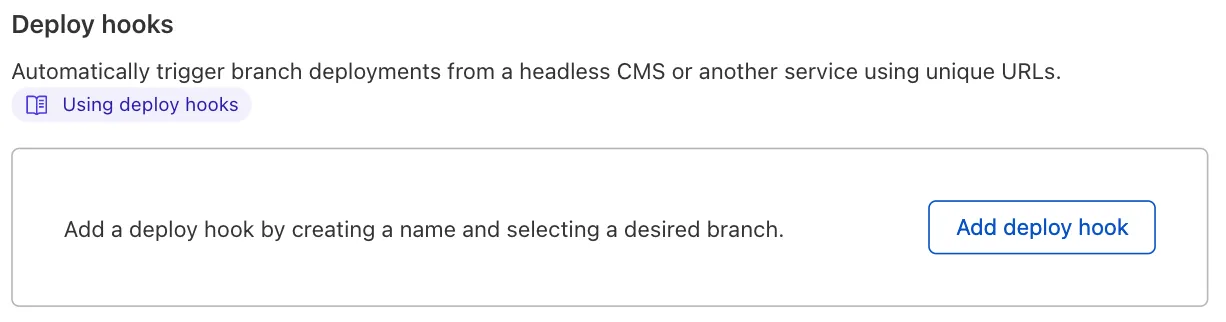
## Parameters needed
To configure your Deploy Hook, you must enter two key parameters:
1. **Deploy hook name:** a unique identifier for your Deploy Hook (for example, `contentful-site`)
2. **Branch to build:** the repository branch your Deploy Hook should build
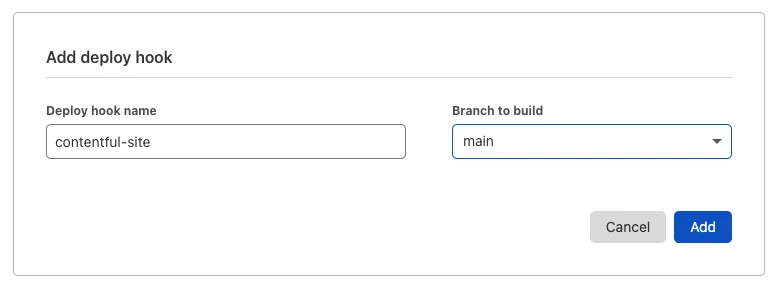
## Using your Deploy Hook
Once your configuration is complete, the Deploy Hook’s unique URL is ready to be used. You will see both the URL as well as the POST request snippet available to copy.
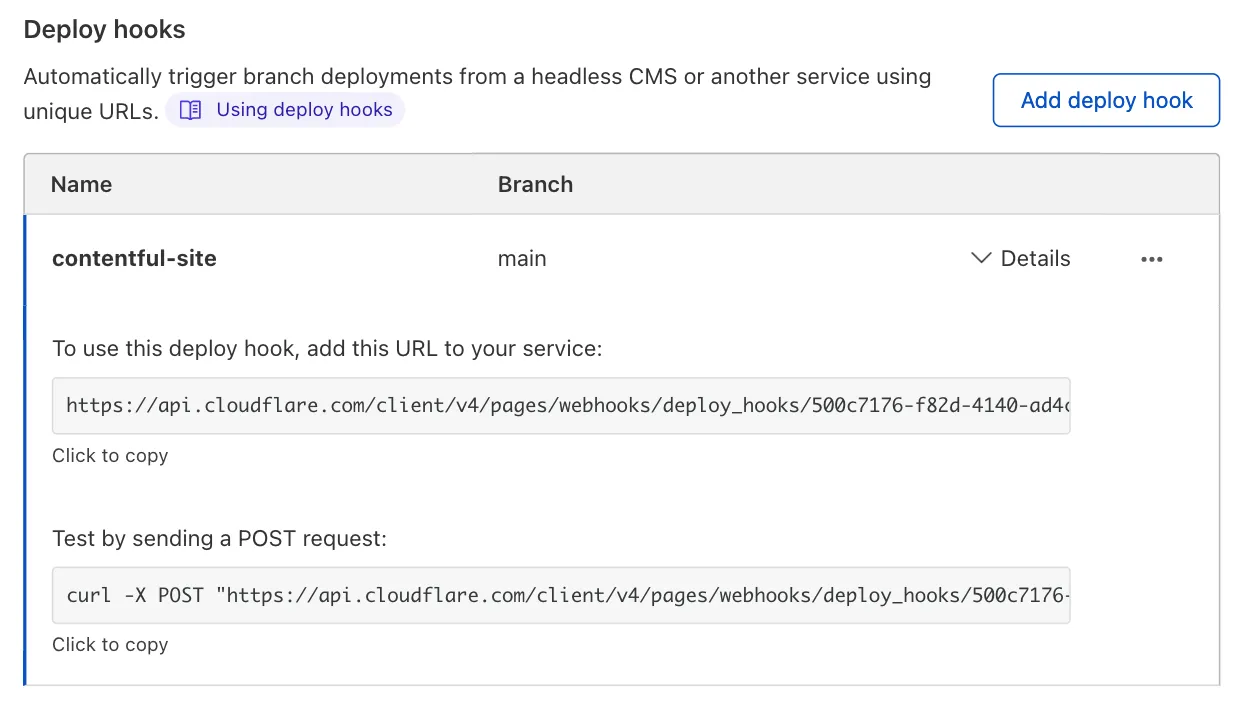
Every time a request is sent to your Deploy Hook, a new build will be triggered. Review the **Source** column of your deployment log to see which deployment were triggered by a Deploy Hook.
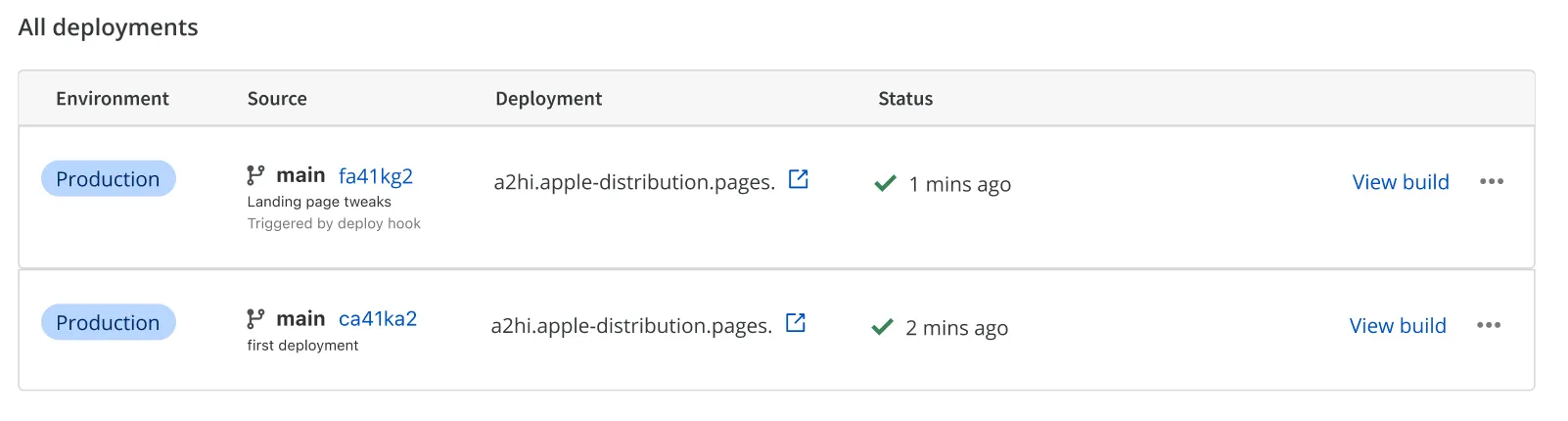
## Security Considerations
Deploy Hooks are uniquely linked to your project and do not require additional authentication to be used. While this does allow for complete flexibility, it is important that you protect these URLs in the same way you would safeguard any proprietary information or application secret.
If you suspect unauthorized usage of a Deploy Hook, you should delete the Deploy Hook and generate a new one in its place.
## Integrating Deploy Hooks with common CMS platforms
Every CMS provider is different and will offer different pathways in integrating with Pages' Deploy Hooks. The following section contains step-by-step instructions for a select number of popular CMS platforms.
### Contentful
Contentful supports integration with Cloudflare Pages via its **Webhooks** feature. In your Contentful project settings, go to **Webhooks**, create a new Webhook, and paste in your unique Deploy Hook URL in the **URL** field. Optionally, you can specify events that the Contentful Webhook should forward. By default, Contentful will trigger a Pages deployment on all project activity, which may be a bit too frequent. You can filter for specific events, such as Create, Publish, and many others.
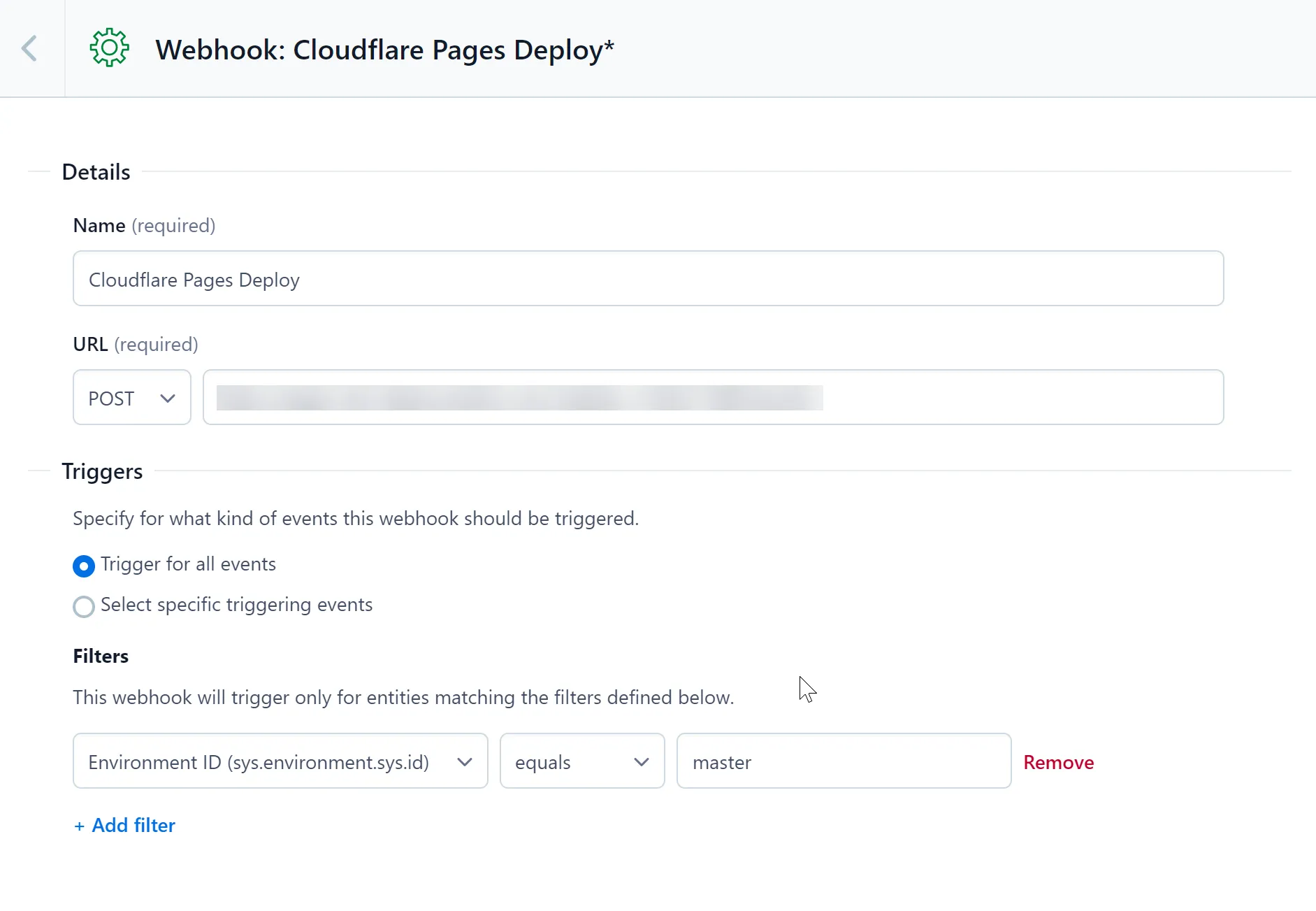
### Ghost
You can configure your Ghost website to trigger Pages deployments by creating a new **Custom Integration**. In your Ghost website’s settings, create a new Custom Integration in the **Integrations** page.
Each custom integration created can have multiple **webhooks** attached to it. Create a new webhook by selecting **Add webhook** and **Site changed (rebuild)** as the **Event**. Then paste your unique Deploy Hook URL as the **Target URL** value. After creating this webhook, your Cloudflare Pages application will redeploy whenever your Ghost site changes.
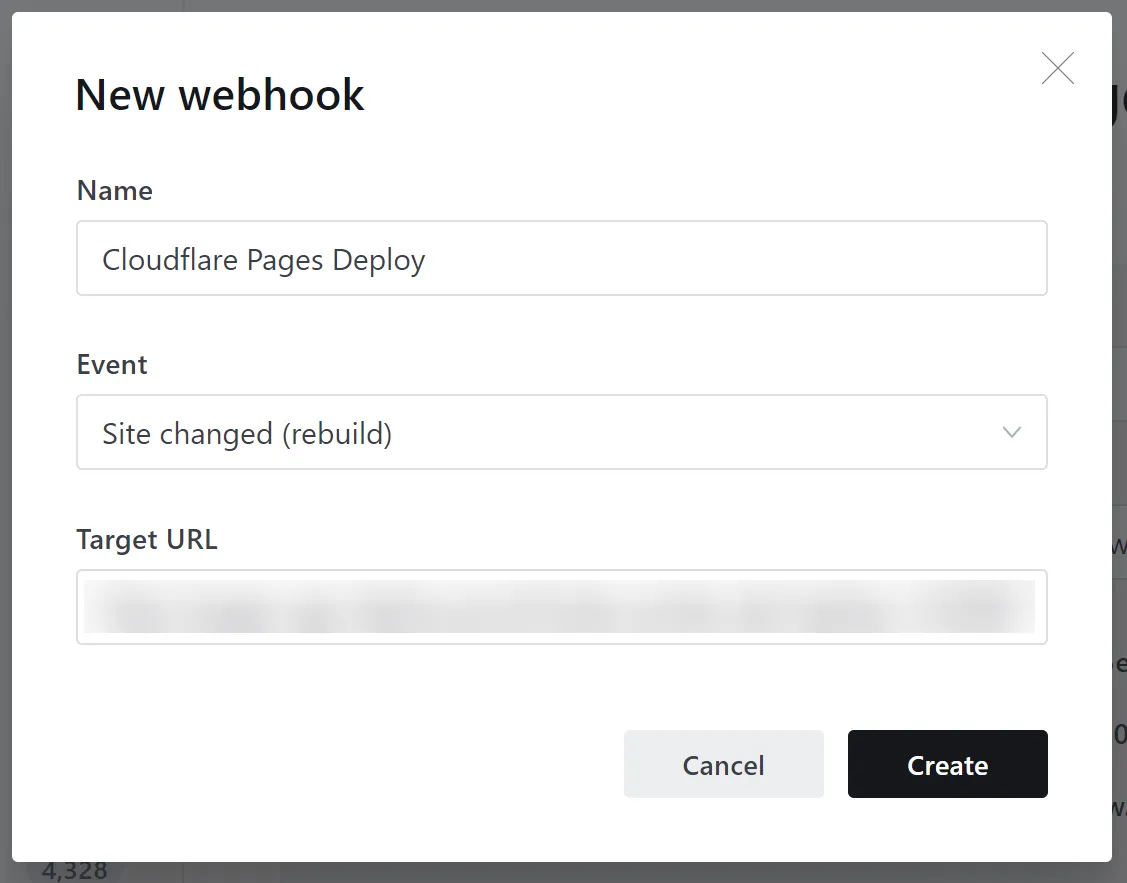
### Sanity
In your Sanity project's Settings page, find the **Webhooks** section, and add the Deploy Hook URL, as seen below. By default, the Webhook will trigger your Pages Deploy Hook for all datasets inside of your Sanity project. You can filter notifications to individual datasets, such as production, using the **Dataset** field:
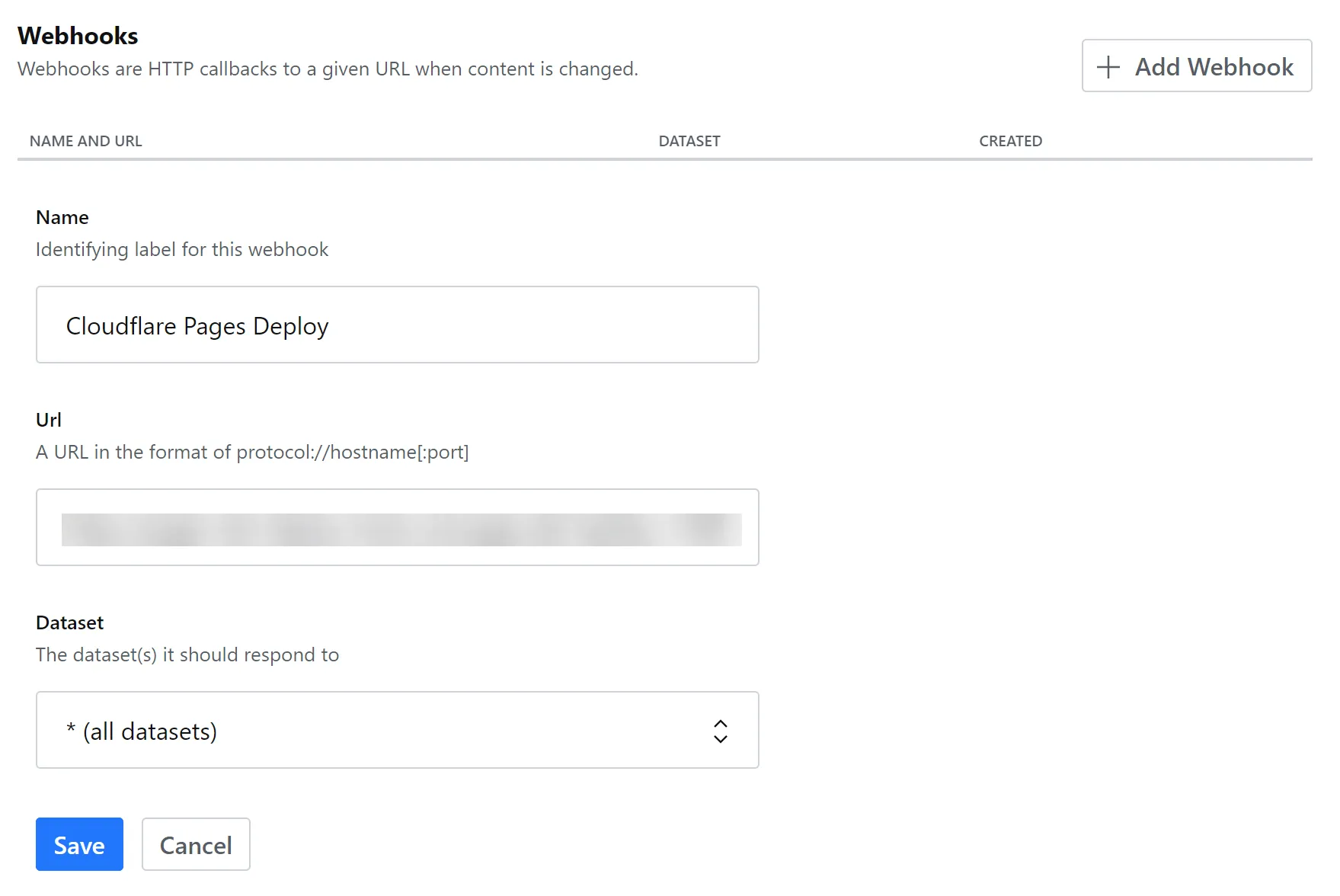
### WordPress
You can configure WordPress to trigger a Pages Deploy Hook by installing the free **WP Webhooks** plugin. The plugin includes a number of triggers, such as **Send Data on New Post, Send Data on Post Update** and **Send Data on Post Deletion**, all of which allow you to trigger new Pages deployments as your WordPress data changes. Select a trigger on the sidebar of the plugin settings and then [**Add Webhook URL**](https://wordpress.org/plugins/wp-webhooks/), pasting in your unique Deploy Hook URL.
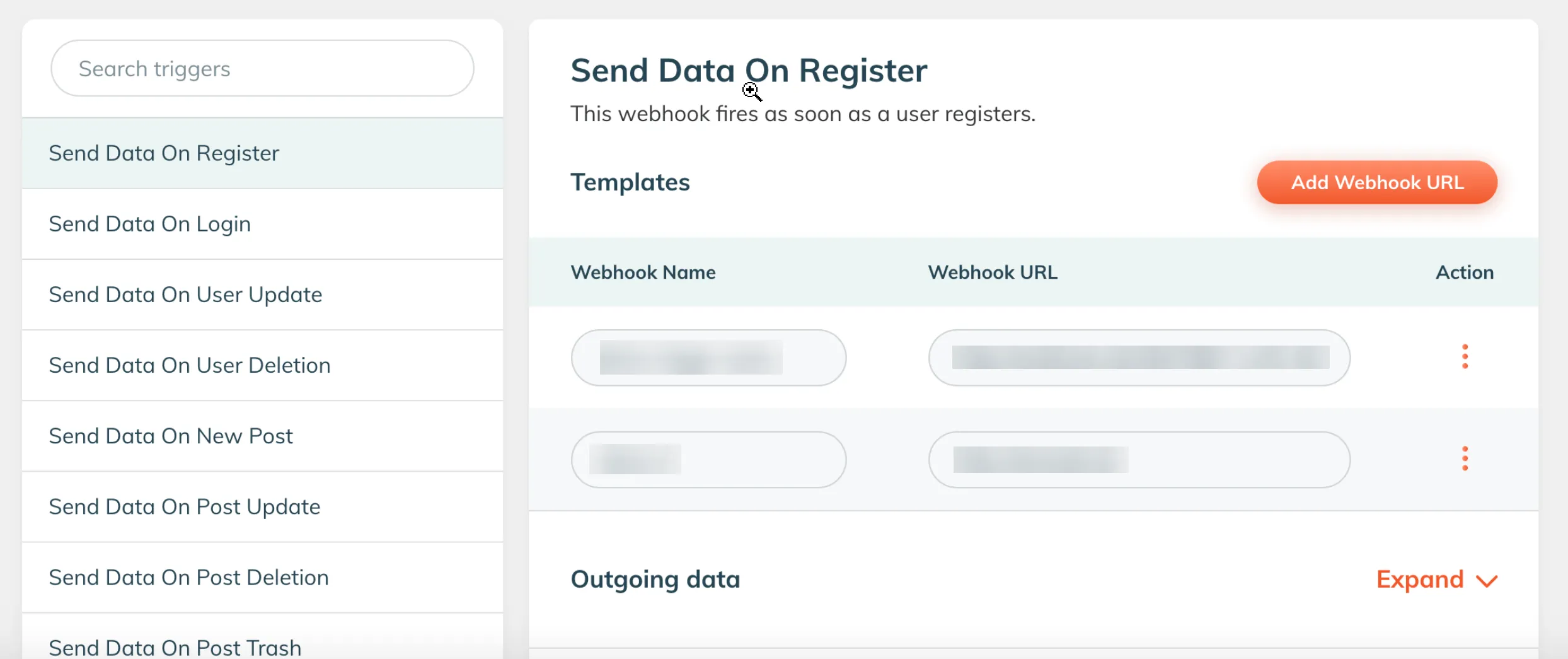
### Strapi
In your Strapi Admin Panel, you can set up and configure webhooks to enhance your experience with Cloudflare Pages. In the Strapi Admin Panel:
1. Navigate to **Settings**.
2. Select **Webhooks**.
3. Select **Add New Webhook**.
4. In the **Name** form field, give your new webhook a unique name.
5. In the **URL** form field, paste your unique Cloudflare Deploy Hook URL.
In the Strapi Admin Panel, you can configure your webhook to be triggered based on events. You can adjust these settings to create a new deployment of your Cloudflare Pages site automatically when a Strapi entry or media asset is created, updated, or deleted.
Be sure to add the webhook configuration to the [production](https://strapi.io/documentation/developer-docs/latest/setup-deployment-guides/installation.html) Strapi application that powers your Cloudflare site.
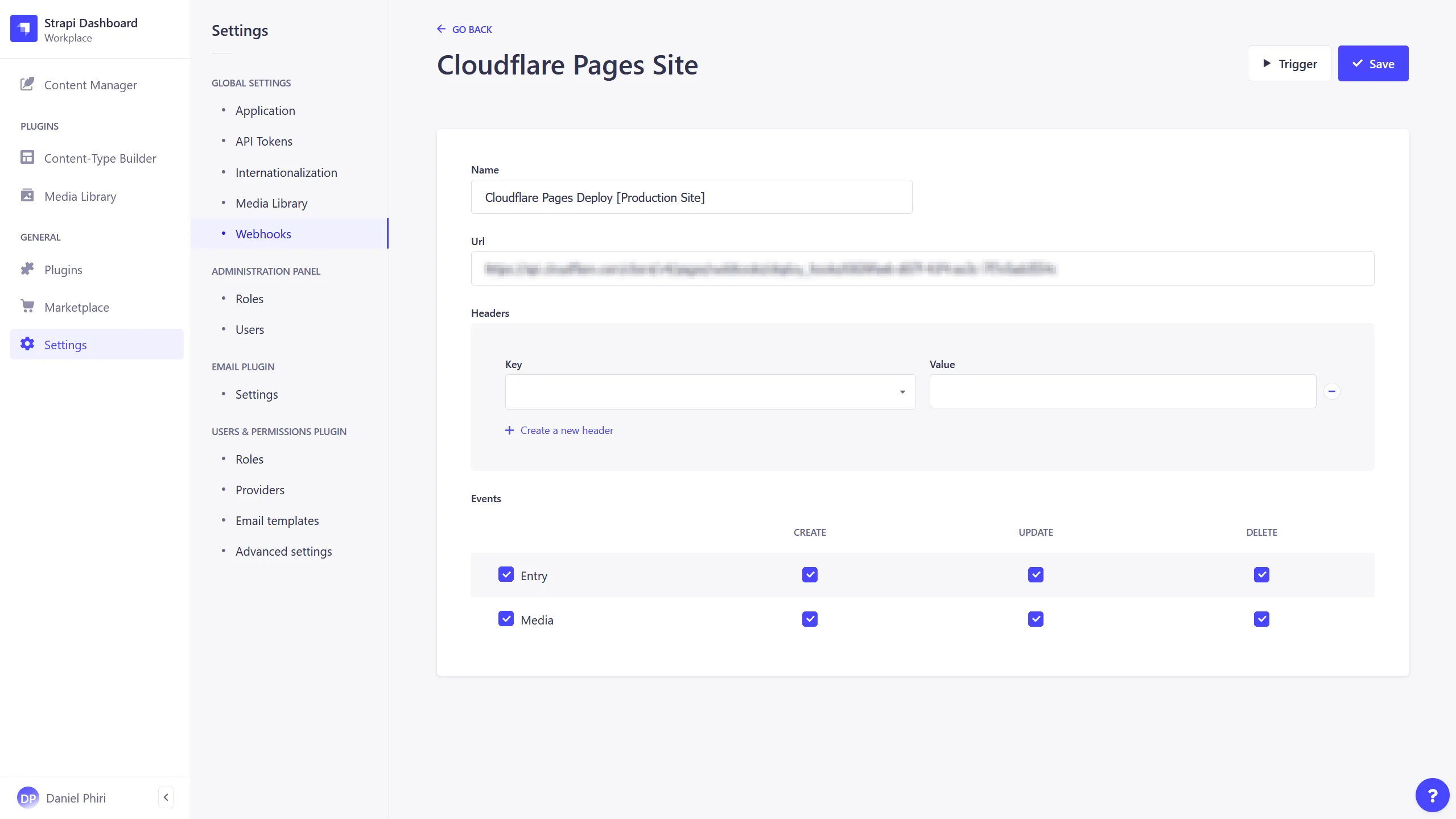
### Storyblok
You can set up and configure deploy hooks in Storyblok to trigger events. In your Storyblok space, go to **Settings** and scroll down to **Webhooks**. Paste your deploy hook into the **Story published & unpublished** field and select **Save**.
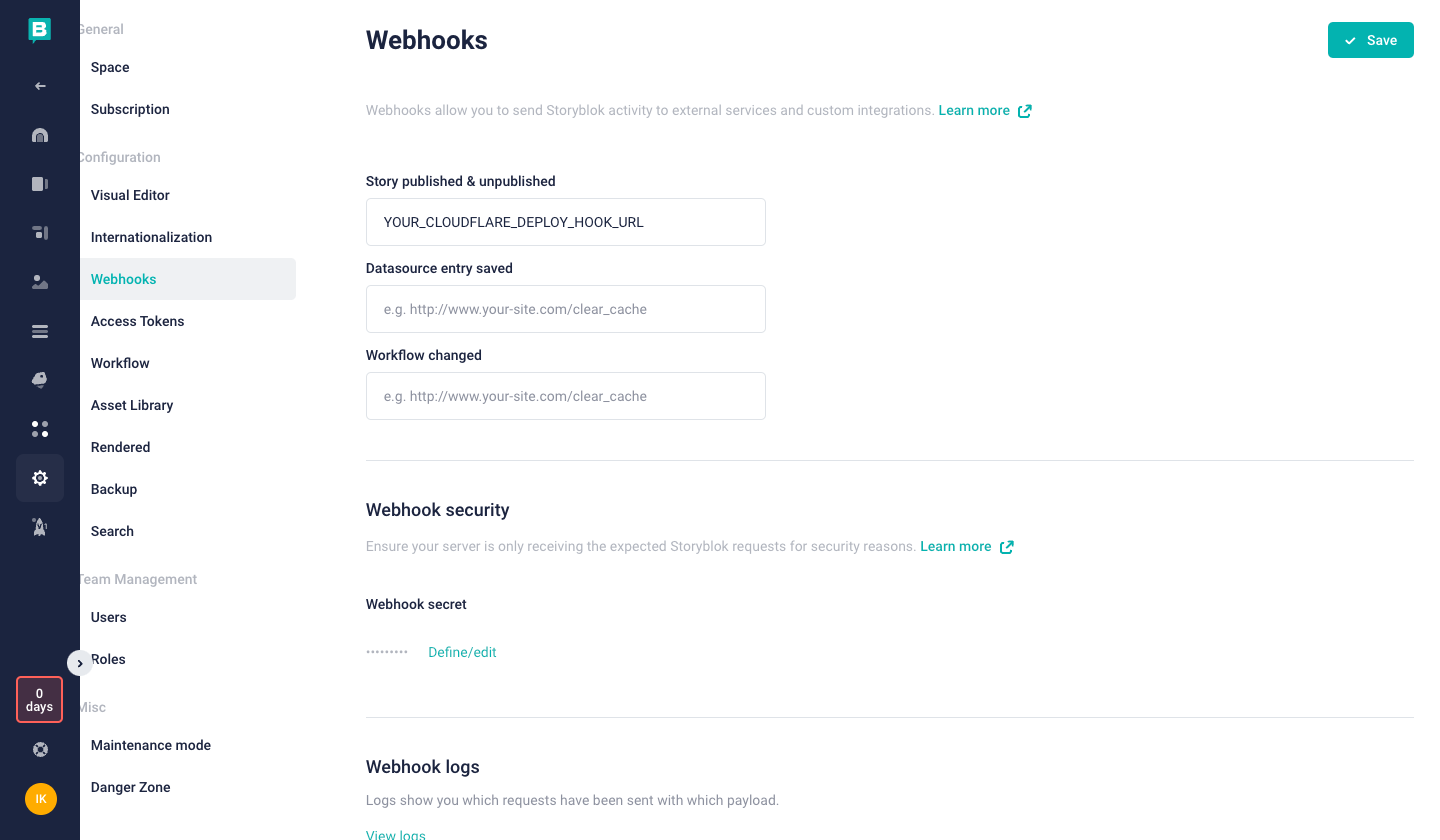
---
title: Early Hints · Cloudflare Pages docs
description: Early Hints help the browser to load webpages faster. Early Hints
is enabled automatically on all pages.dev domains and custom domains.
lastUpdated: 2025-09-15T21:45:20.000Z
chatbotDeprioritize: false
source_url:
html: https://developers.cloudflare.com/pages/configuration/early-hints/
md: https://developers.cloudflare.com/pages/configuration/early-hints/index.md
---
[Early Hints](https://developers.cloudflare.com/cache/advanced-configuration/early-hints/) help the browser to load webpages faster. Early Hints is enabled automatically on all `pages.dev` domains and custom domains.
Early Hints automatically caches any [`preload`](https://developer.mozilla.org/en-US/docs/Web/HTML/Link_types/preload) and [`preconnect`](https://developer.mozilla.org/en-US/docs/Web/HTML/Link_types/preconnect) type [`Link` headers](https://developer.mozilla.org/en-US/docs/Web/HTTP/Reference/Headers/Link) to send as Early Hints to the browser. The hints are sent to the browser before the full response is prepared, and the browser can figure out how to load the webpage faster for the end user. There are two ways to create these `Link` headers in Pages:
## Configure Early Hints
Early Hints can be created with either of the two methods detailed below.
### 1. Configure your `_headers` file
Create custom headers using the [`_headers` file](https://developers.cloudflare.com/pages/configuration/headers/). If you include a particular stylesheet on your `/blog/` section of your website, you would create the following rule:
```txt
/blog/*
Link: ; rel=preload; as=style
```
Pages will attach this `Link: ; rel=preload; as=style` header. Early Hints will then emit this header as an Early Hint once cached.
### 2. Automatic `Link` header generation
In order to make the authoring experience easier, Pages also automatically generates `Link` headers from any `` HTML elements with the following attributes:
* `href`
* `as` (optional)
* `rel` (one of `preconnect`, `preload`, or `modulepreload`)
`` elements which contain any other additional attributes (for example, `fetchpriority`, `crossorigin` or `data-do-not-generate-a-link-header`) will not be used to generate `Link` headers in order to prevent accidentally losing any custom prioritization logic that would otherwise be dropped as an Early Hint.
This allows you to directly create Early Hints as you are writing your document, without needing to alternate between your HTML and `_headers` file.
```html
```
### Disable automatic `Link` header generation Automatic `Link` header
Remove any automatically generated `Link` headers by adding the following to your `_headers` file:
```txt
/*
! Link
```
Warning
Automatic `Link` header generation should not have any negative performance impact on your website. If you need to disable this feature, contact us by letting us know about your circumstance in our [Discord server](https://discord.com/invite/cloudflaredev).
---
title: Git integration · Cloudflare Pages docs
description: You can connect each Cloudflare Pages project to a GitHub or GitLab
repository, and Cloudflare will automatically deploy your code every time you
push a change to a branch.
lastUpdated: 2025-09-17T11:00:27.000Z
chatbotDeprioritize: false
source_url:
html: https://developers.cloudflare.com/pages/configuration/git-integration/
md: https://developers.cloudflare.com/pages/configuration/git-integration/index.md
---
You can connect each Cloudflare Pages project to a [GitHub](https://developers.cloudflare.com/pages/configuration/git-integration/github-integration) or [GitLab](https://developers.cloudflare.com/pages/configuration/git-integration/gitlab-integration) repository, and Cloudflare will automatically deploy your code every time you push a change to a branch.
Note
Cloudflare Workers now also supports Git integrations to automatically build and deploy Workers from your connected Git repository. Learn more in [Workers Builds](https://developers.cloudflare.com/workers/ci-cd/builds/).
When you connect a git repository to your Cloudflare Pages project, Cloudflare will also:
* **Preview deployments for custom branches**, generating preview URLs for a commit to any branch in the repository without affecting your production deployment.
* **Preview URLs in pull requests** (PRs) to the repository.
* **Build and deployment status checks** within the Git repository.
* **Skipping builds using a commit message**.
These features allow you to manage your deployments directly within GitHub or GitLab without leaving your team's regular development workflow.
You cannot switch to Direct Upload later
If you deploy using the Git integration, you cannot switch to [Direct Upload](https://developers.cloudflare.com/pages/get-started/direct-upload/) later. However, if you already use a Git-integrated project and do not want to trigger deployments every time you push a commit, you can [disable automatic deployments](https://developers.cloudflare.com/pages/configuration/git-integration/#disable-automatic-deployments) on all branches. Then, you can use Wrangler to deploy directly to your Pages projects and make changes to your Git repository without automatically triggering a build.
## Supported Git providers
Cloudflare supports connecting Cloudflare Pages to your GitHub and GitLab repositories. Pages does not currently support connecting self-hosted instances of GitHub or GitLab.
If you using a different Git provider (e.g. Bitbucket) or a self-hosted instance, you can start with a Direct Upload project and deploy using a CI/CD provider (e.g. GitHub Actions) with [Wrangler CLI](https://developers.cloudflare.com/pages/how-to/use-direct-upload-with-continuous-integration/).
## Add a Git integration
If you do not have a Git account linked to your Cloudflare account, you will be prompted to set up an installation to GitHub or GitLab when [connecting to Git](https://developers.cloudflare.com/pages/get-started/git-integration/) for the first time, or when adding a new Git account. Follow the prompts and authorize the Cloudflare Git integration.
You can check the following pages to see if your Git integration has been installed:
* [GitHub Applications page](https://github.com/settings/installations) (if you're in an organization, select **Switch settings context** to access your GitHub organization settings)
* [GitLab Authorized Applications page](https://gitlab.com/-/profile/applications)
For details on providing access to organization accounts, see the [GitHub](https://developers.cloudflare.com/pages/configuration/git-integration/github-integration/#organizational-access) and [GitLab](https://developers.cloudflare.com/pages/configuration/git-integration/gitlab-integration/#organizational-access) guides.
## Manage a Git integration
You can manage the Git installation associated with your repository connection by navigating to the Pages project, then going to **Settings** > **Builds** and selecting **Manage** under **Git Repository**.
This can be useful for managing repository access or troubleshooting installation issues by reinstalling. For more details, see the [GitHub](https://developers.cloudflare.com/pages/configuration/git-integration/github-integration/#managing-access) and [GitLab](https://developers.cloudflare.com/pages/configuration/git-integration/gitlab-integration/#managing-access) guides.
## Disable automatic deployments
If you are using a Git-integrated project and do not want to trigger deployments every time you push a commit, you can use [branch control](https://developers.cloudflare.com/pages/configuration/branch-build-controls/) to disable/pause builds:
1. Go to **Workers & Pages** in the Cloudflare dashboard.
[Go to **Workers & Pages**](https://dash.cloudflare.com/?to=/:account/workers-and-pages)
2. Select your Pages project.
3. Navigate to **Build** > edit **Branch control** > turn off **Enable automatic production branch deployments**.
4. You can also change your Preview branch to **None (Disable automatic branch deployments)** to pause automatic preview deployments.
Then, you can use Wrangler to deploy directly to your Pages project and make changes to your Git repository without automatically triggering a build.
---
title: Headers · Cloudflare Pages docs
description: The default response headers served on static asset responses can
be overridden, removed, or added to, by creating a plain text file called
_headers without a file extension, in the static asset directory of your
project. This file will not itself be served as a static asset, but will
instead be parsed by Cloudflare Pages and its rules will be applied to static
asset responses.
lastUpdated: 2025-09-15T21:45:20.000Z
chatbotDeprioritize: false
source_url:
html: https://developers.cloudflare.com/pages/configuration/headers/
md: https://developers.cloudflare.com/pages/configuration/headers/index.md
---
## Custom headers
The default response headers served on static asset responses can be overridden, removed, or added to, by creating a plain text file called `_headers` without a file extension, in the static asset directory of your project. This file will not itself be served as a static asset, but will instead be parsed by Cloudflare Pages and its rules will be applied to static asset responses.
If you are using a framework, you will often have a directory named `public/` or `static/`, and this usually contains deploy-ready assets, such as favicons, `robots.txt` files, and site manifests. These files get copied over to a final output directory during the build, so this is the perfect place to author your `_headers` file. If you are not using a framework, the `_headers` file can go directly into your [build output directory](https://developers.cloudflare.com/pages/configuration/build-configuration/).
Headers defined in the `_headers` file override what Cloudflare ordinarily sends.
Warning
Custom headers defined in the `_headers` file are not applied to responses generated by [Pages Functions](https://developers.cloudflare.com/pages/functions/), even if the request URL matches a rule defined in `_headers`. If you use a server-side rendered (SSR) framework, or Pages Functions (with either a folder of [`functions/`](https://developers.cloudflare.com/pages/functions/routing/) or an ["advanced mode" `_worker.js`](https://developers.cloudflare.com/pages/functions/advanced-mode/)), you will likely need to attach any custom headers you wish to apply directly within that Pages Functions code.
### Attach a header
Header rules are defined in multi-line blocks. The first line of a block is the URL or URL pattern where the rule's headers should be applied. On the next line, an indented list of header names and header values must be written:
```txt
[url]
[name]: [value]
```
Using absolute URLs is supported, though be aware that absolute URLs must begin with `https` and specifying a port is not supported. `_headers` rules ignore the incoming request's port and protocol when matching against an incoming request. For example, a rule like `https://example.com/path` would match against requests to `other://example.com:1234/path`.
You can define as many `[name]: [value]` pairs as you require on subsequent lines. For example:
```txt
# This is a comment
/secure/page
X-Frame-Options: DENY
X-Content-Type-Options: nosniff
Referrer-Policy: no-referrer
/static/*
Access-Control-Allow-Origin: *
X-Robots-Tag: nosnippet
https://myproject.pages.dev/*
X-Robots-Tag: noindex
```
An incoming request which matches multiple rules' URL patterns will inherit all rules' headers. Using the previous `_headers` file, the following requests will have the following headers applied:
| Request URL | Headers |
| - | - |
| `https://custom.domain/secure/page` | `X-Frame-Options: DENY` `X-Content-Type-Options: nosniff` `Referrer-Policy: no-referrer` |
| `https://custom.domain/static/image.jpg` | `Access-Control-Allow-Origin: *` `X-Robots-Tag: nosnippet` |
| `https://myproject.pages.dev/home` | `X-Robots-Tag: noindex` |
| `https://myproject.pages.dev/secure/page` | `X-Frame-Options: DENY` `X-Content-Type-Options: nosniff` `Referrer-Policy: no-referrer` `X-Robots-Tag: noindex` |
| `https://myproject.pages.dev/static/styles.css` | `Access-Control-Allow-Origin: *` `X-Robots-Tag: nosnippet, noindex` |
You may define up to 100 header rules. Each line in the `_headers` file has a 2,000 character limit. The entire line, including spacing, header name, and value, counts towards this limit.
If a header is applied twice in the `_headers` file, the values are joined with a comma separator.
### Detach a header
You may wish to remove a default header or a header which has been added by a more pervasive rule. This can be done by prepending the header name with an exclamation mark and space (`! `).
```txt
/*
Content-Security-Policy: default-src 'self';
/*.jpg
! Content-Security-Policy
```
### Match a path
The same URL matching features that [`_redirects`](https://developers.cloudflare.com/pages/configuration/redirects/) offers is also available to the `_headers` file. Note, however, that redirects are applied before headers, so when a request matches both a redirect and a header, the redirect takes priority.
#### Splats
When matching, a splat pattern — signified by an asterisk (`*`) — will greedily match all characters. You may only include a single splat in the URL.
The matched value can be referenced within the header value as the `:splat` placeholder.
#### Placeholders
A placeholder can be defined with `:placeholder_name`. A colon (`:`) followed by a letter indicates the start of a placeholder and the placeholder name that follows must be composed of alphanumeric characters and underscores (`:[A-Za-z]\w*`). Every named placeholder can only be referenced once. Placeholders match all characters apart from the delimiter, which when part of the host, is a period (`.`) or a forward-slash (`/`) and may only be a forward-slash (`/`) when part of the path.
Similarly, the matched value can be used in the header values with `:placeholder_name`.
```txt
/movies/:title
x-movie-name: You are watching ":title"
```
#### Examples
##### Cross-Origin Resource Sharing (CORS)
To enable other domains to fetch every static asset from your Pages project, the following can be added to the `_headers` file:
```txt
/*
Access-Control-Allow-Origin: *
```
This applies the \`Access-Control-Allow-Origin\` header to any incoming URL. To be more restrictive, you can define a URL pattern that applies to a `*.pages.dev` subdomain, which then only allows access from its `staging` branch's subdomain:
```txt
https://:project.pages.dev/*
Access-Control-Allow-Origin: https://staging.:project.pages.dev/
```
##### Prevent your workers.dev URLs showing in search results
[Google](https://developers.google.com/search/docs/advanced/robots/robots_meta_tag#directives) and other search engines often support the `X-Robots-Tag` header to instruct its crawlers how your website should be indexed.
For example, to prevent your `\*.pages.dev` and `\*.\*.pages.dev` URLs from being indexed, add the following to your `_headers` file:
```txt
https://:project.pages.dev/*
X-Robots-Tag: noindex
https://:version.:project.pages.dev/*
X-Robots-Tag: noindex
```
##### Configure custom browser cache behavior
If you have a folder of fingerprinted assets (assets which have a hash in their filename), you can configure more aggressive caching behavior in the browser to improve performance for repeat visitors:
```txt
/static/*
Cache-Control: public, max-age=31556952, immutable
```
##### Harden security for an application
Warning
If you are server-side rendering (SSR) or using Pages Functions to generate responses in any other way and wish to attach security headers, the headers should be sent from the Pages Functions' `Response` instead of using a `_headers` file. For example, if you have an API endpoint and want to allow cross-origin requests, you should ensure that your Worker code attaches CORS headers to its responses, including to `OPTIONS` requests.
You can prevent click-jacking by informing browsers not to embed your application inside another (for example, with an `
```
Refer to the [Using the Stream Player](https://developers.cloudflare.com/stream/viewing-videos/using-the-stream-player/) for more information.
---
title: Test webhooks locally · Cloudflare Stream docs
description: Test Cloudflare Stream webhook notifications locally using a
Cloudflare Worker and Cloudflare Tunnel.
lastUpdated: 2026-02-16T09:47:27.000Z
chatbotDeprioritize: false
tags: JavaScript
source_url:
html: https://developers.cloudflare.com/stream/examples/test-webhooks-locally/
md: https://developers.cloudflare.com/stream/examples/test-webhooks-locally/index.md
---
Cloudflare Stream cannot send [webhook notifications](https://developers.cloudflare.com/stream/manage-video-library/using-webhooks/) to `localhost` or local IP addresses. To test webhooks during local development, you need a publicly accessible URL that forwards requests to your local machine.
Note
This example covers webhooks for on-demand (VOD) videos only. Live stream webhooks are configured differently. For more information, refer to [Receive live webhooks](https://developers.cloudflare.com/stream/stream-live/webhooks/).
This example shows how to:
1. Start a [Cloudflare Tunnel](https://developers.cloudflare.com/cloudflare-one/networks/connectors/cloudflare-tunnel/do-more-with-tunnels/trycloudflare/) to get a public URL for your local environment.
2. Register that URL as your webhook endpoint, which returns the signing secret.
3. Create a Cloudflare Worker that receives Stream webhook events and verifies their signatures.
## Prerequisites
* A [Cloudflare account](https://dash.cloudflare.com/sign-up) with Stream enabled
* [Node.js](https://nodejs.org/) (v18 or later)
* The [Wrangler CLI](https://developers.cloudflare.com/workers/wrangler/install-and-update/) installed (`npm install -g wrangler`)
## 1. Create a Worker project
Create a new Worker project that will receive webhook requests:
```sh
npm create cloudflare@latest stream-webhook-handler
```
## 2. Start a Cloudflare Tunnel
Before registering a webhook URL, you need a public URL that points to your local machine. In a terminal, start a [quick tunnel](https://developers.cloudflare.com/cloudflare-one/networks/connectors/cloudflare-tunnel/do-more-with-tunnels/trycloudflare/) that forwards to the default Wrangler dev server port (`8787`):
```sh
npx cloudflared tunnel --url http://localhost:8787
```
`cloudflared` will output a public URL similar to:
```txt
https://example-words-here.trycloudflare.com
```
Copy this URL. It changes every time you restart the tunnel.
## 3. Register the tunnel URL as your webhook endpoint
Use the Stream API to set the tunnel URL as your webhook notification URL. The API response includes a `secret` field — you will need this to verify webhook signatures.
Required API token permissions
At least one of the following [token permissions](https://developers.cloudflare.com/fundamentals/api/reference/permissions/) is required:
* `Stream Write`
```bash
curl "https://api.cloudflare.com/client/v4/accounts/$ACCOUNT_ID/stream/webhook" \
--request PUT \
--header "Authorization: Bearer $CLOUDFLARE_API_TOKEN" \
--json '{
"notificationUrl": "https://example-words-here.trycloudflare.com"
}'
```
The response will include a `secret` field:
```json
{
"result": {
"notificationUrl": "https://example-words-here.trycloudflare.com",
"modified": "2024-01-01T00:00:00.000000Z",
"secret": "85011ed3a913c6ad5f9cf6c5573cc0a7"
},
"success": true,
"errors": [],
"messages": []
}
```
Save the `secret` value. You will use it in the next step.
## 4. Store the webhook secret for local development
Create a `.dev.vars` file in the root of your Worker project and add the webhook secret from the API response:
```txt
WEBHOOK_SECRET=85011ed3a913c6ad5f9cf6c5573cc0a7
```
Replace the value with the actual secret from step 3. Wrangler automatically loads `.dev.vars` when running `wrangler dev`.
Warning
Do not commit `.dev.vars` to version control. Add it to your `.gitignore` file. For more information, refer to [Local development with secrets](https://developers.cloudflare.com/workers/configuration/secrets/#local-development-with-secrets).
## 5. Add the webhook handler
Replace the contents of `src/index.ts` in your Worker project with the following code. This Worker receives webhook `POST` requests, [verifies the signature](https://developers.cloudflare.com/stream/manage-video-library/using-webhooks/#verify-webhook-authenticity), and logs the payload.
```ts
export interface Env {
WEBHOOK_SECRET: string;
}
async function verifyWebhookSignature(
request: Request,
secret: string,
): Promise<{ valid: boolean; body: string }> {
const signatureHeader = request.headers.get("Webhook-Signature");
if (!signatureHeader) {
return { valid: false, body: "" };
}
const body = await request.text();
// Parse "time=,sig1="
const parts = Object.fromEntries(
signatureHeader.split(",").map((part) => {
const [key, value] = part.split("=");
return [key, value];
}),
);
const time = parts["time"];
const receivedSig = parts["sig1"];
if (!time || !receivedSig) {
return { valid: false, body };
}
// Build the source string: "
---
title: Video.js · Cloudflare Stream docs
description: Example of video playback with Cloudflare Stream and Video.js
lastUpdated: 2026-01-27T21:11:25.000Z
chatbotDeprioritize: false
tags: Playback
source_url:
html: https://developers.cloudflare.com/stream/examples/video-js/
md: https://developers.cloudflare.com/stream/examples/video-js/index.md
---
```html
```
Refer to the [Video.js documentation](https://docs.videojs.com/) for more information.
---
title: Vidstack · Cloudflare Stream docs
description: Example of video playback with Cloudflare Stream and Vidstack
lastUpdated: 2026-01-27T21:11:25.000Z
chatbotDeprioritize: false
tags: Playback
source_url:
html: https://developers.cloudflare.com/stream/examples/vidstack/
md: https://developers.cloudflare.com/stream/examples/vidstack/index.md
---
## Installation
There's a few options to choose from when getting started with Vidstack, follow any of the links below to get setup. You can replace the player `src` with `https://customer-f33zs165nr7gyfy4.cloudflarestream.com/6b9e68b07dfee8cc2d116e4c51d6a957/manifest/video.m3u8` to test Cloudflare Stream.
* [Angular](https://www.vidstack.io/docs/player/getting-started/installation/angular?provider=video)
* [React](https://www.vidstack.io/docs/player/getting-started/installation/react?provider=video)
* [Svelte](https://www.vidstack.io/docs/player/getting-started/installation/svelte?provider=video)
* [Vue](https://www.vidstack.io/docs/player/getting-started/installation/vue?provider=video)
* [Solid](https://www.vidstack.io/docs/player/getting-started/installation/solid?provider=video)
* [Web Components](https://www.vidstack.io/docs/player/getting-started/installation/web-components?provider=video)
* [CDN](https://www.vidstack.io/docs/player/getting-started/installation/cdn?provider=video)
## Examples
Feel free to check out [Vidstack Examples](https://github.com/vidstack/examples) for building with various JS frameworks and styling options (e.g., CSS or Tailwind CSS).
---
title: GraphQL Analytics API · Cloudflare Stream docs
description: Stream provides analytics about both live video and video uploaded
to Stream, via the GraphQL API described below, as well as on the Stream
Analytics page of the Cloudflare dashboard.
lastUpdated: 2025-09-09T16:21:39.000Z
chatbotDeprioritize: false
source_url:
html: https://developers.cloudflare.com/stream/getting-analytics/fetching-bulk-analytics/
md: https://developers.cloudflare.com/stream/getting-analytics/fetching-bulk-analytics/index.md
---
Stream provides analytics about both live video and video uploaded to Stream, via the GraphQL API described below, as well as on the Stream **Analytics** page of the Cloudflare dashboard.
[Go to **Analytics**](https://dash.cloudflare.com/?to=/:account/stream/analytics)
The Stream Analytics API uses the Cloudflare GraphQL Analytics API, which can be used across many Cloudflare products. For more about GraphQL, rate limits, filters, and sorting, refer to the [Cloudflare GraphQL Analytics API docs](https://developers.cloudflare.com/analytics/graphql-api).
## Getting started
1. In the Cloudflare dashboard, go to the **Account API tokens** page.
[Go to **Account API tokens**](https://dash.cloudflare.com/?to=/:account/api-tokens)
2. Generate an API token with the **Account Analytics** permission.
3. Use a GraphQL client of your choice to make your first query. [Postman](https://www.postman.com/) has a built-in GraphQL client which can help you run your first query and introspect the GraphQL schema to understand what is possible.
Refer to the sections below for available metrics, dimensions, fields, and example queries.
## Server side analytics
Stream collects data about the number of minutes of video delivered to viewers for all live and on-demand videos played via HLS or DASH, regardless of whether or not you use the [Stream Player](https://developers.cloudflare.com/stream/viewing-videos/using-the-stream-player/).
### Filters and Dimensions
| Field | Description |
| - | - |
| `date` | Date |
| `datetime` | DateTime |
| `uid` | UID of the video |
| `clientCountryName` | ISO 3166 alpha2 country code from the client who viewed the video |
| `creator` | The [Creator ID](https://developers.cloudflare.com/stream/manage-video-library/creator-id/) associated with individual videos, if present |
Some filters, like `date`, can be used with operators, such as `gt` (greater than) and `lt` (less than), as shown in the example query below. For more advanced filtering options, refer to [filtering](https://developers.cloudflare.com/analytics/graphql-api/features/filtering/).
### Metrics
| Node | Field | Description |
| - | - | - |
| `streamMinutesViewedAdaptiveGroups` | `minutesViewed` | Minutes of video delivered |
### Example
#### Get minutes viewed by country
```graphql
query StreamGetMinutesExample($accountTag: string!, $start: Date, $end: Date) {
viewer {
accounts(filter: { accountTag: $accountTag }) {
streamMinutesViewedAdaptiveGroups(
filter: { date_geq: $start, date_lt: $end }
orderBy: [sum_minutesViewed_DESC]
limit: 100
) {
sum {
minutesViewed
}
dimensions {
uid
clientCountryName
}
}
}
}
}
```
[Run in GraphQL API Explorer](https://graphql.cloudflare.com/explorer?query=I4VwpgTgngBAygFwmAhgWwOJgQWQJYB2ICYAzgKIAe6ADgDZgAUAJCgMZsD2IBCAKigDmALhikkhQQEIANDGbiUEBKIAiKEnOZgCAEzUawAShgBvAFAwYANzxgA7pDOWrMdlx4JSjAGZ46JBCipm4c3LwCIvLu4fxCMAC+JhauruLI6PhEJKQAanaOugCCuig0CHjWYBgQ3DTeLqlWfgGQwTClJAD6gmDAogoISghynWBdAQM6uomNTZwQupAAQlCiANqkIGhdaITEZPkOYLpdquRwAMIAunOpdHh7KjAAjAAMb3cwyV9WW2jOJpNPbZQ4FE6-WZAqy6R46Uh4TgEUiA6FWEB4XSQqxsB46BCXWLQABy6DAkISX0pqWpswSQA\&variables=N4IghgxhD2CuB2AXAKmA5iAXCAggYTwHkBVAOWQH0BJAERABoQBnRMAJ0SxACYAGbgGwBaXgGYRADgYgApvAAmXPoJHjeAThABfIA)
```json
{
"data": {
"viewer": {
"accounts": [
{
"streamMinutesViewedAdaptiveGroups": [
{
"dimensions": {
"clientCountryName": "US",
"uid": "73c514082b154945a753d0011e9d7525"
},
"sum": {
"minutesViewed": 2234
}
},
{
"dimensions": {
"clientCountryName": "CN",
"uid": "73c514082b154945a753d0011e9d7525"
},
"sum": {
"minutesViewed": 700
}
},
{
"dimensions": {
"clientCountryName": "IN",
"uid": "73c514082b154945a753d0011e9d7525"
},
"sum": {
"minutesViewed": 553
}
}
]
}
]
}
},
"errors": null
}
```
## Pagination
GraphQL API supports seek pagination: using filters, you can specify the last video UID so the response only includes data for videos after the last video UID.
The query below will return data for 2 videos that follow video UID `5646153f8dea17f44d542a42e76cfd`:
```graphql
query StreamPaginationExample(
$accountTag: string!
$start: Date
$end: Date
$uId: string
) {
viewer {
accounts(filter: { accountTag: $accountTag }) {
videoPlaybackEventsAdaptiveGroups(
filter: { date_geq: $start, date_lt: $end, uid_gt: $uId }
orderBy: [uid_ASC]
limit: 2
) {
count
sum {
timeViewedMinutes
}
dimensions {
uid
}
}
}
}
}
```
[Run in GraphQL API Explorer](https://graphql.cloudflare.com/explorer?query=I4VwpgTgngBAygFwmAhgWwAooOYEsB2KCuA9vgKIAe6ADgDZgAUAUDDACQoDGXJI+CACo4AXDADOSAtgCErDpJQQEYgCJEw89mHwATNRq0gAkvolT82ZgEoYAb3kA3XGADuke-Lbde-BOMYAM1w6BEgxOxgfPgFhbDFOHhihHBgAX1sHNmyYZ10wEgw6FCgAI24Aa3JHHX8AQV0UGmIagHEIPhoArxyYYNDw+xhGsIB9bDBgBMVlABphjVHQhJ1deZBcXXGVDhNddJ6ckgh8iAAhKDEAbQ2turgAYQBdQ+y6XDRcHYAmV8zXti+AQAiQgNCeXq9YhoMAANRc7l0AFkCCAwuIQWkQboPjpxKR8OIIZDsrdMa8sTlKQc0kA\&variables=N4IghgxhD2CuB2AXAKmA5iAXCAggYTwHkBVAOWQH0BJAERABoQBnRMAJ0SxACYAGbgGwBaXgGYRADgYgApvAAmXPoJHjeATmmwqi7AFYBAFgEBGPaIBmE+TLAmA7BcOH5ew9zDuZ9gRAuKAXyA)
Here are the steps to implementing pagination:
1. Call the first query without uid\_gt filter to get the first set of videos
2. Grab the last video UID from the response from the first query
3. Call next query by specifying uid\_gt property and set it to the last video UID. This will return the next set of videos
For more on pagination, refer to the [Cloudflare GraphQL Analytics API docs](https://developers.cloudflare.com/analytics/graphql-api/features/pagination/).
## Limitations
* The maximum query interval in a single query is 31 days
* The maximum data retention period is 90 days
---
title: Get live viewer counts · Cloudflare Stream docs
description: The Stream player has full support for live viewer counts by
default. To get the viewer count for live videos for use with third party
players, make a GET request to the /views endpoint.
lastUpdated: 2024-08-13T19:56:56.000Z
chatbotDeprioritize: false
source_url:
html: https://developers.cloudflare.com/stream/getting-analytics/live-viewer-count/
md: https://developers.cloudflare.com/stream/getting-analytics/live-viewer-count/index.md
---
The Stream player has full support for live viewer counts by default. To get the viewer count for live videos for use with third party players, make a `GET` request to the `/views` endpoint.
```bash
https://customer-.cloudflarestream.com//views
```
Below is a response for a live video with several active viewers:
```json
{ "liveViewers": 113 }
```
---
title: Manage creators · Cloudflare Stream docs
description: You can set the creator field with an internal user ID at the time
a tokenized upload URL is requested. When the video is uploaded, the creator
property is automatically set to the internal user ID which can be used for
analytics data or when searching for videos by a specific creator.
lastUpdated: 2024-09-24T15:46:36.000Z
chatbotDeprioritize: false
source_url:
html: https://developers.cloudflare.com/stream/manage-video-library/creator-id/
md: https://developers.cloudflare.com/stream/manage-video-library/creator-id/index.md
---
You can set the creator field with an internal user ID at the time a tokenized upload URL is requested. When the video is uploaded, the creator property is automatically set to the internal user ID which can be used for analytics data or when searching for videos by a specific creator.
For basic uploads, you will need to add the Creator ID after you upload the video.
## Upload from URL
```bash
curl "https://api.cloudflare.com/client/v4/accounts/{account_id}/stream/copy" \
--header "Authorization: Bearer " \
--header "Content-Type: application/json" \
--data '{"url":"https://example.com/myvideo.mp4","creator": "","thumbnailTimestampPct":0.529241,"allowedOrigins":["example.com"],"requireSignedURLs":true,"watermark":{"uid":"ea95132c15732412d22c1476fa83f27a"}}'
```
**Response**
```json
{
"success": true,
"errors": [],
"messages": [],
"result": {
"allowedOrigins": ["example.com"],
"created": "2014-01-02T02:20:00Z",
"duration": 300,
"input": {
"height": 1080,
"width": 1920
},
"maxDurationSeconds": 300,
"meta": {},
"modified": "2014-01-02T02:20:00Z",
"uploadExpiry": "2014-01-02T02:20:00Z",
"playback": {
"hls": "https://customer-f33zs165nr7gyfy4.cloudflarestream.com/6b9e68b07dfee8cc2d116e4c51d6a957/manifest/video.m3u8",
"dash": "https://customer-f33zs165nr7gyfy4.cloudflarestream.com/6b9e68b07dfee8cc2d116e4c51d6a957/manifest/video.mpd"
},
"preview": "https://customer-f33zs165nr7gyfy4.cloudflarestream.com/6b9e68b07dfee8cc2d116e4c51d6a957/watch",
"readyToStream": true,
"requireSignedURLs": true,
"size": 4190963,
"status": {
"state": "ready",
"pctComplete": "100.000000",
"errorReasonCode": "",
"errorReasonText": ""
},
"thumbnail": "https://customer-f33zs165nr7gyfy4.cloudflarestream.com/6b9e68b07dfee8cc2d116e4c51d6a957/thumbnails/thumbnail.jpg",
"thumbnailTimestampPct": 0.529241,
"creator": "",
"uid": "6b9e68b07dfee8cc2d116e4c51d6a957",
"liveInput": "fc0a8dc887b16759bfd9ad922230a014",
"uploaded": "2014-01-02T02:20:00Z",
"watermark": {
"uid": "6b9e68b07dfee8cc2d116e4c51d6a957",
"size": 29472,
"height": 600,
"width": 400,
"created": "2014-01-02T02:20:00Z",
"downloadedFrom": "https://company.com/logo.png",
"name": "Marketing Videos",
"opacity": 0.75,
"padding": 0.1,
"scale": 0.1,
"position": "center"
}
}
}
```
## Set default creators for videos
You can associate videos with a single creator by setting a default creator ID value, which you can later use for searching for videos by creator ID or for analytics data.
```bash
curl "https://api.cloudflare.com/client/v4/accounts/{account_id}/stream/live_inputs" \
--header "Authorization: Bearer " \
--header "Content-Type: application/json" \
--data '{"DefaultCreator":"1234"}'
```
If you have multiple creators who start live streams, [create a live input](https://developers.cloudflare.com/stream/get-started/#step-1-create-a-live-input) for each creator who will live stream and then set a `DefaultCreator` value per input. Setting the default creator ID for each input ensures that any recorded videos streamed from the creator's input will inherit the `DefaultCreator` value.
At this time, you can only manage the default creator ID values via the API.
## Update creator in existing videos
To update the creator property in existing videos, make a `POST` request to the video object endpoint with a JSON payload specifying the creator property as show in the example below.
```bash
curl "https://api.cloudflare.com/client/v4/accounts/{account_id}/stream/" \
--header "Authorization: Bearer " \
--header "Content-Type: application/json" \
--data '{"creator":"test123"}'
```
## Direct creator upload
```bash
curl "https://api.cloudflare.com/client/v4/accounts/{account_id}/stream/direct_upload" \
--header "Authorization: Bearer " \
--header "Content-Type: application/json" \
--data '{"maxDurationSeconds":300,"expiry":"2021-01-02T02:20:00Z","creator": "", "thumbnailTimestampPct":0.529241,"allowedOrigins":["example.com"],"requireSignedURLs":true,"watermark":{"uid":"ea95132c15732412d22c1476fa83f27a"}}'
```
**Response**
```json
{
"success": true,
"errors": [],
"messages": [],
"result": {
"uploadURL": "www.example.com/samplepath",
"uid": "ea95132c15732412d22c1476fa83f27a",
"creator": "",
"watermark": {
"uid": "ea95132c15732412d22c1476fa83f27a",
"size": 29472,
"height": 600,
"width": 400,
"created": "2014-01-02T02:20:00Z",
"downloadedFrom": "https://company.com/logo.png",
"name": "Marketing Videos",
"opacity": 0.75,
"padding": 0.1,
"scale": 0.1,
"position": "center"
}
}
}
```
## Get videos by Creator ID
```bash
curl "https://api.cloudflare.com/client/v4/accounts/{account_id}/stream?after=2014-01-02T02:20:00Z&before=2014-01-02T02:20:00Z&include_counts=false&creator=&limit=undefined&asc=false&status=downloading,queued,inprogress,ready,error" \
--header "Authorization: Bearer "
```
**Response**
```json
{
"success": true,
"errors": [],
"messages": [],
"result": [
{
"allowedOrigins": ["example.com"],
"created": "2014-01-02T02:20:00Z",
"duration": 300,
"input": {
"height": 1080,
"width": 1920
},
"maxDurationSeconds": 300,
"meta": {},
"modified": "2014-01-02T02:20:00Z",
"uploadExpiry": "2014-01-02T02:20:00Z",
"playback": {
"hls": "https://customer-.cloudflarestream.com/ea95132c15732412d22c1476fa83f27a/manifest/video.m3u8",
"dash": "https://customer-.cloudflarestream.com/ea95132c15732412d22c1476fa83f27a/manifest/video.mpd"
},
"preview": "https://customer-.cloudflarestream.com/ea95132c15732412d22c1476fa83f27a/watch",
"readyToStream": true,
"requireSignedURLs": true,
"size": 4190963,
"status": {
"state": "ready",
"pctComplete": "100.000000",
"errorReasonCode": "",
"errorReasonText": ""
},
"thumbnail": "https://customer-.cloudflarestream.com/ea95132c15732412d22c1476fa83f27a/thumbnails/thumbnail.jpg",
"thumbnailTimestampPct": 0.529241,
"creator": "some-creator-id",
"uid": "ea95132c15732412d22c1476fa83f27a",
"liveInput": "fc0a8dc887b16759bfd9ad922230a014",
"uploaded": "2014-01-02T02:20:00Z",
"watermark": {
"uid": "ea95132c15732412d22c1476fa83f27a",
"size": 29472,
"height": 600,
"width": 400,
"created": "2014-01-02T02:20:00Z",
"downloadedFrom": "https://company.com/logo.png",
"name": "Marketing Videos",
"opacity": 0.75,
"padding": 0.1,
"scale": 0.1,
"position": "center"
}
}
],
"total": "35586",
"range": "1000"
}
```
## tus
Add the Creator ID via the `Upload-Creator` header. For more information, refer to [Resumable and large files (tus)](https://developers.cloudflare.com/stream/uploading-videos/resumable-uploads/#set-creator-property).
## Query by Creator ID with GraphQL
After you set the creator property, you can use the [GraphQL API](https://developers.cloudflare.com/analytics/graphql-api/) to filter by a specific creator. Refer to [Fetching bulk analytics](https://developers.cloudflare.com/stream/getting-analytics/fetching-bulk-analytics) for more information about available metrics and filters.
---
title: Search for videos · Cloudflare Stream docs
description: You can search for videos by name through the Stream API by adding
a search query parameter to the list media files endpoint.
lastUpdated: 2024-12-16T22:33:26.000Z
chatbotDeprioritize: false
source_url:
html: https://developers.cloudflare.com/stream/manage-video-library/searching/
md: https://developers.cloudflare.com/stream/manage-video-library/searching/index.md
---
You can search for videos by name through the Stream API by adding a `search` query parameter to the [list media files](https://developers.cloudflare.com/api/resources/stream/methods/list/) endpoint.
## What you will need
To make API requests you will need a [Cloudflare API token](https://www.cloudflare.com/a/account/my-account) and your Cloudflare [account ID](https://www.cloudflare.com/a/overview/).
## cURL example
This example lists media where the name matches `puppy.mp4`.
```bash
curl -X GET "https://api.cloudflare.com/client/v4/accounts//stream?search=puppy" \
-H "Authorization: Bearer " \
-H "Content-Type: application/json"
```
---
title: Use webhooks · Cloudflare Stream docs
description: Webhooks notify your service when videos successfully finish
processing and are ready to stream or if your video enters an error state.
lastUpdated: 2026-02-16T09:47:27.000Z
chatbotDeprioritize: false
source_url:
html: https://developers.cloudflare.com/stream/manage-video-library/using-webhooks/
md: https://developers.cloudflare.com/stream/manage-video-library/using-webhooks/index.md
---
Webhooks notify your service when videos successfully finish processing and are ready to stream or if your video enters an error state.
Note
Webhooks works differently for live broadcasting. For more information, refer to [Receive Live Webhooks](https://developers.cloudflare.com/stream/stream-live/webhooks/).
## Subscribe to webhook notifications
To subscribe to receive webhook notifications on your service or modify an existing subscription, generate an API token on the **Account API tokens** page of the Cloudflare dashboard.
[Go to **Account API tokens**](https://dash.cloudflare.com/?to=/:account/api-tokens)
The webhook notification URL must include the protocol. Only `http://` or `https://` is supported.
```bash
curl -X PUT --header 'Authorization: Bearer ' \
https://api.cloudflare.com/client/v4/accounts//stream/webhook \
--data '{"notificationUrl":""}'
```
```json
{
"result": {
"notificationUrl": "http://www.your-service-webhook-handler.com",
"modified": "2019-01-01T01:02:21.076571Z",
"secret": "85011ed3a913c6ad5f9cf6c5573cc0a7"
},
"success": true,
"errors": [],
"messages": []
}
```
## Notifications
When a video on your account finishes processing, you will receive a `POST` request notification with information about the video.
```json
{
"uid": "6b9e68b07dfee8cc2d116e4c51d6a957",
"creator": null,
"thumbnail": "https://customer-f33zs165nr7gyfy4.cloudflarestream.com/6b9e68b07dfee8cc2d116e4c51d6a957/thumbnails/thumbnail.jpg",
"thumbnailTimestampPct": 0,
"readyToStream": true,
"status": {
"state": "ready",
"pctComplete": "39.000000",
"errorReasonCode": "",
"errorReasonText": ""
},
"meta": {
"filename": "small.mp4",
"filetype": "video/mp4",
"name": "small.mp4",
"relativePath": "null",
"type": "video/mp4"
},
"created": "2022-06-30T17:53:12.512033Z",
"modified": "2022-06-30T17:53:21.774299Z",
"size": 383631,
"preview": "https://customer-f33zs165nr7gyfy4.cloudflarestream.com/6b9e68b07dfee8cc2d116e4c51d6a957/watch",
"allowedOrigins": [],
"requireSignedURLs": false,
"uploaded": "2022-06-30T17:53:12.511981Z",
"uploadExpiry": "2022-07-01T17:53:12.511973Z",
"maxSizeBytes": null,
"maxDurationSeconds": null,
"duration": 5.5,
"input": {
"width": 560,
"height": 320
},
"playback": {
"hls": "https://customer-f33zs165nr7gyfy4.cloudflarestream.com/6b9e68b07dfee8cc2d116e4c51d6a957/manifest/video.m3u8",
"dash": "https://customer-f33zs165nr7gyfy4.cloudflarestream.com/6b9e68b07dfee8cc2d116e4c51d6a957/manifest/video.mpd"
},
"watermark": null
}
```
* `uid` – The video's unique identifier.
* `readytoStream` – Returns `true` when at least one quality level is encoded and ready to be streamed.
* `status` – The processing status.
* `state` – Returns `ready` when a video is done processing and all quality levels are encoded.
* `pctComplete` – The percentage of processing that is complete. When this reaches `100`, all quality levels are available.
Tip
If you want to ensure the highest picture quality, enable video playback only when `state` is `ready` and `pctComplete` is `100`.
* `meta` – Metadata associated with the uploaded file.
* `created` – Timestamp indicating when the video record was created.
## Error codes
If a video could not process successfully, the `state` field returns `error`, and the `errReasonCode` returns one of the values listed below.
* `ERR_NON_VIDEO` – The upload is not a video.
* `ERR_DURATION_EXCEED_CONSTRAINT` – The video duration exceeds the constraints defined in the direct creator upload.
* `ERR_FETCH_ORIGIN_ERROR` – The video failed to download from the URL.
* `ERR_MALFORMED_VIDEO` – The video is a valid file but contains corrupt data that cannot be recovered.
* `ERR_DURATION_TOO_SHORT` – The video's duration is shorter than 0.1 seconds.
* `ERR_UNKNOWN` – If Stream cannot automatically determine why the video returned an error, the `ERR_UNKNOWN` code will be used.
In addition to the `state` field, a video's `readyToStream` field must also be `true` for a video to play.
```bash
{
"readyToStream": false,
"status": {
"state": "error",
"step": "encoding",
"pctComplete": "39",
"errReasonCode": "ERR_MALFORMED_VIDEO",
"errReasonText": "The video was deemed to be corrupted or malformed.",
}
}
```
## Verify webhook authenticity
Cloudflare Stream will sign the webhook requests sent to your notification URLs and include the signature of each request in the `Webhook-Signature` HTTP header. This allows your application to verify the webhook requests are sent by Stream.
To verify a signature, you need to retrieve your webhook signing secret. This value is returned in the API response when you create or retrieve the webhook.
To verify the signature, get the value of the `Webhook-Signature` header, which will look similar to the example below.
`Webhook-Signature: time=1230811200,sig1=60493ec9388b44585a29543bcf0de62e377d4da393246a8b1c901d0e3e672404`
### 1. Parse the signature
Retrieve the `Webhook-Signature` header from the webhook request and split the string using the `,` character.
Split each value again using the `=` character.
The value for `time` is the current [UNIX time](https://en.wikipedia.org/wiki/Unix_time) when the server sent the request. `sig1` is the signature of the request body.
At this point, you should discard requests with timestamps that are too old for your application.
### 2. Create the signature source string
Prepare the signature source string and concatenate the following strings:
* Value of the `time` field for example `1230811200`
* Character `.`
* Webhook request body (complete with newline characters, if applicable)
Every byte in the request body must remain unaltered for successful signature verification.
### 3. Create the expected signature
Compute an HMAC with the SHA256 function (HMAC-SHA256) using your webhook secret and the source string from step 2. This step depends on the programming language used by your application.
Cloudflare's signature will be encoded to hex.
### 4. Compare expected and actual signatures
Compare the signature in the request header to the expected signature. Preferably, use a constant-time comparison function to compare the signatures.
If the signatures match, you can trust that Cloudflare sent the webhook.
## Limitations
* Webhooks will only be sent after video processing is complete, and the body will indicate whether the video processing succeeded or failed.
* Only one webhook subscription is allowed per-account.
* Cloudflare cannot send webhooks to `localhost` or local IP addresses. A publicly accessible URL is required. For local testing, use a [Quick Tunnel](https://developers.cloudflare.com/cloudflare-one/networks/connectors/cloudflare-tunnel/do-more-with-tunnels/trycloudflare/) to expose your local server to the Internet. For a step-by-step walkthrough, refer to [Test webhooks locally](https://developers.cloudflare.com/stream/examples/test-webhooks-locally/).
## Examples
**Golang**
Using [crypto/hmac](https://golang.org/pkg/crypto/hmac/#pkg-overview):
```go
package main
import (
"crypto/hmac"
"crypto/sha256"
"encoding/hex"
"log"
)
func main() {
secret := []byte("secret from the Cloudflare API")
message := []byte("string from step 2")
hash := hmac.New(sha256.New, secret)
hash.Write(message)
hashToCheck := hex.EncodeToString(hash.Sum(nil))
log.Println(hashToCheck)
}
```
**Node.js**
```js
var crypto = require("crypto");
var key = "secret from the Cloudflare API";
var message = "string from step 2";
var hash = crypto.createHmac("sha256", key).update(message);
hash.digest("hex");
```
**Ruby**
```ruby
require 'openssl'
key = 'secret from the Cloudflare API'
message = 'string from step 2'
OpenSSL::HMAC.hexdigest('sha256', key, message)
```
**In JavaScript (for example, to use in Cloudflare Workers)**
```javascript
const key = "secret from the Cloudflare API";
const message = "string from step 2";
const getUtf8Bytes = (str) =>
new Uint8Array(
[...decodeURIComponent(encodeURIComponent(str))].map((c) =>
c.charCodeAt(0),
),
);
const keyBytes = getUtf8Bytes(key);
const messageBytes = getUtf8Bytes(message);
const cryptoKey = await crypto.subtle.importKey(
"raw",
keyBytes,
{ name: "HMAC", hash: "SHA-256" },
true,
["sign"],
);
const sig = await crypto.subtle.sign("HMAC", cryptoKey, messageBytes);
[...new Uint8Array(sig)].map((b) => b.toString(16).padStart(2, "0")).join("");
```
---
title: Add custom ingest domains · Cloudflare Stream docs
description: With custom ingest domains, you can configure your RTMPS feeds to
use an ingest URL that you specify instead of using live.cloudflare.com.
lastUpdated: 2026-01-14T17:05:31.000Z
chatbotDeprioritize: false
source_url:
html: https://developers.cloudflare.com/stream/stream-live/custom-domains/
md: https://developers.cloudflare.com/stream/stream-live/custom-domains/index.md
---
With custom ingest domains, you can configure your RTMPS feeds to use an ingest URL that you specify instead of using `live.cloudflare.com.`
Note
Custom Ingest Domains cannot be configured for domains with [zone holds](https://developers.cloudflare.com/fundamentals/account/account-security/zone-holds/) enabled.
1. In the Cloudflare dashboard, go to the **Live inputs** page.
[Go to **Live inputs**](https://dash.cloudflare.com/?to=/:account/stream/inputs)
2. Select **Settings**, above the list. The **Custom Input Domains** page displays.
3. Under **Domain**, add your domain and select **Add domain**.
4. At your DNS provider, add a CNAME record that points to `live.cloudflare.com`. If your DNS provider is Cloudflare, this step is done automatically.
If you are using Cloudflare for DNS, ensure the [**Proxy status**](https://developers.cloudflare.com/dns/proxy-status/) of your ingest domain is **DNS only** (grey-clouded).
## Delete a custom domain
1. From the **Custom Input Domains** page under **Hostnames**, locate the domain.
2. Select the menu icon under **Action**. Select **Delete**.
---
title: Download live stream videos · Cloudflare Stream docs
description: You can enable downloads for live stream videos from the Cloudflare
dashboard. Videos are available for download after they enter the Ready state.
lastUpdated: 2025-09-04T14:40:32.000Z
chatbotDeprioritize: false
source_url:
html: https://developers.cloudflare.com/stream/stream-live/download-stream-live-videos/
md: https://developers.cloudflare.com/stream/stream-live/download-stream-live-videos/index.md
---
You can enable downloads for live stream videos from the Cloudflare dashboard. Videos are available for download after they enter the **Ready** state.
Note
Downloadable MP4s are only available for live recordings under four hours. Live recordings exceeding four hours can be played at a later time but cannot be downloaded as an MP4.
1. In the Cloudflare dashboard, go to the **Live inputs** page.
[Go to **Live inputs**](https://dash.cloudflare.com/?to=/:account/stream/inputs)
2. Select a live input from the list.
3. Under **Videos created by live input**, select your video.
4. Under **Settings**, select **Enable MP4 Downloads**.
5. Select **Save**. You will see a progress bar as the video generates a download link.
6. When the download link is ready, under **Download URL**, copy the URL and enter it in a browser to download the video.
---
title: DVR for Live · Cloudflare Stream docs
description: |-
Stream Live supports "DVR mode" on an opt-in basis to allow viewers to rewind,
resume, and fast-forward a live broadcast. To enable DVR mode, add the
dvrEnabled=true query parameter to the Stream Player embed source or the HLS
manifest URL.
lastUpdated: 2025-09-25T13:29:38.000Z
chatbotDeprioritize: false
source_url:
html: https://developers.cloudflare.com/stream/stream-live/dvr-for-live/
md: https://developers.cloudflare.com/stream/stream-live/dvr-for-live/index.md
---
Stream Live supports "DVR mode" on an opt-in basis to allow viewers to rewind, resume, and fast-forward a live broadcast. To enable DVR mode, add the `dvrEnabled=true` query parameter to the Stream Player embed source or the HLS manifest URL.
## Stream Player
```html
```
When DVR mode is enabled the Stream Player will:
* Show a timeline the viewer can scrub/seek, similar to watching an on-demand video. The timeline will automatically scale to show the growing duration of the broadcast while it is live.
* The "LIVE" indicator will show grey if the viewer is behind the live edge or red if they are watching the latest content. Clicking that indicator will jump forward to the live edge.
* If the viewer pauses the player, it will resume playback from that time instead of jumping forward to the live edge.
## HLS manifest for custom players
```text
https://customer-.cloudflarestream.com//manifest/video.m3u8?dvrEnabled=true
```
Custom players using a DVR-capable HLS manifest may need additional configuration to surface helpful controls or information. Refer to your player library for additional information.
## Video ID or Input ID
Stream Live allows loading the Player or HLS manifest by Video ID or Live Input ID. Refer to [Watch a live stream](https://developers.cloudflare.com/stream/stream-live/watch-live-stream/) for how to retrieve these URLs and compare these options. There are additional considerations when using DVR mode:
**Recommended:** Use DVR Mode on a Video ID URL:
* When the player loads, it will start playing the active broadcast if it is still live or play the recording if the broadcast has concluded.
DVR Mode on a Live Input ID URL:
* When the player loads, it will start playing the currently live broadcast if there is one (refer to [Live Input Status](https://developers.cloudflare.com/stream/stream-live/watch-live-stream/#live-input-status)).
* If the viewer is still watching *after the broadcast ends,* they can continue to watch. However, if the player or manifest is then reloaded, it will show the latest broadcast or "Stream has not yet started" (`HTTP 204`). Past broadcasts are not available by Live Input ID.
## Known Limitations
* When using DVR Mode and a player/manifest created using a Live Input ID, the player may stall when trying to switch quality levels if a viewer is still watching after a broadcast has concluded.
* Performance may be degraded for DVR-enabled broadcasts longer than three hours. Manifests are limited to a maxiumum of 7,200 segments. Segment length is determined by the keyframe interval, also called GOP size.
* DVR Mode relies on Version 8 of the HLS manifest specification. Stream uses HLS Version 6 in all other contexts. HLS v8 offers extremely broad compatibility but may not work with certain old player libraries or older devices.
* DVR Mode is not available for DASH manifests.
---
title: Live Instant Clipping · Cloudflare Stream docs
description: Stream supports generating clips of live streams and recordings so
creators and viewers alike can highlight short, engaging pieces of a longer
broadcast or recording. Live instant clips can be created by end users and do
not result in additional storage fees or new entries in the video library.
lastUpdated: 2025-02-14T19:42:29.000Z
chatbotDeprioritize: false
source_url:
html: https://developers.cloudflare.com/stream/stream-live/live-instant-clipping/
md: https://developers.cloudflare.com/stream/stream-live/live-instant-clipping/index.md
---
Stream supports generating clips of live streams and recordings so creators and viewers alike can highlight short, engaging pieces of a longer broadcast or recording. Live instant clips can be created by end users and do not result in additional storage fees or new entries in the video library.
Note:
Clipping works differently for uploaded / on-demand videos. For more information, refer to [Clip videos](https://developers.cloudflare.com/stream/edit-videos/video-clipping/).
## Prerequisites
When configuring a [Live input](https://developers.cloudflare.com/stream/stream-live/start-stream-live/), ensure "Live Playback and Recording" (`mode`) is enabled.
API keys are not needed to generate a preview or clip, but are needed to create Live Inputs.
Live instant clips are generated dynamically from the recording of a live stream. When generating clips manifests or MP4s, always reference the Video ID, not the Live Input ID. If the recording is deleted, the instant clip will no longer be available.
## Preview manifest
To help users replay and seek recent content, request a preview manifest by adding a `duration` parameter to the HLS manifest URL:
```txt
https://customer-.cloudflarestream.com//manifest/video.m3u8?duration=5m
```
* `duration` string duration of the preview, up to 5 minutes as either a number of seconds ("30s") or minutes ("3m")
When the preview manifest is delivered, inspect the headers for two properties:
* `preview-start-seconds` float seconds into the start of the live stream or recording that the preview manifest starts. Useful in applications that allow a user to select a range from the preview because the clip will need to reference its offset from the *broadcast* start time, not the *preview* start time.
* `stream-media-id` string the video ID of the live stream or recording. Useful in applications that render the player using an *input* ID because the clip URL should reference the *video* ID.
This manifest can be played and seeked using any HLS-compatible player.
### Reading headers
Reading headers when loading a manifest requires adjusting how players handle the response. For example, if using [HLS.js](https://github.com/video-dev/hls.js) and the default loader, override the `pLoader` (playlist loader) class:
```js
let currentPreviewStart;
let currentPreviewVideoID;
// Override the pLoader (playlist loader) to read the manifest headers:
class pLoader extends Hls.DefaultConfig.loader {
constructor(config) {
super(config);
var load = this.load.bind(this);
this.load = function (context, config, callbacks) {
if (context.type == 'manifest') {
var onSuccess = callbacks.onSuccess;
// copy the existing onSuccess handler to fire it later.
callbacks.onSuccess = function (response, stats, context, networkDetails) {
// The fourth argument here is undocumented in HLS.js but contains
// the response object for the manifest fetch, which gives us headers:
currentPreviewStart =
parseFloat(networkDetails.getResponseHeader('preview-start-seconds'));
// Save the start time of the preview manifest
currentPreviewVideoID =
networkDetails.getResponseHeader('stream-media-id');
// Save the video ID in case the preview was loaded with an input ID
onSuccess(response, stats, context);
// And fire the exisint success handler.
};
}
load(context, config, callbacks);
};
}
}
// Specify the new loader class when setting up HLS
const hls = new Hls({
pLoader: pLoader,
});
```
## Clip manifest
To play a clip of a live stream or recording, request a clip manifest with a duration and a start time, relative to the start of the live stream.
```txt
https://customer-.cloudflarestream.com//manifest/clip.m3u8?time=600s&duration=30s
```
* `time` string start time of the clip in seconds, from the start of the live stream or recording
* `duration` string duration of the clip in seconds, up to 60 seconds max
This manifest can be played and seeked using any HLS-compatible player.
## Clip MP4 download
An MP4 of the clip can also be generated dynamically to be saved and shared on other platforms.
```txt
https://customer-.cloudflarestream.com//clip.mp4?time=600s&duration=30s&filename=clip.mp4
```
* `time` string start time of the clip in seconds, from the start of the live stream or recording (example: "500s")
* `duration` string duration of the clip in seconds, up to 60 seconds max (example: "60s")
* `filename` string *(optional)* a filename for the clip
---
title: Record and replay live streams · Cloudflare Stream docs
description: "Live streams are automatically recorded, and available instantly
once a live stream ends. To get a list of recordings for a given input ID,
make a GET request to /live_inputs//videos and filter for videos where
state is set to ready:"
lastUpdated: 2024-12-16T22:33:26.000Z
chatbotDeprioritize: false
source_url:
html: https://developers.cloudflare.com/stream/stream-live/replay-recordings/
md: https://developers.cloudflare.com/stream/stream-live/replay-recordings/index.md
---
Live streams are automatically recorded, and available instantly once a live stream ends. To get a list of recordings for a given input ID, make a [`GET` request to `/live_inputs//videos`](https://developers.cloudflare.com/api/resources/stream/subresources/live_inputs/methods/get/) and filter for videos where `state` is set to `ready`:
```bash
curl -X GET \
-H "Authorization: Bearer " \
https://dash.cloudflare.com/api/v4/accounts//stream/live_inputs//videos
```
```json
{
"result": [
...
{
"uid": "6b9e68b07dfee8cc2d116e4c51d6a957",
"thumbnail": "https://customer-f33zs165nr7gyfy4.cloudflarestream.com/6b9e68b07dfee8cc2d116e4c51d6a957/thumbnails/thumbnail.jpg",
"thumbnailTimestampPct": 0,
"readyToStream": true,
"status": {
"state": "ready",
"pctComplete": "100.000000",
"errorReasonCode": "",
"errorReasonText": ""
},
"meta": {
"name": "Stream Live Test 22 Sep 21 22:12 UTC"
},
"created": "2021-09-22T22:12:53.587306Z",
"modified": "2021-09-23T00:14:05.591333Z",
"size": 0,
"preview": "https://customer-f33zs165nr7gyfy4.cloudflarestream.com/6b9e68b07dfee8cc2d116e4c51d6a957/watch",
"allowedOrigins": [],
"requireSignedURLs": false,
"uploaded": "2021-09-22T22:12:53.587288Z",
"uploadExpiry": null,
"maxSizeBytes": null,
"maxDurationSeconds": null,
"duration": 7272,
"input": {
"width": 640,
"height": 360
},
"playback": {
"hls": "https://customer-f33zs165nr7gyfy4.cloudflarestream.com/6b9e68b07dfee8cc2d116e4c51d6a957/manifest/video.m3u8",
"dash": "https://customer-f33zs165nr7gyfy4.cloudflarestream.com/6b9e68b07dfee8cc2d116e4c51d6a957/manifest/video.mpd"
},
"watermark": null,
"liveInput": "34036a0695ab5237ce757ac53fd158a2"
}
],
"success": true,
"errors": [],
"messages": []
}
```
---
title: Simulcast (restream) videos · Cloudflare Stream docs
description: Simulcasting lets you forward your live stream to third-party
platforms such as Twitch, YouTube, Facebook, Twitter, and more. You can
simulcast to up to 50 concurrent destinations from each live input. To begin
simulcasting, select an input and add one or more Outputs.
lastUpdated: 2025-09-09T16:21:39.000Z
chatbotDeprioritize: false
source_url:
html: https://developers.cloudflare.com/stream/stream-live/simulcasting/
md: https://developers.cloudflare.com/stream/stream-live/simulcasting/index.md
---
Simulcasting lets you forward your live stream to third-party platforms such as Twitch, YouTube, Facebook, Twitter, and more. You can simulcast to up to 50 concurrent destinations from each live input. To begin simulcasting, select an input and add one or more Outputs.
## Add an Output using the API
Add an Output to start retransmitting live video. You can add or remove Outputs at any time during a broadcast to start and stop retransmitting.
```bash
curl -X POST \
--data '{"url": "rtmp://a.rtmp.youtube.com/live2","streamKey": ""}' \
-H "Authorization: Bearer " \
https://api.cloudflare.com/client/v4/accounts//stream/live_inputs//outputs
```
```json
{
"result": {
"uid": "6f8339ed45fe87daa8e7f0fe4e4ef776",
"url": "rtmp://a.rtmp.youtube.com/live2",
"streamKey": ""
},
"success": true,
"errors": [],
"messages": []
}
```
## Control when you start and stop simulcasting
You can enable and disable individual live outputs with either:
* The **Live inputs** page of the Cloudflare dashboard.
[Go to **Live inputs**](https://dash.cloudflare.com/?to=/:account/stream/inputs)
* [The API](https://developers.cloudflare.com/api/resources/stream/subresources/live_inputs/subresources/outputs/methods/update/)
This allows you to:
* Start a live stream, but wait to start simulcasting to YouTube and Twitch until right before the content begins.
* Stop simulcasting before the live stream ends, to encourage viewers to transition from a third-party service like YouTube or Twitch to a direct live stream.
* Give your own users manual control over when they go live to specific simulcasting destinations.
When a live output is disabled, video is not simulcast to the live output, even when actively streaming to the corresponding live input.
By default, all live outputs are enabled.
### Enable outputs from the dashboard:
1. In the Cloudflare dashboard, go to the **Live inputs** page.
[Go to **Live inputs**](https://dash.cloudflare.com/?to=/:account/stream/inputs)
2. Select an input from the list.
3. Under **Outputs** > **Enabled**, set the toggle to enabled or disabled.
## Manage outputs
| Command | Method | Endpoint |
| - | - | - |
| [List outputs](https://developers.cloudflare.com/api/resources/stream/subresources/live_inputs/methods/list/) | `GET` | `accounts/:account_identifier/stream/live_inputs` |
| [Delete outputs](https://developers.cloudflare.com/api/resources/stream/subresources/live_inputs/methods/delete/) | `DELETE` | `accounts/:account_identifier/stream/live_inputs/:live_input_identifier` |
| [List All Outputs Associated With A Specified Live Input](https://developers.cloudflare.com/api/resources/stream/subresources/live_inputs/subresources/outputs/methods/list/) | `GET` | `/accounts/{account_id}/stream/live_inputs/{live_input_identifier}/outputs` |
| [Delete An Output](https://developers.cloudflare.com/api/resources/stream/subresources/live_inputs/subresources/outputs/methods/delete/) | `DELETE` | `/accounts/{account_id}/stream/live_inputs/{live_input_identifier}/outputs/{output_identifier}` |
If the associated live input is already retransmitting to this output when you make the `DELETE` request, that output will be disconnected within 30 seconds.
---
title: Start a live stream · Cloudflare Stream docs
description: After you subscribe to Stream, you can create Live Inputs in Dash
or via the API. Broadcast to your new Live Input using RTMPS or SRT. SRT
supports newer video codecs and makes using accessibility features, such as
captions and multiple audio tracks, easier.
lastUpdated: 2026-02-25T11:00:54.000Z
chatbotDeprioritize: false
source_url:
html: https://developers.cloudflare.com/stream/stream-live/start-stream-live/
md: https://developers.cloudflare.com/stream/stream-live/start-stream-live/index.md
---
After you subscribe to Stream, you can create Live Inputs in Dash or via the API. Broadcast to your new Live Input using RTMPS or SRT. SRT supports newer video codecs and makes using accessibility features, such as captions and multiple audio tracks, easier.
Note
Stream only supports the SRT caller mode, which is responsible for broadcasting a live stream after a connection is established.
**First time live streaming?** You will need software to send your video to Cloudflare. [Learn how to go live on Stream using OBS Studio](https://developers.cloudflare.com/stream/examples/obs-from-scratch/).
## Use the dashboard
**Step 1:** In the Cloudflare dashboard, go to the **Live inputs** page and create a live input.
[Go to **Live inputs** ](https://dash.cloudflare.com/?to=/:account/stream/inputs)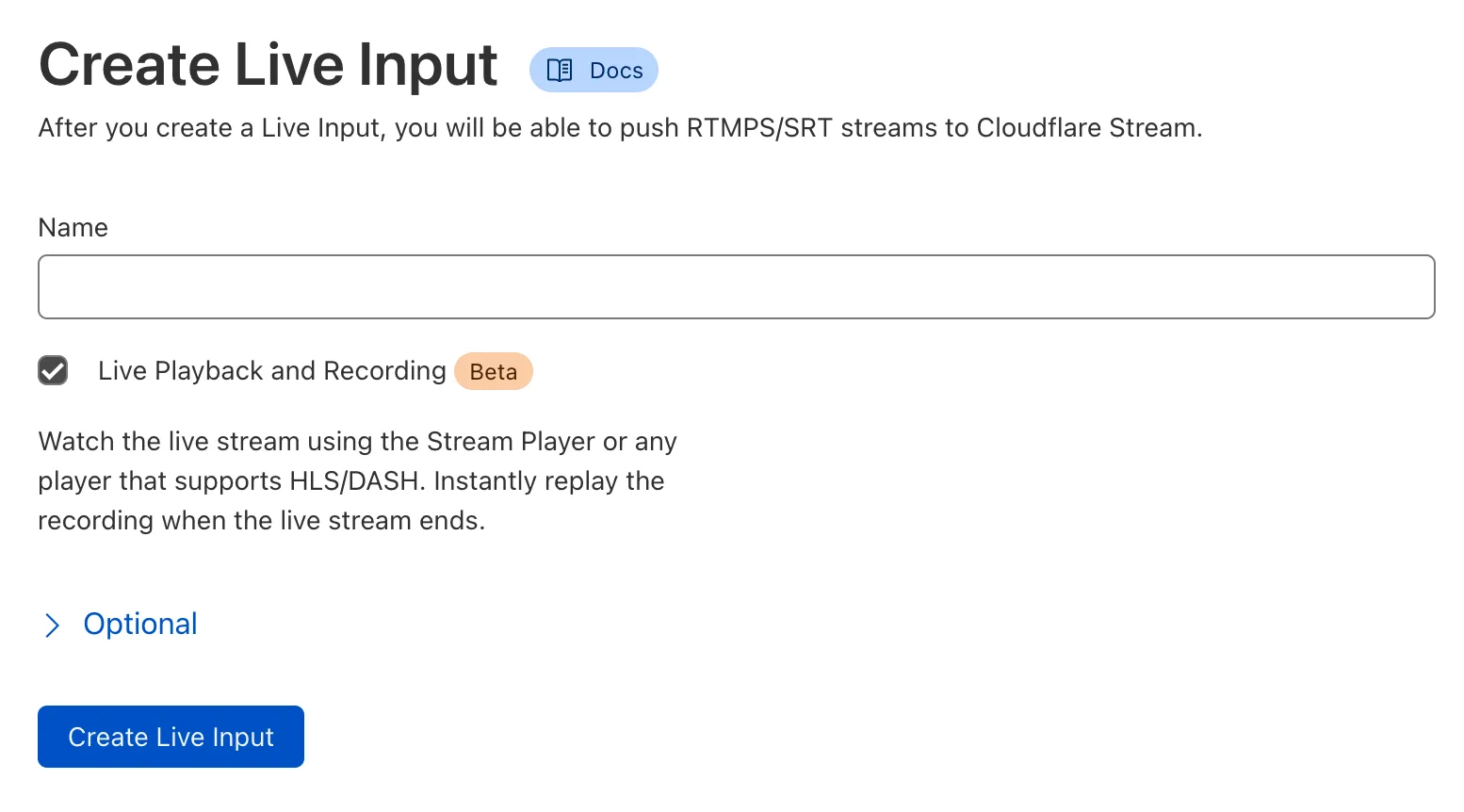
**Step 2:** Copy the RTMPS URL and key, and use them with your live streaming application. We recommend using [Open Broadcaster Software (OBS)](https://obsproject.com/) to get started.
**Step 3:** Go live and preview your live stream in the Stream Dashboard
In the Stream Dashboard, within seconds of going live, you will see a preview of what your viewers will see. To add live video playback to your website or app, refer to [Play videos](https://developers.cloudflare.com/stream/viewing-videos).
## Use the API
To start a live stream programmatically, make a `POST` request to the `/live_inputs` endpoint:
```bash
curl -X POST \
--header "Authorization: Bearer " \
--data '{"meta": {"name":"test stream"},"recording": { "mode": "automatic" }}' \
https://api.cloudflare.com/client/v4/accounts/{account_id}/stream/live_inputs
```
```json
{
"uid": "f256e6ea9341d51eea64c9454659e576",
"rtmps": {
"url": "rtmps://live.cloudflare.com:443/live/",
"streamKey": "MTQ0MTcjM3MjI1NDE3ODIyNTI1MjYyMjE4NTI2ODI1NDcxMzUyMzcf256e6ea9351d51eea64c9454659e576"
},
"created": "2021-09-23T05:05:53.451415Z",
"modified": "2021-09-23T05:05:53.451415Z",
"meta": {
"name": "test stream"
},
"status": null,
"recording": {
"mode": "automatic",
"requireSignedURLs": false,
"allowedOrigins": null,
"hideLiveViewerCount": false
},
"enabled": true,
"deleteRecordingAfterDays": null,
"preferLowLatency": false
}
```
#### Optional API parameters
[API Reference Docs for `/live_inputs`](https://developers.cloudflare.com/api/resources/stream/subresources/live_inputs/methods/create/)
* `enabled` boolean default: `true`
* Controls whether the live input accepts incoming broadcasts. When set to `false`, the live input will reject any incoming RTMPS or SRT connections. Use this property to programmatically end creator broadcasts or prevent new broadcasts from starting on a specific input.
* `preferLowLatency` boolean default: `false` Beta
* When set to true, this live input will be enabled for the beta Low-Latency HLS pipeline. The Stream built-in player will automatically use LL-HLS when possible. (Recording `mode` property must also be set to `automatic`.)
* `deleteRecordingAfterDays` integer default: `null` (any)
* Specifies a date and time when the recording, not the input, will be deleted. This property applies from the time the recording is made available and ready to stream. After the recording is deleted, it is no longer viewable and no longer counts towards storage for billing. Minimum value is `30`, maximum value is `1096`.
When the stream ends, a `scheduledDeletion` timestamp is calculated using the `deleteRecordingAfterDays` value if present.
Note that if the value is added to a live input while a stream is live, the property will only apply to future streams.
* `timeoutSeconds` integer default: `0`
* The `timeoutSeconds` property specifies how long a live feed can be disconnected before it results in a new video being created.
The following four properties are nested under the `recording` object.
* `mode` string default: `off`
* When the mode property is set to `automatic`, the live stream will be automatically available for viewing using HLS/DASH. In addition, the live stream will be automatically recorded for later replays. By default, recording mode is set to `off`, and the input will not be recorded or available for playback.
* `requireSignedURLs` boolean default: `false`
* The `requireSignedURLs` property indicates if signed URLs are required to view the video. This setting is applied by default to all videos recorded from the input. In addition, if viewing a video via the live input ID, this field takes effect over any video-level settings.
* `allowedOrigins` integer default: `null` (any)
* The `allowedOrigins` property can optionally be invoked to provide a list of allowed origins. This setting is applied by default to all videos recorded from the input. In addition, if viewing a video via the live input ID, this field takes effect over any video-level settings.
* `hideLiveViewerCount` boolean default: `false`
* Restrict access to the live viewer count and remove the value from the player.
## Manage live inputs
You can update live inputs by making a `PUT` request:
```bash
curl --request PUT \
https://api.cloudflare.com/client/v4/accounts/{account_id}/stream/live_inputs/{input_id} \
--header "Authorization: Bearer " \
--data '{"meta": {"name":"test stream 1"},"recording": { "mode": "automatic", "timeoutSeconds": 10 }}'
```
Delete a live input by making a `DELETE` request:
```bash
curl --request DELETE \
https://api.cloudflare.com/client/v4/accounts/{account_id}/stream/live_inputs/{input_id} \
--header "Authorization: Bearer "
```
## Recommendations, requirements and limitations
If you are experiencing buffering, freezing, experiencing latency, or having other similar issues, visit [live stream troubleshooting](https://developers.cloudflare.com/stream/stream-live/troubleshooting/).
### Recommendations
* Your creators should use an appropriate bitrate for their live streams, typically well under 12Mbps (12000Kbps). High motion, high frame rate content typically should use a higher bitrate, while low motion content like slide presentations should use a lower bitrate.
* Your creators should use a [GOP duration](https://en.wikipedia.org/wiki/Group_of_pictures) (keyframe interval) of between 2 to 8 seconds. The default in most encoding software and hardware, including Open Broadcaster Software (OBS), is within this range. Setting a lower GOP duration will reduce latency for viewers, while also reducing encoding efficiency. Setting a higher GOP duration will improve encoding efficiency, while increasing latency for viewers. This is a tradeoff inherent to video encoding, and not a limitation of Cloudflare Stream.
* When possible, select CBR (constant bitrate) instead of VBR (variable bitrate) as CBR helps to ensure a stable streaming experience while preventing buffering and interruptions.
#### Low-Latency HLS broadcast recommendations Beta
* For lowest latency, use a GOP size (keyframe interval) of 1 or 2 seconds.
* Broadcast to the RTMP endpoint if possible.
* If using OBS, select the "ultra low" latency profile.
### Requirements
* Closed GOPs are required. This means that if there are any B frames in the video, they should always refer to frames within the same GOP. This setting is the default in most encoding software and hardware, including [OBS Studio](https://obsproject.com/).
* Stream Live only supports H.264 video and AAC audio codecs as inputs. This requirement does not apply to inputs that are relayed to Stream Connect outputs. Stream Live supports ADTS but does not presently support LATM.
* Clients must be configured to reconnect when a disconnection occurs. Stream Live is designed to handle reconnection gracefully by continuing the live stream.
### Limitations
* Watermarks cannot yet be used with live videos.
* If a live video exceeds seven days in length, the recording will be truncated to seven days. Only the first seven days of live video content will be recorded.
---
title: Stream Live API docs · Cloudflare Stream docs
lastUpdated: 2024-12-16T22:33:26.000Z
chatbotDeprioritize: false
source_url:
html: https://developers.cloudflare.com/stream/stream-live/stream-live-api/
md: https://developers.cloudflare.com/stream/stream-live/stream-live-api/index.md
---
---
title: Troubleshooting a live stream · Cloudflare Stream docs
description: In addition to following the live stream troubleshooting steps in
this guide, make sure that your video settings align with Cloudflare live
stream recommendations. If you use OBS, you can also check these OBS-specific
recommendations.
lastUpdated: 2026-02-25T11:00:54.000Z
chatbotDeprioritize: false
source_url:
html: https://developers.cloudflare.com/stream/stream-live/troubleshooting/
md: https://developers.cloudflare.com/stream/stream-live/troubleshooting/index.md
---
In addition to following the live stream troubleshooting steps in this guide, make sure that your video settings align with [Cloudflare live stream recommendations](https://developers.cloudflare.com/stream/stream-live/start-stream-live/#recommendations-requirements-and-limitations). If you use OBS, you can also check these [OBS-specific recommendations](https://developers.cloudflare.com/stream/examples/obs-from-scratch/#6-optional-optimize-settings).
## Buffering, freezing, and latency
If your live stream is buffering, freezing, experiencing latency issues, or having other similar issues, try these troubleshooting steps:
1. In the Cloudflare dashboard, go to the **Live inputs** page.
[Go to **Live inputs**](https://dash.cloudflare.com/?to=/:account/stream/inputs)
2. For the live input in use, select the **Metrics** tab.
3. Look at your **Keyframe Interval** chart.
It should be a consistent flat line that stays between 2s and 8s. If you see an inconsistent or wavy line, or a line that is consistently below 2s or above 8s, adjust the keyframe interval (also called GOP size) in your software or service used to send the stream to Cloudflare. The exact steps for editing those settings will depend on your platform.
* Start by setting the keyframe interval to 4s. If playback is stable but latency is still too high, lower it to 2s. If you are experiencing buffering or freezing in playback, increase it to 8s.
* If the keyframe interval is "variable" or "automatic", change it to a specific number instead, like 4s.
What is a keyframe interval?
The keyframe interval (also called GOP size) is a measurement of how often keyframes are sent to Stream. A shorter keyframe interval requires more Internet bandwidth on the broadcast side, but can reduce glass-to-glass latency. A longer keyframe requires less Internet bandwidth and can reduce buffering and freezing, but can increase glass-to-glass latency.
4. Look at your **Upload-to-Duration Ratio** chart.
It should be a consistent flat line below 90%. If you see an inconsistent or wavy line, or a line that is consistently above 100%, try the following troubleshooting steps:
* [Check that your Internet upload speed](https://speed.cloudflare.com/) is at least 20 Mbps. If it is below 20 Mbps, use common troubleshooting steps such as restarting your router, using an Ethernet connection instead of Wi-Fi, or contacting your Internet service provider.
* Check the video bitrate setting in the software or service you use to send the stream to Cloudflare.
* If it is "variable", change it to "constant" with a specific number, like 8 Mbps.
* If it is above 15 Mbps, lower it to 8 Mbps or 70% of your Internet speed, whichever is lower.
* Follow the steps above (the keyframe interval steps) to *increase* the keyframe interval in the software or service you use to send the stream to Cloudflare.
What is the upload-to-duration ratio?
The upload-to-duration ratio is a measurement of how long it takes to upload a part of the stream compared to how long that part would take to play. A ratio of less than 100% means that the stream is uploading at least as fast as it would take to play, so most users should not experience buffering or freezing. A ratio of 100% or more means that your video is uploading slower than it would take to play, so it is likely that most users will experience buffering and freezing.
## Connection rejected or unable to connect
If your broadcast software shows a connection error or the stream fails to start, verify that the live input is enabled. A live input that is *disabled* will reject all incoming connections.
You can disable or enable a live input from the **Live inputs** list page or the live input detail page in the Dashboard.
[Go to **Live inputs**](https://dash.cloudflare.com/?to=/:account/stream/inputs)
To check or update the live input status via the API, use the `enabled` property:
```bash
curl -X GET \
--header "Authorization: Bearer " \
https://api.cloudflare.com/client/v4/accounts/{account_id}/stream/live_inputs/{input_id}
```
If `enabled` is `false` in the response, update the live input to enable it:
```bash
curl --request PUT \
https://api.cloudflare.com/client/v4/accounts/{account_id}/stream/live_inputs/{input_id} \
--header "Authorization: Bearer " \
--data '{"enabled": true}'
```
---
title: Watch a live stream · Cloudflare Stream docs
description: |-
When a Live Input begins receiving a
broadcast, a new video is automatically created if the input's mode property
is set to automatic.
lastUpdated: 2025-09-04T14:40:32.000Z
chatbotDeprioritize: false
source_url:
html: https://developers.cloudflare.com/stream/stream-live/watch-live-stream/
md: https://developers.cloudflare.com/stream/stream-live/watch-live-stream/index.md
---
When a [Live Input](https://developers.cloudflare.com/stream/stream-live/start-stream-live/) begins receiving a broadcast, a new video is automatically created if the input's `mode` property is set to `automatic`.
To watch, Stream offers a built-in Player or you use a custom player with the HLS and DASH manifests.
Note
Due to Google Chromecast limitations, Chromecast does not support audio and video delivered separately. To avoid potential issues with playback, we recommend using DASH, instead of HLS, which is a Chromecast supported use case.
## View by Live Input ID or Video ID
Whether you use the Stream Player or a custom player with a manifest, you can reference the Live Input ID or a specific Video ID. The main difference is what happens when a broadcast concludes.
Use a Live Input ID in instances where a player should always show the active broadcast, if there is one, or a "Stream has not started" message if the input is idle. This option is best for cases where a page is dedicated to a creator, channel, or recurring program. The Live Input ID is provisioned for you when you create the input; it will not change.
Use a Video ID in instances where a player should be used to display a single broadcast or its recording once the broadcast has concluded. This option is best for cases where a page is dedicated to a one-time event, specific episode/occurance, or date. There is a *new* Video ID generated for each broadcast *when it starts.*
Using DVR mode, explained below, there are additional considerations.
Stream's URLs are all templatized for easy generation:
**Stream built-in Player URL format:**
```plaintext
https://customer-.cloudflarestream.com//iframe
```
A full embed code can be generated in Dash or with the API.
**HLS Manifest URL format:**
```plaintext
https://customer-.cloudflarestream.com//manifest/video.m3u8
```
You can also retrieve the embed code or manifest URLs from Dash or the API.
## Use the dashboard
To get the Stream built-in player embed code or HLS Manifest URL for a custom player:
1. In the Cloudflare dashboard, go to the **Live inputs** page.
[Go to **Live inputs**](https://dash.cloudflare.com/?to=/:account/stream/inputs)
2. Select a live input from the list.
3. Locate the **Embed** and **HLS Manifest URL** beneath the video.
4. Determine which option to use and then select **Click to copy** beneath your choice.
The embed code or manifest URL retrieved in Dash will reference the Live Input ID.
## Use the API
To retrieve the player code or manifest URLs via the API, fetch the Live Input's list of videos:
```bash
curl -X GET \
-H "Authorization: Bearer " \
https://api.cloudflare.com/client/v4/accounts//stream/live_inputs//videos
```
A live input will have multiple videos associated with it, one for each broadcast. If there is an active broadcast, the first video in the response will have a `live-inprogress` status. Other videos in the response represent recordings which can be played on-demand.
Each video in the response, including the active broadcast if there is one, contains the HLS and DASH URLs and a link to the Stream player. Noteworthy properties include:
* `preview` -- Link to the Stream player to watch
* `playback`.`hls` -- HLS Manifest
* `playback`.`dash` -- DASH Manifest
In the example below, the state of the live video is `live-inprogress` and the state for previously recorded video is `ready`.
```json
{
"result": [
{
"uid": "6b9e68b07dfee8cc2d116e4c51d6a957",
"thumbnail": "https://customer-f33zs165nr7gyfy4.cloudflarestream.com/6b9e68b07dfee8cc2d116e4c51d6a957/thumbnails/thumbnail.jpg",
"status": {
"state": "live-inprogress",
"errorReasonCode": "",
"errorReasonText": ""
},
"meta": {
"name": "Stream Live Test 23 Sep 21 05:44 UTC"
},
"created": "2021-09-23T05:44:30.453838Z",
"modified": "2021-09-23T05:44:30.453838Z",
"size": 0,
"preview": "https://customer-f33zs165nr7gyfy4.cloudflarestream.com/6b9e68b07dfee8cc2d116e4c51d6a957/watch",
...
"playback": {
"hls": "https://customer-f33zs165nr7gyfy4.cloudflarestream.com/6b9e68b07dfee8cc2d116e4c51d6a957/manifest/video.m3u8",
"dash": "https://customer-f33zs165nr7gyfy4.cloudflarestream.com/6b9e68b07dfee8cc2d116e4c51d6a957/manifest/video.mpd"
},
...
},
{
"uid": "6b9e68b07dfee8cc2d116e4c51d6a957",
"thumbnail": "https://customer-f33zs165nr7gyfy4.cloudflarestream.com/6b9e68b07dfee8cc2d116e4c51d6a957/thumbnails/thumbnail.jpg",
"thumbnailTimestampPct": 0,
"readyToStream": true,
"status": {
"state": "ready",
"pctComplete": "100.000000",
"errorReasonCode": "",
"errorReasonText": ""
},
"meta": {
"name": "CFTV Staging 22 Sep 21 22:12 UTC"
},
"created": "2021-09-22T22:12:53.587306Z",
"modified": "2021-09-23T00:14:05.591333Z",
"size": 0,
"preview": "https://customer-f33zs165nr7gyfy4.cloudflarestream.com/6b9e68b07dfee8cc2d116e4c51d6a957/watch",
...
"playback": {
"hls": "https://customer-f33zs165nr7gyfy4.cloudflarestream.com/6b9e68b07dfee8cc2d116e4c51d6a957/manifest/video.m3u8",
"dash": "https://customer-f33zs165nr7gyfy4.cloudflarestream.com/6b9e68b07dfee8cc2d116e4c51d6a957/manifest/video.mpd"
},
}
],
}
```
These will reference the Video ID.
## Live input status
You can check whether a live input is currently streaming and what its active video ID is by making a request to its `lifecycle` endpoint. The Stream player does this automatically to show a note when the input is idle. Custom players may require additional support.
```bash
curl -X GET \
-H "Authorization: Bearer " \
https://customer-.cloudflarestream.com//lifecycle
```
In the example below, the response indicates the `ID` is for an input with an active `videoUID`. The `live` status value indicates the input is actively streaming.
```json
{
"isInput": true,
"videoUID": "55b9b5ce48c3968c6b514c458959d6a",
"live": true
}
```
```json
{
"isInput": true,
"videoUID": null,
"live": false
}
```
When viewing a live stream via the live input ID, the `requireSignedURLs` and `allowedOrigins` options in the live input recording settings are used. These settings are independent of the video-level settings.
## Live stream recording playback
After a live stream ends, a recording is automatically generated and available within 60 seconds. To ensure successful video viewing and playback, keep the following in mind:
* If a live stream ends while a viewer is watching, viewers using the Stream player should wait 60 seconds and then reload the player to view the recording of the live stream.
* After a live stream ends, you can check the status of the recording via the API. When the video state is `ready`, you can use one of the manifest URLs to stream the recording.
While the recording of the live stream is generating, the video may report as `not-found` or `not-started`.
If you are not using the Stream player for live stream recordings, refer to [Record and replay live streams](https://developers.cloudflare.com/stream/stream-live/replay-recordings/) for more information on how to replay a live stream recording.
---
title: Receive Live Webhooks · Cloudflare Stream docs
description: Stream Live offers webhooks to notify your service when an Input
connects, disconnects, or encounters an error with Stream Live.
lastUpdated: 2026-01-14T17:05:31.000Z
chatbotDeprioritize: false
source_url:
html: https://developers.cloudflare.com/stream/stream-live/webhooks/
md: https://developers.cloudflare.com/stream/stream-live/webhooks/index.md
---
Stream Live offers webhooks to notify your service when an Input connects, disconnects, or encounters an error with Stream Live.
Note
Webhooks works differently for uploaded / on-demand videos. For more information, refer to [Using Webhooks](https://developers.cloudflare.com/stream/manage-video-library/using-webhooks/).
Stream Live Notifications
**Who is it for?**
Customers who are using [Stream](https://developers.cloudflare.com/stream/) and want to receive webhooks with the status of their videos.
**Other options / filters**
You can input Stream Live IDs to receive notifications only about those inputs. If left blank, you will receive a list for all inputs.
The following input states will fire notifications. You can toggle them on or off:
* `live_input.connected`
* `live_input.disconnected`
**Included with**
Stream subscription.
**What should you do if you receive one?**
Stream notifications are entirely customizable by the customer. Action will depend on the customizations enabled.
## Subscribe to Stream Live Webhooks
1. In the Cloudflare dashboard, go to the **Notifications** page.
[Go to **Notifications**](https://dash.cloudflare.com/?to=/:account/notifications)
2. Select the **Destinations** tab.
3. On the **Destinations** page under **Webhooks**, select **Create**.
4. Enter the information for your webhook and select **Save and Test**.
5. To create the notification, from the **Notifications** page, select the **All Notifications** tab.
6. Next to **Notifications**, select **Add**.
7. Under the list of products, locate **Stream** and select **Select**.
8. Enter a name and optional description.
9. Under **Webhooks**, select **Add webhook** and select your newly created webhook.
10. Select **Next**.
11. By default, you will receive webhook notifications for all Live Inputs. If you only wish to receive webhooks for certain inputs, enter a comma-delimited list of Input IDs in the text field.
12. When you are done, select **Create**.
```json
{
"name": "Live Webhook Test",
"text": "Notification type: Stream Live Input\nInput ID: eb222fcca08eeb1ae84c981ebe8aeeb6\nEvent type: live_input.disconnected\nUpdated at: 2022-01-13T11:43:41.855717910Z",
"data": {
"notification_name": "Stream Live Input",
"input_id": "eb222fcca08eeb1ae84c981ebe8aeeb6",
"event_type": "live_input.disconnected",
"updated_at": "2022-01-13T11:43:41.855717910Z"
},
"ts": 1642074233
}
```
The `event_type` property of the data object will either be `live_input.connected`, `live_input.disconnected`, or `live_input.errored`.
If there are issues detected with the input, the `event_type` will be `live_input.errored`. Additional data will be under the `live_input_errored` json key and will include a `code` with one of the values listed below.
## Error codes
* `ERR_GOP_OUT_OF_RANGE` – The input GOP size or keyframe interval is out of range.
* `ERR_UNSUPPORTED_VIDEO_CODEC` – The input video codec is unsupported for the protocol used.
* `ERR_UNSUPPORTED_AUDIO_CODEC` – The input audio codec is unsupported for the protocol used.
* `ERR_STORAGE_QUOTA_EXHAUSTED` – The account storage quota has been exceeded. Delete older content or purcahse additional storage.
* `ERR_MISSING_SUBSCRIPTION` – Unauthorized to start a live stream. Check subscription or log into Dash for details.
```json
{
"name": "Live Webhook Test",
"text": "Notification type: Stream Live Input\nInput ID: 2c28dd2cc444cb77578c4840b51e43a8\nEvent type: live_input.errored\nUpdated at: 2024-07-09T18:07:51.077371662Z\nError Code: ERR_GOP_OUT_OF_RANGE\nError Message: Input GOP size or keyframe interval is out of range.\nVideo Codec: \nAudio Codec: ",
"data": {
"notification_name": "Stream Live Input",
"input_id": "eb222fcca08eeb1ae84c981ebe8aeeb6",
"event_type": "live_input.errored",
"updated_at": "2024-07-09T18:07:51.077371662Z",
"live_input_errored": {
"error": {
"code": "ERR_GOP_OUT_OF_RANGE",
"message": "Input GOP size or keyframe interval is out of range."
},
"video_codec": "",
"audio_codec": ""
}
},
"ts": 1720548474,
}
```
---
title: Define source origin · Cloudflare Stream docs
description: When optimizing remote videos, you can specify which origins can be
used as the source for transformed videos. By default, Cloudflare accepts only
source videos from the zone where your transformations are served.
lastUpdated: 2025-09-25T13:29:38.000Z
chatbotDeprioritize: false
source_url:
html: https://developers.cloudflare.com/stream/transform-videos/sources/
md: https://developers.cloudflare.com/stream/transform-videos/sources/index.md
---
Media Transformations is now GA:
Billing for Media Transformations will begin on November 1st, 2025.
When optimizing remote videos, you can specify which origins can be used as the source for transformed videos. By default, Cloudflare accepts only source videos from the zone where your transformations are served.
On this page, you will learn how to define and manage the origins for the source videos that you want to optimize.
Note
The allowed origins setting applies to requests from Cloudflare Workers.
If you use a Worker to optimize remote videos via a `fetch()` subrequest, then this setting may conflict with existing logic that handles source videos.
## Configure origins
To get started, you must have [transformations enabled on your zone](https://developers.cloudflare.com/stream/transform-videos/#getting-started).
In the Cloudflare dashboard, go to **Stream** > **Transformations** and select the zone where you want to serve transformations.
In **Sources**, you can configure the origins for transformations on your zone.

## Allow source videos only from allowed origins
You can restrict source videos to **allowed origins**, which applies transformations only to source videos from a defined list.
By default, your accepted sources are set to **allowed origins**. Cloudflare will always allow source videos from the same zone where your transformations are served.
If you request a transformation with a source video from outside your **allowed origins**, then the video will be rejected. For example, if you serve transformations on your zone `a.com` and do not define any additional origins, then `a.com/video.mp4` can be used as a source video, but `b.com/video.mp4` will return an error.
To define a new origin:
1. From **Sources**, select **Add origin**.
2. Under **Domain**, specify the domain for the source video. Only valid web URLs will be accepted.

When you add a root domain, subdomains are not accepted. In other words, if you add `b.com`, then source videos from `media.b.com` will be rejected.
To support individual subdomains, define an additional origin such as `media.b.com`. If you add only `media.b.com` and not the root domain, then source videos from the root domain (`b.com`) and other subdomains (`cdn.b.com`) will be rejected.
To support all subdomains, use the `*` wildcard at the beginning of the root domain. For example, `*.b.com` will accept source videos from the root domain (like `b.com/video.mp4`) as well as from subdomains (like `media.b.com/video.mp4` or `cdn.b.com/video.mp4`).
1. Optionally, you can specify the **Path** for the source video. If no path is specified, then source videos from all paths on this domain are accepted.
Cloudflare checks whether the defined path is at the beginning of the source path. If the defined path is not present at the beginning of the path, then the source video will be rejected.
For example, if you define an origin with domain `b.com` and path `/themes`, then `b.com/themes/video.mp4` will be accepted but `b.com/media/themes/video.mp4` will be rejected.
1. Select **Add**. Your origin will now appear in your list of allowed origins.
2. Select **Save**. These changes will take effect immediately.
When you configure **allowed origins**, only the initial URL of the source video is checked. Any redirects, including URLs that leave your zone, will be followed, and the resulting video will be transformed.
If you change your accepted sources to **any origin**, then your list of sources will be cleared and reset to default.
## Allow source videos from any origin
When your accepted sources are set to **any origin**, any publicly available video can be used as the source video for transformations on this zone.
**Any origin** is less secure and may allow third parties to serve transformations on your zone.
---
title: Troubleshooting · Cloudflare Stream docs
description: "If you are using Media Transformations to transform your video and
you experience a failure, the response body contains an error message
explaining the reason, as well as the Cf-Resized header containing err=code:"
lastUpdated: 2025-09-25T13:29:38.000Z
chatbotDeprioritize: false
source_url:
html: https://developers.cloudflare.com/stream/transform-videos/troubleshooting/
md: https://developers.cloudflare.com/stream/transform-videos/troubleshooting/index.md
---
Media Transformations is now GA:
Billing for Media Transformations will begin on November 1st, 2025.
If you are using Media Transformations to transform your video and you experience a failure, the response body contains an error message explaining the reason, as well as the `Cf-Resized` header containing `err=code`:
* 9401 — The required options are missing or are invalid. Refer to [Options](https://developers.cloudflare.com/stream/transform-videos/#options) for supported arguments.
* 9402 — The video was too large or the origin server did not respond as expected. Refer to [source video requirements](https://developers.cloudflare.com/stream/transform-videos/#source-video-requirements) for more information.
* 9404 — The video does not exist on the origin server or the URL used to transform the video is wrong. Verify the video exists and check the URL.
* 9406 & 9419 — The video URL is a non-HTTPS URL or the URL has spaces or unescaped Unicode. Check your URL and try again.
* 9407 — A lookup error occurred with the origin server's domain name. Check your DNS settings and try again.
* 9408 — The origin server returned an HTTP 4xx status code and may be denying access to the video. Confirm your video settings and try again.
* 9412 — The origin server returned a non-video, for example, an HTML page. This usually happens when an invalid URL is specified or server-side software has printed an error or presented a login page.
* 9504 — The origin server could not be contacted because the origin server may be down or overloaded. Try again later.
* 9509 — The origin server returned an HTTP 5xx status code. This is most likely a problem with the origin server-side software, not the transformation.
* 9517 & 9523 — Internal errors. Contact support if you encounter these errors.
***
---
title: Direct creator uploads · Cloudflare Stream docs
description: "Direct creator uploads let your end users upload videos directly
to Cloudflare Stream without exposing your API token to clients. You can
implement direct creator uploads using either a basic POST request or the tus
protocol. Use this chart to decide which method to use:"
lastUpdated: 2026-03-05T15:58:02.000Z
chatbotDeprioritize: false
source_url:
html: https://developers.cloudflare.com/stream/uploading-videos/direct-creator-uploads/
md: https://developers.cloudflare.com/stream/uploading-videos/direct-creator-uploads/index.md
---
Direct creator uploads let your end users upload videos directly to Cloudflare Stream without exposing your API token to clients. You can implement direct creator uploads using either a [basic POST request](#basic-post-request) or the [tus protocol](#direct-creator-uploads-with-tus-protocol). Use this chart to decide which method to use:
```mermaid
flowchart LR
accTitle: Direct creator uploads decision flow
accDescr: Decision flow for choosing between basic POST uploads and tus protocol based on file size and connection reliability
A{Is the video over 200 MB?}
A -->|Yes| B[You must use the tus protocol]:::link
A -->|No| C{Does the end user have a reliable connection?}
C -->|Yes| D[Basic POST is recommended]:::link
C -->|No| E[The tus protocol is optional, but recommended]:::link
classDef link text-decoration:underline,color:#F38020
click B "#direct-creator-uploads-with-tus-protocol" "Learn about tus protocol"
click D "#basic-post-request" "See basic POST instructions"
click E "#direct-creator-uploads-with-tus-protocol" "Learn about tus protocol"
```
Billing considerations
Whether you use basic `POST` or tus protocol, you must specify a maximum duration to reserve for the user's upload to ensure it can be accommodated within your available storage. This duration will be deducted from your account's available storage until the user's upload is received. Once the upload is processed, its actual duration will be counted and the remaining reservation will be released. If the video errors or is not received before the link expires, the entire reservation will be released.
For a detailed breakdown of pricing and example scenarios, refer to [Pricing](https://developers.cloudflare.com/stream/pricing/).
## Basic POST request
If your end user's video is under 200 MB and their connection is reliable, we recommend using this method. If your end user's connection is unreliable, we recommend using the [tus protocol](#direct-creator-uploads-with-tus-protocol) instead.
To enable direct creator uploads with a `POST` request:
1. Generate a unique, one-time upload URL using the [Direct upload API](https://developers.cloudflare.com/api/resources/stream/subresources/direct_upload/methods/create/).
```sh
curl https://api.cloudflare.com/client/v4/accounts/{account_id}/stream/direct_upload \
--header 'Authorization: Bearer ' \
--data '{
"maxDurationSeconds": 3600
}'
```
```json
{
"result": {
"uploadURL": "https://upload.videodelivery.net/f65014bc6ff5419ea86e7972a047ba22",
"uid": "f65014bc6ff5419ea86e7972a047ba22"
},
"success": true,
"errors": [],
"messages": []
}
```
1. With the `uploadURL` from the previous step, users can upload video files that are limited to 200 MB in size. Refer to the example request below.
```bash
curl --request POST \
--form file=@/Users/mickie/Downloads/example_video.mp4 \
https://upload.videodelivery.net/f65014bc6ff5419ea86e7972a047ba22
```
A successful upload returns a `200` HTTP status code response. If the upload does not meet the upload constraints defined at time of creation or is larger than 200 MB in size, the response returns a `4xx` HTTP status code.
## Direct creator uploads with tus protocol
If your end user's video is over 200 MB, you must use the tus protocol. Even if the file is under 200 MB, if the end user's connection is potentially unreliable, Cloudflare recommends using the tus protocol because it is resumable. For detailed information about tus protocol requirements, additional client examples, and upload options, refer to [Resumable and large files (tus)](https://developers.cloudflare.com/stream/uploading-videos/resumable-uploads/).
The following diagram shows how the two steps of this process interact:
```mermaid
sequenceDiagram
accTitle: Direct Creator Uploads with tus sequence diagram
accDescr: Shows the two-step flow where a backend provisions a tus upload URL and the end user uploads directly to Stream
participant U as End user
participant B as Your backend
participant S as Cloudflare Stream
U->>B: Initiates upload request
B->>S: Requests tus upload URL (authenticated)
S->>B: Returns one-time upload URL
B->>U: Returns one-time upload URL
U->>S: Uploads video directly using tus
```
### Step 1: Your backend provisions a one-time upload URL
Note
Before provisioning the one-time upload URL, your backend must obtain the file size from the end user. The tus protocol requires the `Upload-Length` header when creating the upload endpoint. In a browser, you can get the file size from the selected file's `.size` property (for example, `fileInput.files[0].size`).
The example below shows how to build a Worker that returns a one-time upload URL to your end users. The one-time upload URL is returned in the `Location` header of the response, not in the response body.
```javascript
export async function onRequest(context) {
const { request, env } = context;
const { CLOUDFLARE_ACCOUNT_ID, CLOUDFLARE_API_TOKEN } = env;
const endpoint = `https://api.cloudflare.com/client/v4/accounts/${CLOUDFLARE_ACCOUNT_ID}/stream?direct_user=true`;
const response = await fetch(endpoint, {
method: "POST",
headers: {
Authorization: `bearer ${CLOUDFLARE_API_TOKEN}`,
"Tus-Resumable": "1.0.0",
"Upload-Length": request.headers.get("Upload-Length"),
"Upload-Metadata": request.headers.get("Upload-Metadata"),
},
});
const destination = response.headers.get("Location");
return new Response(null, {
headers: {
"Access-Control-Expose-Headers": "Location",
"Access-Control-Allow-Headers": "*",
"Access-Control-Allow-Origin": "*",
Location: destination,
},
});
}
```
### Step 2: Your end user's client uploads directly to Stream
Use your backend endpoint directly in your tus client. Refer to the below example for a complete demonstration of how to use the backend from Step 1 with the uppy tus client.
```html
```
For more details on using tus and example client code, refer to [Resumable and large files (tus)](https://developers.cloudflare.com/stream/uploading-videos/resumable-uploads/).
## Upload-Metadata header syntax
You can apply the [same constraints](https://developers.cloudflare.com/api/resources/stream/subresources/direct_upload/methods/create/) as Direct Creator Upload via basic upload when using tus. To do so, you must pass the `expiry` and `maxDurationSeconds` as part of the `Upload-Metadata` request header as part of the first request (made by the Worker in the example above.) The `Upload-Metadata` values are ignored from subsequent requests that do the actual file upload.
The `Upload-Metadata` header should contain key-value pairs. The keys are text and the values should be encoded in base64. Separate the key and values by a space, *not* an equal sign. To join multiple key-value pairs, include a comma with no additional spaces.
In the example below, the `Upload-Metadata` header is instructing Stream to only accept uploads with max video duration of 10 minutes, uploaded prior to the expiry timestamp, and to make this video private:
`'Upload-Metadata: maxDurationSeconds NjAw,requiresignedurls,expiry MjAyNC0wMi0yN1QwNzoyMDo1MFo='`
`NjAw` is the base64 encoded value for "600" (or 10 minutes).
`MjAyNC0wMi0yN1QwNzoyMDo1MFo=` is the base64 encoded value for "2024-02-27T07:20:50Z" (an RFC3339 format timestamp)
## Track upload progress
After the creation of a unique one-time upload URL, you should retain the unique identifier (`uid`) returned in the response to track the progress of a user's upload.
You can track upload progress in the following ways:
* [Use the get video details API endpoint](https://developers.cloudflare.com/api/resources/stream/methods/get/) with the `uid`.
* [Create a webhook subscription](https://developers.cloudflare.com/stream/manage-video-library/using-webhooks/) to receive notifications about the video status. These notifications include the `uid`.
---
title: Player API · Cloudflare Stream docs
description: "Attributes are added in the tag without quotes, as you
can see below:"
lastUpdated: 2025-05-08T19:52:23.000Z
chatbotDeprioritize: true
source_url:
html: https://developers.cloudflare.com/stream/uploading-videos/player-api/
md: https://developers.cloudflare.com/stream/uploading-videos/player-api/index.md
---
Attributes are added in the `` tag without quotes, as you can see below:
```plaintext
```
Multiple attributes can be used together, added one after each other like this:
```plaintext
```
## Supported attributes
* `autoplay` boolean
* Tells the browser to immediately start downloading the video and play it as soon as it can. Note that mobile browsers generally do not support this attribute, the user must tap the screen to begin video playback. Please consider mobile users or users with Internet usage limits as some users do not have unlimited Internet access before using this attribute.
Note
To disable video autoplay, the `autoplay` attribute needs to be removed altogether as this attribute. Setting `autoplay="false"` will not work; the video will autoplay if the attribute is there in the `` tag.
In addition, some browsers now prevent videos with audio from playing automatically. You may add the `mute` attribute to allow your videos to autoplay. For more information, see [new video policies for iOS](https://webkit.org/blog/6784/new-video-policies-for-ios/). :::
* `controls` boolean
* Shows the default video controls such as buttons for play/pause, volume controls. You may choose to build buttons and controls that work with the player. [See an example.](https://developers.cloudflare.com/stream/viewing-videos/using-own-player/)
* `height` integer
* The height of the video's display area, in CSS pixels.
* `loop` boolean
* A Boolean attribute; if included in the HTML tag, player will, automatically seek back to the start upon reaching the end of the video.
* `muted` boolean
* A Boolean attribute which indicates the default setting of the audio contained in the video. If set, the audio will be initially silenced.
* `preload` string | null
* This enumerated attribute is intended to provide a hint to the browser about what the author thinks will lead to the best user experience. You may choose to include this attribute as a boolean attribute without a value, or you may specify the value `preload="auto"` to preload the beginning of the video. Not including the attribute or using `preload="metadata"` will just load the metadata needed to start video playback when requested.
Note
The `
---
title: Resumable and large files (tus) · Cloudflare Stream docs
description: If you need to upload a video that is over 200 MB, you must use the
tus protocol. Even if the video is under 200 MB, if your connection is
potentially unreliable, Cloudflare recommends using the tus protocol because
it is resumable. A resumable upload ensures that the upload can be interrupted
and resumed without uploading the previous data again.
lastUpdated: 2026-02-20T17:00:32.000Z
chatbotDeprioritize: false
source_url:
html: https://developers.cloudflare.com/stream/uploading-videos/resumable-uploads/
md: https://developers.cloudflare.com/stream/uploading-videos/resumable-uploads/index.md
---
If you need to upload a video that is over 200 MB, you must use the [tus protocol](https://tus.io/). Even if the video is under 200 MB, if your connection is potentially unreliable, Cloudflare recommends using the tus protocol because it is resumable. A resumable upload ensures that the upload can be interrupted and resumed without uploading the previous data again.
To use the tus protocol with end user videos, refer to [Direct Creator Uploads with tus](https://developers.cloudflare.com/stream/uploading-videos/direct-creator-uploads/#direct-creator-uploads-with-tus-protocol).
If your video is under 200 MB and your connection is reliable, you can use a basic `POST` request instead. For direct API uploads using your API token, refer to [Upload via link](https://developers.cloudflare.com/stream/uploading-videos/upload-video-file/). For end user uploads, refer to [Basic POST request for Direct Creator Uploads](https://developers.cloudflare.com/stream/uploading-videos/direct-creator-uploads/#basic-post-request).
## Requirements
* Resumable uploads require a minimum chunk size of 5,242,880 bytes unless the entire file is less than this amount. For better performance when the client connection is expected to be reliable, increase the chunk size to 52,428,800 bytes.
* Maximum chunk size is 209,715,200 bytes.
* Chunk size must be divisible by 256 KiB (256x1024 bytes). Round your chunk size to the nearest multiple of 256 KiB. Note that the final chunk of an upload that fits within a single chunk is exempt from this requirement.
## Prerequisites
Before you can upload a video using tus, you will need to download a tus client.
For more information, refer to the [tus Python client](https://github.com/tus/tus-py-client) which is available through pip, Python's package manager.
```python
pip install -U tus.py
```
## Upload a video using tus
```sh
tus-upload --chunk-size 52428800 --header \
Authorization "Bearer "
https://api.cloudflare.com/client/v4/accounts//stream
```
```sh
INFO Creating file endpoint
INFO Created: https://api.cloudflare.com/client/v4/accounts/d467d4f0fcbcd9791b613bc3a9599cdc/stream/dd5d531a12de0c724bd1275a3b2bc9c6
...
```
### Golang example
Before you begin, import a tus client such as [go-tus](https://github.com/eventials/go-tus) to upload from your Go applications.
The `go-tus` library does not return the response headers to the calling function, which makes it difficult to read the video ID from the `stream-media-id` header. As a workaround, create a [Direct Creator Upload](https://developers.cloudflare.com/stream/uploading-videos/direct-creator-uploads/) link. That API response will include the TUS endpoint as well as the video ID. Setting a Creator ID is not required.
```go
package main
import (
"net/http"
"os"
tus "github.com/eventials/go-tus"
)
func main() {
accountID := ""
f, err := os.Open("videofile.mp4")
if err != nil {
panic(err)
}
defer f.Close()
headers := make(http.Header)
headers.Add("Authorization", "Bearer ")
config := &tus.Config{
ChunkSize: 50 * 1024 * 1024, // Required a minimum chunk size of 5 MB, here we use 50 MB.
Resume: false,
OverridePatchMethod: false,
Store: nil,
Header: headers,
HttpClient: nil,
}
client, _ := tus.NewClient("https://api.cloudflare.com/client/v4/accounts/"+ accountID +"/stream", config)
upload, _ := tus.NewUploadFromFile(f)
uploader, _ := client.CreateUpload(upload)
uploader.Upload()
}
```
You can also get the progress of the upload if you are running the upload in a goroutine.
```go
// returns the progress percentage.
upload.Progress()
// returns whether or not the upload is complete.
upload.Finished()
```
Refer to [go-tus](https://github.com/eventials/go-tus) for functionality such as resuming uploads.
### Node.js example
Before you begin, install the tus-js-client.
* npm
```sh
npm i tus-js-client
```
* yarn
```sh
yarn add tus-js-client
```
* pnpm
```sh
pnpm add tus-js-client
```
Create an `index.js` file and configure:
* The API endpoint with your Cloudflare Account ID.
* The request headers to include an API token.
```js
var fs = require("fs");
var tus = require("tus-js-client");
// Specify location of file you would like to upload below
var path = __dirname + "/test.mp4";
var file = fs.createReadStream(path);
var size = fs.statSync(path).size;
var mediaId = "";
var options = {
endpoint: "https://api.cloudflare.com/client/v4/accounts//stream",
headers: {
Authorization: "Bearer ",
},
chunkSize: 50 * 1024 * 1024, // Required a minimum chunk size of 5 MB. Here we use 50 MB.
retryDelays: [0, 3000, 5000, 10000, 20000], // Indicates to tus-js-client the delays after which it will retry if the upload fails.
metadata: {
name: "test.mp4",
filetype: "video/mp4",
// Optional if you want to include a watermark
// watermark: '',
},
uploadSize: size,
onError: function (error) {
throw error;
},
onProgress: function (bytesUploaded, bytesTotal) {
var percentage = ((bytesUploaded / bytesTotal) * 100).toFixed(2);
console.log(bytesUploaded, bytesTotal, percentage + "%");
},
onSuccess: function () {
console.log("Upload finished");
},
onAfterResponse: function (req, res) {
return new Promise((resolve) => {
var mediaIdHeader = res.getHeader("stream-media-id");
if (mediaIdHeader) {
mediaId = mediaIdHeader;
}
resolve();
});
},
};
var upload = new tus.Upload(file, options);
upload.start();
```
## Specify upload options
The tus protocol allows you to add optional parameters in the [`Upload-Metadata` header](https://tus.io/protocols/resumable-upload.html#upload-metadata).
### Supported options in `Upload-Metadata`
Setting arbitrary metadata values in the `Upload-Metadata` header sets values in the [meta key in Stream API](https://developers.cloudflare.com/api/resources/stream/methods/list/).
* `name`
* Setting this key will set `meta.name` in the API and display the value as the name of the video in the dashboard.
* `requiresignedurls`
* If this key is present, the video playback for this video will be required to use signed URLs after upload.
* `scheduleddeletion`
* Specifies a date and time when a video will be deleted. After a video is deleted, it is no longer viewable and no longer counts towards storage for billing. The specified date and time cannot be earlier than 30 days or later than 1,096 days from the video's created timestamp.
* `allowedorigins`
* An array of strings listing origins allowed to display the video. This will set the [allowed origins setting](https://developers.cloudflare.com/stream/viewing-videos/securing-your-stream/#security-considerations) for the video.
* `thumbnailtimestamppct`
* Specify the default thumbnail [timestamp percentage](https://developers.cloudflare.com/stream/viewing-videos/displaying-thumbnails/). Note that percentage is a floating point value between 0.0 and 1.0.
* `watermark`
* The watermark profile UID.
## Set creator property
Setting a creator value in the `Upload-Creator` header can be used to identify the creator of the video content, linking the way you identify your users or creators to videos in your Stream account.
For examples of how to set and modify the creator ID, refer to [Associate videos with creators](https://developers.cloudflare.com/stream/manage-video-library/creator-id/).
## Get the video ID when using tus
When an initial tus request is made, Stream responds with a URL in the `Location` header. While this URL may contain the video ID, it is not recommend to parse this URL to get the ID.
Instead, you should use the `stream-media-id` HTTP header in the response to retrieve the video ID.
For example, a request made to `https://api.cloudflare.com/client/v4/accounts//stream` with the tus protocol will contain a HTTP header like the following:
```plaintext
stream-media-id: cab807e0c477d01baq20f66c3d1dfc26cf
```
---
title: Upload with a link · Cloudflare Stream docs
description: If you have videos stored in a cloud storage bucket, you can pass a
HTTP link for the file, and Stream will fetch the file on your behalf.
lastUpdated: 2025-04-04T15:30:48.000Z
chatbotDeprioritize: false
source_url:
html: https://developers.cloudflare.com/stream/uploading-videos/upload-via-link/
md: https://developers.cloudflare.com/stream/uploading-videos/upload-via-link/index.md
---
If you have videos stored in a cloud storage bucket, you can pass a HTTP link for the file, and Stream will fetch the file on your behalf.
## Make an HTTP request
Make a `POST` request to the Stream API using the link to your video.
```bash
curl \
--data '{"url":"https://storage.googleapis.com/zaid-test/Watermarks%20Demo/cf-ad-original.mp4","meta":{"name":"My First Stream Video"}}' \
--header "Authorization: Bearer " \
https://api.cloudflare.com/client/v4/accounts/{account_id}/stream/copy
```
## Check video status
Stream must download and encode the video, which can take a few seconds to a few minutes depending on the length of your video.
When the `readyToStream` value returns `true`, your video is ready for streaming.
You can optionally use [webhooks](https://developers.cloudflare.com/stream/manage-video-library/using-webhooks/) which will notify you when the video is ready to stream or if an error occurs.
```json
{
"result": {
"uid": "6b9e68b07dfee8cc2d116e4c51d6a957",
"thumbnail": "https://customer-f33zs165nr7gyfy4.cloudflarestream.com/6b9e68b07dfee8cc2d116e4c51d6a957/thumbnails/thumbnail.jpg",
"thumbnailTimestampPct": 0,
"readyToStream": false,
"status": {
"state": "downloading"
},
"meta": {
"downloaded-from": "https://storage.googleapis.com/zaid-test/Watermarks%20Demo/cf-ad-original.mp4",
"name": "My First Stream Video"
},
"created": "2020-10-16T20:20:17.872170843Z",
"modified": "2020-10-16T20:20:17.872170843Z",
"size": 9032701,
"preview": "https://customer-f33zs165nr7gyfy4.cloudflarestream.com/6b9e68b07dfee8cc2d116e4c51d6a957/watch",
"allowedOrigins": [],
"requireSignedURLs": false,
"uploaded": "2020-10-16T20:20:17.872170843Z",
"uploadExpiry": null,
"maxSizeBytes": 0,
"maxDurationSeconds": 0,
"duration": -1,
"input": {
"width": -1,
"height": -1
},
"playback": {
"hls": "https://customer-f33zs165nr7gyfy4.cloudflarestream.com/6b9e68b07dfee8cc2d116e4c51d6a957/manifest/video.m3u8",
"dash": "https://customer-f33zs165nr7gyfy4.cloudflarestream.com/6b9e68b07dfee8cc2d116e4c51d6a957/manifest/video.mpd"
},
"watermark": null
},
"success": true,
"errors": [],
"messages": []
}
```
After the video is uploaded, you can use the video `uid` shown in the example response above to play the video using the [Stream video player](https://developers.cloudflare.com/stream/viewing-videos/using-the-stream-player/).
If you are using your own player or rendering the video in a mobile app, refer to [using your own player](https://developers.cloudflare.com/stream/viewing-videos/using-the-stream-player/using-the-player-api/).
---
title: Basic video uploads · Cloudflare Stream docs
description: For files smaller than 200 MB, you can use simple form-based uploads.
lastUpdated: 2025-11-17T14:08:01.000Z
chatbotDeprioritize: false
source_url:
html: https://developers.cloudflare.com/stream/uploading-videos/upload-video-file/
md: https://developers.cloudflare.com/stream/uploading-videos/upload-video-file/index.md
---
## Basic Uploads
For files smaller than 200 MB, you can use simple form-based uploads.
## Upload through the Cloudflare dashboard
1. In the Cloudflare dashboard, go to the **Stream** page.
[Go to **Videos**](https://dash.cloudflare.com/?to=/:account/stream/videos)
2. Drag and drop your video into the **Quick upload** area. You can also click to browse for the file on your machine.
After the video finishes uploading, the video appears in the list.
## Upload with the Stream API
Make a `POST` request with the `content-type` header set to `multipart/form-data` and include the media as an input with the name set to `file`.
```bash
curl --request POST \
--header "Authorization: Bearer " \
--form file=@/Users/user_name/Desktop/my-video.mp4 \
https://api.cloudflare.com/client/v4/accounts/{account_id}/stream
```
Note
Note that cURL's `--form` flag automatically configures the `content-type` header and maps `my-video.mp4` to a form input called `file`.
---
title: Display thumbnails · Cloudflare Stream docs
description: A thumbnail from your video can be generated using a special link
where you specify the time from the video you'd like to get the thumbnail
from.
lastUpdated: 2025-05-08T19:52:23.000Z
chatbotDeprioritize: false
source_url:
html: https://developers.cloudflare.com/stream/viewing-videos/displaying-thumbnails/
md: https://developers.cloudflare.com/stream/viewing-videos/displaying-thumbnails/index.md
---
Note
Stream thumbnails are not supported for videos with non-square pixels.
## Use Case 1: Generating a thumbnail on-the-fly
A thumbnail from your video can be generated using a special link where you specify the time from the video you'd like to get the thumbnail from.
`https://customer-f33zs165nr7gyfy4.cloudflarestream.com/6b9e68b07dfee8cc2d116e4c51d6a957/thumbnails/thumbnail.jpg?time=1s&height=270`

Using the `poster` query parameter in the embed URL, you can set a thumbnail to any time in your video. If [signed URLs](https://developers.cloudflare.com/stream/viewing-videos/securing-your-stream/) are required, you must use a signed URL instead of video UIDs.
```html
```
Supported URL attributes are:
* **`time`** (default `0s`, configurable) time from the video for example `8m`, `5m2s`
* **`height`** (default `640`)
* **`width`** (default `640`)
* **`fit`** (default `crop`) to clarify what to do when requested height and width does not match the original upload, which should be one of:
* **`crop`** cut parts of the video that doesn't fit in the given size
* **`clip`** preserve the entire frame and decrease the size of the image within given size
* **`scale`** distort the image to fit the given size
* **`fill`** preserve the entire frame and fill the rest of the requested size with black background
## Use Case 2: Set the default thumbnail timestamp using the API
By default, the Stream Player sets the thumbnail to the first frame of the video. You can change this on a per-video basis by setting the "thumbnailTimestampPct" value using the API:
```bash
curl -X POST \
-H "Authorization: Bearer " \
-d '{"thumbnailTimestampPct": 0.5}' \
https://api.cloudflare.com/client/v4/accounts//stream/
```
`thumbnailTimestampPct` is a value between 0.0 (the first frame of the video) and 1.0 (the last frame of the video). For example, you wanted the thumbnail to be the frame at the half way point of your videos, you can set the `thumbnailTimestampPct` value to 0.5. Using relative values in this way allows you to set the default thumbnail even if you or your users' videos vary in duration.
## Use Case 3: Generating animated thumbnails
Stream supports animated GIFs as thumbnails. Viewing animated thumbnails does not count toward billed minutes delivered or minutes viewed in [Stream Analytics](https://developers.cloudflare.com/stream/getting-analytics/).
### Animated GIF thumbnails
`https://customer-f33zs165nr7gyfy4.cloudflarestream.com/6b9e68b07dfee8cc2d116e4c51d6a957/thumbnails/thumbnail.gif?time=1s&height=200&duration=4s`

Supported URL attributes for animated thumbnails are:
* **`time`** (default `0s`) time from the video for example `8m`, `5m2s`
* **`height`** (default `640`)
* **`width`** (default `640`)
* **`fit`** (default `crop`) to clarify what to do when requested height and width does not match the original upload, which should be one of:
* **`crop`** cut parts of the video that doesn't fit in the given size
* **`clip`** preserve the entire frame and decrease the size of the image within given size
* **`scale`** distort the image to fit the given size
* **`fill`** preserve the entire frame and fill the rest of the requested size with black background
* **`duration`** (default `5s`)
* **`fps`** (default `8`)
---
title: Download video or audio · Cloudflare Stream docs
description: >-
When you upload a video to Stream, it can be streamed using HLS/DASH. However,
for certain use-cases, you may want to download the MP4 or M4A file.
For cases such as offline viewing, you may want to download the MP4 file.
Whereas, for downstream tasks like AI summarization, if you want to extract
only the audio, downloading an M4A file may be more useful.
lastUpdated: 2025-08-28T20:47:10.000Z
chatbotDeprioritize: false
source_url:
html: https://developers.cloudflare.com/stream/viewing-videos/download-videos/
md: https://developers.cloudflare.com/stream/viewing-videos/download-videos/index.md
---
When you upload a video to Stream, it can be streamed using HLS/DASH. However, for certain use-cases, you may want to download the MP4 or M4A file. For cases such as offline viewing, you may want to download the MP4 file. Whereas, for downstream tasks like AI summarization, if you want to extract only the audio, downloading an M4A file may be more useful.
## Generate downloadable MP4 files
Note
The `/downloads` endpoint defaults to creating an MP4 download.
You can enable MP4 support on a per video basis by following the steps below:
1. Enable MP4 support by making a POST request to the `/downloads` or `/downloads/default` endpoint.
2. Save the MP4 URL provided by the response to the endpoint. This MP4 URL will become functional when the MP4 is ready in the next step.
3. Poll the `/downloads` endpoint until the `status` field is set to `ready` to inform you when the MP4 is available. You can now use the MP4 URL from step 2.
You can enable downloads for an uploaded video once it is ready to view by making an HTTP request to either the `/downloads` or `/downloads/default` endpoint.
To get notified when a video is ready to view, refer to [Using webhooks](https://developers.cloudflare.com/stream/manage-video-library/using-webhooks/#notifications).
## Generate downloadable M4A files
To enable M4A support on a per video basis, follow steps similar to that of generating an MP4 download, but instead send a POST request to the `/downloads/audio` endpoint.
## Examples
The downloads API response will include download type for the video, the download URL, and the processing status of the download file.
Separate requests would be needed to generate a downloadable MP4 and M4A file, respectively. For example:
```bash
curl -X POST \
-H "Authorization: Bearer " \
https://api.cloudflare.com/client/v4/accounts//stream//downloads
```
```json
{
"result": {
"default": {
"status": "inprogress",
"url": "https://customer-.cloudflarestream.com//downloads/default.mp4",
"percentComplete": 75.0
}
},
"success": true,
"errors": [],
"messages": []
}
```
And for an M4A file:
```json
curl -X POST \
-H "Authorization: Bearer " \
https://api.cloudflare.com/client/v4/accounts//stream//downloads/audio
```
```json
{
"result": {
"audio": {
"status": "inprogress",
"url": "https://customer-.cloudflarestream.com//downloads/audio.m4a",
"percentComplete": 75.0
}
},
"success": true,
"errors": [],
"messages": []
}
```
## Get download links
You can view all available downloads for a video by making a `GET` HTTP request to the downloads API.
```bash
curl -X GET \
-H "Authorization: Bearer " \
https://api.cloudflare.com/client/v4/accounts//stream//downloads
```
```json
{
"result": {
"audio": {
"status": "ready",
"url": "https://customer-.cloudflarestream.com//downloads/audio.m4a",
"percentComplete": 100.0
}
"default": {
"status": "ready",
"url": "https://customer-.cloudflarestream.com//downloads/default.mp4",
"percentComplete": 100.0
}
},
"success": true,
"errors": [],
"messages": []
}
```
## Customize download file name
You can customize the name of downloadable files by adding the `filename` query string parameter at the end of the URL.
In the example below, adding `?filename=MY_VIDEO.mp4` to the URL will change the file name to `MY_VIDEO.mp4`.
`https://customer-.cloudflarestream.com//downloads/default.mp4?filename=MY_VIDEO.mp4`
The `filename` can be a maximum of 120 characters long and composed of `abcdefghijklmnopqrstuvwxyzABCDEFGHIJKLMNOPQRSTUVWXYZ0123456789-_` characters. The extension (.mp4) is appended automatically.
## Retrieve downloads
The generated MP4 download files can be retrieved via the link in the download API response.
```sh
curl -L https://customer-.cloudflarestream.com//downloads/default.mp4 > download.mp4
```
## Secure video downloads
If your video is public, the MP4 will also be publicly accessible. If your video is private and requires a signed URL for viewing, the MP4 will not be publicly accessible. To access the MP4 for a private video, you can generate a signed URL just as you would for regular viewing with an additional flag called `downloadable` set to `true`.
Download links will not work for videos which already require signed URLs if the `downloadable` flag is not present in the token.
For more details about using signed URLs with videos, refer to [Securing your Stream](https://developers.cloudflare.com/stream/viewing-videos/securing-your-stream/).
**Example token payload**
```json
{
"sub": ,
"kid": ,
"exp": 1537460365,
"nbf": 1537453165,
"downloadable": true,
"accessRules": [
{
"type": "ip.geoip.country",
"action": "allow",
"country": [
"GB"
]
},
{
"type": "any",
"action": "block"
}
]
}
```
## Billing for MP4 downloads
MP4 downloads are billed in the same way as streaming of the video. You will be billed for the duration of the video each time the MP4 for the video is downloaded. For example, if you have a 10 minute video that is downloaded 100 times during the month, the downloads will count as 1000 minutes of minutes served.
You will not incur any additional cost for storage when you enable MP4s.
---
title: Secure your Stream · Cloudflare Stream docs
description: By default, videos on Stream can be viewed by anyone with just a
video id. If you want to make your video private by default and only give
access to certain users, you can use the signed URL feature. When you mark a
video to require signed URL, it can no longer be accessed publicly with only
the video id. Instead, the user will need a signed url token to watch or
download the video.
lastUpdated: 2026-01-28T16:27:24.000Z
chatbotDeprioritize: false
source_url:
html: https://developers.cloudflare.com/stream/viewing-videos/securing-your-stream/
md: https://developers.cloudflare.com/stream/viewing-videos/securing-your-stream/index.md
---
## Signed URLs / Tokens
By default, videos on Stream can be viewed by anyone with just a video id. If you want to make your video private by default and only give access to certain users, you can use the signed URL feature. When you mark a video to require signed URL, it can no longer be accessed publicly with only the video id. Instead, the user will need a signed url token to watch or download the video.
Here are some common use cases for using signed URLs:
* Restricting access so only logged in members can watch a particular video
* Let users watch your video for a limited time period (ie. 24 hours)
* Restricting access based on geolocation
### Making a video require signed URLs
Turn on `requireSignedURLs` to protect a video using signed URLs. This option will prevent *any public links*, such as `customer-.cloudflarestream.com//watch` or the built-in player, from working.
Restricting viewing can be done by updating the video's metadata.
```bash
curl "https://api.cloudflare.com/client/v4/accounts/{account_id}/stream/{video_uid}" \
--header "Authorization: Bearer " \
--header "Content-Type: application/json"
--data "{\"uid\": \"\", \"requireSignedURLs\": true }"
```
Response:
```json
{
"result": {
"uid": "",
...
"requireSignedURLs": true
},
"success": true,
"errors": [],
"messages": []
}
```
## Two Ways to Generate Signed Tokens
You can program your app to generate tokens in two ways:
* **Low-volume or testing: Use the `/token` endpoint to generate a short-lived signed token.** This is recommended for testing purposes or if you are generating less than 1,000 tokens per day. It requires making an API call to Cloudflare for each token, *which is subject to [rate limiting](https://developers.cloudflare.com/fundamentals/api/reference/limits/).* The default result is valid for 1 hour. This method does not support [Live WebRTC](https://developers.cloudflare.com/stream/webrtc-beta/).
* **Recommended: Use a signing key to create tokens.** If you have thousands of daily users or need to generate a high volume of tokens, as with [Live WebRTC](https://developers.cloudflare.com/stream/webrtc-beta/), you can create tokens yourself using a signing key. This way, you do not need to call a Stream API each time you need to generate a token, and is therefore *not* a rate-limited operation.
## Option 1: Using the /token endpoint
You can call the `/token` endpoint for any video that is marked private to get a signed URL token which expires in one hour. This method does not support [Live WebRTC](https://developers.cloudflare.com/stream/webrtc-beta/).
```bash
curl --request POST \
https://api.cloudflare.com/client/v4/accounts/{account_id}/stream/{video_uid}/token \
--header "Authorization: Bearer "
```
You will see a response similar to this if the request succeeds:
```json
{
"result": {
"token": "eyJhbGciOiJSUzI1NiIsImtpZCI6ImNkYzkzNTk4MmY4MDc1ZjJlZjk2MTA2ZDg1ZmNkODM4In0.eyJraWQiOiJjZGM5MzU5ODJmODA3NWYyZWY5NjEwNmQ4NWZjZDgzOCIsImV4cCI6IjE2MjE4ODk2NTciLCJuYmYiOiIxNjIxODgyNDU3In0.iHGMvwOh2-SuqUG7kp2GeLXyKvMavP-I2rYCni9odNwms7imW429bM2tKs3G9INms8gSc7fzm8hNEYWOhGHWRBaaCs3U9H4DRWaFOvn0sJWLBitGuF_YaZM5O6fqJPTAwhgFKdikyk9zVzHrIJ0PfBL0NsTgwDxLkJjEAEULQJpiQU1DNm0w5ctasdbw77YtDwdZ01g924Dm6jIsWolW0Ic0AevCLyVdg501Ki9hSF7kYST0egcll47jmoMMni7ujQCJI1XEAOas32DdjnMvU8vXrYbaHk1m1oXlm319rDYghOHed9kr293KM7ivtZNlhYceSzOpyAmqNFS7mearyQ"
},
"success": true,
"errors": [],
"messages": []
}
```
To render the video or use assets like manifests or thumbnails, use the `token` value in place of the video/input ID. For example, to use the Stream player, replace the ID between `cloudflarestream.com/` and `/iframe` with the token: `https://customer-.cloudflarestream.com//iframe`.
```html
```
Similarly, if you are using your own player, retrieve the HLS or DASH manifest by replacing the video ID in the manifest URL with the `token` value:
* `https://customer-.cloudflarestream.com//manifest/video.m3u8`
* `https://customer-.cloudflarestream.com//manifest/video.mpd`
### Customizing default restrictions
If you call the `/token` endpoint without any body, it will return a token that expires in one hour without any other restrictions or access to [downloads](https://developers.cloudflare.com/stream/viewing-videos/download-videos/). This token can be customized by providing additional properties in the request:
```javascript
const signed_url_restrictions = {
// Extend the lifetime of the token to 12 hours:
exp: Math.floor(Date.now() / 1000) + 12 * 60 * 60,
// Allow access to MP4 or Audio Download URLs:
downloadable: true,
// Geo or IP access restrictions:
accessRules: {
// ... see examples below
}
};
const init = {
method: "POST",
headers: {
Authorization: "Bearer ",
"content-type": "application/json;charset=UTF-8",
},
body: JSON.stringify(signed_url_restrictions),
};
const signedurl_service_response = await fetch(
"https://api.cloudflare.com/client/v4/accounts/{account_id}/stream/{video_uid}/token",
init,
);
return new Response(
JSON.stringify(await signedurl_service_response.json()),
{ status: 200 },
);
```
However, if you are generating tokens programmatically or adding customizations like these, it is faster and more scalable to use a signing key and generate the token within your application entirely.
## Option 2: Using a signing key to create signed tokens
If you are generating a high-volume of tokens, using [Live WebRTC](https://developers.cloudflare.com/stream/webrtc-beta/), or need to customize the access rules, generate new tokens using a signing key so you do not need to call the Stream API each time.
### Step 1: Call the `/stream/key` endpoint *once* to obtain a key
```bash
curl --request POST \
"https://api.cloudflare.com/client/v4/accounts/{account_id}/stream/keys" \
--header "Authorization: Bearer "
```
The response will return `pem` and `jwk` values.
```json
{
"result": {
"id": "8f926b2b01f383510025a78a4dcbf6a",
"pem": "LS0tLS1CRUdJTiBSU0EgUFJJVkFURSBLRVktLS0tLQpNSUlFcEFJQkFBS0NBUUVBemtHbXhCekFGMnBIMURiWmgyVGoyS3ZudlBVTkZmUWtNeXNCbzJlZzVqemRKTmRhCmtwMEphUHhoNkZxOTYveTBVd0lBNjdYeFdHb3kxcW1CRGhpdTVqekdtYW13NVgrYkR3TEdTVldGMEx3QnloMDYKN01Rb0xySHA3MDEycXBVNCtLODUyT1hMRVVlWVBrOHYzRlpTQ2VnMVdLRW5URC9oSmhVUTFsTmNKTWN3MXZUbQpHa2o0empBUTRBSFAvdHFERHFaZ3lMc1Vma2NsRDY3SVRkZktVZGtFU3lvVDVTcnFibHNFelBYcm9qaFlLWGk3CjFjak1yVDlFS0JCenhZSVEyOVRaZitnZU5ya0t4a2xMZTJzTUFML0VWZkFjdGkrc2ZqMkkyeEZKZmQ4aklmL2UKdHBCSVJZVDEza2FLdHUyYmk0R2IrV1BLK0toQjdTNnFGODlmTHdJREFRQUJBb0lCQUYzeXFuNytwNEtpM3ZmcgpTZmN4ZmRVV0xGYTEraEZyWk1mSHlaWEFJSnB1MDc0eHQ2ZzdqbXM3Tm0rTFVhSDV0N3R0bUxURTZacy91RXR0CjV3SmdQTjVUaFpTOXBmMUxPL3BBNWNmR2hFN1pMQ2wvV2ZVNXZpSFMyVDh1dGlRcUYwcXpLZkxCYk5kQW1MaWQKQWl4blJ6UUxDSzJIcmlvOW1KVHJtSUUvZENPdG80RUhYdHpZWjByOVordHRxMkZrd3pzZUdaK0tvd09JaWtvTgp2NWFOMVpmRGhEVG0wdG1Vd0tLbjBWcmZqalhRdFdjbFYxTWdRejhwM2xScWhISmJSK29PL1NMSXZqUE16dGxOCm5GV1ZEdTRmRHZsSjMyazJzSllNL2tRVUltT3V5alY3RTBBcm5vR2lBREdGZXFxK1UwajluNUFpNTJ6aTBmNloKdFdvwdju39xOFJWQkwxL2tvWFVmYk00S04ydVFadUdjaUdGNjlCRDJ1S3o1eGdvTwowVTBZNmlFNG9Cek5GUW5hWS9kayt5U1dsQWp2MkgraFBrTGpvZlRGSGlNTmUycUVNaUFaeTZ5cmRkSDY4VjdIClRNRllUQlZQaHIxT0dxZlRmc00vRktmZVhWY1FvMTI1RjBJQm5iWjNSYzRua1pNS0hzczUyWE1DZ1lFQTFQRVkKbGIybDU4blVianRZOFl6Uk1vQVo5aHJXMlhwM3JaZjE0Q0VUQ1dsVXFZdCtRN0NyN3dMQUVjbjdrbFk1RGF3QgpuTXJsZXl3S0crTUEvU0hlN3dQQkpNeDlVUGV4Q3YyRW8xT1loMTk3SGQzSk9zUythWWljemJsYmJqU0RqWXVjCkdSNzIrb1FlMzJjTXhjczJNRlBWcHVibjhjalBQbnZKd0k5aUpGVUNnWUVBMjM3UmNKSEdCTjVFM2FXLzd3ekcKbVBuUm1JSUczeW9UU0U3OFBtbHo2bXE5eTVvcSs5aFpaNE1Fdy9RbWFPMDF5U0xRdEY4QmY2TFN2RFh4QWtkdwpWMm5ra0svWWNhWDd3RHo0eWxwS0cxWTg3TzIwWWtkUXlxdjMybG1lN1JuVDhwcVBDQTRUWDloOWFVaXh6THNoCkplcGkvZFhRWFBWeFoxYXV4YldGL3VzQ2dZRUFxWnhVVWNsYVlYS2dzeUN3YXM0WVAxcEwwM3h6VDR5OTBOYXUKY05USFhnSzQvY2J2VHFsbGVaNCtNSzBxcGRmcDM5cjIrZFdlemVvNUx4YzBUV3Z5TDMxVkZhT1AyYk5CSUpqbwpVbE9ldFkwMitvWVM1NjJZWVdVQVNOandXNnFXY21NV2RlZjFIM3VuUDVqTVVxdlhRTTAxNjVnV2ZiN09YRjJyClNLYXNySFVDZ1lCYmRvL1orN1M3dEZSaDZlamJib2h3WGNDRVd4eXhXT2ZMcHdXNXdXT3dlWWZwWTh4cm5pNzQKdGRObHRoRXM4SHhTaTJudEh3TklLSEVlYmJ4eUh1UG5pQjhaWHBwNEJRNTYxczhjR1Z1ZSszbmVFUzBOTDcxZApQL1ZxUWpySFJrd3V5ckRFV2VCeEhUL0FvVEtEeSt3OTQ2SFM5V1dPTGJvbXQrd3g0NytNdWc9PQotLS0tLUVORCBSU0EgUFJJVkFURSBLRVktLS0tLQo=",
"jwk": "eyJ1c2UiOiJzaWciLCJrdHkiOiJSU0EiLCJraWQiOiI4ZjkyNmIyYjAxZjM4MzUxNzAwMjVhNzhhNGRjYmY2YSIsImFsZyI6IlJTMjU2IiwibiI6InprR214QnpBRjJwSDFEYlpoMlRqMkt2bnZQVU5GZlFrTXlzQm8yZWc1anpkSk5kYWtwMEphUHhoNkZxOTZfeTBVd0lBNjdYeFdHb3kxcW1CRGhpdTVqekdtYW13NVgtYkR3TEdTVldGMEx3QnloMDY3TVFvTHJIcDcwMTJxcFU0LUs4NTJPWExFVWVZUGs4djNGWlNDZWcxV0tFblREX2hKaFVRMWxOY0pNY3cxdlRtR2tqNHpqQVE0QUhQX3RxRERxWmd5THNVZmtjbEQ2N0lUZGZLVWRrRVN5b1Q1U3JxYmxzRXpQWHJvamhZS1hpNzFjak1yVDlFS0JCenhZSVEyOVRaZi1nZU5ya0t4a2xMZTJzTUFMX0VWZkFjdGktc2ZqMkkyeEZKZmQ4aklmX2V0cEJJUllUMTNrYUt0dTJiaTRHYi1XUEstS2hCN1M2cUY4OWZMdyIsImUiOiJBUUFCIiwiZCI6IlhmS3FmdjZuZ3FMZTktdEo5ekY5MVJZc1ZyWDZFV3RreDhmSmxjQWdtbTdUdmpHM3FEdU9henMyYjR0Um9mbTN1MjJZdE1UcG16LTRTMjNuQW1BODNsT0ZsTDJsX1VzNy1rRGx4OGFFVHRrc0tYOVo5VG0tSWRMWlB5NjJKQ29YU3JNcDhzRnMxMENZdUowQ0xHZEhOQXNJcllldUtqMllsT3VZZ1Q5MEk2MmpnUWRlM05oblN2MW42MjJyWVdURE94NFpuNHFqQTRpS1NnMl9sbzNWbDhPRU5PYlMyWlRBb3FmUld0LU9OZEMxWnlWWFV5QkRQeW5lVkdxRWNsdEg2Zzc5SXNpLU04ek8yVTJjVlpVTzdoOE8tVW5mYVRhd2xnei1SQlFpWTY3S05Yc1RRQ3VlZ2FJQU1ZVjZxcjVUU1Ai2odx5iT0xSX3BtMWFpdktyUSIsInAiOiI5X1o5ZUpGTWI5X3E4UlZCTDFfa29YVWZiTTRLTjJ1UVp1R2NpR0Y2OUJEMnVLejV4Z29PMFUwWTZpRTRvQnpORlFuYVlfZGsteVNXbEFqdjJILWhQa0xqb2ZURkhpTU5lMnFFTWlBWnk2eXJkZEg2OFY3SFRNRllUQlZQaHIxT0dxZlRmc01fRktmZVhWY1FvMTI1RjBJQm5iWjNSYzRua1pNS0hzczUyWE0iLCJxIjoiMVBFWWxiMmw1OG5VYmp0WThZelJNb0FaOWhyVzJYcDNyWmYxNENFVENXbFVxWXQtUTdDcjd3TEFFY243a2xZNURhd0JuTXJsZXl3S0ctTUFfU0hlN3dQQkpNeDlVUGV4Q3YyRW8xT1loMTk3SGQzSk9zUy1hWWljemJsYmJqU0RqWXVjR1I3Mi1vUWUzMmNNeGNzMk1GUFZwdWJuOGNqUFBudkp3STlpSkZVIiwiZHAiOiIyMzdSY0pIR0JONUUzYVdfN3d6R21QblJtSUlHM3lvVFNFNzhQbWx6Nm1xOXk1b3EtOWhaWjRNRXdfUW1hTzAxeVNMUXRGOEJmNkxTdkRYeEFrZHdWMm5ra0tfWWNhWDd3RHo0eWxwS0cxWTg3TzIwWWtkUXlxdjMybG1lN1JuVDhwcVBDQTRUWDloOWFVaXh6THNoSmVwaV9kWFFYUFZ4WjFhdXhiV0ZfdXMiLCJkcSI6InFaeFVVY2xhWVhLZ3N5Q3dhczRZUDFwTDAzeHpUNHk5ME5hdWNOVEhYZ0s0X2NidlRxbGxlWjQtTUswcXBkZnAzOXIyLWRXZXplbzVMeGMwVFd2eUwzMVZGYU9QMmJOQklKam9VbE9ldFkwMi1vWVM1NjJZWVdVQVNOandXNnFXY21NV2RlZjFIM3VuUDVqTVVxdlhRTTAxNjVnV2ZiN09YRjJyU0thc3JIVSIsInFpIjoiVzNhUDJmdTB1N1JVWWVubzIyNkljRjNBaEZzY3NWam55NmNGdWNGanNIbUg2V1BNYTU0dS1MWFRaYllSTFBCOFVvdHA3UjhEU0NoeEhtMjhjaDdqNTRnZkdWNmFlQVVPZXRiUEhCbGJudnQ1M2hFdERTLTlYVF8xYWtJNngwWk1Mc3F3eEZuZ2NSMF93S0V5Zzh2c1BlT2gwdlZsamkyNkpyZnNNZU9fakxvIn0=",
"created": "2021-06-15T21:06:54.763937286Z"
},
"success": true,
"errors": [],
"messages": []
}
```
These values will not be shown again so we recommend saving them securely right away. If you are using Cloudflare Workers, you can store them using [Secrets](https://developers.cloudflare.com/workers/configuration/secrets/). If you are using another platform, store them in secure environment variables.
You will use these values later to generate the tokens. The pem and jwk fields are base64-encoded, you must decode them before using them (an example of this is shown in step 2).
### Step 2: Generate tokens using the key
Once you generate the key in step 1, you can use the `pem` or `jwk` values to generate self-signing URLs on your own. Using this method, you do not need to call the Stream API each time you are creating a new token.
Here's an example Cloudflare Worker script which generates tokens that expire in 60 minutes and only work for users accessing the video from UK. In lines 2 and 3, you will configure the `id` and `jwk` values from step 1:
```javascript
// Global variables
const jwkKey = "{PRIVATE-KEY-IN-JWK-FORMAT}";
const keyID = "";
const videoUID = "";
// expiresTimeInS is the expired time in second of the video
const expiresTimeInS = 3600;
// Main function
async function streamSignedUrl() {
const encoder = new TextEncoder();
const expiresIn = Math.floor(Date.now() / 1000) + expiresTimeInS;
const headers = {
alg: "RS256",
kid: keyID,
};
const data = {
sub: videoUID,
kid: keyID,
exp: expiresIn,
// Add `downloadable` boolean for access to MP4 or Audio Downloads:
// downloadable: true,
accessRules: [
{
type: "ip.geoip.country",
action: "allow",
country: ["GB"],
},
{
type: "any",
action: "block",
},
],
};
const token = `${objectToBase64url(headers)}.${objectToBase64url(data)}`;
const jwk = JSON.parse(atob(jwkKey));
const key = await crypto.subtle.importKey(
"jwk",
jwk,
{
name: "RSASSA-PKCS1-v1_5",
hash: "SHA-256",
},
false,
["sign"],
);
const signature = await crypto.subtle.sign(
{ name: "RSASSA-PKCS1-v1_5" },
key,
encoder.encode(token),
);
const signedToken = `${token}.${arrayBufferToBase64Url(signature)}`;
return signedToken;
}
// Utilities functions
function arrayBufferToBase64Url(buffer) {
return btoa(String.fromCharCode(...new Uint8Array(buffer)))
.replace(/=/g, "")
.replace(/\+/g, "-")
.replace(/\//g, "_");
}
function objectToBase64url(payload) {
return arrayBufferToBase64Url(
new TextEncoder().encode(JSON.stringify(payload)),
);
}
```
### Step 3: Rendering the video
If you are using the Stream Player, insert the `token` value returned by the Worker in Step 2 in place of the `video id`, replacing the entire string located between `cloudflarestream.com/` and `/iframe`:
```html
```
If you are using your own player, replace the video id in the manifest url with the `token` value:
`https://customer-.cloudflarestream.com/eyJhbGciOiJSUzI1NiIsImtpZCI6ImNkYzkzNTk4MmY4MDc1ZjJlZjk2MTA2ZDg1ZmNkODM4In0.eyJraWQiOiJjZGM5MzU5ODJmODA3NWYyZWY5NjEwNmQ4NWZjZDgzOCIsImV4cCI6IjE2MjE4ODk2NTciLCJuYmYiOiIxNjIxODgyNDU3In0.iHGMvwOh2-SuqUG7kp2GeLXyKvMavP-I2rYCni9odNwms7imW429bM2tKs3G9INms8gSc7fzm8hNEYWOhGHWRBaaCs3U9H4DRWaFOvn0sJWLBitGuF_YaZM5O6fqJPTAwhgFKdikyk9zVzHrIJ0PfBL0NsTgwDxLkJjEAEULQJpiQU1DNm0w5ctasdbw77YtDwdZ01g924Dm6jIsWolW0Ic0AevCLyVdg501Ki9hSF7kYST0egcll47jmoMMni7ujQCJI1XEAOas32DdjnMvU8vXrYbaHk1m1oXlm319rDYghOHed9kr293KM7ivtZNlhYceSzOpyAmqNFS7mearyQ/manifest/video.m3u8`
To allow access to [MP4 or audio downloads](https://developers.cloudflare.com/stream/viewing-videos/download-videos/), make sure the video has the download type already enabled. Then add `downloadable: true` to the payload as shown in the comment above when generating the signed URL. Replace the video id in the download URL with the `token` value:
* `https://customer-.cloudflarestream.com/eyJhbGciOiJ.../downloads/default.mp4`
### Revoking keys
You can create up to 1,000 keys and rotate them at your convenience. Once revoked all tokens created with that key will be invalidated.
```bash
curl --request DELETE \
"https://api.cloudflare.com/client/v4/accounts/{account_id}/stream/keys/{key_id}" \
--header "Authorization: Bearer "
# Response:
{
"result": "Revoked",
"success": true,
"errors": [],
"messages": []
}
```
## Supported Restrictions
| Property Name | Description | |
| - | - | - |
| exp | Expiration. A unix epoch timestamp after which the token will stop working. Cannot be greater than 24 hours in the future from when the token is signed | |
| nbf | *Not Before* value. A unix epoch timestamp before which the token will not work | |
| downloadable | if true, the token can be used to download the mp4 (assuming the video has downloads enabled) | |
| accessRules | An array that specifies one or more ip and geo restrictions. accessRules are evaluated first-to-last. If a Rule matches, the associated action is applied and no further rules are evaluated. A token may have at most 5 members in the accessRules array. | |
### accessRules Schema
Each accessRule must include 2 required properties:
* `type`: supported values are `any`, `ip.src` and `ip.geoip.country`
* `action`: support values are `allow` and `block`
Depending on the rule type, accessRules support 2 additional properties:
* `country`: an array of 2-letter country codes in [ISO 3166-1 Alpha 2](https://www.iso.org/obp/ui/#search) format.
* `ip`: an array of ip ranges. It is recommended to include both IPv4 and IPv6 variants in a rule if possible. Having only a single variant in a rule means that rule will ignore the other variant. For example, an IPv4-based rule will never be applicable to a viewer connecting from an IPv6 address. CIDRs should be preferred over specific IP addresses. Some devices, such as mobile, may change their IP over the course of a view. Video Access Control are evaluated continuously while a video is being viewed. As a result, overly strict IP rules may disrupt playback.
***Example 1: Block views from a specific country***
```txt
...
"accessRules": [
{
"type": "ip.geoip.country",
"action": "block",
"country": ["US", "DE", "MX"],
},
]
```
The first rule matches on country, US, DE, and MX here. When that rule matches, the block action will have the token considered invalid. If the first rule doesn't match, there are no further rules to evaluate. The behavior in this situation is to consider the token valid.
***Example 2: Allow only views from specific country or IPs***
```txt
...
"accessRules": [
{
"type": "ip.geoip.country",
"country": ["US", "MX"],
"action": "allow",
},
{
"type": "ip.src",
"ip": ["93.184.216.0/24", "2400:cb00::/32"],
"action": "allow",
},
{
"type": "any",
"action": "block",
},
]
```
The first rule matches on country, US and MX here. When that rule matches, the allow action will have the token considered valid. If it doesn't match we continue evaluating rules
The second rule is an IP rule matching on CIDRs, 93.184.216.0/24 and 2400:cb00::/32. When that rule matches, the allow action will consider the rule valid.
If the first two rules don't match, the final rule of any will match all remaining requests and block those views.
## Security considerations
### Hotlinking Protection
By default, Stream embed codes can be used on any domain. If needed, you can limit the domains a video can be embedded on from the Stream dashboard.
In the dashboard, you will see a text box by each video labeled `Enter allowed origin domains separated by commas`. If you click on it, you can list the domains that the Stream embed code should be able to be used on. \`
* `*.badtortilla.com` covers `a.badtortilla.com`, `a.b.badtortilla.com` and does not cover `badtortilla.com`
* `example.com` does not cover [www.example.com](http://www.example.com) or any subdomain of example.com
* `localhost` requires a port if it is not being served over HTTP on port 80 or over HTTPS on port 443
* There is no path support - `example.com` covers `example.com/\*`
You can also control embed limitation programmatically using the Stream API. `uid` in the example below refers to the video id.
```bash
curl https://api.cloudflare.com/client/v4/accounts/{account_id}/stream/{video_uid} \
--header "Authorization: Bearer " \
--data "{\"uid\": \"\", \"allowedOrigins\": [\"example.com\"]}"
```
### Allowed Origins
The Allowed Origins feature lets you specify which origins are allowed for playback. This feature works even if you are using your own video player. When using your own video player, Allowed Origins restricts which domain the HLS/DASH manifests and the video segments can be requested from.
### Signed URLs
Combining signed URLs with embedding restrictions allows you to strongly control how your videos are viewed. This lets you serve only trusted users while preventing the signed URL from being hosted on an unknown site.
---
title: Use your own player · Cloudflare Stream docs
description: Cloudflare Stream is compatible with all video players that support
HLS and DASH, which are standard formats for streaming media with broad
support across all web browsers, mobile operating systems and media streaming
devices.
lastUpdated: 2025-11-17T14:08:01.000Z
chatbotDeprioritize: false
source_url:
html: https://developers.cloudflare.com/stream/viewing-videos/using-own-player/
md: https://developers.cloudflare.com/stream/viewing-videos/using-own-player/index.md
---
Cloudflare Stream is compatible with all video players that support HLS and DASH, which are standard formats for streaming media with broad support across all web browsers, mobile operating systems and media streaming devices.
Platform-specific guides:
* [Web](https://developers.cloudflare.com/stream/viewing-videos/using-own-player/web/)
* [iOS (AVPlayer)](https://developers.cloudflare.com/stream/viewing-videos/using-own-player/ios/)
* [Android (ExoPlayer)](https://developers.cloudflare.com/stream/viewing-videos/using-own-player/android/)
## Fetch HLS and Dash manifests
### URL
Each video and live stream has its own unique HLS and DASH manifest. You can access the manifest by replacing `` with the UID of your video or live input, and replacing `` with your unique customer code, in the URLs below:
```txt
https://customer-.cloudflarestream.com//manifest/video.m3u8
```
```txt
https://customer-.cloudflarestream.com//manifest/video.mpd
```
#### LL-HLS playback Beta
If a Live Inputs is enabled for the Low-Latency HLS beta, add the query string `?protocol=llhls` to the HLS manifest URL to test the low latency manifest in a custom player. Refer to [Start a Live Stream](https://developers.cloudflare.com/stream/stream-live/start-stream-live/#use-the-api) to enable this option.
```txt
https://customer-.cloudflarestream.com//manifest/video.m3u8?protocol=llhls
```
### Dashboard
1. In the Cloudflare dashboard, go to the **Stream** page.
[Go to **Videos**](https://dash.cloudflare.com/?to=/:account/stream/videos)
2. From the list of videos, locate your video and select it.
3. From the **Settings** tab, locate the **HLS Manifest URL** and **Dash Manifest URL**.
4. Select **Click to copy** under the option you want to use.
### API
Refer to the [Stream video details API documentation](https://developers.cloudflare.com/api/resources/stream/methods/get/) to learn how to fetch the manifest URLs using the Cloudflare API.
## Customize manifests by specifying available client bandwidth
Each HLS and DASH manifest provides multiple resolutions of your video or live stream. Your player contains adaptive bitrate logic to estimate the viewer's available bandwidth, and select the optimal resolution to play. Each player has different logic that makes this decision, and most have configuration options to allow you to customize or override either bandwidth or resolution.
If your player lacks such configuration options or you need to override them, you can add the `clientBandwidthHint` query param to the request to fetch the manifest file. This should be used only as a last resort — we recommend first using customization options provided by your player. Remember that while you may be developing your website or app on a fast Internet connection, and be tempted to use this setting to force high quality playback, many of your viewers are likely connecting over slower mobile networks.
* `clientBandwidthHint` float
* Return only the video representation closest to the provided bandwidth value (in Mbps). This can be used to enforce a specific quality level. If you specify a value that would cause an invalid or empty manifest to be served, the hint is ignored.
Refer to the example below to display only the video representation with a bitrate closest to 1.8 Mbps.
```txt
https://customer-f33zs165nr7gyfy4.cloudflarestream.com/6b9e68b07dfee8cc2d116e4c51d6a957/manifest/video.m3u8?clientBandwidthHint=1.8
```
## Play live video in native apps with less than 1 second latency
If you need ultra low latency, and your users view live video in native apps, you can stream live video with [**glass-to-glass latency of less than 1 second**](https://blog.cloudflare.com/magic-hdmi-cable/), by using SRT or RTMPS for playback.
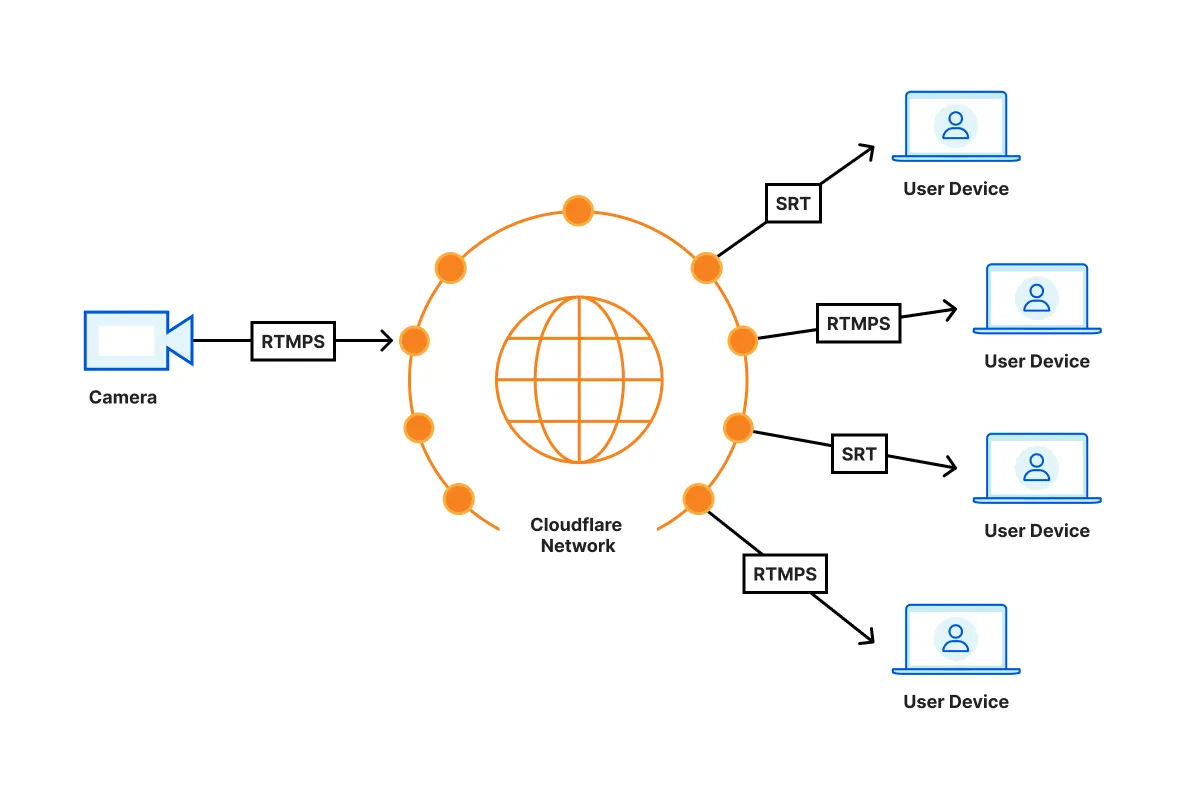
SRT and RTMPS playback is built into [ffmpeg](https://ffmpeg.org/). You will need to integrate ffmpeg with your own video player — neither [AVPlayer (iOS)](https://developers.cloudflare.com/stream/viewing-videos/using-own-player/ios/) nor [ExoPlayer (Android)](https://developers.cloudflare.com/stream/viewing-videos/using-own-player/android/) natively support SRT or RTMPS playback.
Note
Stream only supports the SRT caller mode, which is responsible for broadcasting a live stream after a connection is established.
We recommend using [ffmpeg-kit](https://github.com/arthenica/ffmpeg-kit) as a cross-platform wrapper for ffmpeg.
### Examples
* [RTMPS Playback with ffplay](https://developers.cloudflare.com/stream/examples/rtmps_playback/)
* [SRT playback with ffplay](https://developers.cloudflare.com/stream/examples/srt_playback/)
---
title: Use the Stream Player · Cloudflare Stream docs
description: Cloudflare provides a customizable web player that can play both
on-demand and live video, and requires zero additional engineering work.
lastUpdated: 2026-03-06T12:19:54.000Z
chatbotDeprioritize: false
source_url:
html: https://developers.cloudflare.com/stream/viewing-videos/using-the-stream-player/
md: https://developers.cloudflare.com/stream/viewing-videos/using-the-stream-player/index.md
---
Cloudflare provides a customizable web player that can play both on-demand and live video, and requires zero additional engineering work.
To add the Stream Player to a web page, you can either:
* Generate an embed code on the **Stream** page of the Cloudflare dashboard for a specific video or live input.
[Go to **Videos**](https://dash.cloudflare.com/?to=/:account/stream/videos)
* Use the code example below, replacing `` with the video UID (or [signed token](https://developers.cloudflare.com/stream/viewing-videos/securing-your-stream/)) and `` with the your unique customer code, which can be found in the Stream Dashboard.
```html
```
Stream player is also available as a [React](https://www.npmjs.com/package/@cloudflare/stream-react) or [Angular](https://www.npmjs.com/package/@cloudflare/stream-angular) component.
## Browser compatibility
### Desktop
* Chrome: version 88 or higher
* Firefox: version 87 or higher
* Edge: version 89 or higher
* Safari: version 14 or higher
* Opera: version 75 or higher
Note
Cloudflare Stream is not available on Chromium, as Chromium does not support H.264 videos.
### Mobile
* Chrome on Android: version 90
* UC Browser on Android: version 12.12 or higher
* Samsung Internet: version 13 or higher
* Safari on iOS: version 13.4 or higher (speed selector supported when not in fullscreen)
## Player Size
### Fixed Dimensions
Changing the `height` and `width` attributes on the `iframe` will change the pixel value dimensions of the iframe displayed on the host page.
```html
```
### Responsive
To make an iframe responsive, it needs styles to enforce an aspect ratio by setting the `iframe` to `position: absolute;` and having it fill a container that uses a calculated `padding-top` percentage.
```html
```
## Basic Options
Player options are configured with querystring parameters in the iframe's `src` attribute. For example:
`https://customer-.cloudflarestream.com//iframe?autoplay=true&muted=true`
* `autoplay` default: `false`
* If the autoplay flag is included as a querystring parameter, the player will attempt to autoplay the video. If you don't want the video to autoplay, don't include the autoplay flag at all (instead of setting it to `autoplay=false`.) Note that mobile browsers generally do not support this attribute, the user must tap the screen to begin video playback. Please consider mobile users or users with Internet usage limits as some users don't have unlimited Internet access before using this attribute.
Warning
Some browsers now prevent videos with audio from playing automatically. You may set `muted` to `true` to allow your videos to autoplay. For more information, refer to [New `
---
title: Create indexes · Cloudflare Vectorize docs
description: Indexes are the "atom" of Vectorize. Vectors are inserted into an
index and enable you to query the index for similar vectors for a given input
vector.
lastUpdated: 2025-11-24T11:28:05.000Z
chatbotDeprioritize: false
source_url:
html: https://developers.cloudflare.com/vectorize/best-practices/create-indexes/
md: https://developers.cloudflare.com/vectorize/best-practices/create-indexes/index.md
---
Indexes are the "atom" of Vectorize. Vectors are inserted into an index and enable you to query the index for similar vectors for a given input vector.
Creating an index requires three inputs:
* A kebab-cased name, such as `prod-search-index` or `recommendations-idx-dev`.
* The (fixed) [dimension size](#dimensions) of each vector, for example 384 or 1536.
* The (fixed) [distance metric](#distance-metrics) to use for calculating vector similarity.
An index cannot be created using the same name as an index that is currently active on your account. However, an index can be created with a name that belonged to an index that has been deleted.
The configuration of an index cannot be changed after creation.
## Create an index
### wrangler CLI
Wrangler version 3.71.0 required
Vectorize V2 requires [wrangler](https://developers.cloudflare.com/workers/wrangler/install-and-update/) version `3.71.0` or later. Ensure you have the latest version of `wrangler` installed, or use `npx wrangler@latest vectorize` to always use the latest version.
Using legacy Vectorize (V1) indexes?
Please use the `wrangler vectorize --deprecated-v1` flag to create, get, list, delete and insert vectors into legacy Vectorize V1 indexes.
Please note that by December 2024, you will not be able to create legacy Vectorize indexes. Other operations will remain functional.
Refer to the [legacy transition](https://developers.cloudflare.com/vectorize/reference/transition-vectorize-legacy) page for more details on transitioning away from legacy indexes.
To create an index with `wrangler`:
```sh
npx wrangler vectorize create your-index-name --dimensions=NUM_DIMENSIONS --metric=SELECTED_METRIC
```
To create an index that can accept vector embeddings from Worker's AI's [`@cf/baai/bge-base-en-v1.5`](https://developers.cloudflare.com/workers-ai/models/#text-embeddings) embedding model, which outputs vectors with 768 dimensions, use the following command:
```sh
npx wrangler vectorize create your-index-name --dimensions=768 --metric=cosine
```
### HTTP API
Vectorize also supports creating indexes via [REST API](https://developers.cloudflare.com/api/resources/vectorize/subresources/indexes/methods/create/).
For example, to create an index directly from a Python script:
```py
import requests
url = "https://api.cloudflare.com/client/v4/accounts/{}/vectorize/v2/indexes".format("your-account-id")
headers = {
"Authorization": "Bearer "
}
body = {
"name": "demo-index",
"description": "some index description",
"config": {
"dimensions": 1024,
"metric": "euclidean"
},
}
resp = requests.post(url, headers=headers, json=body)
print('Status Code:', resp.status_code)
print('Response JSON:', resp.json())
```
This script should print the response with a status code `201`, along with a JSON response body indicating the creation of an index with the provided configuration.
## Dimensions
Dimensions are determined from the output size of the machine learning (ML) model used to generate them, and are a function of how the model encodes and describes features into a vector embedding.
The number of output dimensions can determine vector search accuracy, search performance (latency), and the overall size of the index. Smaller output dimensions can be faster to search across, which can be useful for user-facing applications. Larger output dimensions can provide more accurate search, especially over larger datasets and/or datasets with substantially similar inputs.
The number of dimensions an index is created for cannot change. Indexes expect to receive dense vectors with the same number of dimensions.
The following table highlights some example embeddings models and their output dimensions:
| Model / Embeddings API | Output dimensions | Use-case |
| - | - | - |
| Workers AI - `@cf/baai/bge-base-en-v1.5` | 768 | Text |
| OpenAI - `ada-002` | 1536 | Text |
| Cohere - `embed-multilingual-v2.0` | 768 | Text |
| Google Cloud - `multimodalembedding` | 1408 | Multi-modal (text, images) |
Learn more about Workers AI
Refer to the [Workers AI documentation](https://developers.cloudflare.com/workers-ai/models/#text-embeddings) to learn about its built-in embedding models.
## Distance metrics
Distance metrics are functions that determine how close vectors are from each other. Vectorize indexes support the following distance metrics:
| Metric | Details |
| - | - |
| `cosine` | Distance is measured between `-1` (most dissimilar) to `1` (identical). `0` denotes an orthogonal vector. |
| `euclidean` | Euclidean (L2) distance. `0` denotes identical vectors. The larger the positive number, the further the vectors are apart. |
| `dot-product` | Negative dot product. Larger negative values *or* smaller positive values denote more similar vectors. A score of `-1000` is more similar than `-500`, and a score of `15` more similar than `50`. |
Determining the similarity between vectors can be subjective based on how the machine-learning model that represents features in the resulting vector embeddings. For example, a score of `0.8511` when using a `cosine` metric means that two vectors are close in distance, but whether data they represent is *similar* is a function of how well the model is able to represent the original content.
When querying vectors, you can specify Vectorize to use either:
* High-precision scoring, which increases the precision of the query matches scores as well as the accuracy of the query results.
* Approximate scoring for faster response times. Using approximate scoring, returned scores will be an approximation of the real distance/similarity between your query and the returned vectors. Refer to [Control over scoring precision and query accuracy](https://developers.cloudflare.com/vectorize/best-practices/query-vectors/#control-over-scoring-precision-and-query-accuracy).
Distance metrics cannot be changed after index creation, and that each metric has a different scoring function.
---
title: Insert vectors · Cloudflare Vectorize docs
description: "Vectorize indexes allow you to insert vectors at any point:
Vectorize will optimize the index behind the scenes to ensure that vector
search remains efficient, even as new vectors are added or existing vectors
updated."
lastUpdated: 2025-08-20T21:45:15.000Z
chatbotDeprioritize: false
source_url:
html: https://developers.cloudflare.com/vectorize/best-practices/insert-vectors/
md: https://developers.cloudflare.com/vectorize/best-practices/insert-vectors/index.md
---
Vectorize indexes allow you to insert vectors at any point: Vectorize will optimize the index behind the scenes to ensure that vector search remains efficient, even as new vectors are added or existing vectors updated.
Insert vs Upsert
If the same vector id is *inserted* twice in a Vectorize index, the index would reflect the vector that was added first.
If the same vector id is *upserted* twice in a Vectorize index, the index would reflect the vector that was added last.
Use the upsert operation if you want to overwrite the vector value for a vector id that already exists in an index.
## Supported vector formats
Vectorize supports the insert/upsert of vectors in three formats:
* An array of floating point numbers (converted into a JavaScript `number[]` array).
* A [Float32Array](https://developer.mozilla.org/en-US/docs/Web/JavaScript/Reference/Global_Objects/Float32Array)
* A [Float64Array](https://developer.mozilla.org/en-US/docs/Web/JavaScript/Reference/Global_Objects/Float64Array)
In most cases, a `number[]` array is the easiest when dealing with other APIs, and is the return type of most machine-learning APIs.
Vectorize stores and restitutes vector dimensions as Float32; vector dimensions provided as Float64 will be converted to Float32 before being stored.
## Metadata
Metadata is an optional set of key-value pairs that can be attached to a vector on insert or upsert, and allows you to embed or co-locate data about the vector itself.
Metadata keys cannot be empty, contain the dot character (`.`), contain the double-quote character (`"`), or start with the dollar character (`$`).
Metadata can be used to:
* Include the object storage key, database UUID or other identifier to look up the content the vector embedding represents.
* Store JSON data (up to the [metadata limits](https://developers.cloudflare.com/vectorize/platform/limits/)), which can allow you to skip additional lookups for smaller content.
* Keep track of dates, timestamps, or other metadata that describes when the vector embedding was generated or how it was generated.
For example, a vector embedding representing an image could include the path to the [R2 object](https://developers.cloudflare.com/r2/) it was generated from, the format, and a category lookup:
```ts
{ id: '1', values: [32.4, 74.1, 3.2, ...], metadata: { path: 'r2://bucket-name/path/to/image.png', format: 'png', category: 'profile_image' } }
```
### Performance Tips When Filtering by Metadata
When creating metadata indexes for a large Vectorize index, we encourage users to think ahead and plan how they will query for vectors with filters on this metadata.
Carefully consider the cardinality of metadata values in relation to your queries. Cardinality is the level of uniqueness of data values within a set. Low cardinality means there are only a few unique values: for instance, the number of planets in the Solar System; the number of countries in the world. High cardinality means there are many unique values: UUIv4 strings; timestamps with millisecond precision.
High cardinality is good for the selectiveness of the equal (`$eq`) filter. For example, if you want to find vectors associated with one user's id. But the filter is not going to help if all vectors have the same value. That's an example of extreme low cardinality.
High cardinality can also impact range queries, which searches across multiple unqiue metadata values. For example, an indexed metadata value using millisecond timestamps will see lower performance if the range spans long periods of time in which thousands of vectors with unique timestamps were written.
Behind the scenes, Vectorize uses a reverse index to map values to vector ids. If the number of unique values in a particular range is too high, then that requires reading large portions of the index (a full index scan in the worst case). This would lead to memory issues, so Vectorize will degrade performance and the accuracy of the query in order to finish the request.
One approach for high cardinality data is to somehow create buckets where more vectors get grouped to the same value. Continuing the millisecond timestamp example, let's imagine we typically filter with date ranges that have 5 minute increments of granularity. We could use a timestamp which is rounded down to the last 5 minute point. This "windows" our metadata values into 5 minute increments. And we can still store the original millisecond timestamp as a separate non-indexed field.
## Namespaces
Namespaces provide a way to segment the vectors within your index. For example, by customer, merchant or store ID.
To associate vectors with a namespace, you can optionally provide a `namespace: string` value when performing an insert or upsert operation. When querying, you can pass the namespace to search within as an optional parameter to your query.
A namespace can be up to 64 characters (bytes) in length and you can have up to 1,000 namespaces per index. Refer to the [Limits](https://developers.cloudflare.com/vectorize/platform/limits/) documentation for more details.
When a namespace is specified in a query operation, only vectors within that namespace are used for the search. Namespace filtering is applied before vector search, increasing the precision of the matched results.
To insert vectors with a namespace:
```ts
// Mock vectors
// Vectors from a machine-learning model are typically ~100 to 1536 dimensions
// wide (or wider still).
const sampleVectors: Array = [
{
id: "1",
values: [32.4, 74.1, 3.2, ...],
namespace: "text",
},
{
id: "2",
values: [15.1, 19.2, 15.8, ...],
namespace: "images",
},
{
id: "3",
values: [0.16, 1.2, 3.8, ...],
namespace: "pdfs",
},
];
// Insert your vectors, returning a count of the vectors inserted and their vector IDs.
let inserted = await env.TUTORIAL_INDEX.insert(sampleVectors);
```
To query vectors within a namespace:
```ts
// Your queryVector will be searched against vectors within the namespace (only)
let matches = await env.TUTORIAL_INDEX.query(queryVector, {
namespace: "images",
});
```
## Improve Write Throughput
One way to reduce the time to make updates visible in queries is to batch more vectors into fewer requests. This is important for write-heavy workloads. To see how many vectors you can write in a single request, please refer to the [Limits](https://developers.cloudflare.com/vectorize/platform/limits/) page.
Vectorize writes changes immeditely to a write ahead log for durability. To make these writes visible for reads, an asynchronous job needs to read the current index files from R2, create an updated index, write the new index files back to R2, and commit the change. To keep the overhead of writes low and improve write throughput, Vectorize will combine multiple changes together into a single batch. It sets the maximum size of a batch to 200,000 total vectors or to 1,000 individual updates, whichever limit it hits first.
For example, let's say we have 250,000 vectors we would like to insert into our index. We decide to insert them one at a time, calling the insert API 250,000 times. Vectorize will only process 1000 vectors in each job, and will need to work through 250 total jobs. This could take at least an hour to do.
The better approach is to batch our updates. For example, we can split our 250,000 vectors into 100 files, where each file has 2,500 vectors. We would call the insert HTTP API 100 times. Vectorize would update the index in only 2 or 3 jobs. All 250,000 vectors will visible in queries within minutes.
## Examples
### Workers API
Use the `insert()` and `upsert()` methods available on an index from within a Cloudflare Worker to insert vectors into the current index.
```ts
// Mock vectors
// Vectors from a machine-learning model are typically ~100 to 1536 dimensions
// wide (or wider still).
const sampleVectors: Array = [
{
id: "1",
values: [32.4, 74.1, 3.2, ...],
metadata: { url: "/products/sku/13913913" },
},
{
id: "2",
values: [15.1, 19.2, 15.8, ...],
metadata: { url: "/products/sku/10148191" },
},
{
id: "3",
values: [0.16, 1.2, 3.8, ...],
metadata: { url: "/products/sku/97913813" },
},
];
// Insert your vectors, returning a count of the vectors inserted and their vector IDs.
let inserted = await env.TUTORIAL_INDEX.insert(sampleVectors);
```
Refer to [Vectorize API](https://developers.cloudflare.com/vectorize/reference/client-api/) for additional examples.
### wrangler CLI
Cloudflare API rate limit
Please use a maximum of 5000 vectors per embeddings.ndjson file to prevent the global [rate limit](https://developers.cloudflare.com/fundamentals/api/reference/limits/) for the Cloudflare API.
You can bulk upload vector embeddings directly:
* The file must be in newline-delimited JSON (NDJSON format): each complete vector must be newline separated, and not within an array or object.
* Vectors must be complete and include a unique string `id` per vector.
An example NDJSON formatted file:
```json
{ "id": "4444", "values": [175.1, 167.1, 129.9], "metadata": {"url": "/products/sku/918318313"}}
{ "id": "5555", "values": [158.8, 116.7, 311.4], "metadata": {"url": "/products/sku/183183183"}}
{ "id": "6666", "values": [113.2, 67.5, 11.2], "metadata": {"url": "/products/sku/717313811"}}
```
Wrangler version 3.71.0 required
Vectorize V2 requires [wrangler](https://developers.cloudflare.com/workers/wrangler/install-and-update/) version `3.71.0` or later. Ensure you have the latest version of `wrangler` installed, or use `npx wrangler@latest vectorize` to always use the latest version.
```sh
wrangler vectorize insert --file=embeddings.ndjson
```
### HTTP API
Vectorize also supports inserting vectors via the [REST API](https://developers.cloudflare.com/api/resources/vectorize/subresources/indexes/methods/insert/), which allows you to operate on a Vectorize index from existing machine-learning tooling and languages (including Python).
For example, to insert embeddings in [NDJSON format](#workers-api) directly from a Python script:
```py
import requests
url = "https://api.cloudflare.com/client/v4/accounts/{}/vectorize/v2/indexes/{}/insert".format("your-account-id", "index-name")
headers = {
"Authorization": "Bearer "
}
with open('embeddings.ndjson', 'rb') as embeddings:
resp = requests.post(url, headers=headers, files=dict(vectors=embeddings))
print(resp)
```
This code would insert the vectors defined in `embeddings.ndjson` into the provided index. Python libraries, including Pandas, also support the NDJSON format via the built-in `read_json` method:
```py
import pandas as pd
data = pd.read_json('embeddings.ndjson', lines=True)
```
---
title: List vectors · Cloudflare Vectorize docs
description: The list-vectors operation allows you to enumerate all vector
identifiers in a Vectorize index using paginated requests. This guide covers
best practices for efficiently using this operation.
lastUpdated: 2026-02-06T12:14:13.000Z
chatbotDeprioritize: false
source_url:
html: https://developers.cloudflare.com/vectorize/best-practices/list-vectors/
md: https://developers.cloudflare.com/vectorize/best-practices/list-vectors/index.md
---
The list-vectors operation allows you to enumerate all vector identifiers in a Vectorize index using paginated requests. This guide covers best practices for efficiently using this operation.
Python SDK availability
The `client.vectorize.indexes.list_vectors()` method is not yet available in the current release of the [Cloudflare Python SDK](https://pypi.org/project/cloudflare/). While the method appears in the [API reference](https://developers.cloudflare.com/api/python/resources/vectorize/subresources/indexes/methods/list_vectors/), it has not been included in a published SDK version as of v4.3.1. In the meantime, you can use the [REST API](https://developers.cloudflare.com/api/resources/vectorize/subresources/indexes/methods/list_vectors/) or the Wrangler CLI to list vectors.
## When to use list-vectors
Use list-vectors for:
* **Bulk operations**: To process all vectors in an index
* **Auditing**: To verify the contents of your index or generate reports
* **Data migration**: To move vectors between indexes or systems
* **Cleanup operations**: To identify and remove outdated vectors
## Pagination behavior
The list-vectors operation uses cursor-based pagination with important consistency guarantees:
### Snapshot consistency
Vector identifiers returned belong to the index snapshot captured at the time of the first list-vectors request. This ensures consistent pagination even when the index is being modified during iteration:
* **New vectors**: Vectors inserted after the initial request will not appear in subsequent paginated results
* **Deleted vectors**: Vectors deleted after the initial request will continue to appear in the remaining responses until pagination is complete
### Starting a new iteration
To see recently added or removed vectors, you must start a new list-vectors request sequence (without a cursor). This captures a fresh snapshot of the index.
### Response structure
Each response includes:
* `count`: Number of vectors returned in this response
* `totalCount`: Total number of vectors in the index
* `isTruncated`: Whether there are more vectors available
* `nextCursor`: Cursor for the next page (null if no more results)
* `cursorExpirationTimestamp`: Timestamp of when the cursor expires
* `vectors`: Array of vector identifiers
### Cursor expiration
Cursors have an expiration timestamp. If a cursor expires, you'll need to start a new list-vectors request sequence to continue pagination.
## Performance considerations
Take care to have sufficient gap between consecutive requests to avoid hitting rate-limits.
## Example workflow
Here's a typical pattern for processing all vectors in an index:
```sh
# Start iteration
wrangler vectorize list-vectors my-index --count=1000
# Continue with cursor from response
wrangler vectorize list-vectors my-index --count=1000 --cursor=""
# Repeat until no more results
```
---
title: Query vectors · Cloudflare Vectorize docs
description: Querying an index, or vector search, enables you to search an index
by providing an input vector and returning the nearest vectors based on the
configured distance metric.
lastUpdated: 2024-11-07T15:13:22.000Z
chatbotDeprioritize: false
source_url:
html: https://developers.cloudflare.com/vectorize/best-practices/query-vectors/
md: https://developers.cloudflare.com/vectorize/best-practices/query-vectors/index.md
---
Querying an index, or vector search, enables you to search an index by providing an input vector and returning the nearest vectors based on the [configured distance metric](https://developers.cloudflare.com/vectorize/best-practices/create-indexes/#distance-metrics).
Optionally, you can apply [metadata filters](https://developers.cloudflare.com/vectorize/reference/metadata-filtering/) or a [namespace](https://developers.cloudflare.com/vectorize/best-practices/insert-vectors/#namespaces) to narrow the vector search space.
## Example query
To pass a vector as a query to an index, use the `query()` method on the index itself.
A query vector is either an array of JavaScript numbers, 32-bit floating point or 64-bit floating point numbers: `number[]`, `Float32Array`, or `Float64Array`. Unlike when [inserting vectors](https://developers.cloudflare.com/vectorize/best-practices/insert-vectors/), a query vector does not need an ID or metadata.
```ts
// query vector dimensions must match the Vectorize index dimension being queried
let queryVector = [54.8, 5.5, 3.1, ...];
let matches = await env.YOUR_INDEX.query(queryVector);
```
This would return a set of matches resembling the following, based on the distance metric configured for the Vectorize index. Example response with `cosine` distance metric:
```json
{
"count": 5,
"matches": [
{ "score": 0.999909486, "id": "5" },
{ "score": 0.789848214, "id": "4" },
{ "score": 0.720476967, "id": "4444" },
{ "score": 0.463884663, "id": "6" },
{ "score": 0.378282232, "id": "1" }
]
}
```
You can optionally change the number of results returned and/or whether results should include metadata and values:
```ts
// query vector dimensions must match the Vectorize index dimension being queried
let queryVector = [54.8, 5.5, 3.1, ...];
// topK defaults to 5; returnValues defaults to false; returnMetadata defaults to "none"
let matches = await env.YOUR_INDEX.query(queryVector, {
topK: 1,
returnValues: true,
returnMetadata: "all",
});
```
This would return a set of matches resembling the following, based on the distance metric configured for the Vectorize index. Example response with `cosine` distance metric:
```json
{
"count": 1,
"matches": [
{
"score": 0.999909486,
"id": "5",
"values": [58.79999923706055, 6.699999809265137, 3.4000000953674316, ...],
"metadata": { "url": "/products/sku/55519183" }
}
]
}
```
Refer to [Vectorize API](https://developers.cloudflare.com/vectorize/reference/client-api/) for additional examples.
## Query by vector identifier
Vectorize now offers the ability to search for vectors similar to a vector that is already present in the index using the `queryById()` operation. This can be considered as a single operation that combines the `getById()` and the `query()` operation.
```ts
// the query operation would yield results if a vector with id `some-vector-id` is already present in the index.
let matches = await env.YOUR_INDEX.queryById("some-vector-id");
```
## Control over scoring precision and query accuracy
When querying vectors, you can specify to either use high-precision scoring, thereby increasing the precision of the query matches scores as well as the accuracy of the query results, or use approximate scoring for faster response times. Using approximate scoring, returned scores will be an approximation of the real distance/similarity between your query and the returned vectors; this is the query's default as it's a nice trade-off between accuracy and latency.
High-precision scoring is enabled by setting `returnValues: true` on your query. This setting tells Vectorize to use the original vector values for your matches, allowing the computation of exact match scores and increasing the accuracy of the results. Because it processes more data, though, high-precision scoring will increase the latency of queries.
## Workers AI
If you are generating embeddings from a [Workers AI](https://developers.cloudflare.com/workers-ai/models/#text-embeddings) text embedding model, the response type from `env.AI.run()` is an object that includes both the `shape` of the response vector - e.g. `[1,768]` - and the vector `data` as an array of vectors:
```ts
interface EmbeddingResponse {
shape: number[];
data: number[][];
}
let userQuery = "a query from a user or service";
const queryVector: EmbeddingResponse = await env.AI.run(
"@cf/baai/bge-base-en-v1.5",
{
text: [userQuery],
},
);
```
When passing the vector to the `query()` method of a Vectorize index, pass only the vector embedding itself on the `.data` sub-object, and not the top-level response.
For example:
```ts
let matches = await env.TEXT_EMBEDDINGS.query(queryVector.data[0], { topK: 1 });
```
Passing `queryVector` or `queryVector.data` will cause `query()` to return an error.
## OpenAI
When using OpenAI's [JavaScript client API](https://github.com/openai/openai-node) and [Embeddings API](https://platform.openai.com/docs/guides/embeddings/what-are-embeddings), the response type from `embeddings.create` is an object that includes the model, usage information and the requested vector embedding.
```ts
const openai = new OpenAI({ apiKey: env.YOUR_OPENAPI_KEY });
let userQuery = "a query from a user or service";
let embeddingResponse = await openai.embeddings.create({
input: userQuery,
model: "text-embedding-ada-002",
});
```
Similar to Workers AI, you will need to provide the vector embedding itself (`.embedding[0]`) and not the `EmbeddingResponse` wrapper when querying a Vectorize index:
```ts
let matches = await env.TEXT_EMBEDDINGS.query(embeddingResponse.embedding[0], {
topK: 1,
});
```
---
title: Agents · Cloudflare Vectorize docs
description: Build AI-powered Agents on Cloudflare
lastUpdated: 2025-01-29T20:30:56.000Z
chatbotDeprioritize: false
source_url:
html: https://developers.cloudflare.com/vectorize/examples/agents/
md: https://developers.cloudflare.com/vectorize/examples/agents/index.md
---
---
title: LangChain Integration · Cloudflare Vectorize docs
lastUpdated: 2024-09-29T01:31:22.000Z
chatbotDeprioritize: false
source_url:
html: https://developers.cloudflare.com/vectorize/examples/langchain/
md: https://developers.cloudflare.com/vectorize/examples/langchain/index.md
---
---
title: Retrieval Augmented Generation · Cloudflare Vectorize docs
lastUpdated: 2024-08-13T19:56:56.000Z
chatbotDeprioritize: false
source_url:
html: https://developers.cloudflare.com/vectorize/examples/rag/
md: https://developers.cloudflare.com/vectorize/examples/rag/index.md
---
---
title: Vectorize and Workers AI · Cloudflare Vectorize docs
description: Vectorize allows you to generate vector embeddings using a
machine-learning model, including the models available in Workers AI.
lastUpdated: 2026-01-29T10:38:24.000Z
chatbotDeprioritize: false
source_url:
html: https://developers.cloudflare.com/vectorize/get-started/embeddings/
md: https://developers.cloudflare.com/vectorize/get-started/embeddings/index.md
---
Vectorize is now Generally Available
To report bugs or give feedback, go to the [#vectorize Discord channel](https://discord.cloudflare.com). If you are having issues with Wrangler, report issues in the [Wrangler GitHub repository](https://github.com/cloudflare/workers-sdk/issues/new/choose).
Vectorize allows you to generate [vector embeddings](https://developers.cloudflare.com/vectorize/reference/what-is-a-vector-database/) using a machine-learning model, including the models available in [Workers AI](https://developers.cloudflare.com/workers-ai/).
New to Vectorize?
If this is your first time using Vectorize or a vector database, start with the [Vectorize Get started guide](https://developers.cloudflare.com/vectorize/get-started/intro/).
This guide will instruct you through:
* Creating a Vectorize index.
* Connecting a [Cloudflare Worker](https://developers.cloudflare.com/workers/) to your index.
* Using [Workers AI](https://developers.cloudflare.com/workers-ai/) to generate vector embeddings.
* Using Vectorize to query those vector embeddings.
## Prerequisites
To continue:
1. Sign up for a [Cloudflare account](https://dash.cloudflare.com/sign-up/workers-and-pages) if you have not already.
2. Install [`npm`](https://docs.npmjs.com/getting-started).
3. Install [`Node.js`](https://nodejs.org/en/). Use a Node version manager like [Volta](https://volta.sh/) or [nvm](https://github.com/nvm-sh/nvm) to avoid permission issues and change Node.js versions. [Wrangler](https://developers.cloudflare.com/workers/wrangler/install-and-update/) requires a Node version of `16.17.0` or later.
## 1. Create a Worker
You will create a new project that will contain a Worker script, which will act as the client application for your Vectorize index.
Open your terminal and create a new project named `embeddings-tutorial` by running the following command:
* npm
```sh
npm create cloudflare@latest -- embeddings-tutorial
```
* yarn
```sh
yarn create cloudflare embeddings-tutorial
```
* pnpm
```sh
pnpm create cloudflare@latest embeddings-tutorial
```
For setup, select the following options:
* For *What would you like to start with?*, choose `Hello World example`.
* For *Which template would you like to use?*, choose `Worker only`.
* For *Which language do you want to use?*, choose `TypeScript`.
* For *Do you want to use git for version control?*, choose `Yes`.
* For *Do you want to deploy your application?*, choose `No` (we will be making some changes before deploying).
This will create a new `embeddings-tutorial` directory. Your new `embeddings-tutorial` directory will include:
* A `"Hello World"` [Worker](https://developers.cloudflare.com/workers/get-started/guide/#3-write-code) at `src/index.ts`.
* A [`wrangler.jsonc`](https://developers.cloudflare.com/workers/wrangler/configuration/) configuration file. `wrangler.jsonc` is how your `embeddings-tutorial` Worker will access your index.
Note
If you are familiar with Cloudflare Workers, or initializing projects in a Continuous Integration (CI) environment, initialize a new project non-interactively by setting `CI=true` as an [environmental variable](https://developers.cloudflare.com/workers/configuration/environment-variables/) when running `create cloudflare@latest`.
For example: `CI=true npm create cloudflare@latest embeddings-tutorial --type=simple --git --ts --deploy=false` will create a basic "Hello World" project ready to build on.
## 2. Create an index
A vector database is distinct from a traditional SQL or NoSQL database. A vector database is designed to store vector embeddings, which are representations of data, but not the original data itself.
To create your first Vectorize index, change into the directory you just created for your Workers project:
```sh
cd embeddings-tutorial
```
Using legacy Vectorize (V1) indexes?
Please use the `wrangler vectorize --deprecated-v1` flag to create, get, list, delete and insert vectors into legacy Vectorize V1 indexes.
Please note that by December 2024, you will not be able to create legacy Vectorize indexes. Other operations will remain functional.
Refer to the [legacy transition](https://developers.cloudflare.com/vectorize/reference/transition-vectorize-legacy) page for more details on transitioning away from legacy indexes.
To create an index, use the `wrangler vectorize create` command and provide a name for the index. A good index name is:
* A combination of lowercase and/or numeric ASCII characters, shorter than 32 characters, starts with a letter, and uses dashes (-) instead of spaces.
* Descriptive of the use-case and environment. For example, "production-doc-search" or "dev-recommendation-engine".
* Only used for describing the index, and is not directly referenced in code.
In addition, define both the `dimensions` of the vectors you will store in the index, as well as the distance `metric` used to determine similar vectors when creating the index. **This configuration cannot be changed later**, as a vector database is configured for a fixed vector configuration.
Wrangler version 3.71.0 required
Vectorize V2 requires [wrangler](https://developers.cloudflare.com/workers/wrangler/install-and-update/) version `3.71.0` or later. Ensure you have the latest version of `wrangler` installed, or use `npx wrangler@latest vectorize` to always use the latest version.
Run the following `wrangler vectorize` command, ensuring that the `dimensions` are set to `768`: this is important, as the Workers AI model used in this tutorial outputs vectors with 768 dimensions.
```sh
npx wrangler vectorize create embeddings-index --dimensions=768 --metric=cosine
```
```sh
✅ Successfully created index 'embeddings-index'
[[vectorize]]
binding = "VECTORIZE" # available in your Worker on env.VECTORIZE
index_name = "embeddings-index"
```
This will create a new vector database, and output the [binding](https://developers.cloudflare.com/workers/runtime-apis/bindings/) configuration needed in the next step.
## 3. Bind your Worker to your index
You must create a binding for your Worker to connect to your Vectorize index. [Bindings](https://developers.cloudflare.com/workers/runtime-apis/bindings/) allow your Workers to access resources, like Vectorize or R2, from Cloudflare Workers. You create bindings by updating your Wrangler file.
To bind your index to your Worker, add the following to the end of your Wrangler file:
* wrangler.jsonc
```jsonc
{
"vectorize": [
{
"binding": "VECTORIZE", // available in your Worker on env.VECTORIZE
"index_name": "embeddings-index"
}
]
}
```
* wrangler.toml
```toml
[[vectorize]]
binding = "VECTORIZE"
index_name = "embeddings-index"
```
Specifically:
* The value (string) you set for `` will be used to reference this database in your Worker. In this tutorial, name your binding `VECTORIZE`.
* The binding must be [a valid JavaScript variable name](https://developer.mozilla.org/en-US/docs/Web/JavaScript/Guide/Grammar_and_types#variables). For example, `binding = "MY_INDEX"` or `binding = "PROD_SEARCH_INDEX"` would both be valid names for the binding.
* Your binding is available in your Worker at `env.` and the Vectorize [client API](https://developers.cloudflare.com/vectorize/reference/client-api/) is exposed on this binding for use within your Workers application.
## 4. Set up Workers AI
Before you deploy your embedding example, ensure your Worker uses your model catalog, including the [text embedding model](https://developers.cloudflare.com/workers-ai/models/#text-embeddings) built-in.
From within the `embeddings-tutorial` directory, open your Wrangler file in your editor and add the new `[[ai]]` binding to make Workers AI's models available in your Worker:
* wrangler.jsonc
```jsonc
{
"vectorize": [
{
"binding": "VECTORIZE",
"index_name": "embeddings-index"
}
],
"ai": {
"binding": "AI" // available in your Worker on env.AI
}
}
```
* wrangler.toml
```toml
[[vectorize]]
binding = "VECTORIZE"
index_name = "embeddings-index"
[ai]
binding = "AI"
```
With Workers AI ready, you can write code in your Worker.
## 5. Write code in your Worker
To write code in your Worker, go to your `embeddings-tutorial` Worker and open the `src/index.ts` file. The `index.ts` file is where you configure your Worker's interactions with your Vectorize index.
Clear the content of `index.ts`. Paste the following code snippet into your `index.ts` file. On the `env` parameter, replace `` with `VECTORIZE`:
```typescript
export interface Env {
VECTORIZE: Vectorize;
AI: Ai;
}
interface EmbeddingResponse {
shape: number[];
data: number[][];
}
export default {
async fetch(request, env, ctx): Promise {
let path = new URL(request.url).pathname;
if (path.startsWith("/favicon")) {
return new Response("", { status: 404 });
}
// You only need to generate vector embeddings once (or as
// data changes), not on every request
if (path === "/insert") {
// In a real-world application, you could read content from R2 or
// a SQL database (like D1) and pass it to Workers AI
const stories = [
"This is a story about an orange cloud",
"This is a story about a llama",
"This is a story about a hugging emoji",
];
const modelResp: EmbeddingResponse = await env.AI.run(
"@cf/baai/bge-base-en-v1.5",
{
text: stories,
},
);
// Convert the vector embeddings into a format Vectorize can accept.
// Each vector needs an ID, a value (the vector) and optional metadata.
// In a real application, your ID would be bound to the ID of the source
// document.
let vectors: VectorizeVector[] = [];
let id = 1;
modelResp.data.forEach((vector) => {
vectors.push({ id: `${id}`, values: vector });
id++;
});
let inserted = await env.VECTORIZE.upsert(vectors);
return Response.json(inserted);
}
// Your query: expect this to match vector ID. 1 in this example
let userQuery = "orange cloud";
const queryVector: EmbeddingResponse = await env.AI.run(
"@cf/baai/bge-base-en-v1.5",
{
text: [userQuery],
},
);
let matches = await env.VECTORIZE.query(queryVector.data[0], {
topK: 1,
});
return Response.json({
// Expect a vector ID. 1 to be your top match with a score of
// ~0.89693683
// This tutorial uses a cosine distance metric, where the closer to one,
// the more similar.
matches: matches,
});
},
} satisfies ExportedHandler;
```
## 6. Deploy your Worker
Before deploying your Worker globally, log in with your Cloudflare account by running:
```sh
npx wrangler login
```
You will be directed to a web page asking you to log in to the Cloudflare dashboard. After you have logged in, you will be asked if Wrangler can make changes to your Cloudflare account. Scroll down and select **Allow** to continue.
From here, deploy your Worker to make your project accessible on the Internet. To deploy your Worker, run:
```sh
npx wrangler deploy
```
Preview your Worker at `https://embeddings-tutorial..workers.dev`.
## 7. Query your index
You can now visit the URL for your newly created project to insert vectors and then query them.
With the URL for your deployed Worker (for example,`https://embeddings-tutorial..workers.dev/`), open your browser and:
1. Insert your vectors first by visiting `/insert`.
2. Query your index by visiting the index route - `/`.
This should return the following JSON:
```json
{
"matches": {
"count": 1,
"matches": [
{
"id": "1",
"score": 0.89693683
}
]
}
}
```
Extend this example by:
* Adding more inputs and generating a larger set of vectors.
* Accepting a custom query parameter passed in the URL, for example via `URL.searchParams`.
* Creating a new index with a different [distance metric](https://developers.cloudflare.com/vectorize/best-practices/create-indexes/#distance-metrics) and observing how your scores change in response to your inputs.
By finishing this tutorial, you have successfully created a Vectorize index, used Workers AI to generate vector embeddings, and deployed your project globally.
## Next steps
* Build a [generative AI chatbot](https://developers.cloudflare.com/workers-ai/guides/tutorials/build-a-retrieval-augmented-generation-ai/) using Workers AI and Vectorize.
* Learn more about [how vector databases work](https://developers.cloudflare.com/vectorize/reference/what-is-a-vector-database/).
* Read [examples](https://developers.cloudflare.com/vectorize/reference/client-api/) on how to use the Vectorize API from Cloudflare Workers.
---
title: Introduction to Vectorize · Cloudflare Vectorize docs
description: Vectorize is Cloudflare's vector database. Vector databases allow
you to use machine learning (ML) models to perform semantic search,
recommendation, classification and anomaly detection tasks, as well as provide
context to LLMs (Large Language Models).
lastUpdated: 2026-01-29T10:38:24.000Z
chatbotDeprioritize: false
source_url:
html: https://developers.cloudflare.com/vectorize/get-started/intro/
md: https://developers.cloudflare.com/vectorize/get-started/intro/index.md
---
Vectorize is now Generally Available
To report bugs or give feedback, go to the [#vectorize Discord channel](https://discord.cloudflare.com). If you are having issues with Wrangler, report issues in the [Wrangler GitHub repository](https://github.com/cloudflare/workers-sdk/issues/new/choose).
Vectorize is Cloudflare's vector database. Vector databases allow you to use machine learning (ML) models to perform semantic search, recommendation, classification and anomaly detection tasks, as well as provide context to LLMs (Large Language Models).
This guide will instruct you through:
* Creating your first Vectorize index.
* Connecting a [Cloudflare Worker](https://developers.cloudflare.com/workers/) to your index.
* Inserting and performing a similarity search by querying your index.
## Prerequisites
Workers Free or Paid plans required
Vectorize is available to all users on the [Workers Free or Paid plans](https://developers.cloudflare.com/workers/platform/pricing/#workers).
To continue, you will need:
1. Sign up for a [Cloudflare account](https://dash.cloudflare.com/sign-up/workers-and-pages) if you have not already.
2. Install [`npm`](https://docs.npmjs.com/getting-started).
3. Install [`Node.js`](https://nodejs.org/en/). Use a Node version manager like [Volta](https://volta.sh/) or [nvm](https://github.com/nvm-sh/nvm) to avoid permission issues and change Node.js versions. [Wrangler](https://developers.cloudflare.com/workers/wrangler/install-and-update/) requires a Node version of `16.17.0` or later.
## 1. Create a Worker
New to Workers?
Refer to [How Workers works](https://developers.cloudflare.com/workers/reference/how-workers-works/) to learn about the Workers serverless execution model works. Go to the [Workers Get started guide](https://developers.cloudflare.com/workers/get-started/guide/) to set up your first Worker.
You will create a new project that will contain a Worker, which will act as the client application for your Vectorize index.
Create a new project named `vectorize-tutorial` by running:
* npm
```sh
npm create cloudflare@latest -- vectorize-tutorial
```
* yarn
```sh
yarn create cloudflare vectorize-tutorial
```
* pnpm
```sh
pnpm create cloudflare@latest vectorize-tutorial
```
For setup, select the following options:
* For *What would you like to start with?*, choose `Hello World example`.
* For *Which template would you like to use?*, choose `Worker only`.
* For *Which language do you want to use?*, choose `TypeScript`.
* For *Do you want to use git for version control?*, choose `Yes`.
* For *Do you want to deploy your application?*, choose `No` (we will be making some changes before deploying).
This will create a new `vectorize-tutorial` directory. Your new `vectorize-tutorial` directory will include:
* A `"Hello World"` [Worker](https://developers.cloudflare.com/workers/get-started/guide/#3-write-code) at `src/index.ts`.
* A [`wrangler.jsonc`](https://developers.cloudflare.com/workers/wrangler/configuration/) configuration file. `wrangler.jsonc` is how your `vectorize-tutorial` Worker will access your index.
Note
If you are familiar with Cloudflare Workers, or initializing projects in a Continuous Integration (CI) environment, initialize a new project non-interactively by setting `CI=true` as an [environmental variable](https://developers.cloudflare.com/workers/configuration/environment-variables/) when running `create cloudflare@latest`.
For example: `CI=true npm create cloudflare@latest vectorize-tutorial --type=simple --git --ts --deploy=false` will create a basic "Hello World" project ready to build on.
## 2. Create an index
A vector database is distinct from a traditional SQL or NoSQL database. A vector database is designed to store vector embeddings, which are representations of data, but not the original data itself.
To create your first Vectorize index, change into the directory you just created for your Workers project:
```sh
cd vectorize-tutorial
```
Using legacy Vectorize (V1) indexes?
Please use the `wrangler vectorize --deprecated-v1` flag to create, get, list, delete and insert vectors into legacy Vectorize V1 indexes.
Please note that by December 2024, you will not be able to create legacy Vectorize indexes. Other operations will remain functional.
Refer to the [legacy transition](https://developers.cloudflare.com/vectorize/reference/transition-vectorize-legacy) page for more details on transitioning away from legacy indexes.
To create an index, you will need to use the `wrangler vectorize create` command and provide a name for the index. A good index name is:
* A combination of lowercase and/or numeric ASCII characters, shorter than 32 characters, starts with a letter, and uses dashes (-) instead of spaces.
* Descriptive of the use-case and environment. For example, "production-doc-search" or "dev-recommendation-engine".
* Only used for describing the index, and is not directly referenced in code.
In addition, you will need to define both the `dimensions` of the vectors you will store in the index, as well as the distance `metric` used to determine similar vectors when creating the index. A `metric` can be euclidean, cosine, or dot product. **This configuration cannot be changed later**, as a vector database is configured for a fixed vector configuration.
Wrangler version 3.71.0 required
Vectorize V2 requires [wrangler](https://developers.cloudflare.com/workers/wrangler/install-and-update/) version `3.71.0` or later. Ensure you have the latest version of `wrangler` installed, or use `npx wrangler@latest vectorize` to always use the latest version.
Run the following `wrangler vectorize` command:
```sh
npx wrangler vectorize create tutorial-index --dimensions=32 --metric=euclidean
```
```sh
🚧 Creating index: 'tutorial-index'
✅ Successfully created a new Vectorize index: 'tutorial-index'
📋 To start querying from a Worker, add the following binding configuration into 'wrangler.toml':
[[vectorize]]
binding = "VECTORIZE" # available in your Worker on env.VECTORIZE
index_name = "tutorial-index"
```
The command above will create a new vector database, and output the [binding](https://developers.cloudflare.com/workers/runtime-apis/bindings/) configuration needed in the next step.
## 3. Bind your Worker to your index
You must create a binding for your Worker to connect to your Vectorize index. [Bindings](https://developers.cloudflare.com/workers/runtime-apis/bindings/) allow your Workers to access resources, like Vectorize or R2, from Cloudflare Workers. You create bindings by updating the worker's Wrangler file.
To bind your index to your Worker, add the following to the end of your Wrangler file:
* wrangler.jsonc
```jsonc
{
"vectorize": [
{
"binding": "VECTORIZE", // available in your Worker on env.VECTORIZE
"index_name": "tutorial-index"
}
]
}
```
* wrangler.toml
```toml
[[vectorize]]
binding = "VECTORIZE"
index_name = "tutorial-index"
```
Specifically:
* The value (string) you set for `` will be used to reference this database in your Worker. In this tutorial, name your binding `VECTORIZE`.
* The binding must be [a valid JavaScript variable name](https://developer.mozilla.org/en-US/docs/Web/JavaScript/Guide/Grammar_and_types#variables). For example, `binding = "MY_INDEX"` or `binding = "PROD_SEARCH_INDEX"` would both be valid names for the binding.
* Your binding is available in your Worker at `env.` and the Vectorize [client API](https://developers.cloudflare.com/vectorize/reference/client-api/) is exposed on this binding for use within your Workers application.
## 4. \[Optional] Create metadata indexes
Vectorize allows you to add up to 10KiB of metadata per vector into your index, and also provides the ability to filter on that metadata while querying vectors. To do so you would need to specify a metadata field as a "metadata index" for your Vectorize index.
When to create metadata indexes?
As of today, the metadata fields on which vectors can be filtered need to be specified before the vectors are inserted, and it is recommended that these metadata fields are specified right after the creation of a Vectorize index.
To enable vector filtering on a metadata field during a query, use a command like:
```sh
npx wrangler vectorize create-metadata-index tutorial-index --property-name=url --type=string
```
```sh
📋 Creating metadata index...
✅ Successfully enqueued metadata index creation request. Mutation changeset identifier: xxxxxxxx-xxxx-xxxx-xxxx-xxxxxxxxxxxx.
```
Here `url` is the metadata field on which filtering would be enabled. The `--type` parameter defines the data type for the metadata field; `string`, `number` and `boolean` types are supported.
It typically takes a few seconds for the metadata index to be created. You can check the list of metadata indexes for your Vectorize index by running:
```sh
npx wrangler vectorize list-metadata-index tutorial-index
```
```sh
📋 Fetching metadata indexes...
┌──────────────┬────────┐
│ propertyName │ type │
├──────────────┼────────┤
│ url │ String │
└──────────────┴────────┘
```
You can create up to 10 metadata indexes per Vectorize index.
For metadata indexes of type `number`, the indexed number precision is that of float64.
For metadata indexes of type `string`, each vector indexes the first 64B of the string data truncated on UTF-8 character boundaries to the longest well-formed UTF-8 substring within that limit, so vectors are filterable on the first 64B of their value for each indexed property.
See [Vectorize Limits](https://developers.cloudflare.com/vectorize/platform/limits/) for a complete list of limits.
## 5. Insert vectors
Before you can query a vector database, you need to insert vectors for it to query against. These vectors would be generated from data (such as text or images) you pass to a machine learning model. However, this tutorial will define static vectors to illustrate how vector search works on its own.
First, go to your `vectorize-tutorial` Worker and open the `src/index.ts` file. The `index.ts` file is where you configure your Worker's interactions with your Vectorize index.
Clear the content of `index.ts`, and paste the following code snippet into your `index.ts` file. On the `env` parameter, replace `` with `VECTORIZE`:
```typescript
export interface Env {
// This makes your vector index methods available on env.VECTORIZE.*
// For example, env.VECTORIZE.insert() or query()
VECTORIZE: Vectorize;
}
// Sample vectors: 32 dimensions wide.
//
// Vectors from popular machine-learning models are typically ~100 to 1536 dimensions
// wide (or wider still).
const sampleVectors: Array = [
{
id: "1",
values: [
0.12, 0.45, 0.67, 0.89, 0.23, 0.56, 0.34, 0.78, 0.12, 0.9, 0.24, 0.67,
0.89, 0.35, 0.48, 0.7, 0.22, 0.58, 0.74, 0.33, 0.88, 0.66, 0.45, 0.27,
0.81, 0.54, 0.39, 0.76, 0.41, 0.29, 0.83, 0.55,
],
metadata: { url: "/products/sku/13913913" },
},
{
id: "2",
values: [
0.14, 0.23, 0.36, 0.51, 0.62, 0.47, 0.59, 0.74, 0.33, 0.89, 0.41, 0.53,
0.68, 0.29, 0.77, 0.45, 0.24, 0.66, 0.71, 0.34, 0.86, 0.57, 0.62, 0.48,
0.78, 0.52, 0.37, 0.61, 0.69, 0.28, 0.8, 0.53,
],
metadata: { url: "/products/sku/10148191" },
},
{
id: "3",
values: [
0.21, 0.33, 0.55, 0.67, 0.8, 0.22, 0.47, 0.63, 0.31, 0.74, 0.35, 0.53,
0.68, 0.45, 0.55, 0.7, 0.28, 0.64, 0.71, 0.3, 0.77, 0.6, 0.43, 0.39, 0.85,
0.55, 0.31, 0.69, 0.52, 0.29, 0.72, 0.48,
],
metadata: { url: "/products/sku/97913813" },
},
{
id: "4",
values: [
0.17, 0.29, 0.42, 0.57, 0.64, 0.38, 0.51, 0.72, 0.22, 0.85, 0.39, 0.66,
0.74, 0.32, 0.53, 0.48, 0.21, 0.69, 0.77, 0.34, 0.8, 0.55, 0.41, 0.29,
0.7, 0.62, 0.35, 0.68, 0.53, 0.3, 0.79, 0.49,
],
metadata: { url: "/products/sku/418313" },
},
{
id: "5",
values: [
0.11, 0.46, 0.68, 0.82, 0.27, 0.57, 0.39, 0.75, 0.16, 0.92, 0.28, 0.61,
0.85, 0.4, 0.49, 0.67, 0.19, 0.58, 0.76, 0.37, 0.83, 0.64, 0.53, 0.3,
0.77, 0.54, 0.43, 0.71, 0.36, 0.26, 0.8, 0.53,
],
metadata: { url: "/products/sku/55519183" },
},
];
export default {
async fetch(request, env, ctx): Promise {
let path = new URL(request.url).pathname;
if (path.startsWith("/favicon")) {
return new Response("", { status: 404 });
}
// You only need to insert vectors into your index once
if (path.startsWith("/insert")) {
// Insert some sample vectors into your index
// In a real application, these vectors would be the output of a machine learning (ML) model,
// such as Workers AI, OpenAI, or Cohere.
const inserted = await env.VECTORIZE.insert(sampleVectors);
// Return the mutation identifier for this insert operation
return Response.json(inserted);
}
return Response.json({ text: "nothing to do... yet" }, { status: 404 });
},
} satisfies ExportedHandler;
```
In the code above, you:
1. Define a binding to your Vectorize index from your Workers code. This binding matches the `binding` value you set in the `wrangler.jsonc` file under the `"vectorise"` key.
2. Specify a set of example vectors that you will query against in the next step.
3. Insert those vectors into the index and confirm it was successful.
In the next step, you will expand the Worker to query the index and the vectors you insert.
## 6. Query vectors
In this step, you will take a vector representing an incoming query and use it to search your index.
First, go to your `vectorize-tutorial` Worker and open the `src/index.ts` file. The `index.ts` file is where you configure your Worker's interactions with your Vectorize index.
Clear the content of `index.ts`. Paste the following code snippet into your `index.ts` file. On the `env` parameter, replace `` with `VECTORIZE`:
```typescript
export interface Env {
// This makes your vector index methods available on env.VECTORIZE.*
// For example, env.VECTORIZE.insert() or query()
VECTORIZE: Vectorize;
}
// Sample vectors: 32 dimensions wide.
//
// Vectors from popular machine-learning models are typically ~100 to 1536 dimensions
// wide (or wider still).
const sampleVectors: Array = [
{
id: "1",
values: [
0.12, 0.45, 0.67, 0.89, 0.23, 0.56, 0.34, 0.78, 0.12, 0.9, 0.24, 0.67,
0.89, 0.35, 0.48, 0.7, 0.22, 0.58, 0.74, 0.33, 0.88, 0.66, 0.45, 0.27,
0.81, 0.54, 0.39, 0.76, 0.41, 0.29, 0.83, 0.55,
],
metadata: { url: "/products/sku/13913913" },
},
{
id: "2",
values: [
0.14, 0.23, 0.36, 0.51, 0.62, 0.47, 0.59, 0.74, 0.33, 0.89, 0.41, 0.53,
0.68, 0.29, 0.77, 0.45, 0.24, 0.66, 0.71, 0.34, 0.86, 0.57, 0.62, 0.48,
0.78, 0.52, 0.37, 0.61, 0.69, 0.28, 0.8, 0.53,
],
metadata: { url: "/products/sku/10148191" },
},
{
id: "3",
values: [
0.21, 0.33, 0.55, 0.67, 0.8, 0.22, 0.47, 0.63, 0.31, 0.74, 0.35, 0.53,
0.68, 0.45, 0.55, 0.7, 0.28, 0.64, 0.71, 0.3, 0.77, 0.6, 0.43, 0.39, 0.85,
0.55, 0.31, 0.69, 0.52, 0.29, 0.72, 0.48,
],
metadata: { url: "/products/sku/97913813" },
},
{
id: "4",
values: [
0.17, 0.29, 0.42, 0.57, 0.64, 0.38, 0.51, 0.72, 0.22, 0.85, 0.39, 0.66,
0.74, 0.32, 0.53, 0.48, 0.21, 0.69, 0.77, 0.34, 0.8, 0.55, 0.41, 0.29,
0.7, 0.62, 0.35, 0.68, 0.53, 0.3, 0.79, 0.49,
],
metadata: { url: "/products/sku/418313" },
},
{
id: "5",
values: [
0.11, 0.46, 0.68, 0.82, 0.27, 0.57, 0.39, 0.75, 0.16, 0.92, 0.28, 0.61,
0.85, 0.4, 0.49, 0.67, 0.19, 0.58, 0.76, 0.37, 0.83, 0.64, 0.53, 0.3,
0.77, 0.54, 0.43, 0.71, 0.36, 0.26, 0.8, 0.53,
],
metadata: { url: "/products/sku/55519183" },
},
];
export default {
async fetch(request, env, ctx): Promise {
let path = new URL(request.url).pathname;
if (path.startsWith("/favicon")) {
return new Response("", { status: 404 });
}
// You only need to insert vectors into your index once
if (path.startsWith("/insert")) {
// Insert some sample vectors into your index
// In a real application, these vectors would be the output of a machine learning (ML) model,
// such as Workers AI, OpenAI, or Cohere.
let inserted = await env.VECTORIZE.insert(sampleVectors);
// Return the mutation identifier for this insert operation
return Response.json(inserted);
}
// return Response.json({text: "nothing to do... yet"}, { status: 404 })
// In a real application, you would take a user query. For example, "what is a
// vector database" - and transform it into a vector embedding first.
//
// In this example, you will construct a vector that should
// match vector id #4
const queryVector: Array = [
0.13, 0.25, 0.44, 0.53, 0.62, 0.41, 0.59, 0.68, 0.29, 0.82, 0.37, 0.5,
0.74, 0.46, 0.57, 0.64, 0.28, 0.61, 0.73, 0.35, 0.78, 0.58, 0.42, 0.32,
0.77, 0.65, 0.49, 0.54, 0.31, 0.29, 0.71, 0.57,
]; // vector of dimensions 32
// Query your index and return the three (topK = 3) most similar vector
// IDs with their similarity score.
//
// By default, vector values are not returned, as in many cases the
// vector id and scores are sufficient to map the vector back to the
// original content it represents.
const matches = await env.VECTORIZE.query(queryVector, {
topK: 3,
returnValues: true,
returnMetadata: "all",
});
return Response.json({
// This will return the closest vectors: the vectors are arranged according
// to their scores. Vectors that are more similar would show up near the top.
// In this example, Vector id #4 would turn out to be the most similar to the queried vector.
// You return the full set of matches so you can check the possible scores.
matches: matches,
});
},
} satisfies ExportedHandler;
```
You can also use the Vectorize `queryById()` operation to search for vectors similar to a vector that is already present in the index.
## 7. Deploy your Worker
Before deploying your Worker globally, log in with your Cloudflare account by running:
```sh
npx wrangler login
```
You will be directed to a web page asking you to log in to the Cloudflare dashboard. After you have logged in, you will be asked if Wrangler can make changes to your Cloudflare account. Scroll down and select **Allow** to continue.
From here, you can deploy your Worker to make your project accessible on the Internet. To deploy your Worker, run:
```sh
npx wrangler deploy
```
Once deployed, preview your Worker at `https://vectorize-tutorial..workers.dev`.
## 8. Query your index
To insert vectors and then query them, use the URL for your deployed Worker, such as `https://vectorize-tutorial..workers.dev/`. Open your browser and:
1. Insert your vectors first by visiting `/insert`. This should return the below JSON:
```json
// https://vectorize-tutorial..workers.dev/insert
{
"mutationId": "xxxxxxxx-xxxx-xxxx-xxxx-xxxxxxxxxxxx"
}
```
The mutationId here refers to a unique identifier that corresponds to this asynchronous insert operation. Typically it takes a few seconds for inserted vectors to be available for querying.
You can use the index info operation to check the last processed mutation:
```sh
npx wrangler vectorize info tutorial-index
```
```sh
📋 Fetching index info...
┌────────────┬─────────────┬──────────────────────────────────────┬──────────────────────────┐
│ dimensions │ vectorCount │ processedUpToMutation │ processedUpToDatetime │
├────────────┼─────────────┼──────────────────────────────────────┼──────────────────────────┤
│ 32 │ 5 │ xxxxxxxx-xxxx-xxxx-xxxx-xxxxxxxxxxxx │ YYYY-MM-DDThh:mm:ss.SSSZ │
└────────────┴─────────────┴──────────────────────────────────────┴──────────────────────────┘
```
Subsequent inserts using the same vector ids will return a mutation id, but it would not change the index vector count since the same vector ids cannot be inserted twice. You will need to use an `upsert` operation instead to update the vector values for an id that already exists in an index.
1. Query your index - expect your query vector of `[0.13, 0.25, 0.44, ...]` to be closest to vector ID `4` by visiting the root path of `/` . This query will return the three (`topK: 3`) closest matches, as well as their vector values and metadata.
You will notice that `id: 4` has a `score` of `0.46348256`. Because you are using `euclidean` as our distance metric, the closer the score to `0.0`, the closer your vectors are.
```json
// https://vectorize-tutorial..workers.dev/
{
"matches": {
"count": 3,
"matches": [
{
"id": "4",
"score": 0.46348256,
"values": [
0.17, 0.29, 0.42, 0.57, 0.64, 0.38, 0.51, 0.72, 0.22, 0.85, 0.39,
0.66, 0.74, 0.32, 0.53, 0.48, 0.21, 0.69, 0.77, 0.34, 0.8, 0.55, 0.41,
0.29, 0.7, 0.62, 0.35, 0.68, 0.53, 0.3, 0.79, 0.49
],
"metadata": {
"url": "/products/sku/418313"
}
},
{
"id": "3",
"score": 0.52920616,
"values": [
0.21, 0.33, 0.55, 0.67, 0.8, 0.22, 0.47, 0.63, 0.31, 0.74, 0.35, 0.53,
0.68, 0.45, 0.55, 0.7, 0.28, 0.64, 0.71, 0.3, 0.77, 0.6, 0.43, 0.39,
0.85, 0.55, 0.31, 0.69, 0.52, 0.29, 0.72, 0.48
],
"metadata": {
"url": "/products/sku/97913813"
}
},
{
"id": "2",
"score": 0.6337869,
"values": [
0.14, 0.23, 0.36, 0.51, 0.62, 0.47, 0.59, 0.74, 0.33, 0.89, 0.41,
0.53, 0.68, 0.29, 0.77, 0.45, 0.24, 0.66, 0.71, 0.34, 0.86, 0.57,
0.62, 0.48, 0.78, 0.52, 0.37, 0.61, 0.69, 0.28, 0.8, 0.53
],
"metadata": {
"url": "/products/sku/10148191"
}
}
]
}
}
```
From here, experiment by passing a different `queryVector` and observe the results: the matches and the `score` should change based on the change in distance between the query vector and the vectors in our index.
In a real-world application, the `queryVector` would be the vector embedding representation of a query from a user or system, and our `sampleVectors` would be generated from real content. To build on this example, read the [vector search tutorial](https://developers.cloudflare.com/vectorize/get-started/embeddings/) that combines Workers AI and Vectorize to build an end-to-end application with Workers.
By finishing this tutorial, you have successfully created and queried your first Vectorize index, a Worker to access that index, and deployed your project globally.
## Related resources
* [Build an end-to-end vector search application](https://developers.cloudflare.com/vectorize/get-started/embeddings/) using Workers AI and Vectorize.
* Learn more about [how vector databases work](https://developers.cloudflare.com/vectorize/reference/what-is-a-vector-database/).
* Read [examples](https://developers.cloudflare.com/vectorize/reference/client-api/) on how to use the Vectorize API from Cloudflare Workers.
* [Euclidean Distance vs Cosine Similarity](https://www.baeldung.com/cs/euclidean-distance-vs-cosine-similarity).
* [Dot product](https://en.wikipedia.org/wiki/Dot_product).
---
title: Changelog · Cloudflare Vectorize docs
description: Subscribe to RSS
lastUpdated: 2025-02-13T19:35:19.000Z
chatbotDeprioritize: false
source_url:
html: https://developers.cloudflare.com/vectorize/platform/changelog/
md: https://developers.cloudflare.com/vectorize/platform/changelog/index.md
---
[Subscribe to RSS](https://developers.cloudflare.com/vectorize/platform/changelog/index.xml)
## 2025-08-25
**Added support for the list-vectors operation**
Vectorize now supports iteration through all the vector identifiers in an index in a paginated manner using the list-vectors operation.
## 2024-12-20
**Added support for index name reuse**
Vectorize now supports the reuse of index names within the account. An index can be created using the same name as an index that is in a deleted state.
## 2024-12-19
**Added support for range queries in metadata filters**
Vectorize now supports `$lt`, `$lte`, `$gt`, and `$gte` clauses in [metadata filters](https://developers.cloudflare.com/vectorize/reference/metadata-filtering/).
## 2024-11-13
**Added support for $in and $nin metadata filters**
Vectorize now supports `$in` and `$nin` clauses in [metadata filters](https://developers.cloudflare.com/vectorize/reference/metadata-filtering/).
## 2024-10-28
**Improved query latency through REST API**
Vectorize now has a significantly improved query latency through REST API:
* [Query vectors](https://developers.cloudflare.com/api/resources/vectorize/subresources/indexes/methods/query/).
* [Get vector by identifier](https://developers.cloudflare.com/api/resources/vectorize/subresources/indexes/methods/get_by_ids/).
## 2024-10-24
**Vectorize increased limits**
Developers with a Workers Paid plan can:
* Create 50,000 indexes per account, up from the previous 100 limit.
* Create 50,000 namespaces per index, up from the previous 100 limt. This applies to both existing and newly created indexes.
Refer to [Limits](https://developers.cloudflare.com/vectorize/platform/limits/) to learn about Vectorize's limits.
## 2024-09-26
**Vectorize GA**
Vectorize is now generally available
## 2024-09-16
**Vectorize is available on Workers Free plan**
Developers with a Workers Free plan can:
* Query up to 30 million queried vector dimensions / month per account.
* Store up to 5 million stored vector dimensions per account.
## 2024-08-14
**Vectorize v1 is deprecated**
With the new Vectorize storage engine, which supports substantially larger indexes (up to 5 million vector dimensions) and reduced query latencies, we are deprecating the original "legacy" (v1) storage subsystem.
To continue interacting with legacy (v1) indexes in [wrangler versions after `3.71.0`](https://github.com/cloudflare/workers-sdk/releases/tag/wrangler%403.71.0), pass the `--deprecated-v1` flag.
For example: 'wrangler vectorize --deprecated-v1' flag to `create`, `get`, `list`, `delete` and `insert` vectors into legacy Vectorize v1 indexes. There is no currently no ability to migrate existing indexes from v1 to v2. Existing Workers querying or clients to use the REST API against legacy Vectorize indexes will continue to function.
## 2024-08-14
**Vectorize v2 in public beta**
Vectorize now has a new underlying storage subsystem (Vectorize v2) that supports significantly larger indexes, improved query latency, and changes to metadata filtering.
Specifically:
* Indexes can now support up to 5 million vector dimensions each, up from 200,000 per index.
* Metadata filtering now requires explicitly defining the metadata properties that will be filtered on.
* Reduced query latency: queries will now return faster and with lower-latency.
* You can now return [up to 100 results](https://developers.cloudflare.com/vectorize/reference/client-api/#query-vectors) (`topK`), up from the previous limit of 20.
## 2024-01-17
**HTTP API query vectors request and response format change**
Vectorize `/query` HTTP endpoint has the following changes:
* `returnVectors` request body property is deprecated in favor of `returnValues` and `returnMetadata` properties.
* Response format has changed to the below format to match \[Workers API change]:(/workers/configuration/compatibility-flags/#vectorize-query-with-metadata-optionally-returned)
```json
{
"result": {
"count": 1,
"matches": [
{
"id": "4",
"score": 0.789848214,
"values": [ 75.0999984741211, 67.0999984741211, 29.899999618530273],
"metadata": {
"url": "/products/sku/418313",
"streaming_platform": "netflix"
}
}
]
},
"errors": [],
"messages": [],
"success": true
}
```
## 2023-12-06
**Metadata filtering**
Vectorize now supports [metadata filtering](https://developers.cloudflare.com/vectorize/reference/metadata-filtering) with equals (`$eq`) and not equals (`$neq`) operators. Metadata filtering limits `query()` results to only vectors that fulfill new `filter` property.
```ts
let metadataMatches = await env.YOUR_INDEX.query(queryVector,
{
topK: 3,
filter: { streaming_platform: "netflix" },
returnValues: true,
returnMetadata: true
})
```
Only new indexes created on or after 2023-12-06 support metadata filtering. Currently, there is no way to migrate previously created indexes to work with metadata filtering.
## 2023-11-08
**Metadata API changes**
Vectorize now supports distinct `returnMetadata` and `returnValues` arguments when querying an index, replacing the now-deprecated `returnVectors` argument. This allows you to return metadata without needing to return the vector values, reducing the amount of unnecessary data returned from a query. Both `returnMetadata` and `returnValues` default to false.
For example, to return only the metadata from a query, set `returnMetadata: true`.
```ts
let matches = await env.YOUR_INDEX.query(queryVector, { topK: 5, returnMetadata: true })
```
New Workers projects created on or after 2023-11-08 or that [update the compatibility date](https://developers.cloudflare.com/workers/configuration/compatibility-dates/) for an existing project will use the new return type.
## 2023-10-03
**Increased indexes per account limits**
You can now create up to 100 Vectorize indexes per account. Read the [limits documentation](https://developers.cloudflare.com/vectorize/platform/limits/) for details on other limits, many of which will increase during the beta period.
## 2023-09-27
**Vectorize now in public beta**
Vectorize, Cloudflare's vector database, is [now in public beta](https://blog.cloudflare.com/vectorize-vector-database-open-beta/). Vectorize allows you to store and efficiently query vector embeddings from AI/ML models from [Workers AI](https://developers.cloudflare.com/workers-ai/), OpenAI, and other embeddings providers or machine-learning workflows.
To get started with Vectorize, [see the guide](https://developers.cloudflare.com/vectorize/get-started/).
---
title: Event subscriptions · Cloudflare Vectorize docs
description: Event subscriptions allow you to receive messages when events occur
across your Cloudflare account. Cloudflare products (e.g., KV, Workers AI,
Workers) can publish structured events to a queue, which you can then consume
with Workers or HTTP pull consumers to build custom workflows, integrations,
or logic.
lastUpdated: 2025-11-06T01:33:23.000Z
chatbotDeprioritize: false
source_url:
html: https://developers.cloudflare.com/vectorize/platform/event-subscriptions/
md: https://developers.cloudflare.com/vectorize/platform/event-subscriptions/index.md
---
[Event subscriptions](https://developers.cloudflare.com/queues/event-subscriptions/) allow you to receive messages when events occur across your Cloudflare account. Cloudflare products (e.g., [KV](https://developers.cloudflare.com/kv/), [Workers AI](https://developers.cloudflare.com/workers-ai/), [Workers](https://developers.cloudflare.com/workers/)) can publish structured events to a [queue](https://developers.cloudflare.com/queues/), which you can then consume with Workers or [HTTP pull consumers](https://developers.cloudflare.com/queues/configuration/pull-consumers/) to build custom workflows, integrations, or logic.
For more information on [Event Subscriptions](https://developers.cloudflare.com/queues/event-subscriptions/), refer to the [management guide](https://developers.cloudflare.com/queues/event-subscriptions/manage-event-subscriptions/).
## Available Vectorize events
#### `index.created`
Triggered when an index is created.
**Example:**
```json
{
"type": "cf.vectorize.index.created",
"source": {
"type": "vectorize"
},
"payload": {
"name": "my-vector-index",
"description": "Index for embeddings",
"createdAt": "2025-05-01T02:48:57.132Z",
"modifiedAt": "2025-05-01T02:48:57.132Z",
"dimensions": 1536,
"metric": "cosine"
},
"metadata": {
"accountId": "f9f79265f388666de8122cfb508d7776",
"eventSubscriptionId": "1830c4bb612e43c3af7f4cada31fbf3f",
"eventSchemaVersion": 1,
"eventTimestamp": "2025-05-01T02:48:57.132Z"
}
}
```
#### `index.deleted`
Triggered when an index is deleted.
**Example:**
```json
{
"type": "cf.vectorize.index.deleted",
"source": {
"type": "vectorize"
},
"payload": {
"name": "my-vector-index"
},
"metadata": {
"accountId": "f9f79265f388666de8122cfb508d7776",
"eventSubscriptionId": "1830c4bb612e43c3af7f4cada31fbf3f",
"eventSchemaVersion": 1,
"eventTimestamp": "2025-05-01T02:48:57.132Z"
}
}
```
---
title: Limits · Cloudflare Vectorize docs
description: "The following limits apply to accounts, indexes, and vectors:"
lastUpdated: 2026-02-08T13:47:49.000Z
chatbotDeprioritize: false
source_url:
html: https://developers.cloudflare.com/vectorize/platform/limits/
md: https://developers.cloudflare.com/vectorize/platform/limits/index.md
---
The following limits apply to accounts, indexes, and vectors:
Need a higher limit?
To request an adjustment to a limit, complete the [Limit Increase Request Form](https://forms.gle/nyamy2SM9zwWTXKE6). If the limit can be increased, Cloudflare will contact you with next steps.
| Feature | Current Limit |
| - | - |
| Indexes per account | 50,000 (Workers Paid) / 100 (Free) |
| Maximum dimensions per vector | 1536 dimensions, 32 bits precision |
| Precision per vector dimension | 32 bits (float32) |
| Maximum vector ID length | 64 bytes |
| Metadata per vector | 10KiB |
| Maximum returned results (`topK`) with values or metadata | 20 |
| Maximum returned results (`topK`) without values and metadata | 100 |
| Maximum upsert batch size (per batch) | 1000 (Workers) / 5000 (HTTP API) |
| Maximum vectors in a list-vectors page | 1000 |
| Maximum index name length | 64 bytes |
| Maximum vectors per index | 10,000,000 |
| Maximum namespaces per index | 50,000 (Workers Paid) / 1000 (Free) |
| Maximum namespace name length | 64 bytes |
| Maximum vectors upload size | 100 MB |
| Maximum metadata indexes per Vectorize index | 10 |
| Maximum indexed data per metadata index per vector | 64 bytes |
Limits for V1 indexes (deprecated)
| Feature | Limit |
| - | - |
| Indexes per account | 100 indexes |
| Maximum dimensions per vector | 1536 dimensions |
| Maximum vector ID length | 64 bytes |
| Metadata per vector | 10 KiB |
| Maximum returned results (`topK`) | 20 |
| Maximum upsert batch size (per batch) | 1000 (Workers) / 5000 (HTTP API) |
| Maximum index name length | 63 bytes |
| Maximum vectors per index | 200,000 |
| Maximum namespaces per index | 1000 namespaces |
| Maximum namespace name length | 63 bytes |
---
title: Pricing · Cloudflare Vectorize docs
description: "Vectorize bills are based on:"
lastUpdated: 2025-08-20T21:45:15.000Z
chatbotDeprioritize: false
source_url:
html: https://developers.cloudflare.com/vectorize/platform/pricing/
md: https://developers.cloudflare.com/vectorize/platform/pricing/index.md
---
Vectorize is now Generally Available
To report bugs or give feedback, go to the [#vectorize Discord channel](https://discord.cloudflare.com). If you are having issues with Wrangler, report issues in the [Wrangler GitHub repository](https://github.com/cloudflare/workers-sdk/issues/new/choose).
Vectorize bills are based on:
* **Queried Vector Dimensions**: The total number of vector dimensions queried. If you have 10,000 vectors with 384-dimensions in an index, and make 100 queries against that index, your total queried vector dimensions would sum to 3.878 million (`(10000 + 100) * 384`).
* **Stored Vector Dimensions**: The total number of vector dimensions stored. If you have 1,000 vectors with 1536-dimensions in an index, your stored vector dimensions would sum to 1.536 million (`1000 * 1536`).
You are not billed for CPU, memory, "active index hours", or the number of indexes you create. If you are not issuing queries against your indexes, you are not billed for queried vector dimensions.
## Billing metrics
| | [Workers Free](https://developers.cloudflare.com/workers/platform/pricing/#workers) | [Workers Paid](https://developers.cloudflare.com/workers/platform/pricing/#workers) |
| - | - | - |
| **Total queried vector dimensions** | 30 million queried vector dimensions / month | First 50 million queried vector dimensions / month included + $0.01 per million |
| **Total stored vector dimensions** | 5 million stored vector dimensions | First 10 million stored vector dimensions + $0.05 per 100 million |
### Calculating vector dimensions
To calculate your potential usage, calculate the queried vector dimensions and the stored vector dimensions, and multiply by the unit price. The formula is defined as `((queried vectors + stored vectors) * dimensions * ($0.01 / 1,000,000)) + (stored vectors * dimensions * ($0.05 / 100,000,000))`
* For example, inserting 10,000 vectors of 768 dimensions each, and querying those 1,000 times per day (30,000 times per month) would be calculated as `((30,000 + 10,000) * 768) = 30,720,000` queried dimensions and `(10,000 * 768) = 7,680,000` stored dimensions (within the included monthly allocation)
* Separately, and excluding the included monthly allocation, this would be calculated as `(30,000 + 10,000) * 768 * ($0.01 / 1,000,000) + (10,000 * 768 * ($0.05 / 100,000,000))` and sum to $0.31 per month.
### Usage examples
The following table defines a number of example use-cases and the estimated monthly cost for querying a Vectorize index. These estimates do not include the Vectorize usage that is part of the Workers Free and Paid plans.
| Workload | Dimensions per vector | Stored dimensions | Queries per month | Calculation | Estimated total |
| - | - | - | - | - | - |
| Experiment | 384 | 5,000 vectors | 10,000 | `((10000+5000)*384*(0.01/1000000)) + (5000*384*(0.05/100000000))` | $0.06 / mo included |
| Scaling | 768 | 25,000 vectors | 50,000 | `((50000+25000)*768*(0.01/1000000)) + (25000*768*(0.05/100000000))` | $0.59 / mo most |
| Production | 768 | 50,000 vectors | 200,000 | `((200000+50000)*768*(0.01/1000000)) + (50000*768*(0.05/100000000))` | $1.94 / mo |
| Large | 768 | 250,000 vectors | 500,000 | `((500000+250000)*768*(0.01/1000000)) + (250000*768*(0.05/100000000))` | $5.86 / mo |
| XL | 1536 | 500,000 vectors | 1,000,000 | `((1000000+500000)*1536*(0.01/1000000)) + (500000*1536*(0.05/100000000))` | $23.42 / mo |
included All of this usage would fall into the Vectorize usage included in the Workers Free or Paid plan.
most Most of this usage would fall into the Vectorize usage included within the Workers Paid plan.
## Frequently Asked Questions
Frequently asked questions related to Vectorize pricing:
* Will Vectorize always have a free tier?
Yes, the [Workers free tier](https://developers.cloudflare.com/workers/platform/pricing/#workers) will always include the ability to prototype and experiment with Vectorize for free.
* What happens if I exceed the monthly included reads, writes and/or storage on the paid tier?
You will be billed for the additional reads, writes and storage according to [Vectorize's pricing](#billing-metrics).
* Does Vectorize charge for data transfer / egress?
No.
* Do queries I issue from the HTTP API or the Wrangler command-line count as billable usage?
Yes: any queries you issue against your index, including from the Workers API, HTTP API and CLI all count as usage.
* Does an empty index, with no vectors, contribute to storage?
No. Empty indexes do not count as stored vector dimensions.
---
title: Choose a data or storage product · Cloudflare Vectorize docs
lastUpdated: 2024-08-13T19:56:56.000Z
chatbotDeprioritize: false
source_url:
html: https://developers.cloudflare.com/vectorize/platform/storage-options/
md: https://developers.cloudflare.com/vectorize/platform/storage-options/index.md
---
---
title: Vectorize API · Cloudflare Vectorize docs
description: This page covers the Vectorize API available within Cloudflare
Workers, including usage examples.
lastUpdated: 2026-02-06T12:14:13.000Z
chatbotDeprioritize: false
source_url:
html: https://developers.cloudflare.com/vectorize/reference/client-api/
md: https://developers.cloudflare.com/vectorize/reference/client-api/index.md
---
This page covers the Vectorize API available within [Cloudflare Workers](https://developers.cloudflare.com/workers/), including usage examples.
## Operations
### Insert vectors
```ts
let vectorsToInsert = [
{ id: "123", values: [32.4, 6.5, 11.2, 10.3, 87.9] },
{ id: "456", values: [2.5, 7.8, 9.1, 76.9, 8.5] },
];
let inserted = await env.YOUR_INDEX.insert(vectorsToInsert);
```
Inserts vectors into the index. Vectorize inserts are asynchronous and the insert operation returns a mutation identifier unique for that operation. It typically takes a few seconds for inserted vectors to be available for querying in a Vectorize index.
If vectors with the same vector ID already exist in the index, only the vectors with new IDs will be inserted.
If you need to update existing vectors, use the [upsert](#upsert-vectors) operation.
### Upsert vectors
```ts
let vectorsToUpsert = [
{ id: "123", values: [32.4, 6.5, 11.2, 10.3, 87.9] },
{ id: "456", values: [2.5, 7.8, 9.1, 76.9, 8.5] },
{ id: "768", values: [29.1, 5.7, 12.9, 15.4, 1.1] },
];
let upserted = await env.YOUR_INDEX.upsert(vectorsToUpsert);
```
Upserts vectors into an index. Vectorize upserts are asynchronous and the upsert operation returns a mutation identifier unique for that operation. It typically takes a few seconds for upserted vectors to be available for querying in a Vectorize index.
An upsert operation will insert vectors into the index if vectors with the same ID do not exist, and overwrite vectors with the same ID.
Upserting does not merge or combine the values or metadata of an existing vector with the upserted vector: the upserted vector replaces the existing vector in full.
### Query vectors
```ts
let queryVector = [32.4, 6.55, 11.2, 10.3, 87.9];
let matches = await env.YOUR_INDEX.query(queryVector);
```
Query an index with the provided vector, returning the score(s) of the closest vectors based on the configured distance metric.
* Configure the number of returned matches by setting `topK` (default: 5)
* Return vector values by setting `returnValues: true` (default: false)
* Return vector metadata by setting `returnMetadata: 'indexed'` or `returnMetadata: 'all'` (default: 'none')
```ts
let matches = await env.YOUR_INDEX.query(queryVector, {
topK: 5,
returnValues: true,
returnMetadata: "all",
});
```
#### topK
The `topK` can be configured to specify the number of matches returned by the query operation. Vectorize now supports an upper limit of `100` for the `topK` value. However, for a query operation with `returnValues` set to `true` or `returnMetadata` set to `all`, `topK` would be limited to a maximum value of `20`.
#### returnMetadata
The `returnMetadata` field provides three ways to fetch vector metadata while querying:
1. `none`: Do not fetch metadata.
2. `indexed`: Fetched metadata only for the indexed metadata fields. There is no latency overhead with this option, but long text fields may be truncated.
3. `all`: Fetch all metadata associated with a vector. Queries may run slower with this option, and `topK` would be limited to 20.
`topK` and `returnMetadata` for legacy Vectorize indexes
For legacy Vectorize (V1) indexes, `topK` is limited to 20, and the `returnMetadata` is a boolean field.
### Query vectors by ID
```ts
let matches = await env.YOUR_INDEX.queryById("some-vector-id");
```
Query an index using a vector that is already present in the index.
Query options remain the same as the query operation described above.
```ts
let matches = await env.YOUR_INDEX.queryById("some-vector-id", {
topK: 5,
returnValues: true,
returnMetadata: "all",
});
```
### Get vectors by ID
```ts
let ids = ["11", "22", "33", "44"];
const vectors = await env.YOUR_INDEX.getByIds(ids);
```
Retrieves the specified vectors by their ID, including values and metadata.
### Delete vectors by ID
```ts
let idsToDelete = ["11", "22", "33", "44"];
const deleted = await env.YOUR_INDEX.deleteByIds(idsToDelete);
```
Deletes the vector IDs provided from the current index. Vectorize deletes are asynchronous and the delete operation returns a mutation identifier unique for that operation. It typically takes a few seconds for vectors to be removed from the Vectorize index.
### Retrieve index details
```ts
const details = await env.YOUR_INDEX.describe();
```
Retrieves the configuration of a given index directly, including its configured `dimensions` and distance `metric`.
### List Vectors
Python SDK availability
The `client.vectorize.indexes.list_vectors()` method is not yet available in the current release of the [Cloudflare Python SDK](https://pypi.org/project/cloudflare/). While the method appears in the [API reference](https://developers.cloudflare.com/api/python/resources/vectorize/subresources/indexes/methods/list_vectors/), it has not been included in a published SDK version as of v4.3.1. In the meantime, you can use the [REST API](https://developers.cloudflare.com/api/resources/vectorize/subresources/indexes/methods/list_vectors/) or the Wrangler CLI to list vectors.
List all vector identifiers in an index using paginated requests, returning up to 1000 vector identifiers per page.
```sh
wrangler vectorize list-vectors [--count=] [--cursor=]
```
**Parameters:**
* `` - The name of your Vectorize index
* `--count` (optional) - Number of vector IDs to return per page. Must be between 1 and 1000 (default: 100)
* `--cursor` (optional) - Pagination cursor from the previous response to continue listing from that position
For detailed guidance on pagination behavior and best practices, refer to [List vectors best practices](https://developers.cloudflare.com/vectorize/best-practices/list-vectors/).
### Create Metadata Index
Enable metadata filtering on the specified property. Limited to 10 properties.
Wrangler version 3.71.0 required
Vectorize V2 requires [wrangler](https://developers.cloudflare.com/workers/wrangler/install-and-update/) version `3.71.0` or later. Ensure you have the latest version of `wrangler` installed, or use `npx wrangler@latest vectorize` to always use the latest version.
Run the following `wrangler vectorize` command:
```sh
wrangler vectorize create-metadata-index --property-name='some-prop' --type='string'
```
### Delete Metadata Index
Allow Vectorize to delete the specified metadata index.
Wrangler version 3.71.0 required
Vectorize V2 requires [wrangler](https://developers.cloudflare.com/workers/wrangler/install-and-update/) version `3.71.0` or later. Ensure you have the latest version of `wrangler` installed, or use `npx wrangler@latest vectorize` to always use the latest version.
Run the following `wrangler vectorize` command:
```sh
wrangler vectorize delete-metadata-index --property-name='some-prop'
```
### List Metadata Indexes
List metadata properties on which metadata filtering is enabled.
Wrangler version 3.71.0 required
Vectorize V2 requires [wrangler](https://developers.cloudflare.com/workers/wrangler/install-and-update/) version `3.71.0` or later. Ensure you have the latest version of `wrangler` installed, or use `npx wrangler@latest vectorize` to always use the latest version.
Run the following `wrangler vectorize` command:
```sh
wrangler vectorize list-metadata-index
```
### Get Index Info
Get additional details about the index.
Wrangler version 3.71.0 required
Vectorize V2 requires [wrangler](https://developers.cloudflare.com/workers/wrangler/install-and-update/) version `3.71.0` or later. Ensure you have the latest version of `wrangler` installed, or use `npx wrangler@latest vectorize` to always use the latest version.
Run the following `wrangler vectorize` command:
```sh
wrangler vectorize info
```
## Vectors
A vector represents the vector embedding output from a machine learning model.
* `id` - a unique `string` identifying the vector in the index. This should map back to the ID of the document, object or database identifier that the vector values were generated from.
* `namespace` - an optional partition key within a index. Operations are performed per-namespace, so this can be used to create isolated segments within a larger index.
* `values` - an array of `number`, `Float32Array`, or `Float64Array` as the vector embedding itself. This must be a dense array, and the length of this array must match the `dimensions` configured on the index.
* `metadata` - an optional set of key-value pairs that can be used to store additional metadata alongside a vector.
```ts
let vectorExample = {
id: "12345",
values: [32.4, 6.55, 11.2, 10.3, 87.9],
metadata: {
key: "value",
hello: "world",
url: "r2://bucket/some/object.json",
},
};
```
## Binding to a Worker
[Bindings](https://developers.cloudflare.com/workers/runtime-apis/bindings/) allow you to attach resources, including Vectorize indexes or R2 buckets, to your Worker.
Bindings are defined in either the [Wrangler configuration file](https://developers.cloudflare.com/workers/wrangler/configuration/) associated with your Workers project, or via the Cloudflare dashboard for your project.
Vectorize indexes are bound by name. A binding for an index named `production-doc-search` would resemble the below:
* wrangler.jsonc
```jsonc
{
"vectorize": [
{
"binding": "PROD_SEARCH", // the index will be available as env.PROD_SEARCH in your Worker
"index_name": "production-doc-search"
}
]
}
```
* wrangler.toml
```toml
[[vectorize]]
binding = "PROD_SEARCH"
index_name = "production-doc-search"
```
Refer to the [bindings documentation](https://developers.cloudflare.com/workers/wrangler/configuration/#vectorize-indexes) for more details.
## TypeScript Types
If you're using TypeScript, run [`wrangler types`](https://developers.cloudflare.com/workers/wrangler/commands/#types) whenever you modify your Wrangler configuration file. This generates types for the `env` object based on your bindings, as well as [runtime types](https://developers.cloudflare.com/workers/languages/typescript/).
---
title: Metadata filtering · Cloudflare Vectorize docs
description: In addition to providing an input vector to your query, you can
also filter by vector metadata associated with every vector. Query results
will only include vectors that match the filter criteria, meaning that filter
is applied first, and the topK results are taken from the filtered set.
lastUpdated: 2025-08-20T21:45:15.000Z
chatbotDeprioritize: false
source_url:
html: https://developers.cloudflare.com/vectorize/reference/metadata-filtering/
md: https://developers.cloudflare.com/vectorize/reference/metadata-filtering/index.md
---
In addition to providing an input vector to your query, you can also filter by [vector metadata](https://developers.cloudflare.com/vectorize/best-practices/insert-vectors/#metadata) associated with every vector. Query results will only include vectors that match the `filter` criteria, meaning that `filter` is applied first, and the `topK` results are taken from the filtered set.
By using metadata filtering to limit the scope of a query, you can filter by specific customer IDs, tenant, product category or any other metadata you associate with your vectors.
## Metadata indexes
Vectorize supports [namespace](https://developers.cloudflare.com/vectorize/best-practices/insert-vectors/#namespaces) filtering by default, but to filter on another metadata property of your vectors, you'll need to create a metadata index. You can create up to 10 metadata indexes per Vectorize index.
Metadata indexes for properties of type `string`, `number` and `boolean` are supported. Please refer to [Create metadata indexes](https://developers.cloudflare.com/vectorize/get-started/intro/#4-optional-create-metadata-indexes) for details.
You can store up to 10KiB of metadata per vector. See [Vectorize Limits](https://developers.cloudflare.com/vectorize/platform/limits/) for a complete list of limits.
For metadata indexes of type `number`, the indexed number precision is that of float64.
For metadata indexes of type `string`, each vector indexes the first 64B of the string data truncated on UTF-8 character boundaries to the longest well-formed UTF-8 substring within that limit, so vectors are filterable on the first 64B of their value for each indexed property.
Enable metadata filtering
Vectors upserted before a metadata index was created won't have their metadata contained in that index. Upserting/re-upserting vectors after it was created will have them indexed as expected. Please refer to [Create metadata indexes](https://developers.cloudflare.com/vectorize/get-started/intro/#4-optional-create-metadata-indexes) for details.
## Supported operations
An optional `filter` property on `query()` method specifies metadata filters:
| Operator | Description |
| - | - |
| `$eq` | Equals |
| `$ne` | Not equals |
| `$in` | In |
| `$nin` | Not in |
| `$lt` | Less than |
| `$lte` | Less than or equal to |
| `$gt` | Greater than |
| `$gte` | Greater than or equal to |
* `filter` must be non-empty object whose compact JSON representation must be less than 2048 bytes.
* `filter` object keys cannot be empty, contain `" | .` (dot is reserved for nesting), start with `$`, or be longer than 512 characters.
* For `$eq` and `$ne`, `filter` object non-nested values can be `string`, `number`, `boolean`, or `null` values.
* For `$in` and `$nin`, `filter` object values can be arrays of `string`, `number`, `boolean`, or `null` values.
* Upper-bound range queries (i.e. `$lt` and `$lte`) can be combined with lower-bound range queries (i.e. `$gt` and `$gte`) within the same filter. Other combinations are not allowed.
* For range queries (i.e. `$lt`, `$lte`, `$gt`, `$gte`), `filter` object non-nested values can be `string` or `number` values. Strings are ordered lexicographically.
* Range queries involving a large number of vectors (\~10M and above) may experience reduced accuracy.
### Namespace versus metadata filtering
Both [namespaces](https://developers.cloudflare.com/vectorize/best-practices/insert-vectors/#namespaces) and metadata filtering narrow the vector search space for a query. Consider the following when evaluating both filter types:
* A namespace filter is applied before metadata filter(s).
* A vector can only be part of a single namespace with the documented [limits](https://developers.cloudflare.com/vectorize/platform/limits/). Vector metadata can contain multiple key-value pairs up to [metadata per vector limits](https://developers.cloudflare.com/vectorize/platform/limits/). Metadata values support different types (`string`, `boolean`, and others), therefore offering more flexibility.
### Valid `filter` examples
#### Implicit `$eq` operator
```json
{ "streaming_platform": "netflix" }
```
#### Explicit operator
```json
{ "someKey": { "$ne": "hbo" } }
```
#### `$in` operator
```json
{ "someKey": { "$in": ["hbo", "netflix"] } }
```
#### `$nin` operator
```json
{ "someKey": { "$nin": ["hbo", "netflix"] } }
```
#### Range query involving numbers
```json
{ "timestamp": { "$gte": 1734242400, "$lt": 1734328800 } }
```
#### Range query involving strings
Range queries can implement **prefix searching** on string metadata fields. This is also like a **starts\_with** filter.
For example, the following filter matches all values starting with "net":
```json
{ "someKey": { "$gte": "net", "$lt": "neu" } }
```
#### Implicit logical `AND` with multiple keys
```json
{ "pandas.nice": 42, "someKey": { "$ne": "someValue" } }
```
#### Keys define nesting with `.` (dot)
```json
{ "pandas.nice": 42 }
// looks for { "pandas": { "nice": 42 } }
```
## Examples
### Add metadata
Using legacy Vectorize (V1) indexes?
Please use the `wrangler vectorize --deprecated-v1` flag to create, get, list, delete and insert vectors into legacy Vectorize V1 indexes.
Please note that by December 2024, you will not be able to create legacy Vectorize indexes. Other operations will remain functional.
Refer to the [legacy transition](https://developers.cloudflare.com/vectorize/reference/transition-vectorize-legacy) page for more details on transitioning away from legacy indexes.
With the following index definition:
```sh
npx wrangler vectorize create tutorial-index --dimensions=32 --metric=cosine
```
Create metadata indexes:
```sh
npx wrangler vectorize create-metadata-index tutorial-index --property-name=url --type=string
```
```sh
npx wrangler vectorize create-metadata-index tutorial-index --property-name=streaming_platform --type=string
```
Metadata can be added when [inserting or upserting vectors](https://developers.cloudflare.com/vectorize/best-practices/insert-vectors/#examples).
```ts
const newMetadataVectors: Array = [
{
id: "1",
values: [32.4, 74.1, 3.2, ...],
metadata: { url: "/products/sku/13913913", streaming_platform: "netflix" },
},
{
id: "2",
values: [15.1, 19.2, 15.8, ...],
metadata: { url: "/products/sku/10148191", streaming_platform: "hbo" },
},
{
id: "3",
values: [0.16, 1.2, 3.8, ...],
metadata: { url: "/products/sku/97913813", streaming_platform: "amazon" },
},
{
id: "4",
values: [75.1, 67.1, 29.9, ...],
metadata: { url: "/products/sku/418313", streaming_platform: "netflix" },
},
{
id: "5",
values: [58.8, 6.7, 3.4, ...],
metadata: { url: "/products/sku/55519183", streaming_platform: "hbo" },
},
];
// Upsert vectors with added metadata, returning a count of the vectors upserted and their vector IDs
let upserted = await env.YOUR_INDEX.upsert(newMetadataVectors);
```
### Query examples
Use the `query()` method:
```ts
let queryVector: Array = [54.8, 5.5, 3.1, ...];
let originalMatches = await env.YOUR_INDEX.query(queryVector, {
topK: 3,
returnValues: true,
returnMetadata: 'all',
});
```
Results without metadata filtering:
```json
{
"count": 3,
"matches": [
{
"id": "5",
"score": 0.999909486,
"values": [58.79999923706055, 6.699999809265137, 3.4000000953674316],
"metadata": {
"url": "/products/sku/55519183",
"streaming_platform": "hbo"
}
},
{
"id": "4",
"score": 0.789848214,
"values": [75.0999984741211, 67.0999984741211, 29.899999618530273],
"metadata": {
"url": "/products/sku/418313",
"streaming_platform": "netflix"
}
},
{
"id": "2",
"score": 0.611976262,
"values": [15.100000381469727, 19.200000762939453, 15.800000190734863],
"metadata": {
"url": "/products/sku/10148191",
"streaming_platform": "hbo"
}
}
]
}
```
The same `query()` method with a `filter` property supports metadata filtering.
```ts
let queryVector: Array = [54.8, 5.5, 3.1, ...];
let metadataMatches = await env.YOUR_INDEX.query(queryVector, {
topK: 3,
filter: { streaming_platform: "netflix" },
returnValues: true,
returnMetadata: 'all',
});
```
Results with metadata filtering:
```json
{
"count": 2,
"matches": [
{
"id": "4",
"score": 0.789848214,
"values": [75.0999984741211, 67.0999984741211, 29.899999618530273],
"metadata": {
"url": "/products/sku/418313",
"streaming_platform": "netflix"
}
},
{
"id": "1",
"score": 0.491185264,
"values": [32.400001525878906, 74.0999984741211, 3.200000047683716],
"metadata": {
"url": "/products/sku/13913913",
"streaming_platform": "netflix"
}
}
]
}
```
## Limitations
* As of now, metadata indexes need to be created for Vectorize indexes *before* vectors can be inserted to support metadata filtering.
* Only indexes created on or after 2023-12-06 support metadata filtering. Previously created indexes cannot be migrated to support metadata filtering.
---
title: Transition legacy Vectorize indexes · Cloudflare Vectorize docs
description: "Legacy Vectorize (V1) indexes are on a deprecation path as of Aug
15, 2024. Your Vectorize index may be a legacy index if it fulfills any of the
follwing crieria:"
lastUpdated: 2024-12-16T22:33:26.000Z
chatbotDeprioritize: false
source_url:
html: https://developers.cloudflare.com/vectorize/reference/transition-vectorize-legacy/
md: https://developers.cloudflare.com/vectorize/reference/transition-vectorize-legacy/index.md
---
Legacy Vectorize (V1) indexes are on a deprecation path as of Aug 15, 2024. Your Vectorize index may be a legacy index if it fulfills any of the follwing crieria:
1. Was created with a Wrangler version lower than `v3.71.0`.
2. Was created using the "--deprecated-v1" flag enabled.
3. Was created using the legacy REST API.
This document provides details around any transition steps that may be needed to move away from legacy Vectorize indexes.
## Why should I transition?
Legacy Vectorize (V1) indexes are on a deprecation path. Support for these indexes would be limited and their usage is not recommended for any production workloads.
Furthermore, you will no longer be able to create legacy Vectorize indexes by December 2024. Other operations will be unaffected and will remain functional.
Additionally, the new Vectorize (V2) indexes can operate at a significantly larger scale (with a capacity for multi-million vectors), and provide faster performance. Please review the [Limits](https://developers.cloudflare.com/vectorize/platform/limits/) page to understand the latest capabilities supported by Vectorize.
## Notable changes
In addition to supporting significantly larger indexes with multi-million vectors, and faster performance, these are some of the changes that need to be considered when transitioning away from legacy Vectorize indexes:
1. The new Vectorize (V2) indexes now support asynchronous mutations. Any vector inserts or deletes, and metadata index creation or deletes may take a few seconds to be reflected.
2. Vectorize (V2) support metadata and namespace filtering for much larger indexes with significantly lower latencies. However, the fields on which metadata filtering can be applied need to be specified before vectors are inserted. Refer to the [metadata index creation](https://developers.cloudflare.com/vectorize/reference/client-api/#create-metadata-index) page for more details.
3. Vectorize (V2) [query operation](https://developers.cloudflare.com/vectorize/reference/client-api/#query-vectors) now supports the ability to search for and return up to 100 most similar vectors.
4. Vectorize (V2) query operations provide a more granular control for querying metadata along with vectors. Refer to the [query operation](https://developers.cloudflare.com/vectorize/reference/client-api/#query-vectors) page for more details.
5. Vectorize (V2) expands the Vectorize capabilities that are available via Wrangler (with Wrangler version > `v3.71.0`).
## Transition
Automated Migration
Watch this space for the upcoming capability to migrate legacy (V1) indexes to the new Vectorize (V2) indexes automatically.
1. Wrangler now supports operations on the new version of Vectorize (V2) indexes by default. To use Wrangler commands for legacy (V1) indexes, the `--deprecated-v1` flag must be enabled. Please note that this flag is only supported to create, get, list and delete indexes and to insert vectors.
2. Refer to the [REST API](https://developers.cloudflare.com/api/resources/vectorize/subresources/indexes/methods/create/) page for details on the routes and payload types for the new Vectorize (V2) indexes.
3. To use the new version of Vectorize indexes in Workers, the environment binding must be defined as a `Vectorize` interface.
```typescript
export interface Env {
// This makes your vector index methods available on env.VECTORIZE.*
// For example, env.VECTORIZE.insert() or query()
VECTORIZE: Vectorize;
}
```
The `Vectorize` interface includes the type changes and the capabilities supported by new Vectorize (V2) indexes.
For legacy Vectorize (V1) indexes, use the `VectorizeIndex` interface.
```typescript
export interface Env {
// This makes your vector index methods available on env.VECTORIZE.*
// For example, env.VECTORIZE.insert() or query()
VECTORIZE: VectorizeIndex;
}
```
4. With the new Vectorize (V2) version, the `returnMetadata` option for the [query operation](https://developers.cloudflare.com/vectorize/reference/client-api/#query-vectors) now expects either `all`, `indexed` or `none` string values. For legacy Vectorize (V1), the `returnMetadata` option was a boolean field.
5. With the new Vectorize (V2) indexes, all index and vector mutations are asynchronous and return a `mutationId` in the response as a unique identifier for that mutation operation.
These mutation operations are: [Vector Inserts](https://developers.cloudflare.com/vectorize/reference/client-api/#insert-vectors), [Vector Upserts](https://developers.cloudflare.com/vectorize/reference/client-api/#upsert-vectors), [Vector Deletes](https://developers.cloudflare.com/vectorize/reference/client-api/#delete-vectors-by-id), [Metadata Index Creation](https://developers.cloudflare.com/vectorize/reference/client-api/#create-metadata-index), [Metadata Index Deletion](https://developers.cloudflare.com/vectorize/reference/client-api/#delete-metadata-index).
To check the identifier and the timestamp of the last mutation processed, use the Vectorize [Info command](https://developers.cloudflare.com/vectorize/reference/client-api/#get-index-info).
---
title: Vector databases · Cloudflare Vectorize docs
description: Vector databases are a key part of building scalable AI-powered
applications. Vector databases provide long term memory, on top of an existing
machine learning model.
lastUpdated: 2025-09-24T17:03:07.000Z
chatbotDeprioritize: false
tags: LLM
source_url:
html: https://developers.cloudflare.com/vectorize/reference/what-is-a-vector-database/
md: https://developers.cloudflare.com/vectorize/reference/what-is-a-vector-database/index.md
---
Vector databases are a key part of building scalable AI-powered applications. Vector databases provide long term memory, on top of an existing machine learning model.
Without a vector database, you would need to train your model (or models) or re-run your dataset through a model before making a query, which would be slow and expensive.
## Why is a vector database useful?
A vector database determines what other data (represented as vectors) is near your input query. This allows you to build different use-cases on top of a vector database, including:
* Semantic search, used to return results similar to the input of the query.
* Classification, used to return the grouping (or groupings) closest to the input query.
* Recommendation engines, used to return content similar to the input based on different criteria (for example previous product sales, or user history).
* Anomaly detection, used to identify whether specific data points are similar to existing data, or different.
Vector databases can also power [Retrieval Augmented Generation](https://arxiv.org/abs/2005.11401) (RAG) tasks, which allow you to bring additional context to LLMs (Large Language Models) by using the context from a vector search to augment the user prompt.
### Vector search
In a traditional vector search use-case, queries are made against a vector database by passing it a query vector, and having the vector database return a configurable list of vectors with the shortest distance ("most similar") to the query vector.
The step-by-step workflow resembles the below:
1. A developer converts their existing dataset (documentation, images, logs stored in R2) into a set of vector embeddings (a one-way representation) by passing them through a machine learning model that is trained for that data type.
2. The output embeddings are inserted into a Vectorize database index.
3. A search query, classification request or anomaly detection query is also passed through the same ML model, returning a vector embedding representation of the query.
4. Vectorize is queried with this embedding, and returns a set of the most similar vector embeddings to the provided query.
5. The returned embeddings are used to retrieve the original source objects from dedicated storage (for example, R2, KV, and D1) and returned back to the user.
In a workflow without a vector database, you would need to pass your entire dataset alongside your query each time, which is neither practical (models have limits on input size) and would consume significant resources and time.
### Retrieval Augmented Generation
Retrieval Augmented Generation (RAG) is an approach used to improve the context provided to an LLM (Large Language Model) in generative AI use-cases, including chatbot and general question-answer applications. The vector database is used to enhance the prompt passed to the LLM by adding additional context alongside the query.
Instead of passing the prompt directly to the LLM, in the RAG approach you:
1. Generate vector embeddings from an existing dataset or corpus (for example, the dataset you want to use to add additional context to the LLMs response). An existing dataset or corpus could be a product documentation, research data, technical specifications, or your product catalog and descriptions.
2. Store the output embeddings in a Vectorize database index.
When a user initiates a prompt, instead of passing it (without additional context) to the LLM, you *augment* it with additional context:
1. The user prompt is passed into the same ML model used for your dataset, returning a vector embedding representation of the query.
2. This embedding is used as the query (semantic search) against the vector database, which returns similar vectors.
3. These vectors are used to look up the content they relate to (if not embedded directly alongside the vectors as metadata).
4. This content is provided as context alongside the original user prompt, providing additional context to the LLM and allowing it to return an answer that is likely to be far more contextual than the standalone prompt.
[Create a RAG application today with AI Search](https://developers.cloudflare.com/ai-search/) to deploy a fully managed RAG pipeline in just a few clicks. AI Search automatically sets up Vectorize, handles continuous indexing, and serves responses through a single API.
1 You can learn more about the theory behind RAG by reading the [RAG paper](https://arxiv.org/abs/2005.11401). 1 You can learn more about the theory behind RAG by reading the [RAG paper](https://arxiv.org/abs/2005.11401).
## Terminology
### Databases and indexes
In Vectorize, a database and an index are the same concept. Each index you create is separate from other indexes you create. Vectorize automatically manages optimizing and re-generating the index for you when you insert new data.
### Vector Embeddings
Vector embeddings represent the features of a machine learning model as a numerical vector (array of numbers). They are a one-way representation that encodes how a machine learning model understands the input(s) provided to it, based on how the model was originally trained and its' internal structure.
For example, a [text embedding model](https://developers.cloudflare.com/workers-ai/models/#text-embeddings) available in Workers AI is able to take text input and represent it as a 768-dimension vector. The text `This is a story about an orange cloud`, when represented as a vector embedding, resembles the following:
```json
[-0.019273685291409492,-0.01913292706012726,<764 dimensions here>,0.0007094172760844231,0.043409910053014755]
```
When a model considers the features of an input as "similar" (based on its understanding), the distance between the vector embeddings for those two inputs will be short.
### Dimensions
Vector dimensions describe the width of a vector embedding. The width of a vector embedding is the number of floating point elements that comprise a given vector.
The number of dimensions are defined by the machine learning model used to generate the vector embeddings, and how it represents input features based on its internal model and complexity. More dimensions ("wider" vectors) may provide more accuracy at the cost of compute and memory resources, as well as latency (speed) of vector search.
Refer to the [dimensions](https://developers.cloudflare.com/vectorize/best-practices/create-indexes/#dimensions) documentation to learn how to configure the accepted vector dimension size when creating a Vectorize index.
### Distance metrics
The distance metric is an index used for vector search. It defines how it determines how close your query vector is to other vectors within the index.
* Distance metrics determine how the vector search engine assesses similarity between vectors.
* Cosine, Euclidean (L2), and Dot Product are the most commonly used distance metrics in vector search.
* The machine learning model and type of embedding you use will determine which distance metric is best suited for your use-case.
* Different metrics determine different scoring characteristics. For example, the `cosine` distance metric is well suited to text, sentence similarity and/or document search use-cases. `euclidean` can be better suited for image or speech recognition use-cases.
Refer to the [distance metrics](https://developers.cloudflare.com/vectorize/best-practices/create-indexes/#distance-metrics) documentation to learn how to configure a distance metric when creating a Vectorize index.
---
title: Wrangler commands · Cloudflare Vectorize docs
description: Vectorize uses the following Wrangler Commands.
lastUpdated: 2025-11-13T15:23:10.000Z
chatbotDeprioritize: false
source_url:
html: https://developers.cloudflare.com/vectorize/reference/wrangler-commands/
md: https://developers.cloudflare.com/vectorize/reference/wrangler-commands/index.md
---
Vectorize uses the following [Wrangler Commands](https://developers.cloudflare.com/workers/wrangler/commands/).
## `vectorize create`
Create a Vectorize index
* npm
```sh
npx wrangler vectorize create [NAME]
```
* pnpm
```sh
pnpm wrangler vectorize create [NAME]
```
* yarn
```sh
yarn wrangler vectorize create [NAME]
```
- `[NAME]` string required
The name of the Vectorize index to create (must be unique).
- `--dimensions` number
The dimension size to configure this index for, based on the output dimensions of your ML model.
- `--metric` string
The distance metric to use for searching within the index.
- `--preset` string
The name of an preset representing an embeddings model: Vectorize will configure the dimensions and distance metric for you when provided.
- `--description` string
An optional description for this index.
- `--json` boolean default: false
Return output as clean JSON
- `--deprecated-v1` boolean default: false
Create a deprecated Vectorize V1 index. This is not recommended and indexes created with this option need all other Vectorize operations to have this option enabled.
- `--use-remote` boolean
Use a remote binding when adding the newly created resource to your config
- `--update-config` boolean
Automatically update your config file with the newly added resource
- `--binding` string
The binding name of this resource in your Worker
Global flags
* `--v` boolean alias: --version
Show version number
* `--cwd` string
Run as if Wrangler was started in the specified directory instead of the current working directory
* `--config` string alias: --c
Path to Wrangler configuration file
* `--env` string alias: --e
Environment to use for operations, and for selecting .env and .dev.vars files
* `--env-file` string
Path to an .env file to load - can be specified multiple times - values from earlier files are overridden by values in later files
* `--experimental-provision` boolean aliases: --x-provision default: true
Experimental: Enable automatic resource provisioning
* `--experimental-auto-create` boolean alias: --x-auto-create default: true
Automatically provision draft bindings with new resources
## `vectorize delete`
Delete a Vectorize index
* npm
```sh
npx wrangler vectorize delete [NAME]
```
* pnpm
```sh
pnpm wrangler vectorize delete [NAME]
```
* yarn
```sh
yarn wrangler vectorize delete [NAME]
```
- `[NAME]` string required
The name of the Vectorize index
- `--force` boolean alias: --y default: false
Skip confirmation
- `--deprecated-v1` boolean default: false
Delete a deprecated Vectorize V1 index.
Global flags
* `--v` boolean alias: --version
Show version number
* `--cwd` string
Run as if Wrangler was started in the specified directory instead of the current working directory
* `--config` string alias: --c
Path to Wrangler configuration file
* `--env` string alias: --e
Environment to use for operations, and for selecting .env and .dev.vars files
* `--env-file` string
Path to an .env file to load - can be specified multiple times - values from earlier files are overridden by values in later files
* `--experimental-provision` boolean aliases: --x-provision default: true
Experimental: Enable automatic resource provisioning
* `--experimental-auto-create` boolean alias: --x-auto-create default: true
Automatically provision draft bindings with new resources
## `vectorize get`
Get a Vectorize index by name
* npm
```sh
npx wrangler vectorize get [NAME]
```
* pnpm
```sh
pnpm wrangler vectorize get [NAME]
```
* yarn
```sh
yarn wrangler vectorize get [NAME]
```
- `[NAME]` string required
The name of the Vectorize index.
- `--json` boolean default: false
Return output as clean JSON
- `--deprecated-v1` boolean default: false
Fetch a deprecated V1 Vectorize index. This must be enabled if the index was created with V1 option.
Global flags
* `--v` boolean alias: --version
Show version number
* `--cwd` string
Run as if Wrangler was started in the specified directory instead of the current working directory
* `--config` string alias: --c
Path to Wrangler configuration file
* `--env` string alias: --e
Environment to use for operations, and for selecting .env and .dev.vars files
* `--env-file` string
Path to an .env file to load - can be specified multiple times - values from earlier files are overridden by values in later files
* `--experimental-provision` boolean aliases: --x-provision default: true
Experimental: Enable automatic resource provisioning
* `--experimental-auto-create` boolean alias: --x-auto-create default: true
Automatically provision draft bindings with new resources
## `vectorize list`
List your Vectorize indexes
* npm
```sh
npx wrangler vectorize list
```
* pnpm
```sh
pnpm wrangler vectorize list
```
* yarn
```sh
yarn wrangler vectorize list
```
- `--json` boolean default: false
Return output as clean JSON
- `--deprecated-v1` boolean default: false
List deprecated Vectorize V1 indexes for your account.
Global flags
* `--v` boolean alias: --version
Show version number
* `--cwd` string
Run as if Wrangler was started in the specified directory instead of the current working directory
* `--config` string alias: --c
Path to Wrangler configuration file
* `--env` string alias: --e
Environment to use for operations, and for selecting .env and .dev.vars files
* `--env-file` string
Path to an .env file to load - can be specified multiple times - values from earlier files are overridden by values in later files
* `--experimental-provision` boolean aliases: --x-provision default: true
Experimental: Enable automatic resource provisioning
* `--experimental-auto-create` boolean alias: --x-auto-create default: true
Automatically provision draft bindings with new resources
## `vectorize list-vectors`
List vector identifiers in a Vectorize index
* npm
```sh
npx wrangler vectorize list-vectors [NAME]
```
* pnpm
```sh
pnpm wrangler vectorize list-vectors [NAME]
```
* yarn
```sh
yarn wrangler vectorize list-vectors [NAME]
```
- `[NAME]` string required
The name of the Vectorize index
- `--count` number
Maximum number of vectors to return (1-1000)
- `--cursor` string
Cursor for pagination to get the next page of results
- `--json` boolean default: false
Return output as clean JSON
Global flags
* `--v` boolean alias: --version
Show version number
* `--cwd` string
Run as if Wrangler was started in the specified directory instead of the current working directory
* `--config` string alias: --c
Path to Wrangler configuration file
* `--env` string alias: --e
Environment to use for operations, and for selecting .env and .dev.vars files
* `--env-file` string
Path to an .env file to load - can be specified multiple times - values from earlier files are overridden by values in later files
* `--experimental-provision` boolean aliases: --x-provision default: true
Experimental: Enable automatic resource provisioning
* `--experimental-auto-create` boolean alias: --x-auto-create default: true
Automatically provision draft bindings with new resources
## `vectorize query`
Query a Vectorize index
* npm
```sh
npx wrangler vectorize query [NAME]
```
* pnpm
```sh
pnpm wrangler vectorize query [NAME]
```
* yarn
```sh
yarn wrangler vectorize query [NAME]
```
- `[NAME]` string required
The name of the Vectorize index
- `--vector` number
Vector to query the Vectorize Index
- `--vector-id` string
Identifier for a vector in the index against which the index should be queried
- `--top-k` number default: 5
The number of results (nearest neighbors) to return
- `--return-values` boolean default: false
Specify if the vector values should be included in the results
- `--return-metadata` string default: none
Specify if the vector metadata should be included in the results
- `--namespace` string
Filter the query results based on this namespace
- `--filter` string
Filter the query results based on this metadata filter.
Global flags
* `--v` boolean alias: --version
Show version number
* `--cwd` string
Run as if Wrangler was started in the specified directory instead of the current working directory
* `--config` string alias: --c
Path to Wrangler configuration file
* `--env` string alias: --e
Environment to use for operations, and for selecting .env and .dev.vars files
* `--env-file` string
Path to an .env file to load - can be specified multiple times - values from earlier files are overridden by values in later files
* `--experimental-provision` boolean aliases: --x-provision default: true
Experimental: Enable automatic resource provisioning
* `--experimental-auto-create` boolean alias: --x-auto-create default: true
Automatically provision draft bindings with new resources
## `vectorize insert`
Insert vectors into a Vectorize index
* npm
```sh
npx wrangler vectorize insert [NAME]
```
* pnpm
```sh
pnpm wrangler vectorize insert [NAME]
```
* yarn
```sh
yarn wrangler vectorize insert [NAME]
```
- `[NAME]` string required
The name of the Vectorize index.
- `--file` string required
A file containing line separated json (ndjson) vector objects.
- `--batch-size` number default: 1000
Number of vector records to include when sending to the Cloudflare API.
- `--json` boolean default: false
return output as clean JSON
- `--deprecated-v1` boolean default: false
Insert into a deprecated V1 Vectorize index. This must be enabled if the index was created with the V1 option.
Global flags
* `--v` boolean alias: --version
Show version number
* `--cwd` string
Run as if Wrangler was started in the specified directory instead of the current working directory
* `--config` string alias: --c
Path to Wrangler configuration file
* `--env` string alias: --e
Environment to use for operations, and for selecting .env and .dev.vars files
* `--env-file` string
Path to an .env file to load - can be specified multiple times - values from earlier files are overridden by values in later files
* `--experimental-provision` boolean aliases: --x-provision default: true
Experimental: Enable automatic resource provisioning
* `--experimental-auto-create` boolean alias: --x-auto-create default: true
Automatically provision draft bindings with new resources
## `vectorize upsert`
Upsert vectors into a Vectorize index
* npm
```sh
npx wrangler vectorize upsert [NAME]
```
* pnpm
```sh
pnpm wrangler vectorize upsert [NAME]
```
* yarn
```sh
yarn wrangler vectorize upsert [NAME]
```
- `[NAME]` string required
The name of the Vectorize index.
- `--file` string required
A file containing line separated json (ndjson) vector objects.
- `--batch-size` number default: 5000
Number of vector records to include in a single upsert batch when sending to the Cloudflare API.
- `--json` boolean default: false
return output as clean JSON
Global flags
* `--v` boolean alias: --version
Show version number
* `--cwd` string
Run as if Wrangler was started in the specified directory instead of the current working directory
* `--config` string alias: --c
Path to Wrangler configuration file
* `--env` string alias: --e
Environment to use for operations, and for selecting .env and .dev.vars files
* `--env-file` string
Path to an .env file to load - can be specified multiple times - values from earlier files are overridden by values in later files
* `--experimental-provision` boolean aliases: --x-provision default: true
Experimental: Enable automatic resource provisioning
* `--experimental-auto-create` boolean alias: --x-auto-create default: true
Automatically provision draft bindings with new resources
## `vectorize get-vectors`
Get vectors from a Vectorize index
* npm
```sh
npx wrangler vectorize get-vectors [NAME]
```
* pnpm
```sh
pnpm wrangler vectorize get-vectors [NAME]
```
* yarn
```sh
yarn wrangler vectorize get-vectors [NAME]
```
- `[NAME]` string required
The name of the Vectorize index.
- `--ids` string required
Vector identifiers to be fetched from the Vectorize Index. Example: `--ids a 'b' 1 '2'`
Global flags
* `--v` boolean alias: --version
Show version number
* `--cwd` string
Run as if Wrangler was started in the specified directory instead of the current working directory
* `--config` string alias: --c
Path to Wrangler configuration file
* `--env` string alias: --e
Environment to use for operations, and for selecting .env and .dev.vars files
* `--env-file` string
Path to an .env file to load - can be specified multiple times - values from earlier files are overridden by values in later files
* `--experimental-provision` boolean aliases: --x-provision default: true
Experimental: Enable automatic resource provisioning
* `--experimental-auto-create` boolean alias: --x-auto-create default: true
Automatically provision draft bindings with new resources
## `vectorize delete-vectors`
Delete vectors in a Vectorize index
* npm
```sh
npx wrangler vectorize delete-vectors [NAME]
```
* pnpm
```sh
pnpm wrangler vectorize delete-vectors [NAME]
```
* yarn
```sh
yarn wrangler vectorize delete-vectors [NAME]
```
- `[NAME]` string required
The name of the Vectorize index.
- `--ids` string required
Vector identifiers to be deleted from the Vectorize Index. Example: `--ids a 'b' 1 '2'`
Global flags
* `--v` boolean alias: --version
Show version number
* `--cwd` string
Run as if Wrangler was started in the specified directory instead of the current working directory
* `--config` string alias: --c
Path to Wrangler configuration file
* `--env` string alias: --e
Environment to use for operations, and for selecting .env and .dev.vars files
* `--env-file` string
Path to an .env file to load - can be specified multiple times - values from earlier files are overridden by values in later files
* `--experimental-provision` boolean aliases: --x-provision default: true
Experimental: Enable automatic resource provisioning
* `--experimental-auto-create` boolean alias: --x-auto-create default: true
Automatically provision draft bindings with new resources
## `vectorize info`
Get additional details about the index
* npm
```sh
npx wrangler vectorize info [NAME]
```
* pnpm
```sh
pnpm wrangler vectorize info [NAME]
```
* yarn
```sh
yarn wrangler vectorize info [NAME]
```
- `[NAME]` string required
The name of the Vectorize index.
- `--json` boolean default: false
return output as clean JSON
Global flags
* `--v` boolean alias: --version
Show version number
* `--cwd` string
Run as if Wrangler was started in the specified directory instead of the current working directory
* `--config` string alias: --c
Path to Wrangler configuration file
* `--env` string alias: --e
Environment to use for operations, and for selecting .env and .dev.vars files
* `--env-file` string
Path to an .env file to load - can be specified multiple times - values from earlier files are overridden by values in later files
* `--experimental-provision` boolean aliases: --x-provision default: true
Experimental: Enable automatic resource provisioning
* `--experimental-auto-create` boolean alias: --x-auto-create default: true
Automatically provision draft bindings with new resources
## `vectorize create-metadata-index`
Enable metadata filtering on the specified property
* npm
```sh
npx wrangler vectorize create-metadata-index [NAME]
```
* pnpm
```sh
pnpm wrangler vectorize create-metadata-index [NAME]
```
* yarn
```sh
yarn wrangler vectorize create-metadata-index [NAME]
```
- `[NAME]` string required
The name of the Vectorize index.
- `--propertyName` string required
The name of the metadata property to index.
- `--type` string required
The type of metadata property to index. Valid types are 'string', 'number' and 'boolean'.
Global flags
* `--v` boolean alias: --version
Show version number
* `--cwd` string
Run as if Wrangler was started in the specified directory instead of the current working directory
* `--config` string alias: --c
Path to Wrangler configuration file
* `--env` string alias: --e
Environment to use for operations, and for selecting .env and .dev.vars files
* `--env-file` string
Path to an .env file to load - can be specified multiple times - values from earlier files are overridden by values in later files
* `--experimental-provision` boolean aliases: --x-provision default: true
Experimental: Enable automatic resource provisioning
* `--experimental-auto-create` boolean alias: --x-auto-create default: true
Automatically provision draft bindings with new resources
## `vectorize list-metadata-index`
List metadata properties on which metadata filtering is enabled
* npm
```sh
npx wrangler vectorize list-metadata-index [NAME]
```
* pnpm
```sh
pnpm wrangler vectorize list-metadata-index [NAME]
```
* yarn
```sh
yarn wrangler vectorize list-metadata-index [NAME]
```
- `[NAME]` string required
The name of the Vectorize index.
- `--json` boolean default: false
return output as clean JSON
Global flags
* `--v` boolean alias: --version
Show version number
* `--cwd` string
Run as if Wrangler was started in the specified directory instead of the current working directory
* `--config` string alias: --c
Path to Wrangler configuration file
* `--env` string alias: --e
Environment to use for operations, and for selecting .env and .dev.vars files
* `--env-file` string
Path to an .env file to load - can be specified multiple times - values from earlier files are overridden by values in later files
* `--experimental-provision` boolean aliases: --x-provision default: true
Experimental: Enable automatic resource provisioning
* `--experimental-auto-create` boolean alias: --x-auto-create default: true
Automatically provision draft bindings with new resources
## `vectorize delete-metadata-index`
Delete metadata indexes
* npm
```sh
npx wrangler vectorize delete-metadata-index [NAME]
```
* pnpm
```sh
pnpm wrangler vectorize delete-metadata-index [NAME]
```
* yarn
```sh
yarn wrangler vectorize delete-metadata-index [NAME]
```
- `[NAME]` string required
The name of the Vectorize index.
- `--propertyName` string required
The name of the metadata property to index.
Global flags
* `--v` boolean alias: --version
Show version number
* `--cwd` string
Run as if Wrangler was started in the specified directory instead of the current working directory
* `--config` string alias: --c
Path to Wrangler configuration file
* `--env` string alias: --e
Environment to use for operations, and for selecting .env and .dev.vars files
* `--env-file` string
Path to an .env file to load - can be specified multiple times - values from earlier files are overridden by values in later files
* `--experimental-provision` boolean aliases: --x-provision default: true
Experimental: Enable automatic resource provisioning
* `--experimental-auto-create` boolean alias: --x-auto-create default: true
Automatically provision draft bindings with new resources
---
title: Workers Best Practices · Cloudflare Workers docs
description: Code patterns and configuration guidance for building fast,
reliable, observable, and secure Workers.
lastUpdated: 2026-02-18T09:59:04.000Z
chatbotDeprioritize: false
source_url:
html: https://developers.cloudflare.com/workers/best-practices/workers-best-practices/
md: https://developers.cloudflare.com/workers/best-practices/workers-best-practices/index.md
---
Best practices for Workers based on production patterns, Cloudflare's own internal usage, and common issues seen across the developer community.
## Configuration
### Keep your compatibility date current
The [`compatibility_date`](https://developers.cloudflare.com/workers/configuration/compatibility-dates/) controls which runtime features and bug fixes are available to your Worker. Setting it to today's date on new projects ensures you get the latest behavior. Periodically updating it on existing projects gives you access to new APIs and fixes without changing your code.
* wrangler.jsonc
```jsonc
{
"name": "my-worker",
"main": "src/index.ts",
// Set this to today's date
"compatibility_date": "2026-03-09",
"compatibility_flags": ["nodejs_compat"],
}
```
* wrangler.toml
```toml
name = "my-worker"
main = "src/index.ts"
# Set this to today's date
compatibility_date = "2026-03-09"
compatibility_flags = [ "nodejs_compat" ]
```
For more information, refer to [Compatibility dates](https://developers.cloudflare.com/workers/configuration/compatibility-dates/).
### Enable nodejs\_compat
The [`nodejs_compat`](https://developers.cloudflare.com/workers/runtime-apis/nodejs/) compatibility flag gives your Worker access to Node.js built-in modules like `node:crypto`, `node:buffer`, `node:stream`, and others. Many libraries depend on these modules, and enabling this flag avoids cryptic import errors at runtime.
* wrangler.jsonc
```jsonc
{
"name": "my-worker",
"main": "src/index.ts",
// Set this to today's date
"compatibility_date": "2026-03-09",
"compatibility_flags": ["nodejs_compat"],
}
```
* wrangler.toml
```toml
name = "my-worker"
main = "src/index.ts"
# Set this to today's date
compatibility_date = "2026-03-09"
compatibility_flags = [ "nodejs_compat" ]
```
For more information, refer to [Node.js compatibility](https://developers.cloudflare.com/workers/runtime-apis/nodejs/).
### Generate binding types with wrangler types
Do not hand-write your `Env` interface. Run [`wrangler types`](https://developers.cloudflare.com/workers/wrangler/commands/#types) to generate a type definition file that matches your actual Wrangler configuration. This catches mismatches between your config and code at compile time instead of at deploy time.
Re-run `wrangler types` whenever you add or rename a binding.
* npm
```sh
npx wrangler types
```
* yarn
```sh
yarn wrangler types
```
* pnpm
```sh
pnpm wrangler types
```
- JavaScript
```js
// ✅ Good: Env is generated by wrangler types and always matches your config
// Do not manually define Env — it drifts from your actual bindings
export default {
async fetch(request, env) {
// env.MY_KV, env.MY_BUCKET, etc. are all correctly typed
const value = await env.MY_KV.get("key");
return new Response(value);
},
};
```
- TypeScript
```ts
// ✅ Good: Env is generated by wrangler types and always matches your config
// Do not manually define Env — it drifts from your actual bindings
export default {
async fetch(request: Request, env: Env): Promise {
// env.MY_KV, env.MY_BUCKET, etc. are all correctly typed
const value = await env.MY_KV.get("key");
return new Response(value);
},
} satisfies ExportedHandler;
```
For more information, refer to [wrangler types](https://developers.cloudflare.com/workers/wrangler/commands/#types).
### Store secrets with wrangler secret, not in source
Secrets (API keys, tokens, database credentials) must never appear in your Wrangler configuration or source code. Use [`wrangler secret put`](https://developers.cloudflare.com/workers/configuration/secrets/) to store them securely, and access them through `env` at runtime. For local development, use a `.env` file (and make sure it is in your `.gitignore`). For more information, refer to [Environment variables](https://developers.cloudflare.com/workers/configuration/environment-variables/).
* wrangler.jsonc
```jsonc
{
"name": "my-worker",
"main": "src/index.ts",
// Set this to today's date
"compatibility_date": "2026-03-09",
"compatibility_flags": ["nodejs_compat"],
// ✅ Good: non-secret configuration lives in version control
"vars": {
"API_BASE_URL": "https://api.example.com",
},
// 🔴 Bad: never put secrets here
// "API_KEY": "sk-live-abc123..."
}
```
* wrangler.toml
```toml
name = "my-worker"
main = "src/index.ts"
# Set this to today's date
compatibility_date = "2026-03-09"
compatibility_flags = [ "nodejs_compat" ]
[vars]
API_BASE_URL = "https://api.example.com"
```
To add a secret, run the following command and provide the secret interactively when prompted:
* npm
```sh
npx wrangler secret put API_KEY
```
* yarn
```sh
yarn wrangler secret put API_KEY
```
* pnpm
```sh
pnpm wrangler secret put API_KEY
```
You can also pipe secrets from other tools or environment variables:
```bash
# Pipe from another CLI tool
npx some-cli-tool --get-secret | npx wrangler secret put API_KEY
# Pipe from an environment variable or .env file
echo "$API_KEY" | npx wrangler secret put API_KEY
```
For more information, refer to [Secrets](https://developers.cloudflare.com/workers/configuration/secrets/).
### Configure environments deliberately
[Wrangler environments](https://developers.cloudflare.com/workers/wrangler/environments/) let you deploy the same code to separate Workers for production, staging, and development. Each environment creates a distinct Worker named `{name}-{env}` (for example, `my-api-production` and `my-api-staging`).
Each environment is treated separately. Bindings and vars need to be declared per environment and are not inherited. Refer to [non-inheritable keys](https://developers.cloudflare.com/workers/wrangler/configuration/#non-inheritable-keys). The root Worker (without an environment suffix) is a separate deployment. If you do not intend to use it, do not deploy without specifying an environment using `--env`.
* wrangler.jsonc
```jsonc
{
"name": "my-api",
"main": "src/index.ts",
// Set this to today's date
"compatibility_date": "2026-03-09",
"compatibility_flags": ["nodejs_compat"],
// This binding only applies to the root Worker
"kv_namespaces": [{ "binding": "CACHE", "id": "dev-kv-id" }],
"env": {
// Production environment: deploys as "my-api-production"
"production": {
"kv_namespaces": [{ "binding": "CACHE", "id": "prod-kv-id" }],
"routes": [
{ "pattern": "api.example.com/*", "zone_name": "example.com" },
],
},
// Staging environment: deploys as "my-api-staging"
"staging": {
"kv_namespaces": [{ "binding": "CACHE", "id": "staging-kv-id" }],
"routes": [
{ "pattern": "api-staging.example.com/*", "zone_name": "example.com" },
],
},
},
}
```
* wrangler.toml
```toml
name = "my-api"
main = "src/index.ts"
# Set this to today's date
compatibility_date = "2026-03-09"
compatibility_flags = [ "nodejs_compat" ]
[[kv_namespaces]]
binding = "CACHE"
id = "dev-kv-id"
[[env.production.kv_namespaces]]
binding = "CACHE"
id = "prod-kv-id"
[[env.production.routes]]
pattern = "api.example.com/*"
zone_name = "example.com"
[[env.staging.kv_namespaces]]
binding = "CACHE"
id = "staging-kv-id"
[[env.staging.routes]]
pattern = "api-staging.example.com/*"
zone_name = "example.com"
```
With this configuration file, to deploy to staging:
* npm
```sh
npx wrangler deploy --env staging
```
* yarn
```sh
yarn wrangler deploy --env staging
```
* pnpm
```sh
pnpm wrangler deploy --env staging
```
For more information, refer to [Environments](https://developers.cloudflare.com/workers/wrangler/environments/).
### Set up custom domains or routes correctly
Workers support two routing mechanisms, and they serve different purposes:
* **[Custom domains](https://developers.cloudflare.com/workers/configuration/routing/custom-domains/)**: The Worker **is** the origin. Cloudflare creates DNS records and SSL certificates automatically. Use this when your Worker handles all traffic for a hostname.
* **[Routes](https://developers.cloudflare.com/workers/configuration/routing/routes/)**: The Worker runs **in front of** an existing origin server. You must have a Cloudflare proxied (orange-clouded) DNS record for the hostname before adding a route.
The most common mistake with routes is missing the DNS record. Without a proxied DNS record, requests to the hostname return `ERR_NAME_NOT_RESOLVED` and never reach your Worker. If you do not have a real origin, add a proxied `AAAA` record pointing to `100::` as a placeholder.
* wrangler.jsonc
```jsonc
{
"name": "my-worker",
"main": "src/index.ts",
// Set this to today's date
"compatibility_date": "2026-03-09",
"compatibility_flags": ["nodejs_compat"],
// Option 1: Custom domain — Worker is the origin, DNS is managed automatically
"routes": [{ "pattern": "api.example.com", "custom_domain": true }],
// Option 2: Route — Worker runs in front of an existing origin
// Requires a proxied DNS record for shop.example.com
// "routes": [
// { "pattern": "shop.example.com/*", "zone_name": "example.com" }
// ]
}
```
* wrangler.toml
```toml
name = "my-worker"
main = "src/index.ts"
# Set this to today's date
compatibility_date = "2026-03-09"
compatibility_flags = [ "nodejs_compat" ]
[[routes]]
pattern = "api.example.com"
custom_domain = true
```
For more information, refer to [Routing](https://developers.cloudflare.com/workers/configuration/routing/).
## Request and response handling
### Stream request and response bodies
Regardless of memory limits, streaming large requests and responses is a best practice in any language. It reduces peak memory usage and improves time-to-first-byte. Workers have a [128 MB memory limit](https://developers.cloudflare.com/workers/platform/limits/), so buffering an entire body with `await response.text()` or `await request.arrayBuffer()` will crash your Worker on large payloads.
For request bodies you do consume entirely (JSON payloads, file uploads), enforce a maximum size before reading. This prevents clients from sending data you do not want to process.
Stream data through your Worker using `TransformStream` to pipe from a source to a destination without holding it all in memory.
* JavaScript
```js
// 🔴 Bad: buffers the entire response body in memory
const badHandler = {
async fetch(request, env) {
const response = await fetch("https://api.example.com/large-dataset");
const text = await response.text();
return new Response(text);
},
};
// ✅ Good: stream the response body through without buffering
export default {
async fetch(request, env) {
const response = await fetch("https://api.example.com/large-dataset");
return new Response(response.body, response);
},
};
```
* TypeScript
```ts
// 🔴 Bad: buffers the entire response body in memory
const badHandler = {
async fetch(request: Request, env: Env): Promise {
const response = await fetch("https://api.example.com/large-dataset");
const text = await response.text();
return new Response(text);
},
} satisfies ExportedHandler;
// ✅ Good: stream the response body through without buffering
export default {
async fetch(request: Request, env: Env): Promise {
const response = await fetch("https://api.example.com/large-dataset");
return new Response(response.body, response);
},
} satisfies ExportedHandler;
```
When you need to concatenate multiple responses (for example, fetching data from several upstream APIs), pipe each body sequentially into a single writable stream. This avoids buffering any of the responses in memory.
* JavaScript
```js
export default {
async fetch(request, env) {
const urls = [
"https://api.example.com/part-1",
"https://api.example.com/part-2",
"https://api.example.com/part-3",
];
const { readable, writable } = new TransformStream();
// ✅ Good: pipe each response body sequentially without buffering
const pipeline = (async () => {
for (const url of urls) {
const response = await fetch(url);
if (response.body) {
// pipeTo with preventClose keeps the writable open for the next response
await response.body.pipeTo(writable, {
preventClose: true,
});
}
}
await writable.close();
})();
// Return the readable side immediately — data streams as it arrives
return new Response(readable, {
headers: { "Content-Type": "application/octet-stream" },
});
},
};
```
* TypeScript
```ts
export default {
async fetch(request: Request, env: Env): Promise {
const urls = [
"https://api.example.com/part-1",
"https://api.example.com/part-2",
"https://api.example.com/part-3",
];
const { readable, writable } = new TransformStream();
// ✅ Good: pipe each response body sequentially without buffering
const pipeline = (async () => {
for (const url of urls) {
const response = await fetch(url);
if (response.body) {
// pipeTo with preventClose keeps the writable open for the next response
await response.body.pipeTo(writable, {
preventClose: true,
});
}
}
await writable.close();
})();
// Return the readable side immediately — data streams as it arrives
return new Response(readable, {
headers: { "Content-Type": "application/octet-stream" },
});
},
} satisfies ExportedHandler;
```
For more information, refer to [Streams](https://developers.cloudflare.com/workers/runtime-apis/streams/).
### Use waitUntil for work after the response
[`ctx.waitUntil()`](https://developers.cloudflare.com/workers/runtime-apis/context/) lets you perform work after the response is sent to the client, such as analytics, cache writes, non-critical logging, or webhook notifications. This keeps your response fast while still completing background tasks.
There are two common pitfalls: destructuring `ctx` (which loses the `this` binding and throws "Illegal invocation"), and exceeding the 30-second `waitUntil` time limit after the response is sent.
* JavaScript
```js
// 🔴 Bad: destructuring ctx loses the `this` binding
const badHandler = {
async fetch(request, env, ctx) {
const { waitUntil } = ctx; // "Illegal invocation" at runtime
waitUntil(fetch("https://analytics.example.com/events"));
return new Response("OK");
},
};
// ✅ Good: send the response immediately, do background work after
export default {
async fetch(request, env, ctx) {
const data = await processRequest(request);
ctx.waitUntil(logToAnalytics(env, data));
ctx.waitUntil(updateCache(env, data));
return Response.json(data);
},
};
async function logToAnalytics(env, data) {
await fetch("https://analytics.example.com/events", {
method: "POST",
body: JSON.stringify(data),
});
}
async function updateCache(env, data) {
await env.CACHE.put("latest", JSON.stringify(data));
}
```
* TypeScript
```ts
// 🔴 Bad: destructuring ctx loses the `this` binding
const badHandler = {
async fetch(
request: Request,
env: Env,
ctx: ExecutionContext,
): Promise {
const { waitUntil } = ctx; // "Illegal invocation" at runtime
waitUntil(fetch("https://analytics.example.com/events"));
return new Response("OK");
},
} satisfies ExportedHandler;
// ✅ Good: send the response immediately, do background work after
export default {
async fetch(
request: Request,
env: Env,
ctx: ExecutionContext,
): Promise {
const data = await processRequest(request);
ctx.waitUntil(logToAnalytics(env, data));
ctx.waitUntil(updateCache(env, data));
return Response.json(data);
},
} satisfies ExportedHandler;
async function logToAnalytics(env: Env, data: unknown): Promise {
await fetch("https://analytics.example.com/events", {
method: "POST",
body: JSON.stringify(data),
});
}
async function updateCache(env: Env, data: unknown): Promise {
await env.CACHE.put("latest", JSON.stringify(data));
}
```
For more information, refer to [Context](https://developers.cloudflare.com/workers/runtime-apis/context/).
## Architecture
### Use bindings for Cloudflare services, not REST APIs
Some Cloudflare services like R2, KV, D1, Queues, and Workflows are available as [bindings](https://developers.cloudflare.com/workers/runtime-apis/bindings/). Bindings are direct, in-process references that require no network hop, no authentication, and no extra latency. Using the REST API from within a Worker wastes time and adds unnecessary complexity.
* JavaScript
```js
// 🔴 Bad: calling the REST API from a Worker
const badHandler = {
async fetch(request, env) {
const response = await fetch(
"https://api.cloudflare.com/client/v4/accounts/ACCOUNT_ID/r2/buckets/BUCKET_NAME/objects/my-file",
{ headers: { Authorization: `Bearer ${env.CF_API_TOKEN}` } },
);
return new Response(response.body);
},
};
// ✅ Good: use the binding directly — no network hop, no auth needed
export default {
async fetch(request, env) {
const object = await env.MY_BUCKET.get("my-file");
if (!object) {
return new Response("Not found", { status: 404 });
}
return new Response(object.body, {
headers: {
"Content-Type":
object.httpMetadata?.contentType ?? "application/octet-stream",
},
});
},
};
```
* TypeScript
```ts
// 🔴 Bad: calling the REST API from a Worker
const badHandler = {
async fetch(request: Request, env: Env): Promise {
const response = await fetch(
"https://api.cloudflare.com/client/v4/accounts/ACCOUNT_ID/r2/buckets/BUCKET_NAME/objects/my-file",
{ headers: { Authorization: `Bearer ${env.CF_API_TOKEN}` } },
);
return new Response(response.body);
},
} satisfies ExportedHandler;
// ✅ Good: use the binding directly — no network hop, no auth needed
export default {
async fetch(request: Request, env: Env): Promise {
const object = await env.MY_BUCKET.get("my-file");
if (!object) {
return new Response("Not found", { status: 404 });
}
return new Response(object.body, {
headers: {
"Content-Type":
object.httpMetadata?.contentType ?? "application/octet-stream",
},
});
},
} satisfies ExportedHandler;
```
### Use Queues and Workflows for async and background work
Long-running, retryable, or non-urgent tasks should not block a request. Use [Queues](https://developers.cloudflare.com/queues/) and [Workflows](https://developers.cloudflare.com/workflows/) to move work out of the critical path. They serve different purposes:
**Use Queues when** you need to decouple a producer from a consumer. Queues are a message broker: one Worker sends a message, another Worker processes it later. They are the right choice for fan-out (one event triggers many consumers), buffering and batching (aggregate messages before writing to a downstream service), and simple single-step background jobs (send an email, fire a webhook, write a log). Queues provide at-least-once delivery with configurable retries per message.
**Use Workflows when** the background work has multiple steps that depend on each other. Workflows are a durable execution engine: each step's return value is persisted, and if a step fails, only that step is retried — not the entire job. They are the right choice for multi-step processes (charge a card, then create a shipment, then send a confirmation), long-running tasks that need to pause and resume (wait hours or days for an external event or human approval via `step.waitForEvent()`), and complex conditional logic where later steps depend on earlier results. Workflows can run for hours, days, or weeks.
**Use both together** when a high-throughput entry point feeds into complex processing. For example, a Queue can buffer incoming orders, and the consumer can create a Workflow instance for each order that requires multi-step fulfillment.
* JavaScript
```js
export default {
async fetch(request, env) {
const order = await request.json();
if (order.type === "simple") {
// ✅ Queue: single-step background job — send a message for async processing
await env.ORDER_QUEUE.send({
orderId: order.id,
action: "send-confirmation-email",
});
} else {
// ✅ Workflow: multi-step durable process — payment, fulfillment, notification
const instance = await env.FULFILLMENT_WORKFLOW.create({
params: { orderId: order.id },
});
}
return Response.json({ status: "accepted" }, { status: 202 });
},
};
```
* TypeScript
```ts
export default {
async fetch(request: Request, env: Env): Promise {
const order = await request.json<{ id: string; type: string }>();
if (order.type === "simple") {
// ✅ Queue: single-step background job — send a message for async processing
await env.ORDER_QUEUE.send({
orderId: order.id,
action: "send-confirmation-email",
});
} else {
// ✅ Workflow: multi-step durable process — payment, fulfillment, notification
const instance = await env.FULFILLMENT_WORKFLOW.create({
params: { orderId: order.id },
});
}
return Response.json({ status: "accepted" }, { status: 202 });
},
} satisfies ExportedHandler;
```
For more information, refer to [Queues](https://developers.cloudflare.com/queues/) and [Workflows](https://developers.cloudflare.com/workflows/).
### Use service bindings for Worker-to-Worker communication
When one Worker needs to call another, use [service bindings](https://developers.cloudflare.com/workers/runtime-apis/bindings/service-bindings/) instead of making an HTTP request to a public URL. Service bindings are zero-cost, bypass the public internet, and support type-safe RPC.
* JavaScript
```js
import { WorkerEntrypoint } from "cloudflare:workers";
// The "auth" Worker exposes RPC methods
export class AuthService extends WorkerEntrypoint {
async verifyToken(token) {
// Token verification logic
return { userId: "user-123", valid: true };
}
}
// The "api" Worker calls the auth Worker via a service binding
export default {
async fetch(request, env) {
const token = request.headers.get("Authorization")?.replace("Bearer ", "");
if (!token) {
return new Response("Unauthorized", { status: 401 });
}
// ✅ Good: call another Worker via service binding RPC — no network hop
const auth = await env.AUTH_SERVICE.verifyToken(token);
if (!auth.valid) {
return new Response("Invalid token", { status: 403 });
}
return Response.json({ userId: auth.userId });
},
};
```
* TypeScript
```ts
import { WorkerEntrypoint } from "cloudflare:workers";
// The "auth" Worker exposes RPC methods
export class AuthService extends WorkerEntrypoint {
async verifyToken(
token: string,
): Promise<{ userId: string; valid: boolean }> {
// Token verification logic
return { userId: "user-123", valid: true };
}
}
// The "api" Worker calls the auth Worker via a service binding
export default {
async fetch(request: Request, env: Env): Promise {
const token = request.headers.get("Authorization")?.replace("Bearer ", "");
if (!token) {
return new Response("Unauthorized", { status: 401 });
}
// ✅ Good: call another Worker via service binding RPC — no network hop
const auth = await env.AUTH_SERVICE.verifyToken(token);
if (!auth.valid) {
return new Response("Invalid token", { status: 403 });
}
return Response.json({ userId: auth.userId });
},
} satisfies ExportedHandler;
```
### Use Hyperdrive for external database connections
Always use [Hyperdrive](https://developers.cloudflare.com/hyperdrive/) when connecting to a remote PostgreSQL or MySQL database from a Worker. Hyperdrive maintains a regional connection pool close to your database, eliminating the per-request cost of TCP handshake, TLS negotiation, and connection setup. It also caches query results where possible.
Create a new `Client` on each request. Hyperdrive manages the underlying pool, so client creation is fast. Requires `nodejs_compat` for database driver support.
* wrangler.jsonc
```jsonc
{
"name": "my-worker",
"main": "src/index.ts",
// Set this to today's date
"compatibility_date": "2026-03-09",
"compatibility_flags": ["nodejs_compat"],
"hyperdrive": [{ "binding": "HYPERDRIVE", "id": "" }],
}
```
* wrangler.toml
```toml
name = "my-worker"
main = "src/index.ts"
# Set this to today's date
compatibility_date = "2026-03-09"
compatibility_flags = [ "nodejs_compat" ]
[[hyperdrive]]
binding = "HYPERDRIVE"
id = ""
```
- JavaScript
```js
import { Client } from "pg";
export default {
async fetch(request, env) {
// ✅ Good: create a new client per request — Hyperdrive pools the underlying connection
const client = new Client({
connectionString: env.HYPERDRIVE.connectionString,
});
try {
await client.connect();
const result = await client.query("SELECT id, name FROM users LIMIT 10");
return Response.json(result.rows);
} catch (e) {
console.error(
JSON.stringify({ message: "database query failed", error: String(e) }),
);
return Response.json({ error: "Database error" }, { status: 500 });
}
},
};
// 🔴 Bad: connecting directly to a remote database without Hyperdrive
// Every request pays the full TCP + TLS + auth cost (often 300-500ms)
const badHandler = {
async fetch(request, env) {
const client = new Client({
connectionString: "postgres://user:pass@db.example.com:5432/mydb",
});
await client.connect();
const result = await client.query("SELECT id, name FROM users LIMIT 10");
return Response.json(result.rows);
},
};
```
- TypeScript
```ts
import { Client } from "pg";
export default {
async fetch(request: Request, env: Env): Promise {
// ✅ Good: create a new client per request — Hyperdrive pools the underlying connection
const client = new Client({
connectionString: env.HYPERDRIVE.connectionString,
});
try {
await client.connect();
const result = await client.query("SELECT id, name FROM users LIMIT 10");
return Response.json(result.rows);
} catch (e) {
console.error(
JSON.stringify({ message: "database query failed", error: String(e) }),
);
return Response.json({ error: "Database error" }, { status: 500 });
}
},
} satisfies ExportedHandler;
// 🔴 Bad: connecting directly to a remote database without Hyperdrive
// Every request pays the full TCP + TLS + auth cost (often 300-500ms)
const badHandler = {
async fetch(request: Request, env: Env): Promise {
const client = new Client({
connectionString: "postgres://user:pass@db.example.com:5432/mydb",
});
await client.connect();
const result = await client.query("SELECT id, name FROM users LIMIT 10");
return Response.json(result.rows);
},
} satisfies ExportedHandler;
```
For more information, refer to [Hyperdrive](https://developers.cloudflare.com/hyperdrive/).
### Use Durable Objects for WebSockets
Plain Workers can upgrade HTTP connections to WebSockets, but they lack persistent state and hibernation. If the isolate is evicted, the connection is lost because there is no persistent actor to hold it. For reliable, long-lived WebSocket connections, use [Durable Objects](https://developers.cloudflare.com/durable-objects/) with the [Hibernation API](https://developers.cloudflare.com/durable-objects/best-practices/websockets/). Durable Objects keep WebSocket connections open even while the object is evicted from memory, and automatically wake up when a message arrives.
Use `this.ctx.acceptWebSocket()` instead of `ws.accept()` to enable hibernation. Use `setWebSocketAutoResponse` for ping/pong heartbeats that do not wake the object.
* JavaScript
```js
import { DurableObject } from "cloudflare:workers";
// Parent Worker: upgrades HTTP to WebSocket and routes to a Durable Object
export default {
async fetch(request, env) {
if (request.headers.get("Upgrade") !== "websocket") {
return new Response("Expected WebSocket", { status: 426 });
}
const stub = env.CHAT_ROOM.getByName("default-room");
return stub.fetch(request);
},
};
// Durable Object: manages WebSocket connections with hibernation
export class ChatRoom extends DurableObject {
constructor(ctx, env) {
super(ctx, env);
// Auto ping/pong without waking the object
this.ctx.setWebSocketAutoResponse(
new WebSocketRequestResponsePair("ping", "pong"),
);
}
async fetch(request) {
const pair = new WebSocketPair();
const [client, server] = Object.values(pair);
// ✅ Good: acceptWebSocket enables hibernation
this.ctx.acceptWebSocket(server);
return new Response(null, { status: 101, webSocket: client });
}
// Called when a message arrives — the object wakes from hibernation if needed
async webSocketMessage(ws, message) {
for (const conn of this.ctx.getWebSockets()) {
conn.send(typeof message === "string" ? message : "binary");
}
}
async webSocketClose(ws, code, reason, wasClean) {
ws.close(code, reason);
}
}
```
* TypeScript
```ts
import { DurableObject } from "cloudflare:workers";
// Parent Worker: upgrades HTTP to WebSocket and routes to a Durable Object
export default {
async fetch(request: Request, env: Env): Promise {
if (request.headers.get("Upgrade") !== "websocket") {
return new Response("Expected WebSocket", { status: 426 });
}
const stub = env.CHAT_ROOM.getByName("default-room");
return stub.fetch(request);
},
} satisfies ExportedHandler;
// Durable Object: manages WebSocket connections with hibernation
export class ChatRoom extends DurableObject {
constructor(ctx: DurableObjectState, env: Env) {
super(ctx, env);
// Auto ping/pong without waking the object
this.ctx.setWebSocketAutoResponse(
new WebSocketRequestResponsePair("ping", "pong"),
);
}
async fetch(request: Request): Promise {
const pair = new WebSocketPair();
const [client, server] = Object.values(pair);
// ✅ Good: acceptWebSocket enables hibernation
this.ctx.acceptWebSocket(server);
return new Response(null, { status: 101, webSocket: client });
}
// Called when a message arrives — the object wakes from hibernation if needed
async webSocketMessage(ws: WebSocket, message: string | ArrayBuffer) {
for (const conn of this.ctx.getWebSockets()) {
conn.send(typeof message === "string" ? message : "binary");
}
}
async webSocketClose(
ws: WebSocket,
code: number,
reason: string,
wasClean: boolean,
) {
ws.close(code, reason);
}
}
```
For more information, refer to [Durable Objects WebSocket best practices](https://developers.cloudflare.com/durable-objects/best-practices/websockets/).
### Use Workers Static Assets for new projects
[Workers Static Assets](https://developers.cloudflare.com/workers/static-assets/) is the recommended way to deploy static sites, single-page applications, and full-stack apps on Cloudflare. If you are starting a new project, use Workers instead of Pages. Pages continues to work, but new features and optimizations are focused on Workers.
For a purely static site, point `assets.directory` at your build output. No Worker script is needed. For a full-stack app, add a `main` entry point and an `ASSETS` binding to serve static files alongside your API.
* wrangler.jsonc
```jsonc
{
// Static site — no Worker script needed
"name": "my-static-site",
// Set this to today's date
"compatibility_date": "2026-03-09",
"compatibility_flags": ["nodejs_compat"],
"assets": {
"directory": "./dist",
},
}
```
* wrangler.toml
```toml
name = "my-static-site"
# Set this to today's date
compatibility_date = "2026-03-09"
compatibility_flags = [ "nodejs_compat" ]
[assets]
directory = "./dist"
```
For more information, refer to [Workers Static Assets](https://developers.cloudflare.com/workers/static-assets/).
## Observability
### Enable Workers Logs and Traces
Production Workers without observability are a black box. Enable logs and traces before you deploy to production. When an intermittent error appears, you need data already being collected to diagnose it.
Enable them in your Wrangler configuration and use `head_sampling_rate` to control volume and manage costs. A sampling rate of `1` captures everything; lower it for high-traffic Workers.
Use structured JSON logging with `console.log` so logs are searchable and filterable. Use `console.error` for errors and `console.warn` for warnings. These appear at the correct severity level in the Workers Observability dashboard.
* wrangler.jsonc
```jsonc
{
"name": "my-worker",
"main": "src/index.ts",
// Set this to today's date
"compatibility_date": "2026-03-09",
"compatibility_flags": ["nodejs_compat"],
"observability": {
"enabled": true,
"logs": {
// Capture 100% of logs — lower this for high-traffic Workers
"head_sampling_rate": 1,
},
"traces": {
"enabled": true,
"head_sampling_rate": 0.01, // Sample 1% of traces
},
},
}
```
* wrangler.toml
```toml
name = "my-worker"
main = "src/index.ts"
# Set this to today's date
compatibility_date = "2026-03-09"
compatibility_flags = [ "nodejs_compat" ]
[observability]
enabled = true
[observability.logs]
head_sampling_rate = 1
[observability.traces]
enabled = true
head_sampling_rate = 0.01
```
- JavaScript
```js
export default {
async fetch(request, env) {
const url = new URL(request.url);
try {
// ✅ Good: structured JSON — searchable and filterable in the dashboard
console.log(
JSON.stringify({
message: "incoming request",
method: request.method,
path: url.pathname,
}),
);
const result = await env.MY_KV.get(url.pathname);
return new Response(result ?? "Not found", {
status: result ? 200 : 404,
});
} catch (e) {
// ✅ Good: console.error appears as "error" severity in Workers Observability
console.error(
JSON.stringify({
message: "request failed",
error: e instanceof Error ? e.message : String(e),
path: url.pathname,
}),
);
return Response.json({ error: "Internal server error" }, { status: 500 });
}
},
};
// 🔴 Bad: unstructured string logs are hard to query
const badHandler = {
async fetch(request, env) {
const url = new URL(request.url);
console.log("Got a request to " + url.pathname);
return new Response("OK");
},
};
```
- TypeScript
```ts
export default {
async fetch(request: Request, env: Env): Promise {
const url = new URL(request.url);
try {
// ✅ Good: structured JSON — searchable and filterable in the dashboard
console.log(
JSON.stringify({
message: "incoming request",
method: request.method,
path: url.pathname,
}),
);
const result = await env.MY_KV.get(url.pathname);
return new Response(result ?? "Not found", {
status: result ? 200 : 404,
});
} catch (e) {
// ✅ Good: console.error appears as "error" severity in Workers Observability
console.error(
JSON.stringify({
message: "request failed",
error: e instanceof Error ? e.message : String(e),
path: url.pathname,
}),
);
return Response.json({ error: "Internal server error" }, { status: 500 });
}
},
} satisfies ExportedHandler;
// 🔴 Bad: unstructured string logs are hard to query
const badHandler = {
async fetch(request: Request, env: Env): Promise {
const url = new URL(request.url);
console.log("Got a request to " + url.pathname);
return new Response("OK");
},
} satisfies ExportedHandler;
```
For more information, refer to [Workers Logs](https://developers.cloudflare.com/workers/observability/logs/workers-logs/) and [Traces](https://developers.cloudflare.com/workers/observability/traces/).
For more information on all available observability tools, refer to [Workers Observability](https://developers.cloudflare.com/workers/observability/).
## Code patterns
### Do not store request-scoped state in global scope
Workers reuse isolates across requests. A variable set during one request is still present during the next. This causes cross-request data leaks, stale state, and "Cannot perform I/O on behalf of a different request" errors.
Pass state through function arguments or store it on `env` bindings. Never in module-level variables.
* JavaScript
```js
// 🔴 Bad: global mutable state leaks between requests
let currentUser = null;
const badHandler = {
async fetch(request, env, ctx) {
// Storing request-scoped data globally means the next request sees stale data
currentUser = request.headers.get("X-User-Id");
const result = await handleRequest(currentUser, env);
return Response.json(result);
},
};
// ✅ Good: pass request-scoped data through function arguments
export default {
async fetch(request, env, ctx) {
const userId = request.headers.get("X-User-Id");
const result = await handleRequest(userId, env);
return Response.json(result);
},
};
async function handleRequest(userId, env) {
return { userId };
}
```
* TypeScript
```ts
// 🔴 Bad: global mutable state leaks between requests
let currentUser: string | null = null;
const badHandler = {
async fetch(
request: Request,
env: Env,
ctx: ExecutionContext,
): Promise {
// Storing request-scoped data globally means the next request sees stale data
currentUser = request.headers.get("X-User-Id");
const result = await handleRequest(currentUser, env);
return Response.json(result);
},
} satisfies ExportedHandler;
// ✅ Good: pass request-scoped data through function arguments
export default {
async fetch(
request: Request,
env: Env,
ctx: ExecutionContext,
): Promise {
const userId = request.headers.get("X-User-Id");
const result = await handleRequest(userId, env);
return Response.json(result);
},
} satisfies ExportedHandler;
async function handleRequest(userId: string | null, env: Env): Promise

 );
};
```
Note
For local development, you can enable [Resize images from any origin checkbox](https://developers.cloudflare.com/images/get-started/) for your zone. Then, replace `/cdn-cgi/image/${paramsString}/${normalizeSrc(src)}` with an absolute URL path:
`https://
);
};
```
Note
For local development, you can enable [Resize images from any origin checkbox](https://developers.cloudflare.com/images/get-started/) for your zone. Then, replace `/cdn-cgi/image/${paramsString}/${normalizeSrc(src)}` with an absolute URL path:
`https:// ```
In the URL path used in this example, the `src` attribute is for images with the usual "1x" density. `/cdn-cgi/image/` is a special path for resizing images. This is followed by `width=960` which resizes the image to have a width of 960 pixels. `/assets/product.jpg` is a URL to the source image on the server.
The `srcset` attribute adds another, high-DPI image. The browser will automatically select between the images in the `src` and `srcset`. In this case, specifying `width=1920` (two times 960 pixels) and adding `2x` at the end, informs the browser that this is a double-density image. It will be displayed at the same size as a 960 pixel image, but with double the number of pixels which will make it look twice as sharp on high-DPI displays.
Note that it does not make sense to scale images up for use in `srcset`. That would only increase file sizes without improving visual quality. The source images you should use with `srcset` must be high resolution, so that they are only scaled down for `1x` displays, and displayed as-is or also scaled down for `2x` displays.
### `srcset` for responsive images
When you want to display an image that takes a certain percentage of the window or screen width, the image should have dimensions that are appropriate for a visitor’s screen size. Screen sizes vary a lot, typically from 320 pixels to 3840 pixels, so there is not a single image size that fits all cases. With `
```
In the URL path used in this example, the `src` attribute is for images with the usual "1x" density. `/cdn-cgi/image/` is a special path for resizing images. This is followed by `width=960` which resizes the image to have a width of 960 pixels. `/assets/product.jpg` is a URL to the source image on the server.
The `srcset` attribute adds another, high-DPI image. The browser will automatically select between the images in the `src` and `srcset`. In this case, specifying `width=1920` (two times 960 pixels) and adding `2x` at the end, informs the browser that this is a double-density image. It will be displayed at the same size as a 960 pixel image, but with double the number of pixels which will make it look twice as sharp on high-DPI displays.
Note that it does not make sense to scale images up for use in `srcset`. That would only increase file sizes without improving visual quality. The source images you should use with `srcset` must be high resolution, so that they are only scaled down for `1x` displays, and displayed as-is or also scaled down for `2x` displays.
### `srcset` for responsive images
When you want to display an image that takes a certain percentage of the window or screen width, the image should have dimensions that are appropriate for a visitor’s screen size. Screen sizes vary a lot, typically from 320 pixels to 3840 pixels, so there is not a single image size that fits all cases. With ` ```
In the previous case, the number followed by `x` described *screen* density. In this case the number followed by `w` describes the *image* size. There is no need to specify screen density here (`2x`, etc.), because the browser automatically takes it into account and picks a higher-resolution image when necessary.
If the image is not displayed at full width of the screen (or browser window), you have two options:
* If the image is displayed at full width of a fixed-width column, use the first technique that uses one specific image size.
* If it takes a specific percentage of the screen, or stretches to full width only sometimes (using CSS media queries), then add the `sizes` attribute as described below.
#### The `sizes` attribute
If the image takes 50% of the screen (or window) width:
```html
```
In the previous case, the number followed by `x` described *screen* density. In this case the number followed by `w` describes the *image* size. There is no need to specify screen density here (`2x`, etc.), because the browser automatically takes it into account and picks a higher-resolution image when necessary.
If the image is not displayed at full width of the screen (or browser window), you have two options:
* If the image is displayed at full width of a fixed-width column, use the first technique that uses one specific image size.
* If it takes a specific percentage of the screen, or stretches to full width only sometimes (using CSS media queries), then add the `sizes` attribute as described below.
#### The `sizes` attribute
If the image takes 50% of the screen (or window) width:
```html
 ```
Note
You can use image transformations to sanitize SVGs, but not to resize them. Refer to [Resize with Workers](https://developers.cloudflare.com/images/transform-images/transform-via-workers/) for more information.
## Options
You must specify at least one option. Options are comma-separated (spaces are not allowed anywhere). Names of options can be specified in full or abbreviated.
### `anim`
Whether to preserve animation frames from input files. Default is `true`. Setting it to `false` reduces animations to still images. This setting is recommended when enlarging images or processing arbitrary user content, because large GIF animations can weigh tens or even hundreds of megabytes. It is also useful to set `anim:false` when using `format:"json"` to get the response quicker without the number of frames.
* URL format
```txt
anim=false
```
* Workers
```js
cf: {image: {anim: false}}
```
### `background`
Background color to add underneath the image. Applies to images with transparency (for example, PNG) and images resized with `fit=pad`. Accepts any CSS color using CSS4 modern syntax, such as `rgb(255 255 0)` and `rgba(255 255 0 100)`.
* URL format
```txt
background=%23RRGGBB
OR
background=red
OR
background=rgb%28240%2C40%2C145%29
```
* Workers
```js
cf: {image: {background: "#RRGGBB"}}
OR
cf:{image: {background: "rgba(240,40,145,0)"}}
```
### `blur`
Blur radius between `1` (slight blur) and `250` (maximum). Be aware that you cannot use this option to reliably obscure image content, because savvy users can modify an image's URL and remove the blur option. Use Workers to control which options can be set.
* URL format
```txt
blur=50
```
* Workers
```js
cf: {image: {blur: 50}}
```
### `border`
Adds a border around the image. The border is added after resizing. Border width takes `dpr` into account, and can be specified either using a single `width` property, or individually for each side.
* Workers
```js
cf: {image: {border: {color: "rgb(0,0,0,0)", top: 5, right: 10, bottom: 5, left: 10}}}
cf: {image: {border: {color: "#FFFFFF", width: 10}}}
```
### `brightness`
Increase brightness by a factor. A value of `1.0` equals no change, a value of `0.5` equals half brightness, and a value of `2.0` equals twice as bright. `0` is ignored.
* URL format
```txt
brightness=0.5
```
* Workers
```js
cf: {image: {brightness: 0.5}}
```
### `compression`
Slightly reduces latency on a cache miss by selecting a quickest-to-compress file format, at a cost of increased file size and lower image quality. It will usually override the `format` option and choose JPEG over WebP or AVIF. We do not recommend using this option, except in unusual circumstances like resizing uncacheable dynamically-generated images.
* URL format
```txt
compression=fast
```
* Workers
```js
cf: {image: {compression: "fast"}}
```
### `contrast`
Increase contrast by a factor. A value of `1.0` equals no change, a value of `0.5` equals low contrast, and a value of `2.0` equals high contrast. `0` is ignored.
* URL format
```txt
contrast=0.5
```
* Workers
```js
cf: {image: {contrast: 0.5}}
```
### `dpr`
Device Pixel Ratio. Default is `1`. Multiplier for `width`/`height` that makes it easier to specify higher-DPI sizes in `
```
Note
You can use image transformations to sanitize SVGs, but not to resize them. Refer to [Resize with Workers](https://developers.cloudflare.com/images/transform-images/transform-via-workers/) for more information.
## Options
You must specify at least one option. Options are comma-separated (spaces are not allowed anywhere). Names of options can be specified in full or abbreviated.
### `anim`
Whether to preserve animation frames from input files. Default is `true`. Setting it to `false` reduces animations to still images. This setting is recommended when enlarging images or processing arbitrary user content, because large GIF animations can weigh tens or even hundreds of megabytes. It is also useful to set `anim:false` when using `format:"json"` to get the response quicker without the number of frames.
* URL format
```txt
anim=false
```
* Workers
```js
cf: {image: {anim: false}}
```
### `background`
Background color to add underneath the image. Applies to images with transparency (for example, PNG) and images resized with `fit=pad`. Accepts any CSS color using CSS4 modern syntax, such as `rgb(255 255 0)` and `rgba(255 255 0 100)`.
* URL format
```txt
background=%23RRGGBB
OR
background=red
OR
background=rgb%28240%2C40%2C145%29
```
* Workers
```js
cf: {image: {background: "#RRGGBB"}}
OR
cf:{image: {background: "rgba(240,40,145,0)"}}
```
### `blur`
Blur radius between `1` (slight blur) and `250` (maximum). Be aware that you cannot use this option to reliably obscure image content, because savvy users can modify an image's URL and remove the blur option. Use Workers to control which options can be set.
* URL format
```txt
blur=50
```
* Workers
```js
cf: {image: {blur: 50}}
```
### `border`
Adds a border around the image. The border is added after resizing. Border width takes `dpr` into account, and can be specified either using a single `width` property, or individually for each side.
* Workers
```js
cf: {image: {border: {color: "rgb(0,0,0,0)", top: 5, right: 10, bottom: 5, left: 10}}}
cf: {image: {border: {color: "#FFFFFF", width: 10}}}
```
### `brightness`
Increase brightness by a factor. A value of `1.0` equals no change, a value of `0.5` equals half brightness, and a value of `2.0` equals twice as bright. `0` is ignored.
* URL format
```txt
brightness=0.5
```
* Workers
```js
cf: {image: {brightness: 0.5}}
```
### `compression`
Slightly reduces latency on a cache miss by selecting a quickest-to-compress file format, at a cost of increased file size and lower image quality. It will usually override the `format` option and choose JPEG over WebP or AVIF. We do not recommend using this option, except in unusual circumstances like resizing uncacheable dynamically-generated images.
* URL format
```txt
compression=fast
```
* Workers
```js
cf: {image: {compression: "fast"}}
```
### `contrast`
Increase contrast by a factor. A value of `1.0` equals no change, a value of `0.5` equals low contrast, and a value of `2.0` equals high contrast. `0` is ignored.
* URL format
```txt
contrast=0.5
```
* Workers
```js
cf: {image: {contrast: 0.5}}
```
### `dpr`
Device Pixel Ratio. Default is `1`. Multiplier for `width`/`height` that makes it easier to specify higher-DPI sizes in ` ```
### Eager loading
If you have images that are in the viewport, eager loading, instead of lazy loading, is recommended. Eager loading loads the asset at the initial page load, regardless of its location on the page.
Example of modifying the `loading` attribute of your `
```
### Eager loading
If you have images that are in the viewport, eager loading, instead of lazy loading, is recommended. Eager loading loads the asset at the initial page load, regardless of its location on the page.
Example of modifying the `loading` attribute of your ` ```
In this example, `sizes` says that for screens smaller than 640 pixels the image is displayed at full viewport width; on all larger screens the image stays at 640px. Note that one of the options in `srcset` is 1280 pixels, because an image displayed at 640 CSS pixels may need twice as many image pixels on a high-dpi (`2x`) display.
## WebP images
`srcset` is useful for pixel-based formats such as PNG, JPEG, and WebP. It is unnecessary for vector-based SVG images.
HTML also [supports the `
```
In this example, `sizes` says that for screens smaller than 640 pixels the image is displayed at full viewport width; on all larger screens the image stays at 640px. Note that one of the options in `srcset` is 1280 pixels, because an image displayed at 640 CSS pixels may need twice as many image pixels on a high-dpi (`2x`) display.
## WebP images
`srcset` is useful for pixel-based formats such as PNG, JPEG, and WebP. It is unnecessary for vector-based SVG images.
HTML also [supports the `